1 messages · Page 1 of 1 (latest)
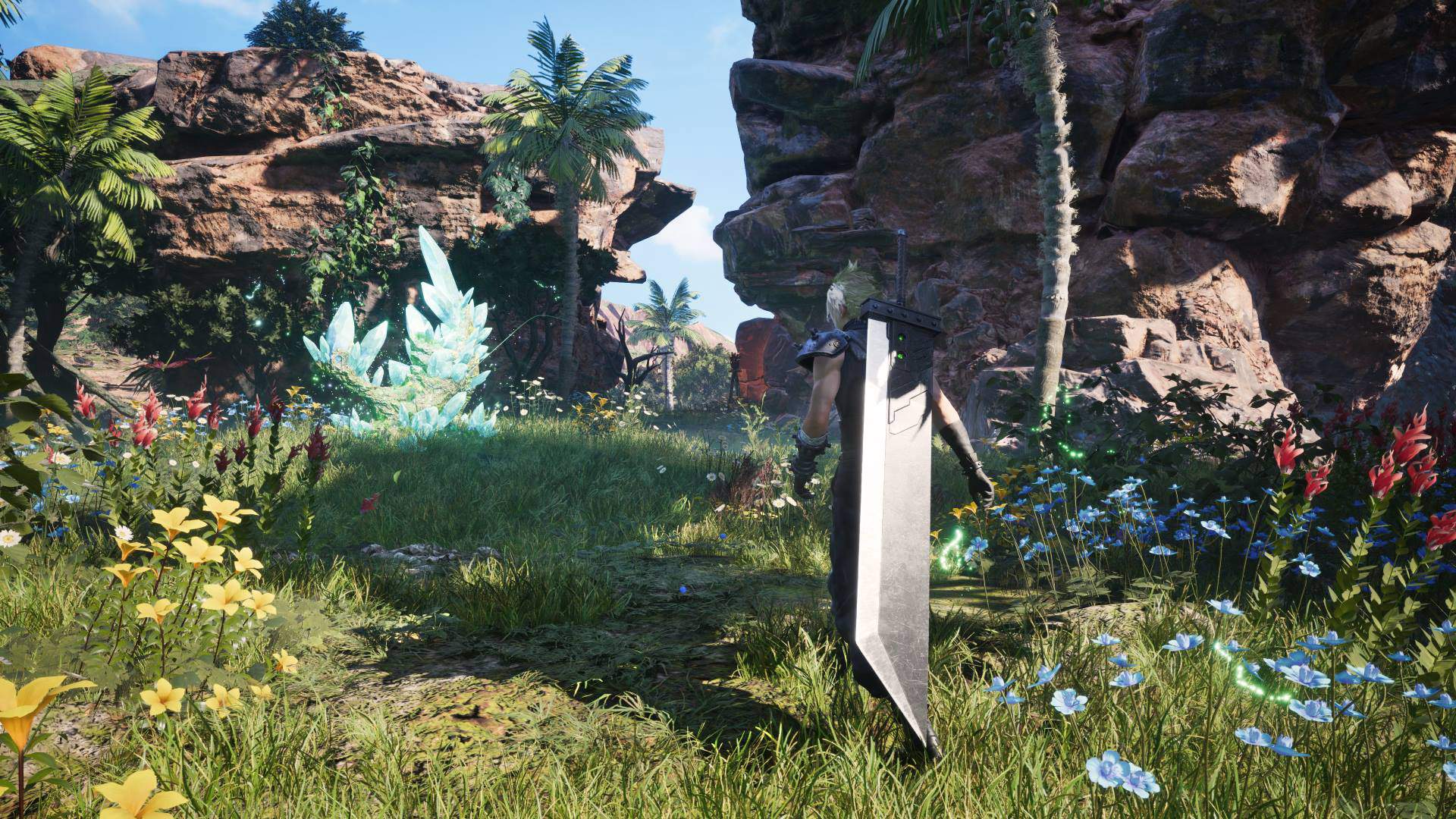
 scenic crystal
Out on January 23, 2025
https://i.imgur.com/XY2dOMV.jpeg
Currently -30% on Steam and EGS
https://store.steampowered.com/app/2909400/FINAL_FANTASY_VII_REBIRTH/
https://store.epicgames.com/en-US/p/final-fantasy-vii-rebirth?epic_affiliate=lowcygier&epic_gameId=e9a679451d094c1ba3d008b6a01adec5

FINAL FANTASY VII REMAKE Project Trilogy Part 2After escaping Midgar, the City of Mako, Cloud and his friends overcome the boundaries of faith and step into the unknown wasteland.A vast world with many characteristics awaits, as well as a new story where you will run through fields on chocobos to freely explore points of interest.■ StoryThe life...
$48.99
Jan 23, 2025

Pre-Purchase and Pre-Order FINAL FANTASY VII REBIRTH today from Epic Games Store! Don’t miss out on playing FINAL FANTASY VII REBIRTH when it launches!
Currently -43% on GMG (you need to be at least bronze tier member)
https://www.greenmangaming.com/games/final-fantasy-vii-rebirth-digital-deluxe-edition-pc/

Pick up your FINAL FANTASY VII REBIRTH Digital Deluxe Edition PC copy from Green Man Gaming today and remember to sign in for our best price
PC System Requirements
https://gh.cdn.sewest.net/assets/ident/news/d485ba7a/FF7Rebirth_PC_specs-a1e7d4gm7.jpg?quality=65&width=100%25&height=100%25


 minor current
Already pre-ordered cause that's a damn good deal.
Not the deluxe tho, I got that on ps5 with like actual Physical shit.
scenic crystal
minor current
Not the deluxe tho, I got that on ps5 with like actual Physical shit.
Noice
scenic crystal
Trailer comparison with PS5 footage (stolen from resetera)
https://slow.pics/c/2avgQPZq?canvas-mode=fit-width&image-fit=contain
Slowpoke Pics image comparison service
RT shadows maybe?
minor current
comparing cinematics isn't ideal
those are usually tuned up, it's gameplay that would have the biggest differences
like the shadows in this look better than usual but i'm nto sure

interesting they're cleaning up some of the harsher lighting in the cinematics tho, here you can see there's two shadows on the sword which doesn't make sense, now the lighting is more clear


the other shadow "might" still be there but at least you can't really see it
lighting is less agressive overall tho
no reason to think RT shadows yet, but that aerith image is an improvement
scenic crystal
minor current
comparing cinematics isn't ideal
It's the best I've saw so far 
scenic crystal
minor current
lighting is less agressive overall tho
Tbh it looks more like SSR artifact to me? Could be wrong

This one shows off CHS well
minor current
scenic crystal
Tbh it looks more like SSR artifact to me? Could be wrong
nah cinematics add a additional lights per camera shot, thats definitely a shadow.
minor current
 scenic crystal

As someone on era pointed out, this is the first time anyone from SE has acknowledged the game sales in any capacity, ever
It's amazing that all it took was having a two AAA games to bomb in the span of a year for a massive company like that to pull it's head out of it's ass
Absolutely insane levels of mismanagement
Yoshi P should be named the next president of the company from saving it from bankruptcy for like a straight decade
minor current
it's probably also cause unlike playstation the steam numbers are roughly public
You don't have explicit rankings in playstation, just vague ones
scenic crystal
Eh, if the game sells well, they don't keep it to themselves
minor current
True but he also only mentioned steam not EGS 
scenic crystal
And GMG, and I bet lotta folks gonna get their key there
I know Kal at least will buy it on EGS, lol
 stable elbow
cause steam input :lmao:
scenic crystal
Now, I don't actually believe PC version will outsell PS5
But it would be so fucking funny if it did
stable elbow
i've put 170 hours into rebirth and it was first game that i've played 30 fps game from the time BOTW was locked to 30 fps in CEMU
scenic crystal
Performance mode does look like ass tho, so I understand
stable elbow
understatement
scenic crystal
I kept switching meself
stable elbow
i beat brutal challenges in performance mode
cause it's insanely hard
soulsborne games are much easier
scenic crystal
Tbf I borrowed PS5 from the buddy of mine for the weekend and just burned through the game, I knew there is no way I won't get spoiled on what happens to Aerith until PC version comes out
So this will be my first "proper" walkthrough
stable elbow
i get some kinda hyperfixation on games like this
just like i'm playing metaphor now
on saturday i woke up at 9am and played till 4am next day
only a pause for a dinner and supper that my grandma made
minor current
scenic crystal
Performance mode does look like ass tho, so I understand
I also played entirely in graphics mode
minor current
stable elbow
i get some kinda hyperfixation on games like this
Yeah i do the same, i binge played FFVIIR for probably 130 hours. I feel like i shouldn't have gone that hard lmao. I felt a similar sting for when I did elden ring like that and FFXVI 😩
stable elbow
i like that grindy part too
minor current
Normally I play new games when i take a break so going ham like that isn't a problem but then also I desparately want to finish the game so that when i go back to work i'm not thinking about it
stable elbow
like your brain can rest from overload of new information
minor current
The only thing I didn't do was the ||gilgamash ||challenge
That shit was hard and I was out of time lmao
stable elbow
you mean gilgamesh island?
minor current
yeah
stable elbow
bro if you didn't do it
you didn't do brutal challenges
i spent 3 hours on one challenge
minor current
Oh yeah i know, I was just out of time and burned out when i finished the story lmao
stable elbow
and i literally had a single youtube strategy
minor current
I heard the ones after that are nuts too
stable elbow
perfect materia combination
minor current
I also wanna do the sephiroth and zack challenges, I just need to come back to the game
stable elbow
and it still it's insanely bullshit
stable elbow
save you sanity and don't do it
minor current
I need to do that too lol
lmao
We'll see
I need to go back and finish some some stuff on remake first
like weiss and i think bahamut?
I never finished hardmode on remake
stable elbow

UPDATE: Even though I did this after getting my platinum trophy, you can still do the same after getting Cloud's Art of Swordplay XV. The stats will be a little lower, but you should be able to complete this with the same strategy. Complete To Be A Hero first for the extra manuscript.
Here's a step by step guide on how to complete Zack's Legend...
just watch the part where he explains to you what to do step by step what skills use
the worst thing is that i've had no problem getting to odin
but beating him with heart racing and hands are shaking is extremely hard
 scarlet forge
moms spaghetti
minor current
lmao
minor current
lol
stable elbow
for 3 hours
minor current
damn
It's cool the game has some nuts challenges, it doesn't sound as bullshit as some old bosses
scenic crystal
I feel there's an entire subsection of YouTube dedicated to discussing how absolute bullshit is the platinum trophy for this game
Hamaguchi saw people raging at Crash Bandicoot 4 and was like "hold my beer"
 coral lynx
scenic crystal
Yoshi P should be named the next president of the company from saving it from ba...
coral lynx
scenic crystal
Yoshi P should be named the next president of the company from saving it from ba...
you say that as if yoshi P didnt make his game ps exclusive too
But im happy SQ is starting to learn
I will be very sad if the next installment doesnt come on pc simultaneously
scenic crystal
coral lynx
you say that as if yoshi P didnt make his game ps exclusive too
If you're referring to XVI it doesn't sound like it was his choice really
scenic crystal

Get an in-depth look at the PC features of FINAL FANTASY VII REBIRTH, the second game of the FINAL FANTASY™ VII remake project, coming to PC on January 23, 2025.
After escaping from the dystopian city of Midgar, Cloud and his friends set out on a journey across the planet. New adventures await in a vibrant and vast world – sprint across grassy...
 dusky kettle
It looks amazing, but as always I feel the real magic will happen thanks to modders and engine.ini wizards.
 chilly orchid

Discover and compare how the PC version of FINAL FANTASY VII REBIRTH looks on different PC setups. With a wide variety of performance modes available, the game can be played comfortably on Minimum, Recommended, or Ultra specs.
FINAL FANTASY VII REBIRTH, the second game of the FINAL FANTASY™ VII REMAKE project, is coming to PC on January 23rd, 2...
Also you can save 30% if you Pre-Purchase the game right now on Steam
scenic crystal
scenic crystal
Currently **-43% on GMG** (you need to be at least bronze tier member)
https://w...
minor current
chilly orchid
https://www.youtube.com/watch?v=TO-Fnjkt2iA
cleaner dof on ultra is nice.

cleaner motion blur too, i guess less downsampling

hard to see it in motion but very strong lod scaling

Environment textures largely impacted, as expected square focuses on characters


much cleaner resolve on hair 🤔
I presume this isn't showing DLSS

 chilly orchid
I wonder if they fixed the lighting
minor current
?
scenic crystal
The improved lighting in cutscenes, but for the gameplay they would need to implement RTGI or something like that
chilly orchid
minor current
?
This


 minor current
i dunno what solution they're using exactly, I assume a probe solution? I wonder if they can make it denser if thats the issue.,
minor current
scenic crystal
No baking for the open world for obvious reasons
if only they would add RT 😩
not like UE4 has no RTGI and RT reflection solutions
scenic crystal
Well, that ship has sailed
scenic crystal
minor current
not like UE4 has no RTGI and RT reflection solutions
Remember they are working off the 2017 branch
It doesn't even have TAAU support
minor current
hm even for rebirth? 🤔
damn
scenic crystal
Yeah, they didn't upgrade
minor current
i guess that helped with efficiency but thats still a shame
 native eagle
One week left, and still no mention of ultrawide support. Why does Square hate ultrawide people 😦
scenic crystal
It's getting added day one ||with a mod by Lyall||
native eagle
I know, but it's still annoying
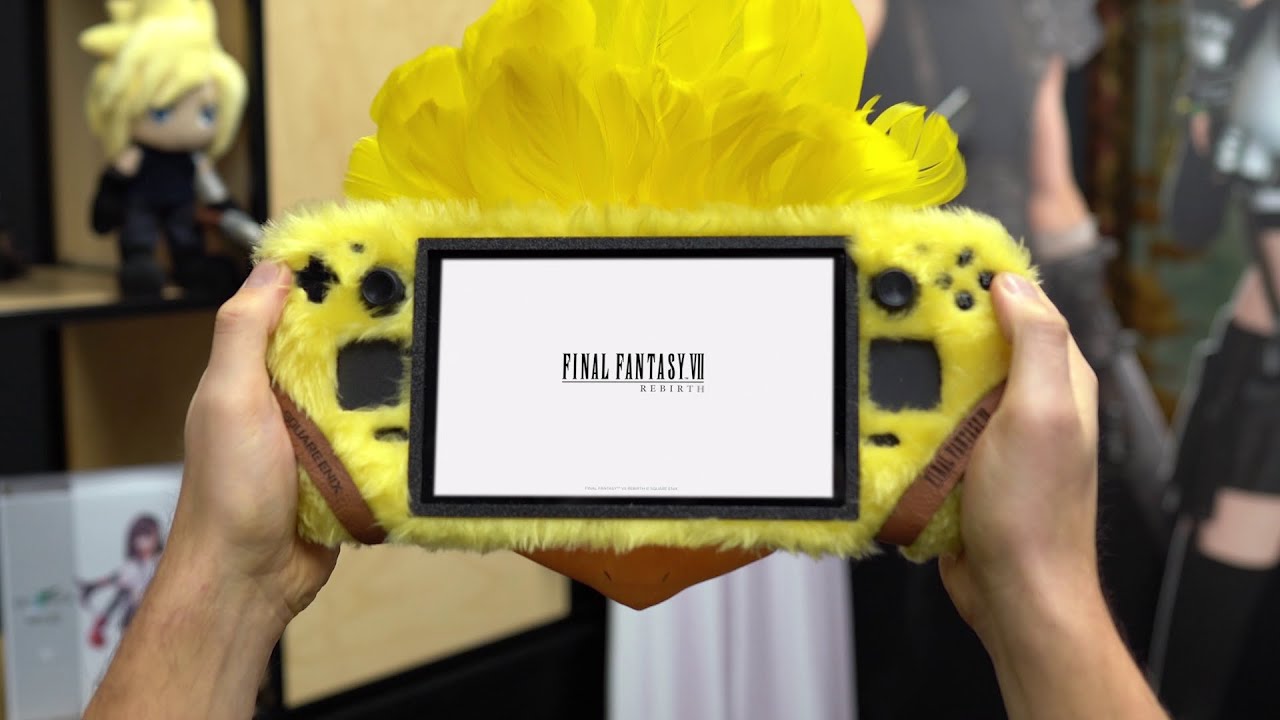
Presenting a specially crafted Fluffy Chocobo Steam Deck! We don’t advise trying to wrap high-tech gaming gear in fur at home but felt this was a perfect way to celebrate Final Fantasy VII Rebirth coming to PC - verified on Steam Deck.
wtf
scenic crystal
dusky kettle
scenic crystal
I love GMG. I actually grabbed the Remake+Rebirth set.
dusky kettle
scenic crystal
It's getting added day one ||with a mod by Lyall||
Awesome. I am still enjoying Octopath traveler 2 UW thanks to his work on it.
dusky kettle
I am so excited for the game. I grew up playing the original, and now I play the new ones with my daughters. Also, it helps me connect with my students when they realize I am as much of a geek as they are.
scenic crystal
dusky kettle
Thanks for sharing.
scenic crystal

Final Fantasy VII Rebirth is Steam Deck Verified, but it has issues and isn't an ideal experience across the board. Our feature covers the PC port, ROG Ally impressions, thoughts on how it compares to PS5, and more.

Courtesy of Square-Enix, I was given the opportunity to spend some time with the PC version of Final Fantasy VII Rebirth and let me tell you, this is the way to play it. I can't go back.
Support the channel: https://www.patreon.com/Niosai
Official Discord: https://discord.gg/aD4Fejgr8J

#FinalFantasyVii #Rebirth #PC
Join this channel to get access to YT Stream Emotes and Badges!
https://www.youtube.com/channel/UCOgaIuQYGr6ow_jbote4BKA/join
Check out our Livestream! http://twitch.tv/maximilian_dood
Our official merch collection! ►►► https://maxdood.tv/merch
Follow Me on Twitter! http://www.twitter.com/maximilian_


Seems like they put effort this time around
Hopefully DF got the code early
Has shader precompilation step per RPGsite
minor current
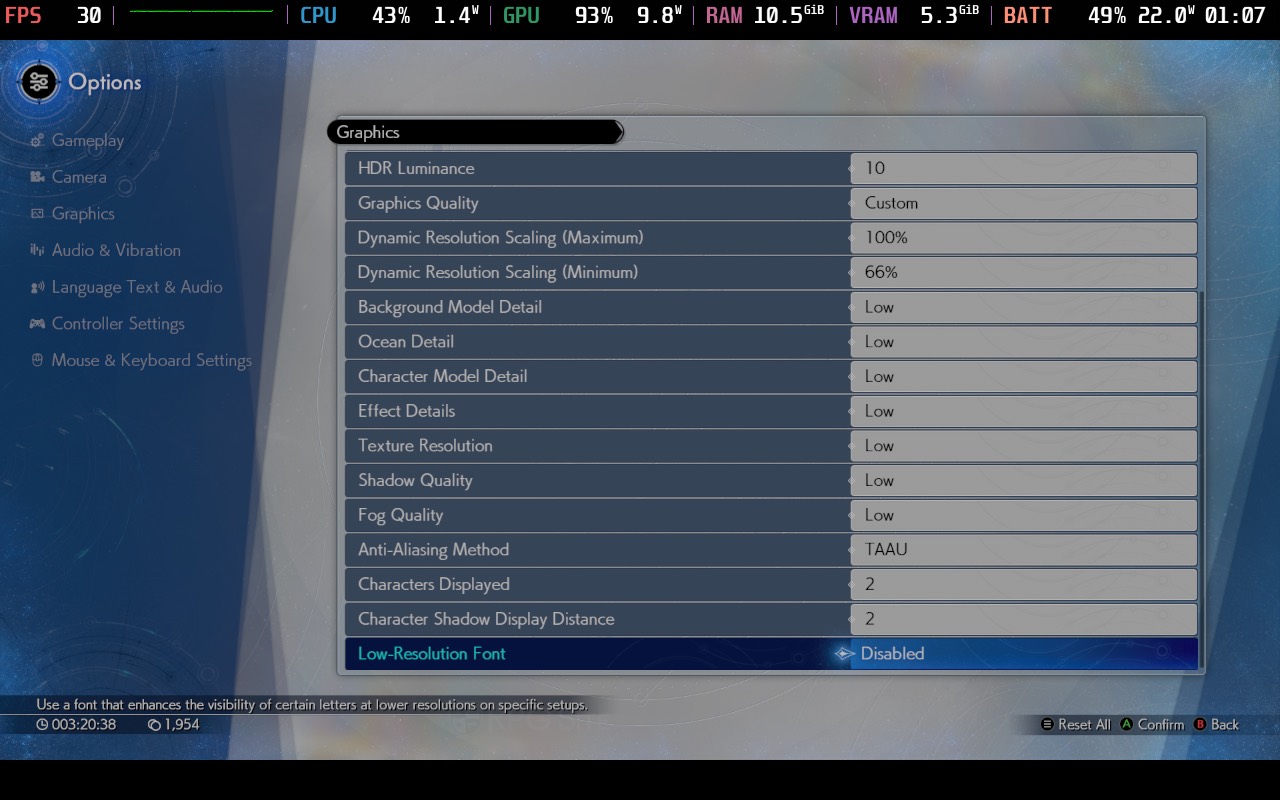
why is low resolution font an option?
scenic crystal
scenic crystal
Hopefully DF got the code early
I have not had access to Final Fantasy 7 Rebirth on PC. I cannot comment on its technicals from first person experience, though I was contacted by a number of outlets separately with concern over stuttering. I guess I will have to see for myself when I get access if it is another #StutterStruggle.
 Bluesky
·
Bluesky
·
They had not 
 jolly current
minor current
why is low resolution font an option?
jolly current
minor current
why is low resolution font an option?
Maybe for mobile devices with low resolution.
scenic crystal
PC gamer is less enthusiastic
https://www.pcgamer.com/hardware/final-fantasy-7-rebirth-pc-best-settings-performance-analysis/

Limited graphics options, capped frame rates, and a mediocre upscaling system. Gee, thanks Square Enix.
Interesting that it apparently uses direct storage
Might be first UE game that does so
Cutscenes are capped to 60 fps
minor current
scenic crystal
Interesting that it apparently uses direct storage
whoa thats crazy
not even Epic has implemented that yet
scenic crystal
At least that's what the PC Gamer article claims
native eagle
scenic crystal
They had not <:SadKeanu:1296935956607271002>
So they gave access to some YouTubers and outlets but not to DF? It almost seems like they deliberately gave access only to reviewers who base their performance opinions on FPS counters, rather than how the game actually runs (and I mean stutters here, of course).
scarlet forge

scenic crystal
native eagle
So they gave access to some YouTubers and outlets but not to DF? It almost seems...
It seems like they prioritized the FF influencers like Dood
minor current
maybe they didn't ask for it?
native eagle
Yeah, it makes sense, but not giving access for a PC release to DF is crazy
minor current
Final Fantasy 7 Rebirth uses the DirectX 12 Ultimate API and Shader Model 6.6, so if your operating system and graphics card don't support them, then you won't be able to play the game full stop—in other words, if you have a GeForce GTX or a pre-RDNA 2 AMD card, then no Rebirth for you.
At this point you're just bitchin for no reason lol
The only thing to relieve all of this grim news is that the game performance is generally pretty good and relatively stutter-free, unlike FF7 Remake. However, both of those aspects come with some major caveats, so they might not be much of a relief at all.
native eagle
"relatively"
minor current
I feel like the PC gamer article is unnesecarily negative...
There's no implication the release is remotely busted, they're just bitching there's no FSR and over 120fps mode, which yes there should be but like. The game seems to work and perform fine.
Only real annoyance is the cut scene FPS bs rears it's ugly head again
I really dunno why games keep doing that.
it's not just square
native eagle
is DLSS support for DRS confirmed?
minor current
DLSS is there
native eagle
minor current
DLSS is there
Yeah I know but does it work with DRS though
minor current
isn't that usually a driver enabled thing
scenic crystal
native eagle
Yeah I know but does it work with DRS though
Apparently it does
native eagle
nice
native eagle
minor current
isn't that usually a driver enabled thing
I don’t think so - there are plenty of games with DLSS and DRS options, but somehow DRS can only work with TAA upscaling
minor current
yeah the PC gamer article feels negative for no reason, like complaining that the default resolution scale setting naming is odd.
when to me the option to chose maximum and minimum resolution scale is better than most games offer
scenic crystal
minor current
I feel like the PC gamer article is unnesecarily negative...
There's no implica...
Yeah, the PC gamer reviewer sounds like a spoiled kid
"It doesn't have X,Y and Z" My brother in Christ, the important thing is the game runs well, take the W
minor current
like having more grandular settings really only matters if those settings have major impact. the lack of options is less an issue compared to their visual impact and performance impact. It seems like the bigger impact stuff has more options.
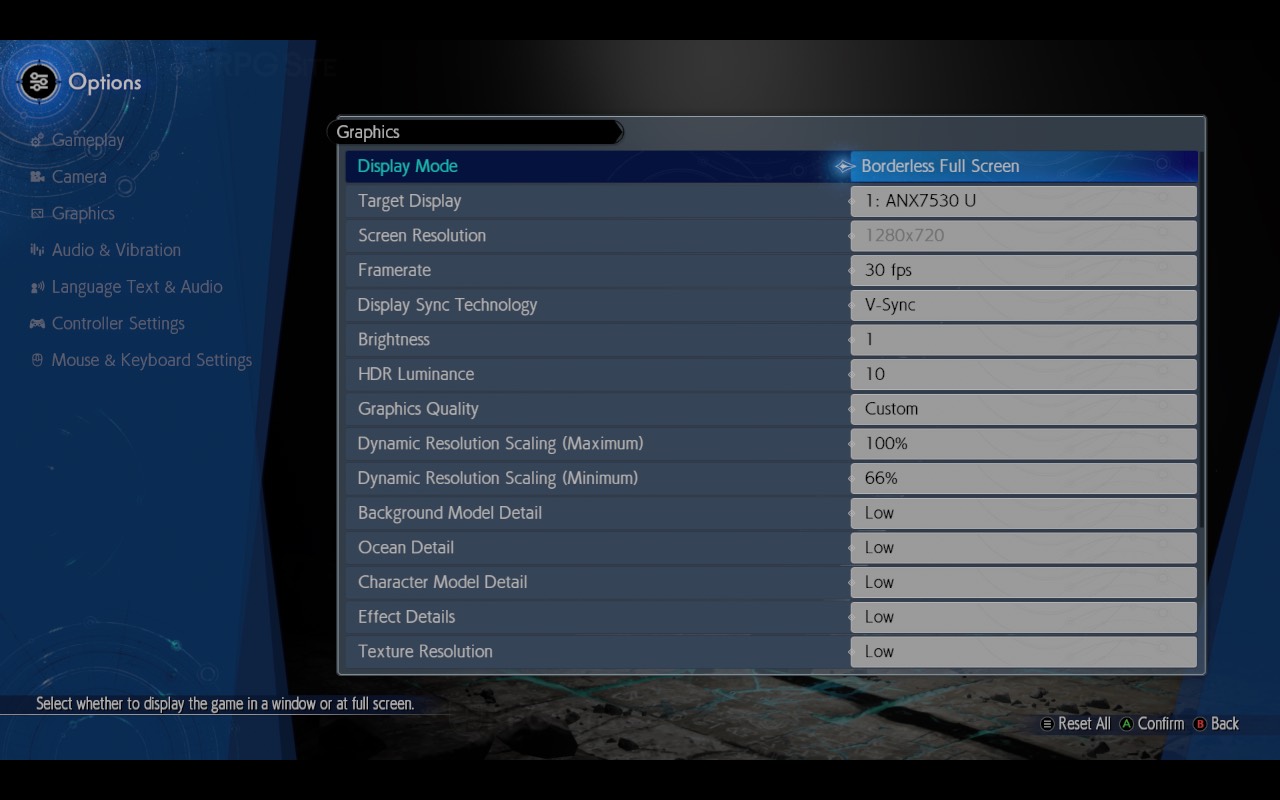
background detail seems like a major one
In terms of performance, the two options that have the biggest impact are background model detail and shadow quality, though fog quality and character count will affect lower-end systems in certain areas.
even the article says it
scenic crystal
Also lol at the FSE thing
minor current
And I'm not in the least bit okay with the frame rate limiter (and the hard limits on cutscenes and FMV scenes), the absence of FSR and XeSS, and the total lack of an exclusive fullscreen mode, buffer options, FOV settings, mouse support for the main and pause menus, and so on.
Does the game really need FOV settings?
scenic crystal
Final Fantasy 7 Remake had many of these issues too but thanks to the modding community, two small files and a handful of coding lines were all that was needed to bring some joy.
What a load of BS
Unless you count having to apply API conversion layer counts as a "small" fix
minor current
lol
native eagle
scenic crystal
Unless you count having to apply API conversion layer counts as a "small" fix
Did forcing DX11 in FF7R actually help with stutters?
minor current
it did
native eagle
Isn’t the thing with ini settings or forcing DX11 for stutters usually just a placebo that people believe in lol
minor current
those cuts mid battle when you do a team attack look better lol
Still a little rough but they looked very goofy at times on ps5 lol

 native eagle
minor current
it did
native eagle
minor current
it did
Did it reduce the stutters or completely eliminate them? To be honest, for me, either you have them or you don’t. If there are any stutters at all, it’s already breaking the immersion
I played FFR7 with stutters and just accepted you can nothing really do with them
minor current
it's been a while, for me the stutters weren't a big deal so i only tested it once
for comparison but it depends on where you trigger the attack

 scenic crystal
native eagle
Did forcing DX11 in FF7R actually help with stutters?
scenic crystal
native eagle
Did forcing DX11 in FF7R actually help with stutters?
DX11 with DXVK specifically
minor current
even scenes without a lighting adjustment benefit from the higher res dof


cleaner motion blur resolve


Dood says this is the smoothest experience he's had with a square PC release
Apparently there is a shader comp at the start and there was some initial stutters very early on but then they were quickly gone and didn't return
scenic crystal
probably bit of both
native eagle
But DLSS looks much better. It looks like PS5 vs PS5 Pro
so probably TAAU again vs PSSR
minor current
Dood prefered DLSS overall which honestly isn't surprising
Final Fantasy 7 Rebirth is finally available for PC, and it's truly an amazing experience. It is playable on the #SteamDeck, but there are some major compromises needed to play it on the go, so we go over them in this video and show how it's actually performing.
A copy of the game was provided by Square Enix for review. Thank you!
Our Website:...
oh good cloud save doesn't include settings
easy to switch devices
native eagle
Do you want to have the game operating in exclusive fullscreen mode, to get the best possible performance? No chance, I'm afraid: It's windowed or borderless fullscreen only
Also, this is weird in the PC Gamer article. From everything I’ve learned, you don’t actually get better performance from the "FSE" option in games, or rather, it doesn’t even really exist in DX12 in the first place.
scenic crystal

RTX 4060 on FINAL FANTASY 7 REBIRTH | 1080p, 1440p with NVIDIA DLSS!
Special thanks to Square Enix for sending me the game, thank you so much, I was so hyped about it!
Extended chunk of open world gameplay with the frame time graph
frame time health looks really good
Seems like DRS causes some stuttering
minor current
it's crazy they got the world streaming downpat
considering how massive the map is that had to be a challenge cause the whole world is persistant
oh wow
in this video DLAA performs better than TAA?
it's barely over 60 with TAA
oh wait thats 1440p
my bad
no 1440p dlaa showing
chilly orchid
I agree with PC GAMER
120 fps cap is criminal
And 60 fps cutscenes is outrageous
Japan still don't know how to do PC ports
minor current
The only thing i care about the the cut scene fps cap, i couldn't care less about more than 120fps lol
it's probably only 30 for the rendered cinematics which is fine, 60 for in game isn't ideal but not that bad.
native eagle
chilly orchid
120 fps cap is criminal
If the game was originally designed for a console and they encountered issues with higher frame rates, I have absolutely no problem with a 120fps cap
chilly orchid
I remember explaining why I hate fps caps more than anything else in a game
Let me find it
Imagine playing FF7 20 years from now but still being capped to 60 fps regardless of how powerful your hardware is
HL2 which came out in 2004 can be played at 1000fps now
Games should never be made for the present
scenic crystal

At times dull, tedious, disappointing, and unfocused, Final Fantasy VII Rebirth is still an exuberant, earnest and singularly exciting RPG adventure.

This got the chuckle out of me
minor current
chilly orchid
Games should never be made for the present
while thats true for me thats just not capping the game to 60fps, often an entirely uncappedframe rate can be a challenge for a variety of issues. Like how marvel Rivals basically lets you cheat with various FPS modes.
scenic crystal
Got my key from GMG
 gentle mantle
chilly orchid
And 60 fps cutscenes is outrageous
gentle mantle
chilly orchid
And 60 fps cutscenes is outrageous
Why though? What possible benefit do you get from cutscnes going over 60 fps. Its not like they look better 😆
Especially, If its implemented properly and there is no judder when transitioning from cutscene to in-game - anything over 60 is completely unnecessary.
There are also benefits staying at 60 fps - the GPU is cooler, quieter and uses less power, no potential coil whine 🤷♂️
native eagle
well and what benefits do you get from Frame Gen? Motion smoothness I guess
and yet some people like it
(a lot)
gentle mantle
True but is it a valid comparison? I dont mind FG either.
Your argument only works if the video is non pre-rendered right? A pre-rendered video at 60 or 120 means nothing because 99% of the time, they were sourced as 30 fps.
native eagle
Yes it depends how the cutscene was made of course
And I'm ok with 60 personally. I'd be with 30 probably if it didn't interrupt gameplay
gentle mantle
Same, if its implemented properly - i dont really care.
native eagle
finally downloaded the game with 600mbps down. I forgot how much space it takes lol 144GB..
scenic crystal
Looks like shader precompile is busted, getting an obvious shader stutter
 drowsy coyote
yeah lol
gamma mismatch or not? i'm a terrible judge of this and cant easily toggle hdr here
scenic crystal
Not as far as I can tell
But I think the lowest brightness option matches 250 nits PW, so shadows look more gray than nessesary
No in game HDR toggle
drowsy coyote
the cutscene speedup button is amazing
scenic crystal
You can always just skip them, lol
minor current
scenic crystal
Looks like shader precompile is busted, getting an obvious shader stutter <:SadK...
some reviews said there's an initial stutter that apparently goes away for the rest of the game
scenic crystal
So it's a shader comp stutter
native eagle
scenic crystal
Looks like shader precompile is busted, getting an obvious shader stutter <:SadK...
yeah me too
minor current
probably
it might just be some early shaders, cause otherwise things later in the game would cause it but supposedly it didn't
native eagle
I had a stutter when I first hit an enemy and also after that when opened first chest
gentle mantle
scenic crystal
No in game HDR toggle
Thanks for confirming.
scenic crystal
scenic crystal
But I think the lowest brightness option matches 250 nits PW, so shadows look mo...
Confirmed
minor current
which is strange cause the prevbious game had a toggle
native eagle
isn't just windows 11 level toggle the toggle?
minor current
yeah
 full viper
really need a way to disable this eye adaptiation. Blinding me every time I walk out of a building
native eagle
What is "VRR" in settings? Just VSYNC Off?
drowsy coyote
the game seems to be rather stuttery and it's not just shader comp stutter
native eagle
drowsy coyote
the game seems to be rather stuttery and it's not just shader comp stutter
it's not that bad imo, at least after like first 30 minutes of the game it is much better
drowsy coyote
it could just be nibelheim i guess. i hope
native eagle
I'm still in Nibelheim so I don't how it is after 😄
minor current
drowsy coyote
it could just be nibelheim i guess. i hope
i saw reports the game stutters initially but then the rest of the game it's no problem.
native eagle
minor current
i saw reports the game stutters initially but then the rest of the game it's no ...
That’s what I see. The game still stutters after about an hour, but it’s much less noticeable.
but to be honest, I’m now in narrower corridor locations, so it might just be location-dependent
drowsy coyote
yeah i mean like the koboh situation in jedi survivor
native eagle
It’s much more minor than jedi survivor lol
drowsy coyote
oh yeah for sure - i meant that a particular location could just be bad
 cunning pewter
the settings suck ass
was hoping it'd be better this time
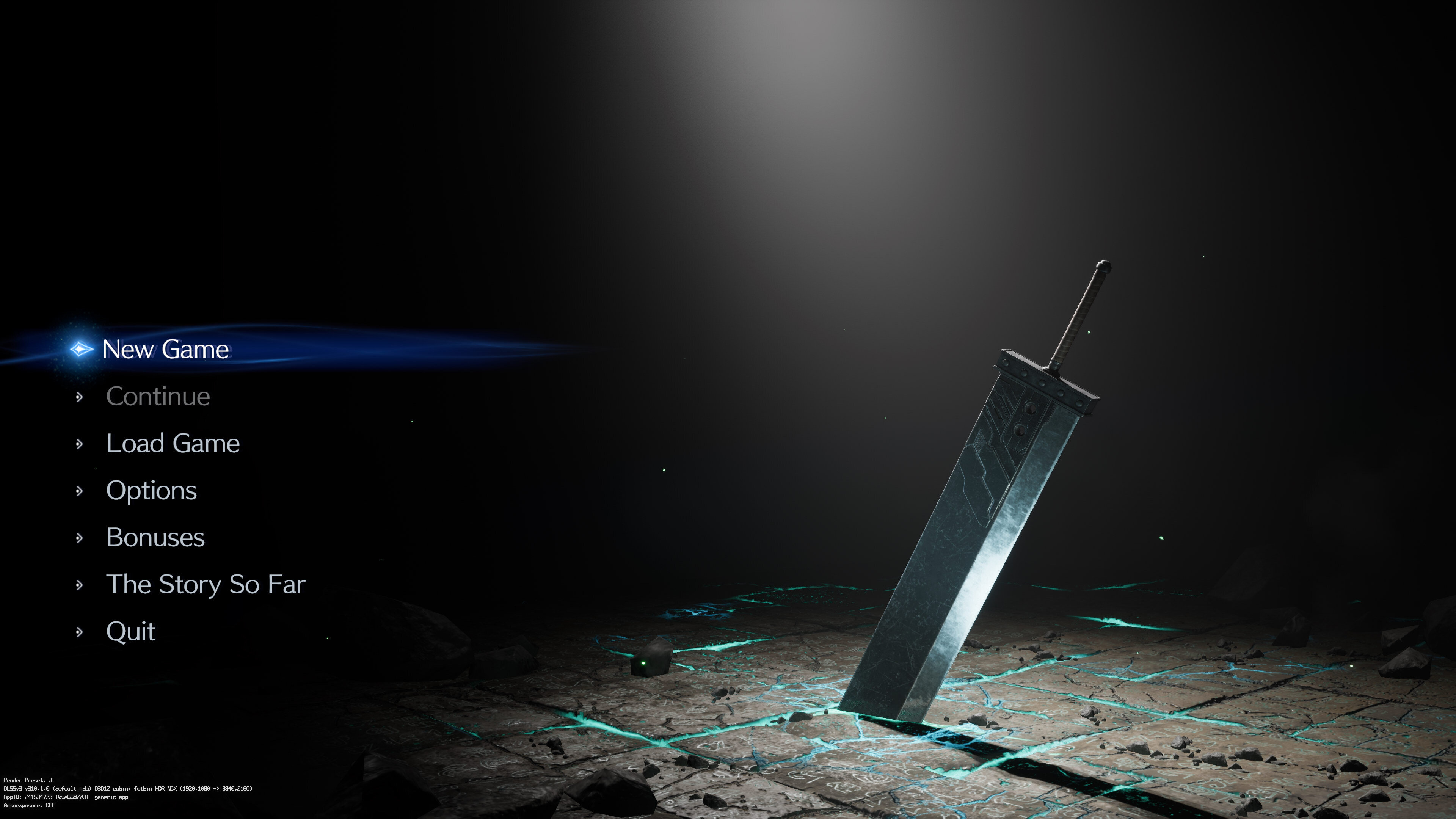
it also comes with the earlier version of DLSS
 scenic crystal
cunning pewter
the settings suck ass
scenic crystal
cunning pewter
the settings suck ass
Standard UE stuff
It is better compared to the remake, which had, like, two settings
native eagle
Has anyone tested the new DLSS DLL with the transformer model preset in this game?
minor current
do we even have access to the override yet?
jolly current
native eagle
Has anyone tested the new DLSS DLL with the transformer model preset in this gam...
yes by forcing preset j in nv inspector
native eagle
jolly current
yes by forcing preset j in nv inspector
Any issues with that?
jolly current
I haven't seen anything yet.
scenic crystal
I did too, TF model seems a bit better, but tbh I can't say I see any massive difference at 4K DRS (66%-50%)
native eagle
scenic crystal
I did too, TF model seems a bit better, but tbh I can't say I see any massive di...
I guess improvement would be mainly with specific issues old dlss had like shimmering on vegetation etc.
but can't really say that game has that issue lol
btw have you noticed more stutters with DRS or nah?
some reviews said that
scenic crystal
Yeah, the implementation is clearly custom, they did the great job here
Not seeing really any issues, except for a bit of checkerboarding artifacts on hairs
I guess DLSS is too sharp for it's onw good, lol
I'm questioning whenever play the game now or wait for renodx
Maybe they will patch our the shader comp stutter like they did for ff16
native eagle
is it possible to force that J preset with SK?
drowsy coyote
damn there are some random low res textures among generally nice ones
scenic crystal
native eagle
is it possible to force that J preset with SK?
I've seen that setting dlss mode to dlss default instead of game default does the trick
 thin olive
The new transformer model with DLAA looks sooo much sharper in motion on FF7 Rebirth
I could never go back to the old one
Especially in small details like characters in the distance, grass or other big amounts of geometry in the distance
full viper
Transformer model on the left

 minor current
nice
drowsy coyote
hair looks kinda bad no matter what you do tbh
minor current
it's better that its fuzzy rather than grainy
 fathom kernel
i just tried FFVII Rebirth it seem the peak brithgness had issue like the PS5 version only 900nits
idk if we can fix it by tweaking or something
scenic crystal
I'm pretty sure the game is applying some sort of sharpening
This is DLAA at native 4k
 drowsy coyote
no idea where you're seeing oversharpening here tbh
scenic crystal
I don't remember any game that would look this sharp with DLAA/DLSS without some sharpening
drowsy coyote
well yeah because this model is better and looks how it should look
scenic crystal
I'm using CNN here
drowsy coyote
ah
well unreal does have sharpening in post process so they might be using it (should, i guess)
minor current
fathom kernel
i just tried FFVII Rebirth it seem the peak brithgness had issue like the PS5 ve...
it's like remake does that iun gameplay but not cut scenes
minor current
you'll see cinematics are a bit brighter
drowsy coyote
some stuff went above 900 i think
fathom kernel
i didnt notice that
because the highlights not bright enough for me with Samsung S95C
native eagle
drowsy coyote
some stuff went above 900 i think
chest is even over 1000
the highest I've seen so far
gentle mantle
FPS goes past 120 fps using the ffviihook beta 4 - so thats one issue down. At least it feels better than 120 😅
Just need HDR going above 1000 nits and lyall to patch up ultrawide and itll be golden 😎 🤞
scenic crystal
Save us, Shortfuse Wan Kenobi
full viper
gentle mantle
FPS goes past 120 fps using the ffviihook beta 4 - so thats one issue down. At l...
A work-in-progress ASI plugin for for Final Fantasy VII Rebirth that adds ultrawide support and more. - Lyall/FF7RebirthFix
dusky kettle
Do you guys feel the native HDR is adequate enough? Or would it be better with SK?
 hoary topaz
Looks really nice, it's just up to 1000 nits 😄
dusky kettle
Brightness setting at 10 for approximately 1000 nits, right?
hoary topaz
yeah, I'm not sure about black floor, but it does hit 0 nits in some scenes, looks like there's an intended filter in many places which is okay, although not of everybody's taste
scarlet forge
hdr would have to be terrible for inverse tonemapping to be better
the hdr here is far better than the vast majority of games
hoary topaz
it's 39% of 4k with new dlss, needs some tweaking to make hair look better but still, not bad 😄

 obtuse prairie
FYI, remake was a lerp between aces 1000 and SDR. That's what the game slider was lerping
gentle mantle
full viper
https://github.com/Lyall/FF7RebirthFix/releases
Awesome!
coral lynx
full viper
Transformer model on the left
how do i change the dlss model in this game? its not showing up on NPI (the game not the preset)
would this work?
 gentle mantle
With reshade, can we go past 1000 atm?
scenic crystal
coral lynx
how do i change the dlss model in this game? its not showing up on NPI (the game...
For Rebirth, you just need to swap the DLSS file, the game will apply the latest model automatically
For other games, until other inspector gets updated, you need to put 0x0000000A there
coral lynx
is there a way to check if my game is using the transformer model?
scenic crystal
You can use dlsstweaks to force the global hud override
native eagle
scenic crystal
You can use dlsstweaks to force the global hud override
Do you mean DLSS indicator or something else?
I think you can just set registry value to enable it

NVIDIA DLSS is a new and improved deep learning neural network that boosts frame rates and generates beautiful, sharp images for your games - NVIDIA/DLSS
Or use toggle in SpecialK which does it for you
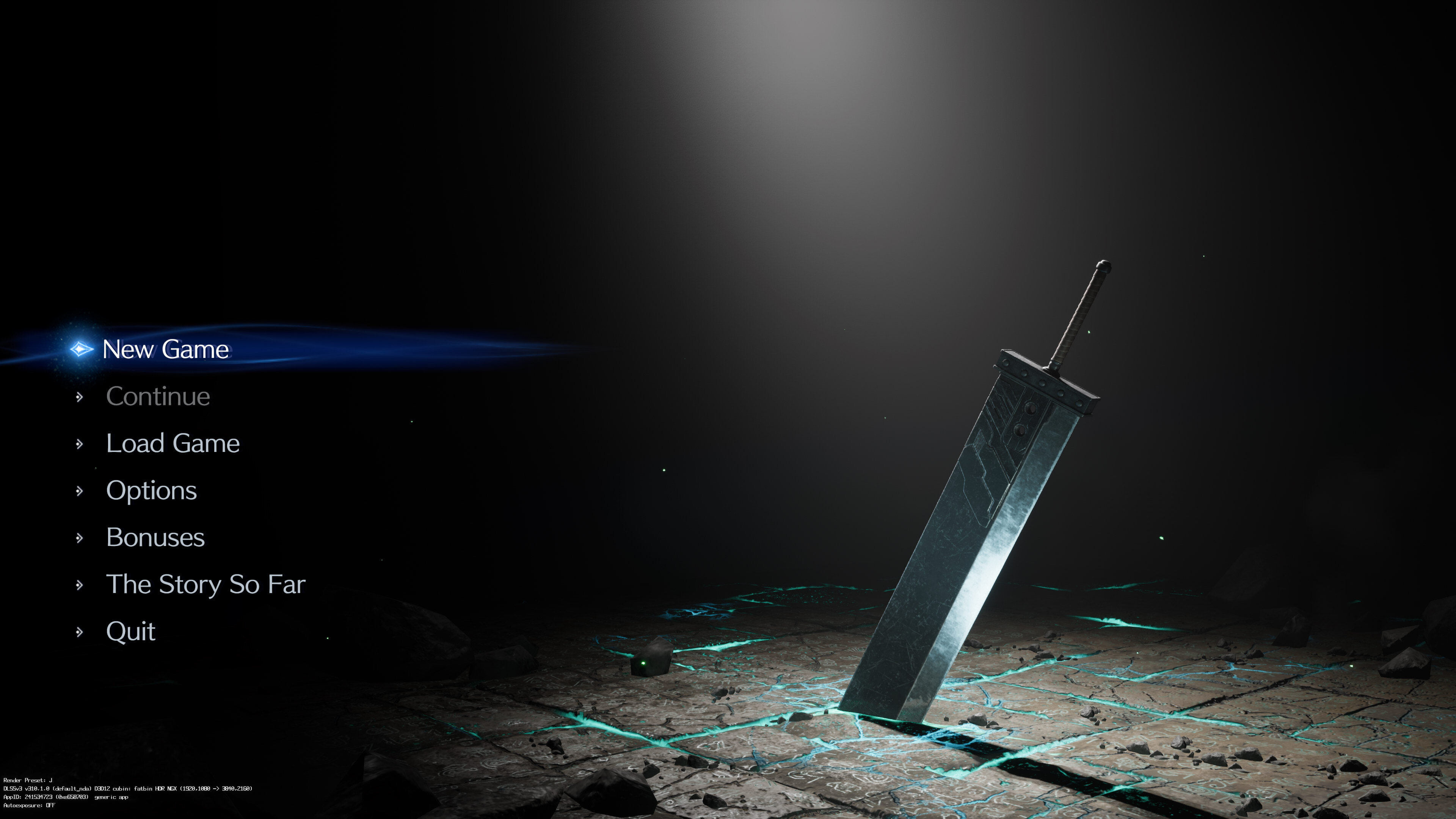
scenic crystal
No I mean DLSS hud
https://s20.directupload.net/images/250123/s6ib5rsm.jpg
 scenic crystal
Unless it's the same thing
scenic crystal
coral lynx
idk how to do that
 coral lynx
ok it is using preset J
native eagle
I’m trying to use your HDR recommendations for this game @scenic crystal but I’m running into a problem with PumboAutoHDR shaders. I’m injecting reshade via SK and have the shaders set up there, but I’m getting errors in the reshade log saying it can’t load the shaders. Maybe you have an idea of what I’m doing wrong?
scenic crystal
native eagle
I’m trying to use your HDR recommendations for this game <@292977505789280257> b...
I don't use SK unless I have to, so can't help there
coral lynx
anyone else getting this weird transparancy issue with foliage?

it looks normal when theres other geometry behind it
 drowsy coyote
is it dlss preset j or in general?
hmm seems to look weird on both, but it shimmers with the new transformer model
native eagle

this is DLSS preset J

TAA
I think TAA just smears it
To be honest, it looks like it’s an intentional solution designed with TAA in mind.
drowsy coyote
both these screenshots look kinda terrible tbf
native eagle
It’s a big zoom and a screenshot of a screenshot, so it’s probably my fault. I just didn’t know how else to show it.
But it is noticeable when you’re playing the game normally
Here are the original 1440p screenshots

 scenic crystal
coral lynx
anyone else getting this weird transparancy issue with foliage?
scenic crystal
coral lynx
anyone else getting this weird transparancy issue with foliage?
That's how they do distance foliage
It was the same on PS5
coral lynx
i see the same shit on close foliage too
native eagle
I would guess that TAA should smear it on the PS5 like on my second screenshot
coral lynx
if a sky is behind it the transparancy looks off
scenic crystal
coral lynx
i see the same shit on close foliage too
Yeah, it's just more noticeable in the distance
Overall, the game looks kinda bad
Remake looked much better
minor current
coral lynx
anyone else getting this weird transparancy issue with foliage?
this has been an oddity since ps5
coral lynx
ive played ps5 games ported to pc before this. never looked this odd
forbidden west and the last of us has heavy foliage that looks amazing
minor current
It's probably weird performance shit
scarlet forge
GI is kind of terrible in this game from what I've seen
very bland
looks like a disney+ show
obtuse prairie
Bloom needs to go
obtuse prairie
Reshade effect's bloom needs to go
scarlet forge
they say its rtgi (prob martys mods) and dof
the added color from the reshade rtgi is nice
obtuse prairie
I feel GI shaders are marginally better than Flare sliders
scarlet forge
well its adding some shadowing
obtuse prairie
I did a comparison of RTGI on Starfield vs Luma's slider a while ago
obtuse prairie
minor current
scarlet forge
GI is kind of terrible in this game from what I've seen
yeah it's likely some kind of very light density probe or something
what reshade gi are you using?
scarlet forge
idk thats from someone else
minor current
ah
scarlet forge
wip
minor current
But yeah FFVIIR could benefit from some RT 😩
minor current
The game is an achievement but only cause it's UE4 lol
obtuse prairie
Musa, do you have the game? It would be 2-3 shaders to mod if it's like Remake
scarlet forge
nah i dont have it
coral lynx
scarlet forge
what is that reshade
coral lynx
what link
full viper
I just really hate how the auto exposure/ eye adaptation works in this game.
That's probably my biggest complaint graphically
scarlet forge
I’ll mod it tomorrow
scenic crystal
obtuse prairie
Then we wait for <@292977505789280257> to accept the mantle
All right, what do you want me to do?
coral lynx
so
I found a way to make the foliage look normal
TAAU vs DLSS4


I guess the transformer model is messing with the transparency in a way thats not intended? The game wasnt tested for DLSS4 so maybe thats why
scenic crystal
Yeah I've been saying this yesterday
TAAU handles the transparencies better
How does regular DLSS look there?
coral lynx
guess ill keep playing with TAAU
maybe not. The transparency thing is only when they are set against the sky
TAAU just looks too blurry in motion
dlss is good 90% of the time
full viper
I was referring to this
 full viper
how does CNN model look
coral lynx
how it should look vs dlss


same thing
CNN model

TAAU also seems to run better
maybe I should just use DLDSR
full viper
How does hair look
coral lynx
Hair looks ok. the treeline is the only thing that stood out to me
or are you asking about hair with TAAU?
full viper
Yeah
native eagle
Maybe it looks like this because the game assets were designed with TAA in mind? Isn’t this kind of optimization pretty common? I think it was the same in RDR2, where disabling TAA made character hair dithering
coral lynx
native eagle
Maybe it looks like this because the game assets were designed with TAA in mind?...
but dlss worked on RDR2
full viper
I wonder how PiSSR compares
native eagle
I don't remenber if hair looked good in rdr2 with DLSS
cunning pewter
the old model did not
scarlet forge
dlss has some issues with foliage in rdr2
during sunset and sunrise when light shines through trees it looks super fucked up
cunning pewter
the new model does, or so from what i saw
native eagle
but TAA is obviously smearing the whole image, while DLSS really doesn’t
I’d guess that this smearing makes vegetation look okay, but it also ruins everything else
native eagle
scarlet forge
dlss has some issues with foliage in rdr2
during sunset and sunrise when light s...
RDR2 is an example of a game that really heavily relied on TAA
scarlet forge
ya
coral lynx
is there a dlss preset that fixes this?
scenic crystal
coral lynx
but dlss worked on RDR2
Not initially, it had the same issues until people figured out how to turn off sharpening
https://www.youtube.com/watch?v=Y0bmyk3he1k

DLSS in Red Dead Redemption 2 faces a formidable challenge, in the form of the game's pixelated, checkerboard-y look. But how will DLSS fare VS the game's blobby TAA method?
0:00 - RAGE Against the Hair
1:18 - DLSS in this game summarised
1:50 - Understanding Trails
2:48 - Different DLSS Versions
4:32 - Benchmarks VS Native
5:30 - DLSS Ultra Pe...
Which is why I've been saying that the game has a sharpening pass applied
scarlet forge
ya turning off the sharpening is essential for rdr2 otherwise its unplayable
scenic crystal
scarlet forge
I’ll mod it tomorrow
Can you keep an eye out for any sings of sharpening when doing so? I wanna know I'm not crazy
Or maybe I am
fathom kernel
full viper
https://github.com/Lyall/FF7RebirthFix/releases
This is for what ?
for uncap fps ?
does anyone know how to get above 1000nits in HDR ?
i waiting for the fix 🙏
scarlet forge
fathom kernel
does anyone know how to get above 1000nits in HDR ?
in the last game it was baked into the LUT
so it required rewriting code
native eagle
fathom kernel
This is for what ?
there is a description of features in readme it's only for ultrawide support for now
but lyall usually adds a lot of extra features eventually
full viper
fathom kernel
This is for what ?
For Ultrawide
full viper
full viper
I was referring to this
this foliage issue is much less noticeable using DLDSR with DLSS 66% than DLAA

 full viper

Changes
Reworked HUD fix to maintain 3840x2160 HUD layer.
Fixed grey squares appearing on the map.
Fixed cropped movies.
Added framerate limit setting to override the "120 fps" option in...
 robust hinge
FFVIIHook for Rebirth beta is released https://www.nexusmods.com/finalfantasy7remake/mods/74

Unlocks the dev-console, giving access to console commands & easy changes to the games CVars - along with allowing loose INI config files to be loaded in from the games config folder
coral lynx
scarlet forge
oh is it marty's paid RTGI?
scenic crystal
I rolled back to the DLSS dll the game shipped with, and the game now doesn't have the oversharpen look, and the issue with the foliage seems greatly reduced
I wonder if the new DLSS has sharpening backed it
coral lynx
can you post a ss of the foliage infront of the sky
this is the best i managed to make it look with DLDSR

its not just dlss btw. every AA mode looks like this in motion
TAA just stabilizes the image when standing still
at least with DLSS its consistent
minor current
scenic crystal
I rolled back to the DLSS dll the game shipped with, and the game now doesn't ha...
There is a sharpness setting in dlss
minor current
coral lynx
this is the best i managed to make it look with DLDSR
I think the way the game either tests againsts or clears depth with the sky is just odd.
That or they're using a unified noise pattern for distant trees which causes holes.
coral lynx
likely former. but it sure does look like its using a unified noise pattern
but TAA wouldnt fix that
it looks how its "supposed to" when u have TAA and standing still
 minor current
TAA is maybe just generic enough to resolve it. This game was made with TAA in mind first and foremost
I've used a screenspace noise like that before and it resolved fine.
coral lynx
if only TAA didnt look like dogshit
minor current
It looks a little better but still lacks depth
minor current
I think the trees are only like this for this area I stopped noticing it later.
coral lynx
ok cool. thats good to hear
minor current
Yeah to me the holes in the tree shouldn't be there but it's deffinitely a better resolve.
There's another area later that's thick forest and I don't remember thinking "oh that tree oddity is back"
Yeah you can still see little sparkles in there
 coral lynx
I think that is fine
gaps can be seen naturally through leaves
its only odd when the whole tree has the same uniform transparency
minor current
Yeah I'm just saying it's likely a screenspace dither applied to the whole thing.
To me those holes are pixels from the dithering pattern
scenic crystal
minor current
There is a sharpness setting in dlss
It was removed in 2.5.1
I've tried to disable sharpening with dlsstweaks but it didn't do anything
minor current
🤔
coral lynx
btw how does dlss work in this game?
is there no quality settings?
does it just work off the dynamic resolution?
robust hinge
seems like you just have to put the same max and min resolution in dynamic resolution to get the standard DLSS presets
scenic crystal
coral lynx
can you post a ss of the foliage infront of the sky
Know what? Never mind, I got placeboed
Speaking of placebo

Definitive Unreal 'Engine.ini' changes with the goal to remove most stutters, improve performance and stability, decrease input latency, improve picture clarity. All with no visual loss.
coral lynx
lol
scenic crystal
I've decided to check how many of those cvars of his actually work
scenic crystal
I've commented out all that are unrecognized are unneeded, cause I'm a petty bitch
minor current
I want a cvar to enable rt reflections 😌
native eagle
scenic crystal
Speaking of placebo
honestly, it seems almost impossible to test all these options and actually confirm they do anything, especially in such a short time since release
coral lynx
is there a cvar to increase the groundcover lod distance?
the detailed plants pop in way too close
scenic crystal
native eagle
honestly, it seems almost impossible to test all these options and actually conf...
I literally just did that
I've put every single one in the console to see if they do anything
It took me like a half of hour
It's a meme config
native eagle
scenic crystal
I literally just did that
I've put every single one in the console to see if the...
and did you actually know what the options do, or did you just check if there was any noticeable change?
what I meant is that it’s impossible to ensure it’s a good option for a custom config like that and that everything works properly without anything being broken, etc.
scenic crystal
native eagle
and did you actually know what the options do, or did you just check if there wa...
I've checked if the game recognizes the cvar, and if it does then what values it's using
native eagle
Ok so you've just checked if the game even recognizes given option
scenic crystal
native eagle
what I meant is that it’s impossible to ensure it’s a good option for a custom c...
Sure, but it's literally copy pasted from other games, this Paulo fella didn't even bother to check if those cvars were doing anything
native eagle
scenic crystal
Sure, but it's literally copy pasted from other games, this Paulo fella didn't e...
I know, basically what I wanted to say. This guy probably just copies it from other games without really understanding
You’d probably want to do some research on what this setting actually does and how it works specifically in this game. It’s impossible to figure all that out just one day after release, so it’s definitely nonsense
obtuse prairie
native eagle
I know, basically what I wanted to say. This guy probably just copies it from ot...
We had to add some shaders to Luma because people would turn on options in INIs not knowing what they do and trigger shader variations that were never supposed to be used.
minor current
native eagle
and did you actually know what the options do, or did you just check if there wa...
considering most issues are probably shader comp unless it's disabling features that would trigger a shader comp i doubt much would improve things.
increasing the pool to use more memory can be nice tho, but i dunno if it really does anything.
scenic crystal
Murders your VRAM and causes stutters
native eagle
obtuse prairie
We had to add some shaders to Luma because people would turn on options in INIs ...
blessing and curse of pc gaming, I guess. Hardly surprising that some developers do really simple settings menus
coral lynx
yeah its not just the sky. the trees just have a shitty noise transparency on them

its just more noticeable with the sky since theres more contrast
wonder what the reason behind this is. Its clearly not helping visuals
is it to mimic individual leaves in distant trees?
I think a flat opaque texture would look more convincing
minor current
coral lynx
is it to mimic individual leaves in distant trees?
it's just a quirk of particular uses of dithering
Ideally the dithering would be UV based rather than screen based imo
one sec i have some old images
screen space dither

dithered UV space

you can see the bottom one is much fuller, while the former has a lot more holes and fading
you can see here the back of the hair isn't visible the dithering just passes through the whole mesh

 coral lynx
yeah
minor current
I think it can be sometimes fine but it just depends
minor current
A better dither pattern might have helped too
something called interleaved gradient dithering helped me a lot.
Most stuff is just noise or bayer
this is bayer

noise would be like this

interleaved gradient is like this

another example

if someone modded the dithering to be like this it might fix it, plus the UV space thing
dusky kettle
scenic crystal
Murders your VRAM and causes stutters
So you you recommend not using the « streaming pool size » line? I have a RTX 4080.
scenic crystal
dusky kettle
So you you recommend not using the « streaming pool size » line? I have a RTX 40...
The game uses a value of 4000 for the streaming pool size, if you are hitting VRAM limitation reducing that might smooth out the frame times at the cost of some texture pop in
Increasing that will probably just cause the stuttering
The value proposed here (over 12gb) is absurd
dusky kettle
scenic crystal
The game uses a value of 4000 for the streaming pool size, if you are hitting VR...
Interesting. So I guess that even with 16GB VRAM, I should leave it the default value of 4000
 umbral snow
scenic crystal
Sure, but it's literally copy pasted from other games, this Paulo fella didn't e...
umbral snow
scenic crystal
Sure, but it's literally copy pasted from other games, this Paulo fella didn't e...
oh god the era guy? i shuder to think how many gamers TV and game settings he has ruined over the years :/
jolly current
Are the many low resolution textures a bug, or did they already exist in the PS5 version?
jolly current
coral lynx
the detailed plants pop in way too close
Have you found a solution for this?
umbral snow
jolly current
Are the many low resolution textures a bug, or did they already exist in the PS5...
afaik it was the same on PS5, at least i remember a lot of complaints at the time. not sure if it was as worse as this - bc this is real bad - but the complaints were there fo sure
coral lynx
jolly current
Are the many low resolution textures a bug, or did they already exist in the PS5...
It's the assets themselves that don't have good textures. Nothing can be done about it. A lot of the terrain is created by placing different assets of rocky geometry. Problem is that they aren't all the same quality
jolly current
Too bad, because there are also very good textures it is even more noticeable.
cunning pewter
so
why does my camera just snap
in combat
is there any way i can change that holy fuck its awful
its jarring
scenic crystal
There are bunch of camera options in the menu
cunning pewter
yeah i noticed. tried fiddling with some of them but
none seemed to be responsible for how it was just snapping into angles while i was trying to turn my mouse
dusky kettle

Preorder Unicorn Overlord TODAY - https://gsght.com/c/k9a86y Thank you Atlus for sponsoring this video
GUYS these are the best settings for ff7 rebirth and you need to change them right now!
Follow Twitch! - https://www.twitch.tv/bltzz
Twitch Giveaway! - https://www.twitch.tv/products/bltzz/...
Members Giveaway - https://bit.ly/BltzZJoin
Patre...
cunning pewter
ill give that a look, thanks
dusky kettle
👆It has some pretty good advice and I detail explanations about various settings, including camera
 astral scarab
coral lynx
is there a cvar to increase the groundcover lod distance?
astral scarab
coral lynx
is there a cvar to increase the groundcover lod distance?
You can try this:
[ConsoleVariables]
r.MassiveEnvironment.ViewLODScale=2
r.MassiveEnvironment.CoverageLODScale=2
the default value is 1
 buoyant fjord
astral scarab
You can try this:
[ConsoleVariables]
r.MassiveEnvironment.ViewLODScale=2
r.Massi...
buoyant fjord
astral scarab
You can try this:
[ConsoleVariables]
r.MassiveEnvironment.ViewLODScale=2
r.Massi...
IAM PRETTY SURE IT WORKED
coral lynx
how do i use this?
buoyant fjord
coral lynx
how do i use this?

Dev-console & INI unlocker, easy engine cvar modifications.
buoyant fjord
buoyant fjord
https://www.nexusmods.com/finalfantasy7rebirth/mods/4
then create a engine.ini here and add this
[ConsoleVariables] r.MassiveEnvironment.ViewLODScale=2 r.MassiveEnvironment.CoverageLODScale=2
Should work
coral lynx
astral scarab
You can try this:
[ConsoleVariables]
r.MassiveEnvironment.ViewLODScale=2
r.Massi...
BRO THIS WORKS OMG I LOVE YOU ♥
I dont notice any pop-ins at all.
scenic crystal
How big is the performance hit?
coral lynx
im not noticing any impact
coral lynx

so I tried these settings and while I still notice pop ins its much farther than Base game's Ultra settings.

with r.MassiveEnvironment.ViewLODScale=2 theres basically no pop ins at all
might try ViewLODScale=1 if you want more performance while still getting rid of the obnoxiously close LOD pop ins
Im still going with 2 on both cause my pc can handle it
 mystic breach
Thanks for these settings. I noticed that the ground terrain flickers like crazy in certain locations and only when the camera is moved in the certain way. I'm not sure if that issue was always there or only since changing that setting
Would have to test further
astral scarab
mystic breach
Thanks for these settings. I noticed that the ground terrain flickers like crazy...
I think its not related, because I had that problem in certain locations too without any mod.
mystic breach
Ok, are you using the new DLSS dll?
mystic breach
astral scarab
yes I'm using DLSS 4, maybe that?
Was thinking so.
Mine was far worse than that, basically the entire ground in front of me was flickering black and back to normal very quickly. I remember it happening in the grassy area where you do the one fiend world intel thing. Killing 3 mandrakes. I'll try reproduce it and send a vid when I'm able to
scenic crystal
astral scarab
The flicker I got is something like this
Might be a mesh shaders issue?
coral lynx
yep. the trees in Junon have better transparency

or maybe its the same but it looks better because the sky isnt as bright?
 jolly current
Is there perhaps also a fix for the bad AO?
native eagle
coniferous trees at the end of the grasslands (swamps) didn’t have this problem either
coral lynx
jolly current
Is there perhaps also a fix for the bad AO?
the only thing i can think of is Marty's RTGI shader
its $5 paywalled though
astral scarab
scenic crystal
Might be a mesh shaders issue?
Maybe, and I dont know if that can be fix with cvar.
scenic crystal
probably not
chilly orchid
What about lighting?
scenic crystal
Nope
 main zinc
yeah the game has a very flat look; could really use some high quality ao
scenic crystal
Shame NV didn't dump the truck load of money in front of SE offices, it's a perfect game for demonstrating the advantages of RT/PT
coral lynx
oh wtf
@mystic breach this what happens to you too?
anyone know how to set cvars ingame through console ?
coral lynx
astral scarab
use tilde "~" to open the console
yeah but when i type in the cvar it says its not a valid command
 astral scarab
you to type like this r.MassiveEnvironment.ViewLODScale 1
native eagle
scenic crystal
Shame NV didn't dump the truck load of money in front of SE offices, it's a perf...
From what I’ve read about this game’s development, this team doesn’t seem to like pushing new technology much. I think they just value fast development times by focusing on tech they know well and can be efficient
coral lynx
ok that fixed the flickering
native eagle
Although I've seen rumors that they might switch to UE5 for part 3?
coral lynx
tried 1.5
No pop ins and no more flickering
@mystic breach try this and see if it works
r.MassiveEnvironment.ViewLODScale=1.5
astral scarab
It still flickering at specific camera's angle for me without any tweaks.
buoyant fjord
coral lynx
is ur game frozen?
astral scarab
Wihtout any tweaks, default DLSS.
coral lynx
oh
astral scarab
Squrenix need to fix this I think 😅
coral lynx
maybe the save file also preserved the LOD settings?
astral scarab
No, because when I check it with console it reset to default
buoyant fjord
astral scarab
Wihtout any tweaks, default DLSS.
what is happening 😭
buoyant fjord
astral scarab
No, because when I check it with console it reset to default
try putting the engine.ini to read only?
buoyant fjord
coral lynx
this one?
coral lynx
ok im no longer getting any flickers there after the 1.5 change
cant replicate it even with that save
buoyant fjord
is the grass popping noticable with 1.5?
astral scarab
the flickering is gone for me when I set Background Model Detail to High
coral lynx
what was it before?
astral scarab
Ultra
buoyant fjord
so the fix is either 1.5 / high?
coral lynx
buoyant fjord
so the fix is either 1.5 / high?
1.5 so far has been good for me
astral scarab
the flickering happen at specifics camera's angle I need to slowly rotate the camera and my character to make it happen
buoyant fjord
i see
astral scarab
I will try without ffviihook
Still flicker lol, here is the spot I tried, you just need to rotate your camera and it start flickering

This is with Ultra background model detail
buoyant fjord
Its happening to me as well
astral scarab
completely gone with High setting
buoyant fjord
I made it happen on '1.5' as well
coral lynx
@astral scarab are you using dlss4?
astral scarab
no, default installation
background model detail at High change r.MassiveEnvironment.ViewLODScale to 0.2
coral lynx
default dlss?
astral scarab
yes all default
coral lynx
ok
so I changed my AA to TAAU and im seeing the flickering again
dlss4 seems to get rid of it completely at 1.5 ViewLODScale
so I guess it is the game
astral scarab
I found another LOD related cvar
r.Streaming.MassiveEnvironmentMipBiasForDeformMeshlets
coral lynx
nvm its flickering found another angle
astral scarab
To completely fix it I need to change the bg model detail to High
 cunning talon
hey quick question, what’s the standard render percentage for DLSS Ultra Quality? something like 75%? trying to set it through the console here
coral lynx
dlss doesnt have Ultra Quality
It doesnt need it
FSR has one because even at quality it can look bad
buoyant fjord
i hate this
cunning talon
coral lynx
dlss doesnt have Ultra Quality
but… that’s not true. it does have it, just not in every game. but you can set it manually here. i just looked it up, i think it’s 77% render resolution. Quality DLSS is 66%
coral lynx
hmm
I think some games just make up an Ultra quality Preset. Technically dlss can upscale from any resolution to the target.
cunning talon
Jacken you can try to test out in rebirth
the line is r.DynamicRes.MaxScreenPercentage
then X render percentage
i think it only works through the console though
100 is DLAA of course
66 is Quality, same as the menu option
coral lynx
X render percentage?
coral lynx
you have to set both
r.DynamicRes.MaxScreenPercentage 77
r.DynamicRes.MinScreenPercentage 77
otherwise it will be dynamic
mystic breach
coral lynx
<@549188891459190784> this what happens to you too?
Yes exactly that
coral lynx
improving the LOD seems to make that issue worse. but apparantly it happens even at default Ultra
mystic breach
seems to be an issue with the game itself and not DLSS as it happens regardless of default or latest DLL
mystic breach
ugh
coral lynx
maybe thats why the base LOD values are so low
mystic breach
could be
coral lynx
try these settings. Did some troubleshooting and this is as High as I can go without seeing the issue happen

there is still pop in with this. but at least its not right under cloud's feet
maybe ViewLODScale 1 to be safe
mystic breach
This works, thanks!
coral lynx
i went back to the start of grasslands and that one spot still had the issue
had to go all the way down to 1.4 for Environment coverage. still better than base game's 1.0 value i suppose
obtuse prairie
cunning talon
coral lynx
r.DynamicRes.MaxScreenPercentage 77
r.DynamicRes.MinScreenPercentage 77
oh shit that’s probably true
scenic crystal
@coral lynx Have you tried r.MassiveEnvironment.ViewLODScale=2 and r.MassiveEnvironment.CoverageLODScale=1?
From what I've seen, the game LOD setting only controls the former, latter is always at 1
might be what's causing the problem
coral lynx
scenic crystal
<@236607225374703627> Have you tried r.MassiveEnvironment.ViewLODScale=2 and r.M...
yeah
nvm i read it wrong
but I did try raising r.MassiveEnvironment.ViewLODScale
and the higher it goes the more buggy it becomes
scenic crystal
But this was with CoverageLODScale at 1 or 2?
coral lynx
thats what im about to test
scenic crystal
cool
coral lynx
it was at 2 i think
scenic crystal
BTW Lyall posted the full cvar list
https://github.com/Lyall/FF7RebirthFix/blob/master/CVarDump.txt
A work-in-progress ASI plugin for for Final Fantasy VII Rebirth that adds ultrawide support and more. - Lyall/FF7RebirthFix
scenic crystal
coral lynx
yeah its there
The flickering is still there with CoverageLODScale at 1 ?
Or do you mean the cvar list?
coral lynx
scenic crystal
The flickering is still there with CoverageLODScale at 1 ?
yeah
heres a save file where im standing a good spot to test the LOD and flickering
full viper
I tried 1.4 it only seems to work with DLSS not TAAU also getting artifacts on the ground here.

this is at 100% DLAA
cunning talon
is there any way to make the console text size bigger? it is absolutely tiny on a 4K television
scenic crystal
coral lynx
yeah
Setting both ViewLODScale and CoverageLODScale to 1.5 seems to eliminate the issue
coral lynx
scenic crystal
Setting both ViewLODScale and CoverageLODScale to 1.5 seems to eliminate the iss...
in the area of the save file for sure but i went back to the start and it looks like this
scenic crystal
FUCK
buoyant fjord
scenic crystal
FUCK
did u loose ur save file
scenic crystal
no, why
buoyant fjord
I assumed so cos u said f in all caps 🤣
robust hinge
Is the dynamic res weird for anyone else? It just seems to get stuck after a minute in the Max value even though the frame rate drops to the 50s
this is with the replaced DLSS4
scenic crystal
coral lynx
this area is just cursed
This particular spot flickers even with defaults
Haven't been able to trigger it anywhere else so far, so 1.5 should be fine
robust hinge
robust hinge
this is with the replaced DLSS4
nvm, stray engine.ini variable
another question, you guys know how to superres? If I enter more than 100 in Max res it just freezes the frame
coral lynx
try dldsr
 cerulean harness
Any tweaks that can be done to Rebirth's HDR? Seems a little muted compared to the Renodx mod for Remake.
buoyant fjord
I just tried special k fake full screen with this game and my perf basically double , stable frame rate no stutters. Is it fine to use it with ff7 rebirth (idk whether ff7 rebirth is dxgi hdr etc etc, i forgot what was written in the exact description)
scarlet forge
its dxgi hdr
buoyant fjord
scarlet forge
its dxgi hdr
Hm i see
buoyant fjord
buoyant fjord
Hm i see
minor current
jolly current
Are the many low resolution textures a bug, or did they already exist in the PS5...
UE texture streaming issues are legendary
minor current
astral scarab
The flicker I got is something like this
That just looks like z fighting it can happen sometimes if they didn't notice it
astral scarab
@coral lynx @buoyant fjord I think I found the fix for the flicker with high lod, but the performance hit is really Big
You can try r.MassiveEnvironment.MainPassRenderMode 0
0 = Normal, 1 = Batched, 2 = Visibility, 3 = MeshletVisibility (default is 3)
cunning talon
@scenic crystal tell me how to increase the font size when you open the tilde console
scenic crystal
No idea
I'm pretty sure console is a legacy feature
So I doubt epic cares about it
buoyant fjord
astral scarab
<@236607225374703627> <@421243596533137418> I think I found the fix for the flic...
Hm how big?
Approx
astral scarab
I got 15 FPS with 3080ti at DLSS 50% 4K
buoyant fjord
Bruh
coral lynx
astral scarab
<@236607225374703627> <@421243596533137418> I think I found the fix for the flic...
whats 2 like?
or maybe even 1
astral scarab
Just try it yourself hehe.
IIRC 1/2 make the ground invisible
buoyant fjord
😆
coral lynx
ok yah it eliminated the issue but also makes the game unplayable
it shows 54fps to me but it feels like 12 fps
im fine with playing with some pop ins with coverageLOD at 1.6
coral lynx
coral lynx
it shows 54fps to me but it feels like 12 fps
my reshade fps counter was broken so maybe it really was 12fps lmao
minor current
scenic crystal
Shame NV didn't dump the truck load of money in front of SE offices, it's a perf...
Last time they did that was FFXV and it was glorious
robust hinge
Do I have to disable dynamic resolution to use depth buffers in reshade? It keeps jumping around
scenic crystal

Detailed PC Specs...
GeForce RTX 3070 FE - https://amzn.to/3CC9w63
AMD Ryzen 7600 (Asus Enhanced PBO On) (Deepcool AG620 Air Cooler)
LG 32GP850-B 1440p 180Hz Monitor - https://amzn.to/3CscBEq
32GB Ram DDR5 6,000Mhz CL30 (16x2 Dual Channel)
Gen4 NVME SSD (Read/Write 7,300/6,700 MBps)
Asus Rog Strix B650E-F PCIE 5.0 Motherboard
Resizable Bar On (O...
 patent abyss
is there a way to get framegeneration without hud bugging (optiscaler)
dusky kettle
patent abyss
is there a way to get framegeneration without hud bugging (optiscaler)
according to Blitz, you can. But on the mod page, a bunch of comments mention that with the hub fix, the FG is disablded and the fps numbers you see onscreen are not valid. I, am not sure either. https://youtu.be/smieezA2Pc4?si=sx93CKlVNzBiqb1N

FF7 Rebirth Mods are getting INSANE. We now have frame generation, FSR Upscalers, Ultrawide Patch Fix, Sharpness and MORE!
Modder who helped me - https://youtu.be/SGNZRwP0e2U?si=sKlJZZl5PUf03TYp
Ultrawide Patch - https://github.com/Lyall/FF7RebirthFix/releases/tag/v0.0.2
Ultrawide Troubleshoot - https://github.com/Lyall/FF7RebirthFix
OptiScale...
patent abyss
dusky kettle
according to Blitz, you can. But on the mod page, a bunch of comments mention th...
yeah i tried it he is right with hud fix it doesnt show the generated frames
buoyant fjord
patent abyss
is there a way to get framegeneration without hud bugging (optiscaler)
Its broken irc
Would have been nice
I think even with fg only it doesn't work properly
patent abyss
buoyant fjord
I think even with fg only it doesn't work properly
i think the only way is to hallucinate fps with lossless scaling with artifacts here and there
buoyant fjord
Maybe yeah
dusky kettle
to be fair, the amount of effort that the community put into the game to make it better in just few days is already really amazing. I am sure that we won't have to wait much longer to get proper functioning FG.
minor current
This release is so successful square might put more effort into this next time, I wonder if it justifies some updates
They could just add it to promote the 50 series
patent abyss
minor current
They could just add it to promote the 50 series
knowing squareenix they wont add shit
 lean sluice
theyre already ditching exclusive for the next game so there's a higher chance they put in more work
robust hinge
I'm betting they're not adding any graphical features. Saving it for the Remastered Remake that combines all three games
ray tracing and such
I gotta say, remake has way better lighting than rebirth
the downside of majority of the game being in the open world
minor current
Yeah but nvidia might put up some money
at least for frame gen
But yeah i wage most stuff would be for a re-release
minor current
robust hinge
I gotta say, remake has way better lighting than rebirth
yeah cut scenes still more or less look the same, but gameplay is a good deal worse
gentle mantle
Looking for abit of guidance with vii remake - cant get renodx working 😦
#🔆hdr-gaming messagee
 steel fog
same, i installed the plugin version of reshade and threw the file on the correct folder. The reshade overlay shows it enabled, but whatever i do on the sliders it has no effect on the picture
buoyant fjord
gentle mantle
Looking for abit of guidance with vii remake - cant get renodx working 😦
http...
I thought that u said rebirth for a sec
obtuse prairie
gentle mantle
Looking for abit of guidance with vii remake - cant get renodx working 😦
http...
Do you have HDR enabled in Windows?
gentle mantle
obtuse prairie
Do you have HDR enabled in Windows?
Yes
obtuse prairie
What graphic options do you have enabled?
scenic crystal
Are you forcing DX11? Using DXVK?
obtuse prairie
Maybe there's a shader for ultra wide. Try 1920x1080 windowed.
Uh, also, this is Remake?
gentle mantle
Yes, 7 remake
obtuse prairie
Do you have an ini modifications?
gentle mantle
I think I've unlocked the FPS - but will double-check.
Reno is working in windowed mode.
gentle mantle
Same behaviour after removing all mods.
obtuse prairie
It's probably the ultra wide resolution. I'd imagine a missing shader somewhere
Also: #1317707168107200512
coral lynx
is there a way to get rid of this filter?

game looks good in motion but when i stand still or try to take a picture in photomode this filter shows up.
scarlet forge
Is that from the new DLSS
coral lynx
maybe. it seems to be more apparant with dlss
coral lynx
kinda fixed it by doing this

this doesnt seem to be an issue when i change res to 4k tho
or maybe it looked that way cause i was downscaling 4k to 1440p
same scene again for reference

this is with the optiscaler thing. not by playing on 4k
full viper
scarlet forge
Is that from the new DLSS
No it was in the base PS5 version as well just more noticable now
minor current
coral lynx
is there a way to get rid of this filter?
they really used that dither behavior everywhere in that area huh?
coral lynx
not just in that area. it seems to be in use for every foliage/transparant object in the game
scenic crystal
I'm getting GTA5 flashbacks
I guess that explains why console versions look blurry as shit
minor current
🤔
I guess there really needs to be a shader mod to modify the dither pattern mapping
It was fine on PS5 but on PC it's issues show
scenic crystal
You could already see the dither pattern on 5Pro IIRC
minor current
you could in some cases for sure
but now it's worse
All that needs to happen is someone modifying the shader to map the dithering to UV instead of screen
That would solve the problem entirely
I dunno how possible that is tho
scenic crystal
scenic crystal
https://youtu.be/mtP6QbWbfIc
scenic crystal
Someone posted thos cvars on era
r.MassiveEnvironment.ViewLODScale=1.25
r.MassiveEnvironment.CoverageLODScale=1.25
r.MassiveEnvironment.SimpleInstanceLODScale=1.5```Can confirm this eliminates the near camera pop in seemingly without any downsides
except hitting the performance like a motherfucker
robust hinge
yeah after I hit the second area (with the big gun) I had to scale back some lods
 vale pilot
scenic crystal
vale pilot
scenic crystal
do you know what the default is for r.DynamicRes.TargetedGPUHeadRoomPercentage?
thank you for this
scenic crystal
vale pilot
do you know what the default is for r.DynamicRes.TargetedGPUHeadRoomPercentage?
5
steel fog
We got a Renodx for Rebirth?
 random fjord
steel fog
We got a Renodx for Rebirth?
random fjord
steel fog
We got a Renodx for Rebirth?
I've heard it's coming, but I don't have any more info other than that
scenic crystal
Renodx development thread https://discord.com/channels/1161035767917850784/1332490057591947355
coral lynx
is this a bug?
 buoyant fjord
coral lynx
is this a bug?
buoyant fjord
coral lynx
is this a bug?
Intended feature for sure
coral lynx
asking cause its not even out of the way or anything

its right in the path of a side objective.
jolly current
patent abyss
ff7r frame gen hud fix yet .
No problem with the build in hud fix here
 patent abyss
jolly current
No problem with the build in hud fix here
patent abyss
jolly current
No problem with the build in hud fix here
its not working try on vs off and move the camera u will immediately notice the difference
its just showing numbers
but fps is the same
jolly current
I cant confirm this. Have you checked the “Immediate Capture” box?
coral lynx
has anyone else have significant performance improvement after updating to win11 24h2
 torpid hamlet
I’ve seen some minor gains on yt comparisons, it is said unreal 5 benefits the most
minor current
Someone just told me people have been updating a direct sotrage dll for better performance and avoiding some softlock issues?
scenic crystal
I've seen this a lot, did it myself, but can't say I see any difference in one way or the other
I saw tons of folks claiming it solved their performance woes, but no one provided the receipts yet
Same with the Rebar
steel fog
coral lynx
has anyone else have significant performance improvement after updating to win11...
There are some gains that a stock 23h would be holding you back, but you could disable some performance hindering features on 23H that wouldd nullify this gap.
I use a debloated version of windows by installing it with a XML file that would see no change between 23h and 24
minor current
scenic crystal
I've seen this a lot, did it myself, but can't say I see any difference in one w...
Maybe it's a proton thing
apparently one source is mudahar but i know that dude plays at minimum through a vm of windows but otherwise proton
mystic breach

We've been waiting for this one with some trepidation. On the one hand, there are issues with the PS5/PS5 Pro versions of Final Fantasy 7 Rebirth we really wanted to see addressed. On the other hand, the PC port of Final Fantasy 7 Remake is - to this day - truly terrible. So, it turns out that the port isn't too bad... but there are definitely s...
robust hinge
YOU GUYS LIKE NOISE?
 lean sluice
new preset K came out that improves J
https://forums.guru3d.com/threads/info-zone-gengines-ray-tracing-ai-dlss-dlaa-dldsr-tsr-fsr-xess-directsr-and-mods-etc.439761/page-192#post-6303360
Added Preset K on my custom XML
Is this a different preset than J or just a rename ?

 patent abyss
lean sluice
new preset K came out that improves J
https://forums.guru3d.com/threads/info-zon...
patent abyss
lean sluice
new preset K came out that improves J
https://forums.guru3d.com/threads/info-zon...
can i force it in ff7r ?
lean sluice
it just uses the latest preset which is K rn if you change the files
buoyant fjord
any amd users upgraded to this driver?
https://www.amd.com/en/resources/support-articles/release-notes/RN-RAD-WIN-25-1-1.html
If so any improvements?
buoyant fjord
steel fog
There are some gains that a stock 23h would be holding you back, but you could d...
Can u give some examples hmm
 steel fog
buoyant fjord
Can u give some examples hmm
steel fog
buoyant fjord
Can u give some examples hmm
This pretty much sums it up, you don't even need the tweaks anymore, KB5041587 already makes 23H2 catch up with 24H2.

AMD confirms Windows 11 preview Ryzen-boosting optimisation now available to all via backported update. This is how to get it now.
lean sluice
even 22h2 got that update
buoyant fjord
steel fog
https://www.forbes.com/sites/antonyleather/2024/08/28/amd-ryzen-windows-speed-bo...
alright thank you
coral lynx
my game keeps setting itself to below normal priority on task manager
even after manually adjusting it to high
ok it keeps changing from high to normal to below normal
robust hinge

Increases consumable & material items maximum stacks to 9999 from 99
with a 99 cap you can make max 9 Hi-Potions before you need to go out foraging again
9 potions can make a whole 3 Mist Hi-Potions :S
cunning talon
is there still not an official nvidia profile for ff7rebirth?
minor current
They been slacking on the game profiles
cunning talon
is preset K the new DLSS4 default or does it have to be forced through inspector with that custom xml?
obtuse prairie
i'm sure the dlss4 issues will get fixed once somebody at squenix actually gets a RT50x0 card 
lean sluice
preset K is the default of newest DLSS4
You need to check if in programData/nvidia/ngx/models/dlss /versions you should have the folder called “20316673” .
If so, you can use nvidia profile inspector to set globally the preset “latest” which means K by changing these flags:
Enable DLSS-SR override: 0x00000001
Override DLSS-SR presets: 0x00FFFFFF
You don’t need any xml, dll will be overriden with driver dll
As for profile inspector you can do it with orbmu fixed (latest release)
@cunning talon
cunning talon
awesome, thank you @lean sluice !
patent abyss
lean sluice
You need to check if in programData/nvidia/ngx/models/dlss /versions you should ...
can confirm it works
cunning talon
sorry if this is off-topic but is it generally safe to use new DLSS versions in multiplayer games?
lean sluice
it's probably RR yeah I'm only copy pasting from someone else
robust hinge
coral lynx
<@198332709301518336> im not seeing Override DLSS-SR Presets
do you have the custom .xml? You don't need it anymore
robust hinge
with the custom .xml it's named something like DLSS 3.5 preset override
coral lynx
i deleted the xml and now its there ty
 coral lynx
anyone else getting TERRIBLE performance issues when using Special K?
the past 10 or so hours have been awful for me in this game and I just took that to mean the region im in (Junon) is unoptimized
i tried everything and frame rates still drop to as low as 12 when im panning the camera
only just now tried opening without Special K and all that is gone. smooth as butter now
scenic crystal
From my experience SK really dislikes UE games
coral lynx
thats a shame. It was really useful for HDR screenshots
oh well, I can stick with Nvidia app for it i suppose
scarlet forge
I use game bar
unless nvidia changed something
their screenshots are 32bpc
so takes up extra space with 0 extra quality
coral lynx
huge yeah but i convert them after anyway
scarlet forge
same
coral lynx
ABIP
scarlet forge
there's also SKIV
scenic crystal
SKIV can take HDR screenshots by itself
coral lynx
oh i dont need special K?
scenic crystal
No
coral lynx
this is also probably the reason my game's cpu priority was all over the place
its no longer doing that
coral lynx
ugh nvm i think its just im running into vram issues after some time playing fresh session always feel smooth
maybe ill just turn down that background model detail till i get better cpu or more ram
scenic crystal
How much vram do you have?
coral lynx
12