#▫️Silent Hill 2 Remake
1 messages · Page 4 of 1
 zealous pebble
 rigid jackal

those are your settings then as well?
just changing vsync to 1/3
or do you have that option in nvidias control panel
zealous pebble
No I just downloaded nvi and used that
And yes that's my setting
Game still stutters noticeably at intersections though. I'd have to reduce settings probably to completely eliminate...
The stutter definitely wasn't as bad as setting the fps to 60 though
 tough scarab
I don't get it, I thought you had to use the engine cap for the delta issue
zealous pebble
You do which is what I'm trying next with ini tweaks that Adrian suggested
zealous pebble
How do you do 45?
tough scarab
 zealous pebble
This doesn't do anything FYI
tough scarab
from what I understood you need to cap it at 30 or 45 from the engine
zealous pebble
tough scarab
Yeah I've seen that, I just don't know how you change it to 45
In the engine I mean
 zealous pebble
This also doesn't do anything.
Olek is correct we'd need UUU
Got another question for you guys... Is there any way to hotkey the melee weapon?
It's so annoying to have to pause to do so... Maybe I'm missing something
Oh you just press r2 without aiming LMAO I'm an idiot
tough scarab
which command are you supposed to use to cap the fps
zealous pebble
Haven't looked that deeply into it yet. Gotta step away from my pc now
tough scarab
UUU crashes the game for me
rigid jackal
tough scarab
UUU crashes the game for me
have you tried injecting it in game
like, when you've already loaded your save
because it worked for me rn
tough scarab
yes still crashed
and i had MSI AB disabled
maybe because the UUU version isn't the latest? It's 5.3.0
figured it out
doesn't work with FG mod
uh wtf is the key for the console
rigid jackal
~
tough scarab
it's not working for me
rigid jackal
ya the tilde key is also not working for me, I always change it to comma
tilde probably only works on us keyboards
tough scarab
I cant find the keybind setting for it
ah separate section
t.maxfps does nothing
value changes but does nothing

guess that's why?
so fixed time step stops the engine's frame caps from working?
lol I am confused, I capped it at 30 with RTSS and it looks like slomo instead
45 still looks sped up
 gray parrot
yup thats what Alex from DF said would happen
tough scarab
not my point though
30 looks like slow mo
I just loaded the game without the time step command
running at 60+
with time step and 30 fps cap i was getting slow mo
compared to this
 signal heart
getting a crash trying to run the renodx addon

 summer gyro
There’s a link to download the Snapshot
Let me add that to GitHub
Make sure you’re also using the newest ultra+ cause older versions of ultra+ would crash with it
signal heart
yeah i got the latest ultra+
summer gyro
GitHub
Renovation Engine for DirectX Games. Contribute to clshortfuse/renodx development by creating an account on GitHub.
signal heart
thanks so much
 hazy thorn
signal heart
getting a crash trying to run the renodx addon
hazy thorn
signal heart
getting a crash trying to run the renodx addon
Not sure if related but got a crash exiting the game, like with Ultra+ 1.0.0 but im actually using vanilla now
hazy thorn
summer gyro
https://github.com/clshortfuse/renodx/wiki/Mods
Is this the same as the latest pinned?
summer gyro
Not sure but this is updated whenever the main GitHub is updated
zealous pebble
I get that crash often when exiting the game. It doesn't break anything though
So I'm meh about it
Locking to 40fps with 4k, RT on has been a lot more playable on my rig. Rtx 3080, ddr5 and a 12600k.
And it's just smooth enough at 40 to not make my eyes bleed
There's still a occasional stutter but it's not pausing the whole game or anything
 wet kelp
obsolete
it's fixed

- Install Ultra+ here: https://www.nexusmods.com/silenthill2/mods/24 (NO it's not yet another engine.ini)
- Follow the instructions in the mod
- If you're still having problems, see the "Troubleshooting" sticky in Posts
- Still having trouble? Message me in Posts
I fix games. This was mostly fixed day 0.
❤️
watch the frame time. over to you Alex
wet kelp
look how regular this last hitch is
 wet kelp
at 50 fps, it's still exactly every 2 seconds, so it's not frame-relative, it's something else


this is likely too wide

yes, it's audio + animations, as i thought
i can't test this rn, husband has put me to bed 😄
need to test
[SystemSettings]
a.Streaming.ChunkSizeSeconds      : (2.0) change to e.g. 1.0 to prove/disprove theory
vm.ParallelChunksPerBatch=2       ; (4)
vm.PageSizeInKB=128               ; (64) in KB (!) conservataively try to raise
I wasn't even looking at the framepacing and just looking at the gameplay and everytime the running animation had a tiny hitch, there it was.
You sure this isn't related to what DF demonstrated?

 neat kestrel
wet kelp
it's fixed
neat kestrel
wet kelp
it's fixed
I sent this before I chatted with you I think 🙂
signal heart
I take it loading hitches in certain areas are just something that needs to be fixed on bloobers end, though ultra+ + 1/2 refresh sync has given me smooth 60 on my oled
neat kestrel
Sammi was saying she recommended vsync off and using nvidia control panel to cap
might be a few methods
signal heart
Yeah thats what im doing
120hz/2 for 60
Had to turn off vrr because of how flickery the oled was being
gray parrot
so whats the consensus, the framerate hitches are resolved but not the audio+animation stuff? Game still stutters for me with a 50 FPS cap and Vsync Off. Maybe a little less than before... but iam also at the very demanding hotel area.
 velvet gazelle
wet kelp
https://www.youtube.com/watch?v=e1wYygzbdo4
velvet gazelle
wet kelp
https://www.youtube.com/watch?v=e1wYygzbdo4
Stutters look on par with Alex's test

 pallid lava
What's interesting that those appear to be a spikes in the GPU usage (according to presentmon), traversal stutter are always CPU related
velvet gazelle
Where do you see that? I don't see that.
It's definitely not because of the GPU.
tough scarab
 pallid lava
You can add presentmon_frame_scale.ovl to the RTSS OSD, this will give you GPU busy graph

When playing yesterday I've seen that the green line (GPU busy) spikes alongside the purple one (frametime)
With traversal stutters, only the purple one spikes
zealous pebble
wet kelp
https://www.youtube.com/watch?v=e1wYygzbdo4
Can you please do this again but run through the town? Still get crazy hitches when running through intersections and near Neelys bar.
The forest seems to be the smoothest area so not a great stress test even in vanilla
 quartz epoch
lol the rain doesn't reach the edge of the playable space in this section, so there's just a random hard cut off

 crystal flame

Nexus Mods :: Silent Hill 2 (2024)
Shader replacement fixing the black floor raise prevalent in the game, especially noticeable on OLED screens and in HDR.
crystal flame
crystal flame
https://www.nexusmods.com/silenthill2/mods/145
(just removing previous pins)
wet kelp
signal heart
I take it loading hitches in certain areas are just something that needs to be f...
no because how it loads (streams) is controlled by the engine configuration 😊
wet kelp
zealous pebble
Can you please do this again but run through the town? Still get crazy hitches w...
sure thing
wet kelp
crystal flame
https://www.nexusmods.com/silenthill2/mods/145
yay! 😊 *edit: linked
zealous pebble
Thank you!
signal heart
My hitches are gone in town but some threshholds in the apartments, hospital, and otherworld sections are diabolical
wet kelp
pallid lava
You can add presentmon_frame_scale.ovl to the RTSS OSD, this will give you GPU b...
you might want to add s.AsyncLoadingUseFullTimeLimit=1 for this test, which causes the streamer (and other systems) to try and spread loading more evenly across frames
hazy thorn
crystal flame
https://www.nexusmods.com/silenthill2/mods/145
Updated? Or same as the last you pinned before?
crystal flame
hazy thorn
Updated? Or same as the last you pinned before?
slightly updated. also includes fixed ui shaders, as if they ever add official dlss frame generation, it'll be broken with hdr on
i simplified the math a bit, it will be a tiny bit darker by default
quartz epoch
I know Musa has his in-game settings and scales them with Pumbo's ReShade, but you're just using the in-game defaults along with your Reno addon, right?
crystal flame
quartz epoch
I know Musa has his in-game settings and scales them with Pumbo's ReShade, but y...
yeah. though i did feel like the prison was way too dark (not due to the mod fortunately, it works as intended) and i raised them there
also fun fact - one of the labyrinth sections has no raise at all by default
quartz epoch
I did notice some weird behaviour with the in-game min luminance slider where 0.0 to -0.8 lowers blacks more than at -1.0 exactly, but then -1.2 and beyond goes lower again like you'd expect
-4.0 / -1.0 / 0.0


 crystal flame
quartz epoch
I did notice some weird behaviour with the in-game min luminance slider where 0....
crystal flame
quartz epoch
I did notice some weird behaviour with the in-game min luminance slider where 0....
it's log10
as in, log10(black floor) = minluminancesetting
there's no reason they'd expose the setting like that
they just have no idea what it does
so for -4 you have 0.0001
for -1 you have 0.1
 proud mothBOT
1/10000 = 0.0001
crystal flame
yeah that^
summer gyro
pow(10,-4)
crystal flame
and the value is not just the black floor, it changes more. it's one of the arguments for aces tonemapping
but it does represent the absolute minimum it can reach afaik
 sick bison
crystal flame
https://www.nexusmods.com/silenthill2/mods/145
sick bison
crystal flame
https://www.nexusmods.com/silenthill2/mods/145
is this different from this one? that says it uses yours.
https://www.nexusmods.com/silenthill2/mods/138

Nexus Mods :: Silent Hill 2 (2024)
Fixing raised blacks and banding for OLED screens.
crystal flame
sick bison
is this different from this one? that says it uses yours.
https://www.nexusmods...
unauthorized upload
sick bison
oof 
crystal flame
it's not that i really care, but nobody asked for permission. i was going to upload it to nexus myself
i was just toying with a few other approaches
in any case the one i uploaded is newer
sick bison
I'm using the one that was pinned here. So I will just update to the one you pinned
crystal flame
aye
quartz epoch
I'm obviously just misunderstanding, but how come in this case 0.0 to -0.8 would have lower blacks than at -1.0? I can understand -4.0 being lower than -1.0
quartz epoch
yeah, it's weird
crystal flame
i thought you meant it's raising more rapidly or something
quartz epoch
you can see the CIE diagram looks totally different at -1.0 compared to other values - lower or higher - which look more similar to each other, too
crystal flame
0 should theoretically be very raised too
so, aces internally must be doing something more with this
quartz epoch
0.0 is lower than -1.0, so yeah, confusing
crystal flame
guess it's not the literal absolute min value
because pow(10, 0) should be 1
@tired mural knows aces
quartz epoch
I had just left it at -1.0 when I raised it a bit, because that seemed "correct" with it getting lower again if raised any further than that
because like yourself, I found the prison quite dark
crystal flame
i'd leave that alone and change mid luminance or the 1.5 exposure
the min is just weird no idea what to expect from it
neat kestrel
those of you using ultra+, are you guys using the engine override file from ultra+?
hazy thorn
crystal flame
slightly updated. also includes fixed ui shaders, as if they ever add official d...
Hmm, so slightly lower floor overall than previously?
hazy thorn
crystal flame
also fun fact - one of the labyrinth sections has no raise at all by default
This. Labyrinth is DARK af
hazy thorn
crystal flame
yeah. though i did feel like the prison was way too dark (not due to the mod for...
Ah, wait. Did you manually raise in prison whilst you were playing or raised it in your new update?
crystal flame
hazy thorn
Ah, wait. Did you manually raise in prison whilst you were playing or raised it ...
manually in the game's hdr settings. nothing to do with the mod, separate issue really
crystal flame
hazy thorn
Hmm, so slightly lower floor overall than previously?
no, same floor. just different math for the shadow offset, now it's completely removed instead of a math formula <- it was unnecessary, really, as it's done on the shadows only anyway
hazy thorn
crystal flame
no, same floor. just different math for the shadow offset, now it's completely r...
I’m too uneducated to understand fully the implication  . Basically, if I replace with the new one would I need to change anything realistically?
crystal flame
hazy thorn
I’m too uneducated to understand fully the implication <:pepelaugh:8940656788883...
nope 🙂
hazy thorn
crystal flame
nope 🙂
ty!
neat kestrel
Is there a way to get this game cheaper, aside from grey market keys? Or nah?
rigid jackal
neat kestrel
Is there a way to get this game cheaper, aside from grey market keys? Or nah?
you can buy this game at an official store for 48 bucks
just don't use or even disable the keyshops on there
neat kestrel
Also should i use the cutscene fps unlocker mod
crystal flame
yes
neat kestrel
it was taken off nexus for some reason
idk why
but i got an archived version
also it lets you choose anti aliasing even if you're using DLSS? that's weird
neat kestrel
@crystal flamefor whatever reason your renodx addon crashes the game on start
looks like it crashes if combined with the cutscene fps unlocker
crystal flame
neat kestrel
idk why
unauthorized upload
crystal flame
neat kestrel
looks like it crashes if combined with the cutscene fps unlocker
i use both
neat kestrel
crystal flame
unauthorized upload
what do you mean
crystal flame
somebody uploaded it to the nexus that didn't have any permission to do so
neat kestrel
ohh
yea makes sense
okay one more question. Ersh's mod says not to mess with mid luminance, but in musa's screneshot above, he changed the default value
is that okay?

oh i gues he also adjusted the contrast amount in reno
and he's changing paperwhite
summer gyro
ersh liked an offset of 30 while i preferred 25 so maybe our difference in opinion is partially caused by different mid luminance
but ultimately I tested ersh's fix off and on and it works well with my settings
#🖼️hdr-screenshots message
neat kestrel
yea i'm gonna try yours out first!
for some reason i have to click "stop" in steam for this game when i close it
@summer gyro what did you use in terms of vsync/frame caps
ultra+ says vsync off + cap but then i'll get tearing
actually nvm i dont have a choice. I'd have to either use full vsync or fractional
and i'm not gonna hit 240 or 120 fps
summer gyro
I didn’t even cap framerate
Though I probably should
I’ll just do 60 in nvcp probably
neat kestrel
dont you have to do like 59.97 or something
actually it doesn't matter
it's vsync off
nvm
summer gyro
I do vrr
neat kestrel
i miss vrr
lol
did you turn vsync off though? Doesn't it still tear with vrr if that's off
summer gyro
No idea but idk if I ever even touched the vsync toggle in this game
neat kestrel
I can't remember
crystal flame
neat kestrel
okay one more question. Ersh's mod says not to mess with mid luminance, but in m...
don't mess with min, not mid
crystal flame
😄
i mean, you can mess with it
just reset it if you did before installing
usually people would mess with it trying to lower the black floor
summer gyro
Ya I went with a much higher min after installing the mod
neat kestrel
yea your settings have it at -0.4
i'm about to start the game so i'll let ya know what i think
just doing a few things first
neat kestrel
kb/m or controller
summer gyro
Controller
summer gyro
Its set in America
crystal flame
neat kestrel
And japanese or english
always english unless you speak japanese 😤
neat kestrel
for some reason i thought bloober was japanese, they are not
i think i was getting it mixed up with FF16
where japanese is the native
summer gyro
They would make better horror games if they were Japanese
crystal flame
neat kestrel
where japanese is the native
funnily enough no, it's not
neat kestrel
it's not?
crystal flame
ffxvi's intended dub is english
neat kestrel
interesting
neat kestrel
i thought all those games were intended japanese for some reason
quartz epoch
crystal flame
always english unless you speak japanese 😤
I like to do it where it's setting appropriate: Metro in Russian, Persona in Japanese, Plague Tale in French etc.
and English when that's irrelevant
crystal flame
quartz epoch
I like to do it where it's setting appropriate: Metro in Russian, Persona in Jap...
yeah, except the native dubs can often be worse in terms of actual acting
neat kestrel
I like to try to match whatever it was natively recorded in. I did'nt even think to do French with Plague tale though
meh actually maybe that's not true. i played metro games in english
i think it's just japanese stuff i try to match
crystal flame
and i find i really prefer to understand what they're saying.
this is about games though, with actual actors or very movie-like captures in games i'd only consider the original performance
quartz epoch
I like stuff like Cyberpunk where even playing with it set to English, you'll still hear people speaking in Spanish or Japanese as well
I think old Hitman was like that, too
crystal flame
yea that's great
neat kestrel
Playing with ultra+ and a controller I'm not noticing too much stutter. It's still there a bit but it's fine. The game seems fairly slow
crystal flame
quartz epoch
I like to do it where it's setting appropriate: Metro in Russian, Persona in Jap...
like, in plague tale english amicia and hugo were great, in terms of actual acting. no idea if the french dub was as good
crystal flame
neat kestrel
Playing with ultra+ and a controller I'm not noticing too much stutter. It's sti...
wait till you get to the apartments 🙂
neat kestrel
lol
crystal flame
the outside areas are fine
neat kestrel
are the syringes just a better health item
crystal flame
yeah
neat kestrel
i'm like right in the beginning
just killed the first zipped up weird dude
I'll play more on the weekend probably
sick bison
So what are the in game recommended presets? the default are too dark 
 umbral kernel
Fuck this game's absolute anus stutters
I can't even pinpoint the proper cause sometimes.
Fresh launch start the game, load, it has tons of stutters while just walking or even stationary and spinning the camera around in a simple interior room
Quit game, relaunch, stuttering gone.
Sometimes it's exclusively stuttering when you pick up items
hazy thorn
crystal flame
like, in plague tale english amicia and hugo were great, in terms of actual acti...
I saw snippets, it was bad lool. Og performances are in english
Btw, that game (second one mainly) completely broke me lol, not afraid to admit it
velvet gazelle
umbral kernel
I can't even pinpoint the proper cause sometimes.
Fresh launch start the game, ...
The works better after a reset thing can be due to lack of vram or a overheating pc. But also maybe not because game will stutter even with the most powerful PC
velvet gazelle
hazy thorn
I saw snippets, it was bad lool. Og performances are in english
Do u speak French? I played game in French with English subtitles and thought it was fun
Obviously the original actors are English but I believe the scripts are first written in French
hazy thorn
velvet gazelle
Do u speak French? I played game in French with English subtitles and thought it...
Nope, just the very basics! 😄 I thought about it but when I saw the performances were originally in English then left it at that. Not a fan of no proper mouth syncing etc
Essentially it acts as a dub, which I hate, but yeah the setting is obviously in France but I get why they opted for OG performances to be in English
https://www.nexusmods.com/silenthill2/mods/80
has anyone tried this? Looks like it matches OG SH2 color scheme very well, not sure how it will work in HDR though. There's a video there as well

Nexus Mods :: Silent Hill 2 (2024)
A mod that brings the nasty PS2 grain filter and depressing greenish color tones. Available in three versions.
tough scarab
Nobody here is interested in shitty Reshade presets
umbral kernel
velvet gazelle
The works better after a reset thing can be due to lack of vram or a overheating...
You didn't read what I said properly.
I said it will have massive stutters sometimes even on a freshly started system+game but then quit and start game again and it's okay
 last fiber
umbral kernel
You didn't read what I said properly.
I said it will have massive stutters some...
last fiber
umbral kernel
You didn't read what I said properly.
I said it will have massive stutters some...
Yeah same. The consequence of not pre-compiling shaders?
wet kelp
well I've tested the hdr mod for 5 minutes then my game just chewed itself 😂
umbral kernel
wet kelp
well I've tested the hdr mod for 5 minutes then my game just chewed itself 😂
I'm using your mod, plus ersh's hdr fix, plus SK so I doubt the addon is to blame 😛
Might just be bad luck
wet kelp
umbral kernel
I'm using your mod, plus ersh's hdr fix, plus SK so I doubt the addon is to blam...
oh, no it's nothing to do with the hdr addon... it's UE being UE
neat kestrel
wet kelp
well I've tested the hdr mod for 5 minutes then my game just chewed itself 😂
Are you crashing on start?
neat kestrel
hazy thorn
https://www.nexusmods.com/silenthill2/mods/80
has anyone tried this? Looks like...
It just looks like the "90s" graphics style in settings turned on with maxed out sharpening
umbral kernel
neat kestrel
Worse stuttering
Huh, really? Is this with or without reflex
neat kestrel
umbral kernel
Huh, really? Is this with or without reflex
The game doesn't have reflex
Or at least I didn't see it in options
umbral kernel
I mean SK Reflex
neat kestrel
Oh, idk. I just know everyone said it caused stutters with SK
umbral kernel
It's default on unless you turn it off
neat kestrel
umbral kernel
It's default on unless you turn it off
SK doesn't force reflex by default
if the game has it, SK will have it
I mean it doesn't force a reflex override (using SK reflex instead of game)
sometimes games that don't show reflex in the options menu still apparently have it
idk why
umbral kernel
No SK defaults to Reflex on if it sees you have active VRR/Gsync
umbral kernel
neat kestrel
Does it override the in-game reflex?
I'm actually not sure since I usually manually tweak that as normal routine for any new game I run lol
neat kestrel
yea idk. But yea everyone was saying SK caused worse stuttering
so maybe try it without
see if it feels any better
umbral kernel
I did notice that this game seems to change flip discard into flip sequential
neat kestrel
I don't know enough about those specifics to know what that means ha
I know they're flip model parameters
but yea
umbral kernel
Well forget the specifics, usually SK overrides things to flip discard here the game seems to be overriding SK setting flip discard for some reason
I know Ersh created a module to mess with the game's window management as well, wonder if that also runs into the same issue
neat kestrel
I think the ersh mod was to prevent it from going into fullscreen when you alt tab
last fiber
wet kelp
well I've tested the hdr mod for 5 minutes then my game just chewed itself 😂
This game and UE are scaaring us on a whole another level, not just gameplay 😂
gray parrot
Now, I am not claiming some magic here but updated to the latest patch of the game last night - took off all mods except 3, the black floor fix, the Cutscenes fix and Ray Recons. Motion Blurr and Vsync Off... Preset "E". Capped the frame rate to 50 FPS in Nvidia app and a lot of the stutter is gone even in the apt. I was kinda taken aback by it. The Frame rates were/are still shit, hovering around 45-50 FPS but the spikes are a lot smaller for some reason and not noticeble. Which in turn helps with flicker and seemed like a solid experience playing at Balanced DLSS for now. Finally, I could stop worrying about the stutter and actually play some game. I would like to credit Sammi for her recommendation on capping fps in NCP. Hope you guys can find similar experience cuz the game itself is really well made otherwise.
umbral kernel
gray parrot
Now, I am not claiming some magic here but updated to the latest patch of the ga...
What latest patch? The last update was 12 days ago
gray parrot
Yeah I hadnt updated it
umbral kernel
Uhhh were you some kind of early tester or something?
gray parrot
umbral kernel
Uhhh were you some kind of early tester or something?
how do you mean?
 umbral kernel
Well there's only been 1 "patch" for the game and that was to correct some italian subtitles nothing else afaik
And nothing since 12 days ago
gray parrot
yup I just applied the one and only patch, not sure I get your point
zealous pebble
...
neat kestrel
I think the point is there was no patch ha
it might have been a steam definition update or something
where it "updates" but nothing changes
umbral kernel
Sometimes Steam "updates" a game but there's no actual patch or even changes in the game depot
neat kestrel
yea that
umbral kernel
gray parrot
regardless, I am not claiming it did anything or fix anything
I was just confirming because maybe some beta branch access was mentioned on steam forum or something and you had access to that
gray parrot
umbral kernel
I was just confirming because maybe some beta branch access was mentioned on ste...
ahh nah man
umbral kernel
That's what I wanted to know
gray parrot
but I recommend everyone to try capping FPS in Nvidia app and see if that helps. Leave the in game cap to unlimited per Sammi
neat kestrel
Yea that's what I did last night, but I only played the beginning
seemed okay with a controller and ultra+
gray parrot
beginning of the game runs much smoother than later on inside buildings oddly, where in Alan Wake 2, it was the opposite
neat kestrel
yea then we'll see
hazy thorn
neat kestrel
It just looks like the "90s" graphics style in settings turned on with maxed out...
it looks much better than the "90s graphic" that mode is disgusting, like vignette taking up 60% of screen space
rigid jackal
neat kestrel
yea then we'll see
The apartments are really stuttery, unfortunately, even with Ultra Plus :(
gray parrot
rigid jackal
The apartments are really stuttery, unfortunately, even with Ultra Plus :(
see my response above regarding apts. and give it a shot
neat kestrel
How far into the games do you get to the apartments?
gray parrot
neat kestrel
How far into the games do you get to the apartments?
I was at 3 hour mark cuz I have no idea what im doing in this game half of the time
just running around like an idiot until I stumble upon things
hazy thorn
gray parrot
just running around like an idiot until I stumble upon things
it's not that hard come on 😄
gray parrot
hazy thorn
it's not that hard come on 😄
Its my first time playing the game, and without no hud or map, I just roam around lol I know that should have been like an hour max
but thats how I end up playing all the games, cuz Im slow 😅 and im ok with that
thats why when i play God of War, I keep the puzzle help ON, just let Artreus tell me what to do, otherwise we'll never leave the swamp haha
neat kestrel
gray parrot
I was at 3 hour mark cuz I have no idea what im doing in this game half of the t...
Yea i ran around a while in the main town ha
I never played the original
So idk what I'm doing either
 hazy thorn
gray parrot
Its my first time playing the game, and without no hud or map, I just roam aroun...
hazy thorn
gray parrot
Its my first time playing the game, and without no hud or map, I just roam aroun...
? there's maps
gray parrot
hazy thorn
? there's maps
I mean like a mini map in the hud
hazy thorn
 hazy thorn
gray parrot
I mean like a mini map in the hud
hazy thorn
gray parrot
I mean like a mini map in the hud
ah right! Thank God there isn't
gray parrot
hazy thorn
ah right! Thank God there isn't
yeah not needed in a game like this
hazy thorn
This isn't about being elitist but I hate how handholdy everything is nowadays
even movies
dialogue etc
umbral kernel
neat kestrel
How far into the games do you get to the apartments?
You should ask how far into the game do you get out of the apartments 😛
But I wouldn't say apartments in particular are stuttery, more like the beginning areas pre-apartments barely seem to stutter but apartments and beyond it can get really stuttery a lot of times
gray parrot
Yeah I dont see the performance improving inside the game anytime soon. But like Alan Wake was just the opposite, outdoors/jungle area was super heavy and indoors were a breeze, here its just a mess, like Balanced DLSS is only 45FPS for 4K, not cool at all
neat kestrel
I'm at 1440p and so far (not very far into the game) i'm maintaining a constant 60 with a bit of hitching
but we'll see
gray parrot
neat kestrel
I'm at 1440p and so far (not very far into the game) i'm maintaining a constant ...
Get ready to drop to high 40s later on then
it is that demanding yes
neat kestrel
great
So just to confirm, SK is def causing stuttering for you guys in this game?
Gias from SK is saying he wasn't aware of any reports of this
gray parrot
neat kestrel
So just to confirm, SK is def causing stuttering for you guys in this game?
not stutter, but performance hit
gray parrot
 neat kestrel
Someone there thinks it's SK trying to set reflex?
is the performance hit still there if you disable reflex in SK
gray parrot
neat kestrel
is the performance hit still there if you disable reflex in SK
IDK, I'd have to find that setting in SK to try
neat kestrel
Yea I'd be interested to know
neat kestrel
umbral kernel
I mean SK Reflex
Can you confirm if anything changes performance-wise with SK if you disable reflex?
sick bison
I haven't done the 50fps cap in NVCP but I locked the framerate in game to 60 with vsync on and changed the display setting in windows to 60hz and it has been much smoother experience than unlocked
I finished the apartment with this setup. There are still some stutters and performance drops but not as jarring as unlocked.
umbral kernel
neat kestrel
Someone there thinks it's SK trying to set reflex?
That someone is me speculating😛
I'll check the next time I play the game
hazy thorn
sick bison
I haven't done the 50fps cap in NVCP but I locked the framerate in game to 60 wi...
50 fps cap in nvidia and 60 in game? whyt
I've been playing with 60 fps locked in RTSS with 0 issues. unlocked in-game
sick bison
hazy thorn
50 fps cap in nvidia and 60 in game? whyt
no, I'm saying I haven't done the 50fps cap that someone mentioned above
just 60 in game.
gray parrot
hazy thorn
I've been playing with 60 fps locked in RTSS with 0 issues. unlocked in-game
With 0 issues, them are some heavy words
Im sure you are playing in 4K since you have an C9 @hazy thorn what kinda FPS are you getting indoors?
sick bison
the game will still drop and the stutter would be there but it's much better than unlocked framerate stutters and the added VRR flciker
hazy thorn
gray parrot
With 0 issues, them are some heavy words
Well, I mean, 0 issues as in, lool, no issues with any sort of weirdness that capping could cause
on certain engines
capped at 60 is much better than running it wild
hazy thorn
gray parrot
Im sure you are playing in 4K since you have an C9 <@155847783792771073> what ki...
I'm playing vanilla, with RR, in the apartments it's obviously a shit show
latter areas there's very little drops
I'm obviously ignoring the obvious stutters
rigid jackal
gray parrot
see my response above regarding apts. and give it a shot
unfortunately, those don't really help, have still a ton of stutters in apartments

even at 30fps
 neat kestrel
Ok seems like this game just stutters no matter what you do
There is probably no secret method to fix it
Same with frame drops
Another wonderful AAA release everyone
If DF couldn't fix it then i doubt we will
umbral kernel
Average bloober game more like
neat kestrel
Yea
sick bison
it's a common unreal engine 5 issue
Alex said all UE5 games have sttutters
wet kelp
neat kestrel
Are you crashing on start?
yes it's like it's forever building shaders
I've seen this before with other UE games
but I feel like my windows is broken after the last cumulative crapdate
neat kestrel
wet kelp
yes it's like it's forever building shaders
I had an issue with v1.0 of that cutscene fps unlocker mixed with ersh's black floor fix mod
i had to use v1.1 of the fps mod
then it worked
idk if that's the issue you're having
pallid lava
sick bison
it's a common unreal engine 5 issue
Alex said all UE5 games have sttutters
Hellblade 2 runs fine
sick bison
pallid lava
Hellblade 2 runs fine
it still has traversal stutter. I think it less noticible because it's not a dense city with constant traversal changes.
source:
https://www.eurogamer.net/digitalfoundry-2024-senuas-saga-hellblade-2-pc-tech-review#:~:text=However%2C Hellblade 2 does still,is lump loaded and deloaded.

Eurogamer.net
Alex Battaglia delivers the PC tech review of Senua's Saga: Hellblade 2. What does this milestone UE5 release get right, and what does it get wrong?
gray parrot
hazy thorn
Well, I mean, 0 issues as in, lool, no issues with any sort of weirdness that ca...
10-4 on capping, I thought you mean with the game itself there's 0 issues lol cuz there's a ton!
wet kelp
neat kestrel
idk if that's the issue you're having
oh, no i had uninstalled all mods
UE can have a shader build issue where it just gets stuck forever building shaders
i've only ever seen it when the devs left the XGE shader farm enabled
neat kestrel
Is anyone else having an issue where the game keeps running even after you exit it
and you have to click "Stop" in Steam?
wet kelp
neat kestrel
Is anyone else having an issue where the game keeps running even after you exit ...
do you have the Chroma64 fix installed (or ultra+ 1.0.2 or earlier?)
neat kestrel
wet kelp
do you have the Chroma64 fix installed (or ultra+ 1.0.2 or earlier?)
I'm using Ultra+ 1.0.2 with the chrome64fix
I'm using all 3 of these
 gray parrot
neat kestrel
I'm using Ultra+ 1.0.2 with the chrome64fix
gray parrot
neat kestrel
I'm using Ultra+ 1.0.2 with the chrome64fix
What does the chrome64fix do actually
neat kestrel
Disables some razer plugin or some shit idk ha
Figured it coudln't hurt
I guess games ship out with that dll in case you have razer products but it can cause performance issues in some cases? Not sure how common it is
I don't have a razer product so figured it was fine to disable just inc ase
gray parrot
gotcha I just feel you plug one whole and it opens another somewhere in this leaky Silent Hill boat
neat kestrel
probably
neat kestrel
zealous pebble
The game just does that even with vanilla I think
crashing on exit?
zealous pebble
neat kestrel
crashing on exit?
I meant it keeps running. But yes I've also seen the UE error splash repeatedly on the exit
 sterile mauve
crystal flame
unauthorized upload
sterile mauve
crystal flame
unauthorized upload
report it and get it taken down
crystal flame
already gone
neat kestrel
There is no need to worry about the black floor tweaks ultra+ makes when also using Ersh's mod, right? Ultra+ tweaks only matter for SDR?
crystal flame
yes
crystal flame
no that cvar does nothing in hdr
sterile mauve
sweet 👍
wet kelp
neat kestrel
I'm using all 3 of these
hmm, this may cause the "not closing properly" problem
sterile mauve
crystal flame
also my black floor fix should work in sdr too
what if you want to run both? 🤔
crystal flame
in sdr? reset that cvar to 0
neat kestrel
wet kelp
hmm, this may cause the "not closing properly" problem
Which one specifically? The razer dll disable one?
I also have not tried 1.0.5 yet so maybe that will fix it?
wet kelp
neat kestrel
Which one specifically? The razer dll disable one?
sorry, yes... i think that's what's causing it
wet kelp
neat kestrel
I also have not tried 1.0.5 yet so maybe that will fix it?
it's absolutely possible
pallid lava
neat kestrel
There is no need to worry about the black floor tweaks ultra+ makes when also us...
They do stack up in SDR
neat kestrel
wet kelp
sorry, yes... i think that's what's causing it
no worries. i'll just remove it for now.
hazy thorn
https://steamcommunity.com/app/2124490/discussions/0/4699034745345918695/?ctp=23
reading this thread is absolute cancer. The amount of people claiming there's 0 stutters. "Maybe the issue is your setup" is insane
tough scarab
browse steam forums at your own peril
hazy thorn
but for the most part this is why a lot of times devs don't fix crap. the bar is set so low, some people seem to be barely sentient, how can they not notice?! oO
to anyone here using puredark's FG mod, how much worse is the latency?
tough scarab
look up latency analyses of FG
you more or less get the latency of the real base framerate
I have a problem with the FG mod, it's capping GPU usage at 90% for some reason
not seen that in any other game
also with how awful the frametimes in this game are, it's a bit of a terrible experience
FG amplifies the stutters
gray parrot

Nexus Mods :: Silent Hill 2 (2024)
Fixes broken & ugly effects like SSR. Reduces ghosting. Improves the quality of all upscaling & anti-aliasing methods. Enhances post-processing effects. Improves performance. Improves loading
neat kestrel
Seems similar to Ultra+
gray parrot
neat kestrel
Seems similar to Ultra+
This seems to be strictly FPS boost at the cost of visuals for the most part, Ultra+ does not improve FPS performance from what Ive seen...
hazy thorn
gray parrot
https://www.nexusmods.com/silenthill2/mods/23?tab=description
https://www.nexusmods.com/silenthill2/mods/111
this one apart from removing film grain and CA which can be undone by the user doesnt change anything visually, looking at the list of commands but

Nexus Mods :: Silent Hill 2 (2024)
Definitive Unreal 'Engine.ini' changes with the goal to remove most stutters, improve performance and stability, decrease input latency, improve picture clarity. All with no visual loss.
not sure how placebo this is tbh
didnt test, dont like not knowing what half of those commands do
gray parrot
about placebo - the mod I linked has a video to go along with:

SILENT HILL 2 Remake PC Essentials Mod (Optimization Mod) graphics and performance comparison benchmark at 4K, 1440p DLSS 3.7.20 Quality on Unreal Engine 5 and Ultra settings on i7 10700F + RTX 4080
If you like this content and want to support this channel:
○ You can directly support this channel by joining this channels membership and also rec...
hazy thorn
hazy thorn
https://www.nexusmods.com/silenthill2/mods/111
this one apart from removing fil...
My goal was to just include as many optimizations as possible (both for CPU/GPU/RAM/SSD) in order to remove most stuttering (except for specific traversal stuttering which is impossible to fix except by the devs themselves), improve performance, reduce input latency and improve picture clarity (by removing Film Grain & Chromatic Aberration) all without any visual loss nor introducing glitches or crashes.
At least he does show all commands in the description which is cool
neat kestrel
There's like 8 mods that claim to do these things ha
hazy thorn
D3D12.AFRUseFramePacing=1 D3D12.MaximumFrameLatency=3 D3D12.PSO.DiskCache=1 D3D12.PSO.DriverOptimizedDiskCache=1 D3D12.AsyncDeferredDeletion=1 FX.AllowAsyncTick=1 FX.BatchAsync=1 FX.BatchAsyncBatchSize=8 FX.EarlyScheduleAsync=1 AllowAsyncRenderThreadUpdates=1 AllowAsyncRenderThreadUpdatesDuringGamethreadUpdates=1 AllowAsyncRenderThreadUpdatesEditor=1 AudioThread.BatchAsyncBatchSize=9999999
does this like this even do anything?
gray parrot
neat kestrel
There's like 8 mods that claim to do these things ha
This is the first one I've seen with a video backing it up
Though I am still not convinced I wanna try it
neat kestrel
Oh sorry, i wasn't saying I don't believe it. Just that there are a lot
gray parrot
I may try it for shits and giggles though I am onto the next apartment building and holding at 55-60 FPS and no stutters at DLSS Quality
neat kestrel
Which mods are you currently using
gray parrot
neat kestrel
Which mods are you currently using
I can tell you the mods or I can tell you what made a difference for stutter
or both lol
neat kestrel
Both!
sterile mauve
hazy thorn
not sure how placebo this is tbh
i would only trust sammi's stuff, Ultra+
gray parrot
The mods Im using: Ultra +, the black floor fix, the Cutscenes fix and Ray Recons. Motion Blurr and Vsync Off... Preset "E". What fixed the stutter for me>> Capped the frame rate to 60 FPS in Nvidia app. The spikes are still there but a lot smaller and not noticeble.
neat kestrel
Whats ray recons
Oh NVM
Lol
Ray reconstruction
And sk definitely makes performance worse?
sick bison
hazy thorn
to anyone here using puredark's FG mod, how much worse is the latency?
Latency was fine my problem with it was the amount of artifacts was way worse than normal FG artifacts and I had to remove it
they were very distracting.
gray parrot
neat kestrel
And sk definitely makes performance worse?
Seemed like it but I never gauged it, I just play without it now cuz photos be damned
hazy thorn
sterile mauve
i would only trust sammi's stuff, Ultra+
Well, I did as well, but a few versions kind of broke the game, removed ambient occlusion, etc. features added, then removed, then added back again. On a pak, so you can't easily comment them out either
hazy thorn
sick bison
Latency was fine my problem with it was the amount of artifacts was way worse th...
what kind of artifacts? if I may ask
sick bison
hazy thorn
what kind of artifacts? if I may ask
I don't know the terms people use for those but kinda smeary is what I would say. When you pan the camera objects blend a bit. it was noticeable in the game because of how much stuff is indoors.
hazy thorn
gray parrot
https://www.youtube.com/watch?v=eg1_dVCCqTk
interesting, I can barely notice any difference in the video
PQ wise
hazy thorn
sick bison
I don't know the terms people use for those but kinda smeary is what I would say...
is that truly because of FG or ghosting that is present even without FG?
sick bison
I think that happens with frame generation trying to interpolate the frames
but for me it was I pressed the button to turn it on and they were there, pressed it again and they were gone.
hazy thorn
main difference I noticed is jame's hair and trees

but that might be depth of field disabled
neat kestrel
@gray parrotwhat version of Ultra+ are you using currently? latest 1.0.5?
neat kestrel
sick bison
I don't know the terms people use for those but kinda smeary is what I would say...
probably FG
sick bison
I was indoors in a later segment and there were those heaters and their pillars were blending together when panning the camera in a smeary way
summer gyro
hazy thorn
https://www.nexusmods.com/silenthill2/mods/111
this one apart from removing fil...
It’s made by that P40l0 guy
That has the Patreon
Probably took some stuff from Sammi’s mod
Cause he also took screenshots from the DF video comparing RTX HDR and AutoHDR and used that on his Patreon
neat kestrel
oh no that guy sucks
don't listen to literally anything that guy says
Have you ever read his nvidia control panel recommendations?
absolute enigma
also his LG OLED settings
summer gyro
Ya sounds about right
neat kestrel
He just recommends wack ass settings and his reasoning makes zero sense
and he charges real money to push misinformation to people
like "hey pay me $5/month so i can tell you bullshit settings"
sick bison
I only remember him for being stubborn saying to not use HGIG for tone mapping for some reason
hazy thorn
was just curious to see what his takes were lool
hazy thorn
sick bison
I only remember him for being stubborn saying to not use HGIG for tone mapping f...
lmao

2089 members.
neat kestrel
sick bison
I only remember him for being stubborn saying to not use HGIG for tone mapping f...
Yea that sounds about right
hazy thorn

 neat kestrel

you should do the opposite
You should leave control panel on "Application-Controlled" and enable it in game. If the in-game one is screwed up, use SK or force it in nvidia (BUT ONLY ON A PER GAME BASIS, NOT GLOBAL)
hazy thorn
depends on the game, a lot of games have garbage vsync
I actually have it on, this came from blurbusters btw
also if you have vsync on in NVCP and then on in-game, it will use in-game
neat kestrel
the blurbuster's guide is outdated
neat kestrel
hazy thorn
also if you have vsync on in NVCP and then on in-game, it will use in-game
no pretty sure it overrides
sick bison
neat kestrel
You should leave control panel on "Application-Controlled" and enable it in game...
tbf, even Alex from DF in the past has recommended turning it on in NVCP and off in games
neat kestrel
if you force it on then every time you alt tab, it'll keep VRR active and your desktop windows will stutter pretty sure sorry this is wrong. mixed it up with the "VRR" toggle in windows
hazy thorn
I 100% have played games, can't tell you which form the top of my head that vsync on in-game = stutter fest (using gsync of course) but using NVCP VSync was perfect
neat kestrel
i need to brush up on the technicalities
hazy thorn
or even a lot of times in-game fps cap is also garbage
neat kestrel
Some games also make the games with the assumption you'll use the in game vsync, i.e. old unity games
it caps framerate with vsync off
in game
there's weird stuff like that
hazy thorn
neat kestrel
~~if you force it on then every time you alt tab, it'll keep VRR active and your...
I don't alt tab on games anyway :p
neat kestrel
neat kestrel
~~if you force it on then every time you alt tab, it'll keep VRR active and your...
i need to check this fact so I could be wrong
hazy thorn
always play fullscreen, just a left over thing from the past lmao
neat kestrel
I actually forget the reason not to force it
neat kestrel
hazy thorn
always play fullscreen, just a left over thing from the past lmao
borderless fullscreen (on win11 at least) is vastly superior
hazy thorn
so is it now recommended to play borderless? on every modern game?
I honestly, I just kept at fullscreen because of legacy reasons, and remember early on when borderless was a thing it was jank
neat kestrel
Oh I remember now!
it causes random programs to force vsync globally
like desktop programs
and can cause issues
neat kestrel
hazy thorn
so is it now recommended to play borderless? on every modern game?
Yes
except dx9 games don't have borderless fullscreen unless you use DXVK or something
@hazy thornJust to clarify, the reason I never use NVCP vsync is because if a game has bad in-game vsync, I just use SK vsync instead. But you can definitely use NVCP vsync if you want. I'm just advising against forcing it globally
because it will apply it to literally any program
so do it on a per-game basis
sterile mauve
hazy thorn
depends on the game, a lot of games have garbage vsync
not really, very few modern games
neat kestrel
hazy thorn
depends on the game, a lot of games have garbage vsync
I rarely come across a game that has bad in game vsync tbh
i'm sure there a few but I think like 99% of the time it's fine
Satisfactory actually might have shitty in game vsync
i'm not sure
gray parrot
neat kestrel
<@1202971138100035634>what version of Ultra+ are you using currently? latest 1.0...
Yes, the latest
gray parrot
sick bison
I only remember him for being stubborn saying to not use HGIG for tone mapping f...
Red flag right there
pallid lava
gray parrot
https://www.youtube.com/watch?v=eg1_dVCCqTk
It does nothing about stuttering and you can get the same performance gain by just dropping down shadow and shaders quality
rigid jackal
neat kestrel
<@155847783792771073>Just to clarify, the reason I never use NVCP vsync is becau...
you're using your oled without vrr, right? do you use sk's fractional vsync as well then (1/3, 1/4, ...)
gray parrot
pallid lava
It does nothing about stuttering and you can get the same performance gain by ju...
There's one file claiming zero drop in quality but gaining FPS
neat kestrel
rigid jackal
you're using your oled without vrr, right? do you use sk's fractional vsync as w...
I am indeed using fixed refresh. But no, I either use latent sync or just regular vsync
and on CS2 I run uncapped vsync off
cause i get like 500 fps
rigid jackal
neat kestrel
I am indeed using fixed refresh. But no, I either use latent sync or just regula...
but not nvidias fractional vsync
hazy thorn
 pc gaming man
pallid lava
And from what I've seen this P4olo guy was so confidently wrong about everything he says he might as well be a twitter bot
hazy thorn
ok so,
Borderless - start using
vsync - disable globally and try in-game
I did try 60 fps cap in-game on SH2R and RTSS was smoother for example
neat kestrel
rigid jackal
but not nvidias fractional vsync
Well SK offers all its framerate limiters at divisors of max refresh. I usually use 79.99 fps (1/3 max refresh) - i'm not sure if that's similar?
neat kestrel
hazy thorn
ok so,
Borderless - start using
vsync - disable globally and try in-game
no don't disable globally
leave it on application controlled
and then enable in game
if you have an issue in game, use SK vsync or nvidia (per game)
rigid jackal
neat kestrel
Well SK offers all its framerate limiters at divisors of max refresh. I usually ...
ya, in nv profile inspector you can also do 1/3 vsync, 80 fps as well for you then
hazy thorn
neat kestrel
leave it on application controlled
that's what I meant sorry
neat kestrel
maybe it's the same or similar idk
neat kestrel
hazy thorn
that's what I meant sorry
no worries!
I used to use global vsync on
for years
lol
until the SK people yelled at me
pallid lava
gray parrot
There's one file claiming zero drop in quality but gaining FPS
Ive seen those files, this and just about every other config of this kind is kitbashed form the other config files for other games all over the nexus mods
It's not just a snake oil, it's an ouroboros oil
neat kestrel
and explained why the other way is better
What I want to know though is if nvidia control panel (or SK) vsync overrides in game, or if you're supposed to turn in game off if using vsync elsewhere
My guess is it overrides unless the game is super weird or something
gray parrot
pallid lava
Ive seen those files, this and just about every other config of this kind is kit...
only oil around with a video on it
that being said, I like how Sammi's mod spreads the gains into other aspects of the game
neat kestrel
I rather just use sammi's mod because if I have an issue/question, I can just ping her lol
hazy thorn
pallid lava
Ive seen those files, this and just about every other config of this kind is kit...
ngl, the "graphics +" compared to vanilla actually looks good (obvviously performance decrease)
Nexus Mods :: Silent Hill 2 (2024)
Fixes broken & ugly effects like SSR. Reduces ghosting. Improves the quality of all upscaling & anti-aliasing methods. Enhances post-processing effects. Improves performance. Improves loading
neat kestrel
Does this game disable tearing with vsync off? I swear I'm not seeing any ha
which is weird
unless i'm not sensitive to it
pallid lava
hazy thorn
ngl, the "graphics +" compared to vanilla actually looks good (obvviously perfor...
It looks like a different time of day
gray parrot
hazy thorn
ngl, the "graphics +" compared to vanilla actually looks good (obvviously perfor...
you tried it or just off of the video?
hazy thorn
gray parrot
you tried it or just off of the video?
images on the mod page, comparing vanilla to graphics+
hazy thorn
pallid lava
It looks like a different time of day
higher range of shadow casting or something?
super expensive probs
pallid lava
And yet it runs 9 fps faster according to the screenshot
Something doesn't add up
oh wait I looked at the screenshots wrong
graphics+ is 9 fps slower
hazy thorn
yeps
pallid lava
I really don't see the need to fuck with the lighting though
gray parrot
I wouldnt think so, just bad screenshots
hazy thorn
can definitely see further

 pallid lava
I don't care about some super turbo quality performance configs, I just want the game to not stutter damn it
neat kestrel
hazy thorn
can definitely see further
Isn't there a fog option in ultra+?
pallid lava
Game looks good enough
gray parrot
neat kestrel
Isn't there a fog option in ultra+?
no, plenty of mods for fog out there
pallid lava
hazy thorn
can definitely see further
I don't really think that's the point
neat kestrel
gray parrot
no, plenty of mods for fog out there
Right, but there's something in Ultra+ for fog
hazy thorn
pallid lava
I don't care about some super turbo quality performance configs, I just want the...
well, not uber turbo quality performance config, but at least, playable framepacing in apartments xD
neat kestrel
in the overrides ini i mean
gray parrot
neat kestrel
Right, but there's something in Ultra+ for fog
Sammi can confirm in Ultra+ thread
 neat kestrel
gray parrot
Sammi can confirm in Ultra+ thread
neat kestrel
gray parrot
Sammi can confirm in Ultra+ thread
no i mean i'm 100% sure. i'm not asking ha
it's in the overrides
i would imagine you could see further if you enabled this
gray parrot
ah ok
neat kestrel
worth a try maybe
I'll keep the fog in my game if that's how the game was supposed to look. I just keep thinking of the movie that came out in 2004 where the fog was a huge part of it
i never played the OG Silent Hill 2 so i'm going off the movie here ha
neat kestrel
That movie slapped
hazy thorn
ayeee
hazy thorn
so good
neat kestrel
There were honestly really good video game movies in the early 2000s
gray parrot
like up to my face
neat kestrel
Doom was also good
I just watched it last week
The newer doom movie that came out in like 2019 was bad tho
gray parrot
neat kestrel
The newer doom movie that came out in like 2019 was bad tho
there was a new one?
neat kestrel
yea
gray parrot
Rock Doom is good
neat kestrel
doom: Armageddon or something?
hazy thorn
btw completely off topic
neat kestrel

Doom: Annihilation is a 2019 American science fiction action film written and directed by Tony Giglio. It is a reboot based on id Software's Doom franchise and is the second live-action film after Doom (2005). The film stars Amy Manson, Dominic Mafham, Luke Allen-Gale, and Nina Bergman. In the film, marines battle demon-like creatures in a facil...
hazy thorn
this just dropped
hazy thorn
how effin good does this look!!!

The Lake House is a mysterious facility set up on the shores of Cauldron Lake by the Federal Bureau of Control to conduct secret research... until something goes wrong. Explore the twisted sub-levels of the Lake House as you descend into a harrowing survival horror experience, where the realities of the Pacific Northwest and the Dark Place colli...
gray parrot
neat kestrel
https://en.wikipedia.org/wiki/Doom:_Annihilation
damn that looks worse than a b-grade night time movie
neat kestrel
gray parrot
damn that looks worse than a b-grade night time movie
It wasn't good lol
sterile mauve
hazy thorn
ok so,
Borderless - start using
vsync - disable globally and try in-game
Vsync globally should be set to the default of use 3d application
quartz epoch
hazy thorn
https://www.youtube.com/watch?v=591RFRnhNEY
glad to see some stranger enemies with that painting monster
I really liked AW2, but found its enemy variety quite lacking with it being comprised of 90% regular taken and with the water ones making up the only more imaginative design
hazy thorn
quartz epoch
I really liked AW2, but found its enemy variety quite lacking with it being comp...
I agree, enemy variety was an issue
still one of my favs of all time because I love the story and narrative but hard agree
the fidelity level is out of this world though
gray parrot
neat kestrel
It wasn't good lol
Maybe one day we'll get the silent hill movie UHD
I'd love to see some 4K fog ⚡ and sirens going off in Atmos
hazy thorn
neat kestrel
Does the game have forced film grain?
which one
neat kestrel
SH2
hazy thorn
yeah I think it does
neat kestrel
alrighty
i'll just keep it then
I'm not seeing grain in game though
unless i'm blind
gray parrot
I dont see it either, I can usually spot it pretty quickly
neat kestrel
I was wondering if i should slap lilium's HDR film grain on, but I think the game is performance heavy enough, I don't need to lower it any further
even if it's just 2 fps
hazy thorn
neat kestrel
I was wondering if i should slap lilium's HDR film grain on, but I think the gam...
I'm definitely using it because I think it looks great actually (lilium's specifically)
neat kestrel
Sammi is saying there's native film grain applied selectively to objects?
i'll play more tn and see if i can see it
otherwise yea, slap on lilium's
neat kestrel

i'm seeing this paywalled mod pushed in the other server ha
Looks interesting but it's paid only so yea forget it
tough scarab
 neat kestrel
So is this one of those games where the zombies get back up all the time
quartz epoch
just keep beating them up when they're downed until a blood puddle appears and they only rarely get back up again after that
sick bison
there are limited enemies but based on progress more can show up in the same area
hazy thorn
When using RR with the following in engine ini (not using ultra+)
r.NGX.DLSS.denoisermode=1
r.Lumen.Reflections.BilateralFilter=0
r.Lumen.Reflections.ScreenSpaceReconstruction=0
r.lumen.Reflections.Temporal=0
r.Shadow.Denoiser=0
Does this undo whatever DLSS Preset E was doing jn terms of ghosting?
I have both latest DLSS versions, using Preset E (not with DLSS tweaks but with the overriding the preset in engine inj) and in the parte where you ||catch the boat|| the black smearing of your silhouette when moving around the fog is nuts.
Expected right?
Pretty insane loool
quartz epoch
I've not made it there yet, but I've not seen anything like that in other foggy areas with ray reconstruction
hazy thorn
quartz epoch
I've not made it there yet, but I've not seen anything like that in other foggy ...
Are you using ultra+ btw?
quartz epoch
no
I'm nearly finished with the ||prison||, so I'll let you know if I experience the same thing when I reach that point
hazy thorn
quartz epoch
I'm nearly finished with the ||prison||, so I'll let you know if I experience th...
Thanks!
neat kestrel
@crystal flame the black floor with your mod (at least using your mod and musa's settings) appears to be ~ 0.0001 with your mod. Most OLEDs that's like impossible to see unless really well calibrated, right?
or you let your eyes adjust and are in pitch black
crystal flame
neat kestrel
<@98455130633949184> the black floor with your mod (at least using your mod and ...
think so. that's just the default unreal aces black floor, it can't mathematically be pure 0
summer gyro
do oleds just shut off the pixel anyway at that level
crystal flame
summer gyro
do oleds just shut off the pixel anyway at that level
i'd expect them to tbh
zealous pebble
I can confirm that using NVCP to force vsync and turning it off in game, as well as capping in game fps, has led to a relatively decent experience. There's still traversal stutter but I don't feel the game constantly hitching like it does with unlocked fps. Just sucks the input lag feels so bad but oh well.
All the mods I've tried have felt like placebos, including ultra plus. Might just be my rig but I've noticed zero difference.
neat kestrel
I'm using vsync off and a nvidia control panel framecap of 60. It's okay but definitely still stutters
wet kelp
neat kestrel
Seems similar to Ultra+
nope
wet kelp
hazy thorn
Pretty insane loool
both the additional FPS, and the fog disocclusion noise when panning are because they've reduced the volumetric fog (voxel) resolution
there are only 2 commands in those inis that cause the FPS, the rest are already set, don't do anything significant, or aren't commands
hazy thorn
wet kelp
there are only 2 commands in those inis that cause the FPS, the rest are already...
When you say “in those inis” do you mean the mods on nexus? Or regarding the commands to activate RR?
wet kelp
hazy thorn
When you say “in those inis” do you mean the mods on nexus? Or regarding the com...
i think there's a bunch of different inis you can download from that mod, i was just referring to them in general
hazy thorn
Decided to try Lilium's film grain + prod80 film grain in conjunction, without going overboard and I honestly LOVE the look it gives to this game, really reminds me of the og. When I turn it off it just gives off this uncanny / clinical look (after your eyes get used to the grain). Definitely gonna keep this.
Only issue I found is that it does indeed raise blacks and overall brightness or it just raises brightness. But looks like it expands both sides of the spectrum and can be seen in the analysis graph.
So my chain rn is, Ersh's renodx > lilium grain > prod80 grain (negative noise option checked, otherwise it's too overpowering / raises brightness too much) > black floor fix. Loving the result rn
might give this grain a try later today instead of prod80
https://www.martysmods.com/devlog-september-2023/
neat kestrel
hazy thorn
Decided to try Lilium's film grain + prod80 film grain in conjunction, without g...
Film grain almost always lowers black levels and raises peak
It doesn't raise black levels
hazy thorn
I can guarantee you that on my tv I need to lower black floor fix more so than if without film grain. I can easily see it happening
granted, the analysis tool shows min is still 0 nits but it's not what I'm seeing whatsoever. My guess was that the grain noise pushes those edges lower and also higher, you can see the graph becomes "noisier / puffier" on both spectrums
neat kestrel
I don't know i can try it later but I'm 99.9999999% sure it lowers min
Every single game I've ever used grain in has behaved this way
last fiber
hazy thorn
I can guarantee you that on my tv I need to lower black floor fix more so than i...
I need to also lower it on my 3rd gen qd oled pc monitor
the black floor fix alone wasn't enough tbh was still bit grayish
neat kestrel
Looks fine on my woled when combined with musa's settings
Black floor is 0.0001
Black looks black
🤷
gray parrot
hazy thorn
20000x better
Whats 20000x better?
hazy thorn
last fiber
I need to also lower it on my 3rd gen qd oled pc monitor
Basically for me RenoDX gets it almost there, but induces an insane amount of banding and weird shifting on very dark areas, like as if the greys look almost negative, hard to explain. Film grain fixes that but then BFF needed to lower it a tad to full black
hazy thorn
gray parrot
Whats 20000x better?
film grain
gray parrot
hazy thorn
Basically for me RenoDX gets it almost there, but induces an insane amount of ba...
I know exactly what you are describing, so film grain and BFF are needed on top of that... oof
gray parrot
hazy thorn
film grain
But in game has grain as well and cannot be turned off so I didnt look too much into adding more
tough scarab
hazy thorn
changed to Crystallis
what is that
hazy thorn
gray parrot
I know exactly what you are describing, so film grain and BFF are needed on top ...
liliums grain is enough to mitigate the color banding
it honestly looks good to me, but I'm trying to "dirty it up" a bit, not trying to achieve a clinically perfect image
tough scarab
lower dlss resolution that'll dirty it lol
gray parrot
hazy thorn
liliums grain is enough to mitigate the color banding
I will try it, thanks
tough scarab
lilium grain has too much perf cost for a film grain shader
hazy thorn
tough scarab
lower dlss resolution that'll dirty it lol
not in that manner loool
not trying to pixelate it
x D
sterile mauve
its silent hill 2, isnt it meant to look grimy
 glossy pivot
neat kestrel
I don't know i can try it later but I'm 99.9999999% sure it lowers min
glossy pivot
neat kestrel
I don't know i can try it later but I'm 99.9999999% sure it lowers min
It raises min
tough scarab
and it increases black level causing flicker
hazy thorn
tough scarab
and it increases black level causing flicker
I'm testing it out of the chain right now and only crystallis, because yes, it does
hazy thorn
sterile mauve
its silent hill 2, isnt it meant to look grimy
yes, I want grimy / analog type of feel, not pixelated low res tho : p
neat kestrel
glossy pivot
It raises min
Whenever I test it, it lowers min......like every single time
At least lilium's grain
perhaps that shader works differently?
glossy pivot
I'm talking about liliums
sterile mauve
it sure was grainy alright
 tough scarab
noise has bright pixels that constantly appear
neat kestrel
oh so it's just the analysis shader being confused?
that's all I was going off of ha
My apologies then
tough scarab
when I was playing Hellblade 2 I replaced the game's film grain with the standard reshade film grain, it actually worked fine, Lillium and others cost too many frames
it was also easier to tune as not to raise black level and add vrr flicker
hazy thorn
neat kestrel
Whenever I test it, it lowers min......like every single time
It lowers in the graph because it pushes both edges, but raises gamma or something
neat kestrel
hazy thorn
It lowers in the graph because it pushes both edges, but raises gamma or somethi...
Oh. Ok then. Thx for the info
It def raises peak though. I think that one is clear
gray parrot
Grain is supposed to darken the image in general
neat kestrel
Well which is it? You guys are saying it raises min lol
tough scarab
I don't see what's hard to understand, if you introduce film grain noise into a black or near black image, it will raise its brightness
tough scarab
I don't know, maybe it does on average, but blackness gets a raise for obvious reasons
neat kestrel
If you don't know for sure then I wouldn't be saying "I don't see what's so hard to understand"
when we're trying to figure it out
😉
tough scarab
Except I've been saying that I know for sure that it raises black level and explained why
What it does for the rest I don't really care
black level raise induces vrr flicker
and has to be compensated
tough scarab
what about it
neat kestrel
Lilium answered the question?
tough scarab
yes and it doesn't contradict what I said
neat kestrel
mmmm it kinda does? He's saying it's random, up or down. You're saying it always raises it.
tough scarab
for the display it doesn't end up as net 0 in the end
otherwise I wouldn't get luminosity increase and vrr flicker
but this only concerns oled
gray parrot
neat kestrel
High Dynamic just said it darkens the image in general above
It works both ways, in dark image it will raise the brightness, in bright image it will darken it. Its adding additional information onto the native image and has the opposite effect on the env.
In Cyberpunk, Grain added will lower the peak brightness by couple of 100 nits in fact.
Sounds like Lilium backed that up.
neat kestrel
gray parrot
In Cyberpunk, Grain added will lower the peak brightness by couple of 100 nits i...
I wouldn't know, I used shortfuse's mod which I think kept peak consistent when you use renodx grain. I don't remember fully
gray parrot
neat kestrel
I wouldn't know, I used shortfuse's mod which I think kept peak consistent when ...
i was reffering to in game grain of cyberpunk strictly, Idk what renodx grain does there, its different for each game
glossy pivot
In 2077 the grain is broken
summer gyro
neat kestrel
Film grain almost always lowers black levels and raises peak
depends on the grain and how its blended. sometimes film grain can appear to lower black level on the waveform but I think that's just the noise making the waveform fuzzy
glossy pivot
ie you set the peak brightness slider to 400, grain will cap it to 400
Remove the cap, game displays well over 400
neat kestrel
summer gyro
depends on the grain and how its blended. sometimes film grain can appear to low...
makes sense thx
neat kestrel
glossy pivot
ie you set the peak brightness slider to 400, grain will cap it to 400
Remove t...
ha yea i remember that
and the vanilla grain isn't good
 hazy thorn
so basically UE defaults
quartz epoch
I think SH2 has mid at 15 by default
 hybrid anvil
quartz epoch
I think SH2 has mid at 15 by default
hybrid anvil
quartz epoch
I think SH2 has mid at 15 by default
I think this game might have changed the default
gray parrot
Can you pin this too @crystal flame ?
hybrid anvil
neat kestrel
just realized I have pinning permissions too ha
summer gyro
this should be on the nexus page
neat kestrel
Maybe add it as an optional file to the black floor fix? If you don't want to make another page
crystal flame
summer gyro
this should be on the nexus page
its @tired mural 's code tho
neat kestrel
@crystal flame what are you using for your SH2 HDR settings?
crystal flame
neat kestrel
<@98455130633949184> what are you using for your SH2 HDR settings?
i think i upped the mid luminance and lowered the exposure to 1
but honestly, no idea what you should do there. i wouldnt touch min
neat kestrel
do you remember what you put the mid luminance
crystal flame
i think i kept fiddling with it
neat kestrel
and you kept the black floor fix at defaults?
crystal flame
yeah
crystal flame
yea
neat kestrel
well 15 looks close to sdr 140 levels
which is the default mid
with exposure (which I think is HDR Brightness?) at 1.0
shadows might be slightly brighter than SDR 140, but it looks good. Overall brightness is similar. It could probably be tweaked more
 tired mural
crystal flame
its <@115289688037785602> 's code tho
tired mural
crystal flame
its <@115289688037785602> 's code tho
Just throw it up there.
pallid lava

GameSpot
With Cronos: The New Dawn, the oft-maligned studio seeks to continue its redemption arc.

I thought that Cronos trailer looked whatever, but maybe it's just me
neat kestrel
@crystal flamebtw in SDR mode your black floor fix shows 0.0000 nits. I did SDR inside HDR via SK
is it only 0.0001 nits in HDR?
i did gamma 2.2 in the game menu, idk if that has anything to do with it
crystal flame
neat kestrel
is it only 0.0001 nits in HDR?
i think so?
gray parrot
neat kestrel
i did gamma 2.2 in the game menu, idk if that has anything to do with it
I didnt think SK hdr worked for SH. It keeps reversing back to native hdr10
So double check if its indeed working... otherwise if you dont restart the game, it'll just be super faded and not correct @neat kestrel
neat kestrel
gray parrot
I didnt think SK hdr worked for SH. It keeps reversing back to native hdr10
It works
neat kestrel
gray parrot
So double check if its indeed working... otherwise if you dont restart the game,...
I don't have to restart the game. It's working fine.
Like it didn't look wrong or anything. I just used it to get a sdr inside hdr screenshot
I'm talking about this in the other channel but unless i messed something up, ui brightness seems to affect the actual image
Which explains why my results are so weird
gray parrot
No most games require a restart to make it work in fact. Not sure what you're wanting to do with screenshots? Just take SK pics it automatically makes both sdr n hdr pics
neat kestrel
No you're misunderstanding. I needed to get a sdr pic with the hdr10 graph.
That's all
neat kestrel
Haha
zealous pebble
pallid lava
I thought that Cronos trailer looked whatever, but maybe it's just me
Looked like a more boring Returnal ripoff...
Without Konami vets guiding them, I have little faith in their ability to deliver
Sh2 is amazing though, and has great level design and atmosphere. Just finished it yesterday. They just need proper direction and they can do it
crystal flame
Nexus Mods :: Silent Hill 2 (2024)
Shader replacement fixing the black floor raise prevalent in the game, especially noticeable on OLED screens and in HDR.
version 2 is up, with a fix for another bug we just discovered. the black level truly reaches 0 now
quartz epoch
might want to edit the description now
The black floor never reaches pure 0 - that is how Unreal's tonemapper works - it is very close to zero though.
neat kestrel
crystal flame
https://www.nexusmods.com/silenthill2/mods/145
No more ui brightness issues?
crystal flame
yeah. it's the bug you guys found
gray parrot
neat kestrel
Will have to redo my testing tn for the 900th time 🙂
Should be pro by now
neat kestrel
lol maybe
neat kestrel
If anyone else wants to give it a go, I encourage it - but with the new black floor fix mod at default settings, I still think the following HDR settings look the closest to SDR 140. Shadows are slightly brighter in the bottom section of the graph, but actually dimmer than SDR 140 in the top section of the graph. This is kind of the best compromise I can get and I think it looks pretty close to SDR 140 nits. https://gofile.io/d/to0TJR
4 files - 49.4 MiB
 neat kestrel
Also peak seems to go above the one set here, but it's rare. A direct flashlight reflection in the mirror will hit likt 750 nits. Direct flashlight reflection off a wall will hit like 680 nits
summer gyro
So does changing the UI brightness only affect ui now
neat kestrel
yes
also setting peak 100 nits below real peak seems to work well, unless you don't mind some clipping
summer gyro
Did you try testing other peaks
Since messing with peak also has other effects on the image
neat kestrel
Ah no I didn't get to that
I figured 100 nits peak decrease wouldn't make much of a difference
yea okay you're right, it raises things a bit overall
but that means people will need to use their own settings that fit their own peak
neat kestrel
If I use peak 500 instead of 600, I think you just need to increase mid luminance from like 25 to 26, and it's similar, at least visually
4 files - 51.3 MiB
actually I think this may be one of those games where the higher the peak, the higher the saturation
you can tell in these screenshots
either that or mid luminance messes with it too
wet kelp
did you guys get the OLED flashing/pulsing fixed?
wet kelp
yes someone in Posts said use anything except VRR
tough scarab
vrr flicker on oled is inevitable to some degree, but there is nothing like this game
I don't understand how it can be so fundamentally bad
you get a stuttering frametime regardless of what's happening or how you cap the game
like right now I am playing Control maxed out and the framerate is highly variable, constantly pegged on the GPU, and the game has lots of darks and grey tones, I rarely see VRR flicker
hazy thorn
crystal flame
version 2 is up, with a fix for another bug we just discovered. the black level ...
Interesting!!! Might not need BFF then? Gonna give this a shot!
hazy thorn
tough scarab
like right now I am playing Control maxed out and the framerate is highly varia...
This, i very rarely saw flickering in Control as well
All maxed with the RT patch
crystal flame
hazy thorn
Interesting!!! Might not need BFF then? Gonna give this a shot!
yeah. definitely no further BFF needed, even a tiny one
hazy thorn
crystal flame
yeah. definitely no further BFF needed, even a tiny one
Im using crystallis film grain which lowers the overall brightness a tad, whats the best way to recover a bit of that? Not sure if mid luminance or hdr brightness
crystal flame
hazy thorn
Im using crystallis film grain which lowers the overall brightness a tad, whats ...
no idea, honestly. film grain lowering brightness sounds kinda weird to me though
gray parrot
hazy thorn
Im using crystallis film grain which lowers the overall brightness a tad, whats ...
Just increase hdr brightness
There's no wrong answers here... its all 100% personal preference as to what looks good to you in this game. Go nuts
neat kestrel
I found that that you should set max luminance to 100 nits less than your intended peak. The game goes over the peak set, mostly from flashlight reflections off glass. It still seems to go over my peak but not as bad
also I think the higher the peak, or the higher the mid luminance, the higher the saturation. But I'm still looking into that one
wet kelp
tough scarab
I don't understand how it can be so fundamentally bad
i'm assuming it's an energy pulsing/fluctuation issue with the way OLED works? it seems really weird
apparently Samsung has a tool to reduce it (which costs some FPS)
tough scarab
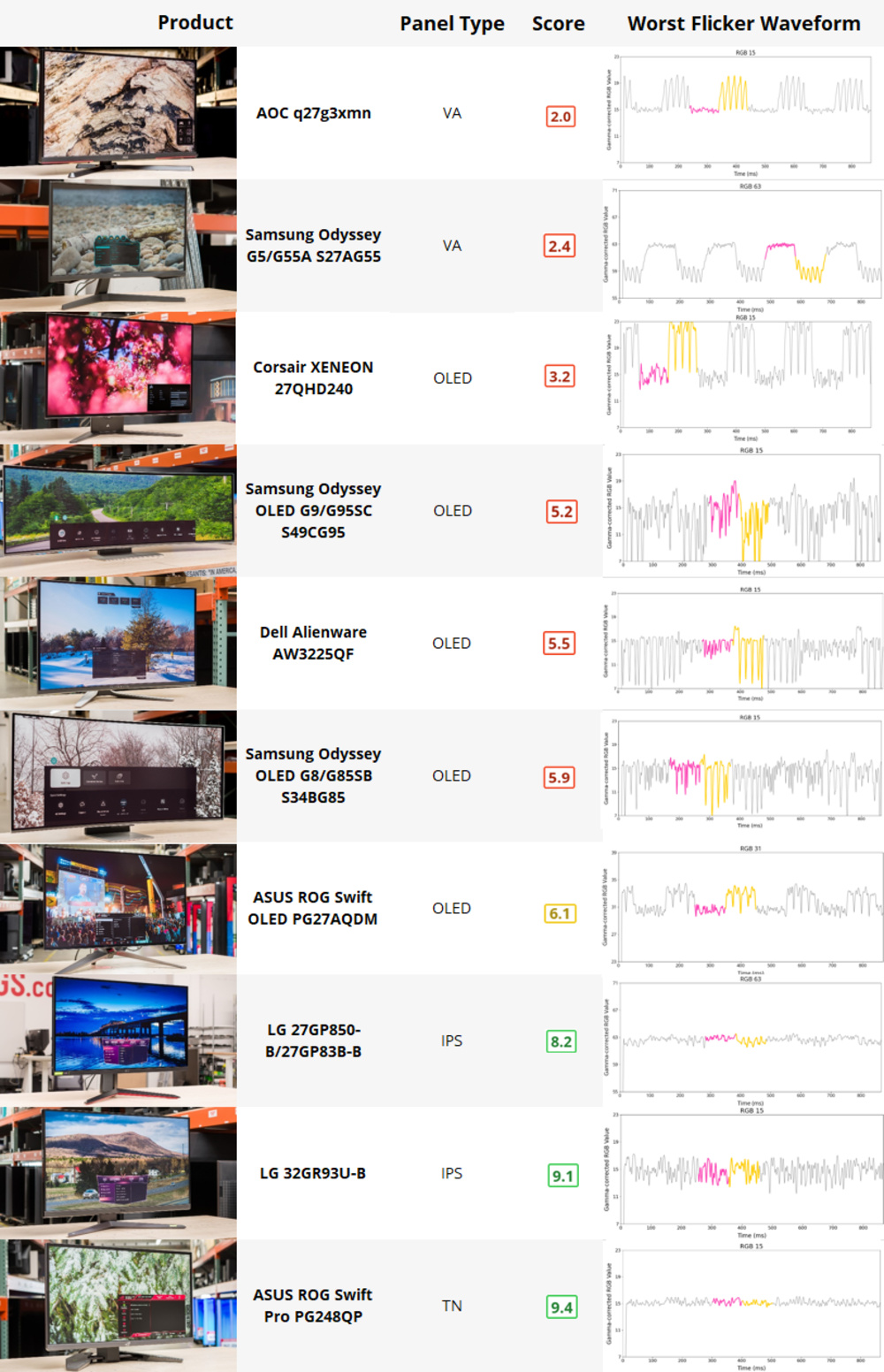
RTINGS.com
OLED flickering while gaming has been a known issue for several years now; any moment when a game experiences an unstable or erratic frame rate, owners of expensive OLEDs see periodic flashes or flicker.
in SH2 it's untenable due to how unstable the frametimes are
I have not experienced it to this level in any other game
gray parrot
neat kestrel
I found that that you should set max luminance to 100 nits less than your intend...
Man the game is already very far from its true peak brightness
gray parrot
Good luck trying to even get 600nits out of it
neat kestrel
but it makes it stand out when it does actually hit peak
reflections in water and the flashlight off glass will hit above real peak, even with peak set 100 nits lower
so idk how to fix that really. You'd have to set it way too low
gray parrot
Not at default hdr settings
neat kestrel
oh, yea, could be my mid luminance
neat kestrel
try the flashlight reflected off like a bathroom mirror
gray parrot
Must be th4 extra juice you guys are giving it
gray parrot
neat kestrel
try the flashlight reflected off like a bathroom mirror
Okay
neat kestrel
I also changed my settings. I'm not using Musa's settings anymore. I made my own
there's no way to get the tonemapper to match sdr lol
at least not at like 140 sdr
velvet gazelle
wet kelp
i'm assuming it's an energy pulsing/fluctuation issue with the way OLED works? i...
It happens on all display types. I think it's just more noticeable on OLED
velvet gazelle
tough scarab
like right now I am playing Control maxed out and the framerate is highly varia...
GPU frame drops normally appear as smooth slopes on a frame time graph. So you won't notice flicker from it.
wet kelp
tough scarab
https://www.rtings.com/monitor/learn/research/vrr-flicker
that makes sense. in U+ 2.0.1 i lowered the volumetric fog Z resolution (because it's never more than ~50m depth from you) which massively speeds up FPS and reduces drops (15-20% improvement). this seems to have stabilized frame times a lot
tough scarab
woke up in Silent Hill
 pallid lava
@crystal flame do you know if there's any way to move bloom after upscaling with dlss? Can this be done via renodx? I remember shortfuse did that for cp2077

I'm asking since it causes pretty nasty artifacts in this game
tough scarab

Nexus Mods :: Silent Hill 2 (2024)
MOD THAT BRINGS FG+UPSCALER FOR ALL DX12 GAMES FOR AMD/INTEL/NVIDIAYES, IT IS FOR OTHER GAMES
can anyone understand wtf this does
utterly incoherent instructions and explanation
quartz epoch
not seeing patch notes anywhere yet
 hazy thorn
quartz epoch
not seeing patch notes anywhere yet
hazy thorn
quartz epoch
not seeing patch notes anywhere yet
oh, just droipped?
quartz epoch
they've added an in-game toggle for FSR frame generation and implemented DLSS frame generation and there's a new scene occlusion setting in the advanced graphics tab that wasn't there previously
that's what I've noticed at a glance
 tough scarab
can't see shit
hazy thorn
quartz epoch
bruh
ffs
great, just ruined my setup now lmao. Unless those are just new defaults but nothing changed under the hood
quartz epoch

The latest patch for SILENTY HILL 2 is available to download now.
hazy thorn
yeah
hdr settings literally changed for me as well
except for max lum
cant test it now, hopefully doesnt screw up Ersh's work lol
FG is working perfectly so far
DLSS also updated to 3.7.00
not sure what preset is being used as I'm using RR anyway
There's now a shader compile step on launch
but seems to do it every single time you launch the game o_O
hybrid anvil
pallid lava
<@98455130633949184> do you know if there's any way to move bloom after upscalin...
That's a massive change. Can't.
Why is bloom before upscaling anyway?
Btw. Ersh HDR fix also include a patch for DLSS frame generation being fucked up in HDR (the usual fix we have).
It's highly likely that it's broken without it.
Could somebody test?
pallid lava
hybrid anvil
That's a massive change. Can't.
Why is bloom before upscaling anyway?
Dunno, ask Epic I guess
NV says that postfx should be done after upscaling
This is only an issue with dlss afiak
hazy thorn
hybrid anvil
Could somebody test?
I booted the game and saw nothing wrong. But only spent 2 mins on it
With Ersh’s addon running ofc
hybrid anvil
hazy thorn
With Ersh’s addon running ofc
yeah, try without if u can pls
hazy thorn
hybrid anvil
yeah, try without if u can pls
At work, will only be able to later on
In the meantime, if someone can figure out if the new HDR defaults + Ersh addon js still accurate would be appreciated!
hybrid anvil
hazy thorn
In the meantime, if someone can figure out if the new HDR defaults + Ersh addon ...
probably not, but you can always change it.
crystal flame
i didn't really tweak it for any settings
so it should still be fine
its just the ratio between shadow color offset and shadow contrast offset
yep dlss framegen is broken in hdr without the shader replacement
future predicted
hazy thorn
crystal flame
its just the ratio between shadow color offset and shadow contrast offset
Ok good to know but a bit pissed off they overrode the previous settings I had (which were ofc defaults)
People in the ultra+ discord claiming HAGS off boosts double the fps
More than 3 ppl with screenshots oO
neat kestrel
Just realized there's a patch?
Did they change anything with HDR?
Someone said they did?
crystal flame
bro scroll up 😛
neat kestrel
My fault. I was on mobile
And trying to catch up with like 3 Silent Hill channels, each with like 900 new messages since last night
looks like they just changed default HDR settings
gray parrot
My game runs great already, dont think I even need the latest patch
never use FG in any game anyways, cant compromise quality, im already solid at 55-60FPS on Quality
neat kestrel
yea i'm not gonna use FG
gray parrot
someone can test HDR but most likely they did not make it better
crystal flame
they just changed the settings. they didnt modify the hdr
the new settings are better probably, though
gray parrot
better?
crystal flame
its going into the direction musa did with his tweaks, and i guess so did i
crystal flame
gray parrot
better?
the defaults were way too dark in the prison
gray parrot
ah gotcha
Do you think they actually fixed HDR in that regard or just HDR settings
that place might still be too dark, im not there yet
neat kestrel
crystal flame
its going into the direction musa did with his tweaks, and i guess so did i
yea but how does the change in min luminance mix with your black fix mod