#✅RenoDX: Final Fantasy XIV
1 messages · Page 2 of 1
 ocean zealot
 frosty oasis
im using the renodx that was built in february on the wiki
 ocean zealot
You lost the update game 
frosty oasis

this is the weirdest part
the gate things are the ONLY thing going above that 300 nits
ocean zealot
UI shaders havent changed


 last bloom
I looked at it a bit
ocean zealot
ones in yellow and blue highlight are to be selected for UI group
last bloom
it seems if f2f6bde8 / 4076256744 is ignored it also has that dimming effect
frosty oasis
its better than "vanilla" which clamps to 203 nits but ugh
ocean zealot
Good ol' reinstall of everything?
frosty oasis
i can try that but i feel like since we dont even have dalamud, how more fresh of an install can this be
 frosty oasis
good ol "works on my machine" propaganda
 frosty oasis
 ocean zealot
So yh, sliders work and apply their settings but the game is still SDR
frosty oasis
the sliders all work for me except the black floor one
ocean zealot
Updated turned Reno into RTX HDR 
 ocean zealot
tonemapper is borked
ignore the banding, I went a little too aggressive with SKIV to reduce size lmao
Vanilla / None / DICE
what is up with discord
are AVIFs borked now?
ok I will just put it in words
tonemapper going from vanilla to none does nothing
goddamn is this game dodo looking without reno
I weep for our SDRFFXIV brothers and sisters
frosty oasis
sk hdr is an okay alternative but it was nothing compared to reno :(
 green zodiac
Any idea why i'm crashing when trying to use rest?
 ocean zealot
im not using SK for FF
I figured with reno and REST it would have problems
unless the whole thing works together
green zodiac
Was working well with just SK loading reshade and renodx, but adding in rest looks like a no go. I'll try without SK.
With XIVLauncher on top 🙂
Yeah, works fine without SK. Just had to add DLSSTweaks to the mix and will have to use ingame FPS cap and whatnot.
Now to see XIV in its SDR glory again...
 pastel magnet
Sorry, i was busy with work, will take a look on what broke.
 tawdry maple
nooooo the game is sdr no i'm gonna diiiieeee
pastel magnet
fixed, will push changes soon
 frosty oasis
Black floor fix slider works too?
pastel magnet
yes
I'm going to send a test build, i'd love to get some testing on this before i push it.
tawdry maple
i will switch to it and to the raids with it right after this cutscene
thank you so much o7
gonna report back on how well it works
ah i assume it requires reshade 6.4?
it does
 spring copper
Pog
tawdry maple
lookin mighty good in solution 9 and cutscenes as always
gonna report back after doing the first raid
green zodiac
Looks good.
 ocean zealot
King
tawdry maple
worked beautifully inside the raid too
tawdry maple
thank you so much for updating so quickly, doing the raid tier with renodx was so so so nice
 hollow cloud
I'm curious, what do y'all use REST for? I've seen it mentioned quite a bit rofl.
 winged nexus
to avoid having various reshade effects apply on the ui
winged nexus
ocean zealot
UI shaders havent changed
for example forge is using it to avoid having film grain apply onto the ui
 stone hearth
it can also provide motion vectors and normal maps to shaders
hollow cloud
winged nexus
for example forge is using it to avoid having film grain apply onto the ui
Ah, I thought it was more than just UI. I've seen people use it to disable effects they DONT like in games but wasnt sure if it would be beneficial to say, HDR.
hollow cloud
stone hearth
it can also provide motion vectors and normal maps to shaders
Unless Reno relied on this, or maybe optiscaler relied on it.
pastel magnet
neither OptiScaler or RenoDX need REST
spring copper
Rest is broken AF on dx12 very sad
stone hearth
no reno doesn't benefit
pastel magnet
it's some very specific shaders that take advantage of REST, things like TAA shaders or screen space ambient occlusion
spring copper
I mean basically any AA shader is helped by rest
Otherwise they affect the ui and it's p goofy
pastel magnet
talking more about the motion vectors part
spring copper
Fair
tawdry maple
I don’t see any need for AA shaders when DLSS 4 is doing as good a job as it is
But I do wish it were artifacting less
last bloom
Speaking of REST, the dimming issue I had yesterday only appeared when I used REST along with certain shaders (like lilium's hdr cas). I disabled REST for now, as it's really not the end of the world for the UI to be slightly sharpened as well.
And with that Reno's now working perfectly as well
ocean zealot
tawdry maple
I don’t see any need for AA shaders when DLSS 4 is doing as good a job as it is
I've watched videos that include pre 7.0 footage and I can't
The amount of shimmering and z-fighting is eye cancer
I don't know how I played the game back in the day on a 1080p display
ocean zealot
hollow cloud
Ah, I thought it was more than just UI. I've seen people use it to disable effe...
I use it to apply xeGTAO before UI, effects, fog, water and other volumetrics
And to apply HDRbloom before UI and some shaders
 dense ivy
new update looks amazing thanks
frosty oasis
new update works for me ty!
tawdry maple
i've been wondering; the mod has a slider to set the bloom radius. even turned all the way down to 0, there still seems to be bloom with a small radius. it's not possible to disable bloom entirely with renodx, is it? if no, can y'all recommend another way to do it?
i feel bloom is redundant with hdr
 sand juniper
Doesn't the game become hard to see with hdr effect in fights ? 
asking for a friend
tawdry maple
it does strain your eyes more, yeah. i started using the mod while still doing savage and my eyes were definitely more strained after the sessions
boss attacks tend to be super bright
was still worth it for me
but i never felt anything was harder to see in the moment, no
Luckily you can set three different presets in renodx, so you could set up a second preset with a smaller brightness range
 languid wave
that ain't luck 
hollow knight is like that too. i was ready to blame the hdr pop, but turns out i'm just bad at the game.
pastel magnet
I raid with this mod on and so does a bunch of people that i know, and while yes, boss VFX does get bright, it's not to the point where it hurts visibility imo.
regardless, if you think that it's too much, you can always use another preset when raiding yeah.
 languid wave
DICE also has the brightest highlights of all the tonemappers
green zodiac
I've used RTX HDR before, reno highlights seem quite a bit brighter, but i doubt its going to hurt more than party finder wipes.
dense ivy
i think it helps me see better
winged nexus
tawdry maple
it does strain your eyes more, yeah. i started using the mod while still doing s...
what display do you have
winged nexus
green zodiac
I've used RTX HDR before, reno highlights seem quite a bit brighter, but i doubt...
imo high average luminance is what causes pain
tawdry maple
winged nexus
what display do you have
lg 38wn95c
Dogshit contrast but brightness and colour volume are pretty decent
The thing does up to 700 nits full screen and that shit be bright when the boss blasts huge lasers
green zodiac
New Extreme Bloom 1 and 2 mech visibility is so ass...
green zodiac
winged nexus
imo high average luminance is what causes pain
That new Extreme is certainly very bright full frame. I've bumped the Blowout up to 65, will see how it goes today, everything seemed a bit too saturated with defaults.
winged nexus
tawdry maple
The thing does up to 700 nits full screen and that shit be bright when the boss ...
yea on oled its less painful
because abl kicks in
 hidden thorn
Never thought we'd be appreciating ABL 🙃
green zodiac
I think i've settled for this, not vomiting rainbow after new Extreme anymore and still looks good, but that's just me being used to a bit more grounded look. And yeah, good old LG C9 with only 800 nits and ABL, so i'm not strained by brightness.
 tawdry maple
interesting, i've set everything to 50 basically
and wouldn't dare move exposure from the default
green zodiac
I might try Shadows instead of Exposure, this just seemed like a better contrast and dark visibility and less oversaturation to me.
tawdry maple
Now that you mention it, dark visibility is pretty bad on my screen
But i assumed that was due to my screen’s abysmal contrast
languid wave
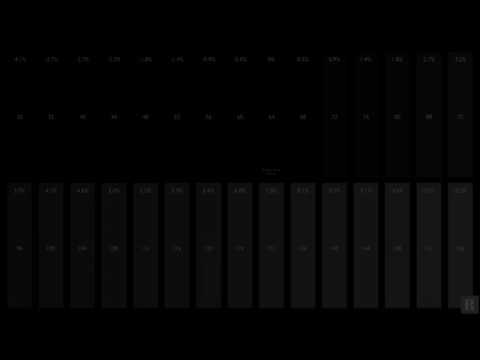
playlist: https://www.youtube.com/playlist?list=PLNtyx1Z3xGr4mfR8I_Ll2GH0mXmgHDNKG
UHD 4K HDR 10 Black Clipping from the Diversified video solutions website. A great test pattern for 4k uhd hdr 10 t.v. calibration
General
ID : 1
Complete name : C:\Users\steph\Videos\DVS_UHD_HDR10_...
hidden thorn
How are you guys setting up Special K + ReShade + RenoDX? I can get the first two working together but I can't seem to get RenoDX working.
tawdry maple
languid wave
https://youtu.be/fAhxR-gMU_U?si=IUzxIFWwE0G3Echo
hahahahaha yeah no wonder i can barely see any detail in dark scenes
anything below 10% is clipped on this screen
languid wave
tawdry maple
anything below 10% is clipped on this screen
big oof
green zodiac
hidden thorn
How are you guys setting up Special K + ReShade + RenoDX? I can get the first tw...
I just installed reshade with addons support, renamed dxgi.dll (iirc) it installs into game/ to ReShade64.dll, put renodx to reshade addons folder, then copied specialk64 dll to game/ and renamed it to dxgi.dll. On first launch configure specialk through ui to load reshade as a plugin, though my Lilium HDR analysis shader is broken probably due to that, and then at most on next launch you might need to specify addon folder in reshade ui.
hidden thorn
Ah, I hadn't tried putting renodx into the reshade addons folder. Silly me, I was trying to load it thorugh specialk. I'm gonna try that.
hidden thorn
I just can't get this to work. After following your steps, the game crashes every time I try to open the Special K UI.
tawdry maple
what would one use special k for in ffxiv? i've not used it since playing nier:automata in like... 2017/2018 so i'm prob way outdated on what it can do
hidden thorn
Though, maybe it's because I'm using Dalamud.
hidden thorn
Oh! I think I finally got it all working by increasing Dalamud's injection delay.
 green zodiac
tawdry maple
what would one use special k for in ffxiv? i've not used it since playing nier:a...
green zodiac
tawdry maple
what would one use special k for in ffxiv? i've not used it since playing nier:a...
I'm just swapping DLSS, capping FPS and doing various other small stuff, thing is mighty convenient and not bothering me. Couldnt get REST to work, but i'm not using anything other than reno, so it doesnt bother me.
hidden thorn
No crashes yet, even when opening Special K's UI.
green zodiac
green zodiac
I'm just swapping DLSS, capping FPS and doing various other small stuff, thing i...
Also other games may benefit more, and global specialk install with reshade is clean and convenient. And tonemapped PNG screenshots superior to snipping tool, though I think reshade can do that too.
ocean zealot
 tawdry maple
ooh have fun!!
a friend of mine is there and she's sitting right in front of ben starr 
alphinaud's va is also there
tawdry maple
tawdry maple
a friend of mine is there and she's sitting right in front of ben starr <:lul:29...
and soken
languid wave
you better not be listening in SDR!

 stone mango
Is there any way to use colorblind filters with RenoDX?
languid wave
stone mango
Is there any way to use colorblind filters with RenoDX?
do you normally use a Reshade for colorblind filters?
stone mango
languid wave
do you normally use a Reshade for colorblind filters?
Not yet, but I'm looking into it at the moment
stone mango
okay I've found the colorblind filter shader, thank you for the point in the right direction 🙏
green zodiac
green zodiac
I just installed reshade with addons support, renamed dxgi.dll (iirc) it install...
Tidied up, you only need to either drop ReShade64.dll into game/, or load it through SK UI as a plugin, not both.
Still need to inject SK as dxgi.dll localy though, or at least I haven't found other way with XIVLauncher on top.
tawdry maple
how is the black floor offset applied? is it per-zone? it seems to have no effect in some areas, but does in others. why's that?
ocean zealot


 RenoDX, some REST and all the 7.0 upgrades does wonders for this game
I tried to emulate FFXVI's bloom as best as I could
Wondering how I should split the donation? 50/50 to Ersh/Maple?
Ersh made the initial and Maple is currently supporting updates?
Im 260hrs into my alt and just about finishing up on SB post content. The amount of raids and side content I missed out on my first playthrough because I just powered through MSQ alone. Reno and all have elevated my experience stupendously
pastel magnet
Just donate to Ersh, he did most of the work.
 nocturne zealot
when using renodx for ffxiv my screen looks very dim

it only starts looking okay when i push the game brightness all the way to 500, am i doing something wrong here or?
tawdry maple
sounds like your display might be doing tone mapping
nocturne zealot
i've set it to HGIG, i think it's the correct one to use?
 vestal knoll
ocean zealot
vestal knoll
ocean zealot
Could I trouble you for the order and installation for this specific look? Looks stunning.
ocean zealot
Got back home, going to install a 5090 into my build then I can send over the reshade
Pretty much reshade + REST then the preset which I've been working on, consists of
Voosh's D93 shader
Two bloom shaders
FFXIV's xeGTAO shader
Lilum's grain and CAS
Perf cost is around 1.5ms at 4K and the whole thing is HDR compatible (no ITM via snoop's shader to utilise SDR shaders)
ocean zealot
Edited for 7.3
-
https://github.com/4lex4nder/ReshadeEffectShaderToggler-FFXIV
but replace REST.ini with my versionuse this for 7.3 REST ini #1278435249025581066 message -
I'm using Shortfuse's custom reshade #🧩renodx-dev message
-
Preset requires the following additional shaders
- MaxG2D/ReshadeSimpleHDRShaders
- PotatoFX
- Lilium's Shaders
- REST / preset.inis get dropped in game's directory, FTCS.fx gets added to reshade-shaders/Shaders
Options
I use FTCS.fx for D93 (personal preference) might be too blue for you but I would give it a go
Bloom is being handled first by HDRBloom then by a separate bloom setup in pCamera. You can tweak settings there.
PCamera also adds subtle CA, you'll find it under Lens Imperfections - CA amount
UPDATED PRESET HERE for 7.3 - #1278435249025581066 message

GitHub
FFXIV specific ReshadeEffectShaderToggler configuration - 4lex4nder/ReshadeEffectShaderToggler-FFXIV
Alexander mentions that REST requires DLAA or same resolution as monitor ratio as otherwise depth based shaders will have borked rendering. It doesnt happen on my end using DLSS Q 4K with the current preset setup. However, if you do add certain depth based effects like DOF, it will render to DLSS res not native
E.g that effect will be cornered on your screen
languid wave
autohdr?
languid wave
is the game free to play? there's a couple of things that can be updated
ocean zealot
There is an unlimited free trial that goes up to Stormblood expansion
Game has paid latest expansion + sub otherwise
Wouldn't mind a D93 native shader to free up having to use FourTwentyColorSpace.fx
frosty oasis
languid wave
is the game free to play? there's a couple of things that can be updated

 ocean zealot
Free trial so good it scared ShortFuse into never replying back
He is completely flabbergasted
languid wave
brain broke
i have a ffxiv character, even made a dual shock controller mod for the game
so using the dualshock controller on PC would make the trackpad a mouse, just like playing on the PS4, at the time


11 years ago
ocean zealot
Damn, my first experience with the game was the beta for PS4
But I never played the game properly until 2020
 south swallow
 heavy thicket
@ocean zealot I'm trying out the config you posted and getting this: 12:13:59:412 [177628] | ERROR | Failed to compile 'C:\FFXIV\game\reshade-shaders\Shaders\lilium__hdr_and_sdr_analysis.fx' permutation: error: effect permutation defines different uniform variables (ABOVE_NITS_AS_BLACK, ACTIVE_AREA_CROP_BOTTOM, ACTIVE_AREA_CROP_LEFT, ACTIVE_AREA_CROP_RIGHT, ACTIVE_AREA_CROP_TOP, ACTIVE_AREA_ENABLE, BELOW_NITS_AS_BLACK, CIE_DIAGRAM_ALPHA, CIE_DIAGRAM_BRIGHTNESS, CIE_DIAGRAM_SIZE, CIE_DIAGRAM_TYPE, CIE_SHOW_GAMUT_BT709_OUTLINE, CIE_SHOW_GAMUT_OUTLINE_BT2020, CIE_SHOW_GAMUT_OUTLINE_DCI_P3, CIE_SHOW_GAMUT_POINTERS_OUTLINE, DRAW_ABOVE_NITS_AS_BLACK, DRAW_BELOW_NITS_AS_BLACK, ERROR_MESSAGE, FRAMETIME, HEATMAP_BRIGHTNESS, HEATMAP_CUTOFF_POINT, HIGHLIGHT_NIT_RANGE, HIGHLIGHT_NIT_RANGE_BRIGHTNESS, HIGHLIGHT_NIT_RANGE_END_POINT, HIGHLIGHT_NIT_RANGE_START_POINT, MOUSE_POSITION, NIT_PINGPONG0, NIT_PINGPONG1, NIT_PINGPONG2, SHOW_CIE, SHOW_CROSSHAIR_ON_CIE_DIAGRAM, SHOW_GAMUTS, SHOW_GAMUT_FROM_CURSOR, SHOW_GAMUT_MAP, SHOW_HEATMAP, SHOW_NITS_FROM_CURSOR, SHOW_NITS_VALUES, SHOW_RGB_OR_CLL, SHOW_WAVEFORM, TEXT_BG_ALPHA, TEXT_BRIGHTNESS, TEXT_POSITION, TEXT_SIZE, VALUES_UPDATE_RATE, WAVEFORM_ALPHA, WAVEFORM_BRIGHTNESS, WAVEFORM_CUTOFF_POINT, WAVEFORM_MODE, WAVEFORM_SHOW_MAX_NITS_LINE, WAVEFORM_SHOW_MIN_NITS_LINE, WAVEFORM_SIZE, WAVEFORM_TEXT_SIZE_ADJUST)
 twilit valve
heavy thicket
<@377729668448780288> I'm trying out the config you posted and getting this: ``...
twilit valve
heavy thicket
<@377729668448780288> I'm trying out the config you posted and getting this: ``...
Need to use ReShade 6.3.X to avoid that error for now
heavy thicket
technical discords are so wild. i post an error message and the person who actually made it responds in like 2 minutes. i dont think ill ever get used to that
thanks
ocean zealot
You should see SK
Someone will post an issue with x game
Kal 5 mins later has a .DLL with 50 fixes 
heavy thicket
this may be a dumb question, but where can i find old builds of reshade with addon support? the only 6.3.3 i can find refuses to load renodx because it has "limited support for addons"
i usually just spend hours digging through reddit and discord because i dont want to bother anyone 😄
ocean zealot
Do you specifically need HDR analysis? I'm only using Liliums CAS and grain for the preset
And those should work
With ShortFuse custom
heavy thicket
i have no idea, i was just following the directions in your post. i posted the error message and lilium told me i needed to downgrade so that is where i am now
i know very little about reshade, i just know i logged in for the first time since 7.2 dropped and it looked rough, so i came here
by rough i mean my old settings clearly weren't working with the new patch
ocean zealot
Right, that issue is only with HDR analysis shader
And you won't need it
The shader just fails to compile and you can't use it but all the other Liliums shaders will work
Someone might not want the CAS or grain shader anyways in which case you can just disable it
So long as the other shaders I mentioned for the preset compile and work
heavy thicket
ok cool, so it errored out but you weren't using it anyway so it doesnt matter, got it
thank you for the help!
ocean zealot
No problem
last bloom
Just to confirm.. is the look in the shadowed areas here normal? It looks weirdly.. "blotchy"(?) to me, can't really explain. Like as if there was a minimum brightness above 0 and then AO was filling in some darker bits?

Or maybe it's a gamma thing? Should I be using the sdr-in-hdr gamma fix with reno? I assumed not, so I'm not currently using it.
ocean zealot
in game gamma should be set to 50 otherwise reno will break, im not using any sort of other gamma shaders on my end
as for the shadowed areas, im not to sure what im supposed to be looking at. Appears to look like vanilla to me
ocean zealot
shadowmaps can be low res in this game
you will have scenes where the shadows are blocky
bettershadows plugin recently got updated to allow +4096 shadowmap res but It has issues with shadow flickering in dungeons
heavy thicket
first impressions: i really like your settings so far, i did have to turn the bloom way down though.
ocean zealot
I luv me bloooooomm
heavy thicket
i can tell! not for me unfortunately
ocean zealot
I was going for FFXVI look and just eyeballing it. That's what I used as a reference
last bloom
okay, so I've discovered something
that image above looks perfectly fine on my LG B8
but not on my monitor, which is an XG27AQDMG
there's something weird going on with the grays on it
I noticed something similar in AC Shadows


see how blocky the left one is?
like it was ran through a posterization filter
pardon the poor phone photos
last bloom
it should be 10bit with DSC, let me double check..
yeah

looks like I'm not the only one: https://www.reddit.com/r/OLED_Gaming/comments/1h2szjh/asus_glossy_woled_xg27aqdmg_huge_issue/
Reddit
Explore this post and more from the OLED_Gaming community
might just be an issue with this monitor in general
fun times 😛
thanks for the help troubleshooting all
green zodiac
@ocean zealot this cant be right, i think i broke something 🙂
 ocean zealot
yep it is borked
weird, it shouldnt be happeneing with my posted REST.ini
unless the shaders are different for UI on your end 🤔
What happens is that HDRBloom really likes to BLOOOM out the entire screen if it is applied as is by default. Only by me targeting the shader to apply before game's UI does it look way better and manageable
Could you send a vid or some pics of your REST config via reshade menu?
green zodiac
Used your .ini, going through all of them would be a pain, dont bother.
Must be some problem with REST and Special K, i had crashes when i've tried using REST like that before, now it works... to some degree.
ocean zealot
Oh yh
green zodiac
I'll try without Special K later just to confirm.
ocean zealot
SK and REST don't work together
green zodiac
Oi, PF full, time to get killed by Yan.
ocean zealot
Yh, the preset needs REST as a hard requirement to render GTAO before UI and to stop bloom from being mega blown out


If I disable UI group, the bloom will mess up
pastel magnet
green zodiac
Oi, PF full, time to get killed by Yan.
 green zodiac
I'll just stick to Reno and some CAS and Filmgrain, these are fine without REST. Don't like straying too far from the original anyway and i like Special K clean install and stuff.
green zodiac
No job adjustments and no M6S nerfs - sad day, I doubt people in PF will get better at such joggle, going to give it a month or so and quit i guess.
I've been raiding since 2.0 and never felt so gatekept (well, I did skip most of HW and SB raids, but cleared everything in ARR, ShB and EW).
hollow cloud
green zodiac
No job adjustments and no M6S nerfs - sad day, I doubt people in PF will get bet...
Cleavemax 
green zodiac
That's the only strat PF uses, but it's still an unsurmountable wall for 90% of parties 🙂
hollow cloud
Yea no I feel that haha
green zodiac
But somehow me and my friend found a group that had 3 people who already cleared and we're finaly out of that hell.
 hollow cloud
Unfortunately my group started the grind this week haha, I can see how adds can be a problem for PF. But everything's a problem for PF haha
 amber fern
juust installed this mod for the first time. is there any way to fix the dalamud UI stuff from being very dull and washed out? discord search is useless for finding out a fix
dense ivy
amber fern
juust installed this mod for the first time. is there any way to fix the dalamud...
https://www.nexusmods.com/finalfantasy14/mods/2326 has instructions here

Nexus Mods :: Final Fantasy XIV
Rewrite of the graphics pipeline to add native HDR output. NOT A RESHADE PRESET.
 bright basalt
I downloaded it today and I'm currently using the default values. Everything looks pretty... underwhelming. Doesn't feel like anything gets particularly bright. The only changes I noticeably see are from saturation and shadow tweaks, stuff like that
Turning game brightness up makes it look more like what I expect, but then the sky is blown out like crazy
It's honestly so subtle that it hardly feels like HDR so much as a subtle shader
 flat laurel
 flat laurel
riperoni
bright basalt
Didn't realize there was a discord where I could get help
flat laurel
nah dont delete
better to post an edit saying what you changed
for other users thinking the same thing
bright basalt
sure I'll do that
languid wave
bright basalt
It's honestly so subtle that it hardly feels like HDR so much as a subtle shader
HDR is not more saturation and more contrast. HDR is increasing the output limits from ~200 nits upto 10000.
flat laurel
ya
any other changes are personal preference
we usually keep default settings similar to how it originally looked
languid wave
You can add more contrast and saturation to SDR as well.
flat laurel
and let users change things as they see fit
bright basalt
I only got my monitor last week, and I've tried a few games. Native Halo Infinite, Reno for Oblivion, RTX HDR something I forget, and they all had the trend of making sunlight really feel like bright sunlight
flat laurel
I gotta start adding recommended settings for more of my mods
bright basalt
But in XIV it still feels dim across the board, aside from glowing plants
So idk what would be best to achieve that
sunlit-terrain, I should say
languid wave
Both Cyberpunk and Oblivion have contrasty filmic looks. (Cyberpunk more)
This is still, ultimately a PS3 era game, so it's pretty tame.
You can ramp contrast and saturation to probably get the look you're looking for
And, assuming you have a pretty decent peak nits display, it will get brighter without clipping, something you can't* do with SDR's limits
bright basalt
Interesting. I just kind of assumed HDR = sunlit stuff will be poppingly bright
I'm only using TB400, but I like the effect
I'll try out the contrast slider later tonight
languid wave
bright basalt
Interesting. I just kind of assumed HDR = sunlit stuff will be poppingly bright
unfortunately a lot of games don't have realistic brightness for suns. they're notoriously weak because they don't actually emit real light on the environment. suns can be like 400 nits and then a light in the 1000s, it makes no sense. that's more on how the game is designed. they were never intended to be seen outside of SDR
bright basalt
Ahh, I gotcha. Big misunderstanding on my part
languid wave
we've had to mod games before to fix suns specifically. it's a common problem actually. not sure that's something that can be done in this game. i do plan on updating the mod in a few weeks
bright basalt
I didn't even consider that'd have to be fixed manually sometimes
 ocean zealot
bright basalt
It's honestly so subtle that it hardly feels like HDR so much as a subtle shader
ocean zealot
bright basalt
It's honestly so subtle that it hardly feels like HDR so much as a subtle shader
Depends on what content and scenes you are viewing. Go to any Allagan location, gold saucer, just about any dungeon
The vanilla SDR clip is  There are details that I thought the game never had that now reveal themselves with Reno
azys lla has hexagonal forcefields that I didnt know had actual depth and multiple colours inside
with SDR its just a solid single colour
flat laurel
ocean zealot
Depends on what content and scenes you are viewing. Go to any Allagan location, ...
stealing that emoji

ocean zealot
Its too funny to use
Just about any relic weapon reveals all sorts of patterns and colours that you cant see with SDR clamping everything
pastel magnet
One thing to keep in mind is that the default settings aim for a vanilla+ look, and this game was not made with a contasty-filmic look, in fact, this game by default doesn't even have a tonemapper and just did saturate() on the final image.
If you are coming from a reshade preset that significantly altered the look of the game, you are not going to get that from renodx out of the box.
green zodiac
If anything, the default felt oversaturated to me, coming from SDR, then PS5 auto HDR, then RTX HDR. Settled on dropping everything aside from Contrast to 50 and feels the way it should and highlights definitely pop.
bright basalt
pastel magnet
Your sun looks drastically different from mine. Weird. Starting to wonder if my windows hdr profile is somehow messed up
pastel magnet
What is your in-game gamma correction setting set to?
green zodiac
That's weird but Reno works only with 50.
Try setting to 50 with bare game and then switching Reshade back?
I don't know what could possibly make the game skip 50 though.
green zodiac
Try going from 0 🙂 Worst case can try editing system config file, maybe it's plain.
 bright basalt
does it being 49 really stop it from properly working, though?
 pastel magnet
bright basalt
does it being 49 really stop it from properly working, though?
pastel magnet
bright basalt
does it being 49 really stop it from properly working, though?
it does
it's stupid
I don't know why but there is a shader that isn't getting properly replaced by renodx and i didn't have the time to debug it
it needs to be exactly at 50 or else it applies gamma correction and breaks HDR
pastel magnet
well it is written on the nexus page that you need gamma correction to be at 50
bright basalt
yeaaah but I figured that was just a ballpark figure, not a "it must be this exact number or it breaks" thing
ocean zealot
bright basalt
does it being 49 really stop it from properly working, though?
 so this whole time Reno wasn't working as expected
Rip but now you've fixed it
 craggy nexus
so I'm new to this stuff, and I'm on hdr 400 true black but I have to set it to 900 peak brightness before the game starts looking right... is this the correct/intended solution or am I being dumb?
 spare mango
Just trying this out for the first time now. It says some values are tweaked from the defaults, so what are the defaults? I'd like to see for myself and see what I prefer.
craggy nexus
craggy nexus
so I'm new to this stuff, and I'm on hdr 400 true black but I have to set it to ...
i think i had game brightness too high, turning it down to default made 400 look correct
 green zodiac
I just got a G5 and not sure this is healthy for my dark room 😂 Peak 1960, game 340, coming from 780/172.
 tawdry maple
Why game at 340?
green zodiac
ITU mid-gray for 2000 peak is 343.
languid wave
probably fine at 300 tbh, but your eyes adapt regardless
green zodiac
Yeah, certainly will take some time getting used to or adjusting, either by sliders, or maybe by turning down OLED pixel brightness on TV.
winged nexus
or you could keep it at 172
green zodiac
Maybe, i'll see how it goes next time i boot it up and get stuck waiting for PF. 1960/172 would make for some crazy range probably.
Its definitely not a universal issue, like have been said before - game is old, i guess.
Here is CO with 1960/340:
 twilit valve
I would keep it at 100 🙂
green zodiac
twilit valve
I would keep it at 100 🙂
You know what, i always followed 780/172 before, but now i'll think i'll try default 203 or maybe even 100 indeed...
Even in CO 1960 and 203 or 100 looks good to me, will have to run around more, but for my dark room 300+ is kinda crazy bright.
flat laurel
300 paper white is insanely bright
Only makes sense if you’re playing in a brightly lit room
A lot of people use the shit ass ABL modes on the OLED monitors
So I guess 300 makes sense in that context
green zodiac
twilit valve
I would keep it at 100 🙂
Feels so good... I think I'm sticking with that from now on.
green zodiac
flat laurel
So I guess 300 makes sense in that context
I'd imagine it would make a lot more sense in a bright room, but i love my blackout curtains.
flat laurel
I usually find 100 good for a dark room
tawdry maple
green zodiac
ITU mid-gray for 2000 peak is 343.
I thought the formula caps out at 203, and is only applicable to screens that do not get particularly bright
green zodiac

But hell no, running 100 now, so easy on the eyes, in more ways than one.
I doubt +.1 gamma is going to make a big difference, but haven't tried it.
twilit valve
tawdry maple
I thought the formula caps out at 203, and is only applicable to screens that do...
It has no upper cap.
the more I think about how the number is derived, the more I dislike it
tawdry maple
Interesting, I’m running my games at 203 and 1480 for my G4, and I don’t feel like the 203 should go any higher than that
spare mango
What are the differences between the Tone Mapper settings, Vanilla, None, and DICE?
I am pretty new to all this, so sorry if that's a nebulous question.
winged nexus
Vanilla just clamps(how it looks in sdr)
None is unclamped without any tonemapping
so the game will get as bright as it can
dice is a tonemapper
display mapper*
spare mango
Hmm, alright. And tone mapping/display mapping is what in this context? Is it further manual tweaks to get brightness levels looking as they should? I assume it's totally seperate from color grading.
 rugged terrace
Any recommended presets for FFXIV that are compatible with RenoDX?
green zodiac
ocean zealot
**Edited for 7.3**
1. https://github.com/4lex4nder/ReshadeEffectShaderToggler-F...
Can try this.
I myself use just Lilium RCAS and Filmgrain.
ocean zealot
ocean zealot
^
Screenshots here
 nova tangle
Other than UI Brightness, dragging the other sliders has no effect. What might be causing this, and what should I do to fix it?
green zodiac
System Configuration - Display gamma must be 50, or Reshade not in Compatibility mode if loaded through SK.
hollow cloud
Just gonna say, if you're having trouble with vibrancy of the game, before you rely on reshade, or a saturation slider, try Gamut expansion.
Gamut expansion is a lot more subtle because it doesn't have the same overreaching effect on things like skin tones, but colors and details you'd expect more saturation on look vibrant and pleasing to the eyes.
 faint oracle
Is it recommended to use the version from the nexus page or the snapShot from https://github.com/clshortfuse/renodx/wiki/Mods ?

GitHub
Renovation Engine for DirectX Games. Contribute to clshortfuse/renodx development by creating an account on GitHub.
ocean zealot
faint oracle
Is it recommended to use the version from the nexus page or the snapShot from ht...
generally, updating to Nexus is a chore so Github updates are more frequent and up to date
Nexus version for instance doesnt work with Reshade +6.5, where as the snapshot from April does
 steel owl
Just reformatted my PC and have a fresh FF14/Reshade/RenoDX install and my game is super oversaturated, even when RenoDX is set to "Off" in its settings.
No other shaders running in Reshade.
Ah, nvm, just saw the bit about needing the Github snapshot for 6.5+
ocean zealot
That and make sure in game gamma is set to 50
languid wave
ocean zealot

 novel kelp
Does this work with GShade??
novel kelp
It has an Add-Ons tab. Yes
I got Reno to go into it. But the sliders don't appear to work correctly.
pastel magnet
is your gamma correction set to exactly 50?
novel kelp
yes
pastel magnet
and note that most shaders don't support rendering in HDR and won't work.
novel kelp
The UI slider is the only one that does anything and it changes the brightness of the whole game.
I made sure that the game is running in windowed mode.
novel kelp
That is fine.
Was just more wondering.
I'll try to switch over to ReShade tomorrow. Too late now. ^^
stone hearth
pastel magnet
is your gamma correction set to exactly 50?
maybe it's been asked before but I'm curious, why not disable the gamma slider?
 novel kelp
ocean zealot
**Maple disabled the gamma slider**
novel kelp
ocean zealot
**Maple disabled the gamma slider**
He makes the same face when you ask them to add HDR to the game too.
ocean zealot
They did it for FF16
And it's good
No excuses
But the current bloom shader needs a rewrite
It is soo bad
 fossil crypt
stone hearth
maybe it's been asked before but I'm curious, why not disable the gamma slider?
fossil crypt
stone hearth
maybe it's been asked before but I'm curious, why not disable the gamma slider?
idk why but i replaced the shader and it worked for me, the slider would be properly ignored, but not for maple
i suspect something is weird about it
maybe it works different after you tweak it ingame vs after game restart or something
novel kelp
I switched to ReShade and RenoDX still isn't working right.
Latest ReShade version
Latest Mod build from Github
Nevermind.... had to be in Windowed. Not Borderless Window.....
novel kelp
Are there any shaders that work with RenoDX that people suggest?
ocean zealot
REST and xeGTAO work
I have a preset that I made that I linked here
Reworked it recently so the settings are more subtle, less bloom, less CA, xeGTAO is more tasteful but I haven't uploaded it yet
#1278435249025581066 message
#1278435249025581066 message
Really though, we need ShortFuse to rework all the internal shaders
And redo the grading
Vanilla bloom is ass
And add some nice GI
novel kelp
What do you need REST for? Isn't it just so you can toggle shaders on and off?
ocean zealot
REST is used to render Reshade effects before in game shaders
Otherwise if you use xeGTAO, GI and so on it will render on top
Causing fog bleeding
Or rendering on top of UI
novel kelp
Oh, interesting. So it does more than just the shader toggle feature then. Didn't know that.
languid wave
that's like a renodx one-liner in code
ocean zealot
languid wave
that's like a renodx one-liner in code
In regards to? Being able to use Reno to do RESTs job?
languid wave
ocean zealot
In regards to? Being able to use Reno to do RESTs job?
yes
what's the shader you're targetting with REST?
iirc, the hashes are crc32, so they match renodx hashes
stone hearth
I think you need to convert to hex iirc but yeah it's the same otherwise
ocean zealot
I'll need to check at home
 proper jewel
Isn't FFXIV REST config more complicated than that though? As far as I know it's not just about shader target, but also pulling some data from the game (to be re-used by ReShade.fx).
stone hearth
languid wave
that's like a renodx one-liner in code
what is this one line, hypothetically 👀
ocean zealot
proper jewel
Isn't FFXIV REST config more complicated than that though? As far as I know it's...
Alex did do more I believe, since xeGTAO work with Reno
But his xeGTAO fork isnt HDR10 compatible?
languid wave
more like 5
auto* data = renodx::utils::data::Get<renodx::utils::swapchain::DeviceData>(cmd_list->get_device());
if (data == nullptr) return true;
const std::shared_lock lock(data->mutex);
for (auto* runtime : data->effect_runtimes) {
  runtime->render_effects(cmd_list, rtv0, rtv0);
}
assuming it's the rtv
it's OnCustomGammaDrawn in oblivion remastered
ocean zealot
He's also doing some additional xeGTAO pass for decals
languid wave
oblivion remastered also has an optional r11g11b10f=>rgba16f main render upgrade option, so it's not just that in that function
proper jewel
ocean zealot
Alex did do more I believe, since xeGTAO work with Reno
Yea I think he pulls and uses normals and stuff from the game. Also some special stuff with decals & water maybe?
languid wave
xeGTAO should be done when the game does AO, which is usually not on the render itself, but like a black and white version
ocean zealot
He hasn't updated that for 7.2 yet
languid wave
(integer).toString(16) in your browser
stone hearth
languid wave
more like 5
```cpp
auto* data = renodx::utils::data::Get<renodx::utils::swapchai...
so this would just go into dllmain and what, replace rtv0 with the hash?
languid wave
`
ShaderHash0=367008326
ShaderHash1=261866633
ShaderHash2=4158341598
ShaderHash3=2455613235
ShaderHash4=1332475019
ShaderHash5=4084183368
ShaderHash6=2809089175
ShaderHash7=1983890234
ShaderHash8=1464256434
ShaderHash9=2025719463
ShaderHash10=413202513
ShaderHash11=460791914
ShaderHash12=2294943294
ShaderHash13=331516824
ShaderHash14=1964475649
ShaderHash15=3261677874
ShaderHash16=3930188368
ShaderHash17=2820232588
ShaderHash18=1853137649
`.split('\n').filter(Boolean).map((line) =>
  '0x' + Number.parseInt(line.split('=')[1]).toString(16).padStart(8,'0'))
['0x15e01a46', '0x0f9bc489', '0xf7db41de', '0x925daf33', '0x4f6bf48b', '0xf36fb148', '0xa76f4c97', '0x763fc33a', '0x5746c7b2', '0x78be06a7', '0x18a0f851', '0x1b77206a', '0x88ca0e3e', '0x13c28b98', '0x75178501', '0xc2694132', '0xea41ea50', '0xa819558c', '0x6e74a2f1']
languid wave
stone hearth
so this would just go into dllmain and what, replace rtv0 with the hash?
basically an on shader draw callback, you don't have to mod a shader to hook on its draw. then on draw, tell reshade to use that as the runtime effect
but REST is more involved because you can pick what effects for what effect group
for just under UI, it's almost always the shader you are already modding to call RenderIntermediatePass on
stone hearth
my use case right now is for metro, where a bad fxaa decomp has left me forced to disable it entirely (I need the shader to remove their problematic dither code). So I want to add a reshade hook point for smaa/fxaa
though metro has more pressing problems...
fossil crypt
i considered adding rest-like functionality to the mod at one point but decided not to, as REST has potentially more uses than just rendering before UI and I'd just cause unnecessary conflicts
languid wave
doing reshade way is expensive though
i eventually have to abstract the same concept, but you have to save state, set custom vertex and pixel shaders, draw, then revert state
stone hearth
fossil crypt
i considered adding rest-like functionality to the mod at one point but decided ...
REST is stupidly cool, I'm genuinely shocked there aren't more people building REST profiles for games. I figured it would basically replace ENB.
languid wave
like we need one for when the game wants to do rgba8u => rgba16f via copy, i'm supposed to save state, set custom vertex and blit pixel shader, draw, then revert back
the only custom one we have is swapchain proxy
reshade has all of these shaders for that blitting
 pastel magnet
stone hearth
maybe it's been asked before but I'm curious, why not disable the gamma slider?
pastel magnet
stone hearth
maybe it's been asked before but I'm curious, why not disable the gamma slider?
We tried, it doesn't work for some reason
Or well the shader only get replaced for some people, but not everyone
stone hearth
so strange
languid wave
exclusive fullscreen stuff?
proper jewel
I had something similar happen with Guild Wars 2, turned out to be caused by some outdated d3dcompiler_47.dll in game folder.
File was since removed so fresh installs don't have it, but older installs would still have it causing ReShade to see a different hash.
This might not happen anymore with latest ReShade as it now ignores local compiler.dlls.
pastel magnet
languid wave
exclusive fullscreen stuff?
I don't think so, both me and ersh had the game set to borderless fullscreen
pastel magnet
proper jewel
I had something similar happen with Guild Wars 2, turned out to be caused by som...
Interesting, the game itself doesn't ship d3dcompiller but the plugin loader (Dalamud) does
🤔
ocean zealot
oof Dalamudoids in shambles
stone hearth
that certainly would explain some people having the problem
pastel magnet
just tested the game without dalamud and the issue still happens there
pastel magnet
I figured out the issue now, and i'm very stupid, i'm sorry for not noticing this earlier
It is very strange though
the shader was getting replaced correctly
for some reason, the game RTV was b8g8r8a8_unorm when i had the gamma correction setting enabled in-game
normally, the game RTV is r8g8b8a8_unorm
since there wasn't an upgrade to b8g8r8a8_unorm -> r16g16b16a16_float, we were getting clamped by the unorm.
pastel magnet
pastel magnet
for some reason, the game RTV was b8g8r8a8_unorm when i had the gamma correction...
now my following question is: why the hell does it do that?
and when did it start doing that
because i pulled an earlier client from my archive
and it didn't do that!
stone hearth
honestly surprised you noticed it at all
uh, that sounds like it could be an insult and it's not lol
so strange to change the resource
fossil crypt
pastel magnet
for some reason, the game RTV was b8g8r8a8_unorm when i had the gamma correction...
so weird lol
 dusty escarp
I’m back in my ff14 era, newest RenoDX no longer works with Special K as far as I can tell?
 trim cargo
Load it as Reshade64 dll, should work with SKIF
dusty escarp
Yeah I have done that, local reshade injection, SKIF injection of SK. It works with Reshade, but not if RenoDX is loaded
Specifically the newer RenoDX versions for ff14
pastel magnet
I don't know, I don't use Special K with FFXIV because it destroys performance
trim cargo
dusty escarp
Yeah I have done that, local reshade injection, SKIF injection of SK. It works w...
Did you try resetting SK config? I'm running SK + Reshade + Dalamud with SK loading Reshade and somehow it works without doing anything special. Before I could even load Reshade normally but yeah some SK update broke that.
trim cargo
pastel magnet
I don't know, I don't use Special K with FFXIV because it destroys performance
Curious what you mean by that, just a performance hit?
Thought I also had issues with SK and FFXIV, sometimes SK limiter just halves my FPS for no reason.
dusty escarp
pastel magnet
I don't know, I don't use Special K with FFXIV because it destroys performance
I’ve seen the "DLSS Fix" for ff14 from Nexus Mods also offers an FPS limiter via Reflex
I use that now
(if you open the optiscaler.ini you can set it there, apparently ff14 now uses reflex?)
dusty escarp
trim cargo
Did you try resetting SK config? I'm running SK + Reshade + Dalamud with SK load...
But are you using RenoDX?
trim cargo
Yeah, only thing I'm using Reshade for
 ocean zealot
Nah
Pre 7.0 FXAA + shimmering was where it is at
When I went to Distant Worlds concert and they pulled out some pre 7.0 footage I couldn't with the shimmering
dusty escarp
If you compare that with post 7.0 without DLSS mod it’s probably the same
Before I installed the DLSS mod I used FSR because it was easier on the eyes
DLSS implementation in vanilla ff14 not really good
winged nexus
ocean zealot
Pre 7.0 FXAA + shimmering was where it is at
with a shit ton of random reshade effects
and fsr 1 at 99%
 fiery sentinel
ocean zealot
Pre 7.0 FXAA + shimmering was where it is at
fiery sentinel
ocean zealot
Pre 7.0 FXAA + shimmering was where it is at
Im going to hurt you
Never ever say FXAA and where its at again
fiery sentinel
I hate FXAA
ocean zealot
Also the z-fighting in pre 7.0 is abysmal
fiery sentinel
The people over at r/fucktaa need to remember thats the alternative
novel kelp
fiery sentinel
The people over at r/fucktaa need to remember thats the alternative
I'd rather have smaa or msaa
fiery sentinel
novel kelp
I'd rather have smaa or msaa
Try running those on consoles lmao
novel kelp
fiery sentinel
Try running those on consoles lmao
That's great for consoles. But why do PC gamers have to be pulled down with them? Never used to be like that.
ocean zealot
SMAA is a meme and will do nothing for shader or material authored shimmering
MSAA is going to be same albiet help with geometric aliasing
so both are rip
fiery sentinel
ocean zealot
SMAA is a meme and will do nothing for shader or material authored shimmering
Also not got like any temporal stuff for certain effects
novel kelp
The blurriness bothers me more than the shimmer.
ocean zealot
fiery sentinel
novel kelp
The blurriness bothers me more than the shimmer.
You haven't played a game with bad shimmer
Try satisfactory :3
Actually horrific shimmer
novel kelp
fiery sentinel
You haven't played a game with bad shimmer
🤷 idk. But I've played a ton with bad TAA.
fiery sentinel
Blurriness with TAA isnt normally too bad, ghosting can be atrocious
novel kelp
RDR2 was literally unplayable when it came out on PC. Luckily they eventually added a sharpness slider much later.
And you couldn't even turn off TAA in that game because shadows were broken without it.
fiery sentinel
fiery sentinel
Also not got like any temporal stuff for certain effects
^
Lumen without/with

 novel kelp
Luckily DLSS is in more and more games these days. Which means that DLAA can be used as an alternative to poor TAA implementations.
winged nexus
I mean any game nowadays is going to be a mess without taa...
dusty escarp
I think the RenoDX mod has a smol little issue with this gauge bar of the monk (you can only see it when the background is white/bright enough)

How would you go about fixing such an issue? Maybe I can contribute if I see something like this
(the box disappears when I set the tonemapper in RenoDX to Vanilla)
dusty escarp
Huh, the bright enough part is interesting. It’s nearly like this HUD element is not running in an upgraded layer or something like that
steel owl
I remember when 7.0 first came out a lot of HUD elements had that issue with ReShade, you needed to configure REST correctly to correct it.
pastel magnet
dusty escarp
I think the RenoDX mod has a smol little issue with this gauge bar of the monk (...
Known issue, not really possible to fix on renodx side
Simple gauges are not affected, if it bothers you that much
pastel magnet
pastel magnet
Known issue, not really possible to fix on renodx side
(or well, to be more precise, fixing it would break other things since that's caused by a generic shader)
Those UI elements are weird and have a imagenode with no texture as a background, which caused blending issues in HDR.
Only the monk and the astrologian job gauges are affected by this
novel kelp
Is there any way to fix it?
pastel magnet
As i said earlier, not really.
novel kelp
I get not with Reno. But like can REST or anything salvage it?
pastel magnet
no.
REST can't do anything about this, it can only disable shaders or allow you to render effects before or after a shader
disabling this shader would just uh, break UI rendering entirely
because it's a shader used for drawing UI components
novel kelp
RIP 🪦
dusty escarp
pastel magnet
Simple gauges are not affected, if it bothers you that much
Thanks for the info! I think I can live with it
trim cargo
dusty escarp
But are you using RenoDX?
You know what, now I can't boot it either lmao
Something broke with SK updates probably
 novel kelp
Something isn't working right here
 trim cargo
novel kelp
Something isn't working right here
trim cargo
novel kelp
Something isn't working right here
Using DLSS Preset K? It doesn't like fog effects.
novel kelp
Preset J. And I don't remember having this issue before.
trim cargo
J is also transformer, I'm pretty sure that's the cause. I had that issue and switching to F with DLAA fixed it for me.
And Reno doesn't cause it, happens even in SDR.
novel kelp
Hmmm... I'll try a different preset later and see if that gets ris of it.
novel kelp
I tried preset F.
The issue was gone. But the shimmer one reflective objects was crazy. Hmmm...
tawdry maple
It’s caused by DLSS presets J and K, it’s somewhat more subtle with K
It happens every time bright light flashes in the game. It can be distracting but I still live with it myself because the anti aliasing is worlds better than CNN
trim cargo
If you are doing upscaling you should probably use E, F is for DLAA and Ultra Performance. For me F with DLAA still looks nice, yeah K has better AA and looks sharper, but until Nvidia fix the fog issues I'll still with CNN.
The issue occurs in other games like MH Wilds, but in this game is straight up looks broken
novel kelp
I'm using K for now. Will see how it goes.
The shimmer of F is a much larger problem imo because it is on the screen 100% of the time. VS the artifacts that K cause.
But it's all subjective. Point being no matter what you have to live with one issue or another it seems.
novel kelp
Reinstalled reshade and Reno.
Plugin refuses to hook the game for some reason. Only UI Brightness is doing anything.
No matter if I go fullscreen, window or borderless. Only the UI slider does anything. (And it changes whole game brightness)
pastel magnet
novel kelp
Reinstalled reshade and Reno.
Plugin refuses to hook the game for some reason. ...
What other plugins/mods are you using? And send a reshade log.
novel kelp
No plugins or mods. Will get a log here
That log was with fullscreen. Getting another
@pastel magnet
pastel magnet
novel kelp
Do you have any shaders enabled in ReShade?
novel kelp
Am guessing that the log didn't tell you much?
Wow, are you kidding me?....
Somehow the game switched from DLSS to FSR. I didn't do it so not sure why that changed.
Is working now.
GG. Thanks for the help.
 tranquil dome
pastel magnet
does gshade even support addons?
tranquil dome
pastel magnet
does gshade even support addons?
Correct me if I’m wrong but didn’t the creator of G shade get into a petty argument with someone and proceeded to put malware into future releases?
pastel magnet
tranquil dome
Correct me if I’m wrong but didn’t the creator of G shade get into a petty argum...
yes, they did do that.
tawdry maple
novel kelp
I'm using K for now. Will see how it goes.
The shimmer of F is a much larger pro...
That was why I ended up with preset K too
Its AA is almost perfect while CNN looks super blurry
tawdry maple
Well, shimmering with preset F, and blurriness and ghosting with preset E (despite decent AA otherwise)
CNN ghosting in this game is crazy
stone hearth
does DLSS in this game use autoexposure?
if it doesn't, try forcing it on, might clear up most of the issues with transformer models
pastel magnet
i never noticed shimmering with preset F 🤔
but also, are you all using the dynamic resolution scaler, or overriding the resolution with OptiScaler/DLSSTweaks?
novel kelp
Overriding with inspector and forcing 100% DLAA
trim cargo
Also depends on resolution I guess, at 4K DLAA with Preset F looks clean to me
But I played this game for years when it only had FXAA, so anything looks good in comparison
Also no forcing auto exposure and HDR flags doesn't fix the issues with transformer
novel kelp
That could be a contributor.
I play at 2k res.
novel kelp
Is there a good ReShade sharpen filter that works with HDR?
novel kelp
I find Lilium CAS a bit weak. At least for 14. I liked using Fast Sharpen. But idk if it works with HDR.
novel kelp
Is there a reason why peak nits would be going higher than my peak setting?
 pastel magnet
novel kelp
Is there a reason why peak nits would be going higher than my peak setting?
pastel magnet
novel kelp
Is there a reason why peak nits would be going higher than my peak setting?
that shouldn't happen, are you using any shaders?

because if you are running any shaders, it should go without saying, but shaders usually run after RenoDX and won't respect your peak brightness, if it even runs in HDR at all.
novel kelp
pastel magnet
because if you are running any shaders, it should go without saying, but shaders...
Only the Lilium RCAS one. That's it.

Seems that RCAS was the issue. Very strange.
novel kelp
kk. never seen that before. Usually just use Nvidia sharpen (Old). But I don't find it very effective in 14.
Thanks ^^
 hollow thorn
hiii~ i wanted to ask about this.. when i use renodx on ff14, colorbanding pretty much entirely goes away. while my display does support vesa displayhdr 1000, and has over 300 dimming zones (VA panel+miniled backlight), its tonemapping is rather poor, and id rather use sdr. is there a way to get those perfectly smooth gradients from this rendodx mod into ff14 sdr?
hollow thorn
hollow thorn
hiii~ i wanted to ask about this.. when i use renodx on ff14, colorbanding prett...
as for my display's hdr performance.. the nits themselves are fantastic, but the colors are very very dull and desaturated in hdr
novel kelp
You try using the Debanding shader in ReShade?
hollow thorn
i like to avoid those because they arent really solving the core problem (lack of color depth somewhere along the rendering pipeline) and can affect other parts of the image in unintended ways
ff14's sdr color banding is bad enough that i dont think a debanding shader would help much
winged nexus
hollow thorn
hiii~ i wanted to ask about this.. when i use renodx on ff14, colorbanding prett...
technically yes, but in its current state probably no
 pearl valve
hollow thorn
as for my display's hdr performance.. the nits themselves are fantastic, but the...
pearl valve
hollow thorn
as for my display's hdr performance.. the nits themselves are fantastic, but the...
maybe the SDR mode is very saturated by default (which is common for LCDs)
stone hearth
hollow thorn
hiii~ i wanted to ask about this.. when i use renodx on ff14, colorbanding prett...
Yes, just set 80 nit peak and paper white
Might need to play with tonemapping a bit though
hollow thorn
stone hearth
Yes, just set 80 nit peak and paper white
ill give it a try 🙂
may be worth adding an "SDR" preset for those such as i that want the other benefits of renodx? similar to cyberpunk's renodx mod, i suppose
hollow thorn
pearl valve
maybe the SDR mode is very saturated by default (which is common for LCDs)
unsure. might be
pastel magnet
hollow thorn
as for my display's hdr performance.. the nits themselves are fantastic, but the...
That sounds...very strange for a display.
Either your SDR mode is oversaturated (which I think is the likely option) or there's something really wrong with the HDR implementation in your monitor.
If you want extra saturation in HDR, the windows HDR calibration tool allows you to boost saturation in a color profile.
hollow thorn
pastel magnet
That sounds...very strange for a display.
Either your SDR mode is oversaturated ...
yeh i already calibrated. as for whether or not my monitor is oversaturated on sdr.. is there a way to tell?
novel kelp
idk what kind of monitor it is. But I know that the HDR of my BenQ 600nit is trash and is washed out. (and dark areas are too dark) So I don't use it.
hollow thorn
its certainly not oversaturated to me; perhaps slightly too red (some skin tones look much more red than they should be), but not too far off from my pixel 9 pro display
hollow thorn
novel kelp
idk what kind of monitor it is. But I know that the HDR of my BenQ 600nit is tra...
AOC Q27G3XMN
novel kelp
hollow thorn
AOC Q27G3XMN
It should have pretty good HDR. Unless something isn't set right.
pearl valve
hollow thorn
AOC Q27G3XMN
yes I can confirm that this monitor's SDR is very saturated
novel kelp
Or you are just too used to over saturated colors.
hollow thorn
stone hearth
Yes, just set 80 nit peak and paper white
looks great :)
 hollow thorn
novel kelp
Or you are just too used to over saturated colors.
hollow thorn
novel kelp
Or you are just too used to over saturated colors.
i suppose that could be the case xD
pearl valve
I am using it, you can increase the saturation slider a bit
hollow thorn
what do you suggest?
pearl valve
maybe 60
 novel kelp
hollow thorn
i suppose that could be the case xD
novel kelp
hollow thorn
i suppose that could be the case xD
Did you calibrate your monitor's brightness in Windows?
languid wave
hollow thorn
as for my display's hdr performance.. the nits themselves are fantastic, but the...
HDR should look the same as SDR except for brightness. If SDR looks more colorful then there's a calibration error
hollow thorn
"should probably be 980 if you dont want to clip"
even tho the windows calibration thing showed a noticeable different between 1110 and 1000?
novel kelp
hollow thorn
"should probably be 980 if you dont want to clip"
even tho the windows calibrati...
You can't really go by that unless you have HGIG.
hollow thorn
languid wave
HDR should look the same as SDR except for brightness. If SDR looks more colorfu...
yeh sdr is a lot more colorful. well, when i have color gamut set to "panel native"
languid wave
Then that's wrong
novel kelp
I'd maybe set to 1000 based off this
 hollow thorn
languid wave
Then that's wrong
hollow thorn
languid wave
Then that's wrong
unfortunately the other two options - srgb and dci-p3 - look abysmal lol
languid wave
Panel native means throw out any attempt to be aligned to sRGB/bt709 and use whatever the hardware is built with.
languid wave
Like whatever red LED is, that's the red your get, without any concern or care for standards or colorspaces
hollow thorn
ah got it
languid wave
Also means that can vary based on panels, even if you find somebody with the same model.
"Uncalibrated", basically
hollow thorn
novel kelp
I'd maybe set to 1000 based off this
strange considering with those numbers, in the windows hdr calibration tool, i can clearly make out squares and lines with this page set to 1000
 pastel magnet
hollow thorn
may be worth adding an "SDR" preset for those such as i that want the other bene...
pastel magnet
hollow thorn
may be worth adding an "SDR" preset for those such as i that want the other bene...
There is value for an SDR mode for this mod in particular, since the game doesn't have a real tonemapper and just clips to 1, but I don't know if RGBA16 swapchains are considered legal for SDR
languid wave
pastel magnet
There is value for an SDR mode for this mod in particular, since the game doesn'...
scRGB works in HDR, you can use it for 10bit SDR out
novel kelp
hollow thorn
strange considering with those numbers, in the windows hdr calibration tool, i c...
Just stick with what you have then. Partly why I deleted my msg. (though not fast enough XP )
hollow thorn
hollow thorn
strange considering with those numbers, in the windows hdr calibration tool, i c...
it becomes a solid white square to my eyes around 1100 nits
languid wave
scRGB has legitimate uses in SDR (fun fact, used to be called RGB64)
hollow thorn
roughly
pastel magnet
languid wave
scRGB has legitimate uses in SDR (fun fact, used to be called RGB64)
I did know about that, but most of the Microsoft documentation only talks about scRGB swapchains in the context of HDR, so I wasn't certain if it was legal in SDR.
Especially because scRGB HDR kind of breaks the actual scRGB spec
hollow thorn
i appreciate the lack of color banding it allows for -w-
pearl valve
hollow thorn
im sure myname can corroborate lol
I tested Final Fantasy XV (not FFXIV) and setting the monitor to srgb mode looks almost the same with the HDR mod (except there is no highlight), after I reduced the brightness to match the HDR paper white (which is difficult)
languid wave
It came out at the same time as sRGB itself. sRGB is IEC1966.2-1 and scRGB is 2-2 (been researching it lately)
hollow thorn
pearl valve
I tested Final Fantasy XV (not FFXIV) and setting the monitor to srgb mode looks...
ah, well, at least the srgb profile is calibrated well XD but its certainly not bright enough for my liking
anyways, thank you for all the help ❤️
pearl valve
we still recommend to use HDR because you can see the highlight details 🙏
hollow thorn
i increased the saturation of the windows profile and its a lot less dull looking to me now
languid wave
You should be able to get more color in HDR with saturation sliders in the game. Uncalibrated/native is semi-random whereas the other others have some rules to them
hollow thorn
ill see if i like hdr or not after playing with it some more
im quite partial to these settings, myself :3

whats the purpose of blowout and hue correction? why would i want those?
languid wave
I don't know how hue correction works here, but you can bump saturation and use blowout to avoid highlights looking unnaturally oversaturated
It's a balance between the two
pastel magnet
languid wave
I don't know how hue correction works here, but you can bump saturation and use ...
renodx::color::correct::Hue(color, renodx::tonemap::uncharted2::BT709(untonemapped), injectedData.hueCorrectionStrength);
languid wave
Likely related to the sliders you're pushing (contrast mostly)
hollow thorn
Its rather vague
languid wave
Blue can appear purplish at times when working in linear/bt709
hollow thorn
O
thank you for the infor about my panel color gamut setting :3 i switched it to srgb and bumped the brightness back up to 100 and colors look a lot less saturated and imo more natural <3
pearl valve
brightness 100 is about 500 - 600 paper white in HDR, so when you play with HDR you will notice the drop in brightness
but its not a bad thing
hollow thorn
i play in a well lit room so a dimmer display is a little bothersome
but i also know that increasing "Game brightness" increases paper white in an unfavorable way for true hdr, reducing the headroom for brighter highlights.. so i used exposure instead to make it more up to what i prefer in brightness
for hdr
languid wave
They're mostly the same, but minor technical differences. Exposure is before snapping the photo whereas game brightness is like when printing to paper. Exposure will eventually be modified by contrast, but game brightness won't
hollow thorn
oooh okie
even after switching sdr to srgb, i find i much prefer sdr with renodx than hdr for ff14 ^^;
languid wave
Exposure is more like how your eyes/camera see light, and game brightness is more how your display/environment show it
hollow thorn
it may just be that im not fond of how ff14 looks in hdr XD
languid wave
When you say SDR, do you mean unmodded?
hollow thorn
yes, or with renodx set to uhhh these settings
 pastel magnet
the default settings of the mod are virtually how the vanilla game looks in SDR with highlights lol
hollow thorn
and with windows' hdr disabled
hollow thorn
pastel magnet
the default settings of the mod are virtually how the vanilla game looks in SDR ...
yeh :c i find that the default settings are much much much too dull and drab for my liking
languid wave
I'm not sure how None works here. Does DICE not work with 80/80/80?
hollow thorn
not to mention that in gameplay, some things being brighter than others can be quite distracting vs. the display being a continuous brightness
hollow thorn
languid wave
I'm not sure how None works here. Does DICE not work with 80/80/80?
it works just fine, just looks a lil different
i prefer none to dice
sec and i show diff
pastel magnet
you just want stuff to clip to 1?
hollow thorn
idk what 1 is
languid wave
Actually since you're on SDR and there's no gamma correction slider you're doing 2.2 on top of your display's 2.2, so double contrast
But other than that, I'd imagine mostly panel stuff
hollow thorn
languid wave
Actually since you're on SDR and there's no gamma correction slider you're doing...
? looks normal contrast to me, no different than w/o renodx
and the only sliders that work with none set are the peak and game brightness, and the bottom 3 game specific ones
everything else doesnt work
pastel magnet
none doesn't apply any tonemapping/color grading.
hollow thorn
see

thats with "none"
tryna think of a good place where the diff between dice and none can be shown
maybe gold saucer, very contrasty
lots of colors
languid wave
hollow thorn
? looks normal contrast to me, no different than w/o renodx
scRGB has a baked 2.2 which shouldn't be done when in SDR. That means it's a bit more contrast than unmodded (not the Contrast slider)
hollow thorn
o
languid wave
None would have the SDR clipped hues. I'm pretty sure the DICE setup had linear hues which make what's yellow in SDR look pinkish in HDR
Any tonemapping will have a bit reduced highlights compared to None, since that's how tonemapping works in general
Dice shoulder could be pushed up higher to delay when it starts decreasing highlights


 stone hearth
hollow thorn
i prefer none to dice
stone hearth
hollow thorn
i prefer none to dice
none works exactly like the vanilla game. Using DICE will look a bit more dull (because the game wasn't really designed for it) but you will get highlight details instead of it simply clipping it away. Compare none to dice while standing in limsa midday. The floor will have actual texture instead of being a white blob.
stone hearth
uhhhh not sure, is it the black floor offset?
hollow thorn
i have that set to 0.000
oh yknow what, it might just be because my ingame gamma is set to 50
lemme compare rq
stone hearth
wait nvm idk what you're referring to, occured to me that what I'm seeing in the above pictures is just 2.2 vs srgb gamma
but that wouldn't be an issue for you in sdr mode on your monitor
hollow thorn
usually i have the ingame gamma set to 0 (as thats when the x is barely visible, according to the isntructions in the settings)
but i increased it to 50 because i thought i rememberd this mod required it to be set to 50
stone hearth
it does yeah
pastel magnet
shouldn't be necessary anymore with the latest nightlies.
stone hearth
ah, nice
pastel magnet
hollow thorn
usually i have the ingame gamma set to 0 (as thats when the x is barely visible,...
but also, that's bad.
stone hearth
yeah, would point to a calibration issue on the monitor
pastel magnet
gamma correction at 50 = no gamma correction
hollow thorn
weird
pastel magnet
pastel magnet
gamma correction at 50 = no gamma correction
any other value applies gamma correction
hollow thorn
ye, following the instructions it says, full screen mode gamma set to 0 is when the x isnt visible

with my monitor set to srgb mode, so i cant control pretty much any of the color calibration settings, not even gamme
spring copper

hollow thorn
gamma*
literally just brightness (100), local dimming (which is off)
thats it
when my color gamut is set to srgb
pastel magnet
languid wave
None would have the SDR clipped hues. I'm pretty sure the DICE setup had linear ...
ehh?
HDR vs SDR
(there is some gamut expansion shenanigans going on in here though, forgot to turn that off.)

 hollow thorn
ye, following the instructions it says, full screen mode gamma set to 0 is when ...
hollow thorn
hollow thorn
ye, following the instructions it says, full screen mode gamma set to 0 is when ...
ye just compared ingame gamma 0 to renodx with those sdr settings i have, tonemapper set to none, and those look the most similar to eachother. fullscreen mode gamma set to 50 looks washed out by comparison
flat laurel
novel kelp
It should have pretty good HDR. Unless something isn't set right.
I have it, the hdr is unusable
spring copper
No, you will play with the washed out grey slop
hollow thorn
flat laurel
I have it, the hdr is unusable
its really not great xD
very...
green
and dull
im not sure why, but it really just doesnt look great to the eyes
even comparing hdr video on my phone to my monitor
my monitor just doesnt really look near as appealing
i know its oled vs lcd, but still
hollow thorn
languid wave
Dice shoulder could be pushed up higher to delay when it starts decreasing highl...
hmm, yeah increase dice shoulder to 0.66 and changing to dice does look better. less stuff getting completely blown out, although it does alter how the UI and other overlays blend with the 3d scene (vignette, for example, looks completely different with dice compared to none)
languid wave
pastel magnet
ehh?
HDR vs SDR
(there is some gamut expansion shenanigans going on in here thou...
I'm assuming you see the pink in HDR and yellow in SDR?
hollow thorn
hollow thorn
hmm, yeah increase dice shoulder to 0.66 and changing to dice does look better. ...
none on the left, dice on the right

 pastel magnet
languid wave
I'm assuming you see the pink in HDR and yellow in SDR?
pastel magnet
languid wave
I'm assuming you see the pink in HDR and yellow in SDR?
yes i can see it.
hollow thorn
lights at the edge of the screen being affected by vignette; none on the left again, dice on the right

 hollow thorn
lights at the edge of the screen being affected by vignette; none on the left ag...
hollow thorn
hollow thorn
lights at the edge of the screen being affected by vignette; none on the left ag...
really fascinaitng how dice affects that.
novel kelp
What if you turn vignette off?
hollow thorn
looks fine with vignette off
languid wave
stone hearth
none works exactly like the vanilla game. Using DICE will look a bit more dull (...
I thought the vanilla game has some tri-lut setup for tonemapping. Not sure if that's bypassed by none
hollow thorn
but the UI still blends differently with dice. not worse, just differently
vignette is absolutely worse with dice XD
stone hearth
hollow thorn
green
wait do you have the aoc miniled too?
stone hearth
languid wave
I thought the vanilla game has some tri-lut setup for tonemapping. Not sure if t...
oh, I have no clue, game just looks like clip to me
hollow thorn
hollow thorn
AOC Q27G3XMN
this model
pastel magnet
languid wave
I thought the vanilla game has some tri-lut setup for tonemapping. Not sure if t...
none does not bypass the color grading LUTs
note that this game doesn't have real tonemapping, it's literally a saturate call
hollow thorn
im guessing dice does, though
oh, do they not artistically use color grading? guild wars 2, another mmo i play, uses color grading as a sort of artistic thing, can differ per zone and even per area in a zone
but guild wars 2 doesnt aim for anywhere near "realistic" colors; its a rather painterly looking game
stone hearth
hollow thorn
this model
so it's not gonna solve all your problems, but go into the nvidia app, system, displays, color, then scroll to color channel. Select green and set the brightness to 99 instead of 100.
pastel magnet
hollow thorn
oh, do they not artistically use color grading? guild wars 2, another mmo i play...
uh, i specifically said it was color grading...
hollow thorn
nope lol
 stone hearth
RIP, not sure what you'd adjust there
hollow thorn
pastel magnet
uh, i specifically said it was color grading...
by that i mean is color grading not something that they make heavy use of beyond just basic color grading; as you said, just a saturate call?
hollow thorn
stone hearth
RIP, not sure what you'd adjust there
hue probably lmao
stone hearth
I actually tried tweaking it when I had to hook up to my igpu before. I think I did hue + color temp, but was never happy with it
hollow thorn
i have a 2080ti, but it has no cooler lol
the fans died
and idk of any aftermarket coolers for a 2080ti
that arent just waterblocks
languid wave
I'm dealing with Mass Effect trilogy now and they also have some hard clips for luts despite having 1-2 tonemappers. Tunic was hard clip and sample lut, so I had to do stuff to make flames yellow again
hollow thorn
it also has a shitty heatsink (dual slot, 2 fan card.. so the cooling solution is absolutely not sufficient for the card)
so i got an rx 6750xt to replace it :>
id love to find a replacement cooler for it tohugh, a better one
this game does not like amd cards
pastel magnet
hollow thorn
lights at the edge of the screen being affected by vignette; none on the left ag...
whatever this issue is, it doesn't happen in HDR, you are on your own there.
tawdry maple
flat laurel
I have it, the hdr is unusable
i feel this with my monitor lmao
contrast goes to die when i enable hdr, but renodx still makes it worthwhile in ffxiv
but i run my monitor in srgb mode when set to sdr, so i don‘t have to adjust from oversaturated colours
lg luckily does not lock brightness when using their srgb mode
hollow thorn
my 1080p monitor had that, locking brightness in srgb mode
but my last monitor and this one dont, fortunateyl
(not enough desk space for multi monitor D:)
winged nexus
hollow thorn
AOC Q27G3XMN
its scuffed in both modes
hollow thorn
Adding REST and its ff14 config alongside renodx causes ff14 to crash, both with and without dalamud
GitHub
FFXIV specific ReshadeEffectShaderToggler configuration - 4lex4nder/ReshadeEffectShaderToggler-FFXIV
the crashing stops when either renodx or rest is removed
ocean zealot
The config is old now
ocean zealot
I am using both Reno and REST
Let me just send my rest.ini
I have updated my preset anyways
Just haven't posted the update here yet
hollow thorn
the latest ReshadeEffectShaderToggler.addon64 is from 12/22/2024, yes?
ocean zealot
Yep Alex hasn't updated it
hollow thorn
okie
ocean zealot
But the shader hashes have changed since 7.2
hollow thorn
nod nod
ocean zealot
So the included rest.ini doesn't work
ocean zealot
hollow thorn
Adding REST and [its ff14 config](https://github.com/4lex4nder/ReshadeEffectShad...
Just making sure, your not using SK
Because SK + Rest is rip
I also don't know if there's issues when using REST + Reno + optiscaler
hollow thorn
yeh, i used to use SK but it kept causing issues. i love SK's framerate limiter, its the best around, but it also conflicts heavily with so much XD
hollow thorn
ocean zealot
Just haven't posted the update here yet
where will u post it?
hollow thorn
o
ocean zealot
- comparisons with vanilla
works with DLAA/DLSS
just be aware if you end up using other depth based effects with DLSS, it'll render those reshade effects to that res scale
so it wont be fullscreen
hollow thorn
well, i dont use an nvidia gpu so i cant use dlss XD I do use optiscaler but only for native res FSR3 anti aliasing because the game's vanilla offering is awful
ocean zealot
I guess the same applies
anything that changes the base render scale breaks with other reshade depth buffer based effects
REST's xegtao is fine though 🤷♂️


 hollow thorn
ocean zealot
hollow thorn
ocean zealot
nope, game still crashes
and thats without optiscaler
without dalamud, here's the crash popup:
 ocean zealot
This has been followed?
 hollow thorn
lemme check smthn
ocean zealot
ocean zealot
**Edited for 7.3**
1. https://github.com/4lex4nder/ReshadeEffectShaderToggler-F...
**Updated Preset **
Went ahead and toned down a lot of the effects, GTAO, bloom, CA, grain are all more conservative in their application. Replaced grain with Shortfuse's version instead
Pic order is Vanilla / Reshade


Preset order & .fx should look like this
 hollow thorn
ocean zealot
This has been followed?
hollow thorn
ocean zealot
This has been followed?
yup, everythings as it says
still crashes
immediately on bootup
even without dalamud or optiscaler, game set to fsr, scaling @ 100, etc
if i remove the REST ini, but keep the addons, it doesnt crash
and i dont have any shaders enabled at all

in fact, i was wanted to grab REST so that I could try out some shaders
didnt wanna use shaders w/o it
im using the latest snapshot of the ff14 renodx addon.. lemme see if the crashing persists with the version on nexus
yup, crashing doesnt occur with the version on nexus
ocean zealot
🤷♂️ I am using the latest snapshot + reshade 6.5.1
hollow thorn
but the whole screen is extra dark
hollow thorn
ocean zealot
🤷♂️ I am using the latest snapshot + reshade 6.5.1
yup thats exactly what im using
with the version on nexus, game looks like this lmao
 ocean zealot
Pretty sure Nexus version no longer works
hollow thorn
ocean zealot
🤷♂️ I am using the latest snapshot + reshade 6.5.1
maybe the crashing with this setup and rest+your config, is an AMD gpu issue?
i've found that happens sometimes
ocean zealot
ocean zealot
Pretty sure Nexus version no longer works
it defintely doesnt work with reshade 6.5.1
Thats why I pointed people to using the snapshot
hollow thorn
optiscaler had that issue not long ago, for example, where the latest versions were crashing on amd gpus specifically
 hollow thorn
buy me an nvidia gpu XD /j
i'd switch back to my 2080ti but it doesnt have functional fans lol
and i cant find an aftermarket cooler for it
evga 2080ti black edition
b-stock 2080ti lmao
ocean zealot
RIP
Welp
time to pester Shortfuse
get him to do the graphics rewrite
so you dont need REST anymore
ocean zealot
ocean zealot
get him to do the graphics rewrite
problem with this is that the game is still receiving updates / expansions
Someone really has to like this game + actively play it to continue updating
hollow thorn
its nbd, ill just go without reshade shaders
maybe shortfuse/etc can figure out why renodx+rest is crashing on amd (if its only amd)
 mint pollen
yea following forge's latest post with his preset and reshade 6.5.1 with the snapshot from a few days ago 14 just crashes on startup - edit yea forge's rest config does not like amd game launches without it
ocean zealot

Me purposely sending a zip bomb
I dont know if this is a skill issue on my end
I havent seen Alex post an updated 7.2 REST ini
and I've not seen one posted anywhere else
pastel magnet
ah right i should update the nexus version
crap.
anyway i don't use REST so i can't help with that.
pastel magnet
ocean zealot
get him to do the graphics rewrite
to rewrite what, exactly?
ocean zealot
pastel magnet
to rewrite what, exactly?
🤷♂️ he mentioned 'maybe' wanting to revisit the game some day, redo reno for it and improve the upon the base graphical aspects
discord search is failing me atm
pastel magnet
ocean zealot
🤷♂️ he mentioned 'maybe' wanting to revisit the game some day, redo reno for i...
I mean I do actively play this game and I do like it, but you'll have to be more specific if you want me to do something, because I'm pretty happy with how the game looks right now.
What would a rewrite of the mod accomplish?
Because unless there is a reason for it, I'd rather spend my time doing other things.
And regarding graphical improvements, what would be changed? Because none of my current gripes with this game's visuals could be fixed with shaders
The reason I haven't done much to this mod, it's because it's finished to me, there is some things that could be better like the hue correction, but it's not something I'm losing sleep over it, if you think there is further work that could be done, I'm open to do it
tawdry maple
I would appreciate the ability to disable bloom instead of just reducing its radius, if that’s even possible
The game used to have a toggle for it before 7.0, but doesn’t anymore
ocean zealot
Appreciate the ask Maple, if I was to mention off the top of my head
1.New bloom shader replacement The current one in game looks bad. Especially during the night. Its looks like a bad blur filter on anything that is being lit like windows or is considered glowing.
2.Better AO Even with the inclusion of gtao with 7.0 the game looks flat? Various meshes just look like they're floating in their environment and dont look grounded. REST's xeGTAO with vis bitmask does a better job imo hence why I use it
3.Better GI/IL To help with the flat look of the game
4.Better shadows#1278435249025581066 message look at the first vanilla pic, the brazier isnt shadowcasting unless it is but skylighting is just very high? Mixed bag, some areas have good shadowcasting from light sources other times its like that pic
Thats about it for me, but all the above outside of Bloom shader would be outside of the scope of Reno? I imagine this is what Shortfuse would 'upgrade' from a graphical perspective. Grading is fine to me, there's no griefed LUTs, I just like using D93 to remove the yellows but thats personal preference
Right or as Twamy mentioned if theres an option to disable vanilla bloom
hollow thorn
pastel magnet
anyway i don't use REST so i can't help with that.
How do you get reshade shaders to not affect your UI then?
Is there a different way?
pastel magnet
hollow thorn
How do you get reshade shaders to not affect your UI then?
i don't use reshade shaders.
i wasn't lying when i said i was happy with how the game looked.
hollow thorn
ah, neat XD I'm pretty much the same, mostly just wanted to mess around with them. I dont think the game looks bad or needs improving through reshade, besides perhaps using reshade for gpose shots
but the UI is hidden for those anyways
im quite happy with how the game looks in scrgb sdr with this reno mod. if only my display's hdr wasn't so terrible XD
ocean zealot
hollow thorn
How do you get reshade shaders to not affect your UI then?
UImask
For games you need to create that mask manually to fit the HUD
FFXIV already has a mask available but it only works with default UI layout
So if you've adjusted, scaled the UI and so on, you'll have to redo the mask
You're telling Reshade 'hey, don't apply X .fx within the designated area of the mask' but it's janky since what if the UI at that moment in time isn't being used?
You'll end up with an area of your screen lacking X .fx being applied. TLDR it isn't dynamic and can't respond to UI changes
hollow thorn
yeh i know about ui mask, kinda wanna avoid it XD
fossil crypt
ocean zealot
You're telling Reshade 'hey, don't apply X .fx within the designated area of the...
wasnt the ffxiv specific UI mask shader just reading swapchain alpha to know which parts of the screen are ui?
maybe i'm hallucinating this but i seem to remember learning this at some point

Gist
Keep UI for FFXIV Mirror. GitHub Gist: instantly share code, notes, and snippets.
ocean zealot
No sure, since FFXIV tends to get more custom work done. The basic idea for the generic UI mask shader is that you create your own mask and the shaded areas aren't affected
By again that isn't dynamic
Unless
You hotkey a couple different masks
Then swap them depending on the UI present
fossil crypt
ocean zealot
No sure, since FFXIV tends to get more custom work done. The basic idea for the ...
in this case I meant that we lucked out with ffxiv writing ui alpha to swapchain that can be read back to make a perfect keepui/restoreui postprocess shader
it's not a static ui mask like you described, that's honestly kinda realistically unusable in basically 90% of games
in any case i don't know where that ffxiv keepui shader comes from. it might've been distributed with gshade? either way i remember it working perfectly and myself not understanding how it can work with its code being so short (years ago back when I didn't really grasp that it just reads alpha)
novel kelp
fossil crypt
in any case i don't know where that ffxiv keepui shader comes from. it might've ...
Pretty sure it was one of Gshade's "special sauce" shaders.
 echo bramble
ffxiv did use the alpha channel as a ui mask in previously in shb/ew, not sure of the current dt expac with the graphics update
hollow thorn
https://github.com/GarrettGunnell/AcerolaFX/blob/main/Shaders/AcerolaFX_Start.fx
https://github.com/GarrettGunnell/AcerolaFX/blob/main/Shaders/AcerolaFX_End.fx
https://github.com/GarrettGunnell/AcerolaFX/blob/main/Shaders/Includes/AcerolaFX_Common.fxh
acerolafx has a ui mask updated for DT. works surprisingly well. probably based on the gshade one.
fossil crypt
return float4(lerp(tex2D(Common::AcerolaBuffer, uv).rgb, originalCol.rgb, originalCol.a * _MaskUI), originalCol.a);
yeah it just reads alpha
hollow thorn
hollow thorn
https://github.com/GarrettGunnell/AcerolaFX/blob/main/Shaders/AcerolaFX_Start.fx...
i think these might have minor issues when used alongside renodx though. haven't tried disabling renodx to check, but for example, the debug mode of acerola's XeGTAO:

im 90% positive that it shouldn't have colour
Forge's REST config is probably much much better.. if I could ever get it to work alongside renodx XDD
ocean zealot
Probably SDR shader shenanigans
REST's xegtao work with Reno
What I can do is just send you the .ini with the different groups disabled one by one?
And we can see which one exactly causes the issue
Unless the whole ass thing is just at fault
hollow thorn
well, i know removing your ini entirely allowes rest to work. as for disabling groups one by one, i already know how to do it :3 ill give it a try, actually
hollow thorn
lmao... wanna know what the cause of the crashes is?
setting this to ffxiv causes it to crash

that's all
im positive that setting is fundamental to the entire config you use, too XD
but even with a fresh config file, absolutely no groups set up at all
setting resourceshim to ffxiv causes the game to crash on boot, on my gpu
https://github.com/4lex4nder/ReshadeEffectShaderToggler/blob/main/src/ResourceShim.h
https://github.com/4lex4nder/ReshadeEffectShaderToggler/blob/main/src/ResourceShimFFXIV.h
https://github.com/4lex4nder/ReshadeEffectShaderToggler/blob/main/src/ResourceShimFFXIV.cpp
which means something in here (probably) is making AMD windows drivers/gpus angry
dont have a linux distro set up to test if linux drivers are better XD
probably not impossible that dxvk/vulkan might also fix the issue
ocean zealot
hollow thorn
setting this to ffxiv causes it to crash
RIP
thats all Alex's stuff
I havent touched / changed those
hollow thorn
Yeh