#▫️Final Fantasy XVI
1 messages · Page 3 of 1
 ocean ether
 unique swift
not the point
unique swift
ocean ether
5 is what it looks like with 2.2 gamma
250 nits
ocean ether
ya
unique swift
at 2 it looks like 2.2 at 100
ocean ether
it looks 250 at some other gamma value
cause its messing with hues and saturation to the point it doesn't resemble the original image at all
unique swift
I literally just did the compassion vs linear scaling, it looks the same
ocean ether
it looks similar in a dark shot but in a shot with shadows, midtones, and highlights it looks entirely different
unique swift
HDR in game brightness 2 / pumbo paper white 32


Looks the same except now everything beside the ball itself is in SDR
 dapper cape
unique swift
not the point
dapper cape
unique swift
not the point
vignette is messing with the image a lot especially with auto exposure, dark scenes get crushed with vignette on
unique swift
If you have any other test spot from the demo to check out I gladly will
dapper cape
I mean when brightness is set 2
unique swift
dapper cape
vignette is messing with the image a lot especially with auto exposure, dark sce...
ok let's try it
Might not work in the demo? I see no diffrence
ocean ether
unique swift
HDR in game brightness 2 / pumbo paper white 32
but now contrast, hues, and saturation are different. This scene is much more similar than the other scene but the general idea still stands i think. the brown wood shifts to orange
if the difference was like this then I guess it wouldn't matter but the image i sent earlier shows the difference better
#1212434739500154921 message
dapper cape
the hideout is a good place to test btw, a lot of areas where you can test auto exposure, like the area where the smith is
unique swift
okay, it's always on in photo mode
unique swift
HDR in game brightness 2 / pumbo paper white 32 vignette off


same results
I'm not seeing whatever y'all seeing
the in game slider just looks better
I'm really not trying to be an asshole
but linear scaling just makes 99% of the image look like SDR
unique swift
ocean ether
but now contrast, hues, and saturation are different. This scene is much more si...
I mean yeah, if you increase the contrast you increase the saturation
But HDR is about contrast
dapper cape
I used 3 because I found 2 to be too dark even if it matches sdr
ocean ether
unique swift
I'm really not trying to be an asshole
thats cause im being the asshole
i would say hdr is about having less limitations
dapper cape
and ofc I don't think that 2 or even 3 works if you are not in a pitch black room haha
ocean ether
if whatever you want to do isn't very different from sdr to hdr then it is what it is
unique swift
but if you don't wanna something different for SDR the you should also keep the highlights dim
Very low diffuse white with very bright highlights does not look natural
The light from the source should look bright if the source itself is bright

This is what I mean
It's supposed to be a sunny noon here
FH5 uses linear PW scaling, so if you want to match SDR reference almost nothing in the game looks bright, except from the sun and lamps and stuff
ocean ether
the issue i have is that doing doing pow on the image and then a linear scalar is like an inverse tonemap
and also sdr and hdr look the same at 250 nits anyway
so I'd rather preserve the hues, saturation, and contrast from that
since it looks the same in hdr and sdr we can at least say what the "intended look" is
unique swift
ocean ether
and also sdr and hdr look the same at 250 nits anyway
But it shouldn't
You're baseline is flawed
ocean ether
thats their default setting
unique swift
Their defaults are wrong
ocean ether
but how can we say its wrong when its the same between sdr and hdr
like we can obviously say hdr is wrong in sparking zero cause its a fucked up monstrosity
and we can in silent hill 2 cause it was literally just the unreal engine defaults and then they ended up changing it to roughly match sdr in the update
unique swift
#1212434739500154921 message
Paper white is not and SDR brightness equivalent, no color grading software scales the image like that
Video games are doing it wrong
I've even posted the comparison between resolve and the linear PW scaling from the same scene in Aliens, but I can't find it now
There it is
#1212434739500154921 message
ocean ether
what does dolby vision do when you change its brightness
unique swift
You don't change the brightness with dolby vision
DV is just HDR10 with dynamic metadata for tonemapping and maybe sometimes 12 bit information or something else
If you mean the DV IQ or whatever it's called, that just intentionally breaks PQ tracking
ocean ether
isnt that what the presets are in dolby vision
not iq but dark, bright, etc
whatever they're called
 spring pelican
unique swift
but linear scaling just makes 99% of the image look like SDR
spring pelican
unique swift
but linear scaling just makes 99% of the image look like SDR
Dumb question - what do you mean by linear scaling in these examples
ocean ether
spring pelican
Dumb question - what do you mean by linear scaling in these examples
x * 2 as opposed to something like x^2
unique swift
spring pelican
Dumb question - what do you mean by linear scaling in these examples
Scaling the same as SDR brightness
ocean ether
well sdr brightness can also be scaled by gamma
spring pelican
How did you scale it for the examples?. You mean like you did sdr brightness 5 vs hdr brightness 3 4 5 etc?
unique swift
ocean ether
not iq but dark, bright, etc
Dark is DV, Bright is DV with broken PQ tracking
ocean ether
which is i guess how it was done before tvs could get bright
ya but in what way do they break it is what I'm wondering
do they scale up the image linearly and then tonemap
unique swift
ocean ether
ya but in what way do they break it is what I'm wondering
I imagine it looks something like this
 ocean ether
oh also i forgot the most important thing
the brightness slider in ffxvi is doing pow in rgb
not on luminance
spring pelican
unique swift
Scaling the same as SDR brightness
I'm just interested, how do you scale the HDR the same as SDR to test
ocean ether
thats why its not just making it more contrasty
its also deep frying
so its not hue/saturation preserving
dylan said
unique swift
spring pelican
I'm just interested, how do you scale the HDR the same as SDR to test
The same way Musa does
ocean ether
that one formula he sent
for how to adjust gamma to preserve sdr 2.2 100 nit shadows
has to be done on luminance
spring pelican
I don't think I saved it
unique swift
Yeah like I've said, they are doing it wrong
It's just one method is less wrong than another
ocean ether
i think deep frying is the ultimate sin
also I find just lowering paper white to look very pleasing while maintaining good visibility
unique swift
It's not deep fired for the love of god
GoW is deep fried
FFXVI looks fine
Good even
spring pelican
unique swift
The same way Musa does
oh, with pumboautohdr paperwhite
unique swift
FFXVI is less deep fried than Ragnarok
spring pelican
i wonder why you guys have differing opinions on this ha
ocean ether
#🌈tonemapping-and-colorspaces message
koklusz watches movies
i dont have the attention span to watch movies
unique swift
ocean ether
https://discord.com/channels/1161035767917850784/1178780156358307860/12310134044...
#🌈tonemapping-and-colorspaces message
spring pelican
what does attention span for movies have to do with this? You mean cause 100 nits is standard for SDR?
ocean ether
spring pelican
what does attention span for movies have to do with this? You mean cause 100 nit...
cause its the way brightness is scaled in davinci resolve (the film industry standard)
while games usually just do a flat multiplication
ffxvi does a flat multiplication by 260 and then the brightness slider does gamma before the multiplication
spring pelican
Hmm
It's impressive that you guys can tell what they're doing. I have no idea how to tell ha
I'm only half following all this stuff
ocean ether
if you line up the sdr image at 2.2 260 nits its the exact same as hdr at brightness 5
both in game and on ui elements
so to do the scaling based on that formula you would have to do a gamma multiplier of 1.2143 on luminance
while ui elements are unclamped in hdr so I mean sdr ui elements like the starting logos
spring pelican
What's the formula again? Is it the same one you used for SH2 to get the 37 pumbo paperwhite
Or the in game peak
ocean ether
thats a different one
spring pelican
Oh darn
ocean ether
its literally just multiplying peak by the opposite of what you scaled the entire image down by
like if you have an image with 250 paper white and 500 peak
scaling down paper white linearly to 200 nits will be 250 * (4/5)
that scales the peak down to 500 * (4/5) since its a linear scalar
so you just needs to multiply peak by 5/4
so the end result is 500 * (4/5) * (5/4) so its back at 500
bt2446 is the gamma stuff
#🌈tonemapping-and-colorspaces message
another thing is i dont like inverse tonemapping
which is what movies do
like I shared some pics form dark knight
and i thought it looked awful
I can't stand this stuff
like there is more detail but then there's also an inverse tonemap on top of that
spring pelican
ocean ether
so the end result is 500 * (4/5) * (5/4) so its back at 500
This is what you did for FF16? I'm not really following but I'll just try to stare at it some more.
ocean ether
spring pelican
This is what you did for FF16? I'm not really following but I'll just try to sta...
ya
cause ffxvi doesnt have a linear scalar
spring pelican
So you have go adjust peak as well when you're trying to scale down paperwhite?
ocean ether
ya like in renodrt its calculated like peak = peak / paperwhite
cause you multiply the paper white in at the end
spring pelican
In games, is adjusting the peak supposed to change shadows or midtones? Like normally?
ocean ether
spring pelican
So you have go adjust peak as well when you're trying to scale down paperwhite?
games would just handle that in their code automatically but in a reshade shader you're running everything afterwards
ocean ether
spring pelican
In games, is adjusting the peak supposed to change shadows or midtones? Like nor...
nah
spring pelican
Just in SH2?
ocean ether
ya sh2 is fucked
spring pelican
But not in FF16?
ocean ether
ff16 changing peak works fine
spring pelican
ocean ether
so the end result is 500 * (4/5) * (5/4) so its back at 500
So by doing this, you're lowering paperwhite, and also lowering peak, so that you can compare different hdr brightnesses to sdr and check for saturation differences?
ocean ether
spring pelican
So by doing this, you're lowering paperwhite, and also lowering peak, so that yo...
when im doing that its just to normalize my peak back to where it was before
when doing comparisons my peak can be whatever if it works properly
spring pelican
Or are you checking for major brightness difference which means the game isn't doing brightness as a paperwhite slider
ocean ether
spring pelican
So by doing this, you're lowering paperwhite, and also lowering peak, so that yo...
this stuff is just for if you want to scale brightness linearly and setting it up to get your peak matching whatever your monitor can do
spring pelican
I guess I'm getting stuck at the last part when you're saying you're putting the brightness back to 500
ocean ether
spring pelican
I guess I'm getting stuck at the last part when you're saying you're putting the...
thats not part of comparing sdr to hdr
spring pelican
Oh my bad
ocean ether
thats just part of adjusting the peak back up to match your display when a game doesn't offer a linear paper white slider
cause then you have to do it in reshade
after the actual game code
so the in game tonemapper thinks you still have paper white set to whatever the game hardcoded
and that paper white value is used in calculating the peak
spring pelican
I think i understand a bit better thx
So is hdr brightness in FF16 affecting peak? It's making it lower?
ocean ether
they seem to clamp its range to not affect values over 1
normally increasing gamma would lower values below 1 and increase values above 1
cause youre raising to a power
2^2 = 4 - increase
but 0.5^2 = 0.25 - decrease
spring pelican
Ok so then you have to use pumbos to lower paperwhite. Then that lowers peak in game
ocean ether
ya
spring pelican
Isn't that similar to the formula for SH2 though? You scaled down paperwhite and then raised peak
spring pelican
ocean ether
thats a different one
Am i misunderstanding
ocean ether
spring pelican
Am i misunderstanding
were you referring to the gamma multiplier stuff there
spring pelican
Yea. Are we talking about 2 different things lol
Sorry my brain is fried from work
ocean ether
well I went from talking to one to talking about the other
spring pelican
I did like 9 hours of excel today
ocean ether
spring pelican
Sorry my brain is fried from work
and weed
spring pelican
What was the gamma thing. I think I'm half awake
I'll leave you alone if I still don't get it ha
ocean ether
spring pelican
What was the gamma thing. I think I'm half awake
that's if you hypothetically wanted to take a 100 nit paper white image and scale up the entire image by a factor then what would you change gamma by to keep shadows in the same brightness range
ocean ether
its very bright
i dont play the game but if i was to play it
since the game doesn't have a peak slider and reads from windows
I would launch the game through a cmd or bat
that would first run doge's setmaxtml
with a higher peak than my display actually does using that formula
and then run the game
and in game i would scale brightness down with reshade
spring pelican
Like pumbo paperwhite scaler?
ocean ether
ya
spring pelican
Aight
So before i was asking why Ko didn't think it was deep fried. I know he likes darker shadows. By deep fries i picture like paperwhite too high and saturation high
ocean ether
he essentially wants something like that bt2446 formula but the game adjusts gamma by channel and not by luminance
spring pelican
I never tend to use bt2446a
ocean ether
idk if the bt2446 is the same one as the one in liliums shader
spring pelican
How did you realize the game adjusts it by channel, and not luminance (i assume bt2446a is by luminance)
oh i thought they were the same
ocean ether
cause bt2446 is the name of the technical paper
spring pelican
although his has the "a"
ocean ether
so it has multiple things in it
spring pelican
yea
ocean ether
ya the a is prob the section of the paper or something idk
ocean ether
spring pelican
How did you realize the game adjusts it by channel, and not luminance (i assume ...
its oversaturating
the cie diagram
and just by looking
spring pelican
oh ok so that results in saturation
ocean ether
in FFXVI since my peak is 1080, I would:
- run doge's setmaxtml with
1080 * (260/203) = 1383.25123153 - use pumbo autohdr to scale down paperwhite. 80 is neutral in his so I would have to do
80 * 203/250 = 62.4615384615
if you wanted to do that bt2446 luminance gamma stuff you would need to
- scale down paper white to 80 nits
- adjust gamma by luminance based on the factor in the formula
- scale paper white back up
spring pelican
could you do the gamma adjustmentment in pumbo's too
spring pelican
oh i thought it had a gamma adjustment
ocean ether
i think the map sdr into hdr shader has the gamma adjust in it
spring pelican
yea that one does
ocean ether
but that gamma adjust is by channel
ocean ether
you'd have to find a shader or make one that has a by luminance gamma adjustment
so a hypothetical shader for that would have
- input paper white
- gamma adjust
- output paper white
but it would also apply to ui
spring pelican
ocean ether
in FFXVI since my peak is 1080, I would:
- run doge's setmaxtml with `1080 * (26...
so for me: 600 * (250/138) = 1087
ocean ether
ya
spring pelican
pumbo's at 44.16
ocean ether
ya
spring pelican
so in theory that would look similar to 140 nits SDR?
ocean ether
ya
spring pelican
unique swift
but if you don't wanna something different for SDR the you should also keep the ...
Did you mean "if you don't want something different from SDR"?
So he's saying that if you lower paperwhite too much then it looks weird cause everything is dim but highlights are bright
ocean ether
koklusz wants brighter highlights and darker shadows at the same time while I want same contrast, saturation, hues, etc as sdr just with extra room for highlights
spring pelican
so yea, you'd need some sorta other adjustment then to keep shadows similar and not have everything else dragged down with it
right?
like you'd want a lower paperwhite but not have everything so dim that bright highlights look weird compared to the overall brightness
ocean ether
ultimately weird is subjective in this case
spring pelican
his forza example kinda makes sense
I guess that's a risk if you lower paperwhite too much
spring pelican
yea
ocean ether
but in that cause I was slightly off with the math cause I did 250 instead of 260
spring pelican
but if I scale down to 140 then it might look like the forza example above
ocean ether
spring pelican
but if I scale down to 140 then it might look like the forza example above
you just gotta see what you like
spring pelican
Here you're just testing different HDR brightness in game?
ocean ether
ocean ether
ya this is the in game setting which is just gamma
ocean ether
well paper white is just what developers call the brightness of rgb(1,1,1)
any adjustment to brightness/contrast is scaling paper white in a sense
i just prefer a linear scalar
that keeps the image "intact" I guess
spring pelican
gotchya
ocean ether
hue/saturation/contrast wise
spring pelican
Hm, I guess I don't mind a bit more saturation with HDR
but not to the point where it's unnatural
ocean ether
ya but my mentality is that even if you like doing that in one scene, you never know when it could end up looking worse
unless you constantly flip back and forth
spring pelican
true
okay last question for now - FF16 increases saturation as you lower the HDr brightness, right?
ocean ether
ya
spring pelican
aight
ocean ether
and also I don't like the shadows in when you use the in game slider
they become dark in a way that makes separation of detail harder to see
vs linear scalar
cause dark becomes exponentially darker when you adjust gamma
spring pelican
right
yea i guess i'll just have to see what I like better. I might buy it after i finish SH2
spring pelican
unique swift
https://cdn.discordapp.com/attachments/1212434739500154921/1250123691078062080/F...
Was this example with 100 nits paperwhite where you were saying that it was making the game way too dim?
unique swift
Yes
spring pelican
Yea 100 nits paperwhite would definitely be too dim
that's how i felt when i tried to use dxvk for far cry 1
unique swift
But this is the problem specific to FH5 and other games that scale brightness linearly, for example GoW:R still looks nice and bright (maybe even too much), even if you match it with SDR in midtones
spring pelican
unique swift
But this is the problem specific to FH5 and other games that scale brightness li...
is this because with linear scaling games, it just pushes too much brightness down?
unique swift
Yes
spring pelican
unique swift
Yes
So would games that have a functioning paperwhite slider (i.e. AW2) be linear scaling games?
unique swift
Yes, but some games boost contrast in HDR to the smaller or the larger degree, so you can match SDR in midtones but the the light bounce will still look nice and bright
spring pelican
gotchya
unique swift
Thinking about it, AW2 might be targeting g2.4 in HDR
Maybe will check it out morrow
ocean ether
alan wake 2 has separate options for sgrb, 2.2, and 2.4 though
targeting 2.4 would be in comparison to sdr if we aren't explicitly given the transfer function used
alan wake 2 has no gamma in hdr
its linear up until the lut which is then sampled in pq with a linear output
and then at the very end the entire image is left in linear for scrgb
encoded in pq for hdr10
or put into gamma space based on the corresponding gamma function selected in the menu
unique swift
I'm saying this because pw at 140 nits matches SDR in shadows
Just like tlou and horizon
Soooo
ocean ether
probably like hitman with a lower minimum nits parameter
remoedy is doing hdr better than others
well assuming they're using a tonemapper with a minimum nits parameter
hitman presumably uses aces which has min nits cause I'm pretty sure I saw dorito orange highlights
spring pelican
unique swift
I'm saying this because pw at 140 nits matches SDR in shadows
Just like tlou and...
pw at 140 nits matches sdr at 2.4 in shadows?
unique swift
2.2
spring pelican
then why are you thinking the hdr is 2.4. probably missed something
unique swift
gamma 2.4 is darker than 2.2 right
so at the higher brightness you can hit the same shadow brightness with 2.4 than 2.2
ocean ether
2.4 would be darker than 2.2 if you used the same input
as in if you mismatched 2.2 onto 2.4
unique swift
so 140 nits 2.4 has the same shadow brightness as 100 nits 2.2
ocean ether
in the case of alan wake 2 they tell you the actual transfer function that they use and what you should use on your tv
unique swift
ocean ether
as in if you mismatched 2.2 onto 2.4
correct
or if you're converting it to the PQ
ocean ether
my sources which I cannot name tell me that the pq and gamma conversions are done at the end solely for display transfer
so they aren't incorrectly sampling effects in different color spaces depending on your output
spring pelican
unique swift
so 140 nits 2.4 has the same shadow brightness as 100 nits 2.2
oh gotchya
spring pelican
@ocean etherwere these settings with the default in game brightness at 5?
 ocean ether
ya
spring pelican
but i think it was supposed to be 260 paperwhite, right?
it's so close though probably doesn't matter
spring pelican
thx!
easy enough to adjust the formula
So you chose 203 paperwhite for FF16, not 140 like you did for SH2?
ocean ether
i only play sh2 at night in the dark
also ff16 preserves a lot of highlight detail in a way that makes it so that an equal paper white to other games isn't necessarily as bright on average
uncharted is sort of the same
playing uncharted 4 at 300 paper white doesn't actually look that bright
ocean ether
nah that game is bright as shit
spring pelican
haha
ocean ether
no idea why its 236
spring pelican
who knows
spring pelican
ocean ether
also ff16 preserves a lot of highlight detail in a way that makes it so that an ...
given this, going to 140 might be too dim, yea
ocean ether
ya
spring pelican
how many games do the thing where it increases saturation as you increase peak
ocean ether
what is this in reference to
i think in general if you tonemap by channel you'll lose a little bit of saturation as you lower peak
ocean ether
completely preserving saturation with a lower peak might look unnatural
but if its tonemapping by channel without respect to luminance itll desaturate more, but doing by channel tonemapping without respect to luminance is more of an sdr thing
dragon age veilguard preserves saturation and hues a lot more than other games and I really dislike the way it looks
spring pelican
gotchya thx
ocean ether
veilguard preserves hues and saturation a lot more than other games and I think it looks kinda bad
spring pelican
Sorry for mixing channels, but does this have anything to do with why SH2 gets more saturated in HDR vs. SDR
like with the orange lights
ocean ether
ya
but also i think unreal's sdr is fake aces so that might also contribute to the difference in look
spring pelican
yea could be
 rotund obsidian
@dark tendon just wanted to say thank you for optiscaler contributions! I noticed your name on Github and thought I seen you in here lol.
Its the only thing that fixed this busted DLSS implementation without having to toggle FSR and DLSS settings to activate.
spring pelican
rotund obsidian
Its the only thing that fixed this busted DLSS implementation without having to ...
what was ths issue it fixed? just curious
rotund obsidian
spring pelican
what was ths issue it fixed? just curious
Uhhh.
Let me copy and paste some notes I've gathered from my tests.
Optiscaler works as intended, no need to do anything janky like DLSSTweak where I have to toggle FSR and DLSS to enable the scaling I want. @spring pelican
spring pelican
do you guys force 16x AF in this game
ocean ether
i try to avoid forcing anything through control panel
if pcgw says you need to force it I do
unique swift
spring pelican
do you guys force 16x AF in this game
I did
dapper cape
me too
spring pelican
Was AF broken in this game
unique swift
it's just capped at 4x IIRC with no in game option to change it
spring pelican
Looks like 8 as per sk. That's what it said is the default of the game
But with sk you can either force anything already using anisotropic to a higher value, or force everything to use anisotropic when if it wasn't before
unique swift
I just used the driver override tbh
worked fine
spring pelican
The driver override forces it ya. Sk just has that extra option
Of only forcing things that already use it to be a higher multiplier
spring pelican
even with ffxvi fix and SK, the cutscnes just seem like they're running under 60fps
well not all the time
just some scenes
also it seems to overshoot the max luminance from system
by around like 70 nits at times
 frail abyss
u should limit it to a cinimatic 24fps anyway
dapper cape
spring pelican
even with ffxvi fix and SK, the cutscnes just seem like they're running under 60...
the screen refresh rate should be set to 60 or 120hz to fix the stuttering
spring pelican
240hz won't work?
spring pelican
No
dapper cape
yea only 4K 240hz requires DSC
spring pelican
dapper cape
yea only 4K 240hz requires DSC
it requires DSC with displayport actually. but I'm on hdmi 2.1
spring pelican
 mint hawk
you can still get 8 bit 444
mint hawk
you can still get 8 bit 444
correct
But no DLDSR (even though I rarely use that)
spring pelican
mint hawk
it should let you use dldsr
not with DSC
DSC disables DLDSR
or at least that's what literally every single person who uses it has told me lol
spring pelican
hmm?
mint hawk
I thought you were replying to 4k 120hz
spring pelican
well yea, it should apply for that too
since it needs DSC with displayport right?
I've heard people say that engaging DSC disabled DSR/DLDSR for them?
at least with 10 bit
mint hawk
4k 120hz 8 bit 444 is just about dp 1.4's limit
and dsc disables dsr yes
for every display even
mint hawk
so if you run dual monitors you cannot use dsr on the 2nd monitor
mpos still work on the non-dsc display at least
spring pelican
nice
yea idk i've never used DSC
i'm just on regular ole' HDMI 2.1
1440p240hz
dapper cape
there is always a choice
mint hawk
only one 2.1 port
mint hawk
dapper cape
there is always a choice
then I'd give up on using the tv
its not a huge deal though
disabling dsc runs the monitor at 144hz max by default
drop it down to 120 and its still pretty good
not like you're going to target 240 anyway when using dsr
mint hawk
you see brap I just deal with the gamma raise
spring pelican
did we have the same gamma raise?
mint hawk
of course
spring pelican
so you see a static brightness lift in shadows when you engage VRR?
mint hawk
ye
I checked in one game
60fps on the monitor vs 60fps on the tv
to my eyes the gamma raise looked the same
spring pelican
nope
refresh rate doesn't matter
it's just static
looks like the above
shadows are lifted as fuck
completely off
mint hawk
spring pelican
refresh rate doesn't matter
the tv is 120hz max and the monitor was at 240hz
the refresh rate vrr-ed down to 60 on both
that's what I mean
mint hawk
lg c1
spring pelican
i asked other people with a C1 and they all said they didn't have that issue
lol
but i have it on my ultragear
spring pelican
yea I turned VRR off. It just raises shadows by an absurdly high amount
mint hawk
which again like I said is weird to me
spring pelican
yea, it is weird
mint hawk
because the "curve" on the tv should be different
it should be notably more raised on the monitor
but it looked the same
mint hawk
yeah I basically just deal with it
unless if its some cinematic dark horror game
then I'll use the fine tune dark areas thing
spring pelican
other people with a C1 said they didn't have that problem though.....but that could be because they calibrated it out?
mint hawk
how
spring pelican
i'm not sure
i wouldn't think VRR would be active during a calibration...
idk how that works
mint hawk
it does engage on the madtpg window actually
but I always just disabled g sync just in case
unique swift
They are boring, but some quest chains have some interesting story attached
It really depends whenever or not you want the best gear
You should definitely do the ones with the plus icon (they give perma upgrades) , or the treasure box icon
Hunts are also worth doing
 mellow void
Yeah it comes down to how much you want world building stuff cause all the quests are very much just that.
For me I liked the side quests a ton but it's also odd to have that much for an action game lol.
But the story works much better with the side quests than without imo.
dapper cape
spring pelican
is it worth doing the side quests in this game
You wont really understand the lore/world/main side characters without doing them, and some of the quests are genuinely interesting.
spring pelican
dapper cape
You wont really understand the lore/world/main side characters without doing the...
is there a way to know which ones are worth doing?
i'm in the beginnign area and i already have 2. One is from a bartender and one is from some other random person
and they seem dull as shit
I guess what Ko said above? Plus signs and treasure icons?
mellow void
spring pelican
and they seem dull as shit
Those are basically tutorials on how quests work and take zero time.
mellow void
Those two are the most basic cause they're basically tutorials, some of the craziest earlier ones take place near Sanbreque.
spring pelican
also parrying is hard as shit in this game
you have to time it so the end of your sword hits the enemy
mellow void
yup
mellow void
it is but some attacks are easier to time the parry
I use the charge attack to do it
As an FYI tho if you do wanna skip quests, the important quests with special rewards are marked with an icon
spring pelican
gotchya thx
I just know it's like a 60 hour game and I don't have 200 extra hours for sidequests lol
Also I'm glad like 90% of cutscenes are real-time, because the pre-rendered ones stutter like shit
mellow void
yeah fair
I play games very slowly and for me the base game plus DLC was 120hours I think base game was maybe 80-90 for me.
That was doing every side quest and every hunt.\
None of the challenge stuff
spring pelican
Yea that's long as shit. Last game that took me that long was witcher 3 with all dlc and most side quest
mellow void
Yeah but like i said i'm slow, every game is like 20 hours longer for me lmao
frail abyss
Ill be honest I just play the game on story mode
it takes too long to kill some enemies I feel like
dont enjoy the combat that much
I liked the old schoold final fantasy turn based combat stuff personally at least some tactics had to be used there, this one is a total button mashing fest, the devs even gave u some items that make the combat less tedius if equipped by combining combos automatically and giving automatic commands to the dog lol
dapper cape
spring pelican
i'm in the beginnign area and i already have 2. One is from a bartender and one ...
haha yea the first two side quests are really weird
dapper cape
spring pelican
Yea that's long as shit. Last game that took me that long was witcher 3 with all...
base game with every side quests took me ~60 hours to beat or something
mellow void
frail abyss
it takes too long to kill some enemies I feel like
For me I just tried to optimize efficiency.
mellow void
yeah, optimizing damage was the main enjoyment for me. But it feels designed like an MMO.
Getting a rotation right and timing it by creating vulnerabilities.
In the end you do the most damage by popping off your rotation all at the same time. Having ||Odin + Bahamut|| it was pretty fun but yeah still too easy.
spring pelican
dapper cape
but i was playing on normal difficulty
i only saw 2 difficulties?
story focused and action focused
mellow void
yeah only normal is available at default
spring pelican
oh ok
mellow void
the game would be harder if it was a little less generous with checkpoints. I died at least once to plenty of the Eikon/Primed battles.
dapper cape
mellow void
yeah only normal is available at default
ah right the hard mode is new game+ only
mellow void
But the check points made it not that bad.
unique swift

I did just about everything I could in the game
So I guess it did something right, lol
mellow void
lol
unique swift
@spring pelican there are mods to reduce enemies HP, that should make going through the game much quicker
mellow void
IMO it's better to focus on optimizing 😛
spring pelican
unique swift
<@262398316032163851> there are mods to reduce enemies HP, that should make goin...
Nah it's fine. I don't wanna make it even easier or it'll be boring
unique swift
BTW, which HDR settings you ended up using?
unique swift
 spring pelican
The max luminance in this game is weird though. It bounces around way over the system level calibration peak set. Might be film grain or motion blur causing it though. It happens more in motion. My peak is 603 but I see it hitting 800 and even 1k sometimes. But most of the time it's under 600
frail abyss
I noticed it loses the correct calibration sometimes when u start the game. A second restart of the game should set things right
I noticed this coz I check every game start with Lilium's hdr analysis
spring pelican
oh really?
spring pelican
frail abyss
I noticed this coz I check every game start with Lilium's hdr analysis
do you load your save file and test? Or is there an easy way to test from the menu?
frail abyss
u can see it in the menu already
spring pelican
main menu hits peak?
frail abyss
no I think its when u start, idk what causes it
frail abyss
If I remember correctly the restart fixes it. So I think that would explain why you experience that weirdness with the peak sometimes
In gameplay it doesnt get thrown off
(not certain but think so)
frail abyss
no I mean
inside the game
so when its good in the menu it will be fine all through that game session
if your menu peak is off it will be off the whole time
frail abyss
maybe menu doesnt hit peak peak
but it hits higher than 1000 nits
and that is enough to tell me that the calibraiton is off since my peak is 800 in windows

see if its like this its alright
u can see its just about under my peak, it perfect
but If I see it go over to 1000 nits a restart should fix it, at least in my case. Also there were a few patches so they might have fixed this by now.
since I havent played in weeks im not sure if what you are experiencing is the same issue or smth else
ocean ether
it tonemaps the game properly but doesnt tonemap the menu
same as god of war
well from the tiny bit i played, the scene itself didnt seem to go over user set peak
frail abyss
no not everytime
as I said sometimes when u start it the peak doesnt settle to your windows calibrated settings
and then it will be shit for the whole game session- a simple game restart puts things back into order
ocean ether
ah ok
that sounds like the windows bs
like sometimes skiv or hdr+wcg viewer
will report the wrong peak
cause its not reading the windows calibration
so I ended up just changing my peak in the EDID
so when it fail to read icc then its still right anyway
spring pelican
frail abyss
but If I see it go over to 1000 nits a restart should fix it, at least in my cas...
if it's the same issue i have (need to test) then it was still there as of last night
spring pelican
@frail abyssnah so it seems to be a different issue
i tried restarting
still goes above peak
it seems to have crazy variations
like from 500 to 900 at times
i think it might be film grian or some blur effect i'm not sure
it's like I can tell it's respecting my peak for the most part, but some pixels are overshooting and idk why
might be particle highlights
spring pelican
I can't take the in between parts of main missions
they're so boring
it's like "okay talk to person x. Talk to person y. Talk to person Z. Now go grab item A from person A. etc etc for fucking 2 hours. Okay NOW we can get back to the main story
ugh
 gloomy sky
 wispy patrol
it's exactly like ff14
spring pelican
but the main missions are fun
i didn't play FF14. This is the first FF game i've played since FFX ha
mint hawk
spring pelican
it's like "okay talk to person x. Talk to person y. Talk to person Z. Now go gra...
ye
 next forge
@white girder drop your reshade here
spring pelican
I wanna try out this new version tn to see what you added
@white girderdo you mind explaining what each one is?
 spring pelican
Thanks!
what exactly is the MPCD though?
not sure I know but just curious
and are the (old) matrices the ones we tried last night that was like a blue explosion? prior to you fixing it?
next forge
spring pelican
<@328585230657257473>do you mind explaining what each one is?
BUFFER_COLOR_SPACE is passed by reshade as a global
spring pelican
thx
wispy patrol
wait did you guys figure out that ffxvi isnt supposed to be played in western color space?
i'm kinda out of the loop
what is this about?
next forge
brap doesn't understand how before/after works though, but the yellower one is d65
next forge
there's no definitive answer, though
ocean ether
i think i remember resident evil 2 having slightly different color temp in sdr vs hdr
wispy patrol
voosh's shader transforms the white temperature i assume?
next forge
wispy patrol
voosh's shader transforms the white temperature i assume?
yeah, same color spaces i have in unreal and ffx mods
part of renodx lib now
lilium math
ocean ether
ocean ether
i think i remember resident evil 2 having slightly different color temp in sdr v...
nvm its the same

 spring pelican
next forge
brap doesn't understand how before/after works though, but the yellower one is d...
spring pelican
next forge
brap doesn't understand how before/after works though, but the yellower one is d...
Sometimes when i drop screenshots into discord it like flips them
ocean ether
paste them one by one
 mystic atlas
next forge
mystic atlas
next forge
are these with the old or new matrices?
next forge
mystic atlas
are these with the old or new matrices?
i think these are the D93 that i labelled JPN Modern, not the crt ones
there wasn't much difference in that one , IIRC
mystic atlas
next forge
i think these are the D93 that i labelled JPN Modern, not the crt ones
what I meant is that the old matrix are with the von Kries method and the Bradform transform which looks too blue from my findings
vK20 method and CAT02 transform perform more expected
I made the other matrices too
next forge
old
color = mul(float3x3(0.941922724f, -0.0795196890f, -0.0160709824f,
                         0.00374091602f, 1.01361334f, -0.00624059885f,
                         0.00760519271f, 0.0278747007f, 1.30704438f),
new
// chromatic adaptation method: vK20
// chromatic adaptation transform: CAT02
static const float3x3 BT709_D93_TO_BT709_D65_MAT = float3x3(
    0.968665063f, -0.0445920750f, -0.00335013796f,
    0.00231231073f, 1.00339293f, 0.0000867190974f,
    0.00326244067f, 0.0161521788f, 1.11353743f);
 dark tendon
wispy patrol
wait did you guys figure out that ffxvi isnt supposed to be played in western co...
dark tendon
wispy patrol
wait did you guys figure out that ffxvi isnt supposed to be played in western co...
Now i'm starting to wonder if that's the case for FFXIV as well.
mystic atlas
highly likely
wispy patrol
dark tendon
Now i'm starting to wonder if that's the case for FFXIV as well.
yeah like... have we been playing everything wrong
mystic atlas
if the content is made for a different illuminant it makes sense that it looks wrong
ocean ether
 wispy patrol
next forge
you've been playing on "urine lcd"
wispy patrol
next forge
you've been playing on "urine lcd"
surely they play on lcds too though? do they set them all to d93?
dark tendon
wispy patrol
surely they play on lcds too though? do they set them all to d93?
yes, they do
next forge
yes https://jisakuhibi.jp/review/playstation-5-hdr-color-correct-and-no-issue (use google translate)
wispy patrol
well then a reshade shader that converts to d93 seems like a necessity for any jp game
next forge
but if you don't have HDR it'll clip bounds i think
mystic atlas
ocean ether
https://www.reddit.com/r/Design/comments/12gfxns/choosing_the_d65_as_the_white_p...
"natural" white point differs per region and season
mint hawk
dark tendon
yes, they do
wat
next forge
i remember d60 in cp2077 having some clipping as well
wispy patrol

next forge
seems like tvs and pc monitors in japan are by default in D93 for SDR
mint hawk
so filmmaker mode in japan targets d93?
next forge
no cinema mode is d65
mystic atlas
in SDR maybe
next forge
hdr is known to be d65 and japanese people find it weird
mint hawk
damn
mystic atlas
next forge
hdr is known to be d65 and japanese people find it weird
the problem is SDR
wispy patrol
god why does everything have to be a clusterfuck
next forge
now ask me about the gamma on pc monitors in japan
mint hawk
what setting is d93 on lg anyway? neutral?
ocean ether
what about gamma on pc monitors in japan
mystic atlas
look at that anime HDR short film Netflix produced
it's rather blue
mint hawk
next forge
now ask me about the gamma on pc monitors in japan
2.0?
next forge
default srgb or P3. not common to have 2.2 options
next forge
seems like microsoft finally got their way in japan
mystic atlas
everything is native 2.2
mint hawk
what is P3 gamma?
mint hawk
oh
 mint hawk
so the default is srgb + srgb piecewise or dci-p3 + 2.6?
wispy patrol
don't forget monitors sometimes mislabel 2.2 as srgb
next forge
TVs in japan are 2.2 or 2.4, seems like
mystic atlas
next forge
*TVs* in japan are 2.2 or 2.4, seems like
ARIB measured their mastering CRTs as 2.4
next forge
pc seems to operate differently than TVs, not like here
mint hawk
thanks
next forge
might just be this monitor https://www.rtings.com/monitor/reviews/asus/rog-swift-360hz-pg27aqn
i think some monitors put "gamma" next to brightness and contrast
yeah, might just be the monitor. article made it sound like srgb instead of 2.2, but the display has... both options

so i'd assume D93 2.2 in japan
dark tendon
wait i screwed up the screenshots
next forge
uh, yeah you did 😅

 mystic atlas
ding ding
next forge
i came to conclusion that if by setting d93 white looks neutral, then it's probably d93
wispy patrol

mystic atlas
TIME TO REPLAY EVERYTHING
dark tendon
i can not believe
mint hawk
I assume the shader assumes that the display is set to D65?
mystic atlas
yes
 mystic atlas
mint hawk
I assume the shader assumes that the display is set to D65?
mystic atlas
mint hawk
I assume the shader assumes that the display is set to D65?
theoretically you can set the colour temp on LG OLED TVs too
spring pelican
i'm liking 16 better in d93 i think
mint hawk
mystic atlas
theoretically you can set the colour temp on LG OLED TVs too
too lazy
next forge
mystic atlas
theoretically you can set the colour temp on LG OLED TVs too
yeah, and not worry about clipping
mint hawk
damn it
mystic atlas
(for SDR)
mint hawk
ah ok
mystic atlas
a pure blue is barely outside of DCI-P3
mint hawk
yea
mellow void
wispy patrol
wait did you guys figure out that ffxvi isnt supposed to be played in western co...
The creator of the game reccomended HDR so I doubt this is the case, that issue mostly related to SDR in japan
mystic atlas
uhh I don't think you know what I meant 😄
when mapping D93 to D65 the gamut is shifted to the upper left when looking at CIE 1931
wispy patrol
mellow void
The creator of the game reccomended HDR so I doubt this is the case, that issue ...
yeah in ffxvi's case i remember it was supposedly hdr-first, but still... the screenshots
and they must've viewed sdr on d93 surely
next forge
i'm sure they did dailies in d93
spring pelican
wispy patrol
yeah in ffxvi's case i remember it was supposedly hdr-first, but still... the sc...
you like d93 better too?
wispy patrol
plus, well, who says they didnt change the temperature in hdr to d93 too?
spring pelican
for that game
mystic atlas
mystic atlas
uhh I don't think you know what I meant 😄
when mapping D93 to D65 the gamut is ...
this is still with von Kries method and Bradform transform:
https://www.desmos.com/calculator/pym7wbcdsm
 wispy patrol
spring pelican
you like d93 better too?
wispy patrol
spring pelican
you like d93 better too?
i mean, it looks more correct, doesnt it?
spring pelican
to me it does
mellow void
I think the game looks as intended, remember the hideaway takes place in blight it's supposed to look dreary
wispy patrol
mellow void
I think the game looks as intended, remember the hideaway takes place in blight ...
it's more about clouds being white
#1275338781658185728 message
next forge
either everyone who worked on the game converted their displays to d65 and told all their japanese friends to change their TVs to d65, or they did it on d93, or it's a complete mess of d93/d65
mystic atlas
next forge
either everyone who worked on the game converted their displays to d65 and told ...
probably the last
mellow void
Eh, clouds take from the sun temperature color, I don't think clouds would be white all the time.
Sun Light is rarely white
next forge
idk. i see yellow snow #1275338781658185728 message
mellow void
And that's besides color grading stuff
mystic atlas
next forge
idk. i see yellow snow https://discord.com/channels/1161035767917850784/12753387...
someone pissed all over that mountain
next forge
urine lcd
mint hawk
so it'll stretch to 1000-ish nits I guess?
wispy patrol
i refuse to toggle shit back and forth in the settings depending on what i play so thats a no go
mellow void
Most stuff is likely semi exaggerated interpretations of this
 wispy patrol
but a reshade postprocess, sure
mystic atlas
mellow void
Most stuff is likely semi exaggerated interpretations of this
this is not about "nature"
wispy patrol
but you guys are saying doing it on the screen's side would be better?
next forge
wispy patrol
but you guys are saying doing it on the screen's side would be better?
for SDR yes
mellow void
I'm just saying what it's based on, I wouldn't assume white is the expectation.
mystic atlas
wispy patrol
but you guys are saying doing it on the screen's side would be better?
we know that LG WOLEDs are natively 9300k
other screens idk
mystic atlas
mellow void
I'm just saying what it's based on, I wouldn't assume white is the expectation.
please read into chromatic adaptation
mint hawk
mystic atlas
we know that LG WOLEDs are natively 9300k
wait that'd just be the neutral setting then no?
wispy patrol
next forge
for SDR yes
thankfully i don't play sdr 
next forge
but i don't know if you can do HDR on SDR for well "spaced" D93 on D65
mystic atlas
mint hawk
wait that'd just be the neutral setting then no?
if warm50 is D65 (6500k) and blue50 is 10000k
I would assume blue43 to be 9300k if it is a linear scale
next forge
without changing the swapchain
mellow void
mystic atlas
please read into chromatic adaptation
I'm aware of this but it doesn't change my opinion.
mystic atlas
next forge
but i don't know if you can do HDR on SDR for well "spaced" D93 on D65
not quite sure I understand
mystic atlas
mystic atlas
if warm50 is D65 (6500k) and blue50 is 10000k
I would assume blue43 to be 9300k ...
wait I can't math
next forge
if i try to do post process on 8bit SDR to simulate D93, it would clip, no?
mystic atlas
gamut mapping 🙂
next forge
well, it'll be compressed or clip
mystic atlas
next forge
if i try to do post process on 8bit SDR to simulate D93, it would clip, no?
you can do XYZ scaling which does not clip
next forge
the retro scene reduce brightness to like 70%? but i don't understand that math
wouldn't D93 still be a bit out of gamut for D65?
next forge
so what be the difference between doing all that in an 8bit reshade vs doing it on your monitor/display?
mystic atlas
mint hawk
wait that'd just be the neutral setting then no?
if it is a linear scale it should be blue30
mystic atlas
next forge
so what be the difference between doing all that in an 8bit reshade vs doing it ...
display probably does chromatic adaptation through a LUT
so 0 cost
mint hawk
I might measure it later
mystic atlas
mystic atlas
display probably does chromatic adaptation through a LUT
so 0 cost
also native white point of WOLED should match D93
mystic atlas
mint hawk
I might measure it later
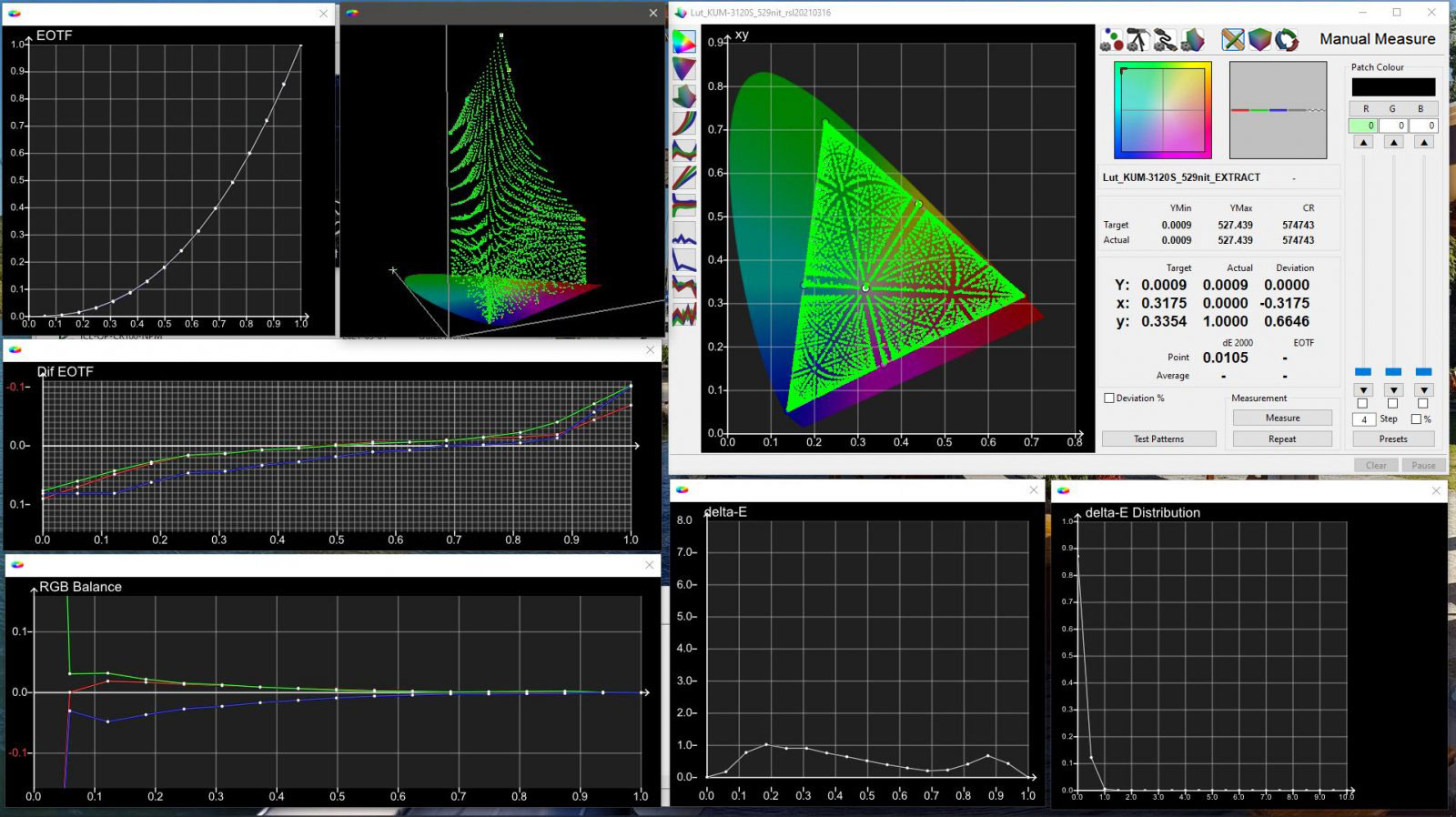
Light Illusion discussion forums
spring pelican
next forge
idk. i see yellow snow https://discord.com/channels/1161035767917850784/12753387...
that's not snow. it's salt deposits
or like some sorta geological active mineral
mystic atlas
mint hawk
I'm not doing that lol
it's something else anyways
@mint hawk no clue what setting corresponds to what tempreture
mint hawk
nice
mellow void
spring pelican
that's not snow. it's salt deposits
No he means the mountains in the background
mint hawk
there is no medium setting though?
mystic atlas
yeah but it's not good for wp measurements

Reddit
Explore this conversation and more from the OLED_Gaming community
mint hawk
dang
mystic atlas
I only want to inform you that Japan is the only country in the filmmaking industry where the standard is actually D93 and not D65 for every broadcasted material there is. This color temperature corresponds to "medium" or "0" which should be used for Anime to reproduce the creative intent. In USA and Europe and everywhere else in the world the standard is D65 or Warm2/Warm50 and this should be adjusted accordingly for every material outside Japan.
mint hawk
which one do you have?
mint hawk
oh
next forge
mystic atlas
> I only want to inform you that Japan is the only country in the filmmaking ind...
this confirms (eh, one dude on the internet so not really) my theory
mint hawk
colorimeter correction profiles wouldn't help much I assume?
next forge
mystic atlas
next forge
this confirms (eh, one dude on the internet so not really) my theory
I am just quoting it for the colour temp setting of medium or 0
mystic atlas
@next forge dogelition obtained a spec sheet of an LG OLED TV
native colour temp is 9300k
next forge
and reported nits are always in native i think
mystic atlas
these days they do in native and vivid mode
mellow void
mystic atlas
> I only want to inform you that Japan is the only country in the filmmaking ind...
I have doubts studios like square don't consider this when international sales is so major for them.
I can see it affecting anime and anything on broadcast TV for Japan tho.
spring pelican
mellow void
No he means the mountains in the background
oh apologies i was looking at the desert pics
yea i see shortfuse's point
certain things look too cool but others look just right i guess
i'm not sure
mystic atlas
mellow void
I have doubts studios like square don't consider this when international sales i...
LOL YOU WISH
game devs are clueless
next forge
Color management — a process that helps to achieve predictable and consistent color at each stage of production and post — is also rare in anime workflows. With a few exceptions, everything is created in an sRGB color space — the most common color gamut used in computer graphics applications. For feature films, animators usually create in sRGB and then the post house applies a 3D LUT to transform to P3, thereby preserving the sRGB look in a P3 colorspace.
In addition, you might be surprised to read that Japanese broadcasters set the color temperature at 9300K, much bluer than the 6500K that dominates as a standard elsewhere in the world. In fact, many of the licensed anime shows on Netflix were converted to D65 BT.1886 at the very end of post production to meet our spec and look accurate on our streaming service — as the creatives intended!
how professional anime is done in japan (and transposed for d65 netflix)
so even if they do their work in D65, it's still viewed on D93
mellow void
next forge
> Color management — a process that helps to achieve predictable and consistent ...
They can be, but the implementation in FFXVI is so good I doubt that's an issue.
Plus we know the issue doesn't really apply to HDR.
Oops wrong reply
Again that's an SDR issue. And that's like saying cause most people don't bother to calibrate their displays you should assume they use cool 2 cause it looks better (which a lot of people do)
next forge
it's not just an SDR issue, you should read https://jisakuhibi.jp/review/playstation-5-hdr-color-correct-and-no-issue
the reality is either westerners are viewing the game wrong or the japanese. they both can't be seeing it right
mellow void
In the case of the ps5 it's probably the Japanese seeing it wrong.
mystic atlas
yeah no
mellow void
Like it's Sony, they know color, and they know the dominant market. Which is western.
It's not like the movies they produce in the west are made wrong for every device they sell lmao
next forge
cinema mode is d65
mellow void
Cause surely this would impact more than ps5, like bluray players and such
mystic atlas
uh yes
mystic atlas
mellow void
Like it's Sony, they know color, and they know the dominant market. Which is wes...
yes Sony is colour checking every game
mellow void
So is a western bluray player different than Japanese one, and which one is Sony releasing blurays for?
mystic atlas
no signals stay untouched
next forge
people in japan watch stuff in d93, unless it's western media, then they use d65
mellow void
The answer would be found checking all of them against each other.
mellow void
next forge
people in japan watch stuff in d93, unless it's western media, then they use d65
They aren't switching modes all the time i'm sure.
Unless filmmaker mode for their TVs works different.
mystic atlas
Japanese people are used to watching western content (D65) on their D93 screens
next forge
mellow void
They aren't switching modes all the time i'm sure.
Unless filmmaker mode for th...
how sure?
mystic atlas
same way as we are used to watching Anime (D93) on D65 screens
mellow void
mystic atlas
Japanese people are used to watching western content (D65) on their D93 screens
That I believe
But still I would test the bluray question.
mystic atlas
no the players are the same
mellow void
Then are the blurays different?
next forge
I do calibrate, but I don't always watch with the same settings, and I adjust it a little to my preferences after calibrating.
Depending on the brightness of the room and the content, for overseas content I set it to D65 or D75, and switch the gamma to 2.2 or bt1886. As for the
color gamut, I'm fed up with the narrow color gamut of rec709, so I set it to a wide gamut without it looking unnatural.
The majority of Japanese content is D93, with D65 occasionally used to a certain extent, so I basically use D93, and only watch content that doesn't look yellow with D65 with D65. Maybe
because Japanese films have a higher average brightness than foreign films, I feel like even with a gamma of bt1886 the dark areas don't get crushed and they often look natural. Maybe
it's because the default gamma setting on Sony's master monitor is 2.4.
a japanese calibrator
mystic atlas
a Japanese only released bluray might be different than a western only released blu ray
mellow void
Hm, i think it would depend on how important the release is to Japan.
next forge
again, you should read the article i linked to...
mystic atlas
mellow void
Like it's Sony, they know color, and they know the dominant market. Which is wes...
Like it's Sony, they know color
you wish
mellow void
I get it but I'm talking about how this works from a creation to delivery to consumer standpoint.
One form is dominant especially if international is considered from the beginning.
The above only tells me that Japanese TVs default to cool, which is like saying all TVs default to dynamic. Which isn't that different.
So did film maker mode change between the two?
That alone isn't a big deal to me.
mystic atlas
One form is dominant especially if international is considered from the beginning.
they are not doing that
mellow void
I doubt it.
I'd believe it if film maker mode is different on TVs in Japan than in the west.
mystic atlas
mellow void
I doubt it.
I'd believe it if film maker mode is different on TVs in Japan than...
then there would be options for that
but there aren't
mellow void
Cause we know what film maker mode does in the west, if it's different in Japan then that shows there's an entirely different market standard.
spring pelican
https://youtu.be/uGFt746TJu0?si=HTtYZo4ZARU9HfUP&t=446 - this video (timestamped) by vincent shows a snow scene from lord of the rings where he's demonstrating color temp. When you switch between them or have them side by side, the cooler temp looks whiter. I think it's hard to like toggle them. Like my brain tells me on my calibrated C1 that the d65 is too yellow. But if i take the time to look at both of them for a minute each, it's obvious that warm is better
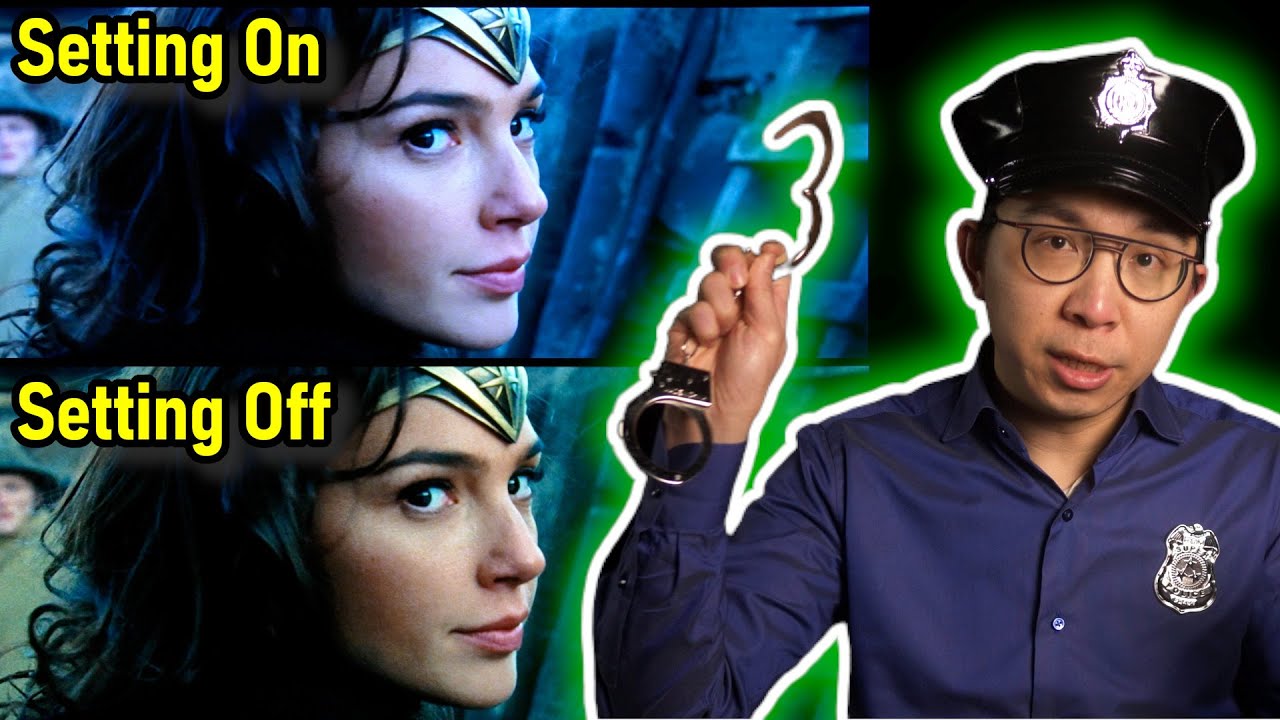
We demonstrate five TV settings that you should adjust on your television to obtain the most accurate picture quality to faithfully reproduce the creative intent.
Timestamps
0:00 Before & after comparison
0:20 TV Setting #1
2:25 TV Setting #2
3:43 TV Setting #3
4:46 TV Setting #4
6:53 TV Setting #5
8:56 One picture mode to do it all...
mystic atlas
SE working on FF16 and the Sony screen experts do not sit in the same room when working
mellow void
Bbl driving
mystic atlas
Bbl?
One form is dominant especially if international is considered from the beginning.
story, themes and whatever might be adjusted but no one is colour checking.
dark tendon
i don't think they are checking that either
Sony's QA is basically like "does the game crash if you turn off HDR while the game is running" "is the game using the correct symbols for controllers"
dark tendon
well, yes lol, the certification process is purely about branding and the bare minimum of "does it crash when you change a setting on the OS"
mystic atlas
release ready means you can "reasonably" finish the game
bugs, glitches, etc. don't matter
mystic atlas
dark tendon
i don't think they are checking that either
Sony's QA is basically like "does th...
what I meant is that when developing the game SE decided on more western than Japanese themes
Sony had no hand
mellow void
mystic atlas
Bbl?
be back later
mellow void
mystic atlas
> One form is dominant especially if international is considered from the beginn...
When an artist uses a color calibrated display in japan what would they be using?
 spring pelican
mystic atlas
this is not about "nature"
spring pelican
mystic atlas
this is not about "nature"
I thought 6500 was supposed to be natural noon light in california or something
mystic atlas
spring pelican
I thought 6500 was supposed to be natural noon light in california or something
it is
but western countries using D65 and Japan/Korea and some other countries using D93 is local decision
spring pelican
Ah yes true
mellow void
apparently it's a hold over from CRTs
ocean ether
did i view squid game wrong
mellow void
squid game is korean
mellow void
The thing is there's no special HDR standard for japan, so when a japanese movie releases with HDR the standard has to be different. But also i can't find evidence stuff like Dolby Vision is on japanase only blu-rays
no wait i'm wrong

surely there's no specific standard for dolby vision in japan

世界中で大ヒット、待望の劇場最新作 宮﨑駿監督が描く黙示録 『君たちはどう生きるか』 ◆あれから10年 — 待望の劇場最新作、宮﨑駿監督が描く黙示録 ●豪華キャスト&アニメーション最高峰のスタッフが集結。 ●「映画の原点に帰りたかった」 — プロデューサー・鈴木敏夫 → “宣伝をしない”宣伝により、期待感を醸成しエンターテイメントの話題を席巻。 ◆世界中で大ヒット!数々の賞を獲得、日本アニメーション史上初の快挙!! ●米英アカデミー賞、ゴールデン・グローブ賞受賞。 →第96回米国アカデミー賞(R) 長編アニメーション映画部門賞 受賞! →第77回英国アカデミー賞 アニメーション映画賞 ...
hm but also this is technically an international release
spring pelican
mellow void
 spring pelican
I made a typo but I'm not fixing it. Too lazy
mellow void
i can find HDR 10+

西表島 ~太古の自然をめぐる~【4K Ultra HDブルーレイ】 [Blu-ray]

“イノセンス"は進化する。 究極のクオリティを備えたフォーマット、 4K Ultra HD&4K リマスター・ブルーレイがついに登場! 『イノセンス 4K Ultra HD + 4Kリマスター・ブルーレイ』 4K Ultra HDは、ブルーレイの更なる可能性を極限まで追求した新しいメディアです。大記録容量を生かし、驚異的な高品位の映像と音を収録。従来のブルーレイの4倍となる4K解像度、これまで表現不可能だった光や闇を映すHDR(ハイ・ダイナミック・レンジ)を採用した輝度、人間が視覚する色に限りなく迫ることが可能になった色域を持ち、そのクオリティの高さが映画ファン、アニメファンのみならず、...
oh sorry i'm getting distracted
mystic atlas
mellow void
squid game is korean
the Koreans copied the Japanese
mystic atlas
mellow void
WAIT WHAT SINCE WHEN
https://www.amazon.co.jp/-/en/Ghost-Shell-Innocence-Remaste...
long time
mellow void
It's not in english tho?
next forge
the fact my LG is in D93 made me think they just do what japan does
also NTSC-C (china) is supposed also d93
in the video they work with ipads, and i'm pretty sure it's in d65, and then... netflix still transfers it all via d93
mystic atlas
next forge
also check out <https://netflixtechblog.com/bringing-4k-and-hdr-to-anime-at-netf...
I think Netflix advised some stuff on the workflow
Sol Levante looks similar to D93
next forge
this is where i got:
In addition, you might be surprised to read that Japanese broadcasters set the color temperature at 9300K, much bluer than the 6500K that dominates as a standard elsewhere in the world. In fact, many of the licensed anime shows on Netflix were converted to D65 BT.1886 at the very end of post production to meet our spec and look accurate on our streaming service — as the creatives intended!
spring pelican
spring pelican
poll_question_text
FF16 - D65 ir D93
victor_answer_votes
3
total_votes
8
unique swift
Okay, time to put this nonsense to bed
D65/D93


You can see the entire image skewing blue on the color diagram too


Skin tones become pale and sickly


The moon literally turns blue


I can maybe buy that UI was done on D93 monitor as it does turn a more neutral white, but they also might heave given it an old-timey yellow paper hue since it's a medieval fantasy game
Wouldn't be the first game to do so
dapper cape
yup D65 looks more correct to my eyes
ocean ether
@white girder did you update the reshade shader
for d93
i think you said it was too blue before
ocean ether
unique swift
D65/D93
green ass hair in d93
unique swift
I believe this is an updated version
Is there a github repo for this shader somewhere?
This is the version I've used
#1317707168107200512 message
 spring pelican

mystic atlas
unique swift
Okay, time to put this nonsense to bed
have you tried getting your eyes adapted to D93
direct comparisons are bad
that means sticking with the content for 2-5 minutes and then perceptually evaluate
because that is how it works
ocean ether
could just be very blue in those scenes
night are extremely blue in red dead 2
in sdr
in hdr its all gray and looks like shit
mystic atlas
mystic atlas
because that is how it works
if you chromatically adapt to a more red white point, you would also say it looks too red in direct comparisons
this is the same thing as getting used to D65
unique swift
mystic atlas
have you tried getting your eyes adapted to D93
direct comparisons are bad
I mean the entire point of the conversation was "is ff16 supposed to be viewed in D93" based on the few screenshots where D93 looked more neutral white
mystic atlas
yeah which is incorrect
unique swift
Yeah that was my point
unique swift
XIV you mean?
unique swift
mystic atlas
but D93 is still highly likely correct for FFXVI
I mean I just showed that it's not
mystic atlas
getting used to D93 is also a training thing (we also tell everyone to stick to D65 for longer so they get used to it)
mystic atlas
unique swift
I mean I just showed that it's not
have you tried getting your eyes adapted to D93
also what I just posted
mystic atlas
adaptation takes time
unique swift
For this game
mystic atlas
direct comparisons are bad
ocean ether
so if i want to play ffxvi I have to stare at an image for 2-5 minutes straight before actually playing to adjust my eyes, along with having to set a higher peak and use doge maxtml and use reshade if I want to lower brightness
its official
worse hdr than sparking zero
unique swift
unique swift
The moon literally turns blue
mystic atlas
ocean ether
so if i want to play ffxvi I have to stare at an image for 2-5 minutes straight ...
no just play
mystic atlas
unique swift
adaptation takes time
ocean ether
yes but what if I experience a crucial moment with my eyes not yet adjusted
game ruined
mystic atlas
mystic atlas
adaptation takes time
how often do I need to say it
ocean ether
unique swift
i viewed this image in the morning in bright daylight and it looked good in d93 but now in the dark after i've been using my display for some time it doesn't look good in d93
unique swift
But there's no need to adapt
D65 is correct, D93 is wrong
mystic atlas
you don't understand
if a white point / illuminant is on the daylight locus (and that one stretches from 4000K colour temperature to 25000K) your eyes will adapt over time and that bluer or reder white will appear white to your eyes/brain
ocean ether
ye my eyes adjust to night shift on my phone
mystic atlas
your eyes are currently adapted to D65, so when you look at D93 it looks more blue
GIVE
IT
TIME
play the game for ~30 minutes and then perceptually evaluate (no analysis tools can help you here)
perceptually evaluate means:
look at all your test scenes without looking at any D65 content and feel
mystic atlas
mystic atlas
play the game for ~30 minutes and then perceptually evaluate (no analysis tools ...
also my analysis tools are for D65
so leave them off
unique swift
mystic atlas
if a white point / illuminant is on the daylight locus (and that one stretches f...
I get that
Doesn't change the fact that FF16 is not meant to be viewed in D93
I feel like we're talking past each other
ocean ether
but we don't have a way of knowing that for a fact
we just know that displays in japan are typically d93 in SDR
mystic atlas
unique swift
I get that
Doesn't change the fact that FF16 is not meant to be viewed in D93
I ...
the Japanese think D65 looks like a "piss filter"
we think D93 looks sickly
so everybody is wrong or everybody is right
also the Japanese love their pale faces
ocean ether
time to play mgs3 in d93
unique swift
mystic atlas
the Japanese think D65 looks like a "piss filter"
we think D93 looks sickly
SOME Japanese think D65 looks like a "piss filter
SOME
wispy patrol
unique swift
SOME Japanese think D65 looks like a "piss filter
***SOME***
i mean, their content viewed on d65 will look like it has a piss filter because it was made on and for d93
mystic atlas
unique swift
SOME Japanese think D65 looks like a "piss filter
***SOME***
this will sound harsh:
you are just too used to looking at the game at D65 probably
ocean ether
or use d93 bias lighting behind your tv
mystic atlas
ocean ether
or use d93 bias lighting behind your tv
dylan mentioned that that makes no difference
unique swift
mystic atlas
this will sound harsh:
you are just too used to looking at the game at D65 proba...
There is absolutely no reason to believe FF16 is meant to be seen in D93 outside of the country of origin
Because Japan is so isolationist that they are not aware that the entire rest of the world will view their expensive ass blockbuster with the wrong white point
mystic atlas
what you focus on matters the most
ocean ether
unique swift
There is absolutely no reason to believe FF16 is meant to be seen in D93 outside...
almost every expensive ass blockbuster in games uses the wrong gamma
wispy patrol
^
mystic atlas
unique swift
There is absolutely no reason to believe FF16 is meant to be seen in D93 outside...
one thing that "in the current times" still holds true and will for a long time probably:
game devs are oblivious when it comes to colour manangement
mystic atlas
unique swift
There is absolutely no reason to believe FF16 is meant to be seen in D93 outside...
this is the "artistic intent" argument all over again
spring pelican
mystic atlas
getting used to D93 is also a training thing (we also tell everyone to stick to ...
When you say "get adapted to d93," shouldn't d65 content for d65 displays look the same as d93 content for d93 displays?
mystic atlas
btw after getting used to D93, watching Sol Levante again and the faces looking so pale + the heavy blues used actually brings it more into context
mystic atlas
spring pelican
When you say "get adapted to d93," shouldn't d65 content for d65 displays look t...
no
ocean ether
spring pelican
When you say "get adapted to d93," shouldn't d65 content for d65 displays look t...
they're all using srgb color space internally so idk how that affects it
unique swift
wispy patrol
i mean, their content viewed on d65 will look like it has a piss filter because ...
Does FF16 looks to you like it has a piss filter? Because it does not to me
I think Maple posted a comparison with 14 where clouds look more white in D93 vs D65; therefore you can argue that D93 is correct for this game
D65 looks more neutral white for 16, therefore I'm making the same argument here, but for D65
wispy patrol
unique swift
Does FF16 looks to you like it has a piss filter? Because it does not to me
I th...
check shorftuse's screenshots
unique swift
mystic atlas
this is the "artistic intent" argument all over again
Yes, this is precisely what we are discussing here