
#▫️Jedi Ultra+ and Emotional Support Group
1 messages · Page 1 of 1 (latest)
 ocean hollow
it's running at 70 or 80 fps for me on a 3070 with minimal hitching, let me know how you go 😊
 rocky hemlock
👀
 copper lynx
@ocean hollow I'm the one who DMd you a while ago about Jedi Survivor, and I just wanted to thank you publicly for taking another look at it even though it's kind of a lost cause of a game. Fallen Order is an excellent game, great to see you improving that as well.
Saw on r/pcgaming subreddit that there might be another patch on the horizon for Survivor. Let's hope Respawn and EA has removed head from arse and actually fixed some of the issues. Although some people are speculating that it is simply a patch to remove Denuvo anti piracy software from the game since the license would have run out 1 year after release. We shall see I guess. Thank you again, you are truely the GOAT.

 quiet oriole
"Changes the Oodle texture format from Mermaid to Selkie, which is 2x as fast" --> Does that possibly cause any texture quality degradation or is the amount of extra compression (lossy) almost negligable?
 deep sonnet
Hey there. Jedi Survivor talk here as well? Been messing with it lately and got to somehow enjoy it besides the almost constant stutter.
rocky hemlock
All right, tested it today running around Bogano
DX11: Pretty good, easily the least stutters I've seen in this game, maybe like an 7 or 8 across the map, those that happen are pretty severe
DXVK: stutters are smooth out massively, It looks more like a hitch now instead of micro pause
DXVK + mid distance draw: almost there, stutters are further smooth out, it feels more like a frame drop than a hitch
Shader stutter is still a thing, but that's UE for you, I guess
@ocean hollow would you mind posting a config? I would like to see how it works on Final Fantasy, since it should be using the same UE version as Fallen Order
ocean hollow
copper lynx
<@184939081585786880> I'm the one who DMd you a while ago about Jedi Survivor, a...
aw thank you 🙏 ... I kinda wanted to take a look at FO too, because they would have used this as a base for Survivor. I think I have some ideas on next steps for Survivor now (but won't have any time till next weekend) 😊
ocean hollow
quiet oriole
"Changes the Oodle texture format from Mermaid to Selkie, which is 2x as fast" -...
nope! none. I've increased texture detail also so it should look better than vanilla
Fixed Jedi Games Emotional Support Group
ocean hollow
deep sonnet
Hey there. Jedi Survivor talk here as well? Been messing with it lately and got ...
yes sure thing! I've changed the thread title
ocean hollow
rocky hemlock
All right, tested it today running around Bogano
DX11: Pretty good, easily the l...
I'm not seeing shader stutters on DX11... I did do some optimisations for Vulkan but it's not tested at all..would you mind trying with DX11?
ocean hollow
rocky hemlock
<@184939081585786880> would you mind posting a config? I would like to see how ...
sure thing, will do shortly 😊
rocky hemlock
I did, on a clean shader cashe, I could def see the stutter when firing up the lighsaber
Maybe not all shaders are getting precomplied?
ocean hollow
rocky hemlock
Maybe not all shaders are getting precomplied?
it's possible, I'll force all types to be compiled earlier
there isn't really precompilation on DX11
and for some reason I can't force the game to run as dx12 🤔
rocky hemlock
ocean hollow
and for some reason I can't force the game to run as dx12 🤔
Only first level works, game crashes after that
ocean hollow
hmm, it wasn't working at all with my config 😂
but that's because I'm trying to turn on shader compilation
ooh there's a nude cal mod 😂
 red moth
they're porting jedi survivor to last gen so major changes to the texture streaming will be necessary
hopefully those will also come to pc and current gen
rocky hemlock
red moth
they're porting jedi survivor to last gen so major changes to the texture stream...
I feel like there was almost a year since they announced that and not a beep about it since then
Wouldn't be surprised if it was canned
ocean hollow
well the problem with survivor happens mostly with their ray tracing, which I don't think will be on last Gen consoles
it runs well for me without RT
quiet oriole
ocean hollow
nope! none. I've increased texture detail also so it should look better than van...
Noice
quiet oriole
ocean hollow
ooh there's a nude cal mod 😂
I feel like I should play this game....
ocean hollow
rocky hemlock
<@184939081585786880> would you mind posting a config? I would like to see how ...
here's the source (and all the original game files, so you can compare with Meld, Diffinity, etc.)
also here's the problem with most engine mods

i don't mean to pick on anyone, but we've got to stop doing this. it's trivial to test commands in real-time in the game
ocean hollow
quiet oriole
I feel like I should play this game....
i'm really enjoying it! tbh they're not games that appealed to me at all... i normally play the witcher, cyberpunk, stardew valley, or minecraft (😂) ... but i'm having a whole lot of fun!
oops i should test my work 😜 ... fixed crash on launch
ocean hollow
- Improved niagara shader compilation hitches
- Hopefully disabled Respawn's streamer modifications (sorry i thought i'd done this in rc1!)
- (Re)disable mesh real-time streaming, the game / levels isn't designed for it (textures are still streaming)
- Increased foliage draw distance
- Fixed decals popping in so close to you
- Attempt to fix some shadow pop-ins
- Reduced hitches by further reducing streamed textures per frame from 16 to 8, since I can't configure Oodle worker thread concurrency in UE 4.21.2
- Switched to CAS sharpener
- First release!
there's not much activity on the FO nexus 😂
draw distances can be increased a lot farther, i'm just being very cautious because there is no IO cache in this version of Unreal, and i haven't found a way to increase oodle worker threads
ocean hollow
- adjusted frame timing, should be a bit smoother again
deep sonnet
Love the new naming of the forum. Haha.
ocean hollow
thank you that was entirely scarsofrenown's idea I can't take any credit 😂

Nexus Mods :: Star Wars Jedi: Fallen Order
Properly fixes most stutters and improves visuals to better than cinematic. Work on all computers including potato. All donations for all my.mods go to Wildlife Society.
quiet oriole
deep sonnet
Love the new naming of the forum. Haha.
But fitting, they are honestly a technical mess
So much hitching, animation issues, performance issues etc.
Even on consoles
Especially on last gen in case of fallen order
deep sonnet
Indeed absolutely fitting. Some people I know played this game and called it a blast without realizing what a mess to run it is... I envy them. On the other hand some others need to constantly tweak stuff to finally settle, if it ever happens. Haha.. This is also a way of enjoying things but I think it requires even more emotional support than technical knowledge sometimes. Haha.
ocean hollow
well I just played for about 2 hours with no noticable issues so fingers crossed 🤞🤞🤞
deep sonnet
About Survivor... I just saw the 2024 April update of Ultra Plus and that you're not continuing until further patches. Last patch was on January iirc. So game is way better out of the box I'd say and maybe not compatible anymore with 2.1 that dates from the 21st of Sep. 2023? I'm sorry but I runs so badly when I try that mod. :''( RT and non RT.
Although it looks way better but even trying to optimize the settings I get terrible stutters that are not the on the vanilla version.
Using now this mod that does r.StaticMeshLODDistanceScale=0.7 [default 1], r.Shadow.DistanceScale=2 [default 1], r.ViewDistanceScale=1.7 [default 1], r.MaxAnisotropy=16 [default 8].
I'd like to tweak it further and closer to Ultra Plus standards, also seeing it live but I'm not sure Unlockers work in this game. Although I've just tested RT stuff and RT being a custom thing I though that nothing was working. Will test further.
quiet oriole
deep sonnet
About Survivor... I just saw the 2024 April update of Ultra Plus and that you're...
What hardware are you running it on? This mod increases quality, but with it is often also some extra computing power needed...
deep sonnet
5900X, 32 GB RAM, 4080S.
My biggest issue with he game is thing kind if stuff.

I have no clue about UE. Just getting into a few tricks. UE Unlockers work by the way but no matter what I tweak. LOD pop in is quite noticeable and frequent. Just one step and the models drastically change.
rocky hemlock
ocean hollow
here's the source (and all the original game files, so you can compare with Meld...
Which file(s) contain streaming tweaks?
 rough moss
will try the new pak later today when i get off of work
rocky hemlock
I think having r.CreateShadersOnLoad=1 is a bad idea, as far as I can tell, in Fallen Order at least, this just make the game compile everything from scratch every you start the game, and every time you enter the area with new shaders
The problem is that while this setting can indeed precompile some of the shaders for an upcoming region of the game, the "load" in "r.CreateShadersOnLoad" doesn't mean "when the user loads a game" - it means whenever there's a load event. The engine has no idea when a load is occurring inside or outside of gameplay, it just knows a load is when more data is requested to be loaded, which in modern games is pretty much constant.
So what ends up happening is what you see in this video - those traversal stutters you get in the game before are now magnified significantly, as there is now just extended periods of extremely high CPU usage where the engine is trying to compile shaders for the upcoming area (and as I understand it, many that your system may not even use). Some shader stuttering in the upcoming world region may indeed be less as opposed to not using this setting, but you end up just trading frequent, smaller periods of stutter for extended periods of more significant stutter that may occur slightly less frequently.
Heck, even if the upcoming region's needed shaders are already compiled, the resulting check-in to validate the cache when this ini setting is used for every load event will result in increased traversal stutter as opposed to the region having the shaders compiled but not having this .ini setting enabled.

Video showing AITD 2024 on a clean shader cache.
Alone in the Dark 2024 shipped with some pretty egregious shader stutter, as a result of it being UE4 and no attempt to precompile.
However, the reps have at least been responding on the Steam forums and have stated updates were coming to address this - and welp, here's one.
Frankly I didn't ha...
ocean hollow
deep sonnet
About Survivor... I just saw the 2024 April update of Ultra Plus and that you're...
ah okay, I watched the digital foundry video on it and basically didn't try to update the mod. I'll give it another go, maybe it's fixable
there are commands for ray tracing but they're all custom respawn commands 😊
ocean hollow
rocky hemlock
Which file(s) contain streaming tweaks?
Config/Engine/Windows/windowsengine.ini
those files are out of date not though, I'll post the updated ones shortly
ocean hollow
rocky hemlock
> The problem is that while this setting can indeed precompile some of the shade...
you're correct, just enabling createshadersonload is a bad idea. there are three times shaders can be built.. 1) at game startup, 2) as assets are loaded, or 3) as the shaders are actually called (used). it's the same for Niagara shaders.
if you only enable these options, the engine will spend up to 15ms per frame compiling newly loaded shaders as soon as they are loaded. that's a LOT.
the solution is to also limit this frame time, and enable background compilation. you'll see in the FO U+ source I've allowed 1.0ms per frame for shader compilation. this way the shader can load and start compiling, and hopefully by the time it's called it's already compiled over many frames.
just enabling the single command(s) may or may not help. often it makes things worse. you really need to understand how the whole engine pipeline works (and any engine mods the devs have done, and their level design strategy), so you can work with it
in the case of FO, you'll see that I initially enabled mesh LOD streaming, and increased mesh LODs... but later disabled it because it causes problems (shadow pop-ins as meshes change, and engine stalls as you enter a new area). it seems like respawn have modded UE to trigger loading meshes for a new area at specific map locations, so it only happens once as you enter that new area. it's not designed to stream at all. so you try and understand how one change works in the context of the pipeline.
this is why I get frustrated with the engine.inis that go around. they're collections of commands. even the really popular ones usually only help because of 2 commands, and nobody's the wiser, even the authors
it's also where some of epic's default settings for the engine are just bad, and lead developers to modify the engine code in the first place, thinking they have to "fix" things. like for example the default of 15.0ms per frame for shader compilation? when is that a good idea? maybe 10 years ago when we were happy with 30fps...
rocky hemlock
ocean hollow
those files are out of date not though, I'll post the updated ones shortly
I don't think you need to bother, I've manged to get the one you posted working by deleting some parts that caused crashing and visual issues, but I'm not really seeing any improvements regarding stutter
Someone who knows what they're doing would need to take a crack at this, maybe some day
Anyway, it was worth a try, thanks
ocean hollow
just use v1.1
deep sonnet
deep sonnet
About LODs here. Did some searching and is it possible that there is only two models for that? I thought LODs were a dynamic and kind of automated thing. But after some reading seems that devs have to actually create them. So...
I wonder how did Ultra Plus got to make pop in less noticeable.
ocean hollow
rocky hemlock
I meant for FF7, not Fallen Order
oh okay! that has problems too does it?
ocean hollow
deep sonnet
About LODs here. Did some searching and is it possible that there is only two mo...
they're dynamic in UE. you might be able to create static LODs but you don't need to. the engine will just downsize meshes and textures based on however you configure it. it does it really quickly.
this is where Nanite came from, I think they really just added the ability for the engine to work out all out automatically, which makes perfect sense
hmm I'll see if I can find a video of the ff7 stutters
sigh
rocky hemlock

What could have been a tremendous PC port of a superb PlayStation 5 game is anything but. While the basics are there and we do have feature parity with the console game, the lack of options, lack of cutting-edge PC features, no ultrawide support, no DLSS and worst of all, off-putting stuttering performance makes this a genuine disappointment.
...
ocean hollow
it sucks so much because unreal is such a good engine
also is it just me or does Jedi FO look just as good as survivor, even without raytracing
rocky hemlock
Backed lighting, I guess
Survivor went for more real time approach since light maps would balloon the game size even further
ocean hollow
nope! there's no baked lighting nor shadows !
they did replace UEs screenspace reflections with their own planar kind of reflections
rough moss
I think with some of the tweaks it definitely punchs above it's weight. great model and texture work
rough moss
budget and art direction helps helps too I'm sure.]
ocean hollow
yes i'm sure 😊
 jovial patio
time to fix survivor? 🙂
ocean hollow
yes I think so. I've learned a tonne since I did that one
i also think i'll start a discord and maybe a patreon, since apparently i mod games now 😂
and i'd like to ultimately teach others how to do this (including *cough* some games companies *cough*) 😂
jovial patio
i'm guessing the camera stutter is unfixable
ocean hollow
jovial patio
i'm guessing the camera stutter is unfixable
you mean the frame skipping? or the weird jerky camera in FO ?
jovial patio
ocean hollow
you mean the frame skipping? or the weird jerky camera in FO ?
jedi survivor camera
ocean hollow
jovial patio
jedi survivor camera
yeah idk ... i was thinking last night i wonder if it can be disabled entirely. the game actually walked me off a cliff at one point when it locked the camera, you know how it does when you enter a new area
i hate it
jovial patio
i cant play it until the camera is fixed, way too distracting
rough moss
Getting some random white flashes in the last pak on Kashyyk. Not whole screen but like if there was a light shining down for a split second that shouldn’t be there. It’s only@happened a few times


moved a little and it went back to normal
It’s almost as if the lights being cast are a shorter radius around the player. In a small room I noticed the lights turning on as I ran down it.


i assume it's a streaming thing
ocean hollow
UE only draws lights within a certain radius. I haven't found that radius used anywhere yet, but it can be increased
if it's flat white patches at the edges of the screen then that's a occlusion culling problem
or it could be both
rough moss
I only saw it so far on that planet but it was almost like the lighting hadn’t streamed in yet. I wish I had taken video
It also was only a few times
ocean hollow
hmm okay. I hope not 🤔
deep sonnet
ocean hollow
they're dynamic in UE. you might be able to create static LODs but you don't nee...
I've been trying to find a console command to force the highest quality ones or increase the distance so pop in is less noticeable or smoother, but no luck. I'm just starting into this but I'm finding it really interesting since it helps get really good results as viewing distance to 3 is a great sweet spot. Also shadow distance to 2 is day and night compared to default 1.
ocean hollow
deep sonnet
I've been trying to find a console command to force the highest quality ones or ...
oh nice!
try r.ViewDistanceScale
I think the default is 1.0
I will post all the source and commands tomorrow 😊. you can also use UUU to dump app the CVars
deep sonnet
r.ViewDistanceScale affects mostly vegetation and debris that I've noticed. Will try r.MipMapLODBias.
Want to try also the "?" after a command to see if it tells you the default values. Well. I understand each game has its own stuff going on and is not the same as just building with UE yourself.
But definitely hooked on this adn willing to learn the basics so that Discord you mentioned sounds really appealing.
ocean hollow
yes you can try -2 LOD biases too. otherwise it's editing the files to only have one LOD
you can also do r.Streaming.Boost 10
deep sonnet
Do you used UUU or this other UE4SS? UUU is really easy to use but sometimes goes into a lockout loop or just does not recognize my keyboard.
deep sonnet
Also noticed r.StaticMeshLODDistanceScale makes not a significant quality difference if moved lower from default 1 and it takes a noticeable performance hit.
deep sonnet
ocean hollow
you can also do `r.Streaming.Boost 10`
This one brings more stutter and makes rendering some surfaces actually slower. (on my machine) Haha.
Also! Many .paks on Nexus Mods are not working. You dump them into the corresponding folder and when you actually check in the console it tells you a different value of that that the description page tells you the mod is supposed to be doing.
Noticed this with shadows like pretty evidently then started to dig a bit more until I got to this conclusion.
For now I'm applying it all manually on startup.
quiet oriole
I've bought Jedi: Fallen Order just before Survivor's release when it was extremely cheap on Steam. Not my favorite kind of game maybe, but these technical hiccups (especially the stutters), made it unbearable for me to enjoy. Might do some vanilla gameplay tonight and compare that a bit with gameplay while your mod is in use 🙂
Lets see then if it's really "fixed" 😋
deep sonnet
I think this one is one of the many that I've tried running around Koboh that actually helps. r.Streaming.AmortizeCPUToGPUCopy 1.
quiet oriole
deep sonnet
I think this one is one of the many that I've tried running around Koboh that ac...
What does it do?
deep sonnet

Nexus Mods :: Final Fantasy VII Remake
Correct algorithm settings to truly eliminate stuttering for a seamless gameplay experience.
I've been testing some of the commands in the description. Many were already by default in Jedi Survivor. Most made things worse than default ones. But this one r.Streaming.AmortizeCPUToGPUCopy it might help in CPU bound scenarios. Although the guide tells you to set then r.Streaming.MaxNumTexturesToStreamPerFrame to 3. And although this helps I've noticed that many textures were not properly loading so I set it to unlimited 0.
quiet oriole
I meant what does the command actually do
deep sonnet
quiet oriole
I meant what does the command actually do
r.Streaming.MaxNumTexturesToStreamPerFrame limits how many textures can be loaded per frame which eliminates a GPU performance hit and a direct source of stutter while allowing optimal performance adjustment. r.Streaming.NumStaticComponentsProcessedPerFrame works similarly, but instead limits how many static objects in the level are processed by the game per frame. r.Streaming.AmortizeCPUToGPUCopy simply enables r.Streaming.MaxNumTexturesToStreamPerFrame, which is ignored otherwise. r.Streaming.FramesForFullUpdate is used to calculate how much data to process per frame by spreading operations across a set number of frames. It's the default method used by the game to reduce stutter, but it is inconsistent and imprecise compared to directly setting the exact amount of textures loaded and objects processed per frame.
By mod description.
deep sonnet
Also about loading mods in Jedi Survivor... I made this one work by naming it starting on ZZZ as SammiLucia is doing. Most are named pakchunk99+whatever. Coudl this create a conflic for the game to read them if they start with this instead of zzz_?
ocean hollow
deep sonnet
Do you used UUU or this other UE4SS? UUU is really easy to use but sometimes goe...
are you using the paid UUU? that's what I use
ocean hollow
deep sonnet
This one brings more stutter and makes rendering some surfaces actually slower. ...
yes, well, this is the balance... rendering is all about removing as much as possible as early as possible
ocean hollow
deep sonnet
Also! Many .paks on Nexus Mods are not working. You dump them into the correspon...
yep! this is my point, people don't test in console 🙄
ocean hollow
quiet oriole
Lets see then if it's really "fixed" 😋
okay lemme know 😊
ocean hollow
deep sonnet
https://www.nexusmods.com/finalfantasy7remake/mods/139
r.Streaming.MaxTempMemoryAllowed=100000 == 100 GB
quiet oriole
ocean hollow
okay lemme know 😊
Might not get to it today, oops haha
ocean hollow
s.MaxIncomingRequestsToStall=1 == stall the CPU every single request
those settings are badly wrong
also if you enable CPU to GPU amortization you really need to enable the IO cache. anyway
the only reason the FF7 works is because it limits textures to 3 per frame, which is extremely low. but they haven't limited virtual textures per frame, which will be too high. anyway. I can possibly give you some generic settings for FF7 that will work
or if someone sends me the ini files from FF7 I can correct them
ocean hollow
deep sonnet
I've been testing some of the commands in the description. Many were already by ...
yes the way to do it is increase the Oodle worker threads from the default 2 to 6 or 8, then load about 16 textures per frame and 4 virtual textures will work fine. enable the IO cache, and change Oodle to Selkie (it will be set to Mermaid or Kraken)
and streamer temp memory to about 1400 (1.4GB) seems to work well
ocean hollow
quiet oriole
Might not get to it today, oops haha
all good! 😂
quiet oriole
ocean hollow
all good! 😂
I'm so disappointed in myself. So, instead of admitting that, I'm gonna go in denial. Ok with you that I close this topic to assist in my denial?
ocean hollow
frames for full update is how frequently the engine checks the LODs of all meshes/textures. about 5 is fine, this won't really affect performance unless something is badly wrong with the engine
ocean hollow
quiet oriole
I'm so disappointed in myself. So, instead of admitting that, I'm gonna go in de...
why are you disappointed?
time for kohi
quiet oriole
ocean hollow
why are you disappointed?
Wanted to test it, but simply forgot haha. Was just joking mostly btw haha
ocean hollow
quiet oriole
Wanted to test it, but simply forgot haha. Was just joking mostly btw haha
I know, you're good 😂
I played for another hour last night. I really like this game
it's working really well for me except for what respawn has done to the camera which goes weird sometimes
quiet oriole
ocean hollow
it's working really well for me except for what respawn has done to the camera w...
Camera goes brrrr
deep sonnet
I enjoyed FO so much. Enjoying Survivor a lot, is a bit different and when it does not choke it's an amazing game. Although for now I think I find FO being a more tight experience.
rocky hemlock
ocean hollow
or if someone sends me the ini files from FF7 I can correct them
Can do Can not do, it's all encrypted in the pack files
There is however a list of CVars registered by the game https://pastebin.com/sLqrhLXE
Taken from here: https://www.nexusmods.com/finalfantasy7remake/mods/74?tab=description
Pastebin
Pastebin.com is the number one paste tool since 2002. Pastebin is a website where you can store text online for a set period of time.

Nexus Mods :: Final Fantasy VII Remake
Unlocks the dev-console, giving access to console commands & easy changes to the games CVars - along with allowing loose INI config files to be loaded in from the games config folder
rough moss
deep sonnet
I enjoyed FO so much. Enjoying Survivor a lot, is a bit different and when it do...
Agreed. Going back to FO it’s simpler being the first iteration, but very focused.
ocean hollow
deep sonnet
I enjoyed FO so much. Enjoying Survivor a lot, is a bit different and when it do...
yes i also feel like i'm actually a Jedi in FO ... in survivor it's like i forgot everything 🙄
ocean hollow
rocky hemlock
~~Can do~~ Can not do, it's all encrypted in the pack files
There is however a l...
hmm okay. i'll have to crack the AES key
this is why i think i should set up a patreon, i have no interest in this game, but happy to fix it
rough moss
I wouldn’t mind supporting.
red moth
If you make a ko-fi page people can do donations without any kind of subscription like Patreon
Maybe it has better margins too idk
ocean hollow
yes that's fair. I don't like patreon as a company
it just seems to be [the stupid] standard
ocean hollow
i know, i'll do an onlyfans 😂 🙄
 odd gulch
ocean hollow
i know, i'll do an onlyfans 😂 🙄
odd gulch
ocean hollow
i know, i'll do an onlyfans 😂 🙄
OnlyMods
ocean hollow
odd gulch
OnlyMods
hahah this needs to be a thing 😂
rough moss
When you increase foliage density does it really do anything?
copper lynx
Looks like that Survivor patch I was talking about is near. The build has been uploaded and just waiting on steam approval/respawn pressing the big red button. 🤨 Please don't be shit. Please don't be shit. Please don't be shit. 😬
rocky hemlock
They did jack shit to fix the game on PC for over a year, I dunno why folks are still holding out hope for the miracle patch
rough moss
i have low expectations. I've beaten the game but want to see it in good shape for New Game Plus playthrough
odd gulch
they're actually patching this game?
copper lynx
rocky hemlock
They did jack shit to fix the game on PC for over a year, I dunno why folks are ...
There has been a lot of backlash in the past few months with Digital Foundry naming it one of the worst (if not the worst) performing game of 2023. They do have a lot of respect in the game dev world and I do think their opinions carry weight.
copper lynx
rough moss
i have low expectations. I've beaten the game but want to see it in good shape f...
Don't get me wrong, I have zero expectations and we are all probably in for disappointment, but there is hope atleast. I take what I can get.
odd gulch
copper lynx
There has been a lot of backlash in the past few months with Digital Foundry nam...
EA cares about public opinion?
since when
I don't believe that
copper lynx
odd gulch
EA cares about public opinion?
Respawn might
copper lynx
odd gulch
EA owns them
And that means they are tied in the basement?
copper lynx
I disagree
copper lynx
I talked to someone over at respawn about 4-5 months after release and I know that everyone at respawn are unhappy with how the game turned out on the performance side. The problems are deep rooted and he was unsure if they were ever going to get a chance to fix them. My heart disagrees with you because I love the game but my head has to agree with you I guess.
odd gulch
I just am so disappointed in how the industry is run these days
and all the layoffs
I feel like they've sucked all the creative juices out of it
and there are likely so many prospective game developers who look at the industry and go "yea fuck that. i'll find another career"
rough moss
public opinion can affect sales, so EA will alwaus care to some extent. i think the devs take pride in their work but there are production and publisher goals that are out of their hands
odd gulch
rough moss
public opinion can affect sales, so EA will alwaus care to some extent. i think ...
The game has been out for what.....a year? Any sales they hoped to get are likely baked in now
i mean idk, I'm not in their finance meetings
i have no idea
i'm just guessing
rough moss
for sure, I'm not expecting a game fixing patch, especially with how deep seeded some of the issues are per Sammilucia that they've discovered
copper lynx
rough moss
public opinion can affect sales, so EA will alwaus care to some extent. i think ...
BF 2042 comes to mind as a recent EA game that had really bad backlash. That game is so much better today compared to release.
copper lynx
odd gulch
and there are likely so many prospective game developers who look at the industr...
True it's so sad to watch
rough moss
I'm also curious how EA FC will change next year, they sold less copies than the previous years but made more money from Ultimate Team microtranscactions. will be interesting to see if they double down or try to course correct because community sentiment is very down
copper lynx
odd gulch
i mean idk, I'm not in their finance meetings
The third game in the series is already announced, so i'm sure a lot of new people will want to buy the first two games in order to play the third eventually. There is definetly plenty of money left on the table.
odd gulch
well then let's hope they fix it for real
rough moss
they did release a PS5/XSX patch for JFO years later.
copper lynx
rough moss
they did release a PS5/XSX patch for JFO years later.
I do remember them releasing a surprise patch for FO where they added the arena mode that you could access while meditating. No one expected new content or patches at that point
rocky hemlock
rough moss
they did release a PS5/XSX patch for JFO years later.
And yet they never fixed shader / traversal stutter
Let's be honest, PC gamers are the third class citizens for the big publishers, the only decent ports we have seen in the recent years are because either someone high enough in the food chain gives a shit, or there is an expectation that the game will do really well on PC
And by really well I mean as good as on consoles, if not better
ocean hollow
rough moss
When you increase foliage density does it really do anything?
yup! I was playing with it live in game. but their low poly models don't look bad either. I ended up deciding increasing it too much starts to look a bit weird (fake)
rough moss
Play with shadow and view distance any?
ocean hollow
yes, not much difference where I was testing it
well, no difference for shadows or AO view distance
decals distance makes quite a big difference
I think I increased that
I'm going to take another look at survivor after the patch
surely it can be improved
most of the problems are to do with their RT doing too many updates
 dense thunder
ocean hollow
hahah this needs to be a thing 😂
dense thunder
ocean hollow
hahah this needs to be a thing 😂
isnt OnlyMods just patreon
im tentatively excited and curious for the new patch. i hope it does something. anything
ocean hollow
running jedi fallen order on linux like a badass
ocean hollow
dense thunder
isnt OnlyMods just patreon
no we're just joking about using onlyfans instead of patreon for mod supporters because i'm a girl
for the record, i'm not ever thinking about charging money for my mods
i'm not sure how i feel about it. i normally tell people to go plant a tree. trees make me happy 😊
it mainly comes up when someone says could you fix game X, and i'm not interested in playing it at all, but i'd be happy to fix it, and then i'm like but it's $60 for the game 
quiet oriole
rocky hemlock
Let's be honest, PC gamers are the third class citizens for the big publishers, ...
Well, PC ports have become better in general over the years with less issues. For example #StutterStruggle has resulted in only a tiny few games still releasing with this actual issue or get fixed really fast. Also KB&M support and unlocked FPS has really become the standard now. But yeah, things could always be a lot better.
deep sonnet
ocean hollow
most of the problems are to do with their RT doing too many updates
Have you been able to access the custom areas of RT that Respawn made for Survivor? I only know a few console commands but non were working.
It'd be great for me to know more and investigate what those do, see what the games have as default and try tweaking a bit from there.
ocean hollow
deep sonnet
Have you been able to access the custom areas of RT that Respawn made for Surviv...
yes it has a lot of respawn commands, but there aren't many that give a lot of control over it
rocky hemlock
ocean hollow
i'm not sure how i feel about it. i normally tell people to go plant a tree. tre...
It's hard for me to ask people for something if I don't pay them
So pls set up Patreon so I can demand shit from you XD
And also yeah, the money for the games
deep sonnet
ocean hollow
yes it has a lot of respawn commands, but there aren't many that give a lot of c...
So I guess only people at Respawn know about those or can modders look them up and play with them as well. But if as you say there's not many that gives control maybe RT is not very fixable. I don't know. Haha. Have no clue about all this stuff.
But in my little experience I'd say that RT in games usually is either bloated or a very mild implemention.
ocean hollow
deep sonnet
So I guess only people at Respawn know about those or can modders look them up a...
I can send them to you when I'm at my computer but almost all of them are in the mod download for Ultra+ for Survivor... look in the source folder 😊
but the secret is using a tool like UUU (Universal UE Unlocker) and clicking the button to dump the CVars in there. or you can search the exe for them
the respawn RT by default from memory does 2048 updates per frame (which I would argue is too many for most cards) and traces foliage (especially grass) too many times
deep sonnet
ocean hollow
the respawn RT by default from memory does 2048 updates per frame (which I would...
And grass I think looks better without RT. With RT looses occlusion on the roots and makes some areas look too flat. But I don't think you can choose where to use RT and where not to. Again. I don't have much idea about this.
Started with The Ascent for which a post in reddit suggested some tweaks and some were really impactful on performance and made the game look even better. Like decreasing reflections roughness.
ocean hollow
deep sonnet
And grass I think looks better without RT. With RT looses occlusion on the roots...
yes it's pretty normal to be able to exclude objects from ray tracing... in UE it's a checkbox for the asset. but whether or not Respawn's RT respects this or not who knows
but from memory we can reduce the amount of RT (or quality of the RT) that happens on the vegetation
deep sonnet
I'd trada RT quality from vegetation, even turn it completely off, for more reflections quality.
But I not sure how this game handles assets and if they behave in the same way while trying to target those on RT. I've tried change terrain LODs in every way I've found around but no way to change them.
ocean hollow
deep sonnet
I'd trada RT quality from vegetation, even turn it completely off, for more refl...
noted. unfortunately the RT reflections are just awful, I can't seem to fix them. there's a way to get them to fall back to UE's RT reflections or screenspace, but they're all broken in different ways
let's see what the update brings
yes they all seem to be half res 🙄
rocky hemlock
ocean hollow
let's see what the update brings
Denuvo removal
and probably nothing else
deep sonnet
rocky hemlock
Denuvo removal
Just guessing or there's more info? In the end I think Denuvo is not really the performance destroyer everyone has always believed.
deep sonnet
ocean hollow
noted. unfortunately the RT reflections are just awful, I can't seem to fix them...
Oh. No need to note anything. Just talking about the game and how I see it with my really untrained eyes and absolute ignorance on engines and code.
See if I can learn something along the way. Haha.
rocky hemlock
deep sonnet
Just guessing or there's more info? In the end I think Denuvo is not really the ...
Guessing based on the fact most publishers remove it from SP games after a year or year and a half
quiet oriole
odd gulch
I think on older processors it used to have more of an impact?
On very low end and in extremely cpu bound cases it can have minor influence
deep sonnet
Hey people. How is it going? I was wondering about how hard would be for someone who has never touched more than a console unlocker to create a .pak so I don't have to manually input all those commands every time I boot up the game. So if anybody could lead me to a guide or something it'd be great. Thx^^
ocean hollow
deep sonnet
Hey people. How is it going? I was wondering about how hard would be for someone...
sure
- download fmodel
- download my Jedi Survivor mod and grab the unrealpak and build script
- extract the original game ini files using fmodel
- modify the WindowsEngine.ini as you please (NOT DefaultEnngine.ini)
- modify the build script to pak your own files
done!
deep sonnet
odd gulch
Which commands do we have to input each time?
I'll post the exact one once I'm back on desktop. But basically increase viewing and shadow distance, anisotropic x16 and check that the resolution is at 100%. Although this last one I think is not necessary anymore since they fixed it already I'd say.
I've been trying to increase terrain LOD to decrease pop in as well but gave up. Haha.
odd gulch
Are thoee tweaks part of this mod? Or are they just separate further tweaks to make things look better?
deep sonnet
I don't know all the exact changes there are in Ultra+ but I bet the few ones I use are already there. I'm just trying to make some slight visual changes because Ultra+ with RT is really unplayable on my system.
But with the guide SammiLucia provided I bet I can get a better picture of what's going on on Ultra+ and maybe extract some few more once I figure out what those do. Haha. I'm a very average PC user and this is way beyond my league but might be a good way of stepping in.
r.ScreenPercentage ?
r.Tonemapper.Sharpen 0.8
r.ViewDistanceScale 3
r.Shadow.DistanceScale 2
r.MaxAnisotropy 16
deep sonnet
ocean hollow
sure
1. download fmodel
2. download my Jedi Survivor mod and grab the unrealpak ...
Been trying but I think this is a bit complex for me. Haha. My idea is to create one from scratch with just some simple lines. Using FModel got to open some files but cannot even type in there.
Why this game does not read the .ini so we mere mortals can do our humble tricks and call it?!
ocean hollow
deep sonnet
I've been trying to increase terrain LOD to decrease pop in as well but gave up....
I've already done all of this
and yes screen percentage is already 100 😊
ocean hollow
deep sonnet
I don't know all the exact changes there are in Ultra+ but I bet the few ones I ...
what does it do that makes it unplayable?
deep sonnet
What commands did you use to reduce pop in or increase terrain such as rocks? I'd like to see it working live using the console. Usually I find like a really hard line in which LOD just goes from potato to full.
deep sonnet
ocean hollow
what does it do that makes it unplayable?
I'm using RT so maybe is way too taxing for my system. Frametime and stutters are way worse than vanilla.
So now I'm just trying to create some minor tweaks to enhance it visually without being very intensive. Been testing with the console and my current method is a notepad document and copy paste some minor tweaks. Haha.
ocean hollow
deep sonnet
So now I'm just trying to create some minor tweaks to enhance it visually withou...
that's how it's done!
though I use Diffinity so I can compare the original files to my modified files
ocean hollow
deep sonnet
What commands did you use to reduce pop in or increase terrain such as rocks? I'...
that's not commands that's editing the StaticMeshLOD settings in ummm BaseEngine from memory
deep sonnet
ocean hollow
that's not commands that's editing the StaticMeshLOD settings in ummm BaseEngine...
Been using this r.StaticMeshLODDistanceScale to 0.6 from default 1. Does help in some areas but not on terrain.
Also checked your Ultra+ with console and r.Shadow.DistanceScale remains in default 1 even on Epic settings. Moving it to 2 have almost no performance impact and the visual leap is day and night.
I'm also using r.ViewDistanceScale at 3 which improves a lot the image and not that much of performance hit as 4. I think 3 is a good sweet spot.
Although it's crazy how Ultra+ cuts the VRAM usage like in almost 5 GB for me.
Also about s.IoDispatcherCacheSizeMB not sure what value to put there. On Ultra+ console says is 0 so I guess that's unlimited. I was using 512. Source? Some other random mod for another game when I searched on Google. Haha.
deep sonnet
Although do you mind taking a look at this comparison? https://imgsli.com/MjY0MTEy

Ultra+ looks way sharper and detailed in the textures of the boots and the ground. Also the near wall seems to have better occlusion and less artifacts. May I asked what you tweaked here and if it'd be possible to see in using console so I can add it to my mod/notebook page? Haha.
Anisotropic filtering and sharpness are the same on both pictures. Both Epic and RT on.
deep sonnet
OK. I think it was mostly due to r.MipMapLODBias which mine was at 1 against -2 that U+ have. About occlusion or shadows... Cannot pinpoint. But the most impactful one was definitely mipmap.
ocean hollow
deep sonnet
OK. I think it was mostly due to r.MipMapLODBias which mine was at 1 against -2 ...
I tweaked the texture definitions. the easiest thing to do is extract all the ini files and compare them to mine
ocean hollow
deep sonnet
Also about s.IoDispatcherCacheSizeMB not sure what value to put there. On Ultra+...
I didn't think IoDispatcher commands were implemented in UE 4.21?
ocean hollow
deep sonnet
Also checked your Ultra+ with console and r.Shadow.DistanceScale remains in defa...
oh nice, where I was testing (a few locations) it made no difference) ... where are you seeing a difference?
deep sonnet
ocean hollow
oh nice, where I was testing (a few locations) it made no difference) ... where ...
I'll post a pic next time I play. Sure.
ocean hollow
r.StaticMeshLODDistanceScale is based on scalability (graphics/video settings)... at Epic it's already 1.0
and yes io cache is not implemented in UE 4.21

here's all of my changes plus the original files
this should help you to understand a) it's much more than engine.ini edits, and b) all the differences
what i would suggest is to install Meld or Diffinity, then right click the "original_files" folder > Set as Left ... right click the ultra_plus folder > Set as Right ... this will give you a complete comparison of the originals vs my files

these are the changes to the textures you're seeing for example ... they're barely even related to the originals

(note my sharpening on the right)
and i've deleted all their nonsense so i can see what i'm actually doing
ocean hollow
deep sonnet
I'll post a pic next time I play. Sure.
just in case you didn't see this
deep sonnet
ocean hollow
just in case you didn't see this
All the previously messages about Diffinity. Sure. Sure. Just today got distracted with Ghost of Tsushima. Haha.
I'll try figuring it out just out of curiosity. Although not that savvy. Haha^^
ocean hollow
all good! i just realised you might not check this channel if there's no @
it's all good. basically most UE games need similar changes. game dev's proficiency at the configuration of UE is about 4/10
deep sonnet
ocean hollow
all good! i just realised you might not check this channel if there's no @
I do lurk, don't worry. Haha. But feel free to ping anytime and if you need to test something I'd gladly help.
rocky hemlock
ocean hollow
it's all good. basically most UE games need similar changes. game dev's proficie...
How generous
deep sonnet
ocean hollow
I just drove a walker thingy
I'm still waiting for those kind of moments on Survivor.
deep sonnet
When you slide trough the gaps where they store the bikes inside. FO was so datailed and tight.
ocean hollow
yes it really is
the hitching is such a pita though
I think I got it a bit smoother but it's still not perfect
I need to do a frame time analysis on it
but I also just kind of want to play a game for once lol
rocky hemlock
Are u using it with DXVK? I don't know how, but the latest version (2.3.1) improves the hitching/stutter in DX11 UE4 A LOT
I've noticed that RTSS reports lower single core utilization with DXVK than DX11
ocean hollow
rocky hemlock
I've noticed that RTSS reports lower single core utilization with DXVK than DX11
no... but that's a good point I'll try it
Vulkan is just a lot newer tech than DX11 at this point
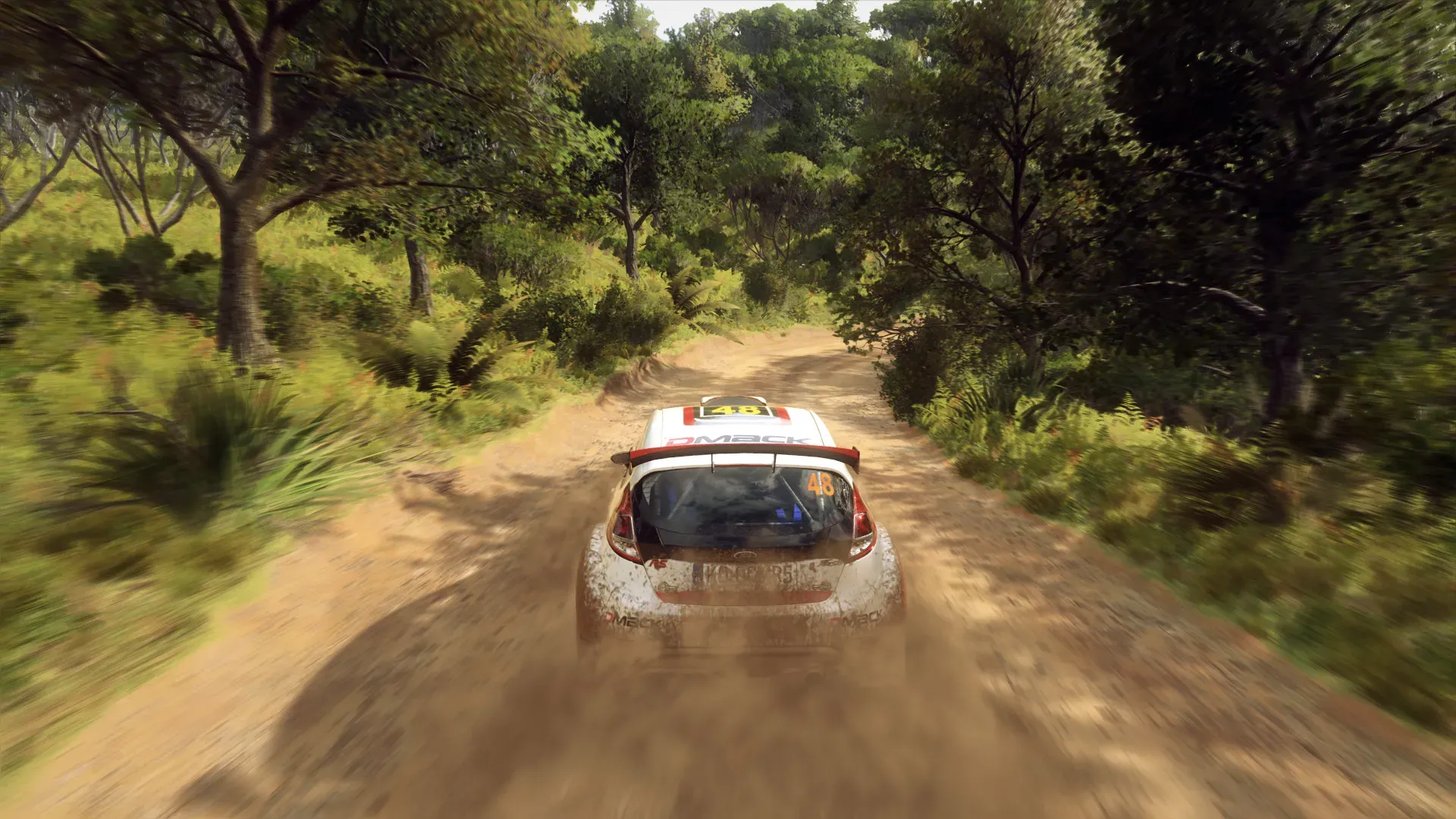
DXVK 2.3.1 has been released for this Steam Play component that implements the Direct3D 9/10/11 APIs atop Vulkan
Notable with DXVK 2.3.1 is VK_NV_raw_access_chains support for more efficient shader code generation on NVIDIA GPUs.
I might as well run it on Linux then
it will probably run a lot better anyway
umm... we can also force UE into Vulkan mode I believe, so it doesn't even need to be emulated

NVIDIA Developer
Get the latest Vulkan 1.3 general release drivers and developer beta drivers.
I'll make a build for Vulkan tomorrow
it looks like it can be forced by running the game exe with -force-vulkan
rocky hemlock
I think optimalisations might be DXVK specific?
Besides FO crashes with DX12, I guess vulkan might be the same
Won't hurt to try however
ocean hollow
I don't think so? dxvk just translates DX to Vulkan. it has some opportunity to reorder and optimise the pipeline, but I'd be surprised if translating is better than native
rocky hemlock
I've been trying earlier versions of DXVK with FO and I didn't had such results before pretty sure
ocean hollow
but, UE 4.21.2 won't be Vulkan 1.3 compliant. so dxvk may be translating to a newer version of Vulkan, which would be an advantage
rocky hemlock
It wouldn't be the first time DXVK improves performance, it does miracles to GTA4
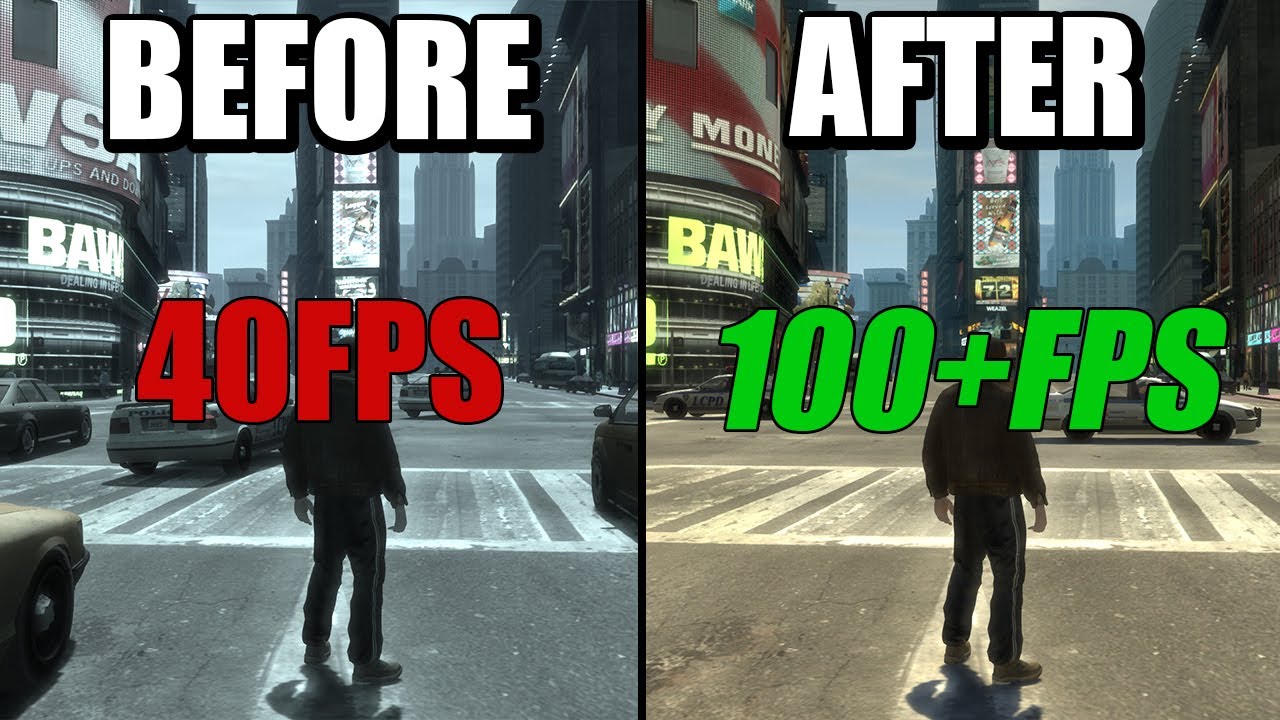
GTA IV runs terribly on PC, however with DXVK, you can easily get the game running much better, greatly improving GTA IV's frame rate.
In this video I'll show you some frame rate comparisons between the vanilla game and DXVK, and then I'll show you how to install DXVK for GTA IV, massively reducing stutters and improving the games performance.
...
ocean hollow
mm. Vulkan 1.3 has the shader pipeline improvements. maybe that's what DXVK 2.3.1 is translating to
yes, now you know why I run Linux 😊
rocky hemlock
 ocean hollow
it's not as fast on raytracing though. although that's changing
the biggest difference is just 50fps on Linux feels like 90fps on Windows
rocky hemlock
Lower latency?
dense thunder
when frame gen is usable in linux and RT performance catches up more ill probably swap
if i had AMD i probably would've swapped awhile ago tbh
ocean hollow
rocky hemlock
Lower latency?
stable frame presentation
DirectX flip is a big improvement but doesn't feel as smooth as Linux
yes I'm so tired of windows
but alas no FG for 30 series I think
rocky hemlock
ocean hollow
stable frame presentation
Interesting
I take you're not using any frame rate limiters?
dense thunder
no FG for 30 series, yeah. i think you can still use AMD FSR3, though
ocean hollow
rocky hemlock
Interesting
I take you're not using any frame rate limiters?
no..
rocky hemlock
Yeah I find I almost always need to use frame rate limiter even if I'm hitting display native refresh rate
ocean hollow
... but I have VRR?
rocky hemlock
Yeah, even with VRR
I usually cap the frame rate to avoid fluctuations as much as possible
Also helps to avoid oled VRR flicker somewhat
ocean hollow
I'd rather just use Linux 😂
these are pretty much the reasons I moved
it started with a Windows update but where the cursor was clicking about 40px up and left of where the cursor actually was
which was just the last straw at the time lol
and then I played a few games in Linux and was like .. oh wow wtf
the only reason I still have windows in dual boot is I haven't had a chance to virtualize it yet
 narrow wren
rocky hemlock
Yeah I find I almost always need to use frame rate limiter even if I'm hitting d...
narrow wren
rocky hemlock
Yeah I find I almost always need to use frame rate limiter even if I'm hitting d...
mangohud has a decent limiter
you can still use special k too
but its buggy
rocky hemlock
I was talking about Windows only
I'm too stupid for Linux
ocean hollow
no you're not
rocky hemlock
YES I AM
ocean hollow
just use nobara linux, it does everything for you, and is made by the guy who works on proton-GE (GloriousEggroll)
NO YOU AMT
narrow wren
Ugh look man I tried Nobara linux once
I couldn't get games to stop having shader comp stutter
And I was on amd too
rocky hemlock
ocean hollow
just use nobara linux, it does everything for you, and is made by the guy who wo...
Thanks, I will save it for later
narrow wren
Gpl worked, but this was during the early gpl days
rocky hemlock
narrow wren
I couldn't get games to stop having shader comp stutter
I think latest versions of DXVK fix that?
narrow wren
So it sucked
It'd just peg your cores on the gow title screen for a whole minute
If you tried rushing through it you'd get visual bugs
No shader cache yet either
Ended up just giving up on it. And sticking to the steam deck being my only Linux system
The shader cache stuff works there
 rocky hemlock
narrow wren
Ended up just giving up on it. And sticking to the steam deck being my only Linu...
rocky hemlock
narrow wren
Ended up just giving up on it. And sticking to the steam deck being my only Linu...
Any odds for valve to release deck OS in some form for public? I think they did this before with SteamOS
rocky hemlock
Nice
ocean hollow
narrow wren
I couldn't get games to stop having shader comp stutter
sounds like that was a long time ago
narrow wren
It was still during the deck times
ocean hollow
a lot has happened in 12 months from Valve, Intel, AMD, NVidia
narrow wren
So fossilize or whatever was functional
It just wasn't working on my system for some reason

 ocean hollow
- fixed light occlusion not working (screen going bright) by enabling a small minimum (1,000... default 1,000,000) for tiled deferred shading again
- adjusted shader compilation timing and threads to further reduce hitching
- increased lighting draw distance from 1.0 to 1.5 which includes a lot more lights (this setting is expensive, but seems to be working okay)
- increased view distance scale to 2.0
- slightly reduced foliage occlusion count
- reduced occluder distance from 200m to 100m
- reduced subsurface scattering strength (scale) from 1.5 to 1.2. 1.0-1.1 is ideal for cut scenes, 1.4-1.5 is ideal for in-game. this is a balance
- reduced textures and virtual textures per frame to further reduce hitching
- disabled more debug/stats
ocean hollow
does anyone know why i'm getting a crash trying to use DXVK 2.3.1? D3DRHI->GetFactory()->CreateSwapChain
nvm
 ocean hollow
this should be pretty smooth now
- adjusted shader timing and batch sizes for DXVK, it should work well with both DX11 and DXVK now
- removed upstream pipeline bottleneck (increased s.MaxInitResourcesPerFrame to 100 - this is a drum-buffer-rope problem)
ocean hollow
- significantly improved temporal upscale ("dynamic resolution") quality so it's now playable ... 50% extra fps
- minor optimisations
- increased DoF quality for non-cut-scenes
- increased D3D11 zero buffer memory from 4MB to 16MB
- increased streaming temp CPU memory to 6GB
- completely disabled tiled deferred shading (it's pretty broken)


 quiet oriole
narrow wren
Holoiso is our best bet
quiet oriole
narrow wren
Holoiso is our best bet
Which hasn't been maintained for s huge while last time I checked...
narrow wren
Rip
quiet oriole
ocean hollow
holoiso is dead
Jup, hasn't been maintained since January: https://github.com/HoloISO/releases

GitHub
To whom shall install. Contribute to HoloISO/releases development by creating an account on GitHub.
When Ayaneo announced they would use SteamOS for a new budget-oriented device... only a day later admitting it was actually based on HoloISO, which was at the time already hugely outdated... only to drop the whole SteamOS/HoloISO idea a while later 🤣
In my opinion: Ayaneo is a joke by just constantly pumping out new versions of their handhelds with the most bleeding-edge powerful hardware.... Which they will likely never be able to properly support long-term. Plus Windows is still not really ideal for handhelds...
12 models they have released so far if my count is correct.
15 if you also count their "retro-like" products
Also love how the hardware in that is so much more powerful than Steam Deck's hardware, but they are often only 10 to maybe 50% faster 😂 SteamOS is seemingly much better optimized. See for some good benchmarks: https://www.youtube.com/watch?v=lffnqmn_GoU

With the cross-gen era now mostly behind us, we're starting to see games like Alan Wake 2 and Avatar: Frontiers of Pandora push boundaries on current-gen machines... so how do the most advanced PC handhelds hold up? Are they capable of delivering a decent experience on this new breed of demanding game? Rich examines the Lenovo Legion Go, OneXPla...
ocean hollow
they probably run nobara well tbh
if not I can see if we can add support
(nobara runs on steam deck)
quiet oriole
ocean hollow
they probably run nobara well tbh
Ayaneo? Depends if the drivers for the hardware are available openly
ocean hollow
true. we support Lenovo, Asus, and Microsoft laptops/tablets as well as steam deck and some other hardware 🤔
quiet oriole
ocean hollow
true. we support Lenovo, Asus, and Microsoft laptops/tablets as well as steam de...
We?
ocean hollow
quiet oriole
We?
well "they" I'm a developer on nobara and asus-linux.org but I haven't been active lately
narrow wren
Dope
I saw this one Nobara dev over in lgd
Who has his deck on bleeding edge kernels and whatnot. So he posts a lot about the issues he encounters.
ocean hollow
narrow wren
Who has his deck on bleeding edge kernels and whatnot. So he posts a lot about t...
yes that's where I was helping, updating kernels, integrating the latest patches, and rebasing
but a lot of the newest hardware is all properly supported now
quiet oriole
ocean hollow
well "they" I'm a developer on nobara and asus-linux.org but I haven't been acti...
Ah, nice. Well, always do what you love 🙂
quiet oriole
ocean hollow
men?
Was thinking the exact same while I was already typing the above?
😂
ocean hollow
great minds 😂
quiet oriole
quiet oriole
Was thinking the exact same while I was already typing the above?
Honestly thought I could send it as almost nobody else thinks like me haha
My mind goes dirty far too quickly... Good slightly sexists series like Boston Legal aren't really helping with that haha
Working at a secondary school regarding IT and my mind caused me to inadvertently make comments that could be seen as advances towards a female student... oops..... Immediately said sorry of course as soon as I realized it haha.
Though my hallmates have been truly suffering because of my existence 😈
ocean hollow
quiet oriole
My mind goes dirty far too quickly... Good slightly sexists series like Boston L...
oh I love Boston legal!
so much testosterone 😂
tbh I see so much man and woman hating online lately I just want men to know all the 95% of women who aren't on YT/Tictoc/OF we still love them 😊
quiet oriole
ocean hollow
oh I love Boston legal!
"Hi, Alan Shore" Wanting to shake hands with a woman after peeing at the toilet "Surely you intent to wash that hand first" > "I keep an extremely clean penis" 😂
ocean hollow
lmao
quiet oriole
"Ah, you want something from me. I guess it is sex, let me take my clothes off."
quiet oriole
quiet oriole
"Ah, you want something from me. I guess it is sex, let me take my clothes off."
I want to use this with a hallmate honestly once when the occasion rises
 quiet oriole
Or "If you keep yelling, you owe me sex" (don't know if that one is from Boston Legal tbh)
ocean hollow
I like californication too lmao. I need to watch it again
quiet oriole
ocean hollow
I like californication too lmao. I need to watch it again
Never heard of it
quiet oriole
Loved Boston Legal, because the jokes are incredibly sexist and rude, but they make it all so rediculous that you know they mean nothing with it haha
ocean hollow
yes it's such a breath of fresh air
my goal is usually to offend everyone in one statement. I don't like to discriminate 😂
my husband usually tells me "you can't say that!" 😂
when I've just offended several groups in a single sentence 😂
quiet oriole
Or me telling a hallmate kinda "You think I'm rude specifically to women? Don't worry, I treat everyone the same and equally... crappy"
(I'm eventually nice to everyone, but just like to joke around a bit haha)
I'm lately tempted to scare one of my new younger hallmates... she's so innocent, but sadly she has thus been falling victim to a large Adrenaline spike daily for the last few weeks... oops
Also know a guy at the gym, who is a bit of a boy-scout, bit like James Wilson from House MD. So, can't resist to tease him now and then about whatever I can think of. Like seeing his face go all like "Euh, ok, don't know how the fuck I should respond to this". No sexual jokes, typically at least haha, but mainly me joking about him talking to girls in the gym and his dating-life
quiet oriole
quiet oriole
Also know a guy at the gym, who is a bit of a boy-scout, bit like James Wilson f...
He said he was apparently never violent or angry at others... took make me a few months to make him hit me on the shoulder 😂 I was like "oh, you're the boy-scout? Lets test that haha"
Long before that somebody didn't believe me on that he was such a boy-scout, so said like "if I would hit him on the shoulder, he won't hit me back". Person didn't believe me, so had to test the hypothesis.... The guy at the gym looked really confused afterwards and turned out I was right haha
Yeah, sorry, horrible person here
ocean hollow
quiet oriole
(I'm eventually nice to everyone, but just like to joke around a bit haha)
it's important to not take things too seriously, including ourselves
I think
ocean hollow
quiet oriole
Also know a guy at the gym, who is a bit of a boy-scout, bit like James Wilson f...
is James the Aussie?
ngl, House is hot 😂
quiet oriole
ocean hollow
is James the Aussie?
No, that's Chase
ocean hollow
oh yeah 🤔
quiet oriole
Wilson is House's best friend
Btw, the sexual bickering between house and cuddy is just 😂😂😂😍😍
But need to sleep, so bye
ocean hollow
I could watch this all day 😂 https://youtu.be/CiFclbeiwpo

Much to his own annoyance, House becomes fascinated by the newest patient at Princeton Plainsboro Teaching Hospital, who researched House’s ‘work’ in-depth upon arriving to the hospital…
Stream full seasons on Peacock: https://pck.tv/39BlAG0
From Season 7 Episode 23 ''Moving On'': The team treats a seriously ill performance artist (Shohreh Agh...
nn 😊
rough moss
ocean hollow
- significantly improved temporal upscale ("dynamic resolution") quality so it's...
JFO?
ocean hollow
I'm having so much fun
dxvk is a little smoother, but probably 80-90 fps in DX11 vs DXVK 2.3.1 60-70 fps ?
I'm looking forward to finishing this and hopefully working out survivor next
rough moss
runs a little heavier for me for sure at native 4K with a 3080 Ti, but looks really good
ocean hollow
you should get a bit smoother again with this one
ocean hollow
rough moss
runs a little heavier for me for sure at native 4K with a 3080 Ti, but looks rea...
how many fps hit approximately?
yes i turned up the lighting distance 50% ... a lot of the indoors lights pop in constantly with the default settings. it's a LOT better with 50%, but this is an expensive option
rough moss
Will have to try it with RTSS running.
ocean hollow
I'll move lighting distance to scalability (video settings) later
I think I just worked out the actual command to enable all cores via the ini files
well, llama did
chatgpt 4o just gave me pages of nonsense
IQ of 155 my cute butt
rough moss
more core suage in UE4?
ocean hollow
- reduce more hitches to do with frame timing
- reduced streaming boost from 2.0 to 1.5... 1.5 fixes a lot of popin, 2.0 is more costly but has little improvement
- limited shadow predraw from unlimited to 1.0ms per frame
- enable all settings for Linux
ocean hollow
rough moss
I’d say my GPU usage is pretty low with the 60 FPS lock
right. nice 😊
r.StaticMeshLODDistanceScale=1.0 (default - left) ... = 1.5 (right)


1.0 (left) ... 3.0 (right)


this setting is a bit buggy. i think i'm going to increase mesh quality in the mesh definitions
rough moss
ocean hollow
I think I just worked out the actual command to enable all cores via the ini fil...
Interested in this find for sure
deep sonnet
ocean hollow
r.StaticMeshLODDistanceScale=1.0 (default - left) ... = 1.5 (right)
You are trying to increase quality or optimize? In Survivor I ended up using 0.6, surely you know but the lower to 0.25 the better the quality 0.25 being maxed out.
rough moss
With DXVK gpla async or whatever it’s called the game runs really smooth outside of when it encounters a new shader for the first time.
quiet oriole
ocean hollow
I could watch this all day 😂 https://youtu.be/CiFclbeiwpo
I watched House MD all seasons like 3.5 times and watched practically all videos on that official YouTube-channel 😂
Plus watch some episodes with a hallmate whenever he does in the kitchen
Never bores me haha
ocean hollow
rough moss
Interested in this find for sure
it's this
 quiet oriole
Plus watch some episodes with a hallmate whenever he does in the kitchen
quiet oriole
quiet oriole
Plus watch some episodes with a hallmate whenever he does in the kitchen
And compilations on YouTube haha, yes, I have a problem haha
ocean hollow
deep sonnet
You are trying to increase quality or optimize? In Survivor I ended up using 0.6...
i'm trying to find the best balance of performance / quality
ohh it's backwards 🤦♀️
r.StaticMeshLODDistanceScale | 0x60 (, Scalability)
        Scale factor for the distance used in computing discrete LOD for static meshes. (defaults to 1)
        (higher values make LODs transition earlier, e.g., 2 is twice as fast / half the distance)
of course it is. why would it be the same as every single other distance scale
ocean hollow
quiet oriole
Never bores me haha
same i just watched some on YT 😂
quiet oriole
ocean hollow
same i just watched some on YT 😂
I get the feeling we should harass some people here together now.
BR4P maybe?
@odd gulch have you ever watched House MD?
odd gulch
quiet oriole
<@262398316032163851> have you ever watched House MD?
Of course.
rough moss
ocean hollow
it's this
Does it actually make a difference?
quiet oriole
odd gulch
Of course.
Your kind of humour? 😋
ocean hollow
rough moss
Does it actually make a difference?
it will depend on the game. it makes less of a difference on FO but games like Hogwarts seem a lot more stuck on just a few cores. but this is also because the devs switched out UEs shader compilation with another one (I can't remember the name) and didn't configure it properly
ocean hollow
fuck the 7th sister
odd gulch
quiet oriole
Your kind of humour? 😋
Yea it was definitely funny. But i didn't watch it too much
ocean hollow
deep sonnet
You are trying to increase quality or optimize? In Survivor I ended up using 0.6...
i think it's probably better to increase/fix the mesh scaling definitions than play with the scaling factor
ocean hollow
this is how ... by specifying ScreenSize that the LOD is reduced at

 ocean hollow
okay
- increased quality of tree meshes
- increased some other mesh qualities
- adjusted mesh LOD distances / screen percentage
- enabled bokeh for DoF for non-cinematic
- incresed static mesh LOD distance by 50%
- reduced texture streaming to 2 per frame
- reduced Respawn reflections to 2 per frame
rough moss
Do you think texture upscales would help with either game? @ocean hollow
ocean hollow
rough moss
Do you think texture upscales would help with either game? <@184939081585786880>
oh they definitely help with FO and survivor. I increased both.
it's not actually an upscale, the textures appear to be a higher res, and the games are downscaling them
I've just kept them at the higher res. the higher res meshes also look kind of amazing
rough moss
did notice more like mesh transitions but i don’t know if thats DXvK i’m trying
jovial patio
ocean hollow
okay
- increased quality of tree meshes
- increased some other mesh qualities
- ...
this is for fallen order right?
there's no fixes for jedi survivor yet?
jovial patio
ocean hollow
no I'm waiting for the patch
Lol what patch
dense thunder
they're working on one, actually
deep sonnet
 jovial patio
dense thunder
they're working on one, actually
jovial patio
dense thunder
they're working on one, actually
Says who? It’s been 7 patches and they still haven’t fixed the camera
Going to need a source on that
rocky hemlock
jovial patio
Going to need a source on that
There was some movement in the steam depot recently, doesn't mean they will fix anything (they obviously won't)
quiet oriole
See SteamDB
ocean hollow
hi! this is the experimental version that doubles some mesh qualities (especially trees, vegetation) to compensate for some lower poly meshes i've seen in various places.
it also moves r.StaticMeshLodDistanceScale to scalability (video settings), so "Epic" View Distance = 0.75 (which is 50% farther mesh view distance), "High" is back to 1.0. this fixes many objects which change in front of your eyes, but not all of them (i'm trying to balance performance). thanks to @deep sonnet for this fix.
to balance/control the above CVar, i've also reduced the screen size/percentage meshes reduce quality at, again trying to prevent meshes from obviously changing in front of you.
disabled garbage collection clustering and parallelism altogether just as a test, i think it might be causing a final (hopefully) hitch
finally, i've added a script to delete Jedi FO and Nvidia shader caches, which is probably wise at this point, given all the changes made. there is a picture of how to clear the AMD shader. this won't clear your user PSO caches if the game has created one (which catches hopefully the last remaining pipeline state objects)
lmk how you go! 😊
ocean hollow
jovial patio
Says who? It’s been 7 patches and they still haven’t fixed the camera
it may only remove Denuvo, we don't know. but these mods take me so much time i don't really want to do an update when we know a patch is likely
rough moss
ocean hollow
hi! this is the experimental version that doubles some mesh qualities (especiall...
Still need just the pak installed right?
getting this error on crash:
LowLevelFatalError [File:Unknown] [Line: 1800] Failed to find shader map for default material WorldGridMaterial(/Engine/EngineMaterials/WorldGridMaterial.WorldGridMaterial)!
ocean hollow
rough moss
Still need just the pak installed right?
yup! 😊
ocean hollow
rough moss
getting this error on crash:
LowLevelFatalError [File:Unknown] [Line: 1800] Fail...
DXVK?
make sure to install dxgi.dll and d3d11.dll
i should probably check that mine runs 🤔
ocean hollow
rough moss
getting this error on crash:
LowLevelFatalError [File:Unknown] [Line: 1800] Fail...
nope mine has crashed too. wtf
LowLevelFatalError [File:Unknown] [Line: 1800] Failed to find shader map for default material WorldGridMaterial(/Engine/EngineMaterials/WorldGridMaterial.WorldGridMaterial)! Please make sure cooking was successful (Contains inline shaders, has GTSM)
debugging
ocean hollow
rough moss
getting this error on crash:
LowLevelFatalError [File:Unknown] [Line: 1800] Fail...
fixed
oh wow that's smooooth
i wonder if i should be deleting the compute shaders as well
🤔
deep sonnet
ocean hollow
hi! this is the experimental version that doubles some mesh qualities (especiall...
Oh wow. No need to thank at all. I'm just a clueless user with maybe a slight eye for detail. That's all. Haha.
But yes, that setting is quite taxing once you go under 1.0 values and 0.75 is definitely the sweetspot as far as I could tell checking on Survivor.
I still owe you some r.Shadow.DistanceScale comparison screenshots. Haha.
ocean hollow
deep sonnet
But yes, that setting is quite taxing once you go under 1.0 values and 0.75 is d...
yes, its not really intended as a setting to play on, but there are some meshes that still seem to pop in after i've edited the actual meshes, so i ended up using it at 0.75 for now ... you can see the changes i made to the StaticMeshLOD groups in DefaultEngine.ini, specifically the ScreenSize setting
ocean hollow
deep sonnet
I still owe you some r.Shadow.DistanceScale comparison screenshots. Haha.
it's probably several things to compare now. i think i can do it, i'm just very short on time atm 😂
i managed to play through two save points tonight then got back to work 😂
quiet oriole
https://steamdb.info/app/1774580/history/?changeid=23637683 @ocean hollow Seems like they haven't abandoned the patch-progress just yet

SteamDB
History event recorded by SteamDB on 22 May 2024 – 04:56:51 UTC for app 1774580
copper lynx
quiet oriole
https://steamdb.info/app/1774580/history/?changeid=23637683 <@184939081585786880...
Yeah, i've been keeping an eye on it and there has been several updates happening. This makes me think there is more to this patch than simply removing denuvo.
quiet oriole
copper lynx
Yeah, i've been keeping an eye on it and there has been several updates happenin...
Maybe they will add more accessibility features no one was asking for much XD
If they are gonna fix any performance and hitching issues, I would be amazed
copper lynx
quiet oriole
If they are gonna fix any performance and hitching issues, I would be amazed
Yup, going to keep my expectations very low
quiet oriole
copper lynx
Yup, going to keep my expectations very low
Same sadly, Fallen Order has the exact same issues...
copper lynx
quiet oriole
Same sadly, Fallen Order has the exact same issues...
Honestly, if they just fix something i'm going to be happy.
I know the devs care and want to fix things, but fuck management for not letting them
quiet oriole
copper lynx
Honestly, if they just fix something i'm going to be happy.
"Fixing micro-stutter in the Respawn Logo video" 🤣
quiet oriole
copper lynx
I know the devs care and want to fix things, but fuck management for not letting...
Indeed
dense thunder
i feel like some of the Denuvo performance claims have been all over the place
does it affect it?
jedi survivor might feel a little better if so
rough moss
i feel like i've watched every denuvo before and after video there is on YouTube, it's case by case it seems to be if removal helps any
i will say it won't hurt
dense thunder
yeah I do feel like I’ve seen a lot of contradictions there
it helped in village according to earlier benchmarks. it helped in Callisto Protocol supposedly
quiet oriole
dense thunder
it helped in village according to earlier benchmarks. it helped in Callisto Prot...
In village it helped because it ran in addition to other DRM of their own haha
And it was coupled to in game actions in the beginning
Which caused frame drops
Which was fixed later on
dense thunder
quiet oriole
In village it helped because it ran in addition to other DRM of their own haha
oh interesting, good to know. thank you. a lot there ig lmao
quiet oriole
Df did a video on it

Resident Evil Village for PC has been fixed, addressing the DRM performance issues. But does the patch fix all of the issues, and how does AMD FidelityFX Super Resolution compare to native rendering and the game's pre-existing interlace mode?
FidelityFX Source Code: https://github.com/GPUOpen-Effects/FidelityFX-FSR/blob/master/ffx-fsr/ffx_fsr1....
ocean hollow
dense thunder
i feel like some of the Denuvo performance claims have been all over the place
it seems this way with UE in general. I played v2.3 for an hour last night and it was buttery smooth, someone else tried it and it was a hitch fest. what's different?
UE is very sensitive to
- having control flow guard enabled
- having Defender or any AV scanning the folders OR exe
- on AMD, possibly memory integrity
- reBar should be enabled
- AMD Chipset drivers miss some critical drivers, you HAVE to run their driver auto detect tool
-SSDs more than 80-90% full - probably a few things I'm forgetting that are listed on the mod pages
I know all those things are controlled for on my PC. in mod posts a LOT of issues are fixed by doing them. Hogwarts for example of the ~4000 posts, there were only a couple of people who we couldn't resolve issues, and there was suspected hardware problems. granted I don't know 100% responded to my messages, so it's hardly a study, but it's probably some of the better data I've seen
also if those above things are not controlled for, systems like denuvo can amplify problems. keep in mind that when testers are testing, they will also find and solve system level problems like the above, so their PCs are also probably "ideal".
this is my biggest argument about games testing
- they should be tested on lower end PCs (I don't believe they are - it's simulated by e.g. restricting vram)
- testers should be properly trained. it's actually a high skill job. if you're going to invest in good game developers, bet your boots you should invest in good testers
ocean hollow
pretty happy this is completely fixed https://www.nexusmods.com/starwarsjedifallenorder/mods/778

Nexus Mods :: Star Wars Jedi: Fallen Order
Fully fixes stutters and improves visuals to better than cinematic. Works on all computers including potato. All donations for all my mods go to Wildlife Society.
starting on survivor
copper lynx
ocean hollow
starting on survivor
Did you finish FO? If so how did you like it?
haven't played it in a long time but thinking about replaying before returning to survivor
quiet oriole
ocean hollow
starting on survivor
Didn't you want to wait on its patch?
ocean hollow
quiet oriole
Didn't you want to wait on its patch?
yes I am, I'm just doing some preparation
ocean hollow
copper lynx
Did you finish FO? If so how did you like it?
yes! it was really good. I'd give it 4/5. mostly because I had to fix it lol. and some of the puzzles are annoying instead of fun lol
ocean hollow
quiet oriole
Didn't you want to wait on its patch?
there are certain things they won't touch, i mostly want to apply what I've learnt from FO while it's fresh in my mind
there's a few critical settings that I got wrong in survivor
and there's a few settings relating to grass / foliage that slow down respawns RT enormously
it does about 4 translucency type passes through vegetation. which looks amazing, but is just too expensive when there's 1,000,000+ polys on screen
ocean hollow
copper lynx
haven't played it in a long time but thinking about replaying before returning t...
yes that's what I did and I'm really glad I did!
I'm wondering if I can do a cheaper version of their RT with some visual compromise
quiet oriole
ocean hollow
it does about 4 translucency type passes through vegetation. which looks amazing...
But lowering those won't affect their image quality too much?
ocean hollow
yes but mostly grass. what happens is the grass starts looking less translucent (so, more like raster)
but I'm hoping there's an in-between
(together with reducing grass polys)
as I say the issue with survivor is there are some super low poly trees and logs, combined with super high... so this might need manual fixing. if anyone's good with UE assets... nows your chance to help 😊
bc this is the only reason I can't reduce tree polys which also cause RT issues
(and I didn't know about the characters on screen issue, they may be poorly optimised too)
basically survivor assets are built out of FO assets and purchased asset packs
odd gulch
Jedi survivor is like 50% off rn
What is the current state of things?
Is it playable now with the mod?
red moth
it stutters like shit with ray tracing
sammi says that with rt off her mod fixes stuttering
idk if that includes fixes to the animation stutters that df pointed out
rough moss
I played it with RT off, 4K 60 with DLSS Quality and it ran well enough vanilla on a 5800x3d/3080 Ti/ 32 gb 3600 CL18 ram
used the mod at points but didn't use ray tracing ever
jovial patio
odd gulch
What is the current state of things?
Camera stutter ruins game
red moth
ya honestly stutter can make some games straight up not enjoyable
idk how I even finished the game
get sekiro
fallen order/survivor takes some cues from sekiro/souls with its combat
but the feeling of parrying is significantly worse
and they do that annoying thing where it goes into slow mo every time you parry
so you can't get a proper rhythm
hdr is good at least
rocky hemlock
red moth
get sekiro

Those Jedi games are fine, I guess
But
If you want souls like there are better games to play
If you want metroidvania there are better games to play
If you want ARPG there are better games to play
Problem with Fallen Order/Survivor is that those games never reach a critical mass
Like, they have everything they need to archive greatness, they just never reach for it
That plus shocking amount of jank for a AAA releases
red moth
Ya the platforming is actually pretty solid
Puzzles are decent
They jog your brain enough to be entertaining
Hard for me to rate the game cause of how much the performance sours the experience
I suspect I would like it almost as much as Ragnarok if it ran well
Ragnarok was a solid 7 for me
Maybe 7.5 even
So I’ll give Jedi a 5. Would be a 6.5 if it ran well
rocky hemlock
Aside from the technical issues there is nothing in those games that is objectively bad, it's that there is also nothing that's objectively great
They are almost, like, grown in a lab to be a perfect 7/10
red moth
Graphics are objectively great
But ya gameplay wise nothing is great
Actually I’d say the bloat is kinda annoying
Not much benefit to Koboh being so big
Also the backtracking is boring
rocky hemlock
red moth
Not much benefit to Koboh being so big
 rocky hemlock
red moth
Hard for me to rate the game cause of how much the performance sours the experie...
rocky hemlock
red moth
Hard for me to rate the game cause of how much the performance sours the experie...
It might be the only game I ever played that gave me a motion sickness

Welcome back to The MinnMax Show! On this week's episode, Ben Hanson, Jacob Geller, Kyle Hilliard, Jeff Marchiafava, and Leo Vader break down the most interesting things we learned about The Legend of Zelda: Tears of the Kingdom gameplay from new previews, then we have a roundtable review discussion about Respawn's Star Wars Jedi: Survivor, touc...
deep sonnet
Finished it yesterday. Enjoyed FO way more.
dense thunder
honestly i loved jedi survivor a lot. fallen order was good too but
i just wish the performance problems were not as pronounced
deep sonnet
For me the story felt a bit clueless at times and the open world approach did not help it either. The final stages were more intense and I enjoyed those. But FO made me feel more thrills and awe. Also the game have like 2 biomes that are either barrens with a bit of forest or a desert with a bit of barrens. Coruscant is a waste since we don't experience much of its metropolis side and spend most of the time in rooftops.
For me FO had way more unforgettable moments and places than Survivor. Just that. Haha.
rocky hemlock
Yeah, for a game sold as an cinematic action adventure, having like 3 biomes and one decent setpice is pretty poor
In general, Survivor really doesn't build on the foundations laid by the FO in any satisfying way, there is no iteration on the mechanics or the way player interacts with the game, it's just more content for the sake of more content
It really feels like the critical reception is carried entirely on the back of the IP and visuals here
I also saw people unironically calling it the greatest story in the SW game or the greatest SW story in the Disney era
Like, opinions and all, but my god, what is the media diet of those people?
The twist regarding certain character is so obvious that it makes Cal seem like an idiot for not seeing it coming from mile away
Not to mention legitimately groan worthy stuff like ||Vader AGAIN, Boba Fett, Bode being a former Jedi, Merrin romance coming out of nowhere, and Bode's kid being this perfect little angel that has zero issues with people that murdered her father right in front of her||
||Cal's dark side ark is also laughable, he gets pissed at the empire (like he wasn't before?) tries to choke the admiral guy, Merrin tells him to knock it off and he's immediately back to normal, lol||
deep sonnet
Spot on.
ocean hollow
rocky hemlock
All right, tested it today running around Bogano
DX11: Pretty good, easily the l...
unfortuantely that version of UE is VERY slow at loading things
it's insane how much of an improvement they made in later versions
ocean hollow
dense thunder
honestly i loved jedi survivor a lot. fallen order was good too but
have you tried the latest U+ for it?
dense thunder
not yet! havbe you done one new for jedi survivor?
narrow wren
ocean hollow
also here's the problem with most engine mods
Damnnn. That's a lot of cvars
odd gulch
ugh i just really want to play this game but I keep hearing that the performance is still bad
how much does the Ultra+ mod for this game improve things?
ocean hollow
- Now correctly detects fast travel & prepares PTNext
- Completely reworked game load/unload detector circuit
- Fixed crazy window sizing
ocean hollow
dense thunder
not yet! havbe you done one new for jedi survivor?
yes it's all fixed
ocean hollow
narrow wren
Damnnn. That's a lot of cvars
yes and unfortunately most are wrong or don't exist or pointless
ocean hollow
odd gulch
ugh i just really want to play this game but I keep hearing that the performance...
Jedi FO? no it's fixed
i haven't had a chance to look at Survivor again since my laptop died but i will get to ti
*it
odd gulch
ocean hollow
Jedi FO? no it's fixed
oh, no, i was talking about Survivor
it's fixed?
i never had any real issues with FO
ocean hollow
odd gulch
it's fixed?
FO is fixed, but not survivor ... yet 😊
ocean hollow
odd gulch
i never had any real issues with FO
well, now it's better 😊
dense thunder
honestly worth replaying for the higher settings
and lower end desktops really benefit from other optimizations
that said I’ll hold off any survivor playthrough until you do your thing
jovial patio
unless they plan to fix the camera stutter, i'm not touching the game ever
odd gulch
ocean hollow
FO is fixed, but not survivor ... yet 😊
oh had that backwards
odd gulch
jovial patio
unless they plan to fix the camera stutter, i'm not touching the game ever
it's a stutter related to moving the camera only?
ocean hollow
jovial patio
unless they plan to fix the camera stutter, i'm not touching the game ever
my plan is to fix everything
i won't get to survivor for likely a month
jovial patio
odd gulch
it's a stutter related to moving the camera only?
Yes and it ruins the entire game


 sturdy fractal
582 shaders needed to play the intro movie
red moth
is having so many different shader permutations something you're supposed to avoid in dx12
and is that likely a result of developing for console first
ocean hollow
sturdy fractal
grand total
surely most of these are just duplicates?
sturdy fractal
ocean hollow
surely most of these are just duplicates?
most, but it's still 11,577 unique shaders. senua 2 was much less, at most 4000 iirc
this puts it as #2 most shaders i've dumped. after batman arkham knight
dense thunder
could that be a part of the problem with the performance of the game?
sturdy fractal
there's a shader that runs that fills a buffer, and like once per slot. it runs 200 times per frame before rendering. never seen anything like that
they definitely messed with the tonemapper as well
quiet oriole
Any theories as to why Respawn would have done anything this way? To maximize quality, stupid UE-defaults, having to rush things so doing them inefficient is allowed or just some lack of technical knowledge on how to do those things properly?
Or maybe too much outsourcing and thus loosing good overview and quality-control over the changes made to the core engine code for the game?
rocky hemlock
All at once? But mostly rushed development cycle I recon
quiet oriole
rocky hemlock
All at once? But mostly rushed development cycle I recon
And hard to keep overview then during development and even harder to scramble together post-launch to fix all inefficiencies... much easier to do it well to begin with than having to fix it afterwards
sturdy fractal
they botched the arri c3 lut sampling #1258518848064454708 message
like, i'm not a big fan of unreal, but why is it almost every time somebody decides to "add on" they bork something
rocky hemlock
Probably because they want to bend the engine to their liking and do this in the most hacky way possible
quiet oriole
Sad that it seems EA doesn't allocate enough budget to fix issues in their games; both Jedi-games and the Dead Space Remake still suffer from major issues.
From what I heard, especially Motive didn't like the technical state of their game, but didn't get the budget to fix it.
rocky hemlock
Although HDR might be a one thing the game does well, at least from the end user perspective
ocean hollow
sturdy fractal
there's a shader that runs that fills a buffer, and like once per slot. it runs ...
wtf. this is Survivor?
sturdy fractal
ocean hollow
wtf. this is Survivor?
yeah
ocean hollow
Survivors 3D is very unusual
sturdy fractal
 ocean hollow
it looks like some kind of reservoir based path tracing
sturdy fractal
 ocean hollow
you can see it using a temporal reservoir on distant RTGI
spatiotemporal
I've never seen anything like it
ocean hollow
sturdy fractal
wtf. do you have control over these?
sturdy fractal
yeah
ocean hollow
@sturdy fractal one immediate problem I noticed is the 3D "rays" or "passes" on vegetation take a lot of time. I'll see if I can find the command to reduce them
what do they do? ... nothing ?
sturdy fractal
you can get a pix dump with https://github.com/tuffee88/d3d12ProxyEdrDx11_0/releases/tag/v0.3
it just writes to a buffer, like a couple of bytes per shader
200 times, even for the intro movie
ocean hollow
oh okay I thought you meant full screen write
sturdy fractal
it's just unorthodox. also they do their custom vignette math in PQ, not linear
just a mess
might even be double tonemapping
or triple (not sure yet)
ocean hollow
that tracks. well i think their 3D plugin is quite brilliant, but madman brilliant. not elegant brilliant
it works. it's kind of amazing. is it production ready? noooo
it's close though
finding commands
oh, there's a lot of UE debugging left turned on too. some weirdness could be that
r.GPUStatsEnabled                            ; LOOK
r.GPUTracingStatsEnabled
r.GPUCrash.DataDepth=0                        ; (-1)
r.SkinCache.Debug=0.0                        ; (1.0)
r.ForceDebugViewModes=2                        ; (1)
r.XGEShaderCompile.Mode=2                    ; (2)
;r.ShowShaderCompilerWarnings=0                ; (0)
;niagara.ShowShaderCompilerWarnings=0        ; (1)
r.CompileShadersForDevelopment=0            ; (1)
r.EnableDebugSpam_GetObjectPositionAndScale=0        ; (1) disable particle logging
;r.AOUpdateGlobalDistanceField                ; (1) DFs not used (this crashes FO)
memory.logGenericPlatformMemoryStats=0        ; (1)
fx.ParticlePerfStats.Enabled=false            ; (true) TEST
fx.EnableCircularAnimTrailDump=0            ; (2)
p.Chaos.VisualDebuggerEnable=0                ; (1)
r.VT.EnableFeedBack=1                        ; (1)
net.ShareShadowState=0                        ; (1)
net.ShareSerializedData=0                    ; (1)
;p.RigidBodyNode.EnableSimulation=0            ; (1)
r.MaxVertexBytesAllocatedPerFrame=1073741824                ; (33554432) 32MB -> 1GB before starting panic logging
r.ReadBuffer.MaxRenderingBytesAllocatedPerFrame=1073741824    ; (33554432) 32MB -> 1GB before starting panic logging
this will disable most of the debug and stats
it's these i think
r.RayTracing.Respawn.SamplesPerPixel                        ; (1) improve pulsing of some low-pixel areas
r.RayTracing.Respawn.BlueNoiseDithering                        ; (2)
r.RayTracing.Respawn.ShadingSequenceLength                    ; (3)
r.RayTracing.Respawn.ProbeR2Seq                            ; (1)
r.RayTracing.Respawn.ProbeResolution                        ; (8)
one of them especially is the difference between fps or crash with high vegetation
ocean hollow
sturdy fractal
you can get a pix dump with <https://github.com/tuffee88/d3d12ProxyEdrDx11_0/rel...
yay 😊
ocean hollow
@sturdy fractal if you can see why r.Streaming.UsePerTextureBias=0 causes a freeze when opening the menu/map there's a potentially big speedup by disabling it (40-50% fps?)
sturdy fractal
rocky hemlock
Although HDR might be a one thing the game does well, at least from the end user...
It's SDR * 1.5f fed into ACES 😕
untonemapped / no LUTs

 ocean hollow
it could be worse lol


 jovial patio
new HDR mod? 👀
sturdy fractal
does the game render in AP1? or SRGB? based on the unreal settings?
ocean hollow
sturdy fractal
does the game render in AP1? or SRGB? based on the unreal settings?
lookink
from memory it didn't respond to UE tonemapper commands
sturdy fractal
the input for ACES is clamped, which makes no sense for it to come out with more luminance unless they're doing that Cyberpunk style stretching
ocean hollow
these are some defaults
r.HDR.Aces.SceneColorMultiplier | Float | 5.000000 | 0x20 (RenderThreadSafe)
r.HDR.DarkExposure | Float | 0.000000 | 0x2000020 (RenderThreadSafe, SetByGameSetting)
r.HDR.DarkExposure.MaxOffset | Float | 3.000000 | 0x20 (RenderThreadSafe)
r.HDR.Display.ColorGamut | Int32 | 0 | 0x60 (RenderThreadSafe, Scalability)
        Color gamut of the output display:
        0: Rec709 / sRGB, D65 (default)
        1: DCI-P3, D65
        2: Rec2020 / BT2020, D65
        3: ACES, D60
        4: ACEScg, D60
r.HDR.Display.OutputDevice | Int32 | 0 | 0x60 (RenderThreadSafe, Scalability)
        Device format of the output display:
        0: sRGB (LDR)
        1: Rec709 (LDR)
        2: Explicit gamma mapping (LDR)
        3: ACES 1000 nit ST-2084 (Dolby PQ) (HDR)
        4: ACES 2000 nit ST-2084 (Dolby PQ) (HDR)
        5: ACES 1000 nit ScRGB (HDR)
        6: ACES 2000 nit ScRGB (HDR)
        7: Linear EXR (HDR)
        8: Linear final color, no tone curve (HDR)
        9: Linear final color with tone curve
r.HDR.EnableHDROutput | Int32 | 0 | 0x2000020 (RenderThreadSafe, SetByGameSetting)
        Creates an HDR compatible swap-chain and enables HDR display output.0: Disabled (default)
        1: Enable hardware-specific implementation
r.HDR.MidExposure | Float | 0.000000 | 0x2000020 (RenderThreadSafe, SetByGameSetting)
r.HDR.MidExposure.MaxOffset | Float | 1.000000 | 0x20 (RenderThreadSafe)
r.HDR.UI.CompositeMode | Int32 | 1 | 0x20 (RenderThreadSafe)
        Mode used when compositing the UI layer:
        0: Standard compositing
        1: Shader pass to improve HDR blending
r.HDR.UI.Level | Float | 4.000000 | 0x20 (RenderThreadSafe)
        Luminance level for UI elements when compositing into HDR framebuffer (default: 1.0).
https://www.youtube.com/watch?v=U36ly0ExZ5k this aged like milk
ocean hollow
r.HDR.EnableHDROutput=0 so, disabled
ocean hollow
r.Photomode.DisableHDR=0
sturdy fractal
i'm seeing 3u for TONEMAPPER_OUTPUT_ACES1000nitST2084
ocean hollow
yeah, i think they have their own tonemapper
sturdy fractal
they have two Arri C3 800EI luts
one for color, one for luminance
and then they still feed it into ACES
ocean hollow
r.AllowHDR=1 ; default
you could try setting ShowFlag.Tonemapper=1 to try and force enable the UE tonemapper
sturdy fractal
i'm working it backwards from the lut sampling, almost there:
// Custom?
  float _491 = mad(0.0473663508892059326171875f, _486, mad(0.3395121395587921142578125f, _483, _480 * 0.613191545009613037109375f));
  float _497 = mad(0.013450006954371929168701171875f, _486, mad(0.916335761547088623046875f, _483, _480 * 0.070206917822360992431640625f));
  float _503 = mad(0.869606792926788330078125f, _486, mad(0.10956729948520660400390625f, _483, _480 * 0.02061887271702289581298828125f));

  // AP1 => ARRI Wide Gamut (with Bradford)
  float _509 = mad(0.05743134021759033203125f, _503, mad(-0.096242554485797882080078125f, _497, _491 * 1.03881204128265380859375f));
  float _515 = mad(0.1847389042377471923828125f, _503, mad(0.859861314296722412109375f, _497, _491 * (-0.044603057205677032470703125f)));
  float _521 = mad(0.958378970623016357421875f, _503, mad(0.0513990223407745361328125f, _497, _491 * (-0.0097798742353916168212890625f)));

  // Alexa Wide Gamut Y
  float _523 = dot(float3(_509, _515, _521), float3(0.2919540107250213623046875f, 0.82384097576141357421875f, -0.11579500138759613037109375f));
so what goes to ap1 is the last question
looks like BT709 to AP1 with bradford again
ocean hollow
idk how you find what's connected to what
sturdy fractal
it just renders really red so i was a bit confused

but that's bt709... apparently
ocean hollow
it doesn't look like 709 🤔
sturdy fractal
 ocean hollow
my screen is 709
sturdy fractal
LUTs really change the color
sturdy fractal
the matrixes come out backwards left to right in decompilation
ocean hollow
yes. they've had several patches to fix it though.
sturdy fractal
definitely unreal's aces:
// AP1 => AP0
float _3063 = mad(0.16386906802654266357421875f, _3060, mad(0.140678703784942626953125f, _2897, _2733 * 0.695452213287353515625f));
float _3066 = mad(0.095534317195415496826171875f, _3060, mad(0.859671115875244140625f, _2897, _2733 * 0.0447945632040500640869140625f));
float _3069 = mad(1.00150072574615478515625f, _3060, mad(0.0040252101607620716094970703125f, _2897, _2733 * (-0.0055258828215301036834716796875f)));
// AP0 => AP1
float _3072 = mad(-0.214928567409515380859375f, _3069, mad(-0.236510753631591796875f, _3066, _3063 * 1.45143926143646240234375f));
float _3075 = mad(-0.0996759235858917236328125f, _3069, mad(1.1762297153472900390625f, _3066, _3063 * (-0.07655377686023712158203125f)));
float _3078 = mad(0.99771630764007568359375f, _3069, mad(-0.0060324496589601039886474609375f, _3066, _3063 * 0.0083161480724811553955078125f));
ap1 to ap0, and then right back again
ocean hollow
lol what
sturdy fractal
it's part of of the way ACES functions are built. it does operations with ap0 as input, goes to ap1, and returns it back to ap0 at the end of the function.
the compiler doesn't optimize inverse matrices
AP0 is the "storage" format, and AP1 is the "working" format. so you feed it storage format, it does work, and converts back. but when you chain those functions, it's a lot of switching back and forth
ocean hollow
sturdy fractal
it's part of of the way ACES functions are built. it does operations with ap0 as...
oh okay that makes sense
like transforming in a particular colour space?
wow, apparently i'm running RT at 130 fps now
1600p lol
sturdy fractal
with the d3d12 proxy?
sturdy fractal
none of this code makes any goddamn sense
float _785 = _629 - _659;                    // lut_out_linear - lut_out_log r
float _786 = _630 - _669;                    // lut_out_linear - lut_out_log g
float _787 = _631 - _679;                    // lut_out_linear - lut_out_log b
linear - log? what
rocky hemlock
sturdy fractal
It's SDR * 1.5f fed into ACES 😕
Well, it looks nice at least
sturdy fractal
yeah, black floor isn't 0.02 at least. it's 0.01.
but it looks clamped to me
could also be the LUT
ocean hollow
yeah this RT is caching to some kind of reservoir
there's no control over it though
the other thing they do is destroy garbage without testing whether it's in use, which is a really bad idea in UE
@sturdy fractal can you let me know if you see PSO caching in your travels?
OMG they left this in here
rs.Streaming.WaitMethod ... endpoint to disable Respawn's streamer modifications!
this was basically the fix in FO, to disable Respawn's streamer modifications then configure UE's streamer correctly
they also have some method for rs.ParticleWarmupTimeEnabled which i figure is similar to background shader compilation
?
ocean hollow
ocean hollow
OMG they left this in here
`rs.Streaming.WaitMethod` ... endpoint to disable Res...
i think this might be causing the frame surging
ocean hollow
hmm, something wong
 sturdy fractal
 ocean hollow
that's better
 ocean hollow
rgh wtf
ocean hollow
hmm can't enable the DX PSO disk cache
ocean hollow
hmm
 ocean hollow
okay, workin
 sturdy fractal
Were you able to get Pix to trace the game? I don't know what those buffers are for, but there's way too many IMO
ocean hollow
sturdy fractal
Were you able to get Pix to trace the game? I don't know what those buffers are ...
i haven't tried yet, i wanted to update U+ first to fix some issues (still workking on it)
to be completely honest the idea of trudging through 18000 shaders is not appealing right now 😂
if there's something specific i can help with i'm happy to
sturdy fractal
Pix is usually pretty easier to navigate. You can see how the game draws and in what order
ocean hollow
oh nice, okay
okay v3.0-test2 don't install in ~mods .. put directly in Paks folder
- this has NO scalability in it at all, some scalability (graphics) settings will be overridden (like shadow resolution, draw distance, etc.)
- increased texture qualities and sharpened per v2.2
- increased max brightness of ray tracing (based on roughness)
- improved sky haze (disabled fast apply on opaque)
- tried to reduce RT pop-in (this might be expensive)
- tried to reduce the cost of Respawn diffuse RT (foliage, HLODs, which seem to be the main problems)
- fixed some more white flashes at doors
left: stock RT, right: brightened


left: stock, right: brightened


(difficult to capture because the light/clouds are always changing)
basically i felt the grass was too bright for the rest of the scene... i reduced the grass brightness but it looked dull, so i increased the scene brightness and i like it
left: default, right: brighter RT


 ocean hollow
- sharpened shadows
- sped up streamer
- reduced some hitches (r.D3D12.ExecuteCommandListTask was not enabled so not offloading to the RHI!)
jovial patio
ocean hollow
- sharpened shadows
- sped up streamer
- reduced some hitches (r.D3D12.ExecuteCo...
this is for survivor? guessing the camera hitching can't be fixed by engine overrides?
jovial patio
ocean hollow
- sharpened shadows
- sped up streamer
- reduced some hitches (r.D3D12.ExecuteCo...
This doesn't seem to work with the games HDR
ocean hollow
jovial patio
This doesn't seem to work with the games HDR
thanks, will fix
ocean hollow
jovial patio
this is for survivor? guessing the camera hitching can't be fixed by engine over...
it can be improved, I'm just not sure how much. I know a lot more now because their changes are based off Fallen Order, but a lot of what they've done is hardcoded - there are no console commands for some of it, so, we'll see
thankfully ShortFuse has given me a way to look at the shaders. from what I saw last night, most of the hitches are being caused by HLODs and foliage
HLODs being hierarchical LODs, where several meshes are combined in realtime to build larger objects (cliff faces, buildings). I think the problem here is several things coming together...
- the PSO cache doesn't appear to be used. idk what type of caching they're using
- the DX12 disk cache is broken or disabled. this is a major acceleration structure that's not available (enabling causes CTD on start)
- the timing of the RT has to be well integrated so when the HLODs are ready, RT can be completed. ideally you want some of the information to be available to RT before the HLODs are built (e.g. occlusion), otherwise the HLODs are built JIT (just in time) > the RT is done JIT and there is a stall/hitch (i.e. they should be partly parallelized)
- mesh inconsistencies. I suspect some meshes are too high poly, others are too low, meaning we can't just lower the quality of mesh groups
- disk caching pipeline. I'm not convinced UEs pipeline leading up to Oodle is working correctly. both Oodle and mesh resizing feel quite slow for late UE 4. this could be partly due to item (3) but it still happens without RT enabled
jovial patio
ocean hollow
thanks, will fix
Thank you!
ocean hollow
I think I need to look in memory to see what is actually being used and what's not
sturdy fractal
ocean hollow
HLODs being hierarchical LODs, where several meshes are combined in realtime to ...
Dx12 has pipeline cache inherently IIRC. But you won't be helped if you have 25000 of them.
ocean hollow
sturdy fractal
Dx12 has pipeline cache inherently IIRC. But you won't be helped if you have 250...
yes it's specifically the UE PSOs which aren't being used (afaik). I'm sure something is in use, but I have no control over it. it seems to have some problems as we know
but it's all hardcoded. and yes, why tf are they creating so many
(I'll look later I need to do some work now)
ocean hollow
@sturdy fractal look what i just found

according to UE docs, this will add 10ms extra latency to all IO even in shipping builds
oh no, it should be disabled as long as r.Streaming.StressTest=0. i think 🤔
ocean hollow
well i just watched the intro movie with no stutters 🤔
ocean hollow
- Re-enabled contact shadows (they're used for hair/face
- Increased IO Dispatcher memory to 1GB
- Disabled 10ms IO (stress test) latency on streamer
- Increased pre-cache requests in flight to 16
- Slightly increased skin subsurface scattering
- Increased texture streamer parallelism
- Reduced temp memory to 1GB
ocean hollow
Jedha is still a bit of a mess but I played another level with no hitches at all
I have some ideas for Jedha
jovial patio
HDR working? is there a way to tell the mod is actually working?
ocean hollow
jovial patio
HDR working? is there a way to tell the mod is actually working?
yes HDR is working again. yes everything is sharper and quite likely the intro video doesn't stutter 😊
sturdy fractal
ocean hollow
<@115289688037785602> look what i just found
This almost feels like sabotage. Like on purpose because they were either unpaid or forced to crunch
rocky hemlock
sturdy fractal
This almost feels like sabotage. Like on purpose because they were either unpaid...

Official music video for “Sabotage.” REMASTERED IN HD! Order your copy of the ‘Ill Communication’ 30th anniversary edition now: https://BeastieBoys.lnk.to/IllCommunication30th
To celebrate the 30th Anniversary of Beastie Boys’ multi-platinum Ill Communication album, the 3LP deluxe vinyl and cassette will be reissued July 26th. The deluxe edit...
jovial patio
sturdy fractal
This almost feels like sabotage. Like on purpose because they were either unpaid...
meanwhile the game director was bragging about how good they are on IGN prelaunch
yet 8 patches later and it's still ass
 lament hemlock
Are you absolutely sure it does not require "r.Streaming.StressTest" set to 1?
I've just checked, and r.Streaming.StressTest.ExtaIOLatency is set to 10 by default in Unreal
It might be just a bug in Unreal code that it runs even when stress test is not enabled
ocean hollow
lament hemlock
It might be just a bug in Unreal code that it runs even when stress test is not ...
yes it's unclear in the documentation. I'm not sure if it needs r.Streaming.StressTest or not
unreal 4 does have several terrible defaults
I would have to do more testing but I'd be surprised if just increasing the IO dispatcher cache and buffer is what fixed the intro movie 🤔
odd gulch
Not sure what is more likely. That this game finally gets patched to fix the issues, or HL3 comes out
🤔
rocky hemlock
It's not getting patched
Respawn probably moved on on the third one
People where saying that the new patch is coming b/c of steamdb activity, months later and the patch is still m.i.a
Folks need to stop huffing hopeium, EA doesn't give a shit and devs don't work for free ||(except Pumbo I guess)||
And they also not putting out last gen versions months after the game hit gamepass / EA play
 ocean hollow
they don't know how to fix this
rocky hemlock
 red moth
rocky hemlock
It's not getting patched
red moth
rocky hemlock
It's not getting patched
they're still working on the last gen port
which means something could happen
jovial patio
rocky hemlock
Respawn probably moved on on the third one
where is pc_patchcandidate1 :angry:
rocky hemlock
red moth
they're still working on the last gen port
I will belive it when I see it
 ocean hollow
dense thunder
so to clawrify where iii iinstall the .pak to its just
ocean hollow
dense thunder
so to clawrify where iii iinstall the .pak to its just
yep!
ocean hollow
dense thunder
it looks really good so far by the way, really good stuff
oh really? what are you noticing?
dense thunder
the textures for sure are better but honestly the contact shadows make a massive difference in it of itself. i notice less stutters so far too and that's nice
since the biggest complaint anyone has about jedi survivor is the hitching
ocean hollow
okay cool, it sounds like i'm heading in the right direction
i'm just doing an experiment, this may help stutters more
vanilla cascaded shadow maps (left) ... ultra+ (right)


vanilla shadow draw distance (left) ... ultra+ (right)

 red moth
What’s the performance impact
rocky hemlock
ocean hollow
vanilla cascaded shadow maps (left) ... ultra+ (right)
Nice choice of the 'stache
Now you need to find the mullet to unlock canon Cal
jovial patio
I hate it
ocean hollow
red moth
What’s the performance impact
almost nothing
but i'll add those things to scalability when i'm done (graphics settings), so you can turn them down if you want
ocean hollow
rocky hemlock
Nice choice of the 'stache
Now you need to find the mullet to unlock canon Cal
oh that's such a good idea! 😂
also check out this RT noise

remind you of anything?
rocky hemlock
 ocean hollow
rocky hemlock
https://tenor.com/view/gordon-ramsay-raw-its-fucking-raw-gordon-ramsay-raw-raw-f...
ocean hollow
rocky hemlock
https://tenor.com/view/gordon-ramsay-raw-its-fucking-raw-gordon-ramsay-raw-raw-f...
y'know, it doesn't actually look raw here
ocean hollow
tehee
 ocean hollow
rocky hemlock
Because it doesn't look cooked to me 👨🍳
ocean hollow
rocky hemlock
Because it doesn't look cooked to me 👨🍳
maybe it's just really colorless salmon?
wtf is wrong with this game
- Biased vegetation by +1 mip
- Enabled mesh streaming for several LOD groups where it was disabled
- Increased number of mesh LODs
- Increased cascaded shadows everywhere
- Slightly darkened RT shadows on grass
odd gulch
rocky hemlock
Folks need to stop huffing hopeium, EA doesn't give a shit and devs don't work f...
I feel like there is always some rumor based off steamdb activity and it's always complete BS
lol
rocky hemlock
odd gulch
I feel like there is always some rumor based off steamdb activity and it's alway...

Steamdb activity doesn't really mean much
rocky hemlock
ocean hollow
tehee
 jovial patio
rocky hemlock
jovial patio
rocky hemlock
things are complex, how hard is it to say yes or no
rocky hemlock
It's unrelated to Jank Survivor, it's just an example that steamdb activity can mean different things
Also, NDA's are a thing
jovial patio
sure but the fact is, they will never come out and tell you when the games support has ended so gamers are just left guessing on when the game is "finished", there has to be a better way
ocean hollow
Survivor IS using PSOs, but not much (i think). there's a 20MB cooked PSO cache in the paks, and when i force it to save out user PSOs, it does, but it's only about 6MB of shaders. so i think Respawn has replaced a chunk of UE code here
ocean hollow
rocky hemlock
https://tenor.com/view/book-of-boba-fett-the-mandalorian-this-is-the-way-the-boo...
bad trigger discipline :x
also the HDR in this game is horrible
ShortFuse halp
 rocky hemlock
ocean hollow
also the HDR in this game is horrible
rocky hemlock
ocean hollow
also the HDR in this game is horrible
Darn, HDR is one of the few things I actually like about this game
Although I would recommend going to 0-50 for better contrast
Also, you have HDR display now? 🤔
ocean hollow
rocky hemlock
Also, you have HDR display now? 🤔
yes kind of. i think i have HDR400 or something. the weak one
¯_(ツ)_/¯
and a 4090 
rocky hemlock
ocean hollow
yes kind of. i think i have HDR400 or something. the weak one
Better than nothing xd
red moth
might be worse than nothing if there's no local dimming
ocean hollow
rocky hemlock
Better than nothing xd
true. but what i don't understand is why do i have to tune it? why can't games auto-tune it? they can query the specs of my monitor
ocean hollow
red moth
might be worse than nothing if there's no local dimming
it's fine, i do a lot of graphic design so i value stability of display and color accuracy above all else
rocky hemlock
ocean hollow
true. but what i don't understand is why do i have to tune it? why can't games a...
Jedi Survivor does that actually as long you use windows color profile with correct peak brightness, generic HDMI EDID usually reports 1500 nits regardless of the actual capabilities of the display (dunno how the display port behaves)
As for the general brightness / average picture level, most games out of the box are coming out with the very boosted midtones to make HDR more daylight friendly, despite the fact that HDR is meant for the dark room viewing, and most movies / tv shows keep diffuse white at around 200 nits or below depending on the context
https://www.youtube.com/watch?v=bYS-P2bF2TQ&t=749s

Last time, we talked at a high level about the challenges facing the consumer HDR ecosystem. Now let's get specific.
Here are our recommendations for exactly how to produce HDR content - workflow, lighting conditions, how to grade on a MacBook, rules of thumb, EOTFs, what looks good and bad, deliverable file formats - all backed up by testing ...
ocean hollow
rocky hemlock
Jedi Survivor does that actually as long you use windows color profile with corr...
hmm, watching
roboto slab 😭
 ocean hollow
oh i forgot to disable control flow guard 🙄
ocean hollow
- Adjusted frame timing (disabled extra time allowance for some assets)
this should be pretty smooth. remember to put this directly in the Paks folder (not in ~mods)
rough moss
will redownload to help test this week. Apperciste the work per usual
ocean hollow
rough moss
will redownload to help test this week. Apperciste the work per usual
oh yay! ty. i feel like there's still something random going on in there, it runs perfectly for 2 sprints 'round Jedha then stutters on the third
but i think the visual quality is way better and it seems to be running a lot better. i haven't tried giving it a massive pool either
this is on my laptop, without enabling the mux, it stuttered a bit while recording in a way it wasn't, and i couldn't record HDR because idk what i'm doing, but it gives you some idea
@sturdy fractal do you know how many shaders are sensible to compile in a batch? UE's default is 10 but this seems really low

and is there a reason to not use virtual cores for shader compilation? HT contention?
rough moss
that dip to 29 FPS. Whew. I did notice you don’t have the distant mountains tweaking out like they did for me when you paused working on the game.
ocean hollow
yes. keep in mind that's 1600p quality without frame gen and ... a laptop
for some reason i couldn't get game capture working in OBS, so that was just desktop capture. it was dropping to 40 real FPS and mostly sitting around 55 FPS without the screen recording
also OMG i have a mux switch! i could be running in DLSDR!
it's also worth realising that the tunnel people run through to test is 100% intended as a loading point. that's literally its ownly purpose, so fps can be expected to drop there. what i'm trying to prevent is frame hitching where frames are skipped (or complete stalls)
mooohahahHAa
 rough moss
ocean hollow
yes. keep in mind that's 1600p quality without frame gen and ... a laptop
rough moss
ocean hollow
yes. keep in mind that's 1600p quality without frame gen and ... a laptop
Noted, looks like a 4090 laptop compares to my 3080 Ti desktop card. Was that with or without RT?
ocean hollow
rough moss
Noted, looks like a 4090 laptop compares to my 3080 Ti desktop card. Was that w...
with
nice. the 3090s are powerful
argh! which LOD group are these shitty rocks in!?

they're not in LOD groups 


 ocean hollow
they could have given him a better butt
odd gulch
Can someone ping me when this game is fixed? Either by Sammi or EA (will never happen, so Sammi) 🙂
ocean hollow
odd gulch
Can someone ping me when this game is fixed? Either by Sammi or EA (will never h...
yup!
i would really like to fix the quality of those distant cliffs, but they will need an asset replacement
oh nice, the Jedi modding Discord has a custom Unreal Engine 4.26 build for Survivor
*yoink!*
ocean hollow
dense thunder
or rather, what implications does that have for the game itself
it means i can export stuff from the game and bring it into unreal engine and mess with it (or pak it into a mod)
deep sonnet
Oh. You people have been cooking here. Haha.
deep sonnet
ocean hollow
also... look no LODs 😜
You mean no more pop in? I tried so many console commands to try the heavy pop-in in environments but never found one.
rocky hemlock
No, more pop in
ocean hollow
deep sonnet
You mean no more pop in? I tried so many console commands to try the heavy pop-i...
I disabled all the kids so everything loads into memory lol