#Unreal Engine native HDR shader fix for games without official HDR support
1 messages · Page 3 of 1
 fossil narwhal
well thats the same chicken and egg situtation as a renodx mod sharing hlsl files and shit
 primal gulch
he's not good with english but I told him if he wanted to come 
the setup was reshade with addon + lilium shaders next to .exe shipping
SUWFS next to exe with your ini.
Ui fix next to exe.
enablehdr pak file where you said to put it.
In game works fine, proper hdr like your screen, ui was 130 nits or so, the first fmv after starting the game is also 130 nits i'm not sure if it's just this one that is capped, he hasn't really started playing
could be just that first cutscene at start that is capped
and all the others are hdr ?
 deft sandal
oh, the pre-rendered stuff will always be capped, but there isn't a lot of it
so whatever
most cutscenes are in-game
primal gulch
ah I see
he was scared about that yeah
i'll pass the message
sorry for the confusion
amma bit tired
deft sandal
OH
i just remembered something that is kind of important about visions of mana
it sets up (broken) HDR metadata
#🔆hdr-gaming message
you can use this to block the metadata if you aren't using SpecialK
deft sandal
Well i don't know if that's a general thing
I just know that's what visions of mana does.
fossil narwhal
weird stuff
primal gulch
Thx i sent him
primal gulch
seems the game has become unstable with the mod i'm not sure why 
 fleet flower
Hi, I can force HDR in Tales of Arise with this method, but the skit looks washed out.
Is this easy fixable?


 regal jetty
Tales of Arise is one of those games where I lacked options and normal SDR brightness was too dim looking so I used dynamic mode 😐
It's was colorful and nice, but my eyes would bleed during special attacks.
This was before RTX hdr and I knew of special k lol
The suffering of wanting to see your displays potential
fleet flower
Yeah this game can get very bright during battle with all particles fx 😅
 brazen fern
deft sandal
you can use this to block the metadata if you aren't using SpecialK
brazen fern
deft sandal
you can use this to block the metadata if you aren't using SpecialK
Reshade gives me error 126, when I try to load the addon. Am I missing something?
 candid rain
Unreal Engine native HDR shader fix for games without official HDR support
 light mist
Nice title
candid rain
light mist
Nice title
I don't like short titles
 fathom frigate
candid rain
I don't like short titles
fathom frigate
candid rain
I don't like short titles
I can see that, but improves findability
fossil narwhal
fleet flower
Hi, I can force HDR in Tales of Arise with this method, but the skit looks washe...
I tried ini tweaks, they dont work in that game
they do custom stuff
it will just look washed out
deft sandal
brazen fern
Reshade gives me error 126, when I try to load the addon. Am I missing something...
I'm sorry, try this version: #🔆hdr-gaming message
brazen fern
working fine now, thanks
 lost current
This is kinda tangentially related, but does anyone know if it's possible to enable decent AO in UE4 VR games?
 remote carbon
Wuthering Waves is a UE4 game, RT support is coming, but no HDR support, and ini edits are not working 😩
I don't think that I want to try UUU it's an online only game after all
light mist
Alright yall there is a new game out there
Which might work with the cvars
Lolipop chainsaw repop
regal jetty
I might get it, I miss slop games
fossil narwhal
UE4SS HDR Package #5:
Install Instructions: #1228738531216719956 message
Changelog:
- Updated reshade to 6.3+addon
light mist
regal jetty
I might get it, I miss slop games
Quick warning. It's pretty broken it seems 😔
remote carbon
 candid rain
remote carbon
candid rain
remote carbon
5.3?
remote carbon
not sure
the exe says UE5-CL-0
I switched to DX11 and scRGB, but HDR10 and DX12 seems to work fine
UUU does not work though
I cant switch between r.HDR.Display.OutputDevice 3 and 5
 primal gulch
deft sandal
I'm sorry, try this version: https://discord.com/channels/1161035767917850784/11...
primal gulch
deft sandal
I'm sorry, try this version: https://discord.com/channels/1161035767917850784/11...
i'm guessing this is not necessary with reshade 6.3 ?
deft sandal
yes
deft sandal
remote carbon
I cant switch between r.HDR.Display.OutputDevice 3 and 5
try the pattern?
#1228738531216719956 message
fossil narwhal
remote carbon
I cant switch between r.HDR.Display.OutputDevice 3 and 5
in like every UE game you can swap all cvars in real time except enablehdr
if you want to check the current cvar value
enter it in the console with no value
remote carbon
fossil narwhal
in like every UE game you can swap all cvars in real time except enablehdr
no I mean UUU crashes the game haha
it can't even hook
remote carbon
deft sandal
try the pattern?
oh interesting, I will test this
fossil narwhal
remote carbon
no I mean UUU crashes the game haha
try ue4ss? but I doubt it will work
remote carbon
fossil narwhal
try ue4ss? but I doubt it will work
I could, but I will just use DX11
fossil narwhal
ah, if its dx11 just ini tweaks should work
remote carbon
yea, there is no DX12 specific tech that the game uses either, so DX11 is fine
fossil narwhal
remote carbon
yea, there is no DX12 specific tech that the game uses either, so DX11 is fine
idk what it is exactly
but you get tons of perf in games
especially if they default to dx12
like LAD: Ishin would drop fps in town regardless of hardware on dx11
but dx12 ran liek butter (after the first patch that fixed shader compilation)
if you're happy with your perf, it probably doesnt matter
but UE DX12 does "something"
deft sandal
Without a pipeline cache, the D3D12 backend feels rough, but assuming they shipped with one, you get a pretty significant boost in performance compared to d3d11.
 pine coral
light mist
Quick warning. It's pretty broken it seems 😔
pine coral
light mist
Quick warning. It's pretty broken it seems 😔
fuck
 warped oak
Can you go higher than 15 for the r.HDR.Display.MidLuminance=15 line?
does anyone know which paperwhite 15 targets?
or does it depend on the game?
fathom frigate
warped oak
Can you go higher than 15 for the r.HDR.Display.MidLuminance=15 line?
can't find public documentation on it
15 is the default value though: https://dev.epicgames.com/documentation/en-us/unreal-engine/API/Runtime/RenderCore/FACESTonemapParams/__ctor?application_version=5.4
Epic Games Developer
Default Values such as MinLuminanceLog10=-4, MidLuminance=15, MaxLuminance=1000, SceneColorMultiplier=1.5.
pine coral
Encountered a game, Showgunners, where it just won't accept the HDR .ini params in DX12 or 11. Pretty rare to see that
remote carbon
Its not that rare unfortunately
but the Universal Unreal Engine Unlocker (UUU) almost always works
pine coral
remote carbon
but the Universal Unreal Engine Unlocker (UUU) almost always works
So in such cases the way is to use UUU to unlock and then manually typing in the params each time?
warped oak
what does UUU do? Lets you tweak values past max settings?
or lets you force HDR if it won't work normally?
remote carbon
pine coral
So in such cases the way is to use UUU to unlock and then manually typing in the...
yes, but it saves the enetered commands in the command history
pine coral
Well UUU seems annoying to use in this game, I open the console start typing and any keys that correspond with any other game input start working and not letting me type the command properly then pressing enter usually acts like a menu input
I'll just stick to SK HDR I guess
warped oak
There are some unreal games that just do not work with the HDR commands
Is it UE4?
idk which game you're working on rn
pine coral
Showgunners, UE4 yes
 eternal wren
pine coral
Well UUU seems annoying to use in this game, I open the console start typing and...
eternal wren
pine coral
Well UUU seems annoying to use in this game, I open the console start typing and...
have you tried the ue4ss mod/script
warped oak
here's marat's ue4ss mod
the latest that I have
although this actually did not work for satisfactory (UE5)
i had to use manual engine ini tweaks
pine coral
eternal wren
have you tried the ue4ss mod/script
Yeah of course
I tried the script first, then manually, then UUU
warped oak
Then the game probably just won't work with HDR
it is what it is
Gotta use pumbo's. If the UI brightness is terrible then i'd suggest limiting peak to around 400 nits
and paperwhite at like 100
remote carbon
pine coral
Well UUU seems annoying to use in this game, I open the console start typing and...
Use it in the menu, you can also use ctrl+c/v
but if the cvars are read only then yea, not much you can do, other than modding the exe maybe
candid rain
Anybody tried Enotria with the config edit?
https://steamcommunity.com/app/2102450/discussions/0/4342113301337504891/


 eternal wren
candid rain
Anybody tried Enotria with the config edit?
https://steamcommunity.com/app/21024...
eternal wren
candid rain
Anybody tried Enotria with the config edit?
https://steamcommunity.com/app/21024...
i think i did try it in the demo, it worked but looked a bit eh. missing lut maybe
i didn't really like the demo so idc
 vivid wave
Game looks meh but really nice in PS5 HDR vids
looks like UE5 game and similar assets to Banishers
 dry hollow
candid rain
Anybody tried Enotria with the config edit?
https://steamcommunity.com/app/21024...
dry hollow
candid rain
Anybody tried Enotria with the config edit?
https://steamcommunity.com/app/21024...
they worked in the demo, but I'm also not sure about missing LUTs
candid rain
vivid wave
Game looks meh but really nice in PS5 HDR vids
How can there be HDR videos for ps5?
dry hollow
a bunch of games have HDR modes, but only for consoles
not for PC
not sure if that is the case here
dry hollow
vivid wave
Game looks meh but really nice in PS5 HDR vids
you probably mean videos like this? https://www.youtube.com/watch?v=5fhLHkGpXdo
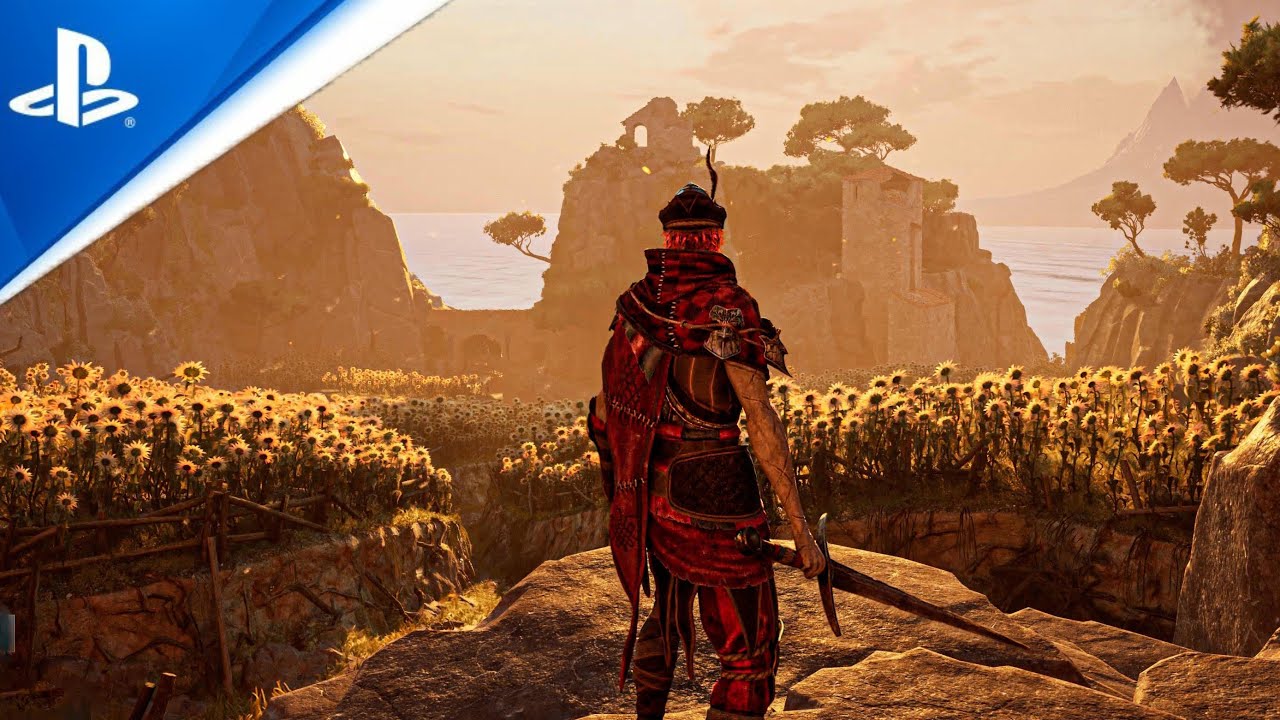
Exploring a fantasy world, fighting against enemies, and solving puzzles to uncover ancient secrets and progress through the story
eternal wren
surely not
dry hollow
that seems to me like sdr inside an hdr container
dry hollow
Atlas Fallen, The Surge 2, the Hoyo gachas, I think Immortals of Aveum?
and probably others
eternal wren
its unreal, why would they delay it lol
if the surge does have hdr on consoles then i guess atlas fallen should also
dry hollow
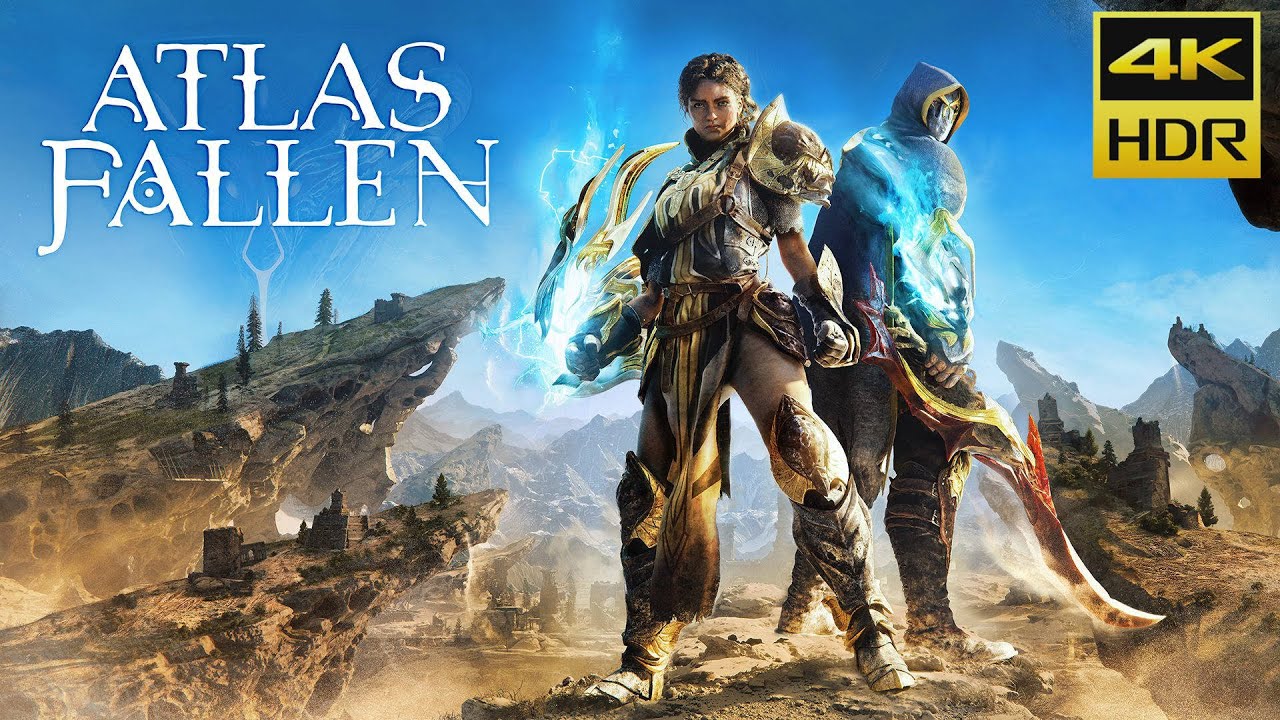
Pensez à vous abonner et cliquer sur la cloche pour recevoir toutes les notifications afin de ne rater aucune de nos vidéos.
Suivez-nous sur :
Notre site : www.playscope.com
Facebook : http://fb.me/Playscope
Twitter : http://twitter.com/playscope
Instagram : https://www.instagram.com/playscopelive/
Twitch : http://www.twitch.tv/playscopelive
#...
eternal wren
atlas is also terribly broken on pc
dry hollow
yep
eternal wren
60+fps feels worse than 60
dry hollow
ya I bought the game, noticed that and the lack of hdr (despite pcgw saying that it supports it..) and instantly refunded lol
eternal wren
i'd consider rendox but i'm not gonna care about a game that is broken like that in 2024
!!
nice infos
should be helpful
vivid wave
candid rain
How can there be HDR videos for ps5?
Forcing PS5 UI to always be in HDR type deal I think
Fake HDR
fossil narwhal
remote carbon
but the Universal Unreal Engine Unlocker (UUU) almost always works
all cvars work via UUU except r.AllowHDR=1
r.AllowHDR=1 has to be loaded early
ima get entronia
so if ini tweaks dont work
I might try fixing it
shortfuse gave me an example fix with SMT5
ohh wow enotria is ue 5.4
fossil narwhal
idk I dont play demos
ue 5.4 is 99% SM6 
unless I can run d3d11 and upgrade sm5 -> sm6
but I need to rip the bandaid and learn sm6 sometime, so maybe we can use this as a learning thing
rip no aobs
[2024-09-16 21:34:56] PS Scan attempt 1
[2024-09-16 21:34:56] [PS] Reading image
[2024-09-16 21:34:56] [PS] Starting scan
[2024-09-16 21:34:56] [PS] Scan finished in 133.6047ms
[2024-09-16 21:34:56] [PS] Found EngineVersion: 5.4
[2024-09-16 21:34:56] [PS] Found GUObjectArray: 0x7ff6fb505820
[2024-09-16 21:34:56] [PS] Found GMalloc: 0x7ff6fb4169c8
[2024-09-16 21:34:56] [PS] Found FName::ToString: 0x7ff6f410b6b0
[2024-09-16 21:34:56] [PS] Found FName::FName(wchar_t*): 0x7ff6f40ecf00
[2024-09-16 21:34:56] [PS] Found StaticConstructObject_Internal: 0x7ff6f4309e70
[2024-09-16 21:34:56] [PS] Failed to find FText::FText(FString&&): expected at least one value
[2024-09-16 21:34:56] [PS] You can supply your own AOB in 'UE4SS_Signatures/FText_Constructor.lua'
[2024-09-16 21:34:56] [PS] Scan failed
the game deletes engine.ini on launch 
really?
looks correct?
I set my engine.ini to read only and it doesnt delete
lets try hdroutput
doesnt enable hdr for me
ah
why 6? its dx12
sdr || output device 4 in engine.ini


it seems engine.ini works just fine
just put this file in your config folder, and set it to read only -- or else it will get deleted on launch
\AppData\Local\Enotria\Saved\Config\Windows
yea it looks like its fixed
no need for anything
just engine.ini + readonly
and job done
unless areas later on are griefed
it seems bUseHDRDisplayOutput=True does not get reset along side engine.ini tweaks
this is UE 5.4.4.0 I wonder if output device is fixed
since this is dx12/HDR10, but no meme output device related issues
@eternal wren ?
bt2390 
 flint oxide
eternal wren
i'm not sure what game actually only has hdr on consoles aside from gta5
flint oxide
eternal wren
i'm not sure what game actually only has hdr on consoles aside from gta5
Deus ex mankind divided
light mist
nba 2k15
 candid rain
fossil narwhal
game looks really nice
candid rain
fossil narwhal
game looks really nice
No luts?
fossil narwhal
 fossil narwhal
candid rain
No luts?
fossil narwhal
candid rain
No luts?
well no issue with luts so far
fossil narwhal
fossil narwhal
sdr || output device 4 in engine.ini
.
fossil narwhal
fossil narwhal
sdr
 fossil narwhal
fossil narwhal
fossil narwhal

atleast this first area seems fine
if future areas are griefed, well shrotfuse gave me the keys to the lutbuilder
so I'll fix it up
the game is really pretty, idk how they fit it in 13gb
eternal wren
how's the gameplay
fossil narwhal
honestly it looks
very promising
I dont plan on playing it until after final fantasy 25
the 3x preset system looks pog
the parrys feel ok
it has that "AA souls like feel"
but I think with levels/progression its better
eternal wren
hope its good, demo felt very off to me
fathom frigate
eternal wren
hope its good, demo felt very off to me
Got some updates though to fix many stuttering issues
eternal wren
fathom frigate
Got some updates though to fix many stuttering issues
i dont mean the tech side really, but the combat felt off
fossil narwhal
yea I heard the demo had some perf issues, and
fossil narwhal
eternal wren
i dont mean the tech side really, but the combat felt off
its not steel rising bad
but it has the AA souls like jank
no denuvo so
fathom frigate
fossil narwhal
no denuvo so
Not gonna affect combat, but yeah haha
fossil narwhal
5.4.4 has to be the newets UE I've seen though
eternal wren
fossil narwhal
its not steel rising bad
yknow i actually didnt hate steelrising and thought it was okay
fossil narwhal
eternal wren
yknow i actually didnt hate steelrising and thought it was okay
and I thought I have brainrot
there is nothing redeemable in that game
eternal wren

fossil narwhal
every map is samsey
like without the compus, you'd never find anything
because its the same city tileset copy and pasted
the combat feels ass
if I didnt meme my friend into finishing it, I would quit after the tutorial area
eternal wren
i didnt have issues with finding my way around the levels
fossil narwhal
but I just ran boss to boss
fossil narwhal
eternal wren
i didnt have issues with finding my way around the levels
its not hard, its just
it looks the same
because it is the same
eternal wren
thats what i mean, it wasnt really
fossil narwhal
also there being like 3 trash mobs, but a elemental version of each
the game is just unredeamable trash imo
I dont want to get too offtopic
eternal wren
ya agree
fossil narwhal
but yea help me out here
so tons of UE games work with just ini tweaks
does that mean the SDR game does not use luts?
or atleast the luts from the lutbuilder we all love
like what is the technical variable that makes a game "work" with ini tweaks and "break"
eternal wren
fossil narwhal
does that mean the SDR game does not use luts?
many ue games don't use luts
fossil narwhal
copy
eternal wren
it's even kinda discouraged by epic
fossil narwhal
eternal wren
fossil narwhal
or atleast the luts from the lutbuilder we all love
lutbuilder always runs
fossil narwhal
btw take alook at this early video
a friend sent me it yesterday
I swear it looks like the recording is fucked up
eternal wren
the lut is just neutral if you don't plug in a lut texture, but lutbuilder does more than that iirc
fossil narwhal
eternal wren
fossil narwhal
like what is the technical variable that makes a game "work" with ini tweaks and...
wdym by "break"
fossil narwhal
eternal wren
wdym by "break"
you answered my question
eternal wren
is it washed out ui? that would be pre 5.1 unreal shader bug
fossil narwhal
if the game doesnt use luts = ini hdr works
if it uses luts = lutbuilder goes brr = rip game, unless we fix it
eternal wren
well it also works if the game uses luts
no, it also works fine. it just looks different bc the lut is not used in hdr
i have no idea what is going on in smt5 but that seems unique
fossil narwhal
eternal wren
no, it also works fine. it just looks different bc the lut is not used in hdr
I consider that broken 
forget about smt5
I'm using The Thaumaturge as an example
I consider that 'broken"
eternal wren
i don't, not really
well i agree it doesn't look as intended and needs to be fixed
but it, well, works
fossil narwhal
I mean if the game looks like apples and oranges between hdr and sdr due to no lut
thats effectivly broken
for me a working ini tweak = colors are the same as sdr, etc -- just well hdr you know
eternal wren
anyway yeah then. any game using luts will be "broken" without a fixed lutbuilder
fossil narwhal
copy, thats what I was curious about
also I wonder if the output device nonsense can be fixed via 1 line in the lutbuilder
eternal wren
i have a plan for a renodx fixing all the unreal issues in one addon but i don't really want to work on it rn
eternal wren
fossil narwhal
forcing the output device cbuffer to like 3u/4u
i think it's used in more places than just the one shader
but i'm not sure
fossil narwhal
eternal wren
i have a plan for a renodx fixing all the unreal issues in one addon but i don't...
I've been diffing a few lutbuilders, and they're usually pretty much the same give or take a few lines of code
also enotria is 5.4.4 and doesnt need UUU or UE4SS to run in proper hdr
eternal wren
fossil narwhal
I've been diffing a few lutbuilders, and they're usually pretty much the same gi...
it'd only work on the unmodified ones, ofc, but that's the vast majority of games
fossil narwhal
is that a ue 5.4x thing?
fossil narwhal
eternal wren
it'd only work on the unmodified ones, ofc, but that's the vast majority of game...
ofc
eternal wren
dunno. but hdr is mostly fine since 5.3
fossil narwhal
atlus is meme tech
dont expect anything universal to work on their games
Metaphor will be on P5R's engine
so if you dont want to work on it, hopefully I can just copy and pasta the alpha fix if it has issues
eternal wren
i will play metaphor at some point but probably much later
fossil narwhal
hopefully its not cursed and maybe I can make a mod
fossil narwhal
I'm digging through the pix dump for Entronia
there doesnt seem to be any luts
there are tons of mentions of lumen, and the other fancy UE5 features
so thats cool
and raytracing
I assume the RT mentions are just lumen
virtual shadow maps!
fossil narwhal
I was thinking, and we need to start a list, something like
-
Game Name
-
Does UE Ini tweaks work yes/no
-- If it doesn't, what's the issue -
Does it need UE4SS/UUU [and does it work with UE4SS/my package]
-
Does it need Ersh's UI fix
-
Does it need framegen fix
I have a few games:
-Sandland, works perfeclty
needs UE4SS [my package] + Ersh's UI fix for 4.27
Remnant 2 works perfectly
needs UE4SS/my package + ui fix + framegen fix
Enotria: The Last Song Works perfectly
Just needs ini settings set in engine.ini + engine.ini set to READ ONLY or else the game will delete engine.ini on launch
you have to create the engine.ini file yourself
Shin Megami Tensei V Vengeance doesnt work
see https://discord.com/channels/1161035767917850784/1259662884779331675 for an alternative
light mist
there is on the pcgw...
 dusky condor
I don't think pcgw includes ue4ss stuff though
fossil narwhal
dusky condor
I don't think pcgw includes ue4ss stuff though
ue4ss is a workaround for dx12 games
since we need to force output device 3/4
but you cant do that with just engine.ini in most UI versions
dusky condor
yeah I just mean that a lot of that list is "wrong" when factoring in the package you put together
fossil narwhal
the package fixs dx12 games thanks to UE4SS + my scripts -- but the issue is not everything is UE4SS compatable
dusky condor
also the shader fixes are huge, praise Ersh
would uploading that package with instructions even be a thing that could go on pcgw?
fossil narwhal
yea, the UI fix is what make the mod usuable in the first place
fossil narwhal
dusky condor
would uploading that package with instructions even be a thing that could go on ...
it should be, the package has a license file and everything is like
properly credited
but ersh is working on a proper UE fix
so its probably better to wait for that maybe
eternal wren
fossil narwhal
but ersh is working on a proper UE fix
i am in fact not working on it
just plan to at some point
 little folio
unlike the pattern for DX12 swapchain format it's far more annoying to find the code forcing outputdevice to 5/6 🙃
DX12 swapchain format was literally just following a string you can grab from the source code straight back to the right function
candid rain
dusky condor
I don't think pcgw includes ue4ss stuff though
u can
candid rain
eternal wren
i am in fact not working on it
just plan to at some point
we'll get to it "soon". Prey and Starfield are first.
candid rain
fossil narwhal
I have a few games:
-**Sandland**, works perfeclty
needs UE4SS [my package] + ...
so Enotrial deletes engine.ini? Really? Or does it clear it from custom settings?
fossil narwhal
candid rain
so Enotrial deletes engine.ini? Really? Or does it clear it from custom settings...
yes
it doesnt come with an engine.ini file
it only comes with "gameusersettings"

if you create engine.ini, it will delete it on launch
read-only fixs it
candid rain
interesting
tbh, I never understood why UE creates inis with default settings in them...
fossil narwhal
candid rain
tbh, I never understood why UE creates inis with default settings in them...
even worse: 100 ini files, all empty except
gameusersettings.ini
which is most games for me
candid rain
fossil narwhal
it only comes with "gameusersettings"
added it to pcgw.
seems like pcgw went to shit lately.
fossil narwhal
what happened?
I usually go there via my steamdb extension to check stuff out
but not too often
candid rain
fossil narwhal
what happened?
Aemony left? dunno
fossil narwhal
iirc he said he wasnt that involved anyway or something
candid rain
nobody is making pages for new games.
fossil narwhal
oh
I dont think aemony did that, people just did it
like I made a page
for a game that didnt exist
I used to think it was automatic
 primal cargo
candid rain
nobody is making pages for new games.
primal cargo
candid rain
nobody is making pages for new games.
We should make an HDRDen wiki. Screw SDR.
eternal wren
primal cargo
We should make an HDRDen wiki. Screw SDR.
i mean, unironically yes. we should have a writeup with a lot of the basic stuff as a way to combat the shitty misinfo like "rtx hdr is better than native"
simple explanations why this cannot be true in 99% cases, etc
primal cargo
https://github.com/clshortfuse/renodx/wiki
Authors are adding stuff here, but there's undoubtedly going to be some overlap with a less RenoDX specific Wiki
candid rain
eternal wren
i mean, unironically yes. we should have a writeup with a lot of the basic stuff...
no pls 😄
SK already has a wiki
we should just join forces with PCGW
candid rain
eternal wren
i mean, unironically yes. we should have a writeup with a lot of the basic stuff...
people that say "rtx hdr is better than native" aren't gonna read our wiki, and even if they did, they wouldn't care.
eternal wren
candid rain
people that say "rtx hdr is better than native" aren't gonna read our wiki, and ...
you can shut them up with linking to a good writeup though.
candid rain
eternal wren
you can shut them up with linking to a good writeup though.
they just won't answer, but you won't defeat them
candid rain
I mean, a wiki with a couple of general pages about how to set up HDR etc and the basics is good.
eternal wren
and chances are they'll end up on some bad youtube channel that praises rtx hdr everywhere
eternal wren
candid rain
but a per game wiki, no 🙂
nono i didnt mean a per game wiki heh
fossil narwhal
eternal wren
and chances are they'll end up on some bad youtube channel that praises rtx hdr ...
I'm with you, the "normies" will probably either not want to dick around with all this or find a big channel praising AutoHDR
especially without an understanding of "what hdr is"
they see w11 autohdr/rtx hdr making their game bright and pretty and they think job done
eternal wren
theres no good writeup to point to i think. random posts around from people that know what they're talking about, for sure
fossil narwhal
yea, but it would be a whole wall of text
that most people would go "y do this over rtx hdr"
eternal wren
not necessarily a wall of text
just a simple concise explanation why stretching sdr data is still missing all the info that was lost from tonemapping to sdr
then some faq about common issues (if your game looks wrong and washed out, the native hdr is probably not "broken", but you have technical issues or a shitty screen - here's the common issues and fixes - nvapi shit etc)
idk, i'm not good at writing things up. but i think a writeup would be very useful
fossil narwhal
might be better in small yt episode form
I'm planning on breaking up the pix guide in small yt episodes, because it would be walls of text
eternal wren
fossil narwhal
might be better in small yt episode form
for some maybe, i'd definitely prefer a writeup personally
but yeah there's still an unfilled niche (i think) of a pc hdr youtuber that is well informed
fossil narwhal
I was going to make them unlisted [just so I can embed them on the wiki]
just because for something like pix for example, its easier to explain how to go through the menus in video form
vs. take 20 screenshots
3 parts
- how to setup + capture
- how to analyze capture [srv/rtv/etc]
- how to convert a bin to hlsl via shortfuse's dcompiler to luma's bin2hlsl
dusky condor
candid rain
people that say "rtx hdr is better than native" aren't gonna read our wiki, and ...
Well, at this point I think most are familiar with the arguments all around and are entrenched in what their experiences tell them. I think most people think autohdr is "fine" at this point, but a lot of people think RTX HDR is better than native in many cases, and the reason why is because it has correct gamma, good default paperwhite, and gets very bright. People are aware that more bits = better, but I don't think they really know what that means, like they might take away "less banding", but I don't think people understand how compressed the top range of SDR content really is (in large part because you can crank the brightness on it). Nobody really shares comparison shots focused on detailing that point (in large part due to difficulties of sharing HDR images online in the first place). A zoomed in shot comparing RTX HDR vs Native HDR of a highly exposed area would make it quite clear that it's not just more intermediate steps and more brightness, it's vastly more detail. Not sure this is a point that can be driven home without forcing the eye away from preferring whichever image has more contrast.
at the end of the day it's a problem created by so many developers implementing HDR in a lackluster way. Even if it's solvable with reshade or whatever, we're now talking about a level of knowledge to recognize and solve a problem that also requires an understanding that native hdr is worth fixing over disabling and using rtx hdr or w/e.
 wheat light
dusky condor
Well, at this point I think most are familiar with the arguments all around and ...
wheat light
dusky condor
Well, at this point I think most are familiar with the arguments all around and ...
For some time I think people enjoy these bright surfaces of AutoHDR rtx hdr and other techniques because it's a intenser experience. It's basically the same as putting SDR at max brightness but the image is also shaped to " highlight highlights".
HDR is hard to sell because it "doesn't really bring much improvements" that the average user can tell apart.
In essence HDR is just more dynamic range covered and PQ at 11.5 bit or higher is theoretically banding free.
HDR is sold under the aspect of higher brightness when that is just one of the pieces making it better than SDR.
regal jetty
I think the difference is significant where it matters(depending on display) . But it's not significant all the time.
dusky condor
maybe this is a good place to ask, anybody know what cvar UUU messes with for its FOV adjustments in UE5?
lost current
can you force HDR in The Quarry?
candid rain
lost current
can you force HDR in The Quarry?
no
candid rain
lost current
does it work with pipeline remasters
I played it with SK HDR
lost current
yes I mean can you use any of the remaster options
dry hollow
candid rain
no
what happens if you use them, does it insta crash
candid rain
dry hollow
what happens if you use them, does it insta crash
ignored, if I recall
dry hollow
weird. did you try all the different methods back then, UE4SS, UUU, ...
quarry's engine ver is 4.26.2 according to pcgw, so the cvars should definitely exist
vivid wave
lost current
can you force HDR in The Quarry?
I played the quarry for the first time last night with rtx hdr and damn it looked mindblowing. I will try SK tonight as well.
lost current
its a dx12 game so no remasters
lost current
flint oxide
It’s dx11 according to pcgw

eh I don't care enough to bother, inverse tonemap gonna be sufficient
flint oxide
Someone with an account fix that
There’s a saturate in a compute shader that I’m unable to decompile properly
lost current
also 2022 game with zero upscalers
flint oxide
And it runs like shit
flint oxide
Setting to low barely gives me any more fps
lost current
I really don't care for these kinds of games, but it's fun to play with someone else, my gf wanted to play Until Dawn with me, but until that is patched we can just play this
from what I heard it's a better game/story
I watched a playthrough of Until Dawn when it was new
vivid wave
lost current
eh I don't care enough to bother, inverse tonemap gonna be sufficient
Share you reshade settings when you get it working pls...
vivid wave
lost current
why would I use reshade
Thought you said using inverse tone mapping? Isnt that a reshade option?
lost current
If you're doing SDR to HDR and not extracting any additional information then you're just doing an inverse tonemap
just make sure you keep the nits relatively low at 400-500
otherwise you're just overblowing and stretching it
flint oxide
vivid wave
Thought you said using inverse tone mapping? Isnt that a reshade option?
You can do it through reshade but SK also has its own built in version
vivid wave
👍 I will try SK too... HDR10 and profile 0. Lets see of it has better results than rtx hdr
 vagrant gulch
not really HDR related, but why don't more games use virtual shadows from UE? off vs forced on in satisfactory


 feral willow
VSM are designated to work with nanite geometry, otherwise there are expensive or can have visual issues
and full fat nanite is still not a thing, nanaite for characters is currently in beta as for UE5.5
You can see in the screens you posted that VSM cut the performance in half
I'm gonna guess that Satisfactory is not using nanite at all
candid rain
vagrant gulch
not really HDR related, but why don't more games use virtual shadows from UE? of...
both look good to me 🙂
I guess one is more physically accurate, but that doesn't necessarily mean beautiful
vagrant gulch
candid rain
I guess one is more physically accurate, but that doesn't necessarily mean beaut...
the left one is more noisy in motion too though
vagrant gulch
feral willow
You can see in the screens you posted that VSM cut the performance in half
it didn't really I just took the photo too fast after enabling, it does a dip in FPS as it enables but then it goes back up to normal
vagrant gulch
feral willow
You can see in the screens you posted that VSM cut the performance in half
Example 2 off vs on. FPS is about the same

 candid rain
vagrant gulch
Example 2 off vs on. FPS is about the same
candid rain
vagrant gulch
Example 2 off vs on. FPS is about the same
k that's nice
what no
left one looks more realistic?
candid rain
vagrant gulch
not really HDR related, but why don't more games use virtual shadows from UE? of...
even here
vagrant gulch
candid rain
left one looks more realistic?
again not in motion :/ wish i could show you but the left is flickering like crazy
candid rain
I had assumed you put "better" on left and "worse" on right
candid rain
candid rain
I had assumed you put "better" on left and "worse" on right
(which is not what I'd usually do, so indeed, you put them worse and better :D, cool)
vagrant gulch
candid rain
(which is not what I'd usually do, so indeed, you put them worse and better :D, ...
also for tree shadows they're much more detailed. Worse left better right


 fossil narwhal
btw the other week I learned ini tweaks aces is actually asses
sdr -- ini tweaks -- fixed aces/renodx


ignore the sky buing blue in the ini tweaks, the ini tweaks dont load the SDR lut
the gud aces give you more shadow detail, less raised blacks, etc
- Ignore the broken UI, I didnt fix it
eternal wren
fossil narwhal
ignore the sky buing blue in the ini tweaks, the ini tweaks dont load the SDR lu...
the ini tweaks dont load the SDR lut
yes we knew this for a while already. pumbo has a fixed version of the shader that does lut extrapolation
fossil narwhal
its not just the sdr lut
I'm mostly interested in shadows
you think you can slap that in too
like the proper aces
eternal wren
isnt this gamma mismatch or something
eternal wren
isnt unreal's hdr aces the real one, vs sdr being scuffed?
lost current
flint oxide
did you force dx12 in ini and forget to remove that
didn't touch it
it didnt even have an engine ini
and it gets wiped each time
vivid wave
Looks like no HDR again on UE game
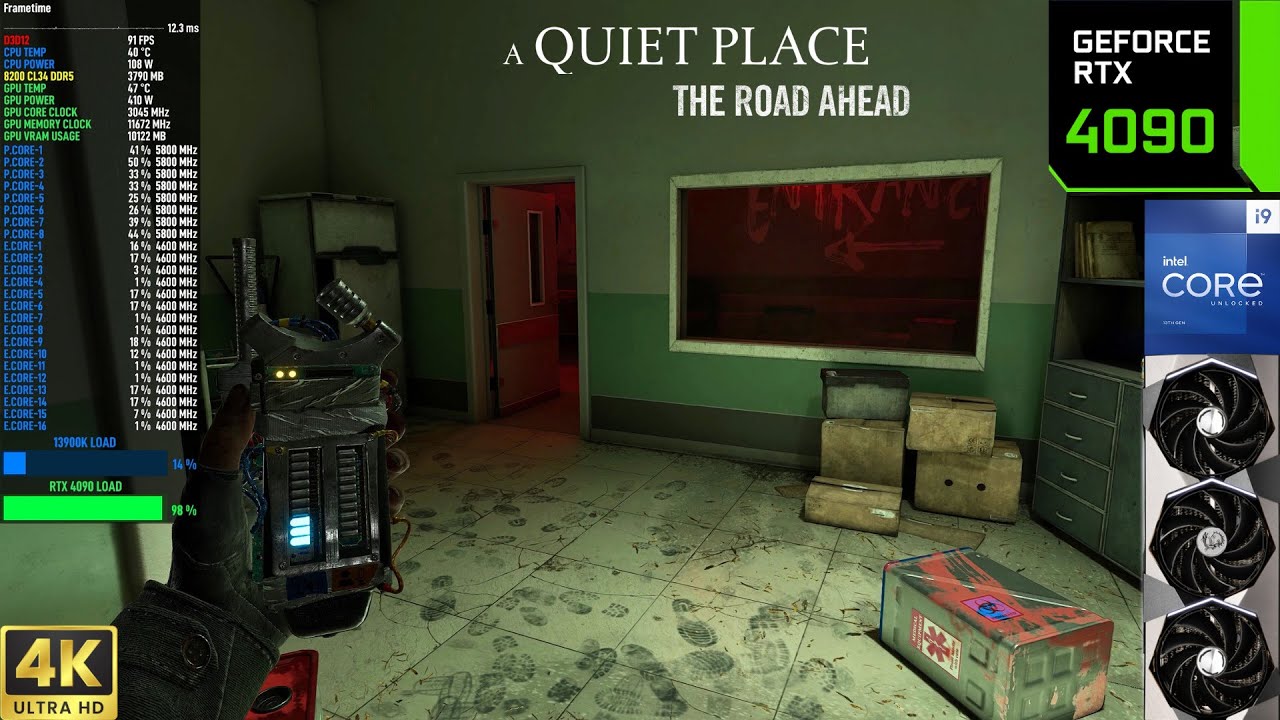
This footage showcases the performance of the RTX 4090 in A Quiet Place The Road Ahead, using 4K DLSS Quality with Ray Tracing and Epic Settings. Recorded with Shadowplay, which results in a 5 FPS loss.
0:00 : Intro
0:249 : Settings
1:07 : 4K DLSS Quality, Ray Tracing Epic Settings
▶️ PC Specs
✅ Monitor: Neo G8 32" 4K 240Hz
✅ CPU: i9 13900K
✅ ...
candid rain
vivid wave
Looks like no HDR again on UE game
https://youtu.be/HpthfBXnC18?si=GLzqbL2Rdbs...
ini will probably work
UE version?
vivid wave
candid rain
UE version?
PCwiki doesnt say
lost current
game surprisingly has hardware lumen
candid rain
Then it should be good
flint oxide
make the account
fossil narwhal
no
flint oxide
use a burner email
fossil narwhal
its not about the email
flint oxide
its good for learning
flint oxide
they already own the industry
fossil narwhal
if people thought like that, we wouldn't have any change
but yea can I get a pic of what the pr is pls
ersh sent me a pic
flint oxide
fossil narwhal
if people thought like that, we wouldn't have any change
ya fair
candid rain
fossil narwhal
its about the principle
Epic is not evil
fossil narwhal
I have no issue with
unreal engine, EAC/EOS
or epic's first party games
but I beleive EGS is a meme platform that only holds games back
 fossil narwhal
fossil narwhal
fossil narwhal
best case scenerio
worst case scenerio people forget about the game, and it dies by the time it hits steam
flint oxide
at the same time steam needs to have competition
its just that epic is poor competition
fossil narwhal
pretty much ^
flint oxide
still better than rockstar games launcher
fossil narwhal
I also refuse to buy and play (even pirate) games that require a launcher on steam
imo its peak 
especially if its a singel player game, like the new sony launcher stuff
but this boycott has been going on for years
like I already have a steam account, and bought the game on steam -- why do I need another account and another overlay to play a single player game -- like cammon
thats why I dont play any EA/Ubi games
there are tons of games I'd love to play, but refuse to because I cant give up
eternal wren
candid rain
Epic is not evil
blink twice if you're being held hostage
candid rain
fossil narwhal
there are tons of games I'd love to play, but refuse to because I cant give up
I wish people actually had this integrity for stuff that matters in the world 😄
regal jetty
fossil narwhal
It's proof focusing on customers works better than focusing on devs.
Even devs care more about customers than themselves.
vivid wave
Hello, this may be a stupid question but is there a list of UE game this works for or doesnt work for?
pine coral
vivid wave
Hello, this may be a stupid question but is there a list of UE game this works f...
fossil narwhal
"works" is a
broad term
you'll have games that go into hdr and all that -- but the SDR Lut wont load, so the color grading isg oing to be rip
or you'll have a game that can work, but ue4ss doesnt work, like banishers
so you'll have to use UUU (or hex edit)
forcing ini hdr is a ton of fun
you can get around stuff with -d3d11 but you loose the huge cpu perf UE gives running in dx12
my suggestion is just go on a game by game basis
if a game you want to play works, nice
if not, rip
vivid wave
👍
fossil narwhal
my suggestion is just try your game and see what happens; too many unknowns
brazen fern
In ‘Nobody wants to Die’, HDR forcing through the ini seems to work. Does anyone have experience with the game?
candid rain
brazen fern
In ‘Nobody wants to Die’, HDR forcing through the ini seems to work. Does anyone...
search the chats. I think it was clipped anyway?
can't remember
feral willow
brazen fern
In ‘Nobody wants to Die’, HDR forcing through the ini seems to work. Does anyone...
I've played the entire game with the ini HDR, looked good to me
brazen fern
ok thanks. I searched the threads and some said SK would be better. For me, it actually looks good with ini forced.
lost current
Does the HDR mod work with Little Nightmares 1?
installed it and it's not doing anything
2nd game fatal errors
well at least the enhanced edition I wanna play
fossil narwhal
I have little nightmares 1, so I'll try it out
ue4ss does not work with the game, missing AOBs
it seems just injecting reshade = crash
I think the UE version is ancient, not even ini tweaks work here
they use the old ue4 logo on startup
lost current
fossil narwhal
the package I made with UE4SS?
yes
it does nothing in the 1st game
in the sequel it crashes on startup
the sequel got updated with RT so I am guessing it's recent enough
dry hollow
Yea little nightmares 2 should work with the ini tweaks, in DX11 at least
Sometimes UE4SS just fails but the engine ini stuff still works
If you want to keep RT with dx12 you would need to use UUU to force OutputDevice 3
Or patch the game's exe to allow for output device 5 to work
lost current
dry hollow
If you want to keep RT with dx12 you would need to use UUU to force OutputDevice...
how would that work
dry hollow
By using the console that is enabled with UUU
But if the game crashes on startup due to the HDR cvars then UUU will also make the game crash
But if it's related to UE4SS, UUU might work
fossil narwhal
I think the game is too old for ini tweaks
I tried manually editing engine.ini, and got nothing
candid rain
https://github.com/EpicGames/UnrealEngine/commit/7bd33ce4a7c0c295bdd78d9eb920530aea6b45ba
Epic merged the fix we proposed.
The issue that causes Silent Hill 2 scene brightness depend on the UI paper white.
eternal wren
candid rain
https://github.com/EpicGames/UnrealEngine/commit/7bd33ce4a7c0c295bdd78d9eb920530...
The issue that causes
Silent Hill 2every Unreal game's scene brightness depend on the UI paper white.
light mist

 vivid wave
candid rain
https://github.com/EpicGames/UnrealEngine/commit/7bd33ce4a7c0c295bdd78d9eb920530...
vivid wave
candid rain
https://github.com/EpicGames/UnrealEngine/commit/7bd33ce4a7c0c295bdd78d9eb920530...
What does this mean for Ersh's SH2 black floor fix, if anything?
flint oxide
vivid wave
What does this mean for Ersh's SH2 black floor fix, if anything?
its highly unlikely bloober would update to a newer version of unreal
its just that the specific issue with raised blacks from ui is gone now from newer games that come out
vivid wave
flint oxide
its just that the specific issue with raised blacks from ui is gone now from new...
Well at least, thats a win for future games... maybe we'll see it in MGS Delta via software update?
flint oxide
I’m not familiar with development schedules in gaming but I imagine they wouldn’t risk updating stuff so late into development and potentially breaking something
feral willow
We don't really know how far into the development they are
The game still doesn't have release date
It's also hard to say how much they modified the engine
If it's fairly vanilla the update could be rather smooth
That said, I doubt any AAA game coming out soon will use it
candid rain
feral willow
We don't really know how far into the development they are
The game still doesn'...
no way they are upgrading
vivid wave
Im getting grey black bars in Robocop with updated ini file... any idea why? I put the gamma all the way to zero.
Also anyway to verify the hdr actually kicked in? SK does show its HDR10 but RTSS UI is sdr
Maybe reshade
vivid wave
This is what I have added to the file so far:
[SystemSettings]
r.AllowHDR=1
r.HDR.EnableHDROutput=1
r.HDR.Display.OutputDevice=5
r.HDR.Display.ColorGamut=2
r.HDR.UI.CompositeMode = 1
r.HDR.UI.Luminance=790
flint oxide
vivid wave
Im getting grey black bars in Robocop with updated ini file... any idea why? I p...
its probably that code from before
flint oxide
vivid wave
Also anyway to verify the hdr actually kicked in? SK does show its HDR10 but RTS...
reshade hdr analysis
also the highlights are bright
from what I played it should be very clear when its hdr
vivid wave
flint oxide
its probably that code from before
code from before?
flint oxide
the stuff that was causing the raised blacks in hellblade 2
srgbfromlinear() I think was the function
or linearfromsrgb()
idk
vivid wave
hmm ok i will search for it
only the black bars are grey from what I can tell but who knows, HDR analysis will shed some light
flint oxide
candid rain
https://github.com/EpicGames/UnrealEngine/commit/7bd33ce4a7c0c295bdd78d9eb920530...
this code
is what was causing the raised black bars
eternal wren
flint oxide
is what was causing the raised black bars
it’s a small raise tho. i wouldn’t call it grey, more like not-pure-black
if they’re grey it might be something else. screenshot?
vivid wave
eternal wren
if they’re grey it might be something else. screenshot?
i;ll see if i can get a screenshot
Here's the game otherwise, without black bars, looks fine


 eternal wren
it's sdr

 vivid wave
 eternal wren
probably won't work but you can try the silent hill 2 fix here
the ui shader might actually be the same between 5.1 and 5.2 i don't remember
vivid wave
eternal wren
the ui shader might actually be the same between 5.1 and 5.2 i don't remember
ohh same black floor fix?
ya i can give it a shot
eternal wren
yea wont hurt to test
vivid wave
eternal wren
yea wont hurt to test
Did not work, as in the mod does any change the image in any way
eternal wren
ah well
vivid wave
So no real solution to what Musa was eluding to?
eternal wren
not rn. we'll eventually make an universal unreal fixer
vivid wave
Unreal would be amazing they said
remote carbon
Did anyone try to "fix" Wuthering Waves's HDR?
it's UE4, DX11/DX12
the peak brightness seems to be "fixed" no matter what
 prisma jackal
If it's just peak brightness then you can use lilium tonemapper
remote carbon
prisma jackal
If it's just peak brightness then you can use lilium tonemapper
I mean it's limited to ~120 nits
primal gulch
while my lilium tutorial is cooking i'd like to try this mod, do you guys have a game in mind that works flawlessly ?
candid rain
primal gulch
while my lilium tutorial is cooking i'd like to try this mod, do you guys have a...
there's only a UI and HDR frame gen fix for now, work is not done.
primal gulch
you're talking about your very cooked mod, so I can't just cover how to convert UE in general with the pinned stuff ?
with the ui fix
then i'll wait :p
well guess that's that
fossil narwhal
the pinned stuff is just ini tweaks with ersh's ui shader fix
the only difference is it uses UE4SS instead of editing the ini, so it works in some dx12 games
because you cant use ini tweaks in dx12 (well you can, but the output device will be wrong)
primal gulch
fossil narwhal
the pinned stuff is just ini tweaks with ersh's ui shader fix
ya
I wanted to cover that in a sense
but i'm just gonna wait
fossil narwhal
if ue4ss works is hit or miss
 sour kraken
Currently applying these settings for Ready or Not and it looks stellar.
[SystemSettings]
r.AllowHDR=1
r.HDR.EnableHDROutput=1
r.HDR.Display.OutputDevice=5
r.HDR.Display.ColorGamut=2
r.HDR.UI.CompositeMode=1
r.HDR.UI.Luminance=200
r.Streamline.TagUIColorAlpha=0
I've seen the mentions of using ue4ss to force OutputDevice=3 (since I am running the DX12 version of the game) but doesnt FG not work with scRGB?


 full patio
sour kraken
Currently applying these settings for Ready or Not and it looks stellar.
[Syste...
full patio
sour kraken
Currently applying these settings for Ready or Not and it looks stellar.
[Syste...
AFAIK UE5 just doesn't do DX12 and scRGB, at least not in the versions of UE I've tried which is mostly 5.2
Does anyone know why TonemapperGamma wouldn't do anything in Jedi Fallen Order, UE4
I am trying to do the gamma correction in engine instead of via reshade
also fiddling with SKs remaster, which doesn't seem to break anything except FMV granted I don't know exactly what it does
 kind beacon
Has anyone tried this with Fortnite? I tried it once just changing one param and it didn't let me launch the game. I'm surprised that it still doesn't have HDR support
fossil narwhal
this wont work with fortnite
you'll need w11 force autohdr (if thats fixed on 24h2)
or rtx hdr
light mist
the skulls look kinda broken?
 fossil narwhal
hat game is that
light mist
rain code
light mist
alright
fossil narwhal
its still a wip, but why not
light mist
cursed
light mist
fossil narwhal
DID YOU DISABLE THE INI TWEAKS
light mist

Enjoy a brand new dark fantasy detective action game from the minds behind the Danganronpa series!A city of rain is gripped by innumerable unsolved mysteries, under the complete control of a megacorporation. Master Detectives from around the world, each possessing unique powers, must rise to the challenge of uncovering the truth. With Shinigami ...
Price
$35.99
Recommendations
436
light mist
fossil narwhal
DID YOU DISABLE THE INI TWEAKS
n
light mist
aight
 light mist
fossil narwhal
light mist
light mist
fossil narwhal
light mist
no ini tweaks?
that means it uses the same lutbuilders, just needs sampling done
light mist
fossil narwhal
lame its all talking
you use the sword to slice words or smth
light mist
fossil narwhal
no ini tweaks?
no ini tweaks
fossil narwhal
if I had the sample shader, I'd be able to make a mod in 30 seconds for you
light mist
sample shader?
light mist
alright it should be easy enough to find I guess
fossil narwhal
it gets drawn to the swapchain
light mist
do I still need to use dx12?
fossil narwhal
yea
light mist
damn
fossil narwhal
why is that an issue
also the ui might not be 100%; I didnt setup the final shader yet for UE
light mist
fossil narwhal
why is that an issue
because it'll probably cause shader stutter
fossil narwhal
rip
light mist
and damn these ue shaders have a fuck ton of lines
well some do
is this one of them?
might be these 4 maybe
fossil narwhal
well we need to know the one the scene uses
can you inject the devkit
if you enable/deisable it
the game willgo black I think
light mist
yea the game def did not go black
the only shader that made the game go black was the final shader
fossil narwhal
there should be no final shader in ue4.27
fossil narwhal
LMAO BBA
CustomShaderEntry(0xBBA0606A), // Sample1
I already have that shader
give me 30 seconds
light mist
BBA?
 fossil narwhal
I broke the ui
light mist
rip
 dry hollow
light mist
or maybe "renodx lite" would be easier
dry hollow
light mist
or maybe "renodx lite" would be easier
I looked at rain code and fixed the forced UE HDR, they just added a shader after everything that uses saturate(), so it's clamped
they also have a "hatching" effect shader that doesn't like values outside 0..1
so only PQ works, output device 3/4
I'll make a package with UE4SS real quick for you
dry hollow
I'm just doing pq -> scrgb at the end
light mist
dope
dry hollow
you can also do that with any ue game (dx11 + od3/4) through Lilium's map SDR to HDR shader
if you select PQ there
light mist
ngl I don't really get it
how would lilium's map sdr to hdr shader change that?
I thought hdr10 is just straight up broken in dx11
dry hollow
the enablehdr cvar creates a scrgb swapchain in dx11 I believe
and if you then use od3/4, UE renders everything in hdr10/pq
so you just have to convert pq to scrgb, otherwise its washed out
through a reshade shader
or by editing a game's "output" shader
light mist
ic
dry hollow
Master Detective Archives: Rain Code HDR Package
Needs to be unpacked next to the game's main exe RainCodePlus-Win64-Shipping.exe in <Rain Code Location>\RainCodePlus\Binaries\Win64
I hope this works for you
light mist


oh oops
I messed up the hdr screenshot
ah whatever, but it works thx
there is some gamut expansion, but tbh it should be easy enough to clamp it in renodx
also I think you missed some ui shaders, but ersh's shaders should handle that I think
not quite time to investigate I guess
dry hollow
light mist
also I think you missed some ui shaders, but ersh's shaders should handle that I...
wait what UI elements are washed out
dry hollow
 dry hollow
light mist
the character portrait for example
dry hollow
light mist
the character portrait for example
does it not look like this for you
light mist
it might be because I'm using lyall's mod
dry hollow
oh
light mist
but yea it does not
nvm it's not because of lyall
all of the ui shaders have different hashes which is weird
dry hollow
can you send me your save
 light mist
damn
dry hollow
do you have a working console with f10
light mist
I think so
yea
so
if I do hdr ui composite mode 0
the ui looks fine and the game looks weird
oh shit
dry hollow
if I do ui composite mode 0 both ui and game are washed out, since its just pq in an scrgb container
do you still have -dx12 as launch param
light mist
seems like the backbuffer color space is sdr
 light mist
dry hollow
do you still have -dx12 as launch param
light mist
dry hollow
do you still have -dx12 as launch param
no
sk does something

I just used a raw scrgb frame buffer and it works now

 fossil narwhal
@dry hollow if you can find the lutbuilder and sample shader; I can add it to my project real fast
I think mlg found a sample shader that I already fixed, but there might be a diff lutbuilder
dry hollow
fossil narwhal
<@208960001807613952> if you can find the lutbuilder and sample shader; I can ad...
What are you working on
Like a universal ue4 mod?
fossil narwhal
shortfuse figured out
how to fix the lutbuilder
and not have to modify trhe samle shader
dry hollow
I can send you the lutbuilder at least sometime for sure
dry hollow
fossil narwhal
and not have to modify trhe samle shader
Ohh nice
fossil narwhal
so for wu kong
you can have a proper mod
read #1282729343721803837
since you said the issue was just sample shaders
and yea, collecting more lutbuilders
for the universal ue addon
since sample shaders are no longer an issue
there arnt that much lutbuilders
 orchid thunder
Has anyone tried to use this process for Psychonauts 2 (steam version)?
candid rain
Doesn't work but eventually it will
 twilit current
did anyone manage to add hdr to satisfactory using this?
candid rain
twilit current
did anyone manage to add hdr to satisfactory using this?
#1321685184852135967
 brave briar
This is nice
warped oak
Can someone remind me - how do i force aces2000 with a UE5 game that has native HDR already?
I'm trying to see if I can get Riven to do it
prisma jackal
warped oak
Can someone remind me - how do i force aces2000 with a UE5 game that has native ...
#1228738531216719956 message
warped oak
prisma jackal
https://discord.com/channels/1161035767917850784/1228738531216719956/12372134526...
I figured I wouldn't need the whole mod since that one is for forcing native HDR rather than tweaking existing native HDR, or at least I thought
fossil narwhal
yea you need to force outputdevice 4 or 6 (depending on hdr10/scRGB)
only way to do that is UUU or UE4SS
you can also fake your edid
set your peak nits to 2000 in windows
and unreal engine will automatically go to aces2000
@warped oak
faking it in windows might be the easiest way to go about it
warped oak
fossil narwhal
faking it in windows might be the easiest way to go about it
hm still seems to do aces1000 interesting
with faking it in windows
fossil narwhal
interesting
did you try the UE mod
with native hdr off?
native hdr is just the lutbuilder going down a different code path
so native hdr off + renodx unreal engine might be better
but if that doesnt work, output device 4 or 6 is da wei
unless they have a custom tonemapper; then idk
fossil narwhal
weird that forcing 2000 on the edid did nothing
ue4ss and uuu is scuffed by modern standards
fossil narwhal
native hdr still does that
sometimes
shipped from a game
because they use custom UI elements instead of UE's
and grief things
warped oak
fossil narwhal
weird that forcing 2000 on the edid did nothing
I used Doge's set_maxtml with maxcll at 2000 and verified it said 2000 in vesa display app
but yea didn't work 😦
game looks pretty nice with aces1000 though
If you play it, try adding the sdr emulation with 203 nits, and use bt.2390
brave briar
I should try this out
 vestal mango
I know I went gravedigging replying to this message, but could you give a tl;dr on how to do this if you remember? PCGW says no HDR and I can't find any mods here for it.
light mist
check the pins, but
GitHub
Renovation Engine for DirectX Games. Contribute to clshortfuse/renodx development by creating an account on GitHub.
try this first
dry hollow
vestal mango
I know I went gravedigging replying to this message, but could you give a tl;dr ...
yea try and see if the universal Unreal Engine RenoDX mod works for the game, that should be the better solution now, more customizable and accurate
and easier to use, especially in Atomic Hearts case
 crude flare
dry hollow
yea try and see if the universal Unreal Engine RenoDX mod works for the game, th...
crude flare
dry hollow
yea try and see if the universal Unreal Engine RenoDX mod works for the game, th...
It doesn't for me
dry hollow
crude flare
It doesn't for me
can you enable the lutbuilder dump option in the advanced settings of the UE mod? needs a restart
if thats successful, the mod should create a renodx folder in the directory of the mod with some files, please share them
sometimes it's another issue though, you might want to try setting B8G8R8A8_TYPELESS to output size
crude flare
dry hollow
can you enable the lutbuilder dump option in the advanced settings of the UE mod...
The problem is that the game crashes on startup for me, with reshade and the mod next to the exe
 dry hollow
crude flare
The problem is that the game crashes on startup for me, with reshade and the mod...
dry hollow
crude flare
The problem is that the game crashes on startup for me, with reshade and the mod...
oh.. can you share the reshade.log
do you have rt on
crude flare
crude flare
dry hollow
do you have rt on
Yes, will try turning off
crude flare
crude flare
Yes, will try turning off
same error
dry hollow
@primal cargo can you maybe help out
primal cargo
06:37:24:119 [ 9688] | INFO | [RenoDX] mods::shader::OnCreatePipelineLayout(will insert cbuffer 13 at root_index 20 with slot count 17 creating new size of 39, newParams: 0000000038008590 )
06:37:24:119 [ 9688] | INFO | [RenoDX] mods::shader::OnInitPipelineLayout(Using injection index for 00000000380DB650: 20, cbvIndex:30 )
06:37:24:119 [ 9688] | INFO | [RenoDX] mods::shader::OnCreatePipelineLayout(will insert cbuffer 13 at root_index 3 with slot count 17 creating new size of 21, newParams: 000000000F8037F0 )
06:37:24:119 [ 9688] | INFO | [RenoDX] mods::shader::OnInitPipelineLayout(Using injection index for 00000000380E39D0: 3, cbvIndex:30 )
it's those capability tests
i'll have to do some work on reshade itself to improve compatibility
vestal mango
I was looking to maybe buy atomic heart finally as well if renodx works with it 👀
dusky condor
@fossil narwhal gonna integrate Dragonwilds into this?
or maybe it already works idk what unreal version it is
fuck wrong channel, I guess respond (if you want to) in renodx: unreal lmao
feral willow
It should probably be locked
fossil narwhal
I made a mod last week
@dusky condor https://github.com/clshortfuse/renodx/discussions/180
dusky condor
that message was from a few days ago 😉