#Unreal Engine native HDR shader fix for games without official HDR support
1 messages · Page 2 of 1
 light mist
idk either bro
 fossil narwhal
or perceptually match them
fossil narwhal
right
 flint oxide
There’s an option to select linear input color space so it’ll just be scrgb passthrough
fossil narwhal
flint oxide
There’s an option to select linear input color space so it’ll just be scrgb pass...
ah just like sk
I'll give it a go sometime
because there have been a few games with like 50% bt2020 when you force ue hdr
and it looks all fucky
I'm all for WCG -- but when its done right you know what I mean
fossil narwhal
ACES 2000 UE Native HDR tonemapped to 850 with lilium's shader (bt2390)


 light mist
If you want to compensate for it seemingly using srgb piece wise
You can use the black floor fix with yrgb and mess with that
It's the least likely to cause negative colors
Althought I think it looks fine without it. The blacks are not raised
light mist
well damn this sucks
the hdr tweaks don't see to work properly on linux
its stuck at 80 nits
I'm pretty sure the issue is unreal thinks the window is out of focus
but idk what to try really
any ideas?
light mist
light mist
I'm pretty sure the issue is unreal thinks the window is out of focus
actually it looks different from that. its just stuck at 80 nits
light mist
I'm lost. Idk what tomfoolery unreal is doing that prevents this from working
Sometimes even ue4ss just randomly stops working
fossil narwhal
light mist
If you want to compensate for it seemingly using srgb piece wise
I just changed the black floor in the tonemap shader
since I'm tonemappping down from 2000 anyway
fossil narwhal

here is an hdr png

I noticed last night that some blacks where lifted during a cutscene, when the pixels where not off lol
light mist
is this supposed to peak at 300 nits
nope
nice
I guess kal ran into the same metadata corruption as doge
fossil narwhal
light mist
is this supposed to peak at 300 nits
~850 but I think that scene is peak 500
light mist
yeah rip
fossil narwhal
my mpv script reads it out fine, so does skiv
 light mist
read the metadata
light mist
light mist
read the metadata
well you'd need to deactivate your maxcll detection stuff
it has no metadata
so chrome just does whatever the hell it wants with it
if you take a jxr with chrome it hits 300 nits
light mist
you should
fossil narwhal
I want it to actually get calculated lol
light mist
otherwise you get situations like these
fossil narwhal
mpv with 100% percentile is not wrong!
light mist
where you lose 200 nits on the embed
fossil narwhal
oh embed
light mist
its important to have accurate metadata because of chrome's nonsense
 eternal wren
fossil narwhal
eternal wren
fossil narwhal
btw did you see
the new mpv conf
I shared
I added scripts and shaders
all so its all nice and copy-pastable
light mist
yes
fossil narwhal
Here is my updated package.zip
What changed:
-
Updated reshade version
-
Added
hdr-dx11-2kandhdr-dx12-2k
-- This will use ACES 2000 instead of ACES 1000. Looks a lot better imo, but you need to use something like Lilium's Tonemapper (bt2390) to hit your target peak -
Added
hdr-framegenuifix
-- Enable this mod along side your HDR mod (or with native hdr even!) if there are issues with the ui ghosting and stuff -
Included 4.27.zip and 5.0.zip
-- These are Ersh's shaders. Extract one that matches your UE version
-- Honestly just there for convienience so you can download 1 file and drag and drop
OG Post on hao 2 install: #1228738531216719956 message
fossil narwhal
btw here is a histogram of ACES2000 left, ACES1000 right
everything is the same, except ACES2000 pushes the highlights in the scene to ~1100 nits, while ACES1000 only goes to ~550-600ish

idk a lot about the ACES curve, but I think after a certain luminance threshehold, the only thing that changes are the highlights/high end
fossil narwhal
I tested Aces 1000+2000 both DX11 and DX12 for SMT5 with the updated UE4SS -- unplayable
hopefully the #🧩renodx-dev bois get to it
fossil narwhal
also something I noticed is a lot of UE Native HDR Games have blackpoinst above one
but like 0.015 nit blackpoints
in remnant 2 for example, the cinamatic black bars would turn my oled's pixels on
lilium's tonemapper has the built in black point adjuster, so that fixs it
I'm curious if this is an ACES thing, and if so if there is a universal blackpoint value I can use so all my blacks are 0 nits
 candid rain
fossil narwhal
in remnant 2 for example, the cinamatic black bars would turn my oled's pixels o...
candid rain
fossil narwhal
in remnant 2 for example, the cinamatic black bars would turn my oled's pixels o...
i wouldn't know where to search for that
but I see no raised black code in the UI shaders I checked
fossil narwhal
no idea, I was just looking at remnant 2 screenshots, and noticed the heatmap for the black bars was blueish
then I went into liliums shader, and saw the black floor was not 0
and then I did some eyeball testing, and well you guessed it; the black bars are not black; let me get you a hdr png with no black floor adjustmnet
here you go, enabled lilium's shader too
pretty much every UE HDR game I play has slightly raised black levels

as you can see its pretty much almost grey
I moused over the black bars, and lilium's shader read that is over 0.02 nits
fossil narwhal
here is the heatmap, the black bar is well not black 

Remnant 2 is UE 5.3; lets test out sandland (ue4.7)
Sand Land has a proper 0 nit MinCLL
I wonder if its a per-game thing 

also use SKIV (sk image viewer) for the HDR PNG files
chrome sadly doesnt display them correctly -- and with a recently update, kal broke mpv support
btw pumbo, if you know whats going on behind the scenes with UE HDR
why is it doing this in SMT5:Vengence

for reference this is how the game is supposed to look:

its a 4 year old switch game that got ported to pc recently; pc version is UE4.27 and you can force UE HDR -- but it breaks the colors (see how everything is super blue + sword became purple)
the top Physically Correct Emissive and Bloom seems to be whats going on
 dry hollow
fossil narwhal
its a 4 year old switch game that got ported to pc recently; pc version is UE4.2...
dry hollow
fossil narwhal
its a 4 year old switch game that got ported to pc recently; pc version is UE4.2...
yeah it definitely has to do with that, if you switch to the legacy tonemapper with r.TonemapperFilm 0 even SDR has the blue/purple sword


and the hazy background also becomes more clear and more orange
fossil narwhal
dry hollow
yeah it definitely has to do with that, if you switch to the legacy tonemapper w...
oh? this is interesting
I assume you played a bit? is SMT5 HDR saved?
dry hollow
yea this command is pretty interesting, but doesn't do anything in HDR in SMT
dry hollow
fossil narwhal
I assume you played a bit? is SMT5 HDR saved?
no 😅 I'm not a dev
fossil narwhal
ohh sorry
dry hollow
but I played a bit, yes
fossil narwhal
I thought the pics where from hdr
dry hollow
they are SDR inside HDR
fossil narwhal
ah
so even sdr in hdr breaks the sword?
how are you doing sdr in hdr? sk pb off and all that good stuff
dry hollow
no, if you disable the new tonemapper you also get the broken sword in SDR
fossil narwhal
dry hollow
no, if you disable the new tonemapper you also get the broken sword in SDR
interesting
so you WANT the new tonemapper
something HDR isnt doing
UE has a cvar for every knob, there must be something we (aka @eternal wren ) can do
dry hollow
fossil narwhal
how are you doing sdr in hdr? sk pb off and all that good stuff
I just launched them in windows HDR, they have the wrong gamma as well
fossil narwhal
dry hollow
I just launched them in windows HDR, they have the wrong gamma as well
ah
sk hdr works fine
and sk "sdr in hdr"
sk sdr in hdr is this
sec
- hdr10 for no OB bits [unorm swapchain; RGB10_A2]
- all effects like PB off, and all sliders at either 100% or 1.0 [we want no post processing]
- select the gamma you want (2.2, srgb, 2.4, watever)
The "peak white" slider becomes your "sdr brightness slider" and it does a pretty good job
 dry hollow
yea then you get the correct gamma as well right
fossil narwhal
yes
what I do is just use the scRGB native preset, which has everything disabled by default, and swap the tonemap mode to "srgb inverse"
dry hollow
I wonder how KoKlusz captures their SDR screenshots for the comparisons
fossil narwhal
no idea, but I play sdr in hdr with sk and life gud
I hdr-ify 99.99999% of my stuff
but pixel stuff like noita I feel looks better in SDR
per pixel lighting and all that
fossil narwhal
ohh
dry hollow
 dry hollow
but its super undersaturated and wrong still
dry hollow
yea it gets blended in wrong
dry hollow
same
r.TonemapperFilm 0 is pretty interesting btw, you know how highlights get overly bright and saturated with UEs HDR?
you can kinda reign it in with that setting in HDR
SDR (default, with filmic tonemapper) | Filmic enabled | Filmic disabled


 fossil narwhal
dry hollow
`r.TonemapperFilm 0` is pretty interesting btw, you know how highlights get over...
fossil narwhal
dry hollow
`r.TonemapperFilm 0` is pretty interesting btw, you know how highlights get over...
yea I had that in mind
its another setting to play with
thanks for finding it
dry hollow
np
fossil narwhal
btw idk about you but
recently
for all my UE HDR
I use ACES2000
ACES2000 + bt2390 [or highlight compressor of choice]
looks WAYYY better than aces1000
its identical, except 2000 produces better highlights
dry hollow
yup I agree
 dry hollow
the sword in smt5 is 4k nits btw, it's not 1k or 2k like it's supposed to be
I don't think there is any change between ACES1000 and 2000
the eye adaptation also breaks when you look at the sky, and then the screen is filled with 10k nits
pretty weird
fossil narwhal
I didnt test tooo much, I just noticed a few things where broken; went "ohh man" -- and moved on
I'm not gonna play the game until after the Elden Ring DLC
so I'm hoping by then we get some sort of fix or RenoDX mod
 dry hollow
we can only hope
dry hollow
I'm pretty sure the r.TonemapperFilm setting is inverted in HDR, turning it off makes it closer to most games' default SDR (which has the filmic tonemapper turned on)
Pacific Drive
SDR (default; with r.TonemapperFilm enabled) | SDR (r.TonemapperFilm disabled)


HDR (default after forcing HDR; with r.TonemapperFilm enabled) | HDR (r.TonemapperFilm disabled)


Supraland
SDR default | forced HDR | forced HDR with disabled filmic tonemapper


 candid rain
dry hollow
Pacific Drive
SDR (default; with r.TonemapperFilm enabled) | SDR (r.TonemapperF...
candid rain
dry hollow
Pacific Drive
SDR (default; with r.TonemapperFilm enabled) | SDR (r.TonemapperF...
The filmic tonemapper should have no influence in HDR as it's only for the SDR path AFAIK
dry hollow
candid rain
The filmic tonemapper should have no influence in HDR as it's only for the SDR p...
Maybe that's how it should be, but changing that in HDR still makes a difference
Or I'm doing something wrong lol
fossil narwhal
candid rain
The filmic tonemapper should have no influence in HDR as it's only for the SDR p...
well you saved us some tim ethere, thanks lil pump
eternal wren
i can confirm it r.TonemapperFilm affects hdr
it only exists in ue4, not ue5
very surprising
eternal wren
we had a glance at the shader with @candid rain, could you shortly explain here too?
candid rain
eternal wren
we had a glance at the shader with <@232584079986524160>, could you shortly expl...
in HDR, it simply disables the gamut expansion (saturation boost on highlights)
in SDR, I'm not sure, it either skips the SDR tonemapper or not.
don't use the setting in SDR.
you can use it in HDR.
 wheat light
candid rain
in HDR, it simply disables the gamut expansion (saturation boost on highlights)
...
wheat light
candid rain
in HDR, it simply disables the gamut expansion (saturation boost on highlights)
...
it also seems to disable the ACES tone mapper because ACES always pushes into AP1
dry hollow
candid rain
in HDR, it simply disables the gamut expansion (saturation boost on highlights)
...
Ohh that makes a ton of sense
thanks for looking into it!
candid rain
wheat light
it also seems to disable the ACES tone mapper because ACES always pushes into AP...
We checked the shaders, it didn't seem to do that. Not 100% sure.
light mist
So basically you should turn it off?
OOOOHHHHH
Maybe that's why granblue doesn't push past bt.709
candid rain
light mist
So basically you should turn it off?
Default
wheat light
candid rain
We checked the shaders, it didn't seem to do that. Not 100% sure.
oh sorry, thought this was another setting
dry hollow
wheat light
oh sorry, thought this was another setting
What was the setting you were thinking of?
fossil narwhal
guess ima make a mod for my ue package for the filmic tonemapper setting
it might help the few games like system shock
where the gamut goes brr
fossil narwhal
@dry hollow the default value for filmic tonemapper is always 1 when forcing UE HDR right
so if I was to make a UE4SS mod just for filmic tonemappr, I'd just need one for 0
or do games have their own default?
Updated the package. Install instructions: #1228738531216719956 message
Changelog:
- Added the
hdr-legacytonemappermod
-- Setsr.TonemapperFilm 0
-- Something to play with if the highlights/colors feel blown out or oversaturated due to enabling UE HDR
dry hollow
fossil narwhal
or do games have their own default?
yeah they do, and they keep that default if you force HDR. Most games do use the new filmic tonemapper and have that set to 1
I can only think of one game that has the fimic tonemapper disabled by default and that is Code Vein
fossil narwhal
dry hollow
yeah they do, and they keep that default if you force HDR. Most games do use the...
the reason I asked is
dry hollow
fossil narwhal
Updated the package. Install instructions: https://discord.com/channels/11610357...
looks good!
fossil narwhal
if there is any reason to make a mod for tonemapper = 1
but it seems like we only need one for 0
dry hollow
yea I don't think we need one for tonemapper 1
fossil narwhal
dry hollow
looks good!
you know it might be silly, but sometimes the best tools are the simplest tools
like my little package is just all the tools we use for UE HDR just compiled into a zip, with basic ue4ss scripts that force ini changes
its a lot easier to extract a zip file, and open mods.txt and select what you want vs. dick around with the ini files or console
my goal is to make things as streamlined as possible
I've been researching UE4SS since I made my first script, and sadly there seems to be no way to check if an app is DX11 or DX12 universally -- so the user will still have to open mods.txt and enable one of the mods 
if there was a consistant and universal way to check for DX version, I'd ship it with aces1000 on by default; since 4 mods would become 2 (hdr1000 + hdr2000)
dry hollow
fossil narwhal
my goal is to make things as streamlined as possible
that's a great goal. I was kinda thinking about doing something similar to your package but I was unsure about just bundling different stuff
fossil narwhal
dry hollow
that's a great goal. I was kinda thinking about doing something similar to your ...
I checked the licensces for all the tools,
its all MIT or copyleft shit
so I made a licesnce file crediting everybody
same deal for my "ready to go" mpv setup -- just credited every single tool and script; and job dun
fossil narwhal
@dry hollow if you want to play with something:
I found the blue "vinegetting" shader running the game in -d3d11 mode
09fde282
with your RenoDRT it might come out looking "ok" -- but the game looks so "bland" without the blue
on:

off

(I'm using SK HDR here)
also have this for fun

I didnt test it just yet, but with your RenoDRT setup; UE HDR might be "playable" with the blue shader disabled
dry hollow
fossil narwhal
<@208960001807613952> if you want to play with something:
I found the blue "vin...
that shader just disables shadows and ssao for me
not the blue vignette
dry hollow
fossil narwhal
I didnt test it just yet, but with your RenoDRT setup; UE HDR might be "playable...
it probably won't, if you compensate for the sword every other HDR highlight becomes white
we now know that the filmic tonemapper command in HDR is just enabling/disabling the gamut expansion, so I expected that to be contributing to the sword being purple in HDR - but you can't disable it in SMT5, the setting just doesn't do anything
fossil narwhal
dry hollow
that shader just disables shadows and ssao for me
rip
fossil narwhal
dry hollow
it probably won't, if you compensate for the sword every other HDR highlight bec...
double rip
fossil narwhal
dry hollow
we now know that the filmic tonemapper command in HDR is just enabling/disabling...
the sword is actually rec709
the WCG is the blue stuff
 wheat light
fossil narwhal
wheat light
fossil narwhal
tested The Thaumaturge with UE Native HDR (ACES 2000)
seems to work with my hdr package (ue4ss) -- there is just a bug where closing the game doesnt actually close it; you have to like end the process lol
 candid rain
fossil narwhal
tested The Thaumaturge with UE Native HDR (ACES 2000)
seems to work with my hdr...
candid rain
fossil narwhal
tested The Thaumaturge with UE Native HDR (ACES 2000)
seems to work with my hdr...
it's missing LUTs in HDR
fossil narwhal
candid rain
it's missing LUTs in HDR
interesting
fossil narwhal
I should prolly look up how the game is supposed to look
thats the very start, when you get control of your char
fossil narwhal
fossil narwhal
tested The Thaumaturge with UE Native HDR (ACES 2000)
seems to work with my hdr...
found a sdr youtube video
seems like its suppost to be greyish (prolly the lut that didnt load)

while hdr is warm, prolly the "neutral" color grading
candid rain
it's the LUT missing
@eternal wren did our shader work with the drammaturg?
or wait, is this already using it?
eternal wren
candid rain
<@98455130633949184> did our shader work with the drammaturg?
it didnt. wouldnt get replaced as the hash was different, which means they modified it
candid rain
sommmbody needs to renodx this 😛 I won't
@fossil narwhal try the RenoDX dev kit
time to make your first native HDR mod 😄
 primal cargo
candid rain
sommmbody needs to renodx this 😛 I won't
primal cargo
candid rain
sommmbody needs to renodx this 😛 I won't
lut shader has to be decompiled by hand
candid rain
primal cargo
lut shader has to be decompiled by hand
yeah, it's probably easy enough to diff it against a decompile of the ~same shader from a game that didn't modify the LUT shader
they probably changed like 1 line in it
very likely
primal cargo
yeah, it's the lut building shader in unreal, but in ps_6_6. same issue with senua 2
candid rain
primal cargo
yeah, it's the lut building shader in unreal, but in ps_6_6. same issue with sen...
Ah you think it's simply using a new shader model so the hash is different?
primal cargo
candid rain
Ah you think it's simply using a new shader model so the hash is different?
no, they modded it, but ps_6_6 doesn't decompile well with the dxil=>spirv=>hlsl decompiler
candid rain
Ah...
primal cargo
which is why i started writing the decompiler
candid rain
Time to make your own decompiler!
fossil narwhal
lmao idk where I'd start
if making renodx mods was in my skillset, I'd prolly make one for all my weeb games
 little folio
I will literally buy P3R for whoever wants to get it working 🙃
I got renodx set up and i was just getting pipeline copy errors trying to modify any shaders
primal cargo
dx12 needs dxil.dll and dxcompiler.dll in the game path
p3r should boot now with the devkit
little folio
primal cargo
dx12 needs dxil.dll and dxcompiler.dll in the game path
That really oughta be mentioned in the documentation 🙃
fossil narwhal
little folio
I will literally buy P3R for whoever wants to get it working 🙃
I sent shortfuse pix dumps of the game
he said he'll look into it
primal cargo
yeah, backlog. might have time next week
little folio
apart from the broken UI the actual HDR itself left me utterly mesmerised
it's too good not to be able to use 🙂
one of the few games that's happy to maximally utilise Rec.2020
light mist
little folio
I will literally buy P3R for whoever wants to get it working 🙃
Buy it for ersh
Ersh said before that he will work on it if someone buys it for him iirc
primal cargo
it's on xbox games
fossil narwhal
little folio
apart from the broken UI the actual HDR itself left me utterly mesmerised
yea imo UE Native HDR
looks really good
so if the hud can be fixed
I'd be happy with what aces2000 + bt2390 outputs
fossil narwhal
flint oxide
UE4 hdr is just 1000 and 2000 nits, right?
yep ACES1000 or ACES2000
apparently UE5.4 added a target nit thing
but its just a multiple of aces
as for how they do it, idk
if a game pre-5.4 has a target nit slider for official native hdr its a custom implementation/tonemapper/whatever
flint oxide
ye
fossil narwhal
    0,
    TEXT("Device format of the output display:\n")
    TEXT("0: sRGB (LDR)\n")
    TEXT("1: Rec709 (LDR)\n")
    TEXT("2: Explicit gamma mapping (LDR)\n")
    TEXT("3: ACES 1000 nit ST-2084 (Dolby PQ) (HDR)\n")
    TEXT("4: ACES 2000 nit ST-2084 (Dolby PQ) (HDR)\n")
    TEXT("5: ACES 1000 nit ScRGB (HDR)\n")
    TEXT("6: ACES 2000 nit ScRGB (HDR)\n")
    TEXT("7: Linear EXR (HDR)\n")
    TEXT("8: Linear final color, no tone curve (HDR)\n")
TEXT("9: Linear final color with tone curve\n"),```I tried 7 8 9
hoping it would be the untonemapped buffer
but nope, 7 8 9 are broken
3/4 -> dx12
5/6 -> dx11
primal cargo
i just finished jedi survivor's tonemapper, so it's a good basis for the other ue ones
primal cargo
it has ACES v1.3
and some custom lut stuff
they might be using the wrong formula. it's ACES with 0.01 - 1499 range
flint oxide
does SDR just have aces baked into the LUT
fossil narwhal
idk, there is this fun page on aces
Epic Games Developer
Tonemapping and color correction effects for adjusting scene colors in Unreal Engine.
there is also a cvar that disables the filmic tonemapper and it does mess with sdr
primal cargo
flint oxide
does SDR just have aces baked into the LUT
not sure. don't think so
fossil narwhal
Updated the package. Install instructions: #1228738531216719956 message
Changelog:
- Updated reshade to 6.2
 summer turret
Hello! One short question if I may: by using the above package by mr. Marat, is it somehow possible to set max nits via a cvar, or is it expected to use lilium's tonemapper (highlight compressor)? Asking because even in with non-2k version, it always defaults to 1000-to-1100 nits in-game, as pre liliums analysis tool. Thank you!
 prisma jackal
Unreal engine has two HDR modes, either 1k nits or 2k nits. Better to go with 2k nits and use lilium shader on top
Newest version of Unreal can be configured to any nit though, I think only one game so far uses the latest version
fossil narwhal
@summer turret the max nit setting is only UE 5.3 plus
but also keep in mind, this is ACES2000 Native HDR, not "sdr -> hdr"
not every scene will peak at 2000 nits
its 100% normal to see a 1100 nit scene with aces2000 selected
 vivid wave
Hello, I am new here... currently playing BANISHERS: Ghosts of New Eden - I believe this is a UE5 game with no HDR settings. Is this something that can be accessed and turned on? Otherwise I am playing with RTX HDR and results are not bad.
 daring epoch
i never managed to get UE5's HDR working in that game unfortunately. special k works perfectly though, just remember to use hdr10 instead of scrgb hdr if you're using frame gen
vivid wave
thanks for the response, I will stick with RTX HDR for now then...
eternal wren
vivid wave
Hello, I am new here... currently playing BANISHERS: Ghosts of New Eden - I beli...
yeah, you can use native hdr. I think marat's package includes all necessary things (forcing the hdr cvars + fixed ui shaders)
eternal wren
ah then maybe UUU is needed
fossil narwhal
banishers does not work with ue4ss
the best chance you have is to jion the ue4ss discord, and there is a dev there that might find the AOBs for you if you send him the game's .exe
dry hollow

Visions of Mana works
but only in dx11 and with Ersh's EnableHDR pak mod
Has shader comp stutter as well
and replacing the game's fsr2 with dlss doesn't work either, because fsrbridge only works in dx12
ue4ss and UUU don't work, there's also no hex pattern to change like so #1228738531216719956 message
light mist
Enable hdr pak?
 light mist
Nice
little folio
dry hollow
ue4ss and UUU don't work, there's also no hex pattern to change like so https://...
If you send the .exe my way I'll see about making the hex pattern more generic to cover it too 🙂
dry hollow
oh nice, I will send you a dm with the exe
its like 500mb
and the game has denuvo
but its also only the demo
little folio
Doesn't matter if it has denuvo since I don't need to boot the game anyway
vivid wave
little folio
Doesn't matter if it has denuvo since I don't need to boot the game anyway
If you guys are reffering to Banishers, I can send the exe file of the full game as well. LMK
little folio
@dry hollow Looks like the hex pattern for Visions of Mana is just too different so it has to be covered by a different pattern
Replacing
4C ?? ?? 24 ?? ?? ?? ?? C7 05 ?? ?? ?? ?? 12 00 00 00
with
4C ?? ?? 24 ?? ?? ?? ?? C7 05 ?? ?? ?? ?? 0A 00 00 00
for Visions of Mana should change DX12 to use scRGB
vivid wave
Im also curious if Robocop Rouge City ever got any love with unlocking HDR?
flint oxide
I did the unreal ini edits when I played it and it worked well
dry hollow
little folio
Replacing
`4C ?? ?? 24 ?? ?? ?? ?? C7 05 ?? ?? ?? ?? 12 00 00 00`
with
`4C ?? ??...
thank you, this works :)
light mist
This is def one to throw onto the pcgw haha
 tender storm
Any examples of what HDR looks like in System Shock Remake? Played it with Special K, it looks pretty amazing

 candid rain
tender storm
Any examples of what HDR looks like in System Shock Remake? Played it with Speci...
candid rain
candid rain
tender storm
Any examples of what HDR looks like in System Shock Remake? Played it with Speci...
candid rain
https://www.pcgamingwiki.com/wiki/List_of_Unreal_Engine_4-5_games_where_HDR_can_be_forced @fossil narwhal are u interested in uploading Ersh's mod on pcgw, or linking it somewhere? It's not on pcgw.
fossil narwhal
candid rain
https://www.pcgamingwiki.com/wiki/List_of_Unreal_Engine_4-5_games_where_HDR_can_...
I wanted to upload it before, but he said he wants to keep it inhouse
so I just stuck to my package with UE4SS that I just share here
candid rain
fossil narwhal
I wanted to upload it before, but he said he wants to keep it inhouse
yeah theoretically we should make a better version, but the work is stalled, so it might not happen for a white
@eternal wren
fossil narwhal
I'd happily do the wiki stuff
as long as there was like a proper way of sharing and listing things
from games that work with my ue4ss scripts
candid rain
fossil narwhal
I'd happily do the wiki stuff
we'll give u a PCGW king role
with a crown too
fossil narwhal
lmao
but yea imo ue4ss is a big deal
like ACES2000 is way better than aces1000
and it lets you play dx12 games without hex memes
fossil narwhal
candid rain
we'll give u a PCGW king role
also thats not necessary
everything I do from helping people out, to these meme ue4ss packages, to learning to make mods is because:
- I wish I had stuff like that when I got into HDR
- I want to help people out
I'm a big beleiver in giving back, so I do what I can -- and hopefully the cycle of hdr karma loops around and maybe I'll get something cool made for a game
but the help I got when I got into reno/hlsl is priceless, so I'm contnet with that
candid rain
If anybody cares, these shaders can be used with any shader loaded to have proper HDR (e.g. fix the UI and LUTs) in The Sinking City
fossil narwhal
how do you go about fixing LUTs when UE HDR is broken
in hlsl
thats something I'd be interested in working on
like whne they fail to load
etc
candid rain
fossil narwhal
how do you go about fixing LUTs when UE HDR is broken
I downloaded UE4.20
modified the shaders there
and recompiled them
candid rain
I tried to re-build an hlsl from the game dumps
fossil narwhal
making a blank UE project
candid rain

but they don't have names or structs for the cbuffers
so u need to rebuild it yourself
it's possible but it's a pain in the ass
candid rain
candid rain
If anybody cares, these shaders can be used with any shader loaded to have prope...
u can add these shaders to your mod
candid rain
fossil narwhal
how do you go about fixing LUTs when UE HDR is broken
also UE HDR is fine IMO
still better than SDR
fossil narwhal
I dont mind it, its just the odd game
is completely fucked
when you force ue cvar hdr
either due to luts or color correction [also lut related prolly]
fossil narwhal
candid rain
u can add these shaders to your mod
my package is the bare minimum for ue4ss [with my hdr scripts] + reshade with addon support for ersh's ui fix
candid rain
fossil narwhal
either due to luts or color correction [also lut related prolly]
these shaders fix the HDR lacking the LUTs
fossil narwhal
the hdr scripts are just reshade ini hdr forced via ue4ss instead of engine edits
candid rain
and also restore the SDR color correction pass to HDR
it doesn't emulate the SDR tonemapper, it looks a bit different
fossil narwhal
I wonder if anything here can be used when making a reno mod
my first mod is #1259662884779331675 but thats dead
ue4.27 game; too cursed
mostly because of ATLUS' custom code
a second tonemapper, color correction done by UE's SDR aces -- etc
can they be loaded by the shader replace addon, or only the devkit?
candid rain
fossil narwhal
can they be loaded by the shader replace addon, or only the devkit?
yes
maybe remove ps_5_0 from the name
fossil narwhal
yea
the reason I asked is because ersh's shaders for the ui fix are dxbc or dxil (idr)
didnt know if it could load cso
I'll have to give them a go
[I dont like just packaging stuff I didnt test]
imo the best UE HDR experiance is ACES2000 + bt2390 to target your display's peak
candid rain
fossil narwhal
imo the best UE HDR experiance is ACES2000 + bt2390 to target your display's pea...
does it really change much?
fossil narwhal
yea sec
I got pics
pushes highlights
sorry for jxr files; this was before hdr pngs


685 -> 1100 nit highlights
ACES1000 vs 2000 will only be a difference in the high end
everything else will stay identical
candid rain
fossil narwhal
685 -> 1100 nit highlights
that doesn't mean much tbh. it reserves the higher ranger for brighter things, likely.
also that's a heavily stylized game so not the best example
fossil narwhal
candid rain
also that's a heavily stylized game so not the best example
well you're asking the #1 weeb over here
so anything I have to share will prolly come from anime games
but if you have a game with a console open
you can just change the outputdevice in real time
3/5 = 1000
4/6 = 2000
and just see the difference in real time
candid rain
fossil narwhal
sorry for jxr files; this was before hdr pngs
in the sinking city for example
stuff reaches 1000 nits very easily with the 1000TM
fossil narwhal
copy
whats the difference between 1000 and 2000 in that game
when it already hits 1000
out of all my ue native hdr games, I dont think I've seen them get that bright even with aces2000
well aces 2000 would push highlights above 1000, but aces1000 would be "tame"
dont get me wrong, I'm not part of "brighter = better" club
I just felt like you get more "information/detail to work with" with ACES2000 + bt2390
candid rain
I think I've fixed the UE HDR tonemapper to be nicer and also closer to the SDR reference.
I'm restoring the SDR tonemapper color until mid gray (with sRGB->2.2 gamma correction) and also re-applying the LUT and SDR color correction.

 fossil narwhal
do you run the game by itself or with Sk
dx11 games need SK, or else thereis this weird issue
where if the game is borderless and you press the winkey
it gets all deepfried
sk's window management stuff fixs all these issues
fossil narwhal
candid rain
I think I've fixed the UE HDR tonemapper to be nicer and also closer to the SDR ...
sick
I remember asking ersh what he did for his ui shaders
and the tl;dr was the same as what we do for gamma correction in reno
but he did it with a blank UE project
because like you said earlier, no human readable cvars/structs
candid rain
fossil narwhal
where if the game is borderless and you press the winkey
U can just use fullscreen
little folio
fossil narwhal
and it lets you play dx12 games without hex memes
Ideally that'll be made into a mod 🙂
Still better to use scRGB just for the 16 bit output for either dithering or future native 12 bit panels
fossil narwhal
candid rain
U can just use fullscreen

fullscreen
jokes aside that does fix it, I know
but nobody likes fullscreen
candid rain
All it changes is that it takes 2 seconds to alt tab out of the game.
fossil narwhal
my icons go on the side monitor
things blink
I really dont like FSE
I had FSE break my icons sometimes
I'm very autistic about where each icon is on my dekstop
so I had some games that fucked up my resolution/refresh rate
candid rain
fossil narwhal
I'm very autistic about where each icon is on my dekstop
I use Fences
fossil narwhal
because on first install they went to 800x600 or some meme res FSE
fossil narwhal
candid rain
I use Fences
so
thats the one program I ever refunded on stema
I usually never refund ANYTHING
because I mean, if the game is bad
fuck it
I lost out
not the end of the world
I used to use this cute free program called "Nimi Places"
basic version of fences
no bloat
but yea somebody told me about stardock fences, got it for like 5$ on sale
installed it, itfucked everything up
changed how ALL my desktop icons work
not just stuff in traysw
added its bloat drm software
out of spite I refunded the 5$ program
I have nothing against DRM, but whatever stardock did with the version of fences I bought was too memey
for "what it was"
tl;dr I had a bad time with fences and dont want to use it ever again
 vagrant gulch
Anyway to tell which version of UE a game is using?
fossil narwhal
vagrant gulch
Anyway to tell which version of UE a game is using?
yes
right click the game's ,exe
 vagrant gulch
ahh THX!
fossil narwhal
some devs might strip that info
so you can run UE4SS I have it in a package pinned)
and ue4ss.log will spit out: [2024-07-11 22:46:20] [PS] Found EngineVersion: 4.27
these are the only 2 ways I know to check for UE version
vagrant gulch
It was there luckily 🙂
 fossil narwhal
4.27 pog
4.27 is the latest UE version before UE5
so for UE4 games its the ideal version to be on
 feral willow
Every UE 4.27 shipped game I've seen was broken af
Opposite of pog
UE5 seems to be much better behaved
fossil narwhal
feral willow
Every UE 4.27 shipped game I've seen was broken af
Opposite of pog
UE5 seems to ...
I think its RNG
dry hollow
The black myth wukong benchmark doesn't have HDR 😔 and the game is still capped to SDR even with the HDR cvars... You're just getting SDR in an HDR container
feral willow
It's only a bench tho
candid rain
dry hollow
The black myth wukong benchmark doesn't have HDR 😔 and the game is still capped...
That means they modified the Tonemapper.
And hardcoded a single SDR path on it.
fossil narwhal
dont give up hope now, maybe the final game will have hdr
candid rain
fossil narwhal
dont give up hope now, maybe the final game will have hdr
no way
fossil narwhal
light mist
welp another one for the list I guess
 brazen fern
Hi, which UI fix is meant?
dry hollow
brazen fern
Hi, which UI fix is meant?
Ersh's UI fix, which is pinned here
#1228738531216719956 message
brazen fern
thanks
candid rain
Has anybody tried to force HDR in Whitchfire?
dry hollow
yea engine.ini tweaks work in dx11 with the launch parameter, or ue4ss in dx12
candid rain
dry hollow
yea engine.ini tweaks work in dx11 with the launch parameter, or ue4ss in dx12
Nice. Looks good?
dry hollow
yup
 light mist
holy crap this works
candid rain
maybe we could write than on PCGW
light mist
Problem is ishin seems to use custom ui code.
The shader replacement doesn't fix the ui.
This will probably cause the fmvs to look washed out too.
The game uses a lot of those
fossil narwhal
light mist
Problem is ishin seems to use custom ui code.
it might be on an old version of UE
right click the exe, and tell me what version its on
light mist
4.27 🤷
fossil narwhal
rip
light mist
kinda sucks
was getting tired of being blasted so much lol(I'm on an lcd)
there are some scenes where half of it is just white because the char is behind a window
can't use adaptive tonemapping either since its dx12
the game also gets crash happy with ue4ss
candid rain
light mist
The shader replacement doesn't fix the ui.
Did u enable UI composition
light mist
Yes
fossil narwhal
LAD: Ishin is weird, its an old game in a UE4 container
vagrant gulch
fossil narwhal
dont give up hope now, maybe the final game will have hdr
Welp it doesn't any idea if this mod works on the release though?
vagrant gulch
dry hollow
The black myth wukong benchmark doesn't have HDR 😔 and the game is still capped...
Has this changed on the release version?
fossil narwhal
vagrant gulch
Welp it doesn't any idea if this mod works on the release though?
didnt test
I've been playing
light mist
Does ue5 have the dx12 bug?
 fathom frigate
light mist
Does ue5 have the dx12 bug?
fathom frigate
light mist
Does ue5 have the dx12 bug?
What bug? 😂
Love you giving so many details
dry hollow
light mist
Does ue5 have the dx12 bug?
I don't think so
dry hollow
fathom frigate
What bug? 😂
Issue 1 here: #1228738531216719956 message
light mist
fathom frigate
What bug? 😂
Unreal only supports hdr10 for dx12. But the issue is when you set it to hdr10 via the ini edit it gets overriden to scrgb. So you have to use ue4ss or unreal unlocker.
Or you can use redflame's hexedit to force it to use scrgb.
fathom frigate
UE can be so messy
light mist
I was going to try it in pseudoregalia and see what happens
N64 looking game
Using ue5
little folio
some UE5 version fixed it so the cvars are properly respected but i don't know which one it was
light mist
this is using 5.1.1 so I'm going to assume its fine
hmm

I think the bug still exists in this version
fucking hell man lol ue4ss doesn't work either
eternal wren
light mist
Unreal only supports hdr10 for dx12. But the issue is when you set it to hdr10 v...
5.0 does have the bug


 light mist
so scrgb causes nothing to render aside from the ui
hdr10 works?
but it seems like there is nothing hdr
vagrant gulch
kind of unrelated to this, anyway to set a UE5 cvar without a console?
 deft sandal
the game may support reading it from Engine.ini on the Save directory
but that is very hit and miss
you can also write a .pak to override the Engine.ini defaults
vagrant gulch
hmm.. I'd just use the universal console unlocker, but it crashes Black Myth:Wukong when using Special K.
Trying to enable DLSS Ray Reconstruction. Tried it without specialK with the console and it worked. Hoping to be able to apply it without the console unlocker.
Don't get why the game ships with the DLSSD.dll but doesn't have it enabled 🤷
deft sandal
little folio
Replacing
`4C ?? ?? 24 ?? ?? ?? ?? C7 05 ?? ?? ?? ?? 12 00 00 00`
with
`4C ?? ??...
Just letting people know, visions of mana got updated to have a shader precompillation step, but the EnableHDR pak and this hex pattern still work for the latest version of the demo, you will need to repatch your exe though
The pso cache they are shipping with seems complete, not getting any stuttering
dry hollow
thats awesome
I wonder if we could make a patch for the game so that we don't need to touch the exe at all, like Lyall's mods: https://github.com/Lyall/UltrawidePatches/blob/main/Black Myth Wukong/Source/SUWSF.ini
dry hollow
thanks! you didn't need to remove all those comments from your file 😄
was interesting seeing all those options you have available
ah ok, ty!
dry hollow
I don't have the Visions demo installed anymore, so I can't test that game
I've tried Asterigos now, which has working scRGB HDR in dx12 when you modify the exe like so
But if I put this into a SUWSF config, it doesn't work
ya I changed the offset as well
doesn't find any matches
[Patch:HDR]
Enabled=true
Pattern="C7 05 ?? ?? ?? ?? 12 00 00 00 4C 89 6C"
Offset=6
Value="0A"
ValueType="byte"
Match="all"
Module="auto"
this should be correct for the generic patch right
light mist
dry hollow
I wonder if we could make a patch for the game so that we don't need to touch th...
Cool
Yeah hexediting isn't the most convenient thing ever lol
 remote carbon
@dry hollow Is Tales of Arise fixable? HDR is limited to 203 nits :/
remote carbon
nah, I'm just trying to "fix" all my UE4 games haha
fossil narwhal
it might be less work to just make a renodx mod for tales of arise
I tried dicking around with UE4SS and cvars
to force hdr
and it was clamped to ~203 nits like you said
and all fucked up
the game might be doing its own custom stuff
or it might just be a few lines that you need to uncomment ina shader
deft sandal
little folio
Replacing
`4C ?? ?? 24 ?? ?? ?? ?? C7 05 ?? ?? ?? ?? 12 00 00 00`
with
`4C ?? ??...
this uh, broke with the final release
deft sandal
no
fossil narwhal
what about the SMT5 ue4ss
light mist
deft sandal
this uh, broke with the final release
Have you tried ersh's pak generator thing?
deft sandal
that's not the problem ™️
light mist
Nvm
deft sandal
the problem is that dx12 is fucked
fossil narwhal
deft sandal
the problem is that dx12 is fucked
how so
is it something beyond cvars?
setting output device to 3/4 via UUU or w/e?
fossil narwhal
UUU might
but I'm curious whats broken
is it just outputdevice or something else
light mist
Probably
deft sandal
yes it's output device
fossil narwhal
copy, we can post over at the UE4SS discord
deft sandal
it doesn't matter anyway
fossil narwhal
they like fixing stuff up
deft sandal
i found the thingy
fossil narwhal
deft sandal
i found the thingy
mind sharing
deft sandal
88 05 ?? ?? ?? ?? C7 05 ?? ?? ?? ?? 12 00 00 00
replace with
88 05 ?? ?? ?? ?? C7 05 ?? ?? ?? ?? 0A 00 00 00
or you can use SUWSF
fossil narwhal
thanks
deft sandal
 deft sandal
it is good lol
fossil narwhal
deft sandal
it is good lol
people doom posting
normal too ez
hard damage sponges
no good inbeetween
but it might be shitposters
light mist
Nice
Idk if this is a dumb way to search for the address
But are you able to just use the finder to find every instance of 12 00 00 00 and change 12 to 0A?
Until it happens
 regal jetty
deft sandal
regal jetty
deft sandal
wait how does this work?
hm okay
It says i need to have it in the folder, it prints a log but no HDR yet 🤔
oh maybe cause i locked the config earlier...
2024-Aug-30 02:16:38    [SUWSF] SUWSF DEV INITIALIZED.
2024-Aug-30 02:16:38    [SUWSF] Getting UserSettings config
2024-Aug-30 02:16:38    [SUWSF] Automatically detecting resolution...
2024-Aug-30 02:16:38    [SUWSF] Detected width is 3840
2024-Aug-30 02:16:38    [SUWSF] Detected height is 2160
2024-Aug-30 02:16:38    [SUWSF] Detected aspect ratio is 1.77778
2024-Aug-30 02:16:38    [SUWSF] CreateThread 1
2024-Aug-30 02:16:38    [SUWSF] Waiting for 0 seconds
2024-Aug-30 02:16:38    [SUWSF] Initializing GenericPatch patches
2024-Aug-30 02:16:38    [SUWSF] Searching for patches...
2024-Aug-30 02:16:38    [SUWSF] Found patch Patch:HDR
2024-Aug-30 02:16:38    [SUWSF] Enabled=true
2024-Aug-30 02:16:38    [SUWSF] Match=all
2024-Aug-30 02:16:38    [SUWSF] Module=auto
2024-Aug-30 02:16:38    [SUWSF] Offset=12
2024-Aug-30 02:16:38    [SUWSF] Pattern=88 05 ?? ?? ?? ?? C7 05 ?? ?? ?? ?? 12 00 00 00
2024-Aug-30 02:16:38    [SUWSF] Value=0A
2024-Aug-30 02:16:38    [SUWSF] ValueType=byte
2024-Aug-30 02:16:38    [SUWSF] 1 patches found
2024-Aug-30 02:16:38    [SUWSF] Searching for bytes 88 05 ? ? ? ? C7 05 ? ? ? ? 12 00 00 00
2024-Aug-30 02:16:39    [SUWSF] Found 1 matches
2024-Aug-30 02:16:39 [SUWSF] Writing 0A with length 1 to result 1```log seems correct?
i assume it needs ot be next to the VisionsofMana-Win64-Shipping.exe
Damn no dice :/
Am i missing something?
Maybe i'll wait for @deft sandal
what is used for hex edits?
regal jetty
?
deft sandal
on VisionsofMana\VisionsofMana\Content\Paks
regal jetty
ah i'll try 🤔
deft sandal
regal jetty
```
2024-Aug-30 02:16:38 [SUWSF] SUWSF DEV INITIALIZED.
2024-Aug-30 02:16:38 ...
this is fine
regal jetty
didn't seem to work tho
deft sandal
the game just won't read the Engine.ini setting from outside a pak
you need the EnableHDR pak
regal jetty
ah i see
deft sandal
#1228738531216719956 message and the 4.27 UI fix
the hex edit is just to allow the game to output on the correct colorspace
if the game is set to use HDR + scRGB
(which is what that EnableHDR pak does)
regal jetty
where do i place the UI fix?
deft sandal
it`s a ReShade addon
regal jetty
ah
OH HO, yeah that did the trick, i guess i just need to do the reshade thing
NEAT
Now it's kinda like ninokuni2 😄
deft sandal
pro tip: if you have uniscaler, you can replace FSR2 with DLSS or XeSS
regal jetty
never tried that but we'll see, probably won't need it
dry hollow
damn, the studio behind visions is already shutting down :/
dry hollow
deft sandal
pro tip: if you have uniscaler, you can replace FSR2 with DLSS or XeSS
what is uniscaler?
deft sandal
dry hollow
what is uniscaler?
LukeFZ's frame gen mod for any DX12 titles using DLSS/FSR2/XeSS, but also allows for replacing FSR/XeSS/DLSS with any other upscaler
it's patreon only atm tho
fossil narwhal
uniscaler does fsr -> dlss universally now?
deft sandal
i think so?
deft sandal
at least if the game is using the fidelityfx api
deft sandal
doesn't work on games that do their own thing
fossil narwhal
if its the .dll fsr vs. baked into the .exe (like most games)
deft sandal
no
fossil narwhal
ah
deft sandal
and it will work on those games
deft sandal
what it won't work is games that don't use it
like RE4R
technically speaking, FSR2 is just a set of compute shaders, AMD gives you a nice library that works kinda like DLSS to simplify things for devs
but devs aren't forced to use the FSR2 API
fossil narwhal
copy
fossil narwhal
Lyall is adding custom cvar support to all the [game]-fix mods
so you can do stuff like
[CustomCVars]
; Add Unreal Engine console variables below to be set on startup.
;r.Tonemapper.Sharpen = 5
r.AllowHDR=1
r.HDR.EnableHDROutput=1
r.HDR.Display.OutputDevice=4
r.HDR.Display.ColorGamut=2
r.HDR.UI.CompositeMode=1
r.HDR.UI.Level=1.0
nice QoL for games that have mods
light mist
you still use 4 and 6?
what issues
it will fix the ui
so long as the game isn't doing anything custom
regal jetty
in octopath traveler enabling HDR causes the UI transparency to not work
there's a blurred UI or something and some transitions that don't look normal
light mist
I can't say for sure, but I don't think it'll fix that
it might make some ui elements look better though
regal jetty
UI overall looked fine, just the transparency was busted
like on the right side here, it woud be just black instead of transparent and blurred
 fossil narwhal
regal jetty
i wonder if HDR ui would fix the issues with octopath traveller
fossil narwhal
regal jetty
i wonder if HDR ui would fix the issues with octopath traveller
I always used ersh's ui mod
regal jetty
it wasn't a big deal but a bit sad
regal jetty
This was back when I just did the normal config change alone
fossil narwhal
yea
you need shaders
is the game ue 4.27
or 5
I assume 4
run this
its a quick shader ersh fixed up, it makes the UI look gud when you do hdr ini tweaks
without it, the ui using ini tweaks is fucked
regal jetty
you can see here stuff like dialogue boxes also weren't transparent

 fossil narwhal
yea I see
regal jetty
I don't know every ui effect that was broken tho lol
fossil narwhal
it lost the alpha
regal jetty
yeah
fossil narwhal
I'd try the shader though
regal jetty
maybe i'll give it a shot when i play agin
I REALLY wanted HDR to work on steamdeck so i could finish there but i couldn't get it to work
So i've been waiting to find a fix
fossil narwhal

idk if this game benefits from hdr too much
its making flat sprites
50000000000000 nits
regal jetty
it's a very over the top game visually, so it's fun
fossil narwhal
I love hdr everywhere, but sprite games are always hit and miss
fossil narwhal
copy
light mist
regal jetty
I REALLY wanted HDR to work on steamdeck so i could finish there but i couldn't ...
yeah I've noticed that too
fossil narwhal
I got octopath for sun
light mist
Idk why it doesn't work
fossil narwhal
one day Adrian and I will figure out the damn aces lutbuilder shader
light mist
I posted it on the proton issue tracker and didn't get a response
fossil narwhal
and then we can pump out infinite UE native hdr mods via renodx
light mist
maybe I should have posted it on gamescope instead...
regal jetty
hm i guess the game does add a glow to characters generallt
fossil narwhal
assuming ini tweaks is broken
regal jetty
but i like how it looks lol
light mist
but it doesn't quite look like a raw frame buffer
maybe it thinks the window is out of focus?
I don't think that's how it usually looks though
regal jetty
some stuff is nuts like this
 light mist
I was talking about the steam deck
regal jetty
light mist
you've had a similar issue right?
oh no i just get wrong colors entirely
light mist
dang
regal jetty
Like either it doesn't render at all or the colors look green or whatever
light mist
ic
regal jetty
it's not too bad though, just near bright, that other scene is just a very bright scene in general
 light mist
where is your edid 😱
regal jetty
 light mist
probs for avoiding the hdr calibration tool though
regal jetty
light mist
probs for avoiding the hdr calibration tool though
Yes I kind of have to avoid it cause it fucks with software a bit
But 1500nits is fine, and the rest of the calibration is solid, I have no issues so I leave it alone lol
regal jetty
hm?
light mist
GitHub
Set Windows HDR MaxTML value manually. Contribute to ledoge/set_maxtml development by creating an account on GitHub.
regal jetty
some scenes go silly bright but it's still fun
 regal jetty
light mist
https://github.com/ledoge/set_maxtml
regal jetty
light mist
https://github.com/ledoge/set_maxtml
does it still require an icc profile?
light mist
nope
light mist
only issue is it has to be reapplied on every boot yeah
cru does, but brap found set_maxtml to be the most consistent solution
regal jetty
🤔 i'll look into it later, might help with some games that use that value as the cap
light mist
yeah
fossil narwhal
regal jetty
some stuff is nuts like this
@regal jetty thats aces2000
try aces1000
if its automatically doing that
set the cvar to 3 or 5 (3 for dx12, 5 for dx11) via UE4SS or something
UE will automatically set aces2000 if your monitor's peak luminance is over a certain ammount
or just use bt2390 and type in what you want your luminance to be
but the gamut is pretty damn wide
bt2390 is part of lilium's tonemap shader
regal jetty
fossil narwhal
<@121501666921938945> thats aces2000
yeah I know, but I like it lol
it's just how the games visuals are set up lol


Aces 1000 might look a bit more similar by clamping more, but I think it's fine
fossil narwhal
copy
regal jetty
not much else out there that gets this colorful
it's just fun how over the top it looks lol

 flint oxide
am i the only person that dislikes the octopath traveler art style
regal jetty
I love it 😌
deft sandal
flint oxide
am i the only person that dislikes the octopath traveler art style
no, i hate it too.
and a bunch of other people that i know also don't like it.
regal jetty
I'm a huge fan and i'm glad they're developing on it 😌
https://cgworld.jp/article/202404-so2r-1.html

CG・映像の専門情報サイト | CGWORLD.jp
『スターオーシャン セカンドストーリー』(1998/以下、『SO2』)のリメイク作品である『STAR OCEAN THE SECOND STORY R』(以下、『SO2R』)は、2023年11月2日の発売以来、国内外のゲームファンから高い評価を受けている。その開発の舞台裏を、前後編に分けて紹介する。
deft sandal
the biggest turn off for me is the words "HD-2D remake"
deft sandal
regal jetty
I'm a huge fan and i'm glad they're developing on it 😌
https://cgworld.jp/arti...
I love Star Ocean 2 but i did not buy that remake for that reason lol
and every time i see someone asking for a FFVI or Chrono Trigger remake on that style, my soul dies a bit
regal jetty
Well there'd be little reason to remake it otherwise
And didn't the original game have 3D backgrounds anyway? Just pre-rendered?
deft sandal
you are thinking of FFVII
regal jetty
seems like it to me
https://youtu.be/tRBo8C3c2IA
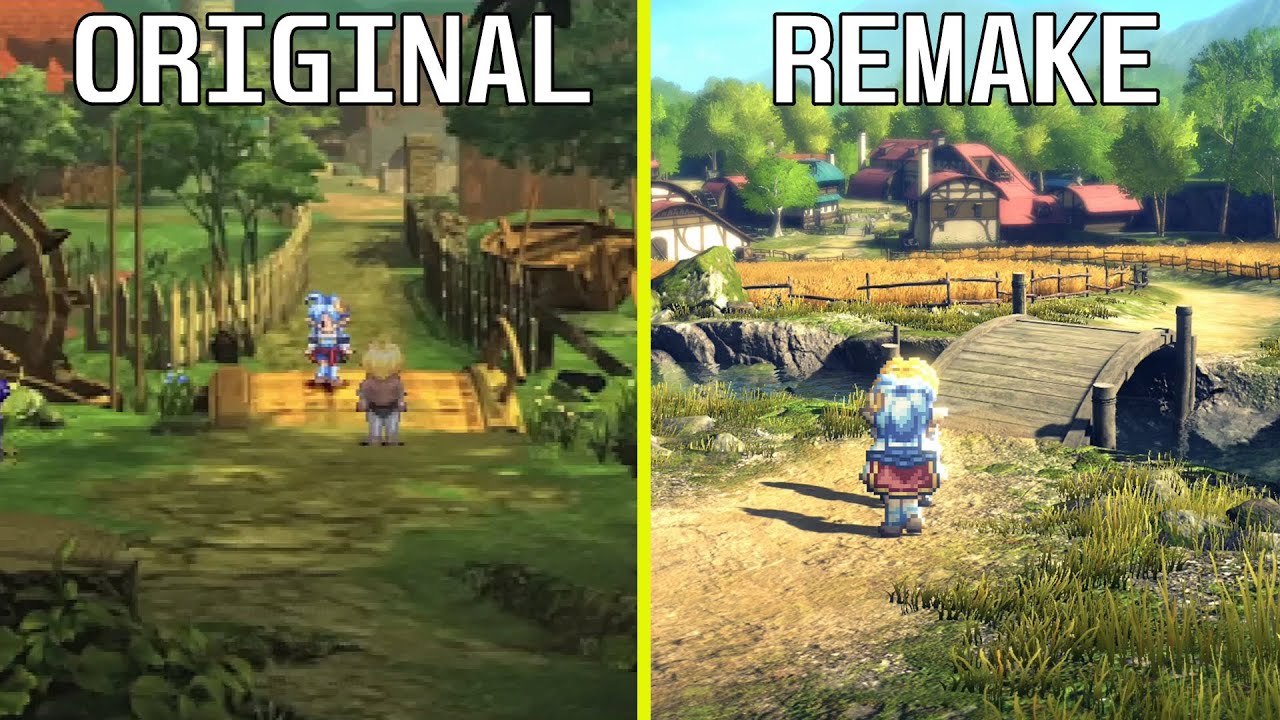
Star Ocean: The Second Story R Remake vs Original Graphics Comparison | PS5 vs PS One
Timestamps
Original Intro 00:00
Remake Intro 01:25
Side-by-Side Gameplay 03:20
Kanał GRANALIZA po polsku:
https://www.youtube.com/channel/UCD595AzU-cjds_slXwNHgeA
Cycu1 Bilibili official Channel: https://space.bilibili.com/3537123885975590
Consider support...
regal jetty

 deft sandal
my biggest contention point is the 2d sprites for characters.
they look extremely out of place and the only reason the original game used 2D sprites, was because they couldn't achieve the same anime style with real time graphics at the time.
regal jetty
To me it's just "This is how it would look if we made it with todays hardware"
deft sandal
well, no lol
deft sandal
deft sandal
my biggest contention point is the 2d sprites for characters.
they look extreme...
guess what, we can do that now.
regal jetty
Not like there wasn't some ways. A few games did it just not very detailed.
I guess they could have done anime styled sprites but I dunno if that would make sense.
regal jetty
deft sandal
well, no lol
Why use better pre-rendered backgrounds when realtime looks better now days?
deft sandal
i'm quite sure that is real time?
regal jetty
the original game? I don't think so
deft sandal
i meant the backgrounds on the remake lmao.
regal jetty
Ah yeah thats what i mean, it wouldn't make sense to remake the pre-rendered backgrounds
deft sandal
well, i wanted the characters to also be rendered in real time lol
regal jetty
Yeah it would be a very different game in that scenario tho 🤔
deft sandal
well yes but it would be the game the developers wanted to make lol
regal jetty
I dunno about that, for FFVII it makes sense cause of the style and such but even then it's a very different game. The most I could see done in a faithful way to sprites is like cell animated characters, like that one game
deft sandal
The thing is, they didn't make sprites because that was their vision, they made sprites because it was the closest way they could reproduce their concept art on the PSX hardware at the time.
flint oxide
I don’t think mixing the sprites with 3d rendered backgrounds works well together
deft sandal
flint oxide
I don’t think mixing the sprites with 3d rendered backgrounds works well togethe...
and yeah, i agree
it looks like the characters are entirely disconnected from the scene.
regal jetty
Time and Eternity AUGH i just spent all that time searching when copilot told me in a second. Search just sucks now

 deft sandal
now granted the remake was made 20 years after the original game, by an entirely different set of developers
regal jetty
flint oxide
I don’t think mixing the sprites with 3d rendered backgrounds works well togethe...
To me it's no different than anime having painted backgrounds while the characters are cell animated
deft sandal
well anime characters aren't pixelated lol.
regal jetty
deft sandal
The thing is, they didn't make sprites because that was their vision, they made ...
I still don't think that design would be 3D though
flint oxide
Ya the pixelation is the big issue for me
deft sandal
sure, even if it wasn't full 3d, you can do something like Paper Mario if you want, but adding 16-bit pixelated sprites on a modern looking scene looks bad
regal jetty
flint oxide
This is not always the case that pixels were made to be blended tho. It's not like every CRT was exactly the same, let alone the PC's these were made on. It kind of depends.
deft sandal
it isn't even how people saw those sprites back when the game was new!!!
regal jetty
deft sandal
sure, even if it wasn't full 3d, you can do something like Paper Mario if you wa...
I think they tried that once and everyone hated it, it was a 2D game but still
flint oxide
But I assume they didn’t appear pixelated on CRTs
But smooth instead
Idk I’m not old enough
regal jetty
Sometimes they did sometimes they didn't, depended on the game. Especially the lower resolution ones
There's good reason everyone remembers the pixelization and is nostalgic for it
deft sandal
i think pixel art is neat if you commit to it
but the mishmash of pixel art and real time 3d to me looks bad lol
deft sandal
regal jetty
There's good reason everyone remembers the pixelization and is nostalgic for it
whenever a given sprite was supposed to look pixelated or not depends a lot on so many different factors, it's hard to particularly account for
but i also wonder how of that nostalgia comes from the games actually looked or if it's people looking at raw screenshots from emulators way after the fact and misremembering how a CRT looked.
flint oxide
ya i was under the impression the nostalgia for pixelation was just from emulators
deft sandal
flint oxide
ya i was under the impression the nostalgia for pixelation was just from emulato...
i don't think this is exactly the case, because well, you have stuff like Game Boy games that were always displayed on a LCD for instance
but i do blame emulators for some of that
regal jetty
deft sandal
whenever a given sprite was supposed to look pixelated or not depends a lot on s...
I'm sure plenty of people played both like I did. They also played GBA which didn't have any of the CRT benefits.
 deft sandal
regal jetty
I'm sure plenty of people played both like I did. They also played GBA which did...
deft sandal
regal jetty
I'm sure plenty of people played both like I did. They also played GBA which did...
yes, i'm certain plenty of people played both, and yes, i do acknowledge handhelds like the Gameboy that always had a LCD screen, but i don't think many people actually played both side by side to tell the difference.
regal jetty
I think it's clear the profiles are like scanned images/digital art while the gameplay clearly didn't have that in mind

 deft sandal
The GBA is a fucked console to talk about how sprite work is supposed to look like, because the GBA had two massively different screens that alter how games look dramatically.
regal jetty
true, also overbright colors
deft sandal
pre GBA-SP games tended to compensate for the lack of a backlight and changed the colors to be overbright to make it more visible on the terrible original LCD
and then the GBA-SP released with games either targeting the SP screen with a backlight or the original screen without a backlight
regal jetty
or they had settings
deft sandal
and oh yeah all of the game boy variants had pretty slow pixel response times that developers used to their advantage too.
regal jetty
built in TAA
fossil narwhal
I dont think I'd say I "like" 2.5d or w/e they call it
but I wouldn't cuck myself out of star ocean 2 over it
star ocean 2 remake was fine
I enjoyed my time with it
deft sandal
i played star ocean 2 a decade before you knew what a star ocean was lmao
fossil narwhal
probably, I only learned about
SO via
so6
and I liked that game too
hopefullythey make more games
deft sandal
i don't want to be an elitist, but i can't exactly be cucked of a game i played in the 2010s lmao
fossil narwhal
and maybe port the star ocean 1 switch remaster to pc
fossil narwhal
deft sandal
i don't want to be an elitist, but i can't exactly be cucked of a game i played ...
I'm not talking about you
but like a random person
like I'm not a fan of 2.5d, but I wanted to play the so2 remaster/remake/rebake
I could've always played the original via emu, but figured I'd give the remaster a go
and tbh it wasnt terrible
the game was great, I'm talking about the 2.5d
they cant really mess up something that was already good
deft sandal
deft sandal
and oh yeah all of the game boy variants had pretty slow pixel response times th...
i actually find that emulating those handhelds is a lot more annoying in terms of making them look correct than console games
because old console games that expected to be on a CRT will look pixelated but won't look obviously wrong
this is not the case for Game Boy games
when the game looks like this you can obviously tell something is drastically wrong lol
 fossil narwhal
deft sandal
i actually find that emulating those handhelds is a lot more annoying in terms o...
fossil narwhal
deft sandal
i actually find that emulating those handhelds is a lot more annoying in terms o...
I agree
I considered buying a crt a few times
just for older games
but I heard 4:3 is going to give me issues with steam games
like you know how if an old game gets a steam port, but the only res options it gets are 16:9 resolutions
or its in a 16:9 container, so if you pick a 4:3 res you get black bars
deft sandal
i mean, if you bought a CRT to play Steam games, i have some questions....
fossil narwhal
deft sandal
i mean, if you bought a CRT to play Steam games, i have some questions....
I didnt buy it, but you know how they port
old games
like the castlevania colection
or the megaman collection
candid rain
https://store.steampowered.com/app/1843540/Akimbot/ assuming this is UE. Config edit might work.

Gear up for Robot Mayhem, Action and Adventure!In this 3D, action-adventure platformer, play as Exe, an outlaw robot with his unexpected sidekick, Shipset, as you blast your way through armies of robots, control spaceships and forge your own path on a mission to save the universe from impending doom! Set in a sci-fi world where only robots exist...
Price
$17.99
Recommendations
104
candid rain
Wow. Indie devs being better than AAA at HDR.
dry hollow
candid rain
https://store.steampowered.com/app/1843540/Akimbot/ assuming this is UE. Config ...
Tested the demo, it worked there
dry hollow
Their last game, Pumpkin Jack, also supports HDR
They even recommend using dx11 for it, because scRGB is scuffed in dx12 by default lol
They probably really just use the defaults and expose it to the user
Which is already much better than even AAA UE games
candid rain
dry hollow
Their last game, Pumpkin Jack, also supports HDR
ah, didn't know it was the same dev
I can feel they kinda have the same use of colors
 primal gulch
deft sandal
on VisionsofMana\VisionsofMana\Content\Paks
primal gulch
deft sandal
on VisionsofMana\VisionsofMana\Content\Paks
You need the pak + suwsf + your config file for the pattern + the ui fix 4.27 right ?
deft sandal
yes
primal gulch
it's hdr1000 untweakable right ?
light mist
Yea
little folio
by changing HDRDisplayOutputNits in GameUserSettings.ini to >1500 you can make it target 2000 nits
primal gulch
If game is washed out after installing what could be the reason ?
dry hollow
try switching fullscreen/borderless while in-game
fossil narwhal
primal gulch
If game is washed out after installing what could be the reason ?
lots of games need
something like SK to set the game to borderless
with continue rendering
ro playing the game in FSE
or else you get weird shit like the game getting deepfried if you alt tab/press the winkey
dry hollow
fossil narwhal
or else you get weird shit like the game getting deepfried if you alt tab/press ...
ya that was what I was thinking of as well
but normally they're not washed out if that happens..
fossil narwhal
yea they get deepfried
and usually when its scRGB
but iirc the hexedit makes it scRGB
not an issue with hdr10 iirc

 fossil narwhal
yea its not
light mist
fossil narwhal
but iirc the hexedit makes it scRGB
yep
primal gulch
hmm
primal gulch
fossil narwhal
yea its not
I don't need to add the engine ini stuff right ?
primal gulch
when the faery talks is it also a cutscene ?
deft sandal
no
deft sandal
do you have:
- the EnableHDR pak
- the SUWSF fix with the final game
- ReShade with the UI fix for UE 4.27
?
If you are using SpecialK, don't forget the addon shenanigans.
deft sandal
well do it yourself
fossil narwhal
with reshade + ersh's shader fix + wuwa or w/e the tool is called
I dont know the setup
I didnt download the game
I only bought it
deft sandal
I'm not going to bundle the mods of other people without asking permission first
primal gulch
deft sandal
wtf did you miss
i'm helping a friend setting it up and he missed the ui fix at start but the ui is dim regardless
fossil narwhal
deft sandal
I'm not going to bundle the mods of other people without asking permission first
I add licensce.md
all the tools let you share them
as long as you do it
and ersh doesnt mind sharing his shaders
like I have that inside of my UE hdr package
primal gulch
will try ty for the help 
fossil narwhal
all these tools are allowed to either be freely redistributed or redistrubted as long as you credit them ina licensce file
deft sandal
did you ask lol
or are you just assuming
because there's no license on the shader_replacer and it's also not on their github..
dry hollow
deft sandal
because there's no license on the shader_replacer and it's also not on their git...
I think thats just a compiled version of this: https://github.com/crosire/reshade/blob/main/examples/06-shader_replace/shader_replace_addon.cpp
primal gulch
ingame brightness still is capped aswell as FMVs, he doesn't like having the look changing so much so he'll use sk  since there seems to be alot of cutscenes he prefers something streamlined
dry hollow
ya it generally looks really great as well
dry hollow
theres no reason to choose autohdr when you can just use native lol
primal gulch
Ik
deft sandal
there has to be something being lost in translation because it should be working
primal gulch
how rude :(
light mist
primal gulch
ingame brightness still is capped aswell as FMVs, he doesn't like having the loo...
err
deft sandal
it's not my intent to be rude
primal gulch
I know it's a joke
light mist
I'd argue the sk tends to change the look more
primal gulch
i'll tell him to come
deft sandal
it's just that helping you help someone doesn't work lmao
fossil narwhal
deft sandal
the shaders don't come from there lol
I asked ersh
if he cares
and he said its fine
the addon looked like MIT based on the source when I looked at it