#▫️Cyberpunk 2077 Ultra+ 2.13 Patch Patch Patch Patch
1 messages · Page 6 of 1
 subtle flame
From what I tested yeah
It resets something
Man, RT+PT is such a good performance option for people that want more. Comparing screen shots, it gets really close to PT in some scenes.
To me it's either PTNext for quality or RT+PT for perf
Some texture detail is definitely lost when using PT from what I'm assuming is denoising or dlss 3.5
 late vine
What resolution are you running at
subtle flame
1440p
subtle flame
I have faith it will be improved like SS and FG were
AI just needs more training time
Like the new dlss preset E is pretty much perfect
late vine
yep
 gritty geode
i just tried to do it programatically and it doesn't seem to fix things the same way 🤔
gritty geode
subtle flame
Man, RT+PT is such a good performance option for people that want more. Comparin...
the only thing both RT and RT+PT is missing is proper AO ... i'm working on that next
i think with proper AO it will look very close to PT
gritty geode
late vine
The only issue is faces
this is why i prefer NRD
subtle flame
Yup I noticed that
@gritty geode Hey btw when using RT+PT and then enabling RR it doesn't save it for the next time I boot up the game. It sets it to NRD on every start. Can this be fixed?
gritty geode
subtle flame
<@184939081585786880> Hey btw when using RT+PT and then enabling RR it doesn't s...
yes i know, i think that's a vanilla problem... it's on my list to fix
subtle flame
I just tested without your mod and it doesn't reset to RR off
subtle flame
gritty geode
i just tried to do it programatically and it doesn't seem to fix things the same...
So it isn't really the FOV being changed that fixes it right but something that is called to reset the settings?
Or camera or whatever
late vine
@gritty geode is turbohack enabled by default in all modes?
another question: what does "AmbientOcclusionRayNumber" do and why is it 0 for PTNext when in Vanilla it is 1?
and why are some stuff that are enabled in Vanilla disabled in PTNext such as "EnableDiffuseIllumination" or EnableTransparentReflections and stuff like that
gritty geode
late vine
<@184939081585786880> is turbohack enabled by default in all modes?
no i deleted it 😊
gritty geode
late vine
another question: what does "AmbientOcclusionRayNumber" do and why is it 0 for P...
i presume it's the number of rays used to calcualte AO for ray tracing ... but AO doesn't seem to work for raytracing. its default value is 1... it' snot used in PT at all
gritty geode
late vine
and why are some stuff that are enabled in Vanilla disabled in PTNext such as "E...
they don't do anything 😊
well, as far as Fire and my testing goes they don't
late vine
ah okay
Then it wouldn’t hurt to enable them right?
Since they are default values
just to be safe
late vine
gritty geode
no i deleted it 😊
oh okay, I saw it in the options file so I thought it was enabled by default. Is it safe to remove it from the code then?
the mod doesn’t work for me
Failed to find game option “Checkerboard GI”
and it doesn’t load the Ultra+ panel
 real ravine
delete the mod folder and extract it again, it probably tries to load an option that was saved from the previous state of the mod
real ravine
oh nvm, just move the CheckerboardGI line from config_common.ini under the [Rendering] section
late vine
move to where?
late vine
ah okay got it
Okay 2 more things
- The game doesn’t detect my settings until I click on PTNext
even if it was already automatically selected
stuff like SunAngularSize or ShadowFadeFraction for example
- this file has the Sharc Scene Scale but it doesn’t show up in U+
 agile zenith
going into a car changes the fov, might be a quick workaround if you don't want to go though the menu's
 shadow heath
I don't understand what point you're trying to make? Lumen is just Epic's native implementation for GI/Reflections, why are you surprised it looks worse than PT?
agile zenith
also quickly tried rc1, can confirm that its the best cyberpunk has looked so far. Tested it at to my knowledge the best spot to test performance (front of heavy hearts going inside), I did ran out of vram, and my 4090 shat the bed, walked to the big barghest encampment with my gpu running at ~200 watts consitently, walked out of dogtown, to still suffer this. Went into the menus and apperently this cleared up the issue, and resumed freeing up ~3GB of vram, and springing back in action running at ~400 watts again
late vine
shadow heath
I don't understand what point you're trying to make? Lumen is just Epic's native...
I am not surprised. I just don’t agree with people saying it is as good as PT or some say even better
shadow heath
Literally nobody says that
agile zenith
late vine
I am not surprised. I just don’t agree with people saying it is as good as PT or...
you should look at some demo's, ill try to find it, but man lumen can look spectacular
shadow heath
It's like arguing against a straw man
real ravine
late vine
2. this file has the Sharc Scene Scale but it doesn’t show up in U+
can you show me what's below the SHARC section in the mod menu?
shadow heath
Also you picked a very specific kind of scene where the difference is very obvious due to glossy reflections
agile zenith
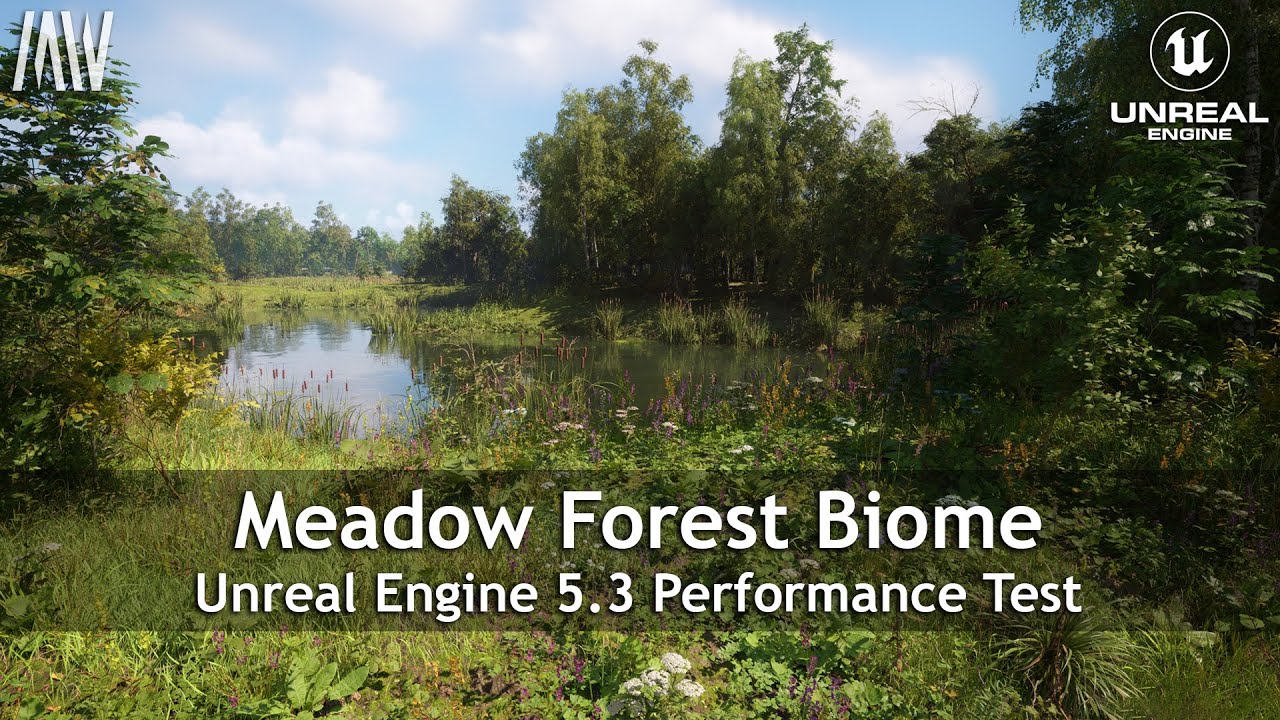
Performance test of the most realistic realtime forest we have created so far for Unreal Engine 5.3. Running @4k with Epic settings on RTX4090.
- 100% procedural generated 4 sqkm map
- Photogrammetry scanned assets
- Ultra highres Nanite foliage
- Lumen dynamic lighting
- Virtual Shadow Maps
- Full dynamic wind
- Player foliage interaction
- Hu...
shadow heath
Outside of edge case scenarios like that, the difference is not going to be so big
 shadow heath
Also another thing to note is that few developers will bother adding Nvidia's PT, because that's on a separate Nvidia custom branch of the engine
Which creates all sorts of issues
real ravine
it should be the first, right above ReLAX direct diffuse fast, maybe u forgot to add sammi's modified options.lua after extracting the original mod files again?
late vine
real ravine
it should be the first, right above ReLAX direct diffuse fast, maybe u forgot to...
Yep I know, I double checked
The code lines are consistent with other options too
late vine
shadow heath
Also another thing to note is that few developers will bother adding Nvidia's PT...
I mean I am not saying Lumen is bad, it is actually impressive what Hardware Lumen can do compared to PT
It is like 80% as good with much better performance
I would rather have that in every new game instead of full Nvidia PT in a couple games
But whenever there is the option, I would always choose Nvidia’s PT. That was my point
shadow heath
Since it's not integrated into mainline UE5 branch and not available as a plugin, means there will be very low adoption
late vine
Lumen or PT?
shadow heath
PT
late vine
Yeah I know, it is what it is
real ravine
late vine
The code lines are consistent with other options too
can you try to move this under RTFLOAT?

 gentle haven
I see that i have missed a lot
I also see that big improvements have been made
Nice
real ravine
when you load into a game, does the mod output in the console "PTNext detected ... separate denoiser"?
real ravine
okay, i wanted to be sure. it might still be broken
late vine
So i have to untick it
and only then it acts like it has been enabled
okay so another issue
SHARC Scene Scale at 50 is wayyy too low
sorry for phone pictures but I can’t be bothered to alt tab and snip every time
1 sec

SceneScale 50
250

150
 gentle haven
late vine
250
gentle haven
late vine
250
A BUCKET APPEARS😮
gritty geode
real ravine
oh nvm, just move the `CheckerboardGI` line from config_common.ini under the `[R...
oops
late vine
550
 gritty geode
that may or may not have been me
late vine
late vine
550
I mean look at the difference
gentle haven
late vine
550
that is way too bright of a bucket
gentle haven
late vine
it is a big ass light in a pitch black cave
Its a light?
gentle haven
late vine
even a small flashlight would be bright
You can clearly see that the bucket is too bright
It looks very out of place
late vine
 gritty geode
agile zenith
also quickly tried rc1, can confirm that its the best cyberpunk has looked so fa...
gritty geode
agile zenith
also quickly tried rc1, can confirm that its the best cyberpunk has looked so fa...
how many texture mods do you have installed? 😮
gentle haven
late vine
250
i think this one looks fine
gentle haven
late vine
550
550 looks too bright
late vine
Okay hear me out. Go to your bathroom, turn off the light, find the smallest tiniest flashlight you can find
turn it on
watch how the entire room illuminates
gentle haven
late vine
Okay hear me out. Go to your bathroom, turn off the light, find the smallest tin...
I understand how light works
late vine
it is supposed to be this bright
gritty geode
agile zenith
https://www.youtube.com/watch?v=A7tp4eg0ax8

Unreal Engine 5.3 Path Tracing vs Lumen
Course Link: https://www.artstation.com/a/30943404
Support the channel by buying my mocap helmet!
JSFILMZ Mocap Helmet: https://youtu.be/1mMSdhV6g9s
JSFILMZ Mocap Stock:
Adjustable USA
https://www.amazon.com/JSFILMZ-Mocap-Helmet-Adjustable-Version/dp/B0CGS1874S
https://www.ebay.com/itm/285400622918
N...
gentle haven
late vine
it is supposed to be this bright
But bucket😭
late vine
gritty geode
sorry, i'm tired. hold on
it is fixed no worries
late vine
gentle haven
But bucket😭
even 250 turns almost as dark as 50 though
once you move a few meters back
it should be the bare minimum
but
it kills fps
even 250 is around 7% slower than 50
and it is barely an improvement
gentle haven
late vine
even 250 turns almost as dark as 50 though
oh, that sucks
gentle haven
late vine
even 250 is around 7% slower than 50
that too
late vine
550 is a 15% performance hog but it doesn't seem to be affected by distance at that point, at least not visible
late vine
late vine
550 is a 15% performance hog but it doesn't seem to be affected by distance at t...
but your fps will go from 70 to 60
or 60 to 50
gentle haven
late vine
550 is a 15% performance hog but it doesn't seem to be affected by distance at t...
have you tried somewhere else?
late vine
gentle haven
have you tried somewhere else?
about to try
gritty geode
v4.0-rc2
- prevent separate denoiser turning on when using NRD
- fix checkerboard GI
- fixed SHaRC scale not being adjustible (it's further down now)
- fixed something else 🤔
late vine
okay here is the thing, PT21 does not have this issue
gritty geode
late vine
SHARC Scene Scale at 50 is wayyy too low
see? i agree 😂
gentle haven
gritty geode
v4.0-rc2
- prevent separate denoiser turning on when using NRD
- fix checkerboar...
you going quick now
late vine
late vine
okay here is the thing, PT21 does not have this issue
PT21 is also NOT affected by sharc scene scale
it is always as bright as 550 in PTnext
gentle haven
late vine
it is always as bright as 550 in PTnext
so bucket is really correct there
huh
bucket looks so strange though
my brain is just tricking me
late vine
okay, all other settings being the same, PT21 performs same as PTNext with SceneScale 250
gritty geode
late vine
even 250 is around 7% slower than 50
i settled on 200 in my earlier testing. you could try 200 or 250 with a downscale factor of 10 or 15
late vine
and I think 250 should be the bare minimum
gentle haven
late vine
and I think 250 should be the bare minimum
maybe add it to the quality settings?
late vine
PT21 and 2.0 look around equal to Scene Scale 400+
gritty geode
gentle haven
maybe add it to the quality settings?
yes that's where it was originally
gentle haven
ah, but it got removed from there
real ravine
@late vine can you try to replace line 399 from init.lua with:
if not config.regirActive and var.settings.mode == var.mode.PTNEXT then
late vine
real ravine
<@285834256553476103> can you try to replace line 399 from init.lua with:
```if ...
will do in a sec
late vine
gentle haven
ah, but it got removed from there
Okay I don't even know what the hell is going on
I restarted game now sharc settings do nothing
real ravine
for the latest version that sammi uploaded recently
 real ravine
late vine
I restarted game now sharc settings do nothing
real ravine
late vine
I restarted game now sharc settings do nothing
btw, you're reloading the mods instead of restarting the game, right?
gentle haven
real ravine
there's a button "Reload all mods" i think is named in the CET menu
You are correct my good sir
real ravine
you can edit the mod files on the fly and reload the mods without having to restart the game
gentle haven
real ravine
you can edit the mod files on the fly and reload the mods without having to rest...
don't think cyberpunk really allows that with some files
real ravine
just the CET mods
gentle haven
real ravine
just the CET mods
yeah, i thought so
real ravine
if you break something the mod wont compile and wont load until you fix it, so you can hack around
gritty geode
gentle haven
ah, but it got removed from there
yes, people complained "ouch my 4090 😭"
late vine
real ravine
you can edit the mod files on the fly and reload the mods without having to rest...
so at least with U+ I can edit and reload from cet?
gritty geode
RedHotTools enables reloading archives and other things
real ravine
late vine
so at least with U+ I can edit and reload from cet?
yep
gritty geode
real ravine
<@285834256553476103> can you try to replace line 399 from init.lua with:
```if ...
what's the change? 😊
late vine
Failed to load config common
bruhhhhhh
I am going to rip my hair out
I didn't even touch anything
real ravine
gritty geode
what's the change? 😊
you were checking for the ReGIR being enabled in settings, but the mod was disabling it at init and regir was never being enabled again

ah nvm
real ravine
removed game is active and game loaded check since DoFastUpdate already checks for them
 gritty geode
oh, yep, that's much better
late vine
real ravine
removed game is active and game loaded check since DoFastUpdate already checks f...
so what do I change
real ravine
regir is not being enabled tho from what it seems and i cant debug right now
real ravine
real ravine
<@285834256553476103> can you try to replace line 399 from init.lua with:
```if ...
u could try this
it probably wont do a thing
but idk
gritty geode
oh ReGIR was working fine for me
and the logger was saying all the right things
idk that it's broke, WoaD
real ravine
late vine
It actually disables it
this one
gritty geode
late vine
and only then it acts like it has been enabled
are you using NRD?
it doesn't enable separate denoiser if you're using NRD (but I forgot to remove the message)
late vine
I use RR
real ravine
gritty geode
it doesn't enable separate denoiser if you're using NRD (but I forgot to remove ...
the logger is saying it is being disabled only, code acting sus
late vine
gritty geode
maybe go back to rc1... I think I was too tired 😭
same thing
but it didn't happen at first
gritty geode
@real ravine there's an if not GetOption("RayTracing", "EnableNRD") wrapped around the separate denoiser enablement
late vine
only after a few reloads
gritty geode
get rid of that and it will work
idk how that GetOption is returning true with RR
(or just use that section from rc1, it works fine)

 gritty geode
yes. it may need a wait around it I'm not sure
(I am kind of curious if we should be enabling SD before ReGIRDI)
sorry for the trouble folks. don't code angry 🤪
real ravine
😡
gritty geode
 real ravine
is there any reason we couldn't do the toggle when it is needed only?
for example turning it off and then on again one time when the game loads
in the whatever specific order it works
gritty geode
it needs to turn off before the shaders are built (before the game starts loading)
that's why it's set up so specifically
real ravine
hmm, okay
gritty geode
basically as soon as U+ sees the game unload, it disables it, and then waits til the player is in game to enable it
the only oddity is on a small percentage of times there's a weird shadow overlay, and disabling ReGIRDI and re-enabling it again seems to fix it ... which is why I'm wondering if it should be enabled after separate denoiser
(also changing FOV fixes it)
late vine
Okay SHARC scene scale seems to cap around 500
gritty geode
or we could just do
- enable ReGIRDI
- enable separate
- disable and re-enable ReGIRDI
which should always work
late vine
late vine
Okay SHARC scene scale seems to cap around 500
250 should be the absolute lowest quality settings
gritty geode
@real ravine it's ridiculous but there's a reason CDPR didn't judge enable ReGIR I guess
late vine
Because in PT 2.1 and 2.0 they seem equal to around 400-500 sharc scene
gritty geode
late vine
Because in PT 2.1 and 2.0 they seem equal to around 400-500 sharc scene
there are other ways to adjust brightness too though
that don't cost anything 🤔
late vine
I don't think it is brightness
light bounces simply don't reach a lot of places with lower sharc scale
gritty geode
yes there's other ways to fix that
late vine
also the difference between 250 and 500 is as big as 50 and 250
gritty geode
the two settings under ReBLUR... 10.0 and -1.0 or something
they have nothing to do with ReBLUR
late vine
let me test
late vine
hit distance roughness scale?
gritty geode
I think in the debug menu too
yep!
those two
I'd better get to sleep 😂... I really want to stay up and help but WoaD will get mad at me 😂
late vine
gritty geode
those two
unfortunately changes nothing 😦
late vine
gritty geode
I'd better get to sleep 😂... I really want to stay up and help but WoaD will ge...
Good night and thanks for your work
I will try to figure something out
gritty geode
hmm, maybe that's the problem then 🤔
okay, there's also emissive distance and other such things
late vine
I will test it all out
agile zenith
gritty geode
how many texture mods do you have installed? 😮
i think its more because of lod mods tbh, i do run some, can run with way more sometimes too, idk still trying to balance things out a little
agile zenith
gritty geode
v4.0-rc2
- prevent separate denoiser turning on when using NRD
- fix checkerboar...
i do have a request, could you check some things that might crash the game if not running with DLSS, like when running in DLAA, and you want to compare lets say PT2.0 to 2.1 or PTnext the game ctd's. My suspicion is because of RR being "enabled" while DLAA is active, might also just crash on native setting (no dlss) idk
- also far behind on reading but RC1, didn't save the debug settings
gritty geode
agile zenith
i do have a request, could you check some things that might crash the game if no...
yes I can look... I think I should probably just remove RR/NRD from the mod tbh the game doesn't handle having them changed well at all
PT20 is better than PT21
agile zenith
i was trying to get the best tracing for character shots, since those denoisers destroy detail and such
i do have the NRD toggle from Cyanide, so for me its fine if it gets removed
i also think that the ini tweak to disable NRD sticks, if im not mistaken
late vine
Oh my god let him cook
is it
is it working?
wait wait wait
IT IS WORKING
It enables SD
Properly
aaaaand now it doesn’t load the other parameters properly
Fuck
agile zenith
gritty geode
yes I can look... I think I should probably just remove RR/NRD from the mod tbh ...
one of the denoisers is interesting, it seems to affect shaddowmaps only
gritty geode
agile zenith
i also think that the ini tweak to disable NRD sticks, if im not mistaken
I'm not sure what you mean?
gritty geode
agile zenith
one of the denoisers is interesting, it seems to affect shaddowmaps only
oh which one?
gritty geode
late vine
aaaaand now it doesn’t load the other parameters properly
... what are you doing? 😂
late vine
Okay wait wait it worked
so it is weird
Here is what I have to do to make everything load properly
- Click on PTNext even if it is automatically set from the last time. This loads my own PTNext settings (the default ones are somehow different from ini values unless I click PTNext manually)
- Tick and untick Seperate Denoiser
- Load game
Only then will SD correctly enable and also keep my own ini values
gritty geode
I'm very curious what you modified now 😊
late vine
the biggest one is Sharc Scene Scale
I set it to 400
kills my fps but I can't stand light sources casting bounce lighting that is barely any better than regular RT
late vine
Yep it is
350 is good too
the difference between scene scale 350 and 1000 is that after around 5-6 seconds, 350 goes back to being darker (but still 10x brighter and better than 50 or 100)
gritty geode
I'll have a look at light source scales soon
late vine
for those first 5 seconds, there is no difference between 350 and 1000
so 350 should be a good value unless someone is planning to stay in one place and stare at a light source for longer than a couple seconds which nobody will do
gritty geode
there has to be another way to do this
late vine
I sure hope so because I miss my fps
gritty geode
but I've also A/B'd between PT20 and PTNext and haven't seen much difference
yes there's other things that affect lights and bounces
I'll compare when I can 😊
 minor smelt
shadow heath
I don't understand what point you're trying to make? Lumen is just Epic's native...
minor smelt
shadow heath
I don't understand what point you're trying to make? Lumen is just Epic's native...
To my knowledge the user never indicated he was surprised, just wanted to show how stark the difference was. Which is quite stark of course and good to show to people with less knowledge about this. Quite some people on YouTube seemingly don't know the difference between PT and lumen. Regarding your "It's like arguing against a straw man"-comment; please respect what others say, especially in the case they are saying someone else is saying it and that those someone elses obviously wrong about it haha
late vine
gritty geode
but I've also A/B'd between PT20 and PTNext and haven't seen much difference
The thing about SHARC scene scale is that you will only notice the difference in dark areas with few light sources which rely a lot on bounce lighting. But the hit to your fps will always be there even when you don't see a difference
gritty geode
late vine
The thing about SHARC scene scale is that you will only notice the difference in...
yes that's what I was testing in... very low light
🤔 anyway, nn, again 😂
late vine
haha good night
real ravine
@late vine can you try these and tell me how is PTNext looking? just select PTNext in game without loading another save
real ravine
yep
late vine
real ravine
to this
I only changed this from rc2
So whatever you do, do NOT touch any of the modes
Start game, choose preset medium/high/insane
choose vram
if PTNext is already chosen, don't touch it
if it is not, then choose it then restart the game
reloading mods doesn't work for this
once you do this and load into a game
it works and activates properly
SUMMARY:
When you load the game, if the PTNext option is already enabled, do NOT touch it. You can change EVERYTHING else except touching PTNext or Seperate denoising
after that it will work perfectly
for some reason clicking on PTNext breaks the code
@gritty geode @real ravine read this
I tested it 6-7 times and this works
clicking on separate denoising manually also breaks the code
This is how it should be when game starts:
PTNext enabled
Seperate Denoising Disabled
Everything else is irrelevant. You can change them as much as you want. But don't touch PTNext and SD and if they are not enabled/disabled by default, set them correctly and restart the game
I was about to lose my damn mind lmao. I am not touching any updated code until it is 200% fixed
gentle haven
gritty geode
yes, people complained "ouch my 4090 😭"
sad
i seem to have missed a lot 2.0
agile zenith
gritty geode
I'm not sure what you mean?
i think you implemented the disable nrd every 30 sec because i had some issues with it 1 month ago or so. But either cyanides NRD toggle disables it permanently but the ini i used to run with ([RayTracing]
EnableNRD = false) also sticks
minor smelt
minor smelt
To my knowledge the user never indicated he was surprised, just wanted to show h...
Please take feedback like this seriously @shadow heath You should not be so aggressive in your standpoints when someone says something you don't very much agree with. We had someone in the past here who also always shrugged off any feedback we gave him and well.... 😅
late vine
Okay so after 6-7 hours of testing, I am done for today and I am not going to lie, PTNext is kinda unplayable because of the SHARC and bounce lighting issue. I get 20% more fps with PT21 insane than I do with PTNext High (every other setting being the same). And aside from the shadows, PTNext actually looks the same or worse in most cases. This is because anything above SHARC SceneScale 100 is unplayable even on a 4090 at 4k DLSS Balanced with Frame Gen. The fps drops below 50 fps WITH frame gen in heavy areas and it looks horrible. But even if you can stomach the fps, SHARC SceneScale 100 is nowhere near as good as the indirect lighting in PT2.1, which seems to have indirect lighting quality equal to SceneScale 500 on PT.
So far:
PT 2.1 Pros:
- Much higher fps
- All lights cast direct light properly unlike PTNext where some lights don't cast anything until you are looking directly at it from 5 meters
- Bounce indirect lighting is superb, at least twice as good as PTNext if not more
PTNext Pros:
- Image is a bit more stable
- Shadows are more accurate and resolve with 5 times more detail and from much further
gentle haven
late vine
So far:
PT 2.1 Pros:
- Much higher fps
- All lights cast direct light properly...
but does 2.1 not smear a shit ton more
late vine
But when your base fps without frame gen drops below 30 fps, I don't know if it is worth it
because low fps causes just as much smearing
gentle haven
late vine
But when your base fps without frame gen drops below 30 fps, I don't know if it ...
60 with ptnext
base fps
late vine
No, PTNext WITH framegen drops below 50 fps
in heavy areas
and it is constantly below 60 fps at anywhere outside the badlands or very light areas
unplayable
gentle haven
late vine
No, PTNext WITH framegen drops below 50 fps
with the sharc scale at 100
you said
late vine
yes
gentle haven
which it is not
late vine
but the thing is, indirect lighting looks 10 times worse with Sharc Scene Scale below 350-400
at 100 you might as well turn off indirect lighting
and at 50, some places genuinely look like raster
with how badly the light bounces
okay I over exaggerated a bit
But still, it genuinely doesn't feel like the tradeoff is worth it
gentle haven
late vine
But still, it genuinely doesn't feel like the tradeoff is worth it
smearing vs high fps
i know what i am choosing
late vine
Okay update:
Just turn DLSS to Performance at 4k
it looks 90% as good as DLSS Quality I can barely tell the difference
but fps never drops below 70 even in heaviest scenes now
and I use SceneScale 175
gentle haven
late vine
and I use SceneScale 175
so you are using ptnext now?
late vine
yeah aside from the fps and bounce lighting I had no other issues
fps can be fixed by lowering dlss
and bounce lighting is somewhat fixed with SHARC SceneScale
and with higher fps it is much more stable than 2.1
plus everything else looks better
But yeah you need a 4090 for playable fps at 4k with PTNext, even with DLSS Performance
It is meant for 5000 series
gentle haven
late vine
But yeah you need a 4090 for playable fps at 4k with PTNext, even with DLSS Perf...
so that is 1080p
late vine
gentle haven
so that is 1080p
it looks almost same as native 4k lmao wdym?
gentle haven
so on a lower card dlss quality 1080p should be fine
gentle haven
late vine
it looks almost same as native 4k lmao wdym?
dlss performance renders at 1080p
late vine
yeah I know but have you ever used DLSS at 4k?
gentle haven
late vine
yeah I know but have you ever used DLSS at 4k?
i dont even have a 4k monitor
so i dont know how i would do that
late vine
my point is that at 4k DLSS Performance looks 85% as good as native 4k but yeah on 1080p I wouldn't go below quality
gentle haven
late vine
my point is that at 4k DLSS Performance looks 85% as good as native 4k but yeah ...
Depends on the game though
but with cp nuh uh
They set it up wrong
Control can go lower while still looking the same
late vine
gentle haven
Depends on the game though
If you update the DLSS file to 3.7 for every game and use preset E
it doesn’t depend that much
but Cyberpunk has one of the best implementations I have seen
Alan Wake 2 as well
gentle haven
late vine
If you update the DLSS file to 3.7 for every game and use preset E
i did
But it still depends on if it is set up correctly in the engine
gentle haven
late vine
but Cyberpunk has one of the best implementations I have seen
control too
late vine
gentle haven
control too
I agree
gentle haven
If you use the hdr mod from one of the developers it gets even better
late vine
Already have and did a full play through with it
gentle haven
late vine
Already have and did a full play through with it
me too
90fps 3x ray count
late vine
The 3x rays option at 4k brought my 4090 to its knees
gentle haven
dlaa
gentle haven
late vine
The 3x rays option at 4k brought my 4090 to its knees
damn
4k is hard to render though
late vine
gentle haven
4k is hard to render though
yeah at 1080p, there are 2 million pixels so with 3x it is 6 million rays.
4k has 8 million pixels so 3x rays makes it 18 million rays
and that is just the rays, the image is just harder to render at 4k
gentle haven
late vine
yeah at 1080p, there are 2 million pixels so with 3x it is 6 million rays.
4k h...
is it correct that blender uses 4000 per pixel?
but damn that is a lot
18 milion rays
late vine
gentle haven
is it correct that blender uses 4000 per pixel?
That is a shit ton
you can adjust it
I haven't done blender in a couple years tbh
I used to before
Wanna have your mind blown?


open them side by side and tell me which dlss setting is which
4k
agile zenith
thats not how it works 😄
late vine
?
before you mention "still images, not in motion", just take a look at the images first because there is a big difference even with still images
I just want you to take a guess
agile zenith
do it again,and dont move the camera
and also post them at the same time so you dont have to download them
you can view them inside discord if you paste them at the same time
late vine

 agile zenith
but i can already tell from the taillights that they are both upscaled
late vine
okay tell me which preset
late vine
okay here is a hint
agile zenith
on the left the shadows are a blurry mess
late vine
look at the back window
look at the white building right in front
it has no lines in one picture
late vine
okay ready to have your mind blown? The one on the left is native 4k and on the right is DLSS Performance
agile zenith
i much rather play on native 4k then 4k quality dlss
and i was kinda forced playing on performance and balanced because of ptnext and vram issues, but i cant stand how it looks
late vine
How? it is quite literally better
agile zenith
its so blurry, and things in the distant become horrid
agile zenith
look at npc's faces, at 4k quality they look fine
at anything lower and they become a blurry mess
also windowlights start flickering, which i find very annoying
they even start rolling in a sense
while standing still
late vine
DLSS 3.7?
agile zenith
yes
late vine
I haven't experienced these issues
late vine
DLSS Quality NPC faces are almost just as bad as DLSS Performance
it is not the dlss but rather Ray Reconstruction
agile zenith
im talking about their level 1 lod
on anything less than quality they become nightmare fuel 😄
late vine
bruh
I have played on Quality and they are nightmare fuel either way
looks like they have no face
late vine
I didn't even bother with LOD mods for pedestrians and I am using like 10 different other LOD mods
agile zenith
there might be some logic in the engine
late vine
but pedestrians are so unnecessary I never look at them
agile zenith
i was amazed by your high praise of dlss
completely different experience here
anything other than quality is very meh to me
late vine
I would rather fly by them at max speed in my car playing at 90 fps than play at 60 fps and stare at far away NPCs
Maybe we have different tolerances. Anything less than 80 fps is too low for me
agile zenith
yeh i dont mind the fps that much 55 to 90 is fine
i play on a controller so that changes things too
late vine
yeah me too lmao
but even with a controller, it was unplayable for me getting 50-60 fps
especially with FG
agile zenith
o for sure, like some people are really sensitive to blurr and stairstep aliassed images
i just prefer good lighting above all
and lod range
late vine
I can tell from how you are running out of vram at 24GB
mine never goes past 20 gb and I have shit ton of LOD mods
agile zenith
lol i had it as low as 80MB left this morning lol
that was on native dlaa, while infront of heavy hearts
but when i disable the world, and load it back in, i got like 1300 mb again
late vine
my list
wait
unedited
imma edit it
Improved Veg. LODs next-gen
Cyberpunk 2077 HD Reworked
Next-Gen Environment LODs
RT Debris
Not so good Draw Distance
Improved Rain
Improved Environment Textures
4k Trees and Vegetation
High-Res Vending Machines
High-Res Stickers
High-Res Posters
Better Surface Textures
Highest Quality ads + draw dis.
Advert. Animations
Environment Texture Overhaul
And in Ultra+ settings I have VRAM.ini file settings increased 3x higher than insane
2000 Nodes per frame
60 Precache Distance
80 Minstreaming Distance
etc
with this combination I get basically no pop in at all during regular gameplay
ONLY if I drive at max speed in a straight line and look far away can I see some smaller stuff popping in
agile zenith
late vine
open them side by side and tell me which dlss setting is which
not to be combattive or anything, but these images are already highly compressed, not in native 4k (3206x something) and indeed they are not in motion either. And the perspective is different too (camera moved). It might sound nitpicky but its not intended that way
late vine
no I understand what you are saying
but
the image on the left is running at 32 fps
the one on the right is 76 fps
agile zenith
yeh pathtracing is a pita
late vine
be so for real right now and tell me you would choose 32 fps
agile zenith
i wouldnt chose either
agile zenith
i wasnt lying when i said i dislike anything but dlss quality 😄
we all value differnt things
late vine
damn
I respect it tho
I have played competitive fps games for years at 200+ fps for thousands of hours, even 80-90 fps is like meh
agile zenith
i just mod things until they break, even accepting 30 fps if the visuals make up for it
late vine
my fiancee plays on consoles mainly and when I showed her how 144 fps looks like
she deadass looked me in the eye and said it is barely any better
late vine
So some people are just not sensitive to it ig
I have bought some playstation exclusives in the past and couldn't finish them because I realized I can't have fun at 30 fps
agile zenith
i remember going to the theaters where they ran a 48 fps movie, people got sick
agile zenith
late vine
I have bought some playstation exclusives in the past and couldn't finish them b...
its the main reason that brought me back to pc gaming was skyrim on the ps3, at 20 ish fps
late vine
I have played Bloodborne on base PS4 at 25-30 fps and it is still my favorite game of all time
Although I haven't touched it in years because I know 100% I will hate the game if I force myself to replay at 30 fps
sounds elitist I know
agile zenith
nah i know, i cannot play some games unless they run at 90+ fps
late vine
But 80-90 fps is the lowest I am willing to go for any game
Cyberpunk only exception
where I can "tolerate" 60-70
agile zenith
it helps a lot when its locked at 30 45 or 60
but when it rotates in between those its horrid
late vine
late vine
yeah but you don't lock fps with frame gen
this means I get 140 fps in menus and map/inventory but 70 fps in game and it is so jarring
agile zenith
i dont really care much for motion smoothness (framegen) more input sensite myself
late vine
I am both, which is why I play with controller
agile zenith
i play my RTS games with controller 😄
late vine
at 80+ fps with frame gen I can use mouse
but 60 fps with FG? no way
anyways enough talking imma play a bit
talk later
agile zenith
same
gritty geode
late vine
But yeah you need a 4090 for playable fps at 4k with PTNext, even with DLSS Perf...
as I've said, SHaRC scale is not the right setting to fix it. you need to just wait for me to sort it out.
and I would appreciate you not turning others off of PTNext, because while at 4k there are very few problems with PT21, many people don't play at 4k and both PTNext and PT20 are far superior.
PTNext runs at Insane 1440p at 120fps on a 4090, it is not targeted at a 5090.
I appreciate your feedback and testing, and it will go into the next changes, but there are a dozen levers that can be pulled to address this without touching fps.
late vine
I apologize, I didn't mean to come off that way
In the following comments I gave an update that it is very good if you just lower the dlss setting, which was already written in Ultra+ actually, I missed it
I am currently averaging 4k 85 fps with DLSS Framegen AND Sharc SceneScale 200
But DLSS Performance instead of Balanced which looks indistinguishable 95% of the time
gritty geode
I think it's really useful feedback, I hadn't noticed less bounce lighting in PTNext in the lowest light situations and I can address that
you're good. yes it's more resilient to upscaling. the other thing is most people won't notice the low light situations so much because there are only 4ish areas in the game like that. anyway I'll sort it when I can 😊
late vine
By the way, increasing SHARC Downscale factor (log) actually reduces performance and gives back some of the missing bounce light.
gritty geode
yes I know 😊
late vine
Downscale factor 20 SceneScale 100 has the same fps as factor 5 scale 400 and they look identical
gritty geode
it's increased a lot in PT21... that's how I got so much detail in it 😊
that's also what you're comparing to... vanilla doesn't do that and doesn't have that detail
late vine
Oh absolutely, vanilla is not even an option for me at this point
PT2.1 Vanilla isn't good even at 4k
gritty geode
it's also an auto exposure issue I would guess. PTNext might need the auto exposure of dark areas lifted.
late vine
could be yeah
gritty geode
I'll ask Cye about that
late vine
I think I will stick to DLSS Performance because better bounce lighting + extra 10 fps is more noticeable to me than 5% sharper image
I can increase SHARC Scene Scale to maximum (500) and still average 70 fps but I think 200 is good enough without killing all the performance
 jade ridge
gritty geode
I'll ask Cye about that
jade ridge
gritty geode
I'll ask Cye about that
Ask me.
late vine
@gritty geode Since I have been playing at DLSS Balanced the entire time, and this was my first time trying DLSS Performance, I would like to give further feedback about this. With PTNext, resolution barelly affects the path tarcing quality, if it even does. Especially if it is a small bump from each other (e.g. 1 DLSS level). And the image looks 95% as good when still. However, i discovered that higher fps actually makes the game look better in motion (which people will be experiencing way more than standing still) than higher DLSS level. For comparison, in a certain scene I get 90 fps with DLSS Performance and FG, but 70 fps with DLSS Balanced + FG. as soon as you start moving DLSS Balanced falls apart because it only has 35 real frames instead of 45 with DLSS Performance. Even a low res "real" frame is going to look better than an AI generated "in-between" frame so the image holds up better in motion. And obviously motion clarity is much better with 90 fps compared to 70.
Another thing I found was that the smearing on the faces with RR actually are just as dependent on fps as they are on resolution.
90 fps has much less ghosting and smearing and the faces look noticeably more detailed in motion
Despite the fact that DLSS Balanced has 35% higher internal resolution, but DLSS Performance has 30-35% higher fps, so it balances out and because of the higher motion clarity, I would say it actually looks better
I don't know how much this would apply below 4k, considering 4k DLSS Performance still has higher internal res than 1440p DLSS Quality, but it could maybe worth dropping to 1440p DLSS Balanced from Quality for the extra fps
Oh, and this is an issue when you take control of cameras

Whenever you switch to a camera it temporarily detects the game session as “ended”
but it always successfully reactivates after 1-2 seconds. So technically not an issue but the lighting takes a couple seconds to “get fixed” when you go into a camera and then also when you leave
gritty geode
jade ridge
Ask me.
can we change the auto exposure stop points ?
jade ridge
Through the env, yes. You can set min max points, compensation, and increase dynamic range.
It's not something that can be done through console commands or INI tweaks, though. Perhaps through RenoDX?
gritty geode
late vine
Oh, and this is an issue when you take control of cameras
oh bugger, seriously
I might have to debounce that
gritty geode
jade ridge
It's not something that can be done through console commands or INI tweaks, thou...
hmm okay ty 😊
gritty geode
late vine
I don't know how much this would apply below 4k, considering 4k DLSS Performance...
yes fps is really important for path tracing, as is primary resolution... ReGIR is less reliant on primary resolution as you've found out.
to put it another way, path tracing problems are much more likely to get exaggerated by a temporal upscaler (DLSS) ... ReGIR has fewer problems, so this happens a lot less. primary resolution is still important, but it's the only one that looks "good" for me on 1440p balanced.
fps is important because PT is collecting rays over real frames, so it takes a few frames to fully resolve the image
late vine
gritty geode
I might have to debounce that
no no please don’t 😭
it works perfectly
doesn’t affect gameplay
you just have to wait 1-2 seconds when entering or leaving camera control
I much prefer this latest method of enabling it because it works consistently
the previous one activated separate denoising when it felt like it lmao
sometimes it would work sometimes not
also haven’t had any of the shadow burn in issues with this version yet. If it is there, it is definitely more rare
gentle haven
Is nrd supported now?
gritty geode
late vine
I much prefer this latest method of enabling it because it works consistently
debouncing it won't break that 😊
gritty geode
gentle haven
Is nrd supported now?
yes! I think so! I'm a little unsure whether separate denoiser should be on or off for it though, lmk what you think?
I think it should and sixty9 thinks it shouldn't 😜
gentle haven
gritty geode
yes! I think so! I'm a little unsure whether separate denoiser should be on or o...
alright, i'll take a look
gritty geode
gentle haven
alright, i'll take a look
for me it's working with SD enabled and vegetation looks correct. for him it's not working with it enabled
gentle haven
gritty geode
for me it's working with SD enabled and vegetation looks correct. for him it's n...
so i have to look at grass
gritty geode
gentle haven
so i have to look at grass
I fink so 🤔
I feel like I have so many random reports over rc1, from "it works great" to "everything on my PC blew up"
late vine
@gritty geode when the 4.0 releases fully, is it possible to keep the debug menu? I rather liked it
gritty geode
late vine
<@184939081585786880> when the 4.0 releases fully, is it possible to keep the de...
it will be there, you will just have to add an empty file called debug to the folder and it will enable 😊
gritty geode
gentle haven
btw what lut do you use? <@184939081585786880>
I'm using Preem at the moment
ummm it may be a beta version 🙄
but the screenshots I posted a while ago were my own modification of gits 2.8
I agree, the debug menu is awesome
except for this. I don't understand this at all lol
 late vine
Just remove Global Light option or label it as “Broken” so people don’t touch it
also for some reason my DLSS Tweaks stopped working. Anyone knows why it may be? Log says something like nvngx_dlss failed to hook DLSS3.1.11 Preset Selection Code
And the in game hud no longer shows which preset is selected for DLSS
gentle haven
gritty geode
I'm using Preem at the moment
Hmm, also using that one
gentle haven
late vine
also for some reason my DLSS Tweaks stopped working. Anyone knows why it may be?...
Are all the files still in place?
Especially nvngx
gritty geode
ohhhh, i have an idea
gritty geode
late vine
also for some reason my DLSS Tweaks stopped working. Anyone knows why it may be?...
you updated your nvidia driver and need to run the reg file again?
run DLSSTweaksConfig.exe as admin, it will tell you if there's a problem
late vine
ran it as admin, showed no problems
but I did update drivers and didn't run the reg file
this is what the log says
[warning] nvngx_dlss: failed to hook DLSS3.1.11+ preset selection code
but exactly 2 seconds later it says:
DLSS functions found & parameter hooks applied!
-DLSSPresets:
- DLAA: E
-Quality: E
-Balanced: E
etc
so is it working?
I just wanna know if DLSS is set to Preset E
It shows the HUD for RR and FG but not for DLSS
only when I disable RR it shows hud for DLSS
does this mean it can only display 2 HUDs at a time, or does it mean the preset stops applying with Ray Reconstruction?
subtle flame
late vine
does this mean it can only display 2 HUDs at a time, or does it mean the preset ...
It stays, its just that RR and DLSS HUDS overlap each other. I use Nvidia Profile Inspector and the xml file from here https://www.nexusmods.com/site/mods/781?tab=files. I use it to globally enable preset E. Whenever a game doesn't have the updated 3.7.0 DLSS file (like multiplayer games where you can't update the DLL) it falls back to the game's default preset. Even then, you can set the preset on a per-game basis. For example, I prefer preset C on DLLs older than 3.7.0. DLSSTweaks is too much of a headache for me to setup because its compatibility is hit or miss.

Nexus Mods :: Modding Tools
Nvidia's AI-powered HDR converter, now for games too. (alternative for Windows AutoHDR)
Actually, you need at least 3.6.0 to set the preset per-game through NPI. At least according to Emoose's comments in the mods comment section. For older DLLs it still falls back to the games default preset when E is unavailable but set globally.
You wouldn't be able to use DLSSTweaks in multiplayer games anyway.
gritty geode
subtle flame
It stays, its just that RR and DLSS HUDS overlap each other. I use Nvidia Profil...
yes I use this too, a lot easier than DLSSTweaks 😊
late vine
I use both
I used the DLSS Tweaks to set the preset globally and then use Nvidia profile inspector to check whether it is setup properly
So I guess it works, RR HUD is just overlapping with it
thanks
Btw is Nova Rain good without Nova LUT?
gentle haven
late vine
Btw is Nova Rain good without Nova LUT?
I have tried it and it seems fine. I did stop using it but i do still use the higher res ripples.
late vine
Oh wait you can use separately?
I mainly wanted it for the ripples
Compatible with Sousine’s mod?
gentle haven
late vine
Oh wait you can use separately?
it is an seperate mod
gentle haven
late vine
Compatible with Sousine’s mod?
which one?
gentle haven
It shouldn't conflict
gentle haven
late vine
Just as I found a mod I wanted to install, Nexus goes on maintenance
it did?
gentle haven
shit
late vine
No rain for me
gentle haven
hope it doesn't stay down for long
gentle haven
i am not home currently
late vine
ah okay no worries
by the way I found the reason why my GPU usage would sometimes drop to ~80%
It was not VRAM
I found out that it only happens when you drive as fast as you can, without stopping, for a couple minutes
I am guessing it is related to loading assets with all the million LOD mods I have installed
gentle haven
late vine
I am guessing it is related to loading assets with all the million LOD mods I ha...
Still vram issue
gentle haven
but that asks the question
gentle haven
@gritty geode are those mods on the ultra plus page on the 8gb?
late vine
It is auto
I have never had the CPU be used this much in any non-simulator game, especially in a GPU bound scenario like 4k Path Tracing lmao
gentle haven
late vine
I have never had the CPU be used this much in any non-simulator game, especially...
Yeah, cyberpunk sucks at cpu usage
But try testing fps with smt off vs on
Auto does not always work correctly
late vine
No it is actually the opposite, it uses the CPU properly instead of most other games which are single thread limited
gentle haven
late vine
No it is actually the opposite, it uses the CPU properly instead of most other g...
Not true
Smt is broken on most cpu below the ryzen 7000 series
late vine
gentle haven
But try testing fps with smt off vs on
I have tried, sometimes it is better than auto but it sometimes gives me problems and I have to manually switch it so I just keep it at auto
So I was right that it was the CPU but apparently after some googling, I found that it could be the SMT actually
thanks for letting me know, I will do extensive testing
gentle haven
late vine
thanks for letting me know, I will do extensive testing
alright, glad i could help
gritty geode
gentle haven
<@184939081585786880> are those mods on the ultra plus page on the 8gb?
what do you mean by on the 8gb sorry?
gentle haven
gritty geode
what do you mean by on the 8gb sorry?
you said on the ultra plus page you used an 8gb vram card
gritty geode
gentle haven
you said on the ultra plus page you used an 8gb vram card
oh! yes I do 😊
agile zenith
late vine
Btw is Nova Rain good without Nova LUT?
i send you nova and preem rain in a dm
gentle haven
gritty geode
oh! yes I do 😊
then my next question is, how
how does it not stutter like hell with those texture mods
gritty geode
I only use 2k textures and run at Medium texture quality
gentle haven
gritty geode
I only use 2k textures and run at Medium texture quality
aha
gritty geode
that's the only way I can run. since 2.0 (or something) I can't run vanilla at high texture quality any more
I think they internally bumped up the lod by 1
gentle haven
gritty geode
I think they internally bumped up the lod by 1
hmmm
gentle haven
gritty geode
that's the only way I can run. since 2.0 (or something) I can't run vanilla at h...
they really broke something cuz i constantly use 13 out of 12
so my gpu is always begging for mercy
agile zenith
they kinda messed up the lod, it starts transitioning to the wrong lod and then to the right one when you aproach certain things, idk if that is part of the heavier resource usage, think sousine described it too, but nexus is down so i cant look for it
gentle haven
agile zenith
they kinda messed up the lod, it starts transitioning to the wrong lod and then ...
can we swap the lods?
gentle haven
i think it should be possible
late vine
gentle haven
alright, glad i could help
So i did more testing with SMT ON and OFF, and at aleast on my 5800x3D, I get 2-3% less performance with it off. The GPU usage also stays the same.
gentle haven
late vine
So i did more testing with SMT ON and OFF, and at aleast on my 5800x3D, I get 2-...
hmmm, alright
agile zenith
interesting, but that might also be run varience
late vine
Auto seems to set it to On
late vine
agile zenith
interesting, but that might also be run varience
I ran the in game benchmark 6-7 times
agile zenith
also i do get about 60% usage on 5800x3d with nova traffic installed, as compared to off being ~40%
late vine
Do you also sometimes get lower gpu usage?
agile zenith
maybe some mods are to script heavy, or something
late vine
Mine is rarely above 95%
sometimes drops as low as 80-85 but on average it is always 90-95% usage. Feels like leaving fps on the tabl;e
agile zenith
late vine
Do you also sometimes get lower gpu usage?
it usually happens when i run out of vram, the gpu just sh*ts the bed and stays at ~200 watts instead of ~400
gentle haven
late vine
Do you also sometimes get lower gpu usage?
my gpu is constantly at 77%
but that might be related to the 13 out of 12 problem
agile zenith
i have found a cool way to unload vram though, there is a mod that allows you to unstream the whole world
late vine
agile zenith
it usually happens when i run out of vram, the gpu just sh*ts the bed and stays ...
Nah I have triple checked at this point, my VRAM is never above 19-20 GB
gentle haven
gritty geode
I only use 2k textures and run at Medium texture quality
Does that still look better then vanilla?
agile zenith
late vine
Nah I have triple checked at this point, my VRAM is never above 19-20 GB
might be a reporting issue
special K hooks into the right dll's i have been told
gentle haven
agile zenith
special K hooks into the right dll's i have been told
wait, you use special k for cyberpunk?
agile zenith
no i use hwinfo
gentle haven
agile zenith
no i use hwinfo
ah
late vine
agile zenith
might be a reporting issue
I think I really might be CPU bound, considering how 7800x3D gives 10-15% better performance even at 4k maxed out Path Tracing with a 4090.
5800x3D might be too weak for the GPU to shine
agile zenith
late vine
I think I really might be CPU bound, considering how 7800x3D gives 10-15% better...
i am in the same boat as you, i dont think upgrading the cpu makes sense if you play at 4k with these quality settings, watched some benchmarks on 4k yesterday, because i was wondering this too, and even without being severely GPU limited in those games, the performance difference was below 10%
they didnt bench cyberpunk though
but like 15 other games
late vine
Yeah I know, which is why I didn't go from 5800x3D to 7800x3D, at 4k, the difference is simply way too small to justify that purchase. It is only in simulators where the difference is really big
and Cyberpunk too I guess
agile zenith

Support us on Patreon - https://www.patreon.com/eTeknix
Corsair DDR5 Memory - https://bit.ly/35jFztM
If you're looking for a new upgrade for your system you have a few options. You could go for the 5800X3D and stick with the AM4 Platform, or you could go all out and spend more money on a new CPU, Memory and Motherboard and upgrading to the lat...
late vine
At 4k Ultra settings, 7800x3D is only around 5-10% faster on average
gentle haven
late vine
At 4k Ultra settings, 7800x3D is only around 5-10% faster on average
you can always lower crowd density
late vine
gentle haven
you can always lower crowd density
Hell nah
I am maxing everything out no compromises
gentle haven
late vine
I am maxing everything out no compromises
me too, my vram is just dying because of it
late vine
agile zenith
https://youtu.be/ZE5Xqvq1WwI?si=2PkZNF03aievsnzN
Yeah, 5% faster on average, 8-9% better 1% lows
Heavy ray tracing hits the cpu hard so Cyberpunk is an exception where it is more like 15%
plus all these LOD and texture mods also hit the CPU
agile zenith
you sure raytracing hits the cpu hard?
late vine
Absolutely
agile zenith
kk
late vine
Googled to double check and yeah, the whole BVH structure is built on the CPU
gentle haven
late vine
Googled to double check and yeah, the whole BVH structure is built on the CPU
PT also hits vram hard
agile zenith
idk what bvh is but ill take your word for it
late vine
processing objects and geometry in the reflections and stuff like that also done in the CPU from what I know
shadows and lighting quality also hits the cpu
late vine
agile zenith
idk what bvh is but ill take your word for it
It means "Bounding volume hierarchy"
late vine
agile zenith
idk what bvh is but ill take your word for it
From my understanding it is basically a data structure which allows the engine to check quickly what objects a ray hits.
nexus is back
gentle haven
late vine
nexus is back
YAYA
gritty geode
agile zenith
they kinda messed up the lod, it starts transitioning to the wrong lod and then ...
I think they broke the streamer budget calculation. the streamer on the CPU is normally responsible for deciding what LODs can fit into the vram streamer "cache" (although it's not really a buffer or a cache). I don't think it's working, which is why it keeps trying to cram in more stuff than will fit
late vine
@gritty geode What does ForceAutoHideDistanceMax do? I set it back to the vanilla 16384.0 value but nothing changed?
gritty geode
the vram streamer memory is also where transforms happen... textures and meshes get resized... it's possible textures aren't being compressed properly, or something else is going on. either way, it should never go over its vram allocation
gritty geode
late vine
<@184939081585786880> What does ForceAutoHideDistanceMax do? I set it back to th...
I think it stops streaming things past that distance
gentle haven
gritty geode
the vram streamer memory is also where transforms happen... textures and meshes ...
wait, can it allocate shared vram?
agile zenith
hwinfo reported 80MB ram free yesterday lol
gritty geode
gentle haven
wait, can it allocate shared vram?
what do you mean shared vram?
agile zenith
i think he is confused with pagefile
late vine
Nexus servers are COOKED
agile zenith
o wait integrated gpu's have shared vram 😄
late vine
takes a year to load a page
 agile zenith
go home windows you are drunk
gentle haven
agile zenith
go home windows you are drunk
wut?
agile zenith
idk what that is supposed to mean honestly, maybe bios related
late vine
Just to confirm, do rain mods not interact with wind like vanilla?
gentle haven
agile zenith
idk what that is supposed to mean honestly, maybe bios related
shared gpu memory is ram that can be used as vram
But it is a bunch slower
this is possible due to having an igpu
aswell as a dgpu
agile zenith
i remember the days of modding skyrim to breaking point
gritty geode
gentle haven
But it is a bunch slower
I don't count shared GPU memory as vram... it's just CPU memory. anything in it still has to stream across PCIe
agile zenith
using ddr memory as an extention of vram lol
gentle haven
gritty geode
I don't count shared GPU memory as vram... it's just CPU memory. anything in it ...
true, but cyberpunk does seem to use it as vram
gritty geode
the problem with anything in shared vram is it competes with everything the game knows it's streaming across PCIe
agile zenith
ill check it out see what mine does
gritty geode
it will, it will just be very slow and create a constant overhead
it's not vram
as far as the streamer memory... it has to be physically GPU memory, because everything prepared in the streamer is then uploaded to the GPU scene. it doesn't work well if some is in CPU memory and some is in GPU memory
(it doesn't matter what you call shared GPU vram, it's still CPU memory)
gentle haven
gritty geode
(it doesn't matter what you call shared GPU vram, it's still CPU memory)
true, but that is what keeps happening with me
i will see what happens if i turn off the igpu
nope nvm
i will disable just the sysmem
because i force all other programs onto the igpu so i can have them open without affecting performance
gritty geode
gentle haven
true, but that is what keeps happening with me
yes idk, all the feedback I've seen in posts, has led me to the advice... if you have less than 16GB, then textures to Medium :/
I haven't been able to find another solution
late vine
Damn the central park is so GORGEOUS with PTNext
at night with light rain
Absolute resource hog though, GPU power consumption never dropped below 420 watts
self shadowing is crazyyy
 late vine
The fps right outside the park, looking at the city center instead of the park, I get 80 fps
as soon as you enter the park it is 60
If you add Sousine rain mod with heavy rain it drops to 55 haha
but it looks so good
agile zenith
i have 40GB of vram

the park isnt even the hardest hitting spot for me anymore, infront of heavy hearts kills my setup more
this is at wonk resolution with dlss quality, 3840x1391 (and then dlss quality)
still strugling lol
gritty geode
late vine
as soon as you enter the park it is 60
yep, I think most of that is vegetation LOD too. the park is a lot faster without it 😂
late vine
late vine
It has around the same amount of pixels as 1440p ultrawide
no wonder you hate dlss below quality 😭
late vine
gritty geode
yep, I think most of that is vegetation LOD too. the park is a lot faster withou...
Oh yeah I have the vegetation lod at extreme plus a separate 4k trees and vegetation textures mod on top of 3-4 other texture mods (some of them also affecting vegetation)
I basically used your recommended mods list on nexus as a checklist rather than a recommendation
gritty geode
haha same
agile zenith
late vine
no wonder you hate dlss below quality 😭
no dude i have a 4k tv, i just created a custom anamorphic resolution
but still nightmare fueled people at 15 meter distance, i wish i could run nvlods, but half of the map just disapears when i run that
late vine
oh okay
But at that custom res, DLSS Quality has around the same internal resolution as 4k DLSS Performance
well, 4% higher than 4k DLSS Perf but pretty much the same
minor smelt
agile zenith
4k dlss = 1440p
Quality
agile zenith
its like 75 % or so idk
late vine
agile zenith
i already cut it down and then put dlss on top
so you set the resolution to 3840x1391
And use dlss on top
right?
late vine
late vine
so you set the resolution to 3840x1391
this has only 4% more pixels than 1440p ultrawide
using DLSS Quality, will give you an internal resolution of 2560x940
agile zenith
right thats what i did
late vine
which has around 4% higher “real” pixel amount than DLSS Performance at full 4k (3840x2160). In this case, I agree with you that DLSS Quality would be the minimum I would go
Names “quality” and “performance” mean nothing, it is all about internal resolution
agile zenith
i want dlss quality at 2160 too
i dont notice the faces going wonk, there is no rolling window lights etc
late vine
agile zenith
i want dlss quality at 2160 too
No I understand, I just mean that your custom resolution with DLSS Quality is going to look around the same as 4k DLSS Performance
maybe slightly worse even because it is upscaling to a lower resolution
agile zenith
its basically the same
late vine
And you get same fps with both?
agile zenith
all i did was cut parts of my screen off
idk about fps tbh, but lower internal rendering saves some vram
its just that about 40% of my screen is just not rendered, and the edges get stretched a bit
late vine
agile zenith
no i meant 4k quality or that anamorphic + quality
yes it looks the same because in cyberpunk, at least from my experience with DLSS 3.7 Preset E, DLSS Quality looks maybe 10% better than performance
at 3840x2160
agile zenith
i looked at all the things i need to do to run a different profile, but 2 much work for me 😄
late vine
No no it is easy
Preset D is shit
do this:
Download dlss tweaks
open it
set global preset to E
agile zenith
can you just post your file here?
late vine
Save
agile zenith
so i can use it?
late vine
I don’t set it from profile
Just download it and set global preset
that is it
it will apply it to every game
It is 4 clicks
agile zenith
so it doesnt need hacked verification files, and hook into your exe or something?
i mean that is kinda what is putting me off
and all the post of people who fail to do it
late vine
only if you want to customize it more in deprh
but if you just wanna set a preset
you can do it globally
agile zenith
tnx but i forsee to many issues with it for my setup (photomode reshade etc)
its already hard enough as is to trouble shoot certian things 🙂
gonna try playing with resizable bar disabled, see if that somehow makes things a bit smoother
agile zenith
late vine
only if you want to customize it more in deprh
do you happen to know what to remove from which file (lua /json/ ini) to stop U+ applying Ray Reconstruction when selecting a different pathtracing method? I kinda want to test some things while running DLAA, but the game crashes to desktop when i swap with DLAA enabled
late vine
No clue but it should be in the init.lua
gentle haven
Hoonter said that going in and out of cameras disables SD
It does
But i doesn't seem to turn on again
late vine
gentle haven
But i doesn't seem to turn on again
wdym
Does it say it enables then doesn’t?
or just doesn’t say or do anything
for me it says “PTNext detected. Enabling SD”
and from my experience it seems to correctly enable it
gentle haven
late vine
Does it say it enables then doesn’t?
Mine doesn't say it enables
gentle haven
late vine
and from my experience it seems to correctly enable it
Mine does not
gritty geode
gentle haven
Hoonter said that going in and out of cameras disables SD
hey, do you mean photo mode, or CCTV cameras?
I'm just adding CCTV detection so it can ignore that
gentle haven
Cctv
gentle haven
how's it going ya'll?
gentle haven
late vine
it kinda went silent in here lmao
Yep
gentle haven
btw i am currently using medium textures + all ultra plus mods with 4k versions + unchained main + chained characters and it looks and runs better then vanilla high
late vine
Vanilla textures are pretty bad tbh
so any good texture mod on medium texture quality is going to look better
I browse the game’s subreddit quite often and almost every screenshot gives me a jumpscare and I realize 99% of people play without Path Tracing
It lowkey looks like a 10 year old game without RT
Low quality textures, insanely annoying and distracting pop in, and the rasterized graphics look almost a decade old
Once you experience Path Tracing, it is so hard to go back. You are constantly distracted by inconsistent raster graphics
gentle haven
late vine
It lowkey looks like a 10 year old game without RT
True
I can't believe i played without pt once
 shadow acorn
How stable is version 4.x these days? I've been on 3.5.3
Sorry i have not read all the history here. Too much to go through 😛
late vine
shadow acorn
How stable is version 4.x these days? I've been on 3.5.3
Lowkey haven't had a single issue in the past 3 days
PTNext playing on High/Insane
I would switch
late vine
gentle haven
I can't believe i played without pt once
My first playthrough was with Psycho RT at 1440p on a low end monitor, getting 40 fps
Going from Psycho RT to Path Tracing made it feel like a whole different experience.
1440p to 4k was another big jump
SDR on a $200 monitor to HDR on $1200 monitor was another massive jump
40 fps to 90 fps was another one
All of them combined felt insane at the time lmao
shadow acorn
late vine
I would switch
I will thank you!
gritty geode
late vine
it kinda went silent in here lmao
works been a little crazy 😊
gritty geode
late vine
Low quality textures, insanely annoying and distracting pop in, and the rasteriz...
maybe this is why people keep asking for a raster version of the mod... pop-ins?
gritty geode
late vine
Lowkey haven't had a single issue in the past 3 days
is photo mode working for you?
gentle haven
late vine
My first playthrough was with Psycho RT at 1440p on a low end monitor, getting 4...
Mine was no rt
Mine was xbox
late vine
gritty geode
is photo mode working for you?
Yeah works fine
gentle haven
I think photomode work fine too
late vine
late vine
Yeah works fine
although I use photomode maybe once every 6-7 hours of playtime
so
by the way I just realized, why is GI Boiling filter disabled for PTNext but not for others?
if it is to save some fps but enabling it will provide better quality (it mentions something about reducing bias), should I enable it?
gentle haven
I have to ask, what work do you do sammi?
gritty geode
late vine
if it is to save some fps but enabling it will provide better quality (it mentio...
boiling filter should be as low as possible... basically if you don't see boiling noise, it should be disabled
are you seeing boiling?
gritty geode
gentle haven
I have to ask, what work do you do sammi?
I design software and neural networks
what about you guys?
late vine
gritty geode
are you seeing boiling?
Yeah, on elevator doors mainly but nothing distracting
is there a benefit to disabling it?
if it doesn’t bother me
late vine
gritty geode
what about you guys?
Mechanical engineer, currently working and doing my masters in aerospace on the side
gritty geode
late vine
is there a benefit to disabling it?
nope
only that if there is no boiling and it's enabled, it will create boiling 😊
late vine
oh that is weird lmao
gentle haven
gritty geode
I design software and neural networks
Interesting
gentle haven
gritty geode
what about you guys?
Still in school
gritty geode
late vine
Mechanical engineer, currently working and doing my masters in aerospace on the ...
nice
gritty geode
gentle haven
Still in school
yay. how do you find it?
late vine
@gritty geode what do ShadowOptimizations do?
gentle haven
gritty geode
yay. how do you find it?
Meh, sometimes it's fun sometimes it is not
late vine
@gritty geode I think I jinxed it by saying I didn’t see any issues
The shadow burn in bug is back
And there is this issue with PTNext where the lights start aggressively flickering when there are too many light sources
The setting for Lightslotcount doesn’t seem to go past 512 which I think is the issue
this is a ReGIR issue only it seems
oh and a lot of lights stop casting proper light when out of screen space, also PTNext only
It was so obvious in Heavy Hearts club when you meet a certain fixer
unless you placed yourself in the room in a way that both his face and the lights are on the screen, his face becomes barely illuminated
and there is very heavy boiling/flickering effect on his face
kinda kills the purpose of Path Tracing if lights are going to stop casting light once off-screen or if there are too many lights at once
Heavy Hearts seems to suffer the most because of how many lights there are. I haven’t tested other bars/clubs but it could also be an issue in there
 broken hornet
gentle haven
btw i am currently using medium textures + all ultra plus mods with 4k versions ...
broken hornet
gentle haven
btw i am currently using medium textures + all ultra plus mods with 4k versions ...
what are you referring to when you say “unchained + chained characters” ?
gentle haven
broken hornet
what are you referring to when you say “unchained + chained characters” ?
The unchained texture mod has two packs
Chained is the 2x version
Unchained is 4x res
The different packs contain different textures
So i use 2x res for characters and 4x for all other textures
broken hornet
heard, is this not on the nexus? it’s not coming up in search
gentle haven
broken hornet
heard, is this not on the nexus? it’s not coming up in search
He typed it wrong
Nexus Mods :: Cyberpunk 2077
An upscale of almost every single texture with a few intended exclusions.
This one
broken hornet
gentle haven
This one
lmao. thanks!
gritty geode
late vine
<@184939081585786880> what do ShadowOptimizations do?
I don't think they do anything for path tracing 🤔
gritty geode
gentle haven
Meh, sometimes it's fun sometimes it is not
do you know what you want to be when you grow up yet? I still don't 🤔
this is my company btw https://licorice.ai

licorice.ai
AI Business Coordination Advanced operational automation, with error-prevention and skills-based task routing, integrating with existing business
broken hornet
gritty geode
do you know what you want to be when you grow up yet? I still don't 🤔
amen
gentle haven
gritty geode
do you know what you want to be when you grow up yet? I still don't 🤔
Something in IT
That i atleast know
gritty geode
gentle haven
https://www.nexusmods.com/cyberpunk2077/mods/12854?tab=files
lol wtf
 gritty geode
gentle haven
Something in IT
gritty geode
gentle haven
Something in IT
nice
same! 😊
something something nerd all day, and work with nerds 😊❤️
gentle haven
gritty geode
lol wtf
Don't understand swearing, sexy is because of characters i guess
 gritty geode
you're hired 😂