#▫️Horizon: Zero Dawn Remaster/Forbidden West
1 messages · Page 3 of 1
 lean hull
I like Ultra HDR for its compatibility but I agree, it’s not a solution either.
Better AVIF support in Photos app and browsers should be ideal.
And like Discord eventually or any service where images are being embedded.
 broken condor
The number of hours I've spent on just tonemapping screenshots trying to get an image I'm happy with, lol.
At least the colors aren't oversaturated.
It was simpler back when SK's own HDR was Rec 709 clamped and most games were as well, but now we also need gamut mapping because native HDR in games is often pushing beyond Rec 709.
The art assets for games are all still Rec 709, but after image processing, they can push into DCI-P3 easily.
lean hull
Yeah, IMO if it’s serviceable? It’s good enough. If you care for proper accuracy, share JXR anyway.
But as close as we can bring them to HDR, though — the better.
 prisma copper
Just lower the textures to medium. Solved those problems for me
Same config as you. rtx 3080 10gb and 4k TV
If you have a amd cpu, force enable rBar. I got a huge FPS boost
More than 20 fps game wide
But onl if you have a amd cpu. Intel cpus with rBar on actually degrades performance
 granite bough
rbar already turned On
granite bough
prisma copper
Just lower the textures to medium. Solved those problems for me
didnt work for me
 mint crystal
@celest nest https://www.youtube.com/watch?v=PY1O6IPO8vE

Video is recorded in HDR but YouTube can take up to 48 hours to process HDR. Until HDR is finalized the picture will look very washed out and Colors will be wrong. Please come back later to watch this Video in HDR again. Thank You!
Discord Link to HDR Fix : #1220402379321770027 message
...
granite bough
and I have another problem, Im in the secound area in town and after cutscens or walking around my GPU power goes down like from 80=90 fps to 50, this same I have in Ratchet
I reset game and problem goes away but this is not solution 
 sharp glen
granite bough
and I have another problem, Im in the secound area in town and after cutscens or...
sharp glen
granite bough
and I have another problem, Im in the secound area in town and after cutscens or...
I notice this when I’m I. Barren light or the inn of chainscrape, I assumed it was my 4070 TI and 4K having issues with the smoke, but it was going from like 98fps to 40-50
 amber badger
Anyone else experiencing black crush at night in the game?
granite bough
sharp glen
I notice this when I’m I. Barren light or the inn of chainscrape, I assumed it w...
I have 1440p with dlss quality, for vram cap its a lot space 1gb
I don’t know why this happening
 fringe agate
granite bough
I have 1440p with dlss quality, for vram cap its a lot space 1gb
fringe agate
granite bough
I have 1440p with dlss quality, for vram cap its a lot space 1gb
where are you in the game rn?
amber badger
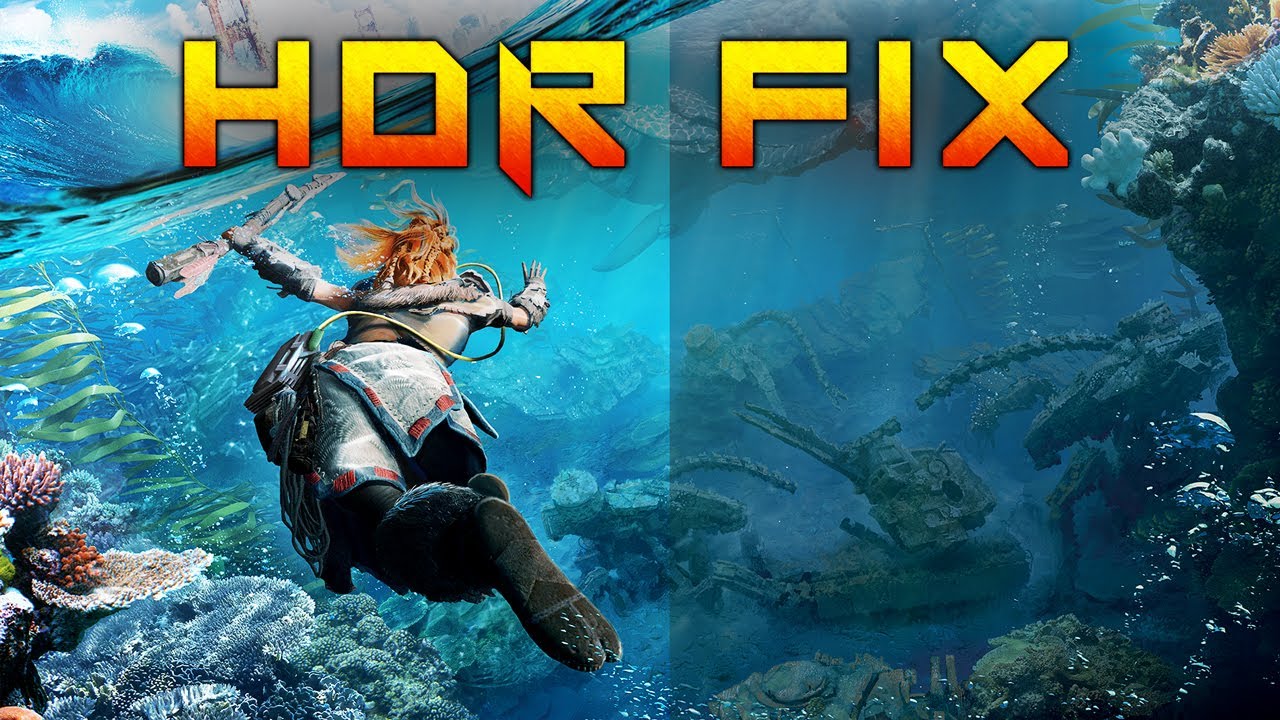
Improve your HDR experience in Horizon Forbidden West on PC with this simple mod fix. This video shows you how to enhance the HDR mode by adjusting the peak luminance setting, originally capped at 300, using a specific mod from Nexus Mods. Perfect for players looking to elevate their visual experience in the game.
🔗 Get the Mod: https://tinyurl...
@celest nest theyre already making videos about you hahaha
 vital quartz
amber badger
Anyone else experiencing black crush at night in the game?
vital quartz
amber badger
Anyone else experiencing black crush at night in the game?
Yeah it gets pretty dark. I like that mostly, but there have been a couple of minor spots where it's awkward. Usually indoors.
amber badger
vital quartz
Yeah it gets pretty dark. I like that mostly, but there have been a couple of mi...
I ended up boosting shadows a bit 👍
fringe agate
granite bough
Just after beating the ||viper|| town
hmm that is farther than I am, after I entered the main area my vram usage dropped significantly
 royal aurora
Tried to install reshade to check the hdr stuff with liliums shader, now SK's gui doesnt pop up anymore, i can see the mouse pointer change where the gui normally is but its not visible, removing reshade fixes it, is there something i need to change or adjust?
Also, would have been nice to have a config file where you could manually set the hdr luminance/paper white, pita not being able change them in increments of 1 with the mouse.
fringe agate
royal aurora
Tried to install reshade to check the hdr stuff with liliums shader, now SK's gu...
globally install reshade to SKIF and launch via SKIF
royal aurora
will try that thanks 🙂
 tulip canopy
https://www.reddit.com/r/nvidia/comments/1bmxs9v/horizon_forbidden_west_has_forced_sharpening/ @weary ridge I figure you've noticed this?
 pallid hawk
Is it only me when changing upscaling methods in settings, huge fps drops and doesn't recover.
Surprised no one reported it here
Cause I don't think its only me
 celest nest
i think DF mentioned it
broken condor
Yeah, applies to dynamic resolution scaling as well.
I had to turn that feature off, it looks terrible with the sharpening applied and no way to disable it.
Wish SK could just disable render passes in D3D12 like I can D3D11 🙂
amber badger
pallid hawk
Is it only me when changing upscaling methods in settings, huge fps drops and do...
I have the same issue. Changing dlss twice or more drops fps to 30, fine after restart.
Also fps tends to drop over time and doesn't recover, stood at a fireplace, got 60 fps. Restarted game and got 90 fps, exact same spot in game
 weary ridge
tulip canopy
https://www.reddit.com/r/nvidia/comments/1bmxs9v/horizon_forbidden_west_has_forc...
weary ridge
tulip canopy
https://www.reddit.com/r/nvidia/comments/1bmxs9v/horizon_forbidden_west_has_forc...
oh so it's like CP77
I knew something was off lol
but it says that no extra sharpening is applied when using DLAA
DLSS Quality mode looks pretty good though if you lover the sharpening slider to 0
but I "love" how people can't use the photo mode to take identical screenshots with different settings..
 olive island
Where is the solution file for a setting like in the Youtube video? I came here from GamingTech's video
I am using Samsung 55QN90B
weary ridge
olive island
Where is the solution file for a setting like in the Youtube video? I came here ...
https://www.nexusmods.com/horizonforbiddenwest/mods/10/ or #1220402379321770027 message
olive island
I copied and pasted directly into the game folder. What should I do next? Currently at 1499/236/0/0
Is that the whole process?
weary ridge
it is
 shrewd breach
Hello all....do I use the 25% peak cdm or the 24% sustained values for in game HDR settings. Thanks in advance
 grand yacht
shrewd breach
Hello all....do I use the 25% peak cdm or the 24% sustained values for in game H...
grand yacht
shrewd breach
Hello all....do I use the 25% peak cdm or the 24% sustained values for in game H...
What display do you have?
Would be better to use a smaller window peak than 25%, but if you know your display has a HDR 1000 peak mode you should use it.
The paperwhite for this game can be 250~300 seems like a sensible value, adjust to it how you like it.
shrewd breach
@grand yacht thanks for taking the time...its a Samsung 65qn90b. On rtings 10 percent peak is 1983 nits. Not sure what's hdr 1000 mode is but I got hdr10 basic and advanced and Hgig on
grand yacht
shrewd breach
<@621810444704677910> thanks for taking the time...its a Samsung 65qn90b. On rt...
That's a very bright HDR display, you could max the slider out to 1500.
shrewd breach
@grand yacht .....and contrast enhancer is a no no for hdr.
grand yacht
shrewd breach
<@621810444704677910> .....and contrast enhancer is a no no for hdr.
I've seen this setting do wildly different things between different models of Samsung monitors and TVs. Usually it oversaturates things and crushes finer details near black. Might be nice in some pixel art games though.
shrewd breach
@grand yacht you are awesome. Thanks for your insight and helpfulness.
grand yacht
shrewd breach
<@621810444704677910> you are awesome. Thanks for your insight and helpfulness.
You're welcome. 👍
royal aurora
Latest SK update seems to terminate the game process as soon as it starts, reverted back to previous version to get it to work again 🙂
Turned down paper white to around 100, 235 is way too bright in a not so bright room 
broken condor
That's because of Nixxes crappy Streamline code.
If you're not using frame generation, delete sl.dlss_g.dll
If you are, set the Global Injection Delay to 0
broken condor
royal aurora
Turned down paper white to around 100, 235 is way too bright in a not so bright ...
Good luck reading the game's UI 🙂 It's just going to be an obnoxious whitewash indistinguishable from the clouds.
celest nest
broken condor
Good luck reading the game's UI 🙂 It's just going to be an obnoxious whitewash ...
i still find this baffling and I keep wondering if your screen is different or something
i made this screenshot today planning to ask you


is this bad in your opinion? unreadable? because I don't have issues reading the subtitles here
this is 1000 peak, everything else default
 unreal niche
celest nest
i made this screenshot today planning to ask you
unreal niche
celest nest
i made this screenshot today planning to ask you
its harder to see on a tv than a monitor
celest nest
to be clear I don't mean it's perfect. but it's well readable, just kinda like grey text on a white background
unreal niche
god of war ragnarok did it well
blurred subtitles background
i think alan wake 2 did that too
celest nest
actually i've noticed theres a specific cutscene where you have a long conversation with a bright hologram and they forced the subtitle background setting there 😄
 wooden oracle
I saw that too lol
 rose sail
celest nest
actually i've noticed theres a specific cutscene where you have a long conversat...
rose sail
celest nest
actually i've noticed theres a specific cutscene where you have a long conversat...
Kind of a derail:
why do we (or is it just me) use subtitles for all our games while for movies we don't.
Like I don't need them in cutscenes, only in gameplay maybe.
celest nest
rose sail
Kind of a derail:
why do we (or is it just me) use subtitles for all our games w...
i tend to use subs in everything, even when the movie's in my native tongue lol
sometimes the mixing is bad or the actors really muffle their lines
rose sail
I know a lot of people watch with subs on movies and shows always now
vital quartz
I turn subs off in games where possible. Particularly if voice acting is good. Find subs detracts from immersion, and lead me to skipping forward and missing out on the exchange.
lean hull
@celest nest how far are you into the game now? 
lean hull
rose sail
I know a lot of people watch with subs on movies and shows always now
I learnt English that way, growing up watching all the Hollywood movies with subs, initially didn't understand much anyway but when I started watching movies in my own native language, either dubbed or locally made. And then with English subs, that helped a LOT!
That, and Eminem. 
Speaking power of speaking the language came from playing games online with people from rest of the world, mostly Europeans. They also had broken English when spoken, but understood good. I remember this friend from Romania got great marks in English and he attributed to us communicating while playing CoD 😄
And now I just always have subs enabled even though they aren't needed anymore. I like the captions, too.
[heavy breathing]

celest nest
lean hull
<@98455130633949184> how far are you into the game now? <:EYES:45247561933966541...
still pretty early i think. but i've already played a lot lol. ||got the base||
lean hull
Captions mainly cause even today, I get to learn an odd thing or two.
Like if there's something being shown in show/movie, a machine etc. It will say its name or whatever function it's doing in captions, and I always find that as learning odd shit about some other odd shit.
lean hull
celest nest
still pretty early i think. but i've already played a lot lol. ||got the base||
Ah, nice. And we're still rocking the same default settings paper white and all, right?
celest nest
I am yeah
lean hull
I'm finally gonna get time to play properly from today (hopefully), been busy with training new assistant and stuff.
Now hoping I can at least get a few non-stop hours in and actually progress 😄
celest nest
lean hull
And now I just always have subs enabled even though they aren't needed anymore. ...
yeah I think it's mostly the same for me, I'm just used to having subtitles since I can remember. I could probably turn them off in the majority of content without issues but I feel more comfortable with them on
lean hull
aye, same. Which is odd cause ...
In games, I tend to turn off all the HUD that I can.
So, I can enjoy uninterrupted experience.
But in movies, I keep subs on.
Granted, I do go for smallest font size.
And if it's on PC, and there's letterboxing, I make sure subs are at the bottom on the black bars. So, actualy movie doesn't get hurt.
 rich lark
I used to have subtitles on in games so I wouldn't miss any distant dialogue. Dialogue triggers seem to be designed for speedrunners and not for my slow-ass "I'm directing an E3 presentation!" playstyle.
But now I just let go of all the UI I can let go of. If I miss some lines here or there, then woe is me.
 wide schooner
I have perhaps a noob question ;
Windows HDR calibration has my maximum luminance at 330.
My monitor spec sheet is : Peak brightness at least 600 Nits - Sustained brightness at least 300 nits.
Does that mean if my maximum luminanance is set to 330 : ill lose specular highlights that go higher than 330?
broken condor
celest nest
Yes, that is terrible, but still somewhat readable. I would never willingly run the game that way, since by the time you can squint and make out the text, it's probably gone.
There are much worse cases of why UIs need to be brighter, but that's a good start.
 thick salmon
lean hull
I learnt English that way, growing up watching all the Hollywood movies with sub...
thick salmon
lean hull
I learnt English that way, growing up watching all the Hollywood movies with sub...
Same, but absolutely hated subtitles as they are often so inaccurate
Except in games of course
lean hull
It's a weird thing with subtitles, yeah. Depends on the company that transcribed it, usually they tend to contextualize it in the local lingo so you understand, if there's a curse word, they might not do 1:1 translation cause a certain curse word isn't used in another region, so they'll substitute, etc.
So, you never get that 1:1 translation, but as in watching, you get the feel of what the director was going for, per se.
It is only when you actually can pin point inaccuracies in it, cause you learn and become knowledgeable enough, that it starts to bother you.

But for the most part, general public watches it, reads it, or dubbing for instance, it gets contextualized to fit the local lingo.
 next kiln
Hello. What is the take-away for this game and HDR? It just needs Ershin's peak fix? And then you're good to go?
weary ridge
next kiln
Hello. What is the take-away for this game and HDR? It just needs Ershin's peak ...
Pretty much
next kiln
nice
Any other must have mods? I haven't been reading this channel since i've been focused on cyberpunk lately
weary ridge
next kiln
Any other must have mods? I haven't been reading this channel since i've been fo...
Nothing must have
thick salmon
lean hull
It's a weird thing with subtitles, yeah. Depends on the company that transcribed...
Bloody hell, even English spoken series have low-quality English subs.... with missing context, weirdly interperted words etc.
lean hull
Hmmm, can't say I agree with most of the stuff I've been watching for years now.
Netflix, Prime, Apple TV, HBO, Hulu, et al.
Maybe some really old stuff? But for most recent, nothing comes to mind.
I did binge a couple older series last year, though.
Californication and The Shield
No issues.
thick salmon
lean hull
Maybe some really old stuff? But for most recent, nothing comes to mind.
House MD is not that old 🥺
lean hull
I haven't seen that, but it's on the list.
 fringe agate
pallid hawk
fringe agate
pallid hawk
Can you post with lilium?
celest nest
broken condor
Yes, that is terrible, but still somewhat readable. I would never willingly run ...
no squinting required on my screen
but regardless, I don't really understand how having brighter ui would improve readability? you want the text to have more contrast with the background, not less
so to have enough contrast you'd either want bright text on a dark background or dark text on a bright background
lean hull
As it stands, with text in the game. I am having trouble with readability, too. And I think what Kal might be thinking is if text itself is much brighter than the content, it'll stand out more?
Like readability is so bad, I thought it had no shadows. I had to look at the sky and realize there is drop shadow on text.
It just still seems pretty bad in terms of readability when there's bushes, trees, sand, etc in background.
Like I can't glance at it and read, sadly. I have to pay attention to it.
Don't have to squint either, though. heh
celest nest
lean hull
As it stands, with text in the game. I am having trouble with readability, too. ...
but you only can have text brighter than the highlights if you destroy the game's hdr (and also have eye burningly bright text at all times just to solve the rare case from the screenshot). sounds insane to me. so the only other option is to have the text darker than the highlights, which... is the case here
fringe agate
Honestly, they could have just added an outline border to all UI and it'd be solved
lean hull
My solution for better readability considering the game design and terrain, brightness, etc.
- brighter text, in white.
- shadows more spread out, in black.
Not the most ideal, it'll create that black halo around text cause it'll be more than just dropshadow, the spread will be more. BUTTTTT ... should be able to glance and read.
lean hull
fringe agate
Honestly, they could have just added an outline border to all UI and it'd be sol...
There is some, drop shadow acts that way. But uniform outline could've worked, too. Yeah.
lean hull
celest nest
but you only can have text brighter than the highlights if you destroy the game'...
Fair, I guess it's cause I'm barely seeing text on screen.
Cause I have that explorer mode on?
Not sure how you're playing, but text isn't covering my screen much. Except for subs, and task related stuff.
celest nest
fringe agate
Honestly, they could have just added an outline border to all UI and it'd be sol...
yeah hud text should always have an outline
lean hull
But you're right, too bright text all the time burniung your eyes would be painful, too.
celest nest
i just don't understand how pumping the UI paperwhite could make this anything but worse, unless you get UI paperwhite way past max luminance, which, again, makes no sense to me
raising ui brightness effectively reduces the contrast when the text is on a bright background and will make it less readable
am i missing something here
fringe agate
I actually think it may be an ABL thing. I noticed everyone with QD-OLED tends to settle at much higher paperwhites than WOLED users.
Specifically, Peak1000 mode on QD-OLED
celest nest
fringe agate
I actually think it may be an ABL thing. I noticed everyone with QD-OLED tends t...
i'm on aw3423dw peak1000 and I prefer the standard paperwhites at around 200 🤷
fringe agate
Hmm maybe it's a thing with QD-OLED buyers then? 
lean hull
Yeah, my paperwhite is at 236, too. I think that's the default it was?
celest nest
I know with ABL the highlights I'm seeing are probably nowhere near actual 1000 nits, and this might be why that background was uncomfortably bright to kal if his screen is actually brighter, but readability is a contrast thing isnt it. and the relative contrast should be the same on both screens
lean hull
celest nest
i just don't understand how pumping the UI paperwhite could make this anything b...
I guess the idea is that if your text is higher luminance than what you're seeing at the bottom most of the time (where subs live), it'll add more readability?
But like I said, I'd rather just have a better outline, or shadow behind text.
Than just keep upping the text brightness.
Cause that's a band-aid, not a full fix, if at all.
celest nest
lean hull
I guess the idea is that if your text is higher luminance than what you're seein...
sure but i don't think even kal wanted to have text brighter than the brightest highlights? you'd have to completely destroy the hdr ingame first to achieve that, even with a separate UI brightness slider
fringe agate
Well, Kal pumped up the paperwhite because the UI was being lost against the highlights.
celest nest
fringe agate
Well, Kal pumped up the paperwhite because the UI was being lost against the hig...
my point is doing that makes it worse, not better
celest nest
fringe agate
Yeah but it seems for him it made it better
that's what i struggle to understand - how? we have the same game
 lean hull
celest nest
sure but i don't think even kal wanted to have text brighter than the brightest ...
lean hull
celest nest
sure but i don't think even kal wanted to have text brighter than the brightest ...
Yeah, that's what I meen that it's a band-aid fix, if any at all. At least from how I'm understanding it.
Just add a uniform outline and call it a day, it'll be fixed. 
celest nest
lean hull
Yeah, that's what I meen that it's a band-aid fix, if any at all. At least from ...
right, but my point is how does this improve things as I can only see it making the issue worse. as in, not even close to a band-aid fix
lean hull
Band-aid fix in my eyes is if we're looking at subs in scenarios where the scene is darker/not max luminance/not similar luminance as w/e your text is, etc.
But then top of the HUD and otherwise? RIP.
fringe agate
Or just add a black background?
weary ridge
I have the HUD mostly turned off, especially the compass is annoying, turning off enemy hp bar is recommended too
lean hull
fringe agate
So who's gonna mod the font of the game?
Funny thing is, Sony is pretty great with accessibility features but they dropped the ball for something this basic XD
lean hull
weary ridge
I have the HUD mostly turned off, especially the compass is annoying, turning of...
You can turn off compass, too? Nice.
Will do that.
weary ridge
you can yea
lean hull
As long as it shows up if I swipe up on my touch pad.
lean hull
Yeah, it does with my current preset of 'explorer'.
weary ridge
this is one of those games where no HUD is a lot more immersive
lean hull
I played AW2 with HUD disabled.
broken condor
celest nest
but regardless, I don't really understand how having brighter ui would improve r...
Exactly, you need the text to be at least as bright relative to the rest of the scene as it was in SDR.
Unless it's opaque, then the only thing you have to deal with is local dimming blooming
Really dark opaque UIs on top of bright scenes will just create halos on the text you want to read on local dimming screens.
Extremely thick drop shadows around UI text would also help
Or just invert the colors underneath the text, but you can't just dim the UI and then put a crazy bright scene underneath it 🙂
celest nest
I just don't understand how upping the UI brightness makes it better for you, not worse
I get that there ideally should be dark background under it, and text outline, all that, but I'm asking about the current situation where those things are missing and you saying that making the UI brighter makes it more readable
amber badger
I have no trouble with text in game on Woled, using 186 paper white, next one up was too bright
broken condor
UI's not bright enough, can't read any of those numbers

 raven bay
Hello guys, I installed the Ershin's fix and it worked the first time but when I put it in windowed mode the brightness problem came back again, I tried to replace the two files again but it still looks dim. I've also noticed in the mod window that when I center the game, the brightness of the desktop darkens as well. I would appreciate it if someone could help me 🙂
broken condor
🤷 sounds like the game hasn't engaged HDR10 correctly.
You can force the game to use HDR10 with Special K
celest nest
raven bay
Hello guys, I installed the Ershin's fix and it worked the first time but when I...
hm is that happening just in windowed mode?
celest nest
broken condor
UI's not bright enough, can't read any of those numbers
in this case yeah i can see how brighter ui would improve things. because the background isnt close to peak here
broken condor
Oh man, don't tell me Nixxes screwed this up?

Where that black thing is, I imagine it's supposed to be a screenshot of the save file?
They aren't capable of screenshotting HDR?
raven bay
celest nest
hm is that happening just in windowed mode?
No, the problem started when I set the windowed mode, and now in any screen mode the problem occurs again as if I had not installed the fix
broken condor
Guess we gotta mod that for them too 😕
broken condor
raven bay
No, the problem started when I set the windowed mode, and now in any screen mode...
I'd seriously suggest trying Special K in that case. It has the mod integrated, and can validate the display's in HDR mode proper. And can force override things if necessary.
Use the version from our Discord server, cause the website version is 6 months old, much older than this game 😛
raven bay
raven bay
No, the problem started when I set the windowed mode, and now in any screen mode...
Also for a millisecond when I enter the game it looks correct but instantly it looks dim again
broken condor
Delete the .asi file if you do this, otherwise they'll both race to patch the game. The .asi will probably win that race.
celest nest
i doubt this is related to the fix at all
broken condor
Me either, I think it's conflicting non-HDR compatible software.
Like an overlay of some sort.
celest nest
curious, does it get brighter when you focus on another window?
broken condor
Which is why SK would help to diagnose this in a hurry
celest nest
broken condor
Delete the .asi file if you do this, otherwise they'll both race to patch the ga...
they both do the same thing so doesn't matter if you run them both anyway
raven bay
celest nest
curious, does it get brighter when you focus on another window?
I will try
celest nest
broken condor
Where that black thing is, I imagine it's supposed to be a screenshot of the sav...
lol looks like it
raven bay
celest nest
curious, does it get brighter when you focus on another window?
No, it doesn't, only when I minimize it
celest nest
🤷
raven bay
broken condor
I'd seriously suggest trying Special K in that case. It has the mod integrated, ...
Where on the server is the download?
broken condor
#933778877996757033 message
raven bay
broken condor
lol, no
haha I have no idea
broken condor
It's the OG software for HDR on Windows. Before there was AutoHDR, there was SK.
raven bay
broken condor
It's the OG software for HDR on Windows. Before there was AutoHDR, there was SK.
Interesting
raven bay
I've opened the game with Special K and and it's stuck on Waiting for the game...
royal aurora
put global injection delay to 0 :p
broken condor
That's weird. So I'm pretty sure you definitely have a third-party overlay causing problems.
royal aurora
had to do the same
broken condor
Default is 0.0
royal aurora
nah it showed as 0.0001 or something
in the config file
game wouldnt launch, changed to 0 and works fine again :p
you told me even 😄
#1220402379321770027 message
 broken condor
Yeah, that's the default. It was only 0.01 as default for a brief period.
royal aurora
hm weird, changed it after updating after reverting
broken condor
I suspect RTSS is maybe the reason the game's launcher is crashing. It's known to crash Nixxes launchers, it also is known to break HDR in games.
royal aurora
im using rtss as well, mainly for the fps overlay
might depend on its hook settings
 raven bay
The game launches but Special K doesn't detect it
broken condor
Then it's pretty conclusively a third-party overlay breaking stuff, or you're running the game as admin for some unholy reason.
raven bay
broken condor
I suspect RTSS is maybe the reason the game's launcher is crashing. It's known t...
I've suspected it too, that's why I closed it a while ago along with the msi afterburner
raven bay
broken condor
Then it's pretty conclusively a third-party overlay breaking stuff, or you're ru...
I don't think I have any overlays unless it's the Windows Game Bar
celest nest
silly question but have you restarted the pc since this happened
also try toggling hdr off and back on in windows
raven bay
raven bay
I've tried minecraft and it works surprisingly
Emulates HDR quite well
But there's no way to make it work on Horizon
raven bay
raven bay
I don't think I have any overlays unless it's the Windows Game Bar
it's also not Nvidia, I never install Geforce Experience and I uninstalled the Nvidia App a few days ago
Well I'm going to sleep, tomorrow I'll continue to see how I fix it
tulip canopy
cya
raven bay
Thank you very much for your help btw 😁
broken condor
Post SpecialK.log and modules.log tomorrow. That'll tell you the overlay breaking your game.
 timber veldt
Little question. I installed the hdr fix that you guys posted on the nexus. But im still quite new to hdr, despite owning my current monitor for over 2 years now.
Hfw is one of the few games that looks a little off for me, no matter which hdr setting i use.
Have to say, i havent played with the settings after installing of the mod, but might gonna do that after this message.
Still tho, my Gigabyte Aorus cv27f monitor can peak at 450 nits, and has display hdr 400. Yes i know its not the best hdr, and might even be considered fake hdr, but i purchased this monitor cause it was cheap, and better then my 21" philips monitor that i had before.
So does anyone have some values that i could try, that make the game not that bright? I mean more like hzd was in terms of brightness?
I read online that on the ps5 version we also could adjust the brightness slider on top of the hdr settings, but seemingly on the pc there isnt such a slider.
So thanks in advance
tulip canopy
I think the ps5 had a brightness and shadows setting
timber veldt
I read everwhere online that ps5 had both all the 4 hdr settings, and a separate brightness slider
But only played this on the ps4, and cannot recall what options it had there for my tv
Also for my tv, i know that it has hdr, but i dont know really the maximum nits, since i mainly dont play on it anymore
i believe its just 400 also
tulip canopy
Idk. Maybe it does. I know honkai star rail gives you the hdr options despite using system wide calibration.
So it's possible
Technically even hfw does this on pc
Because it's edid aware
The default peak white is your edid value
timber veldt
hmm, i forgot which default paper white hfw gave me. Any way i can check this default setting for my monitor?
btw, i ran the hdr calibration tool that can be found in the microsoft store for win 11
And this normally gives more or less the same result in every game that supports hdr
rich lark
I'd think you should install the fix, then in-game, put the "HDR Max Luminance" slider to 450 and leave everything else at default. If it still looks dim, you can start increasing the "HDR Paper White" slider.
I have no experience with your type of monitor but generally, once you've fixed any outright bugs and set the peak brightness to your monitor, usually you don't need to touch much else for a generally good picture.
timber veldt
Its not dim in my opinion, but too bright it seems. I mean, there is this sort of washed out feeling while also having the feeling that everything is too bright.
I have reset the graphic settings, and starting from scratch again. Also gonna play with the frame generation mod in combo with the dlss things, untill my new videocard arrives.
I might be able to find a setting that fits with this 🙂 So thanks for the suggestion @rich lark
rich lark
Washed out and overexposed still sounds weird for your display, I wonder what's going on.
timber veldt
this is how it looks now in Meridian. It feels washed out to me, but ofcourse, its in the middle of a desert, and its the middle of the day, so the sun burns and its portrayed realisticly.
However, i prefer the lightning of hzd i think in this case how meridian was. But it might be just a matter of taste.

I will post some more screenshots while i play, so then we might find out whats going on.
Videos i better not do, cause i simply dont like video recording, and dont have a good one with me
rich lark
Oh wow, that is very blown out, yeah.
timber veldt
Ima try disabling hdr, and post the result

its better, but i think i know the culprit
might be the auto hdr setting from windows
rich lark
Yeah you might be tonemapping twice
timber veldt

thats it without auto hdr from windows, and default hdr settings
it defaults at 427 nits and 236 paper and no boost
it is better, tho in the preview of hdr ingame, i dont see as much detail in the clouds for example as when i almost maximize the paper white
But @rich lark that last screenshot, is that more of how it is supposed to look or?
rich lark
Absolutely, compared to the one you first posted.
I don't know what's going on with all the ghosting though haha
timber veldt
Again, im quite new at hdr, and im saving money for an hdr600 or even higher monitor but first i really need to upgrade my gpu
hmm how can you see there is ghosting?
could it be cause i have overdrive enabled on my monitor? and set to picture quality?
rich lark
It's pretty apparent, but it might be just something with taking screenshots, if it looks fine in-game, I wouldn't try and focus on it.
 timber veldt
i dont know actually how i can see whether its ghosting or not
so, can you elaborate a bit on that?
btw. switching to desktop app. Brb
back
rich lark
If you don't know how to check for ghosting, you don't really need to! You don't want to try and find problems. Just solve them if something bothers you.
timber veldt
Hmm, language barrier thingy maybe. Cause im dutch. Actually, what is ghosting at all. That might be better to ask for it. Cause i have read a lot about it, but dont know what it is, and actually see it
But based on your reaction, i see that its not nessicarely (forgive the spelling haha) a bad thing
wait a second!
i think i see it! Its in the clouds above the compass not?
rich lark
See here, you see two towers, instead of one. Something is going on, like the camera is moving fast and there's an after-image. But if it doesn't bother you in motion, you shouldn't worry about it. Just didn't expect to see it in a screenshot like that.
 timber veldt
ah yes!
hmm that might be screenshot then
cause i dont have it ingame at all
but still, could it be cause of the overdrive set in my monitors osd?
rich lark
I can't really say, there's a lot of things at play here with frame-gen, screenshotting, motion and all. I'm out of my depth for your monitor type.
But there sure are people in this discord that'll look at your screenshots and go "Yep, I know exactly what's the problem" so you're in the right place.
timber veldt
speaking of monitors. If im going to upgrade, would the samsung odyssey g7 be a good one, or should i go for even better, despite the much higher cost?
rich lark
I play on a TV, so I'm out of the monitor game. I'd trust this site for budget-adjusted options: https://www.rtings.com/monitor

RTINGS.com
307 Monitor reviews. Start with our picks for the best monitors below. These are the ones we recommend based on our testing and in-depth monitor reviews.
timber veldt
right, thats also an option to buy a smaller tv and use that as monitor
if i want like 40" at max, which hdr tv could suffice then?
wooden oracle
timber veldt
your game is hilariously broken if you're seeing duplicated objects like that. nothing to do with hdr or your monitor
wooden oracle
how are you capturing screenshots...?
rich lark
wooden oracle
your game is hilariously broken if you're seeing duplicated objects like that. n...
Yeah, not necessarily the HDR but we don't know how he's taking screenshots etc, frame-gen can do stuff like that.
timber veldt
i just press print screen tbh and then select the full image thing from win 11
wooden oracle
I'd use steam overlay (F12) or shadowplay if you can. whatever windows is doing with printscr is creating broken screenshots. they're useless for comparisons
rich lark
If he says it looks fine in motion while he plays. We shouldn't focus on it. The HDR is obviously broken in the first shot, and the shots after that are fine when it comes to general look of the image.
timber veldt
I not prefer steam overlay tbh. I always have it disabled cause most of my games run better when having it disabled
same goes for my nvidia overlay
only overlay that is working well is ubisofts one, and to some degree EA origins one
rich lark
And in this game, the achievement pop-ups ruin the immersion!
timber veldt
also true!
wooden oracle
if you don't care then sure. just make sure you don't go chasing down issues because of compromised screenshots rather than monitor issues
timber veldt
but again @rich lark since youre in the tv scene you said. Which brand of tv makers makes decent, and small hdr tv's? I mean, when sitting in front of a screen, i dont want a 65" screen, since then i gotta look left and right too much if you know what i mean
So, since im looking to get a better hdr monitor/tv, it might be worth looking to the tv market as well to put as primary display
but then like 40" max
maybe 42
rich lark
Well the obvious choice would be something like the 42" lg c2
timber veldt
i always thought that lg doesnt make good tv's. But i might be wrong there ofc
rich lark
They're pretty comfortable for gamers and for people wanting to use them as a PC monitor. But it's an OLED so that comes with it's own perks and quirks.
timber veldt
aye, i have read that oled requires you to once in a while refresh the pixels, or whatever its called?
A friend of mine wanted to buy the philips evnia oled monitor, but refrains from it cause it auto force the pixel refresh after 15 hours
honestly, i like oled from what ive seen. But cause of the quirks indeed, i also refrain from buying it for my tv/monitor for now
rich lark
Well, that's quite a good stretch.
timber veldt
ye, but he almost never turns off his monitor. And hes saying that when he plays straight for example for 15 hours, he would be annoyed by the auto forcing of the monitor
especially since it can take up to 15 minutes
i call him crazy for that, but on the other hand i can understand him
rich lark
This dude must run some high-class WoW raids.
timber veldt
true! He does actually, but not in wow anymore
you know, if you have a good normal led tv/monitor, with local dimming. Cant that be close to your average oled tv/monitor?
testing a new screenshot

and the ghosting is gone it seems
rich lark
Nothing can really reach OLED on it's strong suits, but sure, I've used a 2014 Panasonic TV as a monitor before. Generally though, in a reasonable budget range, you can find a good IPS or VA monitor.
timber veldt
mine is VA and was so much better then my old 21" philips one
rich lark
timber veldt
testing a new screenshot
This looks a lot more normal compared to your first HDR screenshot
timber veldt
i loved my philips tho, but still. This was for me next level, untill i saw display hdr 1000 and above at some stores
but again, display hdr 1000 or above costs serious money
as much as a high end gpu
rich lark
Yes, and If I sit down with an old good MVA screen, in a couple of hours it looks really good to me. It's all a matter of perspective.
timber veldt
still tho, im a fan of bells and whistles. So might force myself to upgrade one day
But not to oled i think, at least, not yet
i do believe that one day we get a technique simular to oled, but without the need to refresh pixels
rich lark
Bells and whistles are why we are on this server! But it's all a balancing-act between budget, preference and common sense.
timber veldt
Indeed! Budget wise tho, i experienced for the worse that its better to invest in decent stuff, rather then going for to sit on the first row for a penny if you can.
Cause investing serious money into good stuff always pays off later
rich lark
Of course, there is a saying: "The poor man can't afford to buy cheap stuff"
timber veldt
I mean, take a look at my home cinema setup. I had onboard sound for a while on my first pc's. Then moved back to soundblaster which i even had on my very first 386 pc. But i had crap speakers. So i bought a philips all in one 5.1 which was awesome but died last year. Then i had the choice between that fancy logitech z906 or whatever it was. Or the edifier s760d, or go for a seperate reciever and high end speakers.
I settled for the middle option, cause it was the best of both worlds without having to pay the jackpot
and i never regretted it ever sincer
rich lark
Absolutely, with audio, the mid-level has gotten very good.
timber veldt
still payed 650 euro for it, but these speakers are heavy! My sub weighs around 30kg, and my center around 4 or 5.
Satelites also around 2 to 3
So very decent! 🙂
the postman wasnt happy when he had to carry the package up the stairs
rich lark
And for the same price, most livingrooms end up having a single soundbar.
timber veldt
that i have, but with sub for the tv in the bedroom
first had it for the tv in the living room, but i notice that i watch more tv from bed, so wanted better sound there
and still that 140 euro soundbar does a damn well job!
rich lark
Even the built-in speakers on a lot of modern TV's sound very good these days
Audio gear is in a pretty good place for consumers.
timber veldt
true that! tho the difference between soundbars and built in speakers, is huge imo. At least between my sony tv in the living room, and the samsung soundbar
rich lark
Of course, nothing beats physical space.
timber veldt
hehe 🙂 Now only wait 2 more months for my new gpu (rtx 4070 ti super) and then im in for a blast the upcoming years gaming wise, even with my hdr400 monitor 🙂
btw, can we talk about spoilers for hwf here in this server?
rich lark
Your monitor will play those games great.
I'm not sure, I'm personally just past the intro so I'll be out for that one!
timber veldt
i did completed hfw on the ps4, but i cannot remember anymore if that sunkings second in command, blameless whatever hes called again turned hostile later
might have to check that online tho

Now this is what i want to see! Its from a cutscene tho, but finally it looks like ive found the perfect settings
rich lark
Nothing looks wrong there!
timber veldt
Indeed! Thats what i thought as well. Default hdr settings, only with highlight boost maxed out. Might gonna raise the shadow boost by 1 or 2, cause i love the big contrast difference. But ye, i think that disabling auto hdr on windows did the trick
celest nest
timber veldt
btw, can we talk about spoilers for hwf here in this server?
just make sure to hide them in spoiler tags
 devout hazel
Still no official patch jesus..
 tawdry delta
they need sony to pay 5 more people a yearly salary
to fix something that takes 30 seconds by 1 person
they know about the issue too
thick salmon
devout hazel
Still no official patch jesus..
Please keep in mind that a patch often aims to fix more issue than one. That requires extensive QA testing before releasing the patch. Also, it's been around 5 working days since launch... would honestly cut them some slack and give them a bit more time
Would rather they fix this good than causing other issues as collateral
tawdry delta
they already released a hotfix and said this wasnt a priority issue
also QA testing would've been handy before release
of the game
thick salmon
tawdry delta
they already released a hotfix and said this wasnt a priority issue
The hotfix was of issues already on their known issues list, so work likely already started on that. Who said this wasn't a priority issue?
An official from Sony or Nixxes?
tawdry delta
thick salmon
The hotfix was of issues already on their known issues list, so work likely alre...
their employee in directx discord
i think kaldaien posted it here
somewhere
anyways if it isn't fixed by Friday Nixxes is a joke of a company to me
thick salmon
#1220402379321770027 message
It doesn't say it doesn't have priority, just not for a hotfix
tawdry delta
thick salmon
https://discord.com/channels/1161035767917850784/1220402379321770027/12209643492...
yea, as if there are more glaring issues with easier fixes to prioritize
thick salmon
tawdry delta
yea, as if there are more glaring issues with easier fixes to prioritize
Likely honestly
tawdry delta
fixing hdr probably requires the least effort for the biggest improvement
broken condor
tawdry delta
yea, as if there are more glaring issues with easier fixes to prioritize
I've gotta beg to differ with you on this one 🙂
It's a one-line code fix.
There's no simpler fix that will improve your game more.
tawdry delta
broken condor
I've gotta beg to differ with you on this one 🙂
It's a one-line code fix.
? youre completely agreeing with me
thats what im saying
tawdry delta
yea
its kinda pathetic tbh
devs cry about being overworked
what are they working on
its a one line code fix
broken condor
At least they fixed the gamepad bug.
They clearly never tested their game without Steam Input breaking it 🙂
celest nest
I mean. I'm sure it's already fixed internally
question is, why isnt it pushed as a hotfix
tawdry delta
I wonder if competent devs share the overworked sentiment
or if work is just hard when youre underqualified
thick salmon
@novel storm can give some enlightenment into this
Because I'm of the opinion that your statements are incredibly short-sighted
broken condor
DatTestBench's?
tawdry delta
thick salmon
Because I'm of the opinion that your statements are incredibly short-sighted
possibly
idk have people like John Carmack ever complained
broken condor
About his work? No? About Samsung, yes 🙂
thick salmon
broken condor
DatTestBench's?
You know, a fulltime actual game-developer....
tawdry delta
you downvote me but theres obviously incompetent workers in the industry
lets not pretend everyone does a great job
i just wonder who is complaining
broken condor
I know hwo he is, I just thought you were being insulting by summoning him here and then saying you're ov the opinion that his statemetns are incredibly short-sighted 😛
 lavish vessel
tawdry delta
yea, as if there are more glaring issues with easier fixes to prioritize
lavish vessel
tawdry delta
yea, as if there are more glaring issues with easier fixes to prioritize
Off the top of my head, Reflex and Framegen don't work correctly, upscaling degrades image quality, I've seen people reporting stability issues
tawdry delta
its just weird
is Sony rushing some deadline for a PC release
which has existed on PS5 for years
lavish vessel
The port took a year to develop
tawdry delta
and the engine isnt new to PC
does it take 2 years to properly make a port?
of which the previous game on same engine was already ported
lavish vessel
Video games are incredibly complex pieces of software and PC are difficult to develop to multitudes of hardware configurations, low level APIs makes things even more difficult for devs, and it's a vast different version of the engine from Zero Dawn, an engine NOT designed for PC first and foremost
tawdry delta
it was released on PS5 Feb 2022, so in development before that. Sony could've started a lot earlier, or just delayed the release if it wasnt ready
so they wait a year after PS5 release until they start developing PC port
and stick to some deadline that isnt necessary
what is the best case scenario and conditions needed to not release a buggy port
lavish vessel
tawdry delta
what is the best case scenario and conditions needed to not release a buggy port
Infinite time and money
tawdry delta
Sony has more of that than most
They're used to not releasing on PC at all
I don't get the time constraint and waiting til last minute
tawdry delta
why did they wait a year after PS5 to even start developing the port if theyre in a hurry lol
lavish vessel
Nixes were given a budget and deadline before they even started working on the port
 novel storm
I mean, I don't know about why this happened either lol
lavish vessel
tawdry delta
why did they wait a year after PS5 to even start developing the port if theyre i...
Because Nixxes were busy with Spider-man and Ratchet and Clank?
novel storm
But if they are in fact just overwritting their correctly working slider with 300, it's a bit of a headscratcher lol
lavish vessel
Bugs happen
fringe agate
Probably management having a stubborn idea
Management says: this is not a critical issue, we'll put it in the larger patch. Devs are like: ok if you say so
End of story
celest nest
so blame management (like always)
novel storm
It is amusing it hasn't been pushed as a hotfix indeed. But there's like a million factors that could have caused it not to go in yet so 
fringe agate
And if there are incompetent people around, that's a problem of management either hiring wrong or not doing something about it. But Nixxes is a small and focussed studio so I doubt that
fringe agate
celest nest
so blame management (like always)
Am not blaming them, an putting the responsibility at their feet. Maybe they got a good reason or a bad one. But I don't believe this is somehow the fault of 1 programmer who just can't find the issue or is lazy
novel storm
has someone tried sending them an email saying
- peakBrightness = 300;
``` yet idk what can be blamed besides incompetent QA
novel storm
Shit happens
tawdry delta
and then theres lack of urgency and priority when knowing about the issue
when its so easy to fix
novel storm
It's funny because it's such a silly mistake but I really wouldn't read too much into it
celest nest
tawdry delta
idk what can be blamed besides incompetent QA
bold of you to assume that qa tests hdr
😄
fringe agate
novel storm
It's funny because it's such a silly mistake but I really wouldn't read too much...
Exactly, we got a mod that fixes it in the meantime. And they'll for sure push a patch at some point.
novel storm
Let alone knows what to look for if they did
tawdry delta

Stuck on claiming Hunting Grounds rewards Some users report they are unable to claim the rewards after completing a Hunting Grounds challenge. You can use the following workaround: do not interact in the Hunting Grounds menu with the mouse, but use the Space Bar to skip the menu. This should make the prompts visible and functional.
novel storm
tawdry delta
I wonder if competent devs share the overworked sentiment
To answer the original question (obligatory I can only speak for myself). There's always more things to do than what you have time for.
I doubt that's what matters here since it's such a simple problem though.
The difference between having more work in the backlog than what you have time for, and being over worked, is what the expectations are from higher up. There's always stuff that will be left on the cutting room floor, it's just a matter of whether the powers that be deem that acceptable or not.
Not that that's relevant to any of this though.
tawdry delta
they could have fixed it with less typing than this community post
which doesnt even list it or the workaround
novel storm
I hope the poor community manager isn't the one tasked with fixing the HDR
tawdry delta
theyre qualified
send the email
if only a single employee cared about hdr at all
it wouldnt have been an issue in the first place
anyways gtg
novel storm
Send them a nice support ticket about it if you want to improve the chances of them prioritizing it (emphasis on nice, frontline support gets abused enough already)
pallid hawk
They probably won't release a patch with just HDR fix. This memory leak or whatever over time is real. Fps drops bad. And also i believe the dlss codes are also flawed.
So the patch might be fixing all these
timber veldt
I had that memory leak too 😦 But simply saving, quitting the game and restarting the game helped here.
As well you might want to reboot your system to soft reset your ram, but that shouldnt be needed i think.
broken condor
Just give it a good scrubbing with a cloth, works just as well.
 thick salmon
broken condor
I know hwo he is, I just thought you were being insulting by summoning him here ...
thick salmon
broken condor
I know hwo he is, I just thought you were being insulting by summoning him here ...
Sorry, might have been a bit blunt in giving my opinion. But thought instead of having a back and forth it would have been good to get the insight from someone actually working in the field. But should have done that without giving my opinion so bluntly.
thick salmon
lavish vessel
The port took a year to develop
Assuming they started working immediately through the SteamDB branches, it would have been a good 11 months, but I assume a lot of time could have been already spent on this beforehand.
thick salmon
tawdry delta
it was released on PS5 Feb 2022, so in development before that. Sony could've st...
Likely they awaited post-release updates for the original version to not have to update the whole codebase they were working from mid-development
thick salmon
novel storm
But if they are in fact just overwritting their correctly working slider with 30...
Debug code? Like previously suggested...
thick salmon
pallid hawk
They probably won't release a patch with just HDR fix. This memory leak or whate...
That was my point too
To keep impartiel, I have to say I'm also annoyed by Nixxes never fixing the environmentdestruction animations being sped up above 60 FPS. All Insomniac Games PC ports (Spider-man games and R&C) suffer from that. It was never fixed so far, but all 3 games show SteamDB activity, so fingers crossed. Also, bullet decals haven't been working since the last R&C patch from September last year. Been waiting 6 months for them so far to fix that haha. Was playing other games anyways but will honestly only go back when that is finally fixed, although I know it is only a minor thing actually.
So, yeah, Nixxes is not perfect, but to imply that only the incompetent workers would possibly ever be saying they are overworked.... not sharing that sentiment
But let it be known; if I'm talking about my opinion/sentiment, it is thus just my own opinion. Please then never feel pushed to agree with me just because I'm a moderator here.
celest nest
thick salmon
To keep impartiel, I have to say I'm also annoyed by Nixxes never fixing the env...
oh right the ragdolls are sped up in spiderman, right? too weighty or something
I remember reading about that, I thought they were supposed to be "stylized" like that lol
pallid hawk
Fixing memory leak bug (if it exists) would be a hard task i think. Memory management in programming languages is hard is what I've learnt. Same is for graphics language too i think. Correct me if I'm wrong. Glad to learn.
Thats probably why theyre taking time to release next update
broken condor
thick salmon
To keep impartiel, I have to say I'm also annoyed by Nixxes never fixing the env...
Doubt that means anything. Special K has SteamDB activity to this day, but was deslisted from Steam 4 years ago.
thick salmon
broken condor
Doubt that means anything. Special K has SteamDB activity to this day, but was d...
I mean SteamDB activity as in branches are actively being pushed new builds to. Not those generic Steam changes.
thick salmon
celest nest
oh right the ragdolls are sped up in spiderman, right? too weighty or something
Yeah, looks really strange, but is actually just sped up animations it seems
thick salmon
celest nest
I remember reading about that, I thought they were supposed to be "stylized" lik...
Yeah, thought that too, till someone on Steam pointed out it wasn't like that on PS4
 topaz horizon
thick salmon
I mean SteamDB activity as in branches are actively being pushed new builds to. ...
topaz horizon
thick salmon
I mean SteamDB activity as in branches are actively being pushed new builds to. ...
FSR 3.1 I'd have to imagine.
thick salmon
topaz horizon
FSR 3.1 I'd have to imagine.
Seems a bit long time of work for months of SteamDB activity, especially as the baseline is already there with DLSS FG. So, expect it to be more than just FSR 3.0 or 3.1
topaz horizon
AMD use R&C for the test footage of FSR3.1, to me they have been working with them in implementing 3.1 well before release
novel storm
If there's a marketing deal involved it would be more than worthwhile enough to bother with that much work.
Especially since FSR 3.1 changes the way engines interface with FSR
thick salmon
topaz horizon
AMD use R&C for the test footage of FSR3.1, to me they have been working with th...
Yeah, but mean it likely isn't JUST FSR 3.1... at least I hope so
shrewd breach

Anyone notice upping the paper white beyond 300 makes a noticeable difference?
Using sdr as a color reference....clouds aren't blown out but nice and punchy. You guys still recomend 200 300 paper white?
celest nest
shrewd breach
Using sdr as a color reference....clouds aren't blown out but nice and punchy. Y...
are you basing this on the screenshot in the calibration screen? because it doesn't work properly
it's clipping at paperwhite, which would match what you're saying
broken condor
Paperwhite needs to be high in this game, but not THAT high and not for the reasons the calibration screen leads you to believe.
shrewd breach
@celest nest my tv is 1926 nits...so I used the game....I see pebbles on the beach in the main menu. The machines at night literally glow like a flashlight....and not all blown out. Shit is crazy. Besides doom...I think its pretty good
celest nest
shrewd breach
<@98455130633949184> my tv is 1926 nits...so I used the game....I see pebbles on...
with default paperwhite yea?
celest nest
try default too if you havent tried it
don't base what you're doing on the calibration screen as it's useless
shrewd breach
I have 236? Tied it
celest nest
alright. and higher's better for you?
shrewd breach
Balance is better for me. You know the waves on the beach in the main menu...well, I see the ripples in the white crest. I guess just keep that in mind when someone has a 2k nit screen.❤
celest nest
yea i imagine it must be different on 2k peak, 700 would be way too much for a 1k screen like mine
shrewd breach
Its fukn dumb bro...the blue machine light are light beacons in the distance. Its fukn cool.
So your paper white is probably 320?
@celest nest so your 1k screen....your paper white is probably at 350 to 320ish.
Is that correct for your personal settings?
celest nest
i'm fine with the default even
weary ridge
236 is the correct setting, rising it to around 300-400 is okay i guess, but 600-700? It doesn't really matter that your screen can output 2000 nits. But you do you
shrewd breach
@weary ridge well that's why I'm here...to learn. If the white was to high...I'd blow out....right?
weary ridge
you are rising the average picture brightness with paper white
celest nest
shrewd breach
<@504732204887179275> well that's why I'm here...to learn. If the white was to h...
nope, it wouldnt. everything is just brighter while the peak stays the same, so you're kinda reducing the range
the blowout should only happen if you raise either past your screen's capabilities
shrewd breach
@weary ridge yea, but you can offset that undesirable effect by upping the highlight boost. The boost actually darkens the screen
I'll play with it I guess...gotta make dinner
weary ridge
But you are reducing the peak brightness range. If you are playing in a bright room, then find a semi-dark location in-game, and rise paper white until you can clearly see the game without reflections etc. If you are in a dark room, then just leave it at the default settings imo.
shrewd breach
@weary ridge I actually did that. Found a dark spot and found a setting of minus 2 on the shadows adjustment slider. But to your point...you mean reflections like from lightning in the room on the screen?
And then for the brightness. I zoomed in on some nice clouds and keeping as much detail as possible, came to the 600 700 paper white figure. Or by logic. If someone has double the nits of 1k a 2k screen would be near 460
celest nest
what was the highlights slider value while you were checking otu the clouds?
maybe a non-default one is messing with the results a bit
celest nest
shrewd breach
And then for the brightness. I zoomed in on some nice clouds and keeping as much...
Or by logic. If someone has double the nits of 1k a 2k screen would be near 460
doesn't work that way, if you have double the peak brightness it doesn't really change anything about your paperwhite. it just means you can have more range
weary ridge
With higher peak brightness the difference between the dimmest and brightest highlights can be greater. Rising the paper white level compresses this range and you loose highlight contrast.
weary ridge
shrewd breach
<@504732204887179275> I actually did that. Found a dark spot and found a setting...
Yea I mean reflections on the screen from light sources/windows.
shrewd breach
@celest nest I settled on 3 or 4 for the highlight slider
lavish vessel
Semi HDR related, but dropping shadows to medium disables the rim lighting in gameplay
Very High
https://justiniacobell.is/wp/wp-content/uploads/2024/03/Screenshot_2024-03-28_00-39-39.png
Medium
https://justiniacobell.is/wp/wp-content/uploads/2024/03/Screenshot_2024-03-28_00-40-25.png

 fringe agate
That's actually great xD
Hate how so many games put hero lighting on characters so they look like lanterns in the shade
 mellow spear
new patch apparently fix the hdr luminance and frame gen 🙏🏼
tulip canopy
Yay
vital quartz
mellow spear
new patch apparently fix the hdr luminance and frame gen 🙏🏼
Cool 👍🏻 source?
Horizon Forbidden West Complete Edition 1.0.43.0 Release Notes

 Twitter
·
celest nest
Twitter
·
celest nest
ay nice
tulip canopy
Noooo ersh's mod broke 😔
 foggy dragon
So Ersh's mod is no longer necessary? Did they correctly resolve their bug?
celest nest
yeah
foggy dragon
celest nest
yeah
Thank you for making us play in the best conditions since last weekend.
And thank you for this feedback 😉
 weak creek
Yep, many thanks to @celest nest for your work on the patch, along with all the good advice here in this forum. 🙂
celest nest
thanks 🙂
 tough terrace
is it just me or is there like a color shift to hdr in this game?
sdr

hdr

these images are in sdr but i can upload jxr but in hdr it looks like the wall is covered in chicken salt
has anyone else noticed this?
tough terrace
i think i reduced it abit by using pumbo advhdr shader and puting saturation to 0.95
 weary ridge
tough terrace
has anyone else noticed this?
weary ridge
tough terrace
has anyone else noticed this?
nope, that looks very wrong
tough terrace
weary ridge
nope, that looks very wrong
the 2nd picture is default hdr with no sk or reshade or anything
weary ridge
with the default hdr settings?
tough terrace
the highlight is on 10 and paper white 236 and peak 980
weary ridge
then idk it shouldn't look that I think, or well I don't remember it to be that yellow
tough terrace
i thought the fire in this game had a green tint to it so i looked on youtube and saw the same thing so i thought it was something about the color grading
weary ridge
sunset/sunrise is very orange but it does not look like this
tough terrace
the sun looks fine
but some surfaces look like a completely different color
like sand and stuff
 idle zinc
I’ve noticed that too, but only in the town of Barren Light. Looks like that’s where you are though? I just assumed it was a gamut fuckup of some kind with the lighting there
tough terrace
and fire has a green tint to it
weary ridge
hmm I don't remember the green tint
tough terrace
its very faint
weary ridge
but I will double check it
tough terrace
but ill try get pictures
ye still happens after i got rid of my calibration profile
wide schooner
So the update fixed it 100%?
tough terrace
this is after i remove the profile and it has reduce it like a little bit?

still looks off a bit
weary ridge
tough terrace
this is after i remove the profile and it has reduce it like a little bit?
it looks a lot better
tough terrace
i think it might be something to do with the auto exposure
but idk i think ill run with just a tad lower saturation just wondered if anyone else noticed it
grand yacht
Haven't got home yet to test but is the Ultra Wide UI fixed in the patch?
thick salmon
mellow spear
new patch apparently fix the hdr luminance and frame gen 🙏🏼
Very nice and also quite some good other fixes.
thick salmon
pallid hawk
Off topic: Did the patch solve fps drops and memory leaks?
It mentions "Various crash fixes and stability improvements." in the changelog, so maybe, but have not test data on it.
thick salmon
grand yacht
Haven't got home yet to test but is the Ultra Wide UI fixed in the patch?
Don't think so, the changelog makes no mention of it
devout hazel
NICEE FINALLY I CAN PLAY without downloading 3rd party files
 thin hatch
Should we delete the HDR fix now with the new patch?
celest nest
yup
amber badger
THEY FIXED IT?

Changelog "'Copy pasted @celest nest HDR fix into game files'' lol
celest nest
amber badger
Changelog "'Copy pasted <@98455130633949184> HDR fix into game files'' lol
that would've taken more effort than the actual fix 😄
amber badger
Just verifying game files to be sure, wonder how it's gonna look vs your ''method''and having a working calibration screen
amber badger
Oh seriously? I thought they fixed it?
celest nest
nah they fixed the slider
it's the exact same thing i did, there can't be any difference as i wasn't doing anything hacky in the first place anyway
devout hazel
What is your recommendation for HDR SHADOW BOOST
HDR HIGHTLIGHT BOOST
for LG OLED G1 TV
Thanks
amber badger
celest nest
it's the exact same thing i did, there can't be any difference as i wasn't doing...
Ah gotcha, so the HDR now works but the calibration screen is still fucked?
celest nest
amber badger
Ah gotcha, so the HDR now works but the calibration screen is still fucked?
basically nothing changed if you had the fix
amber badger
Copy, cheers
celest nest
devout hazel
What is your recommendation for HDR SHADOW BOOST
HDR HIGHTLIGHT BOOST
for LG O...
i'm not sure. i think the game crushes blacks in certain scenes with the default settings, but I haven't really tested if changing these is ideal
 hearty ferry
this is some kind of werewolf, so hairy
 celest nest
hearty ferry
this is some kind of werewolf, so hairy
celest nest
hearty ferry
this is some kind of werewolf, so hairy
lol these gotta be some kind of very specific lighting conditions 😄 never seen that
devout hazel
Highlight boost from 1-10 make cloud loose details. Only -9 had perfect detail dunno why its broken like that. Default 0 is also bad
celest nest
devout hazel
Highlight boost from 1-10 make cloud loose details. Only -9 had perfect detail d...
make sure not to look at the calibration screen image though
devout hazel
celest nest
make sure not to look at the calibration screen image though
Why
then how i will calibrate to my liking
celest nest
devout hazel
Why
the screen is broken and useless for calibration, it doesn't go above paperwhite
use the game itself. annoying yes i know
devout hazel
😒
amber badger
Welp, getting higher frames in ||plainsong || and no more FPS dips during cutscene convos. But i do now get 40 fps drops in ||plainsong|| which didnt happen before .. hopefully it's a temporary thing.
fringe agate
amber badger
Welp, getting higher frames in ||plainsong || and no more FPS dips during cutsce...
what vram do you have as well as what resolution+texture quality?
amber badger
fringe agate
what vram do you have as well as what resolution+texture quality?
3080 10GB running at 4K, textures on high, using dynamic res at 90
Didnt have this issue FPS drop issue before this patch
fringe agate
amber badger
3080 10GB running at 4K, textures on high, using dynamic res at 90
2 possibilities, you're running out of vram, or the game is recompiling shaders due to the update
amber badger
fringe agate
2 possibilities, you're running out of vram, or the game is recompiling shaders ...
yeah lets hope its the second
devout hazel
Wow the graphics.. its immensely better then hzd. On par with cp2077 without RT. Just wow
Loving my old rusty G1 oled again 😅
 sonic pawn
devout hazel
Wow the graphics.. its immensely better then hzd. On par with cp2077 without RT....
sonic pawn
devout hazel
Wow the graphics.. its immensely better then hzd. On par with cp2077 without RT....
It’s among the best looking games ever made
thin hatch
Yeah it’s gorgeous
weary ridge
devout hazel
Wow the graphics.. its immensely better then hzd. On par with cp2077 without RT....
it surpasses cp2077 in asset and model quality imo
or even animation
devout hazel
weary ridge
it surpasses cp2077 in asset and model quality imo
Yeah the longer i play,the longer i simply adore it. Best 60$ of my life
Had some rough AAAA 70$ pirate game experience cough cough😷
weary ridge
devout hazel
Yeah the longer i play,the longer i simply adore it. Best 60$ of my life
Had so...
Omg, yea the first true AAAA game hahaha... I have gamepass but I didnt install it, even for free.
thin hatch
Anyone know what the second update today did? There was the major one this morning and a small one like an hour ago
fringe agate
weary ridge
it surpasses cp2077 in asset and model quality imo
actually, both games have pretty mid material and texture work due to being open world
weary ridge
HFW's looks really high qualtiy for an open world game
but the foliage density is even more impressive
the only game which surpasses it is Alan Wake 2
fringe agate
geomtrical density is impressive, as well as animations
but the post processing is what does it for me, idk what theyu do but it just looks so pleasing
weary ridge
and their TAA solution too
fringe agate
weary ridge
and their TAA solution too
decima TAA is top notch
Death stranding also had a super clean TAA
fringe agate
weary ridge
can't wait for Death Stranding 2
same, am literally rewatching the trailers every now and then
can't wait to try it on my oled
celest nest
fringe agate
decima TAA is top notch
it was bad in hzd tho
fringe agate
celest nest
it was bad in hzd tho
yeah true
celest nest
very shimmery on grass, to the point that i preferred dlss quality just to not have it (back when dlsstweaks didnt exist)
novel storm
It was bad in Forbidden West at launch too
weary ridge
I'm yet to replay the first game on PC
weary ridge
novel storm
It was bad in Forbidden West at launch too
you mean on console? yea but only in performance mode
thick salmon
weary ridge
you mean on console? yea but only in performance mode

When Horizon Forbidden West launched, we recommended playing with the 30fps quality mode - because the 60fps mode's 3200x1800 checkerboard solution didn't quite work. However, Guerrilla Games' latest patch is a game-changer. It's still 1800p checkerboard, but the developers have massively revamped the anti-aliasing solution, removing the shimmer...
thin hatch
Rebirth’s performance mode is even worse than FW’s performance mode at launch. Really hope it gets patched up like FW did
lavish vessel
thin hatch
Rebirth’s performance mode is even worse than FW’s performance mode at launch. R...
Rebirth has opposite problem, FW TAA barely did anything but Rebirth TAA is too aggressive for ~ 1080p resolution of the performance mode
Out of the two evils, I prefer Rebirth approach as blur > aliasing, but neither is perfect
thin hatch
Nah man, sorry but Rebirth looks absolutely terrible right now (in performance mode)
Egregious
topaz horizon
yeah but FW looked like ass in the perf. mode
I played it at 30FPS it looked so ass
thin hatch
That’s what I said. They both were terrible at launch
I have to play Rebirth at 30fps too. Performance is a muddy clusterfuck of awful
vital quartz
How does DLAA stack up vs. TAA in this?
celest nest
vital quartz
How does DLAA stack up vs. TAA in this?
dlaa is great
weary ridge
Distant LOD quality is better with DLAA, but TAA is sharper and it seems to smooth out a lot more edges up-close
royal aurora
Anyone else experiencing these checkerboard things? using a 4090 so its not a vram issue, only game this happens in as well, still using 537.58 driver.


And only on some ui things, nothing ingame
fringe agate
looks like unstable vram
thick salmon
royal aurora
Anyone else experiencing these checkerboard things? using a 4090 so its not a vr...
You're using a quite old GPU-driver and have visual issues. Guess what advise I would give you.... 😉
royal aurora
😄
royal aurora
it was so solid tho
thick salmon
Couldn't reproduce this today while playing
royal aurora
are the newest ones any good?
fringe agate
royal aurora
it was so solid tho
ye but the issues have been resolved for over a month now
royal aurora
oh
found a couple posts on steam like that but it seems they have been deleted
or they installed the newest driver :p
ah well fuck it, might as well 🙂
thick salmon
Yeah, if you run into problems, you can always download the old one again
royal aurora
true
thick salmon
That's why I honestly never get why people seem to holy believe in not updating their GPU-drivers haha, but that is just my opinion
royal aurora
just being lazy :p
fringe agate
thick salmon
That's why I honestly never get why people seem to holy believe in not updating ...
well, that specific driver is the last one before a bunch of bad drivers came out with horrible stutter issues
thick salmon
royal aurora
just being lazy :p
Or a bit too overly cautious
royal aurora
stripping them with nvcleaninstall, ddu, configuring the control panel again, sometimes i cba and just wait a few months :p
fringe agate
I used it for a while too, but when it got fixed I updated rigth away
thick salmon
fringe agate
well, that specific driver is the last one before a bunch of bad drivers came ou...
Was it really that prevalent in that many games? Feels a bit to me like people are often exaggerating these issues. Again, just personal opinion.
thick salmon
royal aurora
stripping them with nvcleaninstall, ddu, configuring the control panel again, so...
I usually just download the drivers from Nvidia and just hit the clean install option, never run into an issue
fringe agate
thick salmon
Was it really that prevalent in that many games? Feels a bit to me like people a...
no I noticed it a lot, felt like it was stuttering by an extra 16ms every second or so
royal aurora
id rather get rid of ansel, telemetry and the whole shebang
thick salmon
royal aurora
i just go by peoples comments on reddit
😂 not a particularly great idea haha
thick salmon
fringe agate
no I noticed it a lot, felt like it was stuttering by an extra 16ms every second...
And DDU did not solve it?
thick salmon
royal aurora
id rather get rid of ansel, telemetry and the whole shebang
Your good right of course, personally don't give a penny about it
fringe agate
thick salmon
And DDU did not solve it?
nope
because it was a driver issue
the next driver introduced support for DWM 3.0, which had some broken compat
thick salmon
royal aurora
well they did praise that driver :p
That's supposed to mean something? 😛
royal aurora
haha
got any reliable sources when new drivers launch to see if theyre good? or just try and see
thick salmon
fringe agate
the next driver introduced support for DWM 3.0, which had some broken compat
compat

 thick salmon
royal aurora
got any reliable sources when new drivers launch to see if theyre good? or just ...
thick salmon
royal aurora
got any reliable sources when new drivers launch to see if theyre good? or just ...
Good/bad is not black and white with GPU-drivers; every driver fixes issues, but likely also introduces new ones. "Bad Reddit drivers" are likely just the ones where a bug didn't stay under the Reddit-radar
royal aurora
i see
thick salmon
Because if the full internal Nvidia known issues list would be released with every release, Reddit would likely say every driver release is bad hahaha
thick salmon
fringe agate
Ohhhhh, see, was only with Vsync enabled... hence I never had the issue
Although I indeed had the scrolling webbrowser issue and noticed it got solved a while later
fringe agate
thick salmon
Ohhhhh, see, was only with Vsync enabled... hence I never had the issue
well, you should be using vsync if you got a vrr display, which am sure you have
thick salmon
fringe agate
well, you should be using vsync if you got a vrr display, which am sure you have
Yup, Gsync enabled, 240 Hz display
thick salmon
Only have Gsync on and never notice tearing so never enabled Gsync
fringe agate
or whatever your poison is
thick salmon
fringe agate
then enable Vsync too and cap like 5 fps below refresh
Why 5 FPS below? Vsync would already limit the FPS to your native refresh rate right?
broken condor
VSYNC's not a framerate limiter.
thick salmon
And not allow it to go above that
fringe agate
thick salmon
Why 5 FPS below? Vsync would already limit the FPS to your native refresh rate r...
I see kal typing xD
I let him explain
broken condor
By the time VSYNC causes the game to limit your framerate, you've queued multiple frames worth of latency
The GPU has like 2 frames worth of undisplayed work it has to do because you let VSYNC limit your framerate
Whereas a framerate limiter prevents that.
CPU's never more than 1 frame ahead of the GPU.
thick salmon
broken condor
By the time VSYNC causes the game to limit your framerate, you've queued multipl...
So, only Vsync instead of framerate limiter under your refresh rate is only for latency reduction?
And the reason why I never notice tearing with only Gsync enabled while Vsync is off is because the tearing would likely only display at the top of the screen right?
broken condor
No tearing with GSYNC enabled but VSYNC off is only something you'll experience if you're not able to draw faster than refresh rate
If you're able to draw a frame at or above refresh rate while VSYNC is off, GSYNC will tear.
You will avoid VSYNC latency in that case, but you'll also get a screen tear. Not a particularly useful trade 🙂
If you capped lower than refresh rate, you'd always have GSYNC latency and no tearing.
thick salmon
broken condor
No tearing with GSYNC enabled but VSYNC off is only something you'll experience ...
My experience like 99% of the time luckily
Someone else tried to explain Gsync + Vsync in the past and to my knowledge acted like Vsync was mandatory to avoid screen tear at all frame rates
And that it would then display at the top of the screen
Always found that explanation to be weird
Ok, to solve this once and for all for me, what are the exact functions and differences of Gsync vs Vsync? Gsync thus syncs the monitor refresh rate to the output frame rate of the GPU right? And Vsync thus syncs the output frame rate of the GPU with the monitor refresh rate right?
Why not always then just use Gsync enabled + Vsync disabled + frame rate limiter a few FPS under the maximum refresh rate of your monitor?
Why would Vsync be really needed?
Sorry for acting like a noob regarding this, always had difficulties with this subject haha
mint crystal
tough terrace
is it just me or is there like a color shift to hdr in this game?
Hmm. I already can mod the shaders....
rose sail
mint crystal
Hmm. I already can mod the shaders....
is it that weird matrix 👀
mint crystal
rose sail
is it that weird matrix 👀
It is. I was thinking maybe it's bradford or Kies adaptation on bt709 or DCI p3
mint crystal
I didn't dump all the shaders, but if they used ACES there should be a chroma adaption
rose sail
have you even seen what I just posted 🙃
mint crystal
rose sail
have you even seen what I just posted 🙃
I did. But aren't the primaries close to bt709?
rose sail
a mix of BT.709 and DCI-P3
royal aurora
installed 551.86 and the graphical glitches are gone ❤️
rose sail
mint crystal
I did. But aren't the primaries close to bt709?
I also reconstructed the matrix with D65 white point and it's the same
also since it's BGR and not RGB the luminance vector is applied wrongly
mint crystal
I'm biased because I was working with illuminants today and figured it might be close. Or maybe they do what Cyberpunk also tried to do and add saturation/color filter over matrix
rose sail
rose sail
I also reconstructed the matrix with D65 white point and it's the same
if this doesn't make sense to you:
a RGB<->RGB or RGB<->XYZ or w/e matrix includes the white point
rose sail
mint crystal
I'm biased because I was working with illuminants today and figured it might be ...
it reduces every channel lol
mint crystal
So maybe color grading? Like maybe the LUT has no coloring and they want a filter applied globally? But then why even use a LUT
mint crystal
Maybe their HDR is stretched and it undoes the contrast and saturation from image stretching
rose sail
also blue and red primaries are reduced over even BT.709 I think
rose sail
mint crystal
Maybe their HDR is stretched and it undoes the contrast and saturation from imag...
I guess
still that luminance vector is in the wrong order lol
and it does not match the primaries
mint crystal
Maybe their HDR screen wasn't calibrated and they made a matrix to make it look like SDR. 😅
broken condor
thick salmon
Ok, to solve this once and for all for me, what are the exact functions and diff...
GSYNC forces an immediate screen refresh, VSYNC waits until the fixed-refresh blanking at the end of a screen refresh.
Within VRR window, you can always force an immediate screen refresh without tearing. If you're rendering faster than VRR window, then a GSYNC-forced refresh will immediately tear. VSYNC prevents that tearing by never allowing GSYNC to activate when you're rendering at or faster than refresh rate.
If you just use a framerate limiter to stay below the point where VSYNC stops GSYNC from working, now you've always got VRR active with no tearing. So minimum latency, no tearing, all is well 🙂
 dark crane
I'm trying to run HFW but every time I enable HDR I get this error.
 rose sail
do what it says I guess?
RTSS / MSI afterburner or any other stuff like that running?
dark crane
I just installed RTX HDR using the Nvidia app, enabled it and I have also disabled Windows Auto HDR. It seems to be working fine on Windows, but when I launch the game it seems to crash.
Well, steam and nvidia over lay I would assume.
rose sail
then it's probably RTX HDR?
fringe agate
don't use RTX HDR
dark crane
Well I installed RTX HDR AFTER it was still already giving me the errors today morning.
So doubt that's the issue.
fringe agate
also, where do you enable HDR?
broken condor
dark crane
I'm trying to run HFW but every time I enable HDR I get this error.
Heh, that god damn problem.
fringe agate
dark crane
Well I installed RTX HDR AFTER it was still already giving me the errors today m...
just make sure it's not enabled for this game
broken condor
Nixxes Streamline integration is BAD
dark crane
Disable this then?
 rose sail
don't use fullscreen 😉
fringe agate
rose sail
don't use fullscreen 😉
that fullscreen is actually borderless fulscreen
broken condor
Turn HDR on in the launcher, yes. Don't do it in-game, because overlays can hold references to the Streamline Native SwapChain that don't get released by the Proxy SwapChain.
Long story short, all of those problems are caused by sl.interposer.dll
fringe agate
dark crane
Disable this then?
keep it on here, the one in the nvidia app
broken condor
The game creates a new SwapChain when you change HDR settings in-game.
Streamline interposer makes that likely to fail because of third-party overlays.
The interposer is only needed for frame generation, so if you don't intend to use it, go ahead and delete it and get better software compatibility.
rose sail
fringe agate
that fullscreen is actually borderless fulscreen
no borderless option?
fringe agate
rose sail
no borderless option?
that is the borderless option
rose sail
ok
broken condor
If Nixxes would just use 10-bpc in SDR and HDR, they wouldn't even have to create a new SwapChain. It's maddening that they don't.
They could just change the active colorspace on the fly
lavish vessel

Hey everyone, Thank you for playing Horizon Forbidden West Complete Edition on PC. This forum is primarily intended for players to share experiences and help each other to resolve problems. If you require support, please read the information below. Crash reports are automatically generated, collected by Sony and passed on to the developers at Ni...
broken condor
Not to mention, 10-bpc SDR would be friendlier to RTX HDR and the like. So if they screw up HDR in future games, it's a little bit less of a problem 🙃
dark crane
broken condor
Turn HDR on in the launcher, yes. Don't do it in-game, because overlays can hold...
Ahh that's what was happening actually, changing mid game was crashing the game. But sometimes it would also just not launch.
dark crane
broken condor
The interposer is only needed for frame generation, so if you don't intend to us...
Legend mate, ty!
Also I think HDR is working for me. I just never hopped into the game to test it properly and I forget I have to max out my brightness to actually see the HDR. I was on low brightness prior. Noobie mistakes.
 broken condor
Yes
 copper frigate
cool, so 1000 nits is working
broken condor
Well, as fixed as it's ever going to get 😕
The calibration screen's still broken.
Thankfully they use real numbers, lol.
copper frigate
nice
broken condor
So, for most people, they already know their display's capabilities and can put in appropriate numbers by hand even though the calibration image won't reflect the actual tonemapping.
My own suggestion is to lower max luminance by 10% and increase paper white by 10% (vs. what you'd typically use), I'm finding the game's UI is constantly being drawn over really bright landscape and clouds and hard to read.
 willow phoenix
Newbie question: how would I find out if the game stutters because of FG and Reflex? I keep reading about it, and my game feels slightly off to me, although it could be my imagination. 4080, core i5 13600k. All maxed up, DLAA with FG. Screen capped at 100hz and fps capped at 97 through NVCP. Anyone has a link to a video demonstrating the camera stutter? Even in the DF video, it really doesn’t look obvious.
broken condor
Seems more like a question for the Special K Discord, this one's primarily HDR stuff.
willow phoenix
broken condor
Seems more like a question for the Special K Discord, this one's primarily HDR s...
Thanks. BTW, I really appreciate what you’ve given to the gaming community as a whole. One of my first tinkering with games on PC was with Nier automata using special K.
pallid hawk

We're rounding off our coverage for Horizon Forbidden West's impressive PC port with a look at optimised settings, how they stack up against PlayStation 5 and what kind of performance wins you should expect. On top of that, there's disappointment with the current performance on Steam Deck, while Alex also offers up some suggestions for future pa...
thick salmon
broken condor
If you just use a framerate limiter to stay below the point where VSYNC stops GS...
So, that is the actual solution I should be aiming for then. Thanks for the extremely clear explanation 🙂
weary ridge
willow phoenix
Newbie question: how would I find out if the game stutters because of FG and Ref...
It’s visible on the frametime graph.
broken condor
The frametime graph is useless for frame generation, since it interpolates frames using motion vectors.
The only thing you know from that graph is when the compute queue copies the motion flow'd frame for output, not when it started interpolating that frame.
Took me a while to realize this, once I did I felt really silly 🙂
wide schooner
Is there an issue with the map and ultrawide?
The map has black bars on the side but not in-game.

 celest nest
wide schooner
Is there an issue with the map and ultrawide?
The map has black bars on the sid...
celest nest
wide schooner
Is there an issue with the map and ultrawide?
The map has black bars on the sid...
it's the lazy kind of ultrawide support in this game's case unfortunately
topaz horizon
Your camera blurry, give it a clean


 broken condor
That'll break tons of software that's not intended to trigger G-Sync, I would not recommend doing that.
Unless you want to open NVCPL for every single game and turn VSYNC on manually case-by-case.
Having VSYNC forced globally will cause complete havoc with apps that only refresh when they need to at like 10 FPS slowing your system down (i.e. windows terminal)
fringe agate
hmm because that is kinda the thing that Mr blurbusters said in their gsync 101 article
so what is the correctest way?
broken condor
I mean, you can force it on in the driver if you want, but always do that per-game.
If you force VSYNC on globally, we can't save you when SKIF only draws at 1 FPS for efficiency reasons and your forcing VSYNC on forces the driver to apply G-Sync to SKIF 🙂 Your system will go unresponsive.
I'd personally recommend using SK to override a game's VSYNC, it can be toggled in real-time, it's selective to just the running game.
But I'm obligated to say this.
fringe agate
celest nest
i have vsync forced on in nvcp globally for years
same xD
broken condor
Multiplane Overlays haven't been supported by drivers for years
fringe agate
broken condor
I'd personally recommend using SK to override a game's VSYNC, it can be toggled ...
sadyl SK is not an ultimate solution the moment you go multiplayer
broken condor
That's what makes this a setting you should never, ever, touch.
celest nest
wait what does this have to do with MPOs?
broken condor
MPOs allow windowed applications to be G-Sync'd. Those apps can opt-out by forcing VSYNC off, but if you force it on, now apps that never wanted to change the composition rate of the Windows desktop will do so.
celest nest
guess i’ve never encountered an app where this is a problem?
broken condor
NVIDIA will, on a case-by-case basis, for well-known apps fix the problem and prevent your global VSYNC setting from being applied, but you're making life very hard for yourself if you run smaller apps that NVIDIA's driver doesn't have workarounds for.
celest nest
skif for sure had no issues when i ran it
broken condor
We have a driver profile override written using NvAPI specifically to fix this. But other apps won't have this.
celest nest
ah
broken condor
The problem here is basically the same as turning on G-Sync for "Fullscreen and Windowed Apps".
When MPOs were introduced, forcing VSYNC on globally does the same thing now. Anything that can use a Flip Model SwapChain, even if it's a window, is now able to trigger G-Sync unless the VSYNC setting is left on "applicaiton preference."
celest nest
mm. what is that windowed gsync setting anyway? it never helped where it was supposed to (like unity games before win11 finally forced flip model)
granite bough

Many G-SYNC input lag tests & graphs -- on a 240Hz eSports monitor -- via 2 months of testing via high speed video!
royal aurora
What about the low latency in the nvidia cp? keep it off or set it to on? (for each game manually in there)
remember back in the day some games would run like shit when it wasnt on 3
weary ridge
royal aurora
remember back in the day some games would run like shit when it wasnt on 3
Uhh pre-rendered frames on 3 caused horrible input lag though.
 hidden urchin
The thing I’m noticing about HDR in general is when there isn’t a proper “in game” light source. It can crush the blacks like crazy in specific situations
Noticed it mostly while in the outfit upgrade screen, the top light source is high enough where you can barely see the bottom of the outfit
Cave lighting looks awesome blacked out so hopefully the “too dark areas” are one of those things that get fixed as more games are “made” with HDR lighting in mind
weary ridge
turning off vignette improves teh crushing problem
granite bough
royal aurora
What about the low latency in the nvidia cp? keep it off or set it to on? (for e...
Ultra low in global
weary ridge
and if you experience weird stuttering or other issues, then set it to "on" in the game profile
broken condor
celest nest
mm. what is that windowed gsync setting anyway? it never helped where it was sup...
That's more or less exactly what it was intended for. Just with huge collateral damage on non-game software, having that enabled could cause powershell, photoshop, etc. to behave strangely.
Not sure why it wouldn't work for Unity games, other than they use sRGB SwapChains. That needs an extra copy operation from the DWM to resolve, can't just directly flip an sRGB SwapChain into the DWM since it's not gamma correct.
celest nest
broken condor
That's more or less exactly what it was intended for. Just with huge collateral ...
all i can remember is that it would not work where i expected it would (like those unity games, i think i was playing ffxiv then as well and it wouldn't help there either), and would also cause strange issues elsewhere. but i also barely knew anything about the tech side of all that back then. i had a dll from someone that would force flip model and that would finally activate gsync.
broken condor
I didn't know much about this either when I first started out with upgrading everything to flip model.
Didn't even have a G-Sync monitor at that time, I was surprised to learn that simply upgrading stuff to flip model and making sure it covers the full screen without any mismatched scaling was enough to make that driver setting obsolete 🙂
Probably why FFXIV's problematic. Its window management is really bad, even when you put it in borderless fullscreen it's often got the wrong dimensions by a couple of pixels.
amber badger
I can't get over how good this game looks 🤩
celest nest
hah same
 graceful sage
I wish I didn't plat it in PS5, I'd actually be invested in playing it again
weary ridge
graceful sage
I wish I didn't plat it in PS5, I'd actually be invested in playing it again
Same haha
topaz horizon
I genuinely disliked the game but I still can't get over how they made it look so good
grand yacht
A pairing of good graphics and overall good image quality.
A game like CP2077 has better graphics in certain ways but let down a lot by poor image quality and a lot of artifacts and noise. Forbidden West is quite clean looking compared.
I'm looking forward to finishing the story so I can at least see the "Burning Shores" DLC which people seem to rate higher than the base game.
topaz horizon
I also rate it higher
granite bough
In 1800p better will be DLAA + DRS to 90fps or DLSS perf? I have 3080 (10gb)
broken condor
As long as consistent framerate doesn't matter to you, DRS is okay.
You can't use it with a third-party framerate limiter, and setting it to a specific target in-game's not the same thing as a framerate limiter 😕
I'd personally go with constant resolution and constant framerate.
With a framerate limiter instead of DRS.
pallid hawk
3070 @ 1600p. High preset, fps is fine 70s right after starting the game and playing in the open areas until after entering a crowded village area, the fps drops significantly to 20s. Now i first thought this might be due to my card not being powerful to render all the assets and also due to 8gb being too low for 1600p even if DF stated it'll be...
How valid is this discussion?
I mean is the OP correct?
royal aurora
Like some said in there, its not a leak if the amount doesnt keep climbing. Dont think ive seen it go above 11GB on my 4090 even after hours on end.
pallid hawk
4090 is too good to get affected by this issue
And is not a leak that goes infinitely. But rather poor management
pallid hawk
royal aurora
Like some said in there, its not a leak if the amount doesnt keep climbing. Dont...
What resolution
thick salmon
pallid hawk
I mean is the OP correct?
People honestly tend to see every performance issue as a "memory leak". So, it could be true, but could also very well be an endlessly echoed piece of misinformation.
So, for the time being, would take it with a grain of salt
Especially as no actual RAM or VRAM data was provided
Users are essentially claiming reduced performance over time and jumping to the "memory leak" conclusion. People also seem to suggest it is just the game having to work with too little VRAM on more budget-GPUs
People also come with the weirdest solutions, please don't apply those. Have seen this with R&C and people made a lot of claims regarding possible solutions of which none of them panned out.
Just my view on the matter
https://steamcommunity.com/app/2420110/discussions/0/4355617421472784811/ for example to fix stutters? The game already utilizes 1.2.2 version of DS haha. 1.2.2305.1502 to be precise.
Hi upgrading direct storage files dstoragecore.dll and dstorage.dll fixed all my stutter issues with the game running on Windows 11. You can also delete the two files but Direct storage will be disabled. The files can be downloaded from here: https://devblogs.microsoft.com/directx/directstorage-1-2-available-now/
People on Steam can jumpt extremely fast to conclusions and people are eager to echo those, even when obviously incorrect.
pallid hawk
thick salmon
Users are essentially claiming reduced performance over time and jumping to the ...
Reduced performance over time for a game is memory leak
Just as op said, all other games have a fps value for a corresponding in game area. And doesn't degrade fps over time
Even if the keep it turned on for whatever hour's we wish
And i can back it
thick salmon
pallid hawk
Reduced performance over time for a game is memory leak
Not per se to my knowledge, but not 100% certain.
pallid hawk
Take any game other than nixxess ports. It show's a fps
That doesn't change when all other parameters are unchanged
HFW on the other hand degrades over time.
That points to memory management issues
thick salmon
Then why are you asking here when you seemingly already have your answer/mind made up? XD
thick salmon
pallid hawk
That points to memory management issues
Do you see increase in VRAM usage then over time?
Is RAM affected? Do you have any data on those?
thick salmon
thick salmon
Then why are you asking here when you seemingly already have your answer/mind ma...
Just gave my opinion when looking at the run-of-the-mill Steam-discussion claims haha
Btw, would be good to also rule out any overlays not actually being the cause of this. When there is an incompatibility between the overlay and games, weird things can happen.
thick salmon
pallid hawk
Reduced performance over time for a game is memory leak
Could also be underclocking of hardware to avoid overheating over time if cooling isn't able to keep up
Doing some testing now
 pallid hawk
thick salmon
Then why are you asking here when you seemingly already have your answer/mind ma...
pallid hawk
thick salmon
Then why are you asking here when you seemingly already have your answer/mind ma...
Mind made up, yes. But just wanted to know your take
thick salmon
I'm doing testing now by standing still at the same exact spot at max settings
After how long did you notice anything?
pallid hawk
I too have 3070 . So 8 GB. And i too have same issue at 1440p
pallid hawk
thick salmon
After how long did you notice anything?
Same as above. Entering village settlements gives drops. If not entering any settlements, in open worlds it takes a hit after 2-3 hrs of gameplay
celest nest
thick salmon
I'm doing testing now by standing still at the same exact spot at max settings
fwiw it might not manifest by idling in one place, you might just have to return to the same place after a long session to confirm instead
i did not notice any degradation after long sessions but i'm on 4090
thick salmon
celest nest
fwiw it might not manifest by idling in one place, you might just have to return...
I thought vaad explicitly said it still occurred then, so thought it was thus the most reliable testing method to keep most variables the same
celest nest
thick salmon
I thought vaad explicitly said it still occurred then, so thought it was thus th...
oh ok
i just skimmed the convo
thick salmon
celest nest
i did not notice any degradation after *long* sessions but i'm on 4090
Same, but not looking for performance degradation at my side, but the numbers about RAM and VRAM
Which have only lowered over time so far haha, but only 10 minutes so far
pallid hawk
Are you staying at one place without any movements?
I meant to try traveling through open world for hours. So that whatever assets streaming nixxess has implemented, let it work.
That degrades performance for me.
Doesn't drop to 20fps like in settlements but to 40fps from solid 70fps.
And a restart of the game solves this, in same places. Until it degrades again.
thick salmon
pallid hawk
I meant to try traveling through open world for hours. So that whatever assets s...
Ah, you were not clear in that.
pallid hawk
What card you got?
If its above 10 gb vram card for 1440p, i think just like post says, issue won't affect you.
thick salmon
pallid hawk
If its above 10 gb vram card for 1440p, i think just like post says, issue won't...
If true, then it isn't a memory leak, but a VRAM management issue whereby the streaming in and out of VRAM isn't working correctly in limited situations
pallid hawk
pallid hawk
If its above 10 gb vram card for 1440p, i think just like post says, issue won't...
Also nowhere in the internet we see any 12 gb card users or 4090 users get this issue. Only for 3070, 3060
thick salmon
If it is constantly fighting for space, it could allocate more than is allowed, thus crashing
pallid hawk
thick salmon
If true, then it isn't a memory leak, but a VRAM management issue whereby the st...
Yeah. I think that's post guy meant
He says after a few comments
thick salmon
pallid hawk
Also nowhere in the internet we see any 12 gb card users or 4090 users get this ...
Doesn't say much, if a memory leak is small, then it won't show on powerful hardware that fast, only after many hours
fringe agate
There's definitely something fucky going on. Gimme a moment and I'll show
thick salmon
pallid hawk
Yeah. I think that's post guy meant
Then it would thus NOT be a memory leak
pallid hawk
Whatever asset streaming/memory management nixxess implemented, it needs to be better for low vram cards
And that its not the cards problem for having low vram.
thick salmon
pallid hawk
Whatever asset streaming/memory management nixxess implemented, it needs to be b...
Not really whatever in my opinion; people on Steam screaming Memory leak would actually misinform people.
If what we are concluding here is true
Btw, wanted to do something else, so have too limited data; everything was within margin of error still
pallid hawk
He says below the post that he terms it leak but actually means memory management issues
fringe agate


This is after playing for 4 hours


This is right after a restart
in both cases I was far below the max memory budget SK reports
thick salmon
Those screenshots seem to confirm it is not a memory leak, but what should I be looking at specifically?
fringe agate
it seems like the game starts swapping data into ram before the memory budget is fully saturated
and then never releases memory probably too
fringe agate
thick salmon
Those screenshots seem to confirm it is not a memory leak, but what should I be ...
mainly the performance difference and increased stutter
don't look at the SK reflex analysis, Kal explained that it's talking garbage
thick salmon
fringe agate
it seems like the game starts swapping data into ram before the memory budget is...
You mean the memory budget of RAM or VRAM?
thick salmon
Hard to be sure btw as your screenshots are from quite different views
have a fresh restart screenshot of the more exact same spot?
fringe agate
the performance doesn't change much between angles
fringe agate
fringe agate
https://cdn.discordapp.com/attachments/1220414721342312589/1223023823327330374/i...
This is a fresh restart
thick salmon
fringe agate
the performance doesn't change much between angles
From my experience it does; if more is occluded, performance will be higher
fringe agate
oh you mean even better alignment, sure I can try, but if you believe me at my word, it doesn't change much
thick salmon
Probably not, but better to be sure
fringe agate
and like, let's be honest, 50% more fps and less stutter can't be explained by a slightly different angle