#▫️Cyberpunk 2077
1 messages · Page 5 of 1
 indigo summit
indigo summit
indigo summit
scale goes 4/4 RTDI/RTGI, 1/1, 2/1 (vanilla), 0,0


inversed here (0/0,2/1,1/1,4/4)


1/1 is the current Ultra+, 4/4 is an alternative
I've noticed sharper shadows, also some minor lighting differences
all 4 were unified to the same settings, minus 22/23/24/25 samples for detection reasons
1/1 vs 4/4


 indigo summit
away from PC for a few days, so the files I'm using for this
4k Balanced DLSS mode, 4090
and some HDR screens which shows some differences in HDR highlights


 whole girder
that's the xl files that do that
like I say, idk what he's done to the archives. I only do engines 😂
 indigo summit
My conclusion there is I think mode 4 is actually the ray traced temporal bias correction mode. To me in comparisons using those files it had the best preservation of specular highlights, and sharpest shadows of the lot, distant/small lights in the scene also resolved better than mode 1 or 2
Even if it’s not that, visually it consistently looked the best
And it performed better
whole girder
indigo summit
de-bias 4 looks interesting
indigo summit
Did any values for PT change between 2.11 and 2.12? Curious if the 2.11 var dump remains the same
whole girder
indigo summit
Did any values for PT change between 2.11 and 2.12? Curious if the 2.11 var dum...
it is an actual de-bias mode
 whole girder
indigo summit
Did any values for PT change between 2.11 and 2.12? Curious if the 2.11 var dum...
whole girder
indigo summit
Did any values for PT change between 2.11 and 2.12? Curious if the 2.11 var dum...
no, nothing
de-bias 4 seems to work well for RTXDI as well
indigo summit
Good to hear, well that mode seems solid, I did enable Gradients from their bias guide on the website but idk if it’s in relation to the improvements or not
Or hooked up
whole girder
indigo summit
Good to hear, well that mode seems solid, I did enable Gradients from their bias...
EnableGradients has always been slower for me with no visual change ... i'm not sure it's implemented 🤔
as in, i don't think it contributes to the final output
indigo summit
Might be worth checking with mode 4 if it’s doing anything now but your probably right
whole girder
same with EnableEmissiveTriangleLights
indigo summit
The guide by memory said it needs that RT bias mode to work right
On cinematic the only issue I still see is when leaving the camera still, ReLAX is still to my vision holding onto its history too long. Idk what’s the solution haven’t delved into it but people still smear walls as they walk, I did experiments turning sample counts to dumb levels and no real change for that, it’s better but the fundamental issue is just there
There’s definitely diminishing returns for sure, cinematic likely is hitting them
This too is interesting
Meaning the higher initial sample count likely falls off in contribution for most scenes past a point
That implies the impact is likely when lots of lights are affecting a given area
whole girder
hmm, gradients don't work correctly with NRD
and emissive triangle lights breaks spatial sampling 😭
whole girder
indigo summit
On cinematic the only issue I still see is when leaving the camera still, ReLAX ...
yes i agree ... actually my latest version i'm using

histories can be reduced, it doesn't make much difference
i spent a few hours trying to adjust these in fog, which is the hardest for PT to handle, i wasn't expecting to come up with a 16.0 deblur radius (or 96)
(could just as well be 100... but ... base what about base 2 lmao)
whole girder
indigo summit
Meaning the higher initial sample count likely falls off in contribution for mos...
it does
after a point samples become too highly correlated, and returns diminish
(i think cinematic is pointless, btw)
indigo summit
Yeah I couldn’t see enough difference once spatial samples hit honestly like 5-6, also found SHARC below 3 isn’t worth it
Disocclusion samples I don’t think is doing anything past a number
256 vs 32, no diff
Max history length, 4 seems a good value. That rtx remix sdk uses that too, good number to settle on imo
Idk if half resolution tracing or adaptive sampling are doing anything either that I can notice
I disabled fallback light/sampling for both DI and GI, I did see a difference there
Though I didn’t decide if it was positive or negative
Cinematic imo as a concept should just be an add on for LOD and such, and instead recommend people to bump up DLSS res
Does cinematic do anything else, do the ray/bounce settings do anything in 2.12 PT?
Seems the fallback light is meant for disocclusion, so prob should stay on
whole girder
indigo summit
Seems the fallback light is meant for disocclusion, so prob should stay on
yes i think
indigo summit
 whole girder
there's a de-bias 5 too
indigo summit
Oh?
indigo summit
I also found if you turn on local light sampling then rtxdi seems to break
whole girder
indigo summit
I also found if you turn on local light sampling then rtxdi seems to break
yes it becomes kind of random
okay following this line of thinking, i just tried disabling the separate denoiser for RTXDI

and enabling approximate PDF (probability density function) ... aaand it seems to be working with debias 4
horrible screenshot, but i am getting close to 76 fps (normally 56)

 gilded summit
 whole girder
in theory, one PT denoise pass now, so much faster

i've been trying to do this for a while but it didn't work with bias mode 1 or 2
indigo summit
Interesting, any chance you could photo compare a night scene
Like has it been double denoised this entire time?
From reading the SDK documentation separate denoising is meant to be a quality improvement I think
Wonder if mode 5 is spatial + temporal
 whole girder
of course turning off the separate denoiser only works outdoors 🙄
whole girder
indigo summit
Like has it been double denoised this entire time?
yes
I've added the double denoiser to the PT Turbo routine to disable outdoors 🤔

GitHub
Contribute to NVIDIAGameWorks/RTXDI development by creating an account on GitHub.
well that's probably bias correction 0 1 and 2 explained
but at this point I don't even know if CDPR have a separate function for ReSTIR de-bias, or if they just updated the RTXDI function when they added ReSTIR
it can be helpful to turn off all the denoisers and play, so you can understand what the original image looks like
why do I also get the feeling if we set RTXDI to BiasCorrectionMode of 99 it will accept it 😂
the comments in these ini files look very familiar somehow 🤔 https://www.nexusmods.com/cyberpunk2077/mods/13909

Nexus Mods :: Cyberpunk 2077
Increases Quality, Fixes ghosting, Increases FPS.
 mystic shadow
whole girder
like I say, idk what he's done to the archives. I only do engines 😂
mystic shadow
whole girder
like I say, idk what he's done to the archives. I only do engines 😂
Gotchya. So what exactly is the fast travel glitch?
The green fast travel light over the thing is dim?
whole girder
mystic shadow
Gotchya. So what exactly is the fast travel glitch?
I don't really know 😊
all I know is if I use BB's fix, the fast travels don't light up
so I don't use the fix 😜
mystic shadow
whole girder
all I know is if I use BB's fix, the fast travels don't light up
it looked lit up in your screenshot. That was without the fix?
it looked fine
mystic shadow
whole girder
all I know is if I use BB's fix, the fast travels don't light up
Just to confirm, they don't light up in game, or on the map?
whole girder
mystic shadow
Just to confirm, they don't light up in game, or on the map?
not normally tho
mystic shadow
whole girder
not normally tho
No, i mean was the issue that they aren't lighting up above the thing, or not showing on the map? Hopefully that makes sense
whole girder
mystic shadow
No, i mean was the issue that they aren't lighting up above the thing, or not sh...
no the issue was people can't fast travel
just install the original 😂
mystic shadow
Ohhhhh
I thought it had something to do with the light lmfao
Yea fast travel works fine for me
I didn't use the fix
Just the relight.xl files from the basic file
gilded summit
there is another bug with those things though with GITS, they don't show location anymore on the display wich is sad
mystic shadow
gilded summit
there is another bug with those things though with GITS, they don't show locatio...
Like the purple icon above the station?
gilded summit
no if you look at the screen on that thing, it should show the district you are in
but its just blanc, they are all like that
mystic shadow
Oh
Yea it's been forever since i played before this so i didn't even remember
Which is his fix file supposed to be fixing? Not being able to fast travel? Or the location bug
gilded summit
not being able to fast travel
gilded summit
ris on/off

 mystic shadow
RIS you're supposed to disable with relight right?
 vale orchid
@whole girder https://www.nexusmods.com/cyberpunk2077/mods/13912

Nexus Mods :: Cyberpunk 2077
Rewrite of the DirectX12 shaders for HDR, bloom, vignette, LUTs, color grading, and film grain.
whole girder
vale orchid
<@184939081585786880> https://www.nexusmods.com/cyberpunk2077/mods/13912
niiice
i'll link it
want me to keep the link to the discord?
vale orchid
i have one in my mod page. but thanks 👍
if you want to link unrelated to RenoDX that's fine too, of course
whole girder
vale orchid
i have one in my mod page. but thanks 👍
np
mystic shadow
gilded summit
ris on/off
Any chance you can summarize what's different? I'm away from home
gilded summit
mystic shadow
Any chance you can summarize what's different? I'm away from home
no sorry
whole girder
OMG this game is so crashy
mystic shadow
gilded summit
ris on/off
okay i'm home and was able to view these now. Off is darker
whole girder
@indigo summit as i thought
 mystic shadow
gilded summit
there is another bug with those things though with GITS, they don't show locatio...
mystic shadow
gilded summit
there is another bug with those things though with GITS, they don't show locatio...
This display?
 mystic shadow
if so it seems to work with relight
indigo summit
whole girder
<@138934099074088960> as i thought
At the least there does seem to be a difference on higher levels, question will be when the value stops doing anything different
It’s likely an else statement for the switch for that var
whole girder
indigo summit
At the least there does seem to be a difference on higher levels, question will ...
I don't see any difference with 5 on RTXDI
I really just wanna decompile it and look 😂
whole girder
indigo summit
It’s likely an else statement for the switch for that var
yup
indigo summit
I wonder if there’s a diff between 3 and 4
Then again if remix is using 4 imo prob safe to just leave and forget
gilded summit
mystic shadow
if so it seems to work with relight
idk what is causing my game to have this messed up, always thought it was gits
but thats what i meant indeed
mystic shadow
It could be gits combined with something
If i can help test anything to help you figure it out let me know
gilded summit
mystic shadow
If i can help test anything to help you figure it out let me know
tnx it might be the fast travel fix, ill try that, other wise idk what might be causing it, though i do run with an edited GITS file so idk, ill see in a bit
mystic shadow
gilded summit
tnx it might be the fast travel fix, ill try that, other wise idk what might be ...
Lemme know if you figure it out
I dont' have issues fast traveling so I didn't download the fix
I don't know what causes issues fast traveling. Maybe the hotfix?
gilded summit
mystic shadow
Lemme know if you figure it out
got it figured out, likely messed something up with merging the mods
mystic shadow
Glad you figured it out
whole girder
cinematic (left) vs performance (right)


but also cinematic (left) vs balanced (right)

 gilded summit
in those first 2 shots cinematic does look a lot better, except for the reflections of the room on the ceiling, somehow performance gives a more accurate picture there
 sweet needle
Sammi, am trying out your ultra+ mod, currently RT+PT, and I was wondering what config is the least noisy.
gilded summit


 indigo summit
Went through the source for the Denoiser SDK to find the ReLAX defaults they use
and confirmed they're working nicely in game
- a boost to the number of iterations on ReLAX
its not smear free, but imo from what I can see much improved
indigo summit
override ini with custom settings
custom Ultra Control files
lowered the boiling filters too to 20.0 as per the RTXDI default
indigo summit
indigo summit
+ a boost to the number of iterations on ReLAX
Big changes relax wise are the frame vars, phi luminance, stopping power and disabling anti firefly. My understanding of the frame vars is you don’t want to shorten it too much or you aren’t making enough frames invalidatable
But basically it’s just defaults for relax from the sdk
whole girder
indigo summit
But basically it’s just defaults for relax from the sdk
oh nice one, ty I'll have a look!
whole girder
sweet needle
Sammi, am trying out your ultra+ mod, currently RT+PT, and I was wondering what ...
I would try Balanced and see how you go. you want reasonable fps AND DLSS quality of possible to help reduce noise. lmk how you go

playing with a new version... that gives you more ... well, control lol. I'm worried it might confuse people tho 😂
gilded summit
that batch file is amazing, never knew my fps tanked because of game dvr. I tried editing it so it doesn't disable screenshot functionality, but my efforts where futile. Anyone know what i am doing wrong? I was able to make a similar file enabling it again, which was kinda lacking.
whole girder
gilded summit
that batch file is amazing, never knew my fps tanked because of game dvr. I trie...
can you use Steam or something else for screenshots? gamebar is awful
I use FreeShooter for screenshots
gilded summit
whole girder
can you use Steam or something else for screenshots? gamebar is awful
gamebar is kinda necessery for HDR screencapping
steam only does avif
whole girder
indigo summit
Big changes relax wise are the frame vars, phi luminance, stopping power and dis...
I'm absolutely sure you know this but a won't override ~
whole girder
@craggy vessel do you know how to use game bar only for screenshots?
whole girder
gilded summit
gamebar is kinda necessery for HDR screencapping
i don't have HDR or game bar sorry
whole girder
gilded summit
in those first 2 shots cinematic does look a lot better, except for the reflecti...
yeah it's kinda weird huh
mystic shadow
whole girder
<@203349241395937280> do you know how to use game bar only for screenshots?
like what the hotkey is?
it's like alt+winkey+prntscrn or something
whole girder
indigo summit
Big changes relax wise are the frame vars, phi luminance, stopping power and dis...
these should be under Editor/RTXDI as well
 craggy vessel
whole girder
<@203349241395937280> do you know how to use game bar only for screenshots?
craggy vessel
whole girder
<@203349241395937280> do you know how to use game bar only for screenshots?
Reverting reg changes
But making sure that DVR is disabled in the bar, if not performance wil drop
sweet needle
whole girder
I would try Balanced and see how you go. you want reasonable fps AND DLSS qualit...
thanks, what do you recommend by the way? RR or NRD?
craggy vessel
Nvidia Shadow Play is much better
 whole girder
sweet needle
thanks, what do you recommend by the way? RR or NRD?
whole girder
sweet needle
thanks, what do you recommend by the way? RR or NRD?
I play with RR because it has more stable fps but I prefer the look of NRD
sweet needle
whole girder
I play with RR because it has more stable fps but I prefer the look of NRD
yeah I noticed RR performed better too but didn't look as good
whole girder
sweet needle
yeah I noticed RR performed better too but didn't look as good
yeah... NRD does improve after a minute or two, but it's not as stable overall with a mid-level card
whole girder
indigo summit
override ini with custom settings
i'm tending to agree mostly with CDPR's settings actually ... if you turn off the denoisers or switch to NRD you'll see what i mean
 indigo summit
whole girder
I'm absolutely sure you know this but `a` won't override `~`
indigo summit
whole girder
I'm absolutely sure you know this but `a` won't override `~`
Yeah at the end I copied all changes into that file, I did have a few duplicated in there already from your file I was editing
Good to know tho
 random geode
I guess it's 1
indigo summit
whole girder
i'm tending to agree mostly with CDPR's settings actually ... if you turn off th...
Curious, is it mainly from an IQ perspective or a ghosting/disocclusion perspective, or both?
ATM I’m really on a goal to reduce smearing, I don’t mind instability around where it occurs but the smear is what kind of distracts me
Though I am starting to accept this may not be possible. Do wonder tho if raising stopping power might do it, to my understanding that is for history stop
indigo summit
whole girder
playing with a new version... that gives you more ... well, control lol. I'm wor...
def do this, more control is better, if its confusing people just wont change the values, which is fine, your ini files set appropriate levels anyway
whole girder
indigo summit
Curious, is it mainly from an IQ perspective or a ghosting/disocclusion perspect...
i'm not sure what you mean by IQ? ... but ghosting / disocclusion, and in NRD there are some very bright dots all over (from PhiLuminance) ... i'm not seeing any smearing
here's where i'm currently at

and control is "kind of" working ... i migth have a workaround to some settings crashing the engine (by hooking and loading them earlier)
 gilded summit
random geode
I guess it's 1
gilded summit
random geode
I guess it's 1
disable hdr windows + alt + b, and you can put it on 1
piecewise is a pita
random geode
gilded summit
disable hdr windows + alt + b, and you can put it on 1
It was on 1 I was just testing stuff
gilded summit
*windows + alt + b 🙂
vale orchid
random geode
this screen
That's just brightness. Not really "gamma correction". It's just pow(color, x). The game outputs in sRGB in SDR and if you wanted to "correct" that a pow function isn't going to fix that.
indigo summit
whole girder
here's where i'm currently at
thats where I found the defaults if it helps
has REBLUR ones as well
indigo summit
whole girder
i'm not sure what you mean by IQ? ... but ghosting / disocclusion, and in NRD th...
smearing is basically, distant NPC, stare directly at them + the wall that's behind them, and watch the NPC move left/right. leaves a trail smear that takes time to clear


 whole girder
indigo summit
smearing is basically, distant NPC, stare directly at them + the wall that's beh...
whole girder
indigo summit
smearing is basically, distant NPC, stare directly at them + the wall that's beh...
mm, I'm just finding it's less with lower fast frames 🤔
indigo summit
DepthThreshold = 0.0015 ; (0.01)
SpatialVarianceEstimationHistoryThreshold = 2 ; (3)
HistoryFixStrideBetweenSamples = 8.0 ; (28.0)
DisocclusionThreshold = 0.0025 ; (0.005) 0.5% of the screen?
historyClampingColorBoxSigmaScale = 2.0
looking at these settings, older SDK has fix stride explanation
        // (pixels) - base stride between samples in history reconstruction pass
float historyFixStrideBetweenSamples = 14.0f;``` float historyClampingColorBoxSigmaScale = 2.0f;``` // (>= 0) - history length threshold below which spatial variance estimation will be executed
uint32_t spatialVarianceEstimationHistoryThreshold = 3;```so 2 frames of variance = spatial test (test change of pixels essentially)
DisocclusionThreshold can go lowest to 0.0025
        // (normalized %) - Depth threshold for spatial passes
        float depthThreshold = 0.003f;
lower this is the further into the distance a spatial test will occur
which can help with those tiny NPCs
lowering the SigmaScale too much will cause image instability on movement
but should raise the use of Fast history
vs the 30 frame lag
AtrousIterationNum to my understanding is a quality thing, but not entirely sure
going for 8 (max)
indigo summit
indigo summit
```
// (pixels) - base stride between samples in history reconstruction ...
this setting left in v4.4.0 (Dec 27, 2023) but idk what version the engine uses atm
dense spatial filtering (A-trous decomposition)
so more iterations means more spatial filtering

        // [0; RELAX_MAX_HISTORY_FRAME_NUM] - number of reconstructed frames after history reset (less than "maxFastAccumulatedFrameNum")
uint32_t historyFixFrameNum = 3;```reconstructed frames hmmm this seems like a recipe for trails
whole girder
indigo summit
this setting left in v4.4.0 (Dec 27, 2023) but idk what version the engine uses ...
goodness knows. i feel like NVidia helped CDPR with ReLAX initially, but then CDPR was left on their own
indigo summit
yeah its def confusing all this
I think your right that its the frames, its just what does reconstruction mean in this context
whole girder
also the super bright pixels with PhiLuminance set higher were at night
indigo summit
whether it means the history fix is == the number of frames resampled/cleared, or does it mean Neural Networked reconstructed frames
indigo summit
whole girder
also the super bright pixels with PhiLuminance set higher were at night
hmm do u have HDR
whole girder
indigo summit
I think your right that its the frames, its just what does reconstruction mean i...
i take reconstruction to mean reuse of temporal rays from previous frames
whole girder
indigo summit
hmm do u have HDR
no 😭
whole girder
whole girder
i take reconstruction to mean reuse of temporal rays from previous frames
it's difficult bc i think "ray reconstruction" is more a marketing term than technical
do they mean spatiotemporal reuse??
indigo summit
I wonder
ImGui::SliderInt("Frames", (int32_t*)&m_RelaxSettings.historyFixFrameNum, 0, 3);
the sample for NRD has a max of 3 for it
but also allows 0
    // NRD common settings
    if (m_Settings.adaptiveAccumulation)
    {
        bool isFastHistoryEnabled = m_Settings.maxAccumulatedFrameNum > m_Settings.maxFastAccumulatedFrameNum;

        float fps = 1000.0f / m_Timer.GetSmoothedFrameTime();
        float maxAccumulatedFrameNum = Clamp(ACCUMULATION_TIME * fps, 5.0f, float(MAX_HISTORY_FRAME_NUM));
        float maxFastAccumulatedFrameNum = isFastHistoryEnabled ? (maxAccumulatedFrameNum / 5.0f) : float(MAX_HISTORY_FRAME_NUM);

        m_Settings.maxAccumulatedFrameNum = int32_t(maxAccumulatedFrameNum + 0.5f);
        m_Settings.maxFastAccumulatedFrameNum = int32_t(maxFastAccumulatedFrameNum + 0.5f);
}```adaptiveAccumulation
AdaptiveSampling?
dont think so
so on a setting of 48 default it was 10 fast frames? and on 30 its 5 if they're using adaptive
whole girder
i'll take a look after i've done this budget 😂
indigo summit
unlocked the hidden Cursed mode for 2077
I might build the NRD sample
good for tuning
whole girder
indigo summit
unlocked the hidden Cursed mode for 2077
hahahaa
whole girder
indigo summit
unlocked the hidden Cursed mode for 2077
release it as a mod 
it's April 1
indigo summit
its glorious

so iterations reduce the boiling type noise you get on walls with ReLAX
fast frames arent doing shit
theres a min clamp or adaptive mode on in 2077 cause this isnt doing what it should at 0 (break everything)

5 vs 8


Probabilistic is a perf opt, not a quality option
the third ray dramatically reduces boiling/noise instability
third bounce doesnt do much
half resolution also notably boosts boiling/noise ofc
probabilistic makes more sense in this case, similar performance to half but double the quality
100 at Half, 90 at Prob, 58 at Full
anti firefly only makes sense at half tracing
and most importantly, the lag from an object moving seems to be the trace, not the denoiser
resolution modes
ray counts
whole girder
indigo summit
Probabilistic is a perf opt, not a quality option
yes, 100%

 whole girder
did you build it? or there's an exe download
indigo summit
exe download from github
whole girder
nice I'll try
indigo summit

GitHub
Contribute to NVIDIAGameWorks/NRDSample development by creating an account on GitHub.
login to github
then click

sadly to me it shows ghosting isnt very fixable
its ReSTIR by the looks of it, not ReLAX
or ReBLUR
but yeah I'd move Cinematic/Quality to Full (Probabilistic) not Half
whole girder
I'm not super impressed by ReSTIRGI
ReLAX can come very close
by ghosting you mean disocclusion noise? or bias noise?
indigo summit
disocclusion noise in motion. can see it in my vids above the Cup

this is the NPC smear people talk about
indigo summit
whole girder
I'm not super impressed by ReSTIRGI
in the Sample, fairly sure RTXDI and GI are being used, so you can test ReBLUR vs ReLAX in isolation
both use ReSTIRGI
yeah anti firefly for full should def be turned off
nukes detail
the phi luminance values may be semi responsible for the wax look
reLAX looks plain superior in most shots, sharper detail, less aliasing
indigo summit
tonight I'll code up a full Debug section where all the obscure commands can lie
for Ultra Control, and send it ur way
        // Clamp specular virtual history to the current frame neighborhood
bool enableSpecularVirtualHistoryClamping = true;```to me the original wax look looks like jitter information has been removed and not passed through to DLSS
whole girder
indigo summit
for Ultra Control, and send it ur way
no problem. I have a heavy workload the next few days but I'll send you the latest alpha in case it's useful. it injects some game options earlier (onTweak) for stability
it's partially working, i've mostly added the new functionality so it can work without ini files (modifying streaming and other quality levels, loading/saving tracing type, additional settings from the inis to commonfixes.lua, several fixes 🤔)
indigo summit
will take a look
I think, I think I got ReGIR working
like proper working DI and GI
EnableEmissiveTriangleLights must be off
EnableSeparateDenoising must be off
EnableRTXDIDenoising must be on
EnableAnalyticalLights must be on
UseFusedApproach must be off
gilded summit
indigo summit
and most importantly, the lag from an object moving seems to be the trace, not t...
I can concur, when RR and NRD are disabled you can see clear ghosting. Also the games build in AA (TAA) has some, but disabling this makes the game be even more pixelated. And i do think that one of the denoisers doesn't (probe? idk the proper terminoligy) the specular textures right, i think RR is the worst offender (instead of NRD)
indigo summit
NoReGIR vs ReGIR


these are all GI + DI
with working DI
overall, ReGIR covers larger distances for lights, seems to treat specular/normals a bit differently (likely cause there's more data), and can be faster and slower, depends


I found its generally a notch faster, and can scale quite easily by editing ReGIR settings
Adding UseFusedApproach tanks the perf a bit but is prob the most accurate, stable mode all round when combined with ReGIR
 bleak karma
Is the Ultra+ Quality ini the same as what Sammi has posted or different?
I'll give it a look when home
 south verge
indigo summit
south verge
indigo summit
Thanks for your testing! I've been partial to PT20 for awhile now but these new settings seem to completely clean up the picture when it comes to ghosting. Testing with PT21 v3.53 at the moment.
south verge
Does this work with PT20 as well?
gilded summit
mystic shadow
I have no idea what's going on here
most of the time i read some of the stuff they are typing and i am debating if i should call a priest to have him perform an excorsism
mystic shadow
gilded summit
most of the time i read some of the stuff they are typing and i am debating if i...
Please exercise me
gilded summit
mystic shadow
Please exercise me
Run for 30 minutes a day, the power of Christ compels you!
mystic shadow
gilded summit
Run for 30 minutes a day, the power of Christ compels you!
You have motivated me to go to the gym today, thank you.
mystic shadow
What is the TLDR; above?
Sammi is working on a new and improved version 4.0?
based on testing from FireKahuna?
indigo summit
south verge
Thanks for your testing! I've been partial to PT20 for awhile now but these new ...
Ah sorry there is no PT 2.0 on those files I just recycled the two options to be a off/on
In these files 2.0 is 2.1 and 2.1 is ReGIR
It’s based on the cinematic/quality options, tonight I’ll try and redo everything to be more compatible with how it’s setup in 4.0 alpha, consider those files as a drop and lock sort of situation
It’s 2.1 Quality PT equivalent + ReGIR out of the box
Tonight I’ll remake it first for 3.5.3 so 2.1 + ReGIR is a separate option, and have the override be fully compatible with whatever ultra+ ini file you choose
My theory on the ghosting is it’s the default NRD denosier settings in the override + ReGIR being a world space algorithm. Means it has likely less gaps in data when people move through the space
- the ReGIR paper explicitly states it converges closer to a PT image than ReSTIR does normally. So that means faster fix up of disocclusion areas (areas where people move through the image/ newly revealed spots) inherently for any algorithm that does that
It does imply full ReGIR as above may have some minor quality reductions in direct hits, but I think the trade off is worth the data being world space
indigo summit
Did some reading on this paper and it seems the Fused approach (spatiotemporal) adds disocclusion, since it only uses last frame samples.
https://www.scribd.com/document/635982029/Untitled
And ReSTIR GI has been using it this whole time
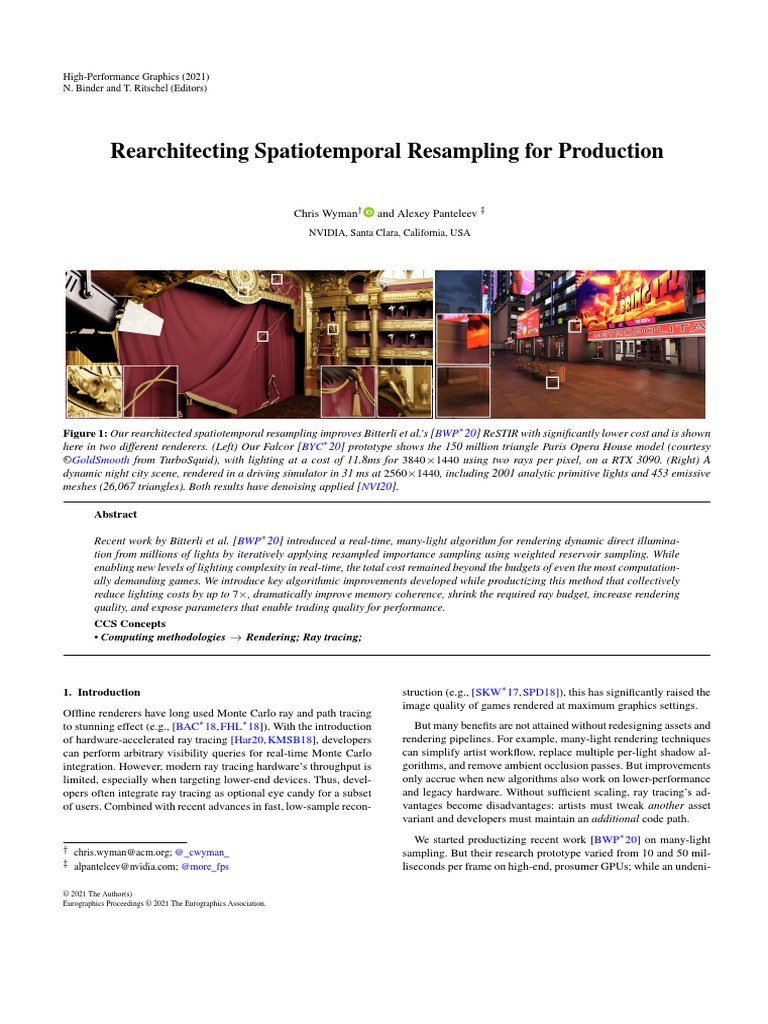
Scribd
Scribd is the world's largest social reading and publishing site.
 indigo summit
It’s a bit messy, was deep in checkbox hell/heaven
Need to consolidate and split off the changes
whole girder
haha all good
whole girder
indigo summit
It’s a bit messy, was deep in checkbox hell/heaven
i'm used to diffing/rebasing linux kernel changes, so this is easy 😂
what are your thoughts on reblur?
i've tried using it, it's supposed to be faster, but i haven't found that to be true in practice (to be honest, i'm not even sure it's working)
whole girder
indigo summit
overall, ReGIR covers larger distances for lights, seems to treat specular/norma...
even though these are "for reblur", i think they also affect shadowed vs. light areas in relax
[Editor/Denoising/ReBLUR]
MaxHitDistance = 3.0                        ; (3.0)
HitDistanceViewZScale = 0.1                    ; (0.1)
HitDistanceRoughnessScale = 20.0                ; (20.0) <-----
HitDistanceRoughnessExpScale = -25.0                ; (-25.0) <-----
forget that, this is extremely complicated 😂
indigo summit
Yeah they are used for both I think. Those params are NRD defaults at least
indigo summit
whole girder
what are your thoughts on reblur?
I think it isn’t as resolving as ReLAX. Doesn’t have as much details in the sample tool, had visible aliasing, more fireflies meaning it needs the filter which adds bias
whole girder
indigo summit
I think it isn’t as resolving as ReLAX. Doesn’t have as much details in the sam...
yup okay. that was my impression in 2.0
whole girder
whole girder
even though these are "for reblur", i think they also affect shadowed vs. light ...
i'm just going to nuke the settings for reblur to simplify things then, except for these (which may apply to relax)
indigo summit
Yeah the sample to me showed how little most of these settings mattered for the things we think they do
And honestly I tested CDs settings and they didn’t look good in the sample
Ghosting will be solved or reduced elsewhere
whole girder
indigo summit
Yeah the sample to me showed how little most of these settings mattered for the ...
yes there's only a few that make quite big changes
and there's a few that behave very differently indoors vs outdoors
idk why but CP has different lighting indoors and needs SpatialNumSamples and RTXDIDenoiser indoors (but not outdoors i don't think)
(well, not anywhere i've found)
whole girder
indigo summit
And honestly I tested CDs settings and they didn’t look good in the sample
no... i think they've modified some things away from the sample
indigo summit
DIDenoiser was mandatory across all tests I did
Things just kept breaking with it off
ReGIR for example
Seperate denoising however was the opposite
Broke ReGIR and some other configs
I need to test Fused for GI disabled
whole girder
indigo summit
Seperate denoising however was the opposite
i might have got them backwards
indigo summit
Bunch of conclusions:
- Gradients helped performance notably in the ReGIR config I was using
- separate denoising broke ReGIR but helps the normal settings overall
- Fused approach for DI worked quality wise but wrecked performance to a degree and didn’t seem to limit/restrain ReGiR DI
Likely the same for GI
- SHARC looks better in some shots with DI at Primary enabled, it does have a very specific but positive impact
- Emissive Triangle Lights just seems to break shit, I want to have it have an impact but it doesn’t seem hooked up properly. Works in theory but no positive impact.
- no amount of PDF settings made local light sampling do what it seems it should do. I think it’s broke, need more testing but seems so
- approximate PDF was a wildcard on perf but no visual impact. I assume its for very specific configs it will do something
mystic shadow
Apologies if I asked this already but is Ultra+ considered an ENV mod?
gilded summit
mystic shadow
Apologies if I asked this already but is Ultra+ considered an ENV mod?
its not
mystic shadow
gilded summit
its not
What about those Relight.xl files?
gilded summit
but better be safe than sorry, a massive amount of things gets decided in ENV files, weather lighting, fog, sun/moon pff to much to mention
gilded summit
mystic shadow
What about those Relight.xl files?
not env
mystic shadow
This is what I settled on. Mod on top is highest priority. Mod on bottom is lowest priority. The "Gits env basic" file is ONLY the relight.xl files, not the full archive
 gilded summit
sammi's fog does make edits to the weather, but its compatible with a lot of other mods that change the env file
mystic shadow
gilded summit
sammi's fog does make edits to the weather, but its compatible with a lot of oth...
The only conflicts I saw from her ultra fog mod was with Preem optics. I gave preem optics priority
gilded summit
i was about to type that
do it the other way around, sammi's mod needs priority, but i doubt they really will have an actual issue
mystic shadow
oh ok
gilded summit
they just edit the same base file (env) but should be compatible
mystic shadow
Why should Sammi's have priority? I'm not sure how it works
does that mean there will be weather where preem optics doens't work?
mystic shadow
i'll find the exact conflict one sec
gilded summit
i forgot about that
mystic shadow
which mod changed
gilded summit
lemme check
mystic shadow
kk
gilded summit
fog mod used to be chaning 1 single weather state only, now its more involved
/less compatible
mystic shadow

so it's winning against nova rain, but losing to weather probability rebalance and preem optics
gilded summit
give preem mod priority
that is exactly the reason why i learned to use wolvenkit
so i can mix and match stuff i like
gilded summit
im fairly sure it does the least edits
its likely best to read what it does and try to understand it
mystic shadow
gilded summit
give preem mod priority
Preem optics is winning already here
gilded summit
but its a lot to take in at once
mystic shadow

it's winning against ultra fog
but losing to weather rebalance
does it need to beat both?
gilded summit
figuring this out will likely take me a longer time than merging the mods to get the desired effect lol
but that takes a couple of hours to learn how to use wolvenkit
mystic shadow
yea i'd have to learn that one
gilded summit
@mystic shadow if stuff is working like it should it should be no issue
mystic shadow
is preem optics even needed? I feel like no one uses it anymore?
am i the only one using an eye adaptation mod lol
mystic shadow
oh, i wonder if it's even still needed
gilded summit
idk man its to long ago since i last used a vanilla env file
mystic shadow
i'll have to ask around
would you have nova rain or ultra fog win?
probably ultra fog right?
gilded summit
but rain supposudly only edits rain, where UF does bloom, fog and others
there are like 10 weather states
mystic shadow
looks like it's the toxic rain that conflicts
gilded summit
man idk man
gilded summit
ah they are both cyanides mods
i wouldnt worry about it
it likely says conflict because they both edit the same file, with the same edit

should be fine
mystic shadow
gilded summit
ah they are both cyanides mods
Which 2 are you referring to? I was talking about Nova Rain and Ultra Fog
gilded summit
i think weather probability is kinda no go
if you run AMM
or some other CET mod that allows you to change weather
i havent looked at the file, but it will likely overwrite a lot
not sure though
mystic shadow
checking now
It's only this one file that conflicts with preem optics and ultra fog
 gilded summit
that is basically that one single file that changes EVERYTHING 😄
mystic shadow
lmfao
so basically this mod won't work?
the weather probability rebalance mod?
not sure I care honestly
gilded summit
wpr says its incompatible with most mods that change weather/lighting etc
gilded summit
gotta pick and chose most likely
gilded summit
no it will just nullify all the things the other mod(s) do
gilded summit
mystic shadow
this is weird because preem optics still seems to work...
it changes somethings besides the scopes
that part will likely be overwritten
mystic shadow
gilded summit
it changes somethings besides the scopes
preem optics has nothign to do with scopds
scopes
it's the eye adaptation mod
gilded summit
it changes the vignette, which is done in the env file(s)
mystic shadow
I'm using the version with vignette
mystic shadow

 random geode
you have to merge ENV mods right?
except if two mods want to change the same setting then there is not much you can do about that
mystic shadow
random geode
except if two mods want to change the same setting then there is not much you ca...
I think you have to use wolvenkit to break it apart
i'm not 100% sure
i think you can mix and match the exact files
or something?
or liens?
lines*
I should learn how to do it...
gilded summit
i have to guestimate what they edited and copy paste into an existing env
make a single mod out of it
im already using ultra fog and preem optics seems nice, so if i do it for myself too
but i am also not highly experienced so errors might loom
mystic shadow
So right now, I have weather probability rebalance overwriting preem optics
and everything seems fine
so maybe cdpr fixed the eye adaptation
idk
might not really be a big deal
who cares lol
ah but then it's also overwriting ultra fog...
which is a big deal
so ultra fog probably isn't working
It might make the most sense to disable weather probability rebalance
random geode
It's not that hard to merge ENVs with wolvenkit
mystic shadow
ah wait shit
that's not good enough
that means preem optics is still going to overwrite ultra fog
so i wont get sammi's fog
so we should merge these
somehow
random geode
do you really need preem optics?
mystic shadow
i'm not sure
if no one else feels it's needed then i guess not
I seem to be the only one using it ha
mystic shadow
oh does it?
@whole girder , for later, does Ultra+ fix up eye adaptation?
A lot of the LUTs do (like nova LUT)
random geode
I don't use preem optics and eye adaptation is fast in my game
I don't use ultra+ either though nor LUT mods
random geode
I have my own ENV edit maybe I fixed in that I just don't remember
mystic shadow
i think the biggest issue with the old versions was that the adaptation was fucked up inside cars
that was the main problem
you couldn't see shit in first person
when driving
random geode
mystic shadow
then perhaps they fixed it FINALLY
hmm maybe, but I think I just use something that fixes it lol
random geode
yea
Oh yea my ENV definitely edited it
but the vanilla adaptation is a lot faster too
it's not that bad tbh
it takes like half second to "adapt"
yea I think you can disable Preem Optics
gilded summit
alright i was going along just fine
and then i messed up
back to square one
lol
sami has shorter exposure than cyanides mod
but cyanide also has some work done on a weather trigger idk
@mystic shadow add me on discord, or i cant say hello or send files 🙂
mystic shadow
adding!
mystic shadow
gilded summit
sami has shorter exposure than cyanides mod
then preem optics likely isn't needed!
🙂
in that case i think we need to merge Ultra Fog + Weather Probability Rebalance.
Or i'll just shut off weather probability rebalance
cause i rather have sammi's fog
gilded summit
i think i failed, also im not sure about ultra fog and preem optics
you can try it because im also running other mods that influence it, but im only seeing sunny and fog weather states, nothing else
whole girder
mystic shadow
<@184939081585786880> , for later, does Ultra+ fix up eye adaptation?
nope! 😊
mystic shadow
gilded summit
sami has shorter exposure than cyanides mod
Sammi's sayin it doesn't touch exposure
^
gilded summit
i didnt read through the whole tree to be honest, i just copied optics settings into ultrafog, and weather probability+ transitions
also noticed that weather probability rebalanced only touches on the vanilla game, not phantom liberty
but idk if that is needed or controlled by that env
still havent found any information on how how to edit these files
mystic shadow
preem optics raises brightness
all around
for some reason
just realized
avgcll was 10 without preem optics. and it was 18 with it
same spot
same scene
same conditions
Who knows
mystic shadow
What's a good area to test sammi's fog mod
south verge


 gilded summit
thats bloom

 gilded summit
no bloom is a separate metric, which can be adjusted with reno
ultra fog has like 50% of vanilla bloom
mystic shadow
I used the same bloom value in Reno. I was only turning preem optics on and off
Ultra fog was always on
gilded summit
the base value is lower, reno is a slider based on that
50% in reno = default
env files change a lot of things
one of them is bloom
shortfuse hooks into the bloom shader, so you can tweak it to your liking
mystic shadow
ok so preem optics had different bloom values
gilded summit
yes
mystic shadow
ok
gilded summit
seems like default vanilla bloom
mystic shadow
yea
and now ultra fog is actually working
so it's 50%
becuse before it was getting overridden
gilded summit
sammi's mod just changes the bloom curve
mystic shadow
what else does it do
gilded summit
fog, countless particles like smoke, maybe others read the page 😄
 signal flicker
mystic shadow
This is what I settled on. Mod on top is highest priority. Mod on bottom is lowe...
signal flicker
mystic shadow
This is what I settled on. Mod on top is highest priority. Mod on bottom is lowe...
Too many mods, cannot compute. ERROR
sweet needle
mystic shadow
This is what I settled on. Mod on top is highest priority. Mod on bottom is lowe...
You don't run out of vram? Or did you swap away from the 3080?
whole girder
gilded summit
ultra fog has like 50% of vanilla bloom
yeah default bloom is crazy nonsense
and they do like 8 blur passes so it brightens the whole screen
mystic shadow
sweet needle
You don't run out of vram? Or did you swap away from the 3080?
4080 super ha
mystic shadow
whole girder
and they do like 8 blur passes so it brightens the whole screen
Yea I knew your fog reduced bloom but I didn't realize how over-bloomed the normal game was until using your mod
sweet needle
mystic shadow
4080 super ha
ah yes, no vram issues for you xD
mystic shadow
haha not yet
mystic shadow
what are the SL dlss dlls?
 signal flicker
sweet needle
streamline
signal flicker
sweet needle
streamline
Nvidia's kind of DirectSR
 teal imp
Streamline was first, so if anything DirectSR is MS kind of Streamline
signal flicker
Yeah, true, but as DirectSR is more fresh in memory...
hence I gave it as the example
To compare to
 vale token
@mystic shadow if you don't mind, what's the story with relight.xl and how can I get it/apply it?
vale token
i know it's part of GITS
mystic shadow
So download the 01 Fuji ENV Basic file from the Gits 3.x page. Only keep the circled relight files. I circled the ini file but I don't think you need it. All it does is disable RIS, which you can also do with Ultra+. I just downloaded it anyway. Ultra+ says to disable RIS if you use Relight

I do not think it has any load order issues
I just loaded it directly before Ultra+
 mystic shadow
uh one sec lemme check
mystic shadow
vale token
I'm not using Ultra btw
Then definitely use that ini file i circled
mystic shadow
vale token
these *.xl files go to mod folder like .archive?
Oh it's in the screenshot
it shows the folder path
I am assuming it installs correctly
As I understand it, (could be wrong), the Relight files fix up lighting in some spots that don't work well with path tracing
vale token
mystic shadow
As I understand it, (could be wrong), the Relight files fix up lighting in some ...
yes, that is why i am interested in them
mystic shadow
I never did a comparison between on and off
vale token
will check it now, thanks
mystic shadow
np
mystic shadow
Do they definitely not work anymore?
i think that comment was from before 2.12 released
if you are talking about it saying "for version 2.11 only"
whole girder
they work fine 😊
 formal lodge
How is the 3.7 DLS for people?
south verge
No complaints. The new preset seems to improve image clarity but I'd say preset C still looks the best
vale token
What is the default preset when in Auto/driver, is it C?
sweet needle
vale token
What is the default preset when in Auto/driver, is it C?
I think D
teal imp
It was D until 3.7
vale token
teal imp
It was D until 3.7
Thanks, and with 3.7?
vale token
I see, are there visible/tangible benefits with E?
formal lodge
i'll give C a whirl. i care more about picture quality then anything, thoujgh
mystic shadow
I think E is supposed to be the best now
mystic shadow
south verge
No complaints. The new preset seems to improve image clarity but I'd say preset ...
Why C? Just curious.
teal imp
vale token
I see, are there visible/tangible benefits with E?
I believe less ghosting compared to D
mystic shadow
What's going on with the reflections in the windows? It's right outside fingers clinic.


looks like the floors are upside down in the building ha
indigo summit
Screen space reflections maybe
gilded summit
mystic shadow
What's going on with the reflections in the windows? It's right outside fingers ...
thats not a reflection issue, its a vanilla screw up. Some of these textures are placed upside down. Normally there would be blurred glass hiding these fake 3d interiors but with some mods installed the blur go's away and these bugs become very obvious. https://www.nexusmods.com/cyberpunk2077/mods/7160 this mod or some texture packs remove the blur/ upscale the textures
 mystic shadow
gilded summit
thats not a reflection issue, its a vanilla screw up. Some of these textures are...
mystic shadow
gilded summit
thats not a reflection issue, its a vanilla screw up. Some of these textures are...
Yep I'm using that mod and blur begone
thanks!
I thought maybe it was an easter egg
mystic shadow
So is DLSS preset E the best now for cyberpunk or is C/D still preferred?
teal imp
For CP2077 I would say go with E
mystic shadow
https://www.nexusmods.com/cyberpunk2077/mods/4789 - fyi this mod is still needed for certain food mods, despite CDPR patching the game for it. it's still needed in certain circumstances

Nexus Mods :: Cyberpunk 2077
Equivalent of Cookedapps Nulled for world items. Fixes the issue that causes modded world models, such as food, to revert back to vanilla.
i couldn't get one of the pizza replacers to work without it ha
vale token
Btw, i checked the relight.xl thingies and … they were not working. They would work most likely with the env that comes with them but not without as i wanted
mystic shadow
oh really?
even from the basic env file?
and you have RIS disabled either by the ini file or in ultra+?
vale token
Yes, had RIS disabled by ini, no ultra
mystic shadow
Got it. Yea i don't know. Sammi said it still works, but I never tested on vs off. I figured it only changed some areas and not all but that was a guess
I wasn't sure how to test it properly
mystic shadow
whole girder
they work fine 😊
Just to confirm, the relight files will work fine even without the env?
I think xerme also had said he couldn't see a difference with the mod. I'm not sure what a good location is to check
vale token
I actually took inspiration from BB’s screenshots on mod description page to check if this is working
whole girder
mystic shadow
Just to confirm, the relight files will work fine even without the env?
yes. but I only use the first release of relight (not any of the fix ones)... and there are very few places where relight makes a difference. very specific places
97%+ of the map it makes no difference at all
not to undermine BBs work. where it does make a difference it's a big improvement
vale token
Things is he gives a few examples with his screenshots and checking those places out i can say it is not working for me. First release as well.
whole girder
vale token
Things is he gives a few examples with his screenshots and checking those places...
well that's interesting
i've only found one place where it makes a big difference, and that's the Arasaka sheds (i think? ... idk how to describe it)
vale token
I see, but can you perhaps check his pics places and validate that it’s working?
One very easy is at the main apartment H10, the light above the door does not cast light on the floor so he made it look like is a broken light.. clearly not seeing this in my case
whole girder
vale token
One very easy is at the main apartment H10, the light above the door does not ca...
yes so it is for me
but it wasn't earlier, and idk what changed
it may be something like not so good draw distance that's conflicting?
I'm not sure. also I don't agree with some of BBs ini settings, I've wondered if they perhaps cause problems (but haven't checked)
vale token
whole girder
it may be something like not so good draw distance that's conflicting?
I don’t know, i do have it as well as i find it pretty essential.
mystic shadow
I'm not using the draw distance mod
mystic shadow
whole girder
yes. but I only use the first release of relight (not any of the fix ones)... an...
When you say the "first release", do you mean the relight files from the env basic file?
mystic shadow
whole girder
I'm not sure. also I don't agree with some of BBs ini settings, I've wondered if...
Which ini settings? Are the relight .xl files ini files?
gilded summit
"Throw these into the appropriate folder
(he was talking about weather states inside the env)
Needs more testing - but I'm working to remove this nonsense for PT users
(fake sunlight)
The concept is good, but sadly CDPR didn't appropriately attenuate the feature per weather state, so sometimes it will be foggy but you get this fake sunligh"

 vale token
mystic shadow
When you say the "first release", do you mean the relight files from the env bas...
vale token
mystic shadow
When you say the "first release", do you mean the relight files from the env bas...
In my view, this is what she meant
gilded summit
I know he did some of this for multiple locations. There are a few left that are still like this. So you gotta likely merge his weather states to another mod if you want this fixed
rain, heavy clouds, sandstorms. Maybe more
vale token
mystic shadow
Which ini settings? Are the relight .xl files ini files?
Think, she means rtxdi.ini, relight.ini
vale token
gilded summit
"Throw these into the appropriate folder
(he was talking about weather states in...
Not sure what you mean, but the example showed by you is clear, looks much better/realistic albeit the fog is perhaps too much… do you mean his relight changes?
gilded summit
o i just quoted him explaining it
was about 3 weather params to integrate into gits env before gits 3.x got released
- I wish i knew how to properly edit ENV files, so I could combine stuff properly, like sammi's fog, these edits from GITS, clouds from alternative weather visuals, weather probability rebalance for more/better variety, but i keep ending up with stuff that does some of it, but than messes up all the weather states to be left with just 2 different ones -.-
mystic shadow
@vale tokenworks for me

sorry it's so dark....windows tonemapping sucks

here's the jxr
but relight is working
mystic shadow
gilded summit
was about 3 weather params to integrate into gits env before gits 3.x got releas...
we're just talking about the relight .xl files
not the archive ENV file
gilded summit
mystic shadow
we're just talking about the relight .xl files
the xl files are refering to edits he did
mystic shadow
ugh i'm so confused
mystic shadow
gilded summit
I know he did some of this for multiple locations. There are a few left that are...
what was this about
what weather states
that wouldn't be in the relight files. Only the archive file?
gilded summit
yes part of the archive files
just like you need the archive files to benefit from all the world edits
mystic shadow
ohh
yes
i misunderstood you
we're just using the relight .xl files
not the archive file
gilded summit
load order might fix this, but things like those weather state edits will be lost when you run mods like alternative weather visuals, or sammi's fog mod
gilded summit
mystic shadow
we're just using the relight .xl files
there is no point i think running relight.xl when not running the archive
mystic shadow
why was Sammi saying to do that
gilded summit
the archive contains all the streaming sector edits, which is what the relight/relightthefog refering to
gilded summit
mystic shadow
why was Sammi saying to do that
😄 exactly
mystic shadow
mystic shadow
<@523583661216497692>works for me
actually it's like this even without relight
i think
i'm testing now
Okay something is off here


darker one is relight
so it's definitely doing something..
gilded summit
its still not working properly
mystic shadow
why is it darker
you have to open the .jxr files to really see the difference
don't look at the SDR images
you can't tell the differences
but even in the SDR image, look at underneath the stairs above you
it's much brighter in the non-relight one
but idk why
gilded summit
the difference in sdr is pretty clear
the fasttravel isnt lighting up, there is "fake" bounce light on the ceiling etc

^ this one is closer to proper lighting, only difference is RIS is disabled
the light coming from the fasttravel thingymagiggy is not propegating as it should on my screen
shot
gilded summit
if you use sammi's tool from ultra+ it doesnt need restart, if you use ini files to change it, you need restart
mystic shadow
gilded summit
shot
Neither of my shots have it like that
probably cause i'm using ultra+/fog mod
or osmething
something
 mystic shadow
yea just different lighting
i'm also using renodx
so my end result is way different i'm sure
but my question was why is relight making things even darker?
 gilded summit
mystic shadow
Okay something is off here
gilded summit
mystic shadow
Okay something is off here
left seems like RIS on, right looks like RIS off, and messed up relight
mystic shadow
But I thought you were supposed to turn RIS off for relight
the ini even disables it for you
@gilded summitThis is vanilla btw

so idk why you're getting so much green
unless my vanilla game is messed up
midtones were at 1 in that shot though
cause i had it there for reno
I feel like it looks weird in my version, even on vanilla for some reason. WHy is there no green light around it?
gilded summit
mystic shadow
But I thought you were supposed to turn RIS off for relight
i was just about to correct myself, i said it the wrong way around 😄
gilded summit
mystic shadow
I feel like it looks weird in my version, even on vanilla for some reason. WHy i...
because you need GITS archive + the relight.xl files to achieve this
gilded summit
#1186114072027074651 message you will lose out on fixes like this, if you run with a mod that touches on ENV's
regarless if you have gits archive installed
mystic shadow
What do you mean fixes like that?
gilded summit
removing fake sunlight
mystic shadow
gilded summit
regarless if you have gits archive installed
I mean how would you miss out on fake sublight fixes if you don't have gits installed. Then you'd never have the fixes anyway. Hope that makes sense
gilded summit
because other mods overwrite it
like alternative weather visuals, sammi's fog mod etc
mystic shadow
Yea they all edit the same thing
gilded summit
because they include an ENV file
gilded summit
they do
mystic shadow
So do the relight files do anything at all without the archive or no?
gilded summit
i need to get better at working with ENV files, so i can merge them
gilded summit
mystic shadow
So do the relight files do anything at all without the archive or no?
i dont think so
exept for the INI files
located in a different folder
mystic shadow
Then why was it much darker with relight files
Ris didn't seem to matter when I toggled it
gilded summit
ris causes fake light
relight needs the world edits
try it, install gits properly, (no ultra+) or other mods that touch on ENVs, and you will see no fake light, properly lit up fast travel points, and the light coming from it lighting up that whole area
random geode
btw is there any LUT mod that's worth using? Like Nova etc, HDR compatible ofc
gilded summit
random geode
btw is there any LUT mod that's worth using? Like Nova etc, HDR compatible ofc
i think all of them are worth using 😄
but it depends on your taste
random geode
nova is nice but nighttime looks bad
gilded summit
https://www.nexusmods.com/cyberpunk2077/mods/11123 https://www.nexusmods.com/cyberpunk2077/mods/9433


Nexus Mods :: Cyberpunk 2077
NEON GENESIS is a post-2.0 lighting mod (with Phantom Liberty support) focusing on general vibrancy and style—a more kitsch vision, if you like. Includes physically-accurate bloom, perfect exposure
these 2 are pretty nice
more cinematic
gilded summit
random geode
nova is nice but nighttime looks bad
make a 2nd profile for nights
random geode
those two are way too vibrant, not a huge fan of cinematic LUTs
I will just try to make Nova to look good at night
mystic shadow
I don't think the game needs a LUT mod with reno
random geode
mystic shadow
I don't think the game needs a LUT mod with reno
and yea probably this
mystic shadow
The d65 toggle it enough for me
random geode
vanilla LUTs are at least consistent in quality, you know what to expect lol
gilded summit
nova lut with lut strenght at 0
i think you can get a pretty neutral feel with that
for both day and night
random geode
I will test it thanks
random geode
is CyanideX still working on that HDR LUT btw?
gilded summit
yeh he is updating nova lut
but mostly pre-occupied with nova traffic, which i HIGHLY recommend btw
2 modders have combined their powers
random geode
i don't use modded cars
gilded summit
it still does something
it adds vehicles to the vanilla game that are unused
you can tweak it to your liking too

im not sure if this one has a hdr lut
and if it does, if its a proper hdr lut
its one of those lut mods that tries to compensate for aces tonemapper i think
mystic shadow
@gilded summitI tested this properly and you are correct. The Relight .xl files do nothing without the archive
the difference was RIS
so the toggle in Sammi's mod may not function properly or needs a restart
@whole girder it appears that the .xl files do not function without the archive.


 vale token
mystic shadow
<@630867876739285007>I tested this properly and you are correct. The Relight .xl...
vale token
mystic shadow
<@630867876739285007>I tested this properly and you are correct. The Relight .xl...
Finally, we all came to the same conclusion
mystic shadow
lol
mystic shadow
Yea I just tested it with the archive and now it works exactly like the screenshots
the light above V's apartment door is like half burned out and flickers
whole girder
mystic shadow
When you say the "first release", do you mean the relight files from the env bas...
no from the main gits (but I don't install gits)
whole girder
gilded summit
- I wish i knew how to properly edit ENV files, so I could combine stuff properl...
I can tell you... the edits in my env files are very basic ... from memory increasing sky in scattering and reducing silver lining
whole girder
gilded summit
there is no point i think running relight.xl when not running the archive
oh, it's working fine for me. that's how I've been running the whole time
gilded summit
whole girder
oh, it's working fine for me. that's how I've been running the whole time
working fine and working as intended are 2 different things though 😄
whole girder
 gilded summit
i mean it works fine if the game doesnt crash, but all his world edits are lost
he does a ton of steaming sector edits
in the archive file
streaming:
sectors:
- path: base\worlds\03_night_city_compiled\default\exterior_-1_-1_0_1.streamingsector
expectedNodes: 2602
nodeDeletions:
# light.ent
- index: 327
type: worldStaticLightNode
all these edits dont work i think
there are like hundreds of them over 3 xl files and sector changes in the archive
whole girder
idk, as I say there are places where there are clear differences without the archive file. but I haven't been focused on it at all, I've either been trying to fix PT or shootin chooms 😂
mystic shadow
So here's no lighting changes, just vanilla PT and the rest of my mods


Here's when you add ultra+ pt20 balanced


Here's when you add ultra fog on top of that


Here's when you add the gits 01 env basic full file on top of that


sorry all i have are JXRs
whole girder
is it pronounced JXR or GXR
mystic shadow
I just say "Jay-Ex-Ar"
Oh all my screenshots were with renodx opendrt forgot to mention
mystic shadow
Why does gits say "game version v2.11 only"
vale token
whole girder
is it pronounced JXR or GXR
Suzuki 🙂
whole girder
mystic shadow
Why does gits say "game version v2.11 only"
because BabaBooey has disappeared 😊
mystic shadow
😦
whole girder
some sectors have changed in 2.12x, but idk what was affected
mystic shadow
It seems that sometimes ris gets forced back on
Changing shit in the video options like peak brightness slider can get it stuck back on
Idk why. Happens maybe 50% of the time
indigo summit
Been using relight but I haven’t noticed a spot where RIS does anything yet
gilded summit
indigo summit
Been using relight but I haven’t noticed a spot where RIS does anything yet

pre 2.0 update Pathtracing would default to this
i think they turned some raster lighting back on because the game was to dark with just PT
formal lodge
thats the issue when you build a game around some of that, right
and then introduce something new later
formal lodge
yeeeah
itll be interesting when we get titles built around pathtracing completely
but that would be a ways off as the bar for entry is
pretty high
gilded summit
idk about alan wake 2, but isnt that build up from the ground to work properly with PT?
formal lodge
it might be but i dont know enough to comment
i know its implementation is solid though
very good
gilded summit
i havent touched it, or watched a lot about it though
gilded summit
im pretty autistic when it comes to games lol, i just play one game for thousands of hours and get really into it. Still need to play so many good games, but i know i wont..
indigo summit
gilded summit
pre 2.0 update Pathtracing would default to this
Might test this spot when home, where’s it at by chance?
gilded summit
just outside v's apartment
mystic shadow
yea it's an easy spot to test
mystic shadow
so with gits, simply reloading a save forces RIS back on
whole girder
mystic shadow
Idk why. Happens maybe 50% of the time
i can set Control to keep forcing it if needed
whole girder
gilded summit
idk about alan wake 2, but isnt that build up from the ground to work properly w...
from what i've heard it's normal RT with indirect (diffuse) PT
if it is, it's very cleveryld done. i haven't played it though, only seen it
whole girder
mystic shadow
this engine is weird
it could be a bug in my code
gilded summit
whole girder
i can set Control to keep forcing it if needed
also forgot to tell you this, but for me gamebar stopped recording in the background after latest update, so for me the batch file isnt needed anymore
whole girder
oh right!
i don't know much about the gamebar... i just uninstall it 😂
but thank you 😊
mystic shadow
whole girder
it could be a bug in my code
It might be. I have to test gits without ultra+
I'll let ya know
mystic shadow
gilded summit
also forgot to tell you this, but for me gamebar stopped recording in the backgr...
What about gamebar recording in the background,?
gilded summit
mystic shadow
What about gamebar recording in the background,?
couldnt be turned off, was always running in the back, eating up valuable recources, last update seems to fixed it for me, but idk they dont release proper update notes
mystic shadow
gilded summit
couldnt be turned off, was always running in the back, eating up valuable recour...
How do I tell if that is happening to me?
gilded summit
mystic shadow
How do I tell if that is happening to me?
look for gamedvr or something similar in task manager
mystic shadow
can you give me the exact process name?
Does it only run when you play a game? Or always
even on desktop?
whole girder
mystic shadow
even on desktop?
gamedvr I think?
there's a reg file in U+ that kills it. but it also kills screenshots (I use FreeShooter so I don't care 😜)
mystic shadow
I don't see that process running on my PC at all
i've never seen it once
maybe it gets stuck on if you turn it on at all?
I've never turned it on litearlly once ever
so maybe i never got the bug
whole girder
GitHub
Config tool for the windows 10 Game DVR. The tool allows fine tuning of certain hidden settings, e.g. bitrates up to 30000 and upscaling. - FunkyFr3sh/GameDVR_Config
mystic shadow
are you guys sure you don't accidentally have the "run in the background while i'm playing a game" checkbox checked in Game bar?
mystic shadow

is it under here?
i dont see that at all
i'll check for it next time i'm playing a game
I've never attempted to record though
so maybe it only happens if you've toggled it in the past i have no idea
gilded summit
mystic shadow
are you guys sure you don't accidentally have the "run in the background while i...
it used to run in the background even if you had it turned off, you might already be on a recent version, which fixed this bug
it seemed to have happened in 2021 too, the processes are listed, but it should be obvious because it eats up a lot of recources https://answers.microsoft.com/en-us/windows/forum/all/service-host-gamedvr-and-broadcast-user/90b69655-e9c4-4a86-82b8-45b0876f3c4b
mystic shadow
i see the broadcast one but it's not using any resources

but I'll keep an eye out for it
thanks!
gilded summit
seems to run fine
no heavy recource useage
i dont have the process anymore, but i can still use the screenshot functionality, i record with obs/shadowplay
mystic shadow
whole girder
it could be a bug in my code
I think it might be, similar to how NRD/RR gets buggy
something with Control idk
It's tough because reloading a save puts RIS back on
and you likely won't know it's on
unless you check the spots you know about
whole girder
mystic shadow
and you likely won't know it's on
it will become ticked if it gets reactivated
in Control
it shouldn't reactivate but there's a lot of updates to the code we need to merge
gilded summit
random geode
I will test it thanks
i just remembered that its not actually neurtral on regular settings. I did run some crazy settings like 90+% lut strenght and i set the peak brightness to insane values (1 million +)

this is kinda how it can look, at 10k nits
still plenty of color in the highlights too, as shown in the end on those sparks that are ~10k nits
its in hdr btw
whole girder
gilded summit
https://www.youtube.com/watch?v=NY3OxcU63lk
wow
those sparks have some temporal lag, is that with u+ control?
gilded summit
whole girder
those sparks have some temporal lag, is that with u+ control?
idk tbh this clip was made ~2 weeks ago, and i swap my mods more than leonardo dicaprio swaps woman
vale token
you friends with Leo I gather? 🙂
 whole girder
gilded summit
idk tbh this clip was made ~2 weeks ago, and i swap my mods more than leonardo d...
whole girder
gilded summit
idk tbh this clip was made ~2 weeks ago, and i swap my mods more than leonardo d...
hahaha
who IS his woman anyway. /confusing man signals/
whole girder
now i have to have a Leo fest 🤭
gilded summit
whole girder
now i have to have a Leo fest 🤭
i guess this is different than how it looks like in my mind, but feel free to elaborate, what exactly is a leo fest?
whole girder
gilded summit
i guess this is different than how it looks like in my mind, but feel free to el...
hahaha. lots of Leo movies of course! 😂
gilded summit
whole girder
hahaha. lots of Leo movies of course! 😂
o that is indeed something completely different than i had in mind
whole girder
gilded summit
o that is indeed something completely different than i had in mind
what on earth did you have in mind 😂
gilded summit
whole girder
what on earth did you have in mind 😂
a bunch of lions coming together to party obviously

 mystic shadow
anyone know what causes these artifacts on the left of the screen? Seems to be something with path tracing, and only in cyberpunk, and only in certain areas. Happens with vanilla too but much less

 whole girder
mystic shadow
anyone know what causes these artifacts on the left of the screen? Seems to be s...
whole girder
mystic shadow
anyone know what causes these artifacts on the left of the screen? Seems to be s...
RTXDI i believe
are you running DLSSTweaks?
mystic shadow
no but i'm running SK
whole girder
mystic shadow
no but i'm running SK
okay, idk where the option is in SK, but in DLSSTweaks if you disable the problem seems to go away if you change
DynamicResolutionMinOffset = -1 ; <--- change this to 0
thanks i'll try it
also found another weird issue with gits it seems


the brightness is effected by the peak brightness slider, even when using renodx
which shouldn't 'happen unless you're using 0 grain in reno with vanilla grain
@vale orchid fyi on this. interesting with gits
wait i think it's something else, not gits
vale orchid
Settings?
mystic shadow
something is messing with RIS i think?
vale orchid
Vanilla tonemapper stretches, if you're using that


 vale orchid
Try the latest build