#▫️Cyberpunk 2077
1 messages · Page 4 of 1
 mystic shadow
if you open the 3.0 file, it is there...
but not in the most recent version
It was removed in 3.3.1
Maybe @whole girder removed it due to that issue?
mystic shadow
Feel free to ignore me if i'm asking way too many questions btw
should we not select NRD with control? We need to do it with the ini? I am not sure what this means?

 gilded summit
The CET part of Ultra Plus still has this line in commonfixes.lua : SetOption( category, "MaxStreamingDistance", "8000.0" ) @whole girder the ini files don't have it anymore @mystic shadow , Also NRD is a denoiser, you don't really need it if you run Ray Reconstruction. But it can make the lighting look better, but it also destroys some depth in the textures. There is a toggle in the CET mod for ultra plus, so try it I would say, but no NRD and RR will make the game incredibly noisy
mystic shadow
gilded summit
The CET part of Ultra Plus still has this line in commonfixes.lua : SetOption(...
Can i safely turn off RR from the Ultra+ CET menu and turn on DNR instead? The quote above makes it seem like that causes issues?
#1186114072027074651 message
I probably misunderstood
I assume you don't want to use both together
 whole girder
I was thinking about removing this Reshade, I don't use it anymore 🤔
interesting!
only if you have 16 gigabiggies of vram
I tested removing the streaming limitation and it made no difference.
I couldn't reproduce it
also the ads in the screenshots people showed me were 2km to 3km away. not 8+km ??
something else is going on
whole girder
mystic shadow
It looks like the maxstreamingdistance line was removed in a recent ultra+ updat...
no it's just moved the Ultra Control
mystic shadow
Thx!
And to confirm. What did you mean by this comment? #1186114072027074651 message
I can't switch from RR to NRD via the CET control?
mystic shadow
whole girder
only if you have 16 gigabiggies of vram
I actually do ha
whole girder
if anyone is able to repro the problem please let me know. from what I can see
- it only happens from Vs H10 apartment window
- disabling streaming distance limit doesn't fix it
- disabling streaming height limit doesn't fix it
- there used to be mod that fixes Vs window draw distance but it's hidden now so I can't test that
 indigo summit
whole girder
interesting!
indigo summit
whole girder
interesting!
Indeed, the biggest problem with ReSTIR and the one people complain about is ghosting, and yeah it’s it’s that disocclusion noise as Nvidia pointed out in the 2.1 update. So maybe there’s an angle where there’s a preset quality that’s entirely focused on improving path tracing under motion vs base detail
Like a Motion preset
It’s a tough one, without enough base detail distant npcs are just scattered error to try and denoise into a temporally coherent image but without enough spatial samples their movement will just break whatever the base converged detail first managed to construct
The other one that could help is the ReGIR for DI
As world space data would hopefully avoid some of the issues that screen space data has
You’d loose a bit of quality apparently as the screen space data is more accurate but it’d be hopefully more stable
mystic shadow
whole girder
I'll ask sosuine wtf
Could have been an older version of ultra+
maybe something else was causing it
apparently dlss sharpness 0.5 is neutral
and 0 is more blurry
So disable this if I'm using the relight.xl file from gits 3.x?
 whole girder
mystic shadow
So disable this if I'm using the relight.xl file from gits 3.x?
whole girder
mystic shadow
So disable this if I'm using the relight.xl file from gits 3.x?
yep!
nice lighting
whole girder
indigo summit
It’s a tough one, without enough base detail distant npcs are just scattered err...
one solution would be to trace through the edge of meshes (as I'd their edge weren't there). that way the samples would already be in the reservoir when MC moves
some spatial samples from everywhere does still make sense though
mystic shadow
a lot of the mods on the "recommended mods" list appear not to work with patch 2.12 or 2.12a unfortunately
it's hard to tell
by the comments alone
it looks really good 🙂
mystic shadow
When I close and re-open the game, it looks like it auto switches to RR isntead of NRD. Is this by design?
whole girder
mystic shadow
a lot of the mods on the "recommended mods" list appear not to work with patch 2...
yes i'm hearing from people even some LUTs and ENVs are broken
stuff that shouldn't be broken
i'm still running 2.12
CDPR should have released a single *optional file for this
mystic shadow
i'm still on 2.12 as well
dlss sharpening appears to change colors a bit
and raises brightness
similar to CAS sharpening
so not surprising
is 0 on the slider "off" or is 0.5 "off?"
whole girder
DLSS can also goes to -1.0 too 😊, and can be used as an unsharp mask
CPs engine prevents it, unfortunately
in Hogwarts I use DLSS -1.0 to remove temporal jitter, the UEs sharpening to compensate
it looks sooo good
I wonder if there's some way to do it in CP
whole girder
based on the DLSS spec 0 is neutral. -1 is unsharp 1 is max sharp
mystic shadow
yea that checks out
oh is it normal to have it switch back to ray reconstruction upon each game restart
even if i switched it to NRD
gilded summit
mystic shadow
I assume you don't want to use both together
vanilla has both RR + NRD enabled by default, you cant use RR if you don't run DLSS, NRD takes about 3 to 5% performance (FPS), so if you like how it looks with just RR, i would go with NRD off.
in other words if you run native res, NRD needs to be enabled unless you don't mind a SUPER noisy image
 mystic shadow
i'm using dlss quality
but the control tooltips says to use either one or the other?
 gilded summit
Its personal preference i guess, I have explained the up/downsides. It is possible to run without any denoisers too. I don't think the Ray reconstruction togle works in the control app, the NRD togle does work though
mystic shadow
I am running Ray Reconstruction off, but NRD on
that's what a few people recommended
But whenever i quit and re-launch the game, it resets back to ray reconstruction with nrd unchecked
gilded summit
yeh i have similar experience even when having it set to native, when i go back in game, it says "dlls/auto" and RR is enabled i think. Its just part of the engine that it forces at least one or sometimes both of these denoisers to be enabled
mystic shadow
That's ok I'll just keep fixing it
gilded summit
- go back in game = restart
mystic shadow
It looks really good
gilded summit
nrd was the denoiser the game shipped with when pathtracing came out
rr came later
gilded summit
rr resolves noise faster though
mystic shadow
I just keep turning RR off and NRD on each time i open the game
gilded summit
i hate what NRD does to shadows, but i still run them both enabled while playing
because without NRD lighting can feel off
in some situations
mystic shadow
What does it do to shadows
gilded summit
both have very distinct issues
RR gives vasaline
NRD doesn't seem to take lightmap textures into account
idk the proper nomenclature
the texture below normal maps
just go to a beach at sundown
and watch what NRD does to the waves in the sand
make sure to keep your camera moving, because lighting information get "re used" i think
like when you render an image with ray tracing, it remembers the bounces/resolved image
in that vid you can also tell how fine shadows on grass just seem to dissapear
mystic shadow
Interesting thanks for explaining
If I'm using the gits 3.x relight xl files only, do i need the relight ini
gilded summit
isnt this explained on ultra+ main page?
mystic shadow
It doesn't mention the ini file but I'm not sure why
It's named relight.ini
So figured I'd check
gilded summit
sammi thinks its not needed i think it is needed
she doesnt notice a difference, but i did some testing 2 month ago, and i could tell the difference quite easily
the range of the light coming of those fast travel points, gets way wider with that ini present
mystic shadow
Thanks that is why i asked 🙂
gilded summit
its like a 100% increase
mystic shadow
I will grab it
Do i need the other two ini files? Or are those only for the .archive
gilded summit
idk but i can read it for you if you really insist 😄
and then copy paste it here
lol
mystic shadow
Read what?
gilded summit
the mods info page 😄
mystic shadow
I read that multiple times..
gilded summit
i mean i got all this info from their respective pages
everyone needs to read it at least once, to uderstand it
it just is a lot to take in
all the variables etc
mystic shadow
I know. I read it all ha
gilded summit
sorry man but its up to you, and the more you read the more you understand
idm specific questions, but i think a lot of your questions can be awnsered by reading the main pages
mystic shadow
It doesn't explain what is in each xl files or which ini is needed for it. I'm sure. I read the page like 6 times
But no problem. I probably just need the relight.ini
gilded summit
relight.ini = for range extending on lighting
ive told you twice already, if not more 😉
over the last few days though
i know its a lot to take in, so its ok, just part of it i guess
mystic shadow
I understand what relight.ini does. That part is clear
I asked you about the other ini files. You said you didn't know. So no problem.
mystic shadow
All good 🙂
gilded summit
reflection, and conditioner can be kept, but i think ultra plus already does it, but it doesnt hurt to keep em, in case you uninstall ultra and forget about it
ultra gets priority
mystic shadow

that's the only thing in the ini lol
but ultraplus already has that set to false. Or it is a checkbox in the CET UI that you can toggle i forget.
so i'm not sure why the ini would affect anything
gilded summit
mystic shadow
but ultraplus already has that set to false. Or it is a checkbox in the CET UI t...
it used to be a toggle in the control app indeed, idk if its still there
also if you use that AD distant mod from soucine, you might want to edit the control apps line still, i can reproduce the issue that others reported too
Cyberpunk 2077\bin\x64\plugins\cyber_engine_tweaks\mods\UltraPlus
commonfixes.lua
this one is edited
removed the maxstreamingdistance
mystic shadow
gilded summit
also if you use that AD distant mod from soucine, you might want to edit the con...
Weird, @whole girder was saying she couldn't reproduce that issue
I think a @craggy vessel also said he cannot reproduce that issue
mystic shadow
gilded summit
removed the maxstreamingdistance
Thx I'll just do that just in case i guess
Why did ultra+ lower the streaming distance?
mystic shadow
mystic shadow
So disable this if I'm using the relight.xl file from gits 3.x?
@gilded summit RIS is still an option in ultra menu. So i don't think that relight ini file is needed?
 craggy vessel
gilded summit
also if you use that AD distant mod from soucine, you might want to edit the con...
craggy vessel
gilded summit
also if you use that AD distant mod from soucine, you might want to edit the con...
We dont use that mod, i use another
And 0 isuues
mystic shadow
craggy vessel
We dont use that mod, i use another
Which mod? I may switch to it if it has less issues with Ultra+
craggy vessel
Yep
mystic shadow
Thanks!
mystic shadow
I have been to Spain once 10 years ago. The food was delicious 🙂
 mystic shadow
I never made it to Madrid 😦
but I would like to go back to Spain eventually
It was a lot of fun
mystic shadow
Anyone know how to get that red-mod conflict checker thing working with a virtual MO2 install?
can't get it to work
whole girder
here's a fairly big release
- Renamed Fast.ini -> Performance... Normal -> Balanced... High -> Quality... Insane -> Cinematic - please delete the old file
- Hopefully fixed RT+PT (still testing) - thank you to KrushSG for reporting
- Cinematic is now FAR more focused on quality so will many FPS slower (but is still very playable on high cards)
- Changed PT Turbo to dynamically reduce spatial samples outdoors rather than disabling, depending on which quality mode you're in. This still saves several FPS but does not reduce quality as much
- Changed Balanced to 2 spatial samples, 14 initial samples to improve disocclusion
- Increased SHaRC SceneScale from 50 to 200 to reduce constantly changing scend brightness, and hopefully reduce noise in dark areas (the value of 50 is so dark it kind of defeats the purpose of SHaRC)
- Increased skin subsurface translucency by 25%. That's about as far as it can be taken without PT artifacts
- Fixed a bug where Rain Fix changes were not applying immediately
- Fixed a bug where PT Turbo was not applying immediately
- *Slightly sharpened sun shadows
- *Increased Oodle worker threads from 2 to 4 for 8GB and higher video cards
huggeee thank you to @craggy vessel, we worked on this one together
what's the best E3 lighting mod(s) ?
gilded summit
mystic shadow
Weird, <@184939081585786880> was saying she couldn't reproduce that issue
try it for yourself, for me stuff disapears at close range, while being visible at long range
whole girder
it's a bug with sosuine's mod
some people can reproduce, others can't. i've uninstalled it for now
this is the vanilla view distance, all my ads are missing


i'd recommend Always Best Quality for now
mystic shadow
whole girder
i'd recommend Always Best Quality for now
Agreed
mystic shadow
Is the insane/cinematic preset realistic with 16gb vram? I feel like it might be responsible for crashing my game when loading a save
 south verge
Depends on the amount of frames your comfortable with but yes, it (4080 Super) can run it just fine . Definitely a better experience with a 4090 I would assume.
mystic shadow
interesting. not sure what's causing my game to crash when loading the save. It doesn't always happen.
but happens often
i figured it was a vram issue
any ideas? if not i'll just try wiping it and re-doing the mod install
gilded summit
I doubt you'd crash loading up a save running out of vram, I need to do some trimming because my 4090 is actually running out, but it just leads to horrible frame spikes
mystic shadow
hmm idk then i'm gonna try wiping and re-doin geverything
whole girder
mystic shadow
Is the insane/cinematic preset realistic with 16gb vram? I feel like it might be...
yes it should be fine. nope, crashing whole loading is a new feature of 2.12+ 😂
whole girder
 olive ether
Ultra plus crashes when loading saves some times
olive ether
Ultra plus crashes when loading saves some times
mm, 2.11 doesn't do it. I've asked psiberx if they know what's up
v3.4 is actually the most stable yet, CP 2.12+ is very easy to crash 
but this is also why I don't just put everything into Ultra Control and not even need an ini. CP can't handle the commands
 neat sky
whole girder
v3.4 is actually the most stable yet, CP 2.12+ is very easy to crash <:shrekoops...
neat sky
whole girder
v3.4 is actually the most stable yet, CP 2.12+ is very easy to crash <:shrekoops...
I'm only getting random crashes while CyberEngineTweaks is installed. Otherwise, never.
On that note, am I missig out on something important if I only use the .ini?
whole girder
neat sky
I'm only getting random crashes while CyberEngineTweaks is installed. Otherwise,...
yes, I'll open a few bugs with the CET team 🤔
yes, you will miss a few things, specifically
- Rain Fix - dynamically enables/disables PT integration of particle FX (smoke, steam, vehicle exhaust, cigarettes) depending on whether there's rain or not (also fixes flickering steam)
- PT Turbo - dynamically reduces spatial sampling outdoors to give better FPS outdoors (which is where fps tend to be lowest)
- PT RR Fix - fixes a vanilla bug where the NRD denoiser pathway can become partially enabled at cut scenes or driving, dropping FPS
they're the main thangs
mystic shadow
Thankfully it doesn't crash during the game. Just when loading the save
So if you can get it to load then you're good
It's like 50/50 crash not crash lol
whole girder
someone just found the fix
mystic shadow
The fix seems to lower fps
not sure why
however it does appear to have fixed the crashes 🙂
mystic shadow
Also path tracing samples on the cinematic preset appears to not have any bubbles selected
i have to select cinematic each time
whole girder
- Made PT FPS Fix completely automated when RR is enabled (so, removed the checkbox). When using RR, NRD is continually disabled to prevent FPS drops when entering cars and cut scenes
- Fixed regression, PT Turbo was disabling spatial sampling instead of reducing
- Fixed regression, slight reduction of PT Cinematic samples
- Enabled more shadows on distant foliage
- Fixed some sample inconsistencies
- *Fixed Cinematic not detecting correctly
- *Changed recommended DLSSTweaks.ini Preset to C
whole girder
mystic shadow
The fix seems to lower fps
there were a few regressions... fixed! 😊
whole girder
mystic shadow
Also path tracing samples on the cinematic preset appears to not have any bubble...
oh interesting, ty
mystic shadow
It's still causing huge framedrops for me
idk why
seems like a me issue though
because i rolled back to 3.4 and it is still happening
FPS is better with 3.3.2
but starting with 3.4 something happened
mystic shadow
perhaps it became more CPU heavy?
whole girder
no, everything increased in quality
Performance ≈ Normal
Balanced ≈ High
Quality ≈ Insane
Cinematic ≈ The Truth (you can't handle the truth)
as with the Hogwarts mod some people seem to click the highest setting and go omg my GPU 😂😭
it's there because yes some actually want to play on a 4090 at 60-80 fps. but most don't 😂
mystic shadow
@craggy vessel and i compared the same scene and he was getting like 25% higher fps with the same GPU
but his CPU is better
i hvae a 5800x3d and he has a i9 14900KF
and he has ddr5 and i have ddr4
so I wasn't sure if there was something CPu related there
but when we run the benchmark in vanilla, he was only getting like 10% better
so it just seemed like Ultra+ was doing something CPU heavy but who knows ha
lots of variables at play
craggy vessel
mystic shadow
<@203349241395937280> and i compared the same scene and he was getting like 25% ...
Also to say, not to flatter myself, but I am an expert in hardware and software optimization, and PC resource management, I have been doing it for many years. My Windows version is modified, my CPU is tweaked in the bios, Z790 Dark Hero, all this is noticeable, it's not the same to bring everything from stock than to tune everything.
This takes a lot of time to adjust and test. Until you find the perfect balance
I've gotten more FPS out of Cyberpunk than a stock 4090 many times. Just to know how to optimize resource allocation.
whole girder
- fix fps issues with control (hopefully)
- fix crashing due to precache
- disables debug
whole girder
craggy vessel
Also to say, not to flatter myself, but I am an expert in hardware and software ...
same
it's a testing problem
whole girder
i'm getting 30-35 fps on cinematic on a 3070 Ti in a laptop lol
idk what people are on about
mystic shadow
3.5.1 is a bit better but still getting drops. Seems to dump vram after a while and finally go up
mystic shadow
but still getting a large performance hit for some reason when using ultra+ after version 3.3.2
whole girder
performance improvements
whole girder
mystic shadow
3.5.1 is a bit better but still getting drops. Seems to dump vram after a while ...
we can't replicate here
i'm getting 50 fps on a 3070 Ti 😜
mystic shadow
yea i'm not sure
whole girder
in a laptop
mystic shadow
i'll just wipe the isntall and start from scratch again
whole girder
what card do you have?
whole girder
also Not So Good Draw Distance was just updated for 2.12a
mystic shadow
i wasn't using that
might be something weird on my side
i have a 5800x3d if that helps
this is my vanilla benchmark

anything here seem weird?
Same but with ultra+

 signal flicker
@whole girder Your Ultra Plus mod seems to be very good, but from my impression it affects mostly other aspects than HDR rendering right? It fixes some crushed blacks, but seems mostly focused on improved visuals, bugfixes and performance improvements in PT-mode, right?
Because then it is better maybe to move Ultra-Plus-mod discussions outside of this Discord to keep this Discord group more HDR-focused 🙂
 teal imp
It's a generic Cyberpunk discussion thread, and we already have one specific to HDR, I see no reason why we can't discuss none-HDR related thing here
signal flicker
I don't mind some deviations into the non-HDR-space now and then with the natural flow of discussions, but the category is still named "HDR-gaming". It was not meant as a completely generic Cyberpunk thread, but still very much connected to HDR or at least its coloring aspects. Ultra Plus dabbles into some aspects of this on rare occasions, but seems mainly focused on very different aspects. So, I would still request the Ultra Plus-mod discussions to either move outside of this Discord or towards #💬chat to keep this discussion thread on-topic 🙂
signal flicker
teal imp
It's a generic Cyberpunk discussion thread, and we already have one specific to ...
#1180413261133402112 thread btw is specific to screenshots of HDR-imagery of the game. #cyberpunk2077-dev is an archived one (to avoid duplicates) and https://discord.com/channels/1161035767917850784/1216700679612268564 is specific to RenoDX development of the game. This thread was thus meant for generic HDR-discussions regarding the game. Hopefully this clears things up a bit 🙂
gilded summit
mystic shadow
i hvae a 5800x3d and he has a i9 14900KF
5800x3d might actually outperform that 14900kf cyberpunk seems to run well on the 3d chiplets https://youtu.be/2MvvCr-thM8?si=qdu3TDTwdrbaAIOO&t=838

Sponsor: Lian Li O11 Dynamic Evo XL on Newegg https://geni.us/FAIw
This review tests the new Intel Core i9-14900K CPU and benchmarks the Raptor Lake Refresh part vs. the i9-13900K, AMD R9 7950X, Ryzen 7 7800X3D, the R5 5800X3D, and more. We already reviewed the 14700K when we looked at some of the best CPUs out in 2023, but found that it was unf...
craggy vessel
gilded summit
5800x3d might actually outperform that 14900kf cyberpunk seems to run well on th...
Nope they cant, i have a 14900K and is better than a 7800x3D
mystic shadow
signal flicker
I don't mind some deviations into the non-HDR-space now and then with the natura...
Please keep this channel the way it is, thank you 🙂
gilded summit
craggy vessel
Nope they cant, i have a 14900K and is better than a 7800x3D
I am sure it is better in a lot of ways, but multiple benchmarks among the one i liked show that 3 ryzen cpu's beat it. Asseto Corsa is another game i know of with similar behaviour, factorio too if i am not mistaken. Better is relative i guess.
mystic shadow
gilded summit
I am sure it is better in a lot of ways, but multiple benchmarks among the one i...
well that does not reflect our testing. I have a 5800x3d but i have worse fps than xerme
likely due to the CPu
since he has the 14900KF
would be great to have someone else test this with a 4080
to get a 3rd data point
gilded summit
you run both differently modded games, so its not apples to apples anymore
gilded summit
well maybe you should optimise your system like he did
gilded summit
look at benchmarks from reputable channels (gamersnexus is among the best) and you can see the 5800x3d beating it in CPK
mystic shadow
Then I guess my system is fucked up cause i had noticeably worse performance than Xerme
would love to compare to someone else with a 4080 🙂
gilded summit
well maybe it has to do with tweaks CDPR did to the efficiency cores a few updates back, the benchmarks i came across all benchmark a different build
mystic shadow
yea
well here's @random geode 's performance benchmark from a while ago with a 4080 and 7800x3d

Here is mine with a 5800x3d instead

so seems reasonable
so i have no idea why @craggy vessel is getting such better performance with his system
but it's significantly better
like 25% better in some areas
i have no idea what is going on. I need someone else with a 4080 to compare
that was verison 2.11 above fyi
gilded summit
there are a lot of variables, multi core enabled/ you both run custom settings instead of a preset, so idk m8
mystic shadow
🤷♂️
mystic shadow
you mean disable "SMT" in the game settings?
gilded summit
i can run a benchmark too, but like i said earlier i already run out of vram on my 4090 😄
gilded summit
mystic shadow
you mean disable "SMT" in the game settings?
yes
mystic shadow
gilded summit
yes
I have it on "auto". I tried disabling it but didn't make a difference whatsoever
gilded summit
i think CET does this by default, but im not 100% sure, there is a toggle in the main menu
gilded summit
gamersnexus asked the devs a few months back, but auto = disabled on 8 core cpu's
mystic shadow
Also going from Ultra+ 3.3.2 to 3.4 is what messed up performance for me
so something with Ultra+ changed
gilded summit
8 core 16 threads (which is the 5800x3d)
mystic shadow
slightly better on 3.5.2
mystic shadow
gilded summit
8 core 16 threads (which is the 5800x3d)
yea then it's disabled on auto thanks for letting me know
gilded summit
NRD on or off can make a huge impact ive seen difference of 22 to 30 fps
gilded summit
*22 to 30 fps
 random geode
I call BS btw
mystic shadow
also the pt20 appears to have worse performance than the pt21
on the latest ultra+ build
lots of things going on
random geode
4080's overclocking potential is really low and the CPU is not going to help
getting 25 FPS more before FG
is bs
gilded summit
yeh you are most likely GPU bound with pathracing on
random geode
I mean Xerme's benchmark results
gilded summit
honestly just go for pathtracing ultimate preset, and apply the same ULTRA+ settings i guess
mystic shadow
no like I was dropping to 60s and he was getting like 100
it was a huge difference at times
random geode
lol
mystic shadow
but like i keep saying, it's ultra+ that is causing the framerate drops
something changed with build 3.4 lol
xerme and sammi are saying they can't reproduce the bad performance but if you look at the nexus page, a ton of people are having my experience
with bad fps
so there must be something else going on
I just don't know what
who knows 😕
gilded summit
my base fps gets halved sometimes too, i can go from running 4k native @ 20 fps to ~10 fps, its advicable to restart your game after play session
random geode
I didn't use ultra+ and the performance was fairy balanced
mystic shadow
I'll just wait to see if future Ultra+ versions have better performance
I tried everything to rule other things out
gilded summit
imho, run mod disabler before you run any test, thats the closest to an apple v apple comparison https://www.nexusmods.com/cyberpunk2077/mods/11451 Dunno if this works with mod organisers though
 mystic shadow
Not sure what changed in 3.4
mystic shadow
gilded summit
imho, run mod disabler before you run any test, thats the closest to an apple v ...
I can just simply run the game normally outside MO2 and it'll be a vanilla install
since MO2 does the virtual install
so it's easy
random geode
I remember that one guy who said that their 4080 was like 20% faster than ours
then it turned out that he was using DLSS perf
isntead of quality
mystic shadow
oh yea, that was just a misunderstanding. he was using "auto"
random geode
ah yea auto which defaults to perf 😄
mystic shadow
when he used quality, we had the same performance
yea lol
exactly
I'm not a mod author so I don't know shit but I truly believe ultra+ has some weirdness that is messing up performance for some reason
starting with 3.4
i will keep testing it of course
gilded summit
idk shit about ultra+ compared to sammi, but its a very ambitious mod that changes A LOT of paremeters, which can easily conflict with other mods
mystic shadow
looks like sammi agrees
 mystic shadow
gilded summit
idk shit about ultra+ compared to sammi, but its a very ambitious mod that chang...
mystic shadow
gilded summit
idk shit about ultra+ compared to sammi, but its a very ambitious mod that chang...
I tested it with all other mods disabled
it's not a conflict
it's ultra+ specifically
gilded summit
every single time i have tested the mod (12 x or so) there are always some things bugging me that i don't have with my modlist that involve 20 micro ini settings
mystic shadow
i spent all day yesterday on this lol
gilded summit
yeh thats the reason i don't leave it on my system
trouble shooting it is way to intensive
especially since i swap ENV's and luts daily 😄
and basically run all LOD mods that don't conflict with each other
mystic shadow
ha yea
i'll just keep an eye on this mod
i'm sure they'll get it fixed up eventually
craggy vessel
gilded summit
I am sure it is better in a lot of ways, but multiple benchmarks among the one i...
That bench are always a meme or fake. Trust me, i can search benchs of my hardware and i have 30% more perf always hahaha . Sooo
mystic shadow
I'm going to try one more thing later. Going to try ultra+ manually installation with NO other mods. And I will remove MO2 completely from this test
we'll see what happens
craggy vessel
Funny thing @mystic shadow now i have more FPS hahaha
mystic shadow
None of this makes sense lol
craggy vessel
110-120 always


 mystic shadow
yea i dont get it
craggy vessel

 random geode
thats pretty standard oc on that 4080
craggy vessel
random geode
thats pretty standard oc on that 4080
I dont need more , the unlocked bios do the work hahah
random geode
I mean it’s not the GPU what causes the better peformance
random geode
I could jump in to test it on my hardware too but I dont really want to install mods and test CP77 atm lol
mystic shadow
yes something else is causing his performance boosts
it's not the GPU
it can't be
random geode
nor the CPU
random geode
I did not test with ultra+ though
craggy vessel
More res , less cpu bounded
random geode
1440p is 100% GPU bound with path tracing
random geode
gpu ini?
mystic shadow

on or off?
not sure if this has anything to do with anything
or how much performance this saves
gilded summit
craggy vessel
That bench are always a meme or fake. Trust me, i can search benchs of my hard...
calling gamersnexus a meme or fake outlet ? lol
you said it here yourself that you spend a lot of time optimising your sys, running a custom version of windows etc, so its not an apples to apples comparison anyways. And several game updates + maybe bios updates from intel platforms idk
the general sense is that with 1440p and up, the GPU is the limiting factor with pathtracing enabled that is basically my finding too, although i run a pretty heavily modded game with very little care taken to optimise (4k textures etc, even on the insane pedrestrian + car count)
I think power limits on GPU and Cooling are most likely the biggest impact makers when it comes to fps.

 gilded summit
if you keep it below 64 c, and have a good manufacturer that doesn't limit power draw, the 3080 might run more fps then the 3080super (speculations here though)
mystic shadow
benchmark is easier on the GPU than actual gameplay
but you can see that there is a large fps impact from Ultra+
and this is without any other mods on top of it
so the difference is even worse during actual gameplay
this is version 3.5.2 pt21 quality
hopefully this helps
gilded summit
yeh thats a substantial differnce indeed even in the min fps
mystic shadow
yep
i will try 3.3.2 in a little bit, I expect it to be not as bad
not sure what changed with 3.4 onward
pt20 is even worse
gilded summit
might be the NRD togle
mystic shadow
RR ON helps performance
gilded summit
RR on defaults to NRD on
gilded summit
thats good
i guess
but the thing is if you change settings in game, like togling RR, nrd will be enabled
mystic shadow
that is not the behavior i see
gilded summit
that is the default vanilla behaviour
mystic shadow
it automatically disabled NRD when you select RR in game
oh does Ultra+ change that?
gilded summit
there was a toggle in ultra+ that kept disablingn NRD every minute
gilded summit
all im trying to say is that i think this changed in versions
versions of U+
i dont know the version numbers by heart
mystic shadow
sorry let's back up
gilded summit
gotta check this for yourself
gilded summit
NRD eats up frames
gilded summit
yes
mystic shadow
but when you turn RR on, it doesn't disable NRD in vanilla?
gilded summit
in vanilla you cannot disable NRD
gilded summit
depends on the version
mystic shadow
yea
gilded summit
thats like a ~1 month addition
gilded summit
with itterations with the 1 min togle
mystic shadow
but the result is above
so ultra+ is having some issue with performance
even on quality
on a 4080
mystic shadow
gilded summit
with itterations with the 1 min togle
1 min toggle? What is that
gilded summit
like i said one of the versions of the CET mod send out a command to the game every minute to disable nrd
gilded summit
because it sometimes turns itself on
mystic shadow
gotcha
that's interesting
Yea I'm not sure what is causing the performance impact above then
let me run with RR on real quick
gilded summit
gotta take in mind that if you dropped ini mods into a folder, these still take effect
craggy vessel
gilded summit
calling gamersnexus a meme or fake outlet ? lol
Gamernexus is a AMD Fanboy everyone knows Besides, it is already known that they sponsor him. The only realistic benchmarks are from normal users, not from bought press.
mystic shadow
craggy vessel
Gamernexus is a AMD Fanboy everyone knows Besides, it is already known that they...
Are you getting them mixed up with hardware unboxed? They're the ones that get accused of being AMD fanboys, not Gamersnexus..
Vanilla RR on
 gilded summit
craggy vessel
Gamernexus is a AMD Fanboy everyone knows Besides, it is already known that they...
gilded summit
craggy vessel
Gamernexus is a AMD Fanboy everyone knows Besides, it is already known that they...
hahaha
 random geode
gilded summit
you said it here yourself that you spend a lot of time optimising your sys, runn...
random geode
gilded summit
you said it here yourself that you spend a lot of time optimising your sys, runn...
Snake oil. You wont get +30% real world performance by super optimizing your system, maybe 5-10% if you are CPU bound. But I can't deny that optimisation helps with system stability a lot, aka less micro stutter/frame drops etc.
gilded summit
yeh well he calls gamersnexus AMD fanboys 😄 this guy lol
"everyone knows"
haha
i'm sorry but i cannot take ANYTHING serious anymore from that guy
mystic shadow
perhaps he got it mixed up with monitors unboxed
they tend to swing in favor of AMD a lot
idk
hardware unboxed*
gilded summit
both channels are highly recommended
hardwar/monitors unboxed and gamersnexus are both highly reputable channels
gilded summit
that call out AND lose sponsorships because they REFUSE to edit their reviews, and refuse to do sponsored reviews
GN has a good setup, they record their methodoligy, they have a very long history in the field 20 years or so
craggy vessel
I don't care if it is intel, AMD or nvidia, they always cheat or mislead bemchmark.
gilded summit
dude you cannot just claim bs like this
mystic shadow
craggy vessel
I don't care if it is intel, AMD or nvidia, they always cheat or mislead bemchma...
huh?
gilded summit
i cannot take you seriously anymore lol
craggy vessel
Who in their right mind buys a 600€ CPU and uses ddr4 at 3200 and 1080p. Nobody
5800x3D is a good cpu
7800x3D is a scam
14900KS is a scam
14900K is overkill
mystic shadow
i'm not sure i understand the argument being made
I just want to talk about ultra+ performance 😦 lol
gilded summit
im tabbed out of this whole conversation mate, lets continue our u+ talk 😄
craggy vessel
mystic shadow
I just want to talk about ultra+ performance 😦 lol
Did you try what I told you yesterday to put the textures in the middle? The quality will be the same because you use replacers.
mystic shadow
craggy vessel
Did you try what I told you yesterday to put the textures in the middle? The qua...
No, because I just literally tested it with ONLY ultra+ and still got bad performance, so we're 100% sure it's ultra+
i'm using vanilla textures
no other mods
🫠
random geode
There should be another main category "GAMING" with a forum like this
mystic shadow
can you move this chat? So we can keep the history?
rather than making a new one
since this chat is more or less ultra+ and general cyberpunk modding
would be a shame to split up the history
gilded summit
yeh rename it to CP modding or something should fit well i guess, i dont think a lot of HDR talk happened in this particular forum
random geode
the forbidden west forum is the same now
signal flicker
random geode
There should be another main category "GAMING" with a forum like this
I've discussed this and it was ruled against your idea as this is an HDR-Discord. I'll create the topic, but can't transfer posts already made, so just continue there. Will do that in a few minutes
mystic shadow
mystic shadow
Ultra+ RR on
@whole girder tagging you for later so that you can see my benchmarks. So that you do not miss it 🙂 - also #1186114072027074651 message
random geode
signal flicker
I've discussed this and it was ruled against your idea as this is an HDR-Discord...
Fair, maybe something under chat then
craggy vessel
@mystic shadow The last thing that comes to mind is to use DDU to remove the drivers, clear the NVIDIA cache and install again with nvcleaninstall.
signal flicker
mystic shadow
would be a shame to split up the history
Sorry, there is no way to do this for me. You could possible just copy paste messages manually if desired. Up to you. Next time make sure to post things in the appropriate channels to avoid this.
And next time also please don't continue with off-topic conversations after explicitly being asked not to do so by me....
mystic shadow
signal flicker
Sorry, there is no way to do this for me. You could possible just copy paste mes...
Well you didn't have the channel created at the time I responded, so unless I am a time traveler, there was no way to move the convo. But now there is
😅
signal flicker
☝️
 gilded summit
under the map on this location are 2 giant squares you can enter, one of them has absolutely 0 light, the other one has some light leakage though some corners of the cube. This is useful if you want to calibrate absolute black. You will need a no clip/fly mod to reach it though. I can recommend this mod: https://www.nexusmods.com/cyberpunk2077/mods/780

 mystic shadow
blah blah blah
@south verge did you do any sort of performance tweaks or extra ini tweaks or anything that could maybe explain this difference?
also what CPU do you have
Also can you post your bench screenshot so we can verify we're matching settings?
random geode

looks normal to me
I will rerun with RR enabled
weird
it says that RR was enabled
oh right no RR with DLAA
south verge
Last time I ran a benchmark was with v2.2 which had less spatial samples hence better performance. This is v3.51 PT20 with high samples.

Been working on an AgX lut that expands fully to 10K. Posting it here in case anyone wants to look at the alpha. Zero color grading so far
During testing I've been using preemlighting + altweathervisuals if you want a similar look. Midpoint is user preference but scales well, especially in the daytime. Night looks good with a lower midpoint.
mystic shadow
Well thx for confirming. THere is definitely something wrong on my side
I'll try a few things to narrow down the cause
@south vergewhat version of the game are you ruinning rn
so it seems that version 2.11 lets you enable RR even with DLAA
and that results in 80 fps with a 4080/7800x3d (as per mpaul)
random geode
for some reason yea lol
mystic shadow
but if you turn RR off, you get 60
and in version 2.12, it does NOT let you enable RR with DLAA
so i'm getting 55 fps
he gets 60
so makes sense
random geode
still 68 fps with FG is borderline unplayable
mystic shadow
south verge
Last time I ran a benchmark was with v2.2 which had less spatial samples hence b...
You likely had RR on here, since version 2.11 kept it on for DLAA even though the benchmark reports it as OFF
but in 2.12 you cannot enable RR with DLAA
i'd be interested to see your performance in 2.12
random geode
RR is not supposed to work with DLAA so it's confusing
mystic shadow
there is something going on with both ultra+ versions and game version 2.12 vs 2.11
there are multiple things happening here
i may roll the game back to version 2.11
and test
south verge
mystic shadow
You likely had RR on here, since version 2.11 kept it on for DLAA even though th...
Nope. I don't run RR by choice 😉
Muddy smearing mess unless you manually set dlss res to .95-99
mystic shadow
@south vergeOk need to know a few things to troubleshoot. Appreciate it. What game version are you currently on?
south verge
2.11
mystic shadow
and you're 100% sure RR is toggled OFF in the game settings, correct?
south verge
do you not belive me for some reason? lol
south verge
Just revert back, 2.11 is superior anyway 😉
mystic shadow
yea.....i'm doing that now
i'm very curious
@south vergeDo you happen to know your benchmark average fps with just vanilla on 2.11? I'll start there
south verge
Nah. Haven't run a stock game for awhile
mystic shadow
do you mind checking, if you're available?
i'm rolling back to 2.11 rn
but gotta download the depot
random geode
south verge
Last time I ran a benchmark was with v2.2 which had less spatial samples hence b...
what do you mean by high samples?
south verge
RTXDI samples in control
mystic shadow
south verge
RTXDI samples in control
There is no "high" in version 351
it's either vanilla/performance/balanced/quality/cinematic
south verge
I don't use control really, just use the sample count
teal imp
random geode
RR is not supposed to work with DLAA so it's confusing
It works fine in AW2
mystic shadow
teal imp
It works fine in AW2
Oh yea true I used it for AW with DLAA as well
in cyberpunk 2.12 force disables it, but 2.11 lets you enable it
mystic shadow
south verge
I don't use control really, just use the sample count
oh perhaps it is control
so you don't install control at all?
@south vergeCan you explain exactly which Ultra+ files you used? Was it just the 16gb vram file and the other "quality" sample ini, no control? This is so confusing lol
sorry for pinging
whole girder
teal imp
It works fine in AW2
CDPR will have been subtracting 1 pixel from DLAA to make it work correctly
you can force this in DLSSTweaks
mystic shadow
2.11 lets you enable RR with DLAA but 2.12 does not
teal imp
whole girder
CDPR will have been subtracting 1 pixel from DLAA to make it work correctly
Really? DLSS Tweaks works with RR?
whole girder
idk why you guys don't use PT20 tbh
mystic shadow
whole girder
idk why you guys don't use PT20 tbh
That's what I was testing
teal imp
The more you know
whole girder
it's way faster and in most cases has less noise
teal imp
whole girder
idk why you guys don't use PT20 tbh
Limited GI bounces
whole girder
teal imp
Limited GI bounces
no. there are only 2 or 3 places in the game more than 2 bounces ever do anything
teal imp
It makes impossible to see in the darker areas
whole girder
and ReSTIRGI says unlimited bounces but in practical terms that doesn't happen
PT20 is clearer in the dark, especially with NRD
teal imp
But still, 2.1 has much better visibility in the dark
whole girder
🤷♀️ you do you. we're all playing on PT20 and NRD lol
mystic shadow
I noticed major image stability without RR though
like things "shake"
This game is driving me insane haha
so many variables
whole girder


which one is 2.1 ?
one of these is PT20 NRD, the other is PT21 RR
(i have to move the camera, otherwise the reservoir doesn't re-fill)
mystic shadow
is left PT21 RR?
whole girder
mystic shadow
is left PT21 RR?
yes
mystic shadow
yea the RR one is a bit sharper
whole girder
mystic shadow
like things "shake"
i actually find it really difficult to enable NRD ... doing it in Control doesn't seem to work properly
whole girder
mystic shadow
yea the RR one is a bit sharper
and yet...
mystic shadow
whole girder
i actually find it really difficult to enable NRD ... doing it in Control doesn'...
what if you use the game settings rather than control
like disable RR in the game settings
doesn't that swap to NRD?


 whole girder
mystic shadow
what if you use the game settings rather than control
whole girder
mystic shadow
what if you use the game settings rather than control
that's what i've been doing ... i have to work out why
it also seems way too easy to get CP to do "no pt denoising"
mystic shadow
yea even with the game settings
something seems odd
like i'm seeing major image stability issues when RR is off
and my suspicion is that NRD is not activating
whole girder
mystic shadow
and my suspicion is that NRD is not activating
this wouldn't surprise me at all
i think NRD handles high contrast scenes better too


but it's not like one is definitively better, they both have strenghts and weaknesses
RR is a bit too "AI denoiser" and gets things wrong
like here


wtf is RR doing with his eyes
teal imp
whole girder
🤷♀️ you do you. we're all playing on PT20 and NRD lol
Well, that was the case with vanilla at least
whole girder
teal imp
Well, that was the case with vanilla at least
right... i think it might be an eye adaption problem too
mystic shadow
whole girder
like here
left is RR?
Btw thanks for providing these comparisons
I was struggling to see the differences people were talking about. This makes it clear.
random geode
whole girder
wtf is RR doing with his eyes
this is my main issue with RR
mystic shadow
Without RR you have to use DLSS Sharpening, otherwise it's sorta blurry. But dlss sharpening changes colors (at least in HDR) fairly significantly
it's a mess
whole girder
mystic shadow
Without RR you have to use DLSS Sharpening, otherwise it's sorta blurry. But dls...
that doesn't surprise me 🤔
Cyanide and i were discussing this video https://www.youtube.com/watch?v=0Vfl79UxxhE ... his comment was he thinks it's an eye adaptation difference, not a PT difference
 mystic shadow
@whole girderMy guess is all this weirdness with fps issues is something to do with NRD/RR or engine inconsistencies
random geode
@whole girder If I don't want to use control, then grabbing the CP2.0 Quality ini + Vram ini + turning off RR in-game is enough?
mystic shadow
lol we both pinged her at the same time
random geode
😅
whole girder
mystic shadow
<@184939081585786880>My guess is all this weirdness with fps issues is something...
it's quite possible. i've often turned on NRD and had like 30 fps and it just stays there. but when it's working it's very close to RR fps
whole girder
random geode
<@184939081585786880> If I don't want to use control, then grabbing the CP2.0 Qu...
yes! it just won't optimise performance outdoors
mystic shadow
@random geode i uninstalled cp77 already because it's driving me insane but did you test ultra+ without control?
It's been a challenge to narrow down the issue
random geode
mystic shadow
<@504732204887179275> i uninstalled cp77 already because it's driving me insane ...
that's what I'm about to do haha
mystic shadow
haha
whole girder
but even Performance and Balanced look better than vanilla
mystic shadow
FPS goes down though for us, which is the weird part, since that's opposite of how it should be working
well performance goes up it seemed
balanced/quality went down
i'm gonna take a break from this but i'll get back to it in the near future to test more
teal imp
whole girder
right... i think it might be an eye adaption problem too
Probably more down to (HDR?) LUT clipping shadow detail, 2.0 is actually usable with RenoDX
Still, noticeably darker than 2.1


Bad screenshots I know, but gets the point across
Also 2.1 cinematic as about as fast as 2.0 balanced here
mystic shadow
teal imp
Probably more down to (HDR?) LUT clipping shadow detail, 2.0 is actually usable ...
unless i'm blind, 21 looks darker in this screenshot
random geode
20 is darker
mystic shadow
i'm looking on the left?
i can't see detail with 21?
but i can with 20?
oh was that a coicidental light
teal imp
teal imp
Also 2.1 cinematic as about as fast as 2.0 balanced here
Actually no, 2.0 performance is slower than 2.1 cinematic

 mystic shadow
I'm also getting fps swings
on different options
I've been trying to figure it out for days but can't
pt20

pt21

that's why i said it looked the opposite
teal imp
mystic shadow
pt21
2.1 didn't spawn the NPC
mystic shadow
ha that explains it
i see though that everything else is as you say
20 is darker
By the way, the bugs with NRD/RR dont' seem to just be an ultra+ thing
i had the same results testing vanilla
like the image instability without RR
things shaking
teal imp
Shaking is much worse with RR IMO
With NRD you get noise/grain instead, but I find it more tolerable than RR artifacts
mystic shadow
which game version are you on just curious
teal imp
latest one
 mystic shadow
Yea, it's from Steam
whole girder
teal imp
Actually no, 2.0 performance is slower than 2.1 cinematic
yeah, based on Krush's testing i might as well discontinue PT20 cinematic
whole girder
teal imp
With NRD you get noise/grain instead, but I find it more tolerable than RR artif...
i'm sure i've seen NRD both with boiling noise and without. idk why though
idk if it's scene dependent, or the engine is doing something weird
i think the logic in the engine to enable NRD is fragile
 bleak karma
Do I have to have multiple configs to be able to change between them with CET installed
Changing from 2.0 to 2.1 just crashes
But I only have the 2.0 PT balanced installed atm
UI on screen so you can tell what is what


One thing that isn't visable in the screenshots is that with NRD skin has swimming noise
where as RR has AI looking edges
NRD is overly diffuse, very low frequency
RR is overly sharpened
I can't really see much of a difference between 2.1 and 2.0, but this is just one scene
But 2.0 has a perf increase over 2.1, known
RR has a pref increase over NRD, also known
whole girder
bleak karma
Do I have to have multiple configs to be able to change between them with CET in...
nope
any config is fine
whole girder
bleak karma
Changing from 2.0 to 2.1 just crashes
what version of control?
whole girder
bleak karma
I can't really see much of a difference between 2.1 and 2.0, but this is just on...
there really isn't any significant difference
you have to remember RTXDI is doing ALL the direct lighting
and there aren't more than 2 bounces almost anywhere
the reason things looked better when CP 2.1 launched was because they'd misconfigured CP 2.0
mystic shadow
Visually speaking, is "performance" still nicer looking than vanilla?
whole girder
yep!
it's about double the samples, and much more stable image
quite a feat if i do say so myself 😂
mystic shadow
🙂
gilded summit
whole girder
wtf is RR doing with his eyes
The eyes become light emiting with RR,
gilded summit
whole girder
Cyanide and i were discussing this video https://www.youtube.com/watch?v=0Vfl79U...

lol if i start this vid inside discord, my discord crashes consistently
whole girder
gilded summit
The eyes become light emiting with RR,
grr
also if you turn off RR and NRD (so all you see is dots), SHaRC never seems to work like it should
it doesn't look anything like Nvidias examples
doesn't matter what settings I put into it either
gilded summit
whole girder
grr
off<->on Seems exactly what happens when you disable both in CPK. That what i recorded here https://www.youtube.com/watch?v=sgaNOOU8Y7Y found a guide and the resources on github to implement sharc, i dont know exactly what happens in CPK, but if you take a photo it takes samples of the path traced image, and it eliminates noise while there are no denoisers active, but this takes like ~10 samples or so. Anyways here is the git https://github.com/NVIDIAGameWorks/RTXGI/blob/main/docs/NrcGuide.md


GitHub
RTXGI v2.0 Update including Neural Radiance Cache and Spatial Hash Radiance Cache - NVIDIAGameWorks/RTXGI
my 2 cents, skip it lol. Unless this is done easily by you. I would love to have more options especially when it comes to denoising, but I hate for you to do all this work, and then discover 1 update later, that CDPR implements this new system into the game. Honestly I woul not invest too much time into this, because they are still working on updates. And these techniques are imho still in its infancy as a whole. New techniques are developed every few months its seems.
whole girder
gilded summit
my 2 cents, skip it lol. Unless this is done easily by you. I would love to have...
yes I remember the video. it just odd. I don't think they've implemented SHaRC properly.
I really don't think they're going to make any big changes now, it's gone into low cost maintenance mode. they maaay implement RTXGI 2.0 because that's designed as a low-effort update, but even then they're not using RTXGI, ReSTIR is doing the GI (or ReLAX with PT20) so idk that there's much to update. I'm not expecting any major changes...
 formal lodge
they haven't even implemented FSR3 yet which is a total surprise since that wouldn't be much work to add
(which i personally want for SCRGB since i use frame gen. here's hoping its FSR3.1)
maybe its worth waiting with that in mind
would RTXGI 2.0 be a notable improvement?
mystic shadow
@whole girderI tested a bit more. First of all, you are correct with the pt20 performance. It does have better fps than vanilla, even on quality, when flipping between "vanilla" samples and "quality" samples
I have narrowed down the FPS issues to movement
when I move around, fps tanks in certain situations
then when i stay still, it shoots back up
so seems to tank when moving around for some reason
However when I compare the same area WITHOUT ultra+, I have a similar issue but my fps goes up like 30% and it's fine
so something with ultra+ is still tanking performance for me unfortunately, on all quality levels, even performance or vanilla. I cannot figure out why.
the mystery continues
gilded summit
mystic shadow
the mystery continues
run msi afterburner or something to monitor Vram Temps Frequency, with the help of hwinfo you can add some exclusive info to riva statistics too (the monitoring tool that afterburner uses) too

those 2 are usefull too at least for checking if your GPU has no hardware issues
gilded summit
memory junction isnt mentioned, neither is GPU hotspot
unless you already added them though hwinfo
its likely fine but still just for peice of mind you can use it for an hour or so to see if you don't get extreme reading
mystic shadow
gilded summit
memory junction isnt mentioned, neither is GPU hotspot
hwinfo has these already
i'm telling you, my GPU is fine
i have tested other things
gilded summit
mystic shadow
hwinfo has these already
thats cool bro, i dont know if you use it or not so just trying to be helpful 😄
mystic shadow
I appreciate it
gilded summit
so you are sure you are not vram limited?
the only other thing i can think of is to disable resolution down sampling
cant recall the exact name, but some mods allow you to enable / disable them
but it doesnt work with dlss i think
and you will get issues when moving
mystic shadow
Wait hold the phone. The performance ini has muchhhh better fps
But using quality ini kills fps
mystic shadow
People here were saying they still had great fps with quality ini
That's why i was using that
To compare
gilded summit
maybe im mistaken
mystic shadow
You probably aren't
gilded summit
can you control F, and search bounce, or ray?
mystic shadow
sure
i was under the impression that there was no real difference with the inis
and you could just select the samples quality in control
but clearly there is a huge difference with them
mystic shadow
gilded summit
dude quality ini has more than 2 bounces and 2 rays
you are correct. Just checked
except it's 3 rays
2 bounces 3 rays
performance is 1 and 1
gilded summit
you can try quality ini and just change that thing to 2/2
see how much extra fps you get
mystic shadow
i will try
gilded summit
2/2 is default
mystic shadow
vanilla is 2/2?
Sammi said "performance" is supposed to still look better than Vanilla though
how is that true if it's only 1/1
unless i'm missing something
gilded summit
mystic shadow
how is that true if it's only 1/1
i personally dislike just 1 bounce
and it breaks some reflections
but "performance" might do other things better then vanilla does
idk
mystic shadow
yea i'd have to ask Sammi
a lot has changed recently
which ini file are you using?
gilded summit
i only use the ram file
don't use anything else at the moment because it takes too much time to troubleshoot, and i already have to work out 8 different things that are going wrong
craggy vessel
gilded summit
run msi afterburner or something to monitor Vram Temps Frequency, with the help ...
If u want RTSS overlay
 gilded summit
craggy vessel
If u want RTSS overlay
gilded summit
craggy vessel
If u want RTSS overlay
No thanks this is obvious intel propaganda, bought and payed for
craggy vessel
gilded summit
No thanks this is obvious intel propaganda, bought and payed for
Thats true
gilded summit
if i install that it will explode my system because i have an AMD cpu, because Lisa Sue payed me
craggy vessel
That's right, it destroys a CCX,
gilded summit
but if it allows me to download 48 GB of ram though...
craggy vessel
gilded summit
but if it allows me to download 48 GB of ram though...
Sure!
DownloadMoreRAM.com - CloudRAM 2.0
gilded summit
craggy vessel
Sure!
I am semi joking though, to expand a little bit on our earlier conversation, Gamers Nexus is generally considered by the whole hardware enthousiast community as a highly accurate and trust worthy outlet. And the issue with user benchmarks (not the website obviously because they are just crazy) is that everyone runs different setups/ windows versions/ driver installs/ gpu's overclocks etc etc etc. So in the benefit of having actual data with the same setups is vital. To stay as scientifically accurate as possible. I take offense inyou calling GN payed for reviews because its a lie, you give 0 proof as to your statements even after questioning. And then also pretending this is a commonly known thing...
random geode
mystic shadow
so seems to tank when moving around for some reason
sounds like the denoiser tbh
gilded summit
thats not what i notice when i enable or disable them though
random geode
GN might be the only truly reliable source when it comes to hardware tests
mystic shadow
random geode
sounds like the denoiser tbh
Doesn't matter if nrd or rr
Balanced ini also results in better fps than vanilla
and it's good
so it's the quality INI file where issues happen
craggy vessel
gilded summit
I am semi joking though, to expand a little bit on our earlier conversation, Gam...
I don't speak English very well, but I didn't mean paid, but rather that they are unrealistic, or unrealistic environment tests, I don't know if I'm making myself clear.
But I'm not tilted or anything, I'm here to help if I can.
gilded summit
im not sure if i trust your judgement
craggy vessel
I like to overclock, touch parameters, etc. That's why AMD is not for me. Because I could not get the same results with an x3D.
If you just want to buy and put, it's not a bad option.
Look, I am referring to these things that you find on the Internet.

7800x3D
RTX 3090
32GB DDR5 6000MHZ
i7 14700K
32GB DDR5 6000MHZ
RTX 3090
All settings are at low at performance mode 1080p
No fps loss due to capturing with a dedicated capture card and second PC.
In this video, we will be diving into the details of how these components work together to deliver optimal gaming performance.
For more benchmarks...
The guy says he plays at 1080p and a 3090.
How can you get only 700fps with a 7800x3d something is wrong.
https://youtu.be/TpN4UEEQZB4?si=GCPhJjGs97BkmuBN Another fake/wrong setup

🌐 Visit our website: https://cpubld.com/
🔔 Subscribe to CPUBLD for more benchmark content
👍 Like this video if you found it helpful and share it with your friends!
📝 Let us know your thoughts in the comments section below. We love hearing from you!
📧 For business inquiries or collaborations, contact us at [email protected].
1080p 4090
And thats me

But this is not the chat to talk about it :D , But I can help you achieve similar results
mystic shadow
Might wanna take discussions on benchmarking reviewers to another channel just an fyi 🙂
maybe chat
unless it's cp77 benchmarks 🙂
mystic shadow
Fyi it might be best to disable RR before loading the save game rather than after. For stability
whole girder
mystic shadow
I have narrowed down the FPS issues to movement
you're using 3.5.3? there was a bug in earlier versions where it was enabling RTXDI history, which tanks performance in 2.12+ for some reason (it didn't in 2.11)
mystic shadow
whole girder
you're using 3.5.3? there was a bug in earlier versions where it was enabling RT...
Yea, so the balanced INI is perfect
FPS is higher than vanilla
The Quality INI is where fps tanks
I know you made the quality INI more performance heavy starting with 3.4ish, right? So I think this makes sense?
whole girder
mystic shadow
how is that true if it's only 1/1
to clarify... performance samples looks better than vanilla. I use PT20 Balanced
whole girder
mystic shadow
The Quality INI is where fps tanks
right
bleak karma
What are some cases where I'd see the difference most obviously
mystic shadow
I kept trying to test with the quality ini
and I was just changing "sample quality" in control
not realizing that the other inis had other changes
that's where i got tripped up
whole girder
bleak karma
What are some cases where I'd see the difference most obviously
between what?
bleak karma
The different presets
whole girder
this is the problem, I can't even think of any... for PT20 Performance, you will see occasional windows missing a bounce, and a few areas where the scene is darker
I honestly doubt anyone would notice a difference between Quality or Cinematic... I've seen a few (as in... "2" or "3") areas in the whole game where a 3rd bounce makes any difference at all
I think 3 bounces is pointless
bleak karma
I can't remember what I was testing, if it was PT2.1 v Vanilla OR the samples between Vanilla and Quality ecct, but the main thing I saw that the removal of spec. highlights on the edges of reflective surfaces
whole girder
some people seem to say "6 rays 3 bounces looks amazing" ... I don't see it personally. BUT that is where ReSTIR begins to outperforms ReLAX
bleak karma

 whole girder
bleak karma
I can't remember what I was testing, if it was PT2.1 v Vanilla OR the samples be...
whole girder
bleak karma
I can't remember what I was testing, if it was PT2.1 v Vanilla OR the samples be...
that sounds like NRD vs RR
bleak karma
May be, i'll test some more in a bit
whole girder
there are plenty of examples where the RR denoiser seems to overdo fine edges and shadows too
mystic shadow
whole girder
some people seem to say "6 rays 3 bounces looks amazing" ... I don't see it pers...
haha 6 rays 3 bounces would net me like 5 fps
Feel free to answer later, but what exactly does each Gits Relight .xl files do? I am just shocked at how messy and incoherent the mod page is for this mod lmfao.
 bleak karma
When I was playing on a 1080p screen I set it to 4ray 2 bounces with DLAA, the game looked perfect
whole girder
mystic shadow
haha 6 rays 3 bounces would net me like 5 fps
it's pointless...
in most places 1 ray with probabilistic is enough
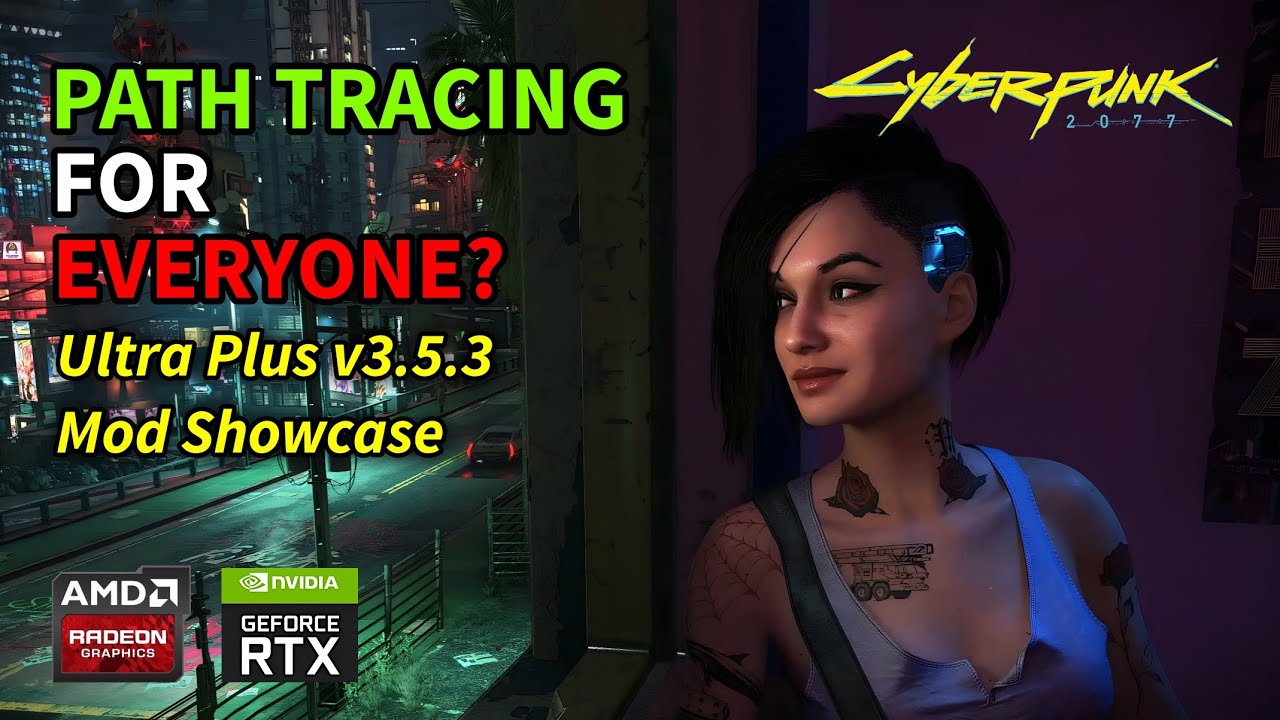
My showcase and guide on the Ultra Plus Better Path Tracing Cyberpunk 2007 mod by SammiLucia and Xerme. This mod provides a wide range of quality options for Path Tracing, ranging from better performance to better visual quality. It also brings a unique Ray Tracing with Path Tracing feature, which layers path traced effects over ray tracing to a...
whole girder
mystic shadow
Feel free to answer later, but what exactly does each Gits Relight .xl files do?...
i'm not really sure ¯_(ツ)_/¯
whole girder
mystic shadow
then why do you recommend it
because in some areas it looks a lot better 😊
you asked what exactly does each xl file do...
i know what the mod does in broad terms. idk what's in each file
mystic shadow
whole girder
i know what the mod does in broad terms. idk what's in each file
Oh I'm sorry. Then yea, i'd love to hear your take on what it does in broad terms
whole girder
mystic shadow
Oh I'm sorry. Then yea, i'd love to hear your take on what it does in broad term...
from what i can tell, some objects (and lights?) aren't actually in the path traced world space... they are rendered in raster, and then sampled in path tracing (this is called environment probes or env probes)
the result is when you see them, they look a little odd, or sometimes just wrong
there are also times when CDPR has artistically added another light source, or blocked some light sources, to get a specific feel for a scene ... one of the places they do this BB calls out is in cars and cut scenes
but a lot of those decisions were made years ago before there even was path tracing, and i don't think they've been reviewed
...so the short version is, they did some quick hacks to get some things to work in path tracing. and they work. kind of
BB has removed a lot of artificial light sources and light blockers, and (i think) moved some objects (nodes) into the PT worldspace, so they are rendered fully
disabling RIS doesn't actually disable resampled importance sampling - doing that in path tracing doesn't make any sense - but it disables CDPR's hack to do RIS sampling on raster assets
mystic shadow
Thank you that's really informative!
I'm using the relight files with ultra+
It looks really good with renodx
whole girder
mystic shadow
Thank you that's really informative!
i was trying to find some examples
(left) relight off ... right relight on


left relight off ... right relight on


off .... on

 mystic shadow
Nice yes I'll definitely keep using it then thx. I wasn't sure what was in the relight files and what was in the basic .archive file (which i didnt use)
whole girder
mystic shadow
Nice yes I'll definitely keep using it then thx. I wasn't sure what was in the r...
also this is the original version with no fixes

BB did a rush job to fix fast travel (which wasn't working for some people) ... but it removes the light cast from fast travel and other holograms
i don't have a problem with fast travel so i just use the original
mystic shadow
That's the archive file?
It's a ENV right?
I'm not 100% sure i know which are envs and which aren't
mystic shadow
You don't need that fix with the relight files right?
formal lodge
for anyone with an AW34DWF
or a QD-OLED,
what settings would you recommend for reno?
trying to work out what's good for this monitor
 olive ether
formal lodge
trying to work out what's good for this monitor
olive ether
formal lodge
trying to work out what's good for this monitor
recommend vanilla lut order
olive ether
and gamma 2.2 always
either do 2.2 always or lut correction on
both will crush blacks
mystic shadow
usually crushing blacks is a bad thing lol
olive ether
mystic shadow
usually crushing blacks is a bad thing lol
ya i meant choose one or the other
not both
#1216700679612268564 message
these settings are good
just make sure you set peak to the correct value for your display
mystic shadow
olive ether
not both
ohh
mystic shadow
olive ether
https://discord.com/channels/1161035767917850784/1216700679612268564/12230817697...
Yea I adjusted the peak. I think OpenDRT looks better in some situations, but ACES seems more balanced
OpenDRT looks cooler in the super populated LED areas
olive ether
ya the game was made with ACES originally
mystic shadow
but either way, I need the D65 adjustment. I really don't care for the original temperature
I think it's too warm
olive ether
formal lodge
for anyone with an AW34DWF
seems like true hdr 400 is best for this display
so 400 nit peak
if you're in a dark room 203 nits game brightness might be too much
bleak karma
I don't actually like ACES or OpenDRT so I am just going to stick with Stock
olive ether
bleak karma
I don't actually like ACES or OpenDRT so I am just going to stick with Stock
aces is just the same tonemapper but without the broken parts like the weird stretched out highlights that look deep fried if you raise peak past like 800
formal lodge
i honestly thought true hdr 400 felt too dim for my tastes
formal lodge
olive ether
https://discord.com/channels/1161035767917850784/1216700679612268564/12230817697...
that said those settings do look quite nice, thanks!
olive ether
formal lodge
i honestly thought true hdr 400 felt too dim for my tastes
might also depend on viewing environment
formal lodge
that's fair. my room can be very dim, little to no light is hitting the screen
maybe i ought to just get to used to true hdr 400
i know for the 4K monitor, people recommend that setting more then peak 1000 which
seems to be the common recommendation for the 34DWF
mystic shadow
DLSS Sharpening appears to slightly change colors, but I think i need it on 0.5 when using NRD instead of RR
olive ether
formal lodge
i know for the 4K monitor, people recommend that setting more then peak 1000 whi...
i'm seeing on rtings that it has aggressive abl
AW34DWF
formal lodge
it does unfortunately, yeah
olive ether
it says abl is less aggressive with true hdr 400

RTINGS.com
The Dell Alienware AW3423DWF is a 34-inch ultrawide QD-OLED monitor. It's a similar model to the Dell Alienware AW3423DW, which was released before. There are a ...
bleak karma
olive ether
aces is just the same tonemapper but without the broken parts like the weird str...
Whenever I use your "match vanilla" it just looks so mcuh less contrast, saturation lessened, just a worse overall image
olive ether
hmmm
bleak karma
and I cannot get the sliders to match up to where the image even loosely resembles vanilla
olive ether
gimme a sec to check it out
bleak karma
Below?
mystic shadow
sorry, below that other image
he posted two i thought
one that was vanilla-like, and one he actually prefers
#1216700679612268564 message
except use gamma correction always
and i think musa had 2x mid tones set in game
so you can do 2x in game and 1.0 in reno, or 1x in game and 2.0 in reno
olive ether
shortfuse found the values that they plugged into the tonemapper in game
2/3 exposure
2x pw
mystic shadow
yea 2x pw is crazy
bleak karma
wait the in game mid point controls the image under ACES?
why (not asking why techincally, but why a feature)
olive ether
in game midpoint is just exposure
exposure in renodx is calculated by this
addon setting * in game setting
so if i set in game to 2 and renodx to 1 it equals 2
and in game to 1 and renofx to 2 it equals 2 as well
the reason CDPR originally gave users the exposure control instead of paper white is because it has the gamma mismatch issue
they just didn't figure that out
so they decided to give users control over exposure so they can lower it and mitigate the raised blacks
but that just fucks up the image in other ways
mystic shadow
You prefer the white point at vanilla? I like 65 so much more ha
but i know that changes it a lot
olive ether
oh lol im dumb i forgot to change it back
mystic shadow
that's personal preference i guess
but those settings look balanced i think
opendrt is wonky but i like highlights
olive ether
set in game tonemapper midpoint to 2

you might wanna turn down bloom depending on whether your env has a custom bloom setting
ultra plus fog already lowers bloom so you wont need to do that if you have that installed
vignette is also personal preferencew
maybe exposure should be renamed exposure multiplier with a tooltip explaining that it is a multiplied by in game tonemapper midpoint
indigo summit
GitHub
Contribute to NVIDIAGameWorks/dxvk-remix development by creating an account on GitHub.
rtx.di.initialSampleCount int 4 The number of lights randomly selected from the global pool to consider when selecting a light with RTXDI.
rtx.di.maxHistoryLength int 4 Maximum age of reservoirs for temporal reuse.
mystic shadow
whole girder
also this is the original version with no fixes
what's the matter here? The fast travel thing should be brighter?