#pc-gaming
1 messages · Page 94 of 1
 mellow lintel
 sleek agate
I think I prefer AMD's scaling, tbh.
 ruby heath
people used to prefer AMD cus of price to performance but now its the same price as the competition pretty much
sleek agate
ruby heath
people used to prefer AMD cus of price to performance but now its the same price...
Yeah but I kinda wish I bought a 6600XT now but oh well
 devout remnant
ruby heath
people used to prefer AMD cus of price to performance but now its the same price...
devout remnant
ruby heath
people used to prefer AMD cus of price to performance but now its the same price...
AMD are fastest
ruby heath
sleek agate
Yeah but I kinda wish I bought a 6600XT now but oh well
did you get a Nvidia card?
ruby heath
devout remnant
AMD are fastest
at all resolutions?
 autumn sluice
Btw the human eye can see upwards of 200fps iirc from natgeo
sleek agate
ruby heath
did you get a Nvidia card?
Yeah, Nvidia 3060 12GB
autumn sluice
Base 3060 is not worth imo. The ti price to performance is very good with it being very near msrp again
ruby heath
sleek agate
Yeah, Nvidia 3060 12GB
how does that compare the its amd equivalent ?
sleek agate
ruby heath
how does that compare the its amd equivalent ?
I think the 6600XT is faster (like EnVii said) but the Nvidia card has more VRAM.
devout remnant
ruby heath
at all resolutions?
1080p & 1440p, about the same if not marginally slower at 4K
ruby heath
i have a twitch stream open in the background trying to get into the Overwatch2 beta 💀
devout remnant
autumn sluice
Btw the human eye can see upwards of 200fps iirc from natgeo
I can definitely see 360fps
ruby heath
sleek agate
I think the 6600XT is faster (like EnVii said) but the Nvidia card has more VRAM...
at least you get the other Nvidia features like RTX voice
sleek agate
ruby heath
at least you get the other Nvidia features like RTX voice
Don't use that/no idea what it is 😂
ruby heath
sleek agate
Don't use that/no idea what it is 😂
🤣 it just removes background noise from your mic if you talk online
sleek agate
Can FOV be used on console? It's so good!!!
sleek agate
ruby heath
🤣 it just removes background noise from your mic if you talk online
Where would I find it? Noob question 🤣
ruby heath
sleek agate
Where would I find it? Noob question 🤣
you have to download it https://www.nvidia.com/en-us/geforce/guides/nvidia-rtx-voice-setup-guide/

A quick-start guide to installing and using RTX Voice beta, NVIDIA's background noise removal plugin.
sleek agate
ruby heath
you have to download it https://www.nvidia.com/en-us/geforce/guides/nvidia-rtx-v...
Ngl, that's pretty damn good o_O
Never heard of it.
ruby heath
sleek agate
Ngl, that's pretty damn good o_O
yea that feature is insane this guy tested it last year. Its insane how well it workshttps://www.youtube.com/watch?v=Q-mETIjcIV0

Nvidia RTX Voice is an audio application & driver developed for Microsoft Windows 10 to instantly removes all microphone background noise in real time utilizing the massive processing power from your Nvidia RTX GPU Tensor cores via CUDA programming API to run complex machine learning & artificial intelligence algorithms to dynamically determine ...
Im pretty sure it also works on GTX cards
 last remnant
ruby heath
Im pretty sure it also works on GTX cards
last remnant
ruby heath
Im pretty sure it also works on GTX cards
Yeah, but worse as it’s not intended
ruby heath
last remnant
Yeah, but worse as it’s not intended
thats a thing?
last remnant
It works on GTX cards via a change in a text file but it doesn’t give as good results and sometimes doesn’t work, there is the few times it was great tho
ruby heath
RTX voice is crazy how you can also remove background noise from videos online you watch
 smoky flame
sleek agate
I think the 6600XT is faster (like EnVii said) but the Nvidia card has more VRAM...
smoky flame
sleek agate
I think the 6600XT is faster (like EnVii said) but the Nvidia card has more VRAM...
Lowest level AMD GPU I'd go for is the 6700 XT tbh. From 6600XT I believe AMD limit things like PCIE Lanes and even decoding/encoding features plus 6700 XT has 12GB VRAM vs the 3070's 8GB. The AMD card is likely to be cheaper while the Nvidia card offers some premium features
sleek agate
ruby heath
RTX voice is crazy how you can also remove background noise from videos online y...
Doing it now via youtube lol
ruby heath
i use the asus noice cancelling thing it works just as good as RTX voice
 ruby heath
anyone play the overwatch 2 beta? its pretty good
 latent gate
last remnant
It works on GTX cards via a change in a text file but it doesn’t give as good re...
latent gate
last remnant
It works on GTX cards via a change in a text file but it doesn’t give as good re...
It always works. it occasionally crashes.
if you use it while playing a game then it has a good chance to spike gpu usage
 sullen trellis
ruby heath
anyone play the overwatch 2 beta? its pretty good
sullen trellis
ruby heath
anyone play the overwatch 2 beta? its pretty good
I just played it. Lots of fun so far!
ruby heath
yea its great, last i played overwatch was like 2 years ago but this beta got me back into it
sullen trellis
Oh I picked it up again recently. Been playing it on Xbox since last year or so
And PC since release before that until my break
devout remnant
sleek agate
Can FOV be used on console? It's so good!!!
Depends on game
last remnant
latent gate
It always works. it occasionally crashes.
Hmm must have been something else for me, maybe it was overloaded or something because my mic turned out very very bad for friends
latent gate
yes. that's called GPU being maxed out
last remnant
Welp, knew it was time to upgrade my card
 keen bloom
Hopefully the 4080 lets me do 4k 60 max setting raytracing when it releases lol
latent gate
it will not
keen bloom
That would kinda suck
latent gate
I don't see how it would happen
games are starting to shift visual focus to new hardware
games will look better and be more intensive
keen bloom
So do i just give up on wanting to have raytracing at this point
latent gate
you can use raytracing
but you won't be running max settings
not without things like DLSS/FSR/XESS
keen bloom
Is ddr 5 ram worth getting currently
latent gate
no
keen bloom
I will figure out what gpu i want around September
smoky flame
I see Zen 4 is to support DDR5 5200MHz and only DDR5. No DDR4 support for Zen 4 like there is on Intel's Alder Lake CPUs. That could be a pretty expensive upgrade incoming for some that are brave enough. Odd feature with Zen 4 motherboards (X670 I think it was) chipset could be dual chipset. How would such a thing work?
latent gate
It'd have to be a very specific thing AMD does with board partners
and it'll be on the board partners to implement it
last remnant
Glad my current CPU will last a while
latent gate
other than that I don't see AMD making a move otherwise
going forward DDR5 will make a huge difference
but only when we start seeing games shift focus
DDR5 has built-in ECC
smoky flame
think I'm definitely skipping Zen 4 but will be looking at how others fare with it when released and in the months that follow with Intel 13th gen but if that supports both DDR4 and DDR5 too I'll wait again. I said I'd hold off until CPU performance is greater than 100% of a 5600X but I think I'll scale that back somewhat. 8 cores or more, 50% or great performance to that of a 5600X while gaming at 4K
so much I gotta learn about ECC on RAM because either way DDR5 will be part of my next upgrade
latent gate
Zen 4's shifting to TSMC 5nm
that alone is reason for me
I'll probably bump to 7800X or 7950X
600 isn't enough throughput
smoky flame
I'm kind of tempted just to target a future 950X CPU too. Been tempted to even look at a 5950X just now but I feel that would be a waste of money at this point since AM4 is due to be a dead end platform. 6 cores seemingly isn't that strong these days but 16 cores (at least, AMD may change that in the future) now that is future proofing for a few generations to follow or so i'd hope. No harm in going for the top CPU when it is likely the best binned with every other model below gradually getting worse
latent gate
5950X is definitely a waste of money currently
always has been
mostly because we've known the 7000 series was coming
keen bloom
I am going from laptop to desktop
latent gate
and that it was going to be 5nm
keen bloom
So for gpu i guess i would decide between 4080 or 7900xt
smoky flame
7800 XT would be a fairer comparison since those two will likely do battle whenever released. 7900 XT and 4090 could be in completely different leagues if all the talk around chiplet GPUs are to be believed. Halo tier might actually have a reason to go for it for a change - though it will be ridiculously expensive still I'd imagine
latent gate
Intel's GPU are hitting market as well
keen bloom
Hopefully they make a 4k max settings gpu
latent gate
no
they don't exist
it's becoming a broken record
if you want max with RT you have to use DLSS
smoky flame
I'm not sure Intel's GPUs will be a threat to either RTX 40 or RX 7000 series GPUs. Current upcoming Intel stack of desktop GPUs is said to top out at around 6700 XT performance. Which if the rumours around the 7700 XT being faster than a 6900 XT while being limited to 8 PCIE lanes is true Intel will be wiped out within a few months of their GPUs launching
keen bloom
If that is true rip intel gpu
smoky flame
probably be Intel's 2023 GPU line up that catches up with both AMD and Nvidia and I for one can't wait to see Intel GPUs maturing and getting better over time. More competition is good. Though I'll still be going for whatever offers the best performance and features at the lowest price
the best doesn't always have to be the most expensive is all I'm going to say
keen bloom
I can't wait to be able to use my giant 4k 120 hz oled monitor on a pc
smoky flame
same. I'm still waiting to find a desk that will support my LG C1. Don't trust the one I have just now but it is why I said I'd be gaming at 4K soon. As soon as I find a good sturdy desk 4K 120Hz gaming on a n OLED TV here I come. Future monitor/TV would have to be OLED and greater than 120Hz or even 4K after that. Could end up becoming a bit of a display snob lol 😆
keen bloom
I don't really need more than 120hz since i only play rpg , jrpg and third person action adventure games with stealth elements
smoky flame
I think I'm slowly coming to the reality that 240Hz is a bit silly outside of esports games. None of the games I play besides Rocket League have reached 240 FPS at the settings I play while being at 1440p which i find an odd resolution. 4K being more standard (like 1080p) makes sense
probably get someone asking well why not go back to 1080p? future PC specs would be far too powerful for it so might as well look at 4K give the GPU some work
keen bloom
Also 1080p doesn't look good anymore
smoky flame
can always throw games to render at 1080p through DLSS, XeSS or FSR and get ray tracing going. Just as Dark said, that would be about the only way ray tracing really becomes playable at 4K. Tried Cyberpunk 2077 again for a little bit with 1440p ultra settings (and ray tracing) and set FSR to auto and framerate was in the region of 40-60 FPS. Disable all of the ray tracing effects and turn off FSR I get 80+ FPS easily at ultra
keen bloom
I might just be happy with 4k ultra for the next few gens i guess
smoky flame
btw, my system specs are: 5600X, 32GB 3600MHz DDR4 RAM and a 6800 XT and it is getting less than 60 FPS at 1440p ultra + ray tracing even with the assistance of FSR. Should see it in Dying Light 2. It's even worse 😱
of all the games I have played that support ray tracing settings only one has managed to maintain 60+ FPS while other settings are at ultra and that game was Far Cry 6. Didn't even have to use FSR for it and it hovers close to 100 FPS but I don't get that game. It behaves very strangely
smoky flame
yeah and GPU power usage seems to be all over the place. I would have thought gaming at 1440p ultra settings would have had just about any GPU screaming and using all it's power (if not close to) there has been times in Far Cry 6 where I've seen power usage around 200-220W where the 6800 XT has at least 280W to play with, up to 322W if I unlock the power limit
keen bloom
I probably need a 1000-1200 watt power supply
smoky flame
though I will say with the fairly basic implementation of ray tracing in Far Cry 6 the DXR reflections do look better. DXR Shadows are meh. Find it pretty hard to spot the difference with them compared to the reflections at least and that isn't just limited to Far Cry 6 btw
keen bloom
Are the amd drivers are as bad as some people say or nah
smoky flame
they aren't as bad as some would have you think. At least I haven't run into issues since upgrading to my 6800 XT last June. They just work. Idk what else to say about them really
keen bloom
I may try amd for my build
 cedar elm

IGN
The Elder Scrolls: Arena and The Elder Scrolls 2: Daggerfall are now free on Steam alongside Wolfenstein: Enemy Territory ahead of the Bethesda launcher shutting down.
 brazen gorge
What kind of motherboard would I need to support these items
Intel Core i9-12900K, RTX 3090 Gaming X Trio, and and Corsair Platinum RGB 64 GB 5200 MHz DDDR5 C40 ram.
sleek agate
@autumn sluice does this look right for undervolting?

Trying to bring the temps down
But it doesn't seem to be working...
 main bone
How do I find the files of a game I installed from game pass on my pc?
autumn sluice
@sleek agate u need to turn the voltage down not the curve. Id look up some settings on reddit for your gpu because ours are different
sleek agate
autumn sluice
<@946474198140878929> u need to turn the voltage down not the curve. Id look up ...
How do I turn the voltage down? It's doing the cpu clock. 😐
autumn sluice
-_-
sleek agate
I've been looking all over Google and Reddit and it says to adjust the thingy and I've been doing it but it's adjusting the clock speed, not voltage.
autumn sluice
Not in the curve
sleek agate
What?
autumn sluice

 autumn sluice
Power limit
As i said dont touch underclock overclock settings unless you 100% know what youre doing lest you burn out your gpu
autumn sluice
What does limiting the gpus voltage have to do with voltage?
sleek agate
That's what power limit does, adjusts the voltage?
autumn sluice
Limits the max
sleek agate
I thought you had to adjust the voltage lol it's greyed out ¯_(ツ)_/¯
I set it to the lowest and it's still grey
main bone
How do I find the files of a game I installed from game pass on my pc?
autumn sluice
As i said yur gonna have to google the steps on how to undervolt. Im not the best teacher plus googling yourself teaches yourself
sleek agate
autumn sluice
As i said yur gonna have to google the steps on how to undervolt. Im not the bes...
Yes! I've been looking and what I'm adjusting is adjusting the clock speed. it's NOT touching the voltage. I've been searching for hours.
Core Voltage is grey and it won't let me touch it. power limit isn't adjusting the voltage...
¯_(ツ)_/¯
autumn sluice
Then google why
autumn sluice
Nope cause.our cards are different
And tbh i dont wanna be responsible if you clock your card wrong and poof
sleek agate
Yes but it'll tell me if it's letting you set a voltage. mine is greyed out.
autumn sluice
google how to enable voltage limit msi afterburner
sleek agate
🤣
autumn sluice
Gotta go
sleek agate
Bye.
I needed to enable it in the settings. but I set a value and it's at 0+?

Does it need to be - or +?
ruby heath
😬
sleek agate
What?
ruby heath
why are you messing with that stuff
 sleek agate
Like I said, doesn't work. I set it to -575, click apply and goes back to:

So either I'm stupid (probably) or I'm missing something.
ruby heath
idk ive never used the MSI thing before
sleek agate
🆗
ruby heath
why do you want to overclock anyway
sleek agate
? What? I'm not overclocking. I'm trying to undervolt. 😐
sleek agate
No. that's CPU, not GPU.
ruby heath
wait why do you want to undervolt the gpu
sleek agate
Temps are bad. sigh...
ruby heath
GPu's dont really get that crazy unless the case airflow sucks
sleek agate
Yes.
ruby heath
is it a small case
sleek agate
Yes...
ruby heath
even then as long as you have the fans facing the right directions for good airflow it should be ok
are all your fans pushing air into the case?
sleek agate
¯_(ツ)_/¯
idek if this + adds to the voltage or decreases it. 😄 🤣

-375 or whatever value goes back to 0+ 😢
ruby heath
you should look up on youtube how to undervolt a GPu then i guess
sleek agate
🤣
ruby heath
sleek agate
Not like I've been doing that mate. 🙂
ruby heath
thats one thing i like about AMD if i really wanted to undervolt my GPU i can just hit a button on Radeon software
 sleek agate
Yes, same. it's much easier with AMD.
ruby heath
this thing just pops up when you do it
 sleek agate
Yes....
ruby heath
how hot is your GPu getting?
ruby heath
this is basically how i have my fans set up 💀
 smoky flame
auto undervolt is very light. Better results can be achieved manually
ruby heath
i would rather have it just be a light change tbh
sleek agate
smoky flame
auto undervolt is very light. Better results can be achieved manually
How?
smoky flame
on AMD to manually undervolt set GPU tuning control to Manual control: Custom then enable GPU tuning and advanced control and from there lower the Voltage (mV) slider in increments of 10 until a game crashes then go back 10 and that should be stable to apply as an undervolt
 ruby heath
smoky flame
on AMD to manually undervolt set GPU tuning control to Manual control: Custom th...
ruby heath
smoky flame
on AMD to manually undervolt set GPU tuning control to Manual control: Custom th...
hey we have the same specs 🔥
smoky flame
to do the same with Nvidia GPUs I'm kind of out the loop with more recent GPUs but doesn't Nvidia have their own overlay through Geforce Experience these days that allows overclocking etc? it could work similarly rather than having to run a 3rd party program
ruby heath
i dont think Geforce lets them mess with overclocking
@smoky flamedo you like having the zero RPM setting on?
smoky flame
yeah, having no noise while idle is nice and even under gaming loads I hardly notice the fans turn on
sleek agate
smoky flame
on AMD to manually undervolt set GPU tuning control to Manual control: Custom th...
I know you do that with AMD, I'm trying with Nvidia though. 😉
smoky flame
as I said, see if Nvidia's overlay through Geforce Experience has any voltage control like AMD has and give that a try. Other than the MSI Afterburner method (which I don't know if things have since changed) from when I learnt how to undervolt my 1080 Ti FE I don't know of any other way to undervolt an Nvidia GPU
to bring up that overlay if you have GFE installed I believe it is the same hotkey (alt + R) as AMD Software
smoky flame
sorry I wasn't more help 😦 I'm sure YouTube has plenty of guides that may even cover the card you run that may help with the MSI Afterburner method
sleek agate
Yeah according to YouTube and Google, I can't undervolt a card that has a 'boost' with AB, it's more complicated. I've tried everything and it remains at +0 even if I set it to -375. I can add +0 or +100 (or below) So... Would love to know how @autumn sluice undervolted his card unless he's doing the same as me. 🙂
smoky flame
hmm that makes no sense. By boost do you mean factory OC boost?
sleek agate
Boost as in overclocks itself. Makes perfect sense.
I asked in /r/overclocking and was told you can't do it with AB.
Need to manually set the undervolt (not sure how, the dude said he's busy until Saturday)
smoky flame
what does the MSI Afterburner voltage/frequency curve look like when set to stock/no changes made? I see you posted a screenshot of it earlier but by the looks of it there were some changes made
sleek agate
smoky flame
what does the MSI Afterburner voltage/frequency curve look like when set to stoc...
It just adjusts the clock speed, doesn't touch the voltage.
autumn sluice
Dis is why u shouldnt touch it
sleek agate
Lmao.
autumn sluice
Only thing i should touch is your fan curve in settings which somwone can help with im busy at the moment
sleek agate
Well, you said you undervolted your 3060TI so... 😄
smoky flame
I don't even have MSI Afterburner installed to check myself but even if I did I think they made AMD hardware and overclocking different to Nvidia so again, help I can offer is pretty limited and knowledge is based off a card I owned around two years ago. Most of which I've since forgotten or fear that it may not apply to RTX 30 series cards. I'd just leave things run stock if you aren't sure what to do. Less hassle that way and in some cases operating at stock is best for stability since both an undervolt or overclock can lead to crashes
ruby heath
i wish i could help but im slow
sleek agate
Think I done it.....
ruby heath
what, undervolting your GPU?
keen bloom
Good case or nah

 cedar smelt
It's a nice case, but a really high price.
 dusty vector
I have the 4000X and love it
sleek agate
ruby heath
what, undervolting your GPU?
Yeah ☺️😂
 ruby spear
@cedar elm I removed that as there's profanity in the preview.
 pulsar verge
muck anyone?
 tawny zephyr
Yoooo this is Awsome
keen bloom
My budget is probably around $4500+ AUD depending on if next gen gpus are going to get scalped
devout remnant
keen bloom
Good case or nah
I love Corsair cases, that’s a really nice one!
ruby heath
keen bloom
Good case or nah
Too expensive, plus cases like that usually have bad airflow
 full flint
ruby heath
Too expensive, plus cases like that usually have bad airflow
full flint
ruby heath
Too expensive, plus cases like that usually have bad airflow
i think people aren't realizing that's the price in AUD vs USD, that's right on about what it should be after conversion and AUS tax (notice how it's spelled "centre" and not "center," dead giveaway that it's not the USA)
and i can confirm that these corsair cases do NOT have bad airflow, they may not have "the best,' but there is at least 1/2" gap on all four sides of the tempered glass front panel, i have a midATX in the same line of cases in an un-airconditioned house and have plenty fine temps, i have a 3900x/2080ti build in one case and a 5950x/3080ti build in the other and they're both fine all times of the year in the same case
those are ~300-350 USD, so 400 AUD is...pretty right on
devout remnant
full flint
and i can confirm that these corsair cases do NOT have bad airflow, they may not...
I love winter when I can get my room -10c with just opening the window
My 3DMark scores go through the roof !! 🔥
full flint
unfortunately for me, where i live, pretty much anything built before 1950 has no central AC, and i do like the winter for that reason as well lol
if you want a high quality, well designed and well built full ATX tower case, the 7000x definitely checks all those boxes
devout remnant
full flint
unfortunately for me, where i live, pretty much anything built before 1950 has n...
Oooofff can understand,
I mean, im not really a summer person anyway so can’t wait for September/October again 😄
devout remnant
full flint
if you want a high quality, well designed and well built full ATX tower case, th...
Agree!
As Eden also said, the 4000 series of Corsair cases are imo really good too.
Those or a Lian-Li OC11 XL or something similar
full flint
it's all the little touches in a high end case that really make you appreciate how much design effort goes into them, and i would recommend that for anything but the most budget oriented builds, you spend a bit more than you normally do for a case, cuz the build process is orders of magnitude more pleasant
what's spending an extra $20-30 for that QOL?
devout remnant
Yeah, I love my case and couldn’t go to anything else now.
full flint
i have done a few builds in NZXT cases for example and i found myself not quite as impressed as everyone else, but ymmv wildly
they're still well built, but i have a few quibbles with a couple things they do...and that's probably more a reflection of my preferences than an issue with the case design per se
sleek agate
Is it true LHR cards go for less than NON-LHR?
full flint
MSRP is less, and in theory, they're less desirable to crypto miners so they may be cheaper on the second hand market
real world pricing though...not always that way
sleek agate
I might buy an AIO cooler for my CPU because even with an auto overclock with my b350 bios I'm getting 100+c
full flint
ummmmm...yeah that's a problem, you aren't gonna want to overclock on a stock cooler
devout remnant
full flint
i have done a few builds in NZXT cases for example and i found myself not quite ...
Yeah, also, they’re too small 😄
sleek agate
Yeah I think the cpu can handle 4/4.2ghz but it gets way too hot
full flint
although if your motherboard has some multicore enhancement stuff turned on in the bios, it'll peg the temp
sleek agate
peg the temp?
full flint
peg the temp, peg it at like 100*c
sleek agate
My bios is all default settings 😄
full flint
and that's often a default setting left on
your overclocking capabilites on a b350 board are going to be limited anyway, they tend to have much less robust power delivery than x470/x570 boards
sleek agate
Yeah... it's either I buy a new cooler for £40 or just replace the CPU for a 5600/5600x. I'd need a new cooler then anyway. but money is tight atm. 😢
sleek agate
I've never touched a CPU upgrade though, I wouldn't know how to put thermal paste on 😂
It's supposed to get zen3 support sometime in May for b350+ mobos.
full flint
interesting, well, ok then lol
sleek agate
My bios has a beta out atm but not used it. waiting until it's stable 😄
full flint
what cpu do you have now?
sleek agate
ryzen 2600
full flint
what board is it on
sleek agate
asus b350 prime plus
sleek agate
Don't think it's the wraith, I know it's just stock and crap at cooling 🤣
full flint
actually, the stock AMD coolers aren't anywhere near as bad as the old stock coolers from days long gone
the stock AMD coolers with the zen cpus are, unironically, decent
not to say it'll handle an overclock like it's nothing
sleek agate
I might need a repaste then. I've had it 3 years
full flint
possible but i am looking through the manual to see if it has MCE stuff to enable/disable
sleek agate
 full flint
cuz my money would be on that
37*c at idle is fine
if you needed a repaste i would presume your temps would spike higher at idle
sleek agate
Yeah it's just when there's load, it goes really high lol
OCTT went over 110c and it shut itself down xD
full flint
if you did the auto overclock then that doesn't surprise me
but overclocking on the stock cooler is probably a losing battle
disable whatever overclocking you have, and go do the same thing that made the temp spike to 110*, and see if it still spikes to 110*c
sleek agate
It goes to around 70c/80c without the OC.
full flint
yeah ok then you're fine, i mean, get a new cooler fi you insist on overclocking
sleek agate
Yeah I really don't know.
I'm not bothered about OC'ing really, just want the best performance.
full flint
well, to over simplify, the way AMD CPUs have worked since zen is that they will clock themselves up til they either hit a thermal limit, or a power limit
so getting a better cooler will, in theory, allow the "turbo boost" or whatever AMD calls it to go higher
and it will obviously allow much more thermal headroom for a manual OC
sleek agate
I did look at an AIO last night but it looks well complicated.
full flint
they're not complicated at all
sleek agate
I never really touch hardware
full flint
well, ok, maybe a bit if you've never put components inside a case or built a PC
sleek agate
I just about managed to upgrade my GPU 🤣
full flint
i wouldn't let that dissuade you, it's mostly a "i could break my very expensive PC" anxiety that seems to stop people from DIY'ing
sleek agate
Yeah that's what I'm scared about
full flint
but there are lots of videos and/or people willing to help
yeah i mean an AIO is a bit more involved than just swapping out an aircooler cuz you have to mount a rad and stuff but i still wouldn't let that stop you
i gather you're in the UK and i dunno what competitors to microcenter exist there but if there's some enthusiast PC parts store they may even have someone there who (for a price) can walk you through it looking over your shoulder
i digress...anyway, an upgraded aircooler should be plenty fine for your needs from what it sounds like, an AIO is objectively a better solution, but the cost and complexity may not be worth it for your needs
my 3900x is on air FWIW
my 5950x is not though, but that's a different story
sleek agate
full flint
hooooooooly based, ok, if you can only use a 120mm AIO, i wouldn't even bother with an AIO, it won't really give you that much better cooling than a nice air cooler
it says you can mount 2x120mm fans on top, but i presume you'd have clearance issues with the radiator if you tried a 240mm rad AIO
sleek agate
Yeah I might get this and look up a tut - https://www.cclonline.com/product/355858/ACFRE00060A/CPU-Coolers/Arctic-Freezer-34-eSports-DUO-CPU-Cooler-in-Black-with-Red-Trim/CLR2318/
full flint
arctic stuff is usually top tier, i have an arctic AIO on one of my builds
sleek agate
I bought it as a prebuilt in 2019 before the GPU prices went high. I recently replaced the RX 580 to a 3060
DLSS is a God send lol
full flint
yeah at least you didn't buy a 3080ti a week before the prices dropped 30%
💩
weirdest flex i've ever made but ok
sleek agate
🤣 I still have this 580 sitting doing nothing. I have an old 3200G but the PSU is only 350W so I'd need an upgrade for that. 😢
full flint
what, what did say that was unallowed? was it the emu word?
full flint
3200g and 580x would make a really nice couch rig
sleek agate
Yeah or give it my nephew and upgrade his i3-6100 and 280x 😄
full flint
i'm sure he'd appreciate that
sleek agate
Yeah but he's been using his One S so hasn't really touched his PC. he left his PC on the floor in his room so it's really dusty. I told him to get his dad to clean it but he doesn't use it. 😢
My other nephew asked his dad if he added a keyboard to his One S would it make it a gaming PC 🤣 I'll probably end up giving it him to start off with.
full flint
yeah, honestly if he's a teenager it's way more likely that most his friends have consoles too and it only makes sense that he'd prefer to play on the platform with the most people he likes
well, in a way, yes? because the ps4/5 + xbone are all using modified zen 2? cpus i believe and a RDNA 1 gpu
series x, rather, not the xbone
sleek agate
Yeah but his One S sounds like an aeroplane. it's really loud. I was chatting with him on a headset and asked if his mom was using a vacuum and he said no, it's his One S lol
full flint
if you're still getting your feet out under you, i would recommend gamer's nexus on youtube
steve is very good, very thorough
sleek agate
I'm the only one in our family who's upgraded to next-gen
When I got my Series X, I loved it.... but then I upgraded my GPU in my desktop and feel it's a lot smooter/better for me.
It's easier too.
full flint
the only console i've bought since 2003 or so is a switch
i built my first pc then and imo anything else feels like i'm going back to the stone ages
and especially when you can tweak graphical settings to regularly sit above 60 fps, where the current gen of consoles seem to have a lot more volatility in that regard, i'm not surprised to hear you say that
sleek agate
Only thing I dislike about PC gaming is how expensive some games are, even months after release.
full flint
but steam sales
i can say with some confidence that i end up paying way less for games on pc most of the time
full flint
that is the one thing i dislike is the segmentation...i want bloodborne on my PC without using PS+
something is on sale in perpetuity, yeah
devout remnant
sleek agate
Do steam sales happen often?
They do have sales on,
There will be a Summer Sale
full flint
you can watchlist games so that if you don't want to buy at launch, just wait for a sale
i got witcher 3 and all dlc for $10, a year or so after it was all released
last three games and all DLC for those on sale, saved at least 30% on every game
sleek agate
DL2 is £43 O_o just checked. was £55 last I looked. might get that. 😄
I guess I better cook 😢 be back soon. 😄
full flint
steam may be a monopoly but only part of that is a result of convenience, it's great as a consumer
smoky flame
sleek agate
Only thing I *dislike* about PC gaming is how expensive some games are, even mon...
PC games are cheaper than console games. Look at Dying Light 2 and its editions on PC vs console
full flint
i don't keep track of what's really going on in consoles, but i do have a recollection of a memory of sony and microsoft saying that AAA console releases may be 80USD in the future as well
not factoring in sales via GOG/steam/ect., there's also that (if i'm not Mandela effecting myself)
and you can get addicted to MOBAs much easier on PC too 🙃
smoky flame
there's also sites like green man gaming and cd keys that I trust and games can be found even cheaper than on the likes of Steam etc. Have also used Humble Store a few times in the past with the 20% off
full flint
gmg has been a favorite as of late, yeah, i like how they often give you a steam key vs GOG forcing you to use their client
dead cells is a masterpiece, don't @ me 🙃
sleek agate
smoky flame
PC games are cheaper than console games. Look at Dying Light 2 and its editions ...
Not really.
Dying Light 2 is/was £55 on PC. can grab a new copy for £38 for console.
Oh and cdkeys don't have stock whilst still at £55 https://www.cdkeys.com/dying-light-2-stay-human-steam-pc
PC games are way more expensive.
full flint
overall, buying games on PC will be cheaper
especially now that getting used games for consoles is getting harder and harder
ruby heath
full flint
i think people aren't realizing that's the price in AUD vs USD, that's right on ...
that would still be an expensive case though no?
full flint
in the grand scheme of things, yes, but it has four? or more tempered glass panels, and it is a very large case, so price will align with that
ruby heath
i care more about airflow TBH
i bought this $100 case with really good airflow https://www.amazon.com/gp/product/B08PT8SRZG/ref=ppx_yo_dt_b_asin_title_o02_s00?ie=UTF8&psc=1

The F-LUX Platform is a new industry-leading and highly efficient design by Antec featuring an advanced case structure for excellent airflow with 5 x 120 mm fans included. Provide mass airflow to your components with room for up to 9 x 120 mm fans (3120 RGB Fans , 1120 Case Fan , 1 Reverse Case...
full flint
that's fine, and by extension, other people have other priorities, but that being said the corsair case in question has more than enough airflow
especially if you are installing an AIO, which i would presume someone looking at that case would be using
ruby heath
probably true
last i had a case with a glass panel in front they didnt relaly pull air in
full flint
these corsair cases have standoffs that hold the glass well off the case
brazen gorge
is there anyone here who can give me a little advice on prebuilds vs custom build gaming rigs
ruby heath
brazen gorge
is there anyone here who can give me a little advice on prebuilds vs custom buil...
what do you mean
brazen gorge
ruby heath
what do you mean
Like would it be better to buy a prebuilt pc or to buy the parts for one and build it myself
 raven hull
Custom build used to a way to save. Not anymore because prebuilt gotten better at parts and pricing. Sometimes better saving that custom.
ruby heath
brazen gorge
Like would it be better to buy a prebuilt pc or to buy the parts for one and bui...
if prices were normal building one yourself would be cheaper
raven hull
Both comes down to waiting for the right sale
ruby heath
there arent bad prebuilds out there though just have to know what you are looking for
raven hull
I used to do custom builds, but now I buy prebuilt and upgrade from there. Because for me it was money save vs time spent waiting/searching.
ruby heath
prebuilds do tend to use cheap power supplies and cases but everything else is usually decent
 heavy hound
anyone wanna play with me
 obsidian bobcatBOT
If you're looking for someone to play with, please go to #587074461770186765
brazen gorge
Thank you guys for your advice @ruby heath and @raven hull
ruby heath
i been playing the overwatch beta its pretty good
these queue times though except support

 simple cypress
Hello is there a way to connect a Xbox 360 controller to table pc with no bluetooth?
is it only possible with the charge and play kit?
 modest gulch
360 controllers do not support Bluetooth at all.
So your options are the USB cable or possibly an Xbox 360 Wireless Controller Adapter for PC, if you can find it.

There are quandries big and small especially if you're confused about whether you want to use your XBox 360 or your PC for your gaming entertainment. You really enjoy your XBOX-360 wireless controls for your XBOX 360 console. Sometimes you prefer using your wireless Xbox-360 controls for playing ...
simple cypress
modest gulch
So your options are the USB cable or possibly an Xbox 360 Wireless Controller Ad...
May I ask what the name of the USB port that xbox 360 uses?
the other end of the wire
modest gulch
Um, what?
Honestly, I think the play and charge kit for 360 doesn't do data transfer either.
simple cypress
yeah im not good with tech stuff
modest gulch
But I'm not remembering that well.
I think you need a wired 360 controller to use it on PC.
Like, I did a search on Google and came up with a number of results. https://www.howtogeek.com/178881/ask-htg-how-can-i-hook-up-my-xbox-360-controllers-to-my-computer/

How-To Geek
The wired Xbox 360 controller is USB, so using it for PC gaming is easy–but things get a bit more complex if you have a wireless controller. Let’s take a look at how you can enjoy wireless gameplay on your PC while minimizing the headaches.
Yeah: the cable won't help for 360 either.
Gotta be a wired controller or you need the wireless controller adapter thingy.
simple cypress
oh well i guess ill have to buy a xbox one controller
i wanted to make use of the old one
modest gulch
All Xbox One and Series controllers support over-the-wire connections.
Most Xbox One and all Series controllers support Bluetooth as well, but moot here.
simple cypress
thanks for the tips and heads up
sleek agate
So @autumn sluice I tried installing the driver you claim that has less CPU usage. it's suppose to be 471.68... downloaded from the official Nvidia website. I tried installing on the latest Win11 and Win10. no dice, kept giving an error saying it isn't compatible. Anyway.... I downloaded Win10 1903, tried the same. It installed (I made sure I didn't have updates enabled and no ethernet plugged in) and guess what? according to the Nvidia app, it installed: 472.88..... so I'd love to know how and where you got 471.68 from. according to Nvidia's site, there's no 472.88 🤔
sleek agate
I did, it's this one: 471.68-desktop-win10-win11-64bit-international-whql.exe I'm not stupid. 🤣
It installs 472.88
And don't blame Win10 updates because they're fully disabled.

So, either you're not running 471.68 like you say or you're actually using 472.88
¯_(ツ)_/¯
Nvidia's site also doesn't list 472.88 🤣 😄
Weird.
Anyway, idle temps without the fan at 100% have gone down from 55+ to 30. and with the fan at 100%, it's at 26c. happy days.
 autumn sluice

Download the English (US) NVIDIA Studio Driver for Windows 10 64-bit, Windows 11 systems. Released 2021.8.10
did you run ddu first
sleek agate
I did.
I didn't have any driver installed because I disabled updates. but used DDU anyway.
It was a fresh install of Win10 1903
autumn sluice
no wonder you have issues, update your stuff
sleek agate
autumn sluice
no wonder you have issues, update your stuff
What?
autumn sluice
im going back to my games now
sleek agate
Even on a fully updated win10/win11, the driver you claim to have less cpu usage wouldn't install.
😂
autumn sluice
 sleek agate
What Windows version and how did you install it?
autumn sluice
just use windows update
sleek agate
Then it says incompatible. anyway. just used DDU, rebooted without a driver. tried installing 471.68 from your link and

Again, what windows version are you using and how did you install it?
autumn sluice
Version 10.0.19044 Build 19044
sleek agate
I run as admin, it goes through checking if I have an nvidia GPU. the screen goes black, app closes and it's using 472.88
*Again, what windows version are you using and * how did you install it?
That's 21H2 which says it isn't compatible. 🤣 😂
autumn sluice
im playing a game right now that i greatly enjoy. i dont know how to help you nor am i tech support.
sleek agate
Lmao, I don't believe you're actually running 471.68 without modifying how it's installed.
But k, enjoy.
autumn sluice
whatever. excuse me for knowing how to rollback drivers
sleek agate
Again, what windows version are you using and how did you install it? maybe read... 😄
autumn sluice
dude what do you not understand about windows freaking update and Version 10.0.19044 Build 19044
like im actually done with you at this point cause im annoyed now
sleek agate
and how did you install it? I want to know how you downgraded, need to chill out.
sleek agate

Even with an updated Win10/11 it says that.
May have found out why...

Why does it say 32bit?
My ram is 16GB and 12GB VRAM.
100% sure this OS is 64bit 🤔
Yep....

Could it have something to do with a bios setting?
what the hell? 😄

 wind bobcat
All of my case fans and aio fans stopped spinning all of a sudden and then my display cut off I thought it was the graphics card at first but now I’m so so sure anyone know if that’s a sign of a failed motherboard everything still lights up except for my aio water block
sleek agate
I honestly don't know how to downgrade this driver and ADHD guy/woman/whatever they are seems angry at me.
full flint
downgrade GPU drivers to stuff 8 months old to fix a CPU usage issue?
smoky flame
sleek agate
I honestly don't know how to downgrade this driver and ADHD guy/woman/whatever t...
think the best option you have now is to clear all drivers. Use display driver uninstaller and set it to safe mode and I'd clear any AMD GPU entries you have first through clean and don't restart then clean out the nvidia stuff and restart. Be sure to click the option in the program that will prevent windows installing drivers or it will install the moment you log back in
sleek agate
smoky flame
think the best option you have now is to clear all drivers. Use display driver u...
Tried that already
smoky flame
and it's still not letting you install the nvidia driver?
https://www.guru3d.com/news-story/nvidia-explains-why-their-drivers-are-so-goodand-takes-stab-at-amd.html drivers are so good huh nvidia? this news article is hilarious

Guru3D.com
NVIDIA claims superiority with its Game Ready drivers and belittles AMD for releasing substandard beta drivers with multiple forks....
Think I've only had issues with one or two beta driver installs in the past. Pretty minor issues and something AMD later fixed but honestly they seem pretty stable for so called beta drivers. I think where problems occur is more on the users end than the drivers themselves
sleek agate
So it's my fault 🤔 my windows 11 is fully up to date and still refuses to install. I give up.
smoky flame
didn't say it was. I was talking generally with what I said above. If you've tried DDU the only thing left is a fresh install of Windows 11. Issues shouldn't carry over and from there you should be able to install the driver trouble free etc
sleek agate
smoky flame
didn't say it was. I was talking generally with what I said above. If you've tri...
I've tried a fresh install of three different windows versions. 1903, the latest as of today windows 10 AND windows 11. it just won't install.
smoky flame
idk what else to suggest then. Sounds like something has gone horribly wrong somewhere 😦
if you do manage to fix it there is a neat little nvidia tool I used to use that makes the driver installation just a little more custom than even Nvidia's own custom install does and it is easy to use, iirc every option had a tip box when you hover over it telling you what it is and if it was important or could be left out. https://www.techpowerup.com/download/techpowerup-nvcleanstall/

TechPowerUp
NVCleanstall lets you customize the NVIDIA GeForce Driver package by removing components that you don't need (or want). This not only keeps things ti
sleek agate
smoky flame
idk what else to suggest then. Sounds like something has gone horribly wrong som...
Google the error, loads of people getting the same.
'not compatible with this Windows version'
Stupid Nvidia
smoky flame
wait, you installing an older driver version? I thought it was issues with the latest version. Now things are adding up somewhat
 full mountain
guys
i was looking for a keyboard cuz my current one aint that good and i came across an ad for an asus rog strix scope tkl deluxe listed for like 40$ should i get it? (as ive seen that keyboard price range is around 180-200$ in my country"
smoky flame
looks like my motherboard has got the AGESA 1.2.0.7 BIOS. Now just to wait about a month for it to leave beta before I update
 keen bloom
Looks like i may have to get a 1200 watt power supply if i want to get a next gen gpu lol
sleek agate
smoky flame
looks like my motherboard has got the AGESA 1.2.0.7 BIOS. Now just to wait about...
Yeah mine got it too, waiting for it to leave beta.
 smoky flame
that's still the 1.2.0.6b BIOS
sleek agate
smoky flame
that's still the 1.2.0.6b BIOS
What's the difference?
I thought both were zen3...
smoky flame
I think the AGESA 1.2.0.7 BIOS is the one you need to wait on - at least that is what the article I linked a while back suggests anyway
sleek agate
Oh 😄
smoky flame
should arrive some time from May. Usually the beta bios lasts about a month before going live. Just keep your eyes out for it. I won't be too surprised if Asus release AGESA 1.2.0.6b and then follow up with the 1.2.0.7 beta shortly after
sleek agate
It seems Dying Light 2 on Epic and Steam is now £43.... but do I wait for Steam's summer sale to see if there's more off or get it now. 🤔
How good is Steam's summer sale?
smoky flame
usually pretty good if you don't already own about half of the games on sale 😄
sleek agate
I only have Dying Light 1 on steam lol and GTA/Fortnite on Epic. 😄
ruby heath
idk why i even buy survival games, i never end up playing them
raven hull
Same, but with all games
ruby heath
damn
raven hull
It’s not as bad now that I have a system in place. I don’t allow myself to buy new games without cleaning a game from my backlog first.
ruby heath
i still claim the free games on Epic Games launcher even if i dont play them 💀
anyone have an issue on steam where it shows more items in your wishlist than actually show up when you click it?
full flint
anybody know how to connect a pc to a xbox
raven hull
What do you mean? Like crossplay?
smoky flame
https://videocardz.com/newz/amd-navi31-flagship-rdna3-gpu-could-hit-92-tflops-of-fp32-performance-four-times-more-than-navi21
Now that would be a crazy bump up in specs. I love these rumours! lol
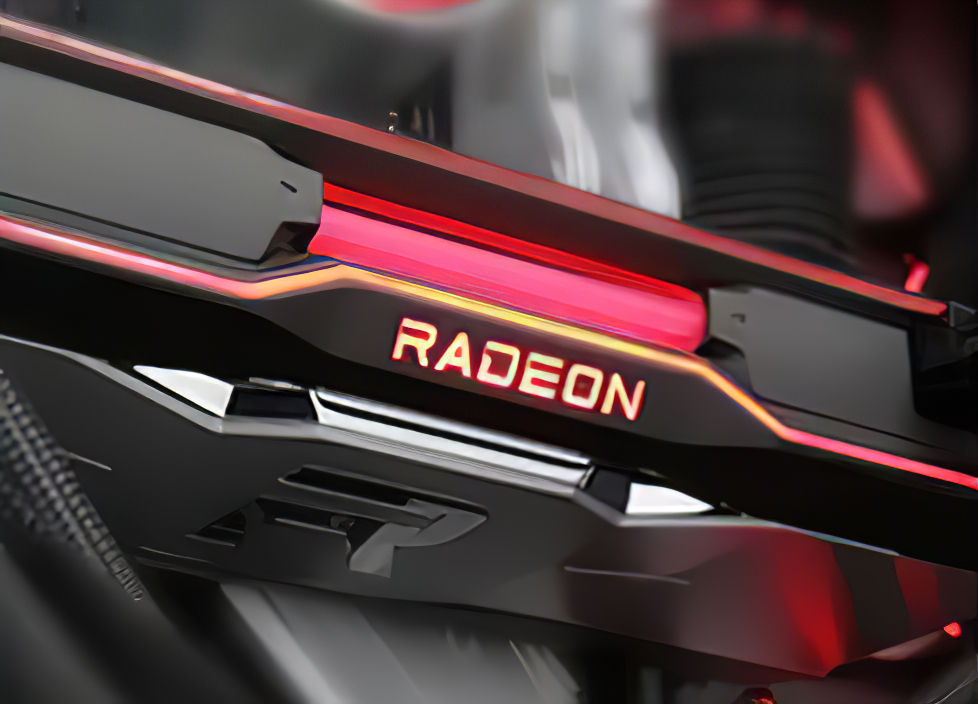
AMD Radeon RX 7900XT could potentially feature 3 GHz GPU clock AMD leaker Greymon55 provides an update to half a year rumors on Navi 31 GPU. The leaker now claims that the GPU might hit 92 TFLOPS of FP32 performance, which is 28% more than the previous claim of 75 TFLOPS. This new number is […]
ruby heath
smoky flame
https://videocardz.com/newz/amd-navi31-flagship-rdna3-gpu-could-hit-92-tflops-of...
yea thats gonna be expensive AF when it comes out
smoky flame
I'd be surprised if AMD could keep something this monstrous below £2000
devout remnant
smoky flame
https://videocardz.com/newz/amd-navi31-flagship-rdna3-gpu-could-hit-92-tflops-of...
Can’t wait !
Will buy a ASUS LC one
ruby heath
that thing is probably going to be big af as well
im tempted to update bios since it supposedly fixes the stuttering on windows 11
but im probably going to wait till its out of the labeled beta
sleek agate
Stuttering?
ruby heath
sleek agate
Stuttering?
yea you get random stuttering on windows 11 with ryzen chips sometimes

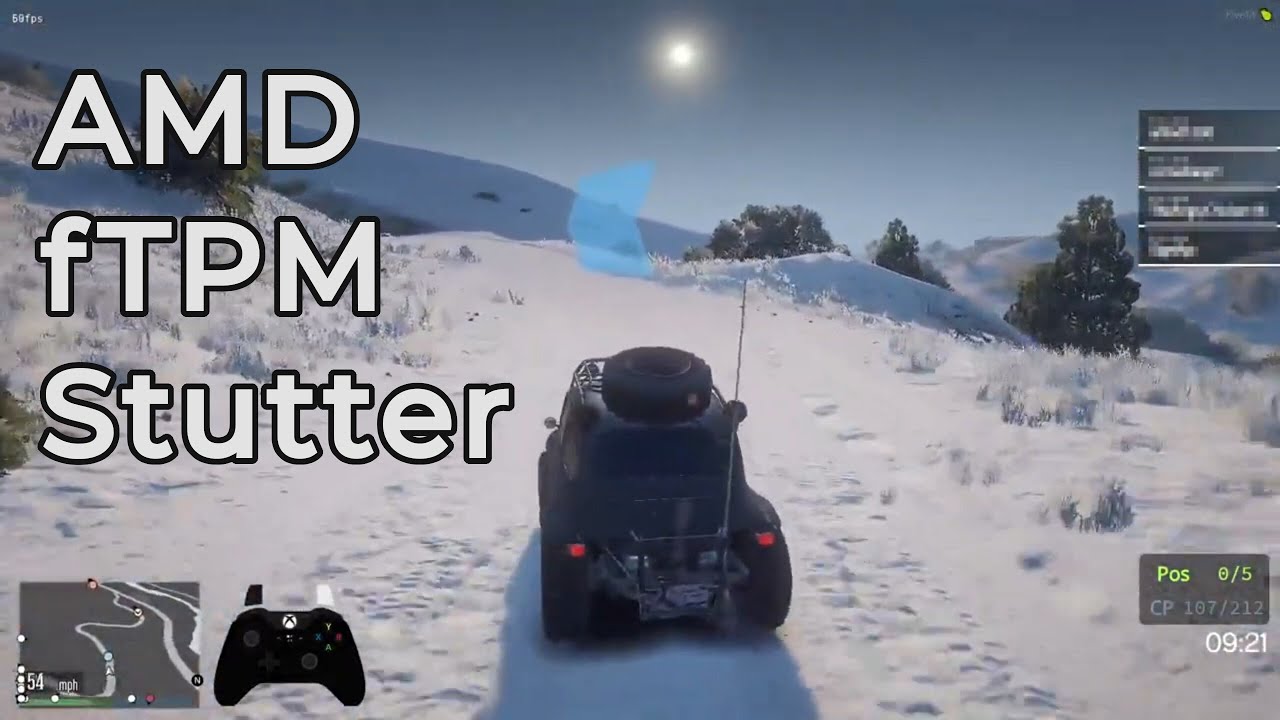
Enabling the 'firmware TPM' causes system wide stuttering on a growing number of AMD based PC's, as seen in this video. Personally, I have now had 4 consecutive PC's with AMD CPU's that have this problem. Both on Windows 10 and Windows 11.
Update - AMD has finally recognized the issue and is working on releasing updates to resolve this. Read mo...
sleek agate
ruby heath
yea you get random stuttering on windows 11 with ryzen chips sometimes
Hmm, I've not had that yet
Oh, I disabled fTPM with Rufus before I installed Win11.
ruby heath
i have it enabled and i get those stutters sometimes, doesnt happen much but it still happens
smoky flame
sleek agate
Oh, I disabled fTPM with Rufus before I installed Win11.
wait, that's possible? I didn't think Windows 11 would boot or operate properly without TPM of some sort dedicated or firmware
probably don't need all this as a gamer but I got nearly all the device security options enabled
 sleek agate
smoky flame
wait, that's possible? I didn't think Windows 11 would boot or operate properly ...
sleek agate
smoky flame
wait, that's possible? I didn't think Windows 11 would boot or operate properly ...
All hail Rufus for making it easy. there's others ways too but not sure if I can say here.
Literally add the Win11 .iso, tick a box and it does the rest for you lol
smoky flame
I mean, I know there was a way to get it to boot without TPM but I thought Microsoft were doubling down on installations that done this. Flagging them as unsupported (even on supported hardware) and preventing them from receiving future feature updates etc
sleek agate
¯_(ツ)_/¯
cedar elm
Elite Series 2 Controller is fully updated, so is Call of Duty and BattleNet. Can someone tell me why this is doing this. It doesn’t do it for other PC games or other games on console. I am hardwired with the controller. Thanks
full flint
Can't you do some sort of factory reset via the companion app? I am not at home to test mine but try that first
latent gate
ruby heath
yea you get random stuttering on windows 11 with ryzen chips sometimes
that's long been fixed
ruby heath
latent gate
that's long been fixed
i dont think
latent gate
I wasn't asking lol
ruby heath
latent gate
I wasn't asking lol
i know
ruby heath
i remember them doing some sort of patches but i dont remember it being a fix
version 1.2.0.7 is supposedly an actual fix
latent gate
neither my 3700x nor my 5800x had the issue after the first update.
same with the general lower performance
ruby heath
latent gate
same with the general lower performance
i think the performance thing was fixed in earlier versions but the stuttering still happened.
latent gate
performance was
I'm talking about both however
the stutter was several fringe case scenario
ruby heath
i still get stutters on 1.2.0.6 but its rare
smoky flame
I don't think I've even noticed any fTPM stuttering but it seems to be a big enough issue for AMD to release an AGESA update for it so hopefully for those who know they are affected by it get their problem fixed and Windows 11 is another step closer to being a recommended install
ruby heath
Yea supposedly version 1.2.0.7 fixes it but its still labeled as a beta version so im waiting for it to be an official final version before i download.
smoky flame
same here. I don't install beta versions of BIOS. Will patiently wait but been hearing more about what people thought was a bug with EDC >140A in recent BIOS updates capping the vcore but it may not be a bug at this point


 ruby heath
Yes but idk if ypu would be able to mount that AIO on top in that case.
Happened to me once where there wasnt enough space ontop of a case i bought once 💀 it hit the motherboard
smoky flame
I'm not too sure on the power supply, NVMe SSD and RAM also I'd check out the price of the 6800 XT if any are in stock. Competitor to the 3080.
With the power supply it is arguably the most important component in the system and one to take some care with. Be sure all is good with it.
The NVMe SSD you picked I believe is DRAMless (or maybe its another one of Samsung's NVMe SSDs I'm thinking of) and that means it will use the RAM on your system as a cache which will result in reduced performance. I'd check out Western Digital's SN850 or Seagate's FireCuda 530.
Finally, Zen 3's sweet spot appears to be 3600MHz and CL16 kits so if you can I'd be on the look out for them.
brazen gorge
smoky flame
I'm not too sure on the power supply, NVMe SSD and RAM also I'd check out the pr...
I greatly appreciate the advice, would you mind if I copy this to my notes?
brazen gorge
smoky flame
I'm not too sure on the power supply, NVMe SSD and RAM also I'd check out the pr...
Do you know of any websites where I can match the compatibility of parts?
latent gate
@smoky flameI have swapped my monitor positions
my bigger auxiliary monitor I use for my consoles doesn't quite fit on the lower level of this small letter-desk

behold
brazen gorge
Since I can’t afford to build the pc I want rn should I spend money on a series x?
brazen gorge
latent gate
who needs to see the whole screen for discord anyway
What would you do in my predicament?
latent gate
not ping me
brazen gorge
I didn’t ping you tho
smoky flame
brazen gorge
Do you know of any websites where I can match the compatibility of parts?
pcpartpicker is a good site and may even help you find some components cheaper
latent gate
disable the pings in replies
 brazen gorge
smoky flame
pcpartpicker is a good site and may even help you find some components cheaper
brazen gorge
smoky flame
pcpartpicker is a good site and may even help you find some components cheaper
Hey did this ping you?
ruby heath
I do the same thing with discord 😬 except i use my 1080p screen for playing and my 1440 as a second monitor cus i dont like how the colors look in fps games it feels weird
brazen gorge
God I thought I did that already
smoky flame
brazen gorge
Hey did this ping you?
yep, it did and the other messages lol
latent gate
other than that
ruby heath
Yea PCpartpicker is a good website
latent gate
I don't know
I haven't read the entire situation as I'm currently sitting within Ranked on Infinite
you're likely better off listing the parts in a single message instead of multiple images
or using PCPartpicker and linking the list
that'll be the best option for build compatibility
brazen gorge
Thank you
latent gate
make sure you don't forget other ingredients
brazen gorge
But I had asked if I should put off my build for longer or just wimp out and get a series x
latent gate
if it's a fresh build you need thermal paste, cables, headers, peripherals, and monitors
you made sure that H100i cooler was the AM4 model, right?
not the intel one?
brazen gorge
I was gonna gave geek squad help me Build it lol I work at Best Buy
latent gate
Geek Squad
smoky flame
btw I still only run the one monitor, Dark. Thought so much about adding a second but idk. Would be nice to be able to browse the web or check Discord while gaming without alt + tabbing through multiple windows I guess
 brazen gorge
And no I need a lot more education
brazen gorge
What’s wrong with geek squad
latent gate
the same thing wrong with the apple genius bar @surreal moss
Linus JUST dropped his year long project he'd been working on the other week
Thanks to Seasonic for sponsoring this video! Buy a Seasonic TX 1000 PSU today at https://geni.us/aryiquT
We’ve done plenty of build guides before – But now we’re taking it to the next level. Not only will you know how to build a PC, you’ll know how to build ANY PC – This is the LAST guide you’ll ever need!
Discuss on the forum: https://linust...
bookmark it
watch it
go along with it
brazen gorge
Most of those guys built all their own pcs and are A+ Certified
latent gate
building PC is very very easy
now tell me
what is "A+ Certified" in a practical application
brazen gorge
Idk
latent gate
exactly
brazen gorge
That’s just what they said they all had
brazen gorge
Ey man they’re pretty good at least at my location
latent gate
building PC are basically just legos with wires
plus it's good to get the knowledge to do stuff yourself
that vid above will be all you need
covers EVERY aspect
smoky flame
latent gate
building PC are basically just legos with wires
and requires a screwdriver. Very expensive adult Legos lol
latent gate
from picking parts, to checking list
to building the system and setting it up
linus has spent the last year making that vid with his team
it's future proofed to not mention specific products too
so it'll always be relevant
🤲
brazen gorge
How many of you guys have pcs?
ruby heath
smoky flame
btw I still only run the one monitor, Dark. Thought so much about adding a secon...
You can always get a cheap one to use as a second
latent gate
scrap components
yeah but yours is a curved ultrawide Sub
makes it hard to have multiple that aren't mounted above in the same config
smoky flame
Built one, upgraded it once since 2016. Before that no prior experience with PC but it wasn't too bad. Follow the manuals and you really shouldn't have any trouble
brazen gorge
Idk it just seems like a lot to learn
ruby heath
Whatever you do not watch THE VERGE pc build 😂
latent gate
hold on. I've got some fun pics
latent gate
ruby heath
Whatever you do not watch THE VERGE pc build 😂
but they're A+ certified as well
😂
jokes aside
ruby heath
latent gate
but they're A+ certified as well
That video became a meme cus they were doing so many things wrong 💀
latent gate
nothing
smoky flame
latent gate
yeah but yours is a curved ultrawide Sub
isn't ultrawide. Still running with the 2020 Samsung Odyssey G7. Though I am trying to move to my LG C1 but that is taking longer than I'd like it to...
brazen gorge
Should I just get a series x for now?
latent gate
the only certificate I'd acknowledge is a CNC or CCNA
hmmmmm. I'd say yes just for budget
new GPU are dropping this year, along with AMD Zen4 processors
expect current gen component prices to decrease next year
smoky flame
I don't know if the advice also applies to new buyers but I'd be very cautious buying into AMD's Zen 4. Whole new platform, DDR5 (only) support and likely to be AMD's most expensive CPUs yet (besides their Threadripper and EPYC lines). Usually it is best to skip a generation or two when a new platform comes around. Allows hardware to mature and improve some and software time to improve amongst other things
as things stand AM4 is now considered to be at a dead end
Also, one change I just thought of with your system, TUNA. Change the 5800X for a 5700X. If you do go through with buying now the 5700X is cheaper and will perform very close to the 5800X making it very difficult to recommend a 5800X to anyone at this point imo
latent gate
don't get the new chips off launch
AM5 socket will be fresh off line and rife with issues as all new socket launches are
brazen gorge
smoky flame
Also, one change I just thought of with your system, TUNA. Change the 5800X for ...
Thanks for the advice man
Do you mind if I copy that to my notes?
Also how do I disable pings?
smoky flame
copy away. Back in 2016 I was just like this. Taking so many notes and stuff. It can be a little overwhelming at first figuring out what to buy etc. I remember crying happy tears after successfully building my computer and having it boot up ready to install windows on for the first time. Felt like it was an achievement. That day was such a happy day, that's for sure 😄
keen bloom
If the rx 7900xt ends up being a good gpu on launch i am buying it
My pc budget will be around $3500-$6000 depending on if next gen gpus will be scalped which it most likely will
smoky flame
usually I wouldn't recommend going for the halo tier product but this time it may be different if A. you can afford it and B. it is a chiplet GPU while the rest up to and including the 7800 XT happen to be monolithic die
devout remnant
smoky flame
usually I wouldn't recommend going for the halo tier product but this time it ma...
Halo Tier only tier I’m interested in 😄
Although I agree, the price to performance is usually the worst.
brazen gorge
I got approve for a budget of $1500 for a gaming laptop
ruby heath
brazen gorge
I got approve for a budget of $1500 for a gaming laptop
you can probably get something with a 3070 in it for that
brazen gorge
ruby heath
you can probably get something with a 3070 in it for that
Yeah I was looking at different things
I can’t decide between an Intel or a ryzen for my processor
ruby heath
maybe whichever is cheaper at the time
brazen gorge
Well I work at Best Buy so I’ll be paying relative to the cost of the item
brazen gorge
ruby heath
maybe whichever is cheaper at the time
Would you say reviews are important?
ruby heath
brazen gorge
Would you say reviews are important?
well yea
brazen gorge
I don’t wanna buy anything with less than 4/5
ruby heath
when you do decide on something you should watch some benchmark videos on it
brazen gorge
Benchmark videos?
ruby heath
brazen gorge
Benchmark videos?
yea just so you can see how it performs compared maybe to other ones you are interested in
brazen gorge
Performs in what way?
ruby heath
nevermind
 warped apex
what monitor should l get for my series x and my pc nitro 5 below 200 dollars pls
ruby heath
probably a 144hz IPS monitor since IPS have better screen accuracy with colors and what not
devout remnant
ruby heath
probably a 144hz IPS monitor since IPS have better screen accuracy with colors a...
I got NanoIPS & can confirm amazing colours !
ruby heath
devout remnant
I got NanoIPS & can confirm amazing colours !
i currently have a monitor with a TN panel i want to get a IPS one
devout remnant
ruby heath
i currently have a monitor with a TN panel i want to get a IPS one
Massive upgrade !
ruby heath
devout remnant
Massive upgrade !
yea, before i used to just look at the refresh rate label. Next monitor i get is for sure going to be IPS
full flint
so i have installed sea of thieves from the xbox app on windows. it worked but then it just disapeared and now i can reinstall. when i do it just dissapears? i have the original windows apps files where it was installed but when i try to move them back into the directory it says i do not have permissions
full flint
\
obsidian bobcatBOT
spam (noun)
irrelevant or inappropriate messages sent on the internet to a large number of recipients.
keen bloom
My monitor is a oled pannel
ruby heath
keen bloom
My monitor is a oled pannel
which is better oled or isp
smoky flame
ruby heath
which is better oled or isp
there is no contest. OLED wins but it is also the most premium in monitor and TV panels so expect to pay a fair bit more than you would for any IPS LED/QLED display. Mini-LED is its closest competitor and has a similar cost to OLED
keen bloom
I spent $1200 for my monitor and it was on special
latent gate
smoky flame
there is no contest. OLED wins but it is also the most premium in monitor and TV...
only between those two does it win
QD-OLED is best current tech
but it's brand new
smoky flame
yeah, I forgot to add QD-OLED in there lol but for sure. Best display tech available right now and comes with a premium to match (if looking at the Samsung QD-OLED TV). Only tech upcoming that may rival QD-OLED is microLED but from what I understand that may be for larger screens and 8K rather than 4K which makes sense but as such the cost for one will be extremely high
latent gate
miniLED
it's decent as well
but mini and Micro are just size parameters
OLED can be developed to the same "size"
but that tech's a bit far off
smoky flame
isn't microLED also modular? iirc I seen some tech demos where two or more smaller microLED displays could sync seamlessly together and become one much larger display
devout remnant
smoky flame
isn't microLED also modular? iirc I seen some tech demos where two or more small...
MicroLED is like OLED, and Samsung did develop modular versions but that’s because you can have insane, giant screens.
MicroLED has all benefits of OLED, plus better brightness without the disadvantages.
devout remnant
smoky flame
there is no contest. OLED wins but it is also the most premium in monitor and TV...
It’s not the most premium tbh, it’s one of the best, however they currently max out at 120/144/175.
Still not as fast as the 240/360 panels and also 480/500 is coming soon.
So if you’re highly competitive/esports gamer, there are other panels which are better suited.
Plus the size too, waiting on a 27” Flat OLED that pushes past 120hz.
smoky flame
480Hz monitors will be crazy.
Also I think if I didn't already have an LG C1 I would be holding out for a 32" flat 4K OLED monitor with at least 120Hz but tbh other than the 48" on my C1 that pretty much covers all bases. Supports Freesync, Gsync and the generic VRR too. Only thing the C1 lacks is support for Nvidia's Gsync ultimate and AMD's Freesync Premium Pro tiers that would allow for low latency gaming while using HDR. If that was paired with Windows 10/11 being able to properly support Dolby Vision that would have been the near ultimate display, at least before the QD-OLEDs showed up...
devout remnant
smoky flame
480Hz monitors will be crazy.
Also I think if I didn't already have an LG C1 I w...
Well there’s two OLEDs coming in 27 & 32”
However the 32” is 8K 144Hz so probably will be £10,000 or so 😂
smoky flame
what?! 8K 144Hz
devout remnant
Yeah
smoky flame
does HDMI 2.1 even support that or is this marked as the first DP 2.0 monitor? wow
 floral quail
hello guys, so I have a question related to my keyboard, so when I press the i key, sometimes it registers 2 'i's like for example I wrote hi then it'll go 'hiii' (it did that again so its 3 'i's now) it started a WHILE ago, but it became so iinfrequent that I forgot about it, and now its back agaiin
none of the double 'i's is intentional other than the given example
full flint
You try cleaning under that key?
floral quail
how do I do that?
ruby spear
Take it off
full flint
Yeah you should look up how to do that and follow a tutorial video or something. It’d go better than me trying to explain it over text
floral quail
and apparently its not possible for my keyboard I think, well its a razer blackwidow elite
full flint
floral quail
and apparently its not possible for my keyboard I think, well its a razer blackw...
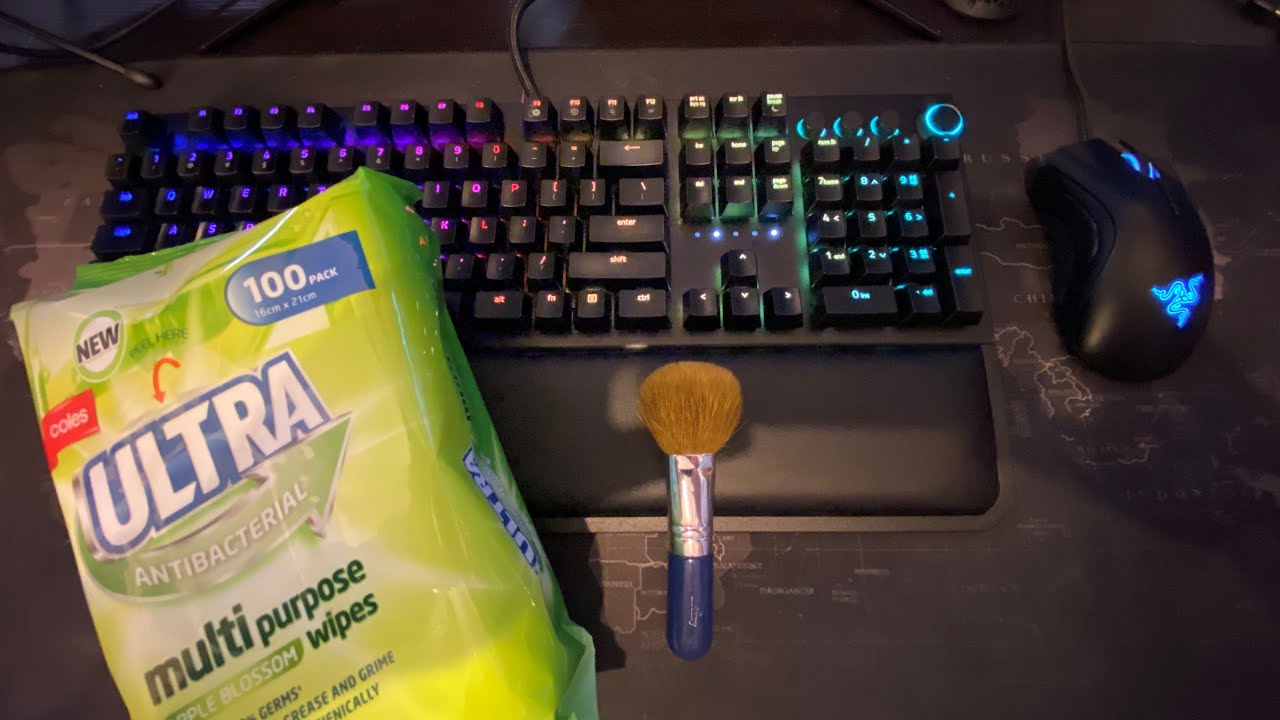
Tech & Tools
Today I will be cleaning my keyboard. The keyboard is a Razer Blackwidow Elite and I will be removing all of the keycaps and cleaning the main keyboard as well as all of the keycaps. I will show you how to remove the keycaps and how to go about cleaning the entire keyboard.
I hope you like the video, please like and subscribe.
M...
floral quail
ight, even though ive cleaned the kb like this recently, ill just focus on the area near the I key
devout remnant
smoky flame
does HDMI 2.1 even support that or is this marked as the first DP 2.0 monitor? w...
Probably DP 2.0
keen bloom
What cpu should i get when the rx 7900xt comes out
Budget is how much it will take to build the pc even if i have to pay scalper prices for the gpu
ruby heath
damn how many frames do you need
keen bloom
4k ultra
ruby heath
how much are you going to spend, cus that GPU will 100% be crazy expensive
keen bloom
As much as it takes
I would probably like to spend $4000 AUD for the pc but if i have to pay more i will
ruby heath
i would imagine retail price on those cards will pretty high with the specs they are talking about. Imagine how crazy it will be with scalpers
keen bloom
If i have to spend $8k i will
ruby heath
damn thats just wild
 boreal maple
Bloons td 6 multiplayer code: SMMWLF
last remnant
Gosh now I got stuck thinking, should I wait for 3060 to be available here for a good price or should I try to save for a 3050ti?
keen bloom
You could save up for a 4060 card that could come out at the end of this year/start of next year
last remnant
Well the price would probably still be a lot, I don't even need a 3060 in reality
 tulip rampart
last remnant
Gosh now I got stuck thinking, should I wait for 3060 to be available here for a...
tulip rampart
last remnant
Gosh now I got stuck thinking, should I wait for 3060 to be available here for a...
might be smarter to pick RX6600
It's a good middle card between 3050 and 3060
Preforms better then 3060 in alot of cases but lacks DLSS so makes it worse for higher resolution displays
last remnant
tulip rampart
might be smarter to pick RX6600
Well I want to stick to Nvidia for a few reasons, but will keep in mind
tulip rampart
last remnant
Well I want to stick to Nvidia for a few reasons, but will keep in mind
completely fair, just understand that the 3050 isnt exactly great $/frame
its a solid card and everything, if you're not a heavy gamer it should be more then enough but the value proposition isnt super
and suggesting older cards is hard since they're impossible to find
sleek agate
last remnant
Gosh now I got stuck thinking, should I wait for 3060 to be available here for a...
I'd get the 3060, more getting in stock each day. 🙂
I love mine ❤️
last remnant
tulip rampart
completely fair, just understand that the 3050 isnt exactly great $/frame
Yeah 3500ti is like $350 here rn, but yeah I'm waiting for more availability on 3060 for lower price
sleek agate
last remnant
Yeah 3500ti is like $350 here rn, but yeah I'm waiting for more availability on ...
I thought a 3050ti was a laptop GPU 🤔
I did a quick Google search and it shows laptop benchmarks. 😄
last remnant
sleek agate
I thought a 3050ti was a laptop GPU 🤔
Oh yeah mild mix up, meant to have the 3060ti and regular 3050, thanks for pointing out
smoky flame


TechPowerUp
PowerColor is readying a Japan-specific Pink Edition variant of the Radeon RX 6600 XT Hellhound graphics card. For the most part, this is a Spectral White color-scheme variant of the RX 6600 XT Helhound, but with pink replacing the blue bits, to match the colors of the Japanese Spring. We're not sur...
also, new specs of RDNA 3 may have emerged. Not quite as overkill as I was getting hyped up about but still over 2x the stream processors the 6900 XT/Navi 21 has (5120) at the top end (Navi 31) https://www.techpowerup.com/294446

TechPowerUp
A new list of specifications of AMD's next-generation "Navi 3x" GPUs based on the RDNA3 graphics architecture emerged, with lower CU counts than previously reported. It turns out that the large "Navi 31" GPU comes with 12,288 stream processors across 48 WGP (workgroup processors), 12 SA (shader arra...
even doing the math for teraflops using the current boost clock on the 6900 XT (2250MHz - likely to be clocked higher than that just using as an example) multiplied by stream processors (12288) then multiply that by two I come to just shy of 55.3 teraflops. For comparison the 6900 XT has 23.04 teraflops so the 7900 XT could still be a beast. Just not a near 100 teraflop monster lol. Getting there though! 😄
devout remnant
keen bloom
What cpu should i get when the rx 7900xt comes out
The new CPUs
13900K or whatever AMD calls theirs
devout remnant
ruby heath
damn how many frames do you need
All. The. Frames.  🖼
🖼
devout remnant
keen bloom
If i have to spend $8k i will
You probably will have to 😄
GPU’s will instantly get scalped for months and months
smoky flame
I'd go for whatever CPU offers the best performance at the lowest price. Don't always have to spend the most to get the best
devout remnant
smoky flame
I'd go for whatever CPU offers the best performance at the lowest price. Don't a...
Well, you kinda do,
Price to performance is different to buying the best.
smoky flame
yeah but for gaming at 4K which I believe Midi is doing or going to there may not be a whole lot in it in a lot of games with the GPU likely making the bigger difference
I haven't checked how Zen 3 vs Alder Lake CPUs do against each other at 4K but I do remember in the past 4K nearly wiped out any advantage Intel usually had at the lower resolutions (1080p and 1440p)
devout remnant
CPU has to feed the GPU.
If you’re getting a 7900XT or equivalent, then, don’t cheap out on any components.
devout remnant
smoky flame
I haven't checked how Zen 3 vs Alder Lake CPUs do against each other at 4K but I...
Again,
It’s going to be next Gen CPUs by then.
Pointless comparing now.
Unless you need a build right now looking to upgrade.
smoky flame
the same thing still applies imo. Personally if I can get close to the same performance as the top end CPU or GPU but a tier or two less while saving some money that is what I'd do. The same then goes for comparing rival offerings and in the event performance is marginal I'd still pick the cheaper.
Pretty much what I did with the 6800 XT. First, compared it to the 6900 XT in both performance and value. Deemed the performance not to be enough to pay the extra then looked at the 6800 XT vs 3080. Performance almost identical while just like the 6900 XT pricing was just too high to justify the extra cost.
saved at least £200 opting for the 6800 XT over the 6900 XT and I believe it was £600 6800 XT vs 3080 - this while GPU pricing was horrible
up to others how they pick, just felt like it was a good idea to share how I'd pick a CPU and GPU and will be going forward. If it saves me some money that can either go elsewhere in the system or set aside for other stuff
devout remnant
That’s exactly what price to performance is
Compared with buying the best, which, in computing/gaming will usually cost the most.
For example my next motherboard will probably cost £2,000-£3,000
Will it be that much more superior to a £500 one?
No it won’t, however it’s the “best” so will be the most expensive.
Also, what you describe, is just one side of the higher price,
It’s not just about one GPU getting X frames another getting X frames.
There’s multiple factors.
smoky flame
ehh idk, I just feel spending excessive amounts of money for what may be marginally better performance just isn't worth it. If I'm still getting a very powerful GPU or CPU out of if I'm not complaining. It's not likely these days to see games prioritizing say Ryzen 9 and i9 CPUs with exclusive features like was the case some years ago apparently where owners of i7 CPUs were given little extras in some games and the same for GPUs. Feature set is the same at the top as it is the tier just below. Only major difference being the top end chip is often fully unlocked vs the one just below it. Idk what else to say on it
full flint
I say to hell with upgrading just going use till cant run my games well
Then get new pc
ruby heath
full flint
I say to hell with upgrading just going use till cant run my games well
probably the best way to go about it if your current pc runs games fine
full flint
my bad
keen bloom
My goal is to play AAA games at 4K ultra/max settings and prepare for UE5 games
full flint
My goal play esports titled at 160 plus fps
full flint
https://youtu.be/GdDSp4n30ms watch dogs 2 on pc but going crazy
sleek agate
Anyone heard of 'ghost spectre' ??
 fiery grail
hi
 violet zenith
full flint
https://youtu.be/GdDSp4n30ms watch dogs 2 on pc but going crazy
violet zenith
full flint
https://youtu.be/GdDSp4n30ms watch dogs 2 on pc but going crazy
That’s an ip grab
@full flint some one ban that mf
sullen trellis
violet zenith
That’s an ip grab
That's regular shortened YouTube Link. When you use YouTube's own share function the links look like that.
https://www.youtube.com/watch?v=LQcKDWxf0jg converts to https://youtu.be/LQcKDWxf0jg for example if you use the share function.
Nothing suspicious about that.
latent gate
violet zenith
That’s an ip grab
Someone's clearly never used youtube
for example: https://youtu.be/GdDSp4n30ms

"just scream and shout and let it all out" literally did that
the exact link
however, @full flint we don't allow self-promotion in the server.

 smoky flame
impressive but LN2 overclocks are hardly going to be reflective on the actual users. These professional overclocks still annoy me at times because of that. Maybe some day the average user CAN make use of LN2 on their system without having to have a team of people or what resembles a lab setting behind them
latent gate
obviously
smoky flame
btw, doesn't DDR5 come with "better overclocking capabilities" anyway? Gives hope that someone that buys a 4800MHz kit may be able to OC it over time as the supported speeds get faster on future hardware
latent gate
yes
it also has onboard ECC
it's harder to adjust the voltage for DDR5 though
due to the power controller being on-chip instead of on the motherboard
smoky flame
oh yeah, I heard about that. If anything I thought that might have been a good thing for DDR5 but sounds like it backfired somewhat?
latent gate
not really
ECC memory is a godsend
memory voltage overclocking is extremely dangerous anyway
smoky flame
I tried overclocking my ram and really didn't want to touch the voltage. Easily the worst component to OC imo.
Best tip I could give to anyone. Just buy the best XMP RAM kit you can buy and make sure the timings are as low as they can go too. Stack both those together and it will be very expensive RAM but worth it or in the case of Zen 3 could just go 3600-4000MHz as AMD suggest and get the fastest timings for those kits
latent gate
stock memory is pretty darn good now anyway
not like DDR2/DDR3
same with GPU
they have really good natural boosts
smoky flame
stock memory as in the JEDEC timing stuff?
sleek agate
Steam summer sale isn't until late June, not sure if I can wait that long 🤣
full flint
violet zenith
<@456226577798135808> some one ban that mf
no it aint tf
full flint
latent gate
however, <@456226577798135808> we don't allow self-promotion in the server.
my bad
 round dawn
a cpu is just a rock that is tricked into thinking
latent gate
it's technically sand
full flint
round dawn
a cpu is just a rock that is tricked into thinking
We tricked rocks/sand to join us in the curse of thought
 somber fiber
Does anyone have steam?
sleek agate
Sure.
somber fiber
Team fortress 2?
obsidian bobcatBOT
If you're looking for someone to play with, please go to #587074461770186765
 errant sorrel
round dawn
a cpu is just a rock that is tricked into thinking
errant sorrel
round dawn
a cpu is just a rock that is tricked into thinking
I too read reddit today
sleek agate
Was finally able to downgrade my GPU driver! Stupid Nvidia!!!
 smoky flame
sleek agate
Was finally *able* to downgrade my GPU driver! Stupid Nvidia!!!
smoky flame
sleek agate
Was finally *able* to downgrade my GPU driver! Stupid Nvidia!!!
now make sure that undervolt you seem to have applied is stable and enjoy a cooler running GPU with almost all of the performance at stock while also using less power
devout remnant
smoky flame
now make sure that undervolt you seem to have applied is stable and enjoy a cool...
That’s the opposite of my goals 😄✨
smoky flame
devout remnant
That’s the opposite of my goals 😄✨
tbh I just stick to stock. Minimal issues etc that way. OC can be unstable either through applying too much or some games just being awkward with overclocked hardware. On the other hand undervolting can be similar. Attempt to undervolt too much and you crash or just like an OC, some games may not play nice with an undervolt either. Might not be ideal but stock is the way the likes of Intel, Nvidia and AMD intended the hardware to be used (at least out of the box) everything else is experimental.
Even at stock I've never seen my GPU pass 76C (current temperature) and all that on a triple fan GPU (6800 XT Red Devil) that comes factory overclocked
devout remnant
smoky flame
tbh I just stick to stock. Minimal issues etc that way. OC can be unstable eithe...
Never had an issue with OC, I just stress test when doing so & make sure it’s fully stable.
sleek agate
smoky flame
now make sure that undervolt you seem to have applied is stable and enjoy a cool...
I tested with Uniheaven, it's stable enough. and IT does not get as hot as before. I turned the fan down from 100% to 80% and turned my cpu/other fans to silent. I just really need to upgrade this CPU/cooler now. I think it's bottlenecking. When I was clocked at 4.2ghz (not stable) I was hitting 144fps FPS with Vanguard (without DLSS) but it would crash halfway through a game 😄 it was rather hot too. this cooler isn't good. I really don't know if I should just upgrade the cooler and try to overclock or fully upgrade to 5.x
smoky flame
sleek agate
I tested with Uniheaven, it's stable enough. and IT does not get as hot as befor...
I'd leave the CPU run at stock. With Ryzen CPUs (especially the Zen 3, not sure about Zen+) they are close to their limits and according to many other people's attempts at manually overclocking their CPU for better results it is either worse or pretty much identical to the stock results while using more voltage and/or power than necessary. The 5600 will be quite an improvement over the 2600X you have in pretty much every area. I'd still buy a better cooler than the one you get out of the box as that will just help get a little more out of it
 viral crest
Got a new keeb @smoky flame I had Amazon credit so got a Keychron C2

Oh and caps 😋
Got the Gateron brown switches
last remnant
looks awesome
viral crest
Thanks!
smoky flame
viral crest
Got a new keeb <@246209595318468618> I had Amazon credit so got a Keychron C2
 very nice!
sleek agate
viral crest
Got a new keeb <@246209595318468618> I had Amazon credit so got a Keychron C2
Now this looks amazing!
viral crest
Haha thank you. 😆
 pulsar zinc
If I bought forza 5 on steam is there a way to put it in the Xbox library on pc without buying it again?
autumn sluice
No
 tawny gorge
@dusty vector can you help me?
viral crest
What do you need? @tawny gorge
dusty vector
No
 eager wasp
I have Game Pass Ultimate for PC. I play primarily on PC, but I was wondering, how do I share my Xbox live gold subscription on PC for my alt. account like I can on XBSX? I'm trying to figure it out, but can't seem to do it. I'm getting a gaming laptop soon and I'm trying to figure it out on my main rig before it comes. Is it possible to do it on a PC like XBSX? If it helps, my Xbox is an Xbox series X
https://support.xbox.com/en-US/help/subscriptions-billing/manage-subscriptions/share-xbox-live-gold-subscription
viral crest
Gold is not required for PC. ;) @eager wasp
 bitter crypt
should i get the power a controller
 bronze raft
those are the wired ones right?
 surreal moss
Whichever one is comfortable for you
bitter crypt
bronze raft
those are the wired ones right?
yeah
bitter crypt
surreal moss
Whichever one is comfortable for you
ive got no idea which one
i could also get the pdp wired one for 14 dollars more aud
bronze raft
do you prefer wired over wireless? I'm guessing its for use on pc?
bitter crypt
bronze raft
do you prefer wired over wireless? I'm guessing its for use on pc?
wired is fine but yeah its for pc
bronze raft
It should work fine for PC 😄 I double checked online for you
The power a colours look really cute I like the pastel ones
bronze raft
Depends on how much money you want to spend and if they are comfortable for you, I don't have a power a but a wireless first party xbox series s. power a are cheaper
bronze raft
Not sure power a might be better, since you can buy it straight from Microsoft store online. It's really up to you 😅
I don't really like the cheap ones you can buy from our stores. (I'm Australian too 🙂 )
bitter crypt
bronze raft
I don't really like the cheap ones you can buy from our stores. (I'm Australian ...
oh nice and yeah true
viral crest
PowerA is a pretty good brand you can trust.
cedar smelt
Power A are better than PDP, IMO.
viral crest
They new ones look amazing
full flint
if i mod skyrim or fo4 through in-game bethesda mod menu, where will i download mods? game folder or what?
eager wasp
viral crest
Gold is not required for PC. ;) <@148162665787817985>
I know that. I'm referring to gamepass ultimate for PC. I want to stream games on both my accounts
On XBSX, you can have 9 other accounts under one family gold plan.
sleek agate
You can set your store as one account, then play on Xbox app with another account. you'll get a 'warning' saying to change it, dismiss it. You can only play Xbox games though, no EA play/ubisoft.
eager wasp
sleek agate
You can set your store as one account, then play on Xbox app with another accoun...
I tried that. It's still saying that I need to purchase gamepass for my alt account.
sleek agate
eager wasp
I tried that. It's still saying that I need to purchase gamepass for my alt acco...
You sure you're signed in to the MS store? Because I do the same. Use an account with ultimate on the store and play with an account that has nothing on the Xbox app.
eager wasp
sleek agate
You sure you're signed in to the MS store? Because I do the same. Use an account...
Yes. I also saved my alt account as part of my "family"
sleek agate
Saving as 'family' won't do anything, unfortunately.
eager wasp
So, am I out of options?
sleek agate
Well, you could contact MS and ask them because I know it does work. I wanted the exact same as you and MS support suggested what I said.
eager wasp
Okay. I'll start a chat with them...This sux lol
sleek agate
Yeah wish we had a share like Xbox has. 😦
eager wasp
What does that mean?
sleek agate
You can set 'home' on Xbox, wish PC had it too.
eager wasp
Oh. Didn't know that lol. I'll post with an update when I get one.
viral crest
There isn't a family plan for Xbox. That's just for parental controls :)
The only thing the Home Console does is make it so you can share the GPU with anyone who uses that console. Nothing like that for PC exists unfortunately. I have successfully played Flight Simulator with my husband's account after installing it with mine on his laptop though. That was over a year ago. @eager wasp
sleek agate
Much better than what it was ❤️ more or less getting 144fps.
 sleek agate
Getting around 120/144fps with Vanguard too. And I'm not overclocked on my CPU which I thought helped before.
viral crest
Nice
smoky flame
sleek agate
Much better than what it was ❤️ more or less getting 144fps.
how is the GPU temperature if you leave GPU fans at stock? I believe you said you increased GPU fan speed to 100% then 80% more recently. Both of which would be pretty loud. My GPU is definitely loud when I tried a 1:1 type fan curve (definitely don't recommend unless you want the sound of a jet taking off in your room...). Played FH5 and temperature was about 60C (so 60% fan speed)
stock fan curve with fan stop the temperature went back up to around 70C but was much quieter. So only a 10C increase for a quieter running system while still being completely stock
sleek agate
It's actually not that loud. My 580 sounded like a jet but this doesn't.
Temp is climbing after setting to auto.
40c so far.
42c...
smoky flame
it will climb but since you undervolted it shouldn't get that high. Should be an improvement over completely stock operating (no undervolt) will probably reach a similar temperature depending on the model you bought
smoky flame
my GPU is around 45C idle. No fan noise
smoky flame
try the default fan curve in a game with your undervolt. Will be curious to see how it does
smoky flame
sure you are completely idle? something got that GPU working
smoky flame
spotify with hardware acceleration might give the GPU a small load to think about
 smoky flame
the undervolt should keep temperatures lower than completely stock. If it isn't doing that something isn't right. Completely stock I'd expect anything between 70-90C on most GPUs. Undervolted. 50-75C. Room ambient temperature can also play a part
 smoky flame
hmm pretty sure the Nvidia/MSI Afterburner undervolt you have no choice but to alter the clock speeds while undervolting and tbh that is probably the correct way to go with undervolting. Not sure how much of an undervolt you could get if you tried to stick to stock clocks but since some GPUs come factory overclocked it could be even less
sleek agate
63 with the Heaven Benchmark
smoky flame
have you tried unigine's most recent benchmark? superposition
sleek agate
 bitter crypt
is there any alternative to buying a normal xbox controller
ruby spear
What do you mean exactly? Are you asking if you can use a non-Xbox controller on PC?
bitter crypt
like a cheaper option
 spiral lagoon
Does anyone know how to get rid of double cursor in Microsoft edge?
bitter crypt
ruby spear
Yes, there's loads of bluetooth controllers available.
alright what’s a good one
ruby spear
Look up 8bitdo
bitter crypt
there’s quite a few different one which one are you talking about
ruby spear
Whichever one you like that will work with your PC. There's differently styles and layouts, so that's a personal preference thing.
Also which ones fit your budget.
viral crest
sleek agate
Your card prob doesn't run the fans when it's not running a program, as well. Which may increase idle temp if you don't have great airflow in your case. :) Mine idles between 39-45C, at least in the winter. Basement is pretty cool. 👍
bitter crypt
is this good https://www.amazon.com.au/gp/product/B08FCWYCYM/ref=ppx_yo_dt_b_asin_image_o00_s00?ie=UTF8&psc=1 @ruby spear
ruby spear
Look at the reviews
obsidian bobcatBOT
#rules 🔕 6. Do not @mention or direct message admins or mods. For moderation needs, please DM the ModMail bot with your issue. For support, please use #233805809346150400, but note that it is not official support, but support provided by other users like yourself.
viral crest
bitter crypt
is this good https://www.amazon.com.au/gp/product/B08FCWYCYM/ref=ppx_yo_dt_b_asi...
Should be fine. :)
bitter crypt
viral crest
Should be fine. :)
thanks i bought it last night and i meant to refund it and it already shipped so im glad
viral crest
Amazon is good if there is an issue too.
bitter crypt
viral crest
Amazon is good if there is an issue too.
refund or warranity?
viral crest
Like returns and stuff. Warranty would be up to PDP
But the reviews for the controller look pretty good anyway.
bitter crypt
viral crest
Like returns and stuff. Warranty would be up to PDP
its 15 dollars return so i would get 23 back so for a month 15 dollars isnt terrible
bitter crypt
viral crest
But the reviews for the controller look pretty good anyway.
yeah it seems to be just how it breaks but it does have warranity so
bitter crypt
viral crest
I've never had a controller break. Not yet. 😅
are your controllers normal ones
viral crest
Yea. Microsoft brand.
One of them is like 7 years old
It's starting to drift a bit and the buttons are slow but it still works! 😆
bitter crypt
nice mine broke after like a year but was second hand and i did drop it a bit
viral crest
Yea gotta be careful! :)
full flint
hello guys. I like to play a lot rpgs where text and dialogue interactions are really important in game story and gameplay itself. I prepared a list of this kind of games i played/know, and would like to know if there are more options i don't know/remember:
isometric (baldur's gate, neverwinter nights, pillars of eternity, divinity)
bioware (mass effect, dragon age)
cdpr (cyberpunk, the witcher)
bethesda (fallout, elder scrolls, probably starfield?)
disco elysium
are there more like this?
cedar smelt
Did you play either the old Planescape Torment or the somewhat spiritual successor Torment: Tides of Numenera?
 formal raptor
yo when i try to launch a game on the xbox app it gives me this error code
C:\Program Files\WindowsApps\UnknownWorldsEntertainmen.GAMEPREVIEWSubnautica_... X
Size
C:\ProgramFiles\WindowsApps\UnknownWorldsEntertainmen.GAMEPREVIEW...GameLaunchHelper.exe
File system error (-2015291336).
sleek agate
Anyone else find the Xbox app downloading games is very slow?
devout remnant
sleek agate
Anyone else find the Xbox app downloading games is very slow?
Depends on the game.
I was getting decent speeds off this one
 sleek agate
 I can't go past 50MB/s
devout remnant
What’s your internet speed?
sleek agate
I've tried every tweak that's mentioned and nothing is helping. and 1gbps from Virgin.
full flint
Okalo
sleek agate
Yeah it maxes out.
devout remnant
sleek agate
Yeah it maxes out.
What speed?
sleek agate
devout remnant
What speed?
It maxes my 1gbps...
devout remnant
So 940?
sleek agate
Around that yeah
devout remnant
Try downloading the game I showed
smoky flame
are you downloading via wifi or ethernet?
really hope Virgin Media launch the Hub 5 to others soon. Want to get my hands on one so I can make use of AX wifi which should hopefully see me be able to make better use of my gigabit package too. Failing that also been pretty tempted to find a good value wifi 6/AX router and just use that instead but that likely means spending around £200 so I'm holding off as long as I can
devout remnant
smoky flame
really hope Virgin Media launch the Hub 5 to others soon. Want to get my hands o...
AX Wi-Fi is good but doesn’t do much for long distance
Close by my speeds went up 50%
But further away, it’s kind the same as the Hub4, with a marginal increase.
I suspect a 3rd party router would do much better.
smoky flame
yeah, I've been thinking the same but heard a lot of good things about the Hub 5 so wanted to give the ISP's kit a run before going 3rd party since it's free of charge and I know the 3rd party router will likely be better and that the Hub 4 (and 5 whenever I get it) will likely not be touched after that. Beyond putting it to modem mode for the 3rd party router to work
devout remnant
Only real difference was that I can get full speed out of my gigabit connection
And be ready to upgrade to 2/2.5Gb when it launches
Wi-Fi experience, apart from the close by boost in speed, is virtually the same.
smoky flame
any word on when that 2gig package will launch or like the Hub 5 is it going to be select users/roll out for a while?
devout remnant
smoky flame
any word on when that 2gig package will launch or like the Hub 5 is it going to ...
Hub 5 is expected to launch July - September for everyone.
2Gb should be similar / same time but very limited at first and then gradually rolled out
2.5Gb has been in testing for a while now.
Upload speed has been tested at 100Mb and 200Mb.
smoky flame
ooh cool. ty for this info. Not too much longer to wait then. By September that will be very close to one year I been with Virgin Media and iirc their contract length is 18 months so I could either see out the last 6 months or look at upgrading early if both the Hub 5 and 2gig package becomes available around then but I can imagine that package will cost quite at bit - at least £100/month going by current 1gig pricing of £62/month
sleek agate
Ethernet, I wouldn't be moaning if it was WiFi lol
devout remnant
No worries, I’m sure the Summer target will be achieved by them, just depends how they offer it, I’m sure everyone on Gig1 will be eligible.
It will be expensive at launch, but I’d say around £90. Don’t think they’d want to break £100 mark.
Also, Gig1 launched at £62 but I currently have it for £36 a month.
sleek agate
@devout remnant https://www.speedtest.net/result/13133678534.png

 devout remnant
sleek agate
<@526512682401136660> https://www.speedtest.net/result/13133678534.png
devout remnant
sleek agate
<@526512682401136660> https://www.speedtest.net/result/13133678534.png
Yeah seems about right
Did you try downloading the game I did?
sleek agate
Doing it now, was waiting for GTA to download 🙂
smoky flame
Here's what I get (and I'm on wifi) https://www.speedtest.net/result/13133682482.png

 sleek agate
50MB/s like the other downloads. this is doing my head in 😄
smoky flame
50MB/s is approximately 400mbps
sleek agate
Yep
smoky flame
try over wifi and see if your speeds are any faster
smoky flame
I read about an odd issue with Intel ethernet ports on AMD motherboards recently that may be impacting speeds and performance of ethernet. Backed up by a friend on another server that couldn't get their Intel ethernet port to go past 10 Mbps even while being set to 1 Gb full duplex within the networking settings. Changing to wifi fixed that for them though they weren't getting full speeds they were paying for, it was still a huge improvement over 10 Mbps
sleek agate
Yeah it's crap on wifi and ethernet.
Like Epic and battle.net can easily get over 100MB/s
smoky flame
might just be the demand on other launchers. I often see the Xbox app showing a slower download than other launchers but not quite as drastic as half the speed. Highest peak speed any launcher has reported to me that tracks it while downloading was 75MB/s on Ubisoft Connect
devout remnant
sleek agate
Yeah it's crap on wifi and ethernet.
Xbox App is known to be bad, however, a hard cap of 50 is something going on.
sleek agate
60MB/s is the highest it goes
devout remnant
smoky flame
might just be the demand on other launchers. I often see the Xbox app showing a ...
I’ve done 144MB on Steam
sleek agate
Yeah steam is fast
devout remnant
sleek agate
60MB/s is the highest it goes
We can test tomorrow same time if you want
I’ll be able to any time, just let me know what’s best for you
Can see what’s happening
smoky flame
downloading the same game to see if it does the same for me, even given it 1GB or so to warm up and yeah. Can see similar speeds 50MB/s with the occasional peak to around 54MB/s

might download this game anyway. Been a while since I played it. Not sure if I have seen how it runs on my 6800 XT. Lat time I played it might have been when I had a 5700 XT
devout remnant
smoky flame
downloading the same game to see if it does the same for me, even given it 1GB o...
Interesting
I’ll check again tomorrow
smoky flame
also, ooh a tennis game coming to the game pass soon. I haven't played a tennis game since Virtua Tennis was a thing on PSP. Been at least 10 years!