#Starbound
1683 messages · Page 2 of 2 (latest)
 sterile crater
I'll look at it. It might just be something simple like changing fidelity config setting.
 sterile crater
I really appreciate the testing. I was assuming its borderline usable for 1gig but getting to other worlds is encouraging.
 clever fable
well it hasnt been the smoothest experience, but ive had the willpower to play through hl1 on an snes controller on the snesmini, so im somewhat used to ports that can be a bit "difficult"
although
i must say, the controls are suprisingly a non issue, even with a single stick
sterile crater
 orchid fiber
Is it ready for testers?👀
orchid fiber
Is it ready for testers?👀
Masochistic ones like @clever fable although it plays beautifully on 2 gig ram systems
My rg353v just sings
clever fable
yeah 1 gig dont quite cut it, only does with swap on top
orchid fiber
Awesome, you can put a 2gb requirement on the port if you want. You've been hacking away at this for a while haha
sterile crater
orchid fiber
Awesome, you can put a 2gb requirement on the port if you want. You've been hack...
Yeah I probably will. Its getting a bit silly at this point how much of the game ive modified.
sterile crater
orchid fiber
If you could set up a test req list
Not yet. But Thanks
sterile crater
orchid fiber
If you could set up a test req list
What 2gig systems do we support that aren't rk3566?
orchid fiber
Stuff like oga, rg552, odin, rp5/mini
Mostly higher end stuff, and then x55/rg353x for rk3566 on the lower end
And e1000's modified handhelds with 4gb ram chips soldered on :p
sterile crater
orchid fiber
And e1000's modified handhelds with 4gb ram chips soldered on :p
Haha he sent me some vids to learn how to solder but I'm too scared
orchid fiber
I did the picofly and that went suprisingly smooth. But ram chips is another level and you need more tools
sterile crater
orchid fiber
Stuff like oga, rg552, odin, rp5/mini
I actually would appreciate a call to test those. I can spring for a 5 pack of the game on steam of somebody doesn't have it
sterile crater
You can set the resolution to 854x640 now on x55 etc which should help performance
clever fable
hanging on for dear life

 cinder ginkgo
i think we want atleast 64mb of swap just so it doesnt crash when something like librespot is running in the background?
cinder ginkgo
oh thats bad
clever fable
might even come close to being too much on 2 gig devices?
my swap got almost enitrely filled, like 60 mb spare
and i got 1gig+1gig swap on top
cinder ginkgo
 holy shit 1gb swap
clever fable
living life on the edge
cinder ginkgo
i would just make 2gb only now lol. But what the hell it took less than a gb for me
clever fable
were you running a new character?
because i think it was about the same for me, just starts to add up
sterile crater
clever fable
ram usage shoots up by about 300mb
I'll look into this
sterile crater
clever fable
because i think it was about the same for me, just starts to add up
I think you've just tested much larger play sessions than I have profiled and I realky appreciate it
cinder ginkgo
clever fable
were you running a new character?
nope
sterile crater
Tbh I'm kinda happy @clever fable is uncovering some issues because I'm realky enjoying hacking on this.
clever fable
would be too easy if it just worked flawlessly 
cinder ginkgo
kein fleiß kein preis
 orchid fiber
Eh i got it fully compressed and working with adaptive astc now, still no dice on world building with 2gb. I will have to look into more options but kinda running out
It mostly runs fine
sterile crater
orchid fiber
Is that you on the mountain wall?
Yeah. After 30 years of being a developer ive retired and now spend most my time guiding and developing new climbs.
sterile crater
I'm in USA on the west coast a few miles south of Canada
orchid fiber
Oh lol
cinder ginkgo
orchid fiber
Eh i got it fully compressed and working with adaptive astc now, still no dice o...
i wonder if we can get the TerrariaServer running somehow so we can kinda let that make the world gen and then boot into Terraria as that will use probably less ram
orchid fiber
cinder ginkgo
i wonder if we can get the TerrariaServer running somehow so we can kinda let th...
Maybe, or you just copy over a built world. It does work, just uses some swap
Or i just do 4gb port i guess
Anyway, back to Starbound. Just copying over the files now
Did i just see patchelf?
@sterile crater
Retroid Pocket 5/Rocknix/sd8250/(1.25/7.38GB)✅
AYN Odin 2/Rocknix/uhd/sd8550/(1.3/11.24GB)✅

I know nothing about this game but they it seems to run good
Audio, touchscreen, controls, seems fine to me 🙂
cinder ginkgo
seems to work on my x55. Not perfectly smooth but yeah it works
sterile crater
orchid fiber
<@407012063890636802>
Retroid Pocket 5/Rocknix/sd8250/(1.25/7.38GB)✅
AYN Odin 2...
You can go into the settings and change to a resolution that works better for your display
I need to stop fucking with discount devices, that rp5 looks awesome
sterile crater
orchid fiber
Did i just see patchelf?<:doggokek:1123303718079701042>
Nope we have the full source code as nature intended.
orchid fiber
Oh youre not using it?/storage/roms/ports/OpenStarbound/OpenStarbound/scripts/ci/linux/patchelf
sterile crater
orchid fiber
Eh i got it fully compressed and working with adaptive astc now, still no dice o...
What's adaptive astc?
orchid fiber
Convert adaptively based on resolution of the texture
sterile crater
but you're still batching the conversion at first-run time right?
orchid fiber
Yeah
sterile crater
it doesn't use dynamic texture atlases like starbound?
sterile crater
yeah, it's a major headache in starbound. The total set of assets is so large it does a TTL based texture atlas process where it culls unused textures and reloads new ones into dynamically maintained atlases
complete with frame-boundary repacking of the atlas image
Meanwhile I'm here picking strategic points in the game to ASTC compress whole atlases that I know don't change much
but many of the atlases (for stuff like enemies and items, and materials) change constantly adding in and removing tiny sprites into huuuge atlases
orchid fiber
sounds like a huge pain in the ass lol
sterile crater
It took me like two weeks to get it to work and It only saves like 150mb of ram
I have an idea of doing palette compressed atlases where I can rework them on every frame boundary
which might get us under the 1gig mark, but it might be a bit CPU heavy to re-quantize the whole atlas image in a single frame boundary
what do you think?
Here's an example atlas that's been dynamically generated. The planet colors are all procedurally calculated.
 sterile crater
orchid fiber
Just static sprites
sterile crater
orchid fiber
Just static sprites
Wait, but does it do atlasing at all, or are the atlases pre-generated? Can you take ASTC compressed individual sprites and tile them into an ASTC atlas if they're aligned on block boundaries?
orchid fiber
i have no idea, i havent looked into the code much. Its a pain, C#.. 😄
Pretty sure this game doesnt use any atlasing at all
Pure individual sprites
sterile crater
orchid fiber
Pure individual sprites
are there performance issues with binding so many tiny textures on our low end hardware?
sterile crater
Huh... that's similar to starbound though where we're only binding like 10 textures that are all at least 2048x2048px resolution.
orchid fiber
Again i havent looked at the code much, neither do i want to haha
sterile crater
orchid fiber
Again i havent looked at the code much, neither do i want to haha
I mean, the fact that you can just convert the assets to astc and it works out of the box means something though
orchid fiber
Oh it doesnt work out of the box
sterile crater
are you modifying libpng or something?
orchid fiber
JohnnyOnFlame created a custom build of FNA to accept astc
sterile crater
ah... got it
so FNA knows how to load astc assets and hand them to the GPU as if they were regular png images
sterile crater
I wonder why
orchid fiber
Eh i dont remember
But fna is very focused on replacing XNA not superseding it like Monogame is
sterile crater
ah so new features are probably not aligned with their goals
orchid fiber
And anything that doesnt work on every supported platform is not good in their eyes, something like that
FNA is sick though, they have everything done on runtime. Like multiple renderers, gles, gl, now vulkan
So one build works on everything
sterile crater
that's pretty cool
I'm too oldschool for that stuff though... gimme a big wall of C code and a home-rolled engine and I'm at home
sterile crater
yeah that's fair
sterile crater
This starbound codebase is absolutely insane. Dude re-implemented half of STL when stl was available. I have no idea why.
It's simultaneously a total disaster and also a piece of art. It's like looking at some old cathedral where you're like stunned by it's magesty but also how is this thing still standing?
sterile crater
It's 150,000 lines of code, so it's not that janky but something that big has to have warts.
Well, I think I'm going to abandon 1 gig and just polish it to a 2 gig target with good launch scripts and cfw support
orchid fiber
I do still find it fascinating when devs decide not to use a framework or engine at all, i get having access to everything. But imagine the time saved😅
sterile crater
orchid fiber
I do still find it fascinating when devs decide not to use a framework or engine...
Yeah, that's the funny thing is that Terraria and Starbound in actual game play seem almost the same. But Starbound is entirely custom written for very little perceptible gain.
orchid fiber
Exactly, especially once you go down from a framework, the chances of creating systems better than fna, love2d etc gets slimmer
Not choosing Unity for a 2d game is a very understandable choice though :p
sterile crater
I'm watching gameplay of Terraria and I can spot things that Starbound does that are way more computationally heavy but give very little improvement to gameplay experience
sterile crater
@clever fable I'm looking at dragon engine. It's just a json file changing a few default config variables. Some of these I've removed in my new engine rewrite but some might be useful. I can tweak them to be more appropriate for our hardware and just include them in the default config file. Thanks for the tip though.
oh actually there's more than that... still... damn... tweaking this all in lua seems crazy to me.
It's like trying to run a marathon in high heel shoes
Oh no all the lua is mostly just feature additions not optimization... that's a very confusing mod it does so much. The important parts are just a few config entry tweaks.
 pearl kayak
sterile crater
Oh no all the lua is mostly just feature additions not optimization... that's a ...
pearl kayak
sterile crater
Oh no all the lua is mostly just feature additions not optimization... that's a ...
Btw, what lua engine does Starbound use? I'm trying to hack luajit into Don't Starve right now, because it's heavily CPU bound and the entire game is written in Lua.
sterile crater
pearl kayak
Btw, what lua engine does Starbound use? I'm trying to hack luajit into Don't St...
Not sure. Some guy is working on making it use Pluto but I'm not sure why
The people who layer 200 mods really want a faster lua engine but vanilla doesn't do a ton of lua work so I haven't looked at optimizing it
 ancient arch
woo, it's a torrent of chitchat here 😄 is still an RP5 test needed ?
I don't want to scroll back 👀
orchid fiber
No i did odin and rp5, more tests doesnt hurt though because i dont know the game 🙂
Btw i continued with hacksdl on Burning Knight but no dice, cant get it to hook unfortunately
 thorn horizon
Getting a portmaster pm platform helper error in the log
No clue what's causing it
 pseudo python
thorn horizon
Getting a portmaster pm platform helper error in the log
pseudo python
thorn horizon
Getting a portmaster pm platform helper error in the log
Don't worry about it not all cfw have it 🙂
Only those who need jt
thorn horizon
Also a glibc error
thorn horizon
thorn horizon
Also a glibc error
Happened with something else I was testing, (sunvox tracker)
ancient arch
orchid fiber
Btw i continued with hacksdl on Burning Knight but no dice, cant get it to hook ...
I’ll have a look
sterile crater
thorn horizon
I'll test it on my r36s again
It's not worth running on 1gig systems. I played a bit farther in the game and Rehex is right, it uses more memory up when you get further access. I did a profile of the heap in this state and I cannot reduce it any more.
I'm gonna modify the launch script to fail on 1 gig and just pop up a warning
thorn horizon
Ok
sterile crater
thorn horizon
Ok
Sorry. I really appreciate your enthusiasm.
clever fable
oof, thats rather harsh, though i guess forcing a silly amount of swap isnt on the table either?
cinder ginkgo
clever fable
oof, thats rather harsh, though i guess forcing a silly amount of swap isnt on t...
i think everything upto 256 should be fine but not a gb
clever fable
i dont see a universe where 256 would cut it for this specific port lol
but yeah fair
dont wanna chew peoples sd cards into a fine dust
yknow now that i think of it
if the menus struggle so much on 1 gig of ram
maybe i should try 2 gigs of swap :3
the nuclear option
cinder ginkgo
clever fable
maybe i should try 2 gigs of swap :3
little tip, grab a otg adapter and a spare usb stick and use that. I mean sdcards are more robust but i dont want you to kill your sd
clever fable
i do have a spare, i might just make a copy
sterile crater
clever fable
if the menus struggle so much on 1 gig of ram
It's not only ram. The a133/h700/rk3326 just don't have enough speed to play the game
rk3566 on my 353v runs fine. Menus in the outpost... no problem.

I mean... it's maxxed for sure, but it's working
BTW, @clever fable I made it to the outpost finally.
188 files changed, 6206 insertions(+), 1256 deletions(-)
all that work and I never even played the game
 slim nexus
Hi @sterile crater , any updates on right stick axis swap ?
sterile crater
slim nexus
Hi <@407012063890636802> , any updates on right stick axis swap ?
No, did we ask @zinc abyss if he's seen anything regarding the stick axes being off for OGU in gptokeyb?
slim nexus
not yet 😄
sterile crater
slim nexus
not yet 😄
I can take a look at having gptokeyb2 allow all manners of inversion this week. Then we can just have a device specific config.
sterile crater
slim nexus
Hi <@407012063890636802> , any updates on right stick axis swap ?
Is it fully mirrored or just vertical swapped or just horizontal swapped?
I scrolled back and read our previous discussion... did you ever swap the config to see if Left stick was inverted?
slim nexus
sterile crater
I scrolled back and read our previous discussion... did you ever swap the config...
I forgot to try it, let's do it first, then look for any fixes
i think it was swapped as up moves cursor left
down moves cursor right
if I remember right
sterile crater
good lord
I'm very curious if you swap the configs if the right stick is also 90 degrees rotated for relative mouse, or if it follows absolute mouse
sterile crater
I'ma go play this now.
 distant eagle
sterile crater
It's not worth running on 1gig systems. I played a bit farther in the game and ...
distant eagle
sterile crater
It's not worth running on 1gig systems. I played a bit farther in the game and ...
I am sad to hear, but I understand.
sterile crater
distant eagle
I am sad to hear, but I understand.
Yeah I'm bummed too but ive been doing software long enough to know how to ship and its time to ship.
sterile crater
❯ git diff fd5f27f974715cf6d84b6cc4063a962c59fc385f | wc -l
10625
10k lines of code
sterile crater
This game is really fun!
ancient arch
@sterile crater if I want to test, should I buy the game on steam or anywhere else?
sterile crater
ancient arch
<@407012063890636802> if I want to test, should I buy the game on steam or anywh...
Yeah steam works. Thanks!
 gritty bone
epic warning image lol
 sterile crater
gritty bone
epic warning image lol
sterile crater
gritty bone
epic warning image lol
Credit @pearl kayak , I am no such gifted artiste
Although now I'm thinking that mmapping the world tile data on worldgen would allow sub-1gig runs but it'd take like 15 minutes to warp into temporary worlds.
Nono.. Its time to ship
sterile crater
Release Candidate. 2 GIGs RAM ONLY
Controls:
D-Pad    move
R-Stick  look
L-Stick  mouse
R1       left-mouse (use item)
L1       right-mouse (secondary use item)
R2       scroll through hotbar items right
L2       scroll hotbar items left
A        action
B        Matter Manipulator
X        jump
Y        leftmost hotbar item
R3       display info about nearby items
L3       shift - for grouping/splitting items and laying single blocks
select   esc - close current menu
start    i - inventory
Place your packed.pak from assets direcotry of purchased version of Starbound (Steam for example) in OpenStarbound/OpenStarbound/assets/
You can try to use mods but it's very likely they will break the game. This version is a substantial deviation from all other versions of the game.
sterile crater
lol
ancient arch
I have 1GB, 6GB, 8GB, 12GB but not 2GB
sterile crater
It's a shame because I did so much work to fit it into 1 gig and ultimately tripped at the finish line. It plays really well on my 2gig rg353v though
Probably does ok on a MagicX mini zero 28 or whatever it's called... that has 2 gigs.
or is that android only
ancient arch
I could test with 2GB zram on 1GB but it'll die
there is no binary in OpenStarbound
oh it's not in root folder
nvm
sterile crater
OpenStarbound/OpenStarbound/dist/starbound is the binary
ancient arch
it's hidden 😄
sterile crater
Yeah, I suppose I could move it... it's just like that because that's how it is when you run it in the source tree
ancient arch
so it's running
sterile crater
ancient arch
so it's running
on rp5?
ancient arch
odin 2 portal
sterile crater
niiiice
ancient arch
1GB+ memory in use
sterile crater
Did you create a new character and start in the protectorate in the graduation scene?
pearl kayak
sterile crater
Credit <@147313153850474496> , I am no such gifted artiste
You're not actually shipping this, are you😅
sterile crater
yes?
pearl kayak
Amazing.
sterile crater
ancient arch
should I test something ?
I'd be curious about the frame lags when warping up and down to the ship. It's the little icon with the circle and the white arrow on the lower right of the icon list to the right.
There's a compression phase right when you materialize where it ASTC compresses all the background textures. It's about 3-6 seconds on my RK3566 and about 2 seconds on my older i7.... curious what it is on an odin
if you look in OpenStarbound/OpenStarbound/logs/starbound.log there is actually a timestamped log for it... might be interesting
ancient arch
sterile crater
There's a compression phase right when you materialize where it ASTC compresses ...
I see no lag 👀
instant
lol
sterile crater
wow
ancient arch
I'll start again the game
sterile crater
On Trimui Smart Pro that lag was 30 seconds single core, and like 15 seconds with all 4 cores pumping
ancient arch
ok, maybe 100 ms lag
sterile crater
the astc compressor uses neon SIMD instructions. I wonder if more recent ARM cores got better at neon stuff
ancient arch
sterile crater
wow
ancient arch
it's an armv9 core
ancient arch
it's really impressive the hack you've done
sterile crater
aw shucks thanks
ancient arch
I don't know how to play this game, I'll let my kids handle this lol
sterile crater
It's like terraria, but with mechs and multiple worlds
Oh hey can you pin the above release?
ancient arch
sure
ancient arch
sterile crater
Release Candidate. **2 GIGs RAM ONLY**
Controls:
```
D-Pad move
R-Stick loo...
sterile crater
ancient arch
I might have to get me an odin
distant eagle
sterile crater
It's like terraria, but with mechs and multiple worlds
and I love that you have your own spaceship that is your travelling home. It feels very StarWars/Firefly in that way.
sterile crater
distant eagle
and I love that you have your own spaceship that is your travelling home. It fee...
Do you build your tech tree in your ship? It seems a bit cramped.
clever fable
you can get upgrades to make it larger
distant eagle
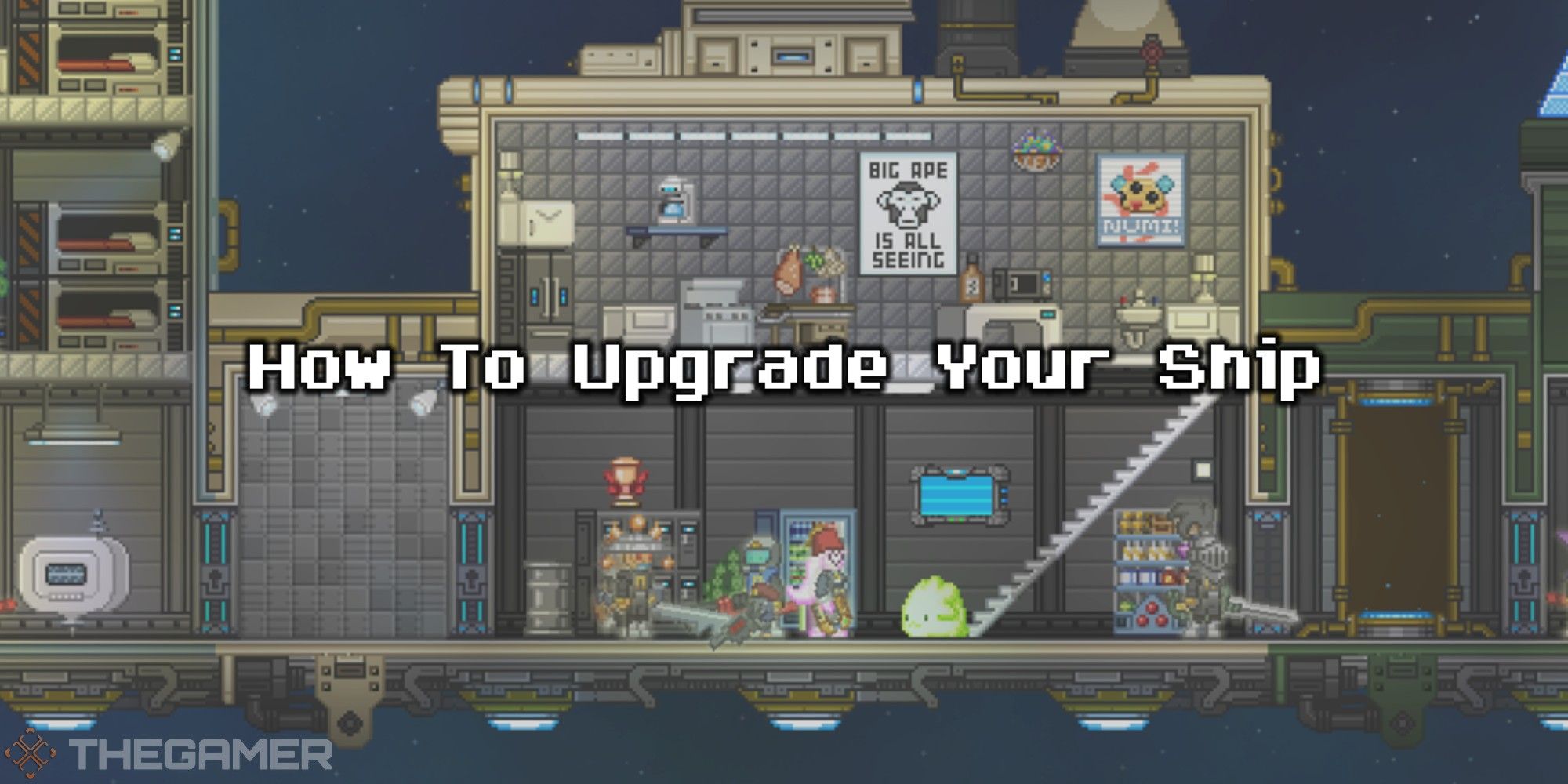
TheGamer
As a space exploration game, upgrading your ship in Starbound is kind of a big deal. Here's a handy guide with everything you need to do it.
sterile crater
Damn this game is deep
distant eagle
Yup! 🙂
thorn horizon
I honestly miss the beta version of the game
That was when it was peak
After the full relase it just wasn't the same
sterile crater
@slim nexus Hey, I'm moving forward with a PR for Starbound. I think it's very likely that your OGU right stick issue is purely a gpttokeyb2 anomaly or driver issue, but there is a corner case that it's actually Starbound. Any chance you can swap the right/left in OpenStarbound/starbound.gptk (here it is changed if you wanna just paste it in):
absolute_center_x = 640
absolute_center_y = 510
absolute_step = 350
left_analog_up = mouse_absolute_up
left_analog_down = mouse_absolute_down
left_analog_left = mouse_absolute_left
left_analog_right = mouse_absolute_right

l3 = shift

right_analog_up = mouse_movement_up
right_analog_down = mouse_movement_down
right_analog_left = mouse_movement_left
right_analog_right = mouse_movement_right
I can't believe we're getting the series finale of Starbound 🎉
 barren gale
I still expect the cliffhanger
sterile crater
I keep fantasizing about what it would take to do 1 gig... I think worldgen in mmap and doing palette compression of all atlases in a background worker thread might get there. But maybe thats season 2 or maybe I do another game instead.
cinder ginkgo
sterile crater
I keep fantasizing about what it would take to do 1 gig... I think worldgen in m...
we have allot of 2gb devices, i know that when you want to try to get it to run 1gb devices too. Ive tried it for like a week for #1345043098660769864 but yeah for me it was impossible and all said i should just leave it for 2gb only
sterile crater
cinder ginkgo
we have allot of 2gb devices, i know that when you want to try to get it to run ...
Yeah its hard to give up. Thankfully with both low ram and slow CPU the pathways to do it are limited.
slim nexus
with
absolute_center_x = 640
absolute_center_y = 510
absolute_step = 350
left_analog_up = mouse_absolute_up
left_analog_down = mouse_absolute_down
left_analog_left = mouse_absolute_left
left_analog_right = mouse_absolute_right

l3 = shift

right_analog_up = mouse_movement_up
right_analog_down = mouse_movement_down
right_analog_left = mouse_movement_left
right_analog_right = mouse_movement_right
it is super broken
cinder ginkgo
why tf is that happening
oh wait you are centering it, i thought that is the problem lol
sterile crater
Huh thats confusing. Can you take the relative mouse "mouse_movement" code out and just keep the absolute mouse stuff in and test it?
I'll get to work on dead zones for absolute mouse but I'm confused about the rotational bit
slim nexus
yes sure
now my left stick is swapped same way as it happened with right stick
and my right stick doing nothing (I removed mouse movement from it)
and you can see that I have no jittering as my left stick is much better than right stick
clever fable
i wonder if this has to do with the way the screens are orientated
kinda like how the steam decks screen is techincally vertical
so in your case its moving the mouse as if it was a vertical screen
slim nexus
rotated or mirrored screens are common for those devices, unfortunatelly I have no idea about my screen
it seems you are right
this is written on odroid web site
since the display is rotated, it is seen horizontally instead of vertically.
about some issue
sterile crater
Oooooh... this is helpful!
I just so happen to be getting a U8 I picked up for $17usd that also has a rotated screen.
so I can test
how does the other mouse mode figure it out correctly though I wonder
@slim nexus can you do one more test with just the regular mouse stuff in with the absolute mouse missing?
slim nexus
sterile crater
<@545293572841275392> can you do one more test with just the regular mouse stuff...
I tried it before, regular mouse don't have problems
i absolute is right stick and regular is left stick, so left one will be good
ancient arch
slim nexus
and lack of deadzones is killing it further
You can add deadzone with hacksdl
sterile crater
wild. There's nothing in the gptokeyb2 that accounts for this afaik
I wonder if there's some other lower level driver doing the conversion
that just doesn't know about absolute mice
slim nexus
ancient arch
You can add deadzone with hacksdl
I would like to know how to do it
but right now I will do as porschemad911 taught me yesterday:
tell my wife about benefits of tinkering at 1AM then duck
sterile crater
heh, you're dismissed to go sleep, this has been super helpful. Thanks for taking the time.
ancient arch
slim nexus
I would like to know how to do it
https://github.com/cdeletre/hacksdl
I can explain in details later

GitHub
An SDL2 library hook hacking. Contribute to cdeletre/hacksdl development by creating an account on GitHub.
sterile crater
we don't need that stuff, I can just fix gptokeyb2
orchid fiber
Do they use the same method, like maybe one is sdl one evdev?
slim nexus
sterile crater
heh, you're dismissed to go sleep, this has been super helpful. Thanks for taki...
😄 thanks for looking into the issue, I bought the game day one and now is the time to finally play it
sterile crater
slim nexus
😄 thanks for looking into the issue, I bought the game day one and now is the t...
we'll get you playing for sure
sterile crater
orchid fiber
Do they use the same method, like maybe one is sdl one evdev?
I don't quite understand. If the mouse on the Odroid Go Ultra works in all situations, wouldn't it be below SDL?
ancient arch
sterile crater
we don't need that stuff, I can just fix gptokeyb2
Oh you are using gptokey
Indeed the deadzone is easier to set in this
orchid fiber
sterile crater
I don't quite understand. If the mouse on the Odroid Go Ultra works in all situ...
I thought regular mode is ok but absolute was rotated? My bad
sterile crater
orchid fiber
I thought regular mode is ok but absolute was rotated? My bad
Yeah that's right. Any conncected mouse seems to work OK, but an absolute mouse isn't rotated.
orchid fiber
Oh like actually "regular" mouse haha
Now i get it
So regular mouse would use evdev right? And i think gptk uses sdl?
What if the patched sdl of rocknix hasn't implemented the rotation for controls just drawing
sterile crater
gptk uses udev
orchid fiber
Hm
sterile crater
simulates a usb device.
But udev has a concept of an absolute mouse, you actually emit different events
I'm guessing that some low-level driver shim didn't realize such a thing exists
sorry, you're right ... it's evdev
er uinput
orchid fiber
I have not looked into gptk much but is it sdl-->ev/udev (whatever)?
sterile crater
yeah, I added this absolute mouse code
orchid fiber
Yeah it know, its really cool 🙂
sterile crater
    ioctl(fd, UI_SET_ABSBIT, ABS_X);
    ioctl(fd, UI_SET_ABSBIT, ABS_Y);
that's the code that tells the device "hey, we're gonna do absolute mouse shit here"
orchid fiber
Cant say i know enough about gptk or the patches applied for rotated screens. But theres gotta be some half implemented stuff here
sterile crater
Yeah... I"m tempted to not figure it out but just allow gptokeyb2 to implement the absolute mouse rotated 90 degress in any orientation, or inverted/flipped too
orchid fiber
Good enough
sterile crater
It's sorta a quirk of gptokeyb2 that this config:
right_analog_up = mouse_movement_up
right_analog_down = mouse_movement_down
right_analog_left = mouse_movement_left
right_analog_right = mouse_movement_right
only reads the first line and ignores the directionality of it and just goes, "Got it, right analog is a mouse"
Does an odroid go ultra have a touch screen? Turns out touch screens are also absolute mouse devices
barren gale
Nope
sterile crater
ok, I see the problem. Normally when you have a rotated screen you set up a udev hwdb config that rotates the touchscreen, but odroid didn't do this because there is no touch screen. but for relative mouse it's different, and usually done via a modified SDL. So gptokeyb2 is sending rotated mouse signals both ways, but SDL knows how to rotate the relative mouse and just doesn't rotate the absolute mouse.
I can just add this feature to gptokeyb2. It's kinda annoying because it's device specific, so like if you're running arkos on a U8 you'll need to do this too
sterile crater
@slim nexus https://github.com/PortsMaster/gptokeyb2/pull/5
Replace the gptokeyb2 in the PortMaster folder with the above binary. Then add these two lines to OpenStarbound/starbound.gptk:
absolute_deadzone = 3
absolute_rotate = 90
you can play with the deadzone... it's in pixels. Also I'm not sure what angle to rotate, might be 270
sterile crater
Apparently the odroid go ultra has a hacked SDL that rotates cursor moment 90 degrees.
 zinc abyss
This is why we don’t ship our own sdl2
sterile crater
It complicates absolute mouse stuff, especially if I ever get around to binding button clicks to mouse clicks at certain cords (ie touch panel emulation) because SDL only modifies movement direction not absolute clicks.
I'll just have to ship an OGU specific gptokeyb config
slim nexus
i don't think they hack SDL to rotate screen

GitHub
Contribute to ROCKNIX/distribution development by creating an account on GitHub.
afaik they use weston/sway feature for this
slim nexus
sterile crater
<@545293572841275392> https://github.com/PortsMaster/gptokeyb2/pull/5
you broke it again ! 😄
/roms/ports/PortMaster/gptokeyb2: error while loading shared libraries: libinterpose.so: cannot open shared object file:
S922X:/roms/ports/OpenStarbound # LD_PRELOAD="./libinterpose.so" ./gptokeyb2
./gptokeyb2: error while loading shared libraries: libinterpose.so: cannot open shared object file: No such file or directory
S922X:/roms/ports/OpenStarbound # ls
OpenStarbound                  libtcmalloc_minimal.so.4.5.16
conf                           log.txt
gptokeyb2                      lowRam.png
libinterpose.so                starbound.gptk
S922X:/roms/ports/OpenStarbound #
I'm awake... God morning. You put this gptokeyb2 in /roms/ports/PortMaster and ran the latest clean Starbound zip and that happened?
That log looks like its trying to be run from the Starbound directory which I did in a very old zip
slim nexus
sterile crater
I'm awake... God morning. You put this gptokeyb2 in /roms/ports/PortMaster and r...
good morning ! at first I put it into Portmaster but it was not launching. so I put it into Starbound folder to isolate from other ports and tried to run it from there
libinterpose.so is libinterpose.aarch64.so but renamed
sterile crater
Gotcha. I might need to hassle @zinc abyss to get the process for building this correctly
Can you run ldd gptokeyb2 just to see if its linked to anything weird?
Ok, I've got it sorted. Here's what you need to do:
ln -s /roms/ports/PortMaster/libinterpose.aarch64.so /roms/ports/PortMaster/libinterpose.so
i had it linked already
pseudo python
sterile crater
Ok, I've got it sorted. Here's what you need to do:
```
ln -s /roms/ports/PortM...
Don't think you wanat to hardcode 😛
sterile crater
we're testing
sterile crater
or just export LD_LIBRARY_PATH=/roms/ports/PortMaster
not the preload.
preload is fine if it doesn't have symbol deps but I believe you need to set the path because the linker still looks for it even though it's loaded
slim nexus
ok I'll try your way !
sterile crater
thanks for your patience
slim nexus
no worries 🙂
sterile crater
btw, here's the patch I noticed in arkos:
https://github.com/christianhaitian/rk3326_core_builds/blob/rk3326/patches/sdl2-patch-0004-odroidgoa-kmsdrm.patch
Rocknix surely has to have something similar somewhere
slim nexus
sterile crater
or just `export LD_LIBRARY_PATH=/roms/ports/PortMaster`
it works this way!
sterile crater
how does the mouse work?
sterile crater
Wow... I'm really surprised it's more than 3 pixels. Can you calibrate your sticks?
slim nexus
I am not sure deadzone works as I understand
sterile crater
3 pixels of wiggle is crazy. It's much more likely you have 1 pixel of wiggle and they're not centered by 5 pixels and so gptokeyb2 thinks the stick is deflected.
slim nexus
I see no difference between 3 and 100 pxs
sterile crater
100 would make the mouse unusable since absolute_step is 75
slim nexus
it means deadzone is not working at all
sterile crater
huh
sterile crater
did you replace the binary in /roms/ports/PortMaster/gptokeyb2?
does rotation work though?
can you paste in your starbound.gpk file here?
slim nexus
now gptokeyb2 is in Starbounf folder
my .sh looks like this
export LD_LIBRARY_PATH=/roms/ports/PortMaster
bind_directories ~/.portfolder $GAMEDIR/conf/.portfolder

./gptokeyb2 "starbound" -c ./starbound.gptk &>/dev/null &
cd OpenStarbound/dist
rotation works correctly
sterile crater
huh... deazone isn't working for me either hang on
sorry for the hassle
it worked on pc... lemme see
slim nexus
ok! big progress anyway
sterile crater
@slim nexus seems to work though?
slim nexus
yes, it is definitely better and now playable
still have some false stick movements but I guess it is just defective stick problem
I would call it "good enough" 😄
I must replace it later
sterile crater
You should buy some $3 hall sticks.
slim nexus
totally agree
sterile crater
slim nexus
hmm, if you plan to ship it for 2gb devices, we need to figure out what's the problem with starting the game from ports folder
now I run it from tools folder or just from my pc via ssh
sterile crater
What problem?
slim nexus
it executes some rocknix/Weston shenanigans for portmaster and not starting at all
sterile crater
Sure I'll work on it with you if you wanna spend time but I cannot reproduce on any other device besides OGU
Rocknix on rg353v has no trouble. Crossmix, arkos, knulli all spawn it fine too... that's all I have here to test.
slim nexus
i'll consult with rocknix dev later (tomorrow)
because I have no idea where to dig
ogu is so special
sterile crater
Yeah me neither and going back and forth would be inefficent
It's possible we just need a 'sleep' in there somewhere
slim nexus
i got my ogu from the guy in Canada, hardkernel gifted him one. then he send it to my friend in Spain. and another friend took it to Belarus during vacations
because hardkernel don't ship to Belarus
sterile crater
You live in Belarus?
sterile crater
Cool!
slim nexus

sterile crater
This is the version I'm putting in my PR... some small lighting fixes from the previous version and less logging so as to not fill up your CF with logs
Oh, and an updated gptokeyb2 config ini that uses a hotkey to accomplish some more advanced and late-game manoevers. You can now honk the horn on your mech by hitting L3 and B
    D-Pad    move
    R-Stick  look
    L-Stick  mouse
    R1       left-mouse (use item)
    L1       right-mouse (secondary use item)
    R2       scroll through hotbar items right
    L2       scroll hotbar items left
    A        action
    B        Matter Manipulator
    X        jump
    Y        leftmost hotbar item
    R3       display info about nearby items
    L3       HOTKEY MODIFIER
    select   esc - close current menu
    start    i - inventory

    HOTKEY buttons
    A      shift - for grouping or splitting or single block operations
    B      f - enable Distortion Sphere tech or honk the mech horn
    X      Crafting menu
    Y      Throw current item
I might change that X to toggle alternat hotbar set since you can just click on the crafting menu
sterile crater
I lied. I added a mod that doubles the size of cinematic text so it's readable now.
PR submitted
 crisp mortar
sterile crater
PR submitted
crisp mortar
sterile crater
PR submitted
Congratulations!!! 🎉  You busted your ass to get this to where it is and I for one am envious of your knowledge. You should be proud of this one!
sterile crater
crisp mortar
Congratulations!!! 🎉 <:LinkYay:1126790625082212474> You busted your ass to get...
Thanks. It was all fun! I'm really enjoying playing the game for the first time now that I've worked on it so much.
crisp mortar
sterile crater
Thanks. It was all fun! I'm really enjoying playing the game for the first time ...
Haha at least now you're PLAYING! Come test my threads if you get a chance. They need some love...
sterile crater
crisp mortar
Haha at least now you're PLAYING! Come test my threads if you get a chance. They...
Wow you have a lot of ports going!
crisp mortar
Just 2. The 3rd got re opened cause I got the new pck. But I'd like to get thebtestibg dine on these
slim nexus
I asked at ROCKNIX discord and learned that for OGU:
Hmmm shell scripts in ports folder run by eval /usr/bin/bash: https://github.com/ROCKNIX/distribution/blob/3f4d1a95c809e52ff4278ed03e93f1e8f731bf9a/packages/rocknix/sources/scripts/runemu.sh#L401

Tools launched via weston-terminal: https://github.com/ROCKNIX/distribution/blob/dev/packages/rocknix/sources/scripts/run#L17
this tells me nothing except that we definitely have difference in two cases 😄
pseudo python
@sterile crater https://portmaster.games/packaging.html#new-port-structure
this is how the structure should look like in the pr 🙂
so you'Re missing a subfolder starbound
foldername and zip file ned to match
and all lowercase
Controls do not go into port.json but the readme file
Inst are the instructions that are shown in the device and inst_md on the website with the latter with markdown support
so inst should be a bit shorter for the normal sized devices 🙂
cover.png should not show just a logo but also gameplay. Ideally a logo mix like from screenscraper. we have tools to create one. Esle just use a screenshot. For many cfws this is the only media they have and if it just shows the logo it does not help ^^
readme.md is missinng thank you notes and url to the repo
sterile crater
pseudo python
readme.md is missinng thank you notes and url to the repo
Oh thats super helpful. So many thank-yous to add!
pseudo python
sterile crater
Oh thats super helpful. So many thank-yous to add!
Before i put int 15 change requests 😛
sterile crater
slim nexus
this tells me nothing except that we definitely have difference in two cases 😄
Thats helpful. Lemme investigate that.
sterile crater
pseudo python
Before i put int 15 change requests 😛
Haha I really tried to get it right this time too.
I forsee this being a thing every time
pseudo python
sterile crater
I forsee this being a thing every time
😛
 past dagger
easy way to make a logo mix image -- https://github.com/JeodC/EmulationStation-ImageMaker
by the way, congratulations on getting this PRed! i have been enjoying and inspired by the odyssey
sterile crater
past dagger
by the way, congratulations on getting this PRed! i have been enjoying and inspi...
Aw thanks
sterile crater
pseudo python
😛
Nono... I'll get it right now and actually read the docs and stop wasting your time. Thanks for the patience. I know putting this in MV comes with some risk and I'm deeply appreciative.
sterile crater
So it occurs to me that it may be possible to use this on a 1gig system if you connect to a remote server. Is that useful to anyone?
You could even run it on two r36s devices. One for server and one for client.
slim nexus
not a bad idea, i did the same with minetest. orange pi at home was my server
clever fable
oh yeah, minetest totally does the same thing
basically just crashes standalone
yet works nicely in mp
does this version of starbound even support mp though, since its not at all bound to steam?
clever fable
well i tried connecting to my own hosted server, exept i cant
because the ui just blocks the button, you cant press it
tried it with an external screen, vut its still scaled to the console

oh wait
i managed to move the window with an external mouse
clever fable
welp
i set up an exernal server, had to install a patch mod that increases timeout times, because it will kick you immediately instead
seems to be 30fps quite consistently
(considering the server is handling the difficult part, this makes sense)
alright, here it is, running
beside that, ram usage is 850 mb
which is close to 1 gig, but not terrible really
gonna try and just play and see if it adds up
hopefully it only does on the servers side
ah
opening one chest
uses up 400 additional mb
of ram
thats
...
oh wait
its straight up a ram leak
just watched it slowly fill up my swap
400mb...500mb....600mb..crash
is this a 1 gig device thing?
can someone just open a chest and sit there for a minute perhaps
sterile crater
I have not replicated that issue. Are you still runjing mods?
I went through that dragon mod and it did a lot of questionable stuff. Some parts of it use more ram to make the game faster.
sterile crater
clever fable
ive only overriden, not deleted
Oh yeah that could be the problem. I renamed some mods with new settings so theres likely multiple copies fighting. I also took the one or two settings from dragon that were ok and incorporated them in my 'speedups' mod.
clever fable
well ive removed dragon engine and it seems to have helped
total ram is unfortunately now already exceeding 1 gig though
sterile crater
Damn. Thanks for trying
clever fable
anyways im hosting for like 2 hours, if you wanna try joining just do 147.185.221.27:9100 (this is a play.gg server, not my ip)
sterile crater
Appreciate your help with this. I made a lot of improvements due to your testing.
clever fable
seems the only way to do the server config is via the ports\OpenStarbound\conf\Starbound.config
youll have to manually enter the ip and port after making an empty saved server in the game first
sterile crater
Oh Yeah no keyboard
clever fable
yea
sterile crater
gptokeyb2 has a text entry mode. Maybe I'll add it to the l3 hotkeys
L3+start will enable text entry and then the dpad scrolls through letters
clever fable
getting a read on the ram
its close, but still over the line

like 255 mb of swap would cut it (for now at least, yet to see it stack up)
sterile crater
Zramswap might get you there were it supported. But go entertain your guests!
sterile crater
But without the kernel module it does nothing. Run lsmod to see if its enabled.
I know a133 does not have support. Dunno bout h700
clever fable
huh

if i had to guess
this means its not running
oh yeah also if anyone is joining the server
make sure to enable allowed mismatched files in the settings
eh, having timeout issues, closing it for now
but yeah the chest thing is a non issue
sterile crater
Oh yeah I disabled asset digests so all servers will think you have mismatches.
 shut wharf
guys cross mix timui smart pro works?
zinc abyss
Not enough ram
sterile crater
shut wharf
guys cross mix timui smart pro works?
Not enough ram or GPU power or CPU power. Theyre all a bit too low
I'm thinking I'll take out the exit after the 2gig-only warning though just so people can confirm to themselves
sterile crater
shut wharf
guys cross mix timui smart pro works?
I realky tried, but couldn't do it.
 sterile crater
Installation
Copy the game assets packed.pak from your normal Starbound
install to the starbound/assets directory before playing.
Controls
+--------+----------------------------+--------------------------------------------------------------+
| Button | Action                     | Description                                                  |
+--------+----------------------------+--------------------------------------------------------------+
| A      | action                     | Open doors, open chests, harvest items                       |
| B      | equip matter manipulator   |                                                              |
| X      | jump                       |                                                              |
| Y      | equip leftmost hotbar item |                                                              |
| R1     | left-mouse                 | Use current equipped item's primary function                 |
| L1     | right-mouse                | Secondary use item, matter manipulator mine background tiles |
| R2     | hotbar scroll right        |                                                              |
| L2     | hotbar scroll left         |                                                              |
| select | esc                        | close current menu or open game options                      |
| start  | i                          | open inventory menu                                          |
| R3     | alt                        | display info about nearby items                              |
| L3     | *HOTKEY MODIFIER*          |                                                              |
+--------+----------------------------+--------------------------------------------------------------+

```+----------------+-------------------------+-------------------------------------------------------------------------+
| HOTKEY BUTTONS | | |
+----------------+-------------------------+-------------------------------------------------------------------------+
| A | shift | fast-pickup / grouping or splitting (L1) / single block operations (R1) |
| B | f | enable Distortion Sphere tech or honk the mech horn |
| X | open crafting menu | |
| Y | throw current item | |
| start | text entry mode | |
| select | toggle alternate hotbar | |
+----------------+-------------------------+-------------------------------------------------------------------------+
+-----------------+-------------------------+
| Text Entry Mode | |
+-----------------+-------------------------+
| up | previous letter |
| down | next letter |
| left | backspace |
| right | accept letter |
| A | accept letter |
| B | backspace |
| select | toggle upper/lower case |
| start | exit text entry mode |
+-----------------+-------------------------+
I added text entry mode, toggled by L3+start
@zinc abyss dude, gptokeyb2 is so powerful. Text entry mode is super cool.
zinc abyss
sterile crater
<@449527391157485568> dude, gptokeyb2 is so powerful. Text entry mode is super ...
Im amazed it fucking works
😄
sterile crater
zinc abyss
Im amazed it fucking works
Look at this shit... I'm totally messing with it and it works fine. Note the start=pop_state so that the <enter> isn't pressed:
l3 = hold_state hotkey

[controls:hotkey]
overlay=parent
b=f
a=shift
x=c
y=q
select = x
start = push_state text_input

[controls:text_input]
overlay = clear
charset = "extended"
up    = prev_letter
down  = next_letter
right = add_letter
left  = backspace
a     = add_letter
b     = backspace
start = pop_state
back  = toggle_case
also I'm just hitting backspace to go back so gptokeyb2's idea of what's being typed is totally wrong but it doesn't really matter
this way I can edit previously typed entries, and backspace past the point where I entered text_input mode
zinc abyss
Nice 🙂
sterile crater
You don't do a ton of text entry in the game... just a few small places but this is really nice to have. Like naming your character, for example.
sterile crater
within a hotkey no less
zinc abyss
Oh the hotkey code is solid
sterile crater
I enabled it on Battle for Wesnoth and it it worked ok. I did it using the environment variables though.
zinc abyss
I still need to fix gptk to gptk2 text entry stuff tho
The hotkey handling is different between them
pearl kayak
oh quick question about gptk2, since you're here: When you use the xbox360 mode, does it block the original controller input, or do we get two controllers?
cinder ginkgo
im 99% sure it still passes the sdl input, so you will get 2
sterile crater
Yeah, I don't know the answer but just from what I've seen in the code, blocking it would be tricky to do
pearl kayak
Yeah, I don't think there's a way without LD_PRELOAD fuckery
zinc abyss
gptk2 can get exclusive control of controllers 😄
pearl kayak
oh?
zinc abyss
Thats why it does the LD_PRELOAD fuckery
sterile crater
oh is that what libinterpose does?
cinder ginkgo
oh holy shit
pearl kayak
I was reading interpose's code and i was confused. All it seemed to do is cache the FD of the latest opened file and return it when gptokeyb2 asks for it
zinc abyss
Yeah
because SDL2 doesnt expose the fd of the controller
and i need that to gain exclusive access in evdev
sorry, ioctl
void controllers_enable_exclusive()
{
    controller_fd *current_fd = controller_fds;

    if (exclusive_mode)
        return;

    // fprintf(stderr, "Enable exclusive mode.\n");
    while (current_fd != NULL)
    {
        if (ioctl(current_fd->fd, EVIOCGRAB, 1) == -1)
            fprintf(stderr, "unable to set exclusive on %d\n", current_fd->fd);

        current_fd = current_fd->next;
    }

    exclusive_mode = true;
}


void controllers_disable_exclusive()
{
    controller_fd *current_fd = controller_fds;

    if (!exclusive_mode)
        return;

    // fprintf(stderr, "Disable exclusive mode.\n");
    while (current_fd != NULL)
    {
        if (ioctl(current_fd->fd, EVIOCGRAB, 0) == -1)
            fprintf(stderr, "unable to clear exclusive on %d\n", current_fd->fd);

        current_fd = current_fd->next;
    }

    exclusive_mode = false;
}
You can toggle it on and off 😄
sdl just stops receiving events in other processes.
pearl kayak
right, you're setting a read lock on it.... Nice! So i guess i don't need my shitty open() hack after all
cinder ginkgo
i should really learn how to use gptk2
zinc abyss
[control]
exclusive = true
🪄
choices are false | true | parent, by default its false.
Obviously if you set overlay = parent it will be set to parent.
pearl kayak
and that works for keyboard mode too? That would be incredible
zinc abyss
Tbh i am not sure it works for xbox360 mode 😛
zinc abyss
pearl kayak
and that works for keyboard mode too? That would be incredible
I will need to figure out how to use your new godot runtimes later.
pearl kayak
zinc abyss
I will need to figure out how to use your new godot runtimes later.
It's super easy, just don't test them on libmali rocknix 😛
https://github.com/binarycounter/Westonpack/wiki/Godot-4-Example
GitHub
Contribute to binarycounter/Westonpack development by creating an account on GitHub.
pearl kayak
i should've probably made it say # PortMaster header
zinc abyss
pearl kayak
It's super easy, just don't test them on libmali rocknix 😛
https://github.com/b...
This example is missing the source mod_ line.
pearl kayak
zinc abyss
This example is missing the `source mod_` line.
I just noticed, i thought i had fixed that already..
zinc abyss
lol
pearl kayak
there
pearl kayak
but only because the script uses $DEVICE_ARCH. Westonpack has it's own PortMaster header that's done properly and wrapped applications get that too.
zinc abyss
Yeah i had to do some jiggery because rocknix ships its own control.txt
pearl kayak
always cfw authors doing funky stuff
zinc abyss
No worse than someone recommending you do this:

Why declare a variable to just return the value?
cinder ginkgo
zinc abyss
No worse than someone recommending you do this:
 zinc abyss
cinder ginkgo
zinc abyss
cinder ginkgo
Yes yes
crisp mortar
sterile crater
So it occurs to me that it may be possible to use this on a 1gig system if you c...
The answer to all these problems is that people need to start all buying x55 minimum, e6 plus, Rp5/Flip2, or ayn odin2 😉
sterile crater
My wife says she likes these moments where I'm between hyperobsessions. She can imagine the next one might be something she'd enjoy, and for a moment I'm not exclusively talking about Starbound internals. I feel a bit rudderless though.
orchid fiber
No way you talk to your wife about Starbound internals, thats awesome
sterile crater
orchid fiber
No way you talk to your wife about Starbound internals, thats awesome<:doggokek:...
I mean, we've been married for 10 years. She understands me, and because this project has captured my attention she's interested because of our relationship. So I discuss my problems sometimes. Similarly how I ask her how her day was when she gets home from work and meaningful things happened to her at work, so I am engaged and attentive because I love her. She cares about Starbound about as much as I care about the workplace dynamics of a small medical facility in town, but I care because my favorite person interacts with it.
 royal totem
i think i messed up my tsp stick calibration somehow
sterile crater
royal totem
i think i messed up my tsp stick calibration somehow
Yeah with the absolute mouse it hammers uncalibrated sticks. Does it keep jumping towards center as you move it?
royal totem
the right one does that, the left one just drifts either up or down constantly
sterile crater
royal totem
the right one does that, the left one just drifts either up or down constantly
Yeah right stick is for fighting and it should snap back center. Left stick is just regular mouse, although it shouldn't drift.
royal totem
i think i messed it up, will try to fix it later
sterile crater
royal totem
i think i messed it up, will try to fix it later
Appreciate you running my port on your legendary device 😁
royal totem
i also set it up on my modified RGB10 Max3 and it runs quite well
sterile crater
royal totem
i also set it up on my modified RGB10 Max3 and it runs quite well
Did you solder on more ram on that one too?
royal totem
yessir, 8GB
sterile crater
royal totem
yessir, 8GB
Can you help me source the right chip to solder more ram on a r36s?
royal totem
can you take a clear close up picture of the existing ram chip?
sterile crater
royal totem
can you take a clear close up picture of the existing ram chip?
Two chips

Or there's this pic of a U8... some guy got one for 7 euros, so it wouldn't be the worst thing to destroy trying to upgrade the ram.
 royal totem
sterile crater
Two chips
royal totem
sterile crater
Two chips
for this one, you want Micron D9ZWL or D9ZWM to get to 2GB total
pearl kayak
royal totem
for this one, you want Micron D9ZWL or D9ZWM to get to 2GB total
I'm guessing you need some serious heatgun skills, since it's BGA
royal totem
sterile crater
Or there's this pic of a U8... some guy got one for 7 euros, so it wouldn't be t...
so on this one, the samsung chip is a dual eMMC and RAM package, the pin spacing is super tight on these
sterile crater
pearl kayak
I'm guessing you need some serious heatgun skills, since it's BGA
only one way to learn
royal totem
pearl kayak
I'm guessing you need some serious heatgun skills, since it's BGA
definitely need a temperature controlled hot air station and experience with BGA reflows, but if you are familiar these ram chips aren't so bad. one of the tricky things that people don't think about is after you get it hot, you have to pick it up straight off the board and not hit any of the other components, that can get a bit difficult sometimes
 royal totem
a good way to learn is to buy a sick of ram that you can test on a machine, then hot air the ram modules off, reball, reflow and see if it works again
sterile crater
Oh do I have old ram sticks
pearl kayak
I once saw a Louis Rossmann video where he messed up and had to reball a laptop CPU, and i thought: Nope, that's not for me 😄
sterile crater
Would you like some 128meg SIMM sticks for a Pentium II
royal totem
if you guys are really interested, i can walk you through how to learn and how to do it and what tools you'll need
sterile crater
I don't know if I"m interested, I am but also I break things
But I can practice right?
royal totem
reflowing a whole CPU is yet another level of difficulty, you have to heat everything up in a controlled way or else the board or the cpu can damage itself in the process
 pearl kayak
I'd be interested but i have too much on my plate at the moment, and my hyperfixation is currently not at electronics 😅
I do wanna get back into it at some point though. I have a finished PCB design for a SNES cartridge that I'm dying to get into the real world at some point. (It has a ESP32 and 16MB of PSRAM on it 👀 )
royal totem
very cool
crisp mortar
royal totem
yessir, 8GB
How difficult is this? I'm thinking of doing it with my x55
I think rk3566 and 8G would make a big difference in what I could play
royal totem
it really all depends if you have some previous soldering experience, steady hands, etc. It's not impossible, the problem is it's definitely a skill and a bad result could be a totally ruined handheld
ancient arch
If you never have played with an hot air soldering station I highly suggest you train yourself on dead boards and try to unsolder and solder a similar component. You’ll need some material/tools not just the soldering station
Look at some video on YouTube to get an idea
crisp mortar
royal totem
it really all depends if you have some previous soldering experience, steady han...
I've soldered PLENTY. but not hot air.
ancient arch
crisp mortar
I've soldered PLENTY. but not hot air.
Hot air is another story 👀
barren gale
grab some broken mac, watch Louis Rossmann and start to hate yourself
pseudo python
barren gale
grab some broken mac, watch Louis Rossmann and start to hate yourself
love that guy
clever fable
Just saw that its on the portmaster page now, congrats on the port
sterile crater
clever fable
Just saw that its on the portmaster page now, congrats on the port
Thanks. Fwiw it ooms at the hylotl mission about 10hrs into the game. You can just transfer your save in storage to a PC for that mission and the rest is fine.
sterile crater
 dawn pecan
ArkOS it doesn't load, it crashes immediately 353р
dawn pecan
ArkOS it doesn't load, it crashes immediately 353р
If you want to edit the Starbound.sh script and replace this line:
LD_PRELOAD=${GAMEDIR}/libtcmalloc_minimal.so.4.5.16 ./starbound
with this:
./starbound
you might try again, but that's frustrating that arkos is using an older glibc
dawn pecan
sterile crater
If you want to edit the Starbound.sh script and replace this line:
` LD_PRELOAD...
Yes, it helped, thank you.
sterile crater
dawn pecan
Yes, it helped, thank you.
tcmalloc is going to greatly improve memory usage, so you may hit memory problems earlier like perhaps when generating the Floran battlegrounds about 6-8hrs into the game
It also speeds up a lot of stuff in the game so you'll see bigger pauses. If you have a rocknix sd card you'll have a better time.
sterile crater
dawn pecan
Yes, it helped, thank you.
Can you save this in your starbound directory and change that launch command to this:
LD_PRELOAD=${GAMEDIR}/libtcmalloc_minimal.so.4.5.3 ./starbound
This is an older version of tcmalloc that might work on the older libraries of arkos
dawn pecan
sterile crater
This is an older version of tcmalloc that might work on the older libraries of a...
Yes, it increased the speed of the game.but not much.
sterile crater
dawn pecan
Yes, it increased the speed of the game.but not much.
It's the ram reduction that will help. Some dungeons in the game for getting artifacts use up a ton of RAM
The Hylotl quest dungeon uses 1.6gigs of ram
dawn pecan
sterile crater
The Hylotl quest dungeon uses 1.6gigs of ram
vram 1000mb and scheduler = performance
Speeds up the game well
 vocal meadow
dawn pecan
Yes, it increased the speed of the game.but not much.
vocal meadow
dawn pecan
Yes, it increased the speed of the game.but not much.
this 4.5.3 works for you? 😛 i cant run it at all on 353v do i understand it correctly that i need to edit starbound.sh and then in root folder of starbound put new lib :D?
sterile crater
 regal smelt
chucklefish just needs to add controller support and we'll be solid.
regal smelt
chucklefish just needs to add controller support and we'll be solid.
What's wrong with my port controls?
sterile crater
vocal meadow
this 4.5.3 works for you? 😛 i cant run it at all on 353v do i understand it co...
I'll do a pull request to downgrade tcmalloc so if you wanna wait you can just wait for that.
sterile crater
vocal meadow
this 4.5.3 works for you? 😛 i cant run it at all on 353v do i understand it co...
Fwiw this port was developed on 353v rocknix.
vocal meadow
sterile crater
I'll do a pull request to downgrade tcmalloc so if you wanna wait you can just w...
gues i wiait because i updated port master on ark and now nothing it's working xD
vocal meadow
sterile crater
Fwiw this port was developed on 353v rocknix.
yea i would love to use rocknix but i like my android : x also quick mode
regal smelt
sterile crater
What's wrong with my port controls?
it does the job, but something like what the xbox version of starbound has would be great
sterile crater
regal smelt
it does the job, but something like what the **xbox** version of starbound has w...
I haven't played the xbox version because I'm too cheap to buy gamepass. Does it work similar to controller support in Stardew Valley? Is there still a software cursor or not at all?
regal smelt
i havent tried it myself, nor have i played stardew valley. ive seem gameplay of the xbox version.
here is a video with gameplay of it: https://www.youtube.com/live/NctKAuJaJEY?si=CoaV6v9VPrH7OZUH

STARBOUND ON XBOX GAMEPLAY! Released Today!RATBAGGERS I'm Jade PG: The home of survival with over 100 milion views across 3 youtube channels!Jade PG - 190k +...
sterile crater
https://github.com/PortsMaster-MV/PortMaster-MV-New/pull/99
For the impatient, copy the libtcmalloc_minimal.so.4.5.3 and Starbound.sh from this pr (or just from this branch:)
https://github.com/bmdhacks/PortMaster-MV-New/tree/bmd-starbound-arkos
sterile crater
regal smelt
i havent tried it myself, nor have i played stardew valley. ive seem gameplay of...
My controls are really similar. LT/RT for mouse clicks, R stick to aim
They have target lock and use a dpad selection mechanic. I dunno... their controls aren't significantly superior. Just using a mouse cursor makes it much simpler.
They use the xbox 'a' (south) button for jump which is silly, use (north) button to jump! it's the top one. Also they use (west) button to interact, when it's a primary action, so I feel like (east) or the gamepad 'A' button is more appropriate.
it's all very similar though
menus are quite different with the selector mechanic, but they then switch the button context in the menu so it's all different. With the software cursor, clicks are clicks so you don't have to memorize (or constantly refer to the legend) different controls for menus
sterile crater
vocal meadow
gues i wiait because i updated port master on ark and now nothing it's working x...
PR is merged. I don't quite know how long it takes to show up in the app
vocal meadow
sterile crater
PR is merged. I don't quite know how long it takes to show up in the app
👍 i have also fixed my portmaster idk if it will work because manually changing all of this doesn't work for me but there is a chance that i mess it up : )
sterile crater
vocal meadow
👍 i have also fixed my portmaster <:doggokek:1123303718079701042> idk if it wi...
If you mess it up you can just delete the port and re-install it. Go here, copy Starbound.sh and replace it on your memory card:
https://github.com/bmdhacks/PortMaster-MV-New/tree/bmd-starbound-arkos/ports/starbound
GitHub
New Alternate PortMaster repository. Contribute to bmdhacks/PortMaster-MV-New development by creating an account on GitHub.
Then go here, and download libtcmalloc-minimal-4.5.3:
https://github.com/bmdhacks/PortMaster-MV-New/tree/bmd-starbound-arkos/ports/starbound/starbound
put that next to the other libtcmalloc file in the ports/starbound/ directory on your memory card
vocal meadow
sterile crater
put that next to the other libtcmalloc file in the ports/starbound/ directory on...
yep it works now : P