#UFO 50
1 messages · Page 2 of 1
 chrome helm
Yes, also I have upgraded it to support the sound import from these wwise sound bank that you have seen I. MiniDoom II
More work 
 round creek
I only found two that I would look at
 muted crag
hmm can't get this one to work. i put the root of the repo into /ports/ufo50/
then move the sh file to /roms/ports/
the log says it can't find love
 round creek
My screenshot is from after first run
muted crag
gotcha
round creek
Gamedata folder gets removed after patch
muted crag
your patcher is cool!
 velvet peak
Jan's patcher
Great graphics, love it so much
chrome helm
velvet peak
Jan's patcher
Great graphics, love it so much
It’s made with love in love
 dusty holly
😄
muted crag
i wanna take a swing at porting something. im thinking retro city rampage potentially.
chrome helm
muted crag
i wanna take a swing at porting something. im thinking retro city rampage potent...
I think it’s lagging so it needs some hacking / tuning to get it running smooth
 supple sphinx
Ok so now presently there is another package with the crashing fixed? So I'll do another fresh install.
@round creek let me know if I'm reading the thread correctly before I wipe and re install please
round creek
Yeah
The current package is all I can think of for patching atm.
Some select games with huge rooms have slowdowns, but no prepared method to resolve that.
round creek
Looks like there’s still a chance of crashing from memory, might need to add flush elsewhere too
I noticed it most when trying the bottom row of games in chronological filter
 surreal gulch
well i was gonna test on my rgb30, but the battery died 15min into patching, so ill report back in themorning lol
round creek
I think draw_texture_flush(); could be used in a different spot or in more than one area. We'll see how current tests go.
supple sphinx
The last build wouldn't load or patch for me. Immediately crash out. RgSp MuOs
round creek
supple sphinx
The last build wouldn't load or patch for me. Immediately crash out. RgSp MuOs
You need the portmaster beta branch
supple sphinx
Um. Yep that seems to work. The patching started. It says this time 10 minutes. So estimated less time huh?
supple sphinx
I got the game to crash after playing 6 or 7 games when loading a new game up with the latest build. Performance seems to be getting better since the first one
round creek
supple sphinx
Um. Yep that seems to work. The patching started. It says this time 10 minutes. ...
No it’s the same amount of time, so that’s an error on my part
supple sphinx
The start button is now bonked up. It like double inputs. Select works instead now tho. Funny
round creek
supple sphinx
The start button is now bonked up. It like double inputs. Select works instead n...
Fixed
round creek

GMLoader got an update and it can now run GMS 2024.6+!
Some bad news: audio system got changed, so there's currently no audio playback and compression corrupts the datafile.
I got UFO 50's latest steam version to boot on rg552, so I know which runtime it uses.
Layman's terms: we can get the latest working, after we make some futher adjustments to our wrappers and tools.

 rich beacon
10-4 thanks for the updates
supple sphinx
Powkiddy X55 has 2gb of RAM apparently. UFO plays amazingly on it. The screen aspect seems to be made for this machine. Also with the RAM boost it seems to play smoother than RgSp
surreal gulch
Lemme check latest patch on my rgb30 real quick
 willow pebble
does it need a more powerful device to be playable? ie beter than rg35xxh/sp?
surreal gulch
So far, general performance seems fine. It's actually surprisingly playable even small on the RGB30 screen. However the velgress slowdown is still present. Campanella 2 also froze for a couple seconds at startup, but played perfectly fine.
round creek
surreal gulch
So far, general performance seems fine. It's actually surprisingly playable even...
Those games have large rooms. No amount of texture or audio compression will fix that.
surreal gulch
Yeah the strange part is velgress becomes full speed and stays full speed after you pass exactly the 12m mark
round creek
12? As in minutes?
surreal gulch
Meters, the game has little markers in the side of the wall to tell you your progress
As soon as you pass 12 on the rgb30, all the slowdown disappears
round creek
The room probably deletes itself as you go up I assume
surreal gulch
Would make sense
round creek
Velgress isn't called Velgress internally, so it's hard to find.
surreal gulch
Looks like planet zoldath is also doing poorly, still moving at a snails pace.
Oh it actually just crashed
surreal gulch
round creek
Velgress isn't called Velgress internally, so it's hard to find.
It might be called frag internally
It's game 7
Planet zoldath might be "zold" and is game 8
round creek
You're doing a wiki for ufo 50 right?
surreal gulch
Helping with it a bit yeah
I guess I picked bad games to start with and got the wrong impression, as ninpek, game 3 "Ninj", is also at a crawl
This game might just need more ram
round creek
Every game you've picked so far has a huge room.
 surreal gulch
Geez
round creek
They're all the internal names, so you'll have to sort them.
surreal gulch
Mini and max has locked up after the first use of the mechanic, no surprise there as it's mostly an open world type game
round creek
...I think I will mark this as a 2GB memory req.
round creek
It's a real shame the trimui smart pro won't get 32bit drivers anytime soon, otherwise it might be my go-to.
surreal gulch
would it be possible to get that as a 7z or rar? my computer i not happy with these
round creek
surreal gulch
would it be possible to do the same for sprites? would be good to have those full quality
round creek
@terse heron This game has a lot of places where object instances are deactivated when outside the view. Might be a good thing to check out. https://manual.gamemaker.io/monthly/en/GameMaker_Language/GML_Reference/Asset_Management/Instances/Deactivating_Instances/instance_deactivate_region.htm
round creek
surreal gulch
would it be possible to do the same for sprites? would be good to have those ful...
supple sphinx
Testing with my X55 I played about 10 or 12 games with no crash. I can't know if it performed perfect. But some of the ones that chug on RgSp definitely played better. It was kinda sweet actually
supple sphinx
No Porgy. It crashes
round creek
supple sphinx
No Porgy. It crashes
On 2GB?
round creek
I don’t think I’m prepared to dive into the advanced room optimization this game needs. It’s a good opportunity to explore the inner workings, but I don’t know nearly enough about gms to do what it needs.
Some of it should be done at the project level too. Split rooms into smaller rooms etc.
 supple urchin
that seems daunting to rework multiple completely different games to do that
i can't blame you
round creek
The games already deactivate instances when out of view. There’s a threshold value for that, too, so if I were to have a “next step” action plan it would be tracing the code to find out where, when, and how this is all done.
I have a vague understanding of how gms processes games via draw, step, begin step, end step, and alarms.
supple sphinx
round creek
On 2GB?
Yeah- Crashed 2 times in a row X55
round creek
supple sphinx
Yeah- Crashed 2 times in a row X55
Log mention anything?
supple urchin
wrt running it on a raspberry pi, i was mistaken and the hardware doesn't fully match those of a handheld- the GPU is a videocore4 instead of anything mali. this might be the source of the extremely poor performance despite the CPU core being the same as H700
round creek
Aha yep your vram is tanked
supple urchin
well the split i have right now is 256mb VRAM 768 RAM
regardless framerate is just very very low
seems like EGL performance is just crap on these machines, nothing to be done
i think the CHIP (singlecore AllWinner R8, 512MB RAM, Mali 400) runs emulators better than it ha ha
chrome helm
Emulators run pretty well on a raspberry pi 3/4 with recalbox
Just don’t go over ps1
supple urchin
there's old wives tales about how fkms performs better than kms and that may or may no longer be the case since 2017 or so but i can't test because switching to fkms the hdmi display i have simply doesn't get any output
it's possible game-oriented OSes like recalbox are doing a better job pushing the hardware than a simple dietpi installation. i can't seem to tune this thing to perform well no matter what
(i'm just reporting what i'm seeing - not particularly asking for help or anything, i wanted to try playing UFO 50 on the dumb little machine i'm building is all. this is outside the scope of this project and portmaster as a whole and i understand that)
round creek
Homebrew takes inspiration from other homebrew 🙂
Gmloader was born in part from the psvita’s yoyoloader.
supple urchin
i might just replace the rpi3 in my project entirely lol. turns out there's rpi zero-footprint clones on AliExpress using RK3326 soc
could be interesting to play with
 high oriole
round creek
Gmloader was born in part from the psvita’s yoyoloader.
high oriole
round creek
Gmloader was born in part from the psvita’s yoyoloader.
gtasa_vita actually
yoyoloader/gmloader are separate projects, despite sharing some code due to cross-contributons
high oriole
supple urchin
seems like EGL performance is just crap on these machines, nothing to be done
I've had some awful performance on my pi3/4 with x11 with even small titles
SDL2 w/ KMSDRM offered much better performance
supple urchin
if i force gmloadernext to pick that video driver i can't get anything to show up
if i run it on a tty outside x it shows, but wrong orientation on the display and no keyboard input
though the framerate looks no different from x11, judging just by the intro (since i can't skip it)
chrome helm
On raspi os there seems to be « Raspi-Config -> Adv -> OpenGL Accel -> KMS (Full) »
GitHub
Currently, X11 is required on all Linux targets to output video. Due to the limited CPU of the earlier Raspberry Pi models, it is preferable to not have it run unless a Desktop is required (5-10% o...
Also « Yeah this works fine on Arch where SDL2 has KMS/DRM enabled. »
It seems that sdl2 on raspberry pi os isn’t build with kms drm support
But on arch it is
I know Linux Manjaro runs well on a raspberry pi 4
 chrome helm
high oriole
I had to _manually_ build SDL2 last time I used it on the pi
chrome helm
high oriole
I had to _manually_ build SDL2 last time I used it on the pi
on raspberry pi OS ?
supple urchin
on dietpi the standard sdl2 instal shows kmsdrm as an available video driver, i can use it from tty but ufo 50 in particular does not seem to perform any better that way (and i can't check anything past the faux cracktro because for some reason outside x11 it doesn't seem to take any keyboard input)
round creek
supple sphinx
Yeah- Crashed 2 times in a row X55
Replicated on rg40xxh, when other games load fine. Investigating.
Audio group 12 -> Loading...
Decoding ogg bgm10_aftermath.wav ...
Decoding ogg bgm10_boss.wav ...
Decoding ogg bgm10_dark.wav ...
Decoding ogg bgm10_intro.wav ...
Decoding ogg bgm10_stage01.wav ...
Decoding ogg bgm10_stage02.wav ...
Decoding ogg bgm10_stage03.wav ...
Error: Audio group for bgm10_intro (12) is not loaded
/mnt/sdcard/ROMS/Ports/UFO 50.sh: line 61: 27985 Segmentation fault      ./gmloadernext game.apk
Hmm
According to utmt all the audo is playing correctly even when patched
Realigning the audiogroup in utmt and saving it causes sound to not play, which gets the game to load...but it immediately crashes.
supple urchin
supple urchin
on dietpi the standard sdl2 instal shows kmsdrm as an available video driver, i ...
ooh. SDL2 videodriver KMSDRM_LEGACY runs at a much better framerate. but this still means fixing screen orientation and lack of input
not sure why running through X11 gives keyboard input but from tty it doesn't, maybe a uinput thing.
ah, input was simply sudo addgroup dietpi input. progress!
big games don't seem to crash (so far) but they do take a long time to load between screens. with enough patience i can boot up and play mini and max which is one of the largest games
let me try porgy
round creek
Porgy crashes on rg552 (4GB ram) as well, this could be a game fault from v1
supple urchin
i don't think mine has crashed since i haven't been sent back to terminal but it doesn't seem to be loading either. just stuck there
ah no it did crash, but left me with a stuck screen
so i suppose that confirms that
interesting how mini and max seems to run ok here, 768MB RAM
round creek
// User Configurable:: Atlas page size and item padding
var pageSizeWidth = 1024;
var pageSizeHeight = 1024;

var padding = 1;

// User Configurable:: Dimension cutoffs (gets thrown off the atlas pool)
var maxDims = 256;
var maxArea = 256 * 128;
In NewTextureRepacker I can configure these...I think I'll play with them and see if anything runs better.
supple urchin
don't think ram limit is the (only) issue
round creek
I just can't gdb it, don't know how. There's an example on gmloader-next repo but I couldn't understand it.
supple urchin
gdb is confusing and i had to use it in a professional capacity :B
 round creek
Porgy is supposed to start an intro sequence but it skips ahead to the start of the level...
@high oriole Does gmloader-next have the ability to parse json files?
round creek
Well, wait. These json files are encoded.
I wonder if that's a problem.
The json files are base64 encoded.
Looks like they include text for the menus as well, which would mean they are correctly decoded and working. Porgy's crash must lie elsewhere.
Note for others: Porgy's code is in gml_Object_o10_Game*
[ALSOFT] (EE) Wait timeout... buffer size too low? Got this on a crash after exiting to library after a few games.
Anyway, I made a few adjustments and committed them. First, I changed the texture page size to 512x512 (from 1024x1024) which seems to have sped things up a tad for 1GB. Second, I added a texture flush to the library create event, so hopefully it's guaranteed to run every time the user exits to library.
@terse heron With this it does seem like Ninpek is running slightly faster. @surreal gulch You might want to try a fresh build and see if Velgress fares any better.
surreal gulch
Will do 👍
round creek
Porgy: Using existing savedata also causes a crash, so it's nothing specific to the intro sequence. Something with the room.
gml_Object_o10_eBossShark_Create_0 (line -1)gml_Script_instance_create (line -1)gml_Script_scr10_ResetBossesgml_Object_o10_Game_Step_2ERROR in
action number 1
of Create Event
for object o10_eBossShark:


path_get_point_x argument 1 incorrect type (background) expecting a path
at gml_Object_o10_eBossShark_Create_0
This is not a problem when running the depot on pc, but it is also not a problem with gmtools--I tested with an unmodified data.win
round creek
Maybe it's the wrapper...
round creek
Yep.
Porgy gets fixed if using a 2024.4 wrapper. Previously was using a 2024.2 wrapper. Problem is no audio output.
The current repo will not have the new wrapper until gmloader-next has audio implemented.
high oriole
round creek
<@141306923638063104> Does gmloader-next have the ability to parse json files?
gmloader does no such thing, that's not a standard library thing
that's something libyoyo has to do somehow or the game
 terse heron
round creek
<@184894564321067019> With this it does seem like Ninpek is running *slightly* f...
terse heron
round creek
<@184894564321067019> With this it does seem like Ninpek is running *slightly* f...
Awesome, sorry haven’t had a chance to look at any code currently doing some travel for work
round creek
Since utmt isn’t working with the latest, I can’t tell if the newer ufo50 updates use the YYC compiler. I suppose I’ll know when I try to boot it.

SteamDB
History event recorded by SteamDB on 3 October 2024 – 07:20:19 UTC for depot 1147861
I’m not sure I like the look of it though.
round creek
high oriole
looks VM to me
Fingers crossed. One of the downsides to being open source and publishing things on social media is a risk the developer decides to switch to yyc, Don’t think we’ve ever been a direct reason for that, but I have my suspicions re: Fields of Mistria.
high oriole
ehh I mean, better that they know this is a thing one way or another
I'd rather know they are fine with it than do it hidden etc
round creek
GameMaker themselves seem fine with it so far (they’ve interacted with me)
high oriole
I mean, what I'm doing is providing an alternative way to do something they already sort of provide?
e.g. runners for SBCs
round creek
…and by that I mean I retweeted something of theirs, said we have 200+ gms ports on linux arm via PortMaster, and gave a website link and they liked it.
high oriole
just mine is OpenGL ES + SDL2
dusty holly
and better
high oriole
a bit buggy tho :p
dusty holly
eh, those will iron out haha
high oriole
running into the weirdest shit, muOS+GMLoader crashes if I don't load openal despite not using it at all
LD_PRELOAD=libopenal.so.1 ./gmloader = no crash
some stack smash situation, so a lot of fun to debug...
round creek
Wow, is that for old gmloader too?
high oriole
unsure
unsure if the corruption is coming from audio thread etc
it's really fucking weird
high oriole
the way it worked before is that I would just hook every single fucking openal symbol in libyoyo.so with the system's OpenAL
and then patch out a few inconsistencies
now I'm trying to actually get the provided OpenAL implementation to work as-is
it does work, but this crash is an interesting curveball, and the forced 22050 is annoying
round creek
UFO 50's latest version does boot, and has audio! The only roadblock now is UTMT, which I'm reliant on for the xdelta updates. Since xdelta works by matching md5sum, I have to recreate the patch. I can't do that if I can't open the data file and make the modifications.
round creek

Aw it crashes while idling in the menu
**********************************.
Entering main loop.
**********************************.
Finished BeginToEnd, default frame buffer is: 0
MANUFACTURER = JohnnyonFlame
Controller 'Deeplay-keys' assigned to player 0.
Audio group 1 -> Loaded
BUFFER SURFACE CREATED, 640, 432
BUFFER SURFACE CREATED, 640, 432
Decoding ogg bgm00_boss02 ...
Decoding ogg bgm00_cracktro ...
Decoding ogg bgm00_libraryGarden ...
Decoding ogg bgm00_libraryInfinity ...
Decoding ogg bgm00_libraryNormal ...
Decoding ogg bgm00_lonestar_stingTitle ...
Decoding ogg bgm00_stingLX ...
Decoding ogg bgm00_stingTitleA ...
Decoding ogg bgm00_stingTitleB ...
Decoding ogg bgm00_stingUFOSoft ...
Audio group 2 -> Loaded
LOG[yoyo]: m_pJavaVM was null for OGG thread

LOG[yoyo]: m_pJavaVM was null for OGG thread

GOLD/CHERRY WINS:, 0, 0
Creating Pet Garden!
Attempting to check for achievements...
Checking for achievements...
Number of games played: , 0
SCALE, 2
BUFFER SURFACE RESIZED, 384, 216
BUFFER SURFACE RESIZED, 384, 216
RIGHT, 3, 3, 8, 0
RIGHT, 3, 1, 8, 0
BUFFER SURFACE RESIZED, 640, 432
BUFFER SURFACE RESIZED, 640, 432
BUFFER SURFACE RESIZED, 384, 216
BUFFER SURFACE RESIZED, 384, 216
RIGHT, 4, 1, 8, 0
BUFFER SURFACE RESIZED, 640, 432
BUFFER SURFACE RESIZED, 640, 432
BUFFER SURFACE RESIZED, 384, 216
BUFFER SURFACE RESIZED, 384, 216
BUFFER SURFACE RESIZED, 640, 432
BUFFER SURFACE RESIZED, 640, 432
RIGHT, 3, 1, 8, 0
RIGHT, 3, 1, 8, 0
Oh they're doing something funky with buffer surfaces. I guess that's the scaling logic at work.
round creek
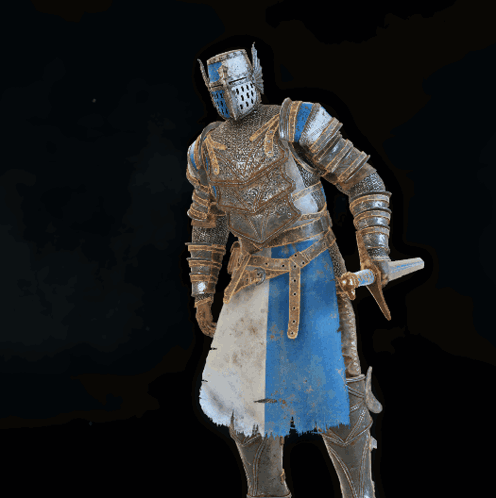
<@&1216123318122577972> The github repo has been updated. You still need to use the old game assets, but now we use the correct wrapper 2024.4, which means Porgy should no longer crash. A new gmloader has also been added which better organizes things by keeping game assets inside the gamedata folder. There is a small audio buffer glitch that might not be too noticeable, but gmloader will be updated at least one more time before this gets pushed to release. Thank you all so much for bearing with me and testing!
Massive thanks to @high oriole and @chrome helm for their efforts this week in improving gmloader to make modern GameMaker ports function!
 chrome helm
round creek
Massive thanks to <@141306923638063104> and <@595710485815492622> for their effo...
chrome helm
round creek
Massive thanks to <@141306923638063104> and <@595710485815492622> for their effo...
Always happy to help !!
supple urchin
awesome stuff, in a few days i should have a proper handheld that isn't a raspberry pi to test it out :]
i still want to help with the scaling stuff, i believe i should be able to mod the settings screen... just have been busy with other things
round creek
supple urchin
i still want to help with the scaling stuff, i believe i should be able to mod t...
That’s pretty much done for the handheld side of things. 🙂
supple urchin
i remember you changed the strings, but a integer scale option would be nice, unless you got to that too?
round creek
Not specifically, but I thought the game already did that. Maybe not.
supple urchin
nope, the pixels are all uneven
i know what to change in the scale code i made to do it
 trim mauve
So is the general opinion that 1GB devices aren’t going to be able to run this thing
round creek
trim mauve
So is the general opinion that 1GB devices aren’t going to be able to run this t...
They will run most games. I have yet to test the latest updates since utmt can’t load 2024.8.
trim mauve
Cool 😎
round creek
Welp there’s a pr on utmt’s repo and it’ll load ufo50. Guess I’m doin ports tonight.
surreal gulch
supple urchin
awesome stuff, in a few days i should have a proper handheld that isn't a raspbe...
Oh no, you've been sucked into the retro handheld void. Escape while you still can
round creek
surreal gulch
Oh no, you've been sucked into the retro handheld void. Escape while you still c...
Wait till they try to make a port
supple urchin
surreal gulch
Oh no, you've been sucked into the retro handheld void. Escape while you still c...
roger that boss will throw away the package as soon as it arrives

 kindred void
round creek
Wait till they try to make a port
kindred void
round creek
Wait till they try to make a port
Yeah, I have made that mistake 😄
surreal gulch
Surprisingly, for how many I have, I haven't made that mistake yet
I was going to try this game, but judging by jeods tales, I think it's probably good he beat me to it.
round creek
surreal gulch
I was going to try this game, but judging by jeods tales, I think it's probably ...
Half of it was pushing johnny to continue work on gmloader, and k-dog to perfect his audio compression script 😄
This one practically required having such connections.
We’re also not out of the woods yet.
surreal gulch
Yeah I wouldn't have even entered them if it were me lol
I barely figured out opening the fuckin .win file
chrome helm
surreal gulch
I barely figured out opening the fuckin .win file
Reading the data.win with hexdump is fun if you don’t know what to do 
surreal gulch
Yeah I may have tried that.....😓
surreal gulch
supple urchin
roger that boss will throw away the package as soon as it arrives
Which one you get anyway 👀
supple urchin
surreal gulch
Which one you get anyway 👀
#📱|handhelds-chat message
round creek
Ok, the newest version no longer maintains aspect ratio.
Both modes fill the screen, the maintain aspect ratio overscans.
chrome helm
You could locally make a git repo of the gml code and commit the two or three releases to see the changes
I mean every changes 😁
round creek
I fixed it
<@&1216123318122577972> New commits! Gmloader can use 2024.8, and a UTMT pull request was able to open the game and add the patches, so I made a new xdelta too! I have the latest Steam data running on my RG40xxH currently. Porgy loads.
If you don't mind please grab the latest from the repo and try it out! 🙂
surreal gulch
round creek
Both modes fill the screen, the maintain aspect ratio overscans.
ouch, any hope of fixing that, or do i get to deal with eggs instead of circles?
round creek
surreal gulch
ouch, any hope of fixing that, or do i get to deal with eggs instead of circles?
I already fixed it.
surreal gulch
also a neat find i made thanks to jeod and another user on the fan discord that has no practical use ||theres a variable called global.arcadeCabinetMode that you can toggle in gml_GlobalScript_scrInit and if you rebuild the .win it puts the game into a pseudo arcade/kiosk mode||
surreal gulch
round creek
I already fixed it.
once my rgb30 is charged ill test then
thanks for all your work
round creek
surreal gulch
also a neat find i made thanks to jeod and another user on the fan discord that ...
Yeah I asked Johnny about passing arguments to the game that way, in Steam if you use the -arcade launch option it'll do that.
surreal gulch
oh no way, nobody had found that yet
round creek
Really?
surreal gulch
yeah
round creek
I saw it and figured folks already knew about it.
surreal gulch
nope, howd you notice?
round creek
I went digging in the datafile with utmt last week remember?
surreal gulch
no i mean, i dont see it interpreting launch args, unless im blind
round creek
Gmloader can't interpret launch args
But I saw -arcade in the init script and knew it was a launch option.
surreal gulch
round creek
I saw it and figured folks already knew about it.
the fan discord has a ban on datamining discussion for hopefully obvious reasons
surreal gulch
theres nothing to find that hasnt been documented, the game seems to actually generate at least 1 known code per save, so its not sitting around in plain text for the important stuff
in regards to terminal codes at least
i got put on the scent of arcade mode because i was talking with someone poking at it and they found a code that didnt do anything, and i found it works in arcade mode
(turns the settings menu back on)
 small eagle
Hey just noticed this. I was wondering, if this was possible, because it would be perfect for handheld. Thanks @round creek ! Now to read through all this and figure out why the latest steam version doesnt work on my rg35xx h with the latest muos test release :D. I havent done even basic diagnostics, so cant say if it is just me. I intend to try to run it through ssh first, because Im not even getting any log.txt
round creek
small eagle
Hey just noticed this. I was wondering, if this was possible, because it would b...
You need the portmaster beta branch in the gui
small eagle
Ill get back to it soon. Thanks!
small eagle
Oh yeh, this launches. That patcher is funny 😄
I need to figure out how that works for my Axiom Verge 2. (It is not dead, Ive just done a couple of optimizations with mixed results. I hate ARM gpus)
Oh wait.. is that a diff patch? NICE :D.
Wait, is the diff patcher the reason for the PM update?
small eagle
 vagrant pulsar
Not the only reason
vagrant pulsar
Not the only reason
Of course, Ive meant just in the case of UFO 50
Im really happy to see PM getting better and better. I wonder if the speculated proton for arm 64 is going to be a thing. Based on Wine + box64 and not just Wine? Maybe?
@vagrant pulsar Is the patcher animated by pallet cycling, or is that just a gif?
vagrant pulsar
Neither 😄
small eagle
By friendship and happiness?
dusty holly
small eagle
<@449527391157485568> Is the patcher animated by pallet cycling, or is that just...
Spritesheet 🙂
Made it in aseprite, then just render it with love2d
small eagle
just flipbooking then, ok 😄
dusty holly
Basically just how every 2d game does its animations😄
small eagle
I have my small wish project for handhelds after AV2, where I try to make a very simple, but heavily optimized opengl engine with focus on 2d and palette swapping animation
yep
classic, modern approach
small eagle
round creek
You need the portmaster beta branch in the gui
It lives! Going to try one game, then leave it for now
Bug Hunt works fine
So thank @round creek this is already basically what I wanted 😄
round creek
I'll playtest a few more games later and then I think it might be time to release this one. Gmloader does need a couple edits, so I'll see if I can add those in before the push to release.
chrome helm
round creek
I'll playtest a few more games later and then I think it might be time to releas...
Btw, the game plays demo when you don’t touch it. It’s an easy way to run tests 🤓
round creek
chrome helm
Btw, the game plays demo when you don’t touch it. It’s an easy way to run tests ...
It's ready
Anyone wanna give it one last arkos test?
@trim mauve FYI this is in a releasable state now and is good for 1GB devices (at least for H700, tested with rg40xxh)
trim mauve
Sick!
willow pebble
round creek
<@268455861230370826> FYI this is in a releasable state now and is good for 1GB ...
on both knulli and muOS?
round creek
willow pebble
on both knulli and muOS?
I only tried muos but knulli should be fine as well
willow pebble
welp looks like I'm gonna have to pick this one up on steam 😛
round creek
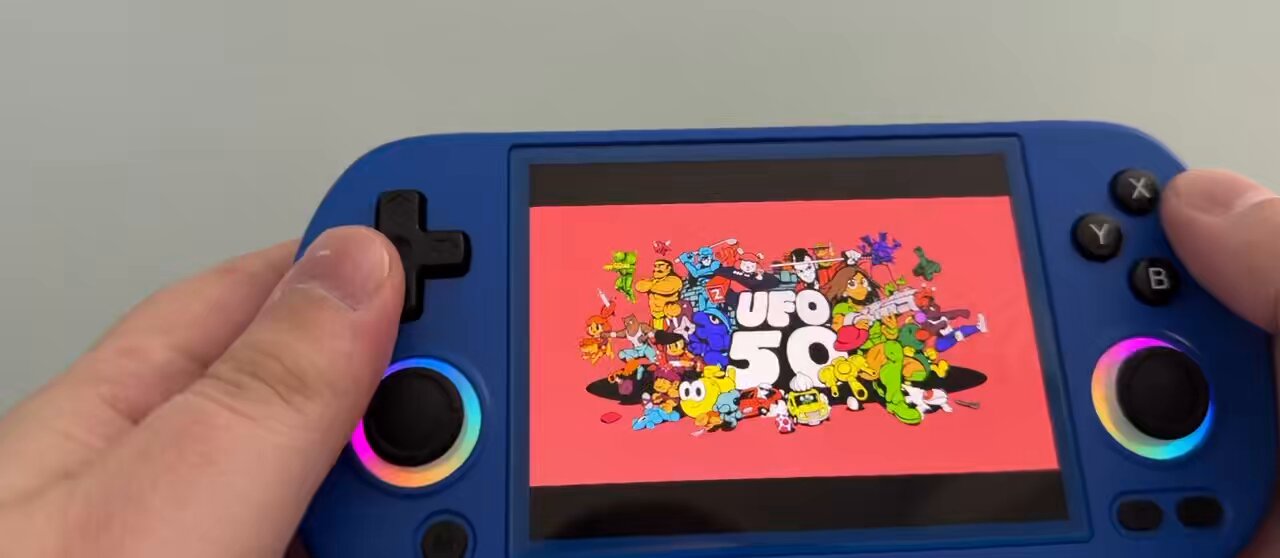
 round creek
willow pebble
welp looks like I'm gonna have to pick this one up on steam 😛
round creek
willow pebble
welp looks like I'm gonna have to pick this one up on steam 😛
Yeah latest steam data works now, no downloading old depots
Save transfer should be fine as well
kindred void
🤯
trim mauve
round creek
<@268455861230370826> FYI this is in a releasable state now and is good for 1GB ...
do I no longer need to use the 1.0 version?
Oh saw you just said this
sorry
supple urchin
which version of utmt should be able to open the new game.droid?
i want to poke at the settings screen
round creek
supple urchin
which version of utmt should be able to open the new game.droid?
GitHub
The most complete tool for modding, decompiling and unpacking Undertale (and other GameMaker games!) - UA: Add rough check for CodeLocals' removal from FUNC in 2024.8 · UnderminersTeam/Unde...
supple urchin
ty
round creek
It's a bit buggy and has potential to corrupt some stuff when it saves, so make backup copies of things.
supple urchin
gotcha
supple urchin
hm is there an easy way to test this out on a windows machine without having to bring it up on my raspberry pi?
i've made changes to the scaling and menus
round creek
Rename it to data.win, backup the original, and put it in the ufo50 folder for steam
supple urchin
ah so it should still run with the windows runtime
trim mauve
should i hold off on installing this version? is there some kind of scaling update coming thru?
supple urchin
i just wanna add integer scaling as an option
won't affect much if you don't want that
trim mauve
oh i would prefer integer scaling so I'll hang out
supple urchin
hm, problem is it runs in fullscreen on 1080p so all the options do the same running it on this screen : ^)
trim mauve
hmmm my install failed on arkos, i just got kicied back out to the OS menu let me see what I did wrong
round creek
trim mauve
hmmm my install failed on arkos, i just got kicied back out to the OS menu let m...
Are you on the portmaster gui beta branch?
trim mauve
I don't know, I got my files from here https://github.com/JeodC/PortMaster-UFO50

GitHub
A port of UFO 50 to arm64 devices via PortMaster. Contribute to JeodC/PortMaster-UFO50 development by creating an account on GitHub.
Do I still need to include the UFO 50.sh file in my ports folder? Because I did that
I tried again and am still getting kicked back to arkos hm
round creek
You need to open portmaster app and in the options menu there switch your branch from stable to beta
trim mauve
ok
supple urchin
Memory allocation failed: Attempting to allocate 18446744073275342480 bytes
i need 18 exabytes of ram to play ufo 50 😰
trim mauve
lmao
trim mauve
round creek
You need to open portmaster app and in the options menu there switch your branch...
mine was set for release channel: beta
round creek
So if you're already on beta, upload your patchlog.txt file
trim mauve
oh i toggled on experimental ports
and now i'm getting the loading screen nice
i also was asked to update portmaster
so that might have been what fixed it up
round creek
@supple urchin Did integer scaling, tested, and they sent their modifications over so I'll add them to the xdelta tonight and commit that.
Since xdelta happens before audio compression this means re-doing it. Sorry!
You can speed it up by only copying the data.win to the gamedata folder and ignore copying audiogroups over, then delete patchlog.txt
supple urchin
was about to say lol
round creek
So to reiterate, assuming you have a working ufo50 port:
- Audiogroups are already compressed and inside game.apk
- Data.win needs xdelta reapplied, so copy original data.win to
ports/ufo50/gamedata - Delete
gamedata/game.droidandpatchlog.txt - Launch the game, ktool will perform the changes required on
data.winand not have to recompress audiogroups
Follow the above steps whenever a new xdelta is committed and it'll all be much faster. 🙂
willow pebble
I assume to test the most recent version of this I use the files from your github?
round creek
Yep, I'm about to do the new xdelta
willow pebble
should i wait for that then?
 velvet peak
Its in the Tenor gif link, Gintama.
round creek
round creek
So to reiterate, assuming you have a working ufo50 port:
- Audiogroups are alrea...
@chrome helm Just wanna verify if this is correct, I can't tell if the game.droid was modified correctly.
I'm guessing not.
SOND entry 0000: {'name_offset': 54134548, 'name': 'bgm00_alpha_end', 'flags_raw': 103, 'flags': {'isRegular': 1, 'isCompressed': 1, 'isEmbedeed': 1}, 'type_offset': 0, 'type': '', 'file_offset': 54134568, 'file': 'bgm00_alpha_end.wav', 'effect': 0, 'volume': 1.0, 'pitch': 0.0, 'audiogroup': 2, 'audiofile': 0, 'audiolength': 31.5, 'rebuild': 0}
Error opening file //mnt/sdcard/ports/ufo50/gamedata/audiogroup2.dat
Audio compression failed.
Looks like for now we do have to go through the whole thing. I know he made some special way to get around it, but imo it would be easier to tick the data.win flags first and then do the compression part.
round creek
Commit is live
willow pebble
Do I just install it with the portmaster autoinstaller?
as in download the zip from: https://github.com/JeodC/PortMaster-UFO50/tree/main and put in autoinstall folder?

GitHub
A port of UFO 50 to arm64 devices via PortMaster. Contribute to JeodC/PortMaster-UFO50 development by creating an account on GitHub.
round creek
That could work I think.
Maybe.
I dunno actually. I just place files manually.
Lol integer scaling on 640x480, guess it can't actually scale to 2x though at that res.

Too bad I couldn't figure out the crt shaders.
Tested integer scaling on 1920x1152 and it works perfectly.
 nocturne trout
Will this require a device with more than 1gb of RAM?
round creek
I took that requirement off, I'm running it fine on rg40xxh which is 1GB.
I shrank the texture pages to 256x256
willow pebble
I'm patching
 loud sky
Do the trouble games run better on 1GB now?
willow pebble
guess I didn't place the boxart in the right spot as its not showing but other than that so good so far
round creek
loud sky
Do the trouble games run better on 1GB now?
Yep
loud sky
Nice
supple urchin
round creek
Lol integer scaling on 640x480, guess it can't actually scale to 2x though at th...
384 * 2 is 768 so it won't work even on a 720x720 handheld 😅
but it will work nicely on my 1280x480 ultrawide cyberdeck since 216 (the height) * 2 is 432
round creek
Good thing there are three options.
supple urchin
on a 1280x720 screen it'll scale to 3 with minimal borders
on desktop ufo 50 you can only get integer scale there if you manually set the scale factor instead of setting it to fill
my code is smarter and picks the scale automagically :^]
(floor(scaleFactor), very smart)
round creek
 willow pebble
everything seems good on ArkOS rg353v
which ones are the hard to run ones to try out on the rg35xxh whenever it finishes patching
round creek
Ninpek, Velgress, Zoldath
willow pebble
they seem to run the same on the 35xxh on knulli
I can't tell the difference playing them side by side
surreal gulch
round creek
Ninpek, Velgress, Zoldath
Still running a bit slow to me on these three on the rgb30
Like maybe I'm crazy, I'll try wiping the folders and copying the new repo in one more time, but it seems roughly the same, besides zoldath not outright crashing
round creek
surreal gulch
Like maybe I'm crazy, I'll try wiping the folders and copying the new repo in on...
You're running rocknix or jelos right? Maybe try the cpu governor?
trim mauve
Everything I tried was running slow on RG351v
Do I need to change anything to 1x again maybe?
surreal gulch
round creek
You're running rocknix or jelos right? Maybe try the cpu governor?
Looks like Governor for ports folder is already set to performance for CPU, and best performance for GPU, but I'll try setting the overall system governor in case something is going iffy. Also switched to panfrost to see if that changes anything
willow pebble
guess I should try these on my pc to see how they are supposed to run lol
oh yeah they are definitely running equally slow on both devices 🙂
round creek
willow pebble
guess I should try these on my pc to see how they are supposed to run lol
That's like the common sense of testing ports lol
willow pebble
I did not sleep much last night and the kids have been in quite the mood today, brain not working at max capacity
surreal gulch
round creek
You're running rocknix or jelos right? Maybe try the cpu governor?
With overall governors set to best performances and panfrost there's no difference, for completeness sake I'll try again back on libmali
Hung on exit, but that could be an anomaly
round creek
I think I've done all I can though. On the H700 soc those games seem to run at 30-40 fps, which is ofc slower than the 60 fps stable you expect on pc.
You could check the patchlog.txt too and verify the xdelta and compression was successful.
Tell es to use less vram too
willow pebble
I guess the rk3566 isn't much different
surreal gulch
round creek
Tell es to use less vram too
That's something I haven't tried, lemme do that
Having trouble finding a setting for that
round creek
It's been a while since I used es...uh, system settings or developer tools?
surreal gulch
Not seeing that unfortunately
I would test ArkOS, but it just won't boot on my device
surreal gulch
round creek
You could check the patchlog.txt too and verify the xdelta and compression was s...
Here's the patchlog, and regular log
round creek
surreal gulch
Here's the patchlog, and regular log
Ok everything went well there
Has to be a vram issue
rich beacon
This is live full release already? You are madmen and madwomen
round creek
rich beacon
This is live full release already? You are madmen and madwomen
2 weeks of labor
vagrant pulsar
First port to be released with the new port stuff too once its approved.
round creek
vagrant pulsar
First port to be released with the new port stuff too once its approved.
Iosas and Zelda 2 😉
I guess I’ll go update the launchscript for those
vagrant pulsar
yeah i gotta look at them. Got distracted with other stuff this arvo.
 civic yacht
I’ll rework and PR jetlancer thereafter :p
small eagle
Hey guys, are any of the games still untested? If it helps, I might take a look at them later.
round creek
terse heron
How are we looking for slowdown?
H700 etc seems fine, older rockchips are chugging a tad.
terse heron
Looks like the group has worked on gmloader next a bit? I’m wondering if it would change anything for void stranger
round creek
terse heron
Looks like the group has worked on gmloader next a bit? I’m wondering if it woul...
Only using gamedata subfolder for data files really.
Existing ports won't have a performance boost, all of the changes aside from gamedata are helpful for 2024.4+ wrappers.
surreal gulch
round creek
H700 etc seems fine, older rockchips are chugging a tad.
Got a pointer from the ROCKNIX people to edit a cfg file, gonna do that and recheck
round creek
surreal gulch
Got a pointer from the ROCKNIX people to edit a cfg file, gonna do that and rech...
Which one and why? 🙂
surreal gulch
round creek
Which one and why? 🙂
The ram setting isn't exposed in the menu, however it should be present in one of the es cfg files
terse heron
So it looks like the patch now works with the latest steam version?
round creek
Yep
terse heron
Significant slowdown on warp tank also on h700
Anyone else getting significant audio latency when selecting options in the menu?
I don’t remember this happening originally
terse heron
Will do
It’s a minor thing
This is the week I can try to potentially help with some patching for slowdown
Congrats on release though
I’m sure it runs well on even slightly faster handhelds haha
supple urchin
i will mention that it's probably none of what's been noted so far, but, UFO 50 does have a few spots in a few games that do artificial slowdown in order to feel like an authentic old game
i think in the shmups mostly
terse heron
Ninpek runs slower than a modern game by default for sure but I didn’t notice any slowdown on pc
Any idea which games?
supple urchin
not off the top of my head but i think it's easily searchable in utmt
terse heron
What’s crazy is that star waspir seems to be almost full speed
Must be because of better memory management/not loading the entire game as a single room
surreal gulch
so manually setting a vram limit for es didnt help, but i have a hunch, so im setting up an entirely blank sd card except for portmaster and ufo50 rto see if my library size could be causing high ram usage
 hybrid delta
so would this run ok on RPI4?
surreal gulch
okay at this point im out o things to test i think, even a blank fresh sd card with only portmaster and ufo50 was slower than it should be
everything is at least playable, just dissapointed
its entirely possible im just the exception
hybrid delta
surreal gulch
okay at this point im out o things to test i think, even a blank fresh sd card w...
what device are you using?
hybrid delta
ah RGB30
supple urchin
hybrid delta
so would this run ok on RPI4?
using KMSDRM_LEGACY i got almost playable results on 3, i imagine 4 would play it smoother
using default KMSDRM it's too slow
on dietpi for reference
keep in mind to run this on pi without portmaster it takes doing a lot of things by hand - patching the files and tweaking the run settings in the main script
round creek
Anyone with a bluetooth controller wanna connect it and see if you can do 2 players on this port?
supple urchin
the back of the box says my R36S has WiFi and Bluetooth, wonder if that's a misprint or they updated it to have it, listing didn't mention anything
if it has Bluetooth i can try it
right now i have lost it to my partner playing Tetris on it so don't expect that so soon :]
round creek
supple urchin
right now i have lost it to my partner playing Tetris on it so don't expect that...
Time to buy another one
The most useful thing these handhelds have done for multiplayer is connecting with my spouse in Stardew Valley. We took a vacation a while back and I set up SDV on two of them, and imported our PC save. On the trip, hooked them both up to my phone hotspot and we just kept going like nothing happened, then when we got home imported the save back to PC.
Great for the kids to join in, too. They have a much easier time playing on these than on a computer at their age.
supple urchin
i asked her if she wanted one and she didn't because she already has her DS, and yet now here we are :p
round creek
I don't even use my 2ds anymore despite it being homebrewed
Waaay more flexibility here
supple urchin
supple urchin
the back of the box says my R36S has WiFi and Bluetooth, wonder if that's a misp...
yeah bogus i think, tried to scan and the WiFi list came back empty
so likely won't have Bluetooth either
vagrant pulsar
supple urchin
yeah bogus i think, tried to scan and the WiFi list came back empty
Might be that it “supports wifi”, if you plug a dongle in.
round creek
Ah yes the good old days. I started with a RG351p and later soldered a WiFi card into it.
And now I have anchor arms and everybody loves me.
supple urchin
vagrant pulsar
Might be that it “supports wifi”, if you plug a dongle in.
yeah it's just that it says 2.4/5, a/b/g/n, Bluetooth 4.2 etc.... as if it had a specific hardware that did all that, since a dongle you plug in yourself won't necessarily match that
i wasn't expecting it to have WiFi, i just thought the back of the box was weird. the other specs match
chrome helm
round creek
Anyone with a bluetooth controller wanna connect it and see if you can do 2 play...
What game should I play ?:
 fallen sun
Would the TrimUI Smart Pro play all 50 games full speed? Interested in getting a UFO50 machine, and that one has 16:9 and higher power than most
round creek
chrome helm
What game should I play ?:
Uhm idk
chrome helm
I'll have a try today
 nova kindle
TIL muOS doesn't yet support BT controllers on the SP
 paper tusk
Hey so excited to see this come to Portmaster! I'm still pretty new to this so just want to clarify... can I just load up the windows game files for this? For instance would I follow the example used for Half-Life on the RGC guide? https://retrogamecorps.com/2024/07/12/portmaster-starter-guide/

Last updated: 24JUL2024 (see Changelog for details) It’s been a few years since I made a proper PortMaster guide, and there have been lots of updates to the platform since then. PortMaster st…
paper tusk
Sorry if I'm coming off as dense but all I see there is "Purchase the game on Steam and add the game data to ports/ufo50/gamedata." Do I just do this with the Windows gamedata?
round creek
Yeah it assumes you’ve used the PortMaster app on your device to download the port first
Then you copy paste your windows data into the gamedata folder
Then you run it
paper tusk
Perfect, thanks so much! Will try it out, so excited to see this land so quickly. Great work!
round creek
Thank you!
fallen sun
Hello, is there a noticeable performance difference between 35xxsp and trimui smart pro for this game? Do all games slow down when framerate slows down?
round creek
Performance depends on the size of the rooms the engine loads into memory. Ninpek, Zoldath, and Velgress are all examples of this. The more vram you have the better performance you’ll see.
kindred void
supple urchin
the back of the box says my R36S has WiFi and Bluetooth, wonder if that's a misp...
They just copied specs from some anbernic box, it has no built in wireless capability
supple urchin
kindred void
They just copied specs from some anbernic box, it has no built in wireless capab...
yeah #1288994462231429160 message
kindred void
round creek
Performance depends on the size of the rooms the engine loads into memory. Ninpe...
Has anyone tested 2gb 3566 vs 1gb for these?
round creek
Not to my knowledge.
kindred void
Hmmm.. I should finally buy the game and just throw it at ace
round creek
Game has good sales for launch week
Playercount is high
PortMaster releases it
Slight sales boost
Lower playercount
Wtf.jpg
This is why I'd love to have some kind of lightweight steam integration :p
chrome helm
round creek
Anyone with a bluetooth controller wanna connect it and see if you can do 2 play...
Tested with hunter. Two players works. rg40xxh + knulli + 8bitdo zero gamepad
kindred void
-hmmmmm... despite being on 24.10.07-1145 and having love_11.5 in runtime folder, rocknix seem to have issues running it on all my devices
env: can't execute '/roms/ports/PortMaster/runtimes/love_11.5/love.': No such file or directory
yet its there and folder looks identical to one on muos where it patches merrily
 round creek
kindred void
-hmmmmm... despite being on 24.10.07-1145 and having love_11.5 in runtime folder...
round creek
kindred void
-hmmmmm... despite being on 24.10.07-1145 and having love_11.5 in runtime folder...
@vagrant pulsar
supple urchin
looks like it's looking for love. while you have love.x86_64 and love.aarch64
maybe the script is not filling in the arch correctly
round creek
Seen some reports the patcher doesn’t work on trimui either
chrome helm
kindred void
-hmmmmm... despite being on 24.10.07-1145 and having love_11.5 in runtime folder...
I'll test on rocknix
kindred void
I should have bought this earlier 🙂
chrome helm
It was working in the N-1 port build for me on rocknix
I haven't tested the last version of UFO with last port build on rocknix
hum, indeed 😄
supple urchin
got my R36s updated with latest arkos and latest portmaster, downloading the ufo 50 from the frontend now :]
chrome helm
even pm_platform_helper and pm_finish are missing on rocknix
chrome helm
kindred void
I should have bought this earlier 🙂
there is something odd #portmaster-dev message
dusty holly
round creek
Seen some reports the patcher doesn’t work on trimui either
Works fine on mago, tsp has some weird bash issues so that may be why
supple urchin
supple urchin
got my R36s updated with latest arkos and latest portmaster, downloading the ufo...
patching ☕
chrome helm
supple urchin
patching ☕
Add one or two more coffees
 round creek
supple urchin
round creek
supple urchin
My coffee machine wouldn't brew this morning and made a loud hissing sound like it was gonna explode, so I grabbed the kids and made a walmart trip to buy a new one. Coffee is critical.
chrome helm
round creek
My coffee machine wouldn't brew this morning and made a loud hissing sound like ...
 supple urchin
patching on R36s took roughly 20 minutes, didn't time precisely
high oriole
round creek
My coffee machine wouldn't brew this morning and made a loud hissing sound like ...
"I don't have a problem, I don't have a problem, I don't have a problem, I don't have a problem"
round creek
high oriole
"I don't have a problem, I don't have a problem, I don't have a problem, I don't...
 supple urchin
trying out pilot quest first, definitely slower than fullspeed
dusty holly
The r36 is going to struggle if the H700 stuff has slowdowns😄
 sudden tapir
Got this after a fresh install, crashes after an instant patch
round creek
Had an inspiration. Saw some asking about steam achievement compatibility, decided to delegate arcade mode to an ini file instead of launch argument since we can't make use of it. Using arcade mode just treats the game like an arcade cabinet I believe and won't affect your save file, so you won't have to worry about "missing" achievements. Can be toggled on or off.
kindred void
So patching takes about 5minuts on 3588, I expect its gonna be even faster on SD865
unsuprisingly minigames like Ninpek, Valbrace or Zoldath run juuuust fine
rich beacon
I just had no luck on trying to install on RG 353P, will try again in a bit. It didn't boot to the installer/compressor
chrome helm
rich beacon
I just had no luck on trying to install on RG 353P, will try again in a bit. It ...
If you're using Rocknix, there is a little general issue atm
not related to this port in particular
rich beacon
ArkOS, will update everything and try again
chrome helm
rich beacon
ArkOS, will update everything and try again
You need to have PortMaster up to date and use the last release of UFO 50
rich beacon
That was my fail, I hadn't booted up in a while and didn't run the usual
rich beacon
Running the patch now, you folks are the bee's knees.
 limpid shoal
does this run on Rocknix? What about MuOS?
 rustic lark
limpid shoal
does this run on Rocknix? What about MuOS?
rustic lark
limpid shoal
does this run on Rocknix? What about MuOS?
every port in the catalogue is tested to run on arkos, amberlec, rocknix, and muos 🙂
round creek
It will work on muos, rocknix I think has an issue with the latest PortMaster app. Don’t know the latest status of that.
If you do the patching on muos and send the data over to rocknix it’ll run
limpid shoal
great to hear, I'll try as soon as I can!
chrome helm
round creek
If you do the patching on muos and send the data over to rocknix it’ll run
Indeed, the patched ufo50 works on rocknix with the rocknix/PM issue
supple sphinx
round creek
If you do the patching on muos and send the data over to rocknix it’ll run
Ok.. I had a similar experience with Rocknix not working. I'll try this since I have a MuOs device too. Thanks for that tip.
supple urchin
mini & max running (almost?) full speed and with bilinear filtering on R36s
hard to play with one paw
@round creek
"RK3326 is too weak for this game" lol
round creek
Oh nice
supple urchin
the bottleneck in ufo50 is all gpu
round creek
I’m happy to do an update
supple urchin
i'll send you details once i test further
round creek
Does that fix the other games too?
supple urchin
ouuhh i see yeah, hadn't tried zoldath yet
no that one is a slog
i think for those with large rooms etc the bottleneck will be in cpu
or swap
but everything that was just under fullsped on R36s is now playable
well. ok no that's a bold claim. i only tested mini & max lol
but the intro sequence is also majorly sped up. that has a lot of moving stuff
campanella seems full speed
the R36s wasn't getting anything fullspeed before. now a lot of it is
i count that as a win
and i can add an option in the menu for bilinear filtering (it's just forced false on every frame originally)
makes it look great if you can't have integer scaling
round creek
That’s some solid work you’ve done there. Thanks!
supple urchin
hm onion delivery is really slow even just on the initial cutscene. and then it crashes
i wonder what the game is loading up to chug that much. there's gotta be some bad loops somewhere
i know it has a big room but i wouldn't expect it to be loaded before it's shown, which means something else must be the cause of slowdown
round creek
 supple urchin
nearly 20 years of software engineering with a side hobby of game programming haha
i might have never had poked at GML before but it's all pretty much the same :]
the main thing is that to prepare for the CRT shader call the game draws its content into an intermediary surface, and then draws that with shaders on, or just stretches it
if you get rid of all that and just do one surface draw call, since we're forgetting about shaders anyway, it cuts a lot of the gpu load
and i just poked at it for like 20 minutes, i'm sure there's more optimizations to be had
round creek
Here’s the thing, I’d like the devs to not go YYC with updates. Being able to poke at it and optimize it actually helps them, too. Anything that does work better for loops etc without compromising the original game is something that should be sent up the chain.
Maybe it won’t convince them, maybe it will. But it’ll help the game.
supple urchin
upstream all the PRs!!! 🌠
supple urchin
porgy is quite slow but at least it runs
pilot quest doesn't slow down much when going into wilderness, wonder if the screen transitions there have proper optimization for swapping rooms or something
on a second try i got onion delivery to run, it's slow but playable
i wonder how much can be done to optimize big rooms without manually splitting them
mini and max and pilot quest are both full speed-ish playable on R36s, when people said it couldn't be done :]
i'm gonna feel good about that for a while
supple urchin
oh huh that's... certainly a way to store your attract mode replays

it's 3834 lines long if you're wondering
chrome helm
supple urchin
oh huh that's... certainly a way to store your attract mode replays
I don’t code a lot (I’m not expert in dev) but I don’t remember seing optimized GML code
It’s always a bunch of global variables
supple urchin
starting to think the games that are unplayably slow are not necessarily due to the size of the room itself but the amount of objects that get instanced
supple urchin
overbold runs great, i just suck at it too much to play long
velgress is slow but not unplayable? i think it's because every single platform is an object
porgy and ninpek have hundreds of objects loaded
i have some ideas for those, but right now all i've done was make it crash
interestingly i thought caramel caramel would run slow because of the stage length but that runs perfect
fist hell runs slow except in the survival mode gym
wow, elfazar's hat runs full speed
i really doubt it's the room size but rather how each game handles objects
i'm really happy i can play most of these portable now, i want to keep poking at it to try getting the others to run well too
round creek
I think games should be deactivating objects outside the camera view…maybe not all games do that.
I also read last night that draw texture flush is ideally in the create event for every room.
supple urchin
i traced the wrapper function made to deactivate objects outside view and yeah i think not all games make use of it, or at least use it well
that's what i was going to explore next, tomorrow
supple urchin
so i've done a bit of a refactor on all the screen code - the game expects to be windowed so it's calculating the scaling every single frame
handheld screens don't physically change size, so that has moved to a place where it only calculates that when it changes (when you pick an option)
works out well except for the game init, which scales weird until you pick an option. working on fixing that now before i send jeod my updates
i think the display is initialized with a "window size" that's bigger than the screen, which is where the problem lies
(this lines up with the buffer resize stuff Jeod saw too)
by the way, the scale x2+ slowdown i don't think had anything to do with the screen actually being scaled. it had to to with x2 and up activating the shaders
 sage flicker
Hey all, just updated through Portmaster and now UFO50 just loads a black screen with no sound.
ArkOS, RG353PS. I'll get my log in just a sec.
round creek
sage flicker
Hey all, just updated through Portmaster and now UFO50 just loads a black screen...
Did it run the patch?
Looks like it didn't zip the audiogroups correctly, can you upload your patchlog.txt?
sage flicker
I patched the game previously, this only happened after I updated. But I can get the patchlog, one moment.
round creek
Ah if you redownload the port it replaces game.apk, which the audiogroup files get zipped into.
That means you have to repatch it sadly.
sage flicker
Oh dang. So I'll have to re-patch after every update?
round creek
You can back up your game.apk and add it back afterwards
That file will most likely not change after updates
Then when you copy gamedata over only copy the data.win file etc and leave the audiogroup files out of it
supple urchin
what if we name our base apk something other than game.apk so that it doesn't replace a patched one containing audio
since that's never the one gmloader is meant to be running anyway, so it doesn't need to be named game.apk
sage flicker
I may wait a few days for the shader changes to be fully implemented before I re-patch, then. , but I appreciate the help!
supple urchin
i already sent off that update to Jeod, we're just making sure everything works and it should go out later today
round creek
<@&1216123318122577972> mavica did some adjustments for the xdelta for performance, the new xdelta is live if you want to give it a try for lower power devices.
supple urchin
the games that were unplayable on H700 will still be, but everything else should become playable on RK3266
for those particular games, specific optimizations will be necessary for each game i suspect
supple sphinx
round creek
<@&1216123318122577972> mavica did some adjustments for the xdelta for performan...
Download from PM app on device to try the new live build? Delete everything and start fresh?
round creek
supple sphinx
Download from PM app on device to try the new live build? Delete everything and ...
Not on gui yet
On repo in pin
willow pebble
kindred void
Has anyone tested 2gb 3566 vs 1gb for these?
I did and it was identical
havent tried with the new adjustments yet though
supple urchin
i don't think RAM amount will help, i think it's a CPU bottleneck with the amount/logic for every object in certain games
 raven pantherBOT
supple urchin
i don't think RAM amount will help, i think it's a CPU bottleneck with the amoun...
raven pantherBOT
supple urchin
i don't think RAM amount will help, i think it's a CPU bottleneck with the amoun...
Every port has a log.txt generated in ports/{portfolder}, please drag and drop it to discord for help.
supple urchin
logical
anyway it's less to do with the games' sizes and more with how they're coded
i'll investigate more.. can't promise everything will be playable, but it's already a lot better
like at a certain point it's down to the devs optimizing their game, not always is it a drop-in solution like disabling the shader code
round creek
supple urchin
i don't think RAM amount will help, i think it's a CPU bottleneck with the amoun...

@civic marten chill the logbot bro
willow pebble
these days pc games seem to be more and more poorly optimized and we are just expected to throw beefier hardware at the poor optimization
round creek
willow pebble
these days pc games seem to be more and more poorly optimized and we are just ex...
True
I love reading about how the old game carts worked, how programmers had to do interesting hacks and stuff to cram all their game onto the cart.
supple urchin
Wirth's law is an adage on computer performance which states that software is getting slower more rapidly than hardware is becoming faster.
The adage is named after Niklaus Wirth, a computer scientist who discussed it in his 1995 article "A Plea for Lean Software".
 civic marten
round creek
<@201787182975811585> chill the logbot bro
civic marten
round creek
<@201787182975811585> chill the logbot bro
Haha, I see what happened. Lol I'll get it updated
loud sky
Interesting, so the h700 is actually slower than the 3326?
supple urchin
the new patch will improve gpu usage for all chips
but the games that are slow for reasons other than gpu usage will still be slow
so the games that were already too slow for h700 will still be even on lower chips
supple urchin
yes it is, my wording meant that those games that are bad even on the good chip won't get better
chrome helm
same freq though
vagrant pulsar
On paper they’re very similar. But the h700 seems to outperform it in real world usage.
chrome helm
supple urchin
yes it is, my wording meant that those games that are bad even on the good chip ...
understood
velvet peak
There is no way to tell gmloader to ignore shaders in some way? Are all games using unique codes for them?
supple urchin
it was less about using shaders and more all the ancillary code that drew everything into a buffer and then that buffer into the screen, in preparation of using shaders if you had them enabled. i made it simply draw directly to the screen and removed any buffer or shader calling code instead
i can't imagine how a loader would do that automatically without decompiling and analysing the code
round creek
The old version of gmloader disabled depth
supple urchin
which is a call you can add, rather than remove and rework code
 rancid coral
How long does it take to install patches?
Black screen for about 10 minutes now.
vagrant pulsar
about 30 minutes.... but it shouldnt be a black screen?
rancid coral
vagrant pulsar
about 30 minutes.... but it shouldnt be a black screen?
Yes, there is a black screen, but there is no inscription, it would be better if there was a picture with text about 30 minutes) splash would be useful
vagrant pulsar
rancid coral
Yes, there is a black screen, but there is no inscription, it would be better if...
there should be
have you got the latest portmaster version?
rancid coral
vagrant pulsar
have you got the latest portmaster version?
yes I just updated today
I'll wait another 20 minutes if there's still a black screen, I don't think it's worth waiting any longer
vagrant pulsar
What CFW?
rancid coral
vagrant pulsar
What CFW?
ArkOS 353P
How much space is needed for patching? I had about 500 megabytes.
round creek
If you got a black screen then the game booted but couldn't find the audiogroup.dat files. Upload your patchlog.txt.
round creek
rancid coral
ArkOS 353P
How much space is needed for patching? I had about 500 megabytes.
Usually 1GB to be safe, the compression creates temp files and then replaces the originals at the end.
round creek
That's log.txt
Patchlog.txt will tell us what went wrong.
Also, be sure you're using the newest game data
Old versions won't work
rancid coral
round creek
Old versions won't work
I updated the necessary port master again and again updated the game itself from the port master itself
The game has started
A beautiful patch menu has appeared
I downloaded it from here before
https://github.com/JeodC/PortMaster-UFO50

GitHub
A port of UFO 50 to arm64 devices via PortMaster. Please report issues to the PortMaster-New repository. - JeodC/PortMaster-UFO50
round creek
Nice
dusty holly
round creek
Nice
New patch dropped today 🙂
round creek
Oh interesting they reverted their runtime to 2024.6
round creek
GitHub
UFO 50's v1.3.1 update changed some things around. Verified booting and functioning.
It's in
limpid shoal
I installed the new MuOS version on an rg40xx, I installed Ufo 50 from Portmaster and moved my game files from Steam in the folder. I booted it, i went through the patching menu but the patching itself took only a few seconds instead of several minutes as it said, now if i boot the game i get an opening screen, then it crashes
any idea about what i need to do to make it run?
round creek
Read the message right above you, the game got an update and I just put in the new xdelta like 30 minutes ago. It isn't live on the app yet.
limpid shoal
so I should just wait for the app to be updated or is there something I can do to fix it manually? I'm sorry but i'm not super familiar with github and I don't understand if there's something to download there
round creek
Check the pin and use my github repo, it's up to date.
Due to filesize limits I can't upload it here.
limpid shoal
I see, I appreciate the will to help but I'm really not tech-savvy enough I guess, I'll wait for the app to be updated XD
"use my github repo" doesn't really mean anything to me lol
round creek
limpid shoal
"use my github repo" doesn't really mean anything to me lol

Then you install it manually.
limpid shoal
oh ok, thanks, I couldn't find the download link and I was feeling super dumb 😄
btw thanks a lot for this, I've been waiting for Ufo 50 for ages
it finally being released and available on Portmaster so quickly is pretty amazing
round creek
It just got pushed to the gui
 sturdy spoke
anyone get it to work on ArkOS? Yesterday I setup most of my Rocknix devices with 1.2.2.1 but today, all the ArkOS systems just boot and finish patching in less than a second
with the 1.3.1 update, does that mean I have to update from 1.2.2.1 again?
round creek
sturdy spoke
with the 1.3.1 update, does that mean I have to update from 1.2.2.1 again?
Correct, I remade the xdelta a few hours ago.
I have yet to come up with a good system for patching only data.win.
sturdy spoke
thanks... i been caught up mid update I guess... it was quite annoying
hahah
will my previous installs (1.2.2.1) stop working if I update the ports files, going forward?
round creek
Yes
sturdy spoke
round creek
Yes
thanks for confirming! Really appreciate all your hard work
trim mauve
@round creek i'm installing it now on my 353m, I used the latest patch and the most recent version on your github
Any idea where performance is at on this chipset?
round creek
No clue
 halcyon epoch
i've tried to reinstall this on my RGB30 (ArkOS) 5-6 times after updating portmaster. still kicks me to the ports menu. I copied all my steam installed files into the gamedata folder but the patch ends in 5 secs everytime
am i missing something?
round creek
Are you using the latest data?
If you check your patchlog.txt it'll tell you, most likely the xdelta is failing.
Should be using game version 1.3.1
halcyon epoch
i used the build posted in the github above and also 1.3.1
also tried the one directly from portmaster
everything dumped in /ports/ufo50/gamedata
supple urchin
post your patchlog.txt
halcyon epoch
GAMEDIR is set to: /roms2/ports/ufo50
chmod: changing permissions of '/dev/uinput': Operation not permitted
Removed unecessary files
Applying xdelta patch
Failed to apply patch
xdelta3: target window checksum mismatch: XD3_INVALID_INPUT
xdelta3: normally this indicates that the source file is incorrect
xdelta3: please verify the source file with sha1sum or equivalent
round creek
You sure it's the latest steam data?
halcyon epoch
yeah i literally downloaded the game 10 mins ago on steam
weird.
browse local files > copied everything in there
dusty holly
What is the md5 of your data.win
Online Tools
This MD5 online tool helps you calculate the hash of a file from local or URL using MD5 without uploading the file. It also supports HMAC.
halcyon epoch
b2408e0357ef3cb62bae6af109cd5819
 halcyon epoch
looks the same as mine?
round creek
Yeah, that's odd
supple urchin
then you might not have the correct version of the patch
halcyon epoch
https://github.com/JeodC/PortMaster-UFO50
^ this one?

GitHub
A port of UFO 50 to arm64 devices via PortMaster. Please report issues to the PortMaster-New repository. - JeodC/PortMaster-UFO50
code > local > download zip is what i just tried
 supple urchin
try deleting everything and downloading from scratch to make sure you're not keeping any old files
halcyon epoch
Ok will try again
halcyon epoch
round creek
Am I supposed to download a separate patcher on my pc to patch it?
round creek
halcyon epoch
Am I supposed to download a separate patcher on my pc to patch it?
Nope
My pic just shows the currently live patch is working with the current game data
halcyon epoch
Ok cool. Will try again. Could it be an ark os issue?
round creek
arkos has a few forks
supple urchin
well true
round creek
But the portmaster xdelta patcher is the same throughout
supple urchin
it shouldn't depend on anything at the OS level (that each os would differ on) anyway and the error is clearly a file mismatch, that's got nothing to do with the os
round creek
Depends on how xdelta calculates the md5 I suppose
For all I know it could rely on a shared library that is older on their arkos.
supple urchin
i can't imagine md5 hashing has changed in the last two decades
dusty holly
Ive never seen md5 behave differently, it would have to be old portfiles
Or corrupted something
supple urchin
and we're a long way since the Pentium fdiv bug for different computers to do math differently
dusty holly
And for new games that still get updates, to avoid these issues. I would personally stick to one manifest, or add new delta patches for every new version.
But thats up to you jeod, i would personally take the easy manifest route😄 Im sure you dont want to keep updating this either
round creek
dusty holly
But thats up to you jeod, i would personally take the easy manifest route😄 Im s...
I don't mind for the moment, ufo50 is getting actual bugfixes if you read their patchlogs.
Some things could end up improving performance.
I would probably end up making some script to generate the patch for me though.
dusty holly
Alright, i would try to keep it backwards compatible though 🙂
round creek
At the moment it only takes a few minutes to generate.
dusty holly
Just a simple "md5 matches use this patch"
round creek
That's even more effort
dusty holly
Well you cant expect people to stay updated on both sides and always have a match, not when updates come out every week on a popular port
But ill shut up, its your port😄
round creek
That's why it's helpful for others to know how to make the patches
round creek
dusty holly
Well you cant expect people to stay updated on both sides and always have a matc...
Regarding this I prefer it because it's easier to weed out illegal copies.
halcyon epoch
supple urchin
try deleting everything and downloading from scratch to make sure you're not kee...
finally got xdelta to start.
For future ref:
Deleted portmaster, downloaded all files from the site and reinstalled. Deleted all UFO50 files and added the files from the github, then placed the 1.3.1 files into gamedata and reran everything.
I'm pretty sure my previously installed/ updated version of portmaster was the issue here.
thanks for the help earlier
supple urchin
huh, not sure what's going on here... getting some weird "failed to fullscreen" errors on rocknix and then gmloadernext just segfaults. not immediately clear why. wasn't happening on arkos
not sure if the fullscreen errors are related to the segfault or not
all game data looks fine, patching had no errors
supple urchin
would that cause a crash though? on a rpi i ran gmloadernext under a desktop environment without issues
round creek
Depends how they implemented it
supple urchin
hrm
i remember ufo 50's gmloadernext being different somehow, is it just a newer build (can i use the master branch from johnny's repo) or is it modified?
round creek
It’s only slightly modified, you can compare my fork to the upstream
chrome helm
supple urchin
gonna see if i can brush up on gdb
Read starting from here what Johnny said. It’s useful for debugging gmloader #gms-dev message
supple urchin
as soon as i can even get the darn thing to compile so i can get debug symbols... or do we have those precompiled somewhere
round creek
Used to, a while ago.
supple urchin
oh ffs i forgot --recursive.
round creek
With no matching mode it's probably the sdl window
sdl_win = SDL_CreateWindow("GMLoader", 0, 0, mode.w, mode.h, SDL_WINDOW_OPENGL | SDL_WINDOW_RESIZABLE | SDL_WINDOW_MAXIMIZED);
Could try export SDL_VIDEODRIVER=wayland in the sh in case it's defaulting to x11 or something
@rugged horizon Would you happen to know why gmloadernext crashes with no matching mode for window?
Its source is available
supple urchin
got further into compiling it but now it's throwing a bunch of errors for the openal thunk
i probably just have the wrong versions of everything
chrome helm
It builds straight in docker with Ubuntu 20.04 aarch64
supple urchin
i'm using an aarch64 chroot, i didn't see anything in the readme about docker
or a dockerfile anywhere
chrome helm
Here is the build from jeod's repo with this command make -f Makefile.gmloader ARCH=aarch64-linux-gnu OPTM="-O0 -ggdb"
chrome helm
supple urchin
i'm using an aarch64 chroot, i didn't see anything in the readme about docker
There isn’t, just sayin’ it works 😊
supple urchin
well, saying it works with docker without providing a dockerfile with the settings doesn't help replicate it 😂
looks like i still need a generated debug.gdb, this shows nothing
0x00000000406faa80 in ?? ()
(gdb) backtrace
#0  0x00000000406faa80 in ?? ()
#1  0x0000aaaaab8a81e2 in ?? ()
Backtrace stopped: previous frame inner to this frame (corrupt stack?)
Sure, I just wanted to say that from Ubuntu 20.04 aarch64 with the required dependencies it’s building without any specific tuning
round creek
The readme says you can use a script included in the repo as a breakpoint trick
Since gmloadernext hooks libyoyo.so you really need to kinda "jump" to that I think
With gmloadernext as the entrypoint
supple urchin
right, that's the file that's missing. i see now
iiiit's breaking trying to read an ini file?
round creek
Well do you have options.ini?
round creek
Newer gms versions require it, but it can be completely empty
high oriole
supple urchin
at least now i'm set up for debugging!!!!
you can also get debugging versions of the android libraries (stuff on lib/arm*/)
round creek
Oh you're gonna regret saying that
high oriole
so that you get further information on certain crashes
but getting the libs to be mapped to gdb is increeeeeeedibly useful - gives a lot of context on crashes
supple urchin
round creek
Oh you're gonna regret saying that
i've volunteered myself for worse
good lord velgress' level generation is a mess
no wonder it's so slow as soon as you get past the title screen
it's got nothing to do with room size it's generating hundreds of instances of objects and printing a trace for every single one of them
take a look at gml_Object_o15_Player_Step_0, there's your problem
i'm not sure there's a way to make velgress perform any better short of, optimizing the actual game lol
round creek
Time to ask mossmouth for a job
supple urchin
i don't know how much of a gain it'll be but there are so many elseifs that would be better served with switches, and i wonder if cutting back just that much in variable access every single logic frame is going to help any
i'll poke at it tomorrow but i think i understand what the game is doing better now
i definitely saw at least a small improvement in starting the game simply by removing the trace log
chrome helm
I’m not usually an RGB led fan but I have to admit that with this default yellow setup from muOS it looks nice 😊
 supple urchin
blue and yellow is a nice combo
chrome helm
supple urchin
blue and yellow is a nice combo
Yeah, at first I almost regretted buying the blue version.
But now thx to muOS showing this nice combination I really like it ☺️
rich beacon
You folks rule
hybrid delta
@round creek truly sir, you are a king amongst men
 round creek
hybrid delta
<@308229508593483777> truly sir, you are a king amongst men
round creek
hybrid delta
<@308229508593483777> truly sir, you are a king amongst men
Team effort
hybrid delta
round creek
Team effort
*king(s) amongst men
supple urchin
and women :]
 round creek
@supple urchin I might have a chunk of time this weekend to take a look at Velgress and ninpek if you need another set of eyes ^^
supple urchin
yep i got some ideas
if you want to read it up look for things marked o15 and rm15, the code is in dire need of good old fashioned optimization
i know what I'd like to do for a first pass
ideally the game would not do everything in step scripts but since we can't do much about, you know, redesigning the whole game, we'll just have to make the step code better
round creek
Utmt might not let us change much, it has a habit of freaking out since the 2024.8 decomp isn’t released yet, we’re relying on a pr artifact
supple urchin
and i worry about how this gets into the realm of recoding the game, but, otherwise i can't think what else to do
supple urchin
round creek
Utmt might not let us change much, it has a habit of freaking out since the 2024...
gotcha, well, we'll see how far we get
round creek
As long as it’s vm it’s moddable
I draw the line with drm enforcement but to me everything else is fair game if it doesn’t alter the presentation
We can always forward things up the chain too
As the port gains popularity it’ll be easier to justify optimization solutions
supple urchin
fair enough, i worry about how much becomes new work over the original game, and maintainability in the face of updates
but yeah if we can get a good rapport with mossmouth over this that'll be cool
round creek
Oh I agree there must be a line where we pretty much do what the devs ought to be doing, but this isn’t a sanctioned port in the first place
supple urchin
i am fairly convinced that all the games that run badly on rk3326 right now are due to heavy code, seeing as some of them run perfectly and also the same games show slowdowns even on pc with low end hardware
if big rooms was an issue mini and max would not run as well as it does
round creek
Right it’s a causality, big rooms means more instances of objects
supple urchin
yeah exactly
and there is a better way to make those games, seeing as mini and max is better optimised
round creek
We can deactivate what’s offscreen and that’s done for some games I think but not all
supple urchin
i think that doesn't help games like velgress and ninpek where the player step code has almost all of the game logic in it
in velgress the player step code is in charge of spawning the boss
it's ridiculous
right now i'm away from my computer dealing with an issue but i'm eager to poke at it this weekend
round creek
I wonder how the devs would take it if you just bust into the bug report channel and rant about the code like that
Not even explaining how you know
“Hey in Velgress there’s a trace for every instance in the game and the boss spawn is in the player logic this makes the game pretty slow”
supple urchin
lol i can't imagine it would be taken very well
i already worry enough as it is for decompiling the game to port it
i think getting to send these patches back up to them is a pipe dream
supple urchin
we could also be potentially undermining a console port if that's ever planned, not that dinky little Linux handhelds are in the same market, but, i'm sure someone would see it that way
round creek
It is planned but the mainstream consoles are a massive market share.
They’ll also have local multiplayer and their own friend system and achievements.
Oh oh I can say I need to have a look at the maintain aspect code because on a 1:1 display it probably can’t do the right calculations.
I think I remember that code relies on w or h being greater than the other
round creek
@supple urchin
 round creek
It’s lucky and fortunate that the ones we’ve reached out to have been kind.
high oriole
it's always funny to see how people react when you suggest optimizations to closed source games
 round creek
high oriole
it's always funny to see how people react when you suggest optimizations to clos...
round creek
high oriole
it's always funny to see how people react when you suggest optimizations to clos...
Well, it's GMS. If they wanna hide the source, use YYC which optimizes the game more for your desired platform anyway. 🤷♂️
dusty holly
Not everyone knows this
Thor from heartbound called it unpirateable, just because he put some checks in the code😄
Yeah, doesnt work when its bytecode
round creek
True, a lot of devs using gms only scratch the surface of what it can do.
supple sphinx
I wonder if the dev would be interested in seeing everything we do over here at Portmaster so they could grasp the scope?
high oriole
as much as some devs find it really cool and whatnot, it's pretty common for them not to get too involved, there are costs associated with supporting a platform, and it's not trivial
and being even slightly too involved might give folks the wrong idea
round creek
high oriole
as much as some devs find it really cool and whatnot, it's pretty common for the...
Could be contractual obligations with their publisher too, all sorts of things
 round creek
supple urchin
https://steamcommunity.com/games/1147860/announcements/detail/455041695541834574...
round creek
supple urchin
https://steamcommunity.com/games/1147860/announcements/detail/455041695541834574...
#gms-dev message
trim mauve
i have no access to this link what is it lol
round creek
trim mauve
i have no access to this link what is it lol
A dev channel.
 cursive cradle
What's the best way to update in this case, backup the saves, uninstall and reinstall?
round creek
cursive cradle
What's the best way to update in this case, backup the saves, uninstall and rein...
Working on it, please be patient 🙂
round creek
trim mauve
Sure but I feel like I'm an honorary UFO 50 port dev
All I’m waiting on is a gmtools update to patch the datafile without having to do every audiogroup again
trim mauve
lol i hear ya just always curious how work on the port is going
round creek
In the meantime the updated xdelta is in the GitHub repo if you don’t care about repacking everything. You can back up your .sav files in the gamedata folder easily.
 open veldt
I had so much trouble getting this working....
Finally the only thing that did was "finding an alterative download source that wasn't Steam" (I do own it)
Worked fine for an hour... and now it's back to being stuck on the Boot Screen.
round creek
UFO 50 port update is live on my github repo, pending pr for portmaster: https://github.com/PortsMaster/PortMaster-New/pull/868
GitHub
Add xdelta for v1.4.0
Add update instructions to readme
Improve patchscript to account for prepatched game data
Proofs:
GAMEDIR is set to: /roms/ports/ufo50
Removed unnecessary files
Prepatched ga...
 left topaz
does anyone have an archive for the 1.3.1 version?
rustic lark
left topaz
does anyone have an archive for the 1.3.1 version?
you can use steam depotdownload the retrieve older versions of the game
or are you looking for the older port package (which we could certainly retrieve from github)?
left topaz
I am looking for the port package
rustic lark
left topaz
I am looking for the port package
check the releases https://github.com/PortsMaster/PortMaster-New/releases
GitHub
New PortMaster repo. Contribute to PortsMaster/PortMaster-New development by creating an account on GitHub.
left topaz
thank you!
rustic lark
left topaz
thank you!
looks like it's in 2024-10-12_1217
round creek
Do you think it's safe to not check for md5sum for the patch since we don't currently touch any of the game code aside from settings?
I think it's unlikely mossmouth will end up modifying the scripts we modify, and if they do the patch notes should tell us.
round creek
Update for v1.4.1 data is in.
chrome helm
round creek
Do you think it's safe to not check for md5sum for the patch since we don't curr...
You could hex diff A with B version then A patched with B patched to see if it makes sense
chrome helm
Hi @round creek https://github.com/PortsMaster/PortMaster-New/blob/dc9ce3e33f42e5713837095a54e56f2031e7f204/ports/ufo50/ufo50/tools/patchscript#L91 this is where you check if a previous installation has been done. Maybe I am missing something but each time the user will update the port from PortMaster GUI, won't the game.apk be replaced with the empty one ?
round creek
chrome helm
Hi <@308229508593483777> https://github.com/PortsMaster/PortMaster-New/blob/dc9c...
Hmm that’s true…it’ll be missing the audiogroups then. Going to have to figure out how to do that better.
chrome helm
you need to have the game.apk temporary somewhere else
I came to this because someone asked about this case in port-help
round creek
chrome helm
you need to have the game.apk temporary somewhere else
That depends on the user doing that though. Tricky handling.
chrome helm
round creek
That depends on the user doing that though. Tricky handling.
but even with a classic installation you'll have the same situation ?
round creek
chrome helm
but even with a classic installation you'll have the same situation ?
Yeah idk how I’d want to handle it yet. Maybe some launcher that can only get the new xdelta.
Or just say in the readme to go here and download the xdelta and put it here
The game.apk was updated in v1.4.1 to the correct runtime btw, previously it used 2024.6
UMT misread it
 formal elbow
Thanks for this port, it's incredible. I noticed a small issue -- if you have two controllers, then the system assignment to player 1 / player 2 is ignored. For me, this means there's no way to use a bluetooth controller to play single player
round creek
formal elbow
Thanks for this port, it's incredible. I noticed a small issue -- if you have tw...
That’s because on your handheld the built in controller buttons are always connected.
I’d think that’s actually working as expected, but does pc act different?
formal elbow
I'm on handheld (knulli). In the system settings, if I set the bluetooth controller to be P1 and the built in controls to be P2, then most systems/games use that assignment.
round creek
Do any other gamemaker ports use that system correctly?
formal elbow
Spelunky, super crate box both allow you to use the second controller, but it seems like maybe they just accept input from any controler
chrome helm
formal elbow
I'm on handheld (knulli). In the system settings, if I set the bluetooth control...
This configuration menu doesn't work with any of the ports. I think it might be possible using my hacksdl, but that's not very userfriendly
let me test this ^^
formal elbow
i would be very happy with a non-user-friendly solution 🙂
chrome helm
ok the non-user friendly method works
chrome helm
formal elbow
i would be very happy with a non-user-friendly solution 🙂
Do you confirm that your bluetooth gamepad works in UFO50 for the player 2 ?
formal elbow
yes
chrome helm
ok so we can try something, just a minute 🙂
formal elbow
sure
chrome helm
you just put hacksdl.aarch64.so into ufo50 and UFO 50 hacksdl.sh in ports , refresh you gamelist (or reboot) and launch the game using this script when you want to use the bluetooth gamepad as player one. Note that the UFO 50 hacksdl.sh will not be updated by Jeod 😄 (in case of port update)
formal elbow
works perfectly 🙂
chrome helm
formal elbow
works perfectly 🙂
oh that was fast
formal elbow
i will test a bit more but that is awesome, thank you so much!
chrome helm
you're welcome 🙂
cursive cradle
New UFO 50 update: https://store.steampowered.com/news/app/1147860/view/6879905860251811857?l=english

Patch notes for v1.4.2 of UFO 50
round creek
Ok, update is in the oven
 ebon elk
which games run well on the H700 (RGXX anbernic line) lots of them run slow for me on the RGXXSP. Has anyone made a list by any chance?
 boreal nova
Has anyone else been able to run UFO 50 using Knulli? The patching process took 1 minute on my RG40XX V, so I assume something is going wrong on that end.
civic yacht
The patching can take up to 15 minutes…
formal elbow
boreal nova
Has anyone else been able to run UFO 50 using Knulli? The patching process took...
i think it's been broken by the 1.5.x update
 ruby lagoon
boreal nova
Has anyone else been able to run UFO 50 using Knulli? The patching process took...
ruby lagoon
boreal nova
Has anyone else been able to run UFO 50 using Knulli? The patching process took...
I’m having a similar issue, using muOS on the RG35XXSP. The patching process completes immediately and the game doesn’t run.
supple urchin
use steam console download_depot 1147860 1147861 6507875270007530485 to get version 1.4.2
the patcher expects that version
round creek
supple urchin
the patcher expects that version
Updated port. The more I do this the more I think I may just throw the xdelta code changes on my repo for it.
civic yacht
round creek
Updated port. The more I do this the more I think I may just throw the xdelta co...
Or update instructions for a specific steam depot download
 final skiff
Was there any recent optimization? I installed this about 2 months ago (RGB30 running Arkos), reinstalled it now and the games that used to run slower (Golfaria, Ninpek, Planet Zoldath) have significantly improved performance. It's not 100% speed but they're playable when they didn't use to be 😄
round creek
final skiff
Was there any recent optimization? I installed this about 2 months ago (RGB30 ru...
Maybe? They jumped from 1.4.2 to 1.5.1 so who knows
cursive cradle
It doesn't seem noticeably faster to me at least in Ninpek on my rh35xx-h, I didn't try any others though
 obtuse mortar
hellooo! is it 32 bit? does this work on tsp?
supple sphinx
obtuse mortar
hellooo! is it 32 bit? does this work on tsp?
Yes - I have it on my TSP crossmix
obtuse mortar
supple sphinx
Yes - I have it on my TSP crossmix
so great! thanks a ton!
it keeps rebuilding audio from 0000 like in a loop. is this behavior normal?
 lethal ridge

GitHub
A tool to build your own Android version of UFO 50 - Skyline969/UFO50AndroidUnofficial
 cedar elbow
lethal ridge
https://github.com/Skyline969/UFO50AndroidUnofficial
cedar elbow
lethal ridge
https://github.com/Skyline969/UFO50AndroidUnofficial
Couldn't figure out how to upload my save. Access denied even with the debug apk.
This is awesome btw
 wintry spade
can this work on minui? initially it booted into the update screen and after the update was completed it is just crashing
 void pier
What version does the patcher expect right now?
chrome helm
void pier
What version does the patcher expect right now?
the last one. First update the port, then copy the new gamedata and run it
void pier
All right, for some reason it didn't work first time, it could be that the last version just finished downloading after my attempt and I didn't notice.
chrome helm
void pier
All right, for some reason it didn't work first time, it could be that the last ...
I forgot to tell you to remove the patchlog.txt file before running to trigger the patching update
 forest lake
Hello, i'm new to using portmaster and i'm trying to run Ufo50 on my RG35XX SP with the newest Stock OS. The patching process maybe doesn't even start (see pic from "log.txt").
Is it not possible to use this port on Stock OS?
 dusty holly
Portmaster does not support the stock os. Try knulli or muos 🙂
forest lake
Ok thanks for the info (: