#Ships of Harkinian
1 messages · Page 2 of 1
 devout vale
 limpid depot
Only significant change I can find is doing export SDL_GAMECONTROLLERCONFIG=$sdl_controllerconfig instead of SDL_GAMECONTROLLERCONFIG=$sdl_controllerconfig and moving it up in the sh
Try putting that line just before the ./soh.elf line near the bottom, and if it still doesn't work, try removing the export part of it.
devout vale
hmm, other ports required to change SDL_GAMECONTROLLERCONFIG=$sdl_controllerconfig into export SDL_GAMECONTROLLERCONFIG=$sdl_controllerconfig to fix controller issues 
limpid depot
Yeah that's why it changed here.
devout vale
I`ll try anyway
limpid depot
But soh sources otrgen which starts another shell instance, so the export might be lost.
Let's give it a try on amber...
devout vale
nope, doesn't work
I found that R3 turned into start (maybe not start but A)
Left stick can navigate menu
but other buttons don't work
limpid depot
https://github.com/PortsMaster-MV/PortMaster-MV-New/tree/4feb60f27af33ef761e1e8d58c948660fab7b74d
Here's a previous version from the github. Maybe make sure it isn't a cfw issue with their sdlcontrollerconfig.

GitHub
New Alternate PortMaster repository. Contribute to PortsMaster-MV/PortMaster-MV-New development by creating an account on GitHub.
devout vale
I replaced .sh only and still have the same problem
I`ll download whole port
no, I will not, no idea how to do it 😄
what if I connect mouse and reconfigre keys in menu
limpid depot
Idk
devout vale
I managed to remap most of buttons but not D-Pad (it is not detected)
limpid depot
On amber, I have controls but had to press L3 to hide the menubar first
Might have been the json having preconfigured mappings
 tropic bluff
installed latest from portmaster on r36s arkos and it won't start the builder, just back to game chooser
limpid depot
Log?
limpid depot
You install from the app or from the website?
tropic bluff
app
limpid depot
Run it from ssh
It’ll give you an output there
Oh if you can get into the game chooser you’re good, unless I somehow broke it picking up master quest after having an oot.otr already present
tropic bluff
sorry by game chooser I meant emulationstation
limpid depot
Ssh to start it then
limpid depot
/roms/ports # ./"Ship of Harkinian.sh"
No sudo present.
cat: can't open '/storage/.config/.OS': No such file or directory
# RG552 - AmberELEC
bash
DEVICE_INFO_VERSION=0.1.9
PM_VERSION=2024.07.29-0950
CFW_NAME=AmberELEC
CFW_VERSION=prerelease-20240804_1341
DEVICE_NAME=RG552
DEVICE_CPU=RK3399
DEVICE_ARCH=aarch64
DEVICE_RAM=4
DEVICE_HAS_ARMHF="Y"
DEVICE_HAS_AARCH64="Y"
DEVICE_HAS_X86="N"
DEVICE_HAS_X86_64="N"
DISPLAY_WIDTH=1920
DISPLAY_HEIGHT=1152
ASPECT_X=5
ASPECT_Y=3
DISPLAY_ORIENTATION=0
ANALOG_STICKS=2

Checking if CFW_NAME 'AmberELEC' is in the list...
Comparing 'ArkOS' with 'AmberELEC'...
Comparing 'ArkOS wuMMLe' with 'AmberELEC'...
Comparing 'ArkOS AeUX' with 'AmberELEC'...
Comparing 'knulli' with 'AmberELEC'...
Comparing 'TrimUI' with 'AmberELEC'...
No match found for 'AmberELEC'.
./assets/extractor/otrgen.txt: line 69: $CUR_TTY: ambiguous redirect
./assets/extractor/otrgen.txt: line 75: $CUR_TTY: ambiguous redirect
Generating oot.otr from rom1.z64...
./assets/extractor/otrgen.txt: line 52: $CUR_TTY: ambiguous redirect
./assets/extractor/otrgen.txt: line 75: $CUR_TTY: ambiguous redirect
Generating oot-mq.otr from rom2.z64...
./assets/extractor/otrgen.txt: line 52: $CUR_TTY: ambiguous redirect
./assets/extractor/otrgen.txt: line 85: $CUR_TTY: ambiguous redirect
[2024-09-07 17:20:25.421] [info] [OtrArchive.cpp:69] Opened mpq file "/storage/roms/ports/soh/soh.otr"
[2024-09-07 17:20:25.543] [info] [OtrArchive.cpp:69] Opened mpq file "./oot.otr"
[2024-09-07 17:20:25.701] [info] [OtrArchive.cpp:69] Opened mpq file "./oot-mq.otr"
Seems fine to me.
tropic bluff
I'll try it a bit later just got busy with family
tropic bluff
ark@rg351mp:~$ cd /roms2/ports
ark@rg351mp:/roms2/ports$ ./"Ship of Harkinian.sh"
./Ship of Harkinian.sh: 16: source: not found
./Ship of Harkinian.sh: 17: get_controls: not found
./Ship of Harkinian.sh: 20: source: not found
./Ship of Harkinian.sh: 25: Syntax error: redirection unexpected
./compatibility.elf: error while loading shared libraries: libspdlog.so.1: cannot open shared object file: No such file or directory```For this if you edit the sh file and at the top replace #!/bin/sh with #!/bin/bash does it work?
Also, when did you install the latest? Because a few commits got merged about 6 hours ago.
tropic bluff
Changing that did make it run in ssh and it actually did something. I was experimenting with older builds to see if those work though so I'll try the same thing with latest in a bit.
limpid depot
@static ermine correct me if I’m wrong but it has to be bin/sh to work with ash right?
 static ermine
I don’t think so.
limpid depot
Another thingo to pr-o
 violet peak
limpid depot
<@449527391157485568> correct me if I’m wrong but it has to be bin/sh to work wi...
violet peak
limpid depot
<@449527391157485568> correct me if I’m wrong but it has to be bin/sh to work wi...
Don't know the system implementation but I don't know any good one which not have sh as a bash/ash/dash alias. You may prefer to use #!/usr/bin/env sh tho, better when you write portable scripts.
limpid depot
violet peak
Don't know the system implementation but I don't know any good one which not hav...
That would need some testing...afaik no current cfw has an issue with bin/bash.
violet peak
I guess nearly all use bash and the ones using BusyBox have it's allias correctly set.
I guess its r36 also have the real sh installed
limpid depot
Good luck getting all the cfw devs together for a round table to standardize env sh aliases 🙂
violet peak
Honestly, we should just use dot instead of source for compatibility ^^' but even if you use dot in this script, the error will occur if sourced script use source ^^'
 sinful talon
tropic bluff
installed latest from portmaster on r36s arkos and it won't start the builder, j...
sinful talon
tropic bluff
installed latest from portmaster on r36s arkos and it won't start the builder, j...
same issue
R36s latest portmaster, and whatever the latest soh from portmaster is, looks like Sept 6th
ArkOS
Just goes back to desktop, amberelec works though
tropic bluff
sinful talon
R36s latest portmaster, and whatever the latest soh from portmaster is, looks li...
Edit Ship of Harkinian.sh and change the top line from /bin/sh to /bin/bash
tropic bluff
sinful talon
R36s latest portmaster, and whatever the latest soh from portmaster is, looks li...
Then it works (slowly)
sinful talon
I tried and it had no effect
@limpid depot
I had a quick question. What is the exact reason that ArkOS can't run the "performance" binary?
Outdated glibc?
sinful talon
Do you know what is the minimum version of glibc that is needed to run the performance binary?
No log is generated
limpid depot
Not off the top of my head.
sinful talon
Hrm, I was going to ask christian about it, then try to build arkos myself with a newer glibc, though I don't know if that means kernel fuckery
 river night
i finished OOT/SOH on my 35xxH this weekend. the only real issue was when fighting any of the armos battles (spirit temple, gannon's tower) where the framerate drops to like 1fps. i was able to get through by lowering all the graphics settings as much as possible, but even then, it was total slow motion.
limpid depot
He tried a while back and it had some issues.
limpid depot
river night
i finished OOT/SOH on my 35xxH this weekend. the only real issue was when fight...
Gonna have to see if that was reported soon after 8.0.6 released and if it was patched.
If it was I'm happy to build a new version.
river night
also if i screwed up and forgot to drop the graphics settings before the fight, i couldnt even get into the SOH menu due to the bad perf.
violet peak
sinful talon
Do you know what is the minimum version of glibc that is needed to run the perfo...
Pretty sure it is Libc 2.34 and libstdcpp 6.0.30.
However, libstdcpp 6.0.30 usually built with libc 2.36 dependency
sinful talon
violet peak
Pretty sure it is Libc 2.34 and libstdcpp 6.0.30.
Thanks
violet peak
yw x) hfwith that ^^ i built libstdc++ with glibc2.34 but only results were segfaults. Givedup since
sinful talon
Amberelec is setting the cpugoverner to powersave whenever I launch SoH or 2S2H
I didn't set anything in the ports config in the UI to cause that
but that is strange
I'm watching it change the governer via SSH when launched
And a reboot stopped it
odd
sinful talon
Ok so it turns out ArkOS can run performance mode with some package fuckery
not recommeded, obviously
2ship as well
 covert escarp
river night
i finished OOT/SOH on my 35xxH this weekend. the only real issue was when fight...
covert escarp
covert escarp
river night
i finished OOT/SOH on my 35xxH this weekend. the only real issue was when fight...
Yup still beat it tho
limpid depot
covert escarp
Shared with hm64 discord to ask about it thanks
covert escarp
Also happens with the custom chest appearences (key chests specifically in the fire temple)
I think the chests share a texture with those enemies armor
I just turnes off the custom chests and it worked fine
limpid depot
Are you using any mods?
covert escarp
Nope
limpid depot
Ok
covert escarp
Default game just only had the option to show chest apperance based on contents on but turned that off when i saw the slowdown
sinful talon
covert escarp
Default game just only had the option to show chest apperance based on contents ...
So that fixed the issue?
limpid depot
sinful talon
So that fixed the issue?
Not altogether, but for some specific areas.
sinful talon
If I want to have MQ available, as well as vanilla, what is the recommended install method? (I have vanilla installed and working)
 jovial imp
 fallow lava
sinful talon
If I want to have MQ available, as well as vanilla, what is the recommended inst...
fallow lava
sinful talon
If I want to have MQ available, as well as vanilla, what is the recommended inst...
Just do the MQ setup, e.g. put both roms in the port folder. In MQ when you start a new game you can pick which one you want, the normal game or MQ, boss rush etc
 loud sky
the port is closing when i equip a rod(stick), is there a fix for this?
fallow lava
This on the latest version? Afaik the deku stick crash was fixed.
limpid depot
That’s an old crash. Regenerate your oot.otr file.
 surreal oar
The latest portmaster release doesn't work on ArkOS. Ship of Harkinian 2 works fine btw. Log says that there are no rom files found. However I have the correct rom renamed to oot.otr in the folder. Older version of the port worked fine.
devout vale
oot.otr should be generated, not renamed rom
surreal oar
Ok, I renamed it back oot.n64 and after the initial neat patch animation it crashed again. Log says:
Failed to create secure directory (/run/user/1002//pulse): no such file or directory
arm_release_ver of this libmali is 'g2p0-01eac0', rk_so_ver is '3'.
Error: failed to generate OTR files.
limpid depot
patchlog.txt
surreal oar
limpid depot
patchlog.txt
It says that rom hash does not match. However I checked my ROM here https://ship.equipment/ and it was good to go
I'm using European pal rom v.1.0
limpid depot
Upload the patchlog.txt please 🙂
 limpid depot
cb515d0c0c6c0e9ab048de9dde8e14ec8d30fe84
Maybe it’s a new rom they got compatibility with
My otrgen does things manually, so for new additions like that I have to add them to the table
But, your sha1 is definitely not PAL 1.0
So either it’s calculated incorrectly in arkos or the website is wrong. Are you able to use the same rom on pc?
surreal oar
limpid depot
So either it’s calculated incorrectly in arkos or the website is wrong. Are you ...
Yep, it works. I tested Windows version
 ionic oracle
surreal oar
The latest portmaster release doesn't work on ArkOS. Ship of Harkinian 2 works f...
ionic oracle
surreal oar
The latest portmaster release doesn't work on ArkOS. Ship of Harkinian 2 works f...
Just reporting that I had the exact same issue on muOS, but it's the latest beta release
limpid depot
ionic oracle
Just reporting that I had the exact same issue on muOS, but it's the latest beta...
Should be fixed by now
 brazen locust
Y'all thanks a lot for this port lowkey having fun with it
Found some texture pack


It basically overhauls everything xD
 tender dirge
brazen locust
Found some texture pack
tender dirge
brazen locust
Found some texture pack
are texture packs working with the latest version? I updated a while ago and the bug fixes were great but the 3ds texture pack caused major frame drops where it had worked before. Not sure if I’m missing something
also which texture packs are those? im also playing on the rg35xxh
brazen locust
tender dirge
are texture packs working with the latest version? I updated a while ago and the...
Yep they work fine for me I shifted to muos
tender dirge
oh maybe thats the difference? i tried on arkos with the same issues but i haven’t tried since macready came out. maybe with an .otr generated from the newer version - ill have to play around with it again! thanks for confirming
limpid depot
brazen locust
Ngl child tp Zelda is creepy
brazen locust
limpid depot
Ngl child tp Zelda is creepy
Yeps but it literally overhauls everything. Though there some lag whilst playing cut scene over-all it has been fun. Imma go and try to defeat skulltula in kakariko village xD
brazen locust
my game crashes inside jabu jabu belly
I tried it with and without texture pack same issue
tender dirge
I still can’t get the Djipli’s texture pack to work on Knulli. I have an older version from a couple months ago that works with the mods on but it is freezing when I try to pick up Ruto’s letter in a bottle.
I backed up the version that works besides the bug, started from scratch again, generated a new otr with the latest version that is in portmaster on the device. Using the Knulli release from July with the analog stick patch. Still getting massive frame drops in the starting area with the Djipi’s mods enabled.
brazen locust
tender dirge
I still can’t get the Djipli’s texture pack to work on Knulli. I have an older v...
Meanwhile my texture works but I get crash inside jabu jabu belly
tender dirge
Are you on Knulli as well? I can’t get to Jabu’s belly yet. Cant get past the king without the letter.
devout vale
last time I tried on knulli - I had no controls at all. what devices you have? maybe it is fixed already
tender dirge
rg35xx h - setting up the controls toon a bit but isn’t bad. the latest build generates its own otr which is great. I actually tried that otr file with the older build as well to see if it helped with the letter in a bottle glitch but I’m still getting it.
The biggest thing would be to find out if I’m missing something on the latest build that is causing these massive frame drops with the mods. Then I can just run the latest and greatest versions.
limpid depot
I forget if compatibility is on 8.0.6 release…
If you generate your otr on device it shouldn’t have the jabu crash
tender dirge
Hey Jeod, ya i’m running 8.0.6 and getting the frame drops. Is there a newer version available to compile and manually copy over? i have a linux pc that I can copy files over to my sd card with if need be. I’m running knulli with ext4 partitions
limpid depot
Well the thing is, compatibility is going to say 8.0.6 even if it’s from the develop branch before 8.0.6 was officially released. I’ll have to check my notes and see if I can confirm if I updated that one.

GitHub
Now generates and uses 8.0.6 bleeding edge
This is the last thing I can find, looks like I ought to try building from the release tag just in case.
tender dirge
ah ok, it is whatever build downloads from the portmaster app on the device itself as of yesterday. i havent done any compiling directly off the github but i can figure that out if need be. I also did the same test with my rg350m and arkOS. it is also saying 8.0.6 and Aug 14 and gets the frame drops. It can power through them a bit better than the h700.
I will give that github link a try and see if it is any different!
limpid depot
They are the same at this point
https://github.com/PortsMaster-MV/PortMaster-MV-New/commit/b01e832012e051ead0461fe0e1f53e902400e57a
Here I can see i updated the elf files but didn’t update zapd the binary that generates the otr files
I’ll just recompile both and make sure my ducks are in a row.
tender dirge
thank you! i don’t know what all of that means but I am very grateful for your hard work porting a port so we can play this game on these handhelds!! I’ve got a few coworkers as well that I’ll be passing this along to as well - we have all been working our way through the game on night shifts haha
limpid depot
Hm, looks like my build steps no longer work.
limpid depot
Ok, fixed my build steps.
tender dirge
Awesome! in the meantime I found your ko-fi. Thanks again for this and all the ports you’ve made available!
limpid depot
tender dirge
Awesome! in the meantime I found your ko-fi. Thanks again for this and all the p...
Thank you for your generosity! I'm working on the builds now. 🙂
limpid depot
I don't think 2ship has any issues, so I'll only re-do soh.
I'm not opposed to building compatibility from 8.0.4 which I believe runs much better on arkos/trimui, though I would need to restructure the port to maintain essentially two separate soh versions within one portfolder.
tender dirge
ok let me give this new building.md file a try and i’ll see if i have any luck. I can try on Knulli and ArkOS and will let you know if it helps. Fresh installs and re-generated otr’s coming up
limpid depot
Almost done
Ok, github updated
Hm...odd, I used the gles flag but it built with opengl.
I'll try it again later, maybe tomorrow.
@tender dirge If you wanna take a swing, go for it, but be aware the -DUSE_GLES=1 flag might be broken.
I will try to rebuild tomorrow.
It has been reported by a user on reddit that generating your otr from 8.0.6 on windows and transferring it to 8.0.6 on linux does break things.
You are better off letting the otr generation happen on one of the retro handhelds.
I highly suggest building the 8.0.4 release tag and using that for the compatibility binary to test how it runs.
There is a prebuilt 8.0.4 binary here: https://github.com/fpasteau/Shipwright_R36S/releases/tag/8.0.4

GitHub
Ship of Harkanian for R36S
sohArkOS_Compatibility : Compatibility version for ArkOS (really slow).
sohUOS_Performance : Faster version for UnofficialOS.
Usage
You need to get the oot.otr file from...
covert escarp
brazen locust
Y'all thanks a lot for this port lowkey having fun with it
I know it's from a couple days ago so sorry, but what version did you use? the latest from portmaster?
brazen locust
limpid depot
If you generate your otr on device it shouldn’t have the jabu crash
This worked
limpid depot
Pushed an update, currently in pr. The launchscript now scans imgui.ini and seds pos and size for all imgui windows, so none of them should go offscreen now.
Used to do this so it would be hard to get to the bottom options of a window.

New result
 covert escarp
limpid depot
New result
covert escarp
limpid depot
New result
Thank you!
 sly hawk
great update
brazen locust
limpid depot
Used to do this so it would be hard to get to the bottom options of a window.
Do I update it from postmaster or is it necessary to redo the steps by providing it rom?
Intresting I have soh installed (on mu os) it doesn't show it as installed on Port master. But I can clearly play the game
On a completely different note
Can we get this on PM:
https://github.com/zeldaret/tmc

GitHub
Decompilation of The Legend of Zelda: The Minish Cap (USA/JP/EU) - zeldaret/tmc
fallow lava
brazen locust
On a completely different note
Can we get this on PM:
https://github.com/zeldare...
It seems like this project just makes a gba rom, so you could just load it with any GBA emulator I think.
limpid depot
Yes it’s a decomp, not a recomp.
tender dirge
limpid depot
Pushed an update, currently in pr. The launchscript now scans imgui.ini and seds...
latest version on portmaster is working great with knulli! thanks again for looking into that - 3ds graphics mods with 30fps on 8.0.6! 🤘
Arkos still doesn’t like the mods on 8.0.6 but I am still planning to copy over 8.0.4 and a generated otr from the windows version of 8.0.4 and see how that runs!
brazen locust

Thanks a lot guys for this port
I don't have the strength to play majoras mask xD
limpid depot
brazen locust
I don't have the strength to play majoras mask xD
Aw it’s just as good lol
brazen locust
limpid depot
Aw it’s just as good lol
Unfortunately I got spoiler for it. And I don't want to play as the hero lost in time ;_; oof I grown attached xD
Water temple were nightmare for me over-all it's a great game and can hold up on its own even now
 compact grotto
where can i get the updated libs for ArkOS so that SoH can run
limpid depot
compact grotto
where can i get the updated libs for ArkOS so that SoH can run
ArkOS doesn't run?
compact grotto
limpid depot
ArkOS doesn't run?
Ship Of Harkinian runs like ASS on R36S
I was told its because ArkOS has outdated libs or something
limpid depot
It has an outdated GLIBC. That's not something easily fixed.
compact grotto
i cant just update GLIBC?
limpid depot
@haughty raven was tinkering with it a while back but I don't know how far he got with it.
limpid depot
compact grotto
i cant just update GLIBC?
No it's kinda ingrained into the cfw.
sinful talon
limpid depot
It *has* been reported by a user on reddit that generating your otr from 8.0.6 o...
I have had multiple breaks fucking around with this over the past few months. Seriously, if you update, on the handheld, just purge the otrs and regenerate them. Will save headaches, as the issues often aren't apparent or immediate.
sinful talon
brazen locust
Unfortunately I got spoiler for it. And I don't want to play as the hero lost in...
MM is technically better than OoT (even if I'm more attached to OoT)
 compact wadi
compact grotto
Ship Of Harkinian runs like ASS on R36S
compact wadi
compact grotto
Ship Of Harkinian runs like ASS on R36S
Yes, the game works better emulating N64 with a normal rom in ArkOS than the port
sinful talon
Really? SoH is MUCH faster for me on r36s. Only stock arkos should be slow.
 flint breach
what's the diff between "stock arkos" and whatever you are running?
sinful talon
flint breach
what's the diff between "stock arkos" and whatever you are running?
#1185499524257558600 message
TL;DR: Don't do this
sinful talon
The glibc difference is about triple the performance, however
15 goes up to 45 fps when uncapped in Kokiri forest
2ship is 7-8 goes up to 21-22 in Clock Town center during the title screen pan
(This is on an R36s)
brazen locust
sinful talon
2ship is 7-8 goes up to 21-22 in Clock Town center during the title screen pan
(...
That's a massive jump in pref
sinful talon
yup
limpid depot
sinful talon
https://discord.com/channels/741895796315914271/1185499524257558600/128320455177...
More like definitely do this?
sinful talon
It breaks the OS dependencies catastrophically
not a problem if you're never going to touch dependencies again... but...
compact wadi
sinful talon
Really? SoH is MUCH faster for me on r36s. Only stock arkos should be slow.
Which OS are you using in your R36s? I am using ArkOS aeolusUX
limpid depot
sinful talon
It breaks the OS dependencies catastrophically
Well if you want to use soh2 with arkos you’re going to have to.
sinful talon
compact wadi
Which OS are you using in your R36s? I am using ArkOS aeolusUX
AeolusUX's arkos, yes
It should work the same with stock though
 tired oxide
limpid depot
Well if you want to use soh2 with arkos you’re going to have to.
tired oxide
limpid depot
Well if you want to use soh2 with arkos you’re going to have to.
Hey, they announced today a pc port of starfox 64 😛
limpid depot
tired oxide
Hey, they announced today a pc port of starfox 64 😛
Saw that!
tired oxide
limpid depot
Saw that!
I've finished OoT on my E6 Plus, thank you for bringing it to portmaster
Can't wait for starfox
tired oxide
Now I'm on Mario 64 on render96ex
limpid depot
https://github.com/PortsMaster-MV/PortMaster-MV-New/pull/56
Actually about to get an update

GitHub
Update port to v1.1.1 release
Remove compatibility support
tired oxide
limpid depot
Majora's Mask is there too you know 😉
Well, I don't know, this clock thing of Majora make me anxious
limpid depot
tired oxide
Well, I don't know, this clock thing of Majora make me anxious
Aw it's really not that bad, and there's a way to slow down the clock.
And speed it up when you're waiting on something.
tired oxide
limpid depot
Aw it's really not that bad, and there's a way to slow down the clock.
Yeah, maybe I give it a try after Mario
 wise mirage
Hi, I was wondering if anyone else has tried the new texture pack found on game banana
https://gamebanana.com/mods/555331
It makes the game look really sharp but the faces all disappear when I apply it. Anyone else run into the same issue?
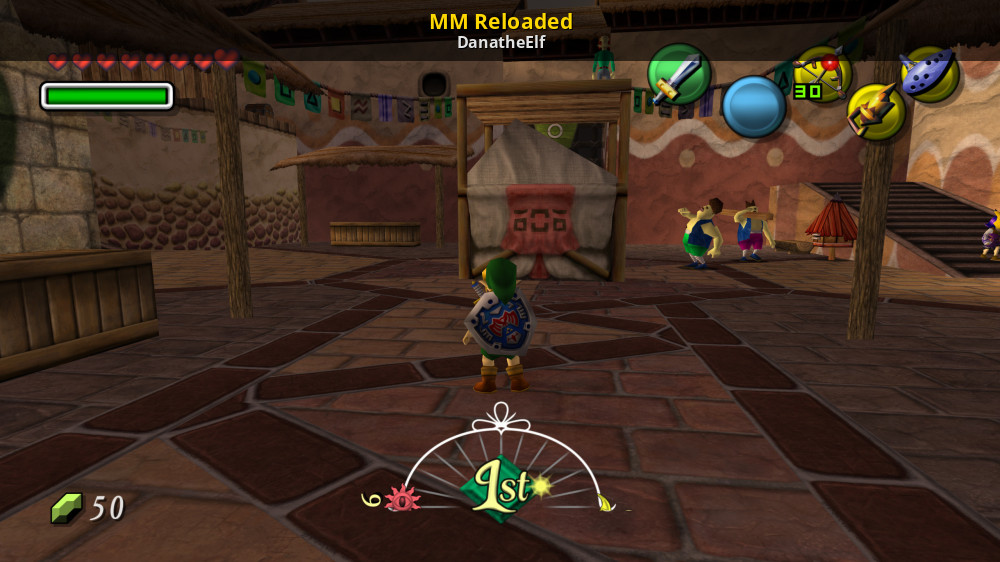
GameBanana
A 2Ship2Harkinian (Majora's Mask PC Port) (2SHIP) Mod in the Complete Overhaul category, submitted by DanatheElf
limpid depot
wise mirage
Hi, I was wondering if anyone else has tried the new texture pack found on game ...
Pending an update to v1.1.1, pr is waiting for review.
Hopefully can go live tomorrow.
Use my repo if you don't want to wait.
wise mirage
limpid depot
Hopefully can go live tomorrow.
Fantastic! Thanks for the quick reply!
 ember knoll
Thanks a lot for porting Ship of Harkinian, Jeod, I've been enjoying Ocarina of Time much more with this port, than I ever did emulating it.
Performance is great on the X55 (rk3566), I'm playing it at 480p 30fps 16:9 without mods and I've not experienced stutters or music crackling at all. Just great.
I made my own oot.otr file on my PC and I experienced crashes when entering Jabu-Jabu’s Belly. I fixed it easily:
-I just deleted the oot.otr file in the port folder.
-Copied the file PAL 1.1.z64 from my PC to the port folder.
-I run the port from emulationstation as usual, and the handheld created its oot.otr file, that doesn't crash.
Thanks a lot. Looking forward to try 2Ship2Harkinian (Majora's Mask) afterwards.
Best Regards!
wise mirage
Love the texture packs and the ability to map the R stick for camera controls. Really opens up the game and makes it feel modern!
sinful talon
Yeah the name of the game is 100% let the device generate the otr
sinful talon
limpid depot
https://github.com/PortsMaster-MV/PortMaster-MV-New/pull/56
Actually about to g...
Remove compatibility support
Does that nuke (stock) arkos?
limpid depot
sinful talon
> Remove compatibility support
Does that nuke (stock) arkos?
Yep, there’s no point. If there’s high demand I can certainly look into creating a 8.0.4 port of it (soh) but 2ship isn’t gonna run well out the gate.
wise mirage
Was soh 2 removed from portmaster?
limpid depot
wise mirage
Was soh 2 removed from portmaster?
No it had an update pushed.
wise mirage
 wise mirage
Let me update my portmaster
limpid depot
I updated mine and I'm non beta, it isn't there.
wise mirage
Ah. So something on the interface end, I'm guessing? I'll load it from your GitHub and try that version
limpid depot
Yes.
static ermine
I had it working with test data. Maybe I borked it.
wise mirage
limpid depot
Yes.
Working great through your GitHub, texture pack included! Thanks for all your fantastic work!
limpid depot
wise mirage
Working great through your GitHub, texture pack included! Thanks for all your fa...
Enjoy! I recently discovered they did a new menu, but also left the old one intact...so if you find you're seeing double or having issues, try removing the f1 bindings in the gptk file.
wise mirage
Yeah I saw that. If you hit select you get the new menu. Haven't played with it much, yet. Too busy actually trying to beat the game 😁
 keen bone
I'm having issues getting this to work for me using TSP crossmix. I understand that crossmix compatibility is low for a lot of stuff.
I have the oot.otr file and place it in the place.
Any help will be greatly appreciated
limpid depot
I told cizia a month or two ago what he has to change to get it to work.
keen bone
So for now I'm out of luck and wait for a fix ? Ok
wise mirage
keen bone
So for now I'm out of luck and wait for a fix ? Ok
Soh and soh 2 were the reason I sold my tsp and got an rg40xxh instead. I would have loved to try this on a widescreen format but I the 3566 chipset so...
keen bone
I think I have it working on the Powkiddy X55 Rocknix. I've had it running on something before. So it's not a huge deal for me
wise mirage
keen bone
I think I have it working on the Powkiddy X55 Rocknix. I've had it running on so...
Yeah I had an x55 and an rgb30. Just could not get used to the chipset and the jank charging situation, ended up selling both
 light fractal
How do you deal with the sizing of UI windows in this port? Specially the randomizer setting window. Editing imgui.ini directly just results in the window being set to 400x300, regardless of what I try.
I should note that I'm on the RGcubeXX, and not the RG35XX. I had to choose one, and the Cube wasn't on the list.
fallow lava
you can hold X and use the dpad to resize the windows
limpid depot
light fractal
How do you deal with the sizing of UI windows in this port? Specially the random...
Imgui windows are sized in the sh file. If you want to change that you can disable the lines.
light fractal
fallow lava
you can hold X and use the dpad to resize the windows
Thank you so much!
light fractal
limpid depot
Imgui windows are sized in the sh file. If you want to change that you can disab...
Ah, so that's why any changes I make in the ini are overriden?
limpid depot
<@&1216123318122577972> for those that rely on the compatibility version of SOH, I refactored the port to use 8.0.4 by @brisk jewel if your glibc version does not meet the performance requirements. It is pending an update to PortMaster's device_info.txt which will be in the Beta branch soon, but if you want to test it out now, you can get the updated port from https://github.com/JeodC/PortMaster-ShipOfHarkinian and inside the Ship of Harkinian.sh file, you can explicitly make the VER variable point to 8.0.4. I tested this locally with my Retroid Pocket 5 and explicit switching works.
Thanks for your support!

GitHub
A port of Ship of Harkinian built for small-arm retro handhelds. - JeodC/PortMaster-ShipOfHarkinian
Each version folder is roughly 11.5 MB of space, so having an unused version is negligible to disk size. Feel free to delete the unused version if you will not be swapping your sdcard around.
If you're willing to risk busting PortMaster to try automatic switching, add this file to your PortMaster folder, wherever the app is installed.
 orchid magnet
so I wanted to give it a shot, first tried the current version to comparison (especially on arkos), that worked for me as expected, but I cant get otr generation to work on this one despite having the rom file in 8.0.4 folder, the log says only "No otr files, can't run the game!"
limpid depot
orchid magnet
so I wanted to give it a shot, first tried the current version to comparison (es...
Whoops. Did the exit command before the generation command. Fixed.
compact wadi
Do we have to paste in the ports folder the both versions (8.0.6 and 8.0.4 folders) or just leaving the one we would like to run?
limpid depot
compact wadi
Do we have to paste in the ports folder the both versions (8.0.6 and 8.0.4 folde...
Just the one you want. I should set a default.
compact wadi
Ok so I modify the .sh to get the exact version. Thanks!
limpid depot
Yes for now, eventually @static ermine will have $CFW_GLIBC available to automate it.
I set it to 0 if it’s null so you shouldn’t have to modify anything unless you want to run 8.0.6 now
 white sierra
Any tips for TSP? I am on Knulli Firefly using latest stable portmaster and installed SoH from the list of ports. I have generated and tried a 8.0.4/8.0.6 build of each OTR and I am missing textures on quite a few things for some reason.
limpid depot
white sierra
Any tips for TSP? I am on Knulli Firefly using latest stable portmaster and inst...
On 8.0.4?
Did you generate your otr on-device? If you did and you're running 8.0.4 I will test that some more tonight.
Since I am using fpasteau's 8.0.4 build I likely need to replicate his build steps and use the otrgen from that instead of Shipwright's 8.0.4 tag: https://github.com/fpasteau/Shipwright_R36S/commit/8a14fea94c07332bcf61a135076d930073e1d2da
 orchid magnet
question is, does the current version of SoH work on TSP? It could be some incompatibility with that powervr gpu
limpid depot
orchid magnet
question is, does the current version of SoH work on TSP? It could be some incom...
TSP stock and crossmix I think both have the lower glibc. Knulli may be above now.
white sierra
limpid depot
Did you generate your otr on-device? If you did and you're running 8.0.4 I will ...
On TSP? No I did it on PC then transfered over the OTR file.
limpid depot
white sierra
On TSP? No I did it on PC then transfered over the OTR file.
Do it on-device, there are platform differences.
white sierra
Ah okay! I will give that a shot.
orchid magnet
so 8.0.6 is supposed to work on rocknix, right ? (it has glibc 2,4), problem I have on x55 is the extractor fails to extract and build the otr file and is complaining about libs, it seems to want exactly those that are in 8.0.4. When I literally overwrite them with those, it works
limpid depot
That’s strange, it was built on bookworm so shouldn’t be asking for old libs.
 sinful sentinel
limpid depot
That’s strange, it was built on bookworm so shouldn’t be asking for old libs.
sinful sentinel
limpid depot
That’s strange, it was built on bookworm so shouldn’t be asking for old libs.
bookworm has glibc of 2.36 i think
2.31 is up to bullseye
focal ubuntu is also 2.31
limpid depot
sinful sentinel
bookworm has glibc of 2.36 i think
Yeah he’s saying the one built on bookworm wants the libs from bullseye.
sinful sentinel
limpid depot
Yeah he’s saying the one built on bookworm wants the libs from bullseye.
That's not right
limpid depot
I’ll have to ldd ZAPD.out and see
sinful sentinel
unless it loads a library from somewhere that is newer and thus wants the other libraries new aswell
limpid depot
sinful sentinel
unless it loads a library from somewhere that is newer and thus wants the other ...
You have it backwards
limpid depot
Literally all I did was take the old port and move it to a 8.0.6 folder
Only difference is I split the libs up into their separate folders for versions
Why would ZAPD want older libs though…
white sierra
limpid depot
Do it on-device, there are platform differences.
Hmmm got a strange thing at the moment, it opens the port patcher and I have supplied it the right rom. However it just hangs at "Thank you for waiting..... Press A to proceed." and it just hangs there after pressing A. Waited 20m and no change. If I force exit and relaunch it's just a black screen. TSP with the Latest Knulli.
limpid depot
Upload your logs
white sierra
Sure which ones do you need?
limpid depot
The one you’re trying to run
Hang means it loads soh.otr but can’t load the game otr
limpid depot
white sierra
You didn’t replace your sh file
You also need to do a system reboot to clear that alsa error
white sierra
Oh sh file?
limpid depot
Checking if CFW_NAME 'knulli' is in the list...
Comparing 'ArkOS' with 'knulli'...
Comparing 'ArkOS wuMMLe' with 'knulli'...
Comparing 'ArkOS AeUX' with 'knulli'...
Comparing 'TrimUI' with 'knulli'...
No match found for 'knulli'.
This is no longer a thing

GitHub
A port of Ship of Harkinian built for small-arm retro handhelds. - JeodC/PortMaster-ShipOfHarkinian
white sierra
Ohhh I will get that then!
limpid depot
Yeah from #1225971159565078598 message you need the whole package
white sierra
Np, I'll get the zip and give it all a try.
white sierra
I assume clone zip then overwrite on sd
compact wadi
I put the .rom on the soh/8.0.4 folder then I run the game it starts patching but it says complete after 1 second (normally it takes more time) then the game goes back to the portmaster menu and the log says that no .otr files found
limpid depot
It’s line endings probably, they need to be LF
 compact wadi
they are all in CR LF Im trying to change them to LF
violet peak
still not fast enouth for tsp ^^
( trying to remember how to acces menu window x/
also, not sure what is the issue but not start with the libs you provide, Here is the error:
2024-12-06 02:47:16.358 user.notice procd: MALI_CreateWindow:0x559c537140 done.
2024-12-06 02:47:16.677 user.notice procd: Missing ROM files! Can't generate otr!
2024-12-06 02:47:16.716 user.notice procd: GLIBC Version is:  -- Playing Ship of Harkinian 8.0.4.
2024-12-06 02:47:16.910 kern.info kernel: [ 1048.588908] input: Fake Keyboard as /devices/virtual/input/input7
2024-12-06 02:47:17.020 user.notice procd: /mnt/SDCARD/Emus/PORTS/../../Roms/PORTS/Ship of Harkinian.sh: line 113: pm_platform_helper: not found
2024-12-06 02:47:17.035 user.notice procd: ./soh.elf: /usr/lib/libz.so.1: no version information available (required by /mnt/SDCARD/System/lib/libpng16.so.16)
2024-12-06 02:47:17.035 user.notice procd: ./soh.elf: /usr/lib/libz.so.1: no version information available (required by /mnt/SDCARD/System/lib/libpng16.so.16)
2024-12-06 02:47:17.043 user.notice procd: ./soh.elf: symbol lookup error: /mnt/SDCARD/System/lib/libpng16.so.16: undefined symbol: inflateValidate, version ZLIB_1.2.9
2024-12-06 02:47:17.365 user.notice procd: Connected to SQLite database: /mnt/SDCARD/Apps/Activities/assets/games.db
2024-12-06 02:47:17.380 user.notice procd: Record updated for rom: Ship of Harkinian
got it running using my previous libs folder, but strangely, it use the same libpng16 and libz which are in /mnt/SDCARD/System/lib
violet peak
thys are provided ^^' libz is just a version missing which is not a blocking warning and png say it miss inflateValidate which is false ^^ probably missing indirectly in another lib, gonna check more later, need to go rn ^^
 limpid depot
I would guess the libz provided needs version info to communicate with the other deoendencies?
violet peak
limpid depot
I would guess the libz provided needs version info to communicate with the other...
Well, the errors are about the system's one, not sure why it not even try to use sdcard one.
limpid depot
violet peak
Well, the errors are about the system's one, not sure why it not even try to use...
export LD_LIBRARY_PATH="$GAMEDIR/libs:/usr/lib":$LD_LIBRARY_PATH
depends what’s in the path already maybe
violet peak
no, it will just use /usr/lib before /mnt/SDCARD/System/lib always because of this ^^'
we can fix it overwriting sytem's libz but not sure about the unexpected consequences and if that anyway something cizia want to do.
limpid depot
Should I be rewriting the export?
violet peak
( gonna try rn without the /usr/lib if it fix the starting with your libs folder at least.)
dunno ^^' but imo, /usr/lib should be already in LD_LIBRARY_PATH, don't need to add it here.
limpid depot
As other cfw don’t have a System/lib path it should be ok to include
limpid depot
violet peak
dunno ^^' but imo, /usr/lib should be already in LD_LIBRARY_PATH, don't need to ...
It’s about order as we see here
sinful sentinel
As long it's not for TrimUI lol
violet peak
it's already included by the control.txt or the ports launcher, no more sure.
sinful sentinel
If it's TrimUI you just need to add the correct lib to your system lib folder. TrimUI is messed up anyway
And if it works for all maybe replace it in crossmix
limpid depot
I thought it was crossmix
violet peak
sinful sentinel
If it's TrimUI you just need to add the correct lib to your system lib folder. T...
the issue is that no matter what we have in sdcard libs folder, /usr/lib will take priority here.
sinful sentinel
Nah
sinful sentinel
violet peak
the issue is that no matter what we have in sdcard libs folder, /usr/lib will ta...
Replace the lib in /usr/lib ^^
violet peak
sinful sentinel
Replace the lib in /usr/lib ^^
#1225971159565078598 message x')
cizia choice here.
sinful sentinel
violet peak
cizia choice here.
He supplied like tons of libs already
If that one is broken needs replacing
violet peak
but imo /usr/lib should be added in a launcher ld path export ^^
violet peak
sinful sentinel
He supplied like tons of libs already
yup, but in external sdcard, not in internal memory
sinful sentinel
violet peak
but imo /usr/lib should be added in a launcher ld path export ^^
That happens on os side already usually
limpid depot
I’m confused, is crossmix the usr/lib or System/lib and why are they not merged?
violet peak
sinful sentinel
That happens on os side already usually
/usr/lib is in internal memory ( trimui stock libraries)
sinful sentinel
limpid depot
I’m confused, is crossmix the usr/lib or System/lib and why are they not merged?
Crossmix is just a "os" on top of trimui
So a layover
violet peak
/mnt/SDCARD/System/lib are the ones added in crossmix
limpid depot
So doing System/lib first should be ok since nothing else has that path
Assuming it works
And if it is in control.txt already then it’s just removing the usr/lib from the sh export?
violet peak
so yeah, it start without the /usr/lib in the export
sinful sentinel
Last line counts? Not sure who wins
violet peak
and here is the echo $LD_LIBRARY_PATH i added just after :

for sure we not miss /mnt/SDCARD/System/lib x')
limpid depot
If we don’t have any cfw that need usr/lib in the export line I’m fine removing it
violet peak
better check before removing it as anyway it not work fast enouth for tsp ^^
i was just currious why i needed to use my old libs folder.
limpid depot
8.0.4 was built for the r36s arkos
You would have to do a comparison of libs between the two
violet peak
maybe r36s also use any other custom settings ?
limpid depot
I dunno I’ve never used it and don’t own one
I know who does though @sour spindle time to shine your moment has arrived
 sour spindle
hello
i think i still have a card with aeolus arkos 08232024 somewhere
what do you need
violet peak
 limpid depot
Then optimized
violet peak
looks it expect to use performance anyway
limpid depot
For 8.0.5 yes
violet peak
hmm 👌
limpid depot
That’s why I did 8.0.4
 limpid depot
I wonder what the glibc requirement is for performance 8.0.4
violet peak
yeah x') i remember badly and that not for 8.0.4
limpid depot
2.31?
violet peak
just gonna try build it myself on bulleyes and remove all c++20 features x')
limpid depot
I mean if you manage to make it perform well I’ll include it
That’s the point of this whole update
sour spindle
so am i supposed to try running 8.0.4 or
limpid depot
Yeah
8.0.4 was the first soh port made, very early pre portmaster
For r36s specifically
sour spindle
and what am i looking for, other than bad performance?
limpid depot
In the menu there’s an option for stats like fps counter
If you don’t mind ticking that and showing what you get
sour spindle
welp i think all my cards have rocknix instead
sour spindle
i was supposed to be helping aeolus test bluetooth support, but he hasn't made a release with it for me yet
keen bone
Do you need TSP crossmix tester?
limpid depot
keen bone
Do you need TSP crossmix tester?
Nah nevrdid tested that but he didn’t post his fps so his claim for too slow can be an opinion
sour spindle
oh looks like there's been a release one hour ago
let me flash a card and i'll take a look
i'm supposed to be working, lol
limpid depot
sour spindle
i'm supposed to be working, lol
 violet peak
x') that not an opinion, that just slow x') gonna send you the proof tho
limpid depot
There’s a debug stats option in imgui menus
 violet peak
give me 15 minutes of fighting with the menus.
limpid depot
Try running it at native 20fps
Decrease internal resolution as needed
Find best options if any
Thank you for the help

 violet peak
🤷♂️ gonna just try to build perf binary to see where it stuck
limpid depot
We can go back pretty far so long as LUS has gles implemented, it’ll be missing randomized features mostly
sinful talon
limpid depot
<@&1216123318122577972> for those that rely on the *compatibility* version of SO...
Is there a performance difference (presuming that the OS supports both versions of glibc)?
limpid depot
sinful talon
Is there a performance difference (presuming that the OS supports both versions ...
I assume so, anything using newer libraries will almost always perform better
I’ll try both on my rp5 in a few hours though, it’ll be good to have a chart of sorts with metrics
sinful talon
If so, 2ship pushes the RK3326 so hard that I will need to stick to the normal builds with the bastardized arkos
Clock town center during the title screen drops it to 21-22fps uncapped (of 20)
limpid depot
Ships of Harkinian
 rugged sluice
I've got Ship of Harkinian up and running on Knulli Firefly on the TrumUI Smart Pro. I set the F1 to be the guide button like in 2ship (since TSP doesnt have L3), but after I bring up the menu, I dont know how to navigate it. The direction buttons and the controls dont move through the menu options
limpid depot
If you hold x or y does the screen turn white?
rugged sluice
limpid depot
If you hold x or y does the screen turn white?
Not that I could see, no
 rugged sluice
correct, i searched the shipofharkinian.json file and did not see that text
limpid depot
If your json got regenerated it won’t have it
rugged sluice
I added that manually, relaunched. Now it goes white with a block that says “main game”, but I still cannot navigate
limpid depot
Now while that white block is showing press R1
It’s like alt tabbing between windows
After you do that press x again and it’ll highlight the menu bar
rugged sluice
thank you, that works
limpid depot
So what I am wondering is if this 8.0.4 initiative is a waste of time or if it will really help arkos
Clearly it doesn’t help crossmix
violet peak
looks compatibility not really change, fpasteau just build it to get performance binary work on custom fw, not sure tho what libraries they use.
covert escarp
violet peak
5-7 fps later in the cinematic
Darknut's fault i'm sure
limpid depot
Can always ask. @brisk jewel if you can indulge us was 8.0.4 any good on arkos?
covert escarp
Might be advantageous to find a way to replace that texture for performance js
The darknut suit is deadly to fps esp when at the end when there is 2
limpid depot
Not for me, I’m not gonna deep dive the whole source to try to get it to run well on old libraries.
compact wadi
limpid depot
So what I am wondering is if this 8.0.4 initiative is a waste of time or if it w...
I try today your 8.0.4 version in ArkOS and it is even slower than the version 8.0.6 with the compatibility thing
That on my r36s, so I definitely use my other sd card with amberelec which the performance is fantastic. Anyway if you need more details I can give it to you by tomorrow
limpid depot
compact wadi
I try today your 8.0.4 version in ArkOS and it is even slower than the version 8...
Slower, really? Interesting.
sour spindle
i'm only getting around to it now 🙈
got it running, how do i check frame rate?
the audio certainly is choppy
let me know what else you need from it
compact wadi
Press L3 and navigate to developer tools and then select Stats

Thats with my amberelec sd card
sour spindle
i was told to use arkos
but i've pressed all matters of fn, select, start, the thumb clicks and shoulders to no effect
compact wadi
Pressing the L3 the top menu appears?
sour spindle
i'll try again, one sec while it boots
no, nothing clicking either stick
do i have to be past the main menu
compact wadi
No it does no matter
Ill do it in my one with arkos. Give me a second
Nah it has to be tomorrow
By clicking the left stick the top menu should appear
sour spindle
nope, i get nothing
sour spindle
and i know my sticks are working because L3+R3 open the retroarch menu for me
sour spindle
nothing either
violet peak
dunno so ^^ that how it is for tsp
limpid depot
No problem I’m gonna shelf the arkos support as with 2ship
sour spindle
ok
limpid depot
Thank you
sour spindle
so i can't get you frame rate numbers but as far as 8.0.4 performs on arkos r36s, it looks playable but there are audio stutters in some areas
sometimes the audio is fine
limpid depot
It must've reset your json file
limpid depot
sour spindle
so i can't get you frame rate numbers but as far as 8.0.4 performs on arkos r36s...
#1225971159565078598 message
Add this to your json
The "ControlNav": 1, part
sour spindle
i may have a completely different json
no "gSettings" key in it
was i supposed to download something other than the compatibility release in here? https://github.com/fpasteau/Shipwright_R36S/releases/tag/8.0.4
rugged sluice
One more thing, this window opened from the enhancements menu and now i don’t know how to close it. Restating the game and system doesn’t help
 limpid depot
rugged sluice
One more thing, this window opened from the enhancements menu and now i don’t kn...
limpid depot
rugged sluice
One more thing, this window opened from the enhancements menu and now i don’t kn...
When you tab to the window you can hit x to cycle to the little arrow by Advanced, then hit the dpad right to get to the x button.
limpid depot
sour spindle
no "gSettings" key in it
Let's see your json
sour spindle
limpid depot
sour spindle
Add this
 sour spindle
done, nothing from L3, or X + R1, or left + X
limpid depot
Huh.
white sierra
Yeah sadly on TSP Knulli Firefly. Did the delete and all that, even at 50% res and 20fps it's not good. So probs TSP isn't good for SoH perhaps.
limpid depot
Yeah I think I will just go ahead and do the same exclusions I do for 2ship sadly
limpid depot
I found out why zapd wanted old libs, it was the bullseye version of zapd lol
Must've tested at one point if the version used mattered
white sierra
Hoping maybe CrossMix 1.3 whenever that comes might fix it. Who knows.
compact wadi
sour spindle
done, nothing from L3, or X + R1, or left + X
Probably you didn't paste the soh.gptk inside the soh folder
Average fps at 20fps are like 11fps with the 8.0.4 version
 sour spindle
compact wadi
Probably you didn't paste the soh.gptk inside the soh folder
sour spindle
compact wadi
Probably you didn't paste the soh.gptk inside the soh folder
i wasn't told to and didn't see that anywhere, i was just pinged and told to run it without a link to anything 🤷♀️
@limpid depot on you buddy 😜
compact wadi
It is in his github
sour spindle
i downloaded it from somewhere else and even asked if i downloaded the right thing
no matter, mystery solved
limpid depot
compact wadi
Average fps at 20fps are like 11fps with the 8.0.4 version
So 8.0.6 runs better on arkos than 8.0.4?
compact wadi
Yes
But 8.0.6 is not very enjoyable, I prefer emulating the game with a n64 emulator, it runs better
compact wadi
I do not know if something can be done in order to have a better performance in your port with arkOS
limpid depot
I doubt it. Maybe with 8.0.7
compact wadi
So arkOS guys must be wait. Thank you!
limpid depot
At this stage it's like begging the thing to run on Windows 95.
compact wadi
I understand, or there is an update in the arkOS system with the library or nothing can be done
limpid depot
Have to ask @haughty raven or one of the fork devs to bump glibc.
Chris tried it before but it broke more than it helped I think
compact wadi
Ok no worries, thank for all the effort you do to all of us with the ports
limpid depot
For context I just ran both soh and soh2 8.0.6 on a rg351p with amberelec and the reloaded mods, and both run perfectly fine at a stable native 20fps.
sinful talon
soh was faster on an R36s than emulating it
Quite a bit actually
MM was closer, but still faster
rugged sluice
limpid depot
When you tab to the window you can hit x to cycle to the little arrow by Advance...
Thanks again for the tip, this became the key item in a video I made about getting soh working on the TrimUI Smart Pro

Ready to Play Zelda Ocarina of Time HD Remaster on Your Handheld Device? Unlock the full potential of your handheld gaming experience! Dive into our step-by-step guide to setting up Ship of Harkinian on the TrimUI Smart Pro. We'll walk you through every detail, from installation tips to optimizing gameplay settings. Get ready to relive the magic...
limpid depot
rugged sluice
Thanks again for the tip, this became the key item in a video I made about getti...
One mistake--you can use pregenerated otr files, but it's best to generate them on your device to help prevent crashes. When you import from another platform, you're likely to experience crashes in Jabu Jabu's Belly in particular.
It's also the reason Epona's model is half missing.
rugged sluice
Good to know, thanks
limpid depot
I commented that on your video too. Great guide!
devout vale
I am doing my first playthrough (never had n64 in childhood) and I see so many references between tears of the kingdom and ocarina. Love this so much, it is like playing demake 😄
 vestal cradle
limpid depot
One mistake--you can use pregenerated otr files, but it's best to generate them ...
vestal cradle
limpid depot
One mistake--you can use pregenerated otr files, but it's best to generate them ...
That's curious. I thought that by simply getting otr files generated from the Desktop version and copying to other devices would be enough. That's what I did when setting up soh and 2ship in both Android and Linux versions (for my cellphone and my portables)
limpid depot
vestal cradle
That's curious. I thought that by simply getting otr files generated from the De...
Linux desktop might work. It it’s still a different architecture
vestal cradle
So the architecture differences could result in different .otr / .o2r files?
If that's the case, then I might be prone to have the same problem in the Android versions. I have both of them in my cellphone, that I've been playing using a Gamesir controller from time to time. But didn't went that far in the game to the point of reproducing these errors.
wise mirage
Doh. I traded my tsp for a 40xxh purely for SOH. Shoulda kept it =[ but the 40xxh runs that 30fps without sig issues. Woulda loved that wide screen view tho!
wise mirage
Are SOH and SOH 2 optimized differently? SOH runs a lot better even with texture packs on 40xxh than soh2
limpid depot
wise mirage
Are SOH and SOH 2 optimized differently? SOH runs a lot better even with texture...
Soh was built on the develop branch so a nightly build, it’s more of a 8.0.6.5 whereas 2ship is 1.1.1 stable
That said MM did require the n64 expansion pack so the games themselves have differences too
wise mirage
limpid depot
That said MM did require the n64 expansion pack so the games themselves have dif...
That's true. I guess more ram
wise mirage
I beat soh2! Haven't played this game since it came out like 20 years ago. Thanks for the amazing work!
limpid depot
 wooden crescent
i let the game create the otr. files on the device. It wont work
wooden crescent
i let the game create the otr. files on the device. It wont work
Already been fixed and pr is in the oven
wooden crescent
alright
wooden crescent
wise mirage
Are SOH and SOH 2 optimized differently? SOH runs a lot better even with texture...
i added a texture pack to the mod folder and activated additional assets, don't look different to me. what did you do ? I copied all the texture pack's otr files to the root of the mods folder
limpid depot
wooden crescent
alright
Use the libzip.so.4 from my repo if you don't want to wait
wooden crescent
thank you
wise mirage
wooden crescent
i added a texture pack to the mod folder and activated additional assets, don't ...
You have to click r3 (or whatever you have mapped to tab)
wooden crescent
to activate it ?
i havent remapped anything, just got in the settings and changed language and activated extra assets under enhancement
wooden crescent
wise mirage
You have to click r3 (or whatever you have mapped to tab)
i use ootreloaded hd and you ?
did you copy the otr files straight to mod or made a subfolder for them ?
wise mirage
Yeah then click r3 to toggle between them
wooden crescent
thank you
brazen locust
This port is great I have finished the game twice ( with and without cheats )
Loved it
Are there any other decomp project that are done 100%?
 amber stump
does anyone have control files for trimui smart pro.
After watching videos on how to setup controls, it looks like a pain to set it up
keen bone
@amber stump
What is the process for TSP crossmix? Do you place the rom in the folder? Or do you have to do the process?
brazen locust
 oblique junco
Perfect Dark and Super Mario 64
oblique junco
Perfect Dark and Super Mario 64
Perfect dark looks so crisp was it always this crisp?
https://papermar.io/
Is there any chance maybe in the near future we can get this on Port master
oblique junco
That'd be cool.
amber stump
keen bone
<@539308089992806420>
What is the process for TSP crossmix? Do you place the ro...
You need special rom. Read me kind of tells you what it is and how to go about creating one.
You need n64 rom and them uou follow the instructions
keen bone
amber stump
You need special rom. Read me kind of tells you what it is and how to go about c...
I did follow the instructions to create a .oot file on my PC.. didn't work.
I tried letting the system create one from rom. Didn't work.
I tried several angles that I can think of.
I have it working on other systems. So I'm perplexed how to get it going with TSP crossmix
amber stump
Last I created that was on my android. It was stupid, I think you should check md5 before running the script to make sure you have the right rom.
If still having issue, post your logs
oblique junco
These are all the checksums that supposedly will work
.https://github.com/HarbourMasters/Shipwright/blob/develop/docs/supportedHashes.json
Use this website to find what your rom is:
https://emn178.github.io/online-tools/md5_checksum.html
GitHub
Contribute to HarbourMasters/Shipwright development by creating an account on GitHub.
Online Tools
This MD5 online tool helps you calculate the hash of a file from local or URL using MD5 without uploading the file. It also supports HMAC.
amber stump
Anybody who is playing/played this on TrimUi Smart Pro? If you can share your. gtpk, I would be very grateful 🙏
 fresh musk
im getting this error when patching
 amber stump
/logs
did you follow the readme?
You need need specific rom and hash of that rom has to match up with what's in readme?
fresh musk
I only read whats on the portmaster page for the game. And I checked if the rom is compatible.
I dont know anything about a hash tho
fresh musk
amber stump
did you follow the readme?
wheres that.
I downloaded the game directly using portmaster so there was no readme
 fresh musk
im getting this error when patching
fresh musk
fresh musk
im getting this error when patching
all I have to show is the logs from the patch
amber stump
Search up your game for readme
Also, if you plug it in your computer, you should see readme in there as well in the gamedata folder
fresh musk
amber stump
Also, if you plug it in your computer, you should see readme in there as well in...
which one
 fresh musk
amber stump
Search up your game for readme
fresh musk
amber stump
Search up your game for readme
it gives out this list. I dont know how to check if mine is one of those

I only know this website, and I checked my rom it says its compatible
 amber stump
building.md is your readme
Also, the portmaster websites has all the readme for each game. You can search up your game and read there
amber stump
fresh musk
it gives out this list. I dont know how to check if mine is one of those
If you're on mac, command is just simply md5 <filename>
I'm sure there is a way to get md5 for windows but I'm not sure how
 amber stump
md5 is just a hash of a file. Think of it like it is unique for each file so you're making sure that file you have is one that portmaster is looking for
amber stump
fresh musk
i tried the command
get rid of <. It is just md5 rom1.z64
amber stump
You might have the right file. So, lets not check hash or anything
fresh musk
ok
fresh musk
someone said to generate the oot on the computer instead
amber stump
Yeah, that works too.
Also, try posting on #🩺|port-help
This is for testing for updates and new builds
fresh musk
i have the oot now
covert escarp
Guna have to replay it now lol looks much better than the last time i beat it
Great job jeod!
keen bone
@amber stump seriously I can't figure out how to get this one to play on my Trim UI Smart Pro. But I would really really love to.
I have it working on my X55 Rocknix. And I have the oot file from my PC. So I can't figure out what I'm missing with this one. If you have it going can you please tell me what you did to get it working?

 meager swallow
Since I was able to get Perfect Dark working well on ArkOS using clang, I thought it would be interesting to try the same thing with SoH. Here is a build that seems to work OK for me. Does this have the same performance issues as the old compat build?
oblique junco
fresh musk
i have the oot now
Is it running for you?
 left turtle
(they left the server)
left turtle
meager swallow
Since I was able to get Perfect Dark working well on ArkOS using clang, I though...
Out of curiosity what were the performance issues?
(will try later ish on my r36s)
meager swallow
left turtle
Out of curiosity what were the performance issues?
I never tried it myself so I don’t know exactly. There are some comments in this thread which suggest 10fps. The new build seems much better than that but I haven’t measured it
left turtle
Interesting
meager swallow
If I could find an FPS display I would check it
 viscid vine
Just out of curiosity, why would compiling with clang give different results?
meager swallow
viscid vine
Just out of curiosity, why would compiling with clang give different results?
Because it enables you to build with a newer SDL without bumping the glibc
viscid vine
Oh so it was never a glibc problem, just old sdl?
Although they are connected when compiling ofc
meager swallow
Weeeellll I’m not sure I can say that for sure. Yes they are connected as you say. What I know for sure is this made a significant difference for PD, and since these ports share a lot of code, it may be similar for SOH
left turtle
meager swallow
Since I was able to get Perfect Dark working well on ArkOS using clang, I though...
assuming it doesn't immediately break I'll test it in a bit myself if it actually improved based on this
now to read up on how to actually set this up
amber stump
meager swallow
Since I was able to get Perfect Dark working well on ArkOS using clang, I though...
I will try this with Crossmix and see if that works
 hot perch
on r36s game runs around 20fps which means it is very playable and can someone tell how to use menu without mouse because i don't have idea
viscid vine
hot perch
on r36s game runs around 20fps which means it is very playable and can someone t...
left turtle
hot perch
on r36s game runs around 20fps which means it is very playable and can someone t...
On ben's new build?
hot perch
left turtle
On ben's new build?
from beniamino
left turtle
interesting, will try myself later as well
vestal cradle
That seems interesting. I can try it in my RG351p with ArkOS wummle
I do know that Zelda N64 games run originally between 15 and 20 fps on real hardware, and I also remember comparing OOT between SoH and Mupen64plus (rice plugin), and SoH was slower than the emulated counterpart, on ArkOS. The slowdown wasn't present on AmberElec.
On open areas like Hyrule Field, fps reduced to 10fps, becoming faster only on smaller areas. If this improves SoH on ArkOS in these scenarios, then it's a win.
meager swallow
vestal cradle
On open areas like Hyrule Field, fps reduced to 10fps, becoming faster only on s...
Thanks for the info. I get a frame rate of 20FPS on my fake R36S/ArkOS on Hyrule Field, seems promising. The attached save file starts you on Hyrule Field, in case anyone else wants to try.
left turtle
Well that worked better than expected
 left turtle
meager swallow
Since I was able to get Perfect Dark working well on ArkOS using clang, I though...
left turtle
meager swallow
Since I was able to get Perfect Dark working well on ArkOS using clang, I though...
working seems to be subjective. It runs terribly audio wise in the intro
Will try the save file and see how that is
meager swallow
left turtle
working seems to be subjective. It runs terribly audio wise in the intro
interesting, no audio glitches on my device
left turtle
viscid vine
Just the intro though
pretty much my experience
left turtle
meager swallow
interesting, no audio glitches on my device
It dips but it's not completely insane like 10 fps
Probably runs at 30 fps and dips to 25 in the field
left turtle
now if I could figure out how to access the menu
vestal cradle
sometimes it's easier to simply plug a mouse to do the menu changes and then inplug it later lol
left turtle
I could probably just do it on my pc remotely
Either way runs fine for what it needs to
meager swallow
if you look in the menu, you can change the frame rate under setting->graphics. "original" is 20FPS
seems like I can get that rate most of the time even when NPCs etc are on the screen.
i think it will take a bit more playing to work out whether it's truly playable or not -- maybe there are other circumstances (battles?) where the frame rate drops a lot
left turtle
It ran fine in battles
 sterile hinge
On TSP Crossmix have graphical glitches.


 amber stump
I was going to test this today, It is a shame but also, I just got this installed on my deck and it looks beautiful so might as well keep playing there
limpid depot
meager swallow
Because it enables you to build with a newer SDL without bumping the glibc
Oh, interesting. Noted...
limpid depot
sterile hinge
On TSP Crossmix have graphical glitches.
I think this happens if you use a otr from a different platform instead of compiling one on-device.
left turtle
this game runs above average lol, kind of really impressive honestly.
Installed a few graphics mods and yeah it works great
vestal cradle
Just tried it on my RG351p w/ ArkOS wummle. Got this error:
./Ship of Harkinian.sh: line 103: pm_platform_helper: command not found
./soh.elf: symbol lookup error: ./soh.elf: undefined symbol: _ZN6spdlog7details7log_msgC1ENS_10source_locEN3fmt2v717basic_string_viewIcEENS_5level10level_enumES6_
librga:RGA_GET_VERSION:4.00,4.000000
ctx=0x559d360eb0,ctx->rgaFd=3
[GPTK]: Running in UINPUT output mode.
Rga built version:version:+2017-09-28 10:12:42
[GPTK]: Running in Fake Keyboard mode
[GPTK]: Using ConfigFile soh.gptk
[GPTK]: Joystick 0 has game controller name 'OpenSimHardware OSH PB Controller'
One thing worth mentioning, is that I didn't removed the older files. Simply copied the new ones, replacing the others (so that I wouldn't need to bother with regenerating the game assets).
meager swallow
vestal cradle
One thing worth mentioning, is that I didn't removed the older files. Simply cop...
this definitely won't work
left turtle
vestal cradle
One thing worth mentioning, is that I didn't removed the older files. Simply cop...
you have to make a new install with it otherwise it won't work
vestal cradle
Ok, I'll try it again
Also, do the .otr generation in the device itself, rather than on my desktop and copying the files over. Someone mentioned it could cause issues with game assets if not done this way.
vestal cradle
Oh, now I'm seeing a cool patcher with chill music and some pixel animations resembling Fez. Waiting for the .otr files to be generated.
left turtle
vestal cradle
Also, do the .otr generation in the device itself, rather than on my desktop and...
ye I learned that the hardway LMFAO
sterile hinge
limpid depot
I think this happens if you use a otr from a different platform instead of compi...
This occurs with the generation of the .otr in the device.
vestal cradle
Finished patching. Now it worked great! Thanks @meager swallow
Tried with your save, and roaming around Hyrule Field and Deku Woods. No slowdowns anymore.
I'll remap my controls later, once my device's battery is fully charged. Use right analog for camera movement and dpad for ocarina and other equipments.
limpid depot
sterile hinge
This occurs with the generation of the .otr in the device.
Hm...I wonder why. @vestal cradle do you also get a half invisible epona?
vestal cradle
In the game introduction, or roaming around Hyrule Field?
To me, Epona was fine. Called it and ran around Hyrule Field. No issues with its textures from what I could notice.
One thing worth mentioning, although probably not related, is that I applied this mod to translate the game to brazilian portuguese: https://gamebanana.com/mods/473895
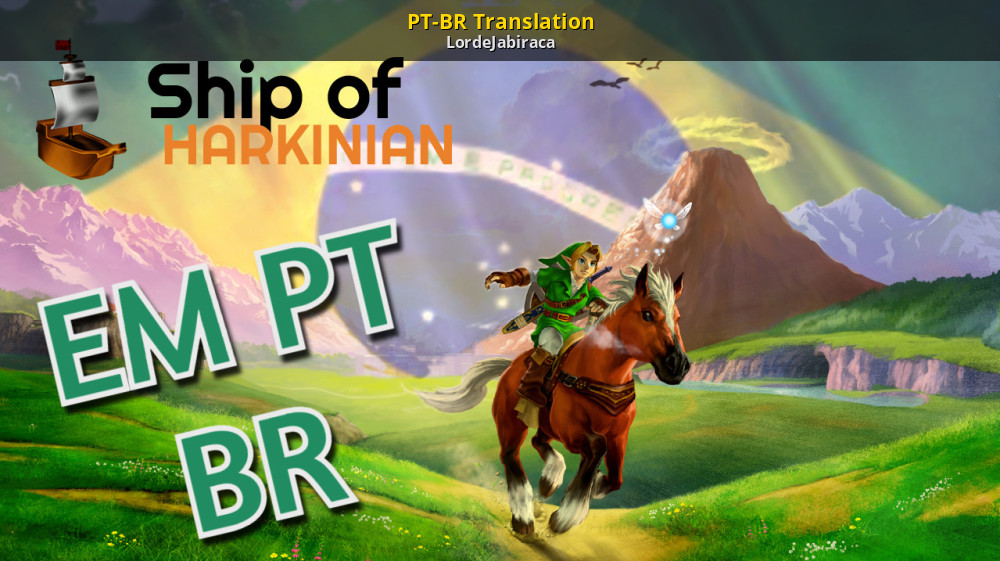
GameBanana
PT-BR Translate... A Ship of Harkinian (Ocarina of Time PC Port) (SOH) Mod in the Complete Translation category, submitted by LordeJabiraca
It edits game texts and menu textures, but shouldn't make any changes to Epona models AFAIK.
keen bone
Im excited to try this for TSP crossmix
limpid depot
@meager swallow If it all checks out feel free to do a pull request both to https://github.com/JeodC/PortMaster-ShipOfHarkinian as well as the PM repo 🙂 Would need to update build instructions too. Good work as always.

GitHub
A port of Ship of Harkinian built for small-arm retro handhelds. - JeodC/PortMaster-ShipOfHarkinian
left turtle
Everything runs pretty amazingly on it now
limpid depot
Giving it a rocknix test now
Why's this need GLdispatch now?
Did you follow https://github.com/JeodC/PortMaster-ShipOfHarkinian/blob/main/soh/BUILDING.md where the -DUSE_OPENGLES=1 flag is used in cmake?
GitHub
A port of Ship of Harkinian built for small-arm retro handhelds. - JeodC/PortMaster-ShipOfHarkinian
Crash with rocknix
You need to use the gles option in clang somehow.
If it won't work, we can do a separate port and call this a compat version.
meager swallow
limpid depot
If it won't work, we can do a separate port and call this a compat version.
I don’t think GLdispatch is needed. It’s a relic of before I read your instructions and understood I needed the GLES flag. So things might be a bit untidy. I think I put the building instructions in the port folder but again they might not be exact. Will investigate more re rocknix.
meager swallow
Re crossmix, if any one can try using soh.otr and oot.otr from another device, it would help work out if the problem is with texture extraction or the binary.
limpid depot
Ok if I remove the GL libs it works
meager swallow
Awesome
limpid depot
Wonder if the same can be done for 2ship
Did you compile soh from develop or the release tag?
meager swallow
limpid depot
Did you compile soh from develop or the release tag?
develop
limpid depot
meager swallow
develop
Please recompile from the 8.0.6 release tag before you submit. 🙂
Ran into a lot of trouble with HM64 over distributing a nightly.
meager swallow
limpid depot
Ran into a lot of trouble with HM64 over distributing a nightly.
Ouch! I guess that’s fair but it wouldn’t have occurred to me
limpid depot
meager swallow
Ouch! I guess that’s fair but it wouldn’t have occurred to me
Yeah a lot of people asked for troubleshooting and they assumed it was release.
meager swallow
Makes sense. I’m now worrying if this is relevant to any of my ports. I don’t think so but need to check
Ok, sleep first
limpid depot
Was 2.26.2 used for a specific purpose? We could go with 2.28?
meager swallow
limpid depot
Was 2.26.2 used for a specific purpose? We could go with 2.28?
No specific reason. Newer would likely be better unless it introduces compatibility problems with any of the CFW SDLs. But I think that should not happen
limpid depot
I would think latest sdl2 would be best.
limpid depot
Lazy af but this might take most of the night so
 limpid depot
amber stump
Crashes immediately if I use oot.otr from Steam Deck
limpid depot
amber stump
Crashes immediately if I use oot.otr from Steam Deck
Expected, steam deck is x86_64 not aarch64
amber stump
I don't have other arm device to test. So.. yeah. After you said it, it makes sense
Is it worth it to test it using .otr from another device? I can borrow my sister android and generate it there
limpid depot
Don't bother
amber stump
Okay. I did try using both Knulli and Crossmix. Crossmix has some weird asset glitches where Knulli is fine
vestal cradle
Tried remapping buttons to attack on Y and roll/talk on B, but B cancels the operation. Guess I'll need to do that by manually editing config files, right?
meager swallow
amber stump
Okay. I did try using both Knulli and Crossmix. Crossmix has some weird asset gl...
Can you try the .otr files from knulli on crossmix?
meager swallow
meager swallow
Can you try the .otr files from knulli on crossmix?
It may not work well overall. The main question is whether you see the transparent horse glitch at the start
meager swallow
I applied the same treatment to SoH2. It seems to run the same on my RGB20 whether I use Rocknix or ArkOS, so that's good. I get glitchy audio at the beginning but it seems to improve after that. Frame rate is 20FPS. But I haven't done serious testing. Build instructions for my setup are in BUILDING.docker.md -- a tiny patch is required.
meager swallow
And here is an updated SoH, with the incorrect GL libraries removed, and compiled against current SDL instead of 2.26.2.
(fork of MV repo with both WIPs: https://github.com/ben-willmore/PortMaster-MV-New)
amber stump
meager swallow
Can you try the .otr files from knulli on crossmix?
Just woke up a bit ago. I will be working from home today so.. I can try it little bit later
meager swallow
limpid depot
Please recompile from the 8.0.6 release tag before you submit. 🙂
I tried this but it doesn't recognise -DUSE_OPENGLES=1, and insists on libGLEW and other GL stuff. I think we may have no option but to go with a newer commit
limpid depot
meager swallow
I tried this but it doesn't recognise `-DUSE_OPENGLES=1`, and insists on libGLEW...
Hmm
Maybe reinit submodules after checkout?
That flag is for ultraship
meager swallow
limpid depot
Maybe reinit submodules after checkout?
yep, worth a try. i'll have go after work
(oh, and it's the opposite for SoH2 -- there were some hitches with the main branch but the latest release was fine)
limpid depot
If there's no slowdown with the darknut at the soh intro on arkos or tsp I'd say it's good
Also we don't need sdl2_net since we have -dcrowd_control=0
That flag cuts out all the networking.
limpid depot
Hm I can't get the opengles flag to trigger either. Maybe I'm doing something wrong. I see it exists in https://github.com/Kenix3/libultraship/blob/02bb77ef253e2de0969fd2cb36ad2e870677d18d/src/CMakeLists.txt#L10 but when I do:
echo "Cloning Ship of Harkinian (Shipwright)..."
git clone https://github.com/HarbourMasters/Shipwright.git && cd Shipwright

# Get latest release
echo "Fetching latest versioned release tag..."
LATEST_TAG=$(git tag -l '[0-9]*.[0-9]*.[0-9]*' | sort -V | tail -n1)
echo "Latest versioned release is: $LATEST_TAG"
git checkout tags/"$LATEST_TAG"
git submodule update --init --recursive

# Build Ship of Harkinian
echo "Building Ship of Harkinian..."
mkdir build-soh && cd build-soh
CC=clang CXX=clang++ cmake .. -GNinja -DUSE_OPENGLES=1 -DBUILD_CROWD_CONTROL=0 -DCMAKE_BUILD_TYPE=Release
cmake --build . -j"$JOBS"
cmake --build . --target GenerateSohOtr -j"$JOBS"
It fails to use the flag.
GitHub
Porting games to the PC. Contribute to Kenix3/libultraship development by creating an account on GitHub.
vestal cradle
Anyone else managed to remap the B button to other functions?
I can map all buttons just fine, except for B. It cancels the mapping functionality from menus. And even after manually editing shipofharkinian.json to swap A with B (so that I can change the A button mapping with Y, so that i can attack with Y and roll with B), both buttons keep doing the same thing (sword attack).
Didn't get it in 2ship when using AmberElec in a R36S last year. Is it an issue with gptk? Or on soh itself?
limpid depot
The gptk defers to sdl for B button...
limpid depot
meager swallow
yep, worth a try. i'll have go after work
It may be using off or on instead of 0 or 1
meager swallow
limpid depot
It may be using off or on instead of 0 or 1
i think this could be relevant, but i don't understand at all clearly yet
seems like they changed the syntax for choosing between GL and GLES, and in a way that was broken
amber stump
meager swallow
And here is an updated SoH, with the incorrect GL libraries removed, and compile...
On TSP, this still has visual glitches and I had to restart my device twice after opening this game.
I mean, I can play it. But there is something else is happening. It is on Knulli btw
meager swallow
amber stump
I mean, I can play it. But there is something else is happening. It is on Knulli...
interesting -- do you get the same invisible horse glitch on knulli? with an otr that is generated also on knulli?
amber stump
Yes, and it is generated on Knulli
limpid depot
I think Knulli has a somehow broken opengl symlink to mali, or something else that's screwy. My memory's fuzzy on it.
Hence using the gles flag.
vestal cradle
limpid depot
The gptk defers to sdl for B button...
So should I swap A for B, and then Y for A, all directly in the .gptk file?
limpid depot
vestal cradle
So should I swap A for B, and then Y for A, all directly in the .gptk file?
Try commenting out gptokeyb and remap without it
amber stump
Actually, I also have to rescind my previous comments. Focal SOH, crashes on Knulli immediately.
I thought I was using the otr but I was using my backup copy
meager swallow
amber stump
Actually, I also have to rescind my previous comments. Focal SOH, crashes on Knu...
This is getting a bit confusing. Try the latest SoH zip here -- #1225971159565078598 message . I have tested this one on knulli RG40xxH and it works fine. But it may still have problems on knulli/TSP
(I've deleted the old soh-focal, which is obsolete now)
amber stump
I only have TSP. So, to be not confuse everyone. There is visual glitches on TSP:Knulli and Crossmix
how do I re-generate the otr? i don't want to transfer everything
meager swallow
to regenerate the otr, delete oot.otr but leave soh.otr alone. copy the correct N64 ROM into ports/soh/
amber stump
We need another tester because I'm loosing my mind.
I re-installed it from Portmaster App. Added my rom and still has weird horse texture glitch
TSP: Knulli
meager swallow
amber stump
We need another tester because I'm loosing my mind.
I re-installed it from Por...
I don't think that is crazy -- it is possible that there is a problem with knulli/TSP specifically.
limpid depot
I have a TSP with knulli but it isn't updated. I can run some tests later.
limpid depot
Knulli tsp 12/04 firefly build, testing in a few
amber stump
Okay. Please post your result. I even re-downloaded the latest version from portmaster, still some glitches
limpid depot
It boots at least but I do have the broken epona in the intro
amber stump
Yeah, same. So, glad to know it's not my Knulli build
limpid depot
Lots of audio stutter in intro and filesel

Stable fps with oot reloaded mod, but as you can see some of the models are broken. More than just intro epona.
I can't use soh if I import a oot.otr from another aarch64 device like my rpmini, so it must be built from the same device.
meager swallow
Can you identify any pattern to the broken textures? I guess a shader must be broken somewhere. FWIW I don't see this on any of my devices, so as far as understand right now, it's specific to TSP
limpid depot
I believe this broken textures thing may go away if we can use gles.
Unfortunately I don't have anything in the logs.
meager swallow
Also: are there any broken textures in soh2?
limpid depot
I haven't tested soh2 yet.
The patcher screen doesn't even have audio on tsp knulli lol
This console is so broken
meager swallow
limpid depot
This console is so broken
seems like tsp knulli is quite different from h700 knulli
limpid depot
Very
I'm not seeing texture issues with soh2 so far
Looking good here so far

The imgui menu in soh2 is different so we'll need to add a different instruction set for using it.
I think it's more annoying than soh1
Hm...I'm going to check about using a different oot rom.
@violet peak If you're still around

Using a different rom didn't fix it, so it's not specific to rom
@meager swallow Got a reply for the gles flag. At 8.0.6 release it was not available. When I first built the port I used the develop branch as well like you did, and I forgot that they advised me not to go backwards since I already use the nightly.
If you compile the latest nightly you should be able to use gles
meager swallow
limpid depot
If you compile the latest nightly you should be able to use gles
Pretty sure we're already using GLES, no GL libs involved any more and command is CC=clang-18 CXX=clang++-18 cmake .. -GNinja -DUSE_OPENGLES=1 -DCMAKE_BUILD_TYPE=Release
limpid depot
meager swallow
Pretty sure we're already using GLES, no GL libs involved any more and command i...
When I was trying the new build steps it kept failing, because I tried using the release tag.
meager swallow
limpid depot
When I was trying the new build steps it kept failing, because I tried using the...
i'll double check later
maybe one of the devs would recognise the pattern of invisible textures and be able to identify which shader/whatever is breaking
limpid depot
It's definitely a runtime issue, not romgen. Copied oot.otr generated on tsp over to rpmini and it works.
limpid depot
I can't figure out how to get any conclusive logging done.
meager swallow
To check the GLES thing and tidy up, I updated the build script and rebuilt everything exactly from it, and both binaries are linked against libGLESv2.so.2 and no other GL libs
limpid depot
I also couldn't get this to build properly in wsl, so having a github runner do building for us would be very beneficial.
meager swallow
limpid depot
I also couldn't get this to build properly in wsl, so having a github runner do ...
yep, having an arm machine to build on makes it so much easier
meager swallow
being able to run the port like this is also really helpful
 amber stump
is that a vm?
meager swallow
amber stump
is that a vm?
yep, on arm mac
limpid depot
meager swallow
yep, having an arm machine to build on makes it so much easier
I mean I could, it just complained about cmake when I last tried and when I tried to compile newer cmake it gave me errors :v
amber stump
I have 2017 Intel Macbook pro and running docker to build box64 is like launching a rocket
meager swallow
tbh the linux performance is pretty terrible in the VM - game isn't playable, but it's useful even so
meager swallow
I don't really know where to start with the invisible textures 🤷♂️
limpid depot
Eh leave them for now. Once people start playing someone will dig deeper.
limpid depot
@raven crescent On the other hand might know what's going on. Acme, beniamino built Ship of Harkinian in a way that it will run well on TrimUI and firmwares using an older glibc. On TrimUI specifically, both Knulli and Crossmix, we have some texture problems we need to solve. See #1225971159565078598 message for an example where the Hyrule Castle gatehouse is missing. The earliest you can see it is the title intro where half of Epona is invisible.
We think it's something to do with the graphics driver unique to TrimUI. Don't suppose you have any insights?
@indigo star might know as well given #1321519037292744725 message
Something about sdl not playing nice with trimui's egl.
But I'd assumed since we build and link with gles (not using opengl at all) it has nothing to do with this.
 indigo star
This doesn't look like anything I have experienced, sorry.
limpid depot
libEGL is not linked against libGLESv2...?
indigo star
I thought you were having texture problems?
limpid depot
Yes and my lack of experience led me to ask you if you had any thoughts since you recently dealt with trimui's graphics.
If there's no relation to the libegl linking I see in your westonpack bullet list and this glesv2 use, then no problem. I was curious if there was any relation though.
As in, if you'd discovered a flaw in TrimUI that may need application elsewhere.
indigo star
Just a stab in the dark, maybe the PVR driver doesn't support textures that have an NPOT resolution, which is why some textures are showing but not others.
or some textures are compressed in an unsupported format
limpid depot
I wish I could pull some useful logs
meager swallow
indigo star
Just a stab in the dark, maybe the PVR driver doesn't support textures that have...
this makes a lot of sense to me. is the PVR driver the same between knulli and crossmix?
indigo star
I'm not sure, but I'd assume so.
limpid depot
Can I do anything with ssh to confirm it?
limpid depot
If we didn’t have NPOT wouldn’t a lot more stuff be broken as well? Surely soh can’t be that unlucky.
Definitely not unplayable. Why does TrimUI have to be so terrible?

 raven crescent
limpid depot
Definitely not unplayable. Why does TrimUI have to be so terrible?
raven crescent
limpid depot
Definitely not unplayable. Why does TrimUI have to be so terrible?
What’s the issue?
limpid depot
raven crescent
What’s the issue?
Lot of textures don't load. The models are there and collision exists.
Above, BinaryCounter theorizes the pvr driver can't handle NPOT resolutions.
If I search npot on the HarbourMasters discord I can see some talk of it for the vita port.
raven crescent
Ok. And what about the h700? Other issues?
limpid depot
2ship and perfect dark (afaik) don't have a similar problem and I'd imagine both of those also use npot in some places...
raven crescent
It could be just a texture memory issue. Also the alpha setting in the pvr although that one would impact more things than just a few textures.
limpid depot
Ok I believe the PVR theory after looking into it some more. Ben, I would still release this and add a readme disclaimer about the TrimUI. At least 2ship seems fine so far.
Have tried oot reloaded and 3ds texture packs, both have the same issue.
meager swallow
limpid depot
Ok I believe the PVR theory after looking into it some more. Ben, I would still ...
yep, i agree. it works well on ArkOS, and i think that accounts for a lot of people. i'll do some testing tomorrow
limpid depot
Maybe could build without gles and use gl4es for texture processing?
Not sure if that would bypass the pvr.
meager swallow
limpid depot
Maybe could build without gles and use gl4es for texture processing?
yep, we could, i don't know if would help or not. and i guess it would be slow compared to gles. but maybe a compat build for TSP
limpid depot
If it even works
meager swallow
yep, who knows. i'll give it a try tomorrow
meager swallow
meager swallow
yep, who knows. i'll give it a try tomorrow
I gave this as much of a go as I could without digging heavily into the code. There's no problem building against OpenGL but when run with GL4ES it crashes on startup with errors like INVALID ACCESS TO STORAGE Registers: Traceback: 1 __kernel_rt_sigreturn (+0x0) 2 ImGui_ImplOpenGL3_NewFrame() (+0x1C) 3 Ship::Gui::ImGuiBackendNewFrame() (+0x158) 4 Ship::Gui::StartDraw() (+0x18). There are some places in the code where it seems possible to specify a lower version of OpenGL but changing the obvious ones made no difference. Happy to take any suggestions
left turtle
meager swallow
I gave this as much of a go as I could without digging heavily into the code. Th...
kinda unrelated but I hope you know we all appreciate your work in this.
limpid depot
meager swallow
I gave this as much of a go as I could without digging heavily into the code. Th...
Honest effort. Bundle it up for pr!
limpid depot
@meager swallow I went ahead and updated my personal repositories, if you're busy I can throw in the pr to MV if you like.
meager swallow
limpid depot
<@198510058575757312> I went ahead and updated my personal repositories, if you'...
Sure! I don’t think I have any changes to make at this point
limpid depot
meager swallow
Sure! I don’t think I have any changes to make at this point
What's the purpose of the soh2 patch?
Looks like it only enables some verbosity during the build.
meager swallow
limpid depot
Looks like it only enables some verbosity during the build.
Only new git recognises that flag and focal’s git fails if it’s there. So if the flag is there we’d have to recompile git
limpid depot
meager swallow
Only new git recognises that flag and focal’s git fails if it’s there. So if th...
I wonder if HM64 would like to have that upstream.
limpid depot
meager swallow
Only new git recognises that flag and focal’s git fails if it’s there. So if th...
meager swallow
limpid depot
https://github.com/PortsMaster-MV/PortMaster-MV-New/pull/90
Thanks for doing that, and for generously crediting me. And for all the guidance. I will check the details later today (just out of a looong meeting)
 upbeat yarrow
Oooooh does this mean SoH runs good on ArkOS now?
limpid depot
upbeat yarrow
Oooooh does this mean SoH runs good on ArkOS now?
Yup!
 hot perch
Does anyone know what the problem might be, because after talking to Business Scrub about the sell item the game immediately crashes
limpid depot
Need more context
Which port? There are two in this thread/ Which device? Cfw? Scrub?>
Also these are nightly builds so might have bugs
meager swallow
limpid depot
Also these are nightly builds so might have bugs
Oh, I meant to say that actually SoH2 is a release build -- version 1.1.2
left turtle
Something flashed on the screen before it crashed but I can't read itm
left turtle
will try it on my device if you do.
hot perch
left turtle
Something flashed on the screen before it crashed but I can't read itm
it says the same thing when the game starts, i.e. please wait
but I would just like to say that I have a problem with all business scrub not just one
hot perch
left turtle
All of them?
yes, every business scrub crashes the game, that's why I don't talk to them
left turtle
not crashing forme.
left turtle
hot perch
yes, every business scrub crashes the game, that's why I don't talk to them
blud wasn't wrong
instantly crashed
There's no documentation on this online so, unique to this port.
Might be worth taking a look @meager swallow
Will try seeing if there's a log at all
[2025-03-12 03:32:33.096] [/root/Shipwright/soh/soh/z_scene_otr.cpp:519] [info] Room Init - curRoom.num: 0x0
[2025-03-12 03:32:33.097] [/root/Shipwright/soh/soh/z_play_otr.cpp:64] [info] Scene Init - sceneNum: 0x5b, entranceIndex: 0x11e
[2025-03-12 03:32:36.863] [/root/Shipwright/soh/soh/z_scene_otr.cpp:519] [info] Room Init - curRoom.num: 0x1
[2025-03-12 03:32:52.744] [/root/Shipwright/soh/soh/z_scene_otr.cpp:519] [info] Room Init - curRoom.num: 0x2
[2025-03-12 03:32:56.064] [/root/Shipwright/soh/soh/z_scene_otr.cpp:519] [info] Room Init - curRoom.num: 0x2
[2025-03-12 03:33:00.565] [/root/Shipwright/soh/soh/z_scene_otr.cpp:519] [info] Room Init - curRoom.num: 0x3
[2025-03-12 03:33:05.090] [/root/Shipwright/soh/soh/z_scene_otr.cpp:519] [info] Room Init - curRoom.num: 0x4
[2025-03-12 03:33:09.841] [/root/Shipwright/soh/soh/z_scene_otr.cpp:519] [info] Room Init - curRoom.num: 0x6
[2025-03-12 03:35:14.725] [/root/Shipwright/soh/src/code/z_message_PAL.c:1669] [info] Display Text - textId: 0x10a0
[2025-03-12 03:35:25.407] [/root/Shipwright/soh/src/code/z_message_PAL.c:1669] [info] Display Text - textId: 0x10a3
[2025-03-12 03:35:38.247] [/root/Shipwright/soh/src/code/z_message_PAL.c:1669] [info] Display Text - textId: 0x10a7
[2025-03-12 03:35:39.353] [/root/Shipwright/soh/src/code/z_parameter.c:1913] [info] Item Give - item: 0x8c
/roms/ports/Ship of Harkinian.sh: line 104: 989 Segmentation fault ./soh.elf
[GPTK]: Running in Fake Keyboard mode
[GPTK]: Using ConfigFile soh.gptk
[GPTK]: Joystick 0 has game controller name 'GO-Super Gamepad'
limpid depot
Otr generated on device?
left turtle
limpid depot
Otr generated on device?
yes
I had to redo it twice because I did it on my PC without realizing I shouldn't have
deleted the files the second time and tried again though
limpid depot
That’s the first scrub in the deku tree right?
left turtle
lost woods*
Specifically this one
https://polypix.net/all-business-scrubs-locations-in-the-legend-of-zelda-ocarina-of-time/#lostgrotto

An ultimate guide to where to find all business scrubs in The Legend of Zelda: Ocarina of Time.
I went to another one and it did the same thing
I'll play a little bit on my own save file either today or tomorrow and see if it's the same issue as I'm not sure if it's on his end because of whatever arbitrary reason or what
limpid depot
Looks like it might be the item get animation?
left turtle
weird
I wonder if it's for everything new in that case
no then again because he would have said something much earlier
Bizarre
limpid depot
Given the plethroa of open issues on the Shipwright repository I'm not surprised the nightly has issues. It may be worth checking out a specific commit for the nightly branch and building off that. I last built this on 8/14/24.
Specifically when 8.0.6 was merged into develop: https://github.com/HarbourMasters/Shipwright/commit/651348d2a94f6bfa5f7e7f89800908e9e8a4a3e5

@meager swallow It might be worth checking out and building from that specific commit. Everything after that is dev for the new randomizer system that is expected to break a lot of stuff.
meager swallow
limpid depot
<@198510058575757312> It *might* be worth checking out and building from that sp...
yep, looks like a good idea. i'll have a go later today
meager swallow
@Jeod Looks like the libs dir needs to be updated in the version that is now in PM
I think it should contain libpng16.so.16 libtinyxml2.so.10 libzip.so.5 libspdlog.so.1 libz.so.1 but actually has libcrypto.so.3 liblzma.so.5 libtinyxml2.so.9 libfmt.so.9 libspdlog.so.1.10 libzip.so.4
limpid depot
meager swallow
@Jeod Looks like the `libs` dir needs to be updated in the version that is now i...
Oh I thought I’d purged and copied clean.
Ok no I didn’t swap the libs my bad
Do you still plan on doing the checkout?
meager swallow
limpid depot
Do you still plan on doing the checkout?
yep, i've rebuild from your commit, and i'm trying to find the business scrub to reproduce the crash. can't see the thing anywhere
limpid depot
To find the grotto with these two scrubs, you will need to have Bombs, Bombchus, or a Megaton Hammer in order to break a giant boulder blocking the entrance. -- Will need an existing save
meager swallow
meager swallow
cool, the .zip above is rebuilt from your commit so can you see if that fixes it?
i'm still stumbling around blowing myself up with bombs
limpid depot
./soh.elf: error while loading shared libraries: libbz2.so.1: cannot open shared object file: No such file or directory
Weird why would it ask for this...?
I have a copy dw
meager swallow
limpid depot
`./soh.elf: error while loading shared libraries: libbz2.so.1: cannot open share...
i guess they removed the need for bzip more recently
limpid depot
Just never seen that before
limpid depot
meager swallow
i guess they removed the need for bzip more recently
Yeah but my previous build didn't need it either
meager swallow
hmm
meager swallow
oh, cool
limpid depot
No biggie I'll add the new elf and the bzip
meager swallow
hot perch
Does anyone know what the problem might be, because after talking to Business Sc...
see above below for a fix, or wait for the new version in PM
limpid depot
meager swallow
see ~~above~~ below for a fix, or wait for the new version in PM
They won't have bzip
Use https://github.com/JeodC/PortMaster-ShipOfHarkinian if you can't wait for the PM app release

GitHub
A port of Ship of Harkinian built for small-arm retro handhelds. - JeodC/PortMaster-ShipOfHarkinian
meager swallow
limpid depot
No biggie I'll add the new elf and the bzip
Thanks for suggesting the checkout, could have been a long haul without that
limpid depot
meager swallow
Thanks for suggesting the checkout, could have been a long haul without that
Yeah they're doing a big upgrade to their randomizer for v9.0.0 and develop is dangerous to use now.
hot perch
Do I need to create a oot file or is it enough to replace the files?
limpid depot
Replacing files should be ok
oot.otr is ok as long as it was generated on a aarch64 device
2ship's nightly apparently has a randomizer beta
I would love to have a github workflow to build soh and 2ship nightlies for easy testing
hot perch
the scrubs bug is gone now, only the sound in the inventory is slightly bugged, but it doesn't affect the game itself
meager swallow
limpid depot
I would *love* to have a github workflow to build soh and 2ship nightlies for ea...
seems do-able? only takes a minute or so to rebuild each time, and would easily fit in the free minutes from what i can see https://docs.github.com/en/billing/managing-billing-for-your-products/managing-billing-for-github-actions/about-billing-for-github-actions#per-minute-rates
limpid depot
meager swallow
seems do-able? only takes a minute or so to rebuild each time, and would easily ...
Doable yes, doable by me no 
I tried making a yaml to build in docker previously and it failed miserably.
meager swallow
limpid depot
Doable yes, doable by me no <:doggokek:1123303718079701042>
Ok I can look into it. I've done CI stuff before, maybe the experience will translate.
limpid depot
meager swallow
Ok I can look into it. I've done CI stuff before, maybe the experience will tran...
We had a volunteer pr a workflow to compile gmloadernext. I was using it last to try to do similar for soh but it didn't translate well for me. https://github.com/PortsMaster/gmloader-next/blob/master/.github/workflows/build.yml
GitHub
A compatibility layer for the Android GameMaker Runtime. This mirror is for the PortMaster community to contribute to and experiment with. Functional improvements are sent upstream. - PortsMaster/g...
left turtle
hot perch
the scrubs bug is gone now, only the sound in the inventory is slightly bugged, ...
good on you for speaking up about an issue
Probably wouldn't have been found otherwise
meager swallow
limpid depot
We had a volunteer pr a workflow to compile gmloadernext. I was using it last to...
limpid depot
Oooh
meager swallow
It turns out github has arm64 runners now, so you can just run stuff on arm64 ubuntu without having to do anything weird with docker. I just copied the Starship nightly build action, set it to run on an arm64 machine, and added some stuff from stack overflow to pull upstream. It seems to work
limpid depot
Welp the first of the PortMaster N64 Recomp Factory(tm)
meager swallow
I haven't tested the binary but it looks right (aarch64, gles)
meager swallow
limpid depot
And post Harkinians here XD
Yep, should be straightforwardish to copy for the harkinians. One minor downside -- they don't have 20.04, so it's not good for making an ArkOS compatible build. But still good for testing
limpid depot
Oh darn
meager swallow
(they have 20.04 intel, so maybe they will bring arm64 into line)
limpid depot
meager swallow
https://github.com/ben-willmore/Starship/blob/main/.github/workflows/arm64-pull-...
This artifact probably needs to include its libs dependencies
meager swallow
limpid depot
This artifact probably needs to include its libs dependencies
I rethought this, and made a new action in my fork of Portmaster-MV-New. It uses slightly modified versions of the docker-setup.txt, BUILDING.md etc files to build a port on a 20.04 docker container, and uploads it to the repo with a new tag. So far, I've done it for SoH and SoH2. It should be straightforward to use this as a template for building other ports. You need three scripts in portfolder/src:
docker-setup.txt-- probably the same for all ports (modify image name for ones that can't be built on 20.04)build.txt-- a script that runs in the docker container and does all the building, exactly likeBUILDING.mdbut without the text.retrieve-products.txt $1 $2-- a script that copies the build products from directory $1 (the directory where the building was done) to $2 (the portfolder)
Then you have to make a new yaml file in.github/workflows, which needs to be a lightly modified copy of the SoH one.
fork is here -- https://github.com/ben-willmore/PortMaster-MV-New
sinful sentinel
meager swallow
I rethought this, and made a new action in my fork of Portmaster-MV-New. It uses...
reminds me of the build server experiment pkegg started some 2 years ago
https://github.com/Cebion/PortMaster-Build
GitHub
Build Process for PortMaster. Contribute to Cebion/PortMaster-Build development by creating an account on GitHub.
You put in a recipe and gh actions spits you out a finished port
meager swallow
sinful sentinel
You put in a recipe and gh actions spits you out a finished port
This uses arm64 runners which haven’t been around very long. Might be more efficient
sinful sentinel
meager swallow
This uses arm64 runners which haven’t been around very long. Might be more effic...
Yeah but a very nice idea indeed. Especially for open source stuff
meager swallow
sinful sentinel
Yeah but a very nice idea indeed. Especially for open source stuff
yep -- useful for keeping up to date with open source projects that are being updated, and also a way for people to build open source ports without their laptop going on fire
limpid depot
meager swallow
I rethought this, and made a new action in my fork of Portmaster-MV-New. It uses...
Nice! I'll have a proper look at it later.
meager swallow
SoH nightly (untested) now here -- https://github.com/ben-willmore/PortMaster-MV-New/releases/tag/SoH-nightly-latest
SoH2 needs some fixing to compile successfully
meager swallow
SoH2 fix now merged and build is here -- https://github.com/ben-willmore/PortMaster-MV-New/releases/tag/SoH2-nightly-latest
left turtle
wahoo
limpid depot
We should find some way to get the upstream MV to build these periodically (like once a week) and self-update the ports. Keep nightly and release separate.
meager swallow
limpid depot
We should find some way to get the upstream MV to build these periodically (like...
Currently, I've got two ports for each of them, one is "Ship of Harkinian" and the other is "Ship of Harkinian nightly". Nightly is scheduled to build once a day. All that we would need is for MV to take the files from my fork and this would happen
limpid depot
meager swallow
Currently, I've got two ports for each of them, one is "Ship of Harkinian" and t...
Yes but releases are done manually atm
meager swallow
limpid depot
Yes but releases are done manually atm
yep, true
limpid depot
Nightlies also need to formally become their own ports with unique metadata and cover to distinct between the others
meager swallow
on the other hand, the code isn't changing that fast, so the 'nightly' could just wait for the next PM release
limpid depot
For soh I think I would use a masterquest style cover, not sure about soh2.
sinful sentinel
Doing them automatically on our repos is not such a good idea tbh. The stuff runs on our build servers. So anything malicious gets added nay break the build machine
meager swallow
sinful sentinel
Doing them automatically on our repos is not such a good idea tbh. The stuff run...
another option would be to just pull builds from my fork. would still require some trust in the original repos
meager swallow
meager swallow
another option would be to just pull builds from my fork. would still require so...
or just run the build on github's machines
wise mirage
So if I'm understanding this correctly, the new build allows better compatibility with Crossmix etc but doesn't improve anything for h700 or 3566 chips, correct?
meager swallow
wise mirage
So if I'm understanding this correctly, the new build allows better compatibilit...
The 'release' builds work on ArkOS (maybe aslo crossmix) but offer nothing new for other CFWs. The 'nightly' builds have new features (and probably bugs) from upstream, especially randomiser in SoH2, but are not recommended if you want to avoid problems
wise mirage
Great. Thank you for clarifying.
keen bone
Does this work now for TSP crossmix or no?
meager swallow
keen bone
Does this work now for TSP crossmix or no?
Cross mix is not a platform that ports are routinely tested on, so we don’t know. Please try it and report back
keen bone
No I didn't work. The log file said something about not finding oot file even tho is looked like it was in the base folder. So I don't know. TSP crossmix
meager swallow
keen bone
No I didn't work. The log file said something about not finding oot file even th...
sound like a problem with installing it, not anything to do with crossmix
meager swallow
New release of Ship of Harkinian, 9.0.0. changelog here -- https://www.shipofharkinian.com/changelog . You must regenerate your otr files from the original roms.
meager swallow
known issues:
- after first launch, game opens to the menu but the menu controls don't work. i have no idea why. fortunately the menu can be dismissed with select
- this version supports more variants of the original roms, but this is not supported in the port yet