#Modding the MGS1 emulator
1 messages · Page 3 of 1
 finite peak
nvm, I'm just dumb, you have to do it through the squirrel debugger, which makes total sense, that was a n00b mistake
I just misunderstood
hhmmmm, I don't think this emulator can actually upscale, it reads the argument and responds by automatically applying the filter, but the image itself is definitely still native
finite peak
I completely misunderstood and I understand this now lol man I am dumb, sry trying to do my work and do this at the same time
finite peak
OK so I used this to add a few more command line arguments and I can FINALLY play the game with my normal 120 fps and gsync enabled
--FrameLimit 60
--vsync
well a couple more
I know enabling vsync seems like a bit much when limiting frames to 60 but I was still getting audio crackling until I added it
now the game finally seems stable for real, I'm going to take off the compatibilty mode now and see if it just runs right or not without any odd work arounds
no joy
Still have to run in vista compatibility mode or you get garbled audio
well at least that's couple more things down
At least there's no more changing monitor resolutions specifically for this game and this forces the window and fullscreen mode to blow up so now I'm not getting input lag even in the regular fullscreen
 craggy ingot
you can alternatively just use one of the fan-translated romhacks for MSX rather than the official ports, you honestly might find better luck there
craggy ingot
finite peak
hhmmmm, I don't think this emulator can actually upscale, it reads the argument ...
Is it not an intentional choice on an emulator's part to render native resolution before upscaling to fit screen size? I feel like the choice of render resolution is something that would be coded in somewhere and in theory tweakable
finite peak
craggy ingot
Is it not an intentional choice on an emulator's part to render native resolutio...
Yeah I was misunderstanding nuggs post that's all, lots of misunderstanding and I feel like a n00b for it lol
finite peak
 timid hemlock
Nice!
timid hemlock
Nice!
I'll drop it some time tomorrow, I have to actually do some work now or they might start getting suspicious lol
 scenic kelp
Do you mean the emulator itself or the game?
finite peak
scenic kelp
Do you mean the emulator itself or the game?
The game itself, without those two command line arguments added every time I would keep my monitor at 120hz with gsync the frames were jumping everywhere and the game just wasn't working
 pure radish
ah, my next hook was a race
borrowing emoose's memset stuff
prob makes other things more stable too
finite peak
pure radish
borrowing emoose's memset stuff
are you talking about the stuff for xinput to fix the analog issue?
pure radish
no
finite peak
pure radish
no
my bad, it's just that when I googled it this was the first thing to show up:
https://github.com/emoose/Xb2XInput/blob/master/Xb2XInput/XboxController.cpp
GitHub
XB2X: User-mode Windows driver for Xbox OG controllers, supporting both XInput and DirectInput. - emoose/Xb2XInput
pure radish
nah emoose is working on lyall's fix for mg1/2+mgs2/3
i tried to make my plugin as similar as possible to theirs in the hope that people would work on both lol
mgshdfix can't really support mgs1 (mgs1 is 32-bit, for one)
if i could've just added mgs1 stuff to mgshdfix i would've done
they had an issue where patches were getting applied too late because the DLL runs in its own thread
so you're in a race against the game
i finally hit that issue with what im working on atm
i've sorted it by doing what emoose did
finite peak
pure radish
i've sorted it by doing what emoose did
Well don’t keep us in suspense! Watcha working on?
 frozen heron
☠️
pure radish
its not too exciting lol, i've said a few times, a way to change a bunch of those initial options
some of them have cmdline args
but not all
and i want the default res to be desktop
frozen heron
oh ok
pure radish
hopefully once this is done I can focus on the emu itself fully
frozen heron
i wouldn't know tbh my gaming is always 1080
finite peak
Its really strange that you can do a 4k window but not fullscreen
 pure gazelle
Hmm 🤔
scenic kelp
pure radish
i'll see about borderless too
Should just be a matter of finding CreateWindowEx and changing the flag
pure radish
indeed
scenic kelp
By the way, what does the debug setting expose?
The one you enabled via your project
pure radish
saves line info when the compiler runs
scenic kelp
As in? Whatever is being run or debug prints?
pure radish
it inserts debug opcodes into the squirrel bytecode
that reference the current script line
frozen heron
pure radish
indeed
you can implement windowsforms to it?
scenic kelp
pure radish
that reference the current script line
Aha neat, useful. Thanks
finite peak
Not to toot my own horn but man does that CRT filter make this game look so much better or what?
Konami should have hired me to make the filter. Hell I woulda done it for free lol
You herped a derp!
pure radish

finite peak
Sorry I was trying out some of the default options and they’re a joke
I had to go right back to the shader I made after seeing that
pure radish
useless things, lets go
 finite peak
That means everything
pure radish
offended?
scenic kelp
@pure radish What did you compile your project with? Cgg? Clang? MSVC?
scenic kelp
Great the only compiler I haven't installed yet lol. Thanks
scenic kelp
Probably some optimizations get applied and it fucks with something
pure radish
either way its working great I can just copy things out of IDA and they assemble
scenic kelp
Yey, finally managed to compile it. It took years to install ICC
pure radish
yeah its crazy long
pure radish
oh gawd
there's 3 VM instances not 2
one of them seems permanently suspended
I assume it was used for compilation only
scenic kelp
yeah I noticed multiple VM instances
Anyway, are asi files just renamed dlls?
Never worked with asi loader
pure radish
yeah
scenic kelp
Oh okay good
scenic kelp
It doesn't do anything. Just checked
scenic kelp
Do I have to replace my current Java path with the old version?
scenic kelp
Well too late now I'll use that version and completely forget it, and then spend hours trying to figure out why my java apps don't work

scenic kelp
downloaded the wrong one so now I have to wait 4 years 
 pure radish
LOL
scenic kelp
Oh nuggs, do you know if your fix works on linux too? No clue what Wine does to the memory internally
so idk if the signatures / offsets remain exactly the same through it or not
pure radish
it works on steam deck
scenic kelp
Nice, good to know
pure radish
so i'd hope so
scenic kelp
scenic kelp
downloaded the wrong one so now I have to wait 4 years <:wires:11298131019198832...
Kill me

Where is the server that I'm downloading from
pure radish
Neptune
scenic kelp
Did you just drag & drop the SQDev folder inside eclipse's to install the plugin?
okay yeah installed the one you attached and now it shows up
Welp. Did you do anything in particular?

"NullPointerException"
 kindred chasm
Foxdie'd
scenic kelp
One step forward, two steps backwards.
Nothing happens. It seems like it successfully connected tho
 pure radish
scenic kelp
One step forward, two steps backwards.
Nothing happens. It seems like it success...
pure radish
scenic kelp
One step forward, two steps backwards.
Nothing happens. It seems like it success...
it doesnt appear to do much and its not the best debugger ive ever used
but i got breakpoints working
scenic kelp
Ah, then I must have had wrong expectations about what it was capable of. Let me see if breakpoints work
Ah but wait, how are you supposed to put breakpoints if the unpacked script files have nothing to do with whatever the game is running? 
pure radish
why isnt the game running them?
scenic kelp
How can it? The game can run unpacked alldata.bin?
pure radish
well the game mounts it and accesses the same unpacked scripts at the end of the day
the scripts arent in there for a laugh, the game is running them
scenic kelp
Well yeah sure, but the game is running the scripts loaded through the alldata.bin file, not at whatever I unpacked in a second occasion and I'm staring
pure radish
your machine isnt running your C source when you attach gdb either
but yeah you can edit the scripts and throw everything completely off
scenic kelp
pure radish
your machine isnt running your C source when you attach gdb either
yeah but then I have to yell at the assembly code heh
Aight thanks for the answer
pure radish
debugging the squirrel bytecode would probably be terrifying
scenic kelp
yeah I don't even want to think about that
the squirrel VM is already annoying by itself
pure radish
kinda, but it's incredibly helpful for showing us around
finite peak
so I finally got MGS working perfectly without having to change my refresh rate or anything, however, it turns out its a combination of settings in the actual video card
this time I got frame limiting to work in the nvidia control panel, last time I tried that it broke the game, but I also tried a bunch of other options as well, I"ll post everything I changed in a moment
pure radish
idk why ur having frame rate issues bro
the game seems locked at 60
on a 144hz monitor
pure radish
alright work has officially lost me for the day due to the fake phishing email that requires that you do training for merely clicking the link, not even logging into the form
they can get stuffed
finite peak
pure radish
alright work has officially lost me for the day due to the fake phishing email t...
“Sir, it has come to our attention that you clicked on an illicit link sent out by our IT department as part of our efforts to maintain standards of cybersecurity. Due to your failure to meet the standards of this policy we require you to retake all cyber awareness training. This keeps our environment safe and secure for all workers. Thank you for your cooperation.”
As someone who works in that department, I hate to say it but it had to be done because I can’t tell you how many people are just determined to open every single email and click every single link in said email
finite peak
pure radish
i mean i click the links... to figure out if its a phish or not
From the perspective of the guy who has to fix that…please don’t do that lol
pure radish
i mean it doesnt matter where i get the link from, an email or web browser
internet is full of shite
finite peak
There’s better ways to track all that though lol
pure radish
you really can't assume at the point of a http get request that links are all trusted and squeaky clean
look at how much shite your adblocker is catching
its always going to require someone use their head
finite peak
breh, did you at least look at the header to see where it was coming from before you clicked?
pure radish
bro it could've been my-great-website.com and i would've clicked to see what it looked like in the browser
email is inherently insecure
finite peak
Yeah you’re IT department hates you and with good reason lol
pure radish
yeah no shit i had to bypass their antivirus because it slowed our builds to a crawl
finite peak
Oh yeah, you get yelled at a lot
pure radish
anti-engineering department
finite peak
well just don’t get mad when chinama steals it and releases it before you do
pure radish

finite peak
On another note, did you drop v.03 with the fullscreen borderless?
pure radish
nooooo i am currently firefighting, but will do when I've put it out
finite peak
Alright cool, just patiently waiting so I can use that instead of fullscreenizer on the mod thats currently on nexus
Gonna make a nice neat little package that is going to be much easier for everyone
Like just a .exe installer and the nvidia profile
Oh also did you ever actually get it to default to the same resolution as the desktop in windowed mode?
pure radish
yupp
finite peak
Nice!
One more thing to cross off my list for the installer then
I had multiple config files on standby but no need for all that now
finite peak
I have no idea what that means but cool!
pure radish
yeeees
sorry it was a bit delayed

The average Nintendo Direct. I would have gone longer, but my video editor kept crashing.
it seems rock solid now tho
pure radish

GitHub
Changes
Custom resolution options added, including borderless. These control the window/fullscreen resolution, not the PSX internal render resolution. Borrows heavily from MGSHDFix - many thanks t...
back to work for me...
 dusty radish
pure radish
i mean i click the links... to figure out if its a phish or not
dusty radish
pure radish
i mean i click the links... to figure out if its a phish or not

i do hate getting those sneaky phishing emails, but at least my employer doesn't make me do training for clicking it
pure radish
ive never been phished
so i must be doing something right
hey if its a phishing attempt I want to be able to rate it out of 10
pure radish
i cant rate it if im not even allowed to click it
finite peak
oh man...I just put this all together
the CRT filter, the patch nuggs just dropped, the nvidia card settings
all I can say is....wow
it's almost perfect
pure radish
im not touching any of that core VM hooking logic again lol
im confident in this stuff
hope I can just poke at the emu now
finite peak

I think about the only thing that needs to be fixed now is the analog movement issue
 woeful flare
is anyone here with an xbox controller experiencing input lag on 1
like, this level of input lag
might ask in #bug-reports too
dusty radish
it didn't feel that bad when i played yesterday
 quartz aspen
woeful flare
might ask in <#1166824896999997521> too
quartz aspen
woeful flare
might ask in <#1166824896999997521> too
I beat MGS1 last night and didn't really notice any input lag. Not saying it's not there, but it felt very similar to when I last played the game on my PS1 decades ago. It felt very responsive on my Xbox Series controller (using it wired not wireless).
pure radish
the original game wasn't suuuuper responsive so anything extra caused by this emulator will probably be noticeable
if the input handling goes via all the squirrel stuff, well, that sucks a bit
not sure personally
pure radish
plugin can probably be optimised too.. but little point doing that until it becomes clearer what the most efficient way to apply different patches is
still in a learning phase really
timid hemlock
pure radish
the original game wasn't suuuuper responsive so anything extra caused by this em...
Could be placebo, but controls feels more responsive with your mod. But it's probably placebo on my end lol 😅
kindred chasm
Fighting liquid sucked with the input lag it was like ice skating fist fight
finite peak
kindred chasm
Fighting liquid sucked with the input lag it was like ice skating fist fight
Thats not input lag. Thats the 8 way run thats terrible. That fight feels complete different on a real analog stick
Another terrible one is the sniper wolf fight
Analog is supposed to be for fast aiming
And dpad for slow
All we get is slow
kindred chasm
I managed to get inputs down fine, my issue is getting in range to hit liquid. Either I overshoot or I get just far enough for him to get one hit and I get punished with a 2 punch combo for it
finite peak
Yeah thats the 8 way run at work
kindred chasm
Feels like everytime I'm ready to throw hands with him, Liquid's already moved away
finite peak
You can’t get precise movements like the real analog stick
i just played it in both swanstation and the steam version and theres no input lag in either
finite peak
timid hemlock
Could be placebo, but controls feels more responsive with your mod. But it's pro...
Thats no placebo, thats an actual scaling effect
When I play in fullscreen the input lag is unbearable
But with the windowed borderless scaling up to 4k it’s excellent
woeful flare
borderless windowed user here, still unbearable

 woeful flare
i see "pad" and i get excited ldskjflksd
pure radish
oh
i got analog input working
i mean i think i did
lmfao
i havent played the game long enough to know
but it seems very smooth
let me try w/o the change
god how am i supposed to tell
im too stupid to be able to tell
 cerulean bough
See if you can rotate Snake in very tight circles
in a single place with out actually "moving"
You defo cant do that with dpad controls/bindings
kindred chasm
Go into first person view. If analog stick works, you can look up down at all sorts of angles instead of sharp up/down
 slender folio
going prone and going in a circle is also a good way to test it
pure radish
so one thing i've figured out
steam input is actually configured to block analog input from the left stick going to the game
so unless you undo that to map the left stick as a stick, you have no chance
steam is actually mapping it to the dpad
finite peak
pure radish
steam is actually mapping it to the dpad
OK that suggests that this is steams fault, now I want to buy the console version to compare and confirm
kindred chasm
finite peak
OK that suggests that this is steams fault, now I want to buy the console versio...
We can always pester someone that owns a console version of the game instead
 meager yacht
finite peak
OK that suggests that this is steams fault, now I want to buy the console versio...
meager yacht
finite peak
OK that suggests that this is steams fault, now I want to buy the console versio...
No, it's the same on switch
kindred chasm
Do you own the switch version and can confirm it?
meager yacht
Not right now, but I can do that
kindred chasm
Does the camera snap up and down when you view in first person with left stick? Rather than slight movement?
meager yacht
I'll buy it and check everything later this day
kindred chasm
You don't need to buy it lmao
Unless you want to get it on consoles don't buy it just for the sake of experiment
meager yacht
I thought piracy is prohibited here 😅
kindred chasm
It is you don't need 2 versions of the same game is all
I'll just look at ps5 streams of mgs1
finite peak
Dew it!
meager yacht
Okay, then I'll "borrow" it later this day lmao
kindred chasm
https://www.youtube.com/live/Dh4vyEKoQZQ?si=GHYVnSKrg2qPIfYJ full playthrough big boss attempt on ps5 version if anyone of yall wanna help me dig through that

Big Boss Rank requirements:- Finish The Game In 3 Hours Or Less- Use No Continues- Use One Or No Rations- Kill 25 Or Less- Found 4 Times Or Less- Save 80 Tim...
Nevermind found it, ps5 does have joystick. 4:26:00. He can crawl more than 8 ways in getting psg1
 tribal acorn
kindred chasm
tribal acorn
kindred chasm
Well that complicates things doesn't it? Doesnt mgs1 only take steam input to control through controllers?
finite peak
kindred chasm
Well that complicates things doesn't it? Doesnt mgs1 only take steam input to co...
I actually don’t know, I have a dinput controller, I can try to bypass steam input and use that
kindred chasm
Someone else told me all versions uses DPad for stick ;;
 dark summit
i have ps5 version and it does use 8 directional movement no matter what
kindred chasm
Thank you sun
kindred chasm
finite peak
Well fuck
Seems I'm delusional default don't mind me
slender folio
yeah i was watching dlimes stream mgs1 MC on ps5 and it only has 8 directional movement, bummer
so its not a steam issue i guess
woeful flare
hmm
oh shit

how do i change this to a left stick tho
i DID change to this tho

ok i set it to the standard "gamepad" layout
i chaged the controller layout and nothing works
no buttons work in the game
kindred chasm
Because you need to use game actions, not controller input
Look at community configuration and hit square or x to grab someone else's. For some reason with this game game action tab disappears if you have no more game actions on controller
woeful flare
oh, weird LOL
kindred chasm
Extremely, they didn't try to implement controller support for emulator they just let steam handle the heavy lifting
woeful flare
i still dunno what to do to actually make it analog
woeful flare
woeful flare
i DID change to this tho
this works very weirdly
i don't see any option to make it a stick

well, a left stick
kindred chasm
Because they removed it for this game specifically apparently?
Actually they just renamed joystick to rightstick for some reason
But yeah making rightstick read as left stick does nothing. You'd need to make it use Directional Pad or stick is worthless
woeful flare
what the fuck...
kindred chasm
Exactly. There is no proper left stick control at this point.
Analog emulation is basically steam input pressing directional pad inputs in a very specific timing to make it FEEL like it's analog control. Its not perfect. Lightly move stick up and it presses up repeatedly instead of holding it, holding up and slightly right holds up while it tosses some rights into the mix.
scenic kelp
pure radish
im too stupid to be able to tell
Same reaction when I was testing it lmao
 hardy elm
pure radish
mgsm2fix still works on the new game patch
hardy elm
pure radish
mgsm2fix still works on the new game patch
What does the mod do? 4k internal res?
scenic kelp
Adds scanline, smoothing, dotmatrix, borderless, native resolution ( not the internal emulator resolution ), debugging for devs
 viscid meadow
i guess my question wrt the analog issues is if that sort of thing would even theoretically be possible to fix via mod
konami put out a list of issues that are "under investigation" for future patches but analog fixes were not on it
so it sounds like an official fix may not be coming
pure radish
"Added save functionality improvements"
did they make it so that alt+f4 saves the game now
finite peak
I may have a type of fix for the analog issue, it won’t be perfect, but it’ll be better than it is now if it works
I’m gonna try it tomorrow
At work now and I’m gonna crash after that, this whole 3 hours of sleep thing aint working out
pure radish
 finite peak
pure radish
finite peak
pure radish
“Don’t be so dense.”
kindred chasm
The new update for MGS1 fixed save sync issue and added keyboard controls were put on online manual
frozen heron
i'm gonna play the devil's advocate here but does MGS1 even have analog support?
didn't PSONE simply emulate a dpad into the analog?
meager yacht
frozen heron
i'm gonna play the devil's advocate here but does MGS1 even have analog support?
Yes, it has
meager yacht
frozen heron
didn't PSONE simply emulate a dpad into the analog?
No, it didn't
frozen heron
p sure it did for most games
again idk about mgs, just talking generally but psone didn't come with analogs initially
kindred chasm
Most games it did. Mgs1 had proper joystick implementation though
 keen wharf
frozen heron
again idk about mgs, just talking generally but psone didn't come with analogs i...
keen wharf
frozen heron
again idk about mgs, just talking generally but psone didn't come with analogs i...
Initially yes, but after the Dual Analog controller and Dual Shock lots of games supported analog control
kindred chasm
I can grab a video of it in action if you want
viscid meadow
frozen heron
again idk about mgs, just talking generally but psone didn't come with analogs i...
the playstation dual analog controller came out in april 1997; mgs1 came out september 1998
also vibration wasn't added until the dualshock, which came out november 1997, and mgs1 supports that too
frozen heron
good info! didn't know rumble wasn't initially a thing
keen wharf
It actually was in Japan
The US and European versions of Dual Analog didn't had rumble, only on the Dualshock afterwards
finite peak
More fun glitches! If you keep mashing a direction fast enough snake just starts running that way
No fast taps for you!
meager yacht
frozen heron
i'm gonna play the devil's advocate here but does MGS1 even have analog support?
MGS1 Master Collection on Switch
meager yacht
frozen heron
i'm gonna play the devil's advocate here but does MGS1 even have analog support?
MGS1 with Duckstation on Switch
viscid meadow
keen wharf
The US and European versions of Dual Analog didn't had rumble, only on the Duals...
i actually didn't know that the japanese version of the dual analog controller had rumble
viscid meadow
frozen heron
good info! didn't know rumble wasn't initially a thing
that said the initial ps1 controller that released with the console in 1994 had no vibration and no analog sticks in any region
keen wharf
viscid meadow
i actually didn't know that the japanese version of the dual analog controller h...

Vibration was reportedly dropped due to being prone to malfunctioning but on the Dualshock issues might have been ironed out
pure radish
yeep, analog support is going to be a fair bit of work
does the game use the right stick for anything?
as a consequence of that steam input thing we discovered, the game exe is not even querying left stick via steamapi
however I am fairly confident the M2 stack supports it
keen wharf
pure radish
does the game use the right stick for anything?
Pretty sure it doesn't
pure radish
that is really weird that they bound it, then
i'll have a think, there's several ways of going about this but it's not going to be as simple as changing a line in the scripts
if right stick definitely isn't used, there might be a way of redirecting it to the left stick via squirrel and then swapping it across in the steam controller config
implementing the stick so that both are supported will be more involved
either way, pretty ugly that it would require editing the default controller config
wonder if there's a way to replace the inputhub backend via squirrel
did the update change the exe? if so, ugh
woeful flare
might've...
pure radish
why they implement the right stick

hmm
i think this could be fixed by replacing one function
btw i tried a rather optimistic patch for the internal psx resolution... crashed the app xD
requires more than the 5 seconds of effort i gave it for sure
pure radish
ok ive bypassed the steam issue
so there's an actual left stick being seen by the M2 framework
kindred chasm
Im sorry for being late! Rightstick is not used for anything in 1. Also, for some reason, when you change joystick behavior joystick is renamed to rightstick
Mgs1 is the only game where that happened
pure radish
it's very strange they borked the steam input config like that
because the squirrel scripts also apply a dpad mapping to the stick
obviously, because other platforms don't use steam
kindred chasm
Steam tends to be damaging to computers obv
pure radish
there's like a million separate layers you have to patch to get the stick to work lol
whatever they did to disable it, they did it at every level
 lethal niche
It's interesting how MGS1 is the only one with a pre-selected custom steam input profile. It even auto-selects and uses it for the Steam Deck.
All the other games in the collection just use the regular ol' "Gamepad" input profile
lethal niche
To me it sounds like the ones making that preconfigured steam input profile didnt even know there was analog movement in MGS1, hence they bound the stick to DPAD keys.
(in addition to the setup of the controller emulation in the M2 emulator that is, of course)
kindred chasm
Was this game the first joystick game m2 handled?
viscid meadow
the whole thing sounds so bizarre
pure radish
apparently
the right analog stick is used in the manual
can anyone confirm that? my game's analog is uhhh
finite peak
pure radish
can anyone confirm that? my game's analog is uhhh
The right stick isn’t used for anything. I’ve literally played this game over 100 times and I can tell you it’s just disabled.
pure radish
no
i mean
the ingame manual
you havent played the mc version 100 times lol
you can get the manual up by opening that stance menu thing
finite peak
Oh, well that’s true, OK let me rephrase this lol
The right stick doesn’t do anything important!
pure radish
yeah yeah im just checking
what its actually mapped to in mc
its a fact that the steam input stuff has the right stick bound
it seems like it controls the manual page navigation
i cant check as my game is borked lol
finite peak
Oh. Let me confirm as I’m 99% sure you can use the dpad for that as well
finite peak
pure radish
it seems like it controls the manual page navigation
OK so it only moves the page view as you zoom in. But you can do it with a left analog stick as well.
pure radish
yeah the left stick will be just because it maps to dpad
but the right is being handled as analog
to eliminate one variable it would be good to get a disc rip of the game running in the emu without their patches
if I'm doing all this work and they actually blocked it in the psx code too...
finite peak
pure radish
to eliminate one variable it would be good to get a disc rip of the game running...
I already checked that, there isn’t
Only thing edited in the actual image is the pointers to patched in textures
pure radish
ok, good to know
there is so much code in there for analog so eventually it should work lol
finite peak
Just keep changing values till it works lol
pure radish
i wonder if the issue is the analog button
i.e. it's not pressed and there's no way to press it
woeful flare
pure radish
there's like a million separate layers you have to patch to get the stick to wor...

christ
kindred chasm
What analog button?
kindred chasm
pure radish
i wonder if the issue is the analog button
Steam does have an always on key command that keeps the key held no matter what. Maybe you could bind it to a key?
slender folio
kindred chasm
What analog button?
ps1 dualshock controllers had a button in the middle called ‘analog’, it was a toggle to allow analog movement via the analog sticks
if you didnt toggle the button to on, only the dpad would work
kindred chasm
Oh i forgot that button even existed
finite peak
alright here's a yolo from left field
try the F keys while the emulator is open
that's the default to change it in almost all emulators so eh, worth a random shot in the dark to see if they actually put it in there
well that didnt' work
ah well
kindred chasm
That's probably most emulators intentionally doing it so you'd have a way to toggle it. If m2 wanted sticks they wouldn't hide it lmao
dark summit
can you still use the fast forward thing after the update?
finite peak
I didn't even know it was a thing to being with
So here's another thought, is there a way to inject direct ps1 input into the game?
dpinput instead of xinput
and bypass steam input altogether?
actually scratch that, it still wouldn't press the analog button
kindred chasm
Wouldnt analog button be on by default?
finite peak
Nope, this is a ps1 game
most ps1 games had it off by default and you had to press it
it wasn't until the ps2 that games came with it on by default
slender folio
kindred chasm
Wouldnt analog button be on by default?
i don't think so, when i used to play the ps3 version of mgs1 i always had to turn on 'analog mode' in the settings, i'm surprised the stance menu in the master collection doesn't have this option lol
kindred chasm
Solution: turn the M2 emulator into a PS2 emulator
 chrome path
When I was pissing about with Cheat Engine with MGS1 Master Collection, the actual emulator and frontend have no analogue implementation at all. But the controller interface does read the X/Y coordinates of both analogue sticks.
It's just, in the translation to how the actual program operates, it translates it down into the D-pad.
So what I mean is, even the main menu before you boot the emulator is pretending the stick is a d-pad.
kindred chasm
So it's not even an emulator thing but the launcher itself?
viscid meadow
would this even be the sort of thing a modder could fix?
kindred chasm
I don't see why not. But at this rate Konami might just implement the thing themselves
finite peak
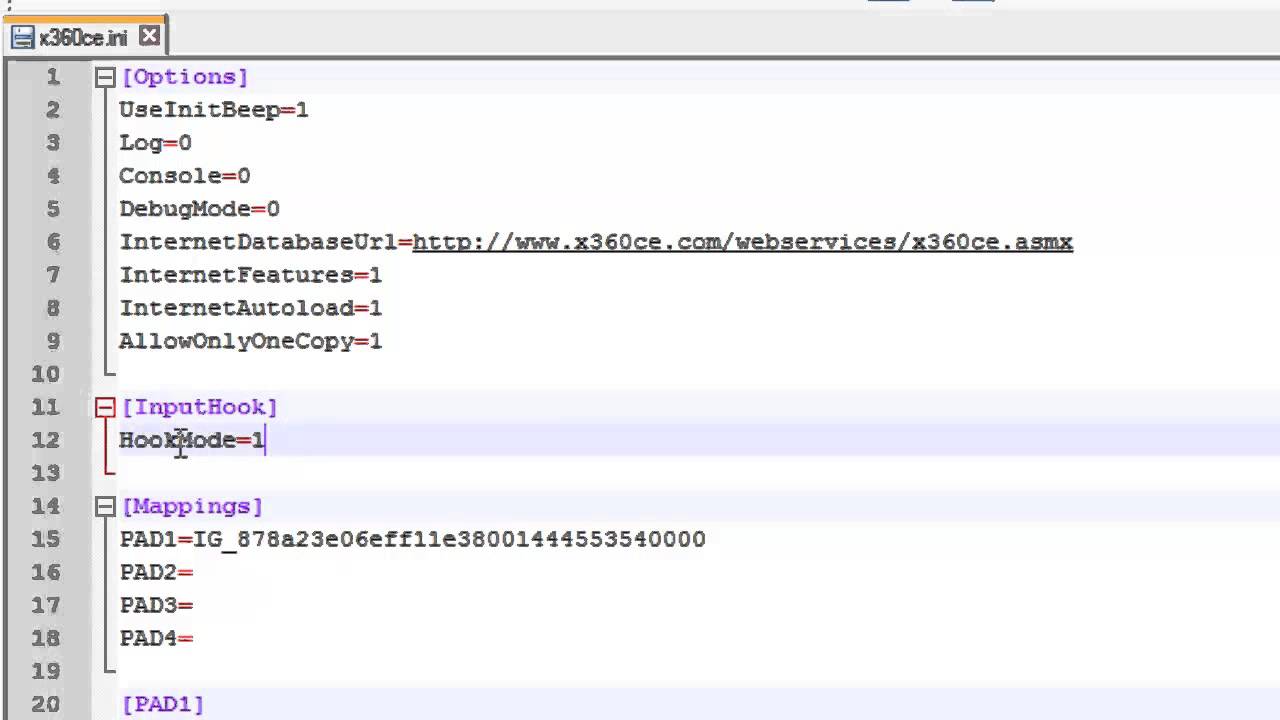
Hi
This method is tested with Frontech JIL 1731 genetic USB Joystick ( USB Gamepad ).
Download the fix from the link below:
https://mega.nz/file/CiZgTAYQ#mswQg76TZnFJ_q05UCdDojF53wy39F_AfNQ5wxNTcFY
Happy gaming!
I'm studying this to see if maybe there is a possible fix
the only problem is I don't think this will work because there is still the analog button issue
finite peak
I just had another idea I’m going to poke into. Patching the image files themselves
I know for a fact you can patch playstation 2 images with controller remaps so if theres a way to rebind the analog button to controller combo instead using an image patcher then this might work
pure radish
it'll still need some M2 shenanigans
problem is the emulator has a million different options for analog
working out which ones we actually need to change is hard because of the combinatoral explosion
one thing I have which we definitely need is the thing that solves the steam input issue
I solved that at the moment by patching the game's inputhub to write the r_move data to the left stick instead of the right
with that, it still has the left stick dpad merge enabled (which I assume is for non-steam users)
but even with patching the right stick to the left stick and disabling the direction merge, the left stick just does nothing
I worked out that the EmuTask init function has an "archSubInfo" parameter which has a few controller related bit fields, one called USE_ANALOG, but that doesn't solve it either
there's also this "EmuKey" feature which I'm extremely suspicious of, but not sure what it does yet or how it works
so I've found lots of individual separate ways of breaking the dpad mapping, but even with all of them enabled it still doesn't have analog input
setting the USE_ANALOG archSubInfo flag by itself is enough to break the dpad mapping, which has to mean something
the analog button might be the last thing needed
I know there is an M2 function for binding the analog button but I'm still working it out
the problem is if something I've tried actually breaks it in a useless way, I have to experiment with all of the possible combinations of patches
when I have like 8 patches that quickly becomes time consuming
2^8 is a lot to do by hand lol
have to be a bit more intelligent than blind guessing
I'm going to work backwards instead
I've found the emulator code for setting the pad registers
I'll try to work it backwards to the M2 stuff
finite peak
Analog Mode Note
On power-up, the controllers are in digital mode (with analog inputs disabled). Analog mode can be (de-)activated manually by pushing the Analog button. Alternately, analog mode can be (de-)activated by software via rumble configuration commands (though that's supported only on newer pads; those with two rumble motors). It is essential that emulators and any third-party hardware have a way of manually toggling analog mode, similar to original analog controllers, as certain games like Gran Turismo 1 will not attempt to enter analog mode on their own, even if they support analog controls and detect an analog controller.
Since analog pads boot in digital mode and will return the same ID byte as digital controllers, the most common way of distinguishing between the 2 is to send a Dualshock-only command (Typically command 43h - enter/exit config mode) and seeing how the controller responds to it.
The analog sticks are mechanically restricted to a "circular field of motion" (most joypads can reach "min/max" values only in "straight" horizontal or vertical directions, but not in "diagonal" directions).
pure radish
i can try and give you a build of my fix with extra analog stuff enabled if you make some progress on patching the images
i could push it to git on a branch but you'd need visual studio and the intel compiler to build it yourself
im still working on it on my side
i might try and sort the steam input thing properly sooner rather than later, at least that is completely clear to me what needs to be done at this point
pure radish
i found the function that reports the controller type to the game
and yes, it supports analog lol
the m2 emulator core looks quite nice
code is very simple to follow
kindred chasm
Would it be possible to simply port another game into the emu? Asking out of curiosity
pure radish
definitely
kindred chasm
can it emulate a better emulator
pure radish
i wonder what this "overdrive" feature is
is that the fast-forward thing that they accidentally left enabled
kindred chasm
One way to find out nuggs. Set it to maximum
pure radish
lol
ok, fuck it
it crashes the emu but it might be because I'm trying to enable it too early
I need some better event detection
my DLL has basically no idea when the game is actually started, at the moment
pure radish
I can technically do it by checking the squirrel file / line number but thats a bit shit
kindred chasm
Why is squirrel shit
pure radish
i quite like squirrel itself
its made this 10x more interesting than doing this for most games
im doing it to fix the game but im also doing it to learn
finite peak
pure radish
i found the function that reports the controller type to the game
Were you able to get the analog functioning? Just want to make sure before I go patching this image file
pure radish
no, not yet
finite peak
Alright, I’ll keep looking into this then
scenic kelp
pure radish
2^8 is a lot to do by hand lol
Yeah. I did go that route but stopped after a few attempts. I wanted to go with a different route altogether by changing the scripts themselves to see how the emulator would behave and them repack them to see if there'd be some change, but unfortunately I only have time during the weekends
pure radish
i was crunching until 3am most nights when I was getting the patch going lol
i can relax it to 1am now i think xD
finite peak
I just don't understand why they made it THIS hard to just have analog support, I mean really, that's some basic functionality missing right there
dark summit
yup, im expecting them to add analog support in a patch someday
finite peak
dark summit
yup, im expecting them to add analog support in a patch someday
Yeah cuz konami is really well known for fixing issues....nope can't keep a straight face
dark summit
well idk i was really surprised about the interrogation control change
they are being EXTREMELY slow, like, all this shit should've been patched day 1, but, i still have hope they'll get to it
pure radish
its definitely not hard if you have the source code 🙂
finite peak
and yet it's not there, which lets me know they don't care and aren't going to fix it anytime soon
pure radish
im wondering if there's some major issue with it
maybe on like one platform
so their fix was to disable it for everyone
finite peak
I mean, it's just analog, I highly doubt it
pure radish
oh god
there's "setUseOverdrive" and "setOverdrive"
see what i mean
wtf is the difference
imagine this but for analog and 10x worse
finite peak
setuseoverdrive is on and off and setoverdrive is the amount?
scenic kelp
My OOP teacher would yell at them for these terrible names hah
pure radish
got their debug prints working
 pure radish
ahh, shet, perhaps i know something about the analog button now
kindred chasm
Share the class nuggs we wanna know
finite peak
pure radish
ahh, shet, perhaps i know something about the analog button now
I hope you're fairing better than I am, I managed to find out how to reconfig by iso patching but the script I found doesn't include the analog button
pure radish
I have their button mapping system reasonably well understood now
so hopefully can try and map something to analog later
kindred chasm
Nice. Remember if you can't use controller input just use a keyboard key, steam has a way to bind those on controllers
pure radish
they've bound R3/L3
I will probably just use R3
L3 could get annoying as you'd possibly turn analog off while moving it
long-term we can probably update the config and add more buttons
short-term R3 will do
kindred chasm
Doesn't that still leaves us with the problem of left stick? Its not bindable through steam input since all inputs are made through game actions
pure radish
yeah, i have a workaround for that which will work short-term
kindred chasm
Oh nice so we'll be able to see if this path works
pure radish
i've modded my steam config to apply RightStick to both left and right, and then patched the MInputHub code to map the right stick movement to the left stick
i know it works because then I can move the left stick and with the squirrel scripts enabling direction merge, snake moves (but still only 8 directions)
kindred chasm
Still crazy they went out their way to not implement actual controller support but emulate a controller
pure radish
if i turn off the direction merge, i can no longer move snake
if I turn off the direction merge and use the original steam config, i can move snake again
which shows they have this silly redundancy when it comes to steam
there's two things separately trying to map it to dpad
kindred chasm
Didn't someone say there was a cheat engine code to allow joystick injection or whatever? Could use that to make sure the game analog controls actually work first
kindred chasm
Was mentioned awhile back
Oh nevermind the controller through that also ends up as DPads
pure radish
would be nice to fix it so it doesn't use game actions
kindred chasm
Jiko was the one that mentioned pissing around with that idk cheat engine myself
We have keyboard for that
pure radish
it's doable, basically hook the MInputHub function and drive the SteamAPI yourself
aka still use steam input but implement it for normal "gamepads" not game actions
kindred chasm
I know but I still think it'd be far easier to just use only sticks from gamepad and keyboard for everything else
Not like 1 has button sensitive inputs or triggers
pure radish
TBH I don't know how the keyboard input is actually working
kindred chasm
Afaik
pure radish
I think steam might be handling that too
kindred chasm
Game Action is actually just keyboard input
If you try to start MGS1 with a dinput controller WITHOUT the default config, the game launcher registers that as a keyboard
And there was this one guy in steam that kept insisting there was no steam api
So game action might just be keyboard for all we know
pure radish
i know for a fact the game is calling steamapi for controls
i've seen the code for it lol
it's what i've patched
kindred chasm
Yeah idk why that guy kept insisting it. Even kept linking to steamdb for that
pure radish
it basically samples a bunch of buttons and copies them to different offsets in a struct
and next to the right stick position there are adjacent offsets for the left stick position
but the steam code isn't fetching left stick data, so those fields are not assigned (without my patch)
kindred chasm
Idk I'm just saying there's gotta be a reason they just went out their way for all this shit when emulator had support for it. Keyboard sounds likely to me
pure radish
there probably is a separate input path besides the steam one
as you can turn off steam input entirely and buttons still sorta work
kindred chasm
Really?
pure radish
yeah it goes beserk
it thinks a button is being constantly held
so it navigates me to the bottom of menus etc
kindred chasm
Why is m2 like that tho
pure radish
the code does support multiple input backends
i'm just most familiar with the steam one atm
kindred chasm
Would comparing codes help cause isn't there another m2 game you can look at
Idk if anyone had analog control tho
pure radish
not really, because yeah, analog doesn't work anywhere
might as well continue with the steam one
for the time being
as i know i have left stick being passed correctly to MInputHub now
kindred chasm
Doing a better job at creating analog support than m2 themselves
pure radish
they have that line in the script for other platforms
which maps left stick to dpad
::g_emu_task.setInputDirectionMerge(DirectionMergeFlag.LEFT_STICK);
::g_inputHub.setDirectionMerge(DirectionMergeFlag.LEFT_STICK); // 方向入力マージ:ON
you can assume that the scripts are the same on all platforms
where there are differences it usually has some getSpec() == "nx" or something
rather than them shipping different scripts they just have console code conditional
but for all platforms they do this direction merge thing
pure radish
there is no playstation button supported in the game
that comes from the steam config
kindred chasm
No i mean like, wouldn't that determine button prompts
pure radish
not sure what you mean
pure radish
yeah
kindred chasm
So i thought that code was referring to the button prompts launcher would default to
pure radish
so I haven't pushed this yet but we have:
typedef enum {
    BUTTON_A     =        0x1,
    BUTTON_B     =        0x2,
    BUTTON_C     =        0x4,
    BUTTON_X     =        0x8,
    BUTTON_Y     =       0x10,
    BUTTON_L     =       0x10,
    BUTTON_Z     =       0x20,
    BUTTON_R     =       0x20,
    DOWN         =       0x40,
    LEFT         =       0x80,
    RIGHT        =      0x100,
    COIN         =      0x200,
    SELECT       =      0x200,
    START        =      0x400,
    UP           =      0x800,
    DISCONNECTED =     0x1000,
    BUTTON_L2    =     0x4000,
    BUTTON_R2    =     0x8000,
    RPD_GC_POS   =  0x2000000,
    RPD_GC_NEG   =  0x4000000,
    SHORTCUT     = 0x20000000,
    MENU         = 0x40000000,
    RPD          = 0x80000000,
} M2EpiPadFlag;

typedef enum {
    MD_6B_DISABLE =  0x1,
    MD_MULTITAP_0 =  0x2,
    MD_MULTITAP_1 =  0x4,
    USE_ANALOG    =  0x8,
    DIRECTION_4   = 0x10,
} M2EpiArchSubInfo;

typedef enum {
    BUTTON_CIRCLE   =  0,
    BUTTON_CROSS    =  1,
    BUTTON_TRIANGLE =  2,
    BUTTON_SQUARE   =  3,
    BUTTON_R1       =  4,
    BUTTON_R2       =  5,
    BUTTON_R3       =  6,
    BUTTON_L1       =  7,
    BUTTON_L2       =  8,
    BUTTON_L3       =  9,
    BUTTON_SELECT   = 10,
    BUTTON_START    = 11,
    BUTTON_TOUCH    = 12,
    NUM             = 13,
} PlatformButtonId;
then, the steam game actions:
            "Action_RMove"        "RightStick"
            "Action_Up"        "Up"
            "Action_Down"        "Down"
            "Action_Left"        "Left"
            "Action_Right"        "Right"
            "Action_A"        "A Button"
            "Action_B"        "B Button"
            "Action_X"        "X Button"
            "Action_Y"        "Y Button"
            "Action_Start"        "Start Button"
            "Action_Select"        "Select Button"
            "Action_L1"        "L1 Button"
            "Action_L2"        "L2 Button"
            "Action_L3"        "L3 Button"
            "Action_R1"        "R1 Button"
            "Action_R2"        "R2 Button"
            "Action_R3"        "R3 Button"
you can kind of see how it works from this
pure radish
it's something people do with enums where they call the final entry "num" because the value represents the number of other items in the enum
it's not a real button
its just saying "there are 13 buttons"
aka circle through to touch
kindred chasm
Oh that makes sense
pure radish
it's not for a different game, it's for M2's entire framework
so it supports other consoles
and psx
that's why you see megadrive items in archSubInfo
keen wharf
I's assume coin would be for arcade
pure radish
yep
keen wharf
They've done arcade ports
pure radish
so we have the steam layer which maps buttons to PlatformButtonId, and then the PlatformButtonIds get mapped to M2EpiPadFlag
analog is handled separately, you use a different function to set up the binding
keen wharf
The hurdles just to make analog control to work
It almost makes me believe M2 were spiteful and deliberately made it to not have analog in the game
kindred chasm
Would make sense konami sounds like they done them dirty
Still high on the pachinko life
keen wharf
I heard a theory that this emulator might have been for another PS1 game
kindred chasm
Which one?
keen wharf
Just that, that it was supposedly for something else
Maybe a game that didn't support analog so they implemented the digital to analog thing
It is weird as vibration works so it is the dualshock being emulated there
kindred chasm
Imagine if it was policenauts
keen wharf
Lol
I think the PS1 version was released before the Dual Analog controller
But if there is a rerelease I'd prefer for them to use either the PC98 or Saturn version
kindred chasm
Was thinking of a fuckonami motive tbh. But damn pc98 that old?
keen wharf
It released first on PC98 in 1994. Honestly I prefer how that version looks over the later releases
Sadly there is no translation for it
 finite peak
keen wharf
It released first on PC98 in 1994. Honestly I prefer how that version looks over...
finite peak
keen wharf
It released first on PC98 in 1994. Honestly I prefer how that version looks over...
I thought it didn’t have as much content as the saturn version?
I know the saturn version lets you use a lightgun for the shooting sections which pretty much makes it my fav version by default lol
keen wharf
finite peak
I thought it didn’t have as much content as the saturn version?
Saturn version has the most content I'm sure, it also has the most controller options
I mostly want the PC 98 version cause of the aesthetic lol
And mouse is fine for playing that version
finite peak
keen wharf
And mouse is fine for playing that version
I know it is, but it doesn't have the cool factor of the lightgun, which I know is purely subjective but I don't care lol
timid hemlock
keen wharf
And mouse is fine for playing that version
Yeah, the psx versions is kind of annoying to control when you're used to mouse and keyboard
Wish the translation patch apllied to other versions
keen wharf
timid hemlock
Wish the translation patch apllied to other versions
There is a translation patch for the Saturn version and it supports the mouse
keen wharf
However if you were to emulate, I'd recommend to switch to light gun during the shooting segments
Mouse on Saturn version is pretty slow
finite peak
but it does look better overall
probably has the best sound quality of all versions as well
that is subjective though
keen wharf
Yeah I think so. I just want a translation of the PC 98 cause of that pixel art lol
I do still like the anime of the Saturn version
finite peak
I get it, but yeah anyways....back to the topic at hand I'm trying to see if I can work something in cheat engine again
I had already found all the values for movement before, but now I'm taking a different approach
I'm going to see if it's possible to find an analog button within the values scanned by cheat engine
I'll test it out once I'm back home
timid hemlock
finite peak
they released the saturn patch back in 2016
Damn, completely missed this! I only remember waiting patiently for the psx patch to drop, when I was hanging out at JunkerHQ. Time for a replay then.
finite peak
well cheat engine is a no go because the exe has about a bajillion constants when it really shouldn't
Also I set the right analog stick to ouput as left stick, it no longer works even in the menus
so that really does mean that it's totally locked out of the game that way
finite peak
does anyone have any idea how to edit a PPF file?
chrome path
If M2's tools are so ubiquitous and general, look at other examples. Have they made a PS1 emulator before?
I can't find any. Maybe they did and I don't recognise the game.
finite peak
Yeah I'm trying to find out if there's a way I could patch the isos with a PPF to enable analog from the start
I have a ppf file but I have no idea how to edit or view the thing
apparently someone patched full analog support into armored core 1 on the psx
keen wharf
chrome path
If M2's tools are so ubiquitous and general, look at other examples. Have they m...
Probably the PS1 games for Megaman X Legacy Collection 1+2?
finite peak
keen wharf
Probably the PS1 games for Megaman X Legacy Collection 1+2?
I would say that explains the lack of analog support except it has rumble
keen wharf
finite peak
I would say that explains the lack of analog support except it has rumble
Made a quick check on Megaman X6. Game has rumble support but the analog sticks don't do anything
I guess that could explain the digital to analog thing if that's the case for the X collection
 keen wharf
Checked X6 on the Legacy Collection as well, the analog stick controls the character and rumble also works. So yeah, definitely a digital to analog implemented here
chrome path
Really seems like KONAMI just used the thing as-is then. Shame.
finite peak
And I just went down another rabbit hole
patching the game to enable analog is pretty much a no go
in theory, it's possible, but in practice not really
under analog mode note it actually has everything listed in the order it has to happen in to actually activate the analog mode
as it says in the docs, you have to put gamepad in control mode, send some bytes, read some replies and so on a couple of times
while probably disabling some interrupts
In theory, this should do it:
#define TX_RDY 0x0001
#define RX_RDY 0x0002
#define SIO_DATA ((unsigned char)(0x1f801040))
#define SIO_STATUS ((unsigned short)(0x1f801044))
#define SIO_CTRL ((unsigned short)(0x1f80104a))
#define SIO_BAUD ((unsigned short)(0x1f80104e))
unsigned char pad_cmd[] = {1, 0x44, 0, 1, 2, 0, 0, 0, 0};
unsigned char config_cmd[] = {1, 0x43, 0, 0, 0};
int querypad_rxrdy = 1;
void query_pad0(unsigned char* in, int len)
{
unsigned short sbuf;
int i;
int y;
    SIO_CTRL = 0x2; // send DTR to ctrl reg

    SIO_CTRL = 0x1003; // b1 = PAD0, select PAD0

    while (!(SIO_CTRL & 1));        // wait for TX_PERM

    for (i = 0; i < len; ++i)
    {
            SIO_DATA = in[i];

            y = 0;
            if (querypad_rxrdy)
            {
                    while (!(SIO_STATUS & RX_RDY))
                    {
                            ++y;
                            if (y == 1000)
                            {
                                    querypad_rxrdy = 0;
                                    break;
                            }
                    }
            }

            sbuf = SIO_CTRL | 0x10; // RESET ERR
            SIO_CTRL = sbuf;

            y = SIO_DATA;
            while (!(SIO_CTRL & 2)); // wait for DTR bit set
    }

    SIO_CTRL = 0;
}
inline void pad0_config_mode(unsigned char enable)
{
config_cmd[3] = enable;
query_pad0(config_cmd, sizeof(config_cmd));
}
void enable_analog()
{
pad0_config_mode(1);
query_pad0(pad_cmd, sizeof(pad_cmd));
pad0_config_mode(0);
}
The way the playstation works you technically speaking de-activate the analog to activate it, and activate it to de-activate it
Pastebin
Pastebin.com is the number one paste tool since 2002. Pastebin is a website where you can store text online for a set period of time.
but it's not working, not really sure why
I guess I'm just dumb, we can't all be nuggs lol
btw this is the original source:
GitHub
Automatically exported from code.google.com/p/psxsdk - simias/psxsdk
must must sleep now, brain is dead, will continue later lol
finite peak
and....I just realized where I might want something like #define SIO_DATA ((volatile unsigned char *)(0x1f801040))
I forgot to mark it as volatile...
ah well, it'll have to wait
I don't know the exact syntax right now
chrome path
For PS1, and since the game is feeding back vibration, it's already detected that you have a DualShock.
 ruby hill
Please don’t give up
chrome path
And by default, analogue is turned on when this is detected.
I don't think you need to patch the MGS1 ROM to activate it.
pure radish
i believe whether analogue is turned on is controller state, not game state
but there's a way for the game to turn it on
but obv the proper way is the controller turns it on
it would still be useful short-term to have the game patched to turn it on, it would certainly get us closer to figuring out what's going on
 dawn flare
Just popping in to say how much I appreciate all the work this team is putting in. You've already taken MGS1-PC from a hot mess into something worth playing.
Looking forward to you guys getting analog input sorted and moving forward with more of the QOL-type stuff.
pure radish
im gonna hook the emu's sio pad update
to see what is actually being sent to the game
got some time to work on this now
dawn flare
You need anything, just holler.
kindred chasm
It's just a damn shame that m2 hates konami that much. I wish i understand a lick of coding to help
dawn flare
It's probably more a "This is the budget for the project. Make it work. Here's the deadline."
kindred chasm
I'd assume konami would have more respect for the game that kickstarted their biggest ip but stupidier shit happened ig
pure radish
controller currently gets initialised as "analog/pad" rather than "analog/stick"
 past sonnet

did you guys see this?
i have no idea why this isnt in the MC nexus tab
wait nvm
i didnt read, this is for GOG
made me confused since this was made yesterday
in fact there are only 2 mods, both made yesterday
 frozen heron
keen wharf
But if there is a rerelease I'd prefer for them to use either the PC98 or Saturn...
frozen heron
keen wharf
But if there is a rerelease I'd prefer for them to use either the PC98 or Saturn...
i want to port policenauts to pc with graphic settings for each console version but i'm at 0% on decompiling
i'm not experienced enough
chrome path
Given the nature of the game type, it'd probably be easier to document the interactions, and then just redo it in Renpy or something.
When I read up on the translation project, I don't think he ever decompiled how the compressed images were stored on PSX or Saturn, and just introduced a new compression algorithm for anything they replaced.
But the PC98 stuff is just bitmap, hence the clean colours.
So, a BMP screenshot of sufficient quality would be just as good as source.
Trying to capture things to do with the PS1 version would be a bit more hectic, given the layering going on, sadly. Unless you want to capture the VRAM as you play it, which would still be kinda jank.
I'm surprised there isn't more documentation on the NAUTS engine since it's used for other games, too.
And shares a bit with MGS1.
pure radish
moar prints
 pure radish
so changing the pad type to the "analog/stick" variant breaks all input
even from keyboard
I assume the game doesn't recognise that controller
so probably "analog/pad" is the one it's supposed to be
err
probably because it's this lol https://en.wikipedia.org/wiki/PlayStation_Analog_Joystick

The PlayStation Analog Joystick (SCPH-1110) is Sony's first analog controller for the PlayStation, and is the precursor to the PlayStation Dual Analog Controller. It is often incorrectly referred to as the "Sony Flightstick" (not to be confused with the Flightstick line of joysticks for PlayStation consoles by third-party peripheral manufacturer...
dawn flare
Look, if this doesn't work with MGSMC, then why even bother?
WHAT ARE WE DOING HERE, JUST TO SUFFER?
pure radish
so i guess the working assumption is back to "the controller type is correct, the analog button just isn't pressed"
dawn flare
I'd guess that it's actually analog (read: dualshock)/ (game) pad
I wonder if you set it to digital/pad if it would treat it like the base model ps1 controller
pure radish
their emulator also models the "NegCon"
dawn flare
Of course it does
pure radish
which is a "steering twist/wheel/paddle"

The NeGcon, stylized as neGcon, is a motion-based game controller manufactured in 1995 by Namco for the PlayStation. One of the first third-party peripherals for the system, the controller is connected by a swivel joint, allowing the player to twist the halves relative to each other. The controller also replaces the "symbol" buttons on the origi...
dawn flare
That... Sure is a controller...
pure radish
So the relevant section in psxspx says:
5A41h=Digital Pad (or analog pad/stick in digital mode; LED=Off)
5A73h=Analog Pad (in normal analog mode; LED=Red)
normally the emulator sets it up as 5A73
so analog is already enabled
in fact nothing else but 5A73 is working
dawn flare
🙃
dusty radish
pure radish
im enjoying these prints
 pure radish
the game is trying to read the analog sticks
so they're just not being set or summit
pure radish
alright, definitely found the issue
fixing it won't be completely straight forward tho
woeful flare
as i expected......
pure radish
also learned a little bit about how we might boost the internal res
pure radish
aight
well
i think what happened here was
since it's all statically linked into one executable, the compiler removed a certain part of the code that would set the axis position because it was possible at compile time to determine it wasn't used
but the bit that is missing isnt much
I'll try getting the mod to do it
dawn flare
If money wasn't tight right now, I'd be sending some monies your way
pure radish
cool, it works
woeful flare
👁️
kindred chasm
Such a lust for joysticks 
kindred chasm
Congrats nuggs, you single handedly foiled the m2 plots
Permission to share on steam forums?
pure radish
sure
viscid meadow
we are so back
now that you've spent days and days on that watch them release an update fixing it
pure radish
meh, only took 5 mins to fix
most of the time was spent convincing myself there wasn't a better way to fix it
viscid meadow
yeah but if they'd just done it right in the first place you never would have spent any of that time on it at all
 soft falcon
pure radish
most of the time was spent convincing myself there wasn't a better way to fix it
soft falcon
pure radish
most of the time was spent convincing myself there wasn't a better way to fix it
If it works it works loI
 sick osprey
Are there any currently existing hacks to decrease input latency?
I can do without analog for the forseeable future if it doesn't get fixed, but the latency is bad.
kindred chasm
Wouldn't borderless window help with that
kindred chasm
No, the mod nuggs did can. Fullscreen broke on mgs1 lmao
sick osprey
It's really funny too, because it seemed to go from
"This isn't possible."
to
"I did it"
Over the course of I think 1 day.
woeful flare
i guess all that's left now is the input lag
finite peak
pure radish
most of the time was spent convincing myself there wasn't a better way to fix it
Ya beat me to it! I just got the patcher to compile lol
finite peak
sick osprey
Are there any currently existing hacks to decrease input latency?
I can do witho...
What video card do you have? I fixed it on Nvidia cards with the profile from the nexus mod
sick osprey
nvidia rtx 3080
finite peak
pure radish
stole the code to do the axis 8 bit normalize from pcsx-redux 😛
Did you upload the new version yet?
sick osprey
so there's an nvidia mod then?
or wait, i think something with vsync also helped?
finite peak
sick osprey
so there's an nvidia mod then?
or wait, i think something with vsync also helped...

Nexus Mods :: Metal Gear Solid: Master Collection
An overhaul of Metal Gear Solid for the Master Collection
Just use that
sick osprey
cool, thanks
kindred chasm
Isn't that literally just duckstation
finite peak
kindred chasm
Isn't that literally just duckstation
No, that was the very first build I did in error, its been updated dramatically since then
The only reason I don’t have a fix for amd cards is because I don’t have an amd card to work with
sick osprey
silly question: do the steam achievos still work?
finite peak
sick osprey
cool, thanks
BTW I’m going to updating that with nuggs’s analog fix as soon as it’s uploaded
finite peak
sick osprey
silly question: do the steam achievos still work?
Yup, those comments were from the first build
kindred chasm
Dumb question, will it work on a steam deck?
I can always try it myself for science but just wanted to make sure nothing breaks
soft falcon
Ah right
dark summit
lol
finite peak
kindred chasm
Dumb question, will it work on a steam deck?
No deck builds yet, I’m getting one of those limited edition OLED ones for myself as a christmas gift so I’ll work on it then, I was mostly trying to get the game to work
soft falcon
finite peak
No deck builds yet, I’m getting one of those limited edition OLED ones for mysel...
If it relies on an nvidia profile that probably isn't deck compatible then
Although there's always modding it on pc and streaming to deck as an option lol
finite peak
soft falcon
If it relies on an nvidia profile that probably isn't deck compatible then
I mean as in I’ll get a fix out once I get a hold of a deck, the profile just made things simple but I know how to fix it
kindred chasm
Oled sounds nice but I'm in no hurry to upgrade my deck 
finite peak
kindred chasm
Oled sounds nice but I'm in no hurry to upgrade my deck <:mgnLove:11282367486783...
No I get it, it’s just that I don’t have one so it makes more sense to just buy the new one
finite peak
pure radish
stole the code to do the axis 8 bit normalize from pcsx-redux 😛
Also nuggs, if you don’t mind, could you tell me how you actually did this?
I had already tried it and it didn’t work so I’m just curious as to what it was I missed
kindred chasm
Mr default if you wanna get a deck get used to arch linux. SteamOS uses that as the base. You'll want to tinker your deck for a more enjoyable experience 👍
Or look up stuff you wanna do to it. Decky has a bunch of useful tools built in, like a recorder or a built in force pause button
 red cradle
so the progress so far is like the current emulator can add analog control?
sick osprey
i think so
the discourse is like a rollercoaster but i think nuggs is close to analog support
finite peak
red cradle
so the progress so far is like the current emulator can add analog control?
Um….OK when we first started the game was completely unplayable. Jumpy frames, sound stuttering, input delay, no scaling options. Now it’s completely stable and nuggs got the analog stick fixed and the scaling issue fixed
It also looked like garbage until we got the bilinear filter off (can’t remember who did that first) and I made the CRT filter with reshade
If you want to know how bad konamis filters are then turn mine off and turn theirs on. Nuggs made it available in the .ini knock yourself out but spoiler alert, it looks awful
red cradle
fantastic, you guys really did a great job! impossible to possible 👍
 formal sleet
Really awesome seeing the progress on this, great job everyone!
So I think all that's left is internal resolution and input lag?
keen wharf
I'd also add dithering in there but I dunno how possible that is
keen wharf
pure radish
Amazing. I was pretty close on just giving up hope on this lol. Apreciate all the work you've put in
ruby hill
pure radish
cool, it works
HYPE
ruby hill
finite peak
Yup, those comments were from the first build
Can you toggle the CRT filter?
finite peak
ruby hill
Can you toggle the CRT filter?
Pretty sure I have it set to the O Key to toggle it on and off
The letter o not the number 0, need to put that in the read me too
ruby hill
Thanks
finite peak
ruby hill
Thanks
NP
finite peak
keen wharf
I'd also add dithering in there but I dunno how possible that is
I can look into that, I really just didn’t think about it because of everything else going on
finite peak
And done! Got the dithering added so I’ll probably include that with the analog fix
finite peak
ruby hill
Internal res, ultrawide, and unlocked framerate next. 😉
You don’t want unlocked framerate on this, it breaks the game
You’ll have to wait on the decomp project to complete for that one
Also I’m a little surprised by how many people want that internal res scaling. I mean nothing against more options or anything it just looks terrible.
ruby hill
finite peak
You don’t want unlocked framerate on this, it breaks the game
I know. I’m saying a mod that fixes that. It was done for MGS3 already
ruby hill
finite peak
Also I’m a little surprised by how many people want that internal res scaling. I...
Noted.
timid hemlock
finite peak
Also I’m a little surprised by how many people want that internal res scaling. I...
Many people like MGS with higher res. Different strokes for different folks. I would like to at least have a 2x res option. That's the sweet spot for me personally
finite peak
I think 2x is good if we can get deinterlacing but not sure if thats a thing with this emulator
If it is in there, then mgs can run natively at 480p
That’s one thing Swanstation does that duckstation can’t I think
But the main problem with mgs1 is it’s also one of the only games where the geometry breaks as you upscale it
 pure radish
finite peak
Also nuggs, if you don’t mind, could you tell me how you actually did this?
I ha...
pure radish
finite peak
Also nuggs, if you don’t mind, could you tell me how you actually did this?
I ha...
you'll be able to read the code when it's ready but
patching the game itself was never going to be enough
I need to make sure it behaves as expected when you switch to player 2
timid hemlock
finite peak
But the main problem with mgs1 is it’s also one of the only games where the geom...
that's only for PGXP I think
finite peak
pure radish
I need to make sure it behaves as expected when you switch to player 2
Even if it doesn’t couldnt you just use the dpad for the one fight with mantis?
pure radish
i'll also need to put a controller config on the steam community
kindred chasm
What'd you do to steam config that requires it to work?
pure radish
well, the steam config doesn't map the left stick at all
kindred chasm
Right that dumb nonsense lmao
Can't believe they actually took the time to make steam do that
pure radish
there also seems to be some issue with the stick axes clipping
like
the data from the sticks is as if you were moving it across a perfect square
so if you try to move diagonally
the first person camera gets confused
its like
it needs to scale up the diagonals
kindred chasm
Might be something in steam you can change to prevent that
pure radish
that's a good shout
kindred chasm
I know they have multiple settings for sticks including a square output
pure radish
yeah, steam config can probably fix it
but its so weird LOL
what the hell is going on with this game
d-did they disable it because they couldnt be bothered to get the config right
kindred chasm
Turns out the psx supported square pads
And they didn't know how to turn it into circles
kindred chasm
You can set the deadzones into negatives?
pure radish
there are so many options in steam it seems like this will be trial and error
i've turned off the game's builtin deadzone
kindred chasm
How about this nuggs worry about steam input later and I'll fuck with it myself. Or we could invite the whole family to figure out the stick solution
pure radish
I'll do the thing I do actually know how to do (split the left and right sticks ingame)
kindred chasm
Speaking of what is it doing when you try to use the stick as is so we know what we're looking at
pure radish
depends how steam input is configured A LOT
the original config applies a deadzone that means basically you have 8 pad directions
on/off, no analog
if you remove that, it works the best, but you can't move the first person camera in a diagonal (like down+right at the same time)
it gets confused and doesn't move
if you change the deadzone a bit more, diagonals start to work
but it goes batshit and starts moving in the opposite direction
i think we can figure it out with the steam settings
its just tedious
the game is definitely getting analog input now though as you can see in my video
finite peak
pure radish
depends how steam input is configured A LOT
I know a guy who can help with this, send me a link to that pre-release and I’ll get the steam input wizard on it
finite peak
Awesome!
pure radish

GitHub
Changes
MGS 1: Adds an option to enable analog input. This requires Steam input configuration changes which are still a work-in-progress. This release is to enable others in the community to test ...
finite peak
Is it on the github?
pure radish
so
needs the ini entry set to enabled
then you need to swap the "RightStick" steam input joystick to the left stick
(probably a good idea to disable the right stick, too)
finite peak
Alright, one sec
pure radish
then need to play around with the joystick deadzone etc etc in the steam controller config
also the log file is very cool now
worth looking at because there's some interesting stuff in there
pure radish
oh
you can change the steam input config without restarting the game
duh
that'll save time lol
pure radish
so its like
at the diagonals, the combination of the X and Y component causes an overflow
you can stop it by reducing the horizontal/vertical scale
then you have diagonal movement but its slow
 fringe shore
Downloading this in a few and I’ll start tinkering with the dead zones 🫡
pure radish
i genuinely don't know what to make of it
lmfao
if this is why they disabled it.. lmao
pure radish
i wonder if there's something else im missing that is modifying the analog values
ill look more
finite peak
Its almost like the analog stick is in the wrong place
When you turn the deadzones off, it works fine except right and up go too far
If you don’t push the full way it works fine
But if you go all the way it resets to the other direction
But if you make any adjustments to the deadzones at all, the corners stop working on the scope
soft falcon
finite peak
When you turn the deadzones off, it works fine except right and up go too far
Would it be possible to manually adjust the numbers to be more down and left then across the board?
If right and up misbehave
fringe shore
I think I got it 😁
Left stick to rightstick and left analog output obv
Horizontal and vertical scale to 96
Dead zone custom
0-95
Shape square
Let me know what you think
finite peak
I fixed it, I figured it out, I’ll post a profile in just a sec
fringe shore
lol I figured it out
When you bring up steam overlay it reverses you
Do it again it fixes it
Dumb
finite peak
steam://controllerconfig/2131630/3087754889
fringe shore
But it works
fringe shore
Downloading in a sec
finite peak
we have full analog support everyone! w00t
all main gameplay issues are now resolved!
pure radish
@fringe shore worked better for me in first person cam
honestly im impressed lol
its so sensitive, you make tiny changes and it doesnt behave how you expect
but reassuring that we have something this close already
do we need to have separate configs for each controller type
this works great for me with a dualsense
fringe shore
I copied something from his config and it seemed to fix alittle glitch that seems to happen sometimes where it goes center for a split second. Set the anti-dead zone to max
Teamwork!
But I agree the FPV seems alittle better with mine
Just in terms of sensitivity
In the corners
pure radish
yeah FPV is the best way to test
fringe shore
I just posted the config details alittle farther up
So you can enter them in manually
Basically do that but add max anti dead zone
I think that’s as good as it’s gonna get
finite peak
Wait, what was wrong with the one I posted?
fringe shore
Nothing it just seems to be less sensitive in the far corners
But it does work
Square dead zone seemed to be the answer
fringe shore
Lmao story of my life at the moment 😂
Working with the mgs2 config I’m working on in particular
pure radish
wonder if konami will copy us