
#Level Display
1 messages · Page 1 of 1 (latest)
 shell gust
 unreal rampart
Great work!!! One request. Possible to increase the distance that the name and level shows up from? Feels like you almost need to be within agro range for it to pop up. I guess this is more the game itself though and the distance it draws a name from
shell gust
That is the default game render distance, I can look into it.
unreal rampart
Awesome otherwise you could potentially see if the level could be added to the Target Name display
shell gust
That might be a better idea!
 vestal imp
both, please. I like to see at a glance what a mob in the distance is, but I also want to be able to check that info with half a dozen mobs bunched up on a square inch.
 wispy dune
This is perfect!
Hopefully default game render distance can be modded too.
Whoa my druid is 19, but his pet his 15.
shell gust
Hacks 🤣
 ionic meteor
That's a great mod. Thanks
wispy dune
shell gust
Hacks 🤣
I misstyped 10 should have been 19

 hexed dock
 craggy lotus
<@218739101996810240> you should display there level Somewhere in that vicinity
craggy lotus
<@218739101996810240> you should display there level Somewhere in that vicinity
I'd love a version where the level is only behind the name in the target display - but not in the name above mobs generally.
shell gust
hexed dock
I'd love a version where the level is only behind the name in the target display...
We can make a configuration
 dreamy lance
Uhhhhhhhhggggrr Thunderstore.


My computer blocks BepIn and Thunderstore stuff 20 ways to Sunday. It was just a chore to get BepIn installed
shell gust
dreamy lance
Uhhhhhhhhggggrr Thunderstore.
I’ll get it to GitHub
 tough sand
Very nice, thanks
shell gust
@dreamy lance @tough sand https://github.com/drizzlx/erenshor-leveldisplay/releases

GitHub
Contribute to drizzlx/erenshor-leveldisplay development by creating an account on GitHub.
tough sand
Would be nice to have a config that allows it to display for mobs but hide the players
wispy dune
shell gust
<@770161963581440010> <@276120538538049537> https://github.com/drizzlx/erenshor-...
Anything new?
shell gust
No just hosted on github
shell gust
tough sand
Would be nice to have a config that allows it to display for mobs but hide the p...
I'm definitely going to make this very configurable
wispy dune
Any luck on the render distance thing?
shell gust
I haven't worked on it yet
tough sand
@shell gust Could it be possible the mod breaks the guild names? They do not display when the mod is installed.
I removed it, guilds are back
shell gust
where are guild names displayed?
wispy dune
Under the player name.
tough sand
 tough sand
Probably that appending the [level] next to the name pushes the guild tag away
dreamy lance
shell gust
<@770161963581440010> <@276120538538049537> https://github.com/drizzlx/erenshor-...
Yer awesome! 👍
shell gust
tough sand
Probably that appending the [level] next to the name pushes the guild tag away
Yep you're correct, I see the issue, I am essentially overriding the string because guild was just appended to it with a \n. I'll have to update my code to add that in there.
shell gust

got some configs in there now so you can choose to display or hide for sim and mobs

I may default the sims display to false
 glacial wave
i think the most useful part is the mobs display so defaulting sims level to off should be fine, you typically know the level of the sims in your party anyway because you see it when you group up
tough sand
How about mobs that are in a guild? 
shell gust
Can confirm only applies to sim players ^^
shell gust
wispy dune
Any luck on the render distance thing?
I did find the render distance override but there's a bit more work to do because the name tag doesn't point your direction until you're inside the original boundary
tough sand
When do you expect your new version to be live
shell gust
I'm looking into a couple things but if they are lengthy I'll release this version today
if you want a stable version without the nameplate render distance, and showing levels in the targeted name plate, I can send that to you here
tough sand
I'll wait for your final version
shell gust
we're in business boys

name tags are small when in further distance, but not something im going to change at the moment
gotta make it a little chalenging
Distance is also configurable
Using a multiplier
glacial wave
shell gust
we're in business boys
hell yeah this looks solid
shell gust
1.1.0 is available
- Display mob level in target window.
- Increased name tag render distance by 1.5x for mobs, this is configurable.
- Add configurations to show/hide levels on mobs/sims.
- Fix issue preventing guild names from displaying on sims.
- Hides Sim player levels by default.
https://github.com/drizzlx/erenshor-leveldisplay/releases/tag/1.1.0
https://thunderstore.io/c/erenshor/p/drizzlx/ErenshorLevelDisplay/
Thunderstore will take awhile to update mod managers.
wispy dune
Thanks for making this Drizzlx. Not knocking the conning system. But this makes the game so much better for me.
shell gust
wispy dune
Thanks for making this Drizzlx. Not knocking the conning system. But this makes ...
No problem at all, I really appreciate all your feedback and testing you do for my mods. Thank you!
vestal imp
feature suggestion: numbers as offset mode. meaning, you don't put the exact level there, but rather the +x/0/-x as seen from your own level. easier to parse with a half awake mind during night grinds, also plays well with Brian's new pull level range settings
shell gust
vestal imp
feature suggestion: numbers as offset mode. meaning, you don't put the exact lev...
Don’t the color codes of the target ring already indicate that?
Or I guess you mean in general in the titles
I’ll have to give that some thought.
vestal imp
shell gust
Don’t the color codes of the target ring already indicate that?
they don't show exact numbers, though. a red con could be +3 levels or +30 higher, no way to further clarify that
shell gust
vestal imp
they don't show exact numbers, though. a red con could be +3 levels or +30 highe...
Oh I see - may do a mod to adopt the Lineage 2 colors. It's dark blue, light blue, green, white, yellow, light red, red. With white being +-3 levels of the player, dark blue meaning the mob is 9+ lower, and red meaning 9+ higher
but - it also depends on when you stop getting XP to what is considered dark blue, so the scale is different in this game
vestal imp
L2 has a different level range, too, right? what are they up to now, 100?
shell gust
vestal imp
L2 has a different level range, too, right? what are they up to now, 100?
I'm not sure what official is, I play the classic private servers from time to time. That goes to 75, 80, 85, and the newer chronicles were 90+
but yeah good point, more level range gives more wiggle room on the color ranges
although I still think we can do better than just dark red +3 or more lol
vestal imp
hence why I would love to see an option to show level offsets in your mod 😄
shell gust
I just think for the general user, that's confusing, I have never seen it before
but we can figure something out
vestal imp
yeah, should be an option, to set with ConfigManager
let me see if I can whip up a quick PR for you
shell gust
LOL if you do that i'll add it for you
vestal imp
shell gust
LOL if you do that i'll add it for you
should be in now... first time I've done a PR outside of a company repo that was already set up 😅
I think it sent the diffs as pretty much full file contents because I use an extension that auto-tabifies from 4 spaces, so every line has that change
shell gust
No worries I can diff to review. Thanks!
wispy dune
Would asking for some kind of class identifier be asking for to much? Some of the better equipped simplayers looks alike.
shell gust
wispy dune
Would asking for some kind of class identifier be asking for to much? Some of th...
Something like that may work best only showing when you target one of them?
Like a little buff icon or something
Could make them always have a buff which is simply a class indicator you can see
I’ve seen it done that way for different mob types in games. To know if they are humanoid or etc
vestal imp
I found the plugin for FF14 that showed job or role icons on the nameplate very helpful. I'm too casual to keep up with everyone in that game, and Erenshor isn't that different
wispy dune
vestal imp
I found the plugin for FF14 that showed job or role icons on the nameplate very ...
I would love a FF14 nameplate like system.
wispy dune
shell gust
Like a little buff icon or something
I would prefer it always showing. Maybe use the default auras for each class. Again this is just my opinion.
I'm quite happy with the mod as it is.
Just me wishing for feature bloat.
shell gust
I’m always game for more features that make sense. Send some screenshots of FF14? I’m trying to visualize
wispy dune
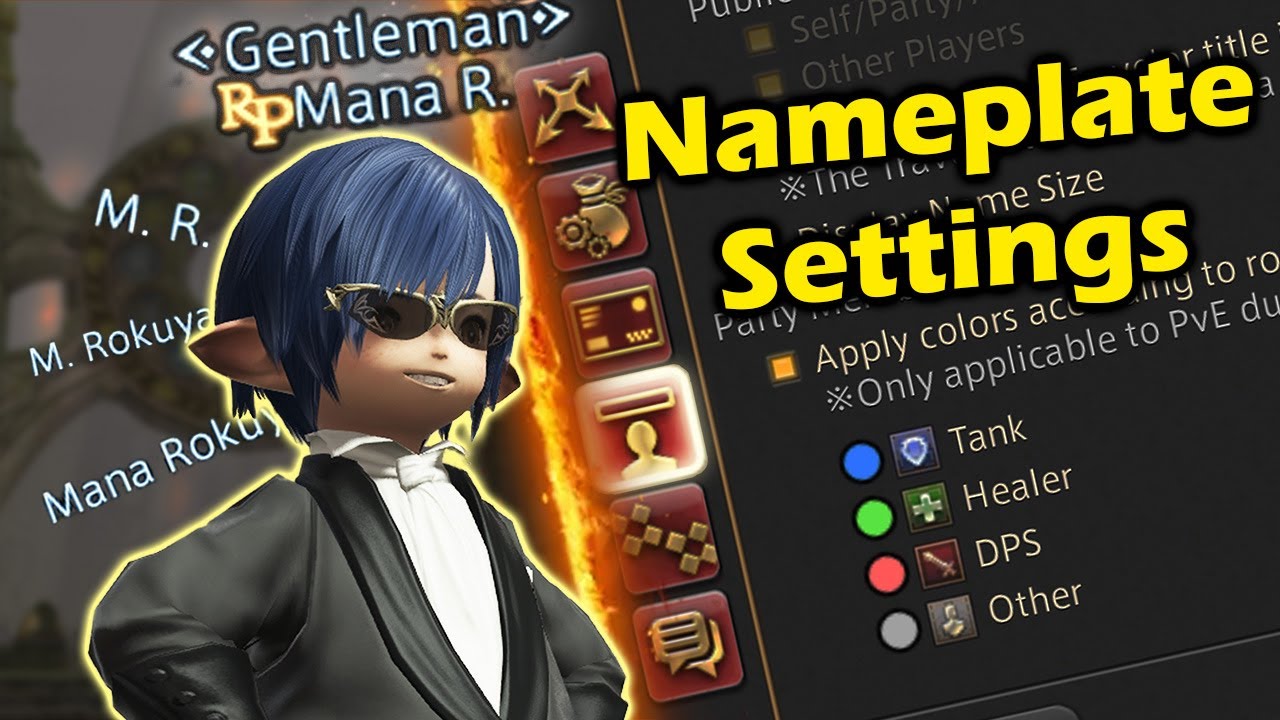
This video covers the display name settings in FFXIV, up to date for 2024. This is a comprehensive guide going over every display name setting in the mmorpg final fantasy xiv, from your own display name to that of others, npcs, and display names in the pvp game mode. This video is primarily a beginner guide but can also help the veteran ff14 pla...
FF14 has a superb nameplate system.
It of course doesn't need to be this complex. But that video will give you the idea.
Not at home right now. I can provide screenshots in about 30 minutes otherwise.
shell gust
No worries. I have to finish minimap first after I butchered the shit out of it by refactoring the code
vestal imp
the 3rd party plugin system makes it even better, but technically that's against TOS. I used them anyway, because I never took part in competitive content and for a casual player it was simply amazing QOL that the Sqeenix devs could never manage to implement because of too much technical debt
shell gust
But it is draggable now and for the better lol
vestal imp
resizable too?
shell gust
Not yet but headed that direction
Resizable have to be careful with because I don’t want larger to mean hacky. Has to keep the same view space just enlarged everything.
And there has to be a min max. I don’t recall if I’ve actually seen a resizable mini map. Just movable
May can do “larger font” for all you old people
Me included 🤣
wispy dune

UI Guide | FINAL FANTASY XIV, The Lodestone
Learn about the UI in FINAL FANTASY XIV and how to customize it to better suit your gaming needs.
This is a nice basic look at what I mean. Nothing super complicated.
vestal imp
wispy dune
https://na.finalfantasyxiv.com/uiguide/communication/chat-np/chat_np_jobicon.htm...
did they actually add a native way after all? last I played (about 1.5y ago) job icons weren't in vanilla yet
wispy dune
Yep that's what that link is about.

Heck even doing the name is the class color would be helpful.
vestal imp
I would prefer if party member names just stayed green at all times, don't even want them flashing for combat. flashing to yellow like any normal npc or mob makes things more distracting than anything IMO
shell gust
vestal imp
I would prefer if party member names just stayed green at all times, don't even ...
Tbh I thought about making a mod to disable all that flashing combat ui.
Anyone with epilepsy gonna have a tough time
vestal imp
make it modular though, pls. I do like the subtle outline on the UI widgets, just not the nameplates
shell gust
It should be a game setting and maybe it is
 compact tundra
hexed dock
shell gust
1.1.0 is available
- Display mob level in target window.
- Increased name tag re...
compact tundra
hexed dock
shell gust
1.1.0 is available
- Display mob level in target window.
- Increased name tag re...
Finally done with the working week so will try this tonight. Thanks for the mods, you've added a fair bit of QoL into the game for me.
hexed dock
@shell gust - the mod description says this has configurations, but where do you find/set those?
I looked for a file in the mod folder as well as try find something in-game, but I am guessing I am blind 🙂
shell gust
@hexed dock C:\Program Files (x86)\Steam\steamapps\common\Erenshor\BepInEx\config
Drizzlx.Erenshor.LevelDisplay.cfg
hexed dock
oh doh
config files are located seperately
Might be worth adding that to the mod description 🙂
Thanks for the quick response!
shell gust
some day we might have an in-game custom config section lol
hexed dock
shell gust
some day we might have an in-game custom config section lol
Hehe - it would be nice to be able to do it without restarting the game, but to be fair the config isn't that complex and you only do it once or twice to find the settings you prefer so it's okay for now
Just changed the settings and it works -exactly- as I was hoping, thank you 🙂
The level next to the mobs name floating above their head is a bit distracting, but on the target display is very helpful
Due to the config I can do exactly that ❤️
I noticed the pet/summon of the druid in my party also had the level appended to their name btw - assume they count as a mob?
shell gust
hexed dock
I noticed the pet/summon of the druid in my party also had the level appended to...
Its a bug
I’m investing into mini map at the moment but that’s the only issue I know of with this mod
hexed dock
It does everything it needs to do right now, so that makes perfect sense 🙂
wispy dune

Jethro lost his guild tag and level.
Huh I think it was because Jethro level up. On zoning his guild tag was back and he is now level 20.
glacial wave
guild lead got sick of his shit and kicked him >.>
shell gust
wispy dune
Jethro lost his guild tag and level.
Thanks I’ll look into it
 bright harbor
Ohh yea gunna test this
shell gust
Known Issues
- When a sim in group levels up, it no longer displays level or guild.
dreamy lance
@shell gust Adding distance to target in the target window would be great if it doesn't get too squishy. Would be nice to have for the auto pull distance
Something simple like 23m would be good enough
shell gust
dreamy lance
<@218739101996810240> Adding distance to target in the target window would be gr...
Are you asking so you can get close enough without pulling the mob?
 swift thicket
I can tell you that mobs aggro roughly around 20
On my tab targeting mod I set my distance to start cycling targets around 22 so that I can pick them up before they auto attack me
But I dont think name plates show up until 20 anyways and by that time most of them are already on you if its an aggressive
dreamy lance
No, just distance to mob so I can setup the auto pull eaiser

You can barley see it, but I selected a mob way the F out there. Just want to know how far away I am from it
 swift thicket
Can probably just do a standalone mod for that tonight if drizz doesnt want to add it to level display
shell gust
tbh that type of thing id rather have a radius indicator on the terrain
dreamy lance
shell gust
tbh that type of thing id rather have a radius indicator on the terrain
That would be too awesome
shell gust
But I’m working on auction house at the moment I would suggest standalone mod for improving the sim conditions
dreamy lance
Sure no hurry, you all do great work, get it when you can
swift thicket
shell gust
tbh that type of thing id rather have a radius indicator on the terrain
Hmm I kind of like that, draw a half circle in direction of target on the ground at foot of player and center in it text for DTT with some kind of visual direction indicator towards target
shell gust
The pull radius is centered on the player. So it would make sense for it to be a ring around the player for the distance. That’s what I’m going to do for my bot.
It will literally just be a slightly transparent green circle on the terrain
Or on the map I dunno
Or make it highlight the targets in the radius. All sorts of ways
 covert acorn
@shell gust says 41 on bar shows 43 on name
 shell gust
covert acorn
<@218739101996810240> says 41 on bar shows 43 on name
shell gust
covert acorn
<@218739101996810240> says 41 on bar shows 43 on name
that's a weird one
covert acorn
 shell gust
That dude is hacking
covert acorn
his hp is so glitchy too, not sure if that's normal
tps back and forth constantly, not as in healing
his bar flips out
covert acorn
@shell gust when you have time, do you think you can add a config & qol option that when sims hit 35, their level instead shows their Ascension level? and maybe as blue instead of green to stand out/distinguish it
 jovial oak
@shell gust I was thinking a couple useful tweaks for this might be level con color and aggressive status. I've accidentally whacked some non aggressive npcs. Just a thought as I was playing. Thank you!
 sick sluice
@shell gust I created this post https://discord.com/channels/1099145747364057118/1376648530143215627 requesting a mod to increase players and npcs name tags distance. Do you think it could be implemented in this mod?
wispy dune
Isn't that already a feature?
sick sluice
wispy dune
Isn't that already a feature?
i couldn't find it anywhere. In vanilla we can turn name tags on / off, but not change distance.
wispy dune
It's DisplayNameTagRangeMultiplier in the config or Config Manager.
It does't scale the nametags though. So the text will be really small.
I think it's a game limitation. Maybe.

See the small names on those wolves?
That's with it set to 10.0
sick sluice
yes, but this option is just for mobs. I'd like to have this option for players and npcs as well


set to 10.0
wispy dune
Yeah that option doesn't seem to effect the simplayers. Maybe that is something @shell gust can add.
Yeah in my screenshot there is a simplayer running on the left hand side.
sick sluice
and if possible a option for each: mob, npc and simplayer
wispy dune
I always forget to ask about that.
sick sluice
wispy dune
Yeah in my screenshot there is a simplayer running on the left hand side.
oh yeah, i didn't notice lol
shell gust
It’s intentional that it only affects mob nameplates. That was more of a design choice by me.
I did not want to clutter the screen, but of course it’s possible to apply the same to sims.
sick sluice
shell gust
It’s intentional that it only affects mob nameplates. That was more of a design ...
I see. But even if it was optional for sims and npcs?
this way it would clutter just if the player wants
wispy dune
I like clutter.
sick sluice
mee too. It'll be more immersive, more mmo-ish
not only sims and mobs, but npcs names too
sick sluice
perfect lol
 wispy dune
sick sluice
perfect lol
wispy dune
sick sluice
perfect lol
That is excactly how I played WoW.
 hard void
love this mod -- the level info is very, very useful to me
 blazing oasis
sick sluice
set to 10.0
blazing oasis
sick sluice
set to 10.0
I'm loving this mod, but I did find something strange. It seems like if you're using it, the option Hide Corpse Name Tags doesn't work anymore. I've clicked it on and off, but they always display. If I remove the mod, they go back to being hidden.
wispy dune
@shell gust This mod still works and his a must have. But now it seems the game doesn't respect the DisplayNameTagRangeMultiplier setting.
wispy dune
Regarding this. I tested with a sim party member on guard next to a npc. The name tag fade must be something in the game. They both fade out at the same distance.
Not a super important issue of course.
shell gust
ok thanks for the report!
wispy dune
wispy dune
I want this back. The view distance on mob names.
wispy dune
Brian may add in a display name slider.
wispy dune
This one may need an update. I guess it is causeing some of the errors I've been seeing.
shell gust
@wispy dune thanks for the report. I’ll take a look
wispy dune
Thanks this is a must have mod.
sick sluice
@shell gust would be great if you could add DisplayNameTagRangeMultiplier for the players too, not only for mobs
wispy dune
Any updates to this would be wonderful. Still one of my top five.
shell gust
wispy dune
Any updates to this would be wonderful. Still one of my top five.
I don’t have any update plans at the moment but good to know it’s still in use. My free time is going into #1371160409968480329
If there are blatant errors though I can look into that
wispy dune
Well when that's done I would love for a fix for the name display distance.
Something changed in one of the recent patches.
shell gust
What feature is broken
wispy dune
Display distance.
sick sluice
the name display distance is not changing
shell gust
wispy dune
<@218739101996810240> This mod still works and his a must have. But now it seems...
This?
wispy dune
shell gust
This?
That's it.
sick sluice
and if you can, it'd be great to add the distance option to players names too
but not an urgent thing of course
shell gust
Tbh it’s been so long I worked on this I forgot all that it does. I think I was increasing the nameplate render distance for mobs
wispy dune
Yeah it still works. Just not as far.
wispy dune
shell gust
Was that configurable
Yep
wispy dune
shell gust
Not respecting the config?
Yeah something changed.
shell gust
Alright I can take a look at that.
wispy dune
I think Brian changed the way something works.
shell gust
Prolly. I remember it being a weird patch I had to do
wispy dune
Not a huge deal.
 shell gust
wispy dune
<@218739101996810240> There is one you don't have to worry about anymore.
shell gust
wispy dune
<@218739101996810240> There is one you don't have to worry about anymore.
Oh is this new
wispy dune
Just in this new update.
It's like super far now.

You got to squint to see the name over the hill there.
Wish it went a bit farther. But I'm super thankful Brian added this.
That is with a setting of 300.
wispy dune
sick sluice
and if you can, it'd be great to add the distance option to players names too
Works with players, mobs, and npcs.
It's pretty damn long.
 shell gust
Alright well good lol
wispy dune
shell gust
Alright well good lol
Back to the bot!
sick sluice
duude that's a nice update!