#Cannot run the game file
28 messages · Page 1 of 1 (latest)
 azure marlin
 karmic hinge
SAME LMK IF U FIX IT
 uncut helm
same here
i fixed it
If you have Rainbow Six Siege installed (live build, Operation Twin Shells) locate your game folder and copy "steam_api64.dll"
Paste the file into your game folder (whichever old version you are using) and load the game.
karmic hinge
uncut helm
If you have Rainbow Six Siege installed (live build, Operation Twin Shells) loca...
Thank you
azure marlin
actual w mans
azure marlin
@uncut helmnew problem, everytime I try to open old siege it opens up new siege even if i open it from my downloaded file
Im almost 99% sure that I can also use new siege with vulkan, as i opened new siege from a vulkan file.
uncut helm
thats not a problem ive had so i cant fix, sorry
 spring silo
azure marlin
<@195915094671097856>new problem, everytime I try to open old siege it opens up ...
spring silo
azure marlin
<@195915094671097856>new problem, everytime I try to open old siege it opens up ...
make sure you set your exclusion correctly and replace the cracks
spring silo
do you have an exclusion?
azure marlin
i dont know what that is
spring silo
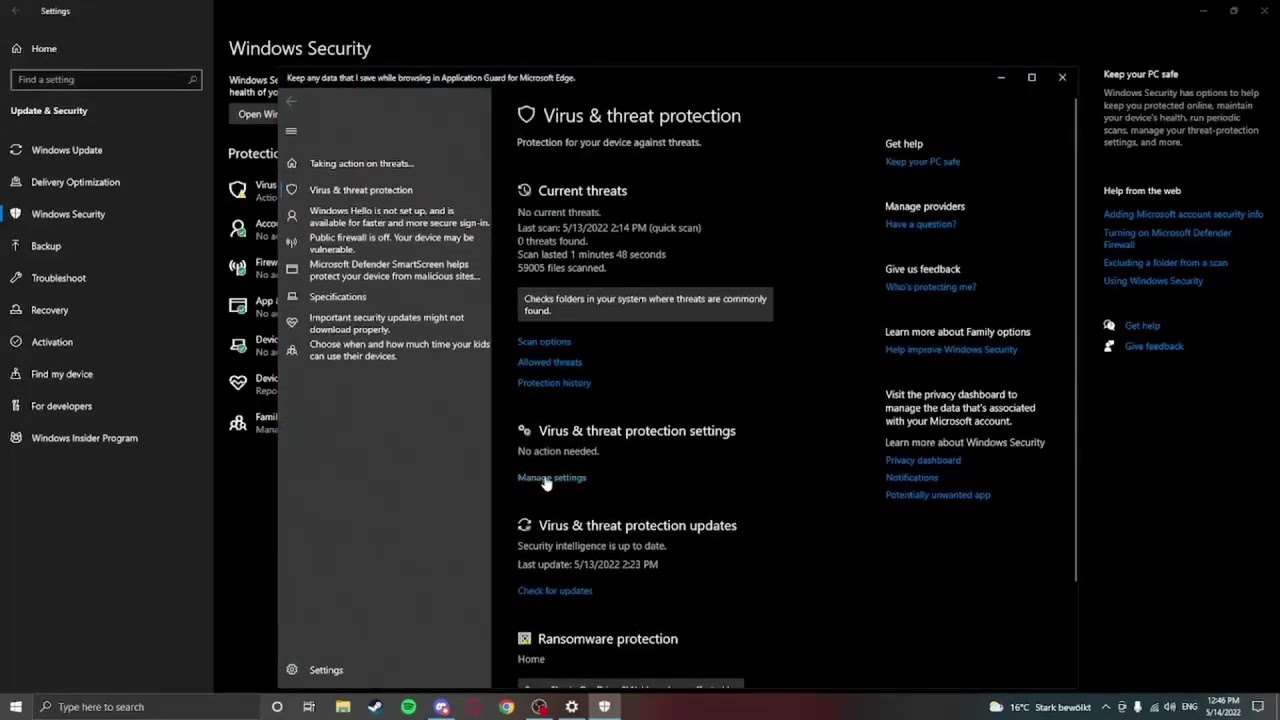
This is how you make an exclusion on the Old R6 Folder.
(This is for wondows 10)
follow that video
azure marlin
preciate it
spring silo
after you made an exclusion ping me so we can proceed
azure marlin
@spring silo this did nothing, it still opens current siege
my anti virus was never the problem
i fixed it nvm
spring silo
... i never said its the solution
it was part of the solution thats why i told you to ping me once you are done 💀
azure marlin
mb lmao
spring silo
all good
so you don't have an issue anymore right?
azure marlin
yes