#Wireframe 2.0
1 messages · Page 5 of 1
 floral carbon
 cosmic magnet
Guys!
Transparent compact sidebar will be coming tommorrow!
Done with the basic implementation but have to handle all the edge cases, like text color for light mode and stuff

omg



 frozen wing
cosmic magnet
omg
frozen wing
cosmic magnet
omg
How you get that color?
cosmic magnet
frozen wing
How you get that color?
Red color?
Using the color picker
Right click on the sidebar > edit theme
 blazing prism
cosmic magnet
Right click on the sidebar > edit theme
blazing prism
cosmic magnet
Right click on the sidebar > edit theme
Did you get compact sidebar transparent?
cosmic magnet
blazing prism
Did you get compact sidebar transparent?
Yeah
Haven’t pushed it yet
cosmic magnet
frozen wing
The zen color picker
Yeah
blazing prism
cosmic magnet
Yeah
Haven’t pushed it yet
I mean transparency for compact sidebar when website is also transparent!
cosmic magnet
blazing prism
I mean transparency for compact sidebar when website is also transparent!
Oh hell naw
Haven’t tested this yet
Is this an issue?
Btw just adding backdrop filter worked for me lol
blazing prism
cosmic magnet
Btw just adding backdrop filter worked for me lol
Good.
blazing prism
cosmic magnet
Oh hell naw
Hell yeah boi!
 blazing prism
Boi is really quiet after seeing the transparency supremacy! 
 chrome sage
blazing prism
Boi is really quiet after seeing the transparency supremacy! <:SobFluent:8653358...
chrome sage
blazing prism
Boi is really quiet after seeing the transparency supremacy! <:SobFluent:8653358...
YES SIR
cosmic magnet
blazing prism
Boi is really quiet after seeing the transparency supremacy! <:SobFluent:8653358...
lmao no I was talking to CTG
cosmic magnet
blazing prism
Hell yeah boi!
demn-
cosmic magnet
chrome sage
DAMN IT
lmao
cosmic magnet
cosmic magnet
demn-
yeah now im speechless
cosmic magnet
chrome sage
I forgot my name was shrinked to CTG
even I didn't understand it the first time equinox used it
when he was talking about the fonts code
chrome sage
hmm
I didn't even know that everyone now calls me CTG
But it is good
I gotta keep up LOl
 topaz anvil
cosmic magnet
topaz anvil
cosmic magnet
i hope this doesnt turn into yet another transparent theme 
chrome sage
blazing prism
CTG supremacy
WHAT DO YOU MEAN? I know that you are saying something good about me, but i don't get it
blazing prism
chrome sage
WHAT DO YOU MEAN? I know that you are saying something good about me, but i don'...
It means simply that CTG is supreme!
 tepid wing
smash. how do i get this
 cosmic magnet
tepid wing
smash. how do i get this
cosmic magnet
tepid wing
smash. how do i get this
sineeee
 frozen wing
the url bar doesnt work when using wireframe and compact mode
frozen wing
cosmic magnet
it looks good like that. Im kinda missing the border tho
cosmic magnet
frozen wing
the url bar doesnt work when using wireframe and compact mode
Oh uhh I’m pushed the fix yesterday
Try reinstalling
It’s still buggy for fullscreen + compact mode but except that it should be fine
cosmic magnet
frozen wing
it looks good like that. Im kinda missing the border tho
The borders are still there
I’m in light mod so the borders are dark
frozen wing
cosmic magnet
The borders are still there
I’m in light mod so the borders are dark
ahh
frozen wing
cosmic magnet
Oh uhh I’m pushed the fix yesterday
Try reinstalling
It’s still buggy for full...
reinstalled. Im on v2.3.3 now. But its still not working
cosmic magnet
frozen wing
reinstalled. Im on v2.3.3 now. But its still not working
can you share ss
frozen wing
what you mean by ss?
 frozen wing
it looks like that for me in compact mode
the urlbar on the top is hidden, but the pop up is not there

even with my own userchrome disabled
cosmic magnet
oh ok shit lemme try with urlbar on top
i did test it idk might've messed up
frozen wing
its the same with urlbar at bottom for me
cosmic magnet
it's working
 cosmic magnet
frozen wing
its the same with urlbar at bottom for me
cosmic magnet
frozen wing
its the same with urlbar at bottom for me
whaaa
frozen wing
maybe its macos will test it on pc when im home
cosmic magnet
frozen wing
maybe its macos will test it on pc when im home
yeah I guess so. Even the sidebar is not aligned right?
frozen wing
yes but thats since i installed the theme
cosmic magnet
frozen wing
it looks like that for me in compact mode
the urlbar on the top is hidden, but t...
also can you share the font file, i love it
i should add it as an option
frozen wing
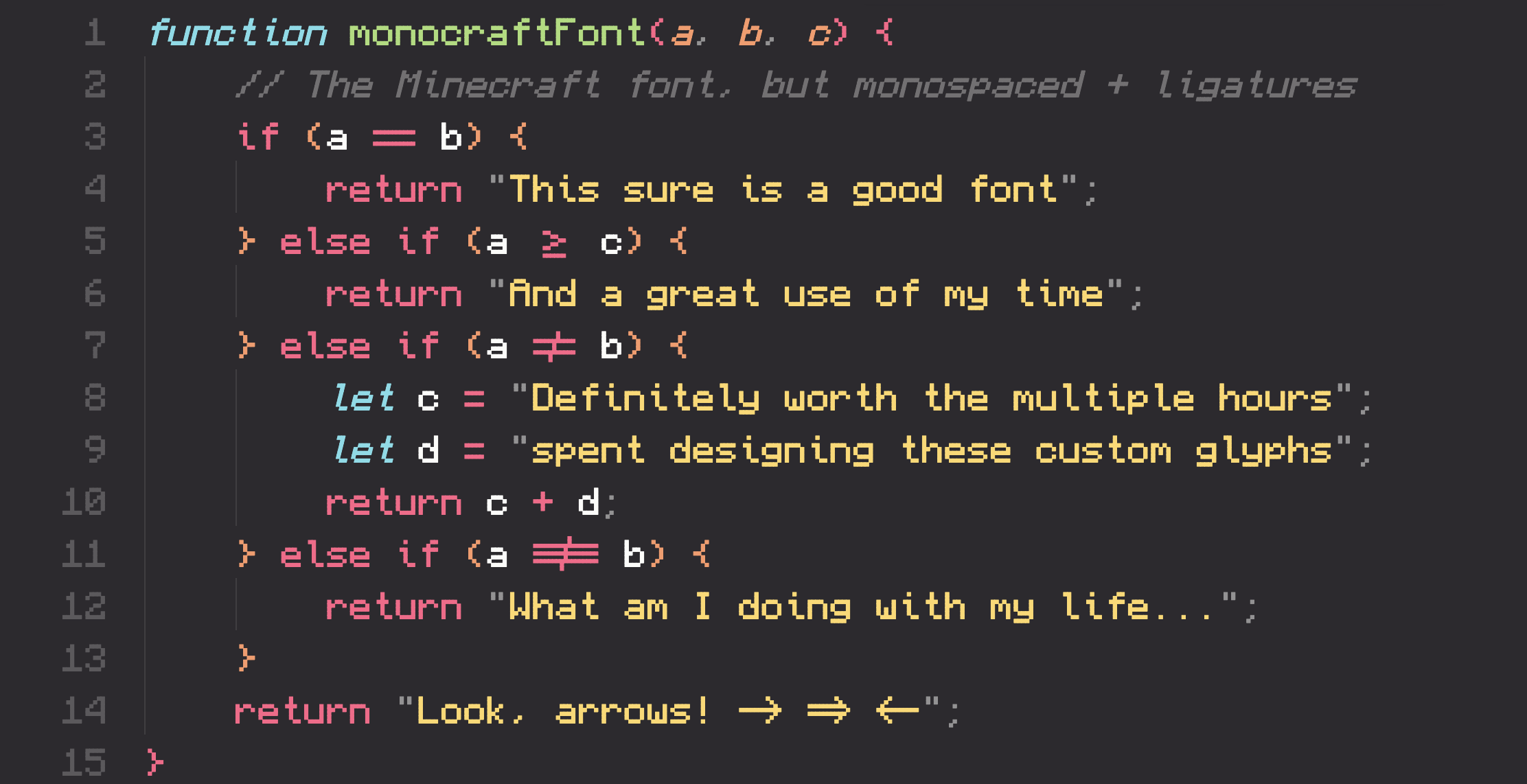
GitHub
A monospaced programming font inspired by the Minecraft typeface - IdreesInc/Monocraft
cosmic magnet
thanks!
frozen wing
cosmic magnet
it's working
Is the artwork you see when starting the browser supposed to show up when on about:blank or in a new tab?
For me it just shows, when no tab is loaded
cosmic magnet
frozen wing
Is the artwork you see when starting the browser supposed to show up when on abo...
yeah when no tab is loaded.
frozen wing
Ah so there is just no tab loaded in your screenshot
cosmic magnet
earlier it was implemented on about:blank
but with that, the logo was also coming over the pip window for some reason, so i had to switch to this approach
cosmic magnet
frozen wing
Ah so there is just no tab loaded in your screenshot
yeah
i have more stuff in mind for the blank page, it's just that it's extra so first I should complete the stuff pending and all
frozen wing
the compact url bar does work on pc, but its also missaligned
cosmic magnet
frozen wing
the compact url bar does work on pc, but its also missaligned
what 😭
what all prefs have you changed
frozen wing
just the font and the stuff in the sine menu
cosmic magnet
frozen wing
just the font and the stuff in the sine menu
i have tested with everything that can cause this but still it's fine for me
any other mods you're using along with wireframe?
OR, any mod you were using
frozen wing
super pins
cosmic magnet
cuz sometimes a mod doesn't get removed
frozen wing
yeah but i disabled it for testing
cosmic magnet
try in a new profile then, only wireframe
frozen wing
kk#
cosmic magnet
frozen wing
yeah but i disabled it for testing
yeah but it doens't get disabled sometimes
(happened to me earlier)
what are you using superpins for btw, cuz if it's the essentials grid or stuff, i'm thinking of adding it to wireframe itself
frozen wing
just for the dimmed unloaded tabs
cosmic magnet
oh
you should just get the css for it I would recc
superpins is not very maintained and also because it's a js mod. Sine isn't working great with js mods rn.
frozen wing
on a new profile the compact sidebars are correctly alligned
but on mac the urlbar still doesnt pop out
do i need to migrate to a new profile completly or can I just delete the super pins files
cosmic magnet
ugh.
the urlbar bug is already werid. I think it's due to some change in zen itself.
I'll try to figure out the best way for it
But glad to hear the sidebar is aligned atleast lol
cosmic magnet
frozen wing
do i need to migrate to a new profile completly or can I just delete the super p...
yeah just delete the superpins files
frozen wing
ok super pins didnt cause the issue. maybe its some zen setting. I could only think of the urlbar floating thing but it doesnt work with any option. I will try to find the cause
cosmic magnet
frozen wing
ok super pins didnt cause the issue. maybe its some zen setting. I could only th...
what 😭
the floating urlbar does work when not in compact mode tho
right?
or is it gone completely??
cosmic magnet
ok so atleast it's usable. Just not in compact mode
frozen wing
ye
cosmic magnet
and why do you think superpins is not the culprit for the misalignment?
frozen wing
frozen wing
ok super pins didnt cause the issue. maybe its some zen setting. I could only th...
but i was talking about the allignment
cosmic magnet
cuz after removing the files, it's still not fixed?
frozen wing
cosmic magnet
cuz after removing the files, it's still not fixed?
👍
i will add my modifications step by step.
something will cause it xd
cosmic magnet
uh huh
have you ever changed some configs?
like changing element separation is common
anything else
frozen wing
the things for live editing, the macos opacity level, auto pip and mod stuff. I dont think i changed much more
cosmic magnet
has to be some old mod then
cosmic magnet
prefs.json has mod related data
frozen wing
yea
frozen wing
already did that when uninstalling
frozen wing
cosmic magnet
then it's some other mod
the missallignment is cause by the url at top option
cosmic magnet
frozen wing
the missallignment is cause by the url at top option
uh what
frozen wing
its like that for me on win and mac
cosmic magnet


 chrome sage
Omg
cosmic magnet
ig I fucked up with the targetting a bit
fixed it! (i hope it foesn't fuck up anything else now)
lemme push
chrome sage
cosmic magnet
lemme push
You got it
frozen wing
works
I replicated the urlbar in compact mode bug on windows 😭
i dont know wich setting it was
but it was a setting xd

i looked at it with the inspector
its too far right
frozen wing
cosmic magnet
it's working
what settings are you using?
why is that code doubled?
ahh zen right side

that fixed it
frozen wing
cosmic magnet
what are you using superpins for btw, cuz if it's the essentials grid or stuff, ...
you planning on adding pinned extensions?
 dense sluice
cosmic magnet
what are you using superpins for btw, cuz if it's the essentials grid or stuff, ...
dense sluice
cosmic magnet
what are you using superpins for btw, cuz if it's the essentials grid or stuff, ...
Can you add hide current workspace indicator cuz that's what I'm using super pins for currently
cosmic magnet
frozen wing
you planning on adding pinned extensions?
oh yeah sure. I'll see to it
cosmic magnet
dense sluice
Can you add hide current workspace indicator cuz that's what I'm using super pin...
yeah sure. I almost added this yesterday.
cosmic magnet
dense sluice
btw how did you manage to make the url bar at the bottom look like that
oh this is multiple toolbar mode
settings > look and feel
 dense sluice
cosmic magnet
oh this is multiple toolbar mode
dense sluice
cosmic magnet
oh this is multiple toolbar mode
i tried that but when i do it it will always show my bookmark bar
cosmic magnet
dense sluice
i tried that but when i do it it will always show my bookmark bar
you can hide it with ctrl shift B
dense sluice
cosmic magnet
you can hide it with ctrl shift B
ohh
cosmic magnet
frozen wing
that fixed it
this fixed what? the floating urlbar in compact mode?
dense sluice
cosmic magnet
you can hide it with ctrl shift B
but how does the url bar strech the entire window? for me it stops before the side bar
cosmic magnet
dense sluice
but how does the url bar strech the entire window? for me it stops before the si...
in compact mode it takes the entire window
dense sluice
cosmic magnet
in compact mode it takes the entire window
oh i figurred it out thank you!
cosmic magnet
np!
 slate dagger
after Twilight update today
 cosmic magnet
haven't tried it on twilight
and worked on the whatever this is called
😭
i'll try to see
dense sluice
i cant see what im typing in the url bar with multiple toolbars mode 😭
dense sluice
alrrr

 cosmic magnet
uhh no gap is cutting off site content yk?
cosmic magnet
you have urlbar on top?
if yes, then that means it's because of how I have removed the margin for the navigation toolbox

cosmic magnet
i'll fix it
im just overwhelmed with bugs and transparent compact sidebar atm
ok transparent sidebar can wait
urlbar and no gaps it is
frozen wing
cosmic magnet
how can zen change the urlbar in every update
thats probably the same issue as the compact mode one
no wait
it isnt that was a compact mode specific function
cosmic magnet
frozen wing
it isnt that was a compact mode specific function
yeah
cosmic magnet
cosmic magnet
this fixed what? the floating urlbar in compact mode?
.
frozen wing
yes
frozen wing
so it is a setting related thing
cosmic magnet
when left is 50, it goes out the screen
frozen wing
can you send me your wireframe settings?
cosmic magnet
 frozen wing
I replicated the urlbar in compact mode bug on windows 😭
frozen wing
frozen wing
I replicated the urlbar in compact mode bug on windows 😭
like i changed some settings and after that it was buggy
cosmic magnet
 frozen wing
im confused. I copied your settings and its still not working
 cosmic magnet
frozen wing
im confused. I copied your settings and its still not working
cosmic magnet
frozen wing
im confused. I copied your settings and its still not working
url bar behaviour?
frozen wing
ye
blazing prism
cosmic magnet
url bar behaviour?
Bro.
blazing prism
cosmic magnet
oh uhh
Also, make Sine as preferred Wireframe installation method.
cosmic magnet
blazing prism
Also, make Sine as preferred Wireframe installation method.
it is
or not?

im questioning my existence atp
blazing prism
cosmic magnet
it is
I mean eliminate other means of installing Wire frame in your readme.md.
cosmic magnet
i should?
blazing prism
Bro like seriously restarting to install and enable/disable theme sucks so much!
cosmic magnet
what if someone doesn't want to use sinie
blazing prism
cosmic magnet
what if someone doesn't want to use sinie
Then they can make their own theme.
cosmic magnet
lmao
blazing prism
W Sine.
cosmic magnet
blazing prism
W Sine.
this.
cosmic magnet
blazing prism
Bro like seriously restarting to install and enable/disable theme sucks so much!
and this


 blazing prism
cosmic magnet
i wanted to emphasize it more
blazing prism
cosmic magnet
i wanted to emphasize it more
this
blazing prism
cosmic magnet
<:woe:1274482805216116810>
V2.3 coming next year, wait bro!
cosmic magnet
i can't keep telling the users to reinstall after every minor bug fix
blazing prism
cosmic magnet
i can't keep telling the users to reinstall after every minor bug fix
Well it doesn't need a restart, so just few extra clicks ig?!
If users are complaining, tell them to go touch some grass.
cosmic magnet
lmao
frozen wing
cosmic magnet
i can't keep telling the users to reinstall after every minor bug fix
doesnt sine have an update feature? thought the reinstall was to get the newest version fast
cosmic magnet
frozen wing
doesnt sine have an update feature? thought the reinstall was to get the newest ...
sine has auto update when the version number changes.
that too takes some time ig
blazing prism
cosmic magnet
that too takes some time ig
17 mins to be precise.
frozen wing
cosmic magnet
sine has auto update when the version number changes.
then change the version number more often?
17 minutes is a tolerable wait ngl
cosmic magnet
frozen wing
then change the version number more often?
yeah that I can do
lol
also thanks for pointing it out
the urlbar is fixed
i'll push the fix
pushed!
reinstall or wait to see if it auto updates to 2.3.4
also, keep the zen url bar behaviour to normal for now
i'll force it too
topaz anvil
cosmic magnet
themeessssssss!!!!!
cosmic magnet
i want to work on themes 😭
i'll push a simple transparent sidebar tomm and then start working for themes ig
topaz anvil
can u push a update to change the default colors through preferences first btw?
cosmic magnet
oh yeah that IS the first step for it
themes will come after I add the custom color options
dw
topaz anvil
yess noiceee
 topaz anvil
nightiess :3
dense sluice
theres like a black box behind certain stuff when the browser window is transparent, idk if thats an issue with m4e or not
 cosmic magnet
dense sluice
theres like a black box behind certain stuff when the browser window is transpar...
cosmic magnet
dense sluice
theres like a black box behind certain stuff when the browser window is transpar...
Yeah this is m4e probably

 cosmic magnet
Oh shit I think I removed the css for this when trying to modify no gaps yesterday
cosmic magnet
topaz anvil
like
is this happening on all the pages?
 weak tendon
cosmic magnet
is this happening on all the pages?
weak tendon
cosmic magnet
is this happening on all the pages?
yes
chrome sage
cosmic magnet
what is the webview radius and window radius
Hey
Btw since you could control the webview, you could forcefully make it zero when in compact mode
cosmic magnet
what I was doing earlier was matchiing it with the window border
why is it working for me tho
chrome sage
cosmic magnet
what I was doing earlier was matchiing it with the window border
No you could just make it 0
chrome sage
cosmic magnet
why is it working for me tho
No clue
chrome sage
chrome sage
No clue
I got a like check every line of code
chrome sage
topaz anvil
like
Btw to remove this make the webview 0
cosmic magnet
chrome sage
Btw to remove this make the webview 0
yeah i'll do that just to be sure
chrome sage
cosmic magnet
yeah i'll do that just to be sure
Ok great
cosmic magnet
topaz anvil
can u set the right top bottom roundness to zero?
i've tested with all webview options, it's perfect for me 😭
weak tendon
cosmic magnet
i've tested with all webview options, it's perfect for me 😭
Hello can you give me the new new css for border
cosmic magnet
weak tendon
Hello can you give me the new new css for border
i haven't changed anything tho
weak tendon
cosmic magnet
i haven't changed anything tho
🥲
 cosmic magnet
weak tendon
🥲
cosmic magnet
weak tendon
🥲
uhh what
this was just the border.css
you still need to have the complete css
😭
download from gh if you're not using sine
weak tendon
I just want the white rounded border
cosmic magnet
weak tendon
I just want the white rounded border<:eggnog:1323721937167585310>
you have to make a userChrome.css first
then copy the border.css code to it
weak tendon
just did and this is what I get after that xd😂
cosmic magnet
enabled all the config mentioned in the guide?
Learn how to live edit the appearance of Zen Browser by editing the userChrome.css file.
weak tendon
cosmic magnet
https://docs.zen-browser.app/guides/live-editing
yes all of them
frozen wing
how is the background color of the url bar calculated? when i was using no zen theme it was the accent color. But when using a theme its a different color
cosmic magnet
frozen wing
how is the background color of the url bar calculated? when i was using no zen t...
It is the accent color
Tho with recent changes I did find it being inconsistent
Thanks for reminding I’ll take a look
frozen wing
Mine changes when I change the theme color of zen 🤔
cosmic magnet
frozen wing
Mine changes when I change the theme color of zen 🤔
yeah that's the expected behaviour
frozen wing
But the buttons in the settings stay the same
cosmic magnet
it will the same as your sidebar color
cosmic magnet
frozen wing
But the buttons in the settings stay the same
yeah cuz that is accent color

when no color is picked, the urlbar then uses the accent color
otherwise the primary color
also since you're here
cosmic magnet
topaz anvil
like
are you facing this issue?
cosmic magnet
uhh looks a bit janky in the vid because of 30 fps
but what do you guys think?
I went for a snappy slidein and pop which goes with the other animations
(i be doing anything instead of main stuff)
 topaz anvil
cosmic magnet
topaz anvil
cosmic magnet
looks noicee
topaz anvil
cosmic magnet
are you facing this issue?
oh i realised im not on latest version
cosmic magnet
topaz anvil
oh i realised im not on latest version
😭
topaz anvil
i have like tabgroups css in the folder
which everytime i update goes awya
and im lazy to put it back lmao
cosmic magnet
oh you have added custom tabgroups css
yeah that will go away
you should add a userChrome in your chrome folder instead
cosmic magnet
topaz anvil
hows the progress on themes?
realised i have to make the default colors setup robust first lol.
the tabs use the wireframe colors
while folders don't
and stuff like this
😭
cosmic magnet
the vars for themes are ready (thanks to dum guy)
cosmic magnet
topaz anvil
they still look cohesive somehow lmao
ikr lmao
the wireframe colors go with any color
idek how
topaz anvil
yea nice no
cosmic magnet
when restoring it I was sceptical about this but it turned out nice
chrome sage
Hey fellas
chrome sage
cosmic magnet
when restoring it I was sceptical about this but it turned out nice
Congrats 👏 🎉
chrome sage
cosmic magnet
when restoring it I was sceptical about this but it turned out nice
And I agree 💯
tepid wing
how do i change the font
why is some of the css not there
i dont think i hv any other css
i deleted it

nvm i do hv css. but the userChrome file is empty?
chrome sage
tepid wing
nvm i do hv css. but the userChrome file is empty?
Uh?
chrome sage
tepid wing
nvm i do hv css. but the userChrome file is empty?
You mean the whole thing is empty?
No code nothing?
 past veldt
How do I change the position of the floating URL bar (Win11)
tepid wing
chrome sage
No code nothing?
yh. the default zen > chrome > userChrome one
chrome sage
like inside the file there is none?
chrome sage
past veldt
How do I change the position of the floating URL bar (Win11)
I think the developer is working on it
past veldt
ok
cosmic magnet
past veldt
How do I change the position of the floating URL bar (Win11)
What other mods are you using
past veldt
Animations Plus (v1.2.2)
Audio Indicator Enhanced (v1.3.0)
Audio TabIcon Plus (v1.0.1)
Cleaned URL bar (v1.0.4)
Custom Statusbar (v1.0.0)
Fluid URL (v1.0.4)
Hide Extension Name (v1.0.0)
Lean (v3.1)
Load Bar (v1.0.0)
Nebula (v3.3)
NoHighlightSplit (v1.1.0)
Only Close On Hover (v1.0.0)
smaller zen toast popup (v1.1.1)
Super Sleek UI (v1.0.1)
SuperPins (v1.5.8)
Transparent Zen (v1.16.3)
Wireframe 2.0 (v2.3.4)
Zen Context Menu (v3.1)
blazing prism
past veldt
Animations Plus (v1.2.2)
Audio Indicator Enhanced (v1.3.0)
Audio TabIcon Plus (v...
Remove Nebula as it no longer works properly. Use Wireframe only.
Or you can also gib Arc2.0 a try! 
@past veldt Also remove Animations Plus, as Transparent Zen animations are better.
past veldt
ok thx
cosmic magnet
past veldt
Animations Plus (v1.2.2)
Audio Indicator Enhanced (v1.3.0)
Audio TabIcon Plus (v...
I would say remove anything related to urlbar first
past veldt
I just tried tried most of these suggestions maybe its just a version problem i'll see in the next update
tepid wing
chrome sage
like inside the file there is none?
i just deleted ths css intside the css file. so it wont conflict with wireframe css
chrome sage
tepid wing
i just deleted ths css intside the css file. so it wont conflict with wireframe ...
Hmm
I totally forgot what is your problem 🤔
cosmic magnet
ahh sorry i've been busy today couldn't do anything
but i'll be pushing an update tomm
most prob the urlbar animation
and an alternative style for it if im able to do it easily
cosmic magnet
cosmic magnet
and an alternative style for it if im able to do it easily
for the urlbar
something like the default one but wireframed
 tepid wing
chrome sage
I totally forgot what is your problem 🤔
tepid wing
chrome sage
I totally forgot what is your problem 🤔
uhh my wireframe just doesn't show the full css.in some places. and also how do I change the font
 chrome sage
tepid wing
uhh my wireframe just doesn't show the full css.in some places. and also how do ...
chrome sage
tepid wing
uhh my wireframe just doesn't show the full css.in some places. and also how do ...
Are you using sine by any chance?
chrome sage
tepid wing
uhh my wireframe just doesn't show the full css.in some places. and also how do ...
Or could you take a ss of the folders and the files?
tepid wing
chrome sage
Are you using sine by any chance?
yh
tepid wing
chrome sage
Or could you take a ss of the folders and the files?
not on my laptop rn
 marsh vapor
what did the innocent person ask the person that committed the crime? "wire" you "frame"-ing me?
cosmic magnet
marsh vapor
what did the innocent person ask the person that committed the crime? "wire" you...
imma add this joke to the readme and credit you
marsh vapor
awhh thx bro 😂
cosmic magnet
GitHub
- Fixed urlbar alignments!
- Created a separate module for floating urlbar!
- Defined two styles for floating urlbar:
- slim: low-profile, bottom-centered bar
- full: default-like loating, center...

oh and also I pushed the pref to change blank page logo size

i will be adding option to change position of the slim urlbar too
maybe tom
dense sluice
url bar style full is broken with multiple toolbars i think
 cosmic magnet
Uhh urlbar behaviour is set to normal?
dense sluice
cosmic magnet
Uhh urlbar behaviour is set to normal?
yes
 cosmic magnet
Try with always floating
dense sluice
cosmic magnet
Try with always floating
now its in the middle verrtically
 cosmic magnet
How does it have blur 😭
What other mods are you using
dense sluice
cosmic magnet
How does it have blur 😭
What other mods are you using
i blurred it dw 😭
cosmic magnet
Oh ok
dense sluice
my other mods are:
- Zen back forrward
- superpins
- only close on hover
- hide extension name
cosmic magnet
And yeah it’s fucked up for me too
I’ll be able to fix this tom (like in 10 hrs)
dense sluice
cosmic magnet
And yeah it’s fucked up for me too
I’ll be able to fix this tom (like in 10 hrs)
alrightyyy!!
cosmic magnet
Just got home and it’s midnight already
 lucid timber
Howdy, Love the mod, I just have a quick question, Is the URL bar not supposed to auto select all like it does normally, its only when I have wire frame on
cosmic magnet
lucid timber
Howdy, Love the mod, I just have a quick question, Is the URL bar not supposed t...
it does select the current url
 tender yacht
the translucent sidebar is not working for me?
cosmic magnet
tender yacht
the translucent sidebar is not working for me?
Yeah it’s not fully completed so I haven’t added it yet
I’ll be pushing it once it’s perfect
lucid timber
cosmic magnet
it does select the current url
Okay, thats odd then, i do have the bar set to floating now which causes the misalignment issue , but on normal where its perfect, it doesnt highlight anything and I have to manually do it.
All i got is
advanced Tab groups
Data loading bar
Zen command templete
Betteractivetab
Betterunifiedextbutton
 glass coyote
lucid timber
Okay, thats odd then, i do have the bar set to floating now which causes the mis...
glass coyote
lucid timber
Okay, thats odd then, i do have the bar set to floating now which causes the mis...
i had that same problem but changing zen url bar behavior to normal fixed it for me
lucid timber
Thats what I tried based on above comments but then it caused the bar to go off screen
I’d post a photo but Im at work at the moment
Ill try to get a pic in when I get off to show my sine mods and the behavior
 harsh hawk
lucid timber
Okay, thats odd then, i do have the bar set to floating now which causes the mis...
harsh hawk
lucid timber
Okay, thats odd then, i do have the bar set to floating now which causes the mis...
yea same for me, i have to change url behavior to always floating
cosmic magnet
Hi sorry I’ve been a lil busy because of festivals but uh the issue is that the animation isn’t working for multi toolbar and the position was also misaligned
I explicitly changed the animation for it. still the animation isn’t working but the position is centered now
Reinstall and check
cosmic magnet
lucid timber
Thats what I tried based on above comments but then it caused the bar to go off ...
In single toolbar?
Urlbar is working perfect for single toolbar
I’m not on my pc today to recheck it but I’ve been using the full urlbar with single toolbar and it’s working fine
cosmic magnet
lucid timber
I run single toolbar, in compact
And it’s misaligned?
 cosmic magnet
lucid timber
with always floating and collapsed toolbar which is what I run normally
cosmic magnet
lucid timber
with always floating and collapsed toolbar which is what I run normally
And if it’s set to normal? Cuz with wireframe normal or always floating is the same (except the bugs ofc )
lucid timber
If I set it to normal using collapsed it works , but something about the behavior doesnt make it highlight urls when I click on the bar
Let me see if I can get a video snip
Done with the magical low frame rate of snipping tool
I think its something about Collapsed toolbar thats making it throw a fit
on single toolbar setting everything works perfect.
cosmic magnet
Ugh weird bugs bruh
When you mentioned it, i tried with multi toolbar and it was selecting the url
And afaik, multi and collapsed have the same behaviour
Maybe the reason is conpact mode
I’ll try figuring it out and fixing it today itself
lucid timber
Alright, Hopefully it won’t take that long to figure out, I will say this is all with Url bar set to slim in the Theme settings, it being set to normal makes it go off screen like previously reported
 clever fractal
I can ask i use darker theme active tab is not readable =
 cosmic magnet
clever fractal
I can ask i use darker theme active tab is not readable =
cosmic magnet
clever fractal
I can ask i use darker theme active tab is not readable =
swtch the theme to dark in the color picker
vice versa when using light colors
currently this is because of the 2 main wireframe colors used
i will be added option to use default zen colors or any other custom colors
clever fractal
As revert back only blur theme without theme??
cosmic magnet
clever fractal
As revert back only blur theme without theme??
uhh im sorry I didn't understand?
clever fractal
cosmic magnet
uhh im sorry I didn't understand?
Original color without color picker change.....
 cosmic magnet
clever fractal
Original color without color picker change.....
cosmic magnet
clever fractal
Original color without color picker change.....
with only blur use dark mode
works fne
cosmic magnet
frozen wing
when using wireframe the top border doesnt dissappear when going to fullscreen
oh uhh lemme check
no gaps on or off?
frozen wing
Off
frozen wing
i dont know if you updated smth but the bar is no longer there
just fixed itself like magic
harsh hawk
@cosmic magnet can we get a toggle for the url bar please
chrome sage
harsh hawk
<@549517704315404290> can we get a toggle for the url bar please
what time zone you are in?
harsh hawk
pst
chrome sage
harsh hawk
pst
Ok so right now it is morning Mr sehaz and he might be in college so, he will be coming back home and be online tomorrow morning for pst
I am also in pst btw
cosmic magnet
harsh hawk
<@549517704315404290> can we get a toggle for the url bar please
oh you wanted it to be not floating right?
like the default behaviour?

i'll try
have to fix the floating one too i'll get free tom sorry
busy with festivals lol
 azure path
v 2.4.1, URL bar at the top, zen in [hidden] compact mode, on Windows ..
the bookmark bar slide out too early and makes getting to things at the top of pages really hard. When it's on the botton, it works as expected, you need to be almost at the Wireframe border before it pops up.
harsh hawk
cosmic magnet
like the default behaviour?
yepp
cosmic magnet
azure path
v 2.4.1, URL bar at the top, zen in [hidden] compact mode, on Windows ..
the bo...
Oh-
Well I made it to slide out a bit early because earlier it was too sensitive and it worked fine
Idk if it’s some recent change
I’ll check it out tomorrow
cosmic magnet
harsh hawk
yepp
Yeah sure
I know i said this earlier too but didn’t do it lol
I’ll do it now definitely
harsh hawk
cosmic magnet
Yeah sure
I know i said this earlier too but didn’t do it lol
I’ll do it now def...
ty haha
frozen wing


can you make the color of the audio indicator the font color?
seems more practical
 chrome sage
frozen wing
chrome sage
frozen wing
You watch Fireship??/
cosmic magnet
frozen wing
can you make the color of the audio indicator the font color?
oh yeah mb didn't modify the color for it
cosmic magnet
frozen wing
oh no its back in 1.17b
how tho
i don't have it
single toolbar w/o no gaps
tried both native fullscreen with yt and the browser fullscreen with f11
ok lemme make a list for stuff to do
- audio indicator color
- make normal urlbar working for all modes (not floating)
- make animations work for multi toolbar
- investigate bookmarks toolbar issue
- custom theme colors
what else
dense sluice
cosmic magnet
what else
Corner bleeding still 😭
dense sluice
cosmic magnet
For webview?
No for the little floating pop ups like menu, downloads etc
cosmic magnet
dense sluice
No for the little floating pop ups like menu, downloads etc
Oh yeah
I’ll fix this first
frozen wing
chrome sage
You watch Fireship??/
i believe that was a fireship video yes
frozen wing
cosmic magnet
Oh yeah
I’ll fix this first
for the entire mac window aswell. I looked into the border css a week ago but I didnt find anything that would cause it
frozen wing
cosmic magnet
how tho
i don't have it
It fixed itself again. Im so confused. I will try to find the cause....😂
cosmic magnet
frozen wing
for the entire mac window aswell. I looked into the border css a week ago but I ...
Uhh i guess mac has a some diff border radius
Like 9px i think or something
cosmic magnet
v2.4.2
- fixed audio indicator icon color
- fixed panel corner bleeding
- fixed hidden toolbar pref after new update
i've fixed this much rn
will do the remaining in some time today or tomm for sure
dense sluice
Fire
 ripe bear
hey with this new panel, does anyone know how i can get it to show all of my extensions instead of just this random 4

 autumn osprey
How i can fix it?
 cosmic magnet
autumn osprey
How i can fix it?
cosmic magnet
autumn osprey
How i can fix it?
oh yeah this is due to the new update
just noticed it myself
i'll fix it
autumn osprey
cosmic magnet
oh yeah this is due to the new update
just noticed it myself
thx
blazing prism
cosmic magnet
i'll fix it
What is that s icon on sidebar miniplayer? 
cosmic magnet
blazing prism
What is that `s` icon on sidebar miniplayer? <:sussy:1275921295602880522>
Idk it’s the website favicon i think
I had yt logo in the same position
ripe bear
is there any way of stopping this from happening?
ripe bear
tyty
cosmic magnet
v2.4.3
- fixed default window controls
- fixed janky animation for appcontent container in no gaps mode
- hide favicon icon in media player

now ig im left with urlbar bugs
 proud ferry
all extensions aint visible
 cosmic magnet
proud ferry
all extensions aint visible
cosmic magnet
proud ferry
all extensions aint visible
Oh
Idk i haven’t tweaked this
It shows all the extensions w/o wireframe?
Also reinstall for the latest update
Fixed the popup corner bleeding
dense sluice
cosmic magnet
Fixed the popup corner bleeding
sidebar isnt centered anymore in newest update
 cosmic magnet
dense sluice
sidebar isnt centered anymore in newest update
cosmic magnet
dense sluice
sidebar isnt centered anymore in newest update
ah yes
with the new update i think the prefs for single toolbar and multi toolbar have changed
i have to find out the new prefs and then make the fix
dense sluice
Alrrr ❤️
weak tendon
what is this thing called?
 dense sluice
weak tendon
what is this thing called?
dense sluice
weak tendon
what is this thing called?
media player i think
ripe bear
proud ferry
all extensions aint visible
getting rid of the enhanced audio indicator mod fixed this for me
cosmic magnet
ripe bear
getting rid of the enhanced audio indicator mod fixed this for me
wha
weird
ah ok im back (almost)
and ofc @blazing prism chose to not figure out the new changes
so i guess I have to do it myself
 blazing prism
cosmic magnet
and ofc <@1291946188190388238> chose to not figure out the new changes
blazing prism
cosmic magnet
and ofc <@1291946188190388238> chose to not figure out the new changes
WhAt HaPpEnEd?
@cosmic magnet
blazing prism
cosmic magnet
Yes, I can't if each updates screws theme in a twisted way
If you solve it in Wireframe, I'll just copy it.
cosmic magnet
blazing prism
If you solve it in Wireframe, I'll just copy it.
yeah
i think it should be a simple fix if only the variables have changed
bcuz most prob zen.view.use.single-toolbar isn't working anymore or something like that
lemme inspect
cosmic magnet

now the urlbar will be different for floating and normal as it should be
just making sure everything works then i'll push this
and the bugs with multi toolbar will be fixed tom maybe
saw a variable change, that may be it then it'll be easy but let's see
dense sluice
cosmic magnet
did you also fix the sidebar?
cosmic magnet
dense sluice
did you also fix the sidebar?
for multi toolbar? nah that's what I just mentioned
dense sluice
cosmic magnet
for multi toolbar? nah that's what I just mentioned
ah alright
cosmic magnet
ok so the sidebar is fixed!
will push the update rn
@blazing prism as discussed in #1347445886384345089 , it's just -moz-pref instead of -moz-bool-pref for all the zen.view.use-single-toolbar used
or you can use the other pref too
zen.view.compact.hide-tabbar
blazing prism
cosmic magnet
<@1291946188190388238> as discussed in <#1347445886384345089> , it's just -moz-p...
yes, why you telling this?
I mean ik this lol
cosmic magnet
blazing prism
yes, why you telling this?
so that you can update arc 2.0?
blazing prism
cosmic magnet
so that you can update arc 2.0?
I have already fixed the pref stuff
cosmic magnet
or it's just that you've decided you'll keep it single toolbar focused
 blazing prism
cosmic magnet
oh-
but it's still broken?
blazing prism
cosmic magnet
oh-
but it's still broken?
yes
cosmic magnet
damn-
cosmic magnet
cosmic magnet
ok so the sidebar is fixed!
pushed
but
Note: urlbar might still be bugged for multi toolbar, i'll be pushing the whole urlbar update tomm
that will include the fix for multi toolbar and the changes for floating and normal urlbar behaviour and looks
blazing prism
cosmic magnet
that will include the fix for multi toolbar and the changes for floating and nor...

 blazing prism
cosmic magnet
im dead after driving for 300 kms
blazing prism
cosmic magnet
im dead after driving for 300 kms
Where are u goin' gng?
cosmic magnet
blazing prism
Where are u goin' gng?
golden temple
came back home today
drove 300 yesterday
and 300 today
blazing prism
cosmic magnet
and 300 today
Oh, but isn't it stress-relieving to code/vibe-code in css?
cosmic magnet
blazing prism
Oh, but isn't it stress-relieving to code/vibe-code in css?
Yeah but I’m just exhausted
blazing prism
cosmic magnet
Yeah but I’m just exhausted
Ok, have a good sleep
frozen wing
just for your information: the rounded pip corners dont work on the close, minimize and back to tab buttons anymore
 cosmic magnet
frozen wing
just for your information: the rounded pip corners dont work on the close, minim...
cosmic magnet
frozen wing
just for your information: the rounded pip corners dont work on the close, minim...
ugh
yeah i have rework for pip planned
let's see when
gotta finish the urlbar rn
chrome sage
Hmm
cosmic magnet
@blazing prism is your urlbar working for multi toolbar?
 cosmic magnet
i changed all the prefs, and the sidebar is fixed
but the css is not getting applied on the urlbar
blazing prism
cosmic magnet
but the css is not getting applied on the urlbar
Why is that?
cosmic magnet
cosmic magnet
but the css is not getting applied on the urlbar
for blocks under @media not (-moz-pref("zen.view.use-single-toolbar))
blazing prism
ok, let's see what i can do...
cosmic magnet
i couldn't figure anything out from this so i went to chatgpt, it said the reason could be that the urlbar doesn't have the full context of the browser
but idk this feels like random bs
cosmic magnet
ugh ok found the culprit
css is ass
i have to reorder all the multi toolbar code to the top for some reason
only because the multi toolbar pref OR the root var isn't working well with the urlbar css if used later in the code
chrome sage
cosmic magnet
https://tenor.com/view/kitten-cat-screaming-trauma-pain-gif-15672155025015272022
Did it work??
cosmic magnet
chrome sage
Did it work??
i'll see now
went off for dinner
cosmic magnet
chrome sage
Did it work??
yeah
had to put them on the top
weird bruh
and doesn't work if inside another pref
like what
:root:not([zen-single-toolbar="true"]) {
  #urlbar[open]{
    animation: slideFromBottomfloat 0.18s cubic-bezier(0.4, 0, 0.2, 1) forwards !important;
  }

  @media (-moz-pref("wireframe.urlbar.style","slim")){
this works
but
  #urlbar[open]{
    animation: slideFromBottomfloat 0.18s cubic-bezier(0.4, 0, 0.2, 1) forwards !important;
  }

  #navigator-toolbox:has(#urlbar[zen-floating-urlbar="true"]) {

@media (-moz-pref("wireframe.urlbar.style","slim")){```this doesn't
chrome sage
Hmm
blazing prism
cosmic magnet
i'll see now
went off for dinner
What did you eat?
cosmic magnet
is this good for multi toolbar?


also, need advice
the urlbar currently is positioned based off the whole browser width
so should it be based on the webview width so that it's centered to that or it is fine as it is?
cosmic magnet
blazing prism
What did you eat?
paneer 
blazing prism
cosmic magnet
so should it be based on the webview width so that it's centered to that or it i...
It is fine as it is. Focus on making all CSS stable with transparency to introduce JS asap.
blazing prism
cosmic magnet
so should it be based on the webview width so that it's centered to that or it i...
Tbh, window centered look better because I've seen many use compact mode almost all the time for more web-view.
cosmic magnet
cosmic magnet
is this good for multi toolbar?
ok so floating urlbar for multi toolbar is almost fixed
now,
- normal urlbar behaviour
- center slim urlbar option
- different urlbar animations?
- custom urlbar loading colors and different effects?
this is it for urlbar ig
cosmic magnet
blazing prism
Tbh, window centered look better because I've seen many use compact mode almost ...
yeah
chrome sage
cosmic magnet
paneer <:pepeSLEEP:1378216341265190925>
I love paneer!!!!!!!!!!!!!
blazing prism
cosmic magnet
ok so floating urlbar for multi toolbar is almost fixed
now,
1. normal urlbar be...
bullet points are better than numbers - gibs you less stress about how much total mess are left to fixed...
frozen wing
when in single toolbar compact mode and hovering over the top border while bookmarstoolbar is hidden, there pops up a little bit of margin for the bookmarks toolbar.

doesnt happen in normal mode
cosmic magnet
frozen wing
when in single toolbar compact mode and hovering over the top border while bookm...
yeah im fixing all of these small bugs rn
just left with this
im cleaning up the code and will maybe use a better approach
will be pushing an update soon
with bug fixes and a nice little touch to the urlbar
so as to prepare the theme for bigger updates and changes
chrome sage
cosmic magnet
so as to prepare the theme for bigger updates and changes
Hey let's goooooo
cosmic magnet
frozen wing
when in single toolbar compact mode and hovering over the top border while bookm...
fixed!
it popped up because when urlbar is at bottom, the navbar container that holds bookmarkstoolbar is also at bottom even tho it is empty.
now it will be hidden if the navbar wrapper is empty
ok done will almost everything i guess
i'll push the update
chrome sage
Ooo let's goo 😍
cosmic magnet
GitHub
- Fixed webview corner bleeding!
- Restructured urlbar code and split into 2 modules!
- Fixed position and animation for floating urlbar in both single and multi toolbar!
- Added new animation for ...

only thing to note  ,
,
don't use urlbar behavour on normal now
it's the only thing not completely fixed because of the css conflicts in the 2 separate modules made for floating and normal urlbar
but i'll fix it and push it by tomm positively
other than that, if you come across any bug, just ping me
and i've added a subtle animation for the webview when the urlbar pops up
do tell me how it looks
and i have other animations planned will add them as prefs
blazing prism
cosmic magnet
https://github.com/SehajveerSingh2005/zen-wireframe-2.0/commit/3d1c59dfed02bd148...
I can see JS in v2.5 
cosmic magnet
blazing prism
I can see JS in v2.5 <:Gigachad:1274480426995548190>
yupppp
chrome sage
blazing prism
I can see JS in v2.5 <:Gigachad:1274480426995548190>
Hmm
Arc2.0 doesn't need js lol
blazing prism
chrome sage
Arc2.0 doesn't need js lol
Yes, I mean Wireframe should add it .
 chrome sage
Hmm 😏
dense sluice
cosmic magnet
other than that, if you come across any bug, just ping me
why are there 2 gaps left and right now and no splitter line above url bar 😭
 cosmic magnet
dense sluice
why are there 2 gaps left and right now and no splitter line above url bar 😭
cosmic magnet
dense sluice
why are there 2 gaps left and right now and no splitter line above url bar 😭
gaps?!
bruh ok got it
(i guess)
cosmic magnet
yeah it's the new method i used to remove the gap
forgot to add it for multi toolbar lol
mb
cosmic magnet
anything else
dense sluice
not that ive seen anything else yet, nope
wait
since when is the selected tab not this yellowish color anymore
cosmic magnet
dense sluice
since when is the selected tab not this yellowish color anymore
yeah just removed the custom colors
dense sluice
cosmic magnet
yeah just removed the custom colors
is there a way to add them back?
cosmic magnet
you want it?
dense sluice
cosmic magnet
you want it?
yea
cosmic magnet
dense sluice
is there a way to add them back?
lol
yeah i'll be re-adding them but with more organized way
so that you can also change the color
ok maybe i'll re add the color for now
dense sluice
cosmic magnet
so that you can also change the color
ohhh nice
but again no worries take your time or break if you need 😭
the urlbar webview animation looks great
cosmic magnet
dense sluice
the urlbar webview animation looks great
right!
im thinking of adding a shimmer to it but idk if it aligns well with our theme
dense sluice
cosmic magnet
right!
im thinking of adding a shimmer to it but idk if it aligns well with our ...
hmmm ill have to see it to decide
blazing prism
cosmic magnet
right!
im thinking of adding a shimmer to it but idk if it aligns well with our ...
Add pref for it... for everything! 😁
cosmic magnet
dense sluice
why are there 2 gaps left and right now and no splitter line above url bar 😭
ok this is fixed
reinstall and check
dense sluice
cosmic magnet
ok this is fixed
reinstall and check
yes its fixed :D but the line above the url bar is still missing
cosmic magnet
dense sluice
yes its fixed :D but the line above the url bar is still missing
oh yeah forgot about that
idek when did I remove it lol
dense sluice
cosmic magnet
oh yeah forgot about that
idek when did I remove it lol
seems to be this update because it was there last time 😭
cosmic magnet
dense sluice
seems to be this update because it was there last time 😭
yeah but idk i didn't remove any borders
or maybe the code for it was not in the right place
well good for me now i'll know where i have it
dense sluice
cosmic magnet
or maybe the code for it was not in the right place
yea maybe
cosmic magnet
dense sluice
yes its fixed :D but the line above the url bar is still missing
done
cosmic magnet
np!
harsh hawk
the windows controls are too far to the right where its touching the border (using collapsed sidebar)
 chrome sage
harsh hawk
the windows controls are too far to the right where its touching the border (usi...
chrome sage
harsh hawk
the windows controls are too far to the right where its touching the border (usi...
He might work on it
I mean that he will work on it in whole with different features and changes
topaz anvil
my url bar is fucked after i updated
 cosmic magnet
topaz anvil
my url bar is fucked after i updated
cosmic magnet
topaz anvil
my url bar is fucked after i updated
Change ro floating
topaz anvil
wait why are the pip controls not rounded anymore?
cosmic magnet
Yeah idk must be some change in zen
I’ll do a rework on pip soon
I have to finish the work on normal urlbar and then see what to take up next
Normal urlbar styling is being a headache
topaz anvil
um how do i make the urbar be at bottom whe opened again?
topaz anvil
cosmic magnet
Yeah idk must be some change in zen
I’ll do a rework on pip soon
ahh okies
cosmic magnet
topaz anvil
um how do i make the urbar be at bottom whe opened again?
Single toolbar?
Use slim
Full is centred
topaz anvil
oooo oki okl
cosmic magnet
And i forgot to add the pref for center slim lol
I have added the css for it but forgot to add in the prefs
I’ll add that
topaz anvil
also do u know why i have typing indicator everywhere in zen?
cosmic magnet
Should I add position options for full too?
topaz anvil
cosmic magnet
Should I add position options for full too?
yess
cosmic magnet
topaz anvil
also do u know why i have typing indicator everywhere in zen?
Wdym?
topaz anvil
also in light mode are u changing the urlbar text color or is it zen default?
 cosmic magnet
topaz anvil
also in light mode are u changing the urlbar text color or is it zen default?
cosmic magnet
topaz anvil
also in light mode are u changing the urlbar text color or is it zen default?
Uhh did change some elements to use zen default now
Change the theme to light or vice versa
See if it changes the text
topaz anvil


 topaz anvil
cosmic magnet
Uhh did change some elements to use zen default now
Change the theme to light or...
topaz anvil
cosmic magnet
Uhh did change some elements to use zen default now
Change the theme to light or...
yea yea did mb
topaz anvil
topaz anvil
such an annoying bug, same without mods btw
cosmic magnet
There’s a long existing issue which is the urlbar text colors because they use wireframe colors that change based on the light and dark theme toggle
So I’m shifting from that
cosmic magnet
topaz anvil
Wha lmao
This shouldn’t be wireframe
And idk I’ve seen this before
Ask in zeneral
topaz anvil
yeaa
cosmic magnet
Or search with keywords
cosmic magnet
topaz anvil
nice animation tho love it :3
Thanks
It was just a little thing I wanted since wireframe lacks the most in animations
So I’ll be polishing the animations and adding more side by side
topaz anvil
yeppp i like how subtle -ish it is
cosmic magnet
We need more people using wireframe 
 cosmic magnet
topaz anvil
yeppp i like how subtle -ish it is
cosmic magnet
topaz anvil
yeppp i like how subtle -ish it is
Wait till i add the options for it 
I have absolute horrible animations commented out rn
One of them is named flash bang
For a reason

cosmic magnet
topaz anvil
u need to market it like how <@1291946188190388238> does for arc2
Fr bruh
Sales manager equinox
topaz anvil
cosmic magnet
One of them is named flash bang
helll nahh 😭
blazing prism
cosmic magnet
Fr bruh
Sales manager equinox <:FakeNitroEmoji:1303825528419123200>
I am good at it because that's part of what I study lol!
It's named Principles of Marketing.
cosmic magnet
blazing prism
I am good at it because that's part of what I study lol!
Wha-
I thought you were a cs student
What are you studying
blazing prism
cosmic magnet
Wha-
I thought you were a cs student
Why will I be a CS student lol?
I study B.Com.
chrome sage
cosmic magnet
Wha-
I thought you were a cs student
I also thought at first man
cosmic magnet
blazing prism
Why will I be a CS student lol?
idk just a guess
blazing prism
cosmic magnet
anything better than cs atp 🥀
With AI advancing, I think you're right.
cosmic magnet
uhh anyone
can help
im geting this popup for some reason

anyone else getting this?
@chrome sage
i have tried reinstalling
chrome sage
Ok that is Sine issue
cosmic magnet
ugh
chrome sage
Most of them have now. EXCEPT ME LOL
cosmic magnet
oh ok
chrome sage
I don't know how hard he is working
cosmic magnet
many different animations added for both urlbar and the tabbox
this is something that took a while and I just love it lol
cosmic magnet
cosmic magnet
many different animations added for both urlbar and the tabbox
will push the update soon because sine is broken anyways
blazing prism
cosmic magnet
im geting this popup for some reason
As it says, reinstall Wireframe 
cosmic magnet
ok so i have fixed quite a few things
(might create other bugs but i'll try to fix that too)
basically im cleaning up the code
fixed the uneven border for the window
as ferro mentioned earlier


and also removed the custom margins for single toolbar
so now you can change the gap with zen.theme.content-element-separation
as usual
and this also fixed uneven gap even tho it was not very noticable earlier
the only down to this is that you can't have the booksmark toolbar or the window controls on the bottom (if you use window controls on right)
but i don't think that anyone has window controls on bottom in single toolbar
and i'll readd the option for it soon enough
ok enough of the yap
imma push the update with the bug fixes and animations now!
oh and ughh the animations only work on single toolbar rn (multi toolbar styling is getting pretty annoying now)
GitHub
Animationsssss
- Added urlbar opening animations!
- Added webview animations when urlbar opens!
Fixed Bugs - removed gap for multi toolbar compact mode
- removed redundant margin from navbar contai...
oh a typo in preferences
lemme fix
also do tell me which animation should be tweaked and should be default one. The webview animation "hard shift" is default to give that snappy wireframe vibe but im double minded over it
now I just have to market the new update like equinox
azure path
the URL bar and WebView animations are awesome! Love the Plane Shift!! Also, the bookmarks spacing when autohiding at top, working fine!
Good Job!
cosmic magnet
Thanks a lot!
chrome sage
cosmic magnet
now I just have to market the new update like equinox
Lol ask the expert to help you out man
harsh hawk
harsh hawk
the windows controls are too far to the right where its touching the border (usi...
@cosmic magnet any insight?
 pseudo cave
i have some question, i cant instal the theme and sine, is that any spesific build for this custom style now? im using the new version of zen rn
cosmic magnet
harsh hawk
<@549517704315404290> any insight?
omg sorry
i'll fix this
cosmic magnet
chrome sage
Lol ask the expert to help you out man
@blazing prism
cosmic magnet
pseudo cave
i have some question, i cant instal the theme and sine, is that any spesific bui...
if you're getting the "failed to read" popup in the bottom right corner
then go to sine mods > disable auto update
and disable all the installed mods
then you'll have to prolly wait for some time before you enable and reinstall the mods
this is a known issue with sine
cosmic magnet
blazing prism
<@549517704315404290> Why did you PING me?
help me market the theme
lol
 blazing prism
cosmic magnet
lol
blazing prism
cosmic magnet
lol
Why will a rival help you with marketing? Ever seen Samsung helping Apple market iPhones?
Samsung only helps by giving camera and display sets to Apple. That's what I did for you as well.
cosmic magnet
blazing prism
Why will a rival help you with marketing? Ever seen Samsung helping Apple market...
lmfao
 blazing prism
cosmic magnet
https://tenor.com/view/shocked-surprised-gasp-what-cat-shock-gif-635629308990545...
blazing prism
cosmic magnet
https://tenor.com/view/shocked-surprised-gasp-what-cat-shock-gif-635629308990545...
Well fr, you just have to find a new user using zen asking for advice on #general or #zeneral . The moment you find one, throw Wireframe in their face aggressively along with Sine. Others might try to obstruct you, and that's where marketing skills come - defend Sine and your theme in whatever manner in such a way that at least the new user agrees to do it your way and ignores other users ranting.
cosmic magnet
blazing prism
Well fr, you just have to find a new user using zen asking for advice on <#13027...
aahhhh
damn
yeah I tried this with gayfield but he didn't like the borders 🥀
i guess I have to be more aggresive
blazing prism
cosmic magnet
yeah I tried this with gayfield but he didn't like the borders 🥀
Oh yeah, you got to add pref for borders - I like the theme overall but borders aren't it...
cosmic magnet
blazing prism
Oh yeah, you got to add pref for borders - I like the theme overall but borders ...
yeah I planned 2.5 to have prefs for the border color and disable, and change color for other elements but then I started adding animations
i'll work on this now
blazing prism
cosmic magnet
i'll work on this now
And alongside this, work on JS as well .
 cosmic magnet
blazing prism
And alongside this, work on JS as well [.](https://cdn.discordapp.com/emojis/114...
cosmic magnet
blazing prism
And alongside this, work on JS as well [.](https://cdn.discordapp.com/emojis/114...
yeah
i have to find out cool stuff to add with js
also how much performance diff is there with js
blazing prism
cosmic magnet
yeah
i have to find out cool stuff to add with js
Yeah, but before looking out for more cool stuffs, first steal the cool stuffs already there in Nubulu and Arcline.
cosmic magnet
blazing prism
Yeah, but before looking out for more cool stuffs, first steal the cool stuffs a...
yeah lemme crawl them codes 
blazing prism
cosmic magnet
also how much performance diff is there with js
There is a reason why I keep Arc2.0 JS-free.
cosmic magnet
blazing prism
<:skully:1279861883037286535> There is a reason why I keep Arc2.0 JS-free.
but if I add an option to disable the js stuff
then?
blazing prism
cosmic magnet
but if I add an option to disable the js stuff
It doesn't work that way lol. If JS file is present in the theme while installation, it gets loaded whether it's working or not. While it not working might bring a slight performance difference, it isn't quite significant.
Dw, until you got normal Zen usage under ~3-4GB of RAM, it's fine.
Those power users with 20+ active tabs are the problem.
cosmic magnet
ahhhh
blazing prism
They got 4-5 tabs open in YT with 1440-4k resolution 🥀
Then they come complaining here why memory got leaked while using Zen. -_-
cosmic magnet
hmm how about 2 different mods
pure css wireframe and 2nd one with js
lol
oh that could be a cool idea if somehow sine can add this to sine marketplace
blazing prism
cosmic magnet
hmm how about 2 different mods
pure css wireframe and 2nd one with js
Yes that can work.
cosmic magnet
so like when I browse for wireframe, i can choose to install either css version or js one
maybe with a dropdown
does mr sine allow prs? i want to make prs and well sine could be a good start
blazing prism
cosmic magnet
does mr sine allow prs? i want to make prs and well sine could be a good start
Yes
floral carbon
cosmic magnet
How did you do your taskbar like that? give me a guide on how to do it exactly
cosmic magnet
floral carbon
How did you do your taskbar like that? give me a guide on how to do it exactly
install windhawk
install taskbar styler mod
then you can choose from different styles in the settings tab
OR to get the same taskbar as me
go to advanced tab and put this in the text input below mod settings
guys i've fixed some bugs, mainly the corner bleeding in different scenarios and alignment of compact sidebar in multi toolbar mode

GitHub
Fixed Bugs
- Margin fixes for macos window controls
- Compact mode misalignment for multi toolbar
- corner bleeding in all modes
uhh another bug
lemme fix
okay everything else is fixed except idk how the workspace icons vanished from below
@dense sluice you on 2.5.1?
or 2.5
dense sluice
cosmic magnet
<@740583577825312838> you on 2.5.1?
Uhh 2.5 I think
I'm not on my computer rn
cosmic magnet
dense sluice
Uhh 2.5 I think
cuz you have the isons?
cosmic magnet
dense sluice
I'm not on my computer rn
oh
dense sluice
cosmic magnet
cuz you have the isons?
I'll look later
dense sluice
cosmic magnet
guys i've fixed some bugs, mainly the corner bleeding in different scenarios and...
uhhh why is it top aligned now
 dense sluice
cosmic magnet
Omg bruh
I hate css
dense sluice
cosmic magnet
Omg bruh
I hate css
😭
dense sluice
cosmic magnet
Sorry I’ll fix this in the morning now
I have to sleep
no worries 🙏 have a nice rest
harsh hawk
@cosmic magnet nagivation back button disappeared LOL

 cosmic magnet
added an option to hide the compact sidebar even when there is no tab active (i.e you are on empty tab)

and fixed compact sidebar positioning

GitHub
- feat: Pref to hide compact sidebar on empty tab
- rework: clean-up and fix compact sidebar positioning
- rework: remove custom bg color for media player
- feat: changed urlbar loading text and hi...
harsh hawk
cosmic magnet
its not there with collapsed sidebar
edit: nvm it somehow appeared after clicking thru all the other layouts before going back to collapsed sidebar o.o
 cosmic magnet
harsh hawk
~~its not there with collapsed sidebar~~
edit: nvm it somehow appeared after cli...
cosmic magnet
harsh hawk
~~its not there with collapsed sidebar~~
edit: nvm it somehow appeared after cli...
wha-
dense sluice
this is so clean 🔥


 dense sluice
❤️
harsh hawk
harsh hawk
~~its not there with collapsed sidebar~~
edit: nvm it somehow appeared after cli...
just discovered that its not a permanent solution, reopened zen, same issue :c
cosmic magnet
harsh hawk
just discovered that its not a permanent solution, reopened zen, same issue :c
Ugh
Lemme check then
harsh hawk
tyvm
topaz anvil
@cosmic magnet can u shift from using the zen default to deifning own colors based on the primary accent color?

^ This is dark mode, thus my tezt is white, but isnt visible much becaause of the accent
but if i switch to light mode
then ill get this

^ second workspace which has a black accent color
cosmic magnet
topaz anvil
^ second workspace which has a black accent color
uhh what
no
the tab label text is based on the bg color afaik
lemme make a video
and yes the urlbar does have this issue but that is because it USES wireframe colors
and this is the reason im switching to zen default colors
before i again add predefined color option but this time with cleaner code
in the last few days i have cleaned up so much crap code because some things have got easier to change which was not the case when null made the theme
dense sluice
cosmic magnet
how do you make so clean videos 😭 🔥
cosmic magnet
dense sluice
how do you make so clean videos 😭 🔥
ah finally someone asked lol

Cap is the open source alternative to Loom. Lightweight, powerful, and cross-platform. Record and share in seconds.
an open source alternative to loom
i just love this
dense sluice
ooo
cosmic magnet
i've been meaning to contribute to this but i can't find something more cool because they literally have everything
also, i guess no one noticed the changed text for loading urlbar
dense sluice
cosmic magnet
i've been meaning to contribute to this but i can't find something more cool bec...
thats so cool
dense sluice
cosmic magnet
also, i guess no one noticed the changed text for loading urlbar
i did LOL
dense sluice
from now on we're not loading sites anymore we're wireframing them
cosmic magnet
yuppp
dense sluice
🔥
 sullen anchor
cosmic magnet
https://cap.so/
sullen anchor
cosmic magnet
https://cap.so/
how much ram it uses
cosmic magnet
sullen anchor
how much ram it uses
let me see
and uses 2 gigs max and ~12% cpu when exporting
at 1080p 30fps
sullen anchor
cosmic magnet
and uses 2 gigs max and ~12% cpu when exporting
2gigs that is how much i have
in total
cosmic magnet
sullen anchor
2gigs that is how much i have
damn-
chrome sage
Hey sehaz
sullen anchor
cosmic magnet
damn-
u know what damn means or just say to feel cool?
cosmic magnet
sullen anchor
u know what damn means or just say to feel cool?
no i meant it in a uhh half shocked way
just like oh-
cosmic magnet
chrome sage
Hey sehaz
hi
cosmic magnet
cosmic magnet
no i meant it in a uhh half shocked way
just like oh-
and ofc i don't mean to disrespect or anything
sullen anchor
cosmic magnet
and ofc i don't mean to disrespect or anything
chill dw my messsage was towards that
wasnt
💀
cosmic magnet
and you're doing such amazing work even with a low end machine
cosmic magnet
sullen anchor
chill dw my messsage was towards that
oh ok lol 💀
harsh hawk
cosmic magnet
Ugh
Lemme check then
were you able to resolve it? or do you need any details from me?
frozen wing
when in compact mode and bookmarks toolbar hidden the empty space still appears. You fixed that a few days back i believe. The new update crushed it again...

and the sidebar is not in the center
 chrome sage
Ya it happened to me too @cosmic magnet Do you want me to fix it??
azure path
are the corners supposed to look like that?
Also, I agree with poster above, the sidebar is not centered.
 cosmic magnet
Omg why
I fixed all of this
azure path
this is the setting
 cosmic magnet
I have my exam today
I’ll check and fix in the evening
azure path
no worries .. they are both visual and not keeping me from using it.
Gool luck on the exam!
cosmic magnet
azure path
are the corners supposed to look like that?
Also, I agree with poster above, t...
This is in maximised mode?
azure path
not full screen (F11) .. but maximized, yes
cosmic magnet
chrome sage
Ya it happened to me too <@549517704315404290> Do you want me to fix it??
Is this because of the new update??
azure path
but even not maxamized, it's still like that
 cosmic magnet
azure path
not full screen (F11) .. but maximized, yes
cosmic magnet
azure path
not full screen (F11) .. but maximized, yes
Oh-
I was using zen yesterday night
And everything was fine for me
cosmic magnet
azure path
but even not maxamized, it's still like that
Yeah the corners can’t be properly changed so this transparent part will be there always
You can change to 8px to fix this in normal mode
In maximised and all it should be 0
azure path
huh, well, guess I won't have rounded corners. lol. That distracts me.
setting it to 8px and stretching it corner to corner is close enough. I like the rest set on the more rounded look. So I guess just the not-centered sidebar for now.
cosmic magnet
Idk I’ve used 2 different approaches in the last 2 days to make sure sidebar is perfect
Idk what broke it again
azure path
cosmic magnet
Idk what broke it again
Zen. LOL
It's a great browser, but they make it hard for themers