
#[OLD] Minimal Zen (dark) | check Nebula thread
1519 messages · Page 2 of 2 (latest)
 rough sluice
 timid sandal
wait let check it out and see if i can fix it.
@rough sluice one more bug if i go to the compact mode the sidebar is completly transparent.
 rough sluice
timid sandal
<@733526765988872235> one more bug if i go to the compact mode the sidebar is co...
rough sluice
timid sandal
<@733526765988872235> one more bug if i go to the compact mode the sidebar is co...
Again, seems to be a mac only issue, I suggest removing the part which says BLUR COMPACT SIDEBAR
So it would not be transparent atleast
 pastel condor
timid sandal
<@733526765988872235> one more bug if i go to the compact mode the sidebar is co...
pastel condor
timid sandal
<@733526765988872235> one more bug if i go to the compact mode the sidebar is co...
wait the notch appears in the screenshots ? 💀
timid sandal
pastel condor
wait the notch appears in the screenshots ? 💀
maybe it's because I'm using a notch tool
pastel condor
makes sense
 trim compass
noob question most likely, but this part of the first step confuses me:
set it to true and** after that press the boolean option and press the + icon to set it to true (Note: Does not work on win10)"**
I don't see the boolean option after flagging *browser.tabs.allow_transparent_browser * as true
Am on Windows 11 but transparency is only working for me on the compact side bar atm.
rough sluice
Sorry for the confusion, what I meant to say was set that thing to true in config and if that setting is not visible then add it by pressing + and setting it tk boolean
rough sluice
timid sandal
on Bonjourr extensio settings which font you are using?
Just changed my font, it was default till now
It's something a bit diff now forgot the name
 proper lagoon
how do you change from Acrylic to Mica for the Browser BG?
 eager olive
do u have Firefox Containers enabled?
im on mac and have the same issue, the bg gradient color of the tabs seems to coincide with the color assigned to the container
trim compass
can't seem to get transparency working -windows 11, userChrome seems to be recognised... not sure what I'm doing wrong, but have been over the instructions like 10 times :p Compact sidebar is transparent though
 timid sandal
eager olive
do u have Firefox Containers enabled?
timid sandal
eager olive
do u have Firefox Containers enabled?
yes
eager olive
timid sandal
yes
gotcha thanks!
just a heads up @rough sluice if someone asks again or if you're planning to make it compatible on mac
timid sandal
did you managed to fix it?
 random umbra
Anyway to make this top bar transparent aswell?
 eager olive
timid sandal
did you managed to fix it?
eager olive
timid sandal
did you managed to fix it?
not at all, im not familiar with browser customization. just trying to help figure out the source of the issue
 coral flicker
can some one just make the pinned extensions a actual zen mod because this whole work around is so confusing for a noob like me
 hollow berry
@rough sluice
 mild mason
im having an issue where some websites are transparent
 brisk pulsar
is it possible to remove the animations when switching tabs? it seems my performance on the browser doesn't seem to well to work on
rough sluice
proper lagoon
how do you change from Acrylic to Mica for the Browser BG?
Use mica for everyone app for windows 11
rough sluice
trim compass
can't seem to get transparency working -windows 11, userChrome seems to be recog...
Yeah the compact sidebar blur is different than windows acrylic that's why it is prb working
rough sluice
eager olive
gotcha thanks!
just a heads up <@733526765988872235> if someone asks again or i...
I would want to make it compatible on mac for sure but I don't have a mac laptop near me at all
rough sluice
random umbra
Anyway to make this top bar transparent aswell?
The top and sidebar both should be transparent, use mica for everyone and add a process rule "zen" then change its backdrop filter to acrlyic
rough sluice
coral flicker
can some one just make the pinned extensions a actual zen mod because this whole...
It is, #1340837003448684605
rough sluice
hollow berry
<@733526765988872235>
What other mods do you have
rough sluice
brisk pulsar
is it possible to remove the animations when switching tabs? it seems my perform...
Sure, delete the first section of the code which says Animations (sameerasw)
brisk pulsar
rough sluice
Sure, delete the first section of the code which says Animations (sameerasw)
how about when searching on the url? like popping kind animation on tab? but I dont want to remove the backdrop blur?
rough sluice
brisk pulsar
how about when searching on the url? like popping kind animation on tab? but I d...
i can remove that zoom animation for you if you want
brisk pulsar
rough sluice
i can remove that zoom animation for you if you want
I mean, i'll just comment that line of code on the userChrome.css?
rough sluice
yeah
brisk pulsar
rough sluice
yeah
can you give me what line of code that will be? just removing the zooming animation when on search on the url
rough sluice
sure, go to the part of the code which has the heading floating urlbar animation/blur
there will be two transitions which say transition: all 0.3s cubic-bezier(0.175, 0.885, 0.32, 1.35) !important;
remove those
keep other things the same if you want the blur
 rough sluice
yes
brisk pulsar
looks great Thank you! I appreciate the tech support! I would want that animations again If I can only have a great specs of a laptop
rough sluice
no problem :)) you can download the original css anytime to get animations/otherstuff you changed back to normal
brisk pulsar
probably zen would make a feature for this kind of themes no? where users can just apply it with just one click of a button, or they can just message the author if they want it customize, but big heck of a job!! many people would like the theme you've made! hoping for more creators like you to make people happy!
THANK YOU SO MUCH!!
rough sluice
brisk pulsar
probably zen would make a feature for this kind of themes no? where users can ju...
zen rice is gonna launch soon i hope
themes can be added easily through it
rough sluice
brisk pulsar
THANK YOU SO MUCH!!
always 
 nova wadi
Is it only for win 11 ?
rough sluice
nova wadi
Is it only for win 11 ?
what are you on
should work fine on linux
windows 10 would also work but the transparency im not sure about
sidebar would look like this

 regal rover
hey after I toggle compact mode the url bar gets shifted off screen, it still works when the sidebar I go back into normal view with the sidebar, is this a bug?
 rough sluice
regal rover
hey after I toggle compact mode the url bar gets shifted off screen, it still wo...
rough sluice
regal rover
hey after I toggle compact mode the url bar gets shifted off screen, it still wo...
yes it was a known bug, i fixed it last night
lemme send updated userchrome
wait
its still not working
 green pawn
Beautiful. Thank you for making this. There's no way to make the acrylic/transparency any darker, right?
 rough sluice
green pawn
Beautiful. Thank you for making this. There's no way to make the acrylic/transpa...
rough sluice
green pawn
Beautiful. Thank you for making this. There's no way to make the acrylic/transpa...
windows acrylic is very grey, that cant be changed thats why i made the wallpaper of the newtab the same as my desktop wallpaper so it looks very dark
green pawn
Right that makes sense, Thanks. I just resize my window a lot so would prefer it to match wherever I move it. Guess I'll deal with it lol
rough sluice
yeah me too, but windows is like that only 😅
green pawn
Can't figure out what windows does right now a days 😂
rough sluice
@regal rover i fixed the issue, added a command where if compact mode is set to true then the animation will not blur the background instead make its opacity to 0
regal rover
rough sluice
<@167018184388509696> i fixed the issue, added a command where if compact mode i...
thanks so much!
 warm kayak
Thanks!
I have added it, and it cause a minute lag when opening the URL bar, can you do something about it?
rough sluice
warm kayak
I have added it, and it cause a minute lag when opening the URL bar, can you do ...
well, it may be due to the blur effect of background
you can simply remove anything saying blur()
it will remove blur effect tough
rough sluice
blur is very intensive
warm kayak
if we lower intensity?
rough sluice
or you can reduce the amount of blur
yeah that could work to a certain extinct
make it to 10px and try
remove 2rem and make it 10px
rough sluice
rip
nova wadi
rough sluice
sidebar would look like this
Will fresh re-install fix the win 10 transparency issue ?
rough sluice
nova wadi
Will fresh re-install fix the win 10 transparency issue ?
no as per i know win10 does not support sidebar transparency, but maybe someone in #zeneral found a workaround for that
not quite sure
nova wadi
rough sluice
no as per i know win10 does not support sidebar transparency, but maybe someone ...
Aight, thx bro
 tranquil anchor
How can I remove the default rectangle around the pinned tab? I need it without the background rectangle.
 rough sluice
tranquil anchor
How can I remove the default rectangle around the pinned tab? I need it without ...
rough sluice
tranquil anchor
How can I remove the default rectangle around the pinned tab? I need it without ...
pinned tabs with no background right?
/* ------------------------- Natsumi Stuff -------------------------- */
.tabbrowser-tab[pinned]:not([zen-essentials="true"]) {
    .tab-background {
      background-color: light-dark(rgba(255,255,255,0.25), rgba(0,0,0,0.18)) !important;
      box-shadow: 0 -1px 8px rgba(0, 0, 0, 0) !important;
      border-radius: 12px !important;
      position: relative !important;
      transition: background-color 0.3s ease, box-shadow 0.3s ease !important;
    }

    &:hover .tab-background {
      background-color: light-dark(rgba(255,255,255,0.45), rgba(0,0,0,0.45)) !important;
      box-shadow: 0 -1px 3px rgba(0, 0, 0, 0.55) !important;
    }
    &[selected="true"] .tab-background,
    &[visuallyselected="true"] .tab-background {
      background-color: light-dark(rgba(255, 255, 255, 0.55), rgba(0, 0, 0, 0.55)) !important;
      box-shadow: 0 -1px 3px rgba(0, 0, 0, 0.55) !important;
    }
  }
.tabbrowser-tab:not([pinned]) {
  .tab-background {
      box-shadow: 0 -1px 8px rgba(0, 0, 0, 0) !important;
      border-radius: 12px !important;
      position: relative !important;
      transition: background-color 0.3s ease, box-shadow 0.3s ease !important;
    }

    &:hover .tab-background {
      background-color: light-dark(rgba(255,255,255,0.4), rgba(0,0,0,0.4)) !important;
      box-shadow: 0 -1px 3px rgba(0, 0, 0, 0.55) !important;
    }
    &[selected="true"] .tab-background,
    &[visuallyselected="true"] .tab-background {
      background-color: light-dark(rgba(255, 255, 255, 0.55), rgba(0, 0, 0, 0.35)) !important;
      box-shadow: 0 -1px 3px rgba(0, 0, 0, 0.55) !important;
    }
  }
  /* ------------------------------------------------- */```
delete this part of the codewould be a bit smaller for you because my current css is a bit different
warm kayak
rough sluice
would be a bit smaller for you because my current css is a bit different
So cooking something in the background?
rough sluice
warm kayak
So cooking something in the background?
i fixed that only pinned tabs will have a dark background not normal ones
earlier i was not able to do that but it was quite simple 😅

 rough sluice
 limber flower
the fuck? my serch bar for sidebar has transparency but not the side bar
limber flower
the fuck? my serch bar for sidebar has transparency but not the side bar
the urlbar transparency is different from the windows acrylic one which sidebar has
i think your sidebar transparency not seem to be working
limber flower
rough sluice
the urlbar transparency is different from the windows acrylic one which sidebar ...

are u a bot
bros online 247

 fathom mica
hey guys, does anyone here use linux(fedora)
rough sluice
limber flower
are u a bot
no
or am i? 
limber flower
 fathom mica
rough sluice
no
or am i? <:bigmad:1020966166132441158>
fathom mica
rough sluice
no
or am i? <:bigmad:1020966166132441158>
hey op can u guide me what to do to get that look on my fedora ? i am new here
rough sluice
fathom mica
hey op can u guide me what to do to get that look on my fedora ? i am new here
sure, i have not tested this mod for linux based distro's but i think it might just work
go to about:config and search this and set it to true
 fathom mica
yeah did
rough sluice
also this
 fathom mica
yes this too
rough sluice
fathom mica
yeah did
ok then go to about:profiles and open the root release folder
there would be a chrome folder inside that, open that folder and drop this css in there
tranquil anchor
@rough sluice I also want the default tab background to be restored in the pinned tabs, as you can see, it doesn't match.

 rough sluice
tranquil anchor
<@733526765988872235> I also want the default tab background to be restored in t...
rough sluice
tranquil anchor
<@733526765988872235> I also want the default tab background to be restored in t...
you mean the fade effect?
fathom mica
rough sluice
ok then go to about:profiles and open the root release folder
the new tab page doesnt show the blur effect ?? did i do something wrong
 rough sluice
fathom mica
the new tab page doesnt show the blur effect ?? did i do something wrong
rough sluice
fathom mica
the new tab page doesnt show the blur effect ?? did i do something wrong
this is not the new tab page, download the firefox extension named bonjourrr
make that as the tab page
 somber verge
anybody know how to move menus like when you click on url bar or when installing firefox extensions in compact mode?
fathom mica
rough sluice
this is not the new tab page, download the firefox extension named bonjourrr
ohh there is an extension for that !! thanks
somber verge
they are centered on side menu which makes half of them not visible
rough sluice
somber verge
anybody know how to move menus like when you click on url bar or when installing...
wdym
 somber verge
ahh ok, thanks!
rough sluice
but its not working lol
somber verge
/* Ensure floating URL bar stays centered when a new tab is opened /
/#1275869795941744640-window[windowtype="navigator:browser"] #urlbar[open] {
top: 50% !important;
left: 50% !important;
transform: translate(-50%, -50%) scale(1) !important;
}*/
after commenting out this
it's in the cetner
so something wrong with that part
warm kayak
rough sluice
i fixed that only pinned tabs will have a dark background not normal ones
Oh!
rough sluice
somber verge
/* Ensure floating URL bar stays centered when a new tab is opened */
/*<#127586...
wtf it worked
thankssss!
omg it was so simple 💀
never thought that part was the problem
somber verge
only thing is that's a little bit larger now
no problem, also, great work with the theme, it's really great
made me switch from librewolf to zen
rough sluice
somber verge
only thing is that's a little bit larger now
/* Scale down URL bar in compact mode */
:root[zen-compact-mode="true"] #urlbar[open] {
transform: translateX(-50%) translateY(-50%) scale(1) !important;
}
this fixed the issue
somber verge
#1275869795941744640-window[windowtype="navigator:browser"] #urlbar[open] {
transform: translate(-50%, -50%) scale(1) !important;
}
rough sluice
yeah
rough sluice
i was on this issue since last day i thought of making it so that the blur only happens when sidebar is not compact that fixed the issue
but damn thanks
somber verge
np, least i can do is help with debugging 😁
tranquil anchor
rough sluice
you mean the fade effect?
Yes, it will look better without the fade effect.
rough sluice
tranquil anchor
Yes, it will look better without the fade effect.
yes
i added the fade effect because when there are lots of tab opened, there is no fade effect between the workspace icon and the tabs so it looks rly weird
you can remove it ofc
tranquil anchor
rough sluice
yes
How can I do that? I don't have much knowledge about coding. 🙃
rough sluice
tranquil anchor
How can I do that? I don't have much knowledge about coding. 🙃
let me send you a css
also fixed some issues with the mod in this css
tranquil anchor
rough sluice
also fixed some issues with the mod in this css
Do I simply need to paste the code into the CSS file?
rough sluice
tranquil anchor
Do I simply need to paste the code into the CSS file?
replace current file with this one
tranquil anchor
rough sluice
replace current file with this one
It features a smooth animation when switching between tabs. 🔥
rough sluice
tranquil anchor
It features a smooth animation when switching between tabs. 🔥
yes
also the urlbar animation is fixed and cleaner now
tranquil anchor
rough sluice
yes
Is it possible to add a copy link icon to the URL bar, similar to how it's done in Arc?
 rough sluice
good idea, lemme see what i can do
@tranquil anchor you could have this small button directly above the urlbar if you want

 odd current
I have the same issue on Windows 11. That color is the same as the Firefox Container. Removing natsumi didn't fix it
rough sluice
odd current
I have the same issue on Windows 11. That color is the same as the Firefox Conta...
send screenshot
odd current
 rough sluice
odd current
rough sluice
odd current
what version of zen is this, also which mods are you using
on windows 11 it should definitely work like this
 odd current
Version 1.8.2b
Now I installed other mods, but it happens when I installed from zero only with the mods on the steps
rough sluice
hmm
somber verge
rough sluice
how to enable miniature of tab?
odd current
also, I changed browser.tabs.allow_transparent_browser to false, because some websites didnt work well
rough sluice
somber verge
how to enable miniature of tab?
the compact sidebar?
somber verge
i mean this quick glance at tab content
rough sluice
odd current
also, I changed browser.tabs.allow_transparent_browser to false, because some we...
yeah some websites which doesnt have a background looked completely transparent but dont think thats the issue right now
 odd current
rough sluice
try using this css
odd current
rough sluice
try using this css
nop, same issue
somber verge
strange, I don't have it
odd current
I will try with a fresh installation
rough sluice
odd current
nop, same issue
weird
rough sluice
somber verge
strange, I don't have it
search it in settings
rough sluice
search preview
somber verge
are you on twilight branch?
rough sluice
nope
somber verge
then no ideas why I don't have it
rough sluice
i use release version, twilight is very unstable for me
rough sluice
somber verge
then no ideas why I don't have it
windows only version maybe?
somber verge
maybe, I've checked on linux and macos
browser.tabs.hoverPreview.enabled to true in about:config
if someone have issue like me
😄
fathom mica
where is the wallpaper .zip file ?? anyone ?!
rough sluice
this
random umbra
W

 random umbra
rough sluice
holy shit
random umbra
rough sluice
holy shit
I couldnt figure out how to make bonjourr transparent tho 😭
rough sluice
random umbra
I couldnt figure out how to make bonjourr transparent tho 😭
it cant be
transparent background would look shit because windows acrylic turns black into grey
random umbra
Tanay sent a css config right?
random umbra
rough sluice
transparent background would look shit because windows acrylic turns black into ...
Ahhh
rough sluice
so i keep it the same as my wallpaper, does the trick for the most part
random umbra
rough sluice
so i keep it the same as my wallpaper, does the trick for the most part
Yepp seem to work, although i the top bar didnt go translucent with mica
 random umbra
:(
 rough sluice
random umbra
:(
rough sluice
random umbra
:(
did you enable transparancy effects in config?
random umbra
pretty sure i ahve
leme check
browser.tabs.allow_transparent_browser?
yes its true
rough sluice
hm weird
why is transparency not working for so many people
works fine on my win11
random umbra
It works when not in compact mode

 prime moss
isnt sidebar of compact mode different. i think mica for everyone doesnt affect it.
rough sluice
prime moss
isnt sidebar of compact mode different. i think mica for everyone doesnt affect ...
yeah it doesnt
rough sluice
random umbra
It works when not in compact mode
wait how is your sidebar so nice blurred
random umbra
rough sluice
wait how is your sidebar so nice blurred
Dont ask me man 😭 Even the userChrome.css isnt showing up in dev tools
It works so im not touching it
rough sluice
random umbra
Dont ask me man 😭 Even the userChrome.css isnt showing up in dev tools
It works...
wow lmao
random umbra
rough sluice
wow lmao
Its something.

 random umbra
rough sluice
mine is kinda grey idk why
random umbra
rough sluice
mine is kinda grey idk why
try increasing the toolbar contrast thats all i can think
Whdre what
the grey one?
rough sluice
holy shi windows acrylic actually looks amazing now
 random umbra
yess!!
 tawny drift
how to make the search bar in zen while creating a new tab blur effect??
rough sluice
tawny drift
how to make the search bar in zen while creating a new tab blur effect??
it is already blur effect
 vast lion
rough sluice
holy shi windows acrylic actually looks amazing now
vast lion
rough sluice
holy shi windows acrylic actually looks amazing now
mac users 😭
tawny drift
the background blurs other than the tab where i type isnt
rough sluice
tawny drift
the background blurs other than the tab where i type isnt
send screenrecording
vast lion
rough sluice
holy shi windows acrylic actually looks amazing now
ye the sidebar blur is way nicer on windows
 tawny drift
restarting the browser fixed the issue
 plain flame
s hello
rough sluice
what is the issue
rough sluice
plain flame
its full back
do you have mica for everyone?
plain flame
whats mica
trim compass
anymore tips on getting transparency working on Win11? I've got the latest userchrome.css, Mica For Everyone with a zen rule set to acrylic (tried Mica as well), all configs and mods setup as instructed and triple checked. Sidebar transparency working on compact, but might be SoL in non-compact I'm guessing.
 rough sluice
plain flame
its says mica not available #5824
rough sluice
plain flame
its says mica not available #5824
windows 10?"
plain flame
its win11
rough sluice
trim compass
anymore tips on getting transparency working on Win11? I've got the latest userc...
do you have battery saver or smth,
oh
plain flame
no
rough sluice
enabled transparency effects in windows?
plain flame
its on
rough sluice
is the mod working btw? besides transparency
rough sluice

GitHub
Mica For Everyone is a tool to enable backdrop effects on the title bars of Win32 apps on Windows 11. - MicaForEveryone/MicaForEveryone
plain flame
rough sluice
https://github.com/MicaForEveryone/MicaForEveryone
thank i went on github it was not showing
do we need to copy all file from it
warm kayak
@plain flame Just a question, do you have transparency in your sidebar?
warm kayak
plain flame
do we need to copy all file from it
There should be installation guides
rough sluice
plain flame
do we need to copy all file from it
download this only
 plain flame
thend after that what i need to do
rough sluice
open it
warm kayak
plain flame
thend after that what i need to do
First install that thing.
rough sluice
it will install micaforeveryone
warm kayak
@rough sluice Uhh... Just a question, can we get a similar media control, like Arc in the sidebar?
rough sluice
warm kayak
<@733526765988872235> Uhh... Just a question, can we get a similar media control...
that can not be added by css, only the dev's of zen can add it
its a very requested feature so lets see
im also waiting for it 🤞🏻
plain flame
mica downladed
plain flame
its on 98 percent
rough sluice
plain flame
its on 98 percent
okay wait for it to download
warm kayak
rough sluice
that can not be added by css, only the dev's of zen can add it
its a very reques...
Oh! So whats special about your media control animation?
you mentioned in one of the first mesasages
rough sluice
warm kayak
Oh! So whats special about your media control animation?
oh, that is different thing
wait lemme show
plain flame
what now its downloaded
rough sluice
rough sluice
plain flame
what now its downloaded
do what i told you
warm kayak
plain flame
what now its downloaded
Alright now open the application?
rough sluice
add a process rule "zen" by clicking the + ico
rough sluice
rough sluice
you can mute/unmute the tab and it has a cool little audio animation
rough sluice
plain flame
its open
okay now change the backdrop filter to acrylic
and scroll down and do enable blur behind
warm kayak
rough sluice
Oh! I think I already have that?
 rough sluice
warm kayak
Oh! I think I already have that?
rough sluice
warm kayak
Oh! I think I already have that?
yeah i guess arc2.0 took it from lacuna aswell
plain flame
do u mean enable blur behinde
rough sluice
plain flame
do u mean enable blur behinde
 plain flame
okay i did it already
warm kayak
rough sluice
yeah i guess arc2.0 took it from lacuna aswell
👍 😃 👍
plain flame
s next step
rough sluice
plain flame
s next step
is it transparent?
plain flame
do i need to relauch it
rough sluice
no
warm kayak
plain flame
do i need to relauch it
yes
rough sluice
or you can
rough sluice
i didnt need to relaunch it but try
warm kayak
If he doesn't have sidebar transparency as well, I guess he has the same problem as mine.
plain flame
nope
rough sluice
rip
plain flame
nope
rough sluice
damn dude so many people dont have transparency
plain flame
wtf???
trim compass
rough sluice
enabled transparency effects in windows?
YES! This is what did it for me, transparency effects were off in Windows 🤦🏽♂️ looking lovely now
 warm kayak
trim compass
YES! This is what did it for me, transparency effects were off in Windows 🤦🏽♂...
warm kayak
trim compass
YES! This is what did it for me, transparency effects were off in Windows 🤦🏽♂...
😭
rough sluice
trim compass
YES! This is what did it for me, transparency effects were off in Windows 🤦🏽♂...
lmaoo, it looks soo good now
warm kayak
I guess we both have to admire our NON-TRANSPARENT ZEN!
plain flame
its little bit diffrent
rough sluice
try the latest userchrome i fixed some minor issues
rough sluice
plain flame
its little bit diffrent
it is? means it is working
trim compass
rough sluice
lmaoo, it looks soo good now
it does! thanks so much for the help and making this rad theme
rough sluice
trim compass
it does! thanks so much for the help and making this rad theme
❤️ just hope yall like this theme
warm kayak
rough sluice
it is? means it is working
AHH THEM I'M LONELY
plain flame
rough sluice
it is? means it is working
not sure
 rough sluice
plain flame
not sure
rough sluice
plain flame
not sure
open the sidebar
plain flame
ok thanks god
rough sluice
warm kayak
AHH THEM I'M LONELY
lmaoo
@warm kayak have you ever optimized your windows or anything
plain flame
side bar is no
rough sluice
plain flame
side bar is no
send screenshot with sidebar open
plain flame
its like this
 rough sluice
plain flame
its like this
rough sluice
plain flame
its like this
put zen above a more colorful wallpaper then try
warm kayak
rough sluice
<@997689430993272852> have you ever optimized your windows or anything
Uhh.. as I said that I have a custom OS called Atlas OS and it enhances latency and FPS so, it does some tweakings for that. But as per this post they also have Atlas OS and their transparency seems to be working.
https://discord.com/channels/1088172780480114748/1339873768629342301
rough sluice
warm kayak
Uhh.. as I said that I have a custom OS called Atlas OS and it enhances latency ...
ohh
is atlanta os like an extension for windows? or diff
plain flame
rough sluice
put zen above a more colorful wallpaper then try
no its not working
rough sluice
plain flame
no its not working
thats weird, seems like a windows issue to me
plain flame
thanks for ur help
warm kayak
rough sluice
is atlanta os like an extension for windows? or diff
Uhh a spearate OS
rough sluice
warm kayak
Uhh a spearate OS
i see
plain flame
rough sluice
thats weird, seems like a windows issue to me
maybe it is windows issue
warm kayak
rough sluice
i see
It's windows basically but tweaked for FPS and better latency
improve latency*
rough sluice
warm kayak
It's windows basically but tweaked for FPS and better latency
gotchya
plain flame
rough sluice
thats weird, seems like a windows issue to me
thanks for help bye
rough sluice
byee
tranquil anchor
@rough sluice Is there a shadow behind the URL bar? Also, could you make the active state a bit whitish, similar to the default style in Zen? I'd like to see something like what Arc is doing—it looks good too.

 rough sluice
tranquil anchor
<@733526765988872235> Is there a shadow behind the URL bar? Also, could you make...
rough sluice
tranquil anchor
<@733526765988872235> Is there a shadow behind the URL bar? Also, could you make...
yeah there is, you can do that by changing the background rgba(0, 0, 0, 0.1 or something) to a brighter white color for these elements
i have made sections in my css to find them
tranquil anchor
rough sluice
yeah there is, you can do that by changing the background rgba(0, 0, 0, 0.1 or s...
What is the name of that section
rough sluice
tranquil anchor
What is the name of that section
for urlbar, search for #urlbar and make sure it does not say [open] after that
warm kayak
Can we add a Clear button like Arc has which will clear all the active tabs? I have seen a extension, but design wise-it's not good.
rough sluice
warm kayak
Can we add a Clear button like Arc has which will clear all the active tabs? I h...
could be made with js but its not supported by zen customization
warm kayak
rough sluice
could be made with js but its not supported by zen customization
Umm is there a Documentation or anything for customizing Zen using CSS?
rough sluice
warm kayak
Umm is there a Documentation or anything for customizing Zen using CSS?
no but css can only handle styling not features itself
that is done by js and zen does not support custom javasripts
warm kayak
alright
rough sluice
also i dont even know even a c about coding 😂 i just copy and paste stuff
warm kayak
rough sluice
also i dont even know even a c about coding 😂 i just copy and paste stuff
I have a basic knowledge and most of the things I build is either by the support of AI or following tutorials, or just randomly doing random stuff.
rough sluice
same, i just use chatGPT he my bro 🦾
vast lion
rough sluice
also i dont even know even a c about coding 😂 i just copy and paste stuff
lmao same here so true
 static zephyr
the animation on pop up browser/glance tab is extremely choppy any fixes? or where to control this one in the css
 real onyx
random umbra
Tanay sent a css config right?
real onyx
random umbra
Tanay sent a css config right?

rough sluice
static zephyr
the animation on pop up browser/glance tab is extremely choppy any fixes? or whe...
might be due to high resource usage, delete the first part which says animations
 subtle stag
where is the link to userchrome.css?
subtle stag
I can see the instruction but not the userchrome.css or any other link
static zephyr
rough sluice
might be due to high resource usage, delete the first part which says animations
thanks, how do i remove the bounce animation on the glance tab?

 rough sluice
subtle stag
thank you so much
rough sluice
subtle stag
thank you so much
use the new userchrome
rough sluice
rough sluice
try the latest userchrome i fixed some minor issues
@subtle stag
rough sluice

GitHub
A minimalist Glassmorphism looking theme to elevate the UI of Zen browser - JustAdumbPrsn/Nebula-A-Minimal-Theme-for-Zen-Browser

 sharp totem
this looks incredible... Any chance you could send a video here of the new animations you added? Or at least, a rough explanation of where ill find then when i try this out?
 sand fjord
Is there a way to make the URL bar stay fixed while typing like arc 2.0
mild mason
how can i have the sidebar always show tab icons but still expand on hover?
like this, but have it expand on hover
 random umbra
rough sluice
I GOT IT TO WORK
random umbra
rough sluice
I GOT IT TO WORK
mine has this translucent box now for some reason

probably mica?
Okay, not mica or acrylic
vast lion
Nice name
sharp totem
mild mason
like this, but have it expand on hover
not currently possible. Theres a mod for it, but as far as i last heard its broken
mild mason
sharp totem
not currently possible. Theres a mod for it, but as far as i last heard its brok...
thats too bad. whats the mod anyway?
sharp totem
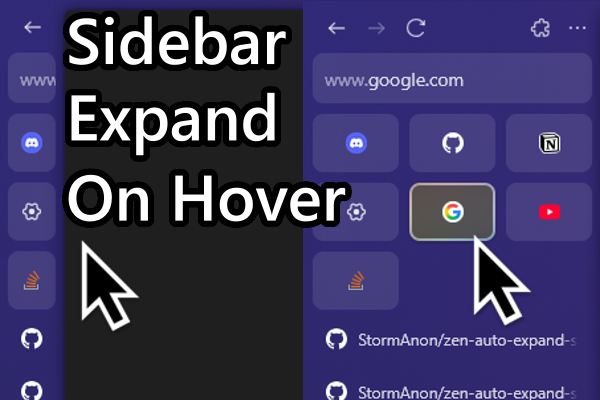
Learn more about Sidebar Expand on Hover mod available on Zen Browser
might be fixed now, not sure
dont personally use it
mild mason
sadly its very broken
sharp totem
looks like the author is actively working on it still... might just be struggling to get it updated in the official mod store (it can be a little slow due to the manual review process) https://github.com/Uiniel/zen-mods
GitHub
Repository of all my zen mods. Contribute to Uiniel/zen-mods development by creating an account on GitHub.
mild mason
theres def some compatibility issues with this theme. it would take someone who knows zen and css better to figure it out
real onyx
 knotty laurel
i only see how to download them as a .rar?
knotty laurel
i only see how to download them as a .rar?
Download the rar and extract it
knotty laurel
real onyx
Download the rar and extract it
can you extract rars on windows without any other software?
real onyx
knotty laurel
can you extract rars on windows without any other software?
Idts
Winrar or 7z can do it
rough sluice
sand fjord
Is there a way to make the URL bar stay fixed while typing like arc 2.0
you mean when the floating urlbar keeps changing its size and stuff, yes i am working on fixing it it will be in the next update
rough sluice
mild mason
how can i have the sidebar always show tab icons but still expand on hover?
i think there is a mod for tha t
not sure
rough sluice
random umbra
mine has this translucent box now for some reason
a mod is interfering with the sidebar, btw holy shit looks great
rough sluice
knotty laurel
can you extract rars on windows without any other software?
no you can do that
windows can unzip files without winrar
 rough sluice
knotty laurel
rough sluice
knotty laurel
oh its windows 10
windows 11 can do that
hmm if you want i can send you images seperately
knotty laurel
rough sluice
hmm if you want i can send you images seperately
👍
 warm kayak
rough sluice
shit looks like this ew
warm kayak
rough sluice
shit looks like this ew
Fr
random umbra
rough sluice
shit looks like this ew
seem to have removed it
random umbra
rough sluice
a mod is interfering with the sidebar, btw holy shit looks great
rippp im gonna hev to seee
and yess, thanks to u
knotty laurel
rough sluice
hmm if you want i can send you images seperately
can you send them?
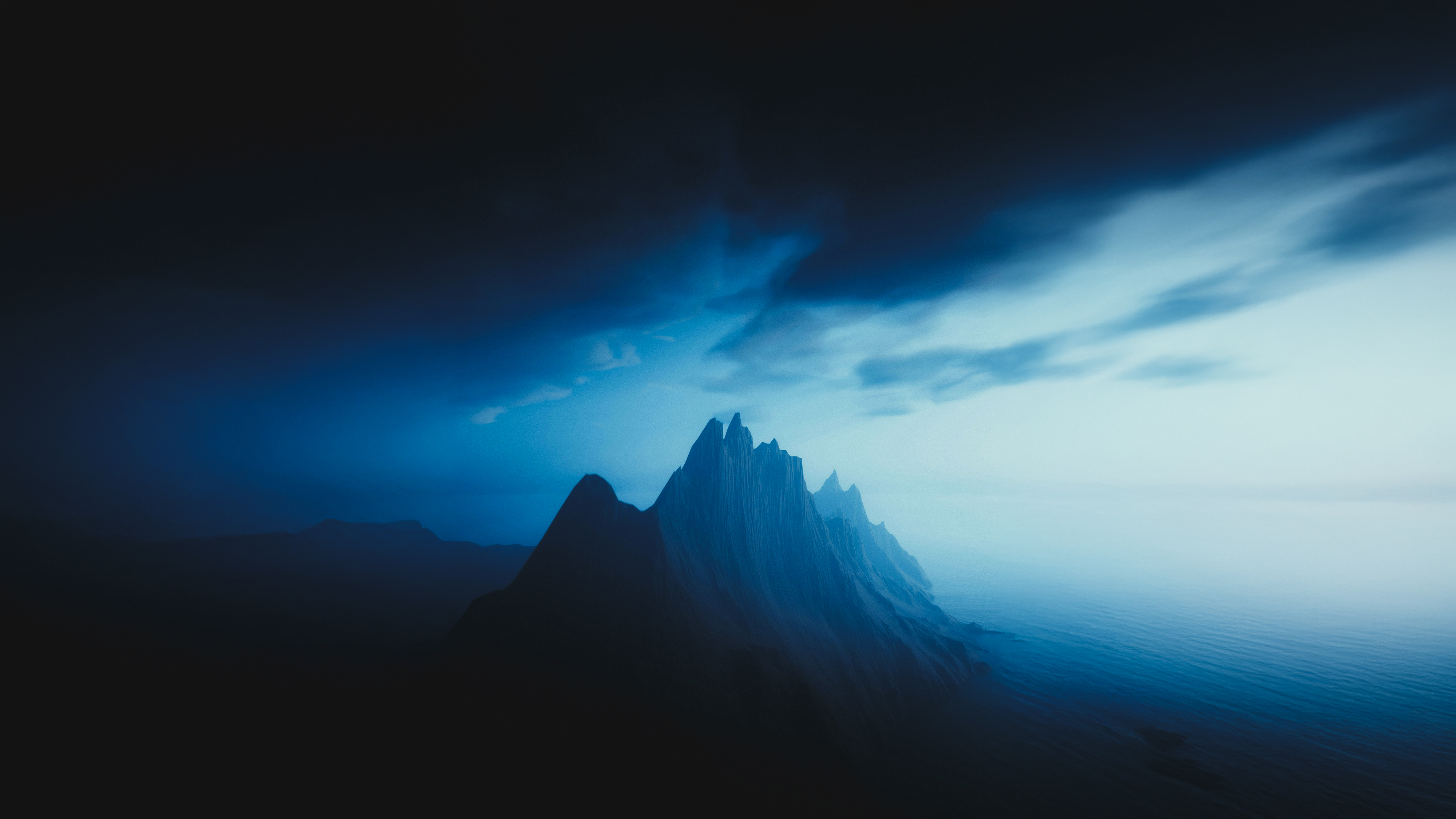
 warm kayak
rough sluice
should i make a cleaner/better thread for this
warm kayak
rough sluice
should i make a cleaner/better thread for this
I think so, because there is like a ton of messages and if people want to see the first messages, they have to scroll like a lot.
knotty laurel
Its supposed to be transparent to show the wallpaper right?
The transparency isnt working for idk why
rough sluice
knotty laurel
Its supposed to be transparent to show the wallpaper right?
the newtab nope
but sidebar should be yes
you are on windows 10 thats why its not working
knotty laurel
no way to make it work on win 10?
rough sluice
transparency effects like acrylic are supported on win11, i think there is a workaround to it using DWMblurglass but you would have to ask some other win10 users in this server in #zeneral
rough sluice
warm kayak
I think so, because there is like a ton of messages and if people want to see th...
yeah, ill make a better thread
knotty laurel
rough sluice
transparency effects like acrylic are supported on win11, i think there is a wor...
alr tysm for everything
rough sluice
[OLD] Minimal Zen (dark) | check Nebula thread
mild mason
rough sluice
not sure
Yup but unfortunately it doesnt integrate properly with your theme. :(
rough sluice
mild mason
Yup but unfortunately it doesnt integrate properly with your theme. :(
yeah my theme is in my opinion best looking with single sidebar mode
 rough sluice
knotty laurel
no transparency makes it so much worse
rough sluice
knotty laurel
no transparency makes it so much worse
try downloading drmblurglass
knotty laurel
rough sluice
try downloading drmblurglass
is that a zen mod or a windows app
rough sluice
from github
rough sluice
knotty laurel
is that a zen mod or a windows app
app
knotty laurel
 rough sluice
hmm, no idea
warm kayak
@rough sluice Can't we close forums? so no one messages here instead of the new post?
rough sluice
warm kayak
<@733526765988872235> Can't we close forums? so no one messages here instead of ...
yeah we can
ill close this later today because people who got it from here prob will get confused
sand fjord
rough sluice
you mean when the floating urlbar keeps changing its size and stuff, yes i am wo...
tried to do something but couldn't make it
rough sluice
sand fjord
tried to do something but couldn't make it
i fixed i
it
check this out
rough sluice
ah i see
sand fjord
btw
rough sluice
?
rough sluice
what does it do? folder?
sand fjord
idk where did i get it but it looks like working fine
sand fjord
rough sluice
what does it do? folder?
yep
rough sluice
oh nice, lemme try it if its working then ill add it to the userchrome
also i have moved this thread to #1347445886384345089
@sand fjord um what is this mod doing? it looks exactly the same to me as it was before


 real onyx
@rough sluice , you might wanna check the lacuna repo once. Made some changes and some license updates ... cheers
rough sluice
real onyx
<@733526765988872235> , you might wanna check the lacuna repo once. Made some ch...
okay
real onyx
sure
rough sluice
sand fjord
with this it looks like that
ohh
rough sluice
sand fjord
with this it looks like that
look slike this for me
 sand fjord
it works perfectly fine for me but idk whats wrong with yours folders are too buggy i guess
rough sluice
real onyx
<@733526765988872235> , you might wanna check the lacuna repo once. Made some ch...
um what are the changes 😅 im bad with this stuff
sand fjord
rough sluice
sand fjord
https://discord.com/channels/1088172780480114748/1337816397123686512/13381526845...
still looks exactly the same
sand fjord
so we'll wait for the stable version of tab groups
real onyx
rough sluice
um what are the changes 😅 im bad with this stuff
they are present in the release notes
rough sluice
real onyx
they are present in the release notes
got it
real onyx
rough sluice
got it
perfect
 tawdry delta
@rough sluice how to fix explorer looking like this when picking a file using zen?
 rough sluice
tawdry delta
<@733526765988872235> how to fix explorer looking like this when picking a file ...
rough sluice
tawdry delta
<@733526765988872235> how to fix explorer looking like this when picking a file ...
its happening to me too, its because of the enable blur behind feature in mfe
also the thread is moved to #1347445886384345089 come there
 fading cobalt
ill lock this thread to limit convo to the new thread