

1 messages · Page 1 of 1 (latest)
 hearty quarry
 lime turret
Wow, I thought it was really good, well built, I really liked it. Congratulations.
One of the things I thought it could have was automatic adjustments for light theme, but that's a personal thing, because I end up switching between dark and light a lot during the day.
Another thing is the part of the line that appears above, but this came recently due to the last update in Twilight.
 hearty quarry
lime turret
Wow, I thought it was really good, well built, I really liked it. Congratulation...
hearty quarry
lime turret
Wow, I thought it was really good, well built, I really liked it. Congratulation...
That's a very valid idea
I will implement it soon
hearty quarry
lime turret
Another thing is the part of the line that appears above, but this came recently...
Ah haven't got the chance to test it on twilight yet
Will do and let you know soon
hearty quarry
lime turret
Wow, I thought it was really good, well built, I really liked it. Congratulation...
And thanks mate ... Appreciate it
 quaint stag
hearty quarry
Dots : https://github.com/Tanay-Kar/Lacuna
quaint stag
hearty quarry
Dots : https://github.com/Tanay-Kar/Lacuna
What are you using for blurring zen?
 frigid socket
Hot dang, come apply to be a cheff in the Custom Themes server! This is great!
https://discord.com/channels/1320850992077471824/1320858237901340713
hearty quarry
frigid socket
Hot dang, come apply to be a cheff in the Custom Themes server! This is great!
h...
Sure man 😃
hearty quarry
quaint stag
What are you using for blurring zen?
I'm on gnome ... So I just used the blur my shell extension
 spiral mortar
hi! i couldn't get the transparency to work. how did you implement it?
 wheat meteor
spiral mortar
hi! i couldn't get the transparency to work. how did you implement it?
wheat meteor
spiral mortar
hi! i couldn't get the transparency to work. how did you implement it?
You can try this
/------------ Browser Transparency ------------/
@-moz-document url-prefix("chrome:") {
#statuspanel {
margin: 10px !important;
}
#statuspanel-label {
border-radius: 10000px !important;
padding: 2px 10px !important;
border: 1px solid var(--zen-colors-border) !important;
background: var(--zen-colors-tertiary) !important;
}
}
#navigator-toolbox {
background-color: rgba(0, 0, 0, 0) !important;
}
#1275869795941744640-window {
background-color: rgba(
0,
0,
0, 0
) !important; /Modify the last value, like, here 0.25, to increase or decrease the brighness of the mica/blur/translucency/
-moz-appearance: none !important;
appearance: none !important;
background-image: none !important;
--zen-main-browser-background: rgba(0, 0, 0, 0) !important;
}
 pallid parrot
is this not compatible with light mode?
hearty quarry
pallid parrot
is this not compatible with light mode?
I will be making it more compatible for light mode soon
My exams are absolutely killing me rn
hearty quarry
spiral mortar
i got mica installed and setup on zen
For the compact mode , transparent toolbar by default uses the colour/gradient you've set for zen
The gradient you've set from the change theme color menu
I will add a config for that soon but for now
hearty quarry
spiral mortar
still wont work unfortunately
Set the background value to transparent

 still tiger
Hi, was wondering how u got the taller tab heights, couldn't find it in the css
hearty quarry
still tiger
Hi, was wondering how u got the taller tab heights, couldn't find it in the css
.tab-background {
  height: 40px !important;
}
ty
hearty quarry
you're welcome
 worthy violet
lime turret
Another thing is the part of the line that appears above, but this came recently...
worthy violet
lime turret
Another thing is the part of the line that appears above, but this came recently...
The blue top border is added in the latest firefox update
It can be fixed with css tho
hearty quarry
lime turret
Another thing is the part of the line that appears above, but this came recently...
As of now , i'm not really gonna fix this bug
i'm gonna wait for zen to add it natively
 small herald
hearty quarry
Dots : https://github.com/Tanay-Kar/Lacuna
small herald
hearty quarry
Dots : https://github.com/Tanay-Kar/Lacuna
Maybe it's not 100% relevant, but can you point to the exact wallpaper? I cannot find it in Unsplash collections.
hearty quarry
small herald
Maybe it's not 100% relevant, but can you point to the exact wallpaper? I cannot...
sure lemme check
hearty quarry
small herald
Maybe it's not 100% relevant, but can you point to the exact wallpaper? I cannot...
https://unsplash.com/photos/a-large-body-of-water-surrounded-by-a-lush-green-field-Kx9p4imkgs8
There you go

A thunderstorm brews up over a wetland area. – Download this photo by Hans Isaacson on Unsplash
Bonjourr uses https://unsplash.com/collections/jSaULAjnN5g/dark-academia and https://unsplash.com/collections/6iHCDyFf_Ig/dark-nature collections for its image source
worthy violet
cool
hearty quarry
pallid parrot
is this not compatible with light mode?
@lime turret The latest version now has light mode support
please let me know if there are any bugs or weird bits ... thanks
pallid parrot
hearty quarry
<@336689884683042817> The latest version now has light mode support
thank you, i will test it tomorrow.
 karmic monolith
Hey dude, I wanted you to konw that I am pretty new to zen browser but I think this theme is really cool!
 plain warren
hearty quarry
light mode 👀
plain warren
hearty quarry
light mode 👀
config? 👀
plain warren
karmic monolith
Hey dude, I wanted you to konw that I am pretty new to zen browser but I think t...
same
karmic monolith
I keep being bewildered by the amount of stuff you can do in it, then I forget what I just saw like an hour ago lol
hearty quarry
pallid parrot
thank you, i will test it tomorrow.
Sure
hearty quarry
karmic monolith
Hey dude, I wanted you to konw that I am pretty new to zen browser but I think t...
Thank you very much
hearty quarry
plain warren
config? 👀
It is in the GitHub repo
still tiger
Hi, love ur theme, how do i get rid of the pink lines in tab groups?
 lime turret
hearty quarry
<@336689884683042817> The latest version now has light mode support
lime turret
hearty quarry
<@336689884683042817> The latest version now has light mode support
It turned out really well, I tested it on Zen stable version and it worked fine.
However, I also tested it on Twilight and it ended up being quite buggy, I don't know if it will get buggy in the future in the stable version.
But once again, congratulations, it turned out really well.
Edited:
I ended up reopening the stable version and it updated. The only problem that remained in the stable version was the tab lines, apart from that nothing else.
Taking a quick look at the CSS, I think there is a new div that represents this top line.
 hearty quarry
lime turret
It turned out really well, I tested it on Zen stable version and it worked fine....
hearty quarry
lime turret
It turned out really well, I tested it on Zen stable version and it worked fine....
Appreciate the feedback mate
But for now I'm not going to update the tab groups css for , I really want zen to add it native first (which is gonna be soon)
Cheff really discourages the use of custom tab group css
still tiger
is this a normal thing? my url is not centred

 cedar isle
still tiger
Hi, love ur theme, how do i get rid of the pink lines in tab groups?
cedar isle
still tiger
Hi, love ur theme, how do i get rid of the pink lines in tab groups?
--tab-group-color: none !important; under tab group css fixed it
hearty quarry
still tiger
is this a normal thing? my url is not centred
It is supposed to be centered
Lemme check what could be causing it
still tiger
Ty!
hearty quarry
can you access your browser toolbox ?
i wanna see what exactly is on the side
i don't have anything there
still tiger
hearty quarry
can you access your browser toolbox ?
u mean this?
 hearty quarry
still tiger
u mean this?
hearty quarry
still tiger
u mean this?
https://docs.zen-browser.app/guides/live-editing
follow these steps

This guide will help you customize the appearance of Zen Browser by live editing the userChrome.css file. Follow the steps below to start customizing your browser’s theme.
you'll have to open the browser toolbox ... with ctrl + alt + shift + I
still tiger
oen sec
hearty quarry
sure
still tiger
is there another way to open it, shortcut doesn't work
 still tiger
in the files?
hearty quarry
no no that shouldn't be the issue
eh nvm
the link where it wasn't centered , could you hover there on the urlbar
maybe see if it was some button or smth
still tiger

i think its cus of this button, i don't have this issue on sites without this button
 hearty quarry
alrighty
still tiger
cedar isle
`--tab-group-color: none !important; `under tab group css fixed it
am i doing it right? This is the bottom part of the tab group css
tab-group:hover {
background: color-mix(
in srgb,
var(--tab-group-color-invert) 30%,
transparent
) !important;
transition: background 0.2s ease;
}
--tab-group-color: none !important;
}
hearty quarry
still tiger
Could you confirm if you have any other css apart from lacuna
which might be interfering
This is on twilight
that info button is set to show on hover only
still tiger
hearty quarry
Could you confirm if you have any other css apart from lacuna
nope can u show me which part of the css is responsible for the info button? i'll take a look
oh my god nvm its this mod

sorry for the trouble
cedar isle
still tiger
am i doing it right? This is the bottom part of the tab group css
tab-group:h...
tab-group { --tab-group-color: none !important; }
still tiger
tysm!
still tiger
Hello, I was wondering if there's an option to make the second row of the essentials fill out the entire row? I'm using superpins.

 haughty shuttle
still tiger
Hello, I was wondering if there's an option to make the second row of the essent...
haughty shuttle
still tiger
Hello, I was wondering if there's an option to make the second row of the essent...
adding 1 more essential
still tiger
haughty shuttle
adding 1 more essential
is it possible to make the two tabs automatically fill out the row?
haughty shuttle
still tiger
is it possible to make the two tabs automatically fill out the row?
dont think so
small herald
Is there an easy way to fix tab group names being cut off after first 2 letters?
 hearty quarry
small herald
Is there an easy way to fix tab group names being cut off after first 2 letters?
hearty quarry
small herald
Is there an easy way to fix tab group names being cut off after first 2 letters?
That's weird , I'm sorry though , I won't really work for the tab groups for now
small herald
Sure, no problem, I'll try to find a workaround on my own
hearty quarry
Yeah
hearty quarry
chat, what do yall think of this ?
better animation for the audio indicator thingy
 frail pilot
still tiger
is it possible to make the two tabs automatically fill out the row?
frail pilot
still tiger
is it possible to make the two tabs automatically fill out the row?
you could play around with the width of the tabs using superpins but I don't think you can just change those two specific tabs, no
frail pilot
hearty quarry
Dots : https://github.com/Tanay-Kar/Lacuna
how do you close the browser without any closing buttons?
hearty quarry
frail pilot
how do you close the browser without any closing buttons?
the closing button are hidden in the top bar
i'm on single toolbar mode
frail pilot
hearty quarry
the closing button are hidden in the top bar
huh 😭
hearty quarry
my window control buttons are hidden
frail pilot
closing buttons are hidden in single toolbar mode?
frail pilot
ohhh
hearty quarry
yeah lol
frail pilot
is it possible to hide them on multiple toolbars mode?
the urlbar gets quite cluttered in single toolbar
hearty quarry
frail pilot
the urlbar gets quite cluttered in single toolbar
try lacuna
it hides most of the icons unless you hover over it
frail pilot
i meant while hovering, yeah
frail pilot
I'll try it though
hearty quarry
frail pilot
i meant while hovering, yeah
ah that... sure
uhm idk , you could maybe set window controls box to display:none
and transition it on hover
frail pilot
hearty quarry
for example when you try to click on it to search something else, the icons get in the way
hearty quarry
frail pilot
for example when you try to click on it to search something else, the icons get ...
hmm yeah
frail pilot
hearty quarry
does lacuna include essentials' background to be the same colour as the site logo?
that's pretty cool
hearty quarry
frail pilot
does lacuna include essentials' background to be the same colour as the site log...
it makes some changes to it but the core feature is in zen as well
lacuna makes it a bit more contrast-ty
frail pilot
hearty quarry
it makes some changes to it but the core feature is in zen as well
oh really? mine are just monochrome, maybe it's my theme
hearty quarry
frail pilot
oh really? mine are just monochrome, maybe it's my theme
try setting zen.theme.essentials-favicon-bg config to true
frail pilot
hearty quarry
try setting `zen.theme.essentials-favicon-bg` config to true
where do I find this?
hearty quarry
in about:config
frail pilot
ah, got it, thanks!!!
hearty quarry
the url is about:config
hearty quarry
frail pilot
ah, got it, thanks!!!
no problem mate
 soft saffron
lime turret
Another thing is the part of the line that appears above, but this came recently...
soft saffron
lime turret
Another thing is the part of the line that appears above, but this came recently...
how do u have tab folders?
soft saffron
still tiger
Hi, love ur theme, how do i get rid of the pink lines in tab groups?
how do you have tab groups
still tiger
soft saffron
how do you have tab groups

idk if it works tho last time i used it my tab gruops crashsed
soft saffron
still tiger
idk if it works tho last time i used it my tab gruops crashsed
are the tab groups only avaible for the unpinned tabs?
still tiger
soft saffron
are the tab groups only avaible for the unpinned tabs?
dont know about that but #1335963848087306333 message take a look at this
 noble ibex
still tiger
dont know about that but https://discord.com/channels/1088172780480114748/133596...
noble ibex
still tiger
dont know about that but https://discord.com/channels/1088172780480114748/133596...
i would like to express my interest in this query
still tiger
huh
still tiger
hi @hearty quarry do u have plans on fixing tab groups https://discord.com/channels/1088172780480114748/1337816397123686512 ?
hearty quarry
I can add it here ... but i won't recommend it
still tiger
ty
hearty quarry
Aight for all those who wanted tab groups
credit where credit's due
i will not add this to the repo
still tiger
tysm!
hearty quarry
you're welcome
still tiger
Hello, is this section the css for the search bar?
/* === URL BAR CUSTOMIZATION === */

If so, is there an option to increase the height of each suggestion? I can't seem to find it in the url bar customization section
 hearty quarry
still tiger
Hello, is this section the css for the search bar?
```
/* === URL BAR CUSTOMI...
hearty quarry
still tiger
Hello, is this section the css for the search bar?
```
/* === URL BAR CUSTOMI...
Uh yeah it is
hearty quarry
still tiger
If so, is there an option to increase the height of each suggestion? I can't see...
I'll let you know
still tiger
ty!
hearty quarry
still tiger
If so, is there an option to increase the height of each suggestion? I can't see...
For search suggestions ...
.urlbarView-row[type="search"] {
  min-height: 50px !important;
}
i'll add it to lacuna
still tiger
tysm!
still tiger
😎 lacuna's so good
hearty quarry
thanks mate
the latest release will get some cool stuff
blurred window when urlbar's open , better audio indicator , better essential background and stuff
imma compile em all into a single release
still tiger
ok hyped for it
still tiger
yo any suggestions what i should tweak, cant seem to get it as clean as urs
 cedar isle
you can use a new tab extension
and add the same wallpaper as your desktop
or anything similar to your desktop
like in the lacuna picture
still tiger
oh i dont normally use new tab, but any comments on the sidebar?
cedar isle
i mean if im being honest it does look clean
i think what gives away the cleaner look for lacuna's theme is that its in a darker tone which works well for dark buttons too
while in your case the background is lighter compared to the button color
idk thats what i came across
still tiger
ohhhh maybe thats why
still tiger
cedar isle
i mean if im being honest it does look clean
do u have any idea how to increase the height of this?
 cedar isle
#urlbar {
height: [insert value here] !important;
}
still tiger
cedar isle
#urlbar {
height: [insert value here] !important;
}
tysm looks so much better!
 cedar isle
no worries!
hearty quarry
still tiger
yo any suggestions what i should tweak, cant seem to get it as clean as urs
that's almost similar to how i've got it
get the wallpaper , and if you want the new tab
and you'll be set
still tiger

hearty quarry
lacuna doesn't add extravagant stuff, just makes minor quality of life changes
default's good
imma release the next version today
cedar isle
Ws
still tiger
hearty quarry
imma release the next version today
yessss fireeee
hearty quarry

Better urlbar focus , better glance indicator , essentials tabs , audio indicator in collapsed mode , and more 🥳
What's Changed
Tab groups removed by @Tanay-Kar in #6
Dev by @Tanay-Kar in #7
D...
🤞
audio indicator ... now more functional on collapsed mdoe


Better contrast for essentials


Blur for an added focus on the urlbar

God i might actually be in love with light mode 

 cunning mural
hearty quarry
God i might actually be in love with light mode <:blobcatholdingitsheadinitshand...
cunning mural
hearty quarry
God i might actually be in love with light mode <:blobcatholdingitsheadinitshand...
that is so cutee !
haughty shuttle
hearty quarry
Dots : https://github.com/Tanay-Kar/Lacuna
Newtab page got extensions?
wheat meteor
haughty shuttle
Newtab page got extensions?
Bonjourr
 past dove
hearty quarry
God i might actually be in love with light mode <:blobcatholdingitsheadinitshand...
past dove
hearty quarry
God i might actually be in love with light mode <:blobcatholdingitsheadinitshand...
how do i get bluurrr

@hearty quarry
 split jolt
How do make pins look like essentials? And how do remove the text zoom when the tab is active?
@hearty quarry

 split jolt
past dove
how do i get bluurrr
split jolt
past dove
how do i get bluurrr
try mica
past dove
not working
split jolt
past dove
not working
add zen as a rule
 past dove
ok
split jolt
past dove
still not working
try restart zen?
for me it's working fine
try also delete custom theme colors for zen, just leave it empty
 past dove
restarted not working
past dove
@split jolt
split jolt
past dove
<@315516334496677888>

split jolt
past dove
<@315516334496677888>
Did you turn off Windows transparency effects?
turn it on if you did
split jolt
past dove
<@315516334496677888>

still tiger
hearty quarry
https://github.com/Tanay-Kar/Lacuna/releases/tag/v1.0.3
niceeee
hearty quarry
still tiger
niceeee <:Gigachad:1274480426995548190>
Thanks
hearty quarry
cunning mural
that is so cutee !
Thanks 
hearty quarry
haughty shuttle
Newtab page got extensions?
Bonjourr ... The github repo has the config file for it
hearty quarry
 half patio
This theme keeps getting better
half patio
This theme keeps getting better
Thanks man ... Appreciate it
hearty quarry
past dove
i would love if the tabs were not so dark but light and blurred
You can choose the light theme in firefox addons page
about:addon
still tiger
do u think this is some clashing css issue? cus i have some of my own css
 still tiger
okay tysm!
hearty quarry
still tiger
okay tysm!
fixed
hearty quarry
you're welcome
still tiger
im curious if its possible to make the background of pdf viewer transparent?
 hearty quarry
still tiger
im curious if its possible to make the background of pdf viewer transparent?
hearty quarry
still tiger
im curious if its possible to make the background of pdf viewer transparent?
should be possible
browser transparent , then setting backhround transparent in usercontent
let me see if can cook smth with this
still tiger
sure :)
hearty quarry
if it's cool i'll add it
past dove
hearty quarry
Dots : https://github.com/Tanay-Kar/Lacuna
wallpaper?
hearty quarry
past dove
wallpaper?
there you go
 past dove
thanks :3
split jolt
split jolt
How do make pins look like essentials? And how do remove the text zoom when the ...
@hearty quarry help 
hearty quarry
split jolt
How do make pins look like essentials? And how do remove the text zoom when the ...
Right ... Pins
Forgot about that 😬
No worries I'll fix it soon
hearty quarry
split jolt
How do make pins look like essentials? And how do remove the text zoom when the ...
Lacuna doesn't have any code for text zooming
Does it happen without the theme ?
split jolt
hearty quarry
No worries I'll fix it soon
thx a lot
split jolt
hearty quarry
Does it happen without the theme ?
no
split jolt
hearty quarry
Damn
here's a video (my settings, the problem, zen mods etc)
hearty quarry
split jolt
here's a video (my settings, the problem, zen mods etc)
From what I understood the font thickness is changing
Let me check the code
One sec
Found the culprit
split jolt
hearty quarry
Found the culprit
By the way, the audio visualizer is not in the middle in SuperPins
 hearty quarry
split jolt
How do make pins look like essentials? And how do remove the text zoom when the ...
hearty quarry
split jolt
How do make pins look like essentials? And how do remove the text zoom when the ...
The background for pinned tabs looks like from the super pins mod
By default it should be transparent
split jolt
hearty quarry
By default it should be transparent
yes
hearty quarry
I'm gonna add a pref to make them like essentials
hearty quarry
split jolt
By the way, the audio visualizer is not in the middle in SuperPins
Oh dear
split jolt
same
 hearty quarry
Aight will check
split jolt
 hearty quarry
I actually don't use pins very much ... So they were just neglected lmao
Nvm I'll try to fix em by today
split jolt
hearty quarry
Nvm I'll try to fix em by today
thank you
hearty quarry
split jolt
By the way, the audio visualizer is not in the middle in SuperPins
could you show me your super pins configuration
First is with no hover , second is on the tab or hover over the tab

 split jolt
hearty quarry
could you show me your super pins configuration
split jolt
hearty quarry
could you show me your super pins configuration

Ok, my mistake, it's because of the Hidden Reset Button mod

Without it, the audio visualizer is exactly in the center
hearty quarry
split jolt
Ok, my mistake, it's because of the Hidden Reset Button mod
oh lmao
alrighty
split jolt

 hearty quarry
yep that's what i'm saying
split jolt
So Lacuna works fine with the “Hide the reset button on pinned tabs” option in the SuperPins mod, but does not work correctly with a separate mod.
I don't know why I had a separate mod when this feature is in the SuperPins mod, so I'm sorry, my bad
hearty quarry
split jolt
is this fine , the pinned tabs and the essentials can have same bg and hover via a pref
 split jolt
hearty quarry
is this fine , the pinned tabs and the essentials can have same bg and hover via...
split jolt
hearty quarry
is this fine , the pinned tabs and the essentials can have same bg and hover via...
Cool, thx
hearty quarry
sure , lemme commit it to the repo
 green stone
hearty quarry
there you go
green stone
hearty quarry
there you go
do you have a full res image
from a website or lossless image hosting or something?
hearty quarry
i'll just give you the unsplash link
green stone
yess
hearty quarry
green stone
yess

Fresh Air Pt. 2 – Download this photo by Francisco Gonzalez on Unsplash
green stone
uh its a diff aspect ratio
hearty quarry
jesus
green stone
idk why windows grey's everything out
hearty quarry
ye it unsaturates it ig , puts an overlay
i prefer manual control tho
instead of setting browser transparency , i set the overall opacity a bit lower

see how the music visualizer shows up a lil bit
eh personal preference
green stone
looks amazing ngl
hearty quarry
green stone
looks amazing ngl
thanks
still tiger
yo @hearty quarry have u figured out how to remove the background?
 hearty quarry
still tiger
yo <@1054732125326286878> have u figured out how to remove the background?
hearty quarry
still tiger
yo <@1054732125326286878> have u figured out how to remove the background?
sorry man , completely forgot about that
just got out of my exams yesterday
i'll get to it soon
still tiger
i dont know if u use smaller compact mode mod, but i found out that when it is enabled, the upper part of the url blur breaks

i dont have additional url bar css, can someone verify this?
hearty quarry
still tiger
i dont know if u use smaller compact mode mod, but i found out that when it is e...
Lemme check on sec
hearty quarry
still tiger
i dont have additional url bar css, can someone verify this?
confirmed sigh
past dove
yooo
hearty quarry
sup
hearty quarry
still tiger
i dont have additional url bar css, can someone verify this?
try it again after updating
it's fixed ig
you'd need to enable a config tho
lacuna.urlbar.smaller-compact-mode
still tiger
ok lemme try
hearty quarry
kk
still tiger
so u made ur own smaller compact mode?
hearty quarry
no
it needs a weird workaround
so i just set it to if the user has the mod they can just go and enable the conf
you'd still need the mod installed
still tiger
damn its fixed thats insaneeee tyy
hearty quarry
you're welcome dude
and imma get back to the pdf thing
i gotta set it such that , it doesn't cause all those nasty transparent bg quirks
still tiger
which do u prefer lol

 still tiger
hearty quarry
i gotta set it such that , it doesn't cause all those nasty transparent bg quirk...
still tiger
hearty quarry
i gotta set it such that , it doesn't cause all those nasty transparent bg quirk...
ye it can get annoying at times
hearty quarry
still tiger
which do u prefer lol
i personally prefer the no background one , but with pins being in a grid , the coloured one looks better
looks more consistent with the essentials
still tiger
spicyyy
 hearty quarry
still tiger
spicyyy
hearty quarry
still tiger
spicyyy
ye
split jolt
hearty quarry
ooo yeahh
damn its cool
hearty quarry
split jolt
damn its cool
Thanks mate
split jolt
hearty quarry
Thanks mate
when release?
hearty quarry
split jolt
when release?
It's on the repo
And cheff said he would add it to native
I'll remove it when he does
split jolt
i see
green stone
i tried your css file, can i change the tint on the acrylic to be a bit darker??
?

wasnt able to find a setting to do that
hearty quarry
green stone
i tried your css file, can i change the tint on the acrylic to be a bit darker??...
tint for the browser isn't in lacuna
you'd have to change the theme colour or smth ig
i don't know how it works on window
green stone
i had a small code on my original userchrome but i tried to use it in this
it didnt work idk why
  background-color: rgba(0, 0, 0, 0.5); /* semi-transparent black */

}```i think this does the trick
hearty quarry
hmm
hearty quarry
thanks
hearty quarry
green stone
the dark tint on the essentials look great tho
the native one looked a bit washed out imo
green stone
hearty quarry
the native one looked a bit washed out imo
yeah
hearty quarry
still tiger
yo <@1054732125326286878> have u figured out how to remove the background?
yeah sorry dude's it getting wayy too complicated
there are like a billion divs which can change colour but none make it transparent
u could probably search for examples from userstyles but
honestly i got better stuff to do
sorry dude
still tiger
hearty quarry
yeah sorry dude's it getting wayy too complicated
no problem man totally understandable
thx for trying
hearty quarry
still tiger
no problem man totally understandable
hmm thx
hearty quarry
past dove
<@1054732125326286878>
bonjourr
hearty quarry
yeah?
hearty quarry

past dove
still tiger
i dont know if u use smaller compact mode mod, but i found out that when it is e...
@hearty quarry do u have any idea how this dude got blur on his tab
like wth
how do we do that
hearty quarry
past dove
<@1054732125326286878> do u have any idea how this dude got blur on his tab
it's in lacuna
try the latest one it has url bar blur
past dove
okkk
let see if work
what are ur hours btw
i am in AUS time zone
so now for me is 6:47 pm
what bout u
@hearty quarry
oh sorry didn't see u had DO NOT DISTURB on
sorry bout that
hearty quarry
past dove
so now for me is 6:47 pm
am in India , 1pm for me
hearty quarry
yeah
hearty quarry
oh nice
still tiger
ye i order them whenever i feel stressed
past dove
u just changed the topic to indian food
@still tiger
anyways,
is anyone watching the India VS Pakistan Cricket Match tonight
if anyone is into cricket here
hearty quarry
#general pls ... thanks
still tiger
oh lmao my bad
hearty quarry
lol nw
hearty quarry
np
green stone
is half of this server indian atp? 💀
past dove
prob no clue
hearty quarry
i could stare at this all day

i swear zen's gonna be the reason i'll switch to light mode for good
oh and btw guys
major update to the git repo soon
i'll change the main userChrome to lacuna.css , and will add an example import statement
it will make it easier to keep custom userchrome and lacuna seperate
still tiger
hearty quarry
i'll change the main userChrome to lacuna.css , and will add an example import s...
W
still tiger
hearty quarry
i could stare at this all day
Still think dark modes more usable in the long run lol but sure looks good
hearty quarry
still tiger
Still think dark modes more usable in the long run lol but sure looks good
fair
still tiger
i think there's some issue with the essentials border when there are only two essentials


should not be a mod issue
can u check if it happens on ur end?
hearty quarry
still tiger
i think there's some issue with the essentials border when there are only two es...
What's the issue I'm sorry ?
 dawn reef
thanks pooks
hearty quarry
dawn reef
thanks pooks
you're welcome
dawn reef
hearty quarry
you're welcome
so what animations are in animations plus mod
hearty quarry
adds customizations options for essentials and pinned tabs
hearty quarry
like reduce the spacing between essentials , arrange pinned tabs in a grid , et cetra
dawn reef
is there a mod to make the sidebar smaller than the smallest
: (
this thing is too thick
dawn reef
scam
hearty quarry
that's too thick ?
dawn reef
idk im just not used to it
dawn reef
hearty quarry
how-
hearty quarry
dawn reef
idk im just not used to it
valid
dawn reef
is this minimal
 hearty quarry
it seems pretty minimal
hearty quarry
dawn reef
how-
just drag it
 dawn reef
hearty quarry
just drag it
dawn reef
hearty quarry
just drag it
i cant drag any smaller
dawn reef
hearty quarry
yeah , that's called compact mode here
yep ik
hearty quarry
ye
still tiger
hearty quarry
What's the issue I'm sorry ?
the first picture was missing like the left and right borders
hearty quarry
that i believe is a shortcoming of zen
cause it basically blurs the favicon and applies it
still , lemme check without lacuna
still tiger
oh lemme try updating lacuna
hearty quarry
still tiger
the first picture was missing like the left and right borders


left one is without lacuna
right one is with
still tiger
its really weird, somehow only happens to notion
probably a zen issue cus all my css are consistent with the lacuna one
think its cus the shadow is too large
hearty quarry
might be
dawn reef
hearty quarry
might be
du mind if i take some of ur .css and modify some small things, and share it?
: ((
hearty quarry
dawn reef
du mind if i take some of ur .css and modify some small things, and share it?
Sure
Do send the link once ur done
If you're taking quite a few elements , a credit would be nice , thanks
dawn reef
hearty quarry
If you're taking quite a few elements , a credit would be nice , thanks
yes mam
hearty quarry
dawn reef
yes?
Sure mam
hearty quarry
dawn reef
sorry mam
You're welcome girll 💅
hearty quarry
Where is it ?
dawn reef
hearty quarry
Where is it ?
this forum
hearty quarry
dawn reef
this forum
Ah alright
past dove
hearty quarry
i could stare at this all day
give me that wallpaper and the pins now
@hearty quarry
just kidding
got i pls get em
hearty quarry
past dove
give me that wallpaper and the pins now
Wdym by pins ?
hearty quarry
past dove
i mean like could u give name of pins
ah ok sure mate
hearty quarry
pins are wikiwand , spotify , yt music , claude , gmail and zen text editor in order
here's the wallpaper link
still tiger
do u use zen text editor?
hearty quarry
still tiger
do u use zen text editor?
I do yeah
still tiger
yo did the update break the url blur for u?
 still tiger
lmao ty!
dawn reef
womp
hearty quarry
Alright classes ended , time to fix the problems with 1.8b
hearty quarry

Better Customize Toolbar UI , and bug fixes for zen 1.8b
Note:
Blurred urlbar , Focus blur and sidebar blur on compact mode have been removed in light of numerous bugs with the urlbar and its posit...
Try this please
Blur has been removed from compact mode. I'm looking for a way to add it back without all those nasty bugs , but for the time being ...
still tiger
pog
worthy violet
still tiger
its really weird, somehow only happens to notion
probably a zen issue cus all my...
Because the favicon (which is responsible for the bg color) is just that school icon which does not show much color when stretched
still tiger
worthy violet
Because the favicon (which is responsible for the bg color) is just that school ...
Ohhh that’s why 🧠
green stone
hearty quarry
Blur has been removed from compact mode. I'm looking for a way to add it back wi...
my sidebar blur is still working at 1.8b
 hearty quarry
green stone
my sidebar blur is still working at 1.8b
hearty quarry
green stone
my sidebar blur is still working at 1.8b
open the urlbar
green stone
this?
 green stone
yeah
green stone
yeah
hearty quarry
what mods do you have
green stone
its glitching a bit on the new update
 hearty quarry
green stone
its glitching a bit on the new update
hearty quarry
green stone
its glitching a bit on the new update
ye that's why
it glitches in position when we add the blur
green stone
the compact sidebar animation is also glitching a bit too
hearty quarry
that's why cheff removed it from native as well
green stone
hearty quarry
that's why cheff removed it from native as well
oh
makes sense i guess
hearty quarry
ye
 hearty igloo
@hearty quarry How to increase font for text in url bar?
hearty quarry
hearty igloo
<@1054732125326286878> How to increase font for text in url bar?
Just inspect it and increase font-size
hearty igloo
hearty quarry
Just inspect it and increase font-size
Can you tell it with the help of screen recording?
Idk how to do that...
hearty quarry
hearty igloo
Can you tell it with the help of screen recording?
Sure I will in a bit
And btw guys
Found smth for the blur in compact mode
🎉
hearty igloo
hearty quarry
Found smth for the blur in compact mode
blur for compact sidebar?
hearty quarry
hearty igloo
blur for compact sidebar?
Yup
hearty igloo
hearty quarry
Yup
I hope it's something better than this!
 hearty quarry
hearty igloo
I hope it's something better than this!
hearty quarry
hearty igloo
I hope it's something better than this!
Yeah
The only compromise is that the blur will be turned off when the urlbar is open
hearty igloo
hearty quarry
The only compromise is that the blur will be turned off when the urlbar is open
Doesn't the sidebar automatically hides when URLBar is opened?
hearty quarry
hearty igloo
Doesn't the sidebar automatically hides when URLBar is opened?
It does
So it shouldn't matter
hearty igloo
Yeah, so it's a negligible compromise!
hearty quarry
But just in case if someone opens the sidebar on hover , it will pop up with no blur
hearty quarry
hearty igloo
Yeah, so it's a negligible compromise!
Exactly
hearty igloo
hearty quarry
Sure I will in a bit
Ping me when it's done.😊
hearty quarry
Sure , I'll just make the commit now
hearty igloo
@hearty quarry How much time does a commit takes?
 hearty quarry
hearty igloo
<@1054732125326286878> How much time does a commit takes?
hearty quarry
hearty igloo
<@1054732125326286878> How much time does a commit takes?
not much , i was afk for a while
hearty quarry
hearty igloo
<@1054732125326286878> How much time does a commit takes?
check it now
still tiger
yo is there a way to hide these icons or centre the text in the url bar?
 hearty quarry
still tiger
yo is there a way to hide these icons or centre the text in the url bar?
hearty quarry
still tiger
yo is there a way to hide these icons or centre the text in the url bar?
There is
But why ?
It's better for those icons to be visible in the big urlbar , than never right ?
still tiger
yes but i like my search stuff centered 😭
 still tiger
i tried inspecting it and removed two buttons, whats the name of this button? i dont see green text, first time editing css
 hearty quarry
still tiger
yes but i like my search stuff centered 😭
hearty quarry
still tiger
yes but i like my search stuff centered 😭
that's a valid problem , i'll see if i can find a solution to make it centered despite buttons
hearty quarry
still tiger
i tried inspecting it and removed two buttons, whats the name of this button? i ...
idk go up a level in the inspector window
still tiger
hearty quarry
idk go up a level in the inspector window
oh turns out its an extension 😭 do u know how to remove this button?
 hearty quarry
Set it to display none
That particular id
#pageAction-urlbar...containers {
  display: none !important;
}
This probably
still tiger
hearty quarry
```css
#pageAction-urlbar...containers {
display: none !important;
}
```
i used #urlbar-go-button.urlbar-icon.urlbar-go-button, #star-button.urlbar-icon, #pageAction-urlbar-_testpilot-containers{ display: none !important; } and it worked tysm!
So cleannn
 hearty quarry
still tiger
i used ```#urlbar-go-button.urlbar-icon.urlbar-go-button,
#star-button.urlbar-ic...
hearty quarry
still tiger
i used ```#urlbar-go-button.urlbar-icon.urlbar-go-button,
#star-button.urlbar-ic...
Ur welcome
I'll see what I can do about the text being centred despite buttons
 dapper rune
it just me or my browser isnt transparent while using this
wait no nvm sorry, its just really dark, im not used to the transparency effect darkening this much
instead of that, how would I lessen the darkness of the blur, so that I can see behind zen clearer
hearty quarry
dapper rune
instead of that, how would I lessen the darkness of the blur, so that I can see ...
elaborate please
dapper rune
like uh, the transparency effect, how would I make it more transparent
hearty quarry
dapper rune
like uh, the transparency effect, how would I make it more transparent
for the side tab bar ?
dapper rune
yea
hearty quarry
that's not controlled by lacuna
dapper rune
oh, mb then
hearty quarry
np
hearty igloo
hearty quarry
Sure , I'll just make the commit now
Hey, have you recorded it?
hearty quarry
hearty igloo
Hey, have you recorded it?
Already made the commit
Check latest release
hearty igloo
hearty quarry
Already made the commit
Not the commit!
The screen recording
to how to customize
hearty quarry
hearty igloo
The screen recording
What for ?
hearty igloo
font size
still tiger
yo is there a way to centre the url bar vertically?
 hearty quarry
jesus i hate these types of bugs
still tiger
so its supposed to be centered?
hearty quarry
i can never replicate em and it always seem transient
idk try a restart of the browser maybe
hearty quarry
still tiger
so its supposed to be centered?
it is
still tiger
🫡
hm ```/* For moving the URL bar /
#nav-bar {
margin-top: -5px !important;
/ Reposition URL Bar*/
width: 100% !important;
align-self: center !important;
}
#urlbar-input {
text-align: center !important;
}
/* Center align */
#urlbar > .urlbar-input-container {
align-self: center !important;
}``` its this part of the css right?
tried replicating this in new profile and it works 😭

nvm imma just go to sleep
past dove
green stone
mine is not
hearty quarry
still tiger
tried replicating this in new profile and it works 😭
Alr I'll see what I can do
still tiger
hearty quarry
Alr I'll see what I can do
yo i added this code from #css-mods message and its fixed now :))
hearty quarry
alr , i'll add it if it doesn't interfere with anything
soft saffron
hearty quarry
Better contrast for essentials
omg i want this. how to get it?
soft saffron
hearty quarry
God i might actually be in love with light mode <:blobcatholdingitsheadinitshand...
how did u make the big tab area rounder?
hearty quarry
soft saffron
omg i want this. how to get it?
present in lacuna
soft saffron
hearty quarry
present in lacuna
ohh
hearty quarry
yeah
soft saffron
hearty quarry
present in lacuna
its legal to use lacuna in my css setup right??
hearty quarry
soft saffron
its legal to use lacuna in my css setup right??
noo , i'll send fbi to your house
ofc mate
hearty quarry
just gimme credit when you do
soft saffron
ofc
hearty quarry
all good mate
soft saffron
hearty quarry
all good mate
where should i put these?

i remember the last time i installed lacuna it was just the userChrome.css file
hearty quarry
soft saffron
i remember the last time i installed lacuna it was just the userChrome.css file
yeah i changed the directory structure
soft saffron
is there the copy link button on the url bar?
soft saffron
hearty quarry
yeah i changed the directory structure
ohh
hearty quarry
soft saffron
is there the copy link button on the url bar?
there's an extension for that iirc
soft saffron
hearty quarry
there's an extension for that iirc
ohh
hearty quarry
soft saffron
ohh
now theres a lacuna.css file
hearty quarry
you can ignore that
i swear i removed that
wait hold on did i forget to delete that ? lol
soft saffron
hearty quarry
wait hold on did i forget to delete that ? lol
ohh lol
soft saffron
@hearty quarry bro is there a way to make the background colour of the tabs less dark like the default but with the new graident??
 soft saffron
green stone
i wanna see chef's reaction to this
soft saffron
green stone
i wanna see chef's reaction to this
lol 💀
green stone
how did ya get all this btw 👀 the smaller essentials im guessing its extensions
soft saffron
green stone
how did ya get all this btw 👀 the smaller essentials im guessing its extensions
yea its extensions #1340837003448684605
soft saffron
green stone
tysm lemme try it
np. remember after pinning the extensions, u gotta drag them below the url bar from customise toolbar
'''/* Colouring Essentials */
#1088172782178799657-essentials-container .tabbrowser-tab {
.tab-background {
background-color: light-dark(
color-mix(in srgb, #ffffff 65%, transparent),
color-mix(in srgb, #000000 25%, transparent)
) !important;
}
&:hover .tab-background {
background-color: light-dark(
color-mix(in srgb, #ffffff 55%, transparent),
color-mix(in srgb, #000000 35%, transparent)
) !important;
}
@media (-moz-bool-pref: "zen.theme.essentials-favicon-bg") {
&[visuallyselected] .tab-background {
&::after {
left: -50% !important;
top: -50% !important;
width: 200% !important;
height: 200% !important;
filter: blur (20px) !important;
}
  &::before {
    mask-image: none !important;
    background-color: light-dark(
      color-mix(in srgb, #ffffff 65%, transparent),
      color-mix(in srgb, #000000 55%, transparent)
    ) !important;
  }
}

&[visuallyselected]:hover .tab-background::before {
  background-color: light-dark(
    color-mix(in srgb, #ffffff 55%, transparent),
    color-mix(in srgb, #000000 65%, transparent)
  ) !important;
}
}
}
'''
which part of the code only makes the gradient?
instead of the whole thing?
@hearty quarry can u pls help me
??
hearty quarry
soft saffron
<@1054732125326286878> can u pls help me
??
Dude I gotta sleep
I'm functioning on 2 hrs of sleep rn
I'll help tmrw
Try changing the percentage here
 hearty quarry
Hm
soft saffron
hearty quarry
Hm
pls help tomorrow
hearty quarry
Yup
 vale vector
Hey I dont know if this was in here, but I wanted a little more rounding on the viewpane and added the code. Felt like I'd share for those who want to do the same, real easy change:
use: https://zen-browser.app/mods/7d577b21-4685-4db2-bb17-d39d08eec199/
browser {
  clip-path: polygon(0 0, 100% 0, 100% 100%, 0 100%);
  /* Add rounded corners */
  border-radius: 20px; /* Adjust the radius how you want */
  overflow: hidden;
}
Right at the beginning of lacuna.css
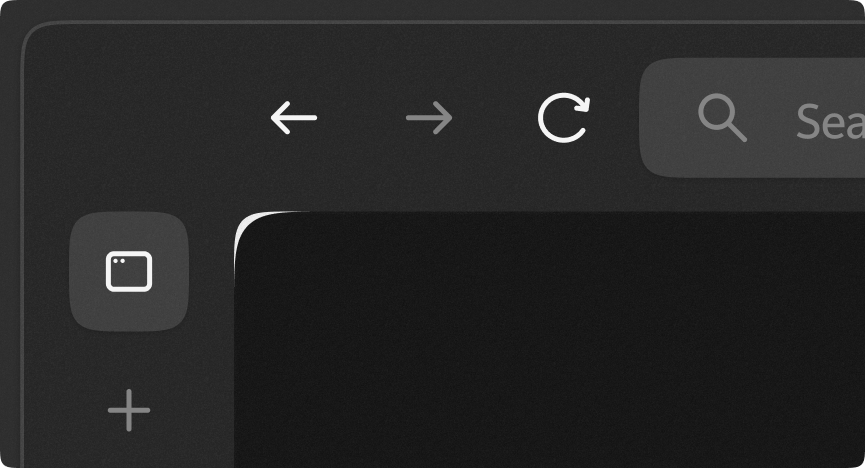
Learn more about Bleeding Corners Fix mod available on Zen Browser
 hearty quarry
soft saffron
pls help tomorrow
hearty quarry
soft saffron
pls help tomorrow
Did you get it to work ?
Just had my classes end rn
soft saffron
hearty quarry
Did you get it to work ?
oh hi
soft saffron
hearty quarry
Did you get it to work ?
actually yea I removed the part which was adding the light gray colour
but im having another problem
soft saffron
it is that when im opening a tab in glance the background is gone
hearty quarry
Hmm
soft saffron
this is when im in the tab
 hearty quarry
Yeah
soft saffron
this is when im in another tab
 hearty quarry
Oh god
soft saffron
see the background of the firefox thing is gone
hearty quarry
Ye got it
soft saffron
lemme share u my modified code
hearty quarry
Imma reach home and try it
hearty quarry
soft saffron
lemme share u my modified code
Sure
soft saffron
hearty quarry
Imma reach home and try it
okk thanks a lot
hearty quarry
Hmm
soft saffron
hearty quarry
Sure
/* Colouring Essentials */
#1088172782178799657-essentials-container .tabbrowser-tab {
@media (-moz-bool-pref: "zen.theme.essentials-favicon-bg") {
&[visuallyselected] .tab-background {
&::after {
left: -50% !important;
top: -50% !important;
width: 200% !important;
height: 200% !important;
filter: blur (20px) !important;
}
  &::before {
    mask-image: none !important;
    background-color: light-dark(
      color-mix(in srgb, #ffffff 65%, transparent),
      color-mix(in srgb, #000000 55%, transparent)
    ) !important;
  }
}

&[visuallyselected]:hover .tab-background::before {
  background-color: light-dark(
    color-mix(in srgb, #ffffff 55%, transparent),
    color-mix(in srgb, #000000 65%, transparent)
  ) !important;
}
}
}
soft saffron
hearty quarry
That's with or without Lacuna ?
without lacuna
soft saffron
hearty quarry
Like the essentials bit
only the part which alters essentials
hearty quarry
yeah it will
did you try modifying the percentages in lacuna's code ?
that thing controls the transparency mix for the colours
hearty igloo
soft saffron
this is when im in another tab
@hearty quarry Can you specify the code that makes compact mode sidebar transparent?
hearty quarry
hearty igloo
<@1054732125326286878> Can you specify the code that makes compact mode sidebar ...
/* === BLUR COMPACT SIDEBAR === */
/* Based on code by https://github.com/Tanay-Kar */
i dont understand 😭
can u fix my code?
soft saffron
soft saffron
/* Colouring Essentials */
<#1088172782178799657>-essentials-container .tabbrow...
this one
soft saffron
@hearty quarry pls help
soft saffron

Arc which receives non-chromium updates every 1-2 weeks! (iykyk) - YashjitPal/Arc-2.0
Gave credit to Lacuna
hearty quarry
soft saffron
https://github.com/YashjitPal/Arc-2.0
hm good job
still tiger
is the url search bar supposed to lose its transparency in compact mode in lacuna? not sure if its my own css or lacuna
 hearty quarry
still tiger
is the url search bar supposed to lose its transparency in compact mode in lacun...
hearty quarry
still tiger
is the url search bar supposed to lose its transparency in compact mode in lacun...
Yep
hearty igloo
still tiger
is the url search bar supposed to lose its transparency in compact mode in lacun...
Why isn't URLBar transparent?
still tiger
hearty igloo
Why isn't URLBar transparent?
Don’t know, it loses the transparency in compact mode
green stone
still tiger
Don’t know, it loses the transparency in compact mode
mine still has it
 hearty quarry
green stone
mine still has it
hearty quarry
green stone
mine still has it
that's not lacuna
green stone
huh
still tiger
green stone
mine still has it
think this is from the zen arc thing
hearty quarry
anywho
green stone
i dont have zen arc
hearty quarry
i removed the transparency
cause
rn adding blur to the urlbar breaks a lot of things
the position ans dtuff
and just having transparency with no blur makes it unreadable
still tiger
oh thats why alr ill bear with it for now lol
green stone
the compact sidebar is glitching with blur effect and even without it, is it a bug?
hearty quarry
it is ?
green stone
seems like the animation is getting affected by something else
hearty quarry
video please
green stone
lemme record it
hearty quarry
hm
green stone
i deleted the old recording when this was happening even without any mods
green stone
huhh
hearty quarry
do you mean the sidebar blur disabling ?
green stone
no
hearty quarry
during the transition ?
green stone
the animation is glitching
 lavish aurora
green stone
i deleted the old recording when this was happening even without any mods
lavish aurora
green stone
i deleted the old recording when this was happening even without any mods
what discord theme is this?
green stone
lavish aurora
what discord theme is this?
lmao the background is not loading for some reason
lavish aurora
I prefer the black honestly, not a big fan of the image in the back
green stone
thats why i keep it like that most of the time
hearty quarry
green stone
the animation is glitching
Is the glitch very common
cause i can't replicate it , might be a one time glitch or smth
green stone
like once every 3 times
green stone
but doesnt really matter because i dont use compact mode often
green stone
hearty quarry
you on latest lacuna ?
yeah, maybe its not a direct lacuna issue as i have my own css too
hearty quarry
hm maybe
green stone
i think this shows the glitch maybe
hearty quarry
yeah i see
soft saffron
soft saffron
<@1054732125326286878> pls help
@hearty quarry can u help with this one pls?
hearty quarry
soft saffron
<@1054732125326286878> can u help with this one pls?
what do want to achieve
i can't just debug a code which has snippets from everywhere
soft saffron
hearty quarry
what do want to achieve
The thing. When I open something in glance and then I go to another tab the background goes off
soft saffron
hearty quarry
i can't just debug a code which has snippets from everywhere
No i gave u that one part of the code
hearty quarry
hm
soft saffron
hearty quarry
i can't just debug a code which has snippets from everywhere
#1088172782178799657-essentials-container .tabbrowser-tab {


  @media (-moz-bool-pref: "zen.theme.essentials-favicon-bg") {
    &[visuallyselected] .tab-background {
      &::after {
        left: -50% !important;
        top: -50% !important;
        width: 200% !important;
        height: 200% !important;
        filter: blur (20px) !important;
      }

      &::before {
        mask-image: none !important;
        background-color: light-dark(
          color-mix(in srgb, #ffffff 65%, transparent),
          color-mix(in srgb, #000000 55%, transparent)
        ) !important;
      }
    }

    &[visuallyselected]:hover .tab-background::before {
      background-color: light-dark(
        color-mix(in srgb, #ffffff 55%, transparent),
        color-mix(in srgb, #000000 65%, transparent)
      ) !important;
    }
  }
}```For me the background doesn't stay
💀💀
green stone
soft saffron
```/* Colouring Essentials */
<#1088172782178799657>-essentials-container .tabb...
i realized why my essentials had no border, i actually added a bit of code from natsumi and changed the left and top value in the code you sent
soft saffron
green stone
i realized why my essentials had no border, i actually added a bit of code from ...
Oww
green stone
made it like this
 hearty quarry
lol
hearty quarry
soft saffron
For me the background doesn't stay
🤷♂️
soft saffron
green stone
made it like this
I'll add your one in arc 2.0 lite
green stone
this is the natsumi code i added in, it also changes the selected tabs tho
/* ESSENTIAL COLOR */
/* ESSENTIAL COLOR WITH SHADOW, SPACING & ROUNDED EDGES */
#zen-essentials-container .tabbrowser-tab {
  .tab-background {
    background-color: light-dark(rgba(255,255,255,0.25), rgba(0,0,0,0.35)) !important;
    box-shadow: 0 4px 8px rgba(0, 0, 0, 0.2) !important;
    border-radius: 11px !important;
    margin: px !important; /* Added spacing between buttons */
    position: relative; /* Ensures pseudo-elements align correctly */
  }

  &:hover .tab-background {
    background-color: light-dark(rgba(255,255,255,0.45), rgba(0,0,0,0.45)) !important;
    box-shadow: 0 -1px 5px rgba(0, 0, 0, 0.75) !important;
  }

  @media (-moz-bool-pref: "zen.theme.essentials-favicon-bg") {
      .tab-background {
      &::after {
        left: -0% !important;
        top: -10% !important;
        width: 100% !important;
        height: 100% !important;
        filter: blur(20px) saturate(120%) brightness(110%) !important;
      }
and this is the essential's code i changed just a bit from lacuna's code
 foggy ether
how do I fix the url bar not centered whenever there's an icon in the url bar (like zoom icon, notification request icon, etc)
hearty quarry
foggy ether
how do I fix the url bar not centered whenever there's an icon in the url bar (l...
Hmm , gotta see if there's a fix to that
still tiger
Huh? Can u explain
hearty quarry
hold on
Basically , now all bottom icons except the last three can be hidden and shown on hover in a neat grid layout. Instead of a longggg sidebar full of icons
this

instead of

this
still tiger
Niceee do u just drag them into the sidebar just like how u normally would?
still tiger
W mod
hearty quarry
still tiger
W mod
thanks mate
still tiger
just to confirm, lacuna doesnt have pip css right?
still tiger
hearty quarry
it's there as a mod , so people can just use that if they want
wait wdym as a mod?
oh this
 hearty quarry
yeah
 livid falcon
why my extention icon is different ? or you never changed the extention icon, is SS from older version ? mine is 1.8.2b
 hearty quarry
mine are from an older version yeah
currently lacuna doesn't change extension button icon
livid falcon
damn i Love that old icon I wanted to include that for my personal Use
do you have the code for that icon ? must be in older version FIles
livid falcon
hearty quarry
mine are from an older version yeah
Does your theme have a problem with opening Github readme Images in a new tab ?
Coz it was working fine on a fresh install
livid falcon
Okay Trying again.
hearty quarry
k
livid falcon
hearty quarry
k
Not your theme fault. It stopped working on Fresh install after only working 1 time sorry
hearty quarry
ok
livid falcon
before theme
after theme
not the theme issue something with zen i guess coz it was stopped working after sometimes on non-customized zen too
aand there where no error texts on page like other browser
hearty quarry
livid falcon
after theme
damn
alrighty lemme see if there's something
cause just css shouldn't do this
my guess is maybe some performance or smth causing the loading to take time
livid falcon
hearty quarry
damn
its not theme issue something wrong with zen ig
hearty quarry
could also explain why it doesn't happen on all
hearty quarry
livid falcon
its not theme issue something wrong with zen ig
yeah
livid falcon
firefox shows the same behaviour i mean open first time need to check again if same happening there, edge not opening the page with private content error massage
hearty quarry
ah ok
livid falcon
and why I am discussing that in theme thread lol
sorry
hearty quarry
lmao alright
livid falcon
Does anyone know how to achieve this.
The background of search icon is different from the background of Url bar
 green stone
hearty quarry
next commit will have focus blur
green stone
hearty quarry
next commit will have focus blur
niceee, a better focus bar would be amazing
hearty quarry
green stone
niceee, a better focus bar would be amazing
whats that ?
green stone
yeah
hearty quarry
i also want to shift its location a bit lower
green stone
looks nice
hearty quarry
gotta experiment with the perfect height
hearty quarry
green stone
looks nice
thanks mate
green stone
hearty quarry
i also want to shift its location a bit lower
i added a css to make it completely centered but it looks weird while typing
keeps adjusting its height
still tiger
hearty quarry
gotta experiment with the perfect height
how about this height?
 hearty quarry
still tiger
how about this height?
hearty quarry
still tiger
how about this height?
numbers ?
green stone
tried this, 32px background blur with some saturation and darkness animation
 still tiger
hearty quarry
numbers ?
still tiger
hearty quarry
numbers ?
#urlbar[breakout][breakout-extend],
#urlbar[breakout][usertyping][focused] {
    top: 65vh !important;
    width: 40vw !important;
    left: 51vw !important;
}```

i forgot who i got this fromaight i'll look into it
still tiger
still tiger
how about this height?
and i think my blur comes from sameerasw the animation looks very neat
hearty quarry
ah yes his animations are sweet
green stone
still tiger
and i think my blur comes from sameerasw the animation looks very neat
can you share the css 😋
still tiger
green stone
can you share the css 😋
My custom CSS for websites I visit the most. Contribute to sameerasw/my-internet development by creating an account on GitHub.
i had to delete some part as it clashed with lacuna so ull have to fiddle with it
green stone
still tiger
https://github.com/sameerasw/my-internet/blob/main/userChrome.css
thanks
green stone
still tiger
i had to delete some part as it clashed with lacuna so ull have to fiddle with i...
got it
still tiger
i noticed new code in lacuna /* State-less Tab background */ browser[transparent='true'] { background: light-dark(#ffffff33, #00000033) !important; } what does this do?
hearty quarry
still tiger
i noticed new code in lacuna ```/* State-less Tab background */
browser[transpar...
For the stateless tab
Like when all tabs are closed
That transparent tab thing
still tiger
mine's still the same as usual
 hearty quarry
still tiger
mine's still the same as usual
hearty quarry
still tiger
mine's still the same as usual
Not this
Close all tabs
Like normal tabs
still tiger
this?
 hearty quarry
Ye
Previously this had a light colour
Like this

Yk what the light colour actually looks good
Cheff cooks fr
Imma flip the colours around
still tiger
hearty quarry
Like this
i prefer the darker one tho
oh i think i had sameerasw's css so it already removed the white tint
hearty quarry
still tiger
oh i think i had sameerasw's css so it already removed the white tint
oh lol ok
still tiger
hearty quarry
aight
i think if u can add a toggle would be nice
hearty quarry
for dark modes and the inverse for light
still tiger
ye
hearty quarry
still tiger
i think if u can add a toggle would be nice
aight we'll see
hearty quarry
https://github.com/Tanay-Kar/Lacuna/releases/tag/v1.0.5.1
Added some minor visual changes

Fixed padding below essentials, compact mode width and clipping, removed resource intensive clip path, made changes to sidebar and url bar blur and more.
Note : Lacuna is now licensed under MIT lic...
Fixed the compact sidebar and normal sidebar having different widths and stuff
hearty igloo
hearty quarry
https://github.com/Tanay-Kar/Lacuna/releases/tag/v1.0.5.1
Added some minor visu...
https://discord.com/channels/1088172780480114748/1340837003448684605
Hey, I tried it but can't make it work with your theme... Can you please look into it? I mean it works with something as complex as Natsumi, so I thought it would be possible to make it work with your theme as well!
hearty quarry
hearty igloo
https://discord.com/channels/1088172780480114748/1340837003448684605
Hey, I trie...
i don't really use it , but ok
i'll see how to make it work
sure np
green stone
hearty igloo
https://discord.com/channels/1088172780480114748/1340837003448684605
Hey, I trie...
are you using it properly?
you have to manually drag the pinned extension on top of essentials
hearty igloo
green stone
you have to manually drag the pinned extension on top of essentials
Bruh, I did mention earlier that it's working perfectly for me with Natsumi.
 high fjord
hearty quarry
https://github.com/Tanay-Kar/Lacuna/releases/tag/v1.0.5.1
Added some minor visu...
high fjord
hearty quarry
https://github.com/Tanay-Kar/Lacuna/releases/tag/v1.0.5.1
Added some minor visu...
Hi I really like this theme, but I was wondering how I could use my own base colour, instead of the dark grey that is used normally
This is for compact mode when you hover for the sidebar
hearty quarry
high fjord
This is for compact mode when you hover for the sidebar
There are three choices essentially
Either pick the same background as your workspace

or , get the default grey/white (depending on theme)

or what lacuna adds

blurred sidebar
which one do you want ?
high fjord
hearty quarry
or what lacuna adds
I would want the blurred sidebar, but with my colour from my browser
So the one I set here
 hearty quarry
high fjord
I would want the blurred sidebar, but with my colour from my browser
hearty quarry
high fjord
I would want the blurred sidebar, but with my colour from my browser
ok that would need a custom css
one sec lemme give you
high fjord
hearty quarry
one sec lemme give you
appreciate that <3
hearty quarry
high fjord
I would want the blurred sidebar, but with my colour from my browser
so like blurred but with a tint of your gradient ?
right , that should be easy
high fjord
Yeah pretty much
hearty quarry
or maybe not that easy , css gradients can't be made transparent , lemme see if there's a workaround
high fjord
I mean it doesnt have to be a gradient
basically I just want to match my browser with the rest of my system, so can be a solid colour
high fjord
I've always had an issue matching sidebar colour with normal colour even with vanilla zen. I dont know what it is
and things like floating Url being a differnet colour to the one I set
hearty quarry
hmm
hearty quarry
high fjord
I've always had an issue matching sidebar colour with normal colour even with va...
:root[zen-compact-mode="true"] {
  #navigator-toolbox #titlebar {
    background: color-mix(in srgb, teal 70%, transparent) !important;
    border: none !important;
  }
  #navigator-toolbox:not(:has(#urlbar[zen-floating-urlbar='true'][open])) #titlebar {
    backdrop-filter: blur(10px) !important;
  }
}
Paste this code at the bottom , and change the teal colour with smth that roughly matches your gradient
You can adjust the percentage to control how washed you want the colour to be
i'll have to look around zen's code to find a variable which does this automatically
high fjord
hearty quarry
```css
:root[zen-compact-mode="true"] {
#navigator-toolbox #titlebar {
bac...
Thats perfect. how could I go about changing the floating url bar too?
 hearty quarry
high fjord
Thats perfect. how could I go about changing the floating url bar too?
hearty quarry
high fjord
Thats perfect. how could I go about changing the floating url bar too?
Try this
:root[zen-compact-mode="true"] {
  #navigator-toolbox #titlebar {
    background: color-mix(
      in srgb,
      color-mix(
        in srgb,
        var(--zen-primary-color) 90%, /* Change percentage to control unsaturation */
        #ffffff)
      50%, /* Change percentage to control opacity */
      transparent) !important;
    border: none !important;
  }
  #navigator-toolbox:not(:has(#urlbar[zen-floating-urlbar='true'][open])) #titlebar {
    backdrop-filter: blur(10px) !important;
  }
}
This will pick the main colour automatically
hearty quarry
high fjord
Thats perfect. how could I go about changing the floating url bar too?
like the background of the urlbar ?
high fjord
hearty quarry
like the background of the urlbar ?
Yeah
hearty quarry
aight
hearty quarry
high fjord
Yeah
#urlbar[open][zen-floating-urlbar="true"] {
  #urlbar-background {
    background-color: color-mix(
      in srgb,
      color-mix(
        in srgb,
        var(--zen-primary-color) 30%, /* Change percentage to control unsaturation */
        #ffffff)
      90%, /* Change percentage to control opacity */
      transparent) !important;
  }
}
With this I get a much brighter one
 hearty quarry
high fjord
With this I get a much brighter one
hearty quarry
high fjord
With this I get a much brighter one
oh right i forgot dark themes
shoot
one sec sorry for that
high fjord
hearty quarry
one sec sorry for that
No worries man this is a big help
hearty quarry
high fjord
No worries man this is a big help
:root[zen-compact-mode="true"]:not([customizing]) {
  #navigator-toolbox #titlebar {
    background: color-mix(
      in srgb,
      color-mix(
        in srgb,
        var(--zen-primary-color) 90%, /* Change percentage to control unsaturation */
        light-dark(#eeeeee,#111111))
      50%, /* Change percentage to control opacity */
      transparent) !important;
    border: none !important;
  }
  #navigator-toolbox:not(:has(#urlbar[zen-floating-urlbar='true'][open])) #titlebar {
    backdrop-filter: blur(10px) !important;
  }
}


#urlbar[open][zen-floating-urlbar="true"] {
  #urlbar-background {
    margin: -5px !important;
    border: none !important;
    background-color: color-mix(
      in srgb,
      color-mix(
        in srgb,
        var(--zen-primary-color) 30%, /* Change percentage to control unsaturation */
        light-dark(#eeeeee,#111111))
      90%, /* Change percentage to control opacity */
      transparent) !important;
  }
}
There you go , hopefully this helps
Imma refine this and add it to lacuna
under a pref
high fjord
hearty quarry
There you go , hopefully this helps
Yes this is awesome!!
There's a slight problem though I've used the same settings for controlling the saturation as you've commented
With the same percentage the Url bar and compact sidebar appear different:
 hearty quarry
high fjord
There's a slight problem though I've used the same settings for controlling the ...
hearty quarry
high fjord
There's a slight problem though I've used the same settings for controlling the ...
yeah they have some changes , idk why
maybe a particular component in the urlbar has a lighter overlay
high fjord
hearty quarry
yeah they have some changes , idk why
Ah no it was my fault
they were both different transparencies
hearty quarry
high fjord
Ah no it was my fault
Ah , lol ok
high fjord
hearty quarry
Ah , lol ok
Thanks soo much its everything I wanted
hearty quarry
high fjord
Thanks soo much its everything I wanted
Glad I could help 😄
hearty quarry
hearty igloo
https://discord.com/channels/1088172780480114748/1340837003448684605
Hey, I trie...
dude it works fine for me


