
#Pineapple Fried (Cohesion + Natsumi)
1 messages · Page 2 of 1
 golden stirrup
 untold heron
Hi try Pineapple Fried looks good but url bar tweak not work someone

Someone i bad setting

 narrow trellis
any macos alternative for micaforeveryone?

 lime surge
anything below 100% contrast enables transparency
 fluid schooner
Hey @odd adder, I spotted a couple of typos while testing my version of Bento on your Pineapple Fried project.
fluid schooner
Also, there are a few occurrences of the following string in compact-toolbar-style.css file, just in case these were unintentional
/* Main Browser Panel */
#tabbrowser-tabpanels {
}

 odd adder
fluid schooner
Hey <@259933470766137345>, I spotted a couple of typos while testing my version ...
odd adder
fluid schooner
Hey <@259933470766137345>, I spotted a couple of typos while testing my version ...
You a real G. Would you mind throwing this info into a gh issue? O saw some of this too when packing with green′s gh bento workflow but I was too tired to deal with it lol.
odd adder
untold heron
Hi try Pineapple Fried looks good but url bar tweak not work someone
Do you have regular Natsumi installed?
odd adder
golden stirrup
for some reason my start page looks like this
Did you get all the about:config options enabled?
untold heron
odd adder
Do you have regular Natsumi installed?
Now yes... I installed again only natsumi. Maybe i more read github.... What have need enabled??
odd adder
untold heron
Now yes... I installed again only natsumi. Maybe i more read github.... What hav...
You need regular Natsumi in order for Natsumi-Tweaks to be applied.
Natsumi-Tweaks is just a layer that sits ′on-top′ of regular Natsumi.
untold heron
odd adder
You need regular Natsumi in order for Natsumi-Tweaks to be applied.
Natsumi-Tw...
Yes now work all...
golden stirrup
odd adder
Did you get all the about:config options enabled?
yeah i have all of them
odd adder
golden stirrup
yeah i have all of them
any custom css in userContent?
golden stirrup
nope i js downloaded urs
odd adder
golden stirrup
nope i js downloaded urs
try in a new profile?
 odd adder
 twilit wyvern
everything working except the URL bar
twilit wyvern
everything working except the URL bar
Is natsumi installed?

 odd adder
twilit wyvern
odd adder
twilit wyvern
move natsumi import above pfr
twilit wyvern
odd adder
move natsumi import above pfr
still the same sir
odd adder
twilit wyvern
still the same sir
did you restart after?
twilit wyvern
pm'd you sir
golden stirrup
odd adder
try in a new profile?
it works
should i js copy the chrome folder from that profile and put it in the other
fluid schooner
odd adder
You a real G. Would you mind throwing this info into a gh issue? O saw some of t...
Done 
narrow trellis
 swift kelp
kwin better blur aint working for me
odd adder
narrow trellis
kwin better blur aint working for me
Sorry I haven't tested this personally yet so not sure how to troubleshoot Better Blur.
Anyone else on KDE have experience with BB?
swift kelp
@opal summit?
 spark thistle
twilit wyvern
spark thistle
twilit wyvern
You don't have the natsumi folder, that's why you don't have the natsumi changes
 vocal compass
bruh
how do i post mkv .-.
there
mica replaces shadows with transparency .-.
how do i fix
 tardy relic
can the sidebar not blur in compact mode??
 opal summit
narrow trellis
kwin better blur aint working for me
opal summit
narrow trellis
kwin better blur aint working for me
Should be as simple as
- Disable the standard blur and enable better blur
- Enable "blur all except matching " in the better blur Settings
- Set your gradient in zen browser to "#" to make the browser transparent
odd adder
tardy relic
can the sidebar not blur in compact mode??
compact tab bar is a little funky, yeah 😦 just a zen thing. I think Natsumi has some "Glass" options for compact mode
 idle fern
I need a Mac version with sidebar folders. Anyone?
odd adder
idle fern
I need a Mac version with sidebar folders. Anyone?
this should work on mac just fine?
tardy relic
odd adder
compact tab bar is a little funky, yeah 😦 just a zen thing. I think Natsumi has...
I enabled the glass option, didnt make a difference :/
fluid schooner
PF breaks natsumi's floating panel's glass effect and border radius on all side except the bottom left one.

The first highlighted line gets overridden when the second one is checked. Second line messes up the border radius
 odd adder
fluid schooner
The first highlighted line gets overridden when the second one is checked. Secon...
odd adder
fluid schooner
The first highlighted line gets overridden when the second one is checked. Secon...
this is a really good bug catch, thank you. Would you mind throwing these into a github issue on the repo so I can track it better?
fluid schooner
odd adder
this is a really good bug catch, thank you. Would you mind throwing these into a...
Yeah, as soon as I get to my system
odd adder
no rush
 halcyon seal
This is just crazy
odd adder
halcyon seal
This is just crazy
crazy how?
odd adder
halcyon seal
Crazy good
(btw in Wazz-tweaks.css i'm still using your implementation of URL loading gradient animation from probably more than a month ago)
 lost oyster
nice! and darn, I literally just installed Natsumi 😂
odd adder
lost oyster
nice! and darn, I *literally* just installed Natsumi 😂
You still need normal natsumi to get the full PF experience
Just keep what you have for natsumi and throw PF in there too
fluid schooner
In multiple toolbar mode, are bookmark button and site settings button clickable for you in PF? URL bar is focused when I click these. Does not happen when PF is not installed.
 odd adder
fluid schooner
In multiple toolbar mode, are bookmark button and site settings button clickable...
odd adder
fluid schooner
In multiple toolbar mode, are bookmark button and site settings button clickable...
This was fixed in a minor update, get the new files from the Releases section of the Github page
fluid schooner
oh, cool
 crude fiber
Heya, amazing mod! Just one thing, not sure if it's just me, but I was having an issue with the margin in the top bar so I tweaked the margin property in cohesion/modules/intergrated-urlbar.css (line 15) from 1px left to 10px to match the sidebar as seen here:
 odd adder
crude fiber
Heya, amazing mod! Just one thing, not sure if it's just me, but I was having an...
odd adder
crude fiber
Heya, amazing mod! Just one thing, not sure if it's just me, but I was having an...
Ty for the fix! Would you mind throwing this into a new github issue so I can track it and add it?
crude fiber
Sure! just wanted to put it here first in case it was a "me" issue
odd adder
Nah I've had several folks express the same thing today, but I'm afk for a while so it's nice to share this fix around for now
 cosmic brook
crude fiber
Heya, amazing mod! Just one thing, not sure if it's just me, but I was having an...
cosmic brook
crude fiber
Heya, amazing mod! Just one thing, not sure if it's just me, but I was having an...
thank you
lifesaver
crude fiber
Sent a PR on github
fluid schooner
Is there an update script for pineapple fried?
odd adder
There's not, just drop the new folder into your chrome folder, that will update it
spark thistle
crude fiber
Sent a PR on github
The PR doesn't fully fix the issue, since it doesn't affect the PersonalToolbar
cosmic brook
crude fiber
Heya, amazing mod! Just one thing, not sure if it's just me, but I was having an...

alternative (and probably a better way) to fix the issue is by going into multi-toolbar-style @ line 11
and change 10px to 1px
because the left border is too big, better seen with compact mode enabled
crude fiber
cosmic brook
alternative (and probably a better way) to fix the issue is by going into multi-...
Legend! I was initially looking for that selector
cosmic brook
crude fiber
Legend! I was initially looking for that selector
fire
well wazz told me about it and i said i'll check it out when i hop on pc next time lol
so there you go
crude fiber
Is there a way to inspect elements of the browser for debugging?
cosmic brook
i think so
i forgor how 😔

This guide will help you customize the appearance of Zen Browser by live editing the userChrome.css file. Follow the steps below to start customizing your browser’s theme.
@crude fiber
i think it's this
 mortal locust
cosmic brook
mortal locust
cosmic brook
It work great thanks
cosmic brook
np
fluid schooner
Each of the hbox elements has margin-left 10px which causes the navbar to hang over to the left. Affects both multiple and single toolbar mode. The margin affects full screen as well


Is this a known issue?
cosmic brook
cosmic brook
alternative (and probably a better way) to fix the issue is by going into multi-...
yes, fix here
file: pinapple-fried/cohesion/multi-toolbar-style
@fluid schooner
fluid schooner
cosmic brook
yes, fix here
Ah, thanks!
cosmic brook
no problem
i think a PR about this is open
and the author of it heard my fix
maybe it is now in there, maybe not
odd adder
cosmic brook
and the author of it heard my fix
I've heard your fix and will merge it eventually lol, just having an ′unplugged′ weekend with the wife
cosmic brook
odd adder
I've heard your fix and will merge it eventually lol, just having an ′unplugged′...
yeah i see lol
thank you
 rocky carbon
cosmic brook
yeah i see lol
rocky carbon
cosmic brook
yeah i see lol
hey @odd adder wanted to tag you aswell incase you applied his fix and thought that was it.
The fix works without a sidebar!
we have the same issue occuring with any sidebar on the left or right.
bookmarks,history,extension sidebar
 odd adder
rocky carbon
hey <@259933470766137345> wanted to tag you aswell incase you applied his fix an...
odd adder
rocky carbon
hey <@259933470766137345> wanted to tag you aswell incase you applied his fix an...
Thanks for the clarification, can you add a comment to the existing gh issue
rocky carbon
odd adder
Thanks for the clarification, can you add a comment to the existing gh issue
fac it, not a coder like that but ill make a github rn
rocky carbon
odd adder
Thanks for the clarification, can you add a comment to the existing gh issue
which of these would be the existing gh issue.
sorry, looked thru them and none of them seemed about it
 cosmic brook
rocky carbon
hey <@259933470766137345> wanted to tag you aswell incase you applied his fix an...
cosmic brook
rocky carbon
hey <@259933470766137345> wanted to tag you aswell incase you applied his fix an...
oh god damn

yeah i don't use them i didn't think that also happens
i might look into it tmrw
odd adder
rocky carbon
which of these would be the existing gh issue.
sorry, looked thru them and none...
Ah my bad it's under Pull Requests
rocky carbon
odd adder
Ah my bad it's under Pull Requests
will do now
rocky carbon
cosmic brook
oh god damn
appreciate that!
maybe you dont know how cool they can be.
familar with raindrop for bookmarks?
extensions can have shortcuts, i click ALT+Z and it pulls up my bookmarks like this as a sidebar.
When you use the shortcuts for the extension raindrop it really becomes the best bookmark manager imo
 odd adder
rocky carbon
appreciate that!
maybe you dont know how cool they can be.
familar with raind...
odd adder
rocky carbon
appreciate that!
maybe you dont know how cool they can be.
familar with raind...
This looks really intereting...
odd adder
rocky carbon
appreciate that!
maybe you dont know how cool they can be.
familar with raind...
@lime surge Have you heard of this?
rocky carbon
its amazing. just discovered a week ago. No chance raindrop isnt the best after this discovery.
ive been trying to find out how to make the raindrop transparent aswell. i got the sidebar of the raindrop there but not the main background

https://gyazo.com/248e0ce7d0f0126568594d88e1a49ab3
Alt+Z opens and closes. really use to do.
highly recommend checking out

 quasi remnant
rocky carbon
https://gyazo.com/248e0ce7d0f0126568594d88e1a49ab3
Alt+Z opens and closes. real...
quasi remnant
rocky carbon
https://gyazo.com/248e0ce7d0f0126568594d88e1a49ab3
Alt+Z opens and closes. real...
what makes it better than normal bookmarks
rocky carbon
id think #tags would be enough considering the nature of bookmarks you may have it in a certain folder but may could easily be tagged as many different topics.
but I like the UI, a lot better looking than any browser incorporated bookmarks ive seen.
and of course i cant be certain its the best but I done research a while back and ended up on raindrop. but the hotkeys to where you can open your bookmark menu and save a bookmark with one click feel like really ties it together and I understand why it gets its name for best bookmark manager
rocky carbon
odd adder
Ah my bad it's under Pull Requests
the fix has been posted right below the first fix. wouldd you still like me to do that?
rocky carbon
cosmic brook
alternative (and probably a better way) to fix the issue is by going into multi-...
this is the better way of doing it. if you do it like this with multi toolbar style at line 11 instead of integrated-urlbar at line 15
you will not get the issue that I was having
odd adder
rocky carbon
the fix has been posted right below the first fix. wouldd you still like me to d...
Okay no need to add duplicate info, just didn't realize it was already in the pr. Thanks for checking!
rocky carbon
odd adder
Okay no need to add duplicate info, just didn't realize it was already in the pr...
of course, thank you!
 quasi remnant
rocky carbon
quasi remnant
rocky carbon
what
rocky carbon
these are #tags are you familar
quasi remnant
nah
rocky carbon
you can categorize things in different categorys then they are categorized
maybe you put all articles in an article bookmark folder
quasi remnant
rocky carbon
you can categorize things in different categorys then they are categorized
oh right
rocky carbon
from there u can tag them all #on/lsd #on/thc
bad examples lol
but u can search by tag
quasi remnant
does it display on new tab or appear with keyboard shortcut
rocky carbon
and see all articles tagged #on/computerscience
its a side bar
check out the gyazo
little example of me clicking ALT+Z this keybind can be whatever you would like though
rocky carbon
cosmic brook
alternative (and probably a better way) to fix the issue is by going into multi-...
If your having this issue:
I am replying to the fix. check the message I am replying to

 untold heron
Hi. Maybe i have somone bad setting but now is top panel of Pinnaple is not centered
 odd adder
untold heron
Hi. Maybe i have somone bad setting but now is top panel of Pinnaple is not cent...
odd adder
untold heron
Hi. Maybe i have somone bad setting but now is top panel of Pinnaple is not cent...
See fix above. Will update PF tonight
untold heron
odd adder
See fix above. Will update PF tonight
OK THX
odd adder
untold heron
OK THX
v1.0.2 - URL Margin Fix released
https://github.com/TheBigWazz/Pineapple-Fried/releases/tag/v1.0.2

GitHub
What's Changed
Fix URL margin by @TheBigWazz in #12
Full Changelog: v1.0.1...v1.0.2
Installation Steps
Assuming regular Natsumi is already installed and correct imports are already in place:
...
To update PF, just download the new source code, unzip it, and drop in the new Pineapple Fried folder
 odd adder
lime surge
<@259933470766137345> did you just...blatantly copy natsumi's readme file
odd adder
lime surge
<@259933470766137345> did you just...blatantly copy natsumi's readme file
Was a nice template lol
fluid schooner

fluid schooner
Before Pineapple Fried was released, I came up with a name and made a demo profile for the PF project called Cohatsumi. I like "Pineapple Fried" but Cohatsumi was a good one as well
cosmic brook
lol
tardy relic
fluid schooner
Before Pineapple Fried was released, I came up with a name and made a demo profi...
Natesion?
lime surge
please stop shipping cohesion with my girlfriend's japanese nickname thanks
odd adder
lime surge
~~please stop shipping cohesion with my girlfriend's japanese nickname thanks~~
huh unironically thinking of a rename because now all i can think about is "green's girlfriend-tweaks" and i'm sure she don't need tweaking lol. Maybe something like 'Jacket: a warm and fuzzy layer for Natsumi' 😅
Anyways,
Pineapple Fried v2 is coming
hopefully this weekend
here's the plan: https://github.com/TheBigWazz/Pineapple-Fried/issues/16

GitHub
Will include: #3 #5 #9 #11 #13 #14 #15 Cohesion New Toggles to turn features on and off New Tab Group style New window control buttons (Min, Max, Close) Natsumi-Tweaks Refactor for new Natsumi Vers...
lime surge
odd adder
huh unironically thinking of a rename because now all i can think about is "gree...

hey at least the name brings me luck
 thick sphinx
How do i fix this?think this happend cuz i tried installing no gaps mod .
 opal summit
thats a known bug, due to pineapple fried not working well on the latest zen (1.7.1b). Itll be fixed in the next update
https://github.com/TheBigWazz/Pineapple-Fried/issues/15
 odd adder
thick sphinx
How do i fix this?think this happend cuz i tried installing no gaps mod .
odd adder
thick sphinx
How do i fix this?think this happend cuz i tried installing no gaps mod .
im working on an update but for now go to multi-toolbar-style.css and change the margin-left value on line 11 to zero, and do the same on line 15.
 thick sphinx
odd adder
im working on an update but for now go to multi-toolbar-style.css and change the...
thick sphinx
odd adder
im working on an update but for now go to multi-toolbar-style.css and change the...
There's still a small gap but that works..Ty


 odd adder
 south venture
#1319061920510251028 message
halcyon seal
south venture
does anyone experience this as well?
This changes every zen update 🤣
Cheff keeps up on our toes
 urban patrol
Have there been any updates recently? To pineapple fried?
oh I guess there has. looking on git and reddit looks like the one i was using is deprecated
urban patrol
Is there anyway to make the findbar less transparent, sometimes on white bg it can be very hard to read
odd adder
urban patrol
Is there anyway to make the findbar less transparent, sometimes on white bg it c...
Bottom find bar or natsumi find bar?
Either way yeah, but I'm not sure for the natsumi findbar
urban patrol
odd adder
Bottom find bar or natsumi find bar?
the natsumi findbar it can look like this:

Amazing work though! With pineapple
Are you able to turn off the pineapple findbar edits and just keep the natsumi?
odd adder
Yeah I am in the middle of reworking the whole natsumi tweaks
 steep raven
my bar looks like this (dont mind the searches, im portuguese :D) and with the bookmarks at the bottom it looks bad, did i forget something?

and mica isnt working 😦
urban patrol
odd adder
Yeah I am in the middle of reworking the whole natsumi tweaks
awesome!
odd adder
steep raven
my bar looks like this (dont mind the searches, im portuguese :D) and with the b...
is natsumi installed?
Did you enable all the about:config options?
swift kelp
steep raven
my bar looks like this (dont mind the searches, im portuguese :D) and with the b...
Aha, bro uses t3
odd adder
GitHub
What's Changed
v2.0.0 by @TheBigWazz in #17
Full Changelog: v1.0.2...v2.0.0
Installation Steps
Assuming regular Natsumi is already installed and correct imports are already in place:
Manual U...
Please report any new bugs you find

 frigid musk
what's changed?
odd adder
fixed margin errors, added my own url bar animations, added hidden window controls, added new toggle to replace 3 dot menu button with zen logo
made zen web panel background blur native to PF
added some new about:config options for PF
PF is starting to stand on its own two legs, not needing natsumi, but there's still the natsumi-tweaks config option you can enable if you want to use PF with Natsumi
steep raven
odd adder
is natsumi installed?
Did you enable all the about:config options?
I believe so, and yes I did enable it.
thick sphinx
Are there supposed to be two integrated-urlbar files?
odd adder
thick sphinx
Are there supposed to be two integrated-urlbar files?
No, thanks for the catch
 urban patrol
Do you need mica to get the transparent new tab?
odd adder
twilit wyvern
How to remove those black borders on essentials
i think this might be a natsumi compatibility thing. I don't have the borders when i don't use natsumi, so i'll probably have to update natsumi-tweaks. Would you mind throwing this into a new issue on the github page so I can track it?
odd adder
urban patrol
Do you need mica to get the transparent new tab?
If you want to see your background through the browser, yes. If you don't, you'll still get a transparent looking new tab but you won't be able to see your background through the browser.
frigid musk
odd adder
If you want to see your background through the browser, yes. If you don't, you'l...
but is there an alternative to Mica besides setting contrast to 0 on mac?
odd adder
hm not totally sure for mac, i'm on windows. You don't need to set it all the way to 0, try somewhere in between maybe?
frigid musk
odd adder
hm not totally sure for mac, i'm on windows. You don't need to set it all the wa...
Oh okay, but is there a way to get websites transparent without mica tho?
odd adder
frigid musk
Oh okay, but is there a way to get websites transparent without mica tho?
Reddit
Explore this post and more from the zen_browser community
frigid musk
tysm 😭
urban patrol
odd adder
If you want to see your background through the browser, yes. If you don't, you'l...
Ah ok I want the second option but it only shows up as a white page
odd adder
urban patrol
Ah ok I want the second option but it only shows up as a white page
can you send a screenshot?
urban patrol
odd adder
can you send a screenshot?
Sure,

Im not sure if I changed anything, because I remember it working for a while, and then it stopped oen day
odd adder
urban patrol
Sure,
This doesn't look like the correct userContent.css. can you send a ss of that file?
urban patrol
odd adder
This doesn't look like the correct userContent.css. can you send a ss of that fi...
 odd adder
urban patrol
odd adder
urban patrol
can you send a ss of the chrome folder?
urban patrol
odd adder
can you send a ss of the chrome folder?
 odd adder
strange, can you try in a new profile?
 urban patrol
I guess with dark mode, the logo shows up now:?
even though I enabled it earlier and it didnt work so idrk
south venture
lit 🔥
 frigid musk
how did u disable the tab gradient?
fluid schooner
@odd adder you accidentally added an accent there 

New update is great BTW! I was waiting for this
2 Things I'd love it to have:
-
Compatibility with Natsumi's floating side panels like History and Bookmarks.
-
Compatibility with Zen Minimal Exit Menu mod 😛 This one is a personal bias ofc
I want to use PF's menu-buttons so I got rid of the mod but look at this! I love how they get out of my way but the buttons look bad now
 fluid schooner
Also this :(

 limber thicket
am i stupid or does tab groups not work anymore?
fluid schooner
limber thicket
am i stupid or does tab groups not work anymore?
Not part of PF if I'm not wrong? You may be referring to Natsumi. Source: #1316928430767472650 message
limber thicket
i installed both, i followed the tutorials but it seems to be not working at all for me, but even then i still see the workplaces button in the sidebar too so i must have fucked up something i guess?


 fluid schooner
limber thicket
i installed both, i followed the tutorials but it seems to be not working at all...
fluid schooner
limber thicket
i installed both, i followed the tutorials but it seems to be not working at all...
Can you please tell me about the contents your chrome folder? Also, there are a few options you need to toggle in about:config. Did you add them in?
odd adder
limber thicket
i installed both, i followed the tutorials but it seems to be not working at all...
In the install guide there's an updated section for mod settings which hides the workspace indicator.
limber thicket
fluid schooner
Can you please tell me about the contents your chrome folder? Also, there are a ...
Of course, sorry I forgot that. I have these downloaded from github today. Pineapple Fried 1.0 worked for me, but I saw 2.0 realeased and wanted to update it, saw it had the whole natsumi thing which was new to me, so I downloaded that followed the github stuff and noticed that the tab groups arent working

and yes I did change these in the config tab as well


 odd adder
limber thicket
Of course, sorry I forgot that. I have these downloaded from github today. Pinea...
odd adder
limber thicket
Of course, sorry I forgot that. I have these downloaded from github today. Pinea...
Nataumi disabled tab groups
opal summit
frigid musk
how did u disable the tab gradient?
if you import this after Natsumi, itll disable it
starting to think I need to add this to the toucantweaks repo...
frigid musk
opal summit
if you import this after Natsumi, itll disable it
starting to think I need to a...
Tysm!
odd adder
frigid musk
Tysm!
If you have PF installed, there's a new config option to disable natsumi container gradients.
 opal summit
in that case, i dont need to add it to toucantweaks haha
odd adder
yeah i just merged that implementation you gave me a week or so ago
opal summit
nice
i was hoping at some point either you or green would pick it up so i dont need to handle it myself anymore
odd adder
fluid schooner
2 Things I'd love it to have:
1. Compatibility with Natsumi's floating side pane...
-
Maybe. It kinda goes directly against the design language of Cohesion. I'll play with it and see if I find something I like.
-
Possibly. I would need to dig in more when I have the time.
odd adder
fluid schooner
I want to use PF's menu-buttons so I got rid of the mod but look at this! I love...
You have natsumi installed? Looks like other css is setting custom button style on top of PF
fluid schooner
odd adder
You have natsumi installed? Looks like other css is setting custom button style ...
No, these are the native buttons. It's okay I guess, I can live with them lol
odd adder
fluid schooner
No, these are the native buttons. It's okay I guess, I can live with them lol
native buttons don't look like that
odd adder
fluid schooner
I'm on Linux BTW
OHHH that makes way more sense. Breeze theme on KDE? I was assuming windows, my bad
PF doesn't theme the window control buttons, it just adds the auto hide functionality
so if you're on KDE, you should be able to install custom window decorations to get whatever buttons you want. There are a bunch of windows clones in the 'Get New Stuff' section for window decorations
frigid musk
odd adder
If you have PF installed, there's a new config option to disable natsumi contain...
TYSM
 pulsar lake
odd adder
huh unironically thinking of a rename because now all i can think about is "gree...
pulsar lake
odd adder
huh unironically thinking of a rename because now all i can think about is "gree...
the first line had me laughing so hard LMAO
pulsar lake
lime surge
hey at least the name brings me luck
well now its Pineapple fried 
fluid schooner
odd adder
OHHH that makes way more sense. Breeze theme on KDE? I was assuming windows, my ...
It's Gnome's customised version by Pop!_OS and I installed Tokyo Night Storm theme and added the cursor from Breeze
lime surge
pulsar lake
well now its Pineapple fried <:skully:1279861883037286535>
im talking about natsumi
thick sphinx
How do I make searchbox text centered?
 odd adder
thick sphinx
How do I make searchbox text centered?
odd adder
thick sphinx
How do I make searchbox text centered?
Instally superurl mod and sent centered text to Always.
thick sphinx
odd adder
Instally superurl mod and sent centered text to Always.
I have it enabled,but it only works after searching
odd adder
Send ss of superurl settings?
thick sphinx
odd adder
Send ss of superurl settings?
 odd adder
Ah okay. My mistake, superurl mod only centers the url text not the results. I'll see about adding it to the next update. Otherwise, install natsumi and enable Natsumi-tweaks in pf.
fluid schooner
There is a mod on zen mods store, you can use that
 ashen mountain
fluid schooner
There is a mod on zen mods store, you can use that
ashen mountain
fluid schooner
There is a mod on zen mods store, you can use that
i tried both and they don't do anything when i have this on
 solemn lance
Hi, is anyone else experiencing lag when closing a tab?
thick sphinx
How do i fix this?

 humble geode

 white turtle
swift kelp
white turtle
swift kelp
Unrelated but what is the browser you are running on your phone?
white turtle
swift kelp
Quetta
Thanks a lot. Never seen a browser this neat in the Android world.
mortal locust
How can I have all transparent tab pages like the home screen ??
 sharp orchid
hi, how can i make the blur background darker
what css to change
 scenic heath
Mica for everyone, guys
sharp orchid
yes i'm using that
i just need to make the blur effect a little darker
can i adjust that?
scenic heath
sharp orchid
yes i'm using that
i just need to make the blur effect a little darker
can i adj...
No, I don't think so, there are only the different presets
DWMBlurGlass is better
I just moved to it
tardy relic
Whats up with the find page?
 lime surge
its what happens when you decide to use natsumi/PF alongside another mod like better find bar that also modifies the findbar
fluid schooner
ashen mountain
i tried both and they don't do anything when i have this on
ah, then you'll need to look for custom CSS. If you want to do that, I would start reading this guide to enable live editing of custom css and then look at the code of those mods for better context.
tardy relic
lime surge
its what happens when you decide to use natsumi/PF alongside another mod like be...
thank you so much!
also is there any way to disable the findbar from opening whenever i press a random key?
odd adder
tardy relic
also is there any way to disable the findbar from opening whenever i press a ran...
In Zen settings, uncheck ″start searching on the page when I type″
tardy relic
thank you soo much
 tawdry dirge
I need help updating my theme to the lastest build, but I don't know how to carry over the modified CSS I have
odd adder
tawdry dirge
I need help updating my theme to the lastest build, but I don't know how to carr...
which files have you modified and what changes did you make? You might need to manually copy and paste the changes into the updated build after you install it.
tawdry dirge
odd adder
which files have you modified and what changes did you make? You might need to m...
I cannot remember, after I got it all set up, I never touched it again, I could send a copy of my chrome folder to be disected
odd adder
I don't really have time to track down your changes, you might want to save the modified files to your desktop and compare them to the new build files with something like https://text-compare.com/
Text Compare! is an online diff tool that can find the difference between two text documents. Just paste and compare.
tawdry dirge
ooh, thats cool! I shall give it a go
Oh dang, my CSS is way different from what is now, just in terms of files in general XD
tawdry dirge
Seems like I am still overall up to date, there is one strange thing I have tho
 odd adder
tawdry dirge
Seems like I am still overall up to date, there is one strange thing I have tho
odd adder
tawdry dirge
Seems like I am still overall up to date, there is one strange thing I have tho
this on essentials?
tawdry dirge
Yep
odd adder
mine are not like that, there's likely some conflicting modifications.

are you throwing everything into one userChrome file or are you using the normal PF file structure?
tawdry dirge
Here is my chrome folder
 odd adder
tawdry dirge
Here is my chrome folder
odd adder
tawdry dirge
Here is my chrome folder
yeah that's the wrong structure.
Everything should be contained inside the Pineapple Fried Folder, the only change you need to make is adding the import rule to userChrome.css to enable PF.
tawdry dirge
That issue was actually happening before I added the pineapple fried file, but I could adjust it and see what happens, I do need to get sleep, so I'll do that when I get time
tawdry dirge
odd adder
yeah that's the wrong structure.
Everything should be contained inside the Pin...
Wait, what's the import rule
odd adder
tawdry dirge
Wait, what's the import rule
scenic heath
tawdry dirge
Here is my chrome folder
How do you get file explorer transparent like that?
 scenic heath
Oh, it's that
tawdry dirge
It's really nice
 unique sleet
odd adder
mine are not like that, there's likely some conflicting modifications.
unique sleet
odd adder
mine are not like that, there's likely some conflicting modifications.
how do you get it to look like that
the pinned tabs
ohh theyre essentials
ic
 tawdry dirge
@odd adder I cant remember how do make web pages transparent, how do I do that again? I completely refreshed my chrome folder
tawdry dirge
I figured out the tab groups, and now I have fallen in love
 tawdry dirge
Not sure if this is a known issue, but there is a strange issue when I go into fullscreen, on the top and left, there is a strange bit of the browser just chilling there
 odd adder
tawdry dirge
<@259933470766137345> I cant remember how do make web pages transparent, how do ...
odd adder
tawdry dirge
<@259933470766137345> I cant remember how do make web pages transparent, how do ...
you have to make a style rule for each website within userContext. There's a few rules that try to apply to every website but they are not perfect and end up breaking a few things. Essentially you'll want to set the website background element to like #00000000 or rgba(0, 0, 0, 0)
tawdry dirge
odd adder
you have to make a style rule for each website within userContext. There's a few...
Thanks! I actually did end up finding the code I used for it
odd adder
tawdry dirge
Not sure if this is a known issue, but there is a strange issue when I go into f...
this is a bug with PF right now, i've noticed this too lately. Next PF update is going to be The Margins update 2: electric boogaloo
tawdry dirge
Awesome! It's rather obnoxious
tardy relic

How can I change the colour of the URL bar thingy?
also how do I change the speed of the urlbar animation?
@odd adder
vocal compass
here (settings -> look & feel)
 opal summit
is there any way to change it depending on the workspace? I have the “use workspace colors as primary color” checked but it doesnt seem to effect the url bar color. Im assuming thatd require more than just css, maybe js, but thought id ask
tardy relic
vocal compass
here (settings -> look & feel)
makes sense, tysm
and the urlbar speed?
vocal compass
tardy relic
and the urlbar speed?
i have no clue .-. (the other thing i found out accidentaly)
isnt thta natsumi urlbar?
odd adder
tardy relic
and the urlbar speed?
Natsumi-tweaks.css change values in here for urlbar speed.
tawdry dirge
tardy relic
ooh, how did you get it to look like that
fluid schooner
tawdry dirge
ooh, how did you get it to look like that
Natsumi theme
#1316928430767472650
tawdry dirge
fluid schooner
Natsumi theme
Got it! it used to have an animaton where they popped out like this screenshot from the github, how do I get that back
 fluid schooner
Two possibilities:
- The author removed it
- You have disabled the urlbar animation from about:config
Searching "natsumi" in config should show you if the latter is true
I have natsumi and I don't even remember if the animation is still there 💀
tawdry dirge
they are all on exept for tab groubs, probably disabled it in the latest build
 lime surge
fluid schooner
I have natsumi and I don't even remember if the animation is still there 💀
lime surge
fluid schooner
I have natsumi and I don't even remember if the animation is still there 💀
its still there
tawdry dirge
oh?
fluid schooner
Just checked myself, as beautiful as day one and still there
lime surge
unless you have natsumi.urlbar.light, natsumi shouldnt remove animations
might be PF removing them
tawdry dirge
probably, I will check that
tawdry dirge
lime surge
unless you have natsumi.urlbar.light, natsumi shouldnt remove animations
BTW, great job at making your code nice and easy to understand
fluid schooner
My guess is the same. PF overrides a lot of things in Natsumi. The navbar and window area's cohesive look is incredible but some things kept breaking leading me to drop it until I find time to fix the issues
tawdry dirge
Is this the line I am looking for?

@lime surge is that what enables that animation?
or do I need the whole CSS file
lime surge
tawdry dirge
Is this the line I am looking for?
might be better to edit natsumi tweaks than natsumi itself
tawdry dirge
Just trying to learn how it works and what code to impliment in PF
 karmic shell
Can someone explain how to set this up? I followed the github guide and it just looks default
odd adder
tawdry dirge
probably, I will check that
Nataumi-tweaks config option needs to be enabled for natsumi style animations to apply. Natsumi-tweaks holds the altered animation timings.
tawdry dirge
odd adder
Nataumi-tweaks config option needs to be enabled for natsumi style animations to...
Ok! How do I re-enable the animation?
odd adder
All you should have to do is enable natsumi-tweaks config option.
tawdry dirge
ok
tawdry dirge
odd adder
All you should have to do is enable natsumi-tweaks config option.
It is enabled

 frank wigeon
@odd adder, I am really enjoying Pineapple fried with Natsumi as a skin, I was wondering if you know how to disable the white glow effect that it gives on the floating url bar and the find bar etc. I am also curious if there is a way to change my primary colour to a grey or monotone colour rather than the stock options that zen gives you, thanks
odd adder
frank wigeon
<@259933470766137345>, I am really enjoying Pineapple fried with Natsumi as a sk...
I did this before but have forgotten which var in Natsumi controls this. I'll dig in a bit this week to find out. You could also ask in the natsumi thread. Once we know what is needed I can add it to Natsumi-Tweaks for easier configuration.
odd adder
tawdry dirge
It is enabled
are you still not seeing animations even with n-t enabled?
tawdry dirge
odd adder
are you still not seeing animations even with n-t enabled?
No I'm not
odd adder
send ss of userChrome.css
opal summit
odd adder
I did this before but have forgotten which var in Natsumi controls this. I'll di...
The natsumi thread is still locked, green is taking a break
odd adder
opal summit
The natsumi thread is still locked, green is taking a break
good to know, i'll see how much I can help people with Qs
tawdry dirge
odd adder
send ss of userChrome.css
 odd adder
tawdry dirge
odd adder
tawdry dirge
that's not userChrome.css that's Natsumi-Tweaks.css
tawdry dirge
ahhh, mb
 dim cloak
hey, I've seen that you can put the tabs in folders. How do you do that? or is it an extension 
odd adder
dim cloak
hey, I've seen that you can put the tabs in folders. How do you do that? or is i...
It's still experimental and not recommended, it breaks things.
Zen will get them implemented soon enough, just waiting for Firefox to make them stable.
tawdry dirge
odd adder
tawdry dirge
ok no wonder. your userChrome has a lot of extra crap in it, and I don't see the @import rule for Natsumi.
looks like you have the Arc command bar in place, which as far as i'm aware isn't compatible with natsumi animations
tawdry dirge
It looks like it has it to me from the screenshot on its github
odd adder
tawdry dirge
It looks like it has it to me from the screenshot on its github
Regardless, you're still not @importing natsumi so you aren't getting any custom styles or animations.
tawdry dirge
Ohhh ok
tawdry dirge
So, take out the arc thing, and add those?
odd adder
yeah. The arc thing isn't related to either PF or Natsumi
tawdry dirge
Im gonna ignore the new tabs one because I like being able have a traditional new tab
added the natsumi import rule, still no animations
odd adder
tawdry dirge
added the natsumi import rule, still no animations
did you restart the browser?
tawdry dirge
Yes
odd adder
wanna hop in vc and share your screen?
 lime surge
odd adder
that's not userChrome.css that's Natsumi-Tweaks.css
lime surge
odd adder
that's not userChrome.css that's Natsumi-Tweaks.css
fix your indents please 😭
odd adder
lime surge
fix your indents please 😭
 lime surge
odd adder
https://tenor.com/view/lilo-lilo-and-stitch-who-do-you-think-you-are-ignore-when...
lime surge
odd adder
https://tenor.com/view/lilo-lilo-and-stitch-who-do-you-think-you-are-ignore-when...
i will break natsumi tweaks for 2.5.8 :)
-# /j
odd adder
Lol I ain't got time for that 🤣 hopefully some clean up and additions this weekend. I don't get how people like you and cheff can pump out updates like you do. Just built different
odd adder
*I meant I ain't got time to rework nt if you broke it, not being snotty to you
odd adder
Already merged lol
frank wigeon
odd adder
I did this before but have forgotten which var in Natsumi controls this. I'll di...
I managed to find it in the end but thank you. Another question, in your GitHub post for Pineapple Fried, you recommend using the midnight mod to fix the transparency issue on websites but this mod doesn't seem to work anymore, is there another workaround?
odd adder
frank wigeon
I managed to find it in the end but thank you. Another question, in your GitHub ...
Dark Reader
frank wigeon
odd adder
Dark Reader
Thanks
 cerulean rose
@odd adder I have a poblem, how can i use cohesion in zen browser
i don't know why i did not get transparent background
 vocal compass
are you win 10?
cerulean rose
vocal compass
blur (transparency) dosen't work with windows 10 :/
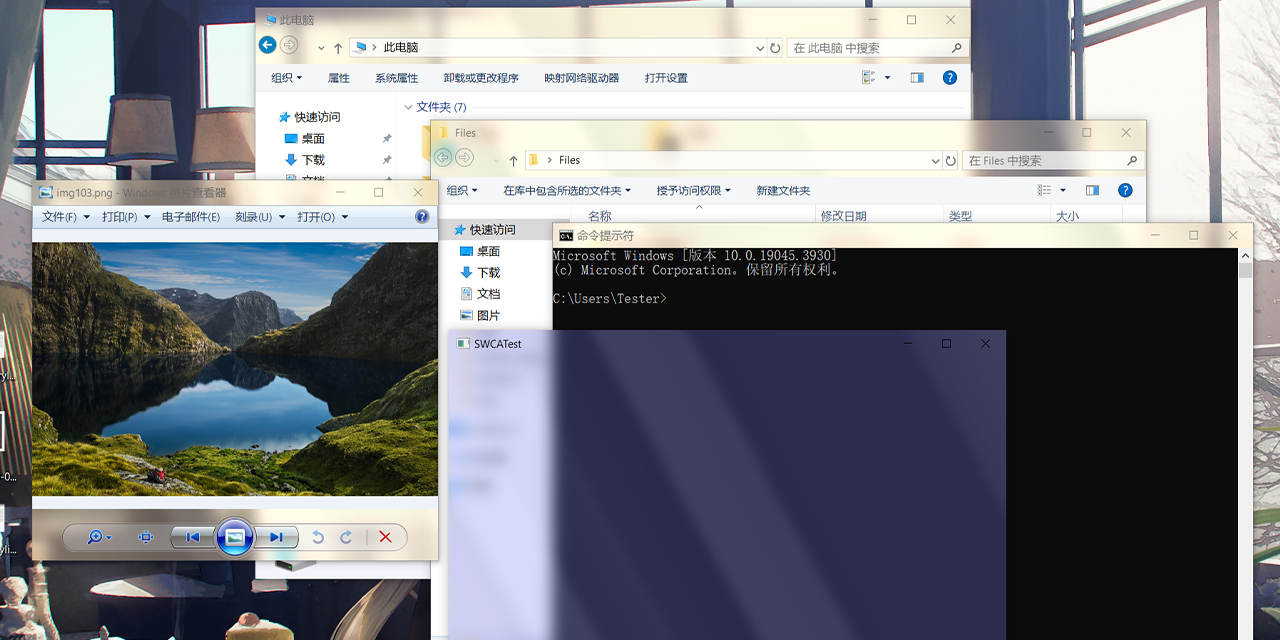
Can i use that for zen? https://github.com/Maplespe/DWMBlurGlass
GitHub
Add custom effect to global system title bar, support win10 and win11. - Maplespe/DWMBlurGlass
vocal compass
zen twilight has an acrylic background that gives sometransparency

you can try using that
vocal compass
cerulean rose
Can i use that for zen? https://github.com/Maplespe/DWMBlurGlass
that won't work either
cerulean rose
vocal compass
that won't work either
ok
cerulean rose
vocal compass
zen twilight has an acrylic background that gives sometransparency
i will try that
quasi remnant
cerulean rose
bc im win 10
Just get win 11 bro 💔
vocal compass
stobid system req is a bit annoying but if your pc runs windows 10 fine
bypassing the requirements for windows 11 isn't a big problem
quasi remnant
cerulean rose
i cant
Bypass
vocal compass
just bypass teh requirements using rufus (etching to usb)
vocal compass
data as in apps or folders and personal files?
cerulean rose
vocal compass
data as in apps or folders and personal files?
Everything
if i can keep folders and personal files it will be good
vocal compass
if you have splitted your ssd/hdd into 2 or more drives
you can format just the windows drive
and keep your folders and files
but you will lose apps
vocal compass
anyways if you only have windows
cerulean rose
External
vocal compass
and apps
on C drive
then you can format just teh c drive
install windows 11
and not
touch the other drives (D & F)
vocal compass
just be carefull if you are doing it
i was not
i formatted my hdd
instead of ssd
cerulean rose
I know
fluid schooner
Hey Wazz, how you doing? I was wondering if you know how to get the blur working on Zen KWin Better Blur on KDE.
 past barn
what are these ugly borders? natsumi issue but any fix yet?
 swift kelp
Why ask here
 high wigeon
will a macos version ever be made for? because i just installed pineapple fried and it doesn't work on mac
frigid musk
high wigeon
will a macos version ever be made for? because i just installed pineapple fried ...
I’m on Mac and was using pf before I’m sure it works on Mac
swift kelp
high wigeon
will a macos version ever be made for? because i just installed pineapple fried ...
It's just custom css
There's no os limit here
fluid schooner
Can't have full screen with only PF installed
 high wigeon
frigid musk
I’m on Mac and was using pf before I’m sure it works on Mac
high wigeon
frigid musk
I’m on Mac and was using pf before I’m sure it works on Mac
im not getting the homepage properly. im getting the firefox background, and the transparency doesn't work.
il play around with the configs a bit and see
fluid schooner
high wigeon
im not getting the homepage properly. im getting the firefox background, and the...
Have you imported the pages css in userContent?
high wigeon
fluid schooner
Have you imported the pages css in userContent?
yes i have imported the user content css
this is what it looks like
 spark thistle
high wigeon
this is what it looks like
spark thistle
high wigeon
this is what it looks like
Well yeah, if you're using a background image then ofc it won't show lmao
high wigeon
spark thistle
Well yeah, if you're using a background image then ofc it won't show lmao
my bad. i just clicked reset to default
spark thistle
lul

 high wigeon
fluid schooner
Tip: You can play around with the texture slider in theme colour customisation
high wigeon
fluid schooner
Tip: You can play around with the texture slider in theme colour customisation
i got this through linear gradient
fluid schooner
high wigeon
i got this through linear gradient
Such a good feature
high wigeon
is there a way to get the search bar back. i made mine transparent, and i think it will look good
fluid schooner
high wigeon
is there a way to get the search bar back. i made mine transparent, and i think ...
You could but as soon as you type something in there, it will open the url bar
One might as well not have it and directly type in the URL bar. I tried just now
Doesn't even look that good imo personally
high wigeon
fluid schooner
Doesn't even look that good imo personally
i just played with the css a bit, and you are right. it looks like shit
 idle kestrel
someone can help me with the tab folders in the screenshot? I am done with everything but I do not understand how to have that tab folders enabled. I think they are not tab groups, because tab groups look really weird.
fluid schooner
idle kestrel
someone can help me with the tab folders in the screenshot? I am done with every...
They are indeed tab groups but with custom styling. I'm not 100% sure if that styling is part of Pineapple Fried. Natsumi used to have that but the dev recently dropped it temporarily since Zen and Firefox don't fully support it yet.
 vapid peak
i applied this but cannot get rid of this bar beneath the url bar. kidnly help
 past barn
vapid peak
i applied this but cannot get rid of this bar beneath the url bar. kidnly help
past barn
vapid peak
i applied this but cannot get rid of this bar beneath the url bar. kidnly help
how did you get that much blur
wow
vapid peak
mica for everyone
high wigeon
vapid peak
i applied this but cannot get rid of this bar beneath the url bar. kidnly help
i think you have to disable bookmark toolbar
tardy relic
vapid peak
i applied this but cannot get rid of this bar beneath the url bar. kidnly help
Ctrl+Shift+b
vocal compass
that is twilight bug
vapid peak
high wigeon
i think you have to disable bookmark toolbar
tried tha
the bookmark bar disappears but its space still remains
vocal compass
vapid peak
the bookmark bar disappears but its space still remains
try now after updating
its fixed
vapid peak
vocal compass
try now after updating
tried. its fixed now!
odd adder
fluid schooner
Hey Wazz, how you doing? I was wondering if you know how to get the blur working...
Sorry been afk for a few days. I′m not sure off the top of my head but I'm down to schedule a quick screen-share session.
odd adder
fluid schooner
Can't have full screen with only PF installed
This has been bothering me too, I need to make an update
fluid schooner
odd adder
Sorry been afk for a few days. I′m not sure off the top of my head but I'm down ...
Oh, I hope you're doing well! I've dropped the idea of blur windows for the time being. I appreciate it though Maybe when I've settled down on KDE for real
fluid schooner
odd adder
This has been bothering me too, I need to make an update
Will be waiting for that one for sure
fluid schooner
@odd adder Hey, it looks like the Midnight mod has been taken down from the store. I don't see it
odd adder
fluid schooner
<@259933470766137345> Hey, it looks like the Midnight mod has been taken down fr...
Midnight was just a color theme mod, didn't add any functionality
fluid schooner
odd adder
Midnight was just a color theme mod, didn't add any functionality
Ah, I forgot to mention it's in the readme of PF. That's the reason I gave you a heads up, I don't use it personally
frigid musk
Has anyone found a way to make the natsumi pdf viewer background transparent? Just thought its a nice concept
 stray drift
idle kestrel
someone can help me with the tab folders in the screenshot? I am done with every...
stray drift
idle kestrel
someone can help me with the tab folders in the screenshot? I am done with every...
same question! i can only find the container tab, which is not my intention
fluid schooner
@idle kestrel@stray driftTab folders are an experimental feature. The screenshot does show tab folders but
- It used to be a part of Natsumi, not a part of core Pineapple Fried.
- Tab folder styling was removed from Natsumi in one of the previous updates so you won't get the same look with Natsumi anymore even if you enable the feature. Zen's dev Cheff does not recommend enabling this feature either until Firefox gets it. Reason being Zen is based on Firefox. Firefox delaying the feature = Zen delaying the feature (inevitably)
tardy relic
Whats up with the url menu
 frigid musk
prob the update broke it
lime surge
update your natsumi
tardy relic
ight ty
 weary oriole
Working Cohesion fix for lastest Twilight version
here is the very simple code that you should add at the end of your usercontent.css
/* Navbar with Slightly Softer Blur */
#nav-bar {
    background: rgba(105, 100, 110, 0.22) !important; /* Color stays perfect */
        -moz-appearance: -moz-mac-vibrancy-light !important;
}

/* Slightly Softer URL Bar Background */
#urlbar-background {
    background: rgba(105, 100, 110, 0.23) !important; /* Transparency fine-tuned */
    backdrop-filter: blur(30px) !important; /* A bit more blur for smoother transition */
}

/* Keep Text Perfectly Readable */
#urlbar {
    color: rgba(255, 255, 255, 0.98) !important; /* No change, since readability is ideal */
}```I wouldn't call this a Cohesion fix, Cohesion only focuses on the sidebars. This looks like a nice personal preference tweak.
weary oriole
it fixes the url bar color to make it match home tab because zen twilight made home tab brighter
i have the same css on zen (normal) and twilight
on normal version i don't need this
but on twlight, i don't know why, but i need these tweaks to make it work properly
odd adder
weary oriole
it fixes the url bar color to make it match home tab because zen twilight made h...
Which is cool and helpful, just not related to Cohesion specifically? Can you send a comparison before/after?
weary oriole
yes
still having an issue but not related to cohesion, and also this fix can maybe made better, it makes it match almost perfectly but it isn't perfect, hope it's only temporary 😭
ok here is the before/after
after :

before :

btw if someone knows how to resolve this issue, that would be awesome, i need to make the url-bar move of one px left i guess ?
 odd adder
Ah i see now! Thanks for bringing this up. Likely just need to adjust some color values in Cohesion.css
odd adder
weary oriole
btw if someone knows how to resolve this issue, that would be awesome, i need to...
Interesting, what version of PF are you on? This was address in an update
high wigeon
there is a bug in the natsumi-tweaks for the sidebar(history/bookmark) where it is fully transparent and text isn't visible when on white background. i was able to fix this but i still have this wierd part that is still too transparent
 weary oriole
i made sure i was using the lastest version today
high wigeon
high wigeon
there is a bug in the natsumi-tweaks for the sidebar(history/bookmark) where it ...
i wasn't able to fix that corner part
weary oriole
updated to lastest natsumi and been using lastest pf
but i have this issue since a long time
but not sure if it's related to cohesion
high wigeon
@odd adder will pineapple fried make background for 1.8 since there is no new tab open by default
fluid schooner
No matter how many times natsumi breaks PF, I find myself coming back to the top notch cohesive nav bar
lime surge
@odd adder you might want to consider working on PF on zen twilight with the dev branch of natsumi
this way you can write compatibility fixes for PF ahead of the next zen/natsumi release
odd adder
high wigeon
<@259933470766137345> will pineapple fried make background for 1.8 since there ...
Elaborate? What do you mean by ″make background″ ?
odd adder
lime surge
this way you can write compatibility fixes for PF ahead of the next zen/natsumi ...
Yeah definitely need to do that, still getting back into the swing of things
weary oriole
@odd adder fixed the url bar margin
in multiple toolbar cohesion code, it was written :
#tabbrowser-tabpanels {
margin-left: -1px !important;
margin-right: 0px !important;
}
I just changed margin left to 0px and voilà
#tabbrowser-tabpanels {
margin-left: 0px !important;
margin-right: 0px !important;
}
high wigeon
odd adder
Elaborate? What do you mean by ″make background″ ?
if you want the cohesion background, you need to type about:home in urlbar

you need a new tab for it

this became a problem after 1.8b
odd adder
high wigeon
this became a problem after 1.8b
I'm not sure if I understand still. Zen recently got rid of ″New Tabs″ so if you want them back you just have to enable them in about:config
high wigeon
odd adder
I'm not sure if I understand still. Zen recently got rid of ″New Tabs″ so if you...
i have the config enabled, so then i pressed newtab, it opened the urlbar. but before 1.8b there used to be a newtab open by default if there were no other tabs open. so you would still get the cohesion background. now there is no tab open by default.
high wigeon
high wigeon
you need a new tab for it
so the zen logo and svg in the second image wont appear if all tabs are closed. i was asking if they would be added to the first image which has no tabs open
odd adder
high wigeon
so the zen logo and svg in the second image wont appear if all tabs are closed. ...
Ah thanks for clarifying, yes this should be easily done.
high wigeon
odd adder
Ah thanks for clarifying, yes this should be easily done.
nice
tawdry dirge
tawdry dirge
@odd adder Something broke with the mods on the lastest build of them with the 1.8 beta update
odd adder
tawdry dirge
<@259933470766137345> Something broke with the mods on the lastest build of them...
 tawdry dirge
odd adder
https://tenor.com/view/wut-shocked-eye-pop-big-eyes-gif-15244901
tawdry dirge
odd adder
https://tenor.com/view/wut-shocked-eye-pop-big-eyes-gif-15244901
Here is what is looks like when I launch the browser right now with the mods
tawdry dirge
I think the core issue is with the Cleaned URL bar and Super URL bar mods
weary oriole
works fine for me on lastest twilight version
lime surge
tawdry dirge
I think the core issue is with the Cleaned URL bar and Super URL bar mods
update your natsumi 😭
tawdry dirge
lime surge
update your natsumi 😭
I just copy these folders, right?
 lime surge
yep
tawdry dirge
oh, and the natsumi config file?
tawdry dirge
ok, ill copy it since my chrome folder has it
lime surge
if theres missing variables in your config file then natsumi will use the defaults
tawdry dirge
lots still broken
tawdry dirge
I think its Super URL bar and Cleaned URL bar, since the latter is what is causing the URL bar to be in such an odd spot
but for the boot thing, I have no idea
tardy relic
Could also be Floating URL bar if you have it, because thats what turned out to be the issue for me
 delicate marlin
holy crap cohesion and natsumi look so good rn
the only gripe that i have that idk which is buggin is the transparency but i lowkey dig having a more simple look now
 spark thistle
delicate marlin
the only gripe that i have that idk which is buggin is the transparency but i lo...
spark thistle
delicate marlin
the only gripe that i have that idk which is buggin is the transparency but i lo...
That might be because of the acrylic effect Zen has now, you can disable it but I don't remember how off the top of my head
some about:config flag
delicate marlin
i would but im lowkey too lazy too now
i kinda like this effect
just wish they made there a way to make it a bit more transparent natively
tawdry dirge
spark thistle
That might be because of the acrylic effect Zen has now, you can disable it but ...
zen.widget.windows.acrylic
 ancient solstice
when pineapple update, bro
tawdry dirge
ancient solstice
when pineapple update, bro
I am starting to wonder the same thing, like, Natsumi got updated within hours of v1.8, and PF has been taking days
odd adder
tawdry dirge
I am starting to wonder the same thing, like, Natsumi got updated within hours o...
It'll be updated when I am not busy with my real job and wedding planning
 tawdry dirge
odd adder
It'll be updated when I am not busy with my real job and wedding planning
tawdry dirge
odd adder
It'll be updated when I am not busy with my real job and wedding planning
Ah, gotcha. Also, congrats on the marriage!
odd adder
Tyty!
lime surge
congrats
urban patrol
Congratulations!
lime surge
reminds me i still have yet to marry my gf 😭
but either way me and her are still married in spirit
odd adder
lime surge
but either way me and her are still married in spirit
That's how we′ve been for about 6 years now
 tawdry dirge
@odd adder I got the centered bookmarks working
 fluid schooner
Congratulations man! Wish you all the best!
fluid schooner
fluid schooner
Congratulations man! Wish you all the best!
After I sent this message, someone other than mr. wazz also reacted to my message. I couldn't help but wonder if that person was the spouse-to-be. Right now, the message has 3 reactions in total so does that mean mr. wazz rizzed up two people?

(by all means, it is a joke for our guy about to be married)
odd adder
Lol my spouse thinks all this browser stuff is nerdy lol so unfortunately they are not in the server 😅
tawdry dirge
odd adder
Lol my spouse thinks all this browser stuff is nerdy lol so unfortunately they a...
I mean, are they wrong??
fluid schooner
odd adder
Lol my spouse thinks all this browser stuff is nerdy lol so unfortunately they a...
I'll be honest with ya, they're not completely wrong
fluid schooner
tawdry dirge
I mean, are they wrong??
Okay I had not read that until now
tawdry dirge
lmao
odd adder
Its true. She's always asking ″who are you talking to?″ and I'm like ″people that want software updates″ lol
lime surge
lmao


 faint apex
for a mili second whats that fluctuation its trying to load new tab theme?
 vague phoenix
why doesn't it just show the home page on new tab?
swift kelp
vague phoenix
why doesn't it just show the home page on new tab?
Zen Update
swift kelp
faint apex
for a mili second whats that fluctuation its trying to load new tab theme?
Yes, when there's some customization or mods involved
vague phoenix
swift kelp
Zen Update
wdym? i am already on the latest release.
fluid schooner
vague phoenix
wdym? i am already on the latest release.
This is a new feature with came with latest Zen update.
/newtab
 radiant quarryBOT
fluid schooner
/newtab
radiant quarryBOT
fluid schooner
/newtab
The new Zen URL bar now acts as a replacement for newtabs. Please read more here https://docs.zen-browser.app/user-manual/urlbar/
Your browser does not support the video tag. Zen URL bar Zen Browser’s URL bar is a powerful tool that helps you navigate the web quickly and efficiently.
south venture
anyone knows why transparency is now not fully visible
 faint apex
why I dont have back button like the theme ?
 odd adder
faint apex
why I dont have back button like the theme ?
odd adder
faint apex
why I dont have back button like the theme ?
Zen changed default forward/backward button styles
faint apex
so your ss is from older version
mine is 1.8.2b
faint apex
faint apex
for a mili second whats that fluctuation its trying to load new tab theme?
anyway to fix this its very annoying when i use it as daily driver still have to use edge just to avoid this flickring
odd adder
faint apex
so your ss is from older version
mine is 1.8.2b
Correct
faint apex
is this how your theme supose to look like I enabled every option found on github Natsumi and Pineapple docs
 faint apex
faint apex
faint apex
and here is my Css
odd adder
It still needs to be updated for 1.8b
faint apex
this section is weird lmao rest is usable
 faint apex
hey can you give me the code for pf.use.window-buttons
and
pf.use.zen-menu-button for this configration need to manually add these to my personal use version
odd adder
faint apex
hey can you give me the code for pf.use.window-buttons
and
pf.use.zen-menu-but...
I dont mean to be rude, but all of the code is available on the Github, its fairly organized and not too difficult to track things down. I'm at my IRL job and dont really have time to track down stuff right now
faint apex
oh thanks ill try to find the thing by my own i hope its well documented
odd adder
Should be in windowcontrols.css
faint apex
odd adder
Should be in windowcontrols.css
this is helpful
delicate marlin
Does anyone know how to fix this? Basically all the borders are a bit messed up so is there a wya to fix this?

 faint apex
Anyone know how to achieve this gap between search icon and Text

 deep glen
delicate marlin
Does anyone know how to fix this? Basically all the borders are a bit messed up ...
deep glen
delicate marlin
Does anyone know how to fix this? Basically all the borders are a bit messed up ...
lmk as well if somebody finds the fix
odd adder
delicate marlin
Does anyone know how to fix this? Basically all the borders are a bit messed up ...
This is gonna require a proper update, as I need to set custom values for split tabs views specifically
delicate marlin
Ohhhv alr
thick sphinx
Waiting for the update!!
 tawdry dirge
 onyx lark
wait, how did you get internal pages to blur?
The natsumi animation is a little strange, doesn't bother me too much, but thought id share
lime surge
tawdry dirge
The natsumi animation is a little strange, doesn't bother me too much, but thoug...
yeah cheff broke shit again
i fixed it already
tawdry dirge
lime surge
yeah cheff broke shit again
I'll update tonight, also, what's going on with Wazz? He's been MIA for bit now
odd adder
tawdry dirge
I'll update tonight, also, what's going on with Wazz? He's been MIA for bit now
Lurking, and dealing with real life stuff. Wedding planning and house renovations
Currently knee deep in building a deck
 tawdry dirge
odd adder
Lurking, and dealing with real life stuff. Wedding planning and house renovation...
tawdry dirge
odd adder
Lurking, and dealing with real life stuff. Wedding planning and house renovation...
Ah, okie!
tawdry dirge
odd adder
Currently knee deep in building a deck
Damn
 vapid fulcrum
tawdry dirge
<@259933470766137345> I got the centered bookmarks working
vapid fulcrum
tawdry dirge
<@259933470766137345> I got the centered bookmarks working
how do you get the workspace sliders on ur side bar? ive seen so many people have it but dont know how
tawdry dirge
I don't remember
onyx lark
tawdry dirge
wait, how did you get internal pages to blur?
Zen Zero by sameerasw
use his userContent file
tawdry dirge
Ah
fluid schooner
odd adder
Currently knee deep in building a deck
Time to jump on that fence and say hi to wazz, personally
I hope everything's going well there!
opal summit
fluid schooner
Time to jump on that fence and say hi to wazz, personally
time to track down wazz's house based on the clouds in the sky and the type of paint on the wall in order to personally thank him for his zen theme
delicate marlin
odd adder
Lurking, and dealing with real life stuff. Wedding planning and house renovation...
WEDDING? WOW
good for you dude
onyx lark
bookmark icon unaligned with the indicator
 lime surge
zen issue
onyx lark
how to hide it ??
so only the indicator will appear
it all get listed as page action buttons
idk how to hide them seperately
 swift kelp
It's the default one
Tab groups are not advised to be used
Wait until native Firefox tab group release
tawdry dirge

tawdry dirge
Is this an issue with MCA, or something to do with how Zen, or the custom CSS interacts with it
lime surge
zen
also @odd adder just a heads up, natsumi v3 will likely break natsumi tweaks
ik youve got a big day coming up so take your time
odd adder
Hopefully this next coming weekend ill have ample time to cook and update everything. Its my first weekend in a while that I haven't had anything planned.
To everyone waiting for updates, thank you for your patience 🙏 This community is what makes theming Zen so fun and I appreciate you all. Ill try to get something out in the coming week!
fluid schooner
Take your time and enjoy yourself!
 high wigeon

 midnight shard
are those pinned tabs on top and essentials at bottom?
odd adder
midnight shard
to make pinned tabs look like essentials
SuperPins
and i used Bottom Essentials to move the essentials
midnight shard
odd adder
SuperPins
superpins don't have 3 in row, mine goes to 5 in row
so asking
odd adder
You might have other items in your sidebar making the sidebar too wide for 3 across
PF 2.1
Currently in the oven. This is on 1.10.1t.
midnight shard
odd adder
You might have other items in your sidebar making the sidebar too wide for 3 acr...
i don't think i got what you meant
you're on twilight build?
odd adder
yeah. What's your superPins spacing settings?
midnight shard
odd adder
yeah. What's your superPins spacing settings?
everything's default
i just toggled, make pinned tabs look like essetial option
odd adder
it's either the number of workspaces forcing the sidebar to not be any smaller, or the icons above the url bar. Note that I'm in multi toolbar mode with only 3 workspaces so i can make my sidebar very small
midnight shard
odd adder
it's either the number of workspaces forcing the sidebar to not be any smaller, ...
do you use any customcss for pins too?, cus yours are bigger than mine
i'm on natsumi tho, maybe because of that?
odd adder
possibly. The video i just posted is stock PF without natsumi
midnight shard
odd adder
possibly. The video i just posted is stock PF without natsumi
i see, thanks
sorry for the inconvinience
odd adder
Ill have an official response soon. PF isn't going anywhere.
high wigeon
odd adder
Ill have an official response soon. PF isn't going anywhere.
nice
but if natsumi isn't maintained, how exactly will it work
odd adder
More details later
odd adder
If you have not heard, Natsumi is being archived and no longer being updated. Natsumi is an incredible piece of work and PF would not have existed without it. Natsumi will be missed, huge thanks to Green.
But what does this mean for Pineapple Fried?
Ill be extracting my personal selection of Natsumi features from the final build and including them in Natsumi-Tweaks, a module for PF. This does not mean ill be extracting all features or styles. I do not plan to make any derivative works of or continue building Natsumi.
This will likely be the last update for Natsumi Tweaks, unless I find something else in the Natsumi archive I want to also extract for PF.
The PF theme is going to continue getting updates, I'm currently polishing the update for 1.10.1b.
Please help by replying with your favorite Natsumi feature and Ill see about adding them to PF-NT.
high wigeon
odd adder
If you have not heard, Natsumi is being archived and no longer being updated. Na...
urlbar, findbar, pip, mini player, sidebar, sidepanel, pdf viewer
and i played with the haze material in preloads, for sidebar and it fits PF
 woeful bay
high wigeon
urlbar, findbar, pip, mini player, sidebar, sidepanel, pdf viewer
woeful bay
high wigeon
urlbar, findbar, pip, mini player, sidebar, sidepanel, pdf viewer
100% agree
high wigeon
woeful bay
100% agree
honestly there is probably more, that i am unaware of
woeful bay
yeah if there was a way to implement all of natsumi features that would be great lol
high wigeon
like small theming things that i forgot was a part of natsumi
woeful bay
true true
woeful bay
when i updated to natsumi 3.0.1, the workspace indicators which had been collapsed into dots don't do that anymore; any way to fix this?
high wigeon
woeful bay
when i updated to natsumi 3.0.1, the workspace indicators which had been collaps...
same
idk how i got the dot, but i cant find it
idk if it is a part of natsumi or not
woeful bay
i think the dot is from zen 1.10.1
it said in the release notes
but i'm not sure which part of natsumi is changing it
high wigeon
woeful bay
but i'm not sure which part of natsumi is changing it
i removed the natsumi workspace strip css
high wigeon
woeful bay
i think the dot is from zen 1.10.1
so this means natsumi didn't remove it
woeful bay
high wigeon
i removed the natsumi workspace strip css
which file is that in?
high wigeon
woeful bay
which file is that in?
natsumi-base.css
woeful bay
thanks!
yeah i'm not sure why the dots aren't showing up now
my sidebar is huge now lmao
high wigeon
woeful bay
my sidebar is huge now lmao
i didn't remove the entire file. just the pare under workspaces
woeful bay
did the dots show up for you?
high wigeon
woeful bay
did the dots show up for you?
no
odd adder
I belive the dots were a Zen feature that got removed
woeful bay
that's interesting
i updated to 1.10.1 this morning, and the collapsed workspace indicator was there
then i updated to natsumi 3.0.1, and the dots disappeared, so i'm not sure of what happened
odd adder
Hm I'd need to test on a fresh profile to see for sure
 fair dome
Why does ya'lls browser looks so much more transparent and bright mine looks dull. Did I do smth wrong? I followed the natsumi github then the pf github exactly as it said
 deep glen
fair dome
Why does ya'lls browser looks so much more transparent and bright mine looks dul...
deep glen
fair dome
Why does ya'lls browser looks so much more transparent and bright mine looks dul...
wait for PF to be upadated
it hasn't been updated for a long time
currently it is under progress
fair dome
oh ok thanks
high wigeon
fair dome
Why does ya'lls browser looks so much more transparent and bright mine looks dul...
lower contrast
odd adder
hey chat, keep default window control button icons, or make some custom ones for PF?
opal summit
personally, i think the default ones work well
woeful bay
@odd adder any luck with the workspace dots?
odd adder
you do want the dots? currently this is how PF will look
 woeful bay
or at least i liked how they collapsed so my sidebar got smaller
that does look good tho!
see the collapse thing?
 high wigeon
mr.wazz
check you these 2 css
an tab/essential rgb thing
and an animatied zen logo👇
this is the svg👇

both are from nebula, but i dont think they were inplimented
odd adder
high wigeon
check you these 2 css
can you send examples in screenshots or screen recordings?
high wigeon
the rgb tabs
odd adder
Woah, fancy af but probably out of scope for PF.
 feral kiln
people be putting rgb on everything
high wigeon
the animated zen logo
this is good for PF
if you need more info on this one☝️
you have to ask @patent spear
odd adder
high wigeon
you have to ask <@800364082804293653>
What screen recorder are you using?
 tulip current
feral kiln
people be putting rgb on everything <:skully:1279861883037286535>
tulip current
feral kiln
people be putting rgb on everything <:skully:1279861883037286535>
Frfr
high wigeon
odd adder
What screen recorder are you using?
mac os quicktime player. it is built in
also the zen logo css goes in userContent btw
and it has a small bug where it doesn't let you scroll through preferences or about config
like it wont scroll down
ancient solstice
high wigeon
the rgb tabs
@lila_uraraka you can share css
woeful bay
@odd adder i found the collapsing workspace indicators on a new profile; its just a new feature because i didn't do anything to the new profile, so something about natsumi must be interfering
in the video i add a few workspaces to show the collapsing
ancient solstice
high wigeon
the animated zen logo
how
high wigeon
ancient solstice
@lila_uraraka you can share css
i already shared the css
just scroll up a little
high wigeon
ancient solstice
how
shared this one aswell
high wigeon
high wigeon
an tab/essential rgb thing
the first css is the rgb. the second is the logo(userContent), and the third is the svg for the logo
ancient solstice
does it boost gpu ?
ancient solstice
high wigeon
the first css is the rgb. the second is the logo(userContent), and the third is ...
add svg where
high wigeon
ancient solstice
add svg where
into the chrome file
high wigeon
ancient solstice
does it boost gpu ?
no it is just aesthetic
midnight shard
feral kiln
people be putting rgb on everything <:skully:1279861883037286535>
I really don't get the appeal of RGB, isn't simple colors better?
@odd adder sorry for the ping but since now natsumi is deprecated do we still need to install natsumi to make PF work?
I'm thinking of trying it but don't know if I should install natsumi or not?
odd adder
midnight shard
I'm thinking of trying it but don't know if I should install natsumi or not?
Currently I'm making a final update to Natsumi-Tweaks which will have some Natsumi features and will not require Natsumi to be installed.
If you want the Natsumi Styles, then yes you'll need to install the Archived Natsumi theme.
woeful bay
woeful bay
@odd adder any way to keep the collapse as an option?
odd adder
uh probably, just haven't looked at it very closely. Would you mind opening a new issue on the Github so I can track it? I don't think it's going to make it into the very next update, I'm mostly just focusing on compatibility for 1.10.1 and Natsumi-Tweaks. But after that point I can start adding QOL things and extras like collapsed workspace icons
woeful bay
sure!
high wigeon
@odd adder can you try to make a seperate haze conponent for natsumi's floating ff-sidebar
these values looks good for the ff-sidebar, but makes everyting look wierd

this is what i changed it to in natsimi>modules>preloads. feel free to make it a bit darker(0.2 at max is good)
 median maple
@odd adderHow did you use that grouping in the tabs ?
 woeful bay
odd adder
uh probably, just haven't looked at it very closely. Would you mind opening a ne...
woeful bay
odd adder
uh probably, just haven't looked at it very closely. Would you mind opening a ne...
added the issue! 👍
lime surge
high wigeon
it looks off
haze is meant to be a white/black material with a tint of the background color
not another glass material
high wigeon
lime surge
haze is meant to be a white/black material with a tint of the background color
that is due to this css from tanay-kar
/* === BLUR COMPACT SIDEBAR === */
/* Based on code by https://github.com/Tanay-Kar */

:root[zen-compact-mode="true"] {
  #navigator-toolbox #titlebar {
    @media (-moz-bool-pref: "lacuna.sidebar.compact-transparent") {
      background: light-dark(#99999944,#00000044) !important;
    }
    border: none !important;
  }
  #navigator-toolbox:not(:has(#urlbar[zen-floating-urlbar='true'][open])) #titlebar {
    backdrop-filter: blur(10px) !important;
  }
}

#"Zen"-sidebar-web-panel {
  background: light-dark(#00000022, #00000044) !important;
  backdrop-filter: blur(40px) !important;
}
you do NOT need extra css for that if youre using natsumi/PF
with materials enabled for ff sidebar
high wigeon
lime surge
you do NOT need extra css for that if youre using natsumi/PF
honestly i dont remember why i added this css 😅
lime surge
high wigeon
lime surge
with materials enabled for ff sidebar
so this effect can occur without it?
lime surge
yeah
high wigeon
wait no
high wigeon
high wigeon
```css
/* === BLUR COMPACT SIDEBAR === */
/* Based on code by https://github.co...
this is for the normal sidebar blur
this blur
 high wigeon
lime surge
yeah
high wigeon
lime surge
yeah
i think i got that affect with just the haze modification
i desabled the natsumi-tweaks that affect the ff-sidebar
high wigeon
lime surge
not another glass material
just removed all my other css and checked, and the effect is from natsumi haze modifications alone
lime surge
maybe use 0.8 instead of 0.15???
high wigeon
lime surge
maybe use 0.8 instead of 0.15???
making it 0.125 was the modification i made
high wigeon
lime surge
use glass instead of haze then
then i get that problem i told you about on github
lime surge
then dont modify the thing ffs
high wigeon
lime surge
then dont modify the thing ffs
il see if i can get the effect without modification, but i wasn't able to last time
high wigeon
lime surge
use glass instead of haze then
is the glass material only used by the ff-sidebar?
lime surge
no
high wigeon
or anything else
high wigeon
lime surge
no
what else is it used for
lime surge
zen web panels
pdf viewer
and anything else that hasnt moved to haze yet
or still uses glass for whatever reason
high wigeon
aight
lime surge
most elements shouldve moved to mc or hz
midnight shard
odd adder
Currently I'm making a final update to Natsumi-Tweaks which will have some Natsu...
thanks, but natsumi breaks on latest zen update
also sorry for the late reply just saw your message
odd adder
midnight shard
thanks, but natsumi breaks on latest zen update
also sorry for the late reply ju...
With natsumi discontinued, it will likely break with future Zen updates so not much we can do there. I'm not going to be updating any Natsumi Styles, just main features like the URL animations and PDF page.
opal summit
Haven't you heard? Natsumi is undiscontinued
Re-continued? Continued?
No longer discontinued
spark thistle
opal summit
No longer discontinued
discontinuedn't
midnight shard
odd adder
With natsumi discontinued, it will likely break with future Zen updates so not m...
Just one doubt, if I don't use natsumi what do I get, like do I get those animations and stuff?
midnight shard

GitHub
Customizations for Zen Browser. Contribute to TheBigWazz/Pineapple-Fried development by creating an account on GitHub.
is this outdated?
cuz I just git cloned the project and moved it to the ../chrome directory
should prolly say this but natsumi was also not working
tawdry dirge
midnight shard
is this outdated?
For now, Wazz has been dealing with a lot of IRL stuff recently, he will be updating it soon, when he has time
midnight shard
cool, thanks for heads up
tawdry dirge
spark thistle
discontinuedn't
Resurrected
tardy relic
lime surge
with materials enabled for ff sidebar
How do I do that?
tawdry dirge
I am trying to install kwin-effects-forceblur on Nobara, but I just keep getting error after error
I think I figured it out
tawdry dirge
This is so annoying 
 restive burrow
How do you have folders and slightly colored tabs?

 tawdry dirge
restive burrow
How do you have folders and slightly colored tabs?
tawdry dirge
restive burrow
How do you have folders and slightly colored tabs?
I think the slightly colored tabs are just Firefox containers
restive burrow
tawdry dirge
I think the slightly colored tabs are just Firefox containers
Oh, okay, thanks
odd adder
@here
Pineapple Fried v2.1.0 is out!
Sorry for the long wait. Love you all.
https://github.com/TheBigWazz/Pineapple-Fried/releases/tag/v2.1.0

GitHub
What's Changed
Dev for 1.11.1t by @TheBigWazz in #26
Full Changelog: v2.0.0...v2.1.0
Installation Steps
Manual Update:
Download and unzip the Source Code from below
Put the pineapple-fried f...
tawdry dirge
Wait, why was Natsumi support dropped? Just curious, I have it in my chrome folder along this, and it works fine
odd adder
Natsumi-tweaks was dropped just as a maintenance thing. Frankly, I cant keep up with Green′s lightning quick updates. Community members are welcome to use the last version of n-t if they want support moving forward. But I will not be updating n-t going forward.
tawdry dirge
fair enough, he does update very frequently, though it is good to know they can co exist like I have them
thick sphinx
Cohesion isn't working.Is there anything else I need to enable in config?
 odd adder
thick sphinx
Cohesion isn't working.Is there anything else I need to enable in config?
odd adder
thick sphinx
Cohesion isn't working.Is there anything else I need to enable in config?
Did you add the pf import rule to your userchrome?
thick sphinx
odd adder
Did you add the pf import rule to your userchrome?
Nope..lemme try
thick sphinx
odd adder
Did you add the pf import rule to your userchrome?
nope didnt work
odd adder
thick sphinx
nope didnt work
Well you need the pf import rule regardless. Did you restart zen after adding the import rule? Mind sending a ss of your userchrome?
thick sphinx
odd adder
Well you need the pf import rule regardless. Did you restart zen after adding th...
Yup
 odd adder
Yeah that path looks incorrect. Why is there a pf/ at the beginning? Did you put it in a subfolder in your chrome folder?
odd adder
thick sphinx
Yup
Try removing the pf/ from the beginning of that path
thick sphinx
odd adder
Yeah that path looks incorrect. Why is there a pf/ at the beginning? Did you put...
here is the chrome folder
 odd adder
Yeah just remove the beginning pf/ from the path and that should fix it
thick sphinx
odd adder
Yeah just remove the beginning pf/ from the path and that should fix it
still doesnt work
odd adder
Did you restart zen after changing the path?
Im a little tied up at work for a bit but I'm happy to hop in the vc for a screenshare to figure this out once I have some down time today.
thick sphinx
odd adder
Im a little tied up at work for a bit but I'm happy to hop in the vc for a scree...
dont worry, i'll try reinstalling it
It used to work on windows...its just that im new to this os
odd adder
What OS? Looks gnome-ish
thick sphinx
fedora
odd adder
thick sphinx
fedora
Any luck?
 odd adder
thick sphinx
Tried it on windows today..no luck here too
odd adder
thick sphinx
Tried it on windows today..no luck here too
can you open the style browser and search for pineapple-fried.css ?
I want to see the contents of that file
 onyx lily

you mean this separator?
i have it too on default pineapple fried


but i remove it the white tint remover option from transparent zen mod
deep glen
Does anybody else have this issue aswell? Disabled all my extensions and Zen Mods before recording.
There seems to be a weird border that surrounds the left and top part of a video when in fullscreen.
thick sphinx
odd adder
can you open the style browser and search for pineapple-fried.css ?
how do i do that?
odd adder
deep glen
Does anybody else have this issue aswell? Disabled all my extensions and Zen Mod...
Known issue, tracked on github
odd adder
onyx lily
but i remove it the white tint remover option from transparent zen mod
This is not default behavior for pf, there is probably a config error somewhere.
odd adder
thick sphinx
how do i do that?
- F12 to open the Page Inspector
- F1 to open Inspector settings
- Check the box for "remote debugging" near the bottom right
- close Page inspector
- Ctrl+Shift+Alt+i
- Accept debugging warning
- Select Style Browser tab at the top
- Search 'pineapple-fried.css' and it should display the contents of that file
For those needing help getting PF to display properly, I will have some time today to help via VC and screenshare. Just ping me. I will ask that before we hop in a VC support call, please try installing only PF in a fresh Zen profile to see if it corrects the behavior.
thick sphinx
odd adder
- F12 to open the Page Inspector
- F1 to open Inspector settings
- Check the box...
 odd adder
thick sphinx
odd adder
thick sphinx
This looks like you have the outdated version of PF installed. v2.1.0 does not have the natsumi-tweaks import.
Ah my bad, it still is in the source code, I need to remove that.
tawdry dirge
odd adder
~~This looks like you have the outdated version of PF installed. v2.1.0 does not...
Don't forget that I found out that having Natsumi installed in tandem works perfectly
odd adder
okay there's a bug
I'll try to get an update out soon. Seems like the same thing @thick sphinx and @onyx lily have identified. There's already a Github issue outlining some of the same troubleshooting for this bug on the repo, so please check there for updates on this bug.
 odd adder
okay hopefully bug fixed
https://github.com/TheBigWazz/Pineapple-Fried/releases/tag/v2.1.1

GitHub
Changes
Addressed incorrect Cohesion application causing disconnect between URL bar and newtab page.
Removed some residual files not needed.
Discontinued Natsumi-tweaks. Users are still welco...
high wigeon
@odd adder the integrated-urlbar is making the "zen.theme.content-element-separation" thicker that what i set it to
and multiple toolbar style and the compact toolbar style are making it thick only on the sides.
odd adder
Can you send a screenshot example?
Where are you setting the separation value? Just put an !important tag on the rule and it should override pf integrated url bar
high wigeon
odd adder
Can you send a screenshot example?
Where are you setting the separation value?...
i changed the seperation value in about:config
 high wigeon
and multiple toolbar style and the compact toolbar style are making it thick onl...
high wigeon
high wigeon
and multiple toolbar style and the compact toolbar style are making it thick onl...
also do these 2 affect the transparency of the ff-sidebar?
odd adder
They do not
odd adder
high wigeon
What value does pf change this to?
high wigeon
odd adder
What value does pf change this to?
it doesn't change it in the actual configuration, but it makes ti thicker
high wigeon
high wigeon
this thing is the same in about:config but it changes in the browser
odd adder
Are you able to send a before/after example so I can see what is changing?

 odd adder
Ah, I see. Thanks for the comparison. You might need to use custom css if you want to override the PF values. I can look at decreasing the separation, but the value its currently at is what I thought looked good for integrated url style. @high wigeon
high wigeon
odd adder
Ah, I see. Thanks for the comparison. You might need to use custom css if you wa...
can i change it within the css?
if so, which line
odd adder
One sec ill find it
For multiple toolbar mode, adjust line 30. For single toolbar mode adjust lines 48 and 49. @high wigeon
In integrated-urlbar.css
high wigeon
@odd adder is it possible to get the new tab stuff(the logo and svg) on the blank page
the blank page you get when you set zen.urlbar.replace-newtab to true
odd adder
high wigeon
<@259933470766137345> is it possible to get the new tab stuff(the logo and svg) ...
Yeah possibly, havent looked into that specifically, but i dont think it would be too difficult
tawdry dirge
@odd adder Bottom essentials is no longer functional in the latest release
odd adder
tawdry dirge
<@259933470766137345> Bottom essentials is no longer functional in the latest re...
Im aware. Discontinuing the mod, going to pass this functionality over to the new SuperPins maintainer.
tawdry dirge
Ah ok
odd adder
Wtf
cerulean rose
@odd adder does it work in latest zen update??
high wigeon
@odd adder i think something is broken
cerulean rose
@lime surge does pineapple fried work with your latest natsumi?
lime surge
idk
odd adder
high wigeon
<@259933470766137345> i think something is broken
Yeah bottom Essentials mod is done for. Move to SuperPins, theres a toggle for bottom Essentials in that mod now.
cerulean rose
odd adder
Yeah bottom Essentials mod is done for. Move to SuperPins, theres a toggle for b...
When you will do a new update or there's nothing you can do?
cerulean rose
@odd adder How is this work?

Did you tried it or you did see someone try it???
Bc it's impossible to get transparency, but you made thing looks the weirdest.
high wigeon
odd adder
Yeah bottom Essentials mod is done for. Move to SuperPins, theres a toggle for b...
This is with super pins
I removed all my css ad checked and I still have that problem
odd adder
high wigeon
I removed all my css ad checked and I still have that problem
Sorry dont know what to tell you. Zen changed how essentials work and now moving then to the bottom is broken. I won't be putting any more work into bottom Essentials, keep an eye on super pins to see if they figure out a way.
high wigeon
odd adder
Sorry dont know what to tell you. Zen changed how essentials work and now moving...
i thought superpins was your mod
my bad
odd adder
high wigeon
i thought superpins was your mod
can confirm that this settings works on 1.12.2t in SuperPins
 odd adder
cerulean rose
When you will do a new update or there's nothing you can do?
odd adder
cerulean rose
When you will do a new update or there's nothing you can do?
Use SuperPins and select Bottom for location of Essentials. It works. Even with the media player.
 high wigeon
odd adder
Use SuperPins and select Bottom for location of Essentials. It works. Even with ...
high wigeon
odd adder
Use SuperPins and select Bottom for location of Essentials. It works. Even with ...
it only works on one workspace for me
high wigeon
high wigeon
<@259933470766137345> i think something is broken
im having the problem i showed in this video
even with 0 css
odd adder
high wigeon
im having the problem i showed in this video
Oh this is strange... whats your zen version and can you duplicate this in a fresh profile?
high wigeon
odd adder
Oh this is strange... whats your zen version and can you duplicate this in a fre...
1.12.1b
high wigeon
odd adder
Oh this is strange... whats your zen version and can you duplicate this in a fre...
how do i make a new profile
odd adder
go to about:profiles and you'll see the button for making a new profile
odd adder
high wigeon
how do i make a new profile
 high wigeon
odd adder
Oh this is strange... whats your zen version and can you duplicate this in a fre...
high wigeon
odd adder
Oh this is strange... whats your zen version and can you duplicate this in a fre...
i have different essentials on different workspaces
 west loom
yo wazz
high wigeon
i dont remember how i got that
odd adder
high wigeon
i have different essentials on different workspaces
oh workspace specific essentials specifically are broken when trying to put them at the bottom
odd adder
west loom
yo wazz
yo
high wigeon
odd adder
oh workspace specific essentials specifically are broken when trying to put them...
ya that is the problem
high wigeon
odd adder
oh workspace specific essentials specifically are broken when trying to put them...
odd adder
so you want workspace specific essentials to be disabled?
high wigeon
odd adder
so you want workspace specific essentials to be disabled?
no i want the bottom essentials to be normal 😭
i found a code for that
odd adder
can't have normal bottom essentials if they are workspace specific.
high wigeon
/* bottom essentials */

#zen-essentials-wrapper {
  position: absolute;
  bottom: 0;

  .zen-essentials-container {
    transform: translateY(-100%) !important;
  }
}

.zen-current-workspace-indicator {
  margin-top: 0 !important;;
}

#zen-tabs-wrapper {
  margin-top: 0 !important;
  margin-bottom: 9em !important; // put your own magic number you can look over the margin-top that was set by the inline style
}
this is what im using for now
odd adder
and it's producing the above video?
high wigeon
odd adder
and it's producing the above video?
no
high wigeon
odd adder
and it's producing the above video?
super pins is producing the video
high wigeon
odd adder
and it's producing the above video?
the code is working almost normally(small bug)
odd adder
okay, i'll look at the block you just pasted and see if we can throw it into super pins