#Added expand on hover again but the way I always wanted it

814 messages ยท Page 1 of 1 (latest)

delicate swan
#

I always disliked the buttons changing position when you hover the sidebar, so I collapsed the bottom buttons to only show the active workspace when the sidebar is collapsed.

(I already made this change before the hover feature was removed, but readding the feature made it smoother and the code a lot less hacky)

https://zen-browser.app/mods/bd92a9a0-1c00-4187-a66e-94c389fa5a59/

README.md:

# Sidebar Expand on Hover

## Description

**Important:** set the browser layout to Single Toolbar or Multiple Toolbar depending on how the expanded sidebar should look like.

With this mod the sidebar expands when you hover it. It only works when the browser layout setting is set to collapsed toolbar.

Addionally this mod collapses the buttons below the tabs to provide a smoother experience. Per default your active workspace is shown while the sidebar is collapsed (only works when the workspace switcher is placed there).

## Preferences
- **Hide top workspace indicator**: since the active workspace is already shown below, this theme hides the workspace indicator at the top, if you don't want this: deactivate this setting. *(default: on)*
- **Collapse the buttons to only show current workspace**: If you don't wish for your buttons to only show your current workspace when collapsed: deactivate this setting and it shows the first button instead when collapsed *(default: on)*
- **Inverted Tab Direction**: Favicon on the right, title in the middle, close button on the left. Less moving parts when the sidebar is on the right. *(default: off)*
- **Width of the expanded sidebar**: Here you can change the width of the expanded sidebar *(default: 300px)*
- **Transition speed of the sidebar**: Speed of the collapsing/expanding animation *(default: 120ms)*
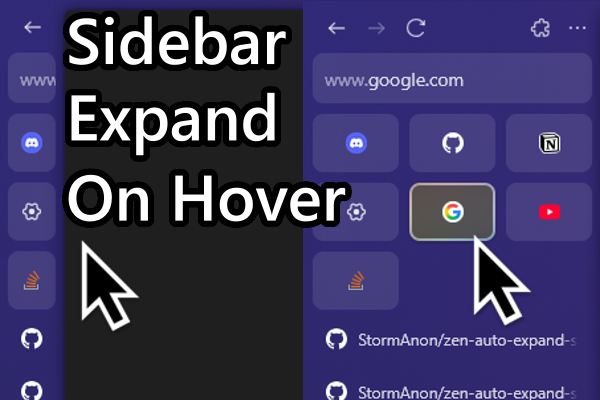
Learn more about Sidebar Expand on Hover mod available on Zen Browser

vagrant verge
#

can u make the sidebar itself hover and peek?

delicate swan
vagrant verge
#

the sidebar panel of apps. when not using it and clicking on the big normal tab. it should go away all the way to the left. so that u can just move the cursor to the left and it comes up again

vagrant verge
delicate swan
#

ahhh the sidepanel thingy

#

let me try x3

vagrant verge
#

does it have an effect if u dont have such a compact toolbar. ? or change from compact mode to normal one toolbar mode

delicate swan
#

the sidepanel only stays open when you click in it (doesn't work when no side panel is loaded, and I can't guarantee that it works for every website in the side panel (all I tested worked))
I tried it with the big toolbar and it works as well

#

for the transition/animation to work I had to set a fixed width, just change the 500px to whatevery you like

#zen-sidebar-web-panel-wrapper {
  width: 0px !important;
  overflow: clip;
  position: absolute !important;;
  height: 100%;
  transition: width 120ms ease-in-out !important;
}

#browser:has(#TabsToolbar:hover) #zen-sidebar-web-panel-wrapper, #zen-sidebar-web-panel-wrapper:hover, #zen-sidebar-web-panel-wrapper:has(:focus) {
  width: 500px !important;;
}
dire tiger
#

Thank you for this putting this together.

vagrant verge
#

thank you very much. had u not posted this very first video i wouldve not thought that it is possible in the first place.

#

glad u made my idea real โค๏ธ

delicate swan
lean plover
#

Where do I put this code for the hover toolbar function?

delicate swan
lean plover
#

Oh I thought I just download the ZenMod or something ๐Ÿ˜„

#

Why it is not in the ZenMods function ? I thought taht is the reason of having them?

delicate swan
lean plover
#

oh nice! You are the life saver .. I cannot use a browser without expanding the vertical tabs on hover

#

I did the first code but it does not work for me like inm your video .. the background is fully transparent

dire tiger
lean plover
#

exactly like that

delicate swan
#

uhhhh

#

that shouldn't happen good that i didn't upload it yet x3

vagrant verge
#

probably conflict with other css

lean plover
#

I have no other css file

delicate swan
#

oh i had the catpuccin theme installed

dire tiger
#

I was thinking it was the superpins, but disabled my mods amd it is still the same.

#

The tabs close button is also missing. This is in compact mode.

delicate swan
#

yeah i had extra css installed blobcatholdingitsheadinitshands

dire tiger
#

If I have expanded mode enabled it bugs out differently.

delicate swan
#

yeah it only works in collapsed toolbar mode

vagrant verge
delicate swan
#

hmm not sure if it can smoothly work when someone uses gradients blobhaj_thinking

lean plover
#

So what should I do to have it working the collapsing function of the side toolbar?

delicate swan
#

im currently trying to fix the background stuff

near dirge
#

make it a mod make it a mod make it a mod make it a mod make it a mod make it a mod

#

please ๐Ÿ™

near dirge
#

nice!

lean plover
#

Can you then updating the mod? like you push out a new version and we just download an update from the zen mods?

delicate swan
#

getting a nice transition with a gradient background was harder than expected blobcatholdingitsheadinitshands

lean plover
#

I love that the side toolbar is not jumping when hover to open .. the original was like some kind of "jumping". Cannot wait for it!

delicate swan
#

yeah the original only had an open animation an no closing animation if i remember correctly

lean plover
#

that also, yes

near dirge
#
          background: var(--zen-main-browser-background-toolbar) !important;
          background-attachment: fixed !important;
          background-size: 2000px !important; /* Dont ask me why */
          backdrop-filter: blur(5px) !important;
#

Dont ask me why part is really important if u want it to "blend"

#

idk, I think it could look better

delicate swan
#

Uh nice thanks :3

#

somehow the colors blend better when the window isn't focused blobcatholdingitsheadinitshands (i think i'll just use this with the method i used before)

delicate swan
#

issue created :3

vagrant verge
#

U need to turn off ur

delicate swan
# vagrant verge

it is disabled but wallpaper engine is doing stuff with accent colors, so not sure if I can trust my setting

red rose
#

I uhh don't know what's wrong

delicate swan
# red rose I uhh don't know what's wrong

wait until the mod is approved and install it, the version above only works with some themes (and I don't want to upload my userchrome again, since it now includes settings)

red rose
#

okay i'll try not to hover in the meantime

delicate swan
#

Also you should remove the stuff again when you install the mod (or know if it's not working) both stuff at the same time will probably cause a lot more issues

red rose
#

I already removed the css, it's messing with the toolbar

near dirge
#

ping me when it's done!

delicate swan
delicate swan
green swan
marsh marsh
languid gyro
#

It doesn't seem to work correctly with single toolbar mode, would it be possible to get a fix for that?

delicate swan
delicate swan
delicate swan
delicate swan
marsh marsh
#

I don't what do you mean by "units" but changing this setting to 300 or around 300 doesn't fix it

delicate swan
#

write px for pixels (or some other css unit) directly behind the number

delicate swan
marsh marsh
#

My beloved vertical tabs expand on hover is back! Thank you so much ๐Ÿ˜ญ๐Ÿ˜ญ๐Ÿ™๐Ÿ™

steel surge
#

is it possible to make it so that when i drag my mouse all the way to the left itll still expand? because rn it doesnt do that and i kinda want it to work like that :(

delicate swan
steel surge
#

nope

delicate swan
#

Can you send a screenshot I was only able to reproduce this in compact mode

lean plover
#

Where can I find this? Because the official website has no search function (bad.. :D)

lean plover
#

Thank you, I try to change the settings width and it stopped working when I put back the 300px ๐Ÿ˜„

delicate swan
#

type more slowly thats a zen browser bug x3

lean plover
#

My god ๐Ÿ˜„ I won't fiogured that out like never ๐Ÿ˜„ thank you

#

It is possible to have the top icons correctly centered?

delicate swan
#

can you show me a screenshot?

#

im currently working on a similar bug but not sure if it's the same you are experiencing

lean plover
#

Without the mod

#

with the mod

#

they are aligned more to right

delicate swan
#

ok that's a new bug x3 adding to my issue list

lean plover
#

Anyway ty much. This is the reason why I will stay to Zen. I cannot use a browser without the hover function ๐Ÿ˜„

delicate swan
#

same x3

lean plover
#

I fixed the two icons.

#

I removed them ๐Ÿ˜„

thorn kettle
#

This is AMAZING!!

How hard would it be for you to add the ability to toggle lock the sidebar shown/hidden?

Right now I'm dealing with this:
https://discord.com/channels/1088172780480114748/1315546794528346112

Essentially When using Ctrl+Alt+S (or I've changed it to Ctrl+S) to toggle the floating sidebar, the sidebar covers the content when toggled out instead of resizing the browser window, unlike compact mode (Show/hide sidebar or toolbar) , which works correctly but lacks a keyboard shortcut. Is there a way to combine these behaviors, allowing the sidebar to toggle and resize the browser window via a shortcut?

scenic spindle
#

So, I don't know if this is a known bug, but when using the mod, the button to close out of a tab and to reset a pinned tab doesn't appear

timid hemlock
#

So first time doing the whole chrome.css thing in which folder do I put it?

delicate swan
scenic spindle
#

thanks!

delicate swan
timid hemlock
#

Ohh neet thanks

#

Will it not work if the tabs are on the right side?

delicate swan
#

Maybe I did not test that

timid hemlock
#

Doesnt work for me

delicate swan
#

But you have to set your setting to collapsed, single toolbar isn't supported yet

timid hemlock
#

Yeah settings are like that

#

It works when I put it on the left

#

But not on the right

delicate swan
#

Ok just wanted to make sure I'll add sidebar on the right to my issue list

timid hemlock
#

Appreciate your work

near dirge
#

it's very buggy!

#

lmfao

#

welcome to the club

green swan
#

๐Ÿท

gilded sinew
gentle phoenix
#

this is broken on my zen

green swan
#

btw I think this might be a cool idea, blurred sidebar on hover

#

just an idea skully ik it probably wont be possible

lament spindle
delicate swan
#

It should probably be possible but not sure if I want to include 500 options in the mod blobcatholdingitsheadinitshands

vagrant verge
vagrant verge
idle nimbus
#

how to make the essential tabs look like default

delicate swan
bronze wyvern
#

it's the same without bottom essentials

delicate swan
bronze wyvern
#

oh okay x)

#

btw while we are on small visual bugs, the "new tab" text doesn't appear when the sidebar is expanded:

delicate swan
#

already fixed as well! The last two bugs left I'm currently aware of are compact mode and sidebar on the right and as soon as they are fixed I'm updating the mod

near dirge
#

Weeeeelcome to the club

delicate swan
#

I feel like I should add instructions on how to install the current version so people can test before I update the mod

bronze wyvern
#

oh i have this one in compact mode, idk if that's what you are talking about?

deep birch
#

uh tiny little thing

#

could you maybe add a check somewhere

#

that it applies only when the zen mode is in collapsed mode

#

in multiple toolbar and single toolbar mode , it does some questionable stuff

near dirge
#

Haha

deep birch
#

otherwise epic mod

near dirge
#

Thank god these bug reports aren't for me ๐Ÿ˜๐Ÿ‘

deep birch
#

lol

near dirge
#

Sharing my misery to others

delicate swan
deep birch
#

you're making others cheff

#

๐Ÿท

bronze wyvern
#

the overlap of the tabs & the bookmarks is a bit weird tho x)

delicate swan
#

also still not sure what to do when someone has multiple buttons up there, because this looks weird

#

maybe move them down a bit and extend them together with the tabs or extend the whole sidebar top to bottom? idk

near dirge
#

U changing title bar instead of navigator toolbox probably

bronze wyvern
#

@delicate swan when you push your update lmk, i'll try to write a remove browser padding fix for compact mode. it can be as simple as --zen-element-separation = 0 but you use this value for the collapsed toolbar so i'll take a look at what you do

delicate swan
#

actually if I keep that fixing compact mode should be really easy :o

delicate swan
drifting kettle
#

Great Mod.The best mod even. One question though, is it suppose to cut off at the settings and sidebar options?

delicate swan
drifting kettle
#

That does look pretty cool.

delicate swan
green swan
#

He should give you some borgirs

delicate swan
clear ginkgo
#

Please add in the option to close the tabs manually instead of having to right click. ๐Ÿ˜„ just a nice little x by the tabs if you so choose

clear ginkgo
#

Didn't know middle click closed the tab out!

timid hemlock
regal thorn
lean plover
#

Can confirm. Please update the awesome mod ๐Ÿ˜ข

delicate swan
near dirge
#

Hahaha

lean plover
#

gib update! ๐Ÿ˜„

delicate swan
#

Tomorrow!

clear ginkgo
#

So everyone else is getting tabs floating behind the page then?

delicate swan
#

Yes quick fix if you don't want to wait for the update tomorrow (not tested from memory (I'm in bed on my phone x3 )): add

#navigator-toolbox {
z-index: 3 !important;
}

to your userchrome.css

near dirge
#

lmfao

green swan
#

cheff did it on purpose fr

delicate swan
regal thorn
delicate swan
#

Ah right I only tested it on the newest dev version, actually that result kinda makes sense.

#

(also typst user spotted meoweyes )

#

It should work properly again as soon as the update is merged

regal thorn
#

lol yeah, been using logseq to make notes and got used to the mathjax way of notating formula, so when I had to write latex for reports for uni, I looked for an alternative that didn't suck. So now I use typst

delicate swan
#

Same

#

No more weird syntax and hundreds of backslashes x3

delicate swan
#

I hope I get less bug reports this time blobcatholdingitsheadinitshands

regal thorn
# delicate swan Same

oh man, backslashes are a PITA for me to type due to using a colmak layout on my keyboard, so when I want to type "\" I have to press: "ctrl + shift" to switch layouts, then "alt + #" to type the backslash, then "ctrl + shift" to switch back. Latex was the worst

bronze wyvern
#

i see this is merged but i don't have it in my zen, does the "Update mod" button not fetch new releases?

delicate swan
#

When I uploaded the mod it took some time after merging for it to appear on the website so I guess it's the same now

bronze wyvern
#

i am still on 1.0.0 x(

#

oh no you meant first upload?

delicate swan
#

yeah when the 1.0.0 merged it didn't appear instantly

near dirge
#

it's on 1.1.0 even if it doesnt say it on the site

#

why is this off by default

#

and there's no padding on the sidebar

delicate swan
near dirge
#

do u want me to help u?

#

to get shit working better

delicate swan
#

can you send me a screenshot?

near dirge
delicate swan
near dirge
#

yeah but it should be on by default

delicate swan
#

yeah thats true

near dirge
#

can I make PRs?

delicate swan
#

but with that option turned off the missing padding isn't a bug (unless you mean something else)

#

sure

near dirge
#

hm

#

no I did not..

#

ill do it right away

delicate swan
#

thanks!
just realized that it'll probably result in bug reports to me again when people try to change the new string property that was added blobcatholdingitsheadinitshands

regal thorn
#

either way, other than that small bug, the mod works again, so thankyou for the time MeowingWhale :)

bronze wyvern
#

just updated, essentials when collapsed are kinda broken (and buttons on the bottom)

delicate swan
regal thorn
delicate swan
regal thorn
#

just disabled all of my zen mods, restarted zen, then enabled all of them again, and the bug is gone lol

#

ยฏ_(ใƒ„)_/ยฏ

delicate swan
#

nice I guess (hope it doesn't happen for anyone again x3 )

green swan
delicate swan
#

Yeah I could but then they would take much more vertical space (at least when you have a lot of them)

#

maybe just show the first essential tab when collapsed and scaled down to fit in the sidebar?

delicate swan
lean plover
#

oh the new tab background shape is nice!

delicate swan
lean plover
#

Ty nanocryk ๐Ÿ™‚

bronze wyvern
lean plover
#

the icons on top that are centered is also a nice detail

bronze wyvern
#

btw @delicate swan, could you specify --zen-toolbox-max-width: 44px !important; when you specify --tab-collapsed-width? i think this could simply a bit the collapsed css side and more importantly it allows others to override --zen-element-separation.

delicate swan
bronze wyvern
#

i want to set zen-element-separation to 0 to hide the top/right/bottom padding but doing so make the collapsed sidebar too small for it's content since current --zen-toolbox-max-width is a calc using element-separation

#

here is an example of what it looks like if you set zen-element-separation to 0 if zen-toolbox-max-width is not overriden

delicate swan
#

I think it would be generally more appropriate for me to use --zen-toolbox-max-width instead of --tab-collapsed-width (I think that is just a left fragment from the time before I planned to release this as a mod)

#

ah right I used it to center the icons I think blobhaj_thinking

bronze wyvern
#

just noticed i can't open popups from the bottom side bar anymore (ff profiles for examples). the button is in an activated state and the popup shows ~1s but instantly disapear and we can't click it

delicate swan
bronze wyvern
#

yeah it doesn't work for me

#

idk why it does for you...

delicate swan
#

I tested most of my stuff on two different profiles, why does so much fail for you blobcatholdingitsheadinitshands

#

can you send me a list with all you installed mods/css? idk how to test this otherwise

bronze wyvern
#

tbh it's mostly fine, just a list of small hics

delicate swan
bronze wyvern
#

i have compact topbar + this

delicate swan
#

ok I'll add support for flexible space, I didn't test it before

bronze wyvern
#

i don't have a userChrome (tho i set zen.theme.content-element-separation and zen.theme.border-radius to 0 in about:config)

delicate swan
delicate swan
craggy pawn
#

a fairly large gap has appeared on the top of the bar regardless of whether or not hiding workspace indicators is enabled or not. i dont believe this was in 1.0.0, but correct me if im wrong.

delicate swan
#

that shouldn't happen blobhaj_thinking

#

ohhhhhhh

#

I was stupid!

#

the top buttons occupy space even when they are empty

#

thanks for telling me! Is fixed in the next version :3

craggy pawn
#

thanks! keep up the great work, love the mod

scenic spindle
#

so, when it expands, is the expanded bar supposed to be transparent?

#

Or did I do smth wrong?

#

because it is hard to see the text

#

and is it possible to integrate the search bar/url bar into the expanded sidebar instead of having it at the top?

sterile viper
#

added the suggested #navigator-toolbox {
z-index: 3 !important;
}
as well

#

do i have to be on twillight for this to work?

sterile viper
#

doesnt seem to work wehen the bar is on the right

#

also it seem to distort the macos default close and minimize buttons

dim drum
#

there's a weird space at the top

delicate swan
delicate swan
delicate swan
dim drum
#

that happens when you turn on
"My theme overwrites the #TabsToolbar background (e.g. catppuccin)"

proud egret
#

updated the mod, works great, thanks for the work

#

opened a nitpick ticket :p

delicate swan
#

When you are working on new features and testing them so much that you forget that people might not use them blobcatholdingitsheadinitshands

proud egret
#

another small thing i'd like to see is a separator below (and above?) the workspace selector, or a slight background/border/margin that makes it stand out a bit? when collapsed the workspace icon looks like a tab, and when expanded the fact that other workspaces are slightly transparent/dimmed makes it a bit weird in my opinion

exotic lake
#

Is there a repo for this mod?

delicate swan
#

Thanks!

proud egret
#

would be great to be able to install mods github repos and not wait quite some time for updates to be pushed in the store :p

green swan
#

I think you can edit zen-themes.css, it probably works

proud egret
#

can i locally override the css file in the mod folder, or is it mandatory to do it in userChrome?

#

oh well

delicate swan
green swan
#

He doesnt have a mac glorp

proud egret
#

which OS are you using?

green swan
delicate swan
delicate swan
delicate swan
#

Is there some kind of media query or something that detects when the close buttons are on the left (like on macos or some linux configs)?

delicate swan
deep birch
green swan
#

Not sure

dim drum
#

I've got a Mac should you need testing

deep birch
delicate swan
#

I wanted to make that to a mod but maintaining two mods would take too much time for me, if someone else wants to post it as a mod just do it

vagrant verge
near dirge
#

u prob pressed the shortcut

vagrant verge
#

like on arc

vagrant verge
#

is this a current version bug or an issue on my end?

dire tiger
#

Does anyone else have their window close button go outside of the window when not maximized?

manic comet
#

Hey, I really like your mod, it would be really cool if it could also work for single toolbar, you can just hide all the toolbar/topbbar related stuff while its in collapsed mode when it expands all the toolbar related stuff can come back?

#

I want to see my tabs at all times but I also dont want multiple toolbar. It would be really cool, if expand on hover can work with single toolbar as well.

#

@delicate swan

delicate swan
vagrant verge
delicate swan
manic comet
#

havng 2 buttons (or whatever they are called) on top looks like this

delicate swan
#

that shouldn't happen meoweyes

manic comet
#

also wasting soo much space up there

#

even without any button there the space is stil being wasted

#

this is without expand on hover

#

fully utilizing the space

delicate swan
manic comet
#

(hiding the topbar)

manic comet
#

this is without compact mode and your mod disabled

delicate swan
#

ahhh thanks

manic comet
#

the space is fully utilized

#

this looks so odd

#

and it looks same if you dont have any buttons there

delicate swan
#

is that compact mode with both hidden?

manic comet
manic comet
delicate swan
#

oh yeah I messed up the selector in that case blobcatholdingitsheadinitshands

manic comet
#

you made the op remake an already existing mod lol

#

@vagrant verge

manic comet
#

if I dont have workspace indicator

#

the border still stays there

#

which looks weird

delicate swan
#

switch of this setting

manic comet
manic comet
delicate swan
#

you mean the border? blobhaj_thinking
then uncheck show border for the bottom icons I think

manic comet
#

but jsut not when collapsed

#

cuz theres nothign there xD

#

I want it when expanded for this

#

and also one more thing xD last one

delicate swan
# manic comet

so you unchecked this and it's still empty when collapsed even tho there should be buttons? Just wanting to make sure I understand the problem correctly

delicate swan
manic comet
manic comet
#

this mod doesnt work on it

delicate swan
manic comet
#

oh

delicate swan
#

what other mods do you have installed?

manic comet
manic comet
delicate swan
manic comet
delicate swan
#

otherwise I don't think so

manic comet
#

can you add 1 checkbox for both of these

#

I mean just one checkbox hiding (unless hovered) the close and reset button both

delicate swan
#

did you check if the bug appears without any other mod enabled?

manic comet
#

which one?

delicate swan
#

the bottom buttons stuff

manic comet
#

let me try rq

delicate swan
#

I was only able to reproduce the compact mode offset so far

manic comet
#

nope nothing changes

delicate swan
manic comet
manic comet
#

I just created this morning

delicate swan
#

nope for me it shows only the first when collapsed

manic comet
#

ah thats weird

delicate swan
#

can you show me a screenshot of the sidebar in the customizate toolbar mode

#

maybe their is some flexible space somewhere or something

manic comet
delicate swan
#

huh

#

that's weird

#

oh I think I found the issue

delicate swan
#

I'll try to fix that

#

I think I found the reason for the bottom buttons as well... workaround would be to: try to create a second workspace and then they should appear in the customization in the bottom buttons and then just remove them from there and delete the second workspace again

#

or before you try that

delicate swan
# manic comet

can you check the collapse the buttons to only show current workspace box and uncheck it again

#

that worked for me on a new profile

#

i think that might be a zen browser bug, I'll try around a bit and maybe create a bug report if it is

delicate swan
#

I think I just found a zen browser bug while trying to reproduce your issue

manic comet
delicate swan
#

huh ok there seems to be an issue with my mod still blobcatholdingitsheadinitshands

shrewd ginkgo
#

Is this mode stable yet?

delicate swan
#

depending on your configuration x3

#

the way I customized my browser it is stable

manic comet
delicate swan
#

but apparently not for everyone

manic comet
#

so instaed of the first one it can actualyl stay blank?

green swan
#

more preferences time Gigachad

manic comet
#

cuz it looks stupid cuz the moment you try to go for that button it displaces

delicate swan
manic comet
delicate swan
#

I don't want to include a setting for hiding the line sometimes

manic comet
#

like disabling it when hoveris not active

#

and enabling when hover is active?

manic comet
delicate swan
delicate swan
manic comet
manic comet
delicate swan
#

ok I think I could change this to a dropdown, with show workspace (if possible), show first button and show nothing?

manic comet
#

but is there any point of showing the first button?

#

the moment you will try to go for it it will dislocate

delicate swan
#

but empty space looks weird x3

manic comet
#

oh yeah, didnt think of that. I mean, it will be fine for bottom but not for top

#

ok then 1 button would be a better choice ig

#

anyway

#

you found the collapse issue

#

what about the first one?

manic comet
#

@delicate swan

#

did you find this one as well?

#

(the space being wasted?)

delicate swan
delicate swan
manic comet
#

nice.

manic comet
#

sorry lmao but

#

superpin also just doesnt work at all?

delicate swan
#

yes same reason as the tab hover close button one

manic comet
#

mods are supposed to stack, yours doesnt stack with any of the tabbar related one?

delicate swan
#

I don't think this can be fixed unless some kind of mod loading order or something like that is added

manic comet
#

ah, that sucks...

manic comet
#

@near dirge @near dirge can I bug you for a native expand on hover implementation xD?

near dirge
#

No

green swan
#

why need native when there's a great mod like this

manic comet
#

I mean, I do like it. But literally just no tabbar related mod can work

#

which makes it unuseable

near dirge
#

native will literally just be a copy and paste of the mod lol

vagrant verge
delicate swan
#

so depeneds on your preference

manic comet
manic comet
#

the mods just need to work over it, not with it.

#

right @delicate swan?

#

or I got it wrong? ๐Ÿ˜…

near dirge
#

stop

manic comet
craggy pawn
#

im sorry for being the bearer of bad news again, but recent zen update did something weird to the mod again. when expanded, it seems to be highlighted, on top of that, some lag seems to have been introduced to the expand/contract animations

#

i tried going into about:config and disabling the new compact mode changes one by one to see if one of them was the cause, but no luck

delicate swan
craggy pawn
#

it only occurred when i applied the new update so im fairly certain its the cause

#

ive also been running your up to date version off userChrome if that helps

#

it does seem like the gradient is still applying when it expands, just with a really high contrast on it for some reason

delicate swan
#

it looks like the sidebar background is ignoring the contrast slider in the theme colors (second picture with max contrast value)

#

ohhhh, the browser backgrounds opacity is linked to the contrast value, while for the toolbar it's mixed with white for lower contrast blobcatholdingitsheadinitshands just tried to use the browser background instead of the browser background toolbar variable

#

this is what the lowest contrast looks like when using exactly the same background as the browser blobcatholdingitsheadinitshands

vagrant verge
lean plover
#

So no update of ze nbrowser I see ๐Ÿ˜„

vagrant verge
#

@delicate swan can the hovering webpanel maybe not go when i pin it... like stay floating?

dim drum
marsh marsh
#

I'm kinda scared to update it to 1.0.2-b.3. Does this mod break when updated or is it fine?

delicate swan
delicate swan
lean plover
vagrant verge
delicate swan
#

yes should be possible

delicate swan
# vagrant verge what i meant is that the webpanel only goes away and comes back on hover when it...

like this? or the opposite?

#zen-sidebar-web-panel[pinned="true"] {
  width: 0px !important;
  min-width: 0px !important;
  overflow: hidden;
  position: absolute !important;
  height: 100%;
  transition: width 120ms ease-in-out !important;
}

#browser:has(#TabsToolbar:hover) #zen-sidebar-web-panel, #zen-sidebar-web-panel:hover, #zen-sidebar-web-panel:has(:focus), #zen-sidebar-web-panel:not([pinned="true"]) {
  width: 500px !important;
}
vagrant verge
#

tho i wonder if we can get the hovering on top of the website to be "fake pinned"

#

and the pinned to be slideing and hide, this way it makes room for the website

delicate swan
#

should be this instead of false (because css is weird), untested yet

#zen-sidebar-web-panel:not([pinned="true"]) {
  width: 0px !important;
  min-width: 0px !important;
  overflow: hidden;
  position: absolute !important;
  height: 100%;
  transition: width 120ms ease-in-out !important;
}

#browser:has(#TabsToolbar:hover) #zen-sidebar-web-panel, #zen-sidebar-web-panel:hover, #zen-sidebar-web-panel:has(:focus), #zen-sidebar-web-panel[pinned="true"] {
  width: 500px !important;
}
#

no this seems wrong

delicate swan
#

yeah i just tested it myself blobcatholdingitsheadinitshands

#

idk why the other stuff I tried didn't work, but here is a (for me) working version using a really cursed workaround @vagrant verge

:root:has(#zen-sidebar-web-panel:not([pinned="true"])){
    #zen-sidebar-web-panel-wrapper {
        width: 0px !important;
        overflow: hidden;
        position: absolute !important;
        height: 100%;
        transition: width 120ms ease-in-out !important;
    }

    #browser:has(#TabsToolbar:hover) #zen-sidebar-web-panel-wrapper, #zen-sidebar-web-panel-wrapper:hover, #zen-sidebar-web-panel-wrapper:has(:focus) {
        width: 500px !important;
    }
}
vagrant verge
#

tho itsnt the same as pushing the website when on hover.

delicate swan
#

remove position absolute

vagrant verge
delicate swan
#

it just looked weird in my opinion with the transition when the website layout changes because of the pushing stuff

#

that's why I didn't do it first x3

vagrant verge
#

โค๏ธ

bronze wyvern
delicate swan
#

oh right uhm i haven't been able to reproduce that yet blobcatholdingitsheadinitshands

bronze wyvern
#

oh :c

delicate swan
#

flexible space works now as well btw

idle nimbus
delicate swan
#

let me try something, it's not going to be perfect but less noticable maybe

idle nimbus
#

but now essential tabs look nice. Thanks

delicate swan
#

to get a even less noticable look, change your theme color contrast to zero and then make a screenshot colorpick the toolbar/sidebar color and use that instead of #000

#

i haven't found a way yet to get that color automatically

delicate swan
idle nimbus
#

perfect, ty

#

My room has low light, so switching tabs feels like a flash every time lol

vagrant verge
#

@delicate swan does this mod not work on single toolbar? the webpanel mod together with the compact mode on single toolbar is not that good.

delicate swan
#

single toolbar is planned, but more difficult so not a priority right now

#

or do you mean the stuff I posted for you?

vagrant verge
#

since in compact mode. i need to first let that tab bar show. go to the left, then back right and a bit left to make sure the web panel stays.

delicate swan
vagrant verge
delicate swan
#

changing #browser:has(#TabsToolbar:hover) to #navigator-toolbox[zen-has-hover] should probably work

#

i changed that part on the main mod some time ago to fix issues with compact mode

vagrant verge
#

`:root:has(#1088172782178799657-sidebar-web-panel:not([pinned="true"])) {
#1088172782178799657-sidebar-web-panel-wrapper {
width: 0px !important;
overflow: hidden;
position: absolute !important;
height: 100%;
transition: width 120ms ease-in-out !important;
}

#navigator-toolbox[zen-has-hover] #1088172782178799657-sidebar-web-panel-wrapper,
#1088172782178799657-sidebar-web-panel-wrapper:hover,
#1088172782178799657-sidebar-web-panel-wrapper:has(:focus) {
    width: 500px !important;
}

}`

delicate swan
#

oh sorry

#

#browser:has(#navigator-toolbox[zen-has-hover])

#

was stupid

vagrant verge
#

:root:has(#1088172782178799657-sidebar-web-panel:not([pinned="true"])) {
#1088172782178799657-sidebar-web-panel-wrapper {
width: 0px !important;
overflow: hidden;
position: absolute !important;
height: 100%;
transition: width 120ms ease-in-out !important;
}

#browser:has(#navigator-toolbox[zen-has-hover]) #1088172782178799657-sidebar-web-panel-wrapper,
#1088172782178799657-sidebar-web-panel-wrapper:hover,
#1088172782178799657-sidebar-web-panel-wrapper:has(:focus) {
    width: 500px !important;
}

}

delicate swan
#

now im completly confused

#

did you install the sidebar mod on the same time?

vagrant verge
#

when hovering on the tabbar right?

delicate swan
#

it comes up when hovering the tabbar

vagrant verge
#

right now im in the compact mode so i have fullscreen web browsing. but thing is there is overlap between the tabbar and webpanel

#

thats why im asking if it possible for the hover instead of being linked to the tabbar

#

to come up of a position trigger (complete right side of the browser)

delicate swan
#

ohhhhh

vagrant verge
#

so both as trigger and where it is then

delicate swan
#

in that case there is already that one existing mod I guess

vagrant verge
vagrant verge
craggy pawn
#

it seems like the gap at the top when workspace icon is hidden has risen from the dead once more

#

godspeed

delicate swan
#

i think i never fixed that (at least in the mod store version not yet)

craggy pawn
#

i was using the most updated userChrome on your github which did fix it (at least for 1 zen update)

delicate swan
#

hmmmm

#

okay that's weird

#

(oh just realized I haven't updated yet, was too scare of stuff breaking)

craggy pawn
#

iirc this was what fixed the gap

        z-index: 3 !important;
    }```
#

either way i dont think its a super pressing issue, just letting you know

delicate swan
#

thanks!

#

(I also don't have that much time the next few days :c )

potent venture
#

hey is it possible to align these icons

vagrant verge
delicate swan
delicate swan
delicate swan
#

Okay new update pull request created :3 (all reported bugs except the macos window buttons should be fixed when it's merged)

#

Next I'm going to work on the single toolbar support which will probably result in rewriting most of the mod blobcatholdingitsheadinitshands

vagrant verge
delicate swan
bronze wyvern
#

just updated and tabs are not overflowing anymore! thanks for the fix!

near dirge
#

copy and paste kek

delicate swan
#

I'm confused

near dirge
#

lmfao

delicate swan
#

oh I thought you were talking about the side panel thingy the other person asked about

near dirge
#

Talking about expand on hiver

delicate swan
#

like copy pasting the old native code looks like this with the different toolbar modes for me and my quick unfinished rewrite that supports all toolbar modes looks better already

near dirge
#

Great!

dim drum
#

accessing synced tabs

delicate swan
# dim drum accessing synced tabs

can you see if that happens for you without the mod enabled in collapsed toolbar mode? At least for me it does, so I think it's a zen issue

dim drum
#

ahh yeah that's a zen issue

delicate swan
#

are you going to report the issue or should I?

dim drum
#

I could do it

delicate swan
#

oki

dim drum
#

unless someone else has already reported it

lean plover
#

With last update the vertical bar is staying for some time when I hover mouse out. Before it was immidiately return after mouse out, how can I set it that when I move mouse out it immidiately go back?

#

Can u please make settings for speed to the right and speed to the left after mouse out?

delicate swan
lean plover
delicate swan
#

I just looked around and I'm using the same code as the native compact mode and there was an delay added in javascript

lean plover
#

hm ... im not sure, but I really think that there was no delay when moving the mouse out of the sidebar before

delicate swan
#

replacing the [zen-has-hover] with :hover removes the delay, but maybe it would be nice the keep using the native zen-has-hover stuff and add the delay setting directly to the browser

lean plover
#

or can you add a setting like speed for hover "right" and speed for hover "left" - i mean how fast it returns - so anyone can customise it by yourself?

delicate swan
#

and in the code it already got changed from 300ms to 100ms, so probably not that noticeable next zen update

#

yeah I could add the customization to my mod, but since this is a zen feature in my opinion it should be configurable in the browser

#

oh i just saw that someone already asked for this #zeneral message

lean plover
#

so it gets changed with the last zen update okay and I cannot do anything with it atm

delicate swan
lean plover
delicate swan
lean plover
#

ye easier to edit it in the mod file, works exactly what I ment .. thank you very much for your great and fast support

bronze wyvern
#

i think the overlap problem is back with the latest version

#

when using compact mode for the topbar and bookmark menu shown

lean plover
#

why the settings icon is that offcenter?
and when not expanded it isnt even showed

mystic nacelle
#

Any chance this work without issue with Advanced Tab Groups (or tab group in general)? Since I'm having this issue

delicate swan
delicate swan
# mystic nacelle Any chance this work without issue with [Advanced Tab Groups](<https://github.co...

I just tried it out with my wip rewrite (since it should theoretically increase mod compatibility) and it works better than the current stable mod version. Not perfectly (but like nothing works perfectly in the rewrite yet x3 ).

You can try it out in this branch https://github.com/Uiniel/zen-mods/tree/single-toolbar-support (here are instructions for installing the mod manually https://github.com/Uiniel/zen-mods/issues/15#issuecomment-2543892579 and please change toolbar mode to single toolbar or multiple toolbar mode with that mod version)

Please keep in mind that this version is very work in progress and will probably not be finished in the next 1-2 months since I don't have that much time

GitHub

Repository of all my zen mods. Contribute to Uiniel/zen-mods development by creating an account on GitHub.

GitHub

I see the zen mods listing for this repo hasn't gone past 1.0.0 but there have been many updates since is there a way for me to install this beyond that?

mystic nacelle
#

Thanks sis!

lean plover
#

oh v 1.1.3 is even worse for me .. it is moving above the top buttons and bookmarks etc

near dirge
#

Just copy the native code bro ๐Ÿ™๐Ÿ˜ญ

#

It'll work just as before

lean plover
#

but that is only for sinhle bar mode? Im using the third option?

delicate swan
#

i don't remember releasing a version with that number blobcatholdingitsheadinitshands

lean plover
delicate swan
# lean plover

oh the version number got automatically increased because of some automatic code formatting thingy that happened for all mods blobhaj_thinking

lean plover
#

1.1.2 but the before 1.1.2 was okay for me like two updates ago

#

So should I try your code you posted above? When Im using compact mode or what it is called (the third option - I do not have it in english)

delicate swan
#

wait a lot of code changed in 1.1.3 and I didn't do anything o.o

#

or did it? im looking at the diff and im confused x3

#

did the auto formatting thingy that got run over every code eat one selector?

delicate swan
delicate swan
near dirge
#

Let me know if u send a pr I'll accept immediately

delicate swan
#

can the css files be excluded from the next auto refactor thingy? In that case I would just revert the file

near dirge
#

๐Ÿ‘

#

the thing is that you arent detecting compact mode correctly

#

nah but nothing shoud've had changed

delicate swan
near dirge
#

yep

#

the rest was just formatting

delicate swan
delicate swan
# near dirge the thing is that you arent detecting compact mode correctly

btw I noticed this bug while trying out my compact mode changes (and I think I found a way to consistently reproduce it) https://github.com/zen-browser/desktop/issues/4630

GitHub

Captchas I have read the instructions. I have searched existing issues and avoided creating duplicates. I am not filing an enhancement request. What happened? Toolbar mostly stucks and doesn't ...

near dirge
#

how?

delicate swan
#

i added it in the comments of the commit

near dirge
delicate swan
#

repeadetly enabling/disabling compact mode while changing the hide toolbar/both/sidebar settings

#

i'll try

delicate swan
lean plover
#

Can confirm, working great! Everything is back to normal! Thank you!

craggy pawn
#

the weird space above workspace indicators is back as of the latest update, even when setting show-workspace-indicator to false it just pushes everything up 1 space but leaves the gap

#

tested with every other mod disabled and cleared userChrome seems to be isolated to the expand on hover mod

near dirge
#

fixed in next release

craggy pawn
#

god bless prayer

lean plover
lean plover
vagrant verge
#

@delicate swan is it possible to have any css be dynamic to the state of the browser. if in single toolbar mode, or in collapsed mode? idk if there is a certain selector/state i can use

delicate swan
vagrant verge
delicate swan
vagrant verge
#

tysmm

simple token
#

hey. I've been using this for a while now but lately I noticed that when I have enough tabs to be able to scroll through them the scroll resets to the top when the sidebar hides. any idea what might cause this/how to fix it? ๐Ÿ™

delicate swan
#

yeah i noticed the same issue I currently don't know what caused it/how to fix it

marsh marsh
#

I'll send a video

near dirge
#

in b6?

delicate swan
# near dirge in b6?

it doesn't scroll to the top anymore when closing tabs but still scrolls up after the sidebar collapses and expends in 6b

#

(not sure how much of that is fixable on my mod side I have no experience with scrollable stuff and css)

lean plover
#

Why is the settings icon like that?

manic comet
lean plover
#

No I mean .. not centered

delicate swan
#

yeah there is an invisible element in front of it, I'll try to fix that

lean plover
#

When I switch to the one panel and back to the compact it fixes itself till browser restart

delicate swan
#

yes it disappears when switching modes I noticed that as well blobcatholdingitsheadinitshands

lean plover
#

hehe ๐Ÿ˜„

#

And what I noticed also is that he background is a little bit darker when open ?

#

It is on purpose?

delicate swan
lean plover
#

Like it gets brighter? ๐Ÿ˜„

delicate swan
#

yes

lean plover
#

๐Ÿ˜„

#

closed

delicate swan
#

i know why it's getting brighter, but I have no clue how it could get darker blobcatholdingitsheadinitshands

lean plover
#

I think it is not a big deal, but if it won't change colors it will be perfect ๐Ÿ˜„

delicate swan
#

this is the color difference for most people x3

lean plover
#

ye I mean the background of the hovering sidebar you know is changing colors

#

The top bar with the refresh button and back forward I have the same background as the sidebar

delicate swan
#

yes the not extended sidebar has the color of the top in that image

#

i just tried to show it in one picture

lean plover
#

oh okay

#

thats a big difference ๐Ÿ˜„

delicate swan
#

the difference is depending on the background contrast x3

lean plover
#

I have it only little bit darker when open .. as I showed

delicate swan
lean plover
#

but still this addon is the reason why I'm using the Zen browser so you are doing a nice job for us ๐Ÿ˜„

#

I used the firefox classic + sidebry and that was a pain to set it up

#

and I cannot live on a browser without this hover sidebar

delicate swan
lean plover
#

Yes I did, but with the update it gets removed no?

delicate swan
#

ahhh ok that's the reason why it gets darker

#

no the userchrome file stays the same

#

but if you remove it it might get a lot brighter instead

lean plover
#

It does not get replaced with an update?

#

oh wait , no

#

I did not apply this.

delicate swan
#

huh

#

then I'm very confused how it gets darker o.o

lean plover
#

Thats the only change that I did in the file

delicate swan
#

that should have gotten replaced by the update

lean plover
#

it indeed did

jagged finch
#

Is there a way to make the popout the same color as normal tab background?

#

Popout vs normal.

jagged finch
#

(my colors are coming from windows transparency effects, anyhelp here would be awesome)

echo horizon
#

am I the only one whose tabs list has a massive forehead? Or is this a known issue that will be fixed eventually? glorp

#

this gets fixed when turning the Collapsed toolbar off and back on in settings, but upon restarting the browser this gap re-appears

regal thorn
flat flint
#

yes, the latest update broke many things

delicate swan
#

I'll be back from vacation tomorrow and will try to fix stuff blobcatholdingitsheadinitshands

whole pagoda
idle nimbus
#

sad that I unintentionally updated zen, it broke the mod and drived me crazy

idle nimbus
#
  display: none;       
}

this is a temporary fix, I dont use the 'reset to pinned url' feature, so it does not affect me

lean plover
rotund moss
#

@lean plover PLS PLS PLS

lean plover
rotund moss
lean plover
#

Can somebody please take a screenshot how it looks the open and closed sidebar? Do you have rounded corners?

restive portal
#

im not gonna lie, it has been quite a while since the updates did something good for my use case

#

might just downgrade to a lower version and change distribution settings so that updates don't show up anymore

idle nimbus
#

so this project no longer maintained?

#

The new update changed how split tabs look, so it looks weird when expanding now

exotic lake
#

And the tab jump up whenever I expand it (the padding around icons changes on hover)

#

Still the functionality is too good to remove the mod๐Ÿฅฒ

bronze wyvern
marsh marsh
#

I've come to the step that I'm scared to do the update because every time I update this mod breaks and I can't live without it. Is it safe to update rn?

obsidian atlas
#

please could we get a release of the fix

delicate swan
#

sorry i wasn't doing that great the last few weeks and the pressure of so many people relying on this mod didn't help blobcatmeltcry
I started working on it again today and I'm making good progress, so maybe a release today (which also include single toolbar mode!)

#

i've used the single toolbar rewrite of the mod the last 2 months and it broke way less during updates, so it should be easier to maintain in the future (I didn't release it yet because features were missing)

#

sorry again for not responding for like 2 months blobcatholdingitsheadinitshands

delicate swan
#

Can someone try out the github file, before I publish it in case I completly forgot some feature?
Important note if you do that: You have to change to Single Toolbar or Multiple Toolbar layout depending on how the toolbar should look in the extended state.

#

(I forgot about compact mode blobcatholdingitsheadinitshands )

arctic verge
#

is there a way to add a delay, like only after hovering over the sidebar for 300ms or only after 2 second hover will it open.

because i know it will get annoying if every time you move your mouse to the left the sidebar opens.

but if a delay was added then the only time it opens is if you intentionally want it to open

to be honest, compact mode does the auto open already, except that it doesnt not have a delay or an option to add a delay, which is why i never turn it on. because everytime my mouse goes even slightly over to the left side of my screen the tab bar will open and its annoying and not very "ZEN" if you know what i mean

delicate swan
#

it's possible but right now I'm trying to fix bugs first before introducing new features (except from the other toolbar mode but that has been a feature request from day one)

delicate swan
delicate swan
exotic lake
#

Does merging always take that long ๐Ÿฅฒ

split juniper
manic comet
mystic nacelle
#

It's been more than a week...

delicate swan
#

It's merged!

#

Important Information when you update:

Make sure to switch your browser layout to multiple toolbars/single toolbars, depending on what you want your expanded tabs to look like after the update!

craggy pawn
#

after the update there seems to be some weird bar chilling at the top

#

looks like this when expanded

idle nimbus
#

oh nvm, just need to disable compact mode

#

is there a way to make toolbar collapse like sidebar if I turn off compact mode?

bronze wyvern
#

hey since the last update my expanded sidebar is transparent (yes this is the expanded version)

#

i'm using single toolbar mode

delicate swan
delicate swan
delicate swan
bronze wyvern
#

not yet, i'll try tmr

lean plover
#

This is no more compatible with the compact toolbar? Oh no update for me then ๐Ÿ˜ฆ

languid gyro
lean plover
#

Ye but I do not like single or multiple toolbar mod .. the compact is the best

turbid flower
#

Are you talking about collapsed mode? Why do you need this mod then

#

Using it on compact mode also seems a bit weird

exotic lake
#

exactly it feels pointless in that case

lean plover
craggy pawn
#

but it already does that in compact mode natively

lean plover
#

what? natively was removed the auto hiding vertical tabs no? That what this addon was for?

dim drum
lean plover
#

yes

#

I know

#

Im using it

languid gyro
marsh marsh
#

Welp new update and something just blew off I think

#

It entirely removes the tab section for me rn

mystic nacelle
#

So uhhhh, the plugin is busted when in Zen's expand tab mode

delicate swan
mystic nacelle
#

๐Ÿ˜ญ

delicate swan
#

if you choose multiple toolbar mode it should look and work like before

lean plover
#

The settings for the squred style of tabs is not here anymore?

idle nimbus
#

so scared to update nowadays. Nearly every patch seems to break the mods

#

anyone know how to show just 1 essential when collapsed?

lean plover
#

yep .. have this bug also

obsidian atlas
#

would like the same with pinned tabs

manic comet
#

We desparetely need native expand on hover

#

I still hope we'll get it someday

regal thorn
#

we did have it. Then it was removed in an update

mystic nacelle
manic comet
lean plover
#

any fix ? pls

sweet sentinel
#

I like the collapse thing but i want it to expand when i hover. where can i start from tweaking this?

#

anyone?

delicate swan
#

I really can't find any motivation to continue maintaining (I already didn't do it for the past ~4 month tbh) this mod :c . If someone else wants to continue it: feel free to do it

green swan
#

Rip