
#[solved] Bing Captcha
1 messages · Page 1 of 1 (latest)
 raven thunder
And I'll get this when using normal BingAI

I've already changed my Bing token but the issues aren't fixed
Now when I try normal BingAI, it produces same error as Sydney one

 edgy crane
raven thunder
Now when I try normal BingAI, it produces same error as Sydney one
edgy crane
raven thunder
Now when I try normal BingAI, it produces same error as Sydney one
this happened to me and I resolved it by passing my full cookies string
 zinc pebble
This also happened to me and I had to go to the official bing chat, and talk to bing. My first interraction with bing was treated like a "I'm not a robot" test. After that everything was fine
raven thunder
ok ill try it
zinc pebble
raven thunder
I changed the token again but it's still asks to CAPTCHA
have you tried login out and re-login in on bing.com to get a fresh token?
https://github.com/waylaidwanderer/node-chatgpt-api/issues/363
raven thunder
ok I just did it but still not works
zinc pebble
🤔 and you are using the full cookie string, not just the _u cookie right?
raven thunder
yes
what I copied is the string in "Cookie Value" section of Edge
I even tried logging on another Microsoft account and copied the token from Edge but it's still not working
zinc pebble
just to be sure we are talking about the same thing, here's how I got my cookie on edge
 zinc pebble
raven thunder
I even tried logging on another Microsoft account and copied the token from Edge...
zinc pebble
raven thunder
I even tried logging on another Microsoft account and copied the token from Edge...
I'm really not sure what can be the issue here, looking at the github thread about it, not everyone seems to be able to fix it the same way
raven thunder
zinc pebble
just to be sure we are talking about the same thing, here's how I got my cookie ...
I have to copy the whole cookie like the one u selected?
zinc pebble
raven thunder
and as I remember what I have to copy is the _U token...
no, the full cookie strings (the long one) tends to give better results than the _u cookie
raven thunder
ok I just checked the previous issues and ure right
raven thunder
zinc pebble
no, the full cookie strings (the long one) tends to give better results than the...
but it's not working
now I'm trying to build it again
omg its finally working
thx for ur help!
zinc pebble
Glad it worked!
raven thunder
oh no now it keeps say fetch failed
cause: ConnectTimeoutError: Connect Timeout Error
zinc pebble
raven thunder
oh no now it keeps say fetch failed
oh no, are you using a VPN to access bing?
zinc pebble
raven thunder
no
that's weird, can you send a screenshot of the logs ?
zinc pebble
raven thunder
but even openai endpoint getting fetch failed
try commenting those 2 lines in the docker-compose.yml file
 raven thunder
ok the fetch failed is finally solved
but idk why is Bing/Sydney asks for CAPTCHA again
zinc pebble
raven thunder
but idk why is Bing/Sydney asks for CAPTCHA again
I have no idea why you're asked again for the capcha, for both danny and I the fix was easy. I don't have a lot more ideas to fix it...
You could try clearing your browser cache and cookie, re-login on bing.com, double check that bing chat works from the official website (chat.bing.com) then getting yet again a new "full cookie string"
 stuck parrot
I think this is not a Bug, Microsoft to join the new authentication button: https://www.bing.com/turing/captcha/challenge
You can see it here, but if you want to use it properly, you might need to go to the bing website and try the chat once, and then verify the verification window that pops up
If you guys have solved this problem, forget I said hahaha
zinc pebble
stuck parrot
I think this is not a Bug, Microsoft to join the new authentication button: http...
thanks for the direct link to the captcha, it might be useful in the future!
zinc pebble
[solved] Bing Captcha
 round steppe
Oops! Something went wrong. Please try again in a few moments. Here's the specific error message we encountered: CaptchaChallenge: User needs to solve CAPTCHA to continue.
i am getting this error
what was the solution ?
raven thunder
I got this today too, what I did is just to go bing.com and send a message, then complete the Captcha
and then it started to work
raven thunder
then you try to open a Incognito window in edge and login to bing.com and get a new cookie?
round steppe
ok let me try it
zinc pebble
@round steppe
I've seen a couple of different methods to fix it:
- go on chat.bing.com and start a convo (it should apply the captcha verification)
- https://www.bing.com/turing/captcha/challenge
- use the full cookie string instead of the _u cookie (instruction here: https://github.com/danny-avila/LibreChat/issues/370#issuecomment-1560382302)
- log out and back in on bing.com, and get a new full cookie string
round steppe
ok so it worked
we need to visit this link and get the cookie

Bing
Intelligent search from Bing makes it easier to quickly find what you’re looking for and rewards you.
in Edge and maybe must be logged in to your Microsoft account
 pine topaz
Is anyone still having this issue? As of today there's no way to trigger the bing captcha
round steppe
Visit this link in Edge https://www.bing.com/turing/captcha/challenge
then go to bing
log in
got to this link
and get the cookies
and add it on LibereChat bing token
it will work
must be in edge
this is how to get cookies
its working nice for me both Sydney and bing
pine topaz
For me it seems not to be working, but maybe it just needs a restart somewhere somehow 😂
pine topaz
It seems to still be not working. The full string does not work and maybe I'm failing to get the U. I'm using the string after MUID=
Is that correct ?
 amber bough
are you sure that then all the cookie from bing.com and above all from "Isp.aspx"
In this way:
 pine topaz
Not yet, is it possible that mine is "shadowbanned" or something?
amber bough
no I don't think so but I had some friends who had the same problem with their bing account
amber bough
what error do you get when writing on bing?
pine topaz
 amber bough
Can you try with the cookie I sent you in the DMs?
pine topaz
@amber bough found the solution: when you edit the .env file you need to rebuild Librechat (which I didn't until now)
So after getting the full cookie string, open your terminal in the Librechat folder and go with docker-compose build e docker-compose up
 drifting wren
Is there a way to skip the captcha
amber bough
drifting wren
Is there a way to skip the captcha
think about it. it would make very little sense then to have captcha. Unless you work in cybersecurity I don't think it's possible at all 😕
drifting wren
Yes this sucks, frequent validation
raven thunder
I just found that, if I have the Cookies set up already and it still display the CAPTCHA error, then I go to bing.com and send a message then it works again
 woven saddle
amber bough
think about it. it would make very little sense then to have captcha. Unless you...
woven saddle
amber bough
think about it. it would make very little sense then to have captcha. Unless you...
It is possible to bypass any captcha easily, I even use an extension that solves them for me!
It's called https://nopecha.com/
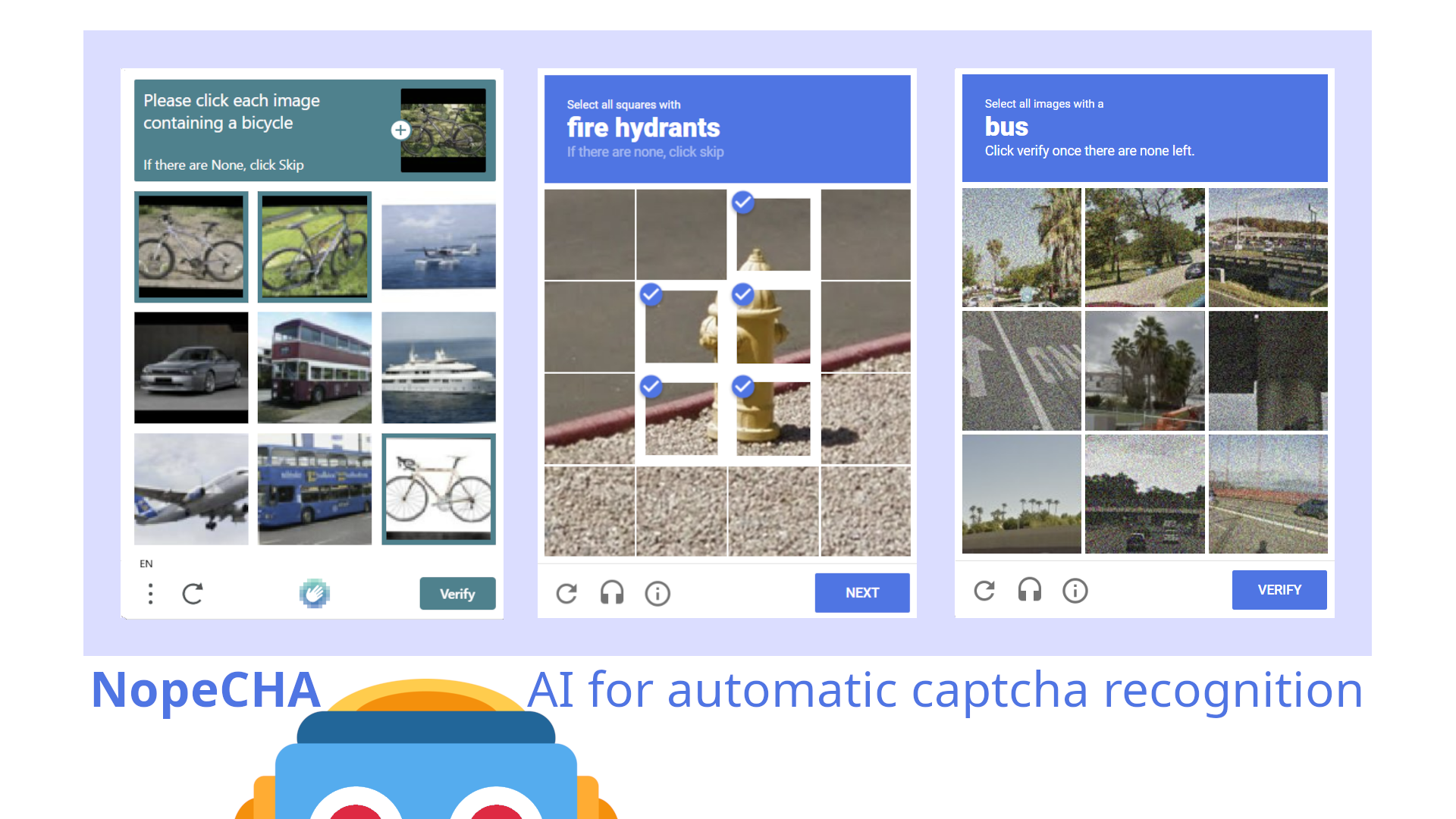
NopeCHA instantly solves captchas for you. Try it in your browser!
amber bough
woven saddle
It is possible to bypass any captcha easily, I even use an extension that solves...
Have you seen the new captchas? not even yolo nas could solve them. The only method is to bypass them with a not very "legal" method
amber bough
woven saddle
It's called https://nopecha.com/
yes ok but those are simple. some new ones are impossible to solve (I struggle 😅 )
woven saddle
amber bough
Have you seen the new captchas? not even yolo nas could solve them. The only met...
What do you mean? and What does not very "legal" mean

It can solve these too!
amber bough
woven saddle
What do you mean? and What does **not very "legal"** mean
no forget it, i was thinking of something like download the image and with https://www.kali.org/tools/hashcat/ to run Tesseract to solve the captcha
woven saddle
amber bough
no forget it, i was thinking of something like download the image and with https...
lol
woven saddle
amber bough
no forget it, i was thinking of something like download the image and with https...
P.S: Is there a memes, channel?
amber bough
woven saddle
P.S: Is there a memes, channel?
not sure what you mean
woven saddle
amber bough
not sure what you mean
nothing...
woven saddle
amber bough
not sure what you mean
I found a nice meme, I put it in off-topic
drifting wren
Bing AI developer has terminated maintenance, are there any other reverse projects?
zinc pebble
drifting wren
Bing AI developer has terminated maintenance, are there any other reverse projec...
what do you mean? did you see an announcement somewhere?

 zinc pebble
@drifting wren good to know, but this is "EdgeGPT". We are not using this library for bing in LibreChat, we are using: https://github.com/waylaidwanderer/node-chatgpt-api
stuck parrot
How to deploy with huggingface, I noticed that the DockerFile file in the project doesn't seem to work in huggingface
zinc pebble
stuck parrot
How to deploy with huggingface, I noticed that the DockerFile file in the projec...
you can clone the project and look at the way we did it here:
https://huggingface.co/spaces/LibreChat/LibreChat/tree/main
we had to enter all the variables from the .env files manually in the "secret" section of "variables and secrets" to make it work. Also social logins do not work on huggingface (they block the callback redirects)
zinc pebble
stuck parrot
How to deploy with huggingface, I noticed that the DockerFile file in the projec...
if you're stuck with huggingface deployment, I got your back. Just drop your questions in this thread and I'll check them out:
https://discord.com/channels/1086345563026489514/1136674701431820348
stuck parrot
thanks
stuck parrot
Whether the Chat GPT accesstoken is supported for login use
For example the project: https://github.com/pengzhile/pandora

GitHub
潘多拉,一个让你呼吸顺畅的ChatGPT。Pandora, a ChatGPT that helps you breathe smoothly. - GitHub - pengzhile/pandora: 潘多拉,一个让你呼吸顺畅的ChatGPT。Pandora, a ChatGPT that helps you breathe smoothly.
edgy crane
stuck parrot
Whether the Chat GPT accesstoken is supported for login use
For example the proj...
hmm I'm curious how it works, looks like they found a bypass thanks to the chatgpt ios app
I will have to use gpt to help me translate