#Stellar Plasma-Assisted Rocket Kinetics (SPARK)
1 messages · Page 8 of 1
 narrow gate
In the video above I had to kludge together a horrible monstrosity just to have two 2.5m engines on a single rocket body
narrow gate
I'm trying to give the radiator pannels an interesting and more ore less plausible texture. One option is some sort of corrugation. You would think that such a regular patern would be common and simple and easy. Maybe it is, but I found zip that was builtin to SP, and only two I could download for free. It just seems that nearly 100% of such things are presented with a massive amount of rust, dirt, gouging, and distress. Presumably since without that it's a pain to add it - but you know what? With it, it's a pain to get rid of it.

Also, why the fuck does the rotation change? I play around and get it OK on one part and then it's 90 freaking degrees wrong on another.
Dispite all my effort zeroing out all the stupid rust and dirt and whatnot, there's still massive gouging in this

It's far from ideal. Any clue where I can get a simple CLEAN currugated material to use in SP? Or a simple way to make one?
Or other suggestions for possible "radiator" material? @broken raptor, what did you use for solar cells? Those aren't radiators, but heck, maybe that's a clue for a where I can find something suitable.
I mean, just look at these! Even Jeb wouldn't fly with radiators looking like thing, and he's nuts!

They're a bit too bright again, too...


Those are the settings except for color. The only way I could find to have it not fuck up color was to disable color as a material property - otherwise it was dead set on beiong a horrid sharde of green with a metric ton of red rust on it.
narrow gate
This seems better... A different material with different configs. Still had to just turn off color. Still can't get rid of all blemishes. If I could tone down the blemishes I'd like that way better!
 nocturne ginkgo
narrow gate
It's far from ideal. Any clue where I can get a simple **CLEAN** currugated mate...
nocturne ginkgo
narrow gate
It's far from ideal. Any clue where I can get a simple **CLEAN** currugated mate...
Maybe you could use this textures as bumb maps with a metal material?

 narrow gate
nocturne ginkgo
Maybe you could use this textures as bumb maps with a metal material?
narrow gate
nocturne ginkgo
Maybe you could use this textures as bumb maps with a metal material?
Nice! Thanks. I'm still very new to Substance Painter, so I'm not sure how to do that. I'll see if You-Tube-U has a course in it. Chances are there's more than one.
nocturne ginkgo
There's also lots of materials you can download for free from the Adobe website (you need an account). Maybe those can interest you:
https://substance3d.adobe.com/community-assets/assets/e4b752355ab0b8fe266734f2eb78b8cf8b2baf94
https://substance3d.adobe.com/community-assets/assets/ee99a1783de0ad0108c848b5983797b71fc80d7a
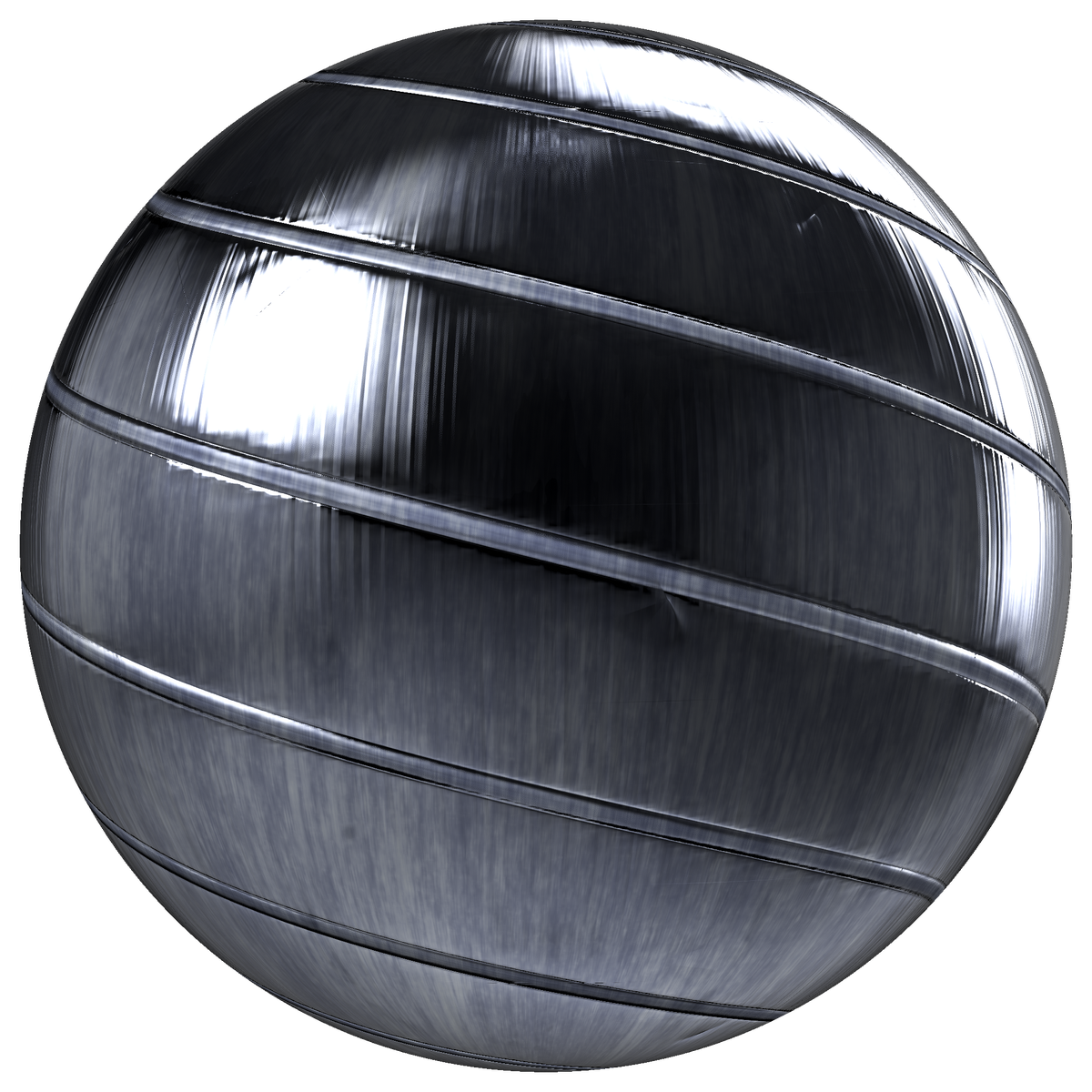
This material was originally published on the CC0 Textures website.
It is posted here as an additional copy.
Visit CC0Textures.com for more free PBR materials.
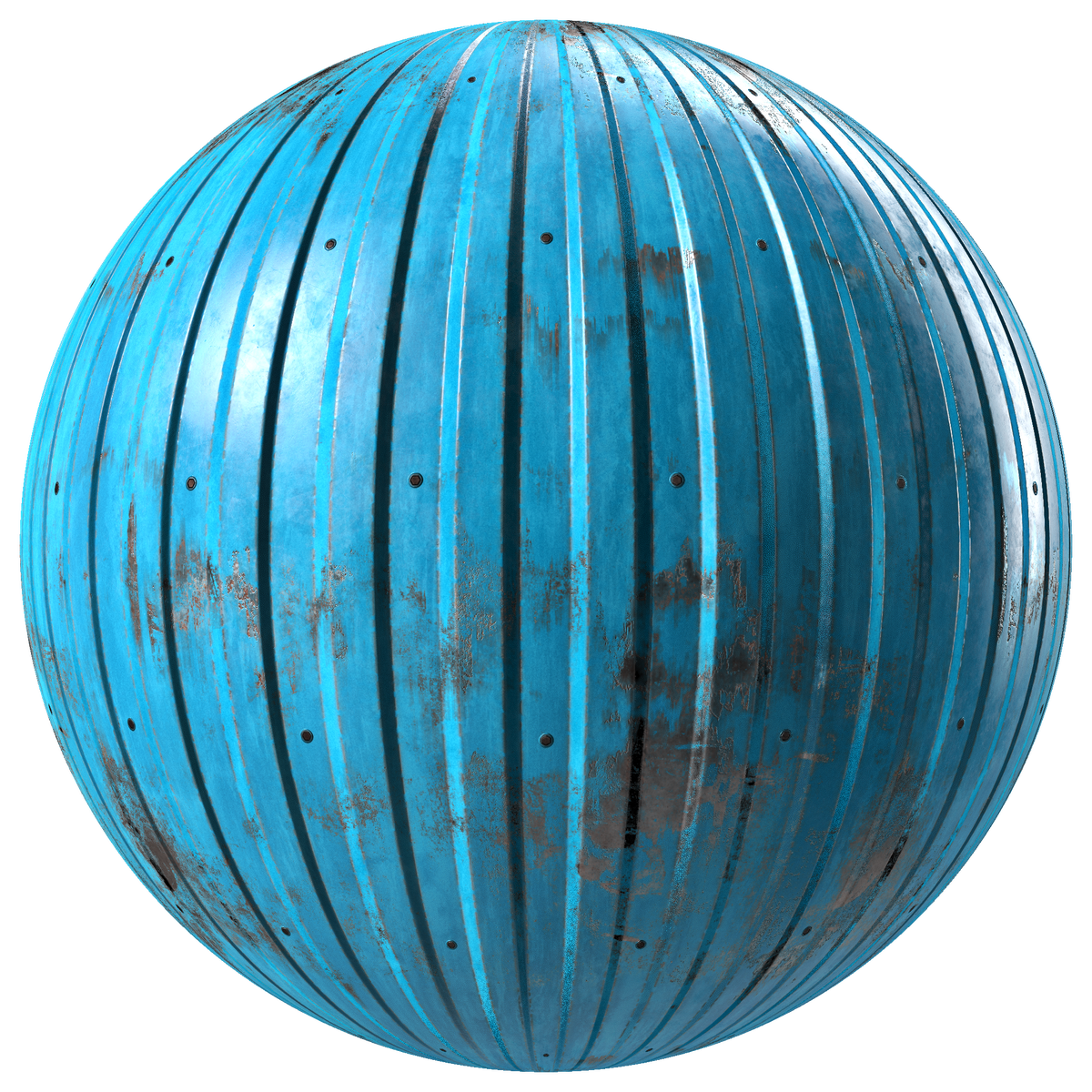
This material was originally published on the CC0 Textures website.
It is posted here as an additional copy.
Visit CC0Textures.com for more free PBR materials.
narrow gate
nocturne ginkgo
There's also lots of materials you can download for free from the Adobe website ...
Thanks! The blue one of those is the one I'm actually using now. I can't seem to get rid of all the blemishes, but I can get it toned down to the point that it doesn't look terrible.
 mint dew
narrow gate
Thanks! The blue one of those is the one I'm actually using now. I can't seem to...
mint dew
narrow gate
Thanks! The blue one of those is the one I'm actually using now. I can't seem to...
Can you show the layer structure of the material?
 mint dew
Ah it's not one with many layers, hmm my idea is gone :/
narrow gate
mint dew
Ah it's not one with many layers, hmm my idea is gone :/
Here's what that engine looks like in game. I've got it sitting next tot he earlier variant.
I'm going to remove the earlier variant as I like the way the radiator panels have turned out and it just makes sense this engine would need them I think.


 nocturne ginkgo
Do you plan to display an error message if it is underpowered?
narrow gate
The game sort of takes care of that for you when you run out of EC. Curiously, if your ship can produce X EC/s, but your engine needs Y (where Y > X), then the engine does still run, albeit at a reduced thrust. That said, nothing else runs as the engine is gobbling up all available power! The only recourse I've found to regain control of the craft is to deactive the engine. In this situation you actually can't just throttle down, as that would require that your craft can be controlled - which it can't be when there's no EC left over for the probe core.
You can solve this problem by employing a throttle limit, so if you know for a fact that your craft is only going to produce 210 EC/s, you might set the MPD-1 to run at no higher than 50% throttle so it only takes 200 EC/s.
Oh, BTW, this mod has swollen to almost 100 MB...
I should probably look at it to see what I can do to get this under control.
nocturne ginkgo
narrow gate
The game sort of takes care of that for you when you run out of EC. Curiously, i...
Interesting. Seems logical.
narrow gate
This mod bloat is actually starting to be problematic on my end. it's gotten to the point where GitHub is complaining about some of the files. Once the zip exceeds 100 MB I'll be in real trouble and not be able to put releases on GitHub. I may still be able to put them on SpaceDock, and I can update GitHub in such a way that CKAN and SpaceWarp are OK with it, but yeah...
nocturne ginkgo
What's taking so much space? The textures?
 serene abyss
nocturne ginkgo
What's taking so much space? The textures?
serene abyss
nocturne ginkgo
What's taking so much space? The textures?
Yes
narrow gate
I’ve just landed an ion engine craft on Tylo, and then taken back off to get back to a stable orbit. It was actually easier with the smallest MPD than with one of the larger ones
narrow gate
@serene abyss / @chilly minnow, any tips on how to add a fairing to an engine? I looked at the stock terrier for an example and basically copied its settings for my MPD-1, but when I place a decoupler on the bottom node I don't get a fairing.

Here's what I've got currently for my module fairing data

Possible issues... I'm using a Size SM example to set up a Size XS engine's fairing. My bottom node is not right at the end of the nozzle like the terrier's is. And basically, I don't know what I'm doing. I think that last issue probably covers all remaining bases.
Length-wise, the Terrier seems closer to the MPD-1 than the Spark, but then the Spark is a stock XS engine with a working fairing. I'll look at that one too and see if I can figure out the mystery.
This is interesting... When I attach a size XS coupling to a Spark I get this

But when I attach my size XS MPD-1 where the coupling is I get this?

It seems the game thinks my Size XS part is really a Size S?
 narrow gate
I tried following the example for the Spark, including placing the bottom node closer to the nozzle, but this did not improve things for me

My fairing data now looks like this
 narrow gate
I believe I’ve sorted out the issue with the fairings. I was building the base of my engines right out to the limit of the given part size. Once I made the base on one of them just a bit smaller the fairing worked fine.
I’ll take a crack at getting the fairings working on all my engines tomorrow
I need to make some argon tanks, too.
narrow gate
OK, all of my engines have working fairings! In retrospect, I don't think the fairing failures I was having before necessarily related to clipping of the part mesh and the fairing. I think it was partly the fairing module settings I'd tried at first not being right coupled with one of the dumbest mistakes you can make - apply the override but don't resave the part json. In any event, the fairings appear to be working - at least they build nicely in the VAB.
In the course of doing this, I did wind up changing some of the meshes - in particular for the MPD's, so now I'm re-doing those in Substance Painter.
Here are the CorrugatedSteel parameters I've gone with for the MPD-1. A little different than before, maybe not quite so busy.


I've left the default color settings alone this time and just switched off the color material, placing this after the KSP2_DarkSteel material (which is also applied)
narrow gate
The settings above were used on the Size XS MPD-1. For the Size S MPD-2 it's this

same settings on waves
narrow gate
And similarly for the Size-M MPD-3

Good news! The fairlings work on all the engines, and the engines look pretty good. Weird news... 100% of my plumes are now red - and I've got no idea why. They look blue in my Unity package where I model them, but in the game they're all red.
narrow gate
@serene abyss, I'm getting red colored plumes on all of my engines, including ones where I've not messed with the plume json since 9/22. They should all be blue, but every one of them is red. Any idea what might cause this?
narrow gate
serene abyss
Got a pic?

Those are the MPDs, but the nested hall thrusters are doing the same thing
The emission is fine inside the nozzles, but for some reason the plumes are all red.
The color should be this I think
"_EndTint": { "r": 0.0, "g": 0.243137255, "b": 1.0, "a": 1.0
Every one of my engines has turned from blue to red on the plume, including ones I've not been fiddling with in a while.
I've got LFO 0.9.0 installed from CKAN I believe
Yep, that's my color

Looks fine in Unity

 narrow gate
serene abyss
Ask lux
narrow gate
serene abyss
Ask lux
Thanks for taking a look. I've been wracking my brains on this one for a while. I haven't seen Lux online in days. I hope he's OK.
serene abyss
Oh true
Tbh i havent even tried to export a plume from there ive been really busy with school
narrow gate
Yeah, the export part is fairly easy. Hope your school is going well!
 slender heart
Have the plumes been added to the release version?
narrow gate
slender heart
Have the plumes been added to the release version?
There are plumes in the released version - or there should be. Are you not getting plumes?
Check in BepInEx\plugins\SPARK\assets\plumes. You should see something about like this, except that this is a snapshot of my dev branch as so some dates and file names may be different.
 narrow gate
slender heart
Have the plumes been added to the release version?
narrow gate
slender heart
Have the plumes been added to the release version?
Ahh, I see the issue. For some reason the released version did not get all of the plumes. I did a quick wipe and reinstall using CKAN and see this in the plumes folder installed that way.

For some reason it's missing the plume definitions for the MPD-2 (spark_mpd_sm_v2.json) and MPD-3 (spark_mpd_md_v2.json). Looks like it's got plume definitions for the DS4G-1, X2, X3, X4, and SPT-100 though. I'll test the plume files I've got for those with the 0.1.4 version to see if they work, and if they do I'll repackage that version and update it.
 coral orbit
I feel like plumes should be able to be defined in addressables for loading speed reasons but meh
narrow gate
It's possible that in the future they will be, but this is how LFO works today.
narrow gate


Other that there's something wonky with the color (these plumes should be blue, not red), and the fact that the MPD-2's plume is set to an incorrect location, all are working (if the files are present). I'll tweak the values in the MPD-2 plume file and repack the SPARK 0.1.4 so it ships correctly with all needed plume files.

God, I wish I knew why they've turned red like this... It almost makes me want to put a yellow hammer and sickle emissive on the MPD-3 radiator...
 narrow gate
There! All better (other than the color)

Drop those bad boys in your plumes folder and you'll be good to go.
narrow gate
Hotfix for SPARK (ironically 0.1.4.1... I did not plan it that way!) is up on SpaceDock and will be on CKAN in not to long.
slender heart
Thank you
narrow gate
@gritty pendant, I think I may be close to having a working VASIMR engine. I took another look at the Throttle Isp Curve Atm Strength and Throttle Isp Curve curves and I think I've got them sorted out. Basically, the Throttle Isp Curve Atm Strength replaces the Atmosphere Curve, and then the Throttle Isp Curve modifies the result from that based on throttle. It's not clear why the game needs both Throttle Isp Curve Atm Strength and Atmosphere Curve given that - so perhaps I'm not yet understanding them or using them correctly, but here's what I seem to be able to do.
I've set Throttle Isp Curve Atm Strength to describe the 0.75 throttle position for a VASIMR engine that's basically the same as the KSP1 VX-100 Helicon.
 gritty pendant
well the atmosphere one change the thrust when you are in an atmosphere, that's all
narrow gate
So, max Isp of 4000, and a min of 40s at 1 Atm, and 0.001s at 1.2 Atm
narrow gate
gritty pendant
well the atmosphere one change the thrust when you are in an atmosphere, that's ...
Yes, true. And all my testing is in space, so basically I get 4000s when the throttle is at 0.75
With the Throttle Isp Curve, I've set it to give me 1.25 x Isp at throttle from 0 - 0.5, 1.0x Isp at throttle 0.75, and 0.75 x Isp at 1.0 throttle.
I seem to be getting just what I've asked for, though I don't have a good way of reading out the Isp
So instead I just look at the available Delta v and sort it out that way.
narrow gate
@odd crescent , is there a way in ME to display the current Isp?
Nevermind! Found it


Soo... I've got 5k Isp from throttle 0 - 0.5, and get 5.2 kN of thrust at 0.5 (higher than I should be getting I think), then it falls to 4027s at 0.75 throttle with 6.2 kN (exactly what I think I should be getting), then falls to 3000s at full throttle, but the thrust is still just 6.2kN when it should be 8.3kN
narrow gate
Here's a pre-release of SPARK for 0.1.5. This link is good for about a week I think, so it won't last, but I should have a proper release before then. https://we.tl/t-DYcCZq9ZjP
1 file sent via WeTransfer, the simplest way to send your files around the world
This is not in an ideal state at all! I've removed the dependency on LFO, and it really should have dependencies on Patch Manager and Cummunity Resources too. If you try to use any of the Lithium parts (tanks or engines) it will blow up your log with errors, but maybe the Xenon parts work. There's a bonus of a not-quite-right VASIMR engine in there (but it just reuses the mesh from the Size S MPD).
 sacred crag


I was able to use the lithium engines you added to finally make a Duna probe plane!
Took off and landed elegantly
The TWR of the engine is so good that the huge wings aren't even necessary, but I like to imagine that the giant wings are also acting as a big radiator for the engine
narrow gate
sacred crag
The TWR of the engine is so good that the huge wings aren't even necessary, but ...
Nice! Glad it's working for you!
Cool duna probe plane, too!
sacred crag
Yeah its great. The one thing I was confused about was the lack of an engine plume
Did I forget a dependency or does the engine plume just not work in atmosphere?
sacred crag
Ahhh
 mellow patrol
hey there, I noticed that SPARK has been marked as updated for 0.2.0 on SpaceDock, I just wanted to let you know that in the current version (and with the current version of LFO), plumes don't work
it's because I removed the SPARK-specific textures from it, because with the newest LFO version, you can now bundle your own assets into addressables that LFO will automatically load
narrow gate
Awww nuts. Thanks for letting me know
mellow patrol
but the good news is that I made it as simple as it can be
narrow gate
Is there any sort of guide on what I need to do to bundle the plume assets?
mellow patrol
basically, nothing
if you use the newest versions of KSP2 Unity Tools and LFO, just clicking "Save plume" will basically do all the work for you
and then you just build addressables
it goes through your plumes, finds any referenced assets that are not part of the LFO package, and automatically adds them to addresables with the correct label, and it does the same for the plume config
I'm not sure which version of LFO your project is using, if it's in the Package Manager, you should be able to just click Update to get the newest one
if you have an LFO folder in your Assets, which is the older version, you'll just need to delete that and install the new package from git url
narrow gate
It's probably the latter
narrow gate
@mellow patrol I seem to be stuck at Unity Hub. I tried launching that to get to my project (I had 3.6.0) and when I clicked on the big blue Sign In button it got stuck opening a web page with this error

I tried pausing my VPN, but that made no difference, and I tried reinstalling Unity Hub (which I've got a 3.7.0 now) and that also made no difference. It seems I can't even open my project to attempt to fix it.
Going direct to a unity project and double clicking that to launch it gives me the unity splash screen, then brings up unity hub and I'm stuck again that way.
 uncut kiln
@narrow gate seems like a firewall issue? https://www.reddit.com/r/Unity3D/comments/190qo1l/problem_issue_with_unityhub_login_on_idunitycom/
 narrow gate
Yeah that does seem to be the issue I'm having, and I do have Nord VPN. I tried pausing my VPN, but that didn't help. I'll look for threat protection to see if that's something I can temporarily switch off or configure.
Yep, that was it.

Rat bastards...
Now I'll have to figure out how to tell those bozos to knock it off.
narrow gate
mellow patrol
I definitely haven't encountered that before
Here's a different problem you might be able to help with. I moved all my KSP2 mod development folders off of C:\ to a new F:\ drive to free up space on the boot drive, consequently Unity hub starts up with no projects. I've got got two unitypackage files in my SPARK folder and I'm not sure which one is the right one as they've both got modification dates from late October 2023 (10/25 and 10/28). If I try to open either one directly by double clicking on the unitypackage file it doesn't open, and if I use Unity Hub to attempt to Add a package from my file system it acts like these files don't exist when I navigate to F:\KSP2Mods\SPARK.
narrow gate
Nope, Spark
mellow patrol
you have unitypackages for SPARK?
narrow gate
It seems I do
narrow gate
 mellow patrol
it seems like Discord's image upload is currently broken
narrow gate
mellow patrol
Unity projects are just folders
See? You're already helping!
mellow patrol
at the very least for me (can't see the image you've sent nor any that I send)
 mellow patrol
nope
still can't see the image
all I get is a file which when I click on, it opens in the browser with a network error
narrow gate
I tried pointing Unity Hub to the F:\KSP2Mods\SPARK folder and it gave me "Project failed to open. This project is not valid."
My hunch is I need to point it to a folder down inside this folder and not to the top level.
mellow patrol
it's possible
the folder you want will have the folders Assets and ProjectSettings
at least
narrow gate
That got me unstuck!
mellow patrol
great!
narrow gate
The LFO I've got is in the package manager. Looks like I've got 0.10.0-alpha1
Updating...
mellow patrol
ha, then you must have been my guinea pig when I was working on the rewrite
narrow gate
I now appear to have 1.0.0
mellow patrol
that is correct
narrow gate
Also I'm on ThunderKit 8.0.4. Does that need an update too?
mellow patrol
it will be helpful, because you won't need the Fix Unity button anymore
narrow gate
Updated KSP2 Unity Tools from 0.5.0 to 0.8.3...
mellow patrol
after updating ThunderKit, you will need to remove KSP2 in the Package Manager, restart, and then import it again
narrow gate
OK, good to know. I just updated TK to 8.0.5
Can/should I have Import Project Settings set to All now?
mellow patrol
yes!
narrow gate
Or "Everything" rather.
For Disable Assembly Updater, should I pick "Restart Project" or "No Thanks"? I recall I used to always tell it No Thanks
narrow gate
There were two and I did pick Restart each time. Both times it asked me if I wanted to enter safe mode because of compilation errors, and both times I picked Ignore as I recall that was the right response in the past.
mellow patrol
hm, I don't like the sound of that after the 2nd restart
are there errors in the console?
narrow gate
Yes, there are. 11 of them, and 20 warnings
For example: [Worker0] TypeLoadException: Could not load type KSP.Modules.Module_Drag, Assembly-CSharp, Version=0.0.0.0, Culture=neutral, PublicKeyToken=null while decoding custom attribute: (null)
System.MonoCustomAttrs.GetCustomAttributesBase (System.Reflection.ICustomAttributeProvider obj, System.Type attributeType, System.Boolean inheritedOnly) (at <eef08f56e2e042f1b3027eca477293d9>:0)
System.MonoCustomAttrs.GetCustomAttributes (System.Reflection.ICustomAttributeProvider obj, System.Type attributeType, System.Boolean inherit) (at <eef08f56e2e042f1b3027eca477293d9>:0)
System.RuntimeType.GetCustomAttributes (System.Type attributeType, System.Boolean inherit) (at <eef08f56e2e042f1b3027eca477293d9>:0)
UnityEditor.CustomEditorAttributes.Rebuild () (at <bf6080dbf0564cf1b405dfd6e0dac725>:0)
UnityEditor.CustomEditorAttributes.FindCustomEditorTypeByType (System.Type type, System.Boolean multiEdit) (at <bf6080dbf0564cf1b405dfd6e0dac725>:0)
UnityEditor.CustomEditorAttributes.FindCustomEditorType (UnityEngine.Object o, System.Boolean multiEdit) (at <bf6080dbf0564cf1b405dfd6e0dac725>:0)
UnityEditor.AssetPreviewUpdater.CreatePreview (UnityEngine.Object obj, UnityEngine.Object[] subAssets, System.String assetPath, System.Int32 width, System.Int32 height) (at <bf6080dbf0564cf1b405dfd6e0dac725>:0)
UnityEditor.AssetPreviewUpdater.CreatePreviewForAsset (UnityEngine.Object obj, UnityEngine.Object[] subAssets, System.String assetPath) (at <bf6080dbf0564cf1b405dfd6e0dac725>:0)
narrow gate
The warnings were all of the sort: GameObject (named 'X2 Plume') references runtime script in scene file. Fixing!
Well, not all. There were these two: Setting a NavMeshArea cost less than one can give unexpected results.
ThisScriptFixesUnity could not be generated because of a hash conflict. Please choose a different name for the class if you need it to be accessible in the editor.
mellow patrol
narrow gate
Well, not all. There were these two: Setting a NavMeshArea cost less than one ca...
yeah that one tends to pop up, that's ok
mellow patrol
narrow gate
ThisScriptFixesUnity could not be generated because of a hash conflict. Please c...
you can delete that file
it's from the "Fix Unity" button in KSP2 Unity Tools
which should no longer be needed
coral orbit
Why the fuck would that cause an hash conflict????
mellow patrol
I have no clue
but the more troublesome part is the type load error for the game modules
narrow gate
So, delete FixUnity.cs, right?
mellow patrol
that's a thing you have?
it might be from an older KSP2UT version if that's the case, I don't even remember that
narrow gate
It's in the PAckageCache
mellow patrol
ah then no, that's part of KSP2UT
coral orbit
FixUnity.cs is just the editor code for generating that script
mellow patrol
You can update KSP2 Unity Tools again, it removes the Fix Unity button
narrow gate
How about errors like these?
'LFO.Shared.Components.LFOThrottleData' is missing the class attribute 'ExtensionOfNativeClass'! 'LFO.Shared.Components.LFOThrottleDataMasterGroup' is missing the class attribute 'ExtensionOfNativeClass'!
mellow patrol
what the hell does that mean
narrow gate
I don't know, but I updated KSP2 UT again and am relaunching
mellow patrol
alright from a quick Google search, you can first try to close Unity, delete the Library folder, and restart
narrow gate
No errors!
mellow patrol
ah
narrow gate
One warning
mellow patrol
that's good
mellow patrol
narrow gate
One warning
what is it?
narrow gate
Setting a NavMeshArea cost less than one can give unexpected results.
mellow patrol
ah then great
no clue what it means but it almost always appears, even in just UI projects
hasn't caused any issues yet
narrow gate
It seems I've recovered my SPARK project, now I just need to do what you described above to package the plumes?
mellow patrol
so, do you have the profile textures in your project?
I know they were inside LFO before, so I'm not sure if you also have a copy of them
if not, you can just grab them from an older version of LFO from GitHub
narrow gate
mellow patrol
so, do you have the profile textures in your project?
I believe the answer is generally no.
That said, I do have the textures, just not in the project
At least I think I do...
The last time I worked on this the process was to create variants that I developed the plume on, and the main objects just had a bare Plume object in their structure at the right place
mellow patrol
narrow gate
That said, I do *have* the textures, just not in the project
just in case you don't find them, they're also here: https://github.com/KSP2Community/LFO.Editor/tree/604391036595085295d9ed16b3ab9e5e5ed60f3c/Assets/Profiles
GitHub
Unity package for creating LFO plumes. Contribute to KSP2Community/LFO.Editor development by creating an account on GitHub.
all the ones starting with spark_
mellow patrol
narrow gate
The last time I worked on this the process was to create variants that I develop...
Yep, that is still correct
narrow gate
Under Packages\LFO Editor Tools\Assets\Profiles I see what look like a lot of my stuff, including things beginning with "spark_"
narrow gate
Perhaps they were left over from the 0.10.0-alpha1?
mellow patrol
I just didn't add them to the addressables
but they're still in the package itself
so they just don't load in game
in that case you can just copy them over from there
and I'll push a quick update for LFO.Editor
narrow gate
OK, so I can see my old prefab variants and they seem to have plumes on them. Using a prefab variant with a plume, what is it I need to do with LFO? Right click on plume, pick LFO, and... ? The options I see are Create Plume from JSON, New Mesh Plume, New Volumetric Plume, New Volumetric Profiled Plume.
I think I may be approaching this wrong.
mellow patrol
just give me a sec to update the package, that will probably be necessary for this to work
narrow gate
OK, no hurry.
mellow patrol
aaaaaa doing this on a spotty train wifi really sucks
narrow gate
I'm going to mess around with TNO and some other Unity projects to see if I can get those squared away and able to open again now.
I opened the FP UI just fine and I suspect it (and others like it) may not need much/any work to recover
mellow patrol
I wanted to test the changes in the package locally, first, but I don't think I'll be able to right now, since opening Unity projects on the new laptop requires them to download ~50 MB of packages first, and that seems to be an impossible task for this connection
so I'll just push the changes and hope for the best
narrow gate
Curiously with TNO I seem to have a pretty messed up KSP2 Unity Tools. It's not listed in the Package Manager (so presumably not installed from Git?) and it's definitely giving me errors in the console. I've updated TK to 8.0.5, removed and reinstalled the game which now shows 0.2.0. I think I need to find and remove the old KSP2 Unity Tools inside that project and install from Git
mellow patrol
Yeah, you most likely have a pre-package version
narrow gate
KSP2 UT does not show in the list of packages
mellow patrol
that's what I mean
you'll probably have the folders KSP2UnityTools and Gizmos
you'll need to delete those
narrow gate
Just delete the KSP2UnityTools folder under Assets?
I did not see a Gizmos folder...
mellow patrol
that's weird
narrow gate
wholy molly. 40 errors on reopening TNO after doing a KSP2 UT instal from Git.
Maybe the order of updates was wrong?
I think I did TK, then KSP, and then KSP2UT
But all the errors are PAckageCache related...
mellow patrol
that should be fine
try closing Unity and deleting the Library folder
that contains all the cached stuff
by the way, the update for the LFO.Editor package should be up now
narrow gate
Can/should I just delete the packageCache or delete the whole Library folder instead?
mellow patrol
the whole folder is better I think
narrow gate
I may have done that wrong. I exited the TNO Unity project (but not other projects or the hub), nuked the Library folder, and then re-opened it and I've still got 40 PackageCache errors, plus 15 assorted warnings
Those all follow the message about rebuilding the Library
mellow patrol
oh god
narrow gate
For example: A meta data file (.meta) exists but its folder 'Packages/ksp2community.ksp2unitytools/Assets/StreamingAssets' can't be found, and has been created. Empty directories cannot be stored in version control, so it's assumed that the meta data file is for an empty directory in version control. When moving or deleting folders outside of Unity, please ensure that the corresponding .meta file is moved or deleted along with it.
narrow gate
I have several of these, but suspect I can ignore them: A polygon of Mesh 'Upper Truss' in Assets/TNO/Parts/tno_fps400/fps-400_top.fbx is self-intersecting and has been discarded.
mellow patrol
no idea about those, but seems like something is wrong with the geometry of the model
narrow gate
And a few of these: Packages/com.passivepicasso.thunderkit/USS/markdown.uss (line 20): warning: Unknown property '-unity-word-wrap' (did you mean '-unity-font'?)
-unity-word-wrap: true
mellow patrol
those are also all fine
the warnings are generally nothing to worry about
the errors are the worse part
mellow patrol
you may have to update your plumes so that the profile textures point to their new location inside your project
narrow gate
That sounds like maybe drag a copy onto Mesh Renderer to replace something like X2 Plume Plume Material
mellow patrol
you shouldn't need to replace materials
narrow gate
Hmmm... it seems my profiled plumes are all goofed up now that I've got LFO 1.0.1. Perhaps that is to be expected and I need to fix them
The looked OK prior to this
mellow patrol
even after you reassigned the correct profile textures?
 mellow patrol
I'll be getting off the train soon, I'll get back to you when I get home
narrow gate
mellow patrol
even after you reassigned the correct profile textures?
I'm fuzzy on this step
Figured it out!
narrow gate
mellow patrol
I'll be getting off the train soon, I'll get back to you when I get home
Hey, not quite sure what the next step is. All the plumes look OK in the prefabs. Also, I'm getting this error
TypeLoadException: Could not load type KSP.Modules.Module_Drag, Assembly-CSharp, Version=0.0.0.0, Culture=neutral, PublicKeyToken=null while decoding custom attribute: (null) System.MonoCustomAttrs.GetCustomAttributesBase (System.Reflection.ICustomAttributeProvider obj, System.Type attributeType, System.Boolean inheritedOnly) (at <eef08f56e2e042f1b3027eca477293d9>:0) System.MonoCustomAttrs.GetCustomAttributes (System.Reflection.ICustomAttributeProvider obj, System.Type attributeType, System.Boolean inherit) (at <eef08f56e2e042f1b3027eca477293d9>:0) System.RuntimeType.GetCustomAttributes (System.Type attributeType, System.Boolean inherit) (at <eef08f56e2e042f1b3027eca477293d9>:0) UnityEditor.CustomEditorAttributes.Rebuild () (at <bf6080dbf0564cf1b405dfd6e0dac725>:0) UnityEditor.CustomEditorAttributes.FindCustomEditorTypeByType (System.Type type, System.Boolean multiEdit) (at <bf6080dbf0564cf1b405dfd6e0dac725>:0) UnityEditor.CustomEditorAttributes.FindCustomEditorType (UnityEngine.Object o, System.Boolean multiEdit) (at <bf6080dbf0564cf1b405dfd6e0dac725>:0) UnityEditor.DockArea:OnEnable() UnityEditorInternal.InternalEditorUtility:LoadSerializedFileAndForget(String) UnityEditor.WindowLayout:LoadDefaultWindowPreferences()
narrow gate
What about this one?
TypeLoadException: Could not resolve type with token 01000045 from typeref (expected class 'KSP.CorePartData' in assembly 'Assembly-CSharp, Version=0.0.0.0, Culture=neutral, PublicKeyToken=null') System.Reflection.MonoMethodInfo.GetMethodInfo (System.IntPtr handle) (at <eef08f56e2e042f1b3027eca477293d9>:0) System.Reflection.MonoMethodInfo.GetDeclaringType (System.IntPtr handle) (at <eef08f56e2e042f1b3027eca477293d9>:0) System.Reflection.RuntimeMethodInfo.get_DeclaringType () (at <eef08f56e2e042f1b3027eca477293d9>:0) UnityEditor.AttributeHelper+<>c__DisplayClass1_0.<ExtractGizmos>b__0 (System.Reflection.MethodInfo m) (at <bf6080dbf0564cf1b405dfd6e0dac725>:0) System.Linq.Enumerable+WhereEnumerableIterator1[TSource].MoveNext () (at <de4a1a1490a74771a34fee0d1d586658>:0)
UnityEditor.AttributeHelper.ExtractGizmos (System.Reflection.Assembly assembly) (at <bf6080dbf0564cf1b405dfd6e0dac725>:0)`
There is also this one
'LFO.Shared.Components.LFOThrottleData' is missing the class attribute 'ExtensionOfNativeClass'!
and this one
'LFO.Shared.Components.LFOThrottleDataMasterGroup' is missing the class attribute 'ExtensionOfNativeClass'!
narrow gate
I've apparently resurrected them in trying to get rid of the other one.
Closing and reopening now to see if that helps
mellow patrol
honestly with all this effort, it might be faster to just start fresh...
narrow gate
Nope. I get the NavMeshArea warning, then those three, then a bunch of plume warnings, then the other error from above
mellow patrol
narrow gate
What about this one?
`TypeLoadException: Could not resolve type with token 01000...
when you create a new game object and try to add the Core Part Data component, does Unity find it?
narrow gate
mellow patrol
honestly with all this effort, it might be faster to just start fresh...
I may have something badly screwed up here. I can't see any settings for my parts.
 mellow patrol
when you create a new game object and try to add the Core Part Data component, d...
mellow patrol
mellow patrol
when you create a new game object and try to add the Core Part Data component, d...
what about this?
it kinda sounds like your KSP import just didn't work properly
narrow gate
When I create a new Game Object there's no option to add a component to it (or possibly I'm just doing that part wrong)
 mellow patrol
what the hell
it's not even KSP2 import gone wrong
your whole Unity is somehow broken
well, the project, at the very least
narrow gate
I'm wondering if the unitypackage files from 10/25 and 10/28 aren't part of some attempt back then to rebuild the project.
mellow patrol
it's totally possible
narrow gate
double clicking on one takes me to an Import Unity Package window that has a lot of content in it including a cpp_vikas_1v_icon.png, but mainly it's all SPARK stuff. Also has all the part JSONs.
Looks like the one I opened was perhaps a then current SPARK package plus some cpp vikas engine stuff
Seems you can check off the things you want to import from the file. It also warns you when there's already something by the same name in the existing project with a different GUID
It also identifies which things are new or changed from what you currently have
I'll try the create new project route and see if I can get it to play nicer that way.
mellow patrol
yeah that's probably for the best
narrow gate
OK, starting from scratch, I ran into the 40 PackageCache errors right off. Steps were as follows
- Create a brand new package (3D)
- Add Addressables package from Unity Registry
- Add KSP2 Unity Tools from Git
Should I have added TK before 3 and imported the game first?
narrow gate
OK, I've got an empty project without any errors and I have TK 8.0.5 and KSP2UT 0.8.4. I need LFO, and then I'll try importing the stuff from the unitypackage file that I don't have.
I'm selecting everything from the unitypackage file except LFO stuff and TK stuff
this is looking much better! Parts seem to have proper-looking stuff in them, and there are no errors, only the one NavMeshArea cost warning
I'll see about re-fixing the plumes now. That won't take long I think.
narrow gate
@mellow patrol I've got the project working - it turned out to be easier to fix the old one than to make the new one from scratch work. The old one had some TK Install folder in the Assets right below ThunderKitSettings that was leftover from something. Since the new one didn't have that I tried deleting it and that fixed things so now I see all the stuff that should be in the parts, and the plumes all work on my prefab variants.
The question I've got now is: What's next? My plumes are only modeled on prefab variants, not on the prefabs themselves, so I don't see how they would get placed into addressables. Doing it that was was specifically so that things didn't get placed in the addressables as the old LFO would need to overwrite those or something like that
For example, here's the SPT100 prefab

The Plume object is bare with nothing in it

Here's the variant (unpacked) with a modeled plume under the Plume object, where the Plume object has an LFO Throttle Data Master Group in it


Do I keep things this way with plumes modeled on prefab variants, or do I need to move all that onto the prefabs themselves? Or is there some other thing I need to do?
mellow patrol
Just keep it like this, and click Save plume
that should be the whole thing done
at least if you've got KSP2 Unity Tools set up with your mod's info
narrow gate
Does that applie to only the volumetric profiled plumes, or to all plumes in general?
 narrow gate
Yep, I've been mowing through them all clicking that button
mellow patrol
and the result should be plume configs with the "lfo_configs" label in addressables

and, in case of the profiled plumes, also the profile textures in addressables with I think "lfo_assets" as the label
that should all be automatically added when you click Save plume
narrow gate
mellow patrol
and the result should be plume configs with the "lfo_configs" label in addressab...
that ss is only showing the normal three things in assets for the json, prefab, and icon. All three of those were already present for each of my parts
So I don't see anything obviously different there after pressing Save Plume button
mellow patrol
I'm slightly confused
are you saying that the screenshot itself doesn't have the plume config, or that your project doesn't?
anything in the console?
narrow gate
Oh, I see it now in your ss. I was mis reading your ss. But I am also saying I'm not getting that in mine
 mellow patrol
you should have something like this set up
mellow patrol
mellow patrol
you should have something like this set up
that looks like you don't have the KSP2UT set up
narrow gate
Actually, those are tanks, let me show you engines.
mellow patrol
because everything is in the default local group in your screenshot
but it should be in the group with the name of your mod

 mellow patrol
yeah
narrow gate
I was wondering where that one came from
mellow patrol
you should be able to just select all the assets above it and move them into the new group
since that one is now the default one, and should be used for all assets
it's managed automatically by KSP2UT
 mellow patrol
yeah that looks ok
narrow gate
My theory is that with the prefab variant unpacked, nothing gets back to the Prefab
mellow patrol
so they have "Don't use addressables" checked
mellow patrol
narrow gate
My theory is that with the prefab variant unpacked, nothing gets back to the Pre...
nothing is supposed to go back to the prefab
it's saved completely separately
narrow gate
Ahhh, so they don't!
mellow patrol
the issue here is that you need to uncheck "Don't use addressables"
narrow gate
I'll uncheck that and see what happens
mellow patrol
yep
narrow gate
 mellow patrol
there we go!
narrow gate
It's taking effect now it seems
So, I get two json addressables?
There's one under lfo/ and one not
mellow patrol
yes, one of them is your part config, the other one is your plume json
narrow gate
And the lfo/..._plume is the profile?
mellow patrol
yep, that's the texture
narrow gate
Gotcha. OK, I can work with this!
mellow patrol
and you can delete the plugin_template/assets/plumes folder now
since plumes will be in addressables instead
narrow gate
For the non-custom profiled plumes I'm only getting one lfo/...json, which is probably fine since those use built-in textures.
for example the ds4g1
 mellow patrol
yep that's expected
only plumes where you reference assets that are not in the core LFO package will add lfo_assets
for example it would also apply if you were using a custom mesh for the additive mesh-based plumes
narrow gate
This is making sense, but I do have one question. Is it still correct procedure when using LFO that you must do plume development in a prefab variant and should not do it in the base prefab?
I ask because it seems things are working a bit differently so I want to make sure I understand
By "things" I mean the process for making these things.
mellow patrol
yeah, that is still the way
narrow gate
OK, good to know!
mellow patrol
you don't want the main prefab to contain anything else plume-related than the empty top level plume object
narrow gate
Hopefully I'll have a new version of SPRAK out today then. I need to review my process notes for making the release, but I think other than making the release it may be ready to test.
If I can test and the plumes are there then I can release!
narrow gate
I have some ideas about what FP needs too, but that's a much bigger effort and should be discussed on that channel. At the very least Falki's find has given me a solid theory for why return from moon and interplanetary transfers are misbehaving so badly.
mellow patrol
oh and there are two more new things related to part mods
first one is, you will need to set the tag DragCubeMesh for all the game objects that have a mesh renderer, like here: #🔴mod-dev message
before, it used to be setting the layer to Render.DragRender, but it has changed since
without this change, no parts will have any drag
and the second is that since there's now reentry effects, if you want your parts to have them, you'll need to set up special meshes and add the new reentry shader by JiMKesa to them (it's included with KSP2 Unity Tools)
that will be slightly more complicated (and I haven't done it so I don't know the full process), but either JiMKesa, IsaQuest or Safarte should be able to help with that, since they've all done it now
the parts will work just fine without it, but they won't have any flames when reentering
narrow gate
That does sound more complex. I'm still trying to sort out where I set the DragCubeMesh tag.
mellow patrol

on all the objects that have a Mesh Renderer component
at least I hope so
it was like that before for the layer, so I'm assuming that hasn't changed
narrow gate
mellow patrol
on all the objects that have a Mesh Renderer component
Isn't that basically all objects?
mellow patrol
well, not really
 narrow gate
I never did anything with drag before, so that's all new to me
mellow patrol
for example in the screenshot, only Exhaust Port, Fuel Inlet Pipe and Fuel Pump are meshes
the rest are empty objects with some (or no) other components
 mellow patrol
I mean, does it have a mesh renderer?
I would assume it goes on the specific objects below it, like Base Adapter, etc.
narrow gate
Ahhh, you mean like this!
 mellow patrol
yes!
narrow gate
So in my case there will be many of these, very many
mellow patrol
yeaah
narrow gate
I tend to make a lot of individual meshes in my parts rather than joining things
mellow patrol
the one disadvantage I can see with that approach is that it might be slightly more performance-heavy
since it will need to calculate a lot of separate drag cubes
narrow gate
OK, then - a bit of tedium, but once it's done it's done
narrow gate
mellow patrol
the one disadvantage I can see with that approach is that it might be slightly m...
That may be. I suppose I could look at updating parts sometime down the line if that becomes an issue.
When I click on the Untagged I get a huge list, and don't see DragCubeMesh in there
 mellow patrol
not even when you scroll down?
narrow gate
OK, I found it, but scrolling is absurbly painful. It doesn't scroll with the mouse wheel, I have to click the GD down arrow for one line at a time and it's a bunch of lines down...
This is not really OK
mellow patrol
you can do this:
narrow gate
There has got to be a better way
mellow patrol
you can do that with basically any inspector property
coral orbit
I should add a button onto KSP2UT
mellow patrol
coral orbit
I should add a button onto KSP2UT
that would be very nice
narrow gate
OK, that is a better way. Why is it that scrolling is/needs-to-be so painful here?
Is this a Unity Editor thing or something we can affect
?
mellow patrol
narrow gate
OK, that *is* a better way. Why is it that scrolling is/needs-to-be so painful h...
I think it's just the way Windows context menus work
coral orbit
Can you not type the first letter to skip down there?
narrow gate
coral orbit
Can you not type the first letter to skip down there?
you cannot
I tried that right away
coral orbit
:/
mellow patrol
yeah, they are sorted by their IDs
similarly to the layers
so basically, in the order that the devs add them, I would guess
narrow gate
mellow patrol
so basically, in the order that the devs add them, I would guess
Those bastards! What were they thinking... 🙂
coral orbit
Yep, then i have to add a button to set up drag cube rendering
narrow gate
Next stupid question... How do I get the layer set properly? Picking the DragCubeMesh is one thing (it's in the list), but picking the layer I have the opposite problem. The list is short and what I need isn't on it.
mellow patrol
it's no longer necessary
narrow gate
 mellow patrol
it doesn't do anything
narrow gate
Oh, so just leve it set to Default then
mellow patrol
yup
narrow gate
Okie dokie! I'm off to the races then with some copy/pasting
I'm wondering if previously (in 0.1.5 and before) my parts were not generating drag...
Or are they just not generating drag now in 0.2.0?
mellow patrol
they most likely introduced this change either in 0.1.5 with the big Unity upgrade, or in 0.2 with the reentry heating stuff
my guess would be 0.2
since 0.1.5 wasn't that big of an update other than the Unity version change
narrow gate
For my parts it might not be too big an issue. At least not with my engines. They don't work in atmo, so you'd likely have them under a fairing until you got outside the atmo. The TNO parts would be another matter though.
Still, it will be an easy-ish fix.
mellow patrol
that reminds me, I've had some issues with TNO for quite some time, at least I think
like some exceptions and whatnot
narrow gate
Well then I should look into that!
I don't recall getting exceptions with it in my testing, but if you've been getting them then it's something I need to look into.
mellow patrol
I need to check again, since it's been a while
narrow gate
Curiously, all the time I've got actually playing 0.2.0 is in exploration mode, so I haven't even unlocked my own parts - or at least not where they should be in the tech tree and they're certainly not appearing in the available parts in the VAB...
Which brings me to another question! How do I set where they should be in the tech tree?
I've not even given that thought yet
mellow patrol
You can use Patch Manager to do that
it looks like this: https://github.com/Safarte/KerbalLifeSupportSystem/blob/main/plugin_template/patches/tech_tree.patch

GitHub
KSP2 Life-Support mod. Contribute to Safarte/KerbalLifeSupportSystem development by creating an account on GitHub.
you can use TextAssetDumper (on CKAN) to dump all the text assets from the game and see all the IDs of the tech tree nodes that you might want to put your parts into
oh actually you should also be able to use Shadow's app for this, it will definitely be more intuitive: https://ttm.kerbal.wiki/
you can add your part name to a node, like this (and make sure they're comma-separated)

and then click on the PM Node Update button below to download the patch file for that node
and you'll just want to repeat that for all the nodes where you want to place your parts
and then put all the generated .patch files into plugin_template/patches
narrow gate
Nice! I'll work on that for SPARK and TNO.
narrow gate
@mellow patrol , a few swinfo questions for you. Should SPARK depend on LFO 1.0.1 or is 1.0.0+ ok? Also, I currently have it depending on CommunityResource 0.1.0+ and PM 0.3.0+
Presumably I need to bump up SW to 1.8.0, too
And I can get rid of the assets/plume folder, right?
mellow patrol
LFO only really has version 1.0.1 for the Unity package
the latest published version of the mod itself is still 1.0.0
mellow patrol
narrow gate
And I can get rid of the assets/plume folder, right?
yes
narrow gate
OK, then I'm ready to test plumes I think. If they work, then I'll move ahead with placing things in tech tree nodes!
mellow patrol
narrow gate
looks good to me
oh though you'll want to change spec to "2.0"
it mostly just has support for better version checking
but there's no reason not to do it
narrow gate
Will do.
Looks like it's loading...

Parts are there in sandbox

WTF is a RIT-2X? LOL The devs have added an ion engine!
mellow patrol
that's from Kesa I'm pretty sure
narrow gate
Ahhh...
I think it needs a better icon.
I don't think there's a proper black boarder around the part like you should get from Isa's icon tool
narrow gate
However it's a beautiful looking part!
Truly very nice!
Minor typo in the description... "ant" where needs "and"
serene abyss
narrow gate
this reminds me… i completely forgot about exploration mode and the tech tree…
narrow gate
Thrust is not kerbalized...
The RIT-2X is a 5N thrust!
AKA 0.0 kN
Hmm... I seem to have stepped on some part descriptions...
 mellow patrol
are your localizations still in the plugin_template folder?
narrow gate
They are, but I apparently stepped on two of them. I believe I know what happened. I was fooling around trying to make an VASIMR engine where I used the XS size of the MPD as a dummy part for it - basically copied the XS MPD and gave it a new name and some new properties
Those are the two that are messed up
Well, nuts. My TNO project is more messed up than I thought. I've re-imported KSP2 using TK and still getting this sort of thing in the parts.
 mellow patrol
and can you add Core Part Data to the object?
narrow gate
Nope
narrow gate
Looks like it's all up to date on packages
 mellow patrol
and after updating TK, did you remove the old KSP2 package, restart Unity, and then import?
narrow gate
Perhaps not, I'm not sure. I can certainly do that now though.
When you say "restart unity" you mean remove the package, close the project, open it back up, and then reimport, right?
mellow patrol
yep
narrow gate
doing it now
Ahhhh! Much better now!
Thanks!
Although there's nothing in the addressables group except a "Create Addressables Settings" button... Hmm....

Is that a KSP2UT thing?
Should I click it?
mellow patrol
it just means you haven't done the setup in the actual KSP2 Unity Tools window
addressables don't seem to be set up at all in the project
for some reason
not even your old manual setup
narrow gate
Ah ha! You are, of course, correct
OK, did an import from the old swinfo, made some updates, and got to this

I may need to go back and make some changes to the settings in SPARK too now that I think about it
I clicked the Set Up Addressables From Mod Info button, but all I've got is an empty default group.
mellow patrol
yeah that's about right
narrow gate
This seems weird. My project is litterally missing all addressables
mellow patrol
for some reason none of your assets were set up as addressables
so just setting up the swinfo won't change that
narrow gate
mellow patrol
for some reason none of your assets were set up as addressables
I'm not sure how that's even possible. I must have stepped on them or something. I could not have made this mod without addressables for any parts
mellow patrol
actually I feel like I remember having some sort of a conversation about TNO where this issue already existed
months ago
like you had to delete the whole folder with the addressables settings for one reason or another
I'm not 100% sure but I think I recall something like that
narrow gate
It's a weird situation, but at least it's easy to fix. I can't imagine how I could have released it like it is or how that would have ever worked.
mellow patrol
it's definitely something that happened/was done after the last release
narrow gate
OK, I've got addressables set up, but they're all in the Default Local Group. I thought KSP2UT was going to make some other group with the mod name?
 mellow patrol
that definitely should have happened when clicking Set Up Addressables From Mod Info
narrow gate
It did it just now when I tried again. I suspect that it didn't before just because there were no addressables
coral orbit
That's odd
mellow patrol
yeah
coral orbit
I've always had it work on a fresh project
narrow gate
 coral orbit
Ah yeah, it names the addressables group after the sanitized ID that spacewarp puts in its Paths dll
narrow gate
coral orbit
Ah yeah, it names the addressables group after the sanitized ID that spacewarp p...
Q: In the swinfo generated by KSP2UT, it was set to Spec "2.0" (sounds good), and didn't have a "version check" (although the swinfo I'd imported had one), and also didn't have a "ksp2_version" (which, again, was in the swinfo I'd imported)
Is it OK to be missing those things? Is that normal in Spec "2.0" or something?
mellow patrol
nope, those should still be set
narrow gate
The one I imported should have looked like this
{
  "spec": "1.3",
  "mod_id": "com.github.schlosrat.TNO",
  "name": "The Nuclear Option (TNO)",
  "author": "schlosrat",
  "description": "When solar power, batteris, and fuel cells just can't cut it, you need TNO!",
  "source": "https://github.com/schlosrat/TNO",
  "version": "0.3.0",
  "version_check": "https://raw.githubusercontent.com/schlosrat/TNO/main/TNO/swinfo.json",
  "ksp2_version": {
    "min": "0.1.5",
    "max": "*"
  },
  "dependencies": [
    {
      "id": "com.github.x606.spacewarp",
      "version": {
        "min": "1.5.2",
        "max": "*"
      }
    }
  ]
}
That's what I had back in 0.1.5
and what I have in the KSP2UT dialog has that info as I showed above
But the swinfo that was generated did not have it
mellow patrol
then it's a bug in KSP2UT
narrow gate
When I generated the swinfo it also put it in my Assets folder. I've never had one there before. Is this normal and OK?
 mellow patrol
why the hell is there no plugin_template folder
narrow gate
what the hell is a plugin_template folder?
mellow patrol
and swinfo just gets created in the root if the folder doesn't exist?
narrow gate
So make a folder under Assets?
coral orbit
The swinfo always gets created in the root, as it doesn't use that swinfo on export
mellow patrol
oh
mellow patrol
narrow gate
Q: In the swinfo generated by KSP2UT, it was set to Spec "2.0" (sounds good), an...
and any clue about this?
coral orbit
it creates directly in the folder it needs to be on export
Dumbassery

notice that the ksp2Version isn't being used
narrow gate
Do I need a plugin_template folder under Assets?
mellow patrol
yes
narrow gate
IF so, what goes there?
coral orbit
localizations, patches, asset bundles
mellow patrol
though I feel like we should also autogen that and put the swinfo in it, tbh
coral orbit
if you have asset bundles it would've been autogenerated
coral orbit
mellow patrol
though I feel like we should also autogen that and put the swinfo in it, tbh
Then I'd have to ignore the swinfo.json on copy, as there is no guarantee thats the most up to date one
narrow gate
I see I've already got one in SPARK (probably made on build), but as I've not yet rebuilt TNO all I've got is an empty folder I just created now

Curiously the one for SPARK includes plumes it does not need
mellow patrol
could we not autogen it into plugin_template, and then regenerate it in the same place on build?
and just copy it along with the rest of the folder then
coral orbit
 narrow gate
Also, in SPARK there are none of the other things I'd expect to be there - like an addressables bundle
narrow gate
OK, I misunderstood that part
mellow patrol
narrow gate
Curiously the one for SPARK includes plumes it does not need
is that after you already deleted the folder once?
narrow gate
Almost certainly not
mellow patrol
then you can just safely delete it
coral orbit
coral orbit
First
https://github.com/KSP2Community/KSP2UnityTools/pull/14
I'll do some of this other stuff when I can do the next bigger update, as the version of KSP2UT i have on my computer is the dev version with a bunch of WIP planet stuff
mellow patrol
great
you can update KSP2UT now and saving swinfo.json will include the version check and the KSP2 version
narrow gate
I've run into a weird problem in TNO that's realted to my addressables. I can't build them, and when I look in the Inspector a lot of stuff is missing for the Content Update section compared to SPARK.

In SPARK I've got this
 mellow patrol
huh that is really weird
narrow gate
And in SPARK I can do a Build > New Build > Default Build Script
mellow patrol
and probably has to do with the issue that it didn't get generated on the first try
narrow gate
In TNO there's nada under Build
mellow patrol
when it should have been
narrow gate
OK I added the Content Packing and Loading schema and that seems to have been missing
The settings look OK by default, but I still don't have Build > New Build > Default Build Script
 mellow patrol
this still all seems like something went horribly wrong
didn't you have any errors in the console when the Set Up Addressables From Mod Info button failed the first time?
I would probably try deleting the whole AddressableAssetsData folder and clicking it again
narrow gate
There is an error in there, it's quite long
Also this warning is the last thing in the list
No script asset for BundledAssetGroupSchema. Check that the definition is in a file of the same name and that it compiles properly.
That's the error
mellow patrol
@coral orbit when setting up addressables with KSP2UT, is it required to first click this?
 coral orbit
mellow patrol
<@299685147220115457> when setting up addressables with KSP2UT, is it required t...
coral orbit
mellow patrol
<@299685147220115457> when setting up addressables with KSP2UT, is it required t...
No?
I literally copied the code from when that button is clicked
mellow patrol
huh then this is really weird
coral orbit
I mean there is the nuclear option
mellow patrol

coral orbit
just delete the addressables folder in assets and start from there
narrow gate
We are, indeed talking about TNO...
mellow patrol
yeah that was also my suggestion
it could have something to do with the fact that your addressables were all messed up when you first opened the project
narrow gate
Delete this?
 narrow gate
Well fuck me. That got rid of all the work I did making addressables - I should have known 🙂
coral orbit
That's why its the nuclear option... I was about to say
mellow patrol
but you shouldn't need to do all the work manually, right?
you can just click save JSON
and it should add everything to the addressables
coral orbit
That'll set up the json addressables
narrow gate
However... one button click did seem to recreate it all
mellow patrol
coral orbit
That'll set up the json addressables
ah not even the prefabs?
coral orbit
I didn't do it for icon/prefabs
mellow patrol
narrow gate
However... one button click did seem to recreate it all
huh
 mellow patrol
narrow gate
Yes you did
mellow patrol
narrow gate
Yes you did
nope that's definitely not caused by KSP2UT
narrow gate
That shit was all gone, and with one click your tool put it all back in
coral orbit
I'm sorry, that makes literally zero sense to me
mellow patrol
same 
 mellow patrol
this whole project has some weird dark magic going on
coral orbit
Yeah, I'm sorry this sounds like dark magic
I'm no stranger to dark magic, but the addressables settings ... are stored in that folder you nuked
narrow gate
on the up side, I now have Build > New Build > Default Build Script once again
mellow patrol
by the way you build the mod with KSP2UT, not that button
well, it's more convenient, at least
it bundles everything up
in one click
narrow gate
Could it be from the cloud?
 narrow gate
mellow patrol
in one click
narrow gate
mellow patrol
in one click
Really? wow. Which button?
narrow gate
 coral orbit
it'll export the mod to the zip file set in the export path
mellow patrol
you can just click No
coral orbit
narrow gate
I always click yes on that
mellow patrol
oh lmao
coral orbit
it's a useful little window
narrow gate
Well, I yes-d it
Though I didn't get a report...
Hmmm... There's a small problem (maybe). I'm expecting my plugin folder to be TNO, but what's generated in the zip is this

I would like my plugin folder to be TNO please
narrow gate
not com.blah.blah.TNO
mellow patrol
to be fair it has no way of knowing what it should be called
so the GUID is a sensible default
narrow gate
We should give it a way!
mellow patrol
since most mods have GUIDs like PatchManager or UitkForKsp2
narrow gate
Yeah, I know, but once you relase the GD thing you're kind of stuck with the GUID you've got
mellow patrol
but also, why is it Plugins with a capital P
that will cause issues on Linux
won't it?
coral orbit
mellow patrol
but also, why is it Plugins with a capital P
aaaaa
I keep forgetting whether or not its capitalized
Both of these are bepinex folders
 mellow patrol
narrow gate
We should give it a way!
mellow patrol
narrow gate
We should give it a way!
I suppose there's no harm in adding a textbox for the mod folder name
and if it's left empty, it would just use the GUID
coral orbit
I mean I was just following most bepinex convention with that
mellow patrol
yeah
mellow patrol
coral orbit
Both of these are bepinex folders
though, what I have is this

and AssemblyCache is generated by SW
narrow gate
Also, there is this. The Build Mod zip leaves out my LOABE.cfg file
coral orbit
mellow patrol
though, what I have is this
DumpedAssemblies is auto generated by bepinex when you set a config option to dump prepatched assemblies
mellow patrol
narrow gate
Also, there is this. The Build Mod zip leaves out my LOABE.cfg file
is it in plugin_template?
coral orbit
narrow gate
Also, there is this. The Build Mod zip leaves out my LOABE.cfg file
Is your LOABE.cfg in plugin_template?
narrow gate
I'm sure this is probably bause of my (stupid) manual-ish way of doing it.
mellow patrol
that's the folder whose contents will be copied into the mod folder
just like it works in the C# template
narrow gate
Of course it isn't there. Before today I'd never heard of that folder
It is in the folder I normally zip up (manually)
mellow patrol
oh I forget you're using the really ancient template versions
you really should consider upgrading
I've added so much stuff over the months
it makes life so much easier
narrow gate
So... Get with the times, huh? That's your answer? Figures...
lol
It's there now - but in the sort run I still need to manually zip so I can have my folder name. Not a big deal. For now I just need to get the parts in so I can test SPARK
I just looking in the folder I'd expect to find my build in and found only this
 mellow patrol
anything in the console?
narrow gate
Where is the StandaloneWindows64 folder like SPARK has?
 mellow patrol
by the way I think I also had this issue when trying to build CPP with KSP2UT
there was an error in the console in my case
narrow gate
Addressable content successfully built (duration : 0:00:00.627)
mellow patrol
hm
narrow gate
Hmmm indeed. I just tried the old way and got nothing in the Addressables Report
It finished way to fast, too
Is it testing and seeing there've been no changes since the last build and bailing out?
No, I do't think it's that. I made a small change, saved, then fixed it, and saved, and then built again with the same result. Too fast and no report.
Check this out! I got out and back in again and all my addressables are GONE!
 coral orbit
So the dark magic was of the school of illusion
narrow gate
And pressing the magic KSP2UT button did not recreate them like it did the last time

I think this is the same error as before
I tried nuking and rebuilding, that only got me an empty com_github_schlosrat_TNO (Default) addressables group
I tried manually adding an asset to the addressables (checking the box for it), but that didn't put it there and I got these new warnings

No script asset for BundledAssetGroupSchema. Check that the definition is in a file of the same name and that it compiles properly.
coral orbit
nuke and restart
narrow gate
No script asset for BuildScriptPackedMode. Check that the definition is in a file of the same name and that it compiles properly.
narrow gate
coral orbit
nuke and restart
Done. Rebuild using KSP2UT?
coral orbit
yes
you are going to have to manually set up everything, but anything cached in memory should be gone
narrow gate
Did that and it made the empty default group. Gave me three warnings and no errors
 broken raptor
mellow patrol
that's from Kesa I'm pretty sure
broken raptor
mellow patrol
that's from Kesa I'm pretty sure
yep 🙂
narrow gate
Hey Jim! Nifty new ion engine!
broken raptor
Nice !
broken raptor
will have a look soon, ok
narrow gate
The Dawn has 0.2 kN where you've got 0.005
broken raptor
it was for light probe, but i can change it, no problem
light thrust and great isp
narrow gate
I found I needed to scale up all my thrust by 100x to be in the range of stock and aligned with what Nertea did in Near Future Propulsion
The Isp stays the same as does mass. I think fuel consumption is set automatically for thrust given Isp
narrow gate
coral orbit
you are going to have to manually set up everything, but anything cached in memo...
That seems to have worked. I did a Build > New Build > Default Build Script and got a proper addressables report. Also got the StandaloneWindows64 folder I was expecting to get

I'll try again with Build Mod now
Yep Build Mod worked fine too - other than the folder name which is to be expected.
narrow gate
@mellow patrol - minor plume problem with the MPD3. It's like it's on even when it's not.
A better view of the same ship doing the same thing
mellow patrol
are the float params correctly set up to respond to throttle?
narrow gate
Probably not - My hunch is that something got goofed up there but I'm going to test some more engines before attempting to fix it.
I'm hopeful one or more are OK and I can use those to compare to.
narrow gate
Same deal on the MPD2.
narrow gate
serene abyss
looks like you dont have throttle curves set up
Yeah, it does look about like that. I didn't touch the plume configs from when they did work.
Also, lights are not working - as in stock parts not working
Is that a known thing?
 coral orbit
narrow gate
Is that a known thing?
coral orbit
narrow gate
Is that a known thing?
Yes
narrow gate
Well that's a bummer! What will I do for night landings on the Mun!?
Hmmm... what's up with this? Different part names for the same parts in x2 symmetry?

Oh wait, I see the issue. This is on me and my borked localization file
well, the part naming issue.
All three MPD variants have broken plumes.
serene abyss
narrow gate
Well that's a bummer! What will I do for night landings on the Mun!?
just wing it! its the kerbal way
narrow gate
I suspect the problem with the plume may have been that the Group Throttle was set to 100% in the prefab variant when I saved the plume. Maybe that made it be 100% all the time?

Above is an example for an engine where it was set to 0 in the prefab variant
serene abyss
narrow gate
I suspect the problem with the plume may have been that the Group Throttle was s...
that shouldnt matter
all my plumes are set to throttle 100%
 foggy oasis
narrow gate
Well that's a bummer! What will I do for night landings on the Mun!?
foggy oasis
narrow gate
Well that's a bummer! What will I do for night landings on the Mun!?
Save-reload usually kicks them into working.
serene abyss
when you change that slider, does anything change in unity?
mellow patrol
yeah, if you bring the slider down to 0, does the plume disappear?
narrow gate
Nope
mellow patrol
then the issue is incorrectly set up float params
narrow gate
Yeah, all that stuff I had set up before is gone. I see that now
mellow patrol
(you can just set it up once and copy the float params to all the other engines)
serene abyss
lfo is just like waterfall
but more convinient and easy
so its familiar for me
it becomes easier the more plumes you make
just wish i didn’t have to switch between the plume parent and a plume object to tweak things
 serene abyss
you can set it to what it was before
narrow gate
There should be 4 as I recall, and I see four - but without any param names
Did the names change in LFO?
mellow patrol
nope
narrow gate
Working from memory here, opacity, noise, lengthwise brightness and one other
serene abyss
serene abyss
just wish i didn’t have to switch between the plume parent and a plume object to...
(this is something id like to see in the lfo editor tools, being able to control throttle and atmo while staying on the object/float params/ material im editing)
mellow patrol
that's already there
serene abyss
fr?
mellow patrol
always has been afaik
serene abyss
if it is i havent seen it
ive been clicking on the parent plume object to change throttle and atmo and then switch back to the object i was working on
mellow patrol
 serene abyss
yeah ive seen that
i’m referring to the child objects of that
when im tweaking curves id like to quickly change throttle without clicking off that object
serene abyss
HUH??
ive never seen that
this is life changing
thank you for letting me know 🙏
narrow gate
OK, I'm stumped. I've set up the float params for _Opacity, _Noise, _Brightness, and _LengthwiseBrightness (I think those are the right ones), but playing with the throttle slider has no effect in Unity.

I thought I had some notes on this, but if I do they're not in my parts pack production procedure
narrow gate
No, I'm an idiot. I set the float params on one engine and then adjusted throttle on a different one. So dumb
Works fine now.
narrow gate
@pine slate / @mellow patrol, for using the TTM to add my parts to existing tech tree nodes... What do I need to do? Do I need TTM installed via CKAN or do I just use the web interface to make a PM patch? I'm confused.
The docs talk about making a tech tree but I just want to add my parts to the existing stock tech tree.
On the https://ttm.kerbal.wiki/ page I can select a node and click Add Part to node, but I can only pick from parts it already knows about. Can I use this to give it the part names for my parts and get a PM Node Update patch?
Clicking on Import parts doesn't appear to do anything (or I don't understand what it's doing)
mellow patrol
yeah just do what I said
add your part names to the nodes and click PM Node Update for each that you add to
no need to install TTM
narrow gate
Or is it just this - type the parts into the Tech node Parts window and click the button for PM Node Update?
 mellow patrol
yes, that's all
narrow gate

Cool!
@pine slate, it's possible (in chrome at least) to get to a situation where the Tech node Parts window is so tall it's very easy to not be able to see the PM Node Update button. Could there be a v-scroll to help get to that?
What do I need to do with DefaultTechTree.zip?
Also, if I navigate away from the page it looses the info I had in Tech node Parts. Is there a way to get it back?
mellow patrol
narrow gate
What do I need to do with DefaultTechTree.zip?
open it and get the patch file from it
mellow patrol
narrow gate
Also, if I navigate away from the page it looses the info I had in Tech node Par...
and probably not
mellow patrol
mellow patrol
and then put all the generated .patch files into plugin_template/patches
.
narrow gate
That would be for autogeneration using Build Mod. For me, still using manual, I just make a patches folder at the same level and drop them there?
mellow patrol
yes
narrow gate
OK, MPD plumes are working, although the radiators are always hot and they shouldn't be
I suspect the Xenon engines are working now too, but I need to test them
Xenon engine plumes are working!
I'm finally looking at the tech tree to figure out where to put the MPD thrusters. Is there a lot of controvery over the general stock tech tree structure? Like why the hell should jumbo jets be buried under heavy rocketry? There are some fairly silly things going on here.
mellow patrol
that's why we're in early access, so you can provide your feedback to the devs!
narrow gate
I can definitely see a need for a community tech tree
mellow patrol
😆
they have said repeatedly that nothing is final and everything about both the missions and the tech tree is subject to change based on feedback
but, I will say, overall I haven't seen too many complaints about the general structure of the tech tree
if anything, most people I've seen have praised it over the one from KSP1
sacred crag
It is better than KSP 1
mellow patrol
I do also agree
sacred crag
There are a number of weird issues with it
mellow patrol
yep
but then, I don't think the tech tree is the part of the update that needs most tuning
that would definitely be drag and heat
sacred crag
Ultimately, if you are anything but a beginner the balancing of the vanilla tree will feel a bit off
You can already do most things in the game with just the starting tech
 sacred crag
I think community overhauls are the best place to see what can be done with the tech tree
WMCC and Return Home 
mellow patrol
yeah, it's basically impossible to please everyone
the most they can do is try to balance it somewhere in the middle
 pine slate
narrow gate
<@436565164674908170>, it's possible (in chrome at least) to get to a situation ...
pine slate
narrow gate
<@436565164674908170>, it's possible (in chrome at least) to get to a situation ...
hmm. that box should not expand at all.
narrow gate
Well it does!
sacred crag
What I would say the new tech tree does really well is being very approachable and beginner friendly
narrow gate
There's a gizmo on the lower right corner where you can drag to make it taller
pine slate
narrow gate
Well it does!
let me go and tell the box off then...
narrow gate
narrow gate
@broken raptor / @mellow patrol. I'm clearly doing something wrong in my attempt to insert my parts into the tech tree. I added the parts to some patch files and put the patch files into a patch folder, but when I look at (for example) the Xenon Propulsion node I see stock and KESA parts, but not mine.

I've got two patch files in my patches folder like this

The patch files were generated using shadow's tool and are these
The parts show up in the VAB when I play in sandbox mode, but in that mode I don't know if I can even look at the tech tree. In an exploration mode game I can see the tree, but my parts are not there.
mellow patrol
oh I see the issue
the ruleset is called :science, not :nodes @pine slate
it should work if you manually replace it for now
(you'll also want to either delete PM cache or just go to Settings -> Mods and toggle the setting for PM cache invalidation)
so that the new changes get applied without you having to change the version of the mod
pine slate
mellow patrol
the ruleset is called :science, not :nodes <@436565164674908170>
I assume its changed since I added that then? #1186780327054684320 message
mellow patrol
I'm not sure, but probably? @coral orbit
coral orbit
pine slate
I assume its changed since I added that then? https://discord.com/channels/10786...
I gave incorrect information there :/
I presume I was on mobile tbh
but my memory sometimes hates me as well and I need to double checks lots of things
pine slate
ok changes pushed.
mellow patrol
awesome, thanks
narrow gate
Thanks!
narrow gate
mellow patrol
(you'll also want to either delete PM cache or just go to Settings -> Mods and t...
If by "go to Settings -> Mods and toggle the setting for PM cache invalidation" you mean this, then you may want to know this didn't work
 coral orbit
Huh???
mellow patrol
it didn't do the patching process again?
narrow gate
I don't know what it did, but what it definitely didn't do was put my parts in the nodes
This is also with an update to the latest PM
mellow patrol
you should see this during game start

if it is there, then there's nothing with the setting, and just something wrong with the patches
narrow gate
It seems like the caches are all recent though
 coral orbit
Can you send the techNodeData.zip?
narrow gate
 coral orbit
[Info   :   Console] Patch of techNodeData:tNode_3v_electronics_02 errored due to: PatchManager.SassyPatching.IncorrectTypeException: Attempting to read Value of type List as a value of type Real
  at PatchManager.SassyPatching.DataValue.CheckType (PatchManager.SassyPatching.DataValue+DataType toCheck) [0x00029] in <01d0430b7c144565b11efb280d76f09a>:0
  at PatchManager.SassyPatching.DataValue.get_Real () [0x00000] in <01d0430b7c144565b11efb280d76f09a>:0
  at PatchManager.SassyPatching.Nodes.Expressions.Unary.ImplicitSubtract.GetResult (PatchManager.SassyPatching.DataValue leftHandSide, PatchManager.SassyPatching.DataValue rightHandSide) [0x00000] in <01d0430b7c144565b11efb280d76f09a>:0
  at PatchManager.SassyPatching.Nodes.Expressions.Unary.Implicit.Compute (PatchManager.SassyPatching.Execution.Environment environment) [0x00018] in <01d0430b7c144565b11efb280d76f09a>:0
  at PatchManager.SassyPatching.Nodes.Statements.SelectionLevel.Field.ExecuteOn (PatchManager.SassyPatching.Execution.Environment environment, PatchManager.SassyPatching.Interfaces.ISelectable selectable, PatchManager.SassyPatching.Interfaces.IModifiable modifiable) [0x00107] in <01d0430b7c144565b11efb280d76f09a>:0
  at PatchManager.SassyPatching.Nodes.Statements.SelectionBlock.ExecuteFresh (PatchManager.SassyPatching.Execution.Environment snapshot, System.String datasetType, System.String name, System.String& dataset) [0x0009a] in <01d0430b7c144565b11efb280d76f09a>:0
  at PatchManager.SassyPatching.Execution.SassyTextPatcher.TryPatch (System.String patchType, System.String name, System.String& patchData) [0x00000] in <01d0430b7c144565b11efb280d76f09a>:0
  at PatchManager.Core.Assets.PatchingManager.PatchJson (System.String label, System.String assetName, System.String text) [0x0002f] in <668981f3233e45cc89c2d2f966b524bf>:0
I did a thing
that broke
Remove the node removal things for now
the -:
or the entire -: expression rather
narrow gate
Like this?
 narrow gate
<- QA
coral orbit
Whatever, I'll push out the release tomorrow when I can finish up a premonition release
because whatever next release I'm doing will add a premonition dependency
narrow gate
Yay!
 mellow patrol
🥳
narrow gate

 narrow gate
Of course, the reactors that you'll desperately need for some of those engines are now deep into the third tier of the tech tree
I suppose that may be a motivating force as by then you'll surely be sick of stacking massive arrays of solar on your craft
mellow patrol
yeah, I think that makes sense
narrow gate
I think a better distribution might be to scatter these across more nodes, but working with what's there in stock is important so it is what it is for now
I did put the truly amazing MPD engines off into this node though

They are not heavy in terms of thrust, but they certainly are heavy in terms of power consumption
And the insane things you can do with these just begs for them to be later in the tech tree anyway
mellow patrol
@narrow gate would you mind uploading the new releases for SPARK and TNO to GitHub? CKAN now uses primarily GitHub if it can
narrow gate
mellow patrol
<@402620630585049088> would you mind uploading the new releases for SPARK and TN...
Done.
mellow patrol
Awesome, thanks
 knotty solar
I wish to contribute my simplified Chinese translation for SPARK.
You can integrate them into the next release. If any new strings need translation, please let me know.
narrow gate
Thanks! I'll be happy to include this!
knotty solar
narrow gate
Thanks! I'll be happy to include this!
Please use this new version of translation as I've made some small corrections.
narrow gate
Will do!
 ocean sail
omg how far did i had to dig to find this marvel of useful information?! This should be pinned somewhere
narrow gate
I think the wiki is the right place for this kind of knowledge. Searching through old threads is not ideal, https://wiki.spacewarp.org/wiki/Parts_Pack_Production_Procedure

