#Stellar Plasma-Assisted Rocket Kinetics (SPARK)
1 messages · Page 4 of 1
 narrow gate
Does it matter much wehre I put the files in the long run?
 chilly minnow
narrow gate
Does it matter much wehre I put the files in the long run?
chilly minnow
narrow gate
Does it matter much wehre I put the files in the long run?
as in the substance painter project file?
chilly minnow
narrow gate
Does it matter much wehre I put the files in the long run?
or the imported assets?
narrow gate
I was thinking of the files themselves
chilly minnow
oh, yeah i mean
you'll use them for every part
so put them in the library
so that you always have them
narrow gate
I mean the files on the disk, should I put them somewhere handy? Will I need them again? Does SP access them each time it starts up or anything like that?
chilly minnow
oh im sorry 
SP will create a copy of them in the right place
this one tho, you'll need to place on the right place
narrow gate
That's nice of it
narrow gate
So the paintable one goes in that location, but the others can be anywhere?
narrow gate
What if there isn't a templets folder already? Just creat it, or does SP want to creat it? I know LrC can get all crabby about files like that.
chilly minnow
yup!
create it!
everything in lowercase btw

after this, if you open substance, and create a new project
you'll have a new template
the Parts Paintable
select that one, select your part
and for your part you can get away with 2048 i think
since it aint massive
narrow gate
One sec, I think I need to digest this info
chilly minnow
 narrow gate
What about the other options like OpenGL and Use UV Tile workflow, etc. Are defaults OK for KSP2 parts
chilly minnow
that doesnt matter much
if you want to be 100% correct
switch ti directx
but the other options are irrelevant (most of the times)
i can give you a quick rundown of them tho
narrow gate
Oh wait, I think the template is the key thing. One sec
Hmmm, that's an intersting thing. I may have gotten more than I wanted.
chilly minnow
- Document resoulution - size of the texture
- Normal Map Format - OpenGL or DirectX (each handle normal maps a bit diffrently, but any option works good on either engines)
- UV Tile Sets (UDIMs)
- Use UV Tile Flow - this alows you to paint outside the texture, which can be used for some other things, but for our case, its useless
- Import Cameras - self explanatory, you can import if you want to do a pretty render, but not needed otherwise
- Auto-Unwrap - Substance has an Unwrap feature, and oyu can later export your mesh to blender or unity, dont recomend it but the unwrap is pretty good ngl
narrow gate
What if I forgot and there was a cube in my blender project for the plume? Can I dlete that object from SP?
chilly minnow
no :D
can you show me
how ur SP looks?
i wanna see smth, cuz im pretty sure its all messed up xD
but its easy to fix!
 chilly minnow
ok so
the way that substance painter works
is that, you see up there, on the right?
each of those is a Texture set
meaning that, each of those exports 1 texture
here's what you should do
and this is a good practice to keep
im guessing that you'll do all of your textures on SP from now on
so, put everything that is of your part with the same material
and for conveniece sake, name the material the partName
 serene abyss
in blender, instead of adding blender kit materials add just normal default materials and bake an id map with textools
then you can make all the objects use one material then export
and use the id map to control where something goes where
chilly minnow
well it works yeah, but then he has to import the id map no?
i was gonna teach him how to paint id maps
narrow gate
I'm looking at this hot mess and wondering if it wouldn't be smarter to go back to blender and save a new version then delete everything that I don't want to be in SP
I'd still have the old version if I wanted to go back to that
chilly minnow
no need
just set all the materials on the part the same material
the other things wont be exported dw!
narrow gate
Well, how would I do that?
 narrow gate
OK, I see where I was confused! You meant set all the materials the same in Blender!
chilly minnow
yeah xD im sorry
narrow gate
I thought you ment do them in SP?
This is easy now. Give me a minute and they'll all be a default material, is that about right?
chilly minnow
yup! just name them something nice!
narrow gate
They seem to be disappearing as I go. Perhaps I've goofed up the material?
narrow gate

Also, I deleted the objects that don't need to be there, but now my whole thing is invisible
narrow gate
It's there, but not viosible
chilly minnow
you seem to be creating a diffrent type of material
narrow gate
Yes, I specified transparent aluminum, was that a poor choice?
chilly minnow
are you sure thats the defaults material?
narrow gate
No not at all
chilly minnow
transparent
narrow gate
not at all sure
chilly minnow
xD, the material can be whatever you want tho! it really doesnt matter
tho it helps that you select a material where you can see xD
narrow gate
It's a star trek joke from Star Trek IV, you're probably to yougn to catch the reference
sorry.
chilly minnow
never watched any space movies
other than
interstellar
xD
im more of a horror movies and cult movies guy xD

HOW DOES ONE SUCK A FUCK?
god i love that movie
 chilly minnow
lag?
narrow gate
It takes like forever to post a 1mb image
chilly minnow
well that already looks amazing!
narrow gate
Sometimes even my text text a while to show up
chilly minnow
oh thats been happening to me all day too
dw
also
just for good measure
select the center of your part
the anode on the center should work
center the 3d cursor on it
narrow gate
 chilly minnow
shift+s>cursor to selected
narrow gate
IT pretty much is. I believe I left the 3d cursor on the world origin
chilly minnow
and shift+a>Empty>Single Arrow
and point it upwards
and rename it to thrustTransform
narrow gate
I have several empties there. I'm using them for rotational arrays
OK you want a new one
chilly minnow
the diffrence is that the arrow will leave Z- as the arrow direction
which translates to unity
which translates to KSP2 thrust transforms!
chilly minnow
narrow gate
OK you want a new one
the diffrence here is the name!
narrow gate
 narrow gate
That's not what she said
chilly minnow
till its pretty close to the "nozzle"
and that should be all for an export!
select everything thats part of thje part, and the thrust transform arrow
chilly minnow
narrow gate
That's not what she said
shes not worth it then 
 narrow gate
Don't tell her that!
For selected, you want just the thrustTransform, or all the real parts?
chilly minnow
all real parts AND thrustTransform
narrow gate
Will any of the other emptys matter? I've kept them as they're still needed for the arrays and I didn't want to apply the arrays
I applied all the booleans of course
chilly minnow
not at all
you can not select them
you can have them unselected
is a better way to say that
i think xD
narrow gate
 narrow gate
 chilly minnow
only 1
hmm
but your
uv unwrap doesnt seem right
do you still have 2 on blender?
chilly minnow
only 1 texture set!
spart x3
as you can see on the top right corner
ok i should accostume you to the SP window
chilly minnow
yeah, its right!
the problem is
on the right, you have your mode unwrap
should look something like this

check on blender, how your unwrap looks
something's probably messed up there
narrow gate
Huh, looks like I need to re-unwrap
Not a big deal
It did this thing again!

WTF, blender?
narrow gate
What is your freaking problem?
narrow gate
No it doesn't
chilly minnow
xD
narrow gate

 chilly minnow
thats what i also do!
great
now same deal
export with thrust transform
also
you can reimport meshes in SP
Edit>Reimport Mesh
 chilly minnow
looks great!
narrow gate
I used 0.003 spacing
chilly minnow
 narrow gate
Why are there different shades on the UV map?
chilly minnow
recorded this 45 min ago 
chilly minnow
narrow gate
Why are there different shades on the UV map?
youll understand after this step!
its hard to explain
but think of it as if it was your part, unwraped on its current state
so ie, the lower part is on the shade
so it is darker there
narrow gate
So your video seems to be applying a material to the whole thing.
Specifically the KPS2 part material?
 chilly minnow
its on the smart materials
you can also search
but those 8 icons on the top
are the diffrent types of assets
 chilly minnow
great
i made that smart material
it will help u a ton
but first
lets play a game

find
the Bake button
hint: Its food
narrow gate
Crisont?
chilly minnow
exactly!
click on it
click on common settings, an change the output size to 2048
narrow gate
 chilly minnow
idk why they make it so small by default
so, what this does, is that it bakes the important maps for you!
narrow gate
It's already 2048
chilly minnow
and these maps are used by masks, smart materials and all that fun stuff
you can bake everything except the opacity
so just check the boxes next to them
and click bake!
narrow gate
Well, once I found the gigantic blue bake button... Jesus christ that was fast!
chilly minnow
xD
narrow gate
 chilly minnow
after that you can go back to the painting tab!
narrow gate
Yep.
chilly minnow
great, now you can start painting
its pretty straight forward on here!
im guessing oyu want to make everything metallic
just diffrent colors right?
narrow gate
Sorta. There a lot that's just white ceramic, and generally a lot that's shiney metallic - but probably can should be painted by the player
narrow gate
Then there are a few things that I'd like to control like the anodes and the feed lines, etc.
chilly minnow
if not you can just download one
narrow gate
There's some copper visible in there too
chilly minnow
its kinda like Blender MAterial Kit

Download and share assets created by the Substance 3D community.
narrow gate
Cool, I've used that and it was easy
chilly minnow
https://substance3d.adobe.com/community-assets/assets/7d2479f022a1a0b22c6886590457a2beb42512c8
https://substance3d.adobe.com/community-assets/assets/f06a28556334c5fdd2faffff48ab6344c7d9ac26
https://substance3d.adobe.com/community-assets/assets/1813c0705618afbbdad30a774c7c688aeb10bde6

Ceramic Porcelain

Smart material - grey ceramic glaze with reddish clay and speckled inside. It's based on generators so don't forget to bake your maps :) Might need some tweaking to get the position of the clay/glaze where you want it.
(I've edited the normal map slightly since the renders)
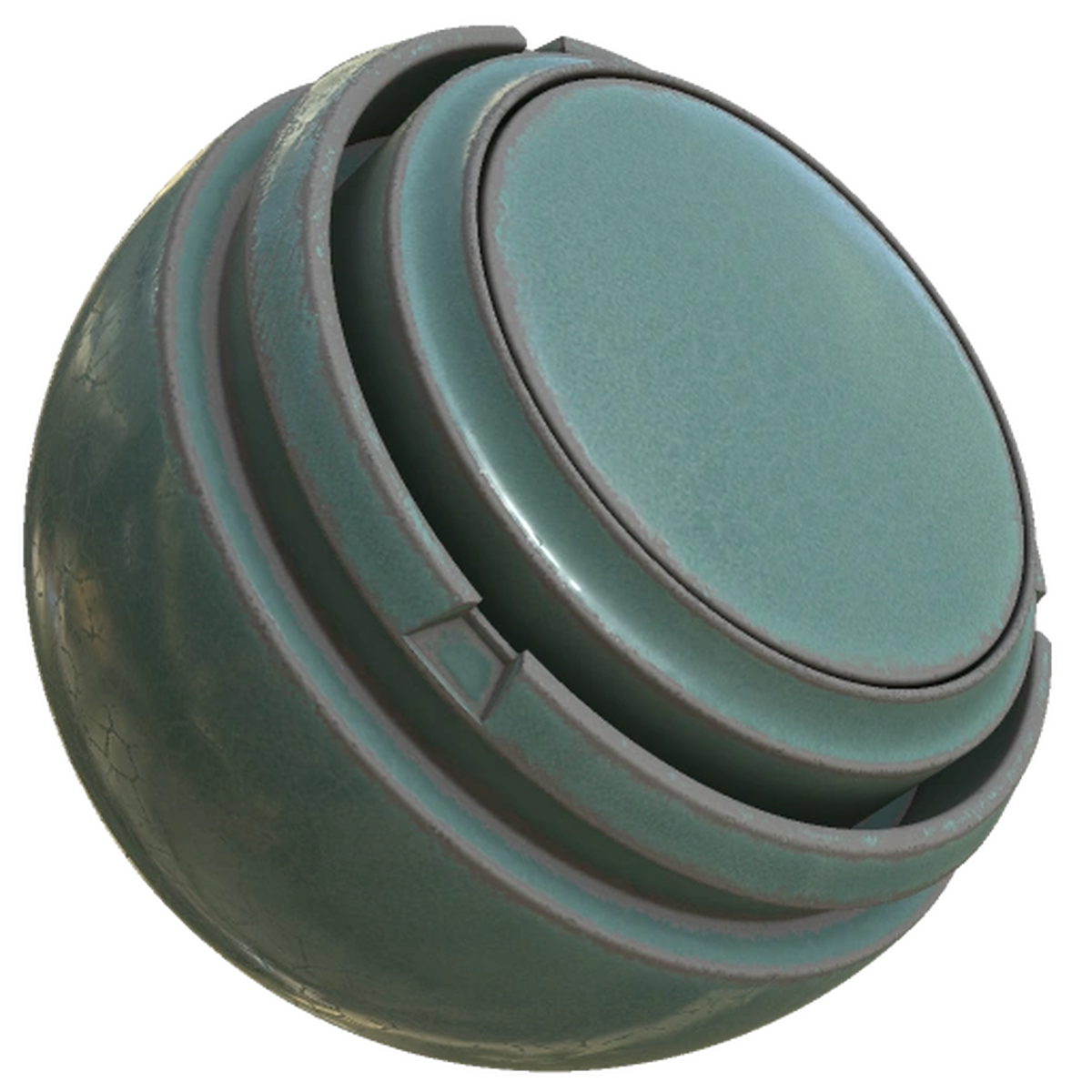
Enamel Ceramic Material
check these 3
~2nd one seems pretty good i think
narrow gate
Is there a way to access that from inside SP, or is it a two step procedure - download from net, then slurp into SP?
chilly minnow
i think its a 2 step process only
for now
substance painter is pretty new
i think only for the past year has been adobe business
and its like 5 years old? maybe 8
but you can imagine that a indie software company doesnt have that much resources to have a material page with integration working
narrow gate
My ceramic stuff will be pretty boring white stuff. It shouldn't have a cracked glaze or any fancy stuff. Think the most plain simple white dishes from Ikea only not as glossy
Looks like White Paint is close enough
Downloading it now
narrow gate
I suppose I need to import thisinto the project, or should I import to library since I'd likey use in more than one project?
chilly minnow
i mean up to you
probably library is good
since you dont have many custom assets
narrow gate
Got it. Done.
How do I get that on just some specific parts and not the whole shebang?
narrow gate
It imported my fbx, I'd think at some point it kinda knows my parts
narrow gate
done
chilly minnow
its a folder as you can see
and search for the base material, should be on the bottom
 narrow gate
I think I did it wrong...
narrow gate
 chilly minnow
no its right dw
ist a smar material
smart materials are folders
but thats no issue
right click on it, Add black mask
narrow gate
ok
chilly minnow
now if you click on the mask
you will start painting in the mask
theres a load of tools

but if you go to this one
you'll have the paint tris, quads, objects or texture regions
tris and quads are straight forward
chilly minnow
exactly!

these 4 are the ones im talking about btw
tris, quands objects and texture region
Object, is everyting that is connected
probably the option youre looking for
if you click on the 3d option
and click on one of the parts you want to paint
you should see it change to ceramic
 chilly minnow
see the grunge layer?
narrow gate
Its the outermost discharge chamger
narrow gate
a little better
chilly minnow
not quite right yet?
 chilly minnow
if you ctrl click the mask you hide it
narrow gate
Does that look like white paint to you?
chilly minnow
not at all xD
maybe its the material!
hide the mask
does the material look like what you want?
it will apply to the whole part
so you can have a better understanding of what the material is
narrow gate
I'm a little lost. Ctrl-click on the mask did nothing.
narrow gate
I tried just clicking on it and it looks different but not better. It's like everything is in shades of gray and still very grungy
chilly minnow
shift click on it!
narrow gate
 chilly minnow
https://substance3d.adobe.com/community-assets/assets/7d2479f022a1a0b22c68865904...
chilly minnow
chilly minnow
https://substance3d.adobe.com/community-assets/assets/7d2479f022a1a0b22c68865904...
these

 chilly minnow
xD
narrow gate
Heck, double my money for pain an suffering!
 narrow gate

INNOVACERA
Hexagonal Boron Nitride has a microstructure similar to that of Graphite. In both materials this structure, made up of layers of tiny platelets, is responsible for excellent machinability and low-fric…
there!
chilly minnow
chilly minnow
drag and drop your ceramic material into that subfolder (the base material)
then go back to this step
also, delete the old one!
narrow gate
I'm telling you this is the most plain white featerless stuff you've ever encountered
chilly minnow
OHHH!
its not the reflective ceramic
its the
opaque ceramic
i'll fix it a sec
narrow gate
Yeah, dull, not glossy, and like zero color
 chilly minnow
search for name
narrow gate
It's a smart material?
chilly minnow
yup!

 chilly minnow
a sec let me check something when importing
i dont get it it should appear after importing
ok easier
on the Base Material folder
right click
create Fill Layer
Add Fill
sorry
ugh
wait
this
 narrow gate
Add Fill?
chilly minnow
then!
narrow gate
 chilly minnow

and there
you have your ceramic
then, just add a mask as we were doing
polygon fill
and select the places you want
feel free to make it more or less rough
and to change the color as you want
narrow gate
I'm sorry, I can't follow that. It's to fast and my contacts are getting fuzzy - they've been in too long
chilly minnow
oh no problem
ok
so on that fill layer
scroll all the way to the bottom on the Properties tab
(the tab just below the layers)
and leave select only Color, Metallic and Roughness
click on the color, and change to white
metallic should be at 0
and roughness, i'd say .3 is a good value
there, you created your first material on SP
narrow gate
Yeah, that was easy!
chilly minnow
also, you can toggle Grunge back on!
(it will make it look a bit wierd, but i'll explain it in a bit)
narrow gate
It wanted to select a little much in one place. It must thing there's too little space between the cathode and it's boron nitride wall in the center

other than that, it's good
I get this for simple colors. It's easy!
narrow gate
I'll still need a few materials, but hopefully the process is like beofre but with better results
chilly minnow
alt middle click to pan
chilly minnow
narrow gate
I'll still need a few materials, but hopefully the process is like beofre but wi...
pretty much yeah
i mean, its better to use premade materials as they look better
specially for someone thats starting since you dont know how to create good looking materials
but its ok, you can always revisit it
narrow gate
chilly minnow
specially for someone thats starting since you dont know how to create good look...
For sure on the metals
chilly minnow
you'll see that the process is pretty fast too
whats next on the list?
for paiting i mean
narrow gate
Well, how about a nice shiney stainless steel? There will be a lot of that
chilly minnow
thats already on SP!
 chilly minnow
if you search for steel
you'll find a pletherea
i'd recommend the Steel
you'll see its a bit dirty tho
we'll fix that
if you open the material folder
you'll see a lot of stuff
narrow gate
It's kinda horrible, looks like this

I mean that's not like steel at all unless it's fresh out of a fire
chilly minnow
i feel like this will look nice

try to make your Steel folder look like this
i just deleted a couple of stuff!
also, can you send me a screenshot of the whole SP window?
 chilly minnow
also delete finish brush
the smaller line
under base
SP layers can have "effects" to them
which are those smaller lines
chilly minnow
narrow gate
both work honestly, up to you
delete is permanent tho, but i dont think you'll want those details anyway
also dont look at things that up close xD
narrow gate

 chilly minnow
if you look up that close, you'll end up wanting to have a 8k texture
narrow gate
Not even kinda shiny
chilly minnow
hide the roughness details
narrow gate
Figurted it out. Wait for video
chilly minnow
well
yeah!
so
substance painter simulates and enviroment for you
so that oyu can see al the details
narrow gate
 chilly minnow
so basically, you were reflecting a black area
so your material was black, since its metallic
narrow gate
I guess so
chilly minnow
too noisy?
narrow gate
I can zoom way in and it's sorta metalic
chilly minnow
disable the grunge again!
narrow gate
not like a polished or brushed stainless, but splotchy like it's galvanzied steel
chilly minnow
the grunge, is a layer that i added, that adds details that the stock game textures have
pretty much making your parts stock-a-like
it adds a couple of noises and some other fun stuff
 narrow gate
yep
chilly minnow

you can delete these 2
and then select base
and edit its roughness to maybe .15
or even .1
see what you'll like the msot
narrow gate
I did that and it's much shinyer now, but you know what really looks like steel? It's the KSP2 Steel texture I think

See the support arms?
chilly minnow
do you have it?
narrow gate
Those look like steel
chilly minnow
that is something that i created
but im not sure if you have it
you can use that too if you want!
 chilly minnow
i meant on the assets!
you can also just copy paste that!
or even add a mask to that layer!
narrow gate
I think I may have applied it to the whole thing at one point
chilly minnow
thats the default material of the smart material
it comes with the KSP2 Part smart material
that you applied at the start
but im not sure if the KSP2 Steel material will also be imported
if not
here
4 materials that icreated with the KSP2 colors
narrow gate
Excellent! Thos will be very helpful
I think I'm getting tyhe hang of it here, but I need a break. My eyes are killing me. I'd like to play around with this and check back in tomorrow with you.
chilly minnow
i actually think they look quite bad thus me not sending but i gues snot xD
narrow gate
I'm sure I'll have a lot of questions!
chilly minnow
oh for sure!
dont worry
today was pretty confusing xD
probably cuz im a bit tired too!
either way! we''l continue tomorow then!
narrow gate
Thanks man! This is awesome!
I do like how it works. Kinda more intuiitive for me
Like other Adobe products
chilly minnow
and way more visual too
youll also see how much easier is the bake process!
its literally just 1 click and you bake all 6 textures that ksp wants
narrow gate
I'll like that for sure!


 chilly minnow
what did u try to do?
 chilly minnow
also, check the console, thats where the issue is!
narrow gate
I painted everything in SP
I wasn't able to get the emission to only be on some faces, so I said screw it and made a few choice parts totally emissive - I think
HEre are my maps that I baked
chilly minnow
narrow gate
I wasn't able to get the emission to only be on some faces, so I said screw it a...
change the polygon fill mode
narrow gate


 chilly minnow
from object, to quads (2nd option)
chilly minnow
well for your case it shuld be white
you can just change the color
if you go to the emissive layer
and scroll down
the layer, not the mask!
there you have the emission color
also, enable the grunge!
chilly minnow
you dont need to Bake the textures again btw
you can just hit export textures
you only need to bake the textures when you change the mesh
narrow gate
better?


 chilly minnow
ok
chilly minnow
no dw
narrow gate
But I meant well, honest!
chilly minnow
thats easy to fix!
also, did the quad mode not work for you?
to paint just one side
narrow gate
We can go back to that, but I'd rather solve the Unity mess I've made and just see if I can get it into the game since the other problem will just be a matter of re-exporting (ha! I learned!) and then fixing the material in Unity
chilly minnow
whats on the console?
narrow gate

Would you like to know how I made this mess or can the good Dr. Lux diagnose the ailment from the console?
narrow gate
chilly minnow
KSP2_64x
I think I know what re-import the game means, that's easy and I just forgot to do it. I need to each tiome I launch this beast. What does reimport the ksp2 folder mean?
We may be talking the same thing.
To me, re-import the game means right click here and pick reimport

 chilly minnow
click i made a backup
narrow gate
If I pick the other, it restarts Unity and then I'm back to square one
chilly minnow
are you selecting Reimport or ReImport all?
narrow gate
Just reimport
chilly minnow
heh
narrow gate
I'm doing it again so I can try the I Mad a BAckup path
Huh, it didn't ask me that this time...
There is a lot on the console... I probably should have cleared first...
OK, cleared... Reimport again to see if trouble happens?
narrow gate
Nope
totally clear now
Also looks like ass
Not like in SP at all

Everything I've painted is super dark
 chilly minnow
disable lightning
narrow gate
Massively distorted, but better


 chilly minnow
export to the game and see how it looks
chilly minnow
probably too reflective?
narrow gate
Not sure it's ready to be exported... Let's rewind to the chaos I've made!
So...
I had the old mesh in there, and the new one has a new UV unwrap, so I needed to get rid of it.
I bring in the new FBX and textures...
Edited the prefab...
Moved the mesh object and col child out of the old fbx part (spark_x3) and into the new one spark_x3_sp
I believe I unpacked that one too, as it was blue even while inside the prefab
Now I've got this

I suspect I'm not ready to buiild and need to do something to redo the prefab first
narrow gate
Out of the prefab editor it's this now

So at a minimum I bet I need to change the name - which I can now as I deleted the old spark_x3
Yeah, and the collider seems wrong for sure now

spark_x3_sp renamed to spark_x3 - so consistent with partName now
narrow gate
Moved the col, now it looks like this

Maybe now it's ready, I'll build it.
Launching KSP2 now
Wait... There's this?

Did I miss a step?
I clicked Fix Now and am rebuilding...
Maybe I did it wrong? It looks like this in game
No emission from the emissive parts, and it really looks more like the old model than the new one.. I'd have to look at previous videos to be sure
Yeah... not sure... Maybe it's different now. #1141807690264367135 message
narrow gate
chilly minnow
it looks great!
What do you think? Is this what you'd expect given what we saw in Unity and SP?
I was expecting moar texture like this

In the game it looks flat, not textured
chilly minnow
thats
on the parts
also
metallic seems wrong
can you show me the materials settings?
narrow gate
 chilly minnow
metallic/smoothness map to 1
show me the MOdule_Engine emissive settings
should be something like
Emissive material
narrow gate
I think we found the issue! And by "we" I mean "you"...
chilly minnow
xD
narrow gate
 chilly minnow
the matallic smoothness map should always be one
narrow gate
Something missing? 🙂
chilly minnow
on the Emissive Material Names
add a new one
and set as the same material name that you have for your!

thats all!
how does it look now btw?
in unity
 narrow gate

This is not an issue?
Hang on, there's something that's not been applied!

OK, applied - plume still looks a little off but I'm building to get it into the game
Looks very flat and gray in game...
 chilly minnow
probably not xD
narrow gate
I've got a working paint map now
narrow gate
and so the part gets painted
chilly minnow
go to vab and try transparent paint
narrow gate
Though I did not apply paint to the copper and it does look flat and crappy
Going to the VAB!
Well, relaunching the game first...

much better!
chilly minnow
seems right
narrow gate
I think I want to redo the paint map... Which parts do you think should get paint? Maybe not the parts of the thruster itself, but only the structure and base?
I really like the look of the metal with the copper under it. I don't want that messed up with paint
However, I think the emissivity was still wrong. I don't recall seeing any big glow from the parts that should be glowing with the engine on
How do you unpaint a part in SP?
Do I need to just reset the base layer in PaintMap or is there an easier way to unpaint some parts?
 narrow gate
I didn't see a reset mask so I went with clear mask. I don't think that did it as there's still a red mask boundary on a lot of stuff
chilly minnow
no thats right
clear mask does it!
you can try to export
if the paintmap is all blue
then its working
you can also alt+click a mask to see only the mask
narrow gate
What about this?

How do you undo the Alt-Click on the mask? That was very helpful, but I'd like to turn it off now
nvm, figured it out. just clicked on another mask, then clicked back
hmmm... why are some parts of paintmap gray?
 chilly minnow
narrow gate
How do you undo the Alt-Click on the mask? That was very helpful, but I'd like t...
chilly minnow
narrow gate
How do you undo the Alt-Click on the mask? That was very helpful, but I'd like t...
alt click it again!
narrow gate
alt clicking again doesn't do it
Accent mask cleared
Should I have rebaked?
Same. Rebaked and exported and still got the same thing as above.
Of course, after clearing the accent mask I also set some thing in it. That was wrong maybe?

Not much is in the accent map.
I'll clear it again.
chilly minnow
accent map adds red
base adds green
blue is everywhere
so blue+green+red = white
and since the texture is semi transparent, it looks grey for you
narrow gate
Oh
chilly minnow
but yeah, thats whats causing the gray areas
narrow gate
And like this in flight (with gray on gray paint... 🙂 )
Yes, seems right
Players should be able to paint parts of it I suppose. Personally I like it better as metalic, but that's me
Then the "working" parts look as they do.
 coral orbit
Looks pretty cool
chilly minnow
only missing emissive i think
coral orbit
Damn the quality of parts mods is increasing
narrow gate
The quality of parts mod tutorials and modding assistence is throught the roof!
chilly minnow
but havent had time on the past days
tutorials wouldnt say so xD but assistance is top notch
narrow gate
chilly minnow
but havent had time on the past days <:AsukaDead:880249910769897542>
My fault!
chilly minnow
pretty much 24/7
no, its not your fault at all xD
i've just not been home most of the time
narrow gate
lol, I'm not so sure...
chilly minnow
oh dw, while i help u, when im at home, im also working on the plumes
narrow gate
Multitasking FTW!
 coral orbit
Should just make parts using poiyomi shaders for vrchat
chilly minnow
and then, emissive temperature curve
chilly minnow
coral orbit
Should just make parts using poiyomi shaders for vrchat
i mean go ahead, i can easly integrate any shader into the game xD
i do need to check on how to add other shaders to the reflection probe tho
either way, the way that the Emissive Temperate Curve works is
it goes from time 0-1
and value wtv you want, but its better to keep it 0-1 too
narrow gate

 narrow gate
With this thing, the emission is not really temporal. The strength would be nice to scale with thrust, but I think it's either on or off otherwise
narrow gate
No, I mean maybe a flat curve
chilly minnow
oh thats how you want it?
narrow gate
Think of it like a lightbulb on a dimmer switch.
narrow gate
If the light is off, it's off, but as you apply thrust, twist dimmer knob, it get's brighter right then
chilly minnow
and then change the lerp rate up and down to something like 1 maybe
the emissive is not controlled by throttle
but by temperate
narrow gate
 chilly minnow
so every second * throttle it will inscrease by Emissive Lerp Rate Up until it reaches max time
and then when you turn it off it will decrease by Lerp rate down
by second
so if you have it at 1 shouldbe instant
you can test it in game tho
dont forget to save ur json
and rexport
chilly minnow
you can test it like this btw

changing the materials emissive color from black to white
narrow gate
The glow may be a bit much, and I apparently missed an anode in the emission map, but it works!
I really ought to go back and re-do that emission map...
There are probably too many faces emitting, and also the emission may be too strong.
chilly minnow
well its white on white
narrow gate
I could just switch it to only anodes emitting... hmmm...
narrow gate
The anodes are not white though and are down inside the channel.
chilly minnow
put the engine n the shade
well then its not right!
oh no it is!
actually that looks perfect
apart from the missed one
they seem to glow just right no?
narrow gate
It's close, a few polys of the outer anode got painted, but not the whole thing
In the dark it's quite nice!
I could still do a better job on the emission map, but this is working!
To SP!
Is there a way in SP to select a bunch of connected faces?

I'd like to get all of the inside vertical faces of the channels, but not their top surface or outsides
narrow gate
UV Chunck Fill?
chilly minnow
Yup
 chilly minnow
This all comes down to how u unwrap and set seams
If you do it correctly, you can paint everything with a single click
But thats something that has to be done from the start of the modelling
narrow gate
It's not "single click", but it's way better!
chilly minnow
Oh no im actually talking about 1 actual click
With id maps
But just hmu when you start your next part and ill teach u
narrow gate
I think I got just the faces I wanted.

Nope, missed a few...
OK, that's good! Now just re-export, bring that one map in, and re-build!
chilly minnow
Also, click on the textures on unity
And change the import of them!
Check to import alpha as transparency
And on all but paintmap, diffuse and emission turn off color texture
So metallic, normal and ao should NOT be set as color
narrow gate
chilly minnow
And change the import of them!
Not following that step (yet). What I've been doing is to delete the old one in unity, drag in a new on, and the material just picks it up since it's got the same name
There's an easier way?
Well, of course there is...
chilly minnow
Just export the textures directly to the unity folder
Unity auto updates
And keeps improt settings
narrow gate
Oh! hadn't thought of that
What about alpha? I thought the benjee10 profile took care of that.
This?

If so, it was checked for this material
No it wasn't!
chilly minnow
narrow gate
What about alpha? I thought the benjee10 profile took care of that.
It does
But unity is not that smart
narrow gate
sRGB was... So I need to chech the Alpha is Transparency box?
chilly minnow
Yup! For all except normal
narrow gate
It doesn't seem to even be an option on the normal map
 chilly minnow
Those options make ur textures smaller
Sorry has like 12 parts and its 200mb even with that
chilly minnow
Probably too bright noo?
chilly minnow
narrow gate
Set it to 2
narrow gate
Should be pretty dang bright in the dark
 chilly minnow
narrow gate
Should be pretty dang bright in the dark
chilly minnow
narrow gate
Should be pretty dang bright in the dark
True, keep it then!
narrow gate
Other than sound being missing, which is not really the end of the world for an ion engine, I think the x3 is about ready. I think I should probably tone down the thrust a bit, it's insanely high, but otherwise Ok
I am thinking again about the mod name though... SPARK is a clever acronym name, but it's not like Nertea's "Near Future *" line where the name really told you what you'd be getting. I wonder if I should make SPARK the name of the manufacturer and have the mod name be something a bit more practical and descriptive like my other mods
So the part name can be SPARK X3, but the mod name might be more descriptive... Advanced Electric Propulsion?
I'm gonna think about that as I run some errands. I would like to release this soon, and I think I will be able to with an X2, X3, and X4 variant. The other two will go so much faster now that you've shown me how!
narrow gate
@chilly minnow / @serene abyss When importing materials into SP, some of the things I've downloaded from the adobe community site (a lot actually) are coming in as undefined and so get discarded. What should I be setting those to so that I can use them?
 chilly minnow
just change to the right one
narrow gate
Basematerial?
chilly minnow
either material or smart material
i dont think it really matters
cuz i think its only the folder where they get stored
narrow gate
 chilly minnow
do base material yeah
narrow gate
Thanks!
The X2 thruster is coming along...

Sized for 0.625 parts
Just two channels, so double that of the Dawn...
Emission map is all set, but I'd like a bit better results on the lower structure. Still need to do the paint map
And I'll need to do that plume!
narrow gate
chilly minnow
do base material yeah
Hey I just noticed that I've got two things named thrustTransform on the X3. There's one we created as an empty game object and then edited, and one that results from the single arrow we added in Blender.

Is that a problem? Should I get rid of one?
Also, when I've got multiple parts in a single Unity project, how do I hide the ones I'm not working on? This is getting confusing!
 chilly minnow
narrow gate
chilly minnow
narrow gate
yup!

