#Stellar Plasma-Assisted Rocket Kinetics (SPARK)
1 messages · Page 1 of 1 (latest)
 narrow gate
OK, I’ve found my clever new mod name, now to actually deliver on some electric powered thrusters! First up will be a line of Hall Effect Thrusters able to use a variety of propellants. Xenon? Certainly! But what about Krypton or Argon or …
 odd crescent
Krypton, Argon? Those fuel types don't exist in the game yet, right? How do you plan to add them?
narrow gate
odd crescent
Krypton, Argon? Those fuel types don't exist in the game yet, right? How do you ...
No idea. What I don know is that Hall Effect Thrusters are kinda cool in that they don't really care what fuel you feed them so long as they can ionize it and make a plasma. You'll get higher Isp with Xenon, but SpaceX is currently changing from Krypton to Argon in the Starlink Mini 2. Maybe I'll never add multi fuel capability, but if such fuels were added to the game there's no reason these engines couldn't use them. Imagine a switch that configures the engine to be compatible with a particular fuel, and setting the switch gives you a corresponding thrust and Isp? That's possible if the fuels are added.
narrow gate

OK, this is about 80% done on the basics for the first prototype. There's some more work that needs to go into the bottom, and some details that need to be added. My render looks like it's in B&W for some reason, despite the discharge chamber and central core being white. The top and bottom magnetic circuit plates are looking much to black - they should be close to iron - they're literally a ferromagnetic part of the magnetic circuit that produces the hall current.

That's a real engine at a different scale where the discharge chamber is much smaller in diameter, but it gives the basic idea

This is a diagram of what;s really going on, except that in my engine the cathode is in the center and not off to the side (either location is realistic, but I think centered looks better)

This is an other design with more ferromagnetic disks (which looks really cool, but I'm not sure it actually improves performance in real life)
odd crescent
narrow gate
No idea. What I don know is that Hall Effect Thrusters are kinda cool in that th...
We can add new fuel types ourselves.
I've been thinking of a life support mod that will require custom resources like oxygen, water and food. New fuel types that you'll need is exactly that as well. It would be best if we create something like Community Resources so we could have a common ground for modding in additional resources.
Lux is working on fuel switching with switcharo (successor to B9 part switch.
KSP RSS/RO uses a very nice engine configuration and fuel switching functionality with B9. On a single engine model/type as you progress through career you unlock newer and more efficient engine configurations that often use different fuel mixtures and even totally different fuel types.
narrow gate
I like this! Yes, we should have some sort of community resource mod that can be used to add new fuel types, etc. Without that, engines like these can work with Xenon, and with it you unlock other modes, perhaps requiring switcheroo to do so.
In the case of these engines the new fuels would actually give poorer performance, but the advantage may be that you can refuel them more easily. Xenon is insanely expensive because its rare. I think realistically it comes as a byproduct of some nuclear reactions in nuclear power plants? I know there’s such a thing as Xenon poisoning that can occur in some types of reactors if you let the Xenon build up. Other fuel types may be easier to come by. There are real engines in labs that use oxygen and even water vapor. In flight there are real engines using Krypton and Argon
Some of the first ion engines to actually fly used Mercury of all things. Not a great choice it turned out, but its nuts how these kinds of engines can be so diverse on fuel types
narrow gate

 mellow patrol
not sure how accurate this would be, since it's just ChatGPT, but this is pretty interesting:
 narrow gate
mellow patrol
not sure how accurate this would be, since it's just ChatGPT, but this is pretty...
narrow gate
mellow patrol
not sure how accurate this would be, since it's just ChatGPT, but this is pretty...
Yep, that's what I've found too - though I went about the hard way apparently. I didn't know that iodine could be stored as a solid, that's interesting! When ChatGPT is saying Krypton and Argon are less common I believe that means only that they are less commonly used. Krypton is like 10 or 100 times cheaper than Xenon, and Argon is something like 1000 times cheaper than Krypton or something like that.
mellow patrol
Yeah I also assume it means that
narrow gate
The prospect of using metallic gasses is interesting. One of the problems that they ran into with Mercury in the past is that it builds up on and ruins things. It's not just toxicity and environmental concerns, it's life of the engine concerns. Part of the reason for preferring nobel gasses is that they don't do this to your engine, thought there is still erosion due to the plasma
It's interesting to me that HET are even flying. Compared to chemical engines, their 1500 -3000 s Isp is great, but their rated life is measured in thousands of hours and is down around 3 - 5K. With a gridded ion thruster you can get higher Isp and much higher life - by a factor of 10x on life.
There are gridded ion thrusters that have seen 48K hours of life - littereally burning for years.
With a Dual Stage 4 Grid ion thruster you can get 19-20K Isp, and moderate thrust. You'll need 250 KW of power, so nuclear thermal may be the only realistic option, but damn! That's a lot of Isp in a little package. That's an 0.2m engine!
The Dual-Stage 4-Grid (DS4G) is an electrostatic ion thruster design developed by the European Space Agency, in collaboration with the Australian National University. The design was derived by D. Fern from Controlled Thermonuclear Reactor experiments that use a 4-grid mechanism to accelerate ion beams.
A 4-grid ion thruster with only 0.2 m diame...
mellow patrol
I would imagine that the complexity and cost might be one of the reasons for Hall effect thrusters being much more popular
narrow gate
I think it might also be that they scale down to smaller sizes more easily, and so see utility in N-S station keeping on geosynchronous sats, but I believe they've been used in deep space too. I'm not certain of this, but I did read something about their ability to scale down being one of the advantages.
 pine slate
always wanted more ion engines.
 stoic kettle
yea life support would be cool
narrow gate
pine slate
always wanted more ion engines.
Here's a 100mm (1.5kW) engine coming along

I need to add some details, but things are starting to get easier for me now in Blender!
I've got a ton of material to work with, so I should be able to do some really cool ion engines. As I get these closer I'll need to loop in @chilly minnow for finishing touches and to sort out the plumes.
 eager light
odd crescent
Krypton, Argon? Those fuel types don't exist in the game yet, right? How do you ...
eager light
odd crescent
Krypton, Argon? Those fuel types don't exist in the game yet, right? How do you ...
That's on my to do list with FFT adding more fuels
What is the electricity using as propellant? How does it create thrust? 🤔
narrow gate
 narrow gate
eager light
What is the electricity using as propellant? How does it create thrust? 🤔
narrow gate
eager light
What is the electricity using as propellant? How does it create thrust? 🤔
Hall Effect Thrusters (like this one shown above) can take lots of different fuels. The best is Xenon, but real thrusters in use today also use Krypton, or in some cases Argon. In labs they've been demonstrated with pure oxygen and with water vapor. The propellant enters through the bottom of the anode (the dull black ring in the bright white circular channel (the discharge chamber). There is a strong positive potential applied to the anode, and then there is also a cathode which emits electrons. In some systems that's off to the side, but in this one it's hidden inside the central core along with a very strong electromagnet. There are four other big electromagnets stationed around the discharge channel (the red things). The gray plates on the top and bottom are actually part of the magnetic circuit, as well as the ferromagnetic cores inside the red cylinders (which have the conductive windings for the electromagnets).
eager light
narrow gate
Hall Effect Thrusters (like this one shown above) can take lots of different fue...
KRYPTON is my jam. green fire babbyyy. argon is purple and dope. however it hasnt really been tested much which is why we use xenon as its efficient. but krypton and argon are theorized to be more efficient.
so basically it uses electromagnetism as it's propellant and I'm assuming the protons are what is used to create thrust?
narrow gate
The propellant is ionized at the anode turning it into a positively charged plasma, Electrons from the cathode are drawn down towards the anode, but get trapped by the strong magnetic fields where they form a Hall curref (hense the name)
eager light
yup familiar with that ionization part. just wasnt sure how something that was purely electric would work. but its using a gas so this makes sense
i thought it was like an electric car type thing where it just uses electricity as its fuel
could be dead wrong though
narrow gate
The ionized plasma is acted on by an electrostatic force which flings it out at high speed. The electrons from the cathod are alos spraying into this plasma to neutralize it so that the spacecraft doesn't build up an insane sharge and so that the plasm isn't drawn back to the spacecraft negating the thrust.
The electicity provides the power, but the momentun transfer is all about the mass of the ions and their velocity.
eager light
clever
which argon and kyrpton would have more mass in their ions
i would assume
well
thinking cap
ionization energy of krypton is 13.9 and argon is 15.7
narrow gate
Argon is 39.9
eager light
id have to look at the periodic table again i cant remember my Noble Gases 
 narrow gate
Different propellants result in higher or lower electrical efficiency as well as higher or lower thrust and Isp
eager light
because this fascinates me
look slike a really good paper
not sure its applicability with mods
but still its cool
narrow gate
Most HET give around 1500 - 3000 Isp, but with a Dual Stage 4 Grid Ion thruster you can get around 19-20K Isp.
narrow gate
I'll be making some of those too, but they eat electricity like it's going out of style. You'll need Nuclear thermal to power them
250 kW for the 0.2m engine
narrow gate
Yeah, you'd need more solar panels than the ISS to run one of those babies!
But at least the thrust would be measured in N rather than mN
eager light
makes a treadmill mod for kerbals to generate their own power
"RUN BILL RUN!"
that would be hilarious.. you look in the window and a kerbal is running on a treadmill LUL
i do want to make a station modules mod that adds cool station parts and colony parts as well
this mod looks cool though! very excited to see what you create
narrow gate
I'm planning to have a range of HET from 25mm up to maybe 150mm, but I'll also do some gridded ion and DS4G ion thrusters
eager light
sweet
narrow gate
I might branch out into some other plasma thrusters...
eager light
im focused on the fuel tanks and then not sure what next
narrow gate
And then there will be the Epstein Drive!
eager light
100m long lol
narrow gate
I may make an Astrophage Drive, too.
eager light
thats pretty sweet. im focused on resources and science stuff
narrow gate
I don't think an Epstein needs to be 100m long. I'd have to take a look at Ships of the Expanse.
eager light
im so confused
narrow gate
We're absolutely gonna need a Community Resources mod for this!
eager light
back to debugging i go
definitely will need a community resource mod
so we can add the new resources, and things so all the mods can use it
that way you can make a fuel tank or engine that uses Krypton
etc
and its just a mod you have that adds the module into unity for you
narrow gate
eager light
though xenon has more mass krypton has more ionization potential
The higher ionization potential is actually a drawback of Krypton as it means it takes more power just to ionize it,
BTW, what’s next in getting one of these into the game? I’m totally new at this part modding gig. I know I’ll need a UV map at some point, but not what that does or why I need it - let alone how to make it
eager light
narrow gate
BTW, what’s next in getting one of these into the game? I’m totally new at this ...
you mean the vfx?
oh.. UV map is the most important. basically its your part unfolded so you can paint it
taking a 3D object and turning it to 2D
with no warping etc so when you "paint" it (aka texture it) it doesnt stretch and it looks good
heres a square

oh ill post this in the new channel thing wabout blender
narrow gate
Ahh, so that’s what it is! But does it even make sense to paint an engine?
eager light
wheres that channel?
 gritty pendant
narrow gate
I don't think an Epstein needs to be 100m long. I'd have to take a look at Ships...
gritty pendant
narrow gate
I don't think an Epstein needs to be 100m long. I'd have to take a look at Ships...
the engines in the show are not realistic because of the heat management where you need terawatts of fusion power. One solution is to get the fusion far away from the ship with laser confinement, here's my take on it


 narrow gate

The Expanse is a TV show based upon a series of books by James S. A. Corey. It's won a great deal of praise for its 'gritty realism', portraying life in the solar system 300 years from now. I got a lot of questions about how realistic the spacecraft were in the show, whether physics allowed for engines with the performance demonstrated by the sp...
narrow gate
Even if you were to put the fusion reaction far behind the ship you're still gonna get massive amounts of heat. I think this drive works best not as a realistic thing, but more as a "just for kicks" thing where we set aside the very real problems and treat the thing like the McGuffin it is. The same is true for Andy Weir's Astrophage drive. These are both SciFi McGuffins that move the plot forward as much as they drive spacecraft.
Also, the further you put the fusion reaction behind the ship, the harder it is to harness the reaction as propulsive force. It's gonna want to expand in all directions and you're not catching it and redirecting it to go behind you unless you've got an equally fictional magnetic nozzle that somehow extends that far to catch and redirect the charged particles - when of course there are still plenty of X-rays and high energy neutrons even if your fuel source is He3. So... It's a McGuffin that looks pretty with a nozzle and plume similar to what's in the show, or it's a McGuffin that looks perhaps more realistic, may be harder to model, and is still a McGuffin since both making the magnetic nozzle and protecting the ship are non-trivial and basically solved more by SciFi than science.
narrow gate
@chilly minnow Here's the new and improved SPT-100, with UV unwraps done and some textures applied. I understand there may be a better way to get the 8 top bolts than what I've done, but I think this will work for now. I would like the top and bottom metallic plates to be less shiny, but it's certainly a start.

I might re-do the anode top too, but it's hardly critical as it's down in the discharge channel where you'd hardly ever see it.
 chilly minnow
Is it teztred in substancs?
Bro what 😭😭
Is it textured in substance painter?
Also! Looks very good!
narrow gate
I'm not sure, but probably not since I'm not sure. What I did was to apply textures in blender. I used BlenderKit to find some reasonable materials and then applied them that way
chilly minnow
Oh yeah then not!
narrow gate
One more thing to learn then!
chilly minnow
I was asking cuz you could make those strokes circular in substance!
narrow gate
I would like that!
@eager light linked some things in the https://discord.com/channels/1078696971088433153/1141728130273386599 channel, but I don't know what to do with them yet. I'm frankly just happy I've got UV maps!
chilly minnow
Thats no good for your case i think
narrow gate
One thing he stressed was that I probably don't need the 8 bolts I've got in there now and could save a few polys if I replaced them with a painted texture
narrow gate
chilly minnow
Thats no good for your case i think
Which part is no good?
chilly minnow
Yea
But dw
It wont hurt since its a small part
Usually you should care about that but since ur part is probably like 2-3k tris its ok
narrow gate
Yeah, I though I could probably get away with a few done this way, but maybe I should learn how to do them better for other things
 chilly minnow
Well, on blender idk gow to do it
narrow gate
Closer to 100K
narrow gate
 chilly minnow
Well
narrow gate
The blend is about 76 MB
chilly minnow
I suggest a remodel before making it into the release xD
Part of it can be eaaly simplified
But some other things are a bit of a headache
But dw ill show u some tricks where u can male that part in like 15 min
Or less
narrow gate
One thing I've really struggled with is that my circles look clunky. I've used 32 verticies in all the cylinders, and even with that they look clunky
idk about 15 minutes, but I'm definitely getting faster!
chilly minnow
You shouldnt, you wont look at it close enough for the clunckyness to show
0.625m parts have only 12 sides ie
And they dont look clunky in game
narrow gate
The thing is that none of the things I've done in blender have resulted in a render that doesn't look clunky. I've tried shade smooth and shade auto smooth. I've told it which edges are sharp. It's always clunky
chilly minnow
Shade smooth usually solves it
What clunckyness are u talking Bout?
Can u show it?
narrow gate
 chilly minnow
Yeah that doesnt matter
narrow gate
That's not rednered, but even rendered I still get 32 faces on my cylinders
narrow gate
Yes, it's in mm!
chilly minnow
So smth, put a 0.625m radius cyllinder on your scene, and check how your part looks next to it
That way u have a reference to how small ur part is
narrow gate
How far away am I from making a test part that I can load in the game to see what it would really look like?
chilly minnow
You can put it in game whenever u want
Theres literally no other requirement other than having a mesh
narrow gate
I'd like to put it in as it currently is just to see that part of the process and see how it looks
chilly minnow
And a mesh can be 3 vertexes making a triangle
chilly minnow
narrow gate
I'd like to put it in as it currently is just to see that part of the process an...
Well i cant go far on telling u how to rn
But theres my guide
Which should suffice
narrow gate
chilly minnow
So smth, put a 0.625m radius cyllinder on your scene, and check how your part lo...
Wouldn't it be a 0.625m diameter?
chilly minnow
narrow gate
Wouldn't it be a 0.625m diameter?
I get confused xD probably
narrow gate
Cause as it is this part is about 0.2m diameter
chilly minnow
https://luxstice.notion.site/KSP2-Part-tutorial-almost-from-scratch-1f336b7c97ae4280afb6a4e3aa6080b2
Pedro's Notion on Notion
A new tool for teams & individuals that blends everyday work apps into one.
mellow patrol
narrow gate
Cause as it is this part is about 0.2m diameter
I would suggest making it a more KSP-standardized size, like 0.3125
chilly minnow
👆👆 but i mean if its suposed to be surface attach go with whatever size u want
mellow patrol
because even though I don't think we have any parts of that size yet, when we do at some point, it will fit nicely with them
narrow gate
mellow patrol
I would suggest making it a more KSP-standardized size, like 0.3125
Well... This one is one of the bigest ones I plan to make...
I'll go up to 160mm channel diameter, and this one is an SPT-100, so a 100mm channel diameter
I'll make an 0.2m HiPEP though, but that one is rectangular. Any of these can have stuff around them to increase the size to 0.3125 or whatever
I could also join a few of them into an array and call it a larger engine
What If I wrapped it with an integral toroidal Xenon tank?
I could get it to 0.3125 easily that way
mellow patrol
I mean I understand that they are smaller in reality, and in KSP things should be made even smaller than that (usually scaled ~0.625x versus the real size)
but you gotta think of the use cases
we don't have tiny cube sats in KSP
though it would be a cool mod idea
narrow gate
Even an SPT-25 would be larger thana cube sat, but I do get your point. The thing is this one (203mm OD, 100mm discharge chamber), will suck up 1.5 kW.
When I make the DS4G Gridded Ion that stupid thing will eat 250 kW!
They are small, but they are also very power hungry...
mellow patrol
you can also "kerbalize" the specifications a bit, a normal KSP part is usually around 2.5x-2.7x more "powerful" (relatively to the size of the solar system) than in real life
narrow gate
I could certainly Kerbalize the thrust, but maybe not the Isp.
It breaks physics, but...
mellow patrol
hey, this is the game where an Earth-like planet 10x smaller than Earth has the exact same gravity 😆
I don't think our physics completely apply here
mellow patrol
mellow patrol
you can also "kerbalize" the specifications a bit, a normal KSP part is usually ...
by the way I probably said this wrong - it's a bit complicated
narrow gate
mellow patrol
hey, this is the game where an Earth-like planet 10x smaller than Earth has the ...
Point taken!

There you go. A genuine certified 0.3125m Hall Effect Thruster, complete with integral toroidal fuel tank
Not half bad! Slap that puppy on the back of your deep space probe and you'll burn for years!
Expect about 1600 Isp. Your milage may vary. Don't try this at home or at all
mellow patrol
you could also probably utilize @chilly minnow's part switching mod to offer "compact" and "0.625m stack mount" variants, like most KSP 1 engines do!
chilly minnow
That is true
narrow gate
Why is the dang toroid looking kinda flat in spots when I told it to be smooth?
chilly minnow
Just have it on the gameobject!
chilly minnow
narrow gate
Why is the dang toroid looking kinda flat in spots when I told it to be smooth?
Up the shade smooth angle
Those angles are being calculated as bigger than x
narrow gate
Where is the shade smooth angle?
narrow gate
OMG I'm such a dork! I added it to the top flange! I'll fix this...


Maybe a bit too shiny...

All good!
@chilly minnow , for a parts pack (which this will eventually be), should I make one unit project for the whole pack, or one per part?
chilly minnow
I use the same unity project for everything xD
narrow gate
OK, one for the whole pack it is!
narrow gate
@mellow patrol, I've update to the 1.4.0.2 SpaceWarp template. For a parts mod should I start with a general or empty template?
narrow gate
So then this page is out of date! https://luxstice.notion.site/Creating-a-KSP2-mod-DLL-2632eca4d39a4758bdea8910014f30be
Pedro's Notion on Notion
As you might expect, you mod needs a DLL to function, even if your only objective is to add parts to the game. This will tell the modloader where your parts are and where to load them.
Lets start by going to the Spacewarp.Template, if you scroll down into the ReadMe you’ll see instructions on how to install.
mellow patrol
it's only needed if you want some custom code for your part, e.g. a custom Module
here it is: #⚪announcements message
"Auto generate base paths for mods at runtime SpaceWarpPaths.[ModGUID w/ "./ " replaced by "_"] for use in generating true codeless parts mods w/ addressables bundles"
so now when you get to this step: https://luxstice.notion.site/Setting-up-addressables-bd8cdb3dde8d42f2893009fb46a16523

instead of "{Namespace.Class.Path}" you will use "{SpaceWarpPaths.YourModGuid}"
narrow gate
Well, I certainly don't need any code for this first attempt. I just want to get the part in the game and see what it looks like. At spone point I may want to have code for variable Isp or thigns like that.
mellow patrol
You can always just ship the mod with the DLL and nothing bad will happen, it will just be empty, but it's not needed for what you're doing right now
narrow gate
@chilly minnow this part of the guide is confusing to me:
`The paint map texture works with the following idea:
- Alpha - Smoothess - the current pixel will be rendered as either smooth (1) or rough (0)
- Blue - Dirt -the current pixel will show the color of the albedo/diffusion texture instead of a paint color. Use this to force the display of the diffusion texture. So lets say you want the tanks to always be orange? Paint that area blue.
- Green - Base paint - the current pixel will show the color of the base paint selected by the player. This pixel also has to have a blue value.
- Red - Accent paint - the current pixel will show accent color selected by the player. This pixel also has to have a blue and green value.
With these rules you can create your texture! Your texture should have a range of colors, but it mainly should consist in
- White areas for the accent paint
- Cyan areas for the base paint
- Blue areas for where you want to maintain the diffusion texture color`
In the top part it says under Green for Base Paint "This pixel also has to have a blue value", then later for base pait it says tthose are cyan.
Also under Red (accent paint) it says "This pixel also has to have a blue and green value"m,, but then later it's supposed to eb White for accent paint.
mellow patrol
it's additive, so basically, blue - just the original texture, blue + green (=cyan) - base paint on top of original texture (since in the game paint can have any opacity), and blue + green + red (=white) - accent paint on top of base paint on top of original texture
narrow gate
OK, that makes sense I suppose, but just saying that page could be clearer - feedback to help for the next screwball that comes by and gets confused.
I'm not sure what to do with that though. Does it somehow releate to the many different UV maps I made - one for each part?
If I skip it do I just get a gray part or something weird?
eager light
narrow gate
OK, that makes sense I suppose, but just saying that page could be clearer - fee...
Oh paint maps. Cries
Video soon.tm
mellow patrol
narrow gate
If I skip it do I just get a gray part or something weird?
you can just give it a fully white PNG and it will allow your whole part to be painted with the base and accent colors
not sure how it works if you don't provide any paint map
narrow gate
What size PNG? How would it map this PNG to the part?
mellow patrol
but basically you just go into Photoshop or Substance Painter, and paint the 4 channels (R, G, B, A) separately to get the final image
narrow gate
Ahhh, this is where substance painter comes in!
mellow patrol
narrow gate
What size PNG? How would it map this PNG to the part?
the same size as your other textures
mellow patrol
https://www.youtube.com/watch?v=s2MOx1Iteik I think I watched this video when I was trying to get to understand Substance Painter

➡️ Follow Along! Download Your Project Files:
https://www.clkmg.com/jlmussi/sp-project-files
➡️JRO Hard Surface Alpha Pack:
https://bit.ly/3d_Alpha_Pack
In this project-based Substance Painter for beginners tutorial, I walk you thru step by step how to texture a model, which I will provide.
First, we begin by looking at Substance Painter's...
and I definitely remember watching this one: https://www.youtube.com/watch?v=uBgdLmvK_U8
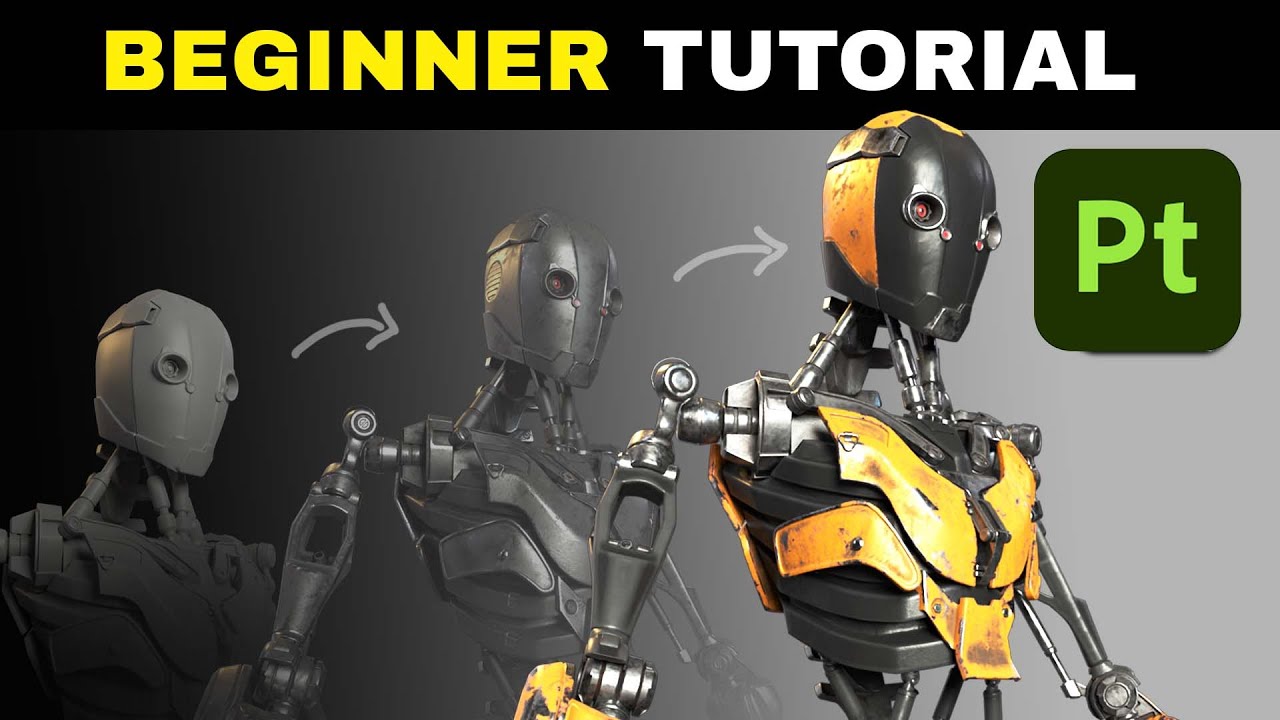
3D Worker Robot: https://rendercrate.com/objects/rendercrate-worker-droid
FREE ProductionCrate Membership: www.productioncrate.com/register/free/
Mike goes over everything you need to know about texturing 3D objects with Adobe Substance Painter. He goes over smart materials, baking mesh maps, material masks, and more! Download the FREE version ...
narrow gate
Awesome! Thanks!
mellow patrol
it gives you a more intuitive way of painting directly on top of your mesh, in addition to just painting on the flat texture
but all of this can also just be done by manually painting your textures in Photoshop or any other graphics software
narrow gate
mellow patrol
instead of "{Namespace.Class.Path}" you will use "{SpaceWarpPaths.YourModGuid}"
I'm at the point where I'm configuring the Addressables Profiles. Looks like this page also needs a touch up: https://luxstice.notion.site/Setting-up-addressables-bd8cdb3dde8d42f2893009fb46a16523
I've followed your tip above so that I've got {SpaceWarpPaths.YourModGuid}/addressables/StandaloneWindows64
Except I need to replace the YourModGuid part, obviously. For this mod would that just be SPARK or do I need to use com.github.schlosrat.SPARK?
mellow patrol
up to you, it needs to be the same as the mod ID in your swinfo.json file
(that's still needed)
you can just copy one from your other mods and change the values
narrow gate
{SpaceWarpPaths.com.github.schlosrat.SPARK}/addressables/StandaloneWindows64 it is!
mellow patrol
mellow patrol
"Auto generate base paths for mods at runtime `SpaceWarpPaths.[ModGUID w/ "./ " ...
if you choose the one with dots, you need to replace them with underscores
in the Unity settings
since SpaceWarpPaths is just an autogenerated C# class, and "." is used to access fields of objects, so it can't be used for names of fields
so dots, slashes and spaces are just automatically replaced by underscores in it
narrow gate
Do I need to change all my mods that way in the swinfo.json? Like "mod_id": "com.github.schlosrat.flight_plan" would become "mod_id": "com_github_schlosrat_flight_plan"?
mellow patrol
nope
that only applies to the addressables settings inside Unity
when making a part mod
the mod ID will stay "com.github.schlosrat.SPARK", but the path will be at "SpaceWarpPaths.com_github_schlosrat_SPARK"
narrow gate
so something like this? {SpaceWarpPaths.com_github_schlosrat_SPARK}/addressables/StandaloneWindows64?
mellow patrol
yeah, exactly
narrow gate
Do I need ThunderKit at this point? I'm thinking no, for now - but if I want to add code later then maybe yes then?
mellow patrol
you do need it to set up all the part modules, etc
don't think we have a way to make parts without it
narrow gate
Good to know! I'll go get it then.
Something is wrong with TK... It's stuck on this

It's been stuck there for a while...
narrow gate
@mellow patrol, OK, I'm past installing TK now. AFAIK, that seems to be fine. I had to do a hard reset to get unstuck from the above, but it appears TK is now installed and I've followed the config process for that. I've downloaded and installed 0.0.4 of the KSP@ UnityTools.
Now what?
mellow patrol
for me just following the video tutorial was the best way to get it working: #🔴tools-and-resources message
with additional info coming from the notion site
if you get stuck at any step, I can definitely try to help, but I think most of it is self-explanatory
narrow gate
mellow patrol
if you get stuck at any step, I can definitely try to help, but I think most of ...
I'm stuck! Surprised? 😉 I suspect TK is not actually installed correctly. First, there is this error in the Unity Console

And second, at 2:35 in the first video he says "If TK is installed correctly you should be able to search for and find part.core". I can search for it, sure - but I can't find it
narrow gate
I did that, twice - but I can certainly do it again.
mellow patrol
in that case I guess it is an issue with the TK install
 mellow patrol
I would still probably try to remove it, restart Unity and then install it again
narrow gate
And the game looks like it's there

Sounds like a good plan. Remove and re-install. Where is it to remove?
 mellow patrol
oh boy
 narrow gate
All I did was switch from packages in progect to Unity Registryt then back...
mellow patrol
yeah I'd just try to remove both KSP2 and TK and after the restart do the install again
I often get errors in the project, mostly after closing and opening Unity, but they're always fixed by reimporting KSP2
though I've found that when it tells me to restart Unity after importing, I can't do that or the errors appear again, and I get stuck in a loop
 mellow patrol
that means there are some compilation errors, just ignore them for now
narrow gate
Well, TK installed without freezing my Unity - so that's a good sign...
Except it didn't bring up the Settings window, and I'm not finding Tools>Thunderkit>Settings, or more preciesely I'm not finding Tools
Am I blind?

Closing and restarting the unity project solved it.
Except that it didn't solve it - I'm stuck again - as in frozen Unity
And every time I've closed and reopened I've had that same warning about compilation errors
mellow patrol
I see two options - you can try to ask Twiner if he has any idea why this is happening, or just start with a fresh Unity project
that's about as much help as I can give with this issue I'm afraid 😅
narrow gate
I went with Option 2
narrow gate
@chilly minnow I'm really stuck. I've created a fresh clean Unity project, installed ThunderKit (no issues this time!), configured it per the guide with the change @mellow patrol indicated for {SpaceWarpPaths.com_github_schlosrat_SPARK}/addressables/StandaloneWindows64, installed 0.0.4 of the KSP2 UnityTools (no issues that I saw), and yet I'm stuck every damn time on the search for part.core.
The second try at the unity project has me in a state where I'm not getting the compilation errors message above. In fact, this time through everything has been basically smooth sailing.
Nonetheless I'm stuck here:
 mellow patrol
and I'm assuming reimporting KSP 2 doesn't help?
 narrow gate
I did try that, and it didn't seem to have any effect. Should I be able to find part.core inside the KSP package?
I'm doing it again, 'cause why not - right?
mellow patrol
I don't think it shows the components directly in the package view
mellow patrol
narrow gate
I did try that, and it didn't seem to have any effect. Should I be able to find ...
so probably no
 narrow gate
Found it! It's not findable by part.core
mellow patrol
yeah, that's not the name
narrow gate
That's what's in the video - so I was confused. I may be unstuck now... we'll see!
mellow patrol
ah I see
the video quality is not great so it kinda looks like there's a dot
but there isn't one
Lux was just searching for "part data"
eager light
screenshots in bound
@narrow gate can you give a screenshot of your entire unity please
narrow gate
I've got it running! Well, I've gotten much further. I'm here now in the tutorial
eager light
?
narrow gate
at 13:40 in the video now, working on addressables.
 eager light
munix helped you change your localbuildpath and localloadpath?
 narrow gate
I think the problem I was having earlier was - once again - poor eyesight. I think Lux was searching for "part core" and I thhought it was "part.core", which of course was not being found.
 narrow gate
eager light
munix helped you change your localbuildpath and localloadpath?
narrow gate
eager light
munix helped you change your localbuildpath and localloadpath?
yep, he did
It took a couple of installs and reinstalls of various things, but I seem to be unstuck. Hopefully I'll get past this dang cube and put my own mesh in there soon.
 eager light
There's a few things you have to do to setup unity:
- install addressables
- install thunderkit then import ksp2_x64.exe
- set your LocalBuildPatha nd LocalLoadPath
so you have all of that setup, jhust need to confirm you have addressables setup properly
narrow gate
I believe those are all done at this point.
eager light
core part data is required as well as Module_Color (so you can paint it) and Module_Drag
narrow gate
Got em! Got all three of those
I've set up some attach nodes, and set the mass, and whatnot
Turns out an SPT-100 is only 4 kg, so it's 0.005 tons
 narrow gate
 mellow patrol
interesting, I don't think I've ever had that open 😅
eager light

so confirm your LocalBuildPath and LocalLoadPath are correct, if so thats good
next you need to create parts_data in your Addressables Labels
Within addressable Groups you click tools > window > Labels
narrow gate
 eager light
click plus and add parts_data
mellow patrol
I think it should be enough to just set all this stuff up in the Addressables Groups window and the inspector for the group
 narrow gate
 eager light
so now thats made
thats what allows the game to be like "oh hey this is a new part, let me read the .json"
so now you should be able to drop your .fbx into it or just create a cube in unity
narrow gate
I created a cube, but what I really want is my actual mesh. Can I replace the cube with my mesh, or do I need to drop my mesh in there and re-do some part module stuff?
eager light

you can drop your mesh in if you want to use your mesh
i was going to show you with a cube
so its like a quicki easy tutorial so you know how it works
 eager light
Great-Grandfather: GameObject (the name you want the object to be with no -)
GrandFather: model (empty game object)
Father: GameObject name again
Child: mesh (empty game object)
here..
just drag and drop
itll be a prefab and youll need to double click on it once you have it in unity
 eager light
ah
so you didnt export your fbx yet
okay sooo....
two ways

Select Mesh and Selected Objects. Then MAKE SURE you have the objects selected that you want to add. You can also choose Active Collection if all of your game objects are in the same collection.
 eager light
now you just drag and drop it into the hiearchy on the left of unity

my bad
drag and drop below...
few things to set up first
you need to make sure you have a folder in Assets that is your mod name

Within ModNameFolder you'll add things like Materials, Parts, and Icons folders
once that is setup, youll drag the FBX into your Parts folder
narrow gate
Hold on, that's not working
eager light
 narrow gate
I can pick it up, and I can drag it, but I get a red cirlce with slash in the hierarcy
eager light
right click on assets folder > create > folder

dont worry about drag and drop yet. make sure you have folders setup
once folders are set up send me a screnshot
screen*
narrow gate
Hold on, I was able to drag it into Assets
OK, slow down, I need to go back and re-read what you've types here as I was trying to drag while you were typiing...
eager light
let me retype it real quick
- Add a folder in Assets called YOURMODNAME. You can see I have FancyFuelTanks.
- Create Two Folders within YOURMODNAME and call them Parts and Materials
 narrow gate
OK, I've got a SPARK folder in Assets
eager light
I organize my parts inside of the parts folder. and because i have multiple models i have multiple folders for the parts

You want a folder in there named specifically for your part in parts folder, thatss where you drag and drop your FBX to
narrow gate
Hang on, why are you making these folders so deep?
eager light

look at all my parts. i have a lot of parts. it is far easier to keep organized this way than just throwing it in one folder
narrow gate
I've got SPARK (my mod) and the Parts and Materials. Those I get.
eager light
just like with programming, keep it neat, keep it organized
parts is going to have your prefabs and .jsons

so the hierarchy is Parts has the "final" version of the part. the part that will get loaded by the game
the child of parts, your part folder just has the fbx file in there
narrow gate
Gimme a sec here Buz Lightspeed I need to absord. My neurons are older than yours, and I may have more whisky in them at the moment.
eager light
lol
narrow gate
So, I plan on makeing various engines in this parts pack. I'm just a little confused about what lays between the Parts folder and the folder with the fbx
eager light
so how i did my hierarchy is like so
 narrow gate
What is Model CV Parts, and all those others?
eager light
its how i organize
i have Model CV
so Model CV Parts is all the Model CV's

and then in their folder they have their fbx associated with them
you could easily remove that and simplify it where you have Parts and then add folders named whatever part name
 narrow gate
Good I'll get more whisky!
eager light
When you drag and drop your FBX into the scene, you're going to need to set it up. There's a few things its going to need.
It needs a hiearchy like so:
Great-Great-Grandfather: GameObject (the name you want the object to be with no -)
Great-GrandFather: model (empty game object)
GrandFather: GameObject name again
Father: mesh (empty game object)
child: col

the actual FBX is going to be a child of model
modle is a empty game object. when you drag and drop your part, it will be a prefab. thats okay cause youll need to go into prefab view to edit it
narrow gate
I get that we need all this structure, but I'm a bit lost on what I need to create. So I made a new empty at the top level like this

You're showing a Cube at the top level, but you're also talking about great-great-grandfather
Let me ask a q:
So if I'm organizing all these things, isn't the top level my parts pack and it would be SPARK?
But you've got Cube...
 eager light
Step 1: import FBX and organize hiearchy
 eager light
STEP 2: Add mesh collider, and finish setting the model up
Once you've done step 1 and step 2 you're now able to use the rest of Lux's tutorial on how to set up core data part etc
lastly, youll want to click "Addressable"
delete the path
make sure it only says PARTNAME.prefab
PARTNAME must match what you name it in Core Part Data Part Name


you'll see your new prefab in addressable groups now.
PARTNAME.prefabs just have their names shortened.
PARTNAME.json have their name shortened and you add the Label "part_data" to it
 narrow gate
Dude, I'm unable to follow step 1.
I'm like totally lost. You go way to fast, and there's no audio or text, so I'm pausing and trying to figure out what you're doing. It's extremely confusing to me. I do better with pictures and text. Videos are actually hard for me.
Can we back up a sec? I need to ask questions.
Where you've got FFT, I think that's where I should have SPARK - it's the mod pack name
And then where you've got TEST I think that's where I should have SPT-100 or SPT100 (though some how I goofed up my own model and it thinks it's ST100... but whatever - I can fix that)
I literally have zero clue what the function of the "model" object is, other than it seems to need to reside between SPT100 and SPT-100.
I'm really confused why I need two folder for my part for that mater. Why PART > model > PART?
But what really blows my mind is that under my part (the one I draggwed onto the scene), there are all the various sub parts that make it up. But for you, you've got a single object (I think) which is CV-101, but then there are CV-101.1, .2, .3
With my part I've got loads of things inside it. I'm completely confused at this point with the mesh object.
I think what I need here is to build this from scratch. It may help if we treat this like a one part mod and skip all the extra folders. I'm sure they're be useful in the long run, but initially they're confusing me. Can we do it that way and then later add more folder and orginze things better then?
eager light
narrow gate
And then where you've got TEST I *think* that's where I should have SPT-100 or S...
Replace test with SPT100
eager light
narrow gate
I'm really confused why I need two folder for my part for that mater. Why PART >...
Part Folder is for your json and prefab. The game is going to look for that folder so it can find your gameobjects and their json.
model is to make sure it's clear that you have your parts inside of models that's your actual FBX and the parent of model is SPT100 which has no FBX but it has all the modules attached to it.
eager light
narrow gate
I think what I need here is to build this from scratch. It may help if we treat ...
You want to build the folders and organization first.
narrow gate
 eager light
narrow gate
eager light
narrow gate
- Delete spark. The scene is what you'll save as spark.
- Unpack your prefab.
 eager light
im going to explain why so give me a second
ill typ eit all out and each gameobject will be explained
 eager light
No. just wait
thats not where the json goes
we're going to first focus on the gameobject organization
dont owrry about jsons or prefabs
narrow gate
OK
eager light
right now.
SPT100:
What it is: empty game object
What it does: It has every single module you need to attach for the game to interact with the part and the part to interact with the game.
model:
What it is: empty game object
What it does: signifies that all the children of model are the actual FBX files. It makes it easier to understand when troubleshooting and when you have a lot more parts involved
SPT100:
What it is: the FBX that you added to your scene. It is imported as a prefab. You have to unpack the prefab to easily organize everything. The "main" part will have a mesh collider attached to it so it doesnt fall through planets and can collide with things.
mesh:
What it is: empty game object
what it does: space so you know that this is the mesh
col:
What it is: empty game object
What it does: this is your mesh collider. it uses mesh collider and you select the correct mesh for it. ideally it'll be SPT100.


 narrow gate
 eager light
Don't think of this like code where everything has a specific purpose and such. There are empty game objects that literally have no function other than creating organization. model and mesh are perfect examples. Their entire purpose is to organize your models as it is going to get more complex
perfect
now this is where it becomes a prefab
click on SPT100 and drag it into the parts folder.


this will make it a prefab
it will turn blue now.
narrow gate
IT occurs to me I may have this thing upside down... As an engine, I think it should be pointing down and not up. What was I thinking?
eager light
thats easy to fix
well get there in a moment
you can make changes to your models in unity as far as rotation and size
narrow gate
eager light
now this is where it becomes a prefab
Click on which SPT100? The one with all the stuff in it?
eager light
let me know once you've made SPT100 a prefab and its in the parts folder
the parent of ALL of it
so
the SPT that is the parent of all the other SPT100s

 eager light
now double left click onto the prefab you just made. its basically an image of your SPT100
narrow gate
 narrow gate
I did
eager light
 narrow gate
 eager light
so now its prefab view. this is where you want to be to add modules and makes changes to the part
narrow gate
The camera and the light are in there... Should they not be?
narrow gate
 narrow gate
Do I need to delete them and re-export?
eager light
no
theyre fine the camera and light thing is fine
your parts are listed in the hiearchy of the prefab
there is no camera or light added there

so it didnt get attache dto your prefab.
the reason you have a camera etc, is that you can run animations and everything and the camera view really helps
eager light
you did it correct
you're in the correct view
how you can tell that you're in prefab view is by looking at hierarchy...
See how I have this Blue cube that says SR812 and an arrow on the left hand side?
 narrow gate
 eager light
That means "Hey, you're in the prefab for SR812. if you click this arrow youll go back to the scene that has everything else. Otherwise, you can edit and change stuff to this prefab in here"
then yes
simple fix
i thought those were part of your model LUL
narrow gate
Fight, and now I've got the same thing for SPT100
eager light
click the arrow i just talked about.
- unpack the prefab.
- move camera and light OUT of SPT100
oince youve done that let me know and show mea screenshot of oyur whole screen.
narrow gate
I clicked the arrow and I'm back in the scene, but when I select the SPT100 with all the stuff in it there's no unpack optin under prefab
eager light
right click, prefab, unpack
 narrow gate
Nvm, I was clicking the wrong one
eager light
you should be back at the scene view
 eager light
k move the camera and light out of being children of SPT100
or delete them
cause you have them
just delte them
you already have a main camera and directional light.
no need to have the extra camera and light
 eager light
What is it for
Is it actually empty?
or are those both FBXs that are part of SPT100?
narrow gate
When making an array in blender where you want the objects to rotate about a pooint you need one of those
eager light
if it was part of the fbx, keep it
narrow gate
They're necessary in blender
narrow gate
OK, let's keep em for now
eager light
has to be an FBX. ANything you add, should ONLY be a VFX, or mesh
does that make sense?
theres not much you need to add to these parts
but if you do it wrong or you do it in a different way its gets hard to understand what youre doing when you have problems and we try to help
narrow gate
I could delete them and see what happens. In blender all hell would break loose and things that should be in one place will suddenly be somewhere else
eager light
its why lux had standardized this so we could all understand what our parts looked like etc
dont delete them
IF its part of the FBX
DO not delete it.
narrow gate
Well, technically the camera and light were part of the FBX. That's where they came from. They were the camera and light I had in Blender
eager light
this is how Isaquests engine is with all his parts from his fbx

well the camera and light came from blender
and theyh shouldnt have been aprt of the fbx
but they were, but you deleted them so thats good
the nice thing about the prefab is you can remove stuff
so knowing that, then yeah if you wanna delte them and youj dont think you need them, delete thjem
you still have them in the fbx if you need them
narrow gate
 eager light
thats fine as the fbx
you can delete things in your prefab
so imagine fbx as the main file. and imagine the prefab as being able to edit the file
you can add or remove any part thats part of the prefab as you like
narrow gate
In that case I can probably delete the empty origins in the prefab, but for now I'll leave them - why risk it
eager light
I go for the most simple and organized way of my parts. the material balls dont matter. but if youre good we can keep going

you need to check parts and see if theres a prefab called SPT100 in there
this is why once you make the prefab a prefab, you want to edit it in the prefab view
if you have to at ANY point unpack your prefab, you're going to be adding more work into what you're doing
narrow gate
eager light
you need to check parts and see if theres a prefab called SPT100 in there
There is one, I suspect it's the old one
eager light
delete any prefab you have thats in Parts Folder
It should only have the Folder Hall Effect Thrusters
 eager light
Once you've cleaned it out, click on your SPT100 with the removed camera and other things you removed, and yup
now, ALWAYS edit the part in prefab view. so double click so you're back in prefab view
why?
when you edit in prefab view, the prefab updates itself and saves the changes
anything you do outside of prefab view doesnt actually save
narrow gate
OK in prefab view
narrow gate
Add a Box collider?
 narrow gate
 eager light
you're going to add a Mesh Collider
then you're going to find your mesh called SPT100 and add it as your mesh and you're going to click on Convex
this creates the mesh and makes it convex so it collides with the game properly
give me another screenshot when youve done that
narrow gate
Mesh collider added, but none of the rest is done
When you say "find your mesh called SPT100" which thing do you mean?
 narrow gate
There is the SPT100 that has all the cool stuff in it, then there is a mesh object inside that
eager light
you want to find SPT100
if you're asking which one
it should be the only SPT100 in that list since you're in prefab

 eager light
so you dont have a mesh called that
okay so this is the fun part
and why i hate having so many separate little parts
This is SP701, and you can see it has multiple little parts:
 narrow gate
Well, there's 12 parts. Do I make 12 mesh coliders?
OR is there some way to sum them up?
eager light


How Isa has done it is he made an entire mesh called Engine

this way when he adds his mesh collider he has an entire mesh to use instead of creating way too many meshes to every single little part
which would kill performance
for testing to see if it loads etc
a simple shape would work
narrow gate
Is this something I should do in blender when I remake this part or make the next?
eager light
depends
you may need to rework this you may not
its not necesary if htats what you mean
but it may be a bit more convenient if later on you do that
for example
I didnt want to mess with Isa's engine mesh thing
so I made a very simple cylinder and used it for my mesh as a palceholder

I adjusted the Scale so that it lined up nicely and fit. It's not ideal but it gets it into the game so I can test things out
i wont have this part as part of my mod. he made it for me and its going to be part of his engine mod
i was checking the fit etc of it and also learning how to use module_engines
narrow gate
So, I need a mesh collider. For now is it enough to just take the outer parts and make some for those?
That would be like 5 things instead of 12
eager light
What I did with SP-701 was I made two meshes. One for the bottom and one for the base.


For a finished part, YES 100% a mesh collider
for getting a part into the game to test, no you can use a cube, sphere, or cylinder
narrow gate
Let's go with a short fat cylinder then.
narrow gate
Create a 3d object (cylinder) in SPT100?
eager light
no
wait
just use mesh collider

scroll down and find the cylinder
and use the cylinder from mesh collider
narrow gate
Got it. It's huge
eager light
scale

change the scale so your mesh fits better
if 100, 100, 100 works and it looks good. thats oyur scale for the mesh
if 0.15, 0.15, 0.15 thats your scale
with a proper mesh it'll be 1, 1, 1
but
real quick
verify that everything and every child in SPT100 IS actually scaled properly.
you used mm so I dont know how its going to scale in unity


 narrow gate
 eager light
so you can see, from my hierarchy, everything has a scale
narrow gate
Got it
eager light
if you change the scale of the parent of EVERYTHING, it will impact EVERYTHING that is its child
why my SR812 scales 100, 100, 100 is because blender is weird and i dont worry about it
probably has to do with some setting in my scaling in blender that i could care less to change after all the time making the models
Now that everything is setup
you can start part modding

narrow gate
I'm guessing the scale is OK on the parent since the scale of .3125 on X and Z worked out perfectly to fix the thing
eager light
I've learned it's actually easier to use the json than using unity
it might be me
but yeah, it just feels a bit easier. hwoever, it is easy
well
certain things
certain modules are way easier to use the json and edit it there than dealing with unitys bs
eager light
narrow gate
I'm guessing the scale is OK on the parent since the scale of .3125 on X and Z w...
maybe, well see
 narrow gate
I'm not sure everything is set up. I think I need attachnemt nodes and possibly a mass and drag and color, etc.
narrow gate
Oh!
eager light
the unity setup is done
you now have the basics done so you can part mod
you have your fbx from blender imported as a prefab
its all organized
all the dependencies you have loaded
first, go to SPT100 the parent of everything. we're going to be working on that and that exclusively for the time being
narrow gate
OK ready
 eager light
click on arrow
click on SPT100
Click Addressable


remove the pathing and it should only say:
SPT100.prefab
once you delete the pathing, you can simply hit enter when it says SPT100.prefab
narrow gate
Wait, I'm lost again. Where is addressible?
eager light
- click on arrow.
- Click on SPT100 in the Parts folder
- Click on Addressable after you've selected SPT100 thats in the Parts Folder

 narrow gate
Ahhh! that one
eager light
yup
narrow gate
OK, parts folder SPT100 is addressable now
 eager light
Nope.
Click on the Assets/SPARK/Parts/SPT100.prefab
then delete Assets/SPARK/Parts/ and hit enter
It has to be: SPT100.prefab
narrow gate
OK done
 narrow gate
Where do I find that?
eager light
Window > Asset Management > Addressables > Groups
 narrow gate
Appears so
eager light
I would attach the Addressables Groups to somewhere you want
narrow gate
 eager light
I like mine above my models

but its going ot be used a lot so youll want a way to quickly access it
good
thats how it should look!
it will have a path in path
Notice how you have two things in assets?
called SPT-100.prefab and SPT-100.json?
narrow gate
yep
eager light
you need to go to the Asssets folder and delete those
narrow gate
Done. Those were the old cube
eager light
DISCLAIMER: im showing you how Lux taught me. it may not be the only way to do all of this, but its the way that works and what lux taught me.
narrow gate
Works for me!
narrow gate
OK, I'm back in the prefab
 narrow gate
yep
eager light
there are three modules you have to have for every aprt
partr
doesnt matter what it does, but you need to have it

Core Part Data (creates the Json and the basic information of the part and certain things about the part, also creates your attachment nodes)
Module_Color (lets you use paintmap to color stuff)
Module_Drag (its required, i havent messed with it yet)
also you need lux's shader
narrow gate
 eager light
you want to put this in a very specific spopt
spot
Assets/Spark

this is going to be very important for all your textures and materials
it does not need to be addressable. you just download it, and it goes there
what it doesa nd how it works we'll get to when we add materials and textures
narrow gate
 eager light
Is that SPT100 just an extra fbx chillin?
open SPT-100 and let me see whats in there
 eager light
yup its an extra
you can delete it
NOW
if fo rsome reason it is the fbx that the prefab was using
it will be okay
we can fix that
narrow gate
Hey I need to head to bed. The wife is calling me. Can I try to pick this back up with you tomorrow? It's a little late here.
narrow gate
Thanks man, this is awesome Freaking awesome!
eager light
you;'re now at the point where you can use lux's tutorial and it should make sense
narrow gate
This is helping a lot!
eager light
cause the core part data is what it starts with
so youll be able to use that and then ask me any questions you need
cheers dude, very thankful I could be helpful!
narrow gate
eager light
cheers dude, very thankful I could be helpful!
@chilly minnow / @serene abyss I'm making some headway on the SPT-100 in Unity. I designed it in Blender facing up like you'd assemble it on a workbench, but of course it's an engine so it needs to face down and the "bottom" (in Blender) is really the "top" (for the attachment node). I've flipped it over and made these nodes, but I have some questions about a few details in the Core Part Data

I set the Size category to XS and the Stage Type to Liquid Engine, though it's really an electric Hall Effect Thruster that runs on Xenon and eu. Is that OK?
The Category is, of course, Engine, but I've got nothing (yet) for the Family. This will need to be whatever the game uses for the Dawn engine, so I'll look into that but I'm not certain where to find it.
Should the explosion potential be 0? There's nothing really combustible in there. The integral fuel tank is just Xenon.
I've set Fuel Cross Feed to checked since I want it to be able to give or get Xenon from other parts. Is this correct for an engine?
Do I need to set the part size diameter? It's been modeled to be 0.3125m including the integral tank.
I've only got two attach nodes, top and bottom, and I think I've got them placed and oriented correctly, but I'm unsure about the correct Size. I assume Visual Size should be the same for all nodes since players need to be able to see the nodes - is this correct?

I set each node to be a Resource Crossfeed and to be Rigid, and Multi Joint with a max of 3 per Lux's video.
I added a Resource Container for the integral Xenon tank and guessed that it should be Non Stageable. I need to look at other Xenon tanks and consider the volume of the toroidal tank to get an idea for the Capacity Units. I assume that Initial Units are just there to make the tank be pre-loaded like Monoprop tanks in a capsule.

Where do things like thrust and resource consumption go? Presumably those are ther modules I need to add. In addition to the Core Part Data I've got Module_Drag and Module_Color.
Is resource consumption doen with Module_Resrouce Intake? That looks like it may be for air intake, so I'm thinking probably not the place to deal with Xenon consumption rate.
Looks like the Engine parameters may belong in Module_Engine.
narrow gate
I probably need something in the Atmosphere and Thrust curves, but I've set the ISP to 1600 and the max thrust to 0.1 N (realistic for this engine, but thrust may be low for use in KSP - I'll look at what the Dawn is putting out to get a sense of if/how this should be scaled up for KSP. Engine Type is, of course, Electric. I set the Propellant Mixture Name to Xenon, with a Mixture Multiplier of 1 - is that OK for an engine like this?

There has been research into thrust vector control of engines like that where the use a segmented anode (3 sections) and vary the current to tilt the exhaust plume, but for now I'm leaving this one without a gimbal.
Are the parameters for Requested Fuel Flow and Max Fuel Flow where I put the Xenon consumption rate? If so, then would the units be tons/sec? This engine consumes 5mg/s, so in metric tons that would be 5e-9.
 mellow patrol
I would probably just look into the JSON file for the Dawn engine to see what values correspond to which fields
narrow gate
mellow patrol
I would probably just look into the JSON file for the Dawn engine to see what va...
Dumb question... Where do I find the Dawn engine's JSON? Is this something I have to look for in a disassembled copy of the game?
mellow patrol
you can export all the part definitions with something like Asset Studio
narrow gate
OK, I've got that tool, and I think I've used it before - but if so I'm really rusty. Do I point it at the game's DLL?
Well, I can say for sure DONT POINT IT AT THE WHOLE GAME FOLDER! That's a mess.
narrow gate
mellow patrol
you can export all the part definitions with something like Asset Studio
Found it! Thanks!
mellow patrol
I would suggest exporting all the JSON files somewhere so that you don't have to go through the process of loading all the bundles each time you want to take a look at anything
narrow gate
mellow patrol
I would suggest exporting all the JSON files somewhere so that you don't have to...
Thanks for the tip! I did just that - this iwll be very helpful!
narrow gate
mellow patrol
I would suggest exporting all the JSON files somewhere so that you don't have to...
Awww, nuts. This flaky thing has broken again. I closed Unity to save my work and when I reopened I got this


I tried doing a reload of the game, which triggered a couple of Unity restarts, but I just get the same error

 serene abyss
narrow gate
serene abyss
narrow gate
happens to me every time i open unity
i just deal with it
just reimport the KSP2_x64 folder in packages folder
narrow gate
Ahh, that's where I went wrong. Doing that now.
narrow gate
serene abyss
just reimport the KSP2_x64 folder in packages folder
Worked perfectly! Thanks!
narrow gate
This is helping a lot! The Dawn's JSON is answering a lot of questions, though I'm not entirely sure how to handle the EC requirements for this engine. I need to specify them as an Ingredient Override for ElectricCharge, but I need to specify the Units Per Recipe Unit. The engine should consume 1.5kW of power and 5 mg/s of Xenon. The Xenon consumption I've set to 5e-9 tons/sec, but how do I convert 1.5kW to EC/s? Or wait, it's maybe not EC/sec, but possible EC/ton of Xenon?
The Dawn is gobbling up EC at a rate of 2060099.9999999998 units per recipe unit if that's any help.
mellow patrol
no clue what that means
I can only assume that it means that 2060100 EC is consumed per 1 ton of Xenon?
but it might be completely wrong
you might just have to test that somehow
narrow gate

So, yeah. The Dawn is about 2000x more thrusty, and about 2.6x more efficient in terms of ISP...
On the plus side I think I now understand how to set up the ISP curve in unity! I've still not found how to set the fuel consumption rate - that was not apparent to me digging through the Dawn's JSON file.
Also, While I was able to successfully "build" the part, I've not gotten it to appear in the game. I believe I need to create my mod's swinfo.json for that, which I'm doing based on copying and editing the one for SORRY. This tells me I'm gonna need to put something up on GitHub soon so that version check can work.
mellow patrol
you don't need it for testing
but yeah, for release your mod's source needs to be available anyway
narrow gate
Also, I have yet to find where in any part of the Part Core Data or any other place I can put the fun part description text.
mellow patrol
you do that in a localization file, as described here: https://luxstice.notion.site/Tutorial-My-First-Part-5f0cf456d7f4443d8c92658c7cc58314?pvs=25#034c0954866c40d49a6e685f98cd73e1

Pedro's Notion on Notion
Lets start simple shall we, the goals of this section are to add a part in game that:
narrow gate
Thanks! I'll get right on that!
mellow patrol
you can structure your GH repo for example like this:
- src - contains your Unity project and the Unity .gitignore file
- YourModGuid - your mod's folder containing swinfo.json and the "addressables" and "localizations" folders
(Lux's guide says "localization", but that's wrong)
and ideally, since addressables are built from the Unity project, you can also add the contents of the folder into another .gitignore file
the way I do it to be able to keep the folder in the repository (since you can only commit files, not empty folders) is to add an empty file called ".gitkeep" in it, and then in .gitignore in the parent folder write something like
addressables/*
!addresables/.gitkeep
which will exclude everything except the .gitkeep file from being committed
 narrow gate
For "YourModGuide" I assume that's just SPARK and not com.github.schlosrat.SPARK?
mellow patrol
and you can put this .gitignore file into your "src" folder or however you name the one with your Unity project
it will exclude everything that Unity generates that isn't necessary
mellow patrol
narrow gate
For "YourModGuide" I assume that's just SPARK and not com.github.schlosrat.SPARK...
I think that's just up to you
it's just the name of the folder that you'll be putting into BepInEx/plugins
narrow gate
Then it's SPARK
mellow patrol
but I think it should probably be the whole guid
ah
well, like I said, it's probably fine either way
I don't think BepInEx or SpaceWarp care about the name of the mod folder
narrow gate
mellow patrol
I don't think BepInEx or SpaceWarp care about the name of the mod folder
I'm getting this issue. Should I add ArtifactDB to the .gitignore?
 mellow patrol
the whole Library folder is excluded in the .gitignore
oh I see the issue
put the gitignore inside Sparky instead of src
basically where the root of your Unity files is
narrow gate
I may need to close and reopen my GitHub desktop client
Oh! I'll do that then
That worked!
 mellow patrol
awesome
narrow gate
mellow patrol
awesome
Just curious, why is SPARK listed last. Or rather, what determines the order of the list?

It doesn't seem to be alphabetical, at least not by name.
This seems to be good news
[Info :Space Warp] Attempting to load C:\Kerbal Space Program 2 Debug\BepInEx\plugins\SPARK\addressables\catalog.json [Info :Space Warp] Loaded addressables catalog C:\Kerbal Space Program 2 Debug\BepInEx\plugins\SPARK\addressables\catalog.json [Info :Space Warp] C:\Kerbal Space Program 2 Debug\BepInEx\plugins\SPARK\addressables\catalog.json ----- C:\Kerbal Space Program 2 Debug\BepInEx\plugins\SPARK\addressables\catalog.json [Info :Space Warp] Attempting to load localizations from C:\Kerbal Space Program 2 Debug\BepInEx\plugins\SPARK\localizations [Info :Space Warp] C:\Kerbal Space Program 2 Debug\BepInEx\plugins\SPARK\localizations does not exist, not loading localizations.
Those are the only places SPARK shows up in the BIE log, but I'm still not getting a part in the game. Next step is to go watch the localization video you linked and make that. I'll also need to make a part icon at some point I assume.
mellow patrol
narrow gate
Those are the only places SPARK shows up in the BIE log, but I'm still not getti...
any exceptions in KSP2.log?
mellow patrol
narrow gate
It doesn't seem to be alphabetical, at least not by name.
I think it's last because it's a codeless mod, and those are loaded later than BepInEx plugins
though I don't really remember exactly what all goes into the ordering of the list, I'd have to look into the source code for SpaceWarp
narrow gate
There's only one exception reported in the log, but there's also this which seems like good news.
[LOG 12:26:58.975] [System] Post-initialization for plugin Stellar Plasma-Assisted Rocket Kinetics completed in 0.0002s.
The exception was this
[EXC 12:30:02.316] NullReferenceException: Object reference not set to an instance of an object KSP.Rendering.CelestialBodyStarManager.RemoveEvents () (at <57799b60a4cd4df8b3c9aec811d65aed>:0) KSP.Rendering.LightingSystem.RemoveEvents () (at <57799b60a4cd4df8b3c9aec811d65aed>:0) KSP.Rendering.GraphicsManager.RemoveEvents () (at <57799b60a4cd4df8b3c9aec811d65aed>:0) KSP.Rendering.GraphicsManager.Cleanup () (at <57799b60a4cd4df8b3c9aec811d65aed>:0) KSP.Rendering.GraphicsManager.OnDestroy () (at <57799b60a4cd4df8b3c9aec811d65aed>:0)
narrow gate
That said, I thought I did all the steps Lux had in the first video where he makes a cube and calls it a fuel tank, but I don't get anything in the parts picker, at least no where I'm expecting to find my part
 mellow patrol
ah ok, the name of the json file (the first column) needs to be SPT100.json without the "Assets/" part
you should be able to edit it either there or in the inspector
narrow gate
mellow patrol
you should be able to edit it either there or in the inspector
OK, I'll fix that. Also I wanted to show this

My Prefab is located in SPARK/Parts
My JSON is in Assets
 mellow patrol
honestly, none of that matters at all, it's only good to structure it somewhat sensibly for your own benefit
narrow gate
So like this then, and rebuild?
 mellow patrol
yeah, looks better
narrow gate
mellow patrol
yeah, looks better
Part is still not showing up... Not sure why. I scrubbed the part and engine data against the Dawn's JSON... I can't even find it by searching in the part picker.
mellow patrol
still no errors/exceptions?
mellow patrol
nope, I think this is the same error I was dealing with, let me quickly try to find it
 mellow patrol
how does your paths setup look?
in the inspector when you click on the default local group

 narrow gate
 mellow patrol
that looks alright
 mellow patrol
that does need to be the same as the prefab and JSON
so SPT100
it won't be displayed anywhere in the game anyway
it's just the part ID basically
most mods use the format modName_partName
serene abyss
its an internal name that the game uses to identify the part
mellow patrol
also whenever you make any changes to any of the modules or core part data, don't forget to export to JSON again
narrow gate
That might be it. I think the last time I just built and deployed. I'll re-export the JSON.
mellow patrol
it probably wouldn't make you part disappear, usually it just means it would have the old settings that were last saved into the JSON files
but the Part Name is definitely a part of the issue here
though it looks to me more like the field SpaceWarpPaths.com_github_schlosrat_SPARK doesn't exist
you can go to KSP2/BepInEx/AssemblyCache/SpaceWarpPaths.dll and open it in a decompiler to see what it contains
narrow gate
Yeah, the same exceptions are happening
mellow patrol

you should see com_github_schlosrat_SPARK in there
which reminds me
do you have "spec": "1.3" in your swinfo.json?
since codeless mods are only supported from spec 1.3
so this might have something to do with that

 mellow patrol
What's in your swinfo.json file?
narrow gate
I posted it just up a ways
#1141807690264367135 message
Do I need to change mod_id?
mellow patrol
Well
narrow gate
I would like the folder to just be SPARK, but...
mellow patrol
Well yeah
That's the issue
Your mod ID is SPARK 😆
The folder can have any name
It doesn't need to be the same as the ID
narrow gate
Oh, in that case!
Should it be like this, or with underscores?
"mod_id": "com.github.schlosrat.SPARK",
mellow patrol
Yeah, like that
narrow gate
Yay!


Thing is tiny, but it's real!
I can't seem to do anything with it, like activate or anything.
But it's there, and ready to go with more Xenon that the Earth mayu actually have handy.
Time to go watch the localization video I think. There more I need to do here. It seems to be showing up in game, and I think I configured it as an engine, but I can't seem to make it fire...

Poor little SPT100 next to the gigantic Dawn!
And mind you, the SPT100 is a moderately good sized HET in real life!
Solved the running out of EC problem...

@chilly minnow: Don't have a plume - not even a default one.
mellow patrol
To have one you'd probably need an LFO config
Can't really help you with that, gotta ask Lux
narrow gate
I did put in LFO as a dependency in anticipation of this. I figured in the mean time I'd try to latch onto the Dawn's plume VFX
mellow patrol
I don't think we have a way to use the in-game plume shaders
narrow gate
LOL, my Xenon/EC powerd motor needs... LFO to run!
mellow patrol
Though you might be able to just look into the SORRY files and find the LFO config for it, and edit it to your needs
narrow gate
Well, I'll bet that we can whip up a way better plume than the stock game has.
narrow gate
mellow patrol
Though you might be able to just look into the SORRY files and find the LFO conf...
I'll take a shot at that!
mellow patrol
I'm very much not in the loop when it comes to the plume shaders, sorry, that's the best idea I've got
😅
chilly minnow
mellow patrol
Though you might be able to just look into the SORRY files and find the LFO conf...
Its not has human readable as id want
narrow gate
No worries. You've given me a great tip and have solved my part loading issue. I'm getting the dang thing in the game and stuff mostly works! I need to finish the localization stuff, put in an icon, and the sort out the plume.
narrow gate
chilly minnow
Its not has human readable as id want
Well it's a good thing I'm not human then!
Oh... wait...
mellow patrol
 narrow gate
I do have a coffee cup that says "Darth Steve" on it...
@eager light , is there a tool for making a part icon? I recall there being one, but my search foo hasn't turned it up. What do you use?
chilly minnow
narrow gate
Well it's a good thing I'm not human then!
Lmao
Well tbf im making a volumetric one so..
But more leaned towards isa’s vollumetrics than waterfalls/nerteas