#UITK for KSP 2
1 messages · Page 5 of 1
 shut beacon
I'll ask for help when really struggling on something.
What is mainly hard for the moment is to figure out what is the cause of the look of any control.
I'm struggling on css tricks I'm not used to.
 stuck jasper
have you seen this before? https://flexboxfroggy.com/
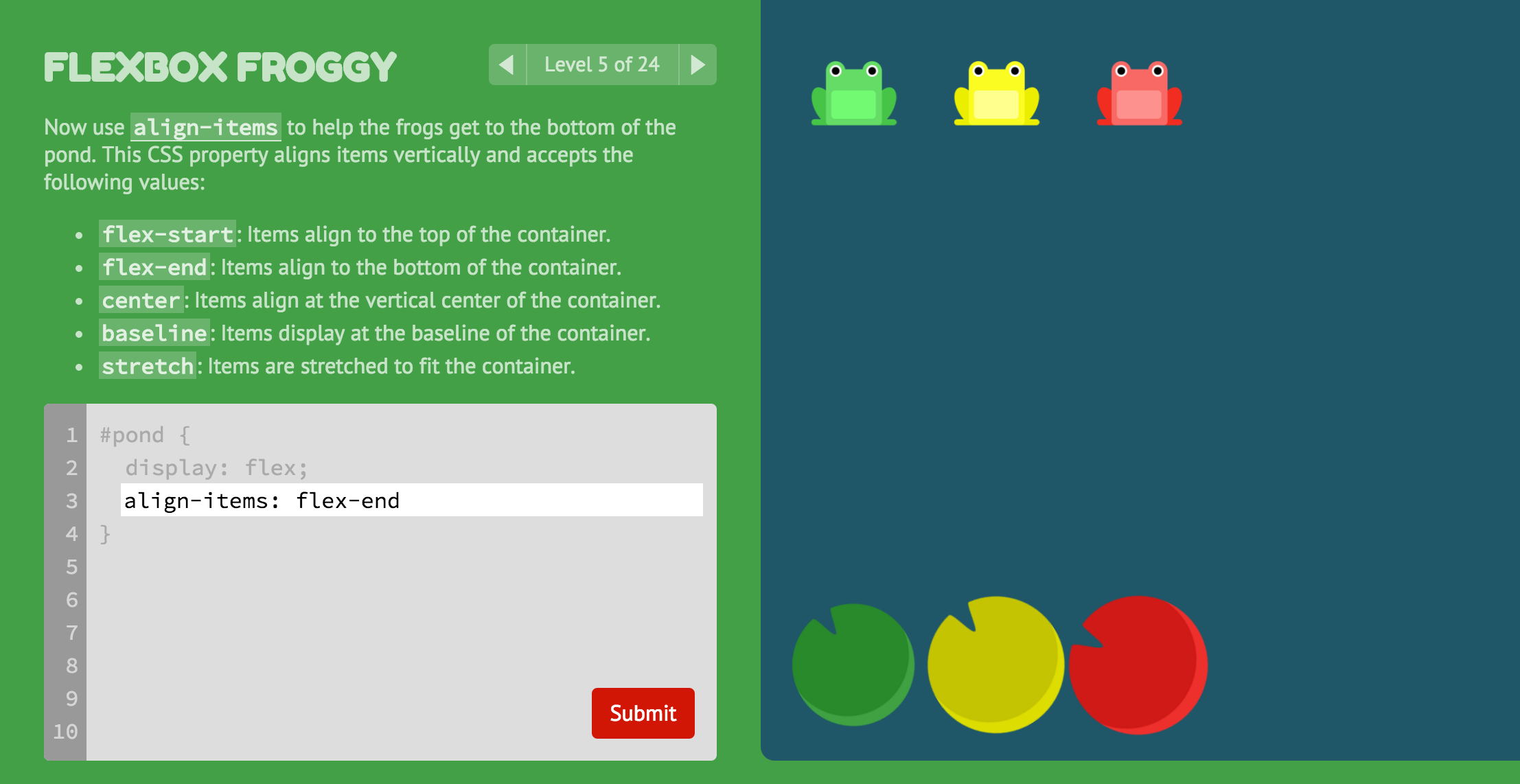
A game for learning CSS flexbox
it's a pretty cool way to learn the flexbox layout
shut beacon
Yes and it helped me a lot
stuck jasper
ah alright 🙂
shut beacon
good stuff, you sent me once 🙂
It's really good.
I've got a little question on .uss file and UIBuilder
It's quite difficult to add uss file to the UIBuilder
the

is terrible to use, it open a file seletion at the root of the project.
do you edit used .uss file list directly in the xml ?
stuck jasper
well, I usually just have a single USS file for most things
you can have a main one, and then import other USS files into it
with @import
shut beacon
I've tried of course but without big sucess
 compact sandal
I also have one .uss per mod. I add selectors and edit styles in the UI builder. Rarely when I want to copy-paste from a different project, I'll do it directly in the visual studio/code, but before that I make sure I saved everything in the project - unity doesn't like it when you edit files externally. And variables I add in VS also.
multiple .uxmls, but one .uss.
depending if you have multiple windows or components you'd like to reuse
stuck jasper
shut beacon
I've tried of course but without big sucess
what was the issue?
shut beacon
I'll try multiple .uss file too using .tss file to gather them at the very end.
but while editing them it's useful to have them in the UIBuilder
stuck jasper
a .tss file wouldn't work well, because you would have to overwrite the theme for all mods
since a panel can only have one theme style sheet
shut beacon
I'll import KerbalUI as a dependencie.
stuck jasper
that's still not great
you could define some classes that other mods also use
and then you would break their styles
you can do the same with a .uss file, no need to define a new theme
shut beacon
yes but a simgle .uss file is more difficult to maintains
stuck jasper
I mean a single USS file that imports other USS files
shut beacon
ok.... I'll try a litlle more
stuck jasper
it's exactly the same as a .tss file, just with a different extension
shut beacon
... I've created a file MyNewUI.uss
@import url("SlideToggle.cs");
@import url("MyButton.uss");
and this does not seems to import my style
stuck jasper
that should probably be SlideToggle.uss, not SlideToggle.cs

 stuck jasper
and you can if you make it a .tss file?
to be clear I have almost no experience using the UI builder for styles, it's pretty limited when it comes to that and I prefer writing my own USS, plus I even actually use the SCSS preprocessor in UITK for KSP2 now (it's available as a Unity package):
shut beacon
I'll try to use it at the very end. but as .uss includes works, it make my life so simplier
shut beacon

🤔 I'm missing something in my uss syntax
how can I copy the base uss style used for one af the default controlers (here a slider)
stuck jasper
copy it?
 stuck jasper
why do you want to copy it, though, when it's already there one?
shut beacon
the object is child of slider

and It could be simplier to affect it by name but my syntax does not work
i've tried
.k2-slider > #unity-dragger  {
    height: 10px;
}
this works but sure can affect other UI
#unity-dragger  {
    height: 10px;
    color: rgb(255, 0, 0);
    background-color: : rgb(255, 0, 0);
}
using > only checks direct children, which in your case are only these two, and neither of them match

you probably want .k2-slider #unity-dragger
that selects all descendants recursively
 hard onyx
oh my fucking god I can see why you'd have issues with PM if CSS does that
stuck jasper
lol
stuck jasper
yeahh, this is kinda what I meant by inconsistency with (S)CSS as a source of confusion
😆
hard onyx
Now time for me being the ignorant one with UITK for KSP2
how the fuck do I use the font variables
hard onyx
thank you
 stoic bane
hard onyx
stoic bane
hard onyx
Thank you
hard onyx
Why is close-button not being found?

 compact sandal
because you misspelled it
shut beacon
Hello, I well advance on the K2D2 port ! but of course I've got a bunch of very technical questions 🙂
first is about the @stuck jasper template. I've modified the .vsproj file in order to add a "close KSP" before build
And It was working fine in my old build way (using only .bat).
I call this .bat :
@REM test if KSP2_x64.exe is running
echo off

tasklist /fi "imagename eq KSP2_x64.exe" |find ":" > nul
if errorlevel 1 (
    echo "Kill KSP2 !!!!"
    taskkill /f /im "KSP2_x64.exe"
    timeout 2
) else echo "KSP2 Not running"
and it's working fine but the "timeout 2" is skipped and the build continue without waiting for a proper time.
The build then fail because KSP2 is runnign and dll could not be replaced.
It's for sure the way dotnet is running build commands and to speed up time out are ignored
perhaps there is a way to add the pause directly in the pre-build step
i've added the command in the Directory.Build.targets file
<!-- Close game Before Deploy -->
<Message Text="Closing kerbal" Condition="$(ConfigurationName) == Deploy Or $(ConfigurationName) == DeployAndRun"/>
<Exec Condition="$(ConfigurationName) == Deploy Or $(ConfigurationName) == DeployAndRun"
Command="$(PowerShellExecutable) -Command "& {Push-Location '$(SolutionDir)/scripts'; close_ksp2.bat; Pop-Location}""/>
the trouble is not "that annoying", if I build another time averything workd fine
stuck jasper
sorry, no clue about that one, never tried to pause/timeout within a MSBuild target
shut beacon
right, I'll try to find it out
thanks
annnnnd of course it was easy to find
it's in fact working if I add a new target to the file
<Target Name="BeforeBuild">
<!-- Close game Before Deploy -->
<Message Text="Closing kerbal" Condition="$(ConfigurationName) == Deploy Or $(ConfigurationName) == DeployAndRun"/>
<Exec Condition="$(ConfigurationName) == Deploy Or $(ConfigurationName) == DeployAndRun" Command="$(PowerShellExecutable) -Command "& {Push-Location '$(SolutionDir)/scripts'; close_ksp2.bat; Pop-Location}""/>
</Target>
it was that easy.
And then come my second question, more about uitk
I come often in a situation where one of my panels is hidden and I can't figure why.
I use to change the Display style of the VisualElement.
I'd like to debug to understand what's going on and I can get any VisualElement Style value
Perhaps I'm missing something but I can See in my debugger the current element style.
I could only trace it with debug.logs
stuck jasper
I usually use Reflektor or Unity Explorer for this type of debugging
stuck jasper
the panel could theoretically be offscreen, or have its visibility (not display) set to hidden, or something else like that
but it's hard to guess without debugging
shut beacon
GitHub
A quicker, lighter weight alternative to Unity Explorer for KSP 2 - coldrifting/Reflektor
it seems so cool and useful, thanks
shut beacon
Hello, I've got again many small issues I don't know how to fix.
first are UI Fields

I'm sure there is a simple way to block Key binding with the game.
hard onyx
@stuck jasper made an api for this iirc
stuck jasper

GitHub
Unity UI Toolkit library for KSP 2. Contribute to UitkForKsp2/UitkForKsp2 development by creating an account on GitHub.
the Window class also automatically does it for all elements extending/including TextField https://github.com/UitkForKsp2/UitkForKsp2/blob/b62ba3319deabec16bdadfbd3ab759a0dab1bda8/src/UitkForKsp2/API/Window.cs#L101
GitHub
Unity UI Toolkit library for KSP 2. Contribute to UitkForKsp2/UitkForKsp2 development by creating an account on GitHub.
shut beacon
thanks, i've not found the DisableGameInputForTextFields option
hummm it was on....
I'll add to IntergerField and FloatField too
shut beacon
I've got a new question @stuck jasper :
I've created a modified version of the DragManipulator
because I'need to ignore many visualElement in the OnPointerDown function
 private void OnPointerDown(PointerDownEvent evt)
        {
            if (!(evt.target is VisualElement))
                return;
            VisualElement target = evt.target as VisualElement;

            if (!IsEnabled) return;
            if (checkTarget<IntegerField>(target)) return;
            if (checkTarget<FloatField>(target)) return;
            if (checkTarget<TextField>(target)) return;
            if (checkTarget<K2Toggle>(target)) return;
            if (checkTarget<K2Compass>(target)) return;

            // _mode = target.pickingMode;
            // target.pickingMode = PickingMode.Ignore;
            IsDragging = true;
            _offset = evt.localPosition;
            _target.CapturePointer(evt.pointerId);
        }
do you think there could be another way to do it ?
If I use the default DragManipulator, my Sliders, compass and other field starts a drag.
stuck jasper
I can't really think of anything better right now
shut beacon
right and it will be enough then
I've moved the manipulator code from UnityUI code to main mod code and I can then use the UitkForKsp2 package
I've added a way to check window limit in my own class using UitkForKsp2.Configuration class
stuck jasper
shut beacon
I've moved the manipulator code from UnityUI code to main mod code and I can the...
you can do that in the Unity project, too
I see I didn't add a UitkForKsp2 Nuget reference by default, but you can add it
to the *.Unity.csproj file
it will work in Unity, since the Unity project is using the UITK for KSP2 package
shut beacon
great, I didn't know where to add this
shut beacon
and it's working fine in KSP but not in the UnityEditor.
Perhaps I need to add a the utik as a package ?
 stuck jasper
what exactly doesn't work?
shut beacon
but I can't import UITK code like the Configuration
stuck jasper
it causes errors in Unity?
shut beacon
yes I'm currently trying to show it

I just include it like this

in the project that UnityEditor Builds it does not seem to be in the imported packages
and the Editor does not find it too
It is not a blocking trouble, cause I can add it to my main cs project and It's working fine then
stuck jasper
ahh nevermind, yeah, the package only contains the code that is needed in editor (custom controls mostly)
I had to check since I didn't really remember
shut beacon
I don't need that, it could be fine in a future version if you have time to.
But it would be the final key to have my full ui set in a separate repo that can be used for other projects
stuck jasper
it would be very impractical to transfer all the code to work in Unity, since it has other dependencies like KSP2 and BepInEx
shut beacon
yes and that's the very point I was struggling with
so it have to be kept like that.
stuck jasper
the best thing to do is to ideally completely separate the view (UITK) layer from the rest of the application, and use public methods to set the data from your controller class
shut beacon
good point. I can have a base class without the need to fit in the screen
and an overloaded one that can add this feature
but inside the mod code
stuck jasper
or, possibly an easier way, the class can have a delegate field fitToScreen that will accept a Func/Action object, and if that field is not null, it will call that function
and then in your controller, you can just assign the correct function to the field
shut beacon
that's the way I have imagined that just a delegate function. it so much simplier.
thanks again. you've got always elegant and pragmatic solutions
 steady portal
Maybe we could create a base uss for all plugins ?
I will probably end up copying @shut beacon PlanFlight uss but if there is a better source...
I will create my own uss classes and use them afterwards but my classes will be very generic.

GitHub
Plan your (space) Flight! Fly your Plan! Set up maneuver nodes to get you where you want to be - schlosrat/FlightPlan
From what I understand, there are 4 base colors
=> black background by default
=> grey background for all buttons
=> blue borders for popup and buttons
=> green text and border for activated buttons / important text
 stuck jasper
steady portal
Maybe we could create a base uss for all plugins ?
stuck jasper
steady portal
Maybe we could create a base uss for all plugins ?
That's what the Kerbal UI is
Flight Plan, Maneuver Node Controller and K2-D2 are outliers in this sense, almost all other mods have UI based on the KerbalUI theme (which itself is based on the game's UI)
shut beacon
in K2-D2 I've added many new controls i'll present it when the mod is ready
steady portal
Ah, ok. I will launch the game to check. I never analysed the style of the various UI elements.
shut beacon
It's not ready yet , But it will be soon
steady portal
But indeed Flight Plan has its own theme. Well, I have less work to do. Great. 😁
stuck jasper
steady portal
Ah, ok. I will launch the game to check. I never analysed the style of the vario...
by the way, this is what you need to do to see the correct UI styles in Unity
steady portal
Ah, that's definitely useful. 👍
shut beacon
definitvely 🙂
steady portal
Slightly different from definitely, definitively conveys that something is clear and unambiguous but in a conclusive, final way.
https://www.dictionary.com/e/definitely-vs-definitively/
I am improving my english at the same time. 😁
shut beacon
I didn't know the difference. I'm improving my english too there
shut beacon

does anyone knows how to change the drodown menu uss
It's quite hard to find what .class names needs to be overloaded
stuck jasper
it won't show up in the UI Builder
to see how it really looks, you need to play it in a scene
here you can see the setup and the difference
as for changing the styles of the dropdown list itself, it's a bit tricky, since to change them, you would need to either modify the existing KerbalPanelSettings and that would change the style for all mods, or create your own custom panel settings with its own theme files and all that
the ideal solution would be to create our custom implementation of dropdowns (which I am planning to do for the big UITK for KSP2 update, I just really don't have the time to do it in the near future)
because the native dropdowns are done really stupidly
shut beacon
Oh ok, quite a big job. i've already remade Slider, Progress bar , toggle and many others
I'll perhaps add it to a future job
it will be enough for now
shut beacon
I'll rewrite a better dropbox after
for the moment i'd need infos on how the autobuild in github works... It launch a compilation when I push on any branch ?
stuck jasper
yes
 stuck jasper
the sln file looks alright

no clue why this would happen
and I see it's been like that since you started the rewrite
shut beacon
I buid perfectly on local so that's not a big deal
shut beacon
mmmmh Odd . I'm looking for RepeatButton
stuck jasper
it's not in the editor UI I don't think
you need to write it manually in the UXML file
shut beacon
I've see in use in MNC and. I can't find the standard button in the UIBuilder
ok.... and there are others controls that are not in the Builder ?
stuck jasper
a lot of them, probably

all of them that are in the UnityEngine.UIElements namespace, not the ones in UnityEditor.UIElements (those only work for creating Unity Editor UIs)
shut beacon
Ok .... how do you get a list of them ?
Oh the list is huge in fact. there where gradiant et curve .... damnit I've made them by myself
I've never seen this list. I should have before
stuck jasper
shut beacon
Oh the list is huge in fact. there where gradiant et curve .... damnit I've made...
those are only in the UnityEditor namespace so you can't use them anyway
shut beacon
ok, so it's not loosing time to have remade some. And it was the funiest part of the code
it helped me a lot for making the compass
shut beacon
That it the K2D2 is released with UITK !
Thanks a lot @stuck jasper for the precious help.
shut beacon
I'd like then to release the K2UI package
it's the full set of controllers that I have used and I think it's full detached from the K2D2 code
how do you think we should process ?
stuck jasper
you can do the same thing as UITK for KSP2 or LFO, simply by having the package as a separate repository that is included in the main repo as a submodule
shut beacon
I've also some changes made in the UITK template project like the auto close KSP
could I send a Pull Request ?
stuck jasper
https://github.com/UitkForKsp2/UitkForKsp2/tree/main/src/UitkForKsp2.Controls/UitkForKsp2Unity/Packages
you can see the folder structure where the package has to be located
GitHub
Unity UI Toolkit library for KSP 2. Contribute to UitkForKsp2/UitkForKsp2 development by creating an account on GitHub.

GitHub
Unity package with assets and controls for creating UIs with UITK for KSP 2. - UitkForKsp2/UitkForKsp2.Unity
and then the structure of the package itself
the most important thing is that it needs the package.json metadata file
stuck jasper
shut beacon
could I send a Pull Request ?
sure!
shut beacon
I'll try to. I'll first create my repo for K2UI
I've not used git sub modules, it seems to be simple link to other repos. very simple.
stuck jasper
yep, that's basically the whole concept
stuck jasper
yeah I quite like the Git docs
shut beacon
GitHub
UI Controls and tools used in K2D2 Pilot mod for Ksp 2 - cfloutier/K2UI
for the moment I just use it as a subModule
not like a Unity package
I'll try to import it in a new test Mod created with your template
stuck jasper
then to make that transition, all you'd need to do would just be to move the folder from Assets/Runtime into Packages and add the package.json file
and it should be all done
shut beacon
what is the advantage to be seen as a package ? the code is kind of read only ?
stuck jasper
well the advantage is that users don't have to manually download it, they can just open the Unity package manager and install it from the GitHub URL
and then just update with a button click anytime
stuck jasper
stuck jasper
then to make that transition, all you'd need to do would just be to move the fol...
oh but also, considering how your project is currently structured, you will need to add the new path to the csproj
GitHub
a set of navigation tools for KSP 2. Contribute to cfloutier/k2d2 development by creating an account on GitHub.
shut beacon
I've just built it and it's fine. with the current Path
K2UI Submodule is inside the Runtime folder
But I'll change all this when testing it in a new project
stuck jasper
yes, what I said applied to my other message that I was replying to
after moving the stuff to Packages
shut beacon
great
shut beacon
I've tried yesterday to adapt the K2UI to a package and
it's was a complete failure.
I'm not sure why yet and I'll try agin this evening restarting from scratch
 hard onyx
Unity...
 hard onyx
Unity chose to use npm
 shut beacon
I'm not sure creating a package worth it. As a simple sub module in the Runtime folder it is easy to use :
- you've got direct access to the code and can easily debug in it. and modify the code if needed. just need to fork the repo.
- you don't have to add a new folder in the csproj to include the new code.
stuck jasper
why would you need to add a new folder to include the code?
you won't be compiling the code from the package into your mod's DLLs
or wait, do you mean that you won't be providing it as a runtime library on CKAN?
I feel like having every modder compile their own version of it is not a good thing
it will just lead to unnecessary duplication in the game
shut beacon
well I've planned to provide it in ckan as a dependency. for the moment the package could be used a simple set of Unity toolkit controls. It is not linked to Ksp.
then from my experience it would be simplier for any develloper that want to use it to just add it to it's mod.
but I know it would lead to code duplication but as it's only simples UI controls, I think it will be simplier to integrate in new mods.
the simple subModules mechanism will avoid duplication.
stuck jasper
I mean, you do you, but I feel like making it a Unity package will make things much easier for everyone
you literally just have to import it in Unity and that's it
ah no I just realized that you're right about needing to add the path to your .csproj file if you want to programmatically access the classes outside of UXML files (or a Nuget package, but yeah, it does complicate stuff)
sorry
shut beacon
don't be sorry, it can be a good idea but i will cost more work from my side and as i'm not really aware on how to perform it I find it quite hard to do it.
the simple sub module creates for me a situation where I find it easy to edit it in 2 different projects.
I've created a separate project just to test the UI Controls.
stuck jasper
if you do in the future want to separate it, you can look at how UITK for KSP2 does it, it has a submodule (UitkForKsp2.Unity) which is a Unity package, and it also automatically builds a Nuget package which includes the Unity project
shut beacon
I did have a look and, tried to do the same but the Unity package refused to add my "embed" source and I didn't understood why
stuck jasper
I think the issue was mostly just the package ID
shut beacon
yes perhaps. I'll try again later. The package structure have to be with the Assets and Runtime folders ? or is it completly free ?
stuck jasper
I don't think any of it is necessary, but it's a good convention: https://docs.unity3d.com/Manual/cus-layout.html
shut beacon
great i'll try to fit to that.
shut beacon
I'm trying to fix many little bugs i've got with my K2UI

I've got missing fonts or images and I can't figure out where they are located
in my xml ? in the .uss
quite hard to say. the logs does not point out where it could be
and often I've got

errors like that and I suspect it to reset The UIBuilder state. I'd like to fix it but without a clue on where to find the VisualElement that have and "invalid property"
stuck jasper
shut beacon
and often I've got
huh I can't say I remember seeing that one before
shut beacon

Unity Forum
Hello,
I recently exported my UI made with the UI Toolkit into another project. Since then I get spamed with MissingAssetReference warnings and i dont...
not quite easy to find out.
I've tried to remove all ?fileID and the warning is still there
sometime I've got a warning coming from UITK itself
 stuck jasper
oh the cache invalidation one you can totally ignore
it happens because the font assets have dynamic atlases, and those usually get updated whenever you edit some static text in your UI
shut beacon
ok so no trouble about that, as I'm trying to remove all warning from K2UI
i've got also a warning in the UIBuilder
 stuck jasper
yeah the UI Builder support for variables is not great
I've noticed it's quite buggy
I prefer to just write the USS by hand because of many small details that the builder gets wrong
shut beacon
Yes but it can be tricky for asset like fonts and images...
stuck jasper
yeah, that's where I like to use variables
like:
:root {
    --font-regular: url('Fonts/JetBrainsMono/JetBrainsMono-Regular SDF.asset');
}

.some-selector {
    -unity-font-definition: var(--font-regular);
}
so I can move the files around and just change the path in one place
shut beacon
I've used them too
taking the MNC as a good example
When opening the uss file in a ui builder it will add references
to tehm automatically
?fileID=11400000&guid=1aa6f9b14a5b16b4
stuck jasper
shut beacon
taking the MNC as a good example
glad I did that rewrite then 😆
shut beacon
It has been a greaaaat help
stuck jasper
shut beacon
?fileID=11400000&guid=1aa6f9b14a5b16b4
does it do that even when you don't use the project:// schema?
shut beacon
hummm no it could be the trick to avoid that
i'll try to replace using always relatives pathes
well If I change any setting in the UIBuilder It dully rebuild the whole line
so it loose the advantage of editing in the UIBuilder
but I understand why you prefer editing by hand
but it need a quite accurate knowledge about css/uss
stuck jasper
shut beacon
well If I change any setting in the UIBuilder It dully rebuild the whole line
ah that's annoying
the USS support is one thing I really wish they would improve in the builder
but since it's now part of the Unity core, they can't just update the package
shut beacon
ah yes and as Unity version is fixed by KSP 2 we're stuck to this version.
perhaps using a different version of Unity would fit
building the assets bundle and UI controls
stuck jasper
they're usually backwards compatible, but not forward
(so 2020.3 bundles worked fine on 2022.3, but not the other way around)
plus I don't think that the 2023 version has a much better UI Builder so it doesn't really matter anyway
at least we're not stuck with the preview UITK package for Unity 2020.3, that was a nightmare, what we currently have is amazing in comparison
shut beacon
Oh my god 😄
steady portal
Is there a way to react to change of a TextField ? 🤔 I didn't find any method.
stuck jasper
event listeners are added with element.RegisterCallback<EventType>(callback);
events reference is here: https://docs.unity3d.com/Manual/UIE-Events-Reference.html
specifically you want ChangeEvent