#UITK for KSP 2
1 messages · Page 3 of 1
 stuck jasper
stuck jasper
stuck jasper
yeah, should be easy enough
 ebon seal
which...
            for (int i = 0; i < m_glyphInfoList.Count; i++)
            {
                TMP_Glyph oldGlyph = m_glyphInfoList[i];

                Glyph glyph = new Glyph();

                uint glyphIndex = (uint)i + 1;

                //#if UNITY_EDITOR
                //if (m_SourceFontFile_EditorRef != null)
                //    glyphIndex = FontEngine.GetGlyphIndex((uint)oldGlyph.id);
                //#endif

                glyph.index = glyphIndex;
                glyph.glyphRect = new GlyphRect((int)oldGlyph.x, m_AtlasHeight - (int)(oldGlyph.y + oldGlyph.height + 0.5f), (int)(oldGlyph.width + 0.5f), (int)(oldGlyph.height + 0.5f));
                glyph.metrics = new GlyphMetrics(oldGlyph.width, oldGlyph.height, oldGlyph.xOffset, oldGlyph.yOffset, oldGlyph.xAdvance);
                glyph.scale = oldGlyph.scale;
                glyph.atlasIndex = 0;

                m_GlyphTable.Add(glyph);

                TMP_Character character = new TMP_Character((uint)oldGlyph.id, glyph);

                if (oldGlyph.id == 32)
                    isSpaceCharacterPresent = true;

                m_CharacterTable.Add(character);
            }
ah I didn't get that far... 
ebon seal
maybe the glyph rects are stored tho, probably are
ebon seal
since they need to acess them to get the chars

chatgpt will tell us to go f ourselves lmao
stuck jasper
lmao
I don't understand why they have one font as a literal .otf font file in the assets and then two are just TMP monobehaviors with a material and texture


ebon seal
probably they dont use that font often
stuck jasper
oh they do, it's the one used for most text in the game
ebon seal
actually it can be the font they use for the console
stuck jasper
it also has the TMP assets
ebon seal
oh ok
ebon seal
Probably AssetStudio is not able to reverse engineer them
stuck jasper
I don't think it does with realtime rounded either
ebon seal
tho have u tried just putting the font name.otf on Resource.Load?
stuck jasper
they just literally include the .oft file in the addressables, but not the other two
ebon seal
ngl they probably just forgot them there xD
stuck jasper
yeah lmao
since it's not needed in the game for anything afaik
they only need the TMP assets
ebon seal
only needed if they use it in things like the console or any other UI thats not TMP
probably for the Debug windows
since they dont seem to use TMP
stuck jasper
I mean they could just use the default Unity fonts for that
if it's not user-facing UI
ebon seal
well if they're smart they put the game's font as the default font
for easier game dev
stuck jasper
well they do also include all this
 ebon seal
and when ur making a prototype its easier to use the normal text since its faster to interate
stuck jasper
which are the Unity defaults iirc
ebon seal
oh that probably is from assets that are not being used in game
actually that seems like a translation test
they probably were testing l2
i wonder how much mb of junk is in the game
i'd say maybe 5-10% of the game's size
stuck jasper
they is an awful amount of duplication
ebon seal
tbf i dont think thats actual duplication
stuck jasper
just the SB Liquid font assets are duplicated like 5 times lmao
ebon seal
if you're talking about what i think
stuck jasper
in different addressables and in Resources
ebon seal
cuz the way ddressables work, thats just the address
and AssetStudio displays it as an actual Asset
but in the files its actually just a reference to the original
stuck jasper
interesting, so when you go to "Show original file", it doesn't show you the file that actually contains it, but just references it in any way?
ebon seal
Thats my guess, because most parts dont have all the files on the addressable
but if you load the whole folder
the missing files are there
a lot of parts are missing meshes in asset studio ie
stuck jasper
doesn't that speak against what you're saying? 😅
it would mean that if Asset Studio was showing references and the parts were scattered across multiple files, you'd see most part assets multiple times, no?
ebon seal
You'd see it multiple times IF you have the reference's target loaded
else you wont see it
ie, if you have a prefab on your part, the prefab wont show fully on AssetStudio
let me see if i can show u a sec
stuck jasper
ebon seal
You'd see it multiple times IF you have the reference's target loaded
and if I have the full game folder loaded and still don't see duplicates for parts?
 stuck jasper
I don't think I've ever even used that tab once 
ebon seal
lmao its good for part modding cuz u see the structure
the game a lot of times uses the structure and gameObject's names for things
ie, the game keeps a list of all colliders and models in the PartBehaviour
it gets it by iterating through every gameObject under a gameObject named "model"
and it has to be directly on the root of the part
thats how i figured the convention of the game's parts
stuck jasper
stuck jasper
and if I have the full game folder loaded and still don't see duplicates for par...
this was my example of that

no two files here are the same
and it's across many bundles
ebon seal
well a lot of those are unity automatic conversions from what i can see
stuck jasper
but then some other assets I see a lot of just 1:1 duplicates
for example many fonts are loaded in both Resources and in multiple addressable bundles
 ebon seal
oh i was thinking it was the font asset lmao
stuck jasper
lmao
ebon seal
i was like why tf does every engine need a font?
ebon seal
stuck jasper
for example many fonts are loaded in both Resources and in multiple addressable ...
from what i know, and i might be wrong, thats unity's addressable packing
if you dont add a needed resource to the addressables
stuck jasper
nah, the type is either Font for the actual .ttf/.otf, or MonoBehavior for the FontAsset classes (referring to the TextAsset thing)
ebon seal
it will automatically load that for you

i did not include any of the textures on the addressables window
but it was loaded through the material
nor i included the shaders
stuck jasper
yeah I know about that, that's how the UIE-Runtime etc shaders end up in the kerbalui bundle even without me specifically including them
 stuck jasper
if you reference anything in an asset that gets bundled, it bundles it as well
ebon seal
so basically theres no duplicates
its just asset studio loading everything that it sees
but in game, and for unity, they are all just references to the same file
thats what catalog.json is for
thats why theres only 1 per addressables build
it tells, "hey this file already exists no need to save it again, just reference x id"
stuck jasper
yeah I see, well, that's just dumb
since when I import and export the SORRY folder in AS, it correctly exports all the files only once
ebon seal
i mean it saves tons of disks space
ebon seal
it doesnt xD
if there's multiple of the same it exports like this

they are all the same but from different addressables bundles
but again in game its all the same reference
stuck jasper
oh lmao
well the SORRY folder that I loaded just has no multiple references then I guess
ebon seal
yeah the current version of sorry doesnt have duplicates i think
since there's not much to prefab and instantiate there
stuck jasper
 ebon seal
Indeed xD
ebon seal
yeah lmao, i mean i do like the current font so 
and maybe the devs will make it easier for us in the future
at least i hope @ dakota
stuck jasper
hm this sucks
I'm having trouble finding any LCD dotted fonts which support more than the basic english character set
ebon seal
probably wouldnt be hard to make one font procedurally for that
basically get a good pixelated font and turn every pixel into a dot
try to find a pixelated font and i'll try to do it 🙏
like that one u sent earlier
ebon seal
oh lmao
also we could for now have only the english one
and other languages we would show the defaults
while we cant find an universal one
most people have the game in english either way (for now at least)
stuck jasper
is there an easy way to default to a different font altogether if a character doesn't exist in the current one?
stuck jasper
or do you just mean manually switching them out when the language changes
ebon seal
l2 already has support for that tbh i think we could use it maybe?
like l2.GetCurrentFont or smth
stuck jasper
does that work with UITK TextCore fonts?
ebon seal
im pretty sure it does
its just a matter of actually updating the style sheet probably
stuck jasper
hm
alright, let me actually test the custom elements first and then I'll get into this
lmao


 ebon seal
ABC!
stuck jasper
btw I made the factory loading from assembly an API method so that you can register controls from any assembly you dynamically load as well
so now the patch is just this
[HarmonyPatch(typeof(VisualElementFactoryRegistry), nameof(VisualElementFactoryRegistry.RegisterUserFactories))]
[HarmonyPostfix]
public static void VisualElementFactoryRegistry_RegisterUserFactories()
{
    foreach (var plugin in Chainloader.Plugins)
    {
        CustomControls.RegisterFromAssembly(plugin.GetType().Assembly);
    }
}
oh ok thats cool nice
 cyan terrace
@stuck jasper the UI is being scaled

having to do this to even get that on screen

is normally 1.5f and 4
thats on a 4k display
links to this issue as well #1079614817083600906 message
stuck jasper
yep, I changed the PanelSettings to not be absolutely sized but to automatically resize with resolution, like the game's UI
the reference resolution is 1080p
cyan terrace
stuck jasper
the reference resolution is 1080p
thats why its wanting a *2
stuck jasper
I think it's much better this way since you don't have to jump through hoops to rescale things for different resolutions and calculate lengths from screen size
now you can just assume any screen is 1920x1080
and work from there
 hard onyx
The easiest way to fix this is to make some constants
const float REFERENCE_WIDTH = 1920f;
const float REFERENCE_HEIGHT = 1080f;
And use those instead of screen.width and screen.height
cyan terrace
im going to not do that and just revert the changes in the mod.
cyan terrace
everything I do is based on the players screensize not some arbitrary limitation
cyan terrace
fixed
 hard onyx
That will break every mod
cyan terrace
that will not break every mod
hard onyx
Panelsettings are global
cyan terrace
also im the only one who uses this stuff anyway
stuck jasper
every mod is using the same panel settings
and you're not
SpaceWarp is using UITK
hard onyx
Space warp literally uses this
stuck jasper
so if you do this, we'll just have to mark SpaceWarp as incompatible with your mods
cyan terrace
stuck jasper
every mod is using the same panel settings
this is false. since that gets applied to the UIdoc that im using.
hard onyx
cyan terrace
this is false. since that gets applied to the UIdoc that im using.
There is only one panel settings object
cyan terrace
each ui has its own doc
hard onyx
Every ui document references the same
Its hella inadvisable and non performant to use multiple
cyan terrace
 ebon seal
Last lind
stuck jasper
yes, exactly
stuck jasper
lind
hard onyx
The last line shows that it is referencing the global one, it doesnt copy it
stuck jasper
if you're so hellbent on going against the flow and making things harder for yourself, make your own PanelSettings and don't reference mine
cyan terrace
the only one making stuff harder is you. by changing stuff that does not need changing.
stuck jasper
are you aware of the fact that the library was in ** experimental ** state, and that things usually change between major versions? I warned you about this when you started using it, telling you that it's still in early stages and none of it is final
cyan terrace
stuff like referenceResolution should not be set.
stuck jasper
so everyone has to go insane going and manually rescaling all elements and their borders, text, etc, just because you specifically feel like doing it?
I don't think so
cyan terrace
if spacewarp wants to scale based on 1080p then it should have its own PanelSettings, instead of making everyone else be limited to that.
hard onyx
Umm no
cyan terrace
um yes
cyan terrace
fine I will
hard onyx
Multiple panel settings are not recommended by unity
stuck jasper
this is my mod and that's how I want it, and how most sensible people want it
make your own incompatible one
ebon seal
cyan terrace
if spacewarp wants to scale based on 1080p then it should have its own PanelSett...
🤨🤨🤨🤨🤨🤨🤨🤨🤨🤨🤨🤨
You know that not everyone has a 4k monitor
So you want everything to be scaled to 4k?
Or wtv you make your uis?
cyan terrace
I dont need to scale based on anything.
ebon seal
It has to be based on something
cyan terrace
you end up with stuff like this #1079614817083600906 message
ebon seal
You made it in a certain size
stuck jasper
cyan terrace
you end up with stuff like this https://discord.com/channels/1078696971088433153...
if you do it wrong, yeah
ebon seal
Bet, you should do your panel settings 🤞
cyan terrace
ebon seal
Bet, you should do your panel settings 🤞
already have added my own into shadowlib
ebon seal
Great add more lag to your mods 😍
cyan terrace
my mods are not laggy thank you.
stuck jasper
anyway this has gone on way too long here, please go discuss this in your own thread somewhere
ebon seal
That reminds me @stuck jasper you can wait for the size of a window to be calculated
stuck jasper
#🔴mod-dev message linking this here for future reference
ebon seal
Theres a event for that
stuck jasper
oh that sounds good
stuck jasper
awesome, thanks
ebon seal
am a bit confused on how to put the window in game
ebon seal
oh ok, that makes more sense
ebon seal
@stuck jasper i think that RegisterCallback<ClickEvent> isnt working
i'll upload my spacewarp changes to a branch so you can test yourself, but i registered it in 3 diffrent places and no luck
also for some reason im getting 2x logs? lmao

the grey time logs are the right ones btw
the other idk where they're from
ebon seal
@stuck jasper https://github.com/LuxStice/SpaceWarp/tree/new-console

GitHub
A C# modding API for KSP2 built off of BepInEx. Contribute to LuxStice/SpaceWarp development by creating an account on GitHub.
ebon seal
btw fixed the double logging, and as an alternative, since the event isnt working, im just showing the whole log
stuck jasper
The ClickEvent only works on some specific elements like the Button when you actually run it in the game and not in the editor, I was dealing with that issue in the mod list as well
this is what you end up needing to do

as you can see, Unity adds this to Button automatically:


so if you're having issues with a custom element not being clickable, you can just use this
ebon seal
stuck jasper
The ClickEvent only works on some specific elements like the Button when you act...
oh but like in the UI Builder i could use an ClickEvent on a visual element
thats how i was testing it
stuck jasper
Yeah, i don't know why it works there
ebon seal
tho AddManipulator is a public method maybe i can just add one?
stuck jasper
stuck jasper
Yeah, i don't know why it works there
It shouldn't as far as I know lmao
ebon seal
also, theres PointerDown, have u tried that?
lmao
theres like PointerDownEvent PointerUpEtc
probably its the same as Click event tho
stuck jasper
I remember reading that that works, but I'd rather just use the actual Clickable since it's made for this purpose
but I guess it's up to you
ebon seal
no yeah it makes more sense to use clickables
tho i might leave the console as is, its pretty good tbh
stuck jasper
but didn't you already code everything for the messages to be toggleable?
ebon seal
oh its literally just a bool that when you set disables the visual element xD
the thing is mostly that theres only a few logs that are extensive on KSP2
the toggle thing was mostly to hide those
i'll maybe still leave that on the class so its easy to add in the future if needed
stuck jasper
https://github.com/jan-bures/UitkForKsp2/pull/1 @ebon seal I just noticed this, it is still relevant?
GitHub
The current code doesn't allow for assemblies other than Unity's to be loaded, preventing from custom controls from being loaded. this should fix it
ebon seal
i dont think so? since they are already working
stuck jasper
yeah, I thought so, just wanted to ask before I close it
ebon seal
np :)
stuck jasper
UitkForKsp2.Controls
ebon seal
same for UITK
stuck jasper

Provides a class for sending HTTP requests and receiving HTTP responses from a resource identified by a URI.
abbreviations are always in PamelCase
never fully capitalized
ebon seal

stuck jasper
in pretty much every C-like programming language
it's disgusting
don't ever do it pls
ebon seal
it looks better tho 🙄
stuck jasper
I beg you
imagine you were trying to turn it into a human-readable string
it would turn into like "U I T Kfor K S P 2"
stuck jasper
based on the CamelCase rules that are everywhere else in the language
 stuck jasper
"UitkForKsp2" -> "Uitk for ksp2" makes so much more sense than "UITKforKSP2" -> "U i t kfor k s p 2"
stuck jasper
yes, but for all intents and purposes it is a single word when written together like that, so it should use the same rules as other words in C#
cyan terrace
look I know how to solve this argument
UnityUserInterfaceToolKitForKerbalSpaceProgramTwo.UserInterfaceControls
cyan terrace
I mean its the only logical answer
ebon seal
Long ass class names
.uitkforksp2-base-control__label-container
ebon seal
seems like i can just inherit the .uss of the custom controls and it works


@stuck jasper
so no need to change the .tss
tho, any new theme that we make we gotta remind to also put the custom controls .uss on the Style Sheets
stuck jasper
yeah, I mean you can import as many .uss files as you want in the .tss file
but the question is
how do you easily let mods choose whether to use KerbalUI or not
since it's set on the panel settings common for all mods
stuck jasper
so change it for all mods at once?
ebon seal
but im pretty sure thats how the editor ie would change
mods that are not using KerbalUI.uss wont be affected
stuck jasper
idgi
all mods are using the same panel settings by default
and one panel can only have one theme
across the board
and by default that theme is kerbalui
ebon seal
the theme only applies as a fallback for the uss
so if you have an UI with an uss that overrides every item, it wont be affected by theme changes
ebon seal
Yeah, it is lmao
Tho thats what themes are
also we can make every theme fallback to KerbalUI if you so desire
#1085537097714245662 message
just set it as an inherited Theme
stuck jasper
it's not a "fallback", it is the theme
and mods can build on top of it with their own styles
I keep saying
you can't have multiple themes
ebon seal
i do understand what ur saying
stuck jasper
in UitkForKsp2
ebon seal
hmm
stuck jasper
then I don't get what you mean by saying "inherited theme"
ebon seal
yeah maybe for UITK for KSP2 in general might not be viable
stuck jasper
there's no inheritance, there's 1 theme only
you'd need to create custom panel settings for each window that wants a custom theme
ebon seal
but we should at least give players the uss "themes" (parts manager, settings replicas etc)
yeah i see what ur saying
ill look into it in more detail tho cuz that seems a bit dumb
but tbf unity is dumb most of the times
ebon seal
ebon seal
but we should at least give players the uss "themes" (parts manager, settings re...
if we do this, players can add their own theme selection if they want
tho yeah, its not a good idea to have a global theme
stuck jasper
user themes make sense, but only to a very limited degree
like some colors etc
in general, mods should decide their layouts and styles
ebon seal
hmm, maybe we should give 2 types of themes... Colors only and a full rewrite
tho thats a fuck ton of work
so players can either just match the Flight UI colors, or if they desire, use the actual Flight UI replica
stuck jasper
for some mods/windows it makes more sense to emulate the game's Settings style (SW mod list), for some it makes sense to emulate the VAB window style (STAGE for example)
etc
ebon seal
yeah, thus we giving the option by only changing colors, or the actual element's size/padding etc
but again, that'll require us to write it like that
stuck jasper
need you to do that game UI rewrite first, so they can style not just mod windows but all windows
ebon seal
we can have the colors and UI style be separate and non-overlapping
when i feel like the game's UI is more stable i will 🤞
but yeah this whole idea is something for the future
im happy that i can have the controls looking decent w/o having to make a new .tss
stuck jasper
I'm adding it to my to-do
something like a general UitkForKsp2-level theme framework
which does not rely on the Unity .tss files
ebon seal
yeah thats a great way to put it
something like Color-UI Style pair
where u can select both to replicate the game's ui
Or
select each and just affect the colors or the UI style
stuck jasper
my general idea for it is to have basically something like this:
var myUiDocument = Window.CreateFromUxml(...);
myUiDocument.SetStyle(UitkForKsp2.Styles.SettingsStyle);
which would set the general layout and style of a specific window, and then something like a dropdown with separate themes (mostly minor things like colors, rounded/straight borders, etc, maybe later something like different icon packs?) in the BepInEx configuration of UitkForKsp2
ebon seal
yeah, that works great too
we probably could so something like SettingsStyle.Color SettingsStyle.UILayout SettingsStyle.Borders
but for that we'll need to segregate the changes very well
SettingsStyle being a UITK for KSP2 class with an implicit conversion to UITK StyleSheet
 stuck jasper
you can just make it if you want, since you have the controls anyway

it should just be as easy as putting a package.json in a folder with the .cs files
and then we can probably just import those as a git submodule into a new project in the UitkForKsp2 solution
to build them for release
just put them in the UitkForKsp2.Controls namespace
ebon seal
it already is! okok i'll do it then
tho just UitkForKsp2 stuff or do you also want to include template stuff (ie and example window?)
probably just UitkForKsp2 right=
stuck jasper
not really for the Unity package
should probably just be the controls
you can make the repo if you want since I'm assuming you'll be using it the most, or ofc I can make it if you want and you can PR
up to you
ebon seal
better to keep it with u since u have the UITK for KSP2 one
tho is it not possible to give me commit perms? or thats only with an organization?
ebon seal
either way im ok with doing PRs
stuck jasper
GitHub
Custom controls for the UITK for KSP 2 library. Contribute to jan-bures/UitkForKsp2.Controls development by creating an account on GitHub.
sent you an invite
ebon seal
now i have an "add file" button so i guess i can just commit to it
i'll do that in a bit tho! 🤞
stuck jasper
whenever you want
I'll set up the integration into the main UitkForKsp2 repo a bit later
ebon seal
@stuck jasper embeded or local package? i feel like embeded would be better to avoid users modifying the controls
they can still look at the code tho
also embeded can be packaged with the template
and will (almost) always stay updated
stuck jasper
what difference does it even make? The end result is the same, your package gets installed into Library/PackageCache/package.name.version, afaik it's just about the process of how you make the package
hard onyx
ebon seal
now i have an "add file" button so i guess i can just commit to it
(i misread add as adhd for some reason)
ebon seal
lmao a button that changes your screen every 30 seconds
stuck jasper
what the actual fuck
why would the code need to be embedded in a Unity project to support being added from a git url
as opposed to loading the .unitypackage from a local file
 ebon seal
embeded just means that it will be in here instead of your assets folder i think
 stuck jasper
yeah I just mean
why the hell would it even be an option for it not to be there
????
hard onyx
cuz unity packages are like that :3
ebon seal
probably cuz embeded they can control the source code more?
and that way can have at least some security control over the packages
stuck jasper
why are all packages not considered "embedded"
ebon seal
stuck jasper
ebon seal
and that way can have at least some security control over the packages
the only difference is that they're wrapped in an unnecessary Unity project folder structure
which adds 0 security or control
ebon seal
stuck jasper
the only difference is that they're wrapped in an unnecessary Unity project fold...
also you have a direct link to their github
so you can see the source code
stuck jasper
that makes 0 sense
hard onyx
I mean just distribute the package as source????
stuck jasper
hard onyx
I mean just distribute the package as source????
exactly
I don't get this as all
if you just put some .cs files and a package.json in a github repo and install it from there, vs. if you put the .cs files and package.json inside a Packages folder inside an empty Unity project, what the fuck does that change for anyone
 hard onyx
Unity be iike
 stuck jasper
each time when I encounter another one of their dumb design decisions, I tell myself that their stupidity can't suprise me anymore
and then they do it again
and I'm surprised once again
ebon seal
LMAO
dw it gets worse if you go into the unity tools
like the Grid system that they have, or their vegetation system, or their terrain sculpting system
the list goes on
also dont forget their HDRP settings
or the fact that until 2019 (i think) Dark Mode was under a paywall
hard onyx
I hacked unity to add it while it was
ebon seal
heh i got used to it lmao
hard onyx
I couldn't so I literally used a decompiler, found the function address I wanted, used an online assembler and changed the code for it by editing the EXE (I was following a tutorial)
stuck jasper
I am so glad I never had to deal with Unity before, and I just hope I never will outside of KSP modding
and even that is already too much Unity for my taste
hard onyx
Ehh unity is fine to me
ebon seal
yeah tbf unity for like most part is a pretty good tool
in a very accessible language (C#)
and you have a lot of freedom w it as for example Unreal not so much
stuck jasper
huh actually

don't even need a separate repo for the package it seems
can just make it a subfolder in UitkForKsp2
stuck jasper
if you want, but we need to first set up the new C# project, the whole post-build pipeline for it etc
btw I just tested just installing this from a repo:


and it does work but

lol
it needs meta files
@!#$
 ebon seal
@stuck jasper should i include the curve editor?

its functional as of now (tho i forgot the Add/remove keyframes)
but i dont see many people using it besides me
hard onyx
I mean why not
If someone wants to say remake the KAL controller for example it could be useful
ebon seal
okidoki
its a big buggy but thats literally unity's curves being buggy lmao
if you move a key past another, both will "merge" and only way to fix that is by deleting one of them lmao
you cant separate them (afaik)
 compact sandal
Will definitely be useful when part and planetary mods start being made
ebon seal
deal then, i'll also include this
ebon seal
im guessing there's demand for float and int only textfields right?
i put that on my todolist for the unityPackage
if not i'll just release as is
compact sandal
yes
and while you're taking requests: ListView, Vector2/3/4, SliderInt, Color 😁
also, I've seen you somewhere using dropdowns. Are those already ready?
stuck jasper
they are actually already in UITK
we just didn't know before
because in its eternal wisdom, Unity didn't document most of the controls that it had until like version 2022
https://docs.unity3d.com/Manual/UIE-ElementRef.html 2021.3, pardon me
compact sandal
oh yes, shadow discovered them for runtime, ok
and to get them for editor, what would be needed?
stuck jasper
nothing
just use them in your UXML
like <ui:DropdownField>
and they'll appear in the UI Builder preview like usual
stuck jasper
shush, you were talking about the foldout
 chilly thorn
rare munix L
chilly thorn
i felt it in the force
compact sandal
but, but... I'd like to drag and drop it 😛
chilly thorn
drag and drop what
 chilly thorn
where Vector4IntField?
chilly thorn
rip
stuck jasper
yeah, you just need to look whether they're in the UnityEngine or UnityEditor namespace, but those are available at runtime since they are in UnityEngine
chilly thorn

 stuck jasper
it's unbelievable that they just straight up don't have them in the documentation for older versions when they're available there too
cyan terrace
my docs is decompiled dlls
 ebon seal
yeah but i remember that there was a issue
stuck jasper
yeah there was
ebon seal
that u couldnt add things to it?
cyan terrace
stuck jasper
care to explain @Unity????
 ebon seal
so wait the thing in the editor is not working but the things hidden are?
stuck jasper
ebon seal
that u couldnt add things to it?
I mean I was testing that whole thing in the game
ebon seal

ebon seal
just not via code
stuck jasper
no it was working just as intended
but the intended usage was dumb as fuck
you have to have a fixed height for the template item
ebon seal
ur ok with me making these available in the editor with UITK for KSP2?
stuck jasper
which makes no fucking sense
ebon seal
stuck jasper
you have to have a fixed height for the template item
actually that how these lists work on IMGUI to
when ur working on the editor, iirc let me test
stuck jasper
anyway, the list view was never meant for the thing I tried to use it for
it's only meant for lists of like millions of items that need to be virtualized
ebon seal
ebon seal
ur ok with me making these available in the editor with UITK for KSP2?
^
its pretty much just an empty class that exposes it to the UI Builder
literally this is all the code
 stuck jasper
sure, I was going to suggest that to Falki anyway
but why the hell aren't they already
they already have those defined
 ebon seal
they have
Wait i think that i've tried w/o them fro the dropdown and it didnt work
let me try again tho? it was in the very start of my UITK journey
stuck jasper
I just mean, how come they don't show up in the Builder as is?
since they have all the necessary stuff to be exposed to it
like that should be it
 ebon seal
stuck jasper
I just mean, how come they don't show up in the Builder as is?
ebon seal
stuck jasper
I just mean, how come they don't show up in the Builder as is?
i'd say they filter what appears on the Controls list
stuck jasper
mfers
ebon seal
it makes sense to, probably its still not how they like it to be
(tho its a bit dumb since the whole package is experiemntal)
stuck jasper
why would you purposefully hide most of the available controls
if you don't want them to be used, don't put them inside the package
like cmon
ebon seal
because not ready, like list view ie
But again
the package was experimental in this version
stuck jasper
so, don't add them yet
ebon seal
so????
make a build w/o them while ur working in it?
box is probably the most useless control you could ever want wtf

literally just a background
also maybe this answers your question munix
ebon seal
These are BoundsField and BoundsIntField
different names
you can't change the labels
??
stuck jasper
ebon seal
also maybe this answers your question munix
what question?
ebon seal
"Why not make them available"
ebon seal
ebon seal
.
BoundsField on top
BoundsIntField on the bottom
you can't change those labels
cyan terrace
probably only works at runtime
stuck jasper
ebon seal
you can't change those labels
why does that mean DropdownField can't be in the builder?
to be fair I still don't understand exactly what I'm supposed to be seeing in the image
what labels can't I change? x,y,z?
or the ones on the left?
am confusion
ebon seal
stuck jasper
why does that mean DropdownField can't be in the builder?
i mean those is just dumb yeah
probably they have like code standards to follow before releasing things?
i imagine Unity being quite strict about their code
\j
stuck jasper
so that's why they release them for everyone to use but just hide them from the builder
ebon seal
Lmao
tbf the builder is pretty buggy so i wouldnt be surprise if this was one of the first versions of the builder
stuck jasper
just another common Unity L
ebon seal
Lmao yeah
also wtf is groupbox for?
This is an enclosing container for a group of IGroupBoxOption. All group options within this container will interact together to allow a single selection, using the DefaultGroupManager. Default options are RadioButton, but users can provide other implementations. If no IGroupBox is found in the hierarchy, the default container will be the panel.
ok so basically a tab manager?
stuck jasper
 stuck jasper
it's basically the same thing as <fieldset> in HTML
ebon seal
one thing that they should have is a tab manager
Like TabGroup and u put TabControllers on it
stuck jasper
eh that's a bit advanced for a "simple" UI control
it seems to me like they were mostly inspired by the scope of elements in HTML
ebon seal
heh fair
stuck jasper
and you can relatively easily build a tab system out of the already existing elements
 stuck jasper
yeah that one is like outta nowhere lmao
it's even a runtime one, not just editor-only
why
ebon seal
oh great obviously they have a Image deidcated thing
BUT DONT MAKE IT PUBLIC

LIKE
i've been using visual elements w background images 😭
stuck jasper
asfsgdjkh
<ui:Image style="--unity-image: url('path/to/image');"/>
it doesn't even have a "src" attribute
you literally just style it
ebon seal
😭
The Image element is typically used to display an image within a specific area of a UI, such as an image gallery or an avatar
in a user profile. It provides more fine-grained control over the appearance of the image, including options for resizing, scaling, and cropping. Use Image when you want the size of an image to drive the size of an element in the layout. You can also add additional elements to the Image element to create overlays or add interactivity. However, for performance reasons, specify a fixed width and height if you use many instances of Image.
stuck jasper
Unity u good?
ebon seal
so BASICALLY
ok why
WHY
I was like half a day trying to make a texture always be a certain size
(like 256x256 so downsize or upsize it)
😭
 ebon seal
well this will be fun

each 1 is one control that unity doesnt have
i already did 7
fortunatelly is just copying the name
 cyan terrace
stuck jasper
cyan terrace
stuck jasper
well... you see...
ebon seal
YEah the game's UI is so much going to be remade in UITK https://docs.unity3d.com/Manual/UIE-uxml-element-ProgressBar.html
even progress bars
which they dont even have available in IMGUI
you literally have to make a custom IMGUI object for that
and add it to the context menu
for you to be able to use one the editor

Actually its an integer not an int 
MEANWHILE ON VECTOR3 THEY USE INT
😭
ebon seal
doesnt even fit in a max sized window

imma need to make custom UxmlTraits for some of these
IE image you cant pick the image in the builder
but thats light work
also some of them have visual bugs when u use
cyan terrace
make sure to use dots
stuck jasper
I prefer semicolons

 ebon seal
imma start to use this shit its actually pretty funny
stuck jasper
imma vomit

 ebon seal
cyan terrace
https://tenor.com/view/dont-care-idgaf-gif-5730259
ebon seal
cyan terrace
https://tenor.com/view/dont-care-idgaf-gif-5730259
ngl most of these are useless lmao
only the (TypeHere)Fields, radio button group, dropdown and message box
tho i need to find a way to fix this
i suspect that its just a couple of .uss classes that are missing tho
cuz on the unity theme it works
stuck jasper
I feel like those could all be sort of useful?
 ebon seal
UR FUCKING KIDING ME THAT THE FLOAT/INT FIELD ALLOW FOR OPERATIONS
stuck jasper
ebon seal
i suspect that its just a couple of .uss classes that are missing tho
yeah it's just because they have elements inside them that are styled by KerbalUI partially
I'll need to add KerbalUI styling for all of them
ebon seal
stuck jasper
I feel like those could all be sort of useful?
HelpBox, i mean sure, RepeatButton is useless from what i see, Progres and RadioButton gruop are the only ones actually usefull there
PopUp window is a subElement of the dropdown
cyan terrace
ebon seal
UR FUCKING KIDING ME THAT THE FLOAT/INT FIELD ALLOW FOR OPERATIONS
this cant go wrong at all
ebon seal
it instantiates a popup window when pressed
RadioButton only works if inside a RadioButtonGroup
(sure its useful but i wouldnt consider it a Control, more a subElement of RadioButtonGroup)
ebon seal
cyan terrace
this cant go wrong at all
maybe you can disable it? let me check
not on the builder
stuck jasper
ebon seal
(sure its useful but i wouldnt consider it a Control, more a subElement of Radio...
I mean popups seem generally useful even for non-dropdowns?
afaik dropdown is just basically the UXML equivalent of a <select>
you open it, and select 1 item from a list
popup can contain anything
 stuck jasper
dropdown yes, popup should only close when you click outside of it/press esc or something
though I see that you need to implement that functionality yourself
and if repeatbutton works the same way as in IMGUI, it's also pretty useful
some mods use them
(the IMGUI version)
ebon seal
repeat button is what?
stuck jasper
when you hold it, the action gets repeated
ebon seal
stuck jasper
though I see that you need to implement that functionality yourself
probably yeah, seems like it
thats cool
i cant test that w/o a code tho 🙃
stuck jasper
stuck jasper
when you hold it, the action gets repeated
so for example holding "+" or "-" repeatbuttons
to continuously increase or decrease a value
ebon seal
yeah makes sense
stuck jasper
to be fair I have no clue how much of their functionality all these elements have implemented in the preview package
ebon seal
Hmm i'll try to sort these into namespaces
stuck jasper
but if they do what they're supposed to, then they seem useful to me
ebon seal
basically namespaces=folder in the UIBuilder
and either hide or create a Experimental namespace for the ones not usable as of now
ebon seal
also i'll make them either private or internal so no one mistakenly uses them in code
yeah im looking at you shadow
This way when you look for the class it wont appear on the auto-complete

cyan terrace
ebon seal
also i'll make them either private or internal so no one mistakenly uses them in...
oh dont worry. I will still get access to them.
ebon seal
lmao is your package publicized?
stuck jasper
yeah I mean you're just wrapping them for use with the builder
the base controls will still be there and public
ebon seal
yeah you dont need it for anything
stuck jasper
ebon seal
lmao is your package publicized?
 ebon seal
also will help when making the WindowControllers because you can just cast the it to its base so Q<IntegerField>("intField") == Q<IntegerInputField>("intField")
(yeah the naming is dumb)
didnt want to put Control on everything
compact sandal
maneuver node controller uses repeat buttons, they're very usefull
 stuck jasper
Yeah that makes sense
ebon seal
also maybe remove controls?
stuck jasper
as in the namespace, or the suffix?
ebon seal
tho this will also make the namespace for most controls be just UitkForKsp2
the suffix has to be there because the base name is IE Box>BoxControl
i cant have the same name unfortuantely
stuck jasper
yeah nah, it should not be in UitkForKsp2
that'd put them on the same level as the UitkForKsp2Plugin
ebon seal
yeah better not, tbf its just 1 more click on the builder, and it stays open so

seems good
i did have to do this for the dropdown control to look KerbaUI-esque

so maybe its just the same for the others?
just added base to the uss class and all fixed @stuck jasper
 stuck jasper
awesome
ebon seal
Oh fuck
most of these
are UnityEditor on this version

we loose every input and the progress bar
Repeat button maintains tho
ebon seal
@stuck jasper would it not be possible to update to an earlier version (given that it doesnt use any method from Unity that was added past 2020.3.33f1?)
stuck jasper
Huh? Earlier?
hard onyx
Dont ya mean later @ebon seal
stuck jasper
we are using the last available version of the actual package
if we wanted to go newer, we'd have to extract it straight from the core UnityEngine
not sure how feasible that is
ebon seal
@stuck jasper
https://i.imgur.com/UXMVbfq.png
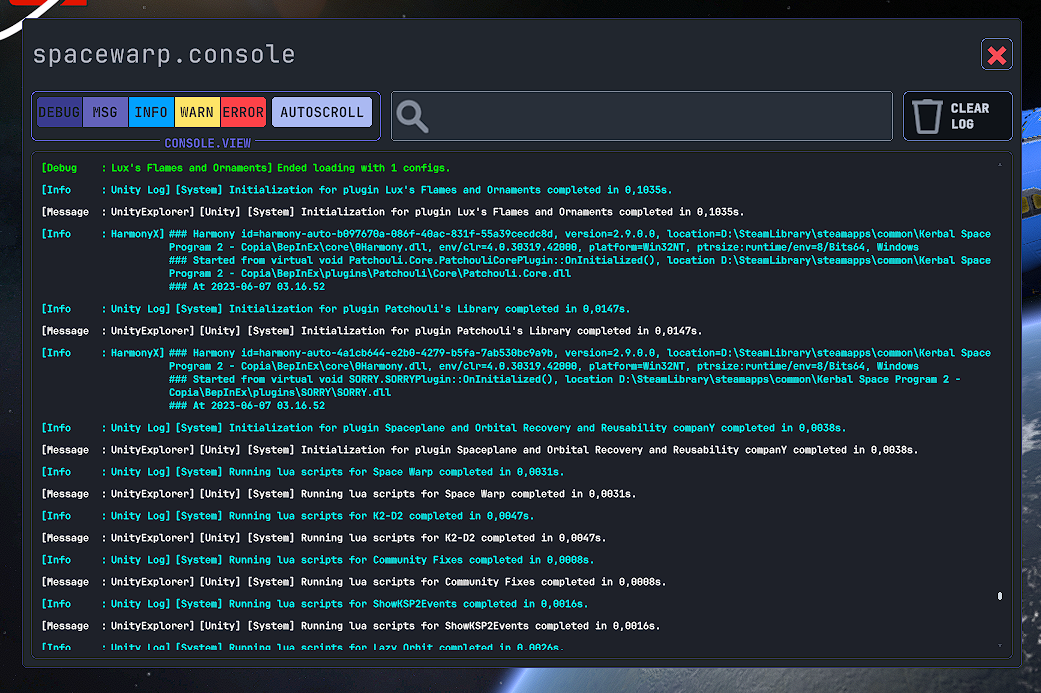
i dont even have the old console
actually, its bertter if you upload munix bcuz i dont have an acc
ebon seal
stuck jasper
not sure how feasible that is
also about this, yeah, i forgot that UITK got merged with the engine... hmm well lets keep it like this ig
ebon seal
btw funny ahah from unity
i'll have to write every field myself :D
(the ones that are editor onyl)
ebon seal
@stuck jasper can i just copy the body of the UnityEditor's stuff and paste on UitkForKsp2 changing the namespace?
for most this will work
stuck jasper
I mean, sure, the Unity companion license should still apply to that
ebon seal
well might be harder than expected since 90% of the methods are protected and private
FUCK UNITY 🙏
 ebon seal
@stuck jasper is UITK publicized on your nuget?
stuck jasper
no, I was publicizing UnityEngine.Modules and UnityEngine.UITK by default at first but I updated it not to be
because the BepInEx assembly publicizer got recently updated to 0.4.1
ebon seal
i seem to be able to access more stuff on LFO (that has the nuget) than on the unity proj?

 stuck jasper
and that fixes the issue where Nuget packages didn't get publicized
are you on version 2020.3.33.1?
(of the Nuget)
ebon seal
yup

wait not .1
just 2020.3.33
            internal virtual bool AcceptCharacter(char c)
            {
                return !isReadOnly && base.enabledInHierarchy;
            }
method on the base class
im a bit confused
maybe somehow i can access internals with the nuget?
let me check the UITK for KSP2 project
stuck jasper
version 1.2 should have PrivateAssets="all", so you shouldn't be getting access to UITK through it in your project at all
oh wait
it has that for KSP2.GameLibs
not for UITK
ebon seal
huh
stuck jasper
which is probably publicized in the UitkForKsp2 project
jeez
need to update it again
stuck jasper
ebon seal
i seem to be able to access more stuff on LFO (that has the nuget) than on the u...
nah it breaks things like that
ebon seal
well not impossible but i'll quite literally have to rewrite everything
stuck jasper
when you want to override a method
that's internal in the original but public in the publicized version
and stuff like that
ebon seal
oh i see
stuck jasper
you can always just actually include the UnityEngine.UITK package yourself and publicize it
but it's for the best when that's not the default
ebon seal
but this is suposed to go in uitkforksp2
i'll see what i can fuck
god FUCK unity for not making things protected internal
cyan terrace
ebon seal
god FUCK unity for not making things protected internal
why would you want that.
ebon seal
specially the one im trying to target
basically you could make a input field for anything you'd like with it
by setting the Accepted characters and controlling pretty much anything that the user iallows to do while the Input is selected
btw @stuck jasper do the newer version of UITK still fall under that license?


Unity
- Definitions. “Reference Purposes” means for the sole purpose of inspecting functionality to understand or improve performance of your games, applications, software
stuck jasper
I guess not 🤷♂️
ebon seal
great fuck me then 😭
chilly thorn
illegal munix
ebon seal
IM GOING CRAZY WITH FUCKING UINITY UITK
bro
imma just do like scholsrat and display the text as red if it can't be parsed
GOD FUCKING DAMMIT UNITY

 stuck jasper
I mean 2022 LTS only just now got released
ebon seal
im sure that on the fucking rewrite that they did 2021LTS was already out
ebon seal
stuck jasper
I mean 2022 LTS only just now got released
they usually release it sooner
but this is the 1st time that DOTS is on LTS
so it delayed
stuck jasper
and I don't think jumping from 2020 to 2021 would be such a big benefit for them
ebon seal
2021 already has UITK on it
- 2021 already has float fields and int fields
- 2021 already has dropdowns native
etc etc
2021's unity editor is also so much better
hard onyx
They should jump to 22
ebon seal
PLEASE
unity should lend some devs to big games who want to upgrade their unity proj
its dumb that big unity games have to stay on older unity projs
and its mostly unity's fault
i upgraded like 12 games (albeit they were mobile games) from 2019 to 2021 LTS when i worked as a gamedev
stuck jasper
ebon seal
2021 already has UITK on it
yeah but they'd have to completely rewrite the entire game UI from scratch if they were going to use UITK
ebon seal
all i had to do was fix 1 dumb error, and the error was basically just re-creating the project settings
ebon seal
stuck jasper
yeah but they'd have to completely rewrite the entire game UI from scratch if th...
not rlly cuz IMGUI is still available
stuck jasper
I don't think it makes much sense for a large game already in development
hard onyx
Whats stopping you?
ebon seal
so basically im using TextField as a base
since i cant use TextInputBaseField, bcuz unity uses internal
and i add a RegisterCallback<ChangedValue<string>>
and on that i check if its a float
but i can only seem to get up to 10 chars
hard onyx
Okay, why can't you publicize UITK?
ebon seal
@stuck jasper
stuck jasper
for use within the editor
hard onyx
Publicize it in the editor?
stuck jasper
as in, make a custom package where you rewrite all the .cs files to be public?
hard onyx
I mean ... a roslyn code rewriter could make short work of it
ebon seal
tbf im ok with having just the EditorFields in game and not on the editor
at least is something
(that being if we can publicize the UITK package)
tho i think there's problems with doing it even at runtime right?
stuck jasper
well then all you need to do is add Publicize="true" like I said
stuck jasper
ebon seal
tho i think there's problems with doing it even at runtime right?
no, nothing checks acesses at runtime afaik
it's only for compile-time
ebon seal
tho these controls are suposed to be going into uitkforksp2
hard onyx
stuck jasper
no, nothing checks acesses at runtime afaik
There is no security manager for Mono, and also security managers are deprecated
ebon seal
if uitkforksp2 is not publicized they wont work on it
ebon seal
sorry, UITK in uitkforksp2 needs to be publicized
stuck jasper
it already is
how else do you think I would be setting all the private shaders and stuff
hard onyx
A bunch of slow reflection magic
stuck jasper
hell nah
ebon seal
i might be going actually dumb i think i was working on the wrong project all along

this override wasnt working earlier wtf

#1085537097714245662 message
im dumb
hard onyx
@stuck jasper you should add an extension method to UITK For KSP2 that does the following
public static void SetAsDragDeadzone(this VisualElement @this) {
  @this.RegisterCallback<PointerDownEvent>(evt => evt.StopPropagation());
  @this.RegisterCallback<PointerUpEvent>(evt => evt.StopPropagation());
  @this.RegisterCallback<PointerMoveEvent>(evt => evt.StopPropagation());
}
It'll prevent an element from sending drag events up
So that the windows don't get stuck on like text fields and such
stuck jasper
Oh yeah I've been meaning to do that for a pretty long time now but I kinda forgot because I was focusing on other stuff
Thanks
hard onyx
I wrote that w/o even opening any uitk project lol and it just worked for schloshrat lol
stuck jasper
thought it might also be a good idea to include it by default in the DragManipulator at least for the regular TextFields
 hard onyx
stuck jasper
thought it might also be a good idea to include it by default in the DragManipul...
hard onyx
stuck jasper
thought it might also be a good idea to include it by default in the DragManipul...
Por que no los dos
stuck jasper
yep
ebon seal
@stuck jasper this should be all you need
stuck jasper
🙏
ebon seal
also @stuck jasper the selector, its functional and production ready
same deal as the other unity things
choices, are, separated, by, commas
and just realized i need to clean my usings
using System;
using System.Collections.Generic;
using System.Linq;
using System.Text;
using System.Threading.Tasks;
using TMPro;
oh by the way, I just wanted to ask - why is Image in "zExperimental"?
ebon seal
Experimental are those who you can't use in the Builder on their own
ie you cant set the image on the builder
stuck jasper
oh, because of the "--unity-image" style thing?
ebon seal
i need to make custom UxmlAttributes for those
stuck jasper
yeah gotcha
ebon seal
its more so they dont have a way to set on the builder natively
i left them exposed so that you can add them and later use Q<Image>("name") if you want, instead of having to instantiate them at runtime
stuck jasper
ok so I got the ExposedControls file to work and the controls show up in the Project tab
but the Selector file has a shit ton of errors in Unity
I'm assuming it's runtime-only?
since it seems to need publicized UITK?
ebon seal
stuck jasper
since it seems to need publicized UITK?
oh i gotta check that
huh wierd, i though i had made it right 🙃
stuck jasper
 ebon seal
ig its an easy fix
i dont even use InputContainer lmao
OHHHHH
okok
i made a BaseControl
that has a bit more customizeability than the Unity's
stuck jasper
oh lmao that makes a lot of sense
ebon seal
also this way we can target only our stuff if needed on the uss
also im pretty sure you can remove the using TMPro;, thats what the first thing is about
usually im trying things and vs auto adds usings but doesnt remove them
stuck jasper
yeah already did, all errors are now gone, thanks
ebon seal
the bool on the UI Builder is the "ToFirst" and "ToLast" buttons
and if you change the enum from Loop to Clamp it wont allow for you to go past max and min values
and will block the buttons 🙏
Oh also, im pretty sure it looks wrong for you
thats because of that whole thing with being able to override code set styles
you need to add this, and on the panel settings add it as an inherited
stuck jasper
it also references some icon files
ebon seal
oh yeah


for me they were on Assets/
let me zip them a sec
so its easier for you ot download
of forget, forgot that discord also has right click save
stuck jasper
got it, thanks
mind if I move RadioButtonControl out of the zHelpers namespace since it can actually be used manually like I showed you?
ebon seal
sure
stuck jasper
also, is there a reason for them to start with the "z", since they show up at the start anyway?
 ebon seal
it was because i had a group called Vectors, which were the MultiInput fields
like vectors and bounds
stuck jasper
ah yeah