

1 messages · Page 1 of 1 (latest)
 frozen ice
<@&1174074694576656435> About two months ago we asked for your input on a new feature we were considering that would allow Firefly users to shape the evolution of our models by ranking image sets. Here is our original ask: #announcements message
 👩🏫 We're pleased to share that thanks to all the great feedback you shared, we were able to make this feature a reality! If you're an Adobe Creative Cloud Individual customer, you can now rate images to help us train Firefly! Check out this community post for instructions on how to get started rating images: https://community.adobe.com/t5/adobe-firefly-discussions/rate-firefly-images-model-training-and-feedback/td-p/14239598
❤️ Thank you so much for weighing when we first started considering this feature. We really appreciate hearing from you!
Everyone in the community has been sharing fantastic constructive feedback about how we can continue to improve Adobe Firefly. The team has just released a way to rate and help us train Adobe Firefly. This feature is only available If you're an Adobe Creative Cloud Individual customer. Let's get s...
frozen ice
<@&1174074694576656435> Coming soon to the Firefly Web Experience: Enhanced Community Features
Over the next several days, the new Firefly Community Tab will be coming to you on the Firefly Web App. The tab will feature a new community gallery where you to share your work with the world and get inspired by what others are doing. This new Firefly community experience will be rolling out for English-speaking users globally in the coming days, so keep an eye out for it to show up in your menu bar at https://firefly.adobe.com/
🌟 Read more at the following links!
Finding inspiration in the gallery: https://helpx.adobe.com/content/help/en/firefly/using/firefly-community-gallery.html
Submitting your work to the gallery: https://helpx.adobe.com/firefly/using/submit-your-work.html
frozen ice
<@&1174074694576656435> Firefly 15.0 release is now in production. Some of the key updates are below:
✅ Better cross-platform experience allowing you to accept Terms of Use once across all surfaces
🔐 Removal of model version and prompt information from the URL in the Text to Image module. Known issues associated with this change will be addressed in future releases
🐛 Minor bug fixes
🔄 You may need to perform a hard refresh on your browser to see the changes. Ctrl(Cmd) + Shift + R.
frozen ice
<@&1174074694576656435> 🎂 🎈 🥳 It’s Firefly’s 1st Birthday! We wanted to give a big shout out to you, our community. In just one year, you’ve helped to generate over 6 billion images and make Firefly a top choice tool for creatives around the globe. We’re so grateful for all the insight and enthusiasm you’ve shared with us to help Firefly grow.
💫 We’re excited to be able to ring in a new year for Firefly with the launch of an exciting new feature available in the Firefly Web App. Announcing Structure Reference! This new feature allows you to match the composition of a reference image, eliminating some of the trial and error of having to write the perfect prompt.
For more information, check out these blog posts and help articles
Finally, we invite you to come join us today on Adobe Live from NOW until <t:1711486800:t>, where we’ll be celebrating Firefly and showing off Structure Reference. We can’t wait to see you there. https://www.youtube.com/watch?v=d7jGckc4wlM

Join us as we celebrate one year of Firefly, revisit our incredible journey over the last year and celebrate what we have achieved, with the amazing support of the global creative community.

Structure Reference enables users to easily apply the structure of an existing image to newly generated images instead of having to describe every detail.

Stay tuned and maStep into the magical world of design with Adobe Firefly and your favorite Creative Cloud apps! Join us for a whimsical journey filled with tips, tricks, and insider secrets from talented designers. Whether you're a design wizard or just dipping your toes into the creative cauldron, prepare to be spellbound as we unlock new real...
frozen ice
📢 <@&1174074694576656435> We’re excited to preview revolutionary Gen AI workflows coming to Premiere Pro in 2024, providing new capabilities that represent a significant leap forward in editing technology.
 Some of the breakthrough Generative AI tools coming to Premiere Pro are:
🎦 We’re also eager to share that Adobe is exploring the use of third-party generative AI models within Creative Cloud app including Premiere Pro. Here are few details on what this might look like:
ℹ️ Want more details about what these features will look like in action? Of course you do!

Coming to #PremierePro in 2024: revolutionary #GenerativeAI features like Object Addition, Object Removal, and Generative Extend - powered by our new Adobe Firefly video model.
Early research explorations with our friends at Open AI, Runway and Pika Labs will give professional video editors more choice.
Content credentials, also coming to P...

To provide customers choice, Adobe will integrate third-party generative AI models into the company's products.
frozen ice
 <@&1174074694576656435> Today at MAX London we announced a leap forward for the Firefly Web App and Firefly-powered tools in Adobe Photoshop (beta)! Check out what’s new below!
Firefly Web App:
 Adobe Photoshop (beta):
 For an in depth look at the incredible creative possibilities enabled by these exciting updates, join us on Adobe Live Now until <t:1713906000:t>: https://www.youtube.com/watch?v=igOAdgA9Vp0
For more information, check out the following blog posts and help articles:

Join us for an exciting day filled with first-hand insights, expert tips, and the future of design. Here’s what you can expect:
12:00 BST - First Takes from the MAX London Keynote: Be the first to hear the latest news and announcements, hot off the press!
12:30 BST - Future Advancements in Photoshop: Discover the future of Photoshop and learn ...

The new Adobe Firefly Image 3 Model — available as of today in beta in the Firefly web app, Adobe Photoshop, and in Adobe InDesign — brings new levels of creative expression and control to all.
frozen ice
FYI the Photoshop beta app is open to everyone. If you've never tried it out before, here are instructions on how access and download it: https://helpx.adobe.com/x-productkb/global/creative-cloud-beta.html
frozen ice
<@&1174074694576656435>
 Good news everyone! Firefly Image Model 3 is now powering Text to Image in Adobe Express. Along with the upgraded model, we’ve also added a few more features to give you more control over images generated with Firefly in Express.
Here’s a full list of what’s new with Firefly in Adobe Express:
Give it a try and let us know what you think!
frozen ice
<@&1174074694576656435>
👍 👎 We've made some updates to the rate images module on the Firefly Web App! - The goal of this tool is to allow you to fine-tune our Image 3 Model by sharing your feedback.
Give it a try! You can access the rate images module here: https://firefly.adobe.com/upload/feedback
 frozen ice
<@&1174074694576656435>
🆕 
 Announcing the latest releases of Adobe Photoshop and Adobe Illustrator
This update introduces intuitive improvements and new features to accelerate creative workflows. There are also new ways to ideate and streamline repetitive tasks with new generative AI tools. Update Photoshop and Illustratot today to take advantage of the newest features!
✅ Some highlights of these new releases are:
Transform how you make selections with the new Selection Brush Tool Experience next-level precision when applying adjustments to specific parts of your images with the new Adjustment Brush Tool Boost your productivity and avoid menu-diving with intuitive improvements to core workflows, including Adjustments, bullets and numbering for Type, updates to the contextual task bar, and more. Generate dozens of ideas in minutes and jumpstart asset creation with the new Generate Image feature, now out of beta and powered by Adobe Firefly Image 3 Model Produce Generative Fill variations with greater sharpness and detail with Enhance Detail for Generative Fill.
 Generative Shape Fill (beta) allows you to accelerate existing workflows by quickly adding detailed vectors to shapes that can match the style and color of your artwork. With Text to Pattern you can easily ideate to create customized, seamless vector patterns.
🎊__** To celebrate this launch, we’ll be hosting a few live events:**__
Join us in #1174235109105344582 on <t:1721833200:F> for an informal walkthrough of what’s new in Illustrator: https://discord.com/events/1076190214369853510/1264677276507967663 Join us in #1174235109105344582 on <t:1721919600:F> for an informal walkthrough of what’s new in Photoshop: https://discord.com/events/1076190214369853510/1264677442811990037ℹ️ For more information, check out the following help pages:
Once you’ve had a chance to try out the new features, we’d love to hear what you think over in #community-chat

Learn new tips, tricks, and techniques to speed up your workflows and maximize your creativity from creative professionals just like you! Tune in LIVE to ask...
frozen ice
<@&1174074694576656435>
🍌 x  We've got a nice little sneak peek to share with you today! Nano Banana (aka Gemini 2.5 Flash) will be coming to Photoshop Beta later this month! This means that soon you'll be able to combine the ease of prompt-based editing with the power of Photoshop’s non-destructive tools like selections, layers, and masks. Check out the links below to get a first look from some familiar faces at Adobe!
-Howard Pinsky Reveals that Nano Banana is Coming to Photoshop Beta
It’s time to peel back a sneak and reveal that Nano Banana (Gemini 2.5 Flash Image) floats into Photoshop this September! 🍌
Soon you’ll be able to combine prompt-based edits with the power of Photoshop’s non-destructive tools like selections, layers, masks, and more!

 X
·
X
·
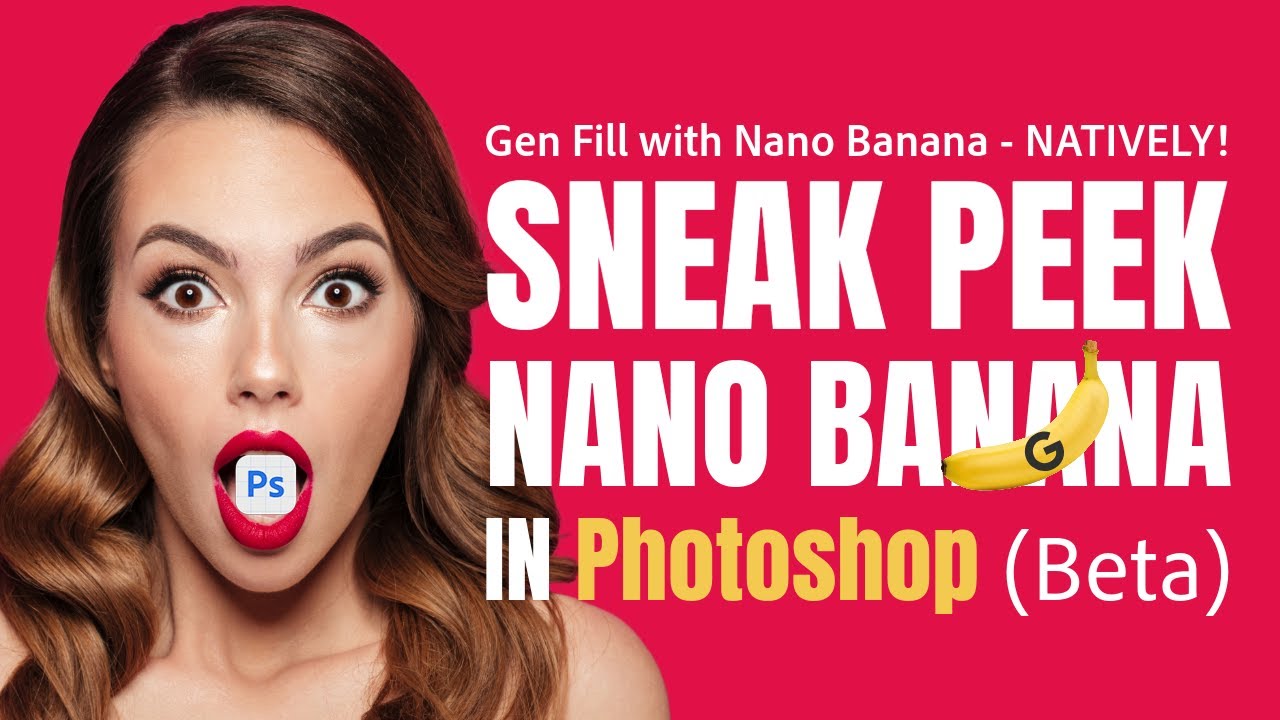
In this video, Terry White gives you an exclusive sneak peek at Nano Banana, a new partner AI model coming soon to Photoshop (Beta.) Enabling you to make instructional edits and maintain scene coherence, while Photoshop’s non-destructive tools like selections, layers, and masks give you full creative control.
See how Nano Banana makes once-di...
Nano Banana (Gemini 2.5 Flash Image) is coming to #Photoshop! Later this month in the Beta. So excited about this! #digitalart #adobefirefly #nanobanana #photoshopdesign
 Instagram
frozen ice
Instagram
frozen ice
<@&1174074694576656435> Runway Gen-4.5 is now available in Firefly! Runway Gen-4.5 is a cinematic video model with state-of-the-art motion quality, prompt adherence, and visual fidelity.
Where can I access Runway Gen-4.5?
You can use Runway Gen-4.5 in Firefly with Text to Video as well as in Firefly Boards.
Can I try it out? How much does it cost?
From now until Dec. 22nd Firefly Pro, Premium, 7k and 50k add-on plans have unlimited free access to Runway Gen-4.5 in Firefly and Firefly Boards. You can read more about Generative Credit usage and partner models here.

A new frontier for video generation. State-of-the-art motion quality, prompt adherence and visual fidelity.
frozen ice
<@&1174074694576656435> You can now find Luma AI's Ray3.14 and Ray3.14 HDR exclusively in Firefly! Ray3.14 is a step up from Ray3 boasting native 1080p video, faster generation speeds, and enhanced modification capabilities for editing. To get you started, from now through 2/18 we are offering free generations and edits with Ray3.14 (amount depends on plan type). For more details, check out the questions and links below.
Where can I find Ray3.14 in Firefly?
**How do I get access to the free generations/edits with Ray3.14 in Firefly? **
The number of free generations you receive depends on your plan type:
frozen ice
<@&1174074694576656435>
 📹 Announcing Firefly Quick Cut in the Firefly Video Editor! We’ve heard from a number of you that one of the most challenging parts of the creation process is starting from a blank slate. Firefly Quick Cut aims to help with that by allowing you to upload your content and define a few parameters to generate a rough version of a video you can then polish and refine.
**What can I use Firefly Quick Cut for? **
Quick Cut is intended to help you get started with a video edit. Here a some of the ways you might be able to use it:
**Where can I learn more? **
Firefly Quick Cut Overview
Putting ideas in motion: Redefining AI video with Adobe Firefly
frozen ice
<@&1174074694576656435> As you may have already seen, Gemini 3.1 (aka Nano Banana 2) is now in Firefly. You can find it in Firefly Web Generate Image and Firefly Boards. Select it from the list of partner models in the model drop down menu to give it a try.
Nano Banana 2 offers higher quality images, faster generation speeds, and now integrates with Google Image Search. Our AI Evangelist @whole nexus has been playing around with it since its release and has already found several creative use cases. Check them out below. Give them a try or come up with some of your own and feel free to share them with us in #1174147201530859591 or #firefly-boards :
Want more info on partner models in Adobe Firefly? You can find a full breakdown here
frozen ice
<@&1174074694576656435>
🆕 We’ve got a Firefly update to share today!
🤖 For those of you who have used Photoshop Web or Mobile and struggled to get the result you wanted or simply found it a little daunting, the new Ps Web and Mobile AI Assistant is here to help! Just tell the assistant what you’re trying to do and whether you want it to “do it for me”, “give me suggestions”, or “teach me how”. Check out this nice demo from Adobe AI evangelist Kris Kashtanova!
frozen ice
<@&1174074694576656435> We have some big updates to share today!
Our first announcement is one I’m really excited about as someone who has been with this community since the early days of Firefly. From the beginning, this community has been asking for and looking forward to having the ability to train custom models in Firefly. We’ve been working to make this a reality for you and today, **Firefly Custom Models are available to everyone in public beta in Firefly Web. **
**If you’re eager to learn more, you can find some resources below: **
Another big request we’ve heard recently from those of you who work with video in Firefly is that you want to see Kling added to our list of partner models. Today you can find Kling 2.5 Turbo in Firefly Image to Video
As always, if you have questions or thoughts, share them with us in #community-chat , #ai-video , #partner-models , or #firefly-custom-models
frozen ice
<@&1174074694576656435> You may have noticed a couple of new features in the Firefly Image Editor recently. They've been rolling out over the past several days and should now be available to everyone! If you haven't seen or had a chance to try them out yet, here's a quick overview of what's new:
📐 Precision Flow: Precision Flow was designed to alleviate some of the frustration that comes along with refining the images you generate. Instead of having to rewrite prompts and regenerate or rely on separate tools to adjust details, Precision Flow generates a range of results from a single prompt, then lets you use simple slider to quickly browse through the different versions and select the one that matches your vision.
✏️ AI Markup: AI Markup is also meant to help you take the guesswork out of refining your images, but in a different way. Using AI Markup, you can draw, annotate, and add text prompts to show exactly how you want your picture to change.
Here are a few cool examples of these features in action!
frozen ice
<@&1174074694576656435>
📹  We’ve added a bunch of new features to the Firefly Video Editor. I’ve called out some of the highlights below, but you can read more here.
Give them a try and let us know what you think and what you’d like to see next over in #ai-video
frozen ice
<@&1174074694576656435> We've made a few changes to Boards that answer some of your top model and feature requests!
Both of these features were highly requested by the community and we're working on shipping even more of your asks. So if there's anything you want to see in Boards let us know in #firefly-boards so we can get to work on it.
frozen ice
<@&1174074694576656435> We've made another little improvement to Boards today to satisfy a common feature request. We now have hyperlinks! Just highlight your text and look for the 🔗 symbol!
 frozen ice
<@&1174074694576656435> You may have heard that GPT Image 2 dropped today! Well, no need to wait for it to come to Firefly, it's already there! Find it now in the list of partner models available in Boards and Firefly Web Generate Image.
So far, we think it's great for:
Give it a try and share your work with us!
frozen ice
<@&1174074694576656435> If you were following the news out of Adobe MAX last year, you'll remember that we previewed Project Moonlight. Project Moonlight was our codename for an upcoming Firefly AI Assistant that works across Adobe apps allowing you to orchestrate multi-step workflows by simply describing the outcome you want. We've been working to make this a reality and we're now very close to a public beta! You can even join the waitlist to be notified when we release it here. Check out these recent blog posts if you'd like to learn more about the upcoming Firefly AI Assistant and our vision for agentic AI at Adobe.

Firefly AI Assistant brings the power of Adobe’s creative tools into one conversational interface—helping you move from idea to outcome faster with agentic AI.
frozen ice
<@&1174074694576656435> The Firefly AI Assistant is officially here in public beta! If you've ever found yourself bouncing between Photoshop, Illustrator, Premiere, After Effects—kind of stitching things together and thinking, “wait… what if this all just lived in one place?” That’s basically the idea behind Firefly AI Assistant. Instead of jumping between apps, you just describe what you want in your own words—and it helps you edit video, tweak audio, remix images, or build graphics from scratch in a single conversational flow. It's less like using tools and more like collaborating with something that actually understands the creative process from start to finish. Kind of like a Swiss Army knife, but one that adapts to what you’re trying to make.
If you want to learn more about the new Firefly AI Assistant as you get familiar with, here are some events and resources that might help
Remember, the assistant is still in beta, so we want to hear your feedback. What works? What doesn't. What other features would you like to see? Tell us in the new #firefly-ai-assistant channel.
Sign in to Adobe Firefly, the AI-powered app for generating image, video, and audio content that stands out.

