#wowhead-feedback-support
1 messages · Page 37 of 1
 hardy bloom
 plucky fractal
thanks for fixing that
also I don't see an indication in the guide if you need a group or not to do the lesser visions
 quiet egret
<@&299347348847329281> is there any way to actually speak to a person about a game issue?
hardy bloom
Game issues aren’t a thing for here
Wowhead is not blizzard
Blizzard is blizzard
Open a ticket
quiet egret
Just asking if there is a known way . Not to have someone actually help me here
quiet egret
Ty
 orchid citrus
@plucky fractal i'll add them in the guide, but to leave it answered - you do not need a group to do lesser visions. they are completely soloable and actually are public scenarios.
 faint relic
guys, I had some weird black boxes and some youtube video with autoplay enabled on my userpage, which is my homepage and it wasn't logging me in, took me 5 attempts and refreshes to manage it
hardy bloom
are you using an adblocker?
faint relic
I have premium, but yes
faint relic
I won't turn it off, but after a few refreshes it worked
regardless, why was there an autoplaying video?
hardy bloom
if you wont turn it off, then you cant complain
faint relic
in my userpage nonetheless
faint relic
that's wrong on all levels
hardy bloom
🙄 how are they supposed to make money?
magic?
its a highly profitable ad, its content relevant
faint relic
not my problem, I can complain because I have premium
anyway, it just hiccupped for 5 refreshes, it was weird
hardy bloom
you have premium - you get no ads when you have premium. it hiccupped probably BECAUSE of your ad blocker. lots of ad blockers block scripts which can interfere with the site
faint relic
I've had the userpage as homepage for a few months now and it never happened
hardy bloom
also, it probably logged you out because of refreshes in ToU or ToS
faint relic
I did rarely get logged out, but I've never seen those
didn't have any prompts for tos or tou
hardy bloom
¯_(ツ)_/¯
faint relic
my reaction also 
the scroll bar seems new, unless it always matched the theme
I'm just trying to find a sensible explanation
 teal dragon
The simple explanation is a bad cached version of the page was loaded that didn't recognize you as logged in. Ads everyone else sees were displayed at that time. A few refreshes likely resulted in the cache being cleared at which point it saw you logged in, Premium, and removed the ads.
If you encounter that sort of thing again just do a hard refresh (CTRL+F5) to force a cache clear. If that doesn't work, clear cookies.
I'm not familiar with what scroll bar you're referring to that seems new.
 placid mulch
 fervent ridge
if i add both the retail+indevelopment webhooks to the same discord channel. will Blizzard/Wowhead updates show up as a double post in the chan?
I just want retail to include all ptr/beta
teal dragon
Yes, it will double post if you have both in the same channel. The Blizzard and Wowhead category is included in all webhook variants. I would recommend using seperate channels, one for retail and the other for in-development, to lessen the impact of double posts. These categories are broad and are included in each so that no one using any one of the webhooks will miss important news related to the site or Blizzard as a whole. It's not ideal for those using more than one, granted, but a compromise was necessary.
fervent ridge
thankyou
 regal verge
They added some new WC3R portraits to battle.net avatar selection. Might be good to announce that on the website (moved this post from retail-wow to here)
 quartz lion
Wowhead would you please separate #latest-news -retail #latest-news-classic.
This way we can follow the important stuff that's relevant to our guild. 😄
 crystal olive
@quartz lion we have separate webhooks for retail and classic that you can install for your guild: https://www.wowhead.com/webhook
quartz lion
@crystal olive Brilliant. Didn't notice that. I'll use this.
hardy bloom
Looks like they removed the patch notes
 regal hollow
#latest-news is effectively just a "ping" to people on discord to see a new post is up, in a way.
hardy bloom
The latest patch notes link when you click official post is a 404
hardy bloom
The formatting was borked and a bunch of stuff was missing
And there were a ton of typos
Probably weren’t supposed to be released quite yet
Or someone fucked up
 regal hollow
yeah, as mentioned in #beta-ptr-spoilers the formatting was wonky as hell
patch notes could still pop up later today, or even tomorrow... well, any day, to be fair.
eitherway we're back playing the waiting game for them
hardy bloom

World of Warcraft
Take your buying and selling to a new level with Azeroth’s updated Auction House!
wowhead doesnt have an article
 rich wyvern
Blizzard released a lot of these previews all at once.
We're going through thems lowly
hardy bloom
ok
 viscid heart
that auctioneer looks disgusted/annoyed
regal hollow
probably someone who's trying to put up herbs/ore in single stacks  (tweaked message slightly to make more sense)
 crude urchin
create separate channels for each webhook
 agile girder
No guild that I've seen has two different channels for both live and for ptr
And yet their wowhead bots include posts for both live and ptr
 stoic acorn
You can put both in the same channel, however be aware that Blizzard and Wowhead generic posts will show up in all channels... meaning (at least) twice in your channel if you do so.
 azure crypt
Starting back on the game but I have always been in Feathermoon Server and it’s so dead...What servers are the busiest now? Tia
crude urchin
@azure crypt the question isn't related to the site. Please use appropriate channels. Thank you!
 final fog
I did the survey, but wasn't asked for contact info. Plus, the q asking for your toon level went up to 130..
 livid nexus
It was the email question at the end? Unless your age is too young
(also, that's for MMOs that aren't Wow prolly)
crude urchin
Yes, you can type your email address after filling the survey i.e. at the end
teal dragon
The toon level question is dynamic and not always going to be attributed to WoW, depends on the questions answered. Just pick the most appropriate one.
The email question is the last one.
 vital bay
Wowhead, have you even played wow ?!

 thorny blaze
"The toon level question is dynamic and not always going to be attributed to WoW, depends on the questions answered. Just pick the most appropriate one."
faint relic
guys, the last one is for 365, right?
I've been a member for 10 years and only just got this 🤣
plucky fractal
Perhaps....... another 265 consecutive logins will tell you 😉
 neat talon
I nearly hit 1000 once, but I jacked it up in the late 800s, so as far as I know yes, 365 is the top
 slow bolt
anyone know how to get the tears of elune pillar of creation horde side? also i need a mod that just shows up enemies healers for pvp and klaxxxion region sparklies... to mine sparklies... ill get you 1,000 gold in game stormscale server...
do i have to plant the nsf? i just barely got back to discord... offline for 1.75 years...
or how to reget the tears of elune? i accidentally got baked and hammered and deleted it from my inventory... dalaran... when i was runnng to turn in the quest 2 years ago... nsfw, do i always have to put nsfw or only for channels?
 rancid copper
...you probably want #retail-wow
slow bolt
thank you...
 upbeat karma
Off-topic forums on the site need a cleanup from spam posts 😄
crude urchin
@upbeat karma on it. Thank you
upbeat karma
No worries! 😄
crude urchin
Should be good now.
 tawny jasper
can you guys add a spanish (latin america) locale to wowhead? The names dont always match the spanish (spain) version. like mx.classic.wowhead.com
 barren crystal
are you aware of this??
Hey, Y'all, This is pretty Important.
Some of you may know that discord recently introduced logging in via QR code.
This is really handy sometimes, but it resulted in a fatal flaw.
If ANYONE sends you a QQR code to a “Nitro Gift” Do NOT SCAN IT!! YOU”RE GIVING THEM FULL ACCESS TO YOUR ACCOUNT!!!
Even those of you with 2 factor authorization are NOT immune to theis scam.
If someone sends one of these QR codes, ping one of the mods, and Discord HQ.
If you moderate/own a server, please spread the word!
So many people have lost their accounts to this, I'd hate to see that happen to any of you!
Unless the QR code is directly from DISCORD as you are signing in, do not scan it. Basic security: Don't click on any links that look wrong, or if you don't know the person sending the message, go straight to the page your normal way, as in “discordapp.com” and go through there.
TL:DR: DO NOT scan QR codes for NITRO, IT'S A SCAM.
 high wyvern
I can see this being a real thing, the QR allows the scammer to log in to your account without the need of a password or 2fa. It however does not allow the scammer to change your password or remove 2fa. Nonetheless it can deal some serious damage to your account by spamming servers, disbanding servers you own, etc.
stoic acorn
There are several images linked here that are forced HTTP, causing Chrome to show an alert:
global.js?7912fcc574:3 Mixed Content: The page at 'https://www.wowhead.com/news=305319/patch-8-3-visions-of-nzoth-survival-guide-giveaway#vulpera-and-mechagnome-allied-races' was loaded over HTTPS, but requested an insecure image 'http://wow.zamimg.com/images/news/view-in-model-viewer-800.jpg'. This content should also be served over HTTPS.
@stoic acorn should be fixed now. Thank you
 rich hound
Is there an option to see on what characters you've completed a certain quest? I know you can go through a character's profile and search for the quest in the "quests" tab but that takes quite a long time if you have a few characters so I'm looking for something like "Characters that completed this quest: ..."
crystal olive
if you pin a character, it will show completion for them when you look at a quest
i.e.
rich hound
So can I just pin all of my characters?
crystal olive
sure
rich hound
Thanks
neat talon
I did not know that was a thing.

 winged pasture
Wish everything posted today was posted tomorrow or Wednesday, seems like a lot of spoilers for no good reason.
crystal olive
tomorrow there will be a gigantic wave of posts and there are virtually no spoilers unless you read the full articles
 limber pivot
eyes on mechagnomes aren't loading in right
 sacred trout
Whoa! Without eyes, that looks rather sinister 😛
limber pivot
more creepy though
crude urchin

limber pivot
U.S and no its not working
crystal olive
what link is showing that?
limber pivot

Wowhead
Try out armor sets on any World of Warcraft character. Test different transmog and plan your wardrobe.
crystal olive
@limber pivot it works on the PTR domain
so it should be solved tomorrow when the database flips over
limber pivot
ah
 split oyster
BM hunter guide looks like this, not sure if its affecting other guides as well, or if it is intended for some reason
same on the navigation bar
rancid copper
I assume it's an easter egg / joke
Zalgo Text Generator is a free tool to convert your text into glitch text. However, the Zalgo text is a glitchy form of normal text. You can also UnZalgo the scary or Halloween style text to normal text.
 small thicket
 plucky fractal
there seems to be some confusion in the guides as to which tier number the areas in Horrific Visions are, one guide says Tier II is Corrupted while another says Tier II is Lost
also might I suggest adding the line: "The required items for each upgrade will be given to you in the corrupted chest at the end of the run" as this doesn't seem to be idiot proofed spelled out in the guides and I had to find it on this comment instead: https://ptr.wowhead.com/item=171353/torn-page-of-the-curse-of-stone#comments
Wowhead
Torn Page of "The Curse of Stone" is a quest item needed for Reconstructing "The Curse of Stone". In the Items category. Added in World of Warcraft: Battle for Azeroth.
orchid citrus
yeah we'll have it added
 fair iron
crude urchin
fair iron
crude urchin
@fair iron seems like the site can't display the map properly. I've managed to reproduce the issue.
viscid heart
worked for me
crude urchin
It doesn't. See https://it.classic.wowhead.com/the-hinterlands#map
 hollow carbon
https://www.wowhead.com/guides/havoc-demon-hunter-simulations#trinkets
Psyche Shredder is a intellect item. Does it really sim so well for DH?

Wowhead
A compilation of Havoc Demon Hunter simulations used to support the choices in our guides, like best talents, races, trinkets, and Azerite traits. Always up to date with Battle for Azeroth.
viscid heart
sadly, yes
orchid citrus
that is something that needs to be brought with the guide writer
but as far as I know, it sims well for literally everyone
 dull brook
It's basically the second effect from the proc that's extremely powerful atm
This part
When melee with Haste steroid buffs get a proc and they can squeeze 15 GCDs in that window + ticking effects
The damage proc has a 0.5sec ICD
So a DH with immo aura ticking and attacking faster than every 1 sec because of all the haste being stacked from azerite trait
Means you'll get like 20+ ticks everytime the trinket is active
regal hollow
dull brook
And since the RPPM is hasted on the trinket, meaning you get more procs the more haste you have
You run into a nice loop
 crystal spear
@regal hollow it's not the first time this expansion a class has used a trinket with a main stat it gains 0 benefit from
dull brook
And it compounds on itself very hard
crystal spear
see: brewmasters and leviathan's lure
dull brook
Personally I'm expecting blizz to nerf the RPPM on the trinket from non-int users so it's basically unusable by melee but until they do that... beg casters in your raid for it :)
orchid citrus
also for most dps specs primary stats are not as useful as secondaries so the int not being agi or str is not that big of a deal for them
crude urchin
@fair iron an Italian version of the site doesn't have maps-- please refer to English version instead. Sorry for the inconvenience. EDIT: should be good now.
crystal olive
@split oyster it is an easter egg, yes
 crimson canopy

Wowhead
Learn the essentials of the Death Knight Class in Battle for Azeroth, including weapons and armor they can equip, unique flavor abilities, tier sets, and links to our class guides.
^ the artifact weapon listed for unholy is actually the blood one listed twice
wasn't sure where to post this so
hardy bloom
oooo, are we gonna get a void corrupted server icon?
crystal olive
M̸̽̆ă̵͗y̸͗̓b̸̭͗e̵͒́

 worthy rock
Hey guys I have a question! What do I do if wowhead doesnt find my character in any of the applications?
teal dragon
What's the character, region and realm? Which tool in particular?
worthy rock
Ãzmodan on US-Tichondrius. Any of the tools but I'm mainly trying the flying progression tool.
Cant even see a character profile for that toon anymore.
teal dragon
I was able to get it to load in the profiler: https://www.wowhead.com/list=207843259/us-tichondrius-ãzmodan
The rest is returning a 'Not Found' in the Blizzard API. I'll have to ask a dev to verify if it's an issue on our end or Blizzard's, it could just be the special character in the name.
I won't be able to get back to you immediately but I'll ping you when I learn more.
worthy rock
Awesome, I just got it to load in the profiler as well, it wouldnt work earlier on that one as well! However, I was getting the others to work last night just fine! Weird.
 karmic dome
@crimson canopy Fixed, thanks!
 white ocean
@rich wyvern looks like the tables on this page got a little messed up https://www.wowhead.com/guides/obtain-legendary-cloak-overview-upgrading-stats-procs

Wowhead
Everything about the Legendary Cloak obtained from Wrathion in Patch 8.3 Vision of N'zoth. This goes over how to make sure that you don't fall behind on your cloak upgrades and what you get for ranking up your Cloak!
viscid heart
that shall display a ... as in "repeated"
crimson canopy
@karmic dome No problem! Glad I could help
teal dragon
@worthy rock You should be able to load things up now: https://www.wowhead.com/flying#us-tichondrius-ãzmodan
It is indeed a Blizzard bug though, certain parts of your character were returning 404/not found which broke the whole process. We've made it so that it'll still load what it does have when possible now. Thanks!
rancid copper
The latest article...
Mechagon – Junkyard and Mechagon – Workshop
Attempting to burn the corpses of egg-infested bodies in Uldum will no longer remove Druids from Travel Form.
And
Kind Varian (instead of King)
The first is obviously not related to the dungeon. Second is just a typo
rancid copper
Oh sorry, I didn't notice that 🙂
They did update the notes since then though
Dungeons and Raids
Mechagon – Junkyard and Mechagon – Workshop
Mechagon – Junkyard and Mechagon – Workshop no longer share a lockout for Heroic difficulty.
plucky fractal
screw it, I'll ask this here, there's a line in the Cloak guide under Rank 6-11: "You do not need to kill the boss, so the punishment for failure is lessened and you can explore more, as long as you complete at least 2 zones per run." Are 2 Tier II zone clears needed for the move from Rank 5 to 6 even though it's just a single book that's being retrieved for the quest? Are two zone clears needed for levels 7 and 8 after that as well despite the guide only listing "1 run needed"?
Thank you for taking the time to read and reply to my dumb question
 summer adder
Not very happy with this article, since when does Wowhead insert their own personal interpretation and comments after each of Ion's answer in an interview? Wowhead strays further away from a news website and proper reporting, Wowhead is not supposed to be some influencer's personal blog...
I think if Wowhead really insists on sharing their own personal opinion, they should do so in a separate post, tagged as "Speculation" if it includes any, not after each of Blizzard's answer in a news post. This is how it used to be, Wowhead would probably separate personal interpretation and speculation and comments from objective news reporting, with separate posts and a tagging system, but more and more the former creeps into the latter.
I hope my feedback helps a bit.
https://www.wowhead.com/news=307157/millenium-interview-with-ion-hazzikostas-no-patch-8-3-5?webhook

Wowhead
Gaming website Millenium recently interviewed Ion Hazzikostas[/url], Game Director for World of Warcraft, talking about Patch 8.3, N'Zoth, Shadowlands, and a big reveal in that there are currently no plans for a Patch 8.3.5 between now and Shadowland.
 turbid locust
I completed the whole high mountain campaign but I can't see the world missions
this are normal?
stoic acorn
Try asking in #retail-wow, this channel is specifically about Wowhead itself, not WoW.
regal hollow
he already tried, and got redirected (back) to #brazilian-portuguese where he asked earlier
hardy bloom
@turbid locust wrong channel, but you need friendly with all of the zones to unlock WQs
 open maple
is there an filter in the item search for items without bonus id ?
im searching the new craftet gear.. but there ~3000 versions...
 vapid oriole
Hi there. Todayinwow tab shows incorrect time, at assaults
for example - weekly reset happens at 18:00 (local time), but tab says that assault will reset on wen 13:00 (but timer on big green bar shows correct ETA)
teal dragon
The time displayed is based on your computer's local time.
vapid oriole
so you want to say, that assaults resets way earlier, that daily/weekly reset time?
orchid citrus
That's only for the minor assault (that doesn't change the zone, the one in Uldum right now)
The major assaults last for the entire week.
 junior sand
hi im wondering will Blizzrard fix bug with the black prince for the players tat are coming back and didnt do questline from last patch. i have only been back since Nov. i am stuck on questline for cloak because of tis
hardy bloom
We aren’t blizzard so we don’t have an answer
Your best bet if you are bugged is to open a ticket
junior sand
i was asking if anyone knew if it will be fixed
hardy bloom
We don’t know - we aren’t blizzard
Wowhead is a 3rd party site
They are not part of blizzard
junior sand
yes i know this no reason to be so off putting or kinda rude
viscid heart
there are often people that dont know that. thats why is explaining it that often
 cosmic bear
idk if this is the place to ask this... but i have an issue on the website. What can i do on this?
there is not news on my main page of WH 😦
rancid copper
Look under "tipos" and see if you have anything checked
cosmic bear
yes, i do
rancid copper
everything or only some things?
rancid copper
🙂 np
 muted nest
Why does the main wowhead page no longer track Arathi and Arathi turnins?
Mine clearly tracks Darkshore but not also Arathi.
 tawny blade
We thought it was no longer relevant for 8.3, and removed it to make space for 8.3 assaults. However people have been requesting arathi for several reasons, so we may remove other things to find space for it again
muted nest
As time goes on it's going to get more and more busy, is there a possibility for just an everything page that's not on the main page?
like wowhead.com/today
Thanks for responding either way.
 lone dirge
Thanks @orchid citrus for the rare guide, I was just looking for a nice list out-of-game. A quick heads up; As a color blind person, those 'green dots' can't be told apart from the 'yellow' dots 😦
orchid citrus
oh, I can change them! any color recommendations?
rancid copper
Even as a non color blind person the green is a bit hard to differentiate. Blue and yellow contrasts OK with most forms of color blindness (but not all)
orchid citrus
i'll change them to blue then
changed them, it should update in a few minutes, let me know if that looks better
if that still doesn't look that great we can try red or pink dots
(i'm not familiar with colorblindness so i'm sorry if i'm sounding a bit ignorant)
rancid copper
Generally speaking differentiating for colorblindness is best done with patterns or even size differentials. it's hard (if not impossible) to do with color.
 pallid temple
For the Black Empire Assault in Vale, The Forgotten should be blue and Rijz'x yellow.
lone dirge
@orchid citrus Blue looks great! Many thanks, and please don't feel bad 🙂
muted nest
The only rule I know about color blindness is any differentiator should use at least two things to differentiate it by, once of which, may be color.
At least that's for ADA compliance IIRC.
 brisk haven
 naive cave
Is there any way to remove/prevent the "Click here for our Classic database" notification? I know about the Classic version of the site already, and it's getting a bit annoying having it pop up on every page I visit
crude urchin
@naive cave please see https://discordapp.com/channels/107362567793422336/414280481966653450/621737957530796090
naive cave
Where's this bit meant to actually go?
localStorage.setItem('fromClassic', true);
localStorage.setItem('highlight-highlight-classic', true);
for (let i = 1; i <= 7; i++) { localStorage.setItem(highlight-classic-link-type-${i}, true); }
I scrolled up a bit but couldn't see that explained
Because I've clicked "Got it!" numerous times on the home page and it still pops up every time for some reason, so I'm guessing I have to import that string somewhere locally to make it stop
crude urchin
@naive cave open the site, press f12, open a console and paste the code
naive cave
Sweet, that did it. Was giving me an error at first, but restarting Firefox did the trick. Thanks a bunch :D
 cedar sandal
I have a dumb question. if I have an issue with my WH account, where would I go? Or do I have to email somebody or something?
orchid citrus
You can ask for help here, but the best way is to send an email to feedback@wowhead.com :)
cedar sandal
alright, thanks!
 velvet sinew
not a big deal, but if i search for the quest "Getting Ahead" on wowhead I don't get any results for the quest, but the page does exist.
http://puu.sh/F1zVB/9076869388.png
https://www.wowhead.com/quest=58778/getting-ahead

Wowhead
Collect 1 Goliath Trophy from Aqir Goliaths in Uldum. A level 120 Uldum Quest (Group). Rewards 50 Coalescing Visions. Added in World of Warcraft: Battle for Azeroth.
 dry pelican
Hey, I am having trouble logging in to the web site you have only the "reset password" option. I try that and it just sits and spins infinately. I've been a premium member for a long time and need some help.
 spare shuttle
Is wowhead not up to date on quests? I'm trying to look up a quest in uldum, called Getting Ahead - ti's an actual quest, not a world quest - and it's giving me no hits. Query on the drop item for the quest finds the item with complaints about drop rate, but with no 'objective of' tab. Am i doing something wrong?
Quest is called Getting Ahead. Drop item is Goliath Trophy.
rancid copper
Wowhead
Collect 1 Goliath Trophy from Aqir Goliaths in Uldum. A level 120 Uldum Quest (Group). Rewards 50 Coalescing Visions. Added in World of Warcraft: Battle for Azeroth.
orchid citrus
Quests may take a bit to be added to the database as it takes one of our developers to upload content sent by our users. If you want to help us add quests as quicky as possible to the database, make sure to use the Wowhead client! https://www.wowhead.com/client
Wowhead
The Wowhead Client is a little application we use to keep our database up to date, and to provide you with some nifty extra functionality on the website like Today in WoW.
 teal zenith
Having issue with the site where it loads but not everything loads so cant navigate pages or see banners
teal dragon
@teal zenith I recommend trying again now, see if it's any different. If not, clear your cache on the page with CTRL+F5. If that also doesn't work, if you're running any third party extensions like adblockers or privacy badger you may consider disabling them to see if they're interfering. @dry pelican I would suggest the same to you to see if it helps your login situation.
@dry pelican Actually I'm also experiencing trouble (first time I've been able to replicate this) will be pursuing this further.
stoic acorn
... whispering dark secrets to mind which would listen.
That should probably be "minds". (From https://www.wowhead.com/guides/visions-of-nzoth-content-overview-bfa)
teal dragon
fixed.
@dry pelican Clearing your browser's cache and cookies should allow you to login near instantly. Worked for me.
teal zenith
ctrl f5 worked, cheers ❤️
stoic acorn
Getting a 502 BAD GATEWAY on https://www.wowhead.com/menus?5e255b7e, is that just me or a more general issue?
teal dragon
Works for me.
plucky fractal
Is there a reason why i cannot log-in with my account on WoWHeads ? Been trying for quite a while and it just stay there loading and loading ... nothing is happening
oh, cookies i see
nope, even clearing all the cookies fromk wowhead, can't log in
teal dragon
Cookies and cache. You'll likely notice the same issue doesn't occur in incognito.
plucky fractal
like i said, i did both
teal dragon
I didn't see you mention cache.
plucky fractal
but i will redo it in case
naive cave
If that doesn't do it, and you're trying to login with your Blizzard/Battle.net account, the issue could also be on Blizzard's end
I've run into server issues from their side a few times when attempting to log in, now and then.
plucky fractal
nah, using zam account since OG year, aka the first year of Wowhead creation
did both once again
and does not work
naive cave
Have you tried with a different browser?
plucky fractal
maybe chrome is at fault 
if i input a wrong password, at least, the website is reacting to that
but if i put everythign right, it's like the website is freezing
will try mozilla and IE if not idk what to do
i dont think i did anything to break any rules, could it be my account got banned? Hence why i can't enter?
naive cave
I think you can still login if you're banned; you just aren't able to post comments
plucky fractal
thoguh i doubt, because the page is loading and loading
it feel like if the login patrol on wowhead is being overwhelmed by soemthing, preventing me loging in
let me try IE
teal dragon
Your account is fine, there's an unidentified issue involving session logging. It'll be looked into more during business hours but you should eventually get logged in. When I experienced this it eventually logged in and stayed that way after 1-3 minutes. However, clearing my entire browser's cookies/cache immediately resolved it.
Incognito mode also was successful for me.
plucky fractal
worth a try
hey at least it worked on IE
seem like certain browser is derping
oh interesting, there is a logout everywhere option
 maiden terrace
Not sure if this is just a me thing or the right place to post this, but the "Today in Uldum and Vale of Eternal Blossoms for January 20th" post states there is a Dormant Destroyer at coords 34 29. There isn't.
The same with the Dormant Destroyer at 21 59. Doesn't exist.
 sharp palm
Hey i saw that you can unlock wowhead premium for reaching 25k reputation points on the site but it doesn't say for how many months you get it
viscid heart
unlock
sharp palm
How many months of premium do you get for reaching that ?
viscid heart
unlock means literally unlock, unlimited
viscid heart
wowhead is build by the comments and data provided by the players thats one way to say thanks
 bold umbra
A lot of the tooltips on the site appear to be broken right now. I hover over them and it says "no response from server" and in the Javascript console there's an error about scale (scalar? scaling) data not working
Oh wait, it was because of my adblocker, I was blocking wowhead.js from zam
crude urchin
@bold umbra we’re glad to hear that the issue has been resolved. Let us know if you have any other questions we can help with, and we’ll be here for you.
 nocturne ether
is this the support page for wowhead for world of warcraft?
pallid temple
just wowhead. not sure if you're implying something with the "for world of warcraft". 🙂
orchid citrus
@nocturne ether this is the support channel for the Wowhead website. We are not part of Blizzard and cannot assist you with in-game issues.
nocturne ether
sorry i am looking for support for wowhead
nocturne ether
about the ads and Premium. i understand where u comes are coming from. but adds that take up half the page for non-Premium people will just drive everyone away can't even block of exit out of the ad. so i am at a loss about what to do here.
normal i don't mind the ads but this one takes half the page and there is no way to get rid of it i am using a 43inch tv so yeah..... that kind of says something about the add. what do u suggest other then Premium?
orchid citrus
adds that occupy half the page like that are not supposed to be a thing, especially on such a massive resolution. on the top right corner of the wowhead menu you will see a mailbox icon, click on it and select "Advertising Issue" as the reason for contacting us. It will send us information on the page you're currently in as well as last pages you've visited so we can remove that ad.
nocturne ether
ok ty so much thats why i came here i didn't know what to do!
stoic acorn
Wow, just loaded up an incognito tab, that is pretty extreme (white area is actual content):
bold umbra
Yeah, that's exactly why I have an adblocker
nocturne ether
same but did not work on my ad lol
i figured out a way around mine blocking third party cookies but here's a screen shot of it to.
nocturne ether
yeah just tried that big problem
the add blocks the button to send the report after the report box is opened.
hardy bloom
Yeah, try changing the window to not be full screen
Like make it thinner
Might change the proportion
nocturne ether
there we go had to side snap the window to my screen u know windows 10 auto-snap. ty again
nocturne ether
well at least ik a tempory work around by blocking all third party cookies
stoic acorn
If you run into something that bad in the future you can try reloading the page, a small history of the ads you have recently been shown is recorded and included in bad ad reports, so if you report it quickly enough it should still be able to be tracked down.
winged pasture
No "today in uldum/vale" today yet?
plucky fractal
is the site dead atm?
teal dragon
We're investigating now.
naive cave
Ah, good. Not just me then. I'm getting 504 errors whenever I try to load a page.
(Well, not GOOD, but y'know)
teal dragon
@plucky fractal @naive cave Should be up, or coming up, now.
naive cave
Yup! Gettin' pages again
vapid oriole
I have no tooltips - when i hover skill links (for example), i've got "loading" then "no response from server" message
crude urchin
@vapid oriole do you have an AdBlocker? If so please disable it and try again.
vapid oriole
@crude urchin yes, now it worked
No
Actually no
It doesnt give tooltips to skills
items work ok even w/ Adblock
but not skills
teal dragon
@vapid oriole so you have all adblocker extensions off and still having issues with only some tooltips? What's the URL of the page in that screenshot please?
vapid oriole
@teal dragon yes, only with skill tooltips. page was https://www.wowhead.com/fury-warrior-guide - but this problem over all wowhead site, on every page.

Wowhead
Fury Warrior guide. Learn everything you need to know about their Rotation, Talent Builds, Stat Priorities, Consumables, Azerite, and more! Updated with the latest Battle for Azeroth info!
Incognito mode works ok
but i dont have any adblocks except uBlock, and even i switch it off and reload page, skill-tips doesnt work
wait. now it works w/ adblock
Problem was around few days, from work pc and home - was the same. i dont know how, but it works now. thanks, i guess
teal dragon
Probably cache. It clears roughly every 10m, but can vary.
 modern monolith
Good morning, how often are the classic loot tables updated? I'm wondering because the Cobalt dragons in Winterspring don't have the Mature Blue Dragon Sinew in their tables and their drop rates don't seem to change even though I kill them regularly and upload my data
 subtle vale
who do i contact regarding my user account on the website?
teal dragon
@subtle vale please reach out via feedback@wowhead.com.
@rancid copper where? Please elaborate.
@modern monolith there's no set schedule, but we update the site with client data periodically. @small ore would perhaps be able to explain or check on the Sinew you mentioned.
rancid copper
@teal dragon it's already been fixed, probably an hour after I checked the post. It was in the "today in..." Post. Coords were backwards per zone
 hasty forum
frontpage says i'm not logged in again, other pages show that i am
teal dragon
Press CTRL+F5 on the page you're not showing logged in on.
hasty forum
just f5 isn't enough?
and that worked, thanks sas... happens from time to time and it's always front page so i thought it's good to info you guys or something
teal dragon
Ctrl+F5 clears your cache in addition to refreshing.
hasty forum
oh, didn't know
tho i don't even know what cache is (little bit too old fashioned with that i think)
crude urchin
cache is kind of site's copy stored in your device.
teal dragon
Right, a "copy" of the page stored in your browser to make the page load up faster. If that saved copy didn't see that you were logged in, even after logging in you may show as not logged in. The CTRL+F5 forces it to get a new copy.
We're looking to make some changes to how caching works on our site in the near future though that we hope will mitigate the frequency that this occurs.
hasty forum
well i was logged in, refreshed for site to register daily rep and it said i wasn't logged in, tried to log in and it fucked up (again, like i said this happens from time to time)
bold umbra
The index in the Balance Druid Ny'alotha Tips guide doesn't work, all links return a 404 error
actually, not all links, there's a handful of links that still works, but most of them have Balance-Druid instead of balance-druid in the URL and apparently your CMS is case sensitive
 small ore
@modern monolith which cobalt dragon? i can have a look
modern monolith
@small ore This one for example: https://classic.wowhead.com/npc=7437/cobalt-mageweaver It's listed in the "Dropped by" list of https://classic.wowhead.com/item=18704/mature-blue-dragon-sinew but doesn't have the sinew in its own loot table

Wowhead
Cobalt Mageweaver is a level 57 - 58 Elite NPC that can be found in Winterspring. The location of this NPC is unknown. In the NPCs category.
Wowhead
Mature Blue Dragon Sinew is a quest item needed for Ancient Sinew Wrapped Lamina. It is looted from Manaclaw. In the Items category. Always up to date.
modern monolith
@small ore awesome, thanks! For completeness, this also applies to the Cobalt Scalebane and Cobalt Wyrmkin loot tables
small ore
yup
see how near the top of the drop list, there's a "Normal" there? we had some old drop data specifying these npcs are in a normal dungeon, which is wrong, and that confuses the other drop data.
e.g. that Normal(9)
modern monolith
@small ore that makes sense, thanks for the explanation.
small ore
should be fixed
modern monolith
@small ore looks good, thank you!
 timber cairn
Hello. It would be great if you can develop application (full database including comments and guides) for mobile devices. 🙂 thank you
plucky fractal
that's a good idea. doesn't have to be just for mobile either, could function as an offline database for premiums
 errant aspen
Hi everyone! I'm an illustrator and I'm looking for a wow community where I can share my art. Does this community have a place to post art?(sorry for my english) https://twitter.com/VictorPCorbella/status/862255087476932608

I drew a Murloc
🌊⚔️🐸
#Murloc #Blizzard #heroesofthestorm #worldofwarcraft #art
@Warcraft @Blizzard_Ent @Warcraft_ES
Retweets
165
Likes
786

 Twitter
teal dragon
Twitter
teal dragon
@timber cairn @plucky fractal our website works on mobile via your web browser. There's very little incentive to make an app, especially one that would work offline. There's other reasons we can't make one but it's really not necessary to elaborate. It'd be nice but expensive for us to do, and ultimately Blizzard may outright refuse to allow it.
@errant aspen you can share the art images as you'd like in our Discord in the relevant channels. WoW related? Use #retail-wow, if not use #no-wow-discussion. However, you shouldn't be linking directly to your own tweets or personal sites/accounts unless someone directly asks you for that information. Attach the raw file/image instead.
errant aspen
@errant aspen you can share the art images as you'd like in our Discord in the relevant channels. WoW related? Use #retail-wow, if not use #no-wow-discussion. However, you shouldn't be linking directly to your own tweets or personal sites/accounts unless someone directly asks you for that information. Attach the raw file/image instead.
@teal dragon Thank you!
 hardy dome
i get a mixed content warning on https://www.wowhead.com/guides/nyalotha-waking-city-raid-overview

Wowhead
Learn about Ny'alotha, The Waking City, the fifth raid of Battle for Azeroth. This raid, coming in the major content patch Visions of N'Zoth, features 12 new bosses ending in a battle the Old God himself.
it loads a picture insecurely from http://wow.zamimg.com/images/news/view-in-model-viewer-800.jpg
 crystal olive
@hardy dome I've updated the links, see if it stops
hardy dome
looks better now. Hopefully we don't have to fix that manually for every object on every page
crystal olive
it was just three images that were missing the s 😛
 verbal sky
Hey, @plucky fractal do you have time
woops was supposed to write more

was supposed to ask what is the current situtation with screenshots, noticed you have not taken em trhough for an while. Just wanting to make sure i dont post too many duplicates by accident as it is hard to keep up which NPC / quests i have went through with new patch etc.
crystal olive
screenshot queue is getting a little big, but they should go over them over the weekend likely
verbal sky
yea, i suppose thats to be excepted with final patch and all
Thx for heads up. Ill try to keep my browsing history in mind when going through them
plucky fractal
@verbal sky Been a few busy days but I'm working on it now and the queue should be up to date by the weekend. Appreciate all your efforts as always!
teal dragon
Odd timing, I was in the process of handling your submissions before you asked about this in here Rantsi, lol. Yours should all be live now.
verbal sky
it was on pending when i last checked. Was just about to go and refresh myself
& Thx to both of you! its all normalized now
teal dragon
It's over 12 thousand ;)
verbal sky
https://www.wowhead.com/quest=58231/wisdom-from-madness#screenshots:id=902899
This might be a bug i hope
Wowhead
Collect 10 Maddened Writings from Black Empire Cultists in Uldum. A level 120 Uldum Quest. Rewards . Added in World of Warcraft: Battle for Azeroth.
 teal dragon
Hmmm...
verbal sky
I still have the original screenshot if that is not the case
teal dragon
That's the file apparently. I'll delete. Resubmit.
verbal sky
Done
Interesting i found few more, ill post them to here and ill resubmit then?
seems the server has been put into a bit strain or something. i had few of the errorcodes which give that item tooltip on it. I dont rmbr the exact error. Might be due to those.
teal dragon
A few more gray ones?
verbal sky
Yea
teal dragon
Odd, I never saw any that were gray until you linked the one above.
verbal sky
https://www.wowhead.com/quest=56536/its-never-easy#screenshots:id=901993
Apparently i dont have source for this one anymore but it still has screenshot on it so it wont go entirely empty.
Like 1/4 of picture seems to be fine and then it is suddenly greyed out.
Wowhead
Meet Magni Bronzebeard outside Mogu'shan Vaults in Kun-Lai Summit. A level 120 Quest. +350 reputation with Champions of Azeroth. Added in World of Warcraft: Battle for Azeroth.
Same with:
https://www.wowhead.com/quest=57290/beginning-the-descent#screenshots:id=902049
Which i still happen to have so ill resubmit it.
Wowhead
Retrieve the Corrupt Black Dragonscale from Blackwing Descent atop Blackrock Mountain in Burning Steppes. A level 120 Quest. +500 reputation with Champions of Azeroth
Entirely new bug to me as well
Thats all tho, so 3 out of 209 came out like that
teal dragon
All corrected on our end now I believe. I think I missed them because their tiny thumbnail I saw was intact but the full size and med thumbnail was not.
verbal sky
cheers
crystal olive
Make sure to click on "Report Ad" to report it then, so we can easily remove it
 pseudo nebula
alright, reported
crystal olive
ty ty
 tardy trellis
Not sure who needs to see this but
pallid temple
Would it be possible to have the page scroll down to the captcha when adding a comment to a news? It works when the post actually gets sent, but on a refresh with just the captcha added, it doesn't.
 unreal copper
how do we modify gear sets?
 lime hare
getting a 500 on root page (sub pages seem fine). Chrome/Win 10, UK
154d135388959e19b44036e42b65cbc5```@lime hare I'm guessing it was temporary? No other reports like that.
@pallid temple I'd like it to do this as well but after several attempts it's not always successful, something to do with Google's code.
@unreal copper You can't really edit a saved gear set. You can delete it after clicking the edit button, and make it again, or you can click 'Customize' which will put it into the gear planner. You could then make changes and save it again (but it will not override the previous one, it'll make a new one, so you could delete the old one after making the new one if you wanted).
 civic oracle
Is there a reason why the main page of wowhead doesn't show the alliance warfront contributions for stromgarde on NA realms? We're half way through this contribution cycle and it has not shown it at all
pallid temple
ah, thanks for the reply 🙂
 thorn igloo
Hello :), I have a question about the filters in the database of the wowhead site, is it possible to display only the objects whose legacy set is still active? For instance warglaive legacy set is active.
lime hare
@teal dragon all is good now!
 smoky mural
Any chance we can get the class section updated with a specific section on Horrific Visions - such as talents, azerite essences, and others tips and tricks for that specific class? I think that would be nice if it is possible.
Like - for Balance I know we don't normally take a TreeFury build, but for HV, they are awesome. I'm sure other classes have specific things that work for them in horrific visions as well. Just a thought 🙂
 crisp delta
https://us.battle.net/support/en/article/54237 the m+ loot end of dungeon tables on https://www.wowhead.com/mythic-keystones-and-dungeons-guide#other-gear-item-levels are out of date, +14s give 465s now

Blizzard Support
Finished a Mythic+ dungeon and the gear at the end was of lower item level than the keystone used

Wowhead
Everything about Mythic+ dungeons, including acquiring and upgrading Keystones, mob affixes and how to handle each threat, as well as loot rewards. Now updated for BFA.
https://us.battle.net/support/en/article/183150 looks like pvp tables were changed too
Blizzard Support
Information on the weekly Player vs. Player cache
plucky fractal
hey so i cant seem to find the section for like talents showing what people used on the boss for wowhead it was there like last week and now its gone
when i go to talent calc it takes me here https://i.imgur.com/QsMlgkh.png
okay i figured it out thanks though.
pseudo nebula
since Wrathion's legendary cloak gets upgraded, will all 3 appearances be added to the modelviewer? right now only rank 1 is available
 sour meadow
Hi, Tools like talent calculator are not working, is this normal ? I tried in multiple languages and cleared the cache
plucky fractal
it got moved into a guide i think
thats what i found what i was looking for anyways
sour meadow
Then it's clearly a bug :/
cosmic bear
I can't see the page on my Opera GX, idk why, but works fine on edge ( 🤮 ) is there any bug or something??
this how it looks on any page
tawny blade
We'll need more info to debug the talent calculator, such as screenshots and links. The talent calc embeds are included in guides but they also function as a stand-alone page, accessible from the tools menu
stoic acorn
For example for the talent calculator, attempting to load https://www.wowhead.com/talent-calc/demon-hunter/vengeance
Gives the following error:
Uncaught TypeError: Cannot read property 'replace' of null
    at Object.WH.ensureUrlProtocol (global.js?b633513f14:3)
    at Object.p.updateBreadcrumb (global.js?b633513f14:3)
    at Object.p.set (global.js?b633513f14:3)
    at l (TalentCalc.js?b633513f14:1)
    at aS (TalentCalc.js?b633513f14:1)
    at TalentCalc.js?b633513f14:1
    at j (jquery.min.js:2)
    at Object.fireWith [as resolveWith] (jquery.min.js:2)
    at x (jquery.min.js:4)
    at XMLHttpRequest.<anonymous> (jquery.min.js:4)
@cosmic bear not familiar with Opera GX specifically but please check to see that you clear cache/cookies and don't have any third party extensions/addons/plugins running to see if that makes any difference.
cosmic bear
already did that, but doesnt work
stoic acorn
Your screenshot shows you are at least running an adblocker of some sort, which has been known to cause issues when they get overzealous in the past.
cosmic bear
Seems like the adblocker from GX was doing the thing.... tyvm
teal dragon
Talent calculator is fixed.
sour meadow
It's working again, thank you for you great work 😉
 jovial sun
Is anyone else having issues loading the wowhead site?
mine is only loading partly.
Not sure what is wrong. site is only loading partly. already cleared cache and whatnot.
teal dragon
Seems similar to an earlier report above that was resolved after disabling adblocker.
 torpid coral
Any chance we can get the masthead fixed to top on scroll down - or on scroll up if over a threshold of current scroll distance value? Some pages are very long - navigating to another page in the menu is a UX dampener.
tawny blade
it's something we've been working on these past few weeks actually 🙂 it may even go live today
torpid coral
@tawny blade Sweet, thanks! I can't wait to try it out! 😄
cosmic bear
@jovial sun disable the adblock, worked to me
 chilly zealot
https://www.wowhead.com/news=310603/tonight-in-uldum-for-january-31st-the-amathet-assault-begins
Says event awards rajani rep etc for aug rune. Events in Uldum today so that is not correct.

Wowhead
Tonight in Uldum on NA servers, the Ama'thet Assault has begun with new rares and rewards! 6 new daily events and 3 new daily quests are available to complete before the daily reset in less than 12 hours.
 elder kraken
I'm not sure if it's just my version/pc but it seems that when I have the wowhead looter addon turned on I can't hand it quests, but when I turn it off it works fine
teal dragon
@elder kraken please run the Client to ensure you have the latest version, which automatically updates the looter.
elder kraken
Ah that helped, thanks!
 woven mural
Hey, we have an issue with the dressing room, the popup when right-clicking a filled slot doesn't appear
https://www.wowhead.com/dressing-room#sM0c0zJ89cMkMkz9m87MkBL8zCp87hCiR87V
It seems we got different error messages with two different users:
https://cdn.discordapp.com/attachments/265483259994046464/674563360406241310/20200205182429.jpg

Didn't seem to work on both Firefox and Chrome
 slender sparrow
And I did disable all AD/Pop-up blockers
teal dragon
Yeah we're aware of this. Should hopefully be resolved today.
teal dragon
Should be able to remove gear again by right clicking. :)
slender sparrow
It works, thanks!
unreal copper
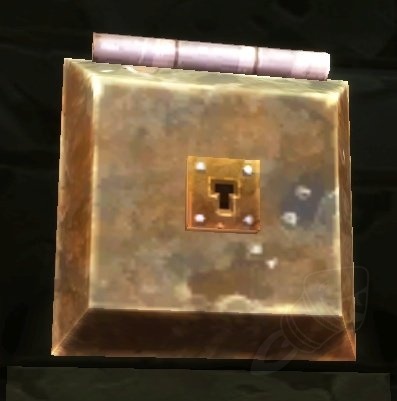
Wowhead
Dark Coffer is a World of Warcraft object that can be found in Alterac Valley. In the Container Objects category. Added in Classic World of Warcraft.
location error
its in BRD not AV LOL
verbal sky
That data is taken from world of warcraft servers tho. Correct  ?
?
 vernal hawk
Hello, could you do something to stop the site from redirecting me to classic wowhead when viewing T3 pieces?
regal hollow
check this off after being redirected to classic page
lone dirge
I'm looking at my collected transmog items on the site, but it's recording none of my helmets...
Anyone else seen that happen?
All it's seeing when I'm looking at "All plate helmets", are the 3 heirlooms...
Wowhead
A complete searchable and filterable list of all Plate Head Armor in World of Warcraft: Battle for Azeroth. Always up to date with the latest patch (8.3.0).
rancid copper
I know that most of the "today in" posts are just following a copy-pasted template, but it should probably be updated...
"The reputation of these daily quests has been increased to 125 (was 50) and now rewards 250 Coalescing Visions (was 50). This is increased further in Warmode."
I don't know if the "has been increased / was X" is necessary anymore. It's been a couple weeks since this change. I think at this point it's going to confuse new people. Just say what they drop.
crystal olive
we have a Spanish version of the classic database already: https://es.classic.wowhead.com/
viscid heart
mexican seems to have a few different words, tleast someone said so in the past
crystal olive
Sure, but that difference is so small that it doesn't make a lot of sense to have a separate version of the DB just for it
like we don't have enGB
slow bolt
anyone know of a healer versus pvp mod?
where the against their healers shows up in the right?
if they are in distance?
that shows their spells casting?
slow bolt
no the sunshine never comes- metallica
limber pivot
why is it when you left click an item in the dressing room it opens a new tab?
teal dragon
Intended behavior. Right click if you'd like the menu to appear to unequip/replace.
limber pivot
yeah i figured that out but why was it changed?
slow bolt
just like ah is strange
 zealous vine
Don’t know if this is the right place, but I want to know when will the survey giveaway release the results? Thanks.
 rugged abyss
Before I could see on for example quests which of my characters had done it - with the new website layout I don't see that information anymore. Is there a setting I need to change somehow or has this feature been removed completely?
viscid heart
you only need to be longed in and favorited a character with data
rugged abyss
@viscid heart How do I favorite a character on this new layout? I used to have a favorite character on the old layout, but can't find it anymore...
viscid heart
i think the related button broke
rugged abyss
Any words on when it will be fixed?
viscid heart
no clue i am just another user
rugged abyss
Ah sorry, my bad. Any staff or mod here that could have an answer? :)
rugged abyss
@crystal olive Where do I find that? Can't find it on the new layout :/
crystal olive
rugged abyss
@crystal olive Thank you! :D Side question - how do I change what character is actually shown as my profile avatar?
crystal olive

rugged abyss
You guys should add that as an option, if it's not there now
teal dragon
The most recently pinned character is the icon shown. You can unpin and repin whichever you want shown there.
 lyric grove
why do i have ads on the site when i should be a premium?
stoic acorn
Are you logged in? Did you enable the setting to show ads even with premium?
lyric grove
figured it out  ty
ty
 compact radish
I have ads and I am premium and I have not enabled any setting to show ads
Nevermind apparently I had to "refresh" on the premium settings page
 vivid turtle
viscid heart
vivid turtle
viscid heart
@rich wyvern probably have many things to do, but in the newspost the link is written wrong once, as "ogrimmar" instead of "orgrimmar"
 rose plank
Not site support, but members here spamming
stoic acorn
Another spammer
upbeat karma
Same with 676872441976455218
stoic acorn
@plucky fractal
upbeat karma
Think you guys have a raid 😅
stoic acorn
Oh I tagged the spammer for easy lookup here.
verbal sky
nah ment abura ping
 alpine sierra
676873106467586064 his ID
upbeat karma
It’ll be really easy to notice them from the logs anyway
They all join at the same time and have similar IDs and usernames
alpine sierra
verbal sky
i got skewered lasttime as moderators or staff get pinged for all site-feedback-support anyways far as my memory serves me correct.
alpine sierra
He's selling private server membership
rose plank
I don't like getting 4 spam messages 🙂
hardy bloom
fun fact - you can disable messages from non-friends for any discord you are in
if the member list is over 100, you should ALWAYS do this
upbeat karma
That works great except when you’re a mod in several discords lol
hardy bloom
you can turn it off on a per server basis
click the name of the server, privacy settings
disable messages from non-friends
rose plank
Why should I have to do that, maybe someone from this server might want to join my community and they cannot whisper me
regal hollow
then friend request
upbeat karma
But with that logic you wouldn’t accept a friend request from a stranger 😂
rose plank
They could also not sent unsolicisted messages to me?
hardy bloom
there is a problem right now
with spammers
this is the solution until they are banned
rose plank
And then the next wave comes
hardy bloom
what the hell do you want to happen then?
rose plank
Look... I simply reported a person
hardy bloom
like - this is the only solution available
rose plank
What the heck are you going on a rant for against me over disabling an option
It's not the only solution lol
But I really don't feel like having a silly discussion about this
I did my report, end of it
You feel you need to disable messages from strangers, that's your solution 🙂
 timber spruce
crystal olive
timber spruce
crystal olive
all banned
viscid heart
missed @plucky fractal
crystal olive
done
 frail turtle
viscid heart
frail turtle
viscid heart
@plucky fractal
 dim cove
I got the same message from a @plucky fractal
 smoky mountain
Same here from @plucky fractal
crystal olive
done
 obsidian wing
got the same one as some others.
different user though
easiest solution for users here is to block DMs from this servers users...
smoky mountain
Why would I hurt myself just to block spam bots? They aren't an issue and I'm not complaining about them, I'm simply reporting them so that they can be banned.
teal dragon
Report them here, block the user via DM and report to the Discord team if the option presents itself. Personal settings can be adjusted to prevent it if the individual wishes but it's certainly not required. We'll handle them when we can but since they're using DMs it's best to let us know but to ultimately alert Discord itself.
 rustic shuttle
Hey I can't enter the contest for the Twitter portion, getting an internal error message, is that on wowhead/twitter/gleam or my side?
teal dragon
Gleam. Try incognito mode or clear cookies/cache and try again. Unfortunately we don't have any control over it directly.
rustic shuttle
ALright ty
Ah still getting same result although it appears I have retweeted the first wowhead post, Perhaps I'll leave it until timer resets!
 oblique charm
Hi! We started using Wowhead's Discord Tooltips Bot - is there any option to set "Classic" dataset as a default for the whole server? I can set it per channel but this would post message to each one of them..
teal dragon
@oblique charm !wowhead-setup Classic server
That applies to the whole server.
oblique charm
@teal dragon it`s working, thank you very much! 🙂
 fresh nest
Received a DM for a boost website: user @plucky fractal
 errant patrolBOT
 Great Representative#9909 was banned
teal dragon
@fresh nest Got it, thanks!
 jagged siren
Hi @teal dragon. Is it ok to use images from Wowhead on our own fan sites? I.e. guide header images that located in header section of guides.
 magic pivot
Please can we get game news not advertisements... I delete 60% of what this bot posts. The other 40% is useful.
You can't actually think people want to see that in their news feed ?
hardy bloom
Changes in the blizzard gear shop are news
Them removing an item and making it unpurchasable is news. Even if you don’t care
magic pivot
Any way to limit it to just game related stuff ?
magic pivot
would love to get a little more limited news feed
hardy bloom
So that is 100% valid - it’s unrelated to classic
hardy dome
weapons can be enchanted and should
hardy bloom
? What does this have to do with wowhead?
hardy dome
so why would the profiler show the enchanted box full on enchanted weapons and not just empty on the non-enchanted one?
hardy bloom
Because the no enchant is also a transmog option ?
hardy dome
i expect 4 boxes , 3 empty
no tranmog on the weapons, so empty transmog checkboxes
but the second weapon should get an empty enchant box, even better with a red frame to highlight the faux pas
same goes for empty gem slots and other missing raid preparation on the gear
teal dragon
@magic pivot that showed up in Classic because it's general Blizzard news, which shows up for all webhooks. It's not an advertisement though, we have not received any sort of payment for posting it. And yes, people want to see it in their feed. We track these things.
@jagged siren It depends what in particular you're referring to and how it will be used, where exactly... among other things. You can reach out to me via DM to discuss specifics.
teal dragon
No, sorry. The Blizzard and Wowhead categories are shared among all webhooks. This is how we intended it. I'm sorry you're periodically getting news you're not interested in but, this is an optional feature that should be helpful far more often than burdensome. We have a massive audience to cater to and not everyone is going to be entirely pleased with how every tool works. We think the balance here is fair.
magic pivot
That's reasonable. Well, feature request if there happens to be others who feel the same. Thanks for the reply.
 dense mica
Could Wowhead discuss Activision's decision to end their relationship with GeForce/NVidia? This will have a fair amount of effect on gameplay.
hardy bloom
wowhead isnt tied to blizzard or activision
and they report on wow news
not activision news
at best, blizzard news
which that still isnt
thats activision stuff
crystal olive
Could Wowhead discuss Activision's decision to end their relationship with GeForce/NVidia?
Wat? Where did you get that from?
ATVI just removed their games from Nvidia's new streaming platform
dense mica
Yes... but there are indications that this could signal a larger shift in supported platforms. Here's an article that discusses some of that: https://www.polygon.com/2020/2/12/21135296/geforce-now-activision-blizzard-games-nvidia-streaming

Polygon
Call of Duty titles, World of Warcraft, and more disappear with no warning
crystal olive
that's stretching it very thin
 rugged blade
Heya, a question for the Devs with DB2 knowledge.. i'm wondering how the value of https://www.wowhead.com/spell=299905/fusion-burn?ilvl=475 is actually calculated.. if my calculation is right, one tick at ilvl 475 should be 2268,75 but on wowhead its 2353
Wowhead
Your melee attacks have a chance to ignite your enemy with fusion fire, dealing (219 * 4) Fire damage over 4 sec. This is an Uncategorized Spell.
The RandPropPoints for ilvl 475 are these
The coefficient for this spell is 3.125
So no matter which value from RandPropPoints i take, i cant get to 2353
 junior moon
@rugged blade will take a look
jagged siren
@teal dragon Your PM's blocked btw
teal dragon
Odd, I have half a dozen new messages from people. My PMs don't seem to be blocked. Edit: we got it working.
 balmy valley
The site's been logging me out every day, sometimes multiple times a day. Is there anything I can do to fix this?
crystal olive
after you log in, refresh (F5) the page
balmy valley
didn't work, it's already expired again
viscid heart
either something deletes your cookies or some bad caching going on
balmy valley
I don't have this issue with other sites so it's something site-specific and hard-clearing the cookies didn't seem to help, but i'll do the latter again
balmy valley
yep, went on and i'd been logged out again
browser hasn't been closed since, either
limber pivot
vulpera ears dont work with most face masks
 cosmic latch
I'm trying to use the Wowhead desktop client and it's not liking my login credentials. I've even changed my password and it's still not working. Any help would be appreciated.
crude urchin
@cosmic latch it's a known issue. Could you please send an email at feedback@wowhead.com from email address associated with your Wowhead account and describe the issue?
cosmic latch
Will do.
 modest jasper
regal hollow
modest jasper
regal hollow
understandable, I have my moments too
 hasty spoke
Heya, is there anyway to disable the video autoplay feature on the site? Im using a mobile hotspot right now and i dont want to waste my traffic on videos i dont want to watch, start playing all the time 🙂
teal dragon
The video unit is an ad that plays cinematics between ad injections. The only way to disable it is to be logged into an account that has subscribed to Premium for $1 or less per month here: https://www.wowhead.com/premium which removes all ads, including the video unit.
 lavish tapir
Hi, I've accidentally submitted 4 screenshots to the wrong NPC page. I forgot to check IDs, and submitted them to Boralus Worker (139555) instead of Boralus Worker (135792). Is there a way I can undo the submission of the screenshots? And should I re-submit them, this time to the correct NPC (135792), or just leave it?
teal dragon
@lavish tapir I declined the incorrect submissions to 139555. You can submit again now to 135792.
lavish tapir
Awesome, thanks very much. Will do
 coarse stratus
link to this achievement has been broken for a couple days for me: https://www.wowhead.com/achievement=13720/supplying-the-assassins
 teal dragon
We'll look into that, thanks for letting us know.
upbeat karma
I've noticed on mobile every time I open a new tab I'm being logged out, even with a refresh. I end up re-logging in on every new tab.
Not sure if there's a fix for it, or my phone is being a pain in the arse!
 hidden carbon
wowhead is not working correctly on my main browser, been like this since yesterday
stoic acorn
If your browser has a (built in?) adblocker it may be over aggressively blocking too much of the site.
hidden carbon
it wasnt like this before, but let me disable it to see if somethign changes
ok that worked, im confused but thank you
 vague lintel
on https://www.wowhead.com/fury-warrior-macro-guide a macro text is incorrect its about the Utility
Combine Charge and Victory Rush into one keybind. Victory Rush will be used when in melee range, and Charge when out.
#showtooltip
/cast Charge
/cast Victory Rush
it should be
#showtooltip
/cast Victory Rush
/cast Charge
or it will not cast Victory Rush 🙂

Wowhead
A curated collection of the best Macros and Addons for your Fury Warrior. Updated for Battle for Azeroth patch 8.0.1
crystal olive
@quasi tide
 quasi tide
That is not true @vague lintel, the macro will work in either order (I've been using it written that way for near a decade)
 quiet spade
Not a severe issue, but Avast AV has noted some activity it calls out as questionable.
https://imgur.com/y9njrAf
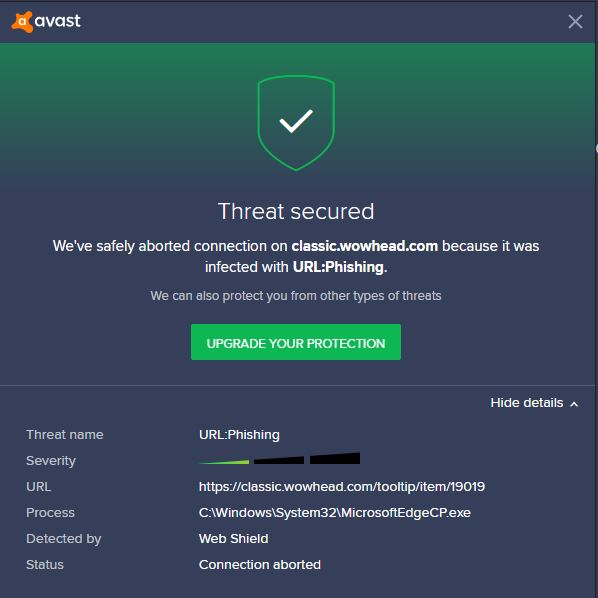
BFA wowhead seems to be fine, this is just with classic.wowhead.com
teal dragon
Not sure why it would have a problem with the tooltip text page. It's just text.
quiet spade
Not sure what is up, @teal dragon - that is via avast browser. Using Edge, you get that it cannot access the page:
"Can’t connect securely to this page
This might be because the site uses outdated or unsafe TLS security settings. If this keeps happening, try contacting the website’s owner."
Checking for updates and will restart.
Bah, looks to be the same. Restarted and still classic.wowhead being called out. Straight wowhead is cool, as is ptr.wowhead.
teal dragon
What's the URL of the page you're viewing when you encounter the notice?
quiet spade
https://classic.wowhead.com - clicking directly from BFA on the main https://wowhead.com page
Wowhead
The largest Classic World of Warcraft (WoW) information site, featuring guides, news, and information on classes, professions, quests, raids, items, and more.
Wowhead
The largest World of Warcraft (WoW) information site, featuring guides, news, and information on classes, professions, azerite, raids, transmog, and more.
teal dragon
So you're on Wowhead.com and then you click the news article WoW Classic Not A Bug List - Thunderfury Can be Equipped by All Sword Classes which redirects to classic.wowhead.com since it's a Classic article and then you get the notice, or some point before that?
quiet spade
On wowhead, BFA variant - www.wowhead.com click the 'Classic' button up top and it pops the notice and will not load the page.
teal dragon
Okay so it's not anything specific to that article, except that's the tooltip it's referencing.
You're on Wowhead.com, then click the Classic button to switch to classic.wowhead.com and it won't let you.
quiet spade
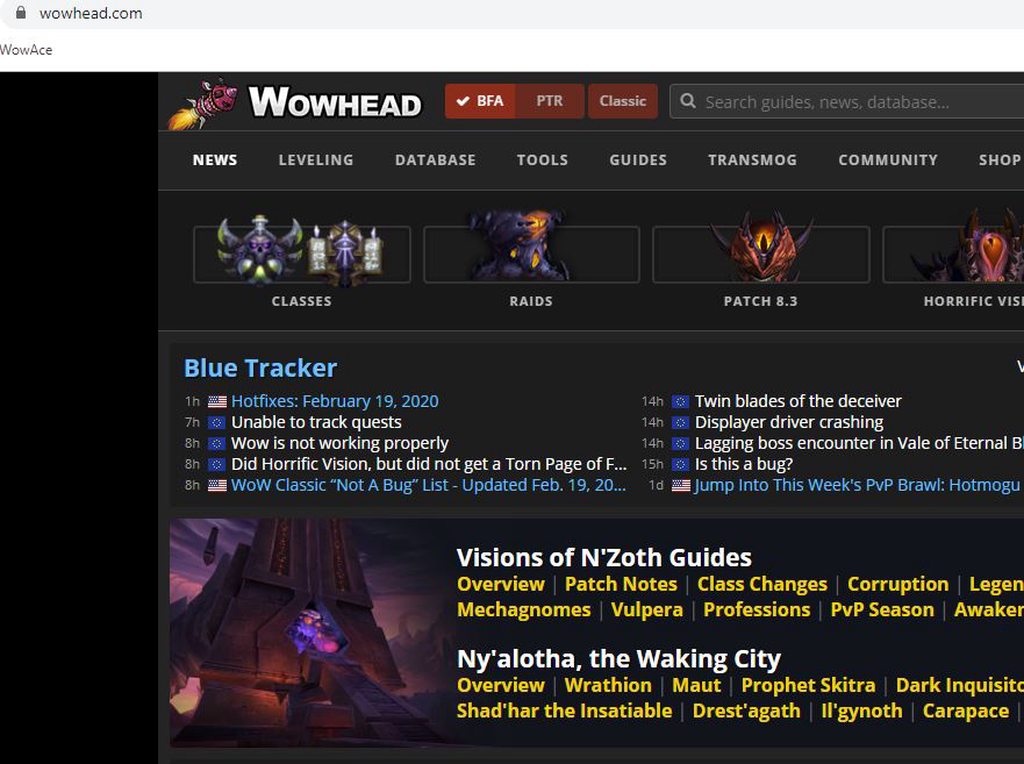 teal dragon
Okay I downloaded the Avast browser. I can replicate it... but honestly have no idea what the browser's issue is.
quiet spade
The red buttons at the top
teal dragon
Just going to classic.wowhead.com (not using any buttons) gives me the notice in the browser.
quiet spade
Right - was just using the buttons to ensure I was not fat-fingering a bad address
🙂
teal dragon
Turning off 'Anti-Phishing' lets me in.
quiet spade
This happens on MS Edge too
teal dragon
For whatever reason Avast believes the classic version of our site is a phishing site.
No explanation as to the reason for that.
quiet spade
Aye... really not sure. Will disable the phishing part for now. Miss the information.
Note it was working just fine, earlier and for months beforehand. Will try to see if Avast has some feedback channel/address and let them know.
Thank you for taking time to check it out!
teal dragon
I submitted a false positive report to https://www.avast.com/en-us/false-positive-file-form.php we'll see what they say/do about it.
quiet spade
Will do the same
teal dragon
damn thing changed my default browser. For shame.
quiet spade
Bad form - sorry about that.
teal dragon
@wooden talon What is happening when you attempt to load https://classic.wowhead.com
 wooden talon
@teal dragon http://prntscr.com/r4yhpr

then this happened in Edge http://prntscr.com/r4yhul

looks like AVG is irritated too
teal dragon
Avast and AVG are probably using the same library to decide the page isn't safe.
Check your AVG settings to see if you can disable anti-phishing... I'll pass this along as another example for our operations team but as far as I can tell so far, it's these AV programs that are incorrectly blocking the classic subdomain.
wooden talon
yeah, manually whitelisting *.wowhead.com fixed it
teal dragon
You know I can't do anything without a URL. 😛
 vital granite
The classic phase 3 holy paladin BiS guide seems very off on some pieces (e.g., shoulders). It looks like P1 and P2 were updated to be more similar to the other lists out there, but P3 and later are still strange.
teal dragon
@icy nebula A fix is already waiting to be pushed. Thanks!
 icy nebula
😁
quiet spade
@teal dragon et al - Received an email from Avast support that they reviewed the report and were going to include a change in their next definition update. Noon eastern, 20FEB2020 V200219-6 appears to have addressed it.
 royal tangle
Is the wowhead twitch extention broken? When I try to add a character nothing happens, no error msg
royal tangle
another question does it update gear & talents in real time?
teal dragon
...and if you're having trouble adding a character in the config try disabling any extensions like adblock as they often interfere.
royal tangle
yea thanks that did it 🙂
 granite bronze
Cannot create an account on wowhead. If I go to secure.zam.com it gives an internal server error when trying to register there.
teal dragon
@granite bronze you're trying to go directly to that URL?
I'd need you to send me the email address you're trying to use through a direct message please.
 quasi spoke
 balmy violet
Hey all, I'm having major problems with my right and left click buttons. A while back, I swapped the two in the wow game files (I can't remember where) and ever since then, the left click and right click have been swapped (even after uninstalling and installing on a new hard drive.)
The problems it's causing me right now is that anytime I go to cast an AoE ability (or any ability that uses an indicator first) I can't cast it. Normally, I'd just have to left click to cast it, but left click won't cast it, and neither will right click. I just simply can't cast these abilities because of this. Can anyone help me?
 ocean crow
Hi, just saw that the achievement sites do not show links to criterias of the achievement that are unlocked battle pets (see https://www.wowhead.com/achievement=13692). Is that on purpose?
Wowhead
Obtain all of the items from Nazjatar listed below. In the Battle for Azeroth Exploration Achievements category. Always up to date with the latest patch.
I could imagine the scanning mechanism for achievements not picking up on the criteria type ID for battle pets, seeing as it's hasn't been documented even on wowpedia until a few hours ago 🙂 (it's 96, the assetID refers to the npcid of the battle pet in this case)
 unique fossil
Do you think you could bring back the Preraid BIS/Phase1-2 gear pages on the Classic class guides? It helps for alts trying to gear up for MC and not having the BiS list for MC hurts to as you cant just dive into BWL
orchid citrus
@unique fossil hey, we're currently working on a new iteration of classic BiS guides that will include new pages with the return of BiS pages for pre-raid and raiders entering Molten Core. Hopefully it will be live sometime next week 🙂
smoky mountain
Would it be possible to have the client auto update any profiles tied to character data when the client uploads?
 manic turtle
is there any way to turn a wowhead dressing room setup into a simc export for a character wearing that gear?
 unborn jasper
seems to be...fixed...now? >.> peers around I'll wait a day or so to see about the premium thing here updating.
teal dragon
@smoky mountain blizzard's prefers that API requests/ updates occur individually and deliberately. We'd like to add a mass update button someday to user profiles but it'd need a cooldown and be limited to say 10 characters. It's just not somethimg we've been able to do yet. It won't ever be linked to client uploads though, sorry, thanks for the suggestion!
@manic turtle no, sorry.
@unborn jasper if you're logged in, and then not logged in on another page, just press CTRL+F5 to refresh with a cache clear and you'll show logged in again. It's just cache, easy to fix.
Regarding Premium on Discord, try disconnecting in your premium settings on the site and then reconnecting to see if the bot catches it.
smoky mountain
Aww man. I guess I'm pampered with raider.io's client, it sends a request for the site to update tracked characters whenever the WoW client exits. I believe it has its own internal cool down as you suggest, because I definitely recall not seeing an update on the site if the last one was a short time ago. Thanks for the reply though.
 olive solar
I am a premium user, and while logged in still I started getting ads today. Went to renew my sub cause I thought it had lapsed, and it says I am already a premium user (so wouldn't let me pay, so it hasn't lapsed) but I am getting ads nonetheless.
teal dragon
@olive solar Go here and click 'Update': https://www.wowhead.com/account=premium
Rarely, though it does happen, the Premium service and Wowhead have a connection issue which can result in a loss of the status. That page can force it to check again prior to its daily sync.
olive solar
thanks
timber cairn
Hello. When I open Wowhead's pages I see wow cinematics on each page. There is even no close-button. How can I switch cinematics off one time and forever?
crude urchin
@timber cairn The video unit is an ad that plays cinematics between ad injections. The only way to disable it is to be logged into an account that has subscribed to Premium for $1 or less per month here: https://www.wowhead.com/premium which removes all ads, including the video unit.
smoky mountain
This is more of a musing than an issue or suggestion. In the corrupted guide icon grid on the front page, why is Holy Paladin the Lay on Hands icon when the spec uses the Holy Bolt icon?
 stuck wadi
What happened to the "Today in Uldum/Vale" news daily that was being posted ? This was really useful to find active events 😦
hardy bloom
my guess is views dropped significantly
thats when the mechagon/nazjatar stuff stopped
stuck wadi
i understand most that farmed it well are probably exalted by now, but its such a pain to find manually
crystal olive
we won't be doing daily posts about it anymore, but will still do posts when the assaults change to remind people what is coming up
if you're still looking to complete events and stuff, we recommend you to use an addon like HandyNotes:Visions of N'zoth because it auto-scans for events in game
and shows them in your map
stuck wadi
oh cool, thanks ill get that
 latent crystal
@karmic dome
https://puu.sh/FeDH1/9911b60460.png
marking of the crystals in ogrimmar vision (white and yellow dots)

 tame jackal
Clicking on "No, thanks" on the cookie popup does nothing. Chrome for Android v. 80.0.3987.117, Android 6.0 (rooted, if it matters)
crude urchin
@tame jackal we use cookies on ours as it's required for the site to function. If you use our website you are consenting, and to not use is to not consent.
tame jackal
👍 Just wanted to let you know in case it was supposed to disable certain cookies
crude urchin
Thank you!
smoky mountain
Just a heads up, using a website does not count as consent, which is why the EU has forced sites to provide the cookie notice and a clickable form of consent in the first place. If the notice is rejected, the site is supposed to not set cookies.
unborn jasper
Okay...so...I guess the bot still isn't recognizing that I'm a premium member. I did what you suggested, @teal dragon and no dice. If there's something more I could or should try, please let me know. 🙂
(I gave it a few days hoping it might correct, too.)
teal dragon
Username please?
unborn jasper
They do, but let me check again.
.> You know, I thought I had done that like a million times all ready, but apparently I hadn't. I'm SO sorry. I'll give it a few more days and get back to you if nothing changes.
I checked just now, and it showed I hadn't reconnected my accounts.
feels like a complete idiot and is very sorry
teal dragon
No worries, I see it already marked you Premium. You're all set. :)
unborn jasper
Yay! It sure did. Thank you for all the help! And again, I'm sorry for the trouble.
teal dragon
Don't worry about it. We appreciate the support!
regal hollow
Ey Sas, been wondering, would it be possible for me to keep my Discord name when connecting Wowhead premium to my Discord? I honestly only made the Wowhead account to get Premium to support (and clear adds) the site.
teal dragon
With this integration we no longer change usernames to match their Wowhead account, so go right ahead. 🙂
regal hollow
Neat, now my name is "legendary" : p (just like yours despite being blue, keep up the amazing work  )
)
 frigid cliff
Hi, gearplanner for wowclassic is not working on mobile at least
frigid cliff
Gearplanner not working 😦
crude urchin
@frigid cliff Can you disable all browser extensions and then try again?
frigid cliff
Tired on mobile without extensions and didn’t work their either
frigid cliff
hmm I guess 0 fucks given 🙂
doesn't work still, anyone know an alternative site for gearplanning?
hardy bloom
It’s a false positive
stoic acorn
Well, the wowhead client itself shouldn't trigger that. Your computer may have something on it that is modifying .exe's to include itself.
 ruby whale
Seems odd that it's the only .exe that triggers a virus detection then, just tried downloading CPU-Z and Crucial memory scanner, both .exe direct downloads and neither triggered the antivirus. Tried wowhead client again and boom! Virus detected.
stoic acorn
SHA256 sum of the file you have for the client?
ruby whale
I don't know how I'd get that as the download is being blocked
Just tried download again and no warning this time.
SHA256: 9228ed2f79bf942dde37deca11b6e528c5744b5001f9c93186be76f7f02f77bd
stoic acorn
That's the same one I'm seeing here 😉
ruby whale
Yeah, that one seems OK. Chalk it up to the usual Win10 oddness 🙂
 minor hinge
Having an issue with the Wowhead twitch extension, it is searching for my character but never finds it. How can I get it to find my character?
teal dragon
Disable any adblockers and try again. If that doesn't work, provide the name, region, and realm please.
 copper rose
i can't register at site, verify email never send
crude urchin
@copper rose please send an email at feedback@wowhead.com from email address you're trying to use to register on the site and describe the issue
copper rose
ok
hardy dome
https://www.wowhead.com/item=159628/kul-tiran-cannonball-runner&bonus=4777:1512 , why do we have such a mess regarding itemlevels?

Wowhead
This blue trinket of item level 300 goes in the "Trinket" slot. It is looted and sold by NPCs. In the Trinkets category. Added in World of Warcraft: Battle for Azeroth.
AMR suggests a 470 version of it and i can't find it in either of the overlapping categories on wh 😉
upbeat karma
@hardy dome Thats because thats the item level that it starts at. Item levels have also been bumped every patch.
If you check the Adventure Guide in-game, the item level is listed as 430 for mythic; then the standard M+ scaling applies for keystone levels.
(also pls do more research besides just AMR! Last I heard they werent the most accurate, but that might have changed!)
hardy dome
A level 12 mythic key is , also according to your m+ dungeon and key guide a 470 chest reward
i therefore can safely argue that your list is missing a few steps
apart from that, it is still confusing with the current menu structure, no matter what the actual maximum or minimum really is
upbeat karma
@hardy dome A M+12 does reward a 470 item; from the weekly chest.
 river hound
We're rolling out support for news notifications via browser desktop notifications. To start it with a smaller audience so we can get feedback on any issues, it's initially only open to users with premium. If you have premium, please let us know if you have any issues enabling or declining notifications.
hardy dome
@upbeat karma yea but i cannot find the 470 properly scaled version of my trinket in wowheads item db, which i think should be fixed 😉
pallid temple
Wowhead
This blue trinket of item level 300 goes in the "Trinket" slot. It is looted and sold by NPCs. In the Trinkets category. Added in World of Warcraft: Battle for Azeroth.
Should be the correct ilevel, it's not in the item versions, but I fiddled a bit with the bonus number.
hardy dome
kind of, it should have an epic color 😉
pallid temple
Stays with blue writing, even if you select mythic. might be related to the base item. 🙂
frigid cliff
The gear planner for the classic version of your page still doesn’t work!
teal dragon
What's wrong with it @frigid cliff ?
frigid cliff
I posted the issue multiple times using the feedback form. Unfortunately can’t ctrl+f5 now as I am in the train. Will follow up later
Wowhead
Plan and share your Classic character's gear and see their resulting stats, secondary stats, and resistances.
teal dragon
Yes, and to our knowledge the issue has been resolved. When you can try clearing your cache and checking again let me know.
As you can see it's not an issue for everyone:
smoky mountain
Would it be possible to search the database by the "attained by % of profiles" stat? I would be interested in how rare some things are compared to others.
hardy dome
And again insecure images in https://www.wowhead.com/guides/underrot-dungeon-strategy-guide#dungeon-loot-unbound-abomination , id reccomend the upgrade insecure requests header

Wowhead
Abilities and Strategy guide to trash and bosses for Normal, Heroic, and Mythic+ Underrot, a Battle for Azeroth dungeon in Nazmir, as well as related loot and quests.
crude urchin
@hardy dome should be fixed now. Thank you
small thicket
Do you mean the webhook?
https://www.wowhead.com/webhook
Wowhead
Get the latest World of Warcraft news to your Discord channel with the Wowhead Webhook. Use this page to set up a Discord webhook for Wowhead news.
plucky fractal
got it thanks ❤️
 strong coyote
Hey anybody figured out how to fix the Battle.net payment issue? I can't purchase anything or even add a payment method (Mastercard). Help
Tried the suggested fixes as well as other devices and still no luck.
teal dragon
This channel is for assistance with our site. The issue you're describing is something you'll need to reach out to Blizzard directly for assistance with: https://us.battle.net/support/en/help/product/wow
 dim cobalt
Hi. After I pressed the button to subscribe to notifications, I get a fail message, and it keeps popping up on every page I visit. Im not sure what it is for my settings thats preventing it, Id just like to get rid of it now
teal dragon
@dim cobalt provide a screenshot of the error message please.
dim cobalt
teal dragon
Have you tried disabling adblocker to see if it's causing the issue?
dim cobalt
one moment
I disabled adblocker. Got a message about accepting cookies which I did. The error message persists still, even when logging out. Then it still shows, and I restarted the browser. No change
teal dragon
If you say No thanks you also get an error?
teal dragon
The no thanks dialog never comes up again? Just the error?
dim cobalt
I mean I got a new message about accepting cookies when I disabled adblocker, and I accepted cookies. But the error message kept going, even when logging out of my account. As well trying to restart the browser.
But how to deny cookies if to try that? since ive just accepted them
teal dragon
The cookie dialog isn't what I'm referring to.
The notification subscribe box, at the top that currently gives an error, originally had a maybe later or no thanks option, instead of subscribe. I'm trying to see if I can help you get rid of the error at the top even if we can't get the notifications to work right now.
dim cobalt
Ah, I understand now.
Its only the error message I constantly see on new pages or refreshing. No whatsoever dialog again.
dim cobalt
moment
teal dragon
Keep adblocker disabled for the moment. I want to see if we can get the original dialog back for you. If we start over with it disabled, maybe it'll work, and if not we can clear cookies again and say no thanks to hopefully prevent the message from appearing again.
dim cobalt
upon deleting wowhead cookies the original dialog came back with a choice
teal dragon
Okay good, we know how to reset it. Up to you if you want to try again first to see if it works the second time.
dim cobalt
ok
Purging the cookies fixed it, now theres no errors upon accepting the notification. So I guess a cookie got corrupted somewhere.
teal dragon
So you were able to successfully subscribe this time?
dim cobalt
yes
teal dragon
And no errors? Awesome. Did you have adblocker still disabled on the second attempt?
dim cobalt
yes, I had adblocked disabled on second attempt, and no errors upon turning it back on
teal dragon
Okay, this info will help if someone else reports an issue while using Firefox and Adblocker. Thanks! Sorry you had trouble but glad we got it resolved together.
dim cobalt
no problems. I had another thing to mention about the site
In particular the model viewer. I came to notice that main hand and offhands are switched, so characters hold their weapons in the wrong hand, compared to the live game
teal dragon
I believe that's just a limitation of our model viewer but that'd be more a @junior moon thing. Perhaps he can elaborate when available.
dim cobalt
ah well, just wanted to make you aware of it. No need for him
oh yes, one thing more. When trying to view a mechagnome in the dressing room model viewer it just shows a blank view, all other races works fine. Very few times ive been able to get a mechagnome on screen, but altering something and its blank again. I recall seeing comments that others had similar issues.
I can show a gnome with the mechagnome heritage armor, but flipping to mechas, and theres nothing in the dressing room.
Or even with a nude gnome theres nothing when flipping to the mechas.
hrm, looks like Sas148 disappeared.
teal dragon
@dim cobalt stiven is more knowledgeable about model issues. When he's around he can look into it, in the meantime please provide URLs to models that aren't loading for you. It's likely a piece of gear causing the issue. He'll be able to look.
dim cobalt
As i said, even a completely nude mechagnome fails to show up on my screen
oops
Wowhead
Try out armor sets on any World of Warcraft character. Test different transmog and plan your wardrobe.
There we go
completely nude and not working
teal dragon
Hmm, seems to work for me:
dim cobalt
Nothing for me, just blank
teal dragon
Might be a Firefox issue. Working in Chrome.
dim cobalt
I just came to think of something, and tried internet explorer
there it worked
not sure why firefox have problems with them
teal dragon
We'll look into it, see what we can do.
dim cobalt
thank you for your time
teal dragon
It doesn't work for me on Firefox mobile but it does on Desktop without any addons running.
Might be hard to troubleshoot. 😦
viscid heart
can confirm, i am now terrified with a naked mechagnome on my screen with firefox
verbal sky
Anyone else having odd slowness with the site atm? Unusually high traffic?
Bit higher ping than usually when you ping the site. Maybe its just me
I know this aint that high but noticeable
plucky fractal
Is it me or are some of the sites information just super old and outdated? just submitted 2 screenshots of 2 mobs and using the wowhead client to hopefully get some of the drop research fixed as well. Id like to see improvements so if you guys would do the same when you are out and about just check wowhead for a random mob once in awhile and if its not up to date help em out
orchid citrus
Unfortunately information on things like drop rates are based on the people submitting data using the wowhead client, so unless every single wow player does just that, drop rate information may not always be accurate. We are unable to datamine for things like that so we're at the mercy of people using the client to help us out 😦
For screenshots, it is usually approved within 3 days if it follows our guidelines. We do have a lot of people sending screenshots at any given point so the queue is always quite long.
Do you have any specific examples of pages with wrong drop info? If we know exactly what's wrong, we can take a look at the data and fix it 🙂
plucky fractal
the 2 that I have been farming are the Skeletal Flayer and the Skeletal Sorcerer from the quest Ambushed! I was farming them for the gift of arthas drop (not sure if that is still in the game but I am gonna farm for a few more weeks before I give up entirely) but a lot of the drops for recipes I have gotten are not even listed in either creatures drop results, I have been using the wowhead client but have yet to see it change wasnt sure if it was just a really slop process or how it worked exactly thanks for the info by the way!
orchid citrus
Seeing the comments on the Gift of Arthas recipe, it seems like it is just an extremely low drop rate.
this was his response https://imgur.com/a/Zcd3VM4 , so it seems it was not "removed" as we previously thought, but such a LOW chance for it to drop you have to be the luckiest person with RNG to see it anytime soon :p,

as for how you 'might' obtain it, the mobs in question Skeletal Flayer only spawn when you enter the old Crypt next to Uthers tomb in Western Plaguelands with the questchain you start there, be aware you can only see those mobs while you have the Phased zone quest Ambushed! active and not delivered.```I assumed it was still in the game as well although there were several posts with gms saying it was removed but its hard to know for sure without extensive data mining or just endless farming
so i will do the research! For the Science! lol
but for real there are a ton of drops not tabled on both mobs just so you guys know
orchid citrus
Yeah, unfortunately GMs can be actually quite clueless when it comes to more thorough information like that. Hopefully you get a drop soon!
plucky fractal
ill make sure to upload my data every play so that I can help make things as accurate as possible
verbal sky
was the data of existant NPC:s reliant on wowhead data uploads as well?
Been seeing quite alot of NPC in Ashenvale which are not supposed to exist in retail anymore by what the site says but all of them existed so far
small ore
npc data are from data uploads, but whether or not they're in game anymore is usually something we manually set, cos sometimes it's in the game data cache but it may not actually spawn anymore.
if you have a list you can dm me and i'll take care of it later.
@verbal sky
verbal sky
Damn, ive should kept the list for it. Apparently i have not them listed. I can always check the ones i did while ago from the old zones
small ore
no worries, i'll take 3713 and 3717 for now
verbal sky
Cheers
wooden talon
hardy bloom
It’s a false positive
 arctic cairn
AVG needs to be quarantined I agree. Funny how many people still use that software. It has so many false positives that companies even recommend not using them because they're such a pain
 reef robin
BitDefender > All
 mild sluice
Heya. As you sometimes feature third-party interviews, I think from an Roleplayer-perspective, this one could deserve it: https://www.windowscentral.com/world-warcraft-interview-building-story-shadowlands
Not that much in terms of actual news but at least the interviewer here is not shy about asking some questions that adress a lot of the concerns regarding the story beats around BfA. Well, don't know what your criteria are 😁

Windows Central
Recently, we caught up with Steve Danuser, Lead Narrative Designer for World of Warcraft to learn about the past, present, and future of the world's most successful MMO.
tawny blade
thanks! the author has messaged us directly about it and we'll look into covering it
 rich tapir
Hello ia the quest tracker on eu down I can't access it just says character not found
teal dragon
@rich tapir what's the character name and realm?
rich tapir
@teal dragon It is working again now I just checked before giving details so I don't look an idoit thanks for help
 heavy meadow
Hello, when I'm trying to go on the site, I get greeted by "turn on cookies" which I can't bypass. Why is it forced to have cookies enabled?
 bright snow
Minor bug: https://www.wowhead.com/achievement=6603/taming-eastern-kingdoms has an incorrect TomTom waypoint for Kortas. It should be /way Searing Gorge 35.4 27.8 Kortas Darkhammer (i.e. remove Burning Steppes) as he's located at Thorium Point.
Wowhead
Defeat all of the Pet Tamers in Eastern Kingdoms listed below. In the Pet Battle Achievements category. Added in World of Warcraft: Mists of Pandaria.
 opal hamlet
The website when viewed on a mobile phone, has three uncle Ben's rice ads that will not let me view your page, I don't mind ads, but that one will not let me see the page's content.
crude urchin
@opal hamlet Please click 'Feedback' at the top and select 'Adverting Issue' so we'd able to track down the bad ads.
opal hamlet
@crude urchin in discord or on the website?
crude urchin
@opal hamlet on the site. click on red icon depicting an envelope
opal hamlet
Ty @crude urchin
 digital stag
I receive an error when trying to Contact Wowhead from the website. The contents of the error are not selectable or I would pastebin them. Instead, here's screenshots of the entirely too small error window:
viscid heart
that actually looks like the normal beginning of the site
hardy bloom
are you using an adblocker or a script blocker?
it literally seems like its just printing the html script instead of running it
digital stag
Yup that was it, Cheers Peach
hardy bloom
np
 quiet surge
@rich wyvern I think you mixed something up hehe https://i.imgur.com/NKB70nD.png





 rich wyvern
Fixed ty!
quiet surge
That's what I call service!
 fleet scaffold
Has anyone considered having a default/virtual item page for random enchant gear using the highest roll? E.g. "Eternal Crown of Arcane Wrath" would display Eternal Crown of Arcane Wrath with the +41 arcane damage suffix, rendering like any other standard item.
The one annoyance I have in an otherwise flawless item database is that pretty much every third party tool that works with wowheads item db doesn't support random enchantment items. This goes for wowhead projects too, like the wowhead discord bot.
Don't necessarily think my solution is the best, and it's slightly a vent, but it's the one thing that made me roll my own tooltips rather than link to wowhead.