#📚┃suno-school
1 messages · Page 1 of 1 (latest)
 open magnet
 earnest copper
when feeding the semantics output back into the history_prompt does it work with multiple character prompts? e.g.
MAN: a man speaking
WOMAN: a woman speaking
e.g. if you were to split by newline and generate a script where the semantics from the first line is used to make the 2nd... when reusing one prompt through it all, the results are unsatisfying and cannot be overridden with these hints.
open magnet
yeah these hints are very weak to start with to be honest
speaker prompts will get you much further
especially now that we've updated them and chose ones that lead to more consistent results
earnest copper
i have considered a parser that can find manually inserted strong hints like,
{A}: man speaking
{B}: woman speaking
{C}: perhaps a 2nd man speaks
and use those to the history_prompt, based on user config setting for these hints equivalence. would work very well for scripting
so i could feed the parser a dict, as in,
hint_characters = {
 "A": { "history_prompt": "hi_speaker_3" },
 "B": { "history_prompt": "hi_speaker_1" }
}
does not help if you were to desire eg. overlapping voices arguing
open magnet
interesting ya. if the backgrounds are clean it could theoretically work to concatinate parts of two prompts into a single one to have a model register both voices and maybe repeat them
earnest copper

 light ether
Could be worth discussing here too https://github.com/suno-ai/bark/discussions/211

GitHub
When Bark finally breaks the 13s limit on text, it would be cool to be able to define fixed voices for text blocks. That way, you could enable scripted dialogues and they would be reproduceable, in...
 vast wasp
when using inifinite bark, and I add the musical notes at the beginning and end of the prompt, I'm not getting the singing voice throughout the entire length of the audio, it kind of starts to get into the rhythm towards the end, and then I just get a beat drop
 earnest copper
@vast wasp there's a few reasons for it. try using [music] instead/in-addition to. try splitting the prompt on newlines manually so that you can hint to it more accurately how you want it to be formed. bark-inf is still working with the 13 second limit, it's just making multiple passes over chunks of the prompt.
 light pumice
Idk if it helps, but I've had success forcing the seed, and having it generate the same thing again doing this
import numpy as np
import random
import torch
seed = 5
np.random.seed(seed)
random.seed(seed)
torch.manual_seed(seed)
earnest copper
interesting
 south mist
Hello, I was wondering do I have to install the model every time I use preload_models() function or is it stored in my hard drive somewhere? I believe it's the latter with hugging face but would like a confirmation
 balmy ember
south mist
Hello, I was wondering do I have to install the model every time I use preload_m...
balmy ember
south mist
Hello, I was wondering do I have to install the model every time I use preload_m...
I think it should be stored on your drive. For me I have it under C:\Users\[username]\.cache
However since I have a few versions of bark I have it under a huggingface folder and a suno folder hehe. Which isn't very space efficient, but that's not unusual for me.
vast wasp
on some ocassions the generated audio isn't following the prompt exactly, maybe having a cfg kind of parameter similar to sd could force it to follow the prompt better?
here's a video showing what I mean
 north cove
Can anyone help Me Im not a programmer but I just wished help here

    WOMAN: Hey,Can you tell me the price of the car.
    MAN: [laughter] Cars? Im sorry ... We do not sell cars here at Walmart
"""
audio_array = generate_audio(text_prompt)
Audio(audio_array, rate=SAMPLE_RATE)```It looks like you're using a Google Colab from what I can see, yeah?
I can't say I'm very good at working with Colab, but I can give my first assumptions. Have you run the cells above this code first?
north cove
Is there a video tutorail to help feel like a dummy lol
balmy ember
north cove
Is there a video tutorail to help feel like a dummy lol
Aww don't worry, everyone starts somewhere and feeling like a dummy is where it starts. :)
I still feel like a dummy sometimes myself, but it means progress.
balmy ember
north cove
Can anyone help Me Im not a programmer but I just wished help here
Let me know how it goes after you run all of the code above the cells too. Make sure you start from the top and run it one by one as you go down to the cell that you want to run.
north cove
@balmy ember Its installing right now and I thank you for the encouraging words man
@balmy ember
 balmy ember
north cove
<@553354167779852288>
balmy ember
north cove
<@553354167779852288>
Yep, that's normal! That's a good sign, everything is getting installed correctly from what I can see.
 balmy ember
north cove
balmy ember
north cove
Yes, installing things takes a little bit of time, which is normal. Once it's done, you should be able to move on to the next cell.
north cove
balmy ember
Yes, installing things takes a little bit of time, which is normal. Once it's do...
I see I was just getting a thumbs just so I know everything is done well
@balmy ember Just loaded and tried but does not work man
 balmy ember
north cove
I see I was just getting a thumbs just so I know everything is done well
balmy ember
north cove
I see I was just getting a thumbs just so I know everything is done well
Hmmm, that's odd. Send me the link to the Colab you're using and I'll take a look!
north cove
balmy ember
Hmmm, that's odd. Send me the link to the Colab you're using and I'll take a loo...
Can I pm you
balmy ember
Of course!
 slow elk
vast wasp
slow elk
vast wasp
This is really funny actually fajksdjaskdf
Can anyone explain to me what an npz file actually contains/how it affects the generation? Like would it be possible to, say, introduce small mutations into the speaker voices to work towards them being less grainy etc?
Also is it possible to use a hybrid mode between cpu and gpu? I have an 8GB card and it would be awesome if I could offload only one model to the CPU so I can still use the full models?
Also last question, what is the dataset that the model is trained on (also how was it licensed) and would it be possible for me to train my own version with my own data
 untold briar
slow elk
Also is it possible to use a hybrid mode between cpu and gpu? I have an 8GB card...
untold briar
slow elk
Also is it possible to use a hybrid mode between cpu and gpu? I have an 8GB card...
Yes to everything, hopefully coming to my fork soon. Though I might cut the mutations because it's buggy and required too much modification, but I'll have a light version of it at least
On ho to training though
 calm stone
hello everyone - where can i download the file text_2.pt, because I can't find it in the repository
untold briar
calm stone
hello everyone - where can i download the file text_2.pt, because I can't find i...
It's a little tricky because there on huggingface hub now, let me check
slow elk
You're a legend tysm :>
Any way you could have a branch with the mutations still in it because I might be able to work on it a bit myself
untold briar
calm stone
hello everyone - where can i download the file text_2.pt, because I can't find i...
calm stone
Thanks a lot
 tepid warren
Hello, i trained some voices via so-vits-svc and was wondering if i can somehow use them as speaker in bark. As far as i know i can export the so-vits speaker model as Onnx. Is there any way to achieve that or isnt it possible at all?
earnest copper
@tepid warren the input format for Bark is a numpy array of ints, essentially a waveform in numeric list form
light pumice
calm stone
hello everyone - where can i download the file text_2.pt, because I can't find i...
If it's the same issue I had, you need to turn small models off
 lilac crescent
Does anybody know about computational power with AWS servers? required gpus etc? we are trying to use bark to achieve output files at around 200 words in under a second or two. is that possible? if so does anybody have any idea what kind of gpus we would have to have server size etc? we tried running it on a local machine and it was taking around 9 minutes per file. any help would be appreciated.
open magnet
hm that will be hard. on eg a10s it will run around realtime, but it's not parallelizable on the word level
so if u have 4 gpus you can generate 4 independent sample all in realtime but not a single one 4x faster than realtime
 solar maple
light ether
Could be worth discussing here too https://github.com/suno-ai/bark/discussions/2...
solar maple
light ether
Could be worth discussing here too https://github.com/suno-ai/bark/discussions/2...
I have a preliminary implementation now, if you want to check it out: https://github.com/C0untFloyd/bark-gui

GitHub
🔊 Text-Prompted Generative Audio Model with Gradio - GitHub - C0untFloyd/bark-gui: 🔊 Text-Prompted Generative Audio Model with Gradio
Bark doesn't always like to follow the script though 😕
light pumice
Yeah, it goes off the rails sometimes
but GPT does that sometimes
Which is why if you ever use it for a public facing project, you need to tell people it's AI so if it does go off the deep end, they know it's a bot
untold briar
OMG OMG I wasted most of my weekend progressively ripping all my custom code and features in Bark Infinity fork desperately trying to track down a strange bug in my code, where once in awhile a audio clip would just be only half-related to the text prompt. I couldn't release anything public with this weird problem, right? This is the main reason I haven't updated Bark Infinity it in days. Absolutely drove me full bananas. Finally I was like wait a minute, am I SURE I double checked this doesn't happen in the unmodified Bark? And yeah, it's just how bark is. Super interesting in a context where it didn't destroy so many hours.
Anyone want to guess what the cause of inconsistent results was? Hint: You'd probably run into this quirk more often if you were trying to be rigorous, but you could encounter anytime. I'll post the answer behind a spoiler tag.

@open magnet Might find this interesting
open magnet
untold briar
<@856546017998929971> Might find this interesting
i'm looking haha, not sure i get it
untold briar
You might need to run it more than once, but try it
 brisk seal
untold briar
Anyone want to guess what the cause of inconsistent results was? Hint: You'd pro...
brisk seal
untold briar
Anyone want to guess what the cause of inconsistent results was? Hint: You'd pro...
Always thought it was training data that was leaking in those cases
untold briar
Not silence, you get like GIBBERISH!
untold briar
It SOMETIMES works fine
SO I running all these automated tests, often using the same strings, and often using voices I generated WITH some of those prompts. And then like, when the stars ALIGN and the text splitter cuts it up exactly the same
suddenly it sounds like you screwed up the history in your code
So anyway that's why Bark Infinity didn't get a Web UI and a One Click installer. Though I guess i can try to pull it off with the rest of energy. Just feel like an idiot you would not believe how much time I spent tracing things trying to figure out what was going wrong
Because the bug would happen more or less when I messed with the text splitting, I went way down a rabbit hole of some kind of weird whitespace tokens or formatting. But of course it was just, whenever the text happened to be split the same as the original prmopt.
I'm pretty sure I did check at the start with base Bark two times in a row and it didn't happen, but I must have just got incredibly unlucky and got two usual working outputs, and just assumed it was all good, until I went back just now and re-ran it.
 ember cargo
I had to just rename all the model symlinks with _2 at the end to get it to work on the tip
earnest copper
if you generate purely music and feed it into the subsequent generation, does it continue the song?
untold briar
If you are very very lucky
slow elk
slow elk
Can anyone explain to me what an npz file actually contains/how it affects the g...
Hey sorry just bumping these questions back up
slow elk
slow elk
Also last question, what is the dataset that the model is trained on (also how w...
open magnet
for offloading there is the env var SUNO_OFFLOAD_CPU and also a tutorial
for the npz files it contains the semantic, coarse and fine arrays of a specific piece of audio
you can use output_full=True and look at what comes back
and then save_as_prompt to save it as an npz
slow elk
open magnet
for offloading there is the env var `SUNO_OFFLOAD_CPU` and also a tutorial
Is there a way to make that only offload one model though?
open magnet
Not without code changes no
earnest copper
@untold briar have you tried averaging the history prompts?
untold briar
earnest copper
<@614946962139250711> have you tried averaging the history prompts?
Not yet. The thing that is kind of like that I did try was concatting multiple previous prompts and the history prompt together, in sections. But I'm pretty clueless and it often triggers some of the of the course_prompt asserts so I'm doing something wrong, but I threw it out when I was trying to fix a phantom bug described earlier
I should have tried it with multiple speakers, not sure why I didn't
untold briar
I'm going to make my new repo default to offloading. The performance hit is pretty minor, and if you have tons of GPU ram you can probably figure out how to find the menuy to turn it off
untold briar
earnest copper
there's an example of how i'm doing the character voices in scripts
Hmn, I could support that syntax
earnest copper
it works really well. see the example output in #🐣┃suno-showcase
you know, a hybrid approach would be best
you can split a single sentence by 13 sec and reuse the history prompt from the beginning of the sentence
and then the next sentence just begins again with the original voice sample, and reuses the output from the first sentence chunk etc
another idea i had was to use Festival TTS to get a better estimate of where to split a sentence by generating a simple quick TTS with that and checking the duration of the output
festival supports many of the same languages Bark does.
 dusk fog
Sorry to ask this here, I'm almost sure that it has ben asked a lot.
Is there some more info on directions I could take to train my own voice?
I went to audiolm, and even trying to follow their instruction (and I'm not even telling about trying to put in bark) it got pretty confusing.
anyhelp is apreciated.
Thanks 😊
Oh, btw, today I finished making a blender version for Bark, and the portuguese voices didnt sound that good, so I would like to try to build a new one, for male and for femaile

 terse raptor
dusk fog
Sorry to ask this here, I'm almost sure that it has ben asked a lot.
Is there s...
terse raptor
dusk fog
Sorry to ask this here, I'm almost sure that it has ben asked a lot.
Is there s...
i was also looking into this, there's two things you can check out
- https://github.com/serp-ai/bark-with-voice-clone this guy some how figured out how to generate bark's voice format. you can make your own with couple pieces of wav. but seems not working very well. it sounds really bad.
- https://github.com/neonbjb/tortoise-tts this is an earlier project which seems maintained no longer. it can also do tts with emotion and text prompt. but i didn't get it working with a tesla p40 or rtx 1060.
GitHub
🔊 Text-prompted Generative Audio Model - With the ability to clone voices - GitHub - serp-ai/bark-with-voice-clone: 🔊 Text-prompted Generative Audio Model - With the ability to clone voices
GitHub
A multi-voice TTS system trained with an emphasis on quality - GitHub - neonbjb/tortoise-tts: A multi-voice TTS system trained with an emphasis on quality
dusk fog
terse raptor
i was also looking into this, there's two things you can check out
1. https://gi...
Thanks a lot for the links. Ill try the bark link.
The tortoise was the first one i tried, really simplento create voices, but only in english.
I lived when i saw bark and now its the path im following.
terse raptor
sure, can the tortoise generate fast as bark? i was interested in that, but it says it's really slow
btw, if you get the bark one working, please let me know, thanks.
dusk fog
I found that tortoise was decently fast.
It depends on which mode you run it.
It has a faster opinion and slower ones.
Try it, as far as i remember it was somple to install. Maybe not as simplenas bark but it was not difficult.
And sure ill let you know about what i come up using bark.
terse raptor
dusk fog
I found that tortoise was decently fast.
It depends on which mode you run it.
...
oh, thank for that information, i'll try again. how's its output audio quality? i'm trying figure out wether it is possible to build an immersive adventure game with all these AIs combined.
dusk fog
When, maybe its my memory.
For now i think bark is more versatile, and tortoise seemed to ahve a bit more quality.
Maybe is my memory, or the data used to train on tortoise was more clean, idk.
Just a feeling i have
 terse raptor
 quaint knoll
Anyone had issues on Mac? I am getting this "illegal hardware instructions" erro...
quaint knoll
Anyone had issues on Mac? I am getting this "illegal hardware instructions" erro...
what gpu are you using?
quaint knoll
I use the M1 chip
dusk fog
quaint knoll
I use the M1 chip
In worst case you could try running on cpu
terse raptor
can't really help dude. but M1 instruction is not compatible with CUDA. not sure wether bark supports inference on M1
quaint knoll
terse raptor
can't really help dude. but M1 instruction is not compatible with CUDA. not sure...
thanks
earnest copper
coreml
untold briar
It works on M1
There's a config var, but I don't have one, can't confirm
I added it as an option to my fork just in case GLOBAL_ENABLE_MPS
Try looking for this:
 earnest copper
i knew i'd seen a hint of that somewhere. was thinking maybe you have to convert the models to CoreML format
calm stone
Hi! when using code audio_array = generate_audio(text_prompt, history_prompt="en_speaker_1") I get an error ValueError: history prompt not found
maybe you need to declare this variable somehow before that?
 velvet crescent
I understand that the general TTS model converts text to phonemes and phonemes to speech, while bark converts text to semantic_tokens and semantic_tokens to speech. Also, I see that the tokenizer is BERT tokenizer and the model uses GPT for both conversions.
How do you train GPT?
Why convert once to semantic_ tokens?
north cove
I have tried colab but it does not seem to work for me https://colab.research.google.com/drive/1eJfA2XUa-mXwdMy7DoYKVYHI1iTd9Vkt?usp=sharing#scrollTo=6p153cqEmXLA

 vast wasp
@untold briar using the latest infinity install, I think this line stops the install process, so I ran it one line at a time
(If that fails maybe try "mamba install git")
untold briar
Okay how long ago did you tri that? I had the wrong git command in there
About 45 minutest ago
vast wasp
and when I ran
python bark_webui.py
I got this soundfile error
untold briar
There was an extra -b
vast wasp
 untold briar
does it not work?
I wonder if the order is wrong
That might be all you need
THIS FIXES I THINK
mamba uninstall pysoundfile
pip install soundfile
Some library installed in the wrong order or something
 untold briar
I think what happened
Is soundfile fails
and then everyhting after it fails
try this mamba env update -f environment-cuda.yml --prune
why is nothing easy lol
earnest copper
untold briar
why is nothing easy lol
 earnest copper
untold briar
Some library installed in the wrong order or something
earnest copper
untold briar
Some library installed in the wrong order or something
this is why you should use poetry for managing dependencies (imo) it's super nice to use though if you get into a difficult dependency loop it can take quite literally forever to compute the dependency graph
untold briar
vast wasp
pip install soundfile worked, but now I got gradio error
You are all good. Just type
mamba activate bark-infinity-oneclick
python bark_webgui.py
@untold briar re-installed using the new instructions and it's launched the gradio UI, thanks

@untold briar but as I have and rtx 2060 super 8gb, what do I need to do to use the smaller models?
untold briar
You can use the BIG MODEL!
DO NOTHING
CPU OFFLOADING ON BY DEFAULT
You can use big models even with 6GB now
I ran a benchmarks and it's not even that much slower, which is why I enabled it by default.
earnest copper
depends what GPU you've got. for my A6000, it's not worth it. but that card has 48GB VRAM. it's probably worth it for a small system.
untold briar
earnest copper
depends what GPU you've got. for my A6000, it's not worth it. but that card has ...
I have a 3090 and I had run quite a few tests to even detect the speed loss, it's pretty amazing
 fierce sonnet
Is it possible to train new language model ? I am interested in using this for Slovenian language, which is currently not available. I tried using polish voice with slovenian prompt but it doesn't sound right.
untold briar
Is there really still no data on sampling parameters? With GPT it made a massive difference that you could see yourself immediately. But not sure here.
 fierce sonnet
@untold briar how come using barkinfinity is so much faster than using the official bark version ? for example using barkinfinity it takes less than a minute to generate same prompt that takes around 5 minutes using original bark ? also, original bark was complaining about my gpu not having enough memory so i had to use small models, where in barkinfinity i don't have that issue ? (by the way, amazing work 🙂 )
vast wasp
Also running out of gpu ram when lauching with this command
python bark_perform.py
earnest copper
fierce sonnet
<@614946962139250711> how come using barkinfinity is so much faster than using t...
he enables offload by default aiui
untold briar
vast wasp
Also running out of gpu ram when lauching with this command
python bark_perform...
I forgot to offload by default in the command line
untold briar
fierce sonnet
<@614946962139250711> how come using barkinfinity is so much faster than using t...
The original version ALSO got faster, I just released the changes the same day they also released their updatest
 warped zealot
Loving your gui @untold briar 🫶
I feel the voice style between segment changes. Is there a way to consistently keep the same voice?
untold briar
warped zealot
Loving your gui <@614946962139250711> 🫶
I feel the voice style between segment...
This should do it, if it's not stable it's a bug let me know

If you mean like even in a single segment, try lowering temperature or some of the other settings
warped zealot
Single segment is fine
Also not sure if its just me, but the Speaker dropdown isn't showing the prompts from bark_infinity\assets\prompts @untold briar
 vagrant sandal
Having difficulty generating voice from custom prompts only
If I use the provided prompts the build just fine. When I try to generate from prompts that I've made from voice samples I get the following error - This error only happens when I have "use coarse history" checked
 warped zealot
Making it stable, does keep the voice consistent 🤟
 glossy trout
Is there a way to have the model not say "Umm"?
Mine says "Umm" a lot
I've played with the temp setting, but every setting between 0.5 and 0.8 still produces a lot of "Umm"s
untold briar
The eos setting maybe, also try more tetxt
untold briar
vagrant sandal
Having difficulty generating voice from custom prompts *only*
If I use the prov...
Oh I was so confused, that's a different project
vagrant sandal
untold briar
Oh I was so confused, that's a different project
It's the bark-gui project
untold briar
If those are 'voice clones' than I also had a lot of prompts that tfailed assertions
You just try mine, just updated https://github.com/JonathanFly

GitHub
JonathanFly has 126 repositories available. Follow their code on GitHub.
vagrant sandal
untold briar
If those are 'voice clones' than I also had a lot of prompts that tfailed assert...
Any Idea why they fail?
glossy trout
untold briar
The eos setting maybe, also try more tetxt
Awesome, thank you!
glossy trout
untold briar
The eos setting maybe, also try more tetxt
I'll try the eos setting. I worry about getting cut off with longer text though :/ with the 13s limit and all
untold briar
It's a largely characteristic of specific speaker files too
untold briar
vagrant sandal
Any Idea why they fail?
They are just kind of jamming in some tokens, so they roughly made them look approximate a generated voice
They often look like a corrupted file
The only code I did on the voice cloning was have it create like 10 sample voices instead of 1
just so you always get a few that at least SAY something
vagrant sandal
untold briar
They are just kind of jamming in some tokens, so they roughly made them look app...
Interesting
untold briar
You can disable the check in the code
but it generally means it's not gonna sound good
untold briar
glossy trout
I'll try the eos setting. I worry about getting cut off with longer text though ...
(or it crashes)
Whoops that the right reply lol
glossy trout
😁
 pseudo swan
anyone noticed how coarse sounds nearly identical to fine when you decode it?
untold briar
Yeah I thought it might be funny to create a audio mix tape of just course tokens, as a super compression format, lol
pseudo swan
untold briar
Yeah I thought it might be funny to create a audio mix tape of just course token...
hey jon i read that you were wanting to figure out how to consistently get emotions?
i think ive figure out their algorithm - we can train the coarse generator to understand emotion tags - if u want anything custom let me know so i can create the dataset
untold briar
I was responding to someone else who wanted more control. I've found tags kind of risk lowering quality overall, comprared to just finding the right prompt to produce it
But like, if you run 100 prompts with tags, they seem overall much worse
(not just a single laugh, but the ones that trying to really lay out a scene)
One thing I haven't found any techniques really to improve is the music. Once in awhile you get a real banger for a bit, but just very very random
pseudo swan
okay so i think this algorithm is AudioLM, but instead of soundstream theyre using encodec
but, training gpt-2 LLMs to predict each stage instead of t5s
so if we want to improve the control-ability we need to train the semantics LLM on custom tags as the semantic LLM doesnt understand any association with custom tags because it cannot generalize as the dataset is too small
we're dealing with gpt2 level performance so thats why its not working too well
pseudo swan
untold briar
I was responding to someone else who wanted more control. I've found tags kind o...
i'll let you know how i get on in a couple weeks, deadlines coming up 😦
vast wasp
@untold briar thanks for crushing all the bugs so quickly today, I can run using the python bark_perform.py command after the latest git pull commit, but it starts to generate the audio immediately and the .wav file seems to have an unsoported format

 earnest copper
are those NumPy arrays?
untold briar
vast wasp
Hmn, looks like when I hastily removed Python soundfile, the waves are now 32 bit.
I just looked an old one and a new one with VLC. They both play fine. Just twice as large.
Apparnetly it is a valid format
just a little silly
untold briar
earnest copper
are those NumPy arrays?
On my fork I always save the arrays by default
Unless you turn it off
earnest copper
it looks like theyre using the default windows media player?
untold briar
vast wasp
<@614946962139250711> thanks for crushing all the bugs so quickly today, I can r...
You can use VLC in the meantime, or another player, I think the files are ok
untold briar
vast wasp
<@614946962139250711> thanks for crushing all the bugs so quickly today, I can r...
Generating audio immediately is not a bug. It says basically, "I don't have a prompt, so here's some defaults in my file"
Before the GUI just adding a bunch of variables was a nice way to setup a lot of samples
untold briar
vast wasp
<@614946962139250711> thanks for crushing all the bugs so quickly today, I can r...
Your Gradui UI worked right? Can you just double check if the files play in there?
vast wasp
@untold briar will use vlc to listen to the 32 bit audio files, and yes the gradio ui works using the command
python bark_webui.py
how would I go about adding an autolaunch flag like I have with oobabooga and sd?
--autolaunch
terse raptor
why using output of generate_audio as history prompt result in much worse and unpredictable generation than preset history prompt? anyone tried this?
open magnet
some prompts work better than others. for the presets we brute force generated like 100 per language, then continued them and used ASR & speaker embedding to check for good clones and then selected the top 10
now you know all our secrets 🙂
technically you can also play with the prompt itself, like make sure it doesn't end in the middle of a word etc etc and get a good clone from any prompt, but the above approach is defo (lazy) and simple
 dusk yew
hello, i am having an issue in trying to get bark to use my gpu
when I go to set os.environ["SUNO_OFFLOAD_CPU"] = True, I get a type error where it says its expecting a string not a bool
anyone else run into this?
terse raptor
dusk yew
hello, i am having an issue in trying to get bark to use my gpu
i ran into this days ago, try ["SUNO_OFFLOAD_CPU"] = "1" for cpu inference
dusk yew
thank you!
open magnet
haha i suck, ok gimme a second
dusk yew
@terse raptor Still saying no gpu being used 😦
terse raptor
dusk yew
<@973106568126156800> Still saying no gpu being used 😦
what gpu are you using
dusk yew
Gigabyte RTX 2060
terse raptor
open magnet
some prompts work better than others. for the presets we brute force generated l...
@open magnet thanks for the information, great work btw. so if i want to make the best preset myself i have to make sure the history output is of very good quality, am i right?
open magnet
terse raptor
<@856546017998929971> thanks for the information, great work btw. so if i want ...
yeah!
terse raptor
open magnet
yeah!
thanks, i think i can take advantage of some other AIs to make the selection. what should i look for? speech sounds clear, no strange pause, no random noise, are these enough?
open magnet
i would do something like the following. if you have a prompt that you like the voice of, then maybe just try to get that one to work
maybe successively cut stuff off from the back
terse raptor
dusk yew
Gigabyte RTX 2060
are you under windows or linux, dude
open magnet
like make a new history prompt where the semantic, coarse and fine array are sub-segments of the originals
note that semantic frequency is 50 tokens per second, and coarse/fine is 75
so if you for examples take new_semantic = old_semantic[:-50] then you wanna take new_coarse = old_coarse[:,-75:]
note also that coarse/fine are 2d so you wanna segment in the time dimension for all of them
terse raptor
thanks very much for the hints @open magnet . i'll try it
open magnet
good luck!
terse raptor
@open magnet btw, is there any ways to get better control of the semantic of the voice through prompt
untold briar
I tried that, it works prettywell especially with a 'fat' prompt with tons of tokens that probably get ignored anyway
You can also just go forward though
liek make 100 next segment prompts
terse raptor
i found it really hard to get a stable output of semantic. as disscussed with @untold briar yesterday.
untold briar
you can also resample
like a really simple example https://github.com/JonathanFly/bark/blob/d243f371613e0eba796f7b0e142463675eafb78e/bark_infinity/api.py#L698
GitHub
🚀 BARK INFINITY GUI CMD 🎶 Powered Up Bark Text-prompted Generative Audio Model - bark/api.py at d243f371613e0eba796f7b0e142463675eafb78e · JonathanFly/bark
Just spamming out different parameters
from the original semantic tokens
dusk yew
@terse raptor windows currently
untold briar
that would work better if you ALSO chopped it in half...
terse raptor
dusk yew
<@973106568126156800> windows currently
sorry dude, not tried on windows, maybe you should try remove cpu offload and check your CUDA driver
 brazen portal
Sorry for the interference here 🙂 how you casted that? Because with bool(str), every string is casted to true except for the bool("") which is casted to False.
(I came here because I realized that here is the place to discuss technicalities)\
untold briar
I run into those bugs all the time, being new to Python (ish), lol
terse raptor
untold briar
like a really simple example https://github.com/JonathanFly/bark/blob/d243f37161...
you really coded a lot dude😆
brazen portal
yfff... I was forced to come to python, but I still am new to it hahaha
untold briar
I'm not sure really fine-tuning prompts is that important sometimes I spent a lot of time doing that, when if I had just randomly generated a ton of voices, I probably would have found what I'm looking faster
But to the extent you can randomly generate around a prompt, like branching tree
probably helpflu
terse raptor
you can check out copilot, 100$ for a year, really helpful, saves tons of time when coding.
brazen portal
I have to go, sorry, but if you want to cast it safely to bool, the fastest approach for which I'm thinking is, take my advice that I gave you to the other room 🙂
brazen portal
open magnet
ok fixed
Nope... I went to the github page and saw the changes. They won't solve the problem. Only if the user sets the environment variable to "" it will be considered False. Look if there is any python library that casts the String to Boolean with True/False rules, if not, Consider making a simple custom method to cast it.
open magnet
hm good point
lemme see if there is an accepted way of doing this
bool flags are always annoying
even in clickscripts it's always confusing if it's a presence/absence of a variable or rather a bool
my_env = os.getenv("ENV_VAR", 'False').lower() in ('true', '1', 't')
looks like ^^ is a thing
a bit gross but i suppose better than what we have now
brazen portal
def toBool(s):
isBool = s.isdigit() and int(s) != 0
isBool = isBool or s == 'True'
if isBool or s.isdigit() or s == 'False': return isBool
else: raise(ValueError(s))
coppy this (if you want change the name), and it'll be fine
I tried it (in any case), and it works fine. Try it yourself if you want, but I think it's fine.
brazen portal
open magnet
`my_env = os.getenv("ENV_VAR", 'False').lower() in ('true', '1', 't')`
wow, I didn't see it 🙂 good, it's better (now, I wrote the method, to say that my method isn't right 🙂 )
haehahehaha
python is crazy... I forgot about in 🙂
brazen portal
yff... yeah... and your correction now takes everything false except "1", "true", and "t"... if you like it, then it's fine.
I don't know if there is any standard for this thing... but I have no intention of learning it now 🙂
glossy trout
Any tips / ideas for reducing or preventing hallucinations? The model seems to make up random words about 20% of the time.
I've played with all kinds of temp and min_eos settings and it hasn't really helped decrease the frequency of hallucinations
 foggy garden
anyone know how to use gpu for inference?
terse raptor
i'm doing inference on p40 under ubuntu, dude.
foggy garden
yeah,what code should i add
terse raptor
i didn't add anything, did you run into any error?
the examples in the notebook runs fine
foggy garden
it just say "No GPU being used.Careful,inference might be very slow!"
terse raptor
are you under windows?
foggy garden
yeah
terse raptor
my advise would be starting a vm with linux and run inside.
it's pretty simple to get it running on ubuntu
foggy garden
Well I will try. But I think the window can also be used as an inference machine, and there is a corresponding code that can call the gpu. At present, it seems that there is no code that can do this.
thanks
terse raptor
sure, i think it most likely to be CUDA driver problem, try look into that. since i don't have a windows machine. nothing more i can help
brazen portal
foggy garden
Well I will try. But I think the window can also be used as an inference machine...
look to torch version... maybe your torch version is without GPU.
OFC. if you already have a nvidia card
look on google on how to verify if GPU is being used by torch... if it does, then bark also will use it.
brazen portal
terse raptor
it's pretty simple to get it running on ubuntu
hahahhaha... I'm running it on windows man... no need for that.
brazen portal
Idk. offloading to CPU works great for me, but, does anyone know if it decreases the quality?
Sometimes it looks like the quality decreases when I activate it, but it could be just a coincidence.
foggy garden
brazen portal
look to torch version... maybe your torch version is without GPU.
import torch
torch.cuda.is_available()
False
bad moon
brazen portal
two things: try uninstalling and installing torch with GPU enabled, and update the envidia drivers

select your platforme, your language (python in this case), your architecture, and CUDA 1.7 or 1.8
and if everything is okay with your hardware, it should work
 tame sky
foggy garden
> import torch
> >>> torch.cuda.is_available()
> False
> >>>
tame sky
foggy garden
> import torch
> >>> torch.cuda.is_available()
> False
> >>>
I have the same problem as you. I come with the version of Torch2.0 CPU and in order to use GPU, I uninstalled it and installed the latest Torch2.0 GPU. However, the code reported an error, Even if official code is added
`import os
os.environ["SUNO_OFFLOAD_CPU"] = True
os.environ["SUNO_USE_SMALL_MODELS"] = True```
Still the same
foggy garden
brazen portal
two things: try uninstalling and installing torch with GPU enabled, and update t...
may i ask which pytorch build you selected? Stable(2.0.0) or Preview(Nightly)
foggy garden
brazen portal
two things: try uninstalling and installing torch with GPU enabled, and update t...
thanks your advice,i fix this problem.i can use gpu now.
foggy garden
tame sky
I have the same problem as you. I come with the version of Torch2.0 CPU and in o...
import torch
torch.cuda.is_available();can check your cuda is enable
tame sky
foggy garden
import torch
> torch.cuda.is_available();can check your cuda is enable
Okay, thank you. I'll give it a try
terse raptor
tame sky
I have the same problem as you. I come with the version of Torch2.0 CPU and in o...
@tame sky os.environ["SUNO_OFFLOAD_CPU"] = "1"
os.environ["SUNO_USE_SMALL_MODELS"] = "1"
environ only accept strings
north cove
Can anyone help
 tame sky
Haha, I made it!!

The main reason is that it cannot be true here, it must be "true", otherwise an error will be reported, which is too strange

 storm creek
tame sky
Haha, I made it!!
storm creek
tame sky
Haha, I made it!!
Is this on the Mac m1?
tame sky
This's Windows11 VS code
storm creek
ok i will try on mac to see if it works using same code
tame sky
storm creek
ok i will try on mac to see if it works using same code
I haven't tried MAC before, but if you want to use it, you need to remove the GPU calling code because MAC doesn't have a separate graphics card
storm creek
you mean set this to "False" ? os.environ["SUNO_OFFLOAD_CPU"] = "True"
also what is being called using hugging face? like here
os.environ["HF_HOME"] =
os.environ["HUGGINGFACE_HUB_CACHE"] =
os.environ["HUGGINGFACE_ASSETS_CACHE"] =
My code must have a NVIDIA graphics card to use
storm creek
oh ok thanks
tame sky
storm creek
oh ok thanks
MAC can refer to if you want to use it https://github.com/suno-ai/bark
GitHub
🔊 Text-Prompted Generative Audio Model. Contribute to suno-ai/bark development by creating an account on GitHub.
 old idol
Hi people. I'm dumb enough to don't find step-by-step idiot proof installations instructions. Anyone can help me?
earnest copper
tame sky
The main reason is that it cannot be `true` here, it must be `"true"`, otherwise...
env var are set in the shell which is why they can't be a 'native python type'
tame sky
earnest copper
env var are set in the shell which is why they can't be a 'native python type'
Thank you for pointing that out. I understand now that environment variables are not native Python types and are set in the shell or operating system. Python provides a way to access and modify them through the os.environ dictionary. I appreciate the clarification.
earnest copper
i was reading about NanoGPT last night, @pseudo swan i love how he's put together the docs for that. makes it very approachable
pseudo swan
earnest copper
i was reading about NanoGPT last night, <@198414985779609600> i love how he's pu...
yeah hes awesome - theres a youtube video on it https://www.youtube.com/watch?v=kCc8FmEb1nY
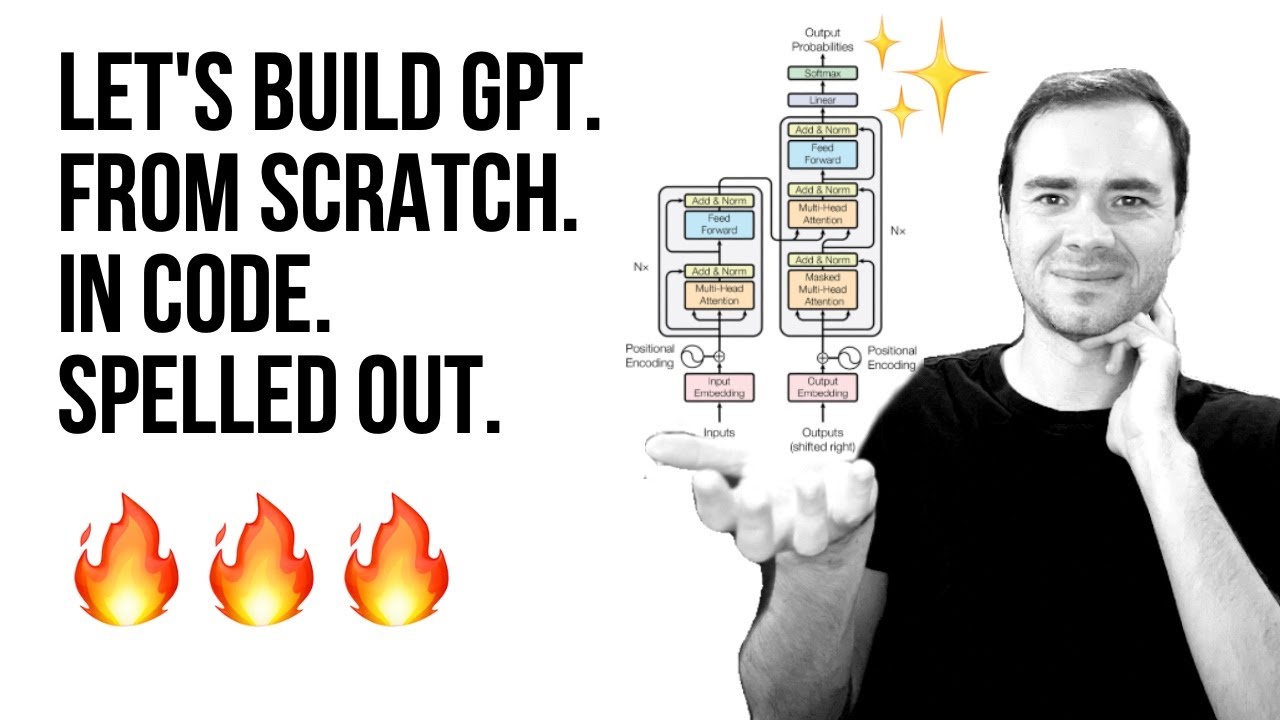
We build a Generatively Pretrained Transformer (GPT), following the paper "Attention is All You Need" and OpenAI's GPT-2 / GPT-3. We talk about connections to ChatGPT, which has taken the world by storm. We watch GitHub Copilot, itself a GPT, help us write a GPT (meta :D!) . I recommend people watch the earlier makemore videos to get comfortable...
this is the breakdown of nanoGPT
cool guy
earnest copper
nice, ty, shared
 sand rune
tame sky
Haha, I made it!!
sand rune
tame sky
Haha, I made it!!
how did you solve it?
 earnest copper
@untold briar did you use base or history_prompt?
untold briar
earnest copper
<@614946962139250711> did you use `base` or `history_prompt`?
Is there a thread this is in reference to? I used to call a variable base but after bark core allowed history_prompt to be a dict I just kept it simple and stuff it in there, for now. Though this does limit some options, and tentatively i'm adding a new thing like base but it's the whole history of the generation so far, including original history prompt. This is so you can try like, grabbing 2/3 of the last segment and 1/3 of the segment twice before, resizing, and using that as a history prompt or something
earnest copper
base and history_prompt are both allowed as inputs
oh wait, i'm having a stroke
ignore me
untold briar
earnest copper
base and history_prompt are both allowed as inputs
I used to have code that was using base = blah, that was used as like a history_prompt override, in older version
you probably looked at that
earnest copper
yup
earnest copper
seems that altering the sliding window context up to the maximum of 138 results in the speaker being strangled
untold briar
earnest copper
seems that altering the sliding window context up to the maximum of 138 results ...
What a funny coincidence, Bark Infinity is getting a new checkbox for 'strangled mode'! Well actually probably less intense name... Honestly I'm a little torn between the need to make useful high quality tools and my natural inclination to make tools which specialize in terrible and strange output
open magnet
did either of you ever try putting the semantic history into the prediction part of the model instead of the context part? (and also prepend the transcript of that history) might get more consistent voice. never tried
earnest copper
not sure what you mean, wouldnt that hit the 13 second limit?
 knotty swallow
Hi Everyone, For those who get this error """(TypeError: hf_hub_download() got an unexpected keyword argument 'local_dir' )""" just trying to get the basic demo. py file running, I fixed it by installing "pip install git+https://github.com/huggingface/huggingface_hub"
In some cases, it is interesting to install huggingface_hub directly from source. This allows you to use the bleeding edge main version rather than the latest stable version. The main version is useful for staying up-to-date with the latest developments, for instance if a bug has been fixed since the last official release but a new release hasn’t been rolled out yet.
earnest copper
open magnet
but you could use like a 3 second clip or so
kinda hard to split just 3 seconds and also keep the context, no? e.g. the transcript?
it also generates 15 second clips sometimes so it's not clear whether 13 seconds is actually the intention or just an average
just looks like its whatever fits into a 256 long structure
seems like there's a lot of the same discussions happening again and again so it will be nice when there's some kind of document describing all of this in detail
untold briar
open magnet
did either of you ever try putting the semantic history into the prediction part...
So using up some of the SEMANTIC_INFER_TOKEN space?
Haven't tried that, should really add the exact transcript to past segment history, to make that easy to to try
earnest copper
someone else said they're doing that but they weren't sure if it breaks stuff.
untold briar
I did try stuffing more history into the encoded token space, and that hurt the quality
Though not rigorously tested. It just seemed like a waste that for most text, like 3/4 of the 256 encoded tokens are paddig
 oak sierra
Is there any method to toggle the speed of generated speech in bark? any parameters or prompt techniques that I can tweak?
untold briar
Use a 'fast speaker' history_prompt, like literally try a bunch of random speakers and save the fast ones. Also use a lot of text in the prompt.
I don't know if this would work well, but if you want to use a specific speaker, give it one gigantic prompt and try to get it talking fast, then resave it
 exotic geyser
Hello. Sorry, I did not find any answer to this question here, on DS, or in GT repo, but, I think, this is one of the common questions.
So how can I convert the output of the generate_audio() function to bytes (I want to then send the audio to the telegram chat using pytelegrambotapi)? And I have tried some options proposed by ChatGPT, for example:
`import io
from pydub import AudioSegment
import telebot
from bark import SAMPLE_RATE, generate_audio, preload_models
from IPython.display import Audio
bot = telebot.TeleBot("5524751181:AAG6Ilx_zDgI6fGGiuHnadi9A6k8QUag2TA")
preload_models()
text_prompt = """
Hello
"""
audio_array = generate_audio(text_prompt)
Audio(audio_array, rate=SAMPLE_RATE)
audio_raw = audio_array.tobytes()
SAMPLE_RATE = 24000
audio_segment = AudioSegment(
data=audio_raw,
sample_width=2,
frame_rate=SAMPLE_RATE,
channels=1
)
with io.BytesIO() as output:
audio_segment.export(output, format="mp3")
audio_bytes = output.getvalue()
print("trying to send the audio...")
bot.send_audio(<CHAT ID>, audio_bytes)`
But neither of those solutions worked (A file is being sent to Telegram, but it`s broken and noicy)
untold briar
I don't know how that bot works but:
audio (str or telebot.types.InputFile) – Audio file to send. Pass a file_id as String to send an audio file that exists on the Telegram servers (recommended), pass an HTTP URL as a String for Telegram to get an audio file from the Internet, or upload a new one using multipart/form-data. Audio must be in the .MP3 or .M4A format.
Looks like it has to be in mp3, so the bytes is kind of aside issue, and maybe you need format as an HTTP request? Or maybe I google the wrong api
I would recommend first taking an actual MP3 file. Like one on disc. And making THAT work with the bot command. Then you can move on formatting the Bark data as mp3.
earnest copper
did you just expose your API key?
open magnet
untold briar
Though not rigorously tested. It just seemed like a waste that for most text, li...
yeah the reserved text area is a bit long, but since the context audio is a simple sum i figured 256 -- 5s of audio is a decent amount of history
yeah we can explain that stuff better, but honestly this is already very specialized. like 99% of people probably won't pop that lid off
earnest copper
exotic geyser
Hello. Sorry, I did not find any answer to this question here, on DS, or in GT r...
dunno if you saw my msg earlier but your API key is in that code snippet.
untold briar
Wow I didn't even notice
vast wasp
@untold briar maybe you could help, so I been using the sunoAi notebooks, and have setup a py launcher script that uses the small models, but I would prefer to use the large models with the cpu offloading method you've setup in bark infinity. How could I go about setting that up? I can use the big models in cpu mode, but I only get 1it/s that way
 untold briar
vast wasp
untold briar
vast wasp
The Bark Infinity Colab does it by setting the variable directly, which seemed more reliable than the env vars.
Example: https://colab.research.google.com/drive/1Lebdbbq7xOvl9Q430ly6sYrmYoDvlglM?usp=sharing
from bark import generation
generation.OFFLOAD_CPU = True
Make sure you set that that before you call preload_models()
 queen silo
whats the right script for generating long audio clips? I cant seem to get it functioning right
 oblique haven
hi folks, is there a way to make parallel inferences with bark? I want to load the model instance to memory one time and send multiple texts to it at the same. Is this possible? If it is not can I load multiple copies of the model and run instances at the same time?
bark looks like a great alternative for elevenlabs since their pricing is expensive but to catch their speed we need parallelization
earnest copper
oblique haven
hi folks, is there a way to make parallel inferences with bark? I want to load t...
you can load multiple pipes in parallel but i don't think you can share any of their components without running into deadlocks. ask how i know 😄
earnest copper
oblique haven
bark looks like a great alternative for elevenlabs since their pricing is expens...
Bark and Eleven Labs are meant for entirely different use cases. you're better off going to OpenTTS if you want a very fast TTS engine.
 blissful verge
oblique haven
bark looks like a great alternative for elevenlabs since their pricing is expens...
blissful verge
oblique haven
bark looks like a great alternative for elevenlabs since their pricing is expens...
if you are on Windows, check the CUDA utilization. I'm guessing that it's going to be above 50%, so you are probably bottlenecked by your GPU. if the CUDA utilization is not the problem then yes, that might improve
earnest copper
CUDA utilization doesn't really accommodate every factor of the device. it can cap out prematurely if you're hitting memory bus limits. i see 98% util on an A100 80G but it doesn't actually perform to the maximum number of FLOPS that the card can do
oblique haven
blissful verge
if you are on Windows, check the CUDA utilization. I'm guessing that it's going ...
i did not check the last version (the changes made at may 1) but at my gpu it was using 6 gb vram
so i have free additional space and i wanted to utilize it too
blissful verge
not VRAM, CUDA, i'll give you a screenshot
earnest copper
memory bw limits aren't necessarily going to be solved by upgrading GPUs. it instead needs focus on hyperoptimizations inside the PyTorch space itself. eg. use PyTorch 2 and torch.compile(model), xformers efficient memory attention, etc
oblique haven
earnest copper
Bark and Eleven Labs are meant for entirely different use cases. you're better o...
i am trying to add voiceover for my story generator i will check it out too thanks
earnest copper
@oblique haven same reason i went down this path, i made bghira/chatgpt-video-generator on github that uses MELT xml definitions to generate a video with an Eleven Labs voiceover accompanying a GPT3.5-Turbo produced script, and DALLE-2 images for teh actual video in a slideshow. i'm replacing each piece of this with free things.
oblique haven
earnest copper
memory bw limits aren't necessarily going to be solved by upgrading GPUs. it ins...
these stuff kinda exceeds my knowledge but i will try to check them out too
earnest copper
well, Bark isn't really using a traditional PyTorch pipeline. i'm not sure how much of these optimisations can be used.
blissful verge
 earnest copper
oblique haven
these stuff kinda exceeds my knowledge but i will try to check them out too
earnest copper
oblique haven
these stuff kinda exceeds my knowledge but i will try to check them out too
a lot of the time spent in PyTorch generation is using one of the 2,000+ operations that PyTorch makes available. but that's a lot of operations. hardly any of them are "fused", which means that each operation does basically one thing at a time.
when you do this, it means the CPU is heavily involved, and lots of "context switching" occurs, pulling the system out of "CUDA space" and into "Python space", which slows things down.
Pytorch2's compile feature instead takes the model's routines and optimises the use of the 2,000+ native PyTorch operations down to about 250 fused operations where possible. sometimes things can't be fused. and so it will hop out of CUDA space and back to PyTorch space, only when necessary.
there's another process being worked out that takes these 250 fused operations and reduces them even further to something like 25 ultra-fused operations.
overall you can see speedup around 30-50% just by fusing operations, and this means you're getting more of the design capabilities of the card, eg. more FLOPS.
i realise i didn't totally explain what fusing is. it combines multiple operations into a single call.
earnest copper
you might be using the offload feature
oblique haven
it just jumps to hundred for a moment at the ed
and drops back to zero
rn i am just using the example script on bark's github page
from IPython.display import Audio
from scipy.io.wavfile import write as write_wav
# download and load all models
preload_models()

# generate audio from text
text_prompt = """MAN: Speaking English? I live in English. It's not only a language to me, it's totally best way of expressing my own. you know, sometimes I'm dreaming of a world, all people understand each other perfectly. Yes, I have a dream. imagine all the people dancing and touching each other...
"""
audio_array = generate_audio(text_prompt, history_prompt="en_speaker_1")

# play text in notebook


write_wav("./audio.wav", SAMPLE_RATE, audio_array)
#Audio(audio_array, rate=SAMPLE_RATE)```Is each of these pytorch operations a CUDA kernel?
earnest copper

oblique haven
earnest copper
you might be using the offload feature
also my cpu usage is not increasing when i am running it so i think it runs on gpu but i dont know .d
earnest copper
you might actually get better performance with offloading. on my A6000 system i do
oblique haven
well actually it works pretty fast it is good for me to generate 15sec audio in 30 seconds
but since i have different speakers i don't want to generate iteratively
earnest copper
in that case you can store models in a dict, e.g.
{
   "en_speaker_1": someObjectContainingTheInstances
}
then you can use the object from that dict mapping when you generate. keeping in mind your 48G VRAM can likely hold a max of 5 models for Bark without offloading or other tricks
@open magnet any idea if reusing the text component is safe at least?
i can understand not reusing the LLMs but maybe it's fine to tokenize outputs and share that piece of memory
oblique haven
earnest copper
then you can use the object from that dict mapping when you generate. keeping in...
can I use the smaller version mentioned here to fit more?

 abstract harness
bark won't automatically run on multiple GPUs right? Does anyone have a code sample so I can get bark running in multi threaded mode on GPUs?
open magnet
earnest copper
<@856546017998929971> any idea if reusing the text component is safe at least?
Sorry don’t think I followed the discussion, what are you trying to do? Parallelize inference on the same gpu?
earnest copper
yes
for different pipelines reusing the same model you can for example, initialize the 2nd model with newPipeline(**firstModel) to reuse components but you can't hit both of those in two threads. it will deadlock
so my thinking is maybe at least the tokenizer can do something like that safely. but maybe not. if it needs to mutate a state internally it couldn't possibly go well
PyTorch 2.0 has some new knobs and fiddly bits for multiprocessing but i don't think its goal is to do this but rather concurrent inference across multiple GPUs or something.
 flint wave
Can i change download path of the models?
earnest copper
abstract harness
bark won't automatically run on multiple GPUs right? Does anyone have a code sam...
in teh last month alone there's been like 2 or 3 new ways to parallelise models across GPUs. you can try Lightning Fabric. or torch multiprocessing (i think that's the name). or "Replicate"
unlikely to be doable without modifying Bark
this project doesn't reuse any of the "casual pipelines" maintained by the Diffusers library so you don't get those optimizations "for free"
abstract harness
earnest copper
this project doesn't reuse any of the "casual pipelines" maintained by the Diffu...
got it! thanks! I will take a look, hopefully I can figure it out and open a useful PR
blissful verge
gradio based interfaces
earnest copper
abstract harness
got it! thanks! I will take a look, hopefully I can figure it out and open a use...
you would be my hero
vast wasp
@open magnet would it be possible to add these 2 lines to the example code in the repo to help us low vram gpu owners use the big models?
it could be set to False by default, and then users just need to switch it to True when they run out of ram
flint wave
flint wave
Can i change download path of the models?
.
blissful verge
flint wave
.
CACHE_DIR = os.path.join(os.getenv("XDG_CACHE_HOME", default_cache_dir), "suno", "bark_v0")
Yes, you may if you change XDG_CACHE_HOME env
open magnet
Interesting yeah I usually treat cuda as mostly blocking other than data io. But maybe there are new tools. For multi-gpu it’s actually quite straightforward to do. Any simple threading should work as long as the gpu and data live on the correct device. Shouldn’t give speedup for a single file of course given the autoregressive requirement, but parallel multiple samples should be pretty straightforward
open magnet
vast wasp
<@856546017998929971> would it be possible to add these 2 lines to the example c...
Somehow can’t see on my phone but you could make a pr maybe?
 void ridge
Hello, i'm trying to load custom/cloned voice. I'm using https://github.com/JonathanFly/bark with web GUI. In "Clone a Voice?" tab i've uploaded a wav file and generated custom npz files (see screenshot). How can I use then in GUI ? Simply copying them into the directory with the other existing voices does not work.
Traceback (most recent call last):
File "/usr/local/lib/python3.8/dist-packages/gradio/routes.py", line 412, in run_predict
output = await app.get_blocks().process_api(
File "/usr/local/lib/python3.8/dist-packages/gradio/blocks.py", line 1299, in process_api
result = await self.call_function(
File "/usr/local/lib/python3.8/dist-packages/gradio/blocks.py", line 1021, in call_function
prediction = await anyio.to_thread.run_sync(
File "/usr/local/lib/python3.8/dist-packages/anyio/to_thread.py", line 31, in run_sync
return await get_asynclib().run_sync_in_worker_thread(
File "/usr/local/lib/python3.8/dist-packages/anyio/_backends/_asyncio.py", line 937, in run_sync_in_worker_thread
return await future
File "/usr/local/lib/python3.8/dist-packages/anyio/_backends/_asyncio.py", line 867, in run
result = context.run(func, *args)
File "/usr/local/lib/python3.8/dist-packages/gradio/helpers.py", line 589, in tracked_fn
response = fn(*args)
File "bark_webui.py", line 205, in generate_audio_long_gradio
(...)
File "/root/Dev/bark-inf/bark/bark_infinity/api.py", line 333, in call_with_non_none_params
return func(**non_none_params)
File "/root/Dev/bark-inf/bark/bark_infinity/generation.py", line 479, in generate_coarse
assert (
AssertionError
 untold briar
void ridge
Hello, i'm trying to load custom/cloned voice. I'm using https://github.com/Jona...
untold briar
void ridge
Hello, i'm trying to load custom/cloned voice. I'm using https://github.com/Jona...
I barely tested that, but you need to move the .npz files to bark/assets/prompts/ or I think 'custom_speakers/'
I got those too, maybe 50% of the time it failed, however some did pass, and that's about as far I tested the cloning. I will take a look at it eventually
I could strip out the other prompts from one simple, just to make always one barebones working
void ridge
untold briar
I barely tested that, but you need to move the .npz files to bark/assets/prompts...
oh, @untold briar - nice to meed you & talk with the author 🙂 great work
untold briar
Thanks, I just copied that from https://github.com/serp-ai/bark-with-voice-clone exactly, to be clear. The only thing I did was have it generate X samples not just 1, because so many didn't work.
GitHub
🔊 Text-prompted Generative Audio Model - With the ability to clone voices - GitHub - serp-ai/bark-with-voice-clone: 🔊 Text-prompted Generative Audio Model - With the ability to clone voices
void ridge
untold briar
Thanks, I just copied that from https://github.com/serp-ai/bark-with-voice-clone...
I understand, so the best method would be to generate multiple samples - and one of the npz files should work, yes ?
untold briar
You have to try different length wav files
I think the code is bugged for some
The ones I got working were suepr short
It did not sound like a good clone, but I was actually thinking about using it for a music generator
void ridge
untold briar
It did not sound like a good clone, but I was actually thinking about using it f...
ok, that's what I'll do. my input file was long - about 15 seconds. thanks for the explanation
untold briar
That's way to long, try like 4 or 5, really
I'm not super interested myself in the cloning, but I think you could clone non voices or maybe use it to assemble coherent longer music with harmony and progression, perhaps
void ridge
untold briar
I'm not super interested myself in the cloning, but I think you could clone non ...
since the opportunity arose, out of curiosity I wanted to see how well my own voice could be cloned - ok, then I'll get to work; thanks again for the clarification
blissful verge
Something like this might be useful to avoid the length issue:
def trim_audio_to_15s(audio_array):
    if len(audio_array) > 15 * SAMPLE_RATE:
        audio_array = audio_array[:15 * SAMPLE_RATE]
    return audio_array
 remote zenith
Ok im new but i use oobabooga and silly tavern
id like tts and image Ai stuff for both if possible but oobabooga is fine
can anyone walk me through it
untold briar
remote zenith
Ok im new but i use oobabooga and silly tavern
id like tts and image Ai stuff f...
I'm partway through making a version of the oobabooga installer for my code, but there's a decent walkthrough on the README which should get you going: https://github.com/JonathanFly/bark
GitHub
🚀 BARK INFINITY GUI CMD 🎶 Powered Up Bark Text-prompted Generative Audio Model - GitHub - JonathanFly/bark: 🚀 BARK INFINITY GUI CMD 🎶 Powered Up Bark Text-prompted Generative Audio Model
 crystal escarp
@open magnet Are wte for "encoded_text" and wte for "semantic_prompt" the same embedding?😂 😂 😂
 untold briar
I'm still not sure if's worth the effort, but randomly chopping up a speaker prompt over a range does give you a pretty decent amount of very close voices that are often missing problematic artifacts
untold briar
... i take it all back
this model don't care. you can just do anything it somehow works
open magnet
crystal escarp
<@856546017998929971> Are wte for "encoded_text" and wte for "semantic_prompt" t...
yeah, but there is an offset in the vocabulary, so effectively separate embeddings
 crystal escarp
open magnet
yeah, but there is an offset in the vocabulary, so effectively separate embeddin...
crystal escarp
open magnet
yeah, but there is an offset in the vocabulary, so effectively separate embeddin...
Thx foy your reply~~~ Yep! There is an offset of 10048. But one of them is a semantic representation and the other is a text representation, why can they be added together?(compression rates of text representation and semantic representation are different) Have you tried cat them together, i mean, in the length direction.
 elder viper
hello community if that is wrong topic i am sorry i am unity dev and newbie to other builds and structures is there any video or web walkthroug tutorial that show how to install on local windows all i can find work on google collab thank for any help
open magnet
ya you're totally right that would be the standard approach. just wanted to save some space and given that they both describe the same time stretch it's probably mostly fine to sum them and let the model figure things out. but ya might give a small performance boost at the cost of a smaller window
lazy ml with good models is the way forward apparently 😆
crystal escarp
open magnet
ya you're totally right that would be the standard approach. just wanted to save...
Maybe they describe different time stretch? We cannot know in advance how many semantic representations a text representation corresponds to, because this is a variable length seq2seq task.
open magnet
crystal escarp
Maybe they describe different time stretch? We cannot know in advance how many s...
fair lol, they don't at all actually, not sure why i said that 😂
i guess especially with 256 being an overkill for text anyways it wouldn't have been bad either way
to be honest this was trained a few months ago, our architecture has already changed from this quite a bit anyways, but i'll make sure to fix this when we run another bark train run, thanks!
crystal escarp
open magnet
fair lol, they don't at all actually, not sure why i said that 😂
But the good news is that it actually works really well😂 😂 It proved one thing: lazy ml with good models is the way forward apparently😆
open magnet
haha yeah, all of this approximate attention stuff going on right now, doesn't seem like it matters too too much as long as the model has access to everything
untold briar
open magnet
haha yeah, all of this approximate attention stuff going on right now, doesn't s...
may have amusing tidbit later in week, need to find more time to poke at it. not a technical discovery or fancy coding , but maybe a comedy goldmine. and that's priceless in my eyes. check this space later in week when I've caught up on life a bit.
open magnet
untold briar
may have amusing tidbit later in week, need to find more time to poke at it. not...
Hehe awesome, looking forward to it 🙂
 weary cargo
I did the 1-click install and everything appears just fine. However, when I type anything longer than a small sentence, the audio comes back with additional random words and often never says what I've prompted it to. For example, "This is a test. This is another test. " is computed just fine, but "This is a test. This is another test. And still yet another test." goes completely off-the-rails from the get-go. I'm on a Nvidia 4090. Anyone else see an issue like this? Anyone know how to fix?
knotty swallow
for low vram do this : # download and load all models
preload_models(
text_use_small=True,
coarse_use_small=True,
fine_use_small=True
)
i only have 8 gig works for me this way
rtx 3060TI
Guys, any way to speed up my GPU speed. ? The models sound great , but in a conversation with chatgpt, (live), the responses I have to wait a little longer for.
storm creek
am i able to change the voice and have it to be consistent?
knotty swallow
Audio(np.concatenate(pieces), rate=SAMPLE_RATE) why wont this play in my script?
abstract harness
anyone else experiencing a memory leak?
maybe generations are loaded in memory and I need to flush them?
 stable spruce
storm creek
am i able to change the voice and have it to be consistent?
stable spruce
storm creek
am i able to change the voice and have it to be consistent?
hello , any way to make my own voice ?
sand rune
how do I download it?

 copper pewter
try right clicking or clicking the 3 dots.

 sand rune
I'm not using bark infinity
I'm using the original
much better for long form content
sand rune
sand rune
write_wav("bark_generation.wav", SAMPLE_RATE, audio_array)
it doesn't save the concatenated audio, only the last 2 words. what's the fix?
sand rune
sand rune
it doesn't save the concatenated audio, only the last 2 words. what's the fix?
This helped
audio_array = (np.concatenate(pieces))
write_wav("bark_generation.wav", SAMPLE_RATE, audio_array)
storm creek
sand rune
I'm using the original
Wdym by original?
sand rune
GitHub
🔊 Text-Prompted Generative Audio Model. Contribute to suno-ai/bark development by creating an account on GitHub.
knotty swallow
tf.keras.backend.clear_session() # clear GPU memory
helped some it is more consistant
each call
 late nexus
Has anyone figured out how to do streaming yet? Where it will start returning audio as soon as it has the first bit versus waiting for the whole file to be generated before it returns
glossy trout
knotty swallow
helped some it is more consistant
@knotty swallow - What did this help with?
knotty swallow
it seemed better when i cleared as i was using for chat with gpt so clearing on each conversation
haven't tested it through just sounds consistant
glossy trout
ah cool
north cove
Why does my audio sound like this with the following code ```text_prompt = """
Do you have any good book reccomendations to read. [hindi]
"""
audio_array = generate_audio(text_prompt)
Audio(audio_array, rate=SAMPLE_RATE)``` and also how can we ensure that the voice remains same everytime I regenerate the voice dhanges
sand rune
north cove
Why does my audio sound like this with the following code ```text_prompt = """
...
about the voice being the same you should probably save the speaker as an .npz and use it later as history prompt?
sand rune
north cove
Why does my audio sound like this with the following code ```text_prompt = """
...
are you using the smaller model? try offloading to CPU and use a large model if you can, helps a lot, I'm using 0,9 GEN TEMP that helps with consistency
north cove
sand rune
about the voice being the same you should probably save the speaker as an .npz a...
Can we do that in colab, Im not very tech oriented
 gray kestrel
I love the project but couldn't understand doing something wrong or not. It takes lots of time with i9 10900k@5ghz + RTX 3090. Almost 30 seconds for 30 word.
I want to use this as a AI ATC for a flight simulation, so it should be almost in real-time.
sand rune
north cove
Can we do that in colab, Im not very tech oriented
Never tried collab, I doubt you can't
glossy trout
gray kestrel
I love the project but couldn't understand doing something wrong or not. It take...
That processing time sounds normal to me. Maybe try the smaller model if you want it faster?
 wanton mauve
Is there a way to somehow continue training this model on my own?
copper pewter
i have an idea for high quality voice cloning without requiring me to train anything. but i'm still doing some research first to see if there's anything i could use to make it even better than that
wanton mauve
wanton mauve
Is there a way to somehow continue training this model on my own?
I would also love to know if there is a dataset for it available, as I have some ideas to test out. I mean I have some voice data, which I might try to use in training if succeed to somehow turn it into a dataset and see how it works in training then.
copper pewter
copper pewter
i have an idea for high quality voice cloning without requiring me to train anyt...
first test (note, this is not exactly my voice, i'll look for a better model for that. but yes, no training required from me)
note: this method of voice cloning will not recreate speech patterns. just voice alone
copper pewter
still the same audio prompt file
open magnet
copper pewter
still the same audio prompt file
nice job, how do you do the embeds here, looks nice and actually plays on mobile!
copper pewter
the videos? they're spectrogram videos created through gradio
open magnet
hah nice 🙂
copper pewter
glossy trout
How did you do it?
i'm still looking to make some improvements before explaining how to do it. as the audio doesn't really sound that much like me yet. but this is definitely fixable. i didn't figure out semantic prompts yet so i found a workaround basically.
late nexus
@open magnet How do you think the electronic-y sound can be solved with the generations? cadence is insanely good for the voices i've heard only thing that makes it sound kinda robotic is the electronic twinge
open magnet
late nexus
<@856546017998929971> How do you think the electronic-y sound can be solved with...
hm yeah the best is to start with a clean prompt then usually the continunation is also pretty clean. other than that people have also seen success using nose removal algorithms like noisereduce or denoiser
late nexus
Okay awesome
By the way, I have a guy who is working on getting inference speed down for the model and he was wondering: where is the longest sequence happening right now in the model? Like where's the latency coming from?
That way we can get context on what we can parallelize and get inference speed down
@open magnet
open magnet
coarse model is the slowest rn by about 3x ish, followed by semantic. rest is pretty negligible
late nexus
How do you think inference speed could get to like sub 1 second for returning the first bit of audio?
Kinda like a streaming mode like 11 labs has
@open magnet
open magnet
will be hard with the current framing cause semantic has to be all there for the coarse model to start predicting
late nexus
hmm gotcha
have you seen what inference speed is on A100 or H100?
seems like most test ive seen are on 3090 or 4090
curious to see what would happen on a100
@open magnet
open magnet
might actually be a bit slower
clock speed is slower
if you parallelize then throughput should be higher but latency prob similar or even slighly lower
late nexus
Oh interesting
What do you think fastest hardware would be to use? regardless of cost
@open magnet
open magnet
probably a 4090? haven't tested though
late nexus
Gotcha okay
late nexus
Throwing this out here: we're working on getting latency down to open up more real time applications for the bark model. We're willing to pay someone $10,000 if they can get latency down on the bark model to sub 1 second
We want to have a streaming mode where bark will start returning the first bit of audio as soon as it's generated, even before the entire file is done. And return the first bit in under 1 second.
If you can do this with comparable quality to the audio in this clip from Jonathan Fly: https://drive.google.com/file/d/1Y6ypADdkOc8u7ZbWsoj94N12Gv2TWbB4/view?usp=sharing we'll pay you $10,000 for pulling it off.
We can use any hardware necessary, top of market GPUs are totally fine, cost isn't a factor. All that matters is performance.
glossy trout
open magnet
might actually be a bit slower
I've tested A100 vs 3090 and so far A100 is slower 😛
glossy trout
open magnet
if you parallelize then throughput should be higher but latency prob similar or ...
Any idea how many parallel Bark threads an A100 might be able to do?
 empty plume
Hi Everyone! is there a audio length limit? Audio generation doesn't cover the whole text prompt.
untold briar
empty plume
Hi Everyone! is there a audio length limit? Audio generation doesn't cover the w...
There's ways, here's mine for example https://github.com/JonathanFly/bark
 errant zinc
looks like we're all coming here for the same issue 😄 how do we bring inference time down!
errant zinc
glossy trout
I've tested A100 vs 3090 and so far A100 is slower 😛
Is that true? I'm running this on a single A100 and was confused, because on the GitHub it said we should get near realtime with an A100. But maybe it is somewhat realtime and it doesn't feel realtime because we can't play it until it's done?
if so, the easy solution is to just have it start streaming.
errant zinc
late nexus
Throwing this out here: we're working on getting latency down to open up more re...
DM'd you, want to understand more about your needs because I think ours overlap as well.
untold briar
Interestingly noticed a qualitative difference between large/small models in robustness to my silly experiments. Small starts clipping like this when you go off the beaten path, large is mostly chill. @open magnet Was there a difference in how they were trained?
untold briar
errant zinc
Is that true? I'm running this on a single A100 and was confused, because on the...
What makes it tricky is the main model actually cares about the whole text. If you ask Bark to say a sentence one word at time, you don't get a combined audio clip that is anything like when you instead give it the whole sentence at once. Even if you ask Bark to say just a single short sentence, then the sentence the audio clip will be generally made up of slower speaking than if give it three sentences at once. I can imagine a version that can do streaming with some changes, maybe those changes are not even difficult for a pytorch or CUDA wizard, but it's not like flipping a switch. I have been able to reduce the latency some, but it's still on the order of a 3 or 4 seconds in the best case scenario to start, and there is some quality loss. (And at least the way I tried it, it increases GPU load and makes keeping UP with real time actually more difficult.) I feel like at some point somebody like the faster-whisper guy will come along and give Bark a 5x or 10x speedup and make the point moot, then you can just generate the first short sentence or phrase (which will be a tiny bit janky but okay) and do normal gen from that point forward.
open magnet
untold briar
Interestingly noticed a qualitative difference between large/small models in rob...
interesting.. they should've been trained the same way iirc. probably some sort of error compounding where if it's a little worse it will cause weird issues in the downstream models/codec? we've seen similar jumps in performance where, when going to larger models, suddenly music starts getting waay better. could be related to similar phenomena how emerging behavior at LLMs seems to hard-start at certain sizes rather than continuously get better
glossy trout
untold briar
What makes it tricky is the main model actually cares about the whole text. If y...
What do you mean by giving it multiple sentences? I thought the model can only take 1-ish sentence at a time (14 seconds). Are you referring to passing the output_full history prompt into the next generation? Or is there a way to pass more than 14s into the model at a time?
untold briar
glossy trout
What do you mean by giving it multiple sentences? I thought the model can only t...
Nothing so complicated, people often speak 2 or 3 sentences in 14 seconds. I mean not if this is literary long sentences from a novel, but typical dialog, sure.
I generally chunk stuff like this:

Adjust wpm per your expectations
Just a word count, kind of all you need unless it's strange text
brisk seal
untold briar
Interestingly noticed a qualitative difference between large/small models in rob...
I really think it depends on npz, I don’t get this till I start producing random npz. When I stick the very good ones, I always get good results on small
glossy trout
untold briar
Nothing so complicated, people often speak 2 or 3 sentences in 14 seconds. I mea...
Ohhhh I see. Awesome, thanks!
untold briar
Singing seems like it could be done really well, but overall music like chord progressions and making a real sounding song is gonna require some serious rethinking of how input and processing is done, if it's even possible. Although you can almost reproduce progressions of actual songs that are super well known from the lyrics, it doesn't seem to transfer generically
 late nexus
When you say as it's processed is that when the full line is done? or as soon as theres any audio for that line?
@knotty swallow
knotty swallow
audio for that line
can do each word but quality isnt as good
but my gpu is way slow too
 gaunt dock
Hello, I've been having some problems. Overall everything works good but sometimes it generates longer audios where no one is talking and everything in the text was already said. Am I doing something wrong or is there a way to prevent this? Thank you
untold briar
gaunt dock
Hello, I've been having some problems. Overall everything works good but sometim...
If that's with random voices that's normal. There's just a really wide range of possible outputs. If it's with a speaker file (history_prompt .npz file) that is otherwise stable, then maybe something is wrong
gaunt dock
untold briar
If that's with random voices that's normal. There's just a really wide range of ...
Im currently using the history_prompt="v2/es_speaker_6". I don't know how stable spanish voices are
untold briar
You might be using too short or too long text
gaunt dock
Maybe it is a 10 word string
gaunt dock
Let me try using longer strings, although it will be good if this does not happen as sometimes I would like to use shorter texts
blissful verge
Is it just about trimming? Because I think it will be hard to force the model to not generate silence
blissful verge
Then your best bet would be to deal with that problem. If it was a problem with the generation being needlessly long that's separate
untold briar
The model really like chunks that are maybe 8 to 10 seconds, up to 14. It can work in smaller sizes but you risk a lot of filler
blissful verge
trimming the audio and switching to mp3/mp4/webm would do all that you want, can be done outside of Bark
gaunt dock
I will try it thank you
untold briar
You can set the parameter min_eos_p to 0.10 or 0.05, if you are using a method that lets you do that. That helps it not go way over shorter sentences
In general though the quality is kind of bad IMO with super short ones
10 words should be okay though
gaunt dock
untold briar
You can set the parameter min_eos_p to 0.10 or 0.05, if you are using a method t...
Where would I pass the argument? I am currently using generate_audio and it does not take min_eos_p
untold briar
it's a lower level argument in generate_text_semantic
gaunt dock
I am getting better results now, thank you for the help!
late nexus
Can bark be run on TPUs right now?
 graceful condor
Can bark clone a certain person's voice?
copper pewter
graceful condor
Can bark clone a certain person's voice?
it can, but the tools aren't publicly available, some people have created some tools, but it will be up to luck for the semantics to match closely to your fine and coarse audio from the file.
i do have a method which doesn't require editing of semantics while still matching them, while it seems higher quality than the first method, i don't think it's good enough yet.
graceful condor
copper pewter
it can, but the tools aren't publicly available, some people have created some t...
Hello, mylo, can you share your method with me?
copper pewter
i have a little graph with the steps, i should probably share it yeah, i'll find the graph real quick
graceful condor
copper pewter
i have a little graph with the steps, i should probably share it yeah, i'll find...
Thank you. my email is : kongdw8@gmail.com
graceful condor
copper pewter
i have a little graph with the steps, i should probably share it yeah, i'll find...
If you have any questions, you can also send them to me, If I can do.
copper pewter
i can just send it in this chat, you don't have to give me your email
graceful condor
copper pewter
i can just send it in this chat, you don't have to give me your email
ok.
copper pewter
here's a basic graph of the steps to take, some steps slightly simplified. use bark's converters for the steps that don't have matching types.
transfer is a voice transfer model, which takes 2 audio clips and "masks" the "Target" voice onto the fine prompt (fine prompt is converted to wav first)

the transfer -> coarse and fine can simply be taken from encodec, or another voice cloner, but those are also just the code from encodec's "Extracting discrete representations" (and to get the coarse prompt, just do fine_prompt[:2, :], again, just like the other voice cloners)
this voice cloning process is similar to the one in a huggingface demo i saw, except in here the speaker npz is modified, while in that other method voice transfer is done after generating the audio. i prefer the modified speaker files as it makes the voice sound more natural.
i'm currently looking more into the semantics though, and might train a model on semantics if i need to, to extract semantics from an audio file. i'll first try a bunch of models until i find one that seems to have compatible values.
for example hubert base 960 (like the examples in AudioLM) will tokenize at the same rate as the bark files, from what i've seen. since my results ended up being only 1 value (8 bytes) smaller in size than the originals. the actual values still differed, so that's what i'll look into
 lunar glen
Hi @open magnet , I want to add Bengali with this model, as per my understanding goes, it should probably work with just finetuning the semantic transformer, (it seems your semantic transformer is something like an overpowered G2P compared to traditional TTS ) , Wanted to know what are targets for the semantic transformers? Is it publicly available or that information is internal ?
graceful condor
copper pewter
i'm currently looking more into the semantics though, and might train a model on...
Open source code has 10 speaker .npz, can you find some information from it?
Has anyone found the original semantic implementation ?
copper pewter
the original semantic implementation is likely a wav2vec2 or hubert or similar model, but i don't know which model
i don't even know if it's a public model or finetuned, if it's not public i would have to train my own
copper pewter
the method i made an image of above will work, but it's not great, mainly because i didn't have a good transfer model.
still better than the other way though in my opinion
graceful condor
@copper pewter hi, Could you please clone a speaker for me ?
copper pewter
i can try to
graceful condor
copper pewter
the method i made an image of above will work, but it's not great, mainly becaus...
I am from a Chinese company, and the CTO want you to be our consultant ?
graceful condor
copper pewter
i can try to
how to send the speaker data (wav ) to you ?
copper pewter
i barely understand how this stuff works lol
you can send the audio as a file on discord
just send a dm with it or something
graceful condor
copper pewter
i barely understand how this stuff works lol
you can send the audio as a file on...
I have applied for a friend, please pass it
copper pewter
i have an idea
copper pewter
how would that sound lol

all possible tokens in ascending order
i think it's max 10k though, haven't confirmed yet
 gloomy breach
copper pewter
copper pewter
how would that sound lol
gloomy breach
copper pewter
copper pewter
how would that sound lol
alright can't decode that on 12 gb vram, i'll move it over to cpu for decoding as an option
copper pewter
wow that really really breaks it
glossy trout
copper pewter
wow that really really breaks it
Sounds like a glitch hop song
copper pewter
i'll generate multiple shorter chunks of shuffled semantics and then batch process them to wavs
copper pewter
i should probably zip that for batch processing
 late nexus
@open magnet Is bark architecture compatible with TPUs?
open magnet
not much experience, but in general it's a pretty vanilla gpt implementation so prob not too too hard to get it going on tpu. not sure if you'd have to rewrite in jax
late nexus
hm gotcha
open magnet
was talking with sanchit from HF about it today who recently did whisper on jax
shouldn't be too too hard, but in general tpu is definitely less requested by the community
and torch on gpu has been catching up in terms of speed so the whole jax+tpu push is probably gonna become slighly less important
late nexus
oh interesting
when you say catching up is that from optimizations by the community? like the one pushed recently that improved speed by 2x on GPU
open magnet
more the lower level kernel stuff like flash attention
 junior minnow
is there a way to train bark on way more audio (we have a bunch of audio files we want to fine tune on)
 vivid cedar
Has anyone had luck in removing random artifacts? That works consistently for majority of generations?
vivid cedar
Bumping this up. Also just referring to getting the generations to be more consistent in general (limiting the generations randomly cracking out lol)
late nexus
@open magnet What are your thoughts on Mojo? https://artificialcorner.com/mojo-the-programming-language-for-ai-that-is-up-to-35000x-faster-than-python-e68d1fba37db?gi=219af8159e43

Medium
Introducing Mojo — the new programming language for AI developers.
Supposedly 35,000 times faster than python
untold briar
vivid cedar
Has anyone had luck in removing random artifacts? That works consistently for ma...
Use a voice, use text that fits works with the voice (some tags will flip some voices into static), use sizes of text even that ballpark the voice. And it's possible to save all the tokens for every step and re-return them with slight variations until you find sampling without distortion, but this is more brute force than consistentlty
I have been able to able to manually remove artifacts by just poking at the raw data, but so far it would have faster to re-run the sample randomly until it didn't have them
One thing I keep meaning to test -- if you use the same sampling parameters, (temp, top_k, etc) that generated the random voice, do you get more consistent results when using the voice?
junior minnow
how could you make it more consistent on the very first generation?
does the temperature make a huge difference?
@untold briar
untold briar
junior minnow
<@614946962139250711>
Pretty big, but random voices are pretty random no matter what. The text matters a lot too. Don't start with brackets or anything for sure
untold briar
Like for example, try generating random voices that start with this text, "Christ, " -- you're gonna get a lot of preacher sounding voices.
 leaden condor
What should I do to generate using GPU? I'm getting "No GPU being used. Careful, inference might be very slow!"
untold briar
leaden condor
What should I do to generate using GPU? I'm getting "No GPU being used. Careful,...
I have some instructions which might work for you here, in the install readme. It would also work for regular bark setup. https://github.com/JonathanFly/bark
 sage sand
Hi python expert, I am a newbie in python. What happened here? I downloaded the bark git repo and created a main.py under the root directory but keep getting missing module numpy.

Where should I put my test file, under the root directory or bark folder or somewhere else?
untold briar
sage sand
Hi python expert, I am a newbie in python. What happened here? I downloaded the ...
You have to type 'pip install .'
leaden condor
untold briar
I have some instructions which might work for you here, in the install readme. I...
thank you so much, it's working nicely. Is it possible to generate 44000 khz files though?
untold briar
leaden condor
thank you so much, it's working nicely. Is it possible to generate 44000 khz fil...
Yeah but the Bark audio is natively 22, so it's not actually going to sound better, just convertit
leaden condor
why do you choose 22? is it because of the network training times or just the source material?
untold briar
I didn't, I'm just a random person, Suno chose 22
leaden condor
haha 🙂 ok I see
untold briar
I save now as mp4, but not on github yet. You can always regenerate uncompressed wavs if check the box with the diamonds that saves all the little .npz files, if you really want max quality
The original audio is stored in the speaker files, basically
I got a bunch of regular boring work work to do, but this afternoon should update Bark Infinity
well, star in the aftternoon, so finish by like midnight
sage sand
untold briar
You have to type 'pip install .'
I have done that several times but still getting the error:
 untold briar
You can try the alternative (conda based) install I linked a few lines up maybe
 feral knoll
copper pewter
here's a basic graph of the steps to take, some steps slightly simplified. use b...
feral knoll
copper pewter
here's a basic graph of the steps to take, some steps slightly simplified. use b...
This is a good idea @copper pewter , did you implement this in github or anywhere else? look forward to take a look at it.
open magnet
untold briar
I didn't, I'm just a random person, Suno chose 22
Default for causal encodec 🙂
untold briar
I've run some major tests and I still totally not sure if I like top_p or top_k or even if they actually change anything or its a placebo.
open magnet
haha yeah same. in text they are pretty heavily used afaik but so hard to judge in audio 😂
feral knoll
copper pewter
here's a basic graph of the steps to take, some steps slightly simplified. use b...
btw, is the voice transfer model in here an external voice model to be used? What I mean is that should we implement this graph via only using Bark's utils-extensions or use some completly another model ?
copper pewter
feral knoll
btw, is the voice transfer model in here an external voice model to be used? Wha...
yeah, i used yourtts to do speech transfer
once someone has reversed the process in order to create semantic tokens from audio you'll be able to do text to speech in custom voices, and even voice transfer or simply replacing your voice for anonimity
feral knoll
copper pewter
yeah, i used yourtts to do speech transfer
once someone has reversed the process...
okey, thanks. What do you think about the reverse process implemented in this repo: https://github.com/serp-ai/bark-with-voice-clone. Apperantly it is not working as I tried with multiple combinations, and the problem is he only did an incomplete reverse process. We should really focus on that semantic issue.
copper pewter
feral knoll
okey, thanks. What do you think about the reverse process implemented in this re...
yeah, that's incomplete. this one uses generated semantics, but you want to extract semantics. just have to figure that out
i'm thinking of training a custom quantizer while still using an original HuBERT model. as it seems HuBERT should be capable enough
but on the other hand i have no idea what i'm talking about and it could be wrong, but nothing wrong with trying anyways
untold briar
open magnet
haha yeah same. in text they are pretty heavily used afaik but so hard to judge ...
It's got to having a big effect, right? It absolutely does in GPT-2. I was also curious if using different sampling than generated the speaker history could be a bad idea. In which case it might be nice to track that in the .npz files
glossy trout
@open magnet - I'm curious - how similar is bark to AudioLM? I think audioLM uses audio tokens to audio tokens, and bark uses text embedding tokens to audio tokens. Is the underlying model similar to AudioLM, except trained on text embedding tokens instead of audio input tokens?
copper pewter
pretty sure bark runs on AudioLM basically
but bark has 10000 sematic tokens, while the default quantizer for HuBERT that AudioLM-pytorch shows has only 500
 uneven grotto
I'm planning on pre training a new model to deliver semantic tokens to Bark I'm not incredibly familiar with audio lm architecture nor the entirely different development toolset so I'm sorry if I ask any dumb questions
Are there any early checkpoints avaliable that I can look at?
untold briar
You're in uncharted territory, along with a few other people planning on the same thing
 foggy sandal
I haven't actually looked into Bark specifically but I'm pretty sure it's some flavour of SPEAR-TTS/VALL-E
which is basically just AudioLM conditioned on semantic text embeddings
 feral crescent
Is there a way to distribute the bark model across multiple gpus when doing inference? I have two 8GB GPUs. I want to run the full bark model which according to the github requires 12GB VRAM. So hoping I can do 6GB on one GPU, 6GB on another.
late nexus
By the way, @open magnet is this TTS? https://demo.suno.ai/
or is this transcription? Because it sounds insanely good haha
open magnet
late nexus
By the way, <@856546017998929971> is this TTS? https://demo.suno.ai/
or is this...
lol, it's an internal whisper-type product that works realtime, does emotion recognition, event detection, translation etc. we just didn't release it so far
knotty swallow
@open magnet oh that sounds real Interesting 🙂
i use whisper now along with pysentimiento: A Python toolkit for Sentiment Analysis and Social NLP tasks
copper pewter
well, since i have like absolutely no understanding of neural networks, i decided to try and write an actual neural network in javascript, and it only took 2 hours and i didn't get stuck somehow. and it worked first try. the goal was adding 2 numbers and it was a success.
i implemented neurons, synapses, weights, biases, networks, forward methods for neurons and entire networks, values for each neuron, 4 activation functions (although i'm not sure the last is entirely correct) and made a simple neural network in it.
my next goal is managing to train a neural network, but i would probably have a lot more reading to do for that.
 night wedge
Can anyone tell me which setting blocks off random gibberish in each segment. It usually happens when i set a history prompt and that some of the segments do not follow the script and just spew out nonsense. I have been changing "semantic_top_k" and "stable_mode_interval", but no luck
untold briar
night wedge
Can anyone tell me which setting blocks off random gibberish in each segment. It...
This can happen if you use the same or very similar text that was in the original speaker prompt. So if generate a speech, save the first segment, and then regenerate the speech, you'll get a messed up first segment
It might be a bug in that version of Bark Infinity actually, if it only ever happens on segment 2, I think that might be a bug, but I've since ripped all that code out
It can also be a characteristic of some speaker files, which I have played around with fixing
tldr it's complicated lol
night wedge
lmfao
i think thats the case cuz i picked up segment number 2 from previous prompt and the same segment was gibberish while the rest are fine
untold briar
You can adding a two fake segments in front, see if it moves the bug down to seg 2 again
if it doesn't, then it's in the speaker file
Or if you mean you used the spekaer from segment 2, then yeah, it's a repeat problem
night wedge
ok will try that. and just wanted to know that if I have found the perfect voice than whats the best approach to keep using it in the future prompts. like what variables should be changed and what constant should be maintaned
untold briar
I'm not sure, exactly yet, honestly it's really hard to know which parameters are good to pick.
And I've tried a lot
night wedge
hmmm
untold briar
Possibly it's actually 'whatever you used to make the speaker'
One good thing is to generate a bunch of short clips with the speaker, and resave it
Then test those variations
You might get a more stable one
I've found long text prompts are best for generating speakers, but not great for using the speaker. And you kind of want to add a natural stopping point to it
night wedge
ooo ok ok, lets test it out before my gpu points run out in colab
night wedge
yeah I am saving my npz's
untold briar
I mean download from Colab, just in case it poofs
night wedge
lol fr😬
untold briar
It's possible to fix background sound in speakers, though unless it's truly a one of kind, it's faster just to make new speakers until you get a clear one
night wedge
I just generated a new one and its hella clear
so i want to repurpose it as sounds so perfect
untold briar
Yeah that's the way go. Just roll the dice a lot. So easy
I have a couple of special speakers I had to fix, so I kind of blundered my way into a workflow, but it's not autotmated
night wedge
yeah would be cool if it gets automted but i think getting stable voices comes first lol
night wedge
untold briar
You can adding a two fake segments in front, see if it moves the bug down to seg...
did that, literally everything is so perfect but when the same segment comes up, it just speaks such random stuff. What i think I will do now is that i will set the history prompt to the segment with fake prompt and use that to generate the actual prompt
untold briar
Yeah you need a variant of your speaker, just save it again after a short clip, and use tht
night wedge
best
copper pewter
copper pewter
i implemented neurons, synapses, weights, biases, networks, forward methods for ...
that only took 2 hours to get an initial neural network. and today i spent most of the day making it easy to use, you can now define a network like in keras. it has layers and such. hope to implement training (i guess fitting?) soon, i have to do some more research into that though.
untold briar
copper pewter
that only took 2 hours to get an initial neural network. and today i spent most ...
Pretty amazing for just two days, nice
copper pewter
yesterday, the moment it clicked i was like "wait a minute" and realized it was mostly math i had in middle school
i thought it would be really complicated, but i guess i underestimated how much you can do with a single neuron
especially considering the fact that i can get trained etc
but yeah pretty cool to have a neural network running in javascript. maybe i'll make a fully neural version of my markov chain to demonstrate it once i got training working
copper pewter
so yesterday the main thing i looked into was activation functions, now i'm going to look into the loss functions, and then the optimizers, i want to implement as many as possible (and since they're just functions, you can send send a custom activation/loss function for it to use)
errant zinc
open magnet
lol, it's an internal whisper-type product that works realtime, does emotion rec...
well he just did 😄
oh, I get what you meant, nvm 
copper pewter
copper pewter
so yesterday the main thing i looked into was activation functions, now i'm goin...
so i made a few loss functions in javascript. now i'm going to look into optimizers, then backpropagation, then training, and then fitting. and of course whenever i see something comes in between, i'll do that first.
open magnet
i'm curious, has anyone found decent ways of ranking outputs? like some little baby classifier for good/bad? could be based on semantic tokens, on coarse or even on spectrogram
untold briar
I should really look into it, because right now my method is open up so many files in VLC so fast that sometimes Windows locks up, and then forget which ones are the best.
foggy sandal
I wonder if something like https://github.com/gabrielmittag/NISQA would be valuable
GitHub
NISQA - Non-Intrusive Speech Quality and TTS Naturalness Assessment - GitHub - gabrielmittag/NISQA: NISQA - Non-Intrusive Speech Quality and TTS Naturalness Assessment
For automatically ranking quality
or this https://github.com/google/visqol
GitHub
Perceptual Quality Estimator for speech and audio. Contribute to google/visqol development by creating an account on GitHub.
I'm mostly interested in getting "pristine" audio (good mic, no echo/background noise, no muffled speech)
untold briar
It's not too essential if you already have a speaker, because usually that's 95% of whether your audio will be clear. And then 5% sampling params and chunking
foggy sandal
specifically, I'm more interested in finding good quality, the actual speaker is not so relevant (as long as it's female)
untold briar
What style are you looking for?
foggy sandal
right now, any style - as long as it's basically studio quality
untold briar
Like a professional reader or narrator, or like a natural recording of speech?
foggy sandal
ideally professional narration but i don't mind
I just want to experiment to see what the cleanest audio output os
*is
also @untold briar when you talk about saving npz files what are you exactly saving? the audio as a coarse/fine prompt?
untold briar
Yeah the full_generation. It's api.save_as_prompt
foggy sandal
what does that save as semantic prompt?
i started looking at the internals yesterday but didn't get a chance to finish
untold briar
It saves everything, everything generated by bark, all models, all prompts
untold briar
foggy sandal
I just want to experiment to see what the cleanest audio output os
Here's one of my favorites. I think it's almost perfectly clean on lower temperature, not 100%, but pretty good.
It's a wee bit hot on the mic
She's a little over the top, some of the "Bark" is SOOO emphasized, but that's why I like it lol
BARK
I have some more normal and neutral ones, but god, my harddrive is a truly unbelievable mess of files right now, it's crazy
I went a bit crazy with Bark for a few days, but now that the ideas are explored, just gotta post a bunch of stuff public, and update Bark Infinity, but I don't actually have anything to DO with all the voices myself
foggy sandal
are they the cleanest you've come across? still sounds a bit rough/metallic/low bitrate
untold briar
Not the cleanest, but it's tough not to get a bit metallic in a long prompt. It seems like the last half of the 14 seconds most speakers get at metallic twinge. If that was two shorter inferences it might sound cleaner
untold briar
It feels like the absolutely clean voices are kind of flat. Wonder if there's a bit of tradeoff vs expressiveness. Probably just a coincidence though.
Maybe the more expressive voices in the training data tended to have background music, etc
foggy sandal
did the suno folks give any indication where their training set is derived from?
(I'm assuming it's heavily weighted towards youtube?)
 cobalt juniper
Using Bark Infinity I get a comment: "preload_models No GPU being used. Careful, inference might generation.py:884
be very slow!" Does anybody know how to get this to run on GPU. I have a 4070ti. Thanks in advance. And Thanks @untold briar for making the webui available.
fierce sonnet
was there some paper published explaning the architecture behind bark and usual stuff you find in papers like model setup and how the training was done ?
glossy trout
cobalt juniper
Using Bark Infinity I get a comment: "preload_models No GPU being used. Careful,...
Are you able to run nvidia-smi and torch.cuda.is_available() successfully?
glossy trout
foggy sandal
I wonder if something like https://github.com/gabrielmittag/NISQA would be valua...
This is really cool! Thanks for sharing. The 2nd library looks like it needs a reference audio, which we wouldn't have, but the first one looks like it can infer audio quality all on its own
glossy trout
What does Vocab.txt do? It's downloaded along with all the models

From the name it seems like it would be some kind of dictionary. But it's quite sparse - it doesn't have the word "vocab" or "rehab" for example, but Bark can say those words. So it doesn't seem like vocabulary of words that Bark can say. So - I'm wondering what this .txt file is for?
copper pewter
copper pewter
so i made a few loss functions in javascript. now i'm going to look into optimiz...

so in a weekend i went from no understanding to managing to create, run and train a neural net. nice
still has a lot of work that needs to be done, but i actually managed to train it.
 night anchor
Hello all !
I'm running Bark on a remote gpu pod, 24gb Vram. And i'm using just 25% of the gpu when generating audios. for a 2 minutes audio it takes like 15 minutes of calculation. Is there a way to make it faster ?
glossy trout
night anchor
Hello all !
I'm running Bark on a remote gpu pod, 24gb Vram. And i'm using just...
What GPU are you using?
night anchor
Rtx 4090
@glossy trout RTX4090, and RTXA4500 tested on both. feel like i'm not getting the best out of it. i will make a more detailed benchmark tomorow. I will also try on a 16gb vram nvidia card. for now i really have the feeling that it takes the same time
open magnet
night anchor
<@390084699915288576> RTX4090, and RTXA4500 tested on both. feel like i'm not ge...
weird ya on a 4090 i think you should see generation speeds more like 30 seconds max per segment
 lyric lagoon
can we concatenate the audio output array (from generate_audio)?
sorry, just found an example here: https://github.com/suno-ai/bark/blob/main/notebooks/long_form_generation.ipynb
GitHub
🔊 Text-Prompted Generative Audio Model. Contribute to suno-ai/bark development by creating an account on GitHub.
 prisma hound
Hey, is there any python library I can run to clean up the audio generated by bark on windows?
untold briar
prisma hound
Hey, is there any python library I can run to clean up the audio generated by ba...
Nothing works as well as starting from a clear voice .npz file. And if you get the occasional bad audio, just rerun that particular audio segment.
prisma hound
untold briar
Nothing works as well as starting from a clear voice .npz file. And if you get t...
I don't know what you mean about a npz file. I had seen how adobe podcast enhance could work online to clean up the resulting wav files, and I wanted to know if there was something like that I could run locally.
untold briar
prisma hound
I don't know what you mean about a npz file. I had seen how adobe podcast enhanc...
the .npz is the history_prompt parameter. Suno provides 20 for each language, if you look in this discord audio-prompts channel, you'll find many other clear speakers. I've haven't found something that is as aggressive as adobe podcast enhance, but I'm not very familiar with all the options. But overall I think you'll find if choose a good .npz file, set it as the history_prompt parameter, you will be happy.
 noble oracle
mac users- whats the best app to quickly convert audio files on mac? i'm sick of doing it online/ableton/premiere
foggy sandal
noble oracle
mac users- whats the best app to quickly convert audio files on mac? i'm sick of...
ffmpeg
the answer is always ffmpeg
untold briar
One thing ChatGPT is absolutely perfect for is "write an FFMPEG command line to convert X to Y" or whatever
I used to keep a .txt file of all my FFMPEG commands but now I just ChatGPT them realtime
The ffmpeg syntax is just amazingly convoluted
untold briar
Sometimes I can run two bark's at once and get better GPU utilization but not always. I haven't really looked into this, is there a better way to setup my environment or something? Usually if I don't touch them and keep CPU offloading off, it's ok, but if I'm doing dev work and loading and unloading models and stuff things seem to go badly.
untold briar
Actually even not touching it it often dies
untold briar
Did somebody publish working Bark threading code? I thought I remembered it somewhere
north cove
Can we run any of the audio models on these gpus from the list if we dont want to install locallyhttps://www.analyticsvidhya.com/blog/2023/02/get-free-gpu-online-to-train-your-deep-learning-model/

Tthis article takes you to the Top 5 cloud platforms that offer cloud-based GPU and are free of cost. What are you waiting for? Head on!
glossy trout
Is it accurate to say that Bark is based on the architecture of audioLM, but the code for the transformer is adapted from nanoGPT?
From what I could tell, looking at the Bark & audioLM codebase, they're quite different. Bark's code at the top says a lot of it is adapted from nanoGPT.
copper pewter
frankensteining some network together, if my training data isn't enough i'd ask some volunteers to use their gpus to create a bunch of training data. I'd probably use a markov chain to get an as natural sounding output as possible without taking a lot of performance.
i'm sure there's enough volunteers who would be able to use their gpu for creating that training data as well, that would greatly speed up the creation of that data. i think it will be needed, but i'll first try with lower quality training data.
copper pewter
glossy trout
Is it accurate to say that Bark is based on the architecture of audioLM, but the...
from what i could tell it seems like it. it also uses a different model for tokenizing the semantics in order to train the semantics generation model
compared to audioLM-pytorch
glossy trout
Yeah they're using bert-base-multilingual-cased instead of huBERT, encodec instead of soundstream, and it looks like it's implemented from nanoGPT as base
glossy trout
copper pewter
frankensteining some network together, if my training data isn't enough i'd ask ...
@copper pewter sent you a DM 🙂
copper pewter
yeah
copper pewter
glossy trout
Yeah they're using `bert-base-multilingual-cased` instead of `huBERT`, encodec i...
bert-base-multilingual-cased is used for the tokenisation of the input text for the semantic nanoGPT model.
an unknown model (similar to HuBERT) is used for the tokenisation of the semantic tokens from the training data. this model isn't accessible to us and is not included in the releases or source code. this is the model which needs to be estimated in order to achieve both voice cloning text to speech and voice transfer (with either a cloned voice, or a random voice)
the vocab size for the model which processes from audio semantic features to semantic tokens is 10000 (0...9999)
also, i hope semantic tokens meanings don't change much between model updates, it would require recreation and retraining of/on the training data
glossy trout
copper pewter
`bert-base-multilingual-cased` is used for the tokenisation of the input text fo...
Hmmm - Maybe I am misunderstanding something. My understanding is that the voice cloning & voice transfer effects, essentially the effect of the .npz files, happen in course_model.
My impression is that:
-
- User inputs text
-
- Text is turned into semantic tokens (using
bert-base-multilingual-cased)
- Text is turned into semantic tokens (using
-
- Semantic tokens (which have no voice quality) are input into
course_model
- Semantic tokens (which have no voice quality) are input into
-
course_modeloutputs tokens, which have intonation, voice quality, etc
-
fine_modeltakes the rough output from above and makes it sound smooth
Are you saying there's a step between 2 and 3, with a different model?
copper pewter
i have a slightly modified model from AudioLM-pytorch's source, and a model which i'm going to try and train to convert semantic features to semantic tokens
copper pewter
glossy trout
Hmmm - Maybe I am misunderstanding something. My understanding is that the voice...
corrected to my understanding (excluding history prompts for simplicity):
- user inputs text
- text is tokenized to word tokens using
bert-base-multilingual-cased - NanoGPT is used (Semantic model) to generate semantic tokens for the word tokens from step 2. the tokenized text is used as guidance to guide the generated semantics to follow the text script
- NanoGPT is used again (Coarse model) to generate a coarse audio for the semantic tokens from step 3. (again, with guidance)
- NanoGPT is used for a third time (Fine model) to refine the coarse audio to sound higher quality.
- EnCodec is used to rebuild the audio from the discrete representations from step 5. the output will be the waveform data for the audio.
bert-base-multilingual-cased is a model for tokenizing text, while HuBERT is used to extract semantic features from audio
in the case of the hubert base ls960 model, it extracts 768 floats per semantic that it found, which should then be turned into semantic tokens of 1 int using a quantizer or similar model
in my experience, generating an audio with 100 semantic tokens, and sending it into HuBERT (without quantizer) will output an output of the shape (99, 768), which looks correct with a margin of error of 1 token due to audio maybe not being the exact length
i'd assume the semantics are detected from the start and that the incomplete semantic (the missing one) would be at the end
glossy trout
Ah I see, I was missing a step - the text-to-semantic step

I'm curious what you mean by the model not being available though. Isn't the text-to-semantic model included in the downloads? (i.e. we're able to use the model during inference, and the code loads the model from disk during inference)
copper pewter
glossy trout
I'm curious what you mean by the model not being available though. Isn't the tex...
to voice clone you need wav-to-semantic, basically the reverse of fine(coarse(semantic_tokens)) model
there's an alternative way to voice clone, by taking an existing speaker prompt, and replacing the coarse and fine prompts with a voice transfer of your target voice onto the original of the fine prompt
but that relies on a high quality voice transfer model in order to work
glossy trout
Got it - Yeah that makes sense
I wonder if you could train a model using a loss function. i.e. The delta between your target voice and the generated voice, and train the model to reduce that delta. In that case, you wouldn't need a wav-to-semantic model, you can just decrease the loss starting from the semantic model
untold briar
In my opinion the expressiveness of Bark is largely in the semantic model, so my guess is it'd feel a little shallow of a copy
copper pewter
glossy trout
I wonder if you could train a model using a loss function. i.e. The delta betwee...
i've got something better
glossy trout
Are semantic tokens the same thing as embeddings? i.e. It's an n-dimensional array, representing relationships between word tokens?
copper pewter
semantic tokens are a 1 dimensional array representing sounds without context of a voice
every semantic token is just a single number from 0 to 9999
semantic->coarse will use these tokens to reconstruct semantics to audio, and adds a voice to it
also, my model correctly takes an input of shape (N, 768) and outputs an output of shape (N,)
so it's ready for training, i just need to prepare the training data a bit
glossy trout
Which model goes from text-to-semantic? is it the text2.pt model?
copper pewter
yes, text.pt and text_2.pt
still have a bunch of changes to make, but here's the model attempting to train

still have to make the layers actually useful though
glossy trout
What are you trying to train @copper pewter ? the text to semantic layer?
glossy trout
Let me know if you want to get paid for the training work you're doing. We could be interested in working something out, so we don't have to repeat something you've already done (licensing your code, freelancing, something like that if you're interested)
foggy sandal
@copper pewter I was thinking of doing something similar but training a wav-to-semantic layer based on the audio semantic outputs of the existing model
but i dont really have time at the moment
copper pewter
foggy sandal
<@704733206792110090> I was thinking of doing something similar but training a w...
seems like a waste of time to not use a model that already does that first step for wav to vec though
foggy sandal
well that's the first part - use something like wavlm or hubert with some kind of projection to match the existing semantic outputs
 tropic acorn
north cove
Can we run any of the audio models on these gpus from the list if we dont want t...
tropic acorn
north cove
Can we run any of the audio models on these gpus from the list if we dont want t...
I'm using it on Paperspace. But mainly using Jupiter on paperspace, it works fine.
 tropic acorn
I'm using it on Paperspace. But mainly using Jupiter on paperspace, it works fin...
tropic acorn
tropic acorn
I'm using it on Paperspace. But mainly using Jupiter on paperspace, it works fin...
All i did was copy and paste the instructions and ran each cell. Thats it
 copper depot
Hey all, any word about the training data used to train Bark?
copper pewter
i'm surprised that the loss is actually decreasing over time tbh, i made a small change in the training process so it takes the last N-1 values, instead of the first. since i had made an incorrect assumption before

it's not that great yet, but it's getting lower loss than it did before, and it's actually decreasing somewhat over time
glossy trout
Which part of the model are you training @copper pewter ?
copper pewter
as i said before, semantic features to semantic tokens, it's a model i made myself, not an existing model. but it uses HuBERT to preprocess audio to semantic features
glossy trout
Oh right - awesome 🙂
copper pewter
it has already hit 6? it might get some okay results, if not, i think upgrading my training data would fix that
 copper pewter
already hitting losses below 1

i'll check the quality when the loss is really low, then i'll know if i had enough training data or need more
glossy trout
@copper pewter - Are you trying to do something that bark-with-voice-clone can't do? Is the main reason to go from semantic features to semantic tokens for voice cloning? If so, how is it different than using the below to generate a voice?
copper pewter
glossy trout
<@704733206792110090> - Are you trying to do something that bark-with-voice-clon...
this method fakes the semantic history based on a transcript, it will not align with the actual speaker and results will be sub par
if you extract semantics, you'll get "true" semantics, which basically means it's perfect for using as the history prompt (or as semantic prompt if it's high enough quality for that, then it allows you to change the voice of an existing audio)
my model estimates the true semantics, since i don't have the actual model used to extract them.
copper pewter
🙏 it's my first time attempting something like this, also my first ever model in pytorch. just asked for help from the clyde discord bot where i needed it, making sure i still learned from it. because what's the purpose of having code you don't understand?
copper pewter
loss is still dropping a bit so i might train a little extra
around 0.05 now, i don't know exactly how much precision that would mean though
and how effective it will be will also really depend on HuBERT and the training data
glossy trout
Are you making sure to save checkpoints? Lower loss is not always better. It can overfit and sound worse, even if the loss is lower. It's probably a good idea to test checkpoints with higher loss as well.
copper pewter
hope it's not overfitting
 copper pewter
glossy trout
Are you making sure to save checkpoints? Lower loss is not always better. It can...
copper pewter
glossy trout
Are you making sure to save checkpoints? Lower loss is not always better. It can...
auto saves every 5 epochs, not saving older ones though, so yeah overfitting could be an issue, we'll see. could always be improved with a better dataset
glossy trout
If you have a small amount of data, overfitting is probably an even bigger issue, as it tries to fit the model to the small dataset
So it generalizes less well
Probably more important to save older ones rather than save frequently. Every 5 epochs seems like overkill, i.e. maybe better to save every 100 epochs but keep long history (depending on how long you're training and how long an epoch takes)
copper pewter
yeah, my training data consists of 900 small clips of audio, of random noises. this was because it would be quick to create
glossy trout
Easiest way to get a ton of data is from podcasts IMO
I like this library for downloading: https://github.com/dplocki/podcast-downloader

GitHub
The Python script for downloading new mp3 from RSS given channels - GitHub - dplocki/podcast-downloader: The Python script for downloading new mp3 from RSS given channels
Point at RSS feed and bam, hundreds of hours of data
copper pewter
i need text
not audio
sounds weird if you don't understand my process, but in order to get the actual semantics, i need to generate the audio from actual semantics
glossy trout
You need text and audio pairings? Or just text?
copper pewter
semantic and audio pairings, which can be created from just text
glossy trout
So you start with text, generate the semantics and generate the audio, then train a model to derive the semantics from the audio?
copper pewter
yeah
not exactly though
HuBERT extracts the semantics from the audio, my model just tokenises them
i'll do a test real quick, if it fails, i'll do things to get training data, i'll make a script so others can generate more training data as well, if they want to
glossy trout
copper pewter
HuBERT extracts the semantics from the audio, my model just tokenises them
HuBERT extracts the semantics from text, and you tokenize them into the encodec format? So that it can be used in the course_model?
Oh wait sorry - that doesn't make sense, encodec is audio tokens and this is semantic tokens
You're translating the HuBERT output into the semantic token format of Bark
glossy trout
Yeah probably not a lot of semantic information in random lol
copper pewter
any datasets that are just a ton of text?
for now i'd train it on just english though
i'll spare people the time too, i'll only crowdsource (or whatever it would be called) the semantic tokens, as they are low in file size but take quite a bit of power to calculate
glossy trout
copper pewter
any datasets that are just a ton of text?

Lots of .txt files with tons of text for free here
copper pewter
nice
how should i obtain the npy files people have generated? discord webhooks cannot attach files, should i just ask people who volunteer to create semantics to send the files it generated as a zip?
copper pewter
glossy trout
https://www.gutenberg.org/
i should probably just have the user load a few into ram, maybe 5 different books from the most popular. for now
glossy trout
copper pewter
nice
Can you generate thousands of them yourself? i.e. do you need users to do this?
copper pewter
i need users to
i forked bark and i'm working on something for processing stuff right now
glossy trout
Also - is this an accurate representation of how data encodings flow through Bark?
 copper pewter
no
text tokens -> semantic tokens does not use the undisclosed model, it only uses text2.pt
but the model was trained with the undisclosed model
copper pewter
not seeing anything that doesn't match my understanding right now, so i think so
copper pewter
do note that it's still simplified, with there being causal self attention and stuff on the text and coarse models
in reality
glossy trout
Yeah - I know there's a lot more complexity within each of the models. I just want to make sure I'm understanding how data is passed between them, and what the inputs and outputs of each model are. Inside of each model is a lot more mechanisms.
copper pewter
well, made a script for creating the training data, just need to install the libraries and test it now

i think it's doing it on cpu
it can't find the cuda?
idk why, anyways should be fixed now as i added --force to the pip install
glossy trout
@copper pewter - For your training pleasure
None
Here's 66 gigabytes of text
enjoy xD
copper pewter
like what
 copper pewter
glossy trout
Here's 66 gigabytes of text
copper pewter
glossy trout
Here's 66 gigabytes of text
ow hell naw
i really don't think i need that much
copper pewter
GitHub
Create training data for training a voice cloner for bark text to speech. - GitHub - gitmylo/bark-data-gen: Create training data for training a voice cloner for bark text to speech.
instructions on how to create random (but actually normal) semantics are at the top of the readme.
it will be outputted into an output/ folder. so to share those files just add them to a zip and send them in a dm on discord, or upload them somewhere and create an issue on my repo.
the generated files will be processed to wavs later, and i'll create a dataset for it that will also be shared
glossy trout
@copper pewter - are you planning to share the training code in the future?
So to clarify, you want people to run the create_data.py to create a bunch of training data? I could setup a few GPUs to do that. How much data do you need?
glossy trout
I'm trying to understand how Bark was trained. Does anyone have any idea about this?
-
Let's say I'm training the
course_model. Thecourse_modeltakes semantic tokens as input, which can be generated from text. However, if I'm training Bark from scratch, I wouldn't know what the output of thecourse_modelshould be. So I can't construct a loss function. So how would I train thecourse_model? -
Instead, let's say I wanted to train the
fine_model. I could start with the end result, the .wav file, encode it with encodec, and use that as the result (and train the loss function). However, I wouldn't know what thecourse_modeloutput to generate the .wav file would be. So I don't have an input to train the output against.
In both cases, if training from scratch, I can't match up the input and expected outputs.
Curious if you guys have any thoughts on how that is done?
copper pewter
glossy trout
<@704733206792110090> - are you planning to share the training code in the futur...
the training code will be shared once i have trained a model
copper pewter
glossy trout
I'm trying to understand how Bark was trained. Does anyone have any idea about t...
fine -> coarse (opposite of the fine model, for creating training data for the fine model) is done by taking the fine audio, and on the discrete representation from encodec, cut out like [:2, :]. this audio is the coarse audio
and to train the semantic -> coarse model.
the x (input) should be the semantic tokens extracted through a model like HuBERT with kmeans, or HuBERT with my model, or another model capable of tokenising semantics from a wav.
the y_true (true output to compare predicted output with) should be the original audio you extracted tokens from.
glossy trout
Damn dude you know this library really well. I've been wracking my brain for 30 mins trying to figure out where the training data comes from
Thank you 🎉
Will run some data generation for ya 😄
glossy trout
copper pewter
fine -> coarse (opposite of the fine model, for creating training data for the f...
Do you know where this shape is documented? I want to make sure I get the shape cut right (i.e. is it specifically [:2, :] or something else? Would love to take a look at that part of the code)
copper pewter
specifically [:2, :]
glossy trout
Oh I see it now
It's undocumented in bark, but in bark-voice-clone they use this:
 glossy trout

Looks like there's some weird text in the semantics input @copper pewter

hex codes?
copper pewter
yeah, something something special characters
but the actual original text doesn't matter that much, what matters is that the semantics sound normal, and from what i tested, they do
might have some pauses, but it doesn't matter, as there's a (probably multiple) semantic token for silence
glossy trout
cool cool
I got 2x 3090s running it
I'm out of town Thursday to Sunday - would you prefer I send you the data tomorrow, or Monday?
copper pewter
tomorrow is good, the sooner the better as long as there's enough
glossy trout
you got it
I'll send it to you tomorrow, but I can also keep running them over the weekend if you think more data would be helpful next week. (Unless you think there's enough data by tomorrow already, if so I can shut them down)
If you need more I can also do more GPUs, I dunno how much data you need lol 😛
I'll just spin up a few more GPUs so I can get you more data by tomorrow
OK I've got 4x GPUs on it now
Are you going to generate the .wav from the semantics yourself? I assume you'll need the sound files to train the semantics extractor
You could crowdsource that too for the .wav file generation
copper pewter
yes, i could, i didn't include it for now because having a bunch of wav files will become huge in filesize
the small dataset i had before this was 150mb of wavs
glossy trout
Cool - for today I think that sounds good. In the future, I think we could automatically upload them to S3 or something
copper pewter
if you want to create wavs though, the current format supported is having a zip with the semantics, with whatever names they have, and another zip with wavs, which are named the same as the semantics they are generated from (except .wav instead of .npy)
the trainer for the model preprocesses it to give all the data a numerical label, and the second preprocess step extracts the semantic features using HuBERT, which will have the folder with the data ready for training
glossy trout
If you want to change the create_data.py and update the repo, I can run the new version with the wav files
I probably don't have time to update it myself today, either way is good though, up to you 🙂
glossy trout
kk sounds good. I'll just do the npy files for this first batch, then if you want to do a second run I can do the wav as well
 turbid vault
So is it possible to make a whole Song on Colab?