#How to include packages dependencies (turborepo)

1 messages · Page 1 of 1 (latest)

terse nexus
#

We recently refactor our turborepo, our react-email templates live inside @repo/transactional (packages dir).

When trying to deploy our tasks we get:

◒  Building trigger code◐  Building trigger code◓  Building trigger code◑  Building trigger code◒  Building trigger code◐  Building trigger code◓  Building trigger code◑  Building trigger code◒  Building trigger code.◐  Building trigger code.◓  Building trigger code.◑  Building trigger code.◒  Building trigger code.◐  Building trigger code.◓  Building trigger code.◑  Building trigger code.◒  Building trigger code..◐  Building trigger code..◓  Building trigger code..X Error: Build failed with 5 errors:
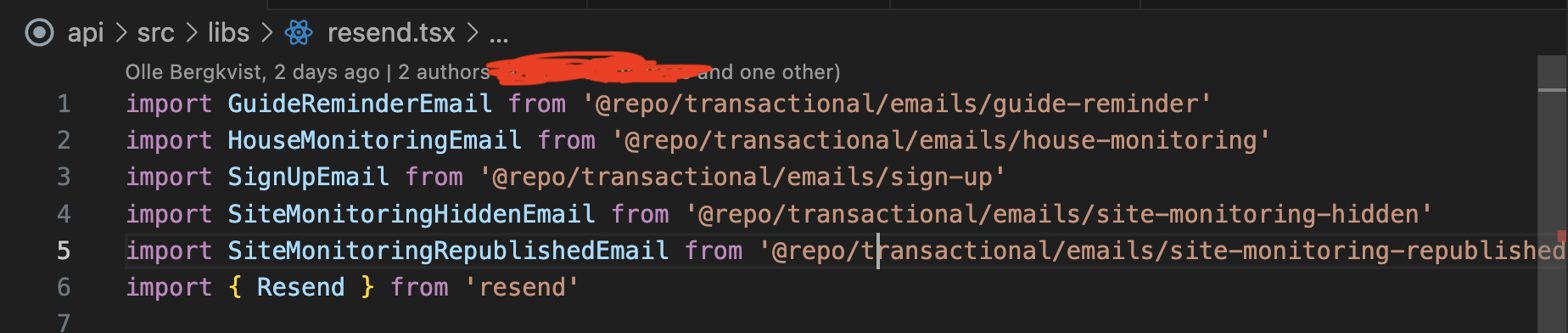
src/libs/resend.tsx:1:31: ERROR: Could not resolve "@repo/transactional/emails/guide-reminder"
src/libs/resend.tsx:2:33: ERROR: Could not resolve "@repo/transactional/emails/house-monitoring"
src/libs/resend.tsx:3:24: ERROR: Could not resolve "@repo/transactional/emails/sign-up"
src/libs/resend.tsx:4:38: ERROR: Could not resolve "@repo/transactional/emails/site-monitoring-hidden"
src/libs/resend.tsx:5:43: ERROR: Could not resolve "@repo/transactional/emails/site-monitoring-republished"
dull steepleBOT
#

Hi @terse nexus. I'm kapa.ai, your friendly support bot. I will try to answer your question by searching through the knowledge base. :wave:

#

To resolve the issue you're experiencing with your turborepo setup and the deployment of your tasks, you need to ensure that the dependencies from your @repo/transactional package are properly included in the build process. Here are a few approaches you can try:

  1. Use the additionalFiles extension:
    You can use the additionalFiles build extension to include the necessary files from your @repo/transactional package. Add this to your trigger.config.ts file:

    import { defineConfig } from "@trigger.dev/sdk/v3";
    import { additionalFiles } from "@trigger.dev/build/extensions/core";
    
    export default defineConfig({
      project: "<project ref>",
      build: {
        extensions: [
          additionalFiles({ files: ["packages/transactional/emails/**"] }),
        ],
      },
    });
    

    This will copy the email templates from your @repo/transactional package to the build directory. Make sure to adjust the path according to your project structure.

    Source: The trigger.config.ts file

  2. Use the additionalPackages extension:
    If your @repo/transactional package is published (even if just locally), you can use the additionalPackages extension to include it in the build:

    import { defineConfig } from "@trigger.dev/sdk/v3";
    import { additionalPackages } from "@trigger.dev/build/extensions/core";
    
    export default defineConfig({
      project: "<project ref>",
      build: {
        extensions: [additionalPackages({ packages: ["@repo/transactional"] })],
      },
    });
    

    Source: The trigger.config.ts file

#
  1. Custom build extension:
    If the above solutions don't work, you might need to create a custom build extension to handle your specific monorepo setup. Here's an example of how you might start:

    import { defineConfig } from "@trigger.dev/sdk/v3";
    import { BuildExtension } from "@trigger.dev/build";
    
    function monorepoExtension(): BuildExtension {
      return {
        name: "monorepo-extension",
        onBuildStart: async (context) => {
          // Add logic here to copy or symlink your @repo/transactional files
          // You might use Node.js fs methods or shell commands via context.exec
        },
      };
    }
    
    export default defineConfig({
      project: "<project ref>",
      build: {
        extensions: [monorepoExtension()],
      },
    });
    

    Source: Build extensions

Remember to install the @trigger.dev/build package in your devDependencies if you haven't already:

npm add @trigger.dev/build@latest -D

After implementing one of these solutions, try deploying your tasks again. If you're still encountering issues, you might need to adjust the import paths in your src/libs/resend.tsx file to match the new structure of your built project.

Note: you can ask me a follow up question by @ mentioning me again :speech_balloon:

terse nexus
#

How to include packages dependencies (turborepo)

dull steepleBOT
#

@terse nexus Kapa.ai is still learning and improving, please let me know how I did by reacting below.

dusty sand
#

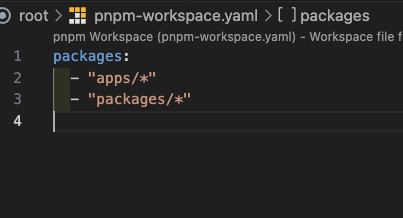
Where are your trigger tasks in your monorepo? In general what is the structure of the repo? Have you got a tsconfig which has the paths set for @repo/transactional?

terse nexus
#

Hi Matt,

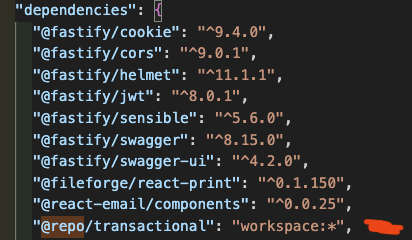
apps/api has this resend lib (each of these functions runs as a individual trigger.dev task) that uses react-email templates that we have extracted to @repo/transactional.

api > package.json
"dependencies": {
  "@repo/transactional": "workspace:*",
  ...
}
#

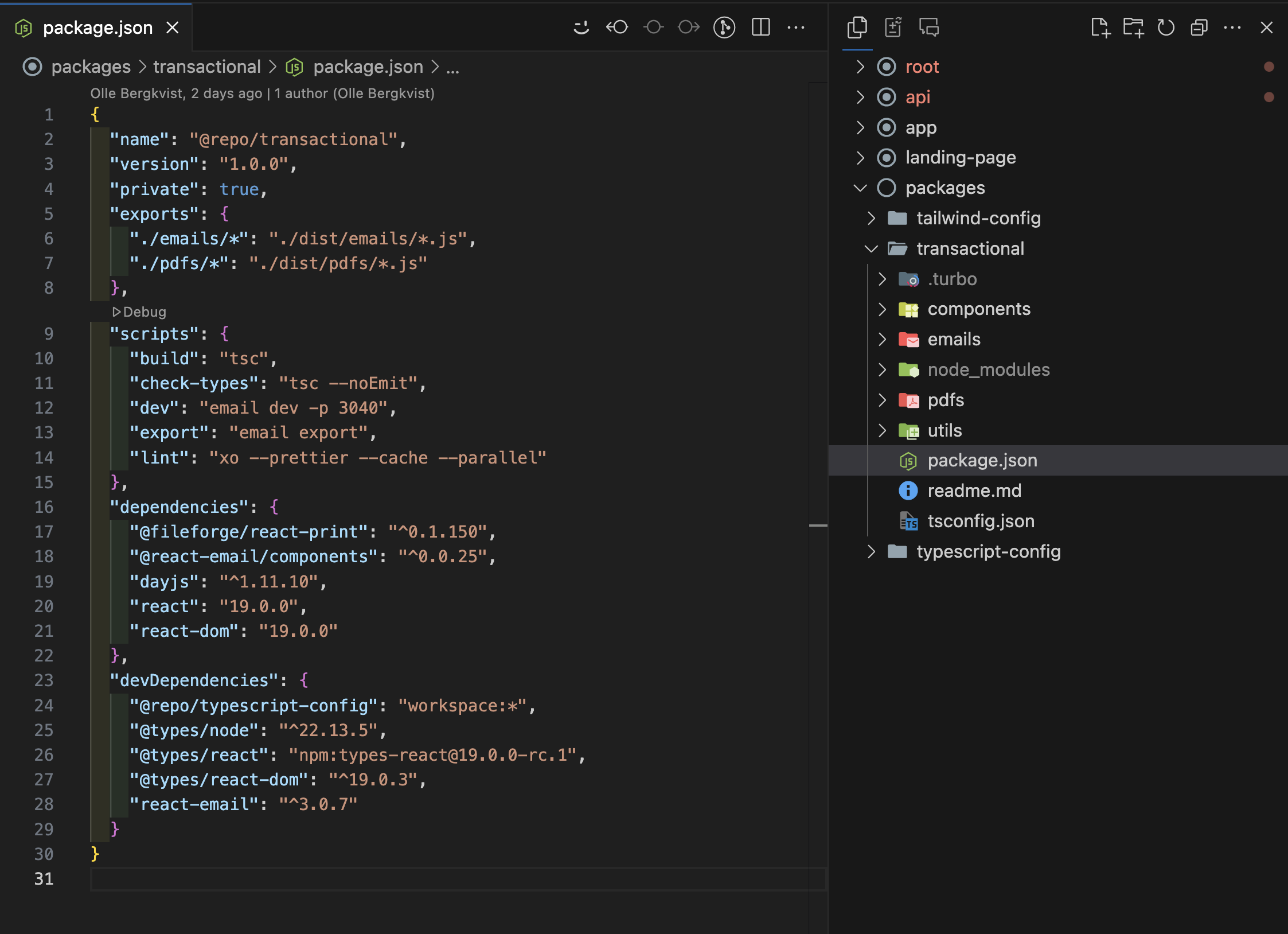
packages > transactional > package.json

terse nexus
#

The issue should be that we need to add a build step to the workflow I guess

dusty sand
#

What's in your tsconfig file where your trigger tasks live (e.g. app)?

I'm pretty sure that error is when TypeScript can't locate the module. Claude:

This error message suggests that your TypeScript compiler can't find the module ⁠@repo/transactional/emails/guide-reminder that's being imported in your ⁠src/libs/resend.tsx file. This is indeed often related to TypeScript path configuration issues. Let me help you troubleshoot this.
The error typically occurs when:
    1.    Your ⁠tsconfig.json doesn't have proper path mappings for the ⁠@repo namespace
    2.    The module actually doesn't exist at the specified location
    3.    There's a mismatch between your import path and the actual file structure
Let me search for some specific information about TypeScript path configurations and this type of error to give you a more targeted solution.
terse nexus
#

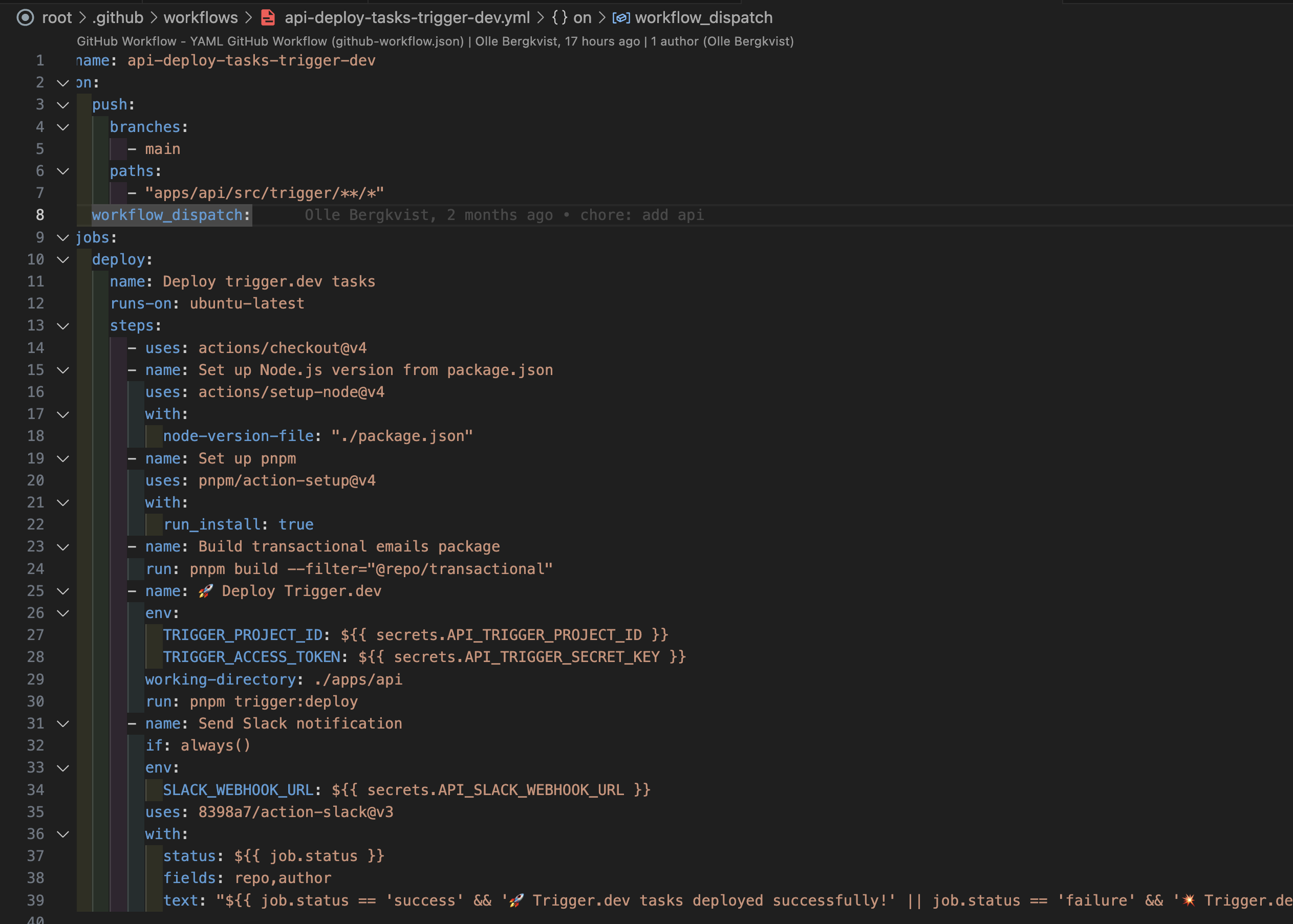
The odd thing here is that we can deploy locally, what breaks is the github workflow for deploying tasks:

#

We've added a build step

#

And we also introduced rollup to bundle the package (@repo/transactional )

#

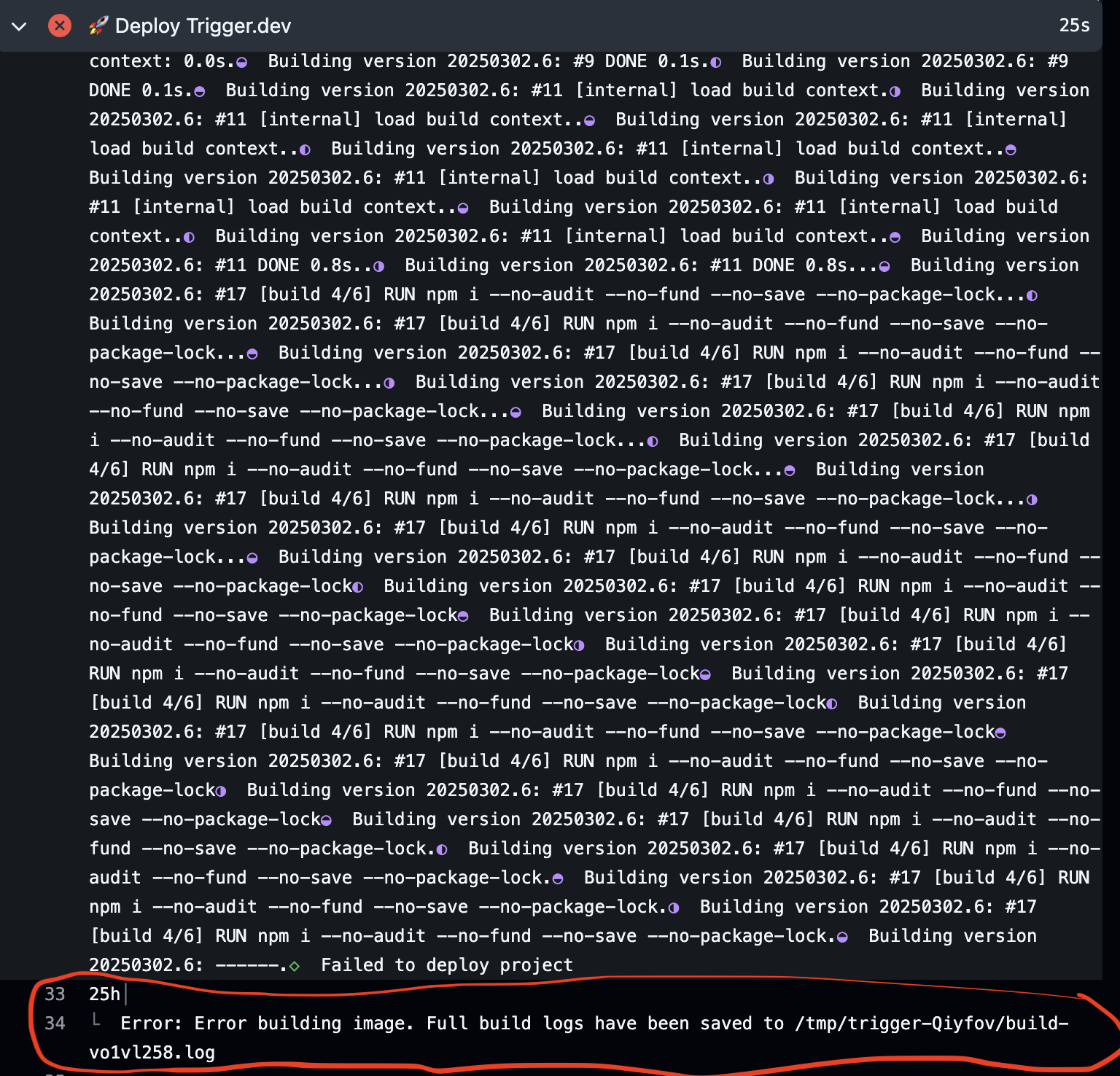
This is the new error we are getting

dusty sand
#

Oh interesting, if it’s only happening in GitHub actions then it’s probably a working directory issue

#

Which folder do you deploy from locally?

terse nexus
#

If we remove the build step and this package from the equation, it works hehe

#

The workflow I mean

#

It's the same workflow we've been using for almost a year

dusty sand
#

But this works locally when deploying just not using GH actions?

#

If you run the deploy command locally from a subdirectory then you might need to specify the step to use that:

name: Deploy to Trigger.dev (prod)

on:
  push:
    branches:
      - main

jobs:
  deploy:
    runs-on: ubuntu-latest

    steps:
      - uses: actions/checkout@v4

      - name: Use Node.js 20.x
        uses: actions/setup-node@v4
        with:
          node-version: "20.x"

      - name: Install dependencies
        working-directory: ./app
        run: npm install

      - name: 🚀 Deploy Trigger.dev
        working-directory: ./app
        env:
          TRIGGER_ACCESS_TOKEN: ${{ secrets.TRIGGER_ACCESS_TOKEN }}
        run: |
          npx trigger.dev@latest deploy

Note the working-directory

terse nexus
#

Exactly it's only the gh action for deploying that is breaking. We can deploy locally.

#

I believe this should work?

#

It's a turborepo

terse nexus
#

Is there a way to get to the logs somehow? That would be helpful

#

I have the feeling that the dist files after the build step are not reachable

dusty sand
#

If you do -l debug it will spit out a ton of logs inline

#

The most common reason CI doesn't work (but it works locally) is the worker directory. I'm not sure what other issues could cause this.

terse nexus
#

Ok thank you

dusty sand
#

Hopefully the bottom of the verbose logs will be helpful

terse nexus
#
#17 2.074 npm ERR! 404 Not Found - GET https://registry.npmjs.org/@repo%2ftransactional - Not found
#17 2.075 npm ERR! 404 
#17 2.075 npm ERR! 404  '@repo/[email protected]' is not in this registry.
#17 2.075 npm ERR! 404 
#17 2.075 npm ERR! 404 Note that you can also install from a
#17 2.075 npm ERR! 404 tarball, folder, http url, or git url.
#17 2.076 
#

I'm not sure why it's not being included

dusty sand
#

Huh, it thinks it's a public package

#

How do you reference it in your package.json? Do you use pnpm?

#

We use pnpm and do stuff like this:

"dependencies": {
  "ioredis": "^5.3.2",
  "@trigger.dev/core": "workspace:*"
},
terse nexus
#

Exactly

#

We do it like that

#

We use pnpm as well

dusty sand
#

Wtf this makes no sense

#

This is very common for people to do using us 🤔

#

Good extra details in that SO post

#

@karmic river any ideas what's going on here?

karmic river
#

Not at computer, but doing a dry run would be the first step

terse nexus
dusty sand
#

This only happens on GitHub Actions? Locally it works perfectly?

#

To do a dry run you add this at the end of the deploy command --dry-run. But not sure how you'll get the output from CI.

#

If it works locally. Can you try deleting all the .trigger folders (they're build caches). Then try deploy again from local

terse nexus
#

"If it works locally. Can you try deleting all the .trigger folders (they're build caches). Then try deploy again from local"

Trying this now

#

Now it fails locally as well

#

At least I can reproduce locally now

#

Thanks for the tip!

dusty sand
#

Ok good. Try doing --dry-run

#

It'll spit out a folder and you can take a look at it to try figure out what's going wrong

terse nexus
#

Thank you!

terse nexus
#

It looks like it's all there

terse nexus
#

We can deploy our api to fly.io (docker) without complaints

#

This is the container file that runs

#

Could this line be the issue?

RUN npm i --no-audit --no-fund --no-save --no-package-lock

That it uses npm instead over pnpm and hence it does not understand the pnpm workspace structure?

karmic river
#

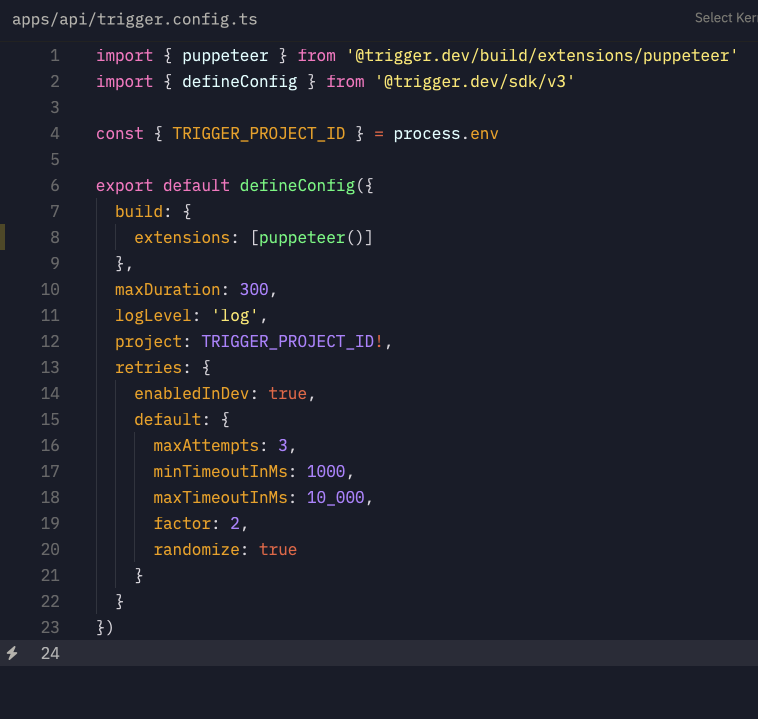
Have you added that package to external in the trigger config file?

karmic river
#

Might be easier to debug this via screenshare

terse nexus
#

Hi Eric,

We tried to add @repo/transactional to external, without success

#

Sure, please let me know when you are available

#

Many thanks in advance

karmic river
#

Don't add it to external is my point, it should be bundled

karmic river
terse nexus
#

It's not there any more

karmic river
#

Also in the future if you reply to me in here it's better to reply to a specific message so I get alerted, otherwise I miss the message

#

But it's still getting added to the package.json when doing --dry-run?

terse nexus
karmic river
# terse nexus Here's our config

Can you do a --dry-run deploy with the --log-level debug flag, and send me in a DM the contents of the dry run output, as well as the full output of the logs?

terse nexus
radiant oracle
#

@dull steeple does trigger.cofig.ts project takes env

dull steepleBOT
#

Let me check the knowledge base for you again. One moment! :books:

#

Yes, the project field in your trigger.config.ts file can use environment variables. Instead of hardcoding your project reference, you can use an environment variable like this:

import { defineConfig } from "@trigger.dev/sdk/v3";

export default defineConfig({
  project: process.env.TRIGGER_PROJECT_REF || "<project ref>",
  // Your other config settings...
});

This approach is useful when you want to deploy to different projects based on your environment (e.g., development, staging, production).

When running the CLI commands, you can provide the environment variable in several ways:

  1. Using the --env-file flag with the CLI:

    npx trigger.dev@latest dev --env-file .env
    

    CLI dev command

  2. Setting the environment variable in your terminal before running the command.

  3. Using environment variables from your deployment platform, which can be synced to Trigger.dev using build extensions like syncVercelEnvVars or syncEnvVars.
    Sync env vars

This approach gives you flexibility when working with different environments or CI/CD pipelines.

Note: you can ask me a follow up question by @ mentioning me again :speech_balloon:

#

@radiant oracle Kapa.ai is still learning and improving, please let me know how I did by reacting below.

radiant oracle
#

@dull steeple this is not getting pouplated process.env.TRIGGER_PROJECT_REF instead the string is used

dull steepleBOT
#

Let me check the knowledge base for you again. One moment! :books:

#

I understand the issue you're facing - your environment variable process.env.TRIGGER_PROJECT_REF isn't being populated in the trigger.config.ts file, and instead, the literal string is being used.

This is a common issue with the build process. The trigger.config.ts file is processed during build time, and environment variables need to be properly set up to be available during this phase.

Here are a few approaches to solve this:

  1. Make sure your environment variable is available during the build process. You can check if it's properly set in your environment by adding a console log in your config file:
console.log("TRIGGER_PROJECT_REF:", process.env.TRIGGER_PROJECT_REF);
  1. If you're using the Trigger.dev CLI, make sure you're providing the environment file:
npx trigger.dev@latest dev --env-file .env
  1. For environment variables that need to be available at runtime in your deployed tasks, you should use the environment variables management features of Trigger.dev:

You can add environment variables through:

  • The Trigger.dev dashboard in the "Environment Variables" page
  • Using the syncEnvVars build extension
  • Using the syncVercelEnvVars extension if you're using Vercel

Sync env vars from another service

  1. For local development, make sure your .env file contains the TRIGGER_PROJECT_REF variable and that it's being loaded properly.

If you continue to have issues, you might need to hardcode the project ref for the config file specifically, while using environment variables for your actual task code.

Let me know if you need more specific guidance based on your setup!

Note: you can ask me a follow up question by @ mentioning me again :speech_balloon:

#

@radiant oracle Kapa.ai is still learning and improving, please let me know how I did by reacting below.