#Send slack alert on job fail
1 messages · Page 1 of 1 (latest)
 trail basin
 sullen halo
Currently the best way is to use try catch. Like this:
try {
//...code
} catch (error) {
  if (isTriggerError(error)) throw error;

  //do slack alert, e.g.
  io.slack.postMessage("error alert", {
      channel: process.env.SLACK_CHANNEL_ID!,
      // Include text for notifications and blocks to get a rich Slack message in the channel
      text: `Run failed (${ctx.environment.type}).\n${error instanceof Error ? error.message : JSON.stringify(error}`,
}
Make sure you do this:
if (isTriggerError(error)) throw error;
More info here: https://trigger.dev/docs/sdk/istriggererror

Trigger.dev
Use this function if you're using a try/catch block to catch errors.
We're going to add some callback to the Job definition like onSuccess, onError to make this easier
 scarlet otter
@trail basin we've just released run notifications to make this much easier: https://trigger.dev/changelog/run-notifications

 small hearth
Hi @scarlet otter . I don't really understand what happens after subscribing to these notifications.
let's say I want to run another task to send an email using resend, I don't seem to have access to anything else than notification:
onFailure: async (notification) => { console.log("Job failed", notification); },
How could I "react" to those?
Thanks in advance!
scarlet otter
small hearth
Hi <@166949736065138688> . I don't really understand what happens after subscrib...
I would invoke a job to do that, just make sure you aren’t causing an infinite loop by invoking the “send email” job when the “send email” job itself fails
small hearth
thanks! I'll try that 🙂
 mortal sparrow
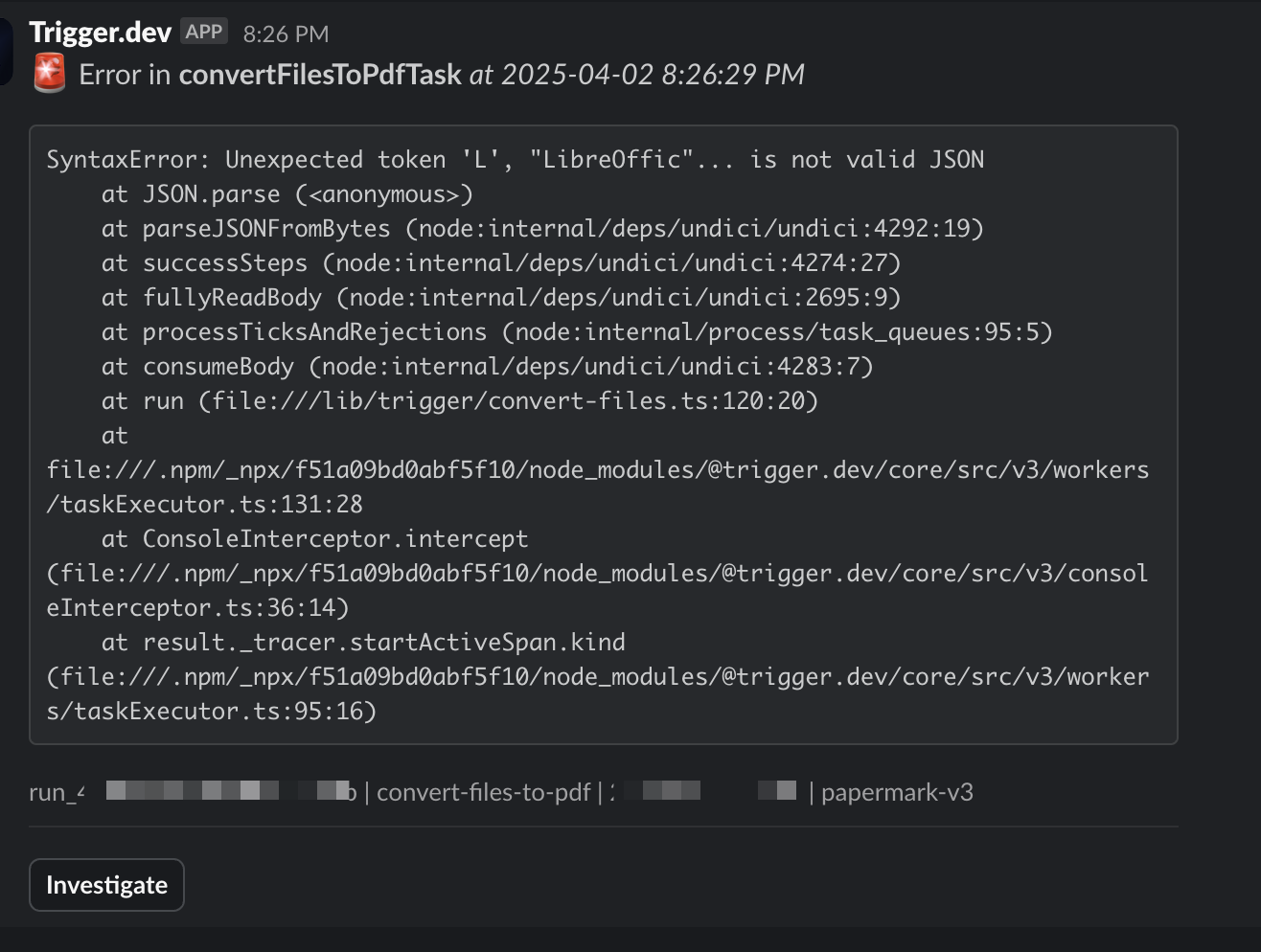
@sullen halo any chance I can get custom slack notifications like this in v3?
failed slack alerts are pretty cool already, but I'd love to send a link to an internal log as well
 sullen halo
What are we missing from our Slack alerts that you want? The investigate button?
We have alert webhooks with a really nice SDK experience thats like the Stripe webhook experience
mortal sparrow
@sullen halo I love it. I just want to add additional info to a failed run.
Like the investigate button pointing to trigger, I want to have another link pointing to my internal log tool (just a link on the internet) with url search params of timerange of the run that failed
so the alert webhooks you're saying, I can config them in my trigger task to send out to my slack channel?
sullen halo
No, you add them from the dashboard "Alerts" page. Select webhook, then you receive it on your server somewhere.