#So your issue is when you spawn into game mod your terrain goes invisbiblee
1 messages · Page 1 of 1 (latest)
 prime elk
The base scene of the map is normal, but once I start the sub-scene, the terrain entity disappears and all the buildings and good number of other entities sink into the sea
This has not been an issue in earlier versions, as I have reverted to said earlier versions and the issue persists
I suspect the 1.6. update broke something of the tools


 limber ibex
Okay. I know multiple people have asked and tried to help you, so a lot of what I’ll ask has probably already been asked. But to start with usual issues: is your terrain entity coordinates at 0,0,0
Please verify that and send screenshot so can make sure we’re on same page
prime elk
Correct.
 limber ibex
Okay what about your hierarchy of items? Can you send screenshot of that. You should still have a layer called default with only world and terrain entity in it
prime elk
Here's the general hierarchy

Here's the default layer, and if I start the new sub-scene it will put the sub-scene below the default

Managers folder has the location names that hover above the areas

@crude merlin has a similar issue and hoped to be tagged once we find the fix. I don't know if this is because of something I did, or just because of the update on the tool.
limber ibex
Move everything out of default except world and terrain entity
Then try
Also idk if the period is considered special character or not in world name.
prime elk
It would be strange if it was, because I haven't had similar issues before with this. I've been working on this project almost a year now on and off.
prime elk
limber ibex
Move everything out of default except world and terrain entity
I only got the world, terrain, and other generic world entities with weather and destruction managers in it
Nothing seems to have changed
limber ibex
Have all the managers in their own layer. And screenshot what ones you have. Could try rename default and spell it again and try it again too. In case any issue with its name. From what I understand the engine loads that layer first.
prime elk
Changed the managers to new layer under managers @limber ibex, nothing changed
limber ibex
Okay so I see in other post you mentioned having to delete a manager. Maybe try using all new managers. Delete all the old ones and then place new ones. Not trying to be pain asking and saying all of this. Usually all the previous questions is the solution.
Edit: that wasn’t you, sorry, but still worth try.
prime elk
limber ibex
Okay so I see in other post you mentioned having to delete a manager. Maybe try ...
 I gotta see about that tomorrow.
limber ibex
Okay let me know if anything works or doesn’t. I know this has come up few times before but different fixes I can’t think of other than those.
prime elk
" ENTITY : Init entity @"ENTITY:3" ('MapEntity1', SCR_MapEntity) at <10840.747070 5.704000 141.638000> @"{731564B66F91B107}Prefabs/World/Game/MapEntity.et"
SCRIPT (W): SCR_MapEntity: Cannot get the size from terrain. Using default."
limber ibex
That’s your paper map. You could try deleting that manager, and see
prime elk
No effect
limber ibex
Okay sorry fresh out of ideas man. Have you tried making brand new map. Just a basic flat terrain with all managers and a game mode to see if it happens?
prime elk
Something really is fucked up with the tools
prime elk
@feral pendant Did you happen to find a fix for this one?
Seems to me it's a Reforger Tools side issue, and not the project issue
I have tried everything I can think of
limber ibex
Would you be willing to do a screen share and voice chat in a minute.
prime elk
limber ibex
Would you be willing to do a screen share and voice chat in a minute.
I was already asleep and right now I can't
prime elk
 limber ibex
Use these managers, it looks like you have older ones. the PPEffects are all one now. You may even consider deleting them and using new ones. Also, again only keep world entity and terrain in the default layer.
 prime elk
limber ibex
Use these managers, it looks like you have older ones. the PPEffects are all one...
prime elk
limber ibex
Use these managers, it looks like you have older ones. the PPEffects are all one...
Cheers, I'll figure it out
 crude merlin
@prime elk did you find a fix? 
prime elk
crude merlin
<@223286759188856832> did you find a fix? <a:absoluteyummers:1435283043081261207...
So far no results.
crude merlin
that makes me generally terrified of when i have to work on my gamemode
crude merlin
prime elk
So far no results.
wait how is your file path setup?
shot in the dark but maybe its tied to that?
prime elk
Gotta check back on Monday, as I won't have access to my PC on the weekend and it's 3am already
prime elk
crude merlin
shot in the dark but maybe its tied to that?
Any luck on your side?
crude merlin
prime elk
Any luck on your side?
i havent run in the issue yet so i cant say i have a fix lol
just preventitive for me
prime elk
It creates a (dot)ent(dot)meta file and crashes the workbench when I try to save it after starting the new sub scene 🤔 I just got timed out for no reason


 prime elk
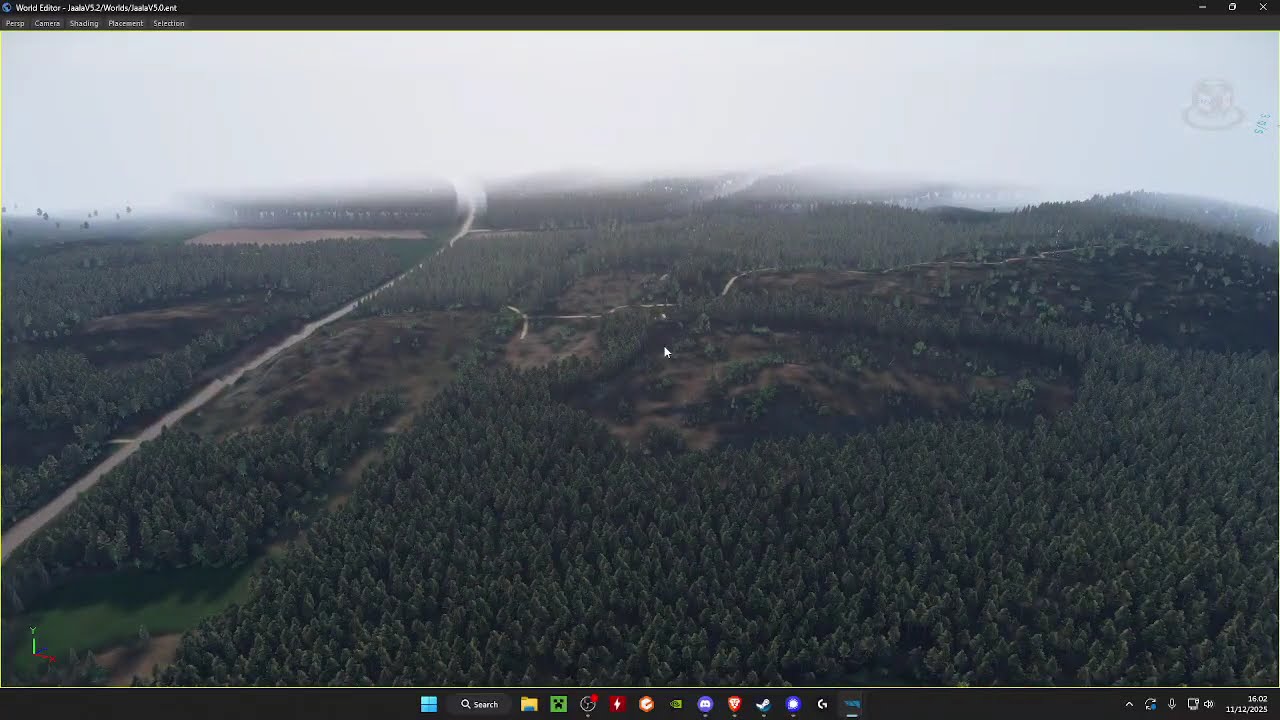
The tool crashed as soon as I saved it. It is strange because all this worked months ago
 valid wraith
I have the exact same problem rn, No clue what is causing it.
All the stuff seems to be in order?
But when making a subscene, my terrain just goes in holiday or something.
prime elk
valid wraith
I've come to the conclusion you have to bring the GenericEntityTerrain, the height map and all that from the resource browser.
prime elk
valid wraith

This video is a basic introduction to making a new terrain project. There is alot more steps to do, however this will get you started.
Organizing folders
https://youtu.be/YSr1CPnj7GU?si=koU3VvmhPTYPwNvx
Painting terrain
https://youtu.be/owG02L0X7tU?si=3SxmC6DhY1VNnlfc
Check out this document for additional FAQ. Credit goes to its original aut...

 valid wraith
That wouldnt matter at all, since I made this map before they did that update and the vanilla terrains are also like this
 valid wraith
@prime elk , I found out how to fix it, you need to make a new terrain, port all data over and then it works
for magic reasons
prime elk
valid wraith
<@223286759188856832> , I found out how to fix it, you need to make a new terrai...

I just need to get the files from my echo to continue