133 messages · Page 1 of 1 (latest)
 haughty umbra
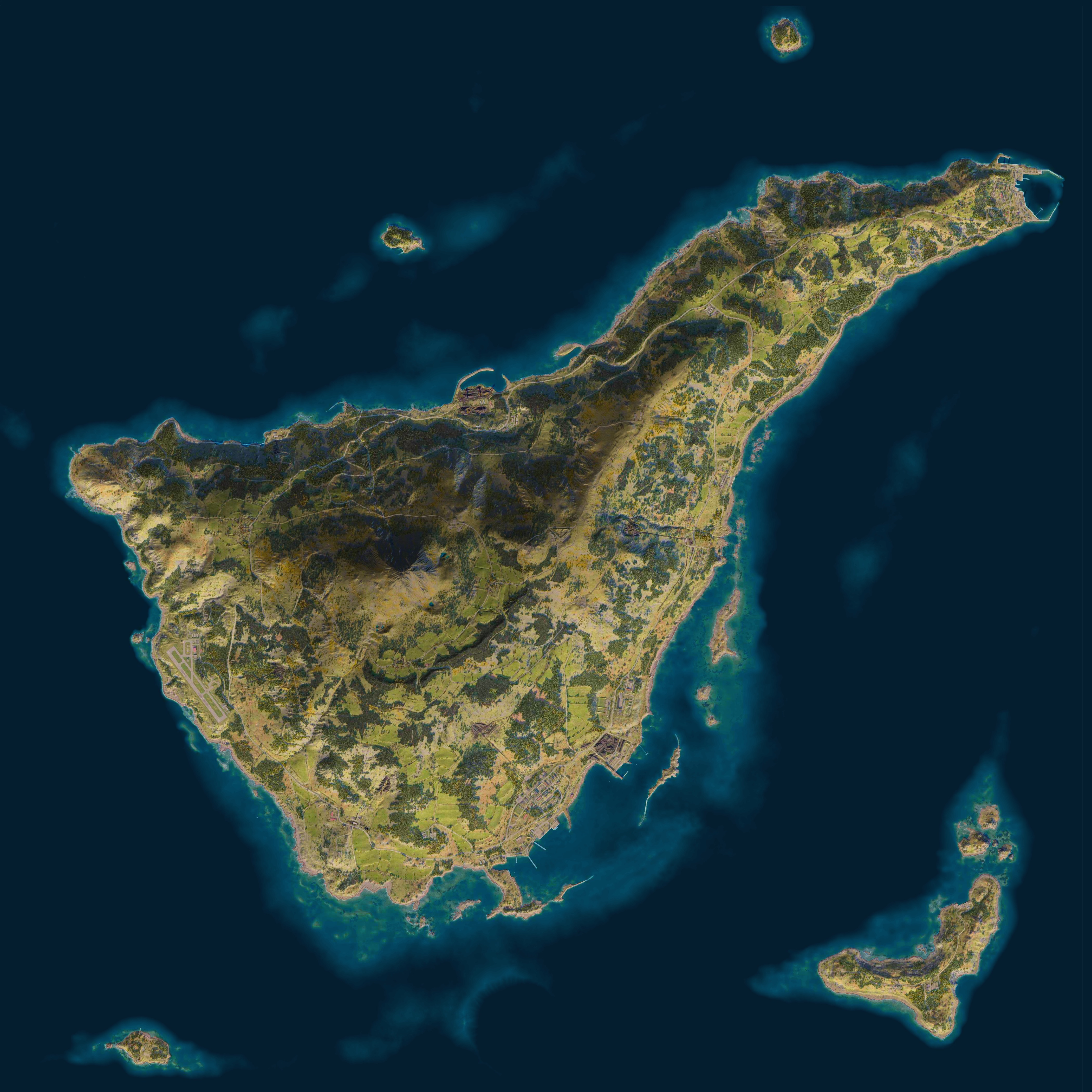
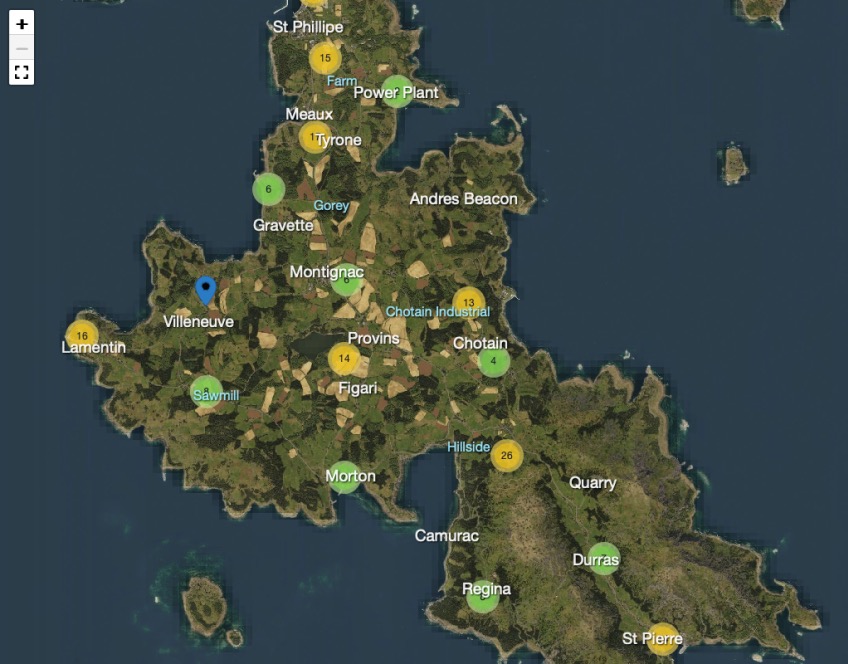
I've made a Workbench tool which helps capture map tiles that can be used in a panning/zooming webpage. It also supports the in-game coordinate system, so there's an additional tool which shows how to perform entity queries and extract location information into JSON files. This location information can then be plotted on the map, and the first example of this is displaying all the locations of the various supply caches that are found in the Confict game mode. The GitHub repo is at https://github.com/nickludlam/EnfusionMapMaker/
I've also made the site https://reforger.recoil.org/ to showcase the conflict supplies locations, for people who want to be sneaky with their radio backpack placement, or to hunt enemies which might have deployed them in the same places.
A tool for the Enfusion game engine to extract map and location data from Arma Reforger and display it on a web page - nickludlam/EnfusionMapMaker
Interactive maps from Arma Reforger
 somber phoenix
Nice work
 sleek oriole
👍
 tawdry nimbus
Nice! Would you be willing to also upload versions without the supply markers? Capturing tile images makes for a satellite style interactive map that's much higher quality than any others I've seen.
haughty umbra
The supply markers are all rendered by the browser, none of it is baked into the tiles
 waxen nest
Great resource when I just need to study the map while making a scenario.
haughty umbra
Oh thats an interesting usecase @waxen nest . One of the things I'm looking to do is separate the map markers into layers, so one for interior resources, one for exterior/vehicle accessible. I can probably make it easy to toggle off ALL the layers so you just get the tiles
waxen nest
measuring tools possible?
haughty umbra
waxen nest
measuring tools possible?
Yes, game coordinates can map directly into the tiles, so there could be a measuring tool added
haughty umbra
I've updated the tiles to remove the funky auto-exposure artefacts where the camera transitioned from land to sea. The sea is now a bit darker, but I've tried to preserve the tonemap of the original land tiles as closely as possible.
The map tiles are also being used by the fine folks at battleroyalemod. You can see an example here https://battleroyalemod.com/match/0qx2d0qknd
 eternal canopy
never noticed this part of everon looks like a shark 🫣
 haughty umbra
Needs some googly eyes 😄
haughty umbra
Yes! It scans in vertical strips, going from bottom to top, and then left to right. So the inner loop is the Z axis, and the outer loop is the X axis
the first 400m of the left side of the map is all ocean. If you want to test, start over land. You can test the location by using the 'move to start postion' button
haughty umbra
 silver shuttle
If you start at 3000, 0, 1600 then you should be over land if you're looking at Everon (Eden)
silver shuttle
Would it be too much to ask for the zipped files of Everon already? LUL
silver shuttle
haughty umbra
If you start at 3000, 0, 1600 then you should be over land if you're looking at ...
That helps thanks
haughty umbra
silver shuttle
That helps thanks
I can message you a download link if you just want the standard tiles. I really appreciate you trying it out, though. I don't know if the documentation is 100% accurate and helpful 😄
It does take some hours to complete a full scan of Everon!
silver shuttle
haughty umbra
I can message you a download link if you just want the standard tiles. I really ...
I mean if you would that would be sweet haha and can donate some to you for your time
haughty umbra
silver shuttle
I mean if you would that would be sweet haha and can donate some to you for your...
I've PMed you the two links
 last marten
love how clean the beauty maps look, is there a breakdown of how those are made?
haughty umbra
I haven’t done one, but I could put together the blueprint. It’s 3 layers blended in various ways with levels readjustments.
haughty umbra
last marten
love how clean the beauty maps look, is there a breakdown of how those are made?
There's a base layer of the map tiles, then I separate the in-game map ocean out into a layer, and blend it using "Soft Light", and finally the greyscale land from the in-game map is blended using "Overlay". There's some brightness-contrast tweaks on each layer, but that's effectively the layer stack

 atomic elbow
haughty umbra
I've made a Workbench tool which helps capture map tiles that can be used in a p...
atomic elbow
haughty umbra
I've made a Workbench tool which helps capture map tiles that can be used in a p...
This looks quite interesting I plan for ATAK, MANET Network, Unmanned Systems Through the Persistent System Wave Relay and Your development seems to be very useful
haughty umbra
I've updated the map website with a mission header editor, similar to Bacon's original site.

 viral pumice
Thank you for this amazing tool am I doing something wrong? this map causes all the points to be normal points.https://reforger.recoil.org/everon-cap-point-editor/?data=AgwAAQUBDhMKEAkRARQTChcBHRMKHgEfCSATCiQBWAID
 haughty umbra
Aah yes so currently it’s not including the standard MOB locations! Which are the randomised points each team starts at. This is a limitation of the tool right now, and the way to fix it is to designate two of the points to be an HQ, so each team can start somewhere
I do plan on adding the standard MOB spawn locations, I just haven’t done it yet. I’ll update this page when I’ve done it
It also doesn’t include the radio towers either. Again, it’s on the todo list 😀
haughty umbra
Did that explanation make sense @viral pumice ?
viral pumice
absolutely, thank you. do you have a json example or key/values so that i can do it manually?
haughty umbra
viral pumice
absolutely, thank you. do you have a json example or key/values so that i can do...
No, but I will add in support for keeping the standard MOB placement, and also better instructions on what things mean. It’s still early in development
haughty umbra
New update for the editor:
haughty umbra
viral pumice
thank you for taking the time so soon to add these functionalities
haughty umbra
viral pumice
thank you for taking the time so soon to add these functionalities
No problem. This needs some testing, it might contain some bugs 😄 If you have any feedback I would love to hear
viral pumice
A few minor ones but no blocking issues:
haughty umbra
On refresh the MOB's aren't saved you need to configure them again
This is entirely client-side, so the state is stored in the URL. You can bookmark it to save your work. What I can do is warn you'll lose your work if you navigate away from the page?
Enabling MOB's was a bit confusing with the error "There must be at least 2 active HQ points available"
You're right, I need to change that to MOB as I have used that term everywhere else
viral pumice
haughty umbra
> On refresh the MOB's aren't saved you need to configure them again
This is en...
Ah yeah sorry forgot to mention, i use the same url, or the existing url isn't updated
haughty umbra
Yes existing URLs should upgrade properly. If you can share me one that does not I will try to fix
viral pumice
viral pumice
haughty umbra
> Enabling MOB's was a bit confusing with the error "There must be at least 2 ac...
Yeah or just pre-enable the MOB checkmark
viral pumice
viral pumice
here: https://reforger.recoil.org/everon-cap-point-editor/?data=Aw0AAQUBDhMKEAkR...
this is the edited version of the one mentioned earlier
haughty umbra
viral pumice
Yeah or just pre-enable the MOB checkmark
I think if you just go to https://reforger.recoil.org/everon-cap-point-editor/ the checkbox is enabled, so this might be a bug with how I am trying to make your URL from an older version work
haughty umbra
I think your URL is from a time where I did break the versioning, sorry about that. I've now changed to a much better system which should make it easier for me to keep old URLs working. This stuff can get REALLY gnarly and difficult 😄
you can tell it was a bad version because there are so many 'AAAAAA' characters at the end, which was from a time where I was storing loads of zero values, and it was a huge waste of space
viral pumice
Yeah i know, no worries I will recreate it, if I bump into something I will let you know
haughty umbra
I will roll out the change from "HQ" to "MOB Spawn location"
viral pumice
and thanks again for taking the time, this really helped me understand the mission header
haughty umbra
Yeah no problem. We are using it in my clan to run custom missions from our community. It's really fun
Oh and if you want to start out with a blank map and activate everything yourself, use ctrl-b
waxen nest
small idea but maybe if there was a "share" button to copy the URL it would be like a clue that the save is in the URL.
viral pumice
haughty umbra
Yeah no problem. We are using it in my clan to run custom missions from our comm...
it's so much better with a small group indeed
By the way, mob's still aren't saved. I started a new map, edited everything, copied the url reopened in incognito and the mob configuration was gone
haughty umbra
Did you edit the MOBs?
haughty umbra
viral pumice
By the way, mob's still aren't saved. I started a new map, edited everything, co...
I think I'm tracking whether the checkbox is ticked to export them, and then I should be tracking every customised base inside the URL data. Can you help me by giving me some small recreation instructions?
haughty umbra
viral pumice
By the way, mob's still aren't saved. I started a new map, edited everything, co...
Ah I can recreate it. I will get that fixed. Also a lot of A's end up in the URL which is never a good sign !
viral pumice
haughty umbra
I think I'm tracking whether the checkbox is ticked to export them, and then I s...
I think you are spot on, i will test it
ticking the Include MOB Spanws doesn't change the url, unchecking a few does but loading the url in incognito then sets the Include MOB Spanws to false
If i toggle the Include MOB Spanws on and off and don't change anything other then regular points it also unchecks Include MOB Spanws in a new incognito
haughty umbra
What I think I'll do is finally set up some unit tests for the serialisation layer, so I can either pinpoint it to the data construction or UI binding
viral pumice
I am a dev too, I can help you find it I think. Can I run it locally without NPM or any other tool? Where does it retrieve the MOB's and does it store the everthing here: https://github.com/nickludlam/EnfusionMapMaker/blob/bb243650234d47f0c1f284e551df480baf9e8ff9/Web/reforger-map.js#L217
haughty umbra
viral pumice
I am a dev too, I can help you find it I think. Can I run it locally without NPM...
Ah, no, that's the vanilla JS website I first made for testing the map! I have made a full Svelte site since then
haughty umbra
viral pumice
I think you are spot on, i will test it
I have updated the site, and now the new URL system should save all your changes. I've also added a share button that @waxen nest suggested!
viral pumice
alright, I can confirm it works now 🙂 cheers
haughty umbra
viral pumice
alright, I can confirm it works now 🙂 cheers
I was being dumb and completely missed out a section of code that needed adding. It created buffer space for saving the MOB data, but never filled it out. That's why it was all 'AAAAA' at the end of the url, that's all zeroes 😂
I've also added an experimental undocumented feature. If you press q/w/e/r while you have any points selected, it's the same as clicking the 4 checkboxes in the form, it will toggle the properties if it's allowed
haughty umbra
I’ve implemented Dark Mode support! A few people have asked. It’s in the top right https://reforger.recoil.org

Interactive maps for Arma Reforger showing the location of supply caches and vehicle spawns
 silver ingot
haughty umbra
I’ve implemented Dark Mode support! A few people have asked. It’s in the top rig...
silver ingot
haughty umbra
I’ve implemented Dark Mode support! A few people have asked. It’s in the top rig...
You should integrate a range calculator for mortars 😉 theres a website that has it https://arma-mortar.com/
Arma Reforger Mortar Calculator
haughty umbra
Haha I feel like other sites do that way better than I can. Most of my focus right now is on the map layout editor.
silver ingot
we all have a part in this everlasting WIP
 nimble shuttle
silver ingot
You should integrate a range calculator for mortars 😉 theres a website that has...
nimble shuttle
silver ingot
You should integrate a range calculator for mortars 😉 theres a website that has...
No 
waxen nest
This is sort of off topic but i'm wondering, do your scripts strictly deal with data capture (screenshots, coordinates etc) from enfusion? Im wondering if the workflow could be applied to IRL drone images and make a scrollable map of my neighborhood or wherever 😅 Right now just a pipe dream.
and for work would be very handy for mapping/measuring sites 😆
haughty umbra
I've updated https://reforger.recoil.org with the following:
Interactive maps for Arma Reforger showing the location of supply caches and vehicle spawns
The beauty map is large. 4200px square, this time! https://reforger.recoil.org/kolguyev_hero_composite.jpg
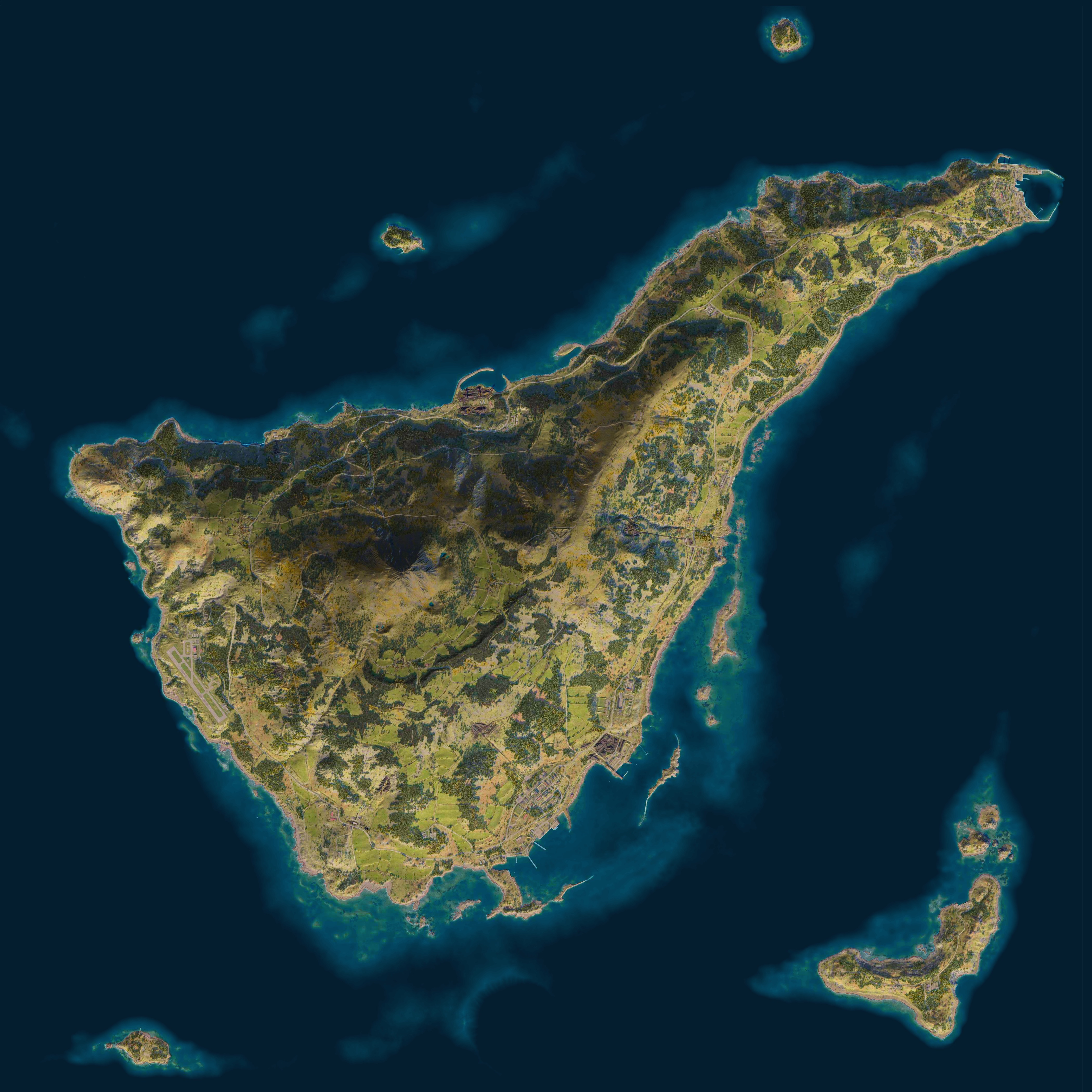
I will need to re-do the map tiles again at some point, to remove the shadowing, but for now it's ok
 supple turtle
Is there a possibility to use it like PlanOps?
So thats a tool to plan operations 🙂
haughty umbra
supple turtle
Is there a possibility to use it like PlanOps?
So thats a tool to plan operatio...
Possible yes. It needs integration, but this can provide the base map tiles at 5 levels of detail
nimble shuttle
haughty umbra
I've updated https://reforger.recoil.org with the following:
- Design overhaul ...
Could you tell me what the height ratio was for the screenshots?
after 1.5, there was a fog that I couldnt get rid of.
I noticed that you took screenshots at an altitude of ~400 instead of 950, but with what step?
haughty umbra
nimble shuttle
Could you tell me what the height ratio was for the screenshots?
after 1.5, ther...
You can remove the fog by using this https://community.bistudio.com/wiki/Arma_Reforger:Diag_Menu. I can't remember exactly which menu, but I think it's Render -> Atmosphere or something like that. The screenshots are always taken at the default height to ensure the tiling works out correctly
nimble shuttle
haughty umbra
You can remove the fog by using this https://community.bistudio.com/wiki/Arma_Re...
Default 950

Lightblue fog 
haughty umbra
nimble shuttle
Default 950
Yes. Use the debug menu to remove atmospheric fog or haze. It's one of the options under the "Render" submenu. I also use it to force the LOD to be the highest
nimble shuttle
haughty umbra
Yes. Use the debug menu to remove atmospheric fog or haze. It's one of the optio...
I tried to set readonly the config on LOD and the grass didn't work, thanks, I'll try your advice
haughty umbra
nimble shuttle
I tried to set readonly the config on LOD and the grass didn't work, thanks, I'l...
There are many other options that are useful. You can disable wave animation in the ocean, stop the wind from animating trees, force LOD for the terrain to be 10 (max)
nimble shuttle
Why are you doing this to me
haughty umbra
If you want to download the map tiles I am using, I can give you the link for a zip file
nimble shuttle
Now I need to rerender 20 maps with normal grass and LOD 
haughty umbra
Oh you have custom maps to calculate too? Oh no 😄
nimble shuttle
haughty umbra
If you want to download the map tiles I am using, I can give you the link for a ...
I have my own implementation of the map, using 256 tiles
nimble shuttle
haughty umbra
Oh you have custom maps to calculate too? Oh no 😄

Arma Reforger Mortar Calculator
haughty umbra
Ah ok! that's neat. I'm glad you can work with my buggy software haha
nimble shuttle
haughty umbra
Ah ok! that's neat. I'm glad you can work with my buggy software haha
By the way, I've added screenshots in panorama mode)
 haughty umbra
You might want to look at disabling render -> terrain shadows too. Everon has no shadows, but my version of Kolguyev has shadows
haughty umbra
nimble shuttle
By the way, I've added screenshots in panorama mode)
Oh cool. What's Panorama do? Is that something I should patch into the main version?
nimble shuttle
haughty umbra
You might want to look at disabling render -> terrain shadows too. Everon has no...
I adjust the shadows by setting the world time
sample
 haughty umbra
Oh! Like Google Streetview, I see. It's almost like you are manually capturing cubemaps. That must be a LOT of extra data
nimble shuttle
haughty umbra
There are many other options that are useful. You can disable wave animation in ...
Its strange, but I still dont get the same quality as you do)
 haughty umbra
These are my notes. They are scrappy, but I think it's everything I use
Render
    Atmosphere
        Disable Fog
    PP Effects
        Bloom: Disabled
        Disable Auto Exposure: True
    Grass/Clutter/Obstacles
    Roads Menu
        Terrain midtex fadeout len: 1000
        Roads Max Distance: 1300
    Terrain Menu
        Lod Mode: Exact Lod
        Force Exact Lod: 1
        Detail texture detail: 10
    Ocean & Water
        Ocean Render: Disable Simulation
Scene
    LOD Multiplier: 10
    Size Multiplier: 10
ty
Roads Max Distance: 1300
+
Detail texture detail: 10
This is exactly what I was looking for
waxen nest
haughty umbra
If you want to download the map tiles I am using, I can give you the link for a ...
a zip would be clutch because now i want to run my drone pictures workflow on it 😅
gimme the 1600 megapixel beauty map
haughty umbra
waxen nest
a zip would be clutch because now i want to run my drone pictures workflow on it...
Which map?
There is no 1600 MP beauty map. I make that by compositing the exported topography map with the satellite map tiles. The exported map from the Workbench is only 4096 x 4096
waxen nest
Oh I mean I'll stitch all the tiles myself to make a super high res composite. 
haughty umbra
waxen nest
Oh I mean I'll stitch all the tiles myself to make a super high res composite. <...
Sure, which map do you want the zips for?
waxen nest
Idk. All 🙃
nimble shuttle
 haughty umbra
nimble shuttle
<:notlikemeow:700311897937018890>
haughty umbra
nimble shuttle
<:notlikemeow:700311897937018890>
Wow, how much space is that taking up ?
nimble shuttle
haughty umbra
Wow, how much space is that taking up ?
50G
These are ready-made tiles for the web
haughty umbra
Oof. I hope you don’t pay too much for bandwidth
nimble shuttle
haughty umbra
Oof. I hope you don’t pay too much for bandwidth
of course not)
haughty umbra
That is a big ass image 😁
waxen nest
yep that's what i'm going for. I "scan" whole neighborhoods with a drone IRL so i wanted to do the same with the arma maps 😅 can you drop arland. everon and kolguyev zips?
yeah i could just run the scripts but i'm lazy 😬
haughty umbra
@waxen nest just sent you a friend request, I prefer to DM them to people, as they're quite large, and I wanna keep them as 'ask first'