#enfusion_model
1 messages · Page 4 of 1
 covert dune

 glossy lynx
When importing an fbx is how do you get workbench to recognize the other meshes?
figured it out, it was merging meshes by default
 agile crater
@willow sage nice work
 lofty hull
When will this awesome mod come out?🙂 And thank you for making this mod!👍
 willow sage
lofty hull
When will this awesome mod come out?🙂 And thank you for making this mod!👍
willow sage
lofty hull
When will this awesome mod come out?🙂 And thank you for making this mod!👍
Dunno, still fighting with configuration :<
 shell hedge
I have a mesh that uses only part of a larger texture, is there a tool that will create a new, smaller, texture with only relevant information?
 torn jay
flashlight model for @shell hedge upcoming laser and flashlight attachment mod
 willow sage
torn jay
flashlight model for <@267285803720245258> upcoming laser and flashlight attachm...
willow sage
torn jay
flashlight model for <@267285803720245258> upcoming laser and flashlight attachm...
Hell yeah!
 cloud rampart
Hi, i'm getting a error with my model, this is the aspect of it. Get the error "Material file has incorrect format" sometimes, but with even new materials can't solve this

any clue?
willow sage
Have you compressed textures before importing ?
cloud rampart
no texture added yet, thats the look with materials clear
willow sage
Have you assigned any material to object ?
willow sage
You are exporting fbx by blender ?
cloud rampart
yes
 tacit eagle
I think its a vab
cloud rampart
tacit eagle
I think its a vab
a vab?
 summer sierra
cloud rampart
Hi, i'm getting a error with my model, this is the aspect of it. Get the error "...
summer sierra
cloud rampart
Hi, i'm getting a error with my model, this is the aspect of it. Get the error "...
What’s the final goal? 🔥
cloud rampart
summer sierra
What’s the final goal? 🔥
Its a Spanish BMR
We have it on arma 3 and are importing it to reforger
summer sierra
Sick
cloud rampart
cloud rampart
Hi, i'm getting a error with my model, this is the aspect of it. Get the error "...
RESOURCES (E): Material file has incorrect format '$Vehiculo:Assets/Vehicles/Wheeled/BMR/data/BMR_Detalles_Interior.emat'
RESOURCES (E): Could not open material '$Vehiculo:Assets/Vehicles/Wheeled/BMR/data/BMR_Detalles_Interior.emat'```the log of the error
willow sage
It looks like there is problem with only one material.
cloud rampart
i cut part of the log, but happen with all materials
willow sage
Oh okay.
cloud rampart
there're a lot of material sxDD
willow sage
Hah, yeah my brain is like lasagna atm.
Have you used a materials that were used in A3 also ?
cloud rampart
I think that, but the one working on it says he remade the models twice :/
the materials*
willow sage
Is he using SP for texturing yours assets ?
cloud rampart
substance painter?
willow sage
Yep
 willow sage
I believe that he is exporting them incorrectly.
I will check them tomorrow if you will send me a complete set of one of these materials
shell hedge
try importing textures and making your materials in-engine
cloud rampart
shell hedge
in workbench
cloud rampart
The original its green
 willow sage
For me you need a random png textures to be assigned as nmo and bcr slots
Use whatever you have in png format and try to place it inside this assigned materials
If they will show, everything is allright
And you will need to worry only for your textures artist to deliver them asap

 shy sedge
glossy lynx
When importing an fbx is how do you get workbench to recognize the other meshes?
shy sedge
glossy lynx
When importing an fbx is how do you get workbench to recognize the other meshes?
Hey SpaceStrider when do you think you will be updating the rhib love the model just crashes the server when we try to load it in!
tacit eagle
 working on this piece of junk

the tooling to make this thing probably cost more than for an entire car
glossy lynx
shy sedge
Hey SpaceStrider when do you think you will be updating the rhib love the model ...
I can do it soon
just been busy working on the helicopters
shy sedge
glossy lynx
I can do it soon
just been busy working on the helicopters
roger love the work by the way thank you for the quick response
tacit eagle
cloud rampart
Hi, i'm getting a error with my model, this is the aspect of it. Get the error "...
the doors of the BMR will be able to open ?
 last hill
cloud rampart
last hill
cloud rampart
That issue is your artist has messed up the BCR or NMO channel maps on the textures.
BCR = Base Color (diffuse) and goes in the RGB, then create the Alpha Channel and put the Roughness on that channel, export out with alphas on, either png or tiff works best in my experience.
NMO is set up as Normal goes in RG, Metallic goes in B, alpha channel is your AO channel.
So you will have two RGB+A Textures for the vehicle per material.
BCR is your BaseColor + Roughness in Alpha
NMO is your Normal on Red and Green + Metal in Blue channel, Alpha is your Ambient Occlusion.
Hard to explain without a diagram and am on my phone at work on a quick break.
Hope it helps. But that appears to be the error in your texture maps causing weird colors.
Also ensure the artist is using either 512, 1024, 2048, 4096 etc etc. Also must be square or they will cause errors and not pull the channel maps correctly.
tacit eagle
so you cant use 1024 x 2048 or 512 x 4096?
last hill
tacit eagle
so you cant use 1024 x 2048 or 512 x 4096?
Well now I don't know, some folk seem to be saying it works fine as long as it's the right ratio, I just haven't had any success with that.
 sand pagoda
tacit eagle
so you cant use 1024 x 2048 or 512 x 4096?
sand pagoda
tacit eagle
so you cant use 1024 x 2048 or 512 x 4096?
You can
cloud rampart
last hill
That issue is your artist has messed up the BCR or NMO channel maps on the textu...
I said in prior messages the model dont have textures yet
cloud rampart
cloud rampart
@last hill
Looks like somehow the models is broken, the one who made the UV used UVPackmaster for first time, since he used that, the model looks like that
We are redoing the UV from a backup we have
 delicate condor
there probably are too many uvsets in it
cloud rampart
delicate condor
there probably are too many uvsets in it
only 4, tried to reduce to 1 or 2 and still broken
for now he is redoing it and its not broken for now with 4
delicate condor
it should really have just 1 unless you use different uvmappings on different textures on same surfaces
different materials dont need different uvsets
they can overlap on same uvset /uvmap since they dont share surfaces
cloud rampart
What?
It uses differents materials for differents parts of the model, the exterior have one, the wheels other, interior other one...
Vanilla assets do that thing too
But anyway, i said we used even only 1 and still broken on that blender we used, we started again with a backup who work (With 4 materials)
shell hedge
I don't know about the blender tools addon (I don't use blender) so I'm used to creating my materials inside workbench after importing all textures, and then assigning them to the mesh
shell hedge
maybe you discovered some kind of new bug
but I've used meshes with multiple materials and did not have this kind of issue
but I never imported materials 😦 just tex
cloud rampart
maybe, even using duplicated vanilla materials do strange things
its something related to the model more than materials i think
cause if we are using a backup an redoing all again and now is working well...
don't know too much about blender, i only make the textures on SP haha
shell hedge
I think 3d tools try to include material information alongside the fbx, maybe the exporter of said material information didn't put something in there that it should have
I use SP as well, so I just export textures and make materials in Workbench usually
cloud rampart
The one working on the model says he exported all as always, we did other vehicle like that and looks fine
shell hedge
the plot thickens
 woven swallow
Let's make medieval assets, anyone wants to help? 🤔
tacit eagle
why this arma not skyrim
delicate condor
tacit eagle
why this arma not skyrim
because anything is possible 🎶
woven swallow
delicate condor
because anything is possible 🎶
Exactly.
 calm rune
tacit eagle
why this arma not skyrim
calm rune
tacit eagle
why this arma not skyrim
Stop complaining. All you make is cylinders 🤣
tacit eagle
I would not be talking

 calm rune
shell hedge
toy soldier stuff
calm rune
shell hedge
toy soldier stuff
Just make everything green with a the bare minimum metallic shine. BOOM! Toy Soldier mod 🤣
shell hedge
yea scale all the houses and furniture up etc, put conflict gamemode in it
tacit eagle
rs2 vietnam has that toy sol a der mode
woven swallow
Happy Halloween!
 willow sage
Started to make pipes too.
 woven swallow
willow sage
Started to make pipes too.
woven swallow
willow sage
Started to make pipes too.
As long as you texture them I don't mind 🙃
willow sage
Will be, don't worry.
shell hedge
veles pipes are really good
willow sage
I have no doubts, they will fit the reforger climate quite well
tacit eagle
pipu

 light eagle
Regarding geometry requirements. The wiki states
    overlap of more objects is totally unacceptable
    overlap of just two object is acceptable in edge-cases when necessary
    best is to split the the overlapping collider```

Does this apply to tri-mesh geometry for view/fire geometry or just collision meshes like vehicle?all and any collider is my understanding
but I feel like it might only matter for colliders that interact with the same layers
because a lot of stuff in the game has overlapping colliders of different layers
light eagle
I'm sure the layers overlapping isn't an issue. Just concerned with too much detail in a tri-mesh being an issue.
shell hedge
too much detail in a trimesh that's overlapping something?
light eagle
I'm reworking the blackhawk geo. It's got multiple UTM geometry meshes. I'm optimizing them, no hurt in making sure nothing is touching.
shell hedge
the BTR70 has a fire geometry collider with 3500 triangles
light eagle
Blackhawk is currently much higher than that.
shell hedge
I'm looking at the blackhawk and all colliders it has combined have less triangles than the one on the BTR
well, at least the workbench version
light eagle
Yeah, that seems off. I'm looking at 169k just on the fireview at the moment.
light eagle
Yes
shell hedge
I see firegeo and viewgeo
maybe I'm not looking at the right thing

this is on RAL_UH60.xob
light eagle
I almost wonder if it cleans things up. The blend file is no where near as low as the geometry in project file.
shell hedge
I think there is a checkbox for that in import settings
light eagle
topology optimization.
shell hedge
question is whether it does that to the geometry too
there is also a merge trimesh checkbox
but the way this collider turned out in workbench it does not seem to have a high poly count
light eagle
We had some overlapping in the vehicle geo. I've cleaned up the fireView and vehicleFireView. Doing as much as we can to make it run better.
shell hedge
only thing I remember is collision warnings start firing when the wheels touch the ground sometimes
so not sure if it's the convex ones since they are above wheels
light eagle
Yeah. We don't have much of a workaround for that. Helicopter module doesn't support wheels yet. So they are scripted.
shell hedge

ah
well vanilla vehicles have wheels too, but I guess they do raycasts inside engine classes than script classes?
light eagle
The original helicopter was a car Ralian turned into a helicopter. That was the best way to get wheels working on it. But then scripted physics for the helicopter...
shell hedge
hm yeah it's a tracemove in script, I was wondering if using EOnContact or something would be more efficient
I've sometimes got performance drops in my stun grenade and that thing only fires like 5 traces ONCE, though it may have been my fault
light eagle
I'd have to bring that up to Ralian.
shell hedge
I mean, this assumes that the wheels are problematic, I don't know if it drops frames when they are disabled
 shut shadow
im no modder but when it comes to cosmetic things like clothing mods etc
Lets say someone created their own model for a piece of clothing like a jumper is it as easy as replacing the current clothing in game with the model?
In other words is it easier to import models like clothing into the game compared to others mods???
shell hedge
shut shadow
im no modder but when it comes to cosmetic things like clothing mods etc
Lets s...
clothing requires to be rigged as well, but once you figure this out it's easy peasy
willow sage
Side project, will see when we will get info about NV devices.

 shut shadow
shell hedge
clothing requires to be rigged as well, but once you figure this out it's easy p...
shut shadow
shell hedge
clothing requires to be rigged as well, but once you figure this out it's easy p...
rigging to the character animations ?
shell hedge
shut shadow
rigging to the character animations ?
yes
shut shadow
ah ok
So lets say if I had created my own Star Wars models would that be ok to try and mod? I know ur not allowed to rip assets from other games etc but what If someone created a clone mod using their own models and for a private server for a select group of people would that be ok?
shell hedge
if you have written permission from the intellectual property owner then I guess it's fine
shut shadow
even if the assets are self created and its not being distributed to loads of people?
tacit eagle
I will dm you that answer
shell hedge
shut shadow
even if the assets are self created and its not being distributed to loads of pe...
not relevant
 sly bridge
shut shadow
rigging to the character animations ?
sly bridge
shut shadow
rigging to the character animations ?
rigging is the process of assigning mesh vertices to bones.
sly bridge
shut shadow
So lets say if I had created my own Star Wars models would that be ok to try and...
not allowed to be uploaded to the existing workshop, even these were made by yourself
shell hedge
no IP rights protected content ever, even with a license?
delicate condor
with license/permission, yes
sly bridge
shell hedge
no IP rights protected content ever, even with a license?
if you have a license or agreement etc, of course, but generally speaking companies playing in the same field - video games - (with exceptions) will not provide you such license
shell hedge
oh yeah I agree Disney probably won't give me a license to port hulk into arma but I wanted to make sure
delicate condor
there is always a chance if you happen to get right person to answer the query. Though in case of corporate Disney the question may not reach the right person who could give the permission and who would be supportive of such things
tacit eagle
well i changed my name to Disney and I say go ahead
delicate condor
tacit eagle
well i changed my name to Disney and I say go ahead
tis not the right way
woven swallow
 tacit eagle

 minor crystal
willow sage
Side project, will see when we will get info about NV devices.
minor crystal
willow sage
Side project, will see when we will get info about NV devices.
something about this connection feels off but besides that very pretty work

unsure if thats just how the device is but a slight bevel/chamfer there would make it look nicer imo
willow sage
minor crystal
unsure if thats just how the device is but a slight bevel/chamfer there would ma...
Yeah there is small bevel but maybe this picture will show it better.
There is small gap for two halfs of housing coming together really nicely.
But if you noticed it you prove me that I wasn't even close enough.
 shell hedge
yours looks better than the real life one
 minor crystal
willow sage
Yeah there is small bevel but maybe this picture will show it better.
There is ...
minor crystal
willow sage
Yeah there is small bevel but maybe this picture will show it better.
There is ...
ohhhh i see
my rule of thumb when it comes to this stuff
exaggerate the bevel slightly for game art
its easy to get carried away when modeling but from any game distance you wont be able to see the seam of the plastic so exaggerating the bevel makes the seam more noticeable like it is irl
but still amazing work man
willow sage
Whoa...
I'm speachless, thank you.
minor crystal
like here these should probably be smaller but at a in game holding distance they are more noticeable this way

but thats preferences
so eitherway ur fine
willow sage
Will make several more mid 2000's nv devices and I will try to follow these comments, if I remember correctly, tactical_toxic left me similar feedback.
Thanks anyway!
woven swallow
minor crystal
like here these should probably be smaller but at a in game holding distance the...
Was this textured in Substance or Blender ?
It looks real good
 light lynx
@minor crystal when is that rifle getting released? Been keen for it since you showed it 😋
 lethal frigate
hi guys
is there any generator for making collision boxes on the models?
i saw that somewhere or someone mentioned it one time that there should be some


the object looks funny cuz i used only one texture for materials but this is just a test
cuz i found a way to proces models from sketchup trough blender and import into reforger
if i can learn all about structures and how to make them properly
im gonna make a big collection from them
i have some older skp models i made in the past
i know this is not the best way to make models but its very simple
made textures a little darker


 sly bridge
light lynx
<@413113203833438208> when is that rifle getting released? Been keen for it sinc...
sly bridge
light lynx
<@413113203833438208> when is that rifle getting released? Been keen for it sinc...
don’t.
light lynx
?
shell hedge
guys just hyped up about the rifle man
 leaden trench
lethal frigate
is there any generator for making collision boxes on the models?
leaden trench
lethal frigate
is there any generator for making collision boxes on the models?
This script is very useful for 3DS Max http://www.scriptspot.com/3ds-max/scripts/ucx-tool . I don't know if there is a similar tool for blender.
shell hedge
oh that looks like a great tool
lethal frigate
@leaden trench thank you alot man
i have no 3ds max but my friend has it so i will send this to him
 pliant bolt
I used to use convex hull when making collision objects for arma 3 objects
Worked perfectly tbh, still quite a bit of work though
shell hedge
well convex hull is probably not applicable for a building
lethal frigate
where is mesh 😄
pliant bolt
everyone is a noob at some point, enjoy it before u get better and get frustrated that u still have to look up the easy thing haha
pliant bolt
shell hedge
well convex hull is probably not applicable for a building
Well u can just select the corners of the part u want to convex hull, and then just convex hull those
minor crystal
woven swallow
Was this textured in Substance or Blender ?
substance and then a viewport screenshot in blender eevee
minor crystal
willow sage
Will make several more mid 2000's nv devices and I will try to follow these comm...
excited to see it :)
minor crystal
light lynx
<@413113203833438208> when is that rifle getting released? Been keen for it sinc...
honestly for a bit i completely forgot about it working multiple halo mod projects
now i'd like to drop it but been busy adjusting to living on my own and a new job so been too busy sadly
hopefully soon
light lynx
Fair fair. All in due time 😄. But let's not talk about it before I get banned
minor crystal
ah lmao
woven swallow
Lol
tacit eagle
 bright raft
tacit eagle
https://i.imgur.com/onbuvAX.png
bright raft
tacit eagle
https://i.imgur.com/onbuvAX.png
That looks very nice
tacit eagle
Thank you
minor crystal
nice work homie
willow sage

 tacit eagle
 minor crystal
willow sage
minor crystal
willow sage
beautiful work, did you do the strapping by poly modelling or did you use a spline
 leaden leaf
How’s this going?
willow sage
I have most of them, so it's a matter of minutes before I measure something. It takes longer to verify if everything is correct with the scale.
But I do not know if we will put it into the game shortly because the odkupiciel brought me back to the ground saying that BI will do night vision, aaaaand taking into account the circumstances in which the reforger takes place, it will rather be pvs-5 or pvs-7. Not to mention all the backend will be needed to use nv.
leaden leaf
willow sage
I have most of them, so it's a matter of minutes before I measure something. It...
Wait Reforger is geting NVGs
leaden leaf
willow sage
I have most of them, so it's a matter of minutes before I measure something. It...
Okay man, thanks for the update and thanks for replying so quickly.
willow sage
leaden leaf
Wait Reforger is geting NVGs
Nobody said that, and nobody confirmed it either.
It is my personal opinion after long hours in workbench, it would be a sin not to use the enfusion possibilities.
willow sage
leaden leaf
Okay man, thanks for the update and thanks for replying so quickly.
Completely forgot to click on reference you made.
The radio mod is still in progress, @spring pond is fighting with scripts for main functionality but we are slowly moving forward, we have slowed down a little because of lack of knowledge in some components area.
To give you the full picture of the project i paste the functionality chart here, but in polish (sorry) 😛
https://www.figma.com/file/fqX0NNW7aMlHfE47QtvlP4/Untitled?node-id=28%3A709
Also what is worth mentioning there is one person who would like to contribute to making the project happen by creating another radio for indfor (FIA) side.
 sly bridge
light lynx
?
sly bridge
light lynx
?
this is a channel for model makers. So if you wanna add to the channel’s topic then fine, but do NOT inquire or press people about features or release dates
light lynx
shy sedge
Hey SpaceStrider when do you think you will be updating the rhib love the model ...
^
sly bridge
that goes for others here as well
woven swallow
Pufu you need to relax a little bit brother. Life is short. Enjoy it.
 autumn ledge
Im going to go out on a limb and say when some people inquire about mods and features, it wont hurt as long as the they know the boundaries of their questions. If modders decline to answer, it is what it is. No harm, no foul right?
delicate condor
the main thing is that this channel should not become the ETA enquiry channel especially when more and more mods are being made
at this time that sort of questions are bit rare still but if its not moderated it will get out of hand
autumn ledge
Perhaps a special permission needs to be issued to ask questions to modders?
delicate condor
such things can be asked in DM or workshop threads
most of the time modders cant really give ETAs anyway
autumn ledge
And that is very true. If unmoderated it can lead to a unstable situation
delicate condor
it is unfortunate but its not thing for this channel to keep it more on topic and useful for the people making stuff
autumn ledge
If someone has an idea to help improve the mod, would it be helpful or a hindrance
delicate condor
then the mod should have its own discord or release thread for such input
or if someone asks here "how to improve my model" then thats on topic
sly bridge
woven swallow
Pufu you need to relax a little bit brother. Life is short. Enjoy it.
i’m wielding a ban hammer :))) i am 100% relaxed. I don’t make the rules, i also would prefer that people can read between the lines on their own.
Also, what @delicate condor said +1
minor crystal
while i understand i would absolutely prefer to be asked in the channel about updates / info instead of DMs, personally
bright raft

 minor crystal
toob but scary
nice work
love the work on the grill-ish part on the right side of it
bright raft
Both
minor crystal
based
bright raft
I like to use them both as some areas require it imho
tacit eagle
did someone say tube 😮
 willow sage
bright raft
willow sage
bright raft
Guacamole maker!
minor crystal
tooob
 dire estuary
bright raft
dire estuary
bright raft
Nice!
lethal frigate


 hazy shell
 tacit eagle
fires 256 s5 rockets into windows
lethal frigate
I will have to reimport it in pieces
It's 3 lvl
Basement ground floor and first flor
It has atleast 30 rooms
It's huge house
This is made in sketchup heh


Then exported to blender and then to arma
But as I said I will have to cut it in pieces some textures have problems
I don't have a pic of last floor here
I'm still learning how to make the best looking object both model and texture , this is just testing how bigger objects go into reforger by this method with sketchup and blender
tacit eagle
why not just do everything in the blender
lethal frigate
Cuz i have like 30 mins of expiriance in that program
And making models in sketchup are way faster
I spent on this building 1 hour all together
delicate condor
You will likely need blender for proper uv mapping. And you will want to learn how to use the multimaterial to optimize the model.
tacit eagle
there are a few ways to model buildings
-
floor plan: cut walls using the knife tool, offset the walls. extrude to window and door openings and lastly to the ceiling height
-
use planes to create walls and openings and then use the solid modifier to add thickness and connect each wall together using Boolean union and clean up the mesh
-
snapping with premade sections and merge all vertex by distance to create a solid mesh
agile crater
pls guys dont use sketchup for modeling videos games
sly bridge
lethal frigate
This is made in sketchup heh
did you made this model?
lethal frigate
ye
summer sierra
lethal frigate
It's huge house
Operation Neptune spear aka raid on osama bin laden vibes
lethal frigate
hey guys i have this colider here but u still can go trough it what im i doing wrong
 tacit eagle
is it manifold ? maybe its too complex :S
sly bridge
lethal frigate
ye
good, but generally speaking sketchup is not really a software for game assets
lethal frigate
okay i get that
calm rune
sly bridge
did you made this model?
A wild PuFu is now on the hunt in the interwebz wilderness on the search for some proof that this building was not made by such and such user. Lets see how this pans out 👀
lethal frigate
im just trying to learn
sly bridge
calm rune
A wild PuFu is now on the hunt in the interwebz wilderness on the search for som...
no i’m not, just a valid question
sly bridge
lethal frigate
hey guys i have this colider here but u still can go trough it what im i doing w...
how is the collider named
lethal frigate
utm
sly bridge
calm rune
A wild PuFu is now on the hunt in the interwebz wilderness on the search for som...
belive me i’ve been doing model for long enough to figure out when stuff is made by someone else
sly bridge
lethal frigate
utm
polycount?
lethal frigate
idk for that but it has 1130 verts and 2136 faces
sly bridge
weirdly
calm rune
Do you have these? This seems to be the root of all issues with building collision around here.
 calm rune
Bottom right corner + Add Componet then search for RigidBody then make sure that Model Geometry is checked. EDIT: No it is made done through the engine.
lethal frigate
okay
i did it lets try
bruh
i dont know how to expres my appriciation to you
it works
calm rune
😅 you are welcome
lethal frigate
is there a way
so i can make it an actual material
like stone or brick or metal
calm rune
lethal frigate
like stone or brick or metal
You can set the collider to any of these materials using the EnfusionTools addon for Blender
 willow sage
calm rune
You can set the collider to any of these materials using the EnfusionTools addon...
willow sage
calm rune
You can set the collider to any of these materials using the EnfusionTools addon...
We need to talk, this is why prc is having wooden bullethole after being shot.
calm rune
willow sage
We need to talk, this is why prc is having wooden bullethole after being shot.
Slide into the DM's ma friend
shell hedge
Or just assign it in workbench
calm rune
shell hedge
Or just assign it in workbench
Can also do that but if it is as simple as 4 clicks in Blender then may as well do it there 😅
lethal frigate
anyone know why i dont have any materials here?
 delicate condor
lethal frigate
anyone know why i dont have any materials here?
delicate condor
lethal frigate
anyone know why i dont have any materials here?
its not the materials tab? its lower
lethal frigate
in game material i have none
also in layers
i cant chose like what type of material this is brick stone wood metal...
oh sorry the colliders setup menu
 trim needle
Can anyone link me documentation on the collider types? I searched on the Wiki and can't find anything on the types. UTM etc..
 last parcel
check the pinned stuff on this channel
 surreal ore
@trim needlehttps://community.bistudio.com/wiki/Arma_Reforger:FBX_Import
 smoky fractal
bright raft
smoky fractal
bright raft
Saint Javelin
tacit eagle
 smoky fractal
tacit eagle
smoky fractal
tacit eagle
a stinger
tacit eagle
WRONF
tacit eagle
Double wronf
dire estuary
bright raft
Nice!
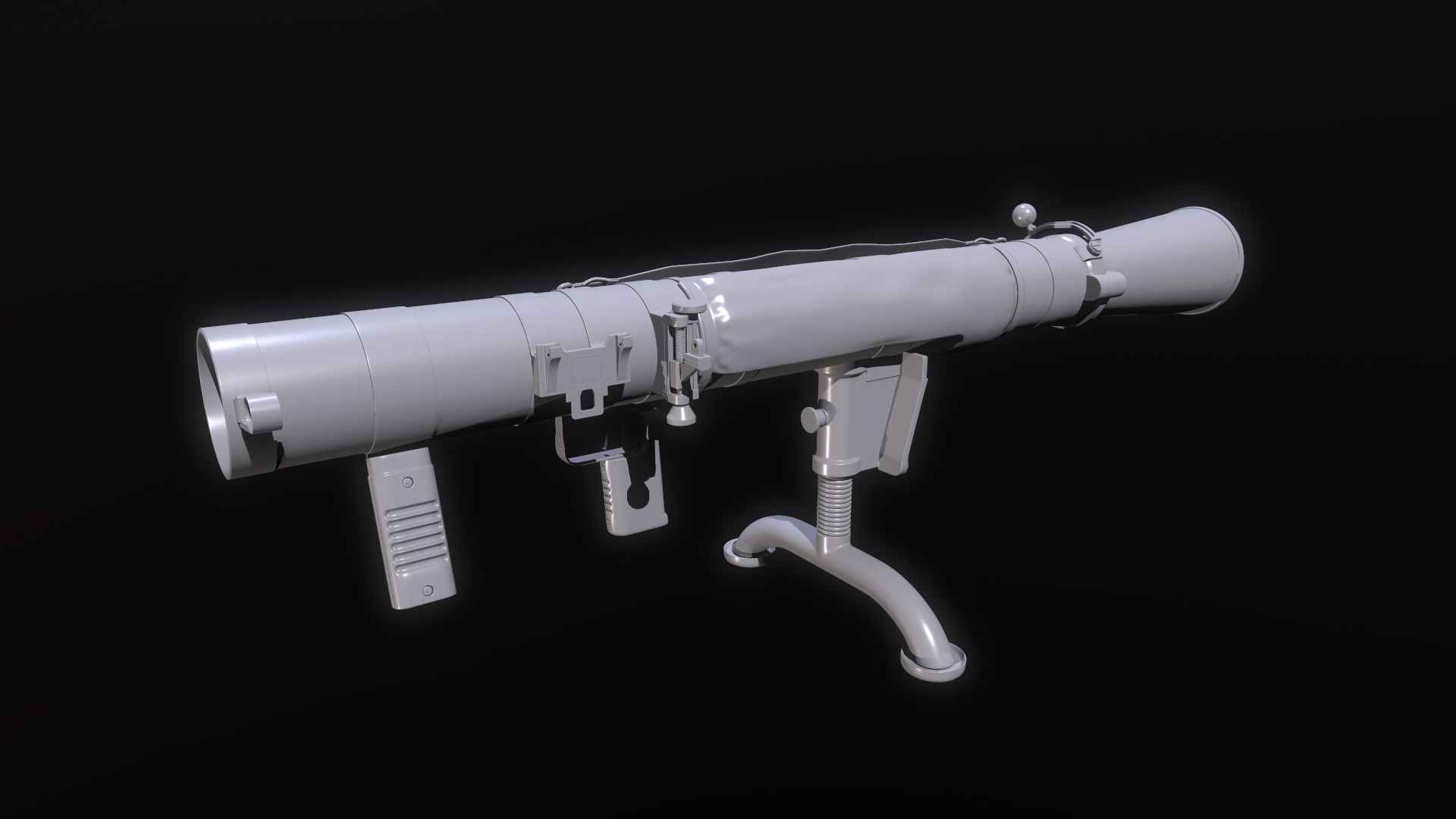
This is a quick and dirty render of the upcoming launchers that will be available in SFP. Grg18 and NLAW is high-poly models, the rest is textured low-poly.
 leaden leaf
dire estuary
This is a quick and dirty render of the upcoming launchers that will be availabl...
leaden leaf
dire estuary
This is a quick and dirty render of the upcoming launchers that will be availabl...
I can’t wait!! This look amazing
 patent flower
very nice
minor crystal
pretty
willow sage
Like!
 junior thorn
Looking great
shell hedge
by the time armored vehicles come out we'll have like 250 launchers ready to blow them up
tacit eagle
its the year of luncher
tacit eagle
Is bevel+weighted normals the proper way to go regarding tanks and so forth?
bigg and large objects
tacit eagle
I just do sub d 😦
sly bridge
tacit eagle
Is bevel+weighted normals the proper way to go regarding tanks and so forth?
there is no one tool that fits it all. i generally do a mix of subd, chamfers modifiers, zbrush decimations etc
dire estuary
My problem is that i cannot get a decent resolution so i was thinking about working with chamfers and skip most of the normal and go with tileable textures instead.
sly bridge
dire estuary
My problem is that i cannot get a decent resolution so i was thinking about work...
what is the thing you wanna achieve?
dire estuary
Texture my tank I’m working on. It’s just to many items to get some decent resolution on a regular hp/lp workflow
tacit eagle
what size are you working with?
I´ve tried 4096x4096 for the turret but its not sufficient
 icy flower
Can someone help me design a uniform mod for my milsim?
tacit eagle
 icy flower
We've got over 150 people and it would be great to have our own uniform with our unit patch and American flags on em
Looking for something similar to the 7th Ranger Battalion Uniform mod
tacit eagle
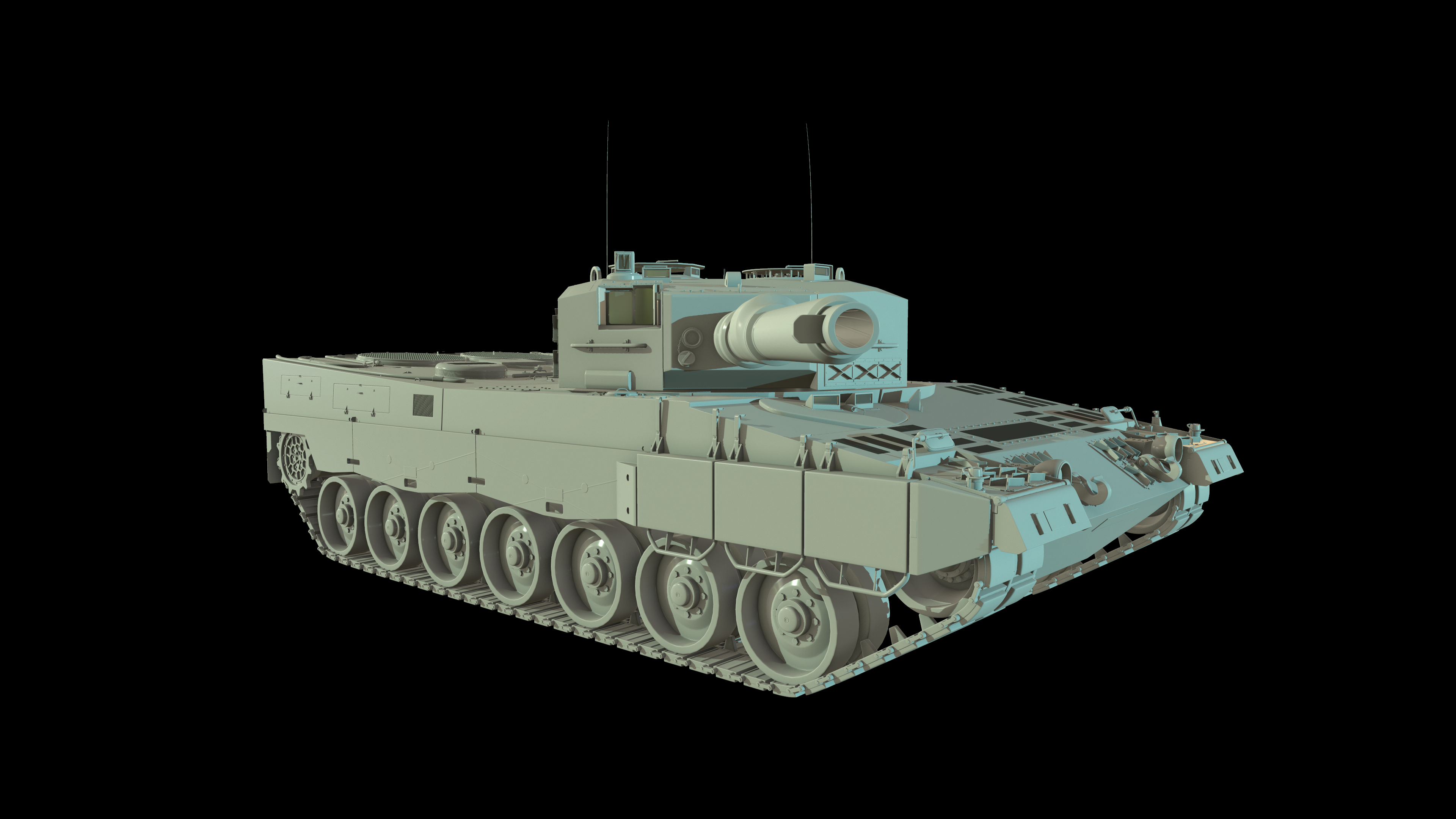
the basic texture pack for the leoptard 2 for the turret is 2048 x 1024 in warfunder
I think you are wrong, im pretty sure they are working with chamfers
and procedurals
here is the color map for the turret

and the normal map?
for the body its 2048

Are you sure its the entire model and not just selected parts?

thats a big list of materials, but then i guess they chopped it up in more materials then
yeah well you can see that they try to make modular stuff like the mg42 mount and gun so that they can reuse them on other vehicles
sly bridge
tacit eagle
I´ve tried 4096x4096 for the turret but its not sufficient
reforger also supports decals normals
have a looky over humvee / jeep
sly bridge
sly bridge
have a looky over humvee / jeep
check these, much easier than explaining
delicate condor
icy flower
Can someone help me design a uniform mod for my milsim?
#creators_recruiting is the channel for that.
tacit eagle
how do them normal decals work?
tacit eagle
Just as a regular normal map
except you change the shader to DecalPbr
where you can ignore to write albedo etc etc only render normals
patent flower
tacit eagle
https://i.imgur.com/p7QafKV.png
that is lovely! GJ


 sleek forum
Anyone has any idea how to make custom ladders? I made a model, but Im missing some pivot ids or something, can anyone explain this?
smoky fractal
agile crater
https://cdn.discordapp.com/attachments/507943761322442755/1039528469043888189/im...
that helmet kinda looks like this
 tacit eagle
no it looks more like this...

@sleek forum did you take a look at the ones all ready in game?
sleek forum
tacit eagle
no it looks more like this...
i figured out bone stuff, but it still wont work action and everything is there, but just cant start climbing

 crystal bridge
anyone knows how to maker the crosshair mod to work?
i keep getting error when i launch GM with that mod enable
agile crater
@smoky fractal do you know LISTENBOURG ?
tacit eagle
thats where lou is from
icy flower
This is what I have so far and it's my 2nd day on blender. I just wish I could get it to look pretty and I knew how to texture lol
 willow sage
icy flower
This is what I have so far and it's my 2nd day on blender. I just wish I could g...
willow sage
icy flower
This is what I have so far and it's my 2nd day on blender. I just wish I could g...
This is troll or i just don't get it somehow?
icy flower
What?
junior thorn
He’s not a troll. He’s trying to learn to use blender. He’s new. He also made a list over in #enfusion_texture
icy flower
No troll, just like 16 hours straight watching videos and playing around with stuff
icy flower
Before I fit it on the model
willow sage
Hmm, have some time
icy flower
I do! I own my own businesses so I have all the time in the world lol
willow sage
jump in!
 icy flower
Better fitting newer vest version lmfaooo
 smoky fractal
icy flower
Better fitting newer vest version lmfaooo
smoky fractal
icy flower
Better fitting newer vest version lmfaooo
i will be reviewing ur mod when it comes out
icy flower
Don't expect much, I can't make it like the 7RBN did theirs lmfao
I would kill to have one look as good as theirs
 regal isle
A noob question. Will i need a powerful pc to use the modding tools? My laptop can’t run the game since my video card is 2 gb. But could I possibly use the tools to create models?
tacit eagle
depends on what you want to make
enfusion runs like the game when you are previewing it.
regal isle
So there’s no point tryin?
tacit eagle
also most of work is gonna be done in separate programs like 3d modeling software blender, photo editor like gimp or paint.net, audacity for sound
regal isle
I was thinking of learning how to make custom vests and helmets
Even vehicle if possible
tacit eagle
do you have the game on pc? why dont you try, I dont know if the game works with older cards that are not DX 12 compatible.
and if you cant work with enfusion you could always team up with others and do the out of sdk work then
regal isle
tacit eagle
do you have the game on pc? why dont you try, I dont know if the game works with...
That’s the thing, i dont . I was planning on buying it for that purpose.
delicate condor
regal isle
That’s the thing, i dont . I was planning on buying it for that purpose.
You can try out if you can use modeling software like blender and if you even want to continue down on that path before committing to buying the game on pc.
Blender being free you can start the learning with no cost. Then once you know if you like 3d modeling you can consider again if you want to try out if the modding tools can run on your machine
regal isle
delicate condor
You can try out if you can use modeling software like blender and if you even wa...
Just asked Papa Javi about it and he told me that he could make it work on integrated graphics. It is slow when you launch the game but gets the work done. So me having a dedicated graphic card gives me hope
delicate condor
Still. Does not hurt to learn the part that is free first to see if you like doing it
regal isle
delicate condor
Still. Does not hurt to learn the part that is free first to see if you like doi...
Oh yeah. Gonna start working on blender rn
 eager hill
regal isle
Oh yeah. Gonna start working on blender rn
eager hill
regal isle
Oh yeah. Gonna start working on blender rn
And don't be disappointed when your first models don't look as good as some you could see above. 3d modelling is not easy and takes a lot of work, but if you keep practicing your work will improve.
I know some people who gave up on Blender because they were comparing their models to those created by people with years of experience
regal isle
eager hill
And don't be disappointed when your first models don't look as good as some you ...
Oh my first few ones are going to be dogshit
I hope my drawing skills dont transfer onto 3d modelling
eager hill
So start with some youtube tutorials and get comfortable with basics of the program. Then if you like it, you can invest in some courses - personally I recommend what Tim Bergholz creates, at least that's how I started making better models
eager hill
regal isle
I hope my drawing skills dont transfer onto 3d modelling
Drawing skills are not an issue. I can't even draw a straight line
regal isle
eager hill
Drawing skills are not an issue. I can't even draw a straight line
Haha cool
Thanks for the motivation dude
regal isle
eager hill
Drawing skills are not an issue. I can't even draw a straight line
Gonna try my hand at creating some plate carriers. Do you think that’s something to practice on as a beginner?
eager hill
Too advanced, start simple. Do what's in the tutorials first. And later when you want to create something on your own, try props. Barrels, crates, sandbags, hescos etc.
delicate condor
you can also pick some small part from a plate carrier and model that
like just a latch or piece of strap or something else small
for someone who wanted to make houses I could say model a doorknob
or the nails and screws
singlular small things that are easier to complete before moving on to more complex things made from many parts
icy flower
regal isle
Gonna try my hand at creating some plate carriers. Do you think that’s something...
Start small, work your way up. I had great help from Vergy and Punky when I got to the step of making it work on an in game character
autumn ledge
icy flower
Start small, work your way up. I had great help from Vergy and Punky when I got ...
Once i get a proper rig, i can't wait to learn from the greats
 wild solstice
Hey there, i have a question about lods. I already checked out the tutorial in the official wiki, but didnt found an answer. Is there a way to set the distance for specific LODs in blender or the enfusion engine. I only found the factor value which is not in meters.
shell hedge
do cylinder colliders need a minimum number of faces or something?
RESOURCES (W): Invalid collider 'UCL_casing'. Export skipped

no clue how did I mess up this one, typically they import fine
mesh name is "casing_LOD0"
 shell hedge
willow sage
Yeah, had the same problem,
Remove the middle edge and you should be fine.
shell hedge
willow sage
Yeah, had the same problem,
Remove the middle edge and you should be fine.
same thing with this one

 shell hedge
so no caps?
shell hedge
I have this collider in my stun grenade project and it works fine

I tried triangulating it before exporting too
willow sage
I had the same problem yesterday, i created a bucket shape cylinder to fit a helmet and then I need to tri mesh it because Enfusion wouldn't take it
 willow sage
Who wants it 😦
shell hedge
it works when my collider and mesh are bigger, I wonder if this is a problem because of floating point errors or something, with this tiny mesh (bullet casing)
capsule worked lol
cylinder didnt at this size
same thing with a cylinder out of blender
tacit eagle
outstanding work bacon :3
shell hedge
now I need to make one for a bullet, and capsule doesn't work now
tacit eagle
:C bullit? why does it need one
shell hedge
I guess so that it doesn't phase through everything when fired
tacit eagle
are they cones
shell hedge
vanilla used capsule for bullet
aight it worked now, had to make it 10% bigger than the bullet mesh
smoky fractal
we want know about the deagle
shell hedge
smoky fractal
we want know about the deagle
soon
tacit eagle

 vague sandal
Hey people, who knows what's going on here in this problem... the sever and the mod crash when I die with the weapons I'm making work, would anyone know what's going on, I think it could be something with the collider? Who knows what I can do to correct the error
shell hedge
vague sandal
Hey people, who knows what's going on here in this problem... the sever and the ...
look at the console.log file for possible reasons
willow sage
Redoing stuff from 7th Marines

 willow sage
I could but i already made them faaar more dark as they should be, i mean in game.
tacit eagle
Has anyone tried making Civi Vests? Press Vests, Red Cross, etc?
calm rune
willow sage
Redoing stuff from 7th Marines
For some texturing tips make sure you break up the pattern at the seams. Also make sure the rotation of the pattern is correct.
 willow sage
Thanks for the tip, this could be a coincidence this pattern is really repetitive
 tacit eagle
if one was to make a cardboard box with such camo do they also have to shift images for seams?
shell hedge
no but you have to do it on pipes
smoky fractal
calm rune
For some texturing tips make sure you break up the pattern at the seams. Also ma...
thats the wrong helmet
calm rune
smoky fractal
thats the wrong helmet
I know that. I was referring to seams 🤣
bright raft


 summer sierra
willow sage
Redoing stuff from 7th Marines
summer sierra
willow sage
Redoing stuff from 7th Marines
We’ve used your pack since community servers came out! Keep it up!
junior thorn
bright raft
The saint has risen
 smoky fractal
junior thorn
The saint has risen
smoky fractal
junior thorn
The saint has risen
i said that joke first
smoky fractal
bright raft
 dire estuary
bright raft
dire estuary
bright raft
Sweet!
tacit eagle

 zenith quartz
bright raft
zenith quartz
bright raft
The speed at which you crack out these extremely detailed models is insane!
smoky fractal
tacit eagle
is that the rocket launcher from halo
trim needle
Can anyone link to resources on the creation of buildings? I have tried to get as much info as possible on portals etc for windows but I have no idea how to make doors etc
 river ice
smoky fractal
is that the rocket launcher from halo
river ice
smoky fractal
is that the rocket launcher from halo
No, that is not
It’s some sort of Russian ATGM launcher
smoky fractal
river ice
No, that is not
im being sarcastic
tacit eagle
i think you mean acoustic

 neon night
agile crater
https://cdn.discordapp.com/attachments/507943761322442755/1039550724738134078/im...
neon night
agile crater
https://cdn.discordapp.com/attachments/507943761322442755/1039550724738134078/im...
I’m so hyped rn
lethal frigate
Have anyone tried making some megascan model for reforger?
calm rune


 timber fjord
agile crater
https://cdn.discordapp.com/attachments/873601234932756530/1041038398619660438/im...
timber fjord
agile crater
https://cdn.discordapp.com/attachments/873601234932756530/1041038398619660438/im...
This will be implemented on arma Reforger?
agile crater
hope in arma 4
 tight hollow
agile crater
https://cdn.discordapp.com/attachments/873601234932756530/1041038146663624714/im...
tight hollow
agile crater
https://cdn.discordapp.com/attachments/873601234932756530/1041038146663624714/im...
is that the eurofighter or rafale?
timber fjord
Seems like a rafale
calm rune
 smoky fractal
agile crater
https://cdn.discordapp.com/attachments/873601234932756530/1041038271892955186/im...
smoky fractal
agile crater
https://cdn.discordapp.com/attachments/873601234932756530/1041038271892955186/im...
can u go inverted?
willow sage
calm rune
C130 rolling on the strip,
C130 rolling on the strip,
Airborne Ranger gonna take a trip,
Airborne Ranger gonna take a trip,
We gonna stand up, hook up, shuffle to the door,
We gonna stand up, hook up, shuffle to the door,
We gonna jump right out, and then count to four,
We gonna jump right out, and then count to four!
agile crater
@timber fjord yes its Rafale, @smoky fractal i dont understand
smoky fractal
agile crater
<@504685405162176524> yes its Rafale, <@450842577634066435> i dont understand
its a top gun reference
trim needle
Hi all working on a custom house to test making buildings and getting this warning. I've checked the portal PRT panes in blender and they look fine. Am I missing something simple here?
 woven swallow
WIP: My version of Mjölnir, just trying some stencils.
 neon night
agile crater
https://cdn.discordapp.com/attachments/873601234932756530/1041038398619660438/im...
neon night
agile crater
https://cdn.discordapp.com/attachments/873601234932756530/1041038398619660438/im...
Is this a mod????
 finite quartz
Did someone know how to add a Colider to a Bone so that the colider moves with the object in reforger?
 midnight path
im willing to pay someone to show me how to make a car mod
 reef sun
midnight path
reef sun
midnight path
moreso to show me a good workflow, i also just kinda need someone to run quick questions by on occasion
delicate condor
first learn modeling, then worry about how to put that into game
midnight path
delicate condor
first learn modeling, then worry about how to put that into game
im familiar with modeling since i 3d print stuff, but its a steep learning curve to actually make models that do things
tacit eagle
depends if you come from a cad background working with mesh modeling is different than what you know.
working on game models where you create HI and low poly meshes, UV unwrap, texturing, animating
midnight path
tacit eagle
depends if you come from a cad background working with mesh modeling is differen...
yeah i dont know any of that
it makes cad seem easy
i understand what LOD is and stuff so i know to incorporate that in the future
but uv unwrap, animations. never done any of that
tacit eagle
first learn how to do sub d modeling
shell hedge
yeah you should listen to super mario here
 deft owl
Hope Arma 4 will have planes
delicate condor
@deft owl this thread doesnt really have anything to do with the topic of the channel
please keep them on topic
river ice
timber fjord
This will be implemented on arma Reforger?
Reforger doesnt support fixed wing right now
shell hedge
yes but actually no
tacit eagle
@shell hedge "yeah you should listen to super mario here" who is super and who is mario?
light eagle
Reforger doesn't support fixed wing like it doesn't support rotary wing aircraft....
reef sun
Why does my bone not move the collider attached to it? (It is part of the armature and has the right vertex group) It only works with the v_root. In the .txo it says it is parented to the v_root. How do I change that in blender?
reef sun
reef sun
Why does my bone not move the collider attached to it? (It is part of the armatu...
Turns out the normal vertex groups with bone deform does not work. You need to parent the collider to the bone directly
 hazy crane
Hi, there is some information about the maximum polygons count in a model? (airplane, vehicles, weapons, equipment, etc). We might be modelling a new aircraft and would be nice to know.
shell hedge
I don't know about a maximum but I accidentally imported a mesh with 300k once and it was fine
probably use less though ok?
shell hedge
is there anyone here that knows how to bevel a couple edges retaining the UV?
tacit eagle
I dont think its possible without destroying the uv... maybe if you do it manually and slide edges close the to edge and manually create a bevel
 shell hedge
tacit eagle
I dont think its possible without destroying the uv... maybe if you do it manual...
shell hedge
tacit eagle
I dont think its possible without destroying the uv... maybe if you do it manual...
roger, seems like it's better use of time to redo the texture then
tacit eagle
well bacon if the mesh is easy you might be able to save it
duplicate the mesh, bevel one mesh and overlay both together in the UV editor and adjust the beveled one to fit inside the original you might have to Unwrap the beveled one / reseam it
 tacit eagle
I would have to weld the displaced vertices together
shell hedge
but maybe breaking edges manually is better than redoing texture
 neon night
Do you guys know how to make a 6B3 vest or any ideas to help with it?
covert dune
That's coming in the 2nd milestone update along with the 6B2, so I wouldn't bother
neon night
covert dune
That's coming in the 2nd milestone update along with the 6B2, so I wouldn't both...
Just wait till it comes
sly bridge
@fluid fern don’t
lethal frigate
how do you compile couple objects to make a prefarb?
 hazy crane
lethal frigate
how do you compile couple objects to make a prefarb?
hazy crane
lethal frigate
how do you compile couple objects to make a prefarb?
There is a wiky entry about it. Im not at pc to give you the link.
If it is a prop search for Assets/prop creation in the wiky
tacit eagle
new toob 🙂
covert dune
Another day another toob

 minor crystal
are you going to texture all your toobs and turn them into a mod? or do you just enjoy modeling toobs
shell hedge
i dont like texturing cylindrical stuff 
 sick plume
Okay, I somehow ended up with 90 more bones than I am supposed to have - whack
sick plume

 tidal latch
Can you post pic from Workbench?
https://community.bistudio.com/wiki/Arma_Reforger:Weapon_Creation#FBX_export_settings I have suspicion it could be thing described over here - leaf bones
sick plume
 tidal latch
indeed, read the wiki page then
tidal latch
something is also skinned to Armature bone which is not correct
 shell hedge
i mean the leaf bones thing is a checkbox so that should be easy to test
sick plume
I will check the sample bones and get a fresh start on trying to merge the boonie to the bones.
I had to have goofed somewhere since this is the only hiccup
shell hedge
hats more complicated than aircraft carriers
o wait is this the same strider even, dang not the same guy, would'be been a good joke if it was
sick plume
Wait what, there can only be one
But fr, I am struggling
I have been starring at this screen for eight hours now and nothing works
tidal latch
have you tried to unchecking leaf bones? Collision_end is clear indication that those were enabled
sick plume
I will make that attempt and try again after I sleep. work in an hour lol
Thanks for the help, I will reach out good or bad when I try that
tacit eagle
 willow sage
 smoky fractal
willow sage
smoky fractal
willow sage
m16a4?
willow sage
smoky fractal
m16a4?
Slowly taking it's shape
calm rune
sick plume
I will check the sample bones and get a fresh start on trying to merge the booni...
click on model then shift click on bones. With both selected press CTRL + P then press with empty groups. Done. That is how you rig your model to the skeleton. Literally that simple.
calm rune
No make sure you have it weighted first
sick plume
I am going to have to review weighting because I am messing something up. Ill double tap it soon
tacit eagle
i like punkys m16
calm rune
sick plume
I am going to have to review weighting because I am messing something up. Ill do...

Weight transfer from body to cloth a short and quick tutorial
Discord :- https://discord.gg/g8kMPmh
Instagram :- https://www.instagram.com/techlyfzone/
Telegram :- https://t.me/Techlyf
FPAGE :- https://www.facebook.com/tech2lyf/
trim needle
Anyone ideas on why the material on the walls of my custom building is flashing? I'm also noticing light bleed though the walls.

Also noticing the same in a different room of my building. Could this be that I have too many light sources or is it a config/model issue?
 tacit eagle
maybe z height fighting with mesh or materials
trim needle
Can you explain what that means if you don't mind. Is it that the building it too tall along the Z axis?
tacit eagle
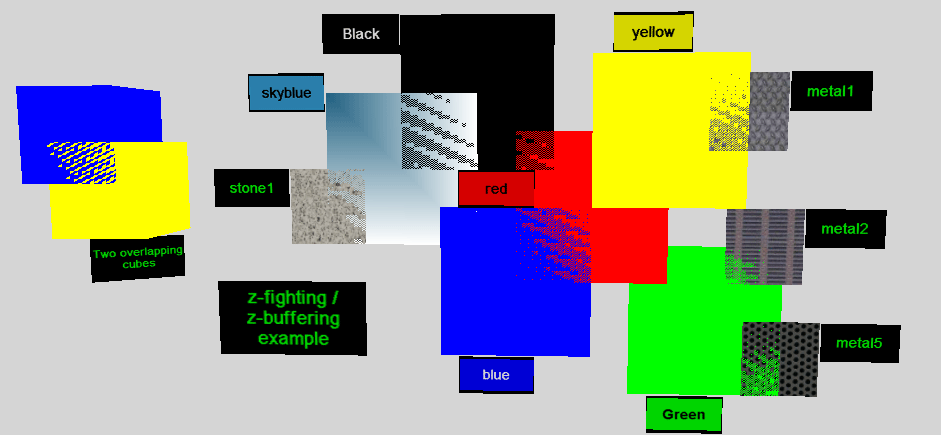
Z-fighting, also called stitching, or planefighting, is a phenomenon in 3D rendering that occurs when two or more primitives have very similar distances to the camera. This would cause them to have near-similar or identical values in the z-buffer, which keeps track of depth. This then means that when a specific pixel is being rendered, it is amb...
can also happen with materials too but I don't remember how its called
it could also be something else, maybe with how the lighting portals are done, I dont know
trim needle
Cool ok I'll give that a look over. Never heard of this before so really interesting that this could be my issue.
Thanks for the help 🙂
tacit eagle
try disabling the lights first and use a flash light to see if the problem is with the lighting itself
trim needle
Hmm good idea
Flashing of textures still occur without the big room lights so I'l have to try something else
tacit eagle
im pretty sure its with your materials. maybe someone else knows more
trim needle
Good to know thanks very much for the info you have given me already 🙂
shell hedge
any chance you ended up with multiple materials using the same polygons?
or overlapping polygons?
 uneven vessel
Silly starting point but just making sure you haven’t accidentally duplicated some polygons/object and left them in place is worth checking
bright raft
willow sage
Looks very good man
 low leaf
Looking for some guidance on how to block light. The problem I'm having is it's too bright inside my tanks, and increase the AO causes an unsightly contrast on the character model.
shell hedge
how does the btr do it? unless it doesnt
willow sage
70%

 open sage
willow sage
70%
open sage
willow sage
70%
Chocolate gun
tacit eagle
 uneven vessel
felt inspired by the PRC152 to get in on the radio game
 smoky fractal
willow sage
70%
smoky fractal
willow sage
70%
@willow sage is it going have attachment compatibility?
trim needle
shell hedge
or overlapping polygons?
Don't think I have any overlapping verts in the mesh. Same for the materials
low leaf
shell hedge
how does the btr do it? unless it doesnt
It doesn't look like it does
glossy lynx
By no means a functional vessel, getting the model into the game has not been too awful

 sick plume
Okay so I figured out LOD and colliders. Now I am just trying to weigh the rig for export... I think? And I believe the automatic weighing failed. I don't know what I am suppose to do. Do you have to manually weigh paint at this point or is there a work around? (I am using Blender, still working on a boonie. Vertex added for Head, Neck3, Facial Jaw. Parented to Head for all LOD and UTM)
willow sage
You need to transfer weights from vergy's weight transfer model. Or since it is only boonie you can just simply parent it to the skeleton with empty weights, and then on your boonie model find a vertex group called head and paint it whole red in vertex paint mode.
willow sage
uneven vessel
felt inspired by the PRC152 to get in on the radio game
Looking good!
patent flower
uneven vessel
felt inspired by the PRC152 to get in on the radio game
Totally did the same and started work on a new Bowman PRR haha
willow sage
Marconi Prr was originally on our list guys.
autumn ledge
glossy lynx
By no means a functional vessel, getting the model into the game has not been to...
Please keep us in da loop! Super excited to see naval assets
patent flower
willow sage
Marconi Prr was originally on our list guys.
GJ on the radio stuff looks epic
willow sage
Thanks, honestly we are really close to release it.
Odkupiciel is struggling with sync Rplload & Rplsave, it's pretty much pain in the ass to get things work here.
calm rune
sick plume
Okay so I figured out LOD and colliders. Now I am just trying to weigh the rig f...
I tagged you in a weight transfer tutorial vid in this channel.
sick plume
Thank you
smoky fractal
@willow sage whats the next weapon u planning to do?
willow sage
M203 but need to hold my horses and finish what i have started. Done NV set, recent USMC remake, radios and now M16A4.
Need to finish one of those first.

 autumn ledge
willow sage
M203 but need to hold my horses and finish what i have started. Done NV set, rec...
autumn ledge
willow sage
M203 but need to hold my horses and finish what i have started. Done NV set, rec...
Night vision 🙏🏾
Puhleaaassse
tacit eagle
 smoky fractal
agile crater
https://cdn.discordapp.com/attachments/507943761322442755/1043253258539520090/HK...
smoky fractal
agile crater
https://cdn.discordapp.com/attachments/507943761322442755/1043253258539520090/HK...
no famas?
sick plume
Does Vergy's Weight Reference need to be parented to the Armature or can I transfer to my LOD and Object without it being parented?
@calm rune
willow sage
I don't know how you re making lods but maybe for workflow practice purposes you should first parent your mesh to skeleton and then when it's following skeleton in pose mode you should create any amount of lods by duplicate and using decimate on duplicated objects.
sick plume
Good to go, thank you
Any ideas how to resolve this? It periodically slides off of the head and rest as if it was never weighed
 willow sage
Find a bone named head or neck I don't remember which one actually was responsible for whole head movement. And on mesh you want to bring in game in vertex group tab pick that bone and select whole mesh by pressing crtl +a and on vertex group tab press assign button. After that you will be sure what whole mesh is following that bone.
sick plume
Issue did not resolve but it is more stable\
The model looks stable when idle but as soon as I move it looks like an LOD1-2 and off center/floating from the head
Reforger is saying it is missing Geometry... any tips for a hat?
willow sage
Can you show me a your lod1 and 2 modificators in blender ?
sick plume
How do you want me to go about that? Like screen share?
willow sage
Um, just ussual screenshot pasted here.
sick plume
Whats a modifiactor?
@willow sage nvm I figured it out because of you ya beautiful bastard!
Thank you so much!!
 agile crater
@smoky fractal the famas is in.
calm rune
sick plume
Does Vergy's Weight Reference need to be parented to the Armature or can I trans...
Not really in the mood to explain how to make LODs at 5:30am BUT your original model should be LOD0 so just copy and paste the original and name it LOD1 then reduce the tri/poly count and the weights will already be there for you Bcz it was a copy of the original. The proceed to then copy and paste LOD1 and call it LOD2 then reduce once and again then repeat all steps for LOD3 & LOD4.
 pure kayak
Originally made for A3, the CAGE Armour Chassis

 patent flower
Trying to export a model with weighting out of blender for the first time, I put into enfusion but it seems the weighting hasnt transferred.
anyone got any suggestions
shell hedge
patent flower
Trying to export a model with weighting out of blender for the first time, I put...
"export skinning" enabled in import window?


 slate salmon
calm rune
little WIP for my first attempt at a gas mask
slate salmon
calm rune
little WIP for my first attempt at a gas mask
Presumably this will be headgear?
calm rune
slate salmon
Presumably this will be headgear?
of course
slate salmon
Any plans to have variants? E.g. a helmet and mask
calm rune
slate salmon
Any plans to have variants? E.g. a helmet and mask
Oh yes.
 tacit eagle
 willow sage
patent flower
willow sage
patent flower
Where is tea?
zenith quartz
patent flower
He looks like he's about to cry.
shell hedge
zenith quartz
He looks like he's about to cry.
well they did strap a gopro to his hat
maybe he's shy
 patent flower
willow sage
Where is tea?
patent flower
willow sage
Where is tea?
il get the kettle on
covert dune
patent flower
https://media.discordapp.net/attachments/365625330611912705/702300487218757662/U...
Helicopter Battery ?
patent flower
This a piece of equimpent more important than a heli battery lol
open sage
It’s clearly meant for storing snacks
uneven vessel
Assam/Ceylon Forcefield Generator, it's the secret behind Chobham Armour
 crisp moat
Wat
tacit eagle
 willow sage
Need to fix textures because this FN M5 rail does not look like it should. Originally they were violet, the barrel oxide is too bright, too many scratches, etc.
Should appear on the workshop at end of the week perhaps.
 pure kayak
Hey guys, got a quick question
im trying to get attachment points for a vest working, has anyone actually managed that yet?
calm rune
Clothes and more clothes!
 tacit eagle
I like the non screen pads
calm rune
tacit eagle
I like the non screen pads
I had one like 2 years ago but I could never get use to it after a month of trying so I just threw it in the closet lol
agile crater
@calm rune this guy is talented
minor crystal
willow sage
Need to fix textures because this FN M5 rail does not look like it should. Origi...
adding a slight amount of metalicness to the gun paint will make it pop a bit like real ones too
i mean like a small amount tho
iirc some of the paints used for guns have some metallic properties irl too
woven swallow
willow sage
Need to fix textures because this FN M5 rail does not look like it should. Origi...
You using Substance painter ?
agile crater
@willow sage i can help you for texturing if you need
neon night
patent flower
What is this and will it replace the reg npcs
 turbid halo
Can somebody make a AV-8B harrier and add it to arma reforger already 💀😭
tacit eagle
no only gr3 and only gr3
turbid halo
tacit eagle
no only gr3 and only gr3
GR3 is British Biast
Arma has to be American Biast
shell hedge
metallic? metallness? metallicness? I never remember
tacit eagle
shine texture
agile crater
albedo , ambiente occlusion , normal map , roughtness and metallic
take template unreal engine in substance
 shell hedge
OP, the overpowered map


 pure kayak
so i asked before about attachment points but now im unsure if thats a thing i need to add, but i assume its something model related still. how can i get pouches to "snap" to my vest model?
lethal frigate
how many polygons in a building reforger can handle?
delicate condor
Likely works but sounds like a lot
lethal frigate
im gonna cut it into pieces
tacit eagle
well the roof has tiles so a good amount
midnight path
@gilded lake
minor crystal
shell hedge
metallic? metallness? metallicness? I never remember
metalness / metallic
i was just extremely sleepy excuse my dumb wording lmao
minor crystal
tacit eagle
well the roof has tiles so a good amount
use a normal map and split it up into like 2x2 or 4x4m grids that are instanced, should keep it relatively lightweigjt
or be even more extra and use a mostly flat plane with a heightmap lmao
shell hedge
metallicness
minor crystal
me
uneven vessel
I forget - can objects terrain cut? Can I make a trench object that I can just place somewhere on the ground and have it be 2m deep?
shell hedge
uneven vessel
I forget - can objects terrain cut? Can I make a trench object that I can just p...
no
uneven vessel
ta
patent flower
any idea why my ui icons generated from the model for my helmet are facing 180 degrees the wrong way
shell hedge
patent flower
any idea why my ui icons generated from the model for my helmet are facing 180 d...
I noticed helmets are facing 180 degrees so maybe you need to adjust camera in the preview render attributes to match (copy settings from existing helmet?)
patent flower
not spotted that, thanks il try that
shell hedge
patent flower
not spotted that, thanks il try that
do note though that each time you make a change to the preview render attributes, you may need to restart workbench to apply them since they are cached
patent flower
cheers!
lethal frigate
is it possible to use materials.emat from base game for our models?
shell hedge
sure... but you cant extract the textures
you can assign them in workbench but I imagine UV stuff will be not fun
lethal frigate
ik i just need like base material
no im not thinking about extracting them
but using them for model
lethal frigate
do i just apply them or how do i use them
delicate condor
youll likely need to setup a multimaterial setup and create a mask to project different surface materials on your model
 ancient walrus
do the characters walk on the geometry in AR or is there a roadway lod for bridges et al ? anybody know ? cheers in Advance
tacit eagle
they can navigate around objects, climb them move inside buildings
I believe that roadway lod is no longer a thing
ancient walrus
well i was really looking for more specific to Geometry and roadway and the surface influence on vehicles and AI /character
ancient walrus
well yeah but what they walk over in the model Geo or Fire geo or such do we know ?
shell hedge
I think colliders impact the navmesh
if it collides with the character it will count as a surface
ancient walrus
ooft thats very different then
do we know if geometry animates after init or is it static after that ?
shell hedge
don't know about that
ancient walrus
ok ill have a delve and find out thanks for input
incase ya was wondering why i asks , i wanna continue some ideas https://www.youtube.com/watch?v=ISgEBIFfxGg
 tidal latch
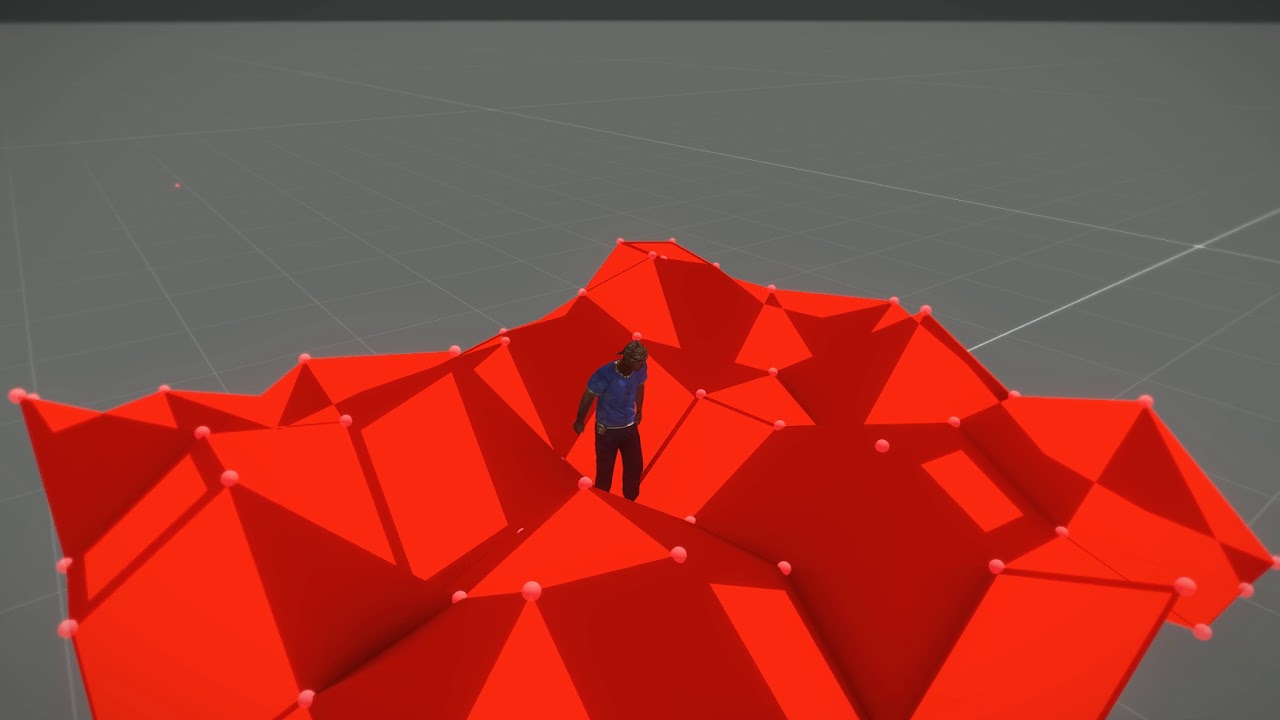
AI navigate through navmesh and collides with geometry which has proper layer preset ( https://community.bistudio.com/wiki/Arma_Reforger:Collision_Layer ). Geometries can be animated and there is also possibility to regenerate navmesh (see compositions for instance)
ancient walrus
cheers i will read up on that link , i think maybe navmesh isnt on the fly but ill still see what the outcome is now iwht new info cheers
tidal latch
navmesh can be regenerated for selected area via scripts
woven swallow
Not finished yet. I get bored and jump to other models..

 nocturne sparrow
woven swallow
Not finished yet. I get bored and jump to other models..
nocturne sparrow
woven swallow
Not finished yet. I get bored and jump to other models..
something about great minds
 woven swallow
nocturne sparrow
something about great minds
woven swallow
nocturne sparrow
something about great minds
Love it! i got plans of adding some decals too.
smoky fractal
woven swallow
Not finished yet. I get bored and jump to other models..
I have to resort to the cannon mounted at the top of the stairs loaded with grape shot, "Tally ho lads" the grape shot shreds two men in the blast, the sound and extra shrapnel set off car alarms.
calm rune
https://cdn.discordapp.com/attachments/847516074715250769/1045173998943748186/image.png
https://cdn.discordapp.com/attachments/847516074715250769/1045174151398293504/image.png
https://cdn.discordapp.com/attachments/847516074715250769/1045174465165807647/image.png
https://cdn.discordapp.com/attachments/847516074715250769/1045174587664650261/image.png


 calm rune
High poly is done. Now on to the part I hate most, retopo 😩
 smoky fractal
@calm rune what camo is this going be in?
woven swallow

 shell hedge
dope
I wonder if you could use it as a turret while having a standing animation so you can move it left and right
with the stick
tacit eagle
wrong question bacon you should ask how fast can it go down the mountain
autumn ledge
tacit eagle
wrong question bacon you should ask how fast can it go down the mountain
Attach a cart to it with an auto cannon feature lol
woven swallow
lol let's see when it finished
woven swallow
What do you guys think of that rope? lol

 shut bloom
Does anyone have a clue how to do Interior Probes correctly?
I cant seem to understand how the ones in Reforger get the Red Mesh as the Boundary.
 agile crater
no AO in enfusion ?
 hot pumice
I think the NMO has occlusion


 zenith quartz
Damn that's a good looking vehicle!
 halcyon blaze
Very exciting
tacit eagle
when the AO goes up to 11 :3
autumn ledge
agile crater
https://cdn.discordapp.com/attachments/643382252318752769/1045467212292567101/im...
I can't wait to see the interior and experience it's handling
shut bloom
shell hedge
um try do it like the vanilla houses
well all the Buildings do it like this tho.
shut bloom
I would really love to understand how I can achive this result I have no clue where this Mesh of the Shed is. its not in the Geo its not in the Occluders its not in any Component. how can I achive the same with my Building?

 burnt thunder
agile crater
https://cdn.discordapp.com/attachments/643382252318752769/1045467012870180934/im...
burnt thunder
agile crater
https://cdn.discordapp.com/attachments/643382252318752769/1045467012870180934/im...
Very nice, out of curiosity, what is that based on? Seems vaguely familiar but also not
 hidden yarrow
burnt thunder
Very nice, out of curiosity, what is that based on? Seems vaguely familiar but a...
hidden yarrow
burnt thunder
Very nice, out of curiosity, what is that based on? Seems vaguely familiar but a...

The Véhicule Blindé Multi-Rôle Griffon (English: Multirole Armoured Vehicle Griffon) or VBMR Griffon is a French multi-purpose armoured personnel carrier developed and manufactured by Nexter in cooperation with Arquus and Thales. Entering service in 2018, it will, alongside the VBMR-L Serval, succeed the Véhicule de l'Avant Blindé (VAB).
To be more specific its the VBMR serval(its on the same wiki page thats why i posted griffon)
shut bloom
So I Figured Out how to make those Box Volumes for the Interior Probes
What you have to do is Make Boxes to where you want to have the Volumes. Then name these BOXVOL_01 and the following _02 etc. for some reason it does not seem to start with 00. These Boxes are in LOD 0 then Import your model as normal and just apply The dummyVolume.EMAT to those boxes and done. now you can Put your Interior Probe inside your Prefab and have fun :)
 atomic vale
Okay so, I haven't purchased Reforger yet, but before I do, does anyone know the process for porting Reforger models into blender so I can work on them?
I worked on Arma 3 models if that helps
shut bloom
atomic vale
Okay so, I haven't purchased Reforger yet, but before I do, does anyone know the...
you cant. there is no way of exporting or Editing the Base Models that exist in Arma Reforger.
atomic vale
Sad!
shut bloom
well you werent able to do that in Arma 3 too. only through some Cheeky not so legal ways.
shut bloom
well what you would be doing is either Ripping them straight out of the game which is not ok. or breaking open the Model Files. which is also not OK.
atomic vale
Duly noted
shut bloom
well you are not really able to do any of that with Reforger.
but there are other nice stuff you can do In the workbench to see how their stuff is setup so its allot more open than A3
atomic vale
Right
tacit eagle
its like the m79 osa but worse in every way :3
 covert dune
At some point you should put all your toobs in a row and measure just how many kilometers of toob you've created
Just for the heck of it
calm rune
Then simulate some water running through them all 🤣
All jokes aside that is gonna be one beefy launcher pack If you are making a mod out of them.
tacit eagle
I will I want to make a large community mod project so everything is standardized and we are not making the same things
its around .065km of tube
pure kayak
Blender render with enfusion lighting. ZSH-1-2M helmet
 autumn ledge
tacit eagle
I will I want to make a large community mod project so everything is standardize...
autumn ledge
tacit eagle
I will I want to make a large community mod project so everything is standardize...
Would be awesome if it were a mod folder kcomprised of different modders) where you can pick and choose from the mods within
All can be worked on via code or password
tacit eagle
no its work like any other mod. just with more sharing of content.
pure kayak
Just gonna ask again, has anyone worked out slots? for character gear, i want to add a visor to my helmet above but i want to do it via slots
shell hedge
pure kayak
Just gonna ask again, has anyone worked out slots? for character gear, i want to...
have a look at the alice pack maybe? the pasgt helmet has some slots in loadout cloth component too
pure kayak
hmm i'll try, i checked the alice webbing and couldn't work out how to do it
agile crater
@burnt thunder french army dont use famas right now . and we are not doing 1990 army
willow sage
agile crater
https://cdn.discordapp.com/attachments/643382252318752769/1045467099977494609/im...
AO is kinda superior here on Griffon
shell hedge
honestly seems kinda like a bug since other vehicles have much more pronounced AO it seems
hmm nevermind they dont haha

the truck does
agile crater
they are not lot of influence of ao for the vehicule's exteriors
shell hedge
I apologize for not using #creators_recruiting but I was wondering if anyone here has made a 3d model of a tangent or quadrant sight for a grenade launcher?
agile crater
do you have exemple pls ?
shell hedge
 willow sage
I will be making one for carryhandle USMC mod

 shell hedge
yeah I need a side sight, can't use a top one for this
agile crater
m203
shell hedge
oh yea I see it, sorry
willow sage
Awesome man, but i changed my mind and will release whole package with correct UV's as you have said.
That will take some time i guess
agile crater
you can use same materials
slate salmon
willow sage
I will be making one for carryhandle USMC mod
Will you be making one that can take optics like an ACOG?
shell hedge
seems like acog could go on the top rail
willow sage
slate salmon
Will you be making one that can take optics like an ACOG?
Maybe once the mod will be release i will try to reconsider what else is needed.
pure kayak
trying to find a way to do the visor screws cause current ones lookw eird


 tacit eagle
whats wrong with them
pure kayak
it was modelled for A3 the helmet, so teh screws were baked onto the glass as i could use CA textures
so when i did the reforger version i had to add 3d ones, but they aren't connect so instead of 4 screws theres "8"
covert dune
Just connect them and have them clip through the glass. That's what I'd do
burnt thunder
agile crater
<@536404664069914635> french army dont use famas right now . and we are not doin...
Oh yeah forgot the French adopted a new rifle
Didn't they adopt the 416?
willow sage
Current prefabs of m16 with m203 cannot be separated, AFAIK that was possible when reforger was released.
For now I'm planning to add carryhandle as a default "scope" something what riverx does on his m4a1 and mk18. So yes you will be able to replace it also with any compatible optics.
And Beacon will prepare for you another present
shell hedge
you can remove the 203 but its glued to the front part of the rifle so all you have left is a barrel
willow sage
But lest shhhh about it
tacit eagle
i think they forget to add in the standard handguard when you remove the m203. or atleast that what should happen like with arma 3 how on certain weapons if you remove a scope you get the default sights
midnight path
anyone working on a container ship?
tacit eagle
why are trying to make the first mission from cod 4 😮 ???
tacit eagle
 midnight path
tacit eagle
why are trying to make the first mission from cod 4 😮 ???
midnight path
tacit eagle
why are trying to make the first mission from cod 4 😮 ???
i just want to make a realistic port
tacit eagle
no I dont think anyone is working on any civilian ships
you could use the ships from TOH
leaden trench
midnight path
i just want to make a realistic port
I made one patrol-ship type vessel with a flat deck big enough to take eight 40' containers. I didn't release it yet because I plan first to make the cranes in the port functional to give it some game-play purpose like transporting vehicles/supplies/containers that are unloaded by crane.
midnight path
leaden trench
I made one patrol-ship type vessel with a flat deck big enough to take eight 40'...
wow thats cool
covert dune
Damn good luck, that sounds awesome
 urban helm
 agile crater
@urban helm good
summer sierra
Nice!
urban helm
🤌
urban helm
My first time bringing a weapon in, letting the headaches begin
last parcel
it's alot easier then it was in arma 3
icy flower
@calm rune You available for a sec?
icy flower
calm rune
https://www.youtube.com/watch?v=yEAvSDrS_n0&ab_channel=CGIZONE
Nvm lmfao found it
icy flower
Someone needs to make a complete tutorial on how to make mods for Arma Reforger specific, starting from blender and then transferring everything to enfusion and getting everything to work in between. As a newbie this is so complex and complicated without a step by step guide of exactly what to do 😂
leaden trench
icy flower
Someone needs to make a complete tutorial on how to make mods for Arma Reforger ...
Have you checked the tutorials on the wiki? They are quite extensive, very good info. https://community.bistudio.com/wiki/Category:Arma_Reforger/Modding/Tutorials/Assets
icy flower
I've read them. It doesn't give me everything I need tbh and im a visual learner lmfao
So for example I can create the 3d model but then I need to learn how to weight it to the arma reforger character and all the steps with that to get it to work in game properly. Basics like that where there is no info out there. It's very intimidating for the new people coming in wanting to mod, with how complicated the system is and the steps it pushes out a lot of new players wanting to get into modding very quickly
If someone took the time and made a tutorial for Arma reforger specific from blender to getting it into game I think that would help out so many people coming into this
I will literally pay someone to take these already built models and get them to look good and get them to work in game at this point cause my head is gonna explode lmfao
leaden trench
icy flower
So for example I can create the 3d model but then I need to learn how to weight ...
Weighting to a rig is not Reforger specific. You can find many existing Blender tutorials for that.
shell hedge
You're just impatient. You may find someone to help you with this in #creators_recruiting though
delicate condor
It can't really be made less intimating because it is a lot to learn, starting from non Arma specific modeling, texturing and animating which share same principles but tools vary between different programs. After the generic basic stuff tackling the Arma specifics becomes easier.
But it's not really realistic that all the possible things get covered by specific tutorial. At least not without years of time.
 smoky fractal
@urban helm it will grow into u
pure kayak
ZSH-1-2M cover


 smoky fractal
pure kayak
ZSH-1-2M cover
smoky fractal
pure kayak
ZSH-1-2M cover
will this helmet do its intended purpose as not stopping rounds
smoky fractal
Not properly because its just plastic no kelvar
smoky fractal
smoky fractal
Not properly because its just plastic no kelvar
this post was made by the ach helmet gang
urban helm
tacit eagle
bryce are you gonna work on the texture more?
Not for the time being, trying to teach my self how to make this a working weapon lol
Not very good at all this since it's my first time bringing something into any game haha
tacit eagle
 urban helm
If anyone has some time, would you have some time to hop on a call and kinda show me what to do to get weapons in the game?
Trying to follow the wiki but I just dont understand some things lol
neon night
agile crater
https://cdn.discordapp.com/attachments/643382252318752769/1045467212292567101/im...
When is this mod coming out?
neon night
pure kayak
ZSH-1-2M cover
Can and will this come with an Npc
Cause it’s really annoying when I have to go to an arsenal box for everything
pure kayak
probably will when its done, but my mod will likely be very slow progress on reforgers side
neon night
Thank you man because I lose it when i find a badass gear mod and then it’s only in the arsenal box