
#enfusion_gui
1 messages · Page 6 of 1
 devout cedar
You need to relaunch your Workbench


 frozen lynx
code seems to be great
 devout cedar
I right click on the original config and i press "override"
frozen lynx
just right click and "override"
 devout cedar
Maybe just create an other config file
Don't duplicate
Or override
in Config/System
 gleaming notch
We keep trying, thanks for the help guys!
devout cedar
On my side the override work, my menu has been register
frozen lynx
devout cedar
On my side the override work, my menu has been register
Yes, me too with the modded enum
frozen lynx
 jaunty sage
that's a mistake right here
frozen lynx
you should have this :
modded enum ChimeraMenuPreset : ScriptMenuPresetEnum {
    VehicleSpawnerMenu
}
expect from the comma

 gleaming notch
I mean yes you can do it but its not needed
At least that's how it worked in DayZ but who knows..Everything is different.
We got it!
jaunty sage
yeah override config was issue
you dont need to inherit on modded classes
ty dolores!
 gleaming notch
❤️
 median sigil
thanks you all my menu is open !!! goood ❤️
 wicked wagon
Hi all, does anyone have a barebone example of creating a custom menu/UI? Not finding much docs and no samples either.
 faint anvil

 vagrant pier
So from my understanding to make a simple menu
You use the layoutTool, To make your .layout #enfusion_gui message
Then Override chimeraMenus.conf from ArmaReforger
"Open" it and press the + Here add your .layout and a class
To open the menu: GetGame().GetMenuManager().OpenMenu(ChimeraMenuPreset.TestMenu);
vagrant pier
frozen lynx
you should have this :
```c
modded enum ChimeraMenuPreset : ScriptMenuPresetEnu...
Where should this code be ran?
frozen lynx
I put this code in my ScriptedUserAction, just before the class definition
Because I use it in my ScriptedUserAction
vagrant pier
frozen lynx
I put this code in my ScriptedUserAction, just before the class definition
modded enum ChimeraMenuPreset : ScriptMenuPresetEnum {
    TestMenu
}

class GRM_OpenTestMenu : ScriptedUserAction
{
    override void PerformAction(IEntity pOwnerEntity, IEntity pUserEntity)
    {
        Print("Hello Please open my function!");

        GetGame().GetMenuManager().OpenMenu(ChimeraMenuPreset.TestMenu);

    }


    override bool CanBePerformedScript(IEntity user)
     {
        return true;
     }
}```Something like that?
frozen lynx
But, I think the best should be in scripts/Game/UI/
frozen lynx
vagrant pier
Something like that?
yes
vagrant pier
Still cant get it working....
vagrant pier
and you still open with GetGame().GetMenuManager().OpenMenu(ChimeraMenuPreset.TestMenu); ??
frozen lynx
Yes
 dusk finch
weirdjet just released a nice basic compass gui mod, like a quarter of the way towards functioning sthud 😛
 knotty hound
i created a layout, and opened it via CreateWidgets, but the dialog does not have focus, anyone know a workaround? I looked into it more, and i found that there is the menupreset stuff, is it actually the only way?
 olive isle
Maybe I'll have a little more luck here, can anyone help me understand how to properly use the string table editor for localization? #reforger_workbench message
 queen steeple
any idea of how to add label type for EditableEntityCore.conf? cuz atm i use FACTION_NONE and it works but i would like to add my own 'tag'

 tulip quartz
Could layouts be used as texture? Like GUI on surface.
Asking becuase PIP scope uses that
 swift cosmos
I heard thats doable but don't know how
 teal hollow
tulip quartz
Could layouts be used as texture? Like GUI on surface.
Asking becuase PIP scope ...
teal hollow
tulip quartz
Could layouts be used as texture? Like GUI on surface.
Asking becuase PIP scope ...
also i would like to know how to create gui
to create a bank system for an rp server
but i don t know how to create
 craggy halo
tulip quartz
Could layouts be used as texture? Like GUI on surface.
Asking becuase PIP scope ...
craggy halo
tulip quartz
Could layouts be used as texture? Like GUI on surface.
Asking becuase PIP scope ...
Yes PIP is using that. You can take a look a the layout with RTRenderWidget or something like that, and then inside script you can do SetGUIWidget, which should render your layout in the texture. This is just to point out where to search. But if you find something shares it here. It can even maybe added to the official documentation at some point if people want to do some display or something.
And you can check inside {0091FAECFC169506}Assets/Weapons/Attachments/Optics/ARTII/Data/Optic_ARTII_PIPMaterial.emat they are using $rendertarget to be able to display the layouts onto the texture itself
 strong karma
This is a really dumb question, but is there a better way to make a rangefinder reticle than to manually test character heights & bullet/projectile drops ingame?
dusk finch
theres a mod by weirdjet that lets you put a marker on the map and it creates an on-screen in-game objective marker with distance value
strong karma
dusk finch
theres a mod by weirdjet that lets you put a marker on the map and it creates an...
This is what i was using, i was wondering if you could math this out somehow but guess not
teal hollow
no one know how to create a gui?
vagrant pier
In my GUI How do i check if a button has been pressed? via ActionListener(s) ?
 sage current
you should attach components to buttons
ScriptedWidgetEventHandler
sorry, ScriptedWidgetComponent
...or, you can attach some component which exposes those events via an event handler, to which you can subscribe
vagrant pier
The Button already has the BasicbuttonComponent this has a function OnClick would i somehow just be able to override this?
 lusty vale
does this mean my chimera config is not overriden?

 north crescent
lusty vale
does this mean my chimera config is not overriden?
north crescent
lusty vale
does this mean my chimera config is not overriden?
Restart your workbench once overriding the config otherwise it does not work
lusty vale
yeah worked by restarting
 zenith shard
is there a guide for making a UI and banking system or something similar?
 neon python
zenith shard
is there a guide for making a UI and banking system or something similar?
neon python
zenith shard
is there a guide for making a UI and banking system or something similar?
Not in the official wikis but maybe this can come in handy ^^
 mystic oxide
What's chimera? Been browsing the scrips and discords for a while can't figure it out
 versed fulcrum
mystic oxide
What's chimera? Been browsing the scrips and discords for a while can't figure i...
versed fulcrum
mystic oxide
What's chimera? Been browsing the scrips and discords for a while can't figure i...
My guess is internal codename for the Reforger. It's everywhere in the scripts, so don't focus on that word😄
mystic oxide
Self describing code -,-
gleaming notch
mystic oxide
What's chimera? Been browsing the scrips and discords for a while can't figure i...
It's in my eyes the new word for player
Like ChimeraCharacter is the player character
sage current
What about ChimeraGame, ChimeraWorld, ChimeraAIAgent, ChimeraMenuBase, ChimeraSunAndMoon 👀
 winged vessel
Chimera is just the working title of reforger
 coarse birch
gleaming notch
Like ChimeraCharacter is the player character
coarse birch
gleaming notch
Like ChimeraCharacter is the player character
You have to be carefully with the name player. Had alot of frustration yesterday not understanding the definition.
From what I got out of the code the term player means a human controlled a character while ChimeraCharacter is basically just the raw charackter and depending if it is AI or not a ChimeraCharacter has an AiController or a PlayerController.
For example getPlayer(int Id) would not work on AI because they don't have a playerId. So you have to find another way to access ai.
Kinda annoying because alot of components work on playerlvl instead of ChimeraCharacter so you have to implement stuff differently if you want it to work also for AI.
gleaming notch
coarse birch
For example getPlayer(int Id) would not work on AI because they don't have a pla...
I have a basic idea about it but yes you are 100% right.
 tribal echo
I see that the engine has a VideoWidget component, what video format does the engine accepts?
gleaming notch
tribal echo
I see that the engine has a VideoWidget component, what video format does the en...
Ogg (.ogv) was the video format they used in previous titles. Not sure how it is now
 floral root
when i overwrite a ui layout in mod. nothing seems to change?
floral root
i disable the image from the left of the headers in the menus>inventory .layout files as overrides but still shows them.

 worn marten
Hi, How can I spawn my GUI (myGuiLayout.layout) using script?
 tropic acorn
anyone know how to add new font to the game ?!!
 snow urchin
Hi. Where i can find help page about formatting tags?
GUI (E): RichTextWidget: unknown tag 't'.
 terse lily
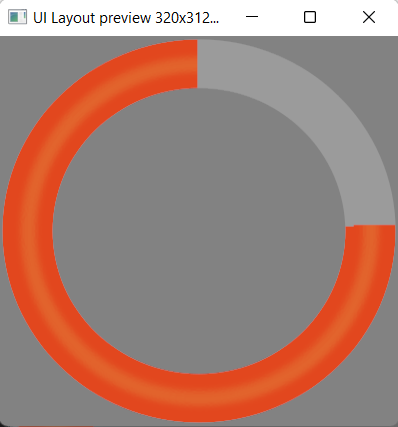
theres any way to make radial progress bar? or i need to make a bunch of images of a progress bar with different progresses and change the spray each time the value changes?
probably making an image set and just changing the index
 vagrant knot
terse lily
theres any way to make radial progress bar? or i need to make a bunch of images ...
vagrant knot
terse lily
theres any way to make radial progress bar? or i need to make a bunch of images ...
Check the capture and hold example. The score on top is like that 🙂
vagrant knot
terse lily
ooh i didnt noticed that (never played that mode)
but unfortunately not radial 😦
terse lily
can you send me image so i dont have to open the game? xD
vagrant knot
no example around sry xD
vagrant knot
terse lily
can you send me image so i dont have to open the game? xD
somehing like that but the bars are progressing 😄
 terse lily
vagrant knot
somehing like that but the bars are progressing 😄
terse lily
vagrant knot
somehing like that but the bars are progressing 😄
i know how to do that
just want it radial
vagrant knot
terse lily
just want it radial
ok than its no help xD
vagrant knot
terse lily
i know how to do that
Thats for unity but it may help you https://sharpcoderblog.com/blog/unity-3d-radial-circular-progress-bar-tutorial

Sharp Coder Blog
In this tutorial, I will be showing how to make a circular/radial progress bar (could also be used as an HP bar, etc.) in Unity 3D. So let's begin! Steps We will need a circu...
 vagrant knot
terse lily
https://imgur.com/JaIyGwy
vagrant knot
terse lily
https://imgur.com/JaIyGwy
This has more math so its maybe easier convertable https://forum.unity.com/threads/how-to-best-to-do-a-radial-progress-circle.1164800/

Unity Forum
I'm using UI Toolkit but would like to implement a radial progress circle, such as for an rpg skill icon on cooldown.
In UGUI I could use a sprite...
terse lily
theres a Radial Progressbar component
i did put it to my progressbar but doesnt converts into radial
oh i just found that actually exists a .layout that has what i want on reforger addons
im gonna duplicate it and modify to look how i want
it doesnt uses progressbar
uses overlaywidget
terse lily
 terse lily
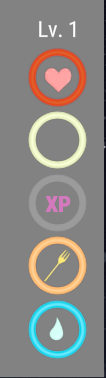
https://imgur.com/GniUKGA any idea for the stamina icon?
 dark jasper
terse lily
https://imgur.com/GniUKGA any idea for the stamina icon?
dark jasper
terse lily
https://imgur.com/GniUKGA any idea for the stamina icon?
Typical lighting bolt? ⚡
terse lily
i just did this, i will check how it looks, and how a bolt looks
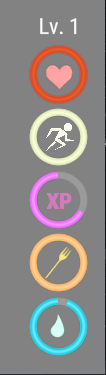
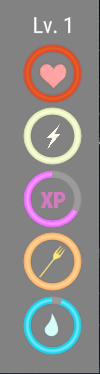
which is better?
winged vessel
Second one imo
 split roost
terse lily
which is better?
split roost
terse lily
which is better?
2nd 100% it's simpler and everybody should know what it means
winged vessel
instead of a fork for hunger, I would go with a chicken drumstick, seems to be pretty standard for hunger imo

like this
terse lily
i need to design it
and not all people eat meat
a fork is more generic
the truth is that im lazy xD
maybe later i will design a chicken drumstick or a beef
 muted shell
terse lily
i want do something like this
muted shell
terse lily
i want do something like this
if you plan on adding a medical mod with limbs, scum would be a great option - otherwise i agree the second UI is better
 dense compass
TextListBox crash for anyone else?
 shut inlet
Anyone figure out how to do custom map icons?
worn marten
dense compass
`TextListBox` crash for anyone else?
Yep, me. I have already report3d it in feedback tracker
versed fulcrum
terse lily
which is better?
Some DayZ players would likely at first think the second one is about shock and not stamina 🤔 that's why I'd say the first one but those triangles should likely be just squares because it looks quite jagged.
gleaming notch
median sigil
TextListbox crash resize, i need TextListbox ! ouin ouin
Until that is fixed you could create your own list with a wrapper or vertical widget and create your own layout for the entries that then go into this widget as childs
terse lily
versed fulcrum
Some DayZ players would likely at first think the second one is about shock and ...
Once I wake up, I will test that
sage current
median sigil
TextListbox crash resize, i need TextListbox ! ouin ouin
you can try scripted listbox,
{94CAAE4A601195D3}UI/layouts/ListBox/ListBox.layout
It does exactly that:
create your own list with a wrapper or vertical widget and create your own layout for the entries that then go into this widget as childs
TextListboxWidget is not even used in the game
 wild berry
frozen lynx
Did you config your chimeraMenus.conf ?
wild berry
frozen lynx
Did you config your chimeraMenus.conf ?
Regarding this config, is there a way to change this for a specific game mode? I do not want to completly override this in my mod and break other peoples menus they want to add :/ I was unable to find any component yet where this config file is setup? Is it a magic file that is fixed in the engine?
sage current
it's referenced somewhere in gproj file (in workbench -> options -> game project -> menu manager settings)
(I didn't try to change it myself 👀 )
but you are not going to break anything with your override 🙂
I think that if two mods override this .conf file and add new entries, it's fine, or is it not?
And if two mods change some value like - what layout to use for inventory menu, then it will get broken.
wild berry
Well I want to modify the inventory basically, but preferably only in my own game mode. And so far the only option to change it is to either make a new one seperate from Inventory20Menu and mod the scripts to open that menu only when in my game mode or ... I don't know yet. Trying to figure out the best ways.
sage current
So, only in your specific world. I don't think engine has a tech like that, as menu manager is one per whole project. So you'd have to hack/script it somehow.
wild berry
I want to add an inventory action button at the bottom to do stack mangement. e.g. move whole magazine stack. But those buttons seem to be defined in some prefab or something, and I am going up the traces I can find to see where the inventory is put together, and where the buttons are setup.
sage current
Sometimes these buttons are added through code upon menu initialization. SuperMenu has methods to add buttons to the bottom row via code.
So also check script class of that menu.
wild berry
Yeah you a probably right. Override does indeed only appear to add. If the enum does not clash when given a unique (prefixed) name then i guess adding custom menus that way would be the way to go
So far I traced down the inventory buttions like G to drop to SCR_NavigationBarUI::m_aEntries. Where those are coming from I have no clue yet
frozen lynx
wild berry
Regarding this config, is there a way to change this for a specific game mode? I...
I don't think so :/
Maybe creating a "custom" ScriptMenuPresetEnum with another config file like chimeraMenus.conf ?
wild berry
wild berry
So far I traced down the inventory buttions like `G to drop` to `SCR_NavigationB...
Found it btw. InventoryMain.layout > InventoryRoot > MenuBase1 > SizeBase > VerticalLayout0 > SizeFooter > Footer There is the SCR_NavigationMenuBarUI with the NavigationButtonEntry list. Thought it appears for a simple mod it might be easier to add them via script in SCR_NavigationMenuBarUI.c > HandlerAttached .
gleaming notch
I also realised that some components are integrated to widgets and you cant rly modify them when they are related to other layout prefabs. You can add things but not rename/delete until you create your own prefab layout (so same behaviour like for all prefabs).
shut inlet

Anyone know why the text widget and image widget don't resize correctly when the rootframe is sized in code?
sage current
What do you expect to happen and what does the code do?
shut inlet
sage current
What do you expect to happen and what does the code do?
When I resize the root element, it should resize the inner circle accordingly.
And not shift or more the circle.
shut inlet
anyone know why when assigned to an image widget, my image is desaturated?

the edds looks fine in editor though
Maybe because of the color being applied in the image widget is white, but I don't think I can choose to turn that off
gleaming notch
shut inlet
When I resize the root element, it should resize the inner circle accordingly.
You will need to resize the image widget and also the image loaded to the widget depending on the properties of the image widget in code also.
gleaming notch
shut inlet
No idea about that one, i use only blank white icons for stuff like that and apply the colour in the GUI editor
shut inlet
gleaming notch
No idea about that one, i use only blank white icons for stuff like that and app...
Yeah, that's what I had to move to. Sucks because it makes doing anything more complicated impossible.
Probably a color space thing, but not sure.
gleaming notch
shut inlet
Yeah, that's what I had to move to. Sucks because it makes doing anything more c...
Na not rly
You may can try working with a SizeWidget
And put everything in there
And modify maybe only the size widget then instead
but i haven't tested that yet
sage current
shut inlet
When I resize the root element, it should resize the inner circle accordingly.
Check slot properties of image and text.
They are inside frame, this they use frame slot. You must set min and max anchors to 0 and 1.
Or just change root to overlay and set width and height rules of image to fill instead of center.
sage current
shut inlet
Probably a color space thing, but not sure.
Yeah there is a color space option in image importing rules, check those and reimport
 mild cloak
How can I change text values in a layout from a script outside of the layout?
sage current
Find that widget in the layout, and call SetText on it
mild cloak
how does FindWiget() work exactly? do i just put in the Widget name?
sage current
There are two kinds of this, FindWidget and FindAnyWidget
You always start search from some widget in the hierarchy though!
So it's typically root widget of your menu, root widget of your hud, root widget of some other element (like root widget of a button which has some other widgets inside)
mild cloak
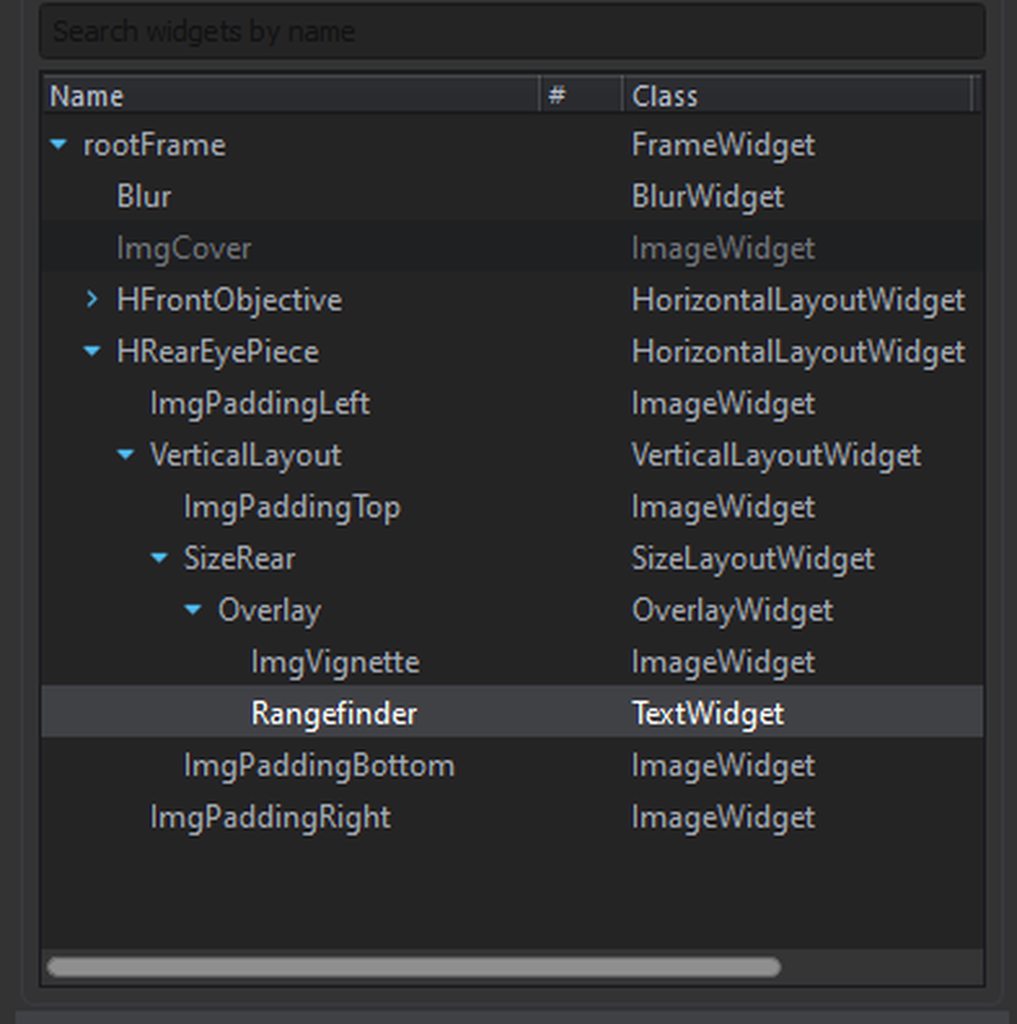
For example i want to select this Widget: https://imgur.com/a/QuJUxdZ
So i would be doing FindWidget("HRearEyePiece.VerticalLayout.SizeRear.Overlay.Rangefinder")?
 sage current
Yes! Or just FindAnyWidget("Rangefinder") (if Rangefinder is unique widget name starting from that place in the hierarchy)
mild cloak
Alright, got it, thank you 😄
 left sorrel
I want to open a menu via the ActionsManagerComponent but my class is not displayed. I have already tried different things from the channel. My current code looks like this:
    ATM
}

class NE_ATMUI : ScriptedUserAction
{

    GetGame().GetMenuManager().OpenMenu(ChimeraMenuPreset.ATM);

}```Did you override chimeraMenus/conf in your mod?
{C747AFB6B750CE9A}Configs/System/chimeraMenus.conf
 sage current
class NE_ATMUI : ScriptedUserAction
{
    GetGame().GetMenuManager().OpenMenu(ChimeraMenuPreset.ATM);
}
But you must put the actual code statements into some method of a class. Not to a class itself. I am not sure how it even compiles.
In ChimeraMenus you must specify a class which is MenuBase and it will be handling life cycle of your menu.
left sorrel
like that?
{
    override void PerformAction(IEntity pOwnerEntity, IEntity pUserEntity)
    {
        GetGame().GetMenuManager().OpenMenu(ChimeraMenuPreset.ATM);
    }
}```Yeah seems to make sense! Check other classes inherited from ScriptedUserAction, I never worked with scripted user actions.
worn marten
@left sorrel I have explained how to create an ScriptedUserAction here:
#enfusion_scripting message
Hope it helps 😉
Oh this is how layouts are opened?
GetGame().GetMenuManager().OpenMenu(ChimeraMenuPreset.ATM);
oh I'm going to test it, thx
left sorrel
Thanks for the guide. After a lot of trying I finally got it to work
 arctic heath
Does anyone got any experience with SCR_InfoDisplay or SCR_InfoDisplayExtended? I cannot get it to work.
 tropic drift
Whats the best method of tracking which buttons in a widget are which
basically I made my UI and I got it loaded
im programatically populating it with information
but I am lost as to how to track each button
for example onclick requires an (int button) which leads me to assume its some sort of unique ID but whenever I check the value is always 0 :/
gleaming notch
You can define all widgets in script like this:
ButtonWidget button1 = ButtonWidget.Cast(m_Root.FindAnyWidget("buttonWidgetName"));
The root is the main widget of your layout from that you can get all his children widgets and define them by getting them with there widget name from the main root widget.
Idk if this is still a thing in reforger but in DayZ SA we could skip the definition part when we just used the same name as the widget in the layout also in script.
tropic drift
The main thing is the onclick event because as far as I can see I have no ability to pass the widget to the function thats called with the event
gleaming notch
tropic drift
The main thing is the onclick event because as far as I can see I have no abilit...
you can with different methods
There is different ways depending on the class you are using and you always can hook up on the existing script invokes to add your certain trigger event types.
you can use a very basic OnClick event
 cobalt sky
Hey there. By doing this will it automaticaly override the vanilla one, or do i have to make a script to tell the game to replace the vanilla one by the modded one. This is my first mod on the arma series so im kinda lost
 gleaming notch
Or you use the ButtonComponets in the game apply that to your button widget and use its events
tropic drift
ignore my shitty placeholders
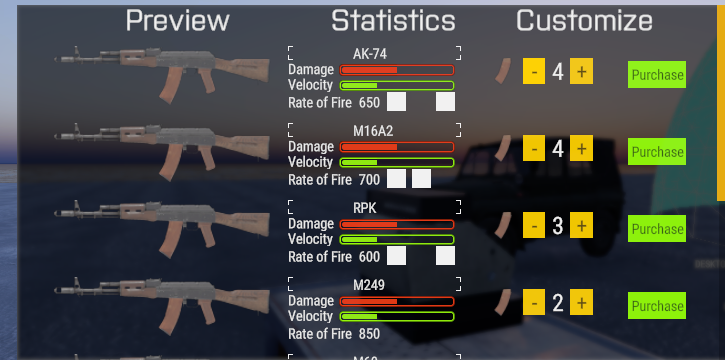
so each row is basically the same layout loaded again and again
gleaming notch
yeah i get that
Add a SCR_EventHandlerComponent to your button on the layout
look into that class
I think you will get the drill
Look how they use it for the Tiles in the load-out manager in the respawn selection menu for example
It has all the events you will need i think
 mystic marlin
Can any of you guys add a textListboxWidget to a rootFrame without workbench crashing on you ?
gleaming notch
mystic marlin
Can any of you guys add a `textListboxWidget` to a `rootFrame` without workbench...

No problem for me
Want me to send that layout? XD
mystic marlin
Mine crashes when i try click around properties and stuff and if i save it i cant load that layout again
gleaming notch
Oh
yes ok
i see
same
f
Hm there is a default ListBoxWidget layout
try to use that by dragging the layout into your root of your layout
mystic marlin
I will check it out thank you
Funny none of the listbox layouts use the listbox widget but i will dig around maybe another layout will have it
gleaming notch
mystic marlin
Funny none of the listbox layouts use the listbox widget but i will dig around m...
Gives you more variety options for the list box elements
left sorrel
How can i close a menu GetGame().GetMenuManager().CloseMenu(ChimeraMenuPreset.ATM) didn't work
gleaming notch
try CloseAllMenus instead
worn marten
tropic drift
https://i.imgur.com/GJoLFQk.png
looks amazing!! 💪
worn marten
mystic marlin
Can any of you guys add a `textListboxWidget` to a `rootFrame` without workbench...
Yep I have already reported it on Feedback tracker: https://feedback.bistudio.com/T165213
left sorrel
gleaming notch
try CloseAllMenus instead
This unfortunately closes all open menus (obviously) but this way you can close single menus again GetGame().GetMenuManager().CloseMenuByPreset(ChimeraMenuPreset.ATMUI);
mystic marlin
@tropic drift are you using the ItemPreviewWidget for rendering the AKs on your list and do you load up the model trough a script ?
gleaming notch
left sorrel
This unfortunately closes all open menus (obviously) but this way you can close ...
There should be only one menu opened all the time, no?!
gleaming notch
mystic marlin
<@208117681516183552> are you using the `ItemPreviewWidget` for rendering the AK...
ItemPreviewComponent prob
tropic drift
mystic marlin
<@208117681516183552> are you using the `ItemPreviewWidget` for rendering the AK...
I must admit I tried to get the preview widget working but im kinda new to programming and totally new to modding arma so I instead loaded images until I can figure out the preview widget
could never get the sizing, angling and backgrounds working properly
gleaming notch
I would say look into the SCR_LoadoutPreviewComponent
That is what they use to create the loadout preview in the loadout selection
tropic drift
yea im just a little overwhelmed doing all of this so ill just slowly go through everything until it make sense
gleaming notch
You can get all the info/data needed to display a preview from the prefab btw
even a image (if there is one)
 shrewd terrace
Hey, i'm trying to get all child widgets from code.
now there is a Widget::GetChildren() but this returns a widget and not a array.
Is there an other function I missed ?
worn marten
Hi, I have overwritten the chimerasMenu.Conf And I have added an entry called SPK_myTestGui .
But if I try to open it in some script
  GetGame().GetMenuManager().OpenMenu(ChimeraMenuPreset.SPK_myTestGui);
```an error is shown saying that `SPK_myTestGui` doesn't exist. What I'm missing here?did u defined your SPK_myTestGui class as a ChimeraMenuBase or sub class like class SPK_myTestGui : ChimeraMenuBase{ }
worn marten
I did but with another name
they must be the same?

class SPK_myMenuUI : ChimeraMenuBase{
}
 worn marten
oh must be it, I will try
left sorrel
and restart wb after you add it there
does anyone knows how i add a custom button action like GetGame().GetMenuManager().CloseAllMenus()
worn marten
left sorrel
and you load your new chimerasMenu.conf in the addon.gproj?
it is already defined correctrly (I did nothing) and pointing to the correctConf
left sorrel
can u send your'r code an error message
sage current
worn marten
Hi, I have overwritten the `chimerasMenu.Conf` And I have added an entry called ...
Check definition of ChimeraMenuPreset, find it via symbol finder in script editor.
It's an enum with values corresponding to those entires in conf file.
You must make a modded enum and add your value there.
worn marten
sage current
Check definition of `ChimeraMenuPreset`, find it via symbol finder in script edi...
Ok, this right?https://gyazo.com/e7e2610b124dac63b28d960a9c49ef82
 sage current
yes, just make a modded enum somewhere in your script
sage current
actually even like this works
modded enum ChimeraMenuPreset
{
    AddonPresetDialog
}
without the : ScriptMenuPresetEnum part
left sorrel
ah okay nice to know
 violet bear
so how and where should someone start in modding the ui?
like adding a button to an existing ui or creating a new one
worn marten
violet bear
like adding a button to an existing ui or creating a new one
You can create a new one I will try to explain how
GUI Setup
- Create the following folders in your project: UI/layouts/Modded
- Create some layout inside the created Modded folder:
myNewLayout.layout - Create the following folders: Scripts/Game/UI/Modded
- Create a .c file inside the created Modded folder:
myScriptedUI.c - Go to ArmaReforge/Configs/System/chimeraMenus.conf and rightclick/override in yourAddon
- Go to your automatically created path Configs/System/chimeraMenus.conf and add your new GUI at the end with some ID name (
myTestGui_ID). - Assign the Layout (
myNewLayout.layout) - Assign the Class (
myNewLayoutClass) - Return to the previously created: myScriptedUI.c
- Add this:
modded enum ChimeraMenuPreset {
    myTestGui_ID
}
- In the same file you can add your class to (I will put the code later to make it more clear):
class myNewLayoutClass: ChimeraMenuBase
{
  //your GUI code ...
}
- With this done you will be able to Open the GUI using this code somewhere:
GetGame().GetMenuManager().OpenMenu(ChimeraMenuPreset.myTestGui_ID);
Adding functionality to your new created GUI (Hint on Button Click)
13. Go to your layout: myNewLayout.layout
14. Add one ButtonWidget and rename it to: SendHint
15. In SendHint/Script add one component called: SCR_ButtonTextComponent (and leave it with his default values for now)
16. Return to your previously created class: myNewLayoutClass and do the following code magic:
class SPK_myMenuUI: ChimeraMenuBase
{
    protected Widget m_wRoot;
    protected SCR_ButtonTextComponent comp;
    IEntity myCallerEntity;  // (Added) this variable will be used only to show how to transfer parameters to the GUI.

    //------------------------------------------------------------------------------------------------
    override void OnMenuOpen()
    {
        m_wRoot = GetRootWidget();

        // SendHint
        comp = SCR_ButtonTextComponent.GetButtonText("SendHint", m_wRoot);
        if (comp)
        {
            GetGame().GetWorkspace().SetFocusedWidget(comp.GetRootWidget());
            comp.m_OnClicked.Insert(myCustomFunction);
        }
    }

    // myCustomFunction called when SendHint Button is pressed
    void myCustomFunction()
    {
      SCR_HintManagerComponent.GetInstance().ShowCustomHint("This executes when pressing SendHint Button (Using OnClick)", "MY GUI", 3.0);
    }
};
- (Added) You will need to change the code in step 12 if you want to be able to pass some variables to the GUI:
MenuBase myMenu = GetGame().GetMenuManager().OpenMenu(ChimeraMenuPreset.SPK_myTestGui);
SPK_myMenuUI myMenuUI = SPK_myMenuUI.Cast(myMenu);
myMenuUI.myCallerEntity = pOwnerEntity;  // pOwnerEntity is the variable we want to be able to use in the GUI on this example.
 worn marten
This is the basic GUI that I managed to learn with some people in this channel, hope it helps.
violet bear
should create a tutorial or something on github for it
like it was done for mission making
GitHub
A guide for making a basic Arma Reforger Mission, editted as I learn! - Home · Herbiie/ArmAReforgerMissionMakingGuide Wiki
worn marten
I don't know how to do that hehehhe
I hope that all the GUI stuff will be in the wiki some day
violet bear
create a project on github, add examples to it, switch to wiki tab, write up wiki or I can do it on the run as I learn it from you and others 😄
worn marten
Of course feel free to use my description to do whatever you want with it. Community doc are always good
If someone is interested I did an explanation on how to use the new "AddActions" here: #enfusion_scripting message
It's a good combo with this GUI stuff in order to Open It
 primal marsh
can someone please help me
I'm trying to load a menu layout i've created
i've added an action to chimeraInputCommon.conf in project
and i've added a menu entry to chimeraMenus.conf
with the relevant layout field filled, but it doesn't work 😦
mystic marlin
Any ideas why i am getting : GUI (E): Menu preset 'myTestGui_66' not found! I followed the tutorial above and it feels that the chimeraMenus.conf does not get loaded
sage current
did you also mod the menu preset enum with the new value?
#enfusion_gui message
mystic marlin
yeah
I think that is what is throwing the error
Ok so i changed the value to some random value and it threw error that it can not find variable so both the ENUM and the chimeraMenus.conf seem to be loaded
mystic marlin
@sage current it started working when i removed the confing setting from the project file and loaded it again
 eternal anvil
how can i add my own markers on the map? i havent had any luck with tasks with map descriptor components
frozen lynx
mystic marlin
Any ideas why i am getting : ` GUI (E): Menu preset 'myTestGui_66' not fou...
Restart the workbench
floral root
how would i go about showing my UI layouts straight from the start? ie: making health/stamina bar etc show up always.
 latent tangle
Not sure if this is correct place, but I am looking for help on an inventory issue. Made a helmet mod and it will put on if selected from the ground, but inside the inventory it will show as applying to the helmet slot, but it ends up disappearing. Anyone know of a fix to get it to enable inside the inventory onto your character?
 twilit token
Hello I am looking for a tutorial how to create a physic as well as how to operate my car get into it etc.
arctic heath
If anyone is struggling how to use SCR_InfoDisplay and let it show up, I created a Steam Guide for it. You can check it out and check if you are missing something.
https://steamcommunity.com/sharedfiles/filedetails/?id=2814814735

This is a simple guide on how to create GUI/UI/HUD addon's for Arma Reforger....
floral root
how would i get a widget thats 2 or more deep in the root widget? m_wRoot.FindWidget only seems to get the child thats 1 below root. ?
sage current
search FindWidget through whole reforger code, you will see how to specify a path
or you can use FindAnyWidget
vagrant pier
floral root
how would i get a widget thats 2 or more deep in the root widget? m_wRoot.FindW...
w.FindAnyWidget()
arctic heath
No.
floral root
how i get the players health or blood?
floral root
nm worked it out 😄
mystic marlin
Do you guys know how to position HUD relative to the resolution the player is running the game in ?
sage current
What are you trying to achieve? Where should the element be positioned?
mystic marlin

Here the FrameWidget is set to 1920x1080 so when i load it in 4k it is sort of off the middle
sage current
You should have your root a Frame widget.
Ok show the slot properties of the panel please
most likely anchors and sizes are wrong
mystic marlin
 mystic marlin
 sage current
Ok I see. You should add a VerticalLayout into root of the frame. Then put those horiz. layouts into the vert. layout:
Frame(root)
  VerticalLayout
    HorizLayout0
    HorizLayout1
    ...
Then click on vert. layout, set its anchor to xmin, xmax = 1, ymin, ymax = 1
Play with pivot and offset values, set width and height.
I think you will get what you want 🤔
mystic marlin
Ok got it thank you
sage current
Make sure you know how to use all values in frame widget, it's very powerful for positioning.
Second is overlay widget. It's simpler but OK for most common cases like centered, aligned to left/right
 native cipher
worn marten
**GUI Setup**
1. Create the following folders in your project: UI/layouts/Modded...
native cipher
worn marten
**GUI Setup**
1. Create the following folders in your project: UI/layouts/Modded...
Why do you need to mod ChimeraMenuPreset and can not create a subclass like this?
enum MyMenuPreset : ChimeraMenuPreset
{
    myTestGUI_ID
};
If I try the above, I get an exception
worn marten
native cipher
Why do you need to mod `ChimeraMenuPreset` and can not create a subclass like th...
I think it is because the chimeraMenu.conf has all its guis defined there. But I dont know the tecnical reason.
 silent zenith
The Problem is still the lag of information. Hopeful BI is giving us more Input in the next days.
Most we do now is try and error as well back engineering
wild berry
native cipher
Why do you need to mod `ChimeraMenuPreset` and can not create a subclass like th...
The problem is that the game looks to be hardcoded on the engine side to only look for ChimeraMenuPreset.
terse lily
how can i access to character or charactercontroller from OnStartDraw (orUpdateValues) from a subclass of SCR_InfoDisplay?
arctic heath
@terse lily do you mean like this?
||class whatever: SCR_InfoDisplay
{
private SCR_CharacterControllerComponent CController = null;override event void OnStartDraw(IEntity owner) { CController = SCR_CharacterControllerComponent.Cast(player.FindComponent(SCR_CharacterControllerComponent)); if (CController) Print("Found character controllerc omponent") }}||
terse lily
yeah
i think i found a way
SCR_ChimeraCharacter character = null;
if(owner.Type() == SCR_PlayerController){
SCR_PlayerController player = SCR_PlayerController.Cast(owner);
character = SCR_ChimeraCharacter.Cast(player.GetLocalControlledEntity());
}
but not sure if it works correctly
arctic heath
What exactly are you trying to achieve?
terse lily
player health
with that i can do
float health = character.GetDamageManager().GetHealth();
arctic heath
Ah, I see. Yesterday someone asked if there is a "getHealth" Variable or something like Stamina has. He found a workaround, might as well contact him if you are not able to manage to get it.
arctic heath
floral root
nm worked it out 😄
This guy.
floral root
i just pulled getHealthScaled from the damagemanger dont rely on what i do tho. am newb lol
terse lily
thats similar to what i do
gethealth from damagemanager
which gives health as float from 0 to 1
floral root
yeah should work then i guess?
arctic heath
floral root
i just pulled getHealthScaled from the damagemanger dont rely on what i do tho....
Honestly. We are all new to this right now. But things that might work, just work. 😄
floral root

yeah friend told me if it works it works. and not to worry if its correct or not lol
floral root
doesnt say. just says returns it from 0 to 1
terse lily
but its a bool xD
 terse lily
ahah has sense now
floral root
where can i pull blood from?
doesnt seem to be on DamageManager like health is
mm blood says it is on damagemanager. cant seem to pull it must be tired lol
coarse birch
floral root
where can i pull blood from?
I'm really confused how the blood system works. I found all kind of blood stuff in the actual Hitzones there are like more than 10 of them.
Is blood the actual health? So if you would set it to zero the character dies or is it more like a health modifier?
floral root
no idea. i guess if u run out of blood u die like with health?
coarse birch
so lets say you have 100 blood and 100 health are they completly unrelated?
So you can play with 1 health and 1 blood?
And when one of them reaches 0 you die? hmmmm
floral root
no idea tbh. cant find anywhere that explains it lol
coarse birch
Yea same. I found some blood modifier on each hitzone and set it to 0 so now characters don't bleed out at least I survived >5 minutes while having the bleeding UI which also is weird because why is the bleed ui shown when you don't bleed.
But thinking of it as two seperate systems makes sense I think.
versed fulcrum
coarse birch
so lets say you have 100 blood and 100 health are they completly unrelated?
So y...
They're somewhat separate. Though not 100% sure how it goes in AR. Likely that you lose both health and blood when something hits you, it also causes a wound, so you lose blood over the time. If you don't patch up and blood goes low you lose health again. If you patch up, blood loss stops and blood probably regains back to full. Health likely remains low. Not sure does AR have health regen yet.
You can get a grip if you look for how those work in DayZ.
gleaming notch
In dayz SA every hit zone of the player character has its own blood/health
Not sure but this could be the same case in Reforger
coarse birch
gleaming notch
In dayz SA every hit zone of the player character has its own blood/health
This is how it looks like in the code but how does this work?
What happens if you would partially damage every hitzone? somehow the damage needs to be subtracted from some main health pool no?
gleaming notch
It was possible to get the overall health by not adding the hit zone index as param. There should be a similar method
🤔
But thats all theory
I haven't looked into the way they do it now. It just sounds very similar

 terse lily
someone knows how to import fonts?
floral root
why would equip show as unavailable but on a grenade it allows u to put in hand?
 gleaming notch
Conditioning. There has to be a method that checks if the action is usable by going thru conditions. If the method returns false. This is the result.
 crystal zenith
Hi, do you know how to get ref to text widget ?
 inland ruin
You know of any tutorials for the UI?
mystic marlin
@floral root How did you manage to access the damage component from your script ?


 crystal zenith
inland ruin
You know of any tutorials for the UI?
crystal zenith
inland ruin
You know of any tutorials for the UI?
No, this is the main issue ^^'
floral root
how would i go about creating a ui widget by script?
neon python
floral root
how would i go about creating a ui widget by script?
Well it depends
do you want to simply render it
or have the focus on the widget
Without having the focus you can't interact with buttons and stuff
For simply rendering it's as easy as GetGame().GetWorkspace().CreateWidgets("Widget Resourece Name");
For making it a menu, it's requires little bit more effort but still extremely easy
You need mod ChimeraMenuPreset enum and add your own menu
Same with chimeraMenus.conf, you need to override and add your menu there as well
Creating a class that inherits from ChimeraMenuBase can be helpful as well
After all the setup is done, GetGame().GetMenuManager().OpenMenu(Your Modified ChimeraMenuPreset Enum goes here);
It will return a MenuBase. You can get top parent widget within that by doing newlyCreatedMenu.GetRootWidget();
After that you are ready to rock'n roll
You have a refrence to the menu and a reference to the widget. Everything you are mostly going to need to interact with an UI is going to be within those 2
Much like entities, widgets follow a parent child relationship. So if you want to modify a text or an image within a widget you can utilize that hierarchy to get that text or image and modify it via code
And that hierarchy is going to based on your .layout
floral root
ta 🙂
mystic marlin
@floral root Thank you for the screenshots from above.
floral root
is there an easy way to fade UI in and out or point me in the direction if so?
coarse birch
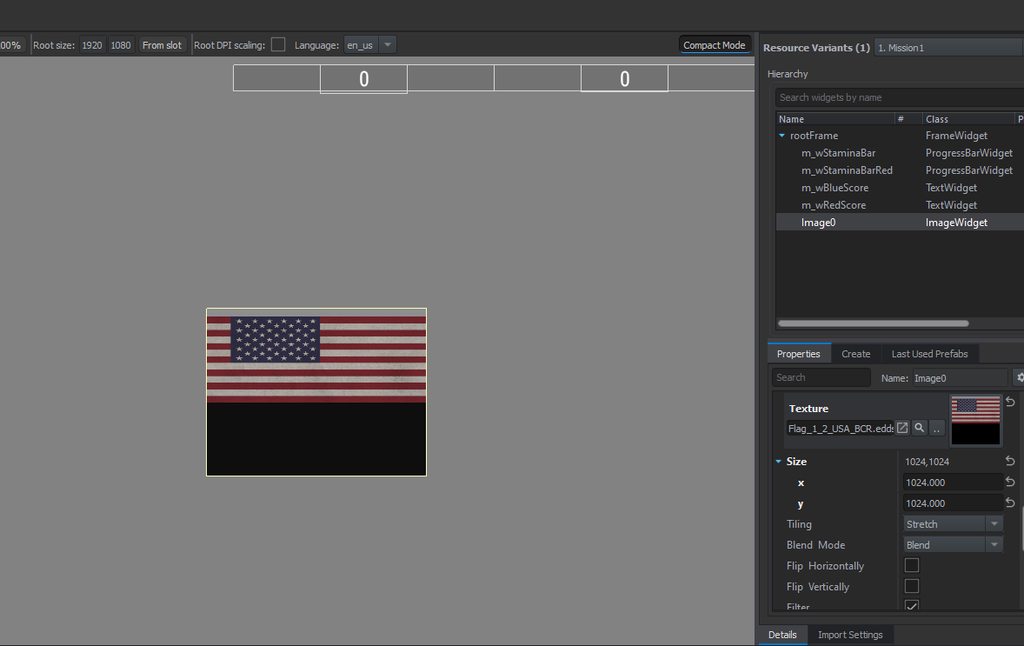
Is it possible to only show part of an image as imageWidget?
I want to display the US flag image that already exists in the game but the lower 50% of the image is black. Is it somehow possible to only show the upper 50% of the image?
Went through all the options but could not find it.
https://imgur.com/a/Sp12rF6
I also tried wrap and none but then I can't scale the image only the widget.
 neon prism
coarse birch
Is it possible to only show part of an image as imageWidget?
I want to display t...
neon prism
coarse birch
Is it possible to only show part of an image as imageWidget?
I want to display t...
You can edit your own images in photoshop/gimp/whatever you want, put them in your addon folder in explorer and then import them, which converts them from jpg/png to edds. Which you can then use
floral root
so what does deployment points relate to? as it cant be spawn points as i have some in the map. Anyone know?

 deft zenith
floral root
so what does deployment points relate to? as it cant be spawn points as i have s...
deft zenith
floral root
so what does deployment points relate to? as it cant be spawn points as i have s...
Those should be the spawn points
Maybe you don't have them linked with faction?
floral root
its linked as far as i know. it shows up on map on the spawn screen. and can select it on map and spawn at it if ur the faction. not sure if thers anything special i need todo it to "link" it to a faction.
factioncontrol component on the spawn point is set to the faction
deft zenith
floral root
its linked as far as i know. it shows up on map on the spawn screen. and can sel...
So this menu is in GM?
Check if there are spawn points in editablePrefabs folder
floral root
yeah shows up in GM mode aswell

it works fine. apart from just doesnt show on deployment points screen lol
shows up fine on end selection screen
 floral root
dam just tested with peer tool. seems my ui doesnt update on other players either lol
argh
winged vessel
void OVT_MainMenu(OVT_MainMenuWidgets widgets, Widget root)
    {
        m_TownManager = OVT_TownManagerComponent.GetInstance();
        m_Widgets = widgets;

        SCR_ButtonTextComponent comp;

        // Map Info
        comp = SCR_ButtonTextComponent.GetButtonText("Map Info", root);
        if (comp)
        {
            GetGame().GetWorkspace().SetFocusedWidget(comp.GetRootWidget());
            comp.m_OnClicked.Insert(MapInfo);
        }
    }

    protected void MapInfo()
    {
        Print("Map Info button was clicked");
    }
Any clue why this m_OnClicked handler isnt being called? All the other events are working fine (hover, click sound is played)
the handler is definitely being inserted, but "MapInfo()" is never called
winged vessel
I think my class was getting GC'd, storing it as a ref fixed it
winged vessel
does anyone even know how "Priority" is even supposed to work in ActonContexts? If I set anything higher than 1 it will override everything else that is 1. Selecting "Cursor visible" shows the cursor all the time, even if my context isnt active.
and if i set 1 then obviously all the other contexts are active, so you can still move around and esc shows the pause menu
floral root
i thought it just puts them in the order of priority in the menu list
winged vessel
has to be more than that, because of what I said
setting anything but priority 1 makes the flags active even when the context isnt
floral root
not sure then sorry 🙂
floral root
How would i get a component on a character from a script based on SCR_InfoDisplay?? everyway ive tried to get the character didnt work on a peer client.
 regal fjord
winged vessel
does anyone even know how "Priority" is even supposed to work in ActonContexts? ...
regal fjord
winged vessel
does anyone even know how "Priority" is even supposed to work in ActonContexts? ...
higher priority means the context is activated sooner, if your context has prio 2 and has no overlay flag (aka overlaying other contexts), it means no contexts with priority below it (1 or less) will be active, which seems to be your case
non-overlayed contexts are used when you do actually want to ignore all other inputs (lets say when you open a map, you dont want to be able to move around and shoot)
winged vessel
regal fjord
higher priority means the context is activated sooner, if your context has prio ...
That doesn't explain why the flags are active when the context is not
I do want to ignore all other inputs as it's a menu but I'm not using the menu manager as I feel adding it to the enum of menus is silly
So I don't choose overlay and set flags to show cursor, with priority > 1 but as soon as game starts the cursor is shown and can't control the character even though ActivateContext hasn't been called
regal fjord
that doesnt sound possible 🤔
you could check how it looks with debug in WB
dbg menu (WIN+ L ALT), -> GameCode-> ShowInputManager will show you which contexts are currently active/suppressed
winged vessel
Ok I'll have a look thanks
coarse birch
Hi,
how to get a list of child widgets from a parent?
I have a GridLayoutWidget and I want to get an array of rows and columns but the GridLayoutWidget itself has no such functions.
The Widget class has a GetChildern() which returns for some reason only one widget instead of a list.
proto external Widget GetChildren();
I want to access the cells by row column numbers, but I can't find any method that allows to do that.
winged vessel
regal fjord
that doesnt sound possible 🤔
you could check how it looks with debug in WB
db...
so the CharacterGeneralContext isnt active at all when my contexts have priority > 1

which seems weird
my contexts arent active
which is correct
but no idea why character general would not be
I guess I can just force it active
but shouldnt have to
winged vessel
yes

this is once I set my priorities back to 1
so all the character contexts disappear
action menu, weapon, movement, general
regal fjord
afaik those contexts are activated by gamecode, they shouldnt just disappear
winged vessel
interesting
well this at least sheds some more light, Ill have a dig
thanks for the help
regal fjord
I wonder if you're doing anything which could suppress active flag or frame mask for the player entity, which would stop it from activating the ctx 🤔
winged vessel
so in the case of the ActionMenuContext this is whats suppressing it:

thats always null
so it doesnt activate context further down
this is SCR_InteractionHandlerComponent.OnPostFrame line 403
removing the SetEventMask(owner, EntityEvent.FRAME); from my component didnt change anything
worth a shot
regal fjord
Would probably have to ask someone who knows how those contexts are activated, possibly @fossil sorrel ?
winged vessel
I just noticed that when my priority is > 1 the GadgetContext is active
so whatever is happening is also activating that (shouldnt be afaik)
 fossil sorrel
regal fjord
Would probably have to ask someone who knows how those contexts are activated, p...
fossil sorrel
regal fjord
Would probably have to ask someone who knows how those contexts are activated, p...
UserActionContext != input action context
UserActionContext is the actual context on an item in the world
winged vessel
I know
but if you scroll up, none of the character specific contexts are being activated
the gadget ones are
all im doing is adding custom contexts with priority > 1 nothing else
well that I know of
fossil sorrel
Maybe some of the context has the exclusive flag set? 
regal fjord
that would suppress them and show them as yellow in dbg (if not overlayed)
 regal fjord
this looks like something straight up deactivates them
fossil sorrel
regal fjord
this looks like something straight up deactivates them
Maybe the priority and the fact that these 5 prio ones are not overlay? I am not the input master though, so I am just guessing here :\
winged vessel
oh ok
they shouldnt be overlay though
they are inactive
only activated later
ill keep digging unless you can point me in the direction of an input master hehe
regal fjord
fossil sorrel
Maybe the priority and the fact that these 5 prio ones are not overlay? I am not...
I was wondering if you knew what activates the contexts, maybe somethin wrong is being overridden, turning them off? (Character_XXX_Contexts)
winged vessel
ok so it seems to think I have a gadget raised
if (m_InputManager && m_HeldGadgetComponent)
maybe
no thats not breakpointing
but i have no idea why gadgetcontext is being activated lol
regal fjord
shouldnt be relevant in grand scheme of things because gadgetcontext isnt suppressing things either
regal fjord
good question, you could try overriding instead 🤔
winged vessel
looking into that now
floral root
for a ui for the player am i best putting it on the SCR_HUDmanagerComponent thats on the player controller or the SCR_BaseHUDComponent thats on the character??
regal fjord
winged vessel
looking into that now
Btw you will need to reset entire WB when doing that cause WB loads that cfg differently I think
winged vessel
ok
regal fjord
floral root
for a ui for the player am i best putting it on the SCR_HUDmanagerComponent that...
it depends on usage, most of such UI is on controller because it just exists once and you only need to refresh it when your entity dies/changes etc
when its on entity directly its created/destroyed along with the entity which add slight overhead but there are cases when that is preferable
floral root
so like a health bar? better on controller or character? ive got it on controller but trying to think if its better off on the player.
regal fjord
it will work with both, neither is 'incorrect'
floral root
k kl 🙂
winged vessel
BINGO
winged vessel
regal fjord
good question, you could try overriding instead 🤔
this did it
thanks man
theres one for the docs
and for future reference @fossil sorrel, inheriting from chimeraInputCommon.conf is bad, overriding good
well sort of.. now I get no CharacterMovementContext but everything else works
but its an improvement, might be something else im doing
winged vessel
yeh just need to restart WB any time the conf is changed or weird stuff happens
all working good now
floral root
Why is this ALWAYS saying no deployment points? cant it find the spawn points or bugged? Ive added editble spawn points in with faction key etc. but nothing.

 rough yoke
floral root
Why is this ALWAYS saying no deployment points? cant it find the spawn points or...
rough yoke
floral root
Why is this ALWAYS saying no deployment points? cant it find the spawn points or...
do you have Faction field filled in your spawn point entity?
floral root
Yeah. thing looks identical to us/ussr etc apart from with own faction.
deployment points show up on the map to select for each faction on last screen. but yeah never show on the faction tiles.
 rare jay
trying to view the properties of a TextListboxWidget instantly crashes Workbench
help 😦
rough yoke
floral root
Yeah. thing looks identical to us/ussr etc apart from with own faction.
deploy...
do you inherit your spawn points from SpawnPoint_Base.et prefab?
floral root
@rough yoke ive tried it with PrefabEditable/ spawn points, also with the Prefabs/MP/Spawning/ faction ones edited to say my faction key instead on any component/section that has the faction key part. Is there somewhere else other than on the spawn points prefabs/components that it needs to be told ?
 ancient marlin
Idk where to ask this but... Does Enfusion have vector support for something like a crosshair in a scope? I would have no idea how to even search for this. Basically, can I use an SVG within Enfusion somehow?
winged vessel
ancient marlin
Idk where to ask this but... Does Enfusion have vector support for something li...
I mean you can just use a CanvasWidget and draw it
pretty sure, although im only just starting on canvas widgets myself
ancient marlin
Can it be used to make something like this?
 ancient marlin
Know the math..? Yep I think I'll stick with a texture then lmao. Very much appreciate your help though, I'm just not technical enough to make something like that.
 prisma stratus
worn marten
**GUI Setup**
1. Create the following folders in your project: UI/layouts/Modded...
prisma stratus
worn marten
**GUI Setup**
1. Create the following folders in your project: UI/layouts/Modded...
Legend
worn marten
I should add this now:
class SPK_myMenuUI: ChimeraMenuBase
{
    ...
    IEntity myCallerEntity;
    ...
MenuBase myMenu = GetGame().GetMenuManager().OpenMenu(ChimeraMenuPreset.SPK_myTestGui);
SPK_myMenuUI myMenuUI = SPK_myMenuUI.Cast(myMenu);
myMenuUI.myCallerEntity = pOwnerEntity;

 dawn olive
Just filed a bug report for SCR_EditBoxComponent throwing a NULL-pointer error when attached to EditBoxWidget, maybe someone has figured out some workaround for it at the moment?
rare jay
winged vessel
Yes everyone
anyway to make list with selection in the mean time that you can add/remove elements to
until the listboxwidget is broke
winged vessel
you could write one yourself
just add textwidgets to a layout container
Ive been using the gamemaster asset selection screen which is just a grid of repeated elements with image etc
fill them with info and turn off the ones I dont need
https://github.com/ArmaOverthrow/Overthrow.Arma4/blob/main/Scripts/Game/UI/Context/OVT_ShopContext.c
GitHub
A dynamic and persistent revolution platform for Arma Reforger (and eventually Arma 4) - Overthrow.Arma4/OVT_ShopContext.c at main · ArmaOverthrow/Overthrow.Arma4
around line 53
worn marten
rare jay
anyway to make list with selection in the mean time that you can add/remove elem...
Yes, you should take a look into the serverBrowser layout.
Finally I got a decent GUI XD (with some receiver typo 🙃 )
https://gyazo.com/7c853b3c71288199bdc08ec30c9b085a
 worn marten
rare jay
anyway to make list with selection in the mean time that you can add/remove elem...
worn marten
rare jay
anyway to make list with selection in the mean time that you can add/remove elem...
You need to use a prefab called WLib_PooledList.layout and create a new layout that will be displayed as a list.


I don't know how to populate it by script yet. But hope this images help you
There is a ListView prefab to but I don't know the diference
rare jay
worn marten
There is a ListView prefab to but I don't know the diference
thanks ill take a look :)
worn marten
Anyone knows the difference between SCR_PooledListComponent and SCR_ListViewComponent. For example let's say I want to make a list in which all the players appear and that I can select one, which should I use? And how I must clear, add items? I think that the workflow is to create a new class inheriting form one of these and override the FillEntry() method, am I right?
worn marten
I keep trying to generate a very basic list using SCR_ListViewComponent. I have come up with the following:
class SCR_HintListComponent : SCR_ListViewComponent
{
    protected ref array<SCR_HintEntryComponent> m_aObjectsEntries = new array<SCR_HintEntryComponent>;

    //------------------------------------------------------------------------------------------------
    //! Empty functions for setting up widget entry beavhior actions, callbacks, etc.
    override protected void SetupEntryBehavior(Widget entry) { }

    //------------------------------------------------------------------------------------------------
    //! Empty function for filling entries with data
    override protected void FillEntry(Widget w)
    {
        Print("FillEntry - In");
        int id = m_aEntryWidgets.Find(w);
        Print(id);
        SCR_HintEntryComponent objectEntry = m_aObjectsEntries[id];

        if (!objectEntry)
            return;

        ARU_ObjectEntry myEntry = new ARU_ObjectEntry();

        myEntry.SetId(id);
        myEntry.SetName("myEntryDefaultName");

        objectEntry.SetObjectInfo(myEntry);

        w.SetVisible(objectEntry != null);
        Print("FillEntry - Out");
    }
};
This component is placed in the "FrameWidget" prefab WLib_ListView.layout. When I'm in the workbench it shows something, but ingame the list is not filled. I have seen that SCR_ListViewComponent has some lines comented but not cleary why.
Tring to override the OnUpdate method to call FillEntry results in errors ... so I'm stuck here XD
worn marten
@deft zenith hi, sorry for mentioning you . It seems like nobody know about this and Im blocked. Do you know someone that can help with this? 😅
deft zenith
worn marten
<@110113662080937984> hi, sorry for mentioning you . It seems like nobody know a...
I am no expert in this, here are answers from our UI devs
Simply pooled list is iteration of list view, so there is this old SCR_ListViewComponent left over. Its purpose is to reuse minimal amount of widget and just to change data inside widgets.
If anyone would want to do just small list there is no need to use it. Only thing needed is to put list items into ScrollLayoutWidgetin layout editor
Or SCR_ListBoxComponent
worn marten
Ok will try this afternoon/night. Thx
worn marten
deft zenith
I am no expert in this, here are answers from our UI devs
> Simply pooled list i...
I got it 🥳 Thx
 worn marten
I made this little tutorial it will be useful fore someone else 😉
How to create a ListBox in GUI - Layout
0. Place an OverlayWidget and resize it as you wish.
- Search the ArmaReforger Prefab:
ArmaReforger:UI/layouts/ListBox/ListBox.layout - Place the prefab inside the OverlayWidget created at Step 0 and change the Horizontal and Vertical Align to the 4th option.
- Get sure that the new created ListBox0 (by default) has the component
SCR_ListBoxComponent. - Get sure that the new created ListBox0 has a ScrollLayoutWidget ("ScrollLayout0" doesn't mater) and a VerticalLayoutWidget ("List" as name, required) created.
- Steps 3 and 4 should be fine by default if you have used the ListBox Prefab.
How to create a ListBox in GUI - Fill and GetIndex
6. Create a menu class script with the following:
class SPK_myMenuUI: ChimeraMenuBase
{
    protected Widget m_wRoot;

    //...

    OverlayWidget m_ListBoxOverlay;
    SCR_ListBoxComponent m_ListBoxComponent;

    //...

    //------------------------------------------------------------------------------------------------
    override void OnMenuOpen()
    {
        m_wRoot = GetRootWidget();

        //...

        // MyList
        m_ListBoxOverlay = OverlayWidget.Cast(m_wRoot.FindAnyWidget("ListBox0"));
        m_ListBoxComponent = SCR_ListBoxComponent.Cast(m_ListBoxOverlay.FindHandler(SCR_ListBoxComponent));
        if (m_ListBoxComponent)
        {
            m_ListBoxComponent.AddItem("MyItem0");
            m_ListBoxComponent.AddItem("MyItem1");
            m_ListBoxComponent.AddItem("MyItem2");
        }

        //...
    }

    //...

};
- In order to get the ListBox Index you can use this:
m_ListBoxComponent.GetSelectedItem();
 charred oyster
Ok, so here's a difficult one:
We have overriden the chat layout to display it in another position on screen and resized it.
It shows and works just fine if playing from camera position in editor and then possessing the character.
It does NOT work when creating a spawn point and spawning in. It just doesn't show up 😄
It works on characters I place down via GM, but not when I use a spawn point to spawn.
worn marten
If you don't override the chat it works?
(to get sure that isn't some configuration missing)
charred oyster
yep
charred oyster
Interestingly it works for regular players who spawn in on a server via a created spawn point
It does not work in spawn menu, nor while in GM mode
You can type and hit enter and it gets sent to chat but you don't see it 🤔
At the current moment my best guess is that it has to do something with a renamed/deleted/changed (formatting) widget.
 compact prawn
I tried to post this in other channels but I want to try to get the people here to take a peek, since some of the GUI plays with the string table.
I have edited my string table to include some of my custom additions. my problem is in workbench and in game, The id (#AR-FieldManual_Page_Intel_Title) shows up instead of the Target translation.

 empty tusk
omg. The layout editor has been crashing like crazy for me today. It even has reverted files I've saved TWICE. I'm done
Anybody else have problems or am I screwing it up?
Most of the time it has has the "send debug" window but the last few times it just went straight to desktop
winged vessel
empty tusk
omg. The layout editor has been crashing like crazy for me today. It even has re...
Are you using a list view component
empty tusk
Nope, just lots of FrameWidgets, VerticalLayout/horizontalLayout, Overlays, RichText and a couple of ImageWidgets
This is what it has reverted back to after crash. I've had to make a header for the item/cost header three times now. It usually crashes soon after adding a few more elements

Oh look! It just did it again
 worn marten
empty tusk
Anybody else have problems or am I screwing it up?
worn marten
empty tusk
Anybody else have problems or am I screwing it up?
It happends to me to. The revertrd files especially
empty tusk
I'm going to have to put it aside for now. It doesn't crash nearly as much in other parts of the editor.
empty tusk
Going to install latest GPU drivers and report back
empty tusk
Nope. Still an issue
So here's what happened this time. I went in and fixed up that one that kept reverting and saved it a million times and even grabbed a snap shot here.

I then switched to another layout and it crashed right after. Messing up this one, which now looks like this.

So it isn't exactly reverted. There's just some elements that got corrupt
worn marten
empty tusk
I then switched to another layout and it crashed right after. Messing up this on...
all those items are placed inside a verticalLayoutWidget? (Item and cost to?)
Or they are placed manually?
 dull nebula
@fossil sorrel question, do you know any samples/tips for setting up simple radial menus like you have in your reloading mod? I'm just trying to setup one with some static actions in it right now
empty tusk
worn marten
all those items are placed inside a verticalLayoutWidget? (Item and cost to?)
Or...
Each line is a HorizontalLayout and they are all nested inside one VerticalLayout. I think my problem may even be that another layout file is corrupted. I'll have to start my whole mod from scratch
fossil sorrel
dull nebula
<@261877528057085952> question, do you know any samples/tips for setting up simp...
Not really, it was new to me as well. I suggest checking out how I did it in the mod for reference
empty tusk
Thoughts?
 empty tusk
Nothing to cancel. Maybe the purchase buttons should have a confirmation
worn marten
Cancel/Exit Menu
empty tusk
Ok serves same purpose
worn marten
How do you exit if you dont want to purchase?
By the way i was testing with layouts prefabs they are quiete useful.
 empty tusk
Yeah, I found them. At first was using dialogs and working them manually but the prefabs cut that workload down a lot
worn marten
The background and all the visible widgets are another layout an then I can use this on all layouts
empty tusk
There's great prefabs for most buttons and other elements. Works best if you have a container like a horizontal or vertical layout to put them in. Then duplicate after getting them to fit just right
worn marten
empty tusk
There's great prefabs for most buttons and other elements. Works best if you hav...
Yes but this is a self made prefab. Its like a dialog base template for my addon
Then I can add the content and foter on another layout
empty tusk
I'll need to make one of those too. There'll be a few menus for my mod
worn marten
I will share the layout herarchy this afternoon maybe it is more clear
empty tusk
Coding for it might take a week for me to figure out thought. I wanted to have the menu layouts done before tackling too much of the rest of the mod so that I can also do custom debugging and playtesting.
It's off to other UI elements after this.


 empty tusk
Your tagging game is on point.
worn marten
yep I like how it ended
worn marten
worn marten
As you can see here I just dragged my standard DialogBackground and then I added stuff on Content (manually) and Footer (another buttons standard layout)
I'm having some problems with localization, this is why the # is missing on those texts, to avoid engine to search for it
empty tusk
There's still a few bugs in the system. I think the reason I was crashing before was the dialog I was using as a base.
Every time I went back to start a fresh one it would crash eventually
I started fresh with some other base layout and haven't crashed since
worn marten
Ye there is a lot of bugs with the layouts 😩. But i cant replicate it consistently to make a ticket on feedback tracker.
 glass ivy
@worn marten I haven't messed with GUI stuff yet, but how difficult would it be to create some GUI menu with multiple sub menus, and have back option where it'll go to the previous menu? 🤔
worn marten
glass ivy
<@327549657888718849> I haven't messed with GUI stuff yet, but how difficult wou...
Not so much i think
 surreal rover
++++++
dawn olive
Has anyone managed to get EditBoxes to work properly with SCR_EditBoxComponent? The component has a bug at the time, so I don't think it's usable, but may there be some other way to attach a "text changed" handler to an EditBox?
worn marten
dawn olive
Has anyone managed to get EditBoxes to work properly with SCR_EditBoxComponent? ...
What bug does it have? i have been using it without problem. I haven't tested with UI eventHandlers yet
dawn olive
EditBox itself works fine, but when I attach a SCR_EditBoxComponent it keeps spamming null-reference errors to debug log, so I don't think it's usable at the moment
The bug I filed in the feedback tracker was moved to "Assigned" status today so I hope the issue is resolved soon
 empty tusk
Oh no, so list boxes don't work yet?
worn marten
They work. And in the meantime your can do you oun method for cler and setCurrentItem. but i hope they finish this soon because I would like to use it to
glass ivy
First time messing around with GUI stuff, probably messed up big time 
 neon python
glass ivy
<@327549657888718849> I haven't messed with GUI stuff yet, but how difficult wou...
neon python
glass ivy
<@327549657888718849> I haven't messed with GUI stuff yet, but how difficult wou...
You can implement a very simple stack data structure. Push & pop references to the UI that's being opened/closed or resource names of the UI layouts, at that point it's an implementation detail of how you want to proceed. That would give you the behavior you want to achieve ^^
glass ivy
Made some more progress, thanks for the guides @worn marten they're super helpful 
worn marten
glass ivy
Made some more progress, thanks for the guides <@327549657888718849> they're sup...
Looks great. you have changed the default ListBoxElement_Text.layout by another custom, right?
glass ivy
worn marten
Looks great. you have changed the default ListBoxElement_Text.layout by another ...
I did manually edit ListBox.layout and ListBoxElement_ImageText.layout to get it how I needed.
 glacial vault
where should I start with learning gui creation? any tutorials or other stuff?
glass ivy
glacial vault
where should I start with learning gui creation? any tutorials or other stuff?
I just started tinkering with it yesterday so I'm still trying to get my head around it. But the best thing to do is just open layouts from the game and inspect how they work, a few posts in here are very useful too. Such as #enfusion_gui message #enfusion_gui message https://steamcommunity.com/sharedfiles/filedetails/?id=2814814735

This is a simple guide on how to create GUI/UI/HUD addon's for Arma Reforger....
glacial vault
glass ivy
I just started tinkering with it yesterday so I'm still trying to get my head ar...
thx
dull nebula
fossil sorrel
Not really, it was new to me as well. I suggest checking out how I did it in the...
So after messing around more trying to get my own radial menu working from scratch, I tried seeing what I could do with some modifications of your reload menu entries, and it literally works perfectly for what I need. Are you allowing modified versions like that to be published or you want me to carry on trying to get something else to work?
fossil sorrel
dull nebula
So after messing around more trying to get my own radial menu working from scrat...
Of course it's endorsed even, that is the whole point of the mods I made, to help you get stuff up and running :)
 quaint rune
Is there a way to use the button widgets that are already created by BI? Like if I wanted to use this
 worn marten
quaint rune
Is there a way to use the button widgets that are already created by BI? Like if...
worn marten
quaint rune
Is there a way to use the button widgets that are already created by BI? Like if...
Using this:
string m_sActionName = "MenuBack";
m_wActionRichText.SetText(string.Format("<action name='%1' scale='1.25'/>", m_sActionName));
So that would be placed on a richtext?
in like a initialization script for the layout
 quaint rune
Thanks!
glacial vault
How am I able to close a menu? I tried with a Cancel Button which executes the following but I get an error:
    {
        GetGame().GetMenuManager().CloseMenu( ChimeraMenuPreset.SARO_MHQMenuGUI_ID );
   }```
error:
```only NULL assignment is allowed```
```can not convert 'int' to 'MenuBase' for argument '0' to method 'CloseMenu'```CloseMenu needs a BaseMenu class object. I guess the question is how do I get this?
glacial vault
searching Discord helped^^
this works:
GetGame().GetMenuManager().CloseAllMenus();
but would be better to have a solution for one menu in case you have multiple menus open at the same time...
regal fjord
glacial vault
but would be better to have a solution for one menu in case you have multiple me...
well you need to pass it the actual menu as argument, not enum ID
there are so many ways to get it, MenuManager has FindMenuByPreset() / GetOwnerMenu(), you can also just cache it or use "this" if you are calling the cancel from within the menu
glacial vault
regal fjord
there are so many ways to get it, MenuManager has FindMenuByPreset() / GetOwnerM...
thx a lot, this worked
GetGame().GetMenuManager().CloseMenu(teleportMenu);```I've got a different issue with closing a particular menu. I've modded the map and using it to launch other menus, closing it however leaves your character with the map item still in hand. It's a minor issue since you can just switch to a weapon but the UI will then display the fadeout animation that closing some menus does. I have no idea where to start looking for what code is being run here.
regal fjord
empty tusk
I've got a different issue with closing a particular menu. I've modded the map a...
Map when used as a character is opened using the GadgetMap action, when it is opened all lower priority inputs (character stuff) is disabled, so map has a special context with reference to the GadgetMap action so it can still be used to close it "from" the map
My guess is that you close the map in a way that skips the closing logic from triggering on the character level, which is fine for things like respawn map, but not for this case
empty tusk
regal fjord
Map when used as a character is opened using the GadgetMap action, when it is op...
I guess I'll have to take a look at the map gadget. Everything I've done so far was strictly in the UI scripts.
There's probably a way to force close a gadget quietly
regal fjord
empty tusk
I guess I'll have to take a look at the map gadget. Everything I've done so far ...
If you need to do a proper map close from a player, you can just grab GadgetManager and do SetGadgetMode(mapItem, EGadgetMode.IN_STORAGE)
If you do something like CloseMap() only UI will close, but wont get propagated to character logic
empty tusk
regal fjord
If you need to do a proper map close from a player, you can just grab GadgetMana...
That's awesome. Will be doing that. Thanks
 worldly sphinx
yo can anyone point me at what I need to do to have a dialog for an editable entity with some properties
worn marten
worldly sphinx
yo can anyone point me at what I need to do to have a dialog for an editable ent...
if you want to know how to create a dialog, this may help you: #enfusion_gui message
what do you refer exactly with "editable entity"?
worldly sphinx
worn marten
what do you refer exactly with "editable entity"?
ie. when you double click a car in game master to change its fuel
I want exactly that, but with my own variables for my own entities
worn marten
worn marten
if you want to know how to create a dialog, this may help you: https://discord.c...
ok, I don't know how it works
worldly sphinx
no worries
worn marten

 worn marten
yep I'm searching to, the only thig I found by now is that component
I've found the health bar on: {5AA8B62B2B33CD49}UI/layouts/Editor/Attributes/Entity/AttributePrefab_HealthWithWarning.layout
worldly sphinx
for example you have SCR_AiSkillEditorAttribute
but I don't know how it is plugged in to the actual dialog
worldly sphinx
getting closer
 worldly sphinx
I did it 
 shrewd terrace
What type of properties can you add to those menus ?
worldly sphinx
there is a dropdown ui element, but I don't remember what kind of values it stores
worn marten
worldly sphinx
I did it <:CelebratingFrog:917801297221144586>
can you resume how it is done?
I will need it some time XD
worldly sphinx
worn marten
can you resume how it is done?
yeah hit me up when you need it or just download the mod and open it
 wild helm
Is there a way to assign a UI to a mesh face like a monitor screen?
 queen nacelle
i think you can add the action on a object but on screen i dont know maybe with layout ?
 tacit vigil
worldly sphinx
I did it <:CelebratingFrog:917801297221144586>
tacit vigil
worldly sphinx
I did it <:CelebratingFrog:917801297221144586>
Yooo you the 🐐 bro. Can’t wait to use your mods in multiplayer some day. Do you know why the parachute flares and artillery barrages can’t be accessed? I can spawn the smokes, fire, and explosions, but ever since the parachute flares got added I couldn’t find them to spawn in. I’m on xbox btw if that makes a difference
worldly sphinx
tacit vigil
Yooo you the 🐐 bro. Can’t wait to use your mods in multiplayer some day. Do you...
Hm they should be in the same category, maybe mod needs to he updated in game?
tacit vigil
Yeah I just updated to the version that includes the artillery barrages, but I still only have access to smoke, fire, and explosions. Stuff added since the flares still ain’t tho.
I tried scrolling through the whole entity list, searching artillery, sorting by system etc, they just aren’t in the list lol
worldly sphinx
tacit vigil
I tried scrolling through the whole entity list, searching artillery, sorting by...
there's a separate category now called game master fx in the sidebar, but I have no clue if there's anything special to do for xbox
tacit vigil
worldly sphinx
there's a separate category now called game master fx in the sidebar, but I have...
Oh shittttttt I’m a fucking idiot. So yeah even though I was updated none of that stuff was visible, but after deleting the mod and reinstalling its all there 💀
worldly sphinx
whew
tacit vigil
Thanks dawg 🙏
worldly sphinx
sure, have fun blowing things up
not that destruction is implemented yet but someday hopefully it will
tacit vigil
Yep, now time to spawn in 50 AI, and blow them up while fantasizing about being able to use mods in multiplayer on Xbox.

tulip quartz
Hi, I am trying to make scope two color. Using vanilla way with HDR scope map, but I cant make my scope reticle two color, like red/black.
In the script I found that widget uses SetColor to set color of the reticle. How could I make it so widget is two tone?
Edit. Solved it by overriding PIP Sights component and adding second Camera Effect with different reticle
 quaint rune
worn marten
Using this:
```c++
string m_sActionName = "MenuBack";
m_wActionRichText.SetText...
quaint rune
worn marten
Using this:
```c++
string m_sActionName = "MenuBack";
m_wActionRichText.SetText...
Is there a list of all of the action names somewhere?
worn marten
quaint rune
Is there a list of all of the action names somewhere?
as far as i know, there isn't
quaint rune
Damn
empty tusk
Has anyone used WidgetAnimator.PlayAnimation to do a fade in? I'm trying it OnMenuInit but that doesn't seem to be the right spot
OnMenuOpen I'm assuming is too late. After the menu has been drawn
worn marten
I haven't used it yet.
empty tusk
A la
WidgetAnimator.PlayAnimation(GetRootWidget(), WidgetAnimationType.Opacity, 1, m_fAnimationRate);
I slowed the animation rate down to a crawl just to see if I wasn't seeing it but no, it fades out very slowly but doesn't do a fade in.
winged vessel
does the localization system not fall back to english when a runtime file isnt available in the selected language? or is that something I need to select somewhere?
queen nacelle
 half solstice
its normal you are in first person 😉
worn marten
Anyone know when they will finish this in the SCR_ListBoxComponent?
Ticket opened: https://feedback.bistudio.com/T166364
 worldly sphinx
@worn marten any clue how do I add something to display text on hover in inventory?
worn marten
A tooltip?
I have seen an option to add tooltips y will take a look this afternoon/night
worldly sphinx
yes
or an action that happens when it's clicked, could be launching a dialog
SCR_InventoryMenuUI
    //------------------------------------------------------------------------------------------------
    //! when clicked on item / storage slot using controller or mouse
    protected void Action_SelectItem()
    {
        // Ignore if we cannot interact
        if (!GetCanInteract())
            return;
        SimpleFSM( EMenuAction.ACTION_SELECT );
    }
whats this
no clue how to connect this to my entity tho
worldly sphinx
do editor attributes support strings?
winged vessel

any clue how to hide action menu or put my layout in front?
tried all sorts of Z order values
 wicked zinc
Well, it seems to be created and handled with SCR_ActionMenuInteractionDisplay (if I understand the code correctly), so you should be able to hide/destroy it
worn marten
winged vessel
any clue how to hide action menu or put my layout in front?
I have the same problem 😦
worn marten
wicked zinc
Well, it seems to be created and handled with `SCR_ActionMenuInteractionDisplay`...
or maybe with the ScriptedUserAction::CanBeShownScript, with some variable detecting GUI opened/closed
    override bool CanBeShownScript(IEntity user)
    {
        return true;
    }
There are two SCR_Tooltip components but I don't know how to use them. I'm thinking to that haven't seen tooltips in the Arma Referger menus so ... 🤔
worldly sphinx
worn marten
There are two SCR_Tooltip components but I don't know how to use them. I'm think...
thanks, tbh I kinda backed out of the idea because game master attributes editor doesnt support strings so I can't really have GMs be able to edit items
 steel apex
worldly sphinx
thanks, tbh I kinda backed out of the idea because game master attributes editor...
steel apex
worldly sphinx
thanks, tbh I kinda backed out of the idea because game master attributes editor...
I am so mad about that lol
Custom Intelligence folder says goodbye
worldly sphinx
steel apex
Custom Intelligence folder says goodbye
you can still make them in your custom missions via workbench, just no editing in GM
steel apex
true, but i wanted to be able to change the message on the Fly
worldly sphinx
you can if it's made out of numbers
steel apex
Maybe i'll have to work around by sending a global Textmessage when openeing the GUI
steel apex
worldly sphinx
you can if it's made out of numbers
ahh good old Intelligence encription lol
worldly sphinx
yea I'm not implementing strings in GM so imma just wait for official support
half solstice
Any idea to get all the items in a players inventory and show them to another grid?
 minor crane
Folks, were there any docs regarding the RichTextWidget? What can be put there and what is the syntax?
worn marten
minor crane
Folks, were there any docs regarding the `RichTextWidget`? What can be put there...
there isn't any GUI doc yet 😦
You will have to look for examples in the code
minor crane
worn marten
there isn't any GUI doc yet 😦
You will have to look for examples in the code
I'm looking for a way to add shadow for the text. Like <t shadow='2'>...</t> in ArmA.
worn marten
mmm I haven't seen shadow on text in referger (on their own menus) so maybe there isn't. If you place a TextWidget or RichTextWidget and there isn't any option in the propertis windows ...
minor crane
Hm.. found something:
TextWidget tWidget = TextWidget.Cast( data.m_aNametagElements[index] );
tWidget.SetColor(stateConf.m_vColor);
tWidget.SetShadow( stateConf.m_fShadowSize, stateConf.m_vShadowColor.PackToInt(), stateConf.m_fShadowOpacity, 0, 0);
Hi, this worked for me. All my UserActions Inherit from ARU_ScriptedUserAction
class ARU_ScriptedUserAction: ScriptedUserAction
{
    //------------------------------------------------------------------------------------------------
    override bool CanBeShownScript(IEntity user)
    {
        MenuManager manager = GetGame().GetMenuManager();

        if(manager.IsAnyMenuOpen() || manager.IsAnyDialogOpen())
            return false;
        else
            return true;
    }

    //------------------------------------------------------------------------------------------------
    override bool CanBePerformedScript(IEntity user)
    {
        return true;
    }

    //------------------------------------------------------------------------------------------------
    override bool HasLocalEffectOnlyScript()
    {
        return true;
    }
};
Sorry for the delayed response heheh I haven't had time to test it
oh and @wicked zinc FYI
half solstice


 wicked zinc
Actually, I don't get it 🤔
worn marten
He added more storages to the chimeraCharacter, right? I don't know if they are functional thou
half solstice
@worn marten top image has a dogtag in that dogtag slot
swift cosmos
worn marten
**GUI Setup**
1. Create the following folders in your project: UI/layouts/Modded...
Thank you Spyke! That's very not trivial 😄
Should probably get a page in biki
worn marten
you are welcome 😘
 agile jungle
which tools do you need to setup and script a custom GUI ?
Wanted to do something similar to what Tarkov does with mags and being able to check your mag after shooting.
half solstice
The modding tools on Steam@agile jungle
worn marten
As Zelik has said, you have the arma reforger workbench tools on steam. If your question is more about how to setup a GUI look at pined messages.
agile jungle
I know about the tools I'm using the Map tools atm 😄
I used the A3 tools.
wanted to test something.
where it says: UI/layouts/Modded do i create it this way UI>kayout>Modded> ? or each folder ?
iv'e never made a UI beofore.
worn marten
No need for the modded folder, you can name it as you want. The UI/layout path isnt compulsory but its recomended
agile jungle
what I mean is do they need to be inside each other for the UI to function properly ?
worn marten
Nope
agile jungle
which file is the .c file ?
when I typed in the .c file name and then hit enter it brings up some other menu. Not sure which one to choose.
agile jungle
thanks