#arma3_gui
1 messages · Page 16 of 1
 frigid mesa
yeah, im trying to learn more but idk where to go for this information, didnt see much on the Wiki, cant really find any Tutorials
Im at the stage where I learned how to import Images and Ive learned how to Link a Button to another GUI, my mate is gonna code the rest but I'd like to keep pushing myself but doesnt seem to be alot of Info on Coding/Making non Rectangle Buttons
 willow stratus
frigid mesa
Im at the stage where I learned how to import Images and Ive learned how to Link...
willow stratus
frigid mesa
Im at the stage where I learned how to import Images and Ive learned how to Link...
If you don't know sqf or programming in general better stick with rectangular buttons
 ripe sail
is it possible to export from gui editor straight to sqf like this format
_ctrl = _display ctrlCreate ["RscStructuredText",11001];
_ctrl ctrlSetPosition
_ctrl ctrlSetStructuredText
_ctrl ctrlSetBackgroundColor
_ctrl ctrlCommit 0;
 toxic cradle
anyone know how to completely disable blinking on controls?
 distant axle
You don't, but change the color all the same
distant axle
IDK, I didn't have an experience there
frigid mesa
How do I group all my GUI stuff together so When a Resolution change happens they dont all move randomly around
willow stratus
frigid mesa
How do I group all my GUI stuff together so When a Resolution change happens the...
It's related to your coordinate system
frigid mesa
I had them set as Safezones but Even then they move slightly differently and My head hurts trying to understand this
willow stratus
The correct way is using safeZone for the position and grid for width and height
frigid mesa
#include "CustomControlClasses.hpp"
class IpadHome
{
    idd = -1;

    class ControlsBackground
    {
        class Ipad : Ipad
        {
            type = 0;
            idc = -1;
            x = safeZoneX + safeZoneW * 0.58802084;
            y = safeZoneY + safeZoneH * 0.22962963;
            text = "Images\Ipad2.5.paa";
            font = "PuristaMedium";
            sizeEx = (((((safezoneW / safezoneH) min 1.2) / 1.2) / 25) * 1);

        };

    };
    class Controls
    {
        class AdminMenu : Ipad
        {
            type = 0;
            idc = -1;
            x = safeZoneX + safeZoneW * 0.684375;
            y = safeZoneY + safeZoneH * 0.66388889;
            w = safeZoneW * 0.06770834;
            h = safeZoneH * 0.06944445;
            style = 2048+48;
            text = "Images\Admin2.0.paa";
            font = "PuristaMedium";
            sizeEx = (((((safezoneW / safezoneH) min 1.2) / 1.2) / 25) * 1);

        };

    };

};```oh
Is the Safezone Width and height screwing me up then?
willow stratus
From what I see it's more than that
frigid mesa
yikes hit me with it
frigid mesa
huh, could you give an example?
I thought safeZoneX + safeZoneW * 0.7140625 was a combination
willow stratus
Well I'm on mobile so it's kinda difficult to type
But let's say you have something like
______
|          |
|    =   |
The rectangle is the background
And you want to have a button (equals sign) on it
The combo is like
// For back
x = safeZoneX + 0.1 * SafeZoneW;
w= 0.2 *GUI_GRID_X;

// For button
x = safeZoneX + 0.1 * SafeZoneW + 0.4 * 0.2 * GUI_GRID_X;
you can also use controls groups which makes this easier. If it was in a controls group it would simply be:
// For button
x = 0.4 * 0.2 * GUI_GRID_X;
Would the Control group basically be like a Parent/Child system? Where there Position is based off the parent?
willow stratus
Yeah
frigid mesa
Btw thanks for helping me out, it helps alot
How might I go about setting up a control group?
willow stratus
It's a type of control
It should be on the GUI tutorial page
CT_CONTROLS_GROUP or something like that
 mental trench
How does ArmA 3 GUI actually work? For example creating an RscTitles {} then putting a resource container within in it? I have a RscStructuredText but it refuses to update?
distant axle
In a mission I suppose?
mental trench
I've got the source code of the mod I used to base my work on.
Bohemia Interactive Forums
http://i.imgur.com/bKqcvme.png (109 kB) [information] This is something I made so that those nifty Tactical Glasses could finally be used. My original idea was to have something cool, something futuristic but realistic at the same time. Maybe playing in to the whole 2035 idea a bit, but then most...
distant axle
Well if it is in a mission and in description.ext, you need to press Ctrl+S (save) everytime you make a change there
mental trench
Thats the original scripter, he kind of abandoned the project. All his credits were still included in the code.
I redesigned to to be more modular too.
distant axle
As a part of orange dudes, I don't recommend to do without the permission, though
mental trench
Most of it was re written. Actually of it was re-written.
The only main thing I used was to work out how to build a GUI with the GUI editor
distant axle
Well... that's fine I guess?
So yeah, the thing you need to do is just Ctrl+S if is in a mission, don't forget to do it
mental trench
His original hud was actually broken.
mental trench
Sorry my recursive DNS database got too big had to purge it.
@distant axle Do you have any advice on GUI apart from that?
distant axle
Can you post your config? If you can't directly, pastebin or sqfbin
frigid mesa
Having a error saying
Resource IPadHome not found
description.ext
#include "\a3\ui_f\hpp\defineCommonGrids.inc"
#include "UI\BaseControls.hpp"
#include "UI\IPadHome.hpp"
#include "UI\IPadBank.hpp"
#include "UI\RscMyHUD.hpp"

class RscTitles
{
    #include "UI\RscMyHUD.hpp"
};```What is the content of IPadHome.hpp ?
mental trench
sqfbin
distant axle
Just like above of you, pastebin or sqfbin
mental trench
@distant axle can you see anything particularly wrong with my post?
distant axle
Can you post the entire?
mental trench
RscStructuredText for some odd reason doesn't work.
frigid mesa
mental trench
I can give the defines.hpp as well
distant axle
frigid mesa
Having a error saying
```Resource IPadHome not found```
description.ext
```hpp
#...
When the error happens?
frigid mesa
yes
distant axle
Yes?
frigid mesa
Only happens when I full load in, in editor doesnt say anything just doesnt show
mental trench
This is the root classes https://sqfbin.com/relicicihucitiwiboqi
frigid mesa
oh forgot my other post wasnt put in
distant axle
How did you call the resource, I'd rephrase my thing?
frigid mesa
createDialog "IPadHome";
distant axle
mental trench
This is the root classes https://sqfbin.com/relicicihucitiwiboqi
I mean, the entire descripiton.ext. Not partially
mental trench
Well this is the ext
class Header
{
  gameType = COOP;
  minPlayers = 1;
  maxPlayers = 4;
};

#include "TacVision\tacVision_ctrl_styles.hpp"

class RscTitles
{

    class Default
    {
        idd = -1;
        fadein = 0;
        fadeout = 0;
        duration = 0;
    };

    #include "TacVision\tacVision.hpp"
};

class cfgFunctions {
    #include "TacVision\cfgFunctions.hpp"
}
Not much to it.
frigid mesa
Also been getting the
Cannont import 'RscControlsGroup`, entry already exists
On load of editor
mental trench
That means it's already defined as a class in another file
frigid mesa
So if I define it on one file then it doesnt need to be defined on another?
distant axle
Doesn't need to be, more like shouldn't
mental trench
Correct you create a "parent" definition for everything
frigid mesa
Ah
distant axle
Also Master Chief, what exactly do you mean by RscStructuredText doesn't work?
frigid mesa
Well fixing that still doesnt work
mental trench
Generalise the functionality of the RscControlsGroup inside your root classes
If you need more "specialisation" then create a special RscControlsGroup name it whatever.
distant axle
frigid mesa
Well fixing that still doesnt work
Always do Ctrl+S after you make a change in Eden Editor, just in case you don't know it
mental trench
Just make sure it can't possibly conflict by having a unique name.
@distant axle Ohhhh.
That is interesting...
frigid mesa
distant axle
Always do Ctrl+S after you make a change in Eden Editor, just in case you don't ...
Yeah ive been doing that, Im just confused because It was working but I tried to change the names to "IpadHome" and then it freaked so I went back and now it wont fix
distant axle
mental trench
That is interesting...
I've told you it twice already!
frigid mesa
mental trench
Just make sure it can't possibly conflict by having a unique name.
Generalise?
mental trench
@distant axle Sorry I noticed I actually thought the game updated automatically.
Class definitions are case sensitive by the way.
IPadHome != IpadHome
distant axle
Are they?
mental trench
I mean you can test it?
frigid mesa
idk I know it worked when it wasnt case sensitive on accident, im very confused from why its not working as they are the exact same from what I can tell
distant axle
BTW re-defining all of root configs is not recommended, I've been using this so you can use the builtin controls without defining it like at all
mental trench
Doesn't that limit your customisation though?
distant axle
No. You can just define your own controls by inheriting them
Or, just define your customization into your actual controls
frigid mesa
so I have a "BaseControls.hpp"
that has import RscObject; import RscText; import RscFrame; import RscLine; import RscProgress; import RscPicture; import RscPictureKeepAspect; import RscVideo; import RscHTML; import RscButton; import RscShortcutButton; import RscEdit; import RscCombo; import RscListBox; import RscListNBox; import RscXListBox; import RscTree; import RscSlider; import RscXSliderH; import RscActiveText; import RscActivePicture; import RscActivePictureKeepAspect; import RscStructuredText; import RscToolbox; import RscControlsGroup; import RscControlsGroupNoScrollbars; import RscControlsGroupNoHScrollbars; import RscControlsGroupNoVScrollbars; import RscButtonTextOnly; import RscButtonMenu; import RscButtonMenuOK; import RscButtonMenuCancel; import RscButtonMenuSteam; import RscMapControl; import RscMapControlEmpty; import RscCheckBox;
distant axle
mental trench
Much tidier.
frigid mesa
https://sqfbin.com/ovivokobafovodexafob This is my IPadHome.hpp
mental trench
By the way you can use macros for your style definitions too
instead of arbitrary numbers.
frigid mesa
oh, interesting. Ill look into that
Im really proud on how its looking so far, just need it to work again XD
distant axle
Never been a fan of the integrated GUI editor 😆
frigid mesa
Was using an old 4-5 year Dialog maker, but couldnt Parent thing ssoooo here I am Coding it
Polpox do you have any idea on why the Error is accuring?
distant axle
It is pretty easy to define them all by hand, since Eden allows to quick save/load/preview and such
But anyways back on the topic
Can you see IPadHome in your config viewer GhostHeart?
frigid mesa
huh ive never used it one sec
distant axle
I'm very suspecting that Line 74 onButtonClick is causing that
frigid mesa
huh how to I path to the right file in this thing
distant axle
One sec
frigid mesa
Interesting so Import adds a Parent to Inherit from and Define is for a Macro?
distant axle
You can #include the file so description.ext can find those #defines
mental trench
48+2048 can be swapped for. ST_PICTURE + ST_KEEP_ASPECT_RATIO
frigid mesa
is it better to do that?
mental trench
Yes it's easier to manage and maintain
frigid mesa
ah
mental trench
because you know what it means.
frigid mesa
oh Ive just memorized those 2 XD
mental trench
Arbitrary numbers you might go huh what does that mean?
frigid mesa
Like the only 2 I use currently
distant axle
Not mandatory but you can prefer either of them
mental trench
And to better understand what the On sections mean they are event handler sections.
onButtonClick is a listener for the event clicking that button.
mental trench
Which invokes whatever is in that section of code.
No. it's fine.
Just telling you what it does.
frigid mesa
oh okay
mental trench
You can also define your own macros too.
frigid mesa
So "on" is a Reaction to an event
mental trench
Yes.
RscButtonTextOnly says when the button on this GUI event is triggered then do the following.
EH's are common in event programming.
frigid mesa
something im still confused about
class RscButtonTextOnly: RscButton
Is the RscButtonTextOnly Section something I use for myself or is it actually important
mental trench
So RscButtonTextOnly is your own class inheriting the characteristics of RscButton.
frigid mesa
Omg thank you
mental trench
And as POLPOX said, you can use import RscText etc
or you can create a "root file of your own"
Which is this one sec.
frigid mesa
So I can Import then I can just Import it to start, Change what I want, then Inherit from that one Inside the File, or is that what a Macro does basically but less steps?
mental trench
Mostly. Any customisations you will have to do in your inherited classes.
But you can make some base customisations you can even make your own macro color definitions like
All macros do is when the "preprocessor" spots them it just takes the CT_STATIC etc and replaces it with the respective value defined by the macro.
frigid mesa
oh so its like a Force Inherit?
mental trench
ST_PICTURE + ST_KEEP_ASPECT_RATIO still gets replaced with 48 + 2048 it's just more human readable.
The RscText files are "super classes" or parent classes what you create is a child class or inherited class.
mental trench
If they are in your mission they will be in the config view under MissionConfigFiles
mental trench
Nope it will be under MissionConfigFile
If it's not in the MissionConfigFile and you are in the editor it has not been loaded
mental trench
class Header
{
  gameType = COOP;
  minPlayers = 1;
  maxPlayers = 4;
};

#include "TacVision\tacVision_ctrl_styles.hpp"

class RscTitles
{

    class Default
    {
        idd = -1;
        fadein = 0;
        fadeout = 0;
        duration = 0;
    };

    #include "TacVision\tacVision.hpp"
};

class cfgFunctions {
    #include "TacVision\cfgFunctions.hpp"
}
You #include the path to your GUI elements.
In which ever folder they are in.
The game will then see them in the MissionConfigFile
Also if you use ArmA 3 tools you can make them game unpack ALL the pbo files it has
Good way to learn GUI is by taking apart BI's GUI after doing that.
frigid mesa
Oooh didnt know that, Yeah Im using the Tools to import Images currently
mental trench
You basically invoke WorkDrive /ExtractGameData
Make sure your P-drive is set correctly.
I wrote a simple powershell tool to assist me with it.
frigid mesa
Hmm idk where Polypox went still need help on that file
mental trench
Also make sure you set out the indentation of classes etc
It will aid in debugging.
frigid mesa
yeah trying my best to make it easier to read not use to this stuff
mental trench
Hang on. You've got a Controls class nested inside a controls class.
Is that even legal according arma 3 GUI?
I am not 100% sure...
frigid mesa
huh idk I think I copied it from somewhere
frigid mesa
nope
frigid mesa
no error in editor
ill check game
prob same thing "Cant find resource"
Resource IPadHome not found
frigid mesa
#include "\a3\ui_f\hpp\defineCommonGrids.inc"
#include "UI\BaseControls.hpp"
#include "UI\IPadHome.hpp"
#include "UI\IPadBank.hpp"
#include "UI\RscMyHUD.hpp"

class RscTitles
{
    #include "UI\RscMyHUD.hpp"
};
Not sure, take a break come back to it later.
frigid mesa
awdadadawd
Interesting No GUI is working, Something in my Description File is make the entire thing not work
frigid mesa
The files are above the description.ext in a Folder called "UI"
I can share my screen if it makes it easier
frigid mesa
Okay did more digging
Doing this to my Description.ext stopped errors and allowed previous GUIs to work
#include "\a3\ui_f\hpp\defineCommonGrids.inc"
#include "UI\BaseControls.hpp"
#include "UI\AuctionMenu.hpp"
#include "UI\AuctionInbox.hpp"
#include "UI\AuctionSellMenu.hpp"
#include "UI\AuctionMyListings.hpp"
// #include "UI\IpadHome.hpp"
// #include "UI\IpadBank.hpp"
#include "UI\TakistanHUD.hpp"
#include "UI\RscMyHUD.hpp"

class RscTitles
{
    #include "UI\RscMyHUD.hpp"
};
Oh I think I figured it out
Bank had bad code, and home calls for it, and apparently if it uses bad code all of Description.ext stops working. goooood to know
mental trench
What is better for a HUD createDisplay or cutRsc?
 hoary estuary
mental trench
hoary estuary
mental trench
I have no idea, all I know is the way someone else did what I want they had to update the entire strip
on each frame
I actually think a continious strip might be a good idea.
willow stratus
mental trench
What is better for a HUD createDisplay or cutRsc?
createDisplay/Dialog are not "HUD"s anyway
they show the cursor
willow stratus
mental trench
I have no idea, all I know is the way someone else did what I want they had to u...

you can create a "menu strip" yourself with some scripting and creativity ofc
there's no need to hack everything
mental trench
It is a problem. Another guy made a mod for it instead of using a massive block of code he just used a continious .paa strip
Which seems like to be the least computationally expensive out of all the options.
Otherwise the way the original voyger compass worked it used create elements with GUI components to update each of the elements in a nested loop.
@willow stratus
It only needs to show via a clean smooth animation a transition from one side to the other.
Basically pi radians on a circle.
But offset that radian about a portion of the circle at any point.
1/2 and arc length of circle.
Which in reality if you look at cylinder can unroll it it is really just a rectangle.
I'm just not hugely familiar with A3 screenspace translations or the scripting commands
willow stratus
mental trench
Otherwise the way the original voyger compass worked it used create elements wit...
that's not what I was referring to
I was referring to menu strips
these:

which is what Sa-Matra asked
I thought that's what you meant by doing something "every frame"
looks like you were talking about your "voyager compass" (whatever it is)
frigid mesa
Any 400iq Out there that can direct me in a good direction for Making a non Rectangle Button, like a Radial menu etc
mental trench
You just use an image. Look at ACE3's source code to see how a radial menu might be possible.
frigid mesa
mental trench
You just use an image. Look at ACE3's source code to see how a radial menu might...
How do I view that source code?
willow stratus
frigid mesa
How do I view that source code?
on their Github repository
frigid mesa
ty
mental trench
Yeah ACE3 is really nice can also teach you to write really good mods
Same with CBA_A3
 solid gyro
Hi,
What is right path to Image when i do addon from my GUI,
In description.ext image path is just text = "myimage.paa";
And i need to get work that in config.cpp ,
I can open My GUI but images doenst show up.
GUI located in addon
myaddName\UI
And images is on
myaddName
(myaddName\myimage.paa)
In descrition.ext
#define UI\
willow stratus
solid gyro
Hi,
What is right path to Image when i do addon from my GUI,
In description.ext ...
paths are relative to addon prefix
solid gyro
Thx alot for info.
 strong marsh
Any clue why a mod would work fine when implemented to a mission through description.ext but when loaded as a mod with a config file the GUI is just blank - only the cursor within a text box is blinking
mental trench
anyone here know a mod where your gun goes up when too close to a wall?
willow stratus
Why do you even ask here?
mental trench
also if anyone knows a mod where AI don't just idle around with flashlights on 24/7 at night when not doing anything
oh
i saw people asking here
wrong channel?
willow stratus
Yes
mental trench
kk
willow stratus
Use #arma3_questions
solid gyro
Hi ,
If i want player put down weapon when open dialog, GUI.
And raise Back when close dialog.
Swich commands i should use on
onLoad and onUnload ?
willow stratus
solid gyro
Hi ,
If i want player put down weapon when open dialog, GUI.
And raise Back whe...
Yes
And those are not commands. They're EHs
solid gyro
Can someone link good guide for GUI and EH Sync,
Tried couple variables what found from ARMA wiki and seems i need more info
willow stratus
solid gyro
Hi ,
If i want player put down weapon when open dialog, GUI.
And raise Back whe...
is your question still about this?
solid gyro
Yes. Only think what i get was onLoad is EH, no command. And My problem is how i get thinks work without unnecessary calculation.
willow stratus
solid gyro
Yes. Only think what i get was onLoad is EH, no command. And My problem is how i...
by put down weapon, do you mean lower?
or actually put it down on the ground?
solid gyro
Just lower, now im using sqf which is execVM, and i read about that , and that IS not good way to do actions via onload
willow stratus
solid gyro
Can someone link good guide for GUI and EH Sync,
Tried couple variables what fou...
I assume you already know how to create a GUI?
solid gyro
Yes
willow stratus
ok. so first you need to know how to write functions.
https://community.bistudio.com/wiki/CfgFunctions
what you asked should be relatively simple to make, since you only need 2 event handlers as you said yourself
the onLoad EH code can be onLoad = "player playActionNow 'WeaponOff'"
and the onUnload one: onUnload = "player playActionNow 'WeaponOn'"
I'm not sure which action was for lowering/raising the weapon so I just picked 2 that looked similar but feel free to check out other actions on this page:
https://community.bistudio.com/wiki/playAction/actions
solid gyro
Nice thx
willow stratus
you don't need functions for that simple code tho
you can just write the script in the onUnload and onLoad EHs
but for long scripts use functions
and call them as onLoad = "call my_fnc_myCoolFunction" (that's just an example name)
solid gyro
Ye. I have on buttonclick long script.
And If i compilefinal those Via init. I can call those or should i do on config.cpp cfgFunctions my own function. I saw examples for these from ARMA wiki.
And all these is local right?
willow stratus
And If i compilefinal those Via init
I recommendcfgFunctions. alsoconfig.cppis for mods. for missions you can put the cfgFunctions indescription.ext
And all these is local right?
if you mean the code, yes
it has player in it so obviously local
but the effect is global
i.e all other players will see it
solid gyro
Thx alot for info
solid gyro
Hello,
I Got my GUI to work very good, with yours tips, thanks for these.
Now i have an issue,
How i can get CTRL+mouseclick work on GUI?
I there way detect is CTRL pressed and holded down before mouseclick?
 strange arrow
solid gyro
strange arrow
solid gyro
Yeah, I'm using , but how i detect CTRL ?
i didn't get how to use from guide.
willow stratus
solid gyro
Yeah, I'm using , but how i detect CTRL ?
i didn't get how to use from guide.
params ["_control", "_button", "_xPos", "_yPos", "_shift", "_ctrl", "_alt"];
if (_ctrl && _button == 0) then { //ctrl + click

}
that's for clicking btw (it fires after you press and then release a button). if you want ctrl + hold mouse button use the MouseButtonDown EH
solid gyro
nice, Thx alot
solid gyro
Hmm,
how i can add to class RscText_1000: RscEdit {
both text left aligned and Forces control text to upper case.
style = ST_LEFT and ST_UPPERCASE ?
or is that even possible to add these two in same ?
 unkempt cliff
solid gyro
Hmm,
how i can add to class RscText_1000: RscEdit {
both text left aligned and ...
unkempt cliff
solid gyro
Hmm,
how i can add to class RscText_1000: RscEdit {
both text left aligned and ...
I've never seen ST_UPPERCASE before
solid gyro
unkempt cliff
you can use script command to turn the text to upper case: https://community.bistudio.com/wiki/toUpper
solid gyro
If i'm using GUI to send message to another, so how to add toUpper to script?
i send message and who read that get message uppercase?
unkempt cliff
Interesting link, thx
unkempt cliff
solid gyro
If i'm using GUI to send message to another, so how to add toUpper to script?
i ...
what's your code like?
from the link you posted: style Integer See Control Styles. style = "0x400+0x02+0x10";
solid gyro
class RscText_1000: RscEdit {
            idc = 8130;
            colorText[] = {1,0,0,0.6};
            borderSize = 0;
            font = "RobotoCondensedBold";
            size = 1.8;
            style = ST_LEFT;
            type = CT_EDIT;
            canModify = 1;
//            text = "TUKOM 8235 3023 210 57 1550 4KE AM";
            text = "";
            onLoad = "[_this] call VRK_fnc_Sanla_recLight";
            x = GUI_GRID_CENTER_X + 2.8 * GUI_GRID_CENTER_W;    // position x
            y = GUI_GRID_CENTER_Y + 10.8 * GUI_GRID_CENTER_H;    // position y
            w = 19 * GUI_GRID_CENTER_W;        // size
            h = 2 * GUI_GRID_CENTER_H;        // size
        };
I meant the sqf code?
solid gyro
i didn't get what u mean?
unkempt cliff
the script, that sends the message
solid gyro
_myMessage = ctrlText (displayCtrl 8130);
 proven obsidian
this kinda falls under GUI but, is there a way to strictly only load one world on the main menu scene, and regardless of what map you go to, when you return to the main menu it will show that one world only?
I really would like to set that
solid gyro
unkempt cliff
```_myMessage = toupper (ctrlText (displayCtrl 8130));```
Well, i got message shown on recvier see text uppercase with this script.
But
style = "0x00+0xC0";
Doenst work (left + uppercase).
Im defined both styles.
I just thought that i'm missing something which doensn't let me style text in box when writing.
That's createDialog -->
class controls.
So do i have modify that to some another class or something else?
unkempt cliff
solid gyro
Well, i got message shown on recvier see text uppercase with this script.
But
...
idk, maybe text styles in edit box don't work
solid gyro
Yeah. I think that's problem.
But i can go with your good tip. Thx for that
 hybrid quest
Can I create UI controls that move with the map? I want to create "markers" such as the vanilla task markers, which are clickable etc.
 gleaming gale
hybrid quest
Can I create UI controls that move with the map? I want to create "markers" such...
gleaming gale
hybrid quest
Can I create UI controls that move with the map? I want to create "markers" such...
you can use this to draw things in the map ( also have arrow, rectangle, lines, etc)
https://community.bistudio.com/wiki/drawIcon
and with an ctrladdeventhandler you can detect if you hover over it, click it... etc
hybrid quest
Thanks!
hybrid quest
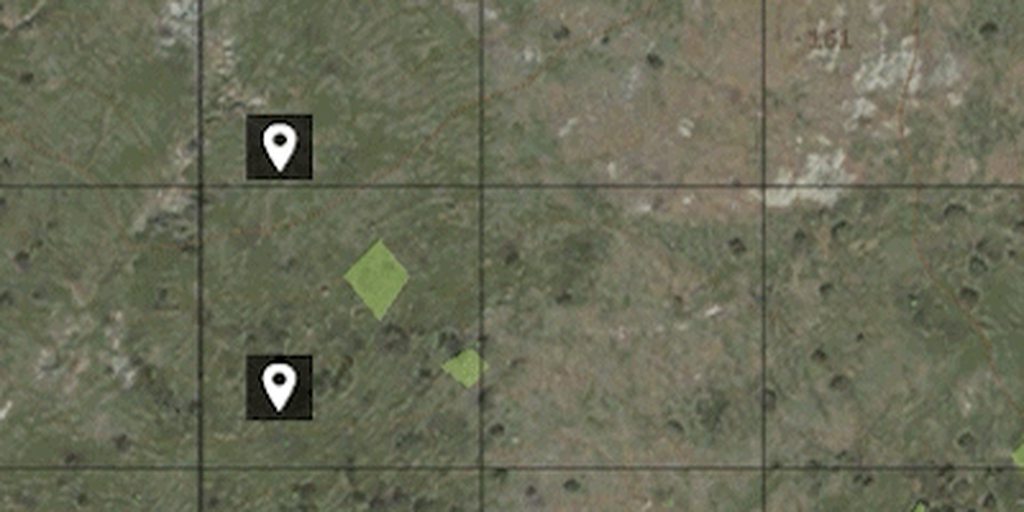
How do I add a mouse event to the icon? Do I just add the event to the map and calculate the distance to the marker? I dont think this is how the vanilla task markers work, as their bounds change when hovered and interacted with. Looks like some GUI magic.
I assume they are controls which positions are just updated in the draw event, or am I missing something?
 hybrid quest
I did exactly that and it works.
solid gyro
Hi,
if i want add little light on missiondisplay (display 46),
can i do that via Dialog.hpp and add on display 46 class, or
_multiLineEdit = findDisplay 46 ctrlCreate ["RscStructuredText", 8500];
what does that have to do with light?
solid gyro
I have "messenger", old messenger device, and thought if there possiblity to get little light to some corner (up , down, left, right doens't matter where) when i get message. I have message light on GUI but ppl doens't hear message voice always so thought if there is possiblity to get light on screen when player gets message.
willow stratus
It can just be a picture
solid gyro
Just like that, that would be enough. How can I make it happen?
willow stratus
solid gyro
Just like that, that would be enough. How can I make it happen?
it's very easy. just make an RscPicture control
and make a picture in photoshop or something for the light
solid gyro
Yeah, i have picture which i use on Gui
but how i can get on "mission" screen to show
willow stratus
when the light is off use ctrlSetTextColor [0,0,0,1] to make it black
solid gyro
Thx
mental trench
Is there a good place other than the script reference for GUI, like a tutorial?
Its one of my weakest learning areas, UI
solid gyro
Hello,
I have keyDown EH , with this i get ESC key disabled (seems it disable all keyboard keys) so ecs Button doenst close dialog and this is what i want,
But how i can add another event to ESC key?
So If (dik_escape) then {
systemChat "this IS working"
};
If i get this work. so I can add my own event on brackets.
willow stratus
solid gyro
Hello,
I have keyDown EH , with this i get ESC key disabled (seems it disable al...
seems it disable all keyboard keys
returnfalseat the end
how i can add another event to ESC key?
if you want to override it:
If (_key == DIK_ESCAPE) exitWith {
  systemChat "this IS working";
  true;
};
otherwise:
If (_key == DIK_ESCAPE) exitWith {
  systemChat "this IS working";
  false;
};
wrap the whole thing in call (or make a function and call the function)
solid gyro
Yeah, got that work with your guide. Thanks again.
mental trench
How do you associate functionality to UI elements
willow stratus
mental trench
How do you associate functionality to UI elements
using event handlers
strange arrow
mental trench
Is there a good place other than the script reference for GUI, like a tutorial?
There indeed is a tutorial: https://community.bistudio.com/wiki/GUI_Tutorial
solid gyro
Hellouuu, again.
seems everyone else knows how to do GUI, because sometimes i feel i'm only one who is lost with these thinks.
everyday i figure out something new , but everyday
i get stuck like the next one.
soundClick[] = {
how i can add my own sound here?
class CfgSounds {
    sounds[] = {};

    class numIEDsound1 {
        name = "numIEDsound1";
        sound[] = {"numIED\sounds\numIEDsound1.ogg",1, 1,100};
        titles[] = {0, ""};
    };
};
and from debug i can playSound "numIEDsound1" .
but if i want this same sound to button soundClick, i must put
the whole path get it work.
"C:\Users..."
so is there easier way / how i can get this work on addOn (now i'm doing via description, because it's faster to test all this things, but if in addOn is easier way i would turn to that side straight)
willow stratus
solid gyro
Hellouuu, again.
seems everyone else knows how to do GUI, because sometimes i f...
you can still use description.ext
soundClick[] = {__EVAL(getMissionPath "numIED\sounds\numIEDsound1.ogg"), ...}
if you want to make an addon, see:
https://community.bistudio.com/wiki/Arma_3:_Creating_an_Addon
 random tinsel
I need an HUD that will display a player's health and the total number alive players there currently are. I don't know C++ and I don't understand how to make a GUI from the wiki... Can anyone help me? I just wanna make something simple, what would be the easiest way to go about this?
distant axle
GUI Displays don't run on C++ but the same way with description.ext.
You can check this article out: https://community.bistudio.com/wiki/Arma:_GUI_Configuration
random tinsel
distant axle
GUI Displays don't run on C++ but the same way with description.ext.
You can che...
thanks, this is much better than the other GUI wiki page. I'm still struggling to understand how any of this works, though. I can't tell which of these classes in the HUD example are predefined in the game and which are custom...
#include "\a3\ui_f\hpp\definecommongrids.inc"

class RscTitles
{
    class RscInfoText
    {
        idd = 3100;
        fadein = 0;
        fadeout = 0;
        duration = 1e+011;
        onLoad = "uinamespace setVariable ['BIS_InfoText',_this select 0]";
        onUnLoad = "uinamespace setVariable ['BIS_InfoText', nil]";
        class Controls
        {
            class InfoText
            {
                idc = 3101;
                style = "0x01 + 0x10 + 0x200 + 0x100";
                font = "RobotoCondensedBold";
                x = "(profileNamespace getVariable [""IGUI_GRID_MISSION_X"", (safezoneX + safezoneW - 21 * (GUI_GRID_WAbs / 40))])";
                y = "(profileNamespace getVariable [""IGUI_GRID_MISSION_Y"", (safezoneY + safezoneH - 10.5 * (GUI_GRID_HAbs / 25))])";
                w = "20 * (GUI_GRID_WAbs / 40)";
                h = "5 * ((GUI_GRID_WAbs / 1.2) / 25)";
                colorText[] = {1,1,1,1};
                colorBackground[] = {0,0,0,0};
                text = "";
                lineSpacing = 1;
                sizeEx = 0.045;
                fixedWidth = 1;
                deletable = 0;
                fade = 0;
                access = 0;
                type = 0;
                shadow = 1;
                colorShadow[] = {0,0,0,0.5};
                tooltipColorText[] = {1,1,1,1};
                tooltipColorBox[] = {1,1,1,1};
                tooltipColorShade[] = {0,0,0,0.65};
            };
        };
    };
};
Thanks this make path writing easier.
willow stratus
random tinsel
```hpp
#include "\a3\ui_f\hpp\definecommongrids.inc"
class RscTitles
{
clas...
there's a tutorial page that explains everything:
https://community.bistudio.com/wiki/GUI_Tutorial
random tinsel
willow stratus
there's a tutorial page that explains everything:
https://community.bistudio.com...
so would this be the correct framework for a HUD?
description.ext:
#include "dialogs.hpp"
dialogs.hpp:
#include "baseControls.hpp"
class RscTitles {
    class RscMyHUD {
        idd = -1;
        duration = 1e+6;
        class ControlsBackground {
            //
        };
        class Controls {
            //
        };
    };
};
baseControls.hpp:
import RscObject;
import RscText;
import RscFrame;
import RscLine;
import RscProgress;
import RscPicture;
import RscPictureKeepAspect;
import RscVideo;
import RscHTML;
import RscButton;
import RscShortcutButton;
import RscEdit;
import RscCombo;
import RscListBox;
import RscListNBox;
import RscXListBox;
import RscTree;
import RscSlider;
import RscXSliderH;
import RscActiveText;
import RscActivePicture;
import RscActivePictureKeepAspect;
import RscStructuredText;
import RscToolbox;
import RscControlsGroup;
import RscControlsGroupNoScrollbars;
import RscControlsGroupNoHScrollbars;
import RscControlsGroupNoVScrollbars;
import RscButtonTextOnly;
import RscButtonMenu;
import RscButtonMenuOK;
import RscButtonMenuCancel;
import RscButtonMenuSteam;
import RscMapControl;
import RscMapControlEmpty;
import RscCheckBox;
I don't see you using any base controls. but yes
not sure if the title's other properties are optional
it needs some fadeIn and fadeOut props iirc
random tinsel
ok
and I only need to import the controls that I actually use
Is the controls property already defined in class controls {} or is it different?
 random tinsel
ok thanks
random tinsel
Have I done this correctly?
dialogs.hpp:
import RscText;
import IGUIBack;

class RscTitles {
    class RscBRHUD {
        idd = -1;
        duration = 1e+6;
        fadeIn = 0;
        fadeOut = 0;
        onLoad = "";
        onUnload = "";
        class ControlsBackground {
            class IGUIBack_2200: IGUIBack {
                idc = 2200;
                x = 12 * GUI_GRID_W + GUI_GRID_X;
                y = 35 * GUI_GRID_H + GUI_GRID_Y;
                w = 16 * GUI_GRID_W;
                h = 1 * GUI_GRID_H;
            };
        };
        class Controls {
            class RscText_1000: RscText {
                idc = 1000;
                text = "Player Health: %";
                x = 0.417481 * safezoneW + safezoneX;
                y = 0.753 * safezoneH + safezoneY;
                w = 0.0722041 * safezoneW;
                h = 0.022 * safezoneH;
                colorText[] = {1,1,1,0.5};
                colorBackground[] = {0,0,0,0.1};
                sizeEx = 1 * GUI_GRID_H;
            };
            class RscText_1001: RscText {
                idc = 1001;
                text = "Players Remaining: ";
                x = 0.5 * safezoneW + safezoneX;
                y = 0.753 * safezoneH + safezoneY;
                w = 0.082519 * safezoneW;
                h = 0.022 * safezoneH;
                colorText[] = {1,1,1,0.5};
                colorBackground[] = {0,0,0,0.1};
                sizeEx = 1 * GUI_GRID_H;
            };
        };
    };
};
you have not defined GUI_GRID_H
also is IGUIBack even valid? 
random tinsel
I dont know
random tinsel
willow stratus
you have not defined `GUI_GRID_H`
I just copied that from the GUI editor in-game 🤷🏼
willow stratus
well you need to define it
random tinsel
willow stratus
also is `IGUIBack` even valid? <:thonk:700311400152825906>
I just put that in there because I assumed it needed to be imported/defined like RscText
willow stratus
yes but my question is does the game even has such a class that you're importing it?
I've never heard of it
willow stratus
random tinsel
it didnt show up in the list
open config viewer and search for it there
willow stratus
configFile
willow stratus
random tinsel
I just copied that from the GUI editor in-game 🤷🏼
willow stratus
ok
random tinsel
wait is GUI_GRID_BOTTOMCENTER just the bottom of the screen? because that's all I want
how do I use it?
willow stratus
 random tinsel
ok
now how do I use that in the properties of the controls?
do I just plug it in for the x and y values?
willow stratus
use what?
random tinsel
oh is it this:
x = GUI_GRID_BOTTOMCENTER_X + 0 * GUI_GRID_BOTTOMCENTER_W;
y = GUI_GRID_BOTTOMCENTER_Y + 24 * GUI_GRID_BOTTOMCENTER_H;
w = 40 * GUI_GRID_BOTTOMCENTER_W;
h = 1 * GUI_GRID_BOTTOMCENTER_H;
GUI_GRID_BOTTOMCENTER
willow stratus
willow stratus
random tinsel
oh is it this:
```hpp
x = GUI_GRID_BOTTOMCENTER_X + 0 * GUI_GRID_BOTTOMCENTER_W;...
why do you make up words?!
random tinsel
willow stratus
why do you make up words?!
I copied that from the wiki
willow stratus
oh ok then...
random tinsel
lol
if I put those values in for the x and y will the hud be at the bottom center of the screen?
 willow stratus
random tinsel
if I put those values in for the x and y will the hud be at the bottom center of...
willow stratus
random tinsel
if I put those values in for the x and y will the hud be at the bottom center of...
idk where it'll be. just test it
random tinsel
ok
but those values will be defined if I do #include "\a3\ui_f\hpp\definecommongrids.inc" ?
willow stratus
yes
random tinsel
ok
yeah its not showing up at the bottom lol
its kind of in the middle upper left
random tinsel
ok I got it figured out, now I need to display a variable in the text
this is what I currently have:
import IGUIBack;
import RscText;
#include "\a3\ui_f\hpp\definecommongrids.inc"

class RscTitles {
    class RscBRHUD {
        idd = -1;
        duration = 1e+6;
        fadeIn = 0;
        fadeOut = 0;
        onLoad = "";
        onUnload = "";
        class ControlsBackground {
        };
        class Controls {
            class HealthText: RscText {
                idc = 1000;
                text = "Player Health: 100%";
                x = 0.417481 * safezoneW + safezoneX;
                y = 0.978 * safezoneH + safezoneY;
                w = 0.082519 * safezoneW;
                h = 0.022 * safezoneH;
                colorText[] = {1,1,1,1};
                colorBackground[] = {0,0,0,0.3};
                sizeEx = 1 * GUI_GRID_H;
            };
            class RscText_1001: RscText {
                idc = 1001;
                text = "Players Remaining: 30";
                x = 0.5 * safezoneW + safezoneX;
                y = 0.978 * safezoneH + safezoneY;
                w = 0.082519 * safezoneW;
                h = 0.022 * safezoneH;
                colorText[] = {1,1,1,1};
                colorBackground[] = {0,0,0,0.3};
                sizeEx = 1 * GUI_GRID_H;
            };
        };
    };
};
I need these strings respectively in place of the current text:
"Player Health: " + str ((1 - damage player) * 100) + "%";
"Players Remaining: " + str ({ alive _x } count allPlayers);
And I need them to constantly update... how can I do this?
willow stratus
random tinsel
And I need them to constantly update... how can I do this?
by constantly updating it...
random tinsel
with cutRsc?
willow stratus
...
scripting
random tinsel
so cutRsc for a HUD?
I still don't understand the first part of actually getting the variables to display as the text...
 tranquil iron
onLoad = "";
in there grab your display's variable, save it in a variable in uiNamespace.
Then you can use that variable to get your controls and do stuff like ctrlSetText
tranquil iron
(yourDisplay displayCtrl 1001) setText "players remaining 0505050"
willow stratus
onLoad = "uiNamespace setVariable ['myHud', _this#0]";
while {condition} do {
  (uiNamespace getVariable ['myHud', displayNull]) displayCtrl blabla setText "blabla";
  sleep bla
}
what is _this#0?
willow stratus
the display
random tinsel
ohhh
so we are storing the display as a variable
and a script is taking that variable and setting the text...?
willow stratus
yes
willow stratus
yes
random tinsel
awesome, thanks
random tinsel
Does anyone know why the two texts look slightly different? They have all the same settings....
import RscText;
#include "\a3\ui_f\hpp\definecommongrids.inc"

class RscTitles {
    class RscBRHUD {
        idd = -1;
        duration = 1e+6;
        fadeIn = 0;
        fadeOut = 0;
        onLoad = "uiNamespace setVariable ['BRHUD', _this#0]";
        onUnload = "";
        class ControlsBackground {
        };
        class Controls {
            class PlayerHealth: RscText {
                idc = 1000;
                text = "";
                x = 0.417481 * safezoneW + safezoneX;
                y = 0.978 * safezoneH + safezoneY;
                w = 0.082519 * safezoneW;
                h = 0.022 * safezoneH;
                colorText[] = {1,1,1,1};
                colorBackground[] = {0,0,0,0.3};
                sizeEx = 1 * GUI_GRID_H;
            };
            class PlayerCount: RscText {
                idc = 1001;
                text = "";
                x = 0.5 * safezoneW + safezoneX;
                y = 0.978 * safezoneH + safezoneY;
                w = 0.082519 * safezoneW;
                h = 0.022 * safezoneH;
                colorText[] = {1,1,1,1};
                colorBackground[] = {0,0,0,0.3};
                sizeEx = 1 * GUI_GRID_H;
            };
        };
    };
};
 willow stratus
random tinsel
Does anyone know why the two texts look slightly different? They have all the sa...
willow stratus
random tinsel
Does anyone know why the two texts look slightly different? They have all the sa...
probably because the text had to be smooshed together or something
change bot ws to 1 * safeZoneW and see
oh wait they have background...
well you can at least see if that's why 
and remove the bg
random tinsel
willow stratus
change bot `w`s to `1 * safeZoneW` and see
change the w for both texts? or just the bottom one?
solid gyro
Good moening,
IS there possiblity to do control under own class.
Like
Class myControls {
 Idd = 12345
  Class controls {
   RcsButton...
And If i use
ctrlEnable [12345, false];
This disable all My controls?
Or IS there some other way disable all controls?
distant axle
Do you mean controlsGroup?
solid gyro
Yes, maybe, If this allow me with one command to disable controls on dialog
distant axle
I don't really remember. At least I remember it could hide it all once, but you can just use forEach or apply to iterate all controls under the group
solid gyro
Okey, i try with group disable. If that doens't work, how i can use forEach or apply to control?
i mean how i should find controls?
{
ctrlEnable [_x,false];
} forEach findDisplay 9000 findControl
i don't know, just trying figure out
distant axle
https://community.bistudio.com/wiki/allControls
Always, always always read BIKI
solid gyro
Thanks
hybrid quest
I'm trying to figure out how to draw controls on top of a map. My idea is to put all controls inside RscRespawnMapOverlayGroup, which should be sorted above the map. However, they appear behind the map regardless.
class RscRespawnMapDisplay
{
    idd = 182600;
    x = SafeZoneXAbs;
    y = safeZoneY;
    w = SafeZoneWAbs;
    h = safeZoneH;
    class ControlsBackground
    {
        class RscRespawnMapBackgroundControl: RscText
        {
            idc = 182601;
            x = SafeZoneXAbs;
            y = safeZoneY;
            w = SafeZoneWAbs;
            h = safeZoneH;
            text = "";
            colorBackground[] = {1, 1, 1, 1};
        };
    };
    class Controls
    {
        class RscRespawnMapControl: RscMapControl
        {
            idc = 182602;
            x = SafeZoneXAbs;
            y = safeZoneY;
            w = SafeZoneWAbs;
            h = safeZoneH;
        };
        class RscRespawnMapOverlayGroup: RscControlsGroup
        {
            idc = 182603;
            x = SafeZoneXAbs;
            y = safeZoneY;
            w = SafeZoneWAbs;
            h = safeZoneH;
        };
    };
};
Any help is appreciated.
solid gyro
distant axle
https://community.bistudio.com/wiki/allControls
Always, always always read BIKI
Didn't find this one, biki always on My use and here i get very good informaation If i don't get all work, thanks for this
hybrid quest
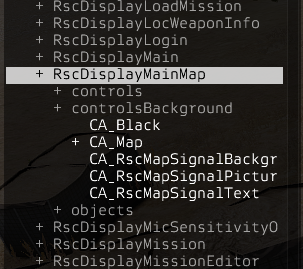
Looks like the game solves control layering by putting the map in the background... I guess map interaction have to be faked somehow. https://i.imgur.com/wsp76NY.png


 mental trench
Hi everybody. I have some problem with the GUI. When I use lbCurSel and the ID of the listbox I need, it absolutely always returns -1. Help please.
distant axle
Please show what exactly you do
willow stratus
mental trench
Hi everybody. I have some problem with the GUI. When I use lbCurSel and the ID o...
just don't use IDs
use controls
_ctrl = findDisplay _dispIDD displayCtrl _ctrlIDC
one second
mental trench
willow stratus
```sqf
_ctrl = findDisplay _dispIDD displayCtrl _ctrlIDC
```
I'll try
mental trench
willow stratus
just don't use IDs
it didn't work, anyway, when you click on an item in the listbox, the index doesn't change.
mental trench
willow stratus
use pastebin.com if it's too long
controls
Pastebin
Pastebin.com is the number one paste tool since 2002. Pastebin is a website where you can store text online for a set period of time.
script
Pastebin
Pastebin.com is the number one paste tool since 2002. Pastebin is a website where you can store text online for a set period of time.
willow stratus
mental trench
https://pastebin.com/b4LA9aTc
your script has one undefined var:
_disppicr (line 15)
but I don't see anything else wrong
does your code fill the listbox correctly?
mental trench
willow stratus
your script has one undefined var:
`_disppicr` (line 15)
but I don't see anythi...
everything is fine with this, apparently I accidentally erased it, there is a variable with a path to the image.
mental trench
willow stratus
does your code fill the listbox correctly?
yes
willow stratus
willow stratus
does your code fill the listbox correctly?
so does it?
ok
there's nothing wrong as far as I see
unless that's not all of the code
distant axle
Maybe, it is because you use lbAdd [1500,_dispname] syntax? I really don't know, since I never used this syntax but what if it is the reason?
mental trench
distant axle
Maybe, it is because you use `lbAdd [1500,_dispname]` syntax? I really don't kno...
I'll try to use a different syntax
mental trench
distant axle
Maybe, it is because you use `lbAdd [1500,_dispname]` syntax? I really don't kno...
alas, it didn't work