#arma3_gui
1 messages · Page 15 of 1
 frank stump
 quasi granite
frank stump
Hey sorry for the late response
i thought about something like that but i think ...
quasi granite
frank stump
Hey sorry for the late response
i thought about something like that but i think ...
i did make an fps graph before: https://forums.bohemia.net/forums/topic/204157-display-graph-in-dialog/?tab=comments#comment-3286107 (pretty old, some not optimal code). also there are these commands: https://community.bistudio.com/wiki/getGraphValues and https://community.bistudio.com/wiki/decayGraphValues but never understood their use, probably something to do with the performance binary or sth, dunno
frank stump
quasi granite
i did make an fps graph before: https://forums.bohemia.net/forums/topic/204157-d...
kk thanks 🙂
quasi granite
currently investigating getGraphValues with this example:
    private _minX = 0;
    private _maxX = 10;
    private _minY = 0;
    private _maxY = 100;
    private _count = 11;
    private _random = 0;

    getGraphValues [
        [_minX, _maxX, _minY, _maxY, _count, _random],
        0, 5,
        1, 10,
        2, 100,
        3, 50,
        4, 30,
        5, 100,
        6, 10,
        7, 50,
        8, 75,
        9, 100,
        10, 100
    ];
    /*
        returns [[0.05, 0.1, 1, 0.5, 0.3, 1, 0.1, 0.5, 0.75, 1, 1], [0, 1, 2, 3, 4, 5, 6, 7, 8, 9, 10]]
        supposedly [array of 1-based Y values, array of X values]
    */
``` and some math you can this graph:
display config:
class DisplayGraph
{
    idd = -1;
    onLoad = "['onLoad',_this] execVM 's\graph.sqf';";
    class Controls
    {
        class Background: ctrlStatic
        {
            x = 0;
            y = 0;
            w = 1;
            h = 1;
            colorBackground[] = {0,0,0,0.8};
        };
        class Graph: ctrlControlsGroupNoScrollBars
        {
            idc = 100;
            x = 0;
            y = 0;
            w = 1;
            h = 1;
        };
    };
};
s\graph.sqf:
params ["_mode", "_params"];
switch _mode do {
    case "onLoad":{
        _params params ["_display"];
        private _ctrlGraph = _display displayCtrl 100;
        ctrlPosition _ctrlGraph params ["_graphX", "_graphY", "_graphW", "_graphH"];
        private _minX = 0;
        private _maxX = 10;
        private _minY = 0;
        private _maxY = 100;
        private _count = 11;
        private _random = 0;

        getGraphValues [
            [_minX, _maxX, _minY, _maxY, _count, _random],
            0, 5,
            1, 10,
            2, 100,
            3, 50,
            4, 30,
            5, 100,
            6, 10,
            7, 50,
            8, 75,
            9, 100,
            10, 100
        ] params ["_yValues", "_xValues"];
        {
            private _xValue = _x;
            private _yValue = _yValues select _forEachIndex;
            private _ctrlPoint = _display ctrlCreate ["ctrlStatic", -1, _ctrlGraph];
            _ctrlPoint ctrlSetPosition [
                (_forEachIndex / _count) * _graphW,
                _yValue * _graphH,
                5 * pixelW,
                5 * pixelH
            ];
            _ctrlPoint ctrlCommit 0;
            _ctrlPoint ctrlSetBackgroundColor [1,0,0,1];

        } forEach _xValues;

    };
};
New code because my math was wrong (y coordinates go from top to bottom):
#include "\a3\3den\ui\macros.inc"
params ["_mode", "_params"];
switch _mode do {
    case "onLoad":{
        _params params ["_display"];
        private _ctrlGraph = _display displayCtrl 100;
        ctrlPosition _ctrlGraph params ["_graphX", "_graphY", "_graphW", "_graphH"];
        private _values = [
            0, 5,
            1, 10,
            2, 100,
            3, 50,
            4, 30,
            5, 100,
            6, 10,
            7, 50,
            8, 75,
            9, 100,
            10, 100
        ];
        private _minX = 0;
        private _maxX = 10;
        private _minY = 0;
        private _maxY = 100;
        private _count = 11;
        private _random = 0;
        getGraphValues ([
            [_minX, _maxX, _minY, _maxY, _count, _random]
        ] + _values) params ["_yValues", "_xValues"];
        {
            private _xValue = _x;
            private _yValue = _yValues select _forEachIndex;
            private _xPos = ((_forEachIndex + 0.5) / _count) * _graphW;
            private _yPos = _graphH - _yValue * _graphH;
            private _ctrlPoint = _display ctrlCreate ["ctrlStatic", -1, _ctrlGraph];
            _ctrlPoint ctrlSetPosition [
                _xPos - 5 * pixelW,
                _yPos - 5 * pixelH,
                10 * pixelW,
                10 * pixelH
            ];
            _ctrlPoint ctrlCommit 0;
            _ctrlPoint ctrlSetBackgroundColor [1,0,0,1];
            private _ctrlLabel = _display ctrlCreate ["ctrlStructuredText", -1, _ctrlGraph];
            _ctrlLabel ctrlSetPosition [
                _xPos + 10 * pixelW,
                _yPos - 2.5 * GRID_H + 3 * pixelH,
                20 * GRID_W,
                5 * GRID_H
            ];
            _ctrlLabel ctrlCommit 0;
            _ctrlLabel ctrlSetText format ["(%1 | %2)", _xValue, _yValue];

        } forEach _xValues;

    };
};
Result:
 frank stump
quasi granite
Result:
frank stump
quasi granite
Result:
thats very interesting, what kind of ctrl is it (100)?
 strange arrow
Terra hid ...
import ctrlControlsGroupNoScrollBars;
import ctrlStatic;
```... from you; `ctrlControlsGroupNoScrollBars` is a predefined control class in vanilla A3 and should be a CT_CONTROLS_GROUP. You can find it in the config viewer (`configFile >> ctrlControlsGroupNoScrollBars` if I remember correctly). quiet arrow
quasi granite
i did make an fps graph before: https://forums.bohemia.net/forums/topic/204157-d...
quiet arrow
quasi granite
i did make an fps graph before: https://forums.bohemia.net/forums/topic/204157-d...
these commands were added with Contact IIRC. So perhaps for the spectrum weapon (Don't remember its name)
So far I know getGraphValues is meant to return all values that fit within the defined graph, but I haven't actually tested that.
quasi granite
from my understanding now is that it converts all y values to a range between 0 and 1. but what is the advantage of over using linearConversion?
quiet arrow
Probably that you can convert a whole array in one go ¯_(ツ)_/¯
 obsidian mulch
How to change chat position by script? I cant find any idc or idd for chat controls. What parent display (or something) of chat box?
strange arrow
You can try your luck here https://community.bistudio.com/wiki/Arma_3:_IDD_List but other than that 🤷♂️
You can also investigate with allDisplays and allControls while the chat is displaying something, but I don't know about the success chances of that either.
obsidian mulch
strange arrow
You can try your luck here https://community.bistudio.com/wiki/Arma_3:_IDD_List ...
There only input chat box and voice
obsidian mulch
strange arrow
You can also investigate with `allDisplays` and `allControls` while the chat is ...
I was try but no luck
 vestal badge
private _vehModel = getText(configFile >> "cfgVehicles" >> _className >> "model");

_3dModelUI ctrlSetModel _vehModel;
_3dModelUI ctrlSetScale 0.01;
_3dModelUI ctrlCommit 0.01;
after displaying a 3d model on the UI is there a way to texture it with a specific texture?
is there also any way to stop you from being able to drag it around?
quasi granite
obsidian mulch
How to change chat position by script? I cant find any idc or idd for chat contr...
since the chat is not interactable by default it must be HUD. so try looking in the config viewer under RscTitles or RscIngameUI (both under configfile)
quasi granite
vestal badge
```sqf
private _vehModel = getText(configFile >> "cfgVehicles" >> _className >> ...
texturing it is one of my big remaining questions about UIs too 😅 as for preventing moving: there is this UIEH: https://community.bistudio.com/wiki/User_Interface_Event_Handlers#onObjectMoved in which you can set the original position of the object
vestal badge
I hope its possible or I just wasted 2h of my time 
obsidian mulch
quasi granite
since the chat is not interactable by default it must be HUD. so try looking in ...
Config have only this: RscChatListDefault, RscChatListMap and RscChatListMission. But this classes don't have a idc/idd. I suppose what somewhere on display located CONTROL GROUP with chat rows inside.
quasi granite
obsidian mulch
Config have only this: `RscChatListDefault`, `RscChatListMap` and `RscChatListMi...
if it is using BIS_fnc_initDisplay in its onLoad UIEH you can get the display via uiNamespace
obsidian mulch
quasi granite
if it is using BIS_fnc_initDisplay in its onLoad UIEH you can get the display vi...
Yeah but allVariables don't work with uiNamespace in multiplayer. How i find it?
From Bohemia forums:
{{_x ctrlShow false} forEach allControls _x} forEach allDisplays
or
{{_x ctrlShow false} forEach allControls _x} forEach (uiNamespace getVariable "IGUI_Displays")
Hides everything except chatbox 🤷♂️
quasi granite
then the chat display is not using BIS_fnc_initDisplay so unfortunately you can't access it. I can't test myself as I don't have a PC this week
 sharp frost
is there a way to add an eventHandeler to a CT_MENU_STRIP item that doesn't involve overwriting the action with menuSetAction?
quasi granite
haven't worked with menus a lot but there is this UIEH: https://community.bistudio.com/wiki/User_Interface_Event_Handlers#onMenuSelected . Also you could just append your own code with
_ctrl menuSetAction (_ctrl menuAction _path + " hint 'your code';")
Yeah am doing that already now
Just feels very, dirty
couldn't get OnMenuSelected to work
quasi granite
just make sure that you are not executing that command multiple times with the same arguments. otherwise i don't see a problem doing it that way
sharp frost
Ah nah that will be fine just adding my own onEditorPreview event to the Eden editor (until we get an engine one) :)
what I did if you are curious ```sqf
//Change the Menu Strip Play actions so they call onPreview before the BIS function and stop their engine behaviour.
private _menuStrip = _edenDisplay displayCtrl IDC_DISPLAY3DEN_MENUSTRIP;
for "_i" from 0 to (_menuStrip menuSize [6]) do {
private _path = [6, _i];
private _data = _menuStrip menuData _path;
//Only seperator Items do not have any data defined, skip if we are on a seperator
if (_data isEqualTo "") then {continue};
private _action = _menuStrip menuAction _path;
//Create an action that emulates engine behaviour if Item doesn't have an action.
if (_action isEqualTo "") then {
_action = format [QUOTE(do3DENAction '%1';), _data];
};
//Prepend onPreview function to Item action.
_menuStrip menuSetAction [_path, QUOTE(call FUNC(onPreview);) + _action];
//Delete Item data to prevent Engine from overriding us.
_menuStrip menuSetData [_path, ""];
};```
 unkempt cliff
Can you select the row selection color for CT_LISTNBOX via script?
I need this for selected row text color but cant find the command
 vernal quest
Hello, is any reasons - why i can't set tooltip for RscStructuredText control?
_ctrl ctrlSetTooltip _tooltip;
but is not shows me anything here :\
quiet arrow
@vernal quest (except for CT_STATIC & CT_STRUCTURED_TEXT, although Arma 3 now supports these too)
From Biki. It should work.
vernal quest
Should, but... don't work for me
 hallow dew
How would I go about creating a centralized main menu logo to replace the "ARMA 3" one?
So far the issue I'm having is that its not cantered for people that don't have the same resolution or UI Scaling as me
Figured it out
quasi granite
hallow dew
~~So far the issue I'm having is that its not cantered for people that don't hav...
sharing is caring
hallow dew
quasi granite
sharing is caring
w = pixelW * pixelGrid * 24;
24 is the given size of the logo
x = 0.5 - pixelW * pixelGrid * 12;
0.5 is half the screen (the centre)
12 is half the size of the logo, needed to make the logo's centre be the actual centre, rather than it's corner
pixelW * pixelGrid is magic taken from the biki
quasi granite
yep seems about right. since you are already working in pixel coordinates you can also use the 3den defines:
#include "\a3\3DEN\UI\macros.inc"
#include "\a3\3DEN\UI\macroexecs.inc"
// ...
x = CENTER_X - 12 * GRID_W;
w = 24 * GRID_W;
It works for me & I'm happy w it, so I'd rather not touch it so it doesn't break))
But thx anyhow, will use that if I need to do these things again next time
quasi granite
also some reading before bedtime: https://community.bistudio.com/wiki/Arma_3:_GUI_Coordinates#Pixel_Grid
 desert fog
where can I find default code for arma 3 inventory tooltips ? trying to find dimensions, font, font-size, position relative to mouse https://i.postimg.cc/52KRyb5f/tooltip.png
quasi granite
desert fog
where can I find default code for arma 3 inventory tooltips ? trying to find dim...
in the engine afaik
desert fog
I am getting closer https://i.imgur.com/pFqdMJb.png
desert fog
is there a specific ICD I can use from contact ? https://i.imgur.com/V3OZvWe.png for that "Activity detected ... popup"
 grim jackal
Hi guys, I'm a complete and utter amateur but I want to try and find out how much work a mod for a GUI would be before I get stuck in or if there already exists something better (I've searched the Steam Workshop pretty extensively.
https://imgur.com/a/My5QeQ0
In the above screenshot I've designed a VERY rough dialog, I basically want it to do the following:
1.) Keybinding brings up the menu
2.) Order Request Type dropdown has the options populated and they determine what marker gets placed on map
3.) Click here for request location button brings up the map and it's clickable to populate a grid coord then it returns to menu
4.) Order Details field populates a field in the Order Queue
5.) Order Queue pulls time from server, request number/ID maybe, details and grid coordinates and populates in order.
6.) Cancel button closes the menu
7.) Add to map & queue button populates map with marker and request number/ID
It's basically a player-driven 'order queue' for support taskings which in my unit are all done by players, supply drops, CAS etc. I want infantry to be able to request stuff and then other people can see it in the queue with some basic details.
Also secondary question, would this need CBA?
quasi granite
grim jackal
Hi guys, I'm a complete and utter amateur but I want to try and find out how muc...
I don't think there is a system like that. GUI creation can be tricky, ngl. you can check out this: https://community.bistudio.com/wiki/GUI_Tutorial if you want to decide by yourself how much work it would be. but your concept looks like a good task for a newcomer
CBA would not be needed unless you find a function from CBA that makes your life easier
grim jackal
Okay thank you, I have tried to parse that wiki a bit, first port of call was Google when I started, just finding the setting up of my GUI to actually do stuff tricky in terms of the SQFs.
quasi granite
yeah that's why GUIs have their own channel here ^^
grim jackal
I notice in Arma when I press 'ESC' it closes my dialog, is there a way to make my cancel button do the same thing an easy way? I figure it's tied to something like the OnMouseButtonClick? Does this have to be a SQF? I figure I'd start with the cancel button as that's probably the least complicated part
quasi granite
yeah give your button an idc of 2
or inherit from RscButtonMenuCancel
(same thing)
grim jackal
I'm guessing RscButtonMenuCancel is like BI's OG cancel button script?
quasi granite
well the cancel button script is just the idc of 2
grim jackal
But I've just set my idc, seemed easy in the program I'm using
Awesome thanks so much for the help btw
grim jackal
I appreciate it's probably frustrating to constantly explain the same things to newer peeps but we need it sometimes with how limited documentation is (don't get me wrong the wiki's are EXTENSIVE, it's just the tutorials are sometimes not plain enough for my smooth brain lol)
quasi granite
no i agree. when I got into UI creation it was just as frustrating
grim jackal
This reminds me of terrain creation lol, start out to do what I assumed would be simple and find out I was so very wrong haha, I'm excited though, it seems like progress is happening, only started a couple of hours ago and at least it's VISIBLE in Arma
quasi granite
there's so much to know about GUIs that it is hard to put it all in one concise article on the biki. that's what I felt like when writing the GUI Tutorial and also maintaining other GUI related pages, especially the control types
grim jackal
Oh for sure, it's such a deep and rich set of tools, hence the complexity
But thanks heaps, that idc thing worked perfect!
quasi granite
👍
grim jackal
https://youtu.be/2F-APRCO6rE Here's what I got so far
quasi granite
oh that was fast
grim jackal
I think the next part will be set a keybind to open the dialog and make a menu/config for editing that keybinding
quasi granite
since you are making a mod you can use this new system: https://community.bistudio.com/wiki/Arma_3:_Modded_Keybinding
grim jackal
Oh very cool thanks for the heads up
 raw bronze
hi can we draw a line around a character like an hud ?
or a square like this :
sorry for the quality
quasi granite
raw bronze
hi can we draw a line around a character like an hud ?
yes with drawIcon3D or drawLine3D
raw bronze
ok so i make a custom picture with a square and some transparency. after that with the drawIcon i choose the position pelvis on the character ?
quasi granite
you could use selectionPosition and modeltToWorld
raw bronze
and to disable this i've just to do a removeeventhandler
quasi granite
correct
raw bronze
ok thanks 👍
 restive girder
You could also do it through UI if you want to make yourself suffer
 smoky hatch
I want to listen for the MouseMoving event handler but hide the cursor from view, is this possible? Currently I am using an empty dialog to listen for mousemoving but dont need to see the cursor as its distracting
 burnt token
Needs custom empty cursor texture.

GitHub
When merged this pull request will:
Add a custom transparent cursor
Use this cursor when blocking inputs
The cursor being visible whilst being unconscious always bothered me. The cursor reappears...
smoky hatch
burnt token
Needs custom empty cursor texture.
Perfect, thank you
unkempt cliff
I'm using invisible button to cover a clickable area but the problem I am having is that tooltips don't work on the underlying controls. is there a better way/fix for this?
quasi granite
hmm maybe a onMouseButtonDown UIEH that checks if the mouse button was clicked in the are of the button instead? and remove the button?
unkempt cliff
quasi granite
hmm maybe a onMouseButtonDown UIEH that checks if the mouse button was clicked i...
was thinking the same. I have multiple of those buttons though
quasi granite
unkempt cliff
was thinking the same. I have multiple of those buttons though
I'd replace them with a function that takes the button as argument and adds the UIEH to the display with the coordinates of the button which then gets deleted
unkempt cliff
quasi granite
I'd replace them with a function that takes the button as argument and adds the ...
hmm are the button coords compatible with the mouse position commands?
quasi granite
w and h yes, x and y only if the button is not part of a controlsgroup
unkempt cliff
they are in controlsgroup
quasi granite
in that case you can check for ctrlParentControlsGroup and if it is not null add the x and y position of the controls group to the x and y of the button. do that recursively for all parent controls groups
maybe a new command like ctrlPositionAbs would be cool, if it is not too much work
unkempt cliff
quasi granite
in that case you can check for ctrlParentControlsGroup and if it is not null add...
Ok got it working now. thx Terra!
hmm could the width & height be off due to being a child control? im getting too big click area
unkempt cliff
nvm got it sorted
 ebon blade
So I'm trying to add a background or just color to this and even after adding all that I'm not getting any color for some reason```hpp
class RscManagerSettings
{
idd = 1234;
class Controls
{
class SWG_CQB_UI_ManagerSettings_Background: RscFrame
{
idc = 1800;
x = 0.225 * safezoneW + safezoneX;
y = 0.2 * safezoneH + safezoneY;
w = 0.55 * safezoneW;
h = 0.6 * safezoneH;
colorDisabled[] = {25,25,25,0.8};
colorBackground[] = {25,25,25,0.8};
colorBackgroundDisabled[] = {25,25,25,0.8};
colorBackgroundActive[] = {25,25,25,0.8};
colorFocused[] = {25,25,25,0.8};
colorShadow[] = {25,25,25,0.8};
colorBorder[] = {25,25,25,0.8};
background = 1;
};
...
Beginner at arma 3 GUI btw
quasi granite
RscFrame has no background, use RscText instead and make two controls
also the color arrays are in range from 0 to 1. any value above 1 is the same as 1
ebon blade
quasi granite
RscFrame has no background, use RscText instead and make two controls
alrighty
ebon blade
quasi granite
also the color arrays are in range from 0 to 1. any value above 1 is the same as...
oh so it would be 0.25
quasi granite
yes
 inland kiln
Does anybody know how to make submenus work in Flexi Menu? All of the documentation has been deleted and everything I try to make it work fails. I'd like some help if it's still out there.
 noble dove
Do you know, wether it is possible to mirror images in structured Text?
ebon blade
I've made the layout and now I'm trying to add items to the RscCombo but I'm not finding anything that works
Current progress https://imgur.com/dunI3gj
strange arrow
ebon blade
Yeah I tried using items but couldn’t really figure it out
Could I possibly get an example config of a combo with a few things listed?
strange arrow
class IFSI_TargetCorrectionXDir: ctrlCombo {
    idc = IDC_IFSI_TargetCorrectionXDir;
    x = 0.75;
    y = 0.05;
    w = 0.1;
    h = 0.04;

    class Items {
        class Left {
            text = "Left";
            tooltip = "Adjust fire to the left.";
        };

        class Right {
            text = "Right";
            tooltip = "Adjust fire to the right.";
        };
    };
};
Ty
ebon blade
I'd like to have the list of items in another file and I know I can use #define and such but how would I put that into class Items?
strange arrow
Something like this:
class MyCombobox {
  ...
  class Items {
    #include "items.hpp"
  };
};
````items.hpp`:
```hpp
class FirstItem { ... };
class SecondItem { ... };
Thank you. That's much more simple than I thought it would be
quasi granite
Two options:
- Use RscActivePicture
- Use CT_SHORTCUTBUTTON
Option 2 is imo nicer but more complex. Make sure that your control has the same ratio as the image
 unborn meteor
A little question. Im planning on adding combat goggles to a mod im working on with some guys.
The thing is that i would like those goggles to have some kind of integrated HUD (that shows stuff like altitude, speed, position, compass and time).
Do i rather need a config maker or a gui maker or both to do that? I want to specify that when writing in #creators_recruiting
strange arrow
GUI maker knowledge for making the overlay and config maker knowledge for applying the overlay when the goggles are equipped (and removing it when they are not equipped). Since I'm not a config maker I don't even know if the latter is possible using nothing but the config 🤷♂️
grim jackal
https://community.bistudio.com/wiki/Arma_3:_Modded_Keybinding Trying to follow this and struggling to work out where the set keybinding should appear in game or if my config is even correct? I basically want to set Num - to the default keybinding to open my dialog:
{
    class DozQueue_OpenMenu // This class name is used for internal representation and also for the inputAction command.
    {
        displayName = "Open the DozQueue";
        tooltip = "This is where a tooltip would go";
        onActivate = "['DozQueue_OpenMenu', true] call DozQueue_fnc_Handler";        // _this is always true.
        onDeactivate = "['DozQueue_OpenMenu', false] call DozQueue_fnc_Handler";    // _this is always false.
        onAnalog = "['DozQueue_OpenMenu', _this] call DozQueue_fnc_AnalogHandler";    // _this is the scalar analog value.
        analogChangeThreshold = 0.01; // Minimum change required to trigger the onAnalog EH (default: 0.01).
    };
};
class CfgDefaultKeysPresets
{
    class Arma2 // Arma2 is inherited by all other presets.
    {
        class Mappings
        {
            DozQueue_OpenMenu[] = {
                0x4A, // DIK_SUBTRACT
            };
        };
    };
};
class UserActionGroups
{
    class ModSection // Unique classname of your category.
    {
        name = "DozQueue Keybinding"; // Display name of your category.
        isAddon = 1;
        group[] = {"DozQueue_OpenMenu"}; // List of all actions inside this category.
    };
};```

I am a complete amateur so please go easy on me, I struggle to understand a lot of the terminology.I think it might be tied to DozQueue_fnc_Handler not existing anywhere else?
grim jackal
https://community.bistudio.com/wiki/Arma_3:_Modded_Keybinding Does anyone have an example mod or a screenshot of where this keybinding option appears or how it looks?
grim jackal
Disregard my above message, we got it to show the mod actions category in controls, just haven't worked out how to add an action yet.
 tranquil iron
grim jackal
https://community.bistudio.com/wiki/Arma_3:_Modded_Keybinding Does anyone have a...
tranquil iron
grim jackal
https://community.bistudio.com/wiki/Arma_3:_Modded_Keybinding Does anyone have a...
Its just the vanilla keybinding system
tranquil iron
grim jackal
Disregard my above message, we got it to show the mod actions category in contro...
Isn't it explained well enough on the page? if you have recommendations on how to make it easier to understand feel free to post that in #community_wiki so it can be improved
grim jackal
tranquil iron
Isn't it explained well enough on the page? if you have recommendations on how t...
Thanks for messaging, I'm sure it's great documentation for more experienced people but a few weeks ago I didn't know what string or boolean even meant lol so Arma SQF has been quite the learning curve!
Like this is the current config:
{
  class DozQueue
  {
    class Start
    {
      file="\Functions";
      class DozQueue_fnc_Handler{};
    };
  };
};

class CfgUserActions
{
    class DozQueue_OpenMenu // This class name is used for internal representation and also for the inputAction command.
    {
        displayName = "Open the DozQueue";
        tooltip = "This is where a tooltip would go";
        onActivate = "_this call DozQueue_fnc_Handler";        // _this is always true.
        onDeactivate = "_this call DozQueue_fnc_Handler";    // _this is always false.
        onAnalog = "_this call DozQueue_fnc_AnalogHandler";    // _this is the scalar analog value.
        analogChangeThreshold = 0.01; // Minimum change required to trigger the onAnalog EH (default: 0.01).
        // name = "DozQueue";
        // group[] = {"User3"};
    };
};
class CfgDefaultKeysPresets
{
    class Arma2 // Arma2 is inherited by all other presets.
    {
        class Mappings
        {
            DozQueue_OpenMenu[] = {
                0x4A, // DIK_SUBTRACT
            };
        };
    };
};
class UserActionGroups
{
    class DozQueue // Unique classname of your category.
    {
        name = "DozQueue Keybinding"; // Display name of your category.
        isAddon = 1;
        group[] = {"DozQueue_OpenMenu"}; // List of all actions inside this category.
    };
};```

Which we are trying to get to just test the keybinding and can't seem to make it work.The DozQueue_fnc_Handler in the Functions folder just has this in it for testing:
private _ehId = addUserActionEventHandler ["ReloadMagazine", "Activate", { systemChat "reloading!"; }];
But at the moment can't see a keybind action at all, I assume this might be better to go in #arma3_config?
tranquil iron
Do you have CfgPatches in your config @grim jackal?
If you're new to all this I assume you don't?
grim jackal
tranquil iron
Do you have CfgPatches in your config <@!487557118707367937>?
If you're new to a...
This is the full config:
#include "\a3\ui_f\hpp\defineCommonGrids.inc"
#include "BaseControls.hpp"
#include "DozQueue.hpp"

class CfgPatches
{
    class DozQueue
    {
        name = "DozQueue Logistics System";
        author = "Dozette + Rowan";
        url = "https://www.twitch.tv/dozettewaifu";
        requiredVersion = 1.00;
        requiredAddons[]={"CBA_main"};
        units[] = {};
        weapons[] = {};
    };
};
class CfgFunctions
{
  class DozQueue
  {
    class Start
    {
      file="\Functions";
      class DozQueue_fnc_Handler{};
    };
  };
};

class CfgUserActions
{
    class DozQueue_OpenMenu // This class name is used for internal representation and also for the inputAction command.
    {
        displayName = "Open the DozQueue";
        tooltip = "This is where a tooltip would go";
        onActivate = "_this call DozQueue_fnc_Handler";        // _this is always true.
        onDeactivate = "_this call DozQueue_fnc_Handler";    // _this is always false.
        onAnalog = "_this call DozQueue_fnc_AnalogHandler";    // _this is the scalar analog value.
        analogChangeThreshold = 0.01; // Minimum change required to trigger the onAnalog EH (default: 0.01).
        // name = "DozQueue";
        // group[] = {"User3"};
    };
};
class CfgDefaultKeysPresets
{
    class Arma2 // Arma2 is inherited by all other presets.
    {
        class Mappings
        {
            DozQueue_OpenMenu[] = {
                0x4A, // DIK_SUBTRACT
            };
        };
    };
};
class UserActionGroups
{
    class DozQueue // Unique classname of your category.
    {
        name = "DozQueue Keybinding"; // Display name of your category.
        isAddon = 1;
        group[] = {"DozQueue_OpenMenu"}; // List of all actions inside this category.
    };
};``` that should be correct I think
grim jackal
Hmmm weird then, it doesn't show anything under the controls menu
tranquil iron
I can't see any differences from your code to my test stuff, it should work 
 robust tundra
is there a good reference for making guis in arma? maybe a video or something?
I want to do something like dynamic recon ops where I do AO generation at mission runtime, but to do this I need to get what blufor/opfor factions the player wants to fight. and I honestly don't even know where to start with making guis. Should I just unpack some stuff off the workshop and see how they do it? Is there a place I should look for best practices?
 quartz bluff
you can reverse engineer stuff (assuming you know what certain things do, digging through code with a blank knowledge is not good) or go through some youtube video tutorials but I doubt you will find a DIY guide for the thing you need, just basic GUI
quasi granite
robust tundra
is there a good reference for making guis in arma? maybe a video or something?
see the pinned message. as for a good video: I have yet to see one that gets the gui coordinates right
robust tundra
messing with coordinates via trial/error is something I've kind of resigned myself to so thats fine
thanks @quasi granite
grim jackal
tranquil iron
I can't see any differences from your code to my test stuff, it should work <:no...
Yeah I don't really know what we're doing wrong, we can get the menu to show in controls but there's no controls there. https://imgur.com/a/ZQ7ohNf
 formal brook
Good day. Where can I find all arma vanilla images that I can use for GUI?
quasi granite
formal brook
Good day. Where can I find all arma vanilla images that I can use for GUI?
generally: in the game files. most of them are located under \a3\ui_f\data
quiet arrow
@formal brook If you use 3den Enhanced press ALT + T in the Editor.
It will show you most, if not all relevant assets
formal brook
@quiet arrow @quasi granite thank you, got it.
tranquil iron
grim jackal
Yeah I don't really know what we're doing wrong, we can get the menu to show in ...
Your screenshot shows "Mod Section" but according to the config you posted above it should say "DozQueue Keybinding"
Can you send me your packed pbo so I can test it?
quasi granite
the top right corner is defined as
x = safeZoneX + safeZoneW;
y = safeZoneY;
pixelGrid. if you use it right it will always do exactly as you expect. But for compatibility: GUI_GRID. Most vanilla dialogs use it.
GUI_GRID is based on safeZone
if you havent seen it yet, this page should have all the info you need: https://community.bistudio.com/wiki/Arma_3:_GUI_Coordinates
robust tundra
Anyone ever made a simple dropdown? or have an example that I can look at? Basically I just want to have a 'mission start' ui where you enter a few things in, select from a dropdown - I'm certain this has been done before so I'm hoping I can take a look at someone's existing code to get an idea of what I wanna do
quasi granite
robust tundra
Anyone ever made a simple dropdown? or have an example that I can look at? Basic...
are those items dynamic or static? (meaning are they always the same?)
robust tundra
dynamic
if they were static i'd just use mission params
basically, I want to show a dropdown with the loaded factions for each side and then let you pick
strange arrow
robust tundra
thx
robust tundra
if I try doing 'createDialog' i get nothing, any ideas?
robust tundra
figured it out, needed to make the controls a list, lol
robust tundra
any suggestions on how to make sliders show their values?
 queen orchid
_slider ctrlAddEventHandler ["SliderPosChanged", {
    params ["_control", "_newValue"];
    // set a (different) control to show _newValue
    // ...
}];
yeah, found that. @queen orchid is there a good way to force a control on top?
I'm having it setting the text of a different control, but when it does that when you're interacting with the slider it draws on top of the other control
 sterile cobalt
any way to set the string[] of RscToolbox dynamically?
lnbAddRow, lnbSetText dont seem to work
yeah dont think its possible, it doesnt accept listbox commands
 topaz talon
sterile cobalt
any way to set the `string[]` of `RscToolbox` dynamically?
topaz talon
sterile cobalt
any way to set the `string[]` of `RscToolbox` dynamically?
does lbSetText not work?
sterile cobalt
no that doesnt do anything sadly
topaz talon
sterile cobalt
no that doesnt do anything sadly
what if you do empty string[] array, and then lbAdd?
topaz talon
have you perhaps modified the rsctoolbox class?
sterile cobalt
no
topaz talon
well it works ok here 
topaz talon
aha 😄
 hearty gate
How would I go about getting the index of a selection in a combo box? I'm assuming it's with lbCurSel but I haven't been able to implement it
Anyone here has any examples of that?
quiet arrow
lbCurSel is correct. Post your code.
hearty gate
quiet arrow
lbCurSel is correct. Post your code.
I'm new with SQF and I'm just trying to understand how it works so it might be really stupid.
Combo Box works and I have a functioning version with each option working but I wanted to get the selected index.
disableSerialization;

_display = _this select 0;
_buttonCtrl = _display displayCtrl 2203;
_comboCtrlLoadouts = _display displayCtrl 2201;

{
_index = lbAdd [2201, _x];
} forEach ["1","2","3","4","5"];

_comboCtrlLoadouts  ctrlAddEventHandler ["LBSelChanged",{
    _indexLoadout = lbCurSel 2201 }];

_buttonCtrl ctrlAddEventHandler ["MouseButtonClick",{
    hint format["%1", _indexLoadout];
}];
I've also tried doing "_indexLoadout = lbCurSel 2201" without LBSelChanged.
topaz talon
hearty gate
I'm new with SQF and I'm just trying to understand how it works so it might be r...
local variables don't carry over like that
just do lbCurSel in the MouseButtonClick
hearty gate
Tried that as well
Didn't work
Worked, don't even know what I had before when I tried the same thing
Thanks 🙂
 nocturne cave
anyone know the name of the server lobby display
 plucky crest
someone have an idea to resize a listbox row without resize the listbox ?
quasi granite
plucky crest
someone have an idea to resize a listbox row without resize the listbox ?
I'd say not possible unless you switch to a controls group and make your own "listbox" or use CT_CONTROLSTABLE
plucky crest
quasi granite
I'd say not possible unless you switch to a controls group and make your own "li...
oh ok it's very interesting thx
queen orchid
nocturne cave
anyone know the name of the server lobby display
8, I think. Check \A3\Ui_f\hpp\defineResincl.inc
nocturne cave
Cheers ma man
ebon blade
I'm trying to make a killfeed but I'm running into an issue where some of the kills just get stuck and don't go away. I think it's due to some happening at the same time and the WAG_pvpKillFeedWait stuff is my crappy attempt at trying to fix it. Anyone know how to help?
Second Attempt
[_message,{
    _message = _this;
    disableSerialization;

    {
        _ctrl = (findDisplay 46) displayCtrl _x;
        _pos = ctrlPosition _ctrl;
        _pos set [1,(_pos select 1) + 0.030];
        _ctrl ctrlSetPosition _pos;
        _ctrl ctrlCommit 0.25;
    } forEach WAG_pvpControlList;

    if (count WAG_pvpControlList > 3) then {
        _ctrlT = (findDisplay 46) displayCtrl (WAG_pvpControlList select 0);
        WAG_pvpControlList deleteAt 0;
        _ctrlT ctrlSetFade 1;
        _ctrlT ctrlCommit 6;
        _ctrlT spawn {
            sleep 10;
            ctrlDelete _this;
        };
    };

    _display = findDisplay 46;
    _idc = (2000 + count WAG_pvpControlList);
    _ctrl = _display ctrlCreate ["RscStructuredText", _idc];
    _ctrl ctrlSetPosition [-0.65, 1, 10, 0.2];
    _ctrl ctrlCommit 0;
    _ctrl ctrlSetStructuredText _message;
    WAG_pvpControlList pushBack _idc;
}] remoteExec ["call",0];
        _num = count WAG_pvpcontrolList;
        _ctrlT = (findDisplay 46) displayCtrl (_num - 2);
``` that doesn't look right. your idc would be sth like 2, 3 etc.the lower idc ranges are reserved for special purposes
strange arrow
You can get rid of WAG_pvpcontrolNumber and the IDCs altogether if you make WAG_pvpcontrolList an array of controls in the uiNamespace.
One reason to do that has already been mentioned by Terra.
In addition to that, this would greatly simplify your program logic, which, in its current version, seems flawed and complicated to me:
1️⃣ Once added, you never delete IDCs from WAG_pvpcontrolList, despite deleting the corresponding controls. However, you still try to access the deleted controls in the forEach-loop.
2️⃣ Only controls with an IDC of at least 2 are deleted:
if (WAG_pvpcontrolNumber > 3) then {
  _num = count WAG_pvpcontrolList;
  _ctrlT = (findDisplay 46) displayCtrl (_num - 2);
  ...
};
```Assuming the initial value for `WAG_pvpcontrolNumber` was 0, the first control has IDC 1 (because `WAG_pvpcontrolNumber` is incremented before it is used). The first number for which `WAG_pvpcontrolNumber > 3` evaluates to `true` is 4, and `4 - 2 = 2`, meaning that the first control, the one with IDC 1, is never deleted.I fixed the stuff you guys ^^^ pointed out and after I redid how I was handling the IDCs I was able to get it working. For any who want to see the finished product it's here https://sqfbin.com/uliziwelepumowuqijov. Thank you for the help Ansin11 and Terra!
 vale geode
Currently using drawTriangle and using an edited version of the example on the wiki page which works. However, when I move to a new pos and re-run, it deletes the first triangle and creates a new one in its place. I'd like to keep it both but I know next to nothing about UI stuff so was wondering if anyone knows a way to make any created triangles stay until I delete them?
My guess is its something to do with controls or displays? somehow each triangle needs its own? Can anyone confirm please, cheers!
strange arrow
@vale geode The onDraw UI EH used in the example fires every time the map is drawn (i.e. multiple times per second when the map is open).
The drawTriangle command has to be executed again every time the EH fires. Essentially, you need to redraw the triangle multiple times per second when the map is open, because before the next onDraw event, all existing triangles are removed.
So for multiple triangles, you either have to add multiple onDraw EHs (one for each triangle) or draw multiple triangles in one EH:
findDisplay 12 displayCtrl 51 ctrlAddEventHandler ["Draw", {
  params ["_mapCtrl"];
  _mapCtrl drawTriangle [...];
  _mapCtrl drawTriangle [...];
  _mapCtrl drawTriangle [...];
}];
Thanks Ansin, I'm trying to triangulate a position so I think as a work around what I'll do is setup my antenna's first then draw triangle for each. I had intended to draw the triangle, move location, draw the triangle but I think this other is probably more realistic
(just posting incase others run into the same issue)
Cheers!
 agile sinew
                x = "(safezoneX + 2 * (((safezoneW / safezoneH) min 1.2) / 40))";
                y = "(safezoneY + safezoneH - 7.5 * ((((safezoneW / safezoneH) min 1.2) / 1.2) / 25))";
                 w = "(7 * (((safezoneW / safezoneH) min 1.2) / 40))";
                 h = "(7 * ((((safezoneW / safezoneH) min 1.2) / 1.2) / 25))";
this is bottom left - how to make this centered at the bottom?
quasi granite
x = safeZoneX + 0.5 * safeZoneW - 3.5 * (((safezoneW / safezoneH) min 1.2) / 40));
is a GUI button's action script executed in unscheduled? I would expect it to always be unscheduled right?
 distant axle
Should be unscheduled, yeah
 ionic tundra
Not sure if this it totally relevant to this channel, but does anyone have any experience or knowledge with adding additional buttons to ace arsenal?
tranquil iron
You mean generic buttons.
or a item category for backpacks
https://ace3mod.com/wiki/framework/arsenal-framework.html#7-custom-sub-item-categories custom category buttons guide is here
ebon blade
I'm not that great with making GUI so I was wondering if I could get some help with this. I'm trying to make a map selection screen where the maps and map names show up on the screen and allow you to select them but I'm not really sure how to do this or if I'm even heading in the right direction.
[{
    {
        _randomMap = selectRandom _availableMaps; //-- Selects Random Map

        _ctrl = findDisplay 46 createDisplay "RscDisplayEmpty" ctrlCreate ["RscStructuredText", -1];
        _ctrl ctrlSetPosition _x;
        _ctrl buttonSetAction "hint str _randomMap;"; //I want something like: player setVariable ['WAG_SelectedMap',_randomMap];
        _ctrl ctrlCommit 0;
        _ctrlText = format ["<t color='#FFFFFF' size='1'><img image='%1' size='3'/>%2</t>",(_randomMap select 1),(_randomMap select 0)];
        _ctrl ctrlSetStructuredText parseText _ctrlText;
    }forEach WAG_MapDisplayPositions; //Array of stuff like: WAG_CenterMapDisplayPosition=[GUI_GRID_BOTTOMCENTER_X,WAG_MapDisplay_Y,WAG_MapDisplay_W,WAG_MapDisplay_H]; Aka trying to make one for each position
}] remoteExec ["Call", _alivePlayers];
_randomMap = selectRandom _availableMaps _availableMaps is undefined
"hint str _randomMap;" _randomMap is undefined
I want something like: player setVariable ['WAG_SelectedMap',_randomMap];
well you can do that, you can also store it in the control aswell
ebon blade
topaz talon
`_randomMap = selectRandom _availableMaps` `_availableMaps` is undefined
`"hint ...
I forgot to specify what my problem actually was  . Everything in the code except for the action works. When I click on the image displayed no hint message showed up.
ebon blade
topaz talon
> I want something like: player setVariable ['WAG_SelectedMap',_randomMap];
wel...
Storing it in the control is a good idea, I’ll go with that
strange arrow
https://community.bistudio.com/wiki/buttonSetAction
CT_STRUCTURED_TEXT is not on the list of compatible types, that's why the action doesn't work.
ebon blade
That would make sense
So I believe I need ctrlSetText for the image and then I’ll have to make a separate ctrl for the text
strange arrow
I suggest an image control in the background and an equally dimensioned transparent button with the text in the foreground.
topaz talon
ebon blade
That would make sense
it still wouldn't work because of what i said
also you can use active picture i guess nvm, as you also have some text, so yeah, you need a transparent button
ebon blade
Hmm
I should just create this in the GUI editor so it does most of it for me
Thanks for the help both of you
topaz talon
ebon blade
I should just create this in the GUI editor so it does most of it for me
btw try using https://community.bistudio.com/wiki/User_Interface_Event_Handlers#onButtonClick instead of buttonSetAction
quasi granite
CT_SHORTCUTBUTTON has support for images and text
unkempt cliff
why does image exported from gimp change color when in game? maybe alpha channel issue
hmm I removed alpha channel and it still changes color
unkempt cliff
is CT_SHORTCUTBUTTON the only way to get image and text on button?
unkempt cliff
Anyone know how to fix the image in RscShortcutButton being clipped half when making a small button? https://imgur.com/a/5qv7Nbh
 sullen eagle
- Is there a way to modify parameters of units icons, showed at the screen bottom - like alpha/background, with scripts?
- I try to change hc group parameters with
_grp setGroupIconParams [[0.9,0,0, 1], "No contact", 1, true];
It turns red for a second, and then returns to green (basic). Is it supposed to happen?
unkempt cliff
sullen eagle
1. Is there a way to modify parameters of units icons, showed at the screen bott...
Not sure, this is how I do it ```sqf
clearGroupIcons _group;
_grpIconId = _group addgroupicon [_name];
_group setvariable ["BIS_MARTA_ICON_TYPE",_grpIconId];
_group setGroupIconParams [[0.9,0,0, 1],"",1,true];
Hm, maybe I need to clearGroupIcons first...
sullen eagle
Nope, it just removes the green background from the icon. Seems like a bug with the setGroupIconParams command.
 rose wadi
Heyy guys, does someone know how I can change the hud position of the stamina bar, for all the players on my server
Ah nvm I found it
#define IGUI_GRID_STAMINA_X (profilenamespace getvariable ["IGUI_GRID_STAMINA_X",IGUI_GRID_STAMINA_XDef])
#define IGUI_GRID_STAMINA_Y (profilenamespace getvariable ["IGUI_GRID_STAMINA_Y",IGUI_GRID_STAMINA_YDef])``` tender jasper
Does anyone have documentation on how to get custom inventories to work
Currently arma 3 just ignores it
Made a custom mod to rewrite it and instead of moving things around it just makes the inventory darker for some reason
Ik it has something to do with a script pulling up my custom inventory but I really don't know how to do that
tender jasper
  _this spawn {
    waitUntil {!isNull findDisplay 602};
    (findDisplay 602) closeDisplay 1;
    createDisplay 9602; // My inventory
  };
};```would that work?
topaz talon
tender jasper
```player addEventhandler ["InventoryOpened", {
_this spawn {
waitUntil {!...
createDisplay 9602; // My inventory is wrong https://community.bistudio.com/wiki/createDisplay
tender jasper
Would it just be createDialog then?
tender jasper
player addEventhandler ["InventoryOpened", {
 ["init",_this] spawn {
    waitUntil {!isNull findDisplay 602};
    (findDisplay 602) closeDisplay 1;
    createDialog 9602; // My inventory
  };
}];
This works deleting the dialog but replacing it doesnt
strange arrow
Both createDisplay and createDialog take a classname, not an IDD. Read the documentation carefully 🙃
quiet arrow
It should actually throw an error message.
tender jasper
Got it working but now the inventory doesnt work just loads the GUI
Anyone know where the script is that makes the inventory function
unkempt cliff
anyone know how to properly center text vertically in RscShortcutButton ?
vernal quest
unkempt cliff
anyone know how to properly center text vertically in RscShortcutButton ?
try this one:
style = 2 + 12;
or
style = ST_CENTER + ST_VCENTER;
more details - here:
https://community.bistudio.com/wiki/Arma:_GUI_Configuration#Control_Styles
unkempt cliff
vernal quest
try this one:
```cpp
style = 2 + 12;
```
or
```cpp
style = ST_CENTER + ST_VCENTE...
Thx for the idea but i get no change when setting the style
 drowsy tendon
Is there a way to resize the Control Group that contains the Diary Content RscHTML after a new selection in the Diary Index lnb? I have managed to add content to the ctrl group but it seems like there is a function that resizes the group after I have created, given a new position to and then committed the new content. Regardless of what I do to resize the group it always defaults back to the height of the RscHTML box.
 jagged mango
Hi, does anyone know if there is a Trick to create an RscEdit without a Frame? Cause also if i youse a Style that has no Frame there is a Frame on the RscEdit. The Color of it also changes together with colorText so i can´t set the Alpha to Zero.
strange arrow
ST_NO_RECT works for me 🤷♂️
 bleak crag
Anyone know how to make the main menu spotlight open an external link when pressed (in this case, a teamspeak link)? I can add a button under the dropdown menu that opens an external link, but can't figure out how to do the same in the spotlight since they're different types of controls.
Button under multiplayer tab:
class RscControlsGroupNoScrollbars;
class RscStandardDisplay;
class RscDisplayMain: RscStandardDisplay {
    class controls {
        class GroupSingleplayer: RscControlsGroupNoScrollbars {
            class Controls;
        };
        class GroupMultiplayer: GroupSingleplayer {
            h = "(6 *     1.5) *     (pixelH * pixelGrid * 2)";
            class Controls: Controls {
                class ServerBrowser;
                class JoinServer: ServerBrowser {
                    idc = -1;
                    text = "Arma Server Quickjoin";
                    tooltip = "Connect to Arma Server";
                    y = "(3 *     1.5) *     (pixelH * pixelGrid * 2) +     (pixelH)";
                    onbuttonclick = "connectToServer ['ip', 2302, '']";
                };
                class JoinTeamspeak: ServerBrowser {
                    idc = -1;
                    text = "Teamspeak Server Quickjoin";
                    tooltip = "Connect to Teamspeak Server";
                    y = "(4 *     1.5) *     (pixelH * pixelGrid * 2) +     (pixelH)";
                    url = "ts3server://ip?port=9987&password=pass";
                    //onbuttonclick = "connectToServer ['unusedIP', 2302, '']";
                };
Spotlight (there's a lot of stuff commented out, basically I've tried both specifying the url like the buttons above and doing ctrlSetUrl but neither works, or I'm not doing it right because I doubt ctrlSetUrl is the right thing to do here):
class CfgMainMenuSpotlight // RscDisplayMain >> Spotlight works but is considered obsolete since SPOTREP #00064
{
    class JoinServer {
        text = "Connect to<br></br>Arma Server";
        //picture = "modName\logo.paa";
        picture = "modName\addons\TAS_Quickjoin\logo.paa";
        action = "connectToServer ['ip', 2302, pass']";
        actionText = "Connect to the Main Arma Server";
        condition = "true";
        //onbuttonclick = "connectToServer ['ip', 2302, '']";
    };
    class JoinTeamspeak {
        text = "Connect to<br></br>Teamspeak Server";
        //picture = "ModName\logo.paa";
        picture = "modName\addons\TAS_Quickjoin\logo.paa";
        action = "(_this select 1) ctrlSetURL 'http://arma3.com/';";
        actionText = "Connect to the Teamspeak Server";
        //url = "ts3server://ip?port=9987&password=pass";
        condition = "true";
        //_ctrlMenuStrip menuSetURL [[0,0,1], "https://arma3.com/"];
        //(_this select 1) ctrlSetURL "http://arma3.com/";
        //onbuttonclick = "connectToServer ['ip', 2302, '']";
    };
(authorized crosspost from #arma3_config)
quasi granite
for the url, no need to use ctrlSetURL as there is a config attribute: https://community.bistudio.com/wiki/CT_BUTTON#url
bleak crag
yeah, ctrlSetUrl was a wild guess. I'll try the url config entry, I think I tried it earlier and it worked for the buttons under Multiplayer bit didn't work for the Spotlights, but I'll try again
Yep, the "url" config entry seems to have no effect in CfgSpotlight, I'm not versed enough in controls commands to saw this for certainty but pretty sure it doesn't play by the normal control rules
jagged mango
strange arrow
ST_NO_RECT works for me 🤷♂️
Thanks, this Style works like i need it.
bleak crag
Also, does structured text not work in the "text" fields on CfgSpotlight? I've copied how the cfgspotlight stuff is for the vanilla arma stuff with break lines, but it's not working for me. Image: https://cdn.discordapp.com/attachments/931356740979683368/946959414525575198/unknown.png
class JoinGuacServer {
        text = "Connect to<br />TAS Arma Server";
        picture = "\modName\addons\TAS_Quickjoin\media\logo.paa";
        //action = "connectToServer ['71.126.163.78', 2302, 'pw']";
        action = "0 = [_this, '127.0.0.1', '2302', 'pw'] execVM '\modName\addons\TAS_Quickjoin\scripts\joinServer.sqf';";
        actionText = "Connect to the Backup Arma Server. Scroll downwards for the backup Teamspeak quickjoin.";
        condition = "true";
        //onbuttonclick = "connectToServer ['71.126.163.78', 2302, '']";
    };
Arma Config Dump:
class Orange_Showcase_LoW
        {
            text = "SHOWCASE<br />LAWS OF WAR";
            picture = "\a3\UI_F_Orange\Data\Displays\RscDisplayMain\spotlight_C_CO.paa";
            video = "\a3\UI_f_Orange\Video\spotlight_C.ogv";
            action = "ctrlactivate ((ctrlparent (_this select 0)) displayctrl 150); ((findDisplay 2) displayCtrl 101) tvSetCurSel [24];";
            actionText = "Play";
            condition = "!iskeyactive 'BIS_Showcase_LawsOfWar.VR_done'";
            textIsQuote = 0;
            disableUpperCase = 1;
        };
 stark compass
is there a way to detect which button(lmb/rmb) was pressed when onButtonClick fires on a control?
and as a side-question, is there a way to disable right-click on a button?
 strange portal
stark compass
is there a way to detect which button(lmb/rmb) was pressed when `onButtonClick` ...
strange portal
stark compass
is there a way to detect which button(lmb/rmb) was pressed when `onButtonClick` ...
I believe you can simply add a mouseButtonDown EH on the button itself, it will work before button is clicked though so u need to ensure mouseButtonUp is activated as well.
Edit: I did not mention as Im not sure if buttonclick destroys a button first before mouseButtonUp can activate but if it doesnt, it is easier to simply check with mouseButtonUp.
(This issue, if exists, of course is only applicable for buttons that are subject to be destroyed upon activation.)
stark compass
i see
stark compass
Hey, does anyone know of a way to disable double-clicking on the items of a CT_LISTBOX?
either by config or by script
do you think i could discard it somehow by setting onMouseButtonDblClick EH on the listbox?
strange portal
stark compass
Hey, does anyone know of a way to disable double-clicking on the items of a CT_L...
What sort of issue is double clicking on an item cause?
stark compass
strange portal
What sort of issue is double clicking on an item cause?
i'm trying to block swapping attachments on weapons. I managed to do so on the inventory already, but since you can drop a weapon, double click it, take the attachment off and then add it to any other weapon, this becomes a loophole
so i figured i'd just block accessing weapon-inventories in containers
currently my placeholder is to just close the inventory if double-click on the listbox. This works, but it's not optimal:
((findDisplay 602) displayCtrl 632) ctrlAddEventHandler ["MouseButtonDblClick", "closeDialog 2;"];```and no, this doesnt work in blocking it:
((findDisplay 602) displayCtrl 632) ctrlAddEventHandler ["MouseButtonDblClick", "true"];```Hopefully it will, one day (there is a request on feedback tracker)
stark compass
can you link that, i'll go and upvote it
strange portal
I dont know where it is now, it just remained in my mind.
stark compass
maybe i could close the inventory and reopen it
that's going to reset the scroll, so it's not optimal
strange portal
stark compass
that's going to reset the scroll, so it's not optimal
I couldnt recreate the issue in my mind to assist I am afraid.
strange portal
send a screenshot thro dm if you wish.
stark compass
of the issue?
strange portal
is this a custom ui or the game's own ui?
stark compass
strange portal
is this a custom ui or the game's own ui?
just arma 3 inventory
i need to add you as a friend if i wish to send screenshots, i'm afraid
strange portal
ah okay, I understood the issue. I forgot weapons could be double clicked at all.
stark compass
Does someone know how i can get the height of an item in a listbox?
quasi granite
stark compass
Does someone know how i can get the height of an item in a listbox?
that should be defined by the rowHeight attribute
quasi granite
can you show your config?
stark compass
quasi granite
can you show your config?
it's control 640 from RscDisplayInventory
trying to write a method that figures out the index of the item youre hovering over
params ["_control", "_xPos", "_yPos", "_mouseOver"];

private _posX = 1.5 * (((safeZoneW / safeZoneH) min 1.2) / 40) + (safeZoneX + (safeZoneW - ((safeZoneW / safeZoneH) min 1.2))/2);
private _posY = 3.7 * ((((safeZoneW / safeZoneH) min 1.2) / 1.2) / 25) + (safeZoneY + (safeZoneH - (((safeZoneW / safeZoneH) min 1.2) / 1.2))/2);
private _controlWidth = 11 * (((safeZoneW / safeZoneH) min 1.2) / 40) ;
private _controlHeight = 18.4 * ((((safeZoneW / safeZoneH) min 1.2) / 1.2) / 25) ;
private _indexHeight = (2 * ((((safeZoneW / safeZoneH) min 1.2) / 1.2) / 25) + 0.001);
private _index = 0;
if ((_xPos >= _posX and _xPos <= _posX + _controlWidth) and {_yPos >= _posY and _yPos <= _posY + _controlHeight})  then {
    systemChat "INSIDE!";
    _index = parseNumber (((_yPos - _posY) / _indexHeight) toFixed 0);
    systemChat str (_yPos - _posY);
    systemChat str _index;
} else {
    systemChat "OUTSIDE!";
};```

i have it running on a MouseMoving EH on the controland yes, i could fetch those strings from the config and probably compute them, but this is for now
im figuring it could be something to do with this:
_index = parseNumber (((_yPos - _posY) / _indexHeight) toFixed 0);
since the position can drop to negatives aswell
so i should normalize those values to 0
but that shouldnt stop it from operating for now
Any ideas?
 oblique echo
I wanna make a couple of check-boxes / sliders when doubleclicking on a vehicle in eden editor
I tried copy-pasting stuff from here just to see if it would provide me with a minimum example, but no luck so far
https://community.bohemia.net/wiki/Eden_Editor:_Configuring_Attributes
Anyone?
strange portal
oblique echo
I wanna make a couple of check-boxes / sliders when doubleclicking on a vehicle ...
Share what you got, current status of config, where are you stuck, any errors or simply no effect?
oblique echo
strange portal
Share what you got, current status of config, where are you stuck, any errors or...
Simply no effect
I see no change
Like All I need to do is to have a new field apart from the standard ones pop up where I can set a variable value on the selected vehicle
strange portal
oblique echo
Like All I need to do is to have a new field apart from the standard ones pop up...
I still do not see any config to be able to assist 😔
oblique echo
Oh
sorry
// Include Eden Editor UI macros
// For attributes, you'll be interested in these:
// ATTRIBUTE_TITLE_W - title width
// ATTRIBUTE_CONTENT_W - content width
#include "\a3\3DEN\UI\macros.inc"

// Inherit base classes
class ctrlEdit;

class Cfg3DEN
{
    class Attributes // Attribute UI controls are placed in this pre-defined class
    {
        // Base class templates
        class Default; // Empty template with pre-defined width and single line height
        class Title: Default
        {
            class Controls
            {
                class Title;
            };
        }; // Two-column template with title on the left and space for content on the right
        class TitleWide: Default
        {
            class Controls
            {
                class Title;
            };
        }; // Template with full-width single line title and space for content below it

        // Your attribute class
        class MyAttributeControl: Title
        {
            // Expression called when the control is loaded, used to apply the value. It is not called when multiple entities are edited at once due to the fact that _value would not be available then. See the note underneath this code block
            // Passed params are: _this - controlsGroup, _value - saved value, _config - Path to attribute config e.g.:bin\config.bin/Cfg3DEN/Object/AttributeCategories/CATEGORY/Attributes/ATTRIBUTE
            attributeLoad = "(_this controlsGroupCtrl 100) ctrlSetText _value";
            // Expression called when attributes window is closed and changes confirmed. Used to save the value.
            // Passed param: _this - control
            attributeSave = "ctrlText (_this controlsGroupCtrl 100)";
            // List of controls, structure is the same as with any other controls group
``` class Controls: Controls
{
class Title: Title{}; // Inherit existing title control. Text of any control with class Title will be changed to attribute displayName
class Value: ctrlEdit
{
idc = 100;
x = ATTRIBUTE_TITLE_W * GRID_W;
w = ATTRIBUTE_CONTENT_W * GRID_W;
h = SIZE_M * GRID_H;
};
};
};
};
};```👆 This is the only lead I have thus far
Basically just a copy from bohemias example
strange portal
And what is your expectation of effect from this? This does not add anything at all. You are just defining stuff. You need to make use of your custom attribute(3DEN attribute) by utilizing "control" attribute(class attribute) in Attributes(the class called "Attributes")
Darn thats a lot of attributes.
Basically the snippet you see in here(link below) is the part that is "utilizing" your ui element.
https://community.bohemia.net/wiki/Eden_Editor:_Configuring_Attributes#Entity
The attributes class under cfg3DEN is simply a source of ui elements within controlsGroups.
oblique echo
I think I tried that snippet as well, but I'll give it another go
strange portal
If you just need a checkbox and a slider, you do not need to mess with cfg3DEN
you just need to find the checkbox and slider classes and call them in your "control" attribute that you see in the snippet.
We only modify/add stuff to cfg3DEN's sub class: attributes if we need custom ui elements.
strange portal
oblique echo
I think I tried that snippet as well, but I'll give it another go
Copy pasting it without understanding the structure will not help you in anyway
strange portal
First thing you need to do is this
oblique echo
Because this is greek to me
strange portal
that is okay, I ll assist you.
First... Do you want a new category for your new options or an existing category?
(Hint: Categories are simply sublists of Attributes, as shown in the pic in the link I sent to you)
strange portal
oblique echo
Because this is greek to me
Passing topic to #arma3_config , this has minimal to do with #arma3_gui
Link: #arma3_config message (For future reference)
oblique echo
ok
quiet arrow
@oblique echo If you wanna mod Eden Editor. This might be a useful resource to you https://github.com/R3voA3/3den-Enhanced

GitHub
Official 3den Enhanced repository. Contribute to R3voA3/3den-Enhanced development by creating an account on GitHub.
oblique echo
quiet arrow
<@!540056081917804565> If you wanna mod Eden Editor. This might be a useful reso...
Nice! I'll give it a read for sure
 pale root
is there any option to "remove" the Apex protocoll and the eastwind camaign from the RscDisplayMain
 burnt token
Can be removed via addon:
https://github.com/ArmaForces/Mods/blob/master/addons/main_menu/CfgMainMenuSpotlight.hpp#L13-L15
pale root
thank you
pale root
.
class RscStandardDisplay;
class RscPicture;
class RscDisplayMain: RscStandardDisplay
{
idd=0;
class Controls
{
delete Spotlight1;
delete Spotlight3;
delete SpotlightPrev;
delete SpotlightNext;
delete ModIcons;
delete B_Quit;
delete B_Expansions;
delete B_Credits;
delete B_Player;
delete B_Options;
delete B_SinglePlayer;
delete B_MissionEditor;
delete B_MultiPlayer;
delete B_SingleMission;
delete B_Campaign;
#includes CfgMainMenuSpotlight.hpp
};
    delete ApexProtocol;
    delete BootCamp;
    delete EastWind;

    delete Orange_CampaignGerman;
    delete Orange_Showcase_IDAP;
    delete Orange_Showcase_LoW;
    delete Orange_Campaign;

    delete Showcase_TankDestroyers;

    delete Tacops_Campaign_03;
    delete Tacops_Campaign_02;
    delete Tacops_Campaign_01;

    delete Tanks_Campaign_01;

    delete OldMan;

    delete Contact_Campaign;

    delete gm_campaign_01;

    delete SP_FD14;

    delete AoW_Showcase_AoW;
    delete AoW_Showcase_Future;


    class Spotlight
{

};

};
didnt worked
thats my config
 oak nimbus
Its a rather annoying unspecified question so bear my ignorance on this one
Does anyone know the IDC of any of these panels? If there exists any in the first place?
Or where to check the IDC
quiet arrow
@oak nimbus Perhaps here https://community.bistudio.com/wiki/Arma_3:_IDD_List
oak nimbus
quiet arrow
<@!418151232654409728> Perhaps here https://community.bistudio.com/wiki/Arma_3:_...
its under Custom Info, got it, thanks!

 broken agate
its possible to make a cutrsc draggable ?
topaz talon
broken agate
its possible to make a cutrsc draggable ?
no i'm pretty sure, but you can do some scripted solutions with mousedown, mouseup event handlers
stark compass
i have a picture with transparent background im using for startLoadingScreen resource, but the picture isnt transparent nor can i color the transparent portion with colorBackground
it's just a sort of light blue
i tried to make a black picture for the background and that doesnt work either
it's just my transparent picture with a light blue background
 vivid geyser
stark compass
it's just my transparent picture with a light blue background
vivid geyser
stark compass
it's just my transparent picture with a light blue background
is the size of the image you are using a power of 2?
stark compass
vivid geyser
is the size of the image you are using a power of 2?
yes
vivid geyser
Are you sur ? (Size px 2 / 4 / 8 / 16 / 32 / 64 / 128 / 256 / 512 / 1024 / 2048 … ) height and width
@stark compass
 loud flame
I figured this channel would be the most relevant to my question, but how can you change the background for the main menu? I primarily make screenshots so I was just wanting to set the background to one of my screenshots
stark compass
vivid geyser
Are you sur ? (Size px 2 / 4 / 8 / 16 / 32 / 64 / 128 / 256 / 512 / 1024 / 2048 ...
yes
the picture is 2048x1024
i checked this in texture viewer
quasi granite
loud flame
I figured this channel would be the most relevant to my question, but how can yo...
the main menu does not have a background as there is always a live scene active. you could mod one in though
loud flame
quasi granite
the main menu does not have a background as there is always a live scene active....
I knew I'd have to make a mod to do so from the bit of research I has done, but didn't see anything beyond that
quasi granite
the main menu display is called RscDisplayMain. you can add a control like this:
class RscDisplayMain
{
    class ControlsBackground
    {
        class ImageScreenshot
        {
            idc = -1;
            text = "\addon\path\image.paa";
            x = safeZoneX;
            y = safeZoneY;
            w = safeZoneW;
            h = safeZoneH;
        };
    };
};
I haven't made any mods for arma, mostly just basic scripting, is there a guide at all for doing so? Figured reading/watching a guide would be easier than someone having to walk through every step
loud flame
Thanks!
I'll take a look at in a little bit, have to do something first, and I'll hopefully be back with a working mod, thanks again
loud flame
And just for curiosities sake, how would you make it a mission file?
quasi granite
mission file? what exactly?
loud flame
quasi granite
the main menu does not have a background as there is always a live scene active....
Wrong wording, but like the scenes that the base game uses
quasi granite
https://community.bistudio.com/wiki/Arma_3:_Main_Menu has a chapter about it
vivid geyser
Hello, what is the type of dialog to use for the inventory menu?
 summer tiger
Hey i hope im right in this section since i dont know if its more scripting or gui making. Is it possible to do hide a dialog on demand? So when i press a button it disappears and when i press it again it appears again.
quasi granite
vivid geyser
Hello, what is the type of dialog to use for the inventory menu?
do you mean the classname RscDisplayInventory?
quasi granite
that was the answer to the other question
quasi granite
you can use keyup UIEH on display 46 and your display to open/close it
^that is the answer to your question
summer tiger
keyup UIEH?
summer tiger
i dont understand what to do with the keyhandler. How do i use it on my UI?
sorry i am new to this 😄
quasi granite
add the event to the mission display 46, when the button is pressed the event code will execute. inside of that event code you can toggle your ui with the right commands
summer tiger
do you know witch command i should look for?
quasi granite
on sec writing some code
summer tiger
oh thats super kind ❤️
quasi granite
#include "\a3\ui_f\hpp\definedikcodes.inc" // https://community.bistudio.com/wiki/DIK_KeyCodes
findDisplay 46 displayAddEventHandler ["KeyUp", {
    params ["_display", "_key"];
    if (_key != DIK_A) exitWith {}; // Do nothing in case it is not the "A" key
    if (_display getVariable ["TAG_hudVisible", false]) then {
        // Hide the HUD
        // cutFadeOut on your layer here
        _display setVariable ["TAG_hudVisible", false];
    } else {
        // Show HUD
        // cutRsc your UI here
        _display setVariable ["TAG_hudVisible", true];
    };
}];
Yes but i want parameter because i want do not change the inventory and make a new one
summer tiger
quasi granite
```sqf
#include "\a3\ui_f\hpp\definedikcodes.inc" // https://community.bistudio....
thank you so much ❤️
quasi granite
vivid geyser
Yes but i want parameter because i want do not change the inventory and make a n...
hmm what was your approach to making a new one? most of the inventory is handled by the engine to make it fast with the tradeoff being not modifiable
vivid geyser
quasi granite
hmm what was your approach to making a new one? most of the inventory is handled...
If possible use it like any default class like a listbox...
quasi granite
not sure what you mean?
vivid geyser
quasi granite
not sure what you mean?
I want to use inventory settings, example being able to drag boxes and add them to a list
oak nimbus
its a simple question, but when I try to add items to RscListbox, it doesn't show them.
I'm doing this
lbAdd [1500,"Tower camera"];
lbAdd [1500,"Loudspeaker camera"];
lbAdd [1500,"Container camera"];
yes, the idc =1500; but whenever I run this it returns -1, and nothing shows in the list?
vivid geyser
oak nimbus
its a simple question, but when I try to add items to RscListbox, it doesn't sho...
Hey, add the idd and try this. sqf private _list = (findDisplay idd) displayCtrl 1500; _list lbAdd "Tower camera"; _list lbAdd "Loudspeaker camera"; _list lbAdd "Container camera";
oak nimbus
vivid geyser
Hey, add the idd and try this. ```sqf
private _list = (findDisplay idd) ...
empty list again
vivid geyser
oak nimbus
empty list again
show your dialog
oak nimbus
vivid geyser
show your dialog
controls.hpp? or how I open the dialog?
vivid geyser
the dialog where your listbox is
oak nimbus
vivid geyser
the file
oak nimbus
class camsystem
{

    idd = 255;
    class controls {
class mainframe: RscFrame
{
    idc = 1800;
    text = "CAMERA SYSTEM"; //--- ToDo: Localize;
    x = 0.29375 * safezoneW + safezoneX;
    y = 0.225 * safezoneH + safezoneY;
    w = 0.4125 * safezoneW;
    h = 0.55 * safezoneH;
    sizeEx = 1 * GUI_GRID_H;
};
class viewpoint: RscPicture
{
    idc = 1200;
    text = "#(argb,8,8,3)color(1,1,1,1)";
    x = 0.298906 * safezoneW + safezoneX;
    y = 0.258 * safezoneH + safezoneY;
    w = 0.402187 * safezoneW;
    h = 0.341 * safezoneH;
};
class selectcam: RscListbox
{
    idc = 1500;
    text = "";
    x = 0.298906 * safezoneW + safezoneX;
    y = 0.61 * safezoneH + safezoneY;
    w = 0.0670312 * safezoneW;
    h = 0.154 * safezoneH;
    sizeEx = 1 * GUI_GRID_H;
};
class VIEW: RscButtonMenu
{
    idc = 2400;
    text = "USE CAMERA"; //--- ToDo: Localize;
    textureNoShortcut = "#(argb,8,8,3)color(0,0,0,0)";
    class HitZone
{
    left = 0;
    top = 0;
    right = 0;
    bottom = 0;
};
    x = 0.412344 * safezoneW + safezoneX;
    y = 0.621 * safezoneH + safezoneY;
    w = 0.149531 * safezoneW;
    h = 0.121 * safezoneH;
    tooltip = "CLICK TO USE CAMERA"; //--- ToDo: Localize;
    sizeEx = 2 * GUI_GRID_H;
    action = "_cams = ['cam_r2t1','cam_r2t2','cam_r2t3']; ctrlSetText [1200, ['#(argb,512,512,1)r2t(',_cams select (lbCurSel 1500),',1)'] joinString '']; player setVariable ['last', ['#(argb,512,512,1)r2t(',_cams select (lbCurSel 1500),',1)'] joinString ''];";
};
};
};
        class selectcam: RscListbox
        {
            idc = 1500;
            x = 0.298906 * safezoneW + safezoneX;
            y = 0.61 * safezoneH + safezoneY;
            w = 0.0670312 * safezoneW;
            h = 0.154 * safezoneH;
            sizeEx = 1 * GUI_GRID_H;
        };```
For the dialog
```sqf
        lbAdd [1500, "Tower camera"];
        lbAdd [1500, "Loudspeaker camera"];
lbAdd [1500, "Container camera"];```and for the sqf
the problem is text = ""; @oak nimbus
oak nimbus
vivid geyser
the problem is text = ""; <@!418151232654409728>
I removed that line of text
still empty?
vivid geyser
you have try ?
vivid geyser
oak nimbus
I tried quitting the editor too
        class selectcam: RscListbox
        {
            idc = 1500;
            x = 0.298906 * safezoneW + safezoneX;
            y = 0.61 * safezoneH + safezoneY;
            w = 0.0670312 * safezoneW;
            h = 0.154 * safezoneH;
};``` my badtext size
quasi granite
the mission config only gets reloaded when you save the mission in 3den
oak nimbus
quasi granite
the mission config only gets reloaded when you save the mission in 3den
You sure? Never had such a thing
quasi granite
check the following:
isClass (missionConfigFile >> "camsystem" >> "selectcam")
I will check what you guys said and give feedback
But I also want to know how to combine all the dialog files in one sqf?
quasi granite
oak nimbus
You sure? Never had such a thing
yes, or to be more precise: https://community.bistudio.com/wiki/GUI_Tutorial#Faster_Debugging
oak nimbus
oak nimbus
But I also want to know how to combine all the dialog files in one sqf?
Is it possible? If so where can I learn more
quasi granite
oak nimbus
But I also want to know how to combine all the dialog files in one sqf?
wdym? the configs or the scripts?
oak nimbus
Dialog config and scripts
quasi granite
config and sqf are two different languages
quasi granite
for sqf i can recommend BI's approach: https://community.bistudio.com/wiki/GUI_Tutorial#UI_Scripts
it is possible to create entire dialogs via script but you will be limited in your options and it will be a lot more work bc you cant take advantage of class inheritance
oak nimbus
quasi granite
check the following:
```sqf
isClass (missionConfigFile >> "camsystem" >> "select...
false
quasi granite
check the ingame config viewer if your dialog is in the top most level of the missionConfigFile
oak nimbus
quasi granite
check the ingame config viewer if your dialog is in the top most level of the mi...
yea
it has the name of the dialog
and idd only
quasi granite
mb, it should have been isClass (missionConfigFile >> "camsystem" >> "controls" >> "selectcam")
oak nimbus
quasi granite
mb, it should have been `isClass (missionConfigFile >> "camsystem" >> "controls"...
true
quasi granite
okay that's good. can you open the config of the control itself?
quasi granite
post the config that is displayed there
oak nimbus
which route should I go
oak nimbus
quasi granite
mb, it should have been `isClass (missionConfigFile >> "camsystem" >> "controls"...
this?
oak nimbus
oak nimbus
vivid geyser
```hpp
class selectcam: RscListbox
{
idc = 1500;
...
still no items
quasi granite
uuh the config viewer seems broken, everything is an array
quasi granite
okay so @vivid geyser suggestion does not work?
        private _list = (findDisplay 255) displayCtrl 1500;
        _list lbAdd "Tower camera";
        _list lbAdd "Loudspeaker camera";
        _list lbAdd "Container camera";
(with the right idd now)
oak nimbus
got it
thanks
while we are at it
is it possible to have a gui that doesn't pause the game?
you can have it in the corner and you can still walk shoot and stuff?
quasi granite
yeah it's called a HUD or RscTitles class, see here: https://community.bistudio.com/wiki/cutRsc and https://community.bistudio.com/wiki/GUI_Tutorial#HUDs
oak nimbus
I converted hpp to sqf
_display = {finddisplay 255};

_mainframe = (call _display) ctrlCreate ["RscFrame", 1800];
_mainframe ctrlSetText "CAMERA SYSTEM";
_mainframe ctrlSetPosition [0.29375 * safezoneW + safezoneX, 0.225 * safezoneH + safezoneY, 0.4125 * safezoneW, 0.55 * safezoneH];
_mainframe ctrlCommit 0;

_viewpoint = (call _display) ctrlCreate ["RscPicture", 1200];
_viewpoint ctrlSetText "#(argb,8,8,3)color(1,1,1,1)";
_viewpoint ctrlSetPosition [0.298906 * safezoneW + safezoneX, 0.258 * safezoneH + safezoneY, 0.402187 * safezoneW, 0.341 * safezoneH];
_viewpoint ctrlCommit 0;

_selectcam = (call _display) ctrlCreate ["RscListBox", 1500];
_selectcam ctrlSetPosition [0.298906 * safezoneW + safezoneX, 0.61 * safezoneH + safezoneY, 0.0670311 * safezoneW, 0.154 * safezoneH];
_selectcam ctrlCommit 0;

_VIEW = (call _display) ctrlCreate ["RscButtonMenu", 2400];
_VIEW ctrlSetText "USE CAMERA";
_VIEW ctrlSetPosition [0.412344 * safezoneW + safezoneX, 0.621 * safezoneH + safezoneY, 0.149531 * safezoneW, 0.121 * safezoneH];
_VIEW ctrlSetTooltip "CLICK TO USE CAMERA";
_VIEW buttonsetAction "_cams = ['cam_r2t1','cam_r2t2','cam_r2t3']; ctrlSetText [1200, ['#(argb,512,512,1)r2t(',_cams select (lbCurSel 1500),',1)'] joinString '']; player setVariable ['last', ['#(argb,512,512,1)r2t(',_cams select (lbCurSel 1500),',1)'] joinString ''];";
_VIEW ctrlCommit 0;
the problem I'm facing is with _display = {finddisplay 255}, it does not show the gui I created, but if I set it to 46 then it will show it but of course it will not be intractable, is there a work around?
the reason I'm doing this is because I'm running this on a mission where I don't have access to the mission's files
strange arrow
In order to find a display, you first have to create it.
oak nimbus
and to create it, I need an access to the mission files?
since this doesn't seem to help (except when 46 which creates an non intractable screen) https://community.bistudio.com/wiki/createDisplay or maybe I'm using it wrong?
oak nimbus
oak nimbus
and to create it, I need an access to the mission files?
so I'm left to choose from this https://community.bistudio.com/wiki/Arma_3:_IDD_List, or can I do something else?
strange arrow
oak nimbus
since this doesn't seem to help (except when 46 which creates an non intractable...
How were you using it?
oak nimbus
oak nimbus
I converted hpp to sqf
```sqf
_display = {finddisplay 255};
_mainframe = (call ...
I'm just confused about the part of picking a display to make this working basically
or of creating one to pick
because as far as I know resourceName should be defined in mission files but here is the problem, no access to mission files where I'm going to run this script at
strange arrow
Try this:
private _display = findDisplay 46 createDisplay "RscDisplayEmpty"; //RscDisplayEmpty should be an empty display + part of vanilla A3.
private _mainframe = _display ctrlCreate ["RscFrame", 1800];
...
I should be replacing every instance of (call _display) with _display , correct?
strange arrow
Indeed.
oak nimbus
strange arrow
Indeed.
hmm
I'm facing another problem now
private _display = findDisplay 46 createDisplay "RscDisplayEmpty";

_mainframe = _display ctrlCreate ["RscFrame", 1800];
_mainframe ctrlSetText "CAMERA SYSTEM";
_mainframe ctrlSetPosition [0.29375 * safezoneW + safezoneX, 0.225 * safezoneH + safezoneY, 0.4125 * safezoneW, 0.55 * safezoneH];
_mainframe ctrlCommit 0;

_viewpoint = _display ctrlCreate ["RscPicture", 1200];
_viewpoint ctrlSetText "#(argb,8,8,3)color(1,1,1,1)";
_viewpoint ctrlSetPosition [0.298906 * safezoneW + safezoneX, 0.258 * safezoneH + safezoneY, 0.402187 * safezoneW, 0.341 * safezoneH];
_viewpoint ctrlCommit 0;

_selectcam = _display ctrlCreate ["RscListBox", 1500];
_selectcam ctrlSetPosition [0.298906 * safezoneW + safezoneX, 0.61 * safezoneH + safezoneY, 0.0670311 * safezoneW, 0.154 * safezoneH];
_selectcam ctrlCommit 0;

_VIEW = _display ctrlCreate ["RscButtonMenu", 2400];
_VIEW ctrlSetText "USE CAMERA";
_VIEW ctrlSetPosition [0.412344 * safezoneW + safezoneX, 0.621 * safezoneH + safezoneY, 0.149531 * safezoneW, 0.121 * safezoneH];
_VIEW ctrlSetTooltip "CLICK TO USE CAMERA";
_VIEW buttonsetAction "_cams = ['cam_r2t1','cam_r2t2','cam_r2t3']; ctrlSetText [1200, ['#(argb,512,512,1)r2t(',_cams select (lbCurSel 1500),',1)'] joinString '']; player setVariable ['last', ['#(argb,512,512,1)r2t(',_cams select (lbCurSel 1500),',1)'] joinString ''];"; //not working
_VIEW ctrlCommit 0;
in the buttonsetAction, stuff like (lbCurSel 1500) and ctrlSetText [1200 etc, the script seems not to be able to grab the controls?
so it throws type any/zero divisor
i tried replacing them with _selectcam and _viewpoint but it says undefined variable
tried (findDisplay 46 displayCtrl 1200) and (findDisplay 46 displayCtrl 1500), doesn't respond
it is basically on the verge of working if we can bypass this
since the ui is working normally and is intractable
just the button action is busted
strange arrow
oak nimbus
tried (findDisplay 46 displayCtrl 1200) and (findDisplay 46 displayCtrl 1500), d...
That does not work because the controls are not immediate children of display 46, they are children of an unidentified display which is a child of display 46. Since it is an unidentified display, we can not (reliably) use findDisplay to obtain a reference to it.
I recommend using a global variable to store the display for later access:
disableSerialization; //Forgot about this earlier.
private _display = findDisplay 46 createDisplay "RscDisplayEmpty";
uiNamespace setVariable ["TROAL_CamDisplay", _display];
private _mainframe = _display ctrlCreate ["RscFrame", 1800];
...
```Then you can use `displayCtrl` in the button action code:
```sqf
private _display = uiNamespace getVariable "TROAL_CamDisplay";
_display displayCtrl 1200 ctrlSetText "...";
...
Alternatively, you could also use the onButtonClick UI EH instead of the button action. The button control is available inside the EH code, so you could get the parent dialog using ctrlParent, allowing you to skip the global variable:
params ["_buttonCtrl"];
private _display = ctrlParent _buttonCtrl;
_display displayCtrl 1200 ctrlSetText "...";
...
 patent barn
has anyone ever had problems with RscPicture loading old images / transparent or just not loading anything at?
the images are a power of 2 in height and width and saved with RGBA | DXT5.
oak nimbus
strange arrow
That does not work because the controls are not immediate children of display 46...
Man took you so long to type, I really appreciate it
oak nimbus
strange arrow
That does not work because the controls are not immediate children of display 46...
everything works perfectly now
just wondering why you added disableSerialization?
quasi granite
patent barn
has anyone ever had problems with RscPicture loading old images / transparent or...
images are cached so they will not be reloaded until the game is closed or you use another file name
patent barn
is there a way to work around it?
quasi granite
none that I know of, i would like to know that as well
patent barn
rip, thats annoying
distant axle
Diag Exe I guess?
quasi granite
just get it right the first time 4head
patent barn
based
strange arrow
oak nimbus
just wondering why you added disableSerialization?
I think it's a good habit to use disableSerialization whenever storing displays or controls in local variables (going by that logic I should also have done it in the button action and onButtonClick code snippets, but I forgot again). However, the presence or absence of disableSerialization usually does not make or break anything in terms of functionality.
quasi granite
i assume that disableSerialization should be used in scheduled scripts because when you save the game running scripts and their states (variables, line, ...?) are saved to the save file. this should not apply to ui scripts because the display will not be open when you load the save. not sure though.
strange arrow
That's how I understand it too. Because there is no information available on scheduled vs unscheduled script serialization, and because I also don't want to think about that every time I use variables in UI scripting, I just do it as described above: disableSerialization at the top of the function whenever there is a display or control variable.
 mental trench
having the simplest of problems with calling an image in a mod pbo. for some reason, no matter what i do. The game says the file does not exist but i know for a fact its in the directory i specified...
Im trying to setup a custom image as a background on the main menu. but for some reason, no matter what I try i cant do it. Anyone who can help please do. been at this for nearly 4 hours :/
quasi granite
how do you pack your pbo?
oak nimbus
When creating a display using remoteExec, do I have to to also remoteExec ctrlCreate so that it shows on people's screen?
Or can just remoteExec the display and add elements to it?
I'm using cutRsc
vivid geyser
oak nimbus
When creating a display using remoteExec, do I have to to also remoteExec ctrlCr...
the remote exec executes the code on a target, you must execute your ctrl create with the remote exec
quasi granite
evetything ui related is local
 teal hamlet
is there a way to get the player currently using a dialog (inside the dialog class), or pass an object to a dialog? i have a dialog open when interacting with an object, and I want to press a button in the dialog and it executes a script with the interacted object in the script parameters
action = "[_obj] execVM 'myscript.sqf'"
strange arrow
UI is strictly local, so you can safely use player.
patent barn
is there a way to hide / show a UI control like how the HTML hidden attribute works?
im setting the width and height to 0 atm but doesnt feel like a good solution
quiet arrow
https://community.bistudio.com/wiki/ctrlSetFade @patent barn
patent barn
ah thanks 😄
 polar ingot
I am creating a geiger counter for a mission as a script. But I'm a little stuck on the GUI creation. It has to appear whenever the player watch is visible. There is no interaction: it just displays an updating value. The geiger function itself works fine (activated by visibleWatch).
But how would I locate the onscreen player watch location (so that I can cover it with my geiger counter GUI)?
vivid geyser
polar ingot
I am creating a geiger counter for a mission as a script. But I'm a little stuck...
Hi, do you want to replace the basic watch with your meter? or do you want to make a new one?
polar ingot
vivid geyser
Hi, do you want to replace the basic watch with your meter? or do you want to ma...
I'm not sure I 100% understand the distinction. But I suppose I want to 'replace' the watch with the meter. I don't think you can create a new watch object without a mod. So as a mission script, I just wanna cover it up.
vivid geyser
The best would be to make another interface
For make your interface look display : https://community.bistudio.com/wiki/Arma:_GUI_Configuration#Display
polar ingot
vivid geyser
The best would be to make another interface
And what exactly do you mean with that? (My apologies that sentence reads very hostile in English!)
Reason I want to piggy-back the watch, is that I would like it to not need new user action keys, and have the other existing advantages: such as player movement, player free look, moveable display, viewable in other displays such as map, et cetera.
I see the potential for lots of bugs were I to reinvent the wheel for these things... 😬
vivid geyser
if you want replace the watch you must have the idd of the watch. After for add the news controls use ctrlCreate in your script
the script must be executed when the watch is displayed
polar ingot
Thank you for the help!
quasi granite
the watch on the map is not the same as it is on the hud, it is its own control
polar ingot
OK. I am looking for the watch IDD, so that I can use it to project my own GUI on. It doesn't appear on this list: https://community.bistudio.com/wiki/Arma_3:_IDD_List
Although it could be various things like IDD_GEAR.
Couldn't find anything watch related in allVariables uiNamespace either. Any place else I should be looking?
quasi granite
in the config it's probably under configfile >> RscIngameUI
polar ingot
Thanks for the tip. I searched under configfile >> RscIngameUI and some sub categories with the config viewer. No dice. I then found another Rsc- configfile >> RscWatch But this refers to an object in the Contact Expansion with model model = "\a3\UI_F_Enoch\Data\Objects\Watch.p3d";
Are there any other corners I can look to find the UI display of the player watch?
quasi granite
hmm maybe it is part of display 46? search for idd=46; in the configFile
 cunning arrow
Is it possible to vertically centre text on a RscButtonMenu?
strange arrow
Have you tried ST_VCENTER?
cunning arrow
I have 😦
I tried valign, ST_VCENTER alone, with ST_CENTER and all sorta
I think it might just be because its a diff type it dsoesn't work
I ended up making text bigger and button smaller lol
strange arrow
https://community.bistudio.com/wiki/CT_SHORTCUTBUTTON#TextPos
I guess you can try if this allows you to manipulate the text position
stark compass
does KZK's ogv playing method no longer work on controls?
im trying to set the texture of the control with the ogv path, but getting black screen
i have this defined in the config for the control:
onload = "_this#0 ctrlSetText '\path\to\video\obviously.ogv';";```and i have set autoplay on the control
or is it that rscTitles dont support video?
oak nimbus
is there any gui editor other than arma's vanilla one?
 twilit rover
trying to edit the RscDisplayTeamSwitch display to use as a base for my own, since im new to building guis im having difficulty adding my own controls to it, but what im trying to do for now is change the title text through the config
what i have currently is this:
import RscDisplayTeamSwitch;

class HVC_Hint_GUI: RscDisplayTeamSwitch
{
    idd = 6400;
    name = "HVC_GUI";
    movingEnable = 0;
    onUnload = "";
    class Controls
    {
        class CA_TSTitle
        {
            text = "Title";
        }
    };
};
the title stays empty though, im lost on how i would solve this, and some pointers on how to add my own controls to this would be awesome
strange arrow
It works like this:
class HVC_Hint_GUI: RscDisplayTeamSwitch {
  ...
  class Controls: Controls {
    class CA_TSTitle: THE_ORIGINAL_NAME_OF_THIS_ITEM_IN_RscDisplayTeamSwitch {
      text = "Title";
    };
    class OtherItem: OtherItem {};
    ...
  };
};
 thorn turret
Is it feasible to edit the multiplayer role selection screen? What I'm looking to do is pretty simple: just hiding the slots for units in a group until the group leader is selected. To handle it similar to Squad, where a player needs to take the leader role before the other roles in the group will be visible.
 willow stratus
thorn turret
Is it feasible to edit the multiplayer role selection screen? What I'm looking t...
willow stratus
thorn turret
Is it feasible to edit the multiplayer role selection screen? What I'm looking t...
you can make all roles do nothing and show another gui after the players have joined to select their squad roles
thorn turret
I know I can handle it in game, just wondered if I could edit the role selection proper
Simpler that way
 solar bloom
How do I add a control that is not in a group to controlsGroup?
strange arrow
@solar bloom You can't add an existing control to a controls group.
You can create a control as a subcontrol of a controls group ...
private _newCtrl = _display ctrlCreate ["MyControl", -1, _controlsGroup];
```... or define it as such in the config ...
```hpp
class MyControlsGroup {
  type = CT_CONTROLS_GROUP;
  ...
  class Controls {
    //Subcontrols / members / children of the controls group:
    class MyControl1 { ... };
    class MyControl2 { ... };
  };
};
```... but you can not move instantiated controls between controls groups.Thanks
oak nimbus
how do I check if they player has the display still open? I want to play a loop of a sound while the display is open.
oak nimbus
tried dialog but it says false while I have the tab open because I'm using a display
topaz talon
use onLoad event and store the display, then either check if its null, or use onUnload with a variable
strange arrow
Alternatively, you can also use isNull findDisplay 123.
topaz talon
findDisplay doesnt work with titles
oak nimbus
topaz talon
use onLoad event and store the display, then either check if its null, or use on...
done the latter already thanks
rose wadi
Does someone know the idd of the error pop up message
topaz talon
rose wadi
Does someone know the idd of the error pop up message
which one to be exact?
if you're talking about the main one for script errors, it's purely engine driven iirc
topaz talon
just fix the script errors? 😄
rose wadi
not about scripts
its about config errors/mod errors
and when you use a lot of mods its sometimes annoying that it pops up and you cant move
but w/e
strange portal
The function used for that is probably the same as this one is using:
https://community.bistudio.com/wiki/BIS_fnc_guiMessage
Pop it and find its IDD I guess..
@rose wadi ^
Check IDD: 999
agile sinew
can you have two images with one acting as background, while the other would be text with a transparent background?
also for pictures still has to be 2^n or can also get 16:9 converted to paa?
quasi granite
agile sinew
also for pictures still has to be 2^n or can also get 16:9 converted to paa?
nope paa has to be 2^n, but you could use jpg
quasi granite
agile sinew
can you have two images with one acting as background, while the other would be ...
should be possible
burnt token
quasi granite
nope paa has to be 2^n, but you could use jpg
you're not forced to display the image in same dimensions that it was created tho. So you can strech the image to fit the 2^n
then squash it to desired dimension.
rose wadi
@strange portal will check it , thank you
 wild frigate
Is there any way to add more of the markers listed in Arma 3: CfgMarkers to the marker icon-dropdown menu at the top right corner of map?
stark compass
i cant make the color nor colorBackground components work on RscActiveText
they have no effect what-so-ever
i want to give my control a background color without having to draw a separate background for it
topaz talon
stark compass
i cant make the `color` nor `colorBackground` components work on `RscActiveText`
colorBackground is not even listed https://community.bistudio.com/wiki/CT_ACTIVETEXT so that won't work
topaz talon
stark compass
i want to give my control a background color without having to draw a separate b...
that's probably what you'll have to end up doing
(that's the way for many controls actually)
topaz talon
wild frigate
Is there any way to add more of the markers listed in *Arma 3: CfgMarkers* to th...
i'm pretty sure it's engine driven and not possible
stark compass
topaz talon
`colorBackground` is not even listed https://community.bistudio.com/wiki/CT_ACTI...
it was possible in OA, but oh well
topaz talon
stark compass
it was possible in OA, but oh well
have you tried every colorXXX attribute?
Notice: This control doesn't render the usually common colorBackground property and colorText is replaced with color.
but i guess it doesn't work 🤔
stark compass
topaz talon
> Notice: This control doesn't render the usually common colorBackground propert...
i tried color too
no effect
i jsut ended up using ctrlBackgrounds for it
tranquil iron
wild frigate
Is there any way to add more of the markers listed in *Arma 3: CfgMarkers* to th...
Probably set their scope to 2 in their config
mental trench
How do I make it so that the appearance that I changed, also plays when I run the mission?
quasi granite
topaz talon
`colorBackground` is not even listed https://community.bistudio.com/wiki/CT_ACTI...
cough cough TokenNames common to most controls, such as x, y, w, h, text, idc... can be found here (https://community.bistudio.com/wiki/Arma:_GUI_Configuration#Common_Properties)
in this case you were lucky ;)
wild frigate
tranquil iron
Probably set their scope to 2 in their config
It appears that the list entries don't actually contain any data/information themselves since whatever I changed had no effect on the marker created but then I deleted the first entry and used the second one the marker created was still a Dot (the first in the list, which I had just deleted). All the other entries seemed to move one place up as well and after I then added a new entry from scratch to the bottom of the list it produced to usually last marker. I tried adding a second entry from scratch bringing the total to one above the default but it created to marker, nor did the third entry I added which leaves me to conclude that the mechanic opening the RscDisplayInsertMarker-Display takes the index of the selected list entry to produce a marker corresponding to the default entry on that position.
cunning arrow
https://steamuserimages-a.akamaihd.net/ugc/1836913842448768915/F166018711B6847C9B919D054C6369FB91D7ED21/?imw=5000&imh=5000&ima=fit&impolicy=Letterbox&imcolor=%23000000&letterbox=false
Anyone know why the structured text is starting a teeny tiny bit indented on the line after the role title?
private _text = format ["
    <t font='PuristaBold' size='1.6' align='center'>%1</t>
    <br/>
    <t font='PuristaLight'>%2</t>

    <br/><br/>

    <t font='PuristaLight' valign='bottom' align='left'>Rank</t>
    <t font='PuristaBold' align='Right' valign='bottom'><img size='0.8' image='a3\ui_f\data\gui\cfg\ranks\%3_gs.paa'/> %3</t>

    <br/>

    <t font='PuristaLight' valign='bottom' align='left'>Available slots</t>
    <t font='PuristaBold' align='Right' valign='bottom'>(%4/%5)</t>
    ",
    _roleName,_roleDesc,_roleRank,_roleCurrentCount,_roleMaxCount,
    _defaultLoadoutText#0, _defaultLoadoutText#1, _defaultLoadoutText#2,
    _defaultLoadoutText#3, _defaultLoadoutText#4, _defaultLoadoutText#5, _defaultLoadoutText#6
];
_textBox ctrlSetStructuredText parseText _text;
Ah, ty
twilit rover
im showing the player a button when the map opens. problem is, the player can't interact with the map. i want the player to be able to interact with the map and the button. this is what i have:
import RscButtonSmall;

class HVC_MapButtons
{
    idd = 6700;
    name = "HVC_MapButtons";
    movingEnable = 1;

    class Controls
    {
        class ButtonMission : RscButtonSmall
        {
            idc = 1600;
            text = "MISSION";
            x = 0.0153125 * safezoneW + safezoneX;
            y = 0.907 * safezoneH + safezoneY;
            w = 0.108281 * safezoneW;
            h = 0.033 * safezoneH;
        };
    };
};
findDisplay 12 createDisplay "HVC_MapButtons";
You probably need to add the button directly to the map display, not to a display that's on top of the map display.
stark compass
what color is the background of weapons in the inventory?
it's not defined in the config
loading the inventory as a display indicates that the engine is setting the colors for the backgrounds
but what color is it
stark compass
specifically BackgroundSlotPrimary
stark compass
there's something really weird going on with these
there is clearly a picture on the inventory ctrl 6213 (watch) type of SlotWatch, but ctrlText returns an empty string
ctrlType returns 103
CT_ITEMSLOT
CT_ITEMSLOT doesnt take any of the scripted ctrl commands
so that's why
stark compass
MouseButtonClick eventhandler doesnt work on listboxes
ok, it works for left-click
but not for right-click
stark compass
never mind, i managed to make it work
Why do we have onLBDblClick but no eventhandler for regular click?
stark compass
onLBDragging doesnt work, where as onLBDrag does work, what's the ppoint?
 rocky minnow
I can not figure out this GUI Tutorial. Even if i try to follow it. It goes from UI to HUD. There is a step that is obsolete because of the imports. But i don't know how those two are tied together or how one replaces the other. And then there is a final result and i have no idea what is supposed to be on my screen. It just doesn't work and i have no errors. Can somebody update or improve the GUI Tutorial? OR link a better one?
quasi granite
Hey I was the one that wrote the tutorial. what do you mean by
But i don't know how those two are tied together or how one replaces the other.
?
And then there is a final result and i have no idea what is supposed to be on my screen.
True, I will upload an image with the dialog and the HUD
It just doesn't work and i have no errors.
No errors can mean a lot of things, eg. that you didn't reload your config or that Arma simply doesn't tell you there is an error (happens sometimes)
@rocky minnow
 quiet crater
I've been trying to create a menu for when placing a module, the user can input necessary values for customized triggering of events. After struggling to make do with CfgClasses, I saw that most addons use ZEN's custom_addon_register function. While I did get the basics of it, I don't know what possible combinations are inside the parameters (like checkbox, toolbox) and what parameters/options should I provide for each one.
mental trench
dumb question i forgot the keybind to import project's like when you save as a project can anyone remember it off the top of their head?
rocky minnow
About the GUI Tutorial. It feels like the meme of how to draw an owl. The "final result" section has a class that wasn't even mentioned before.
I also don't know what i'm supposed to be seeing. It seems like i'm supposed to see a HUD element that disappears after 10 seconds. And a dialog button. But nothing is showing up for me.
Has anyone here done the final result of the GUI tutorial?
sharp frost
quiet crater
I've been trying to create a menu for when placing a module, the user can input ...
If you just want to use ZEN's system look at their website. It has very detailed information for custom modules and menu's.
quiet crater
sharp frost
If you just want to use ZEN's system look at their website. It has very detailed...
They only gave the syntax about their custom_addon_register but i don't know what menu specific parameters are required (Like what parameters does checkbox, toolbox, edit fields take).
sharp frost
quiet crater
They only gave the syntax about their ``custom_addon_register`` but i don't kno...
If you want your dialog to be fully config defined then you don't need ZEN in the first place.
quiet crater
Oh shit, I was looking at Custom Modules than Dynamic Dialog wiki! Thanks!
oak nimbus
how can I get coloured background "frame", is my only option is to color an RscPicture and put elements over it?
topaz talon
yes, but don't use picture, use rsctext and just adjust colorBackground
oak nimbus
topaz talon
yes, but don't use picture, use rsctext and just adjust colorBackground
that's very clever never hit my mind lol
wild frigate
Does anyone know the Display IDD and Control IDC of the group units command bar at the bottom (left) of the screen?
quiet arrow
@wild frigate https://community.bistudio.com/wiki/Arma_3:_IDD_List Perhaps on this list?
wild frigate
quiet arrow
<@488434734603698196> https://community.bistudio.com/wiki/Arma_3:_IDD_List Perha...
If it was that easy I would not have asked.
wild frigate
quiet arrow
<@488434734603698196> https://community.bistudio.com/wiki/Arma_3:_IDD_List Perha...
That was literally the first thing I checked...
quasi granite
iirc that HUD is part of a special config class called RscInamgeUI, so it is untouchable via script
wild frigate
quasi granite
iirc that HUD is part of a special config class called RscInamgeUI, so it is unt...
That's unfortunate but thanks for the info.
wild frigate
I know that you can get information about entities displayed on the map with the ctrlMapMouseOver-command via
ctrlMapMouseOver (findDisplay 12 displayCtrl 51)
but is there a way to get the information actually displayed? E.g. if a vehicle hasn't been fully identified yet it (at first) only shows a civilian question mark before it shows a vehicle, next it shows a vehicle in the sides colour, then a vehicle of the overall class (e.g. tank) but without the specific type and last the exact type of the vehicle.
If you use the code above you still get the exact vehicle information regardless of what's actually displayed on the map but is there a way to also get what information is actually visible to the player?
quasi granite
maybe you can combine it with the knowAbout command. but I dont know the thresholds
wild frigate
quasi granite
maybe you can combine it with the knowAbout command. but I dont know the thresho...
Yeah, I have tried to figure that out and it's rather difficult but there has to be a way to get the displayed information...
 bronze cobalt
I need to add a simple button to the escape menu. Clicking on it should close the escape menu and execute a function.
https://imgur.com/ZqrNUdv
How could I accomplish this?
I've looked into the ACE Arsenal mission, they are adding it via the onPauseScript in the description.ext
onPauseScript[] = {QFUNC(onPause)};

...

params ["_display"];

private _ctrlButtonAbort = _display displayCtrl 104;
_ctrlButtonAbort ctrlSetText localize LSTRING(Mission);
_ctrlButtonAbort ctrlSetTooltip localize LSTRING(ReturnToArsenal);
_ctrlButtonAbort ctrlSetEventHandler ["ButtonClick", {
    params ["_control"];
    ctrlParent _control closeDisplay 2;
    {[player, player, true] call FUNC(openBox)} call CBA_fnc_execNextFrame;
    true
} call EFUNC(common,codeToString)];
I basically need this, but in addon form
tranquil iron
Do you have access to CBA?
bronze cobalt
yeah
tranquil iron
https://github.com/CBATeam/CBA_A3/blob/master/addons/diagnostic/CfgEventHandlers.hpp#L19
Interrupt is the pause screen
that event fires when pause screen opens
bronze cobalt
Thanks
oak nimbus
is it possible to create RscObject using ctrlCreate ?
I have tried but it didn't work so I'm wondering If I did something wrong?
topaz talon
oak nimbus
is it possible to create *RscObject* using `ctrlCreate` ?
I have tried but it d...
no, i think it was discussed that it might get implemented though (there might already be a feedback tracker post)
oak nimbus
topaz talon
no, i think it was discussed that it might get implemented though (there might a...
it been a long time, I hope 2.10 does it
oak nimbus
topaz talon
no, i think it was discussed that it might get implemented though (there might a...
can't find a feedback tracker for it sadly
strange arrow
topaz talon
no, i think it was discussed that it might get implemented though (there might a...
Shall we enrich the Wiki with this information?
 sage shore
How does one get multi-line text that is centered both horizontally and vertically? Neither of these is the correct combination:
class text: RscText
{
  style = ST_CENTER + ST_VCENTER + ST_MULTI;
  style = ST_CENTER + ST_MULTI + ST_VCENTER;
};
multiline text cannot be centered
oak nimbus
How to make a control not interactable (unclickable)?
oak nimbus
 sacred walrus
https://community.bistudio.com/wiki/ctrlEnable
sacred walrus
https://community.bistudio.com/wiki/ctrlEnable
I remember seeing it a month ago but forgot it exact name, kept googling ctrlActive lol, thanks
 thick panther
hey guys, im trying out a new (to me at least) control type. specifically (CT_LISTNBOX_CHECKABLE) the wiki entry (https://community.bistudio.com/wiki/CT_LISTNBOX_CHECKABLE) is rather lacking and I couldn't find any examples of it's use online. my current dialog file is
class permsEditor
{
    idd = 122500;
    class controls
    {
        class bg: RscText
        {
            idc = 122501;
            x = 0.417481 * safezoneW + safezoneX;
            y = 0.357 * safezoneH + safezoneY;
            w = 0.139251 * safezoneW;
            h = 0.286 * safezoneH;
            colorBackground[] = {0.1,0.1,0.1,1};
        };
        class permsListCheck
        {
            idc = 122502;
            type = 104;
            colorBackground[] = {1,0,0,1};
            x = 0.422638 * safezoneW + safezoneX;
            y = 0.368 * safezoneH + safezoneY;
            w = 0.0979913 * safezoneW;
            h = 0.231 * safezoneH;
        };
        class saveButton: RscButton
        {
            idc = 122503;
            text = "Save"; //--- ToDo: Localize;
            x = 0.422638 * safezoneW + safezoneX;
            y = 0.61 * safezoneH + safezoneY;
            w = 0.128936 * safezoneW;
            h = 0.022 * safezoneH;
        };
    };
};```
which loads the background and save button but, from what i can see, does nothing in response to the "permsListCheck". Anybody have any experience in its use or know what i've setup wrong with it that might fix it doing "nothing"?Unknown control type.
sums it up pretty nicely. we simply have no idea what it does as it is not used in the game
mental trench
Does anybody know what the control name for having UI similar to the one in this image is where the drop downs include other controls not just text
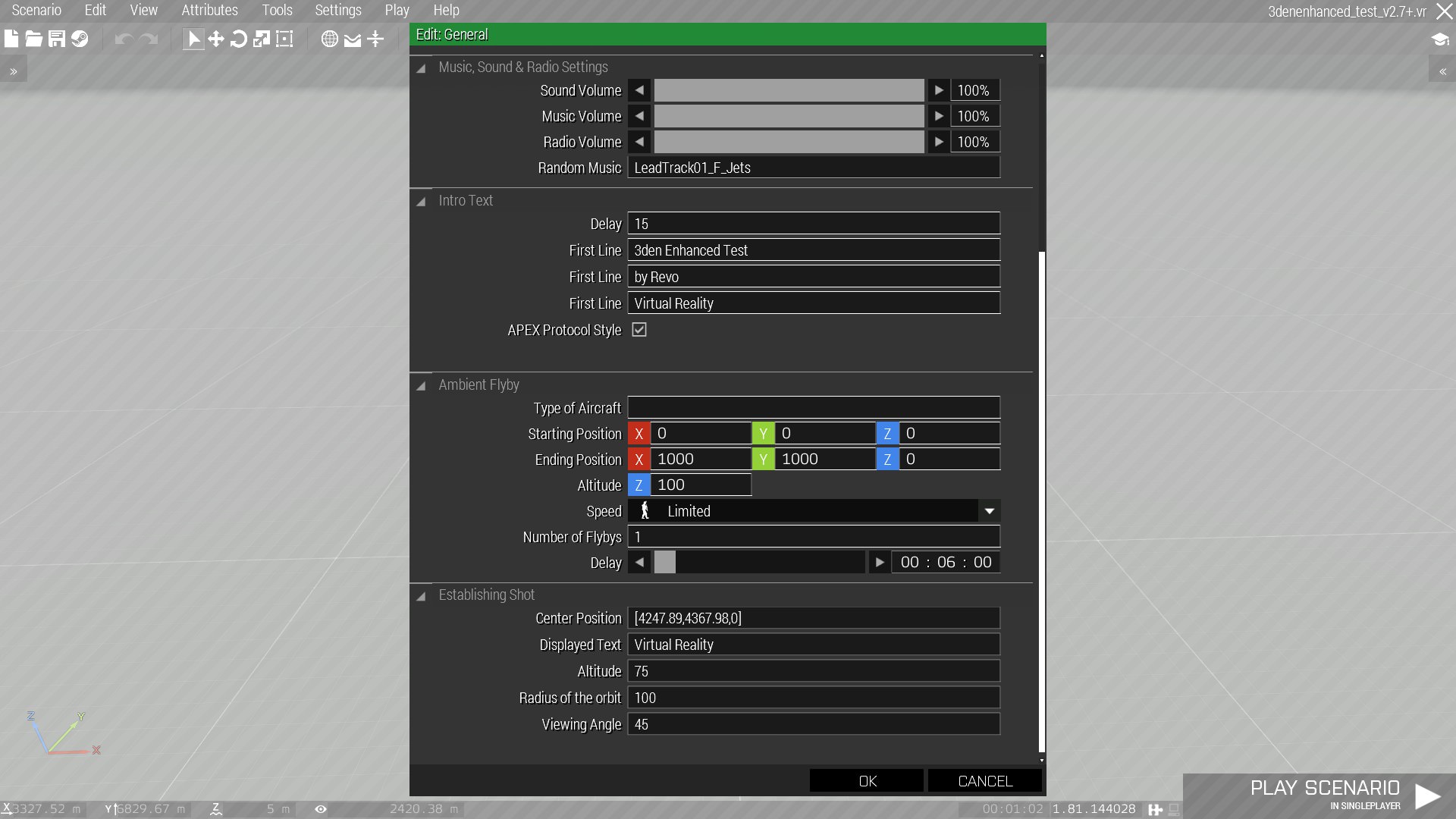
 burnt steeple
mental trench
Does anybody know what the control name for having UI similar to the one in this...
burnt steeple
mental trench
Does anybody know what the control name for having UI similar to the one in this...
That is using 3den Enhanced mod and its in Atributes > General. Sry just read that you are looking for control name nvm. oops.
mental trench
oh ye ik where the UI is from i just want to know if its possible to create a dialog similar where u can have a cttree/dropdown that has other controls inside
basically being able to expand/dexpand a group of controls
burnt steeple
mental trench
oh ye ik where the UI is from i just want to know if its possible to create a di...
But you have tools > GUI > View control styels myb you can find it there.
mental trench
no no i dont want a UI like that i want to create my own dialog that does something completly regardless of what that UI does i was just showing it as an example of a dialog that allows you to expand/dexapnd a set of controls
strange portal
mental trench
Does anybody know what the control name for having UI similar to the one in this...
I did not check its code/config nor its name but it is probably a controls group with a dynamic height changed upon the button (arrow near the title) is clicked so that height changes and modifying height value and the y value of rest. Should be pretty easy to do.
 idle spruce
mental trench
https://imgur.com/b4Z7Bwi
idle spruce
mental trench
https://imgur.com/b4Z7Bwi
 forest parrot
Hi guys, I'm making a simple GUI for a store here, but since I haven't done much of it, I don't know a lot of nuances. I have a list of items with prices and names that I take from my own cfg and it looks good, but I saw in other GUIs how the guys in front of them made prices for each item and even attached icons from the CFG. How to do it?
quiet arrow
mental trench
https://imgur.com/b4Z7Bwi
Its handled by the engine. But you can replicate that with a controls group and a checkbox/button to expand/close it
strange portal
quiet arrow
Its handled by the engine. But you can replicate that with a controls group and ...
He wants to create it for his own purpose. It is just an example.
oak nimbus
a simple question, how can I benefit from RscControlsGroup?
topaz talon
oak nimbus
a simple question, how can I benefit from RscControlsGroup?
you get the oppurtunity to use scrollbars, easier to position the controls
oak nimbus
mental trench
https://imgur.com/b4Z7Bwi
like this?
topaz talon
yes
oak nimbus
thanks
 proper sparrow
does anyone know how to mod the UAV gunner view so its not a 4:3 cropped square, and instead takes up your entire screen?
forest parrot
Guys, anyone know why listbox have fully white slider and controls?
Im using default defines (from gui editor) and didn't change any colors in components
unkempt cliff
forest parrot
Guys, anyone know why listbox have fully white slider and controls?
Im using def...
yeah it needs some fixing. try style = 0;
rocky minnow
How do i add custom settings to my mod? I know CBA is an option. But i would rather have my mod not be depended on that. Or is it not worth the hassle?
strange portal
rocky minnow
How do i add custom settings to my mod? I know CBA is an option. But i would rat...
A custom setting is simply a global variable dependent on the lifetime of that variable... For example you may have variables that are meant to stay while a mission is active, while the game is active or all the time...
So in that order, you simply create a variable into respective namespace, missionNamespace, uiNamespace or profileNamespace...
Considering your example is CBA, I believe what you want to do is a persistent setting across multiple times the game is launched so your mod can react to that. Based on your related function you simply check if this variable has any value and according to that, you make your changes. This is how a custom user setting/choice is being made , it is very simple actually.
Lets give an example from GUI of vanilla since we are in this channel:
You might have noticed that in GUI settings of vanilla, there is an option to choose certain backgrounds of titles of each display or certain controls that are different across users, I am talking about color settings you can find in
Game Options >> Game >> Colors
which you can find a set of defined colors as well as full freedom of choice in (R)ed (G)reen (B)lue and (A)lpha to have a custom color.
So what they do is simply create a profileNamespace variable (they by their own choice use 4 iirc, 1 for each values I mentioned) and each time game is launched, these values already exist in profileNamespace and all Displays or Controls that will use this are simply checking this variable (or the function related to that, [yes they wrote a function for their convenience]) and set the color to that value. So it is quite simple.
Whether to use CBA or not is up to you and your preference. The most time consuming part of it would be setting up the UI part for the user to make choices in my opinion. You can either create dependency on CBA and have that convenience or you can simply have your own because for ex u dont wanna create a dependency.
rocky minnow
Do you have an example of code or a mod settings GUI without CBA?
strange portal
rocky minnow
Do you have an example of code or a mod settings GUI without CBA?
code for GUI itself? No... and u shouldnt need it if you understand what I mean.
Maybe you noticed , some mods who do not know how to provide certain options instead provide on their workshop page that there are "values" to change if they wanna customize the experience... the GUI is just a tool to provide user a proper interface to make choices from... as in most things the GUI is there for obviously. If you know how to make GUIs , there is no real specific design/coding need to be done to achieve this, if you are asking that...
rocky minnow
It is nice to have an example to learn from. It will be less trail and error. I know how to make a GUI but i'm not proficient in it.
 swift moss
rocky minnow
It is nice to have an example to learn from. It will be less trail and error. I ...
swift moss
rocky minnow
It is nice to have an example to learn from. It will be less trail and error. I ...
Would this work?
That would allow for custom key bindings, not sure about custom options though. You might have to make your own version of CBA's addon manager where you can manage the various changeable parameters for each addon (if that's apart of CBA? I can't remember if its base game or a CBA thing)
Apologies i had mis-read what your initial request was
tranquil iron
There is a reason why CBA made their setting system, and why CBA independent mods either tell you to set variables in scripts, or have their own GUI setting system (RHS, Enhanced Movement, ...) .
rocky minnow
Thanks I will take a look at the mods you mention and then make a decision.
rocky minnow
swift moss
https://community.bistudio.com/wiki/Arma_3:_Modded_Keybinding
Yes I know about this. I have already used it in my mod.
oak nimbus
it mentions here that keyframe animation can be used for 2D animations: Ability to animate UI controls on screen
is this true for Arma 3? or is this biki just simply explaining the key frame animation in general?
stark compass
oak nimbus
is this true for Arma 3? or is this biki just simply explaining the key frame an...
This system is all about interpolation and can be used for the following:

Camera Scene / Cut-Scene: Camera path and timing
2D animations: Ability to animate UI controls on screen
3D animations: Ability to animate objects in the 3D world
Numeric animation: Ability to animate any number transition```sorry what
I'm asking on if its true that you can animated 2d elements using this method
because it doesn't seem like there is a way using this method
stark compass
oak nimbus
because it doesn't seem like there is a way using this method
Linear interpolation is already included with controls
set the property of the control and commit with a time greater than 0
oak nimbus
stark compass
Linear interpolation is already included with controls
do you have a biki article about this?
just in case there is more tricks that I can learn
stark compass
oak nimbus
do you have a biki article about this?
oak nimbus
it seems like x and y doesn't have an effect on CT_OBJECT_CONTAINER?
unkempt cliff
oak nimbus
it seems like x and y doesn't have an effect on CT_OBJECT_CONTAINER?
IDK what that is, i use only RscControlsGroup
oak nimbus
unkempt cliff
IDK what that is, i use only RscControlsGroup
its the scary
undocumented control
that can do a lot of good stuff
unkempt cliff
ok
unkempt cliff
u probably found this already: https://community.bistudio.com/wiki/CT_OBJECT_CONTAINER
oak nimbus
unkempt cliff
u probably found this already: https://community.bistudio.com/wiki/CT_OBJECT_CON...
as you can see
the problem is
there is literally no info
its all n/a
and if you go to CT_OBJECT its explanation is very unclear
unkempt cliff
maybe you need to put the CT_OBJECT to RscControlsGroup and move that as the parent control
oak nimbus
unkempt cliff
maybe you need to put the CT_OBJECT to RscControlsGroup and move that as the par...
its not about moving
rather how I display the object
rotate it
and change its scale
unkempt cliff
hmm ok
burnt steeple
Hi guys i have a simple question. So i am trying to learn more about GUI and dialog creation. And i have Welcome dialog and defines.hpp defined and included in Description.ext. And in Welcome.hpp dialog. But i have a problem with a line of text not showing whats so every so myb one of you could help me.
Text that is not Showing:
This is inside Welcome.hpp and in class ControlsBackground
    class LEG_Title_Text: RscText
        {
            idc = 1000;
            style = 0;
            font = "PuristaSemiBold";
            x = 0.427812 * safezoneW + safezoneX;
            y = 0.178 * safezoneH + safezoneY;
            w = 0.229687 * safezoneW;
            h = 0.056 * safezoneH;
            colorText[] = {1,1,1,1};
            colorBackground[] = {1,1,1,0};
            text = "Welcome to GIF Server."; //--- ToDo: Localize;
            lineSpacing = 1;
            sizeEx = 1.5 * GUI_GRID_H;
            fixedWidth = 1;
            deletable = 0;
            fade = 0;
            access = 0;
            type = 0;
            shadow = 0;
            colorShadow[] = {0,0,0,0};
            tooltipColorText[] = {1,1,1,0};
            tooltipColorBox[] = {1,1,1,0};
            tooltipColorShade[] = {0,0,0,0};
        };
do you have GUI_GRID_H defined?
or "better":
sizeEx = 0.056 * safeZoneH;
this attribute controls the font size. if you have GUI_GRID_H not defined then it will be 0. I can see that you are using the GUI Editor but keep in mind that that thing is broken. it will work, but it is not correct
burnt steeple
quasi granite
do you have GUI_GRID_H defined?
I didnt have that defined ty for spotting that i was wondering why is not showing at all. Also it wasnt giving anyerrors or anything.
burnt steeple
quasi granite
this attribute controls the font size. if you have GUI_GRID_H not defined then i...
What should i use for learning the GUI
quasi granite
I've written this on the BIKI: https://community.bistudio.com/wiki/GUI_Tutorial
The math behind screen coordinates is one of the challenges of Arma GUIs
If I had to order the GUI concepts by difficulty I would go
1) Coordinates/dimensions
2) Control Types
3) Control Styles
4) UI Events
5) Class Inheritance (not UI specific)
Ty very mutch for writing that tutorial i am using it. Also is the structured text not supported to write like this ?:
        class LEG_StructuredText: RscStructuredText
        {
            idc = 1100;
            text = "<font size='15' color='#FFFFFF'>RULES:
            <br /><font size='15' color='#FFFFFF'>
            <br />Thanks to All script contributors.
            <br />Thanks to everyone who tries to do the best for this game!
            <br />Thanks to Armaholic Community and Forums.
            <br />Thanks to BIS for such a great platform.
            <br />Thanks to BIS Community and BIS Community Forums"; //--- ToDo: Localize;
            x = 0.349063 * safezoneW + safezoneX;
            y = 0.29 * safezoneH + safezoneY;
            w = 0.301875 * safezoneW;
            h = 0.42 * safezoneH;
        };
that should be possible. can you check in the config viewer the type attribute of the control?
burnt steeple
quasi granite
that should be possible. can you check in the config viewer the `type` attribute...
You asking about RscStructuredText type attribute: https://i.imgur.com/xFdWFah.png
quasi granite
ah okay you are making a mod?
burnt steeple
No not really just trying to learn the GUI
quasi granite
so are you making a GUI for a mission?
burnt steeple
Yea
quasi granite
then you have to look in missionConfigFile, not configFile for your UI controls
burnt steeple
quasi granite
then you have to look in missionConfigFile, not configFile for your UI controls
So this is strange it dosent show anything in missionConfigFile. for Controls: https://i.imgur.com/jtgYFG6.png
quasi granite
have you declared the class?
burnt steeple
quasi granite
have you declared the class?
Idk if i did how would i do that ?
quasi granite
import RscStructuredText;
``` in your mission configmission config is description file right ?
quasi granite
yes
burnt steeple
It says this when i import https://i.imgur.com/1HmihpX.png
quasi granite
that means that you already have a class RscStructuredText somewhere in your mission config
oak nimbus
what is the difference between CT_OBJECT and CT_OBJECT_CONTAINER?
burnt steeple
quasi granite
that means that you already have a `class RscStructuredText` somewhere in your m...
class RscStructuredText
{
    deletable = 0;
    fade = 0;
    access = 0;
    type = 13;
    idc = -1;
    style = 0;
    colorText[] =
    {
        1,
        1,
        1,
        1
    };
    class Attributes
    {
        font = "RobotoCondensed";
        color = "#ffffff";
        colorLink = "#D09B43";
        align = "left";
        shadow = 1;
    };
    x = 0;
    y = 0;
    h = 0.035;
    w = 0.1;
    text = "";
    size = "(((((safezoneW / safezoneH) min 1.2) / 1.2) / 25) * 1)";
    shadow = 1;
};
``` Yea i have that defined in defines.hppOk so i think i manage to fix this. First this dosent support multiline code like this it has to be all in 1 line and 2 instead <font size = '15'> it has to be <t size = '15'>.
Now i have a question how can i refrence the text inside the control via script? is it something like this ? :
idd of dialog is 3000
_text = parseText "br /><font size='20' color='#F5AD42'>Rules:
<br /><font size='15' color='#FFFFFF'>
<br />1)No team killing.
<br />2)Please do not stray away from the unit.
<br />3)Use sound boards at your own discretion, there are correct and incorrect times for them.
<br />4)Any form of cheat mods are banned, in example, personal arsenals.
<br />5) During any operations, campaign or fun operation, thermals, bergens, and ghillies are not allowed unless the<color='#F5AD42'> zeus <color='#FFFFFF'>gives permission.";
_ctrl = 3000 displayCtrl 1100;
_ctrl ctrlSetStructuredText  _text;
close but it's
_ctrl = (findDisplay 3000) displayCtrl 1100;
 wet goblet
Unsure if this is the proper place to ask, but is there anyway to disable the stats summary showing your kills when you abort in multiplayer? I believe it’s part of the debriefing screen.
strange portal
wet goblet
Unsure if this is the proper place to ask, but is there anyway to disable the st...
Yes it is not the proper place I believe at least(unless you really want to mess in GUI level), but I believe there is a description.ext value that you can change to make it vanish, dont know what it is though.
wet goblet
It would have to be lower level because the thing in description.ext is ignored in MP and displays anyway
 lunar charm
I'm trying to see what most people are doing to determine "convention". When you have a "big" dialog, do you split up sub-menus into separate dialogs and pass data through some way, or do you prefer to keep all the controls in one massive dialog class so data can be passed around easily?
strange portal
lunar charm
I'm trying to see what most people are doing to determine "convention". When you...
I prefer sub menus, being easier to calculate and modify positions if I wanna make a change or something. Really depends on what sort of "sets of components" I have but surely there is some for your case too.
oh wait do you mean like multiple display for one purpose dialog? Cos I read this as a question asking about control groups or just straight post everything on root ctrl.
lunar charm
I mean you have one dialog class for your thing, then say you had some kind of menu popup, would it be better to pull that out of the dialog and into a separate dialog for reusability? Hmm maybe I just answered my own question
strange portal
Eh it really depends on what sort of thing you are doing. True you can create separate dialogs but u can just define a composite control and call it in multiple places as well wherever you need.
lunar charm
wait what is this composite control?
strange portal
It is a term I just made up for ctrls of ctrls and their groups :P
Multiple styles come up to my mind with this question hence cant really say anything.
lunar charm
Ah, well I think I could make use of something like that in my dialog. I saw some talk further up in this channel about the controls group type and actually I saw this a few weeks ago and was thinking maybe I'll dive into it soon and figure it out
strange portal
Well if it is just a simple controlsGroup question, I almost always use it even if it does not have a real benefit due the first sentence I wrote in here.
Plus if you wanna put further stuff into your dialog one day due I dunno u wanted to update/upgrade it, you can just drag that entire group to somewhere else and open up some space for new ones.
Feels tidier as well in the config.
lunar charm
I like the sound of that; my dialog has 42 controls now...here I was thinking I'd be happy if I could just move out 5
strange portal
If you believe that even a slight bit you can categorize these in your mind, you ll benefit over it.
strange portal
lunar charm
I like the sound of that; my dialog has 42 controls now...here I was thinking I'...
I think it is also beneficial/life saving if you care about multi-resolution support.
Depending where your components end up.
At worst case, users can benefit over sliders. Although one should give special care to it before it comes to that. So yep.
lunar charm
Yeah I would want my dialog to work with other resolutions, I just haven't gotten around to figuring that part out yet heheh
strange portal
lunar charm
Yeah I would want my dialog to work with other resolutions, I just haven't gotte...
First make it work on your resolution then you ll bother with those "little" details :P
lunar charm
Yeah that's the current plan
unkempt cliff
Why is it that the controls that I have created go out of screen when I change the window size to larger?
stark compass
unkempt cliff
Why is it that the controls that I have created go out of screen when I change t...
Because you didnt configure your control placement/size with safezones
unkempt cliff
stark compass
Because you didnt configure your control placement/size with safezones
I have these macros: #define UI_GRID_X (safezoneX) #define UI_GRID_Y (safezoneY) #define UI_GRID_W (5 * 0.5 * pixelW * pixelGrid) #define UI_GRID_H (5 * 0.5 * pixelH * pixelGrid) #define UI_GRID_WAbs (safezoneW) #define UI_GRID_HAbs (safeZoneH)
using those for all my controls
stark compass
how are you using them?
unkempt cliff
stark compass
how are you using them?
like so: class loadIcon : InfoCtrlImg { idc = 1200; text = "fow\client\images\loadingGear.paa"; x = 1.5 * UI_GRID_W + UI_GRID_X; y = 28.5 * UI_GRID_H + UI_GRID_Y; w = 8 * UI_GRID_W; h = 8 * UI_GRID_H; };
stark compass
unkempt cliff
like so: ```class loadIcon : InfoCtrlImg
{
idc = 1200;
text = "fow\clien...
UI_GRID_W and UI_GRID_H are not safezone
PixelGrid system is reliant on pixel values
unkempt cliff
stark compass
PixelGrid system is reliant on pixel values
how should I change it?
oak nimbus
lunar charm
I'm trying to see what most people are doing to determine "convention". When you...
sub menus
stark compass
unkempt cliff
how should I change it?
real the article "Pixel Configuration and Anchoring" from here:
https://community.bistudio.com/wiki/Arma_3:_Pixel_Grid_System
you need to use a combination of pixelgrid and safezone
unkempt cliff
that's strange, I'm getting the defines from 7erra's debug console
unkempt cliff
If someone can give me right defines I'd appreciate it
stark compass
unkempt cliff
If someone can give me right defines I'd appreciate it
read the article i linked
unkempt cliff
stark compass
read the article i linked
read it, it talks about anchoring , which maybe a problem with some of my controls but I'm also working with layouts which may not use anchoring
stark compass
unkempt cliff
read it, it talks about anchoring , which maybe a problem with some of my contro...
Then youre shit out of luck
unkempt cliff
Got the layout position fixed and I am now trying to center my dialogs for different screen resolutions and UI sizes. I have this code where I try to use multiplier to center the dialogs/controls: ```#define UI_GRID_X (safezoneX - 1.0 * (1 - (pixelW / 0.0014881)))
#define UI_GRID_Y (safezoneY - 1.0 * (1 - (pixelH / 0.00198413)))
It works pretty well the dialog is almost at center for different ui/screen sizes. so not perfect
don't know what I am doing wrong here?
willow stratus
unkempt cliff
don't know what I am doing wrong here?
0.0014881
0.00198413
where did you get those arbitrary numbers?
I am now trying to center my dialogs
to center something, simply subtract the center coordinates from half of the width/height
for different screen resolutions and UI sizes
use a combination of GRID and safeZone coords.
safeZone for backgrounds and dialog itself
GRID coord for controls and fonts (to make sure it looks the same on all aspect ratios, and scales with UI sizes)
unkempt cliff
willow stratus
> 0.0014881
> 0.00198413
where did you get those arbitrary numbers?
Those values are PixelW and PixelH with certain resolution/UI size. I'm trying to get the percentage to the referenced UI size. I'm trying to fix it this way so I don't have to edit all my dialogs/controls.
unkempt cliff
still looking a way to center text vertically in RscShortcutButton (for changing button heights), any ideas? been playing with class TextPos
 wind spade
unkempt cliff
still looking a way to center text vertically in RscShortcutButton (for changing...
wind spade
unkempt cliff
still looking a way to center text vertically in RscShortcutButton (for changing...
https://community.bistudio.com/wiki/ctrlSetStructuredText
Use valign, but only as in example 3
unkempt cliff
wind spade
https://community.bistudio.com/wiki/ctrlSetStructuredText
Use valign, but only ...
thx for the link. are you saying I should put RscStructuredText above the button? I replaced that with RscShortcutButton but it doesn't work, text not centered
my code: ```{
_ctrl = _x;
if(ctrlType _ctrl == 16) then
{
// private _ctrl = _display ctrlCreate ["RscStructuredText", -1];
private _lineHeight = getNumber (configFile >> "RscStructuredText" >> "size");
private _linesTotal = (ctrlPosition _ctrl select 2) / _lineHeight;
private _trailingSpace = "";
for "_i" from 1 to _linesTotal do { _trailingSpace = _trailingSpace + " " };
_ctrl ctrlSetStructuredText parseText format ["<t size='%1'><t size='1' align='center' valign='middle'>%2%3</t> </t>", _linesTotal, ctrlText _ctrl, _trailingSpace];
};
} foreach allcontrols _display;
disableSerialization;
private _ctrl = findDisplay 46 ctrlCreate ["RscButtonMenu", -1];
_ctrl ctrlSetPosition [0, 0, 0.5, 0.5];
_ctrl ctrlSetBackgroundColor [0, 0, 0, 1];
_ctrl ctrlCommit 0;
private _lineHeight = getNumber (configFile >> "RscButtonMenu" >> "size");
private _linesTotal = (ctrlPosition _ctrl select 2) / _lineHeight;
private _trailingSpace = "";
for "_i" from 1 to _linesTotal do { _trailingSpace = _trailingSpace + " " };
_ctrl ctrlSetStructuredText parseText format ["<t size='%1'><t size='1' align='center' valign='middle'>%2%3</t> </t>", _linesTotal, "------ Centered Text ------", _trailingSpace];
It works for me, but maybe it doesn't work for you because of the RscShortCutButton. Everything is fine with RscButtonMenu
wind spade
unkempt cliff
is RscButtonMenu also with image & text?
I'm not 100% sure. But RscButtonMenu is the heir of RscShortcutButton. So most likely images are also supported
unkempt cliff
strange i tested with RscButtonMenu but same problem
wind spade
unkempt cliff
strange i tested with RscButtonMenu but same problem
https://imgur.com/a/yWihuLm RscButtonMenu
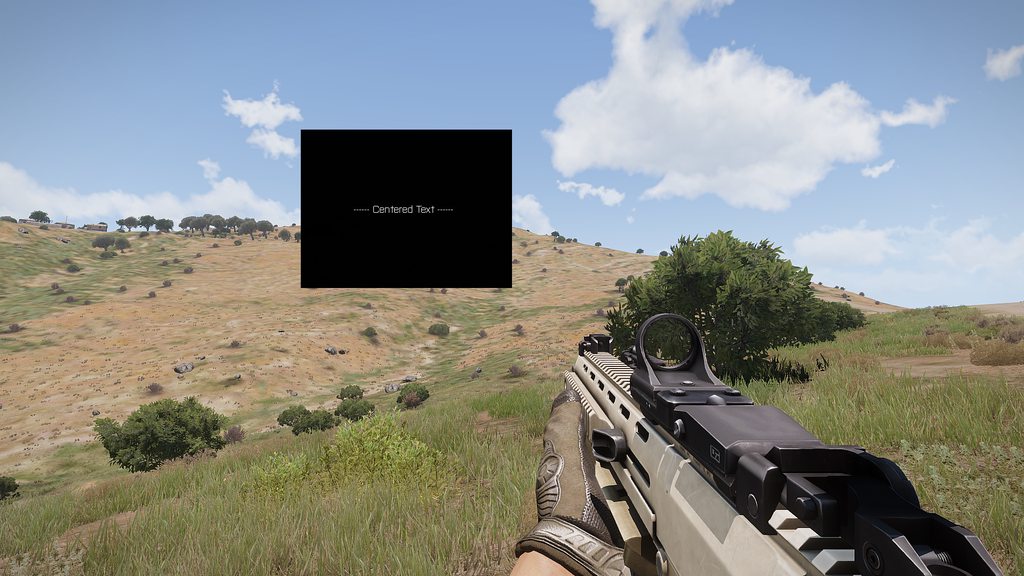 unkempt cliff
yeah need to figure why my code doesnt work 🙂
unkempt cliff
It seems that if you use anything else than 0.5 for width/height of the button then the centering doesn't work
oak nimbus
What type of control does have a list with a checkbox next to each item?
unkempt cliff
oak nimbus
What type of control does have a list with a checkbox next to each item?
I dont know if there is such control but you can create checkbox list with ctrlCreate command and maybe put them in controlsGroup
quiet arrow
oak nimbus
What type of control does have a list with a checkbox next to each item?
It's a simple listbox with checkbox icons set as picture right
@oak nimbus Here is some example code https://github.com/R3voA3/3den-Enhanced/blob/master/3denEnhanced/functions/GUI/3denRadio/fn_3denRadio_handlePlaylist.sqf
GitHub
Official 3den Enhanced repository. Contribute to R3voA3/3den-Enhanced development by creating an account on GitHub.
sage shore
Hello people, I could use some tips here regarding onButtonClick eventhandler, here is my control:
class test_button: RscButton
{
    onButtonClick = "params ['_control']; [_control] call Rev_fnc_test";
};
And here is the function:
//Rev_fnc_test
params [
    ["_control",controlNull,[controlNull]]
];

true;
The problem is that the function throws the following error when the EH fires: Error params: Type Bool, expected Array. This boggles my mind as I don't see how a boolean is passed into the function. To confirm this I tried the following:
//Rev_fnc_test
systemChat str _this;
params [
    ["_control",controlNull,[controlNull]]
];

true;
When the systemchat is added the function works as intended, for reasons beyond my understanding. Why would adding a systemchat command change the inputs of the function. Am I missing something super obvious here? Since I cannot reproduce this error outside of the onButtonClick EH I assume it has something to do with it.
oak nimbus
quiet arrow
<@418151232654409728> Here is some example code https://github.com/R3voA3/3den-E...
thanks
unkempt cliff
sage shore
Hello people, I could use some tips here regarding `onButtonClick` eventhandler,...
and the systemchat prints what? 🤔
sage shore
unkempt cliff
and the systemchat prints what? 🤔
[Control #6058] i.e. the correct idc (I omitted some definitions from the previous post for brevity).
unkempt cliff
sage shore
`[Control #6058]` i.e. the correct idc (I omitted some definitions from the prev...
well sorry I cant help you more there I always use action = instead of onButtonClick =.
sage shore
unkempt cliff
well sorry I cant help you more there I always use action = instead of onButtonC...
Well, action does not allow me to pass the control itself as argument, hence why I'd like to avoid it.
oak nimbus
how do I add GUI to the pause menu? I tried using
(finddisplay 49) displayaddeventhandler ["Load", {
//GUI code
}];
but it seems like the event handler doesn't trigger when pause menu is shown?
quasi granite
the load event would have to be added before the display opens which is only possible via mod
use the scripted eventhandler instead
"DisplayOpened" (https://community.bistudio.com/wiki/Arma_3:_Scripted_Event_Handlers)
quasi granite
unkempt cliff
well sorry I cant help you more there I always use action = instead of onButtonC...
you really shouldn't, action is deprecated
oak nimbus
quasi granite
"DisplayOpened" (https://community.bistudio.com/wiki/Arma_3:_Scripted_Event_Hand...
you mean OnDisplayRegistered?
there is also OnGameInterrupt
quasi granite
yeah either one
oak nimbus
quasi granite
yeah either one
OnGameInterrupt suits me the best, thanks
unkempt cliff
quasi granite
you really shouldn't, `action` is deprecated
oh didn't know that. well too late now 😄
good there's always backwards compatibility
 sick grove
Hi! Faced such a problem that when I try to delete RscControlsGroup using ctrlDelete, I get a game crash
How to correct delete RscControlsGroup?
quasi granite
are you deleting the group in an eventhandler?
quasi granite
hm i know that the game crashes when you try to access/modify controls after their deletion in the same frame
unkempt cliff
sick grove
Hi! Faced such a problem that when I try to delete RscControlsGroup using ctrlDe...
Sounds like time to make a crash report. I had similar problem once when trying to delete some controls
what type of controls you have in the controlsgroup?
sick grove
unkempt cliff
what type of controls you have in the controlsgroup?
Controlsgroup
unkempt cliff
sick grove
Controlsgroup
you have Controlsgroup in Controlsgroup?
sick grove
Yea
unkempt cliff
ok
 valid onyx
is there any article/tutorials on making a custom main menu, im trying to make a menu so you can select missions for my mod way more easily
willow stratus
valid onyx
is there any article/tutorials on making a custom main menu, im trying to make a...
I don't recommend messing with the main menu. many people (including myself) hate it.
you can just use the spotlight feature and add your missions/campaign there:
https://community.bistudio.com/wiki/Arma_3:_Main_Menu
valid onyx
willow stratus
I don't recommend messing with the main menu. many people (including myself) hat...
how do you edit the spotlight is there any tutorials I can watch?
all i really wanna do is change the arma 3 logo to the logo for my mod and add the 3 maps to the spotlight
willow stratus
valid onyx
how do you edit the spotlight is there any tutorials I can watch?
idk. but the link I posted does show how to do it
distant axle
Is the Combo box's only picture ratio 1:1? Is it something that I can't change?
strange arrow
It is indeed something you can't change (https://feedback.bistudio.com/T153065).
mental trench
Hello.
How do you make a GUI? (For example, HMD and the game interface) Is there any way to view the result and edit it directly in the game?
strange arrow
The best places on the wiki to start with GUI are https://community.bistudio.com/wiki/GUI_Tutorial and https://community.bistudio.com/wiki/Arma:_GUI_Configuration.
There is a GUI Editor in A3, but I do not recommend using it.
distant axle
strange arrow
It is indeed something you can't change (https://feedback.bistudio.com/T153065).
Bugger. Thanks for the answer anyways
burnt steeple
Hi guys i have a question how can i make so items in listbox have pictures and text from config example: https://i.imgur.com/6qCsO2b.png
quasi granite
https://community.bistudio.com/wiki/Category:Command_Group:_GUI_Control_-_ListBox
from there: lbSetPicture and lbSetPictureRight
thick panther
Hi guys, got a quick question. Is there any way to open a URL when double clicking a CT_TREE item like when clicking on an CT_ACTIVETEXT?
mental trench
Is it possible to play a video on the player's screen over BLACK FADED?
sage shore
mental trench
Is it possible to play a video on the player's screen over BLACK FADED?
Never had any issues using BIS_fnc_PlayVideo over BLACK & BLACK_FADED
Hello people. Currently I'm aiming to include a compass to my custom dialog. I'd like to use the vanilla compass you can have in your normal map display (via showCompass command). I wonder how is this done. Is it a display defined somewhere or perhaps the 3d object via CT_OBJECT. There must be code for it somewhere as the functionality already exists, I just can't find the relevant code.
I tried the example class in the wiki CT_OBJECT_ZOOM entry but that compass does not have the needle turn towards north like in the normal map display.
 frigid mesa
Is there a solid place/app to do GUI making in?
I know you can hand code it, or use the ingame GUI maker,
But I saw some GUI makers several years old, anyone have a favorite way?
distant axle
I always prefer handcode over anything unreliable
frigid mesa
is there anyway to make Circles? or Curves?
distant axle
Without pictures? I don't think so. I used a cheaty way to do that back when I make Enhanced Artwork Supporter, this uses a map control and drawTriangle commands
 frigid mesa
distant axle
Without pictures? I don't think so. I used a cheaty way to do that back when I m...
frigid mesa
distant axle
Without pictures? I don't think so. I used a cheaty way to do that back when I m...
I saw someone made a Radial selection menu, did they just use pictures and if you clicked on them it would select?
distant axle
Most likely it is just a picture
frigid mesa
Ah clever cheers
frigid mesa
distant axle
Most likely it is just a picture
Ive got a Menu im working on, Trying to set it up for my friend to code.
I have several buttons. Do you know how to close and open another GUI if I hit a button?
findDisplay 313 createDisplay"AuctionMenu"; I use this to open the GUI in Editor,
The menu I want to go to is
findDisplay 313 createDisplay"AuctionInbox";
burnt steeple
Hi guys i really need fresh eyes to tell me what is wrong here and why the structured text is not showing so this is what i have in description.ext:
#include "UI\defines.hpp"
#include "UI\VehicleGarage.hpp"
``` in UI defines.hpp ```c++
class RscStructuredText
{
    deletable = 0;
    fade = 0;
    access = 0;
    type = 13;
    idc = -1;
    style = 0;
    colorText[] =
    {
        1,
        1,
        1,
        1
    };
    class Attributes
    {
        font = "RobotoCondensed";
        color = "#ffffff";
        colorLink = "#D09B43";
        align = "left";
        shadow = 1;
    };
    x = 0;
    y = 0;
    h = 0.035;
    w = 0.1;
    text = "";
    size = "(((((safezoneW / safezoneH) min 1.2) / 1.2) / 25) * 1)";
    shadow = 1;
};``` in VehicleGarage.hpp```c++
class Structured_Text_Vehicle_Info: RscStructuredText
        {
            idc = 1100;
            text = "Testing wow!";
            x = 0.381875 * safezoneW + safezoneX;
            y = 0.584 * safezoneH + safezoneY;
            w = 0.249375 * safezoneW;
            h = 0.168 * safezoneH;
        };```
in SQF ```sqf
createDialog "Vehicle_Garage";
private _display  = findDisplay 46;
private _ctrl = _display displayCtrl 1100;
_ctrl ctrlSetStructuredText parseText "Vehicle Info: <br/>
Type: CAR <br/>
Weapons: ['Horn']<br/>
Passengers: 4 <br/>
Max Speed: 240 <br/>
Inventory: 2000 <br/>
Armor: 150";```Im very confused, Im trying to get a button to close the Dialog thats open
        class ButtonWithdraw
        {
            type = 1;
            idc = -1;
            x = 0.18035356;
            y = 0.94949497;
            w = 0.14520204;
            h = 0.03535355;
            style = 0+2;
            text = "My Listings";
            borderSize = 0;
            colorBackground[] = {0.2,0.2,0.2,0.8};
            colorBackgroundActive[] = {0.502,0.6,1,0.8};
            colorBackgroundDisabled[] = {0.2,0.2,0.2,1};
            colorBorder[] = {0,0,0,0};
            colorDisabled[] = {0.2,0.2,0.2,0};
            colorFocused[] = {0.2,0.2,0.2,0};
            colorShadow[] = {0,0,0,0};
            colorText[] = {1,1,1,1};
            font = "PuristaBold";
            offsetPressedX = 0;
            offsetPressedY = 0;
            offsetX = 0;
            offsetY = 0;
            sizeEx = (((((safezoneW / safezoneH) min 1.2) / 1.2) / 25) * .8);
            soundClick[] = {"\A3\ui_f\data\sound\RscButton\soundClick",0.09,1.0};
            soundEnter[] = {"\A3\ui_f\data\sound\RscButton\soundEnter",0.09,1.0};
            soundEscape[] = {"\A3\ui_f\data\sound\RscButton\soundEscape",0.09,1.0};
            soundPush[] = {"\A3\ui_f\data\sound\RscButton\soundPush",0.09,1.0};
            onButtonClick = closeDialog 0;

        };```
This doesnt work Ive tried these aswell
```hpp
onButtonClick = "closeDialog 0";```
```hpp
onButtonClick = "closeDialog 1";```Display#46 is the game display
willow stratus
frigid mesa
Im very confused, Im trying to get a button to close the Dialog thats open
```hp...
Do you create your display with createDialog?
Also afaik close code should be 1 or 2
Never seen 0
frigid mesa
Ah no i did not, So everytime I want to test my code I need to Load into the game and do it there?
frigid mesa
willow stratus
Do you create your display with createDialog?
I noticed createDialog in editor glitches out and doesnt allow you to interact with anything.
It works if I load all the way in though
unkempt cliff
oak nimbus
how do I change the size of an item in a ListBox?
try sizeEx
oak nimbus
unkempt cliff
try sizeEx
is there an sqf command for that?
unkempt cliff
oak nimbus
is there an sqf command for that?
dunno. there's ctrlSetFont
 hoary estuary
oak nimbus
(text and picture size)
hoary estuary
oak nimbus
(text and picture size)
sizeEx is the font size, rowHeight is line height which is also size of the picture
So you can have big lines with small text in them (and big pictures)
Don't think you can change rowHeight with script thourgh


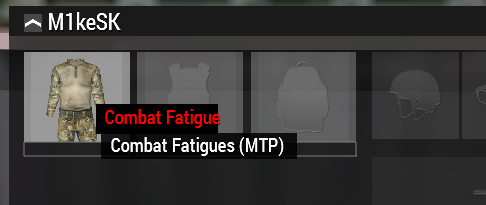




 sonic wren
How do I get dayz mod for arma 3 guys
Just bought it today and it's through geforce now app
mental trench
So I've been trying to use a custom icon to replace the entire map for a mission. I've gotten it to display on the map using DrawIcon, and it properly draws the new map on top of the old one, however it does not allow any player to draw markers or lines on top of the map. Is there a way to move the icon onto a lower layer than the user placed markers/lines?
 findDisplay 12 displayCtrl 51 ctrlAddEventHandler ["Draw", {
    private _map = _this select 0;
    private _scale = 6.4 * worldSize / 8192 * ctrlMapScale _map;
    private _size = worldSize / 2 / _scale;
    _map drawIcon [getMissionPath "customMapTexture.paa", [1,0,0,1], [worldSize / 2, worldSize / 2], _size, _size, 0];
}];
how does one deal best with different aspect ratios if you do a full screen image?
strange portal
agile sinew
how does one deal best with different aspect ratios if you do a full screen imag...
https://community.bistudio.com/wiki/getResolution will solve your issues I believe.
hoary estuary
agile sinew
how does one deal best with different aspect ratios if you do a full screen imag...
There is also ST_KEEP_ASPECT_RATIO you can to set alongside ST_PICTURE to have the engine fit the image unstretched into any control size
but otherwise yes, getResolution
agile sinew
thanks. so you have different image res available and apply them based on getResolution return?
with ST_KEEP_ASPECT_RATIO you would end up with some black/outside areas, right?
hoary estuary
It will just be empty
If you want it black, just have another control under it with black fill
hoary estuary
agile sinew
thanks. so you have different image res available and apply them based on getRes...
with getResolution you also need to know image aspect ratio beforehand to calculate the size properly
agile sinew
alright
hoary estuary
private _ctrl_black = findDisplay 46 ctrlCreate ["RscText", -1];
_ctrl_black ctrlSetPosition [
    safeZoneXAbs,
    safeZoneY,
    safeZoneWAbs,
    safeZoneH
];
_ctrl_black ctrlSetBackgroundColor [0,0,0,1];
_ctrl_black ctrlCommit 0;

private _ctrl_picture = findDisplay 46 ctrlCreate ["RscPictureKeepAspect", -1];
_ctrl_picture ctrlSetPosition [
    safeZoneXAbs,
    safeZoneY,
    safeZoneWAbs,
    safeZoneH
];
_ctrl_picture ctrlSetText "\A3\Ui_F_Curator\Data\Logos\arma3_curator_artwork.jpg";
_ctrl_picture ctrlCommit 0;
RscPictureKeepAspect has style = ST_PICTURE + ST_KEEP_ASPECT_RATIO;
even though ctrlSetPosition makes control fit full screen, engine still displays image with proper aspect
Updated snippet to include black background, notice same full screen UI coordinates yet picture is always drawn right
hoary estuary
I know its been 9 years, but is there a chance to have all UI weapon icons re-rendered with proper lighting?

Yes, its a topic for a feedback ticket (which I made back in 2013) but I wanted to try to have a discussion
distant axle
Is it possible to brighten it with colorText or smth?
I know, that's not a question but if that helps...
hoary estuary
Nope, color can only substract colors
You can make something lose colors but not gain
Having more ways to operate images would be great though
distant axle
Yeah... that's what I wish, making it into a shillouette is ez but in white? I'd hope
Like what, if we have some image modifier like CSS does
hoary estuary
horizontal or vertical flip would be very useful too
At least for structured texts with something like: <img image='...' flipX=1 flipY=1/>
In general I'd prefer to have tools to counteract bad design choices, but if engine additions are too much, re-rendering existing icons to have proper lighting would be great too
frigid mesa
So Im uploading a Image for my GUI, Ive finally figured out how to get it imported and for it to show. Only problem now is, Its extremely hard to see as it seems the Color has been stripped and the opacity is Super Low. I have a Transparent background. I used the Texture Viewer to change it from PNG to PAA, using RBGA - DXT5
        class PictureBackpack
        {
            type = 0;
            idc = -1;
            x = safeZoneX + safeZoneW * 0.006875;
            y = safeZoneY + safeZoneH * 0.95111112;
            w = safeZoneW * 0.01375;
            h = safeZoneH * 0.03;
            style = 48+2048;
            text = "images\IconBackpack.paa";
            colorBackground[] = {0,0,0,0};
            colorText[] = {1,1,1,1};
            font = "PuristaMedium";
            sizeEx = (((((safezoneW / safezoneH) min 1.2) / 1.2) / 25) * 1);
            tooltipColorBox[] = {1,1,1,1};
            tooltipColorShade[] = {1,1,1,1};
            tooltipColorText[] = {1,1,1,1};

};```Texture resolution?
frigid mesa
66X74
distant axle
Illegal. Must be power of 2
distant axle
So either 64x64 or 128x128 is better
distant axle
Make sure the picture is reloaded. By default an image only cached once and won't be updated
To do it... relaunch the game
frigid mesa
oh nice okay
oh wow it worked, so do I need to restart everytime I add a now Image or anytime I try to Change an image?
thanks btw been struggling for a few hours now
distant axle
Without a diag exe, yes
hoary estuary
frigid mesa
oh wow it worked, so do I need to restart everytime I add a now Image or anytime...
you can rename the file to something different and it will load it all over again
frigid mesa
Ah cheers
distant axle
Oh yeah, that too
frigid mesa
Anyone know how to ,make a button show a picture? want to make a Radial Menu but no clue how to make a button Not a Square, or do they just put a square Button Within the Radial selections and when you over over it the Image changes color?
willow stratus
frigid mesa
Anyone know how to ,make a button show a picture? want to make a Radial Menu but...
The latter is the way to go with radial menus (at least that's how I do it)
Except you can have any shape you want. It doesn't have to be rectangle. You can use polygons. Or circle sections
But you have to do everything yourself
(hover, button click, etc.)
frigid mesa
willow stratus
The latter is the way to go with radial menus (at least that's how I do it)
Im quite new to this, I don't understand how people Perfectly make it so If you hover lets say over a Circle, how do they get the entire Circle to be interactive compared to just a Square button hidden over it. This is especially confusing for Radial Menus, I figured people just Make the square expand even past the Circle so at any point of the circle you click then it works. But this obviously isnt the case for the Radial or else the buttons would overlap
Is it possible to make Polygon/non rectangle Buttons?
willow stratus
No
willow stratus
frigid mesa
Im quite new to this, I don't understand how people Perfectly make it so If you ...
Which is why I said you have to make everything yourself. It's practically all sqf at that point
frigid mesa
What do you mean by that? You can Code a Polygon Button?
frigid mesa
Its a Template
of code
Is there information on coding a Custom button that isnt a Rectangle that you can direct me to?
frigid mesa
I assume the math would be in here
            x = safeZoneX + safeZoneW * 0.710625;
            y = safeZoneY + safeZoneH * 0.24333334;
            w = safeZoneW * 0.011875;
h = safeZoneH * 0.03111112;```That's not sqf anyway. I mean it is but you put that stuff in the config