#arma3_gui
1 messages · Page 14 of 1
 weary imp
 tranquil iron
known issue
You are deleting your parent, while iterating through its eventhandlers.
You're deleting the train you're walking in while its going full speed and you're going face first into the ground.
Was always that way, usually more common to close/delete a whole display or control group than a button, but same thing.
Not really fixable with bad side effects, breaking backwards compat.
Just spawn your script
 quiet arrow
I was imaging it more like I am shooting a bullet (Script) and deleting the gun. But your analogy makes sense, although the implementation is questionable. Guess the biki needs some info about that.
@quasi granite https://community.bistudio.com/wiki/User:R3vo/Sandbox1 What do you think of this warning for https://community.bistudio.com/wiki/User_Interface_Event_Handlers
 ocean hazel
Just spawn your script
Instead of spawning I usually use the CBA wait until and execute thing to wait one frame
tranquil iron
quiet arrow
I was imaging it more like I am shooting a bullet (Script) and deleting the gun....
Well if you're deleting the gun while the bullet is activated but not fired yet, yes
tranquil iron
ocean hazel
> Just spawn your script
Instead of spawning I usually use the CBA wait until an...
You mean CBA_fnc_execNextFrame, not the waitUntil (that would be pretty inefficient)
ocean hazel
some of them, yes
 quasi granite
CBA is not an option for Eden mods since CBA creates a dependency on certain objects which goes against the whole point of Eden mods
quasi granite
quiet arrow
<@!313038558958977024> https://community.bistudio.com/wiki/User:R3vo/Sandbox1 W...
yeah would fit in the introduction
weary imp
tranquil iron
You are deleting your parent, while iterating through its eventhandlers.
You're ...
can we not delay deletion until after script?
tranquil iron
oof. Technically sure, but unexpected behaviour for people, or need to check if deletion would cause issues, and only then delay it
 sage shore
Hey people, I'm having trouble creating a display during the mission intro.
createDisplay, titleRsc, cutText and cutRsc commands do not seem to work. Dialogs on the other hand can be created (via createDialog), but I do not want to use one for unrelated reasons. Is there something obious that I'm missing or is this a known behaviour of these commands.
quasi granite
sage shore
Hey people, I'm having trouble creating a display during the *mission intro*.
`...
by mission intro, do you mean one of the init scripts (init.sqf, initPlayerLocal.sqf, ...)?
sage shore
quasi granite
by mission intro, do you mean one of the init scripts (init.sqf, initPlayerLocal...
initIntro.sqf
quasi granite
have you tried waiting for the mission display to be available with
waitUntil {!isNull (findDisplay 46)};
``` ?I had not, thank you very much.
 opaque lynx
Hello, I'm getting an error loading a dialog, but I'm not sure what _logic is:
17:20:45 Error in expression <_logic setVariable ['_display', _display]>
17:20:45   Error position: <_display]>
17:20:45   Error Undefined variable in expression: _display
I tested, I know that _display is not null.
opaque lynx
It is not null, I just explained that, verified by isNull _display (== false). My event handler is wired up:
onLoad = "_this spawn KPLIB_fnc_logisticsMgr_onLoad";
And receives parameters:
params [
    ["_display", displayNull, [displayNull]]
];
The only time I am ever setting anything that might coincide with this message is in the same event handler:
uiNamespace setVariable ["KPLIB_logisticsMgr_display", _display];
logs:
17:30:15 [KP LIBERATION] [4880.05] [LOGISTICSMGR] [fn_logisticsMgr_onLoad] Entering: [isNull _display]: [false]
17:30:15 Error in expression <_logic setVariable ['_display', _display]>
17:30:15   Error position: <_display]>
17:30:15   Error Undefined variable in expression: _display
17:30:15 [KP LIBERATION] [4880.05] [LOGISTICSMGR] [fn_logisticsMgr_onLoad] Fini
I could log around the uiNamespace setVariable [...], but I do not know why that is an issue now.
Literally I test _display is not null, it is not, then set the variable...
if (_debug) then {
    [format ["[fn_logisticsMgr_onLoad] Entering: [isNull _display]: %1"
        , str [isNull _display]], "LOGISTICSMGR", true] call KPLIB_fnc_common_log;
};

uiNamespace setVariable ["KPLIB_logisticsMgr_display", _display];
there is no line in the code you posted that shows the code in the error: _logic setVariable ['_display', _display]. Maybe the script fails elsewhere?
opaque lynx
it is happening between Entering and Fini that much I know. I'll log immediately following the setVariable and RSVP.
quasi granite
but where does the code _logic setVariable ['_display', _display] come from?
opaque lynx
okay dokay, I have a clue 'when' it is happening, CBA_fnc_createPerFrameHandlerObject. thanks. cheers.
weary imp
the error could be from another script that has variable with the same name but obviously it is a different var
ocean hazel
Hi dear friends,
perhaps someone has implemented a layout manager for UI? I asked a year ago and perhaps someone has done it already?
I mean something like this to help with creation of dialogs:
https://magdamiu.files.wordpress.com/2020/12/recycler_view_layout_manager.png
quiet arrow
Nope, no dynamic layouts/panels like xaml has them
quiet arrow
Sounds fun
ocean hazel
Well... so far I am planning only for this functionality:
Grid layout (1..N rows, 1...N columns), so it's possible to create horizontal or vertical layout from that
Cell element is another grid layout or a control
Row height/column width modes: fixed size, relative
Cell element content positioning: relative within cell (0 ... 1.0), or snap to top/bottom, left/right
Cell element content size: fixed size, relative (0 ... 1.0) to the cell size
I think this should cover most use cases 🤔 for me at least
ocean hazel
Well, the layout manager took only a few evenings to write:
https://youtu.be/hDvVUAaV6Kw
damn it doesn't embed
@ruby swallow is that how you wanted this thing to work?
Let me know if anyone is interested so that I publish the source code. I'm going to try to use this to create all layouts in my further projects (if I will have any) so that I don't have to mess with configs to fine tune positions.
For instance, code for the top bar within the parent layout looks like this:
// === Create topmost layout
// 1 column, 3 rows
layout = [1, 3] call LM_fnc_createGridLayout;

// Bottom and top rows have fixed size, the middle row
// is auto resized
[layout, 0, SIZE_ABS(0.08)] call LM_fnc_setRowSize;
[layout, 2, SIZE_ABS(0.08)] call LM_fnc_setRowSize;

// ==== Create layout of the top row
// 3 columns, 1 row
private _topBar = [3, 1] call LM_fnc_createGridLayout;

// Left and right columns have fixed absolute size
// Central column has automatic size by default
[_topBar, 0, SIZE_ABS(0.2)] call LM_fnc_setColSize;
[_topBar, 2, SIZE_ABS(0.2)] call LM_fnc_setColSize;

// Assign a button to each cell
{
    [_topBar, _forEachIndex, 0, [_x] call LM_fnc_createButton] call LM_fnc_setContent;
} forEach ["Fixed size", "Relative size", "Fixed size"];

// Assign top bar layout to a parent layout
[layout, 0, 0, _topBar] call LM_fnc_setContent;
@ocean hazel Is it possible to defined margins?
ocean hazel
quiet arrow
<@!292735600837263360> Is it possible to defined margins?
yeah it works with margins already :) it's hard to see them because of those blue lines between buttons
 ruby swallow
Now go ahead and make that work with xml 🥴🥴
And you have exactly what I was talking about
ocean hazel
ruby swallow
Now go ahead and make that work with xml 🥴🥴
And you have exactly what I was ta...
I am not sure why I need xml for myself  I like how it can be configured with SQF as well.
ruby swallow
Well... To get rid of the sqf obviously 😂
Plus XML (or any other data language for that) allows to better map the relations regarding positioning and containment better then free flowing code
ocean hazel
I guess whoever uses it first will tell if XML is needed. If so, then we can use your XML parser. I think it's finished, right?
 vernal quest
Have you tried to get info about selected slot in lobby?
I mean - when i select something in CA_ValueRoles listbox - nothing is changed
(lbData, lbText, lbValue, lbTextRight - is the same)
lbSetSelected and lbSetCurSel - don't make slot selected
Trying to select a role with the script 😕
ocean hazel
quiet arrow
<@!292735600837263360> Is it possible to defined margins?
https://cdn.discordapp.com/attachments/552955161715277834/844879574151593984/unknown.png
Same thing but without the helper grid lines.
On the left button column I set different vertical margins. Everywhere else margins are same, except for the big thing in the middle which shows different alignment options.
ocean hazel
ruby swallow
Well... To get rid of the sqf obviously 😂
Plus XML (or any other data language...
It's surprising how many SQF projects there are aimed at getting rid of SQF
 strange arrow
Hey this is really cool @ocean hazel! 
ocean hazel
Thanks!
ocean hazel
I've released the layout manager, you can check it at BI forum and at Github:
https://forums.bohemia.net/forums/topic/234733-gui-layout-manager/
quiet arrow
Very nice
strange arrow
You could reduce clutter in CfgFunctions by writing a functions.hpp so that the user only has to include that:
class CfgFunctions {
    #include "LM\functions.hpp"
};
Additionally, providing a license would be good, because without it, others have no right to use your code 🙃
ocean hazel
strange arrow
You could reduce clutter in CfgFunctions by writing a `functions.hpp` so that th...
Yeah good idea 👍
ocean hazel
strange arrow
Additionally, providing a license would be good, because without it, others have...
🤔
that's the most difficult part for all my projects
ok done 🙂
quiet arrow
https://community.bistudio.com/wiki/ctrlMapAnimAdd Any workaround for the issue mentioned in the notes?
Map control created with ctrlCreate have a weird behaviour. Control doesn't respect the aspects of Controls Group or Display itself. Results of ctrlMapAnimAdd applied to this control are also shifted for some reason.
 wild frigate
Is there any way to display a live feed directly on the map (like a satellite feed or something)?
I would basically like to display a live feed of a specific area on the map covering the specific area...
(Basically like the BIS_fnc_liveFeed-function but on the map)
quasi granite
wild frigate
Is there any way to display a live feed directly on the map (like a satellite fe...
iirc you can set a pip effect on a CT_STATIC ST_PICTURE control with procedural textures
https://community.bistudio.com/wiki/CT_STATIC#RscPicture
https://community.bistudio.com/wiki/Procedural_Textures#Render_To_Texture
wild frigate
quasi granite
iirc you can set a pip effect on a CT_STATIC ST_PICTURE control with procedural ...
Please elaborate...
quasi granite
huh apparently rendering is disabled while the map is open. you can only get a static image:
_displayMap = findDisplay 12;
_ctrlFeed = _displayMap ctrlCreate ["RscPicture", -1];
_ctrlFeed ctrlSetPosition [0,0,1,1];
_ctrlFeed ctrlCommit 0;
_ctrlFeed ctrlSetText "#(argb,512,512,1)r2t(cam1,1.0)";

_camera = "camera" camCreate getPos player;
_camera camSetTarget player;
_camera cameraEffect ["Internal", "Back", "cam1"];
``` the same with `findDisplay 46` works normallya custom map could be a solution
wild frigate
quasi granite
a custom map could be a solution
Not sure how I would do that either (I haven't really worked with GUI before) and how would the feed stay exactly on the location even if the map is being moved or zoomed?
Also would something like the BIS_fnc_playVideo-function potentially be a solution?
quasi granite
wild frigate
Not sure how I would do that either (I haven't really worked with GUI before) an...
Also would something like the BIS_fnc_playVideo-function potentially be a solution?
No. A live feed is not a video.
I haven't really worked with GUI before
See the pinned messages for some good resources on GUI creation
how would the feed stay exactly on the location even if the map is being moved or zoomed?
With User Interface Eventhandlers: https://community.bistudio.com/wiki/User_Interface_Event_Handlers
Or an EachFrame Mission Eventhandler that checks the https://community.bistudio.com/wiki/ctrlMapScale and https://community.bistudio.com/wiki/ctrlMapScreenToWorld (or vice versa with https://community.bistudio.com/wiki/ctrlMapWorldToScreen) and set the position and size of the controls with https://community.bistudio.com/wiki/ctrlSetPosition.
ocean hazel
that's a cool idea
I guess you can make a custom map instead if the standard map disables game rendering
ocean hazel
quiet arrow
https://community.bistudio.com/wiki/ctrlMapAnimAdd Any workaround for the issue ...
if there's none, I'd write my own animation script for the map 🤔
quiet arrow
How can I animate the map other than with this command?
Is there a command to set the position?
ocean hazel
actually I don't remember, I assumed there was another command
quiet arrow
I checked the team swich ui script but that ises that as well
ocean hazel
if the only native 'set map pos' command is broken then I don't think you can do anything with this
quiet arrow
😩
ocean hazel
quiet arrow
I checked the team swich ui script but that ises that as well
why does it work there then?
quiet arrow
Because the ui is a config and not scripted
ocean hazel
Is there a scrollable edit box in the game? I'm emulating it with ctrlTextHeight while the edit box is inside a group with a scroll bar, but it seems to have a limit of how many lines it can hold 🤔
nvm it seems like my config value was not reloaded
sage shore
Anyone here with experience of creating dialogs during the mission briefing screen? My dialogs are being created 'behind' the map which is less than helpful. It is something on the briefing screen that is the issue as creating them on top of the in-game map after the briefing phase poses no problems.
ocean hazel
sage shore
Anyone here with experience of creating dialogs during the mission briefing scre...
I guess the briefing map is a different display, try to dump alldisplays to diag log during this phase and try to see what other displays there are
sage shore
ocean hazel
I guess the briefing map is a different display, try to dump `alldisplays` to di...
This was indeed the case. For the benefit of anyone else searching for this the briefing screen uses the 'IDD_SERVER_GET_READY', i.e. #52 display.
ocean hazel
Thanks for sharing!
quiet arrow
https://community.bistudio.com/wiki/Arma_3:_IDD_List This might also be useful.
opaque lynx
doing some refactoring in my RscTitles, as far as I know I have the correct includes in place, but I am getting an error, Warning Message: Resource title KPLIB_hudFob_overlay not found, includes:
description.ext:
class RscTitles {
    #include "KPLIB_rscTitles.hpp"
};
KPLIB_rscTitles.hpp:
class KPLIB_rscTitles {
    #include "modules\0436_hud\ui.hpp"
};
ui.hpp:
#include "ui\defines.hpp"
#include "ui\XGUI_hud.hpp"
#include "ui\KPLIB_hud.hpp"
#include "ui\KPLIB_hudFob.hpp"
All of which are in the correct order, etc, AFAIK.
...hmm although I wonder if maybe these were borrowing some definitions from a previous UI include, that is now a bit different...
ocean hazel
remember you can always use the config viewer to check the game config file and mission config file
so use it to ensure that everything you think is defined is indeed defined
quasi granite
opaque lynx
doing some refactoring in my `RscTitles`, as far as I know I have the correct in...
that config doesnt look right. your displays (rsc) have to be a direct subclass of RscTitles. your defines are usually included at the earliest possibility, so:
#define MACRO 0
class RscTitles
{
  class MyHud
  {
    ...
  };
};
Hmm isn't that what the includes does? or does it not expand in place?
is it possible to define multiple HUD classes in this way? i.e. class RscTitles { class MyHud_0 {}; }; in one include, class RscTitles { class MyHud_1 {}; }; in another include?
opaque lynx
I got 'er sorted I think... thanks...
opaque lynx
Q: re: actions... they are all local to clients, right? 'when' do we actually need to reinstall them? or is it better practice to identify them as variables on the player object? then preclude duplicates appearing? is it better to deploy them in client side JIP manner?
is that when player respawns? actions should be reinstalled? we have a 'redeploy' option in this mod I am working on, which I gather is not quite the same thing, but again, which I also gather if we detect a menu is already installed, no need to reinstall it.
ocean hazel
Actions are local to clients, yes.
If player is switch, you need to reattach actions to him.
I'd say, there are two kinds of actions:
- attached to object (download data from laptop). You should use JIP to add such actions to objects.
- attached to player (heal self). You can add such actions in the function which is called when your player respawns.
And I think there's also a 3rd way to add actions when you want player to interact with all objects of some kind. For instance in my mission I use this to talk to all AIs. I add action to player, then in the condition code I check if player is looking at a 'talkable' object. I think it's easier than to add actions to all talkable NPCs.
opaque lynx
okay, sounds good. early feeling out 'when' to do this, redeploy does not seem right, finding duplicates piling up. or I do not have sufficient player variable guards on the menus when they are being installed. trying to assess the difference between a redeploy i.e. player setPos and an actual time when it is necessary.
also in terms of player switch, we're talking about team switch? just for me edification and tracking... i.e. https://community.bistudio.com/wiki/Category:Command_Group:_Team_Switch
ocean hazel
opaque lynx
also in terms of _player switch_, we're talking about _team switch_? just for me...
I meant respawning
things transfering after respawn are weird all over the place:
some event handlers are transferred to the new player, some don't
actions do not transfer
crazy!
opaque lynx
hmm that is curious... I seem to be getting dupes in that scenario as well, i.e. respawn. i.e. the player object itself is the same, possibly.
ocean hazel
you should verify yourself anything which you might even slight suspition to have inconsistent or weird behaviour
opaque lynx
oh, well, yes, I do want to get a better handle on that scenario. if for nothing else to better comprehend and respond to things consistently.
 mental trench
Hello everyone, can you please explain why the buttons in the dialog are not active? ( I didn't change anything with scripts )
Video - https://www.youtube.com/watch?v=PBQcu7Kykhk&ab_channel=DarkBall
Dialog.hpp - https://pastebin.com/zVhugqh2
quiet arrow
@mental trench For testing, can you remove anything but the buttons?
They might be covered by other controls
mental trench
@quiet arrow I tried, but it didn't work
https://www.youtube.com/watch?v=k6OMfDjrD1I&ab_channel=DarkBall
God I'm stupid, thanks for the hint, it really was covered by another control
quiet arrow
😄
opaque lynx
cutRsc overlay question. I have a scenario that I proved kinda worked pretty well to simulate a "progress bar". Basically a pair of simple textual labels in which I could set colors, set dimensions and position, and in relation to each other. Worked pretty well. One in the background, the controlsBackground[]. The other in the foreground, controls[].
Now, I would like to contain that in its own control, same sort of arrangement, one controlsBackground[] meter, and another controls[] meter. then specify several of those parent instances in one overlay.
Q: would that sort of approach possibly work? Or do I need to keep the meters themselves piecemeal and arrange them in a single overlay control? Not preferred, but also would not be surprised.
To recap, I want to contain the issue in a single "progressMeter" parent control, then specify several of those progress meter instances in the overlay controls[], if possible.
The main challenges I can see is that I would need to derive the parent meter, then also the contained labels, least of all to establish unique IDCs, probably also custom event handlers.
It's hard to describe in some words, will try to illustrate, did have this, and it was working pretty well:
class lblProgressMeter {};
class overlay {
  controls[] = {
    lblProgressMeterCtrl
  };
  controlsBackground[] = {
    lblProgressMeterBgnd
  };
  class lblProgressMeterCtrl : lblProgressMeter {};
  class lblProgressMeterBgnd : lblProgressMeter {};
};
Now I want to include several such meters:
class lblProgressMeter {};
class ctrlProgress {
  controls[] = {
    lblProgressMeterCtrl
  };
  controlsBackground[] = {
    lblProgressMeterBgnd
  };
  class lblProgressMeterCtrl : lblProgressMeter {};
  class lblProgressMeterBgnd : lblProgressMeter {};
};
class overlay {
  controls[] = {
    ctrlProgress1
    , ctrlProgress2
    , ctrlProgress3
  };
  class ctrlProgress1 : ctrlProgress {};
  class ctrlProgress2 : ctrlProgress {};
  class ctrlProgress3 : ctrlProgress {};
};
In a 'normal' OO environment, this might work, but I'm not sure the controls[] or controlsBackground[] will respond like I'd expect, least of all in a cutRsc overlay, given that the intermediate ctrlProgress is in the controls[].
Additionally, I likely need to define more in each of the ctrlProgress as well for things likes IDCs, event handlers, etc, i.e.
class ctrlProgress1 : ctrlProgress {
  idc = 12300;
  onLoad = '...';
  controls[] = {lblProgressMeterCtrl1};
  controlsBackground[] = {lblProgressMeterBgnd1};
  class lblProgressMeterCtrl1 : lblProgressMeterCtrl {
    idc = 12301;
    onLoad = '...';
  };
  class lblProgressMeterBgnd1 : lblProgressMeterBgnd {
    idc = 12302;
    onLoad = '...';
  };
};
Define a controls group control and use that one. Your approach will not work
Also why don't you use CT_PROGRESS?
opaque lynx
quiet arrow
Define a controls group control and use that one. Your approach will not work
hmm okay...
opaque lynx
quiet arrow
Also why don't you use CT_PROGRESS?
tried that more or less at first; but we want to set the colors for the background as well as the foreground. AFAIK, CT_PROGRESS only supports the one color.
quiet arrow
hmm ok
weary imp
says here https://community.bistudio.com/wiki/CT_PROGRESS it supports colours as well as textures for bar and frame
opaque lynx
what is colorBar? colorExtBar? colorFrame? this is what I am aiming for:
https://pasteimg.com/image/image.c0dEs
One of the colors is full width literally in the controlsBackground[], while the other floats in the controls[], so to speak, depending on the alignment of the target(s), which progress is being measured.
I'm not sure all that is exactly achievable with CT_PROGRESS?
quiet arrow
I've updated the page
*ext do nothing and have properly a special purpose for some scripted system. Who knows.
Basically you can control the frame color and the color of the progress bar itself. No background color.
opaque lynx
that was pretty much my conclusion as well, and after a bit of experimentation. otherwise I'd be right there with y'all, @weary imp , etc.
thanks for looking into that @quiet arrow
opaque lynx
so... here's a sketch what I am going for... verification TBD...
https://pastebin.com/tBdSa0Yh
If that does not work, then I may separate a meter template and use one instance in the overlay controls[] and another instance in the controlsBackground[]...
The geometry definitions are not as important, but I envision will layout more or less like:
// marker text:         "------------------------------------------"
// units meter:         [-------------------------|================]
// tanks/civres meters: [-----------|========][---|================]
Where --- are one color and === are another.
quiet arrow
A controls group has no class ControlsBackground (at least I've never seen that)
opaque lynx
Okay dokay, it kinda works. Got a bit of plumbing to do and so forth, but I think the layout works, and the cutRsc seems happy with it.
And plus I receive onLoad events for the controls[] group as well as the controlsBackground[] group, which is a nice bonus, in the event I need to wire anything background versus foreground.
https://pasteimg.com/image/image.c4fD2
Thanks for the help all...
weary imp
opaque lynx
that was pretty much my conclusion as well, and after a bit of experimentation. ...
I might have a look at that, would help if there is a ticket request
opaque lynx
weary imp
I might have a look at that, would help if there is a ticket request
I am unaware how to provide such a thing...
quiet arrow
#arma3_feedback_tracker See the channel description.
 inner dragon
createDialog/createDisplay question, regarding on-map controls (buttons, specifically).
I'm creating a mod which needs a few buttons on it that when clicked, run some functions regarding markers. My issue is that I'd like the map to be functional and the buttons on the map whenever it's open. I've created the controls with the GUI Editor and they're defined in the mod's config.cpp. I understand that createDialog/createDisplay will render the map unusable while the Dialog/Display is open. Having read through the links in the pinned post, trawling Google and trying to find examples from mods on the workshop with nil joy, I'm still stuck.
Does anyone have any advice on this one? Thanks in advance.
inner dragon
Yeah I do. Ok - so something like `findDisplay 12 ctrlCreate [<class>, <idc>] ? (am omitting controlsGroup as I've read that groups don't play nicely on the map)
quiet arrow
Isn't 51 the map control?
quasi granite
inner dragon
`createDialog`/`createDisplay` question, regarding on-map controls (buttons, spe...
you can check out the way that i modified the map: https://github.com/7erra/marker_search

GitHub
Script for ArmA3 which adds a searchable list of markers to the map - 7erra/marker_search
inner dragon
quiet arrow
Isn't 51 the map control?
I was going off the Wiki syntax - display ctrlCreate [class, idc, controlsGroup] where display is the display in which control will be created?
It wouldn't be the first time I'm wrong today though.
inner dragon
quasi granite
you can check out the way that i modified the map: https://github.com/7erra/mark...
Cheers @quasi granite, I'll take a look as well.
inner dragon
Thanks @quiet arrow & @quasi granite - between the two of you, I've got it working. Appreciate your help.
 ashen helm
Hello, is it possible that color attribute inheritance from CT_STRUCTURED_TEXT controls is not functional?
Base class
#define CT_STRUCTURED_TEXT 13
#define ST_LEFT 0x00
class DT_Text {
    type = CT_STRUCTURED_TEXT;
    style = ST_LEFT;

    colorBackground[] = {0,0,0,0};

    lineSpacing = 0.01;
    text = "";
    size = 0.03;

    POSITION(0,0,0,0)

    class Attributes {
        font = "RobotoCondensed";
        color = "#000000";
        align = "left";
        valign = "top";
    }
}
That works great and the color is red.
class DT_TitleText: DT_Text {
    // idc and position removed for readability
    size = 0.04;
    class Attributes: Attributes {
        color = "#ff0000";
        valign = "middle";
    }
}
This is not working, the color is white.
class DT_TextInfo: DT_Text {
    // idc and position removed for readability
    size = 0.035;
    class Attributes: Attributes {
        valign = "middle";
    }
}
The attributes are correct in the config-viewer.
Does somebody has any idea?
strange arrow
@ashen helm Have you tried with };?
ashen helm
Yeah, i tested this too. It doesn't work.
 stuck nest
Is there a way to pass custom data into ctrlAddEventHandler without using globals?
tranquil iron
How do I add a unclickable seperator to a combobox?
I tried setting disabled=true, but its not really.. disabled
strange arrow
Nope 
tranquil iron
Well there we go
quiet arrow
@tranquil iron How did you do that separator?
Ah sorry, missed the "in engine"
Before I open a ticked. What do you UI gurus think about commands like lbItems, tvItems and lnbItems which would return all items in the lists or given path if tree view?
Kinda as a short way of ```sqf
for "_j" from 0 to ((_ctrlTree tvCount []) - 1) step 1 do
what would that return? the texts/values/data/index?
quiet arrow
Index would be the same as in the array so returning that wouldn't make sense I guess.
I guess text, since that's what all the add commands set.
tranquil iron
quiet arrow
<@!90532520101183488> How did you do that separator?
its a lbItem thats disabled.
Dunno if you can do that via script? can you add lb items via config?
strange arrow
quiet arrow
There is no way to disable them via script.
strange arrow
quiet arrow
Before I open a ticked. What do you UI gurus think about commands like `lbItems`...
What use case do you have in mind there?
quiet arrow
Getting rid of the loop where we need to count the size of the list - 1. We don't do that for arrays as well for a reason.
strange arrow
The only time I have to use that for-loop is when I update texts in a CT_COMBO, but all the lbSet* commands are index-based, so in that use case I'd just end up using _forEachIndex while discarding _x (because that contains the old text that I'm updating).
quiet arrow
Might not be useful ¯_(ツ)_/¯ Probably just me working too much with lists
stuck nest
Is there a way to remove the border from around the multi list and editable textboxes?
stuck nest
thanks
stuck nest
Sadly it only worked for the editable text box, I still can't disable the rectangle around the ListNBox
quiet arrow
There shouldn't be a rectangle around a listNBox
stuck nest
My bad, I accidentally set it to multiple select listbox
ashen helm
Hey, i would like to use lnbSetTextRight, but the text is not visible.
lnbTextRight returns me the right text.
colorTextRight[] is set to {1,1,1,1} (the background is black), inherited and directly set tested. 😉
The columns are set with columns[], i tested this with lnbAddColumn too.
Text are set with lnbSetText are visible on the right place.
Somebody have an idea?
weary imp
ashen helm
Hey, i would like to use lnbSetTextRight, but the text is not visible.
lnbTextRi...
plz make a ticket with repro
you could ping me with the link when done
ashen helm
@weary imp https://feedback.bistudio.com/T159026
weary imp
thanks
opaque lynx
Q: when a control is _ctrl ctrlEnable false, how does the colorDisabled[] behave with regard to colorBackground[]? in other words, my goal there is to set the disabled color one way, and the enabled color another way.
hmm maybe it is not possible; for I think a CT_STATIC in particular; that is, colorDisabled[], so appears that maybe I need to set the ctrlSetBackgroundColor.
 weary imp
it wasnt implemented
quasi granite
weary imp
it wasnt implemented
soo would it make sense to change the biki page to Introduced with A3 2.06?
weary imp
dunno ask @pearl yarrow
 pearl yarrow
what was the question again?
quasi granite
lnbSetTextRight was """introduced""" with OFP(?) but not implemented so not usable
pearl yarrow
then same as allowDammage, existed but not working 😉
mental trench
How can I put my custom map marker icons into eden?
 distant axle
Into Eden? Means into game?
mental trench
yeah basically
I'm working on an aviation based icons pack like stuff you would find on a sectional chart and I cant seem to find any tutorials online
distant axle
CfgMarkers is the thing
distant axle
?
distant axle
2^n, aka power of 2, aka 8,16,32,64,128... 4096
mental trench
ok
mental trench
I have the 3 .paa files and the config.ccp in a pbo, should I just put it into my mods folder or would I have to do something else
quiet arrow
What's the best way to add syntax highlighting to a CT_EDIT these days? I guess working with a CT_STRUCTURED_TEXT and invisible CT_EDIT is the way to go?
quiet arrow
@willow stratus How did you mange to shore the caret in the debug console?
If I set the colorText of the edit box to 0,0,0,0 the caret disappears.
 willow stratus
quiet arrow
If I set the colorText of the edit box to 0,0,0,0 the caret disappears.
willow stratus
quiet arrow
If I set the colorText of the edit box to 0,0,0,0 the caret disappears.
I use an invisible font
quiet arrow
Man, I wish I'd never started with this. It's one rabbit whole after another
Ah, the blank font one
quiet arrow
Can anyone confirm that https://community.bistudio.com/wiki/CT_MENU_STRIP will not show if idc = -1?
ashen helm
No, i can't confirm this. Do you use a ListNBox in the dialog?
Is in ListNBox idcLeft and idcRight set to -1. Use for other controls idc = -2, when idc is not needed.
quiet arrow
Yeah nevermind.
The famous listnbox issue strikes again
I wish it would just throw an error.
 restive girder
listnboxs are mostly useless now with all the controlsgroup stuff you have in A3
 quartz bluff
not exactly gui-making, but is it possible to enforce a customized HUD layout on other players? I mean customized through game settings, somehow exported and added into a mission or something
ocean hazel
quartz bluff
not exactly gui-making, but is it possible to enforce a customized HUD layout on...
I guess so, but you will need to make sure they either play the same mission or use the same mod.
quartz bluff
ocean hazel
I guess so, but you will need to make sure they either play the same mission or ...
yeah, I'd like to change places of some interface windows for my mission. Do you happen to know or have a link for a tutorial of how to do so? The only one I've found redirects me to dead armaholic
ocean hazel
What GUIs do you want to change?
quartz bluff
mainly the upper right panels with stance, ammo and stamina, I'd like to move the DUI Squad Radar one too but it's optional
ocean hazel
I guess you can change their layout through the config
Typically in-game GUI layouts start with Rsc in the root of the config file
weary imp
you either mod the main config or hide hud and script yours from the scratch, up to you
ocean hazel
I guess he could also use script to find the controls by their IDCs or class names at run time and reposition them
quartz bluff
weary imp
you either mod the main config or hide hud and script yours from the scratch, u...
can the main config be overwritten in mission files or do I have to make a mod?
ocean hazel
quartz bluff
can the main config be overwritten in mission files or do I have to make a mod?
Main config can be changed only with a mod, not with a mission.
Extending the topic further, there are two config 'files' within the game's file system, main config file and the mission config file.
I think there's also a campaign config file but I never touched it so I don't know what exactly it is.
description.ext in a mission pbo maps to missionConfigFile.
config.cpp in a mod pbo is merged into the main config file.
 sullen eagle
Guys, need an advice.
I have a working radio contact system for AI, and want to add some kind of indication - to know, is AI unit in radio range, or not.
Can I add, say, a color icon to a unit icon in the left bottom corner? I see three grey boxes above it, maybe it could be used?
quasi granite
sullen eagle
Guys, need an advice.
I have a working radio contact system for AI, and want to ...
those parts of the ui are most likely handled by the engine so probably not modifiable in a reliable way
sullen eagle
Thanks, sad... Any ideas how I could add such indication?
 unkempt cliff
I have trouble making tooltip to work on picture ctrl because I think the pic goes behind other controls, after using the gui a while. is there a way to fix this?
quiet arrow
Post the config
unkempt cliff
quiet arrow
Post the config
I'm creating everything via script
quiet arrow
Make sure to create the image as last control.
Does it work if you only create the image?
unkempt cliff
quiet arrow
Make sure to create the image as last control.
yeah it works at first. but I have invisible button going over the image and if I click that the image tooltip stops working
unkempt cliff
quiet arrow
What about https://community.bistudio.com/wiki/CT_ACTIVETEXT
I have invisible button going over the image and texts so that all that area should be clickable
it looks like this: https://ibb.co/FHXZmgc
it has background image, two texts and the image. And invisible button over the whole area so it's clickable
actually two images..
quiet arrow
and the tooltip is added to the image?
unkempt cliff
quiet arrow
and the tooltip is added to the image?
yes
quiet arrow
And if you add it to the button?
unkempt cliff
quiet arrow
And if you add it to the button?
havent tried, I want it on the image
I know it has something to do with the invis button being focused. if I could just make the button unfocused it would work
tried ctrlSetFocus but that didnt help
 safe wedge
Is it possible on arma 3 to have 2 colours on 1 control? or maybe even blend 2 colours on 1 control?
Like this but without having 2 controls overlapping
https://imgur.com/zHPoj95
ocean hazel
You can use a static picture and that's it I guess
safe wedge
Okay I figured as much thought I'd ask anyway ty
 placid osprey
unkempt cliff
tried ctrlSetFocus but that didnt help
placid osprey
unkempt cliff
tried ctrlSetFocus but that didnt help
Via config, you can define Background Ctrls (sadly not in scripted) :/
unkempt cliff
placid osprey
Via config, you can define Background Ctrls (sadly not in scripted) :/
yes I know, thx. Only if there were option to reset the focus of the button control...
 limpid owl
trying to import dialog into the gui editor and i get this errorhttps://gyazo.com/9ebd6399a1d9818ec037d83b93bc37b1
 leaden epoch
Hello everyone, is it possible to somehow combine the SafeZone system together with PixelGrid in the GUI Editor? In order to see in advance how your control gets up in the editor.
leaden epoch
Thanks
distant axle
GUI Editor is simply overcomplicated and hard to tweak. Just write in description.ext
leaden epoch
Hello everyone, nothing bad will happen if you use GUI_GRID in a negative value or in a value greater than 40 by X? Like:
 x = 60 * GUI_GRID_W + GUI_GRID_X;
// OR
 x = -20 * GUI_GRID_W + GUI_GRID_X;
I'm not an expert in this type of grid, but in the end it gets converted to native coordinate system in arma, and you just need to make sure that it doesn't get out of player's screen no matter what UI scale settings he uses
if you're doing a complex layout, maybe this can help you 🤔 @leaden epoch
https://forums.bohemia.net/forums/topic/234733-gui-layout-manager/
quasi granite
leaden epoch
Hello everyone, nothing bad will happen if you use GUI_GRID in a negative value ...
yes it will be offscreen for certain ui settings: https://community.bistudio.com/wiki/Arma_3:_GUI_Coordinates#GUI_GRID
 random tinsel
I need to make a GUI for a player to select a weapon for their loadout. I have never made a GUI before, how can I do this?
quartz bluff
check pinned message
distant axle
Looks like I can't click/open a combo while focus is set to an another control every frame using ctrlSetFocus? At least I can use sliders and buttons with this condition, but not for combos. Intended?
distant axle
Nevermind, Combo needs a focus to show the list right?
distant axle
Fair
 idle spruce
quick question before I embark on this idea. If I create a 4k image and use that for a background display, will it get sized down properly on lower res, or is it going to be all blown up?
distant axle
What kind of BG?
idle spruce
just a RSCPicture that is selected for the whole screen. So I can build a dialog on top of it and look nice. I think I'm going to go with something smaller though because it just doesn't look good to have the whole screen taken up. I'll do a camera pan or something for the scene instead
distant axle
IMO 4k is too OP for smaller screen but shouldn't do anything bad
vernal quest
is any way to track on which element in listbox - player press right click?
 topaz talon
add a mouse event on the control, and check the index?
and maybe mouse entered EH aswell
quasi granite
vernal quest
is any way to track on which element in listbox - player press right click?
not sure if it applies to CT_LISTBOX too but CT_LISTNBOX has https://community.bistudio.com/wiki/CT_LISTNBOX#selectWithRMB
topaz talon
ah so he wanted that, not what i was thinking
vernal quest
quasi granite
not sure if it applies to CT_LISTBOX too but CT_LISTNBOX has https://community.b...
thank you a lot! Works perfect!
I wanted to ask one more thing - is possible to somehow track MouseExit event on RscControlsGroup?
strange arrow
Have you tried?
vernal quest
strange arrow
Have you tried?
ye, i added function to track mouse position, and if mouse not in ui coords of group - i run event
not the best solution, but is works
strange arrow
vernal quest
strange arrow
Does https://community.bistudio.com/wiki/User_Interface_Event_Handlers#onMouseEx...
for rscControlsGroup - no, i think
when i tryed - didn't work
quiet arrow
Just cover the group with an invisible control and add the mouseExit Eh to that
vernal quest
quiet arrow
Just cover the group with an invisible control and add the mouseExit Eh to that
ye, that can be solution, but i have there a lot of another controls inside, so... when i move mouse over another control - is fire mouseExit event
strange arrow
Probably not, have you tried?
leaden epoch
What is the difference between - safeZoneW and getResolution # 0? Or safeZoneH and getResolution # 1?
distant axle
Completely different. getResolution returns W and H size in pixel but safeZone returns......... W and H scale based on some strange GUI positioning system. More info: https://community.bistudio.com/wiki/SafeZone
unkempt cliff
can you somehow change listbox background color or its border rendering?
I've tried like everything
leaden epoch
Hello everyone, I use the pixel Grid system when working with the GUI.
I wanted to clarify what the pixelScale value is needed for?
Here is a list of definitions taken from "\a3\3den\ui\macros.inc"
#define pixelScale    0.50

#define GRID_W (pixelW * pixelGrid * pixelScale)
#define GRID_H (pixelH * pixelGrid * pixelScale)
We only have one reference in internal documentation, and that just says it exists next to pixelW and pixelH.
No description on what it is, what its value should be and where its used. I guess thats just a old unused leftover
Ah no found it
Seems like it just was a idea to do UI scaling, but was then dropped and replaced by a different method (pixelGrid command)

Thats the new way

This is basically the intention
The pixel-grid scale modifier offers the advantage of increasing the base grid size, relative to higher resolutions. As resolutions increase in size, UI elements become smaller (because a pixel always stays the same). This leads to the UI being harder to read, so it needs to scale appropriately and in direct proportion with resolution, to ensure size, legibility and pixel accuracy.
leaden epoch
Thx
quiet arrow
The pixel scale value is only used by Eden Editor. I guess was introduced for testing to quickly scale down the whole Eden Editor interface.
tranquil iron
In our docs its marked as the "legacy" way to scale, and was supposed to be replaced by a script command so it was probably only macro as placeholder. But then the whole idea was thrown away
quiet arrow
Yeah, that's how it looks.
It's still part of all Eden macros but since it's static it not important.
 buoyant crest
Does anyone know how to use/setup these tabs? Could't find any documentation for it
https://imgur.com/a/qWYhe8l
quasi granite
buoyant crest
Does anyone know how to use/setup these tabs? Could't find any documentation for...
you can check the config for that ui. what you will find is a CT_TOOLBOX control with the same selected color as the background color of the control below it
buoyant crest
Alright thanks
quiet arrow
@buoyant crest https://github.com/R3voA3/3den-Enhanced/blob/master/3denEnhanced/GUI/CfgSentencesBrowser.hpp

GitHub
Official 3den Enhanced repository. Contribute to R3voA3/3den-Enhanced development by creating an account on GitHub.
or
GitHub
Official 3den Enhanced repository. Contribute to R3voA3/3den-Enhanced development by creating an account on GitHub.
Both uis use these tabs
 nocturne cave
Evening guys, whats the method to getting ctrlEdit to display colour highlighting or am I mistaking that feature with a mod? Been a while since I was deving
currently just using autocomplete = "scripting"; for the auto fill aspect
topaz talon
afaik what people do is create structured text control with an invisible edit box
quiet arrow
Exactly that
quartz bluff
hello, I'm looking for some valuable knowledge about customizing game's main menu. So far I only know about changing the background and middle "menu block". What I would like to achieve is to completely redesign it, as an example would be the menu of SOG:PF, however I haven't found any github repo or even a thread, just a paid (30 euros!) asset for RP/Life servers. I think it would be much easier for me to do some reverse engineering on something already made than having to build one from scratch
nocturne cave
theres quite a few things you need to do/change to get it to work correctly
I have a mod that I am in the middle of doing the same, although I have very little spare time at the moment so I haven't touched it in a while
https://github.com/56curious/VKN_Official_Mod/tree/master/VKN_Misc you'll see the main menu stuff in there, you basically use the GUI editor and import the main menu, then adjust everything via their position and ensure that you get your mod to override any of the base game settings. After that its easy.
@quartz bluff
quasi granite
quartz bluff
hello, I'm looking for some valuable knowledge about customizing game's main men...
I modified the main menu for desolation redux: https://gitlab.desolationredux.com/DesolationREDUX/Client_Files/-/tree/master/%40Desolation/Addons/dsr_ui/configs
quartz bluff
can you show a screenshot what te final design is?
quasi granite
 quartz bluff
cheers, this is something close to what I'd like to achieve. And regarding the Profiles/Options tabs, did you leave them as default windows or customized them too?

 opal tiger
I'm tired of keyhunting on the right side of the keyboard so I want to make a sort of "dialpad" style interface that I can open with the tab key and then override and capture the following input (so hitting r doesn't cause the character to reload). Most of the tutorials I see are on youtube from 2017. Does anyone have a good link to a tutorial besides the one on BI which seems really complex?
quartz bluff
the BIKI tutorial is least complex from all and making UI elements takes a lot of effort and time, so unfortunately no speedruns
opal tiger
I'm not in any rush, I'm more or less wondering if what I want to do is even possible. I installed Tao's Folding Map Rewrite though and that pops up a realtime GPS with keyboard commands. I got the github source for it but it's wholly complex so i'm just trying to figure out the bare minimum to get a single popup working. I've got r3v0's teleport script that I'm trying to put into my mission just for fun...
I guess right now my question is How do you cause a dialog that's been defined to actually pop up and disappear with a keypress?
I have some code to handle keypresses already so do I just call something to show the dialog?
I thought it was funny that 1/3rd of his code is commented out..
opal tiger
@quiet arrow https://github.com/R3voA3/Teleport-Dialog just so you know there is an error in your readme: It lists MQH instead of MHQ...
["setCustomLocations", [["MHQ", MQH, [1, 0, 0, 1]]]] call TPD_fnc_teleport; // Set custom locations```Thanks @opal tiger I wanna rewrite this whole thing anyway at some point.
opal tiger
quiet arrow
Thanks <@!555969943573889024> I wanna rewrite this whole thing anyway at some po...
It works nicely btw, maybe the map window needs to be a little larger...
quiet arrow
opal tiger
I thought it was funny that 1/3rd of his code is commented out..
That's because there was a bug with map controls and ctrlSetPosition. It's going to be fixed with v2.06 and then I am going to move the UI to sqf only.
opal tiger
Oh thanks for mentioning that. I was gonna look at the bug report but i've got like 30 tabs open 🙂
I lost that one somewhere I think
Does 2.06 have a release date?
quiet arrow
When it's ready 😄
opal tiger
quiet arrow
When it's ready 😄
Let me know if you can help me with my problem. Coding a UI mod is gonna take a lot of work but someone can toss me the framework for just ONE button I can do the rest...
 sharp frost
Anyone know if its possible to darken pixels of one image by overlaying an other? basically simulating shadows. I have a situation where you move multimeter probes over a circuit board. I'd like to have them cast a shadow. The probes are just pictures I render out of models i have in blender.
ocean hazel
sure, your 'shadow' image should have an alpha channel, so it should be some black shape which is half-transparent
sharp frost
Now that you mention the alpha channel I remember I did that before in this same project. Taking extended break from modding is a bad habit lads. thanks for the refresher, sparker.
random tinsel
I need to make a simple GUI for a mission, with a few UIEH's. I have never made a GUI before. I read everything on the wiki tutorial for creating GUI's, and im still pretty confused and dont know what to do. Can anyone help me?
quartz bluff
people will help if you describe what exactly you want to achieve.
random tinsel
I need a gui that players can access by scrolling on an object. I want players to be able to select a weapon and scope to be saved to their loadout. The player should have a list of weapons to choose from, and a list of optics to choose from. When they select a weapon/scope, there should be a button to save it to the variables that im using for their loadout.
Basically I need a gui with 2 lists for the player to select 2 things, and a button for the player to save their selections.
strange arrow
What advantages do you guys see in using uiNamespace getVariable ["MyDisplay", displayNull] over findDisplay 123?
tranquil iron
performance probably
strange arrow
Just want to make sure it's worth changing my code 
tranquil iron
Some people also do that because their things have no IDD's or IDD of -1
Then they just set it in init eventhandler
topaz talon
strange arrow
What advantages do you guys see in using `uiNamespace getVariable ["MyDisplay", ...
in some cases you don't even have a choice, i.e RscTitle displays
findDisplay doesn't work with them
strange arrow
I'm looking at a dialog here.
 burnt token
Name is also a bit more readable than IDD.
ocean hazel
strange arrow
What advantages do you guys see in using `uiNamespace getVariable ["MyDisplay", ...
Name is also a bit more readable than IDD.
and there is much less chance of name collision compared with an ID collision
well you can probably handle it for a display because there are not so many of them
quiet arrow
strange arrow
What advantages do you guys see in using `uiNamespace getVariable ["MyDisplay", ...
Just use what's most convenient to you. There is no right or wrong really.
I sometimes also just pass a control to a ui function and use ctrlParent _control to get the main display.
quartz bluff
hey one more question regarding the UI, does anyone have a ready-to-use "popup" of some kind to be shown on the main screen?
leaden epoch
Is it possible to check the collision of controls? Like checking that the position of one control will touch another.
ocean hazel
well you could iterate all controls and check their positions and sizes...
leaden epoch
Thx
ocean hazel
ocean hazel
well you could iterate all controls and check their positions and sizes...
btw if you really decide to do so, there is inArea command which might speed it up a bit
restive girder
quartz bluff
hey one more question regarding the UI, does anyone have a ready-to-use "popup" ...
theres a BI function for this
quartz bluff

restive girder
sorry im quite rusty. I was going to give you the function name but then i couldnt remember and now i cant seem to find it. Maybe it was just real in my mind and I've been using my own since 2013 🤔
I'm guessing you mean some Yes / No dialog sort of deal right?
ah actually main screen, then no... mine does that but it requires like 2000 functions
quiet arrow
BIS_fnc_welcomeScreen IIRC
quartz bluff
restive girder
I'm guessing you mean some Yes / No dialog sort of deal right?
I need a simple prompt with few lines of text, a link and a button to close it
quartz bluff
quiet arrow
BIS_fnc_welcomeScreen IIRC
I'll check it out, thx
Won't it overlap with the arma's welcome screen though?
quiet arrow
You could also use https://community.bistudio.com/wiki/BIS_fnc_3DENShowMessage
quartz bluff
this one might be enough for me. My probably last question for today is - how can I implement it so it opens on the main menu? I'm trying to understand 7erra's code but I can't see how and where does he include his hpp file
 strange portal
iirc, it doesnt work if you want your function to work while -skipIntro is on (because functions do not load at mainmenu).
strange portal
you will pass main menu cos it loads upon you load a terrain
quiet arrow
oh yeah
strange portal
what one has to do is to modify rscDisplayMain's onLoad property
since functions do not work during this period (as they re not loaded), you need to call compile preprocessFileLineNumbers your functions. So no point of defining it in cfgFunctions.
quartz bluff
the more I read this, the less I want to make those modifications 
strange portal
quartz bluff
the more I read this, the less I want to make those modifications <:pain:7695913...
Well trial and error, I tried stuff and failed, and you ask "hmm, why is this not working" , funny thing was I had tried to first solely script it without any config modification(cos I did not know how each display change is handled) and while I had managed to do that, if -skipIntro was off, my mod was making the game crash before you manage to reach to main menu(it was working for some of beta testers of my mod and for some not), took a week to understand what difference was causing that, then you try to use functions etc, they dont work etc like you question why.. but it all makes sense in the end and you be happy when you figure out how things work and why are they like that. So in the end if you manage to understand things out, it has its own satisfaction but till then you should not give up.
nocturne cave
with ctrlTree scrollbar is it both vert and hori?
if its just vertical, how would I go about getting a horizontal one, or is there one available.
quiet arrow
Controls Group
 paper zenith
Is it possible to make 2 line text on button with config?
ocean hazel
paper zenith
Is it possible to make 2 line text on button with config?
Try to use \n like "Line One\nLine Two", if it doesn't work then I doubt that it's possible.
Oh btw try to use style ST_MULTI:
https://community.bistudio.com/wiki/Arma:_GUI_Configuration
paper zenith
doesn't work even with style 16 \n and <br/>
quasi granite
paper zenith
Is it possible to make 2 line text on button with config?
the CT_SHORTCUTBUTTON supports structured text, so parseText and <br/> should work
paper zenith
Thank you. Will try one day. Now I just changed name to fit 1 line
 frank stump
hey i am trying to make an spawn screen, so i wanted to have an map in the dialog
Problem is that the map is in a controlgroup with other elements an its not responding to any position change, it just is on a weird spot
https://cloud.taktischerspeck.me/s/XLBo95qHx9Ep9wa/preview
funny thing is the big blue square is the background for the map and has nearly the same x,y,w,h than the map (a bit bigger tho)
outside of the control group it works just fine
Any idears?
frank stump
frank stump
hey i am trying to make an spawn screen, so i wanted to have an map in the dialo...
my sketchy workaround is placing it outside of the control group and creating a hole in the control group, results in 6 unnecessary controls
quiet arrow
with v2.06 use ctrlMapSetPosition
frank stump
quiet arrow
with v2.06 use ctrlMapSetPosition
will try
leaden epoch
Hello everyone, why does the ctrlStructuredText class not work inside controlsGroup?
I'm trying to display the text on the screen, but it doesn't show.
Although the control’s background itself works quite well.
And also outside the controlsGroup the text works fine
topaz talon
should work
control position inside ctrlgroup is relative to its group
so make sure you got that sorted
 patent kindle
Wow, this is a real goldmine. Thanks for suggesting this place Dedmen.
Tend to stay out of larger discords where possible, but this place seems very useful indeed
 mighty sand
I need some help with my ui, I have pasted over the side gui from zeus and added it into my zeus mod. The idea behind this is to allow you to select what side the unit spawns under. How do I ensure only one of the following buttons are selected instead of being able to choose multiple? Ideally if blufor is selected it will deselect opfor etc
if this isn't possible I can just make the script run from the classnames side
this is my gui so far
quiet arrow
If you want a radio button you should use a toolbox control instead of buttons.
Combox or listbox for sides would work as well.
mighty sand
thanks I'll look into that instead then
can someone also tell me why my gui won't move upwards? every number I add it will only go down
y = "0 * ( ( ((safezoneW / safezoneH) min 1.2) / 1.2) / 25)";
does that relate to safezoneW and safezoneH
strange arrow
(0, 0) is in the top left corner in Arma GUIs (and computer graphics in general).
quasi granite
mighty sand
can someone also tell me why my gui won't move upwards? every number I add it wi...
https://community.bistudio.com/wiki/Arma_3:_GUI_Coordinates arma uses its own coordinate system which is not very intuitive
mighty sand
I've only recently got into making a gui, such a horrible process
quiet arrow
What? Making UIs is fun 🙂
distant axle
What? It can be both fun and horrible 🙃
burnt token
it's masochistic kind of fun.
leaden epoch
Is it possible to add backgroundColor to RscActivePicture?
 wicked talon
Has anyone here worked with BIS_fnc_initListNBoxSorting?
wicked talon
@quiet arrow I see you wrote the wiki page on it, need some help with it. Seemingly can't get it to sort by data
quiet arrow
Data should be default.
https://github.com/R3voA3/3den-Enhanced/blob/master/3denEnhanced/GUI/3denRadio.hpp GUI Config
https://github.com/R3voA3/3den-Enhanced/blob/8c87cbda9bfe75f9e6adc0363d07271f2897d798/3denEnhanced/functions/GUI/3denRadio/fn_3denRadio_onLoad.sqf#L39 Function
GitHub
Official 3den Enhanced repository. Contribute to R3voA3/3den-Enhanced development by creating an account on GitHub.
GitHub
Official 3den Enhanced repository. Contribute to R3voA3/3den-Enhanced development by creating an account on GitHub.
wicked talon
quiet arrow
https://github.com/R3voA3/3den-Enhanced/blob/master/3denEnhanced/GUI/3denRadio.h...
That would explain it, I thought you needed to set data to have it sort by data
quiet arrow
nah 😄
wicked talon
quiet arrow
nah 😄
Right, that fixed it for all but the last index
Is there some kind of limitation on lnbSort?
quiet arrow
last index of what? column or rows?
wicked talon
quiet arrow
last index of what? column or rows?
Column
wicked talon
Right the problem seems to be with lnbSort for some reason
can't sort that particular column, not sure if it is a unicode problem or something
mighty sand
I need some wisdom again 
I've been making good progress with my first gui
I'm struggling to have a good system in place for the vehicle has crew portion
Is there any script examples on the forums or wizards here that can give me some help with this?
mighty sand
I could use that I suppose, its mainly the script / config that deals with adding crew to the spawned vehicle
strange portal
Script wise, are you looking for this: https://community.bistudio.com/wiki/createVehicleCrew
mighty sand
I imagine this has been done before
quasi granite
mighty sand
I'm struggling to have a good system in place for the vehicle has crew portion
also: that is a nice looking UI 👍
mighty sand
thanks 😀
strange portal
quasi granite
also: that is a nice looking UI 👍
But but checkbox would be better right?! 
mighty sand
I'll need to look into doing that, I've just been looking through the zeus examples and can't find anything like that
strange portal
Maybe a little more padding to left/right side 🤨
mighty sand
currently the script spawns with crew in it by default as I use bis_fnc_spawnvehicle
quasi granite
strange portal
But but checkbox would be better right?! <:notlikemeow:700311897937018890>
in this case yes, CT_TOOLBOX is useful in cases where you have to describe the options, eg:
Side of Vehicle: [ east | west ]
just need to sort it out to where it only spawns dependant of yes or no
strange portal
That would be easier with checkbox :P (I ll keep insisting 😅)
mighty sand
don't suppose you could point me in the direction of a config example?
strange portal
Ah of course the reason I never check this page is that, I always script (no config apart from basic components/attributes which cant be done otherwise) my UIs.
mighty sand
does that mean checkboxes wouldn't work with config?
strange portal
It does, I just dont recall the name of it.
quasi granite
mighty sand
does that mean checkboxes wouldn't work with config?
config is the option that gives you more customizability actually
is it a mod or a mission UI?
mighty sand
its a zeus mod
quasi granite
class RscCheckbox;

class CbSpawnCrew: RscCheckbox // in your dialog controls class
{
  x = ...;
  y = ...;
  w = 1 * GUI_GRID_W;
  h = 1 * GUI_GRID_H;
};
so the usual stuff, declare base class, inherit from it in your ui
mighty sand
that seems much better thanks
is there any script examples of checking if box is checked then doing something?
quasi granite
mighty sand
is there any script examples of checking if box is checked then doing something?
commands for the control types are listed in this section, so in your case you need https://community.bistudio.com/wiki/cbChecked
mighty sand
brilliant thanks a million
nocturne cave
is there a way to get the position of the pictureRight in CT_Tree? So I can basically put a button there instead and make it clickable
mighty sand
https://i.imgur.com/JeeSaRd.jpg
Managed to get the ui to how I want with the script working as well, thanks all for the guidance
not too sure about the position of the 'vehicle has crew' but at least it does what I need
quasi granite
nocturne cave
is there a way to get the position of the `pictureRight` in `CT_Tree`? So I can ...
stacking controls is not a good idea since the control with focus will overlap the other one
nocturne cave
damn, okay so better off with just a button elsewhere, kinda of ruins my aesthetic but oh well
 hollow lake
mighty sand
https://i.imgur.com/JeeSaRd.jpg
Managed to get the ui to how I want with the scr...
hollow lake
mighty sand
https://i.imgur.com/JeeSaRd.jpg
Managed to get the ui to how I want with the scr...
very good, dude!
opaque lynx
borderline config, but dealing with UI config,
Q: some controls you can define the children controls, right, i.e. controls[] = {...}.
I've got a case where it might be useful to declare related controls. Is it possible to reference that attribute, and the referenced control instances, in SQF?
i.e.
relatedControls[] = { my_relatedControl_0, my_relatedControl_1, my_relatedControl_2 };
maybe something like getArray(_config >> "relatedControls") with the elements each being CONTROL?
quasi granite
opaque lynx
maybe something like `getArray(_config >> "relatedControls")` with the elements ...
that would have to be and array of IDCs and then convert them with displayCtrl
controls and displays do not exist in the config. the config is only the instruction.
opaque lynx
easy enough, fair enough, thanks
opaque lynx
how do I darken the background color of a control? listnbox? combo?
and/or increase the opacity, or decrease the transparency?
basically I want to darken the background so that its borders are a bit more well defined against the rest of the dialog.
quiet arrow
usually by modifying colorBackground[] = {1, 1, 1, 1};
nocturne cave
how would I go about setting up a controls group and my controls within, with the GUI editor ingame? obviously the positions wont be the same and stuff. First time looking into using this so apologies if its simple
strange arrow
The best advice I can give you there is not to use the GUI Editor (it's not a particularly good tool if you ask me).
nocturne cave
okay so trial and error till I get a feel for how the X and Y positions work then?
strange arrow
That's how I do it.
nocturne cave
Just ask the question someone will answer
 last thunder
I want to change a mod to Chinese. After changing. CSV to Chinese, this mod will not display any characters
 molten glen
Language of mods wont change unless the person who made it has a Chinese language stringtable
last thunder
It is an open source package that the author allows to modify. There is a CSV file in it. After I change it, it does not show
molten glen
Was csv support updated to support Arma 3's new languages like Chinese? My understanding was that the use of stringtable.csv was deprecated
Might only work with xml. In any case are you using classnames Chinese/Chinesesimp for the LANGUAGE row at the head of the .csv, or just how they display in the language menu 繁體中文/简体中文? This gives a list of the recognised language types and their classname https://community.bistudio.com/wiki/Stringtable.xml should be using "Chinese" or "Chinesesimp"
 brisk mortar
I'm not quite sure how to word my this so please bear with me. I've got a teleport script that I'm moving over to a gui.
My gui has a list with lbAdd and lbSetData entries for each teleport location (lbSetData is set to object variable names).
My problem is that when I call the script it seems to have a problem interpreting the list selection.
Gui List
lbAdd [10501, "HQ 1"];
lbSetData [10501, 1, "HQ_1"];
Teleport Script
vListSelection = lbCurSel 10501;
vSelectionData = lbData [10501, vListSelection];

// Hint message to check vSelectionData value
hint format ["%1", vSelectionData];

vTeleportPos = getPos vSelectionData;
player setPos vTeleportPos;
vSelectionData returns as HQ_1 which is one of the object variable names, but I get an error "getpos type string, expected object, location".
I added the following to manually set the vSelectionData variable to HQ_1 and it works, which is the same as what the hint returns above.
if (vListSelection == 1) then {vSelectionData = HQ_1;};
@brisk mortar The value of the vSelectionData variable is "HQ_1" and like you said, that is the variable name of the object, not the object itself.
getPos has no use for variable names, it needs the actual object. Do you know how to get to the object from the variable name?
brisk mortar
strange arrow
<@!152587845473796096> The value of the `vSelectionData` variable is `"HQ_1"` an...
I think I understand what you're saying but the part that confuses me is why it works as intended with addition of the if statement despite it manually changing vSelectionDatato the same value that lbData returns. If getPos isn't supposed to have a use for the variable name why does manually adding it work but calling it from the list doesnt?
strange arrow
That is because there are no quotes around HQ_1 in if (vListSelection == 1) then { vSelectionData = HQ_1; };.
HQ_1 itself is a variable, but "HQ_1" is not a variable.
(lbData [10501, vListSelection] returns "HQ_1", not HQ_1)
brisk mortar
I see. I thought the quotation marks were required for the formatting of lbSetData
strange arrow
They are, lbSetData only accepts string data.
strange arrow
Fortunately, you can get from the variable name ("HQ_1") to the object by asking the missionNamespace to look up the value that belongs to the variable name: missionNamespace getVariable "HQ_1" should return the actual object associated with HQ_1.
So if you adjust the second to last line of your teleport script, it should work:
vTeleportPos = getPos (missionNamespace getVariable vSelectionData);
I did ```vStringToObject = missionNamespace getVariable vSelectionData;
vTeleportPos = getPos vStringToObject; ```
I like yours better 😆
strange arrow
Same thing 🤷♂️
brisk mortar
Seriously though thank you for explaining it all to me and for the final solution. I was going on day two of not knowing what I was doing wrong/google not helping
Same thing but mo' pretty/less text
 knotty onyx
I need some GUI providing some sort of puzzle/interface for operating devices or machinery.
It should show a bunch of options, page after page, and the goal is to pick the right option from every page, and in the right sequence - if not done right, things may break or not do what they should do, etc.
My question is:
Is there some sort of a framework i could use, or adapt to my needs?
Preferably something in the vanilla game or some of its DLCs, but if some mod can provide something really nice then i wouldn't mind using it.
quiet arrow
Weren't there puzzles in the Contact DLC?
knotty onyx
Yeah, the part of the Spectrum device GUI, where you would select between noise signal, music, or different radio recordings to send over, would be roughly what i need.
But i suspect that GUI is probably made just for one purpose, and not part of a framework i could easily use (meaning i think that it would be easier for me to make my GUI from scratch - but i could be wrong, i don't know)
quiet arrow
There is no such framework, at least I haven't heard of any
knotty onyx
Ok, thanks, it was worth a shot.
knotty onyx
Is that Gui Editor available from the debug console actually useful? if yes, what grid should i use with it?
Should i use "New grid for new A3 displays"?
...but if i try to set the editor grid accordingly, the grid just starts in bottom left corner and goes only to ~60% of the screen.
I don't know if the Gui Editor is broken, or if the defines are broken, or what?
Is anybody actually using this thing?
Hmm, after changing the "Variable", as mentioned on some other wiki page, at least the grid is now centered.
Still, it would be nice to know if there is any standard consensus when it comes to what grid to use.
quiet arrow
There is not really a standard grid. Main Menu for example uses GUI_GRID, Eden Editor uses PixelGrid
and I don't think anyone actually, seriously uses the GUI editor for creating UIs.
knotty onyx
ok, thank you, i just wanted to make sure i am not going to do something against some common practices.
quiet arrow
I think common practice is to build you UI in the description.ext and then just work from there.
Once you know how to the coordinates work it's the fastest way.
knotty onyx
Just to clarify - control's IDC is to be unique per dialog, not globally unique, right?
strange arrow
That is correct.
knotty onyx
Is it possible to create custom GUI widgets?
I want a normal button, but additionally to how normal button works, i need there to be a line drawn accross it, located closer to one or the other side depending on the button state (its supposed to be a toggle).
I know i can just place a button, and then a separate line widget drawn over it, but that means i need to track two IDC - one for the button and another for the line, and with bunch of toggles... it gets annoying quickly.
So, i am wondering if there is a way to create a "complex widget" like i described, that i would just place and use one IDC to control it.
Or, is it possible to crate a 2-state toggle button, which would be using two images? to show one or the other depending on the toggle state?
quiet arrow
You can use a checkbox and apply a different texture to it. @willow stratus Has done something similar in his mod.


 willow stratus
they are more complicated
quiet arrow
I see
willow stratus
basically, that's a controls group, containing a checkbox, and another control which is the "ball"
and another control for the borders iirc
quiet arrow
I see. So you move the ball horizontally by animating it?
willow stratus
yep
willow stratus
class TAG(toggle): TAG(RscControlsGroup_NoScrolls)
{
    idc = -100;
    x = 0;
    y = 0;
    w = 256/120*1*GUI_GRID_W;
    h = 1*GUI_GRID_H;
    class controls
    {
        class Fill: TAG(text)
        {
            idc = -101;
            isDisabled = 1;
            style = 2096;
            colorText[] = {0.1,0.1,0.1,1};
            text = "DBUG\pictures\toggleFill.paa";
            x = 0;
            y = -(256-120)/2/120*GUI_GRID_H;
            w = 256/120*GUI_GRID_W;
            h = 256/120*GUI_GRID_H;
        };
        class Border: Fill
        {
            isDisabled = 1;
            text = "DBUG\pictures\toggleBorder.paa";
            colorText[] = {0.85,0.85,0.85,1};
        };
        class Ball: Border
        {
            isDisabled = 1;
            colorText[] = {0.85,0.85,0.85,1};
            text = "DBUG\pictures\toggleBall.paa";
        };
        class Toggle: RscCheckBox
        {
            idc = -101;
            onSetFocus = "call DBUG_fnc_handleFocus";
            onLoad = "call DBUG_fnc_initCtrl";
            x = 0;
            y = 0;
            w = 256/120*GUI_GRID_W;
            h = 1*GUI_GRID_H;
            onCheckedChanged = "[ctrlParentControlsGroup (_this#0), _this#1] call DBUG_fnc_toggleChanged";
            textureChecked = "";
            textureUnchecked = "";
            textureFocusedChecked = "";
            textureFocusedUnchecked = "";
            textureHoverChecked = "";
            textureHoverUnchecked = "";
            texturePressedChecked = "";
            texturePressedUnchecked = "";
            color[] = {1,1,1,0};
            colorBackground[] = {0,0,0,0};
            colorBackgroundDisabled[] = {0,0,0,0};
            colorBackgroundFocused[] = {0,0,0,0};
            colorBackgroundHover[] = {1,1,1,0.1};
            colorBackgroundPressed[] = {1,1,1,0.2};
            colorFocused[] = {0,0,0,0};
            colorHover[] = {0,0,0,0};
            colorPressed[] = {0,0,0,0};
        };
    };
};
it had 4 controls
quiet arrow
not too bad. Only need to declare it once and then use it as template.
quiet arrow
Man, now I wish we had something fancy like this in Eden Editor instead of the simple checkboxes 😄
knotty onyx
that looks like what i need, thank you
strange portal
quiet arrow
Man, now I wish we had something fancy like this in Eden Editor instead of the s...
Well, cant you do it by overwriting base class of it?  Im curious now as well how it would look like.
knotty onyx
willow stratus
```cpp
class TAG(toggle): TAG(RscControlsGroup_NoScrolls)
{
idc = -100;
...
why idc = -100; or -101 for the subcontrols?
are those values used in a calculation to get IDCs relative to the IDC of the placed control (the multi-control toggle)?
knotty onyx
ok 🙂
willow stratus
at least not for you
I use them for a special reason tho (a concept used in my mod alone, which is related to the whole Windows thingy)
knotty onyx
well, ok, if you say i don't need it 🙂
willow stratus
if you're curious tho, I use negative numbers to avoid conflicts with other mods (since my mod can run on top of other displays/dialogs too)
I send the properties of child controls upstream (this was before the allControls command was improved to support controlsGroup tho)
-100 means stop upstream update
-101 means give properties to the immediate parent
-102 means send properties to all parents
knotty onyx
aha, clever.
And you were right, i won't need that.
.
I am having a problem with that pesky line...
The button always gets drawn over it, so the line is not visible (if i make things bigger and move them a bit, i can see the line being interrupted by the button).
Switching the order in which the sub-controls are defined, has no effect.
Any ideas?
Hmm... i could try a different control instead of a line, just to see if it happens only with the line
Interesting... merely adding another sub-control makes the line visible (defined now after the button).
knotty onyx
Seems like it draws the buttons last.
If i add another button sub-control, the focus is initially on the first button, and so it is in the foreground over anything else.
When focus moves to the second button, the line suddenly shows over the first button.
But if i remove the second button, even if the first one loses focus, it won't redraw the line over the button.
Focus is the key, as it forces redraw.
But of course, i cannot use this, because i cannot have second button that can be focused (even if i make it invisible).
And i cannot disable the button, because then it stops forcing the redraw the way ineed for the line to show up 😄
I tried replacing the line with RscText that has a border - same thing, no effect.
It seems only "active" widgets cause redraw the way that makes the line show up.
Is there some style flag that could help with this?
hmm... maybe make the button background transparent, so it won't cover the line, and add another static background that will be HOPEFULLY under the line.
Yep, transparent button and extra background solves the obscured line problem.
knotty onyx
How to set/get custom attribute values for a given control?
I have my pretty toggle button now, and i'd like to be able to store the ON/OFF values in the actual control - possible?
...as a workaround, i guess i could just store it as a "ON" or "OFF" string in the tooltip - if the tooltip happens to show, its not a problem as it makes sense anyway.
But isn't there a better way?
I wonder... can i use SetVariable with a control? 🙂
Oh, i can!
I assume sub-control IDCs must be unique only within the scope of the group, not globally, correct?
Otherwise it wouldn't make sense, but i am tired of guessing 🙂
knotty onyx
Any way to blur? loose control focus without focusing another?
willow stratus
knotty onyx
.
I am having a problem with that pesky line...
The button always gets drawn ove...
disable the controls that are supposed to be on the background and never focused.
willow stratus
knotty onyx
How to set/get custom attribute values for a given control?
I have my pretty tog...
setVariable
willow stratus
knotty onyx
Any way to blur? loose control focus without focusing another?
Any way to blur?
Create a blurred picture on top of where you want to blur
loose control focus without focusing another?
afaik a display must always have a focused control
quiet arrow
strange portal
Well, cant you do it by overwriting base class of it? <:meowhuh:7003117217843774...
Overwriting base classes is no bueno
strange arrow
knotty onyx
I assume sub-control IDCs must be unique only within the scope of the group, not...
That is correct too.
strange portal
quiet arrow
Overwriting base classes is no bueno
For this case, it would be a valid modification imo, you want to modify every single ctrlCheckbox, including those that can be added by any other mods since it is a checkbox made specifically for 3den. That's how UI overhaul would work, wouldnt it?
Anyone who would oppose it , would define their own class from scratch, for those who dont, that is what inheritance is, give me whatever is defined up there no matter who modified.
quiet arrow
Well yes and no
The correct way would be to create a new class and replace all appearances of crtlCheckbox in Eden with it
strange portal
That depends whether or not you would want other mods to be affected by it or not. I would say, they should be affected because the style has to be the same for all appearances since it is a change made for 3den, the moment you define another class, you are implying that solely you will be using it and leave the rest as it is.
But depending on what sort of style change you want to apply, there may be some issues rising with it. I accept that.
quiet arrow
Changes like these are always tricky.
I can already hear the screams if I would touch the base classes 😄
strange arrow
If you just overwrite the ctrlCheckbox class with Leopard's toggle control, all the scripting relying on the presence of a CT_CHECKBOX control at a certain IDC comes crashing down as Leopard's top level control is a CT_CONTROLS_GROUP.
Additionally, GUIs will have their ctrlCheckbox instances set up to be a square shape, so the control overwriting ctrlCheckbox has to have a square shape too.
strange portal
I never said it is gonna be easy.
knotty onyx
willow stratus
> Any way to blur?
Create a blurred picture on top of where you want to blur
> l...
nono, by "blur" i mean "loose focus from a control" 😄
i fixed that omission by creating hidden invisible button that does nothing and i set focus to it when i need to loose focus from anything.
knotty onyx
strange arrow
That is correct too.
Thanks for the confirmation. It seemed to be that way, and its logical, but i learned to expect all kinds of quirks from Arma, and its nice that i can rest easy and just rely on this.
 sacred plover
need a hand with something, i broke it a second ago and its refusing to play ball now
#include "\a3\ui_f\hpp\defineCommonGrids.inc"
import RscPicture;
class RscTitles
{
   class SafetyOn
   {
       idd = -1;
       onLoad = "uiNamespace setVariable ['SafetyOn', _this select 0];";
       duration = 3;
       fadeIn = 1;
       fadeOut = 1;
       class Controls
       {
           class CenteredPicture: RscPicture
           {
               idc = -1; // mandatory!
               text = "BassbeardsModules\Safety_On.paa";
                x = safeZoneX + 1.10;
                y = safeZoneY + 1.10;
                w = safeZoneW * 0.1;
                h = safeZoneH * 0.2;
           };
       };
   };
      class SafetyOff
   {
       idd = -1;
       onLoad = "uiNamespace setVariable ['SafetyOff', _this select 0];";
       duration = 3;
       fadeIn = 1;
       fadeOut = 1;
       class Controls
       {
           class CenteredPicture: RscPicture
           {
               idc = -1; // mandatory!
               text = "BassbeardsModules\Safety_Off.paa";
                x = safeZoneX + 1.10;
                y = safeZoneY + 1.10;
                w = safeZoneW * 0.1;
                h = safeZoneH * 0.2;
           };
       };
   };

};
in a defines.hpp being #included from description.ext
says the resource isnt found
everytime i launch it says "resource SafetyOn not found"
 ebon blade
tbh never used any gui before but I'm trying to just get some simple text on the bottom left of the screen for a kill counter. Anyone have any pointers?
ebon blade
strange arrow
https://community.bistudio.com/wiki/GUI_Tutorial
https://community.bistudio.com/...
ty
nocturne cave
First time using ctrlControlsGroup, using it to make a file viewer with line numbers, however its not lining up correctly, by two line positions, even though the positions are correct when viewing the sub controls in GUI editor.
class codeGroup: ctrlControlsGroup
{
    idc = 14010;

    x = 0.273125 * safezoneW + safezoneX;
    y = 0.203 * safezoneH + safezoneY;
    w = 0.655008 * safezoneW;
    h = 0.682 * safezoneH;
    colorText[] = {1,1,1,1};
    colorBackground[] = {0,0,0,0.5};

    class controls
    {
        class codeEditor: ctrlEditMulti
        {
            autocomplete = "scripting";
            idc = 14011;

            text = "select a file to start making edits"; //--- ToDo: Localize;
            x = 0.304062 * safezoneW + safezoneX;
            y = 0.203 * safezoneH + safezoneY;
            w = 0.623906 * safezoneW;
            h = 0.682 * safezoneH;
            colorText[] = {1,1,1,1};
            colorBackground[] = {0,0,0,0.5};
        };
        class codeLines: ctrlStructuredText
        {
            idc = 14012;

            x = 0.273125 * safezoneW + safezoneX;
            y = 0.203 * safezoneH + safezoneY;
            w = 0.0309375 * safezoneW;
            h = 0.682 * safezoneH;
            colorText[] = {1,1,1,1};
            colorBackground[] = {0,0,0,0.5};
        };
    };
};
https://imgur.com/a/AQ4Psdn Here is an image of what it looks like.
This file should display:
respawnOnStart = 0;

respawnTemplatesVirtual[] = {};
``` but only
```cpp

respawnTemplatesVirtual[] = {};
``` is showing, so its cutting off `line 1` and half of `line 2`The x and y positions of child controls of a CT_CONTROLS_GROUP are relative to the CT_CONTROLS_GROUP. So x = 0; y = 0; will place the child control in the top left corner of the CT_CONTROLS_GROUP. I could imagine that your problem has to do with that 🙂
nocturne cave
Ahhhh, most likely the issue yes
so in terms of moving the control codeEditor, I would simply add the w of codeLines into the x correct?
to move it horizontally
strange arrow
That should be the case
nocturne cave
Awesome, thanks for that
 plucky crest
hi, how can i change the layer priority in the "gui editor" ?
quasi granite
plucky crest
hi, how can i change the layer priority in the "gui editor" ?
CTRL+L should open a list of controls and the option to move them up and down
plucky crest
quasi granite
CTRL+L should open a list of controls and the option to move them up and down
yeah i have already tried but seems to not work.
or i need to refresh but it's strange
quasi granite
the next tip would be: don't use the GUI Editor. it is certainly a very complex tool (kudos to the creator!) but it is limited by so many things
plucky crest
quasi granite
the next tip would be: don't use the GUI Editor. it is certainly a very complex ...
ok but i need to use what ? because an other software exist to create "gui" but i don't know the name.
quasi granite
plucky crest
ok but i need to use what ? because an other software exist to create "gui" but ...
there are some alternative programs but still they will never be as good as understanding how the screen coordinates and different control types work. So my suggestion would be to use a text editor and edit the config until it works
plucky crest
quasi granite
there are some alternative programs but still they will never be as good as unde...
oh ok thx. But don't worry i said that because i want a "fast" system to change "layer position" so i have used a "transparent white picture" to see the area. And after when the gui is finished i rewrite the "config" and i change the "class" position to get the good "layer" order.
 odd ravine
Hi. I have some questions about markers. What is the default font used for marker texts and can it be changed? Backstory is: we're working on Metis Marker and we would like the marker text to have the same font as the rest of the fields, while we need to use a monospace font on the other fields.
tranquil iron
pretty sure can't change
odd ravine
Hmm, suspected that. Do you know which of the fonts in Arma 3 is used for the marker texts?
tranquil iron
Actually you can change it...
fontNames="RobotoCondensed"; is a config entry
odd ravine
Ok, cool. So is this a possible entry for each marker type in CfgMarkers. Do I undestand you correctly? Sorry for any stupid questions, but I'm not that familiar with this config stuff.
tranquil iron
So is this a possible entry for each marker type in CfgMarkers
no. Its a entry for the whole map UI display
odd ravine
Ok, found it. Thank you very much.
quiet arrow
post your code, describe the issue.
brisk mortar
Could someone point me in the direction of how I'd go about putting the map into a GUI window? I read some old forum posts mentioning RscMapControl but can't find relevant information that hasn't already been removed.
Here's an example someone posted online that I'm trying to emulate: https://i.ytimg.com/vi/F4ViT5PH9ZI/maxresdefault.jpg
 quasi granite
brisk mortar
Could someone point me in the direction of how I'd go about putting the map into...
quasi granite
brisk mortar
Could someone point me in the direction of how I'd go about putting the map into...
the control type is CT_MAP_MAIN (or CT_MAP): https://community.bistudio.com/wiki/CT_MAP_MAIN, so to have a control in your dialog the control class looks like this:
import RscMapControl;
//...
class Map: RscMapControl
{
  x = ...;
  y = ...;
  w = ...;
  h = ...;
 };
Thank you ❤️
unkempt cliff
Is it possible to prevent clicks from going through custom RscTitles to the zeus interface?
topaz talon
wut? rsctitles and clicks?
burnt token
No, RscTitles are not for user interactive controls.
Use normal controls if you need interaction with them.
unkempt cliff
thx will do
unkempt cliff
is there easy way to make all StructuredText images same size? I have different size of images =/
 wind sorrel
class rightListNBox: RscListNBox
        {
            idc = 1501;
            idcLeft = 1900;
            idcRight = 1901;
            columns[] = {0.025 * safezoneW,0.05 * safezoneW,0.225 * safezoneW};
            colorSelectBackground[] = {0,0,0,0.5};
            colorSelectBackground2[] = {0,0,0,0.5};

            x = 0.7 * safezoneW + safezoneX;
            y = 0.08 * safezoneH + safezoneY;
            w = 0.25 * safezoneW;
            h = 0.84 * safezoneH;
        };
        class rightListNBoxButtonLeft: RscButton
        {
            idc = 1900;
            enable = 0;
            action = "[-1] call FortyComm_fnc_itemFromRightList";

            text = "-"; //--- ToDo: Localize;
            x = 0.7 * safezoneW + safezoneX;
            y = 0.08 * safezoneH + safezoneY;
            w = 0.025 * safezoneW;
            h = 0.04 * safezoneH;
        };
        class rightListNBoxButtonRight: rightListNBoxButtonLeft
        {
            idc = 1901;
            action = "[1] call FortyComm_fnc_itemFromRightList";

            text = "+"; //--- ToDo: Localize;
            x = 0.925 * safezoneW + safezoneX;
            y = 0.08 * safezoneH + safezoneY;
            w = 0.025 * safezoneW;
            h = 0.04 * safezoneH;
        };
When it was just a list box, it would show up - but now its a ListNBox it doesn't show at all
I'm using the standard base class for ListNBox from UI_F
Any ideas? nothing shows up with _ctrl lnbAddRow ["1", "2", "3"]; either
wind sorrel
that does come out between 0 and 1, lnbgetColumnPosition does return proper values, I also did try hard coded numbers and same result
quiet arrow
import RscListNBox;
import RscButton;

class Test
{
  idd = -1;
  class Controls
  {
    class rightListNBox: RscListNBox
    {
        idc = 1501;
        idcLeft = 1900;
        idcRight = 1901;
        onLoad = "_this # 0 lnbAddRow ['test', 'test2', 'test3'];"
        //columns[] = {0.025 * safezoneW,0.05 * safezoneW,0.225 * safezoneW};
        columns[] = {0, 0.2, 0.8};
        colorSelectBackground[] = {0,0,0,0.5};
        colorSelectBackground2[] = {0,0,0,0.5};

        x = 0.7 * safezoneW + safezoneX;
        y = 0.08 * safezoneH + safezoneY;
        w = 0.25 * safezoneW;
        h = 0.84 * safezoneH;
    };
    class rightListNBoxButtonLeft: RscButton
    {
        idc = 1900;
        enable = 0;
        action = "[-1] call FortyComm_fnc_itemFromRightList";

        text = "-"; //--- ToDo: Localize;
        x = 0.7 * safezoneW + safezoneX;
        y = 0.08 * safezoneH + safezoneY;
        w = 0.025 * safezoneW;
        h = 0.04 * safezoneH;
    };
    class rightListNBoxButtonRight: rightListNBoxButtonLeft
    {
        idc = 1901;
        action = "[1] call FortyComm_fnc_itemFromRightList";

        text = "+"; //--- ToDo: Localize;
        x = 0.925 * safezoneW + safezoneX;
        y = 0.08 * safezoneH + safezoneY;
        w = 0.025 * safezoneW;
        h = 0.04 * safezoneH;
    };
  };
};
This works.
wind sorrel
Thank you, I shall give it a go and see if my arma likes me today
unkempt cliff
Why does creating RscListNBox with ctrlCreate make some other GUI elements like buttons to disappear? I tried with creating with different IDCs so there is no conflict. Also RscListBox does not have this issue
strange arrow
unkempt cliff
Why does creating RscListNBox with ctrlCreate make some other GUI elements like ...
My experience with using CT_LISTNBOX in the Controls class is that all children of Controls that were declared before the CT_LISTNBOX control are hidden for some reason (but controls that were declared after worked as usual).
I solved this by simply moving the disappearing controls to the ControlsBackground class (this was no problem in my use case). Presumably, declaring the CT_LISTNBOX control first and everything else afterwards should also work.
Judging by your description, I assume the behaviour is similar when using ctrlCreate.
quiet arrow
unkempt cliff
Why does creating RscListNBox with ctrlCreate make some other GUI elements like ...
did you change idcleft/right as well?
unkempt cliff
quiet arrow
did you change idcleft/right as well?
in the RscListNBox they are -1
quiet arrow
give them anything other than -1
unkempt cliff
quiet arrow
give them anything other than -1
wow that fixed it. seems like a bug in the engine to me...
quiet arrow
Yeah its known.
unkempt cliff
quiet arrow
Yeah its known.
then I guess FT ticket has been made
leaden epoch
Hello everyone, is it possible to convert a position from controlsGroup to the main screen?
strange arrow
I think it should work like this:
x = xControlsGroup + xChildCtrl
y = yControlsGroup + yChildCtrl
Thx
 dense dragon
How do you go about structuredText this gives no errors but does nothing?
_text = parseText format["<t>stuff</t>",vars];

((uiNamespace getVariable "CharCreation") displayCtrl 701) ctrlSetStructuredText _text;
Sorted.
quasi granite
oh god this will be such a pain to debug:
for some reason my CT_EDIT control is loosing focus when making an input and the mouse cursor is over an are where a control is being hidden/shown with ctrlShow. It seems kind of random when it happens but when it happens it will be happening every second/third key stroke...
 verbal timber
Any good GUI makers to hire?
distant axle
verbal timber
Any good GUI makers to hire?
#creators_recruiting with template
weary imp
it’s not a bug @unkempt cliff
 quasi granite
debatable. -1 tells the listnbox to not show left and right buttons but still yoinks the next best controls with idc -1 from the display without any visual feedback
 fast prism
Do idc's need to be unique server-wide, or just in the scope of their display class? If server-wide, is there a way of determining in an IDC has already been assigned by another addon?
quasi granite
fast prism
Do idc's need to be unique server-wide, or just in the scope of their display cl...
the primary syntax of most control related commands requires your idc to be unique, eg:
_text = lbText [101, 0];
``` BUT for all those commands there is an alternative synta:
```sqf
_display = findDisplay 41515;
_control = _display displayCtrl 1000;
_text = _control lbText 0;
``` so the idc only has to be unique for your display or even the parent controls groupGreat, thanks for that.
 spice drift
Hello, I'm looking to make a crib-card mod for Arma and I was wondering; how do I make the entered text persistent? I.e. to where I can close the card (which is a dialog) and then have the text come back when opening it again?
strange arrow
I use an onUnload UI EH attached to the dialog to execute a function that grabs the things I want to save and stores them in a missionNamespace variable. When the dialog is opened again, I use another function to restore the input values based on what was previously saved to the variable.
spice drift
strange arrow
I use an onUnload UI EH attached to the dialog to execute a function that grabs ...
Thank you, I will take a look at it.
leaden epoch
Is it possible to create a fully working 3DEN display in a mission?
tranquil iron
no
 wraith gorge
guys, I'm trying to make a simple score HUD on top of the screen, but I can't manage to get it to work
airctf/RscAirctfScore.hpp:
class RscAirctfScore {
    idd = 13380;
    duration = 99999;
    movingEnable = 0;
    enableSimulation = 1;
    enableDisplay = 1;
    name = "RscAirctfScore";
    onLoad = "with uiNamespace do { RscAirctfScore = _this select 0 }";

    class RscFrame
    {
        idc = 13381;
        x = 0.479375 * safezoneW + safezoneX;
        y = 0.225 * safezoneH + safezoneY;
        w = 0.0515625 * safezoneW;
        h = 0.022 * safezoneH;
    };
    class airctf_blu_scoreText: RscText
    {
        idc = 13382;
        text = "0";
        colorBackground[] = {0, 0, 1, 1};
        align = "left";
        x = 0.479375 * safezoneW + safezoneX;
        y = 0.225 * safezoneH + safezoneY;
        w = 0.020625 * safezoneW;
        h = 0.022 * safezoneH;
    };
    class airctf_res_scoreText: RscText
    {
        idc = 13383;
        text = "0";
        colorBackground[] = {0, 1, 0, 1};
        align = "center";
        x = 0.5 * safezoneW + safezoneX;
        y = 0.225 * safezoneH + safezoneY;
        w = 0.020625 * safezoneW;
        h = 0.022 * safezoneH;
    };
};
in description.ext:
class RscTitles
{
    #include "airctf\RscScore.hpp" //The file with the code above
};
to call it ("onPlayerRespawn.sqf" or "init.sqf" or "initPlayerLocal.sqf"):
1 cutRsc ["RscAirctfScore", "PLAIN"];
I guess its kinda hard for anyone to help with it, since its a lot of different files and this is a big message overall, but I can't find anything related on the wiki nor in google. Seems like the game recognizes the RscFile cause if I mispell the name it warns me that it doesnt exists, but with the correct name it wont say nothing. Sounds like the problem is to get it to display correctly, I've tried to change the cutRsc a few times but didn't manage to get it to work. Can someone help?
wraith gorge
quiet arrow
```cpp
import RscListNBox;
import RscButton;
class Test
{
idd = -1;
class C...
I managed to get it to work by viewing this image, guess I'm going to leave the message too for in case someone also is having the same problem, the fix is to add the classes inside a control class. lul
strange arrow
wraith gorge
guys, I'm trying to make a simple score HUD on top of the screen, but I can't ma...
I'd say you are missing a Controls class there.
wraith gorge
yep, this fixed it
wraith gorge
how to correctly alignt RscText?
quasi granite
wraith gorge
how to correctly alignt RscText?
with the right style, eg. ST_CENTER.
spice drift
I need some additional help. I have managed to save the value from a dialog upon closing it, however, when I attempt to open the dialog again (where I want the values in question to be shown again) it appears that it somehow resets the value. This is the code I am using:
Saving:
uiNamespace setVariable ["LYNX_SALTA_Strength", ctrlText 1400];
Attempting to load:
ctrlSetText [1400, uiNamespace getVariable "LYNX_SALTA_Strength"];
I'm at a loss here and I am virtually certain it's going to be something minor but I can not figure this out.
strange arrow
Have you tried with missionNamespace setVariable ["LYNX_SALTA_Strength", ctrlText (findDialog 123 displayCtrl 1400)] and (findDialog 123 displayCtrl 1400) ctrlSetText (missionNamespace getVariable ["LYNX_SALTA_Strength", ""])?
(if you're only saving data for one control you can of course attach your on(Un)Load UI EHs straight to that control instead of going through the dialog)
spice drift
strange arrow
Have you tried with `missionNamespace setVariable ["LYNX_SALTA_Strength", ctrlTe...
I have not, but I will try it now.
spice drift
strange arrow
Have you tried with `missionNamespace setVariable ["LYNX_SALTA_Strength", ctrlTe...
Are you sure findDialog is a thing? Can't find any documentation on it.
spice drift
strange arrow
Have you tried with `missionNamespace setVariable ["LYNX_SALTA_Strength", ctrlTe...
Doesn't seem to work unfortunately. Edit: With the findDisplay change applied.
strange arrow
Where do you run those statements from?
spice drift
a function
strange arrow
When does it run?
spice drift
It's run as part of an addon
strange arrow
But in relation to your dialog, when does it run?
spice drift
I'm calling the function(s) via the on(Un)Load UI EH's
strange arrow
Hmmmm
I do it that way too
You can post the relevant parts of the code if you want, we can have a look at it together then.
spice drift
Will do, one moment.
fn_saveSALTA.sqf:
missionNamespace setVariable ["LYNX_SALTA_Strength", ctrlText (findDisplay 2143 displayCtrl 1400)];
fn_loadSALTA.sqf:
(findDisplay 2143 displayCtrl 1400) ctrlSetText (missionNamespace getVariable ["LYNX_SALTA_Strength", ""]);
LYNX_OpenSALTA (in config.cpp):
class LYNX_OpenSALTA
{
  idd = 2143;
  onLoad = "call LYNX_fnc_loadSALTA.sqf;";
  onUnload = "call LYNX_fnc_saveSALTA.sqf;";
  class Controls
  ...
};
The relevant IDC's are 1400-1404 in the Controls class.
Also, it might be worth noting, I am a complete beginner when it comes to using functions, I've just used execVM and things of that nature before.
strange arrow
Throw some systemChat statements in at the beginning of your functions, just to make sure they exist and run.
spice drift
I've thrown in some hints before but excluded them from the examples above.
They did fire, btw.
Put them after the actual content of the function just to make sure it finished the entire thing.
strange arrow
Ah, alright then, that's something.
spice drift
I feel like it might be something to do with needing parameters for the function, but at the same time that feels like me wanting this to be more complicated than it actually is.
strange portal
How do you create the dialog?
spice drift
strange portal
How do you create the dialog?
Also a function (via ACE Self-Interaction)
One sec
createDialog "LYNX_OpenSALTA";
What's the control type of the control with idc 1400?
spice drift
RscEdit
1400-1404 are all RscEdits
Or rather they inherit from RscEdit if that makes a difference.
class SALTA_Strength : RscEdit
This is a bit of a mystery to me right now; I do almost the same thing in my code without issues.
spice drift
I haven't got a clue why it doesn't work, I've been trying all kinds of methods over the past few days.
This is the full class.
strange portal
spice drift
I haven't got a clue why it doesn't work, I've been trying all kinds of methods ...
I wonder if findDisplay 2143 fails within onUnload
controls do exist while onUnload is executed but maybe display is closed in there so you are not able to access to that
spice drift
In my mind, theoretically, it should work but I have been struggling with the same question.
strange portal
can you check if findDisplay 2143 is returning the display inside ur saveSALTA fnc?
spice drift
strange portal
can you check if findDisplay 2143 is returning the display inside ur saveSALTA f...
I'll give it a try, just to save some time, this is easiest done by just appending a systemChat or hint at the end of the file?
strange portal
Because usually we get our controls by using the display that is provided by onLoad/onUnload but you preferred to get it from outside.. So that is different from usual.
strange portal
spice drift
I'll give it a try, just to save some time, this is easiest done by just appendi...
do it before setVariable to be sure. systemChat is better, you may miss hint (it may get overwritten by another hint u know)
spice drift
Alright, trying now.
I did a dumb-dumb and forgot the semi-colon, wait one.
The answer is yes, it does return the display.
strange portal
spice drift
The answer is yes, it does return the display.
Well does the control exist while onLoad is working? 😅 I mean it is a dialog so it is unknown waters to me. I would just suggest to slap systemChats everywhere. 😛
spice drift
strange portal
Well does the control exist while onLoad is working? 😅 I mean it is a dialog s...
I'll check but I would assume it does.
strange portal
spice drift
I'll check but I would assume it does.
I would assume so.
spice drift
Yep, it does.
strange arrow
The onLoad documentation actually specifically states that 😛
strange portal
strange arrow
The onLoad documentation actually specifically states that 😛
it is a dialog, I dont trust dialogs :X
But yes, I didnt really mean it has to be tested
tranquil iron

strange arrow
Let's continue the journey then: What does systemChat ctrlText (findDisplay 2143 displayCtrl 1400) give you?
strange portal
tranquil iron
<a:wobcat:795600632500191243>
I demand more cat/meow emotes! Dedmen pls 
tranquil iron

spice drift
strange arrow
Let's continue the journey then: What does `systemChat ctrlText (findDisplay 214...
Testing.
strange portal
spice drift
fn_saveSALTA.sqf:
```sqf
missionNamespace setVariable ["LYNX_SALTA_Strength", ct...
Wait a minute, why the call fncName.sqf but u got fn_fncName as files? Am I missing something here?
spice drift
strange portal
Wait a minute, why the call fncName.sqf but u got fn_fncName as files? Am I miss...
The file containing the code has the suffix .sqf
Wait, that isn't what you meant now that I look at the full message.
spice drift
strange arrow
Let's continue the journey then: What does `systemChat ctrlText (findDisplay 214...
That code does return the inputted text
spice drift
strange portal
you told us ur functions are running?
Yeah, I just made a typo in all haste.
strange arrow
strange portal
Wait a minute, why the call fncName.sqf but u got fn_fncName as files? Am I miss...
It's correct in the pastebin version
So perhaps your LYNX_SALTA_Strength variable is reset by something then?
spice drift
strange arrow
So perhaps your `LYNX_SALTA_Strength` variable is reset by something then?
That's what I was thinking as well but there is literally no other piece of code that touches it afaik.
The only possible culprit would be fn_openSALTA which has
createDialog "LYNX_OpenSALTA";
Wait...
No, nevermind, it should still work because it is meant to retrieve the values elsewhere.
strange arrow
So you don't do LYNX_SALTA_Strength = ""; at any point?
spice drift
No, but I am going to check anyways just to make absolutely sure.
The closest to that I have to my knowledge is text = ""; in the LYNX_OpenSALTA class
But that should be replaced by the inputted text if I am not mistaken?
strange arrow
Yes, that's fine.
spice drift
Yeah, no. I can't remember or find LYNX_SALTA_Strength = ""; anywhere in my code.
strange portal
Did you actually create files per 1 line of code? Like there is absolutely nothing else going on?... out of curiosity..
spice drift
strange portal
Did you actually create files per 1 line of code? Like there is absolutely nothi...
I did, mostly just to force myself to get more familiar with functions.
Well, actually, yes and no because there are multiple inputted lines of information in the edit-boxes.
strange arrow
I need to sleep; maybe we'll find the culprit tomorrow.
spice drift
So it's not just 1 line, but it's very repetitive code with minor changes. There's undoubtedly better ways of doing it but I have yet to discover them.
spice drift
strange arrow
I need to sleep; maybe we'll find the culprit tomorrow.
Good night, I appreciate the help so far!
Thank you to you as well, @strange portal, I'm going to head off for the night as well and tackle this tomorrow when rested up.
strange portal
spice drift
Thank you to you as well, <@!425037946379304990>, I'm going to head off for the ...
Good luck 
strange arrow
Alright, figured it out. I took the config from pastebin and played with it.
I noticed that systemChat str findDisplay 2143 gave me No display when executed from the onLoad UI EH, meaning findDisplay can not yet find the display during onLoad.
The fix is simple:
onLoad = "_this call LYNX_fnc_loadSALTA;";
````LYNX_fnc_loadSALTA`:
```sqf
params ["_display"];
(_display displayCtrl 1400) ctrlSetText (missionNamespace getVariable ["LYNX_SALTA_Strength", ""]);
Well, that is how it should ve been all the time, it is pointless to grab display and controls from outside when it is easily accessible like that.
spice drift
strange arrow
Alright, figured it out. I took the config from pastebin and played with it.
I n...
You're a wonderful human being, thank you for all your help!
spice drift
Is there any control type that allows drawing akin to how you do it on the map?
quiet arrow
Only the CT_MAP
spice drift
Damn it.
quiet arrow
May I ask how it's possible that a control is null inside a function I call from its onLoad EH?
quasi granite
quiet arrow
May I ask how it's possible that a control is null inside a function I call from...
via params or via displayCtrl?
quiet arrow
nevermind, it seems to be an issue with Eden Editor and the mission startup parameter.
 shut hill
is it possible to look at the code of the campaign dialog or is that hidden?
distant axle
It's possible
shut hill
just found the command createMPCampaignDisplay but not its dialog
opaque lynx
Q: re: translating screen coordinates to actual pixels.
if we have an image control, what's more important? the pixel counts?
or could we simply calculate an aspect ratio and work from that?
thanks...
opaque lynx
kinda what I am driving at... seems to be aspect ratio from the A3 geometric coordinates.
https://pasteboard.co/2fNsKUMlLgfg.png
 opaque lynx
different question, I have an icon image that I want to set as color white, i.e. [1, 1, 1, 1], in a LISTNBOX.
private _thumbnailPath = "...";
private _thumbnailColor = [1, 1, 1, 1];
// ...
_lnbMissions lnbSetText [[_rowIndex, 0], ""];
if (_thumbnailPath != "") then {
    _lnbMissions lnbSetPicture [[_rowIndex, 0], _thumbnailPath];
    _lnbMissions lnbSetPictureColor [[_rowIndex, 0], _thumbnailColor];
};
The image is showing up, but the color is not changing.
hmm, IIRC, I may be seeing UI cached... I did change the color, but by the same name, it was a different color in v1.
fast prism
Are IDCs local to the display or do they need to be unique globally?
quasi granite
opaque lynx
Q: re: translating screen coordinates to actual pixels.
if we have an image cont...
aspect ratio would be the most important. for a 16:9 screenshot you would make you control the same ratio, i.e.
w = 10 * GUI_GRID_W;
h = (9/16) * 10 * GUI_GRID_H;
local if you are using
_ctrl = _display displayCtrl 1234;
_text = ctrlText _ctrl;
``` and global if you are using
```sqf
_text = ctrlText 1234;
always use the alternative syntax (first one in the message above)
fast prism
Thank you.
 uncut compass
I have zero experience with GUI, but is it possible to display custom HUD elements such as heading indicator and crosshair when a certain NVG class is "enabled"?
quasi granite
uncut compass
I have zero experience with GUI, but is it possible to display custom HUD elemen...
with the new eventhandler it might be: https://community.bistudio.com/wiki/Arma_3:_Event_Handlers#VisionModeChanged
quiet arrow
Usually, the control created last is the control on top. Can you post your config?
 broken agate
this how its looks before click nothing https://gyazo.com/39da1a88b87301ae74f035bc8760a6fa
and this after clicking on the body https://gyazo.com/98b129e437af10144943e9c6ca49d41a
@quiet arrow any idea how to solve it? without disabling the controls
strange arrow
What if you only disable the background control?
broken agate
strange arrow
What if you only disable the background control?
no, same problem
the black box its the body (structured text), when i click on the body it comes to the front and the header and the buttons goes behind idk why
if i disable the body it doesnt happen, but i cant no longer click on urls on the structured text
 barren apex
One option would be to separate the background from the text (so make one control for the background color and another one for the text, and making sure that the text control does not overlap with the buttons)
strange arrow
Indeed.
Like you said, a control with focus is always brought to the foreground, so usually when you need a common background behind multiple controls, you use a CT_STATIC (without text) as the background and then place all the other controls on top of that.
broken agate
ok thanks guys, im gonna try that
sage shore
Anyone here with insight into the "CfgUIGrids" >> "IGUI" >> "Presets" >> "Arma3" >> "Variables" config? The variable classes there are used to adjust UI elements via the layout options. I am wondering what the values listed actually represent. Bellow is an example, all classes listed in the config follow the same pattern:
grid_menu[] = {
    [
        "(1.5 * (((safezoneW / safezoneH) min 1.2) / 40) + safezoneX)",
        "(5 * ((((safezoneW / safezoneH) min 1.2) / 1.2) / 25) + safezoneY)",
        "(4.5 * (((safezoneW / safezoneH) min 1.2) / 40))",
        "(13.5 * (((((safezoneW / safezoneH) min 1.2) / 1.2) / 25) * 0.8))"
    ],
    "(((safezoneW / safezoneH) min 1.2) / 40)",
    "((((safezoneW / safezoneH) min 1.2) / 1.2) / 25)"
};
Is the array [x,y,w,h] or something else and does anyone have a guess what the two values listed after the array are? Perhaps x,y ratio for scaling?
opaque lynx
Q: I am presenting images, like a story board PAA image, to explain tasks, goals, etc, in a mod.
https://pasteboard.co/OAZxS3OpsemL.png
this is the image. however, in game, I am getting strange blue tints, for the forearms, porch railings, etc.
the image is sourced by a JPEG screenshot from in game, and I run it through a PNG then to PAA.
is there a maximum color depth or something that we must use in order for colors not to be butchered like that?
thank you...

ordinarily I leave the bit depth auto detect, for things like icon imagery, etc, but in this instance, maybe 32- or 24-bit is more appropriate.
opaque lynx
for whom is that a response?
opaque lynx
opaque lynx
ordinarily I leave the bit depth auto detect, for things like icon imagery, etc,...
in game this is what I get:
https://pasteboard.co/zqemoWjjQK3X.png
 opaque lynx
in game this is what I get:
https://pasteboard.co/zqemoWjjQK3X.png
opaque lynx
opaque lynx
in game this is what I get:
https://pasteboard.co/zqemoWjjQK3X.png
with the broader context, https://pasteboard.co/9UMhTbSvsTTz.png
 opaque lynx
tranquil iron
512x512, 1024x1024, 512x1024, 512x2048 and so on
opaque lynx
tranquil iron
512x512, 1024x1024, 512x1024, 512x2048 and so on
re: image color depth?
tranquil iron
no
tranquil iron
opaque lynx
for whom is that a response?
You are the only person who posted anything in the last 24 hours..
tranquil iron
opaque lynx
in game this is what I get:
https://pasteboard.co/zqemoWjjQK3X.png
I know, I gave you the answer. Resolution needs to be power of 2, its a common mistake
opaque lynx
and that translates to the sort of tinting effect? I'm not sure I follow. I'll try scaling differently.
otherwise the image scales to the control dimensions fine; so hence my doubts...
opaque lynx
ah yes, okay. I went 1024x512 (WxH), much better.
https://pasteboard.co/8EHUxMvdr7ZO.jpg

 summer tiger
Hello, dose someone know how i can prevent a dialog from closeing
i got a dialog that should stay open after a respawn
quasi granite
summer tiger
Hello, dose someone know how i can prevent a dialog from closeing
you can intercept the escape key with the keydown UIEH: https://community.bistudio.com/wiki/User_Interface_Event_Handlers#onKeyDown
but be careful, this might soft lock your game
unkempt cliff
Hey, I'm looking for the respawn dialog ID so that I can edit it, anyone knows what it is?
I checked the "RscDisplayRespawn" from config but the IDD 58 doesnt work for me (tried findDisplay 58)
quasi granite
unkempt cliff
I checked the "RscDisplayRespawn" from config but the IDD 58 doesnt work for me ...
have you tried
uiNamespace getVariable "RscDisplayRespawn"
it's nil
quasi granite
unkempt cliff
it's nil
what does the respawn dialog look like?
unkempt cliff
quasi granite
what does the respawn dialog look like?
It's the default arma respawn dialog
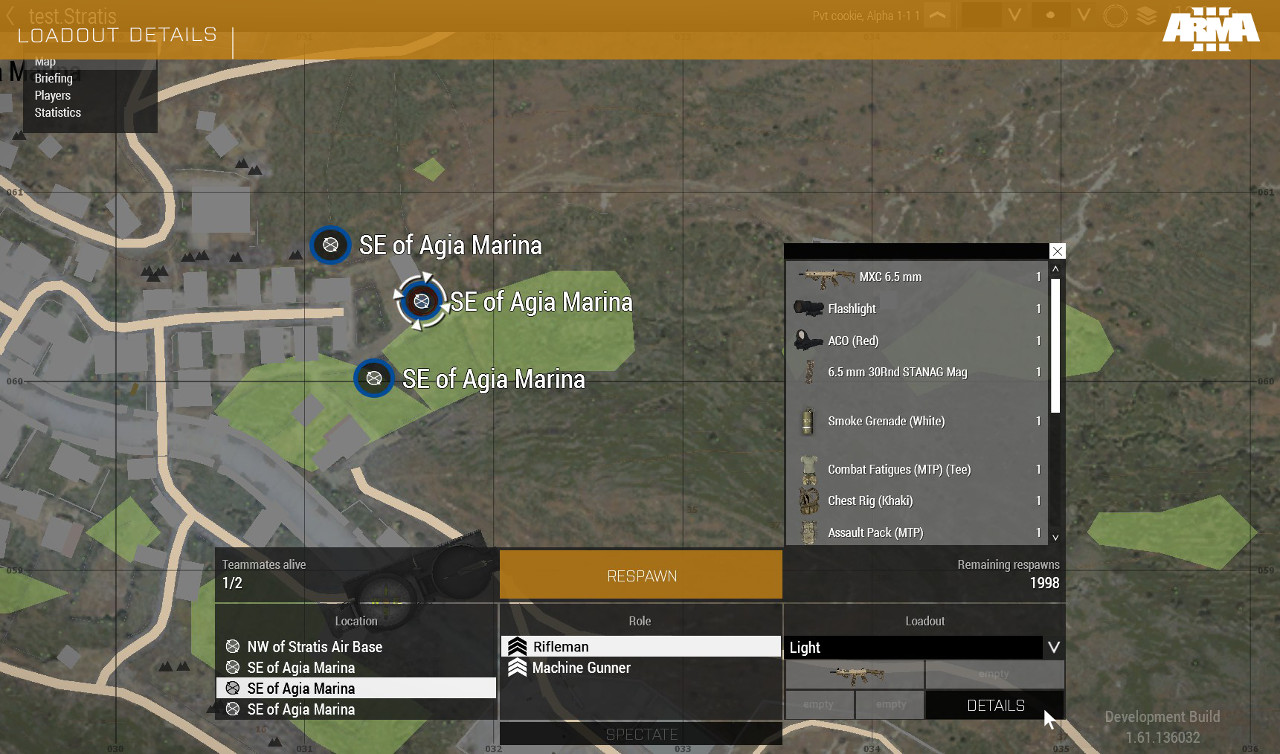 quasi granite
okay that respawn dialog is part of the map, so display 12 or RscDisplayMainMap (config) or RscDiary (uiNamespace variable)
unkempt cliff
quasi granite
okay that respawn dialog is part of the map, so display 12 or RscDisplayMainMap ...
That works , thx Terra!
 haughty yoke
Does anybody have access to the AZC GPS Replacement Mod to share? God damnit, Armaholic going down might be the biggest blow to resources this community has ever had 😦
@lime sparrow Just noticed you are in here! Do you have an upload of this anywhere else?
 storm lark
I'm having an issue:
Whenever I use lbClear on a specific listbox and the game is (heavily) modded, it crashes the game.
With a lightly modded game it does not crash the game.
Would anyone have any idea why lbClear would cause a crash?
storm lark
What it contributing to the crash is that if another listbox, who changes the values of the one that crashes, has items selected, it causes the crash, otherwise it's fine.
I've unselected the current choice, then tried to clear it, but no dice.
 worldly sparrow
It might just be that something else relies on said list box and can't handle that you're removing the content.
storm lark
What could such things be?
worldly sparrow
Probably a specific mod. First thing I'd try to look after is if a crash log exists that maybe tells me what happened. If that doesn't give a specific clue run without mods and test them one by one to identify the one that causes it.
storm lark
I've looked through the RPT logs, as that is what I have been using to tell me what is crashing.
Unfortunately nothing of value in there.
storm lark
Apparently using a lbDelete on every element doesn't cause crashing anymore...
Something funky is going on and I'm not quite sure what...
worldly sparrow
Uhm, night vision or thermal dims "unfocused" areas of the screen and that includes the regular UI elements. Is there a way to move this dimming layer behind the UI or have my own UI elements appear in front of it so they stay fully visible?
leaden epoch
is it possible to disable keyboard shortcuts ( like CTRL + A ) in rscEdit?
topaz talon
leaden epoch
is it possible to disable keyboard shortcuts ( like CTRL + A ) in `rscEdit`?
did you try overriding with key event handlers?
leaden epoch
Hello everyone, how do I create a display on top of another display so that the parent display is not hidden and is inactive?
quasi granite
leaden epoch
Hello everyone, how do I create a display on top of another display so that the ...
the secondary "display" should be a ControlsGroup. Then use ctrlCreate.
leaden epoch
Thx
unkempt cliff
Does anyone know any tricks to modify the MP lobby?
weary imp
yes, make one in mission, use skipRoleSelection and hold the spawn with setrespawntime
otherwise make a mod
unkempt cliff
weary imp
otherwise make a mod
I do have a mod
unkempt cliff
So how do I modify the lobby? (modding)
weary imp
unkempt cliff
weary imp
<#122121444703338496>
k thx
 viral plover
Question: I want to add a new Rsc (derived from RscUnitInfo) and use it as a weaponInfoType, using BIS_fnc_initDisplay in the onLoad event. I now want to add a keydown handler, but the display that onLoad passes in (display #300) doesn't actually exist (at least it's not visible in allDisplays), so adding a displayAddEventHandler "works" (not returning -1), but is never called since the display is not show. Any pointers as to what display actually is used for RscUnitInfo/Weapon optics ?
burnt token
I don't think you can trigger keyhandlers for hud layers.
viral plover
I feared as much 😦
burnt token
You could just use CBA keybinds if you're doing it for CUP.
viral plover
Yeah, but I didn't want to add yet another set of keybinds to the already crowded keymap but rather re-use existing commands (lase key, zeroing up/down)
But I guess there's no other option, really
burnt token
You could add key down to mission display when your rsc inits
And remove when it's unloaded.
viral plover
That was my idea, too, but the mission display isn't there yet when the onLoad is called, it seems... finddisplay doesn't find any (neither game, nor eden)
 empty mountain
yeah that's how I generally do it re: mission display
viral plover
I guess I go the CBA keybind route
empty mountain
the 300 display does exist but keyDown wont work for it as iirc it's technically not selected
so other eventhandlers work like uh, the draw one for map controls, but keydown is no go
burnt token
btw can you use different weapon info type for weapons in vehicles?
empty mountain
Ive never tried it, I assumed turretInfoType was what vehicles used
viral plover
Ah, you mean for different weapons in the same turret
burnt token
Yeah
viral plover
Never tried it with weaponInfoType, but usually I would also say turretInfoType is used
 tribal marten
hello GUI masters,
could anyone give me insight in why my script its not being executed when the action is being done?
Hint executes correctly but not execVM
weary imp
does execVM execute from debug console?
does the dialog close after button action and hint?
add systemchat after every statement to see if it even completes the code at all
quasi granite
tribal marten
hello GUI masters,
could anyone give me insight in why my script its not being e...
also try to use onButtonClick instead of action
tribal marten
weary imp
does execVM execute from debug console?
yeah, the sqf executes when done from console and it does closes sfter action
tribal marten
quasi granite
also try to use onButtonClick instead of action
will try
weary imp
then the issue is most likely SQS related, the code in action is treated as SQS so execVM is probably foreign to it. use onButtonClick
strange arrow
The code in action is treated as SQS? Wiki time
tribal marten
weary imp
then the issue is most likely SQS related, the code in action is treated as SQS ...
will try KK, thanks
topaz talon
weary imp
then the issue is most likely SQS related, the code in action is treated as SQS ...
it worked ok for me when i tried it
strange arrow
So ... not wiki time?
tribal marten
weary imp
then the issue is most likely SQS related, the code in action is treated as SQS ...
couldnt made the button to work, created another one from ground up and that one worked, they are identical
 wise star
Hello, very new to making Gui's and arma scripts in general. Basically im trying to execVM an sqf file when a specific option is selected on the list box and the button is pressed
wise star
Hello, all scripts seem to be connecting well and passing information. but i cannot get my if statement to activate a SQF, here is the code: _index = lbCurSel 1500;
_fetd = missionListArray select _index;
if (_fetd == 01: Town Attack) then
{
execVM "cm_menu\Campaign\cm_01.sqf";
};
quiet arrow
what is that ":" in your condition?
wise star
Got it all sorted :) but its the name displayed in the list should have been if (_fetd == "01: Town Attack") then {
 hybrid quest
How do I make a control fill the size of the parent group? I want to do something like:
x = 0;
y = 0;
w = 100%; // How do I get the parent width?
h = 100%; // How do I get the parent height?
...but I don't know how to make the w and h relative to the parent. I could do it in script when creating the resources, but is there a way to do it in config?
quiet arrow
It's the same as with scripts.
Make w and h identical to what you have set the ct group to.
hybrid quest
Okay! I was hoping for some magic parentW or something. I guess I'll have to do a bunch of defines.
weary imp
you can use variables in config, they are processed in parsingNamespace , check __EXEC and __EVAL macros on wiki https://community.bistudio.com/wiki/PreProcessor_Commands @hybrid quest
hybrid quest
Thanks, that'll be helpful.
 torpid bridge
Is it possible to create a vehicle spawner gui for ingame use on a object
strange arrow
Yes. You can ask questions in this channel and look for documentation at https://community.bistudio.com/wiki/Category:GUI_Topics.
torpid bridge
Ok do u know how to make a vehicle spawning gui. If so how?
weary imp
torpid bridge
Ok do u know how to make a vehicle spawning gui. If so how?
create display, add control with button , add code to the button to call spanner function
 unborn hedge
Has anyone here had any success in hiding your current position on the map when you are in a air vehicle?
It doesn't really fly well with ww2 aircraft for example...
unkempt cliff
@unborn hedge try disableMapIndicators
unborn hedge
unkempt cliff
<@!208557512016789504> try disableMapIndicators
I think this only hides the blue/red unit markers, but I will still double check when I get home, thanks.
I am talking about this cross
unkempt cliff
unborn hedge
I am talking about this cross
Oh Idk about that one sorry
wicked talon
Anyone here familiar with htmlLoad?
Trying to load this adress https://raw.githubusercontent.com/ARCOMM/Mission-Testing-Checklist/master/checklist.html, which works if I add "*" to allowedHTMLLoadURIs
However if I try to narrow it down a bit to
    allowedHTMLLoadURIs[] += {
        "*.github.com/ARCOMM/*",
        "*.githubusercontent.com/ARCOMM/*"
    };
it no longer works
currently trying to figure out a way to debug it
burnt token
Have you tried with only the wildcard at the end?
I think it may support only one wildcard.
so https://raw.githu....com/ARCOMM/*
wicked talon
burnt token
Have you tried with only the wildcard at the end?
Yes, same result
tranquil iron
the thingy is internally converted to a regex (which is weird, as I thought didn't have regex support until very recently )
"*.github.com/ARCOMM/*",
->
".*\.github.com/ARCOMM/.*"
oh wow we DO have regex, for this one specific thing, well you better make sure that pattern isn't messed up, otherwise you crash the game
wicked talon
tranquil iron
but yours should work
URI needs to end with /* or *, if not it gets added, but you're doing that already
wicked talon
tranquil iron
the thingy is internally converted to a regex (which is weird, as I thought didn...
Could it be that it does not support load balancing servers for some reason?
tranquil iron
load balancing servers?
Eh, that doesn't change your URL, no
its a URL whitelist, not a server whitelist
wicked talon
Found the problem
Works for *.githubusercontent.com/arcomm/*, not *.githubusercontent.com/ARCOMM/*
tranquil iron
Arma's case-insensitive is "all lowercase"
so... Thats probably it 😄 It tries to do case-insensitive check, but forgot to lowercase the whitelist from config
wicked talon
Apparently so
tranquil iron
that'd be a FT ticket then
 astral narwhal
Can someone point me to some guides or links to start making my own Configure Addons menu? didnt know it wasnt an arma feature and its too late to add cba. I would also like to learn how to just for my own knowledge.
wicked talon
astral narwhal
Can someone point me to some guides or links to start making my own Configure Ad...
I don't think that is a good idea. Making use of CBA Addon Options will just make things easier for everyone involved, as it is the standard.
astral narwhal
Well as I said id like to know how to add my own buttons to Escape menu screen. Can you point me to something. I am having a hard time finding relevant information via google searches.
burnt token
RscDisplayInterrupt is the one that holds the buttons
wicked talon
burnt token
He said he does not want to use CBA tho.
 lyric nymph
Guys, how do I change the size of a ctrlSetText text?
             _vInvMenu_6B = (findDisplay  602) ctrlCreate ["RscText",1933];
            _vInvMenu_6B ctrlSetPosition  [0.680,0.04,0.366,0.04];
            _vInvMenu_6B ctrlSetBackgroundColor [0, 0, 0, 0.15];
            _vInvMenu_6B ctrlCommit 0;
            _unit_fatigue = damage _unit;//_unit getVariable "fatigue";
            _vInvMenu_6B_Name = format ["Weight 10- Role: Sniper- RANK: Private %1</t>", ((damage _unit)*100)];
            _vInvMenu_6B ctrlSetText _vInvMenu_6B_Name;
_vInvMenu_6B ctrlSetTooltip "Blabla"; ```The text that appears in the inv screen ends up being just a little bit bigger than what I need
Also the ctrlSetTooltip does not show a tooltip even when I change the (findDisplay 602) ctrlCreate ["RscText",1933]; to (findDisplay 602) ctrlCreate ["RscButton",1933];
quasi granite
I would recommend using a structured text control instead
then you can use
_ctrlText ctrlSetStructuredText parseText "<t size='1.5'>Large text</t>";

Thanks I will try that out
lyric nymph
quasi granite
I would recommend using a structured text control instead
Worked like a charm! Thanks!
 bitter fern
Anyone that modified the Main Menu Spotlights that knows whether it's possible to "force" the Spotlight to be there when the user starts up first time with the mod installed? because it shows a lot of showcases, I have to switch around until it shows the custom spotlight - and then it stays.
Not sure if I got my issue across properly
burnt token
you can remove all other custom spotlights
bitter fern
I always assumed the "official" spotlights (like COF: Grey or w/e) were hardcoded, even the middle ones - care to give me a pointer on how to just remove them?
burnt token
bitter fern
Thanks alot!
bitter fern
It still shows the two Art of War showcases for me, even though I made sure the lines are in. The rest has been deleted just fine. You have an idea why that’s the case?
Because I don’t imagine they changed the name recently. 😓
burnt token
Probably wrong loadorder/cfg patches
bitter fern
Yeah I figured it out. Included the AoW Loadorder into the required addons section (only had Enoch beforehand) and that sealed the deal - obviously. Thank you for pointing it out!
sage shore
I quick question regarding CT_TOOLBOX:
In the wiki it's listed that you can set values[] property directly in the control config without needing to use the scripting command lbSetValue.
Is there a equivalent config property for data[] or am I forced to use lbSetData after the control is created?
frank stump
is there any "easy" way to create an diagram (or something similar)?
quasi granite
what kind of diagram?
 honest beacon
Evening fellas, I'm trying to figure out how GUIs work for the first time. Please, in list boxes what does the data variable do, and what is it used for?
quasi granite
honest beacon
Evening fellas, I'm trying to figure out how GUIs work for the first time. Pleas...
by "data" do you mean the one set with lbSetData?
honest beacon
Yes that one, what exactly is it for?
quasi granite
it's there to store data
thinking of a good example
// when ui is opened:
{
    _x params ["_text", "_command"];
    _ind = _ctrlList lbAdd _text;
    _ctrlList lbSetData [_ind, _command];
} forEach [
    ["Kill player", "player setDamage 1;"],
    ["Heal player", "player setDamage 0;"]
];

// when a button is clicked or something:
[] call compile (_ctrlList lbData lbCurSel _ctrlList);
It is up to you to use it or not, it is there for convenience (regarding associating user selection and its effect as result) and has no other (direct use/user view) afaik.
honest beacon
@quasi granite, @strange portal Alright I think I sort of get it now, thank you both