#arma3_gui
1 messages · Page 13 of 1
 quasi granite
 full mural
quasi granite
yep that is possible
full mural
quasi granite
yep that is possible
very good thank you 😉
Also i was wondering is it possible to make the background of the dialog blurry or would you have to create the blur with post processing?
quasi granite
full mural
Also i was wondering is it possible to make the background of the dialog blurry ...
yeah post processing is the only way i think. some weapon shop system does it (maybe hover guy's simple shops?)
full mural
quasi granite
yeah post processing is the only way i think. some weapon shop system does it (m...
nice okay ill try it out
 cunning arrow
A quick sanity check for myself, GUI editor pictures always are on top of anything else, but as long as I put the things on top after the picture in the config it'll be fine in game?
 ruby swallow
Last focused will be on top
cunning arrow
And also, for RscProgressBar, I can use colorBar[]={0,0.3,0.6,1}; to set the bar colour, anyone know how I can set the 'background' of the bar to a different colour?
So the 'not filled in' bit can be a colour other then transparent
cunning arrow
Ah ok, not ideal but it'll have to work
 vernal ginkgo
does anyone know the idd of your inventory, ive been looking for several minutes and i just cannot find anything on it. the wiki says 602 but i cant find a display with that idd
quasi granite
vernal ginkgo
does anyone know the idd of your inventory, ive been looking for several minutes...
yeah the idd is 602 and the classname is RscDisplayInventory. if you have the arma files unpacked you can find it under a3\ui_f\config.cpp
vernal ginkgo
why does findDisplay return no display?
vernal ginkgo
i am running it in debug console while playing
quasi granite
the inventory has to be open
vernal ginkgo
ok
so what would be the best method to add controls to the inventory display? running a script when the player opens their inventory since the display doesnt exist until then?
quasi granite
use the inventoryopened eventhandler, waitUntil the display is opened:
player addEventhandler ["InventoryOpened", {
  _this spawn {
    waitUntil {!isNull findDisplay 602};
    // do stuff
  };
};
my mistake, inventory opened is not a mission eventhandler. code fixed
vernal ginkgo
i see, i always forget that waituntil is a thing, super useful. thanks
 turbid glacier
@quiet arrow Hello. I posted all the coding i have already in Pastebin, does it need anything to work?
turbid glacier
 quiet arrow
And the image is in the mission folder?
quiet arrow
And the image is in the mission folder?
yes true
the GUI will be spawned by an addaction
quiet arrow
You path is not correct to the image
ctrlSetText "path\to\texture\image.paa";
Should be
_control ctrlSetText "someImage.paa";
if the image is in the root of your mission, if it's in a subfolder it should be "folder\image.paa"
Pastebin
Pastebin.com is the number one paste tool since 2002. Pastebin is a website where you can store text online for a set period of time.
turbid glacier
quiet arrow
You path is not correct to the image
what is the "_control" part, though?
 strange arrow
That's a reference to the actual control object; I didn't really read your config / code, but in your case it should probably be _ctrlPicture instead instead of _control.
Without that reference to the control, how should ctrlSetText know which control's text it is supposed to modify?
turbid glacier
The object the picture would display on is a ctrlPicture object. Is that a problem?
turbid glacier
strange arrow
No of course not!
Ahh okay and how do I define the control?
I feel like I have tried so many things, but i can't seem to find anything related to my problem
strange arrow
Your problem is that a picture is not working, is that correct?
turbid glacier
strange arrow
Your problem is that a picture is not working, is that correct?
Yes, that is correct
strange arrow
And the image should be in the control with the IDC 1200?
So basically, listboxaction.sqf does not work properly?
turbid glacier
strange arrow
And the image should be in the control with the IDC 1200?
What do you mean?
turbid glacier
strange arrow
So basically, `listboxaction.sqf` does not work properly?
Yes it does, kinda. The hint shows up but the image does not show
strange arrow
_selectedIndex = lbCurSel 1500;
_ctrlPicture = lbCurSel 1200;
if (_selectedIndex == 0) exitWith {
  hint "You have selected index 0.";
  ctrlSetText "path\to\texture\image.paa";
};
```1) Line 2 (`_ctrlPicture = lbCurSel 1200;`) doesn't make sense, the control with IDC 1200 is a `class PictureDisplay: RscPicture` control, `lbCurSel` can't be used with those.
2) In order for `ctrlSetText` to work, we first need to get a reference to the control it is supposed to be applied to. Hopefully, `(findDisplay 2017) displayCtrl 1200` does the trick, so that we can change line 5 like so:
```sqf
((findDisplay 2017) displayCtrl 1200) ctrlSetText "path\to\texture\image.paa";
```3) As R3vo pointed out, the path to your image is not correct.Thank you. It works now. Will it be compatible in MP?
strange arrow
I'm not sure what you mean. Controls, Displays, Dialogs and HUDs are entirely local; every player has different control objects.
turbid glacier
strange arrow
I'm not sure what you mean. Controls, Displays, Dialogs and HUDs are entirely lo...
Oh okay. Another thing; I want a box to pop-up in the middle of the screen where player can click a button "OKAY". (example: Player click on "File2" from listbox and opens it, but does not have access and an 'error' pops up) How do I spawn such textbox and button? Would an empty box and button be good enough and whenever player clicks on File2 it will fill in the empty boxes?
strange arrow
That is something I have not done yet myself, so I can't give you any experience-based advice, but it might be possible to use https://community.bistudio.com/wiki/BIS_fnc_guiMessage for something like that.
turbid glacier
strange arrow
That is something I have not done yet myself, so I can't give you any experience...
alright. thanks for all the help
turbid glacier
@strange arrow one more thing.. If i want a trigger to lbadd how would I do this?
example: player has an tablet, which shows nothing.
- If player kills enemy1 & enemy2, pic1 and pic2 can be shown
- if player kills enemy 3 & enemy4, pic3 and pic4 can be shown
Got it working. Added a waituntil, now the problem is that if the player kills enemy4 first, pic1 will show instead of pic4. How can I fix this?
strange arrow
@turbid glacier What code did you use with waitUntil?
turbid glacier
It doesn't work like I really wanted it to lol
 opaque lynx
Q: is it possible to swap event handler code in and out for a UI event mid-stream? i.e. I have handler A called by default, then in another mode, swap in with handler B
 distant axle
Simply use if
opaque lynx
just in the callback itself then? i.e. detect the conditions and branch?
distant axle
ctrlAddEventHandler ["whatever",{
  if (some_switch) then {
    //A
  } else {
    //B
  };
}];```yep I see; fair enough. thank you.
vernal ginkgo
im having issues editing controls inside a control group (checking/unchecking and even deleting). Is there something extra i have to do to edit controls inside of a control group?
vernal ginkgo
its almost as if the controls inside the control group are completely inaccessible, but i can still interact with them by clicking.
vernal ginkgo
that doesnt help me
i have the child controls stored as variables but any time i try to make a change it just doesnt work
strange arrow
Code?
vernal ginkgo
which part, do you want the control class definitions as well? also im using ctrlcreate for the ctrlgroup instead of creating a display, in case that has something to do with it
strange arrow
Creating controls without a dialog, display or HUD containing them?
vernal ginkgo
yes, im creating it on the inventory display
strange arrow
So there is a display, good.
strange arrow
vernal ginkgo
which part, do you want the control class definitions as well? also im using ctr...
The part of the code that's supposed to edit the controls, please.
vernal ginkgo
that is my control group class. the onload in the last checkbox doesnt work, and any attempts to edit it through scripts in game doesnt work either
strange arrow
The onLoad is missing a ".
vernal ginkgo
idk how but that got lost in the copy paste, its in my code though
it all works when i create the control group, i can click the checkbox, but i cant ctrlSetChecked with scripts
turbid glacier
strange arrow
<@!406888328122728457> What code did you use with `waitUntil`?
the addlb, but it only works for some of the lbadd, idk why
turbid glacier
strange arrow
<@!406888328122728457> What code did you use with `waitUntil`?
Though it keeps saying that it is Nil, excepted true or false. How can I fix this?
strange arrow
@turbid glacier Post the code please.
turbid glacier
strange arrow
<@!406888328122728457> Post the code please.
https://pastebin.com/ZJ9jk52Y it's the same for all, except for the lbAdd text
strange arrow
turbid glacier
Though it keeps saying that it is Nil, excepted true or false. How can I fix thi...
Hmmm can you post a screenshot (some image host or #screenshots_arma) of that error?
turbid glacier
strange arrow
Hmmm can you post a screenshot (some image host or <#329978448938532868>) of tha...
Yea, sure
turbid glacier
strange arrow
Hmmm can you post a screenshot (some image host or <#329978448938532868>) of tha...
strange arrow
Your variable PC1Hacked is undefined.
Option 1: Place this code in initServer.sqf or some place like that.
PC1Hacked = false;
```Option 2: Use `getVariable`.
```sqf
waitUntil {missionNamespace getVariable ["PC1Hacked", false]};
Is it a multiplayer mission?
turbid glacier
strange arrow
Your variable `PC1Hacked` is undefined.
Yes it is, thanks for the help
 agile sinew
RscTextMulti adds a weird border when the element is selected

it has no additional parameters though:
{
    style = 16;
};```RscText doesnt look like anything relevant either, does it?
{
    deletable = 0;
    fade = 0;
    access = 0;
    type = 0;
    idc = -1;
    colorBackground[] = {0,0,0,0};
    colorText[] = {1,1,1,1};
    text = "";
    fixedWidth = 0;
    x = 0;
    y = 0;
    h = 0.037;
    w = 0.3;
    style = 0;
    shadow = 1;
    colorShadow[] = {0,0,0,0.5};
    font = "RobotoCondensed";
    SizeEx = "(            (            (            ((safezoneW / safezoneH) min 1.2) / 1.2) / 25) * 1)";
    linespacing = 1;
    tooltipColorText[] = {1,1,1,1};
    tooltipColorBox[] = {1,1,1,1};
    tooltipColorShade[] = {0,0,0,0.65};
};```so is this a bug?
quiet arrow
Maybe a hardcoded style?
We are talking about the control which shows "No servers found with current filter..." right?
agile sinew
yep
solved it by this code
            _ctrlWidth = ctrlTextWidth _ctrlServerListEmptyTxt;
            _ctrlHeight = ctrlTextHeight _ctrlServerListEmptyTxt;

            _ctrlServerListEmptyTxt ctrlSetPositionX ((safeZoneW - _ctrlWidth) / 2 + safeZoneX);// center it horizontally
            _ctrlServerListEmptyTxt ctrlSetPositionY (ctrlPosition _ctrlLoadingSpinner#1);
            _ctrlServerListEmptyTxt ctrlSetPositionW _ctrlWidth;
            _ctrlServerListEmptyTxt ctrlSetPositionH _ctrlHeight;
_ctrlServerListEmptyTxt ctrlCommit 0;```for some reason you can no longer select the control or the border no longer shows at least
agile sinew
i guess there is no way to give tooltips a background color?
agile sinew
how does one position a control inside a control group from the right?
like x = rightSideOfControlGroup - widthOfThisControl;
quiet arrow
x = widthCTGROUP - widthOfCtrl / 2
quiet arrow
agile sinew
i guess there is no way to give tooltips a background color?
Only for all tooltips.
strange arrow
https://community.bistudio.com/wiki/ctrlSetTooltipColorShade
What's wrong with that?
quiet arrow
I understood so that it needs to be set per column
quiet arrow
agile sinew
why the `/ 2` <@!444053322312318976> ?
Because I am stupid. Sorry
You need to substract the whole width to align it right
agile sinew
ok ty
opaque lynx
hello, Q: concerning mouse and key gestures, using the onMouseZChanged event, is there a way to also capture the key gesture? i.e. I'd like to respond to a naked mouse wheel, versus one like ctrl+mouse wheel, and so forth.
Off the cuff, I did not see such inputs in the docs: https://community.bistudio.com/wiki/User_Interface_Event_Handlers#onMouseZChanged, so I wondered if there might be other techniques to responding to more complex gestures...
like perhaps we monitor for onKeyDown and onKeyUp surrounding the onMouseZChanged for that sort of gesture?
what is key code 211 btw?
ah I got it https://community.bistudio.com/wiki/DIK_KeyCodes
 stuck nest
I'm trying to create a radar style GUI. I was told to use displays. I got a very basic window working, but how should I go around creating multiple icons? I'm reading the Biki on displays but it's rather confusing. There aren't that many tutorials for displays compared to normal dialogs, so anything that would send me on a right path would be welcome.
 uneven ruin
    private _controlTxTMarkers = findDisplay 155 displayCtrl 1300;
    _controlTxTMarkers ctrlSetTextColor [0.004,0.992,0.09,1];
    _txt2 = format ["%1 \n%2", _BullsStatus, _HomePlateStatus];
    _controlTxTMarkers ctrlSetStructuredText parseText _txt2;
        class info_panel_markers: RscText
        {
            idc = 1300;
            text = "text here"; //--- ToDo: Localize;
            x = 0.350469 * safezoneW + safezoneX;
            y = 0.379 * safezoneH + safezoneY;
            w = 0.175313 * safezoneW;
            h = 0.055 * safezoneH;
            colorText[] = {0.004,0.992,0.09,1};
        };
Why is the text not updating? "text here" still showing there
quiet arrow
because rscText does not like structured text
uneven ruin
jesus
agile sinew
@stuck nest did you check for existing mods doing what you have in mind as reference?
Armaholic - Covering the Arma series - Arma 3 | Arma 2: Operation Arrowhead | Arma 2 | Arma 2: British Armed Forces | Arma 2: Private Military Company | Armed Assault
stuck nest
I just found the forward sonar mod. I will be taking a close look on that one
 wicked talon
What is the difference between rsc and ctrl classes?
Say, RscButton vs a ctrlButton
 strange portal
wicked talon
What is the difference between rsc and ctrl classes?
strange portal
wicked talon
What is the difference between rsc and ctrl classes?
RscXXX is for general, ctrlXXX is for 3den; if Im not mistaken at least.
quasi granite
just as @strange portal said. ctrl for 3den, Rsc for "normal" dialogs. they are different in appearance and GUI coordinate usage (see sizeEx attribute for example)
wicked talon
If I'm working with pixelgrid on fresh GUIs, should I use ctrl, or stick with Rsc?
quiet arrow
@wicked talon use ctrlXXX
Mixing it with Rsc will cause issues since size/sizeEx is calculated differently
wicked talon
gotcha
 tribal dagger
Hi, I have a question regarding RscListNBox. When I select an item in the list, the text color starts to fade in and out. https://i.gyazo.com/a1fd84d647906be9c05d8e87ef983551.gif
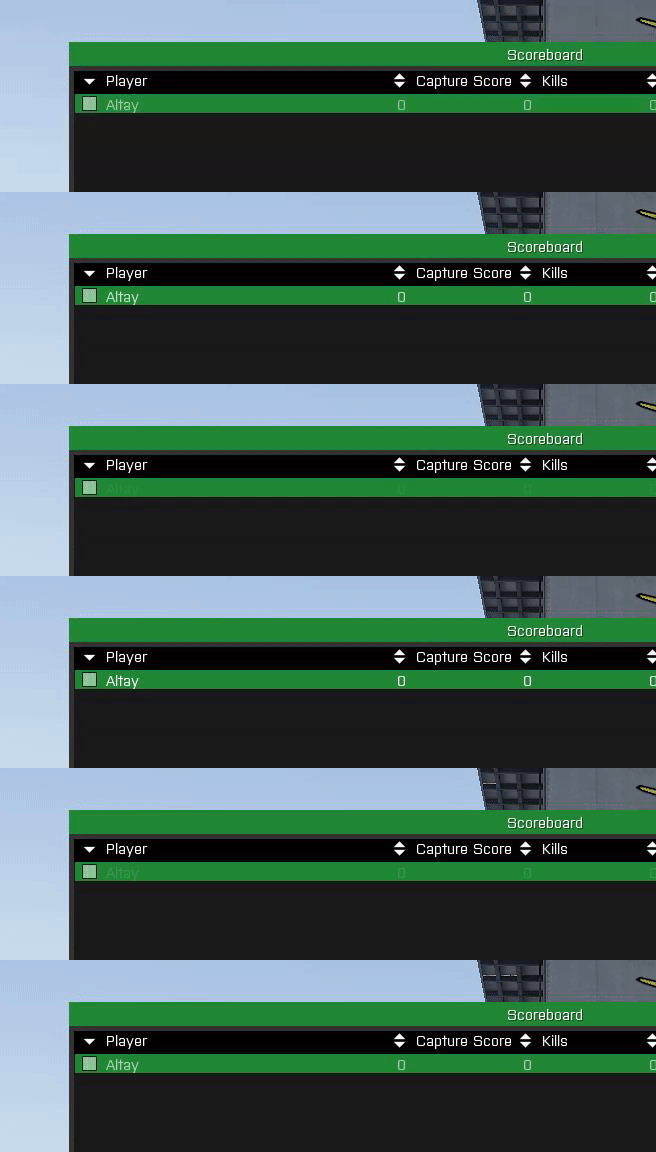
However I want the color to be constant white without the fade. I've tried setting colorSelect[] and colorSelect2[] to {1,1,1,1} but it continues to happen. So which property controls this fading behavior?
wicked talon
tribal dagger
wicked talon
https://community.bistudio.com/wiki/CT_LISTNBOX#period ?
Thats controls the speed of the fadein/fadeout, I've tried setting it to 0 but then the text doesn't appear at all. Setting it to a low value like 0.01 looks bad.
 amber coral
Hey all,
I'm trying to make an EditBox, with no border (or frame), but I cant find the property or style to remove the border. colorText seems to also influence the border color, but I obviously don't want transparent text 😅
The CT_EDIT wiki page even has an image showing that it should be possible:
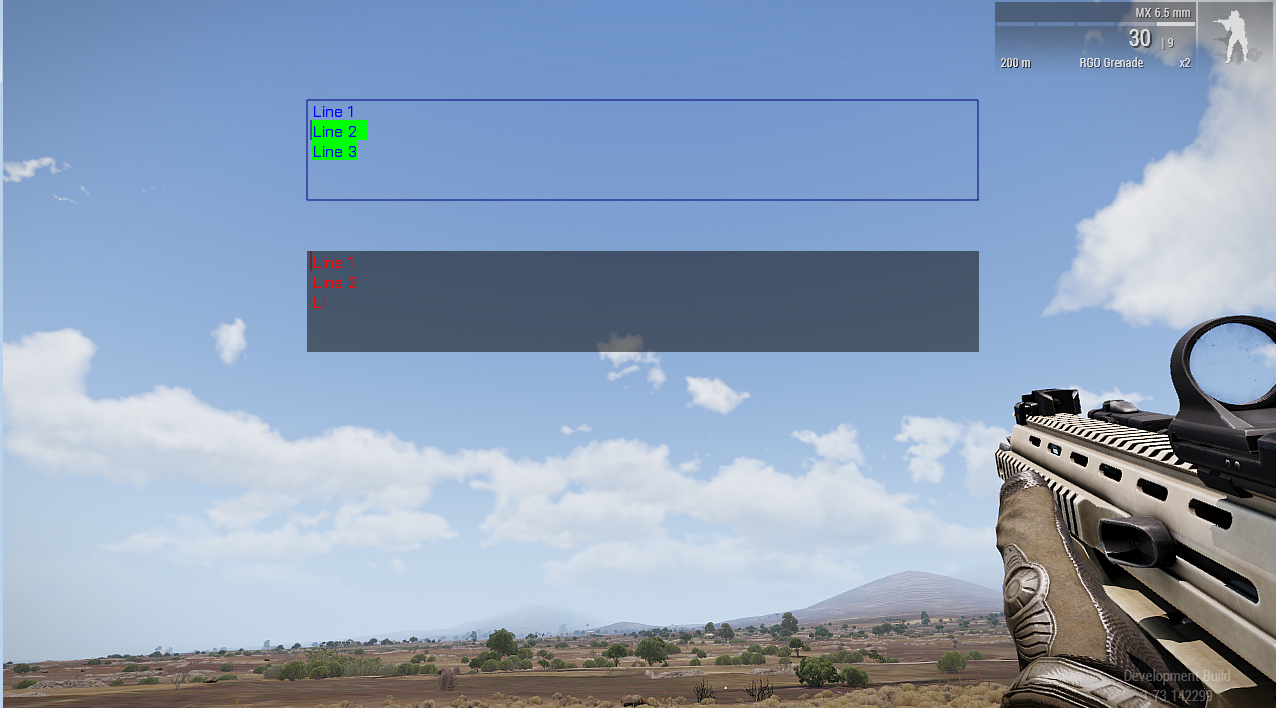
Two edit boxes with text. Upper one has some text selected. (https://community.bistudio.com/wiki/CT_EDIT)
Any ideas?
Thanks in advance 😄
Never mind I just found the solution myself. There is a Style ST_NO_RECT
wicked talon
@quiet arrow Is this a typo? https://community.bistudio.com/wiki/CT_STATIC#colorbackgroundx
quasi granite
wicked talon
<@!444053322312318976> Is this a typo? https://community.bistudio.com/wiki/CT_ST...
Not all of the listed attributes might have an effect nor might the list be complete. All attributes were gathered with this [https://github.com/7erra/BIKI.VR/blob/master/fnc/generateCTPage.sqf] config crawler.
for some reason the diary and map have this attribute for some controls ¯_(ツ)_/¯
quiet arrow
I am still thinking about requesting a diag_command to get all supported properties
to finally get a proper control doc
quasi granite
quiet arrow
I am still thinking about requesting a diag_command to get all supported propert...
that would actually be really cool, especially for documentation
quiet arrow
yeah, just need to find a way to persuade the green army 😉
 tranquil iron
quiet arrow
I am still thinking about requesting a diag_command to get all supported propert...
tranquil iron
quiet arrow
I am still thinking about requesting a diag_command to get all supported propert...
not doable
there is no "list of supported properties" in engine that could be returned with a command
quiet arrow
Any other way? I mean, we just need it once to make the gui doc like 500% better
tranquil iron
ask a programmer to go through the code and collect all properties
quiet arrow
yeah, I guess that's not gonna happen.
 weary imp
the docs have 99.99% properties, spending a day sifting through the code for 0.01% is not worth it
wicked talon
Can you somehow control the order that displays are stacked on top of each other?
And a second question, can you make a control click-through?
weary imp
<parentdisplay> createDisplay then you can use created display as parent and create another display
try adding eh to control under your control, not sure how it is now but used to trigger eh this way
 tropic brook
I cannot find a single good Gui Guide to get started does any1 have 1
wicked talon
Is there any performance benefit to hiding controls via ctrlShow, vs just leaving them?
tranquil iron
yes.
But I don't know of any controls where that would matter. After the latest fixes for some controls
wicked talon
Building a spectator view where it will be used for a bunch of tags
was wondering if it would actually be worth hiding controls that are outside of the screen
tranquil iron
probably not
 dusty aurora
Hey, reaching out to see if anyone can help figure out why a structured text class wont display a .paa image here is a bit of the code ////// //
class controls { class structuredText { access = 0; type = CT_STATIC; idc = 997106; style = ST_PICTURE; // lineSpacing = 1; x = 0.740 * safezoneW + safezoneX; y = 0.540 * safezoneH + safezoneY; w = 0.020 * safezoneW; h = 0.020 * safezoneH; sizeEx = 0.020; colorBackground[] = {1,1,1,0.6}; colorText[] = {0,0,0,1}; text = "images\ekg.paa"; font = "PuristaSemiBold";
////
It displays the image path instead of the .paa , not sure why since doing( text = "image.paa"; ) usually works , thanks
quiet arrow
This is not structured text nor does structured text takes an image
dusty aurora
I mean to reference the class structured text above , and im not sure what you mean since regular structured text does accept images like this <img image='\a3\Data_f\Flags\flag_Altis_co.paa'/>
Is this an incorrect way to define this portion of the control?
quiet arrow
yes but not like you posted it above
class RscPicture
{
  deletable = 0;
  fade = 0;
  access = 0;
  type = 0;
  idc = -1;
  style = 48;
  colorBackground[] = {0,0,0,0};
  colorText[] = {1,1,1,1};
  font = "TahomaB";
  sizeEx = 0;
  lineSpacing = 0;
  text = "";
  fixedWidth = 0;
  shadow = 0;
  x = 0;
  y = 0;
  w = 0.2;
  h = 0.15;
  tooltipColorText[] = {1,1,1,1};
  tooltipColorBox[] = {1,1,1,1};
  tooltipColorShade[] = {0,0,0,0.65};
};
If you just want to display an image use RscPicture
if you want an image and text use RscStructuredText
class RscStructuredText
{
  deletable = 0;
  fade = 0;
  access = 0;
  type = 13;
  idc = -1;
  style = 0;
  colorText[] = {1,1,1,1};
  class Attributes
  {
    font = "RobotoCondensed";
    color = "#ffffff";
    colorLink = "#D09B43";
    align = "left";
    shadow = 1;
  };
  x = 0;
  y = 0;
  h = 0.035;
  w = 0.1;
  text = "";
  size = "(            (            (            ((safezoneW / safezoneH) min 1.2) / 1.2) / 25) * 1)";
  shadow = 1;
};
https://community.bistudio.com/wiki/Category:GUI_Topics Here you'll find everything you need to know.
dusty aurora
Ok i think the rsc structured text is what we need after all , thank you for your help @quiet arrow
quiet arrow
yw. Feel free to ask again if something doesn't work.
distant axle
Is it even possible to remove every location names from a CT_MAP_MAIN control so completely empty control is possible?
quiet arrow
Not via scripting. Perhaps if you remove the fonts from the config etc.
distant axle
I'm looking for config solution, but no joy yet
 spring halo
I'm having issues getting a tooltip to show on a control in the inventory UI (IDD: 602). The cause seems to be specific to the inventory, because it works as expected if I createDisplay.
Inventory:
if (!isNil "DEBUG_InvOpenEH") then { player removeEventHandler ["InventoryOpened", DEBUG_InvOpenEH]; DEBUG_InvOpenEH = nil; };
DEBUG_InvOpenEH = player addEventHandler ["InventoryOpened", {
    0 spawn {
        disableSerialization;
        waitUntil { !isNull findDisplay 602 };
        private _display = findDisplay 602;

        ctrlPosition (_display displayCtrl 1001) params ["_x", "_y"]; // CA_ContainerBackground
        ctrlPosition (_display displayCtrl 1020) params ["_x2", "_y2", "_w", "_h"]; // TitleBackground

        private _ctrlHeader = _display ctrlCreate ["RscText", -1];
        _ctrlHeader ctrlSetPosition [_x, _y - _h, _x2 - _x + _w, _h];
        _ctrlHeader ctrlCommit 0;
        _ctrlHeader ctrlSetBackgroundColor [1, 0, 0, 0.5];
        _ctrlHeader ctrlSetText "Tooltip?";
        _ctrlHeader ctrlSetTooltip "Yes!";
    };
}];
createDisplay:
private _display = findDisplay 46 createDisplay "RscDisplayEmpty";
private _ctrlHeader = _display ctrlCreate ["RscText", -1];
_ctrlHeader ctrlSetPosition [0, 0, 0.3, 0.037];
_ctrlHeader ctrlCommit 0;
_ctrlHeader ctrlSetBackgroundColor [1, 0, 0, 0.5];
_ctrlHeader ctrlSetText "Tooltip?";
_ctrlHeader ctrlSetTooltip "Yes!";
 magic blade
Hi can any help me with a GUI, I’ve made it in GUI Editor in Arma 3 and exported into a file and done all that stuff, included it into MasterHandler in Dialog folder, however it won’t show up on my server
strange arrow
Included it into MasterHandler? What does that mean?
 topaz talon
my first guess is some l*fe stuff
magic blade
Hi guys, looking for some help for my GUI. I got my GUI working however it carrys on fading out when i load in i'm using this command to load it in 2 cutRsc ["logo","PLAIN NOFADE",0]; and this is my GUI file https://pastebin.pl/view/d78b325b I can't seem to get my head around why it keeps fading out
weary imp
@agile sinew https://community.bistudio.com/wiki?title=Title_Effect_Type&diff=157243&oldid=138333 where did you get NOFADE from?
agile sinew
arma3.exe AVTitleEffectPlainNoFade
 fast sparrow
hewo, im trying to see the hud of a specfic car (the car stats, with the engine and everything). Is there a way to just draw its hud and display it to the player: for context the ai is driving the car while the player is outside of it
 willow stratus
fast sparrow
hewo, im trying to see the hud of a specfic car (the car stats, with the engine ...
willow stratus
fast sparrow
hewo, im trying to see the hud of a specfic car (the car stats, with the engine ...
showing the vehicle stats is not possible afaik. you'll have to make your own
fast sparrow
gkajsdfgakdfh, you s.. said h
this is more complicated than i thought
so theres no way to just like..show the hud element that shows on the top left when youre in a car, but have it be shown when youre not in a car
somehow..convince the game you're actually in the car when you're not xd or something idk
 main wolf
You could try to display the HUD elements manually to the player outside of the car, but you would need to script the values (speed, fuel, damage, etc.) as well based of an external object.
So is it possible; yes.
Is it easy; nope...
fast sparrow
damn..
hm....i need a low effort version of this then...
is there a tutorial that could help me with this specifically?
main wolf
Arma 3 source code 🤣
And nothing in Arma is "low effort", especially when it comes to scripts or GUI's
fast sparrow
i know i know
fast sparrow
is there an alright tutorial for gui stuff
quasi granite
the biki has one: https://community.bistudio.com/wiki/GUI_Tutorial
topaz talon
getting display handle then https://community.bistudio.com/wiki/ctrlSetPosition each control i guess
 storm heron
topaz talon
getting display handle then https://community.bistudio.com/wiki/ctrlSetPosition ...
storm heron
topaz talon
getting display handle then https://community.bistudio.com/wiki/ctrlSetPosition ...
how do i find the display created by cutRsc?
storm heron
topaz talon
look up the resource config
config doesnt return objects, right?
topaz talon
not sure what you mean by that
storm heron
i need a control object
so how can i get the object from missionconfig?
there are getNumber, getArray etc. for looking up the config
but i need a control object for ctrlSetPosition
topaz talon
that's not how it works
look up rsctitles in config viewer, then find your cutRsc resource class
storm heron
can you post an example script of that?
topaz talon
config viewer below debug console
topaz talon
you're looking up the config to find the variable that holds your display
storm heron
what do i need from the config then?
topaz talon
look how the display is defined, im assuming it's a BIS resource right?
starting with rsc?
can you send the line where you run cutRsc
storm heron
2 cutRsc ["crosshair_player","PLAIN", 0, False];
topaz talon
is it you who made it?
topaz talon
add onLoad = "uiNameSpace setVariable ['tom_display_crosshair_player', _this select 0];"; in the beginning of your resource
topaz talon
now, in your code you should be able to retrieve it, yep
then your controls should be mapped by an IDC, to get the control handle you use https://community.bistudio.com/wiki/displayCtrl
topaz talon
did you ctrlCommit afterwards?
storm heron
...
😅
helps to read the docs, i guess
oh no
it's mapped relative to safezone
😓
0,0 is not at the corner of the screen
topaz talon
yep, get ready for some arma stuff
opaque lynx
hello I am trying to get structured text to work, but nothing is showing in my controls. I know the controls themselves are aligned correctly, as ST_STATIC they show properly, and I am confident that the load event handlers are connected, which includes an appropriate _ctrl ctrlSetStructuredText (parseText _textToParse);, but nothing is showing on the controls...
structured text is along the lines of:
format ["<t size='5'>%1 (%2)</t>", toLower _sourceName, ctrlIDC _ctrl]; // or
format ["<t size='5' color='#33cc33'>%1 (%2)</t>", toLower _sourceName, ctrlIDC _ctrl]; // or
format ["<t size='5' color='#ff0000'>%1 (%2)</t>", toLower _sourceName, ctrlIDC _ctrl]; // or
format ["<t size='5' color='#ff0000'>%1 (%2)</t>", "unknown", ctrlIDC _ctrl]; // or
I have verified that each of the controls sees this event as well
opaque lynx
maybe a better question might be... does CT_LISTBOX support structured text? I could just add rows to it, for instance.
 astral narwhal
i use Microsoft visual code for development. It keeps saying there is an error on this line but it works in game and i cant figure out the issue. Anyone know why its complaining about the "=" sign?
scale=((0.215 * 0.655) * (SafeZoneW Min SafeZoneH));
its in my gui .hpp file.
Error Message is: "Expected "$", comment, end of line, identifier, numerical formula, string, or whitespace but "(" found.sqflint"
opaque lynx
would someone orient my concerning https://community.bistudio.com/wiki/Category:Command_Group:_GUI_Control_-_Controls_Table.
my goal, I think, is to present a list box with controls that allow me to align static text differently, and allow for multi line.
 gritty horizon
astral narwhal
i use Microsoft visual code for development. It keeps saying there is an error o...
gritty horizon
astral narwhal
i use Microsoft visual code for development. It keeps saying there is an error o...
Check the RPT if you're ever unsure. Lints are more of a guideline than a strict rule system. If you are not seeing anything wrong in-game or in the RPT then it's likely just a bug with the SQF extension you are using.
opaque lynx
params ["_ctrl"];
ctAddHeader _ctrl params ["_ind", "_header"];
_header params ["_ctrlHeaderBackground", "_ctrlHeaderColumn1", "_ctrlHeaderColumn2"];
_ctrlHeaderBackground ctrlSetBackgroundColor [0,0.3,0.6,1];
_ctrlHeaderColumn1 ctrlSetText "\a3\ui_f\data\IGUI\Cfg\IslandMap\iconSelect_ca.paa";
_ctrlHeaderColumn2 ctrlSetText "Test Table";
for "_i" from 0 to 2 do {
    ctAddRow _ctrl params ["_ind", "_row"];
    _row params ["_ctrlBackground", "_ctrlColumn1", "_ctrlColumn2", "_ctrlColumn3"];
    _ctrlBackground ctrlSetBackgroundColor [0.5,0.5,0.5,1];
    _ctrlColumn1 ctrlSetText "\a3\ui_f\data\IGUI\Cfg\HoldActions\holdAction_forceRespawn_ca.paa";
    _ctrlColumn2 ctrlSetText "Some long text";
    _ctrlColumn3 ctrlSetText "CLICK ME!";
};
^^
running from the example code...
ah I think I see what's going on... the controls defined in the cfg are lifted and those are the params being deconstructed... ah okay. then it's just dealing with each control like we normally would.
astral narwhal
@gritty horizon yea no errors just annoying seeing that red error on the file in my code solution.
gritty horizon
If you right-click on the error line, you should see an option an ignore it in the dropdown.
opaque lynx
concerning CT_CONTROLS_TABLE, HeaderTemplate is necessary? even if we are not adding a header?
opaque lynx
this is frustrating... I know that my CT_CONTROLS_TABLE is being handled, but I see no evidence of the header or rows anywhere in the UI layout
anyone at all? can I borrow you for like five minutes over a shared desktop?
here's a super stupid question, the class names have to be named:
class HeaderTemplate {
  class HeaderBackground {};
  class Control1 {};
  class Control2 {};
  // ...
  class ControlN {};
};
class RowTemplate {
  class RowBackground {};
  class Control1 {};
  class Control2 {};
  // ...
  class ControlN {};
};
i.e. Control1, Control2, etc?
quasi granite
opaque lynx
concerning `CT_CONTROLS_TABLE`, `HeaderTemplate` is necessary? even if we are no...
it might need to be defined but it can be empty if you are not going to use it
opaque lynx
@quasi granite hello, thanks for the response. yes, got that much sorted out.
quasi granite
opaque lynx
this is frustrating... I know that my `CT_CONTROLS_TABLE` is being handled, but ...
have you checked if your script is running with a hint or systemChat message?
and also if all the variables are defined and have the correct value?
opaque lynx
@quasi granite yes, I posted on the Killah Potatoes forum, have checked that, I know rows are being added.
for the moment, just filling it with some garbage data for dummy purposes
quasi granite
opaque lynx
here's a super stupid question, the class names have to be named:
```hpp
class H...
the class names of the controls can be anything
i uploaded a working controls table to the ft: https://feedback.bistudio.com/T155872#2144204
opaque lynx
yes I found that, I started from there
rows are adding and the IDCs are pooling as expected. just nothing is showing up on screen
quasi granite
what does your config look like?
opaque lynx
well, that's where a shared desktop would be helpful, kindly. separated in a couple of classes.
class XGUI_PRE_ControlTable {
    idc = KPLIB_IDC_UNDEFINED;
    x = 0;
    y = 0;
    w = 0;
    h = 0;
    type = CT_CONTROLS_TABLE;
    style = SL_TEXTURES;
    lineSpacing = 0;
    selectedRowColorFrom[]  = {0.7, 0.85, 1, 0.25};
    selectedRowColorTo[]    = {0.7, 0.85, 1, 0.5};
    selectedRowAnimLength = 1.2;
    class VScrollBar : XGUI_PRE_ScrollBar {
    };
    class HScrollBar : XGUI_PRE_ScrollBar {
    };
};
class KPLIB_missionsMgr_ctBriefing : XGUI_PRE_ControlTable {
    idc = KPLIB_IDC_MISSIONSMGR_CT_BRIEFING;
    x = KPLIB_MISSIONSMGR_BRIEFING_CT_BRIEFING_X;
    y = KPLIB_MISSIONSMGR_BRIEFING_CT_BRIEFING_Y;
    w = KPLIB_MISSIONSMGR_BRIEFING_CT_BRIEFING_W;
    h = KPLIB_MISSIONSMGR_BRIEFING_CT_BRIEFING_H;
    onLoad = "_this spawn KPLIB_fnc_missionsMgr_ctBriefing_onLoadDummy";
    rowHeight = KPLIB_MISSIONSMGR_BRIEFING_CT_BRIEFING_ROW_HEIGHT;
    headerHeight = KPLIB_MISSIONSMGR_BRIEFING_CT_BRIEFING_ROW_HEIGHT;
    firstIDC = KPLIB_IDC_MISSIONSMGR_CT_BRIEFING_IDC_FIRST;
    lastIDC = KPLIB_IDC_MISSIONSMGR_CT_BRIEFING_IDC_LAST;
    class HeaderTemplate {};
    class RowTemplate {
        class RowBackground {
            controlBaseClassPath[] = {"RscText"};
            columnX = 0;
            columnW = 15 * GUI_GRID_W;
            controlOffsetY = 0;
            controlH = 1 * GUI_GRID_H;
        };
        class KPLIB_missionsMgr_ctBriefing_rowTemplate_lblTitle {
            controlBaseClassPath[] = {"RscText"};
            columnX = 0;
            columnW = 2 * GUI_GRID_W;
            controlOffsetY = 0;
            controlH = 1 * GUI_GRID_H;
        };
        class KPLIB_missionsMgr_ctBriefing_rowTemplate_lblDescription {
            controlBaseClassPath[] = {"RscText"};
            columnX = 2 * GUI_GRID_W;
            columnW = 13 * GUI_GRID_W;
            controlOffsetY = 0;
            controlH = 1 * GUI_GRID_H;
        };
    };
};
I assume column dimensions are all relative to the control itself, X, W, OffsetY, H and so forth, and row, of course
quasi granite
same as controls inside of a controls group
opaque lynx
and text is being set as expected:
for "_i" from 0 to 2 do {
    systemChat format ["adding row: [_i]: %1", str [_i]];
    ctAddRow _ctBriefing params [Q(_rowIndex), Q(_row)];
    _row params [Q(_ctrlRowBackground), Q(_lblTitle), Q(_lblDescription)];
    _ctrlRowBackground ctrlSetBackgroundColor [0.5, 0.5, 0.5, 1];
    _lblTitle ctrlSetText format ["_briefing: [_rowIndex, _i]: %1", str [_rowIndex, _i]];
    _lblDescription ctrlSetText format ["_description: [_rowIndex, _i]: %1", str [_rowIndex, _i]];
    systemChat format ["row added: [_rowIndex, _i, ctrlText _lblTitle, ctrlText _lblDescription, _row]: %1"
        , str [_rowIndex, _i, ctrlText _lblTitle, ctrlText _lblDescription, _row apply { ctrlIDC _x; }]];
};
they don't actually need to made visible at all do they?
quasi granite
define "made visible"?
opaque lynx
like not hidden. the dimensions all seem plausible based on where I calculated them to be, [fn_missionsMgr_ctBriefing_onLoadDummy]: [idc, x, y, w, h]: [433250,0.501,0.397371,0.706084,0.630322]
quasi granite
nope controls will be created with the settings from the config
opaque lynx
ah I see... the dims were fine, but had a parens error in my dim macros...
@quasi granite appreciate the help
quasi granite
yw
opaque lynx
follow on question... should be colorBackground[] = {0, 0, 0, 0}; for the controls themselves, but instead it is "gray"
do I need to enumerate all of the class hierarchy in order for the attributes to resolve correctly?
oh ok nm, I think I see what might be going on
what color is it using in the RowBackground?
how do I tell the CT_CONTROLS_TABLE to use a transparent background for the table controls? does not seem to respect the control attributes themselves whatsoever.
https://www.imgpaste.net/image/QTD4B
ah duh in the load event handler... problem sorted.
https://www.imgpaste.net/image/QTeWY
opaque lynx
Hello what colors are supported by LISTNBOX with lnbSetPictureColor? Trying to use [51, 102, 255, 1] but does not appear to be accepting it. Also, [0, 111, 235, 1] almost worked, but it seems a bit too cyan than blue. So I wonder if there is some sort of filter going on.
quasi granite
opaque lynx
Hello what colors are supported by `LISTNBOX` with `lnbSetPictureColor`? Trying ...
rgba is in range 0-1
 wanton horizon
Hi i have a question. Why gui change the color
I have bright purple and in the game it is brown

 quasi granite
because your paa file is not in the dimensions w^2 * h^2, eg 1024x1024 or 256x512 etc
 vernal quest
hi, is exists any function to calculate - screen coordinates to coordinates in controls group?
vernal quest
ty
opaque lynx
hello, Q: about HUDs... trying to wrap my mind around RscTitles and around cutRsc, difference between cut* and title*, and how to leverage layers, for starters.
mainly, do I need to invoke cutRsc, etc, when I want to display a certain resource? and when I want to hide it? I need a "blank" resource?
what does the blank need to do, basically clear the same real estate that the "active" HUD displays?
is there a class description of the RscTitles bits? things like condition, duration, etc?
So something like ("myLayerName" call BIS_fnc_rscLayer) cutRsc ["myRsc","PLAIN"] shows the myRsc title class aligned with a "myLayerName" layer.
and I can remove that layer by, ("myLayerName" call BIS_fnc_rscLayer) cutText ["","PLAIN"] ... interesting.
this works for any such titles class? so I can have different classes representing different layers if I want to fold in different bits of a HUD?
that without having to necessarily involve a default or blank cutRsc?
okay it's starting to make sense, but any insights are appreciated, thanks all
opaque lynx
Q: are RscTitle onLoad events... these are still considered "_display" for purposes of allowing ["_display", displayNull, [displayNull]] parameters?
opaque lynx
Just in terms of laying out the widgets and so forth, I assume that the same sort of principles apply concerning dialog controls, etc, correct?
quasi granite
opaque lynx
hello, Q: about _HUDs_... trying to wrap my mind around `RscTitles` and around `...
cutRsc is the way to go. it seems that titleRsc was used to show more than one hud at a time before the introduction of named/numbered layers
quasi granite
opaque lynx
mainly, do I need to invoke `cutRsc`, etc, when I want to display a certain reso...
you can hide huds with cutFadeOut. this command is similar to closeDisplay just for huds
quasi granite
opaque lynx
is there a class description of the `RscTitles` bits? things like `condition`, `...
quasi granite
opaque lynx
So something like `("myLayerName" call BIS_fnc_rscLayer) cutRsc ["myRsc","PLAIN"...
yes you can have multiple huds open
quasi granite
opaque lynx
Q: are `RscTitle` `onLoad` events... these are still considered `"_display"` for...
huds are displays with some small differences, see here: https://community.bistudio.com/wiki/GUI_Tutorial#HUDs
opaque lynx
@quasi granite appreciate the enriched feedback, truly thank you
opaque lynx
Q: for the HUD I want to lay out, is there anything I need to know about geometry? It will not be centered, per se, I want to right align on the right hand side of the display, in particular. So, using the standard geometry bits, and approach left/right align styles and so forth?
 barren apex
Yes; HUDs behave just like normal dialogs (for the most part)
opaque lynx
am I checking it correctly, when I want to cut a HUD out, then I check if its layer name is in allCutLayers?
quasi granite
opaque lynx
am I checking it correctly, when I want to cut a HUD out, then I check if its la...
ideally you would check if the display exists directly but your solution could work too
 idle spruce
Has anyone used Arma Dialog Creator 1.0.7? It seems like its calculations for positions is very very wrong
this is the pictures of my ADC creation and how it looks in game... not sure what is messed up
idle spruce
it appears ADC is no longer in development and is abandoned, it has calculation issues with positions. any other gui creators out there that peeps are using?
quiet arrow
Just use the one which comes with the game. Create the basic setup and then load it into the description.ext and do further tweaking in your code editor.
 alpine olive
hi, how could I create a HUD like the one for the stamina bar? (with the arrows following the stamina bar, colors, icons, etc). I know how to create a HUD but I don't understand so much how the stamina bar is setup. I have had a look at Arma 3 Samples (legacy Fatigue) but I don't understand where the HUD is created.
quasi granite
alpine olive
hi, how could I create a HUD like the one for the stamina bar? (with the arrows ...
due to performance it is handled by the engine. for a similar effect you would have to run an EachFrame Eventhandler.
alpine olive
ok, thx
opaque lynx
Q: if I've got a HUD class, then I can do, cutRsc ["MY_hud", ...] (?)
class MY_hud {
};
I do not need name = "MY_hud"?
Corollary to that, what effect does name have on that?
Hmm, because I am trying to configName _config on the onLoad event, which is being raised, so I have that much verification, but configName returns "''".
How do I get the class name? or should I className _display instead?
quasi granite
opaque lynx
Q: if I've got a HUD class, then I can do, `cutRsc ["MY_hud", ...]` (?)
```hpp
c...
https://community.bistudio.com/wiki/GUI_Tutorial#HUDs as stated here, only idd and duration are necessary. first time I've heard of name as an attribute for a display
quasi granite
opaque lynx
Hmm, because I am trying to `configName _config` on the `onLoad` event, which is...
How is _config declared? what does it say when you run
systemChat str _this
``` in the onLoad UIEH?I have this in my events, onLoad = "(_this + ['KPLIB_hud_overlay']) spawn KPLIB_fnc_hud_onLoad"; but systemChat is reporting instead [fn_hud_onLoad] [ctrlIDD _display, _source]: [90001, ""]
quasi granite
what is source?
opaque lynx
Reported by _this + ['KPLIB_hud_overlay'], onLoad should receive [_display, _config], so third argument expecting KPLIB_hud_overlay
quasi granite
can you paste your UIEH script? If it is too long just the part until the systemchat
opaque lynx
hmm unless a HUD onLoad is not the same as an ordinary display or control... which seems to be the case. Receiving errors expecting configNull but it sees STRING
quasi granite
hmmmmmm
onLoad = "diag_log _this";
``` reports: `[Display #-1]` so there is no config param.......the encouraging part is, however, that at least the events are connecting now, so that much is encouraging
quasi granite
are you running perf/prof or stable?
opaque lynx
quasi granite
hmmmmmm
```cpp
onLoad = "diag_log _this";
``` reports: `[Display #-1]` so there ...
right, correct; but that's not how onLoad is documented now is it? so hence my confusion... but fair enough I suppose
not sure what perf/prof is?
quasi granite
performance/profling build of the arma 3 exe
opaque lynx
ah I see. I don't think so, probably not
quasi granite
okay because i am so it is not a problem exclusive to it
opaque lynx
quasi granite
okay because i am so it is not a problem exclusive to it
good to know 🤣
quasi granite
On CONTROLS it works! okayy
quasi granite
only for onLoad UIEH that are attached to a control
opaque lynx
right correct. okay dokay then. thanks.
quasi granite
yeah i am going to edit the biki. that liar.
opaque lynx
quasi granite
yeah i am going to edit the biki. that liar.
LOL good luck and good hunting
here's a question, since all we have is _this isEqualTo [_display], can we get the config from the display?
like configOf _display wouldn't work would it? or is that restricted to just OBJECT, i.e. not DISPLAY
I suppose also, is this an issue confined to just RscTitle DISPLAY classes, or does it apply to any DISPLAY onLoad event? this I have not had a need to verify, but would be good to know.
anyway, I think I have clues enough to proceed in anger. thank you @quasi granite
quasi granite
well there are only six possible locations for the display: root config or RscTitles in either configFile, missionConfigFile or campaignConfigfile
opaque lynx
you mean such as mining for it in the appropriate config... probably missionConfigFile in this instance I think.
i.e. missionConfigFile >> 'RscTitles' >> ...
quasi granite
yeah but getting the class name is not possible by default
opaque lynx
there is a name = "..." attribute, not sure if that is even necessary? i.e. through cutRsc, etc
quasi granite
no, not that I would know of. You could also not access it without knowing the config name already
opaque lynx
right, so my event handler would be something like this, onLoad = "(_this + [(missionConfigFile >> 'RscTitles' >> 'KPLIB_hud_blank'), 'KPLIB_hud_blank']) spawn KPLIB_fnc_hud_onLoad";
which, you know, if we need to help it, then we need to help it
okay, and which that works
I also seem to recall, onUnload is not raised "as expected" for these displays. I get the onLoad event for the next cutRsc, but no onUnload from the previously cut one.
unless perhaps it is cutFadeOut we need to invoke that unloads the previous one
quasi granite
opaque lynx
I also seem to recall, `onUnload` is not raised _"as expected"_ for these displa...
onUnload event doesn't fire for RscTitles displays started with cutRsc.
https://community.bistudio.com/wiki/User_Interface_Event_Handlers#onUnload
opaque lynx
Q: when I want to align some HUD elements on the right hand side of the screen, let's say, then I need to start with safeZoneX+safeZoneW and work left from there, correct?
otherwise the geometry is the same I gather
lnbSetColor versus lnbSetRightColor, what's the difference?
opaque lynx
Q: if we drop a custom attribute on our control configurations, we should be able to scan for that, correct? i.e.
params [
    [Q(_ctrl), controlNull, [controlNull]]
    , [Q(_config), configNull, [configNull]]
];
private _keyConfig = _config >> Q(hashMapKey); // i.e. hashMapKey = "Key_to_a_hash_map";
if (!isNull _keyConfig) then { // Because CTRL may or may not have defined it
    _ctrl setVariable [QMVAR(_hashMapKey), getText _keyConfig];
};
private _hashMapKey = _ctrl getVariable [QMVAR(_hashMapKey), ""]; // which we can verify, log, etc
Thanks!
quiet arrow
Q: when I want to align some HUD elements on the right hand side of the screen, let's say, then I need to start with safeZoneX+safeZoneW and work left from there, correct?
otherwise the geometry is the same I gather
safezoneX + safeZoneW - CTRL_WIDTH
Will align the control to the right side.
quiet arrow
opaque lynx
`lnbSetColor` versus `lnbSetRightColor`, what's the difference?
Listboxes can have two texts in one column. One is aligned left (lnbSetText) the other one is aligned right (lnbSetTextRight)
Q: if we drop a custom attribute on our control configurations, we should be able to scan for that, correct? i.e.
What do you mean by "Scan for that"?
opaque lynx
quiet arrow
Listboxes can have two texts in one column. One is aligned left (lnbSetText) the...
Really? I did not know that. Okay then, good to know, thank you.
opaque lynx
quiet arrow
> Q: if we drop a custom attribute on our control configurations, we should be a...
i.e. determine whether a given _config has defined the attribute; I assume would yield isNull _keyConfig == true for instance.
quiet arrow
Yep
opaque lynx
another Q: working with control groups, how to disable, or at least 'hide' the scroll bars? set the height/width to 0?
strange arrow
Yep
opaque lynx
so, still a bit confused about HUD displays...
when I cut them in, does their "reference" stick around? I cannot look it up with findDisplay, yields displayNull, and if I try to 'persist' it in uiNamespace for later, also indicates displayNull later on.
do I need to cut them in and effect the change then or what?
nm kinda sorting it out...
lots of meta bits going on
opaque lynx
Q: if I have a CT_CONTROLS_TABLE, right, is there a way for me to set any of its 'config' items through SQF? hmm, now that I pause to consider, would not be the worst thing if I could not, but I was just curious. Thanks...
opaque lynx
back on the CT_CONTROLS_TABLE, or any class configuration for that matter... how complete can an array be that is lifted from the configuration from a control? Or would it be better to parse something like that from a string attribute? i.e. in SQF, [[['a'], ['acolor']], [['b'], ['bcolor']], ...]. it is a lot, it is a lot to enumerate in an onLoad event handler. just wondered if that would be doable.
vernal quest
@opaque lynx you can make - something like ```sqf
cfgControls = createHashMapFromArray [
['a',createHashMapFromArray[
['color',[1,1,0,1],
['text','Sometext']
]
]
];
// And when u need data from that config - just use
(cfgControls get 'a') get 'color';
it will works. About keys for main table, idk - you can just put control into map and use it.findDisplay doesn't work with rsctitles, display handle will not be null until you close the display.
topaz talon
opaque lynx
Q: if I have a `CT_CONTROLS_TABLE`, right, is there a way for me to set any of i...
can't really set, but some of the config values get evaluated, and the result of the expression is used then(for example UI coordinates)
opaque lynx
Q: do RscTitles support CT_CONTROLS_TABLE? I've got a use case that would be perfect for just such a thing. but so far attempts to start by adding a HEADER, index yielding -1, and no controls added.
thinking possibly a bug in my geometry, maybe some undefined symbols...
opaque lynx
nope, double and triple checked my geometry. there were a couple of issues, corrected those, still not adding headers/rows in a RscTitles scenario
opaque lynx
if that one will not work, probably due to differences in how display is or is not supported re: dialog versus cutRsc overlays, which if that is the case, fair enough...
might try a CT_LISTNBOX, it is a 'simple' control, simpler anyway, than CT_CONTROLS_TABLE, though less preferred because then I need to do heavier scripting aligning row/cell meta keys, but that's okay, I suppose.
opaque lynx
is there a list of the known images, i.e. \A3\ui_f\data\map\markers\handdrawn\warning_CA.paa is a warning, right. looking for the others. thank you...
opaque lynx
how do I right align test in a CT_LISTNBOX? I assume it is lnbSetTextRight? however, checked idcLeft and idcRight, both are -1, which I assume then LISTNBOX is taking liberties, assuming a default control, with the default lnbAddRow and/or lnbSetText?
opaque lynx
so LISTNBOX is working pretty great in an overlay situation so far; I even add a second one slightly offset with a custom shadowColor[] = {...}; attribute for purposes of that, to shadow the front one. now if only I can figure out how to right align the report text column.
This is what I'm doing so far. Rinse and repeat for the shadow LISTNBOX, i.e. _lnbFob getVariable [QMVAR(_colorShadow), _color], which works great.
private _rowIndex = _lnbFob lnbAddRow [_report, ""];
_lnbFob lnbSetTextRight [[_rowIndex, 0], _report];
_lnbFob lnbSetPicture [[_rowIndex, 1], _imagePath];

_color = _lnbFob getVariable [QMVAR(_colorShadow), _color];

if (count _color == 4) then {
  _lnbFob lnbSetColor [[_rowIndex, 0], _color];
  _lnbFob lnbSetColorRight [[_rowIndex, 0], _color];
  _lnbFob lnbSetPictureColor [[_rowIndex, 1], _color];
};
But I cannot see any right alignment options for any of the columns. If I leave the row value out and do not set it to _report, I see nothing there.
Also, I suppose these are typos aren't they, ... liars... 🤣 row: Number - 0-based index (first column is 0, second is 1, etc)
quiet arrow
Also, I suppose these are typos aren't they, ... liars... 🤣 row: Number - 0-based index (first column is 0, second is 1, etc)
Which page?
opaque lynx
@quiet arrow https://community.bistudio.com/wiki/lnbSetTextRight for starters
but also, if that is supposed to set a right aligned text, it doesn't, AFAIK
quiet arrow
What does it do then?
opaque lynx
nothing as far as I could tell; leaves the "natural" set text alone, which it should I suppose. but when the row is added with "", still does not do anything. should I be adding a row like this instead? _lnb lnbAddRow [nil, ""] then _lnb lnbSetTextRight [[_rowIndex, 0], "..."]
quiet arrow
From my experience the command works just fine.
opaque lynx
this is what I see in the left hand column when I try that, nothing. I am expecting something in that column right aligned. https://pasteimg.com/image/image.cUess
versus this in the usual lnbAddRow, lnbSetTextRight having no effect whatsoever https://pasteimg.com/image/image.cUmC9
have I done something incorrectly in the snippet above perhaps?
your thoughts @quiet arrow ? or anyone, why doesn't this work?
opaque lynx
follow up thought... I am trying to get a right alignment done in the LISTNBOX as I've said... it is not in a dialog, it is following a cutRsc. could that make a difference?
opaque lynx
how do you arrange for proper Z order of control render? i.e. I have ctrl0 backing ctrl1 as its shadow, I want ctrl1 to always be in front
strange arrow
Most recently added / defined has highest Z
distant axle
Unfortunately there's no command/attribute to set them
weary imp
you have class controls and you have class controlsBackground, the shadow should go to background probably
quasi granite
opaque lynx
follow up thought... I am trying to get a right alignment done in the `LISTNBOX`...
the display created by cutRsc and createDisplay/createDialog are absolutely the same*
*ᵉˣᶜᵉᵖᵗ ᶠᵒʳ ˢᵒᵐᵉ ˢᵐᵃˡˡ ᵈᶦᶠᶠᵉʳᵉⁿᶜᵉˢ
opaque lynx
weary imp
https://community.bistudio.com/wiki/Arma:_GUI_Configuration#Display_and_Dialog
works great, thanks! i.e. ['_hud_lnbfob', '_hud_lnbfobshadow'] apply { uinamespace getvariable _x } apply { _x ctrlshow !(ctrlshown _x) } toggles visibility, BG/FG respected
quasi granite
hey y'all, I've added a new section to the GUI Tutorial where I explain how to use BIS_fnc_initDisplay. so if someone is currently creating a mod and wants to make use of the benefits that function gives then here you go: https://community.bistudio.com/wiki/GUI_Tutorial#BIS_fnc_initDisplay
opaque lynx
Q: about progress bars, is it possible to set not only the bar color, but also the background color? and the, I would also like to 'eliminate' the border as well, just show the bar in other words, so I might end up with a bar like this, [BBBBBRRRRRR], or this [RRRRRBBBBB] and so on.
opaque lynx
opaque lynx
This is what I'm doing so far. Rinse and repeat for the shadow `LISTNBOX`, i.e. ...
Any ideas anyone why the "right" operators are not working? I've got a case where I have a couple of LISTNBOX controls working in a cutRsc scenario. 90% I am happy with it, but the right functions do not seem to work at all or do anything. which leaves me wondering whether they work on cutRsc instances at all.
quiet arrow
opaque lynx
Q: about progress bars, is it possible to set not only the bar color, but also t...
You can set the bar's color to transparent
The background cannot be changed but you can place a CT_STATIC behind the progressbar
opaque lynx
That'll work, thanks, I will try that.
opaque lynx
Q: I am trying to make a CT_CONTROLS_GROUP work in a cutRsc scenario. the class controls { ... }; are showing up as expected, but the class controlsBackground { ... }; do not even see an onLoad event. wondering, is this a limitation being a cutRsc?
And if that will not work, is there another way I can configure the Z order?
in other words, a STATIC should render behind the PROGRESS so that I can changes its "background color" appearing behind the progress.
and if even that will not work, I think I am beginning to see why in this code there were two STATIC controls side by side and ctrlSetPositionW and ctrlSetPositionX were used to mimic the same.
follow on question, where might I find details about texture = "#(argb,8,8,3)color(1,1,1,1)"; (?) i.e. texture vis-a-vis CT_PROGRESS, but in general as well...
Mainly just wanting to understand the syntax
Figured it out, though it is a big awkward. must do it through the cutRsc controlsBackground[] = {...} versus the CT_CONTROLS_GROUP class controlsBackground {...}; which is all sorts of awkward, because that resource was also going to serve as shadow for some of the text elements.
opaque lynx
hmm another reason might be... how do you set the color of a progress bar? apart from configuration I mean. there is no primitive for that?
topaz talon
opaque lynx
Q: I am trying to make a `CT_CONTROLS_GROUP` work in a `cutRsc` scenario. the `c...
controls group doesn't have controlsBackground, if you need a background, just put it in controls[] before your actual controls, that's how the order works
topaz talon
opaque lynx
And if that will not work, is there another way I can configure the Z order?
add the background before progress control
topaz talon
opaque lynx
follow on question, where might I find details about `texture = "#(argb,8,8,3)co...
topaz talon
opaque lynx
hmm another reason might be... how do you set the color of a progress bar? apart...
vernal quest
Hello, have a problem with scripted display 😦
Created 9 RscActivePicture controls.
Set them eventhandlers (MouseButtonClick).
Works fine, but...
When i press 2nd and 3rd active pictures - my display is getting closed
Is possible to somehow fix that?
*Edit. I fixed that just with adding 2 controls more, as i understood - 2nd and 3rd controls - just close display
strange arrow
https://community.bistudio.com/wiki/Arma:_GUI_Configuration#Closing_a_display_or_dialog
Clicking a button with IDC 0, 1 or 2
But I don't know ifRscActivePicturecounts as a button.
quiet arrow
Probably yes. It's just a button with an image
quasi granite
what idcs do the controls have?
opaque lynx
topaz talon
https://community.bistudio.com/wiki/ctrlSetTextColor
yes, this is the route I ended up taking; it actually makes better sense, and I can left/right align the forward control position as I wish, depending on sector alignment.
astral narwhal
how do i move a control to the front of another control?
quasi granite
astral narwhal
how do i move a control to the front of another control?
with ctrlSetFocus
also: CT_STATIC will always be in the background of other interactive controls
astral narwhal
@quasi granite how would i do it while in the editor?
quasi granite
huh? what do you mean?
astral narwhal
while in the gui editor.
quasi granite
oh maybe with CTRL+L
astral narwhal
tried that, didnt fix it. tried tab and that didnt help either.
astral narwhal
how do i create a display ontop of another?
quasi granite
astral narwhal
how do i create a display ontop of another?
_parentDisplay createDisplay "RscDisplayChild";
``` or put your controls in a controls group and create that control as part of your dialogwhen i do the parent display it hides the parent and only shows the child. i have a gps that i want to show a form on top of and i have to keep them separate because we have a bunch of forms. any ideas on what im doing wrong?
quasi granite
that is how child displays act. what you want to do is create a controls group as part of the parent display
quasi granite
yeah. #include is just telling the preprocessor "hey take this file and put it here"
astral narwhal
@quasi granite cool ill try later. thx
 keen snow
Hey, i want to write a script where i can show some gui informations. is there a way to find out the users windows mode setting. like if he is playing in fullscreen or window mode
quiet arrow
Nope, that's not possible
getResolution gives you quite a lot of other information though
 hallow dew
Not exactly sure if this is the place, or if it's even possible, but:
I have 0 knowledge about anything GUI related.
I want to add a "quick time"/"task" event for ACE medical that has to be completed rather than the 10s green loading bar. Where should I start trying to learn to do this, and again - is this even possible?
storm heron
is there a better way to doing HUD elements than cutRsc?
createdialog and display capture the mouse
distant axle
Any problem with cutRsc?
storm heron
distant axle
Any problem with `cutRsc`?
bit finicky to work around setting the text and such
i have to save the resource to uiNamespace on load
and then work around the serialization issues
distant axle
Why that would be an issue for you? That is THE way
distant axle
Also IDK what serialization issues you mean. Just do disableSerialization?
distant axle
What do you have so far, after all?
storm heron
if i retrieve it as a control object, i get serialization error
but if i slap some array around it
no error
EXPOSURE_HUD_E_1 = ((uiNameSpace getVariable ["exposure_hud_display_resource", False]) displayCtrl 5730); ERROR
EXPOSURE_HUD_E_1 = [((uiNameSpace getVariable ["exposure_hud_display_resource", False]) displayCtrl 5730)]; NO ERROR
the brackets for an array seem to make all the difference in the world
then i just EXPOSURE_HUD_E_1#0
distant axle
Why you wanted to put your display into a global variable?
storm heron
for debugging purposes
it's like that for now
also, because calls to retrieve a global variable supposedly are faster than getVariable
i use the variable every frame
incredibly wasteful, but for now
since i dont actually need to update it every frame
only when the information changes
but i haven't worked the logic around that yet since i have other things to do in the meantime
but hey, it works

quiet arrow
@storm heron Never safe UI elements in missionnamespace. UI elements do not support serialization.
storm heron
quiet arrow
<@!668526653034725377> Never safe UI elements in missionnamespace. UI elements d...
i figured
but a GUI element in an array apparently does
or atleast somehow smuggles itself in
but im resetting that variable every time i restart the mission
storm heron
so im not expecting it to serialize
storm heron
quiet arrow
https://community.bistudio.com/wiki/disableSerialization
doesnt actually work in this instance
it still gives the same error message
quiet arrow
In Arma 2 and up to a certain version of Arma 3, giving a Display or Control to spawned code would raise an error due to the usage of the then non-serializable _this variable. Using disableSerialization or uiNamespace wouldn't help; the trick here is to pass the argument inside an array:
vernal quest
quiet arrow
<@!668526653034725377> Never safe UI elements in missionnamespace. UI elements d...
i saving them in hashmap (in mission namespace)
with map's is works good
stuck nest
How do you properly include dialog into an addon? I made a dialog in mission files and it works fine, but I cannot get it to work as and addon.
I never did something like that
quiet arrow
Provide some code
distant axle
Dialog which means the clickable something?
stuck nest
Yes, can't provide code ATM since my internet went down
distant axle
Then the same method with description.ext will work. Don't forget to follow the basics of configs for MODs, though
stuck nest
Not my first mod, but it's the first this me putting a dialog in add-on format.
The problem currently is that the dialogue is not displayed at all. The function starting it works though and I do get the cursor, but the dialogue doesn't display. No errors about missing stuff.
One issue might be the inheritance of the base UI classes since I'm no longer inheriting from common.hop.
stuck nest
This my dialog for addon form
#include "data\dialog\taro_rangeCard_dialog.hpp"
In the config to include it. It does get loaded since it complained about missing parrent stuff before I added those.
quiet arrow
Controls need to be loaded outside of your dialog
  class IGUIBack;
  class RscCombo;
  class RscListNBox;
  class RscText;
  class RscButton;
  class RscFrame;
  class taro_rangeCard_dialog
  {
    idd = 6156;
    class Controls
    {
    };
};```@stuck nest
stuck nest
Many thanks, I missed that
 drowsy tendon
Is it possible to add controls to the description area of a task? I want someone to select a task and then be able to make changes to the settings of that task, if that makes sense?
For example there is currently "Assign" and "Locate" I would like to add some more options in that task description. But I don't really know where to start looking for it. I imagine that this would have to be added with a mod. But would be nice to do it in a mission.
quiet arrow
private _display = findDisplay IDD_3DEN createDisplay "RscDisplayEmpty";

private _ctrlBackgroundDisabled = _display ctrlCreate ["ctrlStaticBackgroundDisable", 1423123123];
private _ctrlStaticBackgroundDisableTilesd = _display ctrlCreate ["ctrlStaticBackgroundDisableTiles", 142124123123];
Why does this work if I add some IDC but not if I set the IDCs to -1? With -1, the first control is displayed correctly, but the second one simply doesn't show.
 tepid bramble
works fine for me 🤷
quasi granite
quiet arrow
```sqf
private _display = findDisplay IDD_3DEN createDisplay "RscDisplayEmpty";
...
i had problems when the leftIDC and rightIDC of a CT_LISTNBOX were set to -1 and the dialog contained controls with idc -1 since those controls would then be used for the left and right button of the ListNBox
tepid bramble
same(ish) ☝️ shouldnt be a problem in a clean RscDisplayEmpty though 🤔
quasi granite
i dont trust no CT_LISTNBOX anymore 😄
quiet arrow
Well what should I say
I have a ListNBox in the GUI
Let me test what happens if I remove it.
=/
It's in fact the ListNBox
FFS
Thanks for the info. Gonna update ctrlCreate with some info
 strange arrow
What? I thought -1 was an actual don't-care value 
quiet arrow
It is, but idcLeft and idcRight have this one by default and it's a valid idc for those
strange arrow
So it's not actually a proper wildcard-i-don't-care-i-don't-need-this-later?
You can use it with displayCtrl and controlsGroupCtrl to select a control?
quiet arrow
Don't think you can but I've never tested that.
strange arrow
Well if it's a valid IDC for something... Then again it works well for other control types...
quiet arrow
private _display = findDisplay 313 createDisplay "RscDisplayEmpty";
_display ctrlCreate ["ctrlStaticBackgroundDisable", -1];
_display displayCtrl -1 ctrlSetBackgroundColor [1, 1, 1, 1];
-1 is a valid idc
quasi granite
using -1 as an idc for the leftIDC and rightIDC of the ListNBox will acutally use the first control with an idc of -1 as a left and right control but it will not display them
storm heron
can i hide the cursor in a created display?
strange arrow
Not without modding.
vernal quest
storm heron
can i hide the cursor in a created display?
you can try with that mod:
https://github.com/Heyoxe/A3-Cursorless/blob/master/addons/main/config.cpp#L25-L36
stuck nest
I use ctrlSetText to put text into editbox: what symbol do I use for new lines there? Neither < br/> nor \n work and they just display as visible text.
To answer my own question: endl
quiet arrow
I am currently trying to give the Config Viewer a visual refresh. If I load the new GUI from missionConfig it is display properly but as soon as I load it via config.cpp it looks like this. Anyone got an idea why?
 quasi granite
quiet arrow
I am currently trying to give the Config Viewer a visual refresh. If I load the ...
quasi granite
quiet arrow
I am currently trying to give the Config Viewer a visual refresh. If I load the ...
only reasons i can think of is that either the grid defines are somehow different or the ui positions get modified in the ui script. maybe disable the onload EH and try?
quiet arrow
Grids are both the same and I don't see anything in the function
class ButtonClose: ctrlButtonClose
    {
      idc = 2;
      y = safezoneY + safezoneH - CTRL_DEFAULT_H - GRID_H;
      x = safezoneX + safezoneW - 41 * GRID_W
      w = 40 * GRID_W;
      h = CTRL_DEFAULT_H;
    };
    class ButtonPreviewClass: ButtonClose
    {
      idc = 2400;
      x = safezoneX + safezoneW - 82 * GRID_W
      text = "Preview Class";
    };```

Yet ButtonPreviewClass has the following attributes:
```cpp
y = "safezoneY + safezoneH - 2 *                     (            (            ((safezoneW / safezoneH) min 1.2) / 1.2) / 25)";
w = "11.5 *                     (            ((safezoneW / safezoneH) min 1.2) / 40)";
h = "1 *                     (            (            ((safezoneW / safezoneH) min 1.2) / 1.2) / 25)";
ah I think I know why. Need to test.
Okay yep, found the issue.
Since I am only overwriting the existing config viewer, inheriting doesn't work as it does normally.
Since ButtonPreviewClass already got all properties defined, it will not inherit from ButtonClose
 thorny coyote
Hey guys, I'm working on a custom hotbar for a server made using the GUI editor. I'm not sure how to keep it open and allow the player to still move around, shoot, and do everything else. I was wondering if anybody knew some links which would point me in the right direction.
quasi granite
thorny coyote
Hey guys, I'm working on a custom hotbar for a server made using the GUI editor....
 mental trench
Hello. I want to make interactive pop-up dialog sequences, and add some dialog critical choices that change side relations in-game. But I have zero experience with scripting.
- Can someone point me in the right direction and/or give me tips to get started?
- Should I make something simpler first?
- (Willing to spend hours tweaking code)
quasi granite
mental trench
Hello. I want to make interactive pop-up dialog sequences, and add some dialog c...
the BIKI is your best friend: https://community.bistudio.com/wiki/Introduction_to_Arma_Scripting for an introduction to sqf and https://community.bistudio.com/wiki/GUI_Tutorial for an introduction to GUIs in Arma
mental trench
thanks
thorny coyote
Hey I'm trying to add a colored border to a text box, but I can't seem to find anything online for it. Anyone know something I could use to do that?
barren apex
I don't think you can. Best thing you could do is creating that border by yourself (with 4 static control around your text box)
thorny coyote
ok, thank you
idle spruce
how do i go about selecting a good resolution for UI images? I did my first pass and created everything at 2048x2048 but it looks like garbage when scaling it down to the size I want on the screen. How could I go about figuring out what texture size I should make ahead of time so I don't do this plug and test stuff?
barren apex
Select the closest to the size it will be on screen. If your image only takes 100px on the screen, then use 128, etc. I usually try to not go bellow 128 (except for very specific cases). There's no way of finding the correct size if you don't know how big it will be on screen
thorny coyote
Hey I'm trying to add an image as the background to a text box inside of the hpp file, does anyone know a way to do that? I looked on the wiki but can't find anything that allows me to do it in the hpp file.
quasi granite
thorny coyote
Hey I'm trying to add an image as the background to a text box inside of the hpp...
 humble falcon
What are the best sources and tools for learning and creating complex(ish) GUIs in the Armaverse?
quiet arrow
https://community.bistudio.com/wiki/Arma:_GUI_Configuration - GUI Configuration
https://community.bistudio.com/wiki/GUI_Tutorial - GUI Tutorial
 pearl yarrow
quiet arrow
https://community.bistudio.com/wiki/Arma:_GUI_Configuration - GUI Configuration
...
pearl yarrow
quiet arrow
https://community.bistudio.com/wiki/Arma:_GUI_Configuration - GUI Configuration
...
no u
pearl yarrow
shame
it's done anyway 😉
 sonic zenith
@quiet arrow could you help me figure out why it doesn't detect the display?
distant axle
Does the display work? You see something?
distant axle
Tried createDisplay?
quiet arrow
onLoad = "uiNamespace setVariable ['MyDisplay', _this # 0]";
then you can get it via getVariable
sonic zenith
yeah i know but why would i create a var when i can use the idd
its not a RscTitle
so it should show
sonic zenith
nothing.
it doesn't work either
import RscText;
import RscListBox;

class RscMapSelector
{
    idd = 7110;
    onLoad = "uiNamespace setVariable ['RscMapSelector', _this#0]";
    class ControlsBackground
    {
        class CtrlBackground : RscText
        {
            idc = 7111;
            colorBackground[] = {0,0,0,0.7};
            x = 0.29375 * safezoneW + safezoneX;
            y = 0.225 * safezoneH + safezoneY;
            w = 0.4125 * safezoneW;
            h = 0.55 * safezoneH;
        };
    };
    class Controls
    {
        class CtrlLocationsList : RscListbox
        {
            idc = 7112;
            colorBackground[] = {0,0,0,0};
            x = 0.335 * safezoneW + safezoneX;
            y = 0.291 * safezoneH + safezoneY;
            w = 0.1 * safezoneW;
            h = 0.418 * safezoneH;
        };
    };
};```
```_listBoxLocations = (uiNamespace getVariable "RscMapSelector") displayCtrl 7112;

hint str _listBoxLocations;```tried with both iid and getvariable
also tried with different idd's
quiet arrow
Works fine for me crimilo
createDialog "RscMapSelector"; systemChat str (uiNamespace getVariable "RscMapSelector")
in debug console
sonic zenith
do i have to create the dialog before accessing his controls?
quiet arrow
of course
 sage shore
Hello people, any tips in how to you get line breaks in a CT_MULTI type control? I've tried ctrlSetText with /n, <br/>, endl with no luck.
_disp ctrlSetStructuredText parseText "First line<br/>Second line" doesn't seem to do the trick either (_display is correctly referenced).
quasi granite
sage shore
Hello people, any tips in how to you get line breaks in a CT_MULTI type control?...
ctrlSetStucturedText only works with CT_STRUCTURED_TEXT, CT_MULTI is not a control type
sage shore
You are correct, I'm losing my words here, ct_multi is ofc a style for the CT_STRUCTURED_TEXT
quasi granite
ct_multi is also not a style, mabye you mean ST_MULTI? but even then, CT_STRUCTURED_TEXT should work with
_ctrl ctrlSetStructuredText parseText "First Line<br/>Second Line";
``` as isif I'm making a HUD, can I just put the class directly under RscTitles?
class carrier_blue: RscPicture
{
    idc = 1205;
    text = "carriers\carrierblue.paa";
    x = -16.5 * GUI_GRID_W + GUI_GRID_X;
    y = -18 * GUI_GRID_H + GUI_GRID_Y;
    w = 7.5 * GUI_GRID_W;
    h = 5.5 * GUI_GRID_H;
};
or do I need to do more?
stuck nest
How do you run scripts when you close a dialog? I want to save stuff on exit, either when player hits the exit button or presses esc or whatever else. I tried this, but I didn't get the hint, with means that the EH didn't trigger:
// sava data on closing the dialog
(_displayCTRL displayCtrl 61661) ctrlAddEventHandler ["Unload",{
    hint "trying to save stuff";
}];
The onUnload UI EH has to be used on the parent display, not a child control.
stuck nest
Thanks 👍
strange arrow
idle spruce
if I'm making a HUD, can I just put the class directly under RscTitles?
```hpp
c...
As long as that's a subclass of RscTitles, you're good.
idle spruce
strange arrow
As long as that's a subclass of RscTitles, you're good.
it would be yes.
RscTitles { the above };
also, the hud has 6 parts. should I just make them all subclasess of RscTitles or do the whole class this, control this etc etc
strange arrow
I've never done a HUD, but I'd assume you can do that however you prefer as long as the class you use with titleRsc and the like is a subclass of RscTitles.
idle spruce
eh, it looks like the controls part is if it needs to be interacted with. and if you state that onLoad needs to be on the parent display, then it wouldn't apply then I think
 restive pelican
hi
 snow palm
hi I'm just diving into the world of doing custom HUDs, Im wanting to make a Tank Gunner Optic HUD show the ammo type loaded into the main gun is this possible?
Iv had a look at the vannila stuff and didnt see anything that looked like what I was after
 molten glen
Doesn't artillery have that in the top right?
snow palm
hmmm good shout il have a dive in the code and have a look
just trying to do a close to realistic challenger 2 gunner scope
 finite vortex
How do I create a teleport object in a scenario/server? Say I want to use a truck as the marker to teleport from place to place, how do I make it work?
quasi granite
with a ui?
finite vortex
Wasn't sure where to post the question, should have done it in editor_arma3 I guess. 🙂
quiet arrow
@finite vortex https://github.com/R3voA3/Arma-3-Teleport-Dialog what about this?
GitHub
A simple teleport dialog. Contribute to R3voA3/Arma-3-Teleport-Dialog development by creating an account on GitHub.
finite vortex
👍
quiet arrow
If you have any issues or suggestions, shoot me a message
agile sinew
Does A3 only support paa, pac and jpg or png (or sth else) too?
distant axle
Never believed about png
quasi granite
I only know of paa and jpg working
quiet arrow
pac should work as well
Does anyone know how Eden Editor displays the Preview Images?
WTH
onTreeMouseMove returns the path
biki says only the control
quiet arrow
I know. I helped with it a bit 😄 Nope, was another mod.
But he just changes the size of the image control.
quasi granite
oh just saw your comment on the mod. anyway what exactly do you need to know then?
quiet arrow
onTreeMouseMove returns the path
biki says only the control
I just figured that out.
I thought it was done in-engine
quasi granite
ah okay ic
idle spruce
if I have a bunch of hud elements that are pictures (3 per element, to indicate team ownership), is it better to create a bunch of subclasses of rsctitles for each picture, then unload and load the ones I need as the game develops? or to create one hud sub-element, then define a bunch of controls for the hud and change the text to the different file paths while the hud is still up?
strange arrow
Unless one of the approaches doesn't work, I don't think it makes any difference. Just changing paths sounds like its less work.
idle spruce
strange arrow
Unless one of the approaches doesn't work, I don't think it makes any difference...
this is my config which is included under RscTitles in description.ext https://pastebin.com/XzhK7fzM. I have the base classes like RscPicture included in the description.ext as well.
I'm using cutRsc to call it just to test. cutRsc ["silo_1_grey", "PLAIN", -1, true] though I'm not getting anything to show up. No errors. Got an idea of what I'm messing up?
quasi granite
idle spruce
this is my config which is included under RscTitles in description.ext https://p...
i dont see a display config, only controls?
idle spruce
quasi granite
i dont see a display config, only controls?
i have two versions. one with just controls as a direct subclass for rsctitles and this one https://pastebin.com/CE819ZKy
which that whole thing is a subclass of RscTitles
do I need a display? the wiki says for HUDs, you use titles instead
to allow for movement
quasi granite
huds are displays
class RscTitles
{
  class MyDisplay
  {
    class Controls
    {
      ...
    };
  };
};
thats what I thought I had?
class RscTitles
{
  #include "config\hud.hpp"
};
hud.hpp
that pastebin I just linked you
okay are CT_STATIC etc defined?
idle spruce
I have a file named "uiControls.hpp" which contains things like
#define CT_STATIC                  0
#define CT_BUTTON                  1
#define CT_EDIT                      2
etc
which I include in the hud.hpp file
I'm not getting any errors with anything. just stuff doesn't show up
quasi granite
have you checked rpt?
idle spruce
nothing besides diag_logs from other scripts I wrote
i have the common grids defined in the uiControls.hpp as well with a #include "\a3\ui_f\hpp\definecommongrids.inc"
idle spruce
quasi granite
have you checked rpt?
I think I know where the errors are now. it has to do with either the position math (which i just exported from the editor) or size of things. cause when I set everything to 0,0 things start popping up
idle spruce
yup that was the problem. GUI editor with grids is poo poo. used safezones and its working
quasi granite
idle spruce
I think I know where the errors are now. it has to do with either the position m...
idle spruce
quasi granite
yep, see https://community.bistudio.com/wiki/Arma_3:_User_Interface_Editor#The_G...
so if I have this
class HYP_Game_HUD
{
    idd = -1;
    duration = 1e+011;
    fadeIn = 0;
    fadeOut = 0;
    onLoad = "uinamespace setVariable ['game_hud', _this select 0]";
    class controls
    {
        class silo_1: RscPicture
        {
            idc = 1200;
            text = "img\silonumbers\grey\silonumbers_1.paa";
            x = 0.366125 * safezoneW + safezoneX;
            y = 0.024 * safezoneH + safezoneY;
            w = 0.04725 * safezoneW;
            h = 0.084 * safezoneH;
        };
    };
};
for example. and I want to change the image, do I do ctrlSetText [1200, "img\silonumbers\blue\silonumbers_1.paa"]? because if so, that didn't change anything for me
strange arrow
Try with displayCtrl
idle spruce
strange arrow
Try with `displayCtrl`
ayyyo yuppers thx
idle spruce
strange arrow
Try with `displayCtrl`
can I use code in the text line of the config to determine the path? or is it restricted only to a string to the path of the image? just figuring out the best way for things to change dynamically.
strange arrow
My guess is no.
quasi granite
idle spruce
can I use code in the text line of the config to determine the path? or is it re...
theoretically, for missions, you can use the __EVAL preprocessor
though i am not sure about the limits myself
idle spruce
what I did instead so far is just create a function:
params ["_siloVar", "_team"];

private _silo = str _siloVar;
private _display = uiNamespace getVariable "game_hud";

private _teamcolor = hud_hash get "teamColor" get _team;
private _control = hud_hash get "silo" get _silo;
private _change = hud_hash get _teamColor get _silo;

(_display displayCtrl _control) ctrlSetText _change;

diag_log "HUD Updated";

true;
that connects with a hashmap I made for every control and every filepath
works wonderfully
so I can change it on the fly when I want
quasi granite
yeah functions are the best way. mixing configs and sqf is 
stuck nest
How do you set and get data from RscTextCheckBox? The cbChecked does not return the correct info and I was unable to find info about that kind of GUI resource.
well, to answer my own question it's ctrlChecked and ctrlSetChecked
 mint agate
Hey there, i tried using ctrlSetTooltip, lbSetTooltip and lnbSetTooltip inside a controls table on a checkBox control and on the table row itself, i can't get it to work. Aren't these commands working with a controls table? If so, is there any other way?
quiet arrow
To all the UI creators here. I have been playing with the idea to create an UI framework which is supposed to be a collection of functions and controls which should ease the process of creating UIs.
I would love to hear some ideas, wishes, whether or not you'd use something like this and if you would consider contributing to it.
Feel free to create an issue here:
https://github.com/R3voA3/UI-Framework/discussions/categories/ideas
I have not yet decided if and when I am gonna start this.

GitHub
An UI Framework which provides UI creators with basic functions to reduce the amount of work needed to create UIs in Arma 3. - R3voA3/UI-Framework
strange arrow
Could use the Discussions feature instead of the Issues 🙂
quiet arrow
Good call. Gonna unlock it
tranquil iron
wow never seen that discussion feature, neat
quiet arrow
😄
main wolf
And that is how you can tell the difference between a developer and a wannabee 🤣
But a UI Framework would be great, because just the different methods on how to position stuff correctly is already reason enough to use a framework.
quiet arrow
Thanks, noted
 next flower
Hi, I'm having some issues and I'm wondering if this is even possible.
I'd like to create a dialog/display which pops over another dialog of mine.
What happens right now is that the parent dialog gets hidden when I createDialog "MyPopUp" (or createDisplay). And the parent display reappears once the "popup" is closed.
quasi granite
best option i know of is to make the second display a controls group and ctrlCreate it as part of the first display
next flower
Will I be able to drag it wherever I want on the screen? (unlike the parent display, which is fullscreen)
quasi granite
only with some more scripting using a combination of MouseDown UIEH and ctrlSetPosition
quasi granite
there's also this mod https://steamcommunity.com/sharedfiles/filedetails/?id=2369477168 which uses "windows" as part of its UIs
strange arrow
 That's another idea for your UI framework @quiet arrow
quiet arrow
😩 🤣
drowsy tendon
Is there any helpful material available for positioning controls inside of a control group?
I have been trying to use GUI_GRID in conjunction with the GUI Editor in game, and it's not going well. Things never line up correctly, and I can't find any real reference to help online anywhere, or on the Biki, aside from the normal GUI coordinate pages.
tepid bramble
it is relative to the position of the control group. so if the control group is positioned at x=safezoneX and y=safezoneY, the x=0 and y=0 for any control inside the control group will be the top left corner of the screen, where the control group is
the introduction here might have more info https://community.bistudio.com/wiki/CT_CONTROLS_GROUP
quiet arrow
@drowsy tendon Check the pinned messages in this channel
quasi granite
i added a new section to the GUI coordinates page to maybe clear that up: https://community.bistudio.com/wiki/Arma_3:_GUI_Coordinates#Controls_Groups
next flower
Thanks for that section @quasi granite, I was banging my head around that yesterday 🙂
drowsy tendon
@quiet arrow @quasi granite @tepid bramble Thank you to you all for the clarification. I think my downfall (which was obvious to me but I wasn't sure how to fix it) was using the GUI_GRID export in the GUI Editor. On that note I have an idea for your UI-Framework R3vo ..... Control Group Macros in the same vein as GUI_GRID specifically for Control Groups.
strange arrow
GUI creation is much cleaner and easier if you don't use the GUI Editor 🙂
quiet arrow
Sad but true
drowsy tendon
Right now I pretty much have to use it as a crutch. I'm not comfortable enough with a lot of it to be able to create from scratch.
 strong phoenix
I currently have a GUI that will close and open another GUI with only the IDD varied and the controls cleared with the swap script, but the controls keep their old values. Anything I might be doing wrong?
tepid bramble
are you actually closing the first gui or no? if you were you wouldnt need to clear controls as they are destroyed with the display
strong phoenix
I'm closing the GUI using a spawned script with closeDialog IDD
the controls change according to the new gui, but the old values stay.
tepid bramble
closeDialog doesnt take an idd, just an exit code. You should try findDisplay IDD closeDisplay 2 instead.
that may not fix your issue but generally with any gui command you should directly reference the display/ctrl rather than relying on idd/idc alone.
strong phoenix
thanks
I'll try it now
also, onLoad seems to not work for me in any occasion. Any tips?
tepid bramble
how are you using it?
strong phoenix
either a refresh button or a delayed spawned script
tepid bramble
what?
strong phoenix
I think the GUI switches well now
tepid bramble
onLoad usually only works when used in configs. there is a way to use it scripted (for displays at least) but there is rarely a reason to.
strong phoenix
I can't normally get to load my variables for the text controls
when using onLoad, it seems to not do anything
but It is timeout for me right now, I'll be for 8 or more hours. Thank you for the help
take care
strong phoenix
Good afternoon. I'll look for any new problems on my config. Could you help me with onLoad?
quasi granite
whats the problem?
strong phoenix
Like I mentioned earlier, they don't work for me at all. I think I'm using them wrong, but I'm using them to initialise some of the text and options from an external variable in my gui
quasi granite
can you show your config?
strong phoenix
class RscCombo_2100: RscCombo
{
    idc = 2100;
    text = "Option"; //--- ToDo: Localize;
    x = 8.5 * GUI_GRID_W + GUI_GRID_X;
    y = 18 * GUI_GRID_H + GUI_GRID_Y;
    w = 18.5 * GUI_GRID_W;
    h = 1 * GUI_GRID_H;
    tooltip = "Option"; //--- ToDo: Localize;
    onLoad = "lbClear 2100;{lbAdd [2100,_x # 0];} forEach (player getVariable ['_UIOptions',[]]);";//get UI options currently stored in player  ["<text go here>",{script go here}]
    onLBSelChanged = "player setVariable ['_UIOptionSel',(player getVariable ['_UIOptions',[]]) # (lbCurSel 2100)];";//store currently selected option for array use in player
};
this does not update the list with the options stored in the player beforehand, so I use a load button to get them via user input with an EH that works for me
quasi granite
using only the idc as an identifier can be problematic when another display uses the same idc
so instead of lbClear 2100 you should use lbClear (_this#0). only one possible cause of error
strong phoenix
The same code works well on a refresh button, though
quasi granite
it's worth a try. relying on idc only is bad practice
strong phoenix
I see, I'll try it now
I hope existing classes do not need a restart to be recognised in ArmA
quasi granite
are you creating a mission or mod ui?
strong phoenix
mission
quasi granite
the description.ext (mission config) is reloaded when you save in eden
so you have to go back to eden
strong phoenix
thanks
strong phoenix
It works now
I also changed the IDCs of relevant controls so the previous code doesn't overwrite them anymore
after I noticed
Thanks a lot for your time
quasi granite
np
distant axle
Is it possible to have:
- partly colorable (
<t color='#FF0000'>I'm red!</t>) - editable/selectable
text field?
strange arrow
I don't think so.
Only CT_HTML and CT_STRUCTURED_TEXT come to mind but they don't have the exact features you're asking for (as far as I understand) plus they don't allow text selection or editing.
quasi granite
maybe an invisible edit box with a visible CT_STRUCTURED_TEXT could work
quiet arrow
That was my idea too. But is there a way to select text in the Structured text control via scripting? Don't think so...
So editing is possible but not selecting at least not visually least.
distant axle
Hmm. The idea was Functions Viewer with syntax highlighter, but possible?
tepid bramble
the easiest way would be to use Terra's method. I personally chose to go without in my function viewer and just have a button to load the function into a separate copy dialog.
quiet arrow
distant axle
Hmm. The idea was Functions Viewer with syntax highlighter, but possible?
I am about to add syntax highlighting to my fnc viewer as well😄
quiet arrow
See the pinned message @sacred plover For some tutorials
 sacred plover
ah
sacred plover
quiet arrow
See the pinned message <@!183584140770279425> For some tutorials
perfect
ty
quiet arrow
Feel free to ask if something is unclear
sacred plover
okay i do have a few questions off the bat
do i need to import / declare classes and whats the difference between declaring and importing
im aware one is mission one is addon, but i still dont see too much of a difference / why i would use one or the other
pearl yarrow
import is for mission, declare is for addons
because that's how they work 🙂
a mission is loaded/unloaded on the fly whereas a mod can load config while loading
(more or less)
sacred plover
ahh
sacred plover
okay so looking through its kind of hard to get a complete grasp of all the info at once
so i need to define what the image is, then add it to the resource to be called upon?
so make one of these:
class RscPicture
{
    deletable = 0;
    fade = 0;
    access = 0;
    type = CT_STATIC;
    idc = -1;
    style = ST_MULTI + ST_TITLE_BAR;
    colorBackground[] = {0,0,0,0};
    colorText[] = {1,1,1,1};
    font = "TahomaB";
    sizeEx = 0;
    lineSpacing = 0;
    text = "";
    fixedWidth = 0;
    shadow = 0;
    x = 0;
    y = 0;
    w = 0.2;
    h = 0.15;
    tooltipColorText[] = {1,1,1,1};
    tooltipColorBox[] = {1,1,1,1};
    tooltipColorShade[] = {0,0,0,0.65};
};
then put it into
one of these
class RscDisplayName
{
    idd = 1234;
    class ControlsBackground
    {
    };
    class Controls
    {
    };
};
or can i call on the RscPicture no problem?
quiet arrow
import RscPicture;
class RscDisplayName
{
    idd = 1234;
    class Controls
    {
        MyPicture: RscPicture
        {
          myValues
        };
    };
};
You only want a static picture though without interaction right?
quiet arrow
#include "\a3\ui_f\hpp\defineCommonGrids.inc"
import RscPicture;
RscTitles
{
   class RscMyHUD
   {
       idd = -1;
       onLoad = "uiNamespace setVariable ['RscMyHUD', _this select 0];";
       duration = 10;
       fadeIn = 1;
       fadeOut = 1;
       class Controls
       {
           class CenteredPicture: RscPicture
           {
               text = "PATHTOIMAGE.PAA";
               x = GUI_GRID_CENTER_X;
               y = GUI_GRID_CENTER_Y;
               w = 40 * GUI_GRID_CENTER_W;
               h = 25 * GUI_GRID_CENTER_H;
           };
       };
   };
};
then you can use cutRsc command to display it
quiet arrow
This file contains the GRID macros which are used below to position the ui element
sacred plover
sorry im quite slow, ive been up all night and day and im completely melting in the brain
quiet arrow
it's optional but easier to position controls with it
sacred plover
ahh
sacred plover
quiet arrow
```cpp
#include "\a3\ui_f\hpp\defineCommonGrids.inc"
import RscPicture;
RscTitle...
can i just put this in description.ext or does it have to be a hpp
quiet arrow
can go all in the description.ext
sacred plover
thankyou for the help @quiet arrow , ill give it a test
quiet arrow
class in front of RscTitles is missing in my example
sacred plover
quiet arrow
class in front of RscTitles is missing in my example
resource title not found
been getting this error in my other tests too
any idea how to fix?
quiet arrow
Works fine for me
#include "\a3\ui_f\hpp\defineCommonGrids.inc"
import RscPicture;
class RscTitles
{
   class RscMyHUD
   {
       idd = -1;
       onLoad = "uiNamespace setVariable ['RscMyHUD', _this select 0];";
       duration = 10;
       fadeIn = 1;
       fadeOut = 1;
       class Controls
       {
           class CenteredPicture: RscPicture
           {
               text = "\a3\data_f\images\dlc_bundle_ca.paa";
               x = GUI_GRID_CENTER_X;
               y = GUI_GRID_CENTER_Y;
               w = 16 * GUI_GRID_CENTER_W;
               h = 9 * GUI_GRID_CENTER_H;
           };
       };
   };
};
``` Make sure it looks like thisdirectly copy pasted that into description.ext
still same error
resource title RscMyHUD not found
@quiet arrow
quiet arrow
cutRsc ["RscMyHUD", "PLAIN"]
sacred plover
let me guess. i havent done it properly/
quiet arrow
Most likely 😄
quiet arrow
RscMyHUD
quiet arrow
execute ```sqf
cutRsc ["RscMyHUD", "PLAIN"]
execute sqf isClass (missionConfigFile >> "RscTitles" >> "RscMyHUD")
in the debug console
it should return true
strange arrow
description.ext.txt?
sacred plover
#include "\a3\ui_f\hpp\defineCommonGrids.inc"
import RscPicture;
class RscTitles
{
   class RscMyHUD
   {
       idd = -1;
       onLoad = "uiNamespace setVariable ['RscMyHUD', _this select 0];";
       duration = 10;
       fadeIn = 1;
       fadeOut = 1;
       class Controls
       {
           class CenteredPicture: RscPicture
           {
               text = "\a3\data_f\images\dlc_bundle_ca.paa";
               x = GUI_GRID_CENTER_X;
               y = GUI_GRID_CENTER_Y;
               w = 16 * GUI_GRID_CENTER_W;
               h = 9 * GUI_GRID_CENTER_H;
           };
       };
   };
};
@strange arrow
strange arrow
https://community.bistudio.com/wiki/Introduction_to_Arma_Scripting#File_Creation
What I meant is the common error described in that section 🙂
sacred plover
i can confirm it is an ext file
quasi granite
did you save the mission in 3den between trying your UI?
sacred plover
should i have?*
because i full backout and save
and then go back in on each test
quasi granite
any other errors in rpt?
sacred plover
checking
no errors other than that i already know about and havent gotten around to fixing
ill fix that error and see if anything changes, it shouldnt considering its onplayerespawn
quasi granite
i was looking for a "missing attribute" error since some parent classes (RscPicture) sometimes don't have that defined ```cpp
#include "\a3\ui_f\hpp\defineCommonGrids.inc"
import RscPicture;
class RscTitles
{
class RscMyHUD
{
idd = -1;
onLoad = "uiNamespace setVariable ['RscMyHUD', _this select 0];";
duration = 10;
fadeIn = 1;
fadeOut = 1;
class Controls
{
class CenteredPicture: RscPicture
{
idc = -1; // mandatory!
text = "\a3\data_f\images\dlc_bundle_ca.paa";
x = GUI_GRID_CENTER_X;
y = GUI_GRID_CENTER_Y;
w = 16 * GUI_GRID_CENTER_W;
h = 9 * GUI_GRID_CENTER_H;
};
};
};
};
did find this
10:16:23  Mission id: da3cd36de153f788601a3a95d379831bd08a65bf
10:16:43 Warning Message: Resource title RscMyHUD not found
10:16:47 Warning Message: Resource title RscMyHUD not found
10:16:49 Warning Message: Resource title RscMyHUD not found
10:18:30 Warning Message: Resource title RscMyHUD not found
10:22:19 Error in expression <cutRsc [RscMyHUD]>
10:22:19   Error position: <cutRsc [RscMyHUD]>
10:22:19   Error 1 elements provided, 5 expected
10:29:21 A null object passed as a target to RemoteExec(Call) 'bis_fnc_objectvar'
10:29:21 A null object passed as a target to RemoteExec(Call) 'bis_fnc_objectvar'
10:29:27 Starting mission:
may have just been me screwing up cutrsc command
quasi granite
cutRsc [RscMyHUD] that command syntax is wrong
strange arrow
Change x and y to 0 and try again, maybe it's just off screen.
quasi granite
hmm okay to compile all the information:
//--- description.ext
#include "\a3\ui_f\hpp\defineCommonGrids.inc"
import RscPicture;
class RscTitles
{
   class RscMyHUD
   {
       idd = -1;
       onLoad = "uiNamespace setVariable ['RscMyHUD', _this select 0];";
       duration = 10;
       fadeIn = 1;
       fadeOut = 1;
       class Controls
       {
           class CenteredPicture: RscPicture
           {
               idc = -1; // mandatory!
               text = "\a3\data_f\images\dlc_bundle_ca.paa";
               x = GUI_GRID_CENTER_X;
               y = GUI_GRID_CENTER_Y;
               w = 16 * GUI_GRID_CENTER_W;
               h = 9 * GUI_GRID_CENTER_H;
           };
       };
   };
};
``` Open with:
```sqf
"RscMyHUD_layer" cutRsc ["RscMyHUD", "PLAIN"];
``` (added layer name)Oh it's just GUI_GRID_CENTER 😅
quiet arrow
@quasi granite Now he will be missing the macros
quasi granite
quiet arrow
<@!313038558958977024> Now he will be missing the macros
hrngg copy paste error
quiet arrow
^^
sacred plover
okay so
same error, resource title not found
but it returned a value of 12 in debug
?
quiet arrow
that's the layer
Something is wrong with your description.ext
anything else in there?
sacred plover
yeah a bunch of stuff
sacred plover
its a bunch of other scripting stuff so ima just shuffle it to another file for the test
huzzah
atlast!
text = "\a3\data_f\images\dlc_bundle_ca.paa";
it works
sacred plover
quiet arrow
if (!isNil sns_activeFallTrigger || !isNull sns_activeFallTrigger) then {
sns_activeFallTrigger triggerAttachVehicle [];
sns_activeFallTrigger = null;
};
sqf in description ext?
remove that and try again
sacred plover
@vocal hare i love you for the contribution but im going to strangle you XD
thankyou @quiet arrow i believe i have found the cause of my troubles for the past 8 hours, including why alot of other functions didnt work
quasi granite
hm there should have been an error in rpt
quiet arrow
yeah weird
quasi granite
when you save the mission probably
sacred plover
time to get that sqf squared away somewhere safe, and to test what i actually want in the place of the dlc picture to see if it all works
idle spruce
whats the command to pull in all the available RscTitles examples? Just want to look at them all on screen. I forgot and I can't find it.
quiet arrow
They are all in configfile>>"RscTitles"
idle spruce
there was something simple on a wiki page somewhere but I just can't seem to find it. it created a display and it showed all the available rsc stuff. small one liner code
quiet arrow
GitHub
Official 3den Enhanced repository. Contribute to R3voA3/3den-Enhanced development by creating an account on GitHub.
But these are super old.
Better use https://github.com/R3voA3/3den-Enhanced
GitHub
Official 3den Enhanced repository. Contribute to R3voA3/3den-Enhanced development by creating an account on GitHub.
He created a display for previewing up to date controls with examples. Very neat.
idle spruce
huh never knew that was there on his extensions, perrrretty nice
idle spruce
do most people do all their event handlers in the config or do they add them in sqf?
quiet arrow
idle spruce
do most people do all their event handlers in the config or do they add them in ...
This is personal preference
I could tell you now that's it's a good idea to separate script/config but I don't always do that myself🙈
 north lantern
guys. There is a progress bar with a texture. The texture is white. When I display, it is gray. What could be the problem?
Resolution image: 244x36
tranquil iron
"Resolution image: 244x36"
that is the problem
textures need to be power of two
so 256x32 or 256x64
quiet arrow
I wish the game would throw an error when incorrect dimensions are used 😄
 unkempt cliff
how do you make image button nudge when clicked?
I tried offsetPressedX but it doesn't seem to do anything
 jade vapor
quiet arrow
I wish the game would throw an error when incorrect dimensions are used 😄
jade vapor
quiet arrow
I wish the game would throw an error when incorrect dimensions are used 😄
I thought the imagetopaa gui let you know?
molten glen
It does, but most people use texView instead because they read ancient tutorials
jade vapor
Aah yes. I only use the GUI for batch files these days. Idk how but I get a context menu that lets me convert it right from the file explorer which is convenient.
idle spruce
I can never get the gui editor in arma to import the exported GUI format. When I click ctl+o, it just flash the screen and nothing happens
sacred plover
how hard is it to display videos on screen? like a small box on the side
and is there any documentation
distant axle
https://community.bistudio.com/wiki/BIS_fnc_playVideo
Does this work for you?
unkempt cliff
can this be defined in class instead: _img ctrlSetText "#(argb,8,8,3)color(1,0,0,1)"; ?
quiet arrow
text = "...";
unkempt cliff
quiet arrow
text = "...";
that works, ty! 🙂
unkempt cliff
still haven't figured out how to make image button to move on click. any tips?
or is it even possible...?
distant axle
ctrlSetPosition on onButtonClick
unkempt cliff
distant axle
`ctrlSetPosition` on `onButtonClick`
you mean that's the only way? What I meant was the button to animate on click (nudge)
distant axle
Not the only way. But basically that
unkempt cliff
distant axle
Not the only way. But basically that
ok so it isn't supported what I want?
distant axle
What?
distant axle
What is a image button?
unkempt cliff
this: ```class RscImgButton: RscButton
{
type = CT_ACTIVETEXT;
style = ST_PICTURE + ST_KEEP_ASPECT_RATIO;
action = "";
tooltip = "";
Should do, AFAIK
unkempt cliff
hmmm nothing happens when I click them, no animation
unkempt cliff
quiet arrow
Are these set?
yes
unkempt cliff
quiet arrow
ah it's active text
can it be something else?
quiet arrow
configfile >> "ctrlButtonPictureKeepAspect"
unkempt cliff
thx will try that
unkempt cliff
quiet arrow
configfile >> "ctrlButtonPictureKeepAspect"
that works ty! but now the button is black with the image
nm colorBackground fixed it
thx again, all works now 🙂
quiet arrow
yw
sacred plover
distant axle
https://community.bistudio.com/wiki/BIS_fnc_playVideo
Does this work for you?
works perfectly ty
quasi granite
uuh how do i get the text of a CT_TOOLBOX?
onToolBoxSelChanged = "diag_log [(_this#0) lbText (_this#1)];";
``` returns an empty stringhmmmm and lbValue works
pearl yarrow
question, can one "scroll" to the bottom of a heavily filled RscStructuredText?
quasi granite
only when the control is part of a CT_CONTROLS_GROUP and the height of the structured text control is adjusted with ```sqf
_ctrl ctrlSetPositionH ctrlTextHeight _ctrl;
_ctrl ctrlCommit 0;
oooh I see. Thanks, trying now
quasi granite
fixed my script. ofc you have to use the ctrlSetPositionH command
pearl yarrow
muh! can't get it to work… as soon as I define scrollbars, it is invisible
quasi granite
what does your config look like?
quasi granite
where do you get the RscControlsGroup base class from?
pearl yarrow
it's imported
#include "UI\baseClasses.hpp"
class RscTitles
{
    #include "UI\RscTTS.hpp"
};
^ description.ext
quasi granite
there shouldnt be any need to define scrollbars then?
pearl yarrow
indeed - but then they appear but the content is nowhere to be found - I see the scroll going though
quasi granite
oh right the coordinates reset to 0,0 inside of a controls group
class Controls
            {
                class Text: RscStructuredText
                {
                    idc = 42;
                    x = 0;
                    y = 0;
                    w = 1;
                    h = 1;
                    colorBackground[] = { 0, 0, 0, 0 };
                    color[] = { 1, 1, 1, 1 };
                };
            };
yeah? oh, so ctrlParent pos + offset?
oh yes, ZERO, not ONE x(
dang, thanks
it does not scroll to the bottom, but at least I see the content now 😄
@quasi graniteany idea?
quasi granite
"does not scroll to the bottom" after setting the text and applying the ctrlSetPos command?
pearl yarrow
yep
ah, some autoscroll attribute mayhaps?
quasi granite
hm? not sure what you want to do now?
pearl yarrow
it does this
and I would like it to scroll as the text writes

could text selection do?
quasi granite
ah okay. not sure but this could work: https://community.bistudio.com/wiki/ctrlSetAutoScrollSpeed (or via config https://community.bistudio.com/wiki/CT_CONTROLS_GROUP#VScrollbar >> autScrollSpeed)
pearl yarrow
not
quasi granite
and since 2.00 also: https://community.bistudio.com/wiki/ctrlSetScrollValues
or even with ctrlSetPositionY and a good old ctrlCommit 5
quasi granite
np yw
pearl yarrow
https://community.bistudio.com/wiki/CT_CONTROLS_GROUP#HScrollbar
autoScrollEnabled Number 1 - enabled, 0 - disabled, Does not work if there a interactive controls within the controlsGroup e.g Buttons
I assume a RscStructuredText counts as interactive control then… because auto stuff does not work
quasi granite
yeah interestingly enough it is. i suppose because you can have links in the text
quiet arrow
Welcome to the world of ui makers @pearl yarrow Enjoy your stay
pearl yarrow
Negative!! I already muted this channel xD
quiet arrow

quasi granite
This is an error that is displayed when running a listbox command (eg. lbCurSel) on a CT_TOOLBOX control. it works but that error is weird. (DEV BRANCH)
---------------------------
Arma 3 - AssertUSR (Abort==ignore forever)
---------------------------
c:\bis\source\dev\futura\lib\ui\uicontrols.cpp(195)(func: GetListBoxContainer)
[AssertUSR]
MainThread=9488
Group: Design
control[Sections]: Unexpected control type [6]
---------------------------
it looks like the lb commands are not meant to be used with CT_TOOLBOX?
quasi granite
Ticket time!
quiet arrow
Why does
onButtonClick = "ctrlDelete (findDisplay 313 displayCtrl 12345); [] call compileScript ['drawBuildingInfo.sqf']";
```Crashes the game but
```sqf
onButtonClick = "ctrlDelete (findDisplay 313 displayCtrl 12345);";
doesn't? drawBuildingInfo.sqf works fine and has no relation to the GUI.
Am I doing something forbidden? 😄
Dunno what it was, but executing the script first and then closing the display works fine ¯_(ツ)_/¯
quiet arrow
Is it possible that the game crashes because the UI is closed but the script attached to the control EH is not yet done?
weary imp
is call compileScript relevant or it also crashes with call compile?
quasi granite
quiet arrow
Is it possible that the game crashes because the UI is closed but the script att...
this. any command after the deletion crashes the game, except when the script is spawned ofc.
quiet arrow
weary imp
is `call compileScript` relevant or it also crashes with `call compile`?
As terra said, even execVM crashes the game
quiet arrow
quasi granite
this. any command after the deletion crashes the game, except when the script is...
Interesting. Might be worth mentioning on the biki somewhere
weary imp
is there a ticket
quiet arrow
I don't know of any. I can make one
@weary imp https://feedback.bistudio.com/T158602
With repro