#arma3_gui
1 messages · Page 5 of 1
 idle spruce
idle spruce
idle spruce
can I grab a control object using an idc?
 opaque crag
idle spruce
opaque crag
idle spruce
oh doof what was I thinking
 carmine mica
Ok I'm going nuts here, me and Arma GUI just do not get along.
I've got my dialog working, but can someone point me to a wiki entry or post showing how to get it to use the vanilla dialog colors?
 distant axle
carmine mica
distant axle
carmine mica
OK I had been staring at those blankly for a while. I think I just need to walk away for 10 mins 🤣
Thanks
Ok the part I'm not smart enough to get my head around is I know I can use #include "\a3\ui_f\hpp\definecommoncolors.inc" to include the colors, but how do I know what the orange in the menu is called for instance?
Do I actually have to install all the files on my P: and go in and have a look?
distant axle
copyToClipboard loadFile "\a3\ui_f\hpp\definecommoncolors.inc"```in Debug Console to copy the entire things into your clipboardOk now that's something that needs to be in the wiki (if it's not already and if it is it should be in bold with flashing colors)
Thanks
carmine mica
Ok this may be me being a little salty, but can I assume that after 11 years valign = "middle"; is STILL broken and isn't just me being terrible at this?
distant axle
It still is AFAIK
carmine mica
Of course it is.
If only BI had someone with OCD working for them 😂
idle spruce
after several days... my first part of the nightmare is over. I now have it so that it saves weapons and optics for that individual weapon per class
https://streamable.com/dg8ljp

 quiet arrow
Looks nice. Well done
idle spruce
@hoary estuary how do you do the moving scrolling notifications like in your killfeed and score addition feeds?
 hoary estuary
idle spruce
<@107672558320496640> how do you do the moving scrolling notifications like in y...
hoary estuary
idle spruce
<@107672558320496640> how do you do the moving scrolling notifications like in y...
_group ctrlCommit _time;
Ahhh ty
hoary estuary
I then move top (now invisible) line to the bottom
probably deleting/creating controls could be easier
carmine mica
Hey does ```SQF
class CfgMainMenuSpotlight
{
class PatrolOps
{
text = "PATROL OPERATIONS";
picture = "nzf_patrolOps\patrolopsotile.paa";
action = "";
actionText = "Join NZF PatrolOps";
condition = "true";
};
delete ApexProtocol;
delete BootCamp;
delete EastWind;
};
Note I do have all the others from Ampersands list here [#arma3_config message](/guild/105462288051380224/channel/122121444703338496/p/999718011466432523/#msg-1133806810034360421) I just left them out for the sake of the discord message lengthYou probably need to have proper requiredAddons so your deletes actually delete
instead of vanilla addons adding their stuff after yours
carmine mica
OK so would I have to add all those classes I want to delete to the required addons?
hoary estuary
No, addons that add these classes
carmine mica
Oh ok thanks..... again 🤣
hoary estuary
configSourceAddonList (configFile >> "CfgMainMenuSpotlight")
=>
["A3_Ui_F","A3_Ui_F_Orange","A3_Ui_F_Tacops","A3_Ui_F_Tank","A3_Ui_F_Enoch","A3_Ui_F_Oldman","A3_Ui_F_AoW"]
ran in vanilla
carmine mica
Thanks again, above and beyond the call of duty once again
 cold stream
hi could you share the code that takes you to the password login?
 jade heart
idle spruce
jade heart
idle spruce
can you determine if a display/control was closed via ESC vs a button with an exit code?
quiet arrow
Via keyDown EH
 fringe kiln
hello all, i have a strange problem: the very first Control in class Controls is ALWAYS hidden............. no matter what i do. i can even copy the exact same control, duplicate it, place it below, and it will be visible. but somehow the first control stays hidden.
quiet arrow
Post the config
fringe kiln
quiet arrow
Post the config
{
class background : RscText
{
x = CENTER_X - 0 * GRID_W;
y = CENTER_Y - 0 * GRID_H;
w = 10 * GRID_W;
h = 10 * GRID_H;
colorBackground[] = COLOR_BG_MAIN;
};
class background2 : RscText
{
x = CENTER_X - 0 * GRID_W;
y = CENTER_Y - 0 * GRID_H;
w = 10 * GRID_W;
h = 10 * GRID_H;
colorBackground[] = COLOR_BG_MAIN;
};```
that is how it starts. two controls, exactly the same except the name. the first one is hidden, the second one is visible. the same thing happens with other controls.
i am unable to post the whole config because what i am working on is WIP and i want to keep it a secret until i am ready to reveil it. unkempt cliff
what if you switch their place? also remember to reload the changes via pop in to the editor
fringe kiln
unkempt cliff
what if you switch their place? also remember to reload the changes via pop in t...
when i switch place, the one that is listed first will be hidden instead. like i said, no matter what: always the first one is hidden.
unkempt cliff
sounds like some code hiding it
fringe kiln
unkempt cliff
sounds like some code hiding it
not mine, that is for sure. there is no idc for it so it is impossible to get it and hide it......
also, if i put any onLoad on it, it does fire.
unkempt cliff
not impossible to hide
 mental trench
I would like to know how can we drink corn syrup in arma but I don't know can you help ?
Don't forget the water with it
fringe kiln
mental trench
I would like to know how can we drink corn syrup in arma but I don't know can yo...
????
unkempt cliff
try checking if the control exists via allControls display
fringe kiln
unkempt cliff
try checking if the control exists via ```allControls display```
i tried that. it is hard to tell. there are many -1 controls in there.
unkempt cliff
well give the controls unique id 🙂
fringe kiln
oh wow....................... i thought: lets just give the bastard an idc............. boom it shows up.............
so somehow, the very first control in the list has to have an idc? even if it is already set to -1 through inheritance? weird.....
unkempt cliff
yeah sounds weird
fringe kiln
unkempt cliff
yeah sounds weird
i had another mission where i was messing around with dialogs and in there it has only one control ( in class Controls ) and that one does show. guess what: it has an idc assigned.
now it gets even more weird: i went to that mission, changed the idc to -1 but somehow it is still visible............. what the flying fuck
opaque crag
I don't understand the example. The second control completely overlaps the first?
unkempt cliff
not properly reloaded the config?
opaque crag
And is the same colour?
fringe kiln
ok i did some more testing.
IF the idc of the very first control is set to -1, it is being hidden.
ANY other number and it will appear.......
0 works too.
fringe kiln
unkempt cliff
not properly reloaded the config?
just so you know: if you are making GUI, you can use the 3DEN editor and its console to look at your design without going into a mission. just execute:
(findDisplay 313) createDisplay "yourDisplayClassHere"
Ctrl+S will reload the config.
so my dev loop is: make changes to hpp, back to arma, Ctrl+S, Ctrl+D ( if you have 3DEN enhanced), execute that command, and boom i see the changes.
unkempt cliff
fringe kiln
just so you know: if you are making GUI, you can use the 3DEN editor and its con...
nice thx
fringe kiln
unkempt cliff
nice thx
i found that tip on the wiki somewhere. i forgot exactly where. it might be somewhere in the GUI tutorial page.
unkempt cliff
3DEN enhanced feature?
fringe kiln
unkempt cliff
3DEN enhanced feature?
what feature?
unkempt cliff
that config reloading
fringe kiln
unkempt cliff
that config reloading
nah i think it happens in default too.
as long as you save.
unkempt cliff
hmm i always goto the editor to have the configs reloaded
didnt know there was another way
so kinda skeptical about that 🙂
fringe kiln
unkempt cliff
so kinda skeptical about that 🙂
try it. it will tell you.
but yes, if you are editing GUI while in a mission, yes you do need to go back to the editor and go back to the mission.
but like i said, if you STAY in the editor, open the console, and use that command i gave you, it will open the GUI. however, some functions will obviously not work. so it is meant only for designing GUI.
unkempt cliff
ah staying in the editor, makes sense
fringe kiln
unkempt cliff
ah staying in the editor, makes sense
it is great for GUI designing. and basic functionality. but as soon as interaction with mission objects is required, then obviously it is needed to get into the mission.
unkempt cliff
tried it, thats a nice little trick, ty 🙂
cold stream
does someone has some PixelGrid examples? my head is exploding
fringe kiln
cold stream
does someone has some PixelGrid examples? my head is exploding
mine was too 🙂
what kind of examples do you want? the macros? or the actual x y w h stuff
fringe kiln
unkempt cliff
tried it, thats a nice little trick, ty 🙂
by the way, i have to say: if you have changed any of the code related to the dialog, you need to go into the mission to get the changes in the editor. so reloading in the editor is literally only for reloading hpp changes.
fringe kiln
idle spruce
Start reading the conversation I had with nelis a few days ago
https://discord....
honestly, i think i can do a better explanation now XD no offense
idle spruce
fringe kiln
honestly, i think i can do a better explanation now XD no offense
Go for it lol
fringe kiln
cold stream
does someone has some PixelGrid examples? my head is exploding
hey check your DM if you want any help.
 fathom harbor
Any decent fallout mods?
distant axle
No. Not the correct channel too
fringe kiln
hey is there anyone here who knows a fix for ctrlSetFade failing to apply to the background colors of RscToolbox? the fade effect works on the text though..........
 fast prism
Can control groups be used to batch enable/disable/show/hide child controls?
fringe kiln
fast prism
Can control groups be used to batch enable/disable/show/hide child controls?
affirmative.
fast prism
Thanks.
cold stream
what kind of gibberish is this 
 opaque crag
macros
cold stream
yeah i tought so but i extracted this from a button in the Pause menu in game... does someone knows what macro were used in there?
opaque crag
It's probably these: https://community.bistudio.com/wiki/Arma_3:_GUI_Coordinates#GUI_GRID
See the 40 & 25 in there.
 brisk hemlock
has anybody ever found out how the graph on the spectrum device was done? found this old discussion here about it but the question seems to have remained unanswered.
I've recently come across this video of a guy using what seems to be a sort of similar technology...
https://www.youtube.com/watch?v=0xrQNy0Pxdg

Краткая демонстрация работы станции наземной разведки ПСНР-5К на БРМ-1К от RHS в Arma 3.
quiet arrow
brisk hemlock
has anybody ever found out how the graph on the spectrum device was done? found ...
For all I know it's just ctrlStatic (lines) that are animated.
brisk hemlock
quiet arrow
For all I know it's just ctrlStatic (lines) that are animated.
It looks so smooth though... and the area below the graph has a different color. Could all that just be lines?
fringe kiln
unrelated question: i have a very nice dialog with a picture frame around it. the center has a transparent cutout where dialog controls are showing. the corners of the cutout are rounded. when a control is focused, it will show above the cutout, removing the appearance of the rounded corners. i really like to keep the "picture frame" above all the other layers. if at all possible.....
quiet arrow
Is the frame in "controlsBackground"?
fringe kiln
quiet arrow
Is the frame in "controlsBackground"?
no.
quiet arrow
The interactive controls might still get on top of it when the player interacts with them. But I'd test that.
fringe kiln
quiet arrow
The interactive controls might still get on top of it when the player interacts ...
i had it in controlsBackground but then i noticed how focused controls get on top of it. so i thought: move it to Controls. but it is still the same.
quiet arrow
Yeah, there might be no way around it.
if the frame overlaps the interactive controls then these will be put in front of it when focused
fringe kiln
yes. unfortunately.....
fringe kiln
quiet arrow
if the frame overlaps the interactive controls then these will be put in front o...
however, i did notice a very strange thing: only certain things like colored backgrounds will go on top of the frame. things like images will still stay below.......... oh wait never mind. that is because they are capped off by the group around it.
quiet arrow
brisk hemlock
It looks so smooth though... and the area below the graph has a different color....
BIN_fnc_showPlayerSpectrumAnalyzer this shows the UI and BIN_fnc_showSpectrumAnalyzerGUI draws the lines
Too late already for me to look into the exact details today. Perhaps I find some time tomorrow.
brisk hemlock
quiet arrow
BIN_fnc_showPlayerSpectrumAnalyzer this shows the UI and BIN_fnc_showSpectrumAna...
Yea I've seen those as well but I'm not good enough of a code reader to figure them out tbh 🤣
idle spruce
More progress, but the spaghetti debt is starting to stack lol

 mossy bridge
is there a tutorial or link for how to do 2d animations?
distant axle
What do you mean by 2d animations? What is your goal?
mossy bridge
animate some bars on a gui
distant axle
https://community.bistudio.com/wiki/progressSetPosition
https://community.bistudio.com/wiki/ctrlSetPosition
This or this? Very wild guess
mossy bridge
its some where to start thanks
idle spruce
50 frames for carrier hp bar

 outer oar
you do that with just a bunch of paas?
idle spruce
outer oar
you do that with just a bunch of paas?
thats all i know atm. just as things take damage, I make my ui reference a different image
i didn't know if there is a better way
distant axle
Actually you can have two textures using controlsGroup and change group coord
hoary estuary
distant axle
Actually you can have two textures using controlsGroup and change group coord
This. Not even controls group, you can do that with ST_TILE_PICTURE so picture cuts off when you resize it
controls group might be easier though and you can have other stuff inside it to cut off too
Speaking of tiles
GIB ctrlSetTileW and ctrlSetTileH
idle spruce
I guess I'm not understanding. Use a second control as a color overlay or something?
idle spruce
cause i also have to animate these
 hoary estuary
idle spruce
I guess I'm not understanding. Use a second control as a color overlay or someth...
hoary estuary
idle spruce
I guess I'm not understanding. Use a second control as a color overlay or someth...
RscPicture, over it RscControlsGroupNoScrollbars with exact same size and another RscPicture inside it
You then resize controls group to hide parts of top RscPicture
idle spruce
hoary estuary
`RscPicture`, over it `RscControlsGroupNoScrollbars` with exact same size and an...
so
class CarrierBlue: RscPicture {
    idc = IDC_CARRIERBLUE;

    x = 0 * GRID_W;
    y = -3 * GRID_H;
    w = 40 * GRID_W;
    h = 20 * GRID_H;

    text = "data\ui\HUD\CarrierBlue\CarrierBlue_50.paa";

    class controls: RscControlsGroupNoScrollbars {
        idc = IDC_CARRIERBLUEHIDE;

        x = 0 * GRID_W;
        y = -3 * GRID_H;
        w = 40 * GRID_W;
        h = 20 * GRID_H;

        text = "data\ui\HUD\CarrierBlue\CarrierBlue_00.paa";
    };
};
I then subtract the width to get the effect?
hoary estuary
no
class RscPicture {...};
class RscControlsGroupNoScrollbars {
    class controls {
        class RscPicture {...};
    };
};
class CarrierBlueBase: RscPicture {
    idc = IDC_CARRIERBLUE;

    x = 0 * GRID_W;
    y = -3 * GRID_H;
    w = 40 * GRID_W;
    h = 20 * GRID_H;

    text = "data\ui\HUD\CarrierBlue\CarrierBlue_00.paa"; // max dark color
};

class CarrierBlueOverlayGroup: RscControlsGroupNoScrollbars {
    idc = IDC_CARRIERBLUEOVERLAYGROUP;

    x = 0 * GRID_W;
    y = -3 * GRID_H;
    w = 40 * GRID_W; // Reduce this
    h = 20 * GRID_H;

    class controls {
        class CarrierBlueOverlay: RscPicture {
            idc = IDC_CARRIERBLUEOVERLAY;

            x = 0 * GRID_W;
            y = 0 * GRID_H;
            w = 40 * GRID_W;
            h = 20 * GRID_H;

            text = "data\ui\HUD\CarrierBlue\CarrierBlue_50.paa"; // max bright color
        };
    };
};
yes
Now resize controls group as you want the overlay to get cut off
ctrlSetPosition + ctrlCommit
instant/vs smooth, whatever you'd like
idle spruce
nice 👍
idle spruce
 idle spruce
now the only issue is to flip it and have it cut off from the left to the right:
 hoary estuary
move both X and W
idle spruce
but won't W always cut off from right to left?
hoary estuary
Ah, also move picture inside to the left then
 steady isle
Hey, I am am wonderring why the text is not at the same position as the picture even tho I call the same cordinates in x,y.

 opaque crag
The picture is called "logo.paa" and the text is blank. How are we supposed to figure out what that relates to?
steady isle
The text get's called via a file, I figured out why it wasn't moving. Because I multipied it with 0 and that makes 0 so it was at 0,0
steady isle
Is there a way to resize the size of the text in a rsctext via a variable? I tried playernamespace but if I use that it does not work at all.
idle spruce
steady isle
idle spruce
https://community.bistudio.com/wiki/ctrlSetFontHeight ?
Nope, does not work
ohh wait
when I do it via command it does
idle spruce
oh you were wanting something that checks when a variable changes and changes a size?
steady isle
yes, something that changes it when you make it bigger in arma 3 layout thingy. Like when you resize the image then the size of the text in the text box should change as well.
idle spruce
I don't see an applicable ui event handler, so you are going to have to make your own event listener using a each frame handler that listens for changes in size in a control, then uses the command above when detected
why no onResize event? lol
steady isle
Guess it's not really worth adding a whole event handler for that if I call the file manually anyway. I just add the command when I call it
idle spruce
@hoary estuary I'm having trouble figuring out the checks I need so that the controls don't go too far so that I can reverse them easily (if say some fluke goes down and the function gets called too many times or with too large of a value). I can't seem to figure out the math. I want to be able to lower my colored controls down and back up when I need. but say I lower it too far, then its a pain to figure out how to get them back.
Defines: https://pastebin.com/bBXsviLr
Config Snippet: https://pastebin.com/Qe7FCXiF
Function: https://pastebin.com/CguwCj37
hoary estuary
Calculate target Y and H each time instead of just delta
idle spruce
hoary estuary
Calculate target Y and H each time instead of just delta
Gah I'm so close but I'm getting to the frustrated point:
// -------------------------------------------
// FULL CORDS: [<Group>,<Picture>]
// - [[0.464646,0.040404,0.10101,0.13468],[0,0,0.10101,0.13468]]

// HIDDEN CORDS: [<Group>,<Picture>]
// - [[0.464646,0.175084,0.10101,0.26936],[0,-0.13468,0.10101,0.13468]]

// Control Group
// - Decrease H = Increase Show
// - Decrease Y = Increase Show

// Picture
// - Increase Y = Increase Show
// -------------------------------------------

// calculate - // using percent of 1 to go from hidden to full
private _group_y = SILO_GROUP_HIDDEN_Y - (SILO_GROUP_SHOW_Y * _percent);
private _group_h = SILO_GROUP_HIDDEN_H - (SILO_GROUP_SHOW_H * _percent);

private _picture_y = SILO_PICTURE_HIDDEN_Y + (SILO_PICTURE_SHOW_Y * _percent);
// private _picture_h = SILO_PICTURE_SHOW_H - (SILO_PICTURE_HIDDEN_H * _percent);

TRACE_3("", _group_y, _group_h, _picture_y);
#define pixelScale 0.5
#define GRID_X safezoneX
#define GRID_Y safezoneY
#define GRID_W (pixelW * pixelGridNoUIScale * pixelScale)
#define GRID_H (pixelH * pixelGridNoUIScale * pixelScale)
#define CENTER_X    ((getResolution select 2) * 0.5 * pixelW)
#define CENTER_Y    ((getResolution select 3) * 0.5 * pixelH)

#define SILO_CENTER 70
#define SILO_Y 3
#define SILO_W 10
#define SILO_H 10
#define SILO_SPACE_X 12

#define SILO_GROUP_SHOW_Y                   1 * SILO_Y * GRID_H
#define SILO_GROUP_SHOW_H                   1 * SILO_H * GRID_H
#define SILO_GROUP_HIDDEN_Y                 (14/3) * SILO_Y * GRID_H
#define SILO_GROUP_HIDDEN_H                 2 * SILO_H * GRID_H
#define SILO_PICTURE_SHOW_Y                 0 * GRID_H
#define SILO_PICTURE_SHOW_H                 1 * SILO_H * GRID_H
#define SILO_PICTURE_HIDDEN_Y               -10 * GRID_H
#define SILO_PICTURE_HIDDEN_H               1 * GRID_H
 hoary estuary
pic_y = group_h * percent * -1
group_y = group_top_y - pic_y
that's all you need
(Assuming picture starts at y=0)
Also instead of increase/decrease pass target percentage into the function
idle spruce
yeah already had taken out the increase/decrease on this iteration and put in percent. 1 being fully shown, 0 being fully hidden...
// FULL CORDS: [<Group>,<Picture>]
// - [[0.464646,0.040404,0.10101,0.13468],[0,0,0.10101,0.13468]]

// HIDDEN CORDS: [<Group>,<Picture>]
// - [[0.464646,0.175084,0.10101,0.26936],[0,-0.13468,0.10101,0.13468]]

 3:04:14 [CARRIERSTRIKE] (Mission) TRACE: 347959 :  _group_y=[0.188552,0.228956],  _group_h]=[0.26936,0.13468, _picture_y]=[-0.13468,-0.13468] :2606
I kind of got close with:
// calculate
private _group_y = SILO_GROUP_HIDDEN_Y + SILO_GROUP_SHOW_Y;
private _group_h = SILO_GROUP_HIDDEN_H - (SILO_GROUP_SHOW_H * _percent);

private _picture_y = SILO_PICTURE_HIDDEN_Y;// + (SILO_PICTURE_SHOW_Y * _percent);
// private _picture_h = SILO_PICTURE_SHOW_H - (SILO_PICTURE_HIDDEN_H * _percent);

TRACE_3("", [ARR_2(SILO_GROUP_HIDDEN_Y, _group_y)], [ARR_2(SILO_GROUP_HIDDEN_H, _group_h)], [ARR_2(SILO_PICTURE_HIDDEN_Y, _picture_y)]);
just not getting the _group_y done. I must be overthinking this to the extreme compared to what you posted
hoary estuary
In my equation 1 is fully hidden
assumed your percent is damage and 1 means full destroyed so overlaying picture is hidden
idle spruce
this would be a capture indicator. 1 would be fully shown, indicating that team owns that point
hoary estuary
pic_y = group_h * -(1 - percent)
group_y = group_top_y - pic_y
For percent where 1 is full visibility (group_h * 0 = 0)
for 0 it would be negative group height so picture is fully hidden
Assuming picture and group are same size, all you need to know:
- Percentage of shown/hidden
- Full group height
- Original group Y
then you calculate two Ys
that's it
there is ctrlSetPositionY to only set Y btw
still needs commit after it
idle spruce
defines
#define SILO_Y                              3
#define SILO_W                              10
#define SILO_H                              10
group is
x = (SILO_CENTER - SILO_SPACE_X * 2) * GRID_W;
y = SILO_Y * GRID_H;
w = SILO_W * GRID_W;
h = SILO_H * GRID_H;
and pic is
x = 0 * GRID_W;
y = 0 * GRID_H;
w = SILO_W * GRID_W;
h = SILO_H * GRID_H;
so yeah, same size, just different starting cords, i see that now
hoary estuary
private _group_top_y = SILO_Y * GRID_H;
private _group_height = SILO_H * GRID_H;
private _percent = 0.2; // 1 = full damage, fully hidden picture
_picture ctrlSetPositionY (_group_height * -_percent);
_group ctrlSetPositionY (_group_top_y - _group_height * -_percent);
and commits
private _group_top_y = SILO_Y * GRID_H;
private _group_height = SILO_H * GRID_H;
private _percent = 0.2; // 1 = full health, fully visible picture
_picture ctrlSetPositionY (_group_height * -(1 - _percent));
_group ctrlSetPositionY (_group_top_y - _group_height * -(1 - _percent));
This will hide the picture from top to bottom, I assume that's what you wanted
idle spruce
yeah. I'm just trying to process. so I don't have to change the height at all, just change y values. Unlike when doing it horizontally for the carrier controls (where I had to change the w values).
hoary estuary
Btw instead of having flat blue and flat red textures you can only have white one and set it to any color with colorText[] = {1,0,0,1}; // red
idle spruce
hoary estuary
Btw instead of having flat blue and flat red textures you can only have white on...
I kind of like the animated effect tho
hoary estuary
idle spruce
I kind of like the animated effect tho
I meant having single texture instead of two, unrelated to animation
Though such recoloring wont work if you want to keep white outline as colorText gonna modify it too
idle spruce
hoary estuary
This will hide the picture from top to bottom, I assume that's what you wanted
actually, i need the opposite. color show starting at bottom and moving up. which is why i was thinking I needed to modify the height of the group as well
hoary estuary
Moving up as percentage increases?
idle spruce
so 0 would be fully grey, 0.10 would be 10% of the bottom of the icon filled with color
hoary estuary
grey is background picture?
idle spruce
grey is background yes. i then have 2 images on top of that, red and blue for each of the teams
i should disable one of the colors for debugging until I get this down
hoary estuary
btw I mixed up picture and group in my code example
hoary estuary
hoary estuary
```sqf
private _group_top_y = SILO_Y * GRID_H;
private _group_height = SILO_H * ...
This should work for you
idle spruce
hoary estuary
btw I mixed up picture and group in my code example
I was wondering cause it didn't work right so I was trying to figure out what I missed
idle spruce
hoary estuary
This should work for you
yup this works. thanks. I don't like having to be at the point of "do it for me" but I've been at this all day today with no success. Still couldn't tell you what you did so I'm going to re-read over your explaination and attempt to try and understand
hoary estuary
- move picture up so its top gets cut off by controls group
- move group down so picture's bottom stays at the same spot
idle spruce
Custom GUI Bars (Using Pixel Grid Macros):
1.) Create two images
Forground Color
Background Color
2.) Grid Macros
#define pixelScale          0.5
#define GRID_X              safezoneX
#define GRID_Y              safezoneY
#define GRID_W              (pixelW * pixelGridNoUIScale * pixelScale)
#define GRID_H              (pixelH * pixelGridNoUIScale * pixelScale)
#define CENTER_X            ((getResolution select 2) * 0.5 * pixelW)
#define CENTER_Y            ((getResolution select 3) * 0.5 * pixelH)
3.) Macro Positions (File to be included in config and function - tailor to needs)
#define IMAGE_X    0
#define IMAGE_Y    0
#define IMAGE_W    50
#define IMAGE_H    25
4.) Create Config (Place inside of your display config)
// Don't forget to import your Rsc classes!
#include "pathTo\MacroFile.hpp"
class BackgroundCtrl: RscPicture {
    idc = -1
    x = IMAGE_X * GRID_W;
    y = IMAGE_Y * GRID_H;
    w = IMAGE_W * GRID_W;
    h = IMAGE_H * GRID_H;
    onLoad = "uiNamespace setVariable ['TAG_BackgroundCtrl', _this select 0]";
    text = "pathTo\BackgroundImg.paa";
};
class ForegroundCtrlGroup: RscControlsGroupNoScrollbars {
    idc = -1;
    x = IMAGE_X * GRID_W;
    y = IMAGE_Y * GRID_H;
    w = IMAGE_W * GRID_W;
    h = IMAGE_H * GRID_H;
    onLoad = "uiNamespace setVariable ['TAG_ForegroundCtrlGroup', _this select 0]";
    class controls {
        class ForegroundCtrl: RscPicture {
            idc = -1;
            x = 0 * GRID_W;
            y = 0 * GRID_H;
            w = IMAGE_W * GRID_W;
            h = IMAGE_H * GRID_H;
            onLoad = "uiNamespace setVariable ['TAG_ForegroundCtrl', _this select 0]";
            text = "pathTo\ForegroundImg.paa";
        };
    };
};
5.) Image Movement (Basic Example - Tailor To Needs)
// Decrease From Right To Left
#include "pathTo\MacroFile.hpp"

private _ctrlGroup = uiNamespace getVariable "TAG_ForegroundCtrlGroup";
private _foregroundCtrl = uiNamespace getVariable "TAG_ForegroundCtrl";

private _percent = 0; // 0 for empty bar, 1 for full bar
private _ctrlGroup_X = IMAGE_X * GRID_W;
private _ctrlGroup_W = IMAGE_W * GRID_W;

_foregroundCtrl ctrlSetPositionX (_ctrlGroup_W * (1 - _percent));
_ctrlGroup ctrlSetPositionX (_ctrlGroup_X - _ctrlGroup_W * (1 - _percent));

_foregroundCtrl ctrlCommit 1;
_ctrlGroup ctrlCommit 1;
// Decrease From Left To Right
#include "pathTo\MacroFile.hpp"

private _ctrlGroup = uiNamespace getVariable "TAG_ForegroundCtrlGroup";
private _foregroundCtrl = uiNamespace getVariable "TAG_ForegroundCtrl";

private _percent = 0; // 0 for empty bar, 1 for full bar
private _ctrlGroup_X = IMAGE_X * GRID_W;
private _ctrlGroup_W = IMAGE_W * GRID_W;

_foregroundCtrl ctrlSetPositionX (_ctrlGroup_W * -(1 - _percent));
_ctrlGroup ctrlSetPositionX (_ctrlGroup_X + __ctrlGroup_W * (1 - _percent));

_foregroundCtrl ctrlCommit 1;
_ctrlGroup ctrlCommit 1;
Can I get a review + pin to the channel? (Pin second message first)
quiet arrow
Better put that on the wiki with some images.
idle spruce
Alright
fringe kiln
has anyone else here run into an issue where 3Den Enhanced just gives up out of the blue even though it is still loaded through launch parameters? for many game startups it worked fine and then suddenly the vanilla 3Den shows a message as soon as i get into my dev mission. telling me that 3Den enhanced is gone............
idle spruce
fringe kiln
has anyone else here run into an issue where 3Den Enhanced just gives up out of ...
Nope. Never. Can you see if you can consistently reproduce it, then show the steps on an issue on the github?
fringe kiln
idle spruce
Nope. Never. Can you see if you can consistently reproduce it, then show the ste...
it has consistently shown that message for about 4 attempts. i tried switching to the performance profiling build ( from the dev build ) but it is still happening. maybe i should try another editor mission. maybe something crazy rare happened inside the dev mission. i mean, i know how this works i am a developer myself. and the mission i develop in is....... unusual XD
oh well forget about that...... i just loaded into another clean mission and it shows the same error.

i must mention that both of those missions were created WITHOUT 3Den Enhanced being loaded. does that make any difference?
quiet arrow
Never did that for me.
fringe kiln
i will try to load the game without the mod and then load it again. see what happens.
that changed nothing 😦 i will just use the vanilla then.
to be honest, i was starting to wonder why i was using the mod in the first place. the only change i noticed was the shortcut to open the debug console and that i can search for a function name in the functions viewer. apart from that i saw no difference. so i guess the vanilla 3DEN will suffice for me 🙂
quiet arrow
fringe kiln
to be honest, i was starting to wonder why i was using the mod in the first plac...
https://github.com/R3voA3/3den-Enhanced/wiki Maybe that gives you an idea

GitHub
Official 3den Enhanced repository. Contribute to R3voA3/3den-Enhanced development by creating an account on GitHub.
fringe kiln
quiet arrow
https://github.com/R3voA3/3den-Enhanced/wiki Maybe that gives you an idea
well shit, now i wish it kept working XD looks like amazing features but for now the vanilla 3Den will be enough. but in later stages of my project i will probably benefit a lot from that mod.
quiet arrow
You can enable/disable the mod at any time. It just shows that warning message once then but it's gone once you confirm / save.
It will not break you mission.
Just if you use some of the custom attributes, they will get lost.
fringe kiln
quiet arrow
You can enable/disable the mod at any time. It just shows that warning message o...
for some reason the game thinks the mod is gone even though it is still in there........... downloaded from steam workshop.
quiet arrow
Yeah, that's weird. Have never heard anyone else have that issue.
 open gull
Hi.
Tell me please. I know that RscListView exists, but it does not allow you to fill yourself with your own guis.
How can I make a scrollable list with my own items?
unkempt cliff
open gull
Hi.
Tell me please. I know that RscListView exists, but it does not allow you t...
ControlsGroup: https://community.bistudio.com/wiki/CT_CONTROLS_GROUP
open gull
unkempt cliff
ControlsGroup: https://community.bistudio.com/wiki/CT_CONTROLS_GROUP
That's what you need.
Thank you!
fringe kiln
hello again everyone, i am pulling my hair out here because i am extremely confused about the behaviour of textures inside controls: sometimes i can see them reload LIVE while the game is open because i overwrote the file with imageToPAA. but other times there is no change at all and i need to reboot the game. is there anyone that can tell me what the ******** is going on? i just want to see the changes i have made to a texture.
opaque crag
Debug flush maybe. I would guess that there's no built-in support for modifying textures on disk and it just loads when it doesn't have a copy loaded already.
fringe kiln
opaque crag
Debug flush maybe. I would guess that there's no built-in support for modifying ...
but sometimes the image does reload while the game is running.....
opaque crag
That's probably a bug :P
unkempt cliff
save the image to a new filename and load that file. not perfect but should work and you dont have to restart arma
fringe kiln
unkempt cliff
save the image to a new filename and load that file. not perfect but *should wor...
i thought of that but i hoped there would be a less janky way
open gull
I'm using RscControlGroup to create a scrollable list.
Inside it, I create several rsccontrolgroups to set the position relative to the child container
However, scrollbars appear from somewhere and in general the GUI behaves strangely
What am I doing wrong?
Here is an example of my test piece of code:
disableSerialization;

    _success = createDialog "RscEngeneerRepair";

    if (_success) then {
        _display = findDisplay 36000;
        _list = _display displayCtrl 36002;
        //_modules = call EngeneerRepair_GetVehicleModules;
        _verticalOffset = 0;

        _group = findDisplay 46 ctrlCreate ["RscControlsGroup", -1, _list];
        _group ctrlSetPosition [0, _verticalOffset, 0.8,  0.15];
        _group ctrlCommit 0;

        _title = findDisplay 46 ctrlCreate ["RscStructuredText", -1, _group];
        _title ctrlSetPosition [0,0,1,0.2];
        _title ctrlSetStructuredText parseText "Test module";
        _title ctrlSetBackgroundColor [0,0,0,0.6];
        _title ctrlCommit 0;

        _verticalOffset = _verticalOffset + 0.15;

        _group1 = findDisplay 46 ctrlCreate ["RscControlsGroup", -1, _list];
        _group1 ctrlSetPosition [0, _verticalOffset, 0.8,  0.15];
        _group1 ctrlCommit 0;

        _title1 = findDisplay 46 ctrlCreate ["RscStructuredText", -1, _group1];
        _title1 ctrlSetPosition [0,0,1,1];
        _title1 ctrlSetStructuredText parseText "FAREW module";
        _title1 ctrlSetBackgroundColor [0,0,0,0.6];
        _title1 ctrlCommit 0;

    };
I get something like this
 open gull
hoary estuary
That's where scrollbars come from
open gull
hoary estuary
That's where scrollbars come from
the documentation says that the dimensions are set relative to the parent block...
hoary estuary
open gull
the documentation says that the dimensions are set relative to the parent block....
Only XY
idle spruce
should I change up the map icon a little more or is it pretty "readable" as is?
 hoary estuary
WH are still absolute
open gull
hoary estuary
WH are still absolute
do I understand correctly that the dimensions can also be set by multiplying by Safezone?
hoary estuary
So 1 is not 100% of 0.8, its real 1
hoary estuary
open gull
do I understand correctly that the dimensions can also be set by multiplying by ...
Sure, up to you
open gull
hoary estuary
Sure, up to you
Thanks a lot
hoary estuary
idle spruce
should I change up the map icon a little more or is it pretty "readable" as is?
...
Hate that white outline
idle spruce
hoary estuary
Hate that white outline
also referring to the top bar as well?
hoary estuary
open gull
do I understand correctly that the dimensions can also be set by multiplying by ...
Multiplying by safezone is not a good idea because your controls will start ignoring UI Size in Video Options
hoary estuary
idle spruce
also referring to the top bar as well?
both
idle spruce
hoary estuary
both
would black look better? or no outline at all?
hoary estuary
Red and blue are not common colors in the game, I don't think they need outline at all
but black outline will indeed look better
You can use engine outline produced by shadow = 2 attribute
Its can only be black though
idle spruce
hoary estuary
You can use engine outline produced by `shadow = 2` attribute
i use that on the text for the number countdown at the top
idle spruce
i actually just have to rerender the photoshop images to get the black outline since the white is built in
 hoary estuary
You can have single solid white picture, make outline with shadow = 2 and change color with color/colorText
As for that progress, instead of overlaying same picture with same color maybe you can use solid hex without any numbers
could look better than that pie progress
pie progresses work better on images that completely fill their space, your shape has a lot of transparent parts
idle spruce
yeah i was thinking about filling in the hex shape
@hoary estuary this is what they looked like in the original game
 hoary estuary
Try with better color contrast then?
idle spruce
hoary estuary
Try with better color contrast then?
 hoary estuary
👍
idle spruce
If i get a flickering between texture changes, does that mean the files are loading too slow?
and if so, I guess I'll go from 128 to 64 or 32
quiet arrow
Check if creating them offscreen first helps
idle spruce
would you recommend that for a draw handler?
_ctrl ctrlAddEventHandler ["Draw", {
    params ["_ctrl"];

    GVAR(Silos) apply {
        private _silo = _x;

        private _maxCountdown = GVAR(Silo_LoopMaxCountdown);
        private _currentCountdown = GETVAR(_silo,GVAR(Silo_LoopCountdown),GVAR(Silo_LoopMaxCountdown));
        private _owner = GETVAR(_silo,GVAR(Silo_CurrentOwner),sideUnknown);
        private _siloNumber = [_silo] call FUNC(Silo_GetSiloNumber);

        private _frameSlice = _maxCountdown / 21;
        private _frameIndex = (_maxCountdown - _currentCountdown) / _frameSlice;
        _frameIndex = _frameIndex max 1;
        _frameIndex = _frameIndex min 21;
        if (_currentCountdown == 0) then {
            _frameIndex = 21;
        };

        private _color = switch _owner do {
            case west: {"Blue"};
            case east: {"Red"};
            default {"Gray"};
        };
        private _icon = getMissionPath format["data\ui\icons\silos\%1\Silo_%1_%2_%3.paa", _color, _siloNumber, round _frameIndex];
        if (round _frameIndex < 10) then {
            _icon = getMissionPath format["data\ui\icons\silos\%1\Silo_%1_%2_0%3.paa", _color, _siloNumber, round _frameIndex];
        };
        if (_owner isEqualTo sideUnknown) then {
            _icon = getMissionPath format["data\ui\icons\silos\gray\silo_gray_%1.paa", _siloNumber];
        };

        _ctrl drawIcon [
            _icon,
            [1,1,1,1],
            getPosATL _silo,
            32,
            32,
            0
        ];
    };
}];
of course it doesn't happen when i record it, but between icon updates, sometimes the icons flicker, and it can continue for a while before it stops
https://streamable.com/zn22o2
 quiet arrow
Looks good.
Performance wise you might wanna move private _var and getMissionPath out of the apply
Also, does this need to run eachFrame or could you just run it each X frames?
idle spruce
quiet arrow
Also, does this need to run eachFrame or could you just run it each X frames?
i believe the draw handler has to be each frame i thought
quiet arrow
Yes, but doing all the stuff to get the silos etc
idle spruce
yeah, i'll clean it up. just in the get it working stage atm
idle spruce
quiet arrow
The voices are nice, AI generated?
I used "Lily" from eleven labs for the computer voice, ran it through reaper with EQ, distort, and a slight delay. There are general messages that I used the voice lines from miller in A3 through eleven labs to recreate his voice and did the same thing
 quiet arrow
You are a jack-of-all-trades, aren't you? 😄
idle spruce
quiet arrow
You are a jack-of-all-trades, aren't you? 😄
people have said that. I just think i get bored if i'm not learning/learning something new
quiet arrow
Well, that's the right mindset
idle spruce
which uiNamespace variable contains the user's chosen gui color data again?
answer:
profileNamespace
GUI_BCG_RGB_R,
GUI_BCG_RGB_G,
GUI_BCG_RGB_B
IGUI_BCG_RGB_R
IGUI_BCG_RGB_G
IGUI_BCG_RGB_B
idle spruce
So I have a listnbox currently and will need to make a background for it. I was thinking using a listbox and adding the same amount of rows so i can have alternating row colors for the listnbox. But I don't think you can set the background color of individual rows right?
looking to replicate something like this, but will have like 7 columns with the listnbox

oh it looks like you were able to do it in KOTH @hoary estuary , mind sharing the code?
opaque crag
Often the best workaround for control limitations is to just make your own with a controlsgroup.
But maybe there was a method in this case.
idle spruce
if i were to make a rsc for every line, that would be a nightmare
opaque crag
Nah you use ctrlCreate. Listboxes are always used with dynamic data anyway.
It sounds horrifying but worked out surprisingly clean the two times I had to do it so far.
hoary estuary
idle spruce
oh it looks like you were able to do it in KOTH <@107672558320496640> , mind sha...
RscText with background color under each second line
idle spruce
hoary estuary
RscText with background color under each second line
so you're doing it with ctrlCreate as well? or are you doing it config
cause I'm using ctrlCreate atm and I'm getting close, but my calculations are driving me insane
 hoary estuary
My list is of fixed size so I did it with config
You need rowHeight
get rowHeight of the list, that's your Y step
idle spruce
yeah been using it, just getting it right is what I'm screwing with:
hoary estuary
there is a quirk though about row height being rounded to whole pixels by the engine though
I don't remember the details
idle spruce
right now I'm doing:
rowheight = LEFT_LB_H / LEFT_LB_TOTALROWS * GRID_H;
private _ctrlback_H = _rowHeight + (0 * GRID_H);
its so close
 hoary estuary
Hmm
Maybe Y is the key
Basically there is some rounding going on in the engine with row heights
 hoary estuary
🤔
idle spruce
or, I leave it at 80, then change my total row count to 22 (even though there are 21 elements) and it fixes that as well
idle spruce
I want to increase the opacity of each of the rows, but when I do, i start to drown out the text. how can I get the created rows to be behind the listnbox through script?
hoary estuary
I don't think you easily can
Have a controls group container under the last and create your highlights there
idle spruce
I think I might do that then. actually, it doesn't look too bad atm:
 hoary estuary
Nice!
 topaz sundial
hey guys, im in a bit of a pickle here.
made some UI with RscTextCheckBox and now i can't find the right way to send data from it's state. oncheckedChanged doesn't work, nor does action. any ideas?
class LowButton: RscTextCheckbox
        {
            idc = 2501;
            style = 2;
            checked_strings[] = {"LOW"};
            strings[] = {"LOW"};
            x = 0.434375 * safezoneW + safezoneX;
            y = 0.64 * safezoneH + safezoneY;
            w = 0.0590625 * safezoneW;
            h = 0.028 * safezoneH;
            OnCheckedChanged = "systemchat 'yes';";
        };
i can't seem to find the right EH or whatever it is used for this one
it does change color when i click on it in the UI.
topaz sundial
nevermind, switched to toolbox. way better at what i was aiming for.
hoary estuary
topaz sundial
```
class LowButton: RscTextCheckbox
{
idc = 2501;
...
onCheckBoxesSelChanged
topaz sundial
 tranquil iron
idle spruce
<@107672558320496640> this is what they looked like in the original game
tranquil iron
idle spruce
<@107672558320496640> this is what they looked like in the original game
I see a Battlefield 2. Neat.
I have never seen that number icon tho, is that project reality?
tranquil iron
Ah its the 2000 one with the flying thingies
idle spruce
tranquil iron
Ah its the 2000 one with the flying thingies
Yup 2142 titan mode
topaz sundial
idle spruce
would you recommend that for a draw handler?
```sqf
_ctrl ctrlAddEventHandler [...
ouch! right in the nostalgia! haha. loving it
idle spruce
is this too busy?
 quiet arrow
You might wanna dim down the background.
What's the empty space at the bottom right for?
idle spruce
quiet arrow
What's the empty space at the bottom right for?
buttons when i make them
things like confirm, save loadout etc
outer oar
i would maybe blur the background or dim it like r3vo said
idle spruce
Hypoxic - Spawn Menu
steady isle
Hey, I am wondering why my IGUI does not keep updating the text and complelty makes it invisible the second time you call it. So basically I have a IGUI that pops up for 5 seconds and then vanishes with a image and a text below it. If I call it like that for the first time everything works. But when you call it within the 5 seconds that it is still present on the screen it buggs out the text and the script thinks that the display is null. IDK why cause it should override the old one (and it does for the image) but it does not for the text. In the profiling & dev version it is fixed, but for current stable it is stull bugged. IDK what I can do here.
        // Create layer to display info
        (QGVAR(speedDisplay_onLoadSave) call BIS_fnc_rscLayer) cutRsc [_IGUItoDisplay, "PLAIN", 1, true];

        // Get IGUI
        private _display = uiNamespace getvariable [QGVAR(speedDisplay_onLoadSave), displayNull];

        // If IGUI does not exist exit
        // if(isNull _display) exitWith { systemChat "EXIT NO DISPLAY"; };

        // Get textSize controll
        private _control = _display displayCtrl 1001;
        private _textSize = profileNamespace getVariable [QUOTE(TRIPLES(IGUI,GVAR(speedDisplay_Preset),H)), 0.136];
        _textSize = (_textSize * 0.357) * _customTextSize;

        _control ctrlSetStructuredText parseText format ["%3" + _text + "%2", _limitReached + (str _value) + "%" + _customTextColor, _stringEnd, _customTextColor];
        _control ctrlSetFontHeight _textSize;
make sure the layer is properly removed before trying to create a new layer
steady isle
unkempt cliff
make sure the layer is properly removed before trying to create a new layer
well removing that layer is kinda impossible I think. I added a check that checks if it's set in allLayers and when it is do not create a new one, well that solves the problem of it not changing but when the 5s are over it is not creating a new layer anymore cause the layer persists in the allLayers array. I tried to remove it but there is no command to do so. I tried cutRsc with default but it did not work. Said it could not find default.
idle spruce
Does the draw ctrlEventHandler fire at all times? Or only when the ctrl is shown?
ANSWER: No, it only fires when the control is shown
idle spruce
I have a map control in my display's control class (not in a CT_CONTROLS_GROUP). Any time I click off it, I lose control of the map and can't regain it. It should be the most top most displayCtrl. Anyone know a fix?
distant axle
Don't use map in any Controls Group
 distant axle
No but that's the only proper usecase
Ah okay, think I've misunderstood your situation
idle spruce
cold stream
its possible to use a structured text with colors inside of a tooltip?
quiet arrow
Tooltips only support linebreaks, no structures text
You could script your own tooltip though
cold stream
quiet arrow
Tooltips only support linebreaks, no structures text
Is there like any premade ones on the forums?
quiet arrow
Maybe
idle spruce
do cutText and cutRsc layer numbers effect each other? or are they independent?
when using strings as the layers, can you order the layers somehow as well?
hoary estuary
idle spruce
do `cutText` and `cutRsc` layer numbers effect each other? or are they independe...
I think they use same layers
Strings are ordered in creation order
The solution is to pre-init all string layers in needed order beforehand
then you can re-use same string layers later so they appear in your original wanted order
By pre-init I mean initialize some dummy display/text on these string layers first, then when you actually need displays there, first used order will remain
 desert fog
can I disable item in list-box with ctrlEnable ?
want to prevent adding item to player when he pick grayed-out item from list, but still show it in list-box ( some how override it with ctrlAddEventHandler ) ?
 idle spruce
desert fog
can I disable item in list-box with `ctrlEnable` ?
want to prevent adding item ...
idle spruce
desert fog
can I disable item in list-box with `ctrlEnable` ?
want to prevent adding item ...
I use a selection event handler and if it is selected, I change the selection back to something else
 tender jasper
Anyone know how to dynamically size row heights in list boxes?

For example if the text is too long to display in one row set it's height to 2
unkempt cliff
tender jasper
Anyone know how to dynamically size row heights in list boxes?
RscListBox seems to have rowHeight attribute
hoary estuary
tender jasper
I don't think you can have line breaks in list boxes?
Better build your own with scripting
There you'll be able to do anything you want
unkempt cliff
control group with buttons is one way to do custom menu. I have personally used that
quiet arrow
There are also control tables. Haven't used those yet though
 rotund eagle
so at
https://community.bistudio.com/wiki/Arma:_GUI_Configuration#Control_Styles
where it says
Note that drawing of vertical text is not supported and any attempt to use ST_UP, ST_DOWN, ST_VCENTER is likely to result in the following .rpt spam:
Obsolete, sizeH and sizeW calculation missing
In addition, ST_UP, ST_DOWN, ST_VCENTER are stand alone styles and should not be mixed with any other styles
the 1st line is saying they dont work, so why does the 2nd line matter about using them stand alone?
idle spruce
rotund eagle
so at
https://community.bistudio.com/wiki/Arma:_GUI_Configuration#Control_Styles...
probably applies to some arma titles, and some not, since most wiki pages share info accross all Real Viruality engine games
rotund eagle
oh dang, okay ill keep trying to center this text both horizontally and vertically then
its not doing vertically :/
 astral gulch
If I wanted to patch a resource in another mod's dialogue (in this case, make the ACE microdagr use a slightly different case), how would I correctly reconstruct the inheritance?
The resource ( configFile >> "ace_microdagr_TheDialog" >> "controls" >> "MicroDagrShell" ) is set in config as having
text = "\z\ace\addons\microdagr\images\microDAGR_shellPicture.paa";
So obviously my first thought is to just swap out the shell picture for my own.
or is this config_makers material
idle spruce
astral gulch
or is this config_makers material
this is #arma3_config material, but the answer since its a root class:
class CfgPatches {
    class MyAddon {
        name = "My Addon";
        author = "Me";
        url = "";

        requiredVersion = 2.14;
        requiredAddons[] = {
            "ace_microdagr"
        };
        units[] = {};
        weapons[] = {};

        skipWhenMissingDependencies = 1;
    };
};

class RscPicture;
class ace_microdagr_TheDialog {
    class controls {
        class MicroDagrShell: RscPicture {
            text = "newText";
        };
    };
};
anyone got the display or control for the loading screen?
 quartz granite
Anyone interested in fixing this mod? https://steamcommunity.com/sharedfiles/filedetails/?id=1178716644
 quiet arrow
quartz granite
Anyone interested in fixing this mod? https://steamcommunity.com/sharedfiles/fil...
quiet arrow
quartz granite
Anyone interested in fixing this mod? https://steamcommunity.com/sharedfiles/fil...
What's wrong with it?
quiet arrow
@quartz granite https://github.com/R3voA3/VANA (not yet working)

GitHub
Vana's Purpose is to add extra loadout sorting options to the Virtual Arsenal. - R3voA3/VANA
quartz granite
quiet arrow
<@231592608118472704> https://github.com/R3voA3/VANA (not yet working)
There are reports that the mod does not initialize all of the time, it will lose saved loadouts, and even crash the game.
The author states that the code needs optimized and updated for it to work with the latest Arma 3 updates and that the GitHub is available for anyone to use.
quiet arrow
Feel free to add an issue to the repository I have linked above. The more information I have the quicker I can fix these issues
quartz granite
quiet arrow
Feel free to add an issue to the repository I have linked above. The more inform...
Got it! I will do what I can. I'm busy with a newborn, so I'm a little slow right now
hoary estuary
Figured the formula to calculate world meters per screen pixel for map draw commands:
getResolution params ["", "_screen_h", "", "", "", "_ui_scale", "_fov_top"];
private _meters_per_pixel = worldSize / ((_screen_h / (_fov_top / _ui_scale)) / ctrlMapScale _map);
```Maybe somebody will find it useful or suggest how to do it easierNot sure how well it will work with fucked up FOV, probably wont
Works fine with default healthy values
hoary estuary
Used to script draw thick arrow lines (each waypoint drawn again pixel up, down, left, right)

 mellow hedge
Hi! Does anyone know how I can make RscText text bold or change the font size? At the moment I managed to center the text using style = ST_CENTER;
hoary estuary
mellow hedge
Hi! Does anyone know how I can make RscText text bold or change the font size? A...
sizeEx and font
You have to change to bold font
rotund eagle
https://community.bistudio.com/wiki/Procedural_Textures#UI_On_Texture_Advanced
for this can the uniquename be auto generated for every instance that exists?
distant axle
No
hoary estuary
rotund eagle
https://community.bistudio.com/wiki/Procedural_Textures#UI_On_Texture_Advanced
f...
str random 1e6
not really auto but you get the idea
 ionic tundra
rotund eagle
https://community.bistudio.com/wiki/Procedural_Textures#UI_On_Texture_Advanced
f...
ionic tundra
rotund eagle
https://community.bistudio.com/wiki/Procedural_Textures#UI_On_Texture_Advanced
f...
For one of my project I had it sort of auto generating based on the class name of the object I was changing the texture of + the index of the selection + the objects id (I think?) And then saved that string as a variable on the object
rotund eagle
hoary estuary
`str random 1e6`
Would that work in p3d?
hoary estuary
huh?
rotund eagle
hoary estuary
huh?
Apologizes, I was out the whole day
I guess its better to describe/show what I am trying to do. So I got this pistol where I want to show the ammo count and magazine name. Now in first person for view pilot it works fine. However if I say look at an AI's gun it shows my ammo count on their gun which it shouldnt (it should show 3/3 instead of 2/3). in MP if I look at another player I see my ammo count on their gun, and they see their ammo count on my gun.


 hoary estuary
Not sure what you can do here, texture names are baked into p3d's 🤔
Try having different texture name for 1st person and 3rd person view?
rotund eagle
hoary estuary
Try having different texture name for 1st person and 3rd person view?
Okay so lets say I do the follow, I was actually setting the texture via hiddenselections cause lol easier to edit config. But yea lets say I got this.
#(rgb,1024,1024,1)ui(rsc_targetlocator_view_pilot,uniquename_view_pilot)
#(rgb,1024,1024,1)ui(rsc_targetlocator_res_lod,uniquename_res_lod)
rsc_targetlocator_view_pilot is easy, already have that working, but wat would I do for rsc_targetlocator_res_lod which would be what others see?
hoary estuary
Sadly you can't change weapon textures on the fly
- Easy solution: Make text unreadable so you can't see what it says so it fits everyone
- Harder solution: Check which character camera is looking at and display relevant info, wont work well if you have 2 characters guns visible at once
rotund eagle
hoary estuary
1. Easy solution: Make text unreadable so you can't see what it says so it fits ...
yeah #2 does sound really hard ngl, plus prob not best performance wise 😦
alas tis might be a dead end  , atleast I tried
hoary estuary
Well it shouldn't be that bad
nearEntities of small radius together with camera position
then check if current weapon if your weapon
take zoom into account a bit too
rotund eagle
hoary estuary
Well it shouldn't be *that* bad
hmmmm okay, well shit I will try that out tomorrow why not, though I am not too experienced on taking zoom into account, like at what zoom levels should matter
hoary estuary
 rotund eagle
killzone kid the gift that keeps on giving
huh suprised a getFov command hasnt been requested?
hoary estuary
 empty mountain
and https://community.bistudio.com/wiki/getObjectFOV
empty mountain
and https://community.bistudio.com/wiki/getObjectFOV
You can't have that for a camera though?
empty mountain
ah whoops, there's CBAs function too

GitHub
Community Base Addons for Arma 3. Contribute to CBATeam/CBA_A3 development by creating an account on GitHub.
 wintry nest
Which options do I have for better NV overlay, other than ACE?
Not a fan of the full screen NV
 uncut compass
Currently attempting to customize a unit's UI but running into some trouble.
I was able to add the top-left status block typically found on vehicles, but the HitZones component doesn't show any of the unit hit point status indicators.
Is there a way to make this block show the status of some of the unit's hitpoints, such as body, head, right arm/leg, left arm/leg, etc.?
I've also attempted to add elements from vehicle UI such as compass, grid indicator, clock, etc, but all of these were default numbers and non-functional.

 uncut compass
Also, is there a way to associate a UI (unitInfoType and maybe even an optics model) with a headgear item and not a unit class?
uncut compass
From what I can figure, the idd and idc parameters affect what the element actually is. Is there a way to see what they correspond to?
Another thing Id like to do with that is make an artillery gunner sight (like for the M4 and M5) which calculates the low angle solution instead of high angle solution
 strange arrow
No, idd and idc are IDs that you can use to reference displays and controls in scripts. The type of the control (e.g. button, image, dropdown, ...) is determined by type.
See https://community.bistudio.com/wiki/Arma:_GUI_Configuration to learn more.
 gleaming gale
Any idea of why i have this offset on the UI that i need to scroll to find it?
class RscNsnLoadoutMaker: RscControlsGroup{
    idc = 1000;
    type = 15;
    shadow = 0;
    style = 16;

    x = 40 * GUI_GRID_W + GUI_GRID_X;
    y = -2.5 * GUI_GRID_H + GUI_GRID_Y;
    w = 14.5 * GUI_GRID_W;
    h = 27.5 * GUI_GRID_H;
    class controls {
        class background: RscText
        {
            idc = 2200;
            x = 40 * GUI_GRID_W + GUI_GRID_X;
            y = -2.5 * GUI_GRID_H + GUI_GRID_Y;
            w = 14.5 * GUI_GRID_W;
            h = 27.5 * GUI_GRID_H;
            colorBackground[] = {0,0,0,0.8};
        };
the size of the group is the same as the background

i just wan to use a grup so i can hide it when not needed
opaque crag
Controls placed inside a control group have their x/y coords relative to the control group, so the x/y of background should be 0.
gleaming gale
opaque crag
Controls placed inside a control group have their x/y coords relative to the con...
it makes sense lol, thank you 😄
quiet arrow
Is this an extension for eden editor? If yes, then you should use pixel grid.
gleaming gale
quiet arrow
Is this an extension for eden editor? If yes, then you should use pixel grid.
yep is for the editor
https://community.bistudio.com/wiki/Arma_3:_Pixel_Grid_System
you mean use safezones?
quiet arrow
Safezones + grid
Here are some examples https://github.com/R3voA3/3den-Enhanced/tree/master/addons/main/GUI
GitHub
Official 3den Enhanced repository. Contribute to R3voA3/3den-Enhanced development by creating an account on GitHub.
 spice drift
Is there some method of defining draw order for controls?
distant axle
I can only inform you that, unfortunately
spice drift
Currently I have a RscMapControl that is meant to be behind an overlay, but I can't seem to get the overlay to appear on top of the RscMapControl.
distant axle
The order in the config is the most and only reliable option. Otherwise, it is created bottom to front order
spice drift
Understood. Thanks, POLPOX.
spice drift
So there's no way to make the RscMapControl element appear under my RscPicture element?
distant axle
Depends on what you exactly do. The Z position is also updated if you click a GUI element too
spice drift
At this point in time, I just have the map and the overlay.
distant axle
If the map is interactable, I guess there is near to no way
spice drift
Alright.
I know cTab somehow draws the "tablet" over the map but I can't for the life of me figure out how.

The above is my own attempt btw
distant axle
Probably controlsBackground
spice drift
Ah, yeah could be... Hmm...
spice drift
distant axle
Probably controlsBackground
Yes, that worked, thanks again POLPOX
 indigo cipher
I'm sorry to bother you here, but which channel do I turn to for font scripting?
Saw the Comic Sans mod by T0bi and I want to work something similar into my game on the client side too.
Got the game to recognize that a different font should be there, but no font on main menu, in arsenal, in game either...
Am I missing a class include or something, bc Mikero's pbo maker keeps saying the font files are missing.
link for original:
delete the space after the : to access
||https://steamcommunity.com/sharedfiles/filedetails/?id=2579581237||

 idle radish
@indigo cipher this might be the best channel. do remove the other ones. we have rules agains crossposting
when in doubt you got to pick 1 channel to start from
indigo cipher
idle radish
when in doubt you got to pick 1 channel to start from
understood, sorry. deleting others now.
indigo cipher
indigo cipher
I'm sorry to bother you here, but which channel do I turn to for font scripting?...
so upon review Ig im trying to learn how to do this
#arma3_editor message
and then replace the new font where EtelkaMonospacePro is, and Im not sure what the exact issue is. @_@
sample code attached for the config file, + sample code tree
code tree
(@ folder name here)
| |
addons, mod.cpp (standard)
|
arame_stencil
|
arame_stencil
| | |
fonts, config.cpp, icon_ca.paa (WIP)
|
ArameMonoStencil
|
ArameMonoStencil files here (fxy, paa)
 solid gyro
If you take a look example of A3,
You need define your prefix before your folder.
"PREFIX/fonts/..."
What ever is your mod prefix.
See
https://community.bistudio.com/wiki/Arma_3:_Creating_an_Addon>
spice drift
Is there any way in hell to modify a RscControlsGroup with child controls in the GUI editor after the GUI Editor project has been closed?
indigo cipher
solid gyro
If you take a look example of A3,
You need define your prefix before your folder...
ty, I've been looking thru so much code istg it felt like my eyes were bleeding. >.<
indigo cipher
solid gyro
What ever is your mod prefix.
See
https://community.bistudio.com/wiki/Arma_3:_Cr...
"In simple terms, Addon Prefix is a virtual (in-game) path to the root of an addon. "
why do they usually mention root of an addon folder if most addons I see dont have one there? do they delete it after, or is the PBO unpacker misfiling something?
usually I see
addon/something/something/config.cpp
instead of
addon/config.cpp
...bah, time to see if I get this right I suppose, ty for the tips.
indigo cipher
solid gyro
What ever is your mod prefix.
See
https://community.bistudio.com/wiki/Arma_3:_Cr...
aaack.
is there a way to tell where the base folder it checks first?
trying to see if I should do a full file path or a word and then see if it recognizes from there. >.>"
ionic tundra
Anyone know how to add the hover text on a button?
solid gyro
ionic tundra
Anyone know how to add the hover text on a button?
Tooltip shows up when hovering, but if you want on button text when you hover you could use
https://community.bistudio.com/wiki/CT_ACTIVETEXT
hoary estuary
ionic tundra
Anyone know how to add the hover text on a button?
could be just that
indigo cipher
indigo cipher
aaack.
is there a way to tell where the base folder it checks first?
trying t...
sincerely, though-if I settle mod folders prefix, does that prefix/ @mod folder count as the start of the address lines, or the point of reference the addon folder?
 loud fulcrum
i have a dialog which displays custom actions when inventory is opened, however i want those custom actions to only be available if certain items are in player's inventory for each, the code is long do i paste it or upload the file?
quiet arrow
Use pastebin for example
loud fulcrum
description.ext code
https://pastebin.com/vNgDGJaw
init code
https://pastebin.com/abCufQqf
private _hasFirstAidKit = false;
private _inventory = assignedItems player;
{
    if (_x == 'FirstAidKit') then {
        _hasFirstAidKit = true;
    };
} forEach _inventory;

hint format ["Has First Aid Kit: %1", _hasFirstAidKit];

if (!_hasFirstAidKit) then {
    (findDisplay 12345) displayCtrl 1600 ctrlShow false;
};
for example i tried this code which checks for first aid kit if its in inventory to make sure that action 1 named (bottun 1) isn't visible unless first aid kit is in player's inventory, but it doesn't work properly
loud fulcrum
hoary estuary
You didn't include your `condicheck.sqf`
ops that was just a test, im no longer using that file, my mistake
quiet arrow
Does it detect the FAK?
loud fulcrum
loud fulcrum
```
private _hasFirstAidKit = false;
private _inventory = assignedItems player;
...
i will update init file using this code for inventory open handler
quiet arrow
(findDisplay 12345) displayCtrl 1600 ctrlShow _hasFirstAidKit;
A bit nicer.
Also, for FAKs you might wanna check the inheritance of the object as modded FAKs will not be detected with that method
@loud fulcrum Why use assignedItems? Shouldn't it be just items player ?
loud fulcrum
quiet arrow
<@714893801281421323> Why use assignedItems? Shouldn't it be just `items player`...
yes i tried both, but seems assigneditems worked
loud fulcrum
quiet arrow
```sqf
items player findIf {_x == "FirstAidKit"} > -1
```
much nicer, thnx ill try it
quiet arrow
(findDisplay 12345) displayCtrl 1600 ctrlShow (items player findIf {_x == "FirstAidKit"} > -1);
This should be the final code
solid gyro
quiet arrow
```sqf
(findDisplay 12345) displayCtrl 1600 ctrlShow (items player findIf {_x ==...
player addEventHandler ["InventoryOpened", {
    //[] execVM "condicheck.sqf";
    0 spawn {
        sleep 0.5;
        ([] call BIS_fnc_displayMission) createDisplay "SimpleDialog";
        private _display = (findDisplay 12345);
        waitUntil {!isNull _display};
        private _ctrl = _display displayCtrl 1600;
        private _hasFirstAidKit = "FirstAidKit" in items player;
        _ctrl ctrlShow _hasFirstAidKit;

    };
    hint "Inventory opened!";
}];

// Event handler for when the player closes the inventory
// Event handler for when the player closes the inventory
player addEventHandler ["InventoryClosed", {
    private _display = (findDisplay 12345);
    _display closeDisplay 1;
    hint "Inventory closed!";
}];
Just wanted to test.
Works.
loud fulcrum
thnx, i'll give it a try
loud fulcrum
solid gyro
```sqf
player addEventHandler ["InventoryOpened", {
//[] execVM "condicheck...
its just on point, now im gonna try to loop the condition code to make sure it also activates if player throws away FAK while inventory is opened
i got it! here is the final code if anyone would want to use this in future
[] spawn { while {true} do {

  private _display = (findDisplay 12345);

        private _ctrl = _display displayCtrl 1600;
        private _hasFirstAidKit = "FirstAidKit" in items player;
        _ctrl ctrlShow _hasFirstAidKit;

        };
        sleep 1;
    };
thanks @hoary estuary @quiet arrow @solid gyro
it's working really nice and smooth
basically the purpose of this is to add additional options for inventory to the items that are available in player's inventory, no need to double click items in this case
solid gyro
You could do same with these without looping
player addEventHandler ["Put", {
    params ["_unit", "_container", "_item"];
    systemChat format ["_unit: %1,_container: %2,_item: %3", _unit, _container, _item];
    private _hasFirstAidKit = "FirstAidKit" in items player;
    systemChat format ["_hasFirstAidKit: %1",_hasFirstAidKit];
}];

player addEventHandler ["Take", {
    params ["_unit", "_container", "_item"];
    systemChat format ["_unit: %1,_container: %2,_item: %3", _unit, _container, _item];
    private _hasFirstAidKit = "FirstAidKit" in items player;
    systemChat format ["_hasFirstAidKit: %1",_hasFirstAidKit];
}];
and change your display ctrl show/ false
//in eventhandlers
private _display = (findDisplay 12345);
if (!isNull _display) then {
  //change stuff
};
oooh yes thats very true, i never thought of it, thats even better thanks alot for this
indigo cipher
indigo cipher
so upon review Ig im trying to learn how to do *this*
https://discord.com/channe...
given the sample above, @solid gyro, what would the prefix be, and what would it reference in the file architecture?
Am I to set the prefix = the path to reach the addons folder or something, or just a one-word name, or...ig thats the part that confuses me. >.>"
feels like it should be arame_stencil, but it doesn't work, says files still missing.
solid gyro
indigo cipher
given the sample above, <@790272937994879047>, what would the prefix be, and wha...
you could test
_fileExist = fileExists "\Fonts\ArameMonoStencil\ArameMonoStencil6";
_fileExist = fileExists "arame_font\Fonts\ArameMonoStencil\ArameMonoStencil6"; // rename arame with your prefix , do not know what its
and this (class Tahomab) is missing };
class Tahomab
    {
        fonts[] = {
        [{"\Fonts\ArameMonoStencil\ArameMonoStencil16", {"\core\data\fonts\tahomab16"},
        };]
    };
    class cfgMods
    {
        author = TBD;
        timepacked = "1551812047";
    };
that bit I sorta disabled until I got the rest working, but ty for the reminder. 🙂
indigo cipher
solid gyro
you could test
```sqf
_fileExist = fileExists "\Fonts\ArameMonoStencil\ArameMono...
ahh, ty. 👍
 wheat pasture
Yo does anyone know where I can find the atak overlay?
solid gyro
Where i can find define this kind solution?
So in same attribute category.
And if i select other it will force select other and make it grayed (so cannot be unselected), but other way , if i set 1st false then i can selected 2nd to true, but that doenst affect to 1 selection.
Do i need create some own ctrl under
//example
class Cfg3DEN {
    class Attributes {
        class Slider;
        class GVAR(timeSlider): Slider {
Or is there somewhere definition to isPlayer, isPlayeable controls

 novel glen
class purchaseGUI
{
idd = 1234;
class Controls
{

    class primFrame: RscFrame
    {
        idc = 1800;
        type = CT_STATIC;
        style = ST_FRAME;
        x = 0.350469 safezoneW + safezoneX;
        y = 0.28 * safezoneH + safezoneY;
        w = 0.299062 * safezoneW;
        h = 0.451 * safezoneH;
        colorBackground[] = {0,0,0,0};
        color[] = {0, 0, 0, 0};
    };
    class rustyButton: RscButton
    {
        idc = 1600;
        text = "Rusty Excavator (100$)"; //--- ToDo: Localize;
        x = 0.355625 * safezoneW + safezoneX;
        y = 0.368 * safezoneH + safezoneY;
        w = 0.128906 * safezoneW;
        h = 0.044 * safezoneH;
        colorText[] = {255,255,255,255};
        colorBackground[] = {0,0,0,0};
    };

};
};
Does anyone know why in my GUI my frame is completely translucent?
I attempted to change the color with no avail
 crude berry
i mean
isn't colorBackground[] = {0,0,0,0}; fully transparent?
well, changing to [0,0,0,1] (or [1,1,1,1] for that matter) doesn't change the outcome  Example 5 at https://community.bistudio.com/wiki/ctrlCreate uses
 RscTextMulti for background, maybe you can too
and vanilla game content does as well. hpp class RscDisplayArsenal { ... class ControlsBackground { class BlackLeft: RscText for example
indigo cipher
solid gyro
you could test
```sqf
_fileExist = fileExists "\Fonts\ArameMonoStencil\ArameMono...
I think I figured it out-no .paa file ending, or some prefix issue (still)... Is it possible for me to load multiple PAA files into one entry, say, {[1a.paa, 1b.paa, 1c.paa, 1d.paa], orig file to be replaced}, or shall I edit my prefix better to fit?
indigo cipher
are you supposed to call the individual sized by .fxy file instead? 😕
 placid hare
indigo cipher
are you supposed to call the individual sized by .fxy file instead? 😕
placid hare
indigo cipher
are you supposed to call the individual sized by .fxy file instead? 😕
Bohemia Interactive Forums
Hey, Today Im gonna tell you how to import a font to Arma 3. This tutorial is Windows only. First of all sorry for the mistakes in English, Im french. Because I am a kid, ill take a kid font for demonstration. Here is the demonstration font : http://www.dafont.com/fr/soymilk.font First of all, do...
indigo cipher
placid hare
https://forums.bohemia.net/forums/topic/179963-tutorial-import-font-on-arma-3/
that is the one I'm referencing, andddd that is what Im stuck on
placid hare
indigo cipher
that is the one I'm referencing, andddd that is what Im stuck on
$PREFIX$ properly setup in your pbo ?
 indigo cipher
placid hare
https://forums.bohemia.net/forums/topic/179963-tutorial-import-font-on-arma-3/
indigo cipher
placid hare
https://forums.bohemia.net/forums/topic/179963-tutorial-import-font-on-arma-3/
I get the class -> usage below, but frankly the prefix stuff is the issue for me. Im trying to understand exactly what Im to put there.
I can get the font images going, as seen by the logo symbol in the main menu, it's making arma recognize the stuff as a new font that ticks me off.
sorry, was still editing last post as I posted this
placid hare
 indigo cipher
placid hare
$PREFIX$ properly setup in your pbo ?
indigo cipher
placid hare
$PREFIX$ properly setup in your pbo ?
...that might be it. o.o
do you mind me showing what I have, then compare what I mite need from there?
Im not even planning on publishing, I just wanna have the option to do this tbh.
placid hare
$PREFIX$ - This file tells the game which "path name" the pbo has
If you reference a file in the config or script you use that name like seen here if you look at the paths #arma3_gui message in the screenshot.
indigo cipher
placid hare
$PREFIX$ properly setup in your pbo ?
so this is honestly all that needs to be placed in the prefix file?
ngl the mikero tool pbo breaker bamboozled the heck out of me tbh
placid hare
indigo cipher
so this is honestly all that needs to be placed in the prefix file?
ngl the mik...
That's how i learned it, that's how it works for me.
Maybe there are other ways
indigo cipher
placid hare
That's how i learned it, that's how it works for me.
Maybe there are other ways...
honestly your way may work better lol, im not too picky atm. I just want it to be able to run. XD
indigo cipher
placid hare
$PREFIX$ properly setup in your pbo ?
omg, mine is marked PBOPREFIX smh
heres hoping thats what the issue was
placid hare
Depends on your packing tool also.
Some tools do it differently ^^
indigo cipher
using base arma 3 tools, which I think has built in pbomaker
opaque crag
Prefix files don't have any effect once they're in the PBO. They indicate to some PBO packing tools what the prefix should be when it's built. Different tools have different methods of specifying the prefix.
The official tools just ignore them, IIRC. For the command line tool you specify the prefix on the command line. For the GUI tool it's in settings, and you have to change it for each PBO you build.
indigo cipher
opaque crag
The official tools just ignore them, IIRC. For the command line tool you specify...
so what is it exactly that makes arma think "Aha, this is a font!"
bc I saw the half life 3 example and the comic sans one by nero, and I cant make heads or tails of what that it factor is. >.<
opaque crag
That's the CfgFontFamilies stuff.
The prefix is important because that's what sets the path that files in the PBO are placed at.
And the fonts[] line in CfgFontFamilies is pointing at that.
Read the "Addon Prefix" section there until you understand it. Might take a while :P
indigo cipher
opaque crag
The prefix is important because that's what sets the path that files in the PBO ...
ik one version said something about the arma editor to check, but idk how to make the mod appear within the editor...ig my prefix is wrong, but idk how or where Im supposed to have it reference in arma
ah, noted. Been beating my head against this for about 10 days by myself, ran across that bit which is why mine is quasi-legible now. >.<
I'll look a 2nd time, sounds like its worth a shot
opaque crag
I don't think there's any way to browse the virtual file paths from inside Arma, so it's hard to debug.
You just have to understand the methods well enough to get it right.
indigo cipher
fuuuuuuuuuuu @_@"
opaque crag
They probably don't give you any file browser functionality to protect the encrypted PBOs.
so we all suffer for that shit
indigo cipher
opaque crag
They probably don't give you any file browser functionality to protect the encry...
editor->config-> double click gets partially there, but the big issue on my end is knowing where THAT connects in the irl windows folder.
opaque crag
Oh sure, you can check config. But not where the files ended up.
indigo cipher
stg Im working backwards by reading from mods that work, feels like im trying to make an arma rosetta stone lol
opaque crag
So you can check that your config is pointing at /myaddon/myfont5 or whatever, but not where your font files actually are.
Although you can check using PBO manager. Click on that cog icon and it'll tell you the prefix of that PBO.
And then everything inside that PBO is relative to that.
indigo cipher
...I mean I sorta understand protected pbos
but it feels wierd that UI/font is the cutoff for this angle ig. 🤷♂️👍
...fair point, ty, that might be what Im looking for.
ty to you and @placid hare for the assistance earlier, made my head hurt a little less and helped me over a hump, hopefully. :3
tranquil iron
opaque crag
I don't think there's any way to browse the virtual file paths from inside Arma,...
it could be scripted by using allAddonsInfo/addonFiles to list up all files in game in a tree view.
But its a bit of effort, and I haven't seen anyone do it yet.
It would probably be a nice tool to be in 3den Enhanced. Afaik that has a github with PR's open, if anyone has time for that 😄
I just open the pbo in Notepad++, the prefix is close to the top.
From there its pretty easy to figure out where the files are at, but you need a bit of experience for that
If its an option, you could also post your non-working pbo here and let someone else look at it
quiet arrow
I have such a tool already kinda.
It allows you to browse sqf files, hpp, Inc etc.
Feel free to open a ticket on GitHub if certain files are missing.
wheat pasture
Does anyone know where I can find the atak background paa file?
 placid dew
Is there a way to change aspect ratios for the pictures in CT_Tree / tree views or force them to respect aspect ratios? It seems like things work properly for listbox, but in tree view, they just all get squished into a 1:1 square.
quiet arrow
Don't think so. Perhaps by adjusting line height. No clue if that is a thing for tree view though.
distant axle
Try your luck if it does support ST_KEEP_ASPECT_RATIO (2048)
placid dew
distant axle
Try your luck if it does support `ST_KEEP_ASPECT_RATIO` (`2048`)
Didn't support it with the keep aspect ratio flag with or without the picture flag. :/
distant axle
Then probably you're out of luck
placid dew
Oh yeah I guess I can paste them on based on what I know about positioning and such
Was just hoping there would be a better solution
indigo cipher
placid hare
https://forums.bohemia.net/forums/topic/179963-tutorial-import-font-on-arma-3/
@placid hare @opaque crag I figured it out!
Apparently packing directly thru arma 3 tools-> addonbuilder directly doesnt account for the proper prefix...and won't even try to look for one either/ Using the packing tool THEN manually building the addon seemed to work with ^ the original suggestion bc the packer can actually find the prefix.
trying to redo it all now correctly, but thanks for explaining stuff yesterday-never would have gotten it without either of your assistances. 🙂
now arma READS both the CfgFontFamilies AND the CfgPatches references! X)
It's not done, but at least ik where to put the code now and how to generally modify it...once I get that down its referncing the other fonts correctly, then im golden. :3 (knock on wood)
indigo cipher
.
.
.
aaand now it places the replacement font in the right place it just won't show any font on screen.
.<
 burnt token
I would recommend using hemtt.
addon builder is bad packer.
Here's my repo with a mod that replaces the game font with monocraft, done with hemtt.
https://github.com/veteran29/VET_A3_Monocraft
indigo cipher
burnt token
Here's my repo with a mod that replaces the game font with monocraft, done with ...
holy crap, ty ty ty.
the HUD interface our unit is using is Purista, been working on trying to replace it. ty >.<
 quick badger
burnt token
addon builder is bad packer.
quick badger
burnt token
addon builder is bad packer.
mikeros or hemtt
I’ve seen a few people use hemtt but not too widely spread tbh
quiet arrow
indigo cipher
holy crap, ty ty ty.
the HUD interface our unit is using is Purista, been worki...
https://brettmayson.github.io/HEMTT/ this is the user manual for hemtt
Everything you need to build Arma 3 mods with HEMTT
indigo cipher
quiet arrow
https://brettmayson.github.io/HEMTT/ this is the user manual for hemtt
ty!
I managed to cobble together a halfway decent run at only the packing pbo portion of addon til now, and it worked...
here's hoping yours works even better-probably will install when I'm next free. (getting g a tad too sleepy now to work on it yet lol)
indigo cipher
quiet arrow
https://brettmayson.github.io/HEMTT/ this is the user manual for hemtt
how do I point hemtt to the .toml folder?
keep getting
ERROR
.hemtt/project.tomlnot found
quiet arrow
You don't. It auto detects it if it's in the correct path.
solid gyro
indigo cipher
how do I point hemtt to the .toml folder?
keep getting
> ERROR `.hemtt/project....
You don't need.
Just make sure you have in mod folder
.hemtt ,
Where you have project.toml
There are some examples on git for folder structure, or you can look up how like ace or CBA is done
indigo cipher
@quiet arrow @solid gyro ty for explanation 🙂
quiet arrow
The manual should be pretty clear on it. If it isn't let me know how to improve it.
indigo cipher
quiet arrow
You don't. It auto detects it if it's in the correct path.
sorry for all the questions-tbh im more used to GUI based arma editing lol. ty for your patience so far and for helping out. : ,
hm...I have hemtt in the same folder, but gui wont activate...is it powershell only, or cmd line only?
ref'd the one you shared to see if I could at least open it, seems that unless (.\hemtt new ) cmd is used hemtt doesn't know where to look
quiet arrow
Have you used Winget to install it? That's recommended.
Then you can start it from any terminal.
This is the server for hemtt. You can ask questions there.
 dapper cloak
Does anybody know what this
https://imgur.com/X9RJUvK
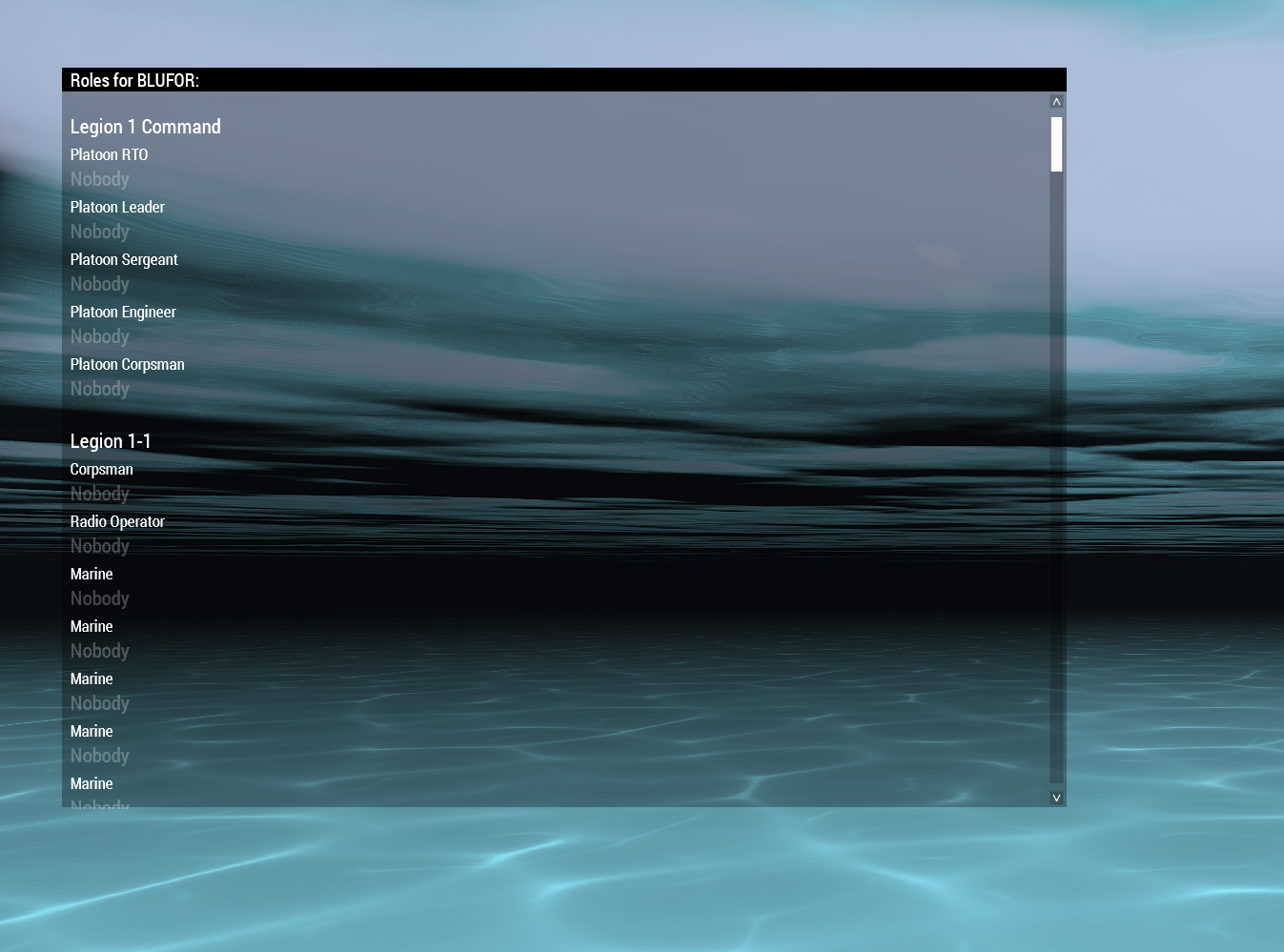
I want to access the CtrlList or whatever it is via scripting/config
To explain my goal. I want to assign the slot of a player based on a value I have stored, so need a way to access this list, so I can assign them if there is a BIS function that would be even better
dapper cloak
Alternative method: A way to enable the autoassignrole from a script on a mission that may not have it enabled by default
indigo cipher
quiet arrow
Have you used Winget to install it? That's recommended.
my dumb self did not, ty for clarifying, and for the link.
hoary estuary
dapper cloak
Does anybody know what this
https://imgur.com/X9RJUvK
All this stuff is heavily hardcoded, not sure how much you can control it with script
The display is RscDisplayMultiplayerSetup
idd=70
dapper cloak
dapper cloak
Alternative method: A way to enable the autoassignrole from a script on a missio...
@hoary estuary know if there’s a way to do this? But yeah I found it’s 70, 109 I can script highlight but not “assign” unfortunately
indigo cipher
burnt token
Here's my repo with a mod that replaces the game font with monocraft, done with ...
ty for letting me see this btw-it helps alot with dipping my toes in the deep end. 🙂 so far got the program to load, pack, analyze files and stuffs thanks to the help of every1 here so far.
Aiming to replace 2 fonts in arma's backend, PuristaMedium
and EtelkaMonospacePro...and your plans gave me quite the tip. : ,
indigo cipher
quiet arrow
Have you used Winget to install it? That's recommended.
got it working off winget, works off terminal now. had to fudge it manually but its running. :3
indigo cipher
Ran across some code from an example, trying to understand what its trying to do tbh. >.>"
Is there any particular reason why
class CfgFontFamilies {
class EtelkaMonospacePro {
fonts[] = {[
{"prefix\Fonts\fontfolder\specialfont9", "A3\Uifonts_f\Data\Fonts\NotoSansCJK-Light\NotoSansCJK-Light6"},
...
{"prefix\Fonts\fontfolder\specialfont46", "A3\Uifonts_f\Data\Fonts\NotoSansCJK-Light\NotoSansCJK-Light46"}]};
};
is used when other instances
just outright use
class LCD14 {
fonts[] = {["comic_sans\Fonts\fontfolder\specialfont9"}, ...{"prefix\Fonts\fontfolder\specialfont46"}};
instead?
Ig im trying to grapple with this and 1+1 somehow = 3
(why for certain cases does it ref (replace value, orig), while others use just (replace value))
tranquil iron
Why there are sometimes two fonts in the array, vs other times only one per element?
Maybe thse second font is a fallback of some kind
indigo cipher
yep. was wondering if it was bc arma bs or something else
tranquil iron
https://github.com/michail-nikolaev/task-force-arma-3-radio/blob/master/addons/core/CfgFontFamilies.hpp
The TFAR font is even easier, it only has a single entry. Total.
indigo cipher
tranquil iron
https://github.com/michail-nikolaev/task-force-arma-3-radio/blob/master/addons/c...
asddfskjfksjflksdjfkljs
we're working with the Misriah armory HUD, and im looking into which is easier: remaking and repacking the HUD or trying to get my font to work. z.z
problem is that the hud itself directly calls the font types FROM the arma 3 cfgfont, and idk how to replace the references to that table in particular.
Ik the fonts to reference and T0bi managed to do it with comic sans so it's possible, but istfg the closest I got was Vet's example, which replaces everything correctly, but doest affect the HUD bc of how HUD calls variables
link: ||https://steamcommunity.com/sharedfiles/filedetails/?id=2579581237||
tranquil iron
You'd have to edit all GUI configs that reference the Arma 3 font
ALOT of work
Or you replace the A3 font itself, which sounds messy.
indigo cipher
fffffuuuuu
thats why I was hoping with the font itself, but damn.
indigo cipher
tranquil iron
You'd have to edit all GUI configs that reference the Arma 3 font
...Or....Or I can load the mod and just not use their hud...make my own I suppose
their mod works, so I can use it as a ref. (to learn what font codes Id have to swap) hm.
blegh this is...quite a mess. <.>
tranquil iron
GUI problem I haven't seen before.
And I don't know if there is a doable solution.
I have a text element. x=0;y=0;w=1;h=1;
It stretches over whole screen.
I want the text, to fill the whole width.
So if text is "A" the font size is large, so you get a big A filling whole width.
if text is "AAAAAAAAAAAAAAAAAAAA", the text is small, so that all characters fit in screen width.
I tried using getTextWidth to calculate what size it should be to fill the whole width.
But the widths seem erratic.
"A" getTextWidth ["RobotoCondensed",2.8] -> 0.793559 is full width
"AAA" getTextWidth ["RobotoCondensed",0.89] -> 0.756715 is full width.
"AAAA" getTextWidth ["RobotoCondensed",0.667] -> 0.756148
"AAAAAAAAAAAAAAAAAAAAAAAA" getTextWidth ["RobotoCondensed",0.1] -> 0.693797
I just want text to fill the whole width.
I know how to calculate a controls width from the text width. But how to do it the otherway around, calculate text width from control width
Maybe my mistake is not using a monospace font 🤔
But I am testing with all the same characters, only A's so shouldn't matter?
indigo cipher
tranquil iron
GUI problem I haven't seen before.
And I don't know if there is a doable solutio...
1 / getTextWidth = ur answer, maybe?
tranquil iron
1/0.8 is not 2.8
1/0.69 is not 0.1
https://forums.bohemia.net/forums/topic/174131-scaling-text-control/ seems others have attempted without solution.
indigo cipher
ah, nvm >.> sorry
tranquil iron
I've been trying to math this for hours now..
linearInterpolation was fail.
Collecting a dozen values, and calculating a polynomial curve out of it is quite close, but its still not right
And seems I'm doomed either way.
0.280495 is ok
0.280497 is ok
0.280496 makes the text be invisible...  And ofc that is the value the curve calculates..
Guess I'll have to use a hardcoded width per box time and live with it looking bad

The text on the bottom left and top left box, both have size 0.1 😄
It would just be so much better, if it actually fit well.
Also the hidden selections for signage/symbols is crappy. The offsets are all weird..
I could make it all UI to texture, hardcode UV offsets and put text at right position over top of the original texture to overlay it anywhere.. uuugh
distant axle
Now I kinda feel if we have more easier way to make fonts...
outer oar
isnt there a tool for it
distant axle
But painful. Especially we do CJK
tranquil iron
I could make it all UI to texture, hardcode UV offsets and put text at right position over top of the original texture to overlay it anywhere..
Not even that. Plastic boxe's textures are hella weird.
Of the texture, only about half is actually used.
And conveniently, the center where I would like to put text. Is actually split in half, by the same part of the texture duplicated left and right.
So if I put text on the right side, it'll also be duplicated on the left.. And I can't put anything centered

I guess the texture is shared with the medium/small sized variants. That'd explain why only so little is used. But it foils my plans 😠
tranquil iron
Not even duplicated... MIRRORED. AH
 tranquil iron
Even here getTextWidth doesn't work :/
Text that is one character too large and goes out of bounds, returns getTextWidth of 0.8, but the UI control is 1.11 wide and doesn't fit the text..
distant axle
outer oar
isnt there a tool for it
FYI in order to make CJK (Chinese, Japanese, Korean) font, you need to generate massive amount of characters to make it barely useable. About 10000, maybe more or less dunno. But apparently making FXY and TGA already takes a huge time and CPU, converting to PAA too. I recently made two fonts just to add semibold and bold fonts to NotoSans that is to fill up CJK, but that ended up about 500MB of PBO
I still don't know why falagor said it can't be done vanilla. /rant
outer oar
ouch
distant axle
Worst thing is, in vanilla there is no weighted NotoSans. Just one thin weight. Which makes nearly unreadable in certain condition
https://feedback.bistudio.com/T128076
Like seriously
Not to mention that there is no Italic or monospace or handwritten fonts too
distant axle
distant axle
FYI in order to make CJK (Chinese, Japanese, Korean) font, you need to generate ...
Sidenote: 500MB is fairly reduced weight by using removing mipmaps from these PAAs (thanks to Ded's tool) so it is reduced by... about half?
tranquil iron
TFAR's font was also quite big
then I deleted all files besides two, and it still worked the same as before 🤷
novel glen
 cutRsc["moneyHUD", "PLAIN"];

(moneyHUD displayCtrl 1001) ctrlSetText "200"; ```  I'm calling this code in my initPlayerLocal.sqf file, and in my hud.hpp looks like this                                                            ```sqf
 class RscTitles{
    class moneyHUD{
        idd = 1000;
        onLoad = "uiNamespace setVariable ['moneyHUD', _this select 0];";
        duration = 1e+11;
        class Controls{

                class moneyHUD: RscText
                {
                    idc = 1001;
                    text = "";
                    colorText[] = {1, 1, 1, 1};
                    x = 0.0153125 * safezoneW + safezoneX;
                    y = 0.016 * safezoneH + safezoneY;
                    w = 0.12375 * safezoneW;
                    h = 0.077 * safezoneH;
                };


        }

    }

}
``` It throws an error, saying it doesn't recognize the moneyHUd when i try to display control. Anyone know why? I tried adding it to the UInamespace, do i need to call UInamespace again on displayctrl?implementing this fix seemed to do the trick ```sqf
uiNamespace getVariable ["moneyHUD", displayNull] displayCtrl 1001 ctrlSetText "200";
Never tried, but I know that working with engine-driven dialogs is often useless, you'll need to come up with hacky solutions for stuff to work
spice drift
Is there some way to prevent a control group from taking priority over a CT_MAP_MAIN when it comes to mouse actions? I am attempting to have a controls group overlayed on top of a CT_MAP_MAIN but I am unable to RMB-drag the map around
I want the black box to basically be a non-interactive and not "commandeer" the mouse actions.
 dapper cloak
spice drift
Is there some way to prevent a control group from taking priority over a CT_MAP_...
dapper cloak
spice drift
Is there some way to prevent a control group from taking priority over a CT_MAP_...
cutRsc may be a shout
spice drift
dapper cloak
cutRsc may be a shout
I just decided to get rid of the ControlsGroup.
quick badger
tranquil iron
It would just be so much better, if it actually fit well.
Also the hidden selec...
Nah I wanna know where the fox is from
lmao
tranquil iron
quick badger
Nah I wanna know where the fox is from
https://opengameart.org/content/fox-and-shiba Should be this one

OpenGameArt.org
A nice looking Fox and Shiba Inu. They are not rigged. If you want anything requested, leave a comment.
I use it as a arsenal box
quick badger
tranquil iron
I use it as a arsenal box
splendid
hoary estuary
tranquil iron
It would just be so much better, if it actually fit well.
Also the hidden selec...
Maybe its just easier to attach UserTexture1m to the surface of the box and have ui2texture on it
to avoid uneven ratio, mirroring, etc.
Most arma models are not designed for text in mind, lots of mirroring, stretched textures, angled textures, etc.
attaching user texture will only work for prefeclty flat surfaces with little bumps though
tranquil iron
Probably but I'm concerned about perf
butting a texture on is one thing.
A new entity, that needs to be attached, simulated and network synced.. uff
hoary estuary
tranquil iron
butting a texture on is one thing.
A new entity, that needs to be attached, simu...
createSimpleObject local=true
But yeah still its attached and won't auto hide with the object, etc., etc.
Gib entity decals 
 formal brook
Good day. I'm trying to use the GUI editor, but the following error keeps popping up:
XX:45:04 Error in expression <,"e","i","o","u","y"];
GUI_exportHash = format ["%1%2%3%4%5%6%7%8",
toupper (_al>
XX:45:04   Error position: <format ["%1%2%3%4%5%6%7%8",
toupper (_al>
XX:45:04   Error 6 elements provided, 7 expected
XX:45:04 File A3\functions_f\gui\editor\GUI_fnc_export.sqf..., line 462
Is this known? Will it be fixed? (No mods, Perf branch)
hoary estuary
🤔
I'd remove that error from format to be honest, so much backwards compatibility headaches are coming
quiet arrow
@formal brook Add that error to the ticket here https://feedback.bistudio.com/T182822
formal brook
quiet arrow
<@594062629006475273> Add that error to the ticket here https://feedback.bistudi...
Done, thanks
quiet arrow
Cheers
formal brook
Sorry if that's a dumb or often asked question, but if I created my UI in GUI Editor, how can I ensure it will scale properly for all the screen resolutions?
I added some defines as per the tutorial page
https://community.bistudio.com/wiki/Arma_3:_User_Interface_Editor
Would that be enough? I see it uses pixelW * pixelGrid combination
#define UI_GRID_X    (0.5)
#define UI_GRID_Y    (0.5)
#define UI_GRID_W    (2.5 * pixelW * pixelGrid)
#define UI_GRID_H    (2.5 * pixelH * pixelGrid)
#define UI_GRID_WAbs    (0)
#define UI_GRID_HAbs    (0)
IIRC pixelGrid is relative to UI scale
formal brook
Ok. thanks
tranquil iron
hoary estuary
I'd remove that error from format to be honest, so much backwards compatibility ...
Might keep it profiling/dev only.
Normal players won't see errors on Screen anyways so whatevs
hoary estuary
tranquil iron
Might keep it profiling/dev only.
Normal players won't see errors on Screen anyw...
I still think this is excessive strictness, personally I got used to this relaxed requirements for arguments in format and often just comment out arguments or dont use provided arguments
tranquil iron
You might intentionally do it wrong. Most people probably don't.
hoary estuary
It wasn't wrong for years, I was just using this as a feature
My vote is to revert it or enable this strictness manually instead of by default
solid gyro
Should
cbChecked _ctrl
give an error if you are checking CtrlGroup (array) not Ctrl?
tranquil iron
hoary estuary
My vote is to revert it or enable this strictness manually instead of by default
-debug only makes sense. Only enable it for developers
burnt token
I still have flashbacks from the time waitUntil was changed to complain about nil
multiple gb rpts of fun
opaque crag
I want undefined variable reference errors in unscheduled in debug :P
 polar bronze
addMissionEventHandler ["eachFrame" , {
    if (!isnil {uiNamespace getVariable "BIS_dynamicGroups_display"} && isNil "GroupTagDialog") then {
        GroupTagDialog = [] spawn {
            disableSerialization;
            private ["_display" , "_cntrlGroupEdit" , "_cntrlsquadDescription" , "_cntrlGroupList"];
            _display =  (uiNamespace getVariable "BIS_dynamicGroups_display");

            _cntrlListboxGroups = _display displayCtrl 9877;
            _cntrlListboxGroups tvSetSelected [[0], false];
            tvCollapseAll  _cntrlListboxGroups;

            waitUntil {uisleep (1/diag_fps); isnil {uiNamespace getVariable "BIS_dynamicGroups_display"}   };
            GroupTagDialog = nil;
            terminate _thisScript;
        };
    };
}];
I would like to automatically collapse dynamic group's group view.
However, the group tv collapses and expands automatically right away.
What could be wrong?
 umbral bluff
Hide top right status
distant axle
This channel is not #arma3_troubleshooting
 fresh wren
distant axle
This channel is not <#141866231362879488>
fresh wren
distant axle
This channel is not <#141866231362879488>
I gotchu
ionic tundra
Anyone familiar with making vertical slider bars or standalone scrollbars? I'm not having much luck
strange arrow
https://community.bistudio.com/wiki/CT_CONTROLS_GROUP
Are you talking about these?
ionic tundra
strange arrow
https://community.bistudio.com/wiki/CT_CONTROLS_GROUP
Are you talking about thes...
Ya I suppose so, I just want a vertical slider that the user can move and I can get its position value from
I tried something like this, with the vert part in style, but its still horizontl:
class RscSlidertest
        {
            idc = 1332;
            x = 0.45 * safezoneW + safezoneX;
            y = 0.4 * safezoneH + safezoneY;
            w = 0.2 * safezoneW;
            h = 0.02 * safezoneH;
            style = "0x400 + 0x10";
            type = 43;  // this is the more "modern" slider. Type = 3 is the old dull one.
            shadow = 0;
            color[] = {1,1,1,0.4};
            colorActive[] = {1,1,1,1};
            colorDisabled[] = {0.5,0.5,0.5,0.2};
            arrowEmpty = "\A3\ui_f\data\gui\cfg\slider\arrowEmpty_ca.paa";
            arrowFull = "\A3\ui_f\data\gui\cfg\slider\arrowFull_ca.paa";
            border = "\A3\ui_f\data\gui\cfg\slider\border_ca.paa";
            thumb = "\A3\ui_f\data\gui\cfg\slider\thumb_ca.paa";
        };
Type 43 is https://community.bistudio.com/wiki/CT_XSLIDER 🙂
ionic tundra
Ok? Should I be using a different type to make it vertical then?
 round ore
import ctrlXSliderV;

...
class MySlider: ctrlXSliderV
{
    ...
};
Sorry, that didnt help. The only context im aware of import in is to import a variable and thats only available in dev rn
strange arrow
https://community.bistudio.com/wiki/CT_XSLIDER claims ...
Default scrollbars are vertical. Use ST_HORZ to change orientation.
... and the only place I can find a style like0x400is https://community.bistudio.com/wiki/Arma:_GUI_Configuration#CT_SLIDER_Specific_Styles, and that lists it asSL_HORZ.
You probably just need to get rid of that style 🙂
quiet arrow
import can be used in description.ext to load classes from global config into it
ionic tundra
strange arrow
https://community.bistudio.com/wiki/CT_XSLIDER claims ...
> Default scrollbars a...
I tried it with this and it didnt work either, it actually didnt even show up anymore style = "0x00 + 0x10";
ionic tundra
quiet arrow
import can be used in description.ext to load classes from global config into it
Thanks, not using description.ext though
round ore
Since you're using RscXXX:
#include "\a3\ui_f\hpp\defineResincl.inc"

import RscXSliderH;

...
class MySliderV: RscXSliderH
{
    style = SL_TEXTURES;
    ...
};
This didnt show anything. I used this
class RscSlidertest: RscXSliderH
        {
            idc = 1332;
            x = 0.45 * safezoneW + safezoneX;
            y = 0.4 * safezoneH + safezoneY;
            w = 0.2 * safezoneW;
            h = 0.02 * safezoneH;
            //style = "0x400 + 0x10";
            style = SL_TEXTURES;
       };
Plus the include and import at the top
strange arrow
Try with a larger value for h, maybe it's too small for a vertical slider 🤷♂️
round ore
Provide full file.
ionic tundra
round ore
Provide full file.
Pastebin
Pastebin.com is the number one paste tool since 2002. Pastebin is a website where you can store text online for a set period of time.
The control is at the very bottom
ionic tundra
I was able to get it to be vertical with the type=3, not 43 though unfortunately
round ore
Very strange. Only ctrlXSliderH worked for me.
I don't remember vertical sliders in the game. Has anyone seen them?
round ore
Well, seems like modern sliders can't be vertical.
quiet arrow
Yes, only the old ones can.
umbral bluff
I made a thread for it but we're having no luck in there, does anyone know how to hide these elements in the weapon status UI.
I have tried various display/idc combos and cannot get any to work.
 gleaming gale
im trying to do a hud with a minimap.
this minimap works fine, but i had some stuff to draw in it ( fist image)
In some vehicles it works fine, but in other dont, and the markers appear when im in pause menu.
i guess is the extra HUD of the vehicle from RHS, any way to fix this?


its just the RCS map, since i use the onDraw on the rscMap to update the other parts of the hud and it works
yea, if i turn out ( the aditional UI disapear) it works perfectly
ive tryed both ondraw and missionEventHanlder 'eachframe'
gleaming gale
i guess i have that kind of problem that no one has lol
quiet arrow
With 2.18 there is a new draw2D eh that runs after all UI was drawn. Give that a try
indigo cipher
burnt token
Here's my repo with a mod that replaces the game font with monocraft, done with ...
btw, I wanted to pop back in and thank you for your assistance-your mod works wonderfully. 🙂
still working out kinks with hemtt, but font itself is 5/5. 👍
gleaming gale
quiet arrow
With 2.18 there is a new draw2D eh that runs after all UI was drawn. Give that a...
yea, or ill need some compat mod to modify the UI from RHS ( or just remove it).
The only problem with removing it, is that i lost the topright default UI for some reason
indigo cipher
hmm...so I think I figured out what I needed to complete my modset, now it's down to implementing it...
looking into how to properly spit out a textbox (or three small ones) in a hemtt build, pass player variables from ace_medical to make this little addon work.
trying to pass ace medical
heart rate (_hrtBPM), blood pressure(_bloodPress), and how much blood is in the body (_blood)
I can get the debug menu to spit out the right values, but my main problem is applying them to the text boxes themselves, trying to do so via an Hemtt build-if I can get the files to match, at least I can build or test the dang thing accordingly. >.>"
Any pointers would be greatly appreciated.
||to prove im not just begging for ez help but actually did a decent amount of digging-what I have so far:
BASE SCRIPT<<<<<<<<<<<<<<<<<<<<<<<<<<<<<<<<<<<<<<<<
_hrtBPM = round (player getVariable ["ace_medical_heartRate", 80]);
_bloodPress = (round (player getVariable ["ace_medical_bloodPressure", [0,0]] select 1));
_bloodLvl = player getVariable ["ace_medical_bloodVolume", 6.0];
_blood = round ((((_bloodLvl)* 100) / 3) - 100);
testString = "HR: "+str (_hrtBPM)+ " [] Blood:"+ str (_blood)+ " [] Blood Pressure: "+str (_bloodPress);
testString;
[round (_target getVariable ["ace_medical_heartRate", 0]), (round (player getVariable ["ace_medical_bloodPressure", [0,0]] select 1)),
(round (_target getVariable ["ace_medical_bloodPressure", [80,120]] select 0));BASE SCRIPT<<<<<<<<<<<<<<<<<<<<<<<<<<<<<<<<<<<<<<<<
||
Goal is to split them amongst three text boxes and slap (while (player is not dead || not in map mode)) {display mod on init or if key is pressed}
I can work on the triggers but its the file crap that irritates me. >.>"
||love Kill Confirmed, but between licensing and how Hippo Edit doesn't cover the medical side I'm sorta starting from scratch...hence, ace_medical directly. Wanna test those 3 variables first, then see what I can add.||
strange arrow
@indigo cipher I think this may be the answer to your query, but I'm not really sure what your question is:
Define the text boxes in config (or create them with ~10 script commands each 🤮) and update their text using https://community.bistudio.com/wiki/ctrlSetText.
quick badger
gleaming gale
im trying to do a hud with a minimap.
this minimap works fine, but i had some s...
completely unrelated but this looks like a cool project, nice work
gleaming gale
quick badger
completely unrelated but this looks like a cool project, nice work
thanks! im doing a "war thunder" gamemode to have some fun with vehicles
quick badger
gleaming gale
thanks! im doing a "war thunder" gamemode to have some fun with vehicles
Yeye I figured, vehicle on vehicle pvp is so hard to balance and set up as a normal mission, having a preset mission is wonderful
is it compatible with like every vehicle or just select mods
gleaming gale
im doing a config file where you can setup the vehicles you want, and the map it works with a few markers and thats it
quick badger
wow that’s really nice
indigo cipher
strange arrow
<@138501655271309314> I think this may be the answer to your query, but I'm not ...
define the boxes with an event handler, define with 1 calculation.
I need a visible way to prove debug code in GUI mode.
ik ill set other code in the background for the rest.
sorry for delay, only got free rn
gleaming gale
well... can be better, but it works

 indigo yew
class RscBlitzHud {
    idd = -1;
    onLoad = "uiNamespace setVariable['RscBlitzHud',_this # 0]";
    duration = 1e+6;
    fadeIn = 1;
    fadeOut = 1;
    class Controls {
        class blitz_header_text: RscText
        {
            idc = 1000;
            text = "Blitz Info";
            x = 39 * GUI_GRID_W + GUI_GRID_X;
            y = -14 * GUI_GRID_H + GUI_GRID_Y;
            w = 14.5 * GUI_GRID_W;
            h = 4 * GUI_GRID_H;
            colorText[] = {55,96,0,0.75};
            sizeEx = 4 * GUI_GRID_H;
        };
    };
};
text doesn't appear when using cutRsc ?
ui var gets set. What gives?
quiet arrow
Are all the macros are defined? Text not appearing usually is caused by the sizeEx not being set correctly.
indigo yew
yeah macros are set properly
indigo yew
Okay, so it's not pure RGBA it's a Arma format
indigo yew
how do you mean?
quiet arrow
if you want to use rgba format, the standard one than writing it as division is the closest you can get
colorText[] = {55/255, 96/255, 0/255, 0.75};
indigo yew
Oh yeah of course sorry I misinterpreted what you said
are math operators evaluated in a class like this?
quiet arrow
yes
indigo yew
okay sweet
cutRsc ["RscBlitzHud","PLAIN"];
anythign wrong with this? Don't think it explicitly needs a layer given?
quiet arrow
Should be fine.
indigo yew
Weird, and yeah I see the RscText class defined and all it's properties in the config viewer underneath my missionconfig
quiet arrow
is it in RscTitles?
indigo yew
.hpp file containing the resource class and controls is insde of (description.ext)
class RscTitles {
  #include "blahblah"
}
 indigo yew
So weird. I don't understand. I'm gonna double check that not only RscText is defined but then the resource yeah
yep it's there!
D:
quiet arrow
Do the properties look like on my screenshot?
indigo yew
Nope, macros are busted
unkempt cliff
indigo yew
.hpp file containing the resource class and controls is insde of (description.ex...
don't you need to define titles? ```
class RscTitles
{
titles[]={RscBlitzHud};
w t h
indigo yew
unkempt cliff
don't you need to define titles? ```
class RscTitles
{
titles[]={RscBlitzHud}; ...
that's a good point but R3vo I believe used the given class and it worked. But idk
quiet arrow
class RscTitles
{
    class RscBlitzHud
    {
        idd = -1;
        onLoad = "uiNamespace setVariable['RscBlitzHud', _this # 0]";
        duration = 1e+6;
        fadeIn = 1;
        fadeOut = 1;
        class Controls
        {
            class blitz_header_text: RscText
            {
                    idc = 1000;
                    text = "Blitz Info";
                    x = 39 * GUI_GRID_W + GUI_GRID_X;
                    y = 14 * GUI_GRID_H + GUI_GRID_Y;
                    w = 14.5 * GUI_GRID_W;
                    h = 4 * GUI_GRID_H;
                    colorText[] = {55/255, 96/255, 0/255, 0.75};
                    sizeEx = 4 * GUI_GRID_H;
            };
        };
    };
};
are the GUI_GRID_W,_H,_ETC supposed to resolve to the safezone values like you have in your example ?
because yeah that's exactly what I have
indigo yew
yeah, I only ask that because I didn't know if the config viewer interpreted values or it gets "transpiled" at runtime
indigo yew
Perfect 👍
I appreciate the patience. Haven't touched the editing side of a3 since 2018 😄
quiet arrow
Don't worry. We've all been there
strange arrow
indigo cipher
define the boxes with an event handler, define with 1 calculation.
I need a *vi...
Sorry, I don't really understand what you're trying to tell me.
crude berry
if you only need stuff during debug, it may be easier to just load Advanced Developer Tools and create some watch expressions
indigo cipher
ah, that's on me. >.<
tldr I can sorta understand the coding aspect, but I'm having a hard time understanding how to convert my things into the GUI structured text type.
I can test code in debug menu, but I'm trying to make it appear on screen.
indigo cipher
crude berry
if you only need stuff during debug, it may be easier to just load Advanced Deve...
naw, issue is making the working code appear on screen in a GUI structure, not debug-but ill SS ur tip. good idea regardless 👍
indigo cipher
indigo cipher
ah, that's on me. >.<
tldr I can sorta understand the coding aspect, but I'm ha...
@strange arrow think I forgot to ping you-my apologies
crude berry
https://community.bistudio.com/wiki/composeText/https://community.bistudio.com/wiki/formatText to create Structured Text contents
strange arrow
So you have some controls that can render structured text on screen (i.e. controls with type CT_STRUCTURED_TEXT) and you are having trouble creating / previewing those controls in the editor?
crude berry
(hidden to save ansin from looking at code-created GUI control)
minimal-ish code example of creating a structured text control and updating its contents each frame
||```sqf
private _stextbox = findDisplay 46 ctrlCreate ["RscStructuredText", 42070];
_stextbox ctrlSetPosition [0, 0, 0.2, 0.2];
_stextbox ctrlSetBackgroundColor [0, 0, 0, 0.5];
_stextbox ctrlCommit 0;
addMissionEventHandler ["EachFrame", {
findDisplay 46 displayCtrl 42070 ctrlSetStructuredText composeText [
str velocity player, lineBreak,
str vectorMagnitude velocity player, lineBreak,
str direction player];
}];
 indigo cipher
strange arrow
So you have some controls that can render structured text on screen (i.e. contro...
indigo cipher
strange arrow
So you have some controls that can render structured text on screen (i.e. contro...
not much trouble previewing the physical structures as in knowing how to properly encode it to spit out the result of My Function to the screen.
It would be the equivalent of knowing your home language and being able to read another language, but not yet write it...I don't know the gui outputs well enough to know what wouldwork and what wouldn't.
indigo cipher
crude berry
(hidden to save ansin from looking at code-created GUI control)
minimal-ish code...
that...tyvm for the example, it helps immensely.
ty to ansin as well for trying to help me understand the issue better too. 🙂
indigo cipher
gleaming gale
well... can be better, but it works
man, that looks awesome. :3
planning on publishing, or keeping it a private script? would download the heck outta it.
gleaming gale
indigo cipher
man, that looks awesome. :3
planning on publishing, or keeping it a private scr...
yea the code will be public probably, but ill host a few events too
indigo cipher
gleaming gale
yea the code will be public probably, but ill host a few events too
noice, congrats, dude :3
gleaming gale
gleaming gale
well... can be better, but it works
ive just found this command: https://community.bistudio.com/wiki/ctrlMapDir
this mean i can rotate the minimap? 
round ore
No, but you can get the angle at which the minimap (GPS) is rotated.
gleaming gale
oh, the GPS is in engine, not a rscmap with scripts on it 😦
gleaming gale
gleaming gale
im trying to do a hud with a minimap.
this minimap works fine, but i had some s...
well, i keen investigating, and still cant find a solution to it.
the display that is on top is uiNameSpace getVariable "RHS_compass_Ctrl";
with that i added a minimap with ctrlcreate and still dont work.
the ondraw eventhanlder is trigged fine, but i cant use drawicon in the map for some reason

well... the solution is not use execvm in the ondraw eventhanlder
dapper cloak
When using this include to use these macros, the addon builder complains that it cannot find this file to include. Is there a workaround to prevent this, or do I just have to make a copy of this file to include in my mod?
#include "\a3\ui_f\hpp\definecommongrids.inc"
i dont understand how can addon builder look for includes
 unkempt cliff
ok sorry i didnt know that was possible. I thought the errors only came when running the addon
opaque crag
Depends if you binarize.
If you binarize, addon builder needs access to every file you #include.
Hence all that P drive stuff.
unkempt cliff
shouldnt the path start with \a3
dapper cloak
unkempt cliff
shouldnt the path start with \a3
it does
unkempt cliff
oh i was looking at the screenshot
opaque crag
If you don't have a lot of config then you could just turn off binarization.
dapper cloak
I am currently just putting that file in the mod itself, in a "depends" folder
was just curious if there was a cleaner way to do it
opaque crag
I don't know about "cleaner".
Options are:
- Extract the required bits of Arma to a (P) drive.
- Make a local copy of the file.
- Turn off binarization.
quiet arrow
I can only recommend forgettin about addon building and use hemtt instead
opaque crag
Hmm. That's kinda fundamental though, isn't it?
Whatever binarizes config needs access to the includes.
 loud flame
Yeah, you just (by default) put it in a folder called include and then match the folder structure
 lost ferry
    {
        idd = 19935;
        enableSimulation = 1;
        movingEnable = 0;
        fadeIn = 0;
        fadeOut = 1;
        duration = 1e+11;
        onLoad = "uiNamespace setVariable ['KRM_Garmin', _this select 0];";
        class ControlsBackground
        {
            class GarminImage: RscPicture
            {
                idc = 22000;
                text = "\x\krm\addons\watch\UI\watch_garmin.paa";
                x = "0.0328437 * safezoneW + safezoneX";
                y = "0.622 * safezoneH + safezoneY";
                w = "0.225 * safezoneW";
                h = "0.4 * safezoneH";
            };
        };
        class Controls
        {
            class GarminTime: RscText
            {
                idc = 19800;
                text = "12:00"; //--- ToDo: Localize;
                x = "0.104 * safezoneW + safezoneX";
                y = "0.8058 * safezoneH + safezoneY";
                w = "0.061875 * safezoneW";
                h = "0.033 * safezoneH";
                colorBackground[] = {0,0,0,0};
                colorText[] = {1,1,1,1};
                sizeEx = "2";
            };
        };
    };```
For some reason, whenever I pull up this group, it always has the GarminImage above the GarminTime text, despite being under controlBackground. I know both exist because I can pull up the group in the GUI editor and see both elements, just that GarminImage is covering GarminText. Any ideas on what is going on? I've been at this for a while and am starting to pull hairsTry to reorder of controls classes. Or place control classes in one group.
lost ferry
I’ve already done that and it doesn’t seem to make a difference. I’ve already tried putting them both under control and under controlBackground with no effect
The reordering does nothing as well
unkempt cliff
have you tried without the GarminImage? to see if text shows up
lost ferry
Yeah, without it the text shows up with no issue
lost ferry
Yeah
The weird thing is that I can put other UI elements on top of GarminImage no problem, but only when they are RscPicture
RscText and RscButton always get pushed behind it
unkempt cliff
well this is just guessing but try without these: ```
enableSimulation = 1;
fadeIn = 0;
fadeOut = 1;
i always use 3700 idc for backgrounds but no idea if that matters
lost ferry
I mean it shouldn't. They are high enough IDCs and I'm testing only with this, ACE, and CBA so nothing should be up there
unkempt cliff
try without mods?
lost ferry
The thing is I can even mirror the ACE RscTitles setup for the altimeter and it still doesnt work
I can't, ACE and CBA are required
unkempt cliff
ok
 timid fractal
I am working with a HUD based entirely off of images and there is a problem where the whole HUD flashes when a new image is loaded for the first time, is there any way to prevent this? Do I have to do some trickery where all the images are always present off-screen so they are ready to be used without any loading?
unkempt cliff
huh weird, you could set the images alpha to zero at start and then back to 1 when images are loaded
quiet arrow
timid fractal
I am working with a HUD based entirely off of images and there is a problem wher...
Try to load them off screen first.
unkempt cliff
maybe the code isnt working fast enough you could try using isNil to run the code instantly isnil { // Image load code here };
hoary estuary
ST_PICTURE doesn't support shadow=1;, right?
 neat turtle
how to disable blur off when opening video options ? Tried to modify RscDisplayOptionsVideo script and its display by deleting these lines from original script
  'dynamicBlur' ppEffectAdjust [6];
  'dynamicBlur' ppEffectCommit 0.0;
  'dynamicBlur' ppEffectEnable true;
but it doesn't help
quick badger
neat turtle
how to disable blur off when opening video options ? Tried to modify RscDisplayO...
perhaps just change effectenable to false
neat turtle
quick badger
perhaps just change effectenable to false
doesn't help
 brisk pollen
Do you guys have any advice?
I'm having a helluva time with gui for my current project trying to port sonoran cad from gta 5 into arma... and my current pitfall has been the gui.
Are there any tools other than the in game gui editor that work well?
-# ping me... thank you.
distant axle
People usually write config by hand through text editor. That's the most efficient way
brisk pollen
distant axle
People usually write config by hand through text editor. That's the most efficie...
I guess its time to learn how to do that.
I just hope it doesnt feel like slamming my regions into a door stop.
loud flame
brisk pollen
I guess its time to learn how to do that.
I just hope it doesnt feel like slammi...
That's learning to mod arma, and even worse with GUIs
brisk pollen
Bout to go on fiverr or something... ive been tackling the gui stuff for way to long and the most progress I made was by committing sin by asking chatgpt for help (which worked more than I thought- but still failed to yield desired results)
loud flame
You'd be breaking the A3 EULA
opaque crag
Only if you were paying someone to use Arma tools, which shouldn't be relevant here because the Arma tools for writing UI are useless.
loud flame
I guess it depends on whether they mean actual textures or config. I assumed config.
Which pretty sure was ruled that if it was used in-game, such as to see if it's actually looking as expected, means you can't sell it
opaque crag
Nah, the Arma 3 EULA doesn't mention anything about user-created content. Only the tools EULA does.
Good luck finding anyone willing to write Arma UIs for peanuts though :P
loud flame
You'd have to pack the addon with the tools though
Although there are better non-A3 Tools options for building a mod
outer oar
loud flame
You'd have to pack the addon with the tools though
Although there are better n...
you can do it in description.ext
loud flame
Fair point
tranquil iron
opaque crag
Nah, the Arma 3 EULA doesn't mention anything about user-created content. Only t...
Arma 3 EULA also forbids commercial use of the game itself.
But if someone wants to pay for a untested GUI, sure.
burnt token
I'm feeling like I would be able to write fully working GUI without launching testing in the game if it wouldn't be overly complex ;d
GUI grid is not that hard.
opaque crag
You kinda have to when you're writing mod UI :P
unkempt cliff
anyone know hint type message that's always shows on top?
idle spruce
The class of it?
unkempt cliff
i mean some function that does that (creates message on top)
novel glen
    class timerHUD
    {

        idd = -1;
        onLoad = "uiNamespace setVariable ['timerHUD', _this select 0];";
        duration = 1e+6;
        class Controls
        {
            class RscText_1000: RscText
            {
                idc = 1000;
                x = -27.5 * GUI_GRID_W + GUI_GRID_X;
                y = 6 * GUI_GRID_H + GUI_GRID_Y;
                w = 10.5 * GUI_GRID_W;
                h = 3 * GUI_GRID_H;
                colorBackground[] = {0,0,0,1};
                text = timeLimit;
            };

        };
    };
};
``` I defined my timerHUD here, and i want to display it but it doesn't seem to show.cutRsc ["timerHUD", "PLAIN"];
any ideas?
distant axle
Firstly, make sure your config is actually loaded
novel glen
Yep it’s loaded in my .ext file
opaque crag
Check that it's actually loaded into config with config viewer.
You can also check there that the macros are working.
hoary estuary
novel glen
```class RscTitles{
class timerHUD
{
idd = -1;
onLoad =...
What is RscText? Is it default imported class or customly defined one?
Also text = timeLimit; doesnt seem right
novel glen
It was a default imported class
novel glen
opaque crag
Check that it's actually loaded into config with config viewer.
Oh awesome, I've never heard of this tool before.
Interesting, I found that when i looked under my config viewer in RscTitles I see the class
However now it's displaying in game so I'm kind of confused there, however when I try to edit it's position etc. it doesn't seem to work.
Here's what it looks like within the config viewer.

Both huds are loaded, the timerHUD displays, however percentageHUD does not. I made sure to also put it in it's own layer with cutRsc ```
percentageLayer" call BIS_fnc_rscLayer) cutRsc ["percentageHUD", "PLAIN"];
 strange arrow
novel glen
However now it's displaying in game so I'm kind of confused there, however when ...
strange arrow
novel glen
However now it's displaying in game so I'm kind of confused there, however when ...
How are you testing?
If you're using a mission in Eden to test (which is recommended), you need to return to the Editor and then go back to the mission preview again to apply config changes.
novel glen
strange arrow
How are you testing?
If you're using a mission in Eden to test (which is recomme...
Yeah I’m testing using Eden, returned to editor and reloaded mission and no dice
 hallow geyser
some of the mods on active deletes logo in mainmenu

but i want to change that logo in my config
here is my config

can i override my config or any other solution?
 lament laurel
https://community.bistudio.com/wiki/CfgPatches
"requiredAddons is the most important setting, because it defines the initialization order of addons. "
Try change this.
https://community.bistudio.com/wiki/Class_Inheritance#Addon_Loading_Order
placid hare
requiredAddons[] = {"A3_Data_F_AoW_Loadorder"};
Should do it for the main menu.
 idle trench
I think this would be the right place for this question:
I'm adding a command to shoot at a target with a given unit's underbarrel GL. I added a command to RscMenuEngage via a mod that calls a script sqf. How can I pass the location data, that being from the map or the player's crosshair, to the script like the default commands do?
unkempt cliff
idle trench
I think this would be the right place for this question:
I'm adding a command to...
idk how default commands do it but you can get object pointed by cursor with cursorObject command
idle trench
That only works for objects, not positions. Currently, im using lineIntersectsWith to return the first collision from player eyePos to screenToWorld [0
5,0.5] which works, but obviously not from the map.
Incidentally, im also spawning an object for the unit to fire his launcher at, and a separate issue is he'll only shoot to about 75 meters because I think he can't detect it beyond that range. I'm using the signSphere10cm for testing.
unkempt cliff
idle trench
That only works for objects, not positions. Currently, im using lineIntersectsWi...
screenToWorld it self should give you surface pos
idle trench
Only terrain, not objects or buildings. A classic example is, if I'm pointing at an enemy skylines against a hill, screentoworld will return a position arbitrarily thousands of meters away.
Same goes for buildings, it'll return the back yard of a house instead of the front door, that kind of thing.
unkempt cliff
idle trench
Same goes for buildings, it'll return the back yard of a house instead of the fr...
have you tried lineIntersectsSurfaces? theres lot of different intersect commands
idle trench
Yeah, come to think of it, that's the one I'm using. Let me post the script:
ugl_command_fire_ugl =
    {
        params ["_group_units","_position"];


        {
            private _aiUnit = _x;
            //private _worldPos = _this select 1;

            _ins = lineIntersectsSurfaces [
            AGLToASL positionCameraToWorld [0,0,0],
            AGLToASL positionCameraToWorld [0,0,1000],
            player
            ];
            //hint format ["%1",player distance (_ins select 0 select 0)];

            private _worldPos = _ins select 0 select 0;


            _target = "Sign_Sphere10cm_F" createVehicle _worldPos;
            _target setPosASL _worldPos;

            _aiunit doTarget _target;
            _aiunit lookat _target;
            _aiUnit doWatch _target;
            _aiUnit reveal [_target,4];


            private _grenadeLauncher = primaryWeaponItems _aiUnit select 1;
            _aiUnit setCombatMode "YELLOW";
            _aiUnit selectWeapon _grenadeLauncher;

            _PrimWeap = primaryWeapon _aiUnit;
            _primMuzzles = (getarray (configfile >> "CfgWeapons" >> _PrimWeap >> "muzzles"));
            _muzzle = _primMuzzles select 1;
            _aiUnit selectWeapon _muzzle;

            _aiUnit doTarget _target;
            _aiUnit commandFire _target;
            sleep 5;
            deleteVehicle _target;


        }forEach _group_units;
};```It's still messy since it's just in testing, but it shows the full method. In config.cpp I'm just calling preinitializing the script and calling it with
expression = "[groupSelectedUnits player,screenToWorld [0,0]] spawn ugl_command_fire_ugl";
In the expression screentoworld[0,0] is a typo, but if you look at the script I'm not actually using it.
I would expect the command menu to pass the location information by default, I just don't know how to access it or which argument it would be.
unkempt cliff
one thing I noticed is that your doing _worldPos but the command returns intersectPosASL
idle trench
unkempt cliff
one thing I noticed is that your doing _worldPos but the command returns interse...
Yeah, I haven't gone back and cleaned up the naming convention yet, it's mostly a hodge podge of script fragments from around the internet of people doing other things I can steal from.
unkempt cliff
you need to convert the pos to ATL, with ASLtoATL command
idle trench
I've got the position working fine, it spawns the sphere object exactly where I'm pointing on terrain, objects, units, or buildings.
I just don't want to have to use that method because it can't be used from the map.
unkempt cliff
ok
i think youd have more luck asking this in scripting channel, Im bad at vector maths :/
lament laurel
@idle trench write _this in expression and check results
expression = "Diag_log _this;hint str _this";
I think this is what you are looking for.
https://community.bistudio.com/wiki/showCommandingMenu
ps.
I check and _this no work in comMenu
hint str [_target,_pos,_is3D]
in expression
 idle trench
So maybe the default commands use the same method I had, but also check to see if the player has their map open, and if so use something like
ctrlMapScreenToWorld getMousePosition?
idle trench
lament laurel
hint str [_target,_pos,_is3D]
in expression
Oh wait, that seems to work
Does it work if you're not in the map? I.e. looking at a building?
lament laurel
MY_MENU_inCommunication =
[["User menu", false],

 ["First", [0], "", -5, [["expression", "hint str [_target,_pos,_is3D]"]], "1", "1"]
];
showCommandingMenu "#USER:MY_MENU_inCommunication";
Check all what you need.

 idle trench
Damn, that's awesome, thanks!
lament laurel
On map _target work only on icons
 idle trench
I'm at work and can't try it myself RN, can you createVehicle at those coords to make sure it's colliding with the tent and not given the location behind it?
idle trench
lament laurel
On map _target work only on icons
Okay, I don't actually need _target since the goal is specifically to engage on a position.

 idle trench
Alright, thanks. At least that's a step in the right direction.
lament laurel
But the center may not be in the real center... the sphere of TP in the door
 idle trench
Oh, okay. _pos muat return the object's position of there is a target.
lament laurel
Splendid camera key space teleport work better for seek cursor position. But need find this script

 south torrent
Haya! I'm trying to get a setup script to run on a vehicle only when a checkbox is ticked. I've set up an attribute in 3den, and I've got the script running, but I am unable to pull the data from the other two attributes to send to the script. Does getVariable work to get other attributes from within an attribute expression in 3den?
expression = "if (_value) then {[_this, _this getVariable 'AircraftImpulseMaxSpeed', _this getVariable 'AircraftImpulseStrength'] call HYCK_fnc_setupAircraft}";
``` The `_value` is a BooleanAlso, is it possible to only execute the expression if it's loading into a mission, rather than also executing in editor?
Should I use get get3DENAttribute instead?
For context, usually I'd be calling that function in the initServer.sqf as [aircraftVar, 100, 20] call HYCK_fnc_setupAircraft;
solid gyro
south torrent
```sqf
expression = "if (_value) then {[_this, _this getVariable 'AircraftImpuls...
do you set in attributes your values like
Yes you can.
        class myClass {
            displayName = "myClass";
            tooltip =  " myClass Tooltip";
            property = "myClass";
            control = "Combo";
            expression = "_this setVariable ['%s',_value];";
            defaultValue = "false";
            typeName = "BOOL";
        };
here
class AircraftImpulseStrength
{
    displayName = "Aircraft Impulse Strength";
    tooltip = "The strength of the impulse. The higher the number, the more the boost.";
    property = "AircraftImpulseStrengthID";
    control = "Edit";
    expression = "_this setVariable ['%s',_value];";
    defaultValue = 20;
    unique = 0;
    validate = "number";
    condition = "objectVehicle";
    typeName = "NUMBER";
};

class AircraftImpulseMaxSpeed
{
    displayName = "Aircraft Impulse Max Speed";
    tooltip = "The maximum speed in m/s that an aircraft can reach using the impulse boost.";
    property = "AircraftImpulseMaxSpeedID";
    control = "Edit";
    expression = "_this setVariable ['%s',_value];";
    defaultValue = 100;
    unique = 0;
    validate = "number";
    condition = "objectVehicle";
    typeName = "NUMBER";
};

class AircraftImpulse
{
    displayName = "Aircraft Impulse";
    tooltip = "Whether or not the vehicle can use the aircraft impulse.";
    property = "AircraftImpulseID";
    control = "Checkbox";
    expression = "if (_value) then {[_this, _this getVariable 'AircraftImpulseMaxSpeedID', _this getVariable 'AircraftImpulseStrengthID'] call HYCK_fnc_setupAircraft}";
    defaultValue = false;
    unique = 0;
    validate = "none";
    condition = "objectVehicle";
    typeName = "BOOL";
};```Do you change those or not?
if you dont , unchanged values does get saved.
so you should get "default" value
south torrent
I changed the property names so they're not the same as the class names, that's all.
That's the issue, I don't seem to be getting any value.
solid gyro
expression = "if (_value) then {[_this, _this getVariable ['AircraftImpulseMaxSpeedID',100], _this getVariable ['AircraftImpulseStrengthID',20]] call HYCK_fnc_setupAircraft}";
I changed the attribute values in editor and it still doesn't seem to be getting any values.
south torrent
solid gyro
```sqf
expression = "if (_value) then {[_this, _this getVariable ['AircraftImpu...
I'll try the defaults for getVariable rq just to make sure that my script works even if the get variable doesn't.
south torrent
solid gyro
```sqf
expression = "if (_value) then {[_this, _this getVariable ['AircraftImpu...
Works fine with the default values from the getVariable, but doesn't update the strength and max speed when I change it in editor.
solid gyro
then test if you get those variables in function not in expression
and test with after that with little delay if it doenst work without delay
south torrent
Well it's giving me <null> for the variables I'm getting atm.
what exactly is %s saving as
The display name?
The property?
What is the "attribute config name" exactly?
ok so getVariable doesn't seem to work inside of the expression.
ah it does seem to work
very odd.
so the %s in the expression seems to be the class itself, not the property.
 sharp spade
is there any way I can make the rows in my RscListNBox have alternating background (not text) colours? without it, the readability of my scoreboard is a little difficult:
 distant axle
Row or column? For column, it's as easy as making RscBackgrounds. For row... I guess you want a very overcomplicated script
sharp spade
well shoot, I suspected it'd be possible as there's an old UI screenshot in the game files showcasing this (for anyone curious, a3/ui_f/data/GUI/Rsc/RscDisplayGameOptions.paa):

but I'll gladly accept all the help I can get - how would I make the columns have individual background colours? I'd have to split the listbox into multiple ones, wouldn't I?
distant axle
Nuh. Just make multiple RscBackgrounds in the background of the ListNBox
Look at Arsenal's Template or Presets menu, it's simple as that
This TBH reminds me of, it could be a very niche idea/command to have. Deeedmeeen?
I guess lnbSetBackgroundColor/lbSetBackgroundColor?
sharp spade
that would be lovely, as I'm already populating my listbox via script 👀
hoary estuary
sharp spade
is there any way I can make the rows in my `RscListNBox` have alternating backgr...
I ended up putting background lines manually and moving scrollbar to controls group to achieve that
distant axle
Good thing is you can EventHandler it, bad thing is you need to EventHandler it
hoary estuary
Yeah, wish there way a way to set background color to each row, column or even cell
distant axle
Also keep it mind that rowHeight may not be equal to real height
hoary estuary
CONTROL lnbSetBackgroundColor [ROW, COLUMN, COLOR]
hoary estuary
distant axle
Also keep it mind that rowHeight may not be equal to real height
Yeah, ended up having this problem, didn't get to fix it yet
distant axle
You can fix it actually
hoary estuary
Yeah, I remember talking about it here some time ago, it need some rounding when calculating row Y
distant axle
It is basically because the height is rounded into pixel
So subpixel height is not considered and rounded into the actual pixel
hoary estuary
CONTROL lnbSetBackgroundColor [ROW, nil, COLOR] => Set row color for all cells
CONTROL lnbSetBackgroundColor [nil, COLUMN, COLOR] => Set column color for all cells
CONTROL lnbSetBackgroundColor [ROW, COLUMN, COLOR] => Set individual cell color
CONTROL lnbSetBackgroundColor [ROW, COLUMN, nil] => Remove individual cell color
One can dream...
distant axle
This. Oh you even replied to this topic. You forgo 💀
hoary estuary
sending nil could be bad though as it can get there as a result of an error rather than intent
hoary estuary
distant axle
This. Oh you even replied to this topic. You forgo 💀
Oh yeah
I changed my LNB to work with custom pager rather than scrollbar so its not as noticeable as it was before
might fix it properly one day
sharp spade
well, at least it's reassuring knowing I'm not going insane and just not seeing an obvious solution to this - cheers 😛
hoary estuary
Nevermind, it is very noticable if you know about it

There, perfect now

#define SCORE_ROW_HEIGHT (round(A3_SIZE(0.9) / pixelH) * pixelH)
 hoary estuary
lament laurel
<:hmmyes:1147624204909433022>
hoary estuary
lament laurel
<:hmmyes:1147624204909433022>
?
lament laurel
hoary estuary
?
Nice icon face)
sharp spade
follow up on my previous posts - I've added column highlights and it seems to me that this is good enough to enhance readability, especially when combined with the player and squadmate highlighting:

I find it interesting how a few small tweaks can have a fairly significant effect on overall readability
hoary estuary
UX is an art
hoary estuary
sharp spade
follow up on my previous posts - I've added column highlights and it seems to me...
Make one list de-select another list when selected
So you only have single line selected between two lists
lnbSetCurSelRow -1
sharp spade
oh I won't need to, right now both lists show all units on the map for debug purposes (eventually each unit will only ever appear in one list), so that won't be a concern 😛
sharp spade
hoary estuary
UX is an art
yeah, sure is - I'm not looking forward to redesigning my spawn menu once this is done; you can tell it's way older 😬

alas, at least it works, so it gets the job done
lament laurel
how save show parent display in createdisplay ?
I want new windows to appear on top of the parent display.

 gleaming gale
im not proud of the time i spended on this thing lol
 gleaming gale
sharp spade
follow up on my previous posts - I've added column highlights and it seems to me...
gleaming gale
sharp spade
follow up on my previous posts - I've added column highlights and it seems to me...
beatiful af
solid gyro
Is there a way to get multiple selections activated in unit attributes?
Tried with CT_LISTBOX + CT_MULTI
Tried with LB ..
Only get 1 activated at time.
For example roles are done columns = x,
Strings [] = x,
..
So just wanted to do East, west , independent and civ.
Boxes/ icons and I want be able to select 1-4 sides , and after that figure out how to get these saved etc.
quiet arrow
@solid gyro Are you building a custom attribute control?
solid gyro
Yes, if I can't find an existing solution
quiet arrow
There is no exsting solution for that.
Easiest way would be to have a control with 4 checkboxes.
solid gyro
I have done a couple,
But I just don't know how to setup this kind
solid gyro
quiet arrow
Easiest way would be to have a control with 4 checkboxes.
Could those be added to the row in one "Ctrl"?
Like create a Ctrl group and handle the position of the boxes in there?
And yes.
That should be an easy way to do that
quiet arrow
If you happen to own Spearhead 1944, check out the custom attributes. I did a few custom controls, including multiple checkboxes, tables etc.
solid gyro
Awesome
Thanks
 covert jasper
Hi I'm looking to create arma 3 scenarios anyone can help?
distant axle
- Don't ask to ask just ask
- Is this GUI related
idle spruce
he posted in many channels and pm'd people. he wants someone to modify kp lib for him so i sent him to creators recruiting
 azure tapir
Hello, I tried to find a lot of documentation, but after trying a lot of things, I rely on your knowledge!
I'm looking for a way so that even with an open interface/dialog, my player can move around.
Or at least be able to use Taskforceradio to talk.
I created a fairly complex radar, and therefore, to report positions, it would be nice to be able to communicate with the members of your team :).
Thanks for your answers guys !
unkempt cliff
azure tapir
Hello, I tried to find a lot of documentation, but after trying a lot of things,...
you could create overlay and start it with cutRsc command. then you can still move around
azure tapir
unkempt cliff
you could create overlay and start it with cutRsc command. then you can still mo...
I will try this, thanks !
azure tapir
unkempt cliff
you could create overlay and start it with cutRsc command. then you can still mo...
I tried, indeed I can move, but I no longer have access to my interface buttons. I think there is no "mixed" solution, too bad! Thanks for your help anyway!
 full geyser
how rangefinder works? I find no function or script in config,
some old forum says its on GUI configFile >> "RscInGameUI" >> "RscOptics_Rangefinder" >> "CA_IGUI_elements_group" >> "controls" >> "CA_Distance"
so if i define a class with idc = 151 or idc = 198 then it will work magically...?
distant axle
Yes
full geyser
thanks
spice drift
Hello, how might I set about making a UI dialog that scales properly with different aspect ratios?
I've been trying to wrap my head around making them with Pixel Grid System but I honestly have no clue how I am supposed to translate coordinates from in-game GUI Editor to pixel grid values.
quiet arrow
spice drift
I've been trying to wrap my head around making them with Pixel Grid System but I...
The GUI editor is obsolete. It doesn't support pixelGrid out of the box and afaik also not anchoring stuff to savezones.
I'd recommend to look for an existing UI, copy it's config and macros and start from there.
Modify and copy existing controls etc.
spice drift
Understood, guess I'll have to reverse-engineer and trial-and-error my way forth.
quiet arrow
Fastest way is it to create the UI in a description.ext. Then you can make changes in the text editor, save the description.ext, save the mission in eden editor and show the UI via script.
spice drift
That's way better than my idea, thank you R3vo.
quiet arrow
For macros you might be interested in this file a3\ui_f_decade\ui\macros.inc
It contains basic grid macros that are used in eden editor
spice drift
Got it, thank you, I'll have a look in there.
quiet arrow
You can include the file in the description.ext via #include "\a3\ui_f_decade\ui\macros.inc" just in case you don't know