#arma3_gui
1 messages · Page 2 of 1
 distant axle
distant axle
distant axle
Is it just me being crazy, or is it somewhat impossible to use ctrlShow to a control inside a control group? Dev-Branch rn
distant axle
Tried in public branch as well, it doesn't work. as well as show = 0; parameter
ctrlShown does even return false if I try to hide it, yet it is shown still
 strange arrow
Are you using the alternative syntax of ctrlShow?
distant axle
You mean control ctrlShow false?
I always use this syntax so I wouldn't call it an alt 😛
strange arrow
Can you post the relevant code?
distant axle
Let me write the repro code
distant axle
Hmm it turns out that there is an issue when the parent group gets ctrlShow true or false?
Description.ext```cpp
import RscBackground;
import RscControlsGroupNoScrollBars;
class RscTitles
{
class A
{
idd = -1;
duration = 1e+011;
fadein = 0;
onLoad = "uiNamespace setVariable ['test',_this#0] ;";
class controls
{
class GroupOverlay: RscControlsGroupNoScrollBars
{
idc = 1;
x = 0;
y = 0;
w = 1;
h = 1;
class controls
{
class Blackout: RscBackground
{
idc = 2;
x = 0;
y = 0;
w = 1;
h = 1;
colorBackground[] = {0.5,0.5,0.5,1};
show = 0;
};
};
};
};
};
};```
test.sqf
"test" cutRsc ["A","plain",-1] ;
private _disp = uiNamespace getVariable ["test",displayNull] ;
(_disp displayCtrl 1) ctrlShow false ;
//(_disp displayCtrl 2) ctrlShow false ;
systemChat str ctrlShown (_disp displayCtrl 2) ;
sleep 1 ;
(_disp displayCtrl 1) ctrlShow true ;
systemChat str ctrlShown (_disp displayCtrl 2) ;``` topaz talon
distant axle
Description.ext```cpp
import RscBackground;
import RscControlsGroupNoScrollBars;...
topaz talon
distant axle
Description.ext```cpp
import RscBackground;
import RscControlsGroupNoScrollBars;...
what output do you get? everything looks fine to me here,
false - hidden
true - shown
 mental trench
How difficult is it to create a new MapControl ?
mental trench
I might just use arma 3 addon builder to unpbo everything and go looking for that
config viewer is a pain
distant axle
topaz talon
what output do you get? everything looks fine to me here,
> false - hidden
> tr...
Let me check my insanity once again
Okay I'm not insane!!!!!!1eleven Can you check once again @topaz talon ? This time please consider that class Blackout has show = 0;
(Which I actually forgot to mention)
topaz talon
i copy pasted everything 1:1
distant axle
show = 0; should make it ctrlShow false, and I never done (_disp displayCtrl 2) ctrlShow true in the script
topaz talon
isn't it intended behavior that if you run ctrlShow on a group, it also applies to all it's child controls?
distant axle
I never heard that is a thing?
mental trench
Where do I begin with GUI modding?
And really understand how it works. Well some of it I understand some I don't.
strange arrow
These are the important hubs:
https://community.bistudio.com/wiki/GUI_Tutorial
https://community.bistudio.com/wiki/Arma:_GUI_Configuration
topaz talon
distant axle
I never heard that is a thing?
i'd be suprised if it wasn't intended, imo. a group is intended for that exact purpose - to group controls, so you don't have to run every command on every control
mental trench
What would be the best command set to animate a 3D compass into a 2D strip?
I have some source code, from someone who wrote one but it's messy and hard to maintain or do anything with.
Voyager compass it's called
 opaque crag
topaz talon
isn't it intended behavior that if you run `ctrlShow` on a group, it also applie...
opaque crag
topaz talon
isn't it intended behavior that if you run `ctrlShow` on a group, it also applie...
I don't know, but I'd rather it had a flag.
Also should be documented, because I wasted a couple of hours on that :P
mental trench
When cutRsc is executed are all sub-controls also instantiated?
Or do they have to be independently created as well?
 quasi granite
no
all controls inside class ControlsBackground and class Controls (and class Objects) will be created
mental trench
Are paths relative in GUIs or do I have to provide the entire path say to a texture.paa ?
quasi granite
mod or mission?
mental trench
Currently mission for testing a mod
quasi granite
then texture paths are relative to the mission folder
mental trench
class RscMyHUD
{
    idd = 17100;
    duration = 1.0e+11;
    movingEnable = 0;
    enableSimulation = 1;
    name = "IBIS_HUD";
    onLoad = "uiNamespace setVariable ['IBIS_HUD', _this select 0]";
    controlsBackground[] = {};
    objects[] = {};
    class Controls {
        class RscPicture_1200: RscPicture
        {
            idc = 1200;
            text = "ui\compass_indicator.paa";
            x = 0.486888 * safezoneW + safezoneX;
            y = 0.00172197 * safezoneH + safezoneY;
            w = 0.039336 * safezoneW;
            h = 0.0564088 * safezoneH;
        };
    };
};
When executing this it does not seem to create the display.
quasi granite
how do you create the display?
mental trench
cutRsc
quasi granite
exact code please
mental trench
cutRsc ["RscMyHUD","Plain"];
"yourLayerName" cutRsc ["RscMyHUD","Plain"];
"YourLayerName" can be anything?
quasi granite
yes but it should be unique
See https://community.bistudio.com/wiki/cutRsc for more info
mental trench
How would I go about re-creating this.
https://github.com/w-smesnoj/Voyager-Compass-Lite

GitHub
Contribute to w-smesnoj/Voyager-Compass-Lite development by creating an account on GitHub.
I've never done animation in ArmA 3
And unfortunately I can't directly invoke A3's built-in compass in ContactDLC.
I've also never seen a lot of the methods of creating GUI in that mod
mental trench
I know exactly why, they have to update all the positions along the strip at once.
Inside a eachFrame handler
quasi granite
it then adds a function to the event system of Arma to update the display every frame
 crude berry
very usable if you want to hide all the GUI code in servermod and never store them in the actual MP mission 🤣
mental trench
It's a rather messy mod though.
quasi granite
it's small enought to get a lgtm from me
mental trench
I want to integrate it into a mod, but I don't like just slapping code together, and of course permission.
quasi granite
yeah no license so no one's allowed to use it basically
mental trench
Figured as much.
quasi granite
but it's a good starting point for learning GUI creation since it is rather simple and straightforward
mental trench
You should see the original...
quasi granite
mental trench
How would I go about re-creating this.
https://github.com/w-smesnoj/Voyager-Comp...
this one?
mental trench
Nope, there is one that builds the entire UI using a script and formatting
This one
Bohemia Interactive Forums
DESCRIPTION: Generates a lightweight and fully customizable compass ui on your screen resembling the one from battlegrounds. Easily place your markers on the map and they will update on everyones compass. Here is an example video. Preview the script || mod at YouTube or Gfycat. Customization opti...
Very monolthiic
Almost impossible to maintain again I understand the approach. I just know nested loops might not be the best approach.
quasi granite
ah that's easy to implement for the end user. just drop a single file in the mission folder and add a line to init.sqf done
mental trench
I kind of want to re-write it.
It needs to integrate with an FFID system, 3D markers etc.
The moving texture tape is probably far less computationally expensive.
mental trench
quasi granite
ah that's easy to implement for the end user. just drop a single file in the mis...
My dialog appears to refuse to display.
quasi granite
your own or the one from the script you linked?
quasi granite
any output in the rpt?
mental trench
quasi granite
any output in the rpt?
Is an IGUI back required?
quasi granite
nope
class RscTitles
{
  class RscMyHUD
  {
      idd = 17100;
      duration = 1.0e+11;
      movingEnable = 0;
      enableSimulation = 1;
      name = "IBIS_HUD";
      onLoad = "uiNamespace setVariable ['IBIS_HUD', _this select 0]";
      class Controls {
          class RscPicture_1200: RscPicture
          {
              idc = 1200;
              text = "ui\compass_indicator.paa";
              x = 0.486888 * safezoneW + safezoneX;
              y = 0.00172197 * safezoneH + safezoneY;
              w = 0.039336 * safezoneW;
              h = 0.0564088 * safezoneH;
          };
      };
  };
};
maybe try this some attributes might be interfering
mental trench
Is there a required number of "parameters" within the class?
quasi granite
yeah the necessary ones are idd, duration
@mental trench i edited my code above, had some typos
oh hold on i know why
you have to put HUDs inside of the RscTitles class
mental trench
#include "IBIS\addons\hud\defines.hpp"
class RscTitles
{

    class Default
    {
        idd = -1;
        fadein = 0;
        fadeout = 0;
        duration = 0;
    };

    #include "IBIS\addons\hud\ibis_hud.hpp"
};
are you reloading the mission config properly?
mental trench
What is the proper way to reload it?
mental trench
MissionConfigFile >> "RscTitles" >> "RscMyHud" isn't loading the actual GUI into the editor correctly either.
quasi granite
yeah try to reload the config
quasi granite
no
The mission config is reloaded every time the mission is saved or when you return from the preview to Eden
mental trench
Ah yes I've been doing that.
quasi granite
you could ofc stay in Eden and execute your cutRsc command
mental trench
Weird, no result
quasi granite
run
isClass (missionConfigFile >> "RscTitles" >> "RscMyHUD")
``` this should result in `true`Sorry I was reloading the wrong .hpp
Now I am getting the result I needed
text = "ui\compass_indicator.paa";
Telling me the file doesn't exist.
quasi granite
well does it?
mental trench
Yeah it does, but now it tells me the ui file deosn't exist.
the paa
I've probably got the path wrong
quasi granite
I wouldn't call paa files UI files. they are simply image files
the path has to be relative to your mission folder (where your mission.sqm is)
mental trench
Ah so ```sqf
text = "IBIS\addons\ui\compass_indicator.paa";
uuh is the image from an addon or is it in the mission folder?
quasi granite
if the path exists then yes
quasi granite
yw
mental trench
Whats the fastest way to learn GUI?
quasi granite
I'd say https://community.bistudio.com/wiki/GUI_Tutorial but I am biased as I wrote that
mental trench
Now I need to create a window similar to the GPS window in ArmA 3
quasi granite
also: learning by doing, looking at other people's stuff, asking
quasi granite
mental trench
Now I need to create a window similar to the GPS window in ArmA 3
you won't be able to get the exact same result or even performance as most of it is handled by the engine which you have no access to
mental trench
How can I update an RscStructuredText GUI?
quasi granite
with ctrlSetStructuredText
mental trench
Does disable serialization inherit from files?
Or do I have to put that in every file?
quasi granite
I havent used that command in years
mental trench
Now I've got to add my radio coms indicators
For checking if TFAR is active and only
mental trench
quasi granite
I havent used that command in years
How do you scale a picture in an RscPicture?
quasi granite
no reason to ping me. you can change the size of the control and it will scale
mental trench
How do I update the controls in a GUI?
I know about Set structured text
but is there anything else I need to do?
distant axle
Define update
mental trench
Change the values in the entry set the formatting / text size etc
I want to update current GPS position using cutRsc
I have the cutRsc working fine, but now I need to make it so the GUI elements actually update now.
I've seen another guys UI and they used commit and get uiNameSpace
, displayCtrl ctrlSetFade and cntrlCommit
Then used ctrlSetStructureText parseText format []
ctrlCommit again
Why am I asking these questions I should just go the wiki
distant axle
distant axle
Hmm it turns out that there is an issue when the parent group gets `ctrlShow tru...
BTW can any of Bohemians confirm this is a intended behavior?
I do not think this is ever documented
mental trench
Can multiple lines be written to RscStrucutredText ?
distant axle
<br/>?
mental trench
Ah good.
mental trench
How to do you fade out a single control? Not the entire display?
distant axle
ctrlSetFade
mental trench
Yep got it
strange arrow
All UI commands should be listed on this page (or on one of the linked subcategory pages): https://community.bistudio.com/wiki/Category:Command_Group:_GUI_Control
distant axle
?
distant axle
For what/where?
distant axle
For what/where?
mental trench
GUI scripting commands?
distant axle
100% sure we won't do it
mental trench
Good idea though?
distant axle
Not really
mental trench
Which CT_MAP do you use CT_MAP_MAIN or CT_MAP?
distant axle
There is no control that currently uses this control type. It might be obsolete. See CT_MAP_MAIN instead.
CT_MAP say this
 rapid atlas
been working on a font mod, but it seems every time I press esc or enter the pause menu it puts me on this loading menu'
And ah, only happens when Im in infantry, can use esc menu perfectly fine in zeus
 zinc oriole
ctrlBackgroundDark = WL_DISPLAY_MAIN ctrlCreate ["RscPictureKeepAspect", -1];
_ctrlBackgroundDark ctrlSetText "img\button_dark.paa";
_ctrlBackgroundDark ctrlCommit 0;
how can i make _ctrlBackgroundDark more birght in game? its basically a picture of a black rectangle but ingame its very hard to see it and it seems grey.
 unkempt cliff
zinc oriole
```sqf
ctrlBackgroundDark = WL_DISPLAY_MAIN ctrlCreate ["RscPictureKeepAspect", ...
unkempt cliff
zinc oriole
```sqf
ctrlBackgroundDark = WL_DISPLAY_MAIN ctrlCreate ["RscPictureKeepAspect", ...
ctrlSetForegroundColor or ctrlSetTextColor
or edit RscPictureKeepAspect config class
those might work but if the image is really dark just make it brighter it self
unkempt cliff
How come hints wont appear when one of my dialogs is open? i dont have this problem with rest of the dialogs 
topaz talon
unkempt cliff
How come hints wont appear when one of my dialogs is open? i dont have this prob...
is it actually a dialog or a title?
 solid gyro
unkempt cliff
How come hints wont appear when one of my dialogs is open? i dont have this prob...
solid gyro
unkempt cliff
How come hints wont appear when one of my dialogs is open? i dont have this prob...
Depeds how you have defined that? It's that onLoad or something like that?
May you post current config?
I would say it's hiding under other or it's defined wrong
unkempt cliff
topaz talon
is it actually a dialog or a title?
i open it with createDialog, so dialog?
topaz talon
hmm, weird 🤔
unkempt cliff
solid gyro
Depeds how you have defined that? It's that onLoad or something like that?
May y...
idk I have lots of dialogs without this problem
when I exit/close the dialog then I see the hint message
solid gyro
But not on open?
unkempt cliff
yes
solid gyro
Could you post your code where you are defined where open hint should active?
unkempt cliff
well I was testing the hint with this line from console: [] spawn { sleep 3; hint "TEST222!"; };
solid gyro
Test
["Hello"] remoteExec ["hint"];
Just for sure
unkempt cliff
its run from editor so i don't know if that helps
solid gyro
Aa
topaz talon
can you sqfbin the dialog?
unkempt cliff
topaz talon
can you sqfbin the dialog?
the config class?
topaz talon
yeah
topaz talon
ill take a look in abit, never seen such behavior
unkempt cliff
thx 🙂
I found out it's actually some sqf code that messes up the hint box
yep, this line does it: _soldiersList lnbSetCurSelRow 1;
ok now i found the very root of the problem, in this code: ```sqf
showCinemaBorder false;
_cpos = getposATL _man;
_cam = "camera" camCreate _cpos;
_cam camSetTarget _man;
_cam camSetRelPos [2, 2, 2];
_cam cameraEffect ["internal", "BACK"]; // This line causes hints to disappear
_cam camCommit 0;
Fixed with: cameraEffectEnableHUD true;
btw does anyone know if the hint can be made topmost?
mental trench
No but you could create your own
 gleaming gale
im having this error when i close a dialog i made, i dont have any eventhandler with that
modeloaded: developer tools and rhs
its quite erratic, any clue what can be?
 unkempt cliff
gleaming gale
im having this error when i close a dialog i made, i dont have any eventhandler ...
unkempt cliff
gleaming gale
im having this error when i close a dialog i made, i dont have any eventhandler ...
more code please?
gleaming gale
unkempt cliff
more code please?
( i cant send the full code 😅 )
dialog created with createDialog
and this are the elements i used and its evenhandlers:
class SD_editButton : RscShortcutButton {
    textureNoShortcut = "\a3\ui_f\data\igui\cfg\simpletasks\types\Use_ca.paa";
    onButtonClick = "[_this, 'edit'] spawn myfunc";
    class AttributesImage
    {
        font = "RobotoCondensed";
        color = "#E5E5E5";
        align = "center";
        valign = "middle";
    };
    autoAdjustTexture = true;
};

class SD_RscPicture {
    style = ST_MULTI + ST_TITLE_BAR + ST_KEEP_ASPECT_RATIO;
    type = CT_ACTIVETEXT;
    colorBackground[] = { 1, 1, 1, 0 };
    onButtonClick = "['weaponclick',_this] spawn myfunc";
        text = "\A3\ui_f\data\map\groupicons\waypoint.paa";
};

class SD_buttons : RscButton {
    onButtonClick  = "['ButtonClick',_this] spawn myfunc";
    size = GUI_GRID_H;
    colorBackground[] = {0,0,0,1};
    colorActiveBackground[] = {0,0,0,1};
    //colorActiveBackground2[] = {1,0,0,1};

    colorBackgroundDisabled[] = {1,1,1,0.5};
    colorBackgroundActive[] = {0,0,0,1};

    colorDisabled[] = {1,1,1,0.5};
    colorBorder[] = {0,0,0,1};
    colorFocused[] = {1,1,1,1};
};
my "main" dialog class is under idd 50090
and only have an onload and unload EH
unkempt cliff
i was thinking of the sqf code around the error if you have any
gleaming gale
its not a sqf problem
after i close the dialog, i have that error every time i mouse click press some key on the keyboard
its like that eventhandler is stuck, but i dont use any "onKey"
unkempt cliff
ok
gleaming gale
its erratic af
unkempt cliff
try disabling those mods
gleaming gale
yea maybe is somthing from the developer tools.
but its triggered when i use my gui, not before
ok i just discovered that it happens when i switch a weapon, so its not related to my gui
ok, its related to that mission, so i broke something somehow lol
solid gyro
gleaming gale
( i cant send the full code 😅 )
dialog created with `createDialog`
and this ...
onButtonClick
Use on: Button
Fired on: The attached button action is performed. When returned value is true, button's display remains opened.
Returns: Returns control.
params ["_control"];
So _this, should be _this #0
Or what you have in myfunc? Which you are spawning on button click?
gleaming gale
solid gyro
onButtonClick
Use on: Button
Fired on: The attached button action is performed. ...
myfunc is a function i hace that handles all the interactions in the gui, it has like 1000 lines lol
but yea, its all handled there, its not an sqf issue, something is breaking the game gui.
i always use this file to declare the base clases and include it in the description.ext, maybe is that?
i always use is with out trouble
i remplace it with an older file and it seems to work now lol
solid gyro
Good to hear. Easy fix 🙂
solid gyro
gleaming gale
fuu it there again, well, someday ill find what it its lol
It return any, which means empty in removeeh, could you post that part of code. Which are yours params in fnc. Because are you adding current ehs on ui? Right?
GUIs are always funny because they don't always even show problems, they just don't work
gleaming gale
the code is under licencse, so i cant freely share it sadly, but i didnt use any eventhandler
something is preventing to something to create this eventhandler, and failed to remove it later, maybe something related to actions menus.
it only happen in this mission, so its something related to the gui class, not the sqf
i had some crap on the initplayerlocal, i deleted it and it seems to work, at least for now
zinc oriole
where can i find paths like these?
"\A3\ui_f\data\igui.... .paa"
i do the search in my pc library and it takes 1 hour for it to then say no search results
solid gyro
zinc oriole
where can i find paths like these?
```sqf
"\A3\ui_f\data\igui.... .paa"
```
\Steam\steamapps\common\Arma 3\Addons\ui_f_data\IGUI
zinc oriole
thank you very much

 worldly ocean
Good afternoon, comrades! How do I make my squad in the editor so that it is on the red or blue side?
distant axle
In what sense? Are you sure that you're in the right channel?
mental trench
worldly ocean
Good afternoon, comrades! How do I make my squad in the editor so that it is on ...
Without complete information you'd usually use west units for blue and red opfor units for red
 grizzled saffron
hey i have a question
i'm making a gui and the button text are all capital how do i not make them all capital
distant axle
grizzled saffron
i'm making a gui and the button text are all capital how do i not make them all ...
distant axle
What, you don't want the uppercase no?
distant axle
Then just don't use style = 0xC0
grizzled saffron
i mean for example i put in text = "Use"; but then it shows USE
with all capital
distant axle
I know
grizzled saffron
how do i not put those in all capital
distant axle
distant axle
Then just don't use `style = 0xC0`
^
distant axle
You're not. Your base class does
grizzled saffron
ohh oke i see now thanks
 solar shoal
not exactly sure where to put this but how do i go about making arma play a custom video for the main menu background? is that possible? thanks
mental trench
Don't think so.
distant axle
It is certainly possible, I'm 99% sure. Since the main menu screen is just a GUI that is the same tech with the in-game ones, you just need to have a knowledge of GUI modding and scripting
 wind spade
solar shoal
not exactly sure where to put this but how do i go about making arma play a cust...
solar shoal
wind spade
solar shoal
not exactly sure where to put this but how do i go about making arma play a cust...
solar shoal
thank you guys
 crystal trellis
how should i remove the center of the main menu?
strange arrow
@crystal trellis I can't give you first-hand advice regarding main menu modification because I have never looked into it myself, but since it is a recurring topic in this channel, you should be able to find a few starting points for your own journey into the topic by searching for in:#arma3_gui_modding main menu in this Discord.
wind spade
crystal trellis
how should i remove the center of the main menu?
Bohemia Interactive Forums
Is there a way to remove these new big buttons in the Apex main menu? Here it says that the left and the right one are hard coded, but we can mess with the middle one (change it, etc.), but Id like to remove all of them (including the background stripe) in order to present a nice cutscene in the ...
crystal trellis
wind spade
https://forums.bohemia.net/forums/topic/193124-how-to-remove-the-big-square-spot...
tried, the code didnt seem to work, thanks
wind spade
crystal trellis
tried, the code didnt seem to work, thanks
https://imgur.com/a/bLrrnho
Well, it works for me. Maybe you doing something wrong?
 crystal trellis
i just made it a pbo, ummmm author cant be blank? dependencies cant be blank?
im putting the pbo in addons instead of making a mod
would that cause problems joining servers?
wind spade
crystal trellis
i just made it a pbo, ummmm author cant be blank? dependencies cant be blank?
You should also add requiredAddons to config.cpp, try this:
class CfgPatches
{
    class MyMod123
    {
        name="";
        author="DarkBall";
        url="";
        requiredVersion=2.0799999;
        requiredAddons[]=
        {
            "A3_Data_F_AoW_Loadorder"
        };
        units[] = {};
        weapons[]={};
    };
};
With servers that have signature verification - yes
crystal trellis
wind spade
You should also add `requiredAddons` to `config.cpp`, try this:
```cs
class CfgP...
i didn't remove requiredaddons, instead i made it a blank array
my config.cpp
class CfgPatches
{
    class cleanApexMenu
    {
        name = "Clean Apex Menu";
        author = "";
        units[] = {};
        weapons[] = {};
        requiredAddons[] = {};
    };
};

class RscStandardDisplay;
class RscDisplayMain: RscStandardDisplay {
    enableDisplay = 0;
    delete Spotlight;
    class controls {
        delete Spotlight1;
        delete Spotlight2;
        delete Spotlight3;
        delete BackgroundSpotlightRight;
        delete BackgroundSpotlightLeft;
        delete BackgroundSpotlight;
    };
};```You can't keep requiredAddons empty, that was your problem, the best way is to use an option like mine -
requiredAddons[]={"A3_Data_F_AoW_Loadorder"};
BTW, we're getting off GUI topic
 dark light
I have the reverse problem. I would like to restore a spotlight,m or protect it it some way, from getting deleted. But I suppose that's not possible 😦
distant axle
You can re-define the official configs
dark light
It's not about the official ones, but the ones of our unit.
But if a mod gets loaded after ours, it can just erase it.
And I am not aware of any method to ensure loading after other mods without requiring them.
distant axle
You can __has_include and #if to know if the game has the Mod and add some lines into the config on-the-fly
dark light
I'm still not 100% on how __has_include works. Does my config have to be unbinarized for this?
distant axle
Yes
You can check my Mod and see how it works https://steamcommunity.com/sharedfiles/filedetails/?id=2843737398
 dark light
Not sure if that's worth it. Not sure how big the benefit of binarization is either.
But even then, how would that work?
dark light
distant axle
You can check my Mod and see how it works https://steamcommunity.com/sharedfiles...
taking a look
What am I looking for exactly?
It doesn't seem to to anything to the spotlights
distant axle
The configs
I suggest to check that Mod and see what's inside to learn how a hasinclude works
It's getting #arma3_config tho. Let's proceed in there if we need
 earnest oriole
Sup guys.
How to change size of LBox's elements size??
topaz talon
earnest oriole
Sup guys.
How to change size of LBox's elements size??
i believe it's the sizeEx property
earnest oriole
topaz talon
i believe it's the `sizeEx` property
Hi mate.
how to use this option when creating listbox inline?
topaz talon
earnest oriole
Hi mate.
how to use this option when creating listbox inline?
otherwise you'll have to make your own listbox class and use that
earnest oriole
topaz talon
https://community.bistudio.com/wiki/ctrlSetFontHeight try that
changing the value of ctrlSetFontHeight changes the text size, but unfortunately this does not work for listbox elements 😦
topaz talon
earnest oriole
changing the value of ctrlSetFontHeight changes the text size, but unfortunately...
make a class then
earnest oriole
topaz talon
make a class then
i will try this.
Ty for your attention. 
topaz talon
// config
import RscListbox;
class TAG_RscListbox : RscListbox {
    rowHeight = "TAG_RscListbox_rowHeight";
    sizeEx = "TAG_RscListbox_sizeEx";
};

// sqf

TAG_fnc_createRscListboxDynamicSize = {
  private _config = configFile >> "RscListbox";
  params ["_display", "_idc", ["_controlsGroup", controlNull], ["_rowHeight", getNumber (_config >> "rowHeight")], ["_sizeEx", getNumber (_config >> "sizeEx")]];
  parsingNamespace setVariable ["TAG_RscListbox_rowHeight", _rowHeight];
  parsingNamespace setVariable ["TAG_RscListbox_sizeEx", _sizeEx];
  _display ctrlCreate ["TAG_RscListbox", _idc, _controlsGroup]
};

private _myListbox = [_myDisplay, -1, controlNull, 0.08, 0.08] call TAG_fnc_createRscListboxDynamicSize;
Ty so much! 🫡
 minor sonnet
any reason why i cant open a png/jpg with TexView?
been so long since ive used texview
 tight light
Is there any guide how to edit spotlight1? I found instructions only how to modify spotlight2... (Apex big square in main menu)
 quiet arrow
minor sonnet
any reason why i cant open a png/jpg with TexView?
quiet arrow
minor sonnet
any reason why i cant open a png/jpg with TexView?
What's the aspect ratio?
zinc oriole
how can i like open a dialog on script command?
im trying to make a little intro screen but rn im using createdialog. so ppl can use scroll wheel id like it to just show up on script command
for ex. openDialog
strange arrow
@zinc oriole What do you mean? createDialog is a script command ...
zinc oriole
yh it gives ppl to option use the scroll wheel to acces the dialog, how can i force it to open not that they have the option
i wanna use it for a welcome screen
do i just call the file without createdialog?
nvm sry
i got it wrong
minor sonnet
quiet arrow
What's the aspect ratio?
yea that ended up being the issue
crystal trellis
about removing spotlight, what are these elements called? it seems we missed those
 dark light
crystal trellis
about removing spotlight, what are these elements called? it seems we missed tho...
dark light
crystal trellis
about removing spotlight, what are these elements called? it seems we missed tho...
One of them is called SpotlightPrev (cannot be deleted, tho)
You can use the config viewer and check in RscDisplayMain
crystal trellis
dark light
One of them is called `SpotlightPrev` (cannot be deleted, tho)
You can use the c...
SpotlightPrev and SpotlightNext i assume?
config viewer from within eden editor right? that's global?
crystal trellis
i think im not
dark light
If not, highly highly recommended, otherwise you will die before you find it in the config
crystal trellis
i found some workshop item about that but im not sure if its the right one
crystal trellis
the ui is weird
 rigid delta
See for textboxes - how do you hide the outline of the textbox? Can't work it out -
colorBorder[] = {0, 0, 0, 0};
Which I thought should hide it isn't seemin' to do bugger all.
solid gyro
rigid delta
See for textboxes - how do you hide the outline of the textbox? Can't work it ou...
From styles
If I remember correctly, style = 512 + yourstyle
rigid delta
solid gyro
From styles
That's the ticket - tar.
rigid delta
solid gyro
From styles
Follow up - if you've got the time.
How would I return the user in something like an onButtonClick - is it local in that I can simply use "Player" (Or remoteUnit), or do I need to do something funky?
strange arrow
All GUI is local, so player is the way to go.
 velvet cipher
is it possible to populate x number of buttons on a GUI where x is the count of an array? sorta list style
I want players to select an object from a number of dynamic options
quasi granite
yes, either with ctrlCreate inside of a controls group or with CT_CONTROLS_TABLE
velvet cipher
quasi granite
yes, either with ctrlCreate inside of a controls group or with CT_CONTROLS_TABLE
Yes controls table is exactly what im looking for, thank you.
unkempt cliff
how do you get the overlays/RscTitles via script? I mean the vanilla arma ones
solid gyro
unkempt cliff
how do you get the overlays/RscTitles via script? I mean the vanilla arma ones
unkempt cliff
solid gyro
https://community.bistudio.com/wiki/cutRsc
i meant get them not create them 🙂
tried allCutLayers to no avail
topaz talon
unkempt cliff
how do you get the overlays/RscTitles via script? I mean the vanilla arma ones
what for?
unkempt cliff
topaz talon
what for?
trying to get rid of the black error box
topaz talon
its engine driven
unkempt cliff
yes but the text ctrl may still exist..
topaz talon
you cannot disable it, don't launch the game with the -showScriptErrors or whatever thing
or do the proper thing and fix the error
unkempt cliff
we just had this discussion at Dev channel 🙂
 bronze cobalt
I have a RscBackground. I would like to add an image instead of a color to it.
How can I do that?
unkempt cliff
bronze cobalt
How can I do that?
make it RscPicture instead
earnest oriole
Hi guys! Need some help.
My control is different from the map interface. That is, it is always on the right below. What can be wrong?
ps. Red square its Control
 solid gyro
earnest oriole
Hi guys! Need some help.
My control is different from the map interface. That i...
solid gyro
earnest oriole
Hi guys! Need some help.
My control is different from the map interface. That i...
Without content, i would say you do not gonna get answer.
So post your current config here so ppl can help you out
earnest oriole
solid gyro
Without content, i would say you do not gonna get answer.
So post your current c...
Ty for attention, bruh.
I use "dynamic" create.
            _ctrl ctrlSetPosition [_pdaWW*0.15039063,_pdaWH*0.23958334,0.6953125*_pdaWW,0.58854167*_pdaWH];
_pos = position player;```map controls inside of controls groups are wonky
earnest oriole
and...
_pH = pixelH * 5 * (getResolution select 1) / 1080;
_pdaWW = 384 * _pW;
_pdaWH = 216 * _pH;```Omfg, ty m8. Feel like a fool...
earnest oriole
quasi granite
https://community.bistudio.com/wiki/ctrlMapSetPosition
i will try this
earnest oriole
quasi granite
https://community.bistudio.com/wiki/ctrlMapSetPosition
This work! Ty so much. :3
quasi granite
well it's very new. introduced with 2.06
earnest oriole
Nice!
earnest oriole
quasi granite
well it's very new. introduced with 2.06
Oh no. When i add this before commit, my control migrated to this pos. XD

_ctrl ctrlSetPosition [_pdaWW*0.15039063,_pdaWH*0.23958334,0.6953125*_pdaWW,0.58854167*_pdaWH];
_pos = position player;
_ctrl ctrlMapAnimAdd [0, 0.1, [(_pos select 0)+450,(_pos select 1)-250,(_pos select 2)]];
mapCenterOnCamera _ctrl;
ctrlMapAnimCommit _ctrl;
_ctrl ctrlEnable true;
_ctrl ctrlCommit 0;
_ctrl ctrlMapSetPosition [];```_ctrl ctrlMapSetPosition (ctrlPosition _ctrl); this not work too :C
earnest oriole
quasi granite
well it's very new. introduced with 2.06
Why is that? :C
gleaming gale
earnest oriole
Oh no. When i add this before commit, my control migrated to this pos. XD
Well… it works lol
earnest oriole
gleaming gale
Well… it works lol

earnest oriole
if anyone can help please help. Spent a lot of time on this. :C
rigid delta
earnest oriole
```_ctrl = _display ctrlCreate ["RscMapControl", 84433,_pdaWG];
_ctrl ctrlSetPos...
Pretty new to GUI Stuff - came here to ask a question myself, but this last line here -
_ctrl ctrlMapSetPosition [];
What's this for?
I assume it's in relation to the BI Wiki example
_ctrlMap ctrlMapSetPosition []; // instant sync to new _ctrlGroup position
However that example appears to have a lot more ControlSetPositions for a cntrlGroup of type RscControlsGroup which is referencing the position - which I don't see in your code - I only see your map control.
My question was - does anyone know the cause or fix for this.
Part of the action that opens this GUI tells that slider where it needs to be, but for some reason it
is moving back to it's default point every time regardless of being told otherwise.
The bit that's confusing me is it's STARTING in the right spot - I can't work out why it's moving at all.
_volume = _target getVariable ["Volume", 5];
 _sliderPos = ((_volume / 10) *0.8);
 _disp = createDialog "StaticRadioUIOff";
 _display = (uiNamespace getVariable "StaticRadioUIOff");
 _slider = (_display displayCtrl 1500);
 _slider ctrlSetPosition [safeZoneXAbs,(safeZoneY - (_sliderPos)), safeZoneWAbs, safeZoneH];
 _slider ctrlCommit 0;
Code being used to spawn the GUI.
earnest oriole
rigid delta
```sqf
_volume = _target getVariable ["Volume", 5];
_sliderPos = ((_volume / ...
I still solved this problem. I struggled for half the night, but it still worked out. Thank you for your attention.
quasi granite
rigid delta
```sqf
_volume = _target getVariable ["Volume", 5];
_sliderPos = ((_volume / ...
there's nothing in that code that should cause the control to move. have you tried uncommenting the last two lines and see what happens?
wait, sooo is this problem solved? Are you guys @rigid delta and @earnest oriole working on the same project?
earnest oriole
quasi granite
there's nothing in that code that *should* cause the control to move. have you t...
No, I work alone. This guy is here to help.🫡
The problem was that this doesn't really work well with ui groups...
I removed the group from ctrlCreate and set the coordinates from the group custom.
quasi granite
ahh ok
earnest oriole
This is my decision. If suddenly someone needs it.
_ctrl ctrlMapSetPosition [safeZoneXabs + (safeZoneWAbs / 2) - (_pdaWW / 2)+(_pW*_tw*0.15039063),
safeZoneY + (safeZoneH / 2) - (_pdaWH / 2)+(_ph*_th*0.23958334),
_pW*_tw*0.6953125,_ph*_th*0.58854167];
//hint format ["%1",(ctrlMapPosition _ctrl)];
_pos = position player;
_ctrl ctrlMapAnimAdd [0, 0.5, [(_pos select 0)+450,(_pos select 1)-250,(_pos select 2)]];
mapCenterOnCamera _ctrl;
ctrlMapAnimCommit _ctrl;
_ctrl ctrlEnable true; ```
Ty for attention! :3Uncommenting?
There isn’t any commented lines there, is there?
quasi granite
uuh yeah i meant commenting out
rigid delta
Oh - yeah then it just starts at its origin point - at volume 0 for reference.
quasi granite
so to reiterate, your problem is that your control (not an actual CT_SLIDER) moves to the bottom of the scale even though it should stay at "80"(?)?
rigid delta
quasi granite
so to reiterate, your problem is that your control (not an actual CT_SLIDER) mov...
Or its previously set point - yeah.
And yeah - it's not an actual controller slider because I found those finicky and more of a pain than they were worth and preferred a button based system - so the "Slider" is just a static image control that moves around with ctrlSetPosition.
rigid delta
quasi granite
so to reiterate, your problem is that your control (not an actual CT_SLIDER) mov...
The problem is I don't know why it's moving at all - let alone in a smooth motion like it has a ctrlCommit 1; or something - instead of staying in the position it's meant to be at.
 spring island
@idle radish
 quasi granite
there might be a ctrlSetPosition command somewhere that is not executed until ctrlCommit is used
 idle radish
spring island
<@150949769953411072>
idle radish
spring island
<@150949769953411072>
why are you posting this here 🤔
please use correct channels
spring island
I have no idea where to post them
strange arrow
@rigid delta How does the user move the slider up and down?
rigid delta
strange arrow
<@110843176876531712> How does the user move the slider up and down?
static image control that moves around with ctrlSetPosition.
rigid delta
quasi granite
there might be a `ctrlSetPosition` command somewhere that is not executed until ...
There isn't a ctrlSetPosition to the origin outside of the very bottom button - which 100% has a commit.
strange arrow
rigid delta
static image control that moves around with ctrlSetPosition.
Yes, you mentioned that. But how does the user move the slider? Not at all (yet)? By klicking a button? By pressing a key? By dragging something with the mouse?
I'm asking because if there is a system that allows the user to move the slider, then maybe that system is unintentionally or erroneously triggered when the UI is created, thus moving the slider.
rigid delta
Yeah, you’re clicking invisible control buttons along the volume slider which move the button using setCntrlPos and cntrlCommir.
strange arrow
I would place some systemChat (or diag_log if you prefer that) statements throughout that system to verify that it doesn't do anything it's not supposed to do.
solid gyro
Hello,
Still stuck with map shaking(Ace uses that on map when running), I would have it own my notepad.
Can I just change my RCS to ctrlMapEmpty , does it work like others dialogs?
Because ace event to shaking works on ctrlMap , so can I just do my notepad on it or not?
Tried look from wiki about ctrlMap but I didn't get how it works or is there any difference to other controls
rigid delta
strange arrow
Yes, you mentioned that. But how does the user move the slider? Not at all (yet)...
In case you were curious.
Turns out if you have any GUI open and press Space. the game immediately presses the first button declared in the controls for that GUI - in my case, the bottom volume slider button.
Since Its a hold action to open it, thus you have to be holding space already - it was just pressing the bottom button because apparently that's a thing
New bug - fun one too
class FrequencyText: RscEdit {
            idc = 5202;
            type = CT_EDIT;
    maxChars = 6;
    style = 512 + 48;
    x = 0.304062 * safezoneW + safezoneX;
    y = 0.258 * safezoneH + safezoneY;
    h =  0.11 * safezoneH;
    w = 0.33 * safezoneW;
            colorText[] = {0,1,1,0.6};
            colorBorder[] = {0, 0, 0, 0};
        shadow = 0;
        font = "LCD14";
            sizeEx = "0.04 / (getResolution #5)"; //0.04;
            canModify = 1;
            onLoad = "ctrlSetText [5202,str ((player getVariable '_RadioBox') getVariable ['Freq','69'])];";
Hint the value it's meant to be obtaining onLoad - comes up correct value, one I'd be expecting.
When I load the GUI associated with this control - it's empty.
opaque crag
onLoad ordering is a pain but I would have expected that to work.
Does it work if you spawn rather than calling directly?
rigid delta
opaque crag
Does it work if you spawn rather than calling directly?
I...
Actually didn't think of that. Hang on
opaque crag
Usually the trouble with onLoad is that it fires it before all the controls have been created.
rigid delta
opaque crag
Usually the trouble with onLoad is that it fires it before all the controls have...
You Son of a bitch
Works a charm now - lol.
opaque crag
Well, that's horrifying :P
rigid delta
YUP.
onLoad = "_this spawn { ctrlSetText [5202,str ((player getVariable '_RadioBox') getVariable ['Freq','69'])]; }";
That's the line that works
opaque crag
It is pretty standard to spawn the onLoads for that reason but I'd have expected it not to stomp the text in its own control.
strange arrow
rigid delta
In case you were curious.
Turns out if you have any GUI open and press Space. t...
Yes, I though it would be something like that.
A3 automatically tries to place the focus on some interactive control when a dialog is created and Space can be used to press buttons as part of keyboard navigation.
strange arrow
rigid delta
```sqf
onLoad = "_this spawn { ctrlSetText [5202,str ((player getVa...
Please do me a favour and test ...
onLoad = "params ['_ctrl']; _ctrl ctrlSetText [str ((player getVariable '_RadioBox') getVariable ['Freq', '69'])];";
```... too, I'm curious if that problem is caused by the bad `ctrlSetText` syntax.Oh, because the dialog might not be active yet? Seems plausible.
similarly displayCtrl 5202 may not return the right control.
rigid delta
strange arrow
Please do me a favour and test ...
```sqf
onLoad = "params ['_ctrl']; _ctrl ctrl...
Nothing appears - same error as before.
Well. 'Error' in that it doesn't work - not error as in it's giving an error.
distant axle
I wanted to understand what those grids in \a3\ui_f\hpp\defineCommonGrids.inc stands for. Is there any good docs that explains what they're after?
https://community.bistudio.com/wiki/Arma_3:_GUI_Coordinates
Mhm this is it
zinc oriole
is there a way i can add a scroll wheel option on a RscStructuredText class?
right now the text that is to much just goes below and i cant scroll to it
quasi granite
embed the structured text control inside of a controls group and resize the structured text control according to the height of the text
zinc oriole
How do i resize the height of the control to the height of the text?
zinc oriole
topaz talon
use https://community.bistudio.com/wiki/ctrlTextHeight
so im not sure how to use this. if i addd this to the height of the control it will increase the height i want the height of the structuredtext to be of x value. but allow a text of length 2x in it. and then you can scroll down and up
quiet arrow
You can also try https://community.bistudio.com/wiki/ctrlFontHeight
zinc oriole
i saw all these things but what i want to to is not fit the text in the structured text bu more allow it to be longer then the structured text height and then add an option to scroll down to see more, just like you have in the list box basically
if you have more indexes then the height you can scroll down
quiet arrow
You need to place the structured text inside a controls group control
If the Structured text control's height is larger than the controls group it will have scroll bars
zinc oriole
quiet arrow
If the Structured text control's height is larger than the controls group it wil...
i can send a screenshot here real fast
give me a bit
bc im lost
quiet arrow
Sure
topaz talon
zinc oriole
so im not sure how to use this. if i addd this to the height of the control it w...
that's totally different from what you asked
in that case as R3vo said you need to use a controls group
quiet arrow
class DescriptionControlsGroup: RscControlsGroup
{
    class controls
    {
        class HintDescription: RscStructuredText
        {
            w = "safezoneW - ((40 - 22) *             (            ((safezoneW / safezoneH) min 1.2) / 40))";
            h = "SafezoneH - (9.4 *             (            (            ((safezoneW / safezoneH) min 1.2) / 1.2) / 25))";
            size = "(            (            (            ((safezoneW / safezoneH) min 1.2) / 1.2) / 25) * 1)";
            idc = 1100;
            x = "0 *             (            ((safezoneW / safezoneH) min 1.2) / 40)";
            y = "0 *             (            (            ((safezoneW / safezoneH) min 1.2) / 1.2) / 25)";
        };
    };
    y = "SafezoneY + (7.1 *             (            (            ((safezoneW / safezoneH) min 1.2) / 1.2) / 25))";
    w = "safezoneW - ((40 - 22.5) *             (            ((safezoneW / safezoneH) min 1.2) / 40))";
    h = "SafezoneH - (9.4 *             (            (            ((safezoneW / safezoneH) min 1.2) / 1.2) / 25))";
    idc = 2300;
    x = "16.5 *             (            ((safezoneW / safezoneH) min 1.2) / 40) +             (safezoneX)";
};
This is an example config from the FieldManual.
zinc oriole
class welcomeTextBlock: RscStructuredTextMRTM
{
    idc = 69696;
    deletable = 0;
    type = CT_STRUCTURED_TEXT;
    style = ST_LEFT;
    x = 0.485469 * safezoneW + safezoneX;
    y = 0.269 * safezoneH + safezoneY;
    w = 0.245937 * safezoneW;
        h = 0.528 * safezoneH;
};
so this is what i had
does this seem good?
class welcomeControlGroup: RscControlsGroup
{
class controls
{
    class welcomeTextBlock: RscStructuredTextMRTM
    {
        idc = 69696;
        deletable = 0;
        type = CT_STRUCTURED_TEXT;
        style = ST_LEFT;
        x = 0.485469 * safezoneW + safezoneX;
        y = 0.269 * safezoneH + safezoneY;
        w = 0.245937 * safezoneW;
    h = 0.528 * safezoneH;
    };
    idc = 696992;
    x = 0.485469 * safezoneW + safezoneX;
    y = 0.269 * safezoneH + safezoneY;
    w = 0.245937 * safezoneW;
    h = 0.528 * safezoneH;
    };
};
Pastebin
Pastebin.com is the number one paste tool since 2002. Pastebin is a website where you can store text online for a set period of time.
zinc oriole
should i make the structured text height bigger?
quiet arrow
Put that in your description.ext
quiet arrow
zinc oriole
```
class welcomeTextBlock: RscStructuredTextMRTM
{
idc = 69696;
deletab...
height of group and height of structured text are the same so you won't have a scrollbar most likely
zinc oriole
structured needs to be more h?
quiet arrow
yes
zinc oriole
ok
running a test rn
oh even with the same height it has the scroll bar
any way i can remove the orizontal bar?
quiet arrow
Make your structured text control a tad narrower
quiet arrow
zinc oriole
thanks for the help also, i appreciate it
yw
zinc oriole
so im working with this structured text and im epxeriencing the issue of my structured text not staying in the same relative spot on different resolution.
is this because the safezoneH etc in the description.ext class is the safezone of the pc thats hosting the mission?
when i create a structured text in an empty display trough commands it works fine but when i predefine the x,y,w,y position in description it doesnt seem to work on other resolutions.
class welcomeControlGroup: RscControlsGroup
{
    deletable = 0;
    fade = 0;
    class VScrollbar: ScrollBar
    {
        color[] = {1,1,1,1};
        height = 0.528;
        width = 0.021;
        autoScrollEnabled = 1;
    };

    class HScrollbar: ScrollBar
    {
        color[] = {1,1,1,1};
        height = 0;
        width = 0;
    };

    class Controls
    {
        class welcomeTextBlock: RscStructuredTextMRTM
        {
            idc = 69696;
            deletable = 0;
            type = CT_STRUCTURED_TEXT;
            style = ST_LEFT;
            x = 0.295469 * safezoneW + safezoneX;
            y = 0.230 * safezoneH + safezoneY;
            w = 0.245937 * safezoneW;
            h = 3 * safezoneH;
        };
    };
        type = CT_CONTROLS_GROUP;
    idc = -1;
    x = 0.485469 * safezoneW + safezoneX;
    y = 0.269 * safezoneH + safezoneY;
    w = 0.255937 * safezoneW;
    h = 0.528 * safezoneH;
    shadow = 0;
    style = ST_MULTI;
};
its pretty big sry but i thought to small for pastebin
so the issue im having is not the scrollbar moving on different resolutions. but just the structured text isnt where its supposed to be
quiet arrow
Try x and y in absolute units. (Without safezone) The position of the text control is relative to the groups position.
zinc oriole
Ah k thx, ill try in a bit and see
Btw, is this alwys when you have a class in a class? That the pos is relative to its higher class?
quiet arrow
Nope. Only with Control Groups.
And perhaps with Control Tables, but don't quote me on that.
 west steeple
Hello, I need help I'm a beginner and I'm trying to "customize" the menu, I removed the Spotlight and the footer, no problem so far. but I can't delete the InfoNews and I have the menus that no longer work as before.
class CfgPatches {
    class 14eGamingNewMainMenu {
        name = "14e Gaming New Main Menu";
        author = "Vaskii#3449";
        requiredAddons[] = {"A3_Ui_F"};
        units[] = {};
        weapons[] = {};
    };
};

class RscStandardDisplay;
class RscDisplayMain: RscStandardDisplay {
    enableDisplay = 1;
    idd=0;
    movingEnable=1;
    onLoad= "[""onLoad"",_this,""RscDisplayMain"",'Menu'] call (uinamespace getvariable 'BIS_fnc_initDisplay')";
    onUnload= "[""onUnLoad"",_this,""RscDisplayMain"",'Menu'] call (uinamespace getvariable 'BIS_fnc_initDisplay')";
    scriptName="RscDisplayMain";
    scriptPath="Menu";
    class controls {

        delete Spotlight;
        delete Spotlight1;
        delete Spotlight2;
        delete Spotlight3;
        delete SpotlightPrev;
        delete SpotlightNext;
        delete BackgroundSpotlightRight;
        delete BackgroundSpotlightLeft;
        delete BackgroundSpotlight;
        delete Footer;
        delete InfoNews;
    };
};
 crude berry
you can't delete classes that have other classes inheriting from them. And there is class InfoVersion: InfoNews
https://community.bistudio.com/wiki/Class_Inheritance#delete related doc 🤷♂️
west steeple
Okay, thank you, I hadn't noticed that. But suddenly no choice to delete only the InfoNews ?
tight light
Is it possible to add sound to the spotlight video when a person moves the mouse over it?
 ebon blade
There a way to prevent the object from being able to move (being dragged)? Trying to create a some gui in the tablet and just want to make positioning simple so to do that I was going to make it so the screen can't move
class WAG_HeavensSkyMenu_Dialog
{
    idd = 9999;
    movingEnabled = false;

    class controls
    {

    };

    class objects
    {
        class Tablet
        {
            idc = 1570;
            type = 82;
            model = "\a3\props_f_exp_a\military\equipment\tablet_02_f.p3d";
            scale = 0.6;

            position[] = {0,0,0.2};
            positionBack[] = {0,0,1.2};

            direction[] = { 1, 0, 0 };
            up[] = { -1, 0, -1 };
            inBack = 0;

            enableZoom = 0;
            zoomDuration = 1;
            waitForLoad = 0
        };
    };
};
@ebon blade I think the attribute is movingEnable not movingEnabled
topaz talon
also i assume you have macrod false, otherwise you should be using 0 instead, booleans do not exist in configs
ebon blade
opaque crag
<@403666052019650560> I think the attribute is `movingEnable` not `movingEnabled...
I tried that within the Tablet class but I could still move it
ebon blade
topaz talon
also i assume you have macrod `false`, otherwise you should be using `0` instead...
I was not aware of that
Even with setting it to 0 instead of false it didn't work, even when it was in the tablet class
topaz talon
ebon blade
Even with setting it to 0 instead of false it didn't work, even when it was in t...
disable the control then, or do you need it enabled?
onObjectMoved = "_this select 0 ctrlEnable false" in the control, so you don't prevent it from loading i guess
ebon blade
I'm not sure. I don't mess with GUI so I don't really know what I'm doing. I'm trying to use the tablet as a background for the ui which would be on the screen
trying to make it interactible
ebon blade
Going to have a RscMapControl and some buttons on it
topaz talon
disabling it should be fine then
topaz talon
yes
ebon blade
alrighty
It still moves for some reason :/
if the rest of the ui is under the main class WAG_HeavensSkyMenu_Dialog would it all move together keeping the same relative positions to each other?
ebon blade
yeah exited to editor then reloaded
class Tablet
        {
            idc = 1570;
            type = 82;
            model = "\a3\props_f_exp_a\military\equipment\tablet_02_f.p3d";
            scale = 0.6;
            onObjectMoved = "_this select 0 ctrlEnable false";

            position[] = {0,0,0.2};
            positionBack[] = {0,0,1.2};

            direction[] = { 1, 0, 0 };
            up[] = { -1, 0, -1 };
            inBack = 0;

            enableZoom = 0;
            zoomDuration = 1;
            waitForLoad = 0
        };
oh wait it does work but only after you have moved it once
oh wait I can just disable it with a script
yup it works
quiet arrow
tight light
Is it possible to add sound to the spotlight video when a person moves the mouse...
Should be. Use the MouseEnter EH
ebon blade
@mental trench Thanks a bunch. I really appreciate having people in the community like you taking time out of their day to help those who are learning!
quiet arrow
west steeple
Okay, thank you, I hadn't noticed that. But suddenly no choice to delete only th...
You could try to just hide and disable the controls. Might prevent issues with inheriting.
quasi granite
ebon blade
<@456226577798135808> Thanks a bunch. I really appreciate having people in the c...
yeah @topaz talon take a page from his book
 autumn kindle
what is Config : some input after EndOfFile from
ebon blade
I'm pretty sure you want the config or model makers channel for that
autumn kindle
why is my hud image greyed out and transparent when I import it
ebon blade
I'm trying to add a map to my gui but it shows only one at a time. The map pops up and when you exit then the WAG_HeavensSkyMenu_Dialog shows up
disableSerialization;
createDialog "WAG_HeavensSkyMenu_Dialog";

waitUntil {!isNull (findDisplay 9999) };

_ctrlTablet = (findDisplay 9999) displayCtrl 1000;
_ctrlTablet ctrlEnable false;

_map = findDisplay 9999 createDisplay "RscCredits" ctrlCreate ["RscMapControl", 1200];
_map ctrlSetPosition [0.4175 * safezoneW + safezoneX,0.291 * safezoneH + safezoneY,0.154687 * safezoneW,0.264 * safezoneH];
_map ctrlCommit 0;
nvm had to remove createDisplay "RscCredits"
quasi granite
autumn kindle
what is ```Config : some input after EndOfFile``` from
A config. maybe starting Arma with the -debug parameter will give more info
ebon blade
There a way to increase the width of the lines on a RscFrame?
I'm not finding anything
quasi granite
autumn kindle
why is my hud image greyed out and transparent when I import it
does it have the right dimensions? 2^x by 2^y pixels?
autumn kindle
quasi granite
does it have the right dimensions? 2^x by 2^y pixels?
it was an issue with semi transparent pixels
I fixed it now
autumn kindle
quasi granite
A config. maybe starting Arma with the `-debug` parameter will give more info
fixed this as well
thankyou though
 buoyant tree
Hey fellas, maybe a stupid question but this is my situation:
// This is all included inside RscTitles in the missionConfigFile.
import RscCredits from RscTitles;

class CANI_display : RscCredits
{
    idd = 9696;
    fadein = 1;
    fadeout = 1;
    movingEnable = 0;
    onLoad = "_this call CANI_fnc_ui_onLoad;";
}
So RscCredits contains about 400 child classes inside the controls class that I do wish to retain.
However, since AFAIK there is no ctrlSetStyle command, I would like to extend this with additional (possibly hundreds) of classes with other styles.
So the question is it possible to extend the controls class with my own while not overwriting the existing controls and if so how.
If not could it possible to merely import them into CANI_display >> controls somehow and not have to rewrite them entirely?
quasi granite
what's the maximum number for idcs and idds?
 buoyant tree
quiet arrow
Scripting it is not an option?
buoyant tree
quiet arrow
Scripting it is not an option?
Probably 😛 It's just what BIS decided to do when they wrote RscCredits, but then again they use it to show everyone working on A3 on screen at the same time so...
Using it was a quick and dirty way to get started, I was gonna ditch it and rewrite for something more sane and it's looking like I'll be doing that sooner rather than later.
mental trench
GUI scripting is crazy, is there any guides on where to start? Basic terminology?
crude berry
https://community.bistudio.com/wiki/GUI_Tutorial https://community.bistudio.com/wiki/Arma_3:_GUI_Coordinates https://community.bistudio.com/wiki/ctrlCreate and whatever other GUI-related wiki pages are linked there 🤷♂️
opaque crag
This one is a pretty good starter page, has some overlap with GUI_Tutorial:
https://community.bistudio.com/wiki/Arma:_GUI_Configuration
mental trench
Yikes, maybe ill stick with avoiding GUI for now
opaque crag
A popular choice :P
 opaque lynx
Q: about CT_LISTNBOX controls, if I wanted to query the number of columns, would I use lnbGetColumnsPosition?
https://community.bistudio.com/wiki/lnbGetColumnsPosition
opaque lynx
opaque lynx
Q: about `CT_LISTNBOX` controls, if I wanted to query the number of columns, wou...
as indicative of the corresponding config columns[] = {...}?
opaque crag
I guess you could, but the intended method is lnbSize
opaque lynx
ah 💡 right... usually I am deconstructing out the row count, but what if there are no rows yet?
would that report [0, N] for instance?
unkempt cliff
you could get the columns by: getArray (missionconfigFile >> "TheDialog" >> "Controls" >> "TheLBControl" >> "columns");
opaque lynx
well I could, that's sort of the long way round, of course. but good point.
unkempt cliff
wait, lnbSize doesnt give you the column count?
opaque lynx
unkempt cliff
wait, lnbSize doesnt give you the column count?
clarifying the cited instance... no rows. i.e. [0, N]?
unkempt cliff
sorry not following
opaque lynx
but I can run with the config approach. I have it on control load EH. so no worries there.
appreciate the feedback all. 🍻
opaque crag
Oh, I thought you were asking about what lnbGetColumnsPosition would return for no columns, so I was very confused.
but yeah, lnbSize should return [0, columnCount] for no rows.
opaque lynx
circling around... np @opaque crag thanks for clarifying.
 proven obsidian
disregard, figured it out
 rough nexus
Been trying to get a custom logo in an aux mod, but using the normal way it conflicts with a side mod our unit uses. The conflict causes there to be no logo at all, here's my code I'm using. Does anyone have any insight/ideas on how to solve this?
class RscDisplayMain: RscStandardDisplay
{
    class Controls
    {
        delete Spotlight1;
        delete Spotlight2;
        delete Spotlight3;
        delete BackgroundSpotlightRight;
        delete BackgroundSpotlightLeft;
        delete BackgroundSpotlight;
        class Logo: RscActivePicture
        {
            scope = 0;
            text="\Hastati_Armory\data\emblems\HC_aux_squish.paa";
        };
        class LogoHastati: Logo
        {
            scope = 1;
            text="\Hastati_Armory\data\emblems\HC_aux_squish.paa";
        };
    };
Adjust requiredAddons
rough nexus
distant axle
Adjust requiredAddons
I added the mod into the requiredAddons and sadly still having the same issue
 real bluff
Question, how do I remove the PVT before the rank. The hexagon too, difficulty has been set to veteran later on custom none of them deleted the hexagon. I presume its one of the mods conflicting but as far as I explored didn't find the exact mod that does this.

Not sure if i asked in correct channel but im not sure anymore
 outer oar
probably your squad radar mod
real bluff
i see
proven obsidian
is there a quick exemplar for putting a 1920x1080 resolution image perfectly filled on a 1080p screen? Trying to use it as a base template.
quasi granite
x = safeZoneX;
y = safeZoneY;
w = safeZoneW;
h = safeZoneH;
``` fills the entire screenyou're a star
 glad spire
Hey dunno if this is the right place to put it but how to do you make a map modlist
Like one mod that has a bunch of maps in it that were already made?
 pliant hollow
is there anyway to change the Hud font with scripts for a single player mission?
 humble falcon
Btw, thanks to @quasi granite and @pearl yarrow especially (and everyone else who contributed) for improving the GUI related documentation! The lack of GUI docs in BIKI has been blocking me from learning it properly until now. It's so much clearer how they work and I can actually start continuing my pet project now 🙂
humble falcon
I already managed to make a couple of UIs, yay!
How do I anchor the font size properly to the rest of the UI if I use Pixel Grid and anchor values inside it to safeZone based values? This is a bit cryptic to me: size = "10.32 * (1 / (getResolution select 3)) * pixelGrid * 0.5";
humble falcon
Also probably this is a good idea to take into account: NOTE: It is very important to remember that in order to maintain pixel accuracy, developers must only multiply grid sizes which result in a whole number of pixels. To ensure this, it is best to multiply grids by n / uiScaleFactor. (Quote from: https://community.bistudio.com/wiki/Arma_3:_Pixel_Grid_System#Pixel_Accuracy)
 pearl yarrow
humble falcon
Btw, thanks to <@313038558958977024> and <@137855151120711680> especially (and e...
pearl yarrow
humble falcon
Btw, thanks to <@313038558958977024> and <@137855151120711680> especially (and e...
I cc @quiet arrow here
humble falcon
humble falcon
I already managed to make a couple of UIs, yay!
How do I anchor the font size p...
I got it to work with hpp #define BASE_FONT_SIZE (0.5 * pixelH * pixelGrid) but I'd just like to ensure that it would work with all UI sizes (will test it myself too, though). Is there any need for safeZone if I use pixelH and pixelGrid as the base already?
humble falcon
Well, this seems to work pretty well since I want to ignore the user's UI scale:
#define GRID_H (pixelH * pixelGridNoUIScale)
#define BASE_FONT_SIZE (0.5 * GRID_H)
But I have an eerie feeling that I still need to include safeZone there because of different screen ratios... Or not?
 hoary estuary
still doesn't understand pixel grid system
quiet arrow
humble falcon
Well, this seems to work pretty well since I want to ignore the user's UI scale:...
You can run Arma in Windowed mode to test out different resolutions and aspect rations. Just make sure to properly restart the game.
quasi granite
humble falcon
Btw, thanks to <@313038558958977024> and <@137855151120711680> especially (and e...
You are very welcome, that's exactly why I initiated a rework of most UI pages on the BIKI. I remember how painful it was to get into Arma UIs and how much I had to test and figure out. Also time to thank @quiet arrow @pearl yarrow @final ibex @weary imp @tranquil iron and all those on the BI Forums/Discord/where ever that helped me out through the years. I would not be where I am today if not for all of you 
quasi granite
humble falcon
I got it to work with ```hpp
#define BASE_FONT_SIZE (0.5 * pixelH * pixelGrid)
`...
Font sizes in pixelGrid are a bit weird to me too. BI uses a function to determine the font size (inside \a3\3den\UI\macroExecs.inc) but I could not make sense of it as it ends up with multipliers like 4.32. This seems in contradiction to not take fractions of pixels. But then again, fonts are always fractions of pixelGrid (e.g. the strokes of an "a" may be drawn between pixels). As for you question: safeZone is a shortcut to get the left, top, right and bottom edge of the screen so not necessary in pixelGrid but can be useful.
quiet arrow
quasi granite
Font sizes in pixelGrid are a bit weird to me too. BI uses a function to determi...
//SIZEEX_PURISTA(SIZEPX)        __EVAL([SIZEPX,1.8,[6,7,8,9,10,11,12,13,14,15,16,17,18,19,20,21,22,23,24,25,26,27,28,29,30,31,34,35,37,46]] call _fnc_sizeEx)


_fnc_sizeEx =
{
    _pixelScale = 20 * pixelScale; //Pixel scale is just 0.5 (hardcoded)
    _size = _this select 0;
    _size = _size * _pixelScale;
    _coef = _this select 1;
    _sizes = _this select 2;
    _sizeEx = _sizes select 0;

    {
        _xSize = _x * _coef;
        _cond = _xSize < _size;
        if _cond then {_sizeEx = _xSize;};
    } foreach _sizes;

    _sizeEx = _sizeEx / _pixelScale;
    _bracketL = tostring [40];
    _bracketR = tostring [41];
    _pixelH = _bracketL + "1 / " + _bracketL + "getResolution select 3" + _bracketR + _bracketR; //This was before pixelH command was added
    str _sizeEx + " * " + _pixelH + " * pixelGrid * " + str pixelScale //0.53 + pixelH * pixelGrid * 0.5 (example)
};```

Would be interesting to know how they got these fixed values.@lyric brook Any chance to get some insights on this so we can document it?
 sage shore
Hi people, I'm having a problem which I feel like should be rather simple but I'm getting no headway. I'm doing a map config for myself where some of the color values are determined by code (value pulled from namespace variable).
Looking at some vanilla configs the following is fine:
colorOutside[] = ["(profilenamespace getvariable ['test_color_R',0])","(profilenamespace getvariable ['test_color_G',1])","(profilenamespace getvariable ['test_color_B',1])","(profilenamespace getvariable ['test_color_A',0.8])"];
What I would like to do is to compress that into a single variable pull like:
colorOutside[] = {"profileNamespace getVariable ['test_color', [0,0,0,1]]"}; //error
However the code above does not register as array. Is there a tidier way of doing than in the first example? Having straight code like:
colorOutside[] = "profileNamespace getVariable ['test_color', [0,0,0,1]]"; //error
Also fails as the config wants an array and not code.
opaque crag
You might need some array-to-string shenanigans.
{"profileNamespace getVariable ['test_color', [0,0,0,1]] joinString ','"} maybe
might also be impossible. I'm not sure how the config parsing works.
 tranquil iron
You cant compress it
 viscid oak
Can someone please explain lbSetData to me in English? I am pretty certain that I am using it completely wrong, but the description given on Bohemia's wiki is doing my head in...
Description:
Sets the additional text (invisible) in the item with the given index of the listbox or combobox with id idc of the topmost user dialog to the given data.
What the fuck does that even mean...? 😵💫
Here's what I am trying to do:
disableSerialization;
createDialog "RscFKVehicleReloadDialog";
_display = uiNameSpace getVariable ["RscFKVehicleReloadDialog", displayNull];
_fullTurret = true;
_reloadableMagazineSelectionBox = _display displayCtrl 3;
lbClear _reloadableMagazineSelectionBox;
_reloadableMagazineData = [] call FKClient_util_vehicleReload_getReloadableMagazineData;
diag_log format["[MUBCHECK] _reloadableMagazineData: %1", _reloadableMagazineData];
// _reloadableMagazineData returns: [_magazineDisplayName,_turretMagazineBulletsRemaining,_reloadPrice,_turretPath]
{
    _reloadableMagazineName = str (_x select 0);
    _reloadableBulletsRemaining = str (_x select 1);
    _index = _reloadableMagazineSelectionBox lbAdd (format["%1 (%2 Bullets Remaining)", _reloadableMagazineName,_reloadableBulletsRemaining]);
    _reloadableMagazineSelectionBox lbSetData [_index, str(_x)];

    _fullTurret = false;

} forEach _reloadableMagazineData;
All of this seems right to me, except I think str(_x) is extremely wrong. I just can't figure out what goes there. Every example I've looked at from Exile shows a class name going in there, but I don't even know what kind of data it's looking for or how it works in general. All I want to do is just populate the list with every reloadable magazine that is in _reloadableMagazineData.
crude berry
any string (and only string) can go there. What you do with that string afterwards is yours to decide 🤷♂️ If you use _listbox lbSetData [_index, str(_x)]; - you'd get "[_magazineDisplayName,_turretMagazineBulletsRemaining,_reloadPrice,_turretPath]" when you _listbox lbData _indexafterwards
and it isn't shown anywhere, you can only get it back by explicitly running lbData in your code somewhere 🤷♂️
viscid oak
So the 2nd value for lbSetData can only be a string?
crude berry
yes
viscid oak
That would explain why str(_x) had better results than what I tried previously lmao.
Is it possible to populate a ListBox without lbSetData and just using forEach and lbAdd? _index does what I need it to, but without lbSetData I'm stuck with only a single entry I think.
crude berry
yes, lbSetData isn't mandatory
viscid oak
Good to know, thanks. That should hopefully solve one of my two headaches. 😅
The other has to do with when I change selections, but I think that's only a problem because I'm most likely feeding it in correct data via lbSetData or something. I'll find out after I get it properly populating.
crude berry
you can create an array linked to control with something like sqf _lbox setVariable ["MUH_array", []]; private _myArray = _lbox getVariable "MUH_array"; { private _index = _lbox lbAdd (str _x); _myArray set [_index, _x]; } forEach [1,2,3,4,5];to store arbitrary typed values there. Although that may fall apart if you do any filtering/sorting on the listbox contents afterwards.
and access it afterwards in, say, selection changed EH with something like: sqf _lbox ctrlAddEventHandler ["LBSelChanged", { params ["_control", "_lbCurSel", "_lbSelection"]; private _myArray = _control getVariable "MUH_array"; private _savedData = _myArray select _lbCurSel; }];fixed (?), thanks Dedmen
viscid oak
🤔 Hmm, that might be a doable work around I suppose. What I want to do is fill my ListBox with strings (<Magazine Display Name> (<Bullet Count> Bullets Remaining)' and elsewhere in the GUI, there is a place for the Reload Price and the Turret Name to be displayed and I'd like it to update those last two fields with appropriate data for their corresponding selection in the ListBox.
But so far it was having trouble populating the ListBox and my Reload Price + Turret Name fields were not showing anything because they were erroring out (Type Number, expected Array,String,Config entry).
crude berry
viscid oak
I'll mess with things a bit more based on the info you already gave. Thanks for pointing out that lbSetData only takes strings in the second value. That shit had me going bonkers. 😆
crude berry
this is definitly possible with listnbox 😛
 viscid oak
crude berry
🤷♂️ inb4 <https://community.bistudio.com/wiki/CT_LISTNBOX>
viscid oak
crude berry
🤷♂️ inb4 <https://community.bistudio.com/wiki/CT_LISTNBOX>
Wait, am I using the wrong ListBox?
🤔 Very interesting. I'll definitely check it out. This is my 2nd day trying to mess with GUI so I really appreciate the guidance.
crude berry
eyyy, spurious timeouts. Thanks, Discord
distant axle
Sorry about that 😦
crude berry
CT_LISTBOX command family can be used with CT_COMBO, CT_LISTBOX, CT_XLISTBOX and CT_XCOMBO (direct quote from the doc)
distant axle
there's a whole lot of them. CT_LISTBOX command family can be used with CT_COMBO, CT_LISTBOX, CT_XLISTBOX and CT_XCOMBO. (from https://community.bistudio.com/wiki/CT_LISTBOX#Scripting_Example)
tranquil iron
crude berry
and access it afterwards in, say, selection changed EH with something like: ```s...
get command doesn't take array, you wanted select
crude berry
trying to understand GUI left me with 3 (i think?) different in-mission pylon editors. And one of them even could crash the game to desktop, although i haven't managed to make a minimal reproduction
viscid oak
I'm still stuck. 😦
I looked into ListNBox today. Unless I misunderstood, it seems irrelevant because I am trying to populate two separate Text fields upon a ListBox's selection change and not listing all of the data inside multiple columns within the same ListBox. Here are screenshots of my GUI, _show function, and _onSelectionChanged function. I've included some comments to help make sense of what I'm trying to do.
Any ideas?


 opaque crag
Not sure I'm following, but is this just a data management problem? You have a price and a turret path for each item in the list and you want to populate those on selection?
viscid oak
opaque crag
Not sure I'm following, but is this just a data management problem? You have a p...
Correct. I have a function that gets all of the data I need for the GUI (magazine class name, bullet count, price, and turret path). All of that data gets pushed back into an array that gets called in the _show function so I can begin populating the GUI. The ListBox is then filled with half of that data by using forEach to process the data dump, but I want the Price and Turret boxes to populate via _onSelectionChanged since there is only room for 1 value at a time.
I'm extremely new to making GUIs so I have no idea what I'm doing and it's been a lot of trial and error to get me so I could easily be doing something simple very wrong lol. And I'm sure if I just made a bigger List Box and tossed them all in the List Box that could probably work, but I feel like this should easily be possible and I'm just missing the understanding on how to connect the data.
Earlier, I tried calling the same data array in _onSelectionChanged too, but I don't know how to link the info that comes back to the current selection in the List Box. Does that make sense or should I rephrase?
opaque crag
So it's kinda annoying because lbData is strictly a string rather than arbitrary data. If your listbox order doesn't change then you could store a parallel array data array and use lbCurSel as an index into that.
Often you'd want to put a hashmap key in lbData instead, but it looks like your data doesn't have any usable keys (why no magazine class?)
crude berry
🧠 original listbox index may work as a unique-and-persistent-enough hashmap key if you're brave enough
opaque crag
Yeah that works if you're not adding entries.
It's pretty annoying here because these entries are clearly magazines, which have a unique classname :P
crude berry
but the original question seemed to exclude the actual magazine classnames from available inputs, oof
crude berry
viscid oak
Can someone please explain `lbSetData` to me in English? I am pretty certain tha...
_reloadableMagazineData returns: [_magazineDisplayName,_turretMagazineBulletsRemaining,_reloadPrice,_turretPath] <= here
viscid oak
opaque crag
It's pretty annoying here because these entries are clearly magazines, which hav...
I am confused, so if I use the class name instead of the display name, I can somehow store all the other data to the index?
opaque crag
There are other ways but they have requirements.
crude berry
it's easy to get all of magazine properties from its classname. It's hard (or sometimes impossible) to do the same from its displayName
opaque crag
But general idea is to store the data separately and look it up using either lbCurSel or some value stored in lbData.
You could convert all the required data to a string and jam it into lbData too. This is ugly.
In this case not too unreasonable, because you just have two pieces of data, one of which is a number.
And the other is a single word without special characters. Probably.
viscid oak
😆 Well, just to be clear: is it ugly because of what I am trying to do or is it ugly because of how I am trying to do it?
I don't really understand what is possible within all the GUI commands, but I feel like populating two text fields based on a selection in a List Box should be possible. If that is possible, then it just comes down to finding the cleanest way to do it...but if I am trying to fit a square peg into a circle hole, it sounds like I shouldn't even be attempting it.
opaque crag
actually you can do something even easier here and just use lbValue for the price and lbData for the gunner/whatever string.
but in general that wouldn't work.
crude berry
my take on what you've claimed you want:
- make multiple of listboxes for whatever can be changed
- make a separate function that checks all the listboxes and fills the "price" and whatever else text fields with a total calculated value
- call a function from 2) in every listbox's "LBSelChanged" EH
correction: not "what you want", but "what i think you want"
viscid oak
I think that is what I am already doing though. I'm just struggling with making #2 work.
Also, I don't think I need multiple list boxes. I only need the one list box and the box itself works fine. It's just getting the right data into the two text fields to populate when the LBSelChanged function is called.
viscid oak
opaque crag
actually you can do something even easier here and just use lbValue for the pric...
Could you elaborate on this?
opaque crag
You can store two invisible values on each entry of a listbox. lbSetValue is a number, lbSetData is a string.
viscid oak
Like this?
{
    _reloadableMagazineName = str (_x select 0);
    _reloadableBulletsRemaining = str (_x select 1);
    _reloadPrice = _x select 2;
    _turretPath = str (_x select 3);
    _index = _reloadableMagazineListBox lbAdd (format["%1 (%2 Bullets Remaining)", _reloadableMagazineName,_reloadableBulletsRemaining]);
    _reloadableMagazineListBox lbSetValue [_index, _reloadPrice];
    _reloadableMagazineListBox lbSetData [_index, _turretPath];
    _fullTurret = false;

} forEach _reloadableMagazineData;
And then I would just use lbValue / lbData for onSelectionChanged to pull those values/data?
viscid oak
opaque crag
You can store *two* invisible values on each entry of a listbox. lbSetValue is a...
It works! ❤️ ❤️ Holy shit...you've just ended so much frustration lol. Now I just need to look into figuring out how to convert the Turret Path into its class/display name but I should be able to work that out. THANK YOU!

 mellow arch
viscid oak
It works! ❤️ ❤️ Holy shit...you've just ended so much frustration lol. Now I jus...
mellow arch
viscid oak
It works! ❤️ ❤️ Holy shit...you've just ended so much frustration lol. Now I jus...
Could check for main turret, being 1 I think? Or is it 0
Then edit to MainTurret, or check for a name
Oh, @viscid oak typeOf could be of use here
viscid oak
mellow arch
Oh, <@143514140814737408> typeOf could be of use here
Thanks for the tip. 👍
 lyric nymph
Guys, I have a .hpp dialog loaded from description.ext that I need to be able to show whenever the player opens its inventory, the issue with that when players open their inventory this dialog shows instead of the inventory, if I add a spawn and a sleep inside the inventoryOpened EH then it is the Inventory UI which overwrites the other...
How can I set that up so that both show?
quasi granite
how do you create the dialog?
lyric nymph
quasi granite
how do you create the dialog?
player addEventHandler ["InventoryOpened", {
    params ["_unit", "_container"];
    0 = [] spawn {sleep 1; createDialog "InvPlayer";};
}]; ```And the .hpp: https://sqfbin.com/vuweqojemojawuyacuri
quasi granite
yeah createDialog will hide other open dialogs, same for createDisplay. You'd have to make a control that gets created as part of the inventory display
lyric nymph
quasi granite
yeah `createDialog` will hide other open dialogs, same for `createDisplay`. You'...
Does that mean that I will have to redo the whole thing or is there an easier way to do it?
quasi granite
Also I can recommend using the new "OnDisplayRegistered" scripted event handler (https://community.bistudio.com/wiki/Arma_3:_Scripted_Event_Handlers)
quasi granite
lyric nymph
Does that mean that I will have to redo the whole thing or is there an easier wa...
hmm maybe. You could move all your controls inside of a controls group. those are not that different from a display. only problem is that all the coordinates (x, y) will change
lyric nymph
quasi granite
hmm maybe. You could move all your controls inside of a controls group. those ar...
Well, I am willing to re do them... how do I move them to a controls group?
quasi granite
https://community.bistudio.com/wiki/CT_CONTROLS_GROUP
Basically all the controls go into a Controls class
Be aware that there is no ControlsBackground class
lyric nymph
quasi granite
Be aware that there is no `ControlsBackground` class
Thanks! And which is the analog to "createDialog" for this CONTROLS_GROUP?
quasi granite
ctrlCreate
hoary estuary
I wonder if there is a way to z-sort controls through script? 🤔
hoary estuary

unkempt cliff
how do you count the proper ctrl size for Treeview (In controls group)? I think that needs to be constantly updated when nodes are opened/closed
quiet arrow
Why? Does it work different in a group?
 narrow gyro
Does anyone know where to find this dialog in order to create something like this?
https://pbs.twimg.com/media/EUrdCsAUYAUuIUd?format=jpg&name=medium
 unkempt cliff
quiet arrow
Why? Does it work different in a group?
unkempt cliff
quiet arrow
Why? Does it work different in a group?
when you open the nodes the texts goes over the ctrlsgroup at some point
quiet arrow
You mean out of bounds?
unkempt cliff
quiet arrow
You mean out of bounds?
yea
unless of course the size is so big (at start) theres extra space but that's not really option for expanding treeview
quiet arrow
Are you sure your TV control fits inside the group?
unkempt cliff
thats the thing, it doesnt
quiet arrow
Can you post the configuration?
unkempt cliff
quiet arrow
Can you post the configuration?
im creating the treeview via script
then i set some size like this _tvCtrl ctrlSetPosition [0,0,0.5,1];
quiet arrow
whats the size of the ctrlgroup?
unkempt cliff
// Inside controls group only
#define SEDLG_BUT_W 0.3
#define SEDLG_BUT_H 0.1

// The dialog size
#define SEDLG_W 0.85
#define SEDLG_H 0.85
#define SEDLG_X (safeZoneX + safezoneW - SEDLG_W - 0.01)
#define SEDLG_Y (safeZoneY + safezoneH - SEDLG_H - 0.01)


class TreeControlsGroup : RscControlsGroup
{
 idc = 1205;
 text = "#(argb,8,8,3)color(1,1,1,1)";
 x = 0;
 y = SEDLG_BUT_H;
 w = 0.8;
 h = 0.8 - (SEDLG_BUT_H * 2);
};
what if you set the hight of the tree view to be the same as the Group?
unkempt cliff
quiet arrow
what if you set the hight of the tree view to be the same as the Group?
then theres space in y but it doesnt increase
i just noticed the treeview has scrollbar of its own. only for y though
quiet arrow
thats Default
unkempt cliff
can u get x scrollbar too?
quiet arrow
nope
unkempt cliff
:/
quiet arrow
via ctrlgroup
unkempt cliff
if I make the treeview wider its scrollbar doesnt show up. not sure whats the best way of doing this
quiet arrow
The tree view needs to be wider than the Group. Then the Group will have scroll bars.
unkempt cliff
i know 🤔
now I have treeview y bar, group x & y bars
would disabling treeview bar be the solution?
unkempt cliff
ok np
tranquil iron
narrow gyro
Does anyone know where to find this dialog in order to create something like thi...
RscDisplayDebriefing_ItemTemplate seems to be close
(Just searched AIO config for "Total" and saw what dropped out)
narrow gyro
tranquil iron
RscDisplayDebriefing_ItemTemplate seems to be close
(Just searched AIO config fo...
12:20:31 Warning Message: '/' is not a value```
Hmmm 🤔Look in config
I told you how to find it, not how you can randomly throw it in a script command and try to create it and be confused at it not working
narrow gyro
🫡
narrow gyro
Found it in the config. Its RscDisplayDLCPreview_List. Thank you Dedmen 🙃
outer oar
Are there any mods that are useful for gui creation?
just creating an icon that appears and has some text was annoying enough to put me off of it -- trying to make blackjack or something similar 😅
 alpine mauve
Curious what the best way to go about adding a 'Aircraft Carrier' onto the map would be.
I've got a working solution using drawIcon, however the texture is drawn on top of everything else, and all other real 'map icons' disappear underneath of the carrier (such as your player position).
I've tried using createMarker but it appears I need the texture as an entry in CfgMarkers, which I do not think is viable without making my mission into an addon.
So 1). Is there a way to make drawIcon set it's "photoshop layer" to 0?
or 2). Is there a way to get around the CfgMarkers issue?
 queen orchid
Area markers?
dark light
Can ComboBoxes allow multiple selections?
The wiki doesn't say anything about it, so I fear for the worst
strange arrow
No.
dark light
meh :/
opaque lynx
Q: I can set the text color of a row in a CT_COMBO using lbSetColor?
https://community.bistudio.com/wiki/lbSetColor
distant axle
IIRC yes
 wispy cobalt
Hi I’m just looking for some ideas to replace the scroll menu, I’ve been thinking about it but I don’t know what type of menu I should make. I don’t want to make the wheel menu I think it’s not unique and I’ve seen it in so many games e.g: gta v, but I cant argue against the fact the wheel is clean and simple. I’d still rather make something unique and new rather than using the scroll menu or using a wheel menu. Any ideas? I’m just not creative enough 😂😂
 copper mantle
Hey fellas!
Is there are "canvas" UI object where you can draw arbitrary primitives like lines and whatnot?
I'm thinking about making an airport surveillance radar (you're thinking big green circle with rotating line that pings planes). I was planning to make a dialog box with a "canvas" where I would draw the radar elements and stuff but there seems to be no such functionality.
hoary estuary
There is no such thing
You need to prepare your graphics beforehand
Well, you can make textures with new ui2texture feature but its complicated
 burnt token
copper mantle
Hey fellas!
Is there are "canvas" UI object where you can draw arbitrary primit...
burnt token
copper mantle
Hey fellas!
Is there are "canvas" UI object where you can draw arbitrary primit...
This could be done with MFD
Fan song and Nasty boat radars in SOG work like this
copper mantle
burnt token
This could be done with MFD
Thanks a bunch, I'll look into this!
 oblique vortex
For the Apex missions on Tanoa there is a nice main mission screen where you can select the mission etc
Is this some secret Bohemia magic that is not public through their API?
Or can it be replicated through modding?
 burnt token
This is "just" a scripted lobby.
You can disable lobby in description.ext of the mission and script your own.
oblique vortex
Ah interesting, I'll see if I can find any templates or ways to do this online
burnt token
Pretty old, but should still work:
https://github.com/commy2/Arma-3-Scripted-Lobby
In the end it's just an GUI that does whatever you've scripted it to do.
hoary estuary
Added LBDrop to an inventory slot control, when dropped onto itself it logged:
["LBDrop",[Control #6215,0.456349,0.865079,6215,[["SOME NICE PICTURE :-)",0,"idc:6215"]]]]
Since no listboxes were involved (CT_ITEMSLOT dropped into CT_ITEMSLOT), I guess this is a default list box item?
Very strange default values because that string supposed to be list box item text, not picture
and that data is item class, not weird idc string
Not an issue but a weird observation
Normal LBDrop log:
["LBDrop",[Control #6215,0.443452,0.838624,632,[["UAV Terminal [NATO]",0,"B_UavTerminal"]]]]
SOME NICE PICTURE :-) can be found in arma3.exe
A piece of useless trivia about Arma 3 engine
LBDrop works with CT_ITEMSLOT/CT_ACTIVETEXT, while LBDrag doesn't
tranquil iron

 empty mountain
🙂
opaque lynx
Q: are cutRsc title effects case sensitive? I see that layer names are, but it was not clear whether effect is.
https://community.bistudio.com/wiki/cutRsc
https://community.bistudio.com/wiki/Title_Effect_Type
Thanks...
opaque lynx
opaque lynx
Q: are `cutRsc` title effects _case sensitive_? I see that _layer names_ are, bu...
I mean would be an easy enough toUpper as a precaution, but just curious...
hoary estuary
opaque lynx
Q: are `cutRsc` title effects _case sensitive_? I see that _layer names_ are, bu...
they aren't
can be any case
bLaCk will work the same as BLACK
 vale geode
Q: trying to call a script using onLoad EH, did hints etc to confirm its getting inside the script which it is, however, when I try to add a row to a list box with lbAdd [1234, "Test Item 1"] my list box remains empty. Had this working from the debug console and using the onMouseButtonClick EH, just seems to be an issue with onLoad. The listBox is the only control on the UI. I've seen others use the onLoad EH in their mods and theirs work fine so I'm happy its something I'm doing wrong but I'm not sure how much simpler of a test I can make.
Is there some sort of nuance with onLoad I don't know about?
strange arrow
@vale geode Can you share the relevant part of the config?
vale geode
strange arrow
<@282834887046594560> Can you share the relevant part of the config?
just now sorted this, wrapped the call in a CBA_fnc_execNextFrame
strange arrow
during the onLoad event of the upper controls the lower controls do not exist
I'd wager that this was the source of the problem (see https://community.bistudio.com/wiki/User_Interface_Event_Handlers#onLoad).
vale geode
I think so to, I moved my call up and down all the controls just to see if it works but to no avail
opaque lynx
Q: about cutRsc UI elements...
I am working with a mission framework which has historically considered shown and hidden or rather overlay and blank resources. Basically, cut in and out, respectively.
However, would like to clarify, there is nothing saying a cutRsc could not have multiple shown states, as it were, correct?
bronze cobalt
What combination of values do I use to have something be aligned to the top right?
and have some margin from the edge of the screen?
I would prefer to use safezone or grids to keep it responsive
I'm using the defines suggested here:
"GUI_GRID_TOPRIGHT_X" , but that makes it appear more or less on the top center
quasi granite
GUI_GRID_TOPRIGHT_X positions the GUI_GRID in the top right. this means that the "screen" is placed in the top right per the image on the right side of that page. the width of that "screen" is 40 grids and its height is 25 grids. So if your control is 5 grids high and 5 grids wide you have to use the following:
x = GUI_GRID_TOPRIGHT_X + 34.9 * GUI_GRID_W; // 5 grids + 0.1 margin from the right edge of the monitor
y = GUI_GRID_TOPRIGHT_Y + 0.1 * GUI_GRID_H; // 0.1 margin from the top of the monitor
w = 5 * GUI_GRID_TOPRIGHT_W;
h = 5 * GUI_GRID_TOPRIGHT_H;
also noticed a mistake on the page:
#define GUI_GRID_TOPRIGHT_Y (safeZoneX)
``` should be
```cpp
#define GUI_GRID_TOPRIGHT_Y (safeZoneY)
``` mbthanks
 ember cloud
Sorry for the broad question but dialogs have confounded me for years and I'm trying to make some headway on them.
How do I get the data from editable text boxes, check boxes, lists, etc out to be used in a function? As in the player inputs their stuff and that information is passed along to be used as a variable in a script?
For reference this is what I'm working on (right now the dialog is just a proof of concept)
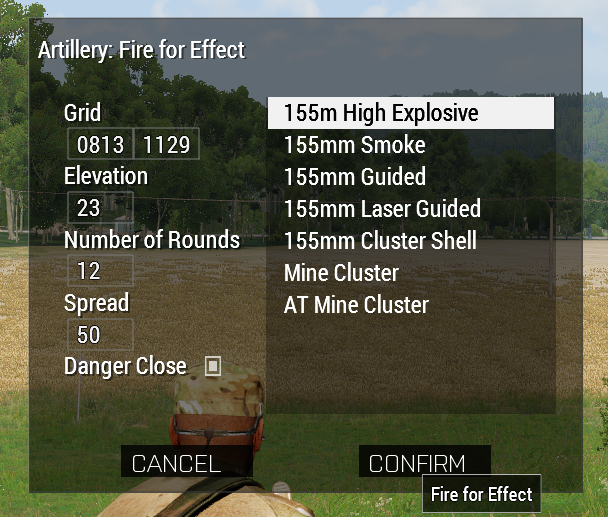

The intended effect in this case being that clicking confirm would do a basic data validation to make sure it makes sense, if it does close the dialog and pass it along to a commandArtilleryFire function
Long term - if I can make this proof of concept work - I'm planning on doing a much more in depth call for fire tool
unkempt cliff
ember cloud
Sorry for the broad question but dialogs have confounded me for years and I'm tr...
Basically you need these commands: ```sqf
_display = findDisplay 12345678; // Your display ID here
_gridCtrlX = _display displayCtrl 1500; // Ctrl ID here (grid X)
_gridtext = ctrlText _gridCtrlX; // Get the text
_gridXNum = parseNumber _gridtext; // Turn text to number
ok that should get me started, and would this be run in the function attached to the confirm button?
unkempt cliff
yes
ember cloud
Thanks! The scripts for this are otherwise fairly trivial, this should let me fit them into a somewhat intuitive gui
ember cloud
unkempt cliff
Basically you need these commands: ```sqf
_display = findDisplay 12345678; // Yo...
Trying to get this to work. Right now I've added an action to the button to call fireArty.sqf via execVM. Unfortunately, when it executes it isn't finding the displayCtrl and is just returning No Control when logged. I suspect the issue is my understanding of the display which I thought was the parent class of the button
I've logged all controls of all displays when the button is pressed, yet for some reason the idc is not coming up in any of them
unkempt cliff
display is the dialog you open with createDialog
so log the _display to see if its something else than null
 snow wharf
Is there a handy starter guide to making gui? I've been using cutrsc but need stuff at the top of the screen and defaults are limited to bottom and middle. So I can only imagine I have to make my own for this purpose.
 bronze epoch
I wonder if the onEditChanged GUI event handler would help here. The code of the event handler would call whatever script you need to use to save the edited text.
 floral loom
I'm trying to turn a display I made into a ctrlGroup, it sorta works but breaks the visuals. Anyone know how to fix?
Display:
https://cdn.discordapp.com/attachments/976224551610486894/1100129696890490941/image.png
CtrlGroup:
https://cdn.discordapp.com/attachments/976224551610486894/1100129749264773253/image.png


 quasi granite
did you adjust the coordinates?
and did you move all your controls from ControlsBackground to the Controls class?
floral loom
ah yeah I guess they don't support backgrounds. Needed other tweaks to fix but that worked, cheers.
I'm using ctrlStaticTitle, in a display this makes it draggable. Can I replace this in a ctrl?
quasi granite
only with scripts
floral loom
like detecting mousedown? 🤢
quasi granite
GitHub
Improves the editing experience. Contribute to 7erra/Terra-s-Editing-Extensions development by creating an account on GitHub.
floral loom
well it's staying static in that case and they can write me a letter if they don't like it..
quasi granite
fair
 spice drift
Hello, is there some way of drawing on a dialog akin to how you can draw on the map?
distant axle
Well technically. Would require very complex script and GUI
spice drift
Okay
 nocturne stratus
Hey. I am using CT_CONTROLS_TABLE for my project.
In my dialog is one Table defined via Config and one should be added later via ctrlCreate.
(this one has another classname + other idc range)
The current problem is, that when I create this ctrl it won't show.
But if I test for rows or controls (with position) it is all defined (even the position is right).
Does anyone has an idea how to fix this?
quasi granite
are you adding elements to the table? that ct is not visible by itself
nocturne stratus
quasi granite
are you adding elements to the table? that ct is not visible by itself
yes I have. The command also gives me the result "2" elements (which I added)
quasi granite
then it's time to show some code
opaque lynx
Q: beyond the "onLoad" EH, is there a way to find the CONFIG for a given CONTROL? configOf perhaps? thanks...
quasi granite
opaque lynx
Q: beyond the `"onLoad"` EH, is there a way to find the `CONFIG` for a given `CO...
BIS_fnc_initDisplay saves the config to the display as a variable, see here: https://community.bistudio.com/wiki/GUI_Tutorial#BIS_fnc_initDisplay
opaque lynx
quasi granite
`BIS_fnc_initDisplay` saves the config to the display as a variable, see here: h...
not really sure what this is doing... I just want to get at the actual CONFIG object, not a class name or what not.
anyway, I've got a simple workaround for the moment. thanks...
rapid atlas
How do you apply postprocessing to just one unit?
Every time I run a postprocessing command in a player characters init it does it for everyone, not sure what to do here
["FilmGrain", 2000, [1, 0.15, 7, 0.2, 1.0, true]] spawn
{
    local _name = _this select 0;
    local _priority = _this select 1;
    local _effect = _this select 2;
    local _handle = -1;
    while {
        _handle = ppEffectCreate [_name, _priority];
        _handle < 0;
    } do {
        _priority = _priority + 1;
    };
    _handle ppEffectEnable true;
    _handle ppEffectAdjust _effect;
    _handle ppEffectCommit 2000;
    waitUntil { sleep 0.1; ppEffectCommitted _handle };
    systemChat "You feel SWAG!!!";
    uiSleep 3;
    _handle ppEffectEnable false;
    ppEffectDestroy _handle;
};
Editor init boxes do run globally, and with JIP IIRC.
If you only want to run it on one machine you can use if (local player) then { code }, but I don't think the player object is local to the client at that timing.
Better to use initPlayerLocal.
rapid atlas
how do I call it just on one player? If I remember correctly initplayerlocal affects every player
Im not worried about resources, I just want the effet on just one person in a squad
opaque crag
What, one player defined in the editor?
You could just set the variable name of that unit and compare player to that.
rapid atlas
Sure, thank you
opaque lynx
Q: probably elementary, so forgive the question, there is the ctrlShow primitive to show/hide control accordingly... is there a class {...} equivalent? and this is the 'default' visibility, correct? not subject to change, short of rebuilding a project, correct? thanks...
opaque crag
yeah, you can set the class attribute show = false
quasi granite
indeed, anything that arma does not know will be interpreted as string
opaque crag
I'm not sure where show is documented. It's not in common properties:
https://community.bistudio.com/wiki/Arma:_GUI_Configuration#Common_Properties
opaque lynx
quasi granite
no such thing as true or false in configs
understand. thanks...
then I do not need to do anything else 'special' in the onLoad EH for instance. that's what I need. cheers 🍻
opaque lynx
opaque crag
I'm not sure where `show` is documented. It's not in common properties:
https://...
I do not see it there, unless it is tucked away in one of the obscure example expansions.
opaque crag
Not sure if it's an undocumented feature. Either that or it doesn't actually work and I worked around it elsewhere.
opaque lynx
but we can use show ...
show = 0; or show = 1; as appropriate, assuming presence means show = 1; by default.
so what I need to know is definitively that, or is ctrlShow the path forward...
just looking for the sensible default CONFIG so we can do the least amount of work elsewhere.
off the cuff, show is not highlighted using the Code linter, so wonder if that's even a thing.
thanks...
 wooden jolt
There is this long time issue where stuff in the AI actions menu (6 menu) are not sorted by proximity, making it very unpredictable where AI is going to grab that launcher from 🙂
Is there any way to fix that with a mod?
quasi granite
Any UI that is handled by the engine is hardly modifiable with the methods available to us mortals, so I would lean towards "no" as an answer
wooden jolt
I had a similar feeling. But perhaps someone found a hack 🙂
@willow stratus ‘s all in one menu provides a great alternative to the standard menu though.
opaque lynx
Q: in terms of the inventory dialog, if I wanted to approximate that in a value added dialog, how is the ammo bar achieved?
https://pasteboard.co/zbToQZFVxQ1B.png
I'm thinking, bare minimum, the overall CONTROL might be a CT_LISTNBOX, but how is the bar itself achieved? any ideas, suggestions? in the illustrated example, the "7.62 mm 10Rnd Mag", for instance.


Simple and lightning fast image sharing. Upload clipboard images with Copy & Paste and image files with Drag & Drop
opaque lynx
opaque lynx
Q: in terms of the inventory dialog, if I wanted to approximate that in a value ...
although I am wondering if it is a bit more elaborate than that in an actual CT_CONTROLS_TABLE, with some smart 'bar' regions in the template.
opaque lynx
anyone at all?
maybe help better frame the question. my dialog will need a version of the inventory listing at some level, images, display name, counts, and where ammo is concerned, would like to emulate cartridge levels and so forth. along these lines.
using the player inventory dialog as a template upon which to model that layout.
thanks...
opaque crag
I think that's just a listbox (CT_LISTBOX). They support left/right pictures and right text in one row.
The BIS and ACE arsenals are almost all listbox and controlsgroup too, IIRC. I think there's one CT_LISTNBOX.
opaque lynx
okay, in general, but specifically in this case? looking for the 'ammo level' emulation approach.
opaque lynx
yes. I mean, I generally get the CT_LISTNBOX aspect, and that probably this is more than likely the control group variant. but was curious about the level bar, or emulation thereof.
opaque crag
But I found that if any of the CT_xxx things don't cut it for some reason, it's surprisingly easy to emulate them with a controlsgroup.
opaque lynx
thanks for the discussion, got a general idea, I think. although if anyone can lend any specific insights, that'd be fantastic as well.
opaque crag
I considered controlsTable but I couldn't find much advantage over controlsGroup.
opaque lynx
I have used the control table before. the templating aspect takes a bit of mind warping to comprehend, but once you get the hang of it, it does work pretty well.
one example, the overview etc on the right, done with the control group templates.
https://pasteboard.co/YRlAQgSW6bmh.png


Simple and lightning fast image sharing. Upload clipboard images with Copy & Paste and image files with Drag & Drop
the main advantage, you do not have to repeat yourself, especially you have 2 or 3+ rows to insert in a template pattern.
opaque crag
I guess if you're creating them in config rather than code.
opaque lynx
but like I said, the template and EH is a bit of a mind warping exercise to wrap your head around.
yep
distant axle
Are compass (K) and watch (O) special cases that are driven by Engine so they can have lightings but not CT_OBJECTs?
distant axle
Nevermind, useGlobalLight = 1; is a thing. But it does only try to add lightings but no reflections (which I wanted to have)

 simple bay
Hey there. I am about to create a "chat with admin" for events we play.
I've been thinking about how to structure the GUI and some help would be appreciated.
I came up with two possible implementations, one of them being a list, where each entry would be it's own message, using a multiline RscText, or having multiple RscTexts in a ControlsGroup.
Wondering if more experienced gui gods could tell me if I am on the right track. I probably lean mostly toward mutliple Rsctexts in a Controlsgroup, the RscText would ofcourse be created dynamicly depending on the number of messages.
hoary estuary
simple bay
Hey there. I am about to create a "chat with admin" for events we play.
I've bee...
Easy solution would be RscStructuredText, you can have font sizes and colors there, as well as line breaks anywhere you want
Rendering ton of text in case of a long "chat" might be an issue though
simple bay
hoary estuary
Easy solution would be `RscStructuredText`, you can have font sizes and colors t...
Will look into that.
I want it to have inside a ControlsGroup, so it would add a scrollbar in case it get's too long. (It shouldn't, but I'd rather be ready than sorry)
Will RscStructuredText change it's height automatically, or do I have to take care of that?
hoary estuary
It wont, you'll need to _ctrl ctrlSetPositionH ctrlTextHeight _ctrl (and ctrlCommit) each time you update the text
and yeah having it inside RscControlsGroup is a good idea for a scrollbar
simple bay
Thanks for the info, will look into this option.
Exactly why I wanted to ask, never would have thought about this approach
 robust wagon
Hey people, I've seen mods with UIs that display 3D models, like units and vehicles. Do anyone know what GUI class or command is used to display that?
distant axle
CT_OBJECT
robust wagon
another question
is it possible to keep a CT_OBJECT contained in a specific area of the UI?
I mean, to display it inside a squared area, and crop the object render if it goes outside that area
distant axle
There's no direct way. Workaround is UiToTex procedural texture
simple bay
hoary estuary
and yeah having it inside `RscControlsGroup` is a good idea for a scrollbar
In the end decided to use RscEditMulti inside a RscControlsGroupNoHScrollbars.
Using endl and adding the lines one by one from array works actually pretty nice.
Automatically breaks lines if they are too long, allows me to scroll when the multi grows longer. Best of all, does not need me to change the height manually.
 hoary estuary
Well, whatever works for you
simple bay
And before I send a bug report, has anyone encountered onEditChanged https://community.bistudio.com/wiki/User_Interface_Event_Handlers#onEditChanged not working?
From my testing, it works just fine in diag/dev version of Arma, but does not in stable 
strange arrow
@simple bay That's because the current version of the stable branch is 2.12 while onEditChanged is going to be introduced with 2.14.
simple bay
Yeah, I see.
Probably worth adding it to the wiki entry
strange arrow
The Wiki entry already documents that that EH comes with 2.14, but I agree that it doesn't indicate that 2.14 is actually an upcoming version.
simple bay
strange arrow
The Wiki entry already documents that that EH comes with 2.14, but I agree that ...
I don't see it in there. Possible I am blind, as was working on this for the last 8 hours
strange arrow
The icon in the top left 🙂
 unkempt cliff
I have this button class that's supposed to have colorDisable when disabled with _button ctrlEnable false; but the image always stays white```sqf
class RscImgButton: RscButton
{
type = CT_ACTIVETEXT;
style = ST_PICTURE + ST_KEEP_ASPECT_RATIO;
action = "";
tooltip = "";
color[] = {1,1,1,1};
colorActive[] = {1,1,1,1};
colorDisabled[] = {1,0,0,0.25};
};
hmm ctrlSetTextColor seems to be one way
 frail fern
Hello! I was wondering is there a best practice way of passing data to a GUI?
I mean, in terms of Namespaces, aside from lifetime, serialization and MP locality restrictions, is there much difference if I arbitrarily use uiNamespace/missionNamespace/localNamespace to do some quick throwing and grabbing here and there?
quiet arrow
Anything works as long as it fulfills your needs.
Lifetime is usually the criteria to look out for.
frail fern
Great. Thanks!
quasi granite
I wouldn't recommend saving stuff to uinamespace when working on a display for a mission because it is persistent even across missions
frail fern
Sure I'm aware. But I always promptly "nil" these temp globals.
I just always wondered if using a specific Namespace was most cost-effective than others, given the context (GUIs). I guess not.
solid gyro
hi, trying include file in mod and when packing with mikero tools, it gives error
#include "\a3\3DEN\UI\macroExecs.inc"
Rapify:Rap: In File \a3\3DEN\UI\macroExecs.inc: circa Line 56 bad eval/exec
.preprocessing files produced an error
Don't know is this correct place to ask config error, but it's GUI stuff so im asking here.
distant axle
Have you tried to remove the first \?
solid gyro
It include file , but it says about __exec in file marcoExecs.
But i re-do all and check again.
It works if I do not do it with mikerotools , but just though is that only mikero 's check error . Don't know
zinc oriole
can sliderSetSpeed [idc, number, number]'s number values not be 0.01 or 0.5?
does it need to be like 1,2,3...
unkempt cliff
zinc oriole
can sliderSetSpeed [idc, number, number]'s number values not be 0.01 or 0.5?
from my code: ```sqf
sliderSetRange [1900, 0, 1];
sliderSetSpeed [1900, 0.1, 0.25];
Q: about addAction, does priority need to be unique?
I have a case, the condition says true, so I think it should be appearing in the action menu, but it is not, I suspect that another action is squashing it, its condition says true as well, same priority.
https://community.bistudio.com/wiki/addAction
opaque lynx
opaque lynx
Q: about `addAction`, does priority need to be unique?
I have a case, the condit...
in the log, the actions are definitely each being added, different actionID:
22:55:40 [35792.7] [CAPTIVEUI] [fn_captiveUI_addCaptiveActions] Added: [_recruitID, _captureID, _releaseID]: [1,2,3]
nevermind I see another condition in play... sorry for confusion.
opaque lynx
Q: is there documentation re: things like CT_LISTNBOX and the various colors? rows, selected, not selected, focus, not focus, etc?
https://community.bistudio.com/wiki/CT_LISTNBOX
I want to say may have to do with the 2 colors, but I cannot be sure from the docs.
quiet arrow
Other than whats written on that page, no.
If you find something out post it in #community_wiki so we can add it.
opaque lynx
well, I'm not you're QA, but if I notice anything obvious... 😉
opaque crag
lol, who do you think their QA is :P
opaque lynx
Q: about right justifying anything... recalling something about on screen coordinates {0,0} is not necessarily the screen top left. may be something such as this which I could do in the horizontal coordinate:
#define JUSTIFY_RIGHT(L,V,X,W) (L + V - X - W)
I really need to entertain that question LOL
opaque lynx
opaque lynx
Q: about _right justifying_ anything... recalling something about on screen coor...
assuming I have already left justified coordinates. I want to mirror or right justify given the Left, View (width), X (coordinate), and component Width.
quiet arrow
SafezoneX and SafezoneY is what you are looking for
opaque lynx
nah, I am laying out something like the arsenal, so starting with safeZoneXAbs, safeZoneWAbs... far far left, far far right.
when I use safeZoneX etc, things seem to align mid-screen, | |XXXXX| |, but when I use safeZoneXAbs, things seem aligned to the edge of the screen where I want them, i.e. |XXXX|. not sure why that is. but otherwise, if I review an ACE arsenal geometry, for instance, they definitely do use safeZoneX, etc. curious that.
quiet arrow
Abs is for multi monitor setups
If only one monitor is used they do the same as the commands without abs.
opaque lynx
that is what the docs say, but that is not the behavior that I experienced. not sure why that is. and I do not have a multi-mon setup.
could it be perhaps resolution? I don't know...
ah I think I see why... because {0,0} is not top-left.
opaque lynx
got 'er sorted... draft at the moment obviously, but the alignments are correct. gotta be careful with that X, assuming zero, etc...
https://pasteboard.co/FgYVJk7l78hO.png


Simple and lightning fast image sharing. Upload clipboard images with Copy & Paste and image files with Drag & Drop
opaque lynx
back on the CT_LISTNBOX colors and such, sure share with me the source code behind it, I'll tell you what the colors are doing (maybe... LOL).
frail fern
Hello, fine looking people
So, I was wondering, is there a way to make CT_PROGRESS (RscProgress) smoother?
It's scripting command "progressSetPosition" doesn't work with "ctrlCommit" so I'm stuck with hard, sharpy values, which is difficult for me when I just want a bar to fill in a specific time gap.
I started using "fake" RscText (CT_STATIC) so I can give it a background color and just commit my way through an empty overlayed RscProgress frame. But I wonder if there's a way to simply use the real deal, but smoother.
opaque crag
Having "emulated" a couple of other controls when their limitations annoyed me, I'd say just do that.
quiet arrow
@frail fern Unfortunately, CT_PROGRESS is very limited, both in functionality and visuals.
Using a simple CT_STATIC it probably the best idea.
Having a CT_PROGRESS be animated smoothly requires a loop.
frail fern
quiet arrow
Having a CT_PROGRESS be animated smoothly requires a loop.
Yes that's a bummer.
And sleep/uiSleep can only handle so much decimals before it goes haywire.
opaque lynx
Re: CT_LISTNBOX, what I want to do is for the selected highlighting to not be so flashy. And to stay consistently whether the control has focus or not. And for it to be BLACK; the color itself, no problem. But how might I accomplish the rest?
opaque lynx
💡 ah-ha moment, this is clever, CT_LISTNBOX, idcLeft and right attributes... kind of a poor man's way of composing a controls group without having to muck that much with the template issues... subtly clever. like it 💯
 elfin dawn
why would this text show up in the GUI editor but not when I call the gui? the tooltip is there
class chkBoxOneText: RscText
{
    idc = 1001;
    text = "Bring Squad With"; //--- ToDo: Localize;
    x = 0.480312 * safezoneW + safezoneX;
    y = 0.738 * safezoneH + safezoneY;
    w = 0.065625 * safezoneW;
    h = 0.028 * safezoneH;
    tooltip = "Check this box to bring your squad within 10m of you in the halo"; //--- ToDo: Localize;
    sizeEx = 0.7 * GUI_GRID_H;
};
just dont see thetext
crude berry
does wherever you "call the gui" from include GUI_GRID_H definition?
i.e. #include "\a3\ui_f\hpp\defineCommonGrids.inc"
elfin dawn
oh you know what, I dont think it does.
yep that was the issue, thank you
one more question actually, is there a way to center text in the available space?
Figured that out
align = "CENTER";
style = 0x02;
valign = "top";
Q: when you define CT_LISTNBOX, drawSideArrows = 1, does that automatically presume you declare both left+right controls? Like if I do not have one, then it rejects the case entirely?
opaque lynx
Q: CT_LISTNBOX, I am trying to set the text of a particular cell using, _lnb lnbSetText [[_row, _column], _text], I can verify that the string is actually there, _lnb lnbText [_row, _column], it did get set, but the text is not displaying at all. I am also setting a picture in the left most cell, BTW, not sure if that is having an effect, _lnb lnbSetPicture [[_row, _column], _picture].
opaque lynx
now it's starting to look like something interesting though...
https://pasteboard.co/LUbImtWPowvV.png
figured out some color issues, sort of, thanks to the folks with ACE, arsenal addon. 👍
able to emulate the controls tab using CT_LISTNBOX, works really nice actually without needing the controls resource overhead.


Simple and lightning fast image sharing. Upload clipboard images with Copy & Paste and image files with Drag & Drop
opaque lynx
Q: what are the colors to persuade the color or background color of a CT_LISTNBOX? so far have tried color[], colorBackground[], colorShadow[] with no effect. running out of obvious choices there. The config is currently this.
color[] = { 0, 0, 0, 0 };
colorShadow[] = { 0, 0, 0, 1 };
colorBackground[] = { 0, 0, 0, 1 };
colorSelectBackground[] = { 0, 0, 0, 0.5 };
colorSelectBackground2[] = { 0, 0, 0, 0.5 };
colorPictureSelected[] = { 1, 1, 1, 1 };
colorSelect[] = { 1, 1, 1, 1 };
colorSelect2[] = { 1, 1, 1, 1 };
similar, along these lines, the difference in colors from the control to surrounding scenery.
https://community.bistudio.com/wiki/File:CT_LISTNBOX_buttons.jpg
plus side, I think I was successful in sortout out the solid selected color, focus not focused. so there's that.
thanks...
 opaque lynx
🤷♂️ partial victory, I have a background supporting one of the control groups (right hand side), but not the other. it is literally the same set of controls[] and base classes supporting both, in terms of defined colors and such. not sure why on the left I am not seeing the background. I double checked IDC and such are all there and unique as well.
https://pasteboard.co/BjehQZVU0fM0.png


Simple and lightning fast image sharing. Upload clipboard images with Copy & Paste and image files with Drag & Drop
elfin dawn
anyone know why after I tab out of the game while using the GUI editor after I tab back in I can only move gui objects half a cell to the right by clicking on them? did I press a keybind on accident?
opaque lynx
opaque lynx
🤷♂️ partial victory, I have a background supporting one of the control groups ...
huh disregard this one... now it works. I think was a case my diff viewer was not refreshed or something, had not copied right that particular header file. cheers 🍻
quasi granite
elfin dawn
anyone know why after I tab out of the game while using the GUI editor after I t...
for some reason arma keeps right click pressed when alt tabbing so try to right click once
elfin dawn
alright thank you, one more thing. Any reason when I import a gui I was just working on, the class becomes classigave: rscInheritedType and the gui type on the bottom becomes RscText?
 manic flame
Hi, I have made this button UI for my arma mission, and I want it to execute some code once its clicked...
        class sumbit
        {
            type = 1;
            idc = 3002;
            x = safeZoneX + safeZoneW * 0.61125;
            y = safeZoneY + safeZoneH * 0.32222223;
            w = safeZoneW * 0.095;
            h = safeZoneH * 0.03777778;
etc...
};
In SQF code*
My dialog Id is 3000
quiet arrow
class sumbit
{
    type = 1;
    idc = 3002;
    x = safeZoneX + safeZoneW * 0.61125;
    y = safeZoneY + safeZoneH * 0.32222223;
    w = safeZoneW * 0.095;
    h = safeZoneH * 0.03777778;
    onButtonClick = "_this execVM 'myScript.sqf'";
}
myScript.sqf is a script file in your mission's root
 exotic blade
I'm trying to change the pictures on a CT_TOOLBOX via script commands without any luck so far.
lbSetText seems to have no effect when ST_PICTURE is enabled.
Is there a way to set them via script?
 winged pagoda
Is there a way to set a different blend mode for an RscPicture? I'd need to make it additive instead of normal overlay
distant axle
No
opaque lynx
Q: about CT_LISTNBOX, is it possible to set both lnbSetData as well as lnbSetValue?
crude berry
yes. IIRC data only takes strings and value only takes numbers. You can also make your own array/hashmap using the control as a namespace and row id as a key, that seems to flow nicley with relevant ui events 
opaque lynx
so my question is NOT what data versus value takes... I know this already.
I have a use case where it might be interesting to set BOTH. i.e. literally,
... lnbSetData ...;
... lnbSetValue ...;
and so on
I mean if I have to indirect and index to an array or something, fine, but would be interesting in the above use case.
crude berry
yes, you can
opaque lynx
very very interesting, thanks so much...
opaque lynx
Q: any idea why the text column is not showing up in either of these CT_LISTNBOX controls?
At least it is consistent, so there's that, I fix it one place, probably for both controls.
https://pasteboard.co/tjOoVRAF0WMt.png
I have verified in the logs, I am indeed setting the text with lnbSetText, which I then read back again with lnbText. For instance:

12:17:15 [...] [233.044] [INVENTORYMGR] [fn_inventoryMgr_lnbCategoryItem_onRefresh] Row: [_row, _displayName, _actualName, _class, _picture]: [0,"sights right 0","sights right 0","sightsItemR_0","a3\ui_f\data\gui\rsc\rscdisplayarsenal\itemoptic_ca.paa"]
"sights right 0" indicated by _displayName and _actualName respectively. So I am at least somewhat confident the control has received the message. Is it a colorText[] thing? That is set by a intermediate base class, not being reset by any classes AFAIK.
colorText[] = { 1, 1, 1, 1 };

Simple and lightning fast image sharing. Upload clipboard images with Copy & Paste and image files with Drag & Drop
opaque lynx
opaque lynx
Q: any idea why the text column is not showing up in either of these `CT_LISTNBO...
Ah now I understand...
columns[] = { 0, 0.15, 0.7 };
was a columns[] issue, but now there is some issue with the coumns interfering with the idcLeft and idcRight controls, but I have a sense how to approach that now as well.
opaque lynx
 scarlet nova
hey please help me how to fix this?
scarlet nova
hey please help me how to fix this?
fix what an mp4?
Q: is there a web page or docs describing any analogs to the Visual Studio Image Library for Arma 3?
https://microsoft.com/en-us/download/details.aspx?id=35825
Looking for in game look feel for things like open, save, these sorts images.
Thanks...

Microsoft Download Center
The Visual Studio Image Library contains application images that appear in Microsoft Visual Studio, Microsoft Windows, the Office system and other Microsoft software.
quiet arrow
There is no such thing.
Most common these days are UIs created with GUI_GRID or pixelGrid (Eden Editor).
You can check out some of the default UIs
opaque lynx
quiet arrow
There is no such thing.
no such thing as an A3 image library, or anything even remotely in the ball park?
opaque lynx
quiet arrow
Most common these days are UIs created with GUI_GRID or pixelGrid (Eden Editor).
? lot of threads going on here, this one was not for me?
unkempt cliff
opaque lynx
no such thing as an A3 image library, or anything even remotely in the ball park...
have you tried : https://forums.bohemia.net/forums/topic/231519-icon-viewer-script/
quiet arrow
I think I misunderstood you. You can search images with https://github.com/R3voA3/3den-Enhanced/wiki/Custom-GUIs#texture-finder

GitHub
Official 3den Enhanced repository. Contribute to R3voA3/3den-Enhanced development by creating an account on GitHub.
There is no downloadable image library though.
opaque lynx
thanks yeah that was kinda interesting, bit useful too...
simple bay
Hey there, got a weird problem.
When using cutRsc to cut in a resource, the _display param that I get in onLoad is Display #-1. Any ideas why this would be?
I cut it in as ("FNF_spectatorUI" call BIS_fnc_rscLayer) cutRsc ["spectatorSideNumbers", "PLAIN"];.
When I use this in a different framework I work on, it works no problem. The spectatorSideNumbers is in RscTitles like this:
class spectatorSideNumbers {
    idd = 9914;
    duration = 1e+011;
      movingenable = true;
    onLoad = "uiNamespace setVariable ['FNF_spectatorUI', _this #0]; FNF_spectator = true; call FNF_ClientSide_fnc_spectatorUIhandler;";
      onUnload = "FNF_spectator = false; uiNamespace setVariable ['FNF_spectatorUI', nil];";

    class controls {
        class FNFalive1: RscText {
        idc = FNF_RSC_TEXT_1;
        style = 2;
        sizeEx = 0.045;
        x = safeZoneX + safezoneW * 0.1;
        y = safeZoneY + safeZoneH * 0.95;
        w = 0.05 * safezoneW;
        h = 0.05 * safezoneH;
        colorBackground[] = {0,0,0,0};
      };

      class FNFalive2: FNFalive1 {
        idc = FNF_RSC_TEXT_2;
        x = safeZoneX + safezoneW * 0.15;
      };

      class FNFalive3: FNFalive1 {
        idc = FNF_RSC_TEXT_3;
        x = safeZoneX + safezoneW * 0.2;
      };

      class FNFalive4: FNFalive1 {
        idc = FNF_RSC_TEXT_4;
        x = safeZoneX + safezoneW * 0.25;
      };
    };
  };
i see you have idd = -1; there
simple bay
I do. I do have it in another framework also set to -1 and it works no problem
unkempt cliff
make it value you wish to have
simple bay
Ok, that got the display to have a normal number, thank you.
(But still doesn't show I am just stupid, will need to look elsewhere then).
simple bay
Ok. Same config as above. Yet when I try
private _dialog = uiNameSpace getVariable ["FNF_spectatorUI", displayNull];
allControls _dialog
I get an empty array. _dialog is correctly the display with the 9914 id.
When I check the missionConfigFile and navigate to RscTiles >> spectatorSideNumbers I see the controls in there 
unkempt cliff
simple bay
When I check the missionConfigFile and navigate to `RscTiles >> spectatorSideNum...
have you tried ```
_dialog displayCtrl FNF_RSC_TEXT_1;
 unkempt cliff
did u give it time to init?
simple bay
It's been on for more than 10 minutes by now
unkempt cliff
hmmm
simple bay
I'll try to add some code into onLoad in the controls, to see if those get run
Hmm, did not get executed
opaque lynx
Q: trying to associate couple of image resources with picture buttons, literally toolbar style buttons. getting the following errors in my log and prompts:
22:37:16 Warning Message: Cannot load texture res\openfolder_32x.paa.
22:37:16 Warning Message: Cannot load texture res\save_32x.paa.
22:37:16 Warning Message: Cannot load texture res\saveas_32x.paa.
22:37:16 Warning Message: Cannot load texture res\sharelink_32x.paa.
22:37:16 Warning Message: Cannot load texture res\delete_32x.paa.
AFAIK they are all 32x32, are there any other criteria? IIRC, maybe something to do with transparency, I'm not positive...
Thanks...
opaque lynx
opaque lynx
Q: trying to associate couple of image resources with picture buttons, literally...
I verified, the assets are there using the fileExists command, returned true, so it's not that
The image is here, as a PNG obviously, but I did convert to PAA with GIMP.
https://pasteboard.co/OT3npJvCEOWH.png
Edit; pardon me, rather, this res. Still, I did verify it exists and its at least 'there'.
 opaque lynx
okay I think I see, not sure how the PNG was sources, resaved as 24-bit and converted... now is DXT1 rather than DXT5 in the viewer.
opaque lynx
still not loading though, not sure what I am doing incorrectly there... possibly a 'border' issue re: transparency? shrug
opaque lynx
wondering if the issue is not the image resource at all, scanning through a couple of obscure forum posts.
you know I am studing my UI classes, and I wonder if somehow a custom image is not supported on a pure CT_BUTTON? I can set the "image" (loosely coined) as long as it was a "resource", it seems, just not a custom image?
looking at another area in the code, I think I emulated the toolbox feature using instead an active label set to an image for text = "...". or in another instance, I even used the ST_PICTURE + ST_KEEP_ASPECT_RATIO + ST_VCENTER style, which I think was met with halfway decent success.
🧠 thoughts?
simple bay
simple bay
I'll try to add some code into onLoad in the controls, to see if those get run
Still no idea what could be wrong
I have another framework where I do almost the identical thing and I have it working there. This is getting pretty annoying.
The RSC get's loaded, the onLoad in the spectatorSideNumbersgets called, the PFH i create in FNF_ClientSide_fnc_spectatorUIhandler get's created and works. Just the controls arent there 
solid gyro
simple bay
The RSC get's loaded, the onLoad in the `spectatorSideNumbers`gets called, the P...
Have you defined the style correctly?
simple bay
solid gyro
Have you defined the style correctly?
It was copied from my other framework where it works
2 or 0x2 works the same iirc
What seems to be te problem is RscText. There already is one resource that does not use inheritance and defines the control fully like this:
class structuredText3 {
        access = 0;
        type = 13;
        idc = 1003;
        style = 0x00;
        lineSpacing = 1;
        x = 0 * safezoneW + safezoneX;
        y = 0.980 * safezoneH + safezoneY;
        h = 0.020 * safezoneH;
        w = 0.17 * safezoneW; //w == h
        size = 0.020;
        colorBackground[] = {0,0,0,0.85};
        colorText[] = {1,1,1,1};
        text = "";
        font = "TahomaB";
        class Attributes {
            font = "TahomaB";
            color = "#FFFFFF";
            align = "CENTER";
            valign = "bottom";
            shadow = true;
            shadowColor = "#000000";
            underline = false;
            size = "1.7";
        };
      };
When I copy and edit it, it also shows. So me trying to do it "properly" might be the issue.
I do define class RscText; at the top of the file like so
class RscText;

class RscTitles {
....
};
Ok, that indeed is the problem this is really weird to me
unkempt cliff
simple bay
Ok, that indeed is the problem <:monkaHmm:495302035676069897> this is really wei...
have you "fully" defined RscText?
simple bay
isn't it enough to just add the class?
unkempt cliff
like above?
distant axle
If is in a mission's Description.ext, is not enough
simple bay
I see. So the class works only in addons
simple bay
Resources defined by addons and not by mission*
distant axle
import is a thing