#arma3_troubleshooting
1 messages · Page 153 of 1
 cobalt plaza
How can I make it soo that im not zoomed very far out when i aim into a gun?
I have to press my mouse side button like 3x just to be able to sue my sight so that im not super far out
 ornate ridge
cobalt plaza
How can I make it soo that im not zoomed very far out when i aim into a gun?
ornate ridge
cobalt plaza
How can I make it soo that im not zoomed very far out when i aim into a gun?
Go into your controls and set everything up manually...you're going to want to...you'll find the setting you're looking for
it's kind of a headache, just map the common controls and forget the rest
cobalt plaza
Thank you
ornate ridge
Does a mod need to be signed for multiplayer in the Arma 3 launcher for it to be online-compat?
kind of a dumb q, but I have a mod that's signed, but the compatibility patch for ACE isn't signed
 steady hawk
The sign only ensures that your Mod is not modified by end-user so it's safe to use if the server owner thinks so
ornate ridge
Okay, thank you for clarifying that. It's rather misleading haha ;P
steady hawk
So you can make one without the sign but server owners can't ensure if is modified or not
(which is not ideal if is a public/semi-public server)
But if you don't care like that is only for your server that only accepts you and your friends, that's not really going to be a concern
ornate ridge
Yeah, exactly what I'm doing; making a Scenario for me & my buddies.
Unfortunately, after 2 days of work apparently my server doesn't appear & direct connect does nothing. 😖
Staying dedicated...maybe I'll figure it out idk
 toxic inlet
did you switch the hosted server from LAN to Internet?
 forest chasm
Your advice worked.
Thank you for your help :)
 primal portal

primal portal
forest chasm
Your advice worked.
Thank you for your help :)
You are welcome national space agency.
primal portal
ornate ridge
Yeah, exactly what I'm doing; making a Scenario for me & my buddies.
Unfortunat...
If you are renting a server or have it on a dedicated box, try to look at the most recent .rpt file. Usually it's a mod not playing nice or a mod thats not being loaded that needs to be.
 pine kite
ornate ridge
Yeah, exactly what I'm doing; making a Scenario for me & my buddies.
Unfortunat...
pine kite
ornate ridge
Yeah, exactly what I'm doing; making a Scenario for me & my buddies.
Unfortunat...
If your server does not show up in the internet list of your friend's serverbrowser then there is a networking issue: port forwarding is not working, UPnP is not supported in your router, server firewall is blocking incoming data on your side, your ISP is dealing you an IPv4 address that others can't find (or the port traffic is blocked somehow). Some issue like that. It is unrelated to the mission you made. Well, if there are issues then that will show up later for your friend. Like mod incompatibility or something should give a more descriptive error once he connected with the server.
When the server is running you can check if Steam recognises your server with the URL in this old message of mine: #arma3_troubleshooting message Replace your public IPv4 address in the URL. (it is not what ipconfig shows you; visit whatsmyip.org instead) If your server is properly recognised then it should show a longer response with your IP in it with a part in it saying 'succes'. If the server can not be reached, the response is rather empty and much shorter.
ornate ridge
primal portal
If you are renting a server or have it on a dedicated box, try to look at the mo...
No sir, just a non-dedicated server hosted casually for my friend and I to play my scenario.
ornate ridge
pine kite
When the server is running you can check if Steam recognises your server with th...
Thank you for your input! I'll check that out asap
ornate ridge
pine kite
If your server does not show up in the internet list of your friend's serverbrow...
{"response":{"success":false,"message":"'addr' param should specify a valid IPv4 or IPv4:queryport"}}
Can you verify is this means everything's good or not?
 quaint jewel
it says success is false and printed a error message, so probably not good
you probably entered ip address wrongly? somehow?
ornate ridge
I think I know exactly what I did lmao, oops xD
I'll report back in a few
{"response":{"success":true,"servers":[]}}
Ayyy, looks more promising
Someone please check to see if my server is up & running 🤣 (visible in server browser)
I'll dm the IP and such as needed, not gonna throw it up here.
 chilly anchor
I have same issue, i already set up the server with 1-3 mod but my friend cant see the server at all
this is what i get when i check my ip address {"response":{"success":true,"servers":[]}}
pine kite
ornate ridge
{"response":{"success":true,"servers":[]}}
Not really. That response I get when the server isn't running at all.
ornate ridge
pine kite
Not really. That response I get when the server isn't running at all.
Shidd, I'll try again
I may have put my local ip
pine kite
The address you need to fill in at the end of that URL is your public IPv4 address. Anything starting with 192.168.x.y, 172.16-31.x.y, 10.x.y.z is wrong. If your router shows a WAN address then that is good. However, if sites like whatsmyip.org does not agree with that address then you ISP is not providing you with a compatible IPv4 connection.
@ornate ridge ^
ornate ridge
pine kite
The address you need to fill in at the end of that URL is your public IPv4 addre...
I PM'd you!
Nothing starts like that, fortunately
I put my Local IPv4 in at first, now it's my public and there's a whole different result.
pine kite
Your local IPv4 exists only local. Or rather, many people can have that IP address subnet of their own. Your router doesn't allow people from the internet to address those directly. That is what this port forwarding business is for.
 fringe salmon
anybody found a fix for the issue with ace when driving a tank and opening map in 3rd person the sound overlaps so when you stop it sounds like your still driving the tank? the only fix i have found is opening map again, just wondering if there's a setting inside ace options i can tweak to fix this
 slim peak
issue: orange chain of death while using 5gz internet.
description: orange chain of death appears regularly while playing casual servers.
Cause: unknown. its not a connection issue as im getting the best overall connection yet while on it.
something about arma just doesnt like it.... just wanted to doccument it
 uncut trellis
mobile connection is always more unreliable than cable
 copper silo
Having a strange issue.
More and more as of late, I find myself still conscious in fully wrecked vehicles. Once the vehicle is wrecked, it's -impossible- to get out of it.
I try get out, I try eject, I try the keybind for it (2xV), I'm just stuck in the airframe
uncut trellis
you use mods?
copper silo
I do, but I'm pretty sure I can reproduce it in vanilla by putting a Black Wasp in the air, having a pilot immune to damage, and setting the aircratft health to 0%
uncut trellis
well thats just not how the game is supposed to work
so such reproduction is basically useless
if you are playing with no damage on your character that is what you get
and if its caused by a mod then you got to either try to get the mod maker to fix it or stop using that mod
 ruby halo
whenever i try to play in singleplayer (idk if it does this in mp) these two come up and i cant spawn in it just finishes the mission

 patent kettle
repair your ACE mods in arma launcher.
 sterile ivy
There seems to be a problem where addons I have uninstalled decide to stay on. Addons that I've otherwise deleted and cannot find in the Arma launcher, Steam workshop (Installed section) nor in the !Workshop folder are still laying about in my steamapps\workshop\content\107410 folder, taking up 60GBs of space.
Currently !Workshop is 180GB while the 107410 (Arma workshop folder) is 250GB
 rapid zinc
Hi, would anyone be able to help me with a problem?
Everytime I try and load into a server it does this, Any tips?

 kind bobcat
Restart game, if still doesn't work, check mods on server and compare what you have on, and also make sute BattleEye is turned on
rapid zinc
I accidently delclined battle eye when I first brought the game which was about 2 hours ago, and Ive been reading that you have to reinstall it through files, Which I did. Ive tried everything. Would anyone be able to call
Nvm I Found it thanks
 woeful loom
is this meant to happen?
 kind bobcat
woeful loom
is this meant to happen?
kind bobcat
woeful loom
is this meant to happen?
Nope, it is not
woeful loom
I swear the desync dial turned to 11 after the Western Sahara update
woeful loom

 unreal fractal
Everytime I try to join my server I get this no clue why
 quaint jewel
Did you load the SOG prairie fire CDLC?
unreal fractal
no
let me double check
oh wait it turned it on the server. Also what is the parameter to get all the other dlc files on the server?
quaint jewel
Mod folders for cdlcs are
GM, vn, csla, ws
 olive isle
I'm not sure if I'm doing something wrong or if this is a bug, but whenever I fly the neophoron and try to lock a vehicle with the sharur missiles, they either don't lock at all or begin locking when I'm less than 100m away from the target. Anything?
olive isle
Actually, I think I got it. The target needs to have it's engine on or be giving off a heat signature.
 sour bloom
my game lagged until desktop crashed

 twin fulcrum
help
quaint jewel
Broken mod, remove broken mod.
twin fulcrum
whixh mod
twin fulcrum
bruhhhhhhh
quaint jewel
Or says "UPSL"
twin fulcrum
arma launcher cant even tell me what mod doesnt work
quaint jewel
Yeah, it doesn't know
twin fulcrum
And what's that?
twin fulcrum
It ain't no mod
I searched for USPL
Found some things but I doubt they caused it
I'll try to remove them regardless
 quaint jewel
That looks like it's exactly it
But that whole mod folder, not just these bisign files
twin fulcrum
Hmmm
Apparently it's Ace Interaction Menu Expansion
Let's give it a try without that mod
uncut trellis
could be it has not been updated when ace got update
twin fulcrum
I hope it's it
Otherwise I'm screwed
Cause I got wayy to many mods to try them one by one
I remember Lou trying to help me some months ago
My game was crashing at ~700 mods
quaint jewel
You don't need to do one by one if you can just divide and conquer
quaint jewel
Disable half of your mods, if error goes away it's in the half that's disabled.
Reenable half of half, if still no error, it's still in the part that's disabled. If error comes back, it's in the half you enabled.
Try disabling half of that again..
quaint jewel
You should thank yourself, you did all the work
uncut trellis
@supple mica which menu is that?
 supple mica
Multiplayer> S.O.G Paririe Fire > Eldest Son > Find a game
uncut trellis
ah right. so to you would want the quick play menu

and the pairie fire from there

 supple mica
wheres quick play
uncut trellis
to see available servers
supple mica
😘😘😘
ruby halo
patent kettle
repair your ACE mods in arma launcher.
i did, it hasn't done anything
patent kettle
ruby halo
i did, it hasn't done anything
Then go inside the mod folder, remove everything from addons and try repairing again.
fringe salmon
halp
my audios compelety shat itself
so uhm
wait nvm but
ive encountered a bit of a problem where
if i unplug my headset
it crashes my arma
and sometimes it just breaks the audio until i restart it like 3 times
and now it keeps kicking me for my client not responding?
 hollow token

plz help
was working all day fine and then poooof XD
already re download A3 tools
 wise barn
@fringe salmon
Arma is very sensitive when it comes to audio devices. It does not like changes "on the fly" for input devices. Don't do that (unplug your headset while the game is running
@hollow token
Verif your tools installation via steam, reinstall if needed
quaint jewel
fringe salmon
and sometimes it just breaks the audio until i restart it like 3 times
You can press the "refresh" button in audio options and it will most likely fix it without restart
quaint jewel
fringe salmon
it crashes my arma
Please report the crash on the feedback tracker (like the Arma Launcher crash reporting thing tells you)
hollow token
wise barn
<@482238538763730944>
Verif your tools installation via steam, reinstall if need...
ye did all that had to some other fuckery but i fixed it
fringe salmon
i tried looking online but i cant find a good solution everytime i play zues a lot of my units from addons are missing they are there in the eden editor
 spring marlin
Is there any way to change the save path for missions?
uncut trellis
why?
spring marlin
It downloads to the drive steam is located on instead of the same drive the game is stored on, leading to lots of crashes/longgggg save times
 vale ruin
I can't seem to find the emf2png.exe in my arma tools folder. I downloaded the tools program from steam. Is there anywhere else I can find it?
 rotund panther
wise barn
<@456226577798135808>
Arma is very sensitive when it comes to audio devices. It ...
rotund panther
wise barn
<@456226577798135808>
Arma is very sensitive when it comes to audio devices. It ...
Even if you leave Arma open on a laptop and close the screen, it just goes silent and you have to restart
wise barn
yes, because (if not edited) if you close the screen the laptop goes to sleep / powersaving mode which disables the audio device
 fringe salmon
@night eagle Null pointer exception, basically your game is trying to access something it can't find.
I'd recommend verifying your game files and undoing any recent changes you've made to the game
 night eagle
aight
 frigid canopy
i am getting this error when trying to enter the viper's 69th server
 uncut trellis
frigid canopy
i am getting this error when trying to enter the viper's 69th server
uncut trellis
frigid canopy
i am getting this error when trying to enter the viper's 69th server
looksl like you dont have correct mods loaded to join the server
try using the launchers server browser to join. If they have the server properly set up, it should tell you what mods you need
frigid canopy
uncut trellis
looksl like you dont have correct mods loaded to join the server
i have all the correct mods
frigid canopy
uncut trellis
try using the launchers server browser to join. If they have the server properly...
it says everything is good
uncut trellis
Youll have to ask the server admins then.
as that error pops up if you dont have correct mods
frigid canopy
Thanks!!
 eternal berry
Hello, I have something that looks like a bug:
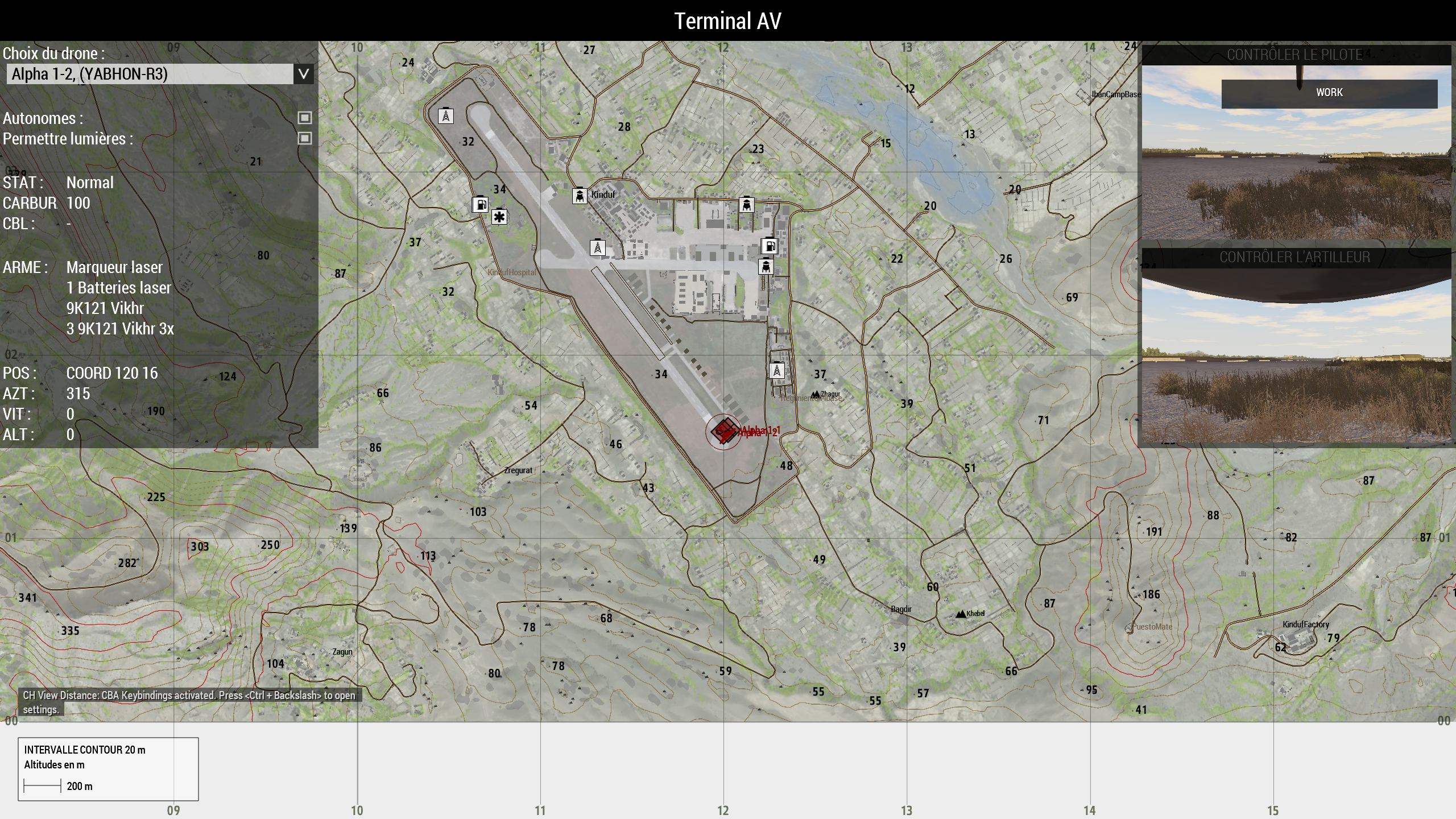
I can't control drones anymore, as showed on the screen, the buttons (top-right) for control are disabled
i tried duplicating the mission and removing everything in it. I still can't. But i created a new empty mission and then I can. So it sounds like the mission is "corrupted" for drone usability
The thing is that it could happen again even if i do the mission all over again cause i could use it yesterday in same mission...
Anyone knows what's wrong ?
https://zupimages.net/up/21/50/juh8.png

 pseudo saffron
Hello! Im running an Arma 3 server, and it seems when I add a certain mod, all keys become invalid. Anyone know what is going on there? I remove the one key I added, and all the other (original list of) keys are valid again.
uncut trellis
Probably buggy mod?
pseudo saffron
I tried a weather mod today, which makes sense. But it was doing it on CUP terrains core/maps yesterday and I couldn't figure it out.
that one seems much more widely used, so I figured it should work
 midnight ember
pseudo saffron
that one seems much more widely used, so I figured it should work
midnight ember
pseudo saffron
that one seems much more widely used, so I figured it should work
How many mods are you loading? And how many keys do you have?
 orchid void
I got a question for Liberation RX - Malden:
On my private server, the Liberation UI is just flickering continously.
E.g. the ressource/liberation bar is just flickering.
Any ideas? o0
 drifting ruin
hey im getting this screen when i try to join my friends game. It will not go forward after this. Anybody an idear what is the issue?
 pseudo saffron
midnight ember
How many mods are you loading? And how many keys do you have?
pseudo saffron
midnight ember
How many mods are you loading? And how many keys do you have?
I have a few optional keys in there too for client side mods, so the numbers dont match up.
midnight ember
pseudo saffron
I have a few optional keys in there too for client side mods, so the numbers don...
ah ok, is the a3.bikey in there?
What errors show?
pseudo saffron
Its very strange. Enhanced weather for instance, I drop that mod in and suddenly all the keys say signature mismatch, I take that one out and everythings fine.
just trying to wrap my head around what would cause that
maybe they require DLC keys to be in there? I do have a3.bikey but thats it for non-mod keys
so far Ive only seen it with enhanced weather and CUP Core/Maps
kind bobcat
drifting ruin
hey im getting this screen when i try to join my friends game. It will not go fo...
Is this mission from Eden?
If so, he needs to add playable characters (note, not player, but playable characters) and then go multiplayer settings. Define game mode, make respawn possible on custom position, make respawn delay of 15-20 seconds, make revive duration, etc etc
And only after that you will be able to play Eden scenario in multiplayer
fringe salmon
hey guys, got a small problem on my box, using infistar restarts with #shutdown. however, the task of arma 3 is not shutting down when the #shutdown command is successfully ran...
this is causing the server to just sit there online running nothing
anyone know what's going on?
wise barn
best to ask infistar support
fringe salmon
wise barn
best to ask infistar support
not the case. as its a windows problem 🙂
getting help from another server owner.
pine kite
drifting ruin
hey im getting this screen when i try to join my friends game. It will not go fo...
Maybe he needs to start a mission on it first. There does not seem to have been mentioned one in the top left corner.
 slow comet
drifting ruin
hey im getting this screen when i try to join my friends game. It will not go fo...
slow comet
drifting ruin
hey im getting this screen when i try to join my friends game. It will not go fo...
I've encountered this issue before, you can solve it by just waiting and the roles should pop up. IIRC this has something to do with too big of a profile or too many mods but don't quote me on that.
ruby halo
patent kettle
Then go inside the mod folder, remove everything from addons and try repairing a...
Still not working
drifting ruin
kind bobcat
Is this mission from Eden?
no that was the normal escape Malden mission
drifting ruin
pine kite
Maybe he needs to start a mission on it first. There does not seem to have been ...
we tried that already but thanks
drifting ruin
slow comet
I've encountered this issue before, you can solve it by just waiting and the rol...
ok we will try that but what does IIRC mean?
steady hawk
drifting ruin
ok we will try that but what does IIRC mean?
If I Recall Correctly
drifting ruin
steady hawk
If I Recall Correctly
oh ok XD, well we only have one mod and i dont rly know what he means by to big of a profile. Still the issue is realy weird in that we are 4 people actually and 2 of my friends can join each other without problem and me and another are always stuck in a loading screen. But here comes the kicker when i host, i load in perfectly fine but the other 2 friends where it is working they get stuck in that weird loading screen
slow comet
drifting ruin
oh ok XD, well we only have one mod and i dont rly know what he means by to big ...
waiting 2-5 minutes usually works. also I meant too big of a profile folder, in your documents folder.
drifting ruin
slow comet
waiting 2-5 minutes usually works. also I meant too big of a profile folder, in ...
alright thanks we will try that 👍
 uncut trellis
 uncut hinge
looks like you been banned for spawn camping
 earnest ridge
having an issue with ace, can’t access the self interaction menu, both with CTRL+WIN and my own keybind (CTRL+Mouse 5)
 silk gazelle
Hello!
I am having a very frustrating issue at the moment with Arma causing my PC to crash with little to no consistency as to what causes said crashes, I cant find any specific/combinations of mods that are causing it, and there is very little way to tell when its going to crash. The only consistency that I have found is that it is more common if I host a mission locally. Is anyone able to help me with this issue?
fringe salmon
Hi, having some problems with Western Sahara DLC here, I load it but it won't load any campaing I've tried to load it without mods but it looks the same
Or how can I verify I have it loaded correctly, I'm pretty new to ARMA games
steady hawk
Extraction is a scenario not a campaign
fringe salmon
Yeah I found it now but I load it and it gives me an error saying I have to have the DLC
steady hawk
Do you own WS?
 steady hawk
Did you relaunched the game and the Launcher?
steady hawk
Try it
fringe salmon
Since I've been having problems with ACE mod too giving me some warnings in-game
toxic inlet
It never hurts to verify the integrity, it just takes a while
steady hawk
It just hurts the time!
toxic inlet
time will move on 
 true kettle
So I started Arma 3 yesterday. It greeted me like I started Arma 3 the first time. And it also changed the menu/hud colors.
But
I can't spawn any new loadouts in, if I'm doing zeus.
And all my loadouts are gone too
quaint jewel
Sounds like your profile got corrupted.
And then reset
 quaint jewel
Well if your profile was reset, all your Loadouts are gone too
true kettle
quaint jewel
Well if your profile was reset, all your Loadouts are gone too
But I can‘t even put in default loadouts. Are they wiped too?
quaint jewel
There are default Loadouts?
I never used that thing 
true kettle
quaint jewel
There are default Loadouts?
I never used that thing <:notlikemeow:6221750348401...
Well yeah.
Not even the modded ones that normally show, are shown
(I also searched the game for errors, in the steam options. Didn't say it had any)
 ionic hawk
Evening everyone
I'm dealing with a minor but persistent error message. A composition that I have subscribed to, does not load, and gives an error. To remove the error, I have-
i) unsubscribed from the relevant composition
ii) deleted the composition folder from my workshop folder
iii) validated my Arma install
But the error is still there, and appears every time I go into Eden or do a playtest. Which is often 😂

Anyone have any tips?
patent kettle
I had this too and got rid of that by removing something from my A3 profile.
Arma 3 - Other Profiles\<profile>\Saved\steam\meta\
I think it was this directory.
ionic hawk
patent kettle
I had this too and got rid of that by removing something from my A3 profile.
I will try that, thanks.
ionic hawk
patent kettle
I had this too and got rid of that by removing something from my A3 profile.
Hm. I've found a file in that folder: cacheditems.map
It's 1KB. I can't open it with a text editor or Notepad++.
In Arma 3\Saved\steam\meta I found a file called: subscribedContent.list
I can open this with text editor, but it doesn't have anything on subscribed compositions. Do you know by any chance the name of that file, that I can look for it elsewhere?
patent kettle
remove that file
fringe salmon
i cant hear any people in game im updated all sound drivers but still same
how i can fix this ?
ionic hawk
patent kettle
remove that file
Bad news: on restarting Arma, the file regenerated 🧟♂️ . The error has returned. Do you know of a permanent solution?
Or should I just make a support ticket?
patent kettle
Feedback ticket would make sense, Arma should handle removal of compositions by people
ionic hawk
Thanks. Let's hope they'll read this one =]. Appreciate you taking the time to answer directly.
patent kettle
I think I also tried to unsubscribe the item via steam api
maybe that + the removal of file helped
idk
ionic hawk
ionic hawk
I'm dealing with a minor but persistent error message. A composition that I have...
Yeah, that's what I outlined originally. Didn't work.
 pulsar hare
i am having a problem where everytime i boot up my arma 3 it says "hlc_core script mod.hpp" and i cannot play. any help?
steady hawk
You missed a Mod I guess. Most likely NIArms

 rustic eagleBOT
Arma RPT
Arma generates a .rpt log file each time it's run, which contains a lot of information like the loaded mods, or any errors that appear, this log file can be very useful for troubleshooting problems.
To get to your RPT files press Windows+R and enter %localappdata%/Arma 3
Additionally see the wiki page for more info: https://community.bistudio.com/wiki/Crash_Files
To share an rpt log here, please use a website like https://sqfbin.com/ to upload the full log, that way the people helping you can take a look at it and try to figure out the problem you're having together with you.
Note: RPT logs can hold personal information relevant to your system, the game or others.
frigid canopy
steady hawk
Read rpt?
Thanks alot i didnt know where the rpt file was
 austere canyon
im getting the ace advance balsitics x64 not found thingy in eden editor can anyone help
uncut trellis
check that you have installed ACE right and dont have some old broken versions loaded
fringe salmon
it wont let me in any servers, keeps telling me steam authentication failed
 thorn swift
Up until recently, I've been able to host servers through my own computer, using TADST because doing it in game would never work out.
Recently, though, they've stopped being so cooperative. I see them listed in my recents, but only occasionally through the Lan tab, and never through Internet or Direct Connect. Obviously, this makes hosting for other players impossible, since they can't connect either.
fringe salmon
hmm so i have a dedicated server which has an odd problem
I have found that if i join through the arma main menu it gives me the mission failed after it loads
if i join through the launcher however it works fine
what would cause that?
i am running mike force btw
true kettle
Still got this problem that I can't spawn in any loadouts as Zeus.
 kind bobcat
true kettle
Still got this problem that I can't spawn in any loadouts as Zeus.
kind bobcat
true kettle
Still got this problem that I can't spawn in any loadouts as Zeus.
You using any mods?
pine kite
fringe salmon
hmm so i have a dedicated server which has an odd problem
I have found that if i...
Check the RPT file of the server and of your game client. Server has it in the root folder I think, Game has it in hidden appdata\local\Arma 3 of your Windows userprofile folder. It will say something about which mods it managed to load, and perhaps even as to the cause of the mission failing. Most likely missing mods somehow.
thorn swift
Do self-hosted dedicated servers always show up in the LAN list, or is that only if it's set to loopback?
fringe salmon
hey so im trying to make a multiplayer mission and when i start it it just ends the mission and says mission complete anyone know what i should do?
kind bobcat
fringe salmon
hey so im trying to make a multiplayer mission and when i start it it just ends ...
Did you build mission in 3den?
fringe salmon
kind bobcat
Did you build mission in 3den?
yeah
kind bobcat
Then you probably messed up something in triggers, or mission parameters
fringe salmon
kind bobcat
Then you probably messed up something in triggers, or mission parameters
i put like 7 planes and 2 players a respawn point and zeus (realizing i havent built a mission 💀)
kind bobcat
And nothing more?
fringe salmon
kind bobcat
And nothing more?
thats literally it
fringe salmon
kind bobcat
Did you set up multiplayer parameters in 3den?
no i dont think i did
kind bobcat
Probably is a problem
You need to make units playable (not players), and then go to multiplayer settings in 3den and set respawn on custom position
fringe salmon
kind bobcat
You need to make units playable (not players), and then go to multiplayer settin...
i have done that
kind bobcat
Then no idea
pine kite
thorn swift
Do self-hosted dedicated servers always show up in the LAN list, or is that only...
I have a dedicated server on a different machine in my LAN. It shows up in the LAN tab of the game's server browser (and Launcher server browser also) even if 'loopback=true' is not specified in the config file. So it should show up. But it may be prevented from showing if the server firewall does not respond to echo ping-requests. So you need to make an exception for ICMP Echo request, or allow Windows filesharing to it (as that enables ICMP echo request replies). Both have security implications if the server is directly facing the internet (not behind a router) on that network adapter through possible ping Denial Of Service or insecure filesharing over internet. But if inside a LAN behind a (NAT)router then it is a limited risk.
thorn swift
pine kite
I have a dedicated server on a different machine in my LAN. It shows up in the L...
Yeah, did a little more testing; was hoping that maybe my servers were getting loopback'd, and that's why no one could connect anymore :/ It's only been a problem since I did some loopbacking to test some missions.
 rain delta
 quaint jewel
Delete that file, verify files in steam
fringe salmon
pine kite
Check the RPT file of the server and of your game client. Server has it in the r...
no missing mods at all
idk what the hell is causing this
 tidal ravine
Does anyone know what this means?

I have veryfied game files, and launched both with and without mods.
It appears whenever I launch the game, immediatly causes the game to crash
Have tried checking the internet for info on this, only thing I found was from 2012 and was apparently patched a few weeks later.
true kettle
tidal ravine
Does anyone know what this means?
Not entirely sure, but I think you might need to reinstall if it didn't detect any errors
tidal ravine
Fuuuck me, I have 600+ mods. That's gonna take a WHILE to reinstall

 tidal ravine
true kettle
Not entirely sure, but I think you might need to reinstall if it didn't detect a...
tidal ravine
true kettle
Not entirely sure, but I think you might need to reinstall if it didn't detect a...
Uninstalled and reinstalled. Still the same error.
 true kettle
tidal ravine
Uninstalled and reinstalled. Still the same error.
true kettle
tidal ravine
Uninstalled and reinstalled. Still the same error.
That's weird.
Maybe update GFX Drivers
but at this point idk.
tidal ravine
I found out what's wrong
ReShade decided to kill itself
so I have removed reshade and now it's all working again
So it wasn't related to Arma at all, sorry for the inconvinience
 gleaming crypt
The code execution cannot proceed because was not found. Reinstalling the program may fix this problem, aRMA 3 HAS EXITED IN AN UNUSUAL MANNER
how to fix? tried reinstalling and verifying game files
 halcyon chasm
trying to do modded 40k operation liberation but my loadout keeps getting wiped and ace3 items arent showing up

 latent merlin
can't move ammo from a dead guys clothes into my inventory
halcyon chasm
My issue is resolved. Mod has not been updated in 2 years
 flint star
can someone help me with this please
no entry bin config.bin/cfgweapons/Rifle_Long_Base_F/Gunclouds.interval".
 hollow widget
Since the latest update, which I believe better integrated mod key binds, the game isn’t recognizing multiple uses of the same key, as it was with CBA
So for example, I can’t use Shift + G for the ACE advanced throw, I had to rebind the ACE numeral keys for grenades because it prevented me from issuing orders to my team, etc
fringe salmon
How do i get 2.06 Update on Linux
sour bloom
Why tf is my game lagging until it crashes?
quaint jewel
fringe salmon
How do i get 2.06 Update on Linux
Run game in proton
fringe salmon
Dam yo wish so@eone told me tat before now i gotta download 34gigs
pine kite
 fallen vine
My friend gets these errors when porting antistasi to Deathzone map
fallen vine
My friend gets these errors when porting antistasi to Deathzone map
If someone ports some mission (that Antistasi Plus itself being a now unsupported fork of fork of the orignal mission) then they should know what they are doing about scripting. Refer him to #arma3_scripting .
 next narwhal
My Arma seems to have become very prone to crashing since I switched to new PC on different maps n with different mods. Usual 0x00005 errors with nothing in RPT, but even super weird ones like 0x00009 & 0x00374 that don't even have any documentations I could fine.
What's the best way I could try and find the cause of this?
fringe salmon
Does anyone know what mod CADPATAR_B_RadioBag_01 refers to?
 winged ridge
Blufor Radio Backpack using a, total guess, Arid Canadian Pattern camo
fringe salmon
winged ridge
Blufor Radio Backpack using a, total guess, Arid Canadian Pattern camo
Thanks we've found it
It was preventing the server from starting
winged ridge
ah no worries
steady hawk
Please do your DayZ troubleshoot in DayZ place
steady hawk
Well DayZ is not Arma. We can provide no support, since both are completely different game, run on different system, engine, scripts. Don't know which DayZ you mean but it is most unlikely to get some technical support on this server
...Wait, is it Arma 2?
If so now I get what you mean...
Makes sense, I guess
Understood the situation... but as we (at least me) don't know how different both Arma and legacy DayZ SA are, so can't help.
Out of curiosity, what's the code?
uncut trellis
Thats not a legit copy is it...
pine kite
next narwhal
My Arma seems to have become very prone to crashing since I switched to new PC o...
Doesn't that crash error show a link to report if on the feedback tracker? Bohemia also wants you to upload some crashdump files to allow them to investigate that. If not, here is the link: https://feedback.bistudio.com/
 acoustic fog
When i have 2 monitors plugged in and use fullscreen i cant choose which it uses, how can i fix that and make it use 1920x1080?
i have a hdmi monitor (1920x1080) and a vga one (1440x900), i need it on the hdmi
fringe salmon
 pine kite
What does the file on your desktop contain?
Also, is that the linux version of the game? If so, run the windows version through Proton instead. Linux is way out of date and unsupported thesedays.
fringe salmon
Proton 6.3-8. The steam.log file is over 200+ MiB lol wtf.
I am running through proton. I had to upgrade the game with over 40+gigs when I chose proton
The log is now over 500+ MiB and is just spamming
73014.258:0104:011c:trace:seh:NtGetContextThread 0xfffffffe: eax=009873b0 ebx=00000001 ecx=00000000 edx=0086a70c esi=00000001 edi=0690fd30
73014.258:0104:011c:trace:seh:NtGetContextThread 0xfffffffe: ebp=0690fe48 esp=0690fcec eip=7bc0ab8c cs=0023 ss=002b flags=00000246
pine kite
Ok, that would be going over my head. Maybe one of the green dudes/dudetes can have a look at it.
fringe salmon
Ok is topped the game before it started spamming Im gonna uplaod it and send it her
@pine kite
pine kite
I'm not a linux/proton user. So can't help with that. I just know native linux version is no longer maintained.
But good that you posted a snippet of it. I might give linux techs a clue.
fringe salmon
Ok, I tried running it with the Glorious Eggrolls proton version and I still get errors so yeah idk
]

hello
can anyone help me?
i cant update my bulldozer
it gives me this error:

p drive is set-up

 golden nova
stop using One Drive is the first solution
and don't keep project files on your system drive if you really have to synchronize your PC with 1D
fringe salmon
golden nova
stop using One Drive is the first solution
🥲
it worked ,i just restarted my pc
weird
fringe salmon
 acoustic fog
fringe salmon
acoustic fog
fringe salmon
im getting the same, there isnt a text file on the desktop tho
fringe salmon
acoustic fog
im getting the same, there isnt a text file on the desktop tho
Samee
@acoustic fogHave its always been like this or have u been abl;e to play it?
acoustic fog
ive installed it on linux today
ive been playing it on windows because of TFAR mod
i installed it, then tried to play it without forcing it to use proton but it didnt show the launcher, just went to game
fringe salmon
Same, but without proton its not on the latest version, Damn man, Idk what the problem is if we dont get he;p here by a support or mod and you find a solution to this send it to me please ill do the same
acoustic fog
just tried it with proton 6.3-8 and got that result
im going to ask on the proton discord see if anyone can help there
fringe salmon
Idk I havent looked but if you add
PROTON_LOG=1 %command%
to the launch options you can find a Log file in your home folder
next narwhal
pine kite
Doesn't that crash error show a link to report if on the feedback tracker? Bohe...
I play with lots mods, I'm under the impression that those trackers only want vanilla issues n crashes
golden nova
BI is not responsible for game instability caused by mods, why would they accept such reports
quaint jewel
fringe salmon
Launcher is not supportef on Proton.
fringe salmon
quaint jewel
Launcher is not supportef on Proton.
so i have to do -noLauncher? Im confused
quaint jewel
fringe salmon
so i have to do -noLauncher? Im confused
yes, in 2.08i it will automatically force -noLauncher option
fringe salmon
Well It dosent load when i do -noLaucnher it just starts the game then closes
fringe salmon
quaint jewel
yes, in 2.08i it will automatically force -noLauncher option
I get onto this then it closes and stops the game

(download for full LOG)
soo
@quaint jewel Got any ideas
next narwhal
golden nova
BI is not responsible for game instability caused by mods, why would they accept...
Exactly my point
quaint jewel
fringe salmon
<@!90532520101183488> Got any ideas
no
fringe salmon
Damn
When I try with the Unix Launcher I get

I got it to work @acoustic fog
I think
acoustic fog
fringe salmon
I got it to work <@!632980629344223234>
how?
fringe salmon
tuff yo
acoustic fog
what?
pine kite
next narwhal
I play with lots mods, I'm under the impression that those trackers only want va...
Dedmen has responded otherwise in the past. But yes, best is to try to replicate it in a vanilla install. Or with only the required mods to narrow it down to the cause. A big load of mods means it could be in any of them. But at least Bohemia Interactive has the tools to read and interpret the crashreports and maybe shed light on what caused it. Right now you know nothing.
next narwhal
I guess I'll try that, since removing mods 1 by 1 and then fishing for crashes is gonna be an unreasonable amount of time.
I was more curious if I could read the crash reports myself, or at least find out wth 0xC000009 and 0xC000347 crash errors are
Since any usual methods I've used to deal with crashes don't work, and these crashes are very not usual (game insta close instead of freeze/no response)
pine kite
Maybe the RPT file gives a pointer about where it fails if it processing something. Otherwise I wouldn't know.
!rpt
rustic eagleBOT
Arma RPT
Arma generates a .rpt log file each time it's run, which contains a lot of information like the loaded mods, or any errors that appear, this log file can be very useful for troubleshooting problems.
To get to your RPT files press Windows+R and enter %localappdata%/Arma 3
Additionally see the wiki page for more info: https://community.bistudio.com/wiki/Crash_Files
To share an rpt log here, please use a website like https://sqfbin.com/ to upload the full log, that way the people helping you can take a look at it and try to figure out the problem you're having together with you.
Note: RPT logs can hold personal information relevant to your system, the game or others.
pine kite
Well, maybe the RPT file shows what it was doing right before the crash. Could be a hint, could be circumstantial.
next narwhal
As I've said, I've looked and there is nothing out of the ordinary
pine kite
Well, then the feedback tracker is all you have.
next narwhal
Alright, will try that, thx)
quaint jewel
next narwhal
I was more curious if I could read the crash reports myself, or at least find ou...
Error codes are useless. You can make a FT ticket and let a dev tell you why it's crashing
next narwhal
Usually they've been useful in the past for pointing me in a direction, but in this case they aren't even documented on the biki
Are they some kind of new error code, since I've never seen them before?
Eitherway I'll try the FT as you've said, hopefully more luck there)
eternal berry
eternal berry
Hello, I have something that looks like a bug:
I can't control drones anymore, ...
Nobody still ? It happened again, looks like there is conflicts between zeus curators on remote controle with drones. Can see the drone camara but can't take control of neither piltote/gunner cause interaction disabled.
Also, via Zeus, it's possible to control the drone "driver" but not drone turret, even from drone "pilote".
kind bobcat
Might be faulty mod, or maybe drone is locked (which prevents you from using it)
If the drone is unlocked and has AI in it (amount of AI should be either 1 or 2, depends on if drone has gunner slot), then there should be no problem accessing it
If drone is unlocked and has AI crew, then might be faulty mod
eternal berry
daaaamn that's it, you're a genius man
So drones can be locked 🤯 . Because I used ace lock vehicles default settings, would not never think about that on drones. Thanks a lot !
kind bobcat
No problem
 noble parcel
Has anybody had a problem with the screen being a slight tint of either red or blue?
Nevermind, it was a faulty mod
 dense tide
guys my arma 3 keeps crashing over and over
can anyone help? I've reinstalled it and verified game files twice
uncut trellis
you will need to take screenshot of the crash message
dense tide
sometimes it just freezes and I have to close it. Last time it said fatal error user call back or something
uncut trellis
1st thing, do you try to start it with mods?
dense tide
sometimes yes, still crashes without
uncut trellis
ok if it crashes and you see error message, you will need to take a screenshot of that and post it here
saying it just crashes has no usable information unfortunately
next thing you can try is to get your RPT log file and post it here
!rpt
rustic eagleBOT
Arma RPT
Arma generates a .rpt log file each time it's run, which contains a lot of information like the loaded mods, or any errors that appear, this log file can be very useful for troubleshooting problems.
To get to your RPT files press Windows+R and enter %localappdata%/Arma 3
Additionally see the wiki page for more info: https://community.bistudio.com/wiki/Crash_Files
To share an rpt log here, please use a website like https://sqfbin.com/ to upload the full log, that way the people helping you can take a look at it and try to figure out the problem you're having together with you.
Note: RPT logs can hold personal information relevant to your system, the game or others.
uncut trellis
instructions for that 👆
dense tide
aight bet
uncut trellis
preferably you also get that error message screenshotted
wise barn
Also, make sure to run arma in full screen windowed mode. Some error messages hide behind the game and disappear once you (force) close the game
 open wagon

 pine kite
What is the ... that you are stuck in? waiting? Official servers are not modded.
 white horizon
I have no club what to do
 pine kite
Grab a piece of wood/a branch. Go smack something.
Or just repair your Ace mod. Seems like it is not up to date.
 wheat bramble
Can someone tell me why when I am in an area with little graphic load, my GPU is used 100%, but when I go to a city for example, where the GPU of all of itself is needed, it does the opposite and is used al 70%, making the game not go above 20 FPS,
and it only happend in this game, i have good pc
 crystal egret
hello everyone, can anyone tells me why this pops out in my arma 3 launcher.

i also get kicked from game from time to time

 tiny imp
crystal egret
hello everyone, can anyone tells me why this pops out in my arma 3 launcher.
tiny imp
crystal egret
hello everyone, can anyone tells me why this pops out in my arma 3 launcher.
the launcher is unable to reach Units website, could be issue your DNS resolver / ISP
sour bloom
why does my game keeps lag crashing
crystal egret
tiny imp
the launcher is unable to reach Units website, could be issue your DNS resolver ...
any idea how to fix this ?
wise barn
wheat bramble
Can someone tell me why when I am in an area with little graphic load, my GPU is...
This happens when you have a bottleneck in your PC, meaning that either your CPU is too slow, or your RAM is to slow and/or RAM latency is too high, or your hard drive is too slow
In short: CPU and/or RAM can't process the data fast enough for your GPU
wise barn
 unique pewter
https://cdn.discordapp.com/attachments/105462288051380224/922954350983254057/unk...
unique pewter
https://cdn.discordapp.com/attachments/105462288051380224/922954350983254057/unk...
Go to the mod folder and delete the rhs_a2port_car.pbo
Then repair rhs with the arma 3 launcher
wise barn
crystal egret
any idea how to fix this ?
It is also possible that the units server is in overload due to high traffic. If that's the case, nothing you can do.
Check if you can call up units.arma3.com
 left sedge
Well, hello. Bought my laptop yesterday. My game worked well for some time, but now I can't enter it without putting 32 bit on. The problem is, the game has all sorts of bugs when the 32 bit is on, and I can't play with mods. All mods I use are popular within the community, so idk what's the problem.

Tried everything I could find on the internet,
wise barn
left sedge
Tried everything I could find on the internet,
and what would that be?
left sedge
wise barn
and what would that be?
Verified files from steam, tried system malloc, disabled read-only on profile
and everything else on bi troubleshoot website
updated drivers etc
left sedge
Tried reinstalling the game too. If there's no other fix, I will probably just restart windows to factory data
wheat bramble
wise barn
This happens when you have a bottleneck in your PC, meaning that either your CPU...
I have a 2060 Super whit 16 GB RAM and Intel I9 ._., and it only happend in arma 3
mi pc running other game more than 300 fps
wise barn
what ram...?
speed and timings
wheat bramble
DDR4
wise barn
speed and timing
wise barn
o_O
wheat bramble
what
wise barn
do you have CPU-Z?
wheat bramble
what it this
i have normal cpu i think
XD
but why it only happend at the arma 3
i try a lot of thing
wise barn
it's a program widely used in IT to read specific hardware data.
https://www.cpuid.com/softwares/cpu-z.html
download it and make a screenshot of the memory tab please.

CPU-Z is a freeware that gathers information on some of the main devices of your system :
			Processor name and number, codename, process, package, cache levels.
			Mainboard and chipset.
			Memory type, size, timings, and module specifications (SPD).
			Real time measurement of each core's internal frequency, memory frequency.

		T...
@wheat bramble
any progress?
thorn swift
Alright, still digging into why my servers aren't appearing, and I think i'm getting closer to the root of the problem.

I appear to be deceased.
fringe salmon
thorn swift
Alright, still digging into why my servers aren't appearing, and I *think* i'm g...
Are your ports open? And are you 100% sure they’re open?
I had an issue with a windows install once where it wouldn’t accept any internet traffic through an open port even though the firewall accepted it and the port was deffo open. I had to reinstall the operating system to fix it.
thorn swift
I mean, I was hosting games up until recently when they just stopped appearing for people :/
fringe salmon
Check if your IP addresses have changed
Be it in the router or on the PC
If they’re not set to static, they might change randomly over time.
Also a network driver update will reset any static IP addresses
My ISP changes my public IP address once a month to combat DDoS attacks. It’s really annoying for server hosting.
thorn swift
Just in case it matters, Im running the dedicated server from the same computer I play on, because whenever I host a normal game through the in-game system it never loads the role assignment screen.
fringe salmon
I mean IPs will still affect it in the same way as they would a dedicated server. I’d double check anyway just in case
You can google “What’s my IP?” To get your public IP address. Try using the IP address it gives you to connect to your server using Direct Connect and see if it works
thorn swift
Yeah, that's normally what I use to get people onto my server; up until now, it's worked fine, but now my server won't appear.
fringe salmon
Your IP may have changed
So make sure you’re giving them an up-to-date public IP to connect to
thorn swift
I've always checked it each time I hand it out, so it's been accurate.
fringe salmon
And make sure your port forwarding is set up with the IP address of your computer, because your computers ip might have changed too.
thorn swift
But I can release and renew.
fringe salmon
You can open CMD or Powershell and type IPConfig to check your computers current IP, and then compare that with the IP that is being port forwarded in the router
This is assuming you know how to port forward already as your server was up and running before
thorn swift
Ahh, maybe...
IP config reports my ip4 ending in .137, my router has a port for device IP ending .134
thorn swift
Updated and applied, now to boot up again and check
fringe salmon
fringe salmon
Is the port 2302? Or 2303?
I say this because those are the ports you’re told to use by Arma when you set up a server so they’re most likely the ports used to port forward for an Arma server
fringe salmon
thorn swift
Updated and applied, now to boot up again and check
If you want to prevent the IP from changing again in the future, there’s tons of online tutorials on how to set your PC’s IPv4 address to be static
thorn swift
Hrn, nothing showed... though hilariously, it copied my local IP address and that worked xD
fringe salmon
Yeah you connected to it locally instead of publically
thorn swift
Server shows in my Recents tab, and when I first launch the browser, it appears in Lan.
Double checking, because I previously used the server in Loopback mode to test missions.
fringe salmon
But it does show now?
thorn swift
For local, but no more than it did before - no change.
fringe salmon
Hmm
You might need one of your friends to have a look, I’m not sure if because you’re the one connecting to it, it’s just showing LAN as it’s the most stable connection
thorn swift
Thats another thing I was wondering, if I can even use Direct Connect on myself.
Or rather, to run back around and search myself up locally.
fringe salmon
That, I’m not sure about, because I use a dedicated server instead of loopback
 willow otter
Any idea why the western sahara missions wont show up on my dedicated server like the ones from tanoa do?
thorn swift
Okay, I may be a step closer.
My motherboard has two ethernet ports, and I think I plugged into the wrong one when I pulled my case out to install a new harddrive not too long ago.
Nope, that's because I was connected through wifi.
Not that it helped much; I got ping results, and port searching worked, but 2302 still timed out while everything else reported closed.
Hrn, but it seems to have helped still, disconnecting from wifi and reseating the ethernet port has the same results, ping and ports.
 jovial void
Launcher says Arma 3 Units data acquisition failed, also yesterday i couldn't access units page, i can access the units page today.
uncut trellis
willow otter
Any idea why the western sahara missions wont show up on my dedicated server lik...
Server may not be set on dlc branch
thorn swift
Alright, removing port forwarding rules from my router returns the default state, all ports in the 2300 range are closed, rather than timed out
Alright! Playing with my router configurations has changed something!
I disabled a bunch of filters and firewalls (whooooo safety third) and finally got my server to appear when Direct Connecting!
I believe it is 'Filter Internet NAT redirection' that is causing issues.
Though this is only locally, since I don't have any ports forwarded.
thorn swift
Finally got it; while my ports still report timeout, I was able to get other players in, with only a power cycle of my modem and router, and disabling NAT redirection filtering.
pine kite
willow otter
Any idea why the western sahara missions wont show up on my dedicated server lik...
The server needs to be on the CDLC branch to get the ws folder that has that all. (and all other CDLC too, so make sure you have space for it) For APEX/Tanoa it suffices to be up to date on the regular branch.
Write down the exact error naming the missing mod. The server determines what is right. If it claims you do not have it, it is likely you don't. Or the signature files you have on your system for it belong to an older outdated version, or some thing else entirely. Repair the mods, or unsubscribe/resubscribe the mods. Or when it fails, consider diving into the Steam folder looking for those particular mods and remove files manually. Maybe Steam thinks it has the right ones but they are corrupt and the server doesn't accept them because of that.
 coral timber
Thanks, will give it a try
fringe salmon
Can someone help me please every time I go on my launcher it says units data acquisition failed it won’t let me launch arma 3
quaint jewel
It will let you launch Arma, units not working doesn't prevent you from launching
 fresh sorrel
my compositions work fine in the editor and in singleplayer zues but any kind of multiplayer game the attach command stops working. anyone know why that is?
 dim spindle
how do i make the game not lag i have the game on lowest setting and i still get 20 fps on the map
coral timber
Anyone got any solutions for being stuck on the 'data recieving' loading screen when trying to spawn into a mp server? Ive tried to clear MPMission cache already
quaint jewel
fresh sorrel
my compositions work fine in the editor and in singleplayer zues but any kind of...
is it a script in the init? does it use the variable names of the objects you want to attach?
fringe salmon
hey im getting that same issue on the wetwork mission
i have my report, yes i play modded but no ace for campaign
golden nova
have you tried verifying files through Steam?
fringe salmon
do you need C++ to run arma 3
uncut trellis
fringe salmon
do you need C++ to run arma 3
no
wise barn
fringe salmon
0xC0000135 - STATUS_DLL_NOT_FOUND
(re)install vcredist for 2013
fringe salmon
wise barn
(re)install vcredist for 2013
yeah i had it deleted and i downloaded it asnd it worked thx
wise barn
👍
 buoyant heron
Hello! I need help. I am trying to use 2 missions in my server. One is based on Malden, the other on G.O.S. Kalu Khan. Neither one works. With the Malden one, it's a malden mission we have been using, which has never given us problems. The only change is that we replaced 1 arsenal, and changed the medical settings. The problem we get is that it doesn't load any player slots or anything like that. I've had this problem before, but we solved it by deleting some assets we placed- In this case, we aren't placing anything new, just changing a limited arsenal and medical settings.
The Kalu Khan one will show the player slots like normal, but when you try to enter it the server will start like normal but instantly close the mission as if it was completed and cycles to the next one.
The error codes I suspect are the main ones are the following:
Can't find a mission collection / mission with template name: '(name of the file in server.cfg)', skipping to next mission.
You cannot play/edit this mission; it is dependent on downloadable content that has been deleted.falluja (I thought maybe adding the Fallujah mod might fix this. It didn't)
uncut trellis
@buoyant heron maps (altis,stratis,malden) or missions ?
buoyant heron
ah, I am sorry
uncut trellis
as it says in the error, its looking for some collection it cant find and cant run the mission because of that
 cloud pond
Hey all, I have an obnoxious one I have been headdesking for a few hours now.
I have CBA 3.15.6 loaded, I can check the version number in the main menu screen. When I load the mission it claims "CBA version 3.15.5.210713 is outdated (required 3.15.6)". I have repaired / reinstalled everything I can think of. I have even run a search over the workshop content folder looking for packaged cba_main.pbo files and no joy with anything.
I have deleted the 'AppData/Arma 3' cache folder, no joy.
the mission in question is "Malden Overrun"
cloud pond
unsubscibed from all, deleted workshop content, resubscribed just the mods needed and it works now.
must have been some crud piled up in there somewhere
scorched earth wins again
rotund panther
Got this when trying to load SOG. Didn't have anything else loaded

 crimson basin
I have a constant issue where Arma tries to download, then starts and stops over and over, some small file on Steam
I have disabled downloads during gameplay already but it lags so badly every few seconds that it's unplayable - has anyone else run into this or knows how to fix it?
fringe salmon
hey can someone help me fix an issue with ace? when i reload scenarios it gives me an error and certain units vanish from zeus until i restart entirely
 wanton garden
everytime i try joining a public multiplayer server, i get into the server but it crashes and shows this message
 kind bobcat
wanton garden
everytime i try joining a public multiplayer server, i get into the server but i...
kind bobcat
wanton garden
everytime i try joining a public multiplayer server, i get into the server but i...
Try looking for solution here https://forums.bohemia.net/forums/topic/190731-0xc0000409-status_stack_buffer_overrun/
Bohemia Interactive Forums
On latest Dev been getting this CTD upon trying to launch with seemingly too many mods -is there a weight limit to hefty mods that can be loaded? If I add a new one and erase an old equally large one it seems ok but if not....ctd
 swift raptor
Hi guys, i have a problem. For some reason my difficulty settings dont save. Everytime I start the game the enemy skill level, accuracy, map options etc. revert
cloud pond
@rotund panther can you connect to any of the official SOG servers? Perhaps this server needs to be updated?
 versed dirge
Is this supposed to be misaligned?


 timid compass
is there any way to get high command orders to watch a position followed
true kettle
Just me or is units broken again?
 wise barn
seems like units.arma3.com is down again, like always when there is high traffic
 sleek plank
every time i try to join a single player or multi player i get this and then the game crashes

 fathom gull
@here Any one around i really in need of help
when ever two of my mates try joining the server im in he cant select any faction or role he cant see anything but when he clicks ok he gets stuck on the mission file and its says 0 / 0 downloading then he waited 10 minuets had the file pop up downloaded it then got stuck on receiving Data waited another 10 mins then got the red chain and got kicked any one know how to fix this heres some screen shots


happed about 3 times hes downloaded every thing again all the mod the game its self delated the cash delated every thing built in with arma and downloaded it all again and nothing was fixed
fringe salmon
hi i need major help fixing something for my arma 3
whenever i reload a scenario with ace installed i lose access to certain units and i get a ace medical message requiring me to restart the mission
 dry elm

everytime i click on this mission my game crashes 5 seconds after loading in
i checked file integrity everything good
golden nova
dry elm
everytime i click on this mission my game crashes 5 seconds after loading in
Do you use mods?
rotund panther
cloud pond
<@!666813954349334560> can you connect to any of the official SOG servers? Perha...
Nope, was official. Did get it to work, just had to verify
 weary saffron
how to fix this?
 fathom gull
@here Any one around i really in need of help
when ever two of my mates try join...
fathom gull
fathom gull
@here Any one around i really in need of help
when ever two of my mates try join...
@mental river
 mental river
fathom gull
happed about 3 times hes downloaded every thing again all the mod the game its ...
mental river
fathom gull
happed about 3 times hes downloaded every thing again all the mod the game its ...
what are his launcher settings?
fathom gull
wasn't to sure before he reset the game but then it was put to default fresh launch then he tried the hid logo on start because when he botted the game up it was just stuck on the logo then done that then we was back to squire one with the blank role selection i got to guys with the same problem he waited about 30 mins all in all then we had the problem with the red chine and not downloading the mission file straight away
also its only on the server im apart of he can join any other servers fine
mental river
fathom gull
wasn't to sure before he reset the game but then it was put to default fresh lau...
tell him to do this:
- don't use the CPU Count and Extra Threads options. They'll cause problems
- use the default intel tbb malloc
- run the game in Fullscreen Windowed mode instead of fullscreen
fathom gull
okay thank you sooo much man ill drop you message if this worked or not he aint around just yet but soon as he is ill run him through this
mental river
fathom gull
okay thank you sooo much man ill drop you message if this worked or not he aint ...

using these settings should fix the issue
if not also try the Fullscreen Window option in video settings
fathom gull
mental river
ahh thank so much aging for the help man i just sent him a message with all them details soon as hes gets back to me ill let you know whats happing because iv never ran in to this problem before
dry elm
golden nova
Do you use mods?
no
golden nova
Then try to verify files through steam and make sure you didn't change anything in Parameters tab
quaint jewel
fathom gull
@here Any one around i really in need of help
when ever two of my mates try join...
Server is missing mods or throwing error in mission load?
Only times I've seen empty role screen was with server problems.
What Arma version is he running?
Maybe try disabling BattlEye? If you don't need it, it's probably better to not run BE.
quaint jewel
sleek plank
every time i try to join a single player or multi player i get this and then the...
Verify game files in steam
swift raptor
swift raptor
Hi guys, i have a problem. For some reason my difficulty settings dont save. Eve...
anyone?
 white hedge
Hey there, Im trying to host a server and when i try to connect, all it says is that some keys of missions are not signed, anyone who can help me with that?
Its pretty urgent
 glacial harness
Can you somehow bring back from files or something old save things you create in editor?

 near dagger
quaint jewel
Verify game files in steam
near dagger
quaint jewel
Verify game files in steam
We did that, we tried looking at the RPT files but don't know what it means.

Is it a corrupted mod? Because it can't be, man installed/uninstalled about 3 times, make it 4 if he wants to.
He uninstalled Arma, reinstalled all that stuff.
mental river
near dagger
Same issue but here's the RPT file, what does it mean?
either corrupt mod or corrupt game data
near dagger
mental river
either corrupt mod or corrupt game data
Then it's game data.
How do we fix it? Verify steam files? He's done that several times too, I should mention they have a beast of a machine.
mental river
near dagger
Then it's game data.
does he have all the required mods?
mental river
near dagger
this error sounds like he's missing some mods, or the mods are corrupt
near dagger
mental river
this error sounds like he's missing some mods, or the mods are corrupt
He has all mods exactly. It is set to 38 mods and he's gone to the launcher and repaired everyone of them.
near dagger
mental river
does he have all the required mods?
You cannot play on our server without having the mods.
mental river
then I have no idea
 fathom gull
quaint jewel
Server is missing mods or throwing error in mission load?
Only times I've seen e...
fathom gull
quaint jewel
Server is missing mods or throwing error in mission load?
Only times I've seen e...
@near dagger
fathom gull
quaint jewel
You are missing RHS AFRF
yeah i get the same errors in my rpt as well but it lets me in the server fine we both have the same mods he repaired it and totally done a fresh install of all the mods the server allows do you think its just all server side and it needs a fresh restart?
 unreal pivot
When I launch zeus, not all my factions showing up, even though I put the setting to (all addons (including unofficial ones)
kind bobcat
It doesn't show all modded factions, I had same problem when setting up Zeus with RHS and CUP. In 3den, alot of factions, while almost no modded factions in Zeus
unreal pivot
kind bobcat
It doesn't show all modded factions, I had same problem when setting up Zeus wit...
did you found a fix or you jsut keep reloading until it show up
kind bobcat
Nope, it's nor showing up at all
Either bug or maybe they aren't supposed to be used in Zeus
quaint jewel
fathom gull
yeah i get the same errors in my rpt as well but it lets me in the server fine w...
Whoever that RPT is from, either server or client, is not loading rhsafrf, and it's a problem
 brittle scroll
Hello there. Got problem with dedicated server. Not listed in server browser. It's listed in LAN (two times: localhost and LAN IP) and RECENT (three times(!): localhost, LAN IP and external IP) tabs. But not in INTERNET tab. Ports 2302-2306 forwarded. It works month ago, but not now. Actually I didn't touch anything in settings, but after latest update it's not listed in INTERNET tab anymore. Any ideas what can it be?
 past veldt
Anyone know why I can no longer access vehicles in the warlord servers?
I can't even dismiss them
wise barn
could be a random hickup
 strange garden
Is there a way to turn this off?
 sleek plank
quaint jewel
Verify game files in steam
sleek plank
quaint jewel
Verify game files in steam
thanks sir
 supple nest
help please

 molten badger
supple nest
help please
molten badger
supple nest
help please
logged in?
if not make sure you are
try closing it and reopening it. usually works for me
 glass tinsel
Tier one scope blurry effect only on holo sight any solution ?


 uncut trellis
glass tinsel
Tier one scope blurry effect only on holo sight any solution ?
uncut trellis
glass tinsel
Tier one scope blurry effect only on holo sight any solution ?
I assume thats a mod? contact the author to fix the textures
glass tinsel
uncut trellis
I assume thats a mod? contact the author to fix the textures
yes that's a mod
but when i start using the scope all good but after 30sec it get blurry
so i dont know what to do
uncut trellis
you probably need to contact the author of the mod
dry elm
golden nova
Then try to verify files through steam and make sure you didn't change anything ...
i did
not sure about parameters
i did change some stuff after the crashing started
 oak night
These two things keep coming up and I can’t launch arma on my pc yet I can on my laptop


I have no idea what to do
oak night
I literally just installed it wtf
It worked fine on my laptop when I first installed but not my pc I’m so confused I’m validating now
No message this time and it’s launched successfully
oak night
uncut trellis
some of your files have corrupted
Thanks a Tone
uncut trellis
sometimes files just go poop
oak night
Noted
kind bobcat
supple nest
help please
Units are down bc too much people play Arma at the same time
 buoyant pewter
oak night
I literally just installed it wtf
buoyant pewter
oak night
I literally just installed it wtf
I've got the same issue just now
Validating Steam Files now
All are validated
So idk what the issue actually is
Do I need to completely delete and then reinstall the entire game?
 fringe salmon
Whats this?
 buoyant pewter
 wise barn
@buoyant pewter reinstall vcredist for 2013
@fringe salmon
Arma 3 units website / service is down
buoyant pewter
wise barn
<@393849637636931584> reinstall vcredist for 2013
I got it via steam, Idk if I can manually install files
buoyant pewter
If I installed the latest vcredist, would that work?
uncut trellis
You need the 2013.
 brave imp
Hey, how do I fix this problem since I don't know any addon named like that?
 quaint jewel
brave imp
Hey, how do I fix this problem since I don't know any addon named like that?
quaint jewel
brave imp
Hey, how do I fix this problem since I don't know any addon named like that?
The right one is RHS AFRF
brave imp
The problem is that I had a local and a steam version of the RHS mods
I feel stupid
so, what do I do when this error happen?
 golden nova
Idk what OPCOM is
brave imp
 golden nova
Either its a broken mod or you didn't set it up properly
I advise asking the mod dev about it
brave imp
I did set it up properly with the unit section and also the module
Oh, its not ACE compatible
golden nova
"WARNING:
- This mod is really still in development. Bugs and errors guaranteed" this also explains a lot

brave imp
How do I get the log for Arma?
golden nova
!rpt
rustic eagleBOT
Arma RPT
Arma generates a .rpt log file each time it's run, which contains a lot of information like the loaded mods, or any errors that appear, this log file can be very useful for troubleshooting problems.
To get to your RPT files press Windows+R and enter %localappdata%/Arma 3
Additionally see the wiki page for more info: https://community.bistudio.com/wiki/Crash_Files
To share an rpt log here, please use a website like https://sqfbin.com/ to upload the full log, that way the people helping you can take a look at it and try to figure out the problem you're having together with you.
Note: RPT logs can hold personal information relevant to your system, the game or others.
golden nova
Yeah, probably. You want a single player mode right?
brave imp
Yeah
 valid escarp
am i the only one who cannot sign in to arma 3 unit through steam?
brave imp
golden nova
Dynamic Recon Ops maybe?
Was looking for something more large scale than just a singular squad, but which also is not an RTS
fringe salmon
wise barn
<@456226577798135808>
Arma 3 units website / service is down
Okay
brave imp
The AI is doing this weird thing, what do I do?

 spice crystal
Hey man, did you get a response on this...and were you able to fix the issue? I am having the same issue and can't seem to figure out what to do
uncut trellis
spice crystal
Hey man, did you get a response on this...and were you able to fix the issue? I ...
there are different kinds of statusAccess errors
which one do you have
spice crystal
Mine is: 0xC0000005 - STATUS_ACCESS_VIOLATION
uncut trellis
do you have usb headset?
spice crystal
Yes, wireless
spice crystal
Roger that.
Strange that the headset should be an issue...I've played with this headset for over a year now and haven't had this issue
uncut trellis
it could be some driver/windows update that breaks it
its simple enough to test though
other things may be more demanding
spice crystal
So I've joined the server and did't crash...but I need to be on Teamspeak to engage with my team mates...and this is the only headset I have...I'll have to try again with the headset to see if it was indeed the issue. I'll make contact again if i receive the same error.
Thanks
Also, this error seems to very unpredictable...I may be able to play for hours before experiencing a crash...
buoyant pewter
wise barn
<@393849637636931584> reinstall vcredist for 2013
X64 or X86?
Idk which version I need
wise barn
@buoyant pewter
https://support.microsoft.com/en-us/windows/32-bit-and-64-bit-windows-frequently-asked-questions-c6ca9541-8dce-4d48-0415-94a3faa2e13d
check your OS
Get answers to some common questions about 32-bit and 64-bit versions of Windows.
uncut trellis
spice crystal
Also, this error seems to very unpredictable...I may be able to play for hours b...
Indeed its not very easy to debug
wise barn
32bit is X86, 64bit is X64
buoyant pewter
Thank you
That seems to have worked
Sorry for pestering so much with the same Q
wise barn
np
spice crystal
uncut trellis
Indeed its not very easy to debug
So I've been on for about 10 minutes and just crashed again....headset plugged in...
I have a Razer Nari headset...usb wireless platform...drivers are updated and I did a fresh install of Windows a few days ago on 'n new Nvme hard drive...
It's only Arma that gives me this error...no other games...
wise barn
arma is veeeery sensible when it comes to wireless audio systems
spice crystal
sensitive?
wise barn
it hates wireless audio
spice crystal
So should I then use it as a wired headset?
wise barn
yes, but not USB. if it can do 3.5mm jack, use that
spice crystal
Roger. Let me give that a shot
So I am not able to use the mic on my headset with the 3.5mm jack plugged in...it only works with the USB plugged in...
wise barn
but, does it crash?
spice crystal
I haven't tested that yet...will do shortly....but it's a little pointless since I need to use the mic in game with Teamspeak and ACRE. If the issue persists then I assume the only option is a different headset that has wired 3.5mm option...or stop playing arma...
spice crystal
Yeah...but I don't want to buy another headset...this one is just 1 year old and it works perfectly fine with everything else...
spice crystal
LOL...I know...but it sucks donkey balls
uncut trellis
you could see if there is any driver update for the headsets or something like that
wise barn
this is not really the issue iirc.
wireless systems tend to switch audio modes on the fly as soon as the mic is activated. and arma HATES change of setting on the fly when it comes to inputs
quaint jewel
The crashes are all memory corruption stuff.
We have no clue why it happens, but Microsoft recently found an issue in their sampling rate conversion code that could cause stuff like this
near dagger
quaint jewel
Whoever that RPT is from, either server or client, is not loading rhsafrf, and i...
Wait huh?! Why isn't it loading RHSAFRF? Any solutions? I've been working on this issue for almost a week!
wise barn
quaint jewel
The crashes are all memory corruption stuff.
We have no clue why it happens, but...
then why does it happen almost exclusively to wireless or USB devices?
quaint jewel
I have no idea
wise barn
isn't the sampling rate conversion universal for analog and digital outputs?
quaint jewel
Should be, i don't know what Microsoft does.
I also don't know why it mainly affects us, but this conversion rate issue seems to be something only our games experience (DayZ too) but it's a bug in Microsofts code
wise barn
i know that those issues where introduced with the 2017 creator update. any chance for you to compare previos and following builds of MS?
quaint jewel
I won't, no
 static wyvern
In #screenshots_arma I have a screenshot of an issue I can't remove. The interface is too large. I went into settings>display>size and selected everything and nothing changed at all. Any ideas? I know it isn't the mods since I played this modset literally the day before
SOLVED: solution was to change profiles back and forth(???).
pine kite
buoyant pewter
X64 or X86?
Doesn't hurt to install both. If you don't have a 64-bit OS install then you'll get a warning message. Then you'll know. Since memory use can easily go over 4GB with mods I would not neglect to try and install 64bit.
static wyvern
Also the screenshot in #screenshots_arma is a good indicator of a long running bug where every setting relating to controls, arsenal loadouts, and personal change has a chance of getting randomly deleted.
New issue, (was there an update or something?). Arma suddenly drops to 0% cpu usage and crashes with the message "UNABLE TO INIT DX11"
 pine kite
Something crashed your GPU driver I guess, or the DirectX part that interfaces with it.
Unless it happens every time in a repeating fashion, just restart the game. Make sure your GPU has proper cooling and powersupply is stable.

 uncut trellis
possibly wrong or corrupted version of ace
repair ace mod from launchers mod list
and make sure you got right version of ace
uncut trellis
are you trying to join a server
 pastel sparrow
nope
uncut trellis
then you possibly have some other broken mod
pastel sparrow
ok
 exotic blade
Hello, I have a problem running a mission on a dedicated server. After selecting your roles you will start loading in but the mission wont begin unless the admin disconnects. here is the RPT file https://steamuserimages-a.akamaihd.net/ugc/1854918723262569721/3DE923C846A5A579FC4DCEC5828C39B027514800/
 woeful loom
 tiny imp
woeful loom
tiny imp
woeful loom
weird, must be some issue on the route causing the delay to be way higher than reported 550 or packetloss
woeful loom
This just happened very recently
 versed jolt
Trying to get the textures to work
This apparently doesn't work any help?
 uncut trellis
is it in your mission folder?
versed jolt
uncut trellis
is it in your mission folder?
Yep!
ive had no troubles in the past with getting them to work
 frank canyon
can someone help me idk what to do its not letting me join servers and i just got the game
wise barn
any mods loades?
frank canyon
i think the veitnam one
can we hop in a call and i just stream it and you can walk me through it
versed jolt
Battleeye will be stopping you
versed jolt
frank canyon
can we hop in a call and i just stream it and you can walk me through it
Im avaliable rn
even though its 6am kek
frank canyon
im calling
wise barn
well, you can't join servers that do not allow the mods you have loaded.
to join a server, use the arma 3 launcher, and then the server browser of it (do not join servers from the in game server browser).
if a server requires mods, the launcher will prompt you to download it. also, if you have mods loaded that are not allowed, you get prompted to deactivate them
steady hawk
versed jolt
Trying to get the textures to work
This apparently doesn't work any help?
Don't setObjectTexture manually. Scroll down the attributes and there's a box to put the tex path
versed jolt
steady hawk
Don't setObjectTexture manually. Scroll down the attributes and there's a box to...
got it working from someone on a different server
steady hawk
What was the flaw?
versed jolt
No fucking clue
pine kite
exotic blade
Hello, I have a problem running a mission on a dedicated server. After selecting...
FYI, that is not an RPT. That is just a console log. RPT files are much longer and go extensive in what it changes when mods are loaded or some events happen. Use a filebrowser on your server to find the RPT files.
!rpt
rustic eagleBOT
Arma RPT
Arma generates a .rpt log file each time it's run, which contains a lot of information like the loaded mods, or any errors that appear, this log file can be very useful for troubleshooting problems.
To get to your RPT files press Windows+R and enter %localappdata%/Arma 3
Additionally see the wiki page for more info: https://community.bistudio.com/wiki/Crash_Files
To share an rpt log here, please use a website like https://sqfbin.com/ to upload the full log, that way the people helping you can take a look at it and try to figure out the problem you're having together with you.
Note: RPT logs can hold personal information relevant to your system, the game or others.
exotic blade
Thanks
pine kite
The above location applies to the game itself. Servers tend to have RPT files in the root folder of th arma 3 server (or somehow I do). It might also end up in the profiles folder.
 granite mirage
nvm, fixed it
 cedar slate
cant fix this pls help 😦

 viscid carbon
I’ve got a mod I want to publish as a test first but I’ve problems with publishing
I need to add the files with mod content in the ArmA tools publish page but I seem to be to stupid to get my .pbo file added
Could anyone help me?
cedar slate
cedar slate
cant fix this pls help 😦
pls
wise barn
@cedar slate
is that with CUP Terrains Core?
golden nova
viscid carbon
I need to add the files with mod content in the ArmA tools publish page but I se...
You need pbo files inside @YourAddon/Addons/ first
wise barn
if so, repair the mod via arma 3 launcher options
viscid carbon
golden nova
You need pbo files inside @YourAddon/Addons/ first
Ah thanks. I forgot to add the /Addons/ inbetween
cedar slate
wise barn
<@!758679754869833729>
is that with CUP Terrains Core?
yes
wise barn
the mod is corrupted. repair it
cedar slate
wise barn
the mod is corrupted. repair it
i have 3 times
i have uninstalled the mod aswell
wise barn
go to \Steam\steamapps\common\Arma 3\!Workshop\@CUP Terrains - Core\addons and delete cup_terrains_ca_structures.pbo, then repair the mod again
cedar slate
ok
wise barn
are you running any other mods as well?
cedar slate
yes
wise barn
any other terrain mods?
wise barn
to what i described. then run CUP Terrains - Core and CUP Terrains - maps but nothing else to check
cedar slate
wise barn
to what i described. then run ``CUP Terrains - Core`` and ``CUP Terrains - maps`...
just alot of numbers
 wise barn
then open your launcher's mod tab and expand CUP Terrains - Core. click the 3 small dots - open folder in windows explorer
cedar slate
THANK U SO MUCH
wise barn
so, i assume it worked?
near dagger
quaint jewel
Whoever that RPT is from, either server or client, is not loading rhsafrf, and i...
Are there any solutions to this problem at this moment in time?
wise barn
if it's the server, fix the mod launch parameter
valid escarp
Hi guys, recently my ArmA got laggier, playing multiplayer with mods or Prairie Fire is now a nightmare. Any tips & tricks how to search the problem?
wise barn
@valid escarp
is the game installed on HDD or SSD?
valid escarp
SSD
valid escarp
Gaming laptop
Intel(R) Core(TM) i5-8300H CPU @ 2.30GHz currently with 3500 MHz
Nvidia GeForce GTX 1050 ti
2x 4GB DDR 4
500 GB SSD
wise barn
i suspect background processes eating up resources
 carmine sonnet
Hello
valid escarp
wise barn
i suspect background processes eating up resources
So run Arma with task manager on and just search?
I did not suspect any hw problem, done some hp HW tests
carmine sonnet
Im having a really weird problem with my game, every time i start up Arma 3, a windows service called "lsass.exe" starts consuming 50% of the cpu usage
anyone has had that happen? because i cant find this problem related to arma 3 anywhere
wise barn
because it is not arma 3 related. this is a windows service
google will tell you what to do
wise barn
valid escarp
So run Arma with task manager on and just search?
I did not suspect any hw probl...
you can try to check with the task manager
carmine sonnet
yes, but it only starts running at 50% cpu when i start arma 3
valid escarp
wise barn
you can try to check with the task manager
not such a "sussy bakas" in my task manager, maybe the discord hardware acceleration was causing the problem
Anyways thanks
 slim gyro
I'm having trouble with Arma3. I'm having a "Unit Data Acquisition Failed"
valid escarp
Arma units are down, the need to fix it.
near dagger
wise barn
if it's the server, fix the mod launch parameter
How so? Lessen the modpack?
 shell orbit
need some help with the a164 targeting pod controls
pine kite
near dagger
How so? Lessen the modpack?
No, it says according to Dedmen that the server is missing a mod RHSAFRF. Either you did not specify it in the -mod parameter to load it, or the server cannot find it on it's disks. Maybe the paths in the commandline were messed up somehow if you actually specified it. The RPT file shows a table where it finds one, or not. And if it actually was specified to load. Noone else but the server admin can fix or verify that.
spice crystal
wise barn
this is not really the issue iirc.
wireless systems tend to switch audio modes o...
Just some feedback on my issue....
I plugged in the 3.5mm jack with a splitter cable (because my PC motherboard doesn't have a single port as laptops do) and somehow everything works in windows and on teamspeak. But once I'm in Arma on a server with ACRE, I hear game sounds but no voice audio...and other players can hear me speak...
The device is plugged into the pc at the back, because the front ports don't seem to work at all.
Also, something I find strange is that when I use the wireless USB, windows recognizes the device (Razer Nari Chat/Game/TXH Spatial Audio) and in sound settings I can see the device and select it as default...but when I use the 3.5mm jack in any of the available ports, Windows does not even pick up the device. I get sound from music apps and the mic works in teamspeak but as mentioned above, there is no voice audio received from other players.
Could this tie in with the comments about "sampling rate conversion code"?
near dagger
pine kite
No, it says according to Dedmen that the server is missing a mod RHSAFRF. Either...
With that being said, should I uninstall and reinstall the mod on the server side?
 proven shuttle
ignore the screen trying to get my modset to work and join my units server and this keeps happening when i join

it lets me pick mt team n that then after that it gets halfway through loading then crashes and that screen shows
buoyant pewter
Why does arma's validation which happens after every playthrough require 25 Giga Bytes of storage?
I had 60 gb's free, then after the first validation yesterday I went down to 30, now with this validation I went down to 6.44 GB's
If this continues and if there's no way for me to fix it I will have to delete and uninstall arma because It will effectively disable my pc's storage completely
 stable geyser
anyone know how to setup up a controller for Arma 3?
my buddy needs contorller setup for it and hes having issues getting it setup right
 acoustic sierra
stable geyser
my buddy needs contorller setup for it and hes having issues getting it setup ri...
acoustic sierra
stable geyser
my buddy needs contorller setup for it and hes having issues getting it setup ri...
you could probably search it up on youtube
 timber bridge
Where can i ask for help setting up my arma DS Server?
 robust lava
when I click play it says this?
 pine kite
near dagger
With that being said, should I uninstall and reinstall the mod on the server sid...
pine kite
near dagger
With that being said, should I uninstall and reinstall the mod on the server sid...
I don't know. Is it even installed on the server? Server said no in that snippet of errors that was posted. So find out why it isn't detected or found by the server. We don't know why it is not found.
near dagger
pine kite
I don't know. Is it even installed on the server? Server said no in that snippet...
Yes, it is.
 near dagger
pine kite
I don't know. Is it even installed on the server? Server said no in that snippet...
near dagger
pine kite
I don't know. Is it even installed on the server? Server said no in that snippet...
The RPT files are from client side.
3 players, make it 4 are experiencing the issue while 14 other players can load fine.
pine kite
near dagger
The RPT files are from client side.
finally some answers to the uncertainty Dedmen had. So then the client is missing the RHSARFR mod. Check the RPT file (from the date/time your issue is encountered) somewhere in c:\Users\YOURUSERNAME\Appdata\Local\Arma 3. Look for the top line that shows the commandline with which your game is started. Also look for a table inside that shows a list of mods and the folder where it finds it. Compare if it is actually there.
near dagger
Clients have verified their files, uninstalled Arma and uninstalled Mods and reinstalled everything, caches cleared... I don't know what else.
pine kite
Or post the RPT file (to some site and link it here) so someone here can have a look.
near dagger
pine kite
Or post the RPT file (to some site and link it here) so someone here can have a...
Wait, I'm having the client join server, I've modified the MaxPacketSize and network Max ping by 200.
It's fixed.
near dagger
pine kite
Or post the RPT file (to some site and link it here) so someone here can have a...
Thank god.
pine kite
Why bother with max ping anyway. Arma 3 works fine with high-ish ping.
Either way, MaxPacketSize and Max Ping changes was not the cause of the errors that were posted initially. This indicates there were multiple issues.
near dagger
pine kite
Either way, MaxPacketSize and Max Ping changes was not the cause of the errors t...
I've spent 8 days working on this issue... Fixing those two things seems to have fixed it..
near dagger
pine kite
Why bother with max ping anyway. Arma 3 works fine with high-ish ping.
Can I also touch on another issue? There's a player that is getting stuck in the arsenal? He can hear stuff but cannot access the arsenal and has that weird map thing stuck on his screen.
pine kite
You got to show screenshots of it then. Because I have no idea. And best to post an RPT file of it anyway. So people have any clue of what you are trying to play.
 odd fractal
hello can anyone help? cba is corrupted for me, i did everything but it didn't get fixed
versed jolt
So fun thing.... I am making a mission for this saturday and every time I load onto the server there are a few map builds that spawn in when they shouldn't. They are only the ones where there is a vehicle inside the area that the building is placed. (See images)


 uncut trellis
versed jolt
So fun thing.... I am making a mission for this saturday and every time I load o...
uncut trellis
versed jolt
So fun thing.... I am making a mission for this saturday and every time I load o...
map builds?
versed jolt
uncut trellis
map builds?
buildings*
uncut trellis
what should the buildings do then?
versed jolt
uncut trellis
what should the buildings do then?
disappear... The hide terrain objects module
uncut trellis
are you hiding a lot of objects that way?
versed jolt
uncut trellis
are you hiding a lot of objects that way?
only a few main areas
uncut trellis
perhaps you need to place in some sort of extra deleters to make sure they get removed
versed jolt
i have no clue
but its happening everwhere
everywhere I have used the module when there is an explosion that would destroy the building then it does and spawns the destroyed building
uncut trellis
ah right, thats because the building technically is still there
just invisible
the explosions still destroy them
uncut trellis
while it is possible to hide stuff with the module, its not exactly correct use of the terrain
you can perhaps use some sort of deletevehicle system
 hoary jacinth
D3D Error - DXGI_ERROR_DEVICE_REMOVED whenever i load arma i go to the black screen where it says bohemiz interactive and then it kicks me out and says the error
im not sure what happened
wise barn
update your GPU drivers and windows
valid escarp
valid escarp
Hi guys, recently my ArmA got laggier, playing multiplayer with mods or Prairie ...
I don't know why, but problem stil persists. ArmA keeps somehow slowly rendering new objects, freezeing repeatedly. Tried tu shut down any not needed processes, didnt help. Can anyone help?
pine kite
Narrow down to which mods may cause this. Verify in vanilla Prairie Fire too if it is somehow a new bug.
valid escarp
Vanilla + mods causing same problem as Prairie Fire without mods
pine kite
'+ mods' is NOT vanilla
valid escarp
okay, Modded Arma 3 (Mods only, no CLDC's) is causing the same problem as Prairie Fire (without mods)
pine kite
Can't confirm by playing SOG Prairy Fire campaign in MP. And my laptop isn't the quickest. You have to be more explicit on what you do so others can replicate this.
 quaint berry
Why does it say "You were kicked off the game. (Battleye Restart Game required"
Everytime I try to join a server it gives me that message, how do I fix it?
quaint berry
wise barn
check your launcher if Battleye is active
it shows that it is enabled
valid escarp
pine kite
Can't confirm by playing SOG Prairy Fire campaign in MP. And my laptop isn't the...
Tested on mike force, i was just playing. Everything okay, no big stutter, lag, spikes etc. Lately it completely changed, everything seems like its really slowly loading, long lags included
cedar slate
wise barn
so, i assume it worked?
im having another problem
help i just need to know what mod this could be
 cedar slate
i cant find it in any cup
cedar slate
uncut trellis
perhaps CUP
i just cant find the mod
fringe salmon
My friend is trying to unban me from his server and we keep seeing forms talking about a ban.txt and we are unable to find it
versed jolt
fringe salmon
My friend is trying to unban me from his server and we keep seeing forms talking...
why did he ban you?
fringe salmon
versed jolt
why did he ban you?
I was messing around last op we did and he got pissed so I got banned, we are doing another one right now and we are trying to get me unbanned so I can play
pine kite
Based on Google returns it should be in the Arma 3 dedicated server root folder, or in the Battleye folder.
next narwhal
next narwhal
My Arma seems to have become very prone to crashing since I switched to new PC o...
Through some vigorous testing and good luck, I have found a mod I even forgot I had loaded - the Enhanced Video Settings mod, with the 'Force Ultra+ Terrain' option ticked is what caused these insta-crashes on certain maps.
Hope anybody having the same issue in the future stumbles across this)
It seems to have been caused by a combination hardware incompatibility, since it didn't happen on previous PC & some kind of poorly made assets, as the only things the maps had in common was overall a rather low quality of assets used on it
 gloomy crater
What's the best place to report an error in arma nowadays? I'm finding the Picture in picture rendering squeezes/stretches with different aspect ratios - doesn't seem to respect user aspect ratio or something to that effect - see picture: PiP is squeezed horizontally compared to the regular viewgunner optic block above it showing the circle helper as fully circular

by comparison, when playing in a 4:3 window it renders unsquashed
 pine kite
gloomy crater
What's the best place to report an error in arma nowadays? I'm finding the Pictu...
pine kite
gloomy crater
What's the best place to report an error in arma nowadays? I'm finding the Pictu...
Feedback tracker site from Bohemia Interactive, post your bugreports there: https://feedback.bistudio.com/
gloomy crater
Thanks!
 slate cliff
Hi can someone pls help me? Im playing singleplayer with ~ 50 FPS, but when I join warlords server the game drops to ~ 15 FPS. I am aware that this happens with multiplayer but is there anything I can do to improve it?
 uncut trellis
you have corrupted files. repair mods in the launchers mod list @twilit pewter
 twilit pewter
uncut trellis
you have corrupted files. repair mods in the launchers mod list <@!6937818280327...
twilit pewter
uncut trellis
you have corrupted files. repair mods in the launchers mod list <@!6937818280327...
oh i see
 fickle bough
sorry if this is a commonly asked question but is it normal that on some missions in sog prairie fire or hell even the base game, i get like abysmal fps no matter what i do, i tried to do every fix btw but i get like 45 fps
i got a gtx 1660 super, a amd ryzen 7 and 16 gigs of ram, is there a fix?
kind bobcat
slate cliff
Hi can someone pls help me? Im playing singleplayer with ~ 50 FPS, but when I jo...
Lower overall and objects render distance and try standaft/high settings
uncut trellis
fickle bough
sorry if this is a commonly asked question but is it normal that on some mission...
that is very normal fps
fickle bough
very normal? uh oh
fickle bough
so this is normal or i can cvhange something?
uncut trellis
yes this is normal
fickle bough
And there's no fix?
 cold forum
Just came back to Arma looking to start an antistasi with some friends, problem was that when I hosted the server they were unable to see my server but I was able to see theirs - any ideas?
uncut trellis
!localhost
rustic eagleBOT
To host a server or a game session locally, you need to make sure first that your WAN address / external IP uses the IPv4 protocol!
Check your router’s status page in the settings to confirm. (If in doubt, ask your ISP, Websites like “whatismyip.com” give you a false positive!)
Local servers and games can not be hosted on an IPv6 network, or IPv4 via DSlite tunnel!
https://www.avg.com/en/signal/ipv4-vs-ipv6
Once you have confirmed that your connection uses the IPv4 protocol, you need to manually open / forward the ports 2302-2306 UDP (https://community.bistudio.com/wiki/Arma_3:_Dedicated_Server#Port_Forwarding)
See your router’s manual on how to do that, or ask google: “<your router model> + port forwarding”
uncut trellis
the above @cold forum
cold forum
Thank you
 eternal vector
i have a problem with my game where i can only play like ten mins at a time before it says i have an exited in an odd way or something along those lines, it tell my friend that i was kicked because the steam ticket check failed. this just suddenly appeared it was working a while ago but when i redownloaded it is when it started happening.
twilit pewter
I keep subscribing this KP mod but i cant mark it to play it what do i do?
 frigid charm
every 5 seconds my game freezes how do I fix that, lower graphics or something?
 jaunty escarp
I need help

everytime I press f4, i don't see advance
the army
I want the army to follow me
uncut trellis
if you dont see any commands you dont have any forces selected who you could command