
#arma3_troubleshooting
1 messages · Page 145 of 1
 fickle jolt
 pine kite
I don't think anyone does either until you explain what the purpose is of the people and being teamed.
 pearl sorrel
I think I do though..
Trying selecting 'play in multiplayer' in the 'play' menu.
Looks like you're trying to load it in singleplayer without a "player" assigned.
 tranquil copper
Idk why I can't join my friend
I tired joining him but its saying the server is having some problem
 lofty kelp
Hello! so my friend has a server up (Soviet-Afgan liberation) and for some reason it just wont load it
it either puts me in but then im on the screen thats just before role select or its stunc on the loading screen for stratis
pearl sorrel
lofty kelp
it either puts me in but then im on the screen thats just before role select or ...
sounds like you arent loading the correct mods, if stratis is not the map you're after
lofty kelp
pearl sorrel
sounds like you arent loading the correct mods, if stratis is not the map you're...
nope all the mods are in check i have the same modlist a my friend and he can join no pronlem
pearl sorrel
is he hosting the server or is it a dedi-server
lofty kelp
no from hes pc
pearl sorrel
when he loads the mission, is he fully loaded when you try to join?
I know there was a bug similar to this kinda thing
pearl sorrel
ah. that might be an issue lol
lofty kelp
my other friend has the same problem and i even tried to join the game with no mods but still the came issue
pine kite
lofty kelp
heh the thing is hes at work
Is his computer running the game server? If it's turned off then you can't join
lofty kelp
pine kite
Is his computer running the game server? If it's turned off then you can't join
yes
pine kite
If he's at work, or using it for work. Then it is unlikely that he's running the game.
 outer otter
Google Drive is a free way to keep your files backed up and easy to reach from any phone, tablet, or computer. Start with 15GB of Google storage – free.
fickle jolt
So im having a problem loading arma, it gives me a error of "Shaders not valid (Mismatch of Exe. And Data)
what should i do
ive reinstalled my game
ive deleted my mods
still broken
im trying right now to repair and validate files
if this doesnt work i might generally just cry
pine kite
outer otter
help https://drive.google.com/file/d/1aGZOsowAXBnjBDXAxoecDrUSnjhEFDP8/view?usp=...
Yeah, not without you telling what it is. Besides, that is one of the rules in this discord. No random links without description.
outer otter
pine kite
Yeah, not without you telling what it is. Besides, that is one of the rules in t...
Oh,sorry. It's zip file that launcher gaves you after error
pine kite
Well, in that case edit your message with it. And an explanation of what goes wrong on your side. Guessing what the problem is usually doesn't work.
 north coral
Man im so lost on editing arma 3 now
It used to be Pbo
no idea what is needed now
why did it all change to this new system
Any guides or dev notes for this new editor
 slim merlin
@north coral so PBOs are the mission files used by the server
you can unpack them using pbo manager
the result of an editor is just a MISSIONNAME.missiontype, e,g MyMission.Altis
you will find them in your documents, profile or other profile folder then your missions or mp missions
they contain all the same files as the pbo does once its unpacked
north coral
Just tried to unpack my old file i recoverd from steam
i have no idea what has changed but i can get anything to work
i need a guide or a starter guide for the new system
 grim tinsel
 afaik nothing has changed about the basics of pbos since back then @north coral
 magic flower
Hi i have a problem with the edden editor whenever i make a scenario my character always gets the blacl balaclava for his face wear however i didnt select it to begin with how can i fix this ?
 outer otter
So im getting this error. I was making my reshade then game crashed and then i renamed .dll (as @sweet blade told in readme.txt in his reshade). First picture is windows error icon second one in launcher one


Unfortunately launcher one is in polish: so i need polish speaking guy, or u need to translate it .Sorry. Here's link to gdrive with arma 3 report (its too big for discord):https://drive.google.com/file/d/1aGZOsowAXBnjBDXAxoecDrUSnjhEFDP8/view?usp=sharing
Google Drive is a free way to keep your files backed up and easy to reach from any phone, tablet, or computer. Start with 15GB of Google storage – free.
 blissful bramble
magic flower
Hi i have a problem with the edden editor whenever i make a scenario my characte...
blissful bramble
magic flower
Hi i have a problem with the edden editor whenever i make a scenario my characte...
You probably have it assigned in your player profile
magic flower
how do i change that ?
blissful bramble
It's on the main menu somewhere
Far right side IIRC. Where you choose your character's face and voice and things
magic flower
blissful bramble
Far right side IIRC. Where you choose your character's face and voice and things
thanks man appreciate it
 lean kite
heyo, why do my weapons disappear when spawning in?
 steady hawk
Depends on the situation
lean kite
it was a eden template i made
i didnt do anything funky, just the usual, respawn, players, etc.
steady hawk
How do the unit have its weapon?
lean kite
ah nvm, i forgot to check "choose custom loadout"
 dark prairie
My arma 3 has a weird issue where my trees are see through. The white square is because i have 2 screens and i cropped out the other side.
 grim tinsel
dark prairie
My arma 3 has a weird issue where my trees are see through. The white square is ...
grim tinsel
dark prairie
My arma 3 has a weird issue where my trees are see through. The white square is ...
see top pinned message
dark prairie
Thx
grim tinsel

outer otter
Cool, no help for 8 hours.
pine kite
outer otter
Cool, no help for 8 hours.
Messing around with 3rd party apps to change graphics and renaming DLL files and you wonder why the game crashes?
outer otter
Im not wondering.
outer otter
pine kite
Messing around with 3rd party apps to change graphics and renaming DLL files and...
I even reinstalled whole arma and my workshop for 6h and same problem
pine kite
Then it is likely something else that is the problem. Something corrupt or not working correctly in the operating system. Can't help with that as I don't know any polish. Even if I wanted to look at that Google drive download, you have it locked behind permission.
 wise barn
what if i told you that this is not an arma issue?
 finite quiver
hey guys sometimes ill alt tab out of arma then click on it again and it will crash does someone know how to stop dat
wise barn
win10 (microsoft) 🦆ed shit up hard... like always
they reduced the time threshold for errors when drivers and hardware drop out of a fraction of time.
this was never a problem with prior win versions.
you need to increase the threshold in the registry
@outer otter
pine kite
finite quiver
hey guys sometimes ill alt tab out of arma then click on it again and it will cr...
Force to play the game in full screen windowed should prevent that. Arma doesn't like Alt-tabbing when normal fullscreen. But for me that messes up the scaling.
finite quiver
Ok thanks guys
pine kite
Ha, ninja'd
outer otter
wise barn
win10 (microsoft) 🦆ed shit up hard... like always
they reduced the time thresho...
how can i do that?
im not win pro lol
 safe terrace
dark prairie
My arma 3 has a weird issue where my trees are see through. The white square is ...
safe terrace
dark prairie
My arma 3 has a weird issue where my trees are see through. The white square is ...
New driver out . You can try this and see if they fix that problem https://www.guru3d.com/files-details/amd-radeon-adrenalin-21-8-1-driver-download.html
Guru3D.com
Download the all-new Radeon Software Adrenalin 2020 Edition 21.8.1 this driver supports the new Radeon RX 6600 series graphics cards....
wise barn
outer otter
how can i do that?
idk, seen it on google
outer otter
i saw a link then it was deleted. Was it ipgetter os someshit?
 brave hawk
wait, @safe terrace posted This https://docs.microsoft.com/en-us/windows-hardware/drivers/display/tdr-registry-keys

TDR testing and debugging information for developers
outer otter
ye exaclty
 quaint jewel
I typoed the clear and deleted one message too many sorii
grim tinsel
outer otter
Cool, no help for 8 hours.
Sorry I havent gotten my paycheck from BI for customer support yet, so I'm off-duty this month 
(aka your expectations are stupid and you should strongly reconsider them)
 fringe salmon
Alright this happened
 wise barn
fringe salmon
Alright this happened
wise barn
fringe salmon
Alright this happened
read from here down
#arma3_troubleshooting message
if it happens once, no isue
fringe salmon
Thanks
wise barn
if it happens on a regular basis... well
fringe salmon
It happened 3 times in a row 😳
(At least its my laptop)
How would i increase the threshold? @wise barn
wise barn
idk, google does
fringe salmon
Time to uninstall my graphics drivers
outer otter
@wise barn so i did things from this video: https://www.youtube.com/watch?v=5FWAVe1km_g. And now i dont have any errors.
In this video we will see how to fix dxgi error device removed on your pc. This error can appear on any discrete graphics card (both Nvidia and Amd/ATI Radeon). Error(dxgi_error_device_removed 0x887a0007, 0x887a0006, 0x887A0002 and 0x887a0005) occurs due to response delay of graphics card if graphics card can’t respond within few seconds Windows...
But
when i supposed to get menu
my whole PC crashes and i need to do hard restart(crtl+alt+delete not working lol)
 wise barn
idk ¯_(ツ)_/¯
fringe salmon
Idk i uninstalled my graphics drivers
And installed them
(Let windows do the work)
And it fixed
@outer otter
outer otter
fringe salmon
Idk i uninstalled my graphics drivers
amd or nvidia?
outer otter
i reinstalled my drivers (amd) and i increased threshold
now error instead of crash lol
fringe salmon
Amd laptop 
Idk man
Do it agaim
my in game mic isnt working? ive read online nothing seems to help, mic input is detected everywhere else just fine
 quartz sinew
Anybody know how the heck this can happen? A member cannot join our server due to signature failures and it seems we found why...
 fringe salmon
Battle eye did a bit of trolling
I'd guess,reinstall
Unless the game is cracked
(Probably not)
But still
 restive sequoia
It's a bug, i have that often and the battlye can't be loaded error.
Super annoying when you have to restart your game/server all the time while testing.
steady hawk
Dealt
steady hawk
Summary doesn't help you, write details
fringe salmon
I don't get it
steady hawk
What are your scenarios?
How do you trying to load it?
How it doesn't work?
steady hawk
And?
steady hawk
Again a summary won't help you. Write details. What missing files? Error logs?
 fresh valve
So I switched to Linux and I went to hop on my units arma server, It wont let me connect.
something about my version isnt right? I have the latest last time i checked
steady hawk
Linux version is outdated
fresh valve
steady hawk
Linux version is outdated
Do you know how to update it?
steady hawk
Use Proton perhaps. Ain't a Linux user
fresh valve
alright, thanks anyways
wise barn
@fresh valve
Experimental Linux/Mac ports won't receive any updates anymore. It is stuck At 1.8something iirc.
The only way to play arma on Linux is to use steams Proton. But the downside is, you won't have Battleye support.
fringe salmon
fringe salmon
they are missing files
Then either mod packs are missing,or a part of a mod pack was deleted 
fresh valve
wise barn
<@409811511490641932>
Experimental Linux/Mac ports won't receive any updates any...
wouldnt that mean i cant join servers with battle eye active?
wise barn
Yes, but they are rather rare. And servers that don't run BE tend to attract cheaters / hackers
fresh valve
ok, so by your logic i should have no problem joining my friends on our server? battle eye is inactive

I can join this too right?
grim tinsel
Nop you cant because you dont have the right version
wise barn
Version mismatch. Did you run latest arma version via Proton?
fresh valve
I dont know how to do that.
wise barn
There are plenty tutorials on the web.
But usually as follows:
Install Proton on your Linux / Mac
Login to steam
Download the game (if it's bought and in your library)
Run the game
grim tinsel
Well steam downloaded the wrong version because you're on linux 
technically its the right version
fresh valve
technically its bullshit.
wise barn
It should not.
Proton is basically a VM (virtual machine) that fakes a windows PC. So if you download arma via Proton, you will get the latest windows version. The only way to get another version 8s by either manually telling steam to download the dev branch, or RC and Legacy builds via other tools
fresh valve
what other tools?
grim tinsel
wise barn
It should not.
Proton is basically a VM (virtual machine) that fakes a windows P...
only if steam is run through proton though
did you do that @fresh valve ?
wise barn
grim tinsel
only if steam is run through proton though
That's a given, and I said that multiple times now.
grim tinsel
Yes but I'm not sure he's done that
wise barn
fresh valve
what other tools?
Arma 3 tools for windows
fresh valve
you know, nobody told me linux was this much of a pain in the ass to use
fresh valve
wise barn
Arma 3 tools for windows
I have that in my library, next?
wise barn
fresh valve
you know, nobody told me linux was this much of a pain in the ass to use
Only until you get comfortable with, which can take months depending on the build
🤣
wise barn
fresh valve
I have that in my library, next?
Make sure it's steam via Proton.
Install it
Anything else you have to Google. I don't use Proton
fresh valve
perfect
wise barn
I know...
This is why all my PCs run Linux, but my game rig is still windows
Because PITA to run games
fresh valve
I've just found a terrible and shitty truth
Linux users cannot play arma unless it's a linux server, and those are all but extinct
so, if you'll excuse me, I'm going to smash my pc with a sledgehammer and go to sleep, thanks for the help boys.
wise barn
If read you wanted better FPS
Well, Linux does no magic on that end
fresh valve
i've had zero lag
Windows was shit, then i come to Linux and I cant join my friends
so fuck it, smash pc, go back to PS5
grim tinsel

fresh valve
Cool, still better than forced updates and constant frame drops
grim tinsel
forced updates?
fringe salmon
Last time I heard you could delay them constantly
fresh valve
Windows 10, you get lag if you dont update, there was a whole ass law suit over it
grim tinsel
ah you mean for windows 10, not arma
fresh valve
yeah
fringe salmon
Ah
fresh valve
Arma is goated
grim tinsel
Win10 works mostly fine for me
fresh valve
Linux is more secure than windows wym
fringe salmon
It has problems,as windows is supported by most games
fresh valve
thats like 70% of the appeal of linux
fringe salmon
Unlike linux
grim tinsel
But ye if this is going to just stay a windows vs linux debate it'd be best to move to #offtopic_software
fresh valve
Talking to you BI
grim tinsel
fresh valve
unless dev's cut support because of a Tanks update.
wat
quaint jewel
fresh valve
Linux users cannot play arma unless it's a linux server, and those are all but e...
Linux users can run Arma in Proton just fine.
fringe salmon
^
fresh valve
I am aware of that
grim tinsel
also as a sidenote, from the arma 3 ports page:
Performance - based on our tests, you may experience up to 30% degraded performance in comparison to the Windows version.
 fresh valve
and you've all done nothing to assist, aside from "windows ok, linux bad"
fringe salmon
Linux ok
fresh valve
literally just said "google it or something idfk"
fringe salmon
Windows ok
grim tinsel
fresh valve
and you've all done nothing to assist, aside from "windows ok, linux bad"
 audiocustoms was trying to help you
wise barn
Easy girls....
fresh valve
Good to see that Arma cant help with OS other than Windows 10..
wise barn
No need to escalate
steady hawk
Suggest not to pollute this chat with nonconstructive chats
fringe salmon
True
grim tinsel
fresh valve
Good to see that Arma cant help with OS other than Windows 10..
How so? both the experimental ports exist, and you've been told how to run the windows version on linux
fresh valve
yes, but that doesnt work
grim tinsel
Most likely because of user error, not arma
grim tinsel
wise barn
@fresh valve
Back in the days gaming on Linux was not really a thing. BI tried with an experimental port later on and was not successful. So yes, support is kind of limited to windows
fresh valve
Why?
fringe salmon
Because its a 2013 game
fresh valve
Why give up on Linux?
quaint jewel
fresh valve
Why give up on Linux?
Because Proton is free and works just fine.
So doesn't really make sense to invest resources into it
grim tinsel
fresh valve
Why give up on Linux?
^what dedmen said, and because there is a very limited linux playerbase in general and not enough people to justify the investment
wise barn
fringe salmon
Why would a 2013 game support a system that was barely used in 2013
Technically not true. Linux is a thing for longer that that, just not in the gaming industry
fresh valve
i get that, I'm just confused, why would people choose less frames, and less security.
fringe salmon
wise barn
Technically not true. Linux is a thing for longer that that, just not in the gam...
Meant to say for gaming
wise barn
👍
quaint jewel
why would people choose less frames, and less security.
Less frames? did you try it out? I heard performance is very good.
Less Security? What do you mean?
fringe salmon
I dont get his less frames argument
grim tinsel
fresh valve
i get that, I'm just confused, why would people choose less frames, and less sec...
as I said earlier:
from the arma 3 ports page:
Performance - based on our tests, you may experience up to 30% degraded performance in comparison to the Windows version.
fresh valve
quaint jewel
> why would people choose less frames, and less security.
Less frames? did you t...
I mean linux is known for being more secure than windows.
steady hawk
fringe salmon
Why would a 2013 game support a system that was barely used in 2013
A 2013 game can have a support in 2021. I don't see a problem
fresh valve
steady hawk
A 2013 game can have a support in 2021. I don't see a problem
this^
wise barn
fresh valve
I mean linux is known for being more secure than windows.
This is also not completely true. It is not as widely used as windows, so scammers hackers and what not have less interest
Anyway, we are drift off
fresh valve
wise barn
This is also not completely true. It is not as widely used as windows, so scamme...
Most of Linux OS's are used by hackers, Kali OS ETC...
fringe salmon
steady hawk
A 2013 game can have a support in 2021. I don't see a problem
Yeah, too bad it was made when that system was rarely used in gaming,so there must be an error in the script of a3,and the linux playerbase is much smaller
fresh valve
doesnt mean we're all malicious though.
quaint jewel
Well its mostly because bad actors are not focusing on linux. They focus on the biggest and easiest target.
And you can just run Arma on linux if you want to
fresh valve
I know but it can be better
Upsetting that there isnt any support for Linux
well, more support
quaint jewel
fresh valve
Most of Linux OS's are used by hackers, Kali OS ETC...
Yes because they are more easily modified, you have direct access down through the kernel and can do everything you want.
Windows isn't so customizable, which is why Hacker tool authors prefer linux, which is why most of the tools are on Linux, which is why hackers prefer it
quaint jewel
fresh valve
Upsetting that there isnt any support for Linux
What else do you need?
fringe salmon
quaint jewel
What else do you need?
300% increase in performance
quaint jewel
I agree that its a mistake that we list the old linux port on steam, we should just remove that then steam will automatically fallback to Proton
quaint jewel
fringe salmon
300% increase in performance
Not asking for troll messages, thanks.
fresh valve
i'd like actual help with my Arma for Linux
I dont use VM's a ton so I'm still fuzzy on the concept
fringe salmon
Steam proton
quaint jewel
https://steamcommunity.com/sharedfiles/filedetails/?id=1755447470 Here have a step by step guide that I found by googling for 5 seconds

Run Arma 3 on Proton on Ubuntu 18.04 with Unity
Install Arma 3 via proton
Install Arma 3 Unix Launcher
Make changes to unity to get rid of the alt key causing your mouse to lose focus on the runnin
fresh valve
quaint jewel
https://steamcommunity.com/sharedfiles/filedetails/?id=1755447470 Here have a st...
Thanks, that all I needed
wise barn
fresh valve
i'd like actual help with my Arma for Linux
To be fair, I provided you with all solutions possible
fresh valve
keep up the great work guys
 fringe salmon
K
 snow void
got a mission file that crashes my game every time i load it, i made it, been working on it. one day it just starts crashing me. crashes 2 seconds after it opens and loads me into the editor space. i can go into editor normally on other files, save and make new ones. its just this one that breaks. any ideas?
wise barn
snow void
got a mission file that crashes my game every time i load it, i made it, been wo...
!rpt
 rustic eagleBOT
Arma RPT
Arma generates a .rpt log file each time it's run, which contains a lot of information like the loaded mods, or any errors that appear, this log file can be very useful for troubleshooting problems.
To get to your RPT files press Windows+R and enter %localappdata%/Arma 3
Additionally see the wiki page for more info: https://community.bistudio.com/wiki/Crash_Files
To share an rpt log here, please use a website like https://sqfbin.com/ to upload the full log, that way the people helping you can take a look at it and try to figure out the problem you're having together with you.
Note: RPT logs can hold personal information relevant to your system, the game or others.
wise barn
check your RPT files, maybe you'll see something there
other than that: file seems corrupted
snow void
im not seeing anything overtly bad
as i said, i can load into the file
but it crashes shortly after
 storm shale
I'm suffering from this bug: https://feedback.bistudio.com/T75850
Does anyone know a scripted workaround that doesn't involve re-joining the game?
safe terrace
snow void
im not seeing anything overtly bad
Maybe this line from your .rpt point why you crash 9:17:41 WARNING: zen requires zen_compat_ace (@ACE) at version [1,11,1,27] (or higher). You have none.
snow void
zen compat wont crash a mission file
ive used it in missions before without compat, and made missions before without it
storm shale
snow void
got a mission file that crashes my game every time i load it, i made it, been wo...
create a new mission and merge the corrupt one into it.
snow void
did that, same problem
 pastel leaf
Hi i need help i am in a server and there is supposed to be a base here where i am standing but i cant see shit all of the other people see the base i tried restarting the game like 4 times and i restarted my pc it still dosent work, can anyone please help me?
 grim tinsel
pastel leaf
Hi i need help i am in a server and there is supposed to be a base here where i ...
grim tinsel
pastel leaf
Hi i need help i am in a server and there is supposed to be a base here where i ...
propably missing mods
pastel leaf
i am not i made sure
grim tinsel
hm
finite quiver
pastel leaf
Hi i need help i am in a server and there is supposed to be a base here where i ...
probably a clientside issue
pastel leaf
it is
but i have an op in 50 min
i really need to fix it
the server being restarted didint work
finite quiver
if other people can see it, theres nothing wrong with the server, maybe some dlls files are messed up
you can try to verify the integrity of your files
storm shale
delete the CUP Core/Terrains mod and redownload it?
pastel leaf
ill try
pastel leaf
didint work
 near hollow
is there any way around the bug of ZEUS not working on a dedicated server unless you respawn?
Select respawn position is disabled so first join you dont 'respawn' exactly.
the game master module is setup via the owner being the units variable name
When select respawn position is enabled, zeus works straight away
 heady beacon
what the fuck do i do in the uav mision
after camp maxwell
WHERE THE FUCK ARE THE SPOTTERS?
i redid this already 5 timesd
i am freaking out
fringe salmon
anyone know why i can't use the admin panel in a3 wasteland?
it comes up and stuff but i can't choose anything
pine kite
heady beacon
WHERE THE FUCK ARE THE SPOTTERS?
It has an heat mode. Something should stand out. Then swtich to visual to figure out where that is in the lay of the land.
near hollow
heady beacon
WHERE THE FUCK ARE THE SPOTTERS?
up on the hill you have to use thermals to spot them really (N)
 wide forge
My Logitech extreme 3d pro wont fully work when I launch the game, only 2 buttons, the hat, and throttle work. (this seems to only happen when launched with battleye)
heady beacon
pine kite
It has an heat mode. Something should stand out. Then swtich to visual to figur...
oh ok
heady beacon
near hollow
up on the hill you have to use thermals to spot them really (N)
but whats the green qustion mark (?) for on the map
from the shore its to the right
west
but i just watched a youtube vid
and its on the east
(left) mountain
also u are supposed to activate a laser...
i suppose its L on standart controls?
near hollow
You just call in artillery while aiming at them iirc
 wintry topaz
why does my game now look like this...
 wintry topaz
i did
brave hawk
try with a new profile? (rename/move your arma3profile files from your documents)
 plush patrol
anyone know how to increase my fps, i have a rtx3070 and i get 5 times worse performance than an gtx1080. i olso have disabled v-sync
 golden nova
GPU is not your problem, but CPU, also it depends on how the scenario you're playing has been created @plush patrol
plush patrol
vc? @golden nova
golden nova
nope, but you can write here freely
 uncut trellis
are your gpu drivers up to date? do you have some fancy gpu enhancements enabled from gpu control panel?
what view distance are you using?
plush patrol
i'm updating my gpu now, and it dident work. if anything it got worse. i dont think i have gpu enhancements enabled. and when i change the view distance nothing changes
uncut trellis
what view distance are you using?
and do you have mods?
is this in multiplayer or single player?
plush patrol
as i said when i use view distance 500m and 12000m it only changes fps by 3 - 6. no i dont have any mods i think. i just got the game and this is in multiplayer
uncut trellis
ok so in MP server usually locks X viewranges so nobody can cheat with that
so in MP you wont see difference
also in MP if you happen to be playing a badly performing server or mission then you will have poor fps
plush patrol

 cinder bridge
Hello all, does anybody know what setting i have to change that the jet turns fast to the right and left. i use a hotas warthog joystick and throttle. when i fly with keyboard i can go to left and right much faster but with the joystick its rly slow. i already made a new profile but it still the same.
 stark spoke
Hello me and some friends have a problem with sniping in arma, we're currently using the ace mod and our snipers won't zero. No matter what keybinds we set them to - they just won't zero. Sometimes, the scope elevation feature also breaks. We've changed scopes, and rifles and it still seems to break. Any fixes?
 polar hollow
Foliage does not appear to show up and when it does it appears translucent, does this in modded and vanilla too. Tried verifying my game, Nothing

 wise barn
disable ATOC in the graphics settings
polar hollow
tysm!
wise barn
🤘
pine kite
Check your capslock!
heady beacon
but what do i have to do
pine kite
Well, are you having trouble with a specific mission, or the game itself not working? There was a significant lack of clear details what the issue was.
 grizzled jasper
hosting a game server through armahosts, ive got my server set up and my mods work, but when try putting a customised mission up, it fails. to me more specific, when i select the mission from the selection menu, it kicks me back to the default mission character selection screen (in my case altis). does anyone have any recommendations on how to fix this?
quaint jewel
check serverlogs. Probably missing mods
grizzled jasper
the following is all thats in my log ill admit i dont really understand
=====================================================================
== C:\TCAFiles\Users\jakev\3710\arma3server_x64.exe
== "C:\TCAFiles\Users\jakev\3710\arma3server_x64.exe" -port=2332 -nologs -MaxMem= -filePatching -collection= "-servermod=" "-mod=@3CBBAFEquipment;@3CBBAFUnits;@3CBBAFUnitsRHScompatibility;@3CBBAFVehicles;@3CBBAFVehiclesRHSreskins;@3CBBAFVehiclesServicingextension;@3CBBAFWeapons;@3CBBAFWeaponsRHSammocompatibility;@3CBFactions;@3denEnhanced;@ace;@ACECompatsRHSCompats;@ACEX;@ADEAdvancedDivingEnvironment;@AdvancedRappelling;@AdvancedUrbanRappelling;@Arctic;@ArmaFXP;@AVONFM12RespiratorPack;@BackpackOnChest;@BreachingCharge;@CBAA3;@CHViewDistance;@COS;@cTabNSOCEdition;@CUPACE3CompatibilityAddonTerrains;@CUPACE3CompatibilityAddonVehicles;@CUPACE3CompatibilityAddonWeapons;@CUPAllAircraftsSoundImprove;@CUPTerrainsCore;@CUPTerrainsCWA;@CUPTerrainsMaps;@CUPTerrainsMaps20;@CUPUnits;@CUPVehicles;@CUPWeapons;@DUISquadRadar;@EdenExtendedObjects;@EnhancedMapAceVersion;@EnhancedMissileSmokeLightingEfxModv14;@EnhancedMovement;@EnhancedMovementACEXFix;@EnhancedMovementRework;@ExtendedFortificationsMod;@Fluidincrementaldoorope
Original output filename: Arma3Retail_Server_x64
Exe timestamp: 2021/06/07 13:57:57
Current time: 2021/08/12 13:28:23
Type: Public
Build: Stable
Version: 2.04.147719
Allocator: C:\TCAFiles\Users\jakev\3710\Dll\tbb4malloc_bi_x64.dll [2017.0.0.0] [2017.0.0.0]
PhysMem: 64 GiB, VirtMem : 131072 GiB, AvailPhys : 47 GiB, AvailVirt : 131072 GiB, AvailPage : 56 GiB, PageSize : 4.0 KiB/2.0 MiB/HasLockMemory
13:28:23 SteamAPI initialization failed. Steam features won't be accessible!
quaint jewel
-nologs well you have logs disabled
-MaxMem=
- you shouldn't use this parameter.
- The parameter is missing its memory size value and does nothing
-collection=
This parameter doesn't exist, and even if it did, again its missing its value after the =
"-servermod="
again missing its value, that does nothing
grizzled jasper
going to sound stupid but i don't know what any of that means, i know how to play the game and got the numbers for a unit but in terms of the PC side of things i'm thick as shit...
stark spoke
Hello me and some friends have a problem with sniping in arma, we're currently using the ace mod and our snipers won't zero. No matter what keybinds we set them to - they just won't zero. Sometimes, the scope elevation feature also breaks. We've changed scopes, and rifles and it still seems to break. Any fixes?
golden nova
@grizzled jasper let me translate this to human language:
- you have a
-nologsparameter in the line with port defined, so it means you won't have any info about what's happening with your server except some short gibberish like you posted. - delete the
-MaxMem=parameter from the startup parameters because it's bugged and it doesn't have any value after "=" symbol. - You added the
-collection=parameter to the startup line but it doesnt have any content after "=" symbol, so there's no collection used. - Same for
-servermod=, you didn't list mods that should be started for the server only.
If it's your server then rewrite the init line or use something more user friendly like FASTER. If it's a work by your server admin - change your server admin because he's dumb.
stark spoke
it seems to work for one of us, but not anyone else
golden nova
stark spoke
Hello me and some friends have a problem with sniping in arma, we're currently u...
does it work for them if they play singleplayer or localhosted on their PCs?
stark spoke
i'm unsure as we haven't tested it but it works for the host, just not us
i've tried to use default keybinds and it just changes elevation, not zeroing, i've tried setting my own keybinds and from there nothing outright works
when i reset them, it goes back to nothing outright working
golden nova
if it works for the host only then either CBA settings are non-existent or badly written, or you use different mods thus making ACE not work properly. Try checking if those not-working options work for you in single player, if yes then make sure everyone has a proper mod preset loaded and server settings are okay.
stark spoke
it doesn't work for me in single player personally but idk about anyone else - we all use the same modpack but i'll double check with everyone
grizzled jasper
@golden nova i can see my logs but that made me even more confused lol, i tried sending you a message so i dont have to spam the group with it 😅 have you got a minute by anychance?
golden nova
not really, but feel free to post them here as a file (you can copypaste the logs into pastebin.com and send a link here), I gotta go sleep so someone will should help you with this
grizzled jasper
ok no probs, if someone could take a look and tell me where i'm going so terribly wrong i would really appreciate it
fringe salmon
Does any one know if Tfar beta. Im heaving issues with the rto pack. I set the frequency i want the i click set it reverts back to its original. I'm still looking into it to see if i can find the cause. My first thing that comes to mind would be a script, but i don't see how that would cause this.
 weary bay
real odd issue I've been having since I started playing again a few weeks ago
every now and then whenever I alt tab, there's a random chance of the frames just dying, like going down to 1fps for a minute or two before then going back to normal fps
also seems to sap the hell out of my cpu/memory when it happens
 narrow nimbus
weary bay
every now and then whenever I alt tab, there's a random chance of the frames jus...
narrow nimbus
weary bay
every now and then whenever I alt tab, there's a random chance of the frames jus...
Arma has never in my experience (since 2006) liked alt + tab when running full screen. Adjust to full screen windowed.
weary bay
narrow nimbus
Arma has never in my experience (since 2006) liked alt + tab when running full s...
Yeah, I'm using full screen windowed on a 32:9 monitor
It acts like it pauses when alt tabbed, I think that's why it happens
narrow nimbus
weary bay
It acts like it pauses when alt tabbed, I think that's why it happens
Windows does pause + start applications when you take it out of focus. I can not remember how to disable it but will be worth giving that a google.
wise barn
use the startup parameter -noPause
weary bay
wise barn
use the startup parameter ``-noPause``
Got it, thanks
wise barn
you can set it in the launcher options
weary bay
still hoping there's a fix that wouldn't require nopause
cause that seems like a really weird bug
wise barn
not likely
narrow nimbus
wise barn
you can set it in the launcher options
Used to, till Dedmen shouted at me for running launch params.\
wise barn
you can use some ofc, but nothing that interferes with system based / oriented settings
parameters that are fine to use (if needed / desired):
- show static background
- skip logo
- force window mode
- enable large page support
- no logs (absolutely not recommended, but does no harm if used)
- no pause
- show script errors (only recommended for modding)
...
(just to name a few)
weary bay
gotcha, awesome
 hoary osprey
I'm in dire need of help. So yesterday my Arma wigged out on me pretty bad and so I had to shut off my computer because the application wouldn't close. When I turned my computer back on and started up Arma it told me that I need to close the game to edit my mods, which was weird since I had just restarted my computer. So I tried clicking 'Close Game' and nothing happened, so I was really confused, did it a few times before I shut off and on my computer again and it said the same thing. I was getting really annoyed so I opened Task Manager, nothing, no Arma application open or 'BEService' as someone has said for me to look for. Nothing. So I validated my files, said there was a file that failed to validate and it recovered it, started my game back up, didn't work. So as much as I hated to do it I uninstalled Arma and reinstalled it, here I am today still faced with the same problem. 
 pine kite
Those images don't really help. The original just looks like a thumbnail.
hoary osprey
There is nothing I can really show, just trying to show that there is no game open
If you would like I can stream in a voice chat
pine kite
If you meant to reference the previous discussion then post a link to the message instead.
nope, no time for that.
DEscribe the exact message in the Arma 3 launcher. It is impossible to read.
hoary osprey
It's just saying the 'Close Game' that it shows when you have the game open and the launcher open

There is no error
I can start up my game
But that never goes away
I've verified, reinstalled, shut my computer on and off
Despite not having any version of the game open it tells me to close the game so when I click it and then click the little yellow close game that it brings up it doesn't go away
pine kite
See if you can find any logfiles created on the date and time when that happens in C:\Users\%Username%\AppData\Local\Arma 3 Launcher\Logs
Maybe they explain better what is going on.
hoary osprey
I'll give it a shot
hoary osprey
I've got no idea what any of this means but I have it open
pine kite
Do you see any log files in that folder made at the time when this last occured? Then you could upload them here and others can have a look and maybe see and read it what happens.
heady beacon
guyz i got a problem
so theres this mission called signal lost
u wake up on a beach
and
idk
so u are supposed to have a map
but i dont have one
what the heck do i do
grim tinsel
find one 
uncut trellis
youre not supposed to have anything 😄 you need to find your way
and try to stay hidden
 robust pollen
heady beacon
so theres this mission called signal lost
robust pollen
heady beacon
so theres this mission called signal lost
That's one of my favorite missions, spent 12 hours in it and killed everything that moved...
Question: Is there any reason that mortor kills would NOT register in the regular map statistics panel?
robust pollen
The only difference I can think of here is that I'm launching the mission via the scenario menu instead of via Eden and I can't see why that would make a difference...
 night igloo
my files fail to valitade
i verified file integrity, i reinstalled the game yet every time i play online i get kicked off, storage health is fine and this is the only game im getting problems with integrity, is there anything else i can do?
 steady hawk
Then the server's file is wrong I assume
night igloo
im the only one getting kicked
steady hawk
Try to remove missions_f_aow.ebo.bisign from the folder, and verify
night igloo
and it's an arma 3 base file, previusly i had problems with Heli DLC files, now it's with Art of War
night igloo
steady hawk
Try to remove missions_f_aow.ebo.bisign from the folder, and verify
did it twice but i'll try again anyway
wise barn
don't just delete the bisign, also delete the ebo before verifying
it's possible that the bisign is fine and just the ebo corrupted
steady hawk
Yeah likely
wise barn
if you delete both, you are more likely to get a fix
night igloo
yeah, but im still running into the same problem
i already deleted the whole folder and veridied yet i got kicked again
wise barn
try another server for testing
heady beacon
uncut trellis
youre not supposed to have anything 😄 you need to find your way
ok then i did the right thing
oh btw
i cant join any official server
like
every has mods
and i dont have them
nice
steady hawk
Official servers don't require Mods
robust pollen
Ok...I've no idea what I changed in my mission but my character is no longer getting credit for kills via mortor, kills via anything else are still showing up in statistics though...
robust pollen
if(_killer isEqualTo player) then { playsound "TacticalPing4"; systemchat format ["PLAYER KILLED CSAT, %1, %2", name _killer, name _instigator]; } else { systemchat format ["CSAT KILLED, %1, %2", name _instigator, name _killer]; };

obviously the first half of the if statement is being ignored and its just printing a normal csat message
killing someone with a pistol triggered the if statement
Is this because I changed my player-character from soldier to survivor?!
robust pollen
recreated my main character, that's not the problem, something else must be going on
robust pollen
recreated mortors, tested 10 different settings....still same problem, sometimes getting "no vehicle" instead of player too
ok, i found part of the problem: if i'm not SITTING on the mortor but get off to spot, I don't get credit for the kills anymore...
 sly bobcat
I have attempted this mission several times now, each time there are (at least I assume so) enemies still in the village that have not been found, however the AI squad lead does not sweep the village and just go to the point shown in the picture, even when I tried to do it myself it is pretty much impossible and the trigger for the next portion does not trigger.

 halcyon coral
i keep trying to load into my friends server or even arma and it throws this up dose anyone know what to do about it feel free to @ me

i tried repairing and reinstalling the mods multiple times
quaint jewel
corrupted file, delete it and then repair
 sturdy summit
im so mad i cant get push to talk to work at all
wise barn
you need to make sure first that your mic is set as your default input / recording device in you windows settings
@sturdy summit
sturdy summit
it iss
and its being read in steam and working fine
also im in the right channel
i have a usb blue snowball mic
idk why this is just aids ive had too many issues with this game
steam/arma as admin
@wise barn
 sweet lichen
Hi i Have problem with all my games when i click the mouse any button It exit me to the desktop but the game is on and show on the taskbar when i click its enter me the game than exit me and the same thing happen plus i hear all the sounds all It started 2 days ago
heady beacon
heady beacon
so theres this mission called signal lost
guyz i finally made it
let me count
i believe i died 17 times
and 3 of them because of these fucking mines
sweet lichen
Hi i Have problem with all my games when i click the mouse any button It exit me to the desktop but the game is on and show on the taskbar when i click its enter me the game than exit me and the same thing happen plus i hear all the sounds all It started 2 days ago
heady beacon
JUST RIGHT BESIDE JAMES
oh and i also came here to report another problem
idk if it counts as that
so when i played the next mission
ur supposed to go to a rendrevouz
but when i got on the top of that one mountain
i could not find my crew anymore
the map showed them just where i was standng
then they teleported and i could see them about 200 meters away from me
when i got there there was no one
then it said the rendrevouz was on the other side of the map
and my squad just vanished
hope after restarting this mission tomorrow that problem goes away

to sum up i am the gratest noob idiot in exsistence
oh and one other thing, how do i join servers?
theres none i can join
they are either red or green with a ?
wise barn
@sweet lichen
could be anything, most likely a system issue on your end. maybe a windows update, a driver update, or whatever. revert your system back to a time where i it did not happen.
use google how to do that, idk out of my head
sly bobcat
sly bobcat
I have attempted this mission several times now, each time there are (at least I...
Does anyone know a way to work around this issue?
uncut trellis
you sure you got all of them
I recall I had to find one last of them in some building
 wise dew
Hi everyone, i got problem to find my brand new dedicate server via arma laucher. At this time i have done the port forwarding (inbound/outbound, UDP ,2302 port,arma3server.exe program) as explained in the biki and i've started the server istance on the same port.
The little prompt don't show me any problem. Where do i make mistake?
 gritty onyx
What the ¤%&/#@! is going on my PC
Dropbox started downloading random files that I had never seen by itself, Arma launches instantly on the background when I login to Windows even though I haven't even launched Steam yet, and the best of all, those Armas can't be closed even with admin priviledges
Just... Jesus
Oh great, now Dropbox is trying to access my personal files (that are protected). I get alarms all the time
pine kite
heady beacon
so theres this mission called signal lost
Who made it? I can see 5 on the workshop by those words in the name. Of which 3 coop, and 2 based on ravage mod. Care to PM me the link to it?
steady hawk
pine kite
Who made it? I can see 5 on the workshop by those words in the name. Of which 3 ...
The East Wind. The first mission on Adapt
pine kite
Oh, ok, part of the campaign. I thought it was a community made mission like Pilgrimage or so.
 ornate jungle
hey dudes, can someone help me. I can't use mods because arma 3 thinking that the game are loaded.
brave hawk
this doesn't mean a lot… ?
Arma 3 is the game. Does Arma 3 think the mods are already loaded? @ornate jungle
steady hawk
I guess meant Launcher thinks Arma 3 is launching so can't manage Mods
ornate jungle
brave hawk
Arma 3 _is_ the game. Does Arma 3 think the *mods* are *already loaded*? <@!3731...
No
brave hawk
ok then ¯_(ツ)_/¯
without additional details, no support can happen and I sure as heck won't guess
 meager jungle
morning, why is the warlords servers USe1 and USw1 blank when I log on, cannot select a side? it worked fine yesterday? I've check my files on steam and all is ok. ping is a bit high 200 +- but that should not be the reason. anyone knows the reason or suggestions how to fix it?

 ripe geyser
U have selected official servers
ripe geyser
Internet. And in bottom left corner you have filters. Set then depend what do you want to play
meager jungle
ripe geyser
U have selected official servers
These two servers, they are official.
 ripe geyser
@meager jungle did you tried to connect via server browser in the game
wintry topaz
ripe geyser
Internet. And in bottom left corner you have filters. Set then depend what do yo...
ohh thank you
are there 3rd party options for finding servers also?
meager jungle
ripe geyser
<@388130437924651008> did you tried to connect via server browser in the game
Yes same result, blank screen and cannot select side
ripe geyser
A3launcher @wintry topaz
wintry topaz
ok thanks
meager jungle
it just hang there and does not move on, and if i get the selection side I do not see blufor or opfor only a blank screen
 ripe geyser
meager jungle
Yes same result, blank screen and cannot select side
ripe geyser
meager jungle
Yes same result, blank screen and cannot select side
Launch run (win +r) and type appdata
Then go into folder local/arma 3/MPmissionsCache
And delete _cur_map.pbo
meager jungle
ripe geyser
And delete _cur_map.pbo
ok will try that now
ripe geyser
U have to shutdown the game btw
meager jungle
ripe geyser
U have to shutdown the game btw
copy
meager jungle
ripe geyser
U have to shutdown the game btw
it's working THANKS!!!
uncut trellis
wintry topaz
are there 3rd party options for finding servers also?
there should be no reason to use 3rd party launchers
thats just a old myth
quaint jewel
Did I say anything about "cheating software"? I don't remember doing that 
ornate jungle
brave hawk
without additional details, no support can happen and I sure as heck won't guess
how to remove this inscription
 brave hawk
ornate jungle
how to remove this inscription
brave hawk
ornate jungle
how to remove this inscription
I don't know, I have no idea what this means.
brave hawk
please
quaint jewel
can't change mods while arma is running?
ornate jungle
Translate(To manage modifications you need to leave from Arma 3).
ornate jungle
quaint jewel
can't change mods while arma is running?
it is not running
it think thats running
brave hawk
Ctrl+Shift+Esc and try to kill any Arma 3 instance?
brave hawk
restart your PC maybe
and/or check your Steam file cache
brave hawk
then IDK
hoary osprey
I posted about this before and no one helped
@ornate jungle so what you need to do is either update your PC if you have the option to or check for updates to make sure you can
 cedar garnet
I need help, when I am playing arma 3 on a server it appears that the game does not support direct 11, what do I do? I'm Spanish
@brave hawk pliss help
🙏
uncut trellis
@cedar garnet the spanish part only you can work on. With Arma 3 errors this channel can maybe help if you provide the exact error you get
cedar garnet
 brave hawk
cedar garnet
<@137855151120711680> pliss help
brave hawk
cedar garnet
<@137855151120711680> pliss help
don't ping kthxbai
 zenith cargo
^^ Im from the same Clan as him, i just wanna confirm if its an error of the Direct X or its something else
wise barn
zenith cargo
wise barn
https://community.bistudio.com/wiki/Arma_3:_Unusual_process_exit#0x00000001_.E2....
👍
 chilly hawk
hello, every like 1 minute to 2 or sometimes every few seconds my game freezes for about 1 second
aka stutters
wise barn
install the game on an SSD
chilly hawk
i did
i dont even have hdds
it like freezes for 1-2 seconds every 1 minute or two or maybe more
uncut trellis
is your gpu overheating
robust pollen
chilly hawk
hold on im going to record a video
Better than that, install something like librehardwaremonitor and monitor your system temps and memory/vram usage
chilly hawk
i think its a cpu problem
wintry topaz
cant enter vehicles in KOTH...

only gives option for inventory :/
anyone know why this may be?
wise barn
you are missing the DLC
all you can do without owning the DLCs is to ride shotgun in DLC vehicles
steady hawk
Also you maybe trying to get into not yours vehicle
KotH has its vehicle lock system that owner can control
wintry topaz
wise barn
you are missing the DLC
but i cant even get in vanilla vehicles...
usually for DLC vehicles it will at least give the option to get in then a pop up but there is no logo to enter even 😦
wise barn
then it's more likely to be what POLPOX said.
wintry topaz
i dont think so because when i am trying to get in a vehicle i have brought not a random teammates
wise barn
try another server for testing. it could be that the KOTH locking system got a hickup
 shrewd stratus
Hey guys, I decided to actually get around to the DLC campaigns. I'm doing Steel Pegasus now - on the first mission if I ever do the side quest to support the Special Forces and I get to the regroup, game crashes with access violation.
So after 2 hours I finally worked that was the cause, skipped them, got through next mission and now I'm on the final one - as soon as I get near Bravo & Charlie, I crash again.
Exception code: C0000005 ACCESS_VIOLATION at 50C4C4FD
I've got no mods on, running x64 - nothing else crashes but some campaign missions.
Same occurs in Avenging Furies mission of Beyond Hope campaign - every time I pick a squad and mount the vehicle, game gets ripped.
Any ideas?
quaint jewel
first, are you using a USB Headset?
second, you can report the crash on our feedback tracker (http://feedback.arma3.com/) with the crash report file and I can take a look at it and maybe tell you whats causing it
quaint jewel
Arma 3 plus windows 10 has known issues with USB Headsets
I'd suggest to try unplugging it and see if that fixes the crash
if thats the crash cause then that's also what I'll tell you when you make a ticket
quaint jewel
I'll look tomorrow morning unless you need me right now?
shrewd stratus
I've got a business trip tomorrow, so today's my last gaming day. Unless you're super busy, obviously!
quaint jewel
Well its 8PM and I'm tryna eat dinner 😄
Gimme 5 minuets
shrewd stratus
Haha, no rush! :)
quaint jewel
Ah, I can cut that short.
You only uploaded the rpt, I need the mdmp.
Best follow this guide https://feedback.bistudio.com/w/ft_a3_howto/gamecrash/
quaint jewel
!purgeban 717527288723275808 90d spam
 pallid krakenBOT
quaint jewel
!purgeban 717527288723275808 90d spam
pallid krakenBOT
quaint jewel
!purgeban 717527288723275808 90d spam
*PewPewPew!!*
RIP @vague parrot
ZimbabwaeTrashCan#4556 now has 4 infractions.
quaint jewel
@shrewd stratus Okey I see the crash... eh... Looks like Dedmen F'ed up
Easiest way for now is to switch away from profiling branch, I'll fix it tomorrow
shrewd stratus
God damn that Dedmen dude 
Sure will do, cheers for looking into it! Forgot I was even on it
quaint jewel
I forgot a check in a script command.
Someone is calling a script command with wrong parameters, and because I didn't properly check for that -> crash
shrewd stratus
Basically what I did last week which caused my day today to be full of debugging lmao



 fresh spoke
Trying to purchase the map collection from the store but it won’t let me checkout
fresh spoke
Sorted it, had to sign in with an account
 native goblet
can anyone help me out
basically when I go into the video settings the game looks completely fine then when I come out


it decides it wants to turn blue

 boreal rose
Yes, I’ve uninstalled and reinstalled them and then I’ve tried repairing it in steam to no avail
uncut trellis
maybe something remains then :L
boreal rose
It’s all happened after my graphics card and windows update
I had texture issues before and fixed that by rolling back my graphics card but that didn’t fix the helis problem
In currently reinstalling the entire game to see if that works
 broken crow
Anybody know how to fix this? (The game randomaly crashes when I use mods)
 broken crow
It also happens sometimes without mods
uncut trellis
check you the wikipage for status access violations
that one might be listed in there with possible fixes
boreal rose
so now i get an error message when i leave the modded little bird
uncut trellis
Problem is 95% certainly some mod. Have you put mods into the arma3\addons folder?
wise barn
what mod?
boreal rose
so im not sure what the little bird one is but the h-60 one is broken
the thing is ive used them before its only this week that theve been broken
this is what i get out of the little bird

the h-60 mod didnt give me anything wrong with it
wise barn
obviously a mod issue, you can not fix this
wise barn
nope.
and btw, this message only pops up in editor (can not be deactivated) and if you have specifically activated -showScriptErrors
 misty lava
How do I completely delete a mod off my PC?
My computer storage isn't changing after deleting 80gbs of mods
steady hawk
Just unsub?
misty lava
steady hawk
Just unsub?
DId
didn't do anything
I searched on steam help
None were fully answered]
steady hawk
Check Arma 3/!Workshop
 steady hawk
Uninstall what?
misty lava
Arma
steady hawk
Why?
steady hawk
Check steamapps/workshop/content/107410
 steady hawk
Delete them, I guess
misty lava
o smokes
 covert thicket
Hello I need some help. I get this error but if I look in the file every thing is their

This is the file
quaint jewel
I can see a typo directly in your error message
right at the place where it shows you where it is
covert thicket
Ah thnx will see if that is the problem
 kind zealot
Hi how to fix this Hi use this addon
https://steamcommunity.com/sharedfiles/filedetails/?id=1893300731

 wise barn
unless it's your own mod, you can not fix such issues
 severe sky
 smoky kindle
1 - check game files integrity
2 - reboot steam
3 - reboot PC
that's the easy options that could work I can think of
 naive belfry
Hi, everyone! Does anybody know how to force ARMA 3 into running on my secondary monitor instead of primary one? No, I don't want to set my secondary monitor as primary. No, I can't edit setting through cfg. file since after doing so I'm being kicked out by anti-cheat for some reason. And no, simply dragging the game on my secondary screen didn't work - every time I do that it simply pops back on my primary screen - the only exception is when the game stays in windowed mode, but I'm not going to play the game in the windowed mode in 2021! Still, every time I drag it and switch back to fullscreen windowed it just snaps back to my primary screen. What can I do to prevent that? How to make this freaking game to run on my secondary screen like any other game I play?!?! If there will be no solution I might as well give up on this game completely.
quaint jewel
file since after doing so I'm being kicked out by anti-cheat for some reason.
Huh? what exactly are you editing? because that is the way to do it
Simple way.
Set arma to windowed mode (when its open press ALT+ENTER, or ingame video options), move to second screen, and put it to fullscreen again (or fullscreen windowed)
naive belfry
quaint jewel
Simple way.
Set arma to windowed mode (when its open press ALT+ENTER, or ingame ...
I'm editing Arma3.cfg file (forcedAdapterId to be exact - it has value -1 by default), but everytime I do that it kicks me out with an error. After pushing "PLAY" button it clearly tries to load, but nothing happens and when I click again the error occurs. The game then asks me if I want to launch the game without anti-cheat.
quaint jewel
forcedAdapterId to be exact
Pretty sure thats wrong
thats which GPU to use, not which screen
but everytime I do that it kicks me out with an error
What error
After pushing "PLAY" button it clearly tries to load, but nothing happens and when I click again the error occurs.
What error?
But yeah if you specify the game should use a different GPU that you don't even have, it seems plausible that it would fail to start, but I don't see how thats related to the anti-cheat
naive belfry
I've seen people changing that one, but if you know something more then I'll gladly lisen
quaint jewel
Still, every time I drag it and switch back to fullscreen windowed it just snaps back to my primary screen.
Ah I didn't even read that, your blob of text would be easier to read if you'd use line breaks
Arma 3.cfg
winX=47;
winY=95;
I think these are related to where the game gets put
naive belfry
Yeah, sorry for that. I'm simply a bit tired with it at this point.
Gonna try this out. Oh, and by other issues. Every time I minimize the game, it "stops".
quaint jewel
I heard about that with fullscreen, but I play fullscreen windowed
naive belfry
Same, but in happens in both modes for me
I will try to "force" the game to make an error so I will be able to make some screenshots
This is what the error looks like when changing forcedAdapterId value. That small window behind it asks me if I want to launch the game without battleye.

Also, the game itself is running in task manager right now, though I don't even have it minimized or anything - it's just in task manager.
naive belfry
quaint jewel
Simple way.
Set arma to windowed mode (when its open press ALT+ENTER, or ingame ...
doesn't work - it snaps back to primary screen as always.
quaint jewel
:/
naive belfry
changing X and Y coordinates in cfg also didn't make any difference
Nothing really works - I'm starting to consider a refund at this point
smoky kindle
Is it very important that your primary screen remains "primary" ? You could simply switch it if not.
naive belfry
Yes, it is. If that wasn't a case I wouldn't even bother.
 frail cargo
yo, im trying to host a server for my friends and it was working 2 days ago but now they cant connect
fringe salmon
i had found this img, similar to my problem
when i enable cba this happen
already had try verify integrity in steam proprietes and re-install in workshop

 wispy vortex
Yo, I have some problems of memory with my Arma 3.
The game closes with an out of memory message when I have more than enough memory to run the game.
I do not know why this happens, but before I played the game with total normality and without any problem, the game closes me launching this error that I totally do not know the reason for.
wise barn
enable "large page support" in the launcher parameter settings, then increase your page file size
https://mcci.com/support/guides/how-to-change-the-windows-pagefile-size/
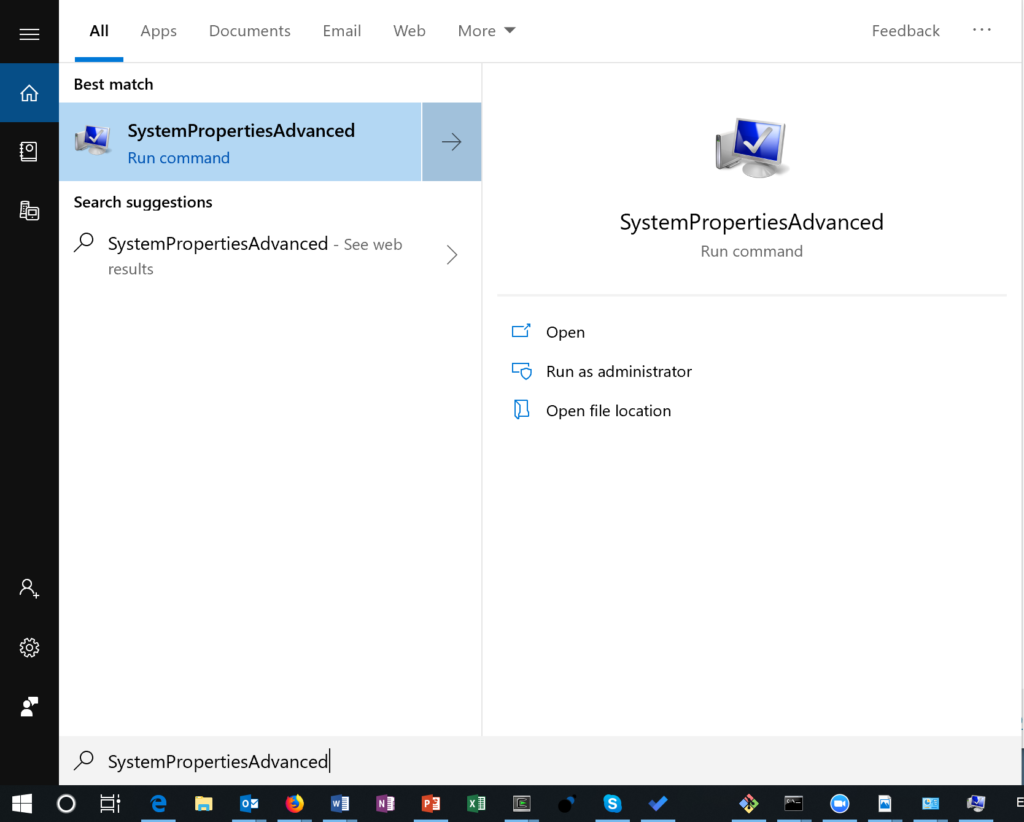
Home Support Guides How to Change the Windows Pagefile Size How to Change the Windows Pagefile Sizes The Windows Pagefile is used for virtual memory operations by the Windows kernel. Windows pagefi…
wispy vortex
wise barn
enable "large page support" in the launcher parameter settings, then increase yo...
In case I have 2 disks?
wise barn
one has nothing to do with the other
you page file (that also serves as virtual memory) is usually located on your system drive
wispy vortex
wise barn
one has nothing to do with the other
Do you know how I can assign a disk as the paging file manager? Currently, I have the disk with the least memory as the paging manager and I would like to put the one with the most memory in charge of the paging.
wise barn
if this is even possible, google knows
fringe salmon
hello people im quite new to arma and i was wondering if someone could help me i keep getting this error saying
you cannot play/edit this mission it is dependent on downloadable content that has been deleted.zen_attributes
i havent deleted anything
 languid plaza
fringe salmon
hello people im quite new to arma and i was wondering if someone could help me i...
languid plaza
fringe salmon
hello people im quite new to arma and i was wondering if someone could help me i...
It's saying you've edited the mission at some point in time while having mods from your library loaded, so they add themselves to the mission and become dependent in order to play it.
Then when you load the mission without the mods you had loaded previously it will give you that error, saying it doesn't recognize that content
fringe salmon
Hey guys
so i have 6 cores CPU
and 8 threads i belive
believe
in parameters
in cpu count
does it means only cpu counts or threads as well
quaint jewel
fringe salmon
does it means only cpu counts or threads as well
Don't touch any start parameters and you'll be good
fringe salmon
my bad @ing everyone
alright
thanks
i try to get into this game
but it doesnt utilize my system and have 40 choppy fps
any settings you guys would recommend for good balance between play able visuals and performance
i have mid range system
golden nova
you have to acknowledge that as long as you have more than 15 FPS, then it is overally acceptable performance for a mission in Arma 3. You are unable to utilize all of performance you can get with your rig, the only thing that are most valuable for better scores are: at least 16 gigs of 3000MHz RAM and a good single-core CPU performance, anything else can be taken from a 15 year old computer
i have R5 2600X along with 16 gigs of RAM and a 1660S - I have all my settings on ultra, I only lowered antialiasing and used 114% supersampling instead and my average FPS are 35-40, tho lower the settings are, the more work your CPU will have to do in most cases
fringe salmon
well lmao i have laptop
ram is only 8x2 2666mz
gpu is rtx 2060
cpu is i7950H
i7 9750H*
well yeah but my game is kinda choppy
is that normal
in campain
okay i disabled all aa and 120% res
it runs smooth 60 fps
golden nova
good for you, however the final FPS count will vary depending on how the mission was made, how many objects and AIs are there within your viewdistance and some other things
fringe salmon
yeah
just wanted to know if it was common
caz my game fps was on honeymoon
and i thought maybe i messed something up
 tall tartan
everytime i start ARMA 3 Tools it just closes
the tool opens then i click on terrain builder and it closes
D:
 fading shadow
hi all,
I'm wearing the DLC Sniper Ghillie and i'm getting this bug at a super long distance.
https://cdn.discordapp.com/attachments/674256805970313257/877605636500750356/unknown.png <--- it's bright green at a certain view distance.
 fading shadow
it's all of them, believe it or not; anything from the sniper DLC at a specific view distance gets culled to a bright green

 fading shadow
this is just base game on sugar lake, but i am wondering if it's my memory; i may be on some low ram use so might be just that :3
weird, in any case thanks for testing it out 😄
uncut trellis
 wise barn
don't run TFAR when making screenshots in the editor
quaint jewel
use TFAR 1.0 as that doesn't throw errors ^^
 primal portal
I have the oddest issue. Barely tapping Q on the keyboard causes my planes throttle for example to raise 10-12% or raise my zeus camera a large margin. If I press z, it lowers throttle by 1-2% and lowers camera a little bit like normal. Any ideas?
 zealous haven
how to re install arma with no mods
uncut trellis
unsubscribe from mod in workshop, uninstall arma, make sure the installation folder is empty and no self installed mod files are present. install arma 3 again
zealous haven
uncut trellis
unsubscribe from mod in workshop, uninstall arma, make sure the installation fol...
exactly what i was avoiding 🤦♂️
pine kite
If you don't want a clean install, why are you trying to reinstall with no mods.
wintry topaz
a friend is getting this error when joining a co-op game im hosting

anyone know what it means?
we have the same add-ons
golden nova
apparently you don't. I guess the notofication is self-explanatory, he loaded up ace compat for RHSGREF while it's not needed
 reef mason
Hey so recently my arma 3 told me that all my settings got corrupted which was fine but now it won't register that I downloaded work shop items and is in a perpetual loop of downloading any fixes?
Like this'll be my third time installing these addons please if yall know anything help
grim tinsel
reef mason
Hey so recently my arma 3 told me that all my settings got corrupted which was f...
try this

If you or your computer screwed up, and steam is now re-downloading the plethora of mods you had installed, then this discussion is for you! NOTE IF YOU HAVE COMPLETELY DELETED THE MODS FROM THE COMPUTER THIS WILL NOT HELP YOU Backup the file(s) we work with before editing, you have been warned A little more detail on the problem we'll be deal...
 jaunty crane
my arma 2 ao is not working and says this.

If anyone can help, that would be awsome
i'm trying to get it work
 tall tartan
glad to help


 tall tartan
ah
wise barn
@jaunty crane
uninstall OneDrive
jaunty crane
how?
jaunty crane
tall tartan
https://www.google.com/url?sa=t&rct=j&q=&esrc=s&source=web&cd=&cad=rja&uact=8&ve...
you mean this?
@wise barn
wise barn
no. OneDrive by microsoft
jaunty crane
this guy?
 wise barn
you have it installed with windows
yes
if you don't need it, yeet it
then verify the game installation
jaunty crane
@wise barn #general_voice
wise barn
nope
jaunty crane
damm
wise barn
not doing VC
wise barn
because it is messing with your game installations. it's also useless AF and clutters the drive space with random BS.
if you need cloud storage, use google drive
wise barn
you didn't get the point...
would you install software on your computer that a) uses up space (some) and b) you will never ever actually open once and have a use for?
oh, and c) that messes with your system
anyway:
OneDrive is responsible for your game issues. if you wanna play, yeet it
jaunty crane
how
wise barn
idk, google will have an answer

 wise barn
i guess clicking the not-to-oversee "uninstall" might do the trick
jaunty crane
yea
jaunty crane
jaunty crane
this is the result
wise barn

Learn how to turn off or uninstall OneDrive.
jaunty crane
mine looks like this

apparently its so posed to look like this

yea
i cant think right now because my brain is mostly stupid and i dont know technology.
wise barn
follow the steps under "Uninstall OneDrive" from the link i posted
jaunty crane
i cant because i dont have one drive on right now
wise barn
i can't help you any further. reboot you PC and retry uninstalling it.
if not possible, do some google search
tall tartan
jaunty crane
mine looks like this
64!?
quaint jewel
17.7°C
 barren crescent
Hey so I'm having a slight issue with Arma 3 tools, the launcher will come up and whenever I click on any option the launcher will close and nothing will happen? I went to the forums for a fix, however any "fixes" they had did not work
tall tartan
barren crescent
Hey so I'm having a slight issue with Arma 3 tools, the launcher will come up an...
sames happening to me
if you find a fix please DM me or Ping me
 humble frigate
I'm having trouble restarting an antistasi plus server, tried deleting the mission file but my progress still saves whenever i restart the server, can someone help?
 earnest crest
Every time I try to start the Mission Lost Horizon of the Altis Requiem Campaign it launches No Reprieve of Beyond Hope instead any Idea how I could fix this?
Update. Every Campaign Mission I try to start just starts Beyond Hope instead.
 tough spear
anyone know what warfx is? every time i play iget an error about it
wise barn
@tough spear
it's a mod
tough spear
yeah but im not subbed to it
and i keep getting an error for it
if you could know where i can get it that would be awesome
wise barn
then probably repacked in another modpack you are using
tough spear
hmmm
wise barn
wait...
tough spear
maybe hopecore?
wise barn
are you getting an error because you have it, or not have it?
tough spear
every time like somthing explodes it gives me a warfx error
wise barn
post an image of the error
tough spear
ok let me get it
tough spear
Cant get it to happen
wise barn
then forget about it
reef mason
Hey every time I go to start arma it alerts me my settings are corrupted and then I have to reinstall all my mods, now idk what is happening whether its the mods or what but anyone know why this is happening?
pine kite
humble frigate
I'm having trouble restarting an antistasi plus server, tried deleting the missi...
Persistant save is stored in the profilename.vars.arma3profile file. However that might contain other mission progress too. So better not delete that. In the parameters of the mission (button up top in the role selection screen) should allow you to set "load last save" to no/false. That would have you start with a clean slate and then you only need to do a persistant save at the inworld map/flipover obejct at HQ to overwrite your previous progress.
 spiral bone
ive been getting this shadow glitches lately,anyone knows how to fix it?
 steady hawk
I don't see it. Describe preciesly
spiral bone
steady hawk
I don't see it. Describe preciesly
 golden nova
it's not a shadow glitch, it's how LOD works
 finite lodge
so while in Arma I can’t hear anything from any other application how do I fix this
 quartz flint
Any recommended settings tweaking for 2560x1440 resolution?
wise barn
Depends on your GPU. Autodetection settings are a good starting point
fringe salmon
Ayo i need help
This mods, they have been installed previosuly, but now arma is kinda re-downloadaing all of them,
in steam its showing Validating.....
so, is arma re-downloading like all the mods? or its just cheking them?
steady hawk
Steam does a hiccup. Try something like:
https://steamcommunity.com/app/107410/discussions/1/135510194254064583/
If you or your computer screwed up, and steam is now re-downloading the plethora of mods you had installed, then this discussion is for you! NOTE IF YOU HAVE COMPLETELY DELETED THE MODS FROM THE COMPUTER THIS WILL NOT HELP YOU Backup the file(s) we work with before editing, you have been warned A little more detail on the problem we'll be deal...
 mellow lantern
Hi, i have a problem and i'm so sad. I spend 3 months making aMP mission to play with my friends and now we were ready to play it. unfortunately we had connection issues. my friends couldnt find my host game. but we can join any on the internet servers. I'm so dissapointed.
mellow lantern
i did port forwarding
but my friends cant see my game. it only load now official servers, none of the internet servers appear now
grim tinsel
 gleaming comet
Yo is Arma 3 still worth playing?
gleaming comet
Yo is Arma 3 still worth playing?
Yes

there's still lots of content and people playing
tough spear
anyone know how to fix this error i get it every time i launch
 quaint jewel
Stop using that warfxpe mod
Or alternatively if you are not using it, start using that mod
quaint jewel
how did you look on armaholic? that site doesn't exist
tough spear
wdym
quaint jewel
 tough spear
also when i search warfx pe i get a link to blastcore edited
quaint jewel
Funnily enough, the first google result already shows the error you have
yes. blastcore edited is warfxpe
tough spear
alr ill try it
quaint jewel
Ah
The 'eyeflare_ca.paa' error comes from another mod that depends on this one, namely "Hopecore".
The problem is, Hopecore, just like the original A3-Blastcore, has this code:
[code]class CfgCoreData {
eyeFlare = "WARFXPE\ParticleEffects\Flare\Flares\eyeflare_ca.paa";
};[/code]BUT, the newer, edited Blastcore (ie. this one) DOES NOT have this texture (or this code) anylonger.
So:
a) why was this textre and code removed? (in my minimal understanding, the code was never used in the original, so the author of this mod decided to scrap it? Correct?)
b) Hopecore needs to be updated to delete this (unused?) code
In comments
quaint jewel
NO
tough spear
ok
quaint jewel
according to the comment you want to remove it
quaint jewel
according to the comment, no
tough spear
rip
 bronze river
is this ground in Neri meant to look like this?
seems dangerous

it is a hill but why put a dirt road texture over it?
pearl sorrel
That doesnt look like a dirt road texture, dirt yes. but not road.
Look to the left, thats a dirt road texture. You can see both in game and on the map that it ends next to the building
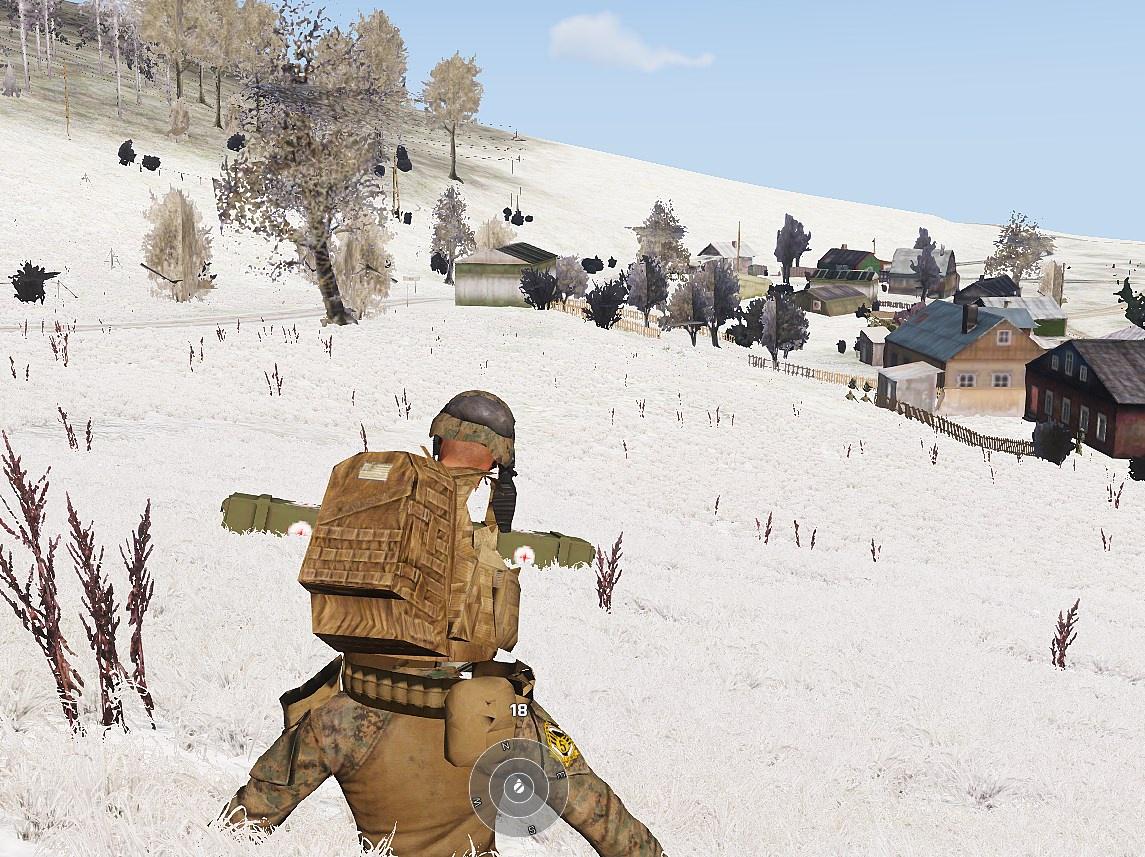 quaint jewel
not enough ram?
 ionic gull
I got 16gb
quaint jewel
running 64bit arma?
ionic gull
I was running 32 but just changed it to 64. Ima see if this fixes it
Is there anything else you suggest aswell i need to do
or is it just 64bit
quaint jewel
You also get about 3fps when that happens?
ionic gull
yes
quaint jewel
thats out of memory emergency mode. 64bit should fix
ionic gull
okay thanks!
 wet nimbus
Just set up a fresh server and when I open Zeus menu on units it seems to open it twice. It doesn't seem to be causing problems but it is kind of annoying. Should I be concerned?
night igloo
im getting kicked on a server for wrong signature

it's an Art of War file, re installed the game and having the same problem, tried to delete the file and verify integrity but haven't worked
public servers are good but i can't join my clan's server, i've read it might be a server problem but im the only one getting kicked
magic flower
how do you delete user made scenarios in the singlpeplayer menu ?
 cedar crown
Unsubscribe from Workshop.
fringe salmon
Greetings.
How I can fix this?
My game looks like this all the time


 blissful bramble
Turn off ATOC, or roll back your GPU drivers. Invisible foliage problem was caused by a recent AMD driver update
fringe salmon
blissful bramble
Turn off ATOC, or roll back your GPU drivers. Invisible foliage problem was caus...
What is ATOC?
I'm new to the game.
I will try with drivers first.
I am already on the old driver
fringe salmon
blissful bramble
Under the AA & PP tab in graphics settings
Thanks, that has fixed it.
 scarlet stirrup
good day i cant seem to walk or run with the "wasd' keys im on a laptop i had the same thing happen before an cant remember how i fix it.

 clever vector
Hello.
I've been trying to play with my friend for awhile.
But it just doesn't work.
Like he can't find the server I made.
And when he tries to make the server it says "Port forwarding failed" while on mine it doesn't say that.
wise barn
@copper raft
you can not remove it from the editor view. is SP and MP you remove it by making sure you have showScriptErrors deactivated in the parameter section of you launcher
 copper raft
doesnt show that anywhere


 steady ether
I was playing arma 3 for a while and it was working, but recently it just doesn't launch. It goes through the launch, loading addons, etc, then the launcher just disappears
I can go to the mods section in the launcher and it says the game is going, and I can close the game from there
Arma 3 is in my task manager but is using 0% resources
 wintry topaz
My FPS seems weirdly low for the CPU i have, anyone know why this may be?
or is this just because arma 3 is a poorly optimized game?
wise barn
wintry topaz
wise barn
<#107058606205067264>
thanks
 trail verge
Getting an error on my dedicated server that's immediately crashing it.
13:55:57 ErrorMessage: Include file z\ace\addons\main\script_mod.hpp not found.
The only article I've been able to find in response to fixing it simply confuses me further: https://github.com/acemod/ACE3/issues/5051
I'm in desperate need of help as this is my first dedicated server and I literally have no idea what I'm doing. I'm not home at the moment so I can't post a full image of my log viewer but if you have any ideas or experience just DM me and I'll give you all the information you need when I'm back at my PC.

GitHub
Arma 3 Version: 1.68.141112 (stable) CBA Version: 3.21 (stable) ACE3 Version: 3.9.1 (stable) Mods: CBA_A3 ace none other Description: Trying to set up a 64 bit dedicated server, using this command ...
I use ace version 3.13.4 if that helps.
steady ether
Any idea how to fix this problem?
 wise barn
update your drivers
steady ether
ah i'm stupid
steady ether
wise barn
update your drivers
Actually that didn't do anything, there was an update but I have the exact same error
 burnt sky
Whenever I go to join my friend on a private AntiStasi server I keep getting a pop up error saying Could not load because the mod is not loaded VSM_shegah_config error
wise barn
this is because you did not load that mod
burnt sky
I did though, I'm not that dumb smh