#arma3_troubleshooting
1 messages · Page 57 of 1
 quartz berry
 barren garnet
if (hasInterface) then {
  this addAction ["Open AAF Vehicle Garage", {
    params ["_terminal","","",""];

    // Build the whitelist once on the server
    if (isServer && isNil "AAF_veh_whitelist") then {
      AAF_veh_whitelist =
        ("getNumber (_x >> 'scope') == 2 && {getText (_x >> 'faction') == 'IND_F'} && { (configName _x isKindOf 'LandVehicle')  (configName _x isKindOf 'Air')  (configName _x isKindOf 'Ship') }")
        configClasses (configFile >> "CfgVehicles")
        apply {configName _x};
    };

    // Attach the whitelist to this terminal
    if (isServer) then {
      [_terminal, [], true] call BIS_fnc_removeVirtualVehicleCargo;
      [_terminal, AAF_veh_whitelist, false] call BIS_fnc_addVirtualVehicleCargo;
    };

    // Marker-based spawn point (make sure a marker named "veh_spawn" exists)
    if (isNil "BIS_fnc_garage_center") then {
      BIS_fnc_garage_center = createVehicle [
        "Land_HelipadEmpty_F",
        getMarkerPos "veh_spawn",
        [],
        0,
        "CAN_COLLIDE"
      ];
    };

    // Open the Garage using this terminal as the source (reads the whitelist)
    ["Open", [_terminal]] call BIS_fnc_garage;
  }];
};
there we go
quartz berry
barren garnet
there we go
Where in the code is the error?
 pine kite
Usually it shows a line number, is it not?
barren garnet
quartz berry
Where in the code is the error?
it just shows me this no line number
 quartz berry
barren garnet
it just shows me this no line number
quartz berry
barren garnet
it just shows me this no line number
Oh, you need to remove comments. Comments like that don't work in init boxes.
barren garnet
quartz berry
Oh, you need to remove comments. Comments like that don't work in init boxes.
ahhhhhh i see
pine kite
It does show a specific part of the code as to the location.
barren garnet
It no longer throws out an error but didnt do what i want it to do 😭
quartz berry
barren garnet
It no longer throws out an error but didnt do what i want it to do 😭
Because you had ChatGPT script it!
What's even going on with BIS_fnc_garage_center = createVehicle [?
barren garnet
quartz berry
Because you had ChatGPT script it!
What's even going on with `BIS_fnc_garage_cen...
its worked fine up until now  and no idea. Think that automatically spawns it whether you press okay or cancel which i should probably remove
quartz berry
barren garnet
its worked fine up until now <:KEKW:1106645660360523886> and no idea. Think tha...
Literally none of the script makes any sense at all.
Like it's calling functions that don't exist.
barren garnet
quartz berry
Literally none of the script makes any sense at all.
Like it's calling functions...
i did lobotomise it from my original script which was this
if (hasInterface) then {
  this addAction [
    "Open Vehicle Garage",
    {
      if (isNil "BIS_fnc_garage_center") then {
        BIS_fnc_garage_center = createVehicle [
          "Land_HelipadEmpty_F",
          getMarkerPos "veh_spawn",
          [],
          0,
          "CAN_COLLIDE"
        ];
      };
      ["Open", true] call BIS_fnc_garage;
    }
  ];
};
but im attampting to limit the garage to only AAF vehicles
quartz berry
barren garnet
```sqf
if (hasInterface) then {
this addAction [
"Open Vehicle Garage",
...
The script is fine apart from the fact that
      if (isNil "BIS_fnc_garage_center") then {
        BIS_fnc_garage_center = createVehicle [
          "Land_HelipadEmpty_F",
          getMarkerPos "veh_spawn",
          [],
          0,
          "CAN_COLLIDE"
        ];
      };
DOES NOTHING!!
barren garnet
quartz berry
The script is fine apart from the fact that
```sqf
if (isNil "BIS_fnc_gara...
Well its not fine coz the script doesnt work. All factions vehicles are still available in the garage
quartz berry
barren garnet
Well its not fine coz the script doesnt work. All factions vehicles are still av...
Can you even limit it (ignoring what ChatGPT says)?
barren garnet
quartz berry
Can you even limit it (ignoring what ChatGPT says)?
Im not sure i assume so. If not then i might try and pull whatever script theyre using in raction forces that spawns vehicles and try and use that
although i have a feeling that method will be a brain melter
quartz berry
barren garnet
Im not sure i assume so. If not then i might try and pull whatever script theyre...
How about you use Warlord's method?
Also send me that config.
barren garnet
quartz berry
How about you use Warlord's method?
Also send me that config.
I could do. Im not sure how to add warlords vehicle whop without the warlords init tho. This is a different mission to the warlords mission im working on. But ill send over the AAF warlords mod config i was working on. Ive not properly gone over it yet tho
quartz berry
barren garnet
I could do. Im not sure how to add warlords vehicle whop without the warlords in...
Oh
barren garnet
quartz berry
barren garnet
It doesn't look obviously bad, so it might work.
barren garnet
quartz berry
It doesn't look obviously bad, so it might work.
yeye just a couple units/vehicles i need to add namely units from the RF, WS and EF CDLC's
 opal ridge
hi im hvaeing trouble with my mic in arma my mic works for discord and evarything but nit arma

 ripe linden
I’ve fixed the first one now I got another one
ripe linden
ripe linden
I’ve fixed the first one now I got another one
!steamverify
 rustic eagleBOT
Steam file verification process:
Right Click on game -> Properties -> Installed Files -> Verify Integrity of game files
Arma 3
Steam Workshop Mod repair process:
Open Launcher -> Right Click on mod -> Repair
The first process will automatically verify Steam Workshop items as well.
barren garnet
quartz berry
It doesn't look obviously bad, so it might work.
She works alright. Only 1 non critical error i need to fix which is that in the second screenshot

 quartz berry
barren garnet
She works alright. Only 1 non critical error i need to fix which is that in the...
quartz berry
barren garnet
She works alright. Only 1 non critical error i need to fix which is that in the...
There is no such thing as a non-critical error. Any error means something needs to be fixed.
barren garnet
quartz berry
There is no such thing as a non-critical error. Any error means something needs ...
I believe its for the logo of the faction. An incorrect file path. Ive tested it everything spawns and runs fine its just that error popup thats the issue. I just need to find the correct file path for original AAF logo I think
barren garnet
I dont understand the file path is correct?


I found a work around i just set it to a blank image
 umbral narwhal
barren garnet
I dont understand the file path is correct?
umbral narwhal
barren garnet
I dont understand the file path is correct?
First screenshot has an F in there. Second one doesn't.
barren garnet
umbral narwhal
First screenshot has an F in there. Second one doesn't.
ohhhhh yeah
https://steamcommunity.com/sharedfiles/filedetails/?id=3569613213 Well lads. it is done

 quaint jewel
ripe linden
I’ve fixed the first one now I got another one
quaint jewel
ripe linden
I’ve fixed the first one now I got another one
There is another error message before that one, that says what's wrong
ripe linden
quaint jewel
There is another error message before that one, that says what's wrong
I’ve already fixed it ty tho
pine kite
opal ridge
hi im hvaeing trouble with my mic in arma my mic works for discord and evarythin...
Make your desired microphone the default Windows Input device in Settings/System/Audio before starting the game/launcher. You can set the output device ingame. But not for input afaik.
 gilded bear
Hi, been replaying Arma 3 lately and was doing the tutorials/showcases when i noticed a weird frametime behaviour, this happens with unlocked and locked framerate.
Every 60 seconds, a frametime spike happens, it happens no matter the mission or map, even in the VA map and empty editor maps.
Playing with no DLCs, no mods, no launcher CMDs or options, everything is stock, this also happens regardless of what graphical settings are used, i've tried lowest of the lowest, same behaviour.
This issue is specific to Arma 3, i have no such issues with any other game.
I haven't found anything at all regarding this issue, any insight would be appreciated.
I also attempted to use the frame capture feature from the profiling branch but i'm not sure i did it properly.
Specs :
7800X3D
64gb RAM - 2x32Gb 6000CL30
Samsung 990 Pro
RTX 2080 Ti - Driver 580.88
Frametime graph, locked 60 fps via RTSS in this example :
 quaint jewel
That profiling capture shows a frame time of 16.64
That sounds right for a 60fps limit
gilded bear
Yeah that's expected, i was trying it to see if i could capture what's causing the frametime spike, my overall framerate is just fine, just the cyclic stutter that's the issue
 uncut trellis
disk read maybe
 bronze river
oh right SSD or HDD?
pine kite
Samsun 990 Pro is an M.2 formfactor SSD.
gilded bear
I checked the disk status everything is fine on that end.
Someone on reddit mentionned a sync that steam would do on a regular interval but i have no other lead right now.
uncut trellis
gilded bear
Someone on reddit mentionned a sync that steam would do on a regular interval bu...
do you have lot of compositions subscribed?
that used to have an issue I recall
dont remember if it was resolved
got any cloud sync going on maybe?
gilded bear
uncut trellis
do you have lot of compositions subscribed?
I think i have around 5-6 compos yeah, i'll try deleting them and see if that changes anything.
And nope, 0 sync whatsoever
Didn't fix it sadly
 quaint jewel
gilded bear
Yeah that's expected, i was trying it to see if i could capture what's causing t...
quaint jewel
gilded bear
Yeah that's expected, i was trying it to see if i could capture what's causing t...
You can but you need to use slow frame and adjust the frametime
gilded bear
Sure i can try that, i have 0 experience with the capture CMDs, any specific ones i should use?
 glossy zephyr
multiplayer, what could be an issue here?
suddenly the bullets stop landing where they should, on backtracking attempt for ballistic elevation sprites on bullet hits are missing too, range is absolutely within specs for dmr type ni/cup barrel
quaint jewel
gilded bear
Sure i can try that, i have 0 experience with the capture CMDs, any specific one...
Diag_captureslowframe
quaint jewel
glossy zephyr
multiplayer, what could be an issue here?
suddenly the bullets stop landing wher...
How do you determine where they should?
gilded bear
quaint jewel
Diag_captureslowframe
Thanks, i'll try that when i have time
glossy zephyr
quaint jewel
How do you determine where they should?
i approximate it to be somewhere inside field of view at least, also by well blaying it?
gilded bear
Captured this, not sure if it's helpful
I don't know how to read frame analyses and even less so Arma's engine stuff, would this be related ?

Takes a real long time compared to everything else in the frame
umbral narwhal
Yeah that's the hitch, but only BI can tell you exactly what's happening there.
gilded bear
Alrighty, well i'm not sure if a dev will see this
It does say steam but i'm not sure it's steam related, could be but i have no clue
umbral narwhal
Dedmen will see it.
Kinda surprised you noticed a 1-frame hitch in Arma tbh :P
It's probably doing that to everyone.
gilded bear
It's easy to notice frametime spikes with locked framerate, but this was exacerbated with unlocked fps as well, it's how i noticed it first, i wish i wasn't so sensitive to this shit lol
I know some people don't notice it at all, i wish i was in that camp 🤣
uploading this in case it can help, game doesn't let me screenshot in fullscreen so it's blurry due to the scaling i guess

 spice spear
Hi, After purchasing a CDLC, is it possible to somehow simulate that I don't own it so that I can test what players have available in the game with only the data compatibility mod?
bronze river
spice spear
Hi, After purchasing a CDLC, is it possible to somehow simulate that I don't own...
untick the CLDC in the CDLC tab in launcher, and load the compat in mods tab
spice spear
Yes I did that but the game gave me powers as if I owned the content (can ride cars etc)
 golden nova
spice spear
Yes I did that but the game gave me powers as if I owned the content (can ride c...
golden nova
spice spear
Yes I did that but the game gave me powers as if I owned the content (can ride c...
Steam Library -> Arma 3 -> Properties -> DLC -> uncheck so it uninstalls it. Now it should work like you don't own it.
spice spear
Thaks. i will try after work
 patent kettle
golden nova
Steam Library -> Arma 3 -> Properties -> DLC -> uncheck so it uninstalls it. Now...
patent kettle
golden nova
Steam Library -> Arma 3 -> Properties -> DLC -> uncheck so it uninstalls it. Now...
it does not work like that
this will only remove the files.
The license is tied to your account and can't be disabled unless it's an developer account. Compat Data is equal to the "Normal" DLC data.
quaint jewel
gilded bear
I don't know how to read frame analyses and even less so Arma's engine stuff, wo...
I could maybe multithread that, but I think that'd be hard.
I don't consider that worth the time investment, the hitch (0.7ms) really is tiny
barren garnet
Trying to sort out a script that despawns a helicopter and its crew when it reaches its waypoint but for me only the crew is despawning?
gilded bear
It's not actually a 0.7 ms spike sadly, it's closer to 14ms from what i've retested when unlocked


 gentle flicker
does anyone know how to fix "Receiving mission file (0 KB/ 0KB)"?
gilded bear
quaint jewel
gilded bear
It's not actually a 0.7 ms spike sadly, it's closer to 14ms from what i've retes...
Oh I see the total frametime is 19ms. But the steam part is only 0.7 so it must be smth else then.
I'll take another look
Oh duh i read it the wrong way around, steam does take 16ms.
I think thats the thing I already tried to multithread and it didn't work
Because steam will still force it to be sequential
gilded bear
I see, but what is it though i'm curious ? It's like a sync with steam stats or something related?
quaint jewel
#arma3_troubleshooting message
It seems something that suddenly got worse with a steam update
its sync of the steam stats yeah
gilded bear
Damn, then yeah it def shouldn't be taking that long lol
quaint jewel
Steam tells us "the stats have changed, you deal with figuring out which one specifically"
So we go through all stats and pull the current value
for some reason, steam takes very long replying
quaint jewel
no
gilded bear
Alright, well i hope it can be fixed, seems like it's been a thing for a while
 misty widget
 tall cobalt
Anyone know how to fix https://i.gyazo.com/6ed7c512f04285c8370367f66c800101.png when trying to open buldozer in Object builder
 uncut trellis
tall cobalt
Anyone know how to fix https://i.gyazo.com/6ed7c512f04285c8370367f66c800101.png ...
uncut trellis
tall cobalt
Anyone know how to fix https://i.gyazo.com/6ed7c512f04285c8370367f66c800101.png ...
needs working setup for P drive
tall cobalt
ahh, well time to backup my files then
tall cobalt
Will do
 molten mason
a while back i heard about a option to make rpt more verbose, how do i do that? is it profiling branch only?
umbral narwhal
It's just -debug command line option. Works on stable.
The main thing you get is call stacks on SQF errors.
molten mason
umbral narwhal
The main thing you get is call stacks on SQF errors.
k, ty
also i have a minidump for the crash i'm dealing with, how can i read it?
umbral narwhal
You can't. You need to send it to Dedmen.
molten mason
umbral narwhal
You can't. You need to send it to Dedmen.
Unfortunate, ty anyways
 abstract bison
When I complete a scenario I've downloaded from the workshop, the lil tickbox doesnt fill like if its a bohemia made scenario...am i doing something or has this just been bugged for years?
pine kite
abstract bison
When I complete a scenario I've downloaded from the workshop, the lil tickbox do...
You are not doing anything wrong I think. None of the scenarios from the steam workshop are checked on my side.
abstract bison
pine kite
You are not doing anything wrong I think. None of the scenarios from the steam w...
They always used to but for some reason they don’t anymore
 hasty cove
How do I fix this?
I reinstalled everything
made sure Windows NT is updated
So I dont know what it could be
Arma itself works
ive run it through the EXE
But the launcher doesnt even open
it just creates this file
umbral narwhal
Looks like a corrupted UI description file but I don't know how that survives a reinstall.
 celest pulsar
im getting this when i try to open arma 3 ive uninstalled and reinstalled as well as verifying game files

 patent vapor
My main menu worlds have a very low draw render distance (200m), what can I do to increase it?
 golden nova
make your own main menu background. Base ones are made like this so it doesn't take too much time to load or cause any lags.
Although usually the angles are towards the ground so you can't see what the view distance set is.
 small frigate
Yo i Made my settings on 1 PC and copied the config folder from documents and Put IT on another PC, IT doesnt Work help (arma3)
quartz berry
small frigate
Yo i Made my settings on 1 PC and copied the config folder from documents and Pu...
Make sure the .Arma3Profile file and related files are named what they were originally on the new PC.
small frigate
quartz berry
Make sure the `.Arma3Profile` file and related files are named what they were or...
pcs have same name and after i put the new file in it just uses default settings
quartz berry
small frigate
pcs have same name and after i put the new file in it just uses default settings
Were you using a profile other than the default?
pine kite
small frigate
pcs have same name and after i put the new file in it just uses default settings
please show a screenshot of the C:\Users folder of both computers. And name the profile that you actually want moved.
It either is a name-discrepancy between both user accounts. Or the profile in question has some kind of corruption in it, due to inappropriate shutdown of Arma 3 before it could be saved properly.
small frigate
quartz berry
Were you using a profile other than the default?
i just made my custom keybinds and perfected it for flying, copied the folder in documents into google drive, deleted old folder insrted folder from other computer but i booted arma up and default settings.
small frigate
pine kite
It either is a name-discrepancy between both user accounts. Or the profile in qu...
when pulling the profile out of gdrive it comes out as zip
pine kite
Well, it should not be on google drive unless you place it there manually. And when you download it from there via the web-portal of it, it should tell if it is a zip file. You will have to extract that, Arma 3 won't know what to do with it.
Also, just like Microsoft Onedrive, if you have Google drive upload Arma 3 profile files to the cloud on the fly, then it may end up being corrupted there if Arma 3 didn't save it while the game is running. Don't count on it as a synchronising method.
I have not heard of people having issues with Google drive. But Onedrive is notorious for messing up Arma 3 profiles. Enough for there to be a pinned message in here about how to disable it for Arma 3. Or advise to uninstall Onedrive altogether if you don't need it for other reasons.
small frigate
pine kite
Well, it should not be on google drive unless you place it there manually. And w...
copied arma 3 folder to desktop, copied that to gdrive, got home opened gdrive downloaded the zip and extracted to my desktop
pine kite
It should not be put on your desktop. The profiles should be in your Documents/Arma 3 folder.
small frigate
pine kite
It should not be put on your desktop. The profiles should be in your Documents/A...
of course, i did that
quartz berry
small frigate
Yo i Made my settings on 1 PC and copied the config folder from documents and Pu...
Try making a new profile on the new computer and copying the text of the profile file over.
small frigate
quartz berry
Try making a new profile on the new computer and copying the *text* of the profi...
what
quartz berry
small frigate
what
Do you know how to make new Arma 3 profiles?
small frigate
quartz berry
Do you know how to make new Arma 3 profiles?
delete the folder and it makes a new one? or r u talking about in game
quartz berry
small frigate
delete the folder and it makes a new one? or r u talking about in game
In-game
small frigate
will it transfer keybinds?
quartz berry
small frigate
will it transfer keybinds?
No
small frigate
the only thing i want is the keybinds transfered i worked on them to make em good
i tried replacing profile, vex profile or something and the arma3 config only still not working
quartz berry
small frigate
the only thing i want is the keybinds transfered i worked on them to make em goo...
I'm telling you what to try #arma3_troubleshooting message. First, make a new profile A3 on the new computer.
 mental narwhal
But how can you shoot trouble if you can't see it
 sacred lily
Lol
 sage basalt
Maybe because you are having trouble shooting? 😛
sacred lily
Lmao
 fringe salmon
Do you even Arma?
fringe salmon
I get it haha
sacred lily
Lol
 faint dawn
Head -> Table
sacred lily
^^^
sage basalt
Face Palm
 sage zenith
Need help
here
So I have this issue
bad_module
I fixed it but my arma is still crashing
sage zenith
 pine kite
sage zenith
pine kite
sage zenith
You can look at the first yellow/orange link on that message for common reasons for the crash. But it can be many reasons outside of Arma 3.
sage zenith
pine kite
You can look at the first yellow/orange link on that message for common reasons ...
I tried everything really
pine kite
Here is the link again if you lost that screen: https://community.bistudio.com/wiki/Arma_3:_Unusual_process_exit
If you can't narrow it down. Then don't use any mods if you did before, disable them in the mods tab and try to reproduce the crash. Or report the crash via that button to the bohemia feedback tracker site. They won't be able to respond to you on that until monday/workdays though.
sage zenith
pine kite
If you can't narrow it down. Then don't use any mods if you did before, disable ...
thanks
pine kite
Personally I see you have a fair bit of programs/browsers active in the taskbar. Those usually eat a lot of RAM. Maybe shut those down when you are playing.
hasty cove
umbral narwhal
Looks like a corrupted UI description file but I don't know how that survives a ...
it happened 3 times
sage zenith
pine kite
Personally I see you have a fair bit of programs/browsers active in the taskbar....
could it be a ram issue?
pine kite
It could. A bad ram location can cause this. Worth a try with some memory test program on self bootingh USB.
fringe salmon
Have to restart my computer now to launch arma again. This happened after a crash...
sage basalt
You can go to more details and click the 'end process' button by right-clicking the process in Task Manager.
 flat falcon
Thats exactly what he does in the gif
Note the bottom says "fewer details" with an up arrow
sage basalt
Yes, but there should be an 'end process' button if you go into details.
flat falcon
My bad! Thanks for that trick
sage basalt
No problem. 😉
 shy gale
taskkill /im arma3.exe/arma3battleeye.exe /f
 vocal tapir

anyone has this problem? or any solutions I can take on? 😭
I try mostly everything (verifying games and run it as administator still doesn't work)
pine kite
Is your D-drive a removable device?
 hearty brook
vocal tapir
anyone has this problem? or any solutions I can take on? 😭
hearty brook
vocal tapir
anyone has this problem? or any solutions I can take on? 😭
On our project, two players have had the same problem since yesterday
The error happens when starting the game from the launcher
vocal tapir
hearty brook
The error happens when starting the game from the launcher
It's not only me then 🙏
vocal tapir
pine kite
Is your D-drive a removable device?
can you walk me through on what you meant?
pine kite
Is it a USB stick or attachable by USB cable?
vocal tapir
pine kite
Is it a USB stick or attachable by USB cable?
uh I have no idea about that to be honest how do I check I'm not techical wise
pine kite
It could be your antivirus is checking files on it before Arma 3 tries to access files on it. Or some cloudsynchronising application is in the process of synching it to the cloud.
vocal tapir
all I could honestly tell is my pc specs 😭
pine kite
It is simple, do you stick a USB drive into the pc case or a cable for it before that D-drive shows up in Windows Explorer.
vocal tapir
pine kite
It could be your antivirus is checking files on it before Arma 3 tries to access...
the thing is I don't have antivirus on (only firewall) also another problem arises which is that I couldn't access to my window antivirus at all
pine kite
Then Arma 3 isn't your problem. You seem to have bigger issues if you can't get access to your system. You are better off asking local professional help like a computer support shop. It is hard to instruct you to investigate this if you have no clue about this level of tech.
vocal tapir
pine kite
Then Arma 3 isn't your problem. You seem to have bigger issues if you can't get ...
Ngl, this has never happened before. It has happened this time just right after I installed it back
 fierce swan
Tried to verify my files didnt help

 worn jungle
fierce swan
Tried to verify my files didnt help
worn jungle
fierce swan
Tried to verify my files didnt help
Did you try without mods, just vanilla?
worn jungle
fierce swan
Works without mods
Well then you need to figure out which mod is causing the problems.
Some mods just break everything
sage zenith
fierce swan
Tried to verify my files didnt help
Yo does your arma crash at launch also?
small frigate
quartz berry
I'm telling you what to try https://discord.com/channels/105462288051380224/1418...
wym A3
 steady hawk
Arma 3
fierce swan
sage zenith
Yo does your arma crash at launch also?
Only after i join a server, Works fine in Eden
sage zenith
fierce swan
Only after i join a server, Works fine in Eden
I have issue with that
but
its from launch
 real thorn
So my friend and i play antistasi on a private server (we both Use Radmin) but suddenly i cannot see his Server when Hosted and can also not Direct Connect
uncut trellis
real thorn
So my friend and i play antistasi on a private server (we both Use Radmin) but s...
get his new IP
real thorn
what do you mean he doesnt have a new one you might misunderstood HE hosts a server with Radmin
pine kite
If he gets an IP in the Radmin network then that may have changed. I don't know much about Radmin though. But if it is just the two of you, and you try to direct connect, either he is not there, or he has a different number.
umbral narwhal
If you're connected with radmin or any other virtual LAN service then servers should show up in the "local" tab.
Note that if you use radmin with multiple people then you would need to connect to the correct one.
real thorn
It worked before but now it stopped working that way
his server doesnt show up in the Lan or Local tab
umbral narwhal
Can he connect if you host?
 merry marten
@fringe salmon You know can force close it via command line like Grim has suggested that would be the best method
fringe salmon
Yep. Will do that next time
real thorn
Yes
umbral narwhal
In that case he's probably firewalled.
You know how the first time you run a game, windows asks whether you want to allow incoming traffic for it?
If you say no, that's it. Blocked :P
I think radmin's network type defaults to private rather than public at least, otherwise that could also be an issue.
real thorn
Thanks guys we got it to work 👍
 native fern
2 Issues,
- My AI in gunner just stares at enemy and does not shoot. I keep clicking fire and ceasefire when in tank or kajman and nothing happens.
- My Kajman and Neo just don't pick up on targets from the air. The sector has tons of armor, and yet nothing shows on radar.
quartz berry
native fern
2 Issues,
1. My AI in gunner just stares at enemy and does not shoot. I keep cl...
- AI gunners will only fire on their own if they have a machinegun/autocannon selected. Otherwise you need to use
Control + LMBto tell them to fire.Control + Fwill tell them to change weapons. - Radars do not pick up ground targets unless they're moving like 100 km/h or faster. IR sensors do not pick up ground targets unless their engine is on.
native fern
quartz berry
1. AI gunners will only fire on their own if they have a machinegun/autocannon s...
- AI gunners are sluggish and simply don't fire. They just stare at the enemy!
- Kajaman radar and Neo radar are not picking up targets in active ao with moving vehicles. The whole map is blank when it comes to the radar.
native fern
quartz berry
1. AI gunners will only fire on their own if they have a machinegun/autocannon s...
Look at this, I am telling him to target soldier, and the gunner is not shooting
 quartz berry
native fern
1. AI gunners are sluggish and simply don't fire. They just stare at the enemy! ...
quartz berry
native fern
1. AI gunners are sluggish and simply don't fire. They just stare at the enemy! ...
- Make sure that you didn't tell them to cease fire with
Control + RMB; that they have the machine gun or autocannon selected; and that they are within range and have identified the target as hostile. - Most ground vehicles can/do not move fast enough to be detected by radar.
pine kite
Also, there seems to be a fence between them. Maybe it does not see the rifleman.
native fern
pine kite
Also, there seems to be a fence between them. Maybe it does not see the rifleman...
I am telling you he is looking at them and not doing anything

I ended up dying he did not fire a shot
 quartz berry
native fern
I am telling you he is looking at them and not doing anything
quartz berry
native fern
I am telling you he is looking at them and not doing anything
Walls and windows do weird things to AI. For ground vehicles, just "drive" them from the gunner seat.
native fern
quartz berry
Walls and windows do weird things to AI. For ground vehicles, just "drive" them ...
now I can't enter my vehicle!!!
 pine kite
Probably not looking at it in the right angle. Get out of 3rd person view.

 uncut trellis
native fern
uncut trellis
native fern
its possible you run some mod that locks the vehicles
or its some feature of the mission
native fern
 uncut trellis
in anycase, most likely mod/mission issue
uncut trellis
yes like i said, scripting can lock vehicle so it cant be used.
quartz berry
native fern
I had to leave the game
Warlords has a vehicle locking mechanic.
native fern
I was hoping for troubleshooting help
uncut trellis
native fern
I was hoping for troubleshooting help
unfortunately there isnt much to look into
like that kind of a thing would not really appear anywhere in logs or such
native fern
what about enemy contacts not showing on radar, would that show up on logs?
quartz berry
native fern
what about enemy contacts not showing on radar, would that show up on logs?
That's intended.
native fern
So halfway thru the game, the enemy armor will just not show up on the radar?
quartz berry
native fern
So halfway thru the game, the enemy armor will just not show up on the radar?
Are you sure they weren't being detected by another sensor?
native fern
quartz berry
Are you sure they weren't being detected by another sensor?
On radar armor and vehicle show up as squares, right? Then halfway thru the game, the radar goes blank. I over enemy sector with tanks/armor/vehicles all over the place, and the radar is blank. So I cannot cycle thru them and/or engage.
quartz berry
native fern
On radar armor and vehicle show up as squares, right? Then halfway thru the game...
Just sensor targets in general; not just radar. Also, did your turn off the radar by any chance?
 civic latch
im having issues with my arma
civic latch
civic latch
im having issues with my arma
i changed the display setting s in arma 3 and now i cant get passed the launcher it jus tis a black screen when i open the full game
umbral narwhal
What did you change exactly?
bronze river
probably changed to 2nd monitor somehow, arma 3 doesnt support 2nd monitor
sage zenith
 bronze river
you have arma and roblox playing at the same time, no wonder it crashed
sage zenith
bronze river
you have arma and roblox playing at the same time, no wonder it crashed
Even if I have none at all
hearty brook
sage zenith
What did you expect us to be able to do with this screenshot?
If you get the error "Arma 3 has stopped working" when launching the game, simply do nothing until the game fully launches
quaint jewel
celest pulsar
im getting this when i try to open arma 3 ive uninstalled and reinstalled as wel...
Huh, I didn't know SteamLayer had assertions 😰
quaint jewel
celest pulsar
im getting this when i try to open arma 3 ive uninstalled and reinstalled as wel...
Its a web issue, I'd think thats the official server list.
You can safely press abort and it will stop annoying you
quaint jewel
pine kite
Is it a USB stick or attachable by USB cable?
Its a battleye error sir, not USB stick
quaint jewel
fierce swan
Tried to verify my files didnt help
prepare report and send me
@sage zenith same, I can read that report
 steep depot
I have a problem with zooming in while in a tank, does anybody know how to get around this without a numpad?
sage zenith
quaint jewel
<@755628604322217996> same, I can read that report
wait i can send it
 fair oar
steep depot
I have a problem with zooming in while in a tank, does anybody know how to get a...
fair oar
steep depot
I have a problem with zooming in while in a tank, does anybody know how to get a...
Change the keybind I guess
quartz berry
steep depot
I have a problem with zooming in while in a tank, does anybody know how to get a...
Mouse side buttons(the best and most commonly used) or you'll have to get really creative.
native fern
quartz berry
Just sensor targets in general; not just radar. Also, did your turn off the rada...
900 M away and it does not show up on the radar?
 quartz berry
native fern
900 M away and it does not show up on the radar?
quartz berry
native fern
900 M away and it does not show up on the radar?
Do you know that:
- ...the radar is an air to ground radar?
- ...the radar is not obscured?
- ...the tank is in the radar's speed limits?
- ...the tank is in the radar's vertical angles?
native fern
quartz berry
Do you know that:
- ...the radar is an air to ground radar?
- ...the radar is no...
Yes, I have clear line of sight to it, it's there and then it does not show. it's cutting in and out
quartz berry
native fern
Yes, I have clear line of sight to it, it's there and then it does not show. it'...
Do you know that it's not a visual or IR sensor detecting the tank?
Also, what Arma think is a clear line of sight can be fairly unpredictable when trees and fences are around.
 simple blaze
Currently having some issues having my dedicated server appear in a direct connect, the debug window shows the server starting up with its game port, firewall rules are setup to accept traffic for the application on the ports (even switched to any any rather than specific ports). Anyone got any tips to fix?
umbral narwhal
Connecting from where?
If it's on the local network then it should show up in the local tab.
If it's not then you've missed an entire category of problems to solve.
simple blaze
remotely, server is reachable, even hosting a couple other game servers and those show up, just not arma@umbral narwhal
umbral narwhal
ok so what does "appear in a direct connect" mean?
simple blaze
click direct connect, put the info in, server usually shows up in the server browser
its no longer doing that
umbral narwhal
It does? :P
simple blaze
it certainly hasnt just joined directly off the direct connect before
umbral narwhal
Direct connect just tries to connect.
umbral narwhal
It doesn't try or it doesn't connect?
simple blaze
i click join, it goes right back to the server browser
to show zero servers
specifically from server browser after starting arma, not connecting from the launcher
connecting from the launcher it just hangs, presumably because the server isnt appearing
similar behavior as the video in this reddit post: https://www.reddit.com/r/arma/comments/1d7vm3h/cant_direct_connect_to_a_multiplayer_server/
i made sure to remove all the mods to make sure thats not an issue, but it still isnt appearing
umbral narwhal
If the mods are a problem then it'll throw an error on connecting. Just sitting on the A3 splash screen until timeout is just a lack of response on 2302 or whatever port you used.
simple blaze
yeah tracking that, I removed the mods for now just in case anyway
umbral narwhal
So you'd need to expand on "server is reachable", because it isn't.
umbral narwhal
What sort of server is it?
Reminds me of an issue with some dedicated hosts where they have an additional hardware firewall that you have to configure.
simple blaze
Its a windows server 2019
i didnt have this issue about a month ago, so its odd its appearing now when theres been no configuration changes or IP changes
like i also know its reachable since im RDP'd into it and can see all the other ports
i changed the game port for arma as well, and ensured that the firewall rules would account for that, yet its still not appearing
native fern
quartz berry
Do you know that it's not a visual or IR sensor detecting the tank?
Also, what A...
my ai is still not shooting at enemy right in front
 steep depot
quartz berry
Mouse side buttons(the best and most commonly used) or you'll have to get really...
steep depot
quartz berry
Mouse side buttons(the best and most commonly used) or you'll have to get really...
well are they used for anything else??
and will it effect gameplay not in a tank
umbral narwhal
I feel like you're looking for some magical "Arma is weird, just do this" answer. Arma is pretty weird but the networking is bog-standard UDP, and direct connection tends to work even if you failed to forward the additional ports or have packet fragmentation issues. If the server is running and direct connection isn't working, the UDP traffic on that port has been blocked.
umbral narwhal
native fern
my ai is still not shooting at enemy right in front
Looks like you have them on hold fire? That's the red striped box on the command bar.
native fern
umbral narwhal
Looks like you have them on hold fire? That's the red striped box on the command...
no that's open fire
AI does nothing and I get killed
native fern
umbral narwhal
Looks like you have them on hold fire? That's the red striped box on the command...
This is hold fire

This is open fire
 umbral narwhal
hmm. Stripey box on the right is combat mode?
ah yeah
Is your frame rate as bad as it looks in the video?
Personal-squad AIs will perform much worse if your client has low frame rates. Maybe worse since 2.20. I've not tested it that low.
native fern
Like nothing.
 native fern
umbral narwhal
Personal-squad AIs will perform much worse if your client has low frame rates. M...
native fern
umbral narwhal
Personal-squad AIs will perform much worse if your client has low frame rates. M...
what's 2.2?
 vapid flume
is there a way in arma to prove that X unit causes stutter? Some kind of recording performance ingame, I know there is some monitoring system for admin, is there anything in terms of debug? (monitor command has not enough info). I am trying to troubleshoot stutter when VLS is outside of the map, my only proof is micro stutter every few seconds when VLS is there, and it disappears when VLS is removed, steam overlay fps counter aint enough.
pine kite
simple blaze
i can ping it
Ping uses a different protocol (ICMP) that is unrelated to the portrange Arma 3 uses to connect (UDP, portrange 2302-2306)
pine kite
simple blaze
i can hit it on multiple other game ports for other servers
That means whatever ports you opened in the firewall (or home connection router) are not really open.
umbral narwhal
vapid flume
is there a way in arma to prove that X unit causes stutter? Some kind of recordi...
what's your goal? Because that is almost certainly a real issue.
It'd likely be the radar system rather than the VLS itself.
pine kite
native fern
what's 2.2?
version 2.20, not 2.2. The current Arma 3 stable version. Which has improved multithreading support.
 waxen sail
vapid flume
is there a way in arma to prove that X unit causes stutter? Some kind of recordi...
waxen sail
vapid flume
is there a way in arma to prove that X unit causes stutter? Some kind of recordi...
Profiling branch with profiling exe can profile stutters with special cheat commands but you may need to pass the dumps to dedmen
vapid flume
umbral narwhal
It'd likely be the radar system rather than the VLS itself.
VLS is the only AI outside of the map boundaries, if VLS is placed empty then there is no issue
simple blaze
pine kite
Ping uses a different protocol (ICMP) that is unrelated to the portrange Arma 3...
im aware of what ICMP is, i was saying the server is reachable and that its not a routing issue. Also, i specifically gave it an any to any port opening for the application just to see if that would work and that failed to make the server respond on the game port or appear in the browser
Also the port is being opened since i can see it in the servers netstat, so im still not sure why the server itself cant even see its own port open and test-netconnection is failing to get to it
waxen sail
How far outside the map is it? I think one of our servers has that with no issues
umbral narwhal
oh right, they have some built-in fake radar
pine kite
simple blaze
im aware of what ICMP is, i was saying the server is reachable and that its not ...
Windows Server advanced firewall was quite unintuitive when I last used it in 2008 R2. Disabling the firewall actually shut it closed. Making a custom rule with setting "any port" also blocked packets. Setting a specific application for the rule also didn't allow Arma 3 server executable to receive the packets. I ended up setting a generic port range rule and had to be careful where to put my spaces in "2302, 2303, 2304, 2305, 2306". No spaces wouldn't work.
simple blaze
pine kite
Windows Server advanced firewall was quite unintuitive when I last used it in 20...
I'll try this real quick, my question would be why is it throwing a fit over this now when the same rules that have been on this server for 2 years have been fine before?
pine kite
Well, I could say "Microsoft". But how long you used it before is never a proper benchmark.
vapid flume
waxen sail
How far outside the map is it? I think one of our servers has that with no issue...
11km from the edge of map, we have also seen stutter but smaller one during other ops while flying outside of map, but here is was really heavy
umbral narwhal
The general issue is that it has to continually generate the terrain to check raycasts.
Doing that on all clients is pretty daft, but it's gonna be bad somewhere.
simple blaze
pine kite
Windows Server advanced firewall was quite unintuitive when I last used it in 20...
alright so long story short, tried that, didnt work, did some re enabling and disabling and re enabling, server popped up, "cool, lemme restart it with the mods now", restarted but didnt appear again, so i disabled the firewall and re-enabled it again, and it appeared. Not really sure why the firewall is needing to be restarted every time the application grabs ports, but i guess its a workaround for now?
vapid flume
umbral narwhal
The general issue is that it has to continually generate the terrain to check ra...
VLS spawned
https://i.imgur.com/I0ditp5.png
VLS removed (same effect when sim disabled through zeus)
https://i.imgur.com/W6TKqDi.png
so it can be any AI outside of map borders or also it can be AI looking outside of map borders?
umbral narwhal
AI normally don't see very far, so I would expect the impact to be limited. Issue with the radar would be that it's raycasting to every object within tens of km, and it needs to generate all the terrain along each ray.
Radar within borders to objects outside borders would also be an issue, but less likely to be significant.
There was some chat about using a maximum terrain cell height to optimize that case (vs high-altitude aircraft outside borders, specifically), but that wouldn't help if the VLS is outside.
quartz berry
steep depot
well are they used for anything else??
It's bound to zoom in/out by default.
quartz berry
native fern
my ai is still not shooting at enemy right in front
Control the vehicle from the gunner seat yourself.
 azure ibex
tell them to engage at will?
 wary flint
Anybody pls help I have been playing arma 3 for about 2 years now planning on buying the ultimate edition but the last 2-3 months when ever I play any mission my textures will plummet to exstra low and when I put it back to high after a min in will plummet again pc specs AMD Ryzen 5 5675u,16gb ddr5 ram,4gb gpu,SSD I play at 1080p with 50-60fps
pine kite
clogged fans?
wary flint
no it is a brannew pc and the problem started on my old pc that I cleaned every week I thought it was just getting old the pc now but then the problem started on my new one also
pine kite
You don't specify the GPU, besides having 4 GB. Maybe you got bad drivers recently?
 timber escarp
Does anyone know if CBA mods can cause hard freezes or deadlocks on the first loading screen?
Because I always experience freezes every time I use some mods, but not on my old PC which has a lower VGA than my current one. My current VGA is RX 5500 XT.
uncut trellis
timber escarp
Does anyone know if CBA mods can cause hard freezes or deadlocks on the first lo...
CBA unlikely, "some" mods sure can be very broken
 idle path
I'm playing antistasi with kat and ace and for some reason whenever I go to command my AI by pressing the ~ key it opens the command menu and says.
5- Status
0 - Reply
I tried fixing it by pressing left ctrl + space but it doesn't work.
pine kite
idle path
I'm playing antistasi with kat and ace and for some reason whenever I go to comm...
ACE is known to reorganise the keybinds for the command menu. It assumes you don't need or want to mess with AI. It actually turns off the command menu. And replaces the keybinds for use to select weapons. Or at least, it did in older versions. Haven't played with the recent releases.
It has it's own keybind lists through the CBA 'Addon options' feature.
idle path
pine kite
It has it's own keybind lists through the CBA 'Addon options' feature.
I'm looking through the addon options and I can't find anything about command and the only thing in the ACE AI section is for NVGs.
quartz berry
idle path
I'm looking through the addon options and I can't find anything about command an...
It's not addon options, it's addon keybinds.
idle path
quartz berry
It's not addon options, it's addon keybinds.
Do you know what section it is in addon keybinds?
quartz berry
idle path
Do you know what section it is in addon keybinds?
Bottom right in the normal controls menu.
idle path
quartz berry
Bottom right in the normal controls menu.
I mean like the section like ACE Common, ACE Vehicles
quartz berry
idle path
I mean like the section like ACE Common, ACE Vehicles
Weapons
pine kite
My bad, as said, haven't looked at the exact name recently.
idle path
pine kite
My bad, as said, haven't looked at the exact name recently.
dw abt it
azure ibex
another mod is probably causing the conflict. check the other keybinds for the other mods you are using
quartz berry
idle path
I can't find it in Ace Weapons
The stuff like choose grenade bound to numbers?
idle path
azure ibex
another mod is probably causing the conflict. check the other keybinds for the o...
CBA, ACE, and KAT
idle path
quartz berry
The stuff like choose grenade bound to numbers?
Yeah
azure ibex
idle path
CBA, ACE, and KAT
go though each ace/kat selection and find out what key bind is causing the issues and remove it
idle path
azure ibex
go though each ace/kat selection and find out what key bind is causing the issu...
By selection do you mean the keybinds?
azure ibex
idle path
By selection do you mean the keybinds?
place you character down in mission and then go to controls-configure addons-addon-and scroll through the addons and find out which mod is causing the issue and remove it
idle path
azure ibex
place you character down in mission and then go to controls-configure addons-add...
K
idle path
azure ibex
place you character down in mission and then go to controls-configure addons-add...
oh and btw idk if it's too late to tell you but for some reason i don't have radios in my arsenal
quartz berry
idle path
oh and btw idk if it's too late to tell you but for some reason i don't have rad...
You need to loot them in Antistasi.
idle path
quartz berry
You need to loot them in Antistasi.
So can I command AI without them?
and where would I find them
quartz berry
idle path
So can I command AI without them?
Maybe.
And radios? Off bodies. You need 25 (?) by default to round up to infinity and permanently unlock an item.
idle path
quartz berry
Maybe.
And radios? Off bodies. You need 25 (?) by default to round up to infinit...
k
thx im gonna go try that out now
quartz berry
idle path
thx im gonna go try that out now
Make sure you know about the loot box you can purchase from the garage to quickly gather all items in a large radius (I actually just cheat and call the function from the debug console to pick up all items because I think that having to go around and do chores is bad gameplay).
idle path
quartz berry
Make sure you know about the loot box you can purchase from the garage to quickl...
oh thats nice
thanks for telling me about it
i'll use it
pine kite
idle path
So can I command AI without them?
Within a few hundred meters they do what you order them. But not infinite range.
Revived incapacitated enemies also spawn the small white lootcrate. At least, in Antistasi Official Community mod. Ultimate uses a different box I think you need to purchase.
idle path
pine kite
Within a few hundred meters they do what you order them. But not infinite range.
I even took out all the mods and it doesn't work
quartz berry
idle path
I even took out all the mods and it doesn't work
Is it bound to the right key?
pine kite
Learn Antistasi without ACE and KAT and whatever other mods that complicate it. Especially if you have no idea how to command AI yet. That is a learning challenge in and of itself.
 thorny heart
Someone please help. Game wont launch. Tried reinstalling, verifying, deleting Documents/Arma 3 folder

This happens when I used FASTER server creator and updated configuration
quartz berry
thorny heart
Someone please help. Game wont launch. Tried reinstalling, verifying, deleting D...
I have no idea, but maybe it has to do with drivers?
thorny heart
Reinstalled drivers, using ddu in safe mode, installed new drivers
pine kite
Faster shouldn't start the game as the server. It should start a seperate server executable.
thorny heart
Yeah so the game works first time I launch it, and then when I click on UPDATE in faster and it downloads cca 4gb the game wont launch no more
pine kite
Never seen this error myself. But it seems like Faster is starting the wrong thing.
Also, see if the RPT log files of that time 1give any more information.
thorny heart
Where can I find rpt log file?
rustic eagleBOT
Arma RPT
Arma generates a .rpt log file each time it's run, which contains a lot of information like the loaded mods, or any errors that appear, this log file can be very useful for troubleshooting problems.
To get to your RPT files press Windows+R and enter %localappdata%/Arma 3
Additionally see the wiki page for more info: https://community.bistudio.com/wiki/Crash_Files
To share an rpt log here, please use a website like https://pastebin.com/ (Set expiry time to 1 week or less) to upload the full log, that way the people helping you can take a look at it and try to figure out the problem you're having together with you.
Note: RPT logs can hold personal information relevant to your system, the game or others.
pine kite
I have not used FASTER myself though. So I don't know the exact way to set up a server through it. But I would make sure it installs it in a seperate folder.
pine kite
That RPT log file is of your client. I don't know if faster started this. See if you find any other RPT log file in the game install folder, or wherever you made FASTER point to for the server.
This is an outright crash. Try again with no mods whatsoever. See if you can join the server and use chat to login as admin.
Always start learning how to work with a server from the simplest beginnings. Never with a bunch of mods.
Maybe Dedmen can do something with that mdmp file mentioned at the end of this RPT log file.
idle path
quartz berry
Is it bound to the right key?
yup left control + space
umbral narwhal
thorny heart
This happens when I used FASTER server creator and updated configuration
Are you pointing FASTER at the Arma client folder? Because you shouldn't do that.
Server folder should be separate.
quartz berry
idle path
yup left control + space
Wait, what are you trying to do? Ctrl + Space is high command, ` is select all units in squad.
idle path
quartz berry
Wait, what are you trying to do? Ctrl + Space is high command, ` is select all ...
I press ctrl + space nothing pops up but when I do ` it pops up the command menuwith 5 - Status 0 - Reply
quartz berry
idle path
I press ctrl + space nothing pops up but when I do ` it pops up the command menu...
What are you trying to do? Do you have guys in your squad? Do you have high command squads?
idle path
quartz berry
What are you trying to do? Do you have guys in your squad? Do you have high comm...
In antistasi I hire AI and can't command them
quartz berry
idle path
In antistasi I hire AI and can't command them
Do you have guys in your squad?
idle path
quartz berry
Do you have guys in your squad?
Wdym squad?
quartz berry
idle path
Wdym squad?
Your group of guys you're controlling.
idle path
quartz berry
Your group of guys you're controlling.
Idk I bought them and did nothing after that
quartz berry
idle path
Idk I bought them and did nothing after that
Can you see them in the bottom left? Like it should show your name, and then the first AI's name, etc.
idle path
quartz berry
Can you see them in the bottom left? Like it should show your name, and then the...
nope
quartz berry
idle path
nope
Then you don't have anyone in your squad or you're not the leader.
Where did you get the guys?
idle path
quartz berry
Then you don't have anyone in your squad or you're not the leader.
Where did you...
bought them from the officer guy
quartz berry
idle path
bought them from the officer guy
First, what Antistasi are you playing on?
Second, what where the options you could choose from?
Third, try buying them from the flag (if you can in that version).
idle path
quartz berry
First, what Antistasi are you playing on?
Second, what where the options you cou...
I'm playing the Antistasi from steam.https://steamcommunity.com/sharedfiles/filedetails/?id=2867537125&searchtext=antistasi
The options I could choose from are rifleman, grenadier, squad leader, medic, auto rifleman, mortar marksman, light at, AT missile, aa missile.
I'll try that rn

For the flag I need a radio and I can only hire squads, not individual units
quartz berry
idle path
I'm playing the Antistasi from steam.https://steamcommunity.com/sharedfiles/file...
Hmm, that seems all correct.
idle path
quartz berry
Hmm, that seems all correct.
Want me to send a video?
maybe that'll solve something
quartz berry
idle path
Want me to send a video?
🤷 I really don't know.
idle path
quartz berry
🤷 I really don't know.
I'll try reinstalling antistasi
idle path
quartz berry
🤷 I really don't know.
btw what's the difference between antistasi and antisasi ultimate?
because if regular doesn't work I'll do ultimate
quartz berry
idle path
btw what's the difference between antistasi and antisasi ultimate?
QoL changes and factions/terrains mostly.
idle path
quartz berry
QoL changes and factions/terrains mostly.
is it better?
quartz berry
idle path
is it better?
I've never used it.
 vale flint
Ultimate wont fix whatever issue you're having, will probably break it more instead :p
There isn't an officer guy you can buy units from; you probably made a garrison at HQ instead, so they will only defend base. If you want units in your squad to command you need to go find a radio off a dead guy and then use the flag.
quartz berry
You can't recruit AI without a radio?? I thought I did in the past. Maybe something some other version does(n't do).
umbral narwhal
uh, pretty sure you don't need a radio for personal squad.
vale flint
Yeah I cant find the blocker now that I'm looking for it
umbral narwhal
That's only a requirement for high command.
vale flint
I thought someone had that issue with personal squad AI just the other day but it might have been HC squads
idle path
vale flint
There isn't an officer guy you can buy units from; you probably made a garrison ...
k I'll try that
vale flint
Yeah if you just go to the flag and try to recruit individual guys it should work
umbral narwhal
There should be three actions on the flagpole: Move asset, unit recruitment and squad recruitment.
The only condition for the action showing is that you're not moving HQ, but that condition also applies to squad recruitment.
pine kite
idle path
btw what's the difference between antistasi and antisasi ultimate?
Grandfather versus Grandson. The son called Plus is missing in action.
idle path
pine kite
Grandfather versus Grandson. The son called Plus is missing in action.
yeah I also saw plus
pine kite
Look on the Antistasi Ultimate website/description page what they took over from Plus and made for their own. But Antistasi The mod has had a few changes/improvements of its own since Ultimate and Plus came out.
idle path
pine kite
Look on the Antistasi Ultimate website/description page what they took over from...
ah okay
gilded bear
Completely random but, anyone knows what mod could cause a performance drop for like 2-3 secs right after reloading? Very strange behaviour I noticed and no clue what's causing it
umbral narwhal
maybe something that was dropping the magazine as a simulated weapon holder?
fierce swan
quaint jewel
prepare report and send me
Give me 10 minutes and ill get it here
umbral narwhal
zip is fine. DM it to Dedmen.
fierce swan
Still too large, Im cheap and dont want to buy Nitro lol
umbral narwhal
Hmm. Is that a full dump or something? I don't know what the report does.
oh, I guess even the mdmp is nearly 20MB zipped.
small frigate
quartz berry
I'm telling you what to try https://discord.com/channels/105462288051380224/1418...
i got a new file from the other computer if this was corrupted. still the same thing. how to make an a3 profile
nvm i made one
what now
quartz berry
small frigate
what now
Copy the text of the old settings file and replace the text of the new one with it while keeping the actual files.
small frigate
quartz berry
Copy the *text* of the old settings file and replace the *text* of the new one w...
text file or wym
pine kite
In the top right corner of the game main menu there is a pawn icon. Hover over it with your cursor.
Then click on the current profile name (Rico in my case)
It then shows a menu listing the profile names on the left, and the profile details on the right. At the bottom are 2 buttons to delete or create a new profile. When you create a new profile, the fields on the left become active to change it. When done, "apply".
This should create a new profile folder like 'Documents\Arma 3 - Other Profile\YourNewProfile'


And
 small frigate
ok ill try
pine kite
Then do what Sticky Joe wrote with that ergaergaerg.arma3profile. Replace it's contents and paste the contents of your other file in there.
quartz berry
small frigate
text file or wym
Open the old profile file > Press Control + A > Press Control + C > Save the text somewhere (e.g. Google Docs)
Copy the text to the clipboard > Open the new file > Press Control + A > Press Control + V
small frigate
took new files, renamed it to the second profile name, pasted it into second profile name (deleted the old) now it works the settings are copied thanx
btw how to make the radar pop up on the left side by default instead of the right or disable it coming up by default altoegether
(plane)
quartz berry
small frigate
(plane)
The bracket keys select what kind of panel is currently active. In UI settings you can move the right panel to the left and the left panel to the right.
idle path
guys thank you so much for telling me about the flag it works
vale flint
antistasi specific questions should probably be funneled to the actual Antistasi discord in the future. There should be a link for it in #channel_invites_list or as my discord tag, if you have further questions about the gamemode
idle path
vale flint
antistasi specific questions should probably be funneled to the actual Antistasi...
k thx
 fossil geyser
Hello!
I am hosting a server from my PC through UPnP. We are using a lot of different mods, namely antistasi, but I feel this is not an Antistasi specific question.
We have been playing perfectly fine until today, when we added a good portion of mods (jumped from 19 to 36 total). My friend now has an issue: Whenever he joins my server, the launcher automatically unloads the optional DLC (S.O.G and Spearhead) and gets an error saying "Server can't transmit all data: list of required mods might be incomplete." And then he fails to connect.
We verified the mods matched, and cut a very large portion of the mods out (down to 16) and the issue occured once, then the launcher crashed and upon reattempting to join it worked. (we then tried using the mods again and it didn't work)
My question is: Is there any way to allow the larger amount of mods on a Non-Dedicated server? Or are we just going to have to play with less mods overall...
pine kite
fossil geyser
Hello!
I am hosting a server from my PC through UPnP. We are using a lot of di...
There should be a line in the server.cfg file of the server called steamProtocolMaxDataSize = (or if, not place it) with a value higher than the default 1024. https://community.bistudio.com/wiki/Arma_3:_Server_Config_File
Increase the number until it is enough to prevent this. More mods means higher value.
fossil geyser
How can I access that file? I am not hosting the server through any website or anything, just through the Host feature of the game...
 bronze osprey
Is it an unfixable issue that the farther an AttachTo object attached via BIS_fnc_attachToRelative is from what it's attached to, the less accurate it seems to placed? If I attached a box to a helipad and moved the helipad 100m away, in a dedi server it seems terribly misaligned.
pine kite
fossil geyser
How can I access that file? I am not hosting the server through any website or a...
Ok, sorry, this does not apply then. I don't know what causes this error in a localhosted ingame server situation. Might want to wait for one of the devs to chip in later.
 pseudo island
fossil geyser
Hello!
I am hosting a server from my PC through UPnP. We are using a lot of di...
pseudo island
fossil geyser
Hello!
I am hosting a server from my PC through UPnP. We are using a lot of di...
The steamProtocolMaxDataSize(kinda misleading name, not specifically "steam") is fixed to 1024 when hosting in-game, no way to set it
you can try running a dedicated server alongside your client but you might have some performance issues
uncut trellis
@quaint jewel this is for you I believe
 burnt star
 quaint jewel
fierce swan
https://drive.google.com/drive/folders/1nJIQ7X-noAeRAU5wd1qTTF9hUmZOYci4
quaint jewel
fierce swan
https://drive.google.com/drive/folders/1nJIQ7X-noAeRAU5wd1qTTF9hUmZOYci4
One freeze from the 21st, looks like its just a slow script and a very big mission in Eden?
The crash is familiar.
22:21:52 Warning Message: No entry 'bin\config.bin/CfgMovesMaleSdr/Actions.'
22:21:52 Warning Message: No entry '.turnSpeed'
22:21:52 Warning Message: '/' is not a value
22:21:52 Warning Message: No entry '.stance'
22:21:52 Warning Message: '/' is not a value
22:21:52 Warning Message: No entry '.upDegree'
22:21:52 Warning Message: '/' is not a value
22:21:52 Warning Message: No entry '.limitFast'
22:21:52 Warning Message: '/' is not a value
22:21:52 Warning Message: No entry '.useFastMove'
22:21:52 Warning Message: '/' is not a value
22:21:52 Warning Message: No entry '.kka3_arrested'
22:21:52 Warning Message: '/' is not a value
22:21:52 Warning Message: No entry '.kka3_surrender'
Some mod you're loading broke all the animation configs. Find it and get rid of it.
Is it maybe caused by the mission? Can you open Altis otherwise?
Try -world=Altis start parameter
fierce swan
Altis opens fine in the editor it’s just mp servers
 tropic meteor
Hello there, lads. I am having an issue with performance. The game runs at around 50-60 fps, but whenever I am flying or in an engagement, it just freezes for a few seconds. Or maybe the frame drops to like 1 or 2 before going up to around 50 again. And the same thing repeats, so much that the game freezes every few seconds. Can I get some assistance with this?
umbral narwhal
engagement like just shooting with a rifle on foot?
Paste a client RPT where you had the problem.
tropic meteor
umbral narwhal
engagement like just shooting with a rifle on foot?
Yes
Majorly in multiplayer
tropic meteor
umbral narwhal
Paste a client RPT where you had the problem.
How do I do that?
umbral narwhal
%localappdata%\Arma 3. Find the newest .RPT file in there.
tropic meteor
umbral narwhal
%localappdata%\Arma 3. Find the newest .RPT file in there.
Roger, will send it in a few hours. Traveling at the moment. Mind if I ping you?
umbral narwhal
I probably won't be here in a few hours but someone else can read it.
tropic meteor
umbral narwhal
I probably won't be here in a few hours but someone else can read it.
Gotcha
tropic meteor
@umbral narwhal Apologies for the delay. Here is the RPT file
steady hawk
You do have no useful info because you have -noLogs option
tropic meteor
steady hawk
You do have no useful info because you have -noLogs option
Oh...
Well, I probably should remove it from my parameters then?
steady hawk
yes
tropic meteor
Roger that
 sinful cave
Using tasdt with the server the mission says instant mission fail when we load in to a mission on our server
steady hawk
tropic meteor
Likely the mission you play is somewhat doing wrong, not just the game or CBA
tropic meteor
steady hawk
Likely the mission you play is somewhat doing wrong, not just the game or CBA
Hmmm...but it happens in campaign as well. Though not as regularly
pine kite
Then your install is corrupted. As you only load the CBA mod and the core game files and DLCs. Do a instal verification in Steam.
azure ibex
tropic meteor
Hmmm...but it happens in campaign as well. Though not as regularly
What are the mission parameters?
check to see that mission ends when all players die is not checked off.
This sounds like a mission set up issue.
Make sure you have multiplayer spawns enabled
tropic meteor
pine kite
Then your install is corrupted. As you only load the CBA mod and the core game f...
I did verify my game files' integrity multiple times. Seemed alright without any issues. Is that the same as install verification?
pine kite
Yes
tropic meteor
azure ibex
What are the mission parameters?
check to see that mission ends when all players...
During campaigns, with mods or not, I am able to run the game smoothly for a while before the freezes. I do not change anything in the campaign
tropic meteor
pine kite
Yes
Then there was no issue there
pine kite
I wouldn't say that for sure. Often Steam verification misses some files being incorrect and require manual deletion before verification can store good ones back. But if you don't know what file would be bad, that is reall puzzle to find.
But I suppose your issue is lag and freezes. That could certainly depend on what you are spawning in your scenario. Of which you have not really specified anything.
azure ibex
sinful cave
Using tasdt with the server the mission says instant mission fail when we load i...
Sounds like a mission setting parameter issue.
Check to see that mission ends when all players die is not checked off as this is usually the case or your mission doesnt have the option to turn player spawns on.
mission ends when all players die
sinful cave
will check now
where in the mission file would that be im using a mission called Liberation_RX.Altis
diag_log "--- Server Init start ---";
// EventHandler
addMissionEventHandler ['HandleDisconnect', {
params ["_unit", "_id", "_uid", "_name"];
if (_name select [0,3] in ["HC1", "HC2"]) exitWith {};
[_unit, _uid, true] call save_context;
[_unit, _uid] call cleanup_player;
false;
}];
addMissionEventHandler ["PlayerDisconnected", {
params ["_id", "_uid", "_name", "_jip", "_owner", "_idstr"];
if (_name select [0,14] == "headlessclient") exitWith {};
private _player_left = count (AllPlayers - (entities "HeadlessClient_F"));
if (_player_left == 0) then {
diag_log "--- LRX Mission End!";
if (time < 300) then {
diag_log format ["--- LRX MP Saving cooldown (no save done), %1sec remaining...", round (300 - time)];
} else {
[] call save_game_mp;
};
if (!GRLIB_server_persistent) then {
{ deleteMarker _x } forEach allMapMarkers;
{ deleteVehicle _x } forEach allUnits;
{ deleteVehicle _x } forEach vehicles;
endMission "END";
forceEnd;
};
};
}];
@azure ibex is this it ^^
quartz berry
sinful cave
diag_log "--- Server Init start ---";
// EventHandler
addMissionEventHandler ['...
!code
rustic eagleBOT
How to use SQF syntax highlighting in Discord
```sqf
// your code here
hint "good!";
```
↓
// your code here
hint "good!";
 azure ibex
sinful cave
azure ibex
sinful cave
sorry not sure with that mission. try playing in in mp and when you chose roles at the top left is paramaters, check there and see what it says.
sinful cave
ok stand by
azure ibex
and check server settings too. it can be in a couple of places
 grim wing
Anyone I can talk to about problems with a dedicated server?
I've installed mods to my server, but when I load my mission, the map just doesn't exist. Pressing M shows a map of Altis, but the terrain just isn't there.
I've verified that the mod is installed and loaded in the RPT.
I do get this error, but I'm not sure if I need to mitigate it or quite how to.
0:59:14 Warning: Steam Query data overflow, Mods/Signatures will not be correctly received by clients. Remove unused mods or change your server configuration to allow for more data to be sent.
pine kite
Maybe you told the server to start with terrain mods. But if the mod files are not there, it is not going to load.
Check RPT logfile for the 2nd table showing mod status.
Also, #server_admins is the place, or the specific server channels for Linux and windows.
tropic meteor
pine kite
I wouldn't say that for sure. Often Steam verification misses some files being i...
Once again, I am not really doing any changes. I look up a server and I just join it. And if not that, I simply play the campaign mission (East Wind). I do not think we can change anything in the campaign. If we can, I am not aware of it
tropic meteor
I am constantly getting this message now about getting kicked off because of Steam Authentication failure. I have tried to restart Steam, log out and sign-in, and even re-install Arma 3. The issue persists
 normal trench
has anyone got any idea of what this mod might be that adds a random laser under the gun? (its not any attatchments) its really annoying
 quartz berry
normal trench
has anyone got any idea of what this mod might be that adds a random laser under...
quartz berry
normal trench
has anyone got any idea of what this mod might be that adds a random laser under...
No. Send your mod list and if nobody knows then, then start working on disabling mods until you find it.
native fern
quartz berry
native fern
On an official server and you have the sever/time/maybe evidence? Then: #arma3_official_servers message
If it's not an official server then you need to contact whoever runs that server.
 mighty fjord
Greetings gentlemen , i have a rather pressing issue which truelly is a thorn on my ballz , here it goes this is my system http://uk.pcpartpicker.com/p/dx9qTW , and the problem is the fact that my fps is terrible for a system of this kind first . it doesnt matter if i use crossfire on or off arma 3 till not fps improvement it doesnt even use the second gpu and second . if am running with one card the gpu usage flauates all the time its not stable at all mostly hovering aroung 45% usage and to top that off the cpu is barely getting used at all at most 45% this is terrible its the only game am having problems with
this is in multiplayer http://imgur.com/a/Hc4sh
this is single player
faint dawn
mighty fjord
this single player using the mission benchmark from steam workshop http://i.imgur.com/DItTjZL.jpg
and now this is single player mission http://i.imgur.com/aYx9RiE.jpg
faint dawn
Dscha - Today at 8:13 AM
#hardware_vs_arma
 light gazelle
recently i switched from 3060 Ti to an 9070 XT and now i have a weird gunfire bug with the "CUP_M1014". Did anybody else have/had this bug?
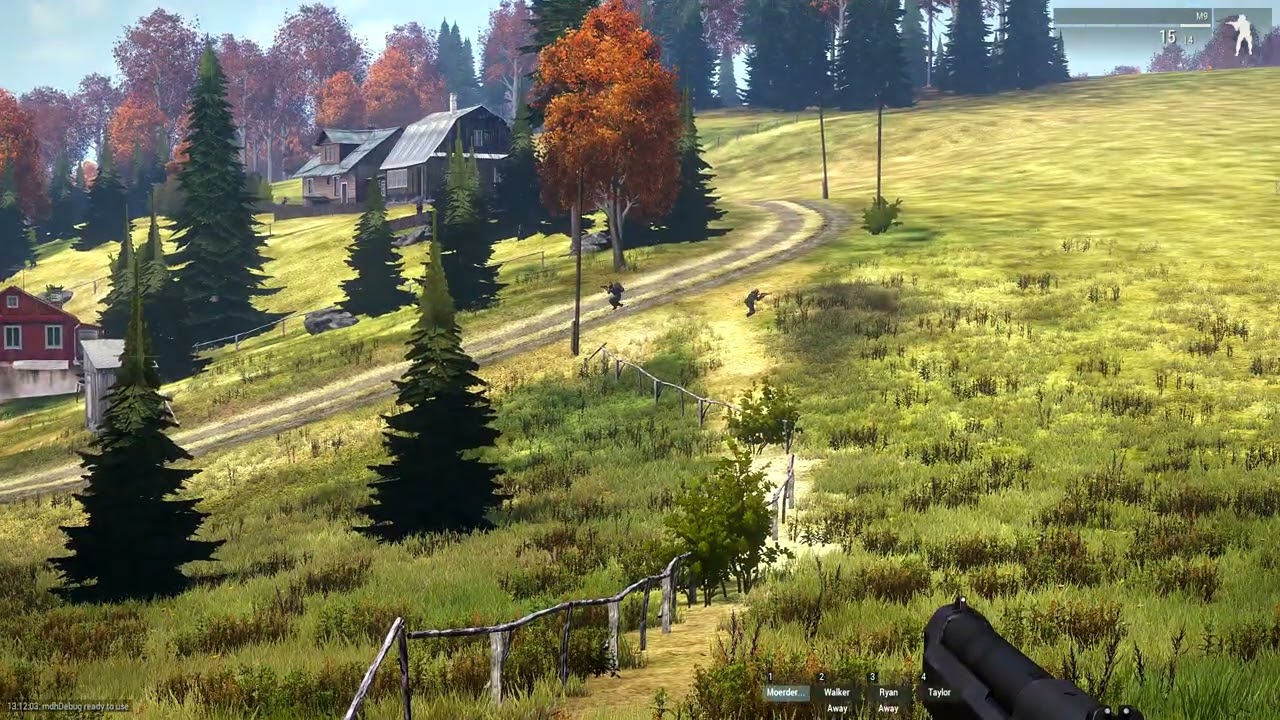
Modlist only CBA and CUP and no CDLC loaded

i never had this bug with the 3060 ti
bronze river
light gazelle
https://www.youtube.com/watch?v=rVUyO2sGjpg
try repairing each of CUP mod, then the game itself on steam
if the problem still exists, you can try asking it directly to CUP's discord, link in #channel_invites_list
 wicked helm
any idea which mod is causing scroll menu not showing?

 tall cobalt
Anyone know why when i give a mission file to a friend to put on a server for some reason people spawn in as seagulls, but when i test via hosting a server on my PC it works fine
waxen sail
wicked helm
any idea which mod is causing scroll menu not showing?
Unload them 1 by 1 until it stops
Or binary search if you know how
tropic meteor
Anyone know how to fix the intense brightness of the game? Verifying the files seem to fix it, sure. But not completely. I have verified the files in these pictures

 quartz berry
tropic meteor
Anyone know how to fix the intense brightness of the game? Verifying the files s...
quartz berry
tropic meteor
Anyone know how to fix the intense brightness of the game? Verifying the files s...
Reset brightness, gamma, and the other brightness and set HDR to standard.
tropic meteor
quartz berry
Reset brightness, gamma, and the other brightness and set HDR to standard.
Roger, will try
I am a bit scared of turning HDR to because it tanks my fps quite a bit but let me give it a shot
 coral badge
Steam doesn't recognize I've closed Arma 3 unless I tab into steam library and watch it close. Is that normal? Tabbed into browser after closing and ended up adding a couple fake hours to my account
steady hawk
Do you run Arma 3 Launcher?
coral badge
Thats the default one right? yeah
steady hawk
That's the Arma 3 what Steam sees
coral badge
I have it set to close when A3 launches though
steady hawk
You sure? Does Task Manager mentions no Arma 3 related app?
steady hawk
?
coral badge
I mean it'll close when I tab back into steam so I'm looking at it through the alt-tab window
coral badge
steady hawk
You sure? Does Task Manager mentions no Arma 3 related app?
Wait can you elaborate on *when * you're talking about?
steady hawk
Whenever you don't want Steam to recognize Arma 3, but it does
coral badge
Oh ok. So
- Launch through Arma 3 Launcher, Arma 3 Launcher closes, is not visible on task manager
- Exit game normally but
- Quickly alt-tab to browser, no Arma 3 exe visible in task manager
- Tab back into steam
- Steam belatedly recognizes Arma 3 is closed
It's basically a fried attention span problem lol, just wondering if anyone else has experienced this
steady hawk
So urm
Is it about Arma 3 is running while you are not intent to, or about Arma 3 is running for a few seconds/minutes after you intent to shut?
coral badge
Arma 3 is running for a few seconds/minutes after you intent to shut
steady hawk
How long?
coral badge
I mean until i alt-tab back into steam
steady hawk
🤔 I see, that's what you mean by Alt Tab
Which OS, which Arma 3 Version (Arma 3 Launcher > Options to check)
coral badge
Windows 11 Home 24H2
Arma 3
Launcher version: 1.5.152984
Game version: 2.20.152984
Branch: profiling
steady hawk
Okay, just tried profiling. Couldn't repro
I think you want to restart Steam just in case
coral badge
Yeah probably something on my end, thanks for trying
tropic meteor
Any idea how to increase performance? I do not have a very good device, hell, not even a good one by gaming standards, but I still get around 40 fps and sometimes 70. But the problem is that my game stutters a lot. I would be getting a constant fps for a while and then all of a sudden, and somehow in the most crucial moments, it would just freeze and I would have to wait for 2-3 seconds before the game starts again
Any way I can fix this?
steady hawk
If you have any Mods, unload them
tropic meteor
steady hawk
If you have any Mods, unload them
Not using any of them at the moment
Same thing
golden nova
tropic meteor
Any idea how to increase performance? I do not have a very good device, hell, no...
Your CPU or ram probably can't keep up. What are your specs?
quartz berry
tropic meteor
I am a bit scared of turning HDR to because it tanks my fps quite a bit but let ...
Or maybe a terrible hard drive loading stuff in?
tropic meteor
golden nova
Your CPU or ram probably can't keep up. What are your specs?
Give me a suck
tropic meteor
golden nova
Your CPU or ram probably can't keep up. What are your specs?
Processor 11th Gen Intel(R) Core(TM) i3-1115G4 @ 3.00GHz 3.00 GHz
Installed RAM 8.00 GB (7.74 GB usable)
Device ID 96EDF13E-938B-4776-A5B9-4A9929D0F438
Product ID 00356-24685-58753-AAOEM
System type 64-bit operating system, x64-based processor
golden nova
Yeah a bit on the lower end side, Arma loves lots of ram. And what are your graphics settings? You can try lowering view distance, shadows distance and their quality.
Play with post processing and antialiasing too
pine kite
tropic meteor
Give me a suck
Your translator needs to learn manners.
tropic meteor
golden nova
Play with post processing and antialiasing too
I play around 1200 view distance with a similar obj distance. I can try lowering the shadows, though. Also, I keep antialiasing off completely. Should I turn it on?
tropic meteor
pine kite
Your translator needs to learn manners.
Oh damn, I just noticed I typed suck instead of sec
Apologies
quartz berry
tropic meteor
I play around 1200 view distance with a similar obj distance. I can try lowering...
Turn of shadows (not that it should affect stutters).
tropic meteor
quartz berry
Turn of shadows (not that it should affect stutters).
Roger that
Wait, it is already turned off
Let me check
golden nova
tropic meteor
I play around 1200 view distance with a similar obj distance. I can try lowering...
Antialiasing enabled increases CPU usage so not really
golden nova
pine kite
Your translator needs to learn manners.
 tropic meteor
golden nova
Antialiasing enabled increases CPU usage so not really
tropic meteor
golden nova
Antialiasing enabled increases CPU usage so not really
So, no antialiasing, I take?
golden nova
Yes
You can also try switching the game branch to profiling but with this specifications I'm not sure if it will do any better
tropic meteor
Alright, shadows are completely disabled. No antialiasing either. Lowered down the view distance a little as well
It is already on profiling
golden nova
:/
tropic meteor
golden nova
:/
Tragic, indeed
golden nova
You should look into upgrading your rig
tropic meteor
golden nova
You should look into upgrading your rig
Welp, I got a laptop so I cannot do much with it. Maybe in like a few years after college, I will get a new one
Hopefully a better one


 uncut trellis
👍
 narrow tide
WAIT
so I made a new steam account its not new but a year old because my other account got hacked
and saw arma
and bought it
uncut trellis
at least what you are starting up there is not the game but the server software
 uncut trellis
everyone can have those
pine kite
narrow tide
so witch is the arma 3 game
This one
 narrow tide
pine kite
This one
narrow tide
pine kite
This one
hmm but on my cashapp and through steam I bought it and did not recive that game only servers I went to my cashapp it took my moneybut is pending
waxen sail
Check your filters at the top but otherwise talk to Steam support
 pine kite
Then you need to ask that cashapp or Steam support why the transaction didn't follow through.
uncut trellis
This. for buying related issues youll have to ask Steam
tropic meteor
Whenever I try to load up a scenario, my game just crashes
No idea why. No mods loaded either
tropic meteor
I am trying to load in the Helicopter Pilot Series by RobJ and the Hell-Heli practice
They just keep crashing
And now it appears all of my scenarios are affected
tropic meteor
There is error message, no nothing
It just stops responding
And then I have to esc out of it
umbral narwhal
Perf branch or not?
tropic meteor
umbral narwhal
Perf branch or not?
Performance, yes
umbral narwhal
Try it with stable. I think there might be an issue currently. Players on perf branch couldn't successfully join a mission on one of our servers earlier.
tropic meteor
umbral narwhal
Try it with stable. I think there might be an issue currently. Players on perf b...
Alright, then
Will give it a shot
Also, for some reason, that stuttering problem I had mentioned before is fixed
My game's running...oddly smooth
A bit creepy, honestly
I have absolutely no idea why
tropic meteor
umbral narwhal
Try it with stable. I think there might be an issue currently. Players on perf b...
Well, that did the trick
umbral narwhal
If you have a replicable case with a limited number of mods then do report it on #perf_prof_branch.
I didn't manage to get anything coherent out of our players.
tropic meteor
umbral narwhal
If you have a replicable case with a limited number of mods then do report it on...
Roger that. Will do, boss
quaint jewel
tropic meteor
Whenever I try to load up a scenario, my game just crashes
Send me the crash report. Or did you already send it with the crash reporter?
tropic meteor
quaint jewel
Send me the crash report. Or did you already send it with the crash reporter?
Fixed it. Used the stable version
quaint jewel
tropic meteor
Fixed it. Used the stable version
I know.
Still, send me the crash report so I can fix it for everyone else
tropic meteor
quaint jewel
I know.
Still, send me the crash report so I can fix it for everyone else
Roger, sending in a bit. Though, I am on nologs
Would it work?
quaint jewel
Switching away from Prof branch doesn't fix an issue.
You just ignore the issue.
If it's not fixed, the next stable update will force you to update and you'll have the issue back and it's too late
I just need the .mdmp file, nologs doesn't influence that. RPT is probably useless for this anyway
tropic meteor
quaint jewel
I just need the .mdmp file, nologs doesn't influence that. RPT is probably usele...
Roger that then
quaint jewel
But profiling branch already has a integrated crash reporter, that should open up after crashing and ask you if you want to send it.
Did that not open up for you?
tropic meteor
quaint jewel
But profiling branch already has a integrated crash reporter, that should open u...
Nope
Did not see it pop up
tropic meteor
quaint jewel
Got it, fixed in next prof update
Roger that. Thanks!
quaint jewel
But people already answered to your post
Oh. One hour after you posted here. Yeah please no crossposting :u
sinful cave
load into my server join mission and then it asks me to join mission again??? in a3 then screen black nothing after
 bleak obsidian
A member of my community sent me this screenshot which is apparently what Project Dynamic Blur looks like on their system. There's this unusual mask overlayed on top of their first-person character model:
https://steamcommunity.com/sharedfiles/filedetails/?id=3525204764

Any clues why this effect would be broken on their machine? I know they use a pretty old system with an iGPU and that project dynamic blur relies on ppEffectCreate ["DepthOfField", ...], which is what immediately made me clue in on that mod.
uncut trellis
bleak obsidian
Any clues why this effect would be broken on their machine? I know they use a pr...
maybe wrong version of the game
bleak obsidian
uncut trellis
maybe wrong version of the game
hmm, they should at least be on 2.20 since they took the above screenshot from my server which is running perf v26, but maybe they're only on stable
FWIW there was this visual bug from last week too when he looked at my flashlight, not related to project dynamic blur:
 uncut trellis
cant say that sounds like a common issue 
bleak obsidian
i was thinking it might be caused by their iGPU not supporting certain effects/operations, but i don't know if that's a real thing
confusingly enough, they said if they dialed up DoF to 75 in the video settings, it fixed the white masking issue
if they're on stable though, maybe that was because the game's DoF took precedence? as they didn't clarify if the modded DoF still worked as intended
i won't ask them too much about it, they're not very savvy with tech and troubleshooting
bleak obsidian
uncut trellis
maybe wrong version of the game
sure enough another player came in with the same issue, i told them to switch to profiling branch and that fixed it
 heavy kettle
dont have a picture rn, but have anyone ever encountered issues with their profile resetting sometimes after installing or removing a mod?
this problem has been a pain in the ass for 4 months now, every now and then it will just decided to reset everything, i already tried putting a new Profile on a different location and it still happends..
uncut trellis
heavy kettle
dont have a picture rn, but have anyone ever encountered issues with their profi...
does not sound normal
but profile can corrupt
heavy kettle
so oftenly? 🙁
uncut trellis
could be some mod issue I suppose
but also cloud things like onedrive mess it up usually
heavy kettle
uncut trellis
could be some mod issue I suppose
thats my guess
heavy kettle
uncut trellis
but also cloud things like onedrive mess it up usually
it did, once i disabled it, after a few months it happends again, i'll try to find the problem tho
heavy kettle
uncut trellis
and keep backup
i backed up my profile and when i used it i cant even open the game settings its blank with only the last option headbug fix
 wary hollow
Does anyone how to fix the bad battleye service issue with online games in reforger. I’ve just bought the game and can’t find a fix I can play single player games but get kicked from online games about 30 seconds after loading in.
The error code is group 3 battleye reason 4 bad service version
If that rings any bells to anyone
uncut trellis
wary hollow
Does anyone how to fix the bad battleye service issue with online games in refor...
check channel name
wary hollow
Mb
 olive spindle
Hey guys, just wondering which graphics setting control the amount of muzzle flashes in ArmA 3?
I'm currently creating a large scale D-Day singleplayer mission and have tried my best with AI scripting/caching to alleviate performance issue. However the game still stutters whenever dozens of NPCs are firing at the same time.
I'm just wondering which graphics setting reduces the amount of muzzle flashes in game? Is it "Dynamic Lights"?
Or is Dynamic Lights only for light sources and not related to weapon muzzle flashes?
uncut trellis
olive spindle
Hey guys, just wondering which graphics setting control the amount of muzzle fla...
none
game is not really designed for that massive scope
olive spindle
sorry, but which setting exactly affect the number of muzzle flashes?
uncut trellis
olive spindle
sorry, but which setting exactly affect the number of muzzle flashes?
there is no setting for that
the visual flash part is part of the weapon model
olive spindle
uncut trellis
the visual flash part is part of the weapon model
I see thanks, so the only way to reduce the amount of visual flashes is to manually remove it from each individual weapons?
is there any global setting that can turn muzzle flashes off via scripting?
steady hawk
Yes and no
uncut trellis
olive spindle
I see thanks, so the only way to reduce the amount of visual flashes is to manua...
that wont be possible
you probably will want to fake the firing
or it is also possible the scale of your scene is just too much
olive spindle
uncut trellis
that wont be possible
thanks, appreciate your responses!
btw just curious, what does "Dynamic Lights" in the settings menu actually do in this case? Is it just street lights at night?
and is this even enabled during daytime? I tried googling but it came up with mixed responses
uncut trellis
Street lights are not on by daylight. other lights might be but their effect may not really be much visible due to daylight brightness
you wont be able to turn all lights off though
im pretty sure about that
olive spindle
I see, thanks
 stray tendon
Does this always happen when you equip The Desert Eagle from Reaction Forces?
 uncut trellis
stray tendon
Does this always happen when you equip The Desert Eagle from Reaction Forces?
uncut trellis
stray tendon
Does this always happen when you equip The Desert Eagle from Reaction Forces?
no.
 cinder folio
Having troubles with ARMA 3 and “no message received” after a few minutes of being on a server.. I’ve tried validating files, disabling my firewall, etc.. nothing has worked
My internet is fine, my wife works from home on the same network and hasn’t experienced any interruptions, I can play other games such as Reforger for hours without connectivity issues.. this is really frustrating, any help is extremely appreciated
bronze river
fine doesnt mean it always stable
also check the ping of the server, you should be fine playing in a server up to 250ms
cinder folio
bronze river
fine doesnt mean it always stable
Yeah, no.. it’s the game, definitely not my internet.. fixed by loading a single player scenario, saving, quitting, and then joining a server.. no issue after doing that.. after days of being disconnected after a few minutes of gameplay
sacred lily
So i updated my Nvidea drivers wednesday, but now it seems my fps dropped from around 25fps to nothing higher then 5fps, how can i fix this?
 earnest heart
@sacred lily Did a rollback not resolve this?
 feral silo
Does anyone know what can cause this?
Addon 'A3_Data_F_Enoch_Loadorder' requires addon 'A3_Structures_F_Enoch_Signs_Companies'
pseudo island
feral silo
Does anyone know what can cause this?
```Addon 'A3_Data_F_Enoch_Loadorder' requ...
Looks like Structures_F_Enoch.pbo is corrupt somehow, validate your game files in steam
uncut trellis
if that does not help, delete the pbo and then validate
feral silo
Looks like I'll have to do that
feral silo
Thats not worked
feral silo
I deleted the pbo, verified and then its just given me the same error
steady hawk
Try remove other structures_f_enoch pbos
feral silo
I'll try that
 lethal marlin
feral silo
Does anyone know what can cause this?
```Addon 'A3_Data_F_Enoch_Loadorder' requ...
lethal marlin
feral silo
Does anyone know what can cause this?
```Addon 'A3_Data_F_Enoch_Loadorder' requ...
got this same error, deleted all enoch pbos and reverified, still no dice
feral silo
Yea I tried reinstalling and it manged to persist
Im still able to load into servers with hit popping up so I'm just going to ignore it for now until something major happens but from all my checking it seems to be a mod issue, just not sure which one
steady hawk
You say you don't get it in vanilla game?
sacred lily
@earnest heart How do i do that? .....
earnest heart
Rolling back your Nvidia driver(s) rather, be it through Windows or by downloading an older driver from the Nvidia site ("Beta and older drivers")
sacred lily
Kk, thanks
spice spear
Hi, In the last few days, it's started happening to me that the game doesn't detect the mods I've downloaded and starts downloading them again. Is this a common problem?
uncut trellis
spice spear
Hi, In the last few days, it's started happening to me that the game doesn't det...
No don't think it is common
quaint jewel
lethal marlin
got this same error, deleted all enoch pbos and reverified, still no dice
Can you send me a RPT log of it?
Does it happen when not loading any mods?
 fresh jetty
Hi, Everytime I try to play arma3 it gives me this errors and I can't play them.
This happened once I messed up with my p-Drive and deleted everything from it.
Is there a solution for that?

 bronze river
fresh jetty
Hi, Everytime I try to play arma3 it gives me this errors and I can't play them....
bronze river
fresh jetty
Hi, Everytime I try to play arma3 it gives me this errors and I can't play them....
verify the game on steam
fresh jetty
bronze river
verify the game on steam
NVM, Seems like steam didn't do it correctly
lethal marlin
quaint jewel
Can you send me a RPT log of it?
Does it happen when not loading any mods?
Will test for ya when I’m home 🫡
I am using profiling branch
Haven’t swapped yet
 eternal estuary
Maybe I’m overlooking something but when in my server after I die a couple times it’ll respawn me as a civilian, is there any way to keep that from happening?
quartz berry
eternal estuary
Maybe I’m overlooking something but when in my server after I die a couple times...
What mission and mods? Likely one of those is broken.
eternal estuary
quartz berry
What mission and mods? Likely one of those is broken.
It’s a custom made mission, I’ve got a few different mods but most revolving rhs. None of the other players in my server experience it


 steady hawk
Is this a troubleshooting or player reporting?
 ember stump
 native fern
steady hawk
Is this a troubleshooting or player reporting?
native fern
steady hawk
Is this a troubleshooting or player reporting?
both
native fern
steady hawk
Is this a troubleshooting or player reporting?
There's a palyer called Diddy who does not get banned?
 pine kite
It is a vote kick, so not enough vote majority I guess?
But it not clear what you mean with these images. Explain more. Looks like this is about 2 different people?
native fern
pine kite
But it not clear what you mean with these images. Explain more. Looks like this ...
There is this toxic player - who just does not get banned, he and his cousins, glitch turrets, play on both sides, sabotage teams by resetting sectors when it's about to be capped and generally engage in griefing behavior
 pine kite
native fern
There is this toxic player - who just does not get banned, he and his cousins, ...
pine kite
native fern
There is this toxic player - who just does not get banned, he and his cousins, ...
Then report to Dwarden as explained in this message: https://discordapp.com/channels/105462288051380224/204655955185631233/728720482223783966
native fern
pine kite
Then report to Dwarden as explained in this message: https://discordapp.com/chan...
Lot of people have done, that. I did that 3 weeks ago and he has not replied
pine kite
Well, he has other things to do in life. He get around to it when he can. It's not instant.
native fern
pine kite
Well, he has other things to do in life. He get around to it when he can. It's n...
this has been happening for years. apparently this guy got a permamnet ban earlier and is now back.
pine kite
And the better you describe the issue, the more likely he is able to act on it.
If you sent the initial screenshots only, I can understand if he ignored it.
native fern
no i sent him all the info. I doubt you guys will do anything though
pine kite
Well, I don't do anything. I'm just a player. (and mostly solo/singleplayer)
quartz berry
native fern
Lot of people have done, that. I did that 3 weeks ago and he has not replied
If nothing happens there, absolutely nothing will happen here. I've heard he's been extra busy recently.
native fern
quartz berry
If nothing happens there, absolutely nothing will happen here. I've heard he's b...
is he a mod? what is his job?
quartz berry
native fern
is he a mod? what is his job?
Yeah, and a lot of other things.
native fern
quartz berry
Yeah, and a lot of other things.
that's the problem right there, when you do too many things your don't do anything well
quartz berry
native fern
that's the problem right there, when you do too many things your don't do anythi...
No, normally he does everything fine.
native fern
quartz berry
No, normally he does everything fine.
i stopped playing arma a year ago and I got back and this shit is going on still
pine kite
Well, you are dealing with people. That has mischief and trolling as a constant.
native fern
pine kite
Well, you are dealing with people. That has mischief and trolling as a constant.
no, there is one guy who's been doing this for years.
 trail niche
you don't have much tools against trollers, even banning is worthless
all it takes is to change your IP (free), create a new Steam account (free) and buy the game (and Arma 3 is cheap) so you come back to trolling/cheating
some AC manage to ban the physical IP of the motherboard, but even that can be modified (and no AC bans for trolling, it has to be done manually by an admin)
pine kite
AC?
quartz berry
Anti-cheat, I think.
pine kite
of course
 coarse kayak
is the units arma3 site working? me and my friends cant check any units in "browse" and "my units"

 jovial arch
I already asked in the Spearhead CDLC Discord for bug support wondering if anyone else could help here.
Launching Arma 3 with Spearhead CDLC enabled in either Profiling or Normal build causes the game to either:
- Become unresponsive in the main menu after a few seconds (Profiling + CDLC enabled)
- Never make it past the white Arma 3 text on black background (Normal + CDLC enabled)
Deleting the SPE Folder in Arma 3 and reverifying game files does not fix it. Any ideas?
jovial arch
Resolved. HDMI for monitor was plugged into the Motherboard instead of GPU on new AMD PC build
pine kite
That will break the file/mod. Follow the guides that the particular Antistasi team made to create Antistasi Extention mods with your changes. Those are loaded on-top of base-Antistasi mod.
 grim trout
Its been stucking in this screen for 1 hour now using the modlist below and when with No mods/Diffrent mods it don't\
 steady hawk
Then you have more than one broken Mod
trail niche
bro is using Ares xD
 errant frigate
Hi guys,
I encountered a router related issue (Probably?) - we used to play with a friend via Hamachi. He changed routers, we still have direct channel on Hamachi but his server joining time is too long.
He is basically stuck at receiving mission file (after 30 mins he had only about 36 Kb).
Wouldn't any of you happen to know about a fix to such issue?
umbral narwhal
Hamachi is pretty iffy for Arma 3 in general IME.
Probably loses the larger packets, so you can connect but it can't send any significant data.
radmin seems better.
 lunar ice
yo how do i make my teamspeak have audio when i load in
quartz berry
lunar ice
yo how do i make my teamspeak have audio when i load in
Did you set up the plug-in?

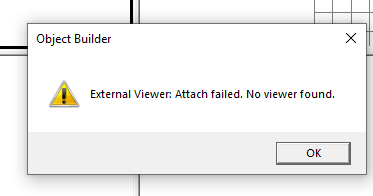


 quartz berry
lunar ice
or what
quartz berry
lunar ice
or what
I have no idea how. I did it once and forgot.
lunar ice
oh my days
waxen sail
What's the actual issue, are you not able to hear other players? do their icons light up on your ts3 instance?
lunar ice
waxen sail
What's the actual issue, are you not able to hear other players? do their icons ...
i cant hear anything from teamspeak the icons light up but 0 audio
waxen sail
Have you checked the volume on teamspeak, can you hear people outside of TFAR
Are you close enough to the players in game?
Are there any errors on screen? (you may need to check your RPT also)
lunar ice
how do i know if my radio is working
waxen sail
working in what way
generally if you're set to the correct frequency you'll be able to talk with other players on that frequency
lunar ice
waxen sail
working in what way
they can hear me but i cant hear them
waxen sail
okay check your volumes, are you set to away in ts3?
waxen sail
you should check if you can hear people outside of TFAR, maybe wrong output device for TS3?
lunar ice
waxen sail
you should check if you can hear people outside of TFAR, maybe wrong output devi...
i can hear people when im not in a server
azure ibex
errant frigate
Hi guys,
I encountered a router related issue (Probably?) - we used to play wi...
Why cant you direct connect?
grim trout
steady hawk
Then you have more than one broken Mod
What do you mean?
steady hawk
Quite literally
errant frigate
azure ibex
Why cant you direct connect?
Well, it is the same :/ Testing rn
 radiant schooner
Does anyone know how to sort out the memory leak issue which is in the current version of arma as its literally killing my pc
sacred lily
@earnest heart the issue was that i forgot to update the graphic driver, i only updated the main driver
azure ibex
errant frigate
Well, it is the same :/ Testing rn
Kinda?
Did you try direct connect yet via ip address?
errant frigate
We tried direct connect via Hamachi server IP address. We also tried direct connect without Hamachi (but we tried this in the past - get this working would require some portforwarding or so as the internet said :D)
First variant was the same - too slow kb/s receiving mission file, the second didn't even allow him to connect (no message or so)
earnest heart
@sacred lily Ouch! (Wait, which was the main driver?)
 teal current
Can anybody tell me what I got to do to fix this issue? I had tried to uninstall all my mods, verify files, uninstall the game and nothing seems to be working.
 steady hawk
grim trout
steady hawk
grim trout
How do I fix Arma 3 that's stuck on the loading screen? After downloading some mod preset it doesn't work
steady hawk
Then you may have more than one broken Mod
grim trout
steady hawk
Then you may have more than one broken Mod
Wdym?
How do I fix it? I think the mods are the problem.
It is mods are the problem
When I load with no mods it works
steady hawk
Quite literally. You can unload one or more broken Mods to fix it
grim trout
steady hawk
Quite literally. You can unload one or more broken Mods to fix it
How do I know which one?
quartz berry
grim trout
How do I know which one?
When you unload it the problem goes away.
steady hawk
Unload one by one. Or half by half
grim trout
steady hawk
Unload one by one. Or half by half
What happened? If I found it
steady hawk
The game will start
grim trout
steady hawk
The game will start
Idk why But when i use the mod preset for the first time it only works once
like it works the 1st time but the second no
steady hawk
You told same sentence twice. We have never heard your error messages yet
Anyways, the point still stands Remove your broken Mods
 sinful lantern
Hey, I am getting stuck when joining my units server. (gonna send a vid + rpt after this message)
The server is running via faster with persistency checked. If I restart the mission via Admin I can join normally again after some time or me leaving it always stucks me on the map loading.
umbral narwhal
This mod is fucked:
16:37:30 File z\sebs_briefing_table\addons\main\XEH_postInit.sqf..., line 1263
Errors in postinit will stop other postinit from running.
hmm, actually it seems to have made it through. Maybe that was fixed.
Looks like something wrecked the respawn menu data though.
sinful lantern
Weird thing is, this only happens to me, my friends could connect normally. I run the exact same modset.
Maybe something in my profile is messed up cause I develop some mods sometimes? But TBH this should not be the case tho
umbral narwhal
Not sure why the respawn logic would have any local profile dependence, but then that could be a red herring.
sinful lantern
Any Ideas what I can do to fix that? I am kinda out of Ideas why or how. This is why I am here. 
umbral narwhal
Well, do try a fresh profile at least.
Not much else you can do if you're running a vast pile of other people's shitcode and hoping that it hangs together.
 tacit heron
can anyone help me with arma 3 its stuck on an infinite loading screen when launching ive tried disabling all my mods revalidating files and i reinstalled it but it did nothing
quartz berry
tacit heron
can anyone help me with arma 3 its stuck on an infinite loading screen when laun...
Do you have any weird launcher parameters?
tacit heron
havent messed around with the parameters at all
quartz berry
tacit heron
havent messed around with the parameters at all
!rpt
rustic eagleBOT
Arma RPT
Arma generates an .rpt log file on every run. This log file contains a lot of information like the loaded mods or any errors that appear, and can be very useful for troubleshooting problems.
To get to your RPT files press Windows+R and enter %localappdata%/Arma 3
Additionally see the wiki page for more info: https://community.bistudio.com/wiki/Crash_Files
To share an rpt log here, please use a website like https://pastebin.com/ (Set expiry time to 1 week or less) to upload the full log, that way the people helping you can take a look at it and try to figure out with you the problem you encounter.
Note: RPT logs can hold personal information relevant to your system, the game or others.
tacit heron
did some messing around and fixed it by deleting my saved games and disabling steam overlay hope this helps anyonee else
quartz berry
tacit heron
did some messing around and fixed it by deleting my saved games and disabling st...
Maybe. Send the RPT.
 cold thicket
Hi all !
We have a dedicated server and we are experiencing random bugs with somes mods that work fine locally but not on the server.
For example:
A grenade throw animation mod, for some players the animation works fine and for others it bugs, everything is the same for everyone, including the add-on settings.
Any idea ?
golden nova
report it to the mod maker
uncut trellis
cold thicket
Hi all !
We have a dedicated server and we are experiencing random bugs with so...
mods are not always compatible with each other or even guaranteed to work as intended
cold thicket
uncut trellis
mods are not always compatible with each other or even guaranteed to work as int...
I know, but the same mods work very well together locally, but not on the dedicated server.
quartz berry
cold thicket
I know, but the same mods work very well together locally, but not on the dedica...
Some mods don't really work in multiplayer. Does your server check signatures to make sure everybody had the same stuff?
cold thicket
quartz berry
Some mods don't really work in multiplayer. Does your server check signatures to...
Yes !
uncut trellis
cold thicket
I know, but the same mods work very well together locally, but not on the dedica...
Like Sticky there says SP and MP can behave very different. even local hosted MP and Dedicated server MP can work different
a mod that does special animations might be made in way that it does not fully work in MP
if you can test it alone in your server to see if it works consistently alone
then add other mods to see if it still works
cold thicket
uncut trellis
a mod that does special animations might be made in way that it does not fully w...
Thx, I planned to try, but why does it work correctly on the dedicated server, but only for certain players ?
All the players have the same mod pack
uncut trellis
cold thicket
Thx, I planned to try, but why does it work correctly on the dedicated server, b...
such a thing is scripted
and those things can fail in multiplayer environment if not made right
I dont know exactly why but I suspect its either conflicting with another mod or just plain bugging on dedicated server
like if it runs locally on one player the commands might not be made to transfer properly to other players
cold thicket
uncut trellis
such a thing is scripted
Thank you for your feedback. I also suspected the server. Is there a way to avoid this via a script ?
uncut trellis
cold thicket
Thank you for your feedback. I also suspected the server. Is there a way to avoi...
no
but if a mod does not work there isnt much you can do. Reporting reliable reproduction method to the author can lead to a fix
but sometimes mods are old and author has left the scene
sometimes just got to remove and play without
cold thicket
uncut trellis
sometimes just got to remove and play without
Thank you for youy time and the advise
sacred lily
@earnest heart my Nvidea installed a driver and had to restart my PC, when it was restarted, it appearantly had to install another driver (graphics driver)
 snow sierra
hello, i have an antistasi mod I made using a bunch of mods not including the USAF mod, but when i load it on the server it says the mission requires USAF_servicemenu
 dark anvil
downloaded mods won't fully load
earnest heart
Curious.
 eager zephyr
HC Steam auth fail
 craggy topaz
Can anyone help me witht this, it just happens randomly when theres like a lot of stuff going on. Very annoying
 quartz berry
craggy topaz
Can anyone help me witht this, it just happens randomly when theres like a lot o...
quartz berry
craggy topaz
Can anyone help me witht this, it just happens randomly when theres like a lot o...
Are you using mods?
craggy topaz
quartz berry
Are you using mods?
Yes
quartz berry
craggy topaz
Yes
Test without any and see if it works. If so, remove them until the problem goes away to find the broken one.
 faint plinth
Does anyone know what mod adds this? Immediate thought was ace bluforce tracker but it's disabled, I briefly looked through all of the mods I have in addon options to see if there was an obvious answer but I couldn't find anything so I was hoping someone would recognize it here before I have to sift through 80 mods
Inquiry is about the blue infantry markers, because they also show up for OPFOR whether they've been discovered or not.

 pale wind
faint plinth
Does anyone know what mod adds this? Immediate thought was ace bluforce tracker ...
pale wind
faint plinth
Does anyone know what mod adds this? Immediate thought was ace bluforce tracker ...
You talking about blue INFANTRY markers?
faint plinth
pale wind
You talking about blue INFANTRY markers?
Yes
pale wind
faint plinth
Yes
You could post mod preset also. I have disabled in server custom difficulty all markers on the map, so it is not shows for me.
faint plinth
pale wind
Is everyone see markers or only admin?
Most of mods I know. I would suggest to check XYI CORE, DCO SOLDIER addon settings
 delicate saffron
I have a problem (I previously posted this in the ‘arma3_ai’ channel but no one replied. I think it’s related to the engine, so I’m posting it again here). In my mod, I created a crater decal. To prevent small decals from disappearing at a distance due to the engine’s rendering behavior, I made the decal much larger than the visible area (the extra area uses a transparent texture). However, all aircraft AI seem to detect the enlarged invisible area (which has no collision geometry) and try to fly over it. How can I solve this problem without reducing the decal size? The key point I want to know is: which LODs are detected or taken into account by aircraft AI?
uncut trellis
delicate saffron
I have a problem (I previously posted this in the ‘arma3_ai’ channel but no one ...
can not.
what you try to do is not supported by the engine
quaint jewel
craggy topaz
Can anyone help me witht this, it just happens randomly when theres like a lot o...
If you don't submit the report, I can't look at it
It might be the same as your report 3 days ago. Which is
Somehow some memory got garbage'd
pale wind
delicate saffron
I have a problem (I previously posted this in the ‘arma3_ai’ channel but no one ...
I want to ask. Why you need crater decal so big? Is it for video purposes?
faint plinth
pale wind
Is everyone see markers or only admin?
Everyone.
Looking into those mods, I already looked through DCO but I can double check it.
Found it, it was DCO. "Show enemy squad markers"
craggy topaz
quaint jewel
It might be the same as your report 3 days ago. Which is <:blobdoggoshruggoogly:...
What should I do
pine kite
Try to reproduce it, narrow down to the situation in which this doesn't occur. Remove mods, or don't do certain actions. Then what is not there, or didn't precede it happening, was likely the cause. Then confirm by including that missing piece and it shows up again. Troubleshooting basics.
 solemn cedar
Good morning.
I changed my server Hoster to HOST HAVOC to NITRADO. I set up the serv load the mission files and set up CUSTOMS difficulty files. all work fine exept for ThirdPerson View wich don't work in game even if the value in the config files is set to 1.
difficulty="Custom";
class DifficultyPresets
{
class CustomDifficulty
{
class Options
{
reducedDamage=0;
groupIndicators=0;
friendlyTags=0;
enemyTags=0;
detectedMines=0;
commands=0;
waypoints=0;
weaponInfo=0;
stanceIndicator=1;
staminaBar=0;
weaponCrosshair=0;
visionAid=0;
thirdPersonView=1;
cameraShake=1;
scoreTable=0;
deathMessages=0;
vonID=1;
mapContent=0;
autoReport=1;
multipleSaves=0;
};
aiLevelPreset=3;
    class CustomAILevel
    {
        skillAI=0.99;
        precisionAI=0.40;
    };
};
};
here the files i don't know what is wrong
umbral narwhal
IIRC Nitrado has a false profile folder link somewhere, so you're probably editing the wrong file.
And the rest is just correct by accident.
pine kite
Yeah, that section needs to be placed in the server profile. Not in the server config file.
If you put that in the mission cycle, or anywhere in that same file, then it won't work.
You need to look for some_name_nitrado_gave_it_probably_with_long_random_characters.arma3profile
 stray fern
Out of curiousity, has anyone ever ran into an issue where the command to input #missions is ran and nothing happens? I have checked the .rpt and there is nothing there. It logs me logging in, but nothing else afterwards.
azure ibex
make sure you are the admin for this to work
pine kite
The command doesn't do anything unless you are logged in as admin on the dedicated server.
 hollow ingot
i am running into a problem where arma hangs every time in multiplayer when it goes from lobby to the map screen on a dedicated server i run. ive tried changing the paramerters in my launcher but nothing seems to fix the issue. ive also tested the server and the client with no mods and the base game missions work just fine. how would i go about finding the issue.
umbral narwhal
Check the server & client RPTs first. Maybe there's just a syntax error in a postinit or something.
hollow ingot
the only thing i see on client side that could be an issue is *** Player identity cannot be applied on person 2:5896 (z1) - player 331299192 not found
doing tests now to see which mod it might be...
dang... looks like my client side ace arsenal and never black on ammo mod was the issue... oh well, guess i should stop trying to cheat in arma...
heavy kettle
anyone know how to troubleshoot making server with UPNP?
i tried countless of time, after a while i manage to put the port through windows defenders, anod now it wont show the UPNP error. but none of my friends can join
or am i just dumb and it requires a static ip?
pine kite
That is the big issue i have with UPNP, i cant see, or wouldnt know where to read what it did.
A static ip is not essential. A stable or reserved ip is more important. Even if the lease is only an hour length it should still work within that time.
Your issue might be your ISP having a kind of network setup that prevents port forwarding/upnp from working.
Assuming you did all the firewall stuf correctly. Which you did not explain what youvset exactly.
umbral narwhal
The method is basically:
- Set the correct network adapter is set to "private" rather than "public".
- Make sure Arma has its firewall entries.
- Set UPNP to enabled on the router.
If your ISP is using CGNAT then it won't work.
heavy kettle
umbral narwhal
If your ISP is using CGNAT then it won't work.
yeah, after checking it, my provider uses CGNAT sadly, thanks you 2 for assisting tho
heavy kettle
pine kite
Assuming you did all the firewall stuf correctly. Which you did not explain what...
i meant opening the port 2302-2306 through firewall, because it was blocked before
umbral narwhal
Only options with CGNAT are asking your provider to give you a proper IPv4 or using VLAN software like radmin.
heavy kettle
umbral narwhal
Only options with CGNAT are asking your provider to give you a proper IPv4 or us...
yeah figured, i'll stick back using VLAN for now
pine kite
heavy kettle
i meant opening the port 2302-2306 through firewall, because it was blocked befo...
UDP I hope for your sake.
heavy kettle
pine kite
UDP I hope for your sake.
Yeah its UDP
quaint jewel
Anyone know, if when these cgnat setups don't let you Host ipv4, are they likely to provide V6 forwarding?
I have a cgnat, but afaik no IPv6 to test that with
umbral narwhal
The only non-mobile UK ISP I know of that uses CGNAT claims to have proper ipv6 support. Would be natural, but I couldn't really say beyond that.
 lament pumice
Any idea why I can't host my server from in game Arma? We played with friends yesterday and it stopped working
I didn't change any settings, it just stopped working, yesterday it ran fine
umbral narwhal
Arma hosting doesn't just work. You have to know why it was working in order to fix it.
solemn cedar
@umbral narwhal@pine kite Many thank for your help, it worked. first time using nitrado after 4 years of host havoc. i have struggle to set it up
but for the difficulty it work
solemn cedar
❤️
umbral narwhal
Nitrado links the wrong profile folder IIRC.
solemn cedar
yes i didn't expected this possibility the profile server files was missing i just created one and it work fine
 modern carbon
Good evening, does anyone know how to solve this problem?
 quartz berry
modern carbon
Good evening, does anyone know how to solve this problem?
quartz berry
modern carbon
Good evening, does anyone know how to solve this problem?
Does it work without mods? Test that first.
Also check the launcher's BattlEye log and see if it's blocking something.