Steam file verification process:
Right Click on game -> Local Files -> Verify Integrity of game files
Arma 3
Steam Workshop Mod repair process:
Open Launcher -> Right Click on mod -> Repair
The first process will automatically verify Steam Workshop items as well.
#arma3_troubleshooting
1 messages · Page 18 of 1
 rustic eagleBOT
 steady hawk
Verify with this steps
 coarse birch
Ok, i've verified Arma already yesterday, but I'll do it again and after that I'll do the same with the DLCs and Mods seperatly, to make sure.
It's still the same Problem.
 steady hawk
Hm, then probably the server side issue? I don't know how Nitrado works but can you reinstall the server there?
 golden nova
and since you pay Nitrado for services, you should prioritize reaching out to them first
 fading pulsar
Temporary fix would be to set verifySignatures = 0; in server config. However server files might be corrupted, if you verified your game, and didnt modify any files.
coarse birch
I'll try that and if it doesn't help, I'll reinstall the server since it helped yesterday, and hope that the issue doesn't occur again.
 marble mica
Is there any known cure for audio crackling in Arma 3? It happens mostly with engine sounds inside vehicles.
golden nova
AMD/MSI?
marble mica
Intel i7 on an MSI Gaming Plus Z470 board (Realtek sound)
golden nova
this might be a hardware issue then, I'm on Ryzen 5 and MSI B450 Tomahawk Max and been getting these for few weeks now.
marble mica
I see on the BI forum your post about this
golden nova
yup, nothing worked so far, I'll be taking my PC to some techie so he can check whether its my PSU or motherboard failing as I have checked every possible software issues
marble mica
Nah, the hardware is fine, this issue is specific to Arma 3.
golden nova
so you hear no clicking/popping when you repeatedly stop youtube videos or music?
marble mica
Not that I noticed. Any youtube video in particul you use to test?
marble mica
golden nova
https://www.reddit.com/r/FL_Studio/comments/iadijr/weird_click_noise_when_pausin...
I can hear some clicks/pops like that when scrubbing through a youtube video. Not as bad as in that video though.
Do you think that's the same issue as in Arma 3?
golden nova
yes
Arma sounds are played on max volume and do not fade out very well but get cut off sometimes, so you hear the pop. It's mostly hearable in tracked vehicles because they play a bunch of sounds simultaneously and are looped so every loop the sound stops and plays again, hence the click
if you have Livonia whhen you teleport between surfaces (like from fields to forests) you'll hear the pop too
marble mica
Yes, that's probably the gist of it... I'll try in Livonia too
golden nova
you might try checking all possible software-wise things like run LatencyMon while playing to check if you have any delays, unplug any USB devices you don't need, reinstall audio drivers, try both USB and jack type audio outputs, try listening through VB Audiocable or Voicemeeter, or plug your PC into a different power point, I received a lot of suggestions in #offtopic_hardware and #offtopic_software too
I did everything including full system reinstall and I get this with(out) my audio interface and with any of my dozen output devices so the only things that are left for check are the PSU and the motherboard
marble mica
I'll try with the audio jack on my monitor instead, which does not use the Realtek
It's much the same on the Nvidia HD Audio -> TV speakers or headphones jacked into the TV.
 umbral narwhal
Feels like an OS bug to me though. Like it's switching the audio output frequency each time a sound starts or stops.
The old interface for that was in control panel -> sound -> select device -> properties -> advanced, but I'm not sure if it exists in win10+.
Either that or it's actually turning putting the thing in standby to save power. Audio hardware never used to be a candidate for that though.
golden nova
changing the format did not help (me at least), standby wouldn't make sense for an output device connected directly to the motherboard through its audio port (I changed the power plan to "highest performance" and disabled USB shutdown, didn't help too). I am 90% sure both me and Magiel are suffering from the same issue because something's up with MSI boards not isolating the whatever is used for audio from any interference that may happen due to a worn-out PSU or mobo
 fringe salmon
the pathfinding for the ai is jank man how do i fix it.... they walk through my barricades
marble mica
golden nova
changing the format did not help (me at least), standby wouldn't make sense for ...
Same, I tried most (all) of the usual things, no changes. Just stand beside a Panther APC with engine running and look around -> crackle party
marble mica
marble mica
Same, I tried most (all) of the usual things, no changes. Just stand beside a Pa...
I do find that this hack makes it better, but not completely fixed. And it needs BattleEye to be off. https://github.com/HungryDoctor/x3daudio1_7_hrtf

GitHub
HRTF for Arma 3, Skyrim, and other titles that use XAudio2 + X3DAudio - GitHub - HungryDoctor/x3daudio1_7_hrtf: HRTF for Arma 3, Skyrim, and other titles that use XAudio2 + X3DAudio
marble mica
golden nova
changing the format did not help (me at least), standby wouldn't make sense for ...
It's not something I experience in other games though - it's Arma 3 and perhaps the scrubbing around in Youtube videos, which I think is a different issue.
 blissful pine
Hi a firend is getting the error "DEAD" and we can not find the issue. I belive it is with windows but unshure, we have restarted both arma and windows, we have also verified the files.
copy from rtp ```20:01:22 Initializing stats manager.
20:01:22 sessionID: 3b1c8cf4e38306fd2e7b217cb9de04bf6b201aa8
20:01:36 File read error: addons\music_f_epb.pbo,17: Datenfehler (CRC-Pr�fung)
20:01:36 File read recovery from error 17 has failed with error 17: Datenfehler (CRC-Pr�fung)
20:01:36 Error 17 reading file 'addons\music_f_epb.pbo'
20:01:36 ErrorMessage: Datenfehler (CRC-Prüfung)
20:01:36 Application terminated intentionally
ErrorMessage: Datenfehler (CRC-Prüfung)
Exception code: 0000DEAD at 6675CF19
Version 2.12.150301
Fault time: 2023/06/02 20:01:38
Fault address: 6675CF19 01:0002BF19ll C:\Windows\System32\KERNELBASE.dll
file:
world:
Prev. code bytes: 7A 90 08 00 48 8D 4C 24 20 48 FF 15 6F 7D 1B 00
Fault code bytes: 0F 1F 44 00 00 48 8B 8C 24 C0 00 00 00 48 33 CC
note: Minidump has been generated into the file C:\Users\Niklas\AppData\Local\Arma 3\Arma3_x64_2023-06-02_20-01-20.mdmp
any mods? if so, try without them.
blissful pine
nopers
golden nova
marble mica
It's not something I experience in other games though - it's Arma 3 and perhaps ...
did you run LatencyMon while playing? I mean test only during the gameplay, like Tanks Showcase. Do you get any spikes there?
blissful pine
it dies instantly after going to the first loading screen
golden nova
you might want to create a ticket on feedback tracker website and attach that generated mdmp file to it, or send it to Dedmen but you won't get any help before Monday because weekend
iirc CRC has something to do with the hard drives so maybe it's messed up system indeed
blissful pine
Ait ty
golden nova
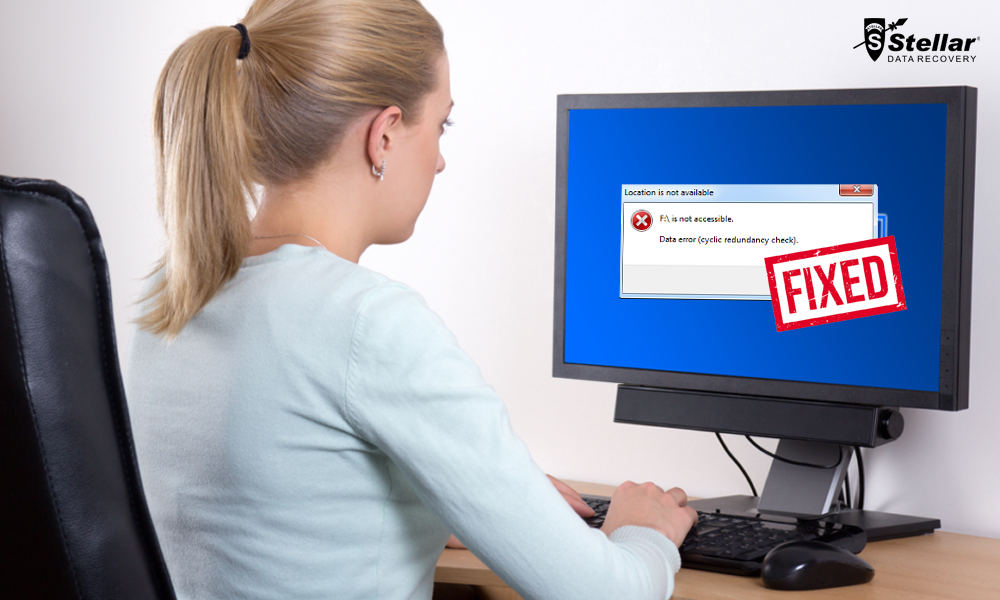
To avoid Cyclic Redundancy Check error, schedule weekly or monthly de-fragmentation task in Windows. Also, run CHKDSK every month to keep your hard disk healthy and free from errors including bad sectors. If you ever face any CRC error, stop using the system and try to solve the error as soon as possible.
a bit of a long shot but sfc scan is always a good start
golden nova
marble mica
It's not something I experience in other games though - it's Arma 3 and perhaps ...
I do think it's hardware related since both YouTube and Arma 3 produce pops and crackling sounds in different "parts" of your headphones (left, right, sometimes frontal L-R) while the audio is played in stereo - if it was just related to the A3 audio files the pops would be stereo too (or at least wouldn't chhange the left-right side) imo
marble mica
umbral narwhal
Feels like an OS bug to me though. Like it's switching the audio output frequenc...
That’s where my money is too, though not all games suffer from it.
umbral narwhal
blissful pine
copy from rtp ```20:01:22 Initializing stats manager.
20:01:22 sessionID: 3b1c8c...
Drive dying, Arma data file corrupted at hardware level. You can trying steam verify/repair but the drive is probably not long for the world.
 nova thunder
Does anyone know why this is happening to me. This only happens on this certain mod pack

 pine kite
Don't use a mod pack. Subscribe to all required mods individually. The launcher does that for you if you don't have them. Unless the server uses that modpack too. In that case, ditch the server.
nova thunder
Gotcha thanks!
But Its not a public modpack its just a modpack from the launcher @pine kite
does that still matter?
pine kite
I would call that a mod-template. A pack is usually considered stuffing all kinds of different mods together in one folder and distributin it as such. (And often going against express instructions of the modcreator to not distribute it without his permission. Which could lead to a bann/takedown if published on Steam Workshop)
In the case of that screenshot error it could be that your internet security/malware protection prevented ACE to be loaded.
Or it has gone corrupt somehow. A repair of the mod by the launcher would be the first step. Worst case to unsubscribe, resubscribe. Or the thurough method would be to remove all file contents in side the mod folder itself and repair/verify it again.
!steamverify
rustic eagleBOT
Steam file verification process:
Right Click on game -> Local Files -> Verify Integrity of game files
Arma 3
Steam Workshop Mod repair process:
Open Launcher -> Right Click on mod -> Repair
The first process will automatically verify Steam Workshop items as well.
nova thunder
Gotcha
I just disabled acs from the modpack and it worked
so I might need to verify
pine kite
Ofcourse, if you don't enable it in the launcher, nothing needs to be loaded from it.
But then you get no ACE functionality too. And some servers might require it.
umbral narwhal
The modpack issue is normally that they accidentally include two different versions of ACE and they fight each other.
common with CBA as well.
nova thunder
Ok seems like I fixed it, thanks alot guys!
 thin smelt
hey guys, how do i make arma 3 load faster wit mods. 💀
 uncut trellis
Get fast SSD and fast RAM
thin smelt
uncut trellis
Get fast SSD and fast RAM
currently i have 190 mods installed, is there like any number i should avoid going above?
uncut trellis
Do. You use all of them at the same time? At that high count you Likely have some poor quality mods with errors or bugs that slow the game down.
For best experience launch the game only with mods you actually use.
pine kite
That IS the way to get Arma 3 to load faster.
golden nova
and it is faster to close the game and switch between mods presets than loading everything at once.
 queen scaffold
Anyone know why my game keeps kicking me after about 2-3 mins in my server?

 quaint jewel
CBA is at version 3.15.8
Whatever you have there is not the real CBA, because that one is up to date
 indigo oar
Does anyone know how to fix the brightness issue when I'm in cockpit mode?
 cloud quartz
quaint jewel
Whatever you have there is not the real CBA, because that one is up to date
cloud quartz
quaint jewel
Whatever you have there is not the real CBA, because that one is up to date
i have the real one in my mods tho
steady hawk
Make sure none of your Mods replaces the real one
cloud quartz
how would i do that?
steady hawk
Maybe unload every Mods other than CBA and ACE
 ocean cosmos
refer here
 dusk fjord

i need help i have
all files validated
so its fine
0 files are corrupted but it still doesnt work
 glass yarrow
anyone know how to change the Ace 3 interaction menu to add / remove items?
indigo oar
indigo oar
Does anyone know how to fix the brightness issue when I'm in cockpit mode?
?
pine kite
dusk fjord
i need help i have
See that Battleye tab on the left? What does it say?
Also click on that gear icon and Options, show what game version it is.
 rotund phoenix
Hey, I don't know why but whenever I'm on my personal server and I try to use the spawn reinforcements module it just spawns them but doesn't tell them to go to the LZ or RP even though I have them placed down. It aslo spawns the assets in as if they were spawned in via Eden Editor rather than through Zeus which is what I'm using. This only happens on my server and I have no clue on how to fix it. If anyone knows how you'd be a great help!
If it helps, I'm using FASTER to run my server.
If you need more info just lmk and I'll try my best to get what you need.
 subtle nova
So I've been getting this weird issue where AI units will spit out an absolutely meaningless grid reference when queried with the 'Report Status' command. I am using a few mods, but I have absolutely no idea what would break this particular feature (the only mod I have that affects AI is LAMBS, to my knowledge.)

 peak sparrow
The launcher does not use the profiling exe although it has the profiling ribbon on it. How do I fix this?
 slate wind
'
look i have a arma server that i am trying to setup for liberation, but im trying to use CUP too the mod.
i always add the CUP mod but it says this "UP_Creatures_People_Core' requires addon 'CUP_Weapons_LoadOrder"
i know im missing a file but dont know which one
please someone dm me who can go in a call and help me fix this. Im willing to pay $20
steady hawk
CUP Characters requires CUP Weapons
pine kite
subtle nova
So I've been getting this weird issue where AI units will spit out an absolutely...
It's not a meaningless grid reference. It's just a longer one than vanila game does. Must be by some mod you got. If it is an even number of digits (must be), divde them in halve: XXXXXYYYYY, or HHHHHVVVVV. Take the first 5 to represent horizontal coordinate axis (X or H), the second halve the vertical coordinate axis (Y or V). The first digits are the crude part along the edge of the map grid scale (usually in kilometers), each digit further refines the location along the scale of the map. So guestimate it by dividing the square in 10 parts, then further the next level. Or zoom in and let the game show the finer divisions of the square.
 mystic pumice
Hey so this has been happening. https://medal.tv/games/arma-3/clips/1cvKxpxbQPyVWX/d1337Jn17HxT?invite=cr-MSxCSG0sMTY5NDIxMDU1LA
2 of us try to join a dedicated server, for one of us it works for one of us we either fall out of the sky, or we became a bird. We use mods, and we all have the same mods, the map is Atlis, the spawn is setted up correctly, and we both verified the game files. And the incorrect one spawns on Statis, and the correct one spawns on Atlis

Watch Untitled and millions of other Arma 3 videos on Medal, the largest Game Clip Platform.
also showing on this clip i was on teamspeak but it showed i wasn't.
pine kite
Is it a dedicated server of your own? Your friend? Or a random one on the internet? Who made the mission scenario? What made you think one spawns on Altis, and the other on Stratis? Did you actually see the map (with M-key)?
mystic pumice
pine kite
Is it a dedicated server of your own? Your friend? Or a random one on the intern...
its on a host, and i can controll it throught Pterodactyl. (so mine). I made the mission scenario, it should just basically spawn you at a base. After loading in, and getting to ready up i see Statris as i remember. I couldn't press M in game, because i didn't have anyithing.
pine kite
In that case, your friend is loading on some other server. As you can't launch Altis and Stratis at the same time in one server.
mystic pumice
we joined the same server thorught direct connect, and Atlis is the correct map
if you look at the video some parts of the base is actually there
 pine kite
That image of the islands is not the actual island being played on. It is just a background
mystic pumice
maybe i don't remember it well
mystic pumice
mystic pumice
if you look at the video some parts of the base is actually there
tho, what can i do with this?
pine kite
Start from scratch again. test your server admin skills first with loading an existing Arma 3 vanila scenario on the server. If that works, upload a custom scenario with just players in it. Then expand your scenario. At the very last include mods. This looks Fubar-ed beyond recognition. Not salvageable imho.
mystic pumice
hmm okay
pine kite
Test it each step of the way.
mystic pumice
so basiclly if the server is working without mods, after that i can upload my mods?
pine kite
Yes, take it in baby steps. Don't throw all complexity of server managenent, scenario creations and mod management that may or may not conflict all in one pile and be surprised it doesn't work for you.
Test each step so you know at what point something made it worse.
 flat pier
Hi,
for some reason i'm unable to hostIt started yesterday after i bought the Apex and Contact DLC. Any ideas on how to fix this? a multiplayer server, Whenever i click on host server on the Setup Server menu it takes me straight back to the multiplayer menu.
 ruby sandal
$STR_MP_KICKED_CLIENT_DEVSUPPORT
What exactly happens when someone gets kicked off for this?
Seeing a lot of these today on our servers
 weary sky
Looks like a missing translation in a mod
 nova panther
had one player report it that's russian.. but apparently it worked before today.
But i'm pretty sure he's using some kind of DLC unlock hack.. so maybe that's causing it? Pretty limited sample size of 1 though. 😄
 buoyant granite
just had another one, clearly says something about dlc
he admits to using a dlc unlocker 😄
pine kite
Clearly says something about invalid DLC license detected actually. Don't know what it says before that.
buoyant granite
ye, so clearly because they use a dlc unlocker 🙂
their issue and fault for being pirates
umbral narwhal
peak sparrow
The launcher does not use the profiling exe although it has the profiling ribbon...
Rename the files.
ruby sandal
Wonder if there's somewhere I could send a list of UIDs of people getting this "error" so they could get a little slap
buoyant granite
ruby sandal
Wonder if there's somewhere I could send a list of UIDs of people getting this "...
prob half of A3 players would vanish then 😄
glass yarrow
Does anyone know how to edit what appears in the ace self interaction menu I want to remove some options
mystic pumice
pine kite
Test each step so you know at what point something made it worse.
fixed it, it was a typo. 
glass yarrow
ocean cosmos
or ace interaction (self)
It doesnt work, i cant remove things like animations- can you show?
ocean cosmos
do you mean gestures?
glass yarrow
i want to remove flight gestures, check air, team managent and animations
ocean cosmos
thats part of a mod which is not supported by ace and is quite outdated
though you should be able to look in ace interaction (self) - move to root or something
glass yarrow
oh... i dont think i have anything that adds those tho
ocean cosmos
you do
glass yarrow
clearly must
glass yarrow
cheers, will look through ig
Ace 3 extension animations and actions- that will do it
glass yarrow
nope- animations and flight gestures still there
 past stratus
Does anyone know what this is, I cant find anything on the internet
 uncut trellis
past stratus
Does anyone know what this is, I cant find anything on the internet
uncut trellis
past stratus
Does anyone know what this is, I cant find anything on the internet
it means you got to buy the DLCs
they are on sale now

might as well if you use the content
past stratus
Yet the server Im joining doesnt utilize any DLCs
past stratus
My point is no one in the sever requires any DLC
its apart of the unit im in and there is no required dlc like APEX or whatever
past stratus
The dlc doesnt appear as owned in my launcher
I only have carts art of war and the idap one whatever it is
past stratus
Yeah
uncut trellis
try verify the game data
past stratus
Wait verify integrity?
pine kite
past stratus
Does anyone know what this is, I cant find anything on the internet
If you type it in Google Translate I am sure it will be very clear.
past stratus
Such a genius man
pine kite
No, Google Translate is genius.
 raven skiff
Hi! Only today I started getting an error with Arma when trying to join my server
"Invalid DLC licenses detected"
I have used Koalageddon in the past but as for Arma I've LEGALLY bought every single DLC as well as uninstalled Koalageddon, any way I can fix this without uninstalling and reinstalling the game?
 noble valley
Hm
 silver cypress
try restarting steam if you haven't already
raven skiff
Alrighty-o
raven skiff
@silver cypress Didn't work
noble valley
maybe reinstall the game?
raven skiff
There's nothing left, I've uninstalled and scrubbed every remnant of it so I have no idea what's going on
quaint jewel
There must be something left
maybe go to your Arma folder, delete all dll files in the main folder, and then verify files in steam.
or in Arma 3 launcher, go to Options -> "prepare Arma 3 error report" which gives you a zip file, and send me that via DM, I can probably see what's wrong
raven skiff
Alright
 jaunty cedar
hi, I accidentally overwrote the meta.cpp from Unsung with that of Unsung Beta, confusing some tools for joining servers. Now I removed meta.cpp completely as I could not find a good copy, and wonder what will fail now? Any way to reinstate that file from a previous version w/o rolling back via Steam Workshop?
I used steamcmd with workshop_build_item, so it seems meta.cpp does not get autocreated, like stated on https://community.bistudio.com/wiki/Arma_3:_meta.cpp via Publisher?
quaint jewel
When you publish, publisher will create a new one
If one is already there, it probably doesn't. But if there is none it should
you could also write it by hand, there really isn't much in there
 brazen mango
raven skiff
There's nothing left, I've uninstalled and scrubbed every remnant of it so I hav...
brazen mango
raven skiff
There's nothing left, I've uninstalled and scrubbed every remnant of it so I hav...
u soluted the problem?
i have a bit more weird situation
i have been NEVER using any free dlc unlocker mod stuff but it show me same message as u
i have bought some dlc 3years ago
whole apex,tanks jets and stuff
raven skiff
brazen mango
u soluted the problem?
Delete all files in Steam except for Steam.exe and Steamapps.
Run Steam via the .exe file and it'll reinstall without deleting your games, it should work after that.
brazen mango
oh shit
 fathom ermine
camera doesnt always follow the head model. Is there a way I can fix that? Wanted to use view pilots but it doesn’t seem doable since it glitches
steady hawk
I don't follow what you mean. What camera, what head model, what glitch, what “view pilots”?
 restive prism
again i have trouble to launch arma 3 on steam
when i press play nothing happens
but i can start arma from game files so i think i have a launcher issue
any suggestions
?
golden nova
!steamverify
rustic eagleBOT
Steam file verification process:
Right Click on game -> Local Files -> Verify Integrity of game files
Arma 3
Steam Workshop Mod repair process:
Open Launcher -> Right Click on mod -> Repair
The first process will automatically verify Steam Workshop items as well.
 warped badge
Hey just wanted to see if anyone else could help me with this, no idea what's wrong but everytime I get ingame and play as a character it freezes or when I get into the arsenal it goes to a complete blackscreen in the background and the GUI starts bugging out like a demon has possesed the files, I've restarted, messed with settings, validated the game files, deleted my entire arma file, everything was deleted btw, and reinstalled it, still get this bug. I am using a modpack for a unit I am so that may be the issue but I highly doubt it as I am in several units and have been playing arma for 1,083 hours now, never have I ever seen something like this bug or glitch or whatever
 golden nova
if you run arma without that modpack and it works then you'll know what's the culprit.
what I see is an enormous amount of useless mods (IFA and these ripped Fallout assets in one pack? Really? what for?), someone who made it really doesn't know how to make mods and that's the effect.
warped badge
golden nova
what I see is an enormous amount of useless mods (IFA and these ripped Fallout a...
that's what I was thinking , but the unit runs perfectly fine, like I mean every other member in the unit has never had this issue
so it isn't rlly a modpack thing it's a me thing specifically and idk what's causing it
ofc it don't got this problem if I run vanilla arma, but it also don't got this problem if I run any other modpack so I can't really narrow down what's wrong since nobody else has this issue
golden nova
!rpt
rustic eagleBOT
Arma RPT
Arma generates a .rpt log file each time it's run, which contains a lot of information like the loaded mods, or any errors that appear, this log file can be very useful for troubleshooting problems.
To get to your RPT files press Windows+R and enter %localappdata%/Arma 3
Additionally see the wiki page for more info: https://community.bistudio.com/wiki/Crash_Files
To share an rpt log here, please use a website like https://sqfbin.com/ to upload the full log, that way the people helping you can take a look at it and try to figure out the problem you're having together with you.
Note: RPT logs can hold personal information relevant to your system, the game or others.
warped badge
golden nova
!rpt
Never done this btw, do you want me to run arma, and then get these files uploaded to that website or something along those lines
 golden nova
run arma until it goes to that broken state, let it crash or alt-f4, open the RPT with any editor and look for errors from the bottom of the file
I don't have time for debugging someone's modpacks since that's just pointless for me, so you do the honours
send errors to your "modpack maker" and let him figure out what's wrong.
warped badge
gotcha brother, thank you a lot!
fathom ermine
steady hawk
I don't follow what you mean. What camera, what head model, what glitch, what “v...
When I make view pilots for an example, NVG or helmet. When scoped in. It causes clipping issues and not lined up correctly with the head/camera model
 heavy nest
Hello I've been having this error since forever with ARMA 3 and thought I'd ask for help since I can't find anything online on it.
Whenever I get into the audio settings of the game while in-game (either on a server or singleplayer) and exit out of them the game starts playing a helicopter propeller sound as if it was right besides me for a long while. It does disappear after a WHILE on its own but this happens every single time I click on the audio settings and get out. It doesn't matter if there is a helicopter nearby or no
 split veldt
Whenever I right click on an object in zeus, it crashes my game, so far it's only happened after I reinstalled the game. It could be something to do with me missing the ace compat for zeus enhanced, but I dunno
pine kite
warped badge
ofc it don't got this problem if I run vanilla arma, but it also don't got this ...
Then the best way to start would be to compare the setup from you versus one of your unit friends. What is the difference how they installed it and how you did it.
queen scaffold
anyone know why my FOV is so zoomed in? tried changing it in the files etc just wont work
its really annoying bc my screen is practically in my gun when i want to use a gun
pine kite
Looks like the game is missing some mod files.
 mental river
Either a broken mod or missing mod dependencies
 austere sand
Hello lads, I'd like to ask for pointers about a problem I've encountered and hope this is the right spot
"SelectionID "32" is wrong for shape "cwr3\humans\cwr3_soldiers_rus\uniforms\cwr3_uniform_m69.p3d"
SelectionID "31" is wrong for shape "cwr3\humans\cwr3_soldiers_rus\uniforms\cwr3_uniform_coverall_tanker.p3d
SelectionID "32" is wrong for shape "cwr3\humans\cwr3_soldiers_usa\uniforms\cwr3_bdu_eto_tee.p3d"
my colleagues who run the server get this error message while trying to load my mission with CWR3 mod used, removing the afforementioned uniforms did not help, but while it was ran locally, all worked, while when it's put on the server, this issue pops up and returns you to the mission select screen, my colleagues say it must a server-side issue, but are clueless, any guesses?
fading pulsar
Perhaps check if mod isnt corrupted serverside.
If it isnt, then it might be mod itself is bork
austere sand
Thanks, do you have any ideas on what might be done serverside?
I think the lads reinstalled it multiple times already but to no avail
fading pulsar
Well reinstall or validate with steamcmd
austere sand
and if it still persists, it's a mod issue?
fading pulsar
That would be my guess
You could also set this in server config and hope it pushes thruhpp class AdvancedOptions { ignoreMissionLoadErrors = true; // do ingore errors };
austere sand
Thank you plenty boss, I'll forward it
pine kite
Ofcourse, destroy the evidence of armagedon happening in code-space. Then nothing is wrong at all. It's not happening if you don't know about it. Don't need to fix anything. Ignorance is bliss!
fading pulsar
Well look... i had plenty of em config errors inside the mod stopping the mission from loading. And i aint gonna go fix every single mod that could cause it.
austere sand
and is there anything else a mortal can do but send it?
 tulip sigil
Hi, I was wondering why my arsenal loadouts keep getting deleted
Happens every 3-4times I boot up the game
marble mica
This sound crackling issue is still unresolved. Will it ever be fixed? https://youtu.be/rol4tc-4X5U And no, I don’t use an USB headset, all drivers are up2date, etc. Pretty sure this issue is with Arma3.

Hello Guys,
I haven't really checked the forums yet but I kinda wanted to make this bug report as its one of the most annoying things left in a overall really great game status!
Its about the tanks or other vehicles turret sounds or rather the function/trigger. While the tanks turrets are not moving, everything seems fine. As soon as the turre...
 brave hawk
tulip sigil
Hi, I was wondering why my arsenal loadouts keep getting deleted
brave hawk
tulip sigil
Hi, I was wondering why my arsenal loadouts keep getting deleted
a mission or a mod does that
(community mission that is)
which one, cannot tell - try around and find out
steady hawk
That is only a few of possible cause
brave hawk
steady hawk
That is only a few of possible cause
isn't a profile corruption also resetting controls etc?
@tulip sigil stay tuned for more info 😄
tulip sigil
My controls aren’t getting reset though
steady hawk
But profileNamespace setVariable or such won't reset controls yes?
brave hawk
steady hawk
But `profileNamespace setVariable` or such won't reset controls yes?
won't
but such thing is the work of a script, so mod or mission?
steady hawk
Yeah this sounds not a corrupted profile
tulip sigil
But this only happens to me not any of the other players on the server
It’s happened to me twice so far since the launch
brave hawk
maybe (big maybe) an issue with cloud storage that would resync to your old profile data
if it just doesn't save your loadouts anymore, then it might be the profile file being in read-only mode
(like, save it in-game for the instance but reset on restart)
tulip sigil
I see
fading pulsar
Check if you run OneDrive to backup your Documents folder
tulip sigil
I do
fading pulsar
Then it might just be that onedrive overwrites/"restores" it
 ocean cloud
Hellow
I created a small mission and made several characters with their own gear. Then I launch the multiplayer game, choose the spawn...is spawn without the weapons assigned in eden editor, but keep the bags, helmets, etc. Do you know how to solve the problem?
(but keep ammo, grenades etc in inventory)
tulip sigil
fading pulsar
Then it might just be that onedrive overwrites/"restores" it
Probably, is there a way to have a master copy to upload so I don’t constantly have to lose them
fading pulsar
dunno, i dont use oneDrive
golden nova
marble mica
This sound crackling issue is still unresolved. Will it ever be fixed? https://y...
you can make a ticket on feedback tracker or subscribe to an existing one (if there is one), but as long as there are no way to reproduce that I doubt there would be any fixing from BI's side
umbral narwhal
On that note, after listening to your vid I realised that the offroad engine has a loop pop for me.
Turrets are fine here though.
marble mica
umbral narwhal
On that note, after listening to your vid I realised that the offroad engine has...
Not my vid, it’s from LordJarhead in 2017. Issue is still there though. Repro is start Arma without mods and plop down a tracked vehicle in editor. Start engine and move turret -> crackles and pops.
umbral narwhal
I meant honger's tank-driving vid from a couple of weeks ago.
golden nova
marble mica
Not my vid, it’s from LordJarhead in 2017. Issue is still there though. Repro is...
the thing is that it doesn't happen on every setup. Check any stream or recent recording of people driving a tank, I bet it will be squeaky clean
umbral narwhal
Do you get the turret-turn pops as well?
golden nova
yes although I started ignoring them due to how overwhelming the engine popping is.
Some GlobMob and SOG tanks sometimes sound like their engine sounds would straight out clip over 0db
 solid shell
can someone help me every time i load up in server it crashes
my laptop is not bad
i watched every video humanly possible
i am dying
 main forum
solid shell
can someone help me every time i load up in server it crashes
main forum
solid shell
can someone help me every time i load up in server it crashes
do you get any error codes?
also show us your rpt
solid shell
no errors
main forum
Appdata > Local > Arma 3 > grab the newest .rpt file
it's basically the logs of your game

 main forum
windows + R
 umbral narwhal
Looks like it is creating crash dumps. Not sure why you wouldn't get any sort of error message.
Do a steam verify on Arma. If it still crashes afterwards then dedmen might want the .mdmp files.
solid shell
k one sec
ocean cloud
Hellow
I created a small mission and made several characters with their own gear. Then I launch the multiplayer game, choose the spawn...is spawn without the weapons assigned in eden editor, but keep the bags, helmets, etc. Do you know how to solve the problem?
(but keep ammo, grenades etc in inventory)
 spare geyser
ocean cloud
Hellow
I created a small mission and made several characters with their own gear...
spare geyser
ocean cloud
Hellow
I created a small mission and made several characters with their own gear...
you must save the respawn loadout before respawn
create a sqf file that named initPlayerLocal.sqf
then put the fallowing code into it
player addEventHandler ["Killed", {
        [player, [missionNamespace, getPlayerUID player]] call BIS_fnc_saveInventory;
    }
];

player addEventHandler ["Respawn", {
        [player, [missionNamespace, getPlayerUID player]] call BIS_fnc_loadInventory;
    }
];```ho okey and where do I put this file?
Why this game is so hard for a simple things X)
spare geyser
ocean cloud
ho okey and where do I put this file?
Why this game is so hard for a simple thi...
the mission folder that you can find it on menu --> file --> open mission folder (or something)
ocean cloud
oki doki, thanks a lot!
golden nova
@umbral narwhal please tell me you can hear these awful pops in the left speaker too.
my guess it's that it is caused by a certain sound or a set of sounds recorded in a way that they cause that, but I fail to understand why wouldn't I get it from 2017 if it was game's issue
tried to reproduce this in other games but unsuccessfully
and this is the exact popping I get in tanks although this one does not follow the environment because these are Enoch sounds and some of them are attached to the player rather than the objects around
marble mica
golden nova
and this is the exact popping I get in tanks although this one does not follow t...
Wow, that is quite annoying indeed. In my case it's not as bad: just with tracked vehicle engine sounds and turret sounds.
umbral narwhal
I can get fairly consistent pops on closing the escape menu while driving a tank, but not typically for ambient sound.
Not sure what specific ambient that video is though.
golden nova
map is Tria but the surfacetypes and assets are from Enoch, if you teleport around Livonia between asphalt and forest surfaces you should eventually hear these pops too
I haven't yet tried digging through the game files to find specific .wss/.ogg files
tomorrow I'll try doing a clean install of nvidia drivers from 2020/2021, maybe they broke something with an update or two and it's just getting worse (I already moved to 2019 Realtek's audio drivers but to no avail)
umbral narwhal
yep, that Livonia ambient pops consistently.
golden nova
out of curiosity, do you have a MSI motherboard?
umbral narwhal
nah, also I can't replicate your tank driving pop or the turret one.
I think there's actually two effects here. One specific to sound files and one not.
For the offroad it's specifically the idle engine noise, and it's pretty quiet.
That Livonia ambient is the loudest I've heard personally.
three effects maybe? Some audio effects don't like the interruption (Livonia ambient). Some are just bad loops (offroad idle). And then you have some sort of buffer fill failure that's hardware specific.
austere sand
Lads, could anyone help me with P3D editing?
found the reason for the bizarre error in my mission, but I've got no clue how to follow the fix instructions
"If anyone is still having issues with SelectionID spam in the .rpt logs while using ACE3 and older uniform ports, the issue is due to two missing HitPoints. It is the difference between using the HitPoints from the samples .p3ds A3_Character_example.p3d and A3_character_template.p3d. Make sure the _example HitPoints are used. It includes Arms and Face_Hub."
this sort of operation
golden nova
umbral narwhal
three effects maybe? Some audio effects don't like the interruption (Livonia amb...
doesn't buffer overfill mean there are too many audiosources being played at once? I couldn't replicate this issue with any other game when I was running spotify or youtube in background.
quaint jewel
austere sand
this sort of operation
You need to have source files to do that.
And if you had you would already know how to edit p3d's, because you created it. So you probably don't, so you can't fix it
umbral narwhal
@golden nova It's usually that the buffer isn't being filled fast enough. Typically the way this works is that the soundcard fires an interrupt a few milliseconds before it runs out of data, and that goes through a few layers to a thread in the game process which writes the buffer, hopefully in time.
I haven't used XAudio though, so it might abstract further than that.
quaint jewel
it could also be a corrupt audio file
golden nova
umbral narwhal
<@269887075698868235> It's usually that the buffer isn't being filled fast enoug...
So this might be related to a faulty mobo rather than unstable power supply?
fading pulsar
how would these popping noises relate to power supply, if it was unstable you would notice it on, lets say more power consuming stuff first, like GPU, CPU, Fans, Hard drives, not a sound chip...
golden nova
fading pulsar
how would these popping noises relate to power supply, if it was unstable you wo...
I can hear the same popping sound on external usb sound card. I don't think it would be the case if it was mobo's sound card issue
And audio sources are very sensitive to power issues no?
fading pulsar
Yes but you would either hear constant 50hz buzzing (bad ground) or wooing sound when power demand increased.
Dont think power increases that much when you press esc key
Also does it happen just in armenia 3 or any other game/program? If so id first check driver
golden nova
Arma 3 is the only game I hear this that much
This happens on YouTube too but only with certain songs and sounds in them
I already tried installing different Realtek drivers, both new and old from 2019.
umbral narwhal
Not much uses XAudio, I think.
fading pulsar
Pop is created ussualy when soundwave abruptly drops to 0 db
As in it doesnt fade. My friend has such issue with rhs russian weapons, but not vanilla (or any other modded)
do you have for a test an USB headset to try?
golden nova
Nope, only external usb sound card
XAudio is a part of DirectX right? Should I try installing different versions of it then?
fading pulsar
Have you fiddadled with any equalizers, bass bost etc?
golden nova
Ye, through voicemeeter, Realtek manager, with and without special effects
umbral narwhal
I don't think there were many versions of XAudio. It was a short-lifespan API.
fading pulsar
perhaps try resseting them for a test
golden nova
fading pulsar
perhaps try resseting them for a test
Did that before, didn't help
fading pulsar
did it appear recently or was it like that forever?
golden nova
It's been like that for a few months I guess, first was slight popping on Livonia, then some GlobMob and SOG tank having engine sounds like they would constantly clip, popping on paused audio has been going on for a month
fading pulsar
any hardware os changes in the meanwhile?
golden nova
I bought a USB hub and an audio interface a year ago but now I have them both unplugged for quite some time as there is no use of them due to that popping
I already reinstalled Windows twice just to be sure it's not a driver issue
fading pulsar
Its a far shot, but try going into power saving options, and set them to high performance
golden nova
Did that
Disabled shutting down usb, enabled MSI for Nvidia in case it was running in IRQ (I didn't check that), changed CPU minimal and maximum performance in powerplan settings too
I think I did everything software wise
golden nova
Both me and this dude have MSI motherboards and a Seagate hard drive
I believe I did everything from this thread too and nothing helped at all
fading pulsar
the weird thing is, that it does the noises even when you use external usb sound card.
Cause then signal is transferred in digital form up to external card. So no power related stuff should interfere with it.
Which means that the pop is generated digitally. So software in most case id say...
golden nova
Why would it pop on a clean fresh win10 install? Windows itself is the culprit?
umbral narwhal
Windows does do the vast majority of audio handling. Like even the soundcard drivers are just minidrivers with minimal functionality these days.
golden nova
So what else could I do? Can I somehow downgrade Windows to its mid-2022 version?
umbral narwhal
You mean it does the tank turret/engine pops on a clean win10 install?
golden nova
Yes, I reinstalled Windows, downloaded steam through Edge, installed Arma and was greeted with popping sounds in the Tank showcase
fading pulsar
id still say it would be more or less driver issue... but two diffrent drivers with same issue seems unlikely.
Also another far shot, but do you have game on ssd or hdd?
golden nova
umbral narwhal
was that with only the built-in realtek, or the USB thing as well?
I checked it only with "raw" jack and the Behringer audio interface that goes through usb
golden nova
fading pulsar
Also another far shot, but do you have game on ssd or hdd?
HDD, I have Arma on it and another game, the other one runs perfectly smooth
fading pulsar
if you have any spare space on ssd (or have an ssd in the first place), i would try moving vanilla arma there
see if it continues...
since youve said you got same drive too...
golden nova
I have system on my SSD, Arma might fit, I also have another HDD drive but different company
fading pulsar
that would be the last thing id try, then i would start blaming motherboard
golden nova
Arma has been on it since 2019, never had any issues with any game on HDD before
I'll try installing it on system drive tomorrow
fading pulsar
to save you some time, you can just move it with steam
golden nova
Oh, I haven't tried updating bios yet as I'm afraid I may brick the mobo.
It's version is from 2019 when I bought the motherboard
fading pulsar
Worth a shot
 opaque anvil
does anyone have any idea how to fix this error? "D:\SteamLibrary\steamapps\common\Arma3\enoch\addons\soft-f-enoch.pbo needs additional key or the key it has is not supported by the server? please help i have tried redownloading and everything and nothing works. 😢 (i dont have any mods)
uncut trellis
opaque anvil
does anyone have any idea how to fix this error? "D:\SteamLibrary\steamapps\comm...
just to make sure you have done the steam game file verify
!steamverify
rustic eagleBOT
Steam file verification process:
Right Click on game -> Local Files -> Verify Integrity of game files
Arma 3
Steam Workshop Mod repair process:
Open Launcher -> Right Click on mod -> Repair
The first process will automatically verify Steam Workshop items as well.
opaque anvil
uncut trellis
just to make sure you have done the steam game file verify
I have done that numerous times and still nothing unfortunately
uncut trellis
opaque anvil
I have done that numerous times and still nothing unfortunately
try deleting the soft-f-enoch pbo and then run verify again
golden nova
fading pulsar
that would be the last thing id try, then i would start blaming motherboard
moved on SSD, still popping, will update BIOS to newest one now
golden nova
golden nova
Oh, I haven't tried updating bios yet as I'm afraid I may brick the mobo.
bios doesn't see any of my pendrives, all are over 32GB so are in exFAT, can't convert any of them to FAT32 because then Windows cannot read them
life is hard
thought about using MSI Center as apparently it can, as a software, update BIOS but I don't have good experience with it neither the older MSI Dragon
fading pulsar
Well hopefully you dont brick anything
marble mica
More recent thread on sound popping on start/stop: https://forums.tomshardware.com/threads/popping-noise-when-starting-stopping-audio.3804673/
Tom's Hardware Forum
Hello, in the last few days ive noticed a weird audio glitch that is happening whenever audio starts or stops. I first noticed it in discord but it also happens with other applications and I am able to recreate the issue using the volume slider. So far I have tried uninstalling and reinstalling...
golden nova
I've seen in other thread that PCI Bifurcation from x16 to 2x8 helped a dude with popping audio in similar situation. I only have 2x8 by default and 4x4x4x4 so can't try it out tho
Tom's Hardware Forum
System: 5600G, 6800 XT, 4 x 8GB 3600 MHz CL16 RAM, B550M DS3H AC motherboard, GD-F HPJ 750W PSU, SK hynix Gold P31 boot drive
To be clear, audio crackling happens independent of whether hardware acceleration is enabled.
The facts:
- I get persistent audio crackling when the audio bitrate...
 dim vigil
so i have reseted my pc and i have previously installed on a custom folder and now i had some issues with verifying files for arma 3 but when i thought all the mods were going to be okay but they werent and now i have to install 150 gigs worth of mods even though i have them installed
opaque anvil
uncut trellis
try deleting the soft-f-enoch pbo and then run verify again
Legit don't know what I did but it worked after a while cheers anyway man, very knowledgable
steady hawk
Have you tried what HorribleGoat suggested so it worked?
opaque anvil
Deleting the soft_f_enoch pbo?
 oblique phoenix
trying to add another shop under this infantry one labelled "british infantry" not sure where to find more information for the warlords setup and classnames, i understand some of the basic stuff but im not seeing where i should add/edit this stuff from, i remember seeing some warlords functions in my project drive?
 steady hawk
opaque anvil
Deleting the soft_f_enoch pbo?
steady hawk
opaque anvil
Deleting the soft_f_enoch pbo?
If that's not what you've done, I don't know
oblique phoenix
I added a new class into the requesition menu in the description.ext for the british infantry, but not sure where else i need to define it for it to actually show up in the menu as a separate option, I would like to rename most of these based on whichever RHS Faction I am using at the time for each warlords game (We are setting up modded warlords across multiple maps and factions), So differentiating between nations in the shops would save scrolling and look neater
 nimble ivy
this bothers me so much that everyone just ignores this question i genuinely hate it, im trying to get my friends into my server and it keeps giving them "connecting failed" messages
 uncut token
nimble ivy
this bothers me so much that everyone just ignores this question i genuinely hat...
uncut token
nimble ivy
this bothers me so much that everyone just ignores this question i genuinely hat...
I've just been playing with a vpn. That seems to work
golden nova
marble mica
More recent thread on sound popping on start/stop: https://forums.tomshardware.c...
https://forums.tomshardware.com/threads/audio-popping-when-un-pausing-certain-sounds.3809926/ I became the most recent poster now, hope someone will come up with a bright idea because I'm loosing my fooking mind
fading pulsar
Did bios flash not change anything?
golden nova
Only resetted my custom bios settings
fading pulsar
Hmm whats ur motherboard make?
raven skiff
Hi! Is there anyone who can help me find out what might be causing my constant crashes? Obviously it's more than likely a mod but I have a crash file and have no idea how to read it :\
steady hawk
!rpt
rustic eagleBOT
Arma RPT
Arma generates a .rpt log file each time it's run, which contains a lot of information like the loaded mods, or any errors that appear, this log file can be very useful for troubleshooting problems.
To get to your RPT files press Windows+R and enter %localappdata%/Arma 3
Additionally see the wiki page for more info: https://community.bistudio.com/wiki/Crash_Files
To share an rpt log here, please use a website like https://sqfbin.com/ to upload the full log, that way the people helping you can take a look at it and try to figure out the problem you're having together with you.
Note: RPT logs can hold personal information relevant to your system, the game or others.
steady hawk
dump file on the other hand is not a readable for end users. Ask Dedmen if you got
raven skiff
Okay, tyvm!
steady hawk
Also, if you suspect is a Mod issue, (actually depends on the situation but,) you can refer the pinned post
raven skiff
Alright
It's definitely not the most consistent issue, it crashes at seemingly random times
golden nova
fading pulsar
Hmm whats ur motherboard make?
MSI
fading pulsar
Model?, like the whole thing
 fading pulsar
Nope, i asked for its make 😉
It seems to be motherboard issue, with latest realtek drivers
Try these:
https://forum-en.msi.com/index.php?threads/audio-problems-on-msi-b450-tomahawk-max-ii.371823/
And:
https://forum-en.msi.com/index.php?threads/msi-b450-tomahawk-max-driver-audio-issues.362746/
They all seem to start around 2021/2022
golden nova
right now I'm running "v6.0.1.8186 (2.82) for ALC892" of Realtek after I checked what exact codec is on my board
it's from ~2017, didn't do anything unfortunately 😦
fading pulsar
But in conclusion, its your motherboard
golden nova
would that be it's HD Audio module fault, like a physical one, or something in its software?
fading pulsar
It could be burned also, but only slightly. Id say its more software/firmware related, aka fuckup on msi side
marble mica
These issues are also happening on my NVIDIA HD Audio device / TV speakers. Not just the Realtek onboard audio. My money is on the DPC issues caused by the NVIDIA driver.
golden nova
but did LatencyMon show you DPC issues pointing specifically to nvidia?
fading pulsar
Just googling that mobo with realtek spits out shitload of issues
golden nova
I tried replacing this motherboard in January 2022 when I bough some ASUS TUF or something, but either the shop didn't update its BIOS (despite me paying for it) or sent me a faulty one, had to refund and eventually stuck with it
I don't remember why I wanted to get rid of MSI, possibly because it would constantly mess the MysticLight RGB stuff, because MSI can't do a single thing right
marble mica
golden nova
but did LatencyMon show you DPC issues pointing specifically to nvidia?
Yes, 2+ ms DPC latencies with the Nvidia driver happen all the time, even in idle and worse when things are running. It's a known issue with Nvidia drivers.
golden nova
in my case it never goes above 500us, with exception of a spike when a game or a program is starting up
fading pulsar
Perhaps now would be the case to redo that purchase. Prices are going down after all afaik.
 fluid echo
Hello, I'm having an issue with the CUP Terrains Core mod
None of the maps load, the mod is loaded, ive reinstalled the mod completely, and the issue still persists.
(Image attached: an example of an error for the issue)
 umbral narwhal
What makes you think that's an issue with CUP Terrains Core rather than CUP Terrains Maps?
fluid echo
because I only have Terrains Core loaded
All of the other users in the image have the same preset as I do and they're running fine, and Terrains Maps isn't loaded in the preset either
Well...
I tried loading up Maps as well...
apparently my launcher is kinda goofed up
It works now
sorry for the, whatever I just did
umbral narwhal
CUP Terrains core doesn't have any maps in it.
It's just building models etc. that are used by other mods.
 violet steeple
Does anyone know why when I am trying to host a server using FASTER, when I go to launch the server it does nothing. I am using a Headless client and launching it from remote connection to the computer. Its windows 10. I can't find anyone experiencing this issue.
pine kite
Ditch the headless client in the beginning. Just get a server running first. Then worry about AI processing load later.
Also, the server is not going to run a scenario by itself. You need to tell it to do something.
 torn abyss
Does anyone know what could be causing this?
https://www.youtube.com/watch?v=AjFtzoe5LhM

Please Enjoy ^_-
"This video was created using content of Bohemia Interactive a.s."
"Copyright © 2013 Bohemia Interactive a.s. All rights reserved."
"See www.bistudio.com for more information."
golden nova
mod, probably ACE
pine kite
Wild guess, you messing with animation mods.
ocean cosmos
iirc ace headbug fix can solve that
violet steeple
pine kite
Ditch the headless client in the beginning. Just get a server running first. The...
I have tried without a headless client. I also have a mission file selected. When I try to launch the server it does nothing. It doesnt even open any programs. No errors. Nothing. I even tried launching the exe and it also does nothing.
umbral narwhal
Have you run an Arma client on that machine before?
Might be missing some dependencies otherwise.
steady hawk
Have no idea why you mention a 8 years old video
violet steeple
Im pretty sure I did, I will double check
torn abyss
steady hawk
Have no idea why you mention a 8 years old video
because I don't have a video of it
@violet steeple https://github.com/Foxlider/FASTER/wiki/Setup-Guide-(1.8)
GitHub
Full rebuild of Flax's tool for installing and updating Arma 3 server with built in features for managing Steam Workshop mods. - Foxlider/FASTER
umbral narwhal
The vs2013 versions distributed by Steam have a bug where the x86 and x64 versions uninstall each other.
violet steeple
I do have vs2013 installed.
umbral narwhal
So can you run the Arma 3 client?
violet steeple
Do I need the client to run a server?
umbral narwhal
No, it's just the only test we have.
violet steeple
ok. I see. let me install it to test
 ocean cosmos
that is in fact what i said
torn abyss
Thank you, @ocean cosmos!
fluid echo
I am completely lost, somebody please help

I am using bisecthosting, I have the modpack set up, it says it works
violet steeple
umbral narwhal
No, it's just the only test we have.
I installed and was able to launch up arma 3 perfectly fine. Any ideas?
 fallow lark
hey fellas, I posted a month or so ago in here about poor AI performance with HC, meanwhile our group did some testing in Eden Editor, set up a VR mission with shooting lanes and 2 AI squads from both side, we registered the hits with eventHandlers and their skill values and loaded different mods to see the effect and then built some graphs using that data, we came up with this

*MinDev: CBA, ACE3, Zeus Enhanced, Zeus Enhanced - ACE3 Compat, DUI, Enhanced Movement
Anyone know why ACE would have such a big effect on AI?
pine kite
fluid echo
I am completely lost, somebody please help
What is unclear by that message? It tells you the solution.
umbral narwhal
violet steeple
I installed and was able to launch up arma 3 perfectly fine. Any ideas?
Try running the server exes in the client Arma folder.
umbral narwhal
fallow lark
Anyone know why ACE would have such a big effect on AI?
Extra pain/suppression penalties on taking damage, maybe.
Try a test where it's just one side shooting at a squad with disabled AI.
That 90m bounce is interesting though.
The dip at ~30m from vanilla AI is probably from them using automatic fire.
violet steeple
umbral narwhal
Try running the server exes in the client Arma folder.
looks like the server.exe works for the one in the game files. I am going to try and reinstalling the server using faster.
umbral narwhal
nods
fallow lark
umbral narwhal
Try a test where it's just one side shooting at a squad with disabled AI.
Ok my mistake, these tests were done without the AI being shot at, the targets were disabled with disableAI
umbral narwhal
which weapons?
violet steeple
umbral narwhal
_nods_
seems like it still wont launch via FASTER
fallow lark
umbral narwhal
which weapons?
I don't have a screenshot of the setup, but it essentially was 50 shooting lanes, like https://upload.wikimedia.org/wikipedia/commons/8/8f/Federal_law_enforcement_officers_during_firearms_training_exercises_at_indoor_firing_range.jpg , but with walls separating the lanes and enemy VR men ("O_Soldier_VR_F" with disabled AI, mimics, and damage) as the target at 2 meter increments.
Shooters were NATO riflemen, "B_Soldier_F", with disabled PATH, AUTOTARGET, damage, and UP unit position.
 umbral narwhal
hmm, no idea then. ACE doesn't change anything important on the MX as far as I know.
fallow lark
Alright, thanks anyway 👍
umbral narwhal
Would appreciate a copy of the mission to have a poke at.
violet steeple
Not sure why but my server exe wont execute outside of the arma 3 directory. Not sure why I cant get this FASTER server to work.
fallow lark
umbral narwhal
Would appreciate a copy of the mission to have a poke at.
Ill ask my friend, he was the one who created it
umbral narwhal
hmm, ACE does change the reloadTime on the MX for some reason
I wonder if that's enough. Like they can't control fullauto_medium worth a damn if you drop the reloadTime from 0.096 to 0.075
You could test that by deleting the ACE smallarms addon.
fallow lark
umbral narwhal
Would appreciate a copy of the mission to have a poke at.
he's currently working on it ill send it when he's finished
 prime kraken
So I don't know if this was a recent Windows fuck-up, but for some reason when switching from full-screen Arma 3 to my desktop and vise versa, this string of USB-powered decor lights flickers on and off. I don't know why Arma 3 is connected to controlling USB interface, it has never happened before.
The only notable change I think would be I got a different secondary monitor from my main one (I always run Arma 3 on that main one regardless)
Would anyone possibly know why switching out of Arma 3 makes my lights flicker? I'm at my wits end here 
umbral narwhal
Does it only flicker during the switch?
prime kraken
Yes. Though notably this week, these USB lights have turned off when my PC is in sleep mode. Something they have never done before.
and this is my first time booting Arma since then
Correlation? 🤨
I can upload a video of it happening
umbral narwhal
wouldn't help.
prime kraken
No?
umbral narwhal
Generally when Arma goes fullscreen, human-interface, display and audio devices may be switching into exclusive mode, which may have some transition effects. Not sure why your USB lights would be in that category though.
Also I'm not sure if anything actually goes exclusive when you have a second monitor.
As for the sleep effect, USB devices sometimes have a "turn off this device to save power" option in their device manager properties.
prime kraken
hmmmm I see
 plush night
hey yall, is there a way to disable the recoil introduced by ace3? i want to use redis but it appears ace3 is causing some issue with it
mainly making the bipod recoil a bit too much
 tender peak
I have been having an issue for a while now where no matter if I have mods loaded, low/max settings, reinstalled, different gpus, winodws 10/11, or changed launcher parameters I have stutters in the game constantly. It makes the game feel almost unplayable with how choppy it feels. Has anyone dealt with this that can help?
marble mica
marble mica
Not my vid, it’s from LordJarhead in 2017. Issue is still there though. Repro is...
There is this issue that is manifesting still today: https://feedback.bistudio.com/T127322 It’s a bug in Arma3, everything else has been ruled out.
nimble ivy
yeah but what could it be, you are not being helpful
why all of a sudden does it stop working
 proper sedge
I cannot see any internet servers nor can I join my friend, I've tried looking it up but i can't find anything does anyone know what's happening?
pine kite
Did you select the internet tab of the launcher's serverbrowser?
proper sedge
pine kite
Did you select the internet tab of the launcher's serverbrowser?
I have and it shows internet servers on the browser but not the main game. I have also tried to search for my friends server on the internet browser with no luck.
 tawny loom
Good day,
I am having some serious stuttering issues with my ArmA 3. These basically came out of nowhere. 2 days ago I was playing 100% fine with 0 lag then the next day it started lagging horribly.
I did not install any additional software, I didn't even restart my PC I left it on overnight.
So far I've tried reinstalling the game, moving the game to a new drive, updating GPU drivers, restarting PC. Nothing has worked so far. Is anyone able to think of any other solutions that I could try?
Thanks for your time and help 🙂
tawny loom
I have tried other games, no issues
golden nova
have you tried running some resource monitor while playing to see how your system performs
 golden nova
are you subscribed to any Workshop compositions?
tawny loom
I did for the server pack, however, I did not push any updates to them. No other user is experincing lag. Its just me.
golden nova
try unsubscribing them, let Steam purge them from cache and start the game again
Steam sometimes has issues with compositions and will constantly try to redownload them causing stuttering in game
btw I assume you have tried playing without any mods or custom launcher parameters
tawny loom
Thank you, I'll give that a try.
I actually did not, probably should try that as well
still stutters 
pine kite
proper sedge
I have and it shows internet servers on the browser but not the main game. I hav...
Then the game itself is not properly configured in the firewall to allow internet access I suspect.
umbral narwhal
@tawny loom Memory usage is suspiciously close to 3GB there.
Are you sure you're not running it with -maxmem?
Wait, is that the x86 version...
umbral narwhal
Under parameters, check what it says in the "platform" box at the top.
 umbral narwhal
yeah looks stock
Check an RPT though. Should be in Users\[username]\AppData\Local\Arma 3
tawny loom
I did nothing sus on there. I'll double check though
Nothing that I can see. I deleted the exes and did verify integirty on Steam. That 3GB useage is weird beacuse it was with mods loaded
umbral narwhal
Yeah the 3GB theory matches the screenshot and the symptoms. Note that in the screenshot you also have high disk usage.
tawny loom
yay its working again 
Thank you. either deleting the exes or changing it from Default (64bit) to 64 Bit fixed it
 tawny loom
 ocean nacelle
Start unloading mods 1 by 1. One of them is incompatible with one of your other mods
umbral narwhal
LIB_ stuff is usually from IFA
 flint crag
Having a recurring issue with signature mismatch on every single mod for the server I'm trying to access. Server has 5+ other users having no issue.
I'm able to join and select a role, but when I try to proceed after that it times out. Looked through my RPT and it keeps tripping an overflow flag before signature validation.
Google-Fu has produced nothing in the form of answers, just a lot of dead threads with the same issue. This is the only server I'm having the issue with, able to play on others no problem.
Dumped my Arma and Arma Launcher AppData caches at the suggestion of the server administrator but no dice.
 tawny loom
flint crag
Having a recurring issue with signature mismatch on every single mod for the ser...
tawny loom
flint crag
Having a recurring issue with signature mismatch on every single mod for the ser...
Is everyone obtaining the mods from the workshop? Only thing I can think of is either they resigned the mods with their own sig file or they obtained mods from a 3rd party website (something like armaholic) which may have a different sig file
flint crag
tawny loom
Is everyone obtaining the mods from the workshop? Only thing I can think of is e...
We all use a .html file that the organizer drops every time we have an op so we can pull the mods off workshop through the launcher
tawny loom
its possible that maybe they used to have an older version of the mod(s) and when they updated the sig files were changed. So old players can join and new players cant?
highly unlikely tho I'd say
flint crag
tawny loom
its possible that maybe they used to have an older version of the mod(s) and whe...
Server modlist gets changed alongside the .html, including sig files. Have played on this server in the past, it was the list change before this one that started the issue. Organizer suggests it's BattlEye that's causing problems.
tawny loom
have you tried unsubbing double checking that the folder was removed from the !workshop folder and then subbing to the mods again?
 thorny cairn
All the mods are workshop mods and kept up to date regularly.
flint crag
tawny loom
have you tried unsubbing double checking that the folder was removed from the !w...
Yes, even the mods that I had to install for this go-around are doing it
flint crag
thorny cairn
All the mods are workshop mods and kept up to date regularly.
^ The organizer
thorny cairn
I've only ever seen this issue for 1 other person in the 8 years i've been playing arma now, and even then I never found a solution to it
tawny loom
can't really think of anything else. Sorry 
One thing you can try is sending over a sig file or two over to one of the users and see if that works. This is not really a recommended way to do this but yeah
umbral narwhal
flint crag
Having a recurring issue with signature mismatch on every single mod for the ser...
This is because your modlist is too large for the default steam protocol packet size.
Or at least, that's certainly going to be an issue with a mod list that large.
flint crag
umbral narwhal
This is because your modlist is too large for the default steam protocol packet ...
Even though I'm the only one having the issue? Is it trying to parse every single mod I have installed even though I have most of them disabled?
umbral narwhal
Is this your server?
flint crag
umbral narwhal
Is this your server?
@thorny cairn
umbral narwhal
@thorny cairn What are you setting your steamProtocolMaxDataSize to?
thorny cairn
Uhhhh Let me check
thorny cairn
umbral narwhal
This is because your modlist is too large for the default steam protocol packet ...
What makes no sense regarding that is that 5 other people can join without any problems.
umbral narwhal
You can normally join anyway.
That's a secondary problem.
I'm gonna guess that everyone else has a giant list of signature mismatch on that server as well.
umbral narwhal
So what's the answer to the damned question
 little imp
Hi, I've recently installed arma 3 again but i don't know if this error is a unsupported gpu error.
 umbral narwhal
And you're really saying that if you look at that server's modlist in the launcher, all the mods are green for you?
Never seen a modlist that large that fitted into 1024
thorny cairn
I don't join through the launcher
umbral narwhal
sighs
little imp
Do I need to reinstall arma3 again or change the resolution of my display It's currently on in 1920x1080p
umbral narwhal
@little imp Can you run any other games on it?
little imp
Yes i have the lastest gpu drivers and pc updates no issues with other games
umbral narwhal
Are you saying your main display isn't 1920x1080?
 umbral narwhal
And both your displays are plugged into the 3080?
little imp
umbral narwhal
And both your displays are plugged into the 3080?
correct
umbral narwhal
oh, fun
I guess battleye is slow on the driver updates.
You'll probably just have to turn battleye off until they sort their shit out.
little imp
where do i do that?
umbral narwhal
^^
thorny cairn
right above those log messages actually
Do note you will not be able to join battleye enabled servers with it off
though singleplayer and editor will work just fine
umbral narwhal
Alternatively battleye might be up to date but your graphics driver is corrupted.
but that seems like the less likely option.
thorny cairn
Run a double check on those drivers, make sure there's nothing off, if needed, go as far as going to Nvidia's website directly and downloading them there, since Geforce Experience tends to have issues with installing drivers wrong
You'd think they'd have that down pat by now but nope
umbral narwhal
@flint crag So basically the signature mismatches there are a red herring and not directly related to your connection problems.
little imp
That's interesting i think battleeye is not up to date with battleeye disabled it runs.
thorny cairn
Mercy can get on the server stable for about 5 minutes, but the first signature check it tosses his way post-loading in boots him off
umbral narwhal
It is possible that you do have corrupt/mismatched mods but that list is gonna be all red regardless.
Trouble is that makes it hard to spot the bad signatures.
little imp
on the bottom it says all mods are up to date
umbral narwhal
I think those in-game signature checks are only done for the base data though? So maybe try verifying Arma.
little imp
i'm in game but with battleeye off i mostly play on my own
umbral narwhal
@little imp The error log is battleye blocking part of your graphics driver because it doesn't recognise it and/or thinks it's a cheat.
thorny cairn
Only thing he's seen in his RPT log is "[CBA] (events) WARNING: Usage of deprecated CBA_fnc_addLocalEventHandler." Now, I haven't seen it myself, so he might be skipping over something, but that's all I can really post from my perspective
umbral narwhal
RPTs are pretty bad at logging connection/signature issues.
thorny cairn
unfortunately
umbral narwhal
A lot of stuff that really should be in RPTs just doesn't log.
little imp
as long as its running i don't play with anyone.
thorny cairn
which makes it worse cuz this is a connection problem nobody seems to have a solid solution for
umbral narwhal
Well, if you set steamProtocolMaxDataSize to a large value (say 4096) then that might help spotting which mod if any is mismatched.
thorny cairn
Arma isn't about the experience. It's about the errors we fix along the way ._.
It's like playing a carnival game, ya gotta earn the experience sometimes lol
flint crag
And in this case in particular, the best way to win is to not play
ocean nacelle
I keep getting this thing saying "Addon 'HulaZone' requires addon 'caf_wp_weapons' "
help
pine kite
figure out what mod that caf_wp_weapons is. You are missing it.
Or find the workshop page for Addon HulaZone and check if there are any dependancies listed in it. I did find something googling for Hulazone, but I don't know if it is the right one.
fluid echo
I come across an issue with ACE
When AI gets knocked down, they go unconscious, even if it is disabled. And once they do it's impossible to finish them off, the only way they can die is by bleeding out. Does anybody know why this happens and maybe a fix?
golden nova
with just ace loaded?
also you can report any bugs on their discord or github issue tracker
 silver abyss
Hey I keep getting this 0x0000DEAD error I dont know how to fix it I have been able to play Arma in a long time
Could somebody help me?
I have unistalled and reinstalled the game but nothings happening
golden nova
!rpt
rustic eagleBOT
Arma RPT
Arma generates a .rpt log file each time it's run, which contains a lot of information like the loaded mods, or any errors that appear, this log file can be very useful for troubleshooting problems.
To get to your RPT files press Windows+R and enter %localappdata%/Arma 3
Additionally see the wiki page for more info: https://community.bistudio.com/wiki/Crash_Files
To share an rpt log here, please use a website like https://sqfbin.com/ to upload the full log, that way the people helping you can take a look at it and try to figure out the problem you're having together with you.
Note: RPT logs can hold personal information relevant to your system, the game or others.
golden nova
post your RPT file here
are you getting this error on vanilla arma, no mods, no custom parameters?
also instead of reinstalling verify files through steam
!steamverify
rustic eagleBOT
Steam file verification process:
Right Click on game -> Local Files -> Verify Integrity of game files
Arma 3
Steam Workshop Mod repair process:
Open Launcher -> Right Click on mod -> Repair
The first process will automatically verify Steam Workshop items as well.
silver abyss
golden nova
are you getting this error on vanilla arma, no mods, no custom parameters?
I deleted all the mods
It was vanilla
silver abyss
golden nova
post your RPT file here
I unistalled my game and i am reinstalling it now
golden nova
alright, after it's installed start it, exit and do file verification just in case
silver abyss
ok
golden nova
then keep playing it until you get that error again, find your RPT file and upload it here
silver abyss
golden nova
then keep playing it until you get that error again, find your RPT file and uplo...
It happens when I open arma
Its a kill error I think
umbral narwhal
0x0000DEAD is a secondary error. You want to paste the one before that.
It's usually the DLL one.
 smoky hill
Having trouble while flying
my camera is stuck in free look and I cant change it even when I double press alt
 drowsy apex
hello i have a problem with arma , my fps is 100 inside a town in altis with 20 players on the town when i shoot at someone my fps is still 100 but the game itself feels choppy or it feels like im playing on 30 fps , i couldn't find a fix for this since i played arma
i have a good pc , i play other games with frames like that but it smooth not like arma
smoky hill
I think that just arma being arma
drowsy apex
smoky hill
I think that just arma being arma
but how come i see people videos it doesn't happen to them
even my friends with i9 and rtx 40 series says they dont have this kind of problem
steady hawk
- HDD or SSD?
- Have you lowered the video settings? If yes, don't
drowsy apex
1 - ssd 2 - i play on low settings with texture on ultra only
steady hawk
Make them at least over than Low
umbral narwhal
I removed vsync recently for perf testing and it does feel terribly choppy without it.
Although I was localhosting so that might have more frame variance.
 bronze river
umbral narwhal
I removed vsync recently for perf testing and it does feel terribly choppy witho...
bronze river
umbral narwhal
I removed vsync recently for perf testing and it does feel terribly choppy witho...
turning of fsaa will improve fps, but u will get hagged lines around objects
umbral narwhal
I'm on a backup GPU. It can't handle FSAA.
Was more of a general "what actually matters for CPU-limited client FPS" question though.
golden nova
I have some stutter issues from time to time when firing in Arma 3 in two cases that are totally reproducable:
a) playing with AI mods that are not loaded on server (doesn't matter if I have these mods or any other player has, any individual player will do)
b) downloaded too many mods/missions/composition (just subscribed, not necessarily started with the game)
fringe salmon
so i just try host a arma 3 server just me and my friends but they cant find it when i look for them i cant find there game when they are the host and someone help me
steady hawk
You have already warned for pinging Bohemians. Why do you want to repeat it?
steady hawk
No
steady hawk
Because MP is not my cup of tea
fringe salmon
so who can i talk to about it
steady hawk
Someone here
fringe salmon
wym
golden nova

To play a private game with your friends, you think it is as easy as starting a game. IT IS NOT! Behold, Knightin tackles the bare minimum you need to play a private game with your friends.
UPDATE VLAN: you do not need the ZeroTier control panel to connect to the virtual network. The control panel now only exists in versions 1.8.5 and earlier...
steady hawk
Someone in this Discord server knows
golden nova
if nothing works, buy a server or let someone else host
steady hawk
And sit patiently, so honger can answer
golden nova
no, I want you to watch the tutorial to configure server properly
golden nova
then you didn't follow it 
using VLAN or even radmin is foolproof as long as you follow the manual
assuming you can't use UPNP or can't port forward due to your internet provider not allowing that.
golden nova
then what changed if it does not work anymore, because Arma has the same netcode and ways of server hosting since 2013
fringe salmon
and noting works
same people are saying it gamespy that could be doing but it shut down
still it dose help and i trying anything to fix it
Do you and anyway bc im really not trying to buy a server
golden nova
the easiest way is to download a vlan like the one in video or radmin, tell your dudes to download it too, host a LAN lobby and let them join, and once you host a mission in Arma they should join through LAN tab in game
other ways are UPNP or port-forwarding
fringe salmon
try both of them UPNP or port-forwarding still didnt work and it at just one friend it all of them so it dose make sese Why it it starting do this do you know a mod that can help me out to fix this
in discord
@golden nova can i show you what going on call??
golden nova
no, you can post screenshots here
or wait for someone who has time to troubleshoot your network issues as there are no other ways of hosting a server without paying
fringe salmon
which is bullshit!!
steady hawk
What is? You just need to sit patiently
fringe salmon
Ok im doing that now
rustic eagleBOT
Arma 3
To host a server or a game session locally, you need to make sure first that your WAN address / external IP uses the IPv4 protocol!
Check your router’s status page in the settings to confirm. (If in doubt, ask your ISP, Websites like “whatismyip.com” give you a false positive!)
Local servers and games can not be hosted on an IPv6 network, or IPv4 via DSlite tunnel!
https://www.avg.com/en/signal/ipv4-vs-ipv6
Once you have confirmed that your connection uses the IPv4 protocol, you need to manually open / forward the ports 2302-2306 UDP (https://community.bistudio.com/wiki/Arma_3:_Dedicated_Server#Port_Forwarding)
See your router’s manual on how to do that, or ask google: “<your router model> + port forwarding”
uncut trellis
@chrome linden Your friend will likely need to do the above 👆
 chrome linden
but he cant join me either
it makes no sense?
what am i meant to do? find out if my internet is ipv4 or ipv6?
uncut trellis
that first and then if its ipv4 you will likely need to set up the portfrorwarding so that the networks traffic can get through
chrome linden
i believe i have ipv4
 weary stratus
I accidentaly have overwritten my mission in the eden editor with a blank map . I have a backup of the map in the workshop but cant open it in the editor.
how do i get my mission back?
 fringe juniper
Since today my fps is capped at 60 fps with vsynch on. Why? It always was 165 with my 165hz screen.
nm its fixed. very weird
when i did ctrl alt del and when to taskmanager
arma was locked at 60 fps
even when restarted the game or pc
again ctrl del with taksmanager solved it :/
uncut trellis
you went into windowed mode most likely
fringe juniper
yes
but even restarting the pc did not fixed it
major bug :p
i was in panic mode, thought my 4080 was broken :p
hmm
fullscreen is locked at 60fps
fullscreen windowed is locked at 165 fps
i dont have this problem in reforger
golden nova
because reforger is a new game and Arma 3 isn't. Fullscreen is a relic of prehistoric times and noone should use it
in fullscreen A3 reverts itself to some default settings, doesn't react to vsync settings or screen ratio at all
umbral narwhal
shrugs
You might be able to hack fullscreen into giving you a better mode by editing the Arma3.cfg
but if fullscreen windowed is fine there's not much point.
fringe juniper
windowed is fine but does this affect fps?
golden nova
if you don't have an intel pentium onboard you shouldn't even notice
 nimble spindle
So I bought Arma 3 server hosting and everything works fine with the Vanilla game, but when I add mods things just start breaking. For instance currently I only have ACE and CBA A3 loaded and none of the medical/mechanical interactions work, as well as every car seems to be in slow-motion almost. It doesnt seem to be printing any errors to the console either. Anybody know a fix to this?
golden nova
you should ask your hosting provider
nimble spindle
Hmm, well so far they've been less useful than one would hope. Any suggestions for good server hosting or should I ask in a different channel?
golden nova
imo self-host is best host, can't really recommend one.
If you don't have interactions working it probably means that these mods are not starting with your Arma 3 instance on server, are you sure you added them to the mod= parameter correctly?
have you checked any article in your hosting provider's knowledge base?
nimble spindle
their knowledge base is good for basic things, but for troubleshooting it becomes very vague and leaves alot to assume. now I couldn't find a config file that had mod = in it instead they have their own customizations tab where its done automatically for some reason. the mods are entered as client/server mods respectively, ex. @ace, @CBA_A3, @ZeusEnhanced, @ZeusEnhancedACE3Compatibility so its very confusing. I've never done that before, as up until now I did self-host, but I cant seem to do it anymore.
golden nova
so you just choose mods to run and it is supposed to load them automatically? If there is an option to use a startup command/parameter I'd rather us it instead
nimble spindle
I followed a couple leads that stemmed from the link you sent and everything SEEMS to be working for the most part. Much appreciated!
I was able to add everything to the start-up parameter and it appears to be working now.
 minor ermine
Hmm I can't seem to jump into these guys seats to get them out of the car after killing them? I can sit on the empty seats but not in the dead ai's The vehicle is a ural 375D (likely an rhs mod)
 steady hawk
A mission can lock a vehicle
minor ermine
steady hawk
A mission can lock a vehicle
hmm I was able to get into the drivers seat and push out the dead driver...
but its possible that they may have locked the passenger seats if its filled by an ai
steady hawk
Dead AIs don't occupy the seats, you can get in if you can
But again, a mission (a script to be exact) can lock a vehicle, even a seat
minor ermine
Yeah I think its possible the mission I'm playing on locked that vehicle rip...
umbral narwhal
Usually the trouble is that you don't get much choice in vanilla about which seat to occupy. You only get a limited selection.
So you kick out four corpses and then there's another four untouchable ones full of tasty loot.
ACE will let you extract those corpses, actually by moving you into their seats with script.
minor ermine
didn't know about that
minor ermine
Also how do I make an ai unit land a helicopter on a helipad
 steady hawk
It is impossible to solve anything with only this. You will need to describe more info at least like
- SP/MP
- Mods
- Missions
silver abyss
steady hawk
It is impossible to solve anything with only this. You will need to describe mor...
I have no Mods
Never played MP
Only SP
I have no DLC's just the starter missions
rustic eagleBOT
Steam file verification process:
Right Click on game -> Local Files -> Verify Integrity of game files
Arma 3
Steam Workshop Mod repair process:
Open Launcher -> Right Click on mod -> Repair
The first process will automatically verify Steam Workshop items as well.
silver abyss
ok
silver abyss
steady hawk
!steamverify
It didnt work
steady hawk
Didn't work how?
silver abyss
Says all Files Validated succesfully but when I try to play it gives me the error the moment I press the Play button on the arma 3 Launcher
silver abyss
steady hawk
Didn't work how?
I dont know what to do
steady hawk
!rpt
rustic eagleBOT
Arma RPT
Arma generates a .rpt log file each time it's run, which contains a lot of information like the loaded mods, or any errors that appear, this log file can be very useful for troubleshooting problems.
To get to your RPT files press Windows+R and enter %localappdata%/Arma 3
Additionally see the wiki page for more info: https://community.bistudio.com/wiki/Crash_Files
To share an rpt log here, please use a website like https://sqfbin.com/ to upload the full log, that way the people helping you can take a look at it and try to figure out the problem you're having together with you.
Note: RPT logs can hold personal information relevant to your system, the game or others.
steady hawk
Can you share your last rpt
silver abyss
sure
silver abyss
steady hawk
Can you share your last rpt
How do i put it in the website the rpt log
silver abyss
steady hawk
If you have the permission
Can I put in dms just to be safe?
steady hawk
Sure but I'll share it here too
Zero reason to restrict everyone and knowledge from reading
silver abyss
Yeah but it kind of says Some Personal Things
steady hawk
Then redact them
ErrorMessage: The cloud file provider is not running.
Disable OneDrive
steady hawk
Even is a FAQ
silver abyss
steady hawk
Even is a FAQ
IT WORKED!
THANK YOU SO MUCH FOR THE HELP I CAN PLAY AGAIN AFTER SO LONG
steady hawk
No allcaps, thanks
quaint jewel
silver abyss
It told you something before it crashed. Read what it said
quaint jewel
steady hawk
> `ErrorMessage: The cloud file provider is not running.`
Ah there we gö
Yeah stating the contents of the actual "BONG!" Error message popup you get, is usually quite useful for troubleshooting.
 last lintel
hey guys so ive been looking to make tfar beta to drag ppl into the right channel
when u join the server
ive been looking for fixes to no avail
i think deadmen knows what to do but i think i shouldnt ping him
anythoughts
?
uncut trellis
he will probably see this at some point. you can also always ask in TFARs own discord, there such questions dont get lost
last lintel
yeah did it
"I cannot find the modules in 3den editor to configure the mod"
TFAR has switched to using CBA Settings since the tutorial you are watching was made. Find them in Esc/Addon Options/TFAR - Global Settings. Make sure you are in the Server tab and overwriting the settings where appropriate
(Written by @ocean cosmos )
sorry for the tag
its in the faqs THANKS DEDMEN
ocean cosmos
i am famous
last lintel
yes u are
smoky hill
where is the best place to get help with kp liberation on a dedicated server using TADST
 snow bison
Faced with the fact that if you remove all modifications from the launcher, the game will still run with modifications. Does anyone know how to fix this problem?
steady hawk
English only please (#rules)
Check two:
- have you ever moved a pbo somewhere to somewhere?
- check if you have a manually set command line
 zinc pasture
Would anyone know why my dedicated server only shows on LAN? I'm using TADST and port forwarded but it still only appears on the LAN list
fading pulsar
Is ds on same machine you play on, or on diffrent machine within same network?
pine kite
@fringe salmon It should be as simple as loading the mod on the server and start the scenario. There are channels specifically for server administration and for Windows/Linux servermanagement specifically. That's a better place to find help. But do explain there what you tried sofar.
@smoky hill KP Liberation has a discord of their own. And a wiki on their github pages. Should be a link in their workshop page. But the above applies the same in regards to generic server management.
pine kite
Well, you can join the server anyway, use the chat menu to login as admin: #login adminpassword , then use command #missions to select a terrain and play vindicta on it.
You'd need to ask the vindicta creators what terrain is compatible with their scenario.
fringe salmon
i have a problem with Arma 3.
fading pulsar
Yes.
fringe salmon
whenever i click play on the launcher, it just crashes and sends me back.
fading pulsar
Try getting the crash report file, and check if it gives any reason
fluid echo
Keep running into this, any idea what might be causing it?
 fading pulsar
Always on same server?
 oak gyro
Heya, I am having a issue with placing pictures into arma = textures and stuff, I got the path and all set, in the right folder, but they just won't load
Also with ACE slideshows, no idea why, would appreciate any help!


 fading pulsar
Png not supported. Paa or jpg
oak gyro
Ohh, thanks for the info!
oak gyro
fading pulsar
Png not supported. Paa or jpg
Now I have a different bug, most images seem to work now, but some are just a white screen, any idea?
fading pulsar
Keep image resolution to power of 2 pixels, eg 512x512 or 1024*512, etc
Also, once arma3 loads image its cached. So if you change it, you have to change name
oak gyro
Already did that, does 1024x1024 work?
fading pulsar
Or restart game (or just editor) not sure
fading pulsar
oak gyro
Already did that, does 1024x1024 work?
Ye
fading pulsar
Is it one very specific image or more?
oak gyro
Actually, I think I know what the issue is, it may not have been a smart idea to just change the extension .png to .jpg wihout converting it 😅
oak gyro
Yea... I should've thought of that, but ay, tired, headache what comes to the mix eh?
oak gyro
Yea... Anyhow, thanks for your help! I greatly appreciate it
chrome linden
when i save a MPmission file on arma 3 and try to look at it on my arma 3 folder mpmissions folder it does not appear? anyone know why this is happening?
fading pulsar
Its in your documents.
If you export misson to mpmissions. It will save there
 dire holly
i realized this wasnt the right channel oops
 stuck stratus
so when i die i lose zeus, this is expected but does anyone know the way to regain it
im the only one in a dedi server and i am an admin
 normal owl
Got multiple friends encountering this issue after the new TS 3.6 update. Im assuming this is a tfar being outdated issue. Anyone else coming up with this?
 quaint jewel
TFAR is outdated yes. TFAR also just released an update 20 minutes ago
TFAR discord is in #channel_invites_list if you need more help
normal owl
Thank you!
 ionic fern
Just finished making a new multiplayer server and everytime i try to start it, This shows up and i get returned to the lobby.

any ideas to whats causing it?
pine kite
ionic fern
Just finished making a new multiplayer server and everytime i try to start it, T...
Looks like a bad scenario. Load something else.
pine kite
Do you have the mod loaded on both the server and client?
ionic fern
pine kite
Looks like a bad scenario. Load something else.
i created this one the way i always create them, I had it happen only one other time about a month ago, I dont know what causes it though. I would like to find out what is wrong and fix it instead of deleting the couple hours of work i just did on the scenario.
ionic fern
i tried deleting some respawns thinking that there was too many but its still not working
no idea what could be causing it but its a pain
ionic fern
soudns like it may be a mod issue (gonna take a long time to see which mod is causing it)
ionic fern
I checked all respawns and modules and units, theres nothign there that shouldnt be there as far as i know
fading pulsar
Well that error message begs to disagree
ionic fern
what
That error message, I dont see how it could have anything to do with it
so can someone translate what that error message is saying
i dont understand it
i understand its spose to be an ammobearer
but none of the uits placed are ammobearers ._.
this?
 ionic fern
i dont understand
 modern cloak
Hey guys, my mic isn't working in Arma. It works fine in all other processes/games, just not Arma. Any fix?
bronze river
modern cloak
Hey guys, my mic isn't working in Arma. It works fine in all other processes/gam...
try troubleshoot your audio/mic in windows setting
modern cloak
How do I get to that?
 elder zinc
My friend and I awere playing arma and then everyone in the server died and the game froze, we thought it was weird but then it happened again, is this happening to anyone else and does anyone know why?
 green kayak
So I get pretty darn good performance out of Arma3 when running in 1080 res. I've got a 4070ti and a ryzen 3800x cpu, plenty of ram, running off an SSD... everything's great at 1080. but when I try to run it at 4k, my native resolution, it runs horribly. Like absolutely unplayable. less than one frame per second, not even kidding even in just the settings screen, so bad that changing back to 1080 resolution takes a few minutes because of the lag. anyone ever see anything like this before? I can't imagine why the performance difference is so absolutely drastic.
green kayak
elder zinc
My friend and I awere playing arma and then everyone in the server died and the ...
sounds like maybe a connectivity issue for the server
pine kite
ionic fern
soudns like it may be a mod issue (gonna take a long time to see which mod is ca...
PLmod something. Bottom of error message points to it, line 4 of said file.
pine kite
ionic fern
this?
I am not very knowledgable in SQF. But it appears to me not to be that particular file that you are showing in the screenshot. But that it is in the file that the error message and that specfic highlighted line references: Plmod\pl_ammoBearerReload_fnc.sqf And then line 4 in it. Or more specificaly wherever it talks about pl_additional_ammobearer.
mental river
ionic fern
so can someone translate what that error message is saying
The error says the pl_additional_ammobearers variable is not defined
It doesn't need translation
Either the variable is never being defined (due to missing files for example) or it gets defined too late (initialization issue, contact the author)
pine kite
Check the RPT log file the server generates for a table with all mods that it could find (assuming you do NOT use the -nolog parameter; or the server runs on a linux machine which sends the messages to stdout stream)
And when beginning with server management, never load all mods in a single pile and pray that it works. Start from nothing and work your way up while testing it works every time. Adding 1 mod (and it's dependancies) at a time.
ocean cosmos
run #missions when logged in as admin and select the vindicta mission/s
you shouldnt need to but ok
log in as admin -> run #missions -> select vindicta
worked fine for me in the past
 upbeat spire
You can loggin while in the lobby as well type:
#login admin namePlayer
then #missions to change the mission.
stuck stratus
hey having issues rn with setting up a dedi server
using host havoc which was probably an L tbh but for some reason i cant connect to it?
always getting server not responding despite what host havoc tellsme
ocean cosmos
contact their support
 river totem
Hey ive a friend trying to install TFAR but the plugin says on teamspeak that the API version is not compatible, he has reinstalled both TS and TFAR and it still wont work
We are using tfar from the workshop and the latest version of ts aswell
fading pulsar
He needs to reinstall ts plugin
 limpid hinge
Can't move the game to the second monitor? Win+ArrowRight/Left not working. Tried both fullscreen and windowed fullscreen
golden nova
limpid hinge
Can't move the game to the second monitor? Win+ArrowRight/Left not working. Trie...
go to my documents => arma3 => open the arma3.cfg => change "forcedAdapterId" to "forcedAdapterId=1;"
this game will not change screens automatically or with whatever shortcut you try. 0 is for default screen, 1 for second, 2 for third.
limpid hinge
golden nova
go to `my documents` => `arma3` => open the `arma3.cfg` => change "forcedAdapter...
Gotcha, thanks. Let me try
limpid hinge
golden nova
go to `my documents` => `arma3` => open the `arma3.cfg` => change "forcedAdapter...
It doesn't start up, the process is present in the task manager, but it doesn't open up, if I go above 0.
golden nova
limpid hinge
It doesn't start up, the process is present in the task manager, but it doesn't ...
then change the default screen to where you want Arma to show up
limpid hinge
golden nova
then change the default screen to where you want Arma to show up
what a drag lol
golden nova
limpid hinge
what a drag lol
¯_(ツ)_/¯
 waxen laurel
Why is my game instead of going into MainMenu on launch; start loading while mission brifeing goes in background?
Even when loading is done and im back in mission Miller is still eating it in background. Like there are two games launched at the same time one goes to menu and one starts in briefing cutscene.
uncut trellis
waxen laurel
Why is my game instead of going into MainMenu on launch; start loading while mis...
start by verifying game files on s team
!steamverify
rustic eagleBOT
Steam file verification process:
Right Click on game -> Local Files -> Verify Integrity of game files
Arma 3
Steam Workshop Mod repair process:
Open Launcher -> Right Click on mod -> Repair
The first process will automatically verify Steam Workshop items as well.
waxen laurel
uncut trellis
start by verifying game files on s team
I did and i just managed to fix it... I was watching something on youtube via Steam Client; add ofc this new Ui and all is stupid, so when you watch something it keeps in ON when you launch again.
Thanks
ionic fern
mental river
The error says the `pl_additional_ammobearers` variable is not defined
idek what that is
im not even sure what mod that would be
if any
pine kite
Unload all mods. Add one at a time until it happens again.
 half temple
Hello Gentlemen, I'm running into a very strange issue. I just setup a new headless client for my server, however it's not launching correctly. RPT file reports it gets stuck on "MovesType CfgMovesMaleSdr." This happens with mods running and straight vanilla. I have tried reinstalling all mods, and the Headless client itself. However no luck. I have the full RPT if needed
pine kite
solid shell
hey guys i have a problem every time i join this one server after few minutes i get kicked and it says :BattlEye Client Not Responding (server name is kings of the hill rhs vehicle) if there is any solution please tell me
half temple
pine kite
<#105465015364018176>
Thanks
 tame jay
Hey there, my friend can't join my arma 3 server, altorugh port-fowoard has been succsessfull he just can't find it on the friends tab.
Is he able to join if I give him my IP and server pass? Not sure how this works..
umbral narwhal
port+1 is the steam query port, yes.
rustic eagleBOT
Arma 3
To host a server or a game session locally, you need to make sure first that your WAN address / external IP uses the IPv4 protocol!
Check your router’s status page in the settings to confirm. (If in doubt, ask your ISP, Websites like “whatismyip.com” give you a false positive!)
Local servers and games can not be hosted on an IPv6 network, or IPv4 via DSlite tunnel!
https://www.avg.com/en/signal/ipv4-vs-ipv6
Once you have confirmed that your connection uses the IPv4 protocol, you need to manually open / forward the ports 2302-2306 UDP (https://community.bistudio.com/wiki/Arma_3:_Dedicated_Server#Port_Forwarding)
See your router’s manual on how to do that, or ask google: “<your router model> + port forwarding”
ocean cosmos
ensure its the correct ip
pine kite
Details of your network adapter in network environment in Windows. Maybe your router has a list of hostnames and IPadresses.
Oh wait, that is the local IP address. Your friend won't have any use for that.
Internet side address of your router is usually shown as WAN-address in your router internetstatus page.
If that router page and whatsmyip.org give the same address then you can count on it being correct.
fading pulsar
For public ip (one that you give to your buddy) open whatsmyip.org on your server machine.
For local ip, (one that you will need for port forwarding) can be seen in router settings or in windows by pressing win + r key, typing "cmd", hitting enter, then typing "ipconfig" and hitting enter.
Make sure you forward game port (2302 by default) plus 4. So in default example 2302, 2303, 2304, 2305, 2306 all udp, inbound to your local ip address mentioned above.
Please note, that sometimes your Internet service provider doesnt allow inbound ports, in that case you cant host (directly)
 tardy furnace
Im trying to setup a LAN game for my brother and I on the same network at home, but he for some reason can not connect t the game when he puts in my PC's IP and the smae port adress. We are both on the same wifi as well and I can't figure out the problem
pine kite
Also the firewall needs to be opened for incomming connections.
tardy furnace
how do i do that
 last wing
ayo so ive been trying to host a server awhile now with no luck i have port forwarded everything and the server even shows up but yet whenever someone trys to join it tells them connection failed
if need be ill join a vc and someone can micromanage me until we find a solution
umbral narwhal
Bit unusual. Normally the server doesn't show up.
Make sure no-one's running any sort of VPN.
 near holly
how do a trouble shoot arma 3
umbral narwhal
You describe your problem in as much detail as possible and if you're lucky then someone can give you a solution.
near holly
als owhat is troubleshooting
golden nova
It's a process of analyzing a serious problem and trying to solve it, mostly in a team or other group of people
near holly
i dont know how to describe the ai moving to the seek and destroy the nmoving to get in like a formation then stopping and not moving same thing happend to guard waypoint
pine kite
near holly
als owhat is troubleshooting
solving problems and finding a working solution to them.
Oh, that stuff today in #general_chat_arma about AI waypoints.
pine kite
First you need to show an example of how this doesn't work as intended. Until then this can't be considered a problem. As Lou couldn't replicate this in his tests. At the most, this is a learning process how to command them and seeing where you made a mistake in that.


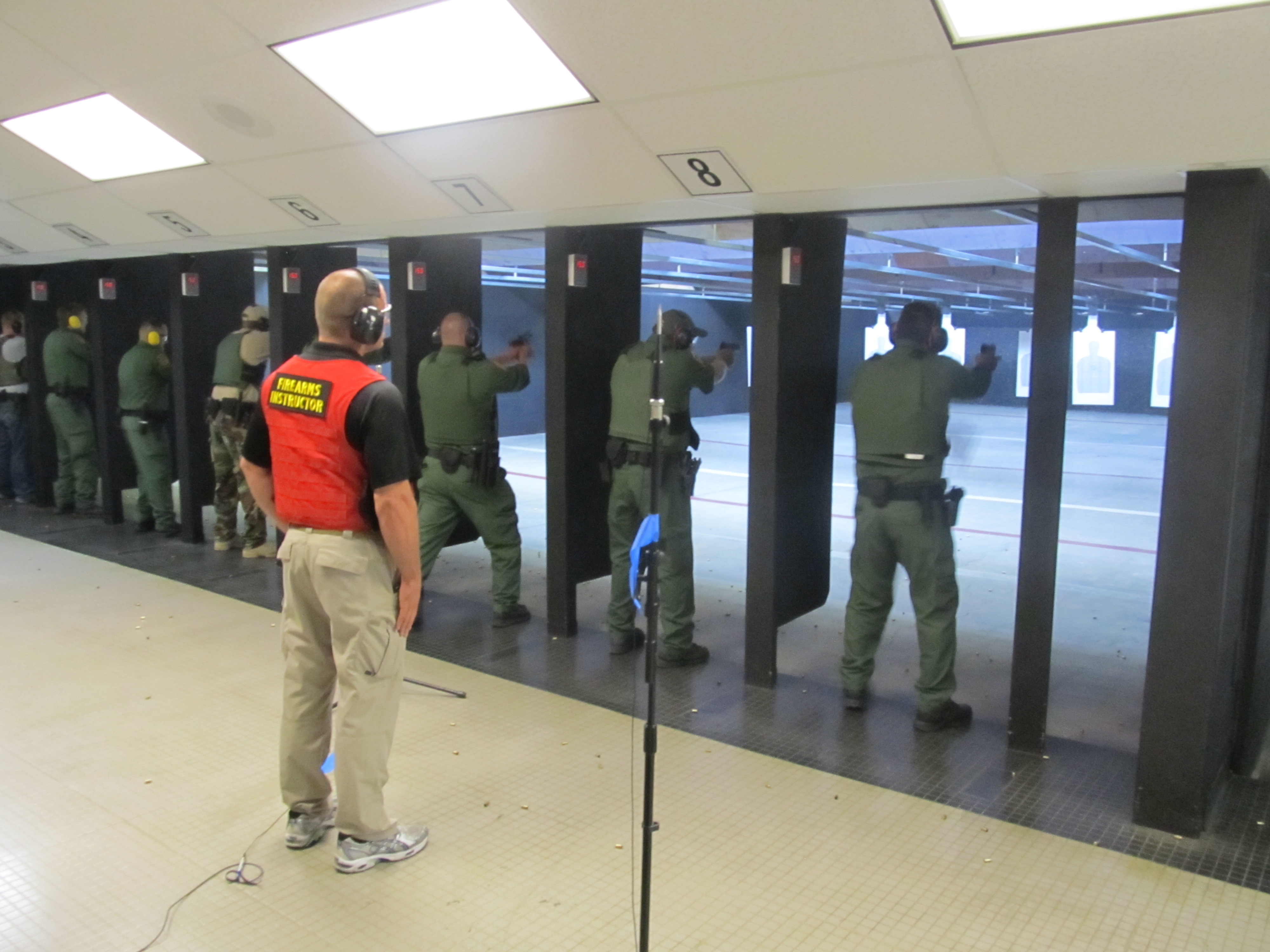 pine kite
Send it here. Don't keep it private if you want help
Seems to me like they were searching along the way to the waypoint. Maybe not in every nook and cranny. But they certainly didn't sit still.
And they didn't destroy anything because there was nothing to kill. No enemies to encounter.
near holly
pine kite
Send it here. Don't keep it private if you want help
but arnt they suposed ocontinue and never stop well they do move when enemy is there i tes ims and rebs from a mod they did not move but when i added imps they moved i will try tha tagian
it is mostly the guard one that is the issue
just becoause i need them to deffend for a good youtbe video
brave hawk
try perhaps a move waypoint then right next to it a S&D one