Recently I’ve encountered a problem with RHS USAF forces where the Ai in tanks will refuse to fire, resulting in this error popping up on screen: https://steamuserimages-a.akamaihd.net/ugc/2018220162791138687/E65F7A691FCA54F2E35AF9846CC9D4E0056743BA/?imw=5000&imh=5000&ima=fit&impolicy=Letterbox&imcolor=%23000000&letterbox=false
#arma3_troubleshooting
1 messages · Page 17 of 1
 cloud ember
Other modded factions work fine, and I’ve already uninstalled and reinstalled RHS as well as validated all files.
 umbral narwhal
If you can generate it with no other mods installed and on the stable branch of Arma then report it on the RHS bugtracker.
 jovial parcel
Hi. So I’ve signed my mod with a new private key (signed every .pbo, bisign files are in the addons folder with the .pbos)
I’ve placed the .bikey in the mods keys folder, but someone in my community cannot get it to run on their server.
It keeps saying “…name.pbo is not signed by a key accepted by this server…”
I believe it’s not an issue on my end, is it?
umbral narwhal
They probably need to copy the .bikey to the server's keys folder.
It's not automatic for some reason.
Some hosts have a script for it, some don't.
Obviously if they're the only person trying to run it on a DS there's a good chance that you screwed up the signing instead though :P
 uncut trellis
you may have manually installed wrong version somewhere in your files and it overwrites the proper version
it does not remove extra files
just fixes original ones
could be its not there then but then you could have wrong version bunlded up in some crappy mod pack
uncut trellis
not really unless some have CBA packed into them
or you just have wrong version from workshop
well you can turn them off
and start them in small batches
to see if it breaks at some point
uncut trellis
also you could have launcher set with some custom launch parameters that run mods from somewhere else
best to check
for some reason many people have stuff there "without their knowledge"
 steady hawk
One way to check
Or... do you @uncut trellis think configSourceModList and check CfgPatches would do it?
uncut trellis
never used that so dont know.
steady hawk
Maybie worth a try
- Open up Debug Console in Eden Editor or somewhere
-
configSourceModList (configfile >> "CfgPatches" >> "cba_main_a3")```Run this code
3. Paste the result
Try it out, no clue this would work
steady hawk
steady hawk
1. Open up Debug Console in Eden Editor or somewhere
2. ```sqf
configSourceModLi...
This “solution” requires your all of your Mods, if the concern exists on your end
What reinstall
Uninstall and unload are different
Oh why
That doesn't make any sense
uncut trellis
unsubbing is not required
steady hawk
Unloaded Mods don't do anything with the game, no need to uninstall after all...
uncut trellis
just turning them off in the launcher makes them not load
steady hawk
ediots 
 ocean cosmos
has nobody recommended steamverify yet
steady hawk
Tools > Debug Console
I doubt verify would fix when every Mods are doing their things finely
What is not opening
Sounds like you've enabled fishy Mod
Put a player unit, and put sqf hint str (configSourceModList (configfile >> "CfgPatches" >> "cba_main_a3")) in the unit's Init and preview the mission
I mean you've already got something bad all the time?
Preview the mission I said
Yes
Thats not what I need
I'm not asking you to show the screen, but the hint (top-right of the gameplay screen)
Not that "outdated" one but the hint screen
No
Ingame screen I said
uncut trellis
dont put anything there. put down a single unit and hit play
esc menu has the debug console in live game
§ (tilde) key also brings it up in editor
when you go in game and hit ESC
what do you see
no
in eden
preview the game
hit esc
preview is at the bottom right
hit that first to go in game
then when in game hit esc
then you will need to go to control settings to find what opens your console in editor
steady hawk
Eden Editor's Console or any other shortcuts are not configurable
 junior mauve
Heyo, i need help with a weird issue. i'm making a mission and after a few secs/mins the game is crashing or my pc restarts.
uncut trellis
got mods?
steady hawk
None. HG misinformed you
junior mauve
uncut trellis
got mods?
 uncut trellis
junior mauve
uncut trellis
junior mauve
you can check rpt log if it tells anything
if not then youll need to turn off mods, try again
press buttons to figure out where your console key is
 viscid maple
yeah its mods, not sure which one, but loaded a new mod pack that has more mods and somehow it works
uncut trellis
typically its the one on left side of 1
Id suppose its possible your mods break the game pretty badly
whats that?
for sure
any mod can break the game
well I suppose you got to start from disabling all mods
then start just CBA and see what happens
if that works add modes until it breaks
any mod can break the game
yes
if done wrong
 quaint jewel
steady hawk
Put a player unit, and put ```sqf
hint str (configSourceModList (configfile >> "...
quaint jewel
steady hawk
Put a player unit, and put ```sqf
hint str (configSourceModList (configfile >> "...
So much effort to do unneeded stuff and then end up in a screen blocking error message..
Just run
(configSourceModList (configfile >> "CfgPatches" >> "cba_main_a3"))
and press execute, then you can just copy-paste the result..
uncut trellis
he cant open console
quaint jewel
uncut trellis
then you will need to go to control settings to find what opens your console in ...
Its on the top, in the tools menu
Easiest way is to just
!rpt
 rustic eagleBOT
Arma RPT
Arma generates a .rpt log file each time it's run, which contains a lot of information like the loaded mods, or any errors that appear, this log file can be very useful for troubleshooting problems.
To get to your RPT files press Windows+R and enter %localappdata%/Arma 3
Additionally see the wiki page for more info: https://community.bistudio.com/wiki/Crash_Files
To share an rpt log here, please use a website like https://sqfbin.com/ to upload the full log, that way the people helping you can take a look at it and try to figure out the problem you're having together with you.
Note: RPT logs can hold personal information relevant to your system, the game or others.
quaint jewel
instead of spending .... an hour guessing around and trying to explain how to run a script in a overcomplicated way
If debug console doesn't open, you know something is seriously F'ed, and just trying to find out what the mod folder name of his CBA is probably won't get you far
@Pain of Donbass2- Debaltseve
delete that mod
Looks like it contains ripped ifa3 and CUP content in it, along with couple parts from some terrains.. ew
@@Azov revamped mod
You'll also want to remove that
stolen stuff from Call of Duty and Battlefield games
mixed with other stolen and modified mods
@RU SSO
A copy of the last one? The same ripped Battlefield/Call of Duty stuff.
And I mean... the exact same
loading the same stuff twice
junior mauve
uncut trellis
if not then youll need to turn off mods, try again
its still crashing if i unload some mods.
quaint jewel
thats the last I could find.
The rest is either good, or.. sus but I cannot tell if actually bad
quaint jewel
junior mauve
its still crashing if i unload some mods.
scroll up to the !rpt post.
In that folder you will find .mdmp files for your crash, or named "minidump"
If you send me these I can check on monday why its crashing (so like.. 30 hours from now)
junior mauve
quaint jewel
scroll up to the !rpt post.
In that folder you will find .mdmp files for your cr...
quaint jewel
116mb? wow, they are usually around 30 🤔 Interesting
junior mauve
I have three types of crashes: game cash with 0xC0000005 ACCESS_VIOLATION, PC freeze and PC automatic reboot.
umbral narwhal
Freeze & reboot aren't supposed to happen regardless of what Arma does. Likely to be a hardware problem.
junior mauve
6 hours ago everything was working fine and other games works too.
umbral narwhal
Arma was also the same 6 hours ago :P
 full night
Anybody getting "BattlEye: Note that file blocks can be ignored if they don't cause problems with the game." It says I do not have enough memory... and is blocking arma3_x64.exe now. Why?
Insufficient system resources exist to complete the requested service.
 pine kite
Not enough ram memory? Too many other applications consuming that in the background?
full night
I have 32GB of RAM. I figured it out... for some reason there is another patch that is required I think. ARMA 3 is patching again... so let us see...
full night
I think it is because I had PROFILE BRANCH selected... I switched back to normal branch and it worked...
Weird... I switched BACK to PROFILE, updated, and now it works. It must have been some mixed up files between NORMAL and PROFILE triggering BattleEye...
 hearty wigeon
Hello, for some reason everytime I tab out of Arma 3 in the editor, my arma goes pitch black. I am currently on "Fullscreen Windowded" (which allegedly fixed the crashing issue).
I dont know what's up with this.
Note: it happens only in the editor
 rancid bluff
My friend has a issue, when he loads the html I gave him it just states, "no mods found" so bascially he can't subscribe to them
pine kite
Could be (one of) the mod is removed from Steam.
rancid bluff
Shouldn't be the case because it's mostly just the most subscribed mods like RHS
And it worked for my other friends who didn't have the mods downloaded before hand
 austere sundial
I can't seem to get my mic to work, It's set up through steam and the push-to-talk keybinds are the same
 velvet thunder
I would wager Arma 3 uses Window's Default Input device not Steam's.
 ornate folio
Hi im trying to setup an arma 3 server with mods and i have everything setup and working following the guide on the community bohemia wiki but when i want to add mods on the target line for the server i hit a limit so cant get all the mods, is there another way i can tell it to load the mods
umbral narwhal
What limit do you hit?
ornate folio
i just cant type any more characters its just a windows limit i assume
it told me to make a shortcut of the server then put some settings in there for when it launches but there is not enough room to fit all the mods
velvet thunder
Oh you aren't using a bat file or TADST
ornate folio
i was just following what the guide said so no but yea i should probs use a bat file but idk how to set that up
uncut trellis
create new txt file
rename it to be a bat files instead
edit in notepad, write in path to your arma exe and launch parameters and run it
ornate folio
shouldnt it be the path to the server exe?
uncut trellis
whichever exe you want to start
uncut trellis
👍
pine kite
rancid bluff
Shouldn't be the case because it's mostly just the most subscribed mods like RHS
Popularity does not rule over legality. I don't know what mod you refer to. 'Like RHS' says nothing to me.
rancid bluff
It's pretty much just RHS Mods, and if you play arma 3 you know what the RHS mods are, RHSUSAF etc.
Should be obvious enough what I mean
pine kite
I know RHS, but you didn't say it was RHS, you said it was RHS-like.
uncut trellis
could be your friend needs to verify steam install
rancid bluff
There are many mods which are in the "most subscribed" category just like RHS
uncut trellis
!steamverify
rustic eagleBOT
Steam file verification process:
Right Click on game -> Local Files -> Verify Integrity of game files
Arma 3
Steam Workshop Mod repair process:
Open Launcher -> Right Click on mod -> Repair
The first process will automatically verify Steam Workshop items as well.
rancid bluff
Probably poorly worded
rancid bluff
uncut trellis
could be your friend needs to verify steam install
Thanks
I will let him know that
pine kite
For example, what if you send us that html list of mods.
uncut trellis
or mods can also be verified through the launchers mod lists (. . .) menu - repair
also best to tell your friend to use the launchers server browser to join server so it can set up mods for him
manually one might miss some
rancid bluff
Yeah we tried but for some reason it didn't appear for him but I will try that with him tomorrow
Appreciate your help
steady hawk
Some Mods remove them for whatever reason
ocean cosmos
some mods even remove debug console/config viewer 😱
uncut trellis
some mods are made very poorly
or they try to hide stuff
or maybe hide how poorly they are made 
ocean cosmos
wish there was a block list for mods so i never had to see them again
steady hawk
You can simply use third party viewer
uncut trellis
turn off your mods so you can use the animation viewer to look them up
then put them back up if you really want to use the kind of mods that hinder your gaming
 red galleon
Hello , I have been having a problem but i dont know if its my PC or Arma 3 , So whenever i load into arma Whit or whitout mods , the game will randomly freeze my screen , it sometimes gives me a bluescreen, i have been trying to fix it by turning off motion and radial blur beceause i thought the problem was from here , but it didn't look like it so i turn down a bunch of graphics but it doesnt look like it can be fixed , If you have a fix awnser ASAP.
Wierd thing is that i used to play the game and it never did that so :/
umbral narwhal
How long does it last before freeze/BSOD?
umbral narwhal
How long before it freezes.
Like is this immediately on startup or after some random time?
red galleon
After some time
I never had this problem before but my PC has been pretty slow lately so i dont know if its Arma my PC
umbral narwhal
It's probably your PC.
red galleon
Okay , Thank you i just wanted to be sure
but my PC freezes Rarely
So i dont really know
umbral narwhal
A stable PC never freezes.
 golden nova
if it was game issue, we all would have freezes and BSODs. 😛
umbral narwhal
My old haswell has gone about a decade without a freeze or BSOD.
red galleon
Thanks for the help i appreciate it
umbral narwhal
In general a BSOD is windows crashing, and a freeze is something dying so badly that Windows can't even generate a BSOD.
While it's possible for applications to crash windows, they usually just crash themselves.
golden nova
when playing Arma run some software to watch your hardware usage and temperatures
umbral narwhal
And modern windows is normally pretty stable if the hardware is.
 restive sequoia
Sometimes it's the hardware getting old. I had random system crashes without any blue screen (system just restarted)
Gave my CPU a bit more Voltage (undervolted for years) and clocked my GPU a bit down (5%) and it stopped.
golden nova
since your PC rarely crashes and Arma is a rare game, I would bet it's BSODing due to faulty CPU or PSU, doubt it could be caused by drivers or windows (unless you're on win11). Some time ago I had issues with Company of Heroes killing my PC after 30 minutes or so, every other game worked, eventually I figured out my power supply was dying and replacing it with a new one helped. Wild guess but better than nothing
umbral narwhal
If you only get BSODs or freezes and no Arma crashes then PSU becomes pretty likely. RAM or CPU unreliability typically gives application crashes as well.
Depending on the type of BSOD it can also be a drive problem.
pine kite
Easy first check is are your fans getting blocked by dust. PSU fan, CPU fan, GPU fan.
(Don't use a vaccuum cleaner, it generates static electricity that could fry your hardware.)
red galleon
Ouch
I was about to say
That me and my father complety Cleaned my pc
Whit a vacumme cleaner
but like
whit a tool to get rid of dust
and stuff
umbral narwhal
It's ok as long as you don't touch anything with the nozzle :P
pine kite
Those nozzles tend to suck onto things when the air is flowing, so it will be tricky. Also, whenever I do work on internals, I keep a hand on the chassis to always discharge myself to the same potential as the case ground.
But that is getting offtopic now.
 hazy temple
Does anyone know where this file is located? I read online that it's inside of Arma 3 Samples. However, after downloading that, this error message is still popping up.

Trying to play Ravage mod, but that mode crashes without this 😦
uncut trellis
hazy temple
Does anyone know where this file is located? I read online that it's inside of A...
oh my gawd
that is soooo bad made XDDDD
Id say please dont even try
hazy temple
oh...?
uncut trellis
this is very poorly set up mod
hazy temple
Well... bummer lol
uncut trellis
and if its something ripped from crysis, even better to not support stolen stuff like that
Ravage probably is not the cause though
but some other mod you got
hazy temple
Are those assets straight copy-pasted from OG crysis?
uncut trellis
dunno. The name there is suspicious
but you are the one who installs mods on your machine so you kinda should know what you put in there
@pine bronze I doubt this is from your Ravage is it?
hazy temple
This is the Crysis mod in question
 uncut trellis
yeeeh
hazy temple
I'm a sucker for anything Crysis related, and will simp hard for anyone who makes content related to it lol
hazy temple
I mean... EA threw that IP in the trashbin too... lol
uncut trellis
we take that stuff rather serious here
hazy temple
Just curious, if you're not a fan of Ravage, are there similar zombie single player mods that you'd recommend in it's stead?
uncut trellis
hazy temple
Just curious, if you're not a fan of Ravage, are there similar zombie single pla...
ravage is all gut, that crysis mod is what you want to axe
hazy temple
i removed that, and the dependencies for that one
junior mauve
quaint jewel
116mb? wow, they are usually around 30 🤔 Interesting
Have you had time to look at it?
 nimble shore
A friend is having this error after playing Arma 3 for a minute or two:
His PC is a i5-9400F, a Nvidia GT 740 with 4GB and 16GB of RAM.
He tried this:
- Install new Video Drivers
- Install old Video Drivers
- Install the last Video Driver that support the GT 740
- Reinstall Arma 3
- Play on a window
- Set graphics to minimum
- Verify Arma 3 files
- Reinstall DirectX End User Runtime

DX11 error : buffer Map failed : DXGI_ERROR_DEVICE_REMOVED
 hot hinge
Can someone help please?
 pine kite
nimble shore
```DX11 error : buffer Map failed : DXGI_ERROR_DEVICE_REMOVED```
pine kite
nimble shore
```DX11 error : buffer Map failed : DXGI_ERROR_DEVICE_REMOVED```
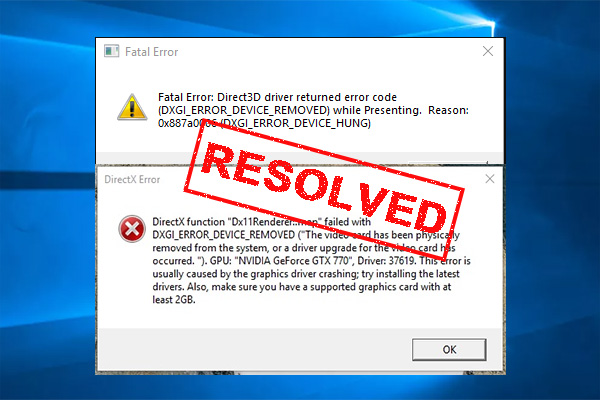
Try this https://www.partitionwizard.com/clone-disk/dxgi-error-device-removed.html I had this error not return after I did suggestion #3
MiniTool
: Have you come across the “DXGI_ERROR_DEVICE_REMOVED” error? Now, you come to the right place. This post writes several effective ways to fix the DXGI error.
nimble shore
hot hinge
Can someone help please?
Happens on all servers or just on a specific server?
hot hinge
wait i´ll try
i just tried my friends server and it did to me and my one more friend
it did to LAN server and dedicated what we tried
so only on specific server
nimble shore
hot hinge
so only on specific server
Can be a problem with the server
hot hinge
And don't you know what it can be?
 frozen needle
Hey! Just hosted an op and had an issue with Zeus, our Zeus got kicked out without pressing the button and then couldn't re-enter it. So he relogged and still couldn't open it - I logged in and even I couldn't access it.
Not too sure on what happened, anyone ever had this issue?
 icy condor
People are getting this error when joining my server. I made them delete the downloaded mission file, but it still didn't work
 velvet thunder
Was the mission uploaded to the server in it's entirety?
I have run into this when I uploaded a mission and didn't let it fully upload before starting the Server resulting in a partial write.
icy condor
it was
as a matter of fact some people are already in it
but some people can't join
golden nova
two Q
-
how can I get my plane/heli to fly without automatically correcting the height/angle? With a joystick I just keep it pushed or pulled but when using mouse I have to constantly move it, pick it up and move again because my desk doesn't have an infinite length. Been doing that for years but I think it's about time to change this lol
-
Lately every now and then I've been getting the error about user profile corrupted and that the game has to reset it/recreate it. Nothing bothering at all, all my settings are saved, it only rechecks every mod I have in my launcher. I wonder what's the issue since my game closes with no errors and I don't see any system notifications in event log. Is there any profile data limit above which Arma just has to revert it or whatever?
steady hawk
how can I get my plane/heli to fly without automatically correcting the height/angle?
What exactly you mean? Do we have such feature whenever we don't push/pull the (ingame) stick?
golden nova
steady hawk
> how can I get my plane/heli to fly without automatically correcting the height...
when I dive or pull up the nose of a jet or a heli, it will automatically try to level. It's annoying when you have to fly a long distance and you have to move your mouse up/down constantly or press W/S and jerk the vehicle up and down because it always tries to maintain the ~0 degrees
steady hawk
I think I have never experienced such feature than older Arma games. As you can see my Arma 3 can dive my Wipeout freely, the elevator tells you

 lime sphinx
the question sounds like "why can't the nose stay above/below the horizon without constant elevator input"
golden nova
steady hawk
I think I have never experienced such feature than older Arma games. As you can ...
https://streamable.com/jyc7rr this may show my issue clearer

fast drag down is me moving my mouse, then heli is slowly leveling with no physical input
steady hawk
Oh, I think this is a proper feature, that the heli's speed stabilizes itself
golden nova
aaand I have this in jets too. so I can't do anything about it because it just works ™️ ?
pine kite
icy condor
People are getting this error when joining my server. I made them delete the dow...
Aside from this issue. Starting the server as administrator is a very bad idea. If somehow the gameserver has a security vulnerability hackers may get control over the system. Always start the server/game with least amount of priveleges in the system
pine kite
golden nova
when I dive or pull up the nose of a jet or a heli, it will automatically try to...
Sounds like autohover is activated.
steady hawk
It's not, video shows not
pine kite
oh, didn't get to that part yet.
@golden nova Is this simple flight model or advanced?
velvet thunder
Helicopters do kinda level on their own I have found but Jets normally don't however when focus is taken from the game it sometimes levels the jets automatically, like when the menu is brought up
steady hawk
Yeah that's what I wonder. Jets normally don't do such
golden nova
pine kite
<@269887075698868235> Is this simple flight model or advanced?
simple, but happens on advanced too
 mental river
golden nova
two Q
1. how can I get my plane/heli to fly without automatically correcting th...
mental river
golden nova
two Q
1. how can I get my plane/heli to fly without automatically correcting th...
-
Because a mouse only sends data when you move it. A joystick constantly sends the data. So it's not really "fixable". Unless there's some mouse driver tool that does it
-
could be related to some mod that changes the profile namespace
There was a mouse driver software that I used a while ago for adjusting mouse vertical/horizontal acceleration independent of each other
Maybe it can do what you want too. I'll check when I get home
 chrome current
golden nova
two Q
1. how can I get my plane/heli to fly without automatically correcting th...
chrome current
golden nova
two Q
1. how can I get my plane/heli to fly without automatically correcting th...
in order of increasing complexity:
- AFM trim might work?
- script AFM autopilot with addTorque https://github.com/Project-Hatchet/H-60/blob/Main/addons/uh60_fd/functions/fnc_hdg.sqf
- use a virtual joystick mapped to mouse displacement
uncut trellis
have you tried verifying arma 3 tools on steam?
 meager peak

I get this error when I attempt to launch a campaign mission in the sog dlc. I have tried validating files, restarting pc etc. Nothing has worked so far
umbral narwhal
Are you running any mods?
uncut trellis
👍
 twin sparrow
arma running on wrong screen. editing forcedAdapterId=0; doen't work ?
golden nova
A3 will always run on your default screen, no way to force 2nd one
 marble coyote
can some one help me with bringing a building over to the zeus editor from the eden editor But when i saved it in custom compution tab it dosent show up in the zeus edditor
 fringe salmon
3CB factions, the Arma mod isnt showing up in my zeus menu
the mod is enabled and i dont see it
 umbral narwhal
What's the mission, and is this localhost or DS+client?
fringe salmon
in the editor just by myself
umbral narwhal
There's an option on the zeus module for what addons it includes.
velvet thunder
You want all including unofficial
fringe salmon
on the game master module or what do you mean
velvet thunder
Yes
fringe salmon
like this?
 velvet thunder
Ye
fringe salmon
thx for the help, i looked around so long to find a solution
 marble coyote
can some one help me
with an issue with bringing a building i made in eden editor I saved it in custom compstions into zues It dosent show up in customcomp in zeus
velvet thunder
Does it contain objects from a Mod?
velvet thunder
Do the same thing as that other fella just in case
velvet thunder
Did that do it?
velvet thunder
Double click the Game Master Module
marble coyote
in eden or zeus
velvet thunder
In Eden
marble coyote
uhhhh id hate to ask but were in eden
marble coyote
k do i save the zeus thing with it
velvet thunder
No
velvet thunder
I have no clue, I suggest you watch a video on how to setup Zeus properly, following it perfectly should work result in it working, if not something else is to blame.
 noble lodge
I have been playing with some friends for a few months. I just host through my computer and I have not had any issues. They have been able to find and connect through the friend page on the server browser. Starting just a few days ago, people can't find or connect to any servers I create. For information; The server has been set to internet, i have clicked the UPNP, i've verified my game through steam, i've disabled all mods and i've reset my router. Nothing has changed to my knowledge. Does anyone have a similar issue or solution? Thank you in advance!
fringe salmon
is there a way i can turn on snapping for this mod?
 steady hawk
- Snapping is not a vanilla feature
- If you mean Snapping for Eden and Zeus Mod, you can make your own compat Mod
- Or ask author(s)

 granite cobalt
@brave hawk 🦧 Where is it located the Profile thingy
 steady hawk
Well, since we don't know what camera function...
granite cobalt
How many are there?
granite cobalt
Just the vanilla one
 brave hawk
granite cobalt
<@137855151120711680> 🦧 Where is it located the Profile thingy
brave hawk
granite cobalt
<@137855151120711680> 🦧 Where is it located the Profile thingy
the game itself saves in a Screenshot directory
and there is no screenshot vanilla feature
steady hawk
Vanilla camera? Splendid Camera you mean?
granite cobalt
Splendid camera I think then
 granite cobalt
steady hawk
Vanilla camera? Splendid Camera you mean?
granite cobalt
steady hawk
Vanilla camera? Splendid Camera you mean?
Yes that one
steady hawk
And how you take a screenshot?
granite cobalt
Ehmm the Ctrl+Number thing
steady hawk
That is not a screenshot command
granite cobalt
oh
brave hawk
granite cobalt
Splendid camera I think then
you have to press PrintScreen and you have to paste it in e.g Paint
press Backspace in order to hide the UI
granite cobalt
brave hawk
***you*** have to press PrintScreen and ***you*** have to paste it in e.g Paint
Thank you haha
steady hawk
Or simply F12
golden nova
brave hawk
the game itself saves in a `Screenshot` directory
and there is no screenshot van...
https://community.bistudio.com/wiki/screenshot there is, just not implemented as a button-press-action

brave hawk
golden nova
https://community.bistudio.com/wiki/screenshot there is, just not implemented as...
. . . o o o O O O
steady hawk
Actually Splendid Camera has this:sqf case (_key == DIK_P): { if (_ctrl) then { screenshot format (["SplendidCamera\%1_['%2',%3,%4,%5,%6,%7,%8,%9,%10,%11].png",profilename] + _camParams); }; };
golden nova
why doesn't it work then
brave hawk
golden nova
https://community.bistudio.com/wiki/screenshot there is, just not implemented as...
@quaint jewel time estimate for a Splendid\™ Camera's Screenshot button using screenshot? :3
steady hawk
It does?
brave hawk
wait - so all it needs is a tooltip "press P to take a screenshot"?
steady hawk
No, Ctrl+P

 lyric adder
How does this resolve own server not showing up to others, even though host has completed port forwarding?
... Nevermind, he just couldn't wait for his server to come out.
golden nova
broken mod loaded or broken script used during mission
 bronze river
there is the same bug in vanilla i believe, idk how do it
quaint jewel
junior mauve
Mh yes it crashed but can't actually see why.
I see where it crashed and why, but not how it got to there, maybe something is wrong with some model. I cannot see which model
"Speakers (2- USB Audio CODEC ) - Channels: 2, Freq: 48000"
Maybe that's related, there is some known problem with USB Audio on Windows 10
pine kite
fringe salmon
first time seeing this bug
What bug? Just looks like someone frantically throwing grenades all over the place. Some got too close and caused a player get moved by shockwave. I only see features here.
umbral narwhal
noble lodge
I have been playing with some friends for a few months. I just host through my c...
Router update disabled UPNP or ISP moved you to CGNAT.
pine kite
... and didn't bother to explain that to customers because technobable-deafness-assumption towards it's customers.
 void thistle
im trying to set up a server and it says theres keys missing. the keys are inside of the folder and i tried deleting the folder and remaking it but still same thing
umbral narwhal
screenshot the error.
void thistle
umbral narwhal
screenshot the error.
https://cdn.discordapp.com/attachments/615724204788285442/1109348969676546048/aaaa.png
https://cdn.discordapp.com/attachments/615724204788285442/1109348969936588912/aaaaaaaaaaa.png


we have all the mods installed clientside but still
pine kite
Yes, but either the server does not have the key files of those mods (@ivorywhatever and @blastcoresomething) in it's keys folder, or you were not supposed to be loading them anyway.
So it says: remove those mods(clientside), or install the keys (on the server)
 grave wasp
is it possible to get 100% utilizing of cpu and gpu?
restive sequoia
grave wasp
is it possible to get 100% utilizing of cpu and gpu?
When you have a single core processor 😆
grave wasp
rtx 3060 i5 12400f 32gb ram 1440p on ultra on koth 40-50 fps
 rough gulch
anyone able to help me reduce fog? my buddys view distance and object distance is lower than mine but he can see an island 2km away clear as day and mines complete grey fog after like 800m. exact sa,e graphics settings
void thistle
pine kite
So it says: remove those mods(clientside), or install the keys (on the server)
we installed the keys and still nothing happened still the same error message
it shows it for every mod if it isnt the ivory and blastcore its two different ones
golden nova
grave wasp
is it possible to get 100% utilizing of cpu and gpu?
start 4 instances of Arma
golden nova
rough gulch
anyone able to help me reduce fog? my buddys view distance and object distance i...
are you using CH View Distance or any mods altering the graphics settings?
 thick heath
Running a linux dedicated server for custom arma missions.
Any mission either manually installed or played directly from base arma files, have most of their ai frozen in position.
The ai will react the players, turning and shooting, however are unable to move from their spawn position.
These scenarios work just fine on the eden editor or from the host server menu on the arma server browser.
Attempted with and without mods.
golden nova
does it happen with a simple mission like a single AI unit + single player, no mods, no scripts?
 light rain
I've got a problem with gamepad input in that joystick's input on positive scales does not reach 100 which leads to vehicle turret not going at full speed in those directions. Is that my gamepad problem or game's?
thick heath
golden nova
does it happen with a simple mission like a single AI unit + single player, no m...
Everything worked fine until we edited the script, but since everything works fine in Eden we assumed it should also work in the dedicated server.
We think it's because we are editing is windows and the dedicated server is in lenux so the codes are not reading properly
void thistle
void thistle
https://cdn.discordapp.com/attachments/615724204788285442/1109348969676546048/aa...
anyone know how to fix?
uncut trellis
void thistle
anyone know how to fix?
you dont have matching mods or some of them broke 
there isnt really much else to it
void thistle
uncut trellis
you dont have matching mods or some of them broke <:blobdoggoshruggoogly:7481240...
so what should i do fact reset the server?
void thistle
do i need to delete the bikey from the actual addon folder?
 wary belfry

How do I fix this?
Does this whenever trying to open a PBO
Well
A specific PBO
wary belfry
: (
uncut trellis
wary belfry
: (
why do you want/think you need to open it
wary belfry
cause i have no idea what the mod is
and thought being able to open it up and read the config it would help
is what it is
just won’t use it
uncut trellis
👍 probably better
 spiral delta
Anyone ever experience a bug where the game loads and runs properly for the whole of 10 seconds then people start T-posing halfway in the ground and all the vehicle models start flashing and drives your FPS to 0?
uncut trellis
spiral delta
Anyone ever experience a bug where the game loads and runs properly for the whol...
usually indicates you run out of GPU video memory
could mean your GPU has some issue
spiral delta
Yeah idk it's a RTX 2060 that tends to run better than most of my mate's PC but it coughed up on a mission we were trying play earlier
uncut trellis
could be driver issue
spiral delta
tried setting graphics and stuff but it didn't do any better
so..... geforce experience is where I get those updated right?
steady hawk
Have you lowered your video settings?
spiral delta
yeah bumped them down but still same issue
steady hawk
Well lowering your video settings is always no good if you have good enough GPUs. How old is your GPU?
spiral delta
about 1 year old so that kinda why I didn't believe it would be a hardware problem
steady hawk
Does it do its job on other games?
spiral delta
yup
our guys tend to run asset heavy missions that pushes everyone's rigs down to 20FPS sometimes but mine tends to run quite a bit better so it's kinda weird that I would be having a hardware problem before their's
idk could just be the mission file coz I had the same happening before mid-op but just pushed through the last 15 min of it and never happened again
but now it happens the first 30 seconds I load in so idk
uncut trellis
have you updated your drivers recently?
could also mean you got to roll back a version if something broke in them
or some special enhancement isnt working right in arma and needs to be turned off
spiral delta
yeah idk, apparently my drivers were at version 516 and now updated to 537 so eh hopefully it works next week
 summer trail
Any ideas why my game is lagging in the title and options screen? And in the editor. I have a R9-7900x, so I wouldn’t think I soils have these issues.
I have 32Gb of ram as well, and it isn’t remotely all used.
Game also hitches for arcing at a time when I’m in game.
uncut trellis
summer trail
Any ideas why my game is lagging in the title and options screen? And in the edi...
Do you have lot of mods?
Sounds like it may struggle loading all data, do you have it installed on a HDD? Or maybe on an external USB drive?
 strange junco
Goodmorning, i installed Arma 3 last night, and try to start a game. It wont start and give me error's
The cloud provide not started and Exit code 0x0000DEAD-
Anyone has any idea what is wrong, and what i can do about it ?
steady hawk
It is very common and one way to fix is disable OneDrive
strange junco
done, but still not working.
strange junco
strange junco
Goodmorning, i installed Arma 3 last night, and try to start a game. It wont sta...
ive reinstalled arma, deleted onedrive.. error still remains... anyone can help me ?
 unkempt orbit
I've got three issues hopefully someone here can solve, with the first picture I would like to know what caused it and how I can get rid of it.
With the second picture, my Zeus likes to freeze randomly while in it. For further context on the second pic, the little NATO icon in the top right will pop up and then my Zeus camera teleports to a nearby area and just freezes and I can't do anything until I go out of Zeus. This also stemmed another problem where respawning is super delayed and sometimes wont work, along with that when I do die I am just staring at a loading screen and load back in where I "died".
With the third picture, what I would like to know is how/why this appeared on my screen and how to get rid of/stop it from coming on.


Please and thanks for the help
golden nova
first screenshot is broken mod,second screenshot is broken mod
3rd idk, doesn't look like GPU artifacts so possibly caused by a broken mod too.
steady hawk
Third seems to be the block effect whenever like you open/close Arsenal etc
Well, if so third is also broken Mod
unkempt orbit
Good to know, is there a way to find out which mods specifically is causing this? And if so do I just repair the mod, or do I just stop using it all together?
steady hawk
Check the pinned
summer trail
uncut trellis
Do you have lot of mods?
Sounds like it may struggle loading all data, do you h...
Exactly none. I’ll check to see if I put it on a hard drive.
summer trail
summer trail
Exactly none. I’ll check to see if I put it on a hard drive.
Putting it on an ssd seams to mostly fix it. Weird that it is that different, especially in the menu.
uncut trellis
summer trail
Putting it on an ssd seams to mostly fix it. Weird that it is that different, es...
Menu loads lot of stuff for the background curscenes so it can be more apparent
void thistle
how do i make these true
21.05 18:40:39 [Server] INFO 18:40:39 Antistasi - Community 3.2.0 | @antistasi | false | false | GAME DIR | 31ef7333a45b2c980e5520dd64d86e81fbba940d | b299da0a | /@antistasi
i put keys in and everything
umbral narwhal
They're never true because it's not DLC.
 winter turtle
I don't have the sound of shooting when I shoot. With or without mods. Verified but nothing changed
void thistle
umbral narwhal
They're never true because it's not DLC.
Alright then how do I get the mods working? The keys and all that are working but I still get a error about keys not being in or not accepted
 civic thunder
anyone know what causes this?
 umbral narwhal
You're loading a mod that adds compatibility with RHS for one of your other mods (HLC? AWC? no idea), but you're not loading RHS.
So either don't load that compat mod or load RHS.
civic thunder
brother I have no idea what either HLC or AWC is and I am loading RHSUSAF in 😭
golden nova
HLC is NIArms iirc
umbral narwhal
rhs_c_weapons is AFRF, not USAF.
civic thunder
i dont have afrf though
oh
so thats whats wrong
I got rid of the NIArms RHS compat mod and theres no error message now
golden nova
it could be a all-in-one RHS compat and these require all RHS mods to work with no notifications
civic thunder
do u think ill be fine without the compat?
golden nova
depends on your case, dunno what it tweaks exactly
if it's just "make rhs attachhments work with niarms" and the other way then you don't need it
if it tweaks niarms damage values to fit the insane armor levels of RHS then it could be useful
fringe salmon
I got a problem where everytime I download a mod it corrupts. I tried to clear download cache but I still get the same problem and repairing does not seem to help. Anyone know what I can do to fix this?
civic thunder
golden nova
if it tweaks niarms damage values to fit the insane armor levels of RHS then it ...
RHS troops have different armor from regular vanilla?
as in can they take more damage without dying?
golden nova
most vests yes
civic thunder
that does sound pretty useful then
golden nova
if you use ace then they are even stronger.
civic thunder
but honestly
whatever
as long as theyre not gods who can tank 50 bullets then its fine
seems like i underestimated them
this dude i just spawned in tanked 5 mags
and hes still standing
ill just
get rid of RHS
void thistle
why is this not working the keys are in, the mods are loaded but still this error message


tried deleting local keys, tried loading no mods, nothing
if it isnt ivory its another one that pops up
umbral narwhal
Ok, load just CBA and see what it says.
void thistle
umbral narwhal
Ok, load just CBA and see what it says.
it says i cant join because mod .pbos arent found
even though the mods are disabled
 umbral narwhal
screenshot the error. I don't want your interpretation.
void thistle
Session Lost - File "addons/ace_respawn.pbo" not found.

even though no mod except @cba is enabled
steady hawk
Are you sure you have never moved a PBO some folder to some folder else?
void thistle
no the only thing i did was move the files client side into the folder and put the keys in the key folder
umbral narwhal
check what's in @cba on the server. I'd ask for the RPT but that's probably pointless for a Linux-based server.
steady hawk
I thing what you need is @CBA_A3, though. @cba doesn't sound fine?
umbral narwhal
Server hosts sometimes do translations.
steady hawk
What exactly is @cba?
void thistle
steady hawk
What exactly is `@cba`?
it said to "name all files with a @ make sure not to have any special characters and all lower case"
according to the server how to page
this is the cba file
 umbral narwhal
Inside addons.
steady hawk
^
void thistle
i did everything to the T from this website: https://shockbyte.com/billing/knowledgebase/889/How-to-Install-Workshop-Mods-on-your-ARMA-3-Server.html
Shockbyte
The Shockbyte Knowledgebase contains hundreds of tutorials for managing your game servers for Minecraft, Hytale, ARK, Rust and more.
steady hawk
Not even sure the 3 in the instructions is good enough to follow
Uppercase shouldn't do any with it. Whitespace may do, but an underscore _ will do
 steady hawk
Seems fine
void thistle
void thistle
why is this not working the keys are in, the mods are loaded but still this erro...
so wtf is happening to get this error
ive been going at this for like 3 days
umbral narwhal
Connecting to the wrong server maybe? :P
void thistle
im directly connecting
umbral narwhal
either that or the console's lagged and not loading the correct mod list.
RPT would tell but you won't have that.
void thistle
so what should i do like force factory reset this?
is something broken with the server internally?
umbral narwhal
Seems like a reasonable option given that you've been on this for days.
Reset the whole thing, add mods in a sensible order, keep testing.
void thistle
umbral narwhal
Seems like a reasonable option given that you've been on this for days.
ok its fact reset. I just drag the files from my client side to the server then enter each file to grab the key and put it into the actual servers key file correct or is this shockbyte just lying about this
umbral narwhal
other then the specifics, yes
void thistle
ok thank you
umbral narwhal
It's linux so you need to lowercase every PBO. I don't know if they do that for you.
steady hawk
Oh good to know
void thistle
umbral narwhal
It's linux so you need to lowercase every PBO. I don't know if they do that for...
in every file?
or just the addons
please tell me theres a way to auto that
umbral narwhal
If you have command line, sure
Otherwise it's down to your server provider, like everything else.
quaint jewel
Ace and CBA are already lowercase
What that message is saying is that the server has loaded ace_respawn.pbo, but the user that's joining did not
 fickle crest
No entry 'bin\config.bin/CfgPatches/Teutch.units'.
How can i exactly hunt down the mod thats causing the problem?
quaint jewel
look for something named "Teutch"
fickle crest
quaint jewel
look for something named "Teutch"
found it in !workshop
thanks dedmen as always
 left bone
I downloaded a compositions and interiors mod, but I since deleted it but all the compositions are still there, how do I manually delete them?
steady hawk
Delete what and how?
 ionic hawk
Question regarding mods (workshop items)-
I am installing Arma 3 on a temporary PC. This PC has disk space for the base game (and DLCs), but not the 100+ mods I am subscribed to. Because Steam wants to download everything at once, I am unable to even install the base game.
Obviously I could unsubscribe from all the workshop items. There's even a specific link for this on the Workshop page. But I am not going to keep track of all the mods. And I am not spending hours copy pasting workshop links from my collection, and later re-subscribing individually; that's insanity.
So is there a way to tell Steam to only download and install the game, without workshop files?
left bone
steady hawk
Delete what and how?
Would you know where to find the cause of a crash?
steady hawk
?
left bone
steady hawk
?
my friends game is crashing and we cant seem to find out why
steady hawk
How is related with compositions thing you've mentioned earlier?
steady hawk
?
steady hawk
So unrelated question?
steady hawk
Okay, I was confused since you haven't said it is solved and pinged me for no reason
left bone
yes sorry
just need to solve this crash im so confused
he imported my mod pack, gets in and crashes shortly after loading in
steady hawk
Then unload it?
steady hawk
Since we have zero info than that, it is very hard to say
quaint jewel
send crash report
steady hawk
How, when, what error, what Mods you have, SP/MP, which mission?
left bone
quaint jewel
send crash report
where to find
steady hawk
!rpt
rustic eagleBOT
Arma RPT
Arma generates a .rpt log file each time it's run, which contains a lot of information like the loaded mods, or any errors that appear, this log file can be very useful for troubleshooting problems.
To get to your RPT files press Windows+R and enter %localappdata%/Arma 3
Additionally see the wiki page for more info: https://community.bistudio.com/wiki/Crash_Files
To share an rpt log here, please use a website like https://sqfbin.com/ to upload the full log, that way the people helping you can take a look at it and try to figure out the problem you're having together with you.
Note: RPT logs can hold personal information relevant to your system, the game or others.
quaint jewel
if I get the mdmp I can check tomorrow
quaint jewel
Selected Audio Output: Headset (G435 Bluetooth Gaming Headset Hands-Free AG Audio) - Channels: 1, Freq: 16000
Your audio is very weird
Mono and extremely bad frequency?
left bone
(this isnt me)
left bone
quaint jewel
check audio settings and fix that
how?
 pine kite
left bone
how?
pine kite
left bone
how?
Ask Google to ask Microsoft to ask .... they should know about Windows.
uncut trellis
ionic hawk
*So is there a way to tell Steam to only download and install the game, without ...
no but if you make a private steam collection of what you have subbed now, you can easile get them subscribed back before you boot up your main computer again
 patent kettle
you can deny steam file permissions to the workshop folder for the game.
But that's bit advanced.
And you'll constantly have "Arma 3 - Steam disk error" listed in downloads page of steam.
ionic hawk
uncut trellis
no but if you make a private steam collection of what you have subbed now, you c...
Thank you for the reply. Do you know if you can "export" private steam collections to a file?
uncut trellis
ionic hawk
Thank you for the reply. Do you know if you can "export" private steam collectio...
dont think so, the workshop collection is just a worksop internal mod list
ionic hawk
patent kettle
you can deny steam file permissions to the workshop folder for the game.
Thank you. I don't need to load any mods at the moment, so this might work. Know a link that explains/demos your solution?
ionic hawk
uncut trellis
dont think so, the workshop collection is just a worksop internal mod list
Ok. But if I understand right, you can save your subscribed list of workshop items to this collection, unsubscribe to all, then later (re)subscribe to this collection?
patent kettle
No link. General windows knowledge.
you basically want to go to Steam\steamapps\workshop\downloads create 107410 directory and deny your own user any permissions to the directory.
ionic hawk
patent kettle
you basically want to go to `Steam\steamapps\workshop\downloads` create `107410`...
Thanks
void thistle
for a linux server does all of the mods .pbos need to be lowercase?
 pulsar osprey
Game crashes right after I get this message and I don't know how to fix it
 uncut trellis
pulsar osprey
Game crashes right after I get this message and I don't know how to fix it
uncut trellis
pulsar osprey
Game crashes right after I get this message and I don't know how to fix it
some mod you got is poorly made
find and remove said mod
pulsar osprey
how would I find the poorly made mod?
pulsar osprey
alright
ocean cosmos
refer here
 safe swan
Can anyone tell me why AI skill in zeus keeps resetting itself back to 50%? I'm using Ace and Vcom AI
umbral narwhal
You mean for AIs that you've already spawned?
pine kite
void thistle
for a linux server does all of the mods .pbos need to be lowercase?
I don't know for sure, but I have heard it being recommended. And knowing Linux is case sensitive about filenames, probably.
golden nova
safe swan
Can anyone tell me why AI skill in zeus keeps resetting itself back to 50%? I'm ...
Because of vcom ai
 fathom ermine
does any1 know why arma 3 downloads on steam continues to download when there is nothing to download? when i try to stop it, it continues to force it download. when i tab out of the game, sometimes i can make it stop and it says its completed. everytime i load arma it does this.
looked on web and other sources. didnt seem to find anything.
golden nova
fathom ermine
does any1 know why arma 3 downloads on steam continues to download when there is...
are you subscribed to any compositions? If so, tried unsubscribing from them?
sometimes Steam has a stroke when it has to verify them and cause the infinite or constant download of physically nothing
fathom ermine
golden nova
are you subscribed to any compositions? If so, tried unsubscribing from them?
ill give it a shot
 fallow lark
hey guys, quick question has anyone here had any issue with AI performance (overall movement, accuracy, responsiveness and such) when using Headless Client? Tried 2 sessions on the same mission one with AI on the server and one with AI on the HC and there was a better performance when the AI was located on the server
we're using LAMBS btw
golden nova
 topaz field
any fix?
topaz field
any fix?
if running mods then try without them
umbral narwhal
@fallow lark Better performance of what?
fallow lark
umbral narwhal
<@322920676602413057> Better performance of what?
Overall AI accuracy, reaction time and such even with the same skill values
AI just feels more dumb on HC in general just wanted to know if this was a common thing or if anyone else had issues with it before
golden nova
did you load LAMBS for headless? If AI is transferred to HC and it's not running lambs then the AI won't work with lambs either iirc
if youre using FASTER for setting up servers there is a column for HC mods
 fallow lark
golden nova
did you load LAMBS for headless? If AI is transferred to HC and it's not running...
fallow lark
golden nova
did you load LAMBS for headless? If AI is transferred to HC and it's not running...
Both HC and Server are running lambs, AI is being spawned on HC directly
golden nova
did you run any benchmark or monitor for HC? maybe it just couldn't keep up with that many units compared to server
also what HC did you use exactly, werthles, zulu, acex?
fallow lark
Both are running at 30~44fps on avg, as for HC we dont use any of that just regular HC module/slot and then our mission framework handles AI depending on if we picked Server or HC on the mission parameters
umbral narwhal
There is an issue where the Fired EH and related engine stuff isn't triggered unless the headless client object is somewhere near.
that can make AIs react a bit dumber than usual.
There's obviously some extra latency in bouncing everything from HC->server->client too.
Quite possible that there's something else badly wrong with either vanilla or lambs AIs on HCs and no-one noticed though. AI issues are hard to pick up, especially when they're black-boxed.
fallow lark
Yeah true, anyway thanks for the input ill keep looking into it
fallow lark
umbral narwhal
There is an issue where the Fired EH and related engine stuff isn't triggered un...
Do you have any source for this issue?
umbral narwhal
Nah, tested it myself a while back.
fallow lark
Alright thanks
umbral narwhal
There are notes on the event handler page but it's not clear that the HC object counts as the camera location. Servers trigger the event handlers everywhere.
 idle raptor
having this issue even though the pbo file is in my mp missions
 velvet thunder
Did you, uh read what it says?
velvet thunder
So the error is asking if you have put TADST in your ArmA folder
idle raptor
i was following a video guide and it told me to put it in a seprate file as the arma server local files
this video https://www.youtube.com/watch?v=5XxXepi1LlQ
A3Wasteland Downloads: https://github.com/A3Wasteland
TADST: http://www.armaholic.com/page.php?id=11655&d=0
HeidiSQL: https://www.heidisql.com/download.php
XAMPP: https://www.apachefriends.org/download.html
PBO Manger: http://www.armaholic.com/page.php?id=16369
Remember to port forward if you want friends and randoms to see your server in the i...
velvet thunder
Do you happen to notice any differences with 1:13 and what you currently have?
TADST needs to be put into the same folder as the Game
or in this videos case the folder with the Arma 3 Server
idle raptor
velvet thunder
or in this videos case the folder with the Arma 3 Server
put it into the server local files and get the same error
velvet thunder
Interesting
idle raptor
im calling it quits becasue i have been at this for atleast 5 hours between today and yesterday just trying to get around wastlands antihack so me and my friends can mess around on a private server
if you know anything similar to wasteland ie. random missions that you can do with a time limit that would be great
velvet thunder
well there is Dynamic Recon Ops, it's pretty good the few times I played it
 languid osprey
hey, i updated my gpu drivers (rtx 3060) and now when i try boot up arma i get this error msg and the game crashes :d3d error dxgi error device removed. any ideas? (edited: i have alos rolled back my drivers)
golden nova
languid osprey
hey, i updated my gpu drivers (rtx 3060) and now when i try boot up arma i get ...
Roll back the drivers to previous version perhaps
languid osprey
golden nova
Roll back the drivers to previous version perhaps
already done that
pulsar osprey
uncut trellis
repeat
Figured it out it was the mod ace casuing the game to crash because as soon as I disabled it the game opened without a issue only bad thing is its a mod required to play in the unit I'm in
velvet thunder
Have you tried repairing it?
languid osprey
velvet thunder
Have you tried repairing it?
yes
pine kite
idle raptor
having this issue even though the pbo file is in my mp missions
That is no proof that it is in the root of the Arma folder. No path to that place if visible. Screenshot with a topside border a little further up to get the path in view.
 rotund phoenix
Hallo! I'm having some trouble with my arma 3 server. I'm using FASTER on windows 10. I don't have access to my router as I'm in a dorm style living situation. However, I found a workaround. There is a service called Playit.gg that I have used for over a year now. I've made Minecraft servers and Satisfactory servers. I was looking to expand and make an Arma 3 server. The service doesn't directly support Arma 3 (same as Satisfactory) but I was able to make other servers that arent directly supported work in the past. In short, on the website I have the Tunnel Type set to TCP+UDP and the port is set to 2302. However, the playit program changes the port over to 3650. With my Satisfactory server all I had to do was change the original port to the one the program gave me. Making it a 1:1. I figured I would have to do the same for Arma and it sort of worked. I'm able to connect to the server via direct connect however that seems to actually just be LAN. So no one else is able to join it except for me. I have the port in FASTER set to 3650 as well. Attached are pictures as to what the playit website looks like. If anyone is able to help me I would greatly appreciate it. Thank you!

 quaint jewel
So if others direct connect, they just get a empty server list?
Your server will not be findable via server list because the server announces your home address which will be unreachable.
But Direct Connect should be possible
rotund phoenix
Yeah. I had a friend try see if the server would show up in the list. I'm not sure if he used direct connect though. I just asked so I'll have to wait for a response. However whenever I use direct connect it does in fact show up.
But if I understand correctly you're saying if he uses direct connect he should be able to join?
When connecting people would use the shareable ip address which is along-lost.at.ply.gg
bronze river
only one way to find out, isn't it?
rotund phoenix
true
Okay yeah they just have to do direct connect.
Thank you sorry for the bother.
ocean cosmos
i've never had any of my servers appear in server list, always had to direct connect
umbral narwhal
You need the port+1 forwarded to get server list support.
pine kite
Yes, there are a bunch of ports in sequence that receive from the internet to the server:
2302 (default Arma 3 Game port) + (VON is now part of main gameport due to NAT issues)
2303 (STEAM query, +1)
2304 (Steam port, +2)
2305 (VON port, +3 - not used atm. but allocated)
2306 (BattlEye traffic, +4)```https://community.bistudio.com/wiki/Arma_3:_Dedicated_Server#Port_Forwarding dusty epoch
Having this issue since last night
The instruction at 0x3fa0aaf6 referenced memory at 0x0008000b. The memory could not be written. Click on Ok to terminate the program.
quaint jewel
dusty epoch
Having this issue since last night
The instruction at 0x3fa0aaf6 referenced me...
Need mdmp file
!rpt
rustic eagleBOT
Arma RPT
Arma generates a .rpt log file each time it's run, which contains a lot of information like the loaded mods, or any errors that appear, this log file can be very useful for troubleshooting problems.
To get to your RPT files press Windows+R and enter %localappdata%/Arma 3
Additionally see the wiki page for more info: https://community.bistudio.com/wiki/Crash_Files
To share an rpt log here, please use a website like https://sqfbin.com/ to upload the full log, that way the people helping you can take a look at it and try to figure out the problem you're having together with you.
Note: RPT logs can hold personal information relevant to your system, the game or others.
 queen scaffold
Anyone know why I cant play any server
every time i try to play a server it kicks me after a few seconds maybe aminute and says client isnt responding
it crashed a few mins before this issue happened but didnt think any thing of it but now its kicking me out of servers whenever i join the,
queen scaffold
quaint jewel
!rpt
Do i need to do this too?
queen scaffold
it did crash though
rustic eagleBOT
Steam file verification process:
Right Click on game -> Local Files -> Verify Integrity of game files
Arma 3
Steam Workshop Mod repair process:
Open Launcher -> Right Click on mod -> Repair
The first process will automatically verify Steam Workshop items as well.
queen scaffold
before then after the crash it kicks me
i went into the RPT and the last one says rating log
but ill try that
queen scaffold
quaint jewel
!steamverify
still didnt work
same thing
said 1 file was currupt but still kicks me
trying to see if a mod is out of date
and checking my server if its out of date too but my friend is on playing rn without any issues so doubt its server side
pine kite
queen scaffold
said 1 file was currupt but still kicks me
If a file was corrupt. It needs fixing. The bot response explains how to do it. Both for the game itself, and for any mods. If you are kicked and not your friend, then the issue is on your system. But I have not seen any screenshot or exact error message of that kick. Can't help if you don't provide exact details.
queen scaffold
pine kite
If a file was corrupt. It needs fixing. The bot response explains how to do it. ...
already did the repair and such but ill send screenshots

middle of flying too
wary belfry
My friend gets kicked off by BattleEye on a dedicated server mid flight aswell
fringe salmon
When booting up Arma 3, at the bottom left no mods or DLCs appear, loaded or not, and when I try to load up one of the vanilla maps they all come up with a purchase button and won't let me play on them
steady hawk
!steamverify
rustic eagleBOT
Steam file verification process:
Right Click on game -> Local Files -> Verify Integrity of game files
Arma 3
Steam Workshop Mod repair process:
Open Launcher -> Right Click on mod -> Repair
The first process will automatically verify Steam Workshop items as well.
steady hawk
Try to verify first
fringe salmon
First thing I did
steady hawk
!rpt
rustic eagleBOT
Arma RPT
Arma generates a .rpt log file each time it's run, which contains a lot of information like the loaded mods, or any errors that appear, this log file can be very useful for troubleshooting problems.
To get to your RPT files press Windows+R and enter %localappdata%/Arma 3
Additionally see the wiki page for more info: https://community.bistudio.com/wiki/Crash_Files
To share an rpt log here, please use a website like https://sqfbin.com/ to upload the full log, that way the people helping you can take a look at it and try to figure out the problem you're having together with you.
Note: RPT logs can hold personal information relevant to your system, the game or others.
steady hawk
What the latest rpt has?
pine kite
queen scaffold
That just means the reason was that the data from the client didn't reach the server in time. This has nothing to do with game or server file corruption. Something along on the network stalled. Either the client side or the server side.
queen scaffold
pine kite
That just means the reason was that the data from the client didn't reach the se...
Hmm idk the server is in the other room from me lol it’s a dedicated server sitting 30 feet from me but I could have been my internet idk
pine kite
Are you connected through wifi to it?
 true fable
Anyone know the console commands for kp liberation/psiko lib? Intel and resources?
 serene pilot
Anybody know what causes terrain to flicker after long games? My hunch is either broken buildings or vehicle tread marks. Anyone know for sure what the culprit is?
topaz field
https://medal.tv/games/arma-3/clips/1b7UVuCG5PXIid/d1337qBSE6wY?invite=cr-MSxYbzMsMTYyMTgzMjQ2LA
dose somebody know how to fix or remove this wierd drum sound?

Watch wierd drum sound and millions of other Arma 3 videos on Medal, the largest Game Clip Platform.
mental river
serene pilot
Anybody know what causes terrain to flicker after long games? My hunch is eithe...
running out of RAM
I've seen it happen a lot when using large hashmaps
golden nova
either a broken mission or you're missing mods required to play it.
error from 1st screenshot looks more like a wrong texture path in a mission
dusty epoch
quaint jewel
Need mdmp file
ocean cosmos
thats not a mdmp
dusty epoch
its not letting me copy and paste to the website
ocean cosmos
dm the file to dedmen
golden nova
or upload it to google drive/onedrive/whatever and send the link here
dusty epoch
quaint jewel
Need mdmp file
quaint jewel
Hopefully that'll still be up on tuesday, have nice weekend
 umbral summit
I am having quite an unusual issue I cannot seem to resolve.
As of the past few weeks anytime I attempt to launch the game Steam will begin to "validate" the install.
As soon as validation completes the process starts over again. This loops indefinitely every time the validation completes.
Any ideas how to fix?
pine kite
Shutdown Steam, the game and the launcher. Then delete content of specific folders inside the Arma 3 game install folder. Then let steam verify the game again. It can choke on some verification processes if files are partially correct.
umbral summit
pine kite
Shutdown Steam, the game and the launcher. Then delete content of specific folde...
Trying that now. Thanks!
pine kite
If cleaning out a certain folder didn't fix it after verification is done, pick a different folder and try again. as we don't know what file it has problems with.
 granite shell
can anyone help me this happens every time i load into this server i play on cant move then game crashes. settings are on low. TIA
 golden nova
missing mods probably
 odd violet
One of my unit members got Linux and since then he has been unable to get TFAR to work. Does anyone know anything about this?
umbral narwhal
I don't think anyone seriously tries to use the Arma Linux client
You can run the windows client fine in Proton or whatever IIRC.
I wouldn't expect any extensions to work otherwise.
umbral narwhal
Well, extensions that do any external communication at least.
 plush night
anyone know what this is?
 golden nova
a warning
and it says you're missing a PBO file for Acre. I guess it's an Acre2 compat for Western Sahara
plush night
ah, okay. i looked up "compat_ws" in the workshop and google but couldnt find anything
golden nova
"acre_sys_ws" in google points to western sahara compat mod
 worn jungle
plush night
ah, okay. i looked up "compat_ws" in the workshop and google but couldnt find an...
worn jungle
plush night
ah, okay. i looked up "compat_ws" in the workshop and google but couldnt find an...
 plush night
i wont be using anything from western sahara really though, i just had it because aegis or something needed it so i downloaded the compat mod for non-owners
golden nova
then you can ignore it, it's just a warning afterall
plush night
ye
i just wanted to know if it affected the base game and base mod functionality. thanks
golden nova
nah not really, just adds acre functionality to western sahara vehicles and backpacks
so if you're using an Aegis vehicle (which was based on WS content) ACRE won't work on it
 vivid ridge
The real reason for this message is that I have a problem with the game and I have not found a solution in forums or in discord groups, I have sent a support request to the arms team and they have not responded and I wanted to know if they could help me
What happens is that I downloaded the weapon a while ago and played for a while (2 weeks) after that I deleted the game and now I wanted to download it again and it turns out that the game freezes when entering any server, be it with mods or without mods the only thing that runs the gun is the singleplayer.
When it freezes, it gets so, so caught up that I literally have to turn off the power on the PC because nothing closes the program, not even the task manager
restive sequoia
vivid ridge
The real reason for this message is that I have a problem with the game and I ha...
!verify
 pallid krakenBOT
restive sequoia
!verify
pallid krakenBOT
restive sequoia
!verify
Already verified, I ensured that the roles are there as well.
restive sequoia
vivid ridge
The real reason for this message is that I have a problem with the game and I ha...
sry i meant
!steamverify
!steamverify
rustic eagleBOT
Steam file verification process:
Right Click on game -> Local Files -> Verify Integrity of game files
Arma 3
Steam Workshop Mod repair process:
Open Launcher -> Right Click on mod -> Repair
The first process will automatically verify Steam Workshop items as well.
vivid ridge
!steamverify
rustic eagleBOT
Steam file verification process:
Right Click on game -> Local Files -> Verify Integrity of game files
Arma 3
Steam Workshop Mod repair process:
Open Launcher -> Right Click on mod -> Repair
The first process will automatically verify Steam Workshop items as well.
vivid ridge
I already did it and it still doesn't work
golden nova
downloaded "the weapon"?
golden nova
it's a modpack, not a weapon.
my guess is there is some stuff in it that caused your game to behave like that, mod thieves making their "life server" gargabe love to mess with people that are not on some kind of whitelist.
I would try reinstalling the game and just not play on that server with this mod pack.

 north glen
How to fix this?
 bronze river
north glen
How to fix this?
bronze river
north glen
How to fix this?
increase object slider
and set terraint to very high
just curious, what server are you playing on in that ss?
north glen
Thanks will try
Nah this is a pic from reddit. I think reforger, just posted it to show my issue
uncut trellis
try without mods
try setting particle effects to lower quality maybe.
minimum is not good
standard or high
minimum does not use gpu
 wet pumice
fps drop when using flares, its never done it before and i know its not a gpu/cpu problem because if i get out of the jet the fps gets high again but if i get back in the frames drop
its a drop from 70ish fps to 20 fps
wet pumice
can someone pls help me
uncut trellis
you do have pretty long view distance
try dropping that to say 2000 and see if there is any difference
could also be a sound problem I suppose but dont know how to debug that. maybe if you got headphones plugged in try unplugging them
 lime kernel
My profile settings recently got reset and now nearby grenades make the screen desaturated. Does anyone know what settings or mods cause this? I am running ACE if that helps
bronze river
yep it is ace
wet pumice
uncut trellis
could also be a sound problem I suppose but dont know how to debug that. maybe i...
thank you, i was using bluetooth headphones and disconnected them and that seems to have stopped the fps drop
brave hawk
(to have*)
lime kernel
Did there used to be a suppression setting for ace? Im not finding anything to disable grenade suppression
patent kettle
No suppression features in ACE.
bronze river
could be the ACE damage
 dull crown
whenever I try to load campaigns or multiplayer my screen turns black and freezes so I have to restart my pc
pine kite
Is that with or without mods? Consider unloading all mods before you start campaigns, especially vanila game campaigns. They don't do well with mods anyway.
Don't join servers with whatever mods you like. Unload all, then join the server in the launcher and let it dictate what mods you need. Sometimes they allow optional mods that you may have in common.
If not, verify your install of Arma 3 through Steam.
fringe salmon
hi guys, how can i make that error message dissapear?

it's very annoying, i just want to make any error message like this to be dissapear
steady hawk
Possibilities:
- Faulty Mod
- Faulty mission
Solutions:
- If is a Mod, unload
- Report it to the author
- Or try to solve it by yourself
- Or you can hide them (not possible in Editor though)
wet pumice
wet pumice
fps drop when using flares, its never done it before and i know its not a gpu/cp...
Can someone PLEASE help with this because it is still doing it
pine kite
wet pumice
Can someone PLEASE help with this because it is still doing it
Are you loading mods?
quaint jewel
dusty epoch
Latest .mdmp file https://drive.google.com/file/d/1E8bokKm5DAoKygIxchatIOdj-FFo9...
access restricted 😢
quaint jewel
vivid ridge
First thing I see is a warning message about a mod, that the server you're playing on isn't allowed to use... Bad start
wet pumice
pine kite
Are you loading mods?
no
pine kite
Some post processing graphics enhancement (like ReShade)?
wet pumice
no its all vanilla
pine kite
Then at least post the settings you have. And your system specs.
wet pumice
gpu: 1650
cpu: i3 12th gen
ram:16 gb ddr4
pine kite
CPU i3 12th gen is not specific.
wet pumice
ok 1 sec
pine kite
Same goes for GPU


 pine kite
Assumptions that it is not the hardware because it worked before don't go. GPU/CPU fan might have clogged up over time with dust. Temprature issues might happen if the game suddenly needs to do work.
Drivers change also.
wet pumice
i only got this pc 2 months ago i doubt its clogged
and when i get out of the plane the fps instantly goes up to 100
and sometimes it doesn't even do it
I un plugged my hotas and it has stopped but it will probaly do it again
pine kite
Well, good. Find a way to replicate it. Find out if it is the hotas itself, the key-presses it generates, or if the HOTAS management application running in the background (if applicable to it) disturbs Arma 3 running.
For example HOTAS and Track IR on the same USB hub can cause traffic jams.
wet pumice
pine kite
Well, good. Find a way to replicate it. Find out if it is the hotas itself, the ...
its the hotas because when i plug it in and use my keyboard it still does it but if i unplug it its fine
golden nova
does it do that when you plug your joystick to a different usb slot?
wet pumice
Let me see
wet pumice
golden nova
does it do that when you plug your joystick to a different usb slot?
it still does it, its probably because the hotas I have is cheap and old (I got it for £20) its the black widow xe flight stick
 rotund horizon
I copied a script for medical patients over from one of our other pbo files but for some reason its not working and i dont think ive did anything different.
Script

This is the error im getting and i just cant seem to get it fixed
 fringe salmon
how to shake camera when i'm nearby artillery or explosion in gcam eden editor?
uncut trellis
fringe salmon
how to shake camera when i'm nearby artillery or explosion in gcam eden editor?
in gcam or in eden?
and there is no live firing in eden either
so please exlpain more what you area trying to do
and where
fringe salmon
here's the example i mean
uncut trellis
so a shake effect in live game?
fringe salmon
i try enable shake camera but nothing happen

shake effect in eden editor, i'm spectator and watch ai artillery shooting at enemy
uncut trellis
that effect is meant for when you are playing a unit
spectator camera is likely not affected by anything
fringe salmon
can you explain more detail, cause im newbie here
i did it, thanks
addCamShake [ 5 , 5 , 5 ]
umbral narwhal
rotund horizon
This is the error im getting and i just cant seem to get it fixed
Looks like there is no helipad object near _localLaptop. You'd need to paste the earlier stuff to be sure though. Take it to #arma3_scripting if you can't figure it out.
rotund horizon
umbral narwhal
Looks like there is no helipad object near _localLaptop. You'd need to paste the...
i changed the 8 to a 10 and it works now.. no idea what that is but it works xD thanks
umbral narwhal
nearestObjects is center-to-center, not edge to edge.
dusty epoch
quaint jewel
access restricted 😢
try again, also submitted the ticket. https://feedback.bistudio.com/T172782
 raven skiff
Hi! I'm having some er serious issues with my Arma 3 as of recent, about 2 weeks ago an issue started popping up where I can't load into the map, it just gives me a loading bar that says "Receiving data".
My other friends are having this issue too but get this- only when I'm in the server, they've streamed for me and as soon as I disconnect from the server it lets them connect, I have no idea what's going on I don't know if this is a modpack issue or an internet issue, maybe the server itself has some kind of issue but I tried talking to my server host and they can't find any issues to speak of.
I'd really appreciate if I was able to get some help on this.
As well, when I try and load in without other players in the server I get stuck in the map screen, I'm unable to proceed further to actually get into the map, the only thing I can do is press escape and leave.
uncut trellis
test joining BI official servers without mods and see if that works
if it does its likely issue with mods
fringe salmon
guys, i have a question, why my plane doesn't shoot anything, i set the DESTROY waypoint to a truck, but my plane moves away and flies nothing happens
this is an example of the video i want to make, anyone know how to make AI plane can shoot any target like this ?
raven skiff
uncut trellis
if it does its likely issue with mods
If it's an issue with mods do you by any chance know how I'd find out which one or will I have to take shots in the dark?
uncut trellis
try some tank as a target for starters
fringe salmon
wait
uncut trellis
raven skiff
If it's an issue with mods do you by any chance know how I'd find out which one ...
rpt log file might say something but often it can be anything. make sure you use exact same mods the server is running and nothing else
!rpt
rustic eagleBOT
Arma RPT
Arma generates a .rpt log file each time it's run, which contains a lot of information like the loaded mods, or any errors that appear, this log file can be very useful for troubleshooting problems.
To get to your RPT files press Windows+R and enter %localappdata%/Arma 3
Additionally see the wiki page for more info: https://community.bistudio.com/wiki/Crash_Files
To share an rpt log here, please use a website like https://sqfbin.com/ to upload the full log, that way the people helping you can take a look at it and try to figure out the problem you're having together with you.
Note: RPT logs can hold personal information relevant to your system, the game or others.
raven skiff
Alright
fringe salmon
drop 3 different plane, set DESTROY waypoint to group of tank, the plane just flyaway , doesn;t shoot anything
uncut trellis
fringe salmon
drop 3 different plane, set DESTROY waypoint to group of tank, the plane just fl...
what weapons do the planes have?
if you are using mods, turn all off first to make sure its not a mod issue
set the AI skill level to maximum
and make sure they have correct weapons to use
fringe salmon
here the plane weapon
uncut trellis
start from turning off mods
fringe salmon
uncut trellis
and make sure they have correct weapons to use
what the correct weapon to use in a plane for shooting enemy on the ground ?
 fringe salmon
can you screenshot like this ?
 uncut trellis
 raven skiff
uncut trellis
start from turning off mods
raven skiff
uncut trellis
start from turning off mods
I don't think it's a mod issue, I'm using the same modpack everyone else is using and they're all able to connect perfectly fine
uncut trellis
nothing special here
fringe salmon
raven skiff
I don't think it's a mod issue, I'm using the same modpack everyone else is usin...
yeah this is what i mean
uncut trellis
raven skiff
I don't think it's a mod issue, I'm using the same modpack everyone else is usin...
well try a vanilla server and if you can join
fringe salmon
i saw another people can do this, but why i can't
uncut trellis
fringe salmon
i saw another people can do this, but why i can't
turn off the mods and try
fringe salmon
is this the trouble? destroy waypoint attribute
 raven skiff
I can join a vanilla server so I know I can connect to regular servers obviously but I have zero idea what mods would be causing the inability to load proper
As I said I have the same exact mods as everyone else and this issue only popped up two weeks ago
fringe salmon
i just on eden editor btw
uncut trellis
raven skiff
As I said I have the same exact mods as everyone else and this issue only popped...
get the server to run no mod mission to see if you can join that
fringe salmon
what is the different between AT & LRBMB
 uncut trellis
fringe salmon
what is the different between AT & LRBMB
uncut trellis
fringe salmon
what is the different between AT & LRBMB
different weapons
both worked
fringe salmon
i turned off mods, set full skill on ai, but still my plane still fly away, what should i do ?
 raven skiff
uncut trellis
get the server to run no mod mission to see if you can join that
raven skiff
uncut trellis
get the server to run no mod mission to see if you can join that
Alright
Once everyone's off the server I'll try that
fringe salmon
the point is not every plane can shoot ground target like tank truck, am i right ?
or you have any spesific type of plane or type of plane weapon specialized for destroy ground target? @uncut trellis
uncut trellis
fringe salmon
the point is not every plane can shoot ground target like tank truck, am i right...
some weapons are AA only
golden nova
AI will not engage ground targets if they do not have a gun or air-to-ground load. They will also not engage ground targets if they are empty vehicles and/or have their engines disabled, empty vehicles do not get called out as hostile
uncut trellis
some are IR guided and need target to be hot
some are radar guided and need radar lock
some are just dumpfire like rockets
golden nova
if you're using modded aircraft then you can just google the bomb and rocket names to see what they do and how they work, for vanilla loadouts there is Arma fandom wiki
fringe salmon
golden nova
AI will not engage ground targets if they do not have a gun or air-to-ground loa...
how to make ai break the rules, just ignore everything and shoot rocket at a ground target like general tank ?
uncut trellis
scripting commands
lime sphinx
🍿
fringe salmon
uncut trellis
scripting commands
example
uncut trellis
golden nova
wanted to come up with something cool but I only have silly things on my mind
fringe salmon
golden nova
if you're using modded aircraft then you can just google the bomb and rocket nam...
u mean this web ?
 golden nova
ye
I made a mission in which there is a BLUFOR helicopter attacking a moving OPFOR truck. Destroy waypoint points to a position not the vehicle so I used the BIS_fnc_stalk function and helicopter successfuly attacks and destroys the truck
fringe salmon
golden nova
I made a mission in which there is a BLUFOR helicopter attacking a moving OPFOR ...
interesting
lime sphinx
inb4 flyby checkpoint + scripted explosion
golden nova
yes but no tutorials
btw do you have engines enabled on the opfor vehicles your aircraft is supposed to attack?
umbral narwhal
There's a command to make vehicles hot without them having to move, although giving them a short cycle waypoint is the easier way.
fringe salmon
umbral narwhal
There's a command to make vehicles hot without them having to move, although giv...
what is the command
fringe salmon
golden nova
btw do you have engines enabled on the opfor vehicles your aircraft is supposed ...
how to check this
uncut trellis
seek and destroy waypoint in the middle of your targets could work too
golden nova
fringe salmon
how to check this
if you have 3den Enhanced then there is an option in Attributes, if not you can use https://community.bistudio.com/wiki/engineOn
uncut trellis
for the phantoms pilot controlled bullpups seem to work pretty good
(in phantoms you got to assign weapons to either the pilot or the gunner)

aand probably view distance will affect from how far they shoot from
fringe salmon
umbral narwhal
https://community.bistudio.com/wiki/setVehicleTIPars
like this ?
 uncut trellis
pilot controlled bullpups seemed to work

also when selecting the weapon the tooltip tells what type it is
fringe salmon
u mean this ? i can't find bullpups
uncut trellis
well you got to try some other then
fringe salmon
is this engine on and hot enought to be a jet target ?
 fringe salmon
oh okay
raven skiff
uncut trellis
if you use heat seeking missiles then maybe.
Do you know if there's anyone I can talk to who'd be able to help find out what mod is causing this issue? I can join the server on vanilla so it's a mod issue, probably a faulty installation or it didn't update properly
steady hawk
Check the pinned
raven skiff
I can't particularly check what mod is doing this as if I try and connect to the server without some of the mods it'll kick me out
So that's not an option
golden nova
then you are out of options, set a local server or make another instance on your server to test the mods out. Or just close it for maintenance until you fix your issues
raven skiff
I genuinely have no idea how to troubleshoot this, nobody else is having issues, it doesn't give me issues on a local server either so I'm baffled


 steady hawk
More of a #arma3_questions question, but first is a MiG-29. Probably from RHSAFRF
And latter is from the same Mod most likely
fringe salmon
thanks
 signal iris
Hey, what's this mean? is the mod bugged and I should redownload it? Linux dedicated server.
 signal iris
there are two mods that are GAME DIR (EMPTY) instead of just GAME DIR.
 nova elm
That means it couldn't find any data in the folder you specified. Check if it is correct in the command line, and check if the data is there.
signal iris
I go to the folder and there's an addon there that weighs the correct amount
signal iris
nova elm
That means it couldn't find any data in the folder you specified. Check if it is...
However, and this may be useful - when I try to load the mission I'm trying to load on that map, it gives
No entry 'bin/config.bin/CfgWorlds.vt7'
No entry 'bin/config.bin/CfgWorlds.vt7'
No entry 'bin/config.bin/CfgWorlds.vt7'
No entry 'bin/config.bin/CfgWorlds.vt7'
the list of mods was generated from, bluntly, ls serverfiles/mods/
so there shouldn't be any mispellings
I wonder if the files are just corrupt
oh wait
maybe it's perms
signal iris
It's not perms :|
So even after redownloading with steamCMD
both 3cb factions and vt7 are not correct
The VT7 mission won't load up, and 3CBF won't load onto the server (it appears in a different mission if loaded right)
But by far the most confusing thing is that
in the log
(the console log)
pine kite
raven skiff
I can join a vanilla server so I know I can connect to regular servers obviously...
Unload all mods in the mods tab of the launcher, find the server in the serverbrowser of the launcher. Then join the server and let the launcher load all mods (you have or don't have yet) all that is required by the server.
quaint jewel
signal iris
However, and this may be useful - when I try to load the mission I'm trying to l...
That says the vt7 mod isn't loaded.
Check for spelling errors
Its linux? make sure "addons" folder is lowercase
signal iris
if that's all it is I'm gonna scream
pine kite
(mutes audio in preparation)
 thick thicket
Anyone know how to fix this?

 wicked otter
Im going out of town and im trying to set up either steam link or team viewer from a laptop to my pc but everytime i get in game my mouse doesnt work properly. main menu it works fine but in game i can only stare at the ground.. anyone run into this before??
 weary sky
Why not just install Steam + Arma on your laptop instead?
I've never used Steam Link, but I do know that Team Viewer doesn't really work nice with games since it's not sending the actual mouse input. Meaning the game still things the mouse on the host is being used instead of the virtual mouse, causing these kinds of issues.
Might be the same reason why Arma isn't registering the mouse when using Steam Link.
 hybrid cypress
For some reason my arma 3 audio comes a little tiny bit muffles and unclean and it pisses me off
Does anyone know why?
I set it all back to default and it still comes out like that
i reset my output device
still sounds like that
its just pissing me off
fringe salmon
when i load the 64 bit branch of arma 3 it gives me error code 0xC0000005 but its okay with the 32 bit branch any help?
ill send the trouble shoot report if needed later. i do not want to block other questiosn
fringe salmon
okay
 fading pulsar
Hmm, whats with the .Arma3Profile messing up, causing infinite loading screens while joining the server?
 frozen pawn
fading pulsar
Hmm, whats with the .Arma3Profile messing up, causing infinite loading screens w...
frozen pawn
fading pulsar
Hmm, whats with the .Arma3Profile messing up, causing infinite loading screens w...
I'm having a similar issue. When I try to join a server using a new profile, I get stuck on a loading screen.
When I try joining with the default profile, I can join in no problem.
However, I'd like to be able to play with a normal profile, since my "default" one has my last name, which I'd rather not go by online, even with my regular group of gamer friends.
Something in the files of the new .Arma3Profile files is messing up things, causing me to be unable to join servers. I'd assume it's a modpack issue, if not for the fact that I can join the server just fine with the default profile.
dusty epoch
@quaint jewel where can I read about the fixed bug on v9 from the 26th for my game crash?
fading pulsar
frozen pawn
I'm having a similar issue. When I try to join a server using a new profile, I g...
how we fix it, so far is:
- rename .Arma3Profile to something like .Arma3Profile_old or anything really
- startup the game, join server with said profile
- game will create new .Arma3Profile
- open old (renamed profile) copy all lines starting with key*** (these are your keybinds) to the newly created one
- restart game, or change profiles and it works
However its still annoying when it happens cause its ussualy detected right at the start of the op.
frozen pawn
fading pulsar
how we fix it, so far is:
- rename .Arma3Profile to something like .Arma3Profile...
That hasn't been too successful a way for me. Sometimes it works, sometimes not. Or, sometimes I can join the server, but if I either exit or crash, I can't rejoin.
Its ** annoying.
fading pulsar
I once tracked it down to units (like Arma3 units) entry, causing that but sometimes its completely difrent.
fading pulsar
frozen pawn
That hasn't been too successful a way for me. Sometimes it works, sometimes not....
dunno so far we always fixed it with that. But i guess you could also check .vars.Arma3Profile
fringe salmon
hello, might be a dificult question, but I'm trying to load some mods but they make the game crash. any way I can know what mods are causing this?
umbral narwhal
See the top pinned message.
fringe salmon
makes sense. just wondering if there was a program for that or something
it gives this fault message, but I dont find amod with that name
 umbral narwhal
you could search your mod folders for BG
fringe salmon
is there perhaps a way to know for sure mods are compatible when downloading?
 echo anchor
Niche issue I know, but I'm having problems with the Arma 3 Unix Launcher loading mods on my Steam Deck when the game is installed to the SD card instead of the SSD. I've tried Symlinks it still acts the same as a regular SD card install. Anyone proficient in Linux able to help me out?
umbral narwhal
@fringe salmon In general? No. There are no barriers within Arma. Any mod can break any other mod.
Your particular error looks like a failed download though. One addon in a mod complaining about another addon in the same mod.
quaint jewel
dusty epoch
<@90532520101183488> where can I read about the fixed bug on v9 from the 26th fo...
#perf_prof_branch pinned messages have changelogs?
There isn't much to read besides "fixed crash"
 coarse birch
Has someone any idea, how I can fix this?
It's my Server, and it's hosted by Nitrado.
Yesterday I had the same Problem, but it was fixed, after I reinstalled the Server again, but today it's there again...
And as you can see it's not the mods (as it is the case by anyone eles who I saw complaining about this problem online), which cause the problem, it's the DLCs and three files in the /dta folder of the server itself.
Pleas help.
