#arma3_troubleshooting
1 messages · Page 15 of 1
 quaint jewel
 rustic eagleBOT
Arma RPT
Arma generates a .rpt log file each time it's run, which contains a lot of information like the loaded mods, or any errors that appear, this log file can be very useful for troubleshooting problems.
To get to your RPT files press Windows+R and enter %localappdata%/Arma 3
Additionally see the wiki page for more info: https://community.bistudio.com/wiki/Crash_Files
To share an rpt log here, please use a website like https://sqfbin.com/ to upload the full log, that way the people helping you can take a look at it and try to figure out the problem you're having together with you.
Note: RPT logs can hold personal information relevant to your system, the game or others.
quaint jewel
^ there, inside the RPT file
 signal flower
quaint jewel
^ there, inside the RPT file
signal flower
quaint jewel
^ there, inside the RPT file
Ooooh wait for seeing the error messages that show up when in play mode?
quaint jewel
all error messages
signal flower
quaint jewel
all error messages
Oh wow thanks your a Chad thanks for taking your time with my small brain
I appreciate it a lot
I hope it's not coming off as sarcastic
signal flower
quaint jewel
all error messages
Cause I'm actually happy for you talking and explaining it to me
 ocean cosmos
guess what i was trying with the tts code you sent me 
quaint jewel
Ah it errors because that sideChat command is invalid. Its missing the left side argument
ocean cosmos
chatgpt just doesn't answer well enough for arma use imo -- for both answering as AI and scripting. its a milsim game with a chatbot that hates violence, won't get you very far 😂
quaint jewel
Just tell it to pretend its a chatbot that loves violence
ocean cosmos
They patched that :/
 bronze river
chatgpt dev does limits the bot on how or what it can say
ocean cosmos
the worst part is when presented with options it just explicitly says it will not choose option 3 or w/e because condoning violence is against its terms of use
 steady hawk
To annoy Dedmen? Guess it works
ocean cosmos
imagine if a civilian ran up to you and started yelling that at you in a robotic tts voice
quaint jewel
Ah I see, I guess I broke that error message.
it should be displaying the script error. But by the time the error dialog is opened, that error has already been cleared
omg the deepest rabbit hole, why
ocean cosmos
dedmen.exe has stopped responding
quaint jewel
Fixed 😠
 steady hawk
Missing ;? But where!??!?!?!??!
 nova elm
In the Init
quaint jewel
I broke that in 2.06 and we only notice now 📉
 patent kettle
Automated tests where
 spiral nova
Hi,
a player on my server has a problem. With him the game crashes from time to time, when it is crashed and he reconnected it crashes again after a short time. He then can't play the whole evening (the described problem repeats itself). Out of about 50-60 different players on the server it only happens to him. But not always (mostly when there are many players on the server (about 20-30) and there is a lot going on (explosions/shots etc.)).
Here is the error message from the RPT file:
20:17:24 File read error: F:\SteamLibrary\steamapps\common\Arma 3!Workshop@CUP Weapons\addons\cup_weapons_sounds.pbo,17: Data error (cyclic redundancy check).
20:17:25 File read recovery from error 17 has failed with error 17: Data error (cyclic redundancy check).
20:17:25 Error 17 reading file 'F:\SteamLibrary\steamapps\common\Arma 3!Workshop@CUP Weapons\addons\cup_weapons_sounds.pbo'
20:17:25 ErrorMessage: Data error (cyclic redundancy check).
20:17:25 Application terminated intentionally
ErrorMessage: Data error (cyclic redundancy check).
Does anyone have a clue or need more information?
quaint jewel
Its not an Arma error, Arma is just forwarding a windows error.
See https://www.google.com/search?q="cyclic+redundancy+check"+error+17 for some leads
spiral nova
quaint jewel
Its not an Arma error, Arma is just forwarding a windows error.
See https://www....
Thx for the fast help, like everytime 😃

 uncut trellis
your zeus is probably not set up to use modded content
 long ether
ye
 brave patrol
hi, help me, arma 3 is crashing, that's what he writes in crash bin\config.bin/CfgVehicles/O_Soldier_base_F/HitPoints/HitLeftArm/: Cannot find base class 'HitLeftArm'
 pine kite
What scenario are you playing? Is it from the workshop? Try a vanila one. See if it keeps crashing. If it is ok, then the scenario is at fault. Or play without any mod enabled. That isolates if it is a mod being broken. If it still crashes when playing anything Arma 3 then it is somehow gone corrupt. Then verify your game install through Steam:
!steamverify
rustic eagleBOT
Steam file verification process:
Right Click on game -> Local Files -> Verify Integrity of game files
Arma 3
Steam Workshop Mod repair process:
Open Launcher -> Right Click on mod -> Repair
The first process will automatically verify Steam Workshop items as well.
 frosty veldt
Hi, I joined my friend's direct server, and when I entered, it didn't give me the option to select a squad. I can press okay, and my name turns green, but he will load into the game without me, how can I go about fixing this im new to the game and the menu is already overwhelming

 umbral narwhal
How long did you wait for?
frosty veldt
umbral narwhal
How long did you wait for?
like 30 seconds
umbral narwhal
give it a minute at least.
frosty veldt
thx will give it a try
frosty veldt
umbral narwhal
give it a minute at least.
ok its been 5 min still nothing
 upbeat spire
frosty veldt
Hi, I joined my friend's direct server, and when I entered, it didn't give me th...
upbeat spire
frosty veldt
Hi, I joined my friend's direct server, and when I entered, it didn't give me th...
Try to load any of premade missions and see if you can load. if you are trying to load in custom missions Myb the mission is not setup correctly.
frosty veldt
upbeat spire
Try to load any of premade missions and see if you can load. if you are trying t...
some of the pre made missions work but not all of them, none of the custom mission works so far
well there is one custom mission dynamic recon ops which work but the host can spawn in but I cant
umbral narwhal
network issue, I guess. Host is failing to send mission data correctly.
 wise egret
So recently, as in the last couple of days, me and my mates have been running into an issue where we "trip" over each other, causing us to ragdoll. Unsure if this is something Arma default related or a mod issue but has anyone had this issue before and found a fix?
uncut trellis
wise egret
So recently, as in the last couple of days, me and my mates have been running in...
is not default behavior at least.
wise egret
uncut trellis
is not default behavior at least.
I was looking through ACE and couldn't find anything
uncut trellis
could be something else too I suppose.
 civic brook
TL;DR: What should you do if you place AEGIS down as Zeus and it doesn't activate anything?
I only have a few hours as Zeus. Usually when I place it everything activates automatically. Am I missing something or is there some troubleshooting I can do?
frosty veldt
umbral narwhal
network issue, I guess. Host is failing to send mission data correctly.
Any idea on how to fix it or how to contact official support?
umbral narwhal
Nah, too many things that can go wrong these days. Official support won't be able to help either.
It's kinda curious because at least some packets are getting through, so it's not the usual port forwarding failures.
More like UDP packets above a certain size are getting dumped. But you'd need a network engineer on-site to have a shot at diagnosing that.
Best the host can do is restart router, turn off any weird firewalling, network bridging etc and hope.
frosty veldt
umbral narwhal
Best the host can do is restart router, turn off any weird firewalling, network ...
Thank you
 tame grove
In the main menu i get 3 fps. I normally get 53-70 fps. I reinstalled the game and my fps went back to normal. I come back play to play again and the bug is back. It does it with or with out mods. Even with graphics on lowest setting. Is there a way to fix this?
steady hawk
Low graphic is rather worse than medium. Try to autodetect first
steady hawk
Define everything. Apparently we don't know what you've done
Also, is this issue exclusive in the main menu?
tame grove
Youtube videos i mean. Like none of them work.
steady hawk
Answer my last please
tame grove
In main menu and in game
I think it may be my ram. I’ll work on it then let you ya know how it is. I know it’s not my CPU because my CPU runs 4.016
rustic eagleBOT
Arma RPT
Arma generates a .rpt log file each time it's run, which contains a lot of information like the loaded mods, or any errors that appear, this log file can be very useful for troubleshooting problems.
To get to your RPT files press Windows+R and enter %localappdata%/Arma 3
Additionally see the wiki page for more info: https://community.bistudio.com/wiki/Crash_Files
To share an rpt log here, please use a website like https://sqfbin.com/ to upload the full log, that way the people helping you can take a look at it and try to figure out the problem you're having together with you.
Note: RPT logs can hold personal information relevant to your system, the game or others.
tame grove
Thanks
steady hawk
Do you have latest rpt and can post this?
tame grove
What is rpt?
steady hawk
Bot explains
tame grove
Ok. I’ll have to do it tomorrow and check back with ya due to I have to get up early. Thank you for the help. I will complete it tomorrow.
steady hawk
Night. Might I'm still up once you got up
 golden nova
turn battleye on
quaint jewel
There are only freezes in that zip.
Man that really must be alot of attributes and scripted eventhandlers on them 🤔
Atleast one of the attributes's controls has a OnLoad event on it, that runs a find script on a very large array.
So large that it takes so long to get through it all, that game thinks its frozen
array = [ 26311 items]
👀
"brm_6b_egrain_com"
is a value in that array 
ArmaScriptProfiler might be able to tell you which mod does the bads
Its a "AmmoBox" attribute/control?
is that the one with the inventory thing that always takes ages to load?
 vapid moon
quaint jewel
Its a "AmmoBox" attribute/control?
is that the one with the inventory thing that...
vapid moon
quaint jewel
Its a "AmmoBox" attribute/control?
is that the one with the inventory thing that...
probably
vapid moon
quaint jewel
"brm_6b_egrain_com"
is a value in that array <:blobdoggoshruggoogly:748124048025...
what is "armascriptprofiler"?
quaint jewel
its a mod that lets you analyze performance of scripts
probably too much effort to get going
vapid moon
also, when i try to load a save of any missions i get an error "you cannot play this mission, it's depending on a content that has been moved/deleted"
something in the lines of that
and then all of my scripts that are saved as .sqf files are not visible to the game
steady hawk
Not related but it is because you're missing some Mods to play the mission
vapid moon
so i can't execVM anything
vapid moon
steady hawk
Not related but it is because you're missing some Mods to play the mission
no.. i just played my own mission, died, loaded an autosave and it gave me that error
same with other missions from other creators
vapid moon
yeah..
golden nova
does it happen when you play others' missions with no mods?
at least not the non-required ones
vapid moon
prolly should review my mods and delete the unnecessary ones
vapid moon
golden nova
does it happen when you play others' missions with no mods?
never tried it
vapid moon
vapid moon
prolly should review my mods and delete the unnecessary ones
well this is going to be a fun evening
 golden nova
you load way too many maps at once.
you'll have less errors and more performant game if you just load with single terrain and reload/restart when you want to play something else
 cunning willow
I have a weird issue. When a building is destroyed, the ruin version is spawned but then the original isnt despawned. So Ill have both intact and ruined rubble pile.
golden nova
probably a mod issue
cunning willow
Yea was thinking that. Wonder what it is. Welp time to mess with everything I guess until I find the right one.
uncut trellis
some mod most likely breaks vanilal configs
golden nova
mods replacing CUP buildings to Contact and similar can do that
uncut trellis
and thus inheritance of destruction effects
pine kite
Disable halve the mods and check whether it repeast, then try to halve the other halve.
cunning willow
Well, SOG hospital does it, but the altis airport control tower doesn't
uncut trellis
cunning willow
Well, SOG hospital does it, but the altis airport control tower doesn't
does it do that with only sog loaded?
cunning willow
Well, I remember it also happening on tanoa a while ago.
I seem to have found a potential fix? Maybe?
like, can't open the escape menu?
 cyan hawk
ACE3 edits the Blackfoot's 20mm cannon and replaces it with its own weapon + ammo, hence why the mission thinks you don't have ammo to shoot the targets.
Try playing the mission without ACE3 active.
ocean cosmos
dont play vanilla scenarios non vanilla
cunning willow
Well, you can, but be prepared for weird stuff :P
 wispy surge
Under Multiplayer’s “Respawn on Custom Position” there an option to check “Select Respawn Position”
When that said option is checked why is it that
- My loadout is reduced to default (i.e. developer’s premade characters)
- Gets sent to the very most Southwest corner of the Terrain
- I respawn in that said corner even though I setup the respawn elsewhere
ocean cosmos
what is your respawn delay
wispy surge
0 or a few seconds
vapid moon
tried to install bi tools..
 wispy surge
ocean cosmos
set it to 10 and test
wispy surge
ocean cosmos
set it to 10 and test
I’ll give that a try
cyan hawk
Don't install those tools. They're intended for Arma 2, not Arma 3.
If you want to mod for A3, install the (free) Arma 3 Tools on Steam.
wispy surge
That’s new I still get sent to the Southwest corner but Respawn is apparently disabled
(NOT GOING TO INSTALL TOOLS when everything I learned about respawn is already working before trying to get “Select Respawn Position” to work)
In any case looks like I won’t be checking “Select Respawn Position” anymore
Thanks for the help anyway sorry for asking
golden nova
wispy surge
That’s new I still get sent to the Southwest corner but Respawn is apparently di...
message about tools was to vad1m4, not you
 fringe salmon
Im playing antistasi plus with my friends and for some reason I can't interact with anything and none of the antistasi plus things show up for me. I have the correct mods, ive verified and all, still no luck.
 broken salmon
I have absolutely 0 audio in game i have a wirless headset i have used my airpods and 3.5mm headset still 0 luck any advice ?
broken salmon
run a clean install and spent 130 minutes in game checking files and ingame launcher settings
uncut trellis
most likely your windows default audio device is not set to the headset
Windows tends to forget the wireless devices
broken salmon
it is set it works for everything else as well as swapping in-between devices it was working yesterday
 abstract cloud
So I reinstalled Arma 3 and all the mods I used to have. This happens to most of the characters in mods not only unsung. I am quite sure that it could be mod but idk how to find which one or how to fix it. Also Idk if this is the right channel so apologies if so.
 uncut trellis
abstract cloud
So I reinstalled Arma 3 and all the mods I used to have. This happens to most of...
uncut trellis
abstract cloud
So I reinstalled Arma 3 and all the mods I used to have. This happens to most of...
turn off half your mods, see if it works right, repeat until you find it
definitely is some mod breaking the game
abstract cloud
uncut trellis
turn off half your mods, see if it works right, repeat until you find it
Ok cheers. Ill try the method.
broken salmon
I have absolutely 0 audio in game audio i have a wirless headset i have used my airpods and 3.5mm headset still 0 luck any advice ?
run a clean install and spent 130 minutes in game checking files and ingame launcher settings
default aduio is set it works for everything else as well as swapping in-between devices
Arma 3 was working fine yesterday
civic brook
broken salmon
I have absolutely 0 audio in game audio i have a wirless headset i have used my ...
tRY TO NOT USE DEFAULT SETTINGS. iT BUGS OUT FOR ME RANDOMLY. mAKE SURE YOUR AUDIO ON pc AND IN GAME ARE SPECIFICALLY SET TO YOUR PREFFERRED OUTPUT DEVICE
civic brook
broken salmon
I have absolutely 0 audio in game audio i have a wirless headset i have used my ...
Sorry for caps
broken salmon
already done no effect
civic brook
What is your output?
broken salmon
my headset and i have switched between all possibiliotys
fringe salmon
fringe salmon
Im playing antistasi plus with my friends and for some reason I can't interact w...
golden nova
if you don't see mission stuff then either you don't have all required mods or mission is wrongly configured
not much magic behind that.
compare your mod preset with what is loaded on server and make sure you're not missing any soft dependencies.
broken salmon
broken salmon
I have absolutely 0 audio in game audio i have a wirless headset i have used my ...
^^^^^
fringe salmon
golden nova
compare your mod preset with what is loaded on server and make sure you're not m...
I've done that. I'm 100% sure it matches completely
Yet whenever I load in it takes antistasi about 30 minutes to load until I can interact with shit
pine kite
Use less mods -> quicker it's done and you get to the action.
 green dirge
Hello guys,
Trying to fix an issue with the radar warning reciever.
Modded aircrafts give 0 tone (Tetete's FA18; RHS Ah64 etc)
Vanilla planes ofer super low audio only on 100% vanilla modlist
any ideas what's causing the issue ?
pine kite
Are you flying 3rd person? Is there a difference in audio level when inside the cockpit?
 modest jolt
this is me running around outside of zeus as the ai after controlling them, i have no idea how to fix this and any help is appreciated
also, after controlling the AI, i cant interact with said ai or other spawned ai and the only way to fix both of these issues is to abort the mission and reload in
bronze river
Dude invented 2nd Person Shooter
modest jolt
its weird af, i can only shoot with the m60 to
cunning willow
always or just sometimes?
 chrome current
modest jolt
its zeus enhanced
chrome current
modest jolt
its zeus enhanced
Is your CBA up to date? Latest zen uses some newer CBA things
modest jolt
chrome current
Is your CBA up to date? Latest zen uses some newer CBA things
p sure it is
ocean cosmos
Double check
 vague lake
Anyone can help me with an issue I have on my server? I'm trying to edit settings for a mod through cba
So I set them and than press OK
But nothing changes. And when I open addon settings page again nothing is changed
golden nova
you set serverside mod settings through CBA settings file
vague lake
Oh where can I find the settings file?
Can I not change it using the ingame editor? As admin?
golden nova
GitHub
Community Base Addons for Arma 3. Contribute to CBATeam/CBA_A3 development by creating an account on GitHub.
you change the settings through editor but to have the changes on server, you need to export them to the settings file.
 golden nova
but you are changing these settings on your PC, not on your server.
vague lake
Everything is set to overwrite both mission and client settings
golden nova
yeah, and to have server settings override mission and client, you need to export server settings to the cba settings file.
vague lake
Even logged in as admin and changing stuff on the server tab?
golden nova
read the whole page, you'll see how it's done
vague lake
Alright I will look into this
Another question. I want to enable Zeus for admins on a premade mission. I have tried unpacking the pbo but I only get a json file so I don't know how to load it into the editor
golden nova
how did you unpack the pbo archive?
vague lake
Pbo manager
golden nova
if it's json then it is possible that the pbo is obfuscated and you cannot modify it
vague lake
Also if you play on servers don't you download the mission file to ur documents folder? But my mission folders are empty
golden nova
missions you play on servers are downloaded to your cache
somewhere in %AppData% Arma folder, don't remember now
vague lake
Aaah
golden nova
AppData\Local\Arma 3\MPMissionsCache in my case
vague lake
It is the co-10 escape missions. And he does have the pre compiled missions on github but I have no idea how to load them into the editor. And it's a 2gb file
golden nova
I don't think Arma can even read a mission bigger than 1GB
can you send a link to that github repo
vague lake
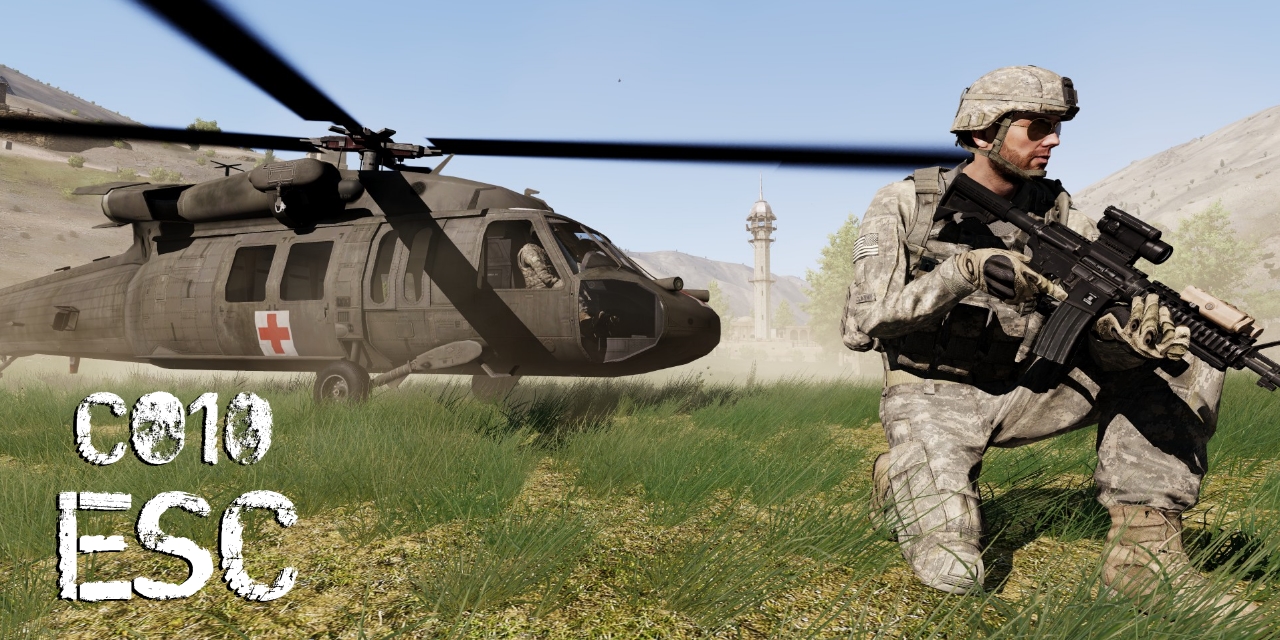
GitHub
Official Github repository of A3 mission co10_Escape. - GitHub - CaptainPStar/co10_Escape: Official Github repository of A3 mission co10_Escape.
It's a compilation of 1000 different mission configuration on different maps
golden nova
I don't see anything there that would be 2Gb size. You sure you downloaded the right thing?
you can click on one of the packs in Releases tab to download missions that are ready to play, or click on the green "Code" button to download the repository in its current state. The downloaded zip file is around 15mb of size
I unpacked first mission from the latest release pack and it changed to the folder which you place in your Documents/MPMissions directory to edit it, no jsons anywhere
 vague lake
Wtf. Maybe my unpacker is messing up than
So just unpack the pbo. And put the folder in mpmission folder. Open arma go to editor load correct map and load mission?
golden nova
yes, your custom created missions save into the mission directory in your Documents so pasting a mission folder there will make it editable
vague lake
nope i can't see it in the editor

sadly i have to go now so can't troubleshoot more today
golden nova
ah right, mpmissions are accessible when you open editor from the multiplayer tab
multiplayer -> host -> choose the mission -> select "Open in editor"
vague lake
Aah will try that tomorrow
 sinful lantern
Hey, can someone tell my why my unit logo is not displayed ingame when playing in multiplayer? Single player does work sometimes but when it comes to Multiplayer it just does not show, Arma recognises that I got a new picture equipped but does not wanna show it. It is already rendered down to about 50 kb I think, so it is definitly in the limit. maybe someone has an Idea why it does not show? https://units.arma3.com/unit/katadvancedmedical
Arma 3 | Official Website
Experience true combat gameplay in a massive military sandbox. Authentic, diverse, open - Arma 3 sends you to war.
golden nova
Might be an issue with BI servers, as usual.
Do Units and/or logos load in your launcher?
sinful lantern
yes
everything loads
it's only this unit tho
all my other unit work perfectly
no problem what so ever
 lusty mason
 ocean cosmos
read the error and do what it says
lusty mason
The mod has both the bikey and bisign, checked with DSCheckSignatures no problems, reinstalled on both client and the server.
umbral narwhal
Is the key in the keys folder on the server?
lusty mason
yea
everything is set up properly just for some reason it keeps giving that error, also verified its integrity no problems
umbral narwhal
Can anyone else connect successfully?
lusty mason
No..
umbral narwhal
Is this your own mod?
lusty mason
no its from the workshop
golden nova
no errors in DS checker doesn't mean the mod is properly signed unfortunately
either you copied old key files without noticing or author didn't check the option to overwrite signatures in DSSignFile
lusty mason
I'll see if the author can resign it
lusty mason
golden nova
either you copied old key files without noticing or author didn't check the opti...
Its probably something with the mod itself as my server has the workshop built into it so I don't copy over files to the server.
golden nova
so do you have that key in server keys folder?
because I highly doubt any "built-in workshop" solution automatically takes the key file and copies it to the specific directory on your server, since key files can be placed anywhere in a mod
lusty mason
yes, and it does
golden nova
¯_(ツ)_/¯
lusty mason
it looks for the keys folder of the mod then adds whatever files are in that folder to the servers keys folder, if the mod does not have the keys folder then it does not do this and I manually add the key
 smoky lichen
any one had trouble with arma3 opening with mods loaded even though you have unloaded all mods ?
steady hawk
Elaborate?
smoky lichen
open arma3 launcher > click un load all mods > click play > arma3 opens yet mods are loaded and when you connect to a server that has no mods it says you can not join as it does not support mods
deleted cache.ch no luck
steady hawk
Does the main menu (bottom part) has a Mod icon there?
steady hawk
Then you have Mods, make sure you haven't done load Mods manually through Launcher's parameter
If in doubt, remove all params
smoky lichen
a little background i have 8,123 hours in arma3 and extensive coding knowledge i know arma inside and out its very bizarre this error
have tried the parameter route also
any other ideas 🙂
steady hawk
Verified?
smoky lichen
^ will try
pine kite
Somehow the launcher starts the game with mods listed in the -mod= parameter. Check in the parameters tab of the launcher if any of those are listed in there. Or check the shortcut to arma 3 that you use to start the game if it contains commandline parameters.
steady hawk
Or maybe try to launch arma3.exe or _x64 to verify the error is somewhere else
smoky lichen
all files verified. yes will launch exe and see
getting somewhere.. exe no issues
something up with launcher
ahh missed it in launcher all parameters i had a command line setup
all sorted
thanks for riffing with me
steady hawk
Oh good to know
 vague junco
I’m having trouble with arma crashing when opening the game. Trying reinstalling, deleted mods and installing. Tried deleting all files and installing and zero luck
steady hawk
Any errors?
 steady hawk
You need to verify the game
 halcyon nacelle
Has anybody ever had explosive rounds for every weapon ? Lol hand guns.are.like.rpgs....
ocean cosmos
yes, not a good idea
ocean cosmos
ok 👍
fringe salmon
Thanks nice help
steady hawk
Better to state what exactly is the issue after all. Not everyone can assume what you want accurately
If you want more FPS, increase Video Settings
fringe salmon
You mean decrease
fringe salmon
I have to crank up to 4k? To get better fps?
ocean cosmos
arma does not use the gpu as much as it should do on lower settings so increasing graphics settings will shift more load onto the gpu
fringe salmon
Hmm
steady hawk
*Arma 3 more like RV engine
ocean cosmos
yes
fringe salmon
Rv is what
steady hawk
Real Virtuality, the Engine
ocean cosmos
(which is why i said arma) 😉
steady hawk
You lose I guess
Anyways, try to at least Autodetect for Video settings
Also it really is dependent on the situation/Mods/Missions/Server/whatever whatever
fringe salmon
steady hawk
Also it really is dependent on the situation/Mods/Missions/Server/whatever whate...
koth
steady hawk
And how many players?
fringe salmon
90 fresh start
steady hawk
Then 30 FPS is more than enough I guess
fringe salmon
arma 4 will have 20 fps i guess
steady hawk
Arma Refoger already has 60 FPS
...And have you tried to increase the video settings already?
vague junco
so trying to start arma 3 today and it will crash after trying to start up the game tried every thing that I can to trouble shoot it and still having this issue and will sometimes blue screen my pc
golden nova
vague junco
so trying to start arma 3 today and it will crash after trying to start up the g...
no mods?
open your task manager and monitor resource usage, blue screen probably means your PC is too weak or something is dying in it
golden nova
what?
vague lake
hmm nothing we talked about yesterday worked honger
but i did find that i have no Arma 3\userconfig\cba_settings.sqf folder
vague lake
well i figured out why cba wasn't working
now any ideas how i can add zeus to missions?
golden nova
open the mission in editor, place game master module and connect it to playable entity, save and export, upload to server, play.
vague lake
Yea. Except I seem to be unable to load it into the editor
I unpacked my mission and put it in the folder. I can choose the mission. But it will not load. And when I go to open the editor I can not see it
vague lake
No
I think I know what the issue is
Somehow pbo manager was ducked
Not actually extracting any files.....
Just downloaded pbo viewer and now I see more files
golden nova
mhm could be
 brave imp
What does this mean?
 quaint jewel
brave imp
What does this mean?
quaint jewel
brave imp
What does this mean?
What the first line says.
Arma has crashed
brave imp
No, I mean why has it divided by zero?
quaint jewel
Can't know from that
could be anything
That dialog says "Arma has crashed for some reason", without any extra/useful info about why
 glass cradle
Hi so latley when i activate battle eye to play online the game crash my pc any help
 unreal sorrel
hi is anybody here who can help me with arma modding on a dedicated server ? or point me to the right place to ask ?
steady hawk
You can try to ask what exactly is the issue you have, if this is not the place we can always point where to go
pine kite
Making mods for Arma is not specific or limited to dedicated servers. So please go in more detail as you currently refer to isolated things.
 normal wyvern
After I spend some time playing 5-20min, in-game chat disappears and I can't see anything if someone writes to me or the team.
I've tried various solutions but can't seem to find the one that works for me.
golden nova
do you have the streamer mode or something enabled in the game settings?
pine kite
Hmm, I only had this happen in a specific singleplayer scenario when using Simple SinglePlayer Cheat Mode mod and enabling and going into Zeus mode. Doesn't seem related, unless you have that mod one loaded and use it anyway.
normal wyvern
golden nova
do you have the streamer mode or something enabled in the game settings?
Yes, could it be that?
I will try to disable it and check it out next time in-game
golden nova
yes, the streamer mode hides the chat so it doesn't show up when you want to stream
and it hides some other things I don't remember now
normal wyvern
golden nova
yes, the streamer mode hides the chat so it doesn't show up when you want to str...
totally makes sense
thank you
It made me quite a lot of problems when Zeusing
and players try to ping me, I have no idea who did it...
golden nova
it's supposed to hide player nicknames and server names too to avoid any stream sniping.
normal wyvern
golden nova
it's supposed to hide player nicknames and server names too to avoid any stream ...
Damn... I don't remember when I turned that option on, I just know it ducked me good
Thank you
vague lake
so arma is finally running great for me with my mods and i managed to add zeus to my missions
however i'm running into something weird
after some time not all enemy units are shown as zeus anymore
like this

but on others it works fine

oh i bet there is an option in cba
oh i just found out i can manually add them
 wheat scroll
I have an issue where an error message pops up on my screen whenever I switch units within a single player zeus game it seems to fix whenever I go back to the zeus menu or back to my original unit
 umbral narwhal
You're running a mod with a bug in it.
wheat scroll
is there anyway to tell what mod as I do have a lot running?
umbral narwhal
"WebKnight_StarWars_Mechanic" seems like a pretty good clue.
wheat scroll
I thought so as well but I do not have any type of files with that name
alright ill just go 1 by 1 on all my mods and turn some off and see where that goes just thought there might have been some way to figure it out to make it easier or if somebody else had an idea
pine kite
Halve by halve usually goes quicker to narrow it down.
Some mods depend on others though, so you'll need to be selective in making the halve cut.
 median valve
weapons keep dissappearing in my zeus game with my friends
we have mods on but it doesn't matter how many we have, we tried testing with 1 mod and all mods
and when u swap too your secondary or holster your weapon and bring it back up to ready, it dissappears

 pine kite
If you friend loaded mods, or whoever runs the server, and you didn't. Then the weapons, or whatever gear the missing mod provides, becomes invisible.
median valve
pine kite
If you friend loaded mods, or whoever runs the server, and you didn't. Then the ...
we have all the same mods
we checked, they unistalled everything they had and reinstalled exactly what i had
and the primary is already in our inventory and working when we load the map, but at some point it just dissappears
pine kite
Oh I meant in the 3d view. Not inventory. Don't know about that.
umbral narwhal
Which one mod did you leave? :P
median valve
we did a few
RHS, CUP, Frith's Ruins, ACE, and a few more i can't remember
we did a few indiviually
 blazing snow
Hey is this the channel where I post a console error when creating opening and Eden file?
or like can find someone with help regarding that?
steady hawk
Here is fine, just ask first, or if not, we can guide where to go
 karmic halo
Anyone ever had trouble with the -par startup parameter? It seems like it doesn't read the file or so
Target Line: "C:\Program Files (x86)\Steam\steamapps\common\Arma 3\arma3_x64.exe" -par "C:\par_Editor.txt"
par_Editor.txt
-noSplash
umbral narwhal
Shouldn't it have an = in there?
 lime sphinx
if it's mandatory - then https://community.bistudio.com/wiki/Arma_3:_Startup_Parameters#Windows example needs a fix
karmic halo
umbral narwhal
Shouldn't it have an `=` in there?
FFS 😄
I copied it straight from there
umbral narwhal
Never trust an example :P
 vagrant mason
So Im having a weird Bug, I've Dubbed it "Composition Lag". Where at the beginning of my game, it will do this sort of "Jitter" lag, where frames are fine, but it will randomly pause on a frame for half a second. after a while, it either stops, or if im in zeus, it will pop up with a "Error When Loading Steam Composition: (Number of Composition)"
I went into the game files to try and find the error, but couldn't. My theory is, it was deleted and is now trying to load the composition, but fails. Each one of those lag spikes, is the game trying to load the composition and failing. Any idea's on how to fix it?
i assume going into the files
And deleting a folder somewhere with that composition
golden nova
unsubscribe from compositions in Workshop
vagrant mason
i REALLY don't want to have to resort to that.
karmic halo
umbral narwhal
Never trust an example :P
That was indeed the issue. Thanks!
 pearl sorrel
vagrant mason
So Im having a weird Bug, I've Dubbed it "Composition Lag". Where at the beginni...
pearl sorrel
vagrant mason
So Im having a weird Bug, I've Dubbed it "Composition Lag". Where at the beginni...
error loading will be broken / removed composition. IIRC it was going to be fixed at some point.
But best thing is try and work out what composition it is that's causing the issue and unsub/delete it.
vagrant mason
pearl sorrel
error loading will be broken / removed composition. IIRC it was going to be fixe...
That’s the problem, it doesn’t exist
In the game files
Or in steam
vague lake
so my server has reached a point where its strugglling to load in the units. if we start moving in the map now the server has to scramble to load in 100+ units and it will create some pretty bad lag spikes
now i read something about headless clients to distribute the unit load? my actual machine still has more than enough cores unused. so would i be able to have better performance by using headless clients?
and would i be able to just add it to any mission or?
umbral narwhal
when you say "load in the units"...
umbral narwhal
I mean, if the limiting factor is units "loading in" then adding HCs probably isn't going to help. If the limiting factor is units pathfinding and running FSMs then it will.
uncut trellis
do you run heavily scripted mission? my guess is either you got scripts running on all clients that mess up the server fps or you need to have less active AI at the same time
 teal token
Can anyone help me with a problem I have? Today I tried to direct connect to a private Antistasi server and I keep getting stuck on the Arma 3 splash screen. I have tried validating my game files, reinstalling mods, restarting both my game and my computer, and also restarting the server. I don't have any problems getting to the game if I don't direct connect to the server, but if I try to connect to our server the game will stick on the splash screen until I hit escape, in which case it boots me to the main menu screen.
quaint jewel
vagrant mason
So Im having a weird Bug, I've Dubbed it "Composition Lag". Where at the beginni...
I heard of it, but couldn't reproduce it
vague lake
uncut trellis
do you run heavily scripted mission? my guess is either you got scripts running ...
I'm currently running co10-escape mission with a good amount of mods. And I have a nametag script running. Which will put a nametag above everyplayer.
golden nova
"good amount of mods" is the problem and headless client won't help.
get a better server or reduce the amount of used mods to minimum
vague lake
The problem isn't low fps. (or not the big issue) the problem is straight up client freezing and huge rubberbanding. When this is happening and I'm in Zeus I can see the server spawning 50-100 units in a matter of seconds
 uncut sierra
Hi!
I have a question:
What diagnostic tool You would suggest to check server performance (for Linux)?
I have issues with JIP, when player joins, game suffers from MASSIVE lag. Once it even crashed server entirely. In other situations, when Zeus spawns come units, there is also a visible lag.
And for last - we noticed that the longer mission lasts, the bigger performance drop, despite lesser and lesser amount of units on the map (even deleting dead units don't help).
Me and my friends currenlty blame netcode/basic.cfg or something with AI.
Do You have maybe an example of fine tuned basic.cfg that you use and works fine?
uncut trellis
uncut sierra
Hi!
I have a question:
What diagnostic tool You would suggest to check server pe...
do you run a lot of mods with complex features? Such lag spikes are often related to bad scripting that is run each time someone joins on each client or exponential times by client count. simplest startingpoint comparison would be to play completely unmodded zeus coop and see if the problem can be replicated
uncut sierra
uncut trellis
do you run a lot of mods with complex features? Such lag spikes are often relate...
We have tons of addons, but this issue is lasting only for few months when we didn't make any significant changes. For now we are trying to remove addon after addon, but it didn't make any success.
Currently PiR addon is tested for the blame.
golden nova
have you checked the RPT for any message spam? Running the #monitor command is good too to note what happens when the network clog is the biggest
uncut trellis
uncut sierra
We have tons of addons, but this issue is lasting only for few months when we di...
problem is most likely mods
they can break due to something updating somewhere along the way
golden nova
players with high ping/slow network can cause a consistently rising lag because of the G/NG message transfer being slown down to match their specs
it's not that "visible" on vanilla servers but when using specific mods like AI or VFX overhauls (even just serverside), a Phillipines player with 300ms latency on a European server will cause a very long rubberbanding phase when he (dis)connects
 elfin plume
So, I am having an issue with my dedicated server that's used for our unit. Everytime someone joins the server, it lags everyone out. The person loading in gets stuck on "receiving data" for several minutes, until they finally load in.
At one point I looked at the server RPT and saw that ALiVE was running event handlers, so a clean uninstall of the mod fixed the issue temporarily. After about a week the issue started to appear again and this time I found nothing in the rpt that would explain the lag except for an unknown event handler that I haven't been able to trace back to a certain script/mod.
Any help would be greatly appreciated, if someone is willing to bother I can send an invite to our discord and share my screen to help visualize the issue.
 quaint jewel
Check in Arma launcher BattlEye tab, if it said it blocked loading
 slim cape
it does
quaint jewel
Using the real ace and not some 3rd party custom Version?
Battleye sometimes randomly blocks stuff, not much you can do besides waiting and retrying later
ocean cosmos
Are you using geforce now
Not geforce now
Is it geforce now
Nvidias cloud gaming
uncut trellis
that is geforce now
 fresh lichen
A few of my friends are unabale to direct connect to my server nor find it via the server browser. However, the rest of my friends can. The few friends live in the UK, the server is hosted in the US.
They cannot join via Steam/Friend Lists, etc. Nothing is popping up, any clues? The issue I am having only people that are in North America are able to connect to the server, people outside cannot.
I had my buddy turn on a VPN, he selected a region in North America and he was able to connect. So what the heck could this be?
uncut trellis
fresh lichen
A few of my friends are unabale to direct connect to my server nor find it via t...
perhaps your ISP is blocking traffic from some countries? 🤔
slim cape
hello, is "Connected to steam servers" supposed to be the last thing on the cmd?
[7:45 PM]
because it looks like my server is up but i cant find it or connect
fresh lichen
uncut trellis
perhaps your ISP is blocking traffic from some countries? 🤔
They said nothing is region locked, I run a FiveM server and I have people from all over the country just fine.
uncut trellis
thats all I got im afraid
 restive sequoia
Maybe their provider has some routing problems.
Maybe your hoster has some Ddos protection systems and their ip's are blocked
fresh lichen
restive sequoia
Maybe their provider has some routing problems.
Maybe your hoster has some Ddos ...
Strange, these people can join the FiveM server just fine, just can't search / direct connect to the Arma server unless via a VPN.
 viral heath
Keep getting this error

How do I fix it?
Other people are getting it to
thats the image
 umbral narwhal
Repair Arma. If multiple people are having the issue then the corruption is probably on the server end.
 keen nimbus
I can't join to my server because of this, how to fix it. I really need.
 uncut trellis
keen nimbus
I can't join to my server because of this, how to fix it. I really need.
uncut trellis
keen nimbus
I can't join to my server because of this, how to fix it. I really need.
you have some mod that is not made right
or you are missing a mod
golden nova
I guess it's just because he's playing with SMA and it is old, unsupported and broken
teal token
teal token
Can anyone help me with a problem I have? Today I tried to direct connect to a p...
I have also re-installed my game and the issue is still persisting. Any help would be appreciated
 mental river
keen nimbus
I can't join to my server because of this, how to fix it. I really need.
mental river
keen nimbus
I can't join to my server because of this, how to fix it. I really need.
Missing mod dependencies
mental river
teal token
Can anyone help me with a problem I have? Today I tried to direct connect to a p...
Do you mean other servers work fine?
teal token
mental river
Do you mean other servers work fine?
It was a serverside issue
mental river
Yeah I figured
fresh lichen
My ISP/Host is not blocking any traffic outside of North America. They confirmed that the ports are opened, us NA players can connect those from the UK cannot unless they use a VPN. The ports are opened via server side as well as the Windows Firewall. What the heck can be causing this?
They are unable to find the server listed or direct connect if they’re outside of NA.
umbral narwhal
Give me your IP and I'll check :P
Maybe they're just on Virgin media and their network is rotting again.
fresh lichen
umbral narwhal
Give me your IP and I'll check :P
45.144.225.31:2302
umbral narwhal
Detects fine for me.
fresh lichen
umbral narwhal
Detects fine for me.
Working for you?
umbral narwhal
As far as the password at least.
fresh lichen
umbral narwhal
As far as the password at least.
Where are you from if you do not mind me asking? My buddy is from Dorset and the other is in Cornwall
umbral narwhal
Hampshire. Matters more what network they're on though.
I'm on some bog standard BT reseller shit
fresh lichen
umbral narwhal
Hampshire. Matters more what network they're on though.
The Dorset guy is using Sky
But he was able to connect on our Linux machine but when I swapped to Windows he was unable to connect
umbral narwhal
hmm, I think Sky is openreach
fresh lichen
umbral narwhal
hmm, I think Sky is openreach
He confirmed yeah
Very strange
Any other ideas?
umbral narwhal
How many UK people is this? Just two?
fresh lichen
They are able to connect to my FiveM server so I am not sure if it's being blocked
fresh lichen
umbral narwhal
How many UK people is this? Just two?
Just my two UK friends the server is just for friends
It is not popping up via browser nor direct connect but the moment he used a VPN it worked
fresh lichen
umbral narwhal
How many UK people is this? Just two?
Weird, he's allowed to join now, maybe it takes a bit to register over the country?
Idk
It's working now\
umbral narwhal
Bear in mind that the server browser is hopelessly unreliable so the only test actually done here is direct connect.
Only takes one mistake there and you get nothing.
fresh lichen
umbral narwhal
Only takes one mistake there and you get nothing.
Yeah it didn't work via direct connect before but it's all working now
very strange haha
ocean cosmos
umbral narwhal
Hampshire. Matters more what network they're on though.
My condolences
I've had problems trying to join local hosted games with sky as well, dogshit isp
 bitter loom
Arma Tools publisher is not launch
I try reinstall, check for update.
logs
2023-04-13 09:21:09,803 [FATAL] 1 (:0): SharedResources.ApplicationBase.CurrentDomain_UnhandledException - Caught unhandled exception:
2023-04-13 09:21:09,807 [FATAL] 1 (:0): SharedResources.ApplicationBase.CurrentDomain_UnhandledException - ProtoBuf.ProtoException: Invalid field in source data: 0
tame grove
steady hawk
Do you have latest rpt and can post this?
What do i put in there?

 steady hawk
Morning. IIRC just drag and drop does that
tame grove
steady hawk
Morning. IIRC just drag and drop does that
Which one do i drag to be specific
 steady hawk
An rpt
tame grove
So grab the latest date the drag and drop?
steady hawk
But it seems you have no good logs since you have -noLogs so we can't make any troubleshoot
Please turn of -noLogs and retry the game, so will produce another rpt


 steady hawk
With the website
tame grove
Do i copy that then paste it in the website?
steady hawk
Yes
tame grove
Ok did that what now?
steady hawk
Share the link

 steady hawk
Try pastebin instead
 steady hawk
GDrive?
Wait a minute do you have a permission to upload a file into here Directly?
Or, you can use my DM
tame grove
What about a notepad
tame grove
So you want me to dm you the file
steady hawk
I want the file anyhow
steady hawk
You have tons of Mods it seems, which I didn't know before
Have you unload them all and try?
tame grove
I'll unload them and try again last time i did it without mods i got the same results
bronze river
When in doubt, verify game files
tame grove
bronze river
When in doubt, verify game files
Be there done that. Don't work lol
steady hawk
Same results as in FPS is still bad?
 ocean geyser
It's not. Use TFAR or ACRE, ACRE has more realistic end transmissions though
 steady tinsel
hey guys
i've been playing liberation with my friend, and most of the time, when we use big vehicles like the chinook, the Ai is unable to properly enter on their own, ragdolling to the ground, and have to be zeus'd in
we have disabled ai changing mods, and we don't have private mods
umbral narwhal
@hollow mulch Install this: https://support.microsoft.com/en-us/topic/update-for-visual-c-2013-and-visual-c-redistributable-package-18d278e8-1c79-2630-e8ae-e9f4679b2393
Describes an update that fixes issues in Visual C++ 2013. Includes descriptions of the issues that are fixed by the update.
 torpid trail
I am having issues with Arma save games deleting when I quit and reopen the game. For reference I have been playing Western Sahara and the East wind campaign. I have heard this could be a one drive issue. Any suggestions? I want SOG prairie fire but am so scared of losing saves lol
golden nova
that's Arma 3 at its best
golden nova
gpu does not matter, CPU runs at 3,3GHz lowest and I doubt it can keep its turbo speeds in a laptop
fringe salmon
well i mena its a thick boi
liquide metal
but yeah its a laptop after all
but i mean i started the lap, startet arma and instantly have 30 fps ingame
so it didnt had time to head up
umbral narwhal
torpid trail
I am having issues with Arma save games deleting when I quit and reopen the game...
If it's a drive issue then it'll probably show up in event viewer. Otherwise, make sure you shut Arma down the slow way, not alt-f4.
golden nova
fringe salmon
but i mean i started the lap, startet arma and instantly have 30 fps ingame
again that is Arma 3 at its best, it's a decade old unoptimized game, you either don't have your hardware running in turbo or its already hot enough it slows down just to not burn itself
dunno what ram you have there but assuming it is a gaming laptop, it's not very fast comparing to what you can normally find
umbral narwhal
Well, assuming that you're trying to play something like KotH or Warlords, 30fps is normal range. If you have 30fps in the editor then that's another matter.
fringe salmon
30 in k0th
but i asked around and other dont have the issue
is that an AMD only problem?
fringe salmon
i was thinking of getting 7950x with the 3d cache
fringe salmon
golden nova
do "others" have the same laptop as you?
no
but im running full amd
other dont
umbral narwhal
Is it actually 30fps or more variance?
fringe salmon
30 fps in the city
but sometimes it goes up to 40
just sometimes
rarely
starting area 50
umbral narwhal
meh, sounds normal.
golden nova
fringe salmon
other dont
the if you want to compare your hardware performance to others, you should ask people that run the same stuff, otherwise you don't get any accurate info.
fringe salmon
who has a 3950x
golden nova
play with view distance, run some benchmarks, maybe don't run any 3rd party apps when you play Arma
umbral narwhal
Otherwise you'd get 20fps :P
fringe salmon
other run 10km
golden nova
highly doubt they run that in Warlords/KOTH, especially with more than 30FPS.
fringe salmon

I don't play this title, so I'm not sure how this performance ranks. Let me know. Check out my https://www.youtube.com/playlist?list=PLYaeRxhLbnoHcTAAo6FmgQUbrEZGULHdx playlist.
Max undervolt -30. Running 32GB DDR5 2x16 SK Hynix A Die at 6000 CL30. Gigabyte B650M DS3H. Resizable BAR is enabled. Everything is being displayed on a Samsung Odyssey...
this dudee runs 70 fps
golden nova
it's not a laptop.
umbral narwhal
Are you talking about a PC with a 3950x?
golden nova
did you run any benchmark? Have you checked temps/bottlenecks/anything?
fringe salmon
umbral narwhal
Are you talking about a PC with a 3950x?
yes
fringe salmon
golden nova
did you run any benchmark? Have you checked temps/bottlenecks/anything?
temps dont eexeed 60deg
umbral narwhal
3xxx -> 5xxx, +20%. 5800X -> 5800X3D, +20%, 5800X3D -> 7800X3D, +15%.
maybe a bit more on the X3D upgrades.
fringe salmon
well if i can get my pc sold
i will buy and tell you
or if anyone has the cpu already
can tell
torpid trail
umbral narwhal
If it's a drive issue then it'll probably show up in event viewer. Otherwise, ma...
Where do I see the event viewer? And I typically close it down the from the main menu
umbral narwhal
Modern windows? Hit the windows key, type "event viewer" and hope it doesn't fill the results with a pile of shitty weblinks.
Then windows logs -> system
pine kite
torpid trail
I am having issues with Arma save games deleting when I quit and reopen the game...
So, how do you quit Arma 3? Alt-F4? Close the laptop screen? Task manager kill process? Or do you have OneDrive active on your system?
chrome current
My workshop item seems to have had all its comments removed, and the link to GitHub as well. Any one know how to find out what happened?
pine kite
Ask Steam I guess. If they did it, they should know why.
uncut trellis
umbral narwhal
Modern windows? Hit the windows key, type "event viewer" and hope it doesn't fil...
he meant onedrive
golden nova
steam does that from time to time, dunno why, I had several of my mods "blocked" like that
probably people report it (even for no reason) and automod kicks in
uncut trellis
and @torpid trail you can disable one drive completely or probably for some particular folders too
umbral narwhal
hah, that rogue space killed my scan reading
torpid trail
pine kite
So, how do you quit Arma 3? Alt-F4? Close the laptop screen? Task manager kill p...
I quit arma by going back to the main menu and hitting “quit the game” in the top right. I do have one drive active but am not sure how it’ll affect saves for other games
torpid trail
uncut trellis
and <@818628143853862954> you can disable one drive completely or probably for s...
It saves to a folder in one drive, I probably should disable it altogether
uncut trellis
torpid trail
It saves to a folder in one drive, I probably should disable it altogether
would be simplest solution especially if you dont really need it
pine kite
torpid trail
I quit arma by going back to the main menu and hitting “quit the game” in the to...
Ok, that is the right way to stop the game.
For many something goes wrong with Onedrive synchronising their Windows profile Documents file, which has a folder for Arma 3. Something happens that causes these files to go corrupt so Arma 3 starts to recreate it. I personally don't have a need for OneDrive so I removed it. But there may be a way so have Arma 3's folder to be exempt from synchronising in there.
Other people get a message that the cloud file provider is not running. Which is also due to OneDrive.
 tame latch
Hey there, I just found out that a new version of PBOtools is being developed (for quite some time now), that seems like it's working just right. Didn't have a problem with signing pbos created with it (was just testing)
Even manages to open  obfuscated pbos.
 hollow nymph
has anyone experienced frame drops when holding shift key down? I will be standing still holding the shift key and my frames drop from 60 to ~35 fps.
golden nova
Running any mods? If so, load the game with none and check if it still happens.
hollow nymph
yea im running mods... I will try that once my files have finished validating. Ive read it can have something to do with Battleye
 ember lantern
Does anyone know a dynamic mission generator script/addon which i could use for my own missions?
golden nova
Drongos Map Population, ALiVE can do that too
ember lantern
Using DMP at the moment. It's really nice but was hoping for something which is creating slightly more advanced/complex missions. Never used Alive. Will look into it. Is Alive heavy on performance?
golden nova
depends on how much you generate with it but no, not really
steady hawk
It is very hard to make everything that is complex automatically
ember lantern
Yea, very true. Looking to find a balance between randomly generated and immerive/complex
 ionic fern
As soon as my friend opens Arma 3, the main menu Lags really hard and he gets only 2 FPS. It wasnt doing this until today. any fixes?
golden nova
using mods?
ionic fern
yes
But i have all the mods he has
so does the other person
but he still lags insanely bad just in the menu
and he has a better PC than mine
Had him try to load in without mods and he still lag in the menu
He has reinstalled
verfied integrity
all that good stuff
still lag
golden nova
idk then
ionic fern
:/
ember lantern
Quick question on FPS optimization. Is it better to use Bohemia's dynamic simulation or custom caching scripts to achieve the best FPS during missions? For my missions the enemy AI does not have to move until they come into the radius of the player.
ember lantern
thank you
pine kite
hollow nymph
has anyone experienced frame drops when holding shift key down? I will be standi...
Could be caused by Windows trying to show up a Sticky-keys dialog window in the background. Holding shift long can have a special function, Windows is then asking what to do. I disabled sticky-keys.
 worldly oak
Anybody know what could cause AI piloted helis to only fly up ?
Playing DCO and the heli arrives without an issue at the LZ but whenever it takes off it just flies up with no end
Nvm
GGE weapon canting was it
steady hawk
It is very likely to happen if something is attached to a heli. AI wants to avoid the "obstacle"
ocean cosmos
needs to have damage set on the groundholder to 1 but gges mods are mostly broken
worldly oak
Whoops
not canting
weapon switch
either way removing it fixed it
that's such an odd mod to affect pilots
ocean cosmos
knew you meant weapon switch lol
and not really, the pilots think there's something on the floor beneath them so they keep going up to try get away from the floor
slinged weapon should be hidden in vehicles
or setdamage 1 to it
worldly oak
i was thinking it was one of my AI mods at first
till I saw some dude on the forums mention it could be GGE
ocean cosmos
would advise against using gge weapon swap -- been considering making my own version but I can't do animations or anything so may end up just fixing it
ocean cosmos
ah if its just for the slinging then that works
 ornate spire
I remember seeing someone else with issues related to objects flickering and causing massive FPS drops. Have we discovered what was causing that?
I got a 4090, it's not a lack of vram
I did the FLUSH command, it worked for a a short time, but then it started happening again
It's not blastcore, I've seen reports of this happening with people not using blastcore, and also people who were using blastcore who did not have this issue
worldly oak
So I guess removing GGE weapon switch fixed the issue for helicopters dropping me off to the LZ
but did not fix it for extract lol
 short tree
anyone know whats up with this and how to fix it
 golden nova
validate game files through steam
short tree
golden nova
validate game files through steam
i love u
slim cape
ErrorMessage: Include file x\cba\addons\main\script_macros.hpp not found.
why is this showing up on my server?
umbral narwhal
Running something with a CBA dependency but no CBA?
slim cape
the server was working fine for ages
ionic fern
My friend is having an issue now where when he tries to join my server it says "Player uses modified data" "Player connecting" "Player connected" "Player disconencted"
just immediate disconnect
ionic fern
We tried quite a few things
 sonic sail
Whenever my unit's server gets an update, my missions break if they contain anything from 2 particular mods. People keep telling me that it's "not installed correctly" but we don't have this issue with any other mods on the server, so I'm completely stumped. What's really throwing me off is that everyone can use equipment from the mods.
umbral narwhal
What sort of update are we talking about?
ionic fern
I can hear some weapons in the server we are playing in and i also cant see their muzzle flashes but i can here the bullets whizz by
 sullen idol
Hello guys, I have a problem
Whenever I try to open the map in the East Wind campaign, my game freezes
Specifically in the mission where you have to rescue allied troops from a village
The problem hasn't occurred in any of the previous missions so far
 wheat trench
Anyone know why my dedicated server just keeps looping? anytime me or anyone else tries to select our role and hit ok it'll just boot us back to the role selection screen again, this is all the server is saying:
17:16:48 Mission fallout20cuba.Gulfcoast read from bank.
17:16:49 Roles assigned.
17:16:49 Reading mission ...
17:16:59 No entry '.model'.
17:17:17 Mission fallout20cuba.Gulfcoast read from bank.
17:17:17 Roles assigned.
17:17:17 Reading mission ...
17:17:29 No entry '.model'.
uncut trellis
broken mission, broken mods
start testing if no mods and some vanilla missions start ok and then try adding mods after that
wheat trench
the thing that doesn't make sense to me is if I host it identically on my client it doesn't care and loads just fine
steady hawk
sullen idol
The problem hasn't occurred in any of the previous missions so far
- Unload Mods
- Verify game
 fringe wren
Hey I've got an issue while connecting to certain servers, I'm stuck in "Receiving Data"
And if I wait a couple of seconds the message "Cannot get player UID, Display 46 is null" appears.
I've been able to connect to the same servers for years and this started like a week ago, I tried contacting the server support, we tried the common solutions like switching slots, restarting computer/router/steam/everything, deleting the mission file to force redownload again, and verify the game files.
If I continue trying for hours, sometimes I can get randomly into the server.
Any idea how to help, please ?
 cold aspen
so i have second pc where i test my MP scenarios and i have problem when i host a scenario via eden editor
and join the game on my second pc then the senario is saved for the client as "__cur_mp" file
and as soon as i do any changes on the scenario and host it again the client gets kicked out, is there any way i can fix this?
steady hawk
steady hawk
Same results as in FPS is still bad?
@tame grove If you want to reply, do it here not my DM
sullen idol
The East Wind, Wet Work mission, the mission where the player must confirm the kill on the enemy officer. I found the body but nothing happened, do I have to restart the mission or what do I do?
steady hawk
I do think you need to “confirm” not just to see
Control, Weapons > Reveal Target, default is T
You may need to check it out
sullen idol
steady hawk
Control, Weapons > Reveal Target, default is T
I'm pressing T and doesn't work
steady hawk
Do you have any Mods? Especially ACE?
sullen idol
steady hawk
Do you have any Mods? Especially ACE?
I do
steady hawk
Unload it and restart the mission
sullen idol
Well, ig I will have to turn them off
sullen idol
steady hawk
Unload it and restart the mission
Ye, will do, no other option
pine kite
No mods with vanilla scenarios. Period! Solves a lot of issues.
wispy surge
Is it just me or did Zeus lose the ability to use IR night vision
golden nova
just you
you're probably running ace, it disables thermals in zeus mode iirc
oh wait, you're talking about nv
wispy surge
Is there a to re-enable it
golden nova
dunno, go through ace settings
wispy surge
Nothing under the Ace Zeus settings
uncut trellis
you will first need to figure out what mod breaks it
golden nova
it might also be disabled through a mission if you're playing a pre made scenario from workshop, https://community.bistudio.com/wiki/BIS_fnc_toggleCuratorVisionMode enables and disables visual modes for zeus
wispy surge
Interesting I’ll take a look
Thanks
 granite bridge
hi so uh
im trying to move my profile data from my documents in c drive to a folder in my e drive
because its beginning to take up space for some reason and im already tight on space in c drive
but the solutions ive found either dont reduce that space or just arent really working out for me
 topaz field
before i start
did you verfiy your game ? Yes
did you play with less mods? Yes
did you update you drives? Yes
is your pc potato? No
i Have 2070 Super
I5 10400f
16GB of ram
if any of yall know how to fix that please tell me this been happning from a month i cant play in peace

 granite bridge
but the solutions ive found either dont reduce that space or just arent really w...
granite bridge
granite bridge
but the solutions ive found either dont reduce that space or just arent really w...
the solution i tried was moving the profile folders (Arma 3 and Arma 3 - Other Profiles) to e drive, then using the profile folder parameter to direct it to there, but while i guess it worked it also assumed i was new and reset my settings and whatnot
so its not really a solution if it thinks im new to the game
uncut trellis
granite bridge
the solution i tried was moving the profile folders (Arma 3 and Arma 3 - Other P...
how much space does your profile folder take?
you might be accumulating huge log files for some reason which you can delete (though if they are huge its likely because some error spam you would really want to take care of so it does not happen)
uncut trellis
topaz field
before i start
did you verfiy your game ? Yes
did you play with less mods? Yes...
check pinned messages for the wiki page about the unusual process exits
theres list of common ones and what kind of fixes might work
granite bridge
uncut trellis
how much space does your profile folder take?
my default profile takes up 1 gb (apparently there are two? because my drive got replaced in a repair and it was renamed. not sure if i can delete the older one)
my main profile in other takes up about 1.3 gb
its not a lot but theyre by far some of the larger things in c drive and i want to move what i can to e drive
if i cant move it or reduce its size no sweat i guess, but i preferably want to, and moving it to e drive (which has like 200+ gb freed up) is a good shot
uncut trellis
looks like few mission savegames can indeed take that much space
uncut trellis
you'll just need to describe your problem in appropriate channel or #arma3_questions if you dont know where to post. Nobody can know if they can help you if they dont know what the problem is your question could fit in #server_admins or one of the other Server_ questions (or might not since dont know exactly what it is 😅 )
 royal bronze

i started an internet game with UPNP on
and my friend is trying to get in
i told him to spam it cuz i had this problem myself too and i had to keep trying over and over
same for other friends from other friends that hosted
and i'm wondering, is there any solution to this??
OH YEA HI @umbral narwhal
i remember you from the antistasi server
do you know anything about this by any chance?
i was wondering if it'd be ok to ask you here since you were able to availably answer me last time
we're verifying our game rn
royal bronze
solved
but if anyone has a direct answer to this pls say so
i pretty much just turned off upnp, hosted, disconnected, re-hosted with upnp on, and he could join
 noble coral
Hey yall, I've got a custom MP mission with weird respawns amidst other things. Everything worked fine locally, but when uploaded to a dedicated server the respawns stop working, Zeus cannot see edit or update anything, and tfar is stuck on "Waiting for unique radio from the server" Can't seem to find a fix, was wondering if anyone else has/had this issue?
 peak vigil
Could anyone help me i am having trouble with battle eye blocking ace dlls.
 ocean cosmos
battleye servers having a hiccup, nothing that can be done rn aside from wait
peak vigil
Cheers for the fast response, yeah ill give it some time.
 cloud surge
So I have a issue maybe some of you could help me with. In the past two days everytime I load arma up with mods it crashes to desk top with a Access Status Violation
But if I launch without mods no issues
drivers are updated, cache verified
uncut trellis
well you could have some seriously broken mode in there
or you can check out the BI wiki page about the access violations if there is anything that commonly helps with them
cloud surge
The BI wiki diddn't work, I uninstalled, deleted and unsubscribed from all mods, reinstalled and redownloaded and it was still broken. I rolled back my drivers and it seems to be working now but I'm still looking for a total fix
pine kite
Some mods can simply be bad or broken. Since you are not comming with specifics, it's hard impossible to give a definite fix.
uncut trellis
cloud surge
The BI wiki diddn't work, I uninstalled, deleted and unsubscribed from all mods,...
did you try with just some mods?
not all
cloud surge
Only CBA works
uncut trellis
so you have tried all combinations?
cloud surge
I've tried various presets of mods. The only one that seems to be working is my unit's current deployment modset and my personal vietnam preset
I'm still in the processing of testing. LIke I said before rolling back my drivers seems to help somewhat
uncut trellis
there is probably not many that are broken like that
but definitely its a mod issue
cloud surge
That's what I was thinking because when I launch the game with no mods it works but with mods it crashes. The only thing I've found is that launching with CBA only it loads fine. Launch with ace and CBA it crashes but other presets that work have ace and they work
 fallen dune
Whenever i go into Eden i can place a guy give him a loadout but as soon as i try to play it freezes. This has happened on two PC's but idk why
uncut trellis
fallen dune
Whenever i go into Eden i can place a guy give him a loadout but as soon as i tr...
possibly issue with whatever mods you have.
you can try checking the rpt log file if it shows any errors
!rpt
rustic eagleBOT
Arma RPT
Arma generates a .rpt log file each time it's run, which contains a lot of information like the loaded mods, or any errors that appear, this log file can be very useful for troubleshooting problems.
To get to your RPT files press Windows+R and enter %localappdata%/Arma 3
Additionally see the wiki page for more info: https://community.bistudio.com/wiki/Crash_Files
To share an rpt log here, please use a website like https://sqfbin.com/ to upload the full log, that way the people helping you can take a look at it and try to figure out the problem you're having together with you.
Note: RPT logs can hold personal information relevant to your system, the game or others.
fallen dune
i thought that at first but copy and paste mods work on others pcs
vapid moon
arma gradually increases it's usage of my video memory until there's no more and then crashes. any fix?
Ryzen 7 5800x
16GB
RX 6800
game is stored on an ssd
 uncut trellis
fallen dune
i thought that at first but copy and paste mods work on others pcs
uncut trellis
fallen dune
i thought that at first but copy and paste mods work on others pcs
disable all mods and try that
fallen dune
uncut trellis
disable all mods and try that
trying rn, its prob the mod but i think something is making the mods make the game crash. i was thinking a driver and was just hoping you guys knew about it already
 lofty palm
Just installed the game and it only gives me the option to play 4 official servers, no community servers at all any idea on a fix, also wont let me log into my account on the game.
pine kite
Make sure you verify your game install in Steam. If you let the launcher serverbrowser search you should get 5000-ish. You don't really need to make an account in the game. Your Steam account suffices to play the game. You can have multiple profiles, next to your main operating system name profile. But there is no password needed for that in Arma 3.
uncut trellis
lofty palm
Just installed the game and it only gives me the option to play 4 official serve...
Arma 3 or Arma Reforger?
and if Arma Reforger continue on #reforger_troubleshooting and check if you try to run the normal Reforger or the Reforger - Experimental
 grave rose
So, just got my Joystick & doing some practice flying. Every time I try to start the engines on the Pawnee the entire thing explodes. Any help would be appreciated
 viscid minnow
Has anyone com across the issue when respawn is disabled when loading into a mission on a server, however works perfectly fine in the eden editor/mulitplayer and when hosting a game locally?
steady hawk
grave rose
So, just got my Joystick & doing some practice flying. Every time I try to start...
- Any Mods?
- Is this an empty mission?
- What about other helis?
- How about with Basic Flight Model?
grave rose
steady hawk
1. Any Mods?
2. Is this an empty mission?
3. What about other helis?
4. How abou...
No mods, empty mission, haven't checked.
And it is not the basic flight model
steady hawk
- I know is AFM, I meant how about to try in BFM
grave rose
It's not BFM, I used that in the first few flights.
Friends are telling me that it might be clipping into the ground when the engines are kicked on which tbf could be the cause
grave rose
I'm pretty sure it ain't the game files, because if it was it would not let me play
steady hawk
It COULD be after all. I see a lot of cases that the ingame error is solved via that
grave rose
After moving the Helicopter, the explosions have stopped
steady hawk
Moving in Editor?
grave rose
yea
steady hawk
🤔
I've never heard of such a "unlucky place to have a heli"
Probs your friend is right
 lofty isle
are you kidding? collisions with vehicles and the ground I have had nothing but issues with the editor. I think it's even common advice to place your vehicles a meter above the ground in the editor and let them fall onto the ground to ensure it's not clipped.
thats what ive done anyway, never had anything explode after that
bronze river
sounds good on editor, bad on zeus mode as sometimes when vehicle drops on the ground it will damaged itself
pine kite
Well, people mix up Zeus and Eden editor all the time.
The difference is simple: Eden Editor has a proper application menu bar at the top for a load of different settings and ways to configure the scenario. Zeus just has camera overlay with compass heading in the middle, a left side list to select units in the scenario. And a list on the right with categories of units to spawn for different sides.
 jovial vector
unsure where to post this, but in a mod I'm making, I'm experiencing a game crash - my only pointer, according to the log, is:
Exception code: C0000005 ACCESS_VIOLATION at E60F5CDB
I'm experiencing the same issue on the diagnostics branch, but at address 69BA88C9 (game version 2.13.150296). In all instances, a memory dump (*.MDMP) and a BI-dump (*.BIDMP) is generated upon crashing. Could I get a pointer towards the scope/context where the execution is being raised?
quaint jewel
I need the mdmp, on monday
jovial vector
copy - should I send you it via DM?
quaint jewel
yu, but need to either send or remind me on monday or ill forget
jovial vector
will do, thanks!
 shadow raptor
Uhhh I loaded into game, and all of my loadouts were gone, anyone know why or if I can get them back?
steady hawk
What loadout?
bronze river
probably using wrong profile
 uncut trellis
 timber vine
anyone known how to fix this issue?
timber vine
anyone known how to fix this issue?
Is the server using that mod? In general to join a server you need correct mods loaded and nothing else.
steady hawk
Seems a bad modpack after all...
timber vine
yeah seemed to have figured it out thanks though, had other mods loaded that was not compatable
 runic glacier
anyone know how to fix texture loss
uncut trellis
runic glacier
anyone know how to fix texture loss
depends what exactly you mean by that?
 charred sierra
hello
big error
12:00:29 Warning Message: You cannot play/edit this mission; it is dependent on downloadable content that has been deleted.\na3_characters_f
anyone able to help?
rustic eagleBOT
Steam file verification process:
Right Click on game -> Local Files -> Verify Integrity of game files
Arma 3
Steam Workshop Mod repair process:
Open Launcher -> Right Click on mod -> Repair
The first process will automatically verify Steam Workshop items as well.
golden nova
do that, might wanna revert the mission if it's a singleplayer one
uncut trellis
na3_ characters is either some mod or typo in the mission
golden nova
it's \n
that error window does not "see" line breaks (in this case it's log that does not see it)
charred sierra
golden nova
do that, might wanna revert the mission if it's a singleplayer one
multiplayer
golden nova
then just verify files and start the multiplayer mission/join server
charred sierra
golden nova
that error window does not "see" line breaks (in this case it's log that does no...
that explains that
is there any-way to check what content im missing?
or could it be that my mods weren't up to date when i made it
golden nova
are you the host or you're doing that on a server, perhaps it's some broken/missing game file from server side
charred sierra
golden nova
are you the host or you're doing that on a server, perhaps it's some broken/miss...
thought it could be
fixed server side
was missing ARCE2 files
updated mods on client side
because i think that might have caused it
re-exported
reuploaded
seeing if its fixed
mission success
im cracked
uncut trellis
charred sierra
im cracked
cracked as in pirated game?
ocean cosmos
its young people slang goat
uncut trellis
can never be sure
ocean cosmos
cracked = very good at something
if im cracked at fortnite im very good at it
(i am)
uncut trellis
:L
ocean cosmos
 umbral narwhal
charred sierra
12:00:29 Warning Message: You cannot play/edit this mission; it is dependent on ...
umbral narwhal
charred sierra
12:00:29 Warning Message: You cannot play/edit this mission; it is dependent on ...
Normal error on a dedicated server. It's a red herring, ignore it.
 tidal juniper
Not sure if yall support mods but if you do what do i do when this shows up when trying to import a preset?

 steady hawk
Disable OneDrive
 warm crypt
Hello Together, just tried to set up a dedicated server with some Mods and it keeps hitting me with "SteamAPI initialization failed" and i'm quite close to lose mind. Anyone got some tips?
 proud trellis
steady hawk
Disable OneDrive
proud trellis
steady hawk
Disable OneDrive
Dont have it enabled
dont even have an account for one drive
proud trellis
Yeah, I mean some of my mods are still installing but I doubt that has anything to do with it
pine kite
warm crypt
Hello Together, just tried to set up a dedicated server with some Mods and it ke...
Where do you find that error message? Screenshot? As this does appear at the beginning of pretty much any RPT log file of a dedicated server. False positive. What other symptoms are you experiencing that makes you think it relates to Steam API communication.
pine kite
proud trellis
Dont have it enabled
If you did a factory reset then OneDrive is active. Microsoft pretty much forces it down your throat to log into it.
proud trellis
pine kite
If you did a factory reset then OneDrive is active. Microsoft pretty much forces...
But I haven't logged into it tho
Will it still be active
pine kite
That doesn't mean it isn't active.
proud trellis
Alright then ill go onto it at and try and sort that out
warm crypt
pine kite
Where do you find that error message? Screenshot? As this does appear at the beg...
Only thing making me think that is that I'm unable to reach the Server. Steam says "Server does not respond" whilst the hosting Service says "Server Online"
 pine kite
Well, first of. Start with no mods at all, and use the admin login to start a basic Arma 3 mp scenario that is already built in and doesn't need anything. Less complexity in the begining is best.
Second, those mods that are listed in -servermod= need to be in -mod=. As both the server and client need them to load. servermod= is only for mods that need to run on the server.
warm crypt
Yeah, tried those two already, forgot to add them back to -mod, without any mods server runs just fine
pine kite
And if Steam says "Server does not respond" then you probably don't have your UPnP/Portforwarding working if the server is running at your home. If it is hosted in a datacenter and rented then you need to contact the hosting party.
 fluid thorn
Hey so

i had the game downloaded last night, I wake up and its not downloaded
I check my drive and still has arma on it
and I cant use it
steady hawk
You can't use what? The drive?
steady hawk
More of a Steam issue and quick Google suggests this: https://steamcommunity.com/discussions/forum/1/527273452875809785/
Also have you restarted Steam?
 silver stream
I'm getting A3 running again after several years, new computer etc. I've just reinstalled from Steam, have problem: Infantry movement, when I press Space bar, my character hits the ground and jumps backwards, and there is no way I can clear it! I have even wiped ALL key commands to total blank and it still happens
like the space bar is hard coded
golden nova
Mods?
silver stream
it happens in VR training
or in first shooting training
i'm going to try radical wipe of arma folder in Documents
golden nova
I'm asking if you are playing with mods or just vanilla game
silver stream
ah yes I just noticed I had some old mods loaded, will disable them
try to get to utter naked vanilla
loading up -- i already suspect you are right XD
you were right it must have been some old mod!
ok here we go another test
it was probably "enhanced movement" mod or "improved melee system" mod
yes definitely fixed, probably best to wipe all configs etc. and rebuild, thanks for your instant help
i'll be back later with more moaning XD
 junior olive
guys how do i bring this edit layout while playing?
 steady hawk
What edit layout? Do you mean Zeus interface?
junior olive
oh yeah this one , i thought it exist in default but i just decided to ask chatGPT randomly and he told me its called zeus interface master module
@steady hawk im not sure if hes right , can i find it in steam workshop?
steady hawk
Why you ask ChatGPT whatsoever 🤔
The name Zeus is correct. The answer is depends on the question/situation
junior olive
steady hawk
Why you ask ChatGPT whatsoever 🤔
Cause I didn't know if im gonna get an answer so I thought why not , but didn't expect to get an answer from it so I was impressed, anyways I have downloaded an addon called zeus enhanced from the workshop im assuming that's the correct one
steady hawk
Well, the question you want to answer is remain unanswered
junior olive
steady hawk
Well, the question you want to answer is remain unanswered
I think zeus enhanced would do it only if it was working.. I installed it and loaded it when i create a scenario and play it and press y nothing happens, I have CBA_A3 installed
Im not sure if I did something wrong
steady hawk
Zeus Enhanced is not Zeus. Zeus Enhanced enhances Zeus, and you need to enable Zeus in Editor
In order to enable, place Game Master module
junior olive
Oh ok now it's working, thank u so much
pine kite
fluid thorn
i had the game downloaded last night, I wake up and its not downloaded
No indeed, you got only 500-ish megabyte of the 32-ish gigabyte. More patience in downloaded is needed.
pine kite
junior olive
Cause I didn't know if im gonna get an answer so I thought why not , but didn't ...
Zeus is built in to the game. Custom scenarios need a bit of work with a module synched to a player to get you to use it in them. There is a Zeus showcase in the singleplayer menu. And Simple Single Player Cheat Menu allows you to enable it if the scenario wasn't prepared for it. Zeus Enhanced mod just enhances the usability. It does not stand on it's own.
 errant gulch
I am in Editor in SOG Prieri Fire, in Cam Lao Nam. When in camera view I am getting 47 fps, but when I open the map view, it drops to 2fps... Any idea whats up?
 toxic mist
I've been messing around in the editor, testing out ai jets. I've got one in my squad, set to target a tank I've spawned. I can go into it's first person perspective and I can see that it's locked onto the tank with the boxes around it, but it never fires. When I have GBUs on it, nothing happens. When I take off the gbus it never attempts to use it's main guns. is there something I could be missing that is stopping them from firing?
 void fjord
Hey, I've been having trouble with Arma 3 saves lately.
Usually after you play a scenario from the workshop and save during it you get the "Resume" button when trying to resume playing it. But after I exit the scenario my save disappears. During the scenario I can save and load freely but as soon as I exit it the save disappears completely. I've already reinstalled the game on a different drive and switched profiles but it's still not working.
 uncut trellis
do you have onedrive enabled? it often messes up stuff like that when it cant correctly sync the folders
void fjord
No, I don't use onedrive so sadly that's not the problem :/
umbral narwhal
It doesn't seem to matter whether you use it.
void fjord
umbral narwhal
It doesn't seem to matter whether you use it.
I just meant with that, that I don't even have it installed
void fjord
void fjord
Hey, I've been having trouble with Arma 3 saves lately.
Usually after you play ...
As you can see the save-file still exists but ingame it doesn't give me the option to resume the scenario

 golden nova
you're missing the "continue" something file, usually a symptom of Arma 3 exiting scenario in an unnatural way, most often it's because of Alt F4
backup your most recent Arma3Save file from that list and copypaste it changing name to continue.Arma3Save @void fjord, should bring back the "Resume" button
not sure if there is any way to troubleshoot this other than making sure you do not alt-tab/click/do anything when you're exiting mission (and game), possibly might be caused by some mods
void fjord
Thank you very much I'll look into my mods list that I use while running scenarios 🙏
errant gulch
Question, I am running 9ACG CWF mod. In Eden factions from that mod show up, in Zeus it doesnt. HOWEVER if you place a single unit from one of the factions in Eden, than the ENTIRE faction in Zeus now shows up. Anyone got ideas why that could be the case?
void fjord
errant gulch
Question, I am running 9ACG CWF mod. In Eden factions from that mod show up, in ...
Did you double-click the Zeus Gamemaster module in Eden and set it to "unofficial mods" too?
errant gulch
Yup
tidal juniper
what do i do when my friends server isnt showing up? Hosting through hamachi and all my other friends can join the server it just isnt showing up for me
umbral narwhal
You'd be better off asking on a Hamachi discord/forum. Arma will just broadcast on all adapters.
errant gulch
void fjord
Did you double-click the Zeus Gamemaster module in Eden and set it to "unofficia...
I use a composition when in editor, it places me with all modules I need including game master which is set to unofficial as well
 verbal iris
Is anyone familiar with missions having a timeout counter as soon as you load in the server? And when I pick a role, it acts as if its going to spawn you in, but dumps you right back to the role selection page. It worked fine earlier today, switched missions for an op, then switched back and had this issue
 nimble oracle
errant gulch
I use a composition when in editor, it places me with all modules I need includi...
nimble oracle
errant gulch
I use a composition when in editor, it places me with all modules I need includi...
What faction in particular are you having trouble with?
void fjord
nimble oracle
What faction in particular are you having trouble with?
he said 9acg cwf so probably all cold war factions from that mod
nimble oracle
Well I made it, there's a lot of factions in there. None of which should be exhibiting that issue.
 fluid seal
got a mission file for my server and whenever I load I just load continuously anyone know why? last time I tried I loaded for 20 minutes I got a mission file in there and I can hear gamesound
jovial vector
@quaint jewel may I DM you my memory dump (as discussed a few days ago)?
quaint jewel
yu already been waitin for it
jovial vector
ah good, but clyde won't let me DM you 😅
quaint jewel
that depends on your discord settings
You can also upload to the channel here but you probably need to accept rules and get verified
jovial vector
all good - it's a single-use link, so DM is preferred
ocean geyser
So out of nowhere whenever I try launching my game it says it's damaged and can't detect the game and to reinstall. Reinstalling does nothing. I have a few friends with similar issues who haven't been able to figure it out either. Help?
rustic eagleBOT
Steam file verification process:
Right Click on game -> Local Files -> Verify Integrity of game files
Arma 3
Steam Workshop Mod repair process:
Open Launcher -> Right Click on mod -> Repair
The first process will automatically verify Steam Workshop items as well.
golden nova
Steam might be not downloading all files or something gets corrupted on the way because of your internet connection, OS or anything else.
ocean geyser
Yup, I have
golden nova
can you post the exact error you're getting upon game launch
errant gulch
nimble oracle
What faction in particular are you having trouble with?
All factions that have [year dates from 1950s to highest it goes] in front of their names. Also US Army (CWR) also doesnt show up in zeus, but it does show up in Groups (f2) in zeus. They all show up in Eden, but not in Zeus. UNLESS I place a soldier from for example [1950s] Soviet Army faction in Eden, than entire faction shows up in Zeus.
Could be mod conflict, could be something else. Ideas?
nimble oracle
errant gulch
All factions that have [year dates from 1950s to highest it goes] in front of t...
Ah you must be doing something wrong, all of the factions are scoped for zeus. Make sure you have your zeus module set to "all addons including unofficial"
Make sure you have the proper dependencies loaded as well, including SOGPF.
errant gulch
I have SOG. Ye I figured they are, because otherwise Zeus would just give (insufficient resources) error if they werent. Thats why I find it so weird. Because clearly Arma recignises that factions work fine, but not showing them up unless a unit is placed.
 glass saddle
why is it that when I load any mod (literally any) to my current mod list loadout, does it say fail to start game or battleeye (can confirm battleeye works btw). even taking away a mod from the current list (which works fine btw) results in this error problem. Any mod full stop.
Any suggestions please? I'm not adept with arma 3 problems so please don't crucify me
I'm just here like
umbral narwhal
What if you hit "unload all mods" and then start the game?
glass saddle
it's fine
I have DLC as well
western sahara and global mob with the current mod list
even newly released mods cause an issue. I believe I have already check file integrity via steam
umbral narwhal
This is gonna be some epic 90-mod list, isn't it
glass saddle
no
448

but for the list of 448 that work fine (genuinely), for any one to be taken away shouldn't mean the rest suddenly break, or one or 2, even completely basic mods
literally could be a plane for example
and the problem occurs
umbral narwhal
holy shit
glass saddle
throughout I've just loaded mods that I want, if they didn't work, I didn't keep, if they did, I just kept them on the list
umbral narwhal
Gonna guess at that point you've found some sort of limitation
glass saddle
was there a big update recently at all, I was able to add and remove just fine until maybe 2 months ago?